#✨┃vfx-and-particles
1 messages · Page 19 of 1
 vital ibex
17.1


No particles are playing, and everything was functioning well at 6000.0.40.
 worldly oasis
Hello , after upgrading a project from
 junior thistle
I still can't figure out why flipbook blending for LitParticleFlipbook doesn't work for me.
There is just one specific particle which blends perfectly. The others are just flashing in and out of existence as if it's blending between the flipbook frames. I replicated the same exact settings with the working particle, so why is it not working?
Of course, I just solved it after posting...
 normal remnant
How to make particles follow the rigidbody velocity? I have grind sparkles and I want it to follow the reversed rb velocity
 eager shoal
is there a way to runtime bind a VFX graph property to say, a Vector3 in scripts that is neither a transform position or velocity? im wanting to use a custom velocity for spawning particles on an object that changes over time, and just being able to set the variable and have the visual effect property seems a better way then creating a variable that, when changed, runs a call to vfx.setVector3("Property name", myVect3). (the velocity is created / editted using math in code, so it doesnt work with a transform or rigidbody
 ashen robin
eager shoal
is there a way to runtime bind a VFX graph property to say, a Vector3 in scripts...
ashen robin
eager shoal
is there a way to runtime bind a VFX graph property to say, a Vector3 in scripts...
https://qriva.github.io/posts/how-to-vfx-graph/
Check out event attributes and graphic buffers
But one way or another you need to use VFX graph's API to change these variables
eager shoal
i know i need to use VFX graphs api to change, but is there anyway to create like a propertyBagAttribute like UI or reuse VFX graphs property binder on custom vector3 data created in script? these event attributes seem like they just work like regular VFX.set(datatype)(string var name, data value)
 rancid epoch
on the trailrenderer the tooltip for this says it stops the trail generation but when displacing the trail geometry via some vertex shader it clearly only sets the size of the trail to 0 and keeps generating. how can I disable the trailrenderer completely when not needed?

 static summit
Couldn't you just disable the trail renderer component?
Also I've noticed that this issue is common with other users. I've got a Visual Effect in my game that works perfectly in the Editor. However, when I build the game, it never appears. I've tried deleting the ShaderGraph folder from ShaderCache and opened it up in VFX graph before Building, but it's all to no avail
I tried adding the respective shader for the VFX to AlwaysIncludedShaders but even that did nothing
 agile current
I did a thing (one of my friends added sound for fun)
 fathom cypress
For simpler effects, is it better for me to use a particle system or VFX graph?
 clear spruce
fathom cypress
For simpler effects, is it better for me to use a particle system or VFX graph?
clear spruce
fathom cypress
For simpler effects, is it better for me to use a particle system or VFX graph?
What kind of effect is it and what platform are you going for (and which render pipeline)?
 broken storm
I was wondering, how did they blend in the circle part of the beam with the rest of the beam?
 ashen robin
broken storm
I was wondering, how did they blend in the circle part of the beam with the rest...
ashen robin
broken storm
I was wondering, how did they blend in the circle part of the beam with the rest...
What about it? The outer edge looking like some cylinder that's extruding outwards with some scrolling textures and possible vertex manipulation, while the middle just another mesh rendering / forward facing quad.
I say about 4-5 different particle systems
broken storm
Like this part seamlessly connects too the rest of the beam
 ashen robin
The blackhole or do you mean the outlining?
broken storm
the outlining
ashen robin
Ah ok yeah the outlining could be some stenciling
broken storm
that might just be what i gotta look into
ashen robin
Similar to how blob shadowing works believe it or not
https://ameye.dev/notes/rendering-outlines/
Here's a bunch of ways you can do it otherwise

🖍️ Explaining multiple techniques for rendering outlines and highlights for real-time applications. This includes vertex object-space as well as screen-space methods. This can be used to render outlines in Unity or Unreal. Outlines can be used for gameplay reasons or aesthetics.
broken storm
Thank you ill look into it!
 warm torrent
First I was thinking you can get something similar with fresnel on a capsule
But the round part is blurry, like a texture, compared to the shaft which is sharp like a line renderer or a cylindrical mesh
So it might not be an outline at all
But you don't need the exact technique to do something similar
ashen robin
oh yeah fresnel sounds like an idea
Another texture that's being scrolled via fresnel
But does that not apply to the rim?
warm torrent
You can't really get good UVs from just fresnel though, for the textures textures making up the edge
And at glancing angles the whole length will register as an "edge"
Which is also why I think there's a separate circle, and separate lines of the silhouette of the shaft
The internal effect could be a capsule still
ashen robin
I was thinking stenciling cause it looks like 2 cylinders with the inner one doing some cutout
need to see more of it though
warm torrent
Yea there's more layered stuff than just the capsule shape, but it's the main thing
 proud ridge
Hello everyone 👋 is there a way to make unity particle system work with UI? I saw a YouTube video using a package but somehow I'm limited to what the package can do... Thank you in advance 🙏
 haughty sierra
I have the world coords (and rotation) of the center for the VFX particle, but idk how to call them in script, can anyone help me?
I want to pass some var castCenter = Vector3 as the center of the particle
eager shoal
on a VFX graph, just set a "set position" in initialization, and connect it to a custom attribute, and in script do
public VisualEffectAsset particleGraph; //the visual effect graph asset in scene
[SerializeField] private Vector3 particlePos; //pos to spawn

private void start() {
  particleGraph.setVector3("NameOfAttribute", particlePos);
}
you could also just set the obj's pos that has the vfx graph attached to that position
haughty sierra
eager shoal
on a VFX graph, just set a "set position" in initialization, and connect it to a...
Does this take in account of rotation? Do I also need to pass a quaternion
eager shoal
well it doesnt set rotation, just position, you can also attach a transform for it to follow
haughty sierra
Ah ok, I just want it to have the same rotation as the player’s camera
So I just pass the camera transform into it
After making a custom transform attribute
broken storm
https://www.youtube.com/watch?v=528XMyXHZsU
i'd like too recreate this but I'm wondering how this is structured / what components too use for the projectile

The VFX Compendium is a project with the goal of providing game artists with high quality VFX references that can be found in one place.
 slate raptor
I have this VFX graph with single burst particles and infinite lifetime (so they stick around forever). I am adding turbulence to move them around a bit when needed (intensity is being varied via script). However, even with this supposed randomness being added the results are always the same. Is there something I am missing here, i'd like it to be different on every play. I have also tried changing the seed of random vector 3 via script and no change.

 fickle urchin
Why particle system is not showing in playmode? It has the exact render layer/options as the other particle... and it doesn't show (the purple slash)
 fickle urchin
Anyone?
ashen robin
broken storm
https://www.youtube.com/watch?v=528XMyXHZsU
i'd like too recreate this but I'm ...
Primary projectile component with a particle strip. Lot of Elden Ring effects use these particle strips
ashen robin
haughty sierra
Probably want to clarify what this particle effect is. If you're using quads, then you will probably need to billboard them if you aren't, otherwise if you're using meshes make sure you aren't culling the backfaces via shader
Assuming you're sure that it's the particle effect that's not rendering and not logic related on your positioning of instantiation
ashen robin
fickle urchin
Is it a layering issue? Disable your background and confirm that it's not being rendered behind your other objects
fickle urchin
ashen robin
Is it a layering issue? Disable your background and confirm that it's not being ...
That is an interesting question. But it shouldnt render behind as its in the same sorting layer ID as the other particle system...
I'll double check just in case
haughty sierra
ashen robin
Probably want to clarify what this particle effect is. If you're using quads, th...
It’s probably positional issues, I made sure that backface isn’t culled, but can’t really seem to set the VFX in the correct direction
(The VFX is a sword slash)
ashen robin
haughty sierra
It’s probably positional issues, I made sure that backface isn’t culled, but can...
Double check that your directional logic is working outside of the particle system and if that works then you're probably using the wrong system locality with your vfx.
haughty sierra
Directional logic looks fine (see debug line), I just want to orient the VFX with the same directional vector but apparently Quaternion.Euler(slashDirection) doesn’t work (which is the same vector as debug line)
haughty sierra
ashen robin
Double check that your directional logic is working outside of the particle syst...
Is it possible to pass the direction as a vector3 rather than passing a Quaternion?
Idk what you mean by system locality, isn’t object spawning based on world position?
ashen robin
If you're moving the gameobject then you don't need to worry too much about how the system itself moves, but if the particle system itself is what drives the actual projectile/ability then you'll most likely want to send in a direction (assuming we're talking VFX graph)
Well, many ways to do it, but it depends what space your simualting it all in. If it's attached to the game object then rotating the game object and facing it the direction you want will allow you to just use the local forward in the particle system
haughty sierra
ashen robin
Well, many ways to do it, but it depends what space your simualting it all in. I...
There’s add angle and that’s it, local forward should work but the problem, again, is the quaternion seeming not to be able to direct the VFX in the correct orientation
ashen robin
vfx graph angle is in eulers I believe. If the system is attached to the gameobject then why not just use the transform
haughty sierra
ashen robin
vfx graph angle is in eulers I believe. If the system is attached to the gameobj...
So just gameObject.transform.rotation = Quaternion.Euler(slashDirection)?
But isn’t that the same thing as instantiating rotation to be Quaternion.Euler(slashDirection)?
ashen robin
If you're trying to make a rotation from a direction I suggest using some lookat/lookrotation method like https://docs.unity3d.com/6000.1/Documentation/ScriptReference/Quaternion.LookRotation.html
 haughty sierra
ashen robin
If you're trying to make a rotation from a direction I suggest using some lookat...
haughty sierra
ashen robin
If you're trying to make a rotation from a direction I suggest using some lookat...
So just Quaternion.Euler(Quaternion.Lookrotation(slashDirection, character.up)), which gets the look at direction
ashen robin
What's with the euler call? Pretty sure that should be throwing an error lol
You get the rotation from LookRotation, just assign it to gameobject's rotation
that'll give you a local forward direction to work with inside of the graph
don't need to send it in if you specify it as local
haughty sierra
ashen robin
What's with the euler call? Pretty sure that should be throwing an error lol
Initialisation rotation only accepts Euler angles no?
ashen robin
If the system is set to local I think it just defaults to the forward direction of the game object (transform local identity), otherwise just set the velocity in the local forward direction
oh and use the orient block to rotate it towards the velocity if needed
I hardly touch any of the euler methods inside of the graph.
 dense nest
Hi, I'm super new to visual effects and I'm working on something a friend made for our project, I'm supposed to just grab this visual effect he made into my script and just .Play when I need to but he has it set so the spawn system is a constant spawn rate with a rate 1
how do I stop it from auto starting on it's awake and making it only spawn once on .Play?
ashen robin
dense nest
Hi, I'm super new to visual effects and I'm working on something a friend made f...
Particle system? There's a play on awake property somewhere in the primary properties
dense nest
as far as i can tell it's a VisualEffectGraph
 ashen robin
You'll need to add your own events on start and stop there and call them
otherwise can always just disable the game object and enable it
dense nest
there's no way to just call .Play() to the visual effect and just have it do only 1 cycle until the next .Play()?
ashen robin
You'll want it as burst then
or, if you just want a singluar instance you can route the event directly to the instantation
dense nest
burst is perfect thank you, i had it earlier but missed the part where i need to give it a count of 1 from the 0 default lol
it still fires a burst on it's Awake it seems, its inconvenient but if I can't do anything about it then it's fine
ashen robin
Actually not too sure about that, but I know for sure if you route the event to the instantiation it wont until you call it
may be more options on the inspector
https://discussions.unity.com/t/confused-about-how-to-prevent-play-on-awake-behavior/792255/5
Ah, maybe that's helpful
Toggling a game object just re-triggers the initial event (by default “OnPlay”)
dense nest
oh ill just get rid of the OnPlay event then yea
ashen robin
Guess I never really noticed cause I'm always using custom event names
dense nest

haughty sierra
how do I modify values like playrate when I spawn in the VFX asset as a prefab?
junior thistle
If I want to have a particle system effect which has a start, and then loops afterward, can I do that within one particle system?
or do I need to do something like make 2 particle system, play the first with the start and then play the second starting from frame x?
 zenith mango
anyone seen any good particle fx assets that have a good dust effect like helicopter downforce wind on sand?
junior thistle
zenith mango
anyone seen any good particle fx assets that have a good dust effect like helico...
I am currently making similar sand vfx
 vale grove
Hi gang trying to make a toony hitscan gun tracer
That stops on the impact point
That actually looks nice with maybe a shader or smt
Not sure where to start tbh
Line renderer looks ass and no real customisation possible
Stretching a vfx looks ass
rancid epoch
vale grove
Line renderer looks ass and no real customisation possible
line renderer pretty much builds a mesh for u. now its up to u to make it look good.
 junior thistle
 gleaming bramble
i am using a flipbook this shouldnt happen
gleaming bramble
i am using a flipbook this shouldnt happen
Probably wrong settings for the flipbook somewhere
Can you confirm that it looks fine when you zoom into the albedo?
gleaming bramble

it changes from every angle
same particle but different view from different angle
@junior thistle
 gleaming bramble
junior thistle
Can you confirm that it looks fine when you zoom into the albedo?
gleaming bramble
junior thistle
Can you confirm that it looks fine when you zoom into the albedo?
what do you mean by that
zooming into the albedo

guess i found it
i changed sort mode to "By Depth"
junior thistle
gleaming bramble
i changed sort mode to "By Depth"
I wouldn't think that would fix it
junior thistle
gleaming bramble
zooming into the albedo
I mean when you look at the base texture, does it look how it should?
I'm guessing you understand you need to check texture sheet animation, and specify the correct amount of rows and columns
 grim bear
Anyone else having issues with VFX graph leaking memory (opening and using a graph increases Unty's RAM usage from 4gb to 10gb instantly, and as you make edits it will go up to 20gb)
am on latest version 17.0.3
 exotic orchid
Howdy! I'm working on these particles that will 'fall' when the monster shakes the door to try and open it, I'm just wondering what the best way is to activate particles in code (first time using particles like this)
I know I could just enable and disable them but I dont want the 'harsh cuts' when I disable it, particles still falling will just vanish.
I'm assuming there is a way to turn of the emitter without killing existing particles?
ashen robin
 gray ravine
Hey guys, what could be causing VFX graphs to not render on a lower quality render pipeline asset/renderer? I've switched between the high quality one and the low quality one (both the asset and renderer) and I can't seem to figure out what difference is causing the graph to not render in the game view while in play mode using the low quality setting.
oh actually, it's decals. Why does the VFX graph need decals to render?
 neat dawn
i have issue: i use Sprite Mask for Particle but the mask 0 now influance to particle of mask 1, how to fix this so 2 particles use seperate mask?

 gentle seal
https://gyazo.com/d801b1bb1e7e5c6245932503c07e1cb6
I am trying to make a gas leak could I get feedback on how this looks and how it could be improved? Any resources would be appreciated
 junior thistle
exotic orchid
Howdy! I'm working on these particles that will 'fall' when the monster shakes t...
junior thistle
exotic orchid
Howdy! I'm working on these particles that will 'fall' when the monster shakes t...
If you are using particle system, the best way would be to make the particle not loop but instead to have a set lifetime
So you can just use ParticleSystem.Play() or ParticleSystem.Emit() and you would have no harsh cutoff issues
The particles would stop wheb they stop and no need to disable anything
 haughty ruin
guys i am new to game dev, i have made a characher and animations in blender and i have imported it to unity and it worked now my next step is to make vfx for a sword slash or a fire ball or something like that. i do not know if i can create the vfx in blender then use it in unity or not. if there is any professional in that field i hope you help me understand what should i do.
junior thistle
haughty ruin
guys i am new to game dev, i have made a characher and animations in blender an...
You can only do that as long as you bake the flipbook and use that with the particle system in unity
Otherwise, vfx created in external software is made for rendering, they don't work like that in games
You can't just import an effect into a game engine unless it's a texture that you do something with or a texture sheet
The simplest would be to create those vfx in unity via particle system or vfx graph
 pseudo falcon
I have an issue with the particle system. I put it in my scene but doesn't matter how I put the sorting that my particles always stays under my background and UI. What can I do?
warm torrent
pseudo falcon
I have an issue with the particle system. I put it in my scene but doesn't matte...
What exactly are your background and UI component wise
If they're on a screenspace overlay canvas they will always render on top of everything else
pseudo falcon
warm torrent
If they're on a screenspace overlay canvas they will always render on top of eve...
Yeah, they're on a canvas. So what can I do? Because I thought that particle system can't be inside a canvas. Thanks a lot btw
warm torrent
pseudo falcon
Yeah, they're on a canvas. So what can I do? Because I thought that particle sys...
They cannot be inside canvases, normally
But canvases can have various sorting depths
Screenspace overlay canvas is rendered over everything
World space canvas is rendered among the world objects
Screen space camera is rendered at a specified distance from a camera
So you could have one screen space camera canvas for the background with a large distance
Another for the UI with a shorter distance
And the particle effect in front of that one
pseudo falcon
Ok, thank you so much!
warm torrent
You only need the two separate canvases if the idea is to place some world space objects between the background and the UI
Otherwise they can be on just one
 neat hollow
Is it possible to re-use the same VFX graph for, for example, impact effects, instead of having one VFX graph per impact effect?
What I have in mind is to send an event to the VFX graph to spawn particles at each projectile impact, so that I can use a single VFX graph. But I'm unsure about how to make it work with the VFX bounds, without making the bounds insanely large (surely this isn't the proper way?).
warm torrent
neat hollow
Is it possible to re-use the same VFX graph for, for example, impact effects, in...
If VFX graph instancing is enabled, and the VFX is instancing-compatible then that will happen automatically
Before this feature there was an official guide how to do this manually and it may give some insight into how that should be done if more flexibility is needed, but the tutorial is really buried somewhere
Probably got atomized when they swapped the site domains
neat hollow
warm torrent
If VFX graph instancing is enabled, and the VFX is instancing-compatible then th...
Ok so having a VFX graph instance for each impact (or a pool), as long as they are using the same VFX graph asset, does not have a lot of performance overhead since they are instanced? Is that correctly understood?
warm torrent
neat hollow
Ok so having a VFX graph instance for each impact (or a pool), as long as they a...
Yes, though you may need to adjust batch capacity to fit the needs of the effect pool
Or however many you expect to regularly get in a scene even if not using a pool
 opal star
In my experience instancing only works if the vfx are enabled. Keeping them disabled and enabling them when taking out of the pool incurs a initi cost that can stack to be heavy. This is why we prefer a one vfx object that can play multiple particles based on positions from a graphics buffer.
Like it is done in the ECS galaxy sample
warm torrent
opal star
In my experience instancing only works if the vfx are enabled. Keeping them disa...
What a weird caveat
Keeping them active but not playing until needed could be a workaround?
opal star
Yes that’s a workaround
warm torrent
Good to know there's still at least some example for doing it manually
 olive hatch
I'd like to learn combat effects among VFX, any resources or discord servers to learn?
 tall mulch
Hi, I'm currently working a beam that continuously explodes the ground causing around 50 Explosion prefabs to appear. Each filled with about 5 particle Systems. Shooting one is fine but, at 5 the Frames drop significantly. I have implemented object pooling, so the instantiation side of the lag is fixed, and it's still lagging, so I believe the Problem is on the side of Rendering. Whenever I create the explosions it creates a ton of extra batches in the frame Debugger. Since most of the Systems are copies of the same prefab shouldn't it be possible to use GPU instancing to batch it somehow? But the option doesn't exist for billboard particles only for meshes. But aren't billboards just plane meshes?
I'm a bit confused what my general approach should be. How are you actually supposed to handle lots of particles Systems? Or is the solution to just make less?
I was unable to find a solution online that fits what I need. I would appreciate any Input.
eager shoal
I mean, one particle system can spawn different explosion prefabs at different areas, you shouldnt need more then, 1 particle system and maybe 1 sub-system to accomplish this
1 particle system to hit the ground with the beam ends, and the subsystem to spawn an explosion particle at each hit point that it gets from the top system. look at https://assetstore.unity.com/packages/vfx/particles/particle-pack-127325 and the shower prefab is an example, but the other ones could prove useful

Add depth to your next project with Particle Pack from Unity Technologies. Find this & more VFX Particles on the Unity Asset Store.
eager shoal
tall mulch
Hi, I'm currently working a beam that continuously explodes the ground causing a...
im pretty sure the lag comes from having so many particle systems being created / ran at the same time. (though, im not an expert)
particle systems are pretty chunky by themselves iirc (comparatively to GO's
tall mulch
i didnt know about sub systems. im gonna look into that thanks
warm torrent
I think sub-emitters are separate gameobjects entirely
Having lots of batches or draw calls isn't necessarily the cause of the performance drop
If SRP batching is in use then batches aren't generally expensive, but you can improve it by using the same shader for multiple objects
The cause of the problem could also be overdraw, or a heavy shader otherwise
Or simply the sheer number of particles
50 prefabs with 5 systems with presumably multiple particles each sounds like a lot for PS
 stiff topaz
opal star
In my experience instancing only works if the vfx are enabled. Keeping them disa...
stiff topaz
opal star
In my experience instancing only works if the vfx are enabled. Keeping them disa...
Morning. If I'm correct, at the moment VFX should hold the Batch so memory is held. This means that re-enabling a component shouldn't perform buffer allocation (at least not the batched one) but it does reinitialize them. But this should be really fast.. If you notice stutter on Reinit there might be an issue that needs to be investigated. I know it's a lot to ask, but If you have some repro case, you could share it thought Unity discussion forum or to me so that I can transmit to the VFX team.
Thanks a lot.
opal star
stiff topaz
Morning. If I'm correct, at the moment VFX should hold the Batch so memory is he...
Hey. So submitting a repro would be rather difficult. The case was getting 50-80 vfx from the pool and enabling them at once. This was showing as a noticeable cost in the profiler. I could share the vfx graph asset itself if that would help.
 soft oak
If I have "Play on awake" enabled, should the particle system play when the object it's attached to is instatiated?
junior thistle
soft oak
If I have "Play on awake" enabled, should the particle system play when the obje...
Yes
 north salmon
How would I have ambient particles work in an infinite procedurally generated map? I just want some snow particles to follow the player around the world
junior thistle
north salmon
How would I have ambient particles work in an infinite procedurally generated ma...
Literally judt parent the particle system to the player
Do make the simulation in world space, rather than local though
north salmon
didn't know it could do world space, thanks lol
junior thistle
north salmon
didn't know it could do world space, thanks lol
That has nothing to do with what we're talking about though, the snow particles will spawn around the player whether they emit in world or local space
The difference is once the particle actually spawns
Local will move the snowflake with the player which is unrealistic, and world will move it independently of the player
I rarely find something I should emit in local space
But simply parenting the particle system will make the system itself follow the player and always emit particles around him
 cold crypt
dude
i need some help doing blood
im trying very hard but i only get stiched textures that look awfull
somebody knows a good tutorial to make blood?
 nimble axle
https://docs.unity3d.com/ScriptReference/VFX.VisualEffect.Simulate.html
can this be used to play a visual effect in reverse?
 dusty creek
hey so i've been wondering if metaballs can be optimized for use in water effects for games? all i know is each metaball will have to be very small (like 5mm wide) for the effect to look like actual water
 jagged lantern
How do I rotate something during it's lifetime on a VFX graph? Im watching a video where they use Add Angle, but thats not a node I have, so I tired angle over life but its just... not rotating.
oh figurted ouit something, can change on composition in inspector. Didnt see that till now
 tired cypress
How to spawn particles over distance? This doesn't work in a blank project, but I copied what seems to work pretty much everywhere

Nvm, they had a Inherit Source Position on Init 
 sleek quail


 acoustic oar
https://www.youtube.com/watch?v=IfLNtHc0en8
I have never touched vfx before but if someone could point me to resources on how to start to create something like the man who appears at 18 seconds into this video would be really helpful! (fyi, this is not my work, i just thought it looked really cool)

Cubit Short Film - Official Reveal Trailer
New Short Film by Mattia Bioli
A worm was born from the smallest molecules in the world; now it embarks on an endless journey in search of a distant galaxy.
Instagram: https://www.instagram.com/mattiabioli/
warm torrent
acoustic oar
https://www.youtube.com/watch?v=IfLNtHc0en8
I have never touched vfx before but...
It distinctly looks like a smoke simulation, though you can get a similar enough effect with a particle system or vfx graph which emits smoke particles from a mesh
The rest are various 3D scenes or particle simulations with the same 1 bit quantization filter
With blue noise as the dithering technique
A lot of image or video editors have that effect out of the box but in Unity you'd have to find or make a custom implementation
 bitter blade
I'm using Unity's Particle Pack and trying to add a heat distortion effect to a weapon that get's hot when used. The pack contains 2 HeatDistortion effects, but one is just a grey blob that doesn't distort anything and the other is purple, when I assign the only heat distortion material in the pack to the purple one (the same mat as the first one) It also just turns grey.
Why doesn't it work and how can I fix it???


 junior thistle
bitter blade
I'm using Unity's Particle Pack and trying to add a heat distortion effect to a ...
junior thistle
bitter blade
I'm using Unity's Particle Pack and trying to add a heat distortion effect to a ...
Possibly you're trying to use it for the wrong render pipeline. Have you checked that it supports your rp?
bitter blade
https://assetstore.unity.com/packages/vfx/particles/particle-pack-127325
Yes it supports URP
Add depth to your next project with Particle Pack from Unity Technologies. Find this & more VFX Particles on the Unity Asset Store.
@junior thistle
junior thistle
this says it's only compatible with URP, not with BRP or HDRP. What does your project use?
 burnt coral
bitter blade
I'm using Unity's Particle Pack and trying to add a heat distortion effect to a ...
burnt coral
bitter blade
I'm using Unity's Particle Pack and trying to add a heat distortion effect to a ...
Purple one is probably intended for Built-in RP
Grey one likely needs you to enable the "Opaque Texture" on the URP asset for it to work as heat distortion effects usually rely on that. (Probably only for 3D too - not 2D renderer)
warm torrent
#1180170818983051344 is for showing off things you make with unity
 white grove
warm torrent
<#1180170818983051344> is for showing off things you make with unity
white grove
warm torrent
<#1180170818983051344> is for showing off things you make with unity
oh. thanks
 ocean cove
bitter blade
https://assetstore.unity.com/packages/vfx/particles/particle-pack-127325
Yes it ...
ocean cove
bitter blade
https://assetstore.unity.com/packages/vfx/particles/particle-pack-127325
Yes it ...
I have one question,if you don't mind...how you all guys get these and able to find these!?
warm torrent
ocean cove
I have one question,if you don't mind...how you all guys get these and able to ...
Searching on the asset store is a good idea
As is browsing what Unity has officially released there
But the best way is to simple google for what you need (and ignore the AI answer and promoted results it tries to distract you with, the "web" tab should give you the best results)
ocean cove
warm torrent
Searching on the asset store is a good idea
As is browsing what Unity has offici...
ITZ CRAZY AND MAY TAKE LONG TIME TO FIND
BUT OKAYY.
warm torrent
ocean cove
ITZ CRAZY AND MAY TAKE LONG TIME TO FIND
It depends on what you're searching for
If you need common information or documentation, it typically takes just one search and all the results you get are useful
Something highly specific may be close to impossible to find
But online searching is a skill so you get better at it every time
and it's the only good tool you have really
If you're looking for "unity particle packs", that's what you search for
That should already give you some relevant packs, but also lead you to storefronts that sell them where you can do more searches for a wider selection
Or narrow down your search with more specific terms
bitter blade
ocean cove
I have one question,if you don't mind...how you all guys get these and able to ...
Yeah just search the asset store or google? Idk how else to help.
 ripe mantle
warm torrent
Render alignment: local or facing
ripe mantle
warm torrent
Render alignment: local or facing
Ye was using horizontal billboards and was like "wait why am I not just using quads?"
warm torrent
A quad mesh is the same as billboard with either of those render alignments
Except in my experience the Flip x, y and z options can only flip a mesh quad along its normal, but a billboard only vertically or horizontally
Mesh particles also don't get minimum and maximum particle size apparently
 digital bridge
Hi !
Please help me out 🙏🏻
How to read the color of the mesh vertices in vfx graph?
Color data is needed in vfx graph to pass through curve and send to shader
 junior thistle
digital bridge
Hi !
Please help me out 🙏🏻
How to read the color of the mesh vertices in vfx ...
junior thistle
digital bridge
Hi !
Please help me out 🙏🏻
How to read the color of the mesh vertices in vfx ...
There is a vertex color node
digital bridge
junior thistle
There is a vertex color node
am i missing smth?

 digital bridge
 spring lake
What are you trying to do?
spring lake
What are you trying to do?
sample Curve by vertex aplha
spring lake
I meant higher level than that but ok.. I wasn’t sure why color was going to the shader
digital bridge
the pyramid on the left should look like on the right
junior thistle
digital bridge
am i missing smth?
Oops, I thought we were talking about shader graph, my bad
digital bridge
Hi !
tired cypress
Anyone know why adding an Add Local Position with all values set to zero offsets particles in VFX graph?
clear spruce
tired cypress
Anyone know why adding an `Add Local Position` with all values set to zero offse...
Can you show some comparison and more of the graph? I cannot reproduce that on my own
tired cypress
clear spruce
Can you show some comparison and more of the graph? I cannot reproduce that on m...
Sure! Here's the working graph and result


With an added +0,0,0 local position node added to the init block


Init block only

fwiw if I change the Add Position node to World, there's no issues (except not being able to add position offset in local space)
 clear spruce
tired cypress
fwiw if I change the Add Position node to World, there's no issues (except not b...
clear spruce
tired cypress
fwiw if I change the Add Position node to World, there's no issues (except not b...
Now I managed to achieve the same. The behaviour of that node seems to be the following when using the local mode: it first takes the local space position and converts it to the world space position (for all zeroes local position, it would be just the world space position of the particle) and adds that position to the existing position of each particle. This would end up doubling each position of particles so that (1, 3, 2) for example would change to (2, 6, 4) and so on. If by local space offset, you mean you want to offset the particles by some amount along certain local space axes (like only along the local x-axis), I would consider sticking with the world space version of the node and giving it the amount by using the Change Space node like this

I think my explanation was actually bit wrong, I'm not sure which of the nodes refer to the position of each particle and which to the position of the vfx game object itself. I'm not very familiar with the vfx graph but the solution seems to work at least for me
tired cypress
clear spruce
Now I managed to achieve the same. The behaviour of that node seems to be the fo...
Nice, thanks for checking that out. Makes sense. It definitely stems from confusion what the different position types are, and why adding 0,0,0 in any space would move something
 spare bolt
this is probably a stupid question but why can I see the particles through my sprite
 warm torrent
spare bolt
this is probably a stupid question but why can I see the particles through my sp...
warm torrent
spare bolt
this is probably a stupid question but why can I see the particles through my sp...
Looks like your sprite's texture is partially transparent in its alpha channel
Since they're only partially showing through, and only through the bluish part
spare bolt
warm torrent
Looks like your sprite's texture is partially transparent in its alpha channel
surely not..
Ok, I disabled transparency on the texture entirely and I can't see the particles
but I don't understand why the sprite is partially transparent
warm torrent
spare bolt
but I don't understand why the sprite is partially transparent
If you want to send the texture we could double check it
spare bolt
warm torrent
If you want to send the texture we could double check it

its quite tiny, obviously
warm torrent
spare bolt
The alpha is indeed a bit dim there

 spare bolt
warm torrent
The alpha is indeed a bit dim there
spare bolt
warm torrent
The alpha is indeed a bit dim there
trolled myself..

I forgot I changed the opacity to 90% when I was using a reference..
Thanks 🤦♀️
spare bolt
warm torrent
spare bolt
<@166982635950702592> 👍
https://cdn.discordapp.com/attachments/117816543686139...
Looking good ^^
Some world space particles and/or particle trails might look good on that too
spare bolt
warm torrent
Looking good ^^
Some world space particles and/or particle trails might look goo...
I did try that at one point but I'm a bit worried about clarity
I only have so many pixels as you can see :p
warm torrent
Always a tradeoff
And something you could spend a whole project tuning
spare bolt
warm torrent
Always a tradeoff
And something you could spend a whole project tuning
I'm supposed to be working on a tutorial but I decided to re-do all of the graphics instead because I hate making tutorials
😓
warm torrent
spare bolt
I'm supposed to be working on a tutorial but I decided to re-do all of the graph...
Funny, that's what I always end up exclusively doing when I try to start making some guides also
spare bolt
buuuut would it be possible with the particle system to have a trail of fire particles when I swipe around
kind of like the white line
Ig I could do particles over distance? I'm not sure if that would give me what im thinking of
maybe emitting a small amount of particles over distance and have them float up slowly and disappear
part of the issue with worldspace particles is that the screen isnt actually moving
so i have to maintain the illusion
warm torrent
spare bolt
buuuut would it be possible with the particle system to have a trail of fire par...
Yes, if you set the simulation to world space the particles will stay where they're emitted rather than parented to the system
With a short lifetime and them shrinking in scale, fading or fizzling out via sprite sheet animation over lifetime you have a lot of options for trail-like particle systems
spare bolt
warm torrent
Yes, if you set the simulation to world space the particles will stay where they...
Can I somehow preview how the trail would look? With the normal trail effect it does a little spin thing to preview it
warm torrent
spare bolt
part of the issue with worldspace particles is that the screen isnt actually mov...
There's just the thing for that too, Simulation Space: Custom
That way it's relative to an arbitrary transform that you can move up along with the level
warm torrent
spare bolt
Can I somehow preview how the trail would look? With the normal trail effect it ...
Oh cool, didn't notice it does
I've just been wiggling the transform around in scene window for both trail renderers and particle systems
spare bolt
warm torrent
Oh cool, didn't notice it does
I've just been wiggling the transform around in s...
oh, duh
that works 😅
not exactly what i was expecting but it looks cool for sure
warm torrent
A good start
The options are almost limitless
A daunting fact
spare bolt
warm torrent
There's just the thing for that too, Simulation Space: Custom
That way it's rela...
What would I set the transform to? The meteor?
thats probably not right..
Would I need to code some object that scrolls up infinitely?
warm torrent
spare bolt
What would I set the transform to? The meteor?
An empty that you move along with the level
Typically in your script that's also responsible for the level's movement, if you have one
spare bolt
warm torrent
Typically in your script that's also responsible for the level's movement, if yo...
I don't but I may be able to cheat
warm torrent
It can also move itself but if the level move speed is variable, then you need to be able to have it respond to that
warm torrent
That seems sensible
spare bolt
Only issue is now it leaves a trail always
not sure if thats what I want, I kind of just wanted it when the player moves the meteor
warm torrent
A quicker way would be to apply Linear Velocity Over Lifetime in a particle module
But it's harder to sync with the level and not future proof at all
spare bolt
yeah the level speed is variable
so the custom transform is better since the code for the clouds references a single source of truth
I thought maybe disabling/enabling it when the mouse moves would work but that wouldn't work for touchscreen
warm torrent
spare bolt
not sure if thats what I want, I kind of just wanted it when the player moves th...
Probably will want to Play and Stop the particle system from the script that moves the meteor based on input
Or control Emission Rate Over Time if you want it to vary by speed
Rate over Distance would work if our world transform wasn't moving
spare bolt
I could just disable it on mobile I guesss...
warm torrent
Mapping emission rate to meteor speed would be the most elegant
But it's however you want to cut it
spare bolt
warm torrent
Mapping emission rate to meteor speed would be the most elegant
But it's however...
I'm just not sure how I would even do that if the user is tapping places
there are two modes of movement


So for controller I'd be using relative movement which is easy enough, but when I'm moving the meteor instantly to where the user taps I'm not sure how I would make a trail - if that makes sense
The meteor moves as fast as the input can (in absolute movement mode)
warm torrent
spare bolt
So for controller I'd be using relative movement which is easy enough, but when ...
A particle system will simply emit where it is each frame
Trail renderers or particle trails on the other hand draw between locations in time from frame to frame
spare bolt
I have kind of the same issue with the mouse, but since you can't really move a mouse without moving the meteor its not really an issue
warm torrent
It's also a design question
Do you want the user to be able to teleport the meteor between two ends of the screen by tapping
warm torrent
And you also want a trail to appear between those points? It would make it look like the meteor is zipping through obstacles at light speed
It's also possible to do that kind of teleporting on a mouse, technically
With a drawing tablet for example
spare bolt
warm torrent
And you also want a trail to appear between those points? It would make it look ...
I'm not sure because I dont know what it would look like to be honest, I think that would be an issue
At least for tablet/touchscreen I can just disable it
For the mouse maybe I get input delta?
and only emit if the input delta magnitude is like, > 0.1 or something
some threshold of mouse movement
warm torrent
spare bolt
and only emit if the input delta magnitude is like, > 0.1 or something
Yes, if I understand correctly what you intend
warm torrent
Anyway, trails do draw between instant changes in position, but particles do not
It would require some code that makes a particle system interpolate its position towards the target cursor position to make that happen
If that's a goal
warm torrent
Also possible to emit particles from code in any arbitrary way, even at multiple points over a distance that the cursor has skipped during a frame
But that's a bit more advanced and rarely necessary for a decent effect
spare bolt
warm torrent
Also possible to emit particles from code in any arbitrary way, even at multiple...
I imagine you could do something like taking a line between two points and plotting n amount of emitting points
then spawning a particle at each of those positions
warm torrent
spare bolt
I imagine you could do something like taking a line between two points and plott...
Yes
The possibilities are even more endless
warm torrent
I like it
 warm torrent
spare bolt
https://cdn.discordapp.com/attachments/1139736166397132811/1387733691924742194/2...
warm torrent
spare bolt
https://cdn.discordapp.com/attachments/1139736166397132811/1387733691924742194/2...

spring lake
I'd like to request Unity implement some OCD QoL updates to VFX Graph. I try to make my subgraphs nice and tidy (pic 1), and when I reopen them I get pic 2 😩

 warm torrent
spring lake
I'd like to request Unity implement some OCD QoL updates to VFX Graph. I try to ...
warm torrent
spring lake
I'd like to request Unity implement some OCD QoL updates to VFX Graph. I try to ...
It seems like a bug so it could be reported as a bug
New features can be submitted here
https://portal.productboard.com/8ufdwj59ehtmsvxenjumxo82/c/455-didn-t-find-what-you-were-looking-for-
spring lake
warm torrent
It seems like a bug so it could be reported as a bug
New features can be submitt...
Thanks - submitted:
“Updates to VFX graph for organization including redirect nodes, node connections snapping to grid, persisting exact layouts of subgraphs, mass definition of properties, preview nodes for troubleshooting graph logic - especially in subgraphs.”
 fickle coyote
anybody know how i can have particles be emitted from another particle using particle system ?
I have this particle system where these orbs move in a circle, and i want flames to spawn with each one and follow them in their path

 warm agate
fickle coyote
anybody know how i can have particles be emitted from another particle using par...
warm agate
fickle coyote
anybody know how i can have particles be emitted from another particle using par...
maybe you could try using a sub emitter or trails
 hearty flare
spring lake
I'd like to request Unity implement some OCD QoL updates to VFX Graph. I try to ...
hearty flare
spring lake
I'd like to request Unity implement some OCD QoL updates to VFX Graph. I try to ...
They're reimplementing graph view in Unity completely
spring lake
hearty flare
They're reimplementing graph view in Unity completely
That's great to know, though it sounds like at least Animation and Shader Graph are ahead of it in line. I love VFX Graph, but as my graphs have become larger and more complex I'm starting to notice where it strains or falls down. Lots of QoL gaps, graph slowdown, missing essentials like in-graph preview nodes, etc. Still, it's a great system and very powerful.
 spare bolt
spring lake
That's great to know, though it sounds like at least Animation and Shader Graph ...
spare bolt
spring lake
That's great to know, though it sounds like at least Animation and Shader Graph ...
@spring lake and stuff like the above ^
this seems like a really basic feature
also, no HDR color parameters
really just bad parameter support in general
warm torrent
spare bolt
Properties can only be property types, like the ones you can add via blackboard
So input values basically, not nodes that do operations
 drifting oracle
Which one is the preffered choice for performance? both seem to have the same result. (Transparent vs Opaque+AlphaClipping)


 balmy oak
Hey was directed to here. i am using Unity 6 and URP. i right click, create particle system so its the very basic one unity creates. It loops in editor but when i press play it wont carry on looping after the first cycle. Any ideas?
warm torrent
balmy oak
Hey was directed to here. i am using Unity 6 and URP. i right click, create part...
Particle System or VFX Graph? Can you show its settings?
warm torrent
drifting oracle
Which one is the preffered choice for performance? both seem to have the same re...
Opaque alpha clipped is generally cheaper, because it eliminates overdraw cost which transparent materials often suffer from
But there are always exceptions by use case and by platform and hardware
balmy oak
warm torrent
Particle System or VFX Graph? Can you show its settings?
Particle system. Im away from my pc atm but its just the basic template one where you right click and create from the menu. I found out its in my current scene that stops it from looping. I don't even know what code there were be to stop that??
warm torrent
balmy oak
Particle system. Im away from my pc atm but its just the basic template one wher...
There normally isn't any
The default system is set to loop, and it should
balmy oak
Yeah and mine isnt but ill have to check what's causing the particle systems to stop
junior thistle
balmy oak
Yeah and mine isnt but ill have to check what's causing the particle systems to ...
Have you waited long enough? It loops again after the specified duration ends.
Maybe you mistakenly set a high duration thinking it will last longer
balmy oak
Na duration was set to 5. It doesn't loop. Something is wrong but in a blank scene it loops fine. Not sure what's in my scene thsy stops this effect from looping
 split estuary
hey guys, may i know. how to understand node?
i basically cant understand those node
how this thing connect with this thing can create that thing
and do i need to know every node available?
warm torrent
split estuary
hey guys, may i know. how to understand node?
VFX Graph?
Which nodes do you mean for example
split estuary
warm torrent
VFX Graph?
Which nodes do you mean for example
yep vfx graph.
i dont have any specific nodes yet because i just follow the course rn. and do understand some function
i only get the idea for the spawn, Initialize ,update and the output
and adding the property to blackboard
warm torrent
The important things to understand first are contexts and attributes
Those include how particles can be emitted, how they can be rendered and what data they contain for their function
The nodes exists basically between those systems, to emit the particles or to change their behaviour in any arbitrary way
Having some idea of every node help, but ultimately you can make the particles do anything you can think of
If you understand how particles are created, displayed and what the attributes do
Blackboard properties are variables to be used in the node logic
 zealous shale
does anyone need level design help?
i dont know where to really else go
and i cant use fivver beacuse im not old enough
😦
warm torrent
zealous shale
does anyone need level design help?
!collab
 gleaming flickerBOT
:loudspeaker: Collaborating and Job Posting
We do not accept job or collab posts on Discord.
Please, use Discussions to promote yourself as job-seeking, advertise commercial job offers, or look for non-commercial projects to participate in:
• Collaboration & Jobs
zealous shale
warm torrent
!collab
SORRY! i didnt know!
 fallen kite
Hey there, running into a small issue with the VFX graph. I'm trying to spawn particles at the positions of all bullets. It's mostly working, but sometimes a particle spawns at an incorrect/old position. I have tried validating the position data I'm sending, I'm pretty sure it's correct. Am I doing anything wrong on the VFX graph side? Any ideas are appreciated, thanks!
// LateUpdate
_buffer.SetData(_bulletVFXData, 0, 0, vfxDataCount);
_vfxGraph.SetGraphicsBuffer("BulletData", _buffer);
_vfxGraph.SetInt("BulletCount", vfxDataCount);

 fallen kite
Hey there, running into a small issue with the VFX graph. I'm trying to spawn p...
fallen kite
fallen kite
Hey there, running into a small issue with the VFX graph. I'm trying to spawn p...
fyi, fixed it by spawning particles with an event instead of constant spawn rate.
dusty creek
anyone know why some geometry of my metaballs is turning black?
 warm torrent
dusty creek
anyone know why some geometry of my metaballs is turning black?
warm torrent
dusty creek
anyone know why some geometry of my metaballs is turning black?
Don't crosspost
white grove
maybe wrong channel. but. can you help? Why isn't unity allowing me to Connect this node tree to Vertex Position channel? ( it's because of the Sample Texture 2D because when i disconnect it. it's connecting as it should. but i don't know how to fix it. even great ChatGPT couldn't help.
 burnt coral
white grove
maybe wrong channel. but. can you help? Why isn't unity allowing me to Connect t...
burnt coral
white grove
maybe wrong channel. but. can you help? Why isn't unity allowing me to Connect t...
Use Sample Texture 2D LOD node instead of Sample Texture 2D.
Also for future shadergraph questions, post under the #1390346776804069396 forum
white grove
burnt coral
Use `Sample Texture 2D LOD` node instead of `Sample Texture 2D`.
Also for future...
thank you!
 bright patrol
where to create vfx graph? other people seem to have the option but not me
 bright patrol

i tried going into packages to insteal the latest packages related to visual stuff
 clear spruce
bright patrol
i tried going into packages to insteal the latest packages related to visual stu...
clear spruce
bright patrol
i tried going into packages to insteal the latest packages related to visual stu...
Visual scripting is not what you are looking for
That is a package for replacing/combining C# scripts with a graph based scripting system
bright patrol
clear spruce
That is a package for replacing/combining C# scripts with a graph based scriptin...
oh okay
how do i create a vfx graph then?
clear spruce
bright patrol
i tried going into packages to insteal the latest packages related to visual stu...
Don't remember what the name of the package is, but you seem to be in In Project mode at the moment so you wouldn't find it there since you don't have it in the project
bright patrol
clear spruce
Don't remember what the name of the package is, but you seem to be in `In Projec...
sorry, but i don't really understand what that means because im kinda new to unity
how do i switch modes to the mode that can find that vfx graph package?
does it have anything to do with the project settings?
 clear spruce
bright patrol
how do i switch modes to the mode that can find that vfx graph package?
clear spruce
bright patrol
how do i switch modes to the mode that can find that vfx graph package?
Probably one of these, I haven't used unity 6 barely at all

You should look for Unity Registery option or something similar
bright patrol
oh my god you're a life saver bro 😭 i was wondering why other people can find it in the package manager but it doesnt show up for me at all
thank you so much
🙏🙏🙏
clear spruce
The view has changed slightly in unity 6. Especially visual effects (like vfx graph and shader graph) have changed a bit during the years so you should look for the most recent tutorials to follow. The concepts usually transfer from older versions nicely but where exactly things are located in the user interface might have changed
bright patrol
clear spruce
The view has changed slightly in unity 6. Especially visual effects (like vfx gr...
yea you're right
i tried finding the most recent tutorials that this guy posted but a lot of them started with the vfx graph and he didnt post many new videos
so i could only follow this
are there any downsides to downgrading my unity to same version as his to follow the tutorial?
clear spruce
bright patrol
are there any downsides to downgrading my unity to same version as his to follow...
You would have less features available. I would stick with the newer version, you can ask here if you are having trouble translating something to your version. The set up phase is often the one that has changed the most
bright patrol
hi again sorry but why does it not show an option to put in a shader graph?

i have tried enabling support vfx graph in the shder
and also saving it
and then deleting and readding the vfx graph
 spring lake
bright patrol
and then deleting and readding the vfx graph
spring lake
bright patrol
and then deleting and readding the vfx graph
Right click where it says output particle lit mesh. I think one of the menu options is convert output.. shader graph will be one of the options
junior thistle
Potentially stupid question:
Particle system is supposed to be more performant for simpler effect with a lower amount of particles, right? Because vfx graph has more overhead.
So what if you have many particle systems playing on the screen, but from different particle systems?
I knkw there is no definitive answer to this, but I'm just curiousbabout the theory of it
warm torrent
junior thistle
I knkw there is no definitive answer to this, but I'm just curiousbabout the the...
Far as I know each particle system is basically the same as a mesh renderer
Vfx graphs have overhead, but vfx graph instancing can get around that
Beyond that it's probably more about CPU vs GPU in the particular use case
junior thistle
warm torrent
Far as I know each particle system is basically the same as a mesh renderer
Vfx ...
I see
So it's probablt best to use vfx graph either if the system uses many particles or if there can be many of the same systems on screen
Otherwise, particle system
warm torrent
Only testing will reveal
junior thistle
Tbf I'm really not talking about a high number of particle systems
Each one automatically instances all particles within one particle system afaik
So I'm talking about, like, 10 instances
Shouldn't be a big deal
warm torrent
junior thistle
Shouldn't be a big deal
It also depends on how many particles there are, and how complex the simulation is
 solid whale
Hello, this might be too general of a question but I have no idea where else to ask.
What would be the best way to recreate pico8 like pixel art procedural effects in unity such as those that are shown here: https://trasevol-dog.itch.io/pixel-session-vol1?.
As far as I know all pico8 effects are basically driven by the code itself so for an explosion the code might "spawn" in and draw circles that start at some certain color and decrease in size over time and which travel outward from some center at an angle.
I've thought about rendering everything onto a texture2d and to drive everything from the code as well but there might be better solutions to this kind of stuff.
Thanks

 dry dove
        view.SetVector3(
          "HitPoint",
          new(segment.Length, 0, 0)
        );
        view.SetVector3("HitNormal", segment.Normal);
Any idea what I might be doing wrong here? Do I need a different API call if the properties are marked as "Direction" or "Position"?

 hearty flare
dry dove
```cs
view.SetVector3(
"HitPoint",
new(segment.Lengt...
hearty flare
dry dove
```cs
view.SetVector3(
"HitPoint",
new(segment.Lengt...
Use "HitNormal_direction"
and "HitPoint_position"
dry dove
hearty flare
and `"HitPoint_position"`
Ah, danke. I just changed it back to a Vector3 property and it worked.
Does it do some normalization if you do the above?
hearty flare
If you set the values on the Visual Effect component you can look at it in the Debug inspector and find the names of the property
dry dove
(for direction)
hearty flare
dry dove
Does it do some normalization if you do the above?
I believe it normalizes it as a part of the graph logic
would have to take a look at the compiled graph to double check though; I'm just going off the vague docs
dry dove
All g, regular Vector3 property works and is simpler.
 boreal depot
As you can see, I have a CRT shader that I wrote applied to the PC Renderer. However, I'd like this shader effect to only show while in the main menu scene. Instead, it currently shows in all scenes? How can I force it to only render when in the main menu?
 bitter blade
Does anyone know how to hide decals on the sides (and back) of objects. I want to use them for bullet holes, but if someone shoots near the edge of something like in the image, the decal also shows on the side which is very weird.
 warm torrent
boreal depot
As you can see, I have a CRT shader that I wrote applied to the PC Renderer. How...
warm torrent
boreal depot
As you can see, I have a CRT shader that I wrote applied to the PC Renderer. How...
You can specify multiple Renderers per URP asset, an a specific Renderer per camera
Since your main menu is a different scene with its own camera, that camera can use a Renderer with the effect and the others one without
warm torrent
bitter blade
Does anyone know how to hide decals on the sides (and back) of objects. I want t...
As it says there you can make a decal shader graph to enable angle fade to fade out the decal when the surface is not facing the projector

Decals can't be occluded the way shadow casting light can, so they'll always be applied to everything inside the decal volume
For that you can try to limit the decal volume's projection depth
bitter blade
warm torrent
As it says there you can make a decal shader graph to enable angle fade to fade ...
Thanks I made the angle thingy work by creating a new decal shader graph
boreal depot
warm torrent
You can specify multiple Renderers per URP asset, an a specific Renderer per cam...
Thank you! I'll look into this now
Perfect that worked great!
Is this the correct implementation? Two Renderers (1 with the shader 1 without). then add them both to the PC_RP Asset and set the normal one to default, then in the camera I want to have the effect, add it to the list?


 warm torrent
boreal depot
Is this the correct implementation? Two Renderers (1 with the shader 1 without)....
warm torrent
boreal depot
Is this the correct implementation? Two Renderers (1 with the shader 1 without)....
Yes
 rigid linden
Hello there ! I've a simple system that is spawning particles with a "position shape" node. However, if I duplicate the system, the second one will spawn particles at the same location as the first one. Is there a way to avoid it ? Like changing the seed of spawning location in that shape surface ?
(Even if spawn mode is on random)
Thanks in advance ! :)
 hard hinge
Good day I'm quite new to Unity and I'm still exploring I'm mostly on Blender but anyone can help me? I'm quite eager to learn VFX graph all in all
Why can't I find the head and tails from the search bar

 royal trench
Why is my effect like a square

 inner abyss
Hey, how to make my frustum like shape fade the further it is from the gift box using shaders please ?
 clear spruce
inner abyss
Hey, how to make my frustum like shape fade the further it is from the gift box ...
clear spruce
inner abyss
Hey, how to make my frustum like shape fade the further it is from the gift box ...
Don't know your setup but you could base the fade on the fragment position, UVs or a texture
 onyx pecan
When using VFX Graph, is there a way I can set the Capacity to the value of a Property? I'd like to be able to specify this on a per-effect basis. It doesn't have a pin so I can't drag anything in.
 clear spruce
onyx pecan
When using VFX Graph, is there a way I can set the Capacity to the value of a Pr...
clear spruce
onyx pecan
When using VFX Graph, is there a way I can set the Capacity to the value of a Pr...
The capacity sets the size of the relevant buffers, I don't think that is possible to do on GPU side. That would mean they would have to implement CPU side node evaluation to some extent which is likely the reason it is not exposed. Unfortunately there doesn't seem to be any way to set the initial capacity per effect in C# side either so you would have to make presets of different sizes and choose the best fit https://discussions.unity.com/t/vfx-capacity-and-performance/818493
onyx pecan
clear spruce
The capacity sets the size of the relevant buffers, I don't think that is possib...
Dang. Is there a huge performance cost to overcompensating the buffer size by a large degree? If I have likar 1000 things how much worse is it to be in a buffer of size 25,000 versus one that's just right?
clear spruce
onyx pecan
Dang. Is there a huge performance cost to overcompensating the buffer size by a ...
In the linked discussion they did discuss the overhead of extra buffer size which some reported being quite noticeable. I bet it isn't too bad though assuming you are not running out of GPU memory. Should just be an extra buffer space that isn't used
I think the allocation itself should be the biggest problem, if you make a lot of instances of such system, it could become an issue
Actually one of the messages by a unity dev in that discussion indicates that they have to simulate the whole capacity to some degree every time. I don't know why exactly that would be and whether it has changed since
 woven mango
Ive made this sketchy outline effect using geomtry nodes in blender, based on tradigital's paint effect.
all it does is compare the normals of the object to the direction on the camera to get a set of outline verts and then summons planes alone those lines aligned to the tangent.
Ive been attempting to replicate this using the vfxgraph but I'm struggling.
Is it possible to do this effect using the same approach in vfx graph?

 woven mango
or is this sort of thing more suitable for some sort of shader?
onyx pecan
Anyone see any obvious reason that the decal texture is ignoring the texture's alpha and rendering as a pure white square instead of the cut-out circle the texture actually is?
 junior thistle
woven mango
or is this sort of thing more suitable for some sort of shader?
junior thistle
woven mango
or is this sort of thing more suitable for some sort of shader?
Well yea, this is for shader graph
 viscid edge
Hey, is anyone able to help with getting this context to appear in the vfx graph for hdrp in unity 6? https://docs.unity3d.com/Packages/com.unity.visualeffectgraph@17.1/manual/Context-OutputParticleHDRPVolumetricFog.html
I've enabled volumetrics everywhere I can (fog, cloud, where ever else I see the term volumetric at this point) and I'm still not getting it as a context
 silver bison
i'm sure im being silly but anyone know why the particle system only seems to use the max particle size instead of randomizing sizes?
oh
if that's what start size is for
what is the min and max size under renderer for?
ashen robin
onyx pecan
Anyone see any obvious reason that the decal texture is ignoring the texture's a...
If you're projecting it downward you may need to modify the x axis rotation values
by default I think it projects in the -z direction? So it should project onto something like a wall correctly
junior thistle
silver bison
what is the min and max size under renderer for?
To limit the size of it on screen
As a multiplier of screen size
So you can limit it separately without changing the actual size of the particle
warm torrent
silver bison
what is the min and max size under renderer for?
Min size is useful if you want to ensure particles don't visually flicker out of sight if too far away
Max size is useful to prevent them from covering large areas of the screen when viewed up close, which could cause performance loss due to overdraw
 earnest osprey
Hello everyone. I made a Collect chest VFX for a personal project and a short video to explain how it is done including the chain sphere Shader in case anyone is interested:
https://www.linkedin.com/posts/giovanny-espinal-r_madewithunity-vfx-gameart-activity-7348466477487808512-YqoR?utm_source=share&utm_medium=member_desktop&rcm=ACoAAAaquLgB5LuEacTlyRLgN39qLcRmD3HX2nk


¡Hola a todos!
I created a very simple chest capture VFX for a personal game I’ve been working on, and I wanted to share a bit about how it was done using Unity Engine.
For this VFX, I collaborated with Stefania Espinal, I’ll leave her ArtStation below in case anyone is looking for a talented 2D/3D digital artist with some experience in Un...
silver bison
warm torrent
Min size is useful if you want to ensure particles don't visually flicker out of...
I see. Makes more sense if I think about it in 3d, where a player could bring the camera right up close to a particle. thanks!
warm torrent
silver bison
I see. Makes more sense if I think about it in 3d, where a player could bring t...
Indeed, or a 2D game where the camera size can change notably though those aren't so common
Even without it since size can be affected by many different factors, clamps on size may be useful anyway as long as you don't lose track of the real size when designing the system
junior thistle
Guys, how do you feel about particle system vs vfx graph?
I honestly rarely find a use for vfx graph, only use case being for a very large number of particles.
I can mostly do whatever I want with the particle system, and it's easier and faster to work with. AFAIK vfx graph also won't work or will be bad on mobile.
warm torrent
junior thistle
Guys, how do you feel about particle system vs vfx graph?
I honestly rarely fin...
You just about summed it up
VFX Graph's tools are much more flexible and powerful for authoring once you learn them
But still I find PS is nicer to work with because it typically already has the stuff you need and don't need to rebuild them each time
 golden mirage
junior thistle
Guys, how do you feel about particle system vs vfx graph?
I honestly rarely fin...
golden mirage
junior thistle
Guys, how do you feel about particle system vs vfx graph?
I honestly rarely fin...
It might struggle on very old mobile devices, but I would expect compute support to be decent by now on all modern devices. Browser platform doesn't support it until WebGPU rolls out properly.
junior thistle
warm torrent
You just about summed it up
VFX Graph's tools are much more flexible and powerfu...
yeah exactly, I mostly have what I need in shuriken and I don't need to expose everything cause it's already there
no materials is a bonus for vfx graph tho
warm torrent
golden mirage
It might struggle on very old mobile devices, but I would expect compute support...
WebGPU works nicely, but was it still disabled by default on some mainline browsers?
golden mirage
https://caniuse.com/webgpu Still on the pipeline for Safari and Firefox, but they are coming.
IIRC the spec isn't technically finalized yet, but odds are there isn't going to be massive shifts at this point 😅
warm torrent
junior thistle
no materials is a bonus for vfx graph tho
A bonus in what way?
junior thistle
warm torrent
A bonus in what way?
a bonus in a speed and convenience way
tidyness etc
warm torrent
Not a big extra step
I usually use shader graphs anyway for unlocking some potential, so material properties are only helpful when re-using the shader for multiple particle systems
junior thistle
warm torrent
Not a big extra step
I usually use shader graphs anyway for unlocking some poten...
I mean, shader graph is the most fun thing ever but I don't see what that has to do with it
warm torrent
junior thistle
I mean, shader graph is the most fun thing ever but I don't see what that has to...
Custom vertex streams in renderer module can send basically any information about the particle to the shader
As well as custom data stream via the Custom Data module

Which means anything you can do in a shader, can be controlled from the PS or tied to some particle property
For example an actual emission color / intensity
Or particle rotation independent of 3D shape of the particle
Vertex or fragment displacement controlled per-particle
junior thistle
warm torrent
Custom vertex streams in renderer module can send basically any information abou...
Oh yeah ok, I thought you meant you used shader graph instead of particle system anyway
I was confused as to how that helped
Though I have used custom vertex streams mostly with uvs for flipbooks, I haven't gone deep into it
Seems worth looking into
warm torrent
junior thistle
Though I have used custom vertex streams mostly with uvs for flipbooks, I haven'...
Default particle shader can do flipbooks, but ofc there's more possibilites when you can customize the logic with nodes
E.g. a bird of a fish flipbook that can pick between rows of of the flipbook based on their own velocity and/or viewing angle
junior thistle
Yeah I haven't used custom vertex streams much, I should study more
 cunning pendant
does anyone know of a free sprite blur shader?
junior thistle
Is it true that branching in shaders is computed before the bool, so you'd compute both variants (of something) instead of the selected output?
 sick crown
Hello, not sure if this is the right spot... I've got an issue with VFX Graph and Shader Graph in a 2d game. Currently, though many particles are spawned, only one or two are displayed. I get a sense that there is something related to sorting, as when I change sorting options, I get different results. If anyone has any insight, that would be great.
 cobalt scarab
You need to provide more information and illustrate. It could be as simple as billboarding in the wrong direction.
Video covering renderer used, inspector properties for everything etc would cover the most.
sick crown
I'm rendering a mesh, so no billboarding would be occurring. As far as renderer used, are you referring to the URP settings?


 ashen robin
sick crown
I'm rendering a mesh, so no billboarding would be occurring. As far as renderer ...
ashen robin
sick crown
I'm rendering a mesh, so no billboarding would be occurring. As far as renderer ...
Is there any specific shader you're using? Usually this issue is the cause of dynamic batching and billboarding it inside of the shader Ah, shouldn't apply to the systems you're using though
sick crown
ashen robin
Is there any specific shader you're using? ~~Usually this issue is the cause of ...
I tried this with a minimal shader (ie just sample a texture 2d to color) in shader graph and it still happens.
ashen robin
Well, first can you check if it is a sorting issue with the background there. Disable it and see if the particles do render at all
sick crown
ashen robin
Is there any specific shader you're using? ~~Usually this issue is the cause of ...
It works as expected when the output context is just URP Lit
sick crown
ashen robin
Well, first can you check if it is a sorting issue with the background there. Di...
Good idea. Will check
sick crown
ashen robin
Well, first can you check if it is a sorting issue with the background there. Di...
Unfortunately, even with no other graphics behind it, it still renders in the same way
ashen robin
https://i.imgur.com/U1qoS3R.png
https://i.imgur.com/SaEQyuU.png
https://i.imgur.com/ZVocIXr.png
Seems to be working fine for me with something very minimal and using your sorting settings there. Other than that I've not touched any other settings.
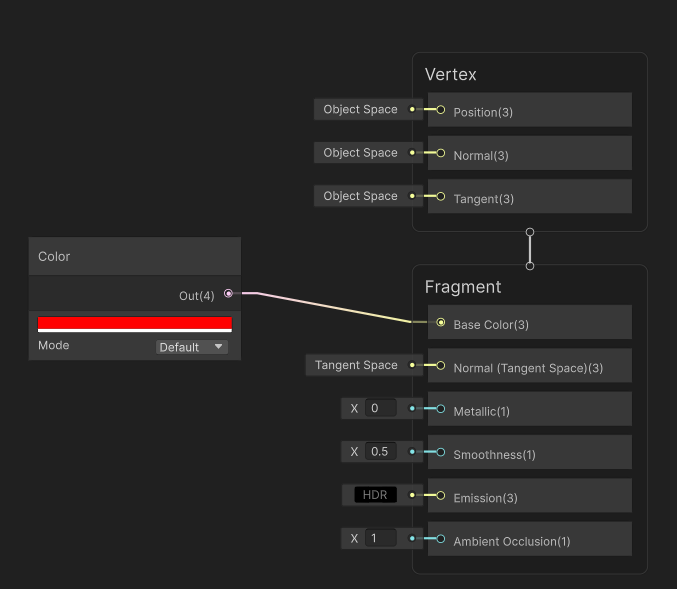
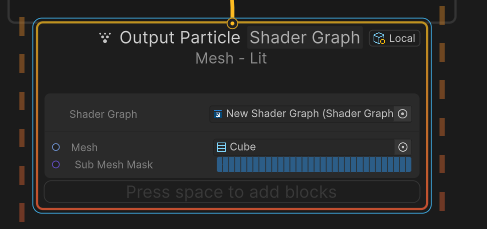
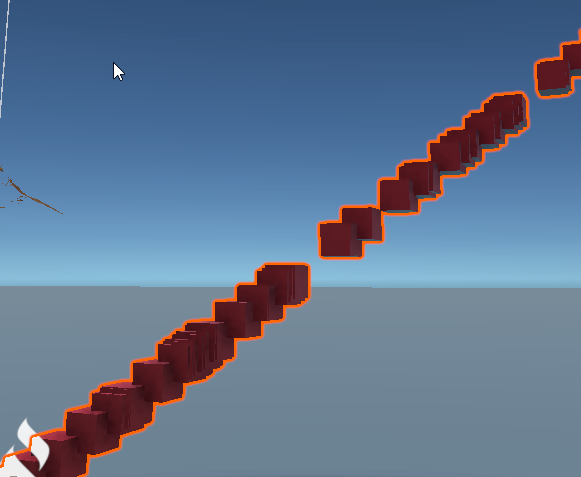
https://i.imgur.com/Ah5vmFW.png
And with sample 2D
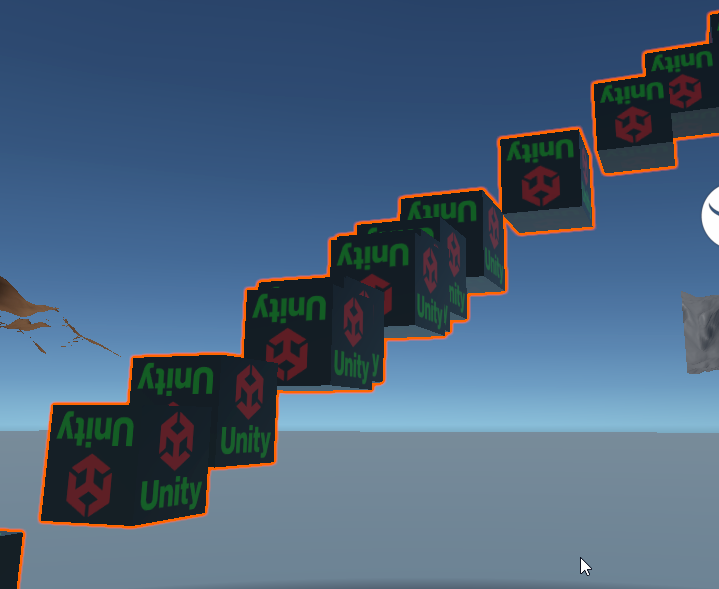 warm torrent
junior thistle
Is it true that branching in shaders is computed before the bool, so you'd compu...
warm torrent
junior thistle
Is it true that branching in shaders is computed before the bool, so you'd compu...
I believe so, due to technical reasons it would be more expensive for GPU to stop to choose which side to calculate anyway from what I understand
sick crown
Thanks for moving me further along @ashen robin . I was able to determine that it was the Shader Graph Material type, any of the types labeled Sprite don't work correctly (though this seems new as this shader worked pre Unity 6). Changing it to just Lit provided the fix I needed.
One other question I had regarding VFX Graph was getting a rotation or spinning going on the particle mesh. I've tried a few different ways including Setting Angle over lifetime, using angular velocity, as well as orienting towards a random point. The last got me closest as I was able to see some movement but not as much as I would have liked. So the question is how do I rotate a particle in VFX graph?
ashen robin
sick crown
Thanks for moving me further along <@288886727555284995> . I was able to determi...
Oh, right it probably doesn't make too much sense to use Sprite Lit for Mesh output if you're using anything other than quads, but not entirely sure if VFX graph even supports it. I just know that dynamic batching that SpriteRenders use really hates when you do any sort of billboarding in the shader. As for rotating, usually it's angle or velocity that you would use to rotate objects, but otherwise you've got Rotate3D or Atan2 (If you need LookAt)
 thorny rune
how can i create a particle system where the particles start from the outside then merge in to a point over time?
thorny rune
yes, they converged but then they kept going after getting to the middle.
maybe i can try messing around with the dampening as well
 covert star
hey all, im trying to make a decal projector, I want to put a dark aura around my buildings on the terrain.
I copied the built in decal shader and added a color node, but every time I apply my decal to the terrain, it goes totally transparent and you can see through the ground. while this is admittedly a kinda cool effect, I cant figure out how to control this transparency so its become a problem. Does anyone know how to control this?

 thorny rune
are shader graph gradients not able to be shown in the inspector?
thorny rune
can i set shader graph gradients with code?
warm torrent
thorny rune
yes, they converged but then they kept going after getting to the middle.
Particle system force field can suck them into a point, and apply drag
However they'll still keep going, typically in a flickering motion when they keep trying to accelerate towards the center point despite being stuck in it
So you could also use the trigger module to kill them when they reach the center, and balance their lifetime so they shrink and/or fade right before that happens
If that's not enough you may need a script that directly reduces their lifetime/size/alpha the closer they are
Could handle the whole converging motion too if needed
Force fields are useful, but in that kind of use case it might not be enough for example if the gravity needs to be stronger the further away the particle is
warm torrent
thorny rune
can i set shader graph gradients with code?
Probably not, you'd have to ask in #1390346776804069396
warm torrent
covert star
hey all, im trying to make a decal projector, I want to put a dark aura around m...
You'd have to ask in #1390346776804069396
 bright rampart
hey guys, im trying to make this rain particle system and have it rotate around the player, but the problem is, since the subemitters are parented to the particle system, it does this weird thing. but does anyone know how to get around this?
bright rampart
bright rampart
hey guys, im trying to make this rain particle system and have it rotate around ...
i paused it so the weirdness was easier to see, but it still does this regardless of whether it's playing or not.
bright rampart
bright rampart
hey guys, im trying to make this rain particle system and have it rotate around ...
nevermind, fixed it by directly changing the shape's rotation instead of the local euler angles

 stray talon
Can I have a CPU event when a particle dies? I need a different graph to spawn particles when a particle dies, it can't be the same graph
ashen robin
stray talon
Can I have a CPU event when a particle dies? I need a different graph to spawn p...
Last time I checked it there wasn't an in graph solution for these types of callbacks besides polling it manually in your script
stray talon
ashen robin
Last time I checked it there wasn't an in graph solution for these types of call...
Ok, thank you!
ashen robin
stray talon
Ok, thank you!
Unless you mean GPU events then yes those work fine and you can set up a trigger in the update context
stray talon
ashen robin
Unless you mean GPU events then yes those work fine and you can set up a trigger...
Hm, I'm still attempting to reason about vfx graph as a whole, but my current understanding is that GPU events are constrained to the graph they're fired from.
My current issue is that I need the sorting order (so the property exposed on the renderer's instance of the graph) to differ between outputs of the graph. I don't think it's possible, so I need 2 graphs. Now I think the only way to propagate events to the other graph would be to have a CPU listener and manually connect the graphs
So, as far as I understand it, I think GPU events don't allow me to achieve my goal
Right now I'm simulating twice independently, so definitely opened to a fix
ashen robin
Right, the GPU events only fire in the same visual asset you're declaring them from
stray talon
Welp, I don't think I'm going to have much of a choice then. Thank you for the confirmation!
ashen robin
https://discussions.unity.com/t/connect-vfx-subgraphs-to-gpu-event-outputs/1617188/8
Maybe something helpful in there, there's the question of using subgraphs with GPU events
 dusk cliff
I am just trying out shaders for the first time. for a hit feedback to the players.
I made a Flicker and Noise Shader however upon plugging in the material to my Sprite renderer it completely botched the base sprite... how do I implement it so that the Glitch effect on the Sprite is triggered when players click on the collider on the sprite?
warm torrent
dusk cliff
I am just trying out shaders for the first time. for a hit feedback to the playe...
It may be "botched" if you're using using any color in the shader for alpha, and moreover it might not be a sprite shader graph
#1390346776804069396 is the correct place to ask
You can swap the material of a renderer in code
dusk cliff
warm torrent
You can swap the material of a renderer in code
Ohh okay
dusk cliff
warm torrent
It may be "botched" if you're using using any color in the shader for alpha, and...
not sure I got it !! But I'll ask in the rendering channel more about it.
dusty creek
any idea what's causing my metaballs to have black faces? it seams to only happen when i make them very low poly like this but i really don't want them to have to be any more detailed to fix this
 warm torrent
dusty creek
any idea what's causing my metaballs to have black faces? it seams to only happe...
warm torrent
dusty creek
any idea what's causing my metaballs to have black faces? it seams to only happe...
I don't think unity has metaballs?
dusty creek
warm torrent
I don't think unity has metaballs?
it's an asset from the asset store
warm torrent
dusty creek
it's an asset from the asset store
Then you should contact their support
dusty creek
warm torrent
Then you should contact their support
their email's dead
warm torrent
dusty creek
their email's dead
There's a dozen or more metaball assets out there so without knowing anything about the one you're using, it seems unlikely anyone here will be able to help
dusty creek
warm torrent
There's a dozen or more metaball assets out there so without knowing anything ab...
mind recommending any one of them if u can?
warm torrent
dusty creek
mind recommending any one of them if u can?
Haven't used any so not really
I like how Mudbun's creator supports their assets though
ashen robin
Just bought that one on sale the other day. Need to figure out a project to use it in now
ripe mantle
I have a particle system that is only supposed to spawn 1 particle and then keep it around forever. When I want the effect to start, it should fade in, and when it's over, it should fade out. What do I do?
junior thistle
ripe mantle
I have a particle system that is only supposed to spawn 1 particle and then keep...
How is it gonna fade out if it lasts forever?
Anyway, use color over lifetime. Use keyframes to animate the alpha
ripe mantle
junior thistle
How is it gonna fade out if it lasts forever?
Anyway, use color over lifetime. ...
Well the issue is that the duration is not a known quantity.
junior thistle
ripe mantle
Well the issue is that the duration is not a known quantity.
So you'll have to determine lifetime with code?
Then you'll have to fade in and out the alpha with code too as "color over lifetime" won't make logical sense
Just set the lifetime of the particle to a high number and select burst emission - 1
warm torrent
ripe mantle
Well the issue is that the duration is not a known quantity.
"Duration" is for the particle system's main module for emitting particles, not for individual emittied particles, to be specific
I believe you'd first get the particle with GetParticles and then overwrite its remainingLifetime
fathom cypress
Is there any difference between these two nodes?

 safe bramble
is it possible to make Inherit Velocity / Mode=Current work on sub-emitter particles so that they inherit the current velocity of the parent particle? in the capture you can see when it's set to "Initial", the initial velocity of a parent particle is inherited once, but when it's set to "Current", the velocity is never inherited
i would have expected "Current" to keep matching the parent particle's velocity frame by frame
warm torrent
safe bramble
is it possible to make `Inherit Velocity / Mode=Current` work on sub-emitter par...
I believe sub emitters can only inherit what the sub-emitter module allows to inherit
Emitting directly from a script using Emit() will let you do using any properties necessary
(or TriggerSubEmitter() though I'm not sure if it's harder or easier to control the new particles that way)
safe bramble
hmm so what does the "Current" setting actually do?
warm torrent
safe bramble
hmm so what does the "Current" setting actually do?
It imparts the Transform's speed into particles emitted
Same as Initial
I would assume Initial doesn't work for sub emitters either, and it appearing to work is a coincidence
safe bramble
coincidence? the transform isn't moving at all 😄
https://docs.unity3d.com/6000.1/Documentation/Manual/PartSysInheritVelocity.html
This module reads the velocity from the parent particle and controls how the speed of the subemitter particles reacts to that velocity over time.
based on the docs i'm guessing it was intended to work but it's just broken, which is a shame
i was hoping maybe there's some sort of flag i need to set that'll get it working but i haven't found anything
warm torrent
I recall my experience using it didn't really help with sub emitters at all, but I may be mixing up memories
And/or possibly did something wrong that time
warm torrent
safe bramble
based on the docs i'm guessing it was intended to work but it's just broken, whi...
Seems not to be broken, but incorrect documentation perhaps
https://discussions.unity.com/t/shuriken-sub-emitter-particle-inherit-parent-particles-position/676230/8
Current mode for sub emitters was tested officially, but never implemented
safe bramble
ahh ok, well, that's essentially "broken" as far as i'm concerned
good to have confirmation, thanks
warm torrent
There's an asset that seems to offer the functionality, and I guess you could use a script to manually move every sub-particle
Or use the vfx graph instead
safe bramble
yea we'll probably do it through code, unfortunately can't use vfx graph because it's still unusably broken on android
 faint shadow
hi. i never made anything with vfx/particles. but if i wanna make like an golden shine around an object. what software do we use to create such things?
 shell pulsar
does anyone knowhow to make particles spread out over their lifetime? i need it to spray out very dense and fast and then for it to spread out and fall down
junior thistle
faint shadow
hi. i never made anything with vfx/particles. but if i wanna make like an golden...
Look into shader graph if you wanna make the shine on the object itself. If you want some kind of shiny particles around it, then particle system or vfx graph
junior thistle
shell pulsar
does anyone knowhow to make particles spread out over their lifetime? i need it ...
Make their start rotation a random between 0 and 360 and turn up the speed, enable "use gravity".
Or use "velocity over lifetime" with randomized values on the axes
shell pulsar
junior thistle
Make their start rotation a random between 0 and 360 and turn up the speed, enab...
essentially i need it to be like a arena confetti cannon if you know what im talking about.
shell pulsar
junior thistle
Make their start rotation a random between 0 and 360 and turn up the speed, enab...
i know you cant see the other angle but it shoots out of one of these, im assuming you can guess what it will look like.
 junior thistle
shell pulsar
i know you cant see the other angle but it shoots out of one of these, im assumi...
junior thistle
shell pulsar
i know you cant see the other angle but it shoots out of one of these, im assumi...
So you don't want to spread it in a 360 angle at start, you want to shoot it in a cone and only then soread it out?
shell pulsar
junior thistle
So you don't want to spread it in a 360 angle at start, you want to shoot it in...
yes
junior thistle
A way to do that would be to have the first particle system shoot the particles in a cone shape with the radius of your choosing
Set the lifetime to something short
The either have sub emmiters or even easier, just a different particle system going in all directions, set emission to burst and make it emit at 0.5 seconds or whatever you think is the apporpriate time to start spreading out
shell pulsar
junior thistle
The either have sub emmiters or even easier, just a different particle system go...
cool. ty, what settings would i have to make it go in all directions lol. sorry im pretty new to particles
aha, figured it out. thanks!
junior thistle
shell pulsar
aha, figured it out. thanks!
yea?
velocity over lifetime
just put the speed values on the 3 axes between -x and x
and it's gonna be random
also, you'll likely need to modify the gravity multiplier
nimble axle
does VFX flipbook have to work with a sprite sheet or can it do separate images?
bitter blade
Does anyone know how to add decals to explosions in my game? Like you see in the image. I know about the decal projector, but that only goes in one direction. I need the explosion to scan a sphere and then put a correctly sized decal on everything in range. Does anyone know how to do that or if there is a good tutorial on this?
 clear spruce
bitter blade
Does anyone know how to add decals to explosions in my game? Like you see in the...
clear spruce
bitter blade
Does anyone know how to add decals to explosions in my game? Like you see in the...
Do you want something like raycasting in every direction and place projectors there or an actual spherical decal projector?
bitter blade
clear spruce
Do you want something like raycasting in every direction and place projectors th...
Idk what is possible, I want an explolsion effect on everything nearby. Idk if a spherical decal exists, and idk if that would be good if it did because what if an object moves through it?
warm torrent
I'd assume a decal shader graph could be made to sample a 3D texture instead to project it centered on its volume
But creating multiple 2D decals from a raycast would also be an option
warm torrent
bitter blade
Idk what is possible, I want an explolsion effect on everything nearby. Idk if a...
This is a potential issue for all kinds of decals (except mesh decals)
The typical solution is to only apply decals on static objects, separated by a rendering layer
clear spruce
Either one. Instead of a 3D texture, I would consider using a HDRI type texture to make a spherical projection
warm torrent
clear spruce
Either one. Instead of a 3D texture, I would consider using a HDRI type texture ...
Wouldn't it shrink towards the center?
clear spruce
It would yeah, I would place it on top of the surface but there are obviously edge cases where it would look bad
warm torrent
Could be worked around with some tricks though
clear spruce
For sure. I assume most games just scatter regular decals though
bitter blade
I found this, should I try soomething like this?
https://discussions.unity.com/t/getting-points-within-a-radius-to-place-burn-decals-from-an-explosion/75798
warm torrent
This will give you a list of game object where the bounding box for the collider is within your explosion area. Then you will need to process the mesh to determine the closest point on that game object to the center of the explosion.
Sounds needlesly involved
I'd rather try a few raycasts, or spherecasts to avoid missing
clear spruce
You might find the fibonacci sphere useful in spreading the raycasts equally
bitter blade
warm torrent
> This will give you a list of game object where the bounding box for the collid...
OP's last message with the refined code uses ray casts
warm torrent
Ah, so fire in all kinds of directions, then find shortest ray per object
The system won't be very smart when it comes to corners in a mesh, or multiple smaller meshes in its range
Very advantageous though if you want to attach the decal to each object individually
Though I guess a radial decal could also do that, if it were duplicated for each object
Layers would be tedious either way though
Sucks that apparently Houdini is the only program on earth that can generate 3D textures
 real kayak
Hello Anyone good at Particle effects? i just want to make spiders crawling on the floor. I have an issue and for some reason they´re floating around a bit. i just want them to walk on surfaces.
 ashen robin
Particle system with mesh deformation requires a bit of tinkering so you may be better off just pooling them with your own system
otherwise pre-render them and stick em into a flipbook
@real kayak
real kayak
im trying
 spring wolf
has anyone tried to do a "reverse" trail in vfx graph? my issue is I think pretty simple: I just have a vine that extends out, I'd like it to retreat back into the player's hand instead of vanishing into the tiphttps://gyazo.com/b48ab3fdfbd19551f16cf0d494408070

it seems like it'd be easy to solve by just making age = 1 - strip progress but that hasn't been working at all for some reason, I can't figure this out for the life of me

(sorry for it being messy, just testing rn)
this is what I'd expect to work, the 96th particle would have less lifetime than the first. but in reality they just never spawn
or die immediately
ashen robin
spring wolf
I would think you'd need to do work in the update specifically for the Age with some curve if I had to guess.
spring wolf
I actually just realized that too, unfortunately I haven't had much luck there either... it seems setting age does so for the whole strip, not individual particles in the strip
which seems a little backwards considering how other attributes work
ashen robin
Ah, yeah I have trouble with unity strips quite a bit. They do feel hard to really manipulate how you want a lot of the time
Even the standalone trailrenders could really use a few more parameters
spring wolf
for sure
ashen robin
If anything you can probably do something with splines ;p
spring wolf
I'll probably have to abandon this for now, it seems like no one else has really ran into it + even trying to attenuate size over the strip is being super weird
I was thinking about that yeah
but it's alright, it's not important enough to warrant a whole system for it, I just assumed it'd be something easy in vfx graph
 jovial dock
Hi all! Has anyone gotten the Collision Depth Buffer-node working with a custom camera? (Not the main camera)
 magic sky
Can anyone recommend me a channel or video to learn about shader graphs in unity plzz?I'm unable find a good video which explains from basics?
junior thistle
magic sky
Can anyone recommend me a channel or video to learn about shader graphs in unity...
Ben Cloward has the best videos on that with clear explanations.
He has a playlist for shader graph/material graph
 jade sable
how come my particles are black when i put a sprite on a material
it's supposed to be orange
junior thistle
jade sable
how come my particles are black when i put a sprite on a material
No one can help you with this little information
but that kind of thing can happen if your material is opaque where it should be transparent
warm torrent
jade sable
how come my particles are black when i put a sprite on a material
Depends what exactly "put a sprite on a material" means, and what else you're doing related to it
junior thistle
I assume he meant he put the albedo texture on it, but yeah, we're just guessing
jade sable
junior thistle
I assume he meant he put the albedo texture on it, but yeah, we're just guessing
Yes, this
Sorry I went out for dinner
When I make it transparent there's a box
Around the sprites
But not in opaque
Is that because the sprite is bad?
junior thistle
jade sable
Is that because the sprite is bad?
Can't tell you anything without screenshots

 desert elk
jade sable
desert elk
jade sable
Try changing your shader to "UI --> Default"
jade sable
new problem, the particles arent playing properly
i put
GetComponentInChildren<ParticleSystem>().Play();
in trigger enter and exit
Stop() in exit
but i only see them pop up randomly and they're behind the character
i suppose the layer is wrong
changing the layer didnt help
warm torrent
jade sable
changing the layer didnt help
Particle system renderer component has settings for sorting layers and order in layer
To make use of it, a shader that supports 2D sorting is required
Since you appear to be using a particle system on the built-in render pipeline, the shader should be Particles>Standard Unlit, in Fade rendering mode
 neat maple
Shadererror in '[VisualizeGridFX _HomogeneousRandom] [System (1)] Initialize Particle': this variable dependent on potentially UAV-related data: range at kernel CSMain`
I'm using particle position to sample into a globally defined texture (using custom hlsl), and it complains about this in the function that generates the uv coordinates for the sample
I have more complex functions that use similar patterns that don't cause any problems so I'm a bit confused 🤔
jade sable
warm torrent
Particle system renderer component has settings for sorting layers and order in ...
it didnt work
the loop auto plays on start
but after i move and then attack, it doesnt show
sometimes a particle fires off but very rarely and in a random spot
warm torrent
It's the correct way to make particles work with 2D sortign nonetheless
Note that 2D sorting also uses z position for depth sorting, and Particle System by default emits particles in all 3D directions so it may move them behind other objects if they're all on the same sorting layer and order
Your Particle System's tranfsorm position and rotation affect this as wlel
jade sable
u guessed the rotation part right
it was some random value
but it still doesnt work right
only randomly
i think there might be something wrong with my code
it worked correctly when the enemy object was glitching
it's acting all chaotically
sparks are flying behind my character when i attack
i think i need to post a clip
warm torrent
jade sable
i think there might be something wrong with my code
You have to start narrowing down whether the issue is in your code, your transforms, 2D sorting or the particle system component
That's something we cannot do for you
desert elk
jade sable
new problem, the particles arent playing properly
Any other details??, these are not enough toanswer.
jade sable
i dont get it, it's firing once then never again
and it happens behind the position i put the emitter
 uncut ridge
Hi guys im new to 3d particle systems and shaders, im currently working on making a rain particle system that is (somewhat) accurate to physics. My goal is to deform a sphere mesh particle using a vertex shader that deforms vertices per particle about their individual pivots. It was easy enough to do this on a sphere object, which you can see in the first attached image and is also my goal. Per particle vertex deformation, however, has been difficult. My friend helped me use the UV channels to get the per particle pivot, however subtracting the pivot from the object position has yielded weird results when trying to smoothstep the y value accordingly. My version of unity is 2022.3.20f1. If anyone can offer me advice that would be very helpful and appreciated!
Image 1: Shader applied to object and goal for particle system.
Image 2: Object space deformation graph that works on objects in scene.
Image 3: Attempt at subtracting uv center vector 3 from object position, applying smoothstep, and adding back the value.


 warm torrent
uncut ridge
Hi guys im new to 3d particle systems and shaders, im currently working on makin...
warm torrent
uncut ridge
Hi guys im new to 3d particle systems and shaders, im currently working on makin...
Does it cause that kind of splitting if you add any value to vertex position using the UV coordinates?
I'd verify that the UV actually has a 3D vector, I think it may be truncated to a 2D vector by exporting or importing in some situations
uncut ridge
warm torrent
Does it cause that kind of splitting if you add any value to vertex position usi...
It does I think? I managed to solve the issue since it was an error on my part. I had forgotten to re add the center custom vertex stream and I had also forgotten to re add the center position.
Thank you for your input though I appreciate it
 viral plover
Hey there! There's any nice courses to start with vfx learning with Unity 6? The ones I usually find are for previous version and it's quite difficult to follow since so many things changed, thanks!
ashen robin
viral plover
Hey there! There's any nice courses to start with vfx learning with Unity 6? The...
Gabriel is pretty much the source of learning it even though quite a bit changed over the years
Otherwise you're usually digging through the forums or digging into the templates provided by Unity to get those ideas
warm torrent
The templates are very good though
ashen robin
Yeah they're super handy and easy to say use as a foundation to your own creation
junior thistle
I have a stupid question.
If I want hdr intensity for particle, I multiply the particle vertex color with an hdr color, and crank up the intensity there.
Is this a standard way to do this, or is it hacky?
ashen robin
junior thistle
I have a stupid question.
If I want hdr intensity for particle, I multiply the ...
What I basically do when my color node doesnt have those HDR values
 night dove
Hi, I hope someone can help me with this. I created this very basic shader in Blender and want to recreate it in Unity. I've gotten close but the step node (that i'm using in place of Blender's color ramp), just completely destroys the look i'm going for. Attached are my shader graph in Blender + what the output looks like on a plane. Then, my shader graph in Unity plus the output before and after the step node.
What am I doing wrong?


 ashen robin
night dove
Hi, I hope someone can help me with this. I created this very basic shader in Bl...
ashen robin
night dove
Hi, I hope someone can help me with this. I created this very basic shader in Bl...
Better to ask in #1390346776804069396, but what I'm not seeing here is you funneling any of those alpha values to create that cutout that you're doing in the image above
Base Color is Vector3 so those alpha values are truncating
night dove
ashen robin
Better to ask in <#1390346776804069396>, but what I'm not seeing here is you fun...
Yeah, I had disconnected the alpha bit just so that it'd be easier for me to see what was going on with the voronoi lines/edges. In the Blender version, the lines so crisp but I can't seem to get the voronoi in Unity to come out the same without it looking like blobs!
Also, i'd ask in rendering, but i often dont get any responses there. Though i'd try my luck here instead
ashen robin
Yeah, not too much of an expert of knowing the right nodes to really modify it to a specific liking beyond just messing with values until it looks like what I want ;p
night dove
Yup! Thank you for your response anyway, Mao, I appreciate it!
 stable canopy
Hi I'am new to the VisualGraph and have a question about collsion in the how can I make a particle collide with an Enemy Tag. Like in the old Particle system. I have downloade some particle effects but needs this to let it work with Invector.
 warm torrent
stable canopy
Hi I'am new to the VisualGraph and have a question about collsion in the how can...
warm torrent
stable canopy
Hi I'am new to the VisualGraph and have a question about collsion in the how can...
Generally VFX Graph particles don't do collisions with any colliders not contained in the graph itself
If you do it, it'll be very inefficient
For collision detection purposes Particle Systems are still recommend over VFX Graphs
The reason is that the physics engine runs on the CPU, while VFX runs on the GPU which is why it can calculate millions of particles efficiently
Sending data from GPU to CPU is particularly problematic for this efficiency
 covert lark
im asking here since the unity forums seem to be down
how can I set/read the attributes of a VFX?
additionally, would it be better to instantiate multiple VFX objs each time one needs to be played or is there a way to feed multiple positions to a singular VFX object?
ashen robin
warm torrent
covert lark
additionally, would it be better to instantiate multiple VFX objs each time one ...
The default way to do so would be VFX Graph instancing that does it automatically with compatible graphs
https://docs.unity3d.com/Packages/com.unity.visualeffectgraph@17.0/manual/Instancing.html
Or I believe you can do it manually if needed with SendEvent
https://docs.unity3d.com/6000.1/Documentation/ScriptReference/VFX.VisualEffect.SendEvent.html1
 snow swift
does anyone know why this happens?

when i bake my lighting the the directional light seeps through the geomertry
warm torrent
snow swift
does anyone know why this happens?
Post only to the relevant channel please
hearty flare
!collab
gleaming flickerBOT
:loudspeaker: Collaborating and Job Posting
We do not accept job or collab posts on Discord.
Please, use Discussions to promote yourself as job-seeking, advertise commercial job offers, or look for non-commercial projects to participate in:
• Collaboration & Jobs
 low bear
Is it possible to make Mesh fade away when they die, just like it is done for 2D Particles?
Sorry, didnt record VFX graph


 low bear
Bird's Shader Graph
 clear spruce
low bear
Bird's Shader Graph
clear spruce
low bear
Bird's Shader Graph
There might be a better way, but at least you could make a custom attribute of type Color (or just float if you only need the alpha) and pass it to the shader graph via the graph like this


If you are expecting sorting order issues with transparent particles, you could consider doing the transparency by using dithering instead, that is often little more performant too
ashen robin
What's wrong with alpha over lifetime
clear spruce
ashen robin
What's wrong with alpha over lifetime
Nothing I suppose but you have to get that information to the shader graph regardless no? I was actually surprised the color isn't passed via vertex color to the mesh particles
ashen robin
Ah, right maybe need to hook up the vertex color node into the fragment
clear spruce
ashen robin
Ah, right maybe need to hook up the vertex color node into the fragment
But I tried and it always seems to return a white vertex color, not the color set in the vfx graph. They also seem to have some other use for the vertex color so if it was overwritten their shader would break. I assume passing by an shader property would be the way to go (which surprisingly works per particle while they usually work per material, I assume that's the reason the vfx graph wants an shader graph itself and not an instance of material)
warm torrent
I thought it'd be trivial, like using vertex color
And that it'd be on the docs, or in the official tutorials, or in the learning samples
But they all seem to skirt around that specific step
warm torrent
clear spruce
There might be a better way, but at least you could make a custom attribute of t...
This is the method that's used in the samples
low bear
clear spruce
There might be a better way, but at least you could make a custom attribute of t...
This help me! THANKS YOU💖

 shut vault
Would anyone have any reccomendations for some techniques to try out to make this look a bit prettier?
What I have here is 3 layers
main layer with platforms - closest to camera - My most well-lit layer. Experimenting with some pulsing glowing crystals
Background Layer 1 - Mostly rocks. Bit further away from the camera for parralex. Less light.
Background Layer 2 - Further Away. A glowing background and blurred rocks. Lowest light level.
I like it but it doesnt have the wow factor just yet I think. It is all white lights, I tried making different layers have different coloured lights but I found it just made the assets look weird and unappealing.
 late pendant
I am wondering how I could achieve the effect of my player having a "psychic vision".
I think I want to draw the image from another camera over some kind of "wobbly area with soft edges". I probably have to combine render texture (camera output) with some kind of shader that will only display that image from that camera in a specific mask, right?
Can that mask actually be made from particles? It's probably possible by using 2 render textures, but maybe that's a bit too heavy in calculations? What do you guys think?
clear spruce
warm torrent
I thought it'd be trivial, like using vertex color
And that it'd be on the docs,...
I think it could be presented much more clearly since using shader properties like that is quite unconventional. Of course this system provides very powerful way to communicate between the graphs but using properties which usually are per material instance to transfer data per particle sure is odd. I sure hope the system isn't generating tons of materials, one for each particle, it's probably just a buffer which the vfx graph would write to and the shader graph then read from based on the particle index. The properties working in two different ways in two different contexts would definitely be worth thorougly documenting
ashen robin
shut vault
Would anyone have any reccomendations for some techniques to try out to make thi...
Looks fine, but I do notice there's some sorting issues going on and your transparents are popping over each other. Beyond that I think you've some room to make layer 1 a bit more noisier with ambience like particle lights / animated textures
 trail sand
where do you find the set lifetime random (uniform) function?
warm torrent
late pendant
Can that mask actually be made from particles? It's probably possible by using 2...
There's a lot of ways to make that kind of system, but I think generally you don't need to make another RT of the particles for masking unless you for some particular reason need to do the whole thing in post processing
Your particles can have a shader that samples the second camera's RT directly to get the effect you want
One reason that comes to mind to make the particle mask into an RT would be if you need to blur or distort it after the particles are rendered, but various blurs, distortions and depth fades can be done within the particles' shader too
late pendant
warm torrent
There's a lot of ways to make that kind of system, but I think generally you don...
Good idea. I'll try to look into how I can make this kind of shader now
any tips on what I should google to find this kind of thing?
Like does this kind of effect/shader has a name I'm not aware of (sampling a texture according to screen coordinates, if I got this right) ?
warm torrent
late pendant
Like does this kind of effect/shader has a name I'm not aware of (sampling a tex...
That'd be it, as the RT camera matches the other camera
You can make a thread in #1390346776804069396 if you run into issues
late pendant
Awesome, thanks for the tips
 proper stream
Hey, i was just wondering, can I add global ilumination in 3d, as like, i dont want to have shadows. I have a object and only one directional light, so only one part of cube is lightened up. I want to be able to rotate given object and also rotate camera around object, so putting light on a camera isnt really an option. I kinda just want a shallow look
object also isnt static so and can be changed so baking isnt a option
 surreal chasm
Does anyone know why i cant add the PSX Shader to the object
 warm torrent
@proper stream @surreal chasm #1390346776804069396
 regal crane

 neat maple
with webGPU, some graphs give me this error
Shader error in '[...] [System (1)] Update Particle': error: 'workgroupBarrier' must only be called from uniform control flow
note: control flow depends on possibly non-uniform value
note: reading from module-scope private variable 'gl_LocalInvocationID' may result in a non-uniform value at kernel CSMain (on webgpu)
but I can't figure out what it is caused by; if i empty the graph, the error remains, even after reimporting the now empty graph 🤔
ashen robin
neat maple
with webGPU, some graphs give me this error
```
Shader error in '[...] [System ...
Sounds like something to bug submit
neat maple
ashen robin
Sounds like something to bug submit
indeed, that's what I did 👍
ashen robin
I've had it working with unity 6 preview so if you continue running into problems maybe try rolling back a bit
but to me sounds like something not fully implemented with WebGPU yet as it is still not fully released for Unity yet
similarly, you run into a lot of uniform problems with Unity's terrain and WebGPU
 mental lantern
Hi everyone! I asked in another channel earlier about making particle system effects in 2D Unity, and the answer I got was that it works the same in both. And I made a 2d animation in 2d setup, I want to add some ground breaking fx and some splash effect.
I’m wondering—when it comes to creating the particle shapes, would the process be different for 2D compared to 3D? Anything specific I should watch out for in a 2D setup?
ashen robin
mental lantern
Hi everyone! I asked in another channel earlier about making particle system eff...
Not really, no. 3D even uses 2D (quads) mostly and billboards them towards the camera. If you wanted to, you can also do 3D particles in 2D if you wanted to use more complex mesh particles
mental lantern
@ashen robin Got it, thanks for explaining! That makes sense now.
warm torrent
mental lantern
Hi everyone! I asked in another channel earlier about making particle system eff...
In 2D is used for depth for sorting rather than perspective just like with all 2D components
https://docs.unity3d.com/Manual/2DSorting.html
That's about it
The particles themselves can be "3D" if needed
neat maple
ashen robin
I've had it working with unity 6 preview so if you continue running into problem...
I've also had it working before, these shaders breaking is completely new and seems to come out of the blue. I've made the same modifications to a few shaders and half of them work, half of them are broken now. 🤷
mental lantern
warm torrent
In 2D is used for depth for sorting rather than perspective just like with all 2...
got it 👍
 uneven ridge
I dont know if this is the right channel but Unity gets stuck in an infintie loop whilest Importing
a shadergraph shader after I save any script in Visual Studio. It happens seemingly at random
It also send me the Text "Error in Graph at Assets/Shaders/ShipFieldOfView.shadergraph on line 1: Parse error: syntax error, unexpected $end, expecting TOK_SHADER"
in the console any ideas on how to solve this issue?
 ocean jewel
hiiiiii im making a transluscent slime-like character and im having this problem where it looks mostly fine from the right side but from the left its like the culling is backwards or something??? idk im a noob


culling is set to back and i dont have anything in the backface section cuz it didnt seem to do anything
the bellybutton is weird from the right side though but fine from the left
warm torrent
uneven ridge
I dont know if this is the right channel but Unity gets stuck in an infintie loo...
#1390346776804069396 is for shaders, but chances are it's not even shader or rendering related directly as Shader Graph is not supposed to generate errors on its own especially not randomly
warm torrent
ocean jewel
hiiiiii im making a transluscent slime-like character and im having this problem...
#1390346776804069396 is for shaders, but this always happens with Transparent type shaders/materials unless the shader clears any transparent geometry behind it or the renderer supports order-independent transparency
We don't really know what !vrchat can and cannot do so better ask them
gleaming flickerBOT
Join the growing VRChat community as you explore, play, and create the future of social VR! https://discord.com/invite/vrchat
 timid merlin
Does anyone by any chance know how to/if it is possible to rotate a subemitter's particles based on the object the parent emitter particle hit?
I'm making a blood particle system and have everything setup except for that part, and can't figure it out myself
junior thistle
timid merlin
Does anyone by any chance know how to/if it is possible to rotate a subemitter's...
I doubt you can do that within particle system (not 100%) but you can do it with code
timid merlin
Ye I was experimenting with writing scripts to make it work but haven't pulled it off
 gloomy talon
Anyone here with shader experience by any chance? Right now I have this working for any model, but it's just a single render pass atm, and I know it could look much better. I'm ultimately aiming for that Dreams (PS4 game) kinda look (without resorting to SDFs). Here's how it looks atm (point density & splat sizes can be adjusted). Thanks!
https://media.discordapp.net/attachments/728852904978415680/1405212887139487824/SplatTest.mp4?ex=689e01fb&is=689cb07b&hm=88b35160dd60334091bacbe8a7ddacf4e99af40e4c187ec267c5ba003d2fa672&
warm torrent
gloomy talon
Anyone here with shader experience by any chance? Right now I have this working ...
#1390346776804069396 is for shaders
gloomy talon
Thank you
 pallid bloom
how do i make the circle thiccer
ashen robin
pallid bloom
how do i make the circle thiccer
3D mesh
pallid bloom
ashen robin
3D mesh
aight tnx
 whole hamlet
Hi there. I am new to unity. I wanted to create a electric effect that shoots from a gun and goes to npc. How can I create it. I also am using HDRP and want it to look realistic.
Also I want the effect to come from the tip of the gun and go towards the direction of crosshair which is in the middle of screen. So I want to bend it slightly instead of it being a strait beam.
ashen robin
whole hamlet
Also I want the effect to come from the tip of the gun and go towards the direct...
If you don't want to deal with shaders then the best idea here is make yourself 2-3 textures of this beam and animate it to look like electricity, as for the bending part you can try using a trail render and adding a curve to the projectory
https://realtimevfx.com/t/help-needed-unity-trail-renderer-with-animation-how-to-handle-this/23826
ex. of the idea

Real Time VFX
Hello Guys I haven’t been involved in the VFX scene for very long This is my first time using trail renderer and I encounter an issue When animation rewind to zero frame the trail renderer detect it and show ugly trail to me So I try some my personal troubleshoot like "Set active false of gameobject end of frame and Set active true in st...
whole hamlet
ashen robin
If you don't want to deal with shaders then the best idea here is make yourself ...
make the textures or should i download them, i dont want stylized texture, and i dont think it will be easy to make it, i want it to look like electricity or thunder a bit, just sans branches of a thunder. it goes in one line.
And yes i dont want to deal with shaders. specially the coding one. maybe shader graph.
ashen robin
It's not that hard to make something look decent when it comes to just trails so making a few variations in a painting program would work fine
ideally you want to make a seamless connection from one side of the texture to the other if you want to tile it and not stretch the texture
both options are on the trail renderer
 strong dome
im following a guide and i cant find this option in VFX editor, im assuming they have become obsolete, is that true
 warm torrent
strong dome
im following a guide and i cant find this option in VFX editor, im assuming they...
warm torrent
strong dome
im following a guide and i cant find this option in VFX editor, im assuming they...
When creating a new vfx graph asset, it now displays the vfx template menu instead
strong dome
warm torrent
When creating a new vfx graph asset, it now displays the vfx template menu inste...
im guessing Simple loop is closest to Simple Particle System then
 warm torrent
strong dome
im guessing Simple loop is closest to Simple Particle System then
warm torrent
strong dome
im guessing Simple loop is closest to Simple Particle System then
I don't know if there's a perfectly corresponding one, but they're all simple and similar enough
They only affect the default block setup, nothing exclusive about them
strong dome
warm torrent
They only affect the default block setup, nothing exclusive about them
I see, thanks for the explanation
 spring trout
heya, i'm having a weird issue with a particle system i made
it uses a gravity curve to achieve the effect i'm looking for, and it works fine independently, but whenever i instantiate it (when an enemy dies), it all works except for the gravity
warm torrent
spring trout
it uses a gravity curve to achieve the effect i'm looking for, and it works fine...
What kind of effect are you looking for?
spring trout
delayed gravity, the particles rush out from the centre, stop, then fall to the ground
and every part except the gravity works for some reason?
but whenever i place the particle system manually from a prefab, the gravity works fine
warm torrent
spring trout
delayed gravity, the particles rush out from the centre, stop, then fall to the ...
Over particle lifetime or over particle system duration?
 warm torrent
spring trout
particle i think?
warm torrent
spring trout
particle i think?
Particle system duration means the gravity ramps up over the 2 second Duration
Over lifetime means each particle does so individually
Though if your particles are all emitted in a burst, the result might be the same in both cases
spring trout
yeah
the effect itself is working fine tho
the problem is that the gravity breaks once i instance it
warm torrent
spring trout
yeah
Is that yes for burst or just yes in general?
spring trout
they are in a burst, yea
warm torrent
spring trout
the problem is that the gravity breaks once i instance it
Don't know a reason or see any cause why that'd happen, so I'd look for workarounds
(unless if you do something particular when instantiating it?)
 warm torrent
Since Duration and Lifetime are basically the same thing, applying vertical Force Over Lifetime in world space is the exact same thing as gravity (that is unless you're also changing world gravity at runtime and need particles to react to it)
If that works just the same, might not have to figure out why gravity doesn't
spring trout
......i had the system rotated
so it was damping the downward velocity because it was going sideways...
ty anyway, helped me to find it :3
warm torrent
spring trout
ty anyway, helped me to find it :3
Glad you did
It's tempting to crop screenshots but I think in this case the problem was hiding just right outside in the Transform component
spring trout
yeaaaaa xd
 spark tapir
Is there a way to use hand written HLSL Shaderlab shader in VFX graph particle output? It seems strange if you can only use ShadergGraph shaders in it...
ashen robin
spark tapir
Is there a way to use hand written HLSL Shaderlab shader in VFX graph particle o...
 modest pelican
Can I tell my VFX particle (VFX Graph) which texture to use from a script?
Perhaps via Event Attributes? Graphics Buffers? Something else?
ashen robin
modest pelican
Can I tell my VFX particle (VFX Graph) which texture to use from a script?
Perha...
Event attribute should be fine. Send in a custom int attribute where the int is compared to a texture array
modest pelican
ashen robin
Event attribute should be fine. Send in a custom int attribute where the int is ...
That way, I still need to add all the potential textures I want the particle to have to the VFX graph texture array beforehand, right?
I was looking for a way to send a new texture to the VFX graph that it wasn't "aware" of yet (i.e. wasn't preconfigured with), but I'm not sure that's even possible.
 ornate cairn
Hello everyone! Im new to using the VFX graph, so i wanted to ask how to implement my idea. This is what i've got so far
Is there a way i could add lines between particles as illustrated here?

so it looks like star constellations
ornate cairn
ornate cairn
Hello everyone! Im new to using the VFX graph, so i wanted to ask how to impleme...
for this i just used the regular burst preset, and i just changed the gravity & forces a little, so it's more fun, but i havent touched anything else
 runic hornet
I made particle system and made same as lidar.exe scanner and when I load in rec room and lags when I use as lidar scanner. Same scanner as lidar.exe. anyone know why??
warm torrent
runic hornet
I made particle system and made same as lidar.exe scanner and when I load in rec...
"Rec room"? I feel like a lot of context is missing
runic hornet
Well you can ignore rec room it same as play test like. Vrchat or roblox or vr game system.. it same as play test
warm torrent
runic hornet
Well you can ignore rec room it same as play test like. Vrchat or roblox or vr g...
We don't have the context of how your particle system works either
The effect you're describing typically requires at least tens of thousands of points, maybe millions, and a depth or collision check for each
That may be why it lags
runic hornet
dang it taking long time to load while particle running..
runic hornet
warm torrent
We don't have the context of how your particle system works either
finally got the image
 warm torrent
runic hornet
finally got the image
warm torrent
runic hornet
finally got the image
How many particles are you emitting?
 warm torrent
runic hornet
3000
warm torrent
runic hornet
3000
That's up near the practical maximum of particle count the particle system can handle
...practical maximum without collision so with collision you'll never get even close to playable performance with that
warm torrent
runic hornet
well ill do other way so i found video and it saying this
That's correct
VFX graph or equivalent system is required to simulate the number of particles needed for the effect
runic hornet
how do i get the vfx graph
warm torrent
runic hornet
how do i get the vfx graph
Install it from the editor's package manager, assuming you have a version of URP or HDRP also that supports it (minimum 2019.3. and 2018.3. respectively)
runic hornet
alr
 sweet rock
Can someone explain why my material is still blocky and not transparent creating a proper flare effect?
 sweet rock
Here's the video that I followed I tried replicating what he did at 2:00

This tutorial shows you how to quickly create explosions with the Particle System and with VFX Graph in Unity. No textures or shaders required, it's ideal for game jams or quick prototypes. Enjoy folks!
✦VFX STYLIZED EXPLOSION COURSE: https://www.udemy.com/course/visual-effects-for-games-in-unity-stylized-explosion/?couponCode=17.99_UNTIL_20-...
ashen robin
sweet rock
Can someone explain why my material is still blocky and not transparent creating...
Not really seeing the blockiness in the screenshot, but make sure the image you've imported has 'Alpha is Transparency'
May have to specify the alpha is from greyscale too I think with what I can eye from the texture
warm torrent
sweet rock
Can someone explain why my material is still blocky and not transparent creating...
The blockiness you are seeing is likely light reflecting off of the transparent area
Render Mode should be "fade" to prevent that
warm torrent
ashen robin
Not really seeing the blockiness in the screenshot, but make sure the image you'...
I think that setting can be a bit misleading as it doesn't do anything about alpha, or transparency either
ashen robin
Does it not? I notice when importing alpha textures is shown as a darken boarder and flipping that seems to clear it.
Oh huh guess it doesnt. Well, wish they just imported with that transparent looking background anyway then cause I get confused if it's greyscale or not
warm torrent
ashen robin
Does it not? I notice when importing alpha textures is shown as a darken boarder...
It dilates colors to fix fringing artifacts, so it only affects the non-alpha channels
warm torrent
ashen robin
Oh huh guess it doesnt. Well, wish they just imported with that transparent look...
Even that preview part is kind intuitive only in a rather roundabout way
As preview shows it using alpha for transparency after enabling the defringing, it seems to feed into the misconception that the step is related to getting alpha transparency
warm torrent
ornate cairn
Is there a way i could add lines between particles as illustrated here?
The effect is called a "plexus"
https://github.com/keijiro/VfxGraphTestbed2
This project's example 0813 shows particles connected by lines within a graph
Non-branching particle connecting line examples are probably easier to find but this example has that:
https://github.com/keijiro/VfxGraphTestbed
Sketch200930
runic hornet
I got it but gets unstoppable lag for few while
sweet rock
ashen robin
Not really seeing the blockiness in the screenshot, but make sure the image you'...
No I mean in the bottom right of the material inspector
It’s a block
In the video it’s a circle which works with the particle
Its not a texture its a material
sweet rock
warm torrent
The blockiness you are seeing is likely light reflecting off of the transparent ...
I’ll try that and let you know
sweet rock
warm torrent
The blockiness you are seeing is likely light reflecting off of the transparent ...
Godbless you thank you so much for you help man I've been wacking my head about this all night yesterday
Much appreciated
modest pelican
My VFX Graph compilation informs me that linking data from a Graphics Buffer to the Bounds information in the Initialize context is invalid due to SampleGraphicsBuffer being invalid for CPU operations.
Does that mean that the Bounds part of the Initialize context is a CPU thing for some reason? Is there a way to get around this? 
I want to have particles spawning on positions from the Graphics Buffer, but of course the bounds should then also be synchronised with those positions.
 spring socket
modest pelican
My VFX Graph compilation informs me that linking data from a Graphics Buffer to ...
spring socket
modest pelican
My VFX Graph compilation informs me that linking data from a Graphics Buffer to ...
As far as I know you can't do that. All solutions with graphics buffers I have seen just set very large bounds
modest pelican
spring socket
As far as I know you can't do that. All solutions with graphics buffers I have s...
Right. Luckily I can indeed precompute the bounds that would encompass all the particle instances.
It just sadly means that these particles can't be culled individually.
clear spruce
ornate cairn
Is there a way i could add lines between particles as illustrated here?
In case you still have the issue, this is what I have so far. There is much that could be done differently but this is what I got with simple-ish custom HLSL node that just searches for nearest node to connect to.
ornate cairn
clear spruce
In case you still have the issue, this is what I have so far. There is much that...
Hey thanks! I havent had the time to look thru the solution Spazi suggested, but i will do that shortly. May i ask you to share the particle/script you used for this effect?
ornate cairn
warm torrent
The effect is called a "plexus"
<https://github.com/keijiro/VfxGraphTestbed2>
Th...
Thanks a lot, i'll take a look at it!
clear spruce
ornate cairn
Hey thanks! I havent had the time to look thru the solution Spazi suggested, bu...
It is a bit of mess. I would rather describe it verbally and show relevant parts
clear spruce
The basic idea is just that each particle writes their position to a buffer and separate set of lines then iterate over that buffer to find the closest particle from the corresponding particle and form between those two points. The custom node that loops through the points looks like this:
//this is used for each connection to find where to connect to (closest particle from the starting particle)
//pointBuffer = buffer containing positions of all of the particles, bufferSize = amount of particles
//index = index of the starting particle of the connection
float3 ClosestPoint(in RWStructuredBuffer<float3> pointBuffer, in uint bufferSize, in uint index)
{
    float3 pos = pointBuffer[index]; //position of the starting point
    float closest = 10000000; //there must be a constant somewhere too right?
    uint closestIdx = 0;

    //loop through the particle positions without counting the starting point and avoiding duplicate connections
    for (uint i = (index + ((bufferSize/ 2) + 1)) % bufferSize; i != index; i = (i + 1) % bufferSize)
    {
        float dist = distance(pos, pointBuffer[i]); //this could be optimized by calculating the squared distance instead
        if (dist < closest)
        {
            //found new closest point
            closest = dist;
            closestIdx = i;
        }
    }

    return pointBuffer[closestIdx];
}```I was trying to make the effect look better, but I ended up discovering something very odd. If anybody knows what the heck is going on, please let me know. I have this Custom HLSL Operator that just looks like this:
float3 TestFunction(out float alpha)
{
    alpha = 10;
    return float3(2,2,2);
}```
I do not understand how such simple code could fail, but as ridiculous as it is, it turns out what I get out of the function is `alpha = 2` and `out = (10, 10, 10)`. Either I'm very confused or unity is acting up.If I have two out parameters, the function returns the first out parameter, the first out parameter gets the value of the second out parameter and the second out parameter gets the value of the returned value. This must be a bug right? I'll try to install a never version of unity 6 to see if it still does that
clear spruce
Still happens in unity 6.2 🤨
 zealous cobalt
Is it like shader graph where they only want you to use out args?
clear spruce
zealous cobalt
Is it like shader graph where they only want you to use out args?
That was it (kinda). It seems to work with no return and only out params... however, the documentation only states:
Function must either return a value or have at least one out/inout parameter
The reason I didn't test this earlier is that their documentation page literally shows them doing exactly that:
bool IsClose(in float3 a, in float3 b, float threshold, out float d)
{
  d = distance(a, b);
  if (d >= threshold)
    return true;
  return false;
}```

Silly by me not to test that earlier but definitely weird that the documentation is either wrong or the implementation is bugged (which I would lean more into since it doesn't give any errors but just shuffles the parameters)Yea very strange. I only knew this from shader graph moaning at you about it and making it clear in its UI. Does seem like a bug though if they think it should work 🤔
clear spruce
zealous cobalt
Yea very strange. I only knew this from shader graph moaning at you about it and...
And if it is a bug, it is very weird that it happens in both unity 6.0 and the latest 6.2 version. At least they could have made it return an error if fixing the issue was too hard which I doubt it would be. Would be hard to believe this going under the radar without anybody filing a bug report or even someone in the dev team noticing either
zealous cobalt
If its happening then perhaps you should open a bug report to ensure they know
clear spruce
Will do tomorrow
clear spruce
ornate cairn
Hey thanks! I havent had the time to look thru the solution Spazi suggested, bu...
Anyways, this is what it looks like when I added little fade to the transitions between the connection points. If you are interested in this solution, we can create a thread here and I can explain it in detail tomorrow (will go sleep now). This solution isn't terribly efficient, it is O(n^2) in complexity but it runs on the GPU so you wouldn't have any troubles unless you want to have systems with thousands of particles and connections. You could do a lot to improve on the performance if required though.
Maybe noteworthy to mention that I haven't yet figured out how to easily add more connections relatively. You could have more points and more connections but there are always at most as many connections as there are points (you can easily reduce the amount though). From what I could gather from your illustrations this would likely be sufficient and there for sure is a way to add more but I haven't yet figured out the algorithm to do so without adding duplicate connections etc.
ornate cairn
clear spruce
Anyways, this is what it looks like when I added little fade to the transitions ...
Oooooh this looks marvelous! Also yeah, i'd love to make a thread if you could help me implement it into my own game!
clear spruce
ornate cairn
Oooooh this looks marvelous! Also yeah, i'd love to make a thread if you could h...
Btw regarding the performance considerations. This is 1000 particles in one system and according to the graph it only takes less than 0.2ms on the GPU (RTX 3060). In the earlier example there were only 50 of them so I'm quite confident that even this non optimized version wouldn't be an issue
 ornate cairn
Yeah, besides, i woudn't need to have too many of them on screen at once
 sick steppe
What's the problem? I'm trying to make fog.

 warm torrent
sick steppe
What's the problem? I'm trying to make fog.
warm torrent
sick steppe
What's the problem? I'm trying to make fog.
Unlikely to be anything you did
Restart the editor if something seems broken
sick steppe
warm torrent
Unlikely to be anything you did
Restart the editor if something seems broken
I rebooted and the memory error is still there. If I remove the fog particle from the scene, there is no error.
warm torrent
sick steppe
I rebooted and the memory error is still there. If I remove the fog particle fro...
Make a new particle system and copy the settings of the particle component over?
sick steppe
warm torrent
Make a new particle system and copy the settings of the particle component over?
I did it and made a video about it
 hollow lotus
Hello I just imported vfx into unity 6.2 URP and its not showing neither scene or game im using the basic spawn particles. https://cdn.discordapp.com/attachments/497872424281440267/1410689902730809534/image.png?ex=68b1eeda&is=68b09d5a&hm=eba0c1c9da1b0733c0dfa4a0faf41a37bd155c95de66f3bc6e7c343d822d8b7e& https://cdn.discordapp.com/attachments/497872424281440267/1410689903129399397/image.png?ex=68b1eeda&is=68b09d5a&hm=df636cd3e64e93dd5cfe2690e0b8af30a6b7ab244137526d8f4ebb114885d963& This is a new project so I didnt touch anything I only just imported vfx package. Strangely the trail seems to work fine I have no idea why the spawn one doesnt work. https://cdn.discordapp.com/attachments/497872424281440267/1410691488307740762/image.png?ex=68b1f054&is=68b09ed4&hm=7536c91dd563620533048763c577fde471cd9953306f01ef86fa919e30876110&


 hollow lotus
For now im gonna use the simple loop one.
sick steppe
I added texture here, but nothing changed.
 warm torrent
hollow lotus
Hello I just imported vfx into unity 6.2 URP and its not showing neither scene o...
warm torrent
hollow lotus
Hello I just imported vfx into unity 6.2 URP and its not showing neither scene o...
It's the equivalent to a blank graph, there's nothing there that should "work"
hollow lotus
Okay I got the graph working now how I make when I move the gameobject so the smoke goes to the opposite direction? Idk if I explain cearly basically like how train smoke works when train goes forward smoke goes back and if train goes back smoke goes forward etc... I think you get the idea.

The screenshot is a bit blurry so lemme resume I have space set to local so smoke follows gameobject but it only goes in 1 direction when I move gameobejct it doesnt behave like smoke. Ill try to make a gif so you can see more clearly.
warm torrent
hollow lotus
Okay I got the graph working now how I make when I move the gameobject so the sm...
I think the smoke stays still / moves with the wind, while the train moves relative to it?
If that's what you mean, you'll want to set the contexts and relevant blocks from local space to world space
hollow lotus
See here in the gif the smoke follows gameobject but stays still. https://gyazo.com/ff2e3ab6cbc29260a0829f9695c2fdc2
 warm torrent
Yes
hollow lotus
How I can achieve what you sayd?
warm torrent
The contexts and blocks have a little button to toggle the space
hollow lotus
ALso with world space the smoke stays still, dont I want like to follow gameobject so it follows the train?
warm torrent
Which would be easier to show if they were bigger on the screenshots

 hollow lotus
I know how to change the space but how I achieve the wind thing
I changed the space to world but now the smoke doesnt follow gameobject theres the Get velocity: Source but idk how to use
warm torrent
hollow lotus
I know how to change the space but how I achieve the wind thing
You could have the particles inherit their velocity from the emitter and be slowed down by drag
Or lerp between local space and world space over the particles' lifetime, basically
The difference is how they respond to sudden changes in emitter's velocity
hollow lotus
Im trying to make train smoke so I dont think it will be really fast
This one is the chimney kinda thing
sick steppe
How to fix it?
 hollow lotus
Okay I managed to ahieve what I was looking for basically I've added the get velocity source to the set velocity in initialize particle and I added a set position with local now it follows the gameobject as itended.
hollow lotus
warm torrent
Which would be easier to show if they were bigger on the screenshots
Spazi in the screenshots you send I think that it was what you were explaining but is so blurry that I didnt understand.
This looks so cool! 🤩 https://gyazo.com/fb8232a305f378e7f4104f1114fad618


Thanks for the help guys!!
hollow lotus
sick steppe
How to fix it?
I have the same warning and my vfx works, so dont bother too much about it.
As Spazi sayd maybe you have the blank graph so you can try the other examples like the simple loop and so on...
I've started with simple loop which it looks like a water fountain but then you can change the settings to achieve what you're looking for.
Anyways good luck!
warm torrent
sick steppe
How to fix it?
The warning tells you what to do
Alternatively when you select a gameobject with the VFX graph component while the same VFX graph is open in its window it should become attached automatically
warm torrent
hollow lotus
This looks so cool! 🤩 https://gyazo.com/fb8232a305f378e7f4104f1114fad618
If you're interested in inheriting the velocity of the movement at the start, there's this thread with an example
https://discussions.unity.com/t/world-space-system-inheriting-velocity-of-game-object/793796/15
sick steppe
How can I make the spawn happen immediately, rather than gradually?
 burnt coral
sick steppe
How can I make the spawn happen immediately, rather than gradually?
burnt coral
sick steppe
How can I make the spawn happen immediately, rather than gradually?
Should be a "burst" block
sick steppe
burnt coral
Should be a "burst" block
So I added it, but how do I make the fog come down toward me in the camera?
 burnt coral
Use another block to set the velocity
sick steppe
burnt coral
Use another block to set the velocity
Is this it?
 sick steppe
How do I make a loop? The fog has passed, and a new one is coming behind it so that it doesn't end, like an effect.
whole hamlet
How can I recreate the electric plasmid effect from bioshock in unity?
warm torrent
whole hamlet
How can I recreate the electric plasmid effect from bioshock in unity?
It's a collection of many different effects so there is no simple way to explain it
The best thing to start with is to find a good reference video like this and try to break it down visually
whole hamlet
warm torrent
It's a collection of many different effects so there is no simple way to explain...
how can i make a hyperlink in discord messages
warm torrent
whole hamlet
how can i make a hyperlink in discord messages
You can select a bit of text and just paste a link, or type the resulting formatting by hand
Optionally surround the link part with pointy brackets to prevent the embed, as with any link
You can copy any message's text to see the raw text exactly
Of course discord's help page explains all formatting
 pseudo olive
Hi, I'm having an issue:
Basically I have a spell that is emitted from a SpellOrigin
This spell has a VFX that depending on the player's direction gets misaligned.
When the player is facing the horizon everything is pretty much fine, but when it faces other directions the particles misalign.
Does anyone know how to fix it?


This is a synty vfx btw
As example: you can see the gizmo of the cone emitter but the particles are going to another place entirely
 ashen robin
pseudo olive
Hi, I'm having an issue:
Basically I have a spell that is emitted from a SpellO...
ashen robin
pseudo olive
Hi, I'm having an issue:
Basically I have a spell that is emitted from a SpellO...
In the renderer dropdown usually there's like a camera orientation option which may be using a custom facing axis here
pseudo olive
Unfortunately I tried both options
ashen robin
unless it's more about the space that the projectiles are in is affecting how they are moving. Could be moving relative to local incorrectly?
pseudo olive
Here's a quick video of it btw
The simulations spaces are all set to local, so they should align with the forward
 ashen robin
well a few things that seem off is that it's like it's extending from the camera to the point of the raycast, and because it's centered to the camera like that the quads are having a tough time trying to billboard as it's constantly trying to find a way to flatten itself towards the camera
oh wait it's a mesh particle
try removing backface culling if you're material has that enabled
cylinder may be center to the camera and removing some polygons
pseudo olive
ashen robin
In the renderer dropdown usually there's like a camera orientation option which ...
ACTUALLY THAT WAS IT
It's just I had to set it to local and then rotate the particle
thank you so much
I've been postponing this for weeks
 south patio
Hello.. I'm having a problem with a scripted particle system for the air flow of the AR human respiratory system.
- If the simulation space is set to local, it follows the script (waypoints) but it doesn't follow the rotation of the main game object.
- If the simulation space is set to world, it can rotate with the main game object but the particle system is broken, not following the script / waypoints.
Could someone help me please? I'm trying to make the particle system follow the waypoints inside the lungs correctly while it can be rotated on the Y axis 360 degrees and it doesn't goes out of the lung.
This is for the simulation space set to local:

This is for the simulation space set to world: (the rotation is not fixed with the game object)

This is the starting, but when it's rotated, the particles goes out of the lung.


 warm torrent
south patio
Hello.. I'm having a problem with a scripted particle system for the air flow of...
warm torrent
south patio
Hello.. I'm having a problem with a scripted particle system for the air flow of...
How are you getting and setting the waypoint positions, and are you rotating the waypoint objects together with the particle system and "main" gameobject?
south patio
warm torrent
How are you getting and setting the waypoint positions, and are you rotating the...
I put all the waypoints and also the particle systems inside the main gameobject (Respiratory System) where the main object includes a rotate script. I set all the positions of all the waypoints and particles when the main gameobject is not rotated at all. If I try to use the Velocity over lifetime, I couldn't edit the curve/numbers, so that's why I'm using a script.
warm torrent
south patio
I put all the waypoints and also the particle systems inside the main gameobject...
How are you setting them in the script?
The script would have to use the transform positions references of the waypoint gameobjects, rather than reading their world space position once
And probably keep updating the particle positions every frame
south patio
warm torrent
The script would have to use the transform positions references of the waypoint ...
So I made 3 scripts:
- DragRotateY
- ParticleFollowRotation
- ParticleWaypointFollower
I update the transform in the ParticleFollowRotation like this:
void LateUpdate()
{
    if (respiratorySystem != null)
    {
        // Set particle system rotation to match respiratory system rotation exactly
        transform.rotation = respiratorySystem.rotation;
    }
}
Local space particle systems have more than one option for transform inheritance so I'd check that out too
south patio
warm torrent
Local space particle systems have more than one option for transform inheritance...
What's the example for more than one option for transform inheritence?
Like custom simulation space?
I have changed from
// Original (world positions)
particles[i].position = Vector3.SmoothDamp(particles[i].position, targetPos, ref velocityBuffer[i], 0.03f);
to this:
Vector3 localTarget = transform.InverseTransformPoint(targetPos);
particles[i].position = Vector3.SmoothDamp(particles[i].position, localTarget, ref velocityBuffer[i], 0.03f);
and
transform.rotation = respiratorySystem.rotation;
to this:
transform.localRotation = respiratorySystem.localRotation;
This is what happened to the particles when it's being rotated

Should I change
particles[i].rotation = agePercent * 360f;
to
particles[i].rotation = 0f;
in the ParticleWaypointFollower?