#✨┃vfx-and-particles
1 messages · Page 18 of 1
 little barn
 trail vine
I'm trying to create a lightning flash effect using an HDR color property on a material to control intensity. However, my code keeps resetting the intensity to 0.
Any ideas on why the intensity keeps resetting?
public class LightningFlashEffect : MonoBehaviour
{
private const float FLASH_IN_DURATION = 0.05f;
private const float FLASH_HOLD_DURATION = 0.05f;
private const float FLASH_OUT_DURATION = 0.5f;
    [SerializeField] private Material _flashMaterial;

    private void Start()
    {
        // Ensure the flash starts invisible.
        _flashMaterial.SetColor("_Color", new Color(1f, 1f, 1f, 0f));
    }

    private void Update()
    {
        if (Input.GetKeyDown(KeyCode.Space)) TriggerFlash();
    }

    public void TriggerFlash()
    {
        if (_flashMaterial == null) return;

        // Reset to fully transparent
        _flashMaterial.SetColor("_Color", new Color(1f, 1f, 1f, 0f));

        // Sequence: Fade in -> Hold -> Fade out
        Sequence flashSequence = DOTween.Sequence();
        flashSequence
            .Append(DOTween.To(() => _flashMaterial.GetColor("_Color"), color => _flashMaterial.SetColor("_Color", color), new Color(1f, 1f, 1f, 1f), FLASH_IN_DURATION))
            .AppendInterval(FLASH_HOLD_DURATION)
            .Append(DOTween.To(() => _flashMaterial.GetColor("_Color"), color => _flashMaterial.SetColor("_Color", color), new Color(1f, 1f, 1f, 0f), FLASH_OUT_DURATION));
    }
}
 restive kelp
Can anyone help me on making the particles rotation the direction its going??
I need the help and would really appericate it
 molten cliff
need help having difficulties almost there but not quite trying to keep them from moving
 whole prism
hi guys
anyone awake??
I have problem
How do I get rid of the decals appearing on top of player(dice) object

 whole prism
How do I get rid of the decals appearing on top of player(dice) object
whole prism
whole prism
How do I get rid of the decals appearing on top of player(dice) object
btw its urp
whole prism
 burnt coral
https://docs.unity3d.com/6000.0/Documentation/Manual/urp/features/rendering-laye...
burnt coral
https://docs.unity3d.com/6000.0/Documentation/Manual/urp/features/rendering-laye...
Thank you just as you message I found it also ahahaha anyways appreciate your immediate help
whole prism
burnt coral
https://docs.unity3d.com/6000.0/Documentation/Manual/urp/features/rendering-laye...
I dont get it I guess its limited to Decals Renderer Feature, my case is the decals (Output particle forward decals) from vfx graph
whole prism
whole prism
I dont get it I guess its limited to Decals Renderer Feature, my case is the dec...
Update:
Unfortunately, I don't get any information about urp vfx decal layering. So rather I choose decal projector for now. I hope the vfx team come up with the solution.
 rocky mountain
WHY this happened


do u know how do i fix it?? like rly i dont know why it missing some faces bc in blender UV map and normal view they are all
 warm torrent
rocky mountain
WHY this happened
warm torrent
rocky mountain
WHY this happened
#🔀┃art-asset-workflow has a pinned message about inverted UVs
rocky mountain
warm torrent
<#497873833043296277> has a pinned message about inverted UVs
i did it with other way, but it works, and yeah i loss my mind with it

 wet ravine
why billboard is braking apart?
warm torrent
wet ravine
why billboard is braking apart?
What are we looking at exactly?
The problem looks to be z fighting but there's no relevant information to be seen about the components in use
wet ravine
warm torrent
What are we looking at exactly?
Two billboards on each another
In particle system
wet ravine
warm torrent
The problem looks to be z fighting but there's no relevant information to be see...
How to fix that
warm torrent
wet ravine
In particle system
In the same particle system?
warm torrent
They are overlapping so they are z fighting, same happens with any kind of geometry
Particles in a particle system can control their sorting depth relative to each other, but not between different systems
You might need to change the render queue for one of them, or keep one of them always a bit in front of the other towards the camera with a script
I prefer to use custom particle shaders that can add offset to the material's vertices towards the camera for situations like these
 fading hollow
Im trying to get an attribute "HitPosition" and its setting the particles position to 0,0,0.
The script is super simple
using UnityEngine;
using UnityEngine.VFX;

public class VFXHandler : MonoBehaviour
{
    private VisualEffect vfx;

    void Start()
    {
        vfx = GetComponent<VisualEffect>();
    }

    public void SpawnParticle(Vector3 hitPos, int materialID)
    {
        if (vfx != null)
        {
            Debug.Log("Attempting to spawn VFX at: "+hitPos);
            // Create event attribute
            VFXEventAttribute eventAttr = vfx.CreateVFXEventAttribute();

            // Send position and material ID
            eventAttr.SetVector3("HitPosition", hitPos);
            eventAttr.SetInt("MaterialID", materialID);

            // Send the event with data
            vfx.SendEvent("OnShrapnelHit", eventAttr);
        }
    }
}
And the debug print debugs the correct location
Also the particle position is entirely in worldspace which is fine

I wanted to ask if anyone knows what the issue is, i must have overlooked something
 stiff topaz
fading hollow
Im trying to get an attribute "HitPosition" and its setting the particles positi...
stiff topaz
fading hollow
Im trying to get an attribute "HitPosition" and its setting the particles positi...
You are getting the "HitPosition" value from the Spawn Context. So you should set your "Get Hit Position" Node location setting to "Source".
fading hollow
when i do that, the particles dont appear at all, not at 0,0,0 or where my projectiles hit, perhaps its a math issue then
i suppose there is no real way to debug from VFX graph
Nvm, the particles alone were extremely low visibility, my bad 😭
thank you alot!
stiff topaz
No prob. Don't forget that "Source attributes" coming either from spawn Context or Parent Systems(Gpu event) can only be retrieve in the Initialize Context. So you need to retrieve in the init context and store them if needed.
fading hollow
stiff topaz
No prob. Don't forget that "Source attributes" coming either from spawn Context ...
Noted! thanks! I doubt ill be doing that with my system tho, i only need to spawn stuff using the sendevent atm
my thingy only spawns like 6 or 5 particles, even tho theres hundreds of projectile hits
is there a limit to how many "Single Burst" i can execute at a time?

 stiff topaz
Well. It depends. The limit by using a burst block thought event is that you can only have one "Burst" per frame. If your VFX will handle the HitVFX of several weapon you can get in situation where you might need/want several "HitVFX" in the same frame
But your not limited in the number of particles per frame .
If you need more than "One event" per frame
then you'll need to use what can be called Direct Link which allow to direclty set the SpawnCount
I can found you a dedicated forum post related if needed
fading hollow
that would be really appreciated! thanks!
so if i call OnShrapnelHit per hit, then that is not optimal when i have like a gazillion of them
Another fix i can see is just adding all of the hits to a query and calling a hit per frame, but then that would also cause some delay between impacts
stiff topaz
Yes, queuing the Event is also a solution that can works. In the end it really depends on your use case-> Number Of simultanous Firing Weapon, and Fire rate.
But here is the lentghy thread related to Direct Link if you need more that one Event per Frame:
https://discussions.unity.com/t/new-feature-direct-link/847493
Also, on a side note, the VFX instancing feature has been greatly optimized and is now compaible with GpuEvent. It allow To batch instances together that use the same VFX asset.
This often allow you to use a more traditionnal "pool system" of VFX instances and is far easier to author for VFX Artist.
ON top of that, as each HitVFX is a separate instance, the bounding boxe can be properly adjusted so that you're abel to do some camera culling
and it can also be interesting for Per Instance sorting as, they 'll use the Bouding boxe center
Again it depend on your use case, and targeted platform. As you'll have a small overhead of having mulitple instances.
fading hollow
okay i think i got it!
Ill do
- Store hits and all related info that happen in the same frame
- Do my version of this
c m_EventAttribute.SetVector3(s_PositionID, spawnSources[source].position);
fading hollow
i dont understand, is direct link something i need to download to my project
 quasi rover
Hello! Am I blind? Where is the Add module option? 🙉
 warm torrent
quasi rover
Hello! Am I blind? Where is the Add module option? 🙉
warm torrent
quasi rover
Hello! Am I blind? Where is the Add module option? 🙉
What you see is what you have to work with
What kind of modules would you be adding?
quasi rover
I figured it out, thanks for the response though! :]
warm torrent
quasi rover
I figured it out, thanks for the response though! :]
Figured what out?
quasi rover
What I needed to do
 blissful nexus
Has anyone had luck including a Point Cache in an Assetbundle? We use point caches in a few VFX graphs in our app and use assetbundles for content delivery but Unity refuses to include them in bundles, throwing a warning:
Editor only objects cannot be included in AssetBundles
This seems like a possibly unintended consequence of PointCacheAsset being in the Editor assembly (?), and it really throws a wrench in my workflow and I can't come up with a great workaround
blissful nexus
After doing some digging, Point Caches are experimental and internal classes (really? they've been in the vfx package for 5+ years at least..) so cannot even write a wrapper around them. looks like i'm dead in the water and will likely have to pivot
 worthy flume
For the life of me I cannot figure out how to snap nodes in VFX Graph to be parallel with stuff. Is this something I can do or am I going crazy?
 ashen robin
blissful nexus
After doing some digging, Point Caches are experimental and internal classes (re...
ashen robin
blissful nexus
After doing some digging, Point Caches are experimental and internal classes (re...
News to me. Potentially can just grab those points and make your own graphic buffer to send them in
blissful nexus
ashen robin
News to me. Potentially can just grab those points and make your own graphic buf...
Putting it on the backburner for now but I think the eventual solution will be bundling the data in a different format and having a vfx binder spawn them at runtime. In the meantime, filing a bug report 🤷♂️
 tired warren
Hello, I have a vfx which shoot a gameobject and on collision, this gameobejct is destroyed, leaving a decal behind. The decal lifetime is infinite at the moment and when the max amount of decal is reached, I'd like to destroy the oldest decal so a new decal can spawn. Is it possible to do ?
ashen robin
tired warren
Hello, I have a vfx which shoot a gameobject and on collision, this gameobejct i...
Usually the particle systems/vfx graphs have their own particle pooling circular buffer, so if you run out of particles it'll just use the oldest instance. If you're making decals with projectors then you'll have to create this object pool yourself.
tired warren
ashen robin
Usually the particle systems/vfx graphs have their own particle pooling circular...
But the vfx creates the decals itself as particles
Ad when I check the particle info for the decals, I only have access to the current alive count, I can't modify their properties it seems
Isn't there maybe an option to tell to destroy older one to spawn new ones ?
ashen robin
The pool itself is predetermined, so check out the emission/capacity of the system
tired warren
OK, I guess it's not possible. I'll use lifetime for the moment, thanks.
ashen robin
tired warren
OK, I guess it's not possible. I'll use lifetime for the moment, thanks.
If you want to tell me what system you're using and how you're spawning them I can probably give you a better idea
 rotund sedge
Anyone know if there's a way to be able to animate a mesh particle system to move like it would for a regular animation? I've seen videos of people being able to put motionanimation particle sheets to have the character meshes move and stuff.
However there's no explanation on how to make the actual sprite sheet. So I'm not sure if there's an add on or something that can turn an animation clip into a sprite sheeet or something to be able to effect the mesh of the particle.
Any advice or tips on how to do this would be greatly appreciated!
Oh and without needing scripts and stuff since I make stuff for vrchat which doesn't allow scripts ands tuff like that on avatar. So it would have to be a material thing or sprite sheet.
 stoic saffron
I'm trying to add particles/fog into my scene and I'm following a tutorial but they have a material option to add their material but I don't.

 dire gyro
Hi does anyone know how to unfreeze the editor?
I used to be able to preview my particle system by clicking "restart"

now this doesn't do anything
all my particles systems have this problem. Its some setting I changed on accident

time got set to 0 in my settings somehow 
 quiet ether
was gonna say.. ur Timescale must be 0
i changed almost everything and couldn't get my PlaybackSpeed to be grey'd out like that

 muted olive
Is there a good way to make particles not clip into the ground if they're overlapping with the ground?
 ashen robin
muted olive
Is there a good way to make particles not clip into the ground if they're overla...
ashen robin
muted olive
Is there a good way to make particles not clip into the ground if they're overla...
Physically or are we talking about something like z-fighting? If it's just a rendering problem, try some soft particles
tired warren
Hello everyone, I'm having an issue with a basic VFX graph which spawn a simple sparks burst. The number of mesh keeps growing in memory until it crashes. When the VFX is disabled, the number of mesh does not change in my scene. As soon as I enable it, number of mesh keeps increasing despite my sparks having a lifetime of 0.1s...

Here is after 5 seconds of playtime...

2.35Gb of meshes... only after enabling the VFX
I'm using the sparks vfx sample from the vfx samples package offered by unity, modified a little bit

Lifetime set to 0.5s....
Why does the number of mesh keep increasing until memory is full andmy system freezes ?
tired warren
OK nevermind, for some reason, the bounds value were set to zero, I must have messed it up when testing parameters a while ago. It's working fine now...
tired warren
Hi again, I've got another issue with my VFX. It creates a spark and when the spark collides with my character, the spark is destroyed and it spawns a decal. I'm using depth buffer to detect collision. The issue is that it now spawns a decal even if the spark doesn't collide with the character. How can I fix this?
The character is animated btw.
I'm not sure I can use a SDF with an animated character
 zealous wing
When it comes to properties in VFX graph (Unity 6) what is the difference between position and vector3?
ashen robin
zealous wing
When it comes to properties in VFX graph (Unity 6) what is the difference betwee...
Vector3 is the data type of the Position property
zealous wing
ashen robin
Vector3 is the data type of the Position property
but when written manually like this, is there any difference? I see position has a space type choice but depending on use I don't think it's gonna do much
 ashen robin
New vfx graph? Looks like position is exposed in the editor with the indicator. Maybe it modifies the position property directly but that seems odd
Usually you just expose a vector3 and point to to the position
ashen robin
tired warren
Hi again, I've got another issue with my VFX. It creates a spark and when the sp...
The primary particle should time out so I don't see why the collision event would produce a decal assuming you're using GPU events
Oh, unless you dont want it spawning on other objects besides the character. You can probably just grab the skin mesh render and compare against the current verts/faces
another idea is use the depth buffer that only renders the characters, but this would mean that the particles wont collider with anything but the skin mesh and clip through walls
having two depth buffers would be an idea in this case, but not entirely sure how to go about that with the vfx graph
tired warren
ashen robin
The primary particle should time out so I don't see why the collision event woul...
Because it collides with the floor I guess? Also I'm using the On Die event to trigger the decals spawning. But even if I use the On Collide event, wouldn't it still spawn since it does collide with the floor ?
ashen robin
It'll collide with anything in the depth buffer, so if you're passing in a camera that is rendering everything, then it'll collide with it all
I usually don't like to use the depth buffer for stuff like this and preferably control it more with actual collision methods which are on the CPU side unfortunately
unless this is completely for rendering and not gameplay related then it's probably fine
tired warren
ashen robin
I usually don't like to use the depth buffer for stuff like this and preferably ...
Then what do you use?
ashen robin
Shapes are usually the most accurate, but otherwise grab the information on the CPU side via buffers
They just did update the collision recently. I wonder if they do have a collide with skinmesh render yet
https://discussions.unity.com/t/unity-6-collision-improvements-in-vfx-graph/1557951
Probably look around with that
tired warren
ok thanks
zealous wing
is it possible in VFX graph (Unity 6) to make bloom affect surrounding lit objects, basically I want to make particles behave like point lights
ashen robin
zealous wing
is it possible in VFX graph (Unity 6) to make bloom affect surrounding lit obje...
You can apply emissions via HDR shader / Bloom but they cannot create light emitting objects as I'm aware of
zealous wing
ashen robin
You can apply emissions via HDR shader / Bloom but they cannot create light emit...
aight, thanks
zealous wing
Can I use custom attributes from VFX graph in shader graph?
zealous wing
ashen robin
https://qriva.github.io/posts/how-to-vfx-graph/
perfect, thanks again
muted olive
Is there a way to make the meshes this spits out not random? It only emits two meshes in a burst than dies. I want it to always spit out the same two meshes.


 runic umbra
Hello there, I didnt find much online about this particular question :
Is the particle system good to represent attacks with a dynaic size/distance between origin and tarrget ? I feel like I am missusing the system but I wanted to ask there first
warm torrent
runic umbra
Hello there, I didnt find much online about this particular question :
Is the p...
It doesn't have many tools to do that
I think all you really have is External Forces, other than that you may have to use a script to modify the modules as needed based on positions of origin and target in contextual ways
VFX graph on the other hand supports passing any external property into the graph for you to work with
So your script only needs to set the properties, such as a vector for target position, and the graph can handle the logic of what the effect does with it
runic umbra
I see, thanks for the info!
ashen robin
runic umbra
Hello there, I didnt find much online about this particular question :
Is the p...
VFX graph is the idea if you want to modify a lot of that particle data (all or even per particle) if your project can support it
 slow hound
how can i make my particles be influenced by gravity?
i want the particles to always go up, no matter the rotation of the emmiter
warm torrent
slow hound
i want the particles to always go up, no matter the rotation of the emmiter
Using particle system or vfx graph?
slow hound
warm torrent
Using particle system or vfx graph?
Particle System
warm torrent
slow hound
Particle System
Set gravity scale to negative so they float up and simulation space to world space so gravity is independent of rotation
slow hound
warm torrent
Set gravity scale to negative so they float up and simulation space to world spa...
it just made the particles thinner
 warm torrent
slow hound
it just made the particles thinner
warm torrent
slow hound
it just made the particles thinner
What's "it"?
slow hound
slow hound
it just made the particles thinner
me setting the gravity scale to a negative number
warm torrent
That doesn't seem logical, it only affects the force applied to the particles
Check that the gameobject or none of its parent gameobjects have a non-uniform transform scale
slow hound
warm torrent
Check that the gameobject or none of its parent gameobjects have a non-uniform t...
the parent of the particle system has a scale of 1, 1, 1
warm torrent
slow hound
the parent of the particle system has a scale of 1, 1, 1
As well as all the parent's parents? And the particle system itself?
warm torrent
Then the cause for the thinness must be elsewhere
I cannot observe it in the example
slow hound
warm torrent
Then the cause for the thinness must be elsewhere
I cannot observe it in the exa...
what extra info do you need?
warm torrent
slow hound
what extra info do you need?
The best way to show it would be a video with the particles in motion, before and after applying the setting that causes the issue, and also going through all the modules and their settings so they can be all seen by pausing the video
slow hound
warm torrent
The best way to show it would be a video with the particles in motion, before an...
that might be hard to pull off, since the normal iuser can only upload up to 10mb which is barely like 5 seconds of a video
warm torrent
Youtube has no limits, I've seen Streamable be used as well but I don't have experience with it
Cropping the video to only essential portion of the screen and compressing it within reason is sometimes enough to make it fit, both of which Windows Snipping Tool does on its own
slow hound
warm torrent
Youtube has no limits, I've seen Streamable be used as well but I don't have exp...
you are right, ive seen someone explain how to make booger sugar
 obtuse yarrow
does anyone have any tips/a tutorial on building a vfx of a large field of flowers quickly blooming with some petals flying around, think the spell in frieren where she makes a flower field, i don't really know anything about making vfx from scratch
 deft forum
obtuse yarrow
does anyone have any tips/a tutorial on building a vfx of a large field of flowe...
deft forum
obtuse yarrow
does anyone have any tips/a tutorial on building a vfx of a large field of flowe...
Would suggest figuring out how you want to do a single flower blooming first, the rest (making more of them bloom, petals flying around) will be the easy part.
obtuse yarrow
deft forum
Would suggest figuring out how you want to do a single flower blooming first, th...
Alright thank you, that does help me visualize it better
 hoary sphinx
I have a problem, I downloaded particle legacy from the unity asset store and all materials are purple despite using the hdrp wizard, I use hdrp
 spring lake
hoary sphinx
I have a problem, I downloaded particle legacy from the unity asset store and al...
spring lake
hoary sphinx
I have a problem, I downloaded particle legacy from the unity asset store and al...
Which package exactly?
hoary sphinx

Add depth to your next project with Legacy Particle Pack from Unity Technologies. Find this & more VFX Particles on the Unity Asset Store.
spring lake
You're in luck. Someone ported this package to HDRP. https://github.com/Far-From-Here-studio/HDRP-ShurikenVFX-Library?tab=readme-ov-file
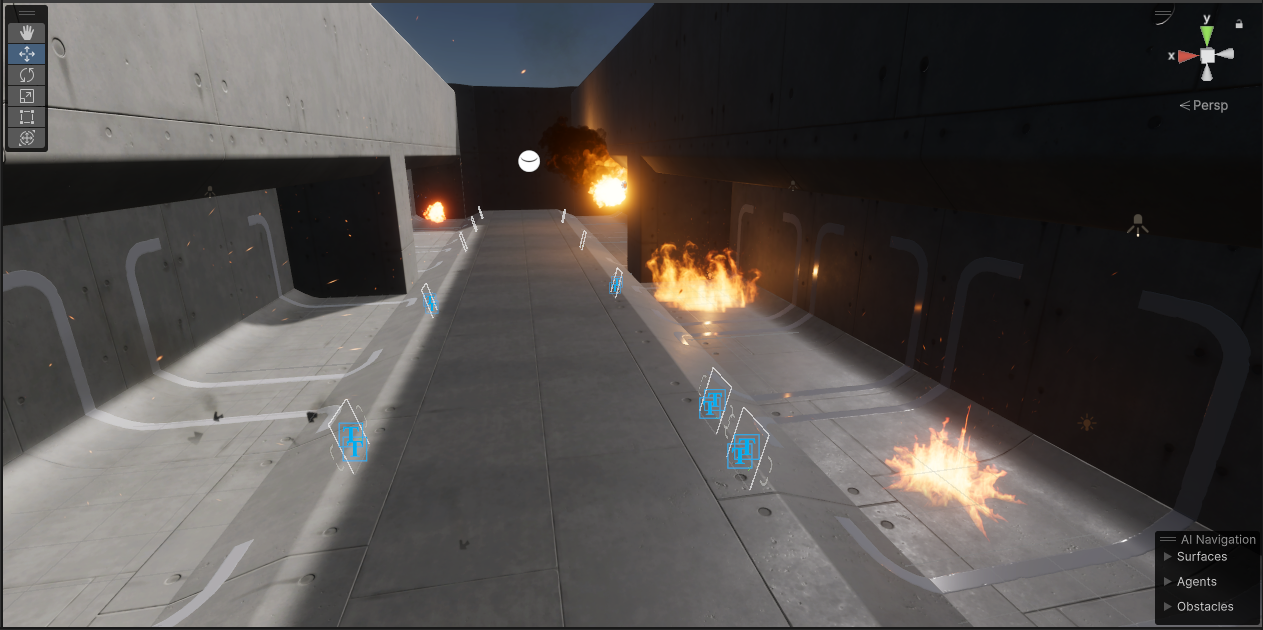
GitHub
Unity HDRP VFX library. Contribute to Far-From-Here-studio/HDRP-ShurikenVFX-Library development by creating an account on GitHub.
I've tried it and it works great.
hoary sphinx
thanks
obtuse yarrow
im interested in creating a vfx that grows flowers over a mesh from a center point (then they stay there and sway in the wind, which i know is easily done with vertex animation via a shader), the flowers would bloom as they come out of the wood of the tree ground, could anyone send a tutorial/point me in the direction of how i could do this, im not sure familar with unity vfxs sorry
 spring lake
obtuse yarrow
im interested in creating a vfx that grows flowers over a mesh from a center poi...
spring lake
obtuse yarrow
im interested in creating a vfx that grows flowers over a mesh from a center poi...
Have you installed and reviewed the VFX graph samples? I think there’s something similar in there. Not flowers, but objects “blooming” out from a surface.
ashen robin
VFX graph doesn't really have decent support for spawning animated meshes unfortunately
which is odd considering how a lot of the skinmesh renders work upon the GPU
ashen robin
spring lake
Have you installed and reviewed the VFX graph samples? I think there’s something...
I should check that out though. Perhaps there was something new introduced recently
https://stoyan3d.wordpress.com/2021/07/23/vertex-animation-texture-vat/
This is what you would do otherwise
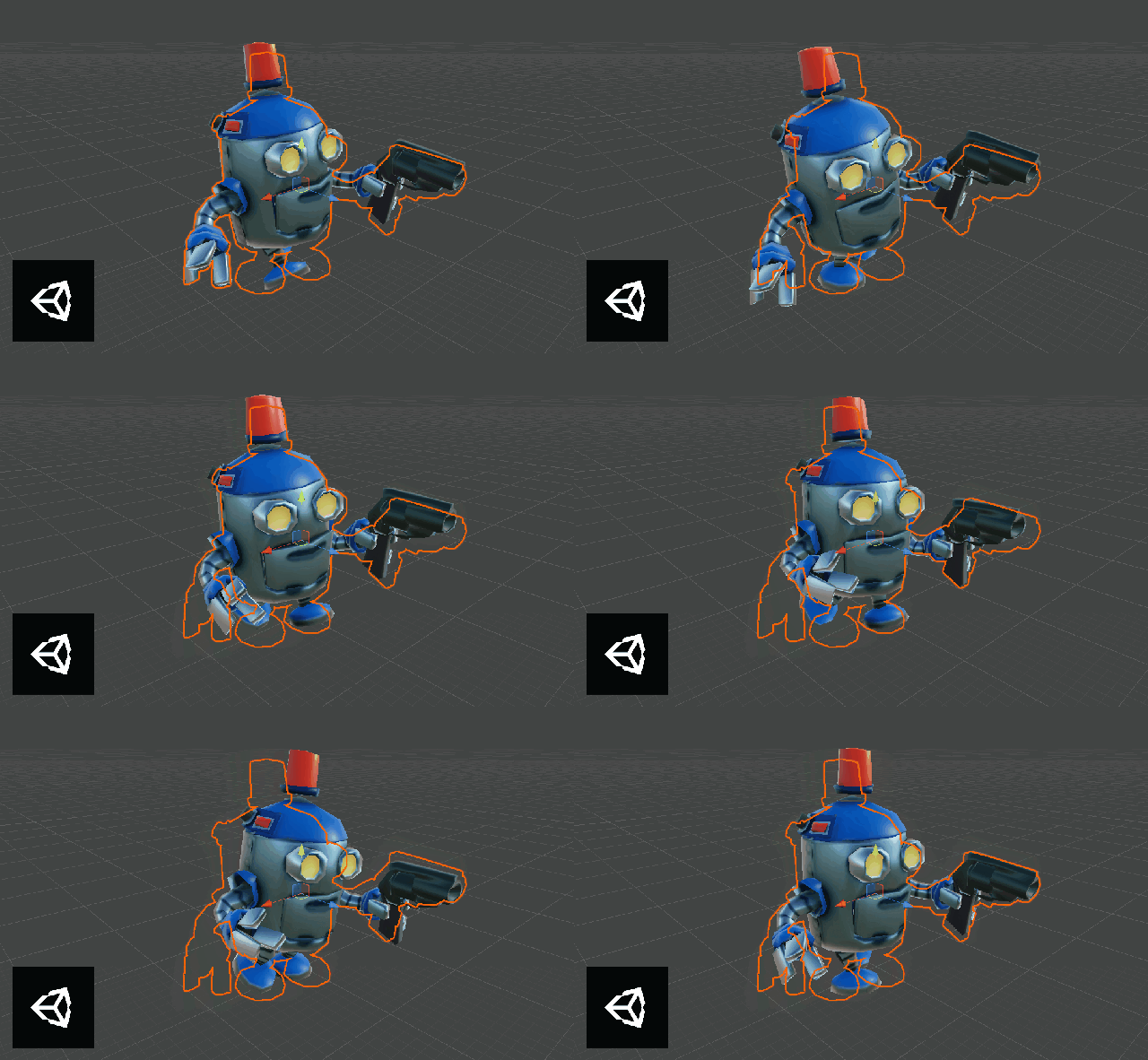
Most of our 3D games tend to feature a big number of moving characters. This can have a big impact on a phone’s CPU performance. To overcome this CPU limitation, I instead shifted the workloa…
obtuse yarrow
spring lake
Have you installed and reviewed the VFX graph samples? I think there’s something...
i havent ill give it a look thanks
obtuse yarrow
ashen robin
https://stoyan3d.wordpress.com/2021/07/23/vertex-animation-texture-vat/
This is ...
okay cool thank you
ashen robin
That + using mesh sampling / SDF tool to bake points
obtuse yarrow
that would let me target the "bloom" areas right like where they coem out of
ashen robin
Like, you can probably just do a lot of this with the animator honestly if you don't care about variance. Just give it keyframes for when and where each flower should spawn and instantiate them
obtuse yarrow
that was kinda a last resort, i was hoping to add some "procedural variance" but i may just animate it all "by hand" than kyou for the help
ashen robin
Well, the way you are describing it, you do seem to want to have some animated mesh compared to some shader work
variance in this case is for where they would spawn, and VFX graph does provide some tooling to help with that, but scripting that in yourself isn't something complex
zealous wing
Can someone think of some way to count the amount of sine waves that have happened since start of VFX gprah in the scene?
 latent marsh
Hello! I have a problem.

I want those particles to dissappear when on certain spots

Thats how example particle works
using UnityEngine;

public class FogDestroyer : MonoBehaviour
{
    public BoxCollider[] restrictedAreas;
    private int fogLayer;

    void Start()
    {
        fogLayer = LayerMask.NameToLayer("Fog");
    }

    void OnTriggerEnter(Collider other)
    {
        if (other.gameObject.layer == fogLayer)
        {
            Destroy(other.gameObject);
        }
    }
}
Im using this script

As you can see, it is clearly in the collider
To be clear, i want specific particles to dissapear, no for the generator to dissapear, but for now nothing does
 shrewd rose
I feel like this is probably going to involve depth-mask shaders.
Or stencil shaders
Basically, have the fog cover the entire scene, and use stencil shaders for the cutouts of the squares you're after
I think this has the basic effect you're after: https://youtu.be/jidloC6gyf8?si=YfHG05VUIVGi7cSk&t=433
You'd just need some finesse to get it to the shape you want

Many games need to make sure the focus is on the player or some other object, and walls are usually a hindrance. You could move the camera past the wall or render things over it.
In this tutorial, we'll just cut a hole in the wall instead. I've seen a wall cutout effect before in a handful of ways, so I'm going to take an alternative approach t...
latent marsh
shrewd rose
I think this has the basic effect you're after: https://youtu.be/jidloC6gyf8?si=...
Will it work with it being smaller and smaller like in 12 different shapes?
shrewd rose
In theory, yeah
latent marsh
Also on first glance it looks like x-ray, and it can easily be bad-looking for a long term development
shrewd rose
Does the environment have any direct impact on the game as the board shrinks down?
latent marsh
The board is shrinking only because of the scripts, the fog is just a visual efect
and besides UI, and chess pieces, nothing else is clickable
shrewd rose
Ahh, so the number of squares goes down. It's not that the entire board is shrinking from a scale perspective
latent marsh
No, i just take all the pieces on newly disabled squares and kill them, and disable movement there
so king cannot go back on the deadzone
i just wanted a fog to be a cool visual effect
shrewd rose
That's fair
This can be used to destroy individual particles as they collide with your box colliders
https://discussions.unity.com/t/destroy-single-particles/675303
latent marsh
i was thinking of maybe "Eh, fuck it, i will just place flame animation on every square and enable it when time comes, it's got to be easier", but then i would have to change the card image, and i kinda like it lol
shrewd rose
But that'll cause a part of the fog to just blink out of existence
latent marsh
shrewd rose
But that'll cause a part of the fog to just blink out of existence
Ok, will it destroy generator or just particles?
shrewd rose
latent marsh
Ok, will it destroy generator or just particles?
Just particles
latent marsh
Then im fine with it, it will destoy anything that comes near the play area that should be visible, then ill disable bigger collider and move fog in
shrewd rose
Cool cool. Hopefully it does what you're after 🙂
 vale grove
trying to have a color attribute drive some gradients
not sure how to properly convert to hsv
how do we do intensity?
what even is intensity?
does it just like multiply the value or something
ashen robin
In shader graph usually I just multiply (or was it add?) my current color by a new color with hdr enabled just to modify the intensity
Primarily use them to emit a large bloom for the particles
shrewd rose
vale grove
not sure how to properly convert to hsv
This has the formula
https://www.rapidtables.com/convert/color/rgb-to-hsv.html
RGB to HSV (or HSB) color code converter and conversion formula.
vale grove
yes i understand what hsv is and how to convert to rgb
what im confused about is intensity
vale grove
ashen robin
In shader graph usually I just multiply (or was it add?) my current color by a ...
will try that
 fresh tangle
anyone know where 'stretched billboards' and something called 'align velocity' or direction err would be in the vfx graph?
I realize this capture shows very little but basically I want it to stretch towards the center since all the particles are moving there
 ashen robin
fresh tangle
anyone know where 'stretched billboards' and something called 'align velocity' o...
ashen robin
fresh tangle
anyone know where 'stretched billboards' and something called 'align velocity' o...
Not too sure there is a stretched billboard setting, but align to velocity is part of the camera alignment nodes
Orient camera*
fresh tangle
Managed to find it. Thanks so much!
 ashen relic
hey guys! I have this set alpha over life block in my vfxgraph which I'm trying to improve

I want to be able to set the highest alpha point in this curve dependent on another variable

does anybody know how I can do this?
oh, wait, I think I can multiple the node with another node afterwards
let me try that
ashen robin
Probably make a standalone curve and multiple the 0-1 output value by this dependency then feed it into a set alpha node
 fickle urchin
VFX doesnt work for mobile games. Truth or myth?
Let me know so i dont get into that... And whats a cool course or youtube tutorial about particle system for special effects?
ashen robin
fickle urchin
VFX doesnt work for mobile games. Truth or myth?
Let me know so i dont get into...
Usually mobile tends to lean towards more CPU particle simulation and physics due to phones not having the hardware to support GPU processing beyond general rendering. Besides that, it's up to the graphics API and if it supports compute shader which I believe in this day and age they usually do. I would just double check though as it's not something I've attempted before.
fickle urchin
ashen robin
Usually mobile tends to lean towards more CPU particle simulation and physics du...
So its best to stay with particles if im targeting mobiles?
Maybe in 5 years every mobile with have GPU..not happening just yet. At least not < $700 devices i guess
deft forum
fickle urchin
Maybe in 5 years every mobile with have GPU..not happening just yet. At least no...
Most (all?) $99 dollar mobiles these days have compute shader support.
fickle urchin
deft forum
Most (all?) $99 dollar mobiles these days have compute shader support.
Hmm so what does that mean?
Computer shader support?
Its what VFX needs to show up?
 gaunt frigate
why is my visual effects graph blackboard looking like this (1st image) instead of this (2nd image) ?


 graceful saddle
Looked at some vfx from people on artstation, noticed this background. Is it a build in background and how to enable it?
 zealous wing
In VFX graph HDRP (Unity6) is it possible to exclude some particles from receiving decals? I am trying to spawn decals in the same position and time as the other visible particles in the system but I don't want them to be affected by decals themselv
ashen robin
zealous wing
In VFX graph HDRP (Unity6) is it possible to exclude some particles from receivi...
You'd have to use light layers / rendering layers to prevent decals from rendering on specific stuff, but I'm not entirely sure how you go about that from inside of the system. I know you can use render objects / scriptable renders to specify what layers include what light/rendering layers though.

Think you can also just exclude them from the normal layers using render objects
zealous wing
ashen robin
You'd have to use light layers / rendering layers to prevent decals from renderi...
aight, thanks
ashen robin
Well, thing is you don't really specify decal layers (light layers) inside of the vfx graph if you're emitting them from there. I think I was running into this problem before and was having to just cull the entire physical layer from having them project onto it
Maybe has been expanded upon since I've last done something with them
 prime dome
I have an issue with ParticleSystem.
Local simulation: My torch's embers follow the player when he runs. When they should travel upwards regardless of player position.
World simulation: That fixes the above problem but then the emitter behaves like if it was offseted? I checked all variables and i failed to remove the offset. With world simulation, the embers spawn 0.2 meters to the right of its ParticleSystem, even if im not running/moving.
Anyone knows 😭 i dont get why would they offset like that.
prime dome
Fixed it
fickle urchin
Can someone tell me... VFX works in mobile games or its best to stay with particle system for mobiles?
 tough arch
fickle urchin
Can someone tell me... VFX works in mobile games or its best to stay with partic...
tough arch
fickle urchin
Can someone tell me... VFX works in mobile games or its best to stay with partic...
If the device supports compute shaders, then yes.
 ashen garnet
hey guys, can you force particle in URP to use reflection probes? Tried different shaders on particle, setting anchor object on particles. Fully metallic material is just black on particles because it doesn't getting any reflection probes
 errant terrace
ashen garnet
hey guys, can you force particle in URP to use reflection probes? Tried differe...
errant terrace
ashen garnet
hey guys, can you force particle in URP to use reflection probes? Tried differe...
You might need to do it via code
https://docs.unity3d.com/6000.0/Documentation/ScriptReference/Renderer-reflectionProbeUsage.html
Have a component on the particles that does something like GetComponent<ParticleSystemRenderer>().reflectionProbeUsage = ReflectionProbeUsage.BlendProbes
Pick a probe usage from these https://docs.unity3d.com/6000.0/Documentation/ScriptReference/Rendering.ReflectionProbeUsage.html
 neat hollow
I'm emitting through event in code in a for loop (1 event per raycast), but I can't for the life of me figure out how to increase the particle count like I can with spawn context. I want to increase the visual representation a bit, so that I have 2 particles per raycast intead of 1, with slightly different directions. I tried by linking it to a spawn context and setting it to 2 there, but then it doesnt seem to work correctly, then it seems to only spawn once (probably because it's resetting the VFX graph this way?)
Anyone got any idea?
 neat hollow
In case someone tried the same as me, if you use a spawn context, it can only handle 1 event per frame, so in my case it would just get overridden with each loop. So you'd have to do some queue system for events per frame for something like that.
I ended up solving it by using a graphicsBuffer that had a struct of the directions and positions.
ashen robin
neat hollow
In case someone tried the same as me, if you use a spawn context, it can only ha...
https://qriva.github.io/posts/how-to-vfx-graph/#how-to-use-direct-link-feature
Some resources getting around that limitation
oh yeah graphics buffer is a good idea too
neat hollow
ashen robin
https://qriva.github.io/posts/how-to-vfx-graph/#how-to-use-direct-link-feature
S...
Ah cool thanks! I also assume a single event with gbuffer might be more performant than sending a bunch of events, although I dont know enough about it to say for sure. Maybe its overkill for my case, but at least I learned about graphics buffers hah 🙂
neat hollow
That post is a really good read, thank you, gonna have to bookmark that one
tired warren
Hello, using VFX graph, how can I make a burst using mouse click? So the faster the user click, the more burst we have? VFX Graph seems to animate the effect on a static burst speed. I guess it's possible to modify the graph parameters at runtime but I'm not sure which one would be needed
tired warren
I've toggled the single burst spawn node to a bool to enable with a button then disable it after 1 frame to be able to burst again but if we click very fast on the mouse, it doesn't trigger fast enough due to the frame wait :/
Any other way to make it work faster?
If I don't wait the frame, the single burst won't occur since it's gets on and off in a same frame :x
neat hollow
Well you could do something similar to what i was trying to and mao posted a link about. You can hook up an event with a payload which could be the spawn amount and link it directly to the initialize context
tired warren
But wouldn't that still not match the click count?
Let's say I have 1 particle per click spawned. Each time I click on the mouse, I want one particle out. My current solution has a delay between clicks due to waiting a frame. And the solution you suggested only impacts spawn amount which should be 1 so wouldn't that not work? Or am I missing something?
Oh ok nvm, I jsut checked the link. Seems this might work with an event indeed. I'll give it a shot thanks!
neat hollow
If all you want is 1 particle per click, then a simple Emit linked to initialize would work, if you want more particles PER click then that's where that link would probably do what you want, so you just control through code how many would be emitted. I haven't tried that personally, I only had the former setup with 1 particle per event
tired warren
Yes, it worked with the send event, perfect, thanks a lot!
Now I just have one remaining issue at the moment.
The particle spawns a decal on kill
Problem is the number of decals is fixed in VFX
Is there any way to tell the VFX that if max decals amount has been reach to delete the oldest decal so a new one can spawn?
At the moment, no new decals spawn after it reaches max amount :x
Anyway idea how I could fix this?
neat hollow
Hmm I'm still pretty new to VFX graph and figuring things out, but there should be some way. Each particle has an ID
 vestal fractal
Anyone here using Gaussian Splats? looking for a guide or a library that allows rendering a Splat in VR.
ashen robin
vestal fractal
Anyone here using Gaussian Splats? looking for a guide or a library that allows ...
https://github.com/keijiro/SplatVFX?tab=readme-ov-file
No clue about VR though

GitHub
3D Gaussian Splatting with Unity VFX Graph. Contribute to keijiro/SplatVFX development by creating an account on GitHub.
tired warren
Would anybody know how to delete old decals in vfx once the capacity has been reached so that new decals can spawn? The VisualEffect component has a particleInfo which gives the currently alive count of particles but no way to access them directly it seems. Does this feature not exist yet?
ashen robin
tired warren
Would anybody know how to delete old decals in vfx once the capacity has been re...
Does it not circulate the particle? I recall there was a settings for that or maybe I'm hullcinating. Either way, if you want absolute control of the indexing then you should use graphic buffers and control it CPU side scripting.
 normal remnant
I have a problem with the water shader and particles. The shader has refraction effect through Scene Color. When Rendering Pass - Default transparent objects (particles) under water are not rendered at all. With Rendering Pass - Before Refraction they are rendered under water and are under the refraction effect as they should be. However, the problem is that with this approach, at a certain angle these particles seem to be always under water, i.e. deformed. What could be wrong in theory?
 ashen robin
normal remnant
I have a problem with the water shader and particles. The shader has refraction ...
ashen robin
normal remnant
I have a problem with the water shader and particles. The shader has refraction ...
Scene color captures the camera's opaque texture so I'd expect that's related since you're dealing with two transparents here
normal remnant
ashen robin
Scene color captures the camera's opaque texture so I'd expect that's related si...
so what can I do?
I use shader graph
ashen robin
Not entirely sure here. Quickest bandaid is just make opaque fireball and alpha clip it, but there's obviously some ordering problems going on here and I'm not sure if it being depth related is the entire issue of it.
some half-baked idea is blit the water and then draw the fireball but that would introduce a bunch of other sorting issues. Probably just need to grab the transparent draw honestly so I'd look into that first
normal remnant
ashen robin
Scene color captures the camera's opaque texture so I'd expect that's related si...
my first time scripting custom pass and... it worked! :D
 sonic stratus
why are all my particles lit from random directions?
 sonic stratus
 sonic stratus
Anyone have experience with billboard particles and lighting?
I have a particle system with rotating particles, but light direction (shadows) are being roated with them. I have no idea where to go for this information. Ai, google, no answere anywhere I can't find it.
I'm very sorry if its something really simple
sonic stratus

 icy wing
sonic stratus
Anyone have experience with billboard particles and lighting?
I have a particl...
icy wing
sonic stratus
Anyone have experience with billboard particles and lighting?
I have a particl...
They aren’t being rotated with them. Your view mode is likely the cause. Do you want them to all face the player?
sonic stratus
Yeah basically billboard
I’ve tried forcing a quad to orientate with the camera that didn’t do anything either. Cause I can move the quad normally and it shades

That’s standard URP lit on a plane
 astral stirrup
I NEED HELLLP
icy wing
astral stirrup
I NEED HELLLP
Did you try scaling up the particle size?
Also check your material settings. Check your shader and ZWrite on your material to make sure it’s not being blocked by another mesh
Do check the mesh layer mask as well to make sure it can be rendered by the camera correctly without any unintended behavior
astral stirrup
icy wing
Do check the mesh layer mask as well to make sure it can be rendered by the came...
Uhh I'm new where is that?
icy wing
astral stirrup
Uhh I'm new where is that?
ignore that, forgot particle systems can't render prefabs. do check the above though
astral stirrup
icy wing
ignore that, forgot particle systems can't render prefabs. do check the above th...
icy wing
astral stirrup
opaque materials ignore any modifications done on their vertex color and that's exactly why color over lifetime doesn't work in that case
astral stirrup
icy wing
opaque materials ignore any modifications done on their vertex color and that's ...
Why is only my meshes not working
icy wing
astral stirrup
Why is only my meshes not working
well i'm not too sure. your original problem was a problem with rendering one of your meshes. I haven't seen how your other render modes work
astral stirrup
icy wing
well i'm not too sure. your original problem was a problem with rendering one of...
Like billboard and stuff?
It renders fine just not my mesh
Here's it with a sphere

 dense drift
Hi, I'm trying to create projectiles that are particles, and I want their position and target position to be updated every frame, but only one is updated, and the others stay where they spawn.
I assign a unique ParticleIndex to each particle, and when one dies, I generate the particleIndex of the dead particle for the new one.
I also pass the data in a Struct, and I update the data every frame. I'm posting the code and an image of the VFX in case anyone can tell me what it might be.

 ashen robin
dense drift
Hi, I'm trying to create projectiles that are particles, and I want their positi...
ashen robin
dense drift
Hi, I'm trying to create projectiles that are particles, and I want their positi...
What's the initialize context looking like?
dense drift
ashen robin
What's the initialize context looking like?
This is how it looks
 dense drift
Now I moved everything from the Update Particle and it works better but there are some particles that are generated and stay still or are never eliminated.
 ashen robin
dense drift
Now I moved everything from the Update Particle and it works better but there ar...
ashen robin
dense drift
Now I moved everything from the Update Particle and it works better but there ar...
https://i.imgur.com/RcjoEHo.png
What I do is I send in the ID using custom attributes then assign the ID to the particle. Your idea seems fine though but it's been a minute since I've done it that way
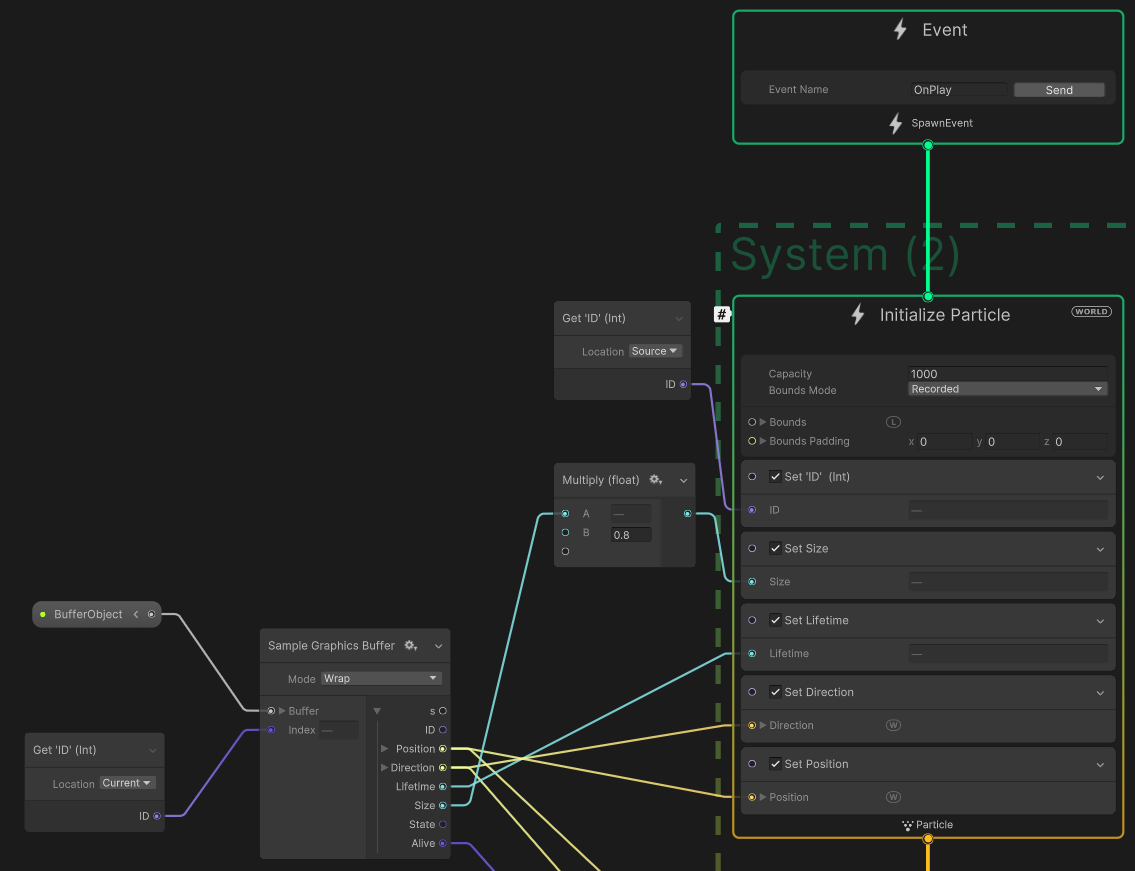 dense drift
ashen robin
https://i.imgur.com/RcjoEHo.png
What I do is I send in the ID using custom attri...
dense drift
ashen robin
https://i.imgur.com/RcjoEHo.png
What I do is I send in the ID using custom attri...
Okay, thanks. I'll try that method later to see if it works, because my idea is to have a lot of particles.
ashen robin
Also I don't destroy my particles. I just toggle IsAlive and reuse them when the buffer circles over
graceful saddle

 mellow girder
Is there any way to set which direction the particles I have on the ground are facing? I'm using a local render allignment to get it to work on the Y axis, but on the X axis it doesn't look good

also, if I try to just parent the particle system to the tank, then the already placed particles also start turning whenever the tank turns, not just the newly placed ones
normal remnant
Is it possible to change the texture in the ParticleSystem so that new particles spawn with the new one, and when changing the old ones stay with the old one? I have particles of “smoke” from footsteps and need to change their texture depending on the surface. The particles are emitted by distance
ashen robin
normal remnant
Is it possible to change the texture in the ParticleSystem so that new particles...
I think the best way to go about that is with a texture atlas / array / texture gradient where you sample the texture at different UV coordinates. How to change the new specific particles with the particle system I'm not too sure of but it probably has to do with playing around with the vertex streams
tired warren
Does anybody know the max particle capacity for a decal VFX applied on a skin mesh rendered, like a single paintball splash on the character skin mesh ?
Unity talks about millions of particles at the same time and it does work fine with the sand hand example but what about decals on a skinmesh renderer ?
can I also show millions of them if I have a gatling mode paintball gun for example?
 orchid scroll
hi guys
I need a little help with vfx graph, it was working just fine but all of a sudden it stopped working, it shows the output if i refresh the vfx graph and vanishes in 0.5 to 1 second
it looked like in the video attached
I attached as unity package, if someone can check and help me out
Thankyou in Advance!
orchid scroll
I can attach screenshot as well if someone would like
orchid scroll
solved
dense drift
ashen robin
Also I don't destroy my particles. I just toggle IsAlive and reuse them when the...
I followed your idea and it worked for me, thanks. 🥹
 floral basin
In a particle system how would I make a particle go outwards from the circle then slow down before going inwards?
 glass lance
Hi everyone! I am really new to Unity and I am trying to start making particle VFX (Not the VFX graph). I have watched a ton of videos but none of them tell me how do make my particles glow? Maybe I am just dumb but nobody I have watched explained it. I was wondering if you guys know how to make particles have the glow effect? Thanks!
floral basin
glass lance
Hi everyone! I am really new to Unity and I am trying to start making particle V...
Put a material with emission on them.
 granite narwhal

where is the shader graph option for this node >.<
update this fixed it, i guess, i think? so good lol

also i dont know *** about vfx, what are those yellow warning signs warning me for >.<
glass lance
floral basin
Put a material with emission on them.
Ty
granite narwhal

any suggestions on making the two particle graph systems blend better?
i dont like the distinct line that it creates where the two particle systems meet
Im not sure how to go about doing this kind of thing
 warm torrent
granite narwhal
also i dont know *** about vfx, what are those yellow warning signs warning me f...
warm torrent
granite narwhal
also i dont know *** about vfx, what are those yellow warning signs warning me f...
Does the warning explain itself when you hover the cursor above it
warm torrent
granite narwhal
Im not sure how to go about doing this kind of thing
Generally there's two methods
Either fade the area where they meet with some type of alpha masking in the shader (baked into the color texture, separate mask texture, procedural)
And/or use particle meshes that are curved to accomodate each other (with the right geometry, a vertex shader can control the curving procedurally)
granite narwhal
warm torrent
Generally there's two methods
Either fade the area where they meet with some typ...
As a non VFX artist I feel like I read another language, but thanks! I’ll break down what you said and figure something out (:
I enjoy VFX though, but I swear this stuff is the hardest part about game development (that and art in general)
warm torrent
granite narwhal
As a non VFX artist I feel like I read another language, but thanks! I’ll break ...
It almost is another language
The first option would be just to erase softly the parts of the textures that would overlappin your effect using an image editor
The other two are custom shader stuff which are hard to explain in so few words
Either to control the transparency per pixel from the shader by whatever logic you need
Or to move the vertices in the shader
 nova dome
Anyone know why my Structs using [VFXType] attribute are showing up wrong in VFX Graph? My struct fields are treated as node inputs, whereas Unitys struct fields are treated as outputs in their sample project? In the image, mine is the top row, Unity's is the bottom row. Both of these are right after a SampleGraphicsBuffer node

 loud tartan
Does anyone know if it's possible to pass a shuriken particle's start color gradient as two separate colors to a shader? If so how is it passed to the input struct?
 agile hedge
vestal fractal
Anyone here using Gaussian Splats? looking for a guide or a library that allows ...
agile hedge
vestal fractal
Anyone here using Gaussian Splats? looking for a guide or a library that allows ...
Did you ever find a good solution for splats? I tried this: https://github.com/ninjamode/Unity-VR-Gaussian-Splatting as well as the repo it was based on. I can get the splats to show up in Scene view, but in VR, it does not show up in Game view or in headset.
GitHub
VR-capable version of Gaussian Splatting for Unity - ninjamode/Unity-VR-Gaussian-Splatting
vestal fractal
agile hedge
Did you ever find a good solution for splats? I tried this: https://github.com/n...
Not yet. I found this but have not tried it yet: https://github.com/clarte53/GaussianSplattingVRViewerUnity
GitHub
A VR viewer for gaussian splatting models developped as native plugin for unity with the original CUDA rasterizer. - clarte53/GaussianSplattingVRViewerUnity
agile hedge
vestal fractal
Not yet. I found this but have not tried it yet: https://github.com/clarte53/Gau...
The ones I linked were for Unity 2022 originally. I wonder if my problems are related to using Unity 6
also, the one i linked, the sample project it has, does indeed work in headset. But, I can't figure out why its not working in my own project
 wooden finch
I'm using the visual effect graph to make a targetting-esque effect, where particles flow from an origin to to a mesh, Is there a way I can get the position of the mesh property?
ashen robin
wooden finch
I'm using the visual effect graph to make a targetting-esque effect, where parti...
You can make a transform property and bind the transform to that in a script, or if the transform and particle system exists in the scene already you can use a VFX graph property binder and assign the transform to it
wooden finch
ashen robin
You can make a transform property and bind the transform to that in a script, or...
Ooh, a transform property may be exactly what I need! I couldn't see anything for it so I just used a Position, must've missed it. Thank you!
 brazen crow
okay guys i have two problems here that idek how to fix or what's causing them
First: why is my particle system blooming in game scene but not in game mode ???
Second: why after i exit game mode my particle system stops? like it was just working in game scene before i enter game mode though
 tame tinsel
hi i am new visual effect graph . How can i play only system (6) IMPACT FLIP in my scene

 opal star
tame tinsel
hi i am new visual effect graph . How can i play only system (6) IMPACT FLIP in ...
opal star
tame tinsel
hi i am new visual effect graph . How can i play only system (6) IMPACT FLIP in ...
Connect a event to it’s start and send it to the vfx graph from a script
tame tinsel
opal star
Connect a event to it’s start and send it to the vfx graph from a script
i am doing vfx following video tutorial . In the video they dont need to create a script to submit . Their unity version is 2020 . In unity version 2022 target visual effect gameobject is replaced by vfx control .
 opal star
If you want to play a specific system in the graph you need a custom event. Then you can submit it from script for gameplay or use the event tester in the scene for testing
tame tinsel
opal star
If you want to play a specific system in the graph you need a custom event. Then...
thank you but i dont understand when they press OnPlay they can play just system(6) impact flip without creating script. so do you have any faster way . In video turtorial I have not studied yet custom event . Do you have any videos about this on youtube
opal star
OnPlay is the default event it would play all systems in the graph.
I’m not aware of a way to send OnPlay to a specific system.
tame tinsel
opal star
OnPlay is the default event it would play all systems in the graph.
when they press OnPlay they can play just system(6) impact flip

 tame tinsel
opal star
OnPlay is the default event it would play all systems in the graph.
tame tinsel
opal star
OnPlay is the default event it would play all systems in the graph.
i want this
opal star
at least to my knowledge thats not how the vfx graph works. Are you sure they have multimple systems in the example you are showing ?
tame tinsel
opal star
at least to my knowledge thats not how the vfx graph works. Are you sure they ha...
yes they have multimple systems
opal star
can you just send me the whole tutorial video
ashen robin
brazen crow
okay guys i have two problems here that idek how to fix or what's causing them...
Your camera has a post-processing toggle on it you need to enable
 onyx lake
glass lance
Hi everyone! I am really new to Unity and I am trying to start making particle V...
onyx lake
glass lance
Hi everyone! I am really new to Unity and I am trying to start making particle V...
Just in case you haven't found out yourself yet: you need post processing enabled and use the bloom feature. For your particles' material use HDR colors. Depending on the Unity version there are various workflows to get the post processing working, it can be a bit of a headache, but there are tutorials on the web.
onyx lake
floral basin
In a particle system how would I make a particle go outwards from the circle the...
Like this?
 bright hinge
Hi everyone, I have a smoke particle effect and want to add it to a Cigarette, So I add the particle as parent of the object hoping that ingame the particle will stay on it, but this didnt work. Any ideas?
onyx lake
bright hinge
Hi everyone, I have a smoke particle effect and want to add it to a Cigarette, S...
The particle system should be a child of the cigarette object and set to Local Space in the main emitter settings (Simulation Space).
bright hinge
onyx lake
The particle system should be a child of the cigarette object and set to Local S...
thank you
bright hinge
onyx lake
The particle system should be a child of the cigarette object and set to Local S...
sorry but heres what it is, and i have always had that setting on

 onyx lake
brazen crow
okay guys i have two problems here that idek how to fix or what's causing them...
onyx lake
brazen crow
okay guys i have two problems here that idek how to fix or what's causing them...
Mao answered your first question. The answer for the second is that the hierarchy has lost the focus on the particle system. It should work again as soon as you select the object that has the particle system on it and play the start button of the particle system again.
One hack you can do to keep it playing, which can be useful at times, is to select the object, press play and then lock the inspector window. Then, right click on the inspector tab and add a new inspector window, which you keep unlocked. That way the system will always keep playing. Keep in mind that this is a hacky approach and has some weird behaviour sometimes. Still useful to know for some cases.


 onyx lake
bright hinge
sorry but heres what it is, and i have always had that setting on
onyx lake
bright hinge
sorry but heres what it is, and i have always had that setting on
Can you record video? Would be vastly more helpful to see what's going on.
bright hinge
i cant at the moment only abit later
onyx lake
bright hinge
i cant at the moment only abit later
These are the two behaviours. Often times, you would have both a system for an effect in local space that moves with the cigarette at all times and another system that's in world space. Or, if things get more sophisticated, some variant of a ribbon/line renderer system.
bright hinge
onyx lake
These are the two behaviours. Often times, you would have both a system for an e...
Okay thank you! ill check this
i have no idea why mine isnt working
bright hinge
onyx lake
These are the two behaviours. Often times, you would have both a system for an e...
World setting then is what im hoping for but yeah its not attaching
onyx lake
bright hinge
World setting then is what im hoping for but yeah its not attaching
Seems to be a general setup problem then. Feel free to DM me then I can help you debug
bright hinge
onyx lake
Seems to be a general setup problem then. Feel free to DM me then I can help you...
will do thank you, ill get back to it soon
glass lance
onyx lake
Just in case you haven't found out yourself yet: you need post processing enable...
Thank you!
bright hinge
onyx lake
Seems to be a general setup problem then. Feel free to DM me then I can help you...
Hello! i found the problem, when i attach the particle to the Ciggi, the particles are verrry tiny so it is there and its working, but got shrunk down
onyx lake
bright hinge
Hello! i found the problem, when i attach the particle to the Ciggi, the partic...
Ah right, that makes sense then.
bright hinge
onyx lake
Ah right, that makes sense then.
so ill just scale it up hey? No how so i sort that?
floral basin
onyx lake
Like this?
Exactly like that.
 thick kite
I'm trying to make a on hit effect and I was able to. I made a prefab with a particle effect, instanitated the partciles when I hit an enemy ect but each time I create the effect after hitting an enemy it stays in the hierarchy and has (clone) added to it. So I want to destroy it after the particle runs. so I go into the particle effect then in stop action I set it to destroy but now afterI shoot the enemy once it does the effect then I get an error in the console (Look at error message). I've seen other people do this so I'm kind of confused on why it isn't working haha. anyone able to help?

 onyx lake
I'm trying to make a on hit effect and I
granite narwhal
hi any vfx experts, my animation/vfx are SUPER fast in game. I assume its the same concept of delta time needed for movement.
No idea though, any advice 😄
 astral kernel
granite narwhal
hi any vfx experts, my animation/vfx are *SUPER* fast in game. I assume its the ...
astral kernel
granite narwhal
hi any vfx experts, my animation/vfx are *SUPER* fast in game. I assume its the ...
Does your game modify timescale?
Either way, try switching to unscaled(delta)time
icy wing
thick kite
I'm trying to make a on hit effect and I was able to. I made a prefab with a par...
you need to apply a null check for the particle system logic because upon destroy, that instance is null
thick kite
I fixed it like 10 mins ago haha, it was a null on the gameObject, my bullet overlappd the guy multiple times (no I-frames) and over killed the guy bugging it out haha
 rapid zephyr
does anyone know how to make vfx graphs affected by 2d lights?
ashen robin
rapid zephyr
does anyone know how to make vfx graphs affected by 2d lights?
How do 2D lights work? Is it part of the SpriteRender shader? If so then you need a custom sprite shader that applies those light values for the particle shader instead of what VFX provides.

 manic sluice
I'm trying to change a property on a VisualEffect made in VFXGraph. The exposed name is "Color" and the "Exposed" checkbox is checked.
Problem is, when I try to update it in script, I get error "Value type for 'Color' is incorrect"
This is how I'm trying to set it. I've tried casting as well as simply "new Vector4(1, 1, 1, 1)" to no avail. Unfortunately there's no SetColor method on VisualEffects.
myVisualEffect.SetVector4("Color", (Vector4)Color.white);
Anyone know what's going on?
 ashen robin
manic sluice
I'm trying to change a property on a VisualEffect made in VFXGraph. The exposed ...
ashen robin
manic sluice
I'm trying to change a property on a VisualEffect made in VFXGraph. The exposed ...
Wouldnt this be a gradient if you're doing Over Life?
manic sluice
ashen robin
Wouldnt this be a gradient if you're doing Over Life?
I was wondering that. But saw it's attribute labeled as color. And there's no SetGradient method for VisualEffect, so I was unsure. (It's not my VFX Graph and I'm not too well versed with the tool)

I don't need it to be a gradient so maybe i can try a Set Color block instead of Over Life...
ashen robin
Pretty sure there's a SetGradient but let me double check
https://i.imgur.com/vcbDHpf.png
vfx.SetGradient("MyGradient", gradient);``` manic sluice
ashen robin
https://docs.unity3d.com/Packages/com.unity.visualeffectgraph@17.2/manual/Compon...
manic sluice
ashen robin
https://docs.unity3d.com/Packages/com.unity.visualeffectgraph@17.2/manual/Compon...
ok thanks and my fault, i have no idea how i got to thinking it didnt work. maybe went too fast and typo'd it earlier
i'm now learning that tweening a gradient is very non-straightforward
at least the way i'm trying to do it in dotween
 winter tartan
Does anyone know how to make it so my particles sway when the object moves?
oops wrong video this is the right one
errant terrace
winter tartan
oops wrong video this is the right one
Try setting simulation space to World
winter tartan
errant terrace
Try setting simulation space to World
Thanks
granite narwhal
my vfx/particles (im using shader/VFX graphs) are SUPERR fast in game but not in the editor. I suspect the issue is caused from not using proper delta time, but i dont really know much about VFX / shaders. I guess if anyone knows where to specifically look at for fixing this issue id greatly appriciate, thanks!
ashen robin
granite narwhal
my vfx/particles (im using shader/VFX graphs) are SUPERR fast in game but not in...
https://docs.unity3d.com/Packages/com.unity.visualeffectgraph@17.2/manual/VisualEffectGraphAsset.html
The vfx asset itself has some properties related to the update time
 rapid marten
On the VFX graph the rate per unit in Spawn Over Distance increases on turning. I've tried a normalize node, but thats not the issue.
Any ideas?

 viral marsh
Hi, I am using Tile/Warp in order to reduce the number of particles needed.
However, it introduces an issue I am not too sure how to solve.
I am working on a snow vfx and would like all the particles to spawn on top.
However, as soon as the Tile/Warp node is enabled, they spawn in the wrong position.
Pictures:
- Without Tile/Warp
- With Tile/Warp
- Set Position
- Tile/Warp
Thanks in advance and please @ me!


Oh wow, I just figured out what's happening as I am writing this 🤦♂️
Setting the value to 0.5 or -0.5 for Y just caused it to immediately warp again...
viral marsh
rapid marten
On the VFX graph the rate per unit in Spawn Over Distance increases on turning. ...
Bumping the previous q
stiff topaz
rapid marten
On the VFX graph the rate per unit in Spawn Over Distance increases on turning. ...
Do you mean when Rotating your VFX instance in the scene ? I'm not sure just by looking at your screen but the way that your change Space shouldn't be inversed ? Generaly when doing Spawn over distance setup this tend to be done with VFX in WorldSpace. So I would first set the system in WorldSpace, then in the Change Space set Input Port to Local (0,0,0) and the **TargetSpace **to World.
S
 rapid marten
stiff topaz
Do you mean when Rotating your VFX instance in the scene ? I'm not sure just by ...
rapid marten
stiff topaz
Do you mean when Rotating your VFX instance in the scene ? I'm not sure just by ...
Thanks, I'll give that a go.
 tidal marten
hi guys, i'm new here, does anyone have this pack :3
 brazen crow
ashen robin
Your camera has a post-processing toggle on it you need to enable
brazen crow
ashen robin
Your camera has a post-processing toggle on it you need to enable
Thx I appreciate your help!
brazen crow
onyx lake
Mao answered your first question. The answer for the second is that the hierarch...
Thx man I really appreciate your help!
 frank mural
wasnt sure where to ask but anyone knows how to reduce the radius to the sphere radius in particle system? ive played with alot of settings but no luck , thank you in advance!
onyx lake
frank mural
wasnt sure where to ask but anyone knows how to reduce the radius to the sphere ...
The "radius" determines how big the sphere is and the "Radius Thickness" determines, whether the particles should spawn inside the volume or just on the shell.
 frank mural
onyx lake
The "radius" determines how big the sphere is and the "Radius Thickness" determi...
frank mural
onyx lake
The "radius" determines how big the sphere is and the "Radius Thickness" determi...
sadly whether the radius thickness is on 0 or 1 they still fly out and the normal radius i tried different sizes but still no luck

 onyx lake
frank mural
sadly whether the radius thickness is on 0 or 1 they still fly out and the norma...
onyx lake
frank mural
sadly whether the radius thickness is on 0 or 1 they still fly out and the norma...
whats your end goal here? keeping them inside the sphere? then you need to use different speed settings, the sphere just determines the starting location, but not their flying behaviour
frank mural
my end goal is them flying only closer to the lantern rather than very messyly all over, as for example they only drawn to the light of the lantern
im trying lifetime and speed play rn , doing my best to reach that resault
onyx lake
I can give you a sample setup for that later in the day 🙂
frank mural
onyx lake
I can give you a sample setup for that later in the day 🙂
thank you!
onyx lake
frank mural
thank you!
Hope this helps as a starting point
Notes: the two negative radial values in "Velocity over Lifetime" are responsible to make sure the particles will always fly inwards after being spawned on the outer shell of the sphere location.
The noise module is relatively expensive when you use 3D noise. You might not need it. If this is just a small effect then 2D noise or even 1D noise might do the trick. It's reponsible for the little "random" movements of the particles to make them a bit more bug-like.
frank mural
onyx lake
Hope this helps as a starting point
thank you so much i shall give yours a try and update!
frank mural
it seems alot more like whta i want thank you!!
 prime anchor
Does anyone know how I could make a round shape under an enemy that has particles, so that the round shape marks an area of that enemy?
mellow girder
hey! can someone tell me why nothing is showing up?

I'm trying to draw a line between 2 points, the vfxgraph and a different position
stiff topaz
Just by looking at your screenshot, it can be several things:
Get Position -> is set to Source. This would means that the position attribute is set thought Script with an event.
mellow girder
actually, things do show up, but theyre this small
 stiff topaz
Also you don't have any orient block in your Output context.
mellow girder
stiff topaz
Just by looking at your screenshot, it can be several things:
Get Position -> is...
alright, ill set it to current
mellow girder
stiff topaz
Also you don't have any orient block in your Output context.
which way should I orient it?
oo actually I found it
okay so it renders now
 stiff topaz
If you set it to "Current", you'll need to set it in the Graph. In your actual graph it will default to (0,0,0)
mellow girder
but I would like it to not be in local space
stiff topaz
For the orient, Yes the Face Camera position is usually a good default for Strip/ribbons
mellow girder
as in
I tried setting position to use world space
but it just goes to the origin
stiff topaz
For the space you can change it by cliking any of the Space tag in the up corner of any context
mellow girder
stiff topaz
For the space you can change it by cliking any of the Space tag in the up corner...
that didnt work, but I used the Local to World node and it fixed it

thank you for the help!!
also, do you have any suggestions to spice it up somehow?
stiff topaz
Yes, it's because without the Local to World, your Get Position deafult to (0,0,0) local which is the space of your system.
mellow girder
stiff topaz
Yes, it's because without the Local to World, your Get Position deafult to (0,0,...
yeahh, that makes sense, its just weird how setting the context to be world space doesnt help it
stiff topaz
Well usually when you lerp Vector together you want them to be in the same space. If you want to start from your VFX instance pivot position while your System is in world space then feeding the (0,0,0) local to world make sense.
Another solution could be (with a world space system) to First set all your particles position to (0,0,0) in local space. As your system is in world the conversion will be made for you.
And then in an other Set block use the Get Position current (whcih is in world as the system is in world).
If you are in Unity 6 using the Get Ration oVer strip is available also.
 stiff topaz
mellow girder
also, do you have any suggestions to spice it up somehow?
stiff topaz
mellow girder
also, do you have any suggestions to spice it up somehow?
Now, they are plenty of way of spicing it up. This depend greatly on what you are after. Did you check the VFX Learning sample:
https://discussions.unity.com/t/unity-6-vfx-graph-learning-templates/1571327
You can directly import them from the package manager and they are a lot of exemples of Strip/ribbons.
 mellow girder
stiff topaz
Now, they are plenty of way of spicing it up. This depend greatly on what you ar...
mellow girder
stiff topaz
Now, they are plenty of way of spicing it up. This depend greatly on what you ar...
I was thinking of making it dashed, and make it so its constantly moving forward, but idk how to do it properly
right now, the dashes stretch if the distance increases, i want to somehow perserve the length of the dashes

also for some reason the position of the graph doesnt corespond to the start of the line
actually its because of the bounding settings
stiff topaz
Are you sure? Base on your screnn the Start of your line is correct
mellow girder
but if I set it to "Recorded" sometimes the line disappears
stiff topaz
 mellow girder
stiff topaz
Are you sure? Base on your screnn the Start of your line is correct
mellow girder
stiff topaz
Are you sure? Base on your screnn the Start of your line is correct
but look at where the axises are

 mellow girder
aa gotit tyty
mellow girder
mellow girder
I was thinking of making it dashed, and make it so its constantly moving forward...
how could I go about this?
calculate the distance between the 2 points and increase the amount of particles accordingly?
actually thats it

I just don't know how to go about animating it
stiff topaz
Did you try the UVs settings in the output context?
The Scale and Bias should allow you do so

or your can create a custom ShaderGraph if needed
mellow girder
I tried, it just makes the lines longer
i was thinking of moving the particles towards the target point
stiff topaz
This is how I would set it.


I hope this will help you. I'm sorry I won't be available for the next few hours. Hope you'll be able to achieve what you are looking for
mellow girder
stiff topaz
This is how I would set it.
I got this part, I just have issues with making it animated
mellow girder
stiff topaz
I hope this will help you. I'm sorry I won't be available for the next few hours...
its okay, thanks for the help still!!
 stiff topaz
 mellow girder
nothing i change matters
mellow girder
stiff topaz
thank you again!
I also used a bit of chatgpt ngl
its not a bad tool
mellow girder
@stiff topaz this is what it ended up looking like :)
I will probably spice it up a bit more later
idk how tho
I also would love some suggestions on how I could make the attacking feel more impactful
I was thinking of like leaving particles behind
I also wonder how you could create these white attack effects?
 ashen robin
Lot of the sword effects are mostly trails in Elden Ring
mellow girder
ashen robin
Lot of the sword effects are mostly trails in Elden Ring
well, yeah, but I have no clue how they're done
like i cant even begin
ashen robin
I mean you're not far off in your video there
mellow girder
the trails I have are very scuffed
like very very scuffed
plus, these ones in elden ring like move
they arent parented to the blade
and idk how to make a shape and move it at the same time
ashen robin
https://eldenring.wiki.fextralife.com/file/Elden-Ring/skill-blade-of-death-elden-ring-wiki-480px.gif
idk, looks like something you can make easily with vfx graph

mostly gradient stuff and HDR colors
mellow girder
ive no clue how to exactly
i struggled a lot before
plus i dont have stuff like photoshop or aftereffects
ashen robin
You would parent it, but it's simulated in world space
ashen robin
there's no photoshop needed. If anything, you'd probably want to make a custom shader for the gradient/texturing
gabriel on youtube has a few videos on the sword trails for vfx graph
mellow girder
honestly i found gabriels tutorials really bad
weird to follow, some things are just unexplained
key concepts skipped
and due to being outdated, some options either are named differently or straight up no longer exist
ashen robin
It gives you a basic overview as there's concepts that aren't really intuitive from the documentation
such as using particles as a guide for your GPU events
Actually, his tutorial for sword effects if just animating a texture over a quad. He does make trails using shuriken though
mellow girder
ashen robin
Actually, his tutorial for sword effects if just animating a texture over a quad...
whats shuriken again?
mellow girder
ashen robin
such as using particles as a guide for your GPU events
yeaa
overall i feel like he really pushed for quantity over quality
ashen robin
mellow girder
whats shuriken again?
Unity's general particle system module
mellow girder
ohh right
what if I wanted to create effects like Malenia's waterfowl? @ashen robin ?
mellow girder
ooo shiiit
holdon
i think im cooking??
holy shit this looks way better than I anticipated
and im not even done
prime dome
How do I make a particle like the subway surfers power up and then make it spin like a wheel?

 cold latch
Hello everyone, im using unity 6 hdrp and trying to make a rain that will not happen when the player is inside a house or under something above his head, also splash when they collide with the terrain, etc. Have been trying to do it by using the "Visual Effects>Visual Effect" but cant figure out how to detect if raindrops collide with anything in the world. Can someone help me? Or is it even possible or i should use "Effects>Particle System"?
prime anchor
Right now I have a particle circle, but it looks a bit blurry because of the default Unity material, Particles Unit. I don't know how to make this particle circle look elegant
 eager birch
prime anchor
Right now I have a particle circle, but it looks a bit blurry because of the def...
eager birch
prime anchor
Right now I have a particle circle, but it looks a bit blurry because of the def...
Drag a circle texture into the "base map" area of the default unity material
prime anchor
eager birch
Drag a circle texture into the "base map" area of the default unity material
Okey, and I have to do the texture myself, right? I don't know how I could make that texture
 clear spruce
prime anchor
Okey, and I have to do the texture myself, right? I don't know how I could make ...
clear spruce
prime anchor
Okey, and I have to do the texture myself, right? I don't know how I could make ...
Use any image manipulation/drawing program
prime anchor
clear spruce
Use any image manipulation/drawing program
I can use substance painter?
clear spruce
prime anchor
I can use substance painter?
I'm not aware. All you need is an image of a circle.
ashen robin
cold latch
Hello everyone, im using unity 6 hdrp and trying to make a rain that will not ha...
Shapes are the idea here, otherwise you need to bake some collision map (signed distance field) and send that into the VFX graph
You also have the depth buffer which works ok-ish, and they've made improvements, but I still feel the accuracy of baking a collider map produces better results.
There is benefits to the depth buffer as large collison maps require management as they do take up quite the space in mem
prime anchor
clear spruce
I'm not aware. All you need is an image of a circle.
Okey thanks
 lean pollen
just a very quick question, this little window for the particle system is gone and i cant find where to toggle it back on again lol
 onyx lake
lean pollen
just a very quick question, this little window for the particle system is gone a...
onyx lake
lean pollen
just a very quick question, this little window for the particle system is gone a...
You might have collapsed it. In that case you can right click on the two lines at the top and use "expand". Otherwise you might not be on a particle system. If that's also not the case then I would go to Window > Layouts > Reset all Layouts
 lean pollen
its completely gone so the 2 lines are not there as well and i just tried the reset and still gone
doesnt even appear when i create a new particle system
cold latch
@lean pollen you could have de-attached it to the panel above

 compact marsh
Does anyone know the best way to make particles react to baked lighting probes in the URP? Tried using the Standard Surface particle shader but that only seems to react with realtime lighting.
 lusty phoenix
compact marsh
Does anyone know the best way to make particles react to baked lighting probes i...
lusty phoenix
compact marsh
Does anyone know the best way to make particles react to baked lighting probes i...
You can use the baked GI node in shader graph
compact marsh
lusty phoenix
You can use the baked GI node in shader graph
Do you an example of that working? I gave it a go by multiplying the final colour with the GI node output but it didn't seem to do anything. Not sure if I used the right position/normal values though.
lusty phoenix
compact marsh
Do you an example of that working? I gave it a go by multiplying the final colou...
Sort of, I only have it for object in a stylized game where dismiss the entire gi texture and onl yuse one specific point for the entire object to get a TAWOG like per object shading


 random cape
this is something simple but how do I remove the white borders at the edges of particles? having trouble finding out why it's happening
edited alpha cutoff, fixed it

 lunar apex
custom GPU particle effects
 lean pollen
little bit confused about sumthin, so i have this smoke trail particles that shoot out when another explosion particle plays, and it all works fine and well but when they actually play in game the trails dont appear?
the trails are subemitters and they do work in another particle system that has the exact same trails, ive got the max particles at 10,000 to see if that was the issue but still the same, so so i need to make the max particles higher or am i missing something?


 lean pollen
nvm the problem turned out to be the way i was instantiating the particles in my script
 spiral mesa
I'm using Visual Effect Graphs for a few days and one concern is it's hard to manage such a large graph, I prefer code.
Is it possible to manage it by code?
 ashen robin
spiral mesa
I'm using Visual Effect Graphs for a few days and one concern is it's hard to ma...
ashen robin
spiral mesa
I'm using Visual Effect Graphs for a few days and one concern is it's hard to ma...
You can structure data somewhat using Graphic Buffers, but ultimately you should be doing the logic inside of the graph
opal star
spiral mesa
I'm using Visual Effect Graphs for a few days and one concern is it's hard to ma...
No, organise your stuff with subgraphs. Being able to manually write compute shaders for the vfx graph would be awsome however. There is also the custom hlsl nobes that you can do that is as close to writing code as it gets
 carmine ether
Does anyone know how to fix the particles being rendered over the HDRP clouds please?

(the trees are the particles) Using the vfx graph
ashen robin
carmine ether
Does anyone know how to fix the particles being rendered over the HDRP clouds pl...
Are you using transparency for the trees? I encourage sticking to opaque alpha cutting
carmine ether
ashen robin
Are you using transparency for the trees? I encourage sticking to opaque alpha c...
yes, I was using transparency. By opaque alpha cutting you mean having it like this?
 ashen robin
carmine ether
yes, I was using transparency. By opaque alpha cutting you mean having it like t...
ashen robin
carmine ether
yes, I was using transparency. By opaque alpha cutting you mean having it like t...
Don't have unity open but I would expect this is still transparent* as you've options for blending modes. Check the inspector side if there's a opaque surface option
carmine ether
ohhh okay, thanks
ashen robin
Or blend mode should say opaque
carmine ether
yeah found it there
I didn't know with opaque you could still have some kind of transparency with the alpha threshold
ashen robin
Alternatively you can change the transparent rendering queue, but there's still a lot of problems with that such as overdraw (but it can be eliminated)
carmine ether
I tried that, but couldn't find how to do it😅
ashen robin
I like keeping my foliage opaque as it's just easier to work with
prime anchor
I would like to create a projectile for a distance enemy, I want it to launch magic projectiles and right now I only have a simple white Unity sphere but I don't know how to add the effects to it
Is for a 3d Game
prime anchor
I have added a texture with Substance Painter but I don't know how to make the particle effect, and I don't know if it would come out better with the VFX graph or if it is better to use the particle system
 crimson zealot
prime anchor
I have added a texture with Substance Painter but I don't know how to make the p...
crimson zealot
prime anchor
I have added a texture with Substance Painter but I don't know how to make the p...
you can google for tutorials, there are lots around
https://www.youtube.com/gabrielaguiarprod
prime anchor
crimson zealot
you can google for tutorials, there are lots around
https://www.youtube.com/gab...
I'll see if I can find a good video. It's not very complicated to make, right?
ashen robin
prime anchor
I would like to create a projectile for a distance enemy, I want it to launch ma...
Adding some texture/coloring and adding a trail renderer can make something pop pretty easily, otherwise the shuriken (default) particle system is a bit easier to jump into than vfx graph if you don't want to spend too much time reading docs
Animated shaders can also increase the appeal to the particles by simply slapping them on, but acquiring/making them is a different story ;p
prime anchor
Okey thanks
 silk vortex
Just learning VFX and Shaders, noticed my VFX Texture in scene giving an transparent square around the white circle, here's the texture i've used in the 2nd image.
Do I have to remove the black background instead to fix this issue? Because i was watching an course, the instructor made a black background and then paint a simple dot, so i just followed along, but on his video there was no grey transparents sqaures unlike mine.
Also forgot to mention, my material color is HDR so i've increased the "Glow Intensity" and alongside with Bloom.


 slow galleon
has anyone else had problem with particles velocity? Im creating a 2D game using meshes and creating particles with meshes. I completely locked their Z position everywhere even added a Z clamp in update for every particles. I also tested disabling any velocity completely. Particles always drift away from camera in Z axis no matter what!! im getting frustrated , I have been trying to solve this the entire day.
Pastebin
Pastebin.com is the number one paste tool since 2002. Pastebin is a website where you can store text online for a set period of time.
Is it Unity particle system being wrong or what?
warm torrent
slow galleon
has anyone else had problem with particles velocity? Im creating a 2D game using...
Do you have particle system modules to show
Or are they all controlled by this script
Could help to show the "drift"
Limit Velocity over Lifetime with limit 0 on an axis and dampen 1 normally prevents any motion in that direction, restricting it to a plane
Limiting won't be required if you're not applying any Z velocity to begin with
slow galleon
warm torrent
Limit Velocity over Lifetime with limit 0 on an axis and dampen 1 normally preve...
I tried that already and im not setting any Z velocity. I think there is a caching problem. Im going to try delete and add back the component.
ashen robin
silk vortex
Just learning VFX and Shaders, noticed my VFX Texture in scene giving an transpa...
Unity has an option on import to specify 0,0,0 values as transparent, but potentially you do have some values lingering on your texture there. I'd find another texture and see if the issue persists
Otherwise just paint your particles against a canvas with transparency over greyscaling it
slow galleon
I am still trying to find why my particle are drifting to positive Z velocity when I set them to zero Z velocity in my code...
var velocity = system.velocityOverLifetime;
velocity.enabled = true;
velocity.x = new ParticleSystem.MinMaxCurve(-0.3f, 0.3f);
velocity.y = new ParticleSystem.MinMaxCurve(-0.2f, 0.2f);
velocity.z = new ParticleSystem.MinMaxCurve(0.0f, 0.0f);
var limitVel = system.limitVelocityOverLifetime;
limitVel.enabled = true;
limitVel.separateAxes = true;
limitVel.space = ParticleSystemSimulationSpace.World;
limitVel.limitX = new ParticleSystem.MinMaxCurve(999f); // no limit
limitVel.limitY = new ParticleSystem.MinMaxCurve(999f); // no limit
limitVel.limitZ = new ParticleSystem.MinMaxCurve(0.0f, 0.0f); // Z locked
What should I do I tried everything!!!
is this a Unity bug ???
slow galleon
wow finally I had to add this line: limitVel.dampen = 1;
-_-
stupid unity behaviour
muted olive
For some reason the muzzle flash which is just has the same textures as the 3 particle renderers in front of me has a grey box whenever it fires, is there anything which could cause that?
ashen robin
muted olive
For some reason the muzzle flash which is just has the same textures as the 3 pa...
same material?
muted olive
Yep
ashen robin
Is there like 2 cameras here that you're rendering upon
muted olive
I don't think so but I'll double check
ashen robin
Otherwise throw the material on a quad and observer if the clipping issue persists. If it does then the particle system is probably clipping it, not the material
muted olive
There was but all that changed when I turned it off was making it so that the render pass effects it now. Which it kinda shouldn't be effected by anyways since the materials are transparent and the pass renders before transparents.

Here's one of the materials as an example
 ashen robin
Hmm, not enitrely sure. Thing is the quad is still blending even if there was some ordering problems
I can only imagine it's some other rendering feature you've got going on that's modifying the blending
muted olive
Hmm ok
ashen robin
Best advice is just compare against those particles on the scene. There's obviously something extra going on that the gun particle is part of
tame tinsel
Hi i am making Viego from game League of Legend . Model making by blender 
rotund sedge
hey, was wondering if anyone has any recommendations in if possible to keep a ribbon trail from moving the texture after it starts dying, cause you can see in the video the trail kinda eats itself catching up to the most recent alive particle. Any suggestions?
 twilit bobcat
Hey guys, what are the reasons for still using the shuriken particle system?
warm torrent
twilit bobcat
Hey guys, what are the reasons for still using the shuriken particle system?
Works with all devices, whereas VFX Graph requires compute shader capability
Very small overhead per system (VFX Graphs can scale better due to instancing though)
CPU callbacks for trigger and collision events (VFX Graph can also do callbacks but there's caveats)
Particles can be read/writted from a script
Subjectively I think the tool is easier to get quick results with, and easier to learn
Whether any of these are useful perks is situational
twilit bobcat
Do you know an example for the main caveats for physics callbacks?
But I see! I knew it was like this a couple years ago, but I thought they would've made some steps towards merging the systems by now
I guess they want to keep Shuriken for some reason 🤔
warm torrent
twilit bobcat
Do you know an example for the main caveats for physics callbacks?
It's a more complex process practically and technically
A vfx graph can't react to anything the GPU doesn't know about, and specifically what the Graph doesn't know about due to the parallel nature of it
CPU and GPU run separately, so if either becomes dependent on data from the other, the game will freeze to wait for the exchange to happen
That means data like colliders needs to be delivered in advance to the Graph for particles to be able to react to it
And that events to the Graph and out from it should be treated as fire and forget kind of thing
twilit bobcat
Ok I see!
warm torrent
More specifically than that I'm not sure
twilit bobcat
No problem that's enough, thanks a lot
warm torrent
Generally CPU particles can fully react to any colliders and external forces that come and go at runtime, and you get collision data to use in scripts when they bump into them to do whatever with
With VFX graph the forces and collisions need to be calculated within the graph, and it needs to know how much resources to allocate for the simulation regarding them
So when a VFX particle triggers an event and sends some info to a script, it should not have to wait for the script to get back to it with instructions what to do next
And conversely C# scripts have no way to read where VFX particles actually are or what they're doing
ashen robin
rotund sedge
hey, was wondering if anyone has any recommendations in if possible to keep a ri...
It's a pain but fading it out earlier before it can shrink would probably be the idea.
you've a bit more control with ribbons in vfx graph such that you can just never destroy them
 bitter blade
I want to make a large laser beam in a 3D game. I was thinking of using a line renderer but I can't find any tutorials on how to make a line renderer look good. I want the laser beam to look large and powerful with some sort of animation. It also needs to be optimized because it's for a VR game, so spawning thousands of particles won't work. Anyone know how I can make the line renderer look good or can link me a tutorial??
spiral mesa
VFX Graph experts I need your help! For some reason setting turbulence in Update oscillates between the non-turbulent position vs the turbulent position every other frame. I calculated the position of the wobbly particle wave using Sine and time
 dawn patrol
quick legacy particle system question, how do I set these trails' size over lifetime so they're not just whispy boxes

nvm found the setting ignore me
 lofty dew
Hello game makers. I have a first-person character that is holding a torch. The torch has flames using particles. I have the look I want, but the issue lies when I move the player whether by looking around or moving. The particle leaves behind a large trail, lagging behind. It makes it look like the torch isn’t even lit when moving around. However, when staying still the particles do catch up to the torch and it looks fine again. Example here: https://youtu.be/8_D9DwBOVII
How can I make it, so the particles don’t lag behind nearly as bad?
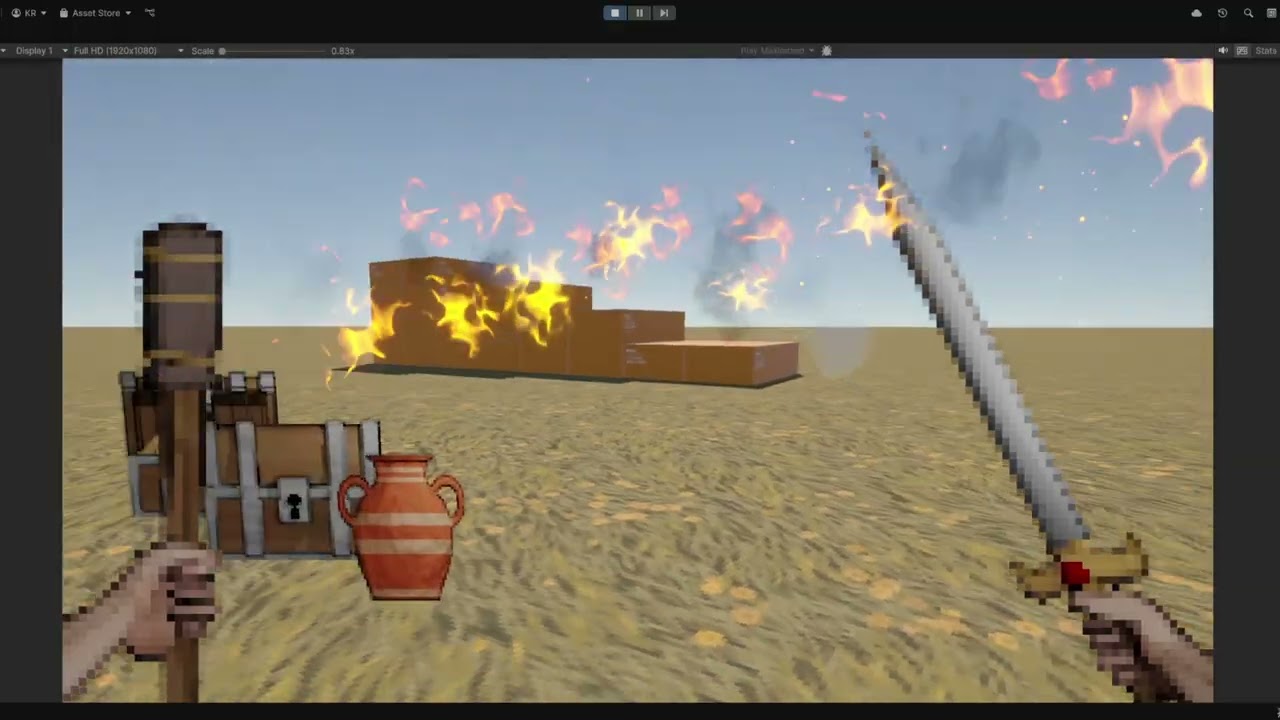 ashen robin
lofty dew
Hello game makers. I have a first-person character that is holding a torch. The ...
ashen robin
lofty dew
Hello game makers. I have a first-person character that is holding a torch. The ...
I'd make two particle systems. One that stays in the local simulation space, and another that trails behind it as it moves (world)
Unless you don't want it trailing at all then disgard the extra system idea ;p
Also an idea is to bend the verts towards the velocity, but not trail them just to give the flame some variance when moving. I think just aligning them towards the velocity would work in the renderer module, but could be more to it.
warm torrent
lofty dew
Hello game makers. I have a first-person character that is holding a torch. The ...
Inherit Velocity might be a perfect fit
With mode set to current and the amount as a curve ramping down, the fire starts attached and gradually becomes less attached over its lifetime
Tweak the curve shape and abruptness to taste
stiff topaz
spiral mesa
VFX Graph experts I need your help! For some reason setting turbulence in Update...
Morning. From what I can see, your particles might be very quickly jumping between the two positions. The update Context is updating every frame and by default is responsible for aging, reaping particles but also for Velocity integration. This means that if your particles have some velocity, the update context by default will apply a Euler velocity integration to update the particles position each frame. In your Update Context, you are using a Turbulence node which generate a noise filed to applies it to particle's velocity. This velocity is then used to set your particles position by the update context. But in your case, you're also using a "Set position" block at the end of the Update Context, so you are in a way overriding the Particle's position. You kind of need to choose between different approach: a "position" based movement (Setting directly the particle position) or a Velocity (particle movement is driven by forces/velocity) based movement. Doing the two usually cause what you are experiencing. A third approach could be to use a Force/velcotiy based movement and add some "Offset" in the Output Context.

Usually directly setting the Position is easier to control while Force/velocity based motion is often more natural and allow you to use all the built-in Forces like Turbulences, Drag etc...
Here is a simple "Position Based" approach where i'm setting the Y.position as you described based on a Sine Wave and adding to this a Simple Noise operator:
 stiff topaz
lofty dew
Hello game makers. I have a first-person character that is holding a torch. The ...
stiff topaz
lofty dew
Hello game makers. I have a first-person character that is holding a torch. The ...
On my end usually I like to :
Have one tesselated Particle in Local space and orient it with the GameObject Inversed velocity. If you can script or using VFX Graph, you can go a little bit more fancy and squash and stretch the quad and also "Blend" the orientation to get a nice lagging effect. You can even go fancier with you Shader and bend vertices based on the GO's velocity in the Vertex Stage. I've made this post in the past: https://discussions.unity.com/t/decrease-particle-lifetime-by-speed/933177/4 that might help you (VFX Graph/Unity) or you can take a look at this Thread on RealtimeVFX (Niagara/Unreal): https://realtimevfx.com/t/titanlegrand-hyper-realistic-fire-torch/19115/8
While both post are not using Shuriken I think that you can get some valuable tips to solve your problem. Hope it helps
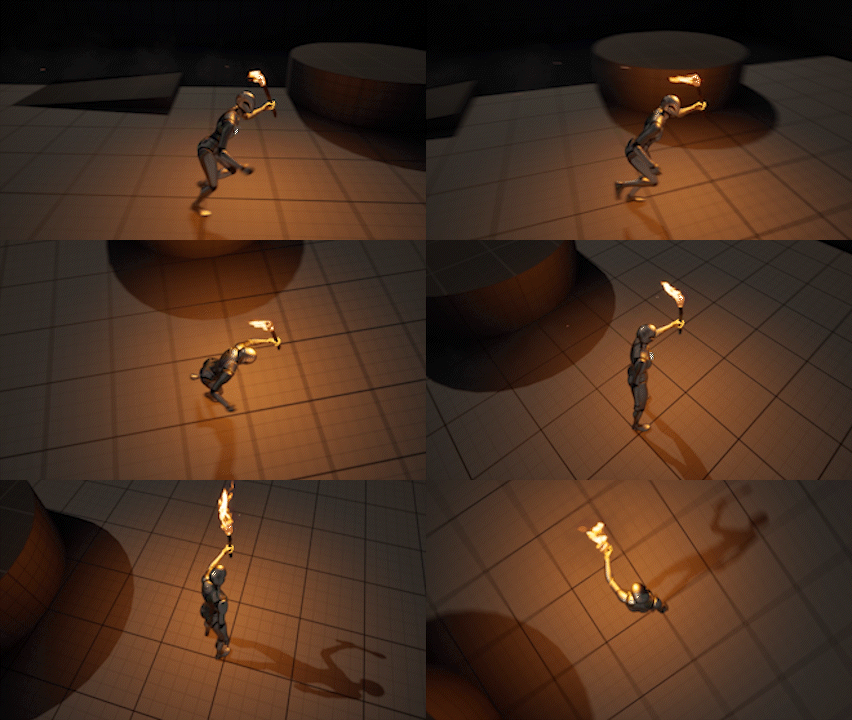
Real Time VFX
I made a Fire torch effect. I plan to do a breakdown if there’s interest I can share some insights 🙂
spiral mesa
stiff topaz
Morning. From what I can see, your particles might be very quickly jumping betwe...
I see, thanks I didn't know that panel had these settings.
I don't fully understand the panel settings so I will slowly read it later.
It only worked once I clicked on Skip Zero Delta Time
 spiral mesa
I see, thanks I didn't know that panel had these settings.
I don't fully unders...
spiral mesa
spiral mesa
I see, thanks I didn't know that panel had these settings.
I don't fully unders...
Ahh it's still glitching sometimes, I'll later make a Unity project to show. It seems to glitch especially more when I have multiple instances of it (glitching every several frames), I will try debug this
spiral mesa
spiral mesa
Ahh it's still glitching sometimes, I'll later make a Unity project to show. It ...
Maybe I should focus on using velocity instead of position if I want turbulance?
 spiral mesa
So everytime I spawn one, it "glitches" the existing ones
Attached is the effect! I added it to my scene, so it almost works except when I spawn multiple instances of it, it glitches during spawning (CTRL + C and CTRL +V during play-mode).
spiral mesa
spiral mesa
Attached is the effect! I added it to my scene, so it almost works except when I...
warm torrent
stiff topaz
On my end usually I like to :
Have one tesselated Particle in Local space and or...
@lofty dew Similar effects as these can be achieved in Shuriken if you're inclined to stick with it
Lifetime by emitter speed as well as emission rate over distance can create flames that spawn and disappear very rapidly in motion, as if fluttered by wind
For the shape a stretched billboard in renderer module will make particles point in their direction of velocity and stretch by speed
Rather than trying to make one system accomplish everything, the systems for fast and slow flames could be separated into child emitters
Particle trails or even separate trail renderers are useful for when the flame needs to go really fast
 rotund dawn
Hi everyone, I'm doing a dynamite spark effect and I'm facing a problem. I have one particle system with a circle that moves along a curve. And also, there is another system with sparks. My question is how to make these sparkles move in a circle. I tried to assign the y position as the spark starting position, but it didnt work. I would be grateful for any help
 rotund dawn
Can somebody help with this?
ashen robin
rotund dawn
Hi everyone, I'm doing a dynamite spark effect and I'm facing a problem. I have ...
https://docs.unity3d.com/Packages/com.unity.visualeffectgraph@17.0/manual/Operator-Rotate3D.html
This will rotate around a point if that's what you're looking for
spiral mesa
spiral mesa
Are there anyone able to solve this issue? I have attached the .vfx file on the comment above. Happy to also provide a Unity project if needed. Thank you in advance! ❤️
 slender grotto
Hello, when manually setting particles on a ParticleSystem, is there any way to make certain particles render in front of others? I tried setting order by depth in the inspector, then adjusting the Z coordinate of the particles, but it's like bugged or something because it does not work properly, if more than 2 particles overlay they don't sort properly
stiff topaz
Are there anyone able to solve this
ashen robin
slender grotto
Hello, when manually setting particles on a ParticleSystem, is there any way to ...
Can you clarify on the behavior of when these particles overlay? If we're talking transparent particles, sorting is done per renderer so it'll seem like they pop-out if the pivots are too close to each other
 tepid violet
Hi i upgraded to unity 6 and some of my particles are pink. not sure what the fix is for this
ashen robin
tepid violet
Hi i upgraded to unity 6 and some of my particles are pink. not sure what the fi...
Go into the Renderer module and make sure you're using the URP particle shader, otherwise do the automated URP material fix if by chance you upgraded from BIRP
manic sluice
Anyone know a way to add stenciling feature on VisualEffect particles? I see you can add a ShaderGraph field on the OutputParticleQuad in VFX Graph, but ShaderGraph doesn't seem to support stenciling, so not sure how to overcome these blocks. Was gonna try Render Features, but it only takes a Shader override, not a ShaderGraph
ashen robin
manic sluice
Anyone know a way to add stenciling feature on VisualEffect particles? I see you...
Render feature is usually the easiest way if you don't mind giving up a layer, otherwise do it in the shader
well, not shader graph unfortunately
manic sluice
ashen robin
Render feature is usually the easiest way if you don't mind giving up a layer, o...
~~The VFX still renders even after unchecking the layer my VFX GameObject was on in the Renderer. So I was thinking VFX operates differently and thus render features wasn't an option. ~~
And I'm not sure how to link a shader to a VFX Graph, since the field in OutputParticleQuad only accepts ShaderGraphs, not Shader files
ashen robin
VFX still respects renderer objects and custom pipeline scripts as far as I'm aware as I've had to remove decals from rendering on layers before
as far as HLSL goes, VFX graph has support for it in the newer builds, but not something i've toyed around with
stiff topaz
manic sluice
~~The VFX still renders even after unchecking the layer my VFX GameObject was on...
You can either use the provided shader (Lit/Unlit/6Way smoke lit) or use a custom Shader Graph. To use ShaderGraph make sure that you checked the "Support VFX Graph" in you SG asset. From there you should be able to find or drag and drop the ShaderGraph VFX Asset in a ShaderGraph Output Context.


 plucky patrol
Quick possibly dumb question - when exactly is "PlayOnAwake"? Does it happen when a gameobject becomes active, or does it happen on awake of the program, or...?
ashen robin
plucky patrol
Quick possibly dumb question - when exactly is "PlayOnAwake"? Does it happen whe...
Instead of having to call Play(), instantiating it will just auto-play it similar to animation clips
 glass cloud
Is it actually possible to save current particles position into the texture without writing a compute shader or using a secondary camera?
 spring wolf
heya, could someone help me out with this vfx graph particle system? as you can see, the lightning effect looks fine when it's moving slowly- but as soon as I move it quickly, it's very flat and uninteresting looking


my graph is pretty simple I think, just trying to spawn them over a distance
ashen robin
spring wolf
heya, could someone help me out with this vfx graph particle system? as you can ...
I would guess it has to do with how you're tiling it all instead of segmenting it out. Have you looked into the tiling mode at the top of the output there?
Or, the problem could be extending from not having enough segments as you move, but I wouldn't expect it to shrink down like that so there some other parameters at play
It probably has to due with the animation curve there as you're starting and ending at 0 which is probably being applied to the whole strip
which would make the constraint here relative to the lifetime of the particle
plucky patrol
ashen robin
Instead of having to call Play(), instantiating it will just auto-play it simila...
It's an instantiation, got it, thank you, getting to that point where I have to care about frames 😅
spring wolf
ashen robin
It probably has to due with the animation curve there as you're starting and end...
sorry, grabbed dinner- thanks for the reply, I'll check it out and see what's up, what you said makes sense as a potential problem
 orchid comet
how can I get a particle to spawn at the back of an enemy in 2D? Like a blood splatter type situation
ive managed it to spawn in the front of my enemy but not exactly sure how to get it to the other side
ashen robin
orchid comet
how can I get a particle to spawn at the back of an enemy in 2D? Like a blood sp...
The position you want to spawn your particles at would be the impact direction times a few units from where you are to create them.
So something like:
Vector2 particlePos = enemy.transform.position + (direction * offset)```oh yeah thats perfect thanks
I kept trying to minus the transform by a float 💀
forgot I cant do that to vectors
Also while im here, my current particle effect uses the stretched billboard to simulate a blood effect

but ive also seen some other effects where the particles kinda roll around (cube form)
think that mihgt lkook more interesting
ashen robin
3D particles with 2D is possible. Not entirely sure how to do so with the particle system though
orchid comet
hm, is there a way to rotate the particles when they bounce? Using gravity/collision with these but they sort of just slide along the floor
I can turn the bounce up but their rotation still doesnt change
ashen robin
Maybe it's clamped somewhere? Little rusty with the 2D rigidbody stuff
spring wolf
spring wolf
sorry, grabbed dinner- thanks for the reply, I'll check it out and see what's up...
re: my earlier problem
it seems clear now after testing with a particle system instead of a strip system
that the spawn over distance thing is not actually spawning over distance, but rather spawning per distance traveled per frame
so if you travel 5 units, it dumps Rate * 5 particles wherever the system is as of the next frame, which seems odd and not easy to utilize
as you can see, small movements work mostly fine, long/fast movements are choppy

even seems to be happening with the recommended old -> new position interpolation
- on top of that, in debug mode it shows the total # of particles at 4k+ when i'm dragging it quickly, despite only a handful being visible on screen
very weird
ashen robin
https://discussions.unity.com/t/how-to-improve-appearance-of-a-moving-system-spawning-behavior/854389/7
Vlad here uses source parameter for the spawn count
spring wolf
am I missing an image? I assume it's that empty spot and that the unity forums have let me down

hahaha
ashen robin

 ashen robin
I'm actually not entirely sure how the solution works but I do know of the problem
spring wolf
thank you, let me see about that
no dice unfortunately... very confusing

this is what i have atm, same results setting old position and not
there are lots of threads on this and it seems like this fixes most of them, so i'm not sure why it's not fixing it in my case
ashen robin
I've a better idea how to solve this in a script and sending events in then doing it here in initialize
spring wolf
that's kind of what i was thinking as well
it's a bit of a pain in the ass but he does have those PreviousPosition and NextPosition arguments
so i'll try that now
ashen robin
or graphic buffers where you've control of every index
Ok, a few things I'm noticing. You're doing GetPosition but Vlad is sending parameters into the system which I'm guessing is the object itself that is moving, while GetPosition is the current system particle position
spring wolf
yeah, that seems to have been the majority of the issue
I saw people using the get position nodes but they were using trails, so that makes sense
this is using passed parameters and the spacing is much better, just have to figure out why the positions don't match the movement
ashen robin
Yeah it's a pain, the overall problem for this I believe is similar to the problem of not being able to send multiple events in a current frame
spring wolf
that makes sense
it is a bit of a pain but I realize this is a kind of hyper specific thing I'm trying to do
just for context, this is the actual spell problem i'm trying to fix
the player moving super fast makes streaks instead of convincing lightning, so this should be much better once i fix this position thing
ashen robin
breddy cool
spring wolf
thanks yo
ashen robin
You can also try just spawning particles by a velocity parameter you send in instead of doing it inside of the system by change of space
spring wolf
ah

i figured it out
i connected the float to the lerp first so it was just making previous and next position into their x component
that sucks
LOL
much better
 junior thistle
Are lit particles gonna be a bitch on performance no matter what I do?
clear spruce
junior thistle
Are lit particles gonna be a bitch on performance no matter what I do?
Why exactly would they? Calculating lighting is generally bit costly but it depends on a lot of things (lighting model (render pipeline), amount of lights etc.). If you have a lot of overdraw (large transparent particles stacked on top of one another), it can for sure be very costly
orchid comet
how can I make square particles like rotate as they move?
for a simply death effect in 2d
tried rendering using stretched billboard but its wonky
oh wait
theres literally a rotation over lifetime
nvm
junior thistle
clear spruce
Why exactly would they? Calculating lighting is generally bit costly but it depe...
Yea it's probably overdraw cause I get massive fps dips when they stack
clear spruce
junior thistle
Yea it's probably overdraw cause I get massive fps dips when they stack
Overdraw is one of the big performance issues with unlit particles too. The cost per pixel is just more with lit shaders so it will become problem sooner. Limiting the maximum allowed size of the particles on screen is one of the main ways to reduce overdraw. If you have like 10k particles and you go so close to them that they are all the size of your screen, the fragment shader for the particles need to be run 10k times for each pixel of the screen.
clear spruce
junior thistle
Yea it's probably overdraw cause I get massive fps dips when they stack
Although in reality it isn't that simple, you could simplify the formula to something like cost = amountOfParticlesOnScreen * averageSizeOfParticleInPixels * costOfProcessingOnePixel. You can see how it quickly becomes very heavy if you have a ton of particles, they are very large on screen and/or you do heavy lighting calculations for each. For opaque geometry generally only the top most geometry needs to be processed but the problem with particles is that they are generally transparent which means each pixel/fragment of each particle must be processed even if they are the bottom most particle in the stack of particles on the screen (because in theory it can still be visible to you even if in practice the particles in front obscure it)
junior thistle
I can't really avoid size scaling or make them a fixed screen size because they are physical things and the player is supposed to be able to go nearer.
One of them is a flipbook animation and thus it's hard to really control the number of particles
I can't really avoid lit, I need them for my game
I can control some others more easily, sich as floating dust particles
clear spruce
junior thistle
I can't really avoid size scaling or make them a fixed screen size because they ...
That's fair but likely wouldn't hurt setting a maximum size either so they don't get massive on the screen, that's likely not the main issue though. Obviously if you can go for opaque particles (with alpha cutout) for some of them, that would obviously reduce overdraw. You can also consider using some more lightweight lit shaders (per vertex lighting? mobile targeted shaders?), I'm not really aware what are available built-in though
warm torrent
@junior thistle what kind of particles in this case?
junior thistle
clear spruce
That's fair but likely wouldn't hurt setting a maximum size either so they don't...
But I can go through them, not sure if that would make sense
Maybe I can switch the shader if too close or some other wizardry
As for vertex lighting, that's unavailable for hdrp, right?
Doesn't work
junior thistle
warm torrent
<@410525986468265997> what kind of particles in this case?
I will have some others but in this case I'm talking about silt rising particles when my character hits sand
It's a flipbook animation that I've slower down that I will make a frame interpolation shader for
(Which will probably make it worse)
But when slowed down, they double as general silt flowing for some time
I can't make that effect with just volumetric fog for example. I could, like, switch the particle for volumetric fog at some point but there is NO way that could look good
clear spruce
junior thistle
I will have some others but in this case I'm talking about silt rising particles...
I have very little experience with HDRP but when it comes to vertex lighting, I think the cluster/tile based renderer might have something to do with it. Can you show an example what the effect looks in game so we could get a better idea what could make it heavy and how it could be optimized.
junior thistle
clear spruce
I have very little experience with HDRP but when it comes to vertex lighting, I ...
I'm not at home now and it's not finished but it's undoubtedly their existence lol. The closer I get (the more screen space they take up), the less fps I have
Exactly what you might expect
I might try to limit their spawning and duration
 frank coyote
Can I force a particle system to render at all times, even when it is off-screen?
I'm creating a rain shader that works in camera-space
frank coyote
clear spruce
Overdraw is one of the big performance issues with unlit particles too. The cost...
Yeah, overdraw gets brutal very quickly
i've tried increasing the "max size on screen" setting for a smoke effect to make it look nicer. I wound up with like...150 particles that all wanted to render to every pixel on my screen
frank coyote
frank coyote
Can I force a particle system to render at all times, even when it is off-screen...
(so it doesn't matter where the particle system is -- the vertices get moved to the camera)
My current plan is to just move the system in front of the camera every frame. That's a bit annoying.
clear spruce
frank coyote
Can I force a particle system to render at all times, even when it is off-screen...
I think what I have ended up doing earlier was just to increase the bounding box to something enormous. If there is a better way, I don't know of it
frank coyote
do i need to do that via a script?
i was peeking in the debug inspector
also, this is the old Particle System, not a Visual Effect
(i know how i'd handle the latter)
clear spruce
frank coyote
do i need to do that via a script?
VFX graph has controls to set it directly, with particle system I don't know
frank coyote
it looks like i could just spawn a few particles at hilarious positions (e.g. -10000 on all three axes)
i can sacrifice two raindrops
clear spruce
Seems like you read the same comment but it sounds like that's the only solution. Really weird the bounds are not exposed in any way

 meager forum
vfx graph has bounds exposed, but they dont always work. looks like when you turn on dynamic resolution, particles disappear far closer then the entered bounds. It could be due to alphaclip and dynamic resolution not working well together too for some reason.
Also, one thing I noticed, when you turn on Collide with Depth Buffer, particles draw on top of opaque geometry, probably because some type of barrier missing on vfx graph code after they try to read from depth buffer. Noticed the same thing when I tried to use a custom pass shader graph to emit a render texture to be used on a lit shader.
 azure tundra
Question for the particles wizards here:
What's the best way of getting every individual particle position to run into a shader using Object Space for vertex animation?
My team wants to make a swam of bats as an effect, but some of my vertex offsetting is getting warped because the particles dont have a sense of "object space", everything is using world space 0,0,0 as its point of reference.
ashen robin
azure tundra
Question for the particles wizards here:
What's the best way of getting every i...
Animations with the particle systems a little finnicky as you're usually using a shared material between the whole rendering of it, but if you think you can manage that with just a pivot point of the particle then you can consider using Graphic buffers to send those points into the VFX graph.
But this means you'll be controlling it from outside of the graph and just interpolating it from within
Otherwise another way you can batch skinmesh renderers in the shader with the help of a texture:
https://stoyan3d.wordpress.com/2021/07/23/vertex-animation-texture-vat/
Most of our 3D games tend to feature a big number of moving characters. This can have a big impact on a phone’s CPU performance. To overcome this CPU limitation, I instead shifted the workloa…
azure tundra
ashen robin
Animations with the particle systems a little finnicky as you're usually using a...
Graphic Buffers? Havent heard of this before. Is there a TLDR or a specific thing I can look up for that?
azure tundra
ashen robin
Otherwise another way you can batch skinmesh renderers in the shader with the he...
funny enough I literalyl have this up on my other screen aready, I was reading it when I looked over here lol
ashen robin
azure tundra
Graphic Buffers? Havent heard of this before. Is there a TLDR or a specific thin...
https://qriva.github.io/posts/how-to-vfx-graph/
Few extra concepts in there, but I think the idea would be the texture overall
azure tundra
ahhh gotcha. I wast using the VFX graph for this so far, just a regular particle emitter.
Thanks for the resources!
stiff topaz
In VFX Graph, the particle position is sent in WorldSpace in SG through the Object Position node.
 azure tundra
stiff topaz
In VFX Graph, the particle position is sent in WorldSpace in SG through the Obje...
azure tundra
stiff topaz
In VFX Graph, the particle position is sent in WorldSpace in SG through the Obje...
Iiiii had no idea it did that, incredible
Is there also a way to access the rotation or normal value of the particle?
IE: I am not emitting billboard particles, but meshes. Meshes rotate in the Y axis (some look at the camera, some look to the side)
 pseudo sable
Hello ! I'm trying to learn VFX as a beginner and currently toying a little bit with Shader Graph to replicate the Site of Grace VFX from elden ring. I have the distortion done but I have very hard edges and was wondering how I could have soft edges, maybe I should ditch the rounded rectangle but I don't know what to do then with my noise


I followed a tutorial to have ripples but I can't figure out how to use them with my noise and what to plug where

My noise doesn't distort the ripples like I want
stiff topaz
Iiiii had no idea it did that,
ashen robin
pseudo sable
Hello ! I'm trying to learn VFX as a beginner and currently toying a little bit ...
This is set for transparency right? Can't really tell from the quality but if you're only getting 1's or 0s then yeah you're not going to get those soft transparent spots. You could try making a secondary setup and scale it down a bit which subtracts the alpha, or pad it with some other noise.
pseudo sable
I managed to get this result by using the noise directly


I can't get rid of the seam though
ashen robin
Better off posting the graph on #archived-shaders as you're more likely to get more answers
pseudo sable
Got it ! Thank you ^^
ashen robin
the complete graph too cause the seam seems to happen before
pseudo sable
Well it's in the polar coordinates here
 ashen robin
Ah, I see. I would think just using the swirl noise node would suffice
ashen robin
twirl rather
pseudo sable
Ooooh yes looks great, I'll try to modify it for the ripple effect
 safe bramble
is there any way to set custom data for a particle along with a ParticleSystem.Emit call? preferably without having to read and write the entire list of custom data for all live particles
rotund sedge
Question when it comes to triggers in particle systems.
I understand that having a certain trigger interact with a particle can cause it to die and what not. However im wondering if its possible to have two different triggers do different interactions.
For example I have this magical music system and a trigger is touching the notes and making them die and shoot off. However I'd like to have another collider be able to interact with the same notes, but instead of killing them and spawning the shooty note particle. It'll instead spawn in a different particle system.
But not sure if that's possible without scripts coming to play?
I dont know I kinda suck at particles lol
ashen robin
rotund sedge
Question when it comes to triggers in particle systems.
I understand that havin...
What's the current trigger logic you're using to shoot them off? Spawn new particle on collision?
Hmm, could probably do something with layers but I think you'd probably need to script that in
rotund sedge
Its just the basic trigger component in the particle system tab.
It kills the particle and the particle on death shoots out the note
ashen robin
https://i.imgur.com/4tdgefj.png
That seems like what you want, but I believe you need to grab it from the callback of the trigger module via code

then check the layer type of the collider would be how I'd do it
rotund sedge
Dang, im wondering if that would work in vechat since it doesn't accept any scripting to happen.
Would be a one time script edit or a perma script I'd have to have on the model?
ashen robin
Oh no scripting at all? That seems harsh, but yeah you need some way to figure out what it's colliding with in the script then produce the new particle system from that
https://docs.unity3d.com/6000.1/Documentation/Manual/configure-particle-trigger.html
Some examples there
rotund sedge
Yeah, its really restrictive ;-:
Cause at least from how im thinking on it, it'll just take any trigger and do the same for all the triggers.
I was thinking maybe changing it to colliders to differentiate it maybe?
ashen robin
I'm just not seeing anything that allows to differentiate triggers depending on whats hit from the UI itself. If you can somehow swap the system in the UI would be an idea
https://i.imgur.com/4s4oCC8.png
Like here you have the layers it can collide with, so if you can possible change the layer and the system to trigger
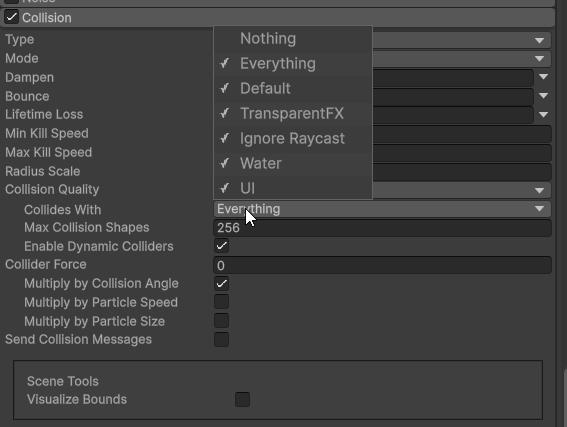 rotund sedge
Oh that's true, that's a good idea. So if I set it to collide with say ignore raycast. Im sure nothing in vrc uses that layer (i think) so it should only detect my special collider with the ignore raycast layering?
Maybeeeee
Im just picky cause I want to seamlessly make it so that you can do the tapping on a note to make it shoot out. Or when you do a different gesture it'll instead kill the note and spawn another note that instead swirls around the wand so its like pulling them off the sheet kinda
Btw thank you for your assistance with this. When I get home soon I'll def be trying some of these out and hopefully one of them works
 placid moss
I'm working on creating my first Particle System. I've imported the mesh for the particles (a black cloud), I've created a material for the mesh and applied it. And I can see the system emiting the mesh. Great.
But In my "Color over Lifetime" settings, I've set the cloud to start orange and transition to black, then fade away. When the material I made is applied to the mesh, there's no color change at all. When I use the Default Particle material, I can see the full color transition.
What do I need to change about my material to make the Color over Lifetime settings work?

My material:

Default - Particle Material:

 tribal tree
Unlike this tutorial :
https://www.youtube.com/watch?v=2qeNu2QApAM
(Links are broken BTW)

In this video, we are going to demonstrate how you can use the Universal Render Pipelines 2D Renderer and 2D Lights to create Pixel Perfect Lights and Particles.
Download the assets from this project here!
https://on.unity.com/3mVQptT
Learn more about the Universal Render Pipeline here!
https://on.unity.com/33boIFD
Read more about our 2D Ligh...
My particles don't snap to grid, i'm going crazy 🥲
Here is my problem

Sprites snap to grid. Not the particles, i'm not doing anything weird, but it can't snap to grid as viewed in the official tutorial
(The trail behind my character snaps correctly because i coded it, but the particle emission is free to roam between pixels :o)
tribal tree
I'm using URP.
God(s), please, hear my cry !
ashen robin
placid moss
I'm working on creating my first Particle System. I've imported the mesh for the...
You need to hook up vertex colors in your shaders
tribal tree
I though we would be many here doing pixel perfect games
I guess i'm doomed 😂
If someone have an answer about this i'm willing to pay a bit
junior thistle
Do you guys know why particle lit flipbook shader would get worse, choppy/flickery animations compared to just particle lit?
it's a flipbook which is slowed down so I'm trying to get more more frames (rather, make it look so), but it's like the particles just appear and disappear.
Same issue at simulation speed 1 and simulation speed 0.3 (the intended one)
tribal tree
if anyone come for the same problem as me (i searched everywhere). I'm writing a personal particle system (aka spawning and destroying sprites).
The only official answer about the particle system not being drawn pixel-perfectly : was in 2020.
I believe it's buggy now ! It's too bad... 🙂 It seems to have worked well as seen on the official video.
 vast bay
Hello guys! I need your help. This is my first VFX graph and I don't quite understand what's going on. These are bubbles underwater from a bottom animal. The problem is that when the animal moves, the bubbles follow it. If I change the local to world, they just don't appear. I asked the AI, but it only confused me. Where did I screw up? The screenshot shows the best working option.
 ashen robin
vast bay
Hello guys! I need your help. This is my first VFX graph and I don't quite under...
ashen robin
vast bay
Hello guys! I need your help. This is my first VFX graph and I don't quite under...
Few ways to solve this but if this is a local system to that transform then from your position property there you can set it as local position then put the system in world simulation space. If you're adding to the position then make a position node off to the left there and make that local then add your other nodes to it and plug it into the initialization space if that makes more sense to you.
vast bay
Still trying to get it to work, no luck so far. I found this: https://discussions.unity.com/t/vfxgraph-vector3-localtoworld-transformation/1552118 and used the simplest solution from there, but it doesn't work for me. As soon as I switch initialization and update to global coordinates, particles stop appearing anywhere.
vast bay
I've been struggling with this VFXS for half a day. But it's my own fault for getting into a field I've never worked in (VFXS graph). LOL, my son says: don't need struggle, and do it on Particle Systems, and in 10 minutes he did it in his project, in which particles move independently of the source's movement. I'll probably do it tomorrow.
ashen robin
vast bay
Still trying to get it to work, no luck so far. I found this: https://discussion...
Few things to understand here is that the system space in the top right corner relates to the space the VFX system incorporates. If it's set to local then it will follow the local space of the object it's a component of. If the system is in world then the particles will not move relative to the gameobject it's attached to.
For the spawning position, if you want the particles to spawn at the position of the object it's a component of, then a local space of Vector3.Zero will be centered to the object. So the idea here is you do want that local zero space to start off with.
I suggest removing all the extra logic you have here for offsetting the position and getting the particles to spawn at the zero local space.
vast bay
At the input of Set Position initialization, should Get Position Current be given? Does it give the local position of the spawn point?
ashen robin
For your position node there inside of initialize. Detatch everything and set it to 0,0,0 at local space
that'll spawn it at the pivot of the gameobject
vast bay
I understand. I'll try now. Test.
ashen robin
Additionally, you can also grab the position using GetPosition if you want to do more logic on the blackboard there
usually has a icon to select if the coordinates it gives is local or world depending on the version, otherwise connect it to a change space node
And finally, how you are offsetting the position matters too for which space it is in. World space y+ => Vector3.Up, Local space y+ => Transform.Up


 storm tapir
How would I recreate the effect on the thrusters of this ship? Would I use Unity's particle system or something else?
 ashen robin
Unity's trailer renderer should work fine
placid moss
I'm using Stretched Billboard mode in a Particle system to create a "meteor" with a black trail. But for some reason in this mode, the trail starts at the front edge of the billboard. How do I adjust where the trail begins?

 surreal pawn
Hi, is it possible to control how many particles spawn based on the lifetime of the particle system?
 bleak pendant
you can use bursts for an exact amount of particles, its on the emission section
warm torrent
storm tapir
How would I recreate the effect on the thrusters of this ship? Would I use Unity...
Looks like they could be meshes in the shape of the flame with an emissive transparent/additive material
warm torrent
surreal pawn
Hi, is it possible to control how many particles spawn based on the lifetime of ...
"Based on" how? "Lifetime" is something individual particles have, the system itself has a "duration" because it does not have a definite end of life conceptually
surreal pawn
Essentially I wanted to do a blood drip effect after severing a limb, and I want a big thick stream of particles at first that thinned down into being a few drops after
icy wing
surreal pawn
Essentially I wanted to do a blood drip effect after severing a limb, and I want...
I think size over lifetime section in the particle system would be best for that
mixed with the trails module as well
warm torrent
surreal pawn
Essentially I wanted to do a blood drip effect after severing a limb, and I want...
You can change the rate over time to Curve, which will be evaluated over Duration

Start Speed also, so the velocity will drop as it goes from a stream to a drip
Any property that has the dropdown arrow can be set to change over PS duration or particle lifetime
(It's not always clear which)
warm torrent
icy wing
I think size over lifetime section in the particle system would be best for that
This is useful for the appearance but not the emission
For the appearance I'd consider Stretched Billboard in this case, usually good for droplets
icy wing
warm torrent
This is useful for the appearance but not the emission
For the appearance I'd co...
oh gotcha, thanks
 celest sleet
So I have a particle that is thrown out and bounces around a bunch but when it dies I need it to return back to where it spawned from, is that possible?
warm torrent
celest sleet
So I have a particle that is thrown out and bounces around a bunch but when it d...
What would it accomplish?
Particles that are dead can't really return anywhere, on account of not existing by that point
warm torrent
celest sleet
More like I need it to return right before it dies
What's the reason, or in what way specifically? May be important to know
celest sleet
It’s a shield that is thrown via a particle. Bounces off walls. And then returns to the arm
Completely understandable if it ain’t possible just would look better than re- enabling the mesh when it died
warm torrent
celest sleet
It’s a shield that is thrown via a particle. Bounces off walls. And then returns...
Having that be a particle seems like it's likely to make things more complicated compared to it being an object controlled by a script
celest sleet
warm torrent
Having that be a particle seems like it's likely to make things more complicated...
See it’s for another game that allows custom avatars with whatever you want to put on them. Scripts cannot be on them tho so you must make workarounds
Here is what it does. I’d just rather it return to sender instead of disappearing
warm torrent
If you can use sub emitters, external forces and triggers, then you could have at its death spawn another shield particle that is affected by a particle force field that gravitates it towards the starting point and applies some drag
The trigger module can then kill the second particle when it reaches the destination
warm torrent
Without sub emitters or triggers you could use lifetime curves to increase the external force multiplier from zero to one near the end of the particle's life so it stops bouncing and starts gravitating
Though having it die at the right time becomes harder then
But might give some ideas
celest sleet
I can use sub emitters
I can use majority of anything that comes in base unity
So the original solution should work
 golden osprey
hey guys, im a beginner dev. looking to create rainy weather like in this video. I know i can use particle system for the rain/fog but how would I go about making the road and terrain wet/shiny? and is there anything else im missing thats required to get this effect?
oops
here is the video:
warm torrent
golden osprey
hey guys, im a beginner dev. looking to create rainy weather like in this video....
Wetness is a shader effect
Decals can apply it locally but if you need it throughout the scene it may be better to implement it for every shader
golden osprey
okay ill look into that, thanks
 thin sleet
hello, can anyone point me in the direction on how to make beams with the trail module in particle system? ive looked online but i cant find a tutorial i like
warm torrent
thin sleet
hello, can anyone point me in the direction on how to make beams with the trail ...
I guess it depends on what you like
Trail module is more for trails as the name implies
Line Renderer could be more appropriate for a beam, especially the laserlike sort
thin sleet
warm torrent
I guess it depends on what you like
Trail module is more for trails as the name...
i want to recreate the little beams in this https://cdn.discordapp.com/attachments/1373760687788003478/1376498149362896936/feeble_lords_frenzied_flame.webp?ex=68358b4c&is=683439cc&hm=d746963826d8244a96d6d2a5297583c2841c2597daaae1297532bd3a347a0af2&

I've been recommended to use the trails
warm torrent
Yes, they are trails rather than beams so I'd recommend it too
thin sleet
warm torrent
Yes, they are trails rather than beams so I'd recommend it too
ah mb
can you give a tutorial? :>
warm torrent
But to get it how you like is mostly up to your artistic skill, as long as you're familiar with the module's settings
thin sleet
warm torrent
But to get it how you like is mostly up to your artistic skill, as long as you'r...
so i just started and found the textures i needed
and i am stuck 😭
so this is how it looks
and ignore how it looks
but ive been told to mess with sub emmitters
warm torrent
thin sleet
but ive been told to mess with sub emmitters
You'd use sub emitters for the secondary smaller trails spawned during flight, as well as for contact explosions, but not for the main trails
thin sleet
warm torrent
You'd use sub emitters for the secondary smaller trails spawned during flight, a...
how would i make the smaller trails?
warm torrent
thin sleet
how would i make the smaller trails?
Smaller trail lifetime should decrease their length
Smaller width over trail would make them thinner
It can also be a curve for a taper, but tapers are usually better to have in the texture
thin sleet
warm torrent
Smaller trail lifetime should decrease their length
Smaller width over trail wou...
how would i make it like go with the trail?
these are the textures i have
warm torrent
"Go with"?




 warm torrent
I don't know what "go with the trail" means precisely
thin sleet
warm torrent
I don't know what "go with the trail" means precisely
oh
so like
lets ignore all the beams for a second and pretend its one beam, so what im doing is im shooting out 1 particle with a trail right, how would i make the sub emmitted particle system go side by side with the main trail
warm torrent
The way I see it you'd need to use Manual spawn condition to create multiple sub emitters during the flight, each firing off one smaller streak
The sub emitter would have a cone Shape aligned with the direction of travel of the main streak
So the sub emitter is not looping and doesn't stay attached to the main streak
I don't recall if sub-emitters can use Inherit Velocity to get the main emitter's direction of travel
If not, the sub emitter would have to be aligned by the script that manually triggers it
If yes, you can use inherit initial velocity to send the secondary streak on the same trajectory as the main streak, no cone Shape or aligning needed
And if yes, inherit current velocity could be used to stick the sub emitted streak to the main streak constantly during the flight, but it's probably not the kind of effect you're looking for
spring lake
Is there a redirect node in VFX Graph like there is in Shader Graph?
stiff topaz
spring lake
Is there a redirect node in VFX Graph like there is in Shader Graph?
Not at the moment. While it isn't ideal you can use "inline operators".
 spring lake
stiff topaz
Not at the moment. While it isn't ideal you can use "inline operators".
spring lake
stiff topaz
Not at the moment. While it isn't ideal you can use "inline operators".
Thanks. Any reason this isn't in VFX Graph? I'm pretty sure this has been in Shader Graph for some time now.
stiff topaz
golden osprey
hey guys, im a beginner dev. looking to create rainy weather like in this video....
The first part of this Video should show you a good overview of adding Wetness globaly to a scene.
https://www.youtube.com/watch?v=20WjQIFl85o&list=PLX2vGYjWbI0TV4Di9Uhg22OkOH41VcVez&index=47
You can also take a look at this video that present the Production Ready Shader Sample taht contains ready made Weather Shaders:
https://youtu.be/iV79HBv6co4?t=165

Calling all technical artists! In this video, you'll discover how to quickly create a gameplay sequence using Unity 6’s updated VFX Graph, Shader Graph, and other artist-friendly tools. You’ll also get a primer on designing materials and visual effects, setting up post-processing, and creating a resolution-independent user interface.
Speake...

We created a new sample set – Production Ready Shaders – that contains over 25 Shader Graph shaders that are ready to use in your project. The sample also contains a step-by-step tutorial on creating a forest stream environment using the assets from the sample.
Follow this video to see how to import and use the new samples in Shader Graph...
golden osprey
stiff topaz
The first part of this Video should show you a good overview of adding Wetness g...
oh thank you, ill definitely check these out
 grim bear
Does anyone know if it's possible to prevent VisualEffects from writing to the alpha channel?
warm torrent
grim bear
Does anyone know if it's possible to prevent VisualEffects from writing to the a...
What do you mean by that? There may be a confusion of terminology
Or more pressingly perhaps why
grim bear
So we're using the alpha channel from the render texture on top of another render texture (like a mask). When this mask is applied, unfortunately the alpha channel of the rendertexture is affected by the actual particle transparency. Using a simple fullscreen shader that lerps using alpha from the URP Sample Buffer node between green (opacity = 0) and red (opacity = 1) it shows that the texture's alpha channel is affected by the particles. The by blue encircled piece is not a particle, everything outside of it is

so I guess I would like to understand if there is a way for the particles opacity to not be applied onto the color buffer using some setting somewhere
or if it'll have to be done through a more manual approach
 broken ruin
Can someone help/tell me why i can't find something called "Simple Particle System" in the VFX graph? I'm getting into VFX graph with a tutorial that was about 9 months ago and i can't find the "Simple Particle System" (I'm using 6000.1.3f1)
 warm torrent
broken ruin
Can someone help/tell me why i can't find something called "Simple Particle Syst...
warm torrent
broken ruin
Can someone help/tell me why i can't find something called "Simple Particle Syst...
Some time after 2021.3. that has been replaced with this

There may not be a direct analogy for "simple particle system" but the templates are simple enough
broken ruin
oh thanks. I was worried that my Unity was broken or my PC had a problem lol. @warm torrent. Thanks tho
junior thistle
I may be stupid but how come my imported trim sheet particle system is using a texture which is pretty much a solid color for the albedo and it works?
shouldn't the texture be the trim sheet?
when I try using another solid texture as the albedo, the thing you'd expect to happen happens
what is going on there
warm torrent
junior thistle
when I try using another solid texture as the albedo, the thing you'd expect to ...
Can you break it down to basics, I'm not sure what I'd expect to happen
Or what you mean by "it works" precisely
I assume you mean flipbook / sprite sheet? Trim sheets are more for wall texturing
junior thistle
warm torrent
Can you break it down to basics, I'm not sure what I'd expect to happen
Or what ...
I mean, I'd expect a flipbook texture as albedo with alpha cutouts for it to work perfeclty
This effect just has a solid texture as the albedo, but it displays the flipbook animation correctly, i.e. with different frames and different cutouts
Shouldn't that be impossible?
warm torrent
At face value yes
junior thistle
Ah maybe it's just using the alpha channel, I didn't check how the alpha channel looks
Is that possible?
warm torrent
junior thistle
Is that possible?
It is but if you make an image a solid color, it seems at least very likely you wipe over the transparency as well
You should be able to check the texture easily
By looking at the channels separately through the texture import settings
junior thistle
warm torrent
It is but if you make an image a solid color, it seems at least very likely you ...
It's not actually a solid color, it's a texture that's very bland and uniform, hence my trying to edit it
The point was there was no cutout to it, it was a solid block with color, not necessarily a solid color
junior thistle
warm torrent
By looking at the channels separately through the texture import settings
Yea yea will check that when I'm at my pcnlater, seems like the only explanation
 mellow fractal
been working on a totally home-made particle system for my game, just added the ability to sample a gradient atlas texture for color-over-lifetime
https://streamable.com/bmxw61

 silent basin
Does anyone know if there's a way to draw a texture at a position ? What I want to do is that I want to draw a texture at every vertex of an object, I was thinking it might be possible using shader graph but I don't know if there's any other ways, any help would be appreciated !
junior thistle
warm torrent
By looking at the channels separately through the texture import settings
Yea it ended up being that, of course
unrelated, but how do people make texture sheets?
Not technically, but like, how do you draw 50 blobs and have them end up in a nice slick animation?
Is there are as much artistic talent to that as it looks or is there a method?
 exotic orchid
Howdy! New to particles, Got this little steam blowing out, I'm wondering how I can make it stop after it's done?
Like It's staying there against the wall
I can't tell if it's producing new particles or the old ones are just still existing
But the 'front half' of the spray stops as intended
Disregard me being an idiot, It's 2 particles in a prefab
warm torrent
junior thistle
Is there are as much artistic talent to that as it looks or is there a method?
They bake simulations usually
Drawing them works with more cartoony style
And is a big bunch of work
With simulations you can bake motion vector maps also for smoother frame blending
But requires particular tools
junior thistle
warm torrent
They bake simulations usually
Drawing them works with more cartoony style
yeah but bake them from what?
I guess it's from one of those tools like Houdini
warm torrent
junior thistle
I guess it's from one of those tools like Houdini
Yes typically, Houdini has very little competition and few alternatives
Smoke/fluid simulations
But also any other thing that can be represented in 3D form and displayed in 2D
Like debris from different materials
 vital ibex
Hello , after upgrading a project from 6000.0.40f to unity 6000.1.4f all my visual effect graph are broken
I haven't any error , i test with a new loop template and my particle is not showing can anyone help me ?