How should i go about muffling audio sources behind walls? Should i have all audio sources have their own audio filter component and a script that raycasts to the audiolistener to know when/how go muffle ? Is there a better way because that sounds very computationally expensive, and tiedeous
If i were to make it muffle per room, how would i get all the audiosources in a room and muffle them? I know theres things like sectr audio but i was curious if i could do at least something without having to buy that
Any help is appreciated
#🔊┃audio
1 messages · Page 7 of 1
 kind aurora
 quasi hound
kind aurora
How should i go about muffling audio sources behind walls? Should i have all aud...
quasi hound
kind aurora
How should i go about muffling audio sources behind walls? Should i have all aud...
The simple solution you have out of the box is using Reverb Zones or applying Audio Filters to the Audio Listener itself, or modifying a particular Mixer Group based on the Listener's position relative to a Volume
A custom volume component could get AudioSources that enter it and apply audio filter components (or your audiosources could have a component that checks for volumes), but afaik middleware like Fmod and Wwise have tools for that kind of per-audio filtering
For spatialized audio I'd look into something like Steam Audio
Implementing audio occlusion feature by yourself is likely not worth the trouble, unless you need it to be very simple and small scale
Raycasting quickly gets expensive, and with audio it's challenging to avoid the occlusion happening too much or too little, and too abruptly or too slowly
 zinc glade
Hey! I'm a composer looking for a new project. Maybe I could help you with that enemy encounter music?
 viscid kite
zinc glade
Hey! I'm a composer looking for a new project. Maybe I could help you with that ...
viscid kite
zinc glade
Hey! I'm a composer looking for a new project. Maybe I could help you with that ...
Add me as a friend so that I can message you about it!
I cant send direct messages to you for some reason
zinc glade
viscid kite
I cant send direct messages to you for some reason
Added!
 slender salmon
Hi!
I have a problem with audio in unity
I have two levels(scene files) with separate audios - when I play either scene file the audio works fine - but when for example I switch from level 1 to level 2 during runtime, audio doesn't work anymore. I can't hear anything even though clip is being assigned to audio source and all functions are running correctly
there are no DDOL objects in my project atm, so nothing should be clashing between the scenes
what could I be missing?
 verbal robin
hi, I also have a problem with my audio in Unity
 finite elk
just ask your question then
finite elk
slender salmon
Hi!
I have a problem with audio in unity
I have two levels(scene files) with sep...
why not just use a ddol object
if you want the audio to play throughout the scenes
slender salmon
maybe its just that im not good at it but I didnt manage to get ddol to work well
slender salmon
finite elk
if you want the audio to play throughout the scenes
no its separate audio in each scene, i don't need continuity
finite elk
i see, how are you playing the clips
slender salmon
slender salmon
maybe its just that im not good at it but I didnt manage to get ddol to work wel...
i was using it for game manager,i can try for just audio ig
slender salmon
finite elk
i see, how are you playing the clips
im running audiostart() after level loads
 finite elk
make sure the audiolistener is not paused, this could be the reason why it wont play
verbal robin
finite elk
just ask your question then
I have a cat(player) moving over a tilemap, and I want it to play footstep sounds. I tried adding audio to the Player script, but I'm not hearing anything
slender salmon
finite elk
make sure the audiolistener is not paused, this could be the reason why it wont ...
I just noticed that could be the case, im checking it
finite elk
verbal robin
I have a cat(player) moving over a tilemap, and I want it to play footstep sound...
do you have any code we can inspect, how do you determine the cat footsteps enter the tiles?
slender salmon
finite elk
make sure the audiolistener is not paused, this could be the reason why it wont ...
that was it lol
thanks
finite elk
you are welcome
verbal robin
 finite elk
better use a code bin for that, code is way too long or post the code part of interest
https://paste.ofcode.org/ for example
finite elk
yes this is better
so i can not see any audiosource on your gameobject
you need to add the component first
you should get a few errors and warning messages in the console though
verbal robin
I added and do I have to configure anything?
 finite elk
you need a list of Audioclips you want to play and you can use this https://docs.unity3d.com/6000.3/Documentation/ScriptReference/AudioSource.PlayOneShot.html
 verbal robin
I don't know if it's important but I use Unity 6000.0.59f2
finite elk
no its ok
verbal robin
finite elk
you need a list of Audioclips you want to play and you can use this https://docs...
should the sound be in the player script or in a separate one?
finite elk
i would use a seperate GameObject for the audioplayer and use a singleton
but i think that is way too complicated for you to implement
so for now use a new script it is just more organized
verbal robin
finite elk
i would use a seperate GameObject for the audioplayer and use a singleton
I tried that too, but it didn't worked
I’ve tried a couple of things, but nothing works. I don’t hear anything
finite elk
just create a new script as your audio player, get the audiosource and use PlayOneShot as i posted
you can grab the audiosource as you did in your other script
verbal robin
I created a new script for the audio player with PlayOneShot, but I still can’t hear anything
finite elk
show your code , did you change the other script too, you had some audio related code there
verbal robin
I also updated the player controller and removed all the sound related parts
https://paste.ofcode.org/5Rsd6ZpTn6dKEB7sSBAn3w (player controller)
 whole pewter
codex/chatgpt/gemini/claude will code basic concepts like this for you, put your code into them
once you have solution from them you can consult here
verbal robin
I tried again with Claude and he says my Unity is broken and I should reinstall it.
I had another project with sounds where everything worked 2 weeks ago. I tested it again now, and none of the sounds work anymore.
Could the audio settings in Project Settings be wrong?
 whole pewter
verbal robin
I tried again with Claude and he says my Unity is broken and I should reinstall ...
whole pewter
verbal robin
I tried again with Claude and he says my Unity is broken and I should reinstall ...
they're fine but do you really have/use just single speaker 🤌
whole pewter
whole pewter
they're fine but do you really have/use just single speaker 🤌
all settings are literally fine otherwise, and MONO itself is not a problem in itself, im just asking out of curiosity...
verbal robin
whole pewter
they're fine but do you really have/use just single speaker 🤌
I only have my laptop’s built in speakers
whole pewter
verbal robin
I only have my laptop’s built in speakers
you can use stereo ( which is default btw - something has changed this, probably..)
verbal robin
I tried this and it didn’t work
whole pewter
verbal robin
I tried this and it didn’t work
ok i didn't mean it as solution for your problem, just in general...
for script that's going to be tougher apparently..
verbal robin
oh sorry, in the other project, where the audio worked two weeks ago, I used stereo
verbal robin
whole pewter
ok i didn't mean it as solution for your problem, just in general...
for script ...
but good to know
whole pewter
^ but the claude is definitely not correct here...
 pale timber
@verbal robin you will want to make sure your sound is not just inaudible due to distance. To test, set the AudioSource’s spatial blend to full 2D
Nvm I see it is 2D
Another thing to test is assign it to an AudioMixer and check if there’s any activity in the meters. If there is and you’re not hearing it then yeah there is a general audio problem.
If there is no activity in the meters then there is no signal
Also just sanity check: make sure your camera Gameobject has an AudioListener component. It should have one by default, but just make sure — because it is necessary
verbal robin
my camera GameObject has an AudioListener and there’s activity in the Audio Mixer, but I still don’t hear anything. I guess I have a general audio problem. do you know what it could be?
pale timber
verbal robin
my camera GameObject has an AudioListener and there’s activity in the Audio Mixe...
Okay so then last thing. There’s this elusive and convenient but also annoying button to mute audio
In the Game and Scene view panels it’s a little speaker icon. You want to make sure that it doesn’t show the icon with an x (indicating it’s muting the audio)
 verbal robin
pale timber
In the Game and Scene view panels it’s a little speaker icon. You want to make s...
verbal robin
pale timber
In the Game and Scene view panels it’s a little speaker icon. You want to make s...
that was the problem. it was on mute for some reason. thank you for help😭
 viral moon
anyone here familiar with the Scriptable audio pipeline? documentation is very sparse on this.
right now I am stuck at how to create a GeneratorInstance from an AudioClip because its CreateInstance method throws NotImplementedException
pale timber
viral moon
anyone here familiar with the Scriptable audio pipeline? documentation is very s...
I haven’t messed with it but I’m interested to hear what you learn and might be able to give some general guidance (not specific to the Scriptable Audio Pipeline framework) to help you resolve errors.
NotImplementedException might indicate that while AudioClip implements the IAudioGenerator interface, it doesn’t have an actual definition to the CreateInstance function implementation, and to make the user aware they throw that exception.
Curious what your goal is that you’re looking into generators
Looking at documentation it shows that AudioClip does implement the interface, but they don’t have an entry for the CreateInstance method in the Public Methods table, and that could be why
Yeah I just had a look at the AudioClip script in the engine — the CreateInstance function definition just throws a NotImplementedException. So, that means that Unity doesn’t intend for you to call CreateInstance from an AudioClip
Pretty confusing. I’m guessing it needs the interface for other things, but it seems to have a smell that there should probably be an interface which separates out that function from the others, rather than just throwing exceptions
viral moon
pale timber
Pretty confusing. I’m guessing it needs the interface for other things, but it s...
yea it needs the interface to work with AudioSource from the inspector but that calls into native code for audio playback so i have no way of seeing how they trigger it
maybe that part of the api is still wip but it seems kinda like the base for any sort of audio programming
maybe i should try in the beta or alpha version
viral moon
pale timber
Curious what your goal is that you’re looking into generators
we need more flexibility in-engine but we don’t want to rely on tools like fmod
viral moon
pale timber
I haven’t messed with it but I’m interested to hear what you learn and might be ...
thanks that could really help
i also made a thread #1475557741220331631 we should probably continue there
 odd tusk
Yo how come the audio source is messed up for me? Like I put the spatial blend to 3d and made The max distance and min distance right, Like if I put the max distance far in the min distance close I still can't hear it but if I put it up to like 50 I can finally hear it
quasi hound
odd tusk
Yo how come the audio source is messed up for me? Like I put the spatial blend t...
If you're using logarithmic rolloff you shouldn't modify the min and max distances (docs claim you can't but that doesn't seem true) because the logarithmic curve doesn't adapt to the changed min and max in any way
Rather use linear or define a custom curve however you want the volume to change over distance
odd tusk
quasi hound
If you're using logarithmic rolloff you shouldn't modify the min and max distanc...
Whenever I put it to custom roll off I have to put the max distance to like 50 just to hear it
quasi hound
odd tusk
Whenever I put it to custom roll off I have to put the max distance to like 50 j...
How audible it is completely depends on what volume you specify at the max distance, min distance and between
The min and max alone don't affect the volume
Unless it's the logarithmic curve
 loud onyx
 delicate terrace
https://youtu.be/q6mKmjkTQyI I'm not a musician, so what I did for music for my level editor was to export a few set octaves for the various instruments in FL Studio as stems and play a weighted random one at set intervals via code. I tried to envoke some sort of "childhood creativity" feel with it and the randomization was deliberately done to avoid the music from getting annoying, but I dunno if that was enough.
Cool idea & good execution, good idea & bad execution or bad idea and I should scrap that system entirely?
 quasi hound
delicate terrace
https://youtu.be/q6mKmjkTQyI I'm not a musician, so what I did for music for my ...
quasi hound
delicate terrace
https://youtu.be/q6mKmjkTQyI I'm not a musician, so what I did for music for my ...
Not too bad for being random, but not something you'd listen to for long either unless the instruments were really ambient and out of the way
If you want to build on it, and I think it has potential, learning some basic music theory is helpful
Giving it ways to construct melodies, rhythms or to utilize chords and repetition will go a long way
Spore could be a useful reference game as it has many different types of procedural music
delicate terrace
quasi hound
Not too bad for being random, but not something you'd listen to for long either ...
good to hear that I'm not a complete musical lost cause haha
Funny that you mention Spore since it is a major inspiration for the music and the game as a whole. I do agree that it could use a little bit more variety and I think learning some music theory could go a long way with that but idk how to squeeze that one in with my schedule, but I'll figure it out somehow.
Further feedback that I have received is that for it to envoke "childhood creativity", it should sound a little bit more joyful, and that I may have gone a little bit overboard with the reverb.
If I turn down the volume to like 25% of what it is right now, do you think that it'll suffice for now so the game isn't completely silent anymore? I mean, you can see that the game's still in pretty early stages, even if I think that the editor itself is fairly far along. Of course eventually I'll add to it and make it less repetitive or make a few other tracks and melody patterns that it could randomly select from
quasi hound
delicate terrace
good to hear that I'm not a complete musical lost cause haha
Funny that you men...
Volume is one option but choosing softer instruments would be even better
delicate terrace
quasi hound
Volume is one option but choosing softer instruments would be even better
as in completely different instruments or just soften the attack in Sytrus?
quasi hound
Either or both, but that's a matter of taste
delicate terrace
aight I'll play around with it and see what works, thank you so much!
delicate terrace
quasi hound
Either or both, but that's a matter of taste
How about this? I messed around with the attack and reverb and I think it does come out sounding a little bit more joyful and less "cave-y"
quasi hound
delicate terrace
How about this? I messed around with the attack and reverb and I think it does c...
Good direction I think ^^
pale timber
I could test this myself but since I haven’t gotten around to trying the audio random container yet I thought I’d just ask here. Does it allow for polyphony? As in, if the random container is assigned to an AudioSource and that AudioSource has its Play method called while a sound is currently playing, does the new sound play overlapping the current one? Or does it work just like with an AudioClip where the AudioSource is limited to a single voice?
delicate terrace
quasi hound
Good direction I think ^^
https://youtu.be/8F0NUXGBb6Q re-imported all the notes after getting some more feedback

I will probably mute the beginning and ease into it as the randomization code is not working properly while it's loading in
 delicate rivet
pale timber
I could test this myself but since I haven’t gotten around to trying the audio r...
delicate rivet
pale timber
I could test this myself but since I haven’t gotten around to trying the audio r...
Yep, in manual mode that is easy to do, each call to play is a new sound that overlaps. You can also do some cool layering type stuff if you set the trigger time very short in automatic mode
pale timber
delicate rivet
Yep, in manual mode that is easy to do, each call to play is a new sound that ov...
Okay sweet that’s good to know. I wonder if the polyphony is a result of introducing the AudioResource type. Having polyphony for a single emitter is a really nice feature in middleware over using native unity audio, so if AudioResource is what allows for that then it’d be cool to experiment with making a custom AudioResource type to see if I could expand on what they’re already doing with AudioRandomContainer
 brittle sinew
hello, I have a player and an enemy, the enemy plays footstep sounds using a looped AudioSource, I'd like to dynamically change the AudioSource stereo pan based on where the enemy is compared to the player, if the enemy is on the right, the stereo should be one, if he's forward or backwards, 0, left -1 etc. I've already tried with 3D Spatial Blend, but it doesn't work, the sound provenance is too global(can't see where it comes from) and with distance, u can't really hear it well. I've also tried this approach to change the stereo in Update() but the logic seems to be wrong as the stereo calculation is false. Vector3 direction = target.position - listener.position; direction.y = 0f; float angle = Vector3.SignedAngle(listener.forward, direction, Vector3.up); float pan = Mathf.Clamp(angle / 90f, -1f, 1f); directionSourceTwo.panStereo = pan;
 fleet iris
Using custom rolloff its easy to make the sound remain the same volume but still pan left to right in 3d

If we keep volume consistent then normal 3d panning does the job
(sorry vat that was an incorrect ping)
@brittle sinew
brittle sinew
fleet iris
If we keep volume consistent then normal 3d panning does the job
I've just tried and I can kinda see the provenance so it's good, but it's weird, it looks like the provenance is inversed. Could it be due to my player's camera rotating but not the Parent Player itself?
oh no nvm, the audio listener is on the camera
fleet iris
What you hear is all based on the audio listener and that transform
brittle sinew
fleet iris
What you hear is all based on the audio listener and that transform
YES, it works, I had my headphones inversed this time lol, mb
it doesn't work as good as the 2d stereos though..
fleet iris
It should be the same but what I did for 2d specifically did have more control. Perhaps spatial blend curve adjustment could help
brittle sinew
fleet iris
It should be the same but what I did for 2d specifically did have more control. ...
yea fr, finding the way to adjust the stereo would be much better, but I think it's good enough like this. Thank you so much for your time and helping me. Wish you the best.
fleet iris
 tight sorrel
my sound have a delay. how to fix it
like, well...
my file does not have a delay
but it plays with delay when i use PlayOneShot
tight sorrel
Guys? Can you hear me?
quasi hound
tight sorrel
Guys? Can you hear me?
Would be ironic if we could not!
It's hard to guess without any precise information
How did you confirm the file does not have a delay with certainty?
Is it imported as mp3? Sometimes those can have delays, skips and other issues
tight sorrel
quasi hound
Would be ironic if we could not!
It's hard to guess without any precise informat...
i use wav
the problem is that the delay is horribly seen in UI. AND. I. WANT. TO. FIX. IT! how do other unity games avoid those delays!?
tight sorrel
quasi hound
Would be ironic if we could not!
It's hard to guess without any precise informat...
btw, what version do you use? mb the problem in unity itself...
quasi hound
tight sorrel
btw, what version do you use? mb the problem in unity itself...
That's always a possibility
I use many versions, but none for audio work recently
Trying the same asset in another version is a good test to do
But I ask again, how did you confirm the audio has no delay? Can you send proof of that just so we're sure
tight sorrel
quasi hound
That's always a possibility
I use many versions, but none for audio work recentl...
suffice?

@quasi hound ?
quasi hound
tight sorrel
suffice?
That's okay
It also looks like that in the waveform preview after importing?
tight sorrel
quasi hound
That's okay
It also looks like that in the waveform preview after importing?
wdym?
quasi hound
After importing, the inspector has a preview for the imported audio waveform
tight sorrel
quasi hound
After importing, the inspector has a preview for the imported audio waveform
oh, it is

wth!?
@quasi hound ?
quasi hound
tight sorrel
oh, it is
No, the one at the bottom of the inspector
You may need to maximize it
tight sorrel
quasi hound
No, the one at the bottom of the inspector
no it doesn't have the delay

Have you experienced the same issue too, @quasi hound ?
quasi hound
Only with mp3 files iirc
quasi hound
tight sorrel
no it doesn't have the delay
And the screenshot isn't cropped to exclude the left side of the waveform?
tight sorrel
quasi hound
And the screenshot isn't cropped to exclude the left side of the waveform?
have it all
 quasi hound
tight sorrel
have it all
quasi hound
tight sorrel
have it all
That's triple confirmed then
Then I'd test playing the same sound via other methods
quasi hound
tight sorrel
well, how can i fix the delay!?
That depends on what the cause is
Which is what we're testing for
tight sorrel
quasi hound
That depends on what the cause is
Which is what we're testing for
public void LoadLevel1() { audiosource.Play(); //LLA.Play(); }
@quasi hound ?
@quasi hound ?
im impatient i know
quasi hound
tight sorrel
im impatient i know
I can't fix it for you, I can only suggest what to test or try
There's no expected reason for there to be a delay
You said before it occurs with PlayOneShot, but but then does it occur with Play here? That may give a clue
And like mentioned before it might be a bug with the version, something to test as well
tight sorrel
quasi hound
I can't fix it for you, I can only suggest what to test or try
There's no expect...
same delay while playing by Play()
quasi hound
You can try with other sounds too, to try to isolate the issue to something
tight sorrel
quasi hound
You can try with other sounds too, to try to isolate the issue to something
delay is on other sounds too
@quasi hound
quasi hound
tight sorrel
delay is on other sounds too
That points the issue to likely related to project itself or editor version
Can test it by making a test project in the same editor version, or in another version
tight sorrel
ok
tight sorrel
quasi hound
That points the issue to likely related to project itself or editor version
Can ...
on other version it's still a delay
tight sorrel
tight sorrel
on other version it's still a delay
well, mb i can work with that...
 sweet grove
Is it possible to debug this? It's happening out of nowhere. Constant spikes

 surreal hamlet
Looking for a dev with experience in audio to help me with a plugin I'm developing
sweet grove
sweet grove
Is it possible to debug this? It's happening out of nowhere. Constant spikes
This was an issue of too many streaming audio sources.
 orchid cove
is it a good practice to
use audio source pool for sfx one shot
but dedicated audio sources for loop audio effects (like walking) and music/ambient
sweet grove
orchid cove
is it a good practice to
use audio source pool for sfx one shot
but dedicated au...
Yep
pale timber
orchid cove
is it a good practice to
use audio source pool for sfx one shot
but dedicated au...
Yes except I would say that “walking” being a loop is not really good practice
orchid cove
Walking was an example.. Actually it is swimming, fish swimming
No walking in my game
But good to know.. I will keep this in mind
 merry dust
What is a good (linux supported) program / app that I can make music for for my school game project? It doesn't need to be all professional and stuff, I just need somthing simple and solid
pale timber
merry dust
What is a good (linux supported) program / app that I can make music for for my ...
Reaper has become the industry standard DAW for Sound Design. For music it’s a mixed bag. Some people use Reaper, others use Nuendo, Ableton, Protools, Cubase, etc.
merry dust
thank you
 inland cairn
im following the unity essentials beginner guide, and in the audio part, where it makes you add ambient noise to a boiling pot, i cant hear anything, even though my set up is exactly the same as in the guide. What happened?
quasi hound
inland cairn
im following the unity essentials beginner guide, and in the audio part, where i...
Hard to guess, but most common pitfall is forgetting to enable audio in the Game window
inland cairn
is it not automatically enabled?
quasi hound
Another cause can be a missing or misplaced Audio Listener, or a 3D spatial sound that's further away from the Audio Listener than expected
 magic minnow
Hello !
So i've read about the Priority Parameter of the AudioSource but im not sure to understand something.
When an enemy take a damage, he play a damage sound. Because the player can shoot like 30 bullets a second, sometime the bullet's volume just stop the music.
If i want the music to have priority on the sound effect, do i have to make :
Music : 256
DamageSound : 1
I think that's the opposite of what the documentation tell, but after a lot of test neither seem to work...
Thanks !
Because not gonna lie, it's kind of... Weird 😅

 dapper hull
Hi ! I'm trying to play some Ambisonic files, i use Resonance, but whatever i'm doing, it doesnt seems to work.
i have and ResonanceField, and i'm sure my files are ambisonic
Also, it works in editor but when i'm trying to built it for Pico/Quest it doesnt work
whole pewter
dapper hull
Hi ! I'm trying to play some Ambisonic files, i use Resonance, but whatever i'm ...
if you're using their unity package you need this
for quest it needs x86 architecture variant of the plugin ( i think )
if everything (the above) fails let me know to play the file in my plugin demo as test
(also not all amb orders are supported in resonance..)
 dapper hull
Yep i do have that !
but i didnt knew about the x86 architecture !
 whole pewter
ah i skipped the 'works in the editor' part
dapper hull
whole pewter
ah i skipped the 'works in the editor' part
yeah that's my bad, i should have say it first
pale timber
magic minnow
Hello !
So i've read about the [Priority Parameter of the AudioSource](https://...
Lower value means higher priority
magic minnow
pale timber
Lower value means higher priority
Thanks for the clarification
Also, how can i make so multiple sound do not overlap ?
Actually, the sound overlap instead of restarting the sound and deleting the previous one
pale timber
magic minnow
Also, how can i make so multiple sound do not overlap ?
Actually, the sound ove...
To be transparent: I don’t work with Unity native audio that much so I don’t have a deep understanding of, for example, exactly how it handles priority when max instances are reached. But in any case answering your question correctly requires knowing how you are playing the sounds, so if you share the code for how you’re playing the sounds I can give you better help.
Without more context or seeing the code, what I can say is that calling Play on an AudioSource with an AudioClip assigned will stop the current playing instance and play a new one, and if you change the AudioClip it will stop the current playing instance as well.
But if you’re instead using a different AudioSource each time then that’s where it will start leveraging the priority system (if max instances are reached)
 signal wraith
Hey, I was wondering if there's a way to change the output name of a unity app because it's really annoying that all the unity apps(including the editor) use the same fmod name.
It makes it impossible to lower the volume of one game without disrupting the workflow of working on other projects/playing other games and getting earraped constantly :/
 whole pewter
fmod ex is old(er)/previous version of fmod so it could by unity i suppose
what os+ux is that - CDE on freebsd ? ) heh
whole pewter
whole pewter
fmod ex is old(er)/previous version of fmod so it _could_ by unity i suppose
wha...
(and no, it's not possible; you can submit a bugreport for this.. ( i still assume it's some linux..))
 upper bronze
magic minnow
Also, how can i make so multiple sound do not overlap ?
Actually, the sound ove...
upper bronze
magic minnow
Also, how can i make so multiple sound do not overlap ?
Actually, the sound ove...
a good way is to make a sound manager script
how it works is you put it in a scene with all the audio you have/want and then when you want to call them you use that script instead of going into all the scripts that you have and adding "playoneshot" and stuff
and its better in the long run because imagine you want to add a settings menu for the audio like
"Master"
"SFX"
"Music"
making a sound manager helps you alot in the long run
 bitter linden
hey everyone i'm trying to add audio to my game but nothing is happening
the only thing is left the audio in my game


 eager phoenix
You have muted sounds in the game pane

 tough cedar
eager phoenix
You have muted sounds in the game pane
tough cedar
eager phoenix
You have muted sounds in the game pane
Oh shit
bitter linden
oh shit
 eager phoenix
Also unless you have a script that starts the audio, you have to check the Play On Awake option
bitter linden
i'm so sorry ..this is so not good ,,,, you know i'm trying to add music to game for three days nad this didnt occur to me ......not a proud moment TT😢
bitter linden
eager phoenix
You have muted sounds in the game pane
thank you
slender salmon
reminds me, if you pause audio listener and then switch scenes - the pause will persist (in game mode at least)
I was trying to figre out why sound kept dying when I go to next level yet it works fine in the level I start playing in lol
 sudden sedge
Umm very new Fmod user here... I am trying to stop a music file from playing and its not working
public void GaanBondho(EventReference musicFile)

{
   bkgmusicInstance =  CreateInstance(musicFile);
bkgmusicInstance.stop(FMOD.Studio.STOP_MODE.IMMEDIATE);

}
I am calling it like this:
AudioManager.instance.GaanBondho(AllAudioEvents.instance.menuMoosic);
Don’t think it should matter but why are you creating the instance and immediately stopping it?
It might matter… I see:
- Create instance
- Don’t play instance
- Stop instance
- Don’t release instance
You might need to play it before you can stop it
And if you don’t release it your instance will stick around in memory
Even if you don’t have an active ref to it anymore
pale timber
Also since you don’t have a Play call here on the instance that implies that if you’re hearing music it’s coming from somewhere else
sudden sedge
pale timber
Don’t think it should matter but why are you creating the instance and immediate...
thanks that fixed it:
#region Suru Gaan
        public void SuruKoroGaan(EventReference musicFileRef)
        {
            bkgMusicInstance = CreateInstance(musicFileRef);
            bkgMusicInstance.start();

        }
        #endregion

        #region  Gaan Shesh
        public void GaanBondho() //(EventReference musicFile)
        {
            //bkgMusicInstance = CreateInstance(musicFile);
            Debug.Log("Stopping Music");

            bkgMusicInstance.stop(FMOD.Studio.STOP_MODE.IMMEDIATE);
            bkgMusicInstance.release();
        }
        #endregion
doing this kinda was stopping all tracks with in the BgMusic Instance even when it was supposed to play a different one, but I essentially hacked it by adding a buffer between the two
since the Stop method now is essentially stopping all bgktracks I cannot use it for any other music instances
pale timber
I’m not sure I quite understand what you’re saying but it sounds odd. Do you have instance limiting in FMOD?
If there’s no instance limiting then it would not cause all instances to stop to call a stop on a single instance
sudden sedge
pale timber
I’m not sure I quite understand what you’re saying but it sounds odd. Do you hav...
So the bgmusicinstance plays different tracks based on the Scene
and I was trying to find a way to pick specific tracks from the instance in a modular way so that none of the other tracks are affected
pale timber
How is it set up in FMOD? Are all the “tracks” part of the same event?
If so why not just keep the instance alive and use parameters to change which track is playing?
I noticed one other problem. You’re setting the instance to a newly created one without first dealing with the existing one. You probably should first check .IsValid() on the cached instance and stop+release that one if it is valid before caching the new one. Otherwise you’ll have a leak similar to how I mentioned before about not releasing.
sudden sedge
pale timber
I noticed one other problem. You’re setting the instance to a newly created one ...
ah okay I will check that but doesnt .isValid check the blanket whole of one instance?
sudden sedge
pale timber
How is it set up in FMOD? Are all the “tracks” part of the same event?
no I have two different Events with different tracks however I am passing them into one specific EventInstance within the code (depending on which Game Scene is playing in Unity)
sudden sedge
pale timber
If so why not just keep the instance alive and use parameters to change which tr...
I could not figure out how to call the parameters called in Unity and how to play parts of tracks based on them
pale timber
Okay well I think what you should do is check the existing instance and then call stop with allow fade-out and release that instance, then create, cache and start the new one.
You can set a parameter on the instance after it’s created
Or if it’s a global parameter then you can just use the built-in FMOD component to set the parameter
sudden sedge
pale timber
Or if it’s a global parameter then you can just use the built-in FMOD component ...
Do you have any resources where I can look into this method??
Because I am having a bit of trouble figuring out how to work with FMOD parameters
pale timber
sudden sedge
Do you have any resources where I can look into this method??
Self-plug and won’t solve your current issues, but I have a package for the Unity Asset store that I will be releasing very soon which uses a ScriptableObject-based workflow for FMOD to simplify a lot of this stuff, but it will be paid (I spent a lot of time writing a lot of code)
sudden sedge
pale timber
Self-plug and won’t solve your current issues, but I have a package for the Unit...
ahh it sounds interesting will check it out when you release it
quasi hound
How would I get the spectrum data from a microphone at runtime in real time? To visually react to different frequency input
Method 1 uses GetData on the clip which does work for the loudness part, but can that be converted into a spectrum?
GetSpectrumData requires an AudioSource or an AudioListener that's playing
From what I can tell that's not supposed to be a problem, example at Microphone.Start creates a clip from active microphone and plays it, which means the mic audio can be heard and processed
Here and here others were doing exactly what I was and they keep pointing that audiosource loop must be true as "the" issue that breaks it
My experience is that if I Play the audiosource while the microphone has been started, the audio is extremely glitchy and laggy, and once it reaches the specified loop time it starts replaying the microphone audio from before and randomly snapping back to recording instead of replaying, and back again
Tried in 6.3. and 2021.3. with same results, and changing audio mixer settings or having none at all didn't make a difference
Next option would be to try other recording devices later but some reassurance that this is expected to be possible or the right method would be nice
Tl;dr audiosource glitches out when it's trying to play a clip while the mic is recording to that clip
Ending recording allows it to play just fine
 elfin pond
Does anyone know why there is like a very short crackling at the end in unity, even tho I cant hear it in the audio file itself?
pale timber
elfin pond
Does anyone know why there is like a very short crackling at the end in unity, e...
Conversion setting? That’s all I can think of. Might be worth also checking the wav to make sure it’s actually silent at the end and if not the put a fade-out on it and re-render it
 meager storm
elfin pond
Does anyone know why there is like a very short crackling at the end in unity, e...
meager storm
elfin pond
Does anyone know why there is like a very short crackling at the end in unity, e...
Here are some issue with this file ..
- it's 32bit and Unity will truncate to 16bit
- the sound is short but has almost 1 second of silence included in the file
- there is too much "side" information , a stereo file with this much content out of phase can cause problems
- The sound needs a very short fade in , so it starts on a zero crossing
I suggesting experimenting with the import settings , also use the profiler "audio" tab to display useful info about a sound while it's playing
elfin pond
meager storm
Here are some issue with this file ..
- it's 32bit and Unity will truncate to 16...
the fade in worked, thanks!
 tardy thicket
I've got issues getting Wwise states to play in Unity.
- I've got an event for that state which is in the soundbank, which has been generated and is accessible through Unity.
- I've attached the AkState script to the desired object
No error messages come up in the console and Wwise is connected, so I think I need to change my approach. Can anyone offer advice on this?
pale timber
tardy thicket
I've got issues getting Wwise states to play in Unity.
- I've got an event for ...
I don’t use this component but I have an idea of what it’s supposed to do. Which Unity event do you have set on it? Have you confirmed that that runs regardless of Wwise? E.g if it’s set to OnTriggerEnter print a log in some other script attached to the same object in OnTriggerEnter. The answer SHOULD be “no” because that script should run alongside those key Unity callback functions. So the most likely answer is that that function is not running.
tardy thicket
pale timber
I don’t use this component but I have an idea of what it’s supposed to do. Which...
Yeah it comes back with a null value when I declare AkState in the trigger script (Debug.Log in OnTriggerEnter as well). I followed some Youtube tutorials about using Wwise states in Unity as closely as I could but I don't know if I (or they) glossed over something. If it helps, this is for a dialogue flag where the music is supposed to change according to the flag. I've referenced AkState SynthState in the Dialogue Trigger script, but I don't know if that's the correct way to go about it.
 pale timber
tardy thicket
Yeah it comes back with a null value when I declare AkState in the trigger scrip...
pale timber
tardy thicket
Yeah it comes back with a null value when I declare AkState in the trigger scrip...
How are you actually assigning the value to SynthState? It will be null by default.
Declaring a variable without the = operator means declaring it with the default value, which for an object is null.
How about you add [SerializeField] in front of the AkState field declaration
That way you can assign it in the Inspector.
tardy thicket
Yeah will do
tardy thicket
tardy thicket
Yeah will do
This is the only type it will let me assign to the field, it's now printing what it says here

Do let me know if you want to have a closer look at something specific
pale timber
tardy thicket
This is the only type it will let me assign to the field, it's now printing what...
Hmm yeah I guess I was wrong about this. I don’t have the API in front of me so I don’t know exactly how it works. But the Inspector implies that it should set state when the Player GameObject runs OnTriggerEnter. But if that’s the case then I wonder if the AkTriggerEnter script needs to be on the Player GameObject.
Actually no lol
“Other object” is vague about what exactly it does. Does it have a hover tooltip or can you open the AkTrigger script and see what it’s doing with that field?
Also can you explain what behavior you want to happen? E.g. “player overlaps with trigger on DialogueTrigger GameObject and Wwise changes state”
tardy thicket
pale timber
Also can you explain what behavior you want to happen? E.g. “player overlaps wit...
I have an interactive music track (two versions of the same track) set to play depending on which dialogue flag is triggered. No music is playing at all but I've made sure to generate soundbanks, attach AkBank to a global object etc. etc. so I'm not sure exactly what's going wrong
I've also verified the states are working properly in Wwise (I think, I'm doubting myself heavily rn cause I think something very stupid and trivial may have been glossed over)
pale timber
tardy thicket
I have an interactive music track (two versions of the same track) set to play d...
Oh okay. Well what is the music assigned to if State is None in Wwise? I would try that. Because you should hear SOMETHING if you post the music event and you have a container assigned
tardy thicket
pale timber
“Other object” is vague about what exactly it does. Does it have a hover tooltip...
Also no tooltip, I was under the impression it was just an object other than what the script is attached to (i.e. the player)
tardy thicket
pale timber
Oh okay. Well what is the music assigned to if State is None in Wwise? I would t...
Ahhhh that might be it, I have two states and then a none state
I have to go out so I'll get back to you on whether this works later tonight
But yeah nothing plays for the default none state
pale timber
Okay then when you get back to it I also have to ask for sanity if you’re actually posting the music event somewhere
Because it’s also possible you’re setting state but there’s no music event posted
tardy thicket
I've got a Wwise event which references this state, which is also in the soundbank
pale timber
Yes but in Unity you need to post the event — i.e. play it
tardy thicket
Yeah I've tried going the AkEvent route but it also didn't work, based on tutorials I was looking at it didn't seem necessary so it was more experimental than anything
pale timber
You need an active instance of the music AkEvent for the state to do anything, and for the music to play
You don’t need to reference the event to set the state, but if there’s nothing playing that uses that state you won’t hear any difference
tardy thicket
Right okay, is there a particular object it needs to be attached to in order for this all to work properly? I.e. would it overrwrite anything if I were to attach both the state and the event to the same object?
pale timber
Not for state. They can be on two different things. State is global in Wwise
But you just need something to start the music event
- Load soundbank
- Post event
- Set state
You can change the order of “post event” and “set state”, but you MUST post event to hear anything
tardy thicket
Gotcha, thank you! I'll attempt this later
tardy thicket
pale timber
But you just need something to start the music event
Music is now playing
Just need to tweak a few things to get it working properly bc it plays both tracks in the none state
 sand oxide
Hey all, I got a question about unity's tracker module support if anyone knows
is it actually playing in real time? or is it converted to a stream like how libopenmpt handles it?
It seems to handle jump events fine, so either it's real time and that's how that works(so the behaviour is 1:1 to ft2 or whatever), or it's using some loop point system that is not present with regular audio streams(if it's the latter, then that's even more confusing, why have loop points present with a format that's historically not even streamed, but not one with streamed formats like most other engines?)
Attatched a video of what I mean
Curiously, the documentation didn't really explain this, it worded it in a way that might suggest it's playing in real time, but at the same time most tracker module players(at least that I've used) don't and opt to preconvert it to a stream to not waste cpu time, unless it's a homebrew library for a console where that is not viable in the first place like the Game Boy Advance or Nintendo DS
it is listing as vorbis in the inspector, which does make me believe it's pre-rendering it
 paper summit
how do i stop unity from adding a silence gap to my uploaded audio files? There's no visible gap in audacity, my audio tool, but in unity it seems to add a gap?
sand oxide
paper summit
how do i stop unity from adding a silence gap to my uploaded audio files? There'...
What format are you using?
I can think of 2 reasons why that would be happening
- You're using vorbis(ogg) or flac without preloading(usually doesn't cause issues, but can add a gap in my experience)
or 2. You're using mp3 which by default has a small gap at the beginning and the end, which some programs remove on import because it causes issues with looping
Unless I'm misunderstanding what you mean by unity adding a gap
paper summit
sand oxide
What format are you using?
I can think of 2 reasons why that would be happening...
i am using a wav, and i dunno what that first thing means
sand oxide
preloading audio is just a little checkmark in the inspector
is your compression format(also in the inspector) set to vorbis? cuase that's effectively the same as using vorbis in an ogg container
try either clicking the preload audio data checkmark, or changing the compression format to pcm and let me know if that fixes the issue
 pale timber
Vorbis should handle seamless looping no problem. If it doesn’t then it’s probably an issue with the file.
sand oxide
yeah it should, but I've had projects where it didn't till I enabled preloading
granted I was on a.. relaly crappy machine that could barely run the engine at the time
so it's possible that that was just my cpu struggling to decode it in real time
meager storm
@paper summit Unity doesn't add a gap. Try to import your .wav and set the import setting to PCM and load into memory.
paper summit
meager storm
<@1360376019504070939> Unity doesn't add a gap. Try to import your .wav and set ...
yeah i did that
So my thing is, it might be a visual thing not matching up. Because I used another wav audio file afterwards that didn't have a gap for another thing, and it had perfect timing. I replaced the other wav file i had earlier with this different one just out of curiosity, and it was still off the same amount. It's supposed to play a sound every time this boomerang hits a wall, and both of the wav files (even the one that didn't have a gap) didn't work
So it might just be that the detection of the boomerang hitting the wall might be a bit off or smthg but idk
whole pewter
sand oxide
Hey all, I got a question about unity's tracker module support if anyone knows
i...
they use fmod to play these files you might want to search that instead...
fmod's support for them is hit or miss, including jump/loop points; 'streamed' just means it's being read from disk (resources) at runtime each time and played, or not.. (roughly..)
whole pewter
whole pewter
they use fmod to play these files you might want to search that instead...
fmod'...
(and fmod's renderer is not the best one, but that's another point beside..)
quasi hound
!collab
 static sandalBOT
quasi hound
!collab
static sandalBOT
quasi hound
!collab
:loudspeaker: Collaborating and Job Posting
We do not accept job or collab posts on Discord.
Please, use Discussions to promote yourself as job-seeking, advertise commercial job offers, or look for non-commercial projects to participate in:
• ** Collaboration & Jobs**
sand oxide
whole pewter
they use fmod to play these files you might want to search that instead...
fmod'...
oh, I thought it was a native unity thing 😅
the docs didn't mention that and kinda worded it as if it was a native thing lol
whole pewter
.. depends what you consider 'native' - it's part of the engine from that standpoint it's unity ] it's just a coincidence we know this heh
sand oxide
hmm.. so that begs the question of why do they not take the loop point support from fmod's standard stream player and add it to the base engine? obviously it works well enough here with tracker modules. or heck, add support to the existing audio source component, which only takes a few lines
it still baffles me that they don't have a feature as basic enough as loop points in the engine already, requiring the programmer to add it in themselves manually with scripting
I don't expect an answer to the by the way but it is something I'm wondering
I've made my own system that just converts the audio source's sample count and converts it to seconds/miliseconds, then moves the time to what the user sets as a loop point using the amount of samples on a given frame(to not overshoot) that I've been reusing for a bit, and probably could optimize more and put it up in the asset store
do people just not care enough for that feature for it to be an official thing? I know a lot of people just.. end up integrating full fmod anyway, but for a lot of projects that don't plan to use dynamic audio at all it's kind of a waste imo
 idle pebble
sand oxide
hmm.. so that begs the question of why do they not take the loop point support f...
idle pebble
sand oxide
hmm.. so that begs the question of why do they not take the loop point support f...
Yeah Unity's audio tools are severly lacking
I know they were refactoring a lot of the audio backend lately to allow for more customization
And they added the Audio Random Container in 6.0 so I am guessing once they are done with refactoring they are going to start adding more audio tools
sand oxide
oh neat
tardy thicket
Found out that my music tracks don't loop. The loop count is set to infinite in each music playlist container in Wwise, which afaik is the only thing I need to do. Am I missing something really glaringly obvious? It feels like this should be a simple checkbox
AkEvent doesn't seem to have an intrinsic loop button which is a bit annoying ngl
tardy thicket
Here's a screenshot for the sake of my own sanity. The UI is ever so slightly different than the tutorials I've been watching bc it's a different version but it should have the same functionality....right?
 pale timber
tardy thicket
Here's a screenshot for the sake of my own sanity. The UI is ever so slightly di...
pale timber
tardy thicket
Here's a screenshot for the sake of my own sanity. The UI is ever so slightly di...
I think you also need to set the sequence itself to loop. Could be wrong though it’s been a while since I’ve worked with music systems.
tardy thicket
I've seen that advice around tbh
Could be
I've gone into the property editor for the music segment and looping doesn't even seem to be an option
...It's a function for SFX but not interactive music tracks.
If I may be candid
I'm awestruck at how stupid that is
What is even the point 😭 you're more likely to have looping music tracks than looping SFX
pale timber
lol. Yeah it takes a little getting used to. There’s different workflows with the music vs sounds, that’s why they’re separated in the hierarchy. I think actually your problem is you just need to drag the segment into the playlist in your screenshot above
Err you need to drag the sequence there
Semantics
tardy thicket
Ah yes, makes sense
Just did that, fingers crossed
Out of curiosity tho, what game audio software do you normally use? Cause ngl I'm not a fan of Wwise
pale timber
At work we use Wwise on the vast majority of our projects. At home I usually use FMOD, which I started to do because it supported WebGL while Wwise didn’t because Wwise expects to be able to have a dedicated audio thread which you don’t get in a web browser
They have experimental WebGL support for Wwise now though
I like both. They each have different strengths. IMO Wwise is better suited for larger projects, FMOD for smaller
tardy thicket
Ah yeah, I've heard Wwise is the industry standard
pale timber
It is for AAA
FMOD or native engine audio is more common with indies
I use native sometimes for small projects, but using a middleware is such a huge QOL improvement
tardy thicket
Yeah for sure, Unity's built-in audio is a steeper learning curve in my experience
My biggest issue with Wwise so far has been UI navigation
pale timber
Yeah a lot of people get discouraged with it. It’s got a learning curve but once you get it it’s extremely powerful. You can do quite a lot without the need for much code.
A lot of people prefer FMOD simply because of the difference in the UI/UX design. FMOD looks a lot more like a DAW, so in many ways it’s more intuitive to start out.
tardy thicket
Good to know, will keep that in mind
tardy thicket
tardy thicket
Just did that, fingers crossed
Didn't work 😔
Closing and restarting to see if that fixes anything
pale timber
Like I said it’s been a while since I have worked with the music system in Wwise. I may not be correct. What I suggest you do is check out their free course on the Audiokinetic website to make sure you understand all the pieces you need in place.
https://www.audiokinetic.com/en/learning/learn-wwise/interactive-music
It’s worth going through all their courses. They have little quizzes to help you check that you’ve absorbed the info. The paid portion is just if you want the digital certificate, which you don’t need to do to use the learning materials
tardy thicket
Gotcha, will try that
meager storm
@tardy thicket Wwise is complex so the tutorials and learning resources are pretty much mandatory or you get stuck on basic details like the one you’re struggling with
I haven’t used it in about 3 years and off the top of my head making g a simple music loop seemed overly complex
tardy thicket
meager storm
<@198283230447665163> Wwise is complex so the tutorials and learning resources a...
Yeah, the tutorials I've been watching have helped, but I think they're glossing over smth
Hopefully the resources cover it
tardy thicket
Okay, the track loops in Wwise, the event loops in Wwise, and it even loops when i double click the event in the Unity Wwise picker. But despite all that, AkEvent looks at it and says "nah"
Methinks this is a Unity problem now but idk
meager storm
There’s an active Wwise discord server
tardy thicket
I've seen invites on the forum but they're all expired
That's the issue solved anyway, but if you have an active invite I'll still take it
 topaz patrol
Hey y'all, working on my game and trying to add some ambient background sounds. It's trimmed to loop perfectly (in audacity / ableton / etc.) but has ~ a .5 second gap in Unity. Most of the Q&A's I look up for that are like 5-11 years old.
Is there a good way to have true gapless audio in Unity 6? Scripting, Aud source settings? TIA
quasi hound
topaz patrol
Hey y'all, working on my game and trying to add some ambient background sounds. ...
#🔊┃audio message there was talk about that recently
delicate terrace
So I'm trying to make randomized background music for my game (similar to how SPORE does for example) and I got various pre-select instrument stems in specific notes that I'm playing at specific intervals. However, for some reason, some notes get cut out. Now I'm beginning to think that I'm hitting some sort of sound buffer in Unity and I don't really feel like increasing that and causing more strain on the CPU for something so ultimately unimportant like the background music.
Does anyone have any experience with that sort of system or has tips on what the best way to implement that would be? I'd appreciate any help I can get!
pale timber
delicate terrace
So I'm trying to make randomized background music for my game (similar to how SP...
How are you managing the audiosources you use? That’s the first thought that comes to mind — that you are just cutting off existing audiosources by replacing their clips.
delicate terrace
pale timber
How are you managing the audiosources you use? That’s the first thought that com...
I'm not swapping audiosource.clip per note.
The dropouts look like unity voice culling or one-shot arbitration, but idk
pale timber
Maybe try marking all the audio assets for preload?
Just guessing. I don’t have any sure answer.
Presumably you’d want them always in memory anyway if it’s constant background music
Another thought is if you’re spawning and destroying audiosources then see if it might be GC-related.
If you’re not pooling
 upbeat turret
has anyone made a Unity plugin with JUCE? I've built to a .bundle, imported the .bundle into a Unity project, and can't see how to use it and can't see any info online. I know I need a C# script to load the plugin - there is meant to be one ready in the .bundle but I don't know how to access it. does anyone have any pointers on how to get started?
whole pewter
upbeat turret
has anyone made a Unity plugin with JUCE? I've built to a .bundle, imported the ...
I know I need a C# script to load the plugin
(per platform) libraries are normally loaded by unity; in this case it might need something extra like initialization or soemthing, which shoudl be apparent from juce sources
and normally you use P/Invoke to call the plugin(s) from .net ....
meager storm
delicate terrace
So I'm trying to make randomized background music for my game (similar to how SP...
- use the profiler / audio tab to view & debug how many active voices when sounds cut out
- 32 voices is more than enough for a game with lot's of sounds -BUT- if your music is too granular and the music takes all 32 voices then you have to change the approach
delicate terrace
I think I'll have to scrap that approach then. It'll either sound flat or I'll have to use basically all voices that I'd rather use for other things that may need it more.
Thank you!
 low hedge
Hi, anyone recommend any online courses for CRI ADX? I'm developing a rhythm game and now want to incorporate Middleware.
 sonic panther
alright so im making like a casset player and im trying to make it so when i press the button with my contact reciver it plays the audio clip but rn it just plays the moment my object is turned on
my transitions and layers are right along with my parameters cause it works when i press it but it still plays when the object spawns
it was play on awake
im dumb
 primal lion
Hello all, may I humbly ask where is a good place to get sound effects for my game? I am quite new to this. I need a footstep sound and a wind sound currently. I'm sure this is asked all the time and do apologize for the naivety
eager phoenix
 willow lion
primal lion
Hello all, may I humbly ask where is a good place to get sound effects for my ga...
willow lion
primal lion
Hello all, may I humbly ask where is a good place to get sound effects for my ga...
I use this one a lot : https://pixabay.com/sound-effects/
sand oxide
primal lion
Hello all, may I humbly ask where is a good place to get sound effects for my ga...
opengameart has some good ones https://opengameart.org/art-search?keys=footsteps
this is where I typically get my sound effects before designing them myself for the final game
 robust sable
what should i use to create sound effects and musics for my games?
pale timber
robust sable
what should i use to create sound effects and musics for my games?
This one is industry standard for sound design if you’re serious. It’s very powerful and dirt cheap.
You can do music with Reaper as well (I did for years), but there are other DAWs more commonly used for music: Ableton, Cakewalk, ProTools, etc
robust sable
pale timber
You can do music with Reaper as well (I did for years), but there are other DAWs...
i trieed sonar cakewalk but didnt understand it
sand oxide
I mean, all daws will be confusing at first
you just gotta use it enough till you understand it
cakewalk sonar(or what it was called when I started with it way back in like 2016 ish, cakewalk by bandlab) is actually one of the more easy and straightforward daws to use
 covert sand
Any SFX people here know where the gaming sound effect people usually hang out these days? A forum/discord/etc?
 silent briar
covert sand
Any SFX people here know where the gaming sound effect people usually hang out t...
silent briar
covert sand
Any SFX people here know where the gaming sound effect people usually hang out t...
Same question! haha
 novel forge
quick question, just don't want anybody to think it's cheap or just generally bad, but do you think it'd be okay to use AI for a voice that I actually want to sound like AI, like a computer that speaks? Like ElevenLabs or something. Or should I just find a way to pay a VA to do it? It'd be possible, but not easy with my budget.
 steel plinth
novel forge
quick question, just don't want anybody to think it's cheap or just generally ba...
steel plinth
novel forge
quick question, just don't want anybody to think it's cheap or just generally ba...
"Yeah, using AI for a computer-like voice can be pretty cool actually. ElevenLabs is a solid choice if you're looking for that kind of sound. As for budget, I think it's worth investing in getting a professional VA to do the job right, but if you really want to go the AI route and have some extra time on your hands, there are free options like Google WaveNet or Amazon Polly that could work too. Just make sure the quality is up to par and doesn't sound too robotic or off
novel forge
steel plinth
"Yeah, using AI for a computer-like voice can be pretty cool actually. ElevenLab...
I'm just trying not to include AI too much because it can be seen as cheap, but I'll see if I can't find something that works for me. Either way, thanks for tellin me about those two.
whole pewter
novel forge
quick question, just don't want anybody to think it's cheap or just generally ba...
this exists w/ limited range https://assetstore.unity.com/packages/tools/audio/klattersynth-tts-95453
novel forge
Used ElevenLabs and a voice changer to make my HALO's voice. Turned out well, I think actually, since I want it to sound like an AI. (just the dialogue, no sfx put in the file.)
 quasi hound
novel forge
quick question, just don't want anybody to think it's cheap or just generally ba...
quasi hound
novel forge
quick question, just don't want anybody to think it's cheap or just generally ba...
AI gen voices sound pretty distinctly AI generated whether they sound "robotic" or not, so I don't think the effect would be what you hope for
Audio like all art in your game is a performance with the point of immersing the player in the world by communicating information and emotion
That is always harder to do with AI gen tools when they take away most of your creative control, and really unpleasant modern day thing to be reminded of as a player who's trying to be immersed
What people expect AI and robot speech to sound like is mostly based on tropes that don't much relate to the real world, so if the goal is making the voice interesting, there's no advantage in adhering to realism (unless the voice is meant for a contemporary LLM AI)
Categorically there are speech synthesizers like the linked Klattersynth, or actors with vocoders and other effects on top
A performance like SHODAN or Glados couldn't have been achieved without a real human voice
Or my personal favorties Spyglass and Morgan's Suit
sand oxide
novel forge
quick question, just don't want anybody to think it's cheap or just generally ba...
I'd say probably not, but mostly because it's not really going to get the sound you want
my recommendation: go onto hobby forums like r/INAT on reddit, there's usually people who will be willing to do voice work for free for portfolio purposes, and go from there.
Most of the robotic-ness that you'd want to add can be done with post processing effects inside a DAW pretty easily
Vocal transformers, pitch shifters, and bitcrushers all together will do the trick(heck I'd be willing to help with that part, as well as mixing the voice work with the rest of the audio if you want), that's very similar to how higher production games handle robot/AI voices
there's also stuff like plogue's Alter/Ego https://www.plogue.com/products/alter-ego.html
technically it's meant for singing, but it can be good for speech synthesis too, I've played around with it from time to time
it's probably not going to be exactly the sound you're looking for, but it'd be a good thing to use as a placeholder till then. it does require a daw though, so you'd have to learn new software(I can recommend cakewalk sonar, it's one of the easiest to learn on windows, or garageband if you're on mac)
novel forge
sand oxide
I'd say probably not, but mostly because it's not really going to get the sound ...
I'll be honest, for what stage my game (concept) is at now, I'll most likely not get any voice actors willing to lend their voices for free. I'm probably going to keep the AI voice as a placeholder for now, and if I manage to get someone willing to voice, I'll use that as a base to show them what I want. Appreciate the Reddit thread though, that's a big help.
pale timber
If you don’t care too much about the performance itself and you want it to be obvious to listeners that the speaker is a robot, then using text-to-speech or AI-generated speech passed through an effects chain is probably the way to go tbh. If people got upset at you using robot-voice generation to represent robot voices then IMO that’s their problem.
 green roost
game audio news of the day 😮 https://www.audiokinetic.com/about/news/sony-interactive-entertainment-to-acquire-audiokinetic/
Audiokinetic Wwise - revolutionizing audio authoring and sound engine development tools for game developers and interactive media.
 bleak heart
(Reposted to #archived-pricing-updates-talk too)
 proper salmon
hullo audio friends!

 proper salmon
Wwise mostly
I also like the Google Resonance tools
Part of my workflow is also often playing with stuff in Wwise, and then once I figured out the system design, I get it coded in Unity
What about you?
 balmy tapir
Interesting - i'm on the mobile side of things over here
which means everything comes in at mono and 22k 😄
but have been using MasterAudio for a few years with relative success
Does some fairly basic stuff our audio geeks need - namely basic mixing, ducking, voice limits and variation management
Downsides
- Generates quite a bit of GC (as all popular unity frameworks do)
- Doesn't support ABs out of the box, have to teach it
- Does significantly better with 2D audio
proper salmon
Yeah, apart from variation management, that mixing stuff is built in to unity already :S
green roost
Sorry for the question, but what are ABs?
balmy tapir
Yeah, I've been told i should stop using it and just use more Unity native stuff
Asset Bundles
proper salmon
Bloody sucks that variation management isn't. It is in UE4. Just on the normal audiosource settings
I did use Wwise on a mobile VR game. Unfortunately mobile VR all the resources go to the visuals, so like.. I couldn't do much cool stuff anyway.
balmy tapir
Nice - yeah that seems like an extraordinarily tough platform
proper salmon
Yeah.. Like, I think I really want it to be a huge awesome success, 'cause it's so accessible
but also, I hate working on it LOL
360 videos is still super painful for audio dev :/
Though Unity makes it easier, if you're used to games
balmy tapir
We did quite a bit of VR development at my current company around 2016-2017 when the first consumer kits were hitting the market. 20 developers and 20 trash cans for the vomit
green roost
Oh, have only worked on very small projects, so never used Asset Bundles, thanks Jason.
balmy tapir
No prob - they wind up being fairly mandatory for mobile if you want to stay under the download limit of 150mb 😃
green roost
I see. Only worked on a mobile jam once with fmod. The file size was obviously smaller : )
I picked up fmod in september and have been crunching through jams and small projects. Can write most of the audio code nowadays 😃
proper salmon
nice! Yeah Unity has basically wrapped FMOD in it, too
though, a really out of date version..
I wonder if we can request Unity staff on here. Would be good to get the audio peep
😅 I know the unity audio community would really liek someone to talk to hahaha
 silk obsidian
Refrain from using Discord's mention command to notify Unity Staff/Admins. They are here to help you when they can, but we encourage the community supports each other.
balmy tapir
Knowing that someone on Unity's Audio team is reading or engaging here would be nice though
proper salmon
I don't mean @mention them. I mean, if they're not on the discord, request they join lol
'cause I'm pretty sure there's only one audio dev at Unity, and they're not a member of the discord heh
 hasty cloak
I've tried Steam Audio and Resonance, I think I like Resonance better, it sounds more 'spatial'
also Steam Audio has a bug with room reverberation they dont' seem keen on fixing
proper salmon
Putting it out there: if anyone using the new audio stuffs, hmu. Would love to collab with someone to learn how to use them 😃
whole pewter
define _ the new audio stuffs_ , esp. since you wrote 'using' @proper salmon
whole pewter
ok so I have no idea when new DSPGraph is out though
I will have to work with it because of support of my asset ( and it's not going to be pretty because of backward compatibility, don't know how it will pan out yet )
proper salmon
THe graph is already in the alpha release. But not the node editing
at least I don't think the node editing is in there. I haven't upgraded for a couple months
whole pewter
you mean I can write IAudioJob in 2019.1 alpha ? that goes faster than anticipated !
proper salmon
Yeah, I THINK everything that was in the megacity is in the latest alpha, maybe even improvements
At a Unity meet where ECS stuff was being demo'd we found the graph 😄
whole pewter
can't wait for megacity, but that everything is in alpha already I'm only hoping 😃
 surreal nebula
Is there a way to reset the DSP time in Unity? Or is completely locked behind a property?
I know that doubles have really nice precision, but I'm mad when I loose even a single ms of precision
and sorry for hopping around the channels with this questions
whole pewter
AFAIK no - its' independent clock
surreal nebula
Well, that's a complete bummer
Maybe AudioSettings.Reset does something with it? I'll check it out tomorrow
whole pewter
no, it doesn.t afaik 😃
they might rotate it internally but I've never hit that limit tbh
 flat mulch
Have you actually tested that you are losing precision?
 zealous wagon
hi stroggan
flat mulch
@zealous wagon Hey 😀
zealous wagon

A guide to using Unity's audio import settings to help improve game performance.
proper salmon
aww yay, I helped edit that. I'll give Zander a link to here 😃
zealous wagon
and give him a firm pat on the bum from me for the good write up.
proper salmon
Consensual butt pats only!
hehe, he's still 1600km from me 😅
green roost
Has anyone designed and implemented a car or space ship engine in FMOD before? I'm taking inspiration from Loïc Couthier work on Wipeout Omega (watch?v=LNZ1NH9TAWc) and it works pretty well.
I don't know how to solve a problem in which the engine jumps awkwardly to a low speed/rpm section when colliding with something. Using a slow seek speed of the speed/rpm parameter actually solves this, but introduces a slow deceleration. Not sure what to do yet.
Beside of that, do you have general tips on car engines design & implementation? : )
proper salmon
Hey, I'm primarily in Wwise now, but started off in FMOD. My guidance would be to use a combination of that vertical variation between tracks, and implementing a state system.
That way you can have a switch that turns on when the car is forcably stopped, that triggers a crash sound dependant on surfaces.
You can also switch to idle, which you may not want in the speed related engine sound
you could switch to "through air" so that the engine sound changes, perhaps that's an effect or something
 misty flicker
@green roost car engine and antigravity racer would approach that very differently
but I can tell that in car engines you get different "unloaded" sound on deceleration, you don't just pitch up and down the same sample as on acceleration
proper salmon
I was watching gameplay of Lara Croft (i think) and in the car, they seemed to have implemented something that measured the horizontal angle of the car, too. Which changed the engine sound a bit (mostly panning I think) but also was able to detect some cool collisions on either side of the car and play sounds for those
no you don't, you fade between tracks
is the simplest most common way of doing it 🤷
misty flicker
I also don't quite get what the actual issue here is
would be easier if saw some video clip etc
proper salmon
it's also cool when you notice that the engine sounds different depending on where in the car you're sitting 😄
Yeah.. @green roost should have the car stops when it actually stops, not just slow down. ANd disguise the sound with a crash hehe
misty flicker
many racing games nowadays also use synthesized sounds for the engine, using tools that capture the harmonics from the real deal and then try to replicate it procedurally
but those tools are pretty pricy
probably mainly because they take time to develop + it's such niche thing you only have few customers
proper salmon
yeah.. It's also a reason to switch from FMOD to Wwise, because Wwise always ends up intergrating those tools
misty flicker
can't really sell quantity on those
proper salmon
I have such loyalty to FMOD 'cause they're made in Melbourne like me! heh. But they just don't have the opportunity to be as powerful especially with new tools, that Wwise has
Like, when you see that Blizzard and Bethesda use wwise, you get why FMOD is lagging so much
But the exodus already happened a fair few years ago..
misty flicker
these are the tools+plugins I mentioned:
https://lesound.io/product/audiomotors-fmod/
http://www.crankcaseaudio.com/

Le Sound
Armed with unrivaled pitch analysis, our granular engine reproduces engine cycle in a pitch-synchronous manner. The analysis stage is manipulated offline using the provided authoring tool such that game audio engine is only responsible for real-time synthesis. For car engines...

CrankcaseAudio
 ebon urchin
i have a bunch of buttons with an AudioSource component that i play on click. is this an acceptable way to do button sfx?
proper salmon
yah. In future though you could use an audio manager to spawn those instead.
This is a good series that starts with making an audio manager https://www.youtube.com/watch?v=NcXyggDZ9ME

Book a session with Brennan: http://hubs.ly/H06BcGS0 In this first part of our multi part series to basic programming for audio, we are diving into simply pl...
The audio manager would help to make variation in the clicks and things, so that it sounds less clunky.
 normal isle

in our ongoing mission to help people not only listen to music but to also discover how to make music themselves, today we proudly announce the pocket operat...
this branding is so good
 summer light
i did something wrong
i almost went def (not really but it was extremely loud)
i made my audio way too loud and I had headphones on...
(be careful when you watch the video, you might want to turn your volume down)
 calm pivot
Volume in games is hard because everything has different volumes in media. Songs also gradually increase their volume throughout their time. see (the volume war)
So you never know if your player will have adjusted to fit most music or games
for some reason there is severall games where you have to put volume to 1% to not blow out the speakers
👀
proper salmon
Ack yeah the mastering on some pop songs is really intense. Like how adverts are loud on tv.
But in games, I haven't experienced it so much. I guess because the different kinds of audio need to be so balanced, as they're often connected directly to gameplay, so are useless if you don't hear it clearly.
summer light
I’ve got to admit every sound I’ve made for my games is just me screaming into a mic then editing it
calm pivot
sounds about right
my fans are loud so I usually go with them as sounds and just edit them to insantiy 
 inland rose
Have any musicians or sound designers here took any of the classes on the school of video game audio?
https://school.videogameaudio.com/apply/
Just want to know if it's worthwhile, because I want something structured to help me learn wwise
I already know fmod, but want to expand my knowledge
proper salmon
I looked at it when crafting a course for a university down here in Aus. Looking at it, it felt like the Wwise courses do basically the same thing.
I reckon if they do a just Unity audio course, that could be good. Because there are definitely less resources around for learning how to in engine audio
I totally get you wanting the structure, though. And that school is often on my radar for short courses that are structured like school.
inland rose
Yeah, mainly because I currently do not have a project I'm working on that uses wwise
I got into fmod because I had to, my current project needed it, and there was more "how do I do this" which was followed by "okay, now how do i do that," and those in turn helped me understood fmod
more jobs now require wwise, and essentially making a demo project that has wwise integrated doesn't do much for me unless there's a class like pipeline i can follow
proper salmon
I love Berak's videos on youtube for that. SHe works in Unity the whole time, which is really fun. I find it a bit more satisfying than wwise 101 which stays just in Wwise for most of it.
There's also a viking village series which starts of with unity implementation, and then works in parallel with Wwise techniques, like Berrak. But that one is a bit out of date.

A comprehensive tutorial for sound designers on how to use the popular middleware Wwise and integrate it with events in the Unity 3D game engine. Tutorials b...

This is the first part of a tutorial series on how you can use midi routing from a DAW to WWISE. You can download loopMIDI from http://www.tobias-erichsen.de...
both playlists are really good
misty flicker
wonder if wwise will stay around for long now that sony bought it
Audiokinetic Wwise - revolutionizing audio authoring and sound engine development tools for game developers and interactive media.
Audiokinetic will continue to operate independently, licensing its multi-platform audio tools and middleware to developers in established and growth markets.
so I guess at least on the short term, nothing will change
proper salmon
Yes the people who I've talked to see nothing changing. Sony has done great r&d in the past, so I think there's a good chance if things going okay
Plus when blizzard and Bethesda work with wwise across many platforms... Why give up that money
The wwise person on one of our projects is currently bugging us about Nintendo, so I take that as a good sign haha
 dusty night
Unity's ECS based audio is quite a game changer.
It'll happily sit on a lower level audio library and work on data before the audio library gets it so its less important what audio library you're using
proper salmon
I'm looking forward to the node editing for audio stuffs!!
 sage turret
Hey folks!
Anyone know of any cross-platform plugins I can use to get MP3 to load in at runtime?
It seems that there still isn't any official support for it.
whole pewter
@sage turret yea it's little sad since mp3 decoder is patent free for some time / but unity is using rather old version of fmod which had to obey all the then rules /
I know of a plugins but its mine so I don't want to plug here much ) pm me for link / demo build
proper salmon
Anyone here using Wwise and also Unity Cloud builds? I'm hoping it works!
 stuck frost
Tried to make some trailer-ish music for a school project
Feel free to give some feedback 😄
proper salmon
at about 22secs I was expecting a change of pace, like a small pause? It feels like it's kind of the same thing all the way through. Will it have any sound design, like an atmos track? At the end, I was kind of wanting for some kind of wind or hay bale sound hehe
summer light
what is a way to create alien creature sounds...?
i could do it probably but i need a general idea of what to start out with
well i found a way... screaming into a mic and editing it
works every time
 quartz ivy
Funny things, creators of audio in... dead space? (I think it was dead space) made whole video about sound design using some creepy alien creature as example
proper salmon
there's lots of tutorials on youtube for that sort of thing, Lee
 chilly canyon
How can I turn an AudioClip to an FMOD Asset without any access to the editor?
I currently have the following script:
private static RESULT PlayAudioClip(AudioClip audioclip, out Sound sound, out Channel channel)
{
    float[] samples = new float[audioclip.samples * audioclip.channels];
    audioclip.GetData(samples, 0);

    FMOD.System lowlevel = RuntimeManager.LowlevelSystem;

    uint lenbytes = (uint)(audioclip.samples * audioclip.channels * sizeof(float));

    CREATESOUNDEXINFO soundinfo = new CREATESOUNDEXINFO
    {
        length = lenbytes,
        format = SOUND_FORMAT.PCMFLOAT,
        defaultfrequency = audioclip.frequency,
        numchannels = audioclip.channels
    };

    lowlevel.createSound("", MODE.OPENUSER, ref soundinfo, out sound);

    sound.@lock(0, lenbytes, out IntPtr ptr1, out IntPtr ptr2, out uint len1, out uint len2);
    Marshal.Copy(samples, 0, ptr1, (int)(len1 / sizeof(float)));
    if (len2 > 0)
    {
        Marshal.Copy(samples, (int)(len1 / sizeof(float)), ptr2, (int)(len2 / sizeof(float)));
    }
    sound.unlock(ptr1, ptr2, len1, len2);

    sound.setMode(MODE.LOOP_NORMAL);

    return lowlevel.playSound(sound, null, false, out channel);
}```(I found this somewhere online and modified it)
For my audio clips, it returns RESULT.OK, but the audio isn't played
(Even if other fmod audios are playing in the background)
whole pewter
@chilly canyon you need to set size of the CREATESOUNDINFO struct after creating it:
soundinfo.cbsize = Marshal.SizeOf(soundinfo);
then it played for me
and I played it on master channelgroup ( null param is not allowed )
    void Start()
    {
        FMOD.RESULT result = FMOD.RESULT.OK;

        float[] samples = new float[audioclip.samples * audioclip.channels];
        audioclip.GetData(samples, 0);

        // FMOD.System lowlevel = RuntimeManager.LowlevelSystem;
        FMODSystem lowlevel = null;
        lowlevel = FMODSystemsManager.FMODSystem4FMODPlayback(lowlevel, FMOD.SPEAKERMODE.DEFAULT, 0, LogLevel.DEBUG, this.gameObject.name, null); // RuntimeManager.LowlevelSystem;

        uint lenbytes = (uint)(audioclip.samples * audioclip.channels * sizeof(float));

        FMOD.CREATESOUNDEXINFO soundinfo = new FMOD.CREATESOUNDEXINFO
        {
            length = lenbytes,
            format = FMOD.SOUND_FORMAT.PCMFLOAT,
            defaultfrequency = audioclip.frequency,
            numchannels = audioclip.channels
        };
        soundinfo.cbsize = Marshal.SizeOf(soundinfo);

        FMOD.Sound sound;
        result = lowlevel.System.createSound("", FMOD.MODE.OPENUSER, ref soundinfo, out sound);
        Debug.Log(result);

        IntPtr ptr1, ptr2;
        uint len1, len2;
        sound.@lock(0, lenbytes, out ptr1, out ptr2, out len1, out len2);
        Marshal.Copy(samples, 0, ptr1, (int)(len1 / sizeof(float)));
        if (len2 > 0)
        {
            Marshal.Copy(samples, (int)(len1 / sizeof(float)), ptr2, (int)(len2 / sizeof(float)));
        }
        sound.unlock(ptr1, ptr2, len1, len2);

        sound.setMode(FMOD.MODE.LOOP_NORMAL);

        FMOD.Channel channel;
        FMOD.ChannelGroup master;
        result = lowlevel.System.getMasterChannelGroup(out master);
        Debug.Log(result);

        result = lowlevel.System.playSound(sound, master, false, out channel);
        Debug.Log(result);
    }
I'm using my own system, but LowLevelSystem should work too
(I'm using just the lowlevel parts of the FMOD Integrations, but system provided by FMOD Designer/Studio should be the same)
and not using C# 6/7 features obviously ) ( I have to support 3.5 runtime )
So the approach is ok; apart from master channel group in your code the size of the struct is the most important
make sure you stop the sound at some point; i.e. return it - without returning it you have no way of stopping it (except killing the system which might be a problem while the sound is still playing)
then you have other problems such as respecting current volume setting probably which is set on channel of the sound
chilly canyon
Thanks, @whole pewter, i'll try that
Also instead of stopping it, I'm thinking about simply returning the audio and having the caller function play it
whole pewter
when you call these low level APIs always check returned error code - e.g. createSound returned an error even in your original code, even when later calls did not, so I saw that immediately
fixing that is another matter entirely though - but suffice to say that human and animal sacrifices were made during the course of several years I'm dealing with this now )
chilly canyon
So OK, OK, OK was logged, but still, no audio is being played
whole pewter
you have to sacrifice a goat at this point I guess -
what I would recommend first though is getting the system to play anything - play a simple wav file or something
look at fmod api samples - it's a separate download under 'FMOD Studio API' and adapt e.g. play_sound sample for c#
if you're using FMOD Unity Integrations calls are 1:1 between c/c++ and c# side
chilly canyon
The thing I don't understand is that other base game FMOD audio is played just fine, which means it has something to do with the code. But still, the OK OK OK is confusing me, if no sound is even played
whole pewter
try setting the volume after playing
are you passing the masterchannel group parameter too btw ?
volume should be on channel so channel.setVolume() IIRC
chilly canyon
Yes, I am passing the master ChannelGroup parameter
Setting the volume also didn't work :/
If it matters, here is a part of the output log:
FMOD Studio: Creating runtime system instance
Platform assembly: ...
...
FMOD Studio: Destroying runtime system instance
...
OK
OK
OK
112.64```112.64 is the length of the audio clip, that's how i checked that it was loaded properly
whole pewter
hm destroying runtime instance before your calls does not look right
if possible prevent it
chilly canyon
That happens when its gameobject is destroyed, right?
whole pewter
not sure how fmod studio package is structured - but it should not go away with a single GO being destroyed
it might be a editor thing
the runtime should be there for all objects at all times
the c# side is bit finicky at times - it can hold object/pointers even when c++ side is not longer valid
so that's why you're not getting NRE but it's not consistent since the calls return OK 😦
chilly canyon
Game audio is still being played even after the runtime system instance was destroyed
That's why I'm thinking there's something wrong with the code in that method
whole pewter
game audio might be using different instance
the code is really OK provided that environment is properly running
the main difference compared to your original code is that I've supplied my own fmod system ( apart from the struct size fix )
the runtime instance should be destroyed only on scene unload/destroy anyway
but that log might come from editor when its reloading the scene
chilly canyon
@whole pewter OK so, one of the other modders took the script and added it to his fmod testing project (which uses the same unity version as the game), and it worked just fine, using the same asset bundle and audioclip
So i'm guessing it has something to do with the game itself
whole pewter
yea this might be tough to find out
you can enable debug logging ( see FMOD.Debug.Initialize and pass debug callback ) but no idea if there will be something usable / but it has to be before system create IIRC /
chilly canyon
@humble flame @whole pewter I gave up trying to load FMOD sounds, and I found a library made by one of the other modders which allows editing the Disable Unity Audio field (not at runtime though)

GitHub
C# port of AssetsTools: https://github.com/DerPopo/UABE/ - nesrak1/AssetsTools.NET
Even if I can edit it successfully, I'm not sure if it would work or not
whole pewter
it might; I think they're disabling it mainly because they're using other than unity's default spatializer ( i might be wrong )
so if your mod content is supposed to be just music it might be ok - if not you'd get only unity's (horizontal) spatialization
- .. unless you use fmod's e.g. google vr ( in which case you bring basically everything fmod into the game via mod again probably )
 strange saffron
I'm not sure if this is a programing question or an audio question. But I noticed while playing around with making a audio visualizer that's being done around a circle, the top end of my data isn't touched at all. I generated a 20kHz audio file, which when it ran in my visualizer was about a little shy of 2/3's of the full length of data I'm getting. So I'm trying to figure out if there is a way I can keep unity looking at 20Hz to 20kHz range when reading in audio files that include what could be just noise outside of that range. If the only solution is a programing one I get it, and apologize for posting here. Just figured this would be the best place to start
hasty cloak
you might check what compression format is being used. Some audio formats are 'lossy' and don't retain the full dynamic range of the original audio file.
strange saffron
right now I'm using .wav's
hasty cloak
PCM is uncompressed, and should have the full range of the original
well I mean in the clip import
there's settings on how unity compresses it for Unity's use
strange saffron
Ok,
hasty cloak
there's also 'preserve sample rate' setting
which prevents unity from trying to downscale the sample rate to save space
that can also cause a loss of fidelity
of course the less Unity compresses, the larger the data will be
strange saffron
But what I'm looking at, is Unity is giving me a extra 4k frequencies that I don't need. Which I just found out is part of the difference between GetSpectrumData and GetOutputData. Spectrum is checking between 0 to 24000 Hz.
hasty cloak
oh hmmm
i notice on the page for GetSpectrumData(), it says:
This function will use the sampling rate specified in AudioSettings.outputSampleRate, and NOT the sampling rate specified for the audio clip.
so could that be the cause?
seems it's a global project setting, so don't know how changing that would affect your project.
strange saffron
Woudln't that just change how often I'm getting "new" sample data? instead of the range itself?
hasty cloak
maybe. I was just grasping at straws
i don't really know how you would change that
or if you even can.
strange saffron
Right, and that could ultimately be the answer that I can't change it so I just have to do some maths and iterate only though the range that I want. I won't be able to display the full number of samples, but at least it will be of valid data.
hasty cloak
seems so from what i can gather
strange saffron
Thanks for the input ceebee. I'm still looking into this to see what I can come up with. It's more of a exercise right now, so I have time to try things out 😃
whole pewter
i think higher order harmonics fall logarithmically in intensity so you might want to artificially compensate
(but i'm not entirely sure)
 uncut hawk
I'm looking for purchasing some temporary music when we are prototyping our game, anyone got any good sites where I can listen and find music for gamedev?
proper salmon
When we we're making music visualisers, we cut out anything over 18k, cause people just don't consciously hear much above that. It made more visual sense to ignore it.
@uncut hawk try the unity asset store
We were still playing in 44.1k quality though. Because it was for live performance.
uncut hawk
@proper salmon Thanks, but I was hoping for a different site with more options and user friendly preview playback
Found a couple while googling but very varying in quality
proper salmon
Yeah I just googled "music to license" and seemed to have come up with a lot of places to look
For sfx, I use mostly ASoundEffect
Or freesound, but stuff from there always requires a good amount of editing.
uncut hawk
yeah I found https://gamesounds.xyz/ which looks like a great archive
 drowsy coral
I'm currently just playing sounds by activating the audiosource.play function from a script, how can I make my sound blend better so that if I activate it two times really close to each other it doesn't clip the existing clip?
if that makes any sense
Also the audio never goes away, I can hear it some 100 units away even if the max is set to 10
proper salmon
first q, by generating another audiosource for it to play from
second q, if you are trying to make it so it fade out after a certain distance, you should the graph on the audiosource
I'll just open Unity and take a screenshot
so, in that graph, I've made sure the volume actually reaches 0. Otherwise, yeah regardless of how far, it will still sound
you should also play with the spatial blend setting :)
drowsy coral
What do you mean second audio source?
proper salmon
an audiosource can only play one thing at a time. SO if you want two things to play at the same time, you need two audiosources
drowsy coral
Oh hm, I geuss I could just have a second one and alternate playing them with a bool
that works I geuss
but how do I cancel the other one at the same time?
proper salmon
oh, you want to cancel the first one?
drowsy coral
Having it playing twice at once would not make much sense
well I mean, I don't want it to clip
I have a door that plays a sound when it opens and if I close it while its opening and the sound is still playing it resets the sound
I am trying to get it to be 'smooth'
proper salmon
oh right, probs just a super quick fade out heh
drowsy coral
No I mean when I start it again I just call play again
drowsy coral
public void PlaySound(){
        soundCaster.clip = clip;
        soundCaster.Play();
}``` this is the code I'm currently usingI geuss I can also just make it so the door has to finish opening or closing first
that could also work
proper salmon
you could do something liek this:
{
    public static IEnumerator FadeOut(AudioSource audioSource, float FadeTime)
    {
        float startVolume = audioSource.volume;

        while (audioSource.volume > 0)
        {
            audioSource.volume -= startVolume * Time.deltaTime / FadeTime;

            yield return null;
        }

        audioSource.Stop();
        audioSource.volume = startVolume;
    }

    public static IEnumerator FadeIn(AudioSource audioSource, float FadeTime)
    {
        float startVolume = 0.2f;

        audioSource.volume = 0;
        audioSource.Play();

        while (audioSource.volume < 1.0f)
        {
            audioSource.volume += startVolume * Time.deltaTime / FadeTime;

            yield return null;
        }

        audioSource.volume = 1f;
    }
}
Unity Forum
I feel like I am asking too much and not contribuing to this Community, so here is a little code that may be useful to someone of you. It fades out...
drowsy coral
yeah that looks complicated
proper salmon
it is just taking the volume of the audiosource and fading it to 0 over an amount of seconds
drowsy coral
yeah
proper salmon
it has a start volume, for extra mixing convenience
and to bring it back up heh
this is a really great tutorial on starting to play with audio code
https://www.youtube.com/watch?v=NcXyggDZ9ME
Book a session with Brennan: http://hubs.ly/H06BcGS0 In this first part of our multi part series to basic programming for audio, we are diving into simply pl...
you could also just make sure that the start of the sound is loud and impulsive enough to disguise the previous sound cutting
bleak heart
Yeah to be fair our audio banks aren't that extensive at this point
@hasty cloak I'll happily pay their licensing to not have to reinvent the wheel of an industry standard audio tool lol
hasty cloak
well half the stuff i'd never use, it's barebones
proper salmon
Yeah same haha. You just weigh up "will it take longer for a programmer to make this, or to pay the licensing"
SOmetimes yeah, programmer doing it is cheaper
hasty cloak
you can give multiple sounds the same name and it will randomly choose one, with weighting, that kind of useful stuff
i integrated it with steam audio so i can pre-configure all the settings.
proper salmon
the files have the same name?
proper salmon
In some cases I'll use a middleware at the start of development, so I can play with systems and iterate really quickly, then write the systems again in engine.
It's really all about cost management
hasty cloak
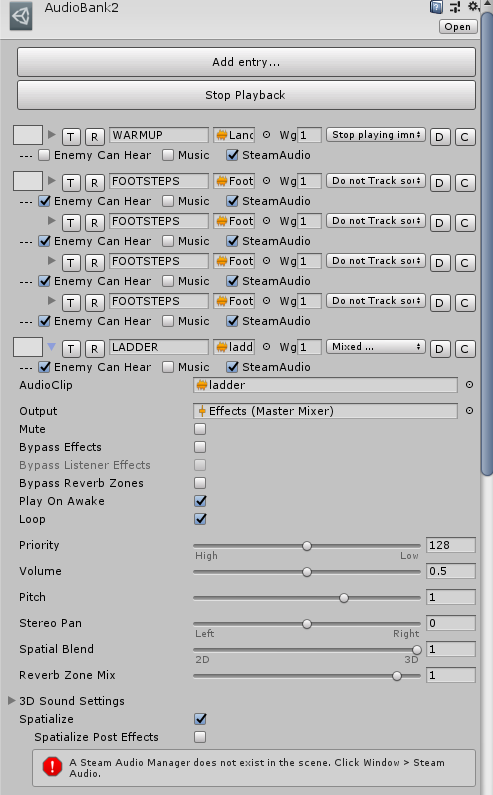
so like, if i trigger "FOOTSTEPS" it will pick one of the 4 configured sounds
you can alter the weight to make some more/less frequent
and i expanded "LADDER" to show how you can preconfigure all the settings for each sound
it's some basic stuff that WWISE/FMOD can do
hasty cloak
i want to add spline audio
so you can define a spline and the sound will play all along the spline
like for a pipe or river
but i haven't got around to it
proper salmon
definitely. I'm finding more and more that vector maths is something I need to understand better

 proper salmon
In July, I'm gonna have a bit of a break from contract work, so will have time to practice vector maths stuff I hope!
hasty cloak
i'm thinking about changing from Steam Audio to Resonance though
proper salmon
ah, that's cool that you're doin optimisation stuff
I use resonance. But, I haven't tried steam audio again since it came out, so it might be less chunky now
proper salmon
I was doin mobile VR when Steam Audio came out, and it was just not gonna happen 😅
Resonance is lean enough to use on mobile
hasty cloak
if you start playing a clip, and it has reverb, and you halt the clip,
next time ANY sound plays, the reverb continues.
and it's kind of a messed up thing to have
proper salmon
haha wat?! that's so bad
hasty cloak
i tried everything to eliminate that, and the only way is to not use reverb
so i tried with Resonance, it doesn't have that problem.
proper salmon
but reverb is like.. the first thing people want from a spatialisation tool
hasty cloak
exactly...
proper salmon
0.0
hasty cloak
it's an adventure/RPG type game
proper salmon
anything more to show? You might've showed in other channels.. I have a lot of them muted 😅
hasty cloak
not really anything i want to show, it's all very wip lol
proper salmon
oh okay :)
It's cool that you're doin audio stuff that early then.
hasty cloak
yeah well i tried to touch all the major things a bit in the beginning
because i wanted to feel confident i could get a grasp on them before i went whole hog
so a lot of the work up til now has been on the programming side
proper salmon
Yeah, it's also just good design to adress all the elements of the game, and make sure, they're working together from the start
hasty cloak
yep i agree
i wrote my inventory system from scratch, and tackled the character controller, but that part i had a lot of trouble with.
proper salmon
I am guilty of leaving visual stuff till last. My game ideas are usually based around audio and a mechanic for interacting with audio. THen some narrative.
THen I'll make the whole thing with cubes and stuff.
hasty cloak
i ended up going with Invector, because it met my needs the best, and i like the feel of it, but i'm modifying it heavily
like scrapping their inventory and using mine 😛
their's is too elementary
my controller worked, but it just felt bad and if I don't like it, I doubt anyone else will heh
proper salmon
@dusty night The way I see it, hopefully it's something a bit like shaderforge, but for audio! I'm hoping that they have a lot of premade node functions
dusty night
That sounds so wild, pun moderately intended
proper salmon
😛
dusty night
so procedural sound tweaks become easier?
proper salmon
SO much easier
dusty night
what on earth is this magic
proper salmon
we already rely a lot on using existing game values to alter audio
Unreal has had something siilar for a long time. Before they had blueprints, they had basically Blueprints but just for audio
dusty night
also one could even think about using machine learning to get the right kind of dynamic modification to sound given fuzzy input
proper salmon
yeah, machine learning should be much easier to implement
dusty night
you do it and I'll copy you :P
proper salmon
haha yeah I can't wait to learn and then teach others frankly
I asked Unity for a sponsorship to do it at Train Jam, but 1. it's not out yet, and 2. no unity peeps on train jam aparently 😦
dusty night
This is DOTS based isn't it? so really it shouldn't be any slower at the end to what we have now
proper salmon
yeah exactly. I thought 2019.2
the graph/profiler is in 2019.1
In that video I posted, Wayne said they'd dmade this audio stuff in only two months. I'm a bit annoyed they didn't spend more time on it personally
So, I'm sort of happy if they are 😛
dusty night
On forums I just don't understand the occasional negativity from people toward graphs. I'm an experienced coder and find graphs quite interesting and great because I don't need to learn a whole new disclipline then to achieve something nice..
proper salmon
yeah.. There's lot of negativity toward Unreal's Blueprints, too. But, I've seen really awesome stuff coming out of it.
dusty night
2 months eh?
proper salmon
And honestly, experienced coders seem to still know nothing about audio implementation..
dusty night
because that's all it took, or that's all they had time for?
proper salmon
All they had time for I think.
The mega city project was already half made, and then they had to put audio on it
dusty night
Yeah exactly you can be hot stuff at coding, but that's irrelivant when you need years of physx experience and so on, there's that experience required from various large and long lived APIs
or even in a field, for example I've had to learn about cameras and lenses for HDRP
proper salmon
Yeah, you learn what's required for each project.
My partner taught me some stuff about how shadergraph worked, because I needed a lil transition to happen. And that is allll I know haha
And even in audio, I don't do much live recording in large studios. My mates who are in film audio, basically spend all their time in large studios
Bringing back to previous convo. This node based stuff will make iteration way faster. I'm so happy about that hah.
 lusty cairn
the only reason I've learned shaders manually, is because I learned the basics glsl and hlsl before I ever saw a graph-based shader editor.
If I started now I'd probably learn shadergraph/ASE even though I'm a coder. For visual stuff or level/event scripting I think node based things are much quicker for making things work.
And with audio/DSP there's precedence in patch-cord physical setups anyway.
proper salmon
yeah. Node based audio stuff is already in a lot of other softwares. It makes sense to embrace it.
whole pewter
are you assuming a node in DSPGraph corresponds to a visual element ?
it doesn't
it would make sense it they made fully patchable node based UX system for audio but I'd wager a bet this won't happen in first release of DSPGraph
it would be awesome if they e.g. reused existing work for visual scripting /shader graph, and it would make sense - but as I understood it this was not initial focus
 dusky flint
My friend and I just released a Fingerpicked Acoustic Guitar A-20 Library as VST and for Kontakt 5 and HISE.
This is a small library we've been working on for a while, the main idea was to sample real picked intervals. The library was ported to HISE which allows it to be compiled as a VST, so even if you don't own full Kontakt you should be able to use the library! And that also means the source code is open source and available to anyone. https://github.com/00laboratories/HISE-AG-20
Perhaps some game music composers here are interested in checking it out. The intro price is 5$ until the 15th of March. 🙂
30 day refund policy.
Size info:
• 497 Samples.
• Kontakt: 407 MB size on disk.
• VST: 170MB samples, 11.4MB VST.
https://www.reddit.com/r/AudioProductionDeals/comments/ar40rf/00laboratories_acoustic_guitar_library_ag20_for/
https://00laboratories.com/product/acoustic-guitar-library

reddit
6 votes and 3 comments so far on Reddit
Fingerpicked Acoustic Guitar library as VST and for Kontakt 5 and HISE. The guitar is a Richwood A-20.
dusty night
Please don't advertise here, use asset store advertising or resources
proper salmon
Oh sorry, that's my fault. THey posted in off-topic, and weren't sure if they should post in audio, and I said they should
Didn't even think of those channels, because it's not a unity thing XD
Thanks for sharing the code too @dusky flint, it's really interesting to see!
strange saffron
If this was part of the conversation I started on Friday, as I looked a few mixes, possibly. When we run just a white noise sample all frequencies showed equal power, there is some real time fluctuations,.but to draw a straight average it was all equal. So it depends on the mix, if the higher end is brought down to remove some "tinnyness", which seems to be the case in one of my test songs. So I have been considering scaling in some form of logarithmic way. Still leaves me with 4k of frequencies that are part of the array even though they are essentially 0 all of the time.. I should post some pics to demonstrate.
i think higher order harmonics fall logarithmically in intensity so you might want to artificially compensate
(but i'm not entirely sure)
````r618 - 15-02-2019 16:41 | #audio`@strange saffron right most real life signals behave like that (also because lossy encoders tend to omit/suppress higher frequencies)
you might want to add an exponential or similar term (add as in addition operation) based on bucket frequency, shifted to the right so lower parts are untouched
the goal would be to make result to change drastically based on miniscule changes in original spectrum
i've never done this properly so i don't have proper function - it might require much tweaking to make it usable
strange saffron
Yeah, you nailed the amount of tweaking that needs to be done to it. Glad this is more of a mental exercise then something I need right now. This is where the fun is at for sure, try this and of little of that 😃
 turbid kraken
Hey! So I've only worked with one sound designer before who used Wwise as middleware. So planning on using ECS in the next project, I saw that they have made a DSP Graph for the City demo. As the only parts of sound integration I've done as been Play/Stop and Set value of parameters, I'm not really familiar with many of these sound concepts and how they are linked together. So I was wondering if this DSP Graph is equivalent and appropriate replacement of Wwise, or a compliment with different features? Or is it simply more performant with some of the features? (Or equally so?) Thanks for any answer^^
hasty cloak
can you show me where they show this DSP graph?
turbid kraken
https://youtu.be/fZfPv-oxO7U?list=PLX2vGYjWbI0RtjGyAFd6MdhG5kRokv4uI&t=18563
Don't think they had an interface to it, but more abstract visualizations
hasty cloak
oh yes this
someone was talking about this the other day
it's going to be a nodes based system, for making effects
I wouldn't say it's a replacement for WWISE
wwise handles compression, and library handling, in addition to some effects.
there is probably some overlap
but yeah It's hard to say definitively until we get our hands on it
yeah he mentions its a 'sample mixing engine'
you can layer audio, change frequency, do those kinds of effects with it
think um, a system for tracking music from samples
that kind of thing
I dunno what tracking software is popular these days
turbid kraken
So its not comparable to wwise or fmod?
hasty cloak
like I said they are kind of two different things
unity's thing is for playing and generating sound
Wwise/FMOD are low level audio apis for managing sound
compressing clips, managing them in libraries, etc
also a lot of it is about handling the spatial aspect
turbid kraken
So more like organizing while producing and pre processing?
hasty cloak
I haven't seen him specifically mention anything about spatial audio
yeah you know what a tracker is yes?
turbid kraken
Not really :/
hasty cloak
ok well that's probably why i'm not clear hehe
a tracker is software designed for creating sound effects and music
you can sequence individual instrument sound clips to make music
and apply effects to those samples in realtime to create all new sounds
that's what unity's thing is
for some reason it's hard to find a video showing a tracker
strange

Here’s my most-recent song idea that I’m working on. I don’t have lyrics to it yet, but the idea is there. Maybe someday it’ll become a finished song. Becaus...
ok here, this is a song done in Reason, a pretty nice tracker I used to use
this wasn't done with actual musicians, just a few samples of notes from various instruments
turbid kraken
So kind of like a dynamic tracker then?
hasty cloak
yes, like a tracker 😃
unity is making a nodes based system for manipulating audio based on Jobs system
probably won't be as fancy an interface as Reason.
but functionally similar in that it lets you combine/sequence/manipulate sounds at runtime
 placid field
Sounds like a cool feature 😀
 viral orbit
what software do you guys use to make music ?
i tried FL and Magix but idk i would like to know other alternatives
stuck frost
FL Studio currently, though I sometimes might hop into Ableton, for example when I need to record my MIDI keyboard. Ableton just has much better MIDI editing & somehow less latency in my opinion.
proper salmon
I use Ableton, then go to Reaper if I have to mix for 360 video.
Ableton totally wins on midi accounts
I am so excited for the new node audio editing stuff in Unity ❤
stuck frost
I do sometimes use Reaper for sound design, it's great for it 😄
proper salmon
I saw a cool plugin for importing assets in to wwise straight from Reaper.
Reaper have a great dev community
stuck frost
They do.
"then go to Reaper if I have to mix for 360 video."
Wait, does Reaper have a native video player VST?
proper salmon
nah, it's not native. It's just that Reaper plays better with FB360 or other 360 vid VST/plugins
Ableton just doesn't wanna play as fair haha
such. good. dev. community.
stuck frost
Any recommendations for a good one? Getting kinda frustrated with FL's video player since it's really laggy & sometimes off-sync 😄
proper salmon
for 360 video? Yeah I use FB360 tools
But, if you don't wanna use Facebook stuff (cause they evil), a google will show heaps more tools with reaper
Google has their stuff working with Reaper too
viral orbit
alright so Ableton it is
proper salmon
Yeah, I think Ableton is the quickest to get your ideas down. The workflow it encourages with Clip View, is just really well done.
viral orbit
Well thats good because its exacly what i am looking for i am having so much trouble understanding music softwares so a quick to take in hand would be a blast 😄
proper salmon
It also has a great function of "export as loop" which is nice for quick iteration without editing, to get seamless loops for in-game
Ableton really illustrates how similar to live electronic music, game audio is 😛
viral orbit
well now im even more pumped up to get it has been so hard to do this on Magix because for some reason if the reading line doesn't pass on the very beginning of a sequence, it will be silent for the whole time 😄
ohh i had fun
proper salmon
oh yeah, you might be missing the start of the midi note, so it doesn't have the "on" event triggered
viral orbit
So was it a feature or just a bug 😄 ?
proper salmon
... more just an annoying thing about how midi works
viral orbit
Im eager to begin i have been making this remix on piano for a far project 😃
what do you think ?
sorry for the hickups i have a terrible memory 😄
Also a good reason to go on a music software
proper salmon
sounds nice
whole pewter
@turbid kraken yes DSPGraph will be part of DOTS (ECS ready)
no, it will not replace audio package authoring software such as FMOD Studio or Wwise
it will replace current Unity's audio system
 fluid rivet
Hi Guys, anybody know why audio source always playing on scene load eventhough the audio source are disabled?
fluid rivet
@dusty night nope, Play on awake are disabled and no playoneshot calling the audiosource
whole pewter
it's different audiosource
whole pewter
I know there's a problem with the mixer when it fails to apply parameter from [InitializeOnLoadMethod] I think
but if the game object on which the audio source is attached, or the AudioSource component itself is disabled, it won't play no
- or something isn't enabling it, of course
 brazen pollen
This isn't exactly Unity related, but does anyone recommend a good service for hiring a voice actor for a small indie project, similar to Voicebunny? Budget is "as low as humanly possible" and I only need a couple of lines (less than 250 words )
 night hamlet
is there a way to clear the memory for FMOD?
 placid rose
@turbid kraken Thanks for the YouTube link. I hadn't heard about the new DSP Graph before. Sounds really cool. 100x faster than OnAudioFilterRead and in C# 👌
 dire holly
im struggling with audio design in my game, i wish there was a guide for just like, "this is how people do stuff normally"
i have some audio mixers set up and ducking and stuff im just not sure WHAT should take priority in my game (its a shooter)
like theres gun fire sounds, environment hit sounds, enemy hit sounds, enemy death sounds
thats basically how i have it broken down
currently i have them all broken into different mixer groups and in the order listed above, duck gun fire sounds more and more (so all hit sounds duck firing sounds, but death sounds are the loudest/duck it the most)
but i dont think it sounds right
 small wadi
Anyone want's to get the static out of this i can compensate, lost the original Audacity file, but been slacking on guitar lately
proper salmon
Good talk, I didn't realised was released for free:
https://www.gdcvault.com/play/1025037/An-Interactive-Sound-Dystopia-Real
Also it's bilingual in Japanese/English which is pretty cool.
Due to recent technological advances with game hardware, sound designers have become able to apply real-time audio processing to their games in more creative ways. In this talk, the speakers will cover the spatial audio techniques used in...
It's about DSP use in 3D audio
proper salmon
😮 ohhhh, Neir Automata used Wwise even though they totally could've rolled it themselves, judging by this vid, geez
hasty cloak
when I played Nier: Automata, I was so sure it was made in Unity. it just looked like Unity. But after research I found they rolled their own engine. However, it did use Enlighten, just like Unity does, which is probably why it had a similar look to it.
proper salmon
Yeah, I'm not even sure why they used Wwise. Except that probably, it was for the sound design team, so they didn'thave to go digging through code to implement stuff. It's a pretty cool nod effective audio pipelines imho.
placid rose
Interesting vid, thanks @proper salmon. Cool to see how the lo-fi/interference effects were done.
proper salmon
😦 When is DSP Graph and DSPNode coming
https://unity3d.com/unity/roadmap

Unity
Get insight into our future plans, and when you can expect access to new services, features and functionality in the Unity platform.
neverrrr
placid rose
Hopefully they'll announce something at the next Unite conferences in May. It seemed quite far along in internal development at the Unite LA presentation...
proper salmon
yes that's what I thought! For some reason I had it in my head 2019.2
Maybe I made it up :/
placid rose
Oh 2019.2/3 would be great. The 2019.2 alpha doesn't have any mention of it in the release notes currently though - https://unity3d.com/alpha/2019.2. 😦
dusty night
release notes get filled as the alpha moves to beta, you won't see many notes ever really for alpha
Else it can shatter a lot of dreams and tears flow
They no doubt have internal roadmaps that are on fire
ALSO
that's not package manager's roadmap.
For packages, you wont see them on the main roadmap because main roadmap is for unityengine and a lot of this stuff only needs small tweaks to unityengine (the feature might be HPC#)
proper salmon
yeah I noticed @placid rose :(
@dusty night do you have a link to where we should be looking?
lusty cairn
Honestly, just from observation, it feels like the early alphas are more for bugfixes/integration prep than dropping full features on fire and at the bleeding edge.
proper salmon
Yeah, that seems right
dusty night
Alpha is the intention and Beta is the reality :D
lusty cairn
They'll soon be on fire and covered with the tears of early adopters who, too late, realized this wasn't a finished feature, then complained about it, ignoring the "preview" and "experimental" labels on things, then getting upset when called out on this fact by other users/the developers themselves.
dusty night
Also where is the new package manager roadmap?
proper salmon
:(
I just wanna help them make it honestly. Like, I'm ready for it to change heaps and heaps.
dusty night
If we ask Unity they will wink and smile and say "wait for GDC" even if it's a month after GDC... they mean the next one ;)
proper salmon
yeah, it's understandable. But, I guess I'm frustrated that they don't have any audio people on team. afaict, there's one person, and he's not even all audio, he's general R&D
lusty cairn
I'm not complaining about burning my hands on hot new features and APIs, but I know what I'm in for and no-one is currently relying heavily on my ECS escapades.
But I have seen folks complain about changes in Preview features and act like Unity broke a stable feature when it had the giant "preview" tag on things, then complain "why did you expose this unfinished feature?", when I remember the bad old days of "why didn't you ask us about anything when developing this feature?".
proper salmon
I get emails from Wwise when they make a breaking change to something I'm using. With advice on how to deal with migration.
lusty cairn
Unity's pretty good about leaving obsolete things in for several engine versions and warning folks about it, better than in the 3.X - 4.X days for sure
but anyways, I've gotten off track of the audio.
I am verrrry interested in the DSP stuff, and I wonder how that could be hooked into other features for audio event stuff (or just integrating with Koreographer)
 hot shard
Since there is no audio section under Programming it post ig here:
I have problems with getting propper audio clips from DownloadHandlerAudioClip with a mp3 file from disk ( not streaming)
I have read that because auf licensing issues its not longer supported.
If that is the case any good choise for loading audio other then MP3 and wave (File size does sadly matter)
proper salmon
ogg is also used a lot 😃
hot shard
sounds like a option that i have to look at
the dumm thing is that the files will be changebale by the cusomer.... so i have to provide a easy way to convert them
hasty cloak
VLC or ffmpeg can do the job
could probably set up a batch file to convert a folder or whatever
proper salmon
Audacity does bulk conversions
hot shard
probably do a sollution on the webserver so it automaticly generates ogg files for mp3 files placed there. But thatnks you both for the recomendations.
dusty night
Don't forget unity works closely with a lot of medium to large teams on higher budget stuff, proven studios that service a wide range of sectors so they tend to have face time with on site engineers and back and forth so the feedback they get on audio is really high quality stuff, I pretty much trust them on this.
when it comes out will be a good chance to feed back on something that actually has a shape rather than a formless blob (typically I'd imagine it's not a formless blob after 3 years of battle testing)
it's really hard for anyone to involve people in feedback if its too soon
one of the problems in audio is.... how to play the correct sound for physical materials touching or impacting or rolling or rubbing and there's so many different material combinations
even defining these is a hard job before you get to even author them
whole pewter
its good that unity won't have material audio then 😉
btw re ogg vs other formats : ogg is superior to mp3 for common listen in practically all parameters - people are tied to mp3 for some reason, which is not justified IMHO (prob because so many sw works with it; and has tags etc);
but converting from mp3 wouldn't do much to quality
dusty night
so material audio
I had a system for that but I've (I hope) wisely paused my dev on it pending something Unity side
now...
was that a good idea?
slides along the floor wetly, looking up at you with sticky hippo eyes
hasty cloak
what's material audio?
playing different audio depending on what material is on the collider or something different?
whole pewter
@dusty night wellll if it was ambience only you'd get pretty good starting point in megacity and its volumetric stuff (custom made for the project) for ECS (provided they include all the stuff we've seen so far in demo)
but from your description you really want per material interaction for which there will be - I believe - nothing OOTB in Unity
you might want to look at google resonance which has materials per room - that I'm certain of -, but I'm not sure if it has audio materials / it's very likely though /
- and probably all usual libraries (fmod,wwise, steam audio etc) have it - that'd be wiser than wait for unity currently in my opnion
proper salmon
Yah Google Resonance is a great lightweight option
dusty night
I see, so how would be the best way to create a system that sounds right for say, metal dragged on soil vs light metal rolling on wood or a wood ball hitting something else and so on
seems like you would need a specific sample (looping for rolling or sliding) for every single material pair combination plus weight class, and that's just a horrifying number of samples even for a simple number of materials like
light, medium, heavy:
wood
metal
soil
rock
etc...
easily a few hundred
hasty cloak
I've never seen any game go to that extreme.
they usually just use a few and recycle them around
dusty night
Zelda breath of the wild kind of does to some extent
hasty cloak
hard against hard, hard against soft, soft against soft
dusty night
hard against hard but what kind
?
so there's no soft to hard or medium to hard? just hard<>hard and soft<>soft i guess
hasty cloak
doesn't really matter much, dragging wood on stone doesn't really sound that different from metal on wood
and most people aren't focused on that anyway, they are focused on lopping off the head of the troll
dusty night
so I just need 1x hard sound, 1x soft sound for each type?
hasty cloak
some variety is fine
I did like on demo I saw once
this guy had a barrel
and he rigged it up so he could tell if it was rolling or sliding , or tumbling end over end
dusty night
yeah thats what I want
hasty cloak
and he played a different sound for each
but most games dont' bother
they just play the same 'dink' for tumbling or or hitting, ignore sliding, and rolling
dusty night
I have a fairly physical game so I would like at least to cover sliding, rolling and impact sound for common materials like wood, metal and stone (and flesshhhhhhh)
dusty night
i guess unity won't do this so it's best I do
so I don't play a sound from both just one of them?
or both?
like if rock was being dragged across wood, would i play rock-drag + wood drag sounds?
or just only play the "lightest" one of the pair?
I mean I probably dont want to play both if the floor is dense stone but the object being dragged is light wood
hasty cloak
you could make up a matrix of different materials
if you wanted that level of realism
dusty night
I do but simplified...
hasty cloak
it's kind of like how you handle feet
dusty night
mostly so I can automate how things sound
hasty cloak
you'll have a set of footsteps for every type of material you want to handle
feet on stone, feet on wood, feet on gravel, etc
i'd see the objects as the actors
and the environment as passive
hasty cloak
but I think a lot of times, a tin can bonking on a wood floor would sound the same as a tin can bonking on concrete
you won't really need sounds for each
dusty night
wood being rubbed on light wood
metal impacting same weight wood
hasty cloak
again I think a lot of times they would sound the same
most of the sound comes from the object's vibration
dusty night
thats really helpful
hasty cloak
and that dosesn't change much based on what it hits
dusty night
yeah
hasty cloak
what would change is if it's something like sand
dusty night
i have sand...
dusty night
it is a lot of tiny separate objects so it needs its own thing i guess. but sand (and soil) are I guess dominant special cases
hasty cloak
then the sand becomes the primary and you get a dull thump
for just about everything
dusty night
for example a brick hitting mud would be the mud splat
and a body hitting mud would sound the same ish
hasty cloak
yes
whole pewter
other than downloading the sdk and trying to define audio material you won't find out if it works ( but my guess is it can yield pretty good results ): https://resonance-audio.github.io/resonance-audio/reference/unity/
dusty night
oooh
whole pewter
I found audio material only in reference, but I think they have defined some in demo scene
dusty night
so this is for a one room env not a whole world for example?
whole pewter
( Only room properties are mentioned among main features )
hasty cloak
yeah resonance is good. I have steam audio in my project atm, but I plan to move over to Resonance.
whole pewter
you can define room/s yes
hasty cloak
and now I know what you mean by material audio
whole pewter
if room is not defined it's in some default state
dusty night
well what I meant was with substances of different kinds by material