#archived-hdrp
1 messages · Page 80 of 1
 upper lark
 turbid matrix
they don't really promote the multiple target or target swap functionality on "new" SG setup much though, but it's something that is handy if you shuffle between the SRPs
 north belfry
Unity Version: 2022.1.0a15
HDRP Ray Tracing is Still broken for reflections
First Image is with Ray Traced Reflections enabled. And with Ray Traced Shadows enabled.
Second Image is with Screen Space Reflections enabled. And with Screen Space Shadows enabled.


I really want to support raytracing in my game, and my game uses terrains as the main way to navigate, I cannot release my game when the features are still broken and have been broken since 2019
turbid matrix
@north belfry unsupported features != broken features
terrain support is on their backlog but there's no word when it will arrive. if you absolutely need it, you have to use meshes for RT reflections
or... use the mixed/hybrid mode to show raymarched reflections for things that can't exist on Unity's RTAS atm
also terrain issue should be one of the smallest issues you would face with raytracing, you can just use meshes for it (doesn't even have to be same fidelity, you can just use those meshes for RT alone)
for open world game, you will also miss any vertex manipulation shaders (foliage wind etc) from your RT effects. also particle effects will not get RT love either
there really isn't any great option for this, that mixed mode is a compromise which at least enables you to use some RT effects even if you can't support it for everything
 dawn sorrel
owo what is this, is that a non broken screenspace reflection in HDRP I see.
I better boot up my crusty HDRP project and check it out, last time I checked it was an artifacted mess.
 normal breach
Anyone know why HDRP all of a sudden would brake and show everything as static noise?
 iron flame
SSR Alpha implementation is wrong.
Even though my min max Smooth settings are 0. reflection produces alpha according to Roughness. SSR looks brighter on low smooth surfaces compared to RTR. because it blends it with the Reflection probe.
I love HDRP, but I'm tired of not having a good SSR implementation for a long time.


 summer glacier
iron flame
SSR Alpha implementation is wrong.
Even though my min max Smooth settings are 0...
summer glacier
iron flame
SSR Alpha implementation is wrong.
Even though my min max Smooth settings are 0...
Make a bug report, chances are it'll get looked at
eventually
Worth making a thread in HDRP forums about SSR quality as well
turbid matrix
heh, they'll just be like, not our SSR again 😄
people ranted a lot about HDRP SSR in past.. then they added accumulation mode for it as response - which even today is ghosting so badly you can't use it in realtime application
 vague olive
summer glacier
eventually
vague olive
summer glacier
eventually
in maby 5 years we will get something basic corrected
vague olive
iron flame
SSR Alpha implementation is wrong.
Even though my min max Smooth settings are 0...
hey did you find any custom solution for this? i noticed the same problem
whats more baked reflections don bake metalics at all making scenes look very dark if there is more such objects
summer glacier
turbid matrix
people ranted a lot about HDRP SSR in past.. then they added accumulation mode f...
yeah accumulation is pretty bad
turbid matrix
accumulation itself wouldn't be that bad if they had better denoising strategy for it, it feels like their current temporal filtering is just some brute force thing that takes way too many frames to look nice
vague olive
mby something from the asset store? https://www.youtube.com/watch?v=hQnuksZN_XE&t=16s

#MadeWithUnity
Stochastic Screen Space Reflections ,use 3D ray trace in world space
turbid matrix
would be interesting to see what would happen if you could slap Nvidias NRD or AMD's FidelityFX Denoiser to the stock HDRP SSR
@vague olive I don't think anyone has ported stochastic SSR to HDRP, all implementations I'm aware of are for built-in renderer
would be interesting experiment to port it though
but like, if you look at the HDRP SSR result before denoising, it's actually quite close to what it should be, just way too noisy to be used as is and denoiser they have just doesn't do good enough job IMHO
of course I could be totally off here and it's just simply too noisy to be properly denoised in realtime :p
vague olive
@turbid matrix do you have idea how to solve reflection probes and metalic materials?
idk how unreal deals with it
but it doesnt leave black spots where the metalic is like unity does
turbid matrix
no idea what your issue with it is
vague olive
reflection probes bake metalics as dark
if you have a lot of metalic materials like a speace ship interior it comes out as very dark
turbid matrix
maybe you lift the scene lighting up in volume settings and probe gets the actual true lighting values? (so scene gets post effects but probe doesn't?)
no idea how the volume settings impact probe baking though, I'm not really a lighting guy 🙂
iron flame
https://github.com/Unity-Technologies/Graphics/tree/HDRP/ssr-frame-index-test
this useless branch is being developed. It just does less bad Speed recjection. why don't they implement RTR denoising for SSR (I think SSGI-RTGI was doing something similar)

GitHub
Unity Graphics - Including Scriptable Render Pipeline - GitHub - Unity-Technologies/Graphics at HDRP/ssr-frame-index-test
vague olive
turbid matrix
no idea how the volume settings impact probe baking though, I'm not really a lig...
it does
it make a bake into hdri texture
turbid matrix
@iron flameyeah I've wondered that too.. RT reflection denoiser is way better atm but it's not been dialed for that noisy results either
summer glacier

GitHub
Improve SSR
Allow speed rejection algorithm use world space motion vector:
By selecting Motion Vector from reflecting surface or reflected surface or both:
With hard or soft threshold:
Which imp...
vague olive
but i avoid true lighting values because unity bloom has no clamp values meaning any light is a solar flare for bloom
turbid matrix
that being said, I haven't checked what kind of targets they have for RT denoisers, they could bump the SM requirement beyond what HDRP SSR otherwise requires
vague olive
summer glacier
https://github.com/Unity-Technologies/Graphics/pull/3828
this is great
summer glacier
it doesn't really seem to improve it in any meaningful way though, no?
vague olive
summer glacier
it doesn't really seem to improve it in any meaningful way though, no?
i want to try it
metals in my scene are hilariously dark for some reason
a metal can is black almost
turbid matrix
and yeah I seen recent commits on it, using that same branch @iron flame just mentioned
I just thought they merged this work last spring already
I recently tested HDRP SSR and it was completely broken with accumulation but didn't test with this branch


 rich ravine
seems like your setup issue
rich ravine
You're using Linear color space, right? try to turn off sRgb on import for your textures
turbid matrix
I don't think you can accidentally have gamma enabled on HDRP, it should nag about it
vague olive
rich ravine
You're using Linear color space, right? try to turn off sRgb on import for your ...
it is turned off
turbid matrix
but yeah I do agree that does look like some kind of setup issue on your end
vague olive
well
what you "feel"
isnt the facts here
i have literaly 7y of experience with the engine
so i would love to know what im doing wrrong for 7 y
turbid matrix
look, people just try to help you here
rich ravine
if every metal would look like what you posted, half population of planet earth would throw rocks at Unity.. just saying..
summer glacier
No one is trying to talk down your experience, everyone here helps with no gain, often when someone complains about an issue it's something with their setup -- so it's a fair assumption to make and start from there
turbid matrix
you could try to import those problematic assets to a scene that is already preconfigured for HDRP proper and see what happens... as simplest steps I'd just:
- run through HDRP Wizard, make sure everything is green
- after wizard is happy, create a new scene and pick HDRP outdoor template for the scene
- put your can in it and look if it seems still off
vague olive
rich ravine
if every metal would look like what you posted, half population of planet earth ...
ye thats why 90% of ppl set metalic to 70% at best
turbid matrix
if it's still off, it's your materials
if is fine, it's your scene lighting/exposure
vague olive
turbid matrix
if it's still off, it's your materials
material is fine
 turbid matrix
anyway, like mentioned, I'd test with those steps
vague olive
turbid matrix
anyway, like mentioned, I'd test with those steps
no becase the problem here is the scene
you want me to use hdri for refelctions
but me scene is an interior where there is no global hdri
rich ravine
vague olive
ye thats why 90% of ppl set metalic to 70% at best
where did you get that 90% from 😃 .. more like a case of bad mapping I'd say
 turbid matrix
then take the interior template I dunno.. point was.. test it on somewhere where we know HDRP has lighting including probes preconfigured
vague olive
turbid matrix
then take the interior template I dunno.. point was.. test it on somewhere where...
there is no interior template that im aware of
hmm
there is this new scene
with some interiors
i think ill try importing a can there
summer glacier
HDRP has an interior template that's there by default for some time
turbid matrix
ah, I was talking about the options when you create the new scene
it's possible they don't have indoor version there for regular HDRP, it could have been there only if you had raytracing setup etc
but that "HDRP Template" thing has some small interior space as well, not sure how good test area it is though
vague olive
turbid matrix
ah, I was talking about the options when you create the new scene
new scenes come with global hdri that can not be occluded making everything shiny for no reason in interiors
turbid matrix
yeah I get the issue if it only gives you that outdoor template 🙂 but shouldn't you swap that sky setup for something suitable for indoor use then?
and like mentioned before, I'm not really a lighting guy so maybe better not listen to what I say in the first place :p
 turbid matrix
so the metallic sphere is fine but your can is pitch black?
rich ravine
I'll be damned, if this is the case of Flipped normals
 vague olive
rich ravine
I'll be damned, if this is the case of `Flipped normals`
vague olive
rich ravine
I'll be damned, if this is the case of `Flipped normals`
no >.>

preview is still fine thou
rich ravine
can you share the fbx?
vague olive
rich ravine
can you share the fbx?
 rich ravine
ahh ok
turbid matrix
to me it looks like the actual base color is just too dark to be PBR correct
rich ravine
No no... I think he baked the texture in Blender with direct n indirect lighting toggled on
 turbid matrix
if it's pure metal, I think the color should be light grey at most, but usually way lighter
vague olive
 turbid matrix
it's quite hard to make guesses without seeing anything of the material setup though
rich ravine
rich ravine
No no... I think he baked the texture in Blender with `direct` n `indirect` ligh...
If you did this and your scene in Blender was empty... you'd get darkened textures no matter what
by empty, like no lightings or hdris etc.. you'd get darkened textures
vague olive
turbid matrix
it's quite hard to make guesses without seeing anything of the material setup th...
how come
its literaly premade metal material from substance nothing changed nothing fancy on hdrp lit
turbid matrix
also if it's issue with mesh normals, you can just select mesh file on your project tab, change it's normals setting to "Calculate" and hit apply
it would ignore normals set in blender then but at least you'd see if the issue persists
(and then could fix it in blender)
turbid matrix
yeah the material looks fine in the last clip
the transitions may be bit off there but rest of the scene is baked so it's not fully same setup
vague olive
vague olive
the problem is with the exposure
setting light values to real life should fix it
thou it creates new problems but ok
turbid matrix
well.. if you don't like the real life lighting intensity setup, you can just not use it.. HDRP will work the same way as built-in if you just set every exposure value to 0 and use tiny lighting intensities
I mean somewhat, the values will not match fully but you can use lower intensity lighting with HDRP if you really want to
vague olive
no its not like i dont like it
look

thats a part of the template
unnaturaly dark spot near the ground
there is something wrrong with untiy handling metalics that i cant point directly at
because even if it was very dark metalic material should still take enviroment colors on itself
turbid matrix
you talk about GI now?
vague olive
yea i just jumped from topic to topic for no reason
no
im still talking about reflections
 loud leaf
Is pmavridis in discord here?
turbid matrix
if is, then is lurking or has some clever alter 🙂 never seen Pavlos at least on these RP channels
 glad tartan
Has anyone here manage to get Stencil Masks in HDRP on Opaque materials? It seems to work for transparent but not Opaque
glad tartan
Using stencil with HDRP and custom pass it works with transparent materials but not opaque
summer glacier
is it just me or are HDRP realtime 'every frame' reflection probes costing way too much in performance compared to built-in and URP?
There's also no frame slicing for them in HDRP
turbid matrix
@summer glacier it's not you
it's totally unfeasible cost for games atm
I don't think you are supposed to even use the realtime mode for anything but visualizations or while you tweak the settings in editor
there's no frame slicing but even if there were, HDRP probe baking is way slower
summer glacier
I think in red dead 2 the player has a reflection probe on him that updates each frame with frame slicing
turbid matrix
many games do that yeah, or just do slower update rate in general
 shadow hound
Hi, can anyone help me on how to implement Nvidia Realtime Denoiser in unity? I simply need a starting point to this. Thanks
turbid matrix
@shadow houndI doubt many here actually have access to it, nvidia only gives the repo access to select few, congratulations on that btw
(that is, unless they've changed their policy since)
it's probably not a trivial swap for existing denoisers though so some experience on HDRP internals is recommended
if NRD is anything like AMDs denoiser, I'd expect the main trouble be in getting the source data fed in right form for it
or well... just to make this more clear, everyone CAN get access to NRD at least via UE git repo as nvidia has NRD source code on their UE RTX fork but can't use that codebase in Unity 🙂
shadow hound
Oh, actually NRD is available to "everyone" there is form you need to submit basically and they'll allow you
turbid matrix
did that change?
 inner parcel
vague olive
ok i figuret it out
inner parcel
vague olive
ok i figuret it out
so what was the issue?
shadow hound
turbid matrix
or well... just to make this more clear, everyone CAN get access to NRD at least...
I think
https://developer.nvidia.com/nvidia-rt-denoiser/get-started
Here is the link
NVIDIA Developer
NVIDIA Real-Time Denoisers Key Features and Components Release Notes Key Features and Components Fast ray tracing denoising solution NRD is designed to work with 0.5 or 1 ray per pixel Native implementation of the NRD API using engine capabilities Includes three denoisers: ReLAX, ReBLUR, and SIGMA Works with DX11, DX12, and Vulkan compatible eng...
turbid matrix
I mean they did decline people's NRD applications in past, it wasn't automatic approval like for nvidia game dev status to get their regular SDKs
vague olive
inner parcel
so what was the issue?
unity way of handling metalic reflections
shadow hound
Nopes it's not auto
I had to wait for the whole weekend and then got an email from them
turbid matrix
maybe they've changed that since then
shadow hound
Ig
So yeah as I was saying
If I build it in the form of a dll, then should I modify HDRP itself? Or should I make a script to handle that?
turbid matrix
you have to modify HDRP internals to get it functional, yes
ok just checked, my application for NRD is still declined, oh well 😄
turbid matrix
nah, if they chose not to include my company after doing some quick overview, I really don't bother
I submitted when it was announced
basically the way to get this approved would be to make a new nvidia dev account and apply again, it would probably go through
 eternal laurel
Cant you run the denoiser as a post process effect or does it need data from the buffers ?
turbid matrix
you'd need access to the RT's that contain the data you want to denoise, also need to feed the denoiser data in form it wants - which most likely isn't 1:1 mapping with what HDRP uses atm
at least, that's my assumption, cant test this theory for obvious reasons 😁
eternal laurel
You could just ask redstone for it haha doubt there wil be trouble
shadow hound
eternal laurel
Cant you run the denoiser as a post process effect or does it need data from the...
I actually don't know... It's going to be my first time having anything to do with writing pipeline codes.
shadow hound
eternal laurel
Cant you run the denoiser as a post process effect or does it need data from the...
Pretty sure you can tho,
shadow hound
eternal laurel
You could just ask redstone for it haha doubt there wil be trouble
I'll have to try, lol
 fervent lantern
Hi, I have a HDRP scene that I would like to convert o URP. Anyone know of any tips how to do achieve this relatively quickly?
turbid matrix
@eternal laurel I actually have access to NRD source code, my access is just not licensed to be used with Unity
(if the access for NRD was what you meant by that comment)
there's no Unity integration available, only the SDK and Unreal fork that uses it
@fervent lantern main trouble is the materials using HDRP shaders, you can't just swap the shader as shader properties don't map 1:1 between HDRP and URP
for smaller scene, doing that manually might still work but is bit tedious
for any larger thing, I'd write some conversion tool/script or alternatively make SG that uses same texture etc property slots as the HDRP shaders in your scene has and swap that SG into those materials
since SG can contain both HDRP and URP targets, it's trivial to make SG work on both
summer glacier
Unity's built-in > URP, probably built-in > HDRP as well: have a VRAM issue. I tried converting a big project and unity crashed, among other issues. Had to manually update a batch of materials manually until all were converted. Not fun 😄
Honestly it wasn't even big, it just didn't have a very small amount of materials which seems to be the converter's limit
https://github.com/Unity-Technologies/Graphics/commits/draft/rp/capsule-shadows
I wonder what this is

GitHub
Unity Graphics - Including Scriptable Render Pipeline - Commits · Unity-Technologies/Graphics
turbid matrix
@summer glacier it's basically HDRP equivalent of Unreal's capsule shadows. It was a hackweek project last year that didn't immediately see further progress.. it's nice to see they picked it up again

An overview of using Capsule Shadows for indirect and direct shadowing using a Physics Asset.
iron flame
summer glacier
https://github.com/Unity-Technologies/Graphics/commits/draft/rp/capsule-shadows
...
It's too bad that nice features like this don't continue to be developed.
another feature Hold
https://github.com/Unity-Technologies/Graphics/pull/570
GitHub
Guide : https://github.com/Unity-Technologies/Graphics/blob/master/.github/pr-read.png.md
Display Addon : https://userstyles.org/styles/182991/unity-graphics-pr-readme
Purpose of this PR
Why is th...
turbid matrix
@iron flame same person did HDRP water shaders year+ ago but that work was never merged either
no idea if Anis reused any of that version for the upcoming HDRP water but it was more simple setup in the first place - without SG etc complexity involved

there's bunch of other nice ones getting left behind too
would have wanted to see this getting merged https://github.com/Unity-Technologies/Graphics/tree/HDRP/CMAA2
but on that one I can kinda get why it didn't
it's not visually any better than existing SMAA but it is also computationally closer to FXAA cost
still, probably wouldn't have been big deal having to maintain it (it's not like SMAA has gotten any bigger changes along these years after getting integrated either)
summer glacier
iron flame
It's too bad that nice features like this don't continue to be developed.
anothe...
what is it?
the one I linked
nvm I just saw 0lento's response above, didn't notice it 😄
iron flame
Convex shape Reflection probe projection. As a lighting artist. One of my jobs is to put reflection probes around. Box projection in HDRP is great, but not enough. if this branch was merged. My scene with SSGI (reflection probe fallback) would have looked so much better.
 summer glacier
Yeah there's a lot of cool branches you can find in github, and pulls that were abandoned.
turbid matrix
I'm sure there are reasons for many of the things not getting merged despite looking like they were approved already... like some upcoming change that would make the work obsolete or difficult otherwise on the future version
Unity actually shipped 2021.2's URP with broken movecs in VR (it just disables movecs in VR now) despite they already had PR fixing this greenlit in the summer
it's just sitting there in the line even today
talking of graphics github... totally expecting this getting merged

it's not even that long time ago when some merge had line "DO NOT MERGE" on that repo 😄
or well something like that
iron flame
urp has been working strangely on mobile for a long time. I can't get 60 FPS stable. Of course, VR is also affected by this. 36-72 fps... I couldn't try VR with HDRP, I need oculus link :/
I wonder what weird bugs I will see in VR HDRP 😄
turbid matrix
just poor performance
well... there are some things that are broken, like screenspace or contact shadows (non-DXR ones)
eternal laurel
Yey my bug report made it into a pull request https://github.com/Unity-Technologies/Graphics/pull/6380
GitHub
Purpose of this PR
https://fogbugz.unity3d.com/f/cases/1378497/
We were getting artifacts with rasterization and accumulation motion blur when DoF was enabled, because we were applying post-process...
 lethal carbon
noob question..
q1 ) Is it possible to mask custom passes with tags, not layers?
q2) My goals are as follows. How should I do it?
- use custom pass outline (ex https://github.com/alelievr/HDRP-Custom-Passes )
- custom pass effect should be applied to the child object even if only the layer or tag of the parent object is changed.
(for example, Even if only the tag of the parent object (NPC) is checked as Outlined,
the outline effect is applied according to the mesh shape of the child objects (Head, hand, body etc...) of Character A, the child object of NPC.)
NPC (Outlined)
 ㄴCharacterA
      ㄴ Head
      ㄴ Body
      ㄴ etc...

GitHub
A bunch of custom passes made for HDRP. Contribute to alelievr/HDRP-Custom-Passes development by creating an account on GitHub.
If you have any other better problem approach, please let me know.
Is there a good option other than custom pass to use outline, ui blur, camera stacking?
 exotic hare
Where and how can I modify light layers
inner parcel
lethal carbon
noob question..
`q1 ) Is it possible to mask custom passes with tags, not layers...
no. Tags are only for users convenience (purely cpu related stuffs, physics, etc) Anything related to rendering/camera has interaction with gameobjects layer
lethal carbon
inner parcel
no. Tags are only for users convenience (purely cpu related stuffs, physics, etc...
Thank you for your answer. : )
Layer: for only Camera/ something related to rendering
Tag: for other uses
right?
Is it right that a layer can exist in only one state?
Then, custom pass can't overlapping? (ex outline +ui layer, blur + outline layer etc..)
I'm also curious about the proper use of the outline custom pass as above.
Setting the layer to outline and applying it (use layer mask)was successful.
However, it is not affected by the child object. (It would be possible if i could change the all layer by traversing all child objects, but it looks like something silly.)
inner parcel
lethal carbon
Thank you for your answer. : )
Layer: for only Camera/ something related to rend...
You can stack multiple custom passes without restriction
inner parcel
lethal carbon
I'm also curious about the proper use of the outline custom pass as above.
Sett...
Yes you might want to recursively set layer in your specific case.
Google on how to deep iterate all child recursively (including grand children and further) without using GetComponent
summer glacier
upcoming water system for HDRP in 2022.something
this is an early github version still not merged to master, also missing a few commits
many improvements will come to the final version most likely before release, similar to volumetric clouds
(not made by me obviously lol, made by anis from unity)
Pool, ocean, rivers
 vapid matrix
how to enable RTX raytracing (for settings) if i dont have a rtx card?
where is it?
vapid matrix
summer glacier
Pool, ocean, rivers
this is incredible
summer glacier
vapid matrix
how to enable RTX raytracing (for settings) if i dont have a rtx card?
previous generation also has support, like GTX 1070, 1060, it's all in that page
vapid matrix
yeah, i know. but i have vega 7
so if ill enable/disable raytracing in framesettings of camera, will it enable/disable RTX?
summer glacier
Test it out
turbid matrix
if vega 7 has DXR support, it should work
turbid matrix
this isn't really place for that 🙂
summer glacier
 night birch
i have a problem with Photon Xd
night birch
i have a problem with Photon Xd
There's a photon server, developers are very active there
turbid matrix
they have such? in past they only had one for Bolt
it's probably only discord I've ever been banned from 😄
summer glacier
Oh, how come? Tell tell 😄
turbid matrix
it's not really a story for this channel either :p
summer glacier
DM DM
 muted crown
summer glacier
There's a photon server, developers are very active there
muted crown
summer glacier
There's a photon server, developers are very active there
can you send me the invite link, pleaaase?
summer glacier
muted crown
can you send me the invite link, pleaaase?
https://www.google.com/search?q=unity+photon+discord&oq=unity+photon+discord&aqs=chrome..69i57j0i433i512j69i65l3j69i60l3.1949j0j7&sourceid=chrome&ie=UTF-8
first post, in comments
google is the best for answers, questions are a fallback
muted crown
i tried that one
it was invalid
and that's why I came asking you
oh boy am I stupid
it was also there...
Thanks @summer glacier
vapid matrix
How do I setup RTX for players if my AMD 5600G can't do RTX?😁
turbid matrix
simply.. you don't
you need some way to verify the results or it will be totally off
(meaning you have to dial the settings to work properly on your scene)
you probably CAN enable it without supported hardware on your dev rig but it's a horrible idea
vapid matrix
i enabled dxr (and probably raytracing) on my system
ui with dx12 looks very sharp
and fps dropped with raytracing and reflections enabled
but i dont think it is working properly
(i know i dont have rt cores)
turbid matrix
@vapid matrix how it works is that if you use those things on system that doesn't have DXR capabilities, it will automatically fallback to screenspace variants of those effects
but I do stress that you can't tell how your raytracing version will look like without being able to test it on actual hardware
it could be totally broken, or way too heavy, or just look horrible
vapid matrix
i wont say it looks VERY bad, but ok
 turbid matrix
that is not the raytraced version you are looking at
vapid matrix
i know
there is no diff
i sent this version of a game to my friend
that has laptop with a 1660 (ti i guess) mobile
dont know if mobile will work
but on official site 1660 ti is supported
turbid matrix
even if it works, it will be very slow because that gpu doesn't have dedicated hardware for DXR
turbid matrix
also be aware that DX12 on it's own runs tad slower than DX11 on HDRP
glad tartan
HDRP in master on GitHub is now at HDRP 14
vapid matrix
14??
rich ravine
2021.x lts when .. I can't stand using 2021.2b.. want to upgrade soon
glad tartan
rich ravine
2021.x lts when .. I can't stand using 2021.2b.. want to upgrade soon
2021.2 Beta has been officially released for a while now.
rich ravine
yes, but I thought, i want to save some space, my hdd is in critical right now 🥲
I think based on the roadmap it should be around february perhaps, for the lts
glad tartan
Replace the Beta with the official release? Unless you keep all Unity versions you install?
nah 2022.1 will be released about half way through 2022
rich ravine
I keep a lot of Unity versions installed still, bcos most of them are tied to certain projects
and also bcos it was related to some packages that's no longer supported in the newer versions
vapid matrix
segi is still alive???

 turbid matrix
@vapid matrixHDRP Wizard has DXR tab
dawn sorrel
I've seen 2 examples of in prod games on the unity subreddit using SSGI already, apparently it actually looks good surprisingly enough 🤔
turbid matrix
it's pretty good but the screenspace limitation is pretty obvious
if you have like fixed camera angle, SSGI can actually work quite nicely as you can control the artifacts better then
summer glacier
dawn sorrel
I've seen 2 examples of in prod games on the unity subreddit using SSGI already,...
I'm curious what are the in prod games using SSGI
2022.1 seems like it will have very little features, similar to 2021.1
dawn sorrel
There is this one game about solving puzzles with portals in side view.
summer glacier
Oh I remember that one on twitter
dawn sorrel
If you frequent the subreddit, you might remember it, yeah.
@turbid matrix oh, it will look shit in first person constantly moving?
summer glacier
I used SSGI, in 2021.2 it's pretty nice but screen space limitations as lento said are pretty evident. I feel like it does better in open spaces where there's more light, not interiors --
Performance is really nice too
dawn sorrel
Ah dang. Well, I'll try it some time anyway.
summer glacier
Even in interiors you can get good results, but sometimes it can cause some issues since in the screen there might be very little light. SSGI would probably be great with fixed cameras as stated before. SSGI should probably be used alongside APV
dawn sorrel
I thought the new probes were abandoned in a branch somewhere?
summer glacier
I don't think so, frances seems to still be actively working on it
inner parcel
summer glacier
I used SSGI, in 2021.2 it's pretty nice but screen space limitations as lento sa...
I prefer enlighten realtime gi over ssgi if I ever need anything for dynamic scene
turbid matrix
@dawn sorrelyeah the issue really is that when you move away from the light source, you can definitely tell it's off
it looks great when the things are in screen data though
summer glacier
benefit of SSGI is no baking, but it can't really be compared to baked lightmaps/enlighten
enlighten is pretty nice, happy they brought it back.. what a show it was though lol. Shame it'll receive no improvements for years until it's support is over. Unity is already using an old version.
inner parcel
that's true if you're viewing your product as a developer. for end user playing a fps game with dynamic scene, it's usually rtxgi > realtime gi enlighten > ssgi
dawn sorrel
Well, if it's a multiplayer game at least, nobody will enable RTX, that's for sure 😛
summer glacier
also unity should really improve their occlusion culling.
There's an asset called perfect culling that does a much better job with next to no performance issues
dawn sorrel
summer glacier
also unity should really improve their occlusion culling.
There's an asset call...
Oh yeah, I've been banging this pan for some time here but apparently not many people here encountered artifacts with it 🤔
summer glacier
ignoring the questionable occlusion quality, the performance overhead is too much
after a certain point it's just not worth using
inner parcel
It will come eventually. HDRP is quite young compared to other competitions
dawn sorrel
I can tell a Unity game is using occlusion culling when I can outrun it into an empty world or buildings vanish when the camera gets closer 😛
Unity would probably have to enter the 21st century first and add occlusion query support to command buffers.
turbid matrix
I still can't believe we are almost at year 2022 and people still bake lighting
it's so bad workflow
dawn sorrel
Idk, whatever probe setup AAA do seems less painful.
summer glacier
everytime I think about GI, I remember cryengines SVOGI.. so good.
turbid matrix
cryengine doesn't even have concept of baked lightmaps 😄
 drifting vault
turbid matrix
I still can't believe we are almost at year 2022 and people still bake lighting
drifting vault
turbid matrix
I still can't believe we are almost at year 2022 and people still bake lighting
10 years later everyone will have a RTX 😄
summer glacier
Performance is fast, quality is good, it's not perfect and can have light leaks but it's more than acceptable
dawn sorrel
Well nobody used the SVOGI Unity asset so it was abandoned innit.
turbid matrix
there's this thing coming up too https://mobile.twitter.com/fozeta/status/1447910723892436997

Looks like this thing might just work. Still dealing with some quirks, but it's getting there. Real-time global illumination for #unity3d @unitygames by @AmplifyCreates

 Twitter
·
Twitter
·


not feeling super optimistic on that though since all 3rd party unity gi solutions end up in gi graveyard
dawn sorrel
Oh yeah haha.
Did you stumble upon ruins on threads too?
There is also this sky occlusion thingy Unity implemented for some project didn't they.
turbid matrix
occlusion probes?
summer glacier
Occlusion probes
summer glacier
They planned to add it to unity.. but ofc never happened 🙂
turbid matrix
afaik they have ported some of it to light probes, at least on URP
summer glacier
still salty over that
dawn sorrel
I don't even get the purpose, how does it make everyhing so soft.
summer glacier
vegetation looks 10x better with it
dawn sorrel
Yeah, but like what physical phenomenon is it supposed to be.
turbid matrix
light occlusion? 😄
dawn sorrel
But like what is light occlusion 😛
turbid matrix
you don't get flat lit trees in the forest
summer glacier
You can see it in kingdom come: deliverance, using cryengine 3 SVOGI
turbid matrix
light will get occluded by the branches
summer glacier
the occlusion of vegetation is just amazing. Honestly without it it looks bland as hell, typical bad unity vegetation
😄
dawn sorrel
So it's sort of like a 2nd part of realistic shadows occluding only a bit.
summer glacier
man.. if HDRP adds something like that.
dawn sorrel
There is an analytical shadows asset and that's it.
summer glacier
but of course not..
dawn sorrel
Graphics programmers are really allergic to finishing things it seems 😛
turbid matrix
that occlusion probes setup unity did for BotD is still functional on recent Unity versions
I recently tried it with URP
dawn sorrel
It's only for exteriors, right?
turbid matrix
can use it for anything that needs occlusion baked to 3D texture
Bakery has similar functionality too
occlusion probe thing doesn't work with high intensity HDRP lighting though... it was made when that wasn't a thing yet
eternal laurel
recently watched this https://youtu.be/h1ocYFrtsM4 Honestly it feels that it can be implemented in HDRP rather well and without having to re-write the pipeline at all
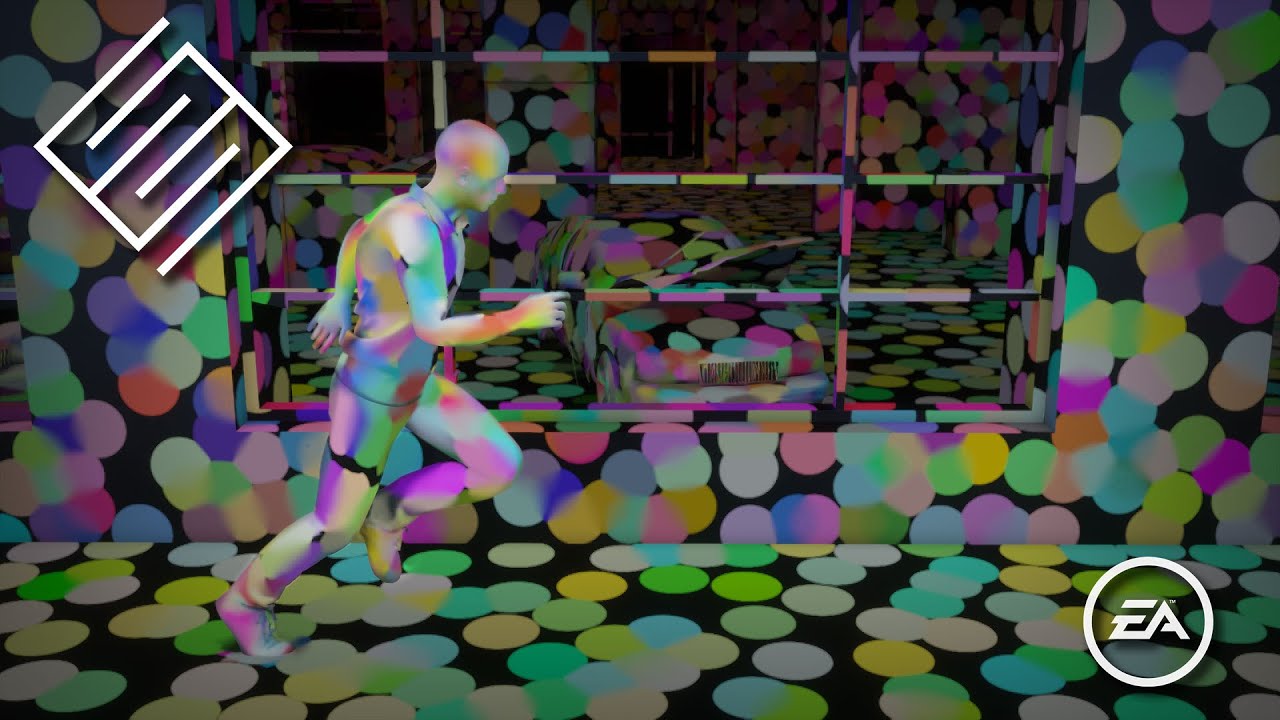
This course was presented at ACM SIGGRAPH 2021. https://s2021.siggraph.org/
The SIGGRAPH presentation by Henrik Halen and Andreas Brinck presents global Illumination Based on Surfels (GIBS) – a solution for calculating indirect diffuse illumination in real-time. The solution combines hardware ray tracing with a discretization of scene geometry ...
eternal laurel
What I dont understand from this video is the mentioned acceleration structure. If anyone know more about this and can point me to some resources 🙂 that would be great
 ember breach
Same, still discussing im my mind of trying to choose, but first trying to do DDGI in URP, then I can extend my knowledge beyond
turbid matrix
Forza Horizon 5 uses surfel GI as well (unless it's something else that they just call with similar terms)
not sure if it's the best example though as I don't think they've authored GI proper on all places on that game
it works nicely on some cliffs and boulders but their tunnels look totally off, like even bad for non-GI solutions
ember breach
yea, I saw in the vid that BF 2042 uses it, but literally saw tons of spots that were not lit properly that should not have a difficulty of mapping
like in BF just today
turbid matrix
still wondering when we'll get access to dynamic APV
I don't believe for a moment it doesn't exist internally at Unity offices
eternal laurel
Yeah and didnt they have a working version of DDGI ?
turbid matrix
prototype of it yeah
eternal laurel
But they never released any code for it
turbid matrix
yeah, expectation was that we might have gotten a preview of that DDGI 2 years ago
I did ask about it but the staff responses were bit cryptic on that so they must have known it may not release even back then
(asked from the presenters as I attended the Unite session where they presented it
eternal laurel
Im still mad about the distributed network baking
From hack week way back in the past
turbid matrix
I actually naively thought the progressive gpu lightmapper would have made light bakes way less pain in Unity... but reality is that you still wait forever to get your results
I can't see myself working like that, wonder how people do it
eternal laurel
I tried making a distributed system but it was so hacky I gave up
dawn sorrel
Probably by buying Bakery that has realtime preview 😛
turbid matrix
does the distributed lightmass work well on unreal?
ember breach
turbid matrix
I don't believe for a moment it doesn't exist internally at Unity offices
they are in newest HDRP version, used them and they are slow
oh dynamic?
turbid matrix
@dawn sorrel that RT preview doesn't really match the final result though... there's probably a good reason why the Bakery RT-preview store page doesn't have ANY comparison shots between RT preview and final scene
you can just see if it's somewhere in the ballpark
but Bakery doesn't have progressive mode either so I guess it makes more sense if you use Bakery
@ember breach yeah I don't mean the current setup 🙂
eternal laurel
From my limited experience unreal light baking is even more of problem
turbid matrix
they got faster gpu lightmass now
but wonder if that's even getting much love now that Lumen is a thing
eternal laurel
dawn sorrel
So this surfel thing is realtime with no baking 😳
The surfel thing is fully dynamic yes
turbid matrix
I really dig that UE5 is aiming to do as much as possible in real-time... will be cool in 5 years when avg customers have gear that can utilize that
eternal laurel
Since our next game is procedural but rooms will be hand made I wonder how easy I can stitch lightmaps
dawn sorrel
turbid matrix
I really dig that UE5 is aiming to do as much as possible in real-time... will b...
Don't you think it's weird that they didn't implement any GI techniques that AAA uses on consoles right now?
That are supported on current hardware.
turbid matrix
@eternal laurel would that APV work for that? you'd think you could blend prebaked probes easier than make two separately baked lightmaps blend together nicely
no idea if they support that kind of setup with APV at all though
eternal laurel
I was thinking about that too but Im vey vey confused about APV
turbid matrix
well they DID implement SVOGI 😄
eternal laurel
Its not the probe volume thing that is experimental right?
dawn sorrel
turbid matrix
well they DID implement SVOGI 😄
Did they. Or was it an abandoned Nvidia plugin 😛
turbid matrix
it's the same time (adaptive probe volume)
eternal laurel
Because they said that is not a GI solution
turbid matrix
@dawn sorrel UE4 had realtime-GI while it was still in beta, they removed it little before the full release as it didn't perform well enough on hardware at that given time
eternal laurel
And if its not how is it different from my solution that generates old light probes in a volume and respects colliders
Well its not my solution that came out wrong
turbid matrix

Get your first look at a real time in-engine tech demo of Unreal 4 in this GT.TV walkthrough with Epic's Sr. Technical Artist Alan Willard!
Catch all of the latest news and videos from E3 2012 on GameTrailers:
http://www.gametrailers.com/e3
dawn sorrel
Well, AAA did it so why can't a single generic engine do it 😢
turbid matrix
that video is from 2012
eternal laurel
@turbid matrix so is APV used for GI or not ?
turbid matrix
the irony on UE4 removing that before release was that it would have been feasible tech perf wise just 2 years after initial release, they were just so hasty in scrapping it
@eternal laurel APV today can be used for baked GI, Unity doesn't recommend it as baked lighting replacement but it essentially does that still
dawn sorrel
I'm sure if Unity was open source we'd get a crazy programmer to implement realtime GI just like what happened in Godot and Stride.
eternal laurel
turbid matrix
<@!292371456862584833> APV today can be used for baked GI, Unity doesn't recomme...
Why do I remember a unity guy saying its not a GI solution then
turbid matrix
"In its current state, use the Probe Volume system as a replacement for the per-object Light Probe system, not as a replacement for lightmaps."

the messaging is more like, it's not replacement of existing lightmaps (yet)
eternal laurel
But maybe
turbid matrix
it specifically does bake GI data to probes
eternal laurel
In my procedural context
Its just gonna work
If each prefab can hold its own volume
Got to test how they store the data
turbid matrix
they've worked on some tiling stuff for APV but I don't know how any of that works
eternal laurel
I bet its per scene
turbid matrix
even then the real question is if you can offset or rotate the scene content along with the probe volume
(which you'd need for procedural levels)
I'd expect it to just contain the volume specific data but it's been long time since I last tested APV
eternal laurel
I think stiching the lightmaps might be my best bet
But I will give APV a try too
Or yolo and try this serfel stuff. It seems to me it would work very well in my corridor type env
turbid matrix
does that surfel stuff work without DXR hardware?
@eternal laurel you know of this example? https://assetstore.unity.com/packages/templates/tutorials/additive-loading-lighting-examples-129922 no idea if it would apply to your case, just seen it around

Use Additive Loading Lighting Examples from Unity Technologies to elevate your next project. Find this & more Tutorials and templates on the Unity Asset Store.
no idea if that even runs on current Unity versions, it's ancient thing
pretty sure that sample is still more of showcasing how to assemble multiscene setup with baked lights but in fully fixed configuration
eternal laurel
Looks interesting but I dont want my level parts to be scenes
turbid matrix
could probably use the 3d textures on bakery for this?
https://twitter.com/guycalledfrank/status/1261614666507223040


Adding 3D texture baking to Bakery
#gamedev #indiedev https://t.co/Tm2kL093oB
Twitter
·
eternal laurel
As for the serfel technique the surfels are raytraced but I dont see why DXR would be needed. Maybe Im groslly missunderstanding but I see no reason for the rays to not work in a compute shader
What does he mean its up on github?
Did bakery go free 😆
eternal laurel
There was a talk from bethesda on how they used lightmaps for the proc dungeons in blades
dawn sorrel
eternal laurel
There was a talk from bethesda on how they used lightmaps for the proc dungeons ...
Yeah, they just had room prefabs and baked lighting per prefab.
eternal laurel

The Elder Scrolls Blades strove to produce high-quality visuals on modern mobile devices. This talk will describe the challenges of achieving that level of quality in procedurally generated 3D environments.
Speakers:
Simon-Pierre Thibault - Bethesda Game Studios
Sergei Savchenko - Bethesda Game Studios
Slides available here: https://www.slide...
And I want to do just that to be honest
Perhaps this and apv will "magically" solve my problems haha
One can hope
dawn sorrel
Well, you'll also have to write some shaders to blend the seams so enjoy your undocumented adventures I guess 😄
turbid matrix
@eternal laurel related to that Bakery thing: https://geom.io/bakery/wiki/index.php?title=Manual#Bakery_Volume according to docs you can move those at runtime so that part would favor proc gen spawning for rooms
(still require those 3D textures to be prebaked)
I guess that isn't really intended for baked geometry but you'd think it would still work altho being more expensive
vapid matrix
yooo rtx in hdrp is incredible
eternal laurel
turbid matrix
<@!292371456862584833> related to that Bakery thing: <https://geom.io/bakery/wik...
I will consider it but Im not a fan of bakery at all. It seems to introduce a seperate workflow and Im not under the impression it provides better results than what unity has
ember breach
eternal laurel
As for the serfel technique the surfels are raytraced but I dont see why DXR wou...
to raytrace u have to actually send your data to the compute shader, it takes some time to just make raytracing system, and another to then optimize it, made simple raytracer and it runs over 10x slower on small scene than DXR and It did not scale at all, so yeah, u want to use something already made if you do not have time to make good raytracer.
@turbid matrix I wonder why those APV probes aren't DDGI instead, maybe they are hiding it in behind somewhere in closet. But rn they are very, very simple, where you gotta have a lot to lightup scene, so yeah not great lightmapping, always bleeding everywhere, literally on 1m thick wall
eternal laurel
ember breach
to raytrace u have to actually send your data to the compute shader, it takes so...
I dont see why the serfel raytracing cant be done on the gpu side entirely. I was not talking about regular raytracing for rendering objects. The bufferes can be in the gpu side no need for cpu to see then at all as far as I understood the video
Actually Im wrong about that the rays need to collide with geometry. I guess I have to watch it again
ember breach
Yeah, but if you have 1060 6GB onwards just use DXR, if you are using mobile than most wont even have compute shaders
 thorny quiver
Hi, Im making my first HDRP project but ive noticed that the scene view looks really dark and depressing compared to the game view or the scene view in an urp project. I guess that normal but I would still like to "fix" it, is there any way I can do that?
turbid matrix
@thorny quiverrun through HDRP Wizard and create a new scene after that, it will have lighting and exposure dialed to sane defaults
you can still play with those values, it's just easier to start with something that's functional from the start
thorny quiver
turbid matrix
<@!452456037228871710>run through HDRP Wizard and create a new scene after that,...
Thanks, but what do you mean by run through?
turbid matrix
@thorny quiverhttps://docs.unity3d.com/Packages/com.unity.render-pipelines.high-definition@12.0/manual/Render-Pipeline-Wizard.html
meaning, run that tool and hit "fix all" if it finds issues
thorny quiver
Ah alright thanks
 stray nova
Do Volumentric Clouds not work on Apple Silicon builds? I've followed the directions for enabling them and I get an error saying my config doesn't support them.
 hot pivot
Hey! I have some problems with custom passes :
I added two custom passes to add an "outline" shader effect. It works pretty well in editor, but i see nothing in the packaged build.
I have no idea what the probleme is... And i don't know what i can do to figure out what is wrong 😅
If someone has an idea...

(the expected result)
 hot pivot
Hey! I have some problems with custom passes :
I added two custom passes to add...
hot pivot
hot pivot
Hey! I have some problems with custom passes :
I added two custom passes to add...
I know there is some warnings btw (and yes, i know some of my shaders don't support forward passes, that's perfectly normal), but i don't think that it could be the cause.
inner parcel
hot pivot
I know there is some warnings btw (and yes, i know some of my shaders don't supp...
that is the problem here. make sure your hdrp active asset has forward mode (or both)
having only in deferred causes default custom pass to not work as expected
hot pivot
oh...
How could have been so dumb.... 
didn't know there was an option to enable forward or deferred in the hdrp asset.. i though it was because i didn't implemented all the passes in my shaders
Well thanks 😅
 loud leaf
What GPU?
turbid matrix
also missed this forum post from yesterday https://forum.unity.com/threads/water-system-for-the-high-definition-render-pipeline.1203751/

Unity Forum
Hi,
Over the past few months, we have started an effort to provide an out of the box Water System solution for the High Definition Render Pipeline....
ember breach
reading it rn 😄
inner parcel
vapid matrix
how do I setup DXR for settings on unsupported hardware?
Swap hdrp asset and volumes based on SystemInfo.supportsRaytracing
vapid matrix
loud leaf
What GPU?
Apu 5600g
vapid matrix
inner parcel
Swap hdrp asset and volumes based on SystemInfo.supportsRaytracing
Nope, it does not have even options for Ray tracing
eternal laurel
I dont think you will get dxr on a cpu
vapid matrix
eternal laurel
I dont think you will get dxr on a cpu
it is not just cpu
it won't have dxr at any point
it is like gtx 1050
shadow hound
DXR on 1660 Ti is okay for editing, like just okay, imagine a CPU now lol
vapid matrix
hdrp on vega 7 works ok
vapid matrix
ok
 high prairie
How do you write to the motion vectors buffer? And is there an easy way to generate motion vectors for static geometry based off the past & current frame depth buffers for the static geometry that needs the motion vectors?
Since everything is static it would just be from the camera moving / parallax effect
 vague notch
i upgraded my project from urp to hdrp and now it does not even open
it crashes and outputs no errors
 high prairie
How do you write / read from the g buffers in hdrp?
 chrome locust
You can use AOV system. I don't recommend tapping gbuffers directly even though we don't change the encoding they aren't meant to be public API.
chrome locust
ember breach
yea, I saw in the vid that BF 2042 uses it, but literally saw tons of spots that...
As far as I know bf 2042 does not use GIBS. When I left EA we were adding support for enlighten to GPU probes. GPU probes was the system i developed for NFS. This is the system that now every EA game is using. Dragon age and dead space will be GPU probes + lightmaps.
GIBS is limited exclusively to ray tracing hardware.
GPU probes is similar to APV in unity, but has also support for Englighten. Mathias, Matti and Carlos added support for enlighten, really good light leaking workflows and made it happen on 60fps
GIBS isn't feasible in my opinion because it fully requires ray tracing. EA needs to develop a proper sdf radiance scene and it would be super expensive. Dynamic GI is a very hard problem.
ember breach
Yeah, thats why first I am trying to make my own DDGI which could be bakeable so it can run on devices without DXR support.
chrome locust
Godots sdf scene is fantastic. However their probe grid is terrible imo. Everything super blocky. I think a combination of GIBS, far field lighting, and very efficient sdf scene could be compelling
DDGI is insanely expensive. I don't think is feasible either for real time
ember breach
Yeah saw that and was blown away, literally was like why arent we having anything similar in Unity in so many years...
ember breach
chrome locust
DDGI is insanely expensive. I don't think is feasible either for real time
well baking the probes seems super fast for the first tests I made on 1070, sampling will be different task to couple together..
chrome locust
I don't know why unity didn't catch up here. Missed opportunities. But things are moving. So future is exciting.
I think we should cut things like background live baking :)
ember breach
Yes, but I do not like how much stuff they are hiding, if they said yeah we are making GI solution that will be this and that, so I do not have to do my own would be cool, but for dynamic AVPs we still haven't had a single thing said or shown
chrome locust
10x of cost in maintenance and a pool of never ending bugs. And still barely works
Oh we haven't hidden anything
We are still planning
Trust me, when something starts you will start seeing the PRs
ember breach
😄 yeah like most of the times my editor crashes when seeing live baking result happening... if you mean current solution
chrome locust
Yeah I think we gotta cut some maintenance cost
ember breach
chrome locust
Trust me, when something starts you will start seeing the PRs
oh we saw one 😏
chrome locust
So we make room for capacity
ember breach
yeah, I think there should be like restructure in like stopping the most of the maintenance altogether, most of the features are kinda feeling old at this point and the new ones could take over if they got full time work at them for few months
eternal laurel
chrome locust
So we make room for capacity
So do you think I can use lightmaps+APV in a procedural game? The geometry itself will be static just the level layout will be comprised of putting rooms toghter.
turbid matrix

GitHub
Purpose of this PR
This PR adds baking states for APV. It allows to bake lighting in different scene configurations that can then be used at runtime when needed.
First here's as gif showing...
 turbid matrix
to be honest, I feel like Unity should have that kind of setup for all baked lights
Unreal has this for example https://docs.unrealengine.com/4.27/en-US/BuildingWorlds/LightingAndShadows/PrecomputedLightingScenarios/
of course you can do this on unity today already, just feel it would be nice to have this more integrated to the workflow
ember breach
Definitely, but nice seeing something like that coming to APV.

 outer carbon
Are you using the HDRP pipeline in your graphics settings?
high prairie
How can I force my unlit shader to write to the Camera Depth Texture?
 marsh urchin
i mean set this up
outer carbon
marsh urchin
i mean set this up
Check the pins for how to set up HDRP. (Configuration)
 stark vine
I have a custom terrain shader but it don't work with terrain system. I compile my shader graph into code and add the tag "Terrain compatible" and assign it to the material but it doesn't work :(
the result is just a bugged terrain 🤔
 turbid matrix
that message should be selfexplanotary
you need to use terrain shader compatible with HDRP
terrain shader graph is still quite far away
ember breach
stark vine
I have a custom terrain shader but it don't work with terrain system. I compile ...
If you use shader graph it only means you have to do your own vertex positioning when using instancing
stark vine
turbid matrix
terrain shader graph is still quite far away
yes but after i compile the code and add "TerrainCompatible=True", the result is just nothing (the terrain disappear)
stark vine
ember breach
If you use shader graph it only means you have to do your own vertex positioning...
i compile my code and i add the tag
stark vine
turbid matrix
terrain shader graph is still quite far away

(i turn my tangent space to object but he is always in tangent space)

 sinful locust
turbid matrix
also missed this forum post from yesterday https://forum.unity.com/threads/water...
sinful locust
turbid matrix
also missed this forum post from yesterday https://forum.unity.com/threads/water...
Hmmm I assume we won't see this in 2021.3 and will have to wait for 2022.1?
 mint trout
fixed it lol
i didnt have my normals set to "normal" in the inspector
thats 2 hours of my life wasted
turbid matrix
@sinful locust could go for 2022.2 even, we'll see
2021 cycle isn't getting new features anymore unless they make some big exception and 2022.1 is already at beta (internally) so it's close to feature cut off point already
Unity also already set the master branch on graphics github to SRP 14, meaning 2022.1 is already getting backport treatment there
so... chances that water is going to get on 2022.2 earliest are getting higher every day
afaik there's nothing on the water itself that wouldn't work on older HDRPs if you manually ported it there but it will be PITA to maintain
turbid matrix
mint trout
any idea why my rotated textures come out a different colour?
does that happen if you remove normal map from the material?
or recompute the mesh normals?
if you have faulty normals on either texture map or in the mesh, lighting will look off and can make the color look different depending on the rotation
can't immediately think of other reason
 olive girder
Has anyone found out that 2020 hdrp is slower than 2021?
I have a project with almost an empty scene and with a rtx 2070 I'm running at 80 fps 😦
turbid matrix
@olive girder that is expected, HDRP is still getting tons of optimizations so new versions should be faster
it's kinda opposite what I'm seeing with URP atm :/
also, HDPR enables a lot of features out of the box which you might not even be using, you can definitely get more than 80fps on somewhat empty scene with HDRP and RTX2070
This was a stupid test but that's HDRP 12 (Unity 2021.2) with every setting turned off on my RTX2070 super. With some content and settings better optimized for the content, you'd still be hitting few hundred fps

and yeah, rendering a ball without any options enabled is silly and doesn't really prove anything (other than that you can't really get past 1200fps on HDRP with RTX2070S - unless you go fully unlit). Reason this test even exists is because got sucked into this pointless forum debate where someone claimed HDRP only being capable running 30fps while rendering single sphere... ...and one can probably guess how we got into this from that
the real point why I showed this was... you can slim down the HDRP rendering a lot if you turn off things you don't really need. Nobody is really going to turn every option off - that's not really point here - just trying to say there's a lot to gain if you disable things you don't use atm.
turbid matrix
merged to master https://github.com/Unity-Technologies/Graphics/pull/6109

GitHub
https://jira.unity3d.com/browse/HDRP-110
This PR implements an initial version of the Water System for HDRP. It still be significantly improved before
The design and scope document can be found her...
(HDRP 14)
olive girder
@turbid matrix I see, is there anywhere I can see how to on/off the options you mention?
summer glacier
olive girder
<@!222536308319322122> I see, is there anywhere I can see how to on/off the opti...
80 FPS still isn't normal though, I can easily reach 140-160 FPS on an almost empty project. Just a few objects/materials and volumetric lights/fog. This is with all default post processing running.
Using a laptop GTX 1070.
Use the profiler, find out what's taking so much. Usually on an empty scene, unless your GPU is powerful, GPU will be the bottleneck on HDRP. Since HDRP by default has a lot of post-processing and other stuff running on the gpu.
olive girder
summer glacier
80 FPS still isn't normal though, I can easily reach 140-160 FPS on an almost em...
unfortunately we've spent a couple of weeks on it and we aren't very sure still what's happening. We've profiled everything but we keep getting +- at random which makes it super difficult
we have many shadow casters
but similar amount to the sample scene
summer glacier
you profiled GPU and CPU? What's your bottleneck?
olive girder
also we dont have anything baked but just 1 realtime light
gpu mostly
the game is empty
summer glacier
You should know the cause from the profile data -- if you have it open, can you send me the profiler data
I'll check it out
you can export it
olive girder
it's not as simple as that, I was about to say we have some lamps as well creating low quality shadows
summer glacier
Disable shadows on all lights, is your perf back to normal?
olive girder
i ll export it never the less and send you
no 😦
we get some very minimal gains
we disabled all the volumes
summer glacier
Hmm, I need to see the profiler info
summer glacier
How come your spending 25ms on the cpu?
ignoring editor overhead, 19ms
There's no GPU data in that file, although it doesn't look like GPU is your bottleneck
Can I get another one with GPU data, although it looks like it maybe is CPU bottlenecked
worth making a build and profiling there, as the editor has a lot of overhead. And your spending a lot of time on the CPU, but most of the cost source isn't showing up
Unless GPU is your bottleneck and CPU is waiting for it, but for some reason it has no WaitForGPU or similar
olive girder
that's why I said it wasn't that easy, currently I have some AI in there as well but minor stuff, not sure why it would take up 6 ms - also weird that it didn't include gpu data
80 fps is on build - in editor I have 60
summer glacier
If GPU module is on in profiler, it should tell you how much time it's taking, similar to CPU
what OS are you using?

 summer glacier
Try disabling expanse completely and switching to HDRI/physical sky and see what happens
but yeah that value is weird, if profiler isn't showing it -- you need to use Renderdoc
olive girder
expanse was added after I removed the normal one, I get 10 fps difference
summer glacier
it feels like overhead though, CPU editor loop is taking 37ms and in total CPU cost is 55.30ms GPU is 57ms
so maybe the crazy high values are caused by editor overhead
 summer glacier
I meant that the crazy values (50ms, 90ms) are caused by the overhead, after that is your actual project cost
and if you want to profile GPU on a build, you need to disable graphic jobs in player settings
olive girder
yeah sure, but I cant check with renderdoc for more than just debugging really, it doesnt have time profiling
summer glacier
create a development build with graphic jobs disabled, and profile GPU+CPU, that should give you actual costs for your project
if possible send it as well
olive girder
how come graphics jobs create issues
summer glacier
GPU module doesn't work with it, don't really know why
inner parcel
olive girder
unfortunately we've spent a couple of weeks on it and we aren't very sure still ...
80fps is totally not acceptable. Can you create a new project with empty scene and all assets/graphic settings and send it?
My game (almost 2M vertices and few directional lights and lots of point light, few post process, volumetric fog, TAA and motion blur) runs at 300-500fps on rtx 2070s that too in 2020.3 (in release build)
2021.2 still runs within the same range but the fps is more stable there thanks to dynamic res
eternal laurel
Is that a project or a build I can test on my machine too
olive girder
profiler data
eternal laurel
My bad I was thinking you responded to malloc
If you build your test scene with a fps counter I can test it too
summer glacier
looks pretty good, 6.8-8~ms
summer glacier
olive girder
SSAO is taking 1ms on the GPU, way too high. did you enable full res for SSAO?
If so disable it, and lower the settings if they're very high
summer glacier
The results are pretty good, it looks like you're just a little bit GPU bound, but sometimes it's a really small difference.
if you lower SSAO quality, and disable motion blur, you will probably start being CPU bound
it's a good balance rn
summer glacier
GPU:
- reduce SSAO quality, disable full res if it's enabled (1ms)
- Do you need motion blur? It's expensive relative to other post processing costs, 0.35ms
- volumetric lighting is taking 1.5ms but I assume that's needed
CPU:
Normal costs really, you can try caching shadows (that aren't directional light shadows)
You can cache directional light shadows as well, but since directional caching is bashed on frustum you'll have to update it very often compared to others, to prevent popping shadows issues
olive girder
this is with expanse
summer glacier
Also you have quite a few drawcalls, 1.1k -- can you try reducing it? Combine similar meshes if possible
olive girder
we have a day/night cycle so directional cant be cached
for the other shadows I think hdrp has a way to reduce shadows to 1 fps or something?
summer glacier
You can cache it still, you're only caching shadows so they don't render every frame
for directional light you can update it every few framees, find the right value for your project
make sure lights that don't need volumetrics have it disabled, shadows as well
summer glacier
on example four you're GPU bound big time
olive girder
yeah, and all I changed is added the directional light from expanse
summer glacier
Expanse can be expensive compared to HDRP stuff, even if you don't use clouds
expanse is taking around 3.1ms for sky
and 1.5ms to update sky
Unlike unity physical sky, expanse don't cache sky so you get it's cost each frame
it would still be better to use RenderDoc for your use case as it shows everything, but from how things are looking
olive girder
believe me when I say that we had tried all the above and we weren't getting any improvements, probably this new clean scene put things together again
summer glacier
you can do what I said to get a few ms, reduce SSAO quality, maybe disable motion blur, disable volumetric on lights that don't need it
and reduce your batches/drawcalls
olive girder
we were using enviro before
I ll see if we can cache expanse's stuff as well
we can't afford -40-50 fps just for that
summer glacier
I doubt it, needs some work to expanse sky system, I asked brad about it once (author of expanse), there are some benefits for not caching, but obviously there's costs as well
olive girder
yeah Im talking to him in his forum as well
but we just started using expanse 2-3 days ago, we've had the fps issue for a month
summer glacier
The question is how does it compare with physical sky and unity directional light? Without expanse?
olive girder
I think enviro and maybe some other stuff was causing some pretty big issues that now have been removed
120 fps
with the default sky and just one directional light
summer glacier
That's pretty good
Expanse is great but can be a bit expensive
depending on your project
olive girder
our project won't have much going on
no particles or special vfx at all times
it ll have 30 characters, a day/night cycle and AI
characters wont be visible at all times
summer glacier
If you eventually upgrade to 2021.2 you can use FSR/DLSS/Temporal upscaling to help with GPU costs, although it won't help massively on 1080p without some visual differences
olive girder
noted but it's not LTS
summer glacier
You can try to optimize expanse settings for sky/fog/atmosphere
olive girder
yeah I just had the default setting and the day/night cycle
Im worried now that I m missing something and I ll go back to the bad fps tomorrow
summer glacier
Check out quality settings on expanse, try reducing atmosphere/fog to potato quality
if it's not set already
 chilly frigate
i would like to use a layered lit material on an object to layer 2 shaders on top of each other, but it doesnt work, how would I go about doing this?
 grizzled flame
chilly frigate
i would like to use a layered lit material on an object to layer 2 shaders on to...
grizzled flame
chilly frigate
i would like to use a layered lit material on an object to layer 2 shaders on to...
can't you just attach two materials to the renderer?
 glad tartan
chilly frigate
i would like to use a layered lit material on an object to layer 2 shaders on to...
glad tartan
chilly frigate
i would like to use a layered lit material on an object to layer 2 shaders on to...
You will need to vertex paint the model to reveal the other materials. You can use polybrush for that. Otherwise only one of the materials will show
inner parcel
chilly frigate
i would like to use a layered lit material on an object to layer 2 shaders on to...
Here's a detailed explanation.
https://docs.unity3d.com/Packages/com.unity.render-pipelines.high-definition@12.0/manual/Layered-Lit-Shader.html
Basically 4 layers. Main layer + R + G + B
inner parcel
chilly frigate
Also note the info provided in the inspector
chilly frigate
I ended up using a different methood! But thanks!
inner parcel
it's not required in most setups. it's mostly needed by artists going with a different work flow
 barren goblet

Hi, I want to use the RTHandle in the CoreRP files, but it use the Unity.Rendering one.


there's no SetTexture inside the RTHandle
is it because it is an internal function?
eternal laurel
so I found the render burger branch https://github.com/Unity-Technologies/Graphics/tree/graphics/gpudriven

GitHub
Unity Graphics - Including Scriptable Render Pipeline - GitHub - Unity-Technologies/Graphics at graphics/gpudriven
but I'm very unsure on how to test it. I'm just currently reading trough the code its very interesting
foreach (var brg in brgers) eat burgers
summer glacier
eternal laurel
so I found the render burger branch https://github.com/Unity-Technologies/Graphi...
I feel like you can't, there's probably some C++ stuff in a trunk version of the engine that isn't public, and so it might not work correctly
Is the GPUdriven work going to be in HDRP/gameobjects?
iron flame

GitHub
IMPORTANT This might even be removed, however given that it produces some results, to avoid carrying it over forever in all experimentaton I prefer to open a PR for it. We'll make a decisio...
 trim bone
@summer glacier my understanding is yes, it was the stuff that dots required but they are now making the api gameobject friendly
 turbid matrix
eternal laurel
but I'm very unsure on how to test it. I'm just currently reading trough the cod...
turbid matrix
eternal laurel
but I'm very unsure on how to test it. I'm just currently reading trough the cod...
there's some API that's only in their trunk version of the engine atm
@trim bone lol, no
just sent that PR
anyone can send PRs to that repo
trim bone
damn was hoping we had an inside man to divulge secrets!
 vapid plaza
guys
how do i make bounced lighting... im making a realism mod for gta 5 so pls help
eternal laurel
turbid matrix
there's some API that's only in their trunk version of the engine atm
Yeah but looking at the code was still fun 🤣
vapid plaza
oh wait wrong channel
eternal laurel
wrong server my man
turbid matrix
@eternal laurel what I'm most curious on this is if they will backport these to 2022.1 or if it will be 2022.2 only
I mean now the engine API itself, I totally don't expect RenderBRG to exist in 2022.1
eternal laurel
Probably 2022.2 only I feel backporting of features like this does not happen
turbid matrix
features, especially this magnitude sounds totally out of the question, especially since 2022.1 is already at beta
but one can backport things manually still - as long as the engine side changes exist

GitHub
The PR that adds splitVisibilityMask to BatchRendererGroup has landed in trunk. This PR fixes the BatchRendererGroup test projects to function with the latest version.
that splitVisibilityMask doesn't exist on current 2022.1 alphas as it just landed to trunk internally... but I have no idea how they split stuff like that there
lack of splitVisibilityMask, cullingSplits and cullingContextcullingSplits seem to be only things preventing us from running this on current 2022.1 a16
yes, I tried
eternal laurel
I have no idea what those are I didn't even try to run that branch
cullingContextcullingSplits sounds like it needs a name refactor
eternal laurel
I started researching if it is possible to do HZB culling in HDRP today but I dont think it's gonna be as easy as I hoped
summer glacier
It's being merged to gpudriven not master
eternal laurel
I just like its not just for dots
turbid matrix
^ this
eternal laurel
I'm sure if they go into more gpu driven occlusion we can get serious performance gains
summer glacier
Hopefully it lands for gameobjects, would really push HDRP performance/scalability.
glad tartan
I've missed all the GPU driven stuff. WHats covered in that or what is it trying to achieve?
Are we finally getting Geometry Culling?
sinful locust
turbid matrix
features, especially this magnitude sounds totally out of the question, especial...
wait where is the 2022.1 beta 🙂
sinful locust
is there a feature target list of what they plan to add this release?
turbid matrix
nothing you could rely on
basically you can look at the productboard for things they are currently working on but there's no promise on which version those will land
summer glacier
Just got access to an RTX for a bit and started testing Raytraced GI, honestly a bit disappointed, didn't go as I expected
There was a lot of noise in the corners when moving, and I have no idea how to deal with sky ambient lighting. I thought raytracing would work that out but it doesn't seem to.
Tried to get an outdoor > indoor environment and it didn't work quite right
Also tried pathtracing. Using a few simple cube meshes all with the same material, but only 2 out of 7~ show up in the pathtraced image. Any ideas why? They all have the same material, and all are simple cubes extended to create a room.
Also tried DLSS and it's really impressive, antialiasing alone is awesome 😄
 fathom knot
Probably a stupid question, but why are these objects not getting light mapped? They are static objects..
 fathom knot
even if i drag the exact same material as the things that are being properly mapped, it still doesnt get mapped
inner parcel
fathom knot
even if i drag the exact same material as the things that are being properly map...
check light layer once and make sure is correct.
also check for any error in console during the process. usually if there's any invalid geometry issue, light mapper goes infinitely
fathom knot
inner parcel
check light layer once and make sure is correct.
also check for any error in co...
Are you talking about the rendering layer mask?

when it was imported it was light layer default and some weird decal setting, so i removed it and just left it back to the seemingly normal light layer default
but still nothing
if i clear the baked light data i get:
 inner parcel
Baked lightnap isn't correct. You sure no error in console during baking?
 inner parcel
during bake
fathom knot
ok ill watch it really close during the bake
inner parcel
Not before or after
fathom knot
nothin
inner parcel
Is generate uvs enabled in the mesh import settings?
inner parcel
not all meshes need it. I don't want to go offtopic with it since were probably in wrong channel (correct channel for this is #archived-lighting )
Enable it for keyboard and try once
 loud leaf
summer glacier
Tried to get an outdoor > indoor environment and it didn't work quite right
loud leaf
summer glacier
Tried to get an outdoor > indoor environment and it didn't work quite right
For both outdoor and indoor in the same scene you need to either bake light probes & reflection probes, or set the "fallback hierarchy" to none (but you need to use lights, can't use the sky)
No fallback hierarchy works for dynamic environments, but it's never going to look as good as baking
loud leaf
About the noise in the corners, I don't think there's anything you can do about that, every version has had it, there is no denoising history available there when moving
summer glacier
Thanks. Reflection probes I understand, but why light probes?
Also -- anyone knows how to get the pathtracer to render the entire screen, and not just two meshes out of 7?
loud leaf
summer glacier
Thanks. Reflection probes I understand, but why light probes?
Can't have ray traced gi in the ray traced reflections & reflection probes
iron flame

GitHub
Purpose of this PR
New Hair scene for samples, showing different set up to render hair.
Testing status
Comments to reviewers
I need to do the Kajiya Kay (our old Hair shader) samples, that...
iron flame
Forward MSAA 8x + TAA
Deferred TAA

 glad tartan
Nice I was wondering when we'd get a sample for strand based hair. I thought it was going to be the scene they showed in the What's new page for HDRP though.
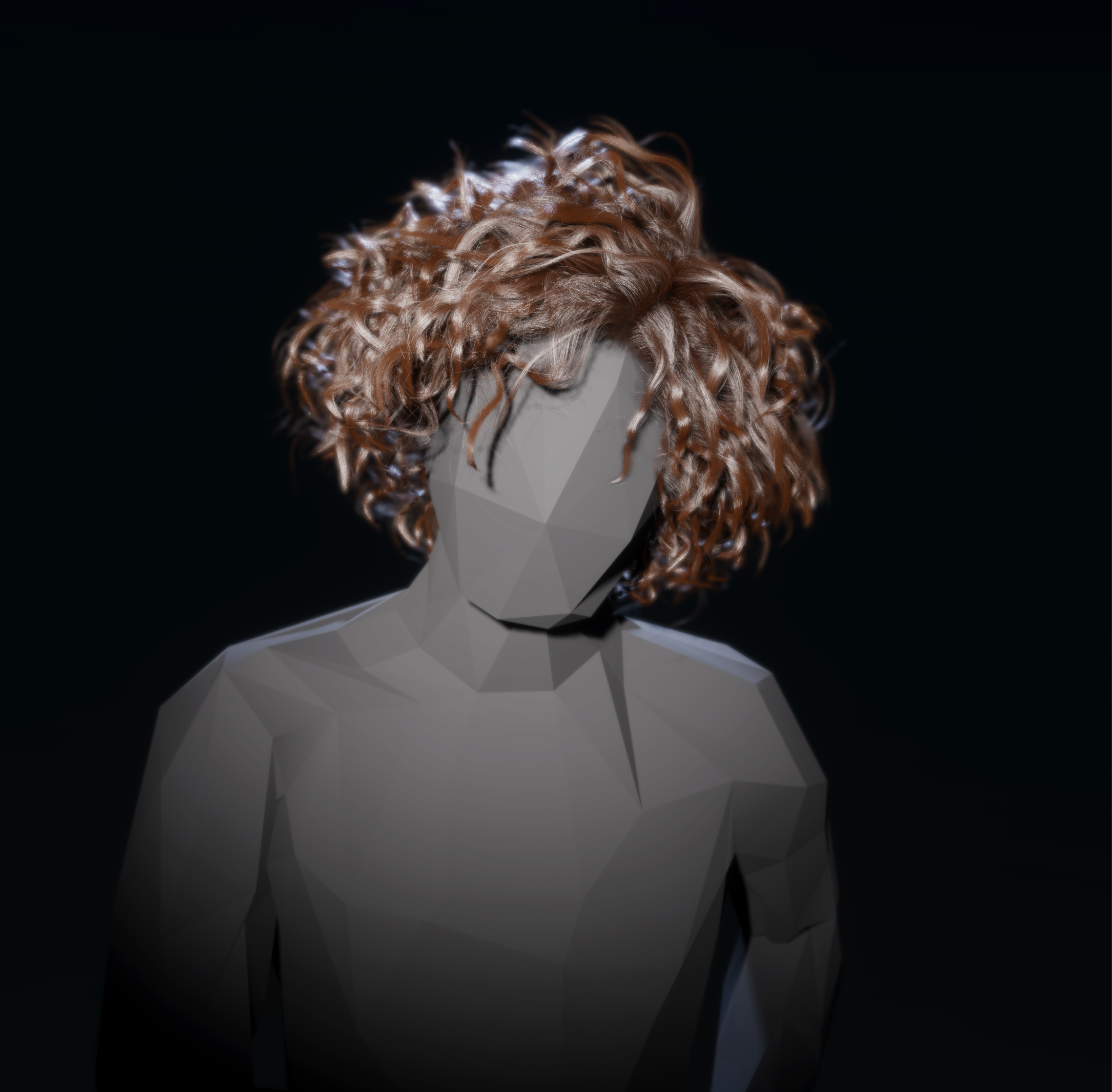 eternal laurel
Is the hair system out in some version I would love to test it out
turbid matrix
Marchner hair might be in current 2022.1 alpha. Actual hair system is not available at all
eternal laurel
So the strand system and possible sim is not available yet
Damn unity really need a system where I can sub to get a email wjen stuff is available
glad tartan
I don't think it's actually strand bases hair/splines yet. I think it's just smaller hair cards that's similar to strands.
We should have strand based hair system at some point. Right now you would have to use an asset from the asset store for the strands.
turbid matrix
@glad tartan there's been references to internal package com.unity.hair but it's not on public registry atm
meaning, they are working on something
or who knows what that is about, it could just be the tressfx setup made for this https://blog.unity.com/entertainment/meet-sua-a-digital-celebrity
glad tartan
Yea, they have it on the product board list and that image they have in the docs definitely looks like strands. So they are working on something for sure to be able to render that. Hope we can get our hands on that soon.
Water and Hair are good additions. maybe we will see it in 2022 alpha or beta along with the water system.
 tranquil dock
did you ever figure this out? i'm having the same problem in URP
drifting vault
tranquil dock
did you ever figure this out? i'm having the same problem in URP
can't remember, it was for a while... probably no
tranquil dock
was worth a shot. sorry for the ping!
drifting vault

 sacred sundial
summer glacier
sacred sundial
summer glacier
How do you handle ambient lighting (sky) when baking light with HDRP? For example using an HDRI in HDRP
I noticed in URP baking lights while having an env/sky, the sky light is also baked and it'll render correctly for interiors, if there's an open areas, some ambient light will get in from there.
That doesn't seem to be the case at all with HDRP, am i missing something or do we have to completely rely on reflection probes to get 'some' ambient light?
 scarlet hull
summer glacier
How do you handle ambient lighting (sky) when baking light with HDRP? For exampl...
scarlet hull
summer glacier
How do you handle ambient lighting (sky) when baking light with HDRP? For exampl...
In particular the lighting environment part
 round slate
How do i make reflections (ssr) blurry? A lower smoothness only disables them.
 glad tartan
@round slate You can also lower the smoothness value that SSR will start reflecting from. Minimum Smoothness
 scarlet hull
round slate
How do i make reflections (ssr) blurry? A lower smoothness only disables them.
scarlet hull
round slate
How do i make reflections (ssr) blurry? A lower smoothness only disables them.
You'll also need to change the Algorithm to PBR Accumulation for rough reflections
Or at least, to have it look more realistic
 fallow lynx
So, I found this little gem https://github.com/alelievr/HDRP-Custom-Passes/blob/master/Assets/Scenes/CameraDepthBaking/CameraDepthBake.cs#L33-L38 which I understand is used to perform your own culling on a secondary camera, so that the objects that are out of view from the main camera can be rendered. However, till HDRP 10.7, CustomPassContext.cullingResults is readonly so I cannot set it directly
Is there a alternative approach / hack to achieve this same functionality in v10.6 / v10.7?
Edit : I tried reflection, didn't seem to work 🤔
turbid matrix
@fallow lynx doesnt that repo have like branch with reflection approach
It will not work with il2cpp builds tho
Basically how you make that work for all build types is that you just make a local copy of that package and modify the thing to not be readonly
turbid matrix
sinful locust
hmmm I upgraded from 2021.2.0 to 2021.2.5 and my shadows are now all blocky if I have my farclip plane set far. Any ideas?
rendering a solar system at 1/100th scale.
I did see the following in 2021.2.4 but unsure if its related Graphics: Added: Added a field to the CullingParameters structure to allow for adjustment to the near clipping plane for shadow clipping - this is independent of the rendering camera near clipping plane.
summer glacier
Can have a copy of the project on 2021.2.3 to narrow the issue, probably what you posted
sinful locust
On a somewhat related note... I have to crank point lights up to silly levels in order to get a mini-solar system to light up properly, where as a directional light doesn't have this problem. Not sure how best to handle this, point light for a star is preferable so that light is cast properly on all objects in the system, but it doesn't seem to be tuned for these light levels lol.
summer glacier
sinful locust
On a somewhat related note... I have to crank point lights up to silly levels in...
Cause of exposure in HDRP, directional light has much more light than a point light, so the point lights are so weak they look like they're disabled.
Honestly increasing to crazy values is fine, don't have to stick with realistic lighting in every way, especially in cases where you have to break physical values like in your case
sinful locust
roger that
sinful locust
Odd, ok this is from 2021.2.0

this is from 2021.2.3

so it seems it broke somewhere between 2021.0 and 2021.3 😐
summer glacier
@sinful locust Could have to do with 'HDRP: Fixed performance on PrepareLightsForGPU by burstifying light loop'
which started using jobs & burst for light culling amongst other stuff, and had to touch shadow code to get it to work with it. It's a big change so good chance it's the culprit
It was added in 2021.2.2, I'd try 2021.2.2 and if it's there make a bug report and mention the possible cause
sinful locust
ya I confirmed it was in 2021.2.2, checking 2021.2.1 now
summer glacier
lmk if it's in .2.1
sinful locust
will know in about 30 seconds
2021.2.1 is fine, so the issue started with 2021.2.2
again the issue only shows itself with a large near/far clip difference.
Which makes me wonder if double precision was lost somewhere in the process of bursting lighting 🙂
summer glacier
Bug report time 😄
sinful locust
yup... makes me sad, one of the big advantages of HDRP vs URP for me is the support for large farclips 🙂 and 2021.2 fixed the TAA farclip issue only to introduce this two patches later lol
summer glacier
Yeah seems like a relative camera rendering issue
summer glacier
yeah, it's why you can render and things so far away without any issues, and this most likely has to do with the burst stuff that effected it
Also worth making a thread 'bug' report, devs tend to see it
sinful locust
odd that they made such a big change post 2021.2 release
summer glacier
It was a risky backport, but honesty worth imo. Big CPU improvements for high light counts (and in general to, no matter how many you have)
sinful locust
ill agree assuming they fix this lol 🙂
I cannot have a space game with farclip of only 1+e6 lol
summer glacier
Sounds like a major issue to me, so it'll be fixed, the issue is when 😄
summer glacier
just keep pestering them about it 🙂
if you don't see results after some time
HDRP section, unity forum

Unity Forum
Discussion around High Definition Render Pipeline (HDRP)
Docs | Learn
Also worth posting about the issue here: https://forum.unity.com/threads/unity-2021-2-is-now-available.1187908/
Include case number in both posts
Unity Forum
[ATTACH]
Download & Release Notes | Docs | Blog Announcement | Release Webpage
Unity 2021.2 is now available as the second Tech release of 2021 on the...
sinful locust
roger that thanks
summer glacier
much more likely to be fixed quicker if you provide a project that reproduces the issue, otherwise QA might just scrub it off
no worries 😄
 fierce parrot
hey guys, why does my decal look like this when placing it on an object?
 iron flame
fierce parrot
hey guys, why does my decal look like this when placing it on an object?
iron flame
fierce parrot
hey guys, why does my decal look like this when placing it on an object?
Turn the decal so it faces the wall.
and set Fade angle on decal
fierce parrot
yeah but in some cases I need to place it like that


 fierce parrot
Thank you 😄
 placid igloo
Hey guys, got a problem

I know the intensity is too great on the lighting to the left
Any reason why the top right is pixelated like that?
turbid matrix
this one is bit odd IMHO https://github.com/Unity-Technologies/Graphics/pull/6519

GitHub
As the title says, but worded positively as I know UX doesn't like negative action (Force Motion Blur off was my instict :D)
This option allow to force MB off when XR is enabled as a settin...
I mean, you definitely want MB to be off in VR, it's not that... but why just have setting for MB only for it, why not have "exclude from XR" checkbox for all volume component overrides if you go for this route?
you'd think if someone does have VR support with HDRP, they'd just remove the effect though, or if the title has "optional VR mode", you'd really assume there would be dedicated quality tier with separate HDRP asset for it anyway
summer glacier

now this is interesting.. 😄
I wonder how it's performance will be like.
Umbra is alright for small scenes, once it's not very small anymore, overhead becomes big enough that it's not worth using.
A better static occlusion culling method is the one used by the "Perfect Culling" asset in the store.
It takes longer to bake, but it's extremely fast, next to 0 overhead no matter how big your scene is, and more accurate.
Either way, i'm pretty sure this will be better than umbra so it's a win already, plus fully dynamic 😄
Also i think it's going to support both HDRP/URP, but not sure yet
 remote forge
If you are curious about the implementation: https://www.intel.com/content/www/us/en/developer/articles/technical/masked-software-occlusion-culling.html
There are two parts to it, the rendering of the depth buffer the occlusion masks (conservative geometry) and then fast bounding box testing against this buffer. Basically the slow part is the rendering of the depth buffer so normally you don't want to render everything into this and instead render the bigger stuff and proxies (so like a big cube instead of a full building geometry). If you understand the pros and cons of the system it works really well and we have seen a lot of performance increases in a number of scenes. Big pro is: Can get same frame culling data back from occlusion system. Con is: Not pixel perfect (conservative) need GPU occlusion for pixel perfect.
eternal laurel
remote forge
If you are curious about the implementation: https://www.intel.com/content/www/u...
Holy moly and just when I started making my own Hi-Z gpu occlusion. We are in a sorta pre-production phaze of a graphics intensive procedural fps and need a culling solution like this. Can I test it somehow or get more info on the timeline of this feature ? As soon as we have the proc gen working as we want I would love to be an early tester for this !
remote forge
This isn't GPU occlusion and we don't have a tight eta, i'm guessing some beta releases late 2022 (tooling side for auto generation of simplified occluders is the big thing here because the workflow is not great without it). When something is available I'll poke this channel. IMO if you need something now for your project it's best not to wait for a release of something like this as roadmaps do change and feedback happens when we go through project testing.
eternal laurel
I underatand its not gpu culling. A fully burstes dynamic occlusion system just got me excited. Our project is on a long deadline too. As for the tooling we use the AutoLod package and simplygon. However I dont mind having our modelers produce a occlusion mesh per asset in order to use and test this. We are already producing simplified collision meshes for most assets anyways haha. Anyways thanks for the info. Havent been this excites for a feature in a long time. Cant wait for this + the brg stuff
remote forge
Are you on DOTS or non DOTS?
The BRG stuff is 🔥 I haven't been so excited about something we are releasing in a few years. It's kind of 'under the hood' for most people - but its really fucking fast in terms of rendering throughput when compared to game objects (and even the current hybrid renderer in dots).
 upbeat sorrel
Hi guys! 🙂 Have you encountered this error https://issuetracker.unity3d.com/issues/hdrp-render-graph-execution-errors-being-constantly-thrown-and-scene-no-longer-rendered-after-leaving-editor-running in Unity 2021.2.5f1?
How to reproduce: 1. Create new HDRP project 2. In Hierarchy search bar enter "camera" 3. Select the only active object 4. Leave Edi...
eternal laurel
remote forge
The BRG stuff is 🔥 I haven't been so excited about something we are releasing i...
We are on non DOTS. I was under the impression it will work with that too ?
remote forge
eternal laurel
We are on non DOTS. I was under the impression it will work with that too ?
BRG doesn’t care about dots or non dots. It’s just a data pipe. I was asking for the occlusion. We’ll have dots and go for occlusion but one might be ready earlier than the other.
eternal laurel
remote forge
BRG doesn’t care about dots or non dots. It’s just a data pipe. I was asking for...
Oh for the burst occlusion system. Yeah we are 100% non DOTS yet. I somehow feel the entire system is not mature enough. Maybe Im just being too afraid.
 summer dome
upbeat sorrel
Hi guys! 🙂 Have you encountered this error https://issuetracker.unity3d.com/iss...
summer dome
upbeat sorrel
Hi guys! 🙂 Have you encountered this error https://issuetracker.unity3d.com/iss...
It's a known issue being talked about on the forums... we rolled back to .4f1 and it seems more stable
trim bone
by hybrid renderer is that referring to v1 or v2?
inner parcel
v2
v1 isn't being developed with bleeding tech anymore
 tawdry hound
I just installed hdrp and i don't know why my ground looks so weird, does someone know how to fix that?
scarlet hull
tawdry hound
I just installed hdrp and i don't know why my ground looks so weird, does someon...
Looks like a misuse of the pixel displacement ?
tawdry hound
How can i disable pixel displacement?
scarlet hull
It's in the material of your ground
tawdry hound
 scarlet hull
Oh ?
tawdry hound
Is that the right setting?
scarlet hull
Yep, it's disabled, if it's still doing the effect your showed then .... well right now I don't know
tawdry hound
oh ok, thx for the help tho
scarlet hull
What is your ground made of ? Terrain ?
fierce parrot
Hey guys I've got a question: I've implemented a simple spray with decals, but I want to draw a simple line by using decals... Where should I start?
turbid matrix
@tawdry hound showing the actual material would probably help narrowing this down better... without knowing better that looks like you are trying to use some weird projection shader on surface that doesn't work with it
tawdry hound
turbid matrix
<@!569109259099308032> showing the actual material would probably help narrowing...
 scarlet hull
tawdry hound
https://i.imgur.com/HZoopc6.png
scarlet hull
tawdry hound
https://i.imgur.com/HZoopc6.png
Not exactly the same material apparently (it's not name **_specular in the video)
 scarlet hull
fierce parrot
Hey guys I've got a question: I've implemented a simple spray with decals, but I...
scarlet hull
fierce parrot
Hey guys I've got a question: I've implemented a simple spray with decals, but I...
You could place a single decal with a "line" texture that has a rectangular shape.
tawdry hound
scarlet hull
Not exactly the same material apparently (it's not name **_specular in the video...

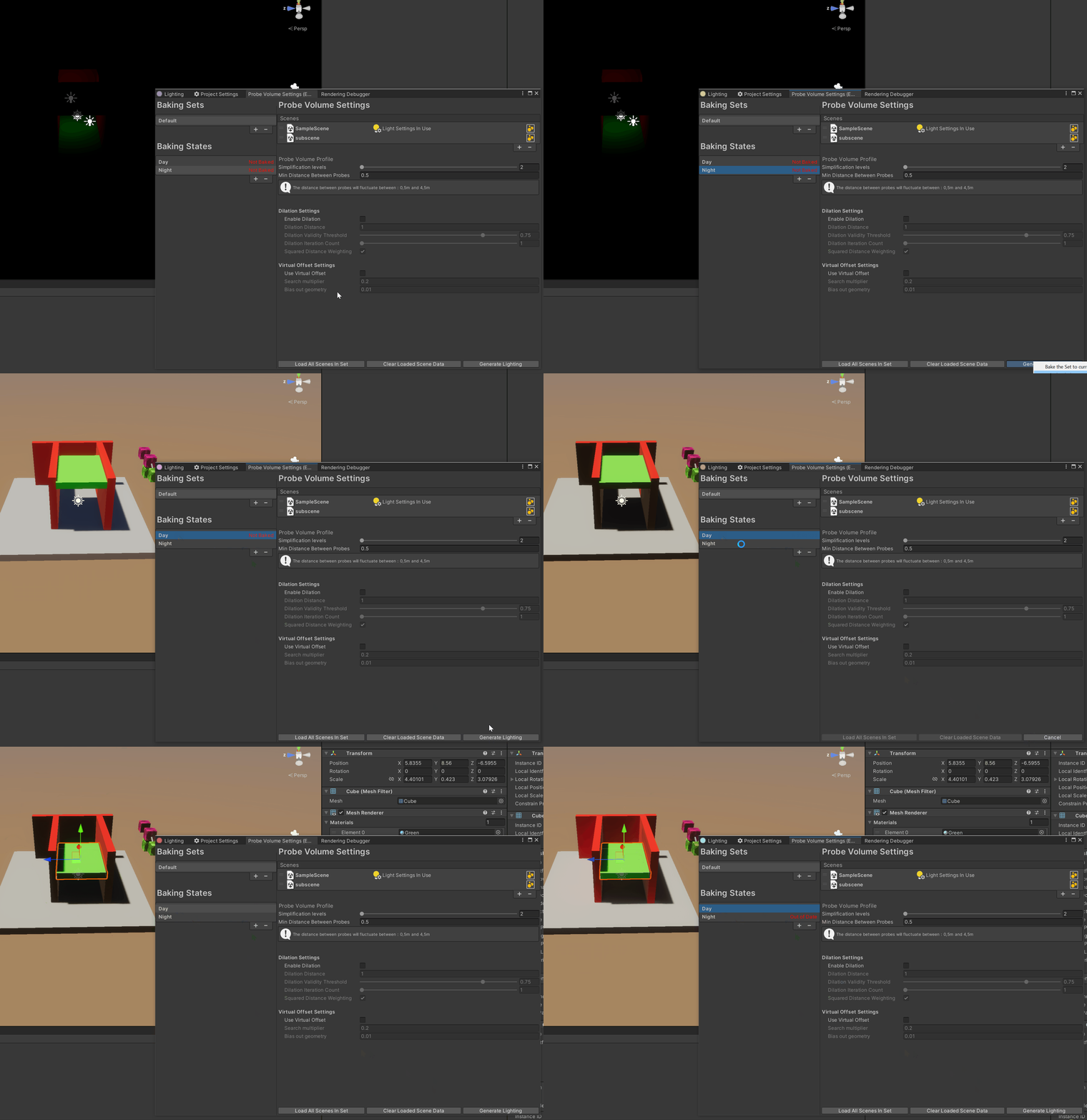


 turbid matrix
could it be some mipmapping / texture filtering issue on that texture asset?
scarlet hull
tawdry hound
https://i.imgur.com/x64PirM.png it is?
In your previous screenshot, the material is named "Clean_Concrete_Ground Specular", so it seems to be a different one
turbid matrix
looks funky alright, nothing on those materials stand out as totally incorrect
tawdry hound
scarlet hull
In your previous screenshot, the material is named "Clean_Concrete_Ground Specul...
Wow, i see it now, thx alot. It was pixel displacement
scarlet hull
Haha, knew it !
fierce parrot
scarlet hull
You could place a single decal with a "line" texture that has a rectangular shap...
is there another way to solve this?
With texture, I would have other problems like rotation...
scarlet hull
fierce parrot
With texture, I would have other problems like rotation...
Not if you rotate the decal
scarlet hull
But as often, multiple solutions exist for the same problem. You could also for example use a line renderer with a decal shader.
fierce parrot
that doesn't seem to work :/
it looks really bad, I think linerenderer has some own "bugs"
scarlet hull
tawdry hound
How can i use a material skybox in hdrp?
scarlet hull
fierce parrot
it looks really bad, I think linerenderer has some own "bugs"
Last time I looked at, the line renderer was working fine. Now, I didn't check it specifically with a decal shader.
You might want to tweak it's settings so the line mesh is oriented properly parallel to the underlying surface, as by default iirc it's facing the camera.
What I proposed initially is to use a stretched decal projector, but obviously it only works for straight lines
fierce parrot
scarlet hull
Last time I looked at, the line renderer was working fine. Now, I didn't check i...
yeah, I did that and then I couldn't see the line anymore..
which is still confusing to me
scarlet hull
fierce parrot
yeah, I did that and then I couldn't see the line anymore..
Maybe you missed something ?
I've just tried and here is a line renderer with a decal shader applying the default particle texture to the ground in the HDRP sample :
 fierce parrot
can you also do it on a wall?
For me, it disappears when I draw a linerendere with alignment.z on a wall with decal shader :/
scarlet hull
fierce parrot
can you also do it on a wall?
Yes I can. Just need to have the Z axis of the object in the correct direction
 fierce parrot
wow
fierce parrot
scarlet hull
Yes I can. Just need to have the Z axis of the object in the correct direction
how did you do that? for me, the line disappears 😂
can you send me your project?
scarlet hull
My project is the HDRP sample, nothing fancy.
As for the line renderer, here is it's inspector :

And the material :
 fierce parrot
I have no idea why it is not working

oh.. it appears on the other side. Why is that?

What am I doing wrong?

This is how I am creating the linerenderer
scarlet hull
Maybe you just have to rotate it 180 degrees on Y 😄
fierce parrot
Hm I'm using a ray for creating those two points... which rotation should I use?
scarlet hull
I'm talking of the gameobject itself.
Z should point against the wall (of the reverse ?)
fierce parrot
Does this make sense?
inner parcel
fierce parrot
Hm I'm using a ray for creating those two points... which rotation should I use?
why not create it on both sides?
and see for yourself how the projector is working?
fierce parrot
inner parcel
why not create it on both sides?
What do you mean by both sides?
I think I have a bug but can't really see it
I'm placing the linerenderer on the object but it always appear on the other side
(not exactly on the other side but one can see it on the opposit side ^^ )
scarlet hull
fierce parrot
I'm placing the linerenderer on the object but it always appear on the other sid...
The Z axis of the linerenderer gameobject is probably pointing in the wrong direction, as it's what is controlling the orientation of the mesh.
fierce parrot
How can I fix this? Im really new to this
scarlet hull
Lije I said, rotate your object.
In the script you've posted above, add line.transform.Rotate( 0, 180, 0); after the first line.