#archived-hdrp
1 messages · Page 78 of 1
 sinful locust
Unity Forum
So I have a space game with Solar System in real scale in it. I need to render very far distant objects, like other planets of Solar System. For...
I found that which seems to be similar to my problem. My scale is just quite a bit larger (unvierse is approx 2billion km end to end).
 dawn sorrel
Wew lad, you sure do pick your battles 😅
sinful locust
Indeed, I have all of the other large world problems solved, I am sure ill figure this one out heh.
I just hope I don't have to go too far down the rabbit hole like I did with my own ecs and math library to do it heh.
dawn sorrel
👀 And here I am working on janky parkour movement for half a year.
sinful locust


I can get them to render, but sadly only one one plane of the camara frustrm by doing funky business with the near/farclip heh (yes some of those are 2billion km away), stars scaled up in size to be visible
 inner palm
yeah I just slapped a script onto all my volumes with quality overrides
 plain mural
inner palm
yeah I just slapped a script onto all my volumes with quality overrides
plain mural
inner palm
yeah I just slapped a script onto all my volumes with quality overrides
i share ur frustration today i went thru the pain of trying to add an option for shadow filtering quality. in the end i had to revert to setting quality level and having multiple hdrp assets
 summer glacier
In your active URP asset, enable depth texture and opaque texture, maybe that'll do it
 inner parcel
I do it using quality settings. maybe there is some other way for it aswell
 keen glen
is your material rendering both sides? Are the normals flipped?
 fickle shuttle
keen glen
is your material rendering both sides? Are the normals flipped?
fickle shuttle
keen glen
is your material rendering both sides? Are the normals flipped?
as for the normals , I did not check the model was bought in the store , the render mode tried everything and both too
keen glen
fickle shuttle
as for the normals , I did not check the model was bought in the store , the ren...
Does it work with another camera?
fickle shuttle
summer glacier
In your active URP asset, enable depth texture and opaque texture, maybe that'll...
I also tried these settings, the effect is unchanged
fickle shuttle
keen glen
Does it work with another camera?
On stage at the same time?
keen glen
yeah, just add a fresh camera and look at your hands with it in sceneview, does it render correctly?
I still think its the model itself. Just throw a sphere on th eposition of the hands, is it rendered correctly, then your model is either flipped or you have to enable normal import or recalculate in the import settings to check
 wild oracle
Hey guys 🙂 I'm playing with some procedural terrain and populated with some trees. However, I have some problems with my main camera. Trees directly under the camera (I use a top-down camera) in a circular area are not displayed unless i zoom in. Someone has an idea to fix this? I tried playing with the near plane, disable occlusion but nothing worked. When i rotate the trees in x/z axis, they will display so I think it has something to do with angles and culling

when i zoom, the area changes a bit

 outer carbon
Looks like those trees are made of two intersecting quads? If they have no thickness to them, you won't see them from above.
wild oracle
it's a prefab with a lod group. think on this level it's only a billboard
is there a way to force unity to still render it?
outer carbon
To render what? It is rendering them. But you're looking at the quads from directly above. They have no thickness.
If you change the LOD so that it still renders the non-billboard at that distance, do they appear?
wild oracle
thought some billboards should still be rendered, despite the relative angle to the camera is only 1 or 2 degrees, however it semms like they are not rendered at all. but you are completely right, when i don't use the billboards or tweak the lod distances, i can fix the problem. thank you very much 🙂 saved me a lot of time 😄
 turbid matrix
is HDR400 supported by that? I know it's entry level, just only kind of HDR display I have on my dev rig atm 🙂
as a side note, I'd really wish Microsoft would make HDR work like on standalone TV's. it's a major PITA to use on current Win10
can't enable it on demand
meaning, one would need to burn their eyes out on regular desktop work all the time if one kept it enabled...
 dreamy fox
turbid matrix
is HDR400 supported by that? I know it's entry level, just only kind of HDR disp...
dreamy fox
turbid matrix
is HDR400 supported by that? I know it's entry level, just only kind of HDR disp...
Yes, ACES workflow has presets, 1000 nits being the lowest available preset for HDR, but works fine with lower nits (you just might end up saturating color earlier on lower end screens).
With neutral tonemapper you have full control of the output nit you and can set to whatever your screen supports or detect the data from the metadata sent by the device.
turbid matrix
neutral is still the hable based setup, right?
I still wonder why it doesn't quite work as nicely on Unity like it does for video content on players that do have that option
dreamy fox
turbid matrix
neutral is still the hable based setup, right?
No. You can chose between Reinhard (simple tonemapper) and BT2390 which is a television standard range reduction, used among others by call of duty
Custom and External currently not being supported on HDR Output (will fallback on Neutral). Not sure I can squeeze some support in for the imminent release given that those are tonemappers really meant for LDR content and I need to come up with something new that resembles vaguely the same shape and it is equally parametrizable.
Apologies, was wrong, Neutral is indeed Hable for LDR
But not for HDR
turbid matrix
ah ok, I know the old one was hable based, just wondered if the HDR one will be too
if you call both "neutral", it might be tad confusing
dreamy fox
Neutral here implies simply that does not shift tonality like ACES does
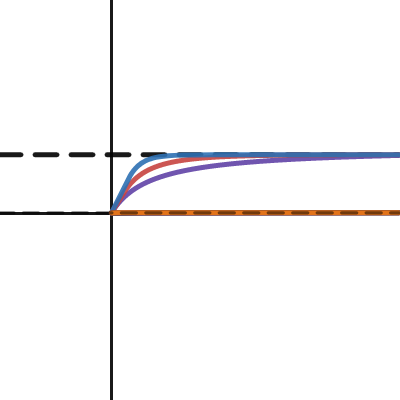
https://www.desmos.com/calculator/sisy0opuwf You can see here some plots of the curves I did while implementing things, Reinhard and BT2390 EETF are the one currently exposed.
The GTS curve might be something we can consider for a custom version, but not sure yet.
Desmos
turbid matrix
I'll see if I can give the branch a go next week, will be busy for a while on other things 🙂 I do love seeing this functionality getting some love finally
dreamy fox
We are criminally late 🙂 But as I said above, COVID made this very complex
turbid matrix
yeah not pointing any fingers here 😄
dreamy fox
I am! Self pointing 😄
One other thing I need to point out (and will be in docs when we release) is that we changed the default color grading space for non-ACES setups to accommodate wide color gamut, this means that either you can switch back to legacy but not benefit for a wide range of colors that UHD offers, or have to re-tweak the grading setups again
turbid matrix
I do wonder about this, you'd think it would have benefits for LDR, has there been notable change in the end result or is it resulting image in somewhat similar grading still?
ah, you just pointed this same thing
I ask mainly because I never got the results from old neutral option I wanted to, and I'm not huge fan of ACES
dreamy fox
It is somewhat similar but not identical for LDR, in LDR advantages are almost non existent (if not that now the grading space is a film industry standard). For HDR is quite a big advantage since it is the only way to go wide color gamut (the rendering is still in sRGB color gamut, so only grading can let you expand)
turbid matrix
in past I did some testing with the neutral tonemapper on HDRP to see what was the deal with the different magic values on Hable really did.. I derived why Unity tweaked some of the values from the original papers... but even if I got the math closer to the original, end result was practically identical 🙂
does the branch rely on some changes on 2022.1 API? I can see the branch itself is v13 based, just wondering if it's something we could manually backport to 2021.2 if needed (I assume Unity will not backport any new features to 2021.2 anymore)
 last blade
hi, im using URP, is it possible to have a camera render to both the screen and also a render texture at the same time? it seems like a waste to have to use two cameras
 wild oasis
last blade
hi, im using URP, is it possible to have a camera render to both the screen _and...
wild oasis
last blade
hi, im using URP, is it possible to have a camera render to both the screen _and...
So yeah, it might be possible with command buffers if at all.
dreamy fox
turbid matrix
does the branch rely on some changes on 2022.1 API? I can see the branch itself ...
There is no reliance on new API no, regarding backport from us indeed I don't expect that to happen, but not sure
turbid matrix
@dreamy fox yeah I tried it briefly on 2021.2, at least it didnt miss any API and new options showed up. Didnt do further testing yet
I wouldnt know if there were some c++ side changes to make it work proper though
@last blade you can put renderer feature after URP camera pass you want your RT for and just copy the color buffer to RT there
 river lodge
Hello! I need help! I'm trying to create a GraphicsFence in my CustomRenderPassFeature. I want to wait for the Compute Shader processing ends.
        public override void Execute(ScriptableRenderContext context, ref RenderingData renderingData)
        {
            CommandBuffer cmd        = CommandBufferPool.Get();

            cmd.SetComputeBufferCounterValue( Grass.Instance._indices, 0 );

            cmd.DispatchCompute( _collector, _collectorKernel, Mathf.CeilToInt( _population / 64f ), 1, 1);

            GraphicsFence graphicsFence     cmd.CreateGraphicsFence( GraphicsFenceType.AsyncQueueSynchronisation, SynchronisationStageFlags.AllGPUOperations );
            cmd.WaitOnAsyncGraphicsFence( graphicsFence);

            context.ExecuteCommandBuffer( cmd );
            CommandBufferPool.Release( cmd );
        }
This is how I trying to do this
But, unfortunately there is a flickering on android device
So, my guess is that the rendering sometimes starts BEFORE the compute shader ends its work
So it looks like graphicsFence is not working
What am I doing wrong?
turbid matrix
So... if other people try that HDR branch for HDRP: In case you don't get HDR in editor, make sure you run editor in DX12 mode. HDR + DX11 is apparently broken in editor atm 🙂 (both DX11 + DX12 with HDR device output works in the actual build)
 sterile mesa
Ty, I was hoping there was something easier. Like a brightness control.
keen glen
Isnt that what emission is for? You can also alter the specularity to get more light reflected
turbid matrix
it's not quite the same, emissive objects light the objects even without external light source
but yeah, like mentioned on my earlier response, one could still use that if it fits the art in use
keen glen
turbid matrix
but yeah, like mentioned on my earlier response, one could still use that if it ...
yeah sure, it will emit light too, but being brighter does mean reflecting more light, but I agree. its an art question of the creator.
 keen pivot
if i use dynamic resolution scaling, and scale down, the shadow map seems to not scale, which can't be considered an acceptable side-effect, is there something else i need to do to ensure the shadow map matches?
dreamy fox
keen pivot
if i use dynamic resolution scaling, and scale down, the shadow map seems to not...
Shadow maps and main resolutions are completely detached, that said you can always set the resolution of the shadows on the lights you want via the function SetShadowResolution on HDAdditionalLightData . Of course if your shadows were cached that will force a re-rendering of them
keen pivot
on each light?
doesnt that not just change the detail level though?
i can see the shapes in the shadows getting larger as we're zoomed in on the texture when we scale
they are not cached
dreamy fox
Oh I misunderstood the question, the projected shadows look different? That should definitively not be happening. Do you have a small video to show?
keen pivot
i can oblige, bear with me
i could be mistaken but it looks very much like the shadow map isnt scaling and so we're 'zooming in'
hmm, only seems to affect directional light
keen pivot
okay, so maybe its not the shadows
some post process, AO maybe
nope, its the glass
its the refraction
dreamy fox
I think we just recently fixed a bug related to this, what HDRP version are you on?
keen pivot
10.6
i see 10.7 is available. problem persists in that too
i actually noticed it on the back of another issue with scaling, which i've submitted a bug report for, maybe it'll get picked up
dreamy fox
I think the bug fixes I am thinking about might have not been backported back to 10.x . I can check tomorrow.
sterile mesa
turbid matrix
it's not quite the same, emissive objects light the objects even without externa...
Exactly. I don't want it to emit light. I just want it to absorb more... Like a scaling multiplier, should be cake simple. I'm surprised it isn't in this engine...
sinful locust
I am trying to render solar system scale stellar objects using HDRP 12/13, with objects as large as 1e09 in the most extreme case and where the entire universe extent is 2e15 meters. I am playing with custom pass and multiple cameras in order to try and achieve the desired scaling effect as a player moves through the universe and this has been challenging to say the least =). Anyone know what the max reasonable difference should be between nearclip and farclip, or any other recommendations on how best to achieve this. Other games like elite dangerous, star citizen, space engineers and KSP have achieved proper realtime scaling, at least in the case of KSP they used standard render pipeline and 3-4 cameras, but I understand that is not really viable with HDRP due to the extreme overhead of using the compositor.
turbid matrix
sterile mesa
Exactly. I don't want it to emit light. I just want it to absorb more... Like a...
it's not a feature in any game engine I know
or have totally missed it. everyone has physically based rendering and having some objects break the laws of physics like that isn't the goal
I suppose one way to do something like this is to have a stencil mask for the objects you want to appear brighter and do the effect in post processing using that stencil mask
I'd still imagine just using light layers and higher intensity light for the objects you want to appear brighter would be easiest way to achieve this
 hearty peak
sinful locust
I am trying to render solar system scale stellar objects using HDRP 12/13, with ...
hearty peak
sinful locust
I am trying to render solar system scale stellar objects using HDRP 12/13, with ...
as long as HDRP doesn't have camera layers you can't do much once you hit the float precision limits.... actually 8km at human scale starts to introduce artifacts.
basically if you want to do astro-scale you have to move the world around the player instead of the player around the world...
sinful locust
hearty peak
basically if you want to do astro-scale you have to move the world around the pl...
Hmmm that might actually be viable for my stellar objects, as they don't have physics and there won't be so many of them in view distance to be a huge performance burden.
Although this is a bummer to say the least. I guess this is the one area where URP would make my life easier.
hearty peak
you could also not do visual scale, only use time scale... at astro distances everything is < 1 px in size
i.e. make stuff much bigger in size, keep distances the same, but make the world move slower to compensate
sinful locust
Ya, even with my current solution of scaling the visual star distances and size down by 0.0000001 has issues where smaller and more distance stars drop below the pixel threshold.
hearty peak
probably best to render distant objects not in 3d but as projection on a skybox
sinful locust
I suppose the other possible solution would be to simply have an alternate rendering method for any object that would otherwise be to small to see, and instead just fudge the size to keep it visible.
sinful locust
hearty peak
probably best to render distant objects not in 3d but as projection on a skybox
ya I was pondering that, using a custom pass and burning shaders into the skybox.. I kinda would like to give the stars a little animation tho, which gets expensive 🙂
hearty peak
sinful locust
ya I was pondering that, using a custom pass and burning shaders into the skybox...
compute shaders to the rescue
sinful locust

this is where I am at at the moment. Although I have those stars now fixed in place and they move properly as I fly at relativistic speeds.
but obviously the stars do not scale their size properly
hearty peak
well, no reason to do that at real-scale
realscape only is convenient if you want to transition from human to astro scale
sinful locust
well, I do want to have proper scaling effects as u warp into a system
so it will be tricky
or as you approach a planet.
sinful locust
or star, ya
sinful locust
Thoughts on if I should take this approach vs take the easy path and go URP? I really want some of the HDRP features... 🙂
hearty peak
so... if you get close to something, just rescale the whole sourrounding world to make it work
much easier to do in URP/Standard with layered cameras... the whole multiscale thing gets "trivial"
sinful locust
I assume layered cameras still come at a significant performance cost tho?
hearty peak
no
they have some overhead for composing them (which happens 100 times per frame anyway), but essentially each camera only renders parts of the scene
if you set it up right
sinful locust
Hmmm, sigh I really don't want to move away from HDRP heh.
hearty peak
what do you need so desperately in HDRP?
HDRP and URP are just preconfigured pipelines... you can add anything you imagine to any pipeline if you want... if you build it yourself
sinful locust
The lighting, fog, and camera relative rendering are not something I need desperately, but they are definitely nice to have.
sinful locust
Need? no, its also not just space.
hearty peak
ah.. ok
you can do your own volumetric fog... might even be better to have a custom solution
sinful locust
Ya, you are of course correct. I was just hoping not to spend a bunch of time on such things as I have a ton of gameplay elements and other problems to solve =). But if I am going to be doing a bunch of nonsense to constantly scale the world then that might be a bigger time sink.
sterile mesa
turbid matrix
it's not a feature in any game engine I know
Now you have me curious. What makes it technically difficult to code the ability to make a mesh absorb more light?
 eternal laurel
Im confused on the absorb part. If a mesh absorbs more ligjt it would be darker since we only see things due to the light they reflect
turbid matrix
well, we know what Jim means here altho it's technically wrong term for that
@sterile mesa I'm bit confused though why you assume it should be a feature, what is the intended use case for this?
I ask because I can't think of any good use for that kind of behavior myself
 balmy nebula
HI I've been trying to convert my project materials from built-in to HDRP and the HDRP Wizard does literally nothing
turbid matrix
@balmy nebula All 3rd party/custom shaders?
Oh wait. HDRP Wizard is not a conversion tool
There is a separate material conversion script
 wild wyvern
 sharp lynx
Can someone help me to make my URP graphics look better
sharp lynx
Can someone help me to make my URP graphics look better
Let’s make Unity look beautiful!
● Get Unity: https://store.unity.com/?aid=1101lPGj
● Post Processing Stack: http://bit.ly/2vFhxSD
● Uber Shader: http://bit.ly/2wJz9k9
● Nature Starter Kit 2: http://bit.ly/2xy4nbo
● More on Baked Lighting: http://bit.ly/2xN88cm
● More on Forward vs. Deferred: http://bit.ly/2wiEMEO
● More on ACES Filmic Tone M...
sharp lynx
wild wyvern
https://www.youtube.com/watch?v=owZneI02YOU&t=421s
Thx!
turbid matrix
first time I check these HDRP runtime tests 😄
 summer glacier
turbid matrix
first time I check these HDRP runtime tests 😄
summer glacier
turbid matrix
first time I check these HDRP runtime tests 😄
cursed place, leave it alone
I remember one scene was one huge plane with thousands of real time lights
the plane shaped up as a curve, gradually going up, along with the lights
It was a light perf test I believe
 scarlet hull
turbid matrix
first time I check these HDRP runtime tests 😄
scarlet hull
turbid matrix
first time I check these HDRP runtime tests 😄
Everything is fine here 🙂
turbid matrix
I've looked around HDRP_Tests a lot in past as it's more practical for checking some specific feat, never just looked inside runtime test one before 🙂
 obtuse cave
Out of the blue(?) I got this from a hdrp project working with vfx graph. Any ideas??
[Worker0] Metal: Vertex shader missing buffer binding at index 3
turbid matrix
Virtual Texturing test scene is fancy too
 turbid matrix
obtuse cave
Out of the blue(?) I got this from a hdrp project working with vfx graph. Any id...
turbid matrix
obtuse cave
Out of the blue(?) I got this from a hdrp project working with vfx graph. Any id...
is that on beta or alpha?
I've seen similar looking error messages spammed out of nowhere on those
(not related to vfx graph)
obtuse cave
this was on 2020.3.19f1
turbid matrix
ah, it's not that then
obtuse cave
Oh. Sorry, That's what I'm attemting to revert to now. The "broken" project is a beta. 2021.2.0b2
turbid matrix
since 2020.3 doesn't have HDRP in Unity core yet, it's always possible you have to update the packages to latest for everything to play ball (in case you are on older HDRP minor version)
if it's 2021.2b, I'd just ignore the error for the time being
obtuse cave
I'd love to ignore it, but the vfx graph im working on doesn't play now.
turbid matrix
ah, you get that on play?
obtuse cave
no. In edit mode. But no preview of vfx graph. doesnt play in play either.
turbid matrix
and you are sure it's what is halting it? it's just, that looks a lot like the error I get all the time on that beta even without vfx graph
it's coming even on empty templates if I remember right
obtuse cave
Gimme a sec I'll open it again.

So, heres the stack of errors. I imported the vfx graph and some assets as a unitypackage i had saved as a backup into a fresh version of keijiros rcam2 project opened in 2021.2.0b2
I can clear the error and warnings, but for some reason the vfx is no longer emitting any particles or showing any signs of "running"
If I open the graph I get
[Worker0] Metal: Vertex shader missing buffer binding at index 4 (attributeBuffer / Hidden/VFX/LogoTest2/System/Output Particle Quad)
turbid matrix
ah, it's possible the graph is now corrupt
if it doesn't do that on new vfx graphs, you could always see if you could redo the graph again
obtuse cave
Yeah. Rebuilt it from scratch. Guess thats what working in beta is albout ..
sterile mesa
turbid matrix
<@!751340700213313557> I'm bit confused though why you assume it should be a fea...
I want some meshes brighter on the screen than others. I answered your question. You still didn't answer my question: Why is this difficult to do from a rendering perspective? It should be a scalar of brightness absorption.
wild oasis
sterile mesa
I want some meshes brighter on the screen than others. I answered your question...
Because most of the engines with somewhat realistic graphics use physically based rendering and there's no object property in real world that makes it absorb more light than there actually is(absorbing light would make them darker btw, not brighter). That will be not realistic.
sterile mesa
Video games aren't always supposed to be "Realistic", but whatever. It's not in the game despite it being easy to code.
You answered my question, Unity is unable to make a single mesh brighter due to getting a powerup or something, thanks.
wild oasis
sterile mesa
You answered my question, Unity is unable to make a single mesh brighter due to ...
You can do that with emission color as you've been answered already. If you want it to be integrated into lightning calculation, you'll need to write a custom shader.
sterile mesa
wild oasis
You can do that with emission color as you've been answered already. If you want...
If I do emissions tho, it sends out light to other bodies, which I do not want. Also I would imagine more light casting would slow frames per second.
turbid matrix
afaik dynamic objects with emissive doesn't light other objects, unless you happen to use DXR GI
sterile mesa
turbid matrix
afaik dynamic objects with emissive doesn't light other objects, unless you happ...
Ok, thank you. I was given misinformation by other sources. Awesome!
turbid matrix
if you bake lights and you have emissive on static objects, then emissive will cast to other objects as well
sterile mesa
Also good to know
sinful locust
So what are the main features URP are missing that HDRP has at this point, ray tracing not with standing as of 2021.2b. Fog, light falloff, limited number of lights per scene? Anything else major?
turbid matrix
@sinful locust both have same light falloff, only built-in has different falloff for dynamic lights
 turbid matrix
out of the box, urp doesn't support planar reflections, volumetric fog, raytracing or virtual texturing where hdrp has all those
sinful locust
also noticed HDRP supports some material types like iridescence, which seem to be lacking in URP?
turbid matrix
also hdrp has AMD FSR and Nvidia DLSS
and TAA of course + upscaled TAA
yeah URP doesn't have iridescence out of the box
could do custom shader for it though
sinful locust
is custom pass a HDRP specific feature?
turbid matrix
yes
but URP has renderer features
basically both let you render extra passes at injection points provided by Unity
sinful locust
I see URP added deferred rendering
turbid matrix
and urp has camera stacking that can be used in games
hdrp's compositor isn't suitable for that
sinful locust
ya camera stacking is the main thing that is somewhat forcing my switch.
sinful locust
hard to do space scale games with HDRP if the compositor isn't suitable.
turbid matrix
I'd still fake it on both URP and HDRP
sinful locust
ya i am, but even still I need more view flexability in my near field than I can safely get with HDRP
sinful locust
It depends. I really have 3 fields I want to support
turbid matrix
you can still spoof that stuff with a little math, just scale and render objects near the far field
move things relative to scale etc
sinful locust
understood, but my goals limit my options somewhat.
turbid matrix
if one is adventurous enough, could go explore other game engines too
Unreal Engine 5 supports double precision game world out of the box
pretty sure Unigine does that too
sinful locust
I already have that working in unity. Render is really my only issue at this point.
Camera stacking will work fine for my needs.
I have my own double precisions math libraries and ECS/update system backed by bursted jobs. Scaling/performance isn't an issue.
turbid matrix
ah
well, new Unity Math lib actually does doubles too and burst can accelerate it
especially if you allow AVX, it can do double math four wide
sinful locust
ya, I ended up taking SharpDX and converting it to doubles, as it gives me more what I am used too
I am getting just as good performance with it as unity's math libs
turbid matrix
all good if it works 🙂
sinful locust
ya this part is working well. I can have 100,000 pool objects and origin shift in/out 10k medium poly roids per second with 120fps (movement 50,000 meters per second), so its fine 🙂
Really the only performance bottleneck I have is it can get fairly expensive for the render to update bounding volumes on a bunch of entities after origin shifts, but anything less than say 100k keep fps for that frame above 60fps.
turbid matrix
@sinful locust are you using Unity's hybrid renderer?
sinful locust
turbid matrix
<@!241872381906386944> are you using Unity's hybrid renderer?
no, I am not using DOTs entities, I have my own hybrid ECS. Which uses raw pooled gameobjects (without custom monobehaviors) for rendering and physics (multi-physics instances)
sinful locust
DOTs didnt seem far enough along to commit to it
and once I started testing gameobject bottlenecks I realized the biggest problems were the instantiation and awake/update methods, so I removed those and pooled everything based on a prefab cloning facility I made.
Sure struct based entities are definitely faster, no question. But what I am using is plenty fast enough for my purposes.

have my own double precision transforms, which are updated via bursted jobs. The world positions are transformed into render space and/or physics spaces depending on need.
 summer glacier
turbid matrix
Unreal Engine 5 supports double precision game world out of the box
summer glacier
turbid matrix
Unreal Engine 5 supports double precision game world out of the box
does it though?
wasn't it dropped?
turbid matrix
@summer glacier no?
sinful locust

Unreal Engine Forums
@zeroexception Hi Zak, In terms of converting everything (entire engine) to doubles, is that seen like a multi-month or multi-year project for Epic, assuming you can offer us a hint? Regarding awesome creations, while Lumen / Nanite grab all the headlines, doubles are a 1000% game changer. 👍
turbid matrix
they promote large scale world support still
sinful locust
looks like they are legit doing it, its not ready yet
turbid matrix
and their current math lib is templated so that their vectors can use either single or double precision floats
summer glacier
nice
turbid matrix
pretty sure it's using doubles by default now
sinful locust
 turbid matrix
(and that you can't opt out if you don't need it)
huh
can't really tell from own experience since I've only tested some tech demo on UE5, didn't do deep dive into it 🙂
sinful locust
I suspect its the rendering/physics stuff that still has some pending changes
if unreal embraced c# I would likely have picked it.
turbid matrix
their c++ isn't all that bad, some people hate the macros but it's not the biggest hurdle you'll get when using that engine
but this is getting bit off topic for this channel now 🙂
summer glacier
I don't know about that, i think it is along with these APIs
sinful locust
One strange issue I am seeing having switch from HDRP is URP, is my scene does not seem to be respecting my skybox and lighting settings. Things look fine prior to hitting play, both in game and Scene view. But as soon as hit play I get different lighting and a grey fog, that I don't have set anywhere. I also noticed that if I don't add my skybox to the camera then I just get the grey fog for a skybox as well... if add a skybox to the camera I see the skybox, but still get this strange fog/lighting that isn't what I have set.


pre play / post play
turbid matrix
you sure you don't have fog enabled in the lighting settings?
it doesn't use volume workflow on URP
sinful locust

pretty sure
after conversion I deleted my old volumes
its almost like its using a different lighting profile, but I cannot find a separate one anywhere and its clear its using the main one pre-play, because it changes when I change settings.
 short orchid
is there a way in HDRP to stop unity from automatically adjusting the lighting/exposure when i zoom in and out? I know its meant to be "realistic" but i want more control over it
inner parcel
short orchid
is there a way in HDRP to stop unity from automatically adjusting the lighting/e...
turn off exposure
short orchid
i don't have exposure on the volume, is it on a different setting?
turbid matrix
there's a default setting for it on hdrp global volume
you shouldn't turn it fully off, just set it to fixed (if you still want to keep realistic lighting values with HDRP)
so basically you either adjust the global volume or just make an override for the default on your scene's volume
short orchid
overriding it worked, thanks
inner parcel
yes I should have explained more. exposure is needed always for hdrp(for good results). people are always annoyed by exposure because that's not there in urp and that's not enabled by default in default rp.
But most games use that. In a subtle and tuned way ofc. I can't get things done w/o exposure nowadays
summer glacier
https://unity.com/roadmap/unity-platform/rendering-visual-effects
TAA is now under consideration for URP

Unity
From beautiful graphics on mobile to stunning high fidelity visuals on the latest high-end platforms, Unity’s customizable and powerful rendering technology helps you realize your visual ambitions and let you control the appearance of your applications, n
doubtful it matters, but vote! 😄
turbid matrix
it doesn't
it's one of the main reasons they added movecs in the first place
TAA + better motion blur
nice that they've put it into roadmap though 🙂
TAA is also one of the things they are still missing from URP that BiRP can do 🙂
 gusty verge
Does anyone know a good tutorial for volumetric light/fog for URP?
sinful locust
Phantoms = SceneManager.CreateScene("Phantoms", new CreateSceneParameters(LocalPhysicsMode.None));
SceneManager.SetActiveScene(Phantoms);```When doing the above in URP, how do u copy the lighting from previous scene to new active scene?
turbid matrix
@sinful locust is that RP specific in some way?
also you talk about extra scene for lights etc or baked lights?
 indigo jay
Hey guys i got this error do you know the fix by any chance ?
com.unity.render-pipelines.universal: Package [com.unity.render-pipelines.universal@11.0.0] cannot be found
A re-import of the project may be required to fix the issue or a manual modification of C:/Users/jaspe/Desktop/unityGames/game with sethio/Sandbox Survival Game/Packages/manifest.json file.
turbid matrix
@indigo jay what Unity version are you using?
URP 11 is for 2021.1. If you are trying to run this on 2020.3 etc, it will not find that package
also in general, downgrading Unity projects isn't officially supported
for example there could be some things on scripts that Unity automatically changes to newer API's which you can't automatically reverse unless you have these changes in version control
the fix for that specific error is to open that manifest.json file and change the version number from com.unity.render-pipelines.universal to version supported by the Unity version you use. For 2020.3 you could try "10.7.0"
but this again depends on the engine version you are using
 glad acorn
anyone know how I might be able to replicate/fake translucent materials for VFX particles in URP, like you can do in HDRP?
basically what I want is to have quad billboarded particles be lit from one side, but the result is it's lit from both sides
im using unity 2021.2.b014, got access to the Lit output node for vfx, but without translucent materials, it's only able to be lit from the side that has direct contact with a light source
wild wyvern
gusty verge
Does anyone know a good tutorial for volumetric light/fog for URP?

This is an overview of a shader that creates a volumetric fog effect.
You can download the files for free (or donate) from:
https://aetuts.itch.io/volumetric-fog-unity-lwrpurp-shader-graph
Note: make sure to enable opaque and depth textures in URP settings
Resources:
Sebastian's clouds video: https://www.youtube.com/watch?v=4QOcCGI6xOU
C# Simp...
 solar ferry
I have a dumb question and would really appreciate it if anyone could enlighten me about what I am missing.
Following a YT tutorial and imported the Universal Render Pipeline, created a plane and assigned a water material to it.
In the video it looks like its supposed to, but for me the shader makes it all pink.


If I import URP should it not be default? Is there some setting I need to edit?
 full heron
Unsure where to ask this. I'm getting serious shadow artefacts on terrain when using URP. Dont really know if its fixable or a known issue. But it looks like this:

Its sliiiiightly better when running 2021.1 with latest URP compared to 2020 LTS
Increasing the shadow texture size reduces the issue somewhat, but its still clearly visible.
It looks like a gradient that is repeated, as if the UV's are all wrong.
solar ferry
OK so it seems my render pipeline in graphic settings is not set, but I can not find any asset in the project to assign to it. What asset does it require? Should this not be imported when the package is installed?
full heron
@solar ferry its not automatic. You can create your own render pipeline asset and then refer to it in the project settings.
 dawn sorrel
does someone know why camera overlay always render transparent materials on top?
full heron
Another angle with a textured terrain, where the shadow issue is super clear...
 dawn sorrel
@full heron looks like you need to play with normal and depth bias in your light or pipeline settings.
full heron
Tried both. The banding effect just moves, still looks the same though :(
sinful locust
turbid matrix
also you talk about extra scene for lights etc or baked lights?
It seems so. In my project all rendering related objects go into the "Phantom" scene, which is also my active scene. physics related entites go into their own scenes depending on what "spatial sector" they occupy. My issue is fixed if I just leave all of my render objects in the initial scene. Seems like there should be a simple way to copy/assign lighting settings to a new scene that is created in runtime.
 bold snow
hi, i'm new to game engine software like unity. i am having trouble finding a workflow for rendering out image sequence of an animation like how you would do with something like blender or ae. what would be the best way to render/export an animation. thanks
 eternal laurel
bold snow
hi, i'm new to game engine software like unity. i am having trouble finding a wo...
turbid matrix
eternal laurel
bold snow
hi, i'm new to game engine software like unity. i am having trouble finding a wo...
turbid matrix
huh, did not expect this https://github.com/Unity-Technologies/Graphics/commit/9b60865df34b3bd05b3da57f0b663935b688f4be

there's going to be SG fullscreen pass for built-in target too
will be nice when this gets merged as can do so many trivial PP effects on SG then
there's now implementations for all three, built-in, URP and HDRP on that branch
curious if that's going to work in VR + SPI too, might give it a go later
wild wyvern
solar ferry
I have a dumb question and would really appreciate it if anyone could enlighten ...
Did you assign the URP asset in your render settings? https://docs.unity3d.com/Packages/com.unity.render-pipelines.universal@13.0/manual/InstallURPIntoAProject.html
 carmine orbit
Question. I'm bringing in a project made in another unity and bringing back/fourth (all are linear, URP) but now my shaders seem broken? My exposed parameters I made via shader graph don't show when I assign a shader to a new material? Any ideas?
 sinful locust
Is there a way to get a scene camera to use a stacked camera for rendering, my scene view is not showing objects at distances that only overlay cameras can see.
inner parcel
sinful locust
Is there a way to get a scene camera to use a stacked camera for rendering, my s...
if youre using hdrp you can override custom pass to also execute in scene mode. urp im not sure
sinful locust
I am using URP
summer glacier

GitHub
Unity Graphics - Including Scriptable Render Pipeline - Commits · Unity-Technologies/Graphics
😄
sinful locust
anyone know if the new URP forward+ render will support camera stacking, deferred does not.
 rugged raven
Alright I'm losing my mind. I'm trying to replicate the effect that the Pixel Perfect Camera (Upscale Render Texture) feature should give me. I've used this video and project https://www.youtube.com/watch?v=2qeNu2QApAM

In this video, we are going to demonstrate how you can use the Universal Render Pipelines 2D Renderer and 2D Lights to create Pixel Perfect Lights and Particles.
Download the assets from this project here!
https://on.unity.com/3mVQptT
Learn more about the Universal Render Pipeline here!
https://on.unity.com/33boIFD
Read more about our 2D Ligh...
When I use the project relating to the video the feature works well, as seen in this gif
https://gyazo.com/648b2a8603a5c1cd5edc49a040f49526

However, when I try to implement a similar thing in my own project, it refuses to work:
https://gyazo.com/b28f59d7bd57d6b8e3d6078fd2b5ef64

I've even copied over the material and prefab used in the project, as well as copying over qand using the same Graphic settings (Scriptible render pipeline settings)
So does anyone have a clue of what I'm doing wrong? I'm quite new to unity but I feel like it should be near-identical setups, I just can't find where the issue would be
summer glacier
sinful locust
anyone know if the new URP forward+ render will support camera stacking, deferre...
Wait, deferred doesn't support camera stacking?
sinful locust
correct
summer glacier
huh, didn't know that. Do they mention if it's planned for deferred anywhere?
sinful locust
summer glacier
huh, didn't know that. Do they mention if it's planned for deferred anywhere?
no, but I assume not. My guess is the nature of deferred render makes it difficult/impractical.
However, the forward+ render looks like it should be good enough in most cases
rugged raven
rugged raven
So does anyone have a clue of what I'm doing wrong? I'm quite new to unity but I...
So after a whole lot of trial and error It started working when I removed the default rendering asset from the Quality Settings
Not sure what that means for my projects in general, but now it works at least 😅
 feral robin
i upgraded to URP and everything turned into pink
what should i do
did i kill my project?
how do i fix it?
 rustic pagoda
you should add urp materials to your objects, there is an automated command for that. Normal materials won't work. Please take a look at this tutorial: https://www.youtube.com/watch?v=6KM16tivA4Y

In this Unity game development tutorial we're going to look at how we can convert an existing project, using the built-in render pipeline, over to the newer Universal Render Pipeline.
URP is a Scriptable Render Pipeline that lets you create optimized graphics across a wide range of platforms.
It also allows us to create shaders and effects vi...
turbid matrix
summer glacier
<@!222536308319322122> https://github.com/Unity-Technologies/Graphics/commits/ur...
cool stuff, didn't expect them to start working on it before RTHandles PR get merged
that branch is based on the RTHandles branch/PR btw
turbid matrix
sinful locust
anyone know if the new URP forward+ render will support camera stacking, deferre...
no idea if it will support it but Forward+ could still be year+ away from getting enabled so wouldn't count on it even existing today
I only say this because it took really long time for other major URP feats to get released
sinful locust
understood, they do say its actively being developed now.. but who knows lol
btw whats the story with Ethereal ?
is it worth buying? I saw u have been looking at it
turbid matrix
early forward+ work has been merged already for a long time in URP, it's just not fully functional yet
also haven't noticed much movement on github regarding that but haven't actively looked for it either
@sinful locust I'd be cautious on that one, if you go that route, expect all code and docs to be all over the place
just looking at the store pages from that publisher should give you an idea how it's going to be organized
sinful locust
ya, I did notice that.
There doesn't seem to be many volumetric fog options for URP that look solid.
turbid matrix
I have some assets from the dev and I don't think I'll ever use those as it's impossible to decipher what's going on there in any reasonable amount of time
that's true, kinda pity that Aura 3 is taking so long
sinful locust
What I really want is something that would look good as a space nebula fog =). Sadly I am likely going to have write it myself, which means I have to first write a ray marcher...
turbid matrix
you could utilize vfx graph for something like that, do it on gpu particles
sinful locust
hmm I was wondering about that, but most of what I have seen still looks like particles and not really clouds 🙂
What I really want is something like this, which appears to have been made in unity and is in real time.. which is amazing

I made a shader that generates an infinite fully volumetric 3D nebula in Unity that you can fly through and explore.
Music : Keosz - Forfeited
turbid matrix
that's cool 🙂
would need a custom solution for that, unless you can repurpose some volumetric cloud rendering for it
sinful locust
ya, i'll likely just do a quick hack job to give some atmosphere and come back to this later, I have plenty of other problems to solve
turbid matrix
re: FSR, I feel like it's partly AMD's marketing fail (or success, how you want to view it) that none of the articles about the tech actually point out that in comparison to DLSS it's only doing upscaling and not AA like DLSS does.
using FSR without any extra antialiasing will just look horrible
also having to couple it with AA solution that isn't originally designed to work with FSR sounds problematic by design, surely there has to be some AA solutions that work the best with it
when it's neglected, it does bring questions because devs have to figure this one out by trial and error
 orchid geyser
i cant seem to find "Unlit Master" in unlit shader graph

also i am new to graphs
turbid matrix
@orchid geyser

I'm guessing you are following some old tutorial?
shader graph setup has changed since, currently you just set the master node settings on graph settings instead of setting them from master node
 serene zephyr
I'm trying to use a dissolve shader but "DrawAdditionalFoldouts" has disappeared from BaseShaderGUI. I can't find anything about it in the changelog
 full steeple
soo i swapped from URP to HDRP and now i get loads of errors when i try to add 'bloom' to my box volume for example

i can almost do nothing with vfx without getting an error
turbid matrix
not a lot to config on URP FSR

that being said, I don't even remember if HDRP version had any extra sliders
would love to have some control over sharpening, it kinda overdoes it the lower the resolution goes
but this also boils down to used AA solution I suppose, currently testing with SMAA which doesn't quite remove all jaggies... and URP TAA I currently use for testing breaks on 2022.1 again so can't test this with TAA yet
I hope the official URP TAA isn't that far out
summer glacier
turbid matrix
that being said, I don't even remember if HDRP version had any extra sliders
it doesn't have any
I made a post a while ago asking them to expose some parameters with FSR
it's kind of expected :/
turbid matrix
I haven't looked at the algo itself, like if there's some parameters on the shader files that are hardcoded atm
btw, about the oversharpening on URP... I'm pretty sure that could be nicely countered by TAA as it tends to soften the image
I didn't even check how they did this, like, did they already include optimizations from this https://atyuwen.github.io/posts/optimizing-fsr/
Recently AMD released its super resolution algorithm named FidelityFX Super Resolution (FSR). Compare to its competitor DLSS that can only be enabled on RTX capable cards, FSR doesn’t require any particular hardware support, which makes it very attractive for cross-platform games. However, although FSR is highly optimized and runs efficiently on...
(they would make a ton of sense for URP so it could be used better for mobile)
 latent trail
I'm finding basically 0 difference when rendering my camera to a low res render target vs a full screen res render target.
However, if I force the game resolution low I can clearly see the performance change in the profiler.
Do the target textures of a Camera not affect the rendered resolution like I was expecting?
doing some googling and this seems like a bug?
sinful locust
when using camera stacking and different near/far clip distances is there any tricks to eliminate the overlap points for the camera. I see thin spherical lines on large objects where they meet.
turbid matrix
@sinful locustI don't think people typically have stacked cameras objects overlapping, why do you need that?
like, the typical reason to do the stacking is to just have something rendered either right in front of you (player char hands, weapon etc held object) or really far away (distant planets), it's not typical to have these exist on two cameras at once
sinful locust
camera 0 - 0.3 - 500, camera1, 500 - 500,000, camera2 500,000 - 500,000,000
for example
turbid matrix
but why?
sinful locust
view distance.
turbid matrix
I mean, why would you need to have camera 1 and camera 2 overlap at the transition point
sinful locust
Not sure what you mean, where one camera ends the other has to begin no? Otherwise there will be a gap for any object at that transition.
turbid matrix
you are faking things anyway if you do this, it doesn't have to coexist on two cameras at the same time
or well, if you want the smooth transition, then you need overlap (like both camera0 and 1 existing in 450-500 range), not straight split
like, have thing exist for a while on both cameras ranges, just render it on one at the time and then swap it at given point, or fade in and out / whatever works for you
bit like smooth transition on lods work
sinful locust
Well this is a space game. I have stellar objects that can be huge, say 1,000,000km in size
turbid matrix
yeah but you will not have camera2 render that range 1:1, it's faked already
player can't tell if the object is off a bit that far off
but that small extra threshold should work if you want to do this
sinful locust
I adjusted my camera offsets and its unlikely it will be noticable now, as the transition points are at a range where they won't see objects big enough to notice
I just found it odd that there was a small gap and that if I adjusted the floating point manually I could shrink the gap further.
turbid matrix
it's probably due to floating point accuracy
sinful locust
ending up with values like 5000.3005 and what not
turbid matrix
you can't have exactly same result with floats
sinful locust
I figured as much. I'll work around it 🙂
 astral mirage
Hey, I use the URP render pipeline and I just want to put my lightmapper to progressive GPU to have a faster light generation but when I generate lightning, it always soft crash. How can I use my GPU in unity without crash. Thanks 😀
Also, all shadows are very bad and pixel ed instead I had change shadow resolution to 4096 in the URP pipeline file.
wild oasis
full steeple
i can almost do nothing with vfx without getting an error
Did you remove the urp package?
 livid juniper
I have this code.
https://gdl.space/ovofusorog.cs
I got this error.
Attempting to get Camera relative temporary RenderTexture (width || height <= 0) via a CommandBuffer  in a Sriptable Render Pipeline.
UnityEngine.Rendering.RenderPipelineManager:DoRenderLoop_Internal (UnityEngine.Rendering.RenderPipelineAsset,intptr,System.Collections.Generic.List`1<UnityEngine.Camera/RenderRequest>,Unity.Collections.LowLevel.Unsafe.AtomicSafetyHandle)
LightDetection/<LightDetectionUpdate>d__10:MoveNext () (at Assets/Scripts/Player/LightDetection.cs:42)
UnityEngine.SetupCoroutine:InvokeMoveNext (System.Collections.IEnumerator,intptr)
Unity 2021.1.22f1, URP 11.0.0
Anyone know the solution?
Do I have to use CommandBuffer?
summer glacier
astral mirage
Also, all shadows are very bad and pixel ed instead I had change shadow resoluti...
Maybe your scene is too big?
It should work otherwise
reduce the texels and try
 full steeple
wild oasis
Did you remove the urp package?
full steeple
wild oasis
Did you remove the urp package?
I havent removed a single thing yet
summer glacier
astral mirage
I meant reduce it and try using the GPU lightmapper, set it to something small like 2 texels per unit
make sure lightmapper is set to progressive GPU
looks like your scene is small though
so it shouldn't be a size problem
wild oasis
full steeple
I havent removed a single thing yet
Then do it.
 lunar stone
I'm trying to import URP into my project, I think I got the materials all converted correctly for URP, but my emmision does not work (it should cast light around the line in the screenshot, but it only seems to affect the color of the line). Any idea what I'm missing?


The color of the line is white, and it should have a glowing emmision on it's sides
inner parcel
you need bloom in your scene
 upbeat badger
and HDR color
lunar stone
Thanks, I did miss quite a few settings that I still had to activate, like enabling post processing on the camera too
Looks pretty cool already for the few work that went into it
rugged raven
Anyone got any idea why these lights appear whenever I instantiate a ParticleSystem at the location of the collision? I don't even have a material assigned to the trails so I'm quite confused what it could be.
It does not seem to be any post-processing related stuff, so I'm confused to why my particle system would somehow "emit light?" I can even disable all the components of the particle system and it'll still light up
https://gyazo.com/d1758fcd2b2fe489d82f0060b5140ff4
Any tips or hints to what it could be would be great

the lights disappear at the same time as the gameobject which is instantiated is destroyed

I can even remove the particle system and strip the gameobject of all it's components and the light is still there
what sort of witchcraft is this
full steeple
wild oasis
Then do it.
Will that fix it?
summer glacier
rugged raven
https://gyazo.com/251b74a19956c121c842769c68c1ae13
doesn't seem to be a normal light, it covers up other objects
opaque
rugged raven
summer glacier
doesn't seem to be a normal light, it covers up other objects
I think it was some sort of bug. I had copied the prefab from another project
But when I made the prefab new with identical settings it didn't appear anymore

wild oasis
full steeple
Will that fix it?
Give it a try. What do you have to lose?
full steeple
wild oasis
Give it a try. What do you have to lose?
Our entire game we’ve worked on for the past 5 months
wild oasis
full steeple
Our entire game we’ve worked on for the past 5 months
You think removing a package is gonna cost you a project?😅
 true zealot
If that was ever a risk you need to get on source control ASAP
full steeple
I dont know if it will cost anything, dont know if there are any valuable things in the folder
full steeple
true zealot
If that was ever a risk you need to get on source control ASAP
Iknow its just that we came pretty late by the fact that hdrp works better for us
wild oasis
full steeple
I dont know if it will cost anything, dont know if there are any valuable things...
What folder? I'm talking about removing the package via package manager.
full steeple
wild oasis
What folder? I'm talking about removing the package via package manager.
Oh shit okay ill try that
sharp lynx
Can somebody help me with render texture? I iam trying to do the retro look render texture and now it's rendering only black/No camera thing
 polar sorrel
sharp lynx
Can somebody help me with render texture? I iam trying to do the retro look rend...
polar sorrel
sharp lynx
Can somebody help me with render texture? I iam trying to do the retro look rend...
do you have two cameras?
latent trail
what is the correct way to pingpong rendertextures? i'm doing things in OnPostRender atm - pingpong as needed and then blit to screen
dawn sorrel
Hello
i am trying to attempt to build my game to iOS
i am using VFX is it possible because ipad don't have dedicated gpu?
Ive goten my other games to build on the ipad and iphone but im using VFX this time and im getting null references
turbid matrix
if the device doesn't support compute shaders, you are out of luck and can't use vfx graph for the device
https://docs.unity3d.com/Manual/class-ComputeShader.html suggests you get that on iOS if you use metal
dawn sorrel
I don't get it
VFX runs fine on M1 but not on the iphone and ipad?
Compute Shaders seems to be an extensive topic im not sure i want to dive into it maybe in a year or two. Can anyone maybe link to a easy library that will get VFX to work on ios?
sigh
I really wanted my little solar system to work on iphone/ipad 😦
 wild oasis
dawn sorrel
VFX runs fine on M1 but not on the iphone and ipad?
wild oasis
dawn sorrel
VFX runs fine on M1 but not on the iphone and ipad?
Is that URP?
inner palm
does anybody know why the cloud layer is being rendered over everything?

this is HDRP
with a gradient sky
happens on both scene view and game view

unity 2021.2.0b15
hdrp 12.0.0
created an empty scene with a volume and a cube and the problem persists

literally only one thing is rendering over it
nevermind
anything market transparent is drawn over it
turbid matrix
@inner palm https://forum.unity.com/threads/2021-2-0b14-cloud-layer-always-on-top-not-occluded-by-geometry.1179205/

Unity Forum
Hi Guys
When setting the Background clouds to "Cloud Layer", I get this weird effect where the clouds ar over everything. This does not seem to happen...
could be a bug in b14+ specifically
dawn sorrel
wild oasis
Is that URP?
Yes
inner palm
I hope that opening it in 2021.2.0b13 again doesn't create any issues
wild oasis
dawn sorrel
Compute Shaders seems to be an extensive topic im not sure i want to dive into i...
There's no such library. If your car doesn't have wheels, it won't move. It's the same thing here. The question is does it really not have wheels though... Shader graph compatibility with mobile devices seems to still be in preview, so I wouldn't be surprised it there are some bugs and incompatibilities.
dawn sorrel
hi. i capped my frame rate at 60 fps in the code and deactivated vsync in the setting. now if i switch on vsync unity totally goes nuts and throws the fps from 40 to 70 all over the place. and if i deactivate it i get screen tearing. what could be the problem?
wild oasis
Could be that your screen refresh rate isn't 60 HZ
if you don't set the target framerate and let vsync handle it, it should cap at the right frame rate
dawn sorrel
my screen is 60hz
wild oasis
Did you try with only vsync?(no target framerate)
dawn sorrel
ye with no target framerate its ok. im just worried what if someone has a 144hz display. can i force him to use 60hz?
wild oasis
dawn sorrel
ye with no target framerate its ok. im just worried what if someone has a 144hz ...
You can try, but they will have screen tearing as a result.
Why do you need the hard restriction?
dawn sorrel
because my code bugs at higher fps.
like if i unlock fps and get like 700 it starts glitching.
wild oasis
dawn sorrel
like if i unlock fps and get like 700 it starts glitching.
maybe it's worth bug fixing instead of restricting your player devices then? 😅
dawn sorrel
na i tried everything. fixed update update late update fixed time delta time delta. and what not. so i rather fix at 60fps and move on
turbid matrix
@dawn sorrelare you measuring this in actual build or in editor?
pretty sure vsync has never worked properly in editor for me
(I've used Unity since Unity 4)
dawn sorrel
turbid matrix
pretty sure vsync has never worked properly in editor for me
oh thats probably it
i coded a fps in build and it seems ok
turbid matrix
there's a ton of things you can't properly test in editor
like, if you profile things, you can get some ideas in the editor but there's always bunch of editor code running at the same time too which makes such testing especially for performance quite pointless, you mainly see the direction it's going
turbid matrix
it's same deal regardless which renderer you use, but yeah, it's expected to be wonky in editor 😄
dawn sorrel
im kinda 2d orthographic and it doesnt let me choose anything but forward
turbid matrix
also.. like mentioned by dlich, better make sure the game plays on all refresh rates anyway. if you only build the game to run proper at 60Hz, you will always have some players that force vsync off from drivers and some players who play the game on toaster that can't keep up at 60Hz
dawn sorrel
ye ima just tell em to refund
turbid matrix
lol
dawn sorrel
u cant please everyone
turbid matrix
you can force 60Hz when you set the resolution via unity's scripting api, if it's for PC, pretty sure every monitor out there supports 60Hz mode
I personally wouldn't do it like that, just saying it's possible
dawn sorrel
ye only pc. i did force it through script but idk if you can force vsync 60 on 144 hz
turbid matrix
I'm fairly certain every 144Hz monitor out there has support for 60Hz too
well... there's additional gotcha there
you have to run the game fullscreen for that to work, otherwise you'll get nasty results when the windows desktop compositor mixes and maches that 144Hz screen's game window
if it's exclusive fullscreen, you can force the whole monitor refreshrate so it's always that 60
dawn sorrel
ye i force full screen.
its just i have some pretty wonky system that doesnt use unity physics at all and no collisions. so i kinda rely on framerate
and i thought the tearing is a render issue
turbid matrix
it's totally fine to discuss it here 🙂
wild oasis
dawn sorrel
its just i have some pretty wonky system that doesnt use unity physics at all an...
It just means that something's wrong with your system if it relies on frame rate.🤷♂️
dawn sorrel
The thing is. There is fixedupdate but there is no such thing as fixed late update. And that's why it cannot be fixed
So one always has to be on update or late update which depends on framerate.
turbid matrix
everything can be fixed, but for example if you start to glitch past 200fps, you could also just put soft frame limiter to 200 Hz etc
dawn sorrel
Or 60
turbid matrix
no idea what glitches there
dawn sorrel
Which wad my solution
wild oasis
dawn sorrel
So one always has to be on update or late update which depends on framerate.
And that's why you multiply by delta time
turbid matrix
it does sound like there's some math problem somewhere, yes
wild oasis
dawn sorrel
So one always has to be on update or late update which depends on framerate.
There are plenty of custom character controllers and other systems out there that don't rely on physics, yet work properly independent from frame rate.
If you wish to solve the actual problem, share the details and your code in one of the code related channels.
dawn sorrel
nvm i just fixed it myself by replacing fixeddelta time with smoothdeltatime
inner parcel
problem with targetFrameRate in editor is that it uses Thread.Sleep internally in editor which is absolutely garbage to get correct timing. when in editor just don't cap fps at all. if you do like you've already done smooth delta works good for something like follow cam etc. for builds probably there's some il2cpp voodoo and afaik C++ can achieve microseconds delay even in non real-time operating systems like Windows.
vsync is done on hardware side and is much superior for capping fps rather than using targetFrameRate reliably.
further more for devices which have 144hz monitor you can use vsync count as 2 and fps will be capped to 72. For 240hz monitor you can cap it to 4 and so on.
although if your game glitches at 200fps you probably want to look at that since in world of PC game there are some who prefer to have vsync disabled completely
 shrewd moon
dawn sorrel
ye with no target framerate its ok. im just worried what if someone has a 144hz ...
shrewd moon
dawn sorrel
ye with no target framerate its ok. im just worried what if someone has a 144hz ...
Now that's just cruel 🥲
dawn sorrel
Still better than 30fps console games on 144hz TVs
dawn sorrel
inner parcel
problem with targetFrameRate in editor is that it uses Thread.Sleep internally i...
Btw whats the correct channel for discussing fps if not the render pipeline channel?
turbid matrix
if it's really rendering related, it's fine here as people are not super picky about the topics as long as it fits the channel somehow. getting your code running consistently at all framerates is typically a topic for #archived-code-general etc
summer glacier
anyone on beta 14 2021.2?
If you have some terrain grass, do you notice any severe ghosting with TAA?
set TAA to high
dreamy fox
Is the grass writing motion vectors?
dreamy fox
If you see lots of ghosting, for example try reduce anti flickering, decrease the base blend factor
summer glacier
dreamy fox
Is the grass writing motion vectors?
I believe it is, but then again I'm not seeing anything in the Motion Vector debug screen. Does that mean it's not writing motion vectors?
It has wind, hence the need for it. I'm using a tool that handles all the shader work, including motion vector
It also worsens as i increase the quality of TAA
"High" giving the most extreme ghosting and blurriness, "low" giving the least amount.
Antiflicker helps, but it's still far beyond normal levels of ghosting
turbid matrix
probably still something funky about the movecs
summer glacier
I'm not really sure. Never faced it before, so it's either something wrong with my shader (I use Vegetation Engine) or something's wrong with TAA in this particular version.
I'm open to sharing the scene if needed -- made it into a package, around 180mb
summer glacier
dreamy fox
If you see lots of ghosting, for example try reduce anti flickering, decrease th...
Huh, maybe it's not writing motion vectors. Just tested and I can't see anything, whereby a cube moving is shown in the motion vector debug screen.
This is assuming procedurally instanced grass should show up in the motion vector debug screen.
I'll check with the asset author.
Someone should close my case reports then... 😄
two, by accident.
PS: The base blend factor option is very helpful. Great addition 😄
turbid matrix
your shaders have to specifically write the movecs if you move vertices by shaders
Shader Graphs have a checkbox for it afaik but I dunno how that vegetation engine authors their shaders, never used it
as a side note, TAA + vegetation is always bound to be a blurry mess even when you do things right, especially if the camera is in movement
summer glacier
I understand that, but usually it's acceptable, the pros win over the cons, most of the time imo for TAA 😄
summer glacier
so turns out.. terrain grass doesn't write motion vectors, based on the debugger
They work fine when placed as a mesh
Is this the case or does the motion vector debugger miss terrain grass?
It feels like that's the case, from my testing. Visually that is.
Ghosting and blurriness is as expected when placed as a mesh, but not so much when using the terrain detail mesh option.
The wind is done by the shader, not the terrain
By terrain grass I am referring to detail mesh. New in 2021.2
I sure hope there's a workaround 😄
Tempted to report as a bug, but I'll wait a bit
turbid matrix
summer glacier
Is this the case or does the motion vector debugger miss terrain grass?
It feel...
I doubt debugger misses it, the data is just not written to the movec buffer
summer glacier
Well, 🥲
turbid matrix
with what you've said so far here, it sounds like an issue on the shader so it's not even unity bug
summer glacier
True
turbid matrix
unless... unity broke something on that side
doesn't hdrp have terrain grass now?
I haven't tried it
it probably doesn't do wind though
summer glacier
It does, that's what detail mesh is, i think you're supposed to use shadergraph for wind. But my shader already uses Amplify shader
summer glacier
Turns out terrain really is bugged. Even when using the new shadergraph wind meant for detail mesh
motion vectors are still missing.
But when placed as a mesh, it's there
turbid matrix
I guess it's possible that terrain objects just don't have movecs setup
if so, it's not a bug but also... it should be a thing
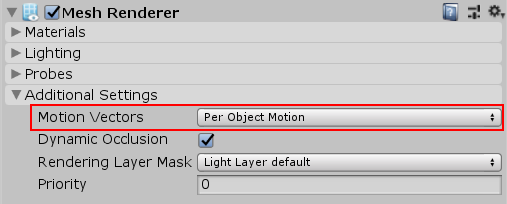
I now mean this thing you can set on regular mesh renderers https://docs.unity3d.com/Packages/com.unity.render-pipelines.high-definition@13.0/manual/images/MotionVectors1.png
 gaunt tartan
is it possible to set different URP Renderer settings per platform?
I want different settings for iOS/Android to workaround a bug in the beta version
but I want the same quality level for both
nevermind haha
summer glacier
turbid matrix
I guess it's possible that terrain objects just don't have movecs setup
That would be such a deal breaker :/
summer glacier
Do motion vectors work when using instanced and indirect instancing?
seems like they do not...
 hollow orbit
I'm in URP 12.
Is there a way to set the color and depth buffer of a temporary render texture when I create it?
I'd rather not have to create extra textures when a single render texture can hold both a color and depth buffer.
Right now the only things I can find are:
• SetRenderTarget - All the documentation says to avoid this in favor of ConfigureTarget and ConfigureClear
• RenderTargetSetup - I have no idea where this should happen
• RenderTargetBinding - constructor takes RenderTargetSetup
• RenderGraphPass - in SRP core but relies on RTHandle system which has not been implemented in URP
• NativeRenderPass.cs - Finds active color and depth attachments within active render passes and finds which passes can be "merged"
RenderTargetBinding (unity docs)
Describes a render target with one or more color buffers, a depth/stencil buffer and the associated load/store-actions that are applied when the render target is active.
This data structure is similar toRenderTargetSetup, but relies on aRenderTargetIdentifierto ensure compatibility withCommandBuffer.SetRenderTarget.
Sooooooo, how am I supposed to use any of this with GetTemporaryRT() or ConfigureTarget()?
So far this is my understanding of how all of these interact with one another:
// RenderTargetHandle can be thought of as a kind of ShaderProperty string hash
private RenderTargetHandle _colorHandle => new(_colorTargetId);
private RenderTargetHandle _depthHandle => new(_depthTargetId);

// Identifies a RenderTexture for a Rendering.CommandBuffer
private RenderTargetIdentifier _colorTargetId => new(_colorBuffer);
private RenderTargetIdentifier _depthTargetId => new(_depthBuffer);

// Color or depth buffer part of a RenderTexture.
private RenderBuffer _colorBuffer;
private RenderBuffer _depthBuffer;

// Fully describes setup of RenderTarget.
private RenderTargetSetup _targetSetup => new(_colorBuffer, _depthBuffer);
// Describes a render target with one or more color buffers, a depthstencil buffer and the associated loadstore-actions that are applied when the render target is active.
private RenderTargetBinding _targetBinding => new(_targetSetup);

// A declaration of a single color or depth rendering surface to be attached into a RenderPass.
private AttachmentDescriptor _colorAttachmentDesc => new(RenderTextureFormat.ARGBFloat, _colorTargetId);
private AttachmentDescriptor _depthAttachmentDesc => new(RenderTextureFormat.Depth, _depthTargetId);
However, it isn't clearly stated when these can or can't be used
hollow orbit
There just doesn't seem to be a way to create a temporary Render Texture with a color and depth buffer which seems like an oversight
This enum allows you to specify access to different types of data within the render texture but there is nothing about writing to different parts of the same render texture
https://docs.unity3d.com/2021.2/Documentation/ScriptReference/Rendering.RenderTextureSubElement.html
 leaden crescent
hey all, I'm sorry if this has been asked a bunch. does the Unity built-in render pipeline support Nintendo Switch?
This page ( https://docs.unity3d.com/Manual/RenderTech-HardwareRequirements.html ) says it's supported by "Consoles" but doesn't call out the Switch directly
wild oasis
leaden crescent
hey all, I'm sorry if this has been asked a bunch. does the Unity built-in rende...
Pretty sure it is, although you'll need the Nintendo switch sdk.
leaden crescent
wild oasis
Pretty sure it is, although you'll need the Nintendo switch sdk.
thanks! it seems everyone is pretty sure from forums/reddit that they're compatible. I'd be curious if anyone's actually done it
wild oasis
Nintendo switch had been around since 2017. There's no way it doesn't support the built-in rp.
If you are a registered Nintendo developer, you can test it yourself. If not, then worry about getting a developers license first.😅
leaden crescent
lol, fair enough. we're not sure if we're going to publish for Switch yet, but wanted to know if our rp choice would lock us out of it
appreciate your help 🙂
wild oasis
I'm pretty sure rp doesn't even have anything to do with platform. You can probably use whatever rp you want. The only exception might be with HDRP, since it has some hardware requirements for some of it's features.
turbid matrix
yeah HDRP doesn't support Switch atm
they tried to squeeze in Switch support at some point but apparently it never performed well enough so they just removed the option before that major version of HDRP released
 old meteor
so i have ambient occlusion on max but the plane is still black, why
 turbid matrix
@old meteor I'm guessing you are confusing ambient lighting and ambient occlusion here, but since this is HDRP, your real problem is incorrect exposure values
I always recommend this route first: Run through HDRP wizard, make sure everything is ok on it's checks. then create a new scene and start from some HDRP outdoors scene there, it will have sane defaults for lighting and exposure values
 chrome locust
It pleases me now to announce that the CPU light loop optimization has now landed in master
https://github.com/Unity-Technologies/Graphics/pull/5294
GitHub
Purpose of this PR
Optimization of PrepareLightsforGPU (ProcessVisibleLights) on HDRP using burst, in a ECS friendly way.
This PR includes:
Introduction of HDLightEntityCollection - which is a mas...
Next steps:
- Backport it to 2021.2 🙂 so you guys get the benefits in your projects
- Start planning of shadow atlas / shadow optimizations.
Thank you so much to the ones that helped me test this and provided feedback @turbid matrix @summer glacier
Other fun upcoming PRs
https://github.com/Unity-Technologies/Graphics/pull/5771 - Making now the gpu light limit per tile configurable, default is now 64 ligths per tile, instead of pesky 23 lights 🙂
https://github.com/Unity-Technologies/Graphics/pull/5866 - Squeezing out 0.3 ms off the gpu light tile culling algorithm (gpu time). Mostly noticible improvements in consoles.
Cheers and happy coding!
turbid matrix
chrome locust
Other fun upcoming PRs
https://github.com/Unity-Technologies/Graphics/pull/5771...
been watching these for a while, nice work 🙂
chrome locust
and just wait, there is some sick stuff cooking 🙂 super excited for the future.
turbid matrix
I can imagine APV's could have a ton of places to optimize altho as outsider it's not easy to tell where that project is going, other than it was finally mentioned on official docs for HDRP 12
will welcome all optimizations on the base HDRP too 😄
chrome locust
APV is getting some sweet improvements as well, I am not as involved in it though
turbid matrix
yeah I've seen bunch of other people working on it, I guess there's enough chefs on that one already
my main painpoint on HDRP is still perf on VR, pretty sure it's the resolution that kills the perf on modern VR headsets where URP still has plenty of headroom (even after stripping HDPR out of... everything)
 waxen lantern
https://unity3d.com/unity/beta/2021.2.0b16
under "Fixes" for 2021.2.0b16 👍
Graphics: Remove URP and HDRP templates. They are now dynamic templates

Unity
Unity is the ultimate game development platform. Use Unity to build high-quality 3D and 2D games, deploy them across mobile, desktop, VR/AR, consoles or the Web, and connect with loyal and enthusiastic players and customers.
I'm hoping to see more of this approach for dynamic render pipeline compatibility whenever possible.. and that not doing so is considered a bug to be fixed
waxen lantern
turbid matrix
my main painpoint on HDRP is still perf on VR, pretty sure it's the resolution t...
https://portal.productboard.com/unity/1-unity-platform-rendering-visual-effects/tabs/18-high-definition-render-pipeline
assuming the biggest performance gains are to be had in lowering render resolution, the most direct way to optimize for this will be VR support for NVidia DLSS (Deep Learning Super Sampling), AMD FidelityFX Super Resolution, and DirectX12 out of preview... Support for new APIs (variable rate shading ..
Product roadmap and feature requests. Welcome to our product portal.
and in terms of variable rate shading / variable rate rendering, both valve and fb / oculus' are hinting to include eye tracking that would support foveated rendering in their next flagship VR headsets
https://uploadvr.com/quest-pro-face-eye-tracking-oculus-firmware/
https://www.slashgear.com/valve-papers-tease-eye-tracking-vr-headset-potential-18664470/

SlashGear
In a patent application made public today, Valve showed drawings and descriptions of a new sort of VR headset. This wearable head-mounted display (HMD) included an array of features, including but …
sinful locust
Anyone here well versed in URP ScriptableRendererFeature and how to convert from Built-in's OnRenderImage(). I am attempting to convert this and although I have it rendering something that somewhat resembles clouds I am not sure if I am running into URP incompatibilities/limits or what https://www.youtube.com/watch?v=gnvaMFq3EPM
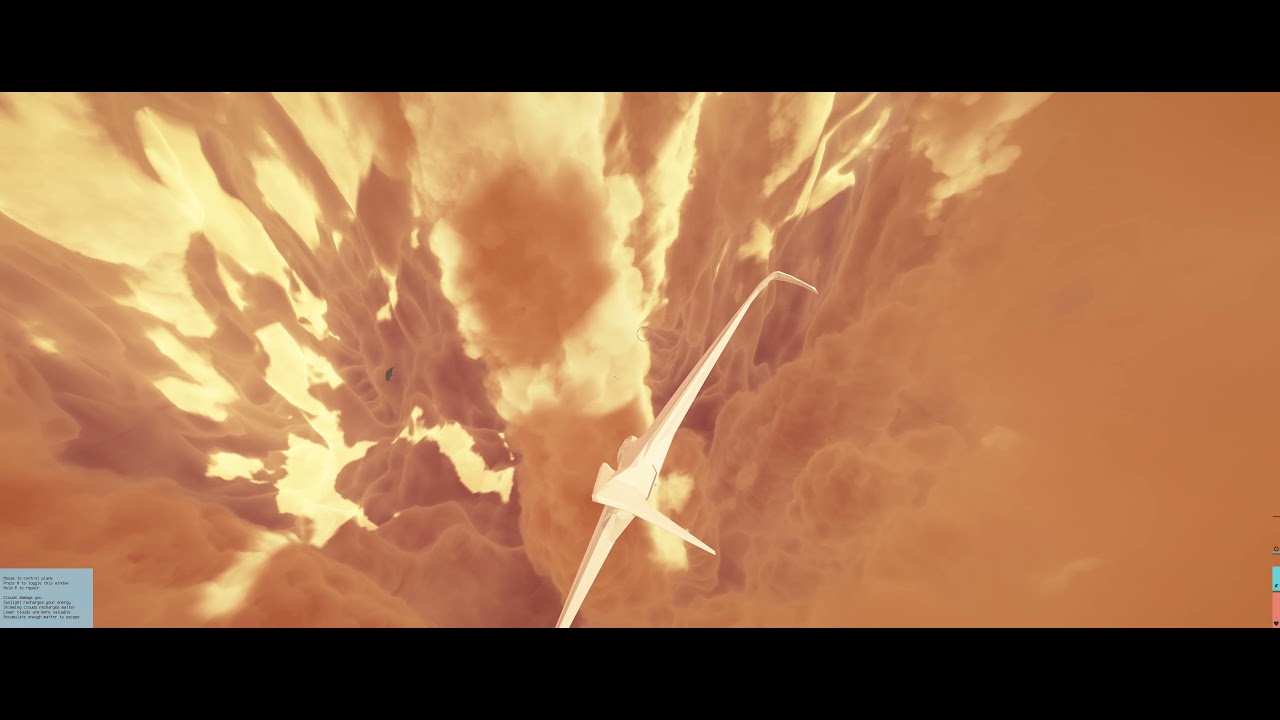
This is my "success" so far lol https://cdn.discordapp.com/attachments/804225222769246218/898023324481880104/unknown.png
 turbid matrix
waxen lantern
https://portal.productboard.com/unity/1-unity-platform-rendering-visual-effects/...
turbid matrix
waxen lantern
https://portal.productboard.com/unity/1-unity-platform-rendering-visual-effects/...
yeah I said I assume the resolution is the main killer for VR because in my testing so far, just slimming my HDRP asset down (and I mean really slimming everything, including all those hidden frame settings) barely runs 90Hz on Quest 2 resolution on my PC with Ryzen 3900x and RTX 2070 super and using relatively empty test scene.... I can get some marginal back there after using TAAU at 80% scaling. Just perf wise FSR was more costly and I didn't feel it really gave enough visual improvement to TAAU to justify the cost (and you need TAA or other AA solution still with it). DLSS overhead in VR cost me more than the rest of the frame rendering so that was pretty useless unless you actually have a very heavy to render thing (which you'd want to avoid in VR anyway)
that new'ish feature culling feat will be handy too as it lets you automate a lot of unused feature stripping, when I tested these I had to manually remove distortion etc from those hidden sections on frame settings (in several places)
but even if you do all these things, and only render at 80% with everything turned off + upscaling enabled, you don't really have any visual advantage over URP at that point.. and URP can render the same scene natively at that cost, probably even better
I really hoped DLSS would be the savior of HDRP VR but it probably only matters if you are on RTX3070+ which limits your target audience to tiny fraction of total VR players
well.. there are still older gen VR headsets out there, and even popular Index renders at lower resolution than the most pixel dense headsets today so it's not all lost

(from september's steam hardware survey)
@sinful locust porting that kinda work to URP is a whole can of worms, all I can say is... good luck 😄
even simple posteffect porting has tons of things to catch
also if you want to support VR later on, it's goes into a whole another level
turbid matrix
talking of DLSS, I do wonder if Unity is getting DLAA as well
turbid matrix
also just tested HDRP DLSS in VR again using 2022.1... even using DLSS in performance mode makes perf drop substantially on the test setup that is otherwise "cheapish" to render
but there's something else totally broken on 2022.1 atm... regardless of the setup, I get stable frames in VR for first 10 seconds or so and then it starts systematically dropping frames (nothing changes in scene there)
eternal laurel
Even with URP the only way Ive found to keep good stable fps on newer devices is dynamic resolution scaling
turbid matrix
yeah but this is not that
I mean, this is some issue where something accumulates, memory leak or something
I can stare same spot in VR and it works fine for 10 seconds or so, after that it starts missing frames and never recovers
(testing this with oculus performance overlay)
@eternal laurel oh wait you meant like perf in general, my bad
eternal laurel
Yep. Its the only saving grace imho
turbid matrix
chances are that this is coming from Win11 update too, bunch of people have complained it has crapped their VR performance
ok so... frame drop issue happens on pistol whip too.. pretty safe to assume this is not isolated to recent Unity change 🙂
 tough pulsar
can somebody tell me how to change background color in prefab editing mode?
 turbid matrix
rolled back to Win10 and VR is happy again 😄 oh well
 queen jewel
Does SRP have a camera stacking feature where you can render multiple cameras on top of each other?
scarlet hull
I think URP handles it, but not HDRP. You can still use the compositor in HDRP to do it, but it is not recommanded for realtime.
queen jewel
Gotcha. Yeah, I know later versions of URP can do it, just wasn't sure if it also got implemented into SRP
Thanks
turbid matrix
URP is SRP
SRP = scriptable render pipeline, and URP uses SRP api
URP got camera stacking around version 7.2 if I remember correct
well, some really old URP and HDRP versions supported it as well
the old versions used same camera stacking setup as on built-in renderer which wasn't efficient at all and was quite problematic, hence getting removed
current URP approach requires tad different setup
queen jewel
Ah gotcha. I thought SRP was Standard Render Pipeline
turbid matrix
Unity refers to that old thing as Built-in Render Pipeline or BiRP
BiRP hasn't really gained that much popularity hence the silly sound of it so most just refer to Built-in RP
 jagged canyon

so SRP batcher refuses to be set false during runtime
clearly this is not intended
...right?
 whole fossil
turbid matrix
rolled back to Win10 and VR is happy again 😄 oh well
whole fossil
turbid matrix
rolled back to Win10 and VR is happy again 😄 oh well
You seems even more excited about new stuff than I am ;) What was w11 to you overall?
turbid matrix
horrible 😄
I mean, most things were functional still, it's just PCVR (at least for Quest 2) totally broke
but like, they had to make all kinds of changes for the sake of making changes... every window, dropdown, button had rounded corners again, XP style. start menu was made even less functional (yes they managed to do that), you don't get "show all icons" on system tray so you constantly have to go change the icon visibility for apps you want to show there
it wasn't all bad but none of their changes made the product any better
also Win10's windowing style feels more modern

I hope this nonsense at least forced Unity to change their windowing framework so they can counter this
@jagged canyon does the F9 button work?
oh.. the toggle button is for mobile?
just curious why separate element for that
but SRP batcher is supposed to toggle at runtime, that's the whole point of that debug script - to be able to swap between and see the stats
jagged canyon
yeah i submitted a bug report
the toggle isnt mobile I just wanted a UI button to toggle it
my initial testing was for a VR project so again I had a worldspace button doing the same call
anyway something unity is doing immediately starts the batcher again, because it'll only stay disabled for a single frame, and even then Im not sure its actually turning off
bool forceBatching = false;
public Text textArea;

public void ToggleBatcher()
{
    forceBatching = !forceBatching;
    GraphicsSettings.useScriptableRenderPipelineBatching = forceBatching;
}
void Update()
{
    textArea.text = "GraphicsSettings.useScriptableRenderPipelineBatching: " + GraphicsSettings.useScriptableRenderPipelineBatching;
}```the test was barebones to demonstrate that its busted
and no pressing F9 doesn't toggle it either, the profiler can be disabled and this still isn't working for me

it absolutely refuses to toggle it in a meaningful way
same with android export and probably an exe too considering
turbid matrix
is there some SRP asset setting somewhere that can disable the batcher?
jagged canyon
yes I could maybe switch assets on the fly instead?
but i mean this is wrong then
jagged canyon
turbid matrix
is there some SRP asset setting somewhere that can disable the batcher?
I will try this as a workaround/hopefully a fix 🤞

yikes googling unity urp switch asset leads me to suspect this might also be overriding the graphicssettings?

Ill mess around with it
sinful locust
turbid matrix
<@!241872381906386944> porting that kinda work to URP is a whole can of worms, ...
Well I don't think I am THAT far way. It is based on on Sebastian Lague's Clouds and I have a 100% working version of that in URP. The fact I have it rendering clouds at all tells me I am 50% of the way there, my issue is I have no errors or place to go to step me through what all needs to change or is incompatible between built in and URP 🙂
There seems to be subtle things like when you are allowed to call certain graphics calls now that differ, but these facts seem to be spread all over the place
This is URP
 turbid matrix
Looks nice and fluffy :)
sinful locust
lol, now that I better understand custompass I am half tempted to switch back to HDRP =P. Multi-camera setups have their own limitatons
rendering performance on URP is also very strange. Its super fast in the average, but in the worst cases it seems to be as slow or slower than HDRP. The more you have going on the more it seems HDRP catches up and then finally surpasses it.
turbid matrix
this also just landed on master 🙂 https://github.com/Unity-Technologies/Graphics/pull/5988

GitHub
Use RayTracingAccelerationStructure.CullInstances function (latest trunk - 2022.a13) to filter Renderers and populate the acceleration structure used for ray tracing (DXR). This greatly increases ...
waxen lantern
turbid matrix
this also just landed on master 🙂 https://github.com/Unity-Technologies/Graphic...
ooh that's a big performance gain. here is another raytracing PR to look out for https://github.com/Unity-Technologies/Graphics/pull/4974

GitHub
I found a way to make LODs without introducing new artifacts (and removing some previous ones).
Testing status
Added a new test to cover the new behavior
HDRP DXR tests are green locally
the main takeaway is, ray tracing used to not really support LODs.. it would "only add the top level LOD in the RTAS".. now all the LODs models will be loaded in the ray tracing acceleration structure and adjust accordingly
actually i guess this is kind of an old PR lol.... "sebastienlagarde approved these changes on Jul 2" and the HDRP docs indicate this is available in Unity 2021.2+ / HDRP 12+ (currently in beta)
so, to be fair, the feature still has yet to land in an official / stable tech stream release
turbid matrix
yeah people did all kinds of workarounds for that, like manually pushing lower level LODs in RTAS to get some perf back
it's still a valid way to do it as you don't need LOD0 for everything
 keen tulip
you seem more excited than the Unity devs who's PR gets merged to master 😅
turbid matrix
Having been around since the old Unity 4 days, I do love the transparency current graphics git repo gives us. It also enables a lot of custom work as it is easier to mod this when you see new things in isolated commits :)
 hallow pebble
Hello, not sure if this is the right channel but i have a small question about upgrading materials from standard renderer to HDRP.
Is the metallic slider 0 if the object is fully metallic and 1 if it's not?
it is a little weird but the texture when it's 0 is not really showing at all but it does fully when it's on 1
documentation also isn't clear about whether 1 or 0 is fully metallic, this can be improved imo. It also would make more sense if 1 = metallic
 hallow pebble
oh wait might found my problem
 iron flame

GitHub
Purpose of this PR
The purpose of this PR is to optimize the performance of the physically based DOF implementation. In particular, DOF regions that are out-of-focus are now computed at lower resol...


 kind fjord
that looks damn good
turbid matrix
about this... https://github.com/Unity-Technologies/Graphics/pull/6030

GitHub
This PR implements mixed cached shadows (allow always draw dynamic) for directional lights too. Turned out to be less trivial than I originally thought :D It was a bit tricky to get the 2 set of ...
I never realized the mixed shadowmap caching didn't actually work on directional lights yet 😄
now that I read the previous productboard explanation, it specifically said "Cache only a portion of non-directional shadow maps."
definitely will welcome this new addition 🙂
 weary fog
yeah i found it out the hard way
turbid matrix
well, good thing it's about to be added now 🙂
sinful locust
hmmm HDRP clouds support custom weather and Lut textures.. thats interesting.
 shy ivy
I'm on URP, and I have (like a lot of others, from what I can tell) been struggling with some absolutely out-of-control shader variant counts for builds. Has anyone found a solution to this? Is it URP-specific, or have people on BIRP/HDRP run into the same?
turbid matrix
@shy ivy are you using 2021.2/URP 12?
Early version on 2012.2 were horrible in this regard. Latest betas should include better urp shader stripping logic
iron flame
I added reflection probe rotation for URP.
It only works for Y axis and I can't use intensity any more 😄
https://images-ext-2.discordapp.net/external/BTJNvvauyyp9ExIO7Hff5BokvPeKbhMOJCQpHijnaEY/https/media.discordapp.net/attachments/874723961739546665/899574033832628244/unknown.png


 zealous yarrow
These reflection probes drive me crazy because I can't rotate them
 kind fjord
dont reflection probes produce a 360degree cube map? why would rotation matter?
turbid matrix
think of box projection like a cube, you can't align it proper for box shaped geometry unless you can rotate it manually yourself
and spherical shape will be off regardless
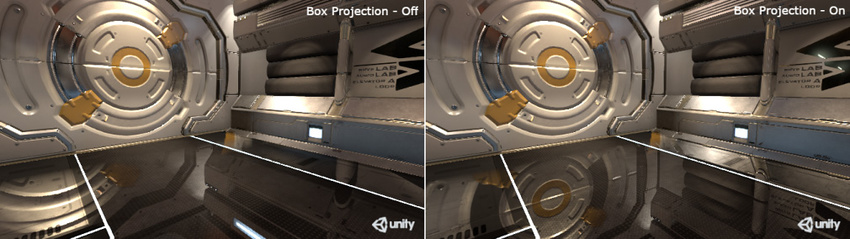 zealous yarrow
kind fjord
dont reflection probes produce a 360degree cube map? why would rotation matter?
zealous yarrow
kind fjord
dont reflection probes produce a 360degree cube map? why would rotation matter?
Because I can't fill the room
kind fjord
I am new to this so not sure exactly how reflection probes work, do they only reflect what is inside the probe's box (and background image/color)?
iron flame
probe doesn't actually rotate. Calculates probe weight incorrectly. I had previously activated probe rotation in the editor. but I don't remember how I did it.

Box projection on

off
 iron flame
kind fjord
I am new to this so not sure exactly how reflection probes work, do they only re...
iron flame
kind fjord
I am new to this so not sure exactly how reflection probes work, do they only re...
box projection makes the reflection look correct for box-shaped areas.
iron flame
iron flame
Box projection on
windows reflect correctly on the floor
 iron flame
zealous yarrow
Well not quite done yet
iron flame
zealous yarrow
Well not quite done yet
If you're not mobile, you can try HDRP. It has advanced reflection probe features such as Probe Rotation.
zealous yarrow
Yeah I know but I'm kinda locked with the project settings I got
turbid matrix
roations would be great for realtime reflections too.. irony here is that hdrp realtime probes are too inefficient to be used for any fast updates
zealous yarrow
I'm still at 2019.4 but would like the rotate option because of the angles I have
iron flame
turbid matrix
roations would be great for realtime reflections too.. irony here is that hdrp r...
I wrote the HDRP Reflection probe time slicing support as a request on the product board.
turbid matrix
yeah that would help a bit but it could still be bit awkward, considering that will divide your your probe capture to 1/6th of the frames, which might be too slow
I still wonder why they didn't implement the slicing though, considering Built-in RP had it all along
kind fjord
can reflection probes in URP reflect transparent objects?
turbid matrix
I'd still want unity to fix their cross-SRP shader stripping
it's really dumb atm, if you have URP and HDRP on same project, only one that gets it's shaders stripped is the one that is currently active
this means you'll get half day built time for the other SRP even on relatively empty scene as it does compile all variants for that one
iron flame
We rely on SSGI and reflection probe FallBack for a project that needs to be completely realtime with HDRP. but realtime Reflection probe update is very expensive. On the other hand, I started working on the battlefield style build destruction system with Realtime probe update on mobile. yes it is a bit laggy but it is very impressive for mobile and snapdragon 650 can get 60fps on this graphic.
turbid matrix
I guess I could manually combine the shader preprocessors from URP and HDRP to make that happen but it really shouldn't work like this - also pretty sure this wasn't an issue until 2021 cycle
also it's always possible URP shader variant count exploded after deferred and other new feats which just made this more notable
iron flame
turbid matrix
also it's always possible URP shader variant count exploded after deferred and o...
yes, I always get Forward and Deferred builds especially for performance test. 35000+ variants and 20+ min build each time.
turbid matrix
20 mins I could do with 😄
I have 12 core ryzen here and it will literally spend half a day compiling shaders on small test project
only feasible option there is to fix the shader stripping logic but I haven't really needed this for anything but my cross-srp prototyping so far
it's just.. what was somewhat viable approach in 2020 cycle is now totally broken again
what also kinda sucks is that URP and HDRP shader preprocessors seem to use somewhat different structure, so manually combining them and maintaining that yourself will be PITA
as totally another topic... wonder what this Batched Rendering is meant for 🙂 https://github.com/Unity-Technologies/Graphics/tree/graphics/gpudriven
inner parcel
turbid matrix
I have 12 core ryzen here and it will literally spend half a day compiling shade...
my advise to you is to write your own editor script to do some file changes just before the build. you can prefix a folder/file with a dot or suffix a folder/file with a tilde to exclude them from the unity import (and also the build)
I do the same for my Android project which I need to build for NReal/Quest and also the Android mobiles (which shouldn't include xr sdk)
I have also done the same for one of my prototyping project.
You can take this one level further by writing your own play mode entry script to automatically swap the asset and reimport if there's a pipeline change before you enter play mode. It takes few hours to write it at max if your project is organized but trust me it saves days
turbid matrix
@inner parcel just excluding the other SRP assets from build is not what I'm after though, the whole goal on that project was to keep both SRPs enabled on same build so one can toggle between in runtime
actual runtime swapping has worked for years on my testing, it's just recent shader stripping changes have made this now PITA
it's obvious that Unity haven't designed their systems to cover this type of use case either as it's not what they want people to use this for
whole cross-SRP initiative is focusing on you being able to author for both SRPs but only keeping one of them per final build
inner parcel
yeah that covers most people's needs. having both SRPs in single build sounds nice but I don't think any production would go for such workflows and hence even Unity doesn't officially support it.
There's a very recent shader stripping PR available for URP. If you want, you can actually extend that to work along with HDRP asset while building. But as for the other case I'm not sure I haven't gone through HDRP stripping code like ever
turbid matrix
I'm aware of both's shader preprocessors... they both also run if both URP and HDRP are on same project, I've modified those a bit to get it past the initial rejection but it still seems to neglect something, which made me assume I'd need to couple these together to properly take care of both's variants at once
recent URP shader stripping PR doesn't help on this but I've actually done my testing with that PR since I wanted to try if it helped on this matter
(and yes there's shadow related variant stripping improvement coming up)
inner parcel
You can even submit this as an idea. Maybe it gets heard. Maybe in future we get some master node which is compatible across both HDRP and urp. Just saying
turbid matrix
we already got SG stacks setup that works on both URP and HDRP shaders 🙂
that actually made whole SRP runtime swapping less tedious
you still have to have separate scenes/prefabs for lighting and volume setup but you can actually keep most of the materials intact now if you have both SRPs as your SG targets
iron flame
reflectionProbeModes = SupportedRenderingFeatures.ReflectionProbeModes.Rotation,
I activated the probe rotation in the editor, but it did not affect the probe Weight 😦
 shy ivy
turbid matrix
<@174701223373570048> are you using 2021.2/URP 12?
shy ivy
turbid matrix
<@174701223373570048> are you using 2021.2/URP 12?
I’m on 2021, yeah—glad to hear it gets better!
turbid matrix
@shy ivy pretty sure the main shader stripping improvements have already landed so if you take b16 from hub, it should work a lot better already in this regard
this was merged month ago for 2021.2 branch: https://github.com/Unity-Technologies/Graphics/pull/5563

GitHub
Purpose of this PR
Backport #5060
Testing status
Describe what manual/automated tests were performed for this PR
just checked, b16 changelog does show these things
shy ivy
I’ll try that, thank you
inner parcel
turbid matrix
we already got SG stacks setup that works on both URP and HDRP shaders 🙂
oh that sounds cool. I don't know much about it. Until deferred landed, I was never interested in URP. Even after that the shader stripping was a nightmare making buildtimes as high as 24hours on a 16core pc which killed the hype for me. Since then I haven't explored URP.
Do you have any doc or article or blog or even a repository on it? I'm interested in it now that 2021.2 beta is about to conclude
turbid matrix
@inner parcel I think SG multi-target support came already in SRP 10 cycle so it's on 2020.3 as well
basically if you have the "new" ui in SG, it means you are on the stacks versions and you can have multiple target templates for the same shader graph
on 2021.2 they also added simplified built-in RP support for SG too so now you can author shaders with SG that will automatically work on all three: built-in, URP and HDRP

Join us for a demo of the new Shader Graph updates in Unity 2020.2, which make it much easier to create graphs that work in both the Universal Render Pipeline and the High Definition Render Pipeline.
URP is going more toward HDRP on how you configure it as well but while both use now same volume setup, they have their own volume components which are not cross-compatible
it's still bit of a mess on that side, I hope some day you can have similar targeting for the volume components as what they do on SG's today
(let us use the same component override for both URP and HDPR instead of forcing both having their own separate components for the same thing)
sinful locust
Is there any guides/documentation out there how to "burn/project" distant objects (outside of camera far clip distance) into the skybox. I haven't found anything on this topic, either for URP or HDRP, Or what the limitations are?
 trim bone
@turbid matrix I think that gpudriven branch is the batch render api changes, what hybrid renderer uses and they are adding to allow for use with gameobject centric stuff as well
inner parcel
turbid matrix
URP is going more toward HDRP on how you configure it as well but while both use...
I'm pretty fine having 2 different volume, the problem was mainly with the shaders for me in Unity 2018 and early 19 I guess when boat attack was still a wip. Lighting and GI also I'm pretty much okay with. Guess I can have a go at URP once again
sinful locust
Me either, it seems like this would be a fairly common thing but maybe not 🙂
turbid matrix
sounds like totally uncommon thing that people would do custom solutions if needed
sinful locust
fair enough, I figured things like mountains in the distance and what not would be something u want to keep in view 🙂
shy ivy
yeah, I've never heard of anyone doing that. if you really don't want to increase the clip distance on your base camera, you could render the mountain lods/impostors to a different camera with a higher clip distance
probably made easier by SRP's camera stacking
sinful locust
ya camera stacking makes it easier, but thats not an option on HDRP.
So for a space game, where you have large objects, say planet sized, it really seems like HDRP is just not a good fit.
shy ivy
you can still have multiple cameras that are responsible for different layers in HDRP, so that shouldn't be a problem
I would think that in a case like you're referring to (involving very large distances and very large objects), having a distant far clip plane on a camera would not be a huge problem. You can use very low-triangle meshes for enormous things like distant planets, and very distant smaller things would presumably not be active, let alone being rendered by any camera
sinful locust
shy ivy
you can still have multiple cameras that are responsible for different layers in...
if you are referring to the HDRP compositor, then its performance is horrendous =).
shy ivy
nope, not referring to that
sinful locust
My universe is 10^12 in size, and some objects should be visible from more than 10^7 distance.
shy ivy
but even so—I would think trying to decal 2D projections of arbitrary complex 3D meshes onto a skybox at runtime would be pretty complicated in terms of performance as well
sinful locust
I have everything working in URP, but I had to switch from HDRP to pull it off
shy ivy
how are you resolving floating-point errors with a game space that big? I'd assume that if you're using some kind of scene streaming, you might be able to blend skyboxes in a way that helps with your needs
sinful locust
I have custom math libraries and my own hybrid ecs system that levereges jobs and parallel transform updates. Physics spawns scenes on demand as ridged bodies move between sectors, but worldspace/render space is one big continuous universe.
WIth URP I am able to fly the entire length of the universe 10^12 and things scale as u would expect (assuming u are flying at a significant fraction of the speed of light of course lol)
 vestal jolt
sinful locust
I have custom math libraries and my own hybrid ecs system that levereges jobs an...
vestal jolt
sinful locust
I have custom math libraries and my own hybrid ecs system that levereges jobs an...
Whoa, how long it take you to get all that working?
sinful locust
a few months
works great tho.

this is using HDRP tho, before I switched to URP
u can see how well it scales here https://www.youtube.com/watch?v=ijXsjMlWkbw - those are all gameobjects with colliders (well procedurally assigned colliders). Each sphere is 1km in size, each "sector" has one sphere (sector is 10,000m3)
 vestal jolt
sinful locust
u can see how well it scales here https://www.youtube.com/watch?v=ijXsjMlWkbw - ...
vestal jolt
sinful locust
u can see how well it scales here https://www.youtube.com/watch?v=ijXsjMlWkbw - ...
That's a lot of GOs. Reminds me of Elite Dangerous' galaxy map
sinful locust
the GOs are generic, pooled and reusable for different purposes.
vestal jolt
ECS system must be working pretty well
sinful locust
I just use them to assign textures, sounds and colliders.
my ECS can basically can grab GOs from pools as needed for either rendering or physics conditions, but do not require them.
turbid matrix

GitHub
Please read the Contributing guide before making a PR.
Read the Graphics repository & Yamato FAQ.
Checklist for PR maker
Have you added a backport label (if needed)? For example, the ne...
last commit from July though
ah "Opening this draft PR early to get eyes on it from ShaderGraph and ShaderSandbox before I leave."
I guess better not get hopes up then
eternal laurel
Definetly haha
Did they fix terrain details yet ?
I just wish they get on with the thing that would allow me to write custom hdrp shaders easily
I think its this sandbox thing mentioned here
turbid matrix
it's been in github for months
I haven't tested it but there are multiple branches all the time having activity on it
considering how long it took for SG (1) to stabilize, I totally expect this to be changing all over the place for first few years
so not expecting it to be some magic bullet that fixes all the painpoints on launch
I do dig that they are doing it, just afraid it wont be relevant for users for a long time
also considering how mad some people were at unity for occasionally changing SG API, I can just imagine how this will go among the users as there's practically 0% chance they get the final API done on first try
would want to note that I don't really believe in waterfall model where you design thing and then just implement it and call it a day.. it's just some people seem to expect things to work that way 😅
 pale sparrow
is there a way to make everything not pink in 1 click with urp/hdrp?
turbid matrix
there's material upgrade scripts for both
which then may or might not work for your project, depending on the shaders used
eternal laurel
turbid matrix
would want to note that I don't really believe in waterfall model where you desi...
To be honest I was expecting nothing more than a clusterfuck 😆
turbid matrix
@summer glacier saw your comment on the forums, did you see this post already? https://forum.unity.com/threads/procedural-stochastic-texturing-prototype.628522/page-3#post-7576759
summer glacier
turbid matrix
<@!643496046227357736> saw your comment on the forums, did you see this post alr...
What comment? I forgot what I said 😄
turbid matrix
of course that 3rd party addon isn't same as native but it does work with unmodified packages 🙂
summer glacier
turbid matrix
<@!643496046227357736><https://forum.unity.com/threads/when-can-we-expect-a-nati...
Oh right, no I didn't see that post before. Thanks 😄
 cyan veldt
does anyone know why after upgrading my materials with universal RP plug in non of my lights a casting shadows?
turbid matrix
are shadows enabled from URP asset?
pretty sure it only enables shadowcasting for directional light by default
@cyan veldt^
cyan veldt
how would I find that?
turbid matrix
I'm going to go and assume you started from URP template because otherwise you would have created that asset yourself
with recent URP versions, you should have multiple URP assets, different ones for different quality levels... so to find the one used now you have to go to edit->project settings->quality and see the SRP asset linked to currently enabled quality level there
you can just click it and it'll open/highlight the right asset for you
and if you don't have SRP asset assigned on quality settings, then it's going to use asset assigned to project settings->graphics->srp asset
cyan veldt
yeah I think i've done that, theres still no shadows I dont know if maybe im missing something
I had already placed the lighting in my scenes and when I changed over they stopped working
turbid matrix
can you show screenshot of that asset
I do stress that there's separate setting for directional light shadows and rest of the light types
so if you have like point lights, spot lights etc, they will not cast shadows by default
cyan veldt
yeah they're point lights and spot lights
turbid matrix
also point light shadows are relatively new feature in URP
cyan veldt
how do I turn shadows on for them or can I not?
turbid matrix
Which Unity and URP version you use?
2020.3 / URP 10 doesn't support point light shadows yet, you need at least 2021.1+
turbid matrix
you can't update 2020.3 for URP 11+, you have to upgrade whole unity to get there
2021.2 is a whole lot more featured than 2021.1 though but it's still in beta
I'd still recommend it if going for upgrade now
cyan veldt
thanks, is there any ways around this or is my game just going to have no shadows?
turbid matrix
options:
- don't use URP
- upgrade Unity
- dont use point lights for light sources that need shadows
cyan veldt
cool, thank you for the help 🙂
sterile mesa
What does this mean: ""there is no hdrp asset provided in Graphics Settings . Are you sure you want to continue? Build time can be extremely long without it?" When I stripped down my DOTS/ECS project because entities were not rendering on standalone windows build, once that error popped up, I could finally render an entity... And the build was faster lol.
turbid matrix
@sterile mesa if you are not using HDRP, uninstall the HDRP package from package manager
otherwise what it warns you about will happen
sterile mesa
I am using HDRP
turbid matrix
that message implies you don't have HDRP asset assigned on your project settings->graphics?
which implies there could be bunch of other things misconfigured as well, so probably good idea to run HDPR Wizard through
sterile mesa
I found out that it was the HDRenderPipelineAsset.asset file!
Man took me 9 months for this!
Now I just need to see what is offensive in it.
hollow orbit
Anyone ever run into this before? zero information about what expression had an assertion fail. I'm not sure if it's a SRP issue or a compute shader issue
Assertion failed on expression: 'index >= 0 && index < paramArray.size()'
UnityEngine.GUIUtility:ProcessEvent (int,intptr,bool&)
Assertion failed on expression: 'paramIndex >= 0 && paramIndex < kShaderTexEnvCount'
UnityEngine.GUIUtility:ProcessEvent (int,intptr,bool&)``` fair bane
Question about the HDRP Decal Projector:
Does the Decal only "reduce" things like metallic? I have a concrete material and wanted to add some Vent decals and noticed how they mostly look like plastic. so i checked it on two cubes and as you see the left one with a 0 metallic material shows no signs of metallic while the right one with 0.8 metallic actually has the galvanised metallic effect I aim for

This are the Decal settings i use right now

I noticed the same behaviour earlier with transparancy. The decals seem to reduce Transparency but not generate it. So it's impossible to make "holes into objects by reducing the transparancy to 0"
Which is a big shame since it would open some possibilities to generate more versatile modules
 faint dawn
Hello!, i need some help, how do i stop the HDRP lights to penetrating everything on its path?


im not sure what option is related to that feature
iron flame
fair bane
HDRP doc : Note: To alter the Affect Metal, Affect AO, and Affect Smoothness properties, you must enable the Metal and Ambient Occlusion properties in your Unity Project’s HDRP Asset. Navigate to HDRP Asset > Decals and tick the Metal and AO properties checkbox. Otherwise, the decal only affects smoothness.
iron flame
faint dawn
Hello!, i need some help, how do i stop the HDRP lights to penetrating everythin...
you can turn on the shadow of the light
fair bane
iron flame
HDRP doc : Note: To alter the Affect Metal, Affect AO, and Affect Smoothness pro...
Check / Unchecking the Metal and AO Checkbox sadly did nothing.
(And its definitely the right HDRP Asset since Unchecking the Enable Checkbox for the entire decals turns them off in the scene, just in case you were wondering if i might be in the wrong HDRP Asset)
iron flame
Mask opacity mask is mask map blue.


 fair bane
iron flame
Mask opacity mask is mask map blue.
fair bane
iron flame
Mask opacity mask is mask map blue.
now it works 🙈
iron flame
I don't remember if it came with this option by default, but it's a bad design choice :D
The blue channel of almost all the mask maps I use is empty.
fair bane
yeah i remember using the blue mask map once for my character but never before / after^^
Do you maybe know an equally simple fix for the transparency "problem"?
What my goal would be: Have a decal with zero transparency to cut holes into objects so i can fill the hole with additional geometry. (like this vents currently use a black area to fake the dark depth behind, but I'd like to make the black transparent so i can place some air ducts behind)
Or create a gap which i seal with glas and put a fire extinguisher behind
Stuff like hat would be awesome
 tame comet
Is there any simple solution to world space UI in hdrp yet? Can only find threads from 2019/2020 regarding this issue
whole fossil
fair bane
Stuff like hat would be awesome
seems almost like too good to be true/possible. I would really love that
 elder merlin
Sounds like live booleans
fair bane
elder merlin
Sounds like live booleans
Not complete booleans. Just. Cooky cutters ^^
fair bane
whole fossil
seems almost like too good to be true/possible. I would really love that
i think it might add some problems (like when using normal decals they also deliver transparency and would make everything turn invisible around the normal decal) but thats where the blue mask channel could come into place or simply make it possible to uncheck that option
But then again i think it should be possible since you can also make things less transparent already
It will definitly screw over things like Occlusion culling since the actual geometry is untouched but it sounds like such an incredible tool if we could make it possible
fair bane
Oh @iron flame or anybody else: do you have an idea how to... "control" the decal projection more? like prevent extreme angles or backfaces to be projected on?
turbid matrix
Decal layers @fair bane
I think you needed those for angle control too unless that has changed
fair bane
turbid matrix
Decal layers <@556095118738718756>
Decal layers are already on but iStart Angle Fade and End Angle Fade are not doing anything 🤔
But i am also not understanding what this means
 turbid matrix
if you haven't done that, it probably explains why it doesn't won't work for you
there's hdrp global settings etc somewhere on your project settings
that's where you set the default frame settings at
fair bane
that was it!
i think
let me fiddle around
yes that was it. I activated it in the HDRP Asset but not in the project settings
never really messed much with project settings so i didn't notice that "Default Frame Settings For" is in the Project Settings
turbid matrix
there's some items you have to enable there as well for them to work
you can think those as camera specific toggles I suppose as you can override the frame settings from each camera as well
I still wonder why they haven't done "frame settings asset" for this purpose because managing those overrides from camera or even worse, from scripts is super tedious
fair bane
there is so much stuff in there that is beyond my understanding ._.
turbid matrix
as totally another topic... this is super annoying in current 2022.1 alphas atm, I wonder if others are facing this as well

basically every time I open the project, it forgets about the baked lights so it has to redo it
turbid matrix
I'm only having relatively simple scene on this project but I can imagine this being total no-go for any real-sized project
this also happens on both realtime GI and fully baked GI
fair bane
yeah in normal game sized projects that sounds horrible
turbid matrix
it's probably a bug but I kinda wonder if others see it or if it's isolated to something on my test project
true zealot
I was experiencing something similar in an example project
turbid matrix
ah
this is kinda thing you'd think they'd fix asap which made me wonder if it's somewhat isolated case
it's been broken like this for several alphas for me
if it's more widely spread issue I'm sure they have a bug report on it already
I'm not too worried about things like these during alphas though, they are expected to be semibroken still
turbid matrix
fair bane
there is so much stuff in there that is beyond my understanding ._.
the issue when you start with HDRP is that the settings you need to know about are scattered all around, they are not in one centralized place so you'd find them easily. you can't bundle everything up as there are real reasons why things are setup like they are but they could do a whole lot better job on organizing these settings
it's partly this way because of legacy UX reasons too, they can't just fully change the UI so things have been built on top of existing setup and it has become a mess
good thing is that you'll get used to this once you spend more time with HDRP... but they keep changing these things all the time, for example global settings assets are a new thing now
fair bane
yeah i hope to get used to it. HDRP offers so many opportunities.
Also the decals alone completely changed my workflow and i love it even if its more tedious now to place all this stamps
summer glacier
lens flare is costing 0.90ms - 1.2ms on the CPU in editor. Is that a normal perf cost for lens flare or should I report it?
Just having it activated on your asset post processing settings costs that much all the time. Feels like too much, no?
2021.2b16 HDRP
summer glacier
turbid matrix
I'd verify the cost in build first
in build it costs around 0.55ms avg
all lens flare costs combined
mostly just ini_LensFlareDataDriven around 90% of the cost
turbid matrix
that's pretty nuts
depending on the cpu of course
I haven't even tested the new flares yet
true zealot
welcome to urp
turbid matrix
huh? 😄
true zealot
lowercase channel names are amusing 😄
turbid matrix
I kinda expected these channels to go the other way around, considering URP talk has been in smaller extent here
it mainly matters if people do channel specific searching
I wonder if it would make sense to just archive and hide this channel and make a completely new one for urp
lots of old history here though that can be useful
 drifting vault
turbid matrix
I wonder if it would make sense to just archive and hide this channel and make a...
drifting vault
turbid matrix
I wonder if it would make sense to just archive and hide this channel and make a...
this channel contain a lot of helpfull information for new members.
So someone can CNTRL+F question and most likely found answer
turbid matrix
the issue is, if they search for #archived-urp as channel, they won't find it
true zealot
If you do need anything pinned feel free to let me know
summer glacier
URP should've been the one with a new channel, there's more HDRP stuff in here imo 😄
summer glacier
turbid matrix
depending on the cpu of course
Built-in lens flare costs 0.001ms 😄
I checked to see if it's worth reporting a bug. Although the HDRP lens flare is much better with more features than the post processing stack one.
turbid matrix
no matter how fancy the flare is, it should never cost that much
btw I really dig that shaders and vfx are now closer here (since they all go under graphics now)
summer glacier
turns out it also costs 0.8 on the GPU 😄
turbid matrix
same with post-processing and lighting I suppose but I have those muted normally
outer carbon
Names have been swapped
turbid matrix
thanks 🙂
summer glacier
summer glacier
turns out it also costs 0.8 on the GPU 😄
nvm this might be wrong, my profiler is a bit messed up rn..
turbid matrix
@summer glacier what do you use for measuring the gpu cost?
summer glacier
turns out it's correct. The only thing messed up is my brain 🙂