#archived-hdrp
1 messages · Page 76 of 1
 summer glacier
(all of unity really) but in HDRP it shows even more because of everything else it offers.
I worked in unreal for a while, jumped ship to unity and will never look back no matter what new cool things they make. Only exception is if there's a massive change to workflow, and c# or it's equivelent along with a proper API and at least some documentation. That's just me though. 🙂
 inner parcel
i have a gtx 1650 laptop which can runs my game at around ~200fps. performance is my main concern hence i dont just enable every setting and throw 4k textures at it. i do use few stuffs like SSAO / SSR / volumetric lights and few post process along with sub surface scattering materials.
my pc with a rtx 2070 gives me a huge 500-600 fps.
and yes my game has customizable graphics too. it doesnt make much difference to my pc, but my laptop can reach upto around even 300fps (with dynamic scaling factor as low as 60% and game running at 720p)
most of the hdrp games i've seen including mine has a gpu bottleneck and not cpu. in my case my cpu usage never goes beyond 10-15% whereas my gpu is burning at 100% all the time with vsync off in player
summer glacier
CPU usage doesn't say anything, very few games use many threads or cores, in unity
where GPU will always use all resources unless fps capped
inner parcel
by cpu usage i meant cpu usage across all cores 😄
and also the profiler ofc
summer glacier
if you profiled a build (Not editor) and CPU is taking longer than GPU, yeah you're probably CPU bottlenecked
although, when you enable graphic it will give a perf boost to your CPU. Problem is if graphic jobs are enabled, you can't profile GPU. and they only work in build.
inner parcel
i just know that my game isnt cpu bottlenecked : )
i've already done tonnes of research on it and its pretty clear in my case, so all good in there
summer glacier
you mean gpu?
inner parcel
isnt cpu bottlenecked
i've got the same results from a great lot of developers working on different projects in hdrp who have an optimized code base
summer glacier
I think i've read somewhere from a dev that HDRP sends the work of the next frame as well to the GPU, so the GPU always has something to do.
But yeah, there's also improvements to be made on the GPU for HDRP.
 dawn sorrel
So you are saying I do have a safety net after all if deferred URP is borked in the beta.
summer glacier
The guy working on CPU optimizations plans to tackle that as well, but is focusing on CPU first
Wait, @inner parcel what FPS are you getting?
inner parcel
also if you go through the blog post for SRP batching, notice how they mention that boat attack and book of the dead has a gpu bottleneck on the device they're benchmarked it on
summer glacier
Yeah I remember that. Book of the dead uses a lot of GPU features, although I don't remember what boat attack is
inner parcel
summer glacier
Wait, <@!565060299611439115> what FPS are you getting?
~150-200 on my laptop depending on thermals, but when i start off its around 200
500-600 on my pc depending on the scene
in player, not editor
i get almost half of it in editor for my pc
dawn sorrel
Any of you doing open world?
Do I still need to use static batching or can SRP Batcher just go brrt.
summer glacier
I thought it was much lower. At that FPS, maybe there just isn't much to do for your CPU. Not a lot of objects etc.
inner parcel
summer glacier
I thought it was much lower. At that FPS, maybe there just isn't much to do for ...
i do have lots of objects in some areas in my scene : )
and yes more objects is generally a batching problem and the load is more on gpu when its drawing
summer glacier
I am, although it's more of a art scene than a game.
SRP batcher I believe should be your go to. I don't think you can use static batching when SRP is on. It just takes over static batching.
Although, if you have a lot of objects/meshes, combining them will still give you better results. Espcially compared to static/dynamic batching. Especially if you do cell based combining, so culling and lods still work.
There's an asset called mesh combine studio if you don't want to create it yourself, does a good job of just that.
summer glacier
inner parcel
i do have lots of objects in some areas in my scene : )
and yes more objects is ...
Ideally, your game would be GPU bottlenecked. So you got that going for you. Always better than a CPU bottleneck.
dawn sorrel
Nah, I'm very lowtech so I combine my buildings myself.
I made this first building for the game and it's like 6 parts.
Base, railing, stairs, all windows and all doors.

I think that should be enough?
They are using different materials so combining them has no point.
summer glacier
Yeah should be alright.
 shrewd moon
summer glacier
I worked in unreal for a while, jumped ship to unity and will never look back no...
shrewd moon
summer glacier
I worked in unreal for a while, jumped ship to unity and will never look back no...
What made you jump ship?
I thought people usually jump the other way, when they eventually start wanting more engine control
dawn sorrel
Also correct me if I'm wrong, but don't modern engines use GPU driven rendering to avoid combining meshes by hand? Since the mesh data on the GPU will be in one continuous buffer they get non miserable editor experience and few drawcalls.
Idk the name, maybe it's called indirect rendering.
Basically whatever the Trials series has.
inner parcel
<@&502884371011731486>
summer glacier
shrewd moon
What made you jump ship?
A bunch of different things, from both sides (unity/unreal). I don't like the node system. I despise unreal's C++ (+ it's API) and how verbose it is, I find their C++ documentation to be next to useless and you have to rely on engine source code findings for everything. The C++ workflow for me in general is lackluster compared to unity and C#. I like unity's gameobject system (not much interested in DOTS though), seriously like the editor customizability. Practically in love with C# and the API unity provides.
I like the general workflow of unity tools and menus. Drag and drop, sliders, options, etc.
It's a shame I have no access to unity c++ source code, on the other hand, it's more stable, with less changes in the C++ land compared to unreal. And due to the C#/C++ differential, i find indie games made in unity to be more stable/less crash prone compared to it's equivalent in unreal.
In general, personally, maybe to the opposite of others, I find it much less productive to work in unreal as single or small indie team, compared to unity.
Obviously, there's unity cons as well and they aren't few -- but in the end, I find unity to be a much better choice for me compared to UE. Especially now that we have HDRP.
summer glacier
dawn sorrel
Also correct me if I'm wrong, but don't modern engines use GPU driven rendering ...
Well, from my times with the built-in renderer, combining meshes based on a cell format gave me crazy performance gains.
What you're saying is probably indirect rendering, you have to use a particular API for that. I often use it to render anything that amounts to thousands or tens of thousands of meshes. Like grass, or a sand/dust simulation
shrewd moon
Makes sense to me
More power with an engine seems to almost always come with an usability cost, and vice versa
inner parcel
can agree. unreal is designed for bigger teams to work on. it becomes very hard for a developer to work alone on UE4 project unless its for prototyping
 near barn
since there are to many messages between, can someone help me with that ? couldnt fix it yet
dawn sorrel
Haha, on Game Dev League Discord all the Unity devs meme and moan about Unreal being 100x better at everything all day.
summer glacier
No need to go to game dev discord, just check unity forums haha.
dawn sorrel
No, that Discord has been my home for 5 years 😋
summer glacier
I think they just believe the grass is greener on the other side, after all the difficulties they went through in game development. It'll all be better once they move to unreal. But it isn't, it's just a different color of paint. Old problems will go away, new problems will show up
dawn sorrel
I feel like with deferred rendering it could be theoretically possible to combine all the vertex buffers and do indirect rendering hidden from the user 🤔 You are already hiding shit in a fat fat GBuffer processed later already.
summer glacier
Man, wouldn't that be sweet. Maybe that'll be my dream for the night.
dawn sorrel
Or alternatively I could write a whole new pipeline with its own renderer components, skinning, culling, shadowcasting and lighting.
Sounds like a smol weekend project amirite 🤣
...I don't have good news about beta 9.

Why, why in the world is URP declaring a package for searching assets as a dependency 🥲
So much for modularity.
That very package has a dll conflicting with another package of theirs.
Turned it into a local package and fixed that by deleting a dll.

But...
It seems like they updated one part of URP but left the rest borked.
So URP doesn't work at all in beta 9.
So I either roll back to 8 or jump ship to HDRP 🥲
inner parcel
dawn sorrel
its just telling you what to do. create a new Universal renderer and slap the same settings as the old one and assign it in graphics and(or) quality settings
you need to also decide between forward/deferred in 21.2.x beta
dawn sorrel
Does anybody has idea how I should bake lightmaps for scene with vegetation in it?
I'm using HDRP btw
Should I make Vegetation use light probes or lightmaps?
near barn
i still need help
inner parcel
point light with ui?
i have close to 0 experience with 2d games but whats your canvas type?
screen space overlay will definitely not work
near barn
inner parcel
point light with ui?
i have close to 0 experience with 2d games but whats your ...
it's Screen Space Camera
 inner parcel

 near barn
yes it does
 inner parcel
the cross is there because you have a rect with negative width
near barn
oh it was gozmos
inner parcel
or height
dawn sorrel
dawn sorrel
Should I make Vegetation use light probes or lightmaps?
Light probes.
near barn
inner parcel
also turn off gizmos in game view
after all that the light is still not visible
 dawn sorrel
inner parcel
its just telling you what to do. create a new Universal renderer and slap the sa...
dawn sorrel
inner parcel
its just telling you what to do. create a new Universal renderer and slap the sa...
Oh, there are separate assets now?
inner parcel
inner parcel
because of the error youre ignoring by unity despite me mentioning it specifically for you
near barn
inner parcel
because of the error youre ignoring by unity despite me mentioning it specifical...
i set the camera
inner parcel
does it work with directional light?
near barn
inner parcel
does it work with directional light?
nope
inner parcel
i havent tried lights with ui. maybe you need a lit shader for that
near barn
how do i set the lit shader ?
inner parcel
near barn
i set the camera
try world space camera once?

 inner parcel
you probably need a lit ui shader. head to #archived-shaders for more assistance on that.
dawn sorrel
I am pretty sure the custom inspector for the pipeline asset is broke in beta 9 🤔


 inner parcel
glad to know 👍
 proud trench
does anyone knows why the light only gets applied to the trees and grass but not the terrain? pls mention me when replying

 undone pecan
Can anyone tell me why the directional Light doesnt work when you rotate it a minus rotation, so the light comes from the underneath in volumetric fog?
it just stops working when you go below 0.0.0
proud trench
undone pecan
Can anyone tell me why the directional Light doesnt work when you rotate it a mi...
you probably rotated that directional light looks like this

it does not face the ground
undone pecan
proud trench
yeah, but im doing a space game, and i need the directional light to go from a negative value
any other way of doing it?
proud trench
undone pecan
yeah, but im doing a space game, and i need the directional light to go from a n...
only setting X rotation below 0
undone pecan
you mean the entire game? flip it so i dont have to go minus with the directional light? @proud trench
proud trench
undone pecan
you mean the entire game? flip it so i dont have to go minus with the directiona...
the directional light
undone pecan
proud trench
the directional light
explain to me what you mean please.
proud trench
could you please give more detail what you want to implement(and yes im very noob at unity i have been using it like for a month atleast)
trying my best
undone pecan
proud trench
could you please give more detail what you want to implement(and yes im very noo...
the thing is that when im using volumetric fog, if i start pointing the directional light, it turns itself off. it doesnt want to light anything more if its poiting up.
undone pecan
proud trench
could you please give more detail what you want to implement(and yes im very noo...
anything lower then 0 i X turns the light off. in volumetric fog that is.
proud trench
undone pecan
the thing is that when im using volumetric fog, if i start pointing the directio...
i think "my experience" is way to short to try helping you. im sorry i tried to help you
just to let you know my brain is smaller than averge
undone pecan
proud trench
i think "my experience" is way to short to try helping you. im sorry i tried to ...
you will never leearn anything if you dont ask 🙂 so keep it up.
ive been using unity since 2015, still dont know anything ;P
proud trench
undone pecan
you will never leearn anything if you dont ask 🙂 so keep it up.
actually everything on internet is arleady answered, so you need to search well )
undone pecan
proud trench
actually everything on internet is arleady answered, so you need to search well ...
im trying, but cant find anything.
proud trench
undone pecan
im trying, but cant find anything.
if you will try find hard you will still find a result, i remember a day just googling and took me 2 weeks to find the sulotion
undone pecan
proud trench
if you will try find hard you will still find a result, i remember a day just g...
usually sounds like my googling 🙂 thats why I ask and search. mostly search first and when i cant find anything, i ask here.
proud trench
undone pecan
usually sounds like my googling 🙂 thats why I ask and search. mostly search fir...
i actually would recommend posting in r/unity3d in reddit there will always be people who will help you they literally saved my ass alot of times
 long wagon
@undone pecan No reaction gifs, please.
undone pecan
long wagon
<@!554793592766464023> No reaction gifs, please.
roger roger, sorry
inner parcel
default hdrp settings
inner parcel
undone pecan
yeah, but im doing a space game, and i need the directional light to go from a n...
how about a local flipped volume with volumetric fog? not sure if that'll work
 sweet dock
should i care with this error. it happen every time my project reload the render pipeline
 inner parcel
clearly not
 inner parcel
change the layer in decal projector to something else.
then whatever objects you want the decal to show at, in their renderer check for the rendering mask, and add it there
inner parcel
there were some talks about it long ago. i dont know if its there in 2021 or not, need to check once
.1 or .2?
 keen pivot
right this is going to be a dumb question but i'm hoping it starts some cogs spinning from a comment or two on how i will go about solving this
i have a load of cars driving around a scene with headlights, it costs a load of performance to do this with a single spotlight at the front
if i turn off shadows for these lights, it helps a lot, but then they penetrate walls
is there some kind of standard trick people use to stop lights penerating an object but not cast real shadows?
dawn sorrel
So since I am on HDRP now and all... How do I.. learn exposure?
It seems like I am expected to know how compensation is different from exposure and stuff.
Do I like.. study photography or perhaps cinematography guides?
Also lol at the amount of decals in the sample scene just for a grunge.

About that.. I tried to google around and it seems to me AAA games use actual decals only for dynamic effects and instead use mesh decals for static environment?
undone pecan
inner parcel
how about a local flipped volume with volumetric fog? not sure if that'll work
lol, still the same problem. the light needs to come from below up. but i think ive solved it with an area light. but im not getting any volumetrics from it yet. working on it. but i have more pressing matters at hand.
keen pivot
is there any performance gain or loss from having Deferred Only lit shader mode over Both?
(in theory at least)
inner parcel
deferred has an initial overhead but theres considerably less performance cost for additional lights.
forward doesnt have that initial overhead, but performance cost increases for each light source you add.
which is better for you can only be told by your profiler. generally if you have many lights, and aren't targetting mobile devices, go for deferred.

 patent sun
 dawn sorrel
Thanks.
The values I set up experimenting for over an hour are pretty close to that 🤔
dawn sorrel
Darn it, I broke UI rendering somehow.
Nvm, I set up the UI plane distance wrong.
Aaand 3d objects can stick through it 🤔
HDRP is weird.
keen pivot
inner parcel
deferred has an initial overhead but theres considerably less performance cost f...
thanks, not quite what i meant though, i'll elaborate. i am using deferred, i have many lights, i will not be using forward. i just wondered, if i enable 'both' in the HD asset, does it make any tangible difference either way in this case?
like, does hdrp do some magical stuff and create forward shaders in the background for some stuff
inner parcel
the "Both" option only makes a difference for builds in my experience. although in frame setting your camera chooses only one. I believe its for stripping shader variant
 flint sun
Hi folks, i've got a bit of a problem with URP I'm hoping someone here can help me with...
I'm using a 3rd party plugin for a head mount display, it instantiates 2 cameras AT RUNTIME for the left and right eye perspectives
the cameras are instantiated with default settings
I want to script them to check the enable PostProcessing box
GameObject CamRight = GameObject.Find("Right Eye Camera");
UnityEngine.Rendering.Universal.UniversalAdditionalCameraData uacR = CamRight.GetComponent<Camera>().GetComponent<UnityEngine.Rendering.Universal.UniversalAdditionalCameraData>();
uacR.renderPostProcessing = true;
this works intermittently!
some times it works, other times unity will report that 'uacR' is a null object/reference
i tested this to be sure it's the game object, the cam component or the UniversalAdditionalCameraData part that's turning up null
it's UniversalAdditionalCameraData
so i look into UniversalAdditionalCameraData definition

it refers to "cameraStack" as the correct way to do this...
can any of u guys point me in the right direction to progress on this
(using Unity 2019 LTS and tried 21.1, same result)
 spring heath
I've got a problem when using URP with custom post process effects in VR. The effects work fine in pancake mode. In VR, however, they generate a grey screen.
in pancake, the cameradepthtexture is OK

in VR, the CameraDepthTexture points to a default texture

So I think that the buffer "addresses" are different between VR and non-VR and I don't know what I have to change to make it render things to the correct places
I'm using the "Draw Fullscreen Feature" function from the URP examples


GitHub
This project contains a collection of Custom Renderer examples. This will be updated as we refine the feature and add more options. - Toon Outline · Unity-Technologies/UniversalRenderingExamples Wiki
Using 2021.2
 indigo summit
say what happened with the Temporal Upsampling DSR? is it doesn't made it to 2021.2?
spring heath
seems I am having the same problem as this fellow https://forum.unity.com/threads/urp-scriptable-render-feature-blit-with-custom-shader-not-working-in-vr-mutliview.1092478/
Unity Forum
I am working in Unity 2019.4.11f1 and have written a Scriptable Render Feature for my project which is using Universal RP 7.3.1.
The process works...
indigo summit
oh nvm my previous question, i haven't update 2021.2 beta to latest
 gentle moss
Sorry to pile questions before others are answered, but am I missing anything in the setup of executing a command buffer? I'm on 2019.4, using urp, and calling addCommandBuffer on a secondary (overlay) camera. The buffer works if I call it via Graphics drawProcedural, but does nothing when attached to the camera (it's not in frame debug or renderdoc either). Is there any check that could be preventing the commands from running? Am I missing some step?
 turbid matrix
@spring heath URP's Blit is broken in VR since Unity 2020 or so. You have to use cmd.DrawMesh instead. Related issue ID: https://issuetracker.unity3d.com/issues/xr-sdk-urp-game-view-is-rendered-grey-for-left-eye-and-black-for-right-eye-when-using-single-pass-instanced-and-render-feature. They've marked it as "fix in review" but afaik their fix is to just add documentation example of DrawMesh approach
I have example of the DrawMesh here: https://github.com/0lento/URP_RendererFeature_SPI_Example but you can also see the official upcoming doc sample here: https://github.com/Unity-Technologies/Graphics/pull/5395 / https://github.com/Unity-Technologies/Graphics/blob/d72c3cbbfceee90ac81eb12609075da4dfdeffd2/com.unity.render-pipelines.universal/Documentation~/renderer-features/how-to-do-fullscreen-blitting-under-XR-SPI.md
@spring heath if you look into my repo's commits, you can see the meaningful diffs there, I intentionally implemented the old style blit example first, then did drawmesh upgrade there. Also worth noting that the extra copy pass removal on the last commit may or may not work for your effect since it uses global opaque texture for it (users can downscale opaque texture and it'll affect your end result too) so you can check how it was done prior to that commit too
gentle moss
Wait, are command buffers even usable on URP? It seems like the method to add one to a camera is no longer functional
shrewd moon
Is there some trick to using Render Textures as light cookies in HDRP? I can't assign them to the slot at all
Only found one source saying it doesn't work in build, like it's nothing special to get it working in editor
 chrome locust
hello, just want to let you guys know, this PR has reached its final form.
First set of improvements of PrepareLightsForGPU is almost here:
https://github.com/Unity-Technologies/Graphics/pull/5294
GitHub
Purpose of this PR
Optimization of PrepareLightsforGPU (ProcessVisibleLights) on HDRP using burst, in a ECS friendly way.
This PR includes:
Introduction of HDLightEntityCollection - which is a mas...
if anybody wants to give it a go let me know 🙂 There will be a couple more pull requests for further improvements, but this one is the one that adds burst support, less stupid things in the light loop and overall big wins in perf.
summer glacier
Playing with the alpha, how do I get the volumetric clouds to render on the scene's camera? It seems to render only in the game view.
 calm turret
hi, i know nothing abt render pipelines for the most part but im using hdrp and for some reason when i build, my exposure on my sky and fog volume gets reset
is there a reason this happens and if so how do i prevent this?
dawn sorrel
gentle moss
Wait, are command buffers even usable on URP? It seems like the method to add on...
Yes. You get access to command buffers when writing your own custom Forward Renderer Features.
 analog rock
Could there be an problem, if i create a new 3D Project without any RP selection, and than import the HDRP via the package manager?
 light spade
I don't think so
 scarlet hull
analog rock
Could there be an problem, if i create a new 3D Project without any RP selection...
scarlet hull
analog rock
Could there be an problem, if i create a new 3D Project without any RP selection...
It should also open the HDRP wizard, at the top just click the "fix all" button to let it properly set up your project 🙂
analog rock
Thank you
dawn sorrel
I wanna tick RequestShadowMapRendering() on my OnDemand HDRP lights every 4th frame, how do you guys do it?
I kinda need the WillRenderShadowMap() method to know which registered light need to be ticked cause they are in the bounds but it's internal...
I guess I could copypaste the code for checking if the shadows are gonna be rendered and eat the double checks 🤔
dawn sorrel
And of course as soon as I use HDRP every HDRP user here dies 😢
inner parcel
dawn sorrel
I wanna tick RequestShadowMapRendering() on my OnDemand HDRP lights every 4th fr...
why not attach a script to it?
do it once every 4 update frame on that script
dawn sorrel
@inner parcel well that will make it so first 16 lights in the world will register in the punctual atlas and the rest will just keep failing, no?
dawn sorrel
Well, I did manage to get nearest lights with culling but my code is still kinda broken. Pretty sure I forgot to evict out of range lights from the atlas so aggressive cleanup never gets them.
 agile bison
im having a bit of trouble with render pipelines
is it possible to use the URP in a way that lets 3d lights affect 2d sprites intuitively? would it be really difficult to program/
this lighting stuff all just seems really complicated
actually #archived-shaders might be better to talk aboutt his after lunch so dw here
 heady elm
can't tell if its a dumb question, but do scriptable renderer features from universal work in high def?
dawn sorrel
heady elm
can't tell if its a dumb question, but do scriptable renderer features from univ...
No.
Why does terrain on HDRP produce these awful normals?

Even with shadows turned off it looks like this.
shrewd moon
dawn sorrel
Why does terrain on HDRP produce these awful normals?
They don't look like vertex normals
Check if it's using a faulty normal map
dawn sorrel
Same thing without normal maps.
 summer glacier

cloud layers rendering through objects. How would I fix this?
They should be way up obviously but, alas, they're not.
Any ideas?
 karmic sapphire
im not sure how your clouds work but can you change thier priority in the material theyre assigned to
thats how i fixed this issue
@summer glacier
summer glacier
It's a post process override, 2021.1 HDRP feature
there's no priority for it I believe
inner parcel
chrome locust
hello, just want to let you guys know, this PR has reached its final form.
First...
is there a chance for this to land in 2021.2.0bX anytime soon? (or even 2021.2.1f1)
i just tested it out in a new project and im getting considerable improvements. would love to see it in my actual projects 😄
chrome locust
You know, it's not an API change. It's possible, but risky.
I do have to check with Seb. So far my testing I've fixed a lot of corner cases, but so far is getting stabilized
inner parcel
yeah thats what Im afraid of aswell. if it doesnt make it in 2021.2.0bX it wont be a thing before 2022.1 alpha right?
chrome locust
For 2022 it's absolutely gonna be there
I'd say it's gonna be in master soon. Soon as in 2 more weeks likely
inner parcel
being there in master is really a very good news
chrome locust
I expect corner case bugs.
I had issues with shuriken.
Wish we could just drop shuriken support fully
inner parcel
umm in that case i'll do a complete test in my actual project
chrome locust
Yes. I pushed last batch of fixes last night. So make sure you pull again
inner parcel
alright 👍
chrome locust
If you find issues please let me know :) I'd be absolutely delighted. I'll put your name on the PR for special thanks :) already had Oli help me out with his test level
inner parcel
thats not a problem 😄
as long as I see performance improvements and get the bugs sorted out and as long as you get the bugs fixed for your hardwork I see that as a mutual benefit
chrome locust
Absolutely. :) I want to make our users happy.
Expect corner case bugs. But I have time to fix them :) benefits outweighs the cost. CPU light processing falls into the stupidly slow category
It's basically a pile of code that had no design or ownership, and people just put their feature on top of more features. So it was in dire need of a rewrite
inner parcel
I always had issues with prepare light especially when i was using a laptop with integrated gpu (pretty old model) and normal use cases had a whopping 30+ ms just for preparing lights.
unfortunately i dont have access to that laptop anymore, but even in my current cpu i do see a reduced time from 2.5ms to 0.7-0.9ms
a great improvement. i'll stress it out more in my project and lets hope there's nothing major.
dawn sorrel
Ughh, why were lens flares added to HDRP only in 12, I don't wanna go to beta 😢
Imma see if I can backport it 👺
Nvm, it's embedded in SRP Core.
I'd rather use the one from somethingsomethingblu demo then.
 cinder root
I can't find where the DLSS package is to download it
or otherwise how I activate it on Unity 2021.2.0b11.3437
I guess I'll try to find FSR...
 rotund mantle
hope this is the right channel but I had a general question for some rendering experts - what would you do if you had a mesh that needed to share vertices, but not texture coordinates? for example, I have an icosahedron where the poles need 5 different texcoords on a single vertex
should I remove the constraint to share vertices and calculate my own normals? or is there another way around this?
cinder root
rotund mantle
hope this is the right channel but I had a general question for some rendering e...
sorry I don't know your answer, but this may be the wrong channel. This one is meant to be about pipelines, so like HDRP or URP, etc
maybe you need 3d-art
rotund mantle
I don't think that'd be a good fit, this is more of a programming question
cinder root
oh like how it's rendering the object, not the way the object is made
rotund mantle
yeah
cinder root
well good luck with that. Sounds advanced
rotund mantle
thanks ¯_(ツ)_/¯
inner parcel
cinder root
or otherwise how I activate it on Unity 2021.2.0b11.3437
find it in hdrp asset, under dynamic resolution
 hidden karma
Hi Unity people,
I'm looking for the best practice, canonical, non-stupid way to do something that's long bothered me in unity - I need to send data to a shader per render instance. I have a component that grabs the material of an object and tries to set some values- there are several ways to do that and I'm pretty sure I haven't fully understood the implications. There's renderobject.material and renderobject.sharedmaterial as well as 'GetSharedMaterials' and 'GetMaterials'.
Not knowing any other way to do it (although I think 'MaterialPropertyBlocks' may be the right way), I use SetFloat, SetMatrix and friends to set the values of these objects. In the editor, this works fine, in game nothing works.
I'm not absolutely certain what the difference between shared and non shared materials are - it seems obvious (one is shared and one is not) but it's not clear to me. It seems I'd want non-shared materials but that seems to work less than shared materials, although it gives memory leak warnings and doesn't work at all in game anyway.
It seems like a simple thing! Have a material, set uniform values in shader, render object but it's not. I'm aware of batching issues but I really don't know what the right way to do this is! Oh and I'm using URP.
 polar sorrel
hidden karma
Hi Unity people,
I'm looking for the best practice, canonical, non-stupid way...
polar sorrel
hidden karma
Hi Unity people,
I'm looking for the best practice, canonical, non-stupid way...
I don't know the answer to most of your questions, but I believe that a shared material is a reference to the material asset that exists at edit time, while the material is a reference to the material instance that exists at runtime. So if you make changes to the material (non-shared) you're affecting just that instance, while if you make changes on the shared material you're changing all objects that reference that material asset.
Not 100% sure, but that's my vague memory struggling with a related thing a while ago.
 hidden iron
hidden karma
Hi Unity people,
I'm looking for the best practice, canonical, non-stupid way...
hidden iron
hidden karma
Hi Unity people,
I'm looking for the best practice, canonical, non-stupid way...
the warnings you're getting are probably because you are trying to edit the non-shared material when the game is not running, which causes Unity to serialize a whole new material into the scene, increasing its filesize. If you don't mind the extra draw calls in URP (material property blocks are not compatible with SRP batching afaik) you can use those: just create a material property block, call the SetFloat, SetMatrix, etc on it, then call Renderer.SetPropertyBlock to apply it to the object.
 still sierra
anyone know why my trees looks too dark ?
 long wagon
Need to set some ambient lighting in Lighting settings
still sierra
can you show me how to do that ?
 iron flame
My Vertex Animation texture system. 4000 characters with VFX graph, 55,000,000 triangle AMD 6900 XT 150 FPS
 whole fossil
guys, in HDRP what are the benefits of using TAA? Is there something that wouldn't work without it? For example reprojection of volumetrics or something like that? Im really tired of it and wanting to switch over to SMAA, but I dont know if there will be any downsides
 wintry orchid
I'm sure there's probably a forum post I can be pointed to or something else I've missed, but I've been looking a lot and can't quite find a satisfactory answer because the posts tend to be fairly old; could anyone explain to me simply the general use cases, advantages, and disadvantages of the URP and HDRP vs built-in? I've been working with built-in from the beginning, but URP and HDRP seem to both have some features I'd like to play with; at the same time, I'm worried about things I don't yet understand about them coming back to bite me. The documentation is better at explaining what these pipelines are, rather than what they aren't, if that makes sense.
 prisma creek
Hi!
How could I get into rendering a ParticleSystem into a temporary render target via ScriptableRenderPass?
I've tried doing something like:
var renderer = MyParticleSystem.GetComponent<ParticleSystemRenderer>();
cmd.DrawRenderer(renderer, renderer.sharedMaterial);
But it does not draw any renderer under the shell (checked that via frame debugger).
inner parcel
wintry orchid
I'm sure there's probably a forum post I can be pointed to or something else I'v...
if you have decided to venture into SRP
go for HDRP if you want to
- target high/mid end desktops and consoles
- get every feature out of the box
don't go for HDRP if you want to
- target low end devices (or devices without compute shader support)
- don't want too high visual fidelity for your game
go for URP if you want to
- target mobiles.
- target low end pc which don't support compute shader
don't go for urp if you don't want to
- rely on 3rd party or reinvent the wheel yourself
 ember breach
whole fossil
guys, in HDRP what are the benefits of using TAA? Is there something that wouldn...
ember breach
whole fossil
guys, in HDRP what are the benefits of using TAA? Is there something that wouldn...
As far as I noticed TAA in Unity is not in pipeline implemented like Battlefield does in newest Frostbite which without it breaks lighting etc. Here it is more of a post processing than in between of different passes.
wintry orchid
inner parcel
if you have decided to venture into SRP
go for HDRP if you want to
- target high...
Wonderful, thanks for the concise explanation! To what extent do you mean relying on third party or reinventing the wheel?
inner parcel
Volumetric lighting (it's planned for urp too but no eta), SSR are some common examples
wintry orchid
Ahhh, I see. I was worried it would affect something more directly with my code, but that makes more sense; volumetric lighting is actually what caused me to start looking into the other pipelines anyway. I appreciate the explanation!
dawn sorrel
@inner parcel even my shitty budget laptop or my mom's office one support DirectX12 and compute tho, is it such a big thing on PC anymore?
inner parcel
even integrated cards such as intel hd 620 support compute shader. but they work very slowly
dawn sorrel
Is there a way to create terrain shader in HDRP?
 frozen fjord
Hi, does anyone know how to get spot lights to work in URP after downgrading from HDRP? Clearing the Scriptable Build Pipeline cache in Preferences didn't work for me. I deleted my directional light and only have the spot light, still does not light the scene
summer glacier
whole fossil
guys, in HDRP what are the benefits of using TAA? Is there something that wouldn...
Better volumetric clouds, better ambient occlusion, better volumetric lighting, and maybe improved performance for them but that i'm unsure about.
Although, if you disable/don't use TAA -- none of these will break. Everything will work as expected.
TAA in 2019 was bad, but since 2020.3 it's a really good implementation. Superior to other public engines that only use TAA as their antialiasing option. And you can tweak the settings as you like. Gets another improvement in 2021.2.
dawn sorrel
Well, if he material/shader support motion vector then TAA is pretty good in newer versions, it really eliminates specular shimmering and other artifacts much better than other AA options
whole fossil
summer glacier
TAA in 2019 was bad, but since 2020.3 it's a really good implementation. Superio...
For my experience the amount of ghosting and other artifacts is pretty unacceptable. The image quality is better tho, but it comes with a too much cost for me (try creating thin lines that are moving pretty fast - a rain for example). I think I'll stick with the msaa - maybe another LTS will make it more usable. Thanks for your opinion tho
inner parcel
TAA is hard to get right for your project. Once you do you'll love it. But yes it's still not as good as frostbite
 pastel notch
Hi everyone. Are there any solutions for lit particles in HDRP?
chrome locust
inner parcel
TAA is hard to get right for your project. Once you do you'll love it. But yes i...
I used to work in frostbite / dice. Frostbite's TAA was not that great imo. Windowing/clamping in frostbite was probably fancier. But say, TAA against grass or high detail background would break quite misserably
It would work great mostly because games would spend a lot of time tunning it a lot
It's the same in unity. Once you tune it just right for your project it will work great.
Particles and TAA in unity are a bit of a shit show. I put a checkbox recently to avoid ghosting / exclude some particles from TAA
If you guys have any questions about frostbite let me know :)
inner parcel
that sounds great! I had some issues with TAA and glowing edges but I didn't get the time to retune it again yet, I have an option in game to change AA to SMAA or FXAA on the fly and most of my testers just don't use TAA.
re frostbite the one at battlefield 5 was really good. almost no ghosting and light flickering and was absolutely great for still images
iron flame
I need TAA for rendering hair and eyebrows. I hate transparent. contact shadow doesn't work on transparent. so i use alpha clip with high mip. also TAA with hdrp12 is very good. better sharpening filter, blend factor adjustment(increases sharpness at the expense of jittering), still has problems with history sharpening filter. For me TAA is the only anti aliasing option. I will not allow the player to turn off TAA and I will encourage them to use TAAU. gtx1050 taau 720p => 1080p can get both very good graphics and 60 fps. There is almost no visual difference.
inner parcel
TAA is good indeed and compared to what it was in 2019 the things we now is much much better. And hdrp12 along with some tuning took care of all the flickering and ghosting problems for me. Even micro size vfx looks so good without flickering, but for some reason recently a tester reported this happening with TAA which didn't happen with smaa or fxaa. I haven't had the time to look at this yet, but I'll probably get back at this in few days once I slash few things from my to do list which also includes prepare lights for gpu branch on my main project

this is also using TAA and as you can see there's no ghosting at all with the hail storm done using vfx graph which means the TAA is doing a good job as promised (ignore the overall blurness as it's a screenshot from my mobile)
 dawn sorrel
How is URP rn for mobile stuff? Android & iOS
Does it run good on the average phone without lots of tinkering?
inner parcel
URP is like the fastest option for mobile according to most of the people. Some had few performance drops with URP.
try to prototype it once to check how it fairs for you
whole fossil
inner parcel
this is also using TAA and as you can see there's no ghosting at all with the ha...
the main issues I've had with TAA are related:
- canvas in world space parented to a moving object: it gets all the ghosting it can get 😄
- shader graph based decal that draws a some circles (think like sound visualization, or ripples). Then the line is to thin its simply invisible
- rain particles that are attached to the camera (same as the circle decal, makes those invisible unless using unlit with after post-process path)
I've tried fiddling with the settings, but I couldn't find reasonable settings. I've ended up with ghosting or just bad image quality
inner parcel
whole fossil
the main issues I've had with TAA are related:
- canvas in world space parented ...
have you tried hdrp 12?
I'm not sure if 2021.1 has it, but 2021.2 does. there are some good improvements which I could definitely see but my problem with TAA existed there too
whole fossil
sadly no. Im bound to the lts version since I am using microsplat
it is really hard to cope with, but I kind of understand Jason's point of view
inner parcel
whole fossil
sadly no. Im bound to the lts version since I am using microsplat
can you once show your TAA settings?
summer glacier

GitHub
Purpose of this PR
This PR adds a button to jump to correct HDRP asset section to enable some setting if needed, this is easier than having to navigate through all settings and search manually.
Te...
nice 😄

GitHub
DRAFT PR - WORK IN PROGRESS
PCSS sampling improvements - instead of sampling in a flat disk pattern, we now use a visibility cone (or: pyramid), with its edges aimed at the edges of the shadow&...
waiting for this to land for a while
I feel like Medium filtering gives better quality than high filtering. 

GitHub
Purpose of this PR
This PR introduces the Realtime Profiler, which allows users to see cpu/gpu frame timings and bottlenecks detected out of these timings.
Details
Full description of the feature...
this is going to be pretty nice, especially for people who don't use/understand the profiler (too many imo)
iron flame
summer glacier
https://github.com/Unity-Technologies/Graphics/pull/4037
I have tested. better pcs
but there are still weird artifacts
summer glacier
iron flame
I have tested. better pcs
but there are still weird artifacts
Yeah, author seems to be on a long holiday. I don't think he's back yet, it's been a long time though for this pull and another shadow improvement


 cloud lantern
in HDRP in a diffusion profile is it possible to set the world scale less than 0.001? (it always snaps back when i try)
inner parcel
summer glacier
https://github.com/Unity-Technologies/Graphics/pull/5419
wow that's so useful. I already have logic for few of those but it'll be super useful to have one directly from unity's team
analog rock
Does someone knows, how to set the emission intensity if a HDRP Lit shader via code? I found some forum topics and i have to multiply the color to set the intensity, but it wont work.
m_redlineRenderer1.material.SetColor("_EmissiveColor", m_redColor * 25f);
inner parcel
analog rock
Does someone knows, how to set the emission intensity if a HDRP Lit shader via c...
for emissive intensity if you use the keyword it will only update the inspector, not the actual material in game view.
even I faced the same problem once. I'll send you a solution for that in a bit once I get to my pc
analog rock
thank you
inner parcel
Set intensity like this first:
material.SetFloat("_EmissiveIntensity", 1f);
then update the material's intensity using this:
    public static void UpdateEmission(Material material)
    {
        const string kEmissiveColorLDR = "_EmissiveColorLDR";
        const string kEmissiveColor = "_EmissiveColor";
        const string kEmissiveIntensity = "_EmissiveIntensity";

        if (material.HasProperty(kEmissiveColorLDR) && material.HasProperty(kEmissiveIntensity) && material.HasProperty(kEmissiveColor))
        {
            Color emissiveColorLDR = material.GetColor(kEmissiveColorLDR);
            Color emissiveColorLDRLinear = new Color(Mathf.GammaToLinearSpace(emissiveColorLDR.r), Mathf.GammaToLinearSpace(emissiveColorLDR.g), Mathf.GammaToLinearSpace(emissiveColorLDR.b));
            material.SetColor(kEmissiveColor, emissiveColorLDRLinear * material.GetFloat(kEmissiveIntensity));
        }
    }
you can make your own extension or helper method if you want to do it in a go
just wanted to add that this code doesnt belong to me and i found it in forums when i experienced the same issue. hope this helps
 inland mica
Anybody know why I'm having this issue with URP 2D Renderer?
 analog rock
@inner parcel Thank you very much, it works 🙂
hidden karma
Hi folks.
I have a material property block and a component that, in the 'update' routine calls
_renderer.GetPropertyBlock(_propBlock);
//--set properties here--
_renderer.SetPropertyBlock(_propBlock);
But nothing happens at all. I'm not sure what I don't understand about this or am missing. Any clues?
The shader is a shadergraph, with bits of code as well. I'm using the mangled property IDs (e.g. _Vector_somehexnonsense) which return valid indices when using 'Shader.PropertyToID'.
ah, NVM, was a problem in my setup code: I was overwriting a variable that I needed.
 weak shuttle
hey, i have a problem
i
accidentally installed two different samples when installing pollybrush
and i don´t know how to remove the wrong one
inland mica
Why is this only happening on WebGL builds after adding Universal Render Pipeline?

Works fine on PC build and in the editor
inland mica
Also building to android, the UI shows but none of the prefabs or textures. I'm pretty sure this is down to URP also.
Everything works perfect on PC
Universal Render Pipeline not so Universal
 wind fox
I'm experiencing some weird behaviour with skyboxes and OpenGLES3 on Android:
- Wrote a shader in shadergraph for my Skybox
- Set it as the scene skybox through the Lighting settings
- Shows into the editor
- Shows into the build if I use Vulkan
- Attempt to switch to OpenGLES3
- Skybox doesn't show, instead I see the default dark blue background
inland mica
I'm guessing this isn't a support discord
wind fox
wind fox
I'm experiencing some weird behaviour with skyboxes and OpenGLES3 on Android:
...
Replying to myself: apparently, OpenGLES3 doesn't know how to handle Shadergraphs used as Skybox
wind fox
wind fox
Replying to myself: apparently, OpenGLES3 doesn't know how to handle Shadergraph...
Not over yet: A skybox made with Shader Graph will only render in an OpenGLES3 build for VR IF AND ONLY IF the stereo rendering mode is set to Multi-pass; attempting to set it to Multiview will break the skybox.
 analog meteor
inland mica
I'm guessing this isn't a support discord
analog meteor
inland mica
I'm guessing this isn't a support discord
it is? it’s just that people don’t know how to answer your question
turbid matrix
technically it's a community server but most of the channels are for discussing and potentially helping people on these topics
iron flame
URP mip fog
https://advances.realtimerendering.com/other/2016/naughty_dog/NaughtyDog_TechArt_Final.pdf
https://cdn.discordapp.com/attachments/684013540067115078/887318314991378432/image_034_0060.jpg

 sinful locust

any ideas on how to go about optimizing this?
UpdateRendererBoundingVolumes in particular
iron flame
dawn sorrel
how u had that soft shadow ?
mixed lighting, distance shadow mask mode. This is my favorite mode on mobile. Currently on sony xperia xz1 (sd 835) 720p, TAA, object motion blur, real time soft shadow 2048 and mipfog 60 fps.
summer glacier
iron flame
mixed lighting, distance shadow mask mode. This is my favorite mode on mobile. C...
Object motion blur? Isn't that still in the works, not released yet?
iron flame
summer glacier
Object motion blur? Isn't that still in the works, not released yet?
I added motion vector to camera motion blur shader :D
summer glacier
sinful locust
UpdateRendererBoundingVolumes in particular
Is this related to particles?
sinful locust
summer glacier
Is this related to particles?
no related to the number of objects in scene I think.
summer glacier
Looks like it

Unity Forum
I was getting the lower performance of my game on desktop and mobile both. So I have used a profiler to know the reason behind this and its showing...
Never faced that issue so can't help unfortunately
sinful locust

I have optimized everything else where I can get over 3x this number of objects in scene in a streaming fashion.. but render is being lame every x frames 😉

only happens when my ship moves fast, which results in my object pooling system to despawn and respawn objects in the ever moving sphere around my ship.
summer glacier
From my reading it has to do with scene hierarchy, https://www.gamedeveloper.com/programming/unity-your-scene-hierarchy-is-robbing-you-performance
Game Developer
You've optimized all of the low-hanging fruits of your game. Except that you didn't. You missed a sneaky, non-so-obvious spot: optimizing your Unity Scene Hiera
but maybe the cause can be other things as well
sinful locust
ya its not hierarchy in my case
my pooled render objects are all in one flat scene, are not parented and dont move.
summer glacier
is your testing in build or editor?
sinful locust
the impact greatly reduced in full build, but its still there
summer glacier
mono build? Did you try il2cpp build?
sinful locust
il2cpp master build. Again, its cut by 50% or so but I see same frame spiking
is there a way to get deeper data on what is happening in the render processes?
the spikes with the orange are more editor/profiling related, but the real tall green ones are all render.
summer glacier
Deep profiler is the only thing that can give you more profiling data. I believe it's for your scripts, but it might give you an idea of a call that has something to do with this spike
sinful locust
thanks
summer glacier
How does light culling work in HDRP? Are lights not in view culled/not rendered?
Or is there still a use for a script that disables lights if it's (x) distance away from player.
inner parcel
lights out of the frustum are culled.
you can test that out by putting 1000+ lights at one spot and just moving your camera towards and away from it. and then by adding an obstacle between you and the point while you're looking towards the point
summer glacier
Nice. Yeah I saw some stuff about checking light visibility in the profiler so I thought it's likely culled.
 sick vector
how would i go about fixing the transparency sorting?


these are set to the same priority as the platform yet are showing over it
 dawn sorrel
summer glacier
Or is there still a use for a script that disables lights if it's (x) distance a...
dawn sorrel
summer glacier
Or is there still a use for a script that disables lights if it's (x) distance a...
First of all, lights are frustum culled. Then there is a max light on screen limit you can set in the HDRP asset per light type. Then if you click the cog on the emission section of a light component, you will see a light fade distance field you can set to have the light automatically fade out at a certain distance. It's set to something crazy like 10 kilometers by default. The shadow casting section also has a shadow fade distance setting if you press the cog to expand the options.
Also the HDRP asset has a setting for max shadows on screen and for max shadow requests per frame.
turbid matrix
@sick vector which renderer?
sick vector
Lightweight render pipline, but just by creating a new render profile i can edit the sorting axis and whatnot
turbid matrix
asking because in built-in renderer you could have used this https://github.com/candycat1992/OIT_Lab

GitHub
:pencil2: Order-independent Transparent in Unity. Contribute to candycat1992/OIT_Lab development by creating an account on GitHub.
and yes, transparency sorting is quite broken in URP, I do wonder why Unity doesn't do something like OIT for it
sick vector
i mean the fact that there isn't more than
1 light being able to cast shadows is even more of a
turbid matrix
but like, in your case, you want the ghost to always render on top of everything?
turbid matrix
and you can't make the platform opaque?
sick vector
naw they use transparency for the fade out effect
 turbid matrix
one could do some dithering alpha cut setup but I guess it doesn't really look as nice
sick vector
I find myself questioning a lot of choices when it comes to the render pipeline features, mostly that there seems to be no, middle ground one
only low end or high end
all I wanted was to make clouds cast softer shadows but no
turbid matrix
but yeah, OIT would solve your issue, I'm just not aware of any solution for it on URP
 eternal laurel
turbid matrix
but yeah, OIT would solve your issue, I'm just not aware of any solution for it ...
eternal laurel
turbid matrix
but yeah, OIT would solve your issue, I'm just not aware of any solution for it ...
I just looked at the code turning this into a URP version might be a fun side project
 drifting vault
iron flame
URP mip fog
https://advances.realtimerendering.com/other/2016/naughty_dog/Naught...
drifting vault
iron flame
URP mip fog
https://advances.realtimerendering.com/other/2016/naughty_dog/Naught...
Nice. Would be good to have that on Asset Store =D
iron flame
drifting vault
Nice. Would be good to have that on Asset Store =D
maybe 🙂
I am also working on contact shadow. But I'm having problems with Matrices. I had similar problems while writing SSR.
dawn sorrel
sick vector
I find myself questioning a lot of choices when it comes to the render pipeline ...
Well, HDRP runs surprisingly well on my 1050 Ti so you can always jump over 👀
turbid matrix
*unless you need VR
ember breach
Is there a way to leave a RT in buffer for next frame? would like to modify it in one frame and then modify again in another but still have old data
turbid matrix
@ember breach it doesn't work like that by default? just don't release it yourself, also if you use GetTemporary it may destroy it for you.
meaning, you probably want to allocate the RT yourself
ember breach
Right now for the start I am using the example Unity provides to do your own Renderer Feature, so it manages it for me, but at the start I can see that the RT is empty, so if it should be by default I should then look at how to make RF myself.
turbid matrix
you sure you don't release it yourself anywhere?
pretty sure many effects that require some kind of history buffer do the swapping between two RTs
ember breach
After render feature is done I don't do anything else with the RT, and next frame I just get empty RT at the start, but will look deeper into it after work today
turbid matrix
not sure if URP has such effects but HDRP TAA has even dedicated history buffer handling
ember breach
yeah, not sure if it does, will dig more, caus would like to eliminate checkerbox recostruction and just every other frame trace the other pixel instead.
turbid matrix
hmmm, they even have this https://docs.unity3d.com/Packages/com.unity.render-pipelines.core@12.0/api/UnityEngine.Rendering.BufferedRTHandleSystem.html (in case you have to have multiple RT's, it has functions that Swap between etc)
ember breach
Thanks will look into that
I wonder how much new RT changes in URP will change the pipeline as they trying to port more HDRP stuff into URP, worried a lot might break
turbid matrix
trying to make HDRP 2? 😄
but yeah I get it, seems like there's like half a dozen people even on this channel going that route
ember breach
I do not feel like HDRP is fusable for gaming, its good for cinematic but performance is not there
They also told us that URP will be more customizable and open for your interpretation, HDRP on the other hand is fully made for high level graphical features
I just hope Mesh Shading etc. will drop in URP aswell, would love even more performance 😂
turbid matrix
virtual texturing in URP when...
that even feels like it's not super complicated to add but they just haven't done it because their focus is elsewhere
what's funny is that Unity actually did URP implementation for VT's first until they did 180 and only implemented HDRP for the VT previews
those urp dev branches are long gone too since they were on the old SRP repo
ember breach
yeah, I am not sure what they are targeting tbh, I see 100 pushes to HDRP and like 5 meaningful pushes to URP, sad to see
sinful locust
I haven't had any performance problems with HDRP
I really think it depends on how you use it and tweak it.
turbid matrix
you can dial down HDRP to make it perform better, it's "fine" on desktop use altho URP seems to always outperform it regardless
sinful locust
I mean if u have an empty scene with a few objects sure URP is going to have double the fps. But when u start filling up the scene, tweaking/optimizing options I dont see a huge difference.
turbid matrix
my issue with HDRP isn't the desktop experience (altho I'd love to see it scale further down there as well) but it barely running in VR with higher resolutions
sinful locust
even with hdrp 12?
sinful locust
Hmm. My test scene has 30k asteroids (full gameobjects mind u) in it and I am getting 200fps at 4k
turbid matrix
I could like run HDRP in VR with reduced resolution and use TAAU to upscale it and get decent visuals but it's still slower than URP in VR
that being said, there's been some nice HDRP perf improvements in recent versions.. it's just not enough for VR
sinful locust
fair enough. My main reason for going with HDRP is just the maturity level vs URP.
turbid matrix
I mainly see HDRP being more featured, both still have growing pains
inner parcel
sinful locust
Hmm. My test scene has 30k asteroids (full gameobjects mind u) in it and I am g...
30k asteroids 200fps and 4k? seems like an impossible task to achieve
which hdrp version (or unity version)? whats your pc specs? which shader for asteroid? which features did you strip from hdrp (or which ones do you use)? whats the game view stats (tris, verts and batches)?
im normally highly gpu bound. crossing 1080p or sometimes even 1440p severely hurts my performance for my use case (i get 400-500fps at 1080p and not more than 200-300fps on 1440p on my pc but its extremely optimized and i use very rare less hdrp inbuilt features)
sinful locust
depends on loding aggressiveness. I got over 2x that with icospheres.
2880ti 9900k
and technically I was running in 3440p not quite 4k
inner parcel
sinful locust
depends on loding aggressiveness. I got over 2x that with icospheres.
yes but im just interested in what was there on that specific frame in which you were able to achieve 200 fps with 30k asteroids in scene
30k is too much man. i cant imagine even batching helping you achieve 200fps on 3440p with a 2080ti
how many asteroids were actually visible?
just for a rough picture
sinful locust
I wrote my own system for managing this
these objects are pooled and streamed and do not use unity update methods at all
I also have my own spawning/sectoring system
inner parcel
pooling is a cpu and memory optimization. im concerned more about the gpu part in here
difference between 1080p and 4k is lot less on cpu but exponentially higher on a gpu
sinful locust
it totally depends on the number of tris in the scene. As I said with icospheres it was quite a bit more. So if I turn LODing very aggressive I can get insane results
inner parcel
yes thats the basic gpu optimization technique xD
just forget about that. im just interested in your stats basically. what you had on your camera view, and what your game view stats window/performance showed at that point.
you said you achieved 200fps with 30k asteroids. i just am interested in that, with all your specific condiguration of your object pooling, LOD, your 3440p res, etc
sinful locust

I have LODs set pretty high here and I don't have HDRP tweaked for optimization in this scene, its also in editor
36k obj
inner parcel
that really seems insane. do you use srp batcher?
inner parcel
does that negatively impact your project?
sinful locust
does what?
inner parcel
srp batching
sinful locust
haven't tried it for this. Right now I am just working on optimizing my streaming and pooling system. I have not yet attempted to optimize render or other aspects.
inner parcel
im really interested because almost a year ago i created a vfx with some vertex animations (little above 10M tris) and i was really bottlenecked with hdrp. so i was little bit interested in your system if you do anything differently
rendering is the pretty much hard bottleneck for me with hdrp. cpu is well fine in my case
sinful locust
Not that comes to mind. My system just takes prefabs splits them into two objects, one for physics one for render/sound. Pools them, then spawns/despawns as you move through "Sectors" of space. I can handle about 100k icosphere at 60+fps in full build, streaming in/out 5k objects per second.
and that is without batching or any other optimizations, using default "medium" hdrp profile.
inner parcel
batching is still a cpu optimization. although lod is pretty good for gpu. anyway nice work.. you still have lots of room to squeeze some juice from
sinful locust
i got a video one second

and yes those are actual full unity gameobjects, not just render quads heh
inner parcel
good stuff keep it up
is there any hdrp stuff you have a hard need for? just curious
sinful locust
well there was when I started, but URP is catching up. Mainly the decal system at this point. I also thought I needed the camera relative rendering, but ended up creating our own system using jobs which is fine.
I also plan to use volumes for unique skybox areas but other than that nothing hard.
I believe there is also some compute buffer and instancing functionality coming to HDRP in the next release that looks interesting.
actually that was shader graph not HDRP it seems
inner parcel
just a suggestion, nothing to think too much on. you can give urp a time if you have some spare time.
most features you've mentioned can be done in urp. camera relative rendering you already have. you can use good old box colliders to trigger skyboxes using trigger enter.
and urp devices supporting compute shader are fully supported by vfx graph. instancing is for vfx graph not shader graph
at current state both hdrp and urp suffer when it comes to instantiating a vfx at runtime
with vfx instantiation i dont think theres anything left for me which would make me even think about using shurikens anymore
sinful locust
ya I am not in a hurry, at this point I just dont see any reason to jump ship to URP at this time.
inner parcel
true its not worth jumping ship and just end up juggling between the two as features add up. just one thing to think about is that urp is basically a free performance boost if you dont use anything in hdrp which is missing from urp. i spent almost 2 months to convert my hdrp project to urp (when deferred was released for urp) with some visual sacrifices for performance gains. i almost got 2x performance boost in urp but i just scraped it because we still needed few things which were missing in urp out of the box
sinful locust
I'll likely wait until the artists get a world to play with and see what features they end up using and decide based on that
we still have a lot of work to do before we need to worry about the particulars of the render lol 🙂
summer glacier
I feel like urp has a long road to get close to HDRP.
Some of the important things it lacks that exist in HDRP: TAA, SSR, dynamic res upsampling (FSR/DLSS/TAAU), Volumetric clouds, Volumetric lighting (big one), better post processing, better SSAO, some HDRP shader features, camera relative rendering, better fog, better shadows, etc.
And the worst part is URP's development is very slow, where HDRP is fast. Just look at github and update history. Who knows what feature HDRP will have in the future that URP will never get, or it'll take years.
HDRP does a lot of things compute, urp does it on the CPU.
the performance difference is there. Although If you do high-end 3d graphics from my testing HDRP scales better actually. And latest HDRP versions have big performance improvements.
 plain mural
why is the SRP batcher not batching my chunks


im on unity 2021.1.19f1 and urp
the chunks are generated procedurally during runtime
my batch counts and setpass calls are the same no matter what
each chunk uses the exact same material
turbid matrix
summer glacier
I feel like urp has a long road to get close to HDRP.
Some of the important thi...
most of the items listed are available for URP from 3rd parties but then you get back to the "built-in renderer" experience 😄 only FSR/DLSS side is something that doesn't have offerings atm
also HDRP SSR and SSAO are tricky as those implementations don't necessarily suit everyone's projects
GTAO is nice when it works but it can have nasty artifacts where some other AO tech might work better for you
and HDRP SSR... well... the rough surface implementation isn't great, if you use the more physically correct option there, you'll get tons of ghosting, making it impossible to use in any game
I feel like that last thing is mainly something that better denoising could fix
main biggest pro of HDRP IMHO is that it's so featured out of the box, can get most bells and whistles on stock HDRP where with URP and built-in you have to do more stuff yourself (or buy from 3rd parties)
 warm crescent
hello people. We have a fairly advanced project and we are thinking about changing from legacy render pipeline to URP....
For the moment I see most of all of the renderers we are using will have to be replaced but I didn't see anything regarding the code...
I mean.... I interact ocasionally with some material's shaders properties like color.. alpha etc... Will we have to replace this code too or the way of interacting with the shaders it's the same?
so... my question is... by changing from legacy RP to URP... do we need to change how the code interacts with shaders? or we just have to change the shaders to be compatible with URP and the code will still work ?
By the way. The main reason we want to change from legacy to URP is because of the shadow jittering problem that seems to be present in legacy RP and Unity won't fix.
inner parcel
you're on the wrong track of you're changing legacy to srp just for shadows. for bigger projects you need to do more research and before just jumping ship it's always advisable to create some prototypes just for urp and hdrp so that you see what's the difference without breaking your head to fix your broken project even before you start seeing the capabilities
turbid matrix
@warm crescent no idea on the jittering but are you using NGSS? it makes built-in shadows all better
URP shadow filtering is way worse in comparison
warm crescent
thank you im gonna take a look
warm crescent
inner parcel
you're on the wrong track of you're changing legacy to srp just for shadows. for...
yes actually we were going to make a branch to try it we are not jumping blindly 😅
sick vector
I am using HDRP and well in the attatched image you can see that the mip mapping is...a bit noticable, where are the settings related to it?

ah, figured it out it was on the texture itself
inner parcel
warm crescent
yes actually we were going to make a branch to try it we are not jumping blindly...
what I actually meant was to test things out in a new project. it's still a headache to convert everything in your project to see the actual benefits. but yeah feel free to experiment with whatever suits your preference
warm crescent
thanks @inner parcel
keen pivot
i has a confuse. in thought in the frame debug you want as little draw calls as possible
but the docs page here suggests you want a higher number

Unity Learn
The Scriptable Render Pipeline (SRP) Batcher is a rendering loop that speeds up CPU rendering in Scenes with Materials that use the same Shader variant. To use the SRP Batcher, your project must be using either the Lightweight Render Pipeline (LWRP), the High Definition Render Pipeline (HDRP), or a custom SRP.
example from my project

whats the goal here supposed to be, what would a better list look like? what would a worse one look like?
i'll post a portion of that docs page, dont expect anyone to go off and read that:
This column shows you how many Draw Calls have been batched. The higher the number,
the more efficient it is. If you have a lower number, it could be a sign that you have too
many Shader variants, and that your SRP is not as optimized or taking advantage of the SRP
batch processing. In the test case Frame Debugger window of (Figure 07), the Draw Call
number of the Render Camera is lower, when compared with the more optimized test case
Frame Debugger window of (Figure 08), where more Draw Calls are utilized.
copy/paste on that page was way harder than it needed to be
turbid matrix
I really wonder about this "mesh data optimization"
it's become a major PITA on 2021 cycle especially
build times take forever if it's enabled (and it's enabled by default on some templates too)
would always need to check it's disabled when testing other things
mentioning it here as I don't think it's really an issue with on built-in renderer
summer glacier
warm crescent
whats NGSS ?
Use NGSS, don't use URP for shadows. It has worse shadows than built-in and no NGSS support. If you want good shadows built-in, use HDRP. Although if you're building a mobile game, HDRP wouldn't be an option.
Shadows are computed from the Z buffer, so low near plane values can cause precision issues. Some other precision issues might be ha...
look at the Resolution note lol
It wouldn't be an issue if URP's development wasn't moving at snail pace.
turbid matrix
I don't really see URP dev pace being any slower than about anything that happens inside Unity, pretty much all their systems develop in really slow pace. HDRP gets some bleeding edge stuff that remains experimental faster but if you just look at the core stuff on HDRP, it's not advancing any faster IMHO
I'd want to note also that URP 12 got huge update on tons of things so it's not like there's nothing going on there... of course URP12's new features have been in development for ages but can't still neglect that they finally got all that stuff out
warm crescent
summer glacier
https://issuetracker.unity3d.com/issues/shadow-precision-issues-far-away-from-or...
but this issue seems not to be the same... this issue is about large terrains no? my problem is more like this one:

Unity Forum
[MEDIA]
As you can see on video if I move my game objects 2500f (or even 200f) from world center point then shadows start to dance like crazy and if I...
btw my post is the last one, the building game one
turbid matrix
@warm crescent first video on the thread you linked is related to large game world
it's directly coming from floating point accuracy you get when you go further from world origin
warm crescent
yes, it doesn't seem to be the exact same issue right?
turbid matrix
if you have jittering shadows like there, any amount of fancy shadow filtering will not fix it
also you will have same issue on URP
turbid matrix
but is it near the world origin?
warm crescent
turbid matrix
<@!508665975655235594> first video on the thread you linked is related to large ...
you mean the video of the small scenne with 1 human model and 1 sphere?
turbid matrix
yes
warm crescent
if its near the world origin.... im not sure what that means im sorry 😅
my example is this
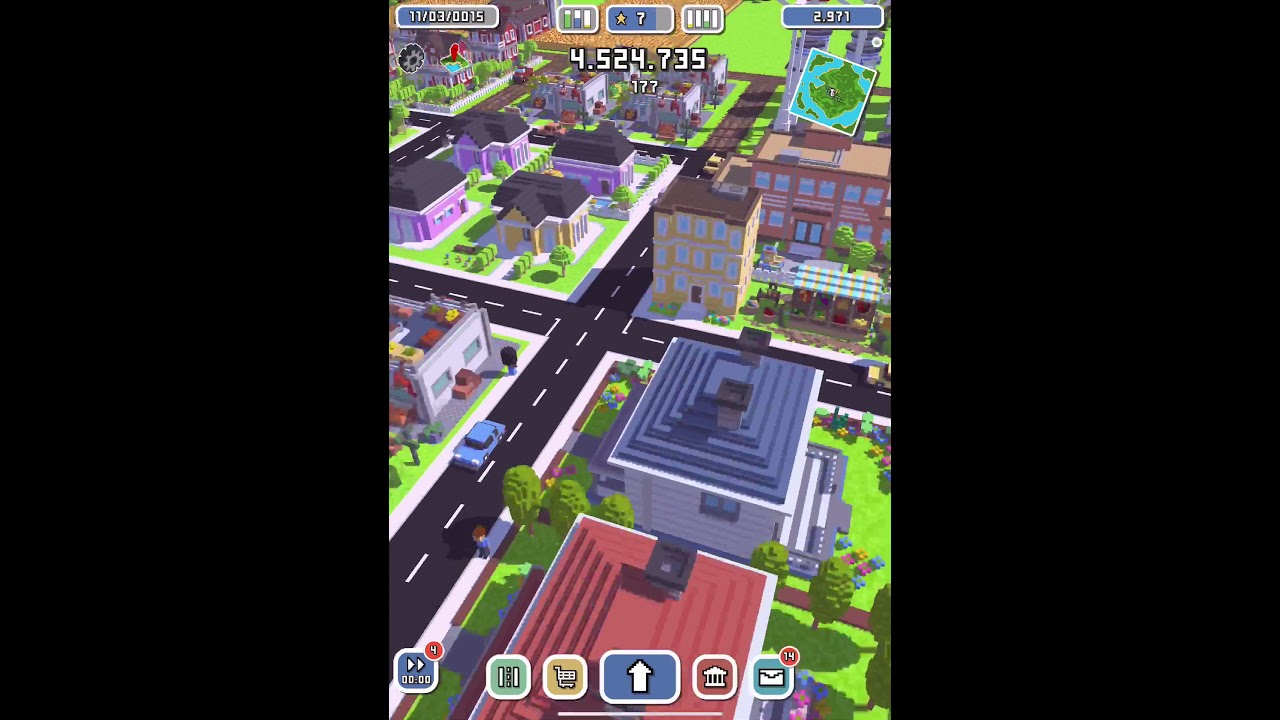 turbid matrix
by being far from origin, I mean that if you have like absolute tranform position value and it's a big number, it's far from world origin (0,0,0)
warm crescent
mmm not really, the mapTile is close to world origin... grows 128 tiles of 3.2 in x and z
and its in y =0
and the camera doesnt move more than.... maybe 200
from any point of this map
turbid matrix
200m isn't much
warm crescent
thats not a big number no?
turbid matrix
no
warm crescent
i think is not exactly the same problem
ive been told to switch to STABLE FIT shadows ode
mode
but then look what it happens
its like just the closest to the camera are drawing its shadow

i think its another issue
anyway i contacted with the NGSS guys, shown them my case
summer glacier
turbid matrix
I don't really see URP dev pace being any slower than about anything that happen...
Come on, point light shadows only now in 2021.1, reflection probe blending only coming now in 2021.2, box projection, deferred renderer not even released yet, coming in 2021.2, motion vectors as well, light layers, no TAA, shadows worse than built-in, no shadow cascade blending, no volumetric anything, no camera relative rendering, light cookies only now coming in 2021.2, no auto exposure, no screen space reflections, and more.
The fact all that stuff is only now making it in 2021.2, after how many years.. has to be snail pace, cause if it isn't, I don't know what is.
Many features that took a very long time to be released were expected to be of higher quality than built-in, but they're about the same, sometimes lower.
decals are only coming now in 2021.2.
I use HDRP exactly for this reason, I don't want to use assets anymore, so much pain or bad quality down the road. I want to limit them to things I trust.
Not to say I don't use any, I do, but i don't want to use so many, and many of them for features I deem critical and should already be provided by the engine.
Wasn't URP declared production ready before 2020.2? Cause if it was..
that means it was also missing SSAO, and shadowmask. Probably a bunch of other things I don't remember.
And now deferred is coming, so most assets for URP will break and will need to be updated.
HDRP had all or most of these years ago
turbid matrix
production ready != fully featured
also pretty sure LWRP was already "released" while HDRP took longer to get official release
summer glacier
We aren't really even close to fully featured, we need something though. Unity is known for being barebones, but URP/LWRP was bare-bare bones.
turbid matrix
all in all, URP is still universal target where HDRP only supports few targets, that has to limit things too
summer glacier
I mean, ignore 2021.2 -- and check previous updates. Very little features. Snail pace.
turbid matrix
that being said, pretty sure most of the users would have just wanted one renderer
warm crescent
well the issue trackers are full of annoyed people thats for sure 😅
and the forums
turbid matrix
also I'm not going to ignore 2021.2 as that's where URP finally got tons of things they've been cooking for year+
summer glacier
HDRP supports the ones that I deem important, I don't care about switch or mobile, don't even want to think of getting it to run at an acceptable FPS in those platforms.
turbid matrix
it's like saying ignore what HDRP did for the past 2 years and look how raw it is
warm crescent
we are developing for mobile 😦
summer glacier
The point is that before 2021.2, which packed a ton of critical long-overdue features, they were slow, and they still are. If history is anything to go by, they'll go back to slow development.
turbid matrix
I do get the frustration but if you've been using Unity for longer, you know they like to take their time to get about anything done
summer glacier
Past 2 years is not the same as one single update.
I understand that, but HDRP has been going at a faster rate since the start.
turbid matrix
having used HDRP from first days... I'd disgree 😄
summer glacier
Just check changelog, or roadmap. Look at the features added per major unity update.
compare that to urp. It's not even remotely close
and the fact unity broke render pipelines into 3, means using assets is even more of a pain now then before.
For example, the best clouds asset in terms of quality, Expanse, only supports HDRP.
turbid matrix
turbid matrix
that being said, pretty sure most of the users would have just wanted one render...
this
summer glacier
Because urp is too much pain to support alongside hdrp
I agree, but we can't undo the past :/
Even though URP is the one that really needs it, since HDRP is getting good volumetric clouds in 2021.2
turbid matrix
all in all... which renderer you pick today totally depends on your project and it's requirements
summer glacier
No disagreements from me there 😄
To be honest, i do agree that sticking to one RP would've been better.
Sometimes I look at urp and say.. that's nice.
then I look at HDRP and say.. that's nice.
Then I look at built-in and say... that's nice.
Then I have to choose one 🙂
warm crescent
any idea about my problem? I tried setting the shadows to STABLE FIT but i got this problem:
Also I tried to maximize the shadow distance until 1000 but no changes... out of ideas 😦
 summer glacier
Nope, sorry :-
you're in the built-in land, mobile to boot
NGSS might help you, although, i'm not sure if it's good for mobile..
warm crescent
i've read is compatible with metal so i guess
shrewd moon
summer glacier
HDRP supports the ones that I deem important, I don't care about switch or mobil...
From what I understand URP is designed to have all its features as universally compatible as possible, which is one reason why they take longer to implement
If that doesn't matter to you, that's fine, but it's still a reasonable factor to note when judging it
summer glacier
I've heard that before and it's a fair point, but I doubt i can judge it fairly if i have no interest in the platforms holding it down
turbid matrix
also if you need VR, HDRP is not a good pick
if I only did desktop only, I wouldn't even consider URP
summer glacier
Although one benefit is that they probably are very performance sensitive
turbid matrix
meanwhile... now it's revealed, we are all just bunch of numbers to Unity
 summer glacier
Yeah, I've no experience in VR but I'd say that's true based on what I read.
summer glacier
turbid matrix
meanwhile... now it's revealed, we are all just bunch of numbers to Unity
and here I thought i was building working relationships by reporting bugs
😄
Now that I think about it, it's funny to think off it the following way.
Not in the literal sense, URP VS HDRP can be considered roughly to be two different engines.
Just like how there's Unity vs Unreal.
There will be URP vs HDRP. More and more as people stop using built-in.
Unity, all about 'unity'. 
shrewd moon
It does feel like almost a different engine with its own quirks and tricks
But as with engines in general, the best choice is the one that fits the project's needs
warm crescent
summer glacier
Unity, all about 'unity'. <:Adam:502892114313740308>
what i truly wonder is if all this issues that are marked as obsolete in built-in render pipeline are really fixed in URP
summer glacier
Good question, I couldn't really say since I don't use urp much
dawn sorrel
SRP developers should have learned about ifs, I heard those really help having a single multiplatform pipeline 😎
chrome locust
yall not a number to me ❤️ users are very important for me at the least 🙂
summer glacier
chrome locust
yall not a number to me ❤️ users are very important for me at the least 🙂
We appreciate you too 😄
I'm Ovi by the way haha
chrome locust
ah! excellent ovi 🙂
thanks for that test scene you sent me, I caugt some bugs on that PR 🙂 its on its final stages. PrepareLightsForGPU about to get a nice perf improvement
will let you guys know when its ready
warm crescent
chrome locust
ah! excellent ovi 🙂
may I ask what are you working on?
sorry im new around this room, nice to meet you
summer glacier
chrome locust
thanks for that test scene you sent me, I caugt some bugs on that PR 🙂 its on i...
I actually tried to do another test for il2cpp a few days after, but the latest branch kept giving me kernal and some code related errors. It might have something to do with the unity version I was using, which was the latest 2022.1 alpha at the time
warm crescent
 loud leaf
https://github.com/Unity-Technologies/Graphics/pull/5294
loud leaf
https://github.com/Unity-Technologies/Graphics/pull/5294
I seeee. impressive 👏
loud leaf
chrome locust
will let you guys know when its ready
Have you thought about creating a reusable package for the boilerplate entity collection/create/removeatswapback code? I'm also burstifying some stuff and keep running into the same
chrome locust
@loud leaf well as I understand the entity package can do that. The tricky part though is SoA is not something you can easily abstract. Or even use generics.
The best I did was adding the concept of Resize in Core as an extension of NativeArray.
the entity package is also a bit heavy for that matter.
 arctic parrot
I dont know if anyone can help me but i have this issue that i am trying to solve.
Basically i have 2 SpriteRenderer ontop of eachother with different Mask interaction. One is set to visible outside mask and the other one to visible inside mask. When i drag my objects over the mask one gets rendered and the other one doesnt like the mask interation have been set. The probleme is that i have the Sprite Mask on a different Rendering Layer Mask so it doesnt interact with these SpriteRenderers but it does anyways.

Nvm fixed it by adding Sorting Group Component to the mask
 verbal apex
I'm having a really weird bug when upgrading from the standard pipeline to the URP. We upgraded to the URP and now all of our lights are behaving as if they are set in gamma color space, when the project is in linear color space.
Is this some known issue? I've swapped back to gamma, looks like crap (too dark), swapped back to linear, literally no difference.
We were in linear space previously, why is it so dark now? 😦
Yeah, I've got a brand new URP project made and the lights with the same settings are baking down entirely different between the two projects despite being in the same color space. Is there some project setting that I'm missing? They both should be using the same render pipleline and settings.
verbal apex
Literally copied and pasted the pipeline assets. Two URP projects using the same player and graphics settings using identical pipeline assets are rendering entirely differently.... I'm at a complete loss....
 lean kestrel
I was trying to make a sprite glow and I installed the universal render pipeline, and after a while I got this error and I have no idea what is means:
"[Worker0] Shader error in 'Hidden/Universal Render Pipeline/Blit': Couldn't open include file 'Packages/com.unity.render-pipelines.universal/Shaders/Utils/Fullscreen.hlsl'. at line 20"
oh and some of my sprites appear as purple squares
lean kestrel
Now I removed the universal rp and every prefab that I have appears as a purple square in my asset folder. Any way to fix it?
inner parcel
lean kestrel
Now I removed the universal rp and every prefab that I have appears as a purple ...
if you dont have a backup of your previous project before doing all the stunts then you're screwed.
its actually pink not purple. it happens when theres a material missing in the renderer, or some incompatible shader. i assume its shader in your case.
standard shader to urp shader the shader converter can do it for you. but theres no universal to built in shader converter
lean kestrel
inner parcel
if you dont have a backup of your previous project before doing all the stunts t...
it is only in the project window
it is ok while playing
inner parcel
lean kestrel
it is ok while playing
make a build and check it in there. pretty sure that'll have pink boxes too
lean kestrel
inner parcel
if you dont have a backup of your previous project before doing all the stunts t...
and what did you tell me to do exactly because I didn't really understand. I have never used shaders and rps before
verbal apex
Ok I think this has to do with lighting falloff changing in URP; that would make sense as to why lights in standard look good but when upgraded to URP, they look dark.
verbal apex
Yep, progressive lightmapper's light falloff is different from the previous lightmapper. Oddly this happened at the same time we upgraded to URP. <shrug>
verbal apex
I wonder if the falloff changes for progressive mapper if you're on standard pipeline vs URP; we definitely built new lightmaps in the standard pipleline with the progressive mapper and they were fine... 😕
 sharp nest
hi guys someone can help me with a question of bake shadows ?
turbid matrix
@verbal apex pretty sure the progressive lightmapper does same falloff for all RP's but for dynamic lights the falloff is definitely different for built-in and SRPs (URP and HDRP)
@verbal apex there is supposed to be an option to swap it to the old "legacy" falloff setup though, see https://docs.unity3d.com/Manual/ProgressiveLightmapper-CustomFallOff.html
not sure if that is still in URP since well... I can see how Unity wouldn't want people to use that in URP
(old setup wasn't correct)
also I don't think you can adjust the realtime lift falloff so if you only did that for baked lights and still have mixed lighting, you could get really weird looking results
 tacit slate
all materials are broken or don't compile at all on URP builds, everything works in editor. don't get any shader compilation errors. any idea what to do
tested on multiple different devices from the latest iphone to 6 year old androids, same issue on all
 pastel oracle
Hey not sure if this is the right server but I don't know where else to put it.
I am looking for a way to stop z fighting in one of our clients' revit model.
We got the model and imported it in Unity but in the revit model there is an interior and exterior wall but with exactly the same measurements. the model is around 500mx300m with a lot of rooms so doing it by hand is just not the way to go.
Does anyone have an idea on how to solve it without doing anything by hand? Like an automated script or something? I googled it and found some articles but nothing that suits my case.
cloud lantern
in an HDRP shader, how would I get the view direction?
turbid matrix
@pastel oracle why is that z-fighting? or are you using double sided materials?
you'd think the interior and exterior walls's are faced in opposite directions so there's nothing that could cause z-fighting on the rendering
pastel oracle
turbid matrix
<@!94126323093479424> why is that z-fighting? or are you using double sided mate...
Nope sorry I didn't explain that right. In their modelling software they made a building and they have 1 interior wall, copied it and made one exterior wall. What they mean by that is that there is a wall that's inside another wall. I don't know the english terms but it's like one wall on the inside that's for isolation and the other is for the looks and decoration. But they have the exact same measurements. Usually the wall on the inside is smaller and the one on the outside is thicker. But that's not the case here which causes z-fighting
I've made a tool that automates searching for those inner walls and I just disabled them
 rotund quiver
How... is this over 300 batches? Stats gizmo says 300. Frame debugger says 22. Any other places where I can see draw calls?
(edit: ok, it's 300 many batches if the SRP batcher is off... then they show up in the frame debugger ... but ... it's on. what gives? URP 11.0)

 broken lichen
rotund quiver
How... is this over 300 batches? Stats gizmo says 300. Frame debugger says 22. A...
broken lichen
rotund quiver
How... is this over 300 batches? Stats gizmo says 300. Frame debugger says 22. A...
The Stats window doesn't show correct batch numbers when using SRP Batcher.
verbal apex
turbid matrix
<@!151502742152544256> there is supposed to be an option to swap it to the old "...
This is the script we ended up using that fixed our baking eventually. Like you said, realtime falloff is calculated in the script, which I think we can modify, though we may just opt to not used any mixed/realtime instead.
Thanks for the info!
 halcyon moon
I cant decided what render pipeline should i go with between URP and legacy 😦
iron flame
GitHub
Purpose of this PR
The purpose of this PR is to move all of the AMD FidelityFX shader files into core so they can be shared between SRP implementations more easily.
Testing status
Ran local DRS tes...
rotund quiver
broken lichen
The Stats window doesn't show correct batch numbers when using SRP Batcher.
After all this time they couldn't even make it not show conflicting data (no data would have been better). Thanks for the explanation.
dawn sorrel
Is it weird that I kinda want mutliple fogs simultaneously in HDRP?
Like I think having a generic height fog to mask the terrain cutoff with the skybox and also having a low opacity white fog that caps out at like 0.2 opacity would be neat.
turbid matrix
iron flame
https://github.com/Unity-Technologies/Graphics/pull/5714
this is nice, altho pretty sure it'll take a long time till we see FSR in URP
they need to get this PR done before that https://github.com/Unity-Technologies/Graphics/pull/5346, then do the followup PR to the first one before they can even start working on URP FSR
only if you write your own conversion scripts for it
 flint willow
I have a problem, i have a Universal Render pipeline project, it uses both 3D environments and 2D sprite characters, the problem being that the 2D sprites only care about their sorting layer, ignoring any and all perspective and just drawing on top of each other whenever.
tho some how they do respect 3D environments, if this can be solved, could there be a way to get lighting working with 2d assets aswell? Please and thanks, Dm me if you want.
turbid matrix
oh snap, just realized they also moved CAS shader to core, would be nice to get that one for URP too 🙂
turbid matrix
as a side note, I wish Unity would update the Graphics repo tags while the versions are still relevant
I love that the tags exist, it's just, they almost never update them in time when you get new engine versions... so if you are using a version that's like released within past 4 weeks, chances are that there will not be tag for it yet
for example, latest 2021.2 tag in Graphics repo today is for 2021.2.0b8 from July and we are at b12 already
this is kinda annoying because since SRPs moved into Unity core, being able to track the right version has become a major pain. these tags would help if they actually were updated in time
 marsh marsh
I have tried to do blood stains on my characters in unity, but I haven't found a way to do this and I haven't found any useful tutorial. How are blood textures applied to surfaces usually in games?
turbid matrix
if they are permanent stains, people would normally just apply them to the base textures using texturing tools
for more dynamic ones you can use decals or do some shader which can blend your blood stains on top of the base material
@marsh marsh
marsh marsh
turbid matrix
if they are permanent stains, people would normally just apply them to the base ...
I see... Is it possible with materials? As in, the surface the blood needs to be applied to? @turbid matrix
turbid matrix
you'd need some layered shader for it, I can't remember if there were any provided on some samples or not
 rapid whale
Hello everyone. I don't seem to be able to create sprites with a URP project. The option for creating a 2D Object by right-clicking in the Hierarchy doesn't even show up to me, and when I try to drag an image into the scene view, my mouse icon turns to a "blocked" symbol, so I can't add sprites like that either. Could someone help me with it?
 pulsar valley
Anyone having issues with rendertextures getting corrupted in URP on M1 MacOS? - Broken when running a built version fine in editor and fine on intel mac or windows (built or in editor):

Seems to have a weird load order / chunking texture format type issue. Maybe a metal thing or something.
(rendertexture is used to do a low res effect on the main camera, UI is drawn on top in another camera in real screen space so is un-affected)
inner parcel
pulsar valley
Anyone having issues with rendertextures getting corrupted in URP on M1 MacOS? -...
Most likely a bug if that works fine in other platforms. Just attach this in a bug report
analog rock
Is there a good guide, how to improve the graphical perfomance with HDRP?
inner parcel
analog rock
Is there a good guide, how to improve the graphical perfomance with HDRP?
https://www.youtube.com/watch?v=yqCHiZrgKzs
this is not exactly what you're looking for but this video is actually a gem. has many optimization tips at places and everything is explained from basic level. its long but try not to skip it

In this video, you'll learn how to create AAA-quality visuals for current and next-gen games. We’ll also show you HDRP’s key rendering features and how to tune settings for anti-aliasing, lights, shadows, exposure, and more.
Speaker:
Pierre Yves Donzallaz (Senior Rendering & Lighting Artist)
Did you find this video useful? Room for improvement...
analog rock
thank you very much ❤️
summer glacier
analog rock
Is there a good guide, how to improve the graphical perfomance with HDRP?
Unity Forum
I thought it would be nice to make a thread where anyone with ways to improve performance chips in.
This is HDRP focused, with a focus on HDRP...
dawn sorrel
Isn't it really stupid that Unity broke backwards compatibility for rendering with SRPs but then only made one of the pipelines use physically based light intensity units?
 keen tulip
is it possible to change the upscaling algorithm for Dynamic resolution in HDRP at runtime?
I want to change between FSR and TAAU depending on scenes. I dont want to have multiple assets just to address this combination because I already have 5 different assets already
inner parcel
keen tulip
is it possible to change the upscaling algorithm for Dynamic resolution in HDRP ...
upscaling algorithm i think you can modify at runtime aswell.
there are few settings like SSAO which require you to have it enabled in the asset before compiling for stripping shader variants accordingly.
what you can do is, enable them at first in a separate asset in Resources folder, and then compile it. once you're sure that it has been there when it was compiled, i guess you can then modify the asset at runtime.
but im super against this and it might be highly unstable and break your game in Player despite working correctly in editor. so i'd advise you to just try it once in the player and see if that works for you
keen tulip
inner parcel
upscaling algorithm i think you can modify at runtime aswell.
there are few sett...
Thanks
summer glacier
keen tulip
is it possible to change the upscaling algorithm for Dynamic resolution in HDRP ...
I requested this a while ago and one of the developers thankfully made an API for it, no need to change assets. You can just use the API and directly change it.
I think it will be released in 2021.2
keen tulip
summer glacier
I requested this a while ago and one of the developers thankfully made an API fo...
Where's the api for this? Not yet available in 2021.2? Any pull request for the same?
flint willow
I have a problem with grouping 2D Sprites with sorting groups. When i put the sprite into one, the position in world based layer sorting breaks completely, and it switched back to hierarchy sorting. I am doing all of this in a URP without a 2Drenderer
summer glacier
keen tulip
Where's the api for this? Not yet available in 2021.2? Any pull request for the ...
I don't think it's in the beta yet. It was merged to master a bit late into the cycle, not sure if it's already in or not.
summer glacier
keen tulip
Where's the api for this? Not yet available in 2021.2? Any pull request for the ...

GitHub
Added a small API to change upscale filter via API as I got asked via dm and it was trivial to do so. I also remember Thomas I wanting something like that at some point.
I wrote a small script to c...
keen tulip
summer glacier
https://github.com/Unity-Technologies/Graphics/pull/5240
Really nice! Though I'll go with malloc's approach meanwhile because there's no alternative even in the beta latest version
flint willow
flint willow
I have a problem with grouping 2D Sprites with sorting groups. When i put the sp...
Nvm i am stoopid, 2D sprites have a built in Z-ordering thing, the problem was that you need to put the Sorting Group on the ROOT game object, instead of all of the CHILDREN game objects
 little trout
Where can i find Edit > Render Pipeline in unity 2022?
 hollow vine
hi,
i have hi-res detailed human anatomy model with huge hierarchy ... and i tried to render it on Oculus quest 2 with URP 11 and got 30 - 40 fps ...
so, does exists any methods to optimizing frame rates without touching that model?? shader things or something like that :]
thanks.
inner parcel
hollow vine
hi,
i have hi-res detailed human anatomy model with huge hierarchy ... and i tr...
most likely no. higher tris count is killing your performance and idt theres any way to efficiently tackle it other than replacing/optimizing the model
hollow vine
so ... does exists some methods to distance based combining models in realtime to decreasing draw calls? or similar methods??
inner parcel
the number of gameobjects in hierarchy is most likely not the reason you're game is suffering in terms of fps
you can combine meshes tho at runtime if you're interested.
https://docs.unity3d.com/ScriptReference/Mesh.CombineMeshes.html
hollow vine
you're right ... but i can't touch the model cuz of very small details for medical reasons :]
and i have about 3M tris on this anatomy!! with about 5000 gameobject ...
and another question ... does URP multithreaded on glES 3.x ?? or needs to some modifications??
 opal vapor

Why do I keep getting this weird area where the alpha should be?

It shows up in the finished version too
 errant trellis
how do i get global light 2d
i have the render pipline installed but when i go to find it in hierarchy its there but grayed out
pulsar valley
inner parcel
Most likely a bug if that works fine in other platforms. Just attach this in a b...
Yeah the intel version is fine running under emulation, just the apple silicon version shows this issue.
turbid matrix
@little trout if you are looking for URP material conversion scripts, they have a tool for that now, hence the removal of the old scrips in edit menu
you can access the new tool from Window->Rendering->Render Pipeline Converter
(this applies to all URP versions since 2021.2)
summer glacier
so in HDRP, you use reflection probes for interiors, to get rid of ambient lighting
it works, but leads to the room being completely dark from the outside. When entering the door, even though the room is lit inside, it looks completely dark until you get closer/enter the room.
Any workarounds?
inner parcel
that's the natural aspect of it. you can increase the lighting in room in that case.
when exterior light is much more higher than the interior light then your camera's exposure is adjusted for the exterior lighting. the overall exposure of camera is lowered to intake less amount of light leading to visible output. since the exposure for camera is reduced what you see inside the room looks completely dark
shrewd moon
opal vapor
Why do I keep getting this weird area where the alpha should be?
Your shader is stretching/dilating the visible part of the alpha channel, so it reveals the background of RGB channels
summer glacier
Eh, I just remembered the Indirect lighting override. Works great for interiors. Still got some issues but with some work it'll probably look fine.
Btw they're adding light temp to urp
iron flame

GitHub
Purpose of this PR
This PR introduces an improved multiple scattering approximation to the HDRP Hair shading model.
Currently we rely on the Kajiya-Kay diffuse component to approximate this, which...
 eternal laurel
Guys is it possible we are seeing a performance drop on URP 7.3.1 with the latest Nvidia and SteamVR updates.I have no other explanation how our game went from 7-8ms to 15ms
Meanwhile our other game that is on a higher URP version does not have a perf drop
opal vapor
shrewd moon
Your shader is stretching/dilating the visible part of the alpha channel, so it ...
how do I fix this?
shrewd moon
opal vapor
how do I fix this?
I wouldn't know
It's an issue that's very specific to that particular chromatic aberration shader
inner parcel
eternal laurel
Meanwhile our other game that is on a higher URP version does not have a perf dr...
maybe try to do a deep profile. if it's just the urp version which is different probably yeah.
also you gotta remember that SRP is a new thing and it's constantly evolving. HDRP has some crazy performance boost too from 7 to 12. If I were you I would be thankful to the devs working behind the scene and just continue with newer versions
eternal laurel
@inner parcel Im very thankful to the devs Its just a shoker that it was running fine nothing was changed on unity's end so I suspect either SteamVR or gpu drives. The profilling showed that XrRendering.waitforsempohore is taking 15-17ms
inner parcel
WaitForSemaphore sounds like a gpu bottleneck/vsync
eternal laurel
Also steamvr was suddenly upscalling to 125% by default for some reason
inner parcel
try to profile your gpu and see if there's any difference
I haven't any exp with steamvr but yes I do know that crappy drivers are hard to troubleshoot since I've had my bad experience with nvidia rtx drivers
eternal laurel
Thats the wierd thing GPU claims its taking 7-8ms
I did a very dirty test of disabling all geometry in the level that did not change a thing
inner parcel
WaitForSemaphore is usually cpu waiting for gpu before next frame.
Try to revert changes in your git if you have any setup
also is there any reason you're still in urp 7? isn't that like unity 2019 or 18?
eternal laurel
- Reason is that it was fine up until now and I did not want to change major versions cause of all the crazy stuff around openxr and the plugin from valve
Im suspecting that they updated something that does not play well with the old SteamVR integration
Other game that is running fine uses the new plugin
inner parcel
one more thing you can try is recreating the urp asset a fresh with same settings as old.
I had some performance issues in hdrp 4 or 5 idk and re creating the asset a fresh every time fixed that issue temporarily.
I had a crappy pc back then or maybe it's fixed now but I don't notice it anymore
eternal laurel
We havent made any changes that will impact perf on our end
I could try that but the steam release also has the perf problem
And we dont push a production build unless it meets the fps requirments
Only two things that have changed are steamvr and nvidia drivers
inner parcel
that's a good practice. but at some point you gotta take the pain to move to the unity's new XR system in 2020.
I had to go through the same for oculus plugin for unity 2020 but with the free performance boost (more battery life basically) I'm happier
tho that was in built in, not urp
eternal laurel
I guess its worth the test tomorrow yeah
There were some patch notes on them changing some buffers so that it takes less vram for their composer
Maybe the old stuff doesnt like that haha
Im just sad that if this fixes it we will have to redo all the input yet again
inner parcel
just hope that there's no new big change in unity's xr. OpenXR is considered to be the final state and let's just believe in khronos team
turbid matrix
@eternal laurel that does indeed sound like some frame timing issue
I had something like that on URP 11 which was caused by some silly change Unity did on URP but that change doesn't apply to URP 7.3
like, it's not directly related to it
if it really is driver or steamvr update that broke it, I guess the only thing you can do then is to see what is the change in Unity that does make the newer versions work fine (step one is to make repro on the urp 7.3.1 breaking and urp 10 working on totally different project)
or just... make 7.3.1 repro project and report it as a bug :p
but like, I'd probably try to narrow it down where and when it broke as it's easier to find the root cause
eternal laurel
well first thing Im going to try and upgrade unity and urp and see what happens
turbid matrix
that could lead to other things breaking too 🙂
eternal laurel
oh Im well aware of that 😉
inner parcel
at some point he needs to. unity 2019 is reaching end of support for mrtk by end of this year. cant imagine other providers to maintain older version of unity too, especially since XR has some breaking changes in 2020 which is hard to maintain (for the sdk providers)
turbid matrix
2019 LTS support ends next spring once 2021.3 LTS is out
turbid matrix
unity 2019.1 - 2019.3 support ended 1.5 years ago though
ah, you meant that toolkit, ok
eternal laurel
I will report back with what the updates do
inner parcel
no you still didnt get my point. i wasnt talking about unity 2019 LTS reaching end of support
microsoft's mrtk (which i consider is the biggest xr sdk) itself is deprecating 2019 by this year. i would expect other providers to end it soon aswell because from their perspective, its hard to maintain OpenXR for both unity 2019 and unity 2020 because the amount of changes between them is too big
turbid matrix
yeah I got that really meant mrtk 🙂
inner parcel
heh 😄
 sterile mesa
in hdrp, how do you make a mesh absorb more lighting (aka be brighter than stuff around it without necessarily emanating light itself) in the inspector?
 fleet path
is it possible to disable the HDRPGraph that shows up with certain controller combinations? For whatever reason I'm getting it on right trigger - which makes it a nightmare to test
turbid matrix
answered on #🖱️┃input-system
 exotic plume
Hiya been a while. Got a few questions about using pathTracing for “offline” rendering. Approximately how many accumulation samples should I use for a very simple scene with one spotlight - to get clean noise free images. ???
Should I use any screenSpace PP with PathTracing if render time is not an issue and I’m trying to get the most physically accurate result???
dawn sorrel
 inner parcel
dawn sorrel
inner parcel
dawn sorrel
make sure to remove this in HDRP asset. all of the assets if you have multiple of them.
It's not a bug. It's a feature most URP users are dying for 🙂
dawn sorrel
inner parcel
make sure to remove this in HDRP asset. all of the assets if you have multiple o...
lemme try
in this @inner parcel ?
 inner parcel
dawn sorrel
in this <@!565060299611439115> ?
inner parcel
dawn sorrel
in this <@!565060299611439115> ?
yes
dawn sorrel
i dont see any settings to change\


 inner parcel
my bad. maybe it's there only in frame settings.
anyway, go to the scene where you want to disable the light thing.
Find your camera, enable custom frame override
Then find exposure like you did before
make sure the tick mark on left is enabled and the tick mark on right is disabled
that should fix it
dawn sorrel
inner parcel
my bad. maybe it's there only in frame settings.
anyway, go to the scene where ...
I dont even see that
I wasnt even using a camera yet
inner parcel
if you want to fix that for scene view aswell then in that case go to player settings, default hdrp settings and disable exposure control there
dawn sorrel
inner parcel
if you want to fix that for scene view aswell then in that case go to player set...
i tried that and my screen got really bright, like extremely unbearable
 inner parcel
dawn sorrel
i tried that and my screen got really bright, like extremely unbearable
inner parcel
dawn sorrel
i tried that and my screen got really bright, like extremely unbearable
yes that's bound to happen. without any exposure control that will happen
another option you have is to re enable the exposure back from there.
And then find hdrp volume and then change it to fixed exposure. then lower the exposure value until you're comfortable
dawn sorrel
inner parcel
another option you have is to re enable the exposure back from there.
And then ...
ok
inner parcel
https://youtu.be/yqCHiZrgKzs
if hdrp feels overwhelming just go through this complete video once. you'll understand it better
In this video, you'll learn how to create AAA-quality visuals for current and next-gen games. We’ll also show you HDRP’s key rendering features and how to tune settings for anti-aliasing, lights, shadows, exposure, and more.
Speaker:
Pierre Yves Donzallaz (Senior Rendering & Lighting Artist)
Did you find this video useful? Room for improvement...
dawn sorrel
inner parcel
https://youtu.be/yqCHiZrgKzs
if hdrp feels overwhelming just go through this com...
its just not working, i legit have nothing now

no skybox
inner parcel
if everything is just "not working" for you then I can't help. if you go through the video you'll know why the skybox is missing
dawn sorrel
hello, I don't know where to ask this question, I hope someone here can help me...
shadows in my project are showing like this ... and I have no idea why that's happening
 turbid matrix
nobody can help you unless you tell what you think is wrong, to me that looks like normal shadow
dawn sorrel
doesn't it look like it is very... (idk how to describe it but look at the edges of the shadow.. they are very NOT smooth)
turbid matrix
@dawn sorrel run through HDRP Wizard, it's somewhere in the window-menu (under either rendering, analysis etc depending on your hdrp version), once it's all green make a new scene with Unity editor, you'll get a scene preset for HDRP lighting values
@dawn sorrel if it's URP, you can enable soft shadows on URP asset
dawn sorrel
turbid matrix
<@456226577798135808> if it's URP, you can enable soft shadows on URP asset
I am using URP
where do I do that?
turbid matrix
I have no idea where your urp asset is located 🙂
turbid matrix
np
you can also play with the shadow settings there
like change the resolution, cascade amount etc
shadow distance affects the look directly too
I've seen 2 cascade setting with soft shadows working quite nicely on URP
eternal laurel
@inner parcel @turbid matrix after updating to 2020.3.18f1 and urp 10.6.0 we are back to 7ms. I wonder if I should just go up to 2021 and urp 11 at this point. How ever my custom blit is now broken. 0lento I remember you had a working example or was talking about some work around
turbid matrix
@eternal laurel if you mean VR SPI being broken with cmd.Blit, that's been like that throughout 2020 cycle I think?
I do have example of the drawmesh approach here: https://github.com/0lento/URP_RendererFeature_SPI_Example
do check the commits there as they highlight the required changes
should probably also omit that last commit from the repo (or at least put it into separate branch) as it relies on OpaqueTexture which users can downscale from URP settings (which isn't what you usually want)
I wouldn't really go for URP 11 at this point anymore, 2021.2 is getting closer to release and URP 12 is what the 2021 LTS will be using as well. URP 11 /2021.1 support ends in few months when 2021.2 is out
eternal laurel
oh wow I guess I've fallen behind a bit haven't I haha. Once I get this to stable I might as well bump to 12 straight away
eternal laurel
so good news XRStats.TryGetGPUTimeLastFrame is still broken
turbid matrix
I always wondered about those XR GPU stats... most of them never did anything for me so I just assumed they might work only on some device and renderer combos
eternal laurel
I think I know what happened now
the steamvr compositor started delivering wrong frame timings
so steamvr was upscaling to 125% by default and then my custom dynamic res was getting the wrong data so was doing a x1.4 pass on top of that 🙂
exotic plume
Ugh…. My questions get buried when ask them on discord. 😞
I guess I should just post on the forum
turbid matrix
there are probably more path tracing users on the forums too, it's not a topic you see a lot here
 turbid matrix
I'm kinda reserved on that one
while it's cool when it works, it's really often broken on various places in HDRP
it's also something that new users do struggle with (but for that I blame how HDRP is set by default)
this doesn't mean they will add real-world lighting units for URP though, could be just for auto-exposure
Summary
Exposure is a linear scaling operation performed on a scene-referred
image before tone mapping to fine-tune the brightness or darkness of the image. URP allows for manual adjustment of exposure of the final render using [Color Adjustment](https://docs.unity3d.com/Packages/com.unity.render-pipelines.universal@10.2/manual/Post-Proc...
dawn sorrel
Anyone know why my postprocessing doesnt work?
I have the camera Postprocessing enabled,
volume is set to global and enabled as well and I put the urp asset in the graphics setting
turbid matrix
@dawn sorrel go to your URP data asset (the one that your URP asset references) and enable PP from it

also in case you have multiple such assets, make sure you actually enable it from currently used asset
dawn sorrel
wai what..


its enabled though ... @_@


@turbid matrix idk what im missing :C
undone pecan
@dawn sorrel check that you dont have multiple post pros in game. happends to me alot.
dawn sorrel
volumes?
undone pecan
they tend to fight over control over the PP
dawn sorrel
this is a new scene ... and i added only one >_>
dawn sorrel
idk.. i used URP template
turbid matrix
which URP?
dawn sorrel
on latest unity 2021..
undone pecan
if you have a new scene with extra stuff, you might have a PP setup from start
dawn sorrel
i thought it would just be working 🤔
turbid matrix
well, that one definitely doesn't use PP package
turbid matrix
it didn't have that if you really used Unity 2021.1 or 2021.2
 turbid matrix
URP 11 or 12 don't support that PP package
you have to use URP's own volumes, not the PP ones
dawn sorrel
😵💫
turbid matrix
you should just uninstall that PP package with URP, it's only mean for built-in renderer there
last URP version that supported PP package was like 7.x
(or 8, can't remember for sure)
undone pecan
dawn sorrel
😵💫
welcome to PP hell 🙂 but when you get the hang of it, youll remember what NOT to do 🙂
dawn sorrel
So I just uninstall bboth?
 turbid matrix
it's a completely different renderer, it's not just for shader graph
there is, but it's not that old one, see https://docs.unity3d.com/Packages/com.unity.render-pipelines.universal@11.0/manual/integration-with-post-processing.html
undone pecan
dawn sorrel
so there is no post processing in urp anymore? <:UnityChanThink:8851695945605448...
there is yes. but a more lite PP
turbid matrix
it has one built-in, nothing you install separately
undone pecan
dawn sorrel
why they changed it?
they changed it for the better
 undone pecan
dawn sorrel
undone pecan
dawn sorrel
remember to check if you have multiple Profiles in use. or they fight over the PP
 gritty crag
im trying to make a grid with vertex position in shader graph but it doesint want to interact with procedural shapes at all. is there a reason or a work around?
dawn sorrel
undone pecan
remember to check if you have multiple Profiles in use. or they fight over the P...
how would i do that? but it seems to be working now so thx
undone pecan
dawn sorrel
how would i do that? but it seems to be working now so thx
that FAE_postprocessing.... name under Profile. that is your current one. hunt if there is more, or if you want to make your own custom one, you have to switch off the current one in the editor/preferences


 undone pecan
dawn sorrel
there is a few
undone pecan
dawn sorrel
there is a few
then get rid of the old and just force feed the new one so its the only one in use. good luck
dawn sorrel
undone pecan
then get rid of the old and just force feed the new one so its the only one in u...
but shouldnt it be already using new one since i selected it
undone pecan
dawn sorrel
but shouldnt it be already using new one since i selected it
like i said, you could have multiple in use.
dawn sorrel
With vignette i can do a scope effect. can i enable/disable that in code? 🤔
undone pecan
dawn sorrel
With vignette i can do a scope effect. can i enable/disable that in code? 🤔
you can.
dawn sorrel
undone pecan
like i said, you could have multiple in use.
I searched in the hierarchy for "Volume" it only showed that one
How expensive is FXAA on mobile?
Is this really how to get the vignette effect and disable it? https://forum.unity.com/threads/hdrp-2019-1-how-do-you-change-effects-volume-overrides-through-script.668842/
Unity Forum
Found the basic documentation here:
https://docs.unity3d.com/Packages/com.unity.render-pipelines.high-definition@5.13/manual/Volume-Profile.html
And...
cant seem to drag and drop the vignette itself in inspector
ok yeah the tryget makes sense i guess
dawn sorrel
noice now i got an easy scope heh
sinful locust
How to get the camera world position with HDRP?
I see some references to shader field values, but surely there is some helper method or something to extract them?
 long dagger
So i made my character 1.7m tall( used unity's default cube as a reference) but shadows looks really bad and pixelated, however when i scale it x10, it looks okay, Why? Isnt the default unity cube sized relative to real world?

I modeled the character in blender and sized the model by going back and forth between unity and blender using unity's default cube as a reference.
dawn sorrel
long dagger
So i made my character 1.7m tall( used unity's default cube as a reference) but...
I think you have to play with shadow settings a bit on your light 🤔
the right one looks more like a hard than soft shadow tbh
long dagger
@dawn sorrel soft shadow is ticked, i played around wirh cascade settings and somehow got a decent result but shasows are still really bad
dawn sorrel
Are you on highest quality? 🤔
long dagger
@dawn sorrel okay i got it, i increased the cascade count to 2
@dawn sorrel but cant use soft shadows, my characters shadow becomes a stick figure
dawn sorrel
long dagger
<@456226577798135808> but cant use soft shadows, my characters shadow becomes a ...
hmmm
weird
the shadow does look creepy tho 😰
long dagger
@dawn sorrel got it! cascades are the way to go, looks perfect now.
dawn sorrel
neat
 still charm
question for URP, if anyone here has written any scriptable renderer features. I want to control some of the variables in my settings in the feature, and it seems like the easiest way to update those is to change them and then call .Create() again. That ... feeels wrong, so instead I added in some Update(settings) functions that overwrite the settings variables inside of the pass. is that a better way of doing it?
gritty crag
The normals look really pixelated?? fed sub shader grid into Normal from Height. Also if I were to detect if an object is below one of these boxes to see if I want to put a light there using shader graph, how.

 turbid matrix
@still charm you can feed in the new values at AddRenderPasses since it's going to be called every frame anyway, like this: https://github.com/0lento/URP_RendererFeature_SPI_Example/blob/main/Assets/RendererFeatures/SaturationRendererFeature.cs#L17
but in these, I'd go with "whatever works"
turbid matrix
Unity Forum
We know that the introduction of the Scriptable Render Pipelines brought a lot of complexity to writing shaders in Unity. We are working on improving...
summer glacier
turbid matrix
I'm kinda reserved on that one
Same actually. Could create a lot of headaches for some people, we'll see how it's treated in urp
The nice thing about urp imo, is you don't get headaches working with lighting. That headache brings some advantages but still, a bit painful 😄
https://github.com/Unity-Technologies/Graphics/pull/3174
merged a while ago but I tested github master and a pretty big difference. And downsampling is sort of a must for most, big perf difference.
prob in beta or alpha by now actually.

GitHub
Purpose of this PR
This PR introduces various improvements and features to SSAO.
Open issues
Android GLES3: Instability with the test results often showing capturing half of the screen. I'...
turbid matrix
@summer glacierthat's from April though, it should have been in 2021.2 alphas already?
that change is mentioned here btw 🙂 https://docs.unity3d.com/Packages/com.unity.render-pipelines.universal@12.0/manual/whats-new/urp-whats-new.html
URP 12 will be such a nice release once they get it all stable
summer glacier
Really need TAA though. Specular aliasing hell everywhere.
turbid matrix
yup
been using this for my urp testing atm https://assetstore.unity.com/packages/vfx/shaders/fullscreen-camera-effects/urp-taa-193976

Add depth to your project with URP TAA asset from GameOldBoy. Find this & more VFX options on the Unity Asset Store.
summer glacier
Gif rules, yeah.
long wagon
@summer glacier No reaction gifs, please.
summer glacier
🙂
turbid matrix
it's nice, does movecs too but uses old cmd.blit so it's totally broken on VR SPI
I'll probably try porting HDRP TAA to URP later anyway but it's nice to have something you can just drop in
summer glacier
Does it not use motion vectors?
turbid matrix
it uses movecs
"Use Motion Vectors to improve anti-aliasing quality of moving objects. (This feature requires URP 12)"
summer glacier
Nice.
I imagine TAA will land in 2022 for URP, otherwise, seriously big disappointment.
turbid matrix
yeah it really should
summer glacier
And maybe... volumetric fog? or is that being naive? 😄
turbid matrix
but I also totally expect them to do some more bare bones TAA for URP than what they did for HDRP
yeah, I'm not expecting volumetrics at all
considering they are really focused on first getting more feature parity with built-in, I wouldn't expect any rush on new things
I'd personally want to see VT's being supported but I'm guessing that new shader system has to land before it happens