#archived-hdrp
1 messages · Page 67 of 1
 heavy ice
 solar knot
Hi, did 2D Experimental Pipeline works in 2020 version of Unity?
 turbid matrix
you mean URP's 2D? I think it's been there at least since 2019.3, could have been before that
turbid matrix
can you be more specific what you mean by that?
turbid matrix
but 2019.4 can use it as well https://docs.unity3d.com/Packages/com.unity.render-pipelines.universal@7.5/manual/2d-index.html
unless you mean something else now
solar knot
Im switching from 2019 to 2020, and i'm interested, how much errors i would have with my project
that uses 2d urp
turbid matrix
just test it
solar knot
I have crashes in 2019 version of unity
turbid matrix
I mean you probably have version control and backups... so try it?
turbid matrix
I can also tell that the same artifact that was present in old SSR mode is still preserved in "raymarching" mode when using "reflect sky" option that didn't fix itself at least 😄

is this a known issue?
I mean I've seen it gotten mentioned few times by users, including myself when the accumulation denoiser appeared but I dunno if there's like issue report made for it
(it does appear on approximation as well apparently, I could have sworn I didn't see it on that mode before but I could remember wrong)
sky reflection has always been sketchy on HDRP SSR though
 indigo summit
So i'm wondering , about the SSR situation. There's a lot of SSR implementation already that work mostly fine of course with the limitation of screen space artifact limit, why not implement those first then working on a new implementation? this way at least HDRP have an option to choose working SSR while waiting for an improved version?
it's just from the beginning of HDRP it seems we never have a working version of SSR, always have issue which we never see in other SSR implementation.
turbid matrix
@heavy ice hmmm, I don't actually get vertex modifications to do anything for the hybrid reflections, it just shows the static raytraced reflection despite the mesh it reflects is moving via shader
I have dynamic geometry set on the mesh moved by shader but it didn't change anything
there's also some flickering going on in the editor but I dunno if it's from this change
heavy ice
Ray Marching option the dropdown is not new
Ray Marching is just the new way to access SSR
the Ray marching technique in Hybrid is new, but it is not ssr
not sure if it is clear
turbid matrix
yeah, I saw the same options as on SSR
but for the vertex offset in shader... is that supposed to work in reflections when using hybrid?

 waxen lantern
indigo summit
So i'm wondering , about the SSR situation. There's a lot of SSR implementation ...
waxen lantern
indigo summit
So i'm wondering , about the SSR situation. There's a lot of SSR implementation ...
as i understand more than one technique is available as an option? not just this new "hybrid" tracing option @turbid matrix is testing. and there's definitely room for improvement but the ethos of SSR is and always has been about making compromises and accepting some limitations and artifacts one way or another.
waxen lantern
indigo summit
it's just from the beginning of HDRP it seems we never have a working version of...
other render pipelines and engines have SSR issues too you just rarely see them because it's not used for mirror reflections or in a discerning testing environment like this.
if you really need perfect mirror reflections, you should use "worldspace" raytraced reflections.
which, to your point could mean HDRP devs are less concerned with the accuracy of SSR than ever before, since it's considered a "fallback" method to RTR / ray traced reflections.
though this hybrid ray marching method being developed says otherwise. it's just not very far along
waxen lantern
turbid matrix
but for the vertex offset in shader... is that supposed to work in reflections w...
i personally will bet on no it's not meant to work yet, as vertex offset doesn't work for hardware accelerated RTR / DXR reflections yet either. and this hybrid raymarching method seems like a further attempt at making a software raytracing reflections fallback for hardware accelerated raytracing reflections. (to be used instead of screenspace reflections.)
turbid matrix
yeah but, wasn't the whole point of this to get things showing on the reflections that are not supported by current raytracing setup?
also the PR did list vertex animation as supported
waxen lantern
oohh
waxen lantern
turbid matrix
yeah but, wasn't the whole point of this to get things showing on the reflection...
i didn't see it that way. i meant a total fallback for platforms without raytracing hardware,... but i can understand a mixed approach being desirable at the current time
 plain mural
in hdrp, if you use dynamic resolution and screen space ui, unity scales the ui based off the cameras resolution, how the hell can i fix this?
im rendering to ui on a custom pass after post process
turbid matrix
there's been some fixes to dynamic resolution recently but I dunno how much of it applies to your use case (or if the fixes have landed on version we can use today)
sounds silly if they really force the whole resolution like that
you'd always want to render the UI at native resolution if possible
plain mural
exactly
maybe if i set the resolution back to full before the ui pass? im gonna try that
how do i add code right before a custom pass?
turbid matrix
I'm confused, don't you literally get some code snippet when you generate the custom pass thing?
plain mural
im not sure
turbid matrix

GitHub
Fixing Contrast Adaptive Sharpening issues with Software & Hardware DRS
When CAS was applied in final, it was skipping samples due to the fact that positionSS was being clamped as an integ...
plain mural
is there a method that executes right before post processing?
or right after it, rather
turbid matrix
"Fixing resolution problems with CAS. CAS now renders exactly the resolution of the viewport."
plain mural
thats not what i was looking for
turbid matrix
yeah I dunno what that even means 😄
but for the custom pass, have you done these before?
they list the places where you can inject custom passes and also custom post process effects
there's place for After PP
plain mural
yea i have the custom pass injected after post process, which is what i want
i just need to execute some code right before my custom pass
turbid matrix
you can use your own code for the custom pass
there should literally be option to generate a template for you in the right click menu
but I'm not really sure what you are looking for here
plain mural
this might be what im looking for
my editor froze for some reason and i have to restart
thanks for the link
turbid matrix
@plain mural https://github.com/alelievr/HDRP-Custom-Passes probably have few effects that run on custom scripts too
(in case one wants to see how these can be used in practice, docs don't really explain everything in depth)
plain mural
ok so how do they get the custom pass script to interact with the custom pass component?
im confused on how it all works together
im using a drawrenderers custom pass
plain mural
still cant figure out how to get camera space ui to render at full resolution when using dynamic resolution scaling
indigo summit
waxen lantern
other render pipelines and engines have SSR issues too you just rarely see them ...
Hmm of course i'm not expecting perfect mirror reflection with SSR, mostly issue that i've found with the implemented SSR in HDRP like it's not reflecting the sky properly or having blocky artifact at the edge reflection (not the edge of the screen mind you).
But if the hybrid are working just fine then i'm fine with it.
also i'm not planning to target RTX or using any raytracing (at least for now)
 pale kelp
Hey so anyone know the solution to an imported terrain map being spiky? like the baking bar finished but it's still really spiky
Never mind. I just switched the byte order to windows instead of mac and it was fine
heavy ice
@turbid matrix the case you are demonstrating cannot be solved by ray marching. the bottom of the cylinder doesn't exist in screen space. here is a working example
 viscid solstice
@turbid matrix Do you know anything about frame settings?
turbid matrix
@heavy ice yeah but it didnt even reflect the part change that was in screenspace..
Or rather it's change
Anyway I try another direction just to be sure
heavy ice
Yeah but it doesn't work that way, it is not because you see something that it is guaranteed to be seen by ray marching
turbid matrix
@heavy ice it's not that, it just doesn't do anything different from raytracing option for me, suggesting there's something off
I changed my shadergraph to move sideways and it's same, it's only showing static raytraced reflection while object moves sideways via vertex position offset
heavy ice
then maybe there is still some UI issues. go back to ray tracing, force it to performance and go back to hybrid, see if it helps
turbid matrix
I tried that yesterday and now again, nothing 🙂
does this feat require SSGI to be enabled on frame settings? I only toggled reflections on
oh wait, I mean in HDRP asset, apparently SSGI is now checked in frame settings out of the box, just not in hdrp asset
well, toggling SSGI enabled also didn't change anything for me
I'm testing this on 2021.2.0a6.1011 if that matters
there's no errors on console
is there some specific setup there needs to be on the shader / mesh renderer for this to work? since it relies on ray marching, I'd expect it to work regardless of the raytracing settings there (but I did test different ones there too)
@heavy ice I can zip the project and send you a link if you want to take a look
but essentially, all I did:
- made new 3D project with 2021.2.0a6
- referenced your HDRP branch packages to it
- ran HDRP Wizard for HDRP + RT
- enabled reflections from HDRP Asset
- added reflections to DXR volume
- added those few primitive + SG I linked here earlier
I did now try wiping the library folder just to make sure there's no funky things on cache but it didn't change anything
(I also waited it to bake all shaders on the background task)
@heavy ice well... I got something different now 😄
I mean not related to that library wipe.. but I played with settings
if I put quality on hybrid mode to custom, it actually shows the raymarched reflection WITH the raytraced one
any other quality level and it just shows the raytraced reflection
heavy ice
ok that looks more like it
turbid matrix
 heavy ice
Yup, it is what you should expect with such a deformation
now it is wierd that you don't have it in low
or medium or high
turbid matrix
even with custom, I get the raymarched reflection regardless of the ray max iterations RT value
I get how this works now
so basically if I wanted to only have raymarched reflections for some objects but RT reflections for others, I'd just mark the objects I don't want in RT reflections to have RT mode off in mesh renderer and it would do what I expect
heavy ice
yes
turbid matrix
that's great, can deal with this for now for getting some reflections on particles and foliage 🙂
works fine now
(besides the quality setting)
heavy ice
please mark the quality setting repro on the PR i'll look into it
when I am back on it
turbid matrix
also the docs change seemed to have one outdated image and wrong texts still but I assume that's still WIP?
(there's no raytracing toggle anymore)
turbid matrix
heavy ice
please mark the quality setting repro on the PR i'll look into it
just did 🙂
turbid matrix
@heavy ice I get it is not in this implementation but is there possibility on doing like raymarched part for things that have screenspace data and then fallback to raytracing for pixels that miss rays on the screenspace buffer? I'm mainly thinking foliage now where it would be nice to get vertex animation from screenspace data and on the parts that get occluded would fall back to nonanimated raytraced data
I dont know if it really would work nicely enough to warrant the extra work
But now we fall back to reflection probes for that and its way more off
turbid matrix
I saw the quality setting fix. Not on work computer right now so will test later :)
turbid matrix
@heavy ice I did retest it but it still doesn't work on my end on anything but custom. I tried wiping the library cache and redoing the SSR override in volume
heavy ice
close/open unity
turbid matrix
I did after library wipe
I also noticed you added some global values on the fix, do they apply to the volume override even?
turbid matrix
I just did 🙂
heavy ice
Really weird
turbid matrix
there could be some leftover in the volume I suppose
yeah it'd definitely not working on my end
heavy ice
you are sure you grabbed that last commit?
turbid matrix
I tried even redoing the whole volume from scratch
yes
triple checked that too

@heavy ice I feel like there's just setting missing from the component override itself... for example when I set quality to Low, Medium, High, I still see the Ray Max Iteration RT override. Shouldn't it be disabled and handled by the preset?
setting that value with those quality presets doesn't do anything though but if I set that value to 0 on custom, I don't get any reflection
so if same thing happens on the quality presets, it would explain this
@heavy ice

it will always return 0 regardless of the quality setting
heavy ice
it is serialized in your project
it is missing in the asset for you to change it back. The issue is you grabbed the branch in an intermediate state
turbid matrix
btw, should that RTRRaySteps be copied here as well? https://github.com/Unity-Technologies/Graphics/blob/HDRP/Add-Hybrid-RT/com.unity.render-pipelines.high-definition/Editor/Lighting/Reflection/HDScreenSpaceReflectionEditor.cs#L290
heavy ice
That is not the problem, anyway i'll ping you when the fix will be pushed
turbid matrix
I don't see RTRRaySteps in serialized lighting quality settings either
@heavy ice redoing HDRP Asset did fix it
also tested doing the HDRP asset again before this PR's changes and then upgrading the branch
it still seems to work so it can generate the needed values now
I still feel that the Ray Max Iterations RT should be disabled when the quality setting overrides it as it can only confuse users
solar knot
After i switched from 2019 to 2020, my 2d URP started to flicker
what can i do?
All point lights are flickering

 worldly cape
I was trying to test out the HDRP x DXR with Unity 2019.4.16f1 and even version 2020, but I kept getting this black flickering whenever i moved the mouse. I tried doing "fix all", searched the Unity forums, couldn't find an answer. I've never had it in URP though @solar knot
& I should mention, my issue wasn't even lights. I created a new scene and deleted everything - screen was still flickering black when moving the mouse. Couldn't figure it out.
solar knot
worldly cape
I was trying to test out the HDRP x DXR with Unity 2019.4.16f1 and even version ...
I switched again to 2019....
solar knot
worldly cape
I was trying to test out the HDRP x DXR with Unity 2019.4.16f1 and even version ...
You was using 3d? right
worldly cape
Yeah 3d
solar knot
worldly cape
Yeah 3d
in 2019 version?
worldly cape
Yup and tried 2020 too.
But again, this was HDRP x DXR, not URP.
URP works fine for me.
solar knot
worldly cape
URP works fine for me.
Oh, URP 2d experimental flickering in 2020
worldly cape
Yeah, i'm wondering if it was what was happening to me in hdrp x dxr. Black flicker of whole screen every few seconds while moving the mouse.
I searched all over Unity forums, couldn't find the answer.
solar knot
Same as me, when camera moves
The most important rule is not switch versions of unity
if you are making a game
I lost 1 day of work because i noticed too late
 hot furnace
Hello everyone squirell bat her, hey i upgraded my urp project and now everything is pink uhhg i upgraded to urp materials they already were and im using urp pipline

Im upgrading in the package manager 🐸
No luck : (
 dawn sorrel
Hey everyone, all of a sudden randomly HDRP volume lighting simply just stopped working, no matter what fog attenuation distance is set too the fog is simply just not there anymore (even tried a new scene).
Any tips on how to fix this?
dawn sorrel
If it means anything it all started when I dropped the HDRPHighQuality to be the one being used. Even if I go back to the one I was using before it still isn't working 😦
dawn sorrel
Found a solution - I had to increase base height
dawn sorrel
Now another problem. The sun spikes to extreme intensity when turning towards it. (It's not exposure), i've adjusted all the settings to minimize it to the max and doesn't help.

 mortal forge
dawn sorrel
Now another problem. The sun spikes to extreme intensity when turning towards it...
mortal forge
dawn sorrel
Now another problem. The sun spikes to extreme intensity when turning towards it...
Looks like the culprit could be some overly aggressive default HDRP bloom or similar
dawn sorrel
mortal forge
Looks like the culprit could be some overly aggressive default HDRP bloom or sim...
Yeah i was thinking that might be an option to check too. I checked it again just to be sure - it still does it (granted not as hard), but it just sharply pops up like it does there, maybe 5-10% not as intense.
Actually I just turned off the entire volume and it still does it 😦
I'm fine with it getting brighter, it's just how quickly it happens. That's disorienting lol
Just decided to import Enviro Sky, it works as I'd expect lol
mortal forge
Objectively that effect is bloom so no idea what else could be causing it. Either that or flare
dawn sorrel
is Tonemapping even needing in HDRP? I've noticed ACES and no Tonemapping look identical.
(In response to what you just put) - Yeah I've checked all of that and unfortunately still happened.
It wasn't doing this earlier, it randomly just started happening - I haven't even touched the directional light to be honest until all this happened.
mortal forge
I didn't think HDRP let you do "no tonemapping" - pretttty sure they always force something even if you untick it
 opaque temple
Hey everyone. I have a huge problem. Im currently creating a game project which is using URP and Unity Terrain Tool. After creating 4 texture layers in "Texture Paint" tool every next texture which im adding to layer palette is totally dark (bugged). I read that URP has limit to 4 layers but also there is some way to get around it. But i don't know how 😦 I spent few hours trying to fix it but i couldn't. How can i do it? Making whole game with 4 textures would be... difficult....
 edgy tree
Hi, how do the performance | batches | calls of projector in HDRP scale with the number of objects | area covered? Has anyone tested it?
 whole fossil
do you mean the decal projector component?
if that, the documentation states like this:
You can use thousands of decals in your Scene simultaneously because HDRP instances them. This means that the rendering process is not resource intensive as long as the decals use the same Material.
edgy tree
Yes, the decal projector.
I was thinking about using a single but a lot bigger one but I guess I could use multiple to make some sort of chunk system around the whole terrain.
I have two big Render Textures that have wind, burnt floor,.... data written in them on runtime. So I had an idea of using one for the whole map but I'm not sure how the performance will go.
Guess I'll have to try it out. 🙂
 rich spade
edgy tree
Yes, the decal projector.
I was thinking about using a single but a lot bigger o...
rich spade
edgy tree
Yes, the decal projector.
I was thinking about using a single but a lot bigger o...
on a whim I've been using a decal for whole of my map (projected grid) for a while now and it performs far better than other options, however this in URP but I'd imagine same for HDRP.
viscid solstice
Hey, does anyone know how to enable/disable frame settings in HDRP, in regards to the HDCameraData?
 red veldt
does anyone know how to fix this almost fog looking effect in HDRP i have no clue waht or how to fix it, also when ever i go near objects the scens lighting goes super big and its super bright
 dawn sorrel
@red veldt add an exposure to a volume component. I generally always set it to automatic histogram.
red veldt
so like add a volume on a game object and add exposure?
dawn sorrel
Perhaps someone can help me with my new issue. I updated to 2020.2.7 and now any camera I add to scene is blurry acting as if it's things are offset multiple times (HDRP)
 dawn sorrel
red veldt
so like add a volume on a game object and add exposure?
dawn sorrel
red veldt
so like add a volume on a game object and add exposure?
Yeap. Create a new gameobject, add Volume component to it, then add Exposure to it
red veldt
alr
dawn sorrel
If that don't do it, add Indirect Lighting to the volume and change the diffuse value to like 0 and see what happens
red veldt
how do i make it to auto histogram or is that just auto
dawn sorrel
Tick on Mode checkbox and change it to automatic histogram
red veldt
 dawn sorrel
Interesting. What version of Unity are you on?
dawn sorrel
Ahh that might explain it, automatic histogram is relatively new.
However you can try messing with fixed, etc and see if you can get it where you want
HDRP is now in the 10+ version area, so a lot of new things
 dawn sorrel
No, don't do that, it isn't compatible with HDRP
Volume is made specifically for HDRP/URP
Ohhh that, idk - perhaps
Sorry I thought you were talking about the Post Processing Effects that is separate from HDRP one lol
Yeah you can try and see what happens
red veldt
yeah, i did still no auto histogram option
dawn sorrel
The options you have now should at least make things not as bright. Just try messing with the values. Auto Histogram won't solve it either - I just prefer it as it is great for going outside from inside and such.
But Fixed, etc should work for what you want. But HDRP 7 is dated now, so you probably won't find much support in that area as most people using HDRP from what I've gathered are using the newer ones because it's just much more stable for the most part.
red veldt
yeah i would update but the new unity updates are large for me so i stay down
dawn sorrel
I'm not sure if it's still available, but Unity does have torrent downloads (officially), not third party theft kinds lol
So you can download and stop when you feel necessary
red veldt
ill take a look into that
red veldt
yep
dawn sorrel
I generally don't LOL. I risk life and blood on updates all the time LOL
red veldt
i used to do that to but i got unlucky one time
dawn sorrel
Im so impatient that I'd rather re-build things than wait 2+ hours on backing up haha.
Yeah heheehh
red veldt
yep
 trail dew
Hey guys, is it possible to turn zwrite on for shader graph shaders?
Or do I need to compile them and use the compiled shaders?
 hollow orbit
trail dew
Hey guys, is it possible to turn zwrite on for shader graph shaders?
hollow orbit
trail dew
Hey guys, is it possible to turn zwrite on for shader graph shaders?
post in #archived-shaders
trail dew
I made a related post earlier but nobody seemed to know
I think I just need to put this problem aside for now
dawn sorrel
This camera issue is really strange. It only happens on a scene that existed after the update.
I've tried disabling volume components, etc.

Another gif of it, rotating the X axis of the camera
 dawn sorrel
I found the cause - It was Enviro Sky HDRP. Apparently ticking SetActive false didn't disable the issues, I had to actually delete the envirosky assets from the scene and now it all works
 reef narwhal
can someone pls help the shadows are pixelated and the characters is a little pixelated Im using URP
 rich spade
reef narwhal
can someone pls help the shadows are pixelated and the characters is a little pi...
rich spade
reef narwhal
can someone pls help the shadows are pixelated and the characters is a little pi...
you will need to tweak the Universal Render Pipeline Asset, look in the shadow settings. for me a normal bias of zero works, but you may have to experiment a little
 reef narwhal
ok thanks
 torn tree
Hello there,
I am having an issue with the universal render pipeline.
When ever i place a light nothing changes and the scene is always lit no matter what.
I added the pipeline to an already existing project,
Added the pipeline to the project settings -> Scriptable pipline settings
Added the 2D Renderer Data asset to the Universal render pipline assets Render list
Upgraded the Project Materials to the URP Materials
Is there anything obvious I am missing that might be causing this ?


 jolly knoll
because he is triggering me
jolly knoll
jolly knoll
because he is triggering me
No body have solution or documentation ? ... crazy
 rich spade
 sweet mica
https://gifmaker.me/files/download/home/20210306/03/NL6GbSdDVO6COOSJaInoSH/outpu...
sweet mica
https://gifmaker.me/files/download/home/20210306/03/NL6GbSdDVO6COOSJaInoSH/outpu...
is this in URP?
 bold canyon
Trying to get stencil-based portals going, but am having trouble with cutting out things with the stencil buffer:
sweet mica
yes
bold canyon
I have the following setup:
- URP Renderer
- Render is set to not render opaques by default
- First Render Feature is a pass that doesn't render anything but is supposed to write the depth buffer
- Second Render Feature is a pass that renders the portal cutout geometry and sets the stencil buffer
- Third Render Feature is a pass that renders opaques but if the stencil buffer is set, doesn't render it
For some reason, the "depth test" render pass doesn't work
 rich spade
sweet mica
yes
rich spade
sweet mica
yes
it looks like shadow cascades to me, look at the settings in the URP render asset under the shadow setting try tweaking them. I find a lower normal bias is needed.
bold canyon
despite the fact that the depth test of the "portal cutter" feature is supposed to fail in this situation, it jsut.... doesn't

so, either "Write Depth" doesn't work or "Z Fail" doesn't work
Does Unity not follow the order the render features are in?
because that's about the only explanation that makes sense here
sweet mica
@rich spade thanks but nothing happend even if i make cascade 100 or 0 , even cast shadow or not cast options didn't effect to that thing
rich spade
sweet mica
<@!181788534301130752> thanks but nothing happend even if i make cascade 100 or ...
if switching shadows off didn't switch off shadows in the scene then it's probably the wrong asset your editing (assuming you have more than one). But if none of that affects the problem then I've no idea better idea's I'm afraid.
Perhaps someone with more experience / has overcome similar problem will chime in
sweet mica
oh thanks for your answers i found it . on terrain setting , i increase base map distance and fixed it
bold canyon
Two questions:
- Does Unity clear the stencil buffer between frames in URP?
- Does Unity clear the stencil buffer between rendering different cameras in the camera stack?
 spare marten
Hi! My materials are gray after upgrading to hdrp, please help!
 hot furnace
Any news about realtime point light shadows in urp, can i get those? Especially for 2019lts 🌀🌊🏝🌊i know its expensive six shadow maps but my spells and forest wisps need it 🐞
turbid matrix
@spare marten issue with light intensity and exposure values
basically if you've ran the HDRP Wizard through (you really should if you haven't), when you create a new scene you should get HDRP safe defaults
you can duplicate those volumes and lights on your own levels
turbid matrix
hot furnace
Any news about realtime point light shadows in urp, can i get those? Especially ...
you need 2021.1 beta or newer to get those
I doubt unity will backport those
hot furnace
@turbid matrix nice thanks , in your opinion how is 2021.1 beta is it ready enough for government work
turbid matrix
considering it's tech stream and beta, I'd go with... no
would stick with LTS unless you just want to experiment
hot furnace
@turbid matrix thanks man
hot furnace
@turbid matrix cant resist ssao and point light shadows, i have to experiment i saved a backup im gunna see what its got thank you so much i didnt see the beta versions down there or know about when point lights shadows were implemented

I will be testing ambient occlusion render feature motion blur bloom and point light shadows in this bad boy a multiplayer action rpg with top side 3.4 and free view
Thank you unity, freaking bomb
It 2player local co op remember really getting together, those were the dayz
S
 deft marten
Not sure if it's render or materials or whatever.. so will post it here also:
Guys,
Can you please help to understand the changes between 2020.1.1f1 version and latest 2020.2f7 ?
I just upgraded my project and colors changed.. please advise where to dig to revert the changes using newest version?
Please look on these screenshots before (dark) and after (a lot of blue).


 long wagon
@deft marten Don't cross-post, keep to one channel.
deft marten
please advise which channel is related to this question? not sure if it's Renderer or shaders or ... @long wagon
long wagon
@deft marten It's more relevant to lighting. Not that important to pinpoint the exact channel. More annoying to get into a split discussion. So keep only one.
deft marten
Sure. What if Render/Shaders guys will tell me (not related to this channel)? should I delete & paste in Lighting ?
 true zealot
deft marten
Sure. What if Render/Shaders guys will tell me (not related to this channel)? sh...
true zealot
deft marten
Sure. What if Render/Shaders guys will tell me (not related to this channel)? sh...
You haven't even mentioned which render pipeline you're using, or what your shaders are, so both posts are lacking information relevant to the channels
long wagon
@deft marten Keep this one since you already in conversation here.
If you see different color I would start checking the lighting settings first.
deft marten
Question is more about the Unity changes 2020.1 -> 2020.2f7.
What has changed (rendered? lighting? shaders?) that affected my project this way
deft marten
I'm using URP
and got some message after upgrade "Since you use outdated URP.. we upgraded materials/renderer" or something
Unity message
true zealot
my guess would be the same as Fogsight's, that your lighting settings have changed
could be that a different scene is active
long wagon
Also did URP enforce Linear color space previously? It could be a switch to Linear that did that.
deft marten
the thing that I'm disabling/enabling everything I have in a project and it doesn't affect this.
Have only one scene
let me check
Also I noticed that, once I start Unity.. it looks as expected but once Unity app window become active.. the colors change. Hard to explain what I mean
long wagon
Also if it's not lighting and you don't want to change every material, you can "fix" this by post processing.
deft marten
I have some effects, so Post processing "enabled". Not for colors tho
Also FPS dropped from 450 to 110
Linear is set. Before and after
indeed something with lighting. When I disable my "sun" on previous version.. I have the black screen (like zero light). But on new version.. i still see a lot , something like during the night. looking
long wagon
Look into ambient lighting. You always want some active in a 3d world.
deft marten
looking
in the meantime, this is what I mean... when I just starting Unity on newest version and make some other windows app active, I still see the "normal" expected colors/lighting (check screenshot) Game cam shows GOOD colors, while Editors cam shows a lot of blue. Once I open Unity, the game cam also becomes blue.

wonder what feature becomes active, once the Unity starts and active and makes colors too blue
Ok guys, found!
thank you very much. It was "intensity multiplier" in Lighting-Environment
[solved]
 warm hound
HDRP
switching 3 lights 256 shadow map on-off
Why so much difference?

 stable acorn
I've set up different quality modes in project settings (Built-in SRP) but upon changing them, the visuals of the game dont change? I can do it on URP since they are different render assets. But am i missing something for built in?
stable acorn
warm hound
HDRP
switching 3 lights 256 shadow map on-off
Why so much difference?
every light re-renders the object again every frame
warm hound
and without shadowmap they dont?
warm hound
found it was reflection probe
warm hound
oh even better shadows rerender even distance and frustum culled geometry, Niiiiice
 fresh meadow
I just started up the URP prefab scene, does anyone know how to remove the foggy effect
whole fossil
guys please, I need your help. I've played around with overriding of volumes in the HDRP 10.3.1 and found out that I can't make it work as I think they should work. I described everything on the forums, but posting it here because maybe there is some explanation or I am doing anything wrong. I would appreciate anyone taking a look: https://forum.unity.com/threads/volumes-overriding-problems.1070807/

Unity Forum
I am facing a strange issue. I have set up 2 scenes. One of them has its volume made local with correct bounds with all overrides. The problem is when...
basically: scene loaded additively in the editor doesn't look as when opened single even if the primary scene is unloaded
 rain tide
Hi yall, so I've gotten a test scene up and running to develop ReShade shaders in. Looks great, runs fast, all hail sponza. However, to have full testing functionality, ReShade needs to be able to see the depth and normal buffers, in addition to color. And since I'm a novice, I'm not sure how to expose those so injectors can pick it up. I've looked through the settings and I just haven't found it yet. TL;DR ReShade isn't getting anything for depth or normals, what bit should I be checking. Thanks! :)
 hardy wyvern
I tried to create a toon shader but accentally fd up my project, how do I fix this error?

@ me when you have something to say to me
 steel minnow

what would be the cause of these random white spots with hrp?

also appears on the low poly character model but not as noticeable
waxen lantern
steel minnow
what would be the cause of these random white spots with hrp?
HDRP? anyway, this looks like an aliasing problem. check out the HDRP docs here on AA / Anti-Aliasing
https://docs.unity3d.com/Packages/com.unity.render-pipelines.high-definition@10.3/manual/Anti-Aliasing.html
in addition to a general AA method above (that you will first need to enable on the camera,) this material property can be used in conjunction to help with specular highlights and grazing angles that can cause "white spots" in particular:
https://docs.unity3d.com/Packages/com.unity.render-pipelines.high-definition@10.3/manual/Geometric-Specular-Anti-Aliasing.html
steel minnow
waxen lantern
HDRP? anyway, this looks like an aliasing problem. check out the HDRP docs here ...
thanks
and yeah ment hdrp
turbid matrix

Unity Forum
Hello!
While the Unity 2021 development cycle is running at full speed, Unity's Product Management is looking at future releases, and we would like...
 cunning solstice
How can I change the values of the overides of the post processing volume in URP using code?
im doing
public Volume volume;
DepthOfField dof;

Start()
{
  volume.profile.TryGet<DepthOfField>(out dof);
}
but i get an error saying
The type 'DepthOfField' cannot be used as type parameter 'T' in the generic type or method 'VolumeProfile.TryGet<T>(out T)'. There is no implicit reference conversion from 'DepthOfField' to 'UnityEngine.Rendering.VolumeComponent'.
can anyone please help?
dawn sorrel
hey, im using the experimental 2d renderer and also a pixel perfect camera with a normal camera and the render wont support camera stacking, any suggestions?
turbid matrix
@cunning solstice that should work, although you left out some code
(should be void Start)
@cunning solstice for example this works for me: ```cs
using UnityEngine;
using UnityEngine.Rendering;
using UnityEngine.Rendering.Universal;
public class test : MonoBehaviour
{
public Volume volume;
DepthOfField dof;
void Start()
{
    volume.profile.TryGet<DepthOfField>(out dof);
    dof.mode.SetValue(new DepthOfFieldModeParameter(DepthOfFieldMode.Bokeh));
}
}```
cunning solstice
turbid matrix
<@!241445055389237250> for example this works for me: ```cs
using UnityEngine;
u...
thanks
the problem was that the name of my class was clashing with the UnityEngine.Rendering.Universal class
thanks for the reply
cunning solstice
turbid matrix
(should be void Start)
forgot that when typing it here
viscid solstice
@turbid matrix Do you know much about framesettings?
turbid matrix
I know they exist 😄
jolly knoll
Hey guys how i can create "ponctual shadow filter" ?
dawn sorrel
Is HDRP going to eventually support Ray Tracing for AMD Cards? I may be getting an AMD Card here soon (if I can find one at least).
 scarlet hull
dawn sorrel
Is HDRP going to eventually support Ray Tracing for AMD Cards? I may be getting ...
scarlet hull
dawn sorrel
Is HDRP going to eventually support Ray Tracing for AMD Cards? I may be getting ...
It will, and highly possible also for new gen consoles and vulkan.
For AMD, it might already work, as the raytracing is using the DXR api.
dawn sorrel
scarlet hull
It will, and highly possible also for new gen consoles and vulkan.
For AMD, it *...
Awesome, thank you so much. Now do you happen to have an AMD card for sale? hahaahah.
scarlet hull
dawn sorrel
Awesome, thank you so much. Now do you happen to have an AMD card for sale? haha...
haha, I guess only scalpers sale graphic cards at the moment 😅
dawn sorrel
I know right. I could understand 100-200 dollars more, but dang. 600 card selling for 3,000 lol
I was on Ebay earlier and hahaha people putting up a bunch of fake GPU's for sale (a box with a letter in it) for example so the bots buy them lol
turbid matrix
would be tempting to try to buy new gpu just to see if one gets it on some sane price.. and then sell old gpu for premium
could get close to free upgrade
 tranquil saddle
So I'm reading a lot of raving reviews about Amplify Shader Editor, many of them mentioning solid compatibility with all Unity's different render pipelines.
But I'm using URP in combination with ShaderGraph on Unity 2020, and so far these all work nicely together. Is there still something to gain for me by using Amplify, or am I perhaps better off using what Unity provides natively?
Any thoughts are very we;co
*welcome
 elder merlin
there's less of an argument for Amplify in URP but it's still got more features then the shader graph, though at a level that you might not need. So if you get the results you want with shader graph, just use that
spare marten
Hi! is the are way to use the shader graph without using urp or hdrp?
indigo summit
spare marten
Hi! is the are way to use the shader graph without using urp or hdrp?
i don't think so
last time i check
spare marten
ow, ok, thanks!
indigo summit
out of curiosity is there gonna be any improvement for volumetric fog with moving light tho?
right it's just weird for any moving lights
dawn sorrel
Is there a reason why HDRP Fog set to 1 distance isn't covering the skybox correctly? It seems unnatural to see trees highlighted from the fog lol.

 grizzled flame
I was curious about this today and realized that is indeed possible to switch between URP and HDRP at runtime!
https://docs.unity3d.com/Manual/srp-setting-render-pipeline-asset.html
You can set the Render Pipeline Asset using C# code. You can run this code in Edit Mode or Play Mode in the Unity Editor, or at runtime in the built player.
Because SRP is highly configurable, changing the active Render Pipeline Asset can result in a very minor change, or a very large change (such as switching from URP to HDRP). The performance cost of changing Render Pipeline Asset at runtime varies accordingly.
I wonder if it would ever make sense to do this, for example to support a wider range of target devices
 tawdry garnet
@grizzled flame the issue with swapping render pipelines at runtime is you'll need different assests/materials/light backing ect
grizzled flame
tawdry garnet
<@179367739574583296> the issue with swapping render pipelines at runtime is you...
Oh yeah I recognize this.
I'm just pleasantly surprised that it's an option anyway, even though it will be a metric ton of extra work
turbid matrix

 bleak otter
Post Processing V2, version 3.0.3, fourth(?) post processing stack for Unity 🤓
grizzled flame
bleak otter
Post Processing V2, version 3.0.3, fourth(?) post processing stack for Unity 🤓
Still less confusing than the UI stuff imo
 spice prairie
Are UI buttons supposed to work with raytracing?
turbid matrix
@grizzled flame it's always been possible to do this.. and it's always been pain 😄
I've done proof of concept protos of this in the old LWRP days and recently with URP / HDRP combo
what is nicer now is that if you only use shader graphs, you can now target both URP and HDRP with same SG, so you don't need to swap the materials between URP and HDRP anymore if you only use SG shaders
lighting, volumes etc are still a bit of a mess and you have to redo this all for each RP
I also had trouble with HDRP high intensity lighting where HDRP exposure values leaked to URP side when swapping - despite URP isn't supposed to even have concept of exposure in same way
(missed the comments earlier)
Unity is supposedly making the URP and HDRP coexist better now but I haven't tested how it's on recent 2021 versions
what I see in github is more like unifying the menu look and feel though, I haven't really seen much work that actually merges these so you don't have to reconfig for other
so my assumption is that even with latest alpha, you still need to have separate and additive URP and HDRP scenes that load SRP specific cameras, lights etc
would be lovely if someday we could just let the URP and HDRP component data things coexist gracefully
 whole mantle
After installing URP my map gets blurred like this and my pc freezes. Does anyone know what to do? Today is my deadline and Im getting really desperate
 whole mantle
Or is there a possibility to switch back to the Standard Render Pipeline Asset without turning my map pink
turbid matrix
sounds like some lessons were learned today..
use version control. don't make dramatic last minute changes
there's no easy way to roll back unless you have some kind of backup or version control of the project in state where it still used built-in renderer
hard way is to just remove urp and swap the materials to standard shaders manually
you may need to reassign some textures to materials too
@whole mantle
whole mantle
thanks for the fast reply
the issue is, I would leave it how it is now but i cant work with my map at this state
its extremely blurry whenever i move around with the hand tool and my pc gets fucked up
@turbid matrix
 turbid matrix
no idea on individual errors
 static locust
Anyone has any explanation on why changing vertex colors on a mesh changes how many vertices that mesh has on import, when generating lightmaps within Unity?
scarlet hull
If two triangles have different colors, then the vertices they share are split.
It works similarly as for normal and uvs
static locust
but, how is that visible only if generating lightmap uvs? is that because a further UV channel is generated?
scarlet hull
I'm not sure to understand. Generating lightmap uvs will certainly add vertices for the new uv channel.
Having "splits" in vertex color will also add vertices.
Are you saying that without vertex color you have more vertices with lightmap uv on, than without, but you have the same number of vertices with and without colors, without lightmap uv ?
static locust
the thing is; i painted over a mesh with polybrush, then I realized the "generate lightmaps UV" wasnt checked on it, and when I turned it on the additional vertex stream was broken because the two meshes now have different vertex counts
scarlet hull
(I'm confusing myself trying to write that down)
scarlet hull
static locust
the thing is; i painted over a mesh with polybrush, then I realized the "generat...
Yep, this is highly possible.
Once you've enabled lightmap uvs, it created new vertices, that broke the triangles index "map" and as such, broke the vertex colors.
I guess you'll have to re-paint the object.
static locust
scarlet hull
I'm not sure to understand. Generating lightmap uvs will certainly add vertices ...
- I have two meshes, one with vertex color, one without
- the meshes are exactly the same a part from that (same vertex count, same vertex position etc)
- on import, if "generate lightmaps" is off, they have the same vertex count
- on the contrary, if i turn it on, they get different counts
static locust
scarlet hull
Yep, this is highly possible.
Once you've enabled lightmap uvs, it created new v...
ok i see
i really hoped i would get some workaround
as we're here, any idea why a cutout shader should bake lightmaps as it was fully opaque?
 scarlet hull
Hum, should work. I don't remember if there is a keyword to add to the shader or something
static locust
Might the wrong outline be a symptom of it?
scarlet hull
Likely possible
static locust
In which part of the documentation should I have a look at? (I'm asking cause i couldn't find it myself 😦 )
 heavy pumice

 scarlet hull
static locust
In which part of the documentation should I have a look at? (I'm asking cause i ...
scarlet hull
static locust
In which part of the documentation should I have a look at? (I'm asking cause i ...
What RP are you using ? How did you make this shader ?
static locust
scarlet hull
What RP are you using ? How did you make this shader ?
URP, I made the shader with Amplify
Ideally, it should be the same as the unity standard URP shader, just made with nodes (so i can use it as a template)
scarlet hull
Why not shadergraph ?
I'm not sure if it's a settings that is in amplify to toggle, or a keyword that need to be added (I've seen that for dither cross fade for example)
static locust
Because I started with Amplify before Shadergraph existed and because Amplify supports custom nodes 🙂
That's not the matter though, in the end they both output shader code, so I'm just looking for the setup that unity needs in order to use cutout data for light baking
scarlet hull
static locust
Because I started with Amplify before Shadergraph existed and because Amplify su...
Try checking if the resulting material/shader has the keyword "_ALPHATEST_ON" .
IDK if will have any impact, but It's my first guess.
 worthy totem
I need help getting 2D lighting data for points on a shader - I want to add custom lighting effects like toon shading and stippling to a 2D shader through URP
I can't figure out how to get 2D lighting data through URP though 😦
 trim bone
anyone know if deferred or forward+ is already in urp 12.0 or just the graphics repo? cant find a way to make a deferred pipeline asset
turbid matrix
deferred should be there: https://github.com/Unity-Technologies/Graphics/pull/3279
GitHub
Purpose of this PR
Expose the UI to enable deferred renderer.
It was previously hidden behind ENABLE_RENDERING_PATH_UI macro.
Testing status
Ran ABV.
Comments to reviewers
This does not break any...
I haven't seen forward+ yet but I haven't looked much into URP branches either
@trim bone
trim bone
thanks, still have to enable debug mode to show it and doesnt appear to do anything but i guess its possible the github 12.0 is different from what was pushed to a package?
trim bone
ok github package same version but you dont have to enable debug mode for that 🙂
trim bone
nice, point lights finally working with the hybrid renderer v2 AND shadows to boot, urp dots is finally beautiful
 lusty sedge
So I upgraded to URP but some of my materials are "broken" it first looked like this: (image) but when I upgraded my materials too it looks like this:

this:

without upgrading the materials it looked purple but now it looks white. when I didn't use URP the materials would be rainbow like this:

Can someoen help me fix this problem?
Unity Forum
So I wanted to get some cool camera effects and "upgraded" to URP. I changed this:
[ATTACH]
and all of a sudden the material I use the most got...
whole fossil
eh, the same thing over and over again 🙂 @lusty sedge - upgrade matrials only works for standard shaders. Besides that you have to upgrade them manually
lusty sedge
Is there a video/documentation to upgrade it?
I have no idea how this material was made since it was from the asset store
whole fossil
lusty sedge
Is there a video/documentation to upgrade it?
no, there is not. Since you don't know how that material was made - who is supposed to know then if it should be automatically upgraded?
indigo summit
lusty sedge
I have no idea how this material was made since it was from the asset store
if that the case then the author of the assets should know or update the asset to support SRP
lusty sedge
indigo summit
if that the case then the author of the assets should know or update the asset t...
ye i'll try to send him an email but I dont think hes gonna respond since the last time he uploaded something on his youtube was 1 year ago
 elfin aurora

 teal prism
^ broken material/shader - check URP compatible else upgrade it to be
Has anyone tried rendering to texture with HDRP? I get massive GPU memory spikes
 unreal fog
Hi
Why ?

I am using HDRP and cannot understand why my game mode is screwed like this 😦
It seems all camera settings are good
Camera preview is also good
 deft oar
I'm using HDRP 10.3.2 with Linux and I've noticed that the HDRP/Lit and HDRP/Unlit shaders are broken. The lit shader error references a 'UnityRaytracingMeshUtils.cginc' which I believe is a typo as a UnityRayTracingMeshUtils.cginc (with a capital 'T') does exist in my core shader includes (Home/Unity/Editors/2020.x/Editor/Data/CGIncludes). I went into that folder and copy/pasted the file and fixed the T, which made the issue for Lit go away, but there was some additional error for Unlit as well saying it couldn't open 'AtmosphericScatteringRayTracing.hlsl'. I've tried this on both 2020.2.5f1 and 2020.3.0f1 LTS, but they both have the same issues. I've also tried reimporting the packages and deleting the cache to no avail. Does anyone have any suggestions?

 deft oar
@fast harness Are you using HDRP?
deft oar
URP doesn't natively support volumetric fog afaik. You can adjust the fog under lighting settings, though by going to Window > Rendering > Lighting
deft oar
Great! For those that might look for this in the future, here's a screenshot

 fast harness
@deft oar Thanks so much!
Im making a very orginial game called minecraft

And the fog was very ✨ annoying ✨
deft oar
@fast harness happy to help! Good luck with the voxel chunking 🙂
fast harness
ah that was
f u n
but most of the hard parts such as voxel and chunk mapping are over
so im in the fun biome and terrain stage
 keen pivot
has the changes to unity lighting in HDRP from 2020.2.4 onward been discussed here?
the 'why is everything now kinda blue' issue
i see it was mentioned on the 07/03 and kinda just blown out
or 03/07 to my american friends 🙂
scarlet hull
The default sky in HDRP has a very high intensity, Set you lights intensity accordingly.
Tipically, a directional light that acts as a sun is around 80 000 lux in intensity.
@keen pivot
keen pivot
scarlet hull
The default sky in HDRP has a very high intensity, Set you lights intensity acco...
what i'm more interested in though, is it a bug, or a change? fixing it isnt a problem
what was once a perfectly lit scene is now wrong, so if i spend a long time righting it, then it gets bug fixed i'll be trying to work it out again
you haven't specifically said, the default sky intensity/temperature has been changed going forward...if you see what i mean? 🙂
interesting, once scene affected doesnt have a sky
but it also doesnt explicity not have one
okay so i've added scene settings with visual environment skytype set to none
my lighing settings have no static lighting sky, never did
but that scene also went blue tint when i upgraded
its a menu scene
3.141593 lux, 6000K
realtime directional light
so my original query remains i guess
indigo summit
Hey guys, who make/manage HDRP Custom Passes repo?
i have a question about one of the example pass
is the FPS Pass are completed or it is still WIP?
turbid matrix
indigo summit
Hey guys, who make/manage HDRP Custom Passes repo?
that would be @woven sonnet
indigo summit
mostly i'm wondering it seems the custom pass are not working with screen space effect
scarlet hull
keen pivot
interesting, once scene affected doesnt have a sky
Even if the scene doesn't have a sky set in a volume component, there is a sky in the default volume component, that you can edit in the project settings.
keen pivot
So my setting a new volume with no sky doesn’t override that?
Okay, we’ll I’ll play with that tomorrow I guess
I downgraded back due to all the prefabs dying on me but that was a few versions back
Backup, repent and retry I guess
 tall bobcat
Actually mb this would probably be a shader question
 woven sonnet
indigo summit
is the FPS Pass are completed or it is still WIP?
woven sonnet
indigo summit
is the FPS Pass are completed or it is still WIP?
Yes, it's me 🙂
is the FPS Pass are completed or it is still WIP
I wouldn't say it's completed because it doesn't work with SSAO, Subsurface scattering and other effects that uses normal or depth buffer. The current approach is only rendering the objects in the Forward pass, I think it'd be possible to add another pass to render the object in the depth pre-pass so these effects are correctly applied to the object (like this example: https://github.com/alelievr/HDRP-Custom-Passes#render-with-normal-buffer).
If you're trying to render an object with an FPS cam effect, you can also use ShaderGraph with vertex shader modification to apply a different FOV to the object but it's more complicated to setup.
 main rune
o/
Anyone know what channel the Parallax Occlusion Mapping node uses on the input texture
It looks like it's using more than just my red channel, which is an issue for me
Hm, also do the UVs need to be oriented in a certain direction for POM to work properly?
scarlet hull
main rune
It *looks* like it's using more than just my red channel, which is an issue for ...
It should be only the red channel.
But the channel might be affected by the other due to compression settings ?
scarlet hull
main rune
Hm, also do the UVs need to be oriented in a certain direction for POM to work p...
Should not.
main rune
Strange
POM is pretty flip floppy for me, sometimes it looks great and sometimes it looks like it's both raised and lowered at the same time
I've got it setup to take input from a render texture that start at r=1 and lowers that value in damaged areas
Unless it has issue with values outside of 0-1
That might be a cause?
For example:
Left and right in this video look terrible, but up-down looks fantastic
You can see the height map in the bottom right
Hm, it actually seems like the UVs on the mesh being weirdly flipped/aligned could be an issue
The orientation does matter smh
I don't know how that works for faces on the third axis though, considering UVs are 2D
It seems to want an 'up is right' orientation?
main rune
Not even. The quads are oriented to the right now and look fine, but the triangles on the beveled cube are moving incorrectly with the parallax
I doubt it's a unity issue because UE4 did the same thing IIRC
What does it want from me??
main rune
Figured it out... Unity by default recalculates tangents and it recalculates them incorrectly
dawn sorrel
is it possible to add HDRP/Tesselation Shader and have it work in worldspace positions?
So adding 4 planes in a 2x2 position would act as if they were 1 plane, making the heightmap and albedo texture continous across edges?
indigo summit
woven sonnet
Yes, it's me 🙂
> is the FPS Pass are completed or it is still WIP
I wouldn't s...
So technically speaking we just need to combine those custom pass?
woven sonnet
indigo summit
So technically speaking we just need to combine those custom pass?
Yes, it should fix the screen space effects part but you would still miss some stuff like subsurface (which is probably fine in most cases)
indigo summit
woven sonnet
Yes, it should fix the screen space effects part but you would still miss some s...
i guess the character should wear long sleeves and gloves then for now 😅
woven sonnet
indigo summit
i guess the character should wear long sleeves and gloves then for now 😅
Yeah, that's a bit sad but right now the ShaderGraph approach is the only thing that will support everything
indigo summit
was looking a way to prevent clipping without having to render small object
 woven sonnet
In that case the simplest you can also use a custom pass to force the rendering of your object in the depth buffer with a ZTest to always and then let the normal rendering do the rest of the job. But I'm afraid that approach will pause problems with SSAO because you're creating a hole in the depth buffer so I think the object will be darkened whenever it intersects the geometry.
A simpler way would be to use a transparent material for your object with ZTest to always, that way it won't mess up with the depth buffer.
indigo summit
you mean in DepthTestOverride?
keen pivot
scarlet hull
Even if the scene doesn't have a sky set in a volume component, there is a sky i...
i just went from 2020.2.3 to 2020.3.0 and not had the problem this time. so perhaps it was a bug but if you had gone to 2020.2.4 you ended up stuck with it.
dawn sorrel
hey, ive downloaded a project involving some neat VFX by Keijiro Takahashi
if i open the project everythings get cucked because of a dependency error
i think unity is trying to fetch a 11.0.0 version of the HDRP via the json of the project
https://gyazo.com/ea3b2b2e9754882b81adbe049208d6b8
^this is the change Keijiro made
is there something im missing out on? the latest downloadable version of HDRP is 10.3.2

i also see this on unitys docs site

ive just seen that you can get hdrp 11 via github how many things do i have to take in consideration when setting this up ?
im so confused
i appreciate any help with this
 fiery marsh
@dawn sorrel I think the latest beta versions of Unity can install v11 from the package manager.
dawn sorrel
im downloading it right now hoping that there is 11 in it
ty so much for confirming it tho
woven sonnet
indigo summit
you mean in DepthTestOverride?
For the custom pass, yes (it's this: https://docs.unity3d.com/ScriptReference/Rendering.DepthState.html)
 ocean salmon
Hello, I would appreciate any help to fix this annoying flickering

Im using Standard Render Pipeline
 vapid fern
Hello, I think i have a potential issue with the URP interfering with my particle systems. I made a shader using the URP and my particle systems that once worked before don't render properly as shown below. How do I fix this? https://gyazo.com/1ebbbdc70f37787bc1a35986543eb58b
turbid matrix
@ocean salmon TAA would help on that
ocean salmon
Thanks, I tried but still
I tried with all settings on TAA, I can make it stop flicker but makes everything blurry
turbid matrix
could try some shaders with specular antialiasing
or do some material hacks to lessen it
TAA does kinda blur things yes
 dawn sorrel
Does anyone know if Ray Tracing will work on Vulkan? I'm getting a 6800xt here soon and just curious if DX12 is the only support for it in Unity.
Just saw this and this is why i'm asking.
 turbid matrix
@dawn sorrel there's no vulkan raytracing implemented in Unity atm
dawn sorrel
Alrighty, sounds good. Now I know 🙂
 split fjord
Is there a way I can apply render scaling to a project without the need for a scriptable render pipeline?
dawn sorrel
Does anyone here have a 6800xt? If so how's the performance with DXR?
ocean salmon
@turbid matrix Any other suggestion, or if you could point me to where else I could get help about this issue? I appreciate it
turbid matrix
@ocean salmon Geometric Specular Anti-aliasing

Unity Forum
We're trying to create a specific shader for VR use.
The shader should mimic Unity's standard shader except with only these 4 settings:
- albedo with...
ocean salmon
Thanks, let me try that one
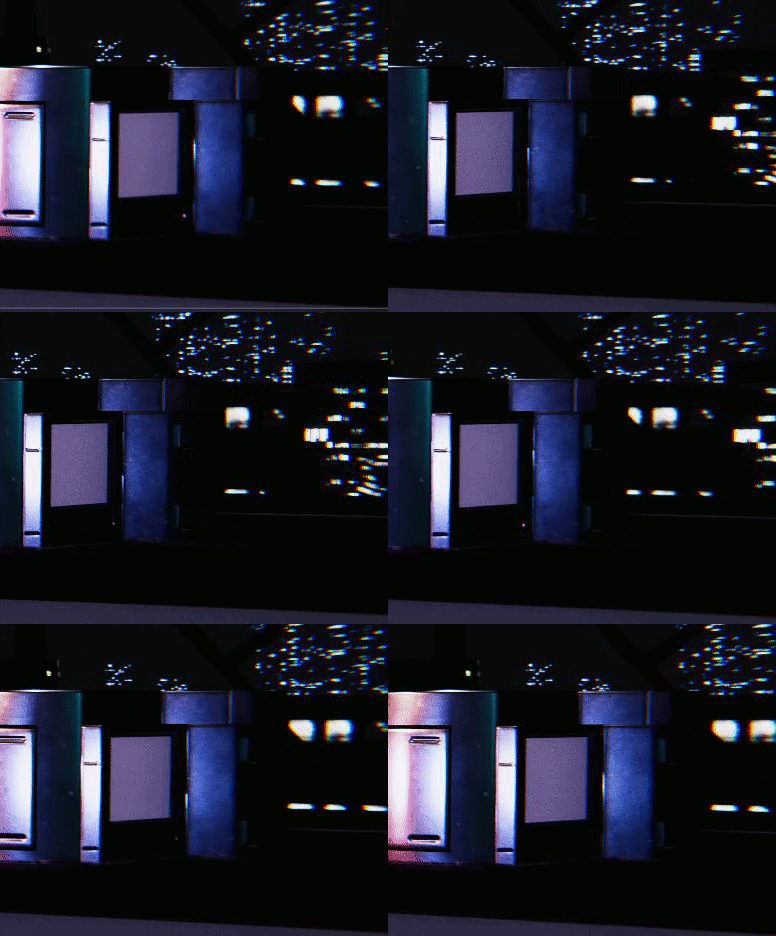 turbid matrix
not really no.. I mean there's the old school texture hack for adjusting the smoothness map with normal map to make it rougher at the sharp edges, it's similar idea as on that shader you tried, the shader just implements it for geometry where textures can affect the specular aliasing elsewhere too if there's a big change in normals
your gif looks more like specular aliasing from the mesh edge
people usually just use TAA to fight this or all these other hacks if it's VR game where you may not want to use TAA and use MSAA instead
ocean salmon
How does everybody works around it?
This seems to be a common issue but I dont know how everybody resolve it and still use standard shaders
ocean salmon
Anybody else would have an idea on how to fix that Flickering issue? I appreciate your help
waxen lantern
ocean salmon
This seems to be a common issue but I dont know how everybody resolve it and sti...
like @turbid matrix was saying, you can also modify the material pbr texture maps like the normal map. or even modify the mesh geometry.
 olive tiger
Hi all, just joined looking for help on the deferred shading pipeline in Unity! I'm trying to implement an effect using data from the GBuffers, however I'm finding the process regarding lighting data a bit confusing. I understand that there's a light buffer rendered during the deferred pipeline, meaning I can sample from this instead of having to pass in scene light data in uniform buffers, however whenever I try sampling from this I get incorrect lighting data (e.g. changing the scene light colour causes no change). Is there anybody here who knows more about this? Thanks!
waxen lantern
olive tiger
Hi all, just joined looking for help on the deferred shading pipeline in Unity! ...
what render pipeline are you using?
olive tiger
Deferred, if that's what you're asking?
waxen lantern
deferred shading is a lighting / render path, not a render pipeline
forward or deferred is an option within most and soon all render pipelines
olive tiger
oh, I think I know what you're referring to now.
Like the Universal Render Pipeline and the other one the name I can't remember
olive tiger
I'm using the Built-In Pipeline
waxen lantern
@olive tiger it's from 2017 but this is still a good resource to learn more about the deferred render path for the built-in render pipeline https://catlikecoding.com/unity/tutorials/rendering/part-13/
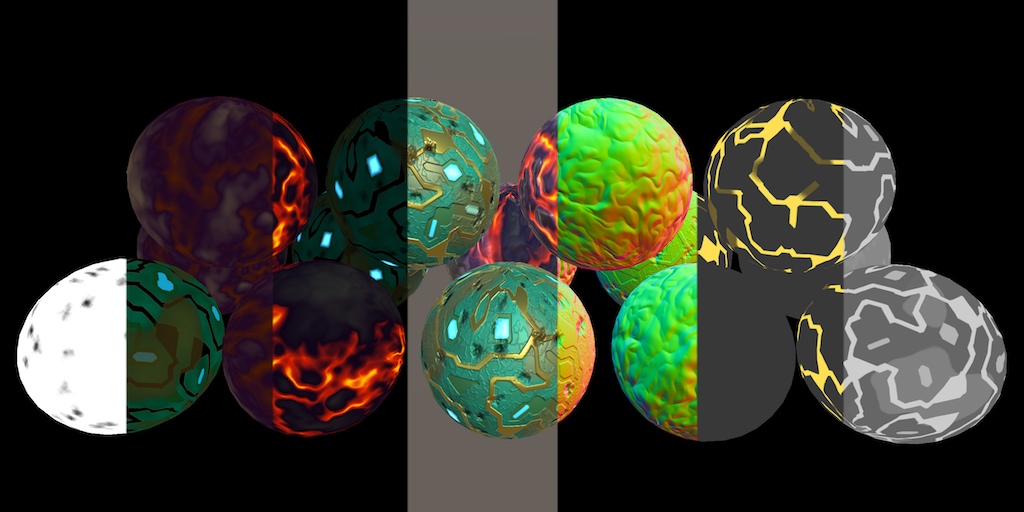
A Unity Rendering tutorial about adding support for deferred shading. Part 13 of 20.
wrong link
okay there fixed
olive tiger
Thanks! It's just this lighting stuff I'm grappling with right now.
Everything else I think I understand
ocean salmon
@waxen lantern I see, I dont understand what modifications would prevent it from flickering
Most of the objects flicker anyway, Im guessing it is not an issue with the meshes since most of them have it
waxen lantern
turbid matrix
not really no.. I mean there's the old school texture hack for adjusting the smo...
@ocean salmon these modifications
the smoothness / roughness map, and the normal map. the vertex normals of mesh geometry itself also contributes to the normals.
waxen lantern
ocean salmon
Most of the objects flicker anyway, Im guessing it is not an issue with the mesh...
it's unfortunately not always that simple. the person or team that made these meshes and material maps may have not been able to test them in all render pipelines, render paths, anti-aliasing methods, lighting conditions and scenarios.
e.g. if you use a forward render path and and crank up MSAA to 8x or higher these artifacts are usually a non issue
ocean salmon
I see, but it is not the material or bumpmap, the flickering is hapening on all edges
waxen lantern
but there are trade-offs to using forward rendering vs deferred
ocean salmon
even on a simple cube with the default material
waxen lantern
ocean salmon
I see, but it is not the material or bumpmap, the flickering is hapening on all ...
that's besides the point
ocean salmon
I also tried with MSAA at 8x and still get some small flickerin =/
I you are right, just found out disabling the normal map will stop the flickering
so what kind of edit I need to do to the normal to avoid the flickering?
waxen lantern
this is an issue that can happen on any mesh and material given a high enough smoothness value and / or steep viewing angle, at "grazing" angles
because of the fresnel effect which makes surfaces look smoother at grazing angles
ocean salmon
I see, thanks for helping find out the root of this
Im still confused on what edits I need to do to the normals
waxen lantern
so yeah it's a pain we all have to deal with and mitigate in some ways at some point, especially with physically based rendering (PBR) and deferred rendering
ocean salmon
yeah, I use Deferred and these are PBR Textures
but tried Forward too and had the same issue
Sorry maybe you already answered but I didnt get it, I still dont know what modifications I need to do to the normal map to avoid this flickering
waxen lantern
@ocean salmon for example, see this reddit thread not even talking about Unity, but just some generic PBR renderer someone made from scratch with OpenGL https://www.reddit.com/r/opengl/comments/9ivo7t/specular_aliasing_for_my_pbr_renderer/
the first response is "Classic PBR artifact, you need to get yourself some temporal antialiasing!"

but no method is perfect, it only reduces / mitigates the issue
ocean salmon
I understand that, problem for me is that TAA does not fix the issue
waxen lantern
ocean salmon
Sorry maybe you already answered but I didnt get it, I still dont know what modi...
you would literally paint the edges of the smoothness / roughness map in photoshop or other image editor to be less smooth, more rough.
or paint the edges of the normal map in photoshop or other image editor to point the surface normals to a direction that is flatter or ultimately facing the camera more (rather than perpendicular to the camera.)
ocean salmon
but the one causing the flickering is the normal map, should I still edit the other maps?
waxen lantern
ocean salmon
I understand that, problem for me is that TAA does not fix the issue
it's a trade off yeah. nothing can technically "fix" this issue at its core, given these render methods. it's just something we have to try to mitigate and reduce the visibility of with various treatments. some that work better for certain use cases and scenes, lighting conditions, performance budgets, art styles, etc
waxen lantern
ocean salmon
but the one causing the flickering is the normal map, should I still edit the ot...
it's not one thing causing the issue, there are many factors here.
ocean salmon
I see, which render methods would not have this defect?
waxen lantern
ocean salmon
I see, which render methods would not have this defect?
I mean the render methods that are used industry wide. like, sure, you could avoid this by not using physically based rendering at all... but then your materials will not look photorealistic.
and also at a certain point if you crank up MSAA high enough with Forward path, or use SSAA the problem could be imperceptible, but at a great cost to performance.
so if you want the best of both worlds, looking how you want and optimized performance, you have to settle for some combination of anti-aliasing (MSAA, TAA,) geometric specular anti-aliasing and/or other methods like modifying the assets PBR texture maps and material properties to mitigate the issue
often many of these methods are used simultaneously to get a desirable result
@ocean salmon we also someday may not have to worry about this rasterization problem at all with 100% "path traced" real-time ray tracing and/or differentiable rendering but that's still something like ~5 years from being feasible and ~10+ years away from being widespread.
in the meantime we just have to apply these various band-aids 🩹
waxen lantern
even with a game that uses real-time raytracing today.. it's not fully ray traced, it's a hybrid method of rasterizing parts of the frame like the albedo / base color like we always have, and using raytracing only for certain effects like reflections, shadows, ambient occlusion, etc
waxen lantern
ocean salmon
for now just scaling up the normal map by x2 solved the issue
that's great!
indigo summit
woven sonnet
For the custom pass, yes (it's this: https://docs.unity3d.com/ScriptReference/Re...
it break the depth rendering tho
 silver vortex
Should I call DrawProceduralIndirect only once per update? Everything works for single object I process in compute shader but if I call it per object only one is rendered.
How do I make it work on all objects?
worldly cape
Ok so I've narrowed it down to: DirectX12 is what's causing my black screen flickering when trying to use HDRP x DXR.
If I switch it to DirectX11, no more flickering - but also no more DXR then.
 wraith pendant
Hi, I have a problem with my game, my WebGL build doesn't launch the first scene and instead I have the errors that we can see in the following screen.
I think it's maybe related to URP, or the fact that I'm using custom shaders? I added them to the "Always include shaders" option, but my first scene (which doesn't contain any of these shaders anyway) doesn't load.
Is there an extra step I could have neglected ? I couldn't find many relevant things on the internet.
 olive tiger
Done a bit more reading on the topic - am I correct in assuming that scene light data is not accessible in shaders?
For context - I'm writing a deferred shading effect that requires scene light data and am figuring out what the best way to access it is.
waxen lantern
olive tiger
Done a bit more reading on the topic - am I correct in assuming that scene light...
i'm not sure on this exactly, there might be a way. but keep in mind there are hard limits to how deep you can modify and extend the built-in render pipeline. that's why the scriptable render pipeline API was developed.
waxen lantern
silver vortex
Should I call DrawProceduralIndirect only once per update? Everything works for ...
what render pipeline are you using? and a code example would greatly help in answering this question. (there is more than one .DrawProceduralIndirect method, and other context that without being known, make this question ambiguous / unanswerable. or possibly irrelevant to the exact problem and solution.)
waxen lantern
wraith pendant
Hi, I have a problem with my game, my WebGL build doesn't launch the first scene...
not sure if it will work in your case but see the very end of this thread for a possible solution from a dev that encountered a similar issue: https://forum.unity.com/threads/webgl-dev-mode-not-giving-human-readable-error.1037656/
Unity Forum
Hi, I'm using Unity 2020.2.1f1, and I've hitting problems with my current WebGL build. Basically, the preload just doesn't run as expected, so I...
wraith pendant
waxen lantern
not sure if it will work in your case but see the very end of this thread for a ...
sadly i have already try it (though i didn't find the Decompression Fallback option in my Unity)
but it seem this user uses a version ahead of mine, i can try update to 2020
wraith pendant
(it didn't work)
alright i find the solution here : https://www.reddit.com/r/Unity2D/comments/l3smh4/i_added_universal_rp_to_my_game_and_now_on_only/
I simply had to activate "Post processing" on the main camera.
 craggy crane
Hey, I was wondering if someone could help me figure out if this is a bug or a feature.
If you try and sample the "additional light" shadowmap with URP, using an unlit or fullscreen shader, (e.g. with GetAdditionalLight() or AdditionalLightRealtimeShadow(), SampleShadowmap()) the shadows appear in the editor but vanish in the build. I've tried compiling with: #pragma mult_compile _ADDITIONAL_LIGHTS_VERTEX _ADDITIONAL_LIGHTS_ _ADDITIONAL_LIGHT_SHADOWS, multi_compile_instancing multi_compile_fwdadd_fullshadows. Is this expected behavior?
 craggy crane
I checked with a basic shader which may as well be lit, but the place that I'm actually needing this is for a volumetric lighting renderfeature. I'm assuming something somewhere gets left out of unlit shaders in the build?
keen pivot
just thinking aloud, but i read that the URP is going to be the default renderer soon, but the definition of high end is going to change as things develop right? so are current consoles (PS5/XBSX) considered URP or HDRP targets? are we not looking at a scenario were URP wont really be required? i dont know how it works under the hood but i feel like the pipelines should be compativle with each other just with high end features turned on and off perhaps? then you dont need to choose what rendered you want, if just adapts.
i feel like i'm using HDRP now due to missing URP features, URP is added most of the features i need in due course, but as that day approaches where i can use it, so does the day where i dont need it. does that makes sense?
i'm not complaining, just wondering how others see it. compaitble shader grahis with nodes that you can choose depending on if that feature is enabled in the SRP would be handy i guess and solve a lot
Cave Johnson we're done here, chariots chariots. 🙂
waxen lantern
keen pivot
just thinking aloud, but i read that the URP is going to be the default renderer...
current consoles are considered targets for both URP and HDRP... URP for projects that need to scale down to mobile, or have a non photo-realistic rendering style.
remember HDRP isn't a superset of URP, it's also strictly physical based rendering. URP is much more flexible in easily customizable lighting for non photorealistic rendering
keen pivot
i dont think too many games could be considered photo-realistic
hmm, yeah i think i still have a major lack of understanding
HDRP is just so damn easy to work with tho
little effort in, really nice results out
waxen lantern
then your use case(s) must be a good fit to what HDRP is tailored for
turbid matrix
I wouldn't treat URP as non-photorealistic (if that's even a thing)
both are physically based renderers
keen pivot
i do plan in the next few fews to side-step my project and port it to URP
you know, for science
waxen lantern
@turbid matrix URP is PBR by default but it has much more support for NPR use cases. HDRP lighting isn't meant to be customized for NPR at all, URP is. Unity devs have made clear statements on this. i can dig it up later https://en.m.wikipedia.org/wiki/Non-photorealistic_rendering
Non-photorealistic rendering (NPR) is an area of computer graphics that focuses on enabling a wide variety of expressive styles for digital art, in contrast to traditional computer graphics, which focuses on photorealism. NPR is inspired by other artistic modes such as painting, drawing, technical illustration, and animated cartoons. NPR has app...
keen pivot
i hoping to find out soon how HDRP runs on the current gen consoles, the compute units thing makes it hard to just compare by gpu speed
my friends 2060 toasts my 1070 probaby due to more compute units i guess
waxen lantern
@keen pivot URP is also a much simpler lighter weight RP so many teams / studios find it easier to work with from a workflow perspective. not quite the "light weight" RP it once was but still relatively compared to HDRP
keen pivot
nope, i should have checked that before making that comment
i'm wrong about the specs
turbid matrix
ah, HDRP is all about physically based
keen pivot
hdrp is mostly consistent, you tell it things and it produces what you expect
thats my experience anyway
waxen lantern
turbid matrix
ah, HDRP is all about physically based
yeah, this is the discussion i was thinking of: https://forum.unity.com/threads/support-for-custom-lightning-in-hdrp.793416/
Unity Forum
Hi,
Will custom lightning be supported by HDRP and shader graph ? Is that on the roadmap ?
It's already in URP, but not in HDRP :...
basically Unity devs responded saying that HDRP is PBR only, URP is PBR or optionally NPR
waxen lantern
@keen pivot these design choices could change in say ~10 years and HDRP or some RP based on it could be the default RP, say, when even cheap mobile devices have realtime raytracing hardware. but it's pretty speculative
keen pivot
so like, RT is HDRP only right?
waxen lantern
yeah, currently
keen pivot
so its going to see a lot more game usage than german car adverts i guess
waxen lantern
but you could make your own SRP with Unity's raytracing API,,, or even use the raytracing API with built-in RP
you're just on your own. HDRP is just the only RP that Unity supports real-time raytracing for out of the box
waxen lantern
keen pivot
NRP meaning? not really proper?
that's pretty funny, though. i might start calling NPR "Not Proper, Really" just to be cheeky
waxen lantern
keen pivot
so its going to see a lot more game usage than german car adverts i guess
with this console generation supporting it yeah i hope so anyway
keen pivot
waxen lantern
but you could make your own SRP with Unity's raytracing API,,, or even use the r...
thats an intersting point though
when i was trying to make a water shader as there was nothing for hdrp, i looked at the boat attack thing and it was WAY beyond my abilty
which comes back to HDRP making me look like a hero because of what it does for me
turbid matrix
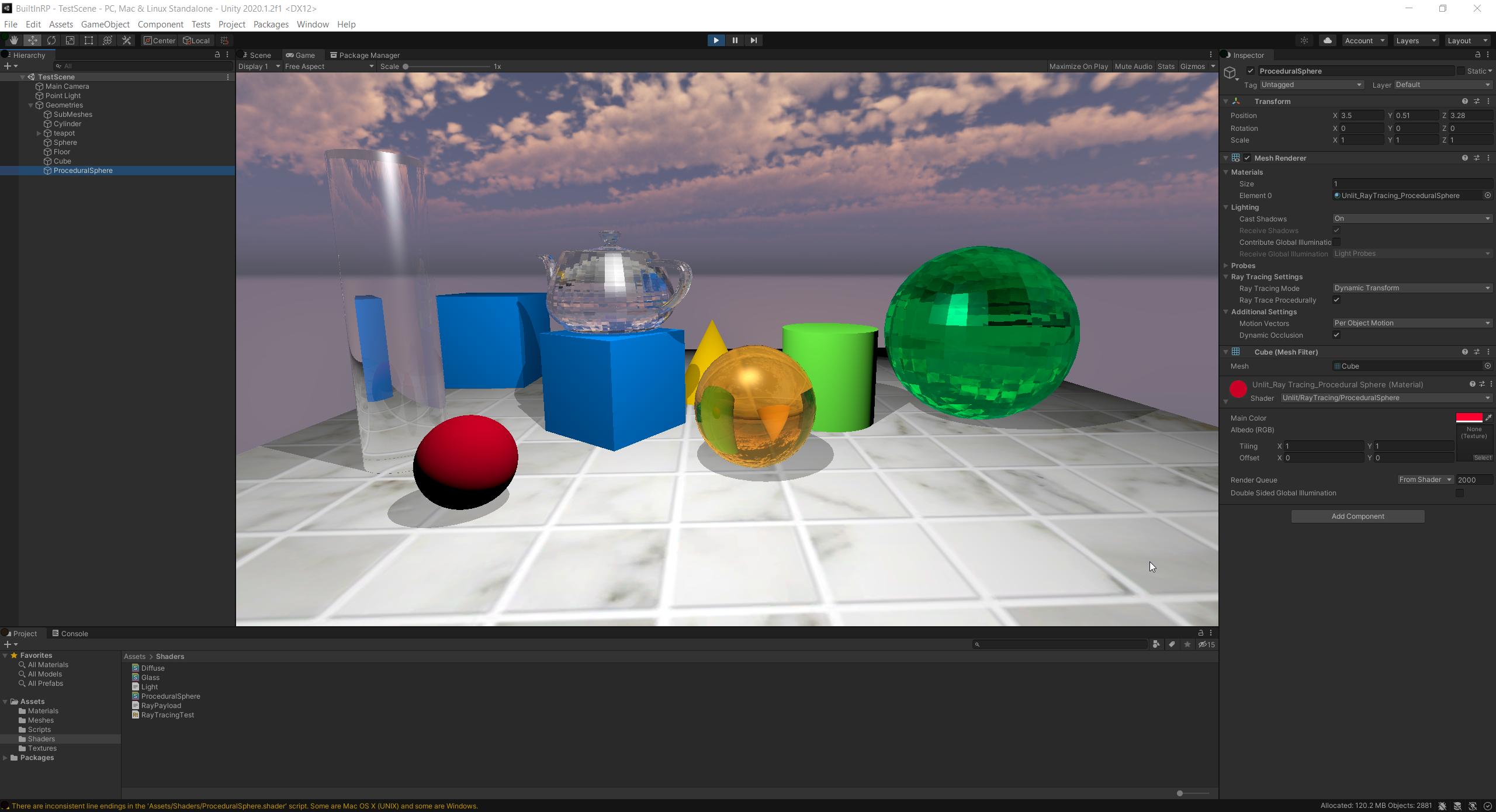
Unity Forum
Hi,
I am trying to simulate a simple lidar scanner with DXR. I am running this in a custom pass volume. The problem I have is that the closestHit...
also linked there: https://github.com/INedelcu/PathTracingDemo

GitHub
A path tracing demo using hardware accelerated ray tracing in Unity. - INedelcu/PathTracingDemo
that's using built-in renderer
keen pivot
i dont need the RT but where i was going with it is that there are features of HDRP that are targetted for high end rendering and not for games, i cant tell from looking at the nodes or features what to avoid or lean towards
turbid matrix
I'd love to get RT for URP
basically, I'd love to get most of the HDRP features for it 😄
keen pivot
i have two particular areas where i use a stacklit shader and i read the other day thats a no-no for games
waxen lantern
keen pivot
i'm not complaining, just wondering how others see it. compaitble shader grahis ...
Shader Graph has support for building one shader graph to target multiple RPs right now actually.
keen pivot
well that'll be apparentlt when i do my URP port then i guess
turbid matrix
it's been in since SRP 9.x
keen pivot
and dead handy too
turbid matrix
I've used it on my URP + HDRP runtime swap testing
keen pivot
well i did try on SRP9 and couldnt escape the magenta nebula
turbid matrix
you can mostly keep the materials intact regardless of the SRP with that approach
keen pivot
i'm looking at the XBO/XBSX devide really
turbid matrix
you have to have both URP and HDRP installed to be able to target both on the new SG setup
keen pivot
i didnt realise how underpowered the XBO is for HDRP
or in general really 😛
when you have a large amount of scene in play it wont cope
waxen lantern
@keen pivot yeah because it's gonna be streamed down from XCloud anyway right? ¯_(ツ)_/¯
who needs local hardware
keen pivot
yeah or cloud compute does all the work while you watch american football as i recall
waxen lantern
😆
keen pivot
that was a weird day, it really was
waxen lantern
waxen lantern
<@317776431348449283> yeah because it's gonna be streamed down from XCloud anywa...
sorry, apparently it's *Xbox Cloud Gaming (formally announced as Project xCloud and formerly known as xCloud)
keen pivot
sounds about right
so 2021.1 looks like quite a lightweight release as far as HDRP goes
bit like 2020.1 was
waxen lantern
@keen pivot yeah.. 2021.2 seems a bit bigger for SRPs though. in particular I'm looking forward to ShaderGraph support for Vertex ID, Instance ID, and Custom Interpolators between Vertex and Fragment stages. Which is a huge step towards Shader Graph being truly viable. also VFX graph support for any shader graph material, (no longer trapped in its own silly and limited VFX graph target render land.)
keen pivot
i understood a few words there
mostly the ones bewteen the complex ones
but i think thats material properties in a way
 lost skiff
Why when i switch from ISO to prespective it looks like this...

And then when i swtihc it backit looks like this

There something im not getting?
keen pivot
does that happen if you turn the post process volume off?
 barren goblet
in unity URP , multiple viewports seem to use the same script ?
want to have independent data, for each camera,
I store the PrevViewMatrix in the RenderFeature,
but, the GameView and SceneView share the same data
 vague anvil
Is there a way to make a utp project without the default assets
craggy crane
barren goblet
in unity URP , multiple viewports seem to use the same script ?
want to have in...
You can assign different renderers to your scene and game cameras.
The scene camera will use the renderer marked "default" and the game camera can just disregard that renderer.
So, unrelated, but my experience with URP is that changing the light model is trivial, until something goes wrong, and then the learning curve is a cliff, where's it's all constantly-changing arcane incantations and nobody seems to know the "right" way to do anything. Reading through the actual RP code, documentation is quite sparse.
I still have no idea how to debug something that works in the editor and completely disappears in the build. All I've managed to learn so far with RenderDoc is that the shadowmap doesn't seem to somehow get flushed in the built version.
plain mural

how do i fix shadows looking like this in hdrp?
its for both volumetric fog shadows and ground shadows
 patent sun
Is there any way to have more than 8 terrain layers in hdrp?
turbid matrix
@patent sun multiple terrains with unique 8 layers on each? if 3rd party solutions count there is always microsplat..
 rich compass
Ok I am super confused, I can't seem to get CommandBuffers to actually work, at least in URP 11. I figured this will clear my main camera view to red:
commandBuffer.name = "Clear to Red";
commandBuffer.SetRenderTarget(BuiltinRenderTextureType.CameraTarget);
commandBuffer.ClearRenderTarget(true, true, Color.red, 1f);
Camera.main.AddCommandBuffer(CameraEvent.AfterEverything, commandBuffer);```
but it doesn't. What am I missing?Oh snap...command buffers aren't supported at all in URP 11. And there's no errors or warning to let you know. ffffuuuuuu
at least adding a command buffer to a camera isn't. it's not even planned to be supported
 civic flume
Light probes seem off in URP vs built-in RP... I did a bit of googling and I guess objects that are lit by light probes aren't influenced by ambient color in the standard lit shader. Has anyone fixed this in a custom shader? Also does anyone know how to author a custom shader for URP? So far I've done it just by copying the lit shader and some of the files it includes - but I'm wondering if it would just be better for me to create my own render pipeline package based off of the URP package from - https://github.com/Unity-Technologies/Graphics ? My first attempt to do this failed and resulted in a bunch of console errors (cloning the repo, creating a new local branch and importing that branch as a package in Unity via the package manager and then removing the default URP package)
GitHub
Unity Graphics - Including Scriptable Render Pipeline - Unity-Technologies/Graphics
waxen lantern
rich compass
Oh snap...command buffers *aren't supported at all* in URP 11. And there's no er...
curious where are you getting this info? do you mean in terms of an extensibility API for customizing URP without forking it ? all RPs use command buffers under the hood
if you're expecting custom extensibility to work in URP or HDRP like it does in the Built In RP (by adding command buffers directly to cameras) then that's the disconnect.
@rich compass Have you looked into URP's custom renderer feature API? https://docs.unity3d.com/Packages/com.unity.render-pipelines.universal@11.0/manual/urp-renderer-feature.html
rich compass

This is for mobile VR, so I don't want to use passes
Thanks tho!
My intention now is to subscribe to endContextRendering and execute a buffer in that context
waxen lantern
keen pivot
but i think thats material properties in a way
Yeah, it's ultimately going to help with authoring materials. the main takeaway is, ShaderGraph is a taking large step closer to being feature complete. That is, being able to author more complex materials with ShaderGraph that you previously could only author by copying and modifying (aka forking) shader code for the "Lit shader" in HDRP for example.
keen pivot
any news on stencil?
waxen lantern
rich compass
My intention now is to subscribe to endContextRendering and execute a buffer in ...
This API seems related? And yeah forgive my lack of context on URP and mobile. I typically work with HDRP https://docs.unity3d.com/Packages/com.unity.render-pipelines.universal@11.0/manual/using-begincamerarendering.html
keen pivot
was it you who was doing some liquid type stuff in the vfx graph?
sure i saw something along those lines doing the rounds
waxen lantern
keen pivot
was it you who was doing some liquid type stuff in the vfx graph?
yeah
keen pivot
did it bear fruit?
waxen lantern
@keen pivot yeah. i made a custom vfx graph output context that writes particle data to a buffer that i use to generate a volume, that is then used to generate a mesh for fluid or any particles or point cloud really https://twitter.com/landon_vfx/status/1298024495962181632



@keen pivot It works in HDRP as well now though and can look like water with refraction, etc but not ready to share that yet
waxen lantern
@keen pivot not trivially but yeah, sure
keen pivot
makes hmmming noises, hmmmmingly
waxen lantern
it wouldn't be two way coupling though
i.e. colliders can move the fluid but fluid can't move the colliders or make them float
waxen lantern
not that two-way coupling is impossible but it would require a completely different kind of solver (like PBD or MPM instead of SPH.) that's getting a bit off topic here though as the rendering technique is completely independent of the simulation 😁
 prime merlin

Unity Forum
Hi there,
For the past few weeks/months I have been struggling with this issue.
Basically, I have two spheres both using a shader set to transparent...
I tried to copy his graph but didn't get same result
 ember breach
Hello, just upgraded to URP 11.0 and this is my error when making a new property in subgraph or selecting one, any idea how can I fix this? Thanks
 barren goblet
in URP, if I want to have my custom camera data, e.g. PrevViewMatrix,
I should new data for each camera EditorCamera, MainCamera,
It's ok for now, but these data will become too big, history buffer, and ,,,,
😂
prime merlin
is there a way to control post process effects paramater inside a shader ( how to expose them) ? i.e ; bring LUT / color adjustment as an overlay on specific subgraph )
 eternal laurel
waxen lantern
<@317776431348449283> yeah. i made a custom vfx graph output context that writes...
eternal laurel
waxen lantern
<@317776431348449283> yeah. i made a custom vfx graph output context that writes...
Really cool. Care the explain the bit with the volume that is used to generate a mesh? Is it some sdf stuff or what? I always tought that with fluid sim stuff you use the particle data to drive verts in the mesh directly.
 iron flame
plain mural
iron flame
plain mural
disable contact shadow on direcetional light.
rich spade
civic flume
Light probes seem off in URP vs built-in RP... I did a bit of googling and I gue...
in URP you can use shader graph to write a shader to do this, by utilizing an unlit graph and adding in custom lighting functionality you can make it do what you need. Assuming you have some knowledge in writing shaders it should not be too difficult there are tutorials and code snippets around the web to help with this.
 fair forum
Hello, I trying to render a reflection texture in a custom renderer feature of URP. I called context.Cull() with custom culling matrix in render pass, hope getting another culling result of reflection view side. However its seen return the original culling result but a new one.

if looking down a little,

Is it allowed to call ScriptableRenderContext.Cull() twice in a single camera's rendering loop?
 keen skiff
Hello people, i just updated my project from 2019.4 LTS to 2020.3 LTS, now my Postprocessing does not work anymore. Im using a URP.
I created everything in 2019.4, is there something diffrent since then?
Does anybody now what the problem could be?
scarlet hull
keen skiff
Hello people, i just updated my project from 2019.4 LTS to 2020.3 LTS, now my Po...
I don't remember when precisely this happenend, but if you were using the post processing stack V2 package, you will need to re-create your post processes using the URP built-in ones, that you can find in the volume component
keen skiff
i tried creating a new volume, that did not change anything
scarlet hull
Double check all the settings mentioned in this doc page
keen skiff
scarlet hull
Double check all the settings mentioned in this doc page
it says "URP is not compatible with the Post Processing Stack v2 package.", how can i use a different Stack?
scarlet hull
I can not be more explicit that the doc page linked 4 messages ago where everything needed to set up and use the post processing in URP is explained.
Pay attention to the difference between the new Volume component, that is buit-in for URP and HDRP, and the "old" Post Process Volume of PP stack v2
keen skiff
ah yes, that was my problem. thank you very much!
civic flume
rich spade
in URP you can use shader graph to write a shader to do this, by utilizing an un...
I know I can use shader graph but that wasn't really my question....
rich spade
civic flume
I know I can use shader graph but that wasn't really my question....
well I'm a bit confused as to the actual question, as ambient color comes from the environmental section of the lighting which does affect standard lit shader. Unless you can demonstrate otherwise I believe it "works as intended".
civic flume
I'm talking about objects that are lit by light probes when using mixed lighting.
They appear darker when switching from the built-in RP to the URP - the ambient color is a guess as to why but I've found a forum thread discussing the same issue.
rich spade
It maybe more due to the lightmapper used, it would be nice to think that enlighten would be consistent (assuming you have regenerated since swap to URP) it may differ due to the pipeline differences. You could try the different lightmappers to see if they give any better results.
The other consideration is has the project changed color space from gamma to linear or vice-versa as this could impact.
civic flume
no color space changes - but I had that thought as well
lightmapper is an interesting suggestion - hmmm
this is the forum thread I was referring to btw: https://forum.unity.com/threads/urp-ambient-color.1020577/
Unity Forum
Hi there!
I noticed something that behaves differently in URP vs Default RP, and I'm wondering if that's intended or if there's a way I can act on it....
 stray owl
hi! somewhere in this chunk wherein i handle the gradient noise, artifacts are generated around visually intersecting objects


as you can see, refraction is wrongly drawn over this cube which is not below the plane with the shader...
if anyone could help - i believe it's to do with the screen position, but i'm not sure how else to do it!
also, if y'all could @ me if you help, cheers all! ❤️
scarlet hull
stray owl
as you can see, refraction is wrongly drawn over this cube which is not below th...
That's an old issue with refraction.
As you are probably doing refraction by using the scene color node, the shader is displaying "what is on screen", and doesn't care if it is behind or in front of the current rendered object.
If you want to avoid that, you'll need to do a depth rejection, by also getting the value from the scene depth node, and compare with the actual depth of the object. You can then decide to show the refracted color or not.
It will avoid displaying the cube pixels, but will result in holes in the refraction.
stray owl
@scarlet hull
right, thank you. would you be able to provide a link or explanation as to how i might do that? sorry, shadergraph newbie here! :P
scarlet hull
Use scene depth node with the same UV coordinate that you use for the scene color.
Compare with view position (https://docs.unity3d.com/Packages/com.unity.shadergraph@10.4/manual/Position-Node.html) .z value.
Use the result of the comparison to display refraction or not.
stray owl
alright, thank you buddy!
 last cipher
hey all 👋 is there a reason this would work on mac but not windows? and is there a possible solution?
RenderTexture renderTexture = RenderTexture.GetTemporary(rtW, rtH, 0);
renderTexture.name = "_ColorBufferRT";  //id render texture for frame debugger
cmd.Blit(sunBufferA, renderTexture, mat, 1);
mat.SetTexture("_ColorBuffer", renderTexture);
it keeps trying to blit sunBufferA back to itself, according to the frame debugger
like i don't get why these would be different when the code is the same
 last cipher
fixed it with a workaround. instead of bothering with that blit, i did
cmd.SetGlobalTexture(COLOR_BUFFER_PROP, sunBufferA);
 ebon yarrow
HDRP 10.3.2. Unity 2020.3.0f1. Create Asset -> Volume Profile. Inspector of Volume Profile -> Add Override. Choose any and click. NullReferenceException or ArgumentNullException errors popup, and no override gets added.
ember breach
Any way of currently using Probe Volumes in URP? or gotta wait for official port from Unity?
waxen lantern
ebon yarrow
HDRP 10.3.2. Unity 2020.3.0f1. Create Asset -> Volume Profile. Inspector of Volu...
Sounds bug report worthy: https://support.unity.com/hc/en-us/articles/206336985-How-do-I-submit-a-bug-report
Unity
Symptoms:
I have found a bug in my Project.
I am experiencing a bug within the UI.
I have a problem using the Unity Hub.
Cause:
If Unity is not working as you expect it to, or you are seeing an e...
@turbid matrix did you notice there's now a dedicated roadmap for GI on unity's productboard? i just spotted it https://portal.productboard.com/unity/1-unity-platform-rendering-visual-effects/tabs/64-global-illumination
Product roadmap and feature requests. Welcome to our product portal.
turbid matrix
true zealot
(<https://unity.com/roadmap/unity-platform>)
oh, that's nice 😄
 upbeat badger
Nothing about dots
turbid matrix
https://resources.unity.com/unity-engine-roadmap/engineering has one burst card but that's about it
ember breach
Looks nice, was looking at the board like few hours back and It wasnt there wow, and finally seven small amount of info about Probe Volumes
waxen lantern
upbeat badger
Nothing about dots
fwiw, these are all DOTS related roadmap items (including the roadmap item about Burst improvements @turbid matrix mentioned.)
https://portal.productboard.com/3iz46aasd2jq4nqg31ebtoi2/c/287-advancing-dots
https://portal.productboard.com/xvo8kmgtx7tkv7desh8cyaj7/c/215-introduce-dots-scalability-power-to-visual-scripting
https://portal.productboard.com/8ufdwj59ehtmsvxenjumxo82/c/128-dots-runtime
https://portal.productboard.com/z8pw2ms6jxytyez9chlmm4kr/c/331-burst-platform-support-iteration-improvements
https://portal.productboard.com/36ukwpc4kysiqwfanhjdglcd/c/546-client-and-server-support-for-c-jobs-and-bursted-code
https://portal.productboard.com/agr6u14pictb29gcstdr3zbp/c/323-progressive-rearchitecture-queryable-navigation-model
that said, we should move further discussion on this to the #archived-dots channel 😅
turbid matrix
ah I saw some of those too, just forgot about it 😄
keen pivot
how comes enlighten is back on the menu now? in fact, how comes it was removed?
or is it political, in which case its not interesting 😛
scarlet hull
keen pivot
or is it political, in which case its not interesting 😛
It is
waxen lantern
@keen pivot well unity's enlighten license had expired and unity already had a functional in house light baker, so they only gap to fill was the real-time global illumination light probe system. which on the very high end was already starting to get filled by raytraced gi. my guess is because the in house probe real-time gi probes solution that is meant to replace enlighten real-time gi probes was / is going to take much longer to develop than expected, and/or misjudged the demand for real-time gi light probe system, so they decided to renew the license for enlighten to fill the gap.
similar to how the in-house dots only visual scripting graph was taking longer than expected (along with dots editor and rp features it is dependent on) so unity acquired bolt from ludiq to accelerate having a solution in the meantime. as a company, if you have a commitment to have a product or solution but are falling short of your goals or timeframe at a certain point you just have to "bite the bullet" and outsource or acquire.
ember breach
Well hopefully DDGI or Probe Volumes will come to replace this old lightmapping systems...
waxen lantern
keen pivot
or is it political, in which case its not interesting 😛
@scarlet hull i know "business politics" is the colloquial umbrella term but rarely are these happenings truly political. they are more often sociological, and logistical. perhaps even less interesting to some . 🤣 I actually find it all quite interesting, though. "Peopleware" by DeMarco and Lister is a great book on these topics
keen pivot
yeah, that's political all right. reason i said not interesting is that those elements are rarely something we need to be concern about. no-one is going to feel they need to explain the enlighten fees to the users 😄
bit if a combo though
as if a new solution was realised to not be really viable, its then technical
so this is five sentences i guess i've wasted
waxen lantern
i mean, it's very likely both
keen pivot
enlighten was phased out just as i got started
so for me its pretty much a new toy
it looks like a really really lightweight version of ray tracing for the underpowered masses
waxen lantern
keen pivot
it looks like a really really lightweight version of ray tracing for the underpo...
yeah, it definitely helps fill a huge platform / performance gap for global illumination anyway. combine it with screen space reflections, ambient occlusion, and then you have a half decent proxy / fallback for real-time raytraced effects.
keen pivot
SSR doesnt work well for me, i think because its just not designed for what i'm doing
i have a top-down camera, and SSR has a angle / distance cut-off that means it doesn't show
i did find a setting to change and i had to set it massively high and then the frame time just hit the roof
scarlet hull
keen pivot
i have a top-down camera, and SSR has a angle / distance cut-off that means it d...
I think this is one of the worst scenarios for SSR 😅
keen pivot
yeah, it takes me a while to realise what cool stuff is meant for what application
reflection probe is holding up well for now
scarlet hull
If it's on planes, maybe planar reflections would be an option
scarlet hull
When I said "planar reflections", it was in the context of a "planar reflection system", not just plane-ish thing set to reflect
keen pivot
indeed, i have planar reflection probes doing my bidding, i just forgot to mention the word planar as i dont use any other type right now
scarlet hull
oh, ok 😉
keen pivot
the scene is all present in one shot
so for me, a screen space reflection and a whole world reflection are pretty much the same thing
truth is i dont spend much of my time hovering in the sky or filming from drones to know what its supposed to look like from up there
a puddle reflection from up top is actually quite a boring thing
 civic stump
question: in this documentation page it is said that it's possible to switch render pipeline at runtime quote: "or at runtime in the built player." Source: https://docs.unity3d.com/Manual/srp-setting-render-pipeline-asset.html does anyone have experience with that? It would be a lifesaver for my project to be able to have one scene play in URP and another with build-in render pipeline. I dont know much about the "depth" of Unity rendering so i can't check if this is possible or plausible.
Or to put it in a practicle scope: I need a scene with build-in render pipeline (Character selection) and then for the new gameplay scene switch to an URP scene. There could be a loading screen.
turbid matrix
@civic stump it's doable, not recommended though
why would you want to have that?
anyway, see the C# code part here: https://docs.unity3d.com/Manual/srp-setting-render-pipeline-asset.html
I have never tried to set null asset for that though so don't know how that will work, basically you don't have any asset assigned for that with built-in and with URP you assign URP's asset file to that
dawn sorrel
Hi all how to add or assign opacity map to an URP lit material?
rich spade
dawn sorrel
Hi all how to add or assign opacity map to an URP lit material?
on the default lit URP shader, you set it to transparent and the alpha channel of the albedo texture is used as the opacity map. This is the generic norm, you could write your own shader and handle it differently if so desired.
 amber kite
alright, now that I'm here, where do I get the real HDRP template? I wanna start messing with it some more, but the demo has so much in it, I'm not sure what the bare minimum, nice to haves, and completely unnecessary things are. the "tutorial" is no help either because it's just a link to a page that takes 4 paragraphs to say "hdrp uses some new rendering techniques and options. the demo will get you started"
any pointers, links, or so on would be greatly appreciated. I just wanna do it right and I can't seem to find any information- it's been a few hours of searching.
dawn sorrel
rich spade
on the default lit URP shader, you set it to transparent and the alpha channel o...
Thanks let me try that out...
amber kite
never mind found it
gah. this is dumb- we need a proper hdrp template or this thing's never gonna get properly tested by the community =3=
scarlet hull
amber kite
gah. this is dumb- we need a proper hdrp template or this thing's never gonna ge...
I don't get what you mean by "we need an HDRP template" ...
We have one, when you create a new project, what more do you want ?
 amber kite
well, I click that, and this pops up!

and it's filled with a bunch of assets and packages that I have to delete, so I have no clue what HDRP is, so I click on the tutorial, and it says "use the template as a reference"
scarlet hull
Ok, so you'd like a "blank" hdrp template ?
amber kite
I mean, I just made one
but really, until just now I had no clue HDRP was a package named "high definition RP"
that would be good to put in the tutorial!
scarlet hull
We don't really want to clutter the list of templates in the new project window, but we plan to change a bit the hierarchy of the HDRP template to separate the assets and the minimal settings, so you could just delete one folder to have a blank project with HDRP pre-configured.
amber kite
I think that after 3 years, we just shouldn't need a tech demo without a proper tutorial to be the only way for a new user to access it.
it's been years! you'd think people would just want to get on with their lives and not have to delete the butterflies as part of their workflow.
it's a template where most of the assets need to be deleted first,
a tutorial which is just a link to documentation,
and a demo only available to people who clicked the button to make their own game.
it fails as all three.
so yeah, don't clutter the list. as someone returning to unity after a long hiatus, it was incredibly confusing. just give me a blank template, and a .txt that lists what the pre-installed packages do, and what the non-default settings are and do.
dawn sorrel
i think the templates are just unity trying to be like unreal
 broken lichen
Isn't the default UE4 template just a white cube on a white floor with a skybox?
amber kite
^
I really wish someone told me HDRP was just a package that gave unity a new renderer and settings before I took 6 hours to find a single youtube video that explained how to find it
broken lichen
I'm curious, what did you think HDRP was?
amber kite
a SET of packages and necessary assets.
after all, the template had like 14 of them.
and the "tutorial" said to refer to the template.
so I was super confused about which ones made HDRP work and which I could delete
broken lichen
Technically, HDRP is a set of packages. It has these dependencies, which are automatically installed along with it.
{
"dependencies": {
    "com.unity.modules.video": "1.0.0",
    "com.unity.modules.animation": "1.0.0",
    "com.unity.modules.imageconversion": "1.0.0",
    "com.unity.render-pipelines.core": "12.0.0",
    "com.unity.shadergraph": "12.0.0",
    "com.unity.visualeffectgraph": "12.0.0",
    "com.unity.render-pipelines.high-definition-config": "12.0.0"
  },
}
^this should be in the documentation
 celest ice
is something broken with assigning scripts to custom functions in shadergraph 12 / unity 2020.2.0a8?
it only lets me drag in a 'Text Asset'
 broken lichen
What do you mean scripts? Like a C# script?
celest ice
but Text Assets don't include .hlsl or .cginc, so I get

sorry, i mean assigning shader code files
broken lichen
.hlsl and .cginc are imported as Text Assets
 celest ice
2020.2.0a8
broken lichen
And is that a .cginc file or an .hlsl file?
celest ice
yeah, it's .hlsl
.cginc looks the same
i can drag it in to the 'Source' field as .txt, but then I get the error. I guess it's a bug (or half finished feature) in 2020.2
scarlet hull
celest ice
i can drag it in to the 'Source' field as .txt, but then I get the error. I gues...
Why are you still on 2020.2a8 when 2020.3 lts is out ?
celest ice
sorry, i meant 2021
scarlet hull
That makes way more sense 😄
celest ice
is there no HDRP for 2021.1?
civic stump
turbid matrix
<@!544937665171161100> it's doable, not recommended though
Thanks for your informations. On your question why i would do it: Its because of a custom - BEAUTIFUL - shader that i want to use to spice my graphics up. Sadly it doesnt work under URP and i dont have the time nor the knowledge to rewrite it into urp. So this might be the alternative i was searching.
celest ice
ah ok thanks olento, editing the manifest.json manually let me use it
civic stump
turbid matrix
I have never tried to set null asset for that though so don't know how that will...
Maybe someone from the Unity staff can help out on this topic. I have no idea how to set a null-render pipeline asset 😄
celest ice
It appears Shadergraph custom functions are just bugged in 2021.2.0a8.. The includes get imported as ShaderInclude assets which is an internal Unity class 😦
turbid matrix
@celest ice you don't have to manually edit manifest, just open package manager and install HDRP
(or start with HDRP template for new project)
of course you can manually put it into manifest too if you really want 🙂
celest ice
hmm ok, it wasn't showing for me (just URP and Core RP were showing)
might be because my manifest had 12.0.0 in it
turbid matrix
you probably were looking it wrong place there, it's definitely listed
also you wouldn't install core yourself
it's always included through dependency
(unless you use these things from local files/github clone)
scarlet hull
civic stump
Maybe someone from the Unity staff can help out on this topic. I have no idea ho...
https://docs.unity3d.com/ScriptReference/Rendering.GraphicsSettings-defaultRenderPipeline.html
GraphicsSettings.renderPipelineAsset = renderPipelineAsset;
There is an existing script in SRP.Core that allows to swat the assigned RP asset per scene : https://github.com/Unity-Technologies/Graphics/blob/master/com.unity.render-pipelines.core/Runtime/Utilities/SceneRenderPipeline.cs
GitHub
Unity Graphics - Including Scriptable Render Pipeline - Unity-Technologies/Graphics
civic stump
@scarlet hull doing it like this it will do the job but at runtime spit me out a null reference which is not very handly. Is this the only way to do it ?
scarlet hull
Hum, I think it should still work at runtime 🤔
But like mentioned before, switching RPs, in particular going back and forth with built-in is not officially supported.
We're working on supporting "Cross Pipeline", HDRP+URP combo, and the switch is done through the quality settings, where each quality level holds a renderpipeline asset
civic stump
Thats my simple code on an empty project where no Render asset is set as start condition and stored in variable A. Variable B is assigned in the inspector with the URP Asset

leads to some null references - but like i said it works:
 celest ice
it's not just your logs showing the error?
(would make sense if GraphicsSettings.renderPipelineAsset is null)
civic stump
yeah. just figured that out. My bad :p
turbid matrix
lol
@civic stump so it works?
@celest ice this is a9, but it listed it on a8 too (there's no reason why it wouldn't)
 celest ice
it's all good, i got it installed, thanks. It was 2021.1.0b11 that wasn't showing it
(which might be because my manifest had 12.0.0 in it, which doesn't exist in 2021.1)
turbid matrix
that's really weird because there's no reason why it wouldn't show it
I've tested almost every alpha / beta in last few years and have never seen that happen
not saying it's not possible, just haven't seen it happen
hmmm, I dunno what happens if you put higher number like that there
you'd still expect the unity registry to list the right one?
celest ice
my manifest just had "com.unity.render-pipelines.high-definition": "12.0.0", when I started 2021.1
(it fixed it when i changed it to 11.0.0)
turbid matrix
going backwards isn't fully supported so I guess that can happen
it can automatically upgrade that number
(from 11 -> 12) but I doubt it works the other way around
celest ice
actually I also had a custom copy of shadergraph 12.0.0, which could have confused things (because it probably requires RP 12.0.0)
all good, i switched back to 2021.2 and just modified the custom function node to allow .txt to work around the issue
barren goblet
hi everyone, unity how to profile a render pass GPU time, I write a SSAO, want to look into the GPU shader time.
turbid matrix
I've used nvidia nsight to measure things like that
no idea if some built-in tool on unity could give those figures (I've always assumed they would not give gpu side time properly)
@barren goblet
barren goblet
yea, I see profiler only track CPU.
turbid matrix
just saw this: https://github.com/Unity-Technologies/Graphics/pull/3913
GitHub
Purpose of this PR
Added note about SSGI and RTGI replacing all lightmap and light probe data
Context: https://unity.slack.com/archives/C6Y79CZM0/p1615969796024000
"SSGI and RTGI completely replace all lightmap and Light Probe data. If you enable this override and the Volume affects the Camera, Light Probes, and the ambient probe, stop contributing to lighting for GameObjects."
did this change recently?
SSGI definitely worked on top of baked lightmap in past
(last time I tested was when the recent SSGI fixes weren't in yet)
 abstract matrix
hey all, I have no clue where to put this, so ig it'll go here. I'm using unity 2020.3 LTS and URP, and whenever I open up either the project settings, or preferences window, I'm met with this loading bar that flickers on and off, making the editor impossible to use. I have multiple packages installed, and the only third party plugin I have is DOTween. I've already tried disabling auto refresh and other related settings. Am I doing something wrong? Has anyone come across a similar issue? I'd love to hear what yall have to say :)


EDIT: A full reimport of the project fixed it. Is this something I should create a bug report for?
EDIT 2: this only temporarily fixed it
ember breach
turbid matrix
(last time I tested was when the recent SSGI fixes weren't in yet)
My last time it worked quite nice with baked lightmaps and light probes, maybe double calculation is the case? to not have both affecting models at runtime?
 mortal current
Hey guys, I'm having some issue baking some spot lights that have mixed shadows
For some reason, only some of my lights seem to bake correctly, the rest just turn off and seem to have 'no lighting'
I thought maybe my texture map was too small or something and thus missing out some of the lighting
but I've tried it with a 4096 texture and still only a few seem to bake
Any idea what could cause this?

both of these lights are indentical
identical*
It would seem I'm getting baked lighting culling
whatever that is

 lone river