#archived-hdrp
1 messages · Page 61 of 1
 turbid matrix
 gaunt wolf
 mighty aurora
Our game seems to have il2cpp issues when upgrading from 2019.3 to 2019.4 lol
so anyway, is it possible to get an update on URP deferred shading or approximate eta?
turbid matrix
@mighty aurora URP deferred is already merged in github (so for 10.x) but they are still patching it up
I'd expect them to launch it as experimental feature / preview once 2020.2 is out late this year
 pure zealot
i acidentaly deleted urp from my package manager how do i get it back?
 fierce viper
@pure zealot choose "Unity Registry" or "All Packages" in the top left dropdown in package manager window and find it Universal RP in the list, after which click "Install" in bottom right corner of the package manager window
pure zealot
i dont have a "all packeges"
fierce viper
what do you have then?
pure zealot
fierce viper
Unity Registry
pure zealot
theres no urp
fierce viper
ok then, whats in the list then?
oh right, you're using the beta. try clicking on the + button, then selecting "Add package from git URL..." and typing "com.unity.render-pipelines.universal" (without quotes)
pure zealot
thanks ❤️
fierce viper
think it doesnt show up because showing preview packages is disabled. can be enabled by clicking on the gear icon - Advanced Project Settings - Enable Preview Packages (under Advanced Settings). no idea why theres no stable version of urp available for unity 2020.2 for now, like, why isnt it possible to install urp 8.0 or 9.0, whichever is the latest stable
pure zealot
ok ty
pure zealot
yeah i just downloaded the latest non beta version to have an easier time haha
turbid matrix
wonder if they put that option for SSAO in preparation for deferred path
I haven't checked how they do URP's forward but you wouldn't normally have a normal buffer in forward
in SSAO context, this usually means you don't get AO from normal textures if you are running in forward rendering only
 sinful locust
0lento what is your thoughts on the HDRP grass/terrain detail situation. Is going the shader route performant or problematic? Its not clear how unity intends to address this in the long term.
turbid matrix
they've said they address it during 2021 cycle but like everything they haven't yet released, you can't really count on specific dates, could be 2021 or some year after
there are bunch of 3rd party solutions for it so you can have it right now already but most are paid
sinful locust
ya I saw that, which is fine, the bigger issue is I am not sure how those scale and obviously they are not supported by other tools I would like to use like Gaia pro.
 safe tusk
i assume unity uses opengl3 by default, so is there any way to get it to specifically use opengl2?
turbid matrix
here's one free example: https://github.com/flamacore/UnityHDRPTerrainDetailGrass

GitHub
A very simple detail shader for the new Terrain engine 2018.3+ - flamacore/UnityHDRPTerrainDetailGrass
sinful locust
I am kinda stuck with HDRP because I need the camera relative rendering.
turbid matrix
I have no idea how well any of those work on HDRP, I've just seen them around
I do have both of those paid assets but I haven't actually tested them on HDRP
@safe tusk which platform?
sinful locust
I looked into the UnityHDRPTerrainDetailGrass project but it hasnt been getting updated which makes me nervous for a 2020.2 project 🙂
safe tusk
@turbid matrix linux
though ideally all platforms
i wanna be able to support as many systems as i can
turbid matrix
@sinful locust if you don't mind a little manual labor, here's how I upgrade shaders manually:
take stock HDRP shaders from version you want to port some customized shader from and diff them against the HDRP version shaders you want to go to. Then just stuff the old shader to the new HDRP and see which errors it shows on the shader file itself. Then check what the diff had for the specific thing the shader gave errors for and change the custom shader accordingly, repeat until all errors are gone
safe tusk
and since my own computer doesnt support opengl3, but does support opengl2...
turbid matrix
@safe tusk basically when you unselect "Auto Graphics API for <insert OS here>", you get to pick which renderers your builds (and editor) uses for those
it's totally possible they don't have the option you want there but worth checking
can you open unity editor?
I mean, if you get it open, it should be fine
safe tusk
well uh, it said it couldn't initialize the graphics
sinful locust
roger that, I dont mind the effort. I am just working out the technologies I want to include in my game design at the moment. Thoughts on ultimate performance difference between shader ground foliage vs untiy's terrain detail system?
safe tusk
when i started a new project...
turbid matrix
@safe tusk otherwise you probably have to find some launch argument/parameter to launch it but I can imagine you won't be having a good time if you really are running that old system
maybe try some way older unity version
like 5.6 or 2017.4 etc
safe tusk
i feel like there should be a way to do this for the most recent version...
turbid matrix
if it's totally outdated system, Unity won't support it anymore
safe tusk
like in graphicssettings.asset it has an m_CustomRenderPipeline
though it uses a numerical fileID
so....
turbid matrix
you have unity hub in linux?
turbid matrix
you have your new project listed in the hub?
oh wait, it doesn't matter, apparently they only let you force opengl 3 and 4 from commandline
basically the reason why I asked about hub is because you should be able to pass project startup parameters from it per project

basically you'd want to look at those -force-xxxx things there
safe tusk
also im having trouble opening unity since it crashed, because it didnt make itself an official application...
so its not in the search menu
turbid matrix
I really feel like you are out of luck here
you probably could get it running on windows or mac while using older versions of Unity but Linux hasn't really had official support for that long so you might not even find old enough version to run Unity on your computer
which computer is this?
safe tusk
like you want specs?
turbid matrix
I mean it has to be like more than decade old to not support OpenGL
or there's something else going on
turbid matrix
@sinful locust built in terrain grass has always been horrible, I can totally understand why HDRP never got shaders for it. I totally expect Unity to come up with some totally different solution for it next year
safe tusk
the only problems ive had with this computer are finding software, opengl restrictions (can only use 2 and not 3 or above), and it running out of ram
sinful locust
0lento ok, good to know thanks.
turbid matrix
@safe tusk yeah, that cpu (and it's integrated gpu) is from 2010.. it's not exactly fit for gamedev anymore
it might be able to run Unity on windows but apparently like you said, it doesn't support opengl3
safe tusk
that doesnt mean i have to give up necessarily
if theres a way to get unity to run opengl 2, then it should work...
turbid matrix
OpenGL core requirement for Linux on Unity 2019.4 is OpenGL 3.2+: https://docs.unity3d.com/Manual/OpenGLCoreDetails.html
safe tusk
so whats the most recent version i can use?
turbid matrix
I think oldest Unity you get officially on Linux is 2019.1, which is still quite new, I don't think you'll have any luck by trying that
your best bet would be to either run it on windows or try to upgrade the intel gpu drivers if possible
in practice though, you'd really want a better / newer computer for Unity
or use some other game engine, like godot etc
safe tusk
i've tried godot and don't like it
and i feel like there should be a way to get unity to run on my computer
turbid matrix
well you have to understand you are running more than decade old tech there, it's not by any standard a system game engines today would normally support
safe tusk
also shouldn't unity hub allow me to run versions that werent originally on linux?
turbid matrix
if Unity would have had linux support longer, you could have probably found like some 5-10 old version of Unity that still ran on your computer
safe tusk
do you think a 2017 version would run?
turbid matrix
you may find some older experimental Unity linux editors
I don't know if Hub can install them since Linux editors have only been officially supported since 2019.1 I think
if it lists them for you, just try them
I think this is the first linux editor 😄 https://blogs.unity3d.com/2015/08/26/unity-comes-to-linux-experimental-build-now-available/

Unity Technologies Blog
Hello again, lovely people! Last month, I wrote a blog post detailing our plans for Unity on Linux. Well, I’m back again to tell you the big day has come; today we’re releasing an experimental build of Unity for Linux! An Experimental Build Today’s build is what we call an ex...
but that has to be quite horrible
also I wonder if you can even make it run on modern linux anymore
here's a thread filled with those unsupported early versions: https://forum.unity.com/threads/unity-on-linux-release-notes-and-known-issues.350256/
Unity Forum
Hi! This thread will be used to post new builds of Unity for Linux, including release notes and known issues.
THE LATEST AVAILABLE BUILD WILL BE IN...
I'd try some older like 5.6.0f3 first: https://forum.unity.com/threads/unity-on-linux-release-notes-and-known-issues.350256/#post-3017538
since the linux editors has been unofficial / experimental prior to 2019, there's really no hardware requirements listed for the linux editors before 2019
so you can't quickly tell which version would run there just by looking at the docs
safe tusk
...the longer i look at what's required for unity, the more i realize this just isnt a good idea
turbid matrix
Unity 5 is still plenty capable engine, it just doesn't have all the new stuff
 waxen lantern
@safe tusk yeah, I would give up on this particular set of constraints
turbid matrix
but your computer wouldn't be up for the new functionality either
safe tusk
it also doesnt support linux, i believe...
i guess i'll follow tutorials and try to go as from scratch as possible....
turbid matrix
it also doesnt support linux, i believe...
@safe tusk I did just give you a link to experimental unity 5.6 build for linux
but yeah, if that doesn't work, then it's pretty much no go
waxen lantern
@turbid matrix even unity editor for Linux in 2018 was massively broken
waxen lantern
the UI didn't work
which made it impossible to follow tutorials, i tried
it's fine now, though
turbid matrix
I do get that not everyone is in situation where they can just get a new computer though, so you gotta then go with what you have, consider your options there and if it's really worth your time
that being said, some second hand 5 year old rig can't be that expensive anymore that could run Unity 🙂
safe tusk
well ive found a series on youtube on how to make your own graphics engine, so i can probably bodge something together
waxen lantern
@safe tusk yeah if you have no access to newer hardware your best bet is to install windows and run some old but stable Unity version.
safe tusk
landon, it'd have to be windows 7, because 10 wont run on this computer
turbid matrix
I have plenty of hardware from 2013-2014 that works just fine with Unity, it's just the CPU that Hapz got had older tech even in 2010 so it's just tad too old to be supported anymore
waxen lantern
@safe tusk that's fine, the versions of Unity you'd need to use were made for Win7 anyway
safe tusk
the problem would be getting win7, and getting it free
both of those problems are basically impossible to my knowledge
well... short of piracy
turbid matrix
there wasn't any windows shipped with your laptop?
waxen lantern
not true anymore
turbid matrix
no sticker on bottom?
safe tusk
there is a win7 sticker
turbid matrix
so use the serial from it
it's legit
microsoft lets you download windows 7 installation media from their website
just google for it
you can install it from either burned DVD or USB stick
safe tusk
the sticker i have doesnt have an actual serial number on it
turbid matrix
lol
waxen lantern
you can download windows directly from microsoft and use that key on the sticker...
even if you didn't have a sticker / key you don't need to activate windows, it will show a warning but it will never stop working
turbid matrix
I guess you've also lost the windows cd's
safe tusk
its just the logo and text going "Windows®️7"
waxen lantern
microsoft doesn't make their money that way anymore
waxen lantern
@safe tusk yeah there's often a different sticker with a number, on the bottom or back of the computer
it's hidden haha
turbid matrix
 safe tusk
WAIT i think ive found it
turbid matrix
yeah, just take a photo of it or write it down and use it when the win 7 installer asks for it
if you still have the installation media that came with the computer, it's dead simple
safe tusk
eh i might install win7, or i might just binge youtube tutorials and make a thing
either way, i feel since i won't be using unity at the moment, i'll be leaving
have a nice day ^^;
 faint nymph
why does the SRP batcher double my batch count?
waxen lantern
@faint nymph idk, but i would not be surprised if the batch count was inaccurate. i know some people reported an issue of it going into negative values even. so the next question is, does the performance improve or get worse with batching enabled?
faint nymph
Interesting. In my case, I see no change in framerate
 untold gazelle
 turbid matrix
@faint nymph have you checked the stats with https://github.com/Unity-Technologies/SRPBatcherBenchmark/blob/master/Assets/Scripts/SRPBatcherProfiler.cs ?
I wouldn't trust anything that the actual stats window reports with SRPs
faint nymph
I'll try it out
turbid matrix
you need few line fix for that on recent versions I think but VS should be able to suggest the change for you (if you use VS)
basically change line 26 to cs public UnityEngine.Profiling.Recorder recorder;
if it doesn't conflict by default, then no action necessary
also, you can just take that one file only and place it on your project, no need for other files, just put it into some gameobject and hit play. F9 toggles it on and off
 opal sierra
modified URP lit shader into to a toon shader, pretty fun. Anyway to add "contact shadows"
 candid basin
@opal sierra looks great
opal sierra
Thanks
 lethal pagoda
@opal sierra Looks nice, how did you do this?
 cobalt idol
@opal sierra by contact shadows, what do you mean? the legs are missing in the shadows above, but I guess that's because you have soft shadows enabled and they are basically blurred out because they are thin
opal sierra
hard shadows looks a bit rough with this shader, is there a way to say how soft I want the shadows to be? @cobalt idol
@lethal pagoda Followd this tutorial, but instead of making a fresh shader, I stuck its essence into the defaut lit shader for URP https://roystan.net/articles/toon-shader.html
Learn to write a toon shader for Unity engine with specular reflections, rim lighting and shadow casting.
cobalt idol
@opal sierra you are losing the chair legs when you blur it because it ends up never being dark enough to shade once you have your custom lighting ramp
as an alternative, you could try adding a bias per-material to your lighting ramp, and tweak it for the floor to make the shadows on the floor darker
or, increase the resolution of the shadow maps
opal sierra
yeah, makes sense
thank you
currently I am having trouble adding values into the GUI
It is all hard coding into the shader right now but I want some sliders to modify the look
how do I do that?
@cobalt idol
opal sierra
yeah, but since I am modifying an existing shader, it has a custom GUI on top
 vital tide
I have the hybrid renderer package installed, and added the ENABLE_HYBRID_RENDERER_V2 define to the script define symbols, but 'Hybrid Renderer V2 active, MaterialProperty component type count X / Y' doesn't show up in my console. Am I missing something? I have URP downloaded and a URP pipeline asset in my Scriptable Asset Pipeline settings, and a normal shadergraph green shows up fine on a cube, but I can't seem to use instanced material settings
opal sierra
@cobalt idol anyway to bypass custom GUI to get it into Unity?
I guess I will see what I can do with the custom GUI stufff
cobalt idol
@vital tide might be good to also ask on #archived-dots
@vital tide If you want an example project I used instanced materials with the hybrid renderer in https://github.com/ElliotB256/ECSCombat and it worked there - perhaps you could find the settings that are different to yours?

GitHub
A space battle simulation, based around Unity ECS framework - ElliotB256/ECSCombat
vital tide
thanks
vital tide
apparently I was looking in the wrong spot. There's a graph inspector in the top right with node settings.
opal sierra
Is there a way to make a material with a specific shader from the very start?
Every time I make a new material it starts with the default Lit shader, then I have to change it to my Toon shader. This means that my defaults for the Toon shader wont work because it will inherent the settings from the Lit shader, thanks
 mossy torrent
@opal sierra This thread appears to be trying to do what you want, and has links to both pipelines.
Unity Forum
Unity's HD and lightweight/universal render pipelines are somehow able to change the default material. For example, when you create an object through...
opal sierra
both links 404
ah, you can reset a material, I guess that works
at least I can see the default values
so there is no way to pick a shader when you make a material, only after you've made one and then you can change it?
mossy torrent
Oh right they are from before the repo migration
One thing you could do is write your own editor script to create materials, rather than the normal Create-> Material.
Material takes a parameter being the shader to use for it
https://docs.unity3d.com/ScriptReference/AssetDatabase.CreateAsset.html
Actually has an example of this scenario written out too.
So you’d just need an input field for the shader name / reference and can use that instead
vital tide
@opal sierra you can also rightclick a shader and then click Create Material. It starts the material with the shader you have selected
opal sierra
oh, that's great to know
 north scarab
Hey guys, can I assume we're never gonna get HDRP in high-performance mobile devices?
Like the latest iPhones, for example
 elder merlin
Yeah no. But you can push URP pretty far
north scarab
Eh, I don't know. it still has no volumetric lights and no SSGI. I saw SSAO is in the preview stage for URP
https://github.com/demonixis/SSGI-URP has anyone tried this? I can't get it to work lol
GitHub
Screen Space Global Illumination for Unity Universal Render Pipeline - demonixis/SSGI-URP
turbid matrix
@north scarab I thought it runs on compute capable mobile phones already
there's metal and vulkan support
hmmm., I guess they don't at least publicly support mobiles
north scarab
metal and vulkan !== ios and android
because they might need deferred rendering support and iirc they don't do that on mobile
turbid matrix
uh, I mainly meant that HDRP supports those graphics api's, of course they exist on multiple platforms. I just listed them because they are the ones that HDRP supports that also high end mobile phones support
also pretty sure these work on both forward and deferred on HDRP
main question really is, does Unity allow building HDRP on mobile / have they configured it to be allowed
 sick fable
Since Documentation on ScriptableRenderFeature and ScriptableRenderPass leaves a lot to whish for. Maybe someone of you can help me.
Is there some way of drawing all objects on a layer individually to separate RenderTargetHandles. Kind Of what context.DrawRenderers() does, but treating every object as a single drawcall.
Or would I have to modify the rendering Pipeline to achieve this? I am using URP.
 trail creek
is here someone using the HPSXRP
 livid lily
Whenever I move my screen really fast there seems to be a lot of screen tear
When I add HRDP
How do I fix this?
north scarab
How do I fix this?
@livid lily enable Vsync
livid lily
Where do I enable it @north scarab
north scarab
iirc you have to set Application.targetFrameRate to your desired framerate
actually
turbid matrix
oh
don't do that
that's really bad
you'll still get tearing but also lag on top
just use vsync
@livid lily project settings -> quality has vsync setting per quality levels, just set it there
if you need to set it from code, then https://docs.unity3d.com/ScriptReference/QualitySettings-vSyncCount.html
livid lily
Ok thanks I'll try it
north scarab
@turbid matrix wait, but the docs say to do that. Aaaand it's the only way to set frame rate on mobile
turbid matrix
targetFrameRate is like soft cap and it's not very accurate, basically it tries to estimate the remaining extra time and uses Sleep() to limit the rendering speed
north scarab
oh I get it
yeah it's kind of dumb
I enabled it only on mobile just to be safe
ugh I don't get why unreal has very good mobile support for its features and unity has to split its rendering tech between flexibility and feature set
turbid matrix
you wouldn't really use HDRP for mobile
(even if they allowed it)
but does unreal allow stuff like volumetrics etc on mobile?
you'd think their mobile renderer is limited in functionality as well
north scarab
They have a different renderer, but they do support volumetrics on mobile
Is there any way to get SSGI on URP?
waxen lantern
ugh I don't get why unreal has very good mobile support for its features and unity has to split its rendering tech between flexibility and feature set
@north scarab doesn't mean most mobile platforms support all those features, many lack the raw power needed and/or gpu compute support.
@north scarab what mobile platform(s) are you targeting exactly? (something on the very high end, presumably)
north scarab
I'm targeting the latest iPhones (A12 and up)
waxen lantern
@north scarab got it, that makes more sense. Unity calls this "high end mobile" and you'll want to mention it or the latest iPhones by name or people might be confused ha.
north scarab
I know my message sounded a bit whiny. Don't get me wrong, I love Unity... it just feels a bit weird to be a unity user in that high end mobile segment :)
waxen lantern
i don't think it sounded that way really just saying because there are so many different use cases and targets to consider.anyway
north scarab
is this clipping problem possibly related to URP? I can't seem to find any setting to fix it
waxen lantern
@north scarab It seems the original plan was for HDRP to be available for high end mobile, leaving LWRP for optimized low end mobile. @north scarab It seems the original plan was for HDRP to be available for high end mobile, leaving LWRP for optimized low end mobile. WARNING ⚠️ OLD DOCUMENTATION with old mentions of HDRP high end mobile support  https://docs.unity3d.com/Packages/com.unity.render-pipelines.high-definition@6.7/manual/index.html
but that changed when the community gave feedback that LWRP wasn't scalable Unity renamed it URP and started work to make it more scalable and extendable. you can see things like global illumination under consideration on the URP roadmap to satisfy more use cases for high end mobile https://portal.productboard.com/unity/1-unity-graphics/tabs/3-universal-render-pipeline
Product roadmap and feature requests. Welcome to our product portal.
@north scarab of course it's possible that there's a way to get HDRP to work on high end mobile it's just not yet officially supported and tested for it at Unity so you'd likely need to optimize and maintain a fork of HDRP for iOS. A lot of work. Eventually it's inevitable someday Unity will support HDRP on mobile as today's high end mobile eventually trickles down into being the majority of mobile. And for Apple targets especially as macOS and iOS are all running on apple silicon / ARM it'll be almost the same platform.
Is there any way to get SSGI on URP?
@north scarab Your other option would be to extend URP with features like this yourself using custom pass API or similar, as URP doesn't currently have any real-time GI included. this may be the more prudent option for now, as you wouldn't need to fork and maintain an entire render pipeline.
north scarab
Yeah, I saw that it was mentioned it would eventually work on mobile... I just can't believe it haha. I also doubt they're gonna bother with Apple Silicon, since macOS has always been a third class citizen behind Linux and Windows in regard to games ;-;
waxen lantern

Unity Technologies Blog
At WWDC, Apple announced the next evolution of the Mac. To ensure your games are future-proof, Unity has been working closely with Apple to get our macOS Standalone player up and running on Macs with Apple silicon. Unity will support Universal App builds, which enables apps to...
north scarab
Oh. I stand corrected haha
waxen lantern
@north scarab i don't think it's much work for them to support Apple silicon on macOS,.. Unity's been supporting apple silicon for many years on iOS
iOS apps will run natively on macOS now even --it's practically the same platform with some UI differences
so that's why I am hopeful for the future here but it will take a few years at least before we really see it come together
turbid matrix
this is how UE does rendering in case anyone interested:
 analog meteor
how do i install urp 10? are there any major issues with it before i do?
turbid matrix
install recent 2020.2 beta and create new project with URP template?
(you need recent 2020.2 beta for it anyway)
analog meteor
ohhh
 dawn sorrel
Sorry I'm asking in every channel but can someone explain my question in 2D code?
analog meteor
got it
dawn sorrel
I'm intimidated by interface and have no clue how or where to start.
turbid matrix
if you don't need the template, then you need to go to project settings -> package manager and enable preview packages from it, and then install URP 10.x preview from Package Manager
analog meteor
👍
dawn sorrel
I need 2D code, and Brackey's 2D tutorial is slightly outdated.
 true zealot
Please do not cross-post. People will see your posts in other channels eventually.
dawn sorrel
It has a completely different interface, and I have no idea how I'm supposed to do it in the recent version.
Please do not cross-post. People will see your posts in other channels eventually.
@true zealot Sorry I was getting kind of desperate.
analog meteor
wait, what do you mean by 2d code?
turbid matrix
2D lighting probably
true zealot
They were just cross-posting from #🖼️┃2d-tools , it's fine
turbid matrix
oh.. if it's a code question, then this isn't the right channel at all
turbid matrix
ah, in general, crossposting is not accepted as it just scatters the discussion and you may end up with multiple people taking their time to help you on different channels - not aware that you already were getting the same info on other channel, it's just not a good practice and is usually forbidden in groups like this
anyway, good luck on your journey 🙂
turbid matrix
tested that HDRP SSR improvement (WIP) branch again
I do like that the reflections converge way faster now than few iterations back when I last tried it
it still renders some weird artifacts that don't really make much sense:
and it's occasionally totally broken / stops updating the reflection buffer at some distances (but it's still wip)
there's a fair amount of ghosting as well, I think a lot of the issues boil down on the accumulation used to denoise the thing but those highlighted artifacts come from something else
 simple vine
This document states that Hybrid Renderer V1 supports light probes (for HDRP only though) https://docs.unity3d.com/Packages/com.unity.rendering.hybrid@0.8/manual/index.html
However, strolling through it I found no code for that purpose
How is it done then? And why is it for HDRP only?
I'm aware that HDRP's reflection probes are managed in screen-space with shaders, but IIRC light probes are still vanilla unity ones there
 iron flame
@turbid matrix Has low resolution been added to the SSR?
Full resolution SSR performance in 4K is very bad.
waxen lantern
document states that Hybrid Renderer V1 supports light probes (for HDRP
However, strolling through it I found no code for that purpose
@simple vine V1 is deprecated and has many bugs that will never be resolved. So it's not really a mystery worth solving.
How is it done then?
@simple vine You're gonna want to be using V2.
And why is it for HDRP only?
@simple vine HDRP tends to get fancier and experimental lighting and rendering features first. Light Probes are still "Planned" for URP though it says right in the documentation you linked to.
simple vine
I don't plan on using Hybrid Renderer. I'm trying to build my own for lulz. So I don't care if it's deprecated or not. I care why it's listed that HDRP V1 supports them while URP V1 doesn't.
waxen lantern
@turbid matrix Has low resolution been added to the SSR?
Full resolution SSR performance in 4K is very bad.
@Muhammed.e.aydın#4686 hmm that doesn't seem to be a feature currently. there is a quality preset setting at least: https://github.com/Unity-Technologies/Graphics/blob/HDRP/ssr_improvement/com.unity.render-pipelines.high-definition/Documentation~/Override-Screen-Space-Reflection.md

GitHub
Unity Graphics - Including Scriptable Render Pipeline - Unity-Technologies/Graphics
there's a fair amount of ghosting as well, I think a lot of the issues boil down on the accumulation used to denoise the thing but those highlighted artifacts come from something else
@turbid matrix Have you been testing this with R11G11B10 Color buffer format set on the HDRP Asset? I'm curious if R16G16B16A16 improves this at all
iron flame
https://cdn.discordapp.com/attachments/517108768933281843/768039745145274368/unknown.png
It looks like smoothness 1 but a bit blurry. Maybe it is not offered as a setting but it is now half resolution.
 waxen lantern
@iron flame the docs also say "To calculate SSR, HDRP reads a color buffer with a blurred mipmap generated during the previous frame. " using a mipmap implies that SSR samples from multiple resolutions each half the size of the last 1/1, 1/2, 1/4, 1/8, etc. i'm guessing the rougher the surface, the lower the res of the mipmap sampled.
iron flame
I know. It calculates rays per pixel even if it uses mipmap. I mean SSR works like SSAO Full Resolution.
simple vine
okay, on the note of hybrid renderer...
It seems that it doesn't work if SRP Batching is enabled.
Happens on 2019.3, 2020.1 and 2020.2, both URP and HDRP
Is that a known issue?
turbid matrix
@iron flame my test material is from smoothness of 0.85 or something like that
it can do more coarse materials too, just more noise
there's no half resolution toggle
@waxen lantern been testing with the stock value, so no 16 bit buffer test
simple vine
Okay, I'm honestly wondering
Does Hybrid Renderer V1 even work in Unity 2019.3-2020.2?
I still can't get it work. Not with URP, not with HDRP and not with a custom SRP.
Not with ECS' convert workflow and not with a simple script that setups a very simple BatchRenderGroup
It simply does not work if SRP Batcher is used.
turbid matrix
@simple vine you shouldn't even use hybrid v1 with Unity 2020 unless you need it for built-in renderer
for SRPs, use 2020+ and v2
simple vine
It's not that I want to use it, I want to re-create something similar without delving into V2-like complexity.
That's why I'm asking why it doesn't work with SRP Batcher. Is that intended?
turbid matrix
I don't know if it's even supposed to work in 2020+ properly, it's no longer developed either so if you have issues with it, you are on your own
I suppose main reason it to exist still in the package is because it works on built-in renderer
imagine this.. Unity has stopped developing it and you try to use SRPs made after the hybrid v1 development dropped, possibly changing the API's it required
it could still work but you may need to use some older SRP releases
simple vine
I'm not using it and I'm not trying to.
The fundamental problem is that now it doesn't work and Hybrid V1 simply uses BatchRenderGroup class.
What is so much different between V1 and V2 that, when both are using BatchRenderGroup, behave so differently? (V1 doesn't work while V2 draws with errors)
turbid matrix
Does Hybrid Renderer V1 even work in Unity 2019.3-2020.2?
@simple vine to answer the original question, it did work on pre 2020 at least with older Entities when I tried it
been evaluating v2 since it arrived instead so don't know if they recently broke something on v1
v1 has never worked proper with SRPs
even v2 is barely working
simple vine
And while we're on that note, why V2 even needs a giant compute buffer to store all of its data? Whatever happened to SRP Batcher?
With SRP batcher Unity stores material data in small cbuffers and object data in large cbuffers that are bound with offsets. Why this change now?
turbid matrix
v1 was ok on built-in
simple vine
Why store everything in a large computebuffer?
So, all the material color parameters, light probe values, matricies... everything in it
Or am I missing something?
What happens if you have scene with enormous amounts of objects that use material a (which just outputs constant color, let's say). So the computebuffer is filled with object-only data.
But then all of a sudden you add one more object that has a different material, which outputs color based on its material property. So now each material stride in that computebuffer needs to store space for that potential color value?
That just doesn't sound right at all.
 warm hound
hello does anyone have idea why this happens?
HDRP planar reflection probe
this loss of reflection is somehow world rotation related
turbid matrix
@warm hound make sure your reflection probe actually isn't 90 degrees in wrong angle?
in that gif it looks like it is
simple vine
on that note, is the layout of that giant computebuffer known?
I don't think I fully understand it
turbid matrix
for mirrors like that, you'd normally use separate camera capturing the view into render texture
I don't really know about their internal setup myself, you could try asking about it on #archived-dots in case someone knows the reasoning with it
warm hound
no its aligned just fine
 scarlet hull
Can you show us the planar probe gizmo plz ?
dawn sorrel
Does anyone know how to stop Sun light going through terrain on HDRP? It only does it on pinned terrains I've noticed as well. Here's a screenshot. (doesn't happen on Built-In), so I'm assuming there's some lighting setting I can change, or the terrain is possibly bugged in hdrp?
Terrain is two-sided shadows as well
Here's a tiny gif of what else is happening - the light bleeds through terrain depending on angles of the camera. Or at least the shadows show depending on angle of camera.
dawn sorrel
I would have posted in the terrain section, but it's not a terrain issue (I don't think), but rather a lighting issue with HDRP.
Also when I move scene camera around it looks like a giant shadow circle following my camera as a shadow.
But again, this stuff only happens on pinned terrains. So i'm not sure what it is. On the initial default terrain, totally fine.
 cursive tulip
check shadow distances - shadow near plane - shadow bias - shadow resoluton
shadow cascade counts
for the giant shadow circle check shadow cascades (global volume - shadows) and check its blending
for shadow bleeding check near plane, im not sure of where to find it, maybe on the light itself
@dawn sorrel
 eager harness
Hey i have a question regarding baked global illumination and emissive textures. Is there any chance i can bake emission from a texture into lightmaps?
dawn sorrel
@cursive tulip Yeah idk man, can't find any of them settings (Doesn't appears HDRP has Shadow Near Plane or Bias on the directional light).Did see Resolution didn't help though.
I've tried messing with the Volume > Shadows and changed all the settings, even did a Cascade Count of 1 and still didn't prevent the light going through terrain and/or popping shadow/lights
Turns out it's not even related to the terrain at all, it goes through simple cubes as well. (Sun is circled, giant cube in front of it) and then you see the light hitting the capsule at the arrow.
Sun is circled - so you can see the angle of the light would naturally hit the cube and shadow onto the cylinder (which I also circled).
Looking directly at the lit side of the capsule you can see the light is just blaring through the cube and hitting the capsule.
Ambient lighting all the way down, and have capsule completely covered around cubes and still lit.. So yeah, unless I'm clearly missing something this is probably a bug.
dawn sorrel
I did finally find the bias and slope-scale depth bias, etc. I kinda works (on terrain at least) - but the light still goes through, so you can still see the volumetric fog going through it, etc. And for example if looking directly at a spot where the light was going hittin terrain behind a mountain it would go dark (still see the volume light), but the moment the camera turns and that spot gets near the edge it would light back up again.
It's kinda funny though, if I back away from the mountain about 50 meters it goes dark exactly how it should, it's only when I get close to the mountain that the issue happens.
waxen lantern
@dawn sorrel how large is your scene, spatially?
waxen lantern
okay, I don't know with any certainty but I wonder if you're running into numerical precision issues somewhere here
you said increasing shadow map resolution doesn't help?
and this is the directional light only? that has the issue
dawn sorrel
Yeah I went up-to 4096 Res.. Yeah only one directional light
I started a new project and the shadow flicking appears gone, but I do have the light bleeding still.
waxen lantern
@dawn sorrel hmm well i guess i wouldn't call it numerical precision issue per se, but still i think it may be that 4096 shadow resolution is still not enough for shadows maps on such a huge scene.. 4096px / 1000m = ~4 pixels square for every square meter in the scene.
dawn sorrel
Just did 100,000 resolution, still exists lol. Hmm
RIP now scene is white from doing that haha
Adjusting normal bias appears to have fixed them bleeding issues. But now my scene is bright emission, even after restarting editor.
turbid matrix
here we go again 🙂 https://github.com/Unity-Technologies/Graphics/pull/2294
GitHub
Bump version to 11.0.0
here's hoping that 2021.1 alphas start publicly soon 🙂
vital tide
uhg...I just want to cry. Can't get material instancing to work at all. Or even for just color to show up on an entity spawned by code
public struct ColorComponent : IComponentData
{
    public float4 Value;
}```
```        EntityManager entityManager = World.DefaultGameObjectInjectionWorld.EntityManager;

        EntityArchetype archetype = entityManager.CreateArchetype(
        typeof(Translation),
        typeof(Rotation),
        typeof(RenderMesh),
        typeof(RenderBounds),
        typeof(LocalToWorld),
        typeof(ColorComponent),
        typeof(WorldToLocal),
        typeof(PerInstanceCullingTag),
        typeof(BuiltinMaterialPropertyUnity_RenderingLayer),
        typeof(BuiltinMaterialPropertyUnity_WorldTransformParams),
        typeof(BuiltinMaterialPropertyUnity_LightData)
        );

        for (int i = 0; i < numEntities; ++i)
        {
            Entity entity = entityManager.CreateEntity(archetype);
            entityManager.AddComponentData(entity, new Translation { Value = new float3(0,i,0) });

            entityManager.AddComponentData(entity, new Rotation { Value = quaternion.EulerXYZ(new float3(0f, 0f, 0f)) });
            entityManager.AddComponentData(entity, new ColorComponent { Value = new float4(0, 0, 255, 1) });
            entityManager.AddSharedComponentData(entity, new RenderMesh
            {
                mesh = spawnMesh,
                material = spawnMaterial
            });
}```Is there a way to have a larger shadow near plane than 10 with URP, i need it or my clouds wont cast shadows (a giant quad plane placed at the sky)
nvm fixed it
 glad tartan
here we go again 🙂 https://github.com/Unity-Technologies/Graphics/pull/2294
@turbid matrix
Ayy, this also means new features/major changes will be rolling in soon as well 👌
URP is also becoming closer to how HDRP functions
GitHub
Bump version to 11.0.0
waxen lantern
Just did 100,000 resolution, still exists lol. Hmm
@dawn sorrel aside from forcing a custom shadow map resolution even higher which will start to affect real-time performance (most gpus will refuse to render anything beyond 16k or 32k square anyway,) for the terrain maybe you can bake the directional lighting for a fixed interval of all the times of day and interpolate between them. and/or use some kind of screen space or at least more localized shadow technique.
Adjusting normal bias appears to have fixed them bleeding issues. But now my scene is bright emission, even after restarting editor.
@dawn sorrel sounds like an (auto) exposure problem.
 trim bone
would 11 imply 2021.1a?
waxen lantern
@trim bone yeah the general plan is 2020.2 will be out of beta by the end of the year, hopefully end next month, 2020.3 will be the LTS continuation of 2020.2 and a 2021.1 alpha will be developed with SRP 11.0 packages. no guarantee that alpha will be available any sooner than next year though.
trim bone
admittedly was personally disappointed when they announced that they'd only have two tech releases a year so I cant wait
turbid matrix
I'm fine with only two tech streams, and I'd love it if they only did one
I always felt doing 3 releases that only got support for few months was silly
they are essentially betas for the final LTS and you can't rely on them in production, so anything but last tech release of the year is pretty much pointless to me
waxen lantern
@trim bone @turbid matrix yeah i would love to have quality and quantity but it just isn't in the cards 🃏 to have both. something something about too many cooks 🍳in the kitchen (with too many plates 🍽️ ) won't cook dinner any faster. likely slower even due to unnecessary overhead, release logistics and rushed mistakes. 3 tech releases per year was just an illusion that more work was getting done than is actually possible. hard to swallow 💊 ¯_(ツ)_/¯
turbid matrix
also about that 11.x
this could be bad news for people waiting for URP deferred
technically it's merged in already but it's not fully functional yet afaik
so chances are that they will postpone it to URP 11 at this point
same with URP point light shadows, that's not even merged in yet
waxen lantern
@turbid matrix yeah good call. my bet has been on URP deferred getting pushed to 2021 as well.
deferred will be a cornerstone in URP's promise of scalability and will be very popular so i suspect the realities of making sure it's solid for release have finally settled in over there with the devs.
 dapper cedar
Yo do we know if anyone plans to fix URP?
https://issuetracker.unity3d.com/issues/urp-camera-stacking-results-in-black-screen-when-msaa-and-opengl-graphics-api-are-used
It's been broken since MAY and they claim it's fixed but it's not, and it's the only alternative for the broken camera stacking which they also claim is fixed in another thread when it's not:
So i'm kinda stumped on how to layer 3D UI stuff in unity at all. All the threads i've founds sugest one of the broken solutions or are recently still unresolved it seems after months of talking about this bug.
Like this feature doesn't seem possible in any way I can determine:
https://docs.unity3d.com/Packages/com.unity.render-pipelines.universal@7.2/manual/camera-stacking.html
How to reproduce: 1. Open the attached '1250602.zip' project 2. Open 'SampleScene' Scene 3. Notice that scenes are present in Game V...
How to reproduce: 1. Open the user-submitted project 2. Open the "Main" Scene 3. In the Hierarchy window select the "CameraDrawer" o...
 crystal pilot
I'm just here hoping we get 2020.2b8 soon just so the 10.1/2 packages are released soon. Their last preview for 10 was in August
Compositor in that version is fairly buggy and incomplete 
turbid matrix
I'm guessing b10 will be the next official beta for 2020.2
crystal pilot
I'm acutally amazed we didn't get one today
Like clock work we have gotten weekly updates so far
turbid matrix
actually they've been quite delayed for 2020.2 lately
huh. I guess I remembered that wrong, you are quite right on recent updates
there were huge delays at the end of alphas
turbid matrix
no new 2020 beta but... https://unity3d.com/unity/alpha/2021.1.0a2

Unity
Unity is the ultimate game development platform. Use Unity to build high-quality 3D and 2D games, deploy them across mobile, desktop, VR/AR, consoles or the Web, and connect with loyal and enthusiastic players and customers.
crystal pilot
In theory we should still be getting a beta this week or next but checking the alpha out now
crystal pilot
Oh no that is the new Pivo method
turbid matrix
I'm not surprised that they broke that thing too on 125% scaling
they broke PM earlier
it's like they don't even test it
crystal pilot
I actually had to set my scaling back to normal as when I closed Unity, ALL new windows had tiny text for the window title bars
'twas odd
turbid matrix
yeah the scaling isn't really working well at all
crystal pilot
... it is using HDRP 8.1 as a default
Wh--why?
And you can't choose version in the package manager even if using enable preview...
Lol it even tells you it is out of date
But no way to change it is .... silly
turbid matrix
@crystal pilot well, it's alpha
they seem to ship SRP packages now with the engine so I can imagine the idea is that they'll ship eventually verified SRP 11 with 2021.1
since 2020.2b6 they've shipped it with SRP 10 preview
but I can imagine that version hasn't been included in 2021 since 10.x isn't even right release for it
crystal pilot
Im just amazed they used the version from April
turbid matrix
probably last verified version?
crystal pilot
But none of the packages are changeable
Not even previous releases of packages are available
turbid matrix
they probably try to block that as well
turbid matrix
they want to ship by default a package that works for that specific version
crystal pilot
This isn't necessarily about shipping with working code at this point. This is the only package that can be changed seems to be timeline.
Oh and Burst?
turbid matrix
I bet they do this so "stupid" users can't get into trouble
we had a long debate about this last summer or so
crystal pilot
sigh Doing it the long way. Git package
turbid matrix
Unity really wants to lock packages to Unity core so users don't get into trouble
which totally beats the purpose of having the Package Manager in the first place IMHO
crystal pilot
I agree
Im ok with "Enable preview" hidden away somewhere
but enablign preview AND having to know the package exists to get it seems.... wrong
turbid matrix
yeah, you can get actually HDRP 10.1.0 installed simply by going to PM, select that git package on top corner and put com.unity.render-pipelines.high-definition as name
I wonder how long they allow this
crystal pilot
Waiting on unity to finish it
turbid matrix
I just tested it, it works
crystal pilot
Hmm any way to make a new scene from their template scene they had in 2020.2?
Instead of the silly construction site 😉
turbid matrix
you gotta do same if you want to play with new ui toolkit too.. they ship more limited version on the core, if you need runtime support etc, you gotta add the package separetely
heh, they just haven't upgraded the template I suppose
you could always just make it on recent 2020.2 beta and open in 2021
crystal pilot
Well no the template is done. But since the thing opens HDRP 8 it is not available
So you do need to open either another project or import it all in
turbid matrix
I tend to always start on 3D template and just run HDRP wizard, that way it's a clean project with zero bloat
(and need to add srp package of course)
candid basin
Anybody remember that HDRP butterfly demo scene? Does anybody know if that scene is publically available?
nvm got it!
dapper cedar
Does anyone know a version or render pipleine where this is still possible?
https://docs.unity3d.com/Packages/com.unity.render-pipelines.universal@7.2/manual/camera-stacking.html
glad tartan
@dapper cedar That's in every version since 7.2 which is for 2019.3 and 2019.4. So anything from then till now it's possible.
Also see this video because things changed a bit from that old version in the newer releases so that might be whats confusing you.
https://www.youtube.com/watch?v=OmCjPctKkjw

In this video we're going to take a look at Camera Stacking with the Universal Render Pipeline, in short URP, using Unity! Using Camera Stacking you can layer game UI in Unity very quickly, and author high quality user experience.
Download the Cockpit demo, along with other ...
dapper cedar
It seems to be broken atm
@dapper cedar That's in every version since 7.2 which is for 2019.3 and 2019.4. So anything from then till now it's possible.
Also see this video because things changed a bit from that old version in the newer releases so that might be whats confusing you.
https://www.youtube.com/watch?v=OmCjPctKkjw
@glad tartan This tutorial doesn't seem to work anymore, Just tried it 😦
In this video we're going to take a look at Camera Stacking with the Universal Render Pipeline, in short URP, using Unity! Using Camera Stacking you can layer game UI in Unity very quickly, and author high quality user experience.
Download the Cockpit demo, along with other ...
so it looks like it's still broken for those versions
How to reproduce: 1. Open the attached '1250602.zip' project 2. Open 'SampleScene' Scene 3. Notice that scenes are present in Game V...
dawn sorrel
I have an issue where now everything in my project is now black. no lighting. nothing. It was all working just fine yesterday and every day the past two months and now magically HDRP went and fucking broke when I opened the project today.
crystal pilot
Lol @turbid matrix beta 8 is available
Literally was prepping for sleep... and then saw this. WELP
turbid matrix
yay
I mean, "yay" because I currently run physx contact modification preview which is also based on b8 and Unity Hub is stupid
there's this stupid limitation on Hub that it can't differentiate different versions beyond the suffix we have now on editor, so you can't install say, two different 2020.2.0b8's for it 😄
this will be a nonissue after b9+ is out as then I can just keep the physx preview there and use newer versions for rest 🙂
 whole fossil
out of curiosity - what comes with physx modification preview?
turbid matrix
it's editor only preview so you can't build things standalone
Unity Forum
Hi,
EDIT: A newer build here: #22
tl;dr - here is a custom build with the experimental contact modifications API exposed:...
whole fossil
thanks!
turbid matrix
I've been asking yant (Anthony) to implement that for years now
I've wrapped it myself for Unreal years ago and felt it was really needed to be able to make more robust simulations
whole fossil
I am constantly amazed how informed and synced with all changes going on are you ;)
 indigo summit
he is the most active Unity team Stalker :p
turbid matrix
that sounds like some creepio 😄
waxen lantern
 exotic plume
Love the new interior scene in HDRP template in 2020.2 - HDRP10
 tacit pecan
does anyone have experience writing custom render passes? I'm trying to output a layer of objects from the main camera to a lower resolution render texture but it's coming out like this:
it seems like it should be very simple, here's the code based on one of the custom pass examples: https://pastebin.com/rNpsJP78
I think an issue is that the RT isn't clearing
I'm using HDRP btw
I used to use a second camera that renders to the RT with only the layer on I want, but in HDRP even with custom frame settings to turn off all effects it eats up almost 3ms, so hopefully if I can get this to work it'll be way more performant, I'm also running into an issue where if I turn off the layer in the main camera it won't render in the pass, even though the RendererListDesc does use the right layer, so I'll have to figure out how to remove the layer once this rt is drawn
tacit pecan
well I found that adding a second depth buffer RT to CoreUtils.SetRenderTarget like here https://github.com/alelievr/HDRP-Custom-Passes/blob/master/Assets/CustomPasses/Blur/SlightBlur.cs helped, except skinned meshes still render wrong for some reason so I'm still out of luck

GitHub
A bunch of custom passes made for HDRP. Contribute to alelievr/HDRP-Custom-Passes development by creating an account on GitHub.
tacit pecan
is ScriptableRenderContext.DrawRenderers() outdated? I can't find any examples past 2018, not sure how to use it for a render texture
turbid matrix
Love the new interior scene in HDRP template in 2020.2 - HDRP10
@exotic plume I really dig the scene myself as well, just dislike they sell it as default template 🙂
to me it's more of a tech demo / sample scene rather than some template you use when you start a new HDRP project
I'm guessing this all boils down on all those years of Unity getting crap of looking bad by default when you create a new project and only get empty scene without anything on it..
for power users, the empty starting point is ideal as you don't have to actually clean things up as your first step when you create a new project
so anyway, I guess there's just no winning here unless Unity actually does additional etc "empty" HD and URP templates some day
I'd like them to go with same route as Unreal did on this topic where they actually ask the user if they want their new project to ship with additional starter content.
@tacit pecan there's not that many people here that use custom passes in general, but can you rather describe what you are trying to do?
like, what's the end goal here
simple vine
Unity's Core SRP library has checks if a current hardware/api supports 16 bit precision types. If so, then it defines half and real values as min16float types.
Screwing around there and making it be defined always breaks shaders though. Their output becomes black.
There are no errors and no warnings.
What exactly stops me from using lower precision with min16float?
talking about this one https://docs.microsoft.com/en-us/windows/win32/direct3dhlsl/using-hlsl-minimum-precision

Starting with Windows 8, graphics drivers can implement minimum precision HLSL scalar data types by using any precision greater than or equal to their specified bit precision.
 tawny crypt
How would I do a Blit so to do post processing, I am trying to convert this script of mine to URP
using System.Collections;
using System.Collections.Generic;
using UnityEngine;

public class PostProcessCamera : MonoBehaviour
{

    public Material postProcessMaterial;

    public string uniformName;

    public float effectAmount = 0;

    void OnRenderImage(RenderTexture source, RenderTexture destination)
    {

        RenderTexture temp  = RenderTexture.GetTemporary(source.width, source.height, 0, source.format);

        postProcessMaterial.SetTexture("_MainTex", temp);

        postProcessMaterial.SetFloat(uniformName, effectAmount);

        Graphics.Blit(source, destination, postProcessMaterial);

        RenderTexture.ReleaseTemporary(temp);

    }

}
I haven't found any decent examples, every script I find has errors, I think things kept changing
From what I try public override void OnCameraSetup(CommandBuffer cmd, ref RenderingData renderingData) seems non-existant
I also tried a first shot, but I suppose Graphics.Blit doesn't work that way anymore
using UnityEngine;
using UnityEngine.Rendering;
public class PostProcessCamera : MonoBehaviour
{
public Material postProcessMaterial;
public string uniformName;
public float effectAmount = 0;
void OnEnable()
{
RenderPipelineManager.beginFrameRendering += OnBeginFrameRender;
}
void OnDisable()
{
RenderPipelineManager.beginFrameRendering -= OnBeginFrameRender;
}
void OnBeginFrameRender(ScriptableRenderContext context, Camera[] camera)
{
RenderTexture temp = RenderTexture.GetTemporary(Camera.main.pixelWidth, Camera.main.pixelHeight, 0);
postProcessMaterial.SetTexture("_MainTex", temp);
postProcessMaterial.SetFloat(uniformName, effectAmount);
Graphics.Blit(temp, Camera.main.targetTexture, postProcessMaterial);
RenderTexture.ReleaseTemporary(temp);
}
}``` fiery marsh
@tawny crypt Looks like OnCameraSetup is a part of URP v9+. If you are on previous versions you might want to look at the older Blit pass here : https://github.com/Unity-Technologies/UniversalRenderingExamples/tree/release/2019.3/Assets/Scripts/Runtime/RenderPasses
(Or I've got my own edited version here : https://github.com/Cyanilux/URP_BlitRenderFeature)
It's a Renderer Feature that is applied on URP's Forward Renderer, so doesn't use MonoBehaviour.
tawny crypt
Hmmm
I am a little confused, I am using URP because I want the 2D lights, however I want to do post processing like that. But I see the Renderer Features only available with the Forward Renderer
So is it not possible to have both?
 broken lichen
Is OnCameraSetup some new way to setup custom post processing in URP?
fiery marsh
The 2D renderer doesn't have renderer features afaik. Might be possible to inject stuff with the RenderPipelineManager.beginFrameRendering. Unsure if you can use Graphics.Blit, might need to use the CommandBuffers version?
tawny crypt
I found OnCameraSetup mentioned here https://forum.unity.com/threads/apply-custom-post-processing-effect-to-ui-in-urp.929808/

Unity Forum
Hello,
I have been searching around, looking for a way to apply a full-screen post processing effect on my main camera in the Universal Render...
The 2D renderer doesn't have renderer features afaik. Might be possible to inject stuff with the RenderPipelineManager.beginFrameRendering. Unsure if you can use Graphics.Blit, might need to use the CommandBuffers version
Hmm, guess I'll stick the default renderer after all
fiery marsh
@broken lichen Seems to just be some renamed functions in the ScriptableRenderPass. I think it replaced the "Configure" one. Also "FrameCleanup" is now "OnCameraCleanup"
tawny crypt
I updated to the preview version and it finds OnCameraSetup() now, but complains when the script tries to access var renderer = renderingData.cameraData.renderer;, says renderer is not accessible, is there another way to get this?
I just replaced it with just renderer. But like
I think I get how this will work and I don't like it
feels a bit less... flexible than the default system
I guess for performance
waxen lantern
so anyway, I guess there's just no winning here unless Unity actually does additional etc "empty" HD and URP templates some day
@turbid matrix I agree there already should be basic "empty" project templates but there's at least an unofficial method to make custom templates: https://manuel-rauber.com/2020/08/21/unity-custom-project-templates/amp/
and some official method from unity in the future: https://forum.unity.com/threads/will-we-be-able-to-define-our-own-templates.514093/#post-3366963

Manu's Techblog
Learn how to create a custom Unity project template to get rid of the example assets when creating a new HDRP or URP project.

Unity Forum
It'd be great if we could set up our own templates, so that we can jump-start new projects to match our own workflows.
For example, if I always use a...
tawny crypt
I just feel Unity is overcomplicating things
And like, everything with the RP feels half-baked in a way or another, it does one thing but doesn't do the other etc.
broken lichen
I'm definitely not a fan of renderer features myself. I don't like that you can't add command buffers to cameras anymore. It was a very simple API to use.
scarlet hull
There is a simple logic for this : With the previous API, you were forced to only inject a command buffer, and that's all.
With SRPs injection points, you can also run c# logic to prepare your command buffers
You still can inject to cameras, but with less injection points
broken lichen
I appreciate that it's now more customizable, but I'd love to have a simpler workflow for simpler effects.
Maybe there is that I haven't found
Even if just combining the feature and the pass types together. I understand some effects need multiple passes in one feature, but this is friction that makes me not want to use it. Compared to OnRenderImage, there's so much more boilerplate and preparing assets to make renderer features.
Maybe a built-in renderer feature like RenderObjects, but that has a script API to hook into just the things you need?
scarlet hull
Well, this seems to be a good candidate ? https://docs.unity3d.com/ScriptReference/Rendering.RenderPipeline.EndFrameRendering.html
turbid matrix
@waxen lantern You've always been able to customize the existing templates but you'd need to automate that on your end so for every editor version you install it would process the preinstalled templates. Same applies with default packages (which are super annoying as well as I only need few out of the dozen it forces on every new project).
tacit pecan
@turbid matrix I'm trying to make an effect that'll render 3D models as lowres sprites to 2D billboards
turbid matrix
so why you don't just create a prefab with your lighting settings for it? or does it really have to move realtime in the world?
tacit pecan
it has to work from any angle in the world with any model
I figured a simple way to do that would be, have the billboard quads on each "sprite" then render the whole screen to a lower res then have a shader for the quads in screen space
turbid matrix
anyway, you should be able to just render it to render texture with separate camera, just add your background layer quad or whatever to only render on this view and omit all layers that can have terrain etc whatever you don't want
I guess I'm struggling to understand why you need custom pass or if this is some full screen effect?
tacit pecan
I did that but it still takes out 3ms which is kind of unacceptable
turbid matrix
again, it would still help to know what you are trying to achieve here
rather than the technical middle stage of it
it's quite hard to suggest rational solution without knowing the end goal
tacit pecan
https://twitter.com/aynik_co/status/1304830646225952769 before RP I had this, it was a fixed camera rendering to a tiny RT and had practically no performance impact, since I have HDRP now I'd like to extend the effect so I can have the game camera anywhere, plus there's going to be a lot of NPCs rendering the same way


Risu might have a hoarding problem. 🔊
#gamedev #indiedev #screenshotsaturday https://t.co/CvWOB5Ejw0
 Twitter
I tried a scissor cut camera first but again the performance, it seems clear the whole point of RPs is to not waste a ton of passes anymore, also it wouldn't render shadows on the models if the environment layer was turned off
turbid matrix
I have no idea which effect you mean on that vid
the overall low quality filter / inventory thing in the middle / effect in the end
tacit pecan
the player character being a 2D plane, sorry
I do need to port the crt effect but that's a whole other thing
turbid matrix
I also wonder why you'd want to use HDRP for this type of project at all 🙂
but for the char, do you really have to render the sprites in realtime?
I mean the style you are going for doesn't really shout that you'd need and games that had graphics like that definitely had prerendered sprites
tacit pecan
I love the physically accurate lighting and camera system, really makes the environments pop
I need realtime now because the camera isn't going to be stuck on one axis anymore
I certainly could've achieved the old effect with pre-rendered sprites and actually started that way, but it started taking too long to add animations plus just using a normal map didn't work well enough for lighting the character at such a low res, also normal issues to get lighting for the sprite
turbid matrix
I still wonder about the perf issue on realtime capture if you really run it that low resolution
or do you actually render it some high resolution first and only then downscale it?
if so, could you try lowering the initial resolution
tacit pecan
it's rendering to 320x200, I've tried different ways of disabling all the effects on the camera that renders to the RT but it seems that HDRP just really doesn't like multiple cameras
turbid matrix
extra cameras are heavy there, yes
tacit pecan
the custom pass filter seems perfect but it's rendering so many weird artifacts, I can do a second custom pass after to replace the object's material with a transparent one, so that solves that part of it
maybe there's some easier way to render the source RT and then clip out the object's pixels. I think an issue is they expect RTHandles and I don't know how to output an RTHandle to a render texture asset in my project
turbid matrix
I noticed that this is now marked ready for review: https://github.com/Unity-Technologies/Graphics/pull/1928
GitHub
SSR Improvement
The improvement:
Uses the VNDF Importance Sampling
Temporal accumulation controllable with the new parameter 'Accumulation Amount' (0 No accumulation, 1 Accumulatio...
I do wonder though, does this require some c++ side changes /different editor version from us so it doesn't break in all directions?
there's particularly two major issues on my brief testing but again I've only tested against 2020.2.0b8
for example if I have sky reflection from SSR enabled, I get these artifacts when viewing from certain angles:
I don't really get where they come from as there's not always even any geometry above the artifact that could leave that kind of trail
but this is bigger issue:
at some distance, it totally stops updating the reflection buffer realtime and it does this occasionally even when camera is closer
this is kinda where I wonder if there's some engine side change needed to make this work
of course, it's a WIP feat improvement, just curious
 oblique canyon
does anyone around here have a working case of feeding a NativeArray<Matrix4x4> (with TRS) into ComputeBuffer and using it successfully with DrawMeshInstancedIndirect in URP?
exotic plume
@turbid matrix I agree- that scene should be sample additional download inside the HDRP package
However it’s not that big of a deal just to delete the stuff out of the project that I don’t need
Same as that little workshop corner that used to be the template scene
Well I say used to — it’s back in 2021 alpha....
Was hoping new scene would be there for the HDRP template in 2021 alpha but it’s back to the workshop corner ...
 heady anchor
 scarlet tundra
Hey Guys! Is there a way i can use Screen Space Reflections in URP? Thanks
waxen lantern
@scarlet tundra Not out of the box like HDRP, you'd either need to implement SSR for URP yourself perhaps via a custom render feature or find something on the Asset store or beyond.
scarlet tundra
@waxen lantern thanks a lot!
tawny crypt
So there's no way to have soft shadows with the 2D Light Shadow Caster huh
soft penumbras and such
tacit pecan
I got it to work!!!!
but now I don't know how to remove the character model before the final render :(
also subsurface scattering won't render to it so I turned it off, must be a screenspace thing like contact shadows or something
cursive tulip
So there's no way to have soft shadows with the 2D Light Shadow Caster huh
@tawny crypt nope
sadly
you will have to come out with your own shader
2D ray tracing
tawny crypt
:< what's the point then tbh
cursive tulip
well hard shadows are not bad in some cases
tawny crypt
I am not making a pixel game though
cursive tulip
hmm well then try to make a 2D ray tracer, its not that hard if you know how to do shaders
i once made one in screen space which ray traced in the depth buffer
tawny crypt
Kinda, but the Unity stuff confuse me a bit sometimes
cursive tulip
and used custom sprite shaders with zwrite
tacit pecan
I fixed it again! Works beautifully now, if anyone ever needs to cull objects from the main camera but wants them in a custom pass use this: https://docs.unity3d.com/Packages/com.unity.render-pipelines.high-definition@7.1/manual/Custom-Pass.html#other-api-functions
thank you for the help @turbid matrix
well actually, it's not rendering it into the shadow map, I wonder if there's I way I can do that
but I can live with it for now
vital tide
does URP actually work with hybrid renderer 2 right now?
turbid matrix
partially yes but you'd want 2020.2 and 10.1 URP I assume
@vital tide
that being said, I'd wait few days at this point, Unity is about to release new DOTS packages next week, updated hybrid should be among them
 clever fossil
Hm... I'm just messing around with HDRP for the first time and getting some weird banding results with a Physically Based Sky as the directional light becomes flush with the horizon. It looks fine almost anywhere else in the sky... any ideas?
The settings are largely default values... Unity 2020.1 + HDRP 8.2
vital tide
ooh, thanks
 raw egret
So I wanted to try out the HDRP Render Pipeline, but somehow my tree got some weird shadows going on... the leaves are auto smoothed and made with hair particles in blender, if that's changing anything.
exotic plume
@raw egret Check to make sure your materials are setup correctly
Hey everyone.
???
Any idea why I can't get ScreenSpace DXR stuff to work???
i have saved project and scene
oh and HDRP 10.1.0 is installed
cursive tulip
Any idea why I can't get ScreenSpace DXR stuff to work???
@exotic plume dxr is not screen space, but ik what you mean. lol but yeah thats weird
turbid matrix
@exotic plume go to project settings->hdrp default settings and enable the feats from default frame settings
@cursive tulip hdrp organizes those under screenspace components as they act as fallback if you run the same project without dxr hardware
ssr, ssao and ssgi components just have raytracing checkboxes
raw egret
i love the artstyle of the game "Among Trees", which RPL should I use to achive similar effects?
cursive tulip
ssr, ssao and ssgi components just have raytracing checkboxes
@turbid matrix yeah ik, what i meant it was weird was just that it didnt work
turbid matrix
@exotic plume @cursive tulip it's just bit misinformed atm, but future HDRP versions will have better description for this. This PR will actually address this specific case where the instructions were not all accurate: https://github.com/Unity-Technologies/Graphics/pull/2295
exotic plume
Ah cool. So in the future the DXR wizard will sort this out then?
exotic plume
Still not working
@turbid matrix I enabled them where you said- still not working - Tried removing them and adding new overrides
Also I wonder why reflections on transparent is greyed out and unchecked? Weird...
iron flame
Still not working
@exotic plume Make sure the custom HDRP.Asset is not given in the Quality settings. you probably need to change your Medium Quality asset.
new HDRP sample project uses medium quality by default.
exotic plume
ah ! thats it thanks @iron flame
exotic plume
Finally sorted out how to roll my own project templates so they show up as an option in the Hub when creating a new project!
Hooray
No more time wasted fiddling about with packages and project settings!!!
Turns out you need 7zip... ive always been a winrar guy - now the tar balls are needed
turbid matrix
7z for what?
exotic plume
the project templates are .tgz files
waxen lantern
@exotic plume ah yeah i was saying earlier how custom project templates are not (yet) officially supported and requires some hacky workarounds. which @turbid matrix was saying will break on every version update (of the hub, i assume, maybe editor as well since the base template project itself would also need updating?)
exotic plume
@waxen lantern Yup. definitely Editor version specific
thats why I was sure to name the template accordingly :
Not sure how to customize the icon for the template tho???
waxen lantern
@exotic plume is this the method you used? apparently what maximeb_unity shared here is the internal process being developed that will (eventually) become public: https://forum.unity.com/threads/how-to-add-custom-default-packages-to-package-manager.795261/#post-5366553
Unity Forum
Every time I make a new project, I have to edit the Package Manager manifest to remove a bunch of things (ads, analytics, etc.), and add my own handy...
exotic plume
No actually
thats not the method I used
I just dug into the Editor installation in Program Files, and copied the HDRP template - and gutted the assets, Set up the project copied what I needed +modified the main package.json with all my info and re - "tarred & Feathered" it.
My only problem now is I can't get it to go to my custom scene when the project loads.....
I modified the package.json to have this in it:
"defaultScene": "Assets/Scenes/OutdoorsScene.unity"
and I checked the locations and spellings..
I suppose I could just rename it to SampleScene.unity
just thought that adding this to the package.json would work..
There is also this: https://github.com/rfadeev/pump-editor/wiki/Project-templates-editor-windows

GitHub
Collection of Unity editor helpers to boost productivity. - rfadeev/pump-editor
which i have not tried yet
dawn sorrel
hello, im finishim my fist game for android and decided to add some 2d lights and bloom
1rst im my phone the lights and bloom can barely be noticed
and the game is running way worse than with out them
so im gonna remove that but i wanted to ask about the urp before going ahead and removing it from my project
is it supposed to give u better perfomace than the regular render pipline?
does android actually suports post processing?
anyone has develop a game using urp's shaders, post and 2d ligths for android and make it run good on most devices by now ?
o to make it simple is it worthed playing with urp right now o go back to the riginal pipeline?
clever fossil
post-processing on mobile is a bit of a no-no still, right?
it's one of those things mobile hardware still doesn't perform well on to my understanding
indigo summit
Hmmm https://github.com/Unity-Technologies/Graphics/commit/8a4da62171408f1ee888b77bd23ff4d303112c58
@turbid matrix Oooohhh
 drifting vault
hmm Impostors? Like Amplify Imposters?
or it will combine multiple objects in one shared mesh like HLOD?
turbid matrix
I haven't checked the code as it's totally wip branch but I'd imagine it's some DOTS driven but also actual imposter setup
I wouldn't be surprised if this was coming from a need for impostors in their open world game project
I'm throwing that out there as that project would really benefit from it
drifting vault
Battle Royale from Unity? 😄
dawn sorrel
Hi guys I am new to the chat!
I am working on a 2D project, using 2D lights, but when I build the project in WebGL the screen is all black.
Does WebGL support 2D lights rendering?
thanks!
oblique canyon
hey, are there any additional requirements for URP 8 and up? i see there are versions 8-10 in the online documentation, but my package manager only has versions up to 7.5, im using unity 2019.4.11
turbid matrix
@oblique canyon 8.x requires 2020.1
oblique canyon
ok, thank you
turbid matrix
10.x requires 2020.2
oblique canyon
how is the 2020.2 beta shaping up? looks stable enough?
oblique canyon
alright, ill give it a try, thanks
turbid matrix
well snap... this is now in master https://github.com/Unity-Technologies/Graphics/pull/1928
GitHub
SSR Improvement
The improvement:
Uses the VNDF Importance Sampling
Temporal accumulation controllable with the new parameter 'Accumulation Amount' (0 No accumulation, 1 Accumulatio...
testing it now on 2021.1.0a2
I'm still quite concerned because it was quite broken few commits back still
well, one of the issues is gone
it's just.. it's still quite slow to converge
this is from game view
dawn sorrel
That's awsome
iron flame
How is the result when the Accumulation factor = 0 TAA Anti-flickering = 1
turbid matrix
actually the TAA must have been on medium there, I forgot they default it to that
you need some accumulation with this, it's just too noisy without
of course you get rid of the accumulation ghosting if you just omit the whole thing
@iron flame
acc factor 0, anti-flickering 1 and taa set to high
without TAA it's super noisy 😄
but it's fairly clear this hasn't been meant to be used without any temporal filtering
turbid matrix
here's comparison to DXR reflections on perf mode
iron flame
@turbid matrix If it looks good on non-metal complex surfaces, it is enough for me. I prefer noise to ghost.
turbid matrix
I'd love to get similar grade denoiser as they have on dxr reflections
the issue with the noise is that due to the sampling they use, it's always super alive
so it catches the eyes even if you'd be fine with more grainy look otherwise
glad tartan
It will probably be improved
turbid matrix
I sure hope so
wonder if this is why they targeted master for it
master = 11.x
well, staging is probably 11.x too now
glad tartan
so far it's better than the old version which just cut off and had a really noticeable pattern
turbid matrix
just thinking that if it's 11.x only feat, they still have several months to improve it
glad tartan
Yea for sure. Don't think this will be for 10.x since they stopped adding new features to that a long time ago
turbid matrix
just to be clear, afaik this is using same underlaying algo for SSR itself, it's just using different sampling on rougher surfaces + temporal accumulation to filter the noise
if you have mirror perfect reflection, it'll be identical to the old setup
meaning, it still requires quite high sample count to look decent and will be quite heavy
glad tartan
Yea, hopefully that gets a little improvement as well. A smoother blend at the cutoff point.
Siimilar to the SSR in PPV2
turbid matrix
to be fair, I never got PPv2 SSR to work nicely on my use cases
PPv1 did but it was quite noisy, same with those 3rd party stochastic SSR shaders
those SSSR ones were nicest looking on the built-in renderer still
 worldly thorn
in hdrp, i have a skybox and have auto generate on. it says it generates the global illumination but then looks like this when done.
 sweet wagon
Hi guys, quick question. how do i exclude a character from post processing using urp?
 winged quarry
Hello everyone, hope you're doing well! I'm working on my first game, using HDRP. I've had a weird hiccup last night, but I have no idea what I did. The post processing seems to get turned off when I hit Play in the editor. But turns back on once I stop. Could anyone give me a hand with this? I'm certain I have not messed with post processing anywhere in code, it's all just physics so far. Even the camera uses Cinemachine and nothing else.
 rain flower
Hello, I'm asking here because I need to do word space Text that will be lit by light sources.
I was wondering if there is any Lit SDF shader for that, and if not, is there any Shader Graph node of some sorts to create custom text materials.
 rich spade
@rain flower you should be able to do that with Text Mesh Pro I believe
rain flower
Nope, not in URP. I already use it
scarlet hull
It's not very hard to do a SDF shader graph yourself.
Ex : use alpha clip mode, and output step( texture alpha value, 0.5 )
turbid matrix
pretty much yes
I've done both those on unreal materials in past
if you want more complete shader examples, just look up the original Valve paper for SDF for game decals etc, it has shader snippets
I'm guessing Unity is actually going to phase out textmesh pro, never implement SRP support for it and just rather implement the TMP rendering on UI Toolkit with SRP support
still kinda weird that they didn't do SRP shaders for TMP, considering it probably wouldn't have been a major undertaking
whole fossil
afaik they are working on adding support for SRP for TMP
turbid matrix
really?
actually I dunno if it works on URP, but I've read everywhere that it definitely doesn't work on HDRP
whole fossil
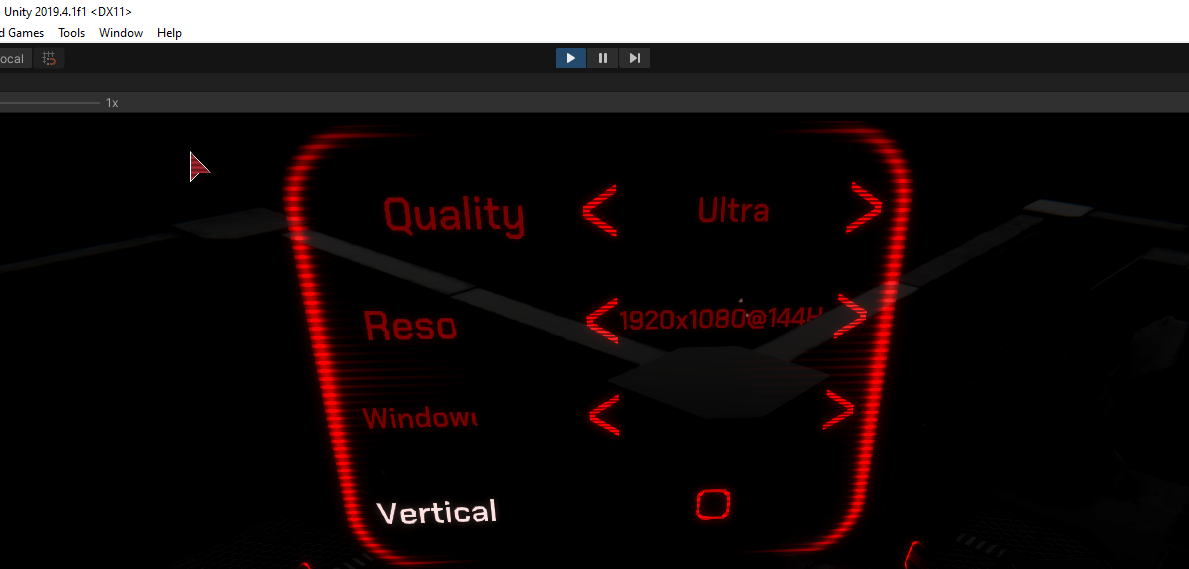
Unity Forum
I was just trying out the 2019.1 beta, hoping maybe there was a new TMP package to start integrating with HDRP features, but unfortunately I don't see...
turbid matrix
Support for HDRP should be available within the next 30 to 60 days for Unity 2019.3
yes... that makes me think they will deliver it :p
The plan is to release these new Shader Graph shaders in 2019.4 LTS as soon as possible.
whole fossil
xD there are plans. that for sure
turbid matrix
yes, the promises keep on going, but to be frank, it does sound a lot like speedtree support on HDRP
whole fossil
but the link I've pasted shows more recent activity regarding
turbid matrix
if I needed this functionality today, I'd just take a stab at the tmp shaders myself
or implement some simple SDF text rendering setup
waiting for Unity to come up with this could happen next month, next year or possibly never
also just to be clear, I don't really care about speedtree support myself, I've always found it to be kinda silly to have dedicated support for it but I know it's been in the works for a long time
whole fossil
yeah, the speed tree support is a whole curiosity for me as well 🙂
turbid matrix
I mean, if it were like proper speedtree integration where you could procedurally adjust trees and stuff, that would make more sense but now it's just practically a tree importer integrated in engine with shaders that take few parameters from the mesh (vertex colors?) and use that to drive wind animation on shaders.. it's nothing fancy and the animation isn't even that great this way, we've seen better
there's nothing you couldn't do with some foliage shaders already
I actually wonder what kind of relationship Speedtree has with Unity as Unity has thrown out similar integrations from the engine core in past (and seems to do that still)
looking at substance support going away, now slimming down with enlighten removal (ok this was bigger)
whole fossil
substance is going away?
turbid matrix
substance got removed from Unity core few years ago already
whole fossil
yeah, but the asset store version is being updated
turbid matrix
Adobe has substance plugin in app store but it's still quite sketchy
whole fossil
not to often, but still
turbid matrix
they never managed to make the asset robust
turbid matrix
I'm part of Substance plugin beta but obviously can't discuss here details from that side
but what's public atm isn't really production ready at all
(and no source code to fix the integration yourself)
the old substance integration was still somewhat usable
whole fossil
we drifted a bit from the channel topic Im afraid 🙂
turbid matrix
yeah, that's true
turbid matrix

Summary
Material Variants allow for reuse and improve management of materials that share most surface properties and differ only through others.
Intended Outcome/Use Case
With Material variants you would be able to create templates or material prefabs. Based on a...
I also like that https://portal.productboard.com/unity/1-unity-graphics/c/56-tessellation-for-hdrp is easily most voted entry on SG board but doesn't seem like Unity is adding it atm
waxen lantern
@turbid matrix yeah for good reason
waxen lantern
tessellation makes some sense for URP and legacy platforms, but not HDRP which is being focused on the latest DX12 targets (next gen consoles and all new PC GPUs) and beyond where tessellation shaders will be deprecated in favor of mesh shaders
turbid matrix
ah you meant like that
well, since they don't have replacement either, we instead don't get anything
waxen lantern
yeah mesh shader pipeline does everything and more
turbid matrix
I do stress that HDRP has tessellation already, just not in shader graph
waxen lantern
oh ha well maybe not the reason then
turbid matrix
I'd love all the new stuff too but supporting tessellation is like pretty stock feature that you'd just expect to be there
leaving people hanging for years for something that may come in the future is bit silly IMHO
waxen lantern
shader graph has a lot of foundational issues and old bugs and limitations that are apparently not being addressed, until the grand graph tools foundation integration/ unification refactor
turbid matrix
also Unity putting tessellation variant for their lit SG for example would probably mean like dozen lines of code for the shader template itself, it's not a big change
waxen lantern
been trying to get the broken swizzle node fixed, 2 years after first production ready release
turbid matrix
SG does have tons of small bugs yes
if you've looked at the source code or tried to modify it, you can tell why
waxen lantern
and now on the github there is some matrix swizzle node being developed, but the vector swizzle node doesn't even work
if you've looked at the source code or tried to modify it, you can tell why
@turbid matrix yes i have unfortunately you and i dove into it together one time haha
turbid matrix
when I tried to add new property type for SG, I had to create few files and modify over dozen of existing classes
ah 😄
I could list tons of SG bugs that have been there throughout it's existence but I guess this isn't the right channel for it
meanwhile, this is nice: https://portal.productboard.com/unity/1-unity-graphics/c/22-render-pipeline-debug-window (URP is getting similar debug window to HDRP's debug thing)

Universal will support Render Pipeline Debug window similar to what HDRP offers. The Render Pipeline Debug window is a specific window for the Scriptable Render Pipeline that contains debugging and visualization tools. You can use these tools to quickly understand and solve an...
waxen lantern
i do also agree the the swizzle node and split and join nodes should all be trashed and replaced with a generic feature on every node like VFX graph, and that's the grand plan, to be fair
turbid matrix
GitHub
Purpose of this PR
This PR is being created to add support for the CloudRendering Target which is a Linux Vulkan target that allows for rendering to be done on cloud servers that do not required a ...
this is rendering in cloud, not cloud rendering 😄
waxen lantern
@turbid matrix not to be confused with the other yeah lol was going to say
 frosty spear
does NGUI work with URP?
 frozen folio
yea but you need to swap all the assets
frosty spear
what do you mean exactly?
frozen folio
if you import assets from normal pipeline to hdrp or urp then all the assets used should also be swapped with the asset swap tool
frosty spear
what is this tool you are talking about ? is there some tool to covnert assets? and i dont see why assets ( models and textures ) have to be reimported or swapped to work with SRPs. shouldnt it be just about materials/shaders
frozen folio

Use the Asset Swap Tool from Asset Store Originals on your next project. Find this integration tool & more on the Unity Asset Store.
frosty spear
i dont think that is of any use for my issue with URP and NGUI.
turbid matrix
what that has to do with NGUI?
frozen folio
i dont know
this is reneder pipeline channel
so i thought you are converting from urp to hdrp or something
turbid matrix
Snaps Asset Swap Tool provides a quick, easy method for switching all prefabs in a scene instantly.
frosty spear
its of literally no use in any way , the tool you shared , for any sort of URP/HDRP conversion
turbid matrix
just to make this more clear, there's no shader conversion tool from built-in to URP/HDRP out there
frosty spear
yeah i know. i only wanted to know if there is a way to make NGUI work with URP
turbid matrix
there is material conversion tool that swaps built-in materials that use standard unity shaders to HDRP or URP shaders but it doesn't actually convert any shaders, only remaps the textures for the new shaders and upgrades materials
(mainly explaining for Rocker now)
I don't have any experience on NGUI so I don't know what kind of shaders it uses
in the LWRP days, you could still use old unlit shaders from old renderer with it, I don't know if that still works or not
just mentioning this as UI shaders often are unlit
frosty spear
the old unlit shaders still work out of the box with URP last i tried but NGUI shaders dont
turbid matrix
this is about URP
frosty spear
so i guess i am looking at some manual work to replicate the NGUI custom unlit functionality with shadergraph
turbid matrix
actually most relevant channel for this would be #archived-shaders 🙂
rain flower
@turbid matrix @whole fossil // Yeah, I will try to mess around with lit shader and I will add SDF to it
It's not very hard to do a SDF shader graph yourself.
Ex : use alpha clip mode, and output step( texture alpha value, 0.5 )
@scarlet hull // I know, but I'm more scared of TMP here
turbid matrix
simplest SDF shader is just alpha clip, it works but it does give hard edge
what SDF shaders usually do is create smooth transition near the edge, that's what the smoothstep is for
rain flower
I will just copy paste TMP shader into Lit one in smart way
But it's currently a prototype so It's low priority
 jagged vapor
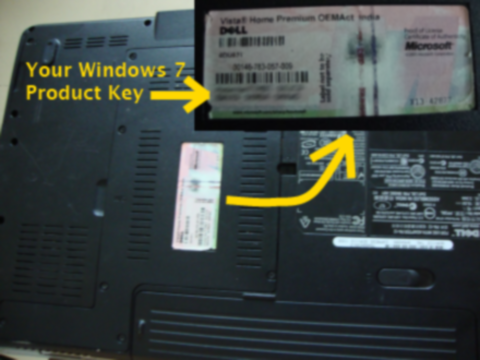

 keen prawn
Can anyone help why my hybrid renderer objects don't render after updating to URP from Builtin? I am using HybridRendererV1. They have renderBounds and renderMesh, they rendered fine before.
Weirdly, they render if I enable V2, but it doesn't support the materials I need so I can't use it atm.
scarlet hull
It's a bit a quick explanation, but hybrid v1 is for standard, hybrid v2 for URP/HDRP
turbid matrix
(in practice anyway)
trim bone
try toggling srp batcher @keen prawn for whatever reason i think it has to be disabled with v1 and enabled with v2
turbid matrix
there's no toggle on settings anymore so you'd need to do that via code
trim bone
its GraphicsSettings.useScriptableRenderPipelineBatching @keen prawn in case youre wondering
i made a script to toggle this automatically because it kept being an issue
keen prawn
Thank you guys, will try out now
Hm not sure where to find that
Found
Beautiful, thank you!
Hm, now I don't have shadows on the hybrid renderer objects
(They worked before upgrade)
Btw there is a toggle for srp batcher in the pipeline asset
trim bone
i think hdrp hides it?
keen prawn
down here in URP
keen prawn
So I am using the new SSAO from the last URP version, but I am having an issue - the occlusion is being rendered in front of all transparent objects. Does anyone know a way around it?
drifting vault
seems like no. But you can try play with render list. Place something like Transparent before SSAO in render features? @keen prawn
keen prawn
Where is the render list?
drifting vault
first open URP graphic
click there
and here you can try to make something that will related to transparent objects
drifting vault
probably, not sure if that will help. but if it will works and you figure out how to use this render list feature, let me know @keen prawn
keen prawn
I think you'd need to create your own pipeline to utilize that
AO is rendered before fog but it seems to be hardcoded
 calm mulch
how do i fix a material that is pink in URP even after i upgraded all materials
turbid matrix
it can't upgrade custom shaders
drifting vault
@calm mulch are you sure that material was upgrader correctly?
turbid matrix
material upgrader only updates materials that were setup with unity standard shaders
so if you have any kind of non stock / custom shader on built-in, it wouldn't upgrade it to URP
it's essentially material upgrader, not shader upgrader
 tidal laurel
Sorry if this is the wrong place. I've been playing with the URP 2D lighting and the shadows and i was just wondering if there was a way to hide certain objects when they are in the shadows? I have a light on my player and wanted other players/mobs in the shadows to be hidden. But i don't want to put the intensity upto 1 as that hides the world which I don't want to do.
 unreal lantern
Hey there.
Is there a way with the render passes to keep partial shadows from drawing?
Right now I'm using some render objects to render specific meshes before rendering transparents to get the capsule to be hidden. Unfortunately the shadow itself stays, and I'd like the shadow to be clipped as well.
When it comes to rendering/graphics my skill set is not that high. I haven't found any information on how to not render partial shadowing.
tacit pecan
you'd have to do a shadow pass without any of the objects that can be clipped and use it within the clipped area
unreal lantern
Thank you, I'll look into shadow passes
tacit pecan
I also have a question regarding custom passes, you have Target Depth Buffer and Target Color Buffer, these default to Camera but there's also Custom, how do you access the Custom RT/buffer in a later pass?
in a shader and/or in c#
also how do you write to them? I guess the CommandBuffer defaults to them?
 sterile cairn
Problem:
I have no idea what the hell's going on here. I've deleted everything and started over with a new HDRP Asset
I have literally no lighting or postprocessing volumes in my scene
had to delete the entire scene and start over. don't know what that was about
 heavy ice
@turbid matrix Any Idea who M0nsky on the forum is?
turbid matrix
@heavy ice that would be @ripe fable here
 ripe fable
That's me, yes.
turbid matrix
I'm assuming I just fixed the shadow waving/ghosting/dancing issue, a PR will be there soon. is coming from the denoiser?
or is that something different?
ripe fable
I tried your PR on my local branch yesterday, I didn't notice a difference so far but it could be that I need the other new PR too (for non-rendergraph)
I will do a fresh clone today and merge both
heavy ice
i didn't merge it yet
ripe fable
yeah I did it locally yesterday
ripe fable
I'm always refreshing the page and checking if your name pops up somewhere heh
heavy ice
I'll poke you with a link to the PR here when I've done it, fixing an other issue and it should be there
turbid matrix
@heavy ice curious if you saw this thread? https://forum.unity.com/threads/rtgi-diffusedenoiser-breaking-in-low-light-high-contrast-environments.984092/
ripe fable
That video looks a lot better indeed (second half)
heavy ice
No, i just saw it, but yes i am aware of this limitation. The diffuse denoiser is a complex beast. I have couple improvements in mind that should solve that issue, but no ETA to when i can try them
i notify on the forum or here when i'll have a moment to look at it more closely
i will*
ripe fable
There's a lot of denoiser info in the metro exodus PDF but I guess you've heard it all before hehe
Thanks a lot
heavy ice
Yes, I am very familiar with everything they have done
but unfortuantely for such complex aclogirthms it isn't a copy paste miracle 😦
ripe fable
Indeed
tidal laurel
Am i right in my understanding. That i can't use a custom renderer and the 2D renderer together yet?
heavy ice
GitHub
Fixed a ghosting issue with RTShadows (Sun, Point and Spot), RTAO and RTGI when the camera is moving fast. The bug was ported a long time ago and we settle down for a workaround for a special case ...
ripe fable
Saw your active branch, I have it running locally here, seems perfect
Not only for RTSS but it seems to have fixed the issues with RTGI denoising too
ripe fable
Great job and thanks 👍
turbid matrix
this sounds great indeed 🙂
dawn sorrel
using urp and the scene and game view look completely different and I don't know why
turbid matrix
@dawn sorrel is there some post processing checkbox on camera?
I can't remember if URP still had that setup but your game view definitely doesn't have bloom enabled where as your scene view has it
dawn sorrel
I have post processing for the camera on
turbid matrix
re: DXR denoising: https://www.youtube.com/watch?v=OC637pfAJs8

Released today, NVIDIA Real-Time Denoiser (NRD) is a spatio-temporal API agnostic denoising library that’s designed to work with low ray per pixel signals. This video highlights the stunning denoising results seen in Watch Dogs: Legion.
Learn more about NRD today: https://nvd...
NVIDIA Developer
NVIDIA Real-Time Denoiser The NVIDIA Real-Time Denoiser (NRD) is a spatio-temporal API agnostic denoising library that’s designed to work with low ray per pixel signals. It uses input signals and environmental conditions to deliver results comparable to ground truth images. Ge...
turbid matrix
@woven sonnet is there any existing sample for this? From this version, within the rendering of your main Camera, you can now render GameObjects from another point of view (a disabled camera for example). The new API also comes with built-in support for rendering Depth, Normal and Tangent into an RTHandle.
at least, I didn't find any on your custom pass repo (closest I could find was the normal buffer rendering one)
I'm mainly interested what it takes to render depth from another camera view directly to rthandle, pretty much like this example image top corner does
drifting vault
2021.1 support only HDRP 8.x ? =/
turbid matrix
@drifting vault 8.x was probably just around when they updated 2021.1 for hdrp last time. It will eventually have HDRP 11 package
drifting vault
alright, will wait for that...
turbid matrix
If you want 10.1 for it just open package manager, hit the plus button on top left corner, select add git package and type following to the input field:
com.unity.render-pipelines.high-definition
(or whatever the exact naming for that package is)
drifting vault
oh, custom packages
turbid matrix
It will not grab the package from git, it will only allow you to upgrade the package
drifting vault
strange that i cant do taht in package manager preview packages.
turbid matrix
It is deliberate
Unity wants users to only use srp packages that they ship with the editor now
 hallow sundial
Hey guys, can anybody recall whether it's somehow possible to control when in the pipeline UI in overlay mode is rendered? I'd like to have the UI affected by the post-processing, but also keep alpha masks in the UI that don't seem to work in camera mode.
keen prawn
Can anybody help with everything being black in hybridrendererV2 with SRP batching enabled? I need SRP batching for hybrid instancing, so while it all works fine with V1 I want to use V2
keen prawn
To be more exact problem seems to be with the shadergraph lit shader (and some default URP shaders)
 eternal laurel
Hey guys I'm trying to port this custom pass to HDRP 10 https://github.com/Unity-Technologies/VRAlchemyLab/blob/master/Assets/Graph/VFX/LiquidPour/GeoBake/DepthCapturePass.cs Anyone care to lend a hand? I cant seem to get my head around the new API

GitHub
VR Demo project using HDRP and unity 2019.3. Contribute to Unity-Technologies/VRAlchemyLab development by creating an account on GitHub.
turbid matrix
@eternal laurel what does the error look like?
I thought the custom api didn't change that radically for existing things
eternal laurel
There isnt a error per say. I just cant get it to render anything meaningful into the RenderTexture
I downloaded the samples from github and right now I'm trying to checkout the new api branch to see if I can find a answer there 🙂
warm hound
hello i have problem with SSR in HDRP, there is a long shadow behind any object. any idea why?
scarlet hull
It's hard to tell because you captured only part of the view, but I guess it's the limits of ssr. Screen Space Reflection means that it is computed with what is visible on screen, and can not reflect the "missing" information, falling back in that case to reflection probes, either a local one, or the sky.
TL;DR: Add a reflection probes
 woven sonnet
@turbid matrix There is an example on the custom pass samples repo but it's on the new-custom-pass-api2 branch: https://github.com/alelievr/HDRP-Custom-Passes/blob/new-custom-pass-api2/Assets/CustomPasses/Tests/CameraDepthBake.cs
I still need to finish some stuff on this branch before merging then and updating the repo to HDRP 10 but you can already look at the upgraded code in the branch, it should work.
I'm mainly interested what it takes to render depth from another camera view directly to rthandle
When you call one of the new functions to render objects from another camera, these steps are executed: we override all the camera related parameters to the new camera (matrices, screen size, ect.), then we set the render target to the target buffer in parameter (rthandle), we render the objects using DrawRenderers and the filter settings and finally restore all the camera settings to the original one. I'd say right now that this is the fastest way to render something from another camera compared to other alternatives.
Note that if you want to render objects that are not visible in the main camera, you'll need to do the culling for your camera in the pass (like in the example I linked). When rendering static objects, you can even do the culling in the Setup() function and use the result in all the later Executions.
turbid matrix
@woven sonnet awesome, thanks for the explanation, I'll see what I manage to do 🙂 was about to ask about culling next 😄
I'd say right now that this is the fastest way to render something from another camera compared to other alternatives.
@woven sonnet just to follow up on this, you mean like if one needs to even render additional camera views, in this case like rear view mirror on car, this should be faster than just using separate camera to do it?
while looking into this, I've seen that additional HDRP cameras have quite heavy extra cost and it's apparently bigger now than say, few major versions ago, I have no idea where that extra cost has come from
in general, HDRP seem to be faster now on 11.x than say.. on 7.x
anyway, I'll do the measurements myself anyway so I guess I'll just see what happens
woven sonnet
It depends, for a rear mirror view it probably won't work because it's a complete rendering where you need pre-pass, light culling, some screen space effects, motion vectors if any temporal effects is enabled... The custom pass rendering ignores all this and just draw the Forward pass of an object from another camera view, that's why it's fast, there is no overhead du to any other system. But that's also why you won't be able to render a complete scene with it
turbid matrix
ah, that makes sense
as a side note, I loved how I could just put reflective material with DXR reflections and mirrors just worked 😄
there was a user here that tried to exploit planar reflections for this use case
but I'd assume it's similar cost as extra camera for the capture
woven sonnet
while looking into this, I've seen that additional HDRP cameras have quite heavy extra cost
Yeah while we're improving a bit the speed of the rendering, the actual entry cost is still very high, even if you just render a cube, there are still tons a fullscreen passes, pyramid generation so that's expected for now
Yes, planar is approximately the same cost as an extra camera, even if some settings are disabled for them
turbid matrix
yeah, volume OnEnable seemed to have noticeable cost too
if you just need to render stuff like depth, you don't even need the volume processing (?) so it feels just like waste
but that custom pass apparently would work just fine for depth
meanwhile, I'd love to have some low quality processing mode for HDRP (and it's cameras) that would just give bare essentials
it would be handy for extra cameras but also for scalability so you could target also older computers
right now HDRP has that entry cost that is too high on weaker PC's atm
I have old i3 with dedicated nvidia gt640 which I use for testing and HDRP is totally unusable there even with all settings stripped to minimum
URP still flies like nothing on it
warm hound
@scarlet hull But why whould i need ssr if a have probes? i thought ssr whole point is to fake reflections
turbid matrix
you can't have realtime probes in HDRP due to their high cost. SSR fills the gap here but it's a serious compromise as you can't reflect off screen with it
raytracing helps there but we are still years off where avg gamer has hardware for it
eternal laurel
@woven sonnet Hey I'm trying to get the liquid pour vfx from the Alchemy Lab Vr demo working with HDRP 10.1. I found this https://github.com/alelievr/HDRP-Custom-Passes/blob/new-custom-pass-api2/Assets/CustomPasses/Tests/CameraDepthBake.cs ( you posted it too) but for me the CustomPassContext cullingResults are read only and I cant find find a way to assign the cull results to the context. Can you help me ?
GitHub
A bunch of custom passes made for HDRP. Contribute to alelievr/HDRP-Custom-Passes development by creating an account on GitHub.
turbid matrix
yeah I did notice the same
the old API still exists where it's accessible but you can't use CustomPassUtils.RenderDepthFromCamera without CustomPassContext
and the old Execute setup is deprecated so shouldn't use it
eternal laurel
so how do I use RenderDepthFromCamera then 😦
turbid matrix
@eternal laurel do you actually need to set that for your use case?
eternal laurel
honestly I dont know. I'm trying to get the liquid pouring vfx from the Alchemy lab demo into my own project and have the collisions for the particles work. What they do in the project is they have this geobake cam ( dont get what it bakes since it still runs every frame) and then that texture from the cam is given to the vfx graph to do collisions. I tried giving it a normal depth render texture from the cam but it does not work for some reason
warm hound
i get that ssr cant reflect off screen, but what about this? i figured ssr filters reflection by depth and shifts objects so reflection is more belivable, but it leaves huge gaps behind objects. can i turn that off somewhere? im fine with unrealistic reflections without gaps
 spare dagger
how can i add ambiet occlusion to my scene?
i googled it, and it lead me here, but there is no ambient occlusion setting here for me
and there isnt any post processing effect for it either
woven sonnet
CustomPassContext cullingResults are read only
@eternal laurel Arf I completely forgot about that 😦 I exposed it on the last branch of custom pass improvements I had (along with stencil support for custom passes) but I had to stop working on this because of the quality update we're doing. And it's too late to push it in 10.x because removing the readonly will be considered as a breaking change...
And regarding the Alchemy lab demo effect it should work without the new API but only in after post process injection point because the pass never restore the camera matrices so it break everything that is rendered afterward (which is fine for this effect)
drifting vault
@spare dagger are you on Unity 2020.2 and HDRP 10 ?
spare dagger
im on URP and 2020.1.9f1 @drifting vault
drifting vault
URP 10? @spare dagger
turbid matrix
@warm hound point still stands, it can't reflect what is not in view. it doesn't guess what you'd want to render in place if there's no data
if it's truly on screen somewhere, only thing you can really do there is to add more samples (basically going past high preset on SSR doesn't yield in any improvements)
drifting vault
@spare dagger you have to install URP 10x
spare dagger
from where @visual idol
turbid matrix
And it's too late to push it in 10.x because removing the readonly will be considered as a breaking change...
@woven sonnet is the only difference here the readonly flag? asking because for my use it's not any kind of issue to just mod the HDRP files
if the readonly changes are not on the table, how about some setter?
eternal laurel
@woven sonnet I tried using the custom pass as it is in the demo and I modified it to use the Custom pass context (https://hastebin.com/uporibiroq.csharp) but both simply render nothing to the render texture
turbid matrix
I did get it to render on my end
(using the test scene)
I just assigned rendertexture manually to it and set a quad on scene with unlit material to visualize the RT
but I also removed the readonly tag as well from HDRP 11 🙂
eternal laurel
using the code from the api2 branch ?
turbid matrix
yes