#archived-hdrp
1 messages · Page 51 of 1
 scarlet hull
Each quality level can be assigned a different render pipeline asset
That override the default one from graphic settings
This is how we plan to support switching render pipeline assets in the future
 dawn sorrel
Exception: Compute Shader compilation error on platform D3D in file DepthOfFieldKernel.compute:2: failed to open source file: 'DepthOfFieldCommon.hlsl' at kernel KParametricBlurKernel
HDRP will not run until the error is fixed.
.....what on earth is causing this?
 vagrant jasper
@broken lichen Oh thank you ❤️
 turbid matrix
@dawn sorrel do you have matching package set? are you using supported editor version for the installed HDRP?
dawn sorrel
erm everything is installed by default and Unity is up to date, I am using a custom shader though I dont know if that will affect anything
 idle robin
is it me or does the DXR stuff totally ignore motion vector settings on the meshes.. I need to turn off motion vectors on a few object which doesnt work when viewe through DXR'ed glass panels.. so they blur behind raytraced glass
If I tweak the shader code to always output 0 (tuse the 0.5 to 0) for camera motion vectors is stop the blurring..
but this is wrecks everything else that is relaying on those
 valid dock
is there a simple way in a URP VR-enabled project to make a Camera not use VR? Back in Legacy, there was a simple dropdown to make it just use the main display...
turbid matrix
@idle robin motion vectors are problematic for transparent materials
afaik there's no ideal solution if you want to use same PP pass for both transparent and opaque materials
like, you can't have motion vectors work at the same time for both while keeping them accurate
 ionic remnant
hey so for command buffer DrawRenderer, where would I determine the ShaderPass
I should back up, I've got a custom render feature, and everything draws fine for the most part except the shader draws both a shadow pass and a depth pass, it looks like it's just an index, and 0 is the pass that does color, but I'm a little worried that there are some other edge cases, or am I just overthinking this?
the documentation makes it seem like int ShaderPass should be well known, but it's unclear is it a bitmask? is it just an index? is it dynamically assigned, or is it just inherent to Unity, or HLSL? or dependent on shader authors matching things up to where they should be by convention
 silent mortar
Using Unity 2019.3.7f1 - following the instructions: https://docs.unity3d.com/Packages/com.unity.render-pipelines.universal@7.1/manual/Setup.html Seems to be out of date now, is there a more up to date documentation for this?
No option to select custom render type in the new Pipeline Asset, and it seems to create and attach a renderer for you, in this case it isn't making it 2D.
 split spire
Hey, guys! I need help on Custom Renderer Passes on HDRP 7.3.1. I'm trying to draw an InvertColor effect on objects depending on their y position. But my fragInput.color and posInput.positionWS.y are both always zero. I tried different injection points, but none is showing the needed effect. Does someone have an idea?
ionic remnant
@silent mortar this is a bit more updated: https://www.youtube.com/watch?v=szsWx9IQVDI

Let's learn how to render characters behind other objects using Scriptable Render Passes!
This video is sponsored by Unity
● Download Project: https://ole.unity.com/occlusiondemo
● More on Lightweight: https://ole.unity.com/lightweight
·····································...
silent mortar
@ionic remnant, thank you will check this out.
Hmm that is even older than the documentation it is still calling it LWRP
split spire
Sorry if I'm interrupting you 😅 Just forgot to add some screenshots. The left box has the custom pass applied.
And this is the code in the shader. I've almost changed nothing. Just the color output. But the color input and positionWS.y is somehow always 0.
silent mortar
@split spire no worries, lol I don't own this chat, haha
Will try to help you though.
whoops HLSL... nope (I am too mortal)... GL!
split spire
Haha rip me xD
silent mortar
Why not use URP?
split spire
That was a very early decision and it's now getting too complicated to change. There were some requirements that URP can't do.
silent mortar
Ah, gotcha
Understandable.
Having some requirement struggles with Unity systems myself the past couple of weeks.
Real ass kickers.
idle robin
@turbid matrix yeah I know. But this is more of a bug where it doesn't respect the objects motion vector settings. It works fine with out raytracing, but raytracing seams to always write into the motion vector buffer even if objects (the glass and/or stuff behind it) has motion vectors forced to off.
split spire
I've just seen the video you linked before btw and went a similar approach. I tried to translate my hlsl to shader graph and it's kinda working. I'm getting the color by grabbing the scene color. The problem here is that I'm losing details such as normals. Maybe you have an idea how to get world space normals via node? In hlsl, it would be the DecodeFromNormalBuffer function
 livid flint
Hi! When using URP we have a problem that unity keeps changing the AA setting in QualitySettings.Asset. This seems to be because we are working on different platforms. The problem however is that you can't control the AA setting from the quality settings when you are using URP. Feels like unity is setting this to some sort of per platform default setting that isnt used. (the "real" AA setting that is actually in use is now in the asset for urp). Anyone else seen this?
 empty star
Is there a known bug with DrawRenderers and RenderStateBlocks in 2019.3 ? No matter what I do with enabling the depthState mask and setting it to CompareFunction.LessEqual (And referencing the renderStateBlock in DrawRenderers) it comes through as GreaterEqual in RenderDoc
yea the CompareFunction enum is out of sync with c++ side it seems
 broken lichen
@valid dock I'm pretty sure that's still possible on URP
 brave turtle
@scarlet hull oh I wasn't aware the quality settings had overrides! thanks
 drifting vault
how to change that in UNity 2019.3.9 HDRP 7.3.1 ?
turbid matrix
@drifting vault two options:
a) use forward only setting on HDRP asset
b) have a local version of HDRP-config package and set the filtering quality from it's define
drifting vault
oh its works on forward render only?
turbid matrix
the dropdown menu only works in forward
but you can hardcode it to whatever value on deferred
you just can't toggle it from the asset directly as there can only be one setting at a time on deferred
see https://docs.unity3d.com/Packages/com.unity.render-pipelines.high-definition@7.3/manual/Shadows-in-HDRP.html#shadow-filtering:
Currently, if you want to use High quality (PCSS) filtering in deferred mode, you need to enable it in the HDRP Config package. For information on how to do this, see the Example section of the Config package documentation
drifting vault
thanks @turbid matrix . Im forgot, Deferred mode better that Forward right?
turbid matrix
not visually
HDRP gives feature parity between forward and deferred, meaning key features work on both
vagrant jasper
I switched to urp my project and now my particles has different colors how do I have them back ?
turbid matrix
drifting vault
thanks
turbid matrix
there are perf differences between the two that will depend on the features you need, but in general the perf is pretty same between the two
if you scale down to min spec settings on HDRP, I've found forward only being tad faster
drifting vault
also do you know why vertex based tesselation working weird?
turbid matrix
no idea, I haven't touched HDRP's tessellation at all
still waiting for them to implement it for SG's
@vagrant jasper different post processing settings?
vagrant jasper
like i want to have the particles like in the left and I in the play mode they are different :/
turbid matrix
sounds like PP to me
vagrant jasper
Okay i found it :D
If someone has the same problem in the settings of the URP asset you need to activate Quality: hdr
drifting vault
ah and in Forward rendering decals not working right @turbid matrix ?
or wait, in both modes my decals stop working
strange
buts its enabled in HDRP asset
turbid matrix
decals should work on both
make sure you have them enabled also on frame settings
(project settings->hdrp default settings or if you've overridden them on camera, then there)
drifting vault
its enabled everywhere
but still not working
and triplanar UV maping not support pixel displacement ?
scarlet hull
Should iirc
scarlet hull
Have you double checked your "primitive length" and "primitive width" settings ?
drifting vault
scarlet hull
the length and with values should basically match "world length of 1 U and V unit"
drifting vault
ah its cuz of I was use Depth Offset
scarlet hull
Well, depth offset should still work, maybe this is a issue here
 thick pond
How can i downgrade my HDRP version?
drifting vault
@thick pond like downgrade from HDRP to URP?
thick pond
No, I have an asset pack that cant be used with 7.3.1. So i need to downgrade to 7.2
drifting vault
ohhh, probably you have to contact asset pack creator if he save older versions of this pack
 rich spade
@thick pond you will need to have a Unity version 2019.3.7f at highest, as after that you are restricted I believe to 7.3. You can download earlier unity versions from website rather than via the hub.
turbid matrix
@thick pond you can just change the version from Packages/manifest.json
no need to downgrade whole unity
thick pond
@turbid matrix Is that it? Just change the numbers?
turbid matrix
@thick pond yes
of course there has to be a packge on Unity's server with matching number
7.2.1 and 7.2.0 are valid numbers for HDRP
I'd recommend 7.2.1 as it contains bugfixes over 7.2.0
turbid matrix
as another thing, spotted this on github: https://github.com/Unity-Technologies/Graphics/compare/HDRP/cloud-layer
looking at the code alone, it looks like it basically lets you add cloud layer to the existing sky solutions
turbid matrix
I wish I could have some direct line to Unity UI/UX designers :/
this is from 2020.2.0a9
sorry for offtopic, just frustrated because it always goes through this same way :/
 glad tartan
thats a big change from a8
a8 looked pretty slick compared to 2020.1 and 2019.3
Since Show Preview Packages got removed from Unity 2020.2 I guess we're only able to get URP or HDRP from GitHub until a verified package is released then we can get it from the Package Manager. Maybe we will be able to manually add it in the manifest if we find the package on the packages repo?
turbid matrix
@glad tartan they didn't remove that option, they moved it to different dialog
it's not set in package manager anymore
can't remember if they put it into project settings or preferences
but it's in one of those
glad tartan
ah alright I'll check aroudn those for it
turbid matrix
the idea with this all this seems to be to not have preview packages too easily around
glad tartan
yea
turbid matrix
which I personally do agree is a good thing
glad tartan
Roadmap talk made it clear things were going to change a little
turbid matrix
Unity gets a lot of crap for just having previews and betas around when people - even old engine users - don't want to understand it's not a released thing yet
glad tartan
yea, I thought they removed it because of that/what was being said in the roadmap talk about focusing on stabilization and limiting preview packages. I remember we were wondering the changes that was gonna happen back then
turbid matrix
apparently that mainly means that some packages will take now longer to get listed on package manager
for example we know kinematica package is on their upm registry but it's not listed on PM by default nor in https://docs.unity3d.com/2020.2/Documentation/Manual/pack-preview.html
also since bintray is dropped now it's getting harder to snoop for upcoming packages 😄
you'd basically need to know the package name to even be able to poll for it's existance now
drifting vault
its what i waiting for get nice FPS in VR
if atm volumetric light render 50% from screen space, then in VR its 1600x1440 = 50% from it its 800x720
that too much per eye
so hope render 25% from screen space will perform 50% better FPS and well good looking volumetric lighting.
cuz atm i get 40 FPS in VR and no matter with PC you are using, GTX1660,GTX1080 or RTX2080. something stuck at 20 ms always
but my scene is extremely optimized and without VR i get 80-120 FPS
and 14 ms avg
turbid matrix
Even your without VR figures would be sketchy for VR use
Have you disabled all hdrp features you dont use?
I also would disable bunch more for VR, altho I wouldnt even dream on using volumetrics on VR
On my recent scalability test, I could get my rtx2070s to go from ~5ms cpu cost to ~2ms just by altering the hdrp asset and frame settings
The scene was like typical game map but there's a lot of textures missing and no decals atm
drifting vault
i want volumetric light in VR 😦
turbid matrix
I want it on desktop too but I feel it's too perf heavy
drifting vault
FPS same with/without AO,contact shadows etc
only VOlumetric light killing performance in VR
its stuck on 20 ms at any PC in my case
turbid matrix
Forward only gave me extra boost on lower tier settings
Also reducing unitys worker count 😅
That planar reflection could also be costly in your use case
Might be worth trying to tweak it's settings
drifting vault
im use only reflection probes in scene
drifting vault
well i use baked one
light baked
whole scene is 4 materials
like i know about optimization , this scene was developed for Oculus Quest URP - where are i was able to get 72 FPS on quest
just later i decide to do HDRP version.
URP - 700 FPS
HDRP - 120 FPS
VR - 40 FPS
turbid matrix
It is not a fair comparison unless you have similar quality / features
But URP is and always be faster, especially for simple scenes
drifting vault
yea its just example
i was get 700 FPS in URP, and except to get 100-200 FPS in HDRP
i got 120 FPS in HDRP at FullHD screen that was cool for my GTX1050Ti laptop
and i was think that my colegges with RTX2070 will get 2-3x more FPS that me
turbid matrix
200fps and 700fps difference isnt that big in actual cpu cost
drifting vault
but no, they get same FPS on RTX2080 as me on GTX1050Ti
and on both PC we got almost same FPS in VR 40-55 FPS
and after research, im discover that current volumetric lighting expansive for VR
but im wondering how Vavle did volumeric light in Half-Life ALyx
i was think that its a fake volumetric beams, but its cast shadows
so im waiting when we will able to control volumetric light render scale, then i will back to check how much extra FPS will be in VR
turbid matrix
too bad this wasn't released to us as a project 😄 https://twitter.com/danmillerdev/status/1030168383566827523


Book of the dead from @unity3d demo team running in #VR at #SIGGRAPH 😳 https://t.co/geEhoRSnof
Likes
173
 Twitter
I dunno what kind of framerate they targeted for that though
there's been really few talks/blog posts on actually optimizing HDRP for your content
like, https://www.youtube.com/watch?v=I5lzlGiJW0k was awesome peek on the things they discovered but BOTD is also quite special case with tons of custom tech

Slides: https://www.slideshare.net/unity3d/unite-berlin-2018-book-of-the-dead-optimizing-performance-for-high-end-consoles
In this session, the Unity Demo team provides their best tips and tricks for optimizing detailed, complex environment scenes for modern console performanc...
but for example, 16bit shadows are now an option in HDRP because they did it for BOTD
 ripe fable
"On my recent scalability test, I could get my rtx2070s to go from ~5ms cpu cost to ~2ms just by altering the hdrp asset and frame settings"
Any more info on this @turbid matrix ? I wanted to start doing this myself but you might have discovered some important stuff on this subject already. 😄
turbid matrix
well, 2ms was like with everything off, including shadows :D, but I got to 2.5ms with shadows, so 50% of the cost of default setting in that case
I didn't really check individual settings impact, just dumped everything and moved to lower quality options on buffers etc
meaning less bits (shadows from 32->16), lower resolutions etc
 small rock
Guys i have a question, is the latest unity version (not the 2019 but the 2020) have AO support in URP ?
turbid matrix
couldnt go super low res on shadow maps as didnt want to compromize the visuals or draw distance too much on it (altho I did lower the shadow draw distance to ~150 on that low quali hdrp)
also forward only gave bit extra perf on that test
@ripe fable ^
turbid matrix
@small rock yeah, still wip
small rock
😦
drifting vault
and probably will released on 2020,2019 too
turbid matrix
there are two PRs for that on github
https://github.com/Unity-Technologies/Graphics/pull/24
https://github.com/Unity-Technologies/Graphics/pull/8

GitHub
Purpose of this PR
This is the first part of an SSAO implementation for URP. It was decided to split this feature into two Pull Requests as the second part includes a big bonus feature, Render Feat...
GitHub
Purpose of this PR
This is the second part of an SSAO implementation for URP. It was decided to split this feature into two Pull Requests as the second part includes a big bonus feature, Render Fea...
for the ref URP ran the same test ~2ms with shadows enabled (but URP shadows look WAY worse than HDRPs)
both had minimal settings on PP, just ACES + exposure + sky
can't remember for sure what I did with AA as there's a tiny gain to be had there
small rock
Allright i'll check that out
drifting vault
what its mean?
 long wagon
Try resetting the camera component to defaults.
And if this is coming from the scene camera, reset the layout (top right)
@drifting vault
glad tartan
if atm volumetric light render 50% from screen space, then in VR its 1600x1440 = 50% from it its 800x720
@drifting vault
The default is 12.2 or 12.5% I played with the staging branch yesterday because it was finally able to work with 2020.2 a9 and it was one of those two values set for default
drifting vault
wow really? in debug windwos its show voluemtric light as 50% screen space and then upscaled
glad tartan
maybe it got lowered for the update
yea, just checked it again and it's at 12.5%
I created a new volume and added the fog
drifting vault
hmmm, but thanks for update
 blissful geode
https://gyazo.com/d863be181a44b79e1cc279ad0dc78e75 May someone know why hdrp is doing that ? When I look around in scene view it move some shadow on my character ?

That's really troublesome because those shadows have nothing to do with my lightning setting
drifting vault
@blissful geode dont move scene view 🙂 use only camera view
blissful geode
Hey Vilaskis, I do appreciate, but it's to show the problem. Even if I don't move it, the shadow are casted no matter what.
I got into the problem it's because I have no directional light so unity is creating one for me no matter what
turbid matrix
@drifting vault I got those recently as well when using HDRP with new XR management setup
silent mortar
So very darn close... I can't figure out why the (Palette Tiles)Wall is behaving so differently with the same settings as the sprites? (just where the edge of the grid tiles meets the floor.) With same settings behavior should match in pixel stability during the movement, shouldn't it?
https://forum.unity.com/threads/pixel-perfect-camera-darn-dancing-walls-nearly-solved.872314/

Unity Forum
Hello!
I am working with a 2D scene, in which I am struggling with choppy movement caused by the Unity - Pixel Perfect Camera Component. I have to...
If just a 0-1 pixel alignment issue shouldn't sprites behave same as walls with same settings on PPU etc?
turbid matrix
GitHub
This PR includes the first version of the new method for filtering planar reflections to make the intensity of the blur not resolution dependent and closer to what relfection probes and ray traced ...
empty star
noticing in 2020.1.0b7 the $Globals CSConstantBuffer-X-XXXX (50 variables, 1824 bytes) gets corrupted data, lots of NaNs, this is when using an include like #include "Packages/com.unity.render-pipelines.universal/ShaderLibrary/Input.hlsl" within a compute shader
has anyone else encountered similar? first time i've seen this (having just switched to 2020 for a test project)
if you set any NaN-affected variable via cmd.SetComputeMatrixParam etc it remedies the one variable. The NaN's also seem to stack up, earlier dispatches have a few NaNs later ones get more and more
ripe fable
Anyone else ever get stuck in this loop?
It's not related to that specific file, happens at random files during import, usually after upgrading my HDRP version manually.
I've had these importer issues for a little over a year I think, but today is first time I actually got stuck in it, library wipe doesn't help, bug report isn't really an option due to the project / internet connection.
rich spade
as it appears to be packages related, perhaps try removing the packages folder / manifest.json it should create a basic one when you load back in. You will have to re-load the packages into project after.
Failing that... hope you have a backup ^^
turbid matrix
@ripe fable I get those occasionally as well, had one recently, but it usually does continue after restart when I wipe the library. Maybe you are using some hdrp and editor combo that's giving you grief?
ripe fable
The thing is, I run the same editor + HDRP combo in a smaller project which is working fine.
blissful geode
Hello there i have this hlsl code I want to translate into shader graph : s1.Albedo = lerp(s1.Albedo, _OverlayColorLipstick* _OverlayLipstick.rgb, _OverlayColorLipstick.a * _OverlayLipstick.a);
Here is what I have so far
Notice that I dunno how to only pick the R G B from my sample texture node ? How can I do that ?
And notice that i also have to extract somehow only the alpha from my color, which I don't know how to do ?
Any idea ?
 fiery marsh
@blissful geode This would probably fit better in #archived-shaders, but you can use the Split node to get the alpha component from the colour, and put the R,G,B outputs into the X,Y,Z on a Vector3 or Combine node to achieve the .rgb part.
blissful geode
@fiery marsh thanks you
 solemn horizon
Hey guys, are there projection matrices for equirectangular projection? Does this even make sense mathematically?
 candid basin
@drifting vault when did you get that 'Screen position out of view frustum' error? I sometimes get that error to. I'd like to know what causes it exactly.
drifting vault
well at me its happened in one moment from cutscene
where are just moving camera
and its happening exactly in same moment/place @candid basin
 thorny pilot
https://streamable.com/etr61u can i make this renderer feature only happen if like 80% of the player cannot be seen from the camera?

right now, it happens when any part of the player cannot be seen no matter how little
 wary plover
Is this a good channel for asking about post processing
turbid matrix
@wary plover #💥┃post-processing
wary plover
Ah
turbid matrix
apparently BOTD is back on asset store again: https://assetstore.unity.com/packages/essentials/tutorial-projects/book-of-the-dead-environment-121175

Get the Book Of The Dead: Environment package from Unity Technologies and speed up your game development process. Find this & other Tutorial Projects options on the Unity Asset Store.
no update for the project itself (still 2018.2 based)
they also put Viking Village back
dawn sorrel
Still getting the same compiler errors with CSharpToHLSL.cs (NRefactory not existing). Using latest alpha + latest green "Unity.Graphics" (HDRP package) from github. Here's one of those errorscom.unity.render-pipelines.core\Editor\ShaderGenerator\CSharpToHLSL.cs(3,19): error CS0234: The type or namespace name 'NRefactory' does not exist in the namespace 'ICSharpCode' (are you missing an assembly reference?)Looks like someone else is having this issue too, but they're using 7.x
https://answers.unity.com/questions/1723384/after-git-pull-i-get-these-error-messages.html
 distant garnet
Hi guys, I'm looking for advices to create a space scene with hdrp. I tried to leverage the volumetric lights to create some god ray / light shafts like effects but I couldn't figure out how to use the height based fog in the hdrp to do that. Any idea about how to create depth in the scene or nice effects are super welcome - doesn't have to be related to volumetrics, even though it is the first thing i was looking for to create depth 🙂 cheers
 uneven jackal
Hi, maybe someone knows, is there any estimate of URP 9.0 release?
turbid matrix
@uneven jackal there already is a preview for it
glad tartan
This is kind of shader related but the new Master node system for shader graph is on GitHub. You wont really have to worry about the pipeline you make you shader for
GitHub
Purpose of this PR
Problem
Currently, the master node definition is too rigid and defined via leaky abstractions. This gives the the following problems:
Large list of individual master nodes. Chan...
turbid matrix
I tested that briefly yesterday
some discussion about it here: https://discordapp.com/channels/489222168727519232/497874081329184799/705844234686824498
I do love the fact you can just prepare the shaders for all targets at once
I checked the shader code and it had passes for both SRPs
turbid matrix
it will not be backported
so if they can keep their current target at 2020.2, it'll land on SRP 9 at some point
candid basin
Okay cool
Right now for an unlit shader I need to make separate versions for HDRP/urp
This will make it possible to make 1 shader for both?
Or well I still use scene color, and that's an SRP specific node so I guess I still need to make 2 variants
turbid matrix
@candid basin basically how that works is that you set the shader graph to target both URP and HDRP, then you'll get separate dropdown menus for both where you can select the shader graph variant for each. You can even mix and match different type of shaders but the system will gray out nodes that are not compatible
once you save the shader graph, resulting file will contain both URP and HDRP shader passes
candid basin
I like that
turbid matrix
it also only lets you author for SRPs which are installed on package manager
like, you can still only have HDRP Asset as your SRP asset on project settings but to be able to author for both HDRP and URP, you need both packages installed (both can't even be active at the same time)
I like it because this is one step closer to easier runtime SRP swapping for me 😄
I doubt it'll be ever completely seamless
candid basin
lol runtime SRP swapping?
turbid matrix
yeah, I'd really want to use URP for low end and VR and HDRP for medium + highend on PC
candid basin
honestly that sounds really cool
turbid matrix
URP just scales to lower tier hardware
there are bunch of things to consider but it's technically doable
I make a proto about this like year+ ago
candid basin
hmm
but right now you need to have shader variants for URP/HDRP?
so everything is double?
or how
candid basin
I'm having a hard time getting my project to even run in HDRP as I want it to, can't imagine doing it in runtime
headaches
turbid matrix
but hoping this upcoming change will let me get away from that
candid basin
yeah that sounds nice
turbid matrix
of course there's a ton of other things that are SRP specific
like all PP, lighting settings (HDRP prefers higher intensity lighting but it's not required), different sky setup (altho this can be worked around as well)
basically with a setup like this, you'd have different subscene for both SRPs where you deal with each counterpart and load and unload accordingly to the settings
depending on your game and art assets,the swap can be trivial or impossibly hard
and Unity totally doesn't recommend or support this 😄
(but they don't block you from doing it either)
 covert saddle
Is there a way to do an HDRP CustomPass that renders objects in the world to a custom texture, but only overrides the shader (not the material)? Similar to the legacy way of doing post processing with replacement shaders that could still get material properties from the renderer?
covert saddle
Oh actually it looks like MaterialPropertyBlock properties are applied from the renderer, so that works in this case.
long wagon
@grave grove Please don't cross-post. Keep it in a relevant channel.
drifting vault
@grave grove you have to setup visual environment lighting
Default HDRP lighting
Custom
drifting vault
@grave grove on youtube atm you can find few tutorials about that. dont look at tutorials from 2018 years - its a bit outdated.
On official unity youtube channel you can find those
 mellow orbit
quick question, afaik theres no volumetric fog or atmospheric scattering in URP
how did they achieve the bottom left pic?
drifting vault

Unity Forum
[ATTACH]
Blogpost | Github | Download
Hey All!
We have released a blogpost detailing how Universal RP was used to create some of the effects and...
you can ask creator of that demo
maybe its a fake, or not released feature for URP 🙂
mellow orbit
thanks!
 silent sluice
does anyone know how to fix these shadows I'm new to this
drifting vault
@silent sluice disable contact shadows on light source or render volume
silent sluice
cheers
silent sluice
bruh i enabled HDRP + DXR and now my project is crashing whenever i open it
my graphics card works with the ray tracing fallback so im not sure why this is happening
turbid matrix
what gpu do you have?
@silent sluice
it shouldn't crash regardless if the gpu is supported or not though
silent sluice
i got a 1060 TI
 undone thunder
is it possible to make custom post processing effects in unity 2019.3?
 median raptor
Hello,
does anyone know what's going on? In the editor, the game normally works for me via the "play button", but as soon as I create a build, it writes these errors to me.
Unity 2019.2.9f1 HDRP 6.9.2
 kindred kiln
I am getting weird bake artifacts under my trees
What should I check?
I'm using progressive GPU
another example
same area on the lightmap
kindred kiln
progressive CPU works fine, just slower
 waxen lantern
@kindred kiln maybe try updating your GPU drivers to the latest
GPU issues are highly dependent on the GPU make / model and driver version. I recommend you submit that in a bug report to Unity.
kindred kiln
@waxen lantern thanks. I believe my driver is up to date. I'll wait a bit before submitting a bug report.
waxen lantern
@kindred kiln also worth testing the exact same project / scene on another computer with a different GPU
that will help isolate the issue
 livid jungle
have any of you encoutered this issue with URP?
drifting vault
@kindred kiln in AAA games mostly nobody bake light from leaves cuz its dynamic in most of games and cast real-time shadows.
Try place sphere that will follow shape of leaves and in render component of mesh make this sphere cast shadows only and make it static.
@livid jungle you have to play with shadow resolution/distance in urp assets file (Edit>Project settings >Graphic)
 true zealot
Go to the URP Renderer
 lyric marlin
Hi guys, I'm having trouble understanding this error that keeps on popping up as soon as I open up my project and keeps on adding up and in the last week I got 4 crashes by Unity (one time I was testing my car AI when it suddenly disappeared in front of me, it was present in the Hierarchy but couldn't see it anywhere in the scene nor the game view and the editor was Lagging as ffffff...like 5/10 fps). A little bit of Background: 2 weeks ago I was experimenting with URP to see if I could get it working properly for my project, but in the end I backed it up to the default Render Pipeline (the Unity default one so to speak). From that day this Assertion failed ecc... is haunting my project and I think I got it down to something wrong with my camera OR my PostProcessing. If I disable my main camera the errors stop adding up but resumes as soon as I re-enable the camera. I've already re-imported everything and cleared the URP and stuff, but still the error is there. I'll leave the screenshot of the complete Console Log for you to read, hopefully somebody has a fix for this
distant garnet
hi guys, it seems like the environment lighting is broken when i use the hybrid renderer and HDRP. I used to have the same issue with the URP which i solved by disabling the SRP batcher, but I can't find the option for the hdrp.
 golden adder
Hey, in all of my HDRP projects shadows are seriously flickering in game view, but look fine in scene view.
Here's a video comparing game view and scene view - https://www.youtube.com/watch?v=_h3SzKZ1AK8

TAA anti aliasing on the camera helps with the flicking shadows, but looks pretty bad overall and makes my water flicker badly instead - https://www.youtube.com/watch?v=jwp044VSnBk&feature=emb_title

Changing direction light shadow resolution from 1024 to 2048 or 4096 also helps. but still flickers and hits the performance a lot. I've tried all the anti aliasing modes, playing with the shadow cascades and distance, turning off post processing, enabling high quality volumetrics, LOD Bias, camera clipping etc but still haven't found a solution! ☹️ Anyone got any ideas?
 sly forge
I've installed URP to our 2019.3 project. According to the manual the OnPreCull isn't supported anymore. What could I do instead?
livid jungle
im still encountering the bug
messed around with every shadow setting there is
the only thing that helped was soft shadows but that only made it less noticable
even happenes when i statically bake the lighting:
livid jungle
i have found it occuring in other places as well:
turbid matrix
@livid jungle just tweak your shadow bias values
livid jungle
i did
it just either makes them worse if they are up high
or when its low it impacts the look of the other shadows too much
it never dissapears
its just a little harder to see
and turning on soft shadows hides it for the most part but therefore the casted shadows are messed up:
it all feels like using a bandaid to fix a broken leg. not a fix more like a way to make it look a little less jarring
ionic remnant
I would try turning down the normal bias with soft shadows to fix the weirdness of the shadow not matching, I would suggest using at least 2 cascades if not 4 to improve your general resolution
you might also try a slightly different angle on the directional light at least if you are going to be using many vertical surfaces
ionic remnant
it's definitely more shadow acne than I would expect but I don't have a clear cause
livid jungle
exactly that is my fustration. i had hoped that this would be a known bug that had a relatively easy fix
but it is driving me nuts
and our git project already exists with commits so it will be a hell of a lot of work to move it over to a older version
the absolute worst part is this is for a GameJam and its just taunting me.
 mighty plume
hey guys, is it possible to change via script Render Scale from Universal RP?
welp nvm, solved xd
kindred kiln
@drifting vault in AAA games mostly nobody bake light from leaves cuz its dynamic I prefer to bake the lighting for performance reasons.
glad tartan
Shaded Wireframe coming back. A lot of people missed it
https://github.com/Unity-Technologies/Graphics/pull/356
GitHub
Will need graphics/srp/textured-wire codebase branch to work
Please read
PR workflow guidelines
SRP ABV will start automatically on Yamato when you open your PR
Changes to docs and md files will n...
turbid matrix
I for one welcome that
it's really easy to spot the mesh density with that view
I don't really see much need for the regular wireframe
 trim bone
i would love an unlit mode & unlit with wireframe 😦
drifting vault
@kindred kiln then bake all by using a invisible static sphere that follow tree shape
kindred kiln
@drifting vault will this give me all of the details of the leaves?
drifting vault
performance + hi-res lightmap?
also bake leaves can give you artifacts on baked lightmap
 main notch
anyone know which render pipeline I should be using for a commercial 2D project? don't want to use any of the experimental stuff 😅
turbid matrix
@main notch 2019.3 / upcoming 2019.4 LTS and URP, it has dedicated 2D renderer
or if you have to rely on asset store assets, then built-in
HDRP isn't really meant for 2D at all
main notch
thanks for the answer, but the dedicated 2D renderer is still experimental
just read somewhere that it's not advisable to use experimental things as they may change in the future, perhaps I can just use the URP without the 2D renderer?
turbid matrix
for 2D?
main notch
yep
turbid matrix
I mean it has just the things you need for 2D, I'd always evaluate and do test projects to see what works and all
is it really experimental still on URP?
it was first introduced when URP was still LWRP
main notch
I thought it was? the 2D renderer at least is experimental, don't think URP is
turbid matrix
yeah I meant the 2D renderer
main notch
yeh I think it still is, just from all the videos I've been looking up, all just says experimental, maybe I can just use URP without the 2D renderer.
and fall back on the default rendering for 2D just like in unity 2018
trim bone
does hdrp have built in exposure adjustment even when theres not an active volume in scene?
trim bone
ive disabled the one in the default resources and the one that gets created in scene but im still getting the adjustment happening
turbid matrix
you can disable it?
trim bone
i meant just the asset, clearly i am misunderstanding what you were saying though?
turbid matrix
look for project settings->default HDRP settings
I guess you could try to unassign that default volume there
I've just made a new volume and assigned it there
trim bone
yeah that was it i think
which version of hdrp are you using? 9 or straight from the repo?
turbid matrix
mostly straight from hdrp/staging
if I test some random other thing I may use 8.1 or 9.0preview from PM
trim bone
pure madness 😄
turbid matrix
@main notch I just don't know if there's any gains to be had from URP if you don't use the 2D functionality of it
instead you are locking yourself out of all premade 2D functionality for both built-in and URP
 sharp hatch
I'm trying to make HDRP work... again, it seems more stable ... but i can't get the map to work properly... no matter what i do the mesh ends up super glossy
ripe fable
Are you talking about the mask map?
sharp hatch
yes
ripe fable
I used andydbc/unity-texture-packer in the past, but there's also a texture packer on reddit which should support easy switching between smoothness/rougness.
sharp hatch
I have a correct map
scarlet hull
I'm really thinking of doodle a packer dedicated to HDRP for mask map and detail map.
Using custom render textures 🤔
 elder merlin
I have my exports set up in substance designer/painter which makes it pretty seamless :)
 lyric ravine
Anyone knows how to not render custom post effects in the Scene View in HDRP (without disabling them entirely?)
like, you have a profile with a super strong Vignette, right now it makes it impossible to work in scene view with it
 light whale
@lyric ravine do any of the toggles at the top of the scene view help? There's one for skybox/fog/effects and another for lighting in general
lyric ravine
That's what I mean with "without disabling them entirely". I want post fx in the scene view, but some effects are just not meant for that
e.g. this custom effect which makes sense for the Game View is ridiculous in scene view
light whale
I can only think of toggling it off and possibly have a runtime script enable it if it's that annoying.
lyric ravine
in "old pipeline" there was a way to tell each effect whether it should run in sceneview or not
Might be yet another thing that was forgotten and we lost with the new SRPs.
light whale
most likely... 😞
lyric ravine
I stand corrected! Just not documented, but it's an override on CustomPostProcessVolumeComponent
light whale
oh, good to know - so is this your own custom pp?
 nova flare
hi - has anyone had issues with https://docs.unity3d.com/2020.1/Documentation/ScriptReference/ImageConversion.EncodeToEXR.html ? i keep getting an error with the script in the manual
" 'Texture2D' does not contain a definition for 'EncodeToEXR' and no accessible extension method 'EncodeToEXR' accepting a first argument of type 'Texture2D' could be found (are you missing a using directive or an assembly reference?)"
😩
glad tartan
Seems like procedural clouds are coming for the Physical Sky. Either that or a slot for a cloud texture (Since most of the other ones are textures. Stars, ground, etc)
https://github.com/Unity-Technologies/Graphics/tree/HDRP/cloud-layer
GitHub
Unity Graphics - Including Scriptable Render Pipeline - Unity-Technologies/Graphics
blissful geode
Finally finished to move my character creator over HDRP, it looks so dope  https://cdn.discordapp.com/attachments/609809658269663277/707293403523842169/screen_3321x1869_2020-05-05_20-10-26.png
 turbid matrix
Unity finally updated this to 2019.3 😄

Use the De-Lighting tool from Unity Technologies on your next project. Find this utility tool & more on the Unity Asset Store.
previous version only worked on Unity 2017
even 2018 was broken
 hallow belfry
I'm trying to make HDRP work... again, it seems more stable ... but i can't get the map to work properly... no matter what i do the mesh ends up super glossy
@sharp hatch isn't this a megascan? If yes use the Bridge exporter with jpg it will pack the Mask Map correct
turbid matrix
if it's super glossy, either the smoothness channel is in wrong place, in wrong format (non-PRB) or you've put roughness map there instead of smoothness (which is just inverse of roughness)
drifting vault
oh, i just released that you can apply HDRI as cookie for point light hahaha
its looks funny
 hazy yoke
other than chunky fog that looks dope haha
 tulip blaze
Hey all, I'm trying to use 2D lights in my project but i need the change the black from sprites being unlit to the same colour as the background, any ideas?
 lucid violet
Hi there. I've got a few 3D objects and some UI on a custom 'Effect' layer that I want to apply a screen-space post processing effect to (but not any other objects in the scene). The effect is essentially a dither-esque mask, which edits the transparency of the objects as well.
Something like this:
The question is: how can I get this kind of an effect in URP? I'm using URP 7.3.1, atop Unity 2019.3.11f1.
In the past, before overlay cameras were a thing, I hacked this to work by having two cameras: one to render the main scene, and an effects camera that only rendered the 'Effect' layer out to a transparent texture (for color and depth). Then I fed those textures to a shader to apply the effect, and put the resulting texture on a canvas which rendered it out as a screen-space 'UI' over the whole screen. But at some point after upgrading to the latest version of 2019.3, this technique stopped working. (Sadly, I did not get a screenshot before it stopped working, otherwise I would've used that instead of having to draw it by hand)
I thought I could use an overlay camera to draw the Effect layer instead. However, it looks like you can't use different post-processing effects on the overlay camera from the base camera.
I also thought about creating this effect using a ScriptableRenderFeature, but I'm not sure what exactly to do there; I'd need to be able to get the texture for the effect camera only, but the color texture that we get in the render pass appears to be the complete rendered texture thus far.
Is there anything else I can try for this?
waxen lantern
@lucid violet pretty sure you can achieve this with custom render passes
this unity learn video tutorial is currently open to anyone, maybe a good place to start: https://learn.unity.com/tutorial/custom-render-passes-with-urp

Unity Learn
In this tutorial, you will learn how to use custom render passes to render a toon outline post processing effect on selected objects
great sketch mocking up the effect btw, that beats any description.
lucid violet
Yeah, I got as far as being able to apply affects to specific objects via layer and a custom render pass -- but there were two things that I couldn't figure out:
- how to create a screen space effect on those objects with the custom render pass, and
- how to make part of the object transparent (without creating different custom materials and shaders for every single object with the textures, params, etc. they had before)
Using a custom render pass did solve the UI problem, though.
 spare laurel
Heya folks, do we have an ETA for camera stacking for the 2D Renderer in URP ?
waxen lantern
@spare laurel I know Unity devs on the forums confirmed it will be added at some point but I don't think there is an ETA yet. Aside from reaching out to support, I would watch this space regularly for updates on the URP roadmap: https://portal.productboard.com/unity/1-unity-graphics/tabs/3-universal-render-pipeline-previously-lwrp
Product roadmap and feature requests. Welcome to our product portal.
spare laurel
Thanks for the link, is this the new format for roadmaps in general?
 frosty spear
productboard has been around for a while. dont think they have ever shared those on their social channels as roadmap tracker
spare laurel
Probably the reason I didn't see those before.
drifting vault
is URP support DX10/DX9 ?
 frail vessel
Has anyone integrated the Yebis middleware with Unity?
turbid matrix
@spare laurel it was merged to github master 8 days ago: https://github.com/Unity-Technologies/Graphics/pull/126
GitHub
Purpose of this PR
Camera stacking support for the 2D Renderer.
Testing status
Manual Tests: What did you do?
Opened test project + Run graphic tests locally
Built a player
Checked new UI name...
meaning, it will be at least in the next URP 9.x releases, no idea if they can or will backport that to 8.x or 7.x
as a side note, I missed that they merged the compositor already to HDRP as well (HDRP's setup that allows also camera stacking): https://github.com/Unity-Technologies/Graphics/pull/57
GitHub
[Original PR review: https://github.com/Unity-Technologies/ScriptableRenderPipeline/pull/6417]
This PR introduces a preview of the HDRP compositor tool. The tool is available from the [Window &...
I dunno if that's still relevant to you @vernal burrow ^
compositor has been merged to both hdrp/staging and master now
it's going to land on next 9.x as well
spare laurel
Ah! Great to hear.
Didn't know that 8.X is out and even 9.X is in preview. Package Manager only shows the 7.X versions, even when I show Preview Packages.
turbid matrix
@spare laurel PM only shows compatible packages
spare laurel
Compatible to what. The Unity version?
turbid matrix
8.x is meant for 2020.1, 9.x is for 2020.2 (altho 9.x currently works on 2020.1 still)
yes
spare laurel
Alrighty!
Ugh.
Implies that if we want to use Camera Stacking for the 2D Renderer early on, we'd have to use at least 2020.1
turbid matrix
it's gone like that always with these releases:
4.x - 2018.3 / 2018.4 LTS
5.x - 2019.1
6.x - 2019.2
7.x - 2019.3 / 2019.4 LTS
8.x - 2020.1
well, you could always ask on forums if they will backport that
but chances are that it requires engine side changes and then the backporting is not an option (they will not introduce any new functionality on unity engine itself on 2019.3 anymore)
if they can do that for packages alone, thats always possible
spare laurel
Yeah, I'm aware of that 🙂
Only thing I totally did not notice that the package versions are tied to the Unity versions.
turbid matrix
also btw, the compositor is not in the only 9.x package on package manager as it was done before the merge
there's currently 9.0-preview.13 which is mainly for testing DOTS hybrid rendering
official 9.0 release is still on the way
I have it here as I use HDRP from github but that's a whole another deal itself
(I mean, I use new enough SRP repo that would have that feat, I don't really use URP myself so can't tell if it works with current 2020 previews )
spare laurel
That's fine, I'll check it out in the near future.
sharp hatch
Anyone got a clue?
having problems with hideous rendering artifacts in HDRP
heres a smaller gif
unity 2019.3.11, latest hdrp for that version
turbid matrix
@sharp hatch you have that if you disable SSAO?
sharp hatch
... its not on
turbid matrix
there's default volume for hdrp
sharp hatch
i explicitly disabled it
turbid matrix
ok ok
just mentioned because it's only non-raytraced effect on HDRP I know that can produce noise
and even it shouldn't do that as there's noise filtering
no idea if volumetric fog could do that
I don't use it myself
glad tartan
This only happens if you have the scene and game view visible at the same time
turbid matrix
- which is pretty normal for unity devs
I keep both open most of the time and don't see that
but then again, I haven't used 2019.3 and HDRP 7 in a while
glad tartan
I was getting that with 2020.1 and 9.0
turbid matrix
should probably file a bug report if there's any way to repro that
glad tartan
It wasnt that bad though
turbid matrix
like on HD template
sharp hatch
@glad tartan still getting it
closed scene view
i also get it in builds
so
also contact shadows... look like shit, and jitter
they are unusable
glad tartan
if you get it in builds and with the scene hidden then that's a bigger issue
turbid matrix
you get the issue without contact shadows?
sharp hatch
@glad tartan is 2020.1 and 9.0 better than 2019.3 / whateverversionitisforit ?
@turbid matrix yes, they dont affect it
also have this flicker issue with point lights
glad tartan
seems to be an issue with the fog
sharp hatch
possibly... is 2020.x better?
glad tartan
what settings are you usign the the volumetric fog?
maybe you reduced the near details
sharp hatch
i have tweaked all of them on and off, i cant get it to go away completely
tis' a bit exagerated there, because i want to show it in a gif
glad tartan
it has to be enabled somewhere. It's still showing in the scene
sharp hatch
no i mean i have tweaked the settings
for the fog
tried every possible value, range of values, etc.
the above problem persists no matter what
less or more
glad tartan
Yea thats the thing. The flickering and noise smooths out in play mode when the temporal filtering kicks in
but in the first screenshots it seems you also reduced the near plane details so it was a lot more prominent
sharp hatch
the above issue is so bad, even in builds, that it's unusable
it doesn't "filter out"
glad tartan
Not sure what else you can do. I get the flickering with AO only when I have both scene and game view open, but never had those issues with the fog
sharp hatch
in build
these two are unrelated tgho
or maybe they aren't
but one is the light flickering, one is the issue with the rendering overall
yes i have just a floating camera in play mode also
just trying to get some rendering quality stuff dialed i n
glad tartan
try making the light radius bigger and see if it still flickers
not the size but the radius property on the point light
glad tartan
alright
you will have to manually update to 9.0.0 as it dosent install by default currently
for HDRP
glad tartan
yes, but probably not (better) how you are thinking
7.0 worked fine for me and others
9.0 has new features and enhancements
sharp hatch
is 9.0 compatible with 2019.3 ?
glad tartan
no only with 2020.1 through the package manager
glad tartan
the github version is 2020.2 alpha
ripe fable
I recommend just staying on stable unity and hdrp versions.. no alphas/betas ofcourse if you're running into problems. Try turning everything off (Bloom, AO, SSR, screen space/contact shadows, fog), even in the HDRP default settings and see where it's coming from.
beta is beta
sharp hatch
so the latest version HDRP on latest stable unity... is... not worked on any more?
i can only get 8.0.1 for 2020.1
glad tartan
it works but it seems your issue is unique to you
sharp hatch
eh, 8.1.0 sorry
glad tartan
you have to enable the preview packages
If that's enabled then you select it from the dropdown arrow next to the package name
sharp hatch
they changed around the package manager UI agian
ripe fable
@sharp hatch did you check HDRP default settings when turning off features for debugging?
sharp hatch
thought i enabled that
ripe fable
sharp hatch
@ripe fable yes
ripe fable
7.x, 8.x and 9.x are all in development, they still get updated.
sharp hatch
so what's the difference? o.O
ripe fable
Quote from 0lento:
4.x - 2018.3 / 2018.4 LTS
5.x - 2019.1
6.x - 2019.2
7.x - 2019.3 / 2019.4 LTS
8.x - 2020.1
ripe fable
For example, 8.x has some new features that require Unity 2020.1, so these features don't get backported to 7.x
sharp hatch
9.0 is on github?
ripe fable
If you don't want to run into weird issues I really recommend just staying on stable Unity/HDRP versions..
glad tartan
it's best you stick with the package manager
sharp hatch
@glad tartan why?
@ripe fable the problem is that the stable unity/hdrp version has rendering artifacts everywhere...
ripe fable
You could try debugging it by turning everything off and turning them on one by one, and if it seems like a bug, you can submit a bug report.
sharp hatch
its the volumetric fog causing the flicker on the lights at least
the flicker on other parts i have no clue
turbid matrix
as another thing, saw this: https://blogs.unity3d.com/2020/05/06/faster-builds-with-the-new-caching-shader-preprocessor-experimental/ and turned it on

Unity Technologies Blog
Shader compilation is a lengthy process that involves several steps. One of the first steps is preprocessing the shader source. Unity 2020.1 beta introduce...
now getting these 😄
I don't even dev for consoles
and obviously it can't packages that don't even exist on my end
drifting vault
@sharp hatch upscale volumetric light resolution or enable filthering for voluemtric lighting
sharp hatch
@drifting vault where?
drifting vault
in fog volume component
sharp hatch
I cant find the setting
drifting vault
show photo
sharp hatch
Not there
turbid matrix
they moved vol fog to fog component at some point
it's basically a checkbox there and then you get the additional settings for it
@sharp hatch
(I have no idea if it was like that on 7.x already)
sharp hatch
Yes but it doesn't have a upscale or filtering option @turbid matrix
glad tartan
The Shader Preprocessor never worked for me either. Always a black screen when I reload the project after enabling it
turbid matrix
yeah, I got black screen also
but didn't know if it was because of the errors
@sharp hatch
sharp hatch
ooh secret options 😄
turbid matrix
yeah, they hide advanced options on HDRP
sharp hatch
nope doesnt help
maybve a tiiiny bit better
but not like
if you wonder what im doing im trying to see how close good of a rendering quality i can get for a project i want to build
sharp hatch
starting to look OK, im not an artist so just testing sort of overall quality
@turbid matrix you know if there's any built in way in HDRP to blend the transitions between terrain and rocks/trees/etc ?
turbid matrix
@sharp hatch not that I'm aware of.. I mean you could just try to come up with something on SG if you know the terrain tiling and then use world space mapping for the geo that matches what terrain has but there's like no built-in functionality for that that I'd be aware of
for example, doing intersect shader using depth data does give you automatically the place where the seam is, it's just like 5 nodes
sharp hatch
i mean i have a basic way of doing it using the depth value of the previous frame
yeah that
maybe its not the prev frame
turbid matrix
it's for current frame, depth pass is first thing done on HDRP frame graph
as another thing, 2020.2.0.a10 is now out: https://unity3d.com/alpha/2020.2a and spotted this on the changelog:
* DX12: Added support for GraphicsBuffer constant buffers that can be set using the ComputeShader.SetConstantBuffer and CommandBuffer.SetComputeConstantBufferParam
* DX12: Added support for GraphicsBuffer constant buffers that can be set using the RayTracingShader.SetConstantBuffer and CommandBuffer.SetRayTracingConstantBufferParam```@turbid matrix do you have the SG graph needed for the depth buffer blend?
i know how to do one in unreal, but i have no idea what any node is called in unity...
turbid matrix
@sharp hatch I have few shaders that do it for water use, gimme a minute and I'll see how it translates
well, few since I need coffee first 😄
ripe fable
Just tested 2020.2.0a10 with HDRP/staging + the ray tracing constant buffer PR and didn't win any performance (actually went from 63 to 61 fps), maybe something else needs to be enabled or maybe this is just the way it is. 😅
turbid matrix
maybe it's not all for perf wins 🤔
like, it could be just to simply allocations etc
sharp hatch
Coffee at this hour?
turbid matrix
yes
ripe fable
Yeah true that, was hoping for it after reading notes from the first constant buffer PR though.
turbid matrix
this is taking bit longer than expected, only got assets in and base shaders 😄
also, I only drink decaf :p
sharp hatch
ah
sharp hatch
slowly getting there
turbid matrix
I think there's something funky going on with my test mesh
I just took it from BOTD
oh wait, nevermind 😄
sharp hatch
@turbid matrix did u have it? 😄
sharp hatch
well that's a no-go
turbid matrix
also looks ugly on the seam,I dunno if it's because the mesh has object space normals and ground doesnt
well, actually it changes to whole visuals, so I think that's an issue
glad tartan
HDRP getting some nice improvements to exposure control
Would be nice to get a white balance picker as well (Choose a color from the scene to white balance form)
sharp hatch
had some problems getting nice exposure
but looks ok now, and handles well when transition from dark/light
turbid matrix
I have now something like (forgot to match the tiling from ground to mesh so just ignore that)
but it's far from ideal
also normals are f*ckd as I had to force it to use tangent space despite the rock texture being in object space
glad tartan
would be nice if the DOTS terrain system has terrain blending for objects
turbid matrix
@sharp hatch this is the depth code:
sharp hatch
thanks
turbid matrix
I dunno if there's any way to get that working on opaque materials
like, you can still render transparent with 1 alpha but it could bite back somewhere else
I wonder if some height based blend would help here
it's notable better on terrain at least
trim bone
there arent any issues with emission in 9 right? guessing its my end but cant be sure
nevermind it was me
turbid matrix
here's with some height based blending:
it still sucks but it's mainly due to the height map itself, it doesn't really give enough detail
trim bone
add in the odd grass/pebble doodads around the base and no one will notice
turbid matrix
also should bend the normals toward the ground plane
well, this is just tech experiment
trim bone
looks a lot better than just a default straight line/ hard cut transition anyway
turbid matrix
you can see the height blending working better on this angle (but would still benefit from height map authored specifically for this purpose)
turbid matrix
ye
normals suck the most as it looks like sharp angle when the light hits it or if you look at it at the side
some normal angle hacking could help there a bit
or... calculate the vertex angle and make the effect stronger at shallow angles , it mainly looks wonky on the polys that are more vertical
I know some old asset that did this blending in unity just generated a mesh strip around the intersection and computed custom normals for it
you can get away without extra mesh but then you can't adjust the normals on the ground plane side
turbid matrix
I do wonder if https://github.com/Unity-Technologies/ScriptableRenderPipeline/ will ever return
I think it was originally messaged that it would return in archive form but it's been quite long offline already
I got tons of bookmarks to specific PRs and commits which I can't translate to the new repo as a) old PRs don't exist there b) commit hashes have changed so finding the old commit on new repo will be super tedious
why I need these? they are things that act as "documentation" for certain individual engine feats for me. Basically see what kind of work needed to be done to change thing x or just give idea on the files involved on some new feat when I modify these in the future.
there's basically zero documention on SRP internals so have to take every small bit of info one can where ever you find it
 thorn lodge
@turbid matrix - yo: https://github.com/Unity-Technologies/Graphics
GitHub
Unity Graphics - Including Scriptable Render Pipeline - Unity-Technologies/Graphics
trim bone
i think he knows, but the repo change mightve messed up specific links
dawn sorrel
just do pom with pdo! you won't have to bother with normals that way
what? what performance? I can't hear you...
turbid matrix
@thorn lodge yes, I'm aware 😄
thorn lodge
oh oops
turbid matrix
the issue with the Graphics one is that they had to redo the commit history when they moved to git LFS on the Graphics repo, meaning every past old commit now has a different hashcode
also new repo doesn't have any of the old PRs
it only has new ones + those that have been reopened on the new one (basically ones that didn't get merged yet to the old SRP repo by the time of moving to new one)
I can manually track the commits still as I have local clone of both repos here, it's just PITA
but I can't access the old PRs anymore
thorn lodge
ah bummer
 dreamy plover
I've been struggling to port everything well to URP from the regular 3d project
took me a while
and now for some reason my Editor camera stopped working
Every time I add my player camera I get this bad boy of an error
Just fills up my console
 dusk atlas
im struggling to add a simple outline effect to my current project which is using 2019.3 with URP. most stuff out there are either incompatible with URP or applied into everything in scene.
waxen lantern
@turbid matrix perhaps there is an archived SRP repo it's just not public?
turbid matrix
in that case the messaging failed 😄
waxen lantern
@turbid matrix oh i missed the part where you mentioned that may already be the case, ha
it's probably chilling as a low priority task on a backlog somewhere
turbid matrix
We will be taking the public ScriptableRenderPipeline repository offline for backup for the next few days to ensure that we do not lose any data. The new public Graphics repository is the only one that will be getting updates from this day and forward.```Next few days turned into weeks
Tbh I wouldnt be surprised if they just kept it private from now on
waxen lantern
@turbid matrix or this means they lost all the data lmao
just kidding, but what are we to believe? ¯_(ツ)_/¯
spare laurel
Good news folks, the 2D Team will backport the Camera stacking feature for the 2D Renderer to 2019.3 :D

@BehindTheStoneS @unity3d 2D team will backport it. We will try to get it landed for next 7.x package.
Twitter
 grave mica
Little confused what im 'supposed' to use for 2d rendering pipeline in universal rendering pipeline. I know the renderers go into the asset but that's about it 😄
Could someone nudge me into the right direction with this, also tag me
 tawny silo
Anyone know why this ghosting is happening in HDRP?
drifting vault
@grave grove do you really examine HDRP documentation ?
you have to do custom lighting
dawn sorrel
looks like temporal aa ghosting to me
haven't used hdrp for a year though, so I'm not sure
did they re-add the removed taa options?
tawny silo
I guess so, I didn't set it to TAA and have always had this issue with every HDRP project (previous projects were just quick tests/ looking at HDRP)
 plucky narwhal
Anyone know if Screen Space Reflections will come to URP?
 clear harness
Hello everyone,
I have stopped using Unity for a while, do you think HDRP is now production ready?
drifting vault
yep, very well @clear harness
clear harness
thanks!
tawny silo
Thanks, sorted it earlier, got the answer from a Slack I'm in. Was TAA
turbid matrix
I dunno if the TAA rework landed on 7.x but it's in 8.1 already
new TAA has bunch of options that let you reduce the ghosting while keeping TAA
tawny silo
I've swapped to FAA
or FXAA whatever it's called
Need to read up on them to find out which is "the best" (or best one to use in this project)
turbid matrix
SMAA is best compromize IMO
for vehicle based thing
FXAA blurs everything
SMAA is a bit more expensive and it still has some aliasing but it's not a blurry mess and it doesn't ghost like TAA does
new HDRP has extra parameters on TAA though, so if possible, I'd recommend checking those out
basically it lets you omit TAA from pixels that move too fast and are bound to ghost
tawny silo
is 8.1 preview? Or in 2020.1?
turbid matrix
2020.1
it's not preview, but 2020.1 is still in beta
it should release any day now unless they've moved their release target on 2020 cycle
I mean, there's now only two TECH streams, instead of the three we had before
tawny silo
Yeah, hopefully that means they come around the same time and LTS is earlier in the year
turbid matrix
I don't think the plan is to make LTS earlier
but 2019.4 LTS is "late"
which is understandable in this situation
 robust gazelle
How do I prevent HDRP from like, massively overlighting dark scenes? This is a default scene with a few cubes, default lighting, default render settings, etc
this behaviour is pretty much the exact opposite of a realistic lighting model 😂
tawny silo
What intensity have you got on the light?
tawny silo
Lower that
tawny silo
because of the light bounce, no?
robust gazelle
if I seal the gap completely it's even brighter 😂
lowering the directional light's intensity doesn't make a difference : o
 hearty thicket
so i created some sprites in illustrator that are 1024x1024 but they still appear kinda jagged in unity
im using the 2D template with the URP package
robust gazelle
probably not downsampling the sprites in a clean way
kinda like if you downscale a raster graphic in Photoshop with the 'nearest neighbor' resampling method
hearty thicket
how do i fix it then
robust gazelle
look for a resample setting on the texture asset (only guessing here)
hearty thicket
robust gazelle
try different resize algorithms
is this really the best HDRP can offer in terms of shadows tho
makes no sense
how are these cubes being lit when there's no lights
turbid matrix
auto-exposure, bad probe config from your part etc
robust gazelle
these are all default settings
I'm gonna make sure though
maybe something happened in the project conversion
gonna try a clean HDRP project
turbid matrix
doesn't mean defaults are suitable for indoor scene
 river ocean
Anyone else get a non-MSAA rendertarget when requesting MSAA rendertarget in custom SRP pass?
// called each frame before Execute, use it to set up things the pass will need
public override void Configure(CommandBuffer Cmd, RenderTextureDescriptor CameraTextureDescriptor)
{
    RenderTextureDescriptor descriptor = new RenderTextureDescriptor(
        CameraTextureDescriptor.width,
        CameraTextureDescriptor.height,
        RenderTextureFormat.Default,
        24,
        1
    );
    descriptor.bindMS = true;
    descriptor.msaaSamples = 8;

    Cmd.GetTemporaryRT(TempTexture.id, descriptor);

    ConfigureTarget(TempTexture.Identifier());
    ConfigureClear(ClearFlag.All, new Color(0, 0, 0, 0));
}
Unity 2019.3.9f1
This is what the pass target ends up being (in RenderDoc)
Doesn't correspond to my RenderTextureDescriptor 😢
The main URP pass has MSAA working without issues
robust gazelle
ah-ha, everything is reflecting the sky...
valid dock
@robust gazelle auto-exposure is on by default. that got me as well.
robust gazelle
apparently in Unity this is 3 lumens 😂
makes sense... right?!?!?
that's gotta be the exposure as well...
valid dock
yeah
robust gazelle
where tf are those settings, still haven't found them
valid dock
its in the HDRP default asset thing
but to just adjust the exposure, you can override the default with a volume
valid dock
go to Project Settings -> HDRP Default Settings and a bit of the way down you'll see Default Volume Profile Asset
so the one its using there is gonna automatically be used in any new scene you make
i stripped a lot of stuff out of mine.
robust gazelle
👌🏻
 chrome pendant
Im struggling to figure out how to make post-processing work on my camera.
I using URP default project. And I just want to figure out how to get any of the post.proc. effects to work but I cant seem to do. I've also googled a bit and havent really been able to figure out how
Ive watched vids and follow tuts, clicked all the boxes, etc. Nothing changes
okay the third tutorial i watched covered it correctly. it created a global volume object, whereas the other ones attached a Post Processing Volume component to a game object
whats the difference here, is the Post Processing Volume used/revelant still, or is it just outdated?
 ebon panther
guys, how do I use the emission of this texture, only in occlusion?
And thaf working in mobile
 quaint nova
can anyone help me troubleshoot a problem im having using LWRP?
dawn sorrel
any way to get _CameraDepthTexture to work in hdrp? I can make a custom pass to blit the depth texture into a uniform sampler of a different name that works fine but creating one that passes into "_CameraDepthTexture" seems to get cleared although it gets cleared to a blank texture rather than the depth texture
dusk atlas
@chrome pendant I fought this problem this morning. open your render pipeline asset. change feature set to post processing v2 instead of integrated
turbid matrix
@chrome pendant @dusk atlas use volume setup, not pp volume if you use urp or hdrp
If you really have to use old postprocessing then sure you can use that ppv2 option, just know that it's going away on 8.x
drifting vault
hmmm, hope Unity working on similar cloud layered system? 😄
https://www.reddit.com/r/unrealengine/comments/gfp2od/425_is_amazing_and_all_but_look_whats_coming_in/

reddit
13 votes and 7 comments so far on Reddit
that we see in Graphic HDRP GitHub repository
we already have physical based sky in HDRP, but clouds is missing
frosty spear
is it possible to have Default pipeline in few scenes like Menu screens and then switch to URP for game scene?
read somewhere on forum that the Graphic Settings profile is aimed at this kind of flexible setup...
turbid matrix
there's the cloud layer thing, yes
@frosty spear mixing different render-pipelines is NOT supported, but it does work
Unity strongly recommends against it
but they still expose the API so you can do it
basically you just assign different SRP asset through some manager class they
the mechanism is really designed so that you'd only swap SRP assets made for the same RP (for different quality settings) but you can exploit it for swapping to totally different renderer too
I don't really see the point of having menus on built-in renderer
you have some asset that only works on built-in?
 spiral ginkgo
how do you get urp 8 ? is that only in 2020 ?
rich spade
affirmative
frosty spear
@turbid matrix we have a game that used NGUI extensively but now we need to migrate to URP without having to redo UI. doubt if NGUI works out of the box with URP or if its even a issue at all. this is an early phase evaluation concern before we invest into upgrade.
 whole fossil
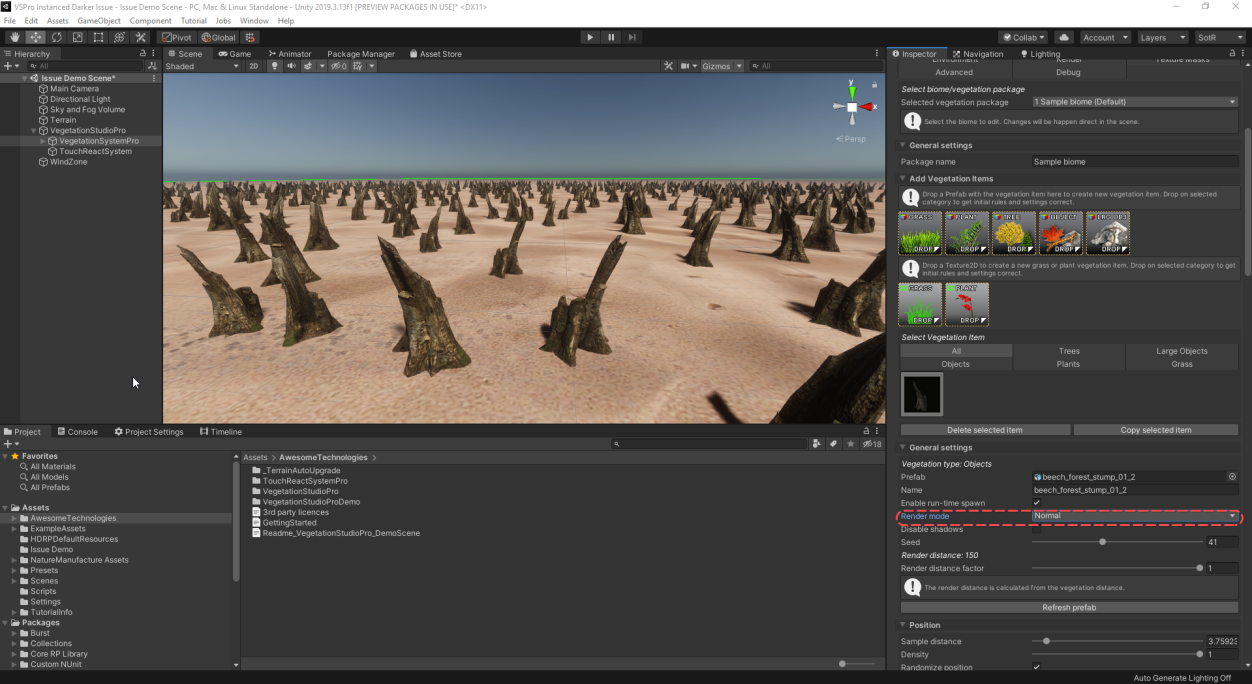
hi guys. I would like to draw your attention on an issue I discovered about instanced rendering and light layers in HDRP: https://forum.unity.com/threads/lightlayers-with-instanced-rendering.885772/
Please back me up on that post, I would like to draw unity team attention to that matter
Unity Forum
Hi,
I am writing this post to make some awareness of the issue that emerges when using LightLayers with instanced rendering. I think that there is...
 halcyon carbon
I'm not sure where to ask this so here goes. I have a good number of realtime lights in my scene, ~50 at a time or so, peak at 80. I like having realtime lights that move and flicker and give good specular results, but they don't need to be so high of a resolution or quality. Is there a way to reduce the quality, resolution, or attenuation density in such a way that reduces the overall work done to render these lights by the CPU. I'm CPU bound. Rendering deferred lights is the bottleneck at 23ms.
What work is the CPU actually doing anyhow? Culling is 'only' 6ms so I'm not sure what data the CPU is crunching in preparation for the GPU for just the deferred lights. Is there anything I can do to reduce the work on the CPU outside of the usual batching and atlassing?
Unity 2019.3
Deferred rendering
Builtin Renderer (not HDRP or URP)
Gamma color mode
Realtime light mode
No shadows
No GI
P.S. I can get old-school banded light by modifying attenuation in the shader but this happens after the CPU has done it's work it seems. Shader changes, afaik, don't seem to affect CPU work at all from the tests I've done (e.g. floats changed to halfs, commenting out unnecessary code or temporarily commenting out normalmaps, emission, etc.).
drifting vault
@halcyon carbon you can do that on HDRP only
 grim plank
hi just a heads up im very new to URP stuff
I'm trying to set up model outlines as a custom renderer feature and its not working. So far I've isolated the problem (I think) - AddRenderPasses is never being called on my custom features. This is supposed to happen automatically right? If so, I'm assuming something isnt hooked up right in the editor. If not, where should I be calling it?
(also the Create functions are being called, so I know the scripts are at least being read properly)
 viscid blaze
I dont know if this is the right channel, but textures are rendering broken
normal view
with depth map so you can see the holes
 tall citrus
With HDRP how can I achieve the same effect that we used to do with camera stacking? Got a particular layer than I want to render in front of another particular one
tall citrus
Not an option in HDRP
true zealot
I've only done this in URP, but it looks similar in HDRP
https://docs.unity3d.com/Packages/com.unity.render-pipelines.high-definition@8.1/manual/Custom-Pass.html#drawrenderers-custom-pass
This URP tutorial https://www.youtube.com/watch?v=5AmI2yOx0Nc might help, as it's what taught me how it works there (assuming it's similar in HDRP)
tall citrus
I've been giving stuff a look and can't find anything, HDRP is overkill for me anyhow (mostly just like volumetrics) so I'm trying to migrate to URP now... it is not going well
Got some serious shadow issues, does anyone know URP lighting well and could give me a hand?
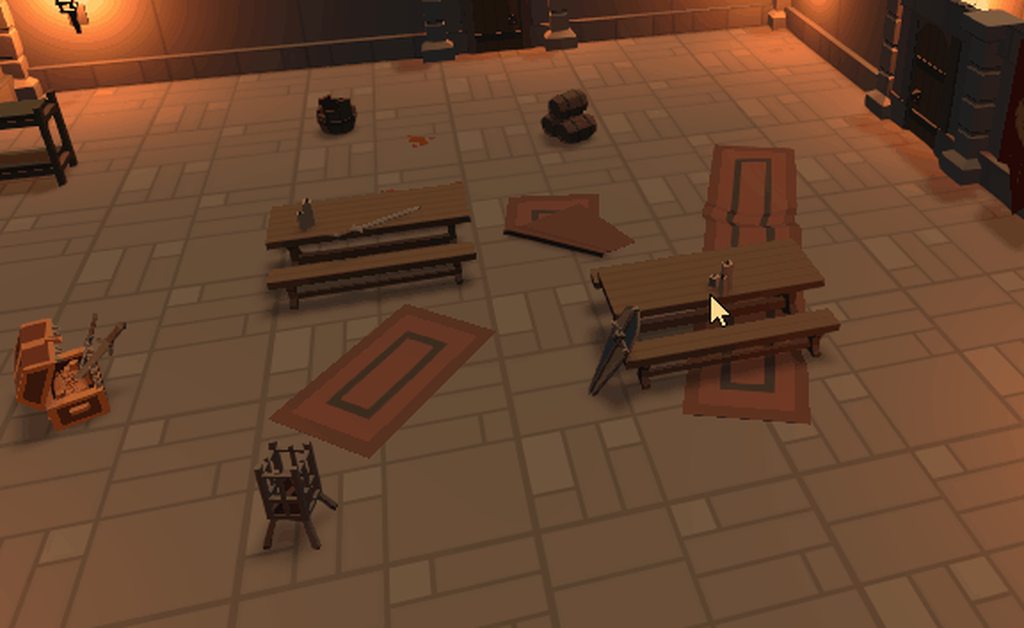

My shadows are disappearing at certain camera angles
At those camera angles if I zoom out I see this:
Reckon it's to do with shadow distance and the cascading, but I have tweaked about for a bit and can't find anything that works as expected
tall citrus
Got around that issue, but now I can't get Post Processing to work, have a volume set up (similar to how it was in HDRP which was working fine), checked it's on the same layer as the camera, camera has Post Processing enabled, is there anything else I should check?
 cursive tulip
@tall citrus volume is set to global?
tall citrus
Yeah, tried Local with a large collider as well just to check
Updated to 2019.3.13f, no luck there either
halcyon carbon
@drifting vault huh? Realtime lights were twice as slow in HDRP, 55ms for rendering deferred lights. Care to explain what you mean?
drifting vault
Ofc its expansive when you use 50+
You really dont want to bake light @halcyon carbon ?
halcyon carbon
Baking is broken. Still. Can't bake realtime straight, no bounce, exact, wysiwyg copy of realtime. Plus most lights are blinking and moving, makes the mood.
Unless someone knows a way to match it exactly. Plus baking takes 5hrs for my scene and always has artifacts. Realtime takes 23ms and has no artifacts. At the very least, bake should take 23ms plus writing time to save them all.
I'm not spending umpteen hrs lighting every level again, meticulously tweaking intensities all over again and waiting 5hrs to see it look way too bright is no fun.
drifting vault
maybe you got artifacts cuz of your objects do not have generated UV lightmaps?
halcyon carbon
They do. It's checked. I don't understand why the generated lightmaps for bake would be any different than whatever is generated for the realtime lights. Sorry if I sound a little frustrated, been searching for years and mutliple attempts to bake, I've pretty much given up on it.
If you know a way, I'm open to it.
Maybe theres documentation somewhere for the luxel density of realtime so I can match it baked. Heck I don't care if the lighting is lower resolution after bake...I just want the intensity to match.
drifting vault
Well try use max 4-8 real-time light in frame
halcyon carbon
That's for forward though, I'm using deferred.
Plus, the player can see a lot more blinking lights at once than just 8
drifting vault
Well im use in hdrp one sun and 8 real-time light = 8 ms
And 120 Fps
And each light cast shadows
Just hsrp and urp can do shadow cast in one pass
Build in do one pass per light
halcyon carbon
Last time I tried HDRP the performance was worse, but maybe I was missing something to disable.
drifting vault
Well better to read / watch tutorials from unity
Use unity 2019.3 with HDRP 7.3.1
sharp hatch
@halcyon carbon tbh the lighting working in all of the render pipelines is horrible in Unity
so not confused ur having a lot of problems
halcyon carbon
Yeah, I just want the bake to not double the light intensity. ZERO indirect. Can't find a way to disable it yet.
sharp hatch
i've given up on using any baked lighting tbh
halcyon carbon
Yep. That's why I'm curious how to improve the handling for realtime lights.
dawn sorrel
I've been sticking to built in for my pet projects, I didn't know the situation was this dire: https://forum.unity.com/threads/please-stop-with-the-package-release-breaking-fixes.869482/
Unity Forum
Currently, if you download a Unity 2019.3 version and choose a URP project, it may install:
URP 7.1.6
URP 7.1.8
URP 7.2.1
URP 7.3
This will depend on...
broken lichen
@dawn sorrel This is specifically about asset store publishers. You're not going to have this issue as a game developer unless you're adamant about always updating both your Unity version and the package version as soon as it comes out.
But of course, if your project relies on a lot of third party assets, you'll also run into problems of those assets not working on the specific version you happen to be using.
sharp hatch
@broken lichen Eh... this is unitys problem tbh, they are releasing breaking changes to core parts (rendering) at such a speed that developers can't keep up.
Developer can be asset devs, game devs, etc.
It's impossible to keep up, I tried but just gave up, trying to build a game on the whole new stack of dots/ecs/netode/hybrid-renderer/srp is like playing jenga with version numbers of different packages.
broken lichen
I'm not saying this isn't an issue. I'm just saying you as a game developer are not going to be as affected by this as an asset store publisher who needs to ensure their asset works on every new version.
dawn sorrel
I get the breaking changes between versions, but patch releases? man thats rough...
sharp hatch
it might not be the best, but at least it's stable
dawn sorrel
You should be able to get the patch release without issues, its a patch release..
broken lichen
I've said it before, I think URP and HDRP should still be labeled as preview packages because of how unstable they are.
 untold aurora
I've been looking at the feature comparison between default and URP, and I have some questions
why are flares not supported?
sharp hatch
@untold aurora if you want to ship a game within the next year there's not even a point at looking at URP/HDRP
They are not ready.
untold aurora
yea but there's a lot of stuff that are not "in research"
just flat out never going to be supported
sharp hatch
i'm not following
untold aurora
sharp hatch
Yes... ok?
Without the rest of the table
I have no idea what to answer u
Where are you looking
URP will not support all modern rendering features, that's kind of the point of it
that it's a universal renderer that works on most/all platforms, produces good visuals but not the best
and is fast/efficient, etc
HDRP is the other side = high end next-gen AAA insert-buzzword-thing RTX, etc..
untold aurora
Halo, lens flare, projector, detail map in particular
sharp hatch
those can all be implemented by hand
broken lichen
Flares is just a random feature that Unity happened to include a long time ago. URP isn't trying to match functionality with the built-in renderer and flares probably isn't high on the list of priority.
sharp hatch
lens flare is just a post fx
just write a post fx that does it
you can make a URP shader in SG that has detail maps
broken lichen
The flares in the built in renderer were probably just quads on screen
sharp hatch
yes 😄
dawn sorrel
is ao coming to urp btw? it was still in research last time I checked
untold aurora
I see
sharp hatch
tbh URP/HDRP isn't read for full production imho
CAN you make stuff with it? ofc you can
but are there gaping holes you need to plug? yes. are there bugs you cant fix yourself? yes.
etc.
dawn sorrel
if you go with that, enlighten was never ready for full production imho
sharp hatch
i don't know of anyone that used enlighten in a released game
either they baked in another program
maya, etc.
or just relied on real time lighting
dawn sorrel
hmm, I guess nothing has changed then 🤔
broken lichen
I'm glad URP is available. Even if it was labeled as preview, I would still make use of it. I think it should have just stayed in preview.
sharp hatch
i'm not saying that NOBODY use enlighten in a released game, i just >personally< know of none, and a lot of people that tried and failed and gave up
dawn sorrel
I hope ecs and dots won't be in the same state as xrp in the future... 😅
sharp hatch
the core dots tech
jobs + burst
seems solid
the jobs scheduler is kinda... meh, still, after 3 years.
but other than that... its solid
the "rest" of dots: ecs, ecs-netcode, new animation system, new physics engines, et.c
they are all "ugh.."
dawn sorrel
hopefully this is just growing pains of switching to the package system.
otherwise, its kinda rough... 😄
tall citrus
Does PPv3 work with URP in 2019.3.13f1?
Can't get it to work, had a nice set up with HDRP, migrated to URP as HD is overkill for my project but can't get any PP effects to work
broken lichen
@tall citrus PPv3? Isn't v2 the latest?
URP has its own post processing stack built-in
tall citrus
Sorry, getting my names mixed up then, whatever the new PP stack is, the one that uses the Volume component with Volume Profile containing the PP settings
sharp hatch
URP/HDRP have the PP stacks built in
they are not packages you install separately afaik
sharp hatch
https://forum.unity.com/threads/please-stop-with-the-package-release-breaking-fixes.869482/#post-5825176 this guy is spot on
Unity Forum
Currently, if you download a Unity 2019.3 version and choose a URP project, it may install:
URP 7.1.6
URP 7.1.8
URP 7.2.1
URP 7.3
This will depend on...
the linked post
tall citrus
In reference to what I was saying or to another conversation?
ripe fable
How is he spot on? Packages/dependencies aren't a problem, I can work on my node / laravel projects just fine.
Same should work for Unity, you just need to carefully define your version requirements per dependency and not push any breaking API changes to these versions.
sharp hatch
@ripe fable Oh great.. it works for you i guess the miles upon miles of forum posts of various incompatibilities, bugs, etc are just people who are wrong
ripe fable
That's not what I said
drifting vault
Hmm, when i use a HDRP/Lit shader my screen become black in DXR
Use HDRP/Unlit - screen become normal
turbid matrix
hmmmm
github master for URP actually has dependency to Burst now
HDRP doesn't have it
I'm guessing its for DOTS hybrid rendering
drifting vault
Brust builder?
turbid matrix
Burst compiler, as in, the magic compiler for DOTS that makes your c# code SIMD optimized native code
 solar ferry
just asked in general but its prob better suited for this channel.
what approach would you guys take if you wanted a similar VFX like this for a simple game that does not require too much of its hardware (and can run on mobile) or the fidelity of the visuals?
I want to visualise connections between nodes (transferring data back and forth, illustrated by the light particles).
Would you make some kind of particle emitter or solve it in some other (simpler) way? About to dive into VFX graph tutorials but contemplating if I might be aiming too high (with HDRP) as im working on a game with very basic graphics, and I dont need a really detailed effect with thousands of particles. 🤔
halcyon carbon
Maybe do just a srolling texture script for the material, coupled with bloom pp effect
Alternatively, you could make empties in blender that follow curves in an animation then parent sprites in Unity to the empties. More options that way but way more complicared to setup. @solar ferry
solar ferry
ok, sounds interesting. I am clueless about it but it gives me options to look into so thanks! :)
and this would be a more performance friendly option compared to Particle effect systems?
I am working with a fairly simple map for a strategy game, think like risk or plague inc, and want to display connections between nodes on the map with some lines, but I want these lines to be animated with a similar effect as gif above (although if crude and simple that is fine)
started looking into VFX and particle systems now, and saw that th VFX graph was popular. but that requires me to setup HDRP and I dont even know what that really means for me long term
halcyon carbon
You could do particles with trail renderers on them, but not sure it'd get the right look and the would have to move along a line.
Or use the line renderer component with a special material
The line renderer can use an array of points, you could space them evenly and alternate the color at each point to get it to have your marching ants effect
solar ferry
sounds like something worth investigating, thanks!
 upbeat trail
I updated to last version or URP and calling Camera.Render() is slowing things drastically
tall citrus
I too am have some frame rate weirdness, most times when I'm working on my project I'm getting ~500fps, but sometimes I'm getting about 70fps, when I tab out of Unity it goes back up to ~500fps but focussing Unity again drops back down to 70fps. This is sometimes fixed by restarting Unity
upbeat trail
taking ~30ms to do a simple Camera.Render()
tall citrus
Ouch, mines not quite that bad
Mine appears to be a CPU issue, when tabbed into Unity:
When tabbed out:
Have just disabled anything running a script in the Hierarchy and still getting this issue, odd thing is Task Manager is reporting my CPU usage as 30%
Scratch that, not really a Unity thing, appears to be an Nvidia/G-Sync thing, disabled G-Sync and setting my monitor to 144hz almost completely solves the issue
upbeat trail
Yeah I just realized it wasn't just Camera.Render() that got slower. Anything CPU side of Rendering got slower
 fervent gull
are point lights supposet to work on entities with the hybrid renderer v2 in URP? or is it just a feature they haven't added yet?
upbeat trail
30ms calling Camera.Render()
upbeat trail
Well, going from LWRP to URP proved to be a massive downgrade performance wise, I will try to go back to LWRP jeezz
cursive tulip
@upbeat trail are you calling camera.render just from update?
whats going on there
upbeat trail
Okay after some testing and several mental breakdowns I figured out that the issue is something to do with the RenderPipeline code. Calling Camera.Render() for some reason triggers some stuff of SkinnedMesh BoundingBox Volume calculation or something, and it REALLY DESTROYS my performance.
A work around this was to disable my SkinnedMeshes auto update transforms checkbox + disable culling or something
Now performance came back to normal
spiral ginkgo
since the urp point lights don't support shadows, their lighting shows up through walls ? even their reflection in metallic materials shows up through walls? Is there any typical way around this or do urp point lights just have minimal use cases ?
oh i guess maybe baked would fix that, although im surprised mixed wouldn't, i thought thats suppose to bake static shadows
 frigid nova
hey guys does anyone know when Unity will fix Screen Space Reflections ?
drifting vault
@frigid nova what happened?