#archived-hdrp
1 messages · Page 48 of 1
 steady pumice
 fierce patio
Does VFX Graph still work with built-in legacy renderer? It seems that some people still run it with Built-in. Anyone tried?
 turbid matrix
@steady pumice you use point lights? they don't cast dynamic shadows on URP atm
directional lights and spot lights do
also found out that URPs docs have "fill it yourself feature" here:
I reported it using that pages report link but I don't have good experience on these, it seems like these doc report links just directly drop into some void 😄
for example, I've reported https://docs.unity3d.com/ScriptReference/Transform-up.html countless times for being super misleading for new users but nothing gets done
that page has years told: Unlike Vector3.up, Transform.up moves the GameObject while also considering its rotation. people who don't quite understand math that well might not understand it's just a direction vector and that Transform.up nor Vector.up don't really move anything on their own, unlike the docs suggest
and yes, I've seen new users getting confused by that exact wording, it's not just some speculation
the fault on that doc page is that the description is actually describing what the code snippet below does but the wording is still essentially incorrect
 fast pumice
Hi guys, is there any way to script universal render pipeline's post processing?
turbid matrix
@fast pumice you mean like tweak the PP values at runtime or to implement custom post processing for it?
fast pumice
tweak values
i am stuck after getting volumeprofile
i try to get components, but they are too abstract, i dont understand how to get <T>
turbid matrix
that's for HDRP but change the using line for urp equivalent and it should work somewhat the same afaik
URP has similar volume setup now
fast pumice
using UnityEngine.Experimental.Rendering.Universal;
if u mean this one, parameters are not showing up
like the same DepthOfField
turbid matrix
it shouldn't be experimental
turbid matrix
np
 steep rock
So it's worth quickly mentioning that the support person got back to me, and apparently the reason for the depth buffer being cleared is that there's a mismatch between the main render settings and the render texture settings, so Unity creates a temporary buffer which loses depth. By setting the render texture format to R16G16B16A16_SFLOAT (ARGBHalf) or R32B32G32A32_SFLOAT (ARGBFloat) the depth buffer is retained, and everything works as expected. Why this isn't documented somewhere is beyond me but whatever, I have a workaround.
turbid matrix

GitHub
Have you added a graphic test for your PR (if needed)? When you add a new feature, or discover a bug that tests don't cover, please add a graphic test.
No, I need to figure out how to do t...
 glad tartan
Tried that branch about a week ago and the shader didnt show up in the editor. Hopefully it does now as I wanna test it agian
also did anyone noticed for a while during 2020.1 alpha and HDRP 8.x.x that the shaders dropdown only showed HDRP shaders and not the built-in shaders? I thought this was going to stay but everything went back after a little while now with 9.x.x we have the built-in shaders showing again.
 barren kindle
is there an up-to-date article on hdrp exposure and stuff?
turbid matrix
directx dev day stream live now: https://mixer.com/DirectX
barren kindle
the exposure levels in the image examples doesnt work. am i supposed to choose an exposure value myself? 🤔
 valid dock
is there currently a way to get lit particles in the VFX graph with URP??
or have Unity mentioned anything about a timeline for when that will be possible?
glad tartan
DirectX 12 Ultimate. Wonder if URP will have some improvements from DX12 as well. Or HDRP will mainly focus on DX12 and Vulkan
turbid matrix
I'l be now watching for DX12 ultimate branches on github 😄
gotta wonder why they didn't just name it DX12.1
I do like that they put VRS as DX12 extension now
 ripe fable
yup
turbid matrix
@valid dock it's coming, it's on their roadmap
valid dock
@turbid matrix where is the roadmap located online?
turbid matrix
@valid dock https://portal.productboard.com/8ufdwj59ehtmsvxenjumxo82/tabs/3-universal-render-pipeline-previously-lwrp
Product roadmap and feature requests. Welcome to our product portal.
you can find it on "planned": https://portal.productboard.com/8ufdwj59ehtmsvxenjumxo82/c/42-vfx-graph-lit-support
valid dock
ah thank you
turbid matrix
I wonder if this means most of unitys DXR code needs to be redone for this
it does seem there will be nice perf improvements on this
glad tartan
did they discus geometry culling yet?
I remember seeing that was a part of DX12 1.1 now
ripe fable
It's coming up now I think
glad tartan
yea, just heard that part in the talk
turbid matrix
@glad tartan current talk covers culling
 cloud abyss
Is this the place to ask about particles?
 long wagon
cloud abyss
long wagon
cloud abyss
Thank you
glad tartan
Seems all the optimization features are coming to DX12. Wonder what this and Hybrid Rendering V2 will do for performance with HDRP
steady pumice
@steady pumice you use point lights? they don't cast dynamic shadows on URP atm
@turbid matrix no im using spot lights 😦
can I remove URP and switch to HDRP? If so, how?
turbid matrix
there's no conversion scripts for converting your project materials from URP to HDRP so you have to do that manually
otherwise you can just swap the package and redo the setup
HDRP has nice HDRP Wizard that presets things for you
@steady pumice that being said, are you 100% sure you use spot lights?
they should have shadow casting option
point lights definitely doesn't
steady pumice
yes, they are directional or spot lights
mhm wait I actually see shadows on some elements but not others. in this example, the cube does not cast any shadow, and the props (in the editor) do
confirmed, I just see the shadows in the editor but not in the game, even for the same object. Any ideas?
(the camera has renderer shadows active)
glad tartan
try a new scene and see
if things work there then maybe it's something with that scene
glad tartan
also check the cascade count
steady pumice
ok i will!
 ionic remnant
Hey so in URP when I create a custom forward renderer I can't seem to push my render feature/render objects to after post processing, it works in editor but once I hit play it doesn't display at all, anyone seen this?
turbid matrix
@steady pumice only one directional light will cast shadows
so if you have multiple, that can be the reason for it failing
HDRP has same limitation for directional light btw
@glad tartan @ripe fable https://devblogs.microsoft.com/directx/announcing-directx-12-ultimate/
 modest rune
hey would anyone have advice on the pros n cons of upgrading from lwrp vs hdrp (version 2019.2.2)? would be aimed for the average pc build. Sorry if this has been asked, I looked through a search and couldn't quite find anything on it.
thanks for any help!
turbid matrix
LWRP/URP will scale down to weaker hardware but has less advanced rendering features
HDRP is pretty nicely featured out of the box
modest rune
would weaker hardware overlap with average pcs? or would it be for really older/weak computer's that would be considered in that weak zone
turbid matrix
depends what one considers avg pc
if you want to support some of the most common PC gpus (integrated intel gpus), then URP would definitely be a win there
oh wait, intel share has dropped quite much now
there used to be ton of Intel HD4000 users in past on steams hw survey 😄
now intels are 10% of all users
ionic remnant
I'd say you might as well start in URP porting a URP project to HDRP after the fact is easier than trying to go the other way
turbid matrix
I'd really think more of what you need graphically for your project
like, is URP really missing anything you'd really want to use and HDRP has that?
modest rune
ahh that's a good point on steam hw survey, I should take a look at that in the future when thinking about this sort of thing
currently this project is in lwrp, upgraded from built in in vers 2019.2.2
I guess the main things I was interested in was the VFX graph for certain effects and SSR since it's a semi futuristic/modern setting
steady pumice
@steady pumice only one directional light will cast shadows
@turbid matrix uh thanks I did not know. That's quite a big limitation
turbid matrix
well, you don't usually have more than one sun 🙂
it's a perf optimization essentially
but it's same limit on both URP and HDRP
modest rune
I guess another thing I was wondering was VFX vs particle effects, from things I looked into the main plus particle effects seemed to have was that it is much easier to have the particles interact with the environment
turbid matrix
you can have more directional lights, but only one will cast shadows
@modest rune yeah, there's no SSR or lit visual effect graph particle support on URP atm
could be worth checking HDRP's SSR before fully committing to it though
I personally like it but I know people who don't like the implementation at all
modest rune
they don't think it looks nice? or more performance based dislike?
thanks btw for all the advice, appreciate it @ionic remnant @turbid matrix
turbid matrix
there can be nasty artifacts based on the usage
you can hide them with more rays but it makes it super heavy
but it totally depends on where you need it
modest rune
ahh gotcha
glad tartan
On flat surfaces it's fine but things like cylinders or spheres dont work so well
turbid matrix
so better test it using the assets and scene you actually need to use with it
none of the SSR implementations are great though, it's always a compromize
you can't do miracles with that limited data
modest rune
kk, that all helps me a lot for figuring out how I wanna go about deciding between the two
I'll test some stuff out n go from there, thanks for the advice again
turbid matrix
talking of SSR, would be tempting to try to port that frostbites stochastic SSR to HDRP now that there's custom PP pass option
glad tartan
That would be cool
I need to learn graphics programming as theres a lot of things I'd wanna try with URP and HDRP in time
turbid matrix
there's few versions of it for the built-in renderer here: https://forum.unity.com/threads/free-stochastic-screen-space-reflection.439835/ (but you probably know about these already)
I think at some point I also saw some custom SRP that implemented this
 sonic wasp
Hi! I'm using Unity's Universal Render Pipeline, and I came across an issue trying to change the shadow intensity of the shadow midtones highlights override of a Global Volume Profile. Whenever I manually slide the bar left and right, I see a visual effect to the change of intensity. However, whenever I try to edit these values through a script, I see no visual difference. I have a debugging print statement that tells always correctly tells the shadow intensity value, but the discrepancy of whether there is a visual effect or not is quite annoying. Is there a solution to this? Thank you!
 keen glen
Are you setting the value right and reassign it?
sonic wasp
@keen glen The debugging print statement responds to the manual changes in the inspector (this is the method that creates the intended visual effect), as well as any changes in the script. The problem is that the visual effect doesn't respond to scriptable changes, only manual changes in the inspector
keen glen
Lets see your code for that
sonic wasp
public VolumeProfile profile;
private ShadowsMidtonesHighlights shadowmidhigh;
private void Start()

    {
        profile.TryGet<ShadowsMidtonesHighlights>(out shadowmidhigh);
        shadowmidhigh.active = true;
    }
private void FixedUpdate()
    {
        if (Input.GetKeyDown(KeyCode.F5)) shadowmidhigh.shadows = new Vector4Parameter(new Vector4(1.0f, 1.0f, 1.0f, 0f), true);
        if (Input.GetKeyDown(KeyCode.F6)) shadowmidhigh.shadows = new Vector4Parameter(new Vector4(1.0f, 1.0f, 1.0f, 1.0f), true);
        if (profile.TryGet(out shadowmidhigh))
        {
            print(shadowmidhigh.shadows);
        }
    }
Also
using System.Collections;
using System.Collections.Generic;
using UnityEngine;
using UnityEngine.UI;
using UnityEngine.Rendering;
using UnityEngine.Rendering.Universal;
@keen glen
 true zealot
you shouldn't put that in FixedUpdate
for a start you won't be able to properly detect input there
which who knows, could be your issue
sonic wasp
oops
its actually in Update
not FixedUpdate()
I was just trying to isolate the code that deals with my problem, little typo
 drifting vault
also
URP terrain shader miss render opaque?
that cause render terrain first and then other objects
and its killing performance!!!
cuz if use custom terrain shader that has render queue and if set it to geometry+100 = 2100 then performance become better
sonic wasp
can anyone help me out? my code looks correct and i have no idea why it's not working
sonic wasp
I've narrowed my problem down. My code is stating that the shadows are being rendered, and are correctly giving real-time updates as to what value the shadow intensity is at any given moment. The problem is that the VolumeProfile isn't rendering in-game. I do have the correct VolumeProfile set in the inspector, which makes this a more complex problem.
 void musk
Hi every one i have some issue my game normaly runs smooth enough but when i switch to URP i gets a little laggy im developing for mobile normaly URP is made for mobile dont know if tehre is some kind of settings or smth
 solar nest

Before Unity update i have not any problems with decals
but right now, as you can see, decals are flashing
anyone knows why?
turbid matrix
Unity staff about the new virtual texturing: On UDIM, it is not supported currently. It's on our list but with a lower priority. That might change but looking at the current roadmap it is unlikely that it will be natively supported in 2020. Same for raytracing.
it's kinda bummer that DXR isn't getting much love from other new features
fast pumice
Hello, anyone tried using post processing with urp? When there is no post processing volume set, in the build the scene is much brighter and duller
The build is oculus quest
the post processing effect still works fine and is not making my game lag
just that when there shouldnt be pp profile active, in the oculus quest build it looks like there is
steady pumice
is there a way to remove URP and go back to the default pipeline?
turbid matrix
uninstall URP, remove the URP asset from graphics settings, convert each material to use old standard shader
plus undo all other changes related to urp
version control would help :p
 solemn robin
Hey, i just changed from HDRP back to default shader bc hdrp is just to advanced and i have no idea of shaders. When i first used it, it gave an "update all materials to hdrp" option, is there a reverse action available?
for future reference: its immesnly useful to have your materials organised in a good folder structure. i went over all of them changing their shader to standard.
 orchid peak
Guys, im trying to stack cameras in Unity 2019.3.6f1, but only BASE options is avaliable in the Render Mode... Someone know why?
turbid matrix
@orchid peak which renderer and version?
orchid peak
Universal RP
i update now to the v7.3.1
but now i got a lot of error in console
Library\PackageCache\com.unity.render-pipelines.universal@7.3.1\Editor\ShaderGraph\SubShaders\UniversalPBRSubShader.cs(421,31): error CS1061: 'PBRMasterNode' does not contain a definition for 'normalDropOffSpace' and no accessible extension method 'normalDropOffSpace' accepting a first argument of type 'PBRMasterNode' could be found (are you missing a using directive or an assembly reference?)
turbid matrix
have you manually installed older shader graph on package manager?
orchid peak
yes.... so i manually uninstalled then
turbid matrix
can you show a screenshot from package managers installed packages?
glad tartan
@orchid peak All these packages needs to be the same version for things to work.
- SRP (HDRP or URP)
- SRP Core
- Shader Graph
- VFX Graph - if you decide to install it for URP
When you are installing a SRP you only need to install the actual Render Pipeline you want (HDRP, or URP) and it will install the other packages and their correct version that it use as well.
turbid matrix
@orchid peak yeah, exactly what I asked earlier
you have too old SG installed manually
basically you should never even install SG yourself unless you are using it from github etc
URP itself can install the right version UNLESS you've forced install for other version for it
like seen here (you have SG 7.1.8 mixed with URP 7.3.1)
orchid peak
its works!!! ty very much!!
 whole fossil
guys, is there any changelog for 7.3.0 & 7.3.1? I cannot find it anywhere
turbid matrix
for hdrp? sg? urp?
that's for hdrp
the online docs usually take a while to get updated
but you can find most releases on github
whole fossil
Great, thanks. I couldn't find it - there are couple of branches related to 7.3.1
turbid matrix
basically you'd want to look at github tags or releases
I usually just browse the tags as it's faster
 foggy hill
Hi, I just created URP project and there is fog everywhere
how do i get rid of that fog
 vestal basin
So I don't know if this is a good place to post this. But I'm using the Universal Render Pipeline, and on Win/Mac/Linux everything is hunky dory.
But on Android, I'm getting this crazy looking bug, where various visual effects are streaking straight up from their source location.
If anyone has any idea why it would do this, I'm stumped. 😦
 analog wedge
is there a way to limit the fps of a camera? I have ml-agents using cameras that i only need redrawing things on certain frames
steep rock
@analog wedge You'd have to manually render the cameras at whatever intervals you want.
https://docs.unity3d.com/ScriptReference/Camera.Render.html
 analog wedge
wonderful, thanks!
 sturdy compass
anyone using URP with virtual reality? Our project currently targets PCVR, but we'd like to keep Quest in mind in the future. Based on this thread and the roadmap, it seems like a ton is lacking, but wondering if anyone is actively using it for a project that has any insight
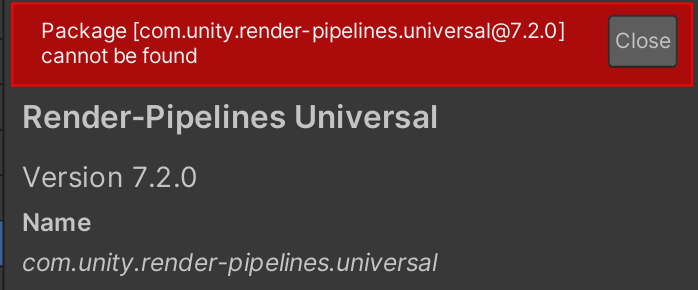
Unity Forum
Current releases
7.2.1 for Unity 2019.3.0f3 and newer
Features:
Camera Stacking
PPv2
XR Multipass rendering
Full changelog:...
the roadmap seems a bit worrying like...custom interpolators is in the planned section?? Like defining any custom data to be passed between vert and frag can't be done in SG? https://portal.productboard.com/8ufdwj59ehtmsvxenjumxo82/tabs/7-shader-graph
Product roadmap and feature requests. Welcome to our product portal.
drifting vault
@sturdy compass i atm porting a VR game called Onward to Quest and its works on PC too
all working good, but blame URP terrain shader is killing performance on quest a lot 😦
but if you will avoid terrain with urp terrain lit shader- then performance will be amazing
 candid basin
@drifting vault have you made shaders with shader graph for that projecT?
Do they work by default with VR?
drifting vault
yes, shaders made in shader graph for urp works fine in VR
candid basin
Ah neat, thank you
drifting vault
also, is that water for HDRP? @candid basin
drifting vault
send link to me pls @candid basin
turbid matrix
GitHub
Have you added a graphic test for your PR (if needed)? When you add a new feature, or discover a bug that tests don't cover, please add a graphic test.
No, I need to figure out how to do t...
I wonder if they'll include white caps in that or if that's left for users
candid basin
How does the projector component work?
Does it do like a raycast to find out the projection surface, then spawns a quad there with a certain material?
glad tartan
I still haven't been able to use the water shader. For some reason it's not showing up in the shader selection
looking forward to messing with it though
 humble furnace
perhaps it's hidden to be used by any other shader in some pass
sturdy compass
@drifting vault thanks for the replay!
 bronze idol
(URP) I'm a little confused where Unity renders its post-processing to in the pipeline. I have made a simple scriptable render feature (render pass event: AfterRenderingPostProcessing) that takes _CameraColorTexture and blits it back. For some reason postprocessing is ignored. Is postprocessing not stored on the camera color texture?
 desert gale
Quick question, should new projects use SRP?
turbid matrix
use whatever works best for your project IMO
Unity would probably prefer if new projects did use URP
or HDRP if going for high end visuals
but there are valid reasons to use any of these alternatives, totally depending what you need from it
@desert gale
desert gale
Ok, thanks
bronze idol
Only if SRP had more documentation 🙂 Sometimes I almost regret having it.
 weak anvil
whats the easiest program to render on
 deep aspen
I currently have a VR project using the LWRP, Unity version 2019.1. Im getting an error in one scene that is causing multiple allocations which is slowing my editor. I tried updating my project to Unity version 2019.3 however the project crashes on any almost every scene. Is there any way I can fix this problem while keeping LWRP. This is the error in question
keen glen
What script part is shown if you double click it. You might think about updating to urp too
deep aspen
shows the Ambient occlusion. I tried updating to URP by updating my version to 2019.3 since 2019.1 doesnt have URP, but it basically causes the editor to crash every time a new scene is loaded
https://hatebin.com/jrnrgftcpw heres the code that shows up at line 182
keen glen
Just remove all lwrp stuff through package manager and so on and download urp again. There is an upgrade tutorial on unity from lwrp to urp. I messed with that too and it kept killing my editor for a while
deep aspen
alright ill see what i can do
keen glen
There is nothing more important than have a clean setup especially in unitys fragile package mess 😄
 indigo summit
wait, HDRP on 2020 doesn't support dx11 now?
drifting vault
@indigo summit should be. i think its related to DXR?
indigo summit
even if i don't use dxr?
 warm coral
Is it possible to do a layered rendering with URP? like have 2 camera, one that renders the X objects with Y processing effects, and another camera that only render the background?
keen glen
2020 is like still alpha, I would not use it
@warm coral thats the layers you can select on a camera, that it should render or not
warm coral
I did it, but the it doesn't combine both camera
I saw there is a new feature Camera Stacking in URP but there is problems with it it seems or I setup something wrong
There should be Render Mode with options other than "Base", but there is only "Base"
Okay.. as I read, I see it is only from version 7.2.. and I use 7.18
it seems to be really trivial thing to implement and should have been there in my opnion...
keen glen
Clear Flags should be there somewhere
keen glen
Yeah, just reading it, seems like you have to go with the camera stacking when you want to stick to URP
warm coral
Yeah, I needed to upgrade to 7.2, trying it now
hope it will not break anything, its not verified yet.
 heavy ice
@ripe fable As you specifically asked for it: https://github.com/Unity-Technologies/ScriptableRenderPipeline/pull/6324
GitHub
Non volumetric fog will now appear properly in front of recursive rendered objects and in ray traced reflections (all modes supported). A test was added to validate the behavior and ray tracing tes...
 marsh egret
 turbid matrix
Too bad my requests arent as easy :D
(msaa and vertex offset shaders with dxr)
But I totally get the stance on msaa when raytracing benefits so much from TAA in the first place
@indigo summit dx11 + dx12 both work for me on 2020.1
DX12 is just suuuper slow
indigo summit
@turbid matrix beta2?
turbid matrix
Yeah
On both 8.0.1 and github master, I've used both
Need that classic library wipe?
Also always run hdrp wizard again after editor and hdrp update
indigo summit
I'm getting this though, even on dx12
lemme try library wipe
forgot about that one
turbid matrix
Huh 😅
indigo summit
that's why i confused
turbid matrix
Never seen that message on hdrp
Are you using platforms.windows package?
(You shouldnt)
That package is meant for project tiny
indigo summit
nope not using that package
 late schooner
is forward MSAA being broken in HDRP 7.1.8 a known thing or is this someone Doing the Bad Thing with tonemapping after resolve
indigo summit
@turbid matrix yeah still getting that error after library wipe
idk
maybe someone from unity can chime in?
glad tartan
I think the "DX11 isn't supported bug" happens with upgrading older projects. I only got this error yesterday opening an older project version but the other projects I regularly use are fine with 2020.1 b2 with HDRP 8.0.1 and 9.0.0 from GitHub.
I downgraded my project 2019.3 but haven't tried to upgrade it again. Maybe it would be solved by doing this since library wipe dosent work.
--
Also 2 days to the Unity 2020 Roadmap talk and Q&A through the forums
indigo summit
is that known bug? and there's not solution on that?
turbid matrix
ah, at least it is not completely isolated case then
@indigo summit can you show a screenshot from install packages on package manager
maybe there's something extra that breaks it there
also you've run HDRP wizard on 2020.1 and it shows green for all parts?
turbid matrix
@indigo summit I can immediately tell that I don't have cinemachine on any of my projects, nor TMP or searcher
from those I'd check disabling the cinemachine first, if it's causing trouble
TMP doesn't even work on HDRP
indigo summit
i see
let me try that
nope, still getting that error
weird thing is HDRP are using searcher :/
indigo summit
ah, i found the issue
in my project i got a naughty attributes package plugins
removing that HDRP just compiled
weird
turbid matrix
ah so some 3rd party thing?
indigo summit
yeah
 frigid cypress
searcher is a new dependency, but not from HD. HD uses Shader Graph, and Shader Graph uses Seacher. nice little chain c:
glad tartan
Is the DXR implementation in SRP directly tied to RTX?
Meaning you have to use a supported 10 series card or an RTX card to run it or you could just use the core on any GPU and just the HDRP implementation uses the 10 series and RTX cards?
turbid matrix
@glad tartan I don't even understand the question
😄
I dunno about the denoisers as I've seen some nvidia stuff there in past but would expect these to be DXR compliant
of course this changes nothing until we get more gpu's that support DXR
glad tartan
In the forums the devs replied to a few users who wanted raytracing in URP saying that the Raytracing code could be used in any SRP. Don't know if you saw it but I think it was in the DXR thread. So I wanted to know if the base code is tied to the raytracing supported GPUs, GTX 1060 6GB and up or if the code isn't reliant on those GPUs to run.
Since the HDRP implementation will only work on those GPUs
turbid matrix
you absolutely need DXR support for the gpu drivers for the acceleration to work
so basically 1060 6GB or better on nvidia atm
basically the thing they said on the forums means that you can use DXR acceleration structures without HDRP
but there also isn't out of the box support for DXR on anything but HDRP
glad tartan
yea, I just wanted to know if it can run without the use of those cards, even without the acceleration structure. Just if it will work in general or the implementation is tied to those GPUs
turbid matrix
you can't
there used to be fallback layer for DX12 for testing DXR on nonDXR gpus
but it was deprecated pretty much when first RTX gpu's arrived
and it needs developer support, you have to implement a separate api for it
so that's why we don't see it anywhere
so basically... no the implementation shouldn't be tied to specific GPU models but you do need DXR support from the gpu driver
future AMD RDNA2 gpu's are supposed to support DXR 1.1 and DXR 1.0 so I'd assume Unity's current DXR would work on those
and if it doesn't, Unity will surely fix the issues to make sure it's compatible
glad tartan
ah alright. I say tied because they are the only ones that currently supports it
So I guess the raytracing features Crytek made/are working on is a with custom API and Sonic Either with Raytraced Minecraft
turbid matrix
yeah, crytek has custom tech afaik
kinda sucks for them because once it's actually out, amd has DXR gpu's already
glad tartan
Yea, but they will be able to support a wider range of GPUs until theres mass adoption of the new ones
Maybe the work is worth the amount of time they will be using it for I guess
turbid matrix
if they can make it performant enough...
even first gen RTX gpu's struggle
and they have dedicated hw to do it
glad tartan
yea
Since the new consoles support raytracing we should be seeing a lot more games with it and a lot more optimizations for it especially since the new Xbox and PC will share the same API.
Wonder how fast PC adoption with be with these new GPUs though
cloud abyss
I'm having some trouble with LWRP, I moved my game objects to a different scene so I could use my primary one as a main menu, and a bunch of graphical effects seem to be broken. At first it was the bloom effect which I fixed by fiddling with a shader that had previously worked, and now some objects are becoming translucent even when they shouldn't be. All my post processing volumes are identical to the main scene, and they have the same settings but I have no idea why this is broken.
This should not be translucent, it should look like this, which it does in the asset preview but not in the inspector
It looks correct when I place it into the main scene, but it looks like the darker image when placed into the other scene.
 grave socket
how would i preserve this water reflection effect when switching from the universal rp to its 2d rp?
essentially it doesn't seem to read the render texture
grave socket
nvm
warm coral

Stack Overflow
I am using Unity 2019.3.5f1 and I am using the Universal Render Pipeline (URP).
I am trying to use the post processing in URP for the foreground only (in my case, the players), and I want the leav...
Can anyone help me with this?
indigo summit
Wait, where is the lightprobe setting for SkinnedMeshRenderer in HDRP? i want to use LPPV
ah, need to use debug mode :/
 fathom slate
Hey
Can I use different resolution for reflection probs ?
Why in hDRP settings only one field, and its same for real-time and baked. Id like to use hd res for baked, and low for real time
 scarlet hull
@fathom slate No you can not. We store the reflection probes in a texture array, and that allows only for a single size for all the reflection probes cubemaps
@indigo summit This is a bug introduced in 7.2.x . The reflection probe setting is useless in HDRP as the probes are applied and interpolated per pixel, and not per object like in the build-in renderer.
The dev kind of overlooked this and did totally hide the whole probes section of the renderer component.
This has been fixed in 7.3.1 🙂
You can blame me for not catching that.
fathom slate
thanks answering 🙂
indigo summit
@indigo summit This is a bug introduced in 7.2.x . The reflection probe setting is useless in HDRP as the probes are applied and interpolated per pixel, and not per object like in the build-in renderer.
The dev kind of overlooked this and did totally hide the whole probes section of the renderer component.
This has been fixed in 7.3.1 🙂
@scarlet hull ah no worries, at least it's been fixed, how about light baked angle settings? it seems missing in hdrp
scarlet hull
😕 I don't see what you're talking about
turbid matrix
GitHub
This PR has an almost rewrite of TAA.
TL;DR: Improved the blurriness and the ghosting of old TAA.
Main changes (there are more smaller ones, but keeping the list short)
Three tier of quality. Note...
ripe fable
Ahh those video examples look perfect.
fathom slate
This is the best TAA, really appriciate Franceso, he did it so good. Already implemented and test it, and additionaly with some customize,
with @turbid matrix help, rewrite stencil, to use it to reduce more history ghosting from character.
 dreamy fox
Thank you!
Keep in mind that while it should be a significant upgrade over the previous one, it is still TAA after all so it is not perfect 🙂 It still has some downfalls, hopefully less and hopefully more easy to balance out with the new options
indigo summit
😕 I don't see what you're talking about
@scarlet hull the baked shadow angle and baked shadow radius. those also missing
turbid matrix
https://docs.unity3d.com/Manual/class-Light.html
Baked Shadow Angle If Mode is set to Baked or Mixed, Type is set to Directional, and Shadow Type is set to Soft Shadows, this property adds some artificial softening to the edges of shadows and gives them a more natural look.
scarlet hull
Oh, okay
This is replaced in HDRP by more meaningfull parameters:
Angular Diameter ,for directional
Radius for spot and point
As those are the real physical settings that affects the penumbra size of the shadow, this is used in HDRP for the lightmapper to affect the baked shadow
It does also controll the PCSS filtering
Sorry, I'm so used to HDRP and barely work with the built-in renderer that I forgot those settings 😅
late schooner
if there are any Unity folks still around-- is forward MSAA being totally broken a known issue for HDRP?
using Vulkan, hitting the toggle will screw up all postprocessing (and geometry does not appear to be filtered). Disabling makes colors/post appear normal, but is also not filtered
turbid matrix
@late schooner only thing I know to not work with MSAA is SSR and DXR
haven't tested vulkan myself in long time
last time I tried vulkan on HDRP it was broken in all directions 😄
late schooner
also on 2019.3, HDRP 7.1.9 (I think)
 tough walrus
would love to talk to someone to help me identify how i can optimize how i am building my game. 🙂 PM me going to bed though. available all day tomorrow.
turbid matrix
that's not a RP topic
as another note, I guess people still don't grasp that packages get their own docs?
that's from the Unity Roadmap 2020 stream's chat
actaul roadmap session starts in 5 hours but the chat is live

The first installment of our 2020 roadmap is coming soon! Join us this Wednesday at 9 am PDT for our Unity 2020: Core Engine & Creator Tools roadmap session.
We know you'll have a lot of questions about the roadmap, so we're hosting a Q&A on the Unity forum. Product experts f...
 dawn sorrel
In unity 2019.3.6f1 right now I am using a project which I think I created as a default 3D project back then.
Can I just install shadergraph and make shaders with it or do I have to somehow switch to one of those rendering things (urp) ?
 elder merlin
shadergraph only works with the scriptable render pipelines
Amplify shader editor works with the standard pipeline, though it's not free
dawn sorrel
What's the default one then?
So I would have to switch convert all materials and shaders to urp/lwrp? 
elder merlin
If you want to use the shadergraph, yes
dawn sorrel
So I install LWRP, Scriptable Build Pipeline, Shadergraph and Post Processing packages?
Any more?
elder merlin
I don't think so, it's a while since I've done it though
dawn sorrel
o i know i'll just start a new proj with universal template
thx
huh weird it only has Universal RP installed
or not?
"In Project"
But if I go to All it shows Shadergraph is installed as well. Weird.
Wait what's the difference between URP and LWRP now? 
elder merlin
LWRP changed its name to URP. They are the same
dawn sorrel
But there is LWRP and URP package -_-'
elder merlin
LWRP is legacy I suppose
dawn sorrel
ok I'll instlal URP
turbid matrix
LWRP = URP now
if you install LWRP on 2019.3, it'll just install URP under the hood, LWRP package is just empty shell with URP dependency
dawn sorrel
oh lol weird
and it seems if you install any it automatically installs shadergraph and postprocessing too
scarlet hull
And SRP core also. They are needed as dependency.
The "empty shell" lwrp trick was used for automatic upgrade when coming from unity 2018
 patent sun
This on the left is baked, on the right realtime. Anyone knows why this on the right is a bit lighter?
elder merlin
Probably because the one on the left is influenced by GI
glad tartan
Yea
patent sun
how can i make them look the same?
glad tartan
Without GI things will always be lighter unless they are using Light probes to receive GI as well
You can add a Light Probe Proxy Volume to something this large or make sure enough probes are setup around it
elder merlin
Yeah you can try to make them more similar with light probes, but you have two options for lighting for a reason. They work in different ways and give different results
turbid matrix
this goes live in 1 minute: https://www.youtube.com/watch?v=dDjsS4NPqFU
The first installment of our 2020 roadmap is coming soon! Join us this Wednesday at 9 am PDT for our Unity 2020: Core Engine & Creator Tools roadmap session.
We know you'll have a lot of questions about the roadmap, so we're hosting a Q&A on the Unity forum. Product experts f...
glad tartan
Wasn't much new (since most of us already mess with things in preview) in the talk but it was nice to get an overall view on where everything is at.
Will be nice when URP becomes the default Renderer, a lot of things in the editor should be cleaned up after that. More focused on the new Render Pipelines
turbid matrix
I'm mainly now alarmed by this: Number of publicly available Preview packages are reduced. We are transitioning to a new definition of Preview. Experimental items will be kept to focus groups.
I tried to ask about it on the forum QA but my message has been waiting for moderation for 1+ hours now
it really sucks that they are moving backwards on that part
I do understand what lead to this but there are other solutions
they are now just taking the "easy" approach IMO
if it were up to me, all Unity packages development would be open in github
but they are moving in opposite direction now, reducing public previews and only giving early versions to select few 😦
I do hope SRP github isn't getting closed from regular users
if that happens, it's going to make Unity a whole less appealing to me as I love cherry picking stuff and have access to things that are still in concept level
ripe fable
Me too.
turbid matrix
I'm frankly quite upset by this atm
I've always wanted more source access and getting that for rendering has been great so far, wish DOTS did the same etc
ripe fable
I understand why they're doing this, I think it's a great decision, as long as it doesn't completely 'vanish' for us as we are constantly checking progress, testing new implementations etc.
turbid matrix
why do you think it's great?
I mean the obvious reason why they do this is because people get annoyed by seeing so much unfinished stuff and they expect it to work like in production
but they could just make people apply for beta program that would make people sign something that they understand it's early and reduce the noise that way
ripe fable
A lot of "noobs" are constantly confused about alpha's, beta's, preview and experimental stuff, they don't know what it means (it's their own fault to be honest), they don't know why API's keep changing, why compatibility keeps breaking, they don't understand it's not meant as LTS releases and it's making Unity look bad (again, their own fault for diving into the experimental zone)
turbid matrix
well, that's partly on Unity too
in past they've promoted their early stuff without putting enough disclaimers
anyway, my post got cleared from moderation: https://forum.unity.com/threads/2020-roadmap-q-a-core-engine-creator-tools.852253/#post-5628652
will be looking for their response

 turbid matrix
nah
but I definitely see people nagging about the preview techs a lot
wonder if you can still fill it 😄
wonder if this is the same person than earlier
glad tartan
Yea, that's a bit concerning. Not sure what they are really planning but I hope we still have access to the preview stuff. Would be best to make a sign up process and people who do can see alpha and beta builds in the Launcher as well as the preview packages in the editor and all that.
turbid matrix
yeah, I don't really mind for signing up for things but I also know their focus groups are currently for few and selected, which worries me
and even if I would get selected on such group (no idea if I fit their criteria), it would still mean many wouldn't
like, I've been on many tools closed betas with NDA's, that's totally fine IMO
glad tartan
yea, it's not sounding too good for those of us who understand things and just want to test
I'd be fine with that as well
turbid matrix
yeah, mainly worried about the access and how many can get it anymore
glad tartan
guess now we wait for a reply to your question
turbid matrix
yeah, at least they promised to answer each question 😄
(that covers the roadmap topics that is)
ah, I did get response
ripe fable
Yup, sounds good imho.
turbid matrix
I guess
at least they are not taking away existing stuff
I'd still like more open approach myself
I've been wanting git access for DOTS since it's been a thing but that clearly is not happening
(unless you get to their DOTS focus group)
glad tartan
So this sounds like released versions of Unity wont have much if any preview packages? Alpha and Beta versions will be able to use them?
turbid matrix
I dunno, how I took that is that they'll just wait longer till they release new preview packages
like, make sure the package dev is at further stage
glad tartan
Ye abut isn't it then just, "kinda stable" and people will still do what they are doing now? Une it and then complain after something breaks in the next update or API changes, etc?
Might as well only allow them to work in alpha a beta and released versions of Unity only use released/stable packages
 delicate lava
I am having trouble with LWRP when I add an assembly definition to my project. It gives me this error after adding the assembly definition: error CS0234: The type or namespace name 'LWRP' does not exist in the namespace 'UnityEngine.Experimental.Rendering' (are you missing an assembly reference?) Does anyone know what reference I need to add to my assembly definition to fix this?
glad tartan
What version of Unity and LWRP/URP are you using? Unity 2019.3 forward only uses URP which is LWRP but renamed. Unity 2018.1 - 2019.2 uses LWRP
URP dosent use 'UnityEngine.Experimental.Rendering' because LWRP came out of preview in 2018.3 so this name space was dropped for the production version.
So if you are adding an assembly definition that uses that then it wont work and if you are creating an assembly definition to use that namespace it won't work as well, unless you are using those older versions of Unity with their LWRP version.
delicate lava
I added the LWRP package before I upgraded today, but had the same issue. I was hoping upgrading would fix it. m_EditorVersion: 2019.2.10f1 m_EditorVersionWithRevision: 2019.2.10f1 (923acd2d43aa) m_EditorVersion: 2019.3.3f1 m_EditorVersionWithRevision: 2019.3.3f1 (7ceaae5f7503)
I went from .2 to .3
The actual reference in the script is :UnityEngine.Experimental.Rendering.Universal.Light2D
true zealot
if you're uising 2019.3 then that's URP and not LWRP
You must be referring to LWRP somewhere, as it's referenced in the error you're talking about
delicate lava
I may have gotten it to go away now... but I am getting other errors with my custom editor. I added Packages/com.unity.render-pipelines.universal/Runtime/Unity.RenderPipelines.Universal.Runtime.asmdef and it went away
Added that as a reference in my assembly definition
It had a using from the previous version in there still using UnityEngine.Experimental.Rendering.LWRP; that's gone now. Although adding the reference I stated above cleared both issues. Thanks for your time though 🙂 I have a new problem to chase.
glad tartan
This is a nice optimization. Currently this is one of the most expensive tasks for the CPU for HDRP
turbid matrix
Yeah, saw that yesterday
The single threaded comment made it sound like they might jobify that in future
tbh, I still wonder if they could utilize job system on the c# side of the renderer
I know most of the expensive operations are on native code but if they used jobs + burst, even if it were only on main thread, they could get boost from burst alone
 fair needle
Not sure if this is the right place, but I have an HDRP issue. A custom diffusion profile I've made keeps dropping out from the HDRP asset, so I have to add it in after every restart. Anybody recognize this?
whole fossil
guys, I need a word of advice. What is the recommended workflow or toolset to handle terrain with performant folliage/billboards rendering in HDRP 7.X / Unity 2019.3 ?
dreamy fox
This is a nice optimization. Currently this is one of the most expensive tasks for the CPU for HDRP
More optimizations to that functions (PrepareLights family) are coming 🙂 Note that that optimization pass was mostly for when not many shadows are there, but I am looking at the shadow case now.
turbid matrix
@dreamy fox has HDRP team experimented on that burst compiler? I'm kinda curious because it's essentially free perf if it can crunch anything there
dreamy fox
Not yet, no. But we probably will at some point.
turbid matrix
I did talk with Fabien I think about this on last Unite expo floor
he said that most perf heavy things are handled on native side
but I'd still assume there are some wins to be gained on c# side
that being said, I could imagine such rework could also be postponed till Unity builds full dots renderer
tbh, I haven't even checked how much of the SRPs rely on monobehaviours even
(not talking about the dots hybrid renderer now which will not even run on pure
DOTS runtime)
but yeah, love the optimization work as well, can't wait to see further improvements 🙂
I'm kinda out of loop how perf heavy HDRP currently is on weaker hardware. my weakest test computer requires a bit of manual labor every time I want to boot it up so don't do that so much nowadays.
I've always had concerns about hdrp scaling down on older computers, but now that time has passed since early days of HDRP, avg hardware on gamers is already way better so this might not be as big of an issue as few years ago
glad tartan
Yea, all the optimizations work is really nice. Also interested in the speed ups it can get from burst and jobs.
glad tartan
2020.1 b3 is out. Should be able to fully use Hybrid Render V2 now
turbid matrix
tbh, I don't see anything different between b2 and b3 on hybrid renderer v2
I did see changelogs stated there's some macos crash fix on b2 for it
but it worked for me already on b2
on b1 it was broken in all directions
about v2: DX11 works, DX12 works but is 50% the speed of DX11 in the editor on my simple scene
DXR doesn't work at all
the dev working on this said they are investigating DXR support which at least is better than nothing
not getting my hopes up though as it could still mean no work on it this year
glad tartan
Yea, DX12 will start to get a lot more love both on the standard HDRP and Hybrid
Currently I'm not too worried about DXR with it yet.
I'm more interested in how things will progress between standard HDRP and hybrid. Will it always be split since Unity will support both DOTS and Monobehaviour? It's been stated mono wont go anytime soon so both URP and HDRP would have to be working both ways for the foreseeable future so at some point they will both be on par just one will be more performant and handle a lot more objects than the other.
supposed that might be the driving force for most people to learn DOTS to be able to take advantage of that if needed for their project since not every game will be massive
barren kindle
how do i turn off raytracing? 🤔
turbid matrix
@barren kindle you should run the HDRP Wizard if you want to use it
there's HDRP + DXR tab there
barren kindle
no i want to turn it off 
barren kindle
how would one "blur" in shader graph? 🤔
i like the voronoi generator, but i cant have the sharp edges and center
oh smoothstep worked
but my problem that "generate normal from height" rebuilds those hard edges 🤔
glad tartan
To disable raytracing that would be on the HDRP asset itself. There's an option there to enable or disable it
barren kindle
but i cant uncheck the checkbox. its grayed out in my picture
so i found the option. just cant do anything with it
but it seems to be off. i am not sure
i was trying to build the game and it was giving me build errors and a ton of raytrace related messages. i fiddled and it built successfully the 2nd time. i dont know what i did
glad tartan
That was for the frame settings, you have to turn it off on the Pipeline asset.
late schooner
not an RP question, but since there's no general graphics channel-- Does Mesh.CombineMeshes() correctly deal with skeletal meshes?
indigo summit
I'm wondering is there any plan from unity to change the renderpass of gizmos to after post processing? kinda annoying when displaying gizmos and post processing at the same time causing overbright and flicker mostly on game view
turbid matrix
both TAA branch and light loop optimizations now merged into hdrp/staging 🙂
glad tartan
nice
 upbeat badger
wanna optimizations part 2 also
turbid matrix
that looks nice as well https://github.com/Unity-Technologies/ScriptableRenderPipeline/pull/6407
GitHub
First up, this is based on #6367 branch. Please review the code by diffing with that or after that PR is merged.
For QA: This should require similar testing as the previous optimization pr + check ...
drifting vault
more FPS?
turbid matrix
if you are bound by the lights and shadows right now, then probably yes
not sure if this really affect that much if you only have few light sources atm
dreamy fox
You also need to be CPU bound to be more precise 🙂 If you are GPU it won't help you there. Though faster code is always good as you can fill time with more stuff 😄
candid basin
In ScriptableRenderPass class the execute method is called for every frame right?
Inside of the Execute method I'm trying to do this
So disable a shader keyword before rendering the pass and disabling it after, however this doesn't seem to have an effect on my shadergraph shader
For my drawSettings I'm using this
with the shader tag Ids being this
 weak bluff
I'm experiencing a lot of crashes since switching to the Universal Pipeline, mostly while playing with multiple scenes in editor - I've posted to the forums and it seems others have run into this as well. Anyone here have any insight on this?
I'd rather not switch to the old pipeline, since 1) that takes effort, and 2) I'm getting better performance with URP, especially on a lower end test machine
weak bluff
Looking through this channel's history, I've noticed @true zealot mentioned 2018.3 is more stable. I'm on 2019.3.1
I don't know if multi scene editing is part of the problem, but here's the thread I started, others seemed to share the same issue: https://forum.unity.com/threads/srp-editor-crashes-when-working-with-additive-multiple-scenes.784448/
Unity Forum
Since upgrading to the Universal Render Pipeline + latest version of unity (2019.3.0b12), I've been having editor crash issues. On the plus side...
I do have shader graph, although I was having crashes before installing it. It's possible it's causing it to crash more often
Hm, apparently I can't remove shader graph while Universal RP is installed?
elder merlin
No, they’re bundled together
weak bluff
Ok. It seems like my options are to revert to a previous version of Unity, or to switch to a single scene setup to see if that prevents crashes.
As it is, I'm not able to find out what's causing it EDIT: updated to 2019.3.7 with no crashes in the last 30 min, hopefully this'll last
true zealot
There are plenty of 2D features in URP, 2D lights being one of them.
It has a 2D renderer you can use
 summer relic
Does hdrp make a big difference, in a pixel 2d game?
true zealot
HDRP is not for 2D
summer relic
Oh
true zealot
no feature it has would benefit a 2D game
summer relic
So when creating a 2d project URP already comes "installed"
true zealot
I have no idea about the presets when creating projects
summer relic
Ok thanks.
drifting vault
Hey @scarlet hull , is there a way to downscale volumetric light more?
Like to quadro res 25% ?
Volumetric light render volumetric light in 50% resolution from screen that fine for full hd screen
but wondering, how performance will up if i will render volumetric lighting in 25% from 4k-8k screen
scarlet hull
Well ... You can alter the source code if you want 😅
But we have planned in the roadmap to have more scalable setting for volumetric fog
drifting vault
Thanks!
glad tartan
Yea, scalable volumetric fog is already being worked on if not finished and waiting to be merged on GitHub. It was a while back when I saw the branch for it
https://github.com/Unity-Technologies/ScriptableRenderPipeline/pull/6011
GitHub
This PR depends on #5965.
Purpose of this PR
Added support for arbitrary resolution scaling of Volumetric Lighting based on the Volume Framework. This means you can control the cost and quality of ...
Yep, about a month ago since last update on GitHub
candid basin
If you read my deleted messages, I fixed the issue. I was using a render texture with 0 depth buffer bits which was giving me depth sorting issues.
dawn sorrel
Hi friends, I've got a strange issue where changing to screen space - camera from overlay canvas causes my shaders to lose their color? No idea whats happening here, I'm guessing this is a PP issue? Using LWRP on all default settings
The normal sprite shaders all work, but any sprite shaders I've made using the shader graph all have this issue
--Solved:
Screen Space Overlay apparantly doesn't care if you're using lit or unlit shaders, but if you're using Screen Space Camera the lit shaders care about light. TIL.
 proper raft
Can anyone help me setting up URP? I did as instructions asked but I get multiple warnign sin the console after trying to upgrade existing materials
Like that
"TerrainLit material was not upgraded. There's no upgrader to convert Universal Render Pipeline/Terrain/Lit shader to selected pipeline
UnityEditor.Rendering.Universal.UniversalRenderPipelineMaterialUpgrader:UpgradeProjectMaterials() (at Library/PackageCache/com.unity.render-pipelines.universal@7.1.8/Editor/UniversalRenderPipelineMaterialUpgrader.cs:22)
"
does this mean it is already using URP?
If so how come the 2d lightning doesn't work?
 stark elbow
Hi guys im changing from HDRP to URP and when I select the post processings layer in the scene view I can't see anything and I get this error:
ArgumentNullException: Value cannot be null.
Parameter name: dest
UnityEditor.EditorUtility.CopySerializedIfDifferent (UnityEngine.Object source, UnityEngine.Object dest) (at <78f1ad0f25c84e3ca853e639f50d95f5>:0)
UnityEditorInternal.ComponentUtility.ReplaceComponentsIfDifferent (UnityEngine.GameObject src, UnityEngine.GameObject dst, UnityEditorInternal.ComponentUtility+IsDesiredComponent componentFilter) (at <78f1ad0f25c84e3ca853e639f50d95f5>:0)
UnityEditor.SceneView.UpdateImageEffects (System.Boolean enable) (at <7
- the error message is bigger but it went over the character limit
 spark anchor
can anyone here help me set up multiple cameras in my scene with different framerates?
turbid matrix
@spark anchor would this help? https://answers.unity.com/questions/1072989/how-to-render-severals-cameras-at-differents-frame.html
Unity is the ultimate game development platform. Use Unity to build high-quality 3D and 2D games, deploy them across mobile, desktop, VR/AR, consoles or the Web, and connect with loyal and enthusiastic players and customers.
spark anchor
this is basically what i'm doing
however nothing happens when the camera is disabled
turbid matrix
isn't that what you want to do 🤔
 prisma halo
Hey people. I wondered if anyone could help me with a problem regarding switching to URP/LWRP. I'm making a Doom-clone FPS thing. My weapon seems to clip if I get too close to geometry, which massively breaks the immersion and is problematic considering the wall-sliding and free-running mechanics which drive the gameplay. I used to get around this problem by using a second camera that culls everything except the weapon, but the new pipeline doesn't support this. It's worth mentioning that the weapon is actually a billboard sprite - so if there's a way to layer it above everything, that might be simpler than a solution for a 3D model. Anyway, here's a video of the problem I'm having 😦

WHY?!!?!?!?!?!?? HOW?!!??! WHEN?!?!?! WHERE!?!?!? WHO?!!?!
spark anchor
@turbid matrix yes but the camera doesn't render at all
indigo summit

GitHub
This project contains a collection of Custom Renderer examples. This will be updated as we refine the feature and add more options. - Unity-Technologies/UniversalRenderingExamples
prisma halo
Thanks @indigo summit - does this shrink the model though, or does it draw the weapon over everything?
I wondered if it would handle differently being a billboard sprite
indigo summit
last time i check it draw the weapon over everything
prisma halo
Thanks dude. Cloned it now. I'll have a look
turbid matrix
@prisma halo 7.2 supports camera stacking now
I'd avoid stacking if there's any other way to handle it though
it'll just add more overhead to everything
prisma halo
I'm trying to stay clear of it tbh. Seems a bit hacky 🙂
Since it's a flat image, I'd like to see if there's a way to clamp it to the UI
That's be more ideal
that'd*
glad tartan
Is there a better way to have an FPS limiter in URP or HDRP than Application.TargerFramerate? That's using a lot of CPU time and creating garbage, so just checking if that's the only way to do things.
prisma halo
That solution doesn't work for on-screen sprites. Is there a way to have a second canvas overlaying the camera?
stark elbow
Does anybody know to hijack the procedural sky from the HDRP package to work with URP? I did see a message in my console about it but Unity reloaded my project and wiped it before I could read it and google isn't helping
know how to *
 rigid tide
Can someone help with adding a depth-only render pass to renderer features?
 waxen lantern
@rigid tide Here is the documentation for Custom Render Passes in HDRP: https://docs.unity3d.com/Packages/com.unity.render-pipelines.high-definition@7.3/manual/Custom-Pass.html
There is also a recording of the last Learn Live session for Custom Render Passes in URP you can watch, or you can register for the next live course on March 31: https://learn.unity.com/project/learn-live-custom-render-passes
 fervent bluff
So I got an issue ,if I import a certain shader to hdrp that shader stands out complete white other functions are working such as the motion and stuff but it's just white
stark elbow
does anybody know why my additional shadows on URP would be so pixelated? there are only 3 in the scene I have the distance set high, the lighter per object and the shadow resolution all set high, when I use either pipeline or custom settings and tinker theres no way to get fitting shadows that are crisps without some form of banding effect?
turbid matrix
it's basically limited by the shadowmap resolution, if you put really high shadow distance, it means it has to stretch the whole shadowmap over bigger area and that things will look more coarse
different shadow filtering could help but I don't think URP has much options for that
PCSS could help but I dunno if there's any solution atm that implements that on URP
dawn sorrel
Has the particle system been deprecated in URP? Cant seem to get it to render anything
turbid matrix
@dawn sorrel you probably need URP compatible shaders for it
on HDRP, they had shader graphs specifically for shuriken
dawn sorrel
turbid matrix
technically one could just port those to URP
I doubt just using Lit shader would work
dawn sorrel
The particles>lit aint working either
turbid matrix
wonder if there's some extra thing that's still not implements on URP
I remember visual effect graph only working on URP's unlit
as another note, I've been recently annoyed by HDRP wizard always opening up along with my project, I thought Unity bugged something and didn't respect my saved layout at first
but now that I started to investigate this, I finally saw this tiny checkbox AFTER I scrolled down the HDRP wizard:
this was SUPER annoying
I didn't realize there was even a checkbox as I really had to scroll down to see it
I dunno also if that's the stock size of the wizard window if I've made it smaller myself so it wouldn't fit all the options on the screen at once
all in all, I'm sure I'll not be the last person to miss that
dawn sorrel
@turbid matrix found the deal. Apparently when you add a layer to a project the custom FWDs dont render those by default
stark elbow
@turbid matrix you don't by any chance know how to get the procedural sky from the hdrp package to work with urp do you? I had a console log that suggested I could but I haven't been able to get it to work
turbid matrix
no idea tbh, I thought these used different sky systems in general
I don't really know that much of URP internals in general, mostly using HDRP myself
 violet cave
does anyone know if this sample was removed from the URP samples repo? https://github.com/Unity-Technologies/UniversalRenderingExamples/wiki/Gradient-Fog
there's an entry on the wiki but nothing about it inside the repo itself
GitHub
This project contains a collection of Custom Renderer examples. This will be updated as we refine the feature and add more options. - Unity-Technologies/UniversalRenderingExamples
proper raft
Since I'm using URP in my 2D project I often get this error message:
Assertion failed on expression: 'task.rasterData.vertexBuffer == NULL'
UnityEngine.GUIUtility:ProcessEvent(Int32, IntPtr)
Anyone know how to fix this?
fathom slate
@proper raft https://forum.unity.com/threads/2019-3-assertion-failed-on-expression-task-rasterdata-vertexbuffer-null.818181/ take a look

Unity Forum
Hi there, after a recent upgrade from 2019.2 to 2019.3 I get an error while playing the game:
Assertion failed on expression:...
Guys, having white materials in hdrp, is it fixable ? can I change exposure for project preview ?
This is after I changed exposure in my scenes to real physical lighting
In scene, everything okey
Ok, understood the problem. Project preview use current scene configuration, buuuuut, I have Exposure set to Physical Camera, when I changin it to Fixed Exposure, everything okey. So, Physical Camera different from my current scene Camera settings, so exposure for preview is broken
stark elbow
does anyone know why anything rendered by additional renderers in the URP render list becomes invisible in the scene view? I'm assuming its the scene view camera only rendering the default, is there a way around this?
stark elbow
Is it possible to have an overlay camera still render behind objects it should render behind (when they are rendered using different cams)
I have a base cam rendering the majority of in game and then a character cam as an overlay rendering only the characters - basically when they go behind doors etc they can still be seen
proper raft
@fathom slate no solution sadly :/
 dusk moth
So URP has like 4000 shaders and it takes forever to build my simple testing app, any way to exclude them or otherwise speed up my build time?
drifting vault
@dusk moth first build everytime take long time, but after that build will be faster
for example im build complex game 20 + GB on URP for 40 mins first time
but after that next builds take about 2 mins
dusk moth
oh sweet
stark elbow
im super stumped with the stencil/depth stuff on the render objects, can anyone help?
patent sun
is there any way to enable only baked lighting on URP?
or how to fix this ugly blurry lightmap?
turbid matrix
hmmm Warning: Probe Volumes is a highly experimental feature. It is disabled by default for this reason. It's functionality is subject to breaking changes and whole sale removal. It is not recommended for use outside of for providing feedback. It should not be used in production.
true zealot
I love how overly reiterated it is. Good to see the feature though!
turbid matrix
This PR introduces ProbeVolumes, a new type of volume handled in the LightLoop, which encodes regular 3d grids of Light Probes. ProbeVolumes are used to add GI by covering a part of the scene with a volume and baking it. Multiple volumes can be added to a scene, as each volume manages its data individually. Volumes that overlap are blended in special blending regions. On top of that, a blending mode can be selected for each volume.
so I guess this is the first step on getting the realtime GI in
true zealot
really looking forward to working on a project in HDRP's future with this stuff finalised
turbid matrix
they need to supporting probe setup for it
late schooner
LPVs when
 edgy harbor
Does anyone know why GL.Draw methods work in URP but not in HDRP?
 tight bloom
I'm having a bit of a weird issue getting hdri lighting to work in HDRP - it seams to give off specular light (visible reflections) but the rest of the material remains black. If I add a point light then the object starts being lit properly, same with a directional light but weirdly I have to reduce the exposure of the HDRI Sky to get make the directional light visible, or increase the intensity by a huge amount.
With a point light added - it doesn't seam to be an issue with the material since a default cube is lit the same way
whole fossil
guys, is it possible to limit decals to draw only on specified plane? I am trying to remove artifacts when decal is painted on a side of a cube for example
glad tartan
@tight bloom Did you set the sky to give off ambient lighting? Also what version of Unity are you using?
@whole fossil Decal Layers is being worked on but currently the only way to exclude decals from a surface is to turn off Receive Decals on the material.
tight bloom
2019.3.5f1, and I'm not sure, I created a volume object with the HDRI Sky override, in the lighting settings the profile is set to none
glad tartan
ok in the lighting settings you need to set it to HDRI Sky
tight bloom
Do you mean set the volume profile to the one used in the HDRI volume?
It doesn't seam like that does anything
glad tartan
Whatever sky/skytype you are using in your scene you would have to set in the Lightning Settings under the Environment tab if the Visual Sky is set to static. If it is set to Dynamic it should light your scene without that additional step.
tight bloom
I think the lighting settings in HDRP are completely different from normal Unity, there's no environment tab
glad tartan
Yes, HDRP is different from the default renderer in Unity
This is where you specify the sky to use for ambient lighting
If your Visual Environment is set to Static
tight bloom
Huh, I don't seam to have that option
whole fossil
@glad tartan Decal Layers is being worked on but currently the only way to exclude decals from a surface is to turn off Receive Decals on the material.
Thanks! I was hoping that something changed since decal layers is a pretty old topic. Do you have any eta, something, anything? is it a weeks, months, years matter?
glad tartan
tight bloom
This is what I've got
glad tartan
@whole fossil No, no time frame on it. Just update I've seen popup on GitHub - https://github.com/Unity-Technologies/ScriptableRenderPipeline/pull/5502
GitHub
Still Work in progress
Purpose of this PR
Add finer control to choose elements that receive decals
Testing status
Manual Tests: No manual tests
Automated Tests: Added graphic test 1709
Yamato: (...
@tight bloom If that's what you see then HDRP might not be enabled.
are you upgrading a project to HDRP?
tight bloom
No this is just the default HDRP template project
glad tartan
ah yea, I didnt take a close look
It is using HDRP, but an older version
So at the top you see the same setting
tight bloom
maybe I'm using a different version? The window menu has different options then what you've got
glad tartan
just add your volume profile to it that has your sky then change the dropdown to your sky type
where it says Environment (HDRP)
tight bloom
Hmm, seams to fixed the cube, but the material I've made is still really dark
Seams like it might be a problem with the shader
glad tartan
You should be using the Lit Shader be default
other than that you just have to make sure the exposure of your scene and sky are setup correctly
a good place to start/test things when you are new to HDRP is set the sky and scene exposure to 1
tight bloom
The wooden planks material is a custom shader I made with the shader graph, not sure what the issue might be
glad tartan
Yea, shader graph shaders should work fine as well
maybe upgrade HDRP to the latest version and see. You are using an older version that the template setup for you
tight bloom
Ah, ok then
glad tartan
You only want to upgrade the High Definition RP package. All the other packages it uses will update as well.
whole fossil
@glad tartan No, no time frame on it. Just update I've seen popup on GitHub - https://github.com/Unity-Technologies/ScriptableRenderPipeline/pull/5502
well, that seems to be stalled since january 😦 so I guess there goes my hopes
GitHub
Still Work in progress
Purpose of this PR
Add finer control to choose elements that receive decals
Testing status
Manual Tests: No manual tests
Automated Tests: Added graphic test 1709
Yamato: (...
 hazy yoke
@whole fossil it looks like it was green after the last merge. I can poke someone and see if there was a reason it wasnt merged
whole fossil
that would be awesome 🙂 thanks!
hazy yoke
Time difference means it may take a bit for a response, but poked
hazy yoke
@whole fossil seems like things changed so its still on roadmap, but likely going to need rework
no eta
glad tartan
Good to know, I thought they were waiting to merge it.
turbid matrix
huh
Unity deprecated Book of the Dead from asset store: https://assetstore.unity.com/packages/essentials/tutorial-projects/book-of-the-dead-environment-121175

Get the Book Of The Dead: Environment package from Unity Technologies and speed up your game development process. Find this & other Tutorial Projects options on the Unity Asset Store.
This package has been deprecated from the Asset Store. This means that new purchases of the package are not allowed and that only users who already purchased or downloaded the package before it was deprecated, are allowed to download it.```It's on github
candid basin
In URP, the RenderObjects renderer feature, does it ignore the skybox?
turbid matrix
I was going to ask if they plan to move it there 😄
glad tartan
Yea, they've been updating it there
turbid matrix
because they just updated SRP branch for it 6 days ago, which would be weird for deprecated asset
@glad tartan you have a link?
I mean, I know the SRP branch
glad tartan
GitHub
Scriptable Render Pipeline. Contribute to Unity-Technologies/ScriptableRenderPipeline development by creating an account on GitHub.
turbid matrix
yeah, that's not the full demo
only SRP upgrade
basically now that they deprecated it from asset store, new users have zero access to this
glad tartan
yea, at some point we will probably get and LFS of it
turbid matrix
I dunno
glad tartan
It's funny because I downloaded it a few days ago
turbid matrix
they've been updating the BOTD's HDRP on github for 2019.1 as well and it never saw the light of day
so it's totally possible they just pulled the plug
weird though
glad tartan
I wanted to see how they implemented the Hierarchy Pivot in the lit shader and see if I could make shader graph nodes for the wind settings.
turbid matrix
I'm making a local backup for that 2019.3 branch now, in case it just "vanishes"
glad tartan
yea thats a posibility
hah nice. Let me know if it works.
maybe it can just be plugged into the asset store version if the embedded packages are removed
as well as some scripts
the asset store version is broken as well. Tried with Unity 2018.4 to 2020.1 beta. All show a lot of errors
 warm flax
Hello all, I have this Unity error and i'd like to know if any of you could help me to solve it: 'OpenCL error. Falling back to CPU lightmapper. Error callback from context: CL_MEM_OBJECT_ALLOCATION_FAILURE' I have two GPU. GPU0 is Intel integrated and GPU1 is a Geforce GTX 960 ay clue? Thank you so much
I have in the GPU1 GTX 960 4GB dedicated memory and this rendering feature 'Progressive GPU' for the lightmapper only needs 2gb I think the problem is that Unity is taking GPU0 as the default GPU and I don't know hoy to change it
barren kindle
i am playing with shader graph and i want a transparent material to blend together? like when a river meets the ocean
tell me the deep secrets of how to make that happen? 🤔
drifting vault
seems like Unity do not have time for update Book of Death to latest HDRP version 😦
frigid cypress
@barren kindleyou can try asking in #archived-shaders c:
ripe fable
I've still got both the latest BOTD and the latest BOTD HDRP from github, they don't seem to be compatible though. 🤔
Atleast, simply swapping the packages to the 2019.3 ones still doesn't allow the project to open in 2019.3
turbid matrix
tbh, most of the BOTD could be ported to vanilla HDRP 7
like, if you don't mind the missing bark peel shader (this is a tricky one as it has tessellation and SG doesn't support tess so can't do easy replacement) or the light scattering (could just replace it with volumetric fog), you could just apply occlusion probes to it and call it a day
I've had occlusion probes running on stock HDRP since 5.7 or something
oh right, wind is also missing :/
old HDRP still had wind (altho BOTD had it's own version)
now would need to make custom SGs for that
glad tartan
Yea, I would like to recreate that wind effect in shader graph (The Hierarchy and Single pivot version) the other is just the generic wind people usually make. UE4 has this wind feature for a while now (as nodes in the material editor) as well as tools to do the vertex baking but not many people use it.
Basically it's the cheapest high quality vertex wind animation for trees that we can do right now, as well as use it for other types of vertex animations. I tried opening the lit shader to see how they put it together but couldn't figure it out. I wanted to see if I could create some nodes for each wind version. Also the other part of the workflow which is actually baking the pivots/vertices would need to be figured out. Houdini has tools to do it but it would be nice to have it in engine like they did for the project. Someone else made the baking script a while back and shared it on the forum but it dosent work anymore since the prefab system change.
glad tartan
Ok scratch the last part I managed to fix the script to do the baking. Just gotta figure out the code that does the wind animation then try and write an HLSL file to use in shader graph or if I can do it with nodes in a subgraph.
stark elbow
any ideas why the browns in the 3rd image would be different? They are set to the same hex value?
turbid matrix
BOTD also used HDRP which had separate PP package, so all PP would need to be reconfigured
I actually got it running on vanilla HDRP with 2019.3 with all features stripped but it looked awful 😄
had to reset foliage diffusion profiles and stuff but didn't do occlusion probes again, there also was some weird issue with sky not rendering on game view
 spiral ginkgo
anyone know where the "srp batcher" thing is? doesn't seem to be in the hdrp asset like many examples show ?
candid basin
ooh DepthNormals prepass coming to URP
turbid matrix
@spiral ginkgo it's supposedly enabled by default now, you want to turn it off?
spiral ginkgo
oh ok nah just wanted to know
turbid matrix
I think they hid the setting because everyone should just use it
if you want to disable it (for testing perf diff or if batcher breaks things etc), afaik you can still set it at runtime like cs GraphicsSettings.useScriptableRenderPipelineBatching = false;
there used to be some handy toggle with stats window for srp batcher somewhere too from some unity employee
spiral ginkgo
i see thanks for the info
spiral ginkgo
do you know the best way to reduce frametimes on the hdrp forward renderer ? i was trying to see if it could run in vr at 120fps with no reprojection but havn't been able to. i disabled alot of the features and whatnot except kept ambient occlusion and volumetric lighting but still wasn't able to get that performance.
 verbal furnace
Hello all.
I just started experimenting URP and first thing I notice is that built-in UI material doesn't render anymore.
What's the correct way to deal with UI material/shader in URP?
You can also reply the question under this post: https://forum.unity.com/threads/urp-and-ui.859165/
glad tartan
@verbal furnace Are you trying to use custom materials? Otherwise UI works fine and by default in URP
verbal furnace
No. Not using custom UI materials. I'm having problem with built-in material/shader. I'll create a brand new project and test the UI with URP to make sure. 1 sec.
Ok. UI renders fine in a new project with URP. I'll try to find what's different on my project which is upgraded to URP. Interesting...
WOW. It was a "pixel per unit" problem. I never set PPU to other than 100 (which is good for built-in sprites) but for some reason, its value was changed to 5 by mistake without me noticing so everything got rendered extremely small, I thought there weren't rendered. LOL.
glad tartan
Ah alright, glad you found the problem.
 gleaming hull
Hi folks, returning to Unity after a long hiatus and I'm excited to try out new tooling. I'm currently working on 2019.3.6f1.
I've been trying to explore 2D, using the new 2D animation and lighting systems. I know these are still in preview, but they look like what I want.
I'm having some issues with Shader Graph in 2D, though. My intention was to implement a basic toon shader. However, I've been completely unable to get any shader working. I followed the initial setup here: https://docs.unity3d.com/Packages/com.unity.render-pipelines.universal@8.0/manual/ShaderGraph.html
That basic shader works, but when I start adding nodes to the Color input, things break very quickly. While the node previews themselves may appear to show the right behavior, the final preview is always either completely transparent or almost completely transparent. Sometimes if I collapse and expand preview panels they'll change their appearance. Overall it just seems like there's something off. Am I just expecting too much from a preview?
apologies if that should be in #archived-shaders. Was kind of on the fence.
glad tartan
That basic shader works, but when I start adding nodes to the Color input, things break very quickly. While the node previews themselves may appear to show the right behavior, the final preview is always either completely transparent or almost completely transparent. Sometimes if I collapse and expand preview panels they'll change their appearance. Overall it just seems like there's something off. Am I just expecting too much from a preview?
@gleaming hull
You want to preview your shaders on a mesh in the scene and not from the Shader Graph Main Preview window. Sometimes it works and sometimes it's broken. So just preview your shader on an actual mesh in a scene
gleaming hull
Thanks @glad tartan . My sprite in the scene shows the same transparent behavior. When I'm back at my computer I can provide more screenshots maybe.
 toxic grotto
Has anyone here used the Vector Graphics (SVG Importer) package with the new 2D Rendering pipeline to get some nice 2d lighting on objects? Having an issue where the sprite-lit-default material washes out my sprite from the SVG Importer:
Left is the SVG imported sprite and the other a plain .png imported assed. Both are using the Sprite-Lit-Default material from the Universal Render Pipeline
gleaming hull
Followup on previous post (does Discord not have threading?): Here's an example shader + material which I adapted from a basic toon shadergraph for use with a 2d Sprite Unlit Master. The final node appears more or less correct, or at least it has color. But the Material doesn't render anything, and neither does my scene object.
I'm new to ShaderGraph so I won't rule out I've just done it wrong. I can also move this to #archived-shaders if that's preferred, since it may not be the fault of the 2D rendering.
 fiery marsh
@gleaming hull Your colours have alpha values of 0, shown by the black bars under the colour in the inspector, meaning they are fully transparent. Colours default to (0,0,0,0) so if you forget to change it, it will be invisible in the scene when using a Sprite Master node (as the Color input is a Vector4, so contains alpha, unlike the other Master nodes which use two separate inputs (Vector3/Vector1) for colour/alpha). The previews in shadergraph don't show transparency, hence why they show up.
If you edit the colour there will be a fourth A component. (It likely should be changed both in the shadergraph blackboard and material inspector). And yeah, shadergraph related questions would probably fit better in #archived-shaders in the future.
edgy harbor
Does anyone know how to make proper graphics presets in hdrp? in the hdrp asset itself are low/medium/high settings for individual things, I want to achieve the "old style" way to swap everything from low to medium/high/ultra with a simple dropdown.
fathom slate
Hey guys, faced big performance issue with real time reflection probe. After turning it on, my 200 fps, going down to 30fps. Any suggestions ? Reflection size 256. Not sure, did I broke something ?
Does anyone know how to make proper graphics presets in hdrp? in the hdrp asset itself are low/medium/high settings for individual things, I want to achieve the "old style" way to swap everything from low to medium/high/ultra with a simple dropdown.
@edgy harbor In quality settings, you can set different render pipeline asset for different quality levels
scarlet hull
@edgy harbor You can assign a different HDRP asset per quality settings in the project settings
@fathom slate Well, that's the magic of rendering 6 times per frame for your probe.
You might be able to optimize this by tweaking the reflection probe frame settings
fathom slate
Thanks 🙂
edgy harbor
Thanks, I will do that!!
gleaming hull
@Cyan - thank you! This same realization came to me when I was trying to sleep last night. 3d shaders largely use vec3 for color values, but the 2d master has the alpha channel. I'm excited to try the fix. I'll post any further questions in #archived-shaders.
turbid matrix
@fathom slate realtime reflections are super heavy
I tested these on some early HDRP for player car reflections and it was totally unusable for it
there used to be a way to like capture one side of the cube per frame but that wouldn't work for a car in motion
would be nice if you could render these reflection probes async on some other thread without stalling the main rendering
fathom slate
yes, but I just tried to do On Demand, and its freezes
turbid matrix
ondemand doesn't really fix the perf issue
even if it would work, you'd get perf spikes when you call it
turbid matrix
basically the frame alternating thing would work if you could just update the result once you have all the sides rendered at one position / not rendering different sides at different position
but I'm not sure if that's even possible atm
fathom slate
thats a great idea
turbid matrix
last time I checked, they had reduced the public api for this on SRPs
or at least that was my assumption when looking at it
so not sure how much you can do with these
what do you need that reflection for?
on HDRP, you could use planar reflections too if the surface geometry allows it
it's not exactly cheap either but depending on the thing you need it for, it might not be that bad
for example UE4 based Robo Recall used planar reflections in VR for puddles and they could still run it 90fps on gtx970 and for both eyes
fathom slate
I want to use it for car. SSR pretty good, but still not enough, with real time car looks much brighter
turbid matrix
yeah, that's going to be tricky
car reflections have been my main grief always
if you do delayed probe capture, it's going to be noticeably slower on screen when you move
fathom slate
Mostly its baked/custom with ssr not enough in places with shadows, For example in shadow of mountain or near big wall
turbid matrix
like if you've played Forza Horizon 3, they do it there for car reflections afaik, reflections update at notably slower rate and doesn't have that much resolution
fathom slate
if you do delayed probe capture, it's going to be noticeably slower on screen when you move
@turbid matrix Forza did that xD
yeah)
turbid matrix
on Forza Horizon 4, they moved to SSR and they just blend with prebaked reflection capture for things that SSR doesn't cover
FH4 approach looks way nicer for player IMO
fathom slate
looks like I should do like FH4 did
turbid matrix
I think Forza Motorsport 7 uses SSR too
one thing I'd want to try on HDRP is stochastic SSR (frostbite's SSR tech)
but it would take time that I don't have to implement it 😄
fathom slate
intresting how Heat handle there reflaction, looks like they have 256 real time reflaction
turbid matrix
there are few implementations for unity's built-in renderer that do that
pretty sure most racing games that do realtime cube etc captures has special path in the renderer just for this
I mean, they have purpose driven game engines just for that game type
my main interest on DXR is also because of the reflections 🙂
but obviously not all players can use that
also the way Unity does things, DXR is still being developed in isolation of other major engine feats which makes it tricky to use it if you are on bleeding edge like use DOTS and their hybrid rendering
(DXR simply fails with DOTS rendering)
also virtual texturing isn't in the immediate roadmap for DXR reflections
(if ever even)
glad tartan
Is the repo name being changed?
 remote forge
Hi Renardo. More information soon - We are doing some cleanup to make the repository more efficient and faster to clone. We'll have a transition guide coming out when the migration is complete.
dawn sorrel
hi there, using hybrid renderer 0.3.1 in the DOTS sample. I've created a custom shader graph but entities will only render at 0,0,0. I've tried enabling DOTS instancing in the cog menu as well as enabling "GPU Instanced" on each custom property but that just introduced flickering. is there something else I might be missing?
glad tartan
@remote forge Ah alright, sounds good. Looking forward to the new changes and speed
@dawn sorrel If you are using the DOTS sample they already have shaders made with shader graph to work properly with hybrid render. You can open those and see how they made them. It's basically one node that does the vertex transformations that's plugged into the vertex position slot on the master material but I forgot the name of the node. Have a look at the shaders they provide in the project
dawn sorrel
thanks for the response. I'll see what I can do
 silent chasm
so i just put LWRP into my game and bloom dosent seem to be working, any help?
silent chasm
nvm i fixed it
 fringe pilot
Sorry to be a bother, but does anyone have experience with " builtinParams.commandBuffer.DrawMesh ", and, more importantly, how I can change the rendering position?
 barren marsh
Nobody used render streaming feature of unity ???
turbid matrix
@remote forge I do hope that doesn't mean there will be a split between actual development and what Unity shares with users
I do know SRP repo has TONS of outdated branches that hasn't been touched in years though, so if the cleanup is to purge outdated stuff, that's all good
hmmmm, the repo seems to be up
I don't immediately spot major changes
there's still near 800 branches there
PR amount somewhat the same
I'd wish people would cleanup the branch names capitalization though
git fetch from SRP repo always reports in tons of "new" branches because git can't differentiate HDRP and hdrp on windows, same with other things that mix these :/
fringe pilot
To quote OCS above : "nvm i fixed it"
dawn sorrel
@glad tartan Alright cloned a fresh sample project, upgraded to 2019.3.6f1, and I'm only using the provided shaders. Unfortunately each entity still only renders at world origin.
glad tartan
This project? - https://github.com/Unity-Technologies/DOTSSample
GitHub
A third person, multiplayer sample project. Built with Unity and using the new Data Oriented Tech Stack (DOTS). - Unity-Technologies/DOTSSample
dawn sorrel
yes
glad tartan
so even their models are rendering at 0?
dawn sorrel
no, just my own. I'll try a simple cube to see if that works
glad tartan
if you open the shader that's used for the environment that shoudl be the stup you use
glad tartan
Just opened up the sample project on my end and it seems there's a bug. Using their shaders on newly created object make them disappear for me (Not go to 0,0,0) so this issue seems to be mainly a dots thing, than shaders or HDRP.
dawn sorrel
I copied one of the spheres and tried it as well, same result. hm
thanks for the effort, I really appreciate it
drifting vault
buy this asset or wait for Unity HDRP water solution? hmmmm
https://assetstore.unity.com/packages/tools/particles-effects/crest-ocean-system-hdrp-164158

Get the Crest Ocean System HDRP package from Wave Harmonic and speed up your game development process. Find this & other Particles & Effects options on the Unity Asset Store.
glad tartan
Depends what you want water for. We dont know fully what the HDRP water will be able to do but it looks nice
remote forge
@turbid matrix We were doing some back up and maintenance yesterday, some further changes will be coming, but we will still be developing on the public github.
turbid matrix
thanks for the update, I just got alarmed when Unity announced that less new things will be getting early public previews 🙂
on the Q&A they did say current github repos will stay as they are but it wouldn't have been first time different things happened in practise than what was said publicly so basically always on my toes
 desert yew
Are realtime sphere and disk area lights in HDRP still planned? I recall hearing something about them, and seeing a PR for them on the repo.
late schooner
plus we have new closed-form ZH solutions to a lot of area lights
 white pagoda
Hello, has anyone used Universal RP 7.2.1 with 2019.3 ? If so, did you decide it was safe to use or unreliable? As a side question, is the current verified version for a package in a Unity release the permanent one, or it may be updated regardless of the Unity version?
spiral ginkgo
anyone know why in URP when i have 2 spot lights with realtime shadows only one of them seems to show up. if i disable one the other works. Is there some limitation on URP related to the shadows ?
spiral ginkgo
nevermind figured it out
seems it was a clipping issue near the source of the light. interesting it only occured if my other completely unrelated spotlight was active though
turbid matrix
it seems that Unity is currently purging a lot of old things
they just deprecated Book of the Dead enviroment, both Adam 1 environments, all Blacksmith assets, Viking Village, Unity Labs and Corridor sample from Asset Store
one can still download them if you have added them to your account in past, but new users have no access whatsoever for these now
they've also completely purged some older sample content, all access removed
kinda sucks that BOTD is now gone, considering we don't have any other high end demos for HDRP around
I guess FPS Sample would come second on the list, which I'm totally backing up now 😄
dawn sorrel
silently stares at the ue4 samples from 2014 that still works on the latest version of the engine
 midnight skiff
Hey, i am new here trying something different than the unity forums. So does one just post a question here and hopes to get an answer?
Literally doing so as i speak😅
turbid matrix
post your issue on right channel and with detailed description and your chances of getting help can be quite good
midnight skiff
General problem: converting Builtin RP shader code to HDRP shader code (2019.3.5 and above)
More specific: having a working built-in image effect shader and wanting rewrite it as a hdrp custom post processing effect.
Detailed problem: i understood the general way of how hdrp custom post processing fx are set up and shader coded. There are some similarities to the built in shader code, that work in hdrp shader code as well, but some functions or keywords are either not there in hdrp or seemingly implemented in a different way.
Picking a random example but still one of my problems: looking at the LinearEyeDepth(). I found documentation for that function but i dont know if its only built-in, or both hdrp and built-in.
It works fine as it should in built-in, but the hdrp seems to know the function, since it recognises it, but throws me the error, that it takes more than one parameter. But i didn't find any docu on the LinearEyeDepth function with more than one parameter.
This is why i would like to find out what the best way is to find equally working functions for built-in and hdrp.
Maybe i need to understand same basic approach difference between the two RPs first that explains my struggle. I know that the wo RPs are fundamentally differently implemented, but when i search for shader stuff i only find one function and nothing like "use A() for built in and B() for doing the same or similar ind HDRP"
I didn't include any code sample except the LinearEyeDepth function since i am looking for general approach help to get me on the right track. But if you want some i can send some.
Its like i can implement easy effects like color tint, and basic uv manipulation, because they only use float and +-* but fancy function seem to be implemented differently in hdrp.
turbid matrix
well, that was more detailed that I imagined 🙂
anyway, I'm now assuming you are trying this on HDRP's custom PP pass?
midnight skiff
yes
turbid matrix
as for functions, you can basically check how HDRP does things itself on it's PP code, look for example there... or if you know there's a Shader Graph node for the thing you are looking to use, you can just wire a graph with the nodes connect them to master graph and right click the master graph and view the generated shader code from it
then you just seach for the variables you've used in the graph to find the right spot and see how they did the shader code there
usually I find most of my answers just by looking at the HDRP source code myself
for example HDRP 7.3.1 PP shaders are here: https://github.com/Unity-Technologies/ScriptableRenderPipeline/tree/v7.3.1/com.unity.render-pipelines.high-definition/Runtime/PostProcessing/Shaders
GitHub
Scriptable Render Pipeline. Contribute to Unity-Technologies/ScriptableRenderPipeline development by creating an account on GitHub.
midnight skiff
looking at the shader graph node code, is that actually how one would write it? isnt that like unreadably optimised?
turbid matrix
and you can use github search to find more specific things but it's more tricky unless you know the exact naming of the thing
some of the generated code can be doing silly things (which shader compiler will optimize to certain extent anyway) but the key thing you are looking here is the actual function and it's parameters, how you use it there
midnight skiff
alright
turbid matrix
there's also scripting api but I never use it myself for things like these: https://docs.unity3d.com/Packages/com.unity.render-pipelines.high-definition@7.3/api/index.html
it's just faster to find some working example somewhere and go with that
midnight skiff
yeah, i usually learn the most from working samples as well
turbid matrix
also you can't find internal implementations on scripting api (which makes it even less useful)
there will also be custom pass shader graph at some point (https://github.com/Unity-Technologies/ScriptableRenderPipeline/pull/6050)
there was a draft for it on SRP github already but I dunno what's the state of it now, haven't seen any activity on it lately
it's kinda hard to make educated decisions on these custom shaders today, considering docs usually don't cover the things we are supposed to use there
I just research existing things and try things until they work 😄
I can imagine approach like that can be a bit of a nightmare if one's used to more systematic approach
midnight skiff
well that is basically how i am doint it and how far i got with that. i got a working builtin image effect shader. The hdrp version for that is custom PP effect.
so i got into custom PP setup and created basic image effects.
turbid matrix
what type of effect are you after?
midnight skiff
but now the the vertex and fragment functions not so easily transitioned into hdrp
turbid matrix
would you even do vertex if it's true PP?
midnight skiff
i need the world space coordinate of every screen pixel.
the custom PP shader code looks similar to the vertex/fragment shader setup
_CameraDepthTexture for example works just like builtin for hdrp, no problem there
but for the world space calculation i use the LinearEyeDepth() and that doesnt seem to be like in builtin
turbid matrix
HDRP PP shaders like to use LoadCameraDepth
midnight skiff
float rawDepth = LOAD_TEXTURE2D_X(_CameraDepthTexture,positionSS).x;
i use this and it seems to work
turbid matrix
yes, that's what the LoadCameraDepth does as well
float LoadCameraDepth(uint2 pixelCoords)
{
    return LOAD_TEXTURE2D_X_LOD(_CameraDepthTexture, pixelCoords, 0).r;
}```well that uses the lod variant
but it loads lod 0
midnight skiff
uhh how do i send formatted code
midnight skiff
the LOD thing is because i saw a post about the camera depth texture and it is mipmapped.
turbid matrix
and cs on first row to highlight C# syntax
midnight skiff
nice
turbid matrix
can put cpp for c++, json for json, md for markdown etc
midnight skiff
but the LoadCameraDepth() for example. where did you find that? i did not seem to come across that
turbid matrix
I've seen it on really many HDRP PP shaders
but if you use it, you may need to include shader that has that implementation
worth noting that a lot of HDRP PP is on compute shaders
so if you need to do thing on pixel shaders, there's not always direct counterpart for the thing you are after
URP doesn't have compute shaders at all and has it's own PP though but everything on URP doesn't translate on HDRP either
can still get some ideas there
midnight skiff
ah yeah, the effect i want in general: a wave that runs over every object the camera sees based on distance
lice the basic radar or echolocation
like*
turbid matrix
I'm not really expert on this but you may be able to do that better on HDRP's custom pass
there's a repo that has some examples for that, I can look it up

GitHub
A bunch of custom passes made for HDRP. Contribute to alelievr/HDRP-Custom-Passes development by creating an account on GitHub.
midnight skiff

Echolocation shader I learnt from
"Makin' Stuff Look Good"
https://www.youtube.com/channel/UCEklP9iLcpExB8vp_fWQseg
pretty much this.
turbid matrix
ah, that kind of thing you could just do on PP with depth data
midnight skiff
the reason i want to use PP is that i see this as an image effect
turbid matrix
shouldn't be overly complicated even if you have some shader code example there already
midnight skiff
and i thought the same thing for image effects are PP
turbid matrix
yeah, that can be done as pp
midnight skiff
is an "image effect" not the same as PP
turbid matrix
I'd treat them as same but people use all kinds of terminology 😄
midnight skiff
that gets me every time
turbid matrix
unity called their first PP shader library as image effects
midnight skiff
so hard to know what everyone is actually talking about
turbid matrix
then cinematic effects, then post processing stack...
midnight skiff
this alelievr has some really cool effects, i will look into them and see what i can learn
ah, that kind of thing you could just do on PP with depth data
@turbid matrix
i am trying to get the world space in there as well, so i can decouple the depth from the camera position
and that is where i need the LinearEyeDepth()
turbid matrix
I'd still just wire it up on SG and see what it generates
midnight skiff
linear or eye gets nothing. but depth got something and in the sampling modes we find something
to look at a shader graphs code, do i hit "compile and show code"?
turbid matrix
there is eye option on the depth node
no, just right click on the master node and it should have show generated code option
or something like that
midnight skiff
jeesus christ that thing is almos 7k lines long
turbid matrix
this is why it's easier to just make a property, and copy it's parameter name (or name it to something recognizable) and then just search for it on the generated shader @midnight skiff
you'll get immediately to the place where it's used
just make sure the property is just connected to the graph somehow
SG doesn't generate shader code for unconnected nodes
midnight skiff
i got the code for just the master and the code for the master with a scene depth node connected to the alpha of the master. The lines are 6707 and 6879. so that difference is 172 lines big
looking into the code _MyBeacon only pops up in the properties
oh wait
turbid matrix
look for the actual shader variable name
turbid matrix
you can see it on property panel too if you expand the option
midnight skiff
ok. now when i find things like this Unity_SceneDepth_Eye_float, i try to type that in my PP shader code and it doesnt come up. what is the reason for that?