#archived-hdrp
1 messages · Page 47 of 1
 turbid matrix
that probably would have done more damage than good tho
movec jitter is essentially caused by the stock Unity update having delta times like this:
for ref, this is how the same thing goes on unreal:
it's similar but they also have third group that's quite spot on in the middle for the vsync target
@dreamy fox for the stronger blur, you'd modify this line, yes? cs Vector4 taaFilterWeights = new Vector4(centerWeight / totalWeight, plusWeights / totalWeight, crossWeights / totalWeight, totalWeight);
or these two lines(?) ```cs
float crossWeights = Mathf.Exp(-2.29f * 2);
float plusWeights = Mathf.Exp(-2.29f);
 dreamy fox
so in theory the second two, however, by doing that you'll blur everything overall.
It is a bit more involved than that to blur only rejected pixels, you would need a separately filtered color (can still use the samples in the neighbourhood structure) and use that as central color when the blend factor is above a certain factor (i.e. when history is almost completely rejected)
 valid dock
specular reflection?
@desert yew thank you james... that is what it was! i'm new to real-time area lights... still seems a little weird. i put the area light on a different light layer that my reflective surface doesn't receive light from and it's looking how i want it now!
turbid matrix
they did revert the commit that implemented this debug mode tho
I'm more interested on the tile debug view tho
every unity version I've checked their cginc shader code for it, has had it commented out
but yeah, should be getting more info on this soon'ish
also pretty sure the way you use this now is that you just put texture stack node in shader graph and use it with textures set to be used with VT
at least for the initial versions
 whole fossil
hi guys. do yoy know anything about decals layer/masking? Is it coming to hdrp anytime soon?
turbid matrix
PR seems to be sitting there untouched since Jan 14: https://github.com/Unity-Technologies/ScriptableRenderPipeline/pull/5502

GitHub
Still Work in progress
Purpose of this PR
Add finer control to choose elements that receive decals
Testing status
Manual Tests: No manual tests
Automated Tests: Added graphic test 1709
Yamato: (...
it's not a new situation, the PR have been stacking up lately
whole fossil
whoa, didn't expect to see something like this 🙂
valid dock
anyone know how i might prevent a Planar Reflection Probe from rendering for multiple cameras in my scene?
 glad tartan
You could disable the planar reflections in the HDRP asset Frame Settings (Globally) and enable it per camera in the scene
or the other way around, disable it for the other cameras in the scene (Locally)
just enable the Custom Frame Setting on the camera then you can enable of disable what it can render
valid dock
@glad tartan thanks! gonna manually disable it on my extra cam
 drifting vault
its fine that emission not following heightmap?
valid dock
seems undesirable!
 waxen lantern
@scarlet hull @waxen lantern
Thanks for you answers. Can I expect it will work with 2019 LTS version?
@noble osprey no idea but there's definitely a chance that will happen since 2019.4 LTS isn't out yet and SRP package compatibility across versions isn't strictly tied to each Unity version.
even if a newer package isn't "verified" to work on an older Unity version, it might work, and the package source is all there so you can modify it or take a newer feature and move it into an older version as long as it isn't something so major that it needed some super special engine code change to allow for it.
 neat hamlet
Hey all, I'm having an issue with Render Features with URP in Unity 2019.3
I have a custom forward renderer where I render my FPS Object as "Before Rendering Opaques" but then I have an issue where shadows are rending above ontop of the object like so.
I tried to "Render before Shadows" but then I get some awful flickering with the trees around
neat hamlet
I thought it was the trees, but its the terrain iteself
neat hamlet
Wait, this is so bizzare
I have a blank Terrain, I have no flicker.
I draw Trees, I get flicker.
I remove Trees, Flicker remains
waxen lantern
Hey all, I'm having an issue with Render Features with URP in Unity 2019.3
I have a custom forward renderer where I render my FPS Object as "Before Rendering Opaques"
@neat hamlet
First off it sounds like you are using a custom render pass just for an in game FPS counter? Seems awfully unnecessary and error prone for something a simple UI element? can take care of instead.
 distant garnet
Hi guys. Is it possible using hdrp to control how lights are blended in with the unlit data? (like doing something to the lighting buffer before its blended with unlit data)
neat hamlet
@waxen lantern I'm using the custom render pass for the fps fov change. To keep the gun model at a constant 40 FOV so it doesn't warp and stretch

Learn how to create a first person shooter style camera in Unity that will not clip through walls, without using multiple cameras. This FPS camera is created using Unity's Lightweight Render Pipeline or LWRP using scriptable render passes. Download the demo project here: https...
 bold canyon
I tried to capture the render with URP to create blurred panels in my UI but the second I added this render pass and render feature all of my transparents and all of my UI stopped rendering https://hatebin.com/moqpuwvhqq
I have no clue what's wrong, but the second I add the feature to the ForwardRenderer it stops rendering the UI and my Transparents
There is nothing using _BlurRT right now, or does that name just clash with something?
nevermind, neither the scene view or the game view updated for somer eason but the second I turned on frame debug it worked
Also what properties does Unity UI use to pass in the colour and the sprite? I thought the colour one would be _Color but apparently it isn't
using shader graph by the way
 fiery marsh
@bold canyon I think it uses vertex colour if I'm not mistaken, and _MainTex for the texture.
bold canyon
How would I get vertex colour using shader graph?
fiery marsh
There's a Vertex Color node
bold canyon
Out of all of the features to be missing, there's no blur node in shader graph so all of this was for nothing, brilliant
might as well just write the shader manually
 scarlet hull
@bold canyon If you want we have a sample texture blured node here :https://github.com/RemyUnity/sg-node-library

GitHub
Node library for ShaderGraph. Contribute to RemyUnity/sg-node-library development by creating an account on GitHub.
 noble osprey
@waxen lantern Thanks for your response 🙂 I think I have to abandon SRP for a while. I won't bother with URP pretending to be production-ready when such basic features like realtime shadows for point lights (and God know what else) are not implemented.
Thank you again for your answers. I hope you will finish soon.
Good luck! 🙂
 atomic raptor
@noble osprey yeah I dont understand why they would even give this to the public at this state. what is the point. making these switches takes devs time only to find out things like this are broken? why
 frosty galleon
atomic raptor
frosty galleon
atomic raptor
I got the same error
anyone know what it means?
I hit the report a bug button and it sent me here

Unreal Engine is the world’s most open and advanced real-time 3D creation platform for photoreal visuals and immersive experiences.
frosty galleon
I was wondering if it was just me!
atomic raptor
also dont click that link, it the video splash screen will upset you
glad tartan
Screen Space GI for HDRP
https://github.com/Unity-Technologies/ScriptableRenderPipeline/tree/WIP/SSGI2
GitHub
Scriptable Render Pipeline. Contribute to Unity-Technologies/ScriptableRenderPipeline development by creating an account on GitHub.
turbid matrix
heh, I was just about to post about that
drifting vault
like non DXR solution for GI?
 brave turtle
Using a URP RenderObjects render feature I'm rendering all objects on a specific layer on top of everything else. I'd like to apply a post-processing-esque effect to those objects only. To do this, I'm writing '1' to the stencil buffer (is that the right way to say it? 😅) in the Render Objects feature. My understanding is that the stencil buffer will have 1's where-ever there's objects on the specific layer. To make use of this stencil value, I created a blit render feature and added it after the render objects feature. I made a color-inverter shader in shader graph. I created a material with the invert shader and assigned it to the blit feature and all the screen colors were inverted. In an attempt to mask the effect with the stencil I copied the generated code into a new text-based shader and added this snippet near the top
Stencil {
  Ref 1
  Comp Equal
}
However, when using this shader with the blit the entire screen is black. When I change the ref value to 0, the entire screen's colors are inverted. This makes me think the stencil is not working haha. Any idea why?
turbid matrix
current state of that wip ssgi branch is nonfunctional, getting bunch of errors
(had to test)
glad tartan
Haha, nice. I didn't try testing so good to know
 tall citrus
Anyone know why Overlay isn't in the CameraRenderType enum?
I've just upgraded to URP
 empty star
@brave turtle I'd get renderdoc and capture in editor , you'll be able to see exactly what the depth stencil buffer has and what it is doibg
It's really the only easy way to debug rendering, without it it's just trial and error
It does sound like you are setting the stencil stuff correctly but it's easy for that stuff to go wrong, if for example the depth buffer isn't targeted for either steps
brave turtle
@empty star thanks! I did some more testing and the stencil is being set correctly, but for some reason blitting with a command buffer doesnt seem to use it. I typed up more details in this forum post for those who are curious. https://forum.unity.com/threads/apply-effect-to-objects-on-specific-layer-using-stencil.841150/
fiery marsh
@brave turtle I've been playing around with this for the past hour or so, from what I can understand from docs/other forum posts, I don't think it's possible to use the depth/stencils when blitting a colour texture (although some of those posts might be outdated now).
I have got it working with this instead though : ```// Blit Color to Temporary Texture
cmd.Blit(source, m_TemporaryColorTexture.Identifier());
cmd.SetGlobalTexture(Shader.PropertyToID("_MainTex"), m_TemporaryColorTexture.Identifier());
// Render Fullscreen Mesh with Material
cmd.SetRenderTarget(source, sourceDepth);
cmd.SetViewProjectionMatrices(Matrix4x4.identity, Matrix4x4.identity);
cmd.DrawMesh(RenderingUtils.fullscreenMesh, Matrix4x4.identity, settings.material);```
No idea if this is the best way as I'm not too familiar with writing these sort of things. I had to use the first part to send in the _MainTex property which I believe Blit does automatically but the DrawMesh doesn't. (also changed it in the shader, since it's a global texture, not a property). For some reason I couldn't just use "source" though, had to blit it to a temporary texture.
Oh and source and sourceDepth are assigned as m_ScriptablePass.source = renderer.cameraColorTarget; m_ScriptablePass.sourceDepth = renderer.cameraDepth; in the AddRenderPasses function. Just in case that isn't clear
(Oh, and this is working in game view but not in scene view... haven't got a clue why)
brave turtle
Thanks @fiery marsh this seems very promising. I tried implementing your code in my ScriptableRendererFeature/Pass but am getting some weird results. What value are you using for the render pass event?
fiery marsh
After Rendering Skybox, Seems to work in other events too though.
brave turtle
Hmmm I must have messed something up. Here's what it look like with the shader from my forum post that inverts colors where the stencil value is 1.
Here's the c# code (the pass is a subclass of the feature)
https://hastebin.com/bewuzulaxu.cs
the mesh seems to be rendering correctly tho
fiery marsh
Oh whoops. Sorry, I also have this to reset the projection, forgot to copy it.
cmd.SetViewProjectionMatrices(camera.worldToCameraMatrix, camera.projectionMatrix);```@brave turtle
brave turtle
Picking up my little brother from school but I'm excited to give it a shot when I get back - thanks a million
fiery marsh
No problem, I wanted to look into this anyway as I have an outline shader that I'd like to remove outlines in certain places, and using stencils would likely be the best method.
turbid matrix
I still can't understand renderdoc at all 😄
I've tried to hook it to HDRP but I can't even navigate it properly
nvidia nsight makes way more sense to me
 late schooner
you can filter Renderdoc event names to locate the command buffers you're interested in
but the resource previews in nSight are better hands-down
brave turtle
@fiery marsh I reset the projection matrices after drawing the mesh, so the Execute method looks like this:
CommandBuffer cmd = CommandBufferPool.Get(profilerTag);
cmd.Clear();

cmd.Blit(colorSource, tempColor.Identifier());
cmd.SetGlobalTexture(Shader.PropertyToID("_MainTex"), tempColor.Identifier());

cmd.SetRenderTarget(colorSource, depthSource);
cmd.SetViewProjectionMatrices(Matrix4x4.identity, Matrix4x4.identity);
cmd.DrawMesh(RenderingUtils.fullscreenMesh, Matrix4x4.identity, material);
Camera camera = renderingData.cameraData.camera;
cmd.SetViewProjectionMatrices(camera.worldToCameraMatrix, camera.projectionMatrix);
context.ExecuteCommandBuffer(cmd);

cmd.Clear();
CommandBufferPool.Release(cmd);
I'm still using the invert color shader for the "blit" but it doesn't seem to invert any colors and there's a weird clear-flags-esque effect that resets whenever the screen is resized. Any ideas as to why?
fiery marsh
@brave turtle Hmm.. I'm not too sure. Is your tempColor RT made using something like cmd.GetTemporaryRT(m_TemporaryColorTexture.id, cameraTextureDescriptor, FilterMode.Bilinear); in the Configure function?
brave turtle
ya, its made like this
cmd.GetTemporaryRT(tempColor.id, cameraTextureDescriptor);
and released in FrameCleanup
fiery marsh
Hmm, it looks identical to what I have, (except I don't do cmd.Clear(), is that needed..?)
brave turtle
probably not. I removed it and nothing appears to have changed
i'm getting some weird behaviour from unity where shader previews are not correct (see how texture is fed into color, but the color in the preview is the uvs)
It seems like the _MainTex isn't being set
It's using whatever i've set in the material property instead of the camera's textures
fiery marsh
ohh, maybe try not having the MainTex exposed?
brave turtle
Just tried that and now I'm very confused haha
fiery marsh
Well, it changed colour... that's something at least I guess 😛
brave turtle
weird how its only at runtime too
fiery marsh
I'm guessing that's maybe just the white colour from the default value in the blackboard though
brave turtle
how are you testing to see if the stencil is working on your end? is there something i can do for a sanity check?
fiery marsh
Oh, you could probably just create a new Unlit Shader (not the graph one), and add a Stencil pass to it
brave turtle
I created a default unlit shader and added the stencil pass
Stencil {
  Ref 1
  Comp Equal
}
but putting it on a mesh seems to make it invisible (even if its over the "Hello")
I'm guessing its something to do with the render order
I made a new shader graph that inverts an enexposed _MainTex to test if the material is getting sent the main texture and it is, but the texture is missing the "hello-bubble" visuals so it's inverting everything except for the bubble
this new shader doesn't have the weird "unclearing" bug so thats progress
but obviously it's not doing anything with the stencil
fiery marsh
Interesting, so it was the shadergraph that was producing the "unclearing" thing?
brave turtle
the test shader graph does not have the unclearing artifacting, the shader that does was originally a shader graph, but I copied the generated code into a new text shader and added the stencil pass
fiery marsh
I see
brave turtle
Maybe there's an issue with the order of events. the render feature that writes the stencil was happening "After Rendering Transparents" since the target visuals are sprites/text. The "blit" was rendering "After Rendering Sybox" so it's triggering before the bubble is even rendered.
I set the blit material to the simple shader graph invert material and changed the event to "After Rendering." Now the entire screen is getting inverted since the blit is happening at the very end.
I modified the unlit text shader (https://hastebin.com/cuyuqogecu.cs) so it inverts the _MainTex and assigned it's material to the blit. It inverted the whole screen, but had some very strange/recursive/flickery interaction with the skybox (seizure warning btw) https://streamable.com/0dcjr
The stencil pass was commented out in the shader, so I uncommented it to see if it worked. With the stencil pass added back in it was as if the effect was entirely removed. Nothing was inverted.
The weird thing is that if I made a shader graph that inverts an unexposed _MainTex and then I assigned it as a material to the blit feature it works correctly and inverts the whole screen (without the weird skybox bug) but as soon as I try to write a text shader/add a stencil pass weird shit starts happening
edit: the flickering is happening with the shader graph version as well https://streamable.com/sqp6u
Who knew trying give objects on a specific layer a post processing effect would be so hard
fiery marsh
You haven't like... assigned the material to the skybox by accident.. right?
fiery marsh
😅
brave turtle
adding the stencil pass still makes it not invert anything but at least we're out of seizure territory
fiery marsh
You'll want to make sure the stencil is happening before the blit feature in the render queue
brave turtle
this should make sure that happens right?
fiery marsh
Mmm I think so
I wouldn't put the "blit" feature After Rendering though, it doesn't seem to work when I do that - possibly because the post processing is overriding it
Either After Rendering Transparents, or Before Post Processing might work better
brave turtle
I set the stencil event to "Before Rendering Transparents" and the blit to "After Rendering Transparents" but there doesn't appear to be any inverting still
(I also set it to pretty much everything else)
fiery marsh
Definitely have objects on the Silhouette layer to stencil?
The invert shader definitely has the stencil pass?
Oh and do the objects in the Silhouette layer have a transparent material on?
brave turtle
yea. every object is either s sprite renderer or a text mesh pro object
shader definitely has the pass
object definitely on Silhouette layer
fiery marsh
Perhaps we should test it with a normal meshrenderer first
Hmm.. that's also a UI component right?
brave turtle
I threw a red cube into the scene, put it on the Silhouette layer, changed the render feature to use the opaque queue/draw "After Rendering Opaques" and this is what it looks like (sprite/ui is invisible since i changed the queue to opaque)
hmmm I tried changing the blit material back to a different material to make sure it's working and no material seems to have an effect
fiery marsh
How does this look in the game view
brave turtle
ah nevermind about the blit not working, i had changed another shader to just output maintex which was why there wasnt an apparent effect
game view seems same as scene
fiery marsh
Instead of using the RenderObjects feature stencil override, try using this to write to the depth buffer.
    Properties {
    [IntRange] _Stencil ("Stencil Ref", Range(0,255)) = 1
    }
    SubShader {
        Tags { "RenderType"="Opaque" "Queue"="Geometry-10" }
        Pass {
            Stencil {
                Ref [_Stencil]
                Comp Always
                Pass Replace
            }
            ColorMask 0
ZWrite Off```The stencil overrides should work, but this might be easier to work with for now.
It'll be an invisible material that writes the stencil value
brave turtle
Ok, I put this shader on the red cube. It's invisible now. Is there any changes i need to make to the renderer?
Shader "Unlit/Stencil" {
    Properties {
    [IntRange] _Stencil ("Stencil Ref", Range(0,255)) = 1
    }
    SubShader {
        Tags { "RenderType"="Opaque" "Queue"="Geometry-10" }
        Pass {
            Stencil {
                Ref [_Stencil]
                Comp Always
                Pass Replace
            }
            ColorMask 0
            ZWrite Off
        }
    }
}
Maybe change it's layer back to default, then check the game view
brave turtle
renderer default layer mask or the cubes layer?
fiery marsh
If it isn't inverting stuff behind it, then there must be something wrong with the blit feature again. Might even be able to check the Frame debugger and see if the pass is there
I mean the cubes layer, Just wanted to separate it entirely from the RenderObjects feature, to better test if the stencil was working.
brave turtle
cube is on default layer and is still invisible with no inversion
it's sitting pretty close to where the hello text is so it's definitely on screen
material stencil ref is 1 on the cube and 1 on the blit material
fiery marsh
So I'm just looking at the frame debugger in your video and comparing it to mine
Your "Draw Dynamic" under the Blit pass, it says "RenderTarget" and then is just blank, which seems a little strange to me
Unless the names just sometimes don't load or something, but mine is _TemporaryColorTexture
brave turtle
interesting. temp render textures not have a name maybe
ah but yours does
the only difference in our allocation was that you told it to have bilinear filtering right?
fiery marsh
I think I have m_TemporaryColorTexture.Init("_TemporaryColorTexture"); in the configure, before creating the texture
(Not sure if that does anything, or just sets that name though)
brave turtle
yup that was it, just sets the name tho
whenever it gets to this point i start worrying that it's a misspelling somewhere
but _MainTex appears to be spelled correctly everywhere
fiery marsh
It doesn't really make sense, it looks like it is writing the stencil value and it is doing the blit feature pass as well.
Could you maybe add like cameraTextureDescriptor.depthBufferBits = 32; to the configure too?
brave turtle
Added it but I'm not seeing any difference
fiery marsh
In the game view yeah?
brave turtle
Yea 😦
fiery marsh
Hm, even setting it to 0 doesn't make a difference for me so I doubt it is that anyway.
brave turtle
there's definitely nothing i need to change on the renderer?
fiery marsh
Assuming the "Enabled" setting actually works, and that's the correct shader yeah. If you still have that invisible cube that writes depth it should be safe to ignore the silhouette renderobjects pass for now
brave turtle
gotcha, well I just checked and "Enabled " definitely works
fiery marsh
What shader are you using for that Text Shader Invert ..?
brave turtle
fiery marsh
Also I probably should've asked this waaay sooner, but what URP version are you using?
fiery marsh
Hm okay, the shader looks the same as mine. I'm on a slightly outdated 7.1.6 so I'll switch to a new project and (not-so) quickly test it still all works.
brave turtle
thanks. also you obviously have no obligation to see this through and have helped plenty so don't feel the need to keep working on this if you dont want to 👍
fiery marsh
Hmm yeah, it looks like it isn't working in 7.1.8
brave turtle
that's a good find! i'll try and revert to a previous version
or newer i guess, it's not showing older versions in package manager
fiery marsh
Well it might still work, just a different method is needed or something.
brave turtle
gotcha. 7.2.0 didn't work so I'll just stay on 7.1.8 since it's verified
fiery marsh
okay.. I think I might have tracked the problem down a bit
It seems like disabling Anti Aliasing & Main Light on the URP asset makes it appear
So something to do with anti-aliasing and shadows is affecting it
brave turtle
hmm I'm still not seeing anything . does this seem relevant tho? https://forum.unity.com/threads/commandbuffer-blit-isnt-stencil-buffer-friendly.432776/#post-2804560
fiery marsh
That does look relevant yeah
brave turtle
when I turn on post processing on the main camera it is visible in the game view
fiery marsh
Are you sure it was related to the post processing option?
brave turtle
yes
fiery marsh
And not via disabling MSAA and main light?
brave turtle
it has to be all three apparently
if msaa is enabled, main light is not disabled or post processing is disabled it doesnt show
fiery marsh
Well that's something I guess
brave turtle
the stencil from the render feature is working when I change it back to transparent objects so that's rad. however not being able to have a light is a lil limiting haha. do you think I should create a bug report?
fiery marsh
Not too sure if it's a bug or just something wrong in the way I wrote the render feature.
fiery marsh
@brave turtle It's the shadows that are affecting it, but it does seem odd that it affects it. In the frame debugger there's no listed "clear" of the stencil buffer between the opaque (where it writes the stencil for me) and the render feature pass, so I don't really understand why is seems to clear.
But anyway, I should probably get some sleep, it's past 2am now. If you're going to continue looking into it, let me know if you find any fixes. Might have another look in the morning.
brave turtle
Damn get those z's haha and thanks a **bunch **for your help! This rendering stuff is pretty far outside my area of experience, but I'm going to keep trying to get to the bottom of it and will update you if I find anything new 👍
empty star
I suggest doing a draw procedural in place of blit, basically drawing 3 verts for a triangle, there is likely some usage of it in URP, in the shader u would use some functionality from the core render pipeline library
That way you can reliably target the color and depth buffer
 knotty shale
Hello there! I'm not sure this is the right place to ask but, I just started a new project using URP from unity 2020.1 for the first time
and when I pushed my webgl build to itch.io it just doesn't load.
If i make a dev build, it shows the unity loading bar and freezes at around 80%.
Not even sure how to get the debug logs, honestly.
It works on the Windows/pc build.
Any clues on what I could do?
distant garnet
Hi guys, Im using the HDSceneColor node in shader graph to create a custom pass, but i can't find a way to have it return anything else but black. I'm following the glitch effect here: https://docs.unity3d.com/Packages/com.unity.render-pipelines.high-definition@7.2/manual/Custom-Pass.html
i set the master unlit to be surface type = transparent, as mentioned in the doc
 simple vine
Unity's default forward renderer renders an object once per light.
I know that this is not an optimized way of doing things at all, but I'm just curious: is there a way to replicate this behavior? I.E., render the objects once for every light that affects them individually?
turbid matrix
@distant garnet there really isn't all that much to it
make sure your layer mask is set to the objects whose materials you want to override
can you show screenshot of your custom pass volume script?
also make sure you've actually selected the pass name from the material / shader
 fast pumice
hi guys i am having terrible problems after transferring from lwrp to urp. If i use multipass rendering, one eye works fine, but for the right one there is depth texture glitch on one of my shadergraphs that utilizes screen depth
now i tried changing some settings, switched to multiview for my android build (using xr management) and now none of my shaders or particles show up, its just weird...
can anybody help me out?
simple vine
Alright I'm very confused by one thing
 cunning violet
E
simple vine
HDRP has motion vectors support. Objects that moved during a frame are rendered one more time with a motion vector pass.
That sounds about right
However...
fiery marsh
@brave turtle Think I figured it out. Now works in scene & game view and isn't broken by shadows! It still can't have the MSAA Anti-aliasing but I'm not sure there's a way to fix that, (can still have post processing based (FXAA/SMAA) anti-aliasing though). Here's the feature code : https://hastebin.com/qihoquqova.cs 🙂
simple vine
How does unity even know which objects to render?
I know that it counts stuff internally, but how do you only schedule those ones to be rendered?
There's no such thing here.
What makes internal unity stuff only render those particular objects with a criteria that they indeed moved?
fast pumice
How come my shaders, vfx and textmeshpro are invisible in android build with oculus quest? Is that Universal render pipeline's fault?
I am using multiview rendering mode
turbid matrix

Unity Technologies Blog
Along with package 7.2.0 of the High Definition Render Pipeline (HDRP), we’re delivering a preview version of real-time ray tracing.
HDRP is used for c...
Future development for real-time ray tracing includes more support for

    HDRP materials (StackLit, Hair, etc.)
    Geometry (Terrain, Particles, etc.)
    Virtual Reality
    Better fallback to get improved scalability between configurations

In Unity 2020.1, skinning, blend shape, and alembic deformation are supported.```I thought it worked already in VR
didn't you try it @ripe fable ?
of course it doing something is different than it being supported
I do hope that especially geometry support is going to happen in short term 🙂 would love to get those particles working on DXR
 ripe fable
Yeah VR works, it's just very slow
distant garnet
@turbid matrix thanks for answering. I figured it out, i was using the wrong master unlit node, there are 2...
is there a way to get the lighting buffer just before its applied to the albedo ? i'd like to apply some posterization effects to the lights only (and not do a post processing after compositing)
brave turtle
@fiery marsh Awesome!! Did the temp render texture's filter mode just need to be set to point?
fiery marsh
@brave turtle Nah, I removed the SetRenderTarget part and used CopyTexture instead of Blit to copy the colour texture over to a temporary RT for the _MainTex, the filter mode probably doesn't matter I may have just changed it while testing stuff.
brave turtle
Interesting - so blit is just super fragile I guess
fiery marsh
I think part of the problem was the SetRenderTarget wasn't correct, but I don't know enough about this sort of thing. I believe Blit also changes the active render target, so that would also affect it. By not changing the target at all, I guess it retains the stencil buffer?
That's just a guess though, and I don't know if the current solution is the most performant way of achieving this sort of thing
brave turtle
Gotcha. I've split the silhouette rendering into two Render Objects, one for where it's not occluded (doesn't write to stencil) and one where it is occluded (does write to stencil) so that the effect only occurs where the object is behind something. It's working great in the scene view but doesn't seem to work in the game view. It will invert in the game view if I set the depth test to Always, but the stencil doesn't appear to change where the fragments should be occluded. Is that just a general issue with stencils?
fiery marsh
Well, you probably don't need to actually have two passes, to render it normally you could just specify the layer in the Default Layer Mask
I'm not too sure why the stencil isn't working in game when set to Greater though.
 heavy ice
@ripe fable @turbid matrix Only the multi pass mode works, which will be very slow no matter what. It is the single pass version that is missing (DXR +VR)
fiery marsh
I think the "Z Fail" option is for when the stencil passes but depth test fails, so maybe use Less instead, and set that to Replace, see if there's any difference?
brave turtle
(I'll try that in a sec) Now I'm confused haha. Render features are unchanged but I'm getting these weird results
this looks like a clipping planes issue no?
ripe fable
It seems to be mainly due to DX12 performance though, it's just very bad compared to DX11.
( @heavy ice )
brave turtle
can you send me a screenshaot of your render features so I can match it exactly @fiery marsh?
ripe fable
Even without ray tracing, I can not get stable 75fps in an empty scene.
I'm on a RTX 2070 which should be more than capable.
fiery marsh
@brave turtle
heavy ice
It is more complex than that. The single pass mode is faster, but it is a dx12 shader compiler bug that prevents us from making it work atm
So only multipass works in the current state, which is slower and that is why its so bad
fiery marsh
@brave turtle Do you get the same weird result with a different transparent shader/material on the Silhouette layer
ripe fable
I understand. Still, DX12 + VR (no DXR) is no option right now, not even in single pass instanced.
It doesn't even get half the performance of DX11.
brave turtle
Yea @fiery marsh I think your setup works most of the time. From what I can tell the stencil doesn't work when the game camera gets too close to a surface. It's weird because the surface clearly isn't clipping yet, but maybe the fullscreen mesh is not placing nice with the frustum idk
that looks like where a quad or triangle could be clipping through the geometry and not stenciling anything on the side closest to the camera
yea it's definitely the near clip plane, so I guess the weird part is just that it's not in sync with the camera's actual near clip plane
fiery marsh
Ah yeah, I think I'm getting it as well :\
turbid matrix
@heavy ice is that DX12 shader compilation issue in general for VR or only when used with DXR?
I can't even test VR anymore as there's no OpenVR support anymore until Valve comes up with their own plugin for Unity's new XR system
heavy ice
indeed the bug should only affect ray tracing. but it is good to know that DX2 VR Single instanced is that bad
fiery marsh
@brave turtle Change the DrawMesh line to this : Matrix4x4 matrix = Matrix4x4.TRS(new Vector3(0, 0, -1), Quaternion.identity, Vector3.one); cmd.DrawMesh(RenderingUtils.fullscreenMesh, matrix, settings.material);
fiery marsh
Finally 🙌 🥳
turbid matrix
heh, new issue for DX12 perf regression: https://issuetracker.unity3d.com/issues/dx12-performance-is-significantly-worse-when-compared-to-dx11 (wouldn't have expected them to accept new case for it as it's a long known issue)
How to reproduce: 1. Open the attached project ("DX12-performance.zip") 2. Open the repro scene ("SampleScene") 3. Set DirectX11 as ...
brave turtle
If you ever make a patreon I'll be your first patron haha
ripe fable
@turbid matrix did you just submit that one or is that a coincidence? 😛
brave turtle
@fiery marsh Would you call this render feature a blit still, or is it more of a fullscreen pass?
fiery marsh
More of a FullscreenPass now, it's not doing a Blit anymore
turbid matrix
I'm sniffing these issue reports for leaks 😄 Unity Hub 3 confirmed, so is 2020.2.0a2 and 2020.1.0b1 (altho even official site has partial 2020.1 beta page now: https://unity3d.com/beta/2020.1b)
glad tartan
Nice, I think Hub 3.0 was the one to have dark theme for the Hub and the new design with project thumbnails and all
 fair needle
Hey! I'm running the 2D renderer in URP atm, but I want to switch to 3D. But I can't find a 3D rendering asset to replace the 2D asset in the URP asset. How can I switch to a 3D renderer?
fiery marsh
@fair needle It's the "Forward Renderer". You can create one by right-clicking somewhere in assets, Create -> Rendering -> URP -> Forward Renderer, if I remember correctly.
fair needle
@fiery marsh Thanks!
 trim bone
@turbid matrix where did you find mention of hub 3?
turbid matrix
Occurring on Hub version: 3.0, 2.3, 2.2.2
but I think I've seen references to 3.0 elsewhere too
trim bone
nice
 barren kindle
dog damnit 2d shadow casters does not work with urp/webgl D:
glad tartan
Physically Based Sky getting fixed?
https://github.com/Unity-Technologies/ScriptableRenderPipeline/tree/HDRP/pbr-sky-v2
GitHub
Scriptable Render Pipeline. Contribute to Unity-Technologies/ScriptableRenderPipeline development by creating an account on GitHub.
simple vine
Alright I really can't understand what I am doing wrong and I quite desperately need your help
I'm writing a custom pipeline and I'm stuck at making a proper depth copy pass. The whole thing just doesn't work
Well, it does work, but it seems like it's copying depth from the previous frame and only if the copied render target is not getting cleared
So my whole gig looks like this:
-Get temporary textures (including the actual depth to where the camera renders and the copy render target to where the depth is copied with a blit (fullscreen triangle in my case)
-Render opaques
-Set the target buffer to be the copy render target (because we're going to be copying depth to it)
-Copy depth from the camera depth target to the copy render target
-Minor stuff that doesn't affect the copied depth texture
-Release the temporary render textures
That's it. It's very barebones.
If I clear the copy render target just before issuing a copy, then it's always stays at 0. No depth is copied. If I do not clear it, then it seems as if the previous frame's depth is written there.
I'm completely lost with this one.
Here's how I copy it (another SetRenderTarget command executes right after it)
And here's the copy shader
Please, I've been bashing my head with this one for whole 4 hours.
Anyone?
Also to note that debugging this thing with renderdoc or nsight shows that no values are actually written to the copy render target during that copy pass.
However, if I disable the clear, the values are there. Yeah sure, they're wrong, but they are not zero.
And the only thing that ever writes to the copy target is this copy pass itself
I'm 100 % positive that I do not use the copy target as a write target anywhere but the copy pass
fast pumice
Guys, I am desperate. Using XR management and Universal render pipeline. 2019.3.2f1 and android build is broken. Invisible shaders, UI, particles
has anyone had this problem?
using "multiview" rendering mode through xr management
In editor, using oculus link, the game works just fine using "single pass instanced" rendering mode
turbid matrix
new SSGI branch again: https://github.com/Unity-Technologies/ScriptableRenderPipeline/tree/WIP/SSGI3
fast pumice
Hi, so i Unity support helped me with this issue
if anyone's having this problem
the fix is very easy
it's urp bug

Unity Forum
Hi, can someone help me out please? I am using XR management plugin together with URP.
When I test my game inside PC using Oculus Link and "Single pass...
happy sunday everyone
drifting vault
@turbid matrix just wondering, SSGI request RTX cards + DXR?
turbid matrix
@drifting vault it shouldn't require DXR as it's relying on screenspace data
I haven't checked the implementation so far tho
waxen lantern
@drifting vault if you want RTGI, it is already available in HDRP 7.2.0 as part of the real-time raytracing / DXR preview.
drifting vault
i can use DXR on my GTX1660ti, but wondering - if SSGI will be faster that RTGI???
waxen lantern
@drifting vault doc for RTGI if you are interested https://docs.unity3d.com/Packages/com.unity.render-pipelines.high-definition@7.2/manual/Ray-Traced-Global-Illumination.html
@drifting vault no way to say for certain since it's still in development. But most likely, yeah SSGI will probably be faster than RTGI on a Nvidia GTX GPU because it doesn't have hardware raytracing acceleration / RTX.
@drifting vault Though the inverse may be true for an "RTX" GPU, we'll have to see
 rotund quiver
How do I know which of my lights is the primary light, and which is an additional light? (Universal RP)
It's not "Important" vs. "not Important"
It's not transform order, it's not alphabetic order, it's not intensity.
I have two lights with different culling masks.
I'd very much like them to be independent.
(Directional lights)
waxen lantern
@drifting vault AMD is also releasing real-time ray tracing GPUs this year that will support DXR out of the box. That will be in the new playstation and xbox as well.
AMD / Radeon can't call them RTX but it's the same feature, essentially
waxen lantern
@rotund quiver it seems like the "Main light" is set on the URP asset
or rather as a sun source on the Lighting Inspector as it says in the docs
rotund quiver
Ohhh
thank you
but wait
how can that be, the main light lives in a scene and the URP asset lives in assets
waxen lantern
@rotund quiver sorry i mis understood at first. The docs say you assign the light (in the scene) as a sun source in the lighting inspector.
just pull up the docs above and go to the area i screenshotted, click on sun source, etc for more info
rotund quiver
Ah I see thanks.
 steady saffron
Shouldn't the channel description change from LWRP to URP? Anybody know of a good admin to contact?
 coarse charm
I'm new to Unity and I'm making a very tiny low poly game that I'm thinking would be suitable to mobiles. I'm using the 2018.4 version and didn't choose a particular rendering pipeling at the project creation screen, so probably it defaulted to what is called SRP ? Would it be better to recreate the project while choosing a pipeline
now that I'm not too deep into the project , and if yes which ?
waxen lantern
@steady saffron I don't know that admins personally but you can see them in the server member list here.
 true zealot
Please don't ping the admins. I'll make a note of it to be changed
waxen lantern
got it @true zealot, thanks
waxen lantern
@coarse charm The "3D" or "3D with Extras" presets use the older, original "Built-in" render pipeline. This is not one of the new Scriptable Render Pipelines / SRPs like HDRP and URP are.
You could stick to the built-in render pipeline and be able to take advantage of older assets and tutorials, etc.
Or if you want get on board with the newer features (maybe best if you want to learn more relevant skills for the future and have better forwards compatibility) then i'd say use Unity 2019.3 and choose URP / Universal Render Pipeline.
And yeah there are features in Unity to convert your project from Built-in in to URP or HDRP (you can find how in the online documentation.) but like you said you are just starting out. so that's maybe not worth the trouble.
 keen glen
anyone ever has an error from getting UniversalAdditionalCameraData?
keen glen
Okay, now unity is working on android but not rendering sprites inside UI 😄
coarse charm
Switched my project from SRP to URP and among other things I had to change(Like making the Unlit/Texture material of the Sheep to Universal/Unlit to work properly) I have this problem
Scene view is alright but as I scroll down with my mousewheel while in it everything gets blury. Game view is missing all the materials.
I didn't face any of the issues in the SRP build
 frigid cypress
do you mean the built in renderer? "SRP" = scriptable render pipeline, which is what URP is written on top of.
coarse charm
yeah SRP as the one in the 2018.4 version. Now I'm using the 2019.3 Version and I chose the URP when I created the project
I imported everything from the beginning. Assets and whatnot.
First problem I had was the material of the sheep looking transparent. So I changed its Unlit/Texture -> Universal/Unlit and all went good.
but still I'm baffled from the game view
Any ideas ?
turbid matrix
@coarse charm you used lwrp on 2018.4?
turbid matrix
Ok that is not srp
coarse charm
Sorry I'm naive.
waxen lantern
@coarse charm yeah, the "3D" preset you were using is the "Built-in" render pipeline. It can be a bit confusing at first
turbid matrix
I mainly mentioned that because it may be hard for people to help if they don't understand what you mean 🙂
coarse charm
Yeah yeah you are awesome !
Hmm I switched off fog in the scene view and the view cleared obviously a bit but nothing in game view
still
coarse charm
Fixed it by disabling the fog in the lighting options on bottom right
it was fog that was causing this
😦
I don't know how it got configured by its own actually
I just used the URP template
 exotic plume
heya! Got a question. How can I access/change the Iridescence Layer Thickness remap values of a material (specifically the "Soap Bubble" material sample in HDRP package) via a script?
 reef monolith
doing arch viz for mobile, several basic question about URP since i havent explored them much
i did some stuff with HDRP, but i dont think everything transferable from HDRP -> URP
- is it me or some stuff feel downgraded from standard pipeline? several basic stuff that exist in standard seem like gone
- how do you create a lighting effect through glass / semi transparent object? i tried to bake area light to simulate windows but it seem it didnt go through the glass. I tried to remove glass from "contribute GI" but now shadow of windows frame is non existent
- what is the general stuff i need to be aware of when creating high fidelity stuff on phone? i know phone will be capped to 30 fps, need to do occlusion culling and be aware of drawcall from material / lighting in the scene.
any tips / suggestion appreciated
 unique saddle
hey guys, when trying to build my current project
when playing the build
the screen is incredibly warped

anybody know what's up?
this happens on a different laptop as well
I'm in HDRP btw
 prisma creek
Looks like your FoV value went through the roof 😉
 fair flame
When will URP 8.0.0 come out for 2019.3? I can't find it in package manager
turbid matrix
@fair flame it won't
8.0.1 is already in Package Manager but it's meant for 2020.1
it probably doesnt even run on 2019.3
fair flame
So this bug fix won't be coming to 2019.3 even when it was reported in 7.0.1? https://issuetracker.unity3d.com/issues/terrain-height-based-blend-in-hdrp-and-universal-7-dot-0-1-and-up-looks-bad-and-doesnt-have-parity-with-6-dot-9-1 D:
Repro steps: 1. Use a project with HDRP or Universal 7.0.1 or higher 2. Go to the asset store and download "Terrain Tools Sample Ass...
turbid matrix
but it definitely isn't planned to work on 2019.3
some bugfixes get backported
SRP master is at 9.x already
so they now backport some changes and fixes to both 8.x and 7.x
well, I wouldn't expect many changes for 7.x anymore but they'll definitely backport fixes
fair flame
Can I see these issues that get backported somewhere? Yeah, I am mostly curious about trying the bugfixes like the one above
turbid matrix
easiest way probably is to search for SRP PR's: https://github.com/Unity-Technologies/ScriptableRenderPipeline/pulls?q=is%3Apr
not really convenient but that's where the development happens
@fair flame
fair flame
Okay, I will check it out. Thank you
 topaz dawn
Newby question. How do I setup a PreviewRenderUtility camera to use URP 7.1.8?
in script?
topaz dawn
UPDATE: I have found the issue I was having. My issue was that the URP/Lit material was not rendering .
FYI... when calling the Render method, I was using the default settings. I had to add true to tell it to use the SRP.
 bronze idol
URP question: I have multiple cameras that are meant to have different postprocessing. In PPv2, I could easily accomplish this with PostProcessingLayers, attaching them to cameras, and specifying which layers you want to filter the volumes. In URP, there doesn't seem to be a concept of a PostProcessingLayer. I've tried adding volumes and also moving cameras to the same layer as that volume, but I'm getting no success. The volumes only seem to work if they're on the default layer.
turbid matrix
@bronze idol doesn't the new volumes themselves have layers which they apply to now?
so basically you could set cameras to different layers and filter the effects by them
 olive patio
Has anybody worked with the unity's 2d lights? Is there a way to clamp the resulting lighting's power? As it is now when the sprites are in the area of more than one light they get overexposed, unless I make them too dim to have any use.
bronze idol
@turbid matrix that's what I expected, but they dont have the layer filters
https://gyazo.com/e05b7e43b683236fbb91a261558563c6
old PP layer: https://gyazo.com/f067b15d18a3ad6224542bec7d46d11f

 fiery marsh
@bronze idol The camera has a Volume Mask under the Environment heading which I believe is what you want to use.
bronze idol
oh it's on the camera now!
Thanks!
I dont recall seeing this in their docs. Pretty sure I read over that like 3x 🤔
fiery marsh
Yeah I don't think the docs actually mention it, I just know it's there from reading the camera component settings
bronze idol
lol that's insane to me
turbid matrix
I checked this a bit ago but forgot it was that way around now
it's not that different from the old pp layer setup tho
bronze idol
yeah; most stuff was similar, but this threw me off for hours.
fiery marsh
Yeah, just merged the setting into the camera component rather than a separate one
bronze idol
makes sense
 tribal cipher
does anyone know if there's a way to set per-renderer bounds?
I have an issue right now where I want to take advantage of instancing, which I can, except that I need to set bounds for each renderer, because the shader moves the verts (and thus changes the bounds needed for frustum culling)
but, changing bounds on the mesh means they no longer use the same mesh and can no longer use instancing
turbid matrix
2020.1 beta 1 finally got 8.0 SRPs on it's templates 🙂
(no idea on your issue Ace)
ripe fable
Cool stuff
turbid matrix
now hoping we'll get public 2020.2 alphas soon 🙂
ripe fable
I'm hoping the DX12 performance issues become somewhat of a priority
So I don't have to switch to DX11 everytime I want to work on the VR aspects of my sim 😅
turbid matrix
2020.2.0a3 on issue tracker already
 lone elk
Hmm, is there any pro-level rendering-coding specialist? (2D)
turbid matrix
GitHub
This PR includes the structure and a first version of SSGI. Is is accessible through the volume component Global Illumination and is dependent on an hdrp asset setting and a frame setting.
Ping me ...
ripe fable
Awesome. Always love to see anisunity's PRs. 😄
glad tartan
Nice, haven't checked GitHub today.
About to go an see whats been happening
More advanced materials coming to URP it seems. Wonder if the SSS implementation Kink made a while back will be added a well
https://github.com/Unity-Technologies/ScriptableRenderPipeline/pull/6165
GitHub
Please read
PR workflow guidelines
SRP ABV will start automatically when you open your PR
Changes to docs and md files will not trigger ABV jobs
Consider making use of draft PRs if you are not 100...
 candid basin
what would a clear coat material be used for?
 thorn lodge
stuff like car paint
glad tartan
Yea, or Carbon Fiber.
It's a specific set of materials that usually use clearcoat but it could be anything, as it's more of a process/treatment in real life.
candid basin
cool
empty star
@tribal cipher not that I know of, might be able to find a good min max of how much the verts can be moved and use that
Other option is drawproceduralIndirect and cull in compute using ur custom perrenderer bounds then have compute modify the indirect args buffer used for the draw procedural command
Buuut, unity does not correctly use the Instance start location offset in the arguments which may foil your plans depending on what you're doing
(mainly if drawing a variety of different instanced meshes all using one big buffer of per instance data)
Though it can still be worked around /ramble
glad tartan
Can anyone clarify something with the SRP batcher. It breaks the batches into multiple SRP Batches and the cause for it is always SRP: Node use different shader keywords when they are the same. The only difference I see in the Frame Debugger is the Matrices (_ViewProjMatrix and _ProjMatrix) in the broken batches.
Is the matrices changing supposed to do this or is that a bug?
 unborn gorge
Any idea why i have two render loops running in my project (2019.3.4 / HDRP 7.18)? HDRP samples only have one.
And i wonder how to reduce HDRP render times... tried some settings and saved some ms (shadow resolutions mainly), but it still seems really expensive.
scarlet hull
@unborn gorge Do you maybe have a planar reflection probe ?
 magic helm
scarlet hull
magic helm
scarlet hull
I think this question has nothing to do here.
unborn gorge
@scarlet hull Indeed there is a reflection probe (from enviro). Though if it is disabled there are still two render loops showing up in profiler timeline.
turbid matrix

Unity Technologies Blog
We’re officially bringing virtual reality to the High Definition Render Pipeline (HDRP). In 2019.3 with package version 7.2.0, HDRP is now verified and can...
also
GitHub
As a follow up to ssr transparent, here is an implementation for ray traced reflections on transparent objects (for windows, water, etc). It is accessible through the same options than ssr transpar...
ripe fable
Ah sweet, was waiting for that one! 😎
I wonder if it works with fog & depth of field, because that's the reason why I can't use recursive rendering on the windows of the cars.
scarlet hull
@unborn gorge Do you maybe have scene + game view open ?
unborn gorge
@scarlet hull In editor yes. Let me check a build with disabled reflection probe...
scarlet hull
Try disabling the scene view in the editor
unborn gorge
Closed scene view and disabled reflection probe. Still two render loops in editor and build.
scarlet hull
No multiple cameras ?
unborn gorge
Nope, just one
If i disable main camera there is still one renderloop left
Ah! If i disable Vegetation Studio Pro it disappears...
Seems to be the TouchReactSystem
Will ask the maintainer about this...
Thx for pointing me in the right direction @scarlet hull
The touch react camera was hidden in editor by default...
 olive anchor
Hey 🙂 I'm having some weird artifact issues using some ML stuff to generate images on linux. I think its because its being done with Vulkan. (the library doesn't support OpenGL). I was wondering if anybody knew what version of Vulkan Unity (2019.3.4 Linux) uses or if its possible to upgrade this?
late schooner
ComputeBuffer writes from job in new code drop, whoop whoop
I am excited and I just can't hide it
 solemn robin
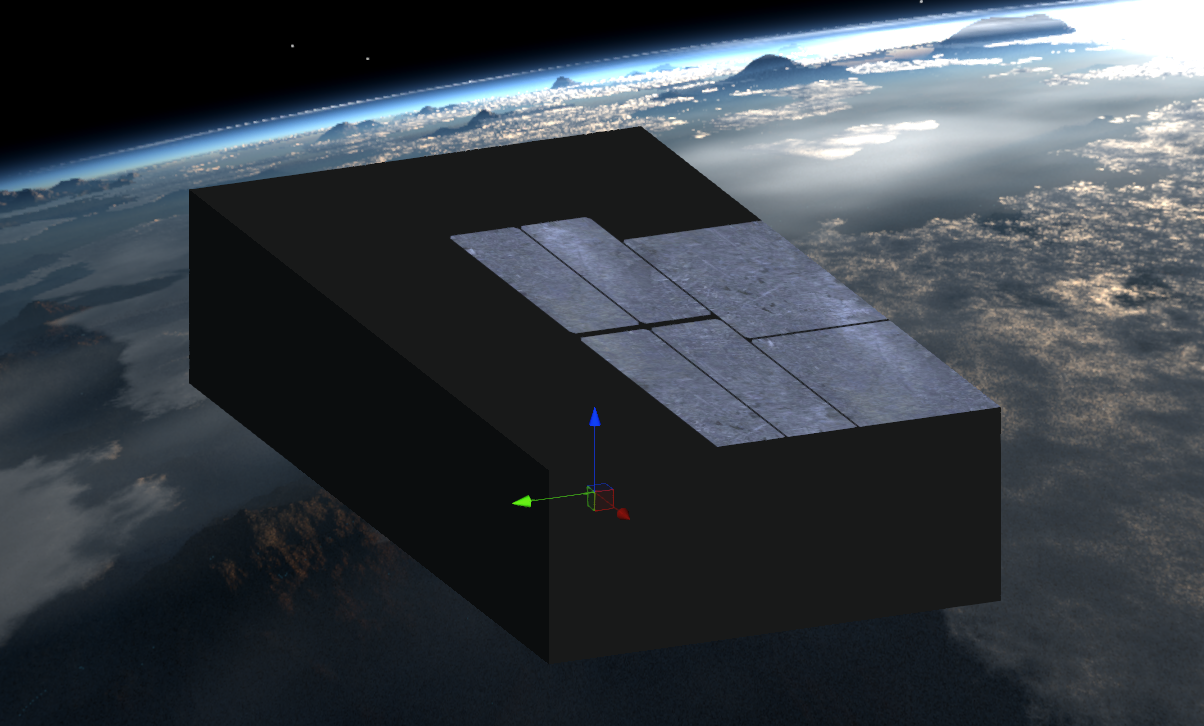
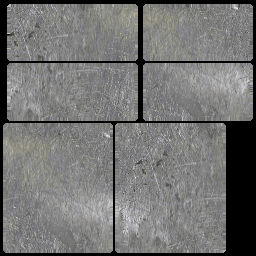
Hello, i want to apply a texture to a cube in unity, i have this UV map:
but i dont have any option to tell unity how to apply the texture, it just gets made into a seamless, endlessly repeating material
thats what i looks like in untiy: (obviously not what i want.)
https://imgur.com/mhqcvZV
 scarlet hull
This is totally not an issue with renderpipeline, and should better go in #🔀┃art-asset-workflow @solemn robin
solemn robin
kk will do
scarlet hull
But to do this, you need to modify the 3D mesh : either in an external editing software, or using something linke probuilder
And do a UV layout that matches your texture
solemn robin
i think im not exporting the UV with the object in 3ds max, thats probably the issue
the uv layout is supposed to be part of the fbx right?
solemn robin
yeah then thats what i do wrong
well its saying 0 maps exported 🙂 ill figure it out
heavy ice
@ripe fable i'll add the support for the fog (not the volumetric one) in rtr and recursive rendering in the upper area of on my todo list
ripe fable
You're the best!
turbid matrix
@heavy ice you know any workarounds for particle support with DXR now?
like, can we get stuff like mesh particles to show up in DXR reflection or are those no go as well?
the blog post made it sound like official particle support is coming eventually but it didn't sound like it was a thing that would appear any time soon
I did try visual effect graph + regular shuriken with hdrp shader graphs but forgot to test mesh particle emitters
those other two didn't contribute to raytracing at all
heavy ice
Basically we need to add the support for renderers one by one to makes them work, currently we only have support for MeshRenderer and SkinnedMeshRenderer when talking about DXR
you "can" fake particles by having individual mesh renderers, but that won't scale for sure
we do not have yet a timeframe for when vfx and shuriken will work (as they are different renderers)
 upbeat badger
isn't shuriken officially unsupported in hdrp?
heavy ice
I am not sure about the current state of shuriken and hdrp, @scarlet hull maybe would. But i was talking in general with DXR and SRP
turbid matrix
yeah, that's what I was kinda afraid of 🙂
basically you could do full scale particle sim yourself and DOTS would help there but DXR isn't supported with hybrid renderer which you'd need to get the DOTS rendering gains
and I doubt this has changed for now released Hybrid Renderer v2 either (altho can't check it as it doesn't seem to work properly on 2020.1.0b1 I have access to
@upbeat badger HDRP ships with optional shuriken shader graphs
just look at the package in package manager, it's one of the buttons there when you have HDRP selected
late schooner
I would imagine generating acceleration structures for particles to be h e l l a costly
turbid matrix
yeah, I dunno how UE4 did it
they support DXR on both cpu and gpu particles on their niagara
but they also support vertex offset shaders etc 🙂
late schooner
DXR on the particles or DXR on things that can hit particles
also are you certain it's not SSR trickery
I remember that being a serious problem on BF:V
turbid matrix
BF:V was one of the first games to get out with RTX support
late schooner
I'm aware, and their magic perf fix was to just skip casting a bunch of rays if they thought screen space data was Good Enough™
turbid matrix
epic has been forerunner on RTX gpu support, they basically started adding support for it like year before Unity did
late schooner
they were also doing SDF traces even before that
turbid matrix
so it's not that surprising to see how much far ahead they are in feature support
there's one thing that Unity can do but Unreal doesn't though and it's DXR in forward
I still don't know how they do it
but in UE4's case, it's pretty logical as there their forward renderer is kinda second class citizen, has always been
also to be fair, even UE doesn't support cascade particles in DXR
late schooner
and I suspect creating the acceleration structure would be a bit much for anything other than trivial workloads
turbid matrix
but they did have this on 4.25p1 release notes:
Niagara Mesh Emitter support for GPU and CPU```and they supported sprites and ribbons on dxr + niagara even before that
yeah, I don't expect any of this to be trivial really
late schooner
you can presumably re-use the BVHes for trimeshes and all that but sorting and grouping like 100k mesh instances is still touching a lot of data
I'd expect it's at least as costly if not more so over the actual conventional dynamic object stuff
simply because there are more BVH islands and you pretty much have to brute force it
ripe fable
@heavy ice just to clarify, this is what I'm talking about when combining recursive/ssr with fog.
turbid matrix
heh, yeah, those lights and windows do pop up
ripe fable
Not sure if your fix will solve this (I'm willing to switch fog modes, no worries there)
turbid matrix
is that volumetric fog btw?
ripe fable
Depth of field + recursive does the same 'thing', but that's harder to solve I imagine.
turbid matrix
pretty sure volumetric will be difficult for DXR
ripe fable
This scene uses Enviro and wasn't able to find their fog volume, but the type of fog doesn't matter for me, I'm willing to switch if there's a compatible one.
heavy ice
@ripe fable yes i got you were refering to that
ripe fable
Alright, cool.
ripe fable
Another thing I kept running into was decals not working on recursive windows, but I'll save that for later.
 timber urchin
hello, maybe someone would be able to help me, but recently i upgraded my project from normal renderer to URP, i was able to convert everything i need good, but particuallr issue i run into is that i am no longer able to preview models in the asset preview window, it only shows blank 3d space with grid, i know it's related to URP because when i remover the urp asset from project settings > Scriptable render it shows models again in the asset previews
 elfin sedge
How do I change the opacity of a tilemap using scripts?
Basically, I saw that you can change opacity with the Tilemap component under Grid when you first make a "2D --> Tilemap" object. However, I am not able to access this component using a script.
Help?
heavy ice
Decals and ray tracing are currently not supported, its on the list @ripe fable
Btw i'd recommend using recursive rendering for the headlights (and putting some light inside or an emissive mesh) and using rtr transparent for the winshield and windows
turbid matrix
yeah we saw the transparent reflection branch the other day, cool stuff 🙂
timber urchin
@late schooner reimporting doesn't fix it
late schooner
apologies then, different issue to one I've experienced
turbid matrix
btw, I did test he Hybrid Renderer v2 with HDRP master
it does seem to work on DX11 but not with DX12
scarlet hull
This is still in an early-ish stage, we are working on it.
bronze idol
Is it possible for one of my Monobehaviours to retrieve a render feature from the current renderer and change settings inside?
With PPv2 I used to do this was calling TryGetSettings from a profile, and it was pretty straightforward from there. With URP, I can't seem to find the corresponding way to do this 🤔
turbid matrix
could be worth getting it pinned to #💥┃post-processing at this point
anyways, it's not that compilated to setup
@bronze idol here's sample for HDRP: https://forum.unity.com/threads/hdrp-2019-1-how-do-you-change-effects-volume-overrides-through-script.668842/#post-4497160
since URP is now using similar volume workflow, would expect it to work somewhat the same way on URP
just swap the using to urp
bronze idol
Thanks. Not sure if this would work for my case since I'm using a custom render feature pass and this is a renderer property and not something I can get from the volume?
Maybe my whole approach is just wrong
fiery marsh
@bronze idol Haven't tested or used this, but you can make a public UnityEngine.Rendering.Universal.ScriptableRendererData rendererData in the MonoBehaviour and drag the ForwardRendererData object into it. It contains a rendererFeatures list.
bronze idol
looks like that's about right 😮
fiery marsh
If it's a custom feature though, you might be able to set up a settings in a ScriptableObject or something, and just obtain a reference to that in the MonoBehaviour to edit the settings?
bronze idol
I'll give that a go. I'm actually thinking that I shouldn't be using this effect since I also need my UI to be affected by it too---and I don't think that makes sense w/ ScriptableRendererFeatures
Thanks for the guidance. I also came across your water shader (with underwater distortion) on the interwebs. Thanks for that as well. 👍
turbid matrix
oh my bad, I just read the thing about ppv2 and about correctponding way in urp for it 😄
bronze idol
No problem. This is definitely going to be helpful for me too down the road!
Probably in the next thing I do actually xD So thanks!
turbid matrix
this sounds close to impossible to happen but there's quite many cases here: https://forum.unity.com/threads/pc-shuts-down-when-selecting-physically-based-sky-in-unity-2019-3-4.844435/
As soon as I'm selecting a physically based sky my PC shuts down like it gets unplugged.
I've never ever had that happen on Windows, you get bluescreen at least
and you'd get kernel panic on linux (and probably mac too)
bronze idol
omg
ripe fable
what the..
turbid matrix
everyone running overpowered gpu's on PSU that doesn't cope and it resets the system? 🤔
I can't think of anything else but power failure for hard crashes like that
everything else would give you that OS failure screen
 fierce patio
Does anyone know if decals on HDRP support blending with the material they are projected onto?
Because by default they seem to override
fierce patio
How can it be that I have 8 ms(100 fps) on the scene with HDPR and NOTHING at all on the scene, only camera and light
"Fixed exposure" takes 5ms
Dbuffer Normal 1.2 ms more
what is it
glad tartan
@fierce patio HDRP blends decals with the underlaying surface by default. You can specify on the pipeline asset and material for it to use its own channels/not blend
fierce patio
@glad tartan It blends by overriding the color
I need multiplying
I want it to be a mix of blue and red
not plain red
Is it achievable?
glad tartan
No, that's not what they are made to do
waxen lantern
virtually anything is achievable with SRP it's just a matter whether the feature is built in (to HDRP, URP) or you have to add a custom feature or write a custom render pipeline to do it, etc
fierce patio
@waxen lantern Well if achieving it takes a year, it's not achievable for me
I want to create water like here
I created it in one old water asset by applying projection to its surface
that's why you see this black paints/inks on the water
Maybe I should try lighting with cookies? Or it is better to try to edit shader?
glad tartan
you can try making a custom decal shader in Shader graph and see if you can get the same result. Should be possible as I think HDRP has a grab screen color node or something similar
so then you can multiply that with your decal color
fierce patio
Thank you
waxen lantern
@fierce patio Okay yeah, now that I understand what you are actually trying to do, a custom shader / shader graph for the water material (or some material that is layered just above the water) is much better suited for this effect than decals are. especially if you want it to be dynamic but you don't want to use lights for performance or stylistic reasons.
fierce patio
@waxen lantern Weird that I achieved it on this previous water asset with decal. Hopefully shader can give me same effect.
waxen lantern
@fierce patio worth mentioning that there is a Decal Master Node for Shader Graph, I believe that is what @glad tartan was suggesting:
https://docs.unity3d.com/Packages/com.unity.render-pipelines.high-definition@7.2/manual/Master-Node-Decal.html
fierce patio
I was trying to reconstruct the effect we did
It's actually really simple
The water without texture is basically just plain colors with reflection and transparency
Probably easy to remake it in HDRP?
turbid matrix
@fierce patio always profile in actual build
whatever you see in editor doesn't even come close to reality, especially with HDRP
like I can get 130fps in editor but 1300fps in build for simple scenes
there's just a lot of editor overhead there, which is especially noticeable if you try to run something that's supposed to be simple
 dawn sorrel
what are these for?
fierce patio
@turbid matrix I have around 120 fps of this sample scene even in build...
turbid matrix
what gpu?
ripe fable
Are you on DX12?
fierce patio
GTX 970
@ripe fable I'm not sure, my card supports it, yes, but I don't know what exactly it uses when I start the game
turbid matrix
I have 970 here on one machine but haven't tested it recently
fierce patio
Yeah, it should give me much more FPS
I know that sample scene includes volumetric, all post processing and stuff
turbid matrix
ditch the volumetric
turbid matrix
also SSR can get heavy on higher settings
I think both are enabled out of the box
volumetric used to be quite a resource hog
not sure if I'd use it for anything but higher tier graphics setting myself
of course profilers will help on this
fierce patio
I really need volumetric. There were assets performing quite good on old Built-in shader
turbid matrix
basically, you should strip all the fancy HDRP feats off if you even want to do fair comparison
and even still, HDRP is likely to perform worse because it has more initial overhead
fierce patio
I thought HDPR is meant to be more optimized
turbid matrix
nah, URP is
fierce patio
When using this high stuff
turbid matrix
well, HDRP is optimized for higher end stuff, yes
but it doesn't mean it would run as fast as old renderer without these fancy feats
fierce patio
URP doesn't even have volumetric
drifting vault
but if you will use same graphic assets in stanadrt render pipleine and HDRP, HDRP will run faster
turbid matrix
well, I doubt that myself
drifting vault
like volumetric ligth on HDRP work better that AURA 2
turbid matrix
built-in is super fast on basic scenes
drifting vault
and has less conflicts
fierce patio
Maybe I just need to downgrade graphics a bit, idk
I used to make stuff like this with old built-in shader
and I want to add VFX Graph with a lot of particles here, but I"m not sure if it is even feasible now
turbid matrix
I'd seriously consider URP for project like that
fierce patio
I can't even add Volumetric to URP. Are there assets ported to URP already?
turbid matrix
Aura 2 currently does not support SRPs, LWRP, URP or HDRP.
fierce patio
Yeah...
drifting vault
atm URP do not have any volumetric lighting
im asked multiple devs
they dont know how to do that cuz URP do not have normal documentation
turbid matrix
you could still do fake lightshafts like in that gif
fierce patio
And it seems to me...logically, that stuff that Unity will create for HDPR (like volumetric) should be more effective than assets
because they know its architecture
and stuff
They are Unity engine deevelopers after all
@turbid matrix That is silly... I wil have enough volumetric stuff, I can't fake it all
turbid matrix
well, then optimize 😄
default HDRP settings enable a ton of things you probably don't need
fierce patio
Well, yeah... Hopefully it's possible though.
Are they mostly on scene or in settings?
turbid matrix
they are spread around 😄
frame settings, hdrp asset, scene volumes, default volume
quality settings too
(yeah, I don't like that either)
@fierce patio btw this is "under consideration" for URP: https://portal.productboard.com/8ufdwj59ehtmsvxenjumxo82/c/19-volumetric-fog
With volumetric fog, you are able to add realistic fog to a scene and manipulate its color, density, and the way it interacts with light.
To read more about volumetric fog, check out:
but that could realistically take year+ to arrive
fierce patio
Yeah, no way I could wait
fierce patio
It seems that it does have volumetrics, with this plugin https://assetstore.unity.com/packages/vfx/shaders/lux-urp-lwrp-essentials-150355

Add depth to your next project with Lux URP/LWRP Essentials from forst. Find this & more VFX Shaders on the Unity Asset Store.

Volmetric light beams, cube and spehere based volumes.
turbid matrix
ah it must have been that then, I thought I saw some asset doing it on URP
for some reason I thought it was aura 🙂
fierce patio
Does anyone know if it's possible to pass particle data each frame to external shader in VFX Graph?
whole fossil
Hi. Is there any known bug that causes hdrp bloom to render all scene view black in some distance/angles? I am using 7.1.8 with 2019.3.5f1 and it is really annoying
fierce patio
is URP ready for production? As I can see so many people have different issues with it
drifting vault
@fierce patio well right now im porting a big game on URP, all working good, but URP still have some problems that can kill you
drifting vault
Cascade shadows + sentil buffer can cause artifacts
Ambient global light? From lighting settings?
fierce patio
Yeah? Or does it just work?
I thought it's unavailable with URP
@drifting vault Oh are you from Belarus?
I'm from Ukraine
Is there any way I could discord call with you so you can show me how it turning around? I will probably start porting my project too
turbid matrix
I wouldn't say it has issues if it doesn't have feats you want
drifting vault
Well im always busy, not able to call.
But you can copy / backup project and convert to urp
whole fossil
guys - is there an option to turn on "stop NaN's" on scene view camera in HDRP? I belive I've seen it somewhere but cannot find it anymore
found it! it is in Preferences -> HD Render Pipeline
 short thorn
I'm getting a lighting error in hdrp "Cascade Shadow atlasing has failed, only one directional light can cast shadows at a time" I currently have 2 directional lights in the scene. Do I need to disable shadows on one of the lights or is there a setting in the render pipeline asset I can adjust?
true zealot
Realtime Shadows
Feature - High Definition Render Pipeline (HDRP)
Directional - Yes, but only one at a time.
short thorn
oh so one of the lights will need to be baked? Thanks!
turbid matrix
@short thorn I'm curious, why there would be more than one?
one for sun, one for moon?
also curious if moon reflects enought light to illuminate things
short thorn
@turbid matrix we were trying to use one to light the scene and the other for volumetric light shafts
turbid matrix
why would they be different?
like, there's one sun
if they are artificial lights, then you'd have point and spot lights available
well and area lights too
drifting vault
@short thorn are you on URP?
you did volumetric lightting?
short thorn
using hdrp volumetric lighting
 idle robin
I'm getting no triplanner applied textures in DXR reflection... is that to be expected?
vs non triplanner:
(the part on the right side is a mirror )
The above is using my own shader set.. this one is default hdrp lit:
glad tartan
Yea, the moon can reflect enough light to illuminate the earth at night, but it's not all the time. Mainly when it's full and directly above (in a city thats not too big) you can see the moon light on the ground. If you were in a desert or at sea where theres no light pollution you could always see the moonlight at almost any stage of the moon
valid dock
Does anyone know if it's possible to pass particle data each frame to external shader in VFX Graph?
@fierce patio been wondering this as well
well i'm more specifically wondering about getting the actual buffer
to put through a compute shader
fierce patio
@valid dock But you didn't find a solution yet, right?
valid dock
nah
 reef elbow
I tried to turn off vsync but it seems to still be enabled. I turned off vsync in quality settings and set QualitySettings.vSyncCount to 0. Why is the framerate in build (not in editor) still fixed at 60?
fierce patio
@reef elbow Are you sure it's fixed? I tried the sample scene and I had 60 fps, but not because of vsync, it was just so performance-eating
reef elbow
In editor it runs at 250
fierce patio
It's worse the bigger you screen
because rendering
does it run at 250 on maximize?
reef elbow
yes
fierce patio
Well weird then
reef elbow
hhmm
Even on very low quality settings it runs at 60 fps
Its also constant at 60 fps which means it is limited by something
Should I write a bug report or something?
fierce patio
Probably a good idea would be asking on reddit / unity forums
turbid matrix
I'd personally never advise asking any gamedev help on reddit 🙂
you can get any random answer back
@reef elbow I'd guess you have vsync forced on your gpu settings then
fierce patio
Yeah, answers sometimes shit but sometimes it's hlepful
reef elbow
other games run on more than 60 fps
turbid matrix
also make sure you've disabled vsync on the specific quality setting you use at runtime
each tier has their own setting
turbid matrix
I haven't tried to set it on runtime myself but setting it on quality settings definitely works for me
turbid matrix
if you only set it at runtime, it could be issue on scripting
well, vsync doesn't even work properly in the editor, so...
reef elbow
I've set Vsync in Project Settings to Don't Sync
I have no Render Pipeline Asset specified if that is bad
turbid matrix
if you don't assign that, you'll just run the built-in renderer
that's fine
(unless you actually want to run URP or HDRP)
you also just cut the screenshot from the interesting part
you cut out the quality levels from it
@reef elbow
reef elbow
@turbid matrix
turbid matrix
and you are using that ultra conf on the actual build?
reef elbow
yes
reef elbow
and you are using that ultra conf on the actual build?
@turbid matrix What excatly do you mean? I set Ultra as default as seen in the screenshot above
turbid matrix
your build has own selection for these
if you've had the same thing running on other default before, it may still be stored on your OS user files
or windows registry, can't remember anymore where Unity stores these
you could just delete all but one quality level if you don't need them
or force selecte the quality level at runtime
reef elbow
but all of them have vsync disabled
turbid matrix
meanwhile, I just tried this on 2019.3, built-in renderer and I'm getting 1000 fps on build vsync disabled
how can you tell vsync is still on?
turbid matrix
so it's solid 60?
turbid matrix
well, that can't be coincidence 🙂
reef elbow
but in editor it runs at 250 with maximed window
turbid matrix
I'd also recheck that you don't have any scripts that may enable it at runtime
reef elbow
ok so just tried with another project. same stuff
but the insteresting thing is that in editor the fps is also limited to 250 and in build its also 60
@turbid matrix
reef elbow
windows lts
Nope vsync is set to always off and other games have > 60 fps
Even empty scenes have 60 fps
turbid matrix
no idea then
 civic chasm
HDRP materials dont work correctly
reef elbow
thanks anywys 🙂
turbid matrix
only things I can think that can make that happen:
a) override on GPU's own settings
b) setting enabled on some quality level and have that running on build
c) having framerate capped via script
since you see it even on new project, that last case can't be it either
unless you always import some 3rd party tool that adjusts these for you
and then anything could happen
turbid matrix
@civic chasm HDRP only supports HDRP shaders
if you see pink, you are most likely trying to use standard or some old custom shaders
if they are standard shaders, you can just run the upgrade script from edit etc menu
reef elbow
c) is also unlikely because I also logged vsync settings
turbid matrix
@civic chasm can you show the pink object/cube on front and it's shader?
fiery marsh
@civic chasm Make sure you have a HDRP render pipeline asset applied under the project settings too. They'll also show pink if you are using HDRP shaders while still using the Built-in pipeline.
civic chasm
fixed it
turbid matrix
so, what was wrong?
reef elbow
Ok so its really weird my game runs on 60 fps while in foreground but on 270 or so when not focused @turbid matrix and on my friends machine it runs on 900 fps. So its no vsync but something really weird
turbid matrix
@civic chasm metallic on zero should work just fine
in fact, that's the default material
it doesn't have any metallic
brave turtle
Is there a way to draw a mesh for a single camera similarly to Graphics.DrawMesh in URP without having to create a scriptable render feature?
fierce patio
Does anyone know if VFX Graph will support Nintendo Switch?
waxen lantern
@fierce patio Visual effect graph works with HDRP and URP, but URP does not currently support Lit particles. URP is supported on Nintendo Switch.
fierce patio
@waxen lantern As I know VFX Graph works for URP with target platforms which support compute shader
So it's not obvious it works on switch. Does switch support compute shaders?
waxen lantern
I don't have a dev kit myself to test, but I know the Nvidia GPU in the Switch supports compute, so it should work
fierce patio
@waxen lantern So basically no lit particles means that light doesn't interact with them at all?
waxen lantern

Ars Technica
Hybrid console uses last-gen tech and dramatically downclocks GPU when portable.
@fierce patio That's correct. Lighting a lot of particles is rather performance anyway. Unity devs have stated that VFX graph Lit Particle support will come to URP eventually, though
fierce patio
Any idea how far is "Eventually"?
waxen lantern
@fierce patio I don't know exactly, but you can track the status of such upcoming features for URP here.
https://portal.productboard.com/8ufdwj59ehtmsvxenjumxo82/tabs/3-universal-render-pipeline-previously-lwrp
Product roadmap and feature requests. Welcome to our product portal.
See under "Planned" is "VFX Graph Lit Support"
you can also vote for the feature and provide feedback
fierce patio
Any chance to fake that feature somehow to make them visible in dark environments? Like maybe change their color or something
I mean, I have a player who is able to increase lighting around him
I want these particles to be dark when there is no lighting and ivsible when there is lighting
@waxen lantern
waxen lantern
You could do something like that I suppose. Maybe by sampling some sort of 2D worldmap / lightmap. Either with the nodes you have within VFX graph itself using a shader graph for your particle output.
fierce patio
@waxen lantern Oh, btw, do you know how the shader graph/particle integration works? What can I achieve? I desperately need to achieve something like this
This is achievable through screen space shader which blends particles, but I can't get to particle buffer now
I wonder if shader graph can help
waxen lantern
ah yes, screen space fluid rendering. I'm not sure how flexible the VFX shader graphs are, or if you'd need a custom pass or post processing effect for this after the fact. Usually it's a sort of Bilateral Filter that uses depth, normal, color buffers, etc.
brave turtle
i don't think shader graph will help much. you likely need to create a custom scriptable render pass
fierce patio
Yeah, the problem is just external screen space shaders require particle data(position) to draw it
And I'm not sure if it's even possible to access it. It seems not.
Even from GPU
waxen lantern
well you can set the particle color to its position
fierce patio
I'm not sure if custom post processing will even help
waxen lantern
but yeah it'd probably be tricky, maybe require some modifications to VFX graph
fierce patio
What do you mean setting paticle color to its position?
waxen lantern
color and position are just attributes
fierce patio
It still sounds interesting enough as I thought it's impossible at this point at all. I can't get the position of particle.
waxen lantern
you just get an attribute, and set the other
fierce patio
But how do I access that from external shader?
waxen lantern
by sampling the screenspace buffer that vfx graph rendered all of the particles to with position set as their color
as @vocal sail was saying, that would likely be in shader code within a custom scriptable render pass
fierce patio
My head is kind nuts today, I don't get the idea.
Got it that you mean changing the shader code
waxen lantern
pretty sure these custom render passes are only supported in HDRP currently
"HDRP Custom Passes allow you to inject shader and C# at certain points inside the render loop, giving you the ability to draw objects, do fullscreen passes and read some camera buffers like depth, color or normal."
fierce patio
I heard about that, but doesn't it allow reading only color/depth/normal?
not particle position?
"Lear unity" Says it's possible to use Custom Render Passes with URP btw https://learn.unity.com/tutorial/custom-render-passes-with-urp

Unity Learn
In this tutorial, you will learn how to use custom render passes to render a toon outline post processing effect on selected objects
waxen lantern
depth is the position, in screenspace. so actually that's all you would need I think.
though if you needed worldspace position data for an effect you could just set the color attributes in vfx graph to the position attributes
fierce patio
"Like LWRP, the URP enables developers to extend Unity's graphics pipeline with customized effects using custom render passes. Unlike ordinary shaders and effects, these passes are camera independent and can persist throughout the entire project without the need to set it up for each Scene."
waxen lantern
ah okay cool
fierce patio
I think I got you
waxen lantern
that's right, I forgot I think they were actually available before they were for HDRP
fierce patio
If I set color to position in VFX Graph, that maens that later when I access color I will actually access particle position
waxen lantern
yeah exactly, it's a classic trick, to just pack other data in color buffers. you just have to make sure it's high enough precision and/or normalised depending on your rendering color format, 8-bit usually isn't enough, you want 10-bit or 16-bit per channel.
but I think just the depth buffer is fine for this effect, and that's at 24-bit by default i want to say? so it's enough
here's a good Nvidia slide deck that goes over the basics: http://developer.download.nvidia.com/presentations/2010/gdc/Direct3D_Effects.pdf
fierce patio
Probably yeah. It's just the actual asset I found for this effect requires particle positions
But it also requires radius
so it's probably pretty much does the same thing with depth but just on lower level
if I just change it to pass death it will probably be same
waxen lantern
what's the asset can you send the link? I'm just curious
fierce patio

Unity Forum
Hello, everybody.
I am veryexcited to recommend my new plugin SSF Particle2Fluid Shader Util. It is dedicated to rendering particle data into smooth...
I plan to use it, because too hard for me to make this effect from null
Maybe I can somehow edit it to use depth
What do you think?
waxen lantern
okay, well it looks like there are two injection points with this Particle2Fluid shader asset:
SSF_particle[] particlesData -(1)-> SSF_TextureGenerator -(2)-> Fluid Surface.shader
you can either provide the raw particle data in a compute buffer to the texture generator to output the screenspace/viewspace textures/buffers, or you provide the viewspace textures/buffers directly to the final shader
 analog wedge
not sure if this is an appropriate channel, but: I have a use case where i need as many cameras deployed at the same time as possible (trouble is each camera seems to have some non-trivial overhead cost). How can i best achieve this? What are the main settings (if that would help) that i can reduce in the camera object to help?
(eg: is using "physical camera" mode worse?)
fierce patio
@waxen lantern So I can skip the first part and generate the texture based on depth?
waxen lantern
@fierce patio yeah, you could take either approach. I'm not sure which would be the most straightforward. I would ask the author or the asset if VFX graph integration is planned or which way they might recommend
fierce patio
But if I code the position in color, it means that it will be more performance heavy than just passing particles?
waxen lantern
@fierce patio in the texture input case, you don't need position, forget i said that, sorry. see the texture description, textures names here. it might be more difficult to go this route honestly. but i reccomend asking the author of the asset unless you want to do it yourself.
https://ssf-p2f-shaderutils.readthedocs.io/en/latest/advance_topics/surface_shading.html
@analog wedge I'm not sure how difficult this would be in Unity, to use Single Pass Instanced rendering for multiple cameras instead of left/right eye in XR, but i figure it's possible as I've done with with OpenGL frameworks and we have Scriptable Render Pipelines, etc https://docs.unity3d.com/Manual/SinglePassInstancing.html
analog wedge
that's fascinating
fierce patio
Yeah I see texture description
waxen lantern
It greatly decreases the CPU overhead for this sort of thing, I've used it to render 40+ cameras simultaneously on one machine with one CPU, GPU (again, not with Unity but technically feasible)
fierce patio
I will ask the developer for sure but I would better understand it myself so if the developer doesn't respond I'll able to do it myslef
Well if I generate texture myself how do I get all the other textuers? Thickness, noise etc
analog wedge
thanks landon! im gonna investigate this thoroughly
waxen lantern
@fierce patio I've been interested in doing something like this as well myself (ScreenSpace Fluid rendering for VFX graphi) so If i decide to take it on, I will let you know
fierce patio
@waxen lantern Sadly I have 1-2 months to do this thing
And it's very possible that my project fate depends on it
waxen lantern
you are shipping a game soon?
fierce patio
We have financial problems because of all these coronavirus and stuff and our investor is very possibly dropping, we have to get financing from the other sources
And I just figured out that the main thing in the game(based on our vertical slice) is the water magic
but that Avatar-style water magic is not really finished, it's not obvious what its potential is
and to actually show it I need that fluid rendering stuff
So I can pitch publsihers the game for additional financing
I asked some professionals from the industry and I'm sure that if I show publsihers the game without proper water magic with fluid I have much lower chance to pitch the game.
And we can't stay without finances for too long. We're already without them for 3 months
So I think that I have only 1-2 months to do this shit and pitch the game.
To make team stay with me
And not ruin the project
@waxen lantern Not sure if that's understandable but that's what situation is
waxen lantern
got it, well it's an interesting looking game anyway. I'll PM you maybe we can discuss some more
 somber seal
Hello, I am facing a small issue. I have Universal render pipeline in a scene with object's materials set to URP/Lit. When I add the same objects to a new scene, the materials are all black. What is the issue?
brave turtle
I'm trying to make a metaball renderer using a forward renderer with custom passes in URP.
The raw metaball data is rendering correctly with a Render Objects pass (https://imgur.com/a/ocefLOD), but when I try to blit it back to the screen with the shader that "renders" it into a metaball it's completely black. I even tried blitting it with the shader modified to just reoutput the _MainTex and that resulted in a grey screen (which is the default _MainTex color) so it seems I'm using the blit incorrectly. I'm using the one from the URP rendering examples repo https://shorturl.at/gwzXZ
Any ideas as to what I could be doing wrong?
fiery marsh
@brave turtle What's the shader that you are using? Is the _MainTex property exposed?
fiery marsh
What happens if you expose it
Also I'm looking at the blit feature, and I'm not too sure you want the Texture Id set to _MainTex. I think that might be the output destination, when it's not set to Color?
brave turtle
exposing it seems to make some progress, but i get some funky results (this is with camera background type set to black)
sorrry, this one is with the background set to black. the one above is weird cuz it includes the skybox
fiery marsh
Looks like the shader is working now, but it's like it is not clearing
brave turtle
hmm maybe converting the "heightmap" into the metaball in the renderer isn't the right idea. the end result will need to be the camera's texture getting drawn somewhere in 3d space which means the camera will need to have a target render texture. if that texture needs to store the final render it will need 4 channels. earlier I was just rendering the heightmap from the camera which only required an RFloat render texure which was sent to a quad that had the "metaball render" material on it. Even though that feels hacky, would that not be the more performant solution?
maybe best of both worlds would be for the renderer to just render the heightmap to an RFloat render texture. the script that handles creating and releasing the render texture could draw a quad on the fly with the metaball render material which would alleviate the hackiness of requiring a quad gameobject in the scene
only issue with that is the Graphics class doesnt work in URP and I've been unable to find a way to draw a mesh without making a custom scriptable render feature
turbid matrix
GitHub
Purpose of this PR
Fix all tests from HDRP_DXR_Tests except path tracing.
Testing status
Manual Tests:
Opened test project + Run graphic tests locally
Comments to reviewers
You still need to m...
 vital nova
Anyone knows how I can select which game object in the hierarchy is doing a draw call from the frame debugger?
 open dagger
Hello ! I don't know if this goes here, but I guess you could have some experience with this... It's about batching.
My game is divided into "segments" all of which contain different objects, a quad for the ground, some meshes for the enemies and a handful of sprites. This objects repeat between these segments, (the ground is the same for all segments). But, the game is 2D, so to sort which segment comes first I change their sorting order. Unfortunately, sorting meshes / sprites by their renderer sorting order breaks dynamic batching, since it "packs" by looking at the group of objects in that sorting order (as far as I have figured out). I know it's kind of a broad question, but I need some help in what to look for, is there any way to sort these objects without Z or the sorting order ? Or a way to tell the batcher what to actually batch, independent from the sort order ?
 steady pumice
hi all! I switched to the URP but no shadow is being drawn.. has anyone run into the same issue?
bronze idol
Not sure if my situations applied but when I upgraded, my transparent sprites didn't cast shadows w/ the URP lit shader. I had to switch to opaque and use alpha clipping.
whole fossil
I cannot find any info anywhere - how to approach replacement shaders with hdrp?
is custompass the only way?
scarlet hull
Yes
whole fossil
diggind deeper - are there any examples how to access depth & normals buffers in custom pass? The documentation only mentions DecodeFromNormalBuffer but I don't know where to go further from there
basically I want to draw the viewspace normals of selected objects (those on specific layer) after opague depth and normal. If I am correct that those should be then affected by volumetric lighting and the rest
scarlet hull
You could just make an unlit shader that outputs viewspace normal, and render the objects you want in a custom color buffer for this ?
whole fossil
the normals are only base for further work 🙂 so I need those in custom pass (for example for outline with edge detection)
besides - I want to learn something new. Documentation lacks a bit, so I try to search answers the other way
scarlet hull
have you looked at this ? : https://github.com/alelievr/HDRP-Custom-Passes

GitHub
A bunch of custom passes made for HDRP. Contribute to alelievr/HDRP-Custom-Passes development by creating an account on GitHub.
whole fossil
whoa, nope - I missed that! Thanks a lot, I'll start digging in it!
glad tartan
Unity Forum
Hi!
Streaming Virtual Texturing is now available in Unity 2020.1.b1. It will be supported in the High Definition Render Pipeline (9.x-Preview and...
@turbid matrix It's here
turbid matrix
ah, cool 😄
I was expecting them to target this week for first preview as it's the GDC week
turbid matrix
I dunno if this is beyond the scope of this channel but MS streams directx developer day tomorrow: https://devblogs.microsoft.com/directx/directx-developer-day-schedule/, just figured the only people interested on something like this would hang out in this channel
it's mainly about where dx12 is evolving, including dxr and mesh shaders
glad tartan
yea, both new consoles support mesh shading so we will probably see that in HDRP at some point
turbid matrix
pretty excited about AMD + DXR 1.1
I hope that translates to consumer gpu's too, and not just next gen consoles
as another thing, noticed this wip branch: https://github.com/Unity-Technologies/ScriptableRenderPipeline/tree/hdrp-xr-camera-jitter
I'd wish they'd just expose the jitter params for all as it would make it more trivial to make your own temproal AA on custom PP pass
right now the jitter and related projection matrix are handled internally on HDRP, it wouldn't need much changes to even expose some parameter to say force it enabled and expose the jitter amount etc
I got TAA running on custom pass without much issues but getting the jitter done was totally another story
IMO it would be better if Unity would just expose everything possible they needed to implement their own internal HDRP PP
@whole fossil official docs have starter guide for hdrp custom passes btw
whole fossil
@turbid matrix - yeah I know, but it is pretty limited. alelievr repo contains a lot more useful info ;)
turbid matrix
yeah, it's a great set of samples for sure
all of the samples weren't all functional when I looked at it though
I think I had issues with the water metaball shader there
but I tested it a long time ago, could be fixed now
whole fossil
I'll test the sh*t out of them samples tomorrow ;)
turbid matrix
whole fossil
Well. Since 2020.1 entered the beta it is probably the best time to move to alpha of 2020.2 ;)
 steep rock
Does this channel only apply the SRP or can I discuss the built-in renderer here?
true zealot
The intention has been it's for SRPs only, but if you have a complex question that doesn't suit #archived-shaders, #archived-lighting, etc I'm sure it won't matter if you post here as you're unlikely to get technical eyes on it if posted in #💻┃unity-talk
If it's a relatively small scope problem I wouldn't post it here
steep rock
Well... it's specifically about how Unity force clears the depth buffer when doing Camera.Render() even when I set it to Don't Clear
Even though it works correctly with automatic rendering
It's clearly a bug but I was told "won't fix" and now I'm stuck with broken Unity and no workaround 😢 Very frustrated and upset
I'm feeling a bit like no one will listen at the moment, so apologies if my tone is a bit harsh.
The problem is I've wasted a LOT of hours trying to figure this out only to discover it's a Unity bug and then to be told "nah mate we're not going to fix it or even offer a solution" is very depressing
But honestly the fact that it only happens when manually rendering the camera makes me think whoever marked the issue as "won't fix" didn't even fully understand the problem, because I can't see how a difference in depth buffer clearing between automatic rendering and manual rendering can be anything other than a bug that should be fixed
And actually I'm certain they didn't understand the problem. Check out the reason given:
https://issuetracker.unity3d.com/issues/cameras-depth-is-ignored-when-calling-camera-dot-render-for-render-texture-with-skybox-and-dont-clear-cameras
This is part of the built in renderer camera stacking. We can not change this behaviour now at risk of regressing many users projects.
This cannot be correct. How many projects would even be using Camera.Render() into the same render texture as a previous camera, and what subset of those would have the clear flags set to "Don't Clear" when they actually want "Depth Only"? But more to the point, why would camera stacking specifically rely on ignoring the "Don't Clear" flag but only for manually rendering? And if it does, why?? That's a hack if ever I saw one.
How to reproduce: 1. Open attached project "Depth Clear Test.zip" and scene "SampleScene" 2. Enter play mode 3. Observe the Game vie...
steep rock
Also @true zealot I think I just understood what you meant by "If it's a relatively small scope problem I wouldn't post it here", and I think I did the exact opposite of what you said 😦
steady pumice
hi all! I just upgraded my project to URP but the shadows are not showing up 😦 I could not find any mistake in my upgrade process nor anything on the forums. Any idea?
looks so bad 😦
glad tartan
Maybe shadows aren't enabled on the Render Pipeline Asset