#archived-hdrp
1 messages · Page 45 of 1
 blissful blade
are these correct?
.......
why did i didn't notice there is a #💥┃post-processing channel?
what a dork i'm....
 onyx zephyr
How to render sprites with 2D lights only?
 inner night
Hey, I just installed HDRP in an existing project, and I have to use a render pipieline wizard from windows-render pipielines, but there's no render pipelines category in windows. The package is installed correctly as far as I can tell.
 timber hinge
how to fix overlapping?
diamond in this picture has material with shader graph and it draws over other stuff. how to fix it?
 junior dock
Hello I like to get some help in lwrp sss..
Ive created one but it looks like a painted solid color... I wanted to know how to get more smooth look with fade.....
 simple vine
I may be misunderstanding some things, but why do alpha-tested materials come after opaque ones by default?
Shaders with discard and/or depth modification by default don't have early-z enabled because artifacts may occur, so the fragment shader will need to be ran in its fullest.
What was the reason behind putting alpha-tested materials after opaque?
One would think that it would be the wisest decision to put alpha-tested materials before opaque based on the logic of "if I have to run the fragment shader anyway then let's do it early so at least the following opaque fragments can benefit from early-z"
Someone please clarify this.
 turbid matrix
there's interesting comment on the forums from Joachim about hybrid renderer and HDRP:```Changes are part of 20.1.
It is both massive perf improvements, keeping all instance state persistent on the GPU.
As well as supporting the full feature set of HDRP during conversion. ```
I do wonder if that really includes full feature set... like also DXR
gonna check the current a21 and latest hdrp from github as it got hybrid PR recently
 ripe fable
Cool
turbid matrix
if it works well, it would make things so much easier with (DOTS) Unity Physics as you don't have to sync everything back and forth
ripe fable
yup
turbid matrix
@ripe fable it's not fully functional by now at least
I can have reflective materials on DOTS side and they show raytraced reflections but none of the objects that are on DOTS side a) participate on DXR reflections b) they have some huge exposure issue on normal view (not through camera)
ripe fable
Ah yeah, sounds familiar
turbid matrix
also wonder if the path they take on DXR and skinned meshs is compatible at all with the path DOTS took on animated characters
 glad tartan
It would have to have DXR support sometime so maybe it wont be difficult for the DOTS version.
simple vine
Alright I definitely don't understand something
URP's Forward renderer has a depth-prepass (when needed)
Say, for generating the screen-space shadow texture
However, the depth values are immediately discarded afterwards and the opaque pass has to write depth values again
Why is that? Wouldn't it be more efficient not to clear the generated depth buffer and override the depth state for opaque rendering?
That's, like, what HDRP does with cutout materials or when decals or Forward rendering are enabled.
If this is some wacky way to avoid memory restore on tiled mobile hardware then I still don't get it because one would argue that minimizing overdraw in a branch-heavy, multiple-lights URP shader would yield better performance than not restoring the memory.
blissful blade
@patent sun deleting library often help fix it
 patent sun
what is library?
ripe fable
Don't forget to make a backup, but deleting that folder will usually fix some weird problems. Your project will be reimported upon launch and will take a while to rebuild the library.
Not sure if it'll do anything in this case though, shadow intensity could be related to something else
turbid matrix
if wiping library breaks your project, then you have some serious issues you need to solve anyway
it's not a folder you'd even put in version control, so it needs to be able to get regenerated gracefully
ripe fable
Yep
patent sun
thanks
blissful blade
yup
 barren kindle
hdrp exposure confuses me. what should my exposure settings be?
to match up with the examples in https://docs.unity3d.com/Packages/com.unity.render-pipelines.high-definition@7.1/manual/Physical-Light-Units.html#EV
following https://docs.unity3d.com/Packages/com.unity.render-pipelines.high-definition@6.7/manual/Upgrading-To-HDRP.html makes a white level
 prime merlin

SlideServe
Global Illumination. CSE167: Computer Graphics Instructor: Steve Rotenberg UCSD, Fall 2005. Classic Ray Tracing. The ‘classic’ ray tracing algorithm shoots one primary ray per pixel

Rendererd on AMD Radeon Vega 64 + i7 4790K
Mixed Rendering between CPU GPU
CPU: Raytraces only the mirror from the light
GPU: Simple Path tracing from the Camera
The scene contains only 240 Polygons and i dont use any kd-tree on the GPU at the moment.
that's cool
Is scriptable rendering pipeline capable of implementation of unbiased rendering like Cycle renderer ?
 mental oyster
could anyone verify correct normal map baking procedure for the universal render pipeline as of today, and any plans for the future.
as it stands, so far as i am aware, we do NOT enable per pixel/per fragment bitangent options for baking for URP
but i've read that Morten is going to change this for URP in the near future, or has
i would really like the render pipeline teams to be very clear about the map formats they expect, we should not have to spend days doing bakes with different settings and figuring out this stuff ourselves
ideally want a direct answer from the team rather than speculation fyi
if there's a specific member of the team anyone knows uses this discord, would appreciate their username so that i can ping them
I've wasted thousands of pounds troubleshooting things that unity should simply document.
so if its going to change, i want to know so i can plan to have everything in my game re-baked, for example.
and i dont want to mess around and keep doing that or going back and forth. Bit fed up with the lack of communication from Unity. I appreciate these things are in development but they need to start documenting exactly what they expect; with normal maps there are 20 odd types and it should not be up to us to figure it out based on tid bits of information from different points in time scattered across message boards
and thats just normal maps. there are many maps and I do not want to guess any more.
Unity have the foremost experts in the industry on these render pipelines. what does it cost to have someone do a meeting with them monthly and gather up information to relay to technical and art directors in the industry so that they can pick up these technologies safe in the knowledge that it isn't going to be a guessing game. i mean seriously, if you want us to take it seriously, then be serious about it.
prime merlin
https://m.youtube.com/watch?v=Cx54WPwsG2w
why we can't use something similar to this in unity I know this demonstrates real time dynamic global illumination , but required reconstruction of 3D geomi through tof sensor at run time .
But if we cloud de light the 3d model using de lighting tool , then re light it using photon mapping inrradince caching?
or store average BTF texture like vray materials
I think for creating an accurate authoring of material needs BTF because the default albedo Charts isn't accurate
as of what I understand have a look on gpu gems
and this
https://www.slideshare.net/mobile/3dcoform/3-dc-btfchristophers

Photometric stereo (PS) is an established technique for high-detail reconstruction of 3D geometry and appearance. To correct for surface integration errors, PS is often combined with multiview stereo (MVS). With dynamic objects, PS reconstruction also faces the problem of com...

 languid hornet
When realtime shadows from point lights will be available in URP?
turbid matrix
new branch for upcoming 7.2.x releases: https://github.com/Unity-Technologies/ScriptableRenderPipeline/tree/7.2.x/release

GitHub
Scriptable Render Pipeline. Contribute to Unity-Technologies/ScriptableRenderPipeline development by creating an account on GitHub.
turbid matrix
Also Joachim totally dodged my question if "full HDRP support" will cover HDRP DXR
I'm guessing nothing has changed in regards to that so far tho (both being separately developed and they don't play ball together)
 scarlet hull
I don't get the question
turbid matrix

Unity Forum
Hi,
There is every week a new post complaining about the performance of the HybridRenderer.
Iam at a point in my game where i cant really improve...
Joachim replied to OP: ```Changes are part of 20.1.
It is both massive perf improvements, keeping all instance state persistent on the GPU.
As well as supporting the full feature set of HDRP during conversion. ```
and I asked if that full support will also cover HDRP DXR
but yeah, I'm kinda poking with a stick there
scarlet hull
Hum, I don't have the roadmap in mind for this. I guess it will come "some day" obviously 😄
turbid matrix
lol, fair enough
I do hope that their path can meet at some point
I quite curious if the skinned mesh support on these are anything alike because afaik DOTS deals with these in totally different way from past unity renderer.
 leaden isle
Hey guys,
I have a question. How I can deactivate realtime GI or GI in total? I only have one real-time light in my scene and the lighting settings does not have Baked Global Illumination. But if I let it run on Android it spams the warning "Realtime GI is not supported in Universal Pipeline".
How I can deactivate that? Why it is thinking I want it?
turbid matrix
@leaden isle Window->Rendering->Lighting settings should have a checkbox for baked lighting
it's enabled by default I think
at least I always go toggle it off for all projects there
 true drum
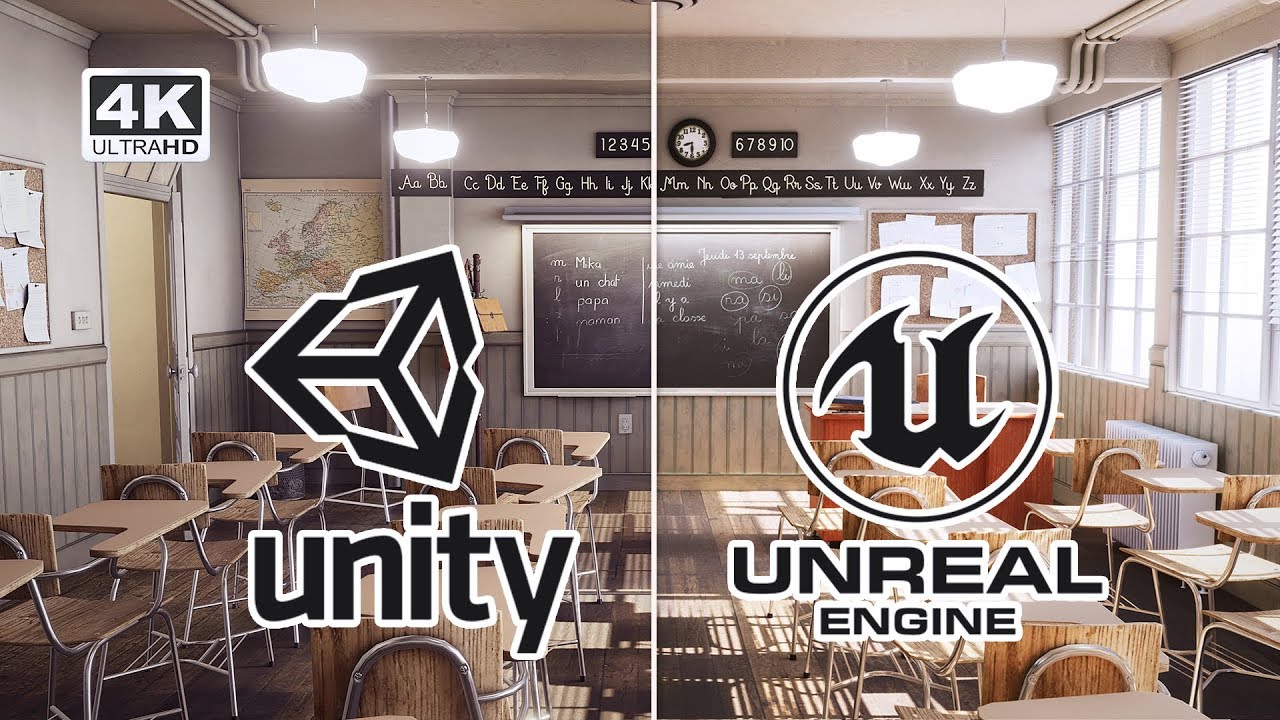
Popular Blender Classroom benchmark scene rendered in Unity and Unreal Engine.
✔️Please note that you can achieve much better graphics in both engines. Its just a demo of my skills about both engines.
I have used Standard Render Pipeline to achieve this result.
Indirect...
 valid dock
@turbid matrix what's the deal with the HybridRenderer?
is it an additional pipeline on top of HDRP and URP?
scarlet hull
@valid dock It's an "overlay" layer to convert object rendering components to DOTS rendering
An intermediate solution for a future pure DOTS rendering
valid dock
oh boy... just when you thought this funky extended transitional stage couldn't get any more complicated
turbid matrix
you have no idea
the hybrid feels quite hacked together atm, a lot of things break / are not compatible
valid dock
lol Unity is such a mess lately. the XR team is even worse.
turbid matrix
@true drum why you keep posting that video here?
you posted it here the other day too
I mean it's fine if you want to discuss it, just wondering why
ah, it's your channel
simple vine
Alright I really don't understand something
URP is going to have a deferred renderer in it "pretty soon", right?
However, I don't think there's any way to set the render state block for stencil write on a per-object base.
It matters a lot. Unity's default pipeline in deferred mode used stencils for indicating if a surface could be lit, if it's lightmapped and its light layer mask.
How can such a thing even be done from the C# realm? Is there a possibility for such a thing at this time?
HDRP cleverly dodges this by writing its uint values in a separate MRT and by using unity_RenderingLayer variable. It makes sense there because all the lighting is on the compute, but traditional vert-frag based deferred shading would desperately need to use stencils
Anyone?
turbid matrix
so you can't write to stencil same way like you used to on URP?
when I accessed HDRP stencils, I modified some exiting HDRP shader with stencil pass (which wasn't all that different from how you'd do it on built-in renderer)
I have no idea how URP uses stencils internally tho as I don't use URP at all
simple vine
No, I mean, I want to replicate the same behavior as with unity's builtin pipeline so meshrenderers will write a specific stencil value based on their state.
So far I don't see any way to do it. I can only override the stencil state for the entire DrawRenderers command.
turbid matrix
on HDRP, it was simply doing custom pass for it
this is how I could make a shader that only wrote stencil bit to select unity layers (so basically only for objects on those layers)
I dunno how URP custom rendering stuff goes so can't comment if there's any equivalent
simple vine
Can you point me to the pass in question and where it's used?
turbid matrix
for HDRP, yes
simple vine
Yeah, I just want to write specific stencil values on a per-renderer base. That's all I need atm
simple vine
wait a sec. You need to re-render the whole object to write the desired stencil value?
turbid matrix
either that, or render shader that has that pass to begin with
on my case, I just rendered the stencil pass again, there's nothing else on the shader
simple vine
But if I were to use the second approach then the stencil value would be either dependent on the shader, the material values or a stencil state override. It's not suitable in the end.
turbid matrix
there really isn't official way to do this on HDRP now so that's what I came up with
I think the stock shader graphs for HDRP and standard HDRP shaders have the stencil overrides for few bits built-in
but I haven't actually verified that
they have stencil bits for SSR and decals on the material settings
not sure if mesh renderer also uses stencil for movecs or not
(as you can omit them per mesh renderer)
simple vine
AFAIK HDRP uses stencil values on a per-material basis, to write the material info. All the per-renderer data is written in a separate buffer via MRT and that unity_RenderLayer value
turbid matrix
very possible, how would you inject your own things there tho?
simple vine
That's what I want to know. Because Unity's default pipeline surely did that.
And in case if there will not be any solution, then Unity's deferred URP renderer would already be underwhelming by a margin.
turbid matrix
I've passed that HDRP stencil buffer manually in past on HDRP internals to some shaders but have never modified it to add more data to it
also would assume that PP shaders that need to write to it, mostly SMAA now would do it on it's own passes
simple vine
Like, damn, if only there was a way to make a job that would filter all of the meshrenderers in the cull results and setup individual stencil overrides, that would've been marvelous in the end
But there's nothing like that in the end
turbid matrix
URP custom renderers have override for stencil, but I assume this doesn't help you in any way 😄
simple vine
No unfortunately because you need to render geometry twice, it's just redundant work a lot of the times
Let's just await what they will come up with then. I'm sure they will be using per-object stencils with their deferred renderer
turbid matrix
well, I dunno, they seem to hide a lot of usable things already
(and on purpose)
I don't personally agree with that, as I feel it should be left to devs to decide what to do with the thing
if they are afraid people abuse/break things with them, just put the feats under some advanced api that's hidden by default
simple vine
I think it may be going a bit deeper than that. A single DrawRenderers command can render a ton of meshrenderers at the same time. Setting individual stencil overrides for each of them from C# could be quite challenging and slow.
Maybe that's the reason
patent sun
@blissful blade my lighting is still not working right
i deleted library and nothing changed
 sinful locust
what version of directx does URP support? in particular does it support directx11's cpu mutli-thread enhancements?
blissful blade
in my case it's blocked to directx11 XD:
sinful locust
what do you mean by blocked to directx11?
 plain mural
Hi, im on unity 2019.3 HDRP and sprite masks are not working, how do i fix this
 formal spade
the ambient lighting from the physically based sky is flickering on and off. Anyone else having this problem?
blissful blade
i can't go directx 12 ^^;
since my hardware is too old lol
i should mean blocked at
 rain flower
I have absolutely no idea how to set sorting axis using Render Pipeline
glad tartan
@formal spade That happens for me sometimes with HDRP 7.1.8 in 2019.3
Basically if I have something selected in the scene the ambient light will flicker until I deselect it/everything. Probably just a bug since it dosent seem to be something directly in the scene that's causing it and this dosent happen with 2020.1 alphas and HDRP 8.x.x
plain mural
has anyone had any luck using a sprite mask in hdrp?
leaden isle
@turbid matrix Thanks for the answer for GI. But what it should be. Do I have to enabled the baked one to actually get rid of realtime GI even if I don't want to have any GI even not baked ones?
turbid matrix
just toggle it off, the topmost checkbox that says baked gi etc
should disable all baked lights + baked gi
leaden isle
I did so but if I load this scene on an android device unity is spamming warnings about "Realtime GI is not supported in Universal Pipeline."
Currently I have to clue what is causing that.
turbid matrix
hmmmm, apparently unity even removed that log warning last october
not sure if it's made to actual URP releases yet
as another topic, saw this comment on the forums about HDRP camera stacking (reply from SebLagarde): We have however patched HDRP in 7.2.0 so it could support the stacking of camera within a set of constrain (i.e we manage correctly the clear of depth / color. We are working on a prototype to allow to compose multiple camera or stack them. There is no ETA for this tool but it mean some users could come with custom script for it. A big warning: the cost of camera stacking is very heavy (on CPU), and it is not recommended for game context. Prefer the usage of custom pass / custom post process.
leaden isle
Just checked the code, the warning is still there.
 lost plaza
Does anybody know how to change the exposure parameters in HDRP via a script?
scarlet hull
You can access the volumes through the volume manager, to alter the exposure.
 north hearth
Hey Guys, has anyone got the same problem in 2019.3 HDRP where there tris/verts/shadow casters are all 0 even though you know you have geometry casting shadows?
formal spade
2019.3 HDRP I woke up, loaded up, and no lighting is working in any scene. Everything was last night. Got the SeneID Map missing reference error, did the fix, but the lighting was still broke.
turbid matrix
that scene id thing is super annoying
I've once got that on HDRP template, but never in any other map
 exotic plume
Heya everybody. Anyone know of any resources or path to put me on to learning how to use VirtualTexturing ? I just enabled it under Built-in section of pkgMngr. I know the basic concept of what Virtual Texturing is and that’s about it. Thanks in advance
turbid matrix
@exotic plume in short, it's not done yet nor is it merged to HDRP yet
we are also missing c++ changes in lastest 2020.1 alpha to be able to run current VT branch from github
but when I still could run it, there was still bunch of things missing
there's basically just one shader graph node that's exposed and now VT memory settings
there's still VT atlas authoring and debug views etc missing
but it is actively worked on, for example both these branches got updates today:
https://github.com/Unity-Technologies/ScriptableRenderPipeline/tree/VirtualTexturing
https://github.com/Unity-Technologies/ScriptableRenderPipeline/tree/VirtualTexturing-dev-settings
(and there are bunch other VT branches as well)
exotic plume
@turbid matrix thanks for the prompt answer. I won’t try to implement in a project yet since it is still so incomplete. In the meantime any recommended videos (non Unity) I could watch to see some examples of the tech in action to see the benefits???
turbid matrix

Stay ahead with advanced texture streaming
Stay ahead with advanced texture streaming
Stay ahead with advanced texture streaming
exotic plume
Excellent thanks so much @turbid matrix !
Next question- Is SSS - diffusion profile (skin) compatible with DXR currently? If so does it work in both raytracing and path tracing?
turbid matrix
pretty sure that was only added recently
hmmmm, I don't see the PR or branch for it tho
ah, found it
GitHub
This PR adds a volume override that allows user to have ray traced sub-surface scattering instead of the rasterized variant.
The only user facing parameter that affects it is the "Scatte...
it was merged 5 days ago
it's not in 7.1.8 yet
but apparently it will be on 7.2.0 which is about to release any day now
@exotic plume ^
exotic plume
Perfect 👌 thanks again! You are awesome! 👏
turbid matrix
np
 glass python
Hey everyone, good night
I'm trying to use the Volume component on URP to enable post processing...had no problem with it on HDRP, but for some reason it simply refuses to work at all on URP?
I've added a global volume to the scene, created a profile and added some overrides with some post processing effects...but nothing happens at all - I've already deleted the camera, created another one, restarted the project, changed the volume from global to local, deleted the volume and profile, but nothing seems to work
any ideas on this one? I've found a post on reddit saying you should check the "post processing" checkbox on the camera, but mine has got no such checkbox...
turbid matrix
@glass python you sure you actually just add volume to it and not post processing volume?
glass python
yup, I haven't imported the post processing V2 package - I'm trying to use the volume package that already comes with URP / HDRP
the volume workflow, I mean
 true zealot
and you've enabled it on the camera?
turbid matrix
if everything else fails, make a new project with urp template and compare the settings
glass python
that's the thing - the camera has no option to enable it
I've even added the "universal additional camera data" script but nothing happens
yeah, i'll try some more things out, but i'm stuped rn
turbid matrix
and you are actually running URP now?
like you have urp asset on your project settings -> graphics?
@glass python ^
glass python
yup, it's there
created a fresh URP project...
got the universal render pipeline asset here too
both the renderer and renderer settings
like I said, had no problems with HDRP, but URP refuses to work
I guess i'll create a fresh project to see if it still doesn't work
maybe some settings got accidentally changed here on my side, dunno
but thanks for the help, everyone!
turbid matrix
if you created new project from URP template, there should be a default volume on the sample level even
turbid matrix
some setting on that file then
open both and compare them, you'll see what's wrong
 tight pendant
Looking for somebody who can help me convert an existing project in standard render pipeline to lightweight. Goal is for everything to look the same, but be able to use shader graph. Project is only 2 small rooms (scenes).
Can't post server link, so DM me for more info
true zealot
@tight pendant This server does not accept job/collab posting. If you want to post jobs do so on Unity Connect, or other servers that do accept them
tight pendant
Oh, sorry about that
true zealot
How to upgrade pipelines is pinned to this channel, just following those steps is all your should need to do
Lightweight is now Universal as of 2019.3
tight pendant
Thank ypu, I will look at that. I failed twice already
Wait, you mean Lightweight is new default pipeline?
Oh, just name change
true zealot
No. I mean that Lightweight RP does not exist as of 2019.3, it has been renamed to Universal RP
Ye
turbid matrix
there's going to be gaussian blur on stock custom pass functions (CustomPassUtils)
that could be handy, just can't stop wondering if it's really generic enough thing to be there
 frosty spear
URP only has shaded & wireframe scene view modes?
what about others?
using 2019.3
frosty spear
oh well , looks like URP is unusable still.. :/
 candid basin
in URP, how can I change the background type of a camera through script?
@frosty spear yes but more are planned I think https://twitter.com/phi_lira/status/1144893239171977216


My project for #UnityHackweek was to add graphics debug modes for #LWRP. It works across the board in Scene, game and standalone, including mobile devices. https://t.co/CahBywLju0
Likes
160
 Twitter
 fiery marsh
@candid basin Have you tried using Camera.clearFlags?
candid basin
Yeah like this
but doesn't seem to be doing much
But maybe it's an issue on my end, hold on
Okay it was, working now 🙂
I wonder why the clearFlags in URP are set through Camera
but in HDRP they are set through the HDAdditionalCameraData
fiery marsh
Does HDRP have any special/different clear flag values?
candid basin
I suppose this is something that will change in URP in the future?
Yeah think so
But also CamerClearFlags has more options than you can set in the Camera inspector
like CameraClearFlags.depth
fiery marsh
I think that's the only extra one though
candid basin
I think you're right
fiery marsh
The CameraClearFlags is from the normal pipeline / camera component, so I guess since URP didn't need anything extra they just used that
turbid matrix
@candid basin HDRP is going away from these additional components too
GitHub
THIS PR IS NOT FINISHED !!!
DONT FORGET TO ADD A CHANGELOG
Checklist for PR maker
Have you added a backport label (if needed)? For example, the need-backport-2019.3 label. After you backport the ...
candid basin
ahh, make sense that the additional camera data would not be a final solution
ScriptableCamera nice!
valid dock
Is there a good way to create a fake directional light shadow... that is, a way to use a directional light to cast shadows, but otherwise not effect the illumination of the frags of a mesh?
glad tartan
Not sure if this will work but if you are using HDRP maybe if you set the light to another light layer but keep the shadow layer to default. Haven't tried it so this is just a guess
valid dock
Where is there a setting for shadow layer?
turbid matrix
you probably need to expand to advanced settings
it's that tiny icon on the top bar of the component
 dawn sorrel
valid dock
dawn sorrel
valid dock
thanks... will dig into this!
leaden isle
I want to have these debug views. This guys should directly provide a package 😄
frosty spear
@candid basin thanks for heads up. don't see the Shaded Wireframe , which is the one i needed for my ongoing project.
just saw the tweet date , Aug '19. 😅
candid basin
Yup so a while ago
 glossy cobalt
@frosty spear @leaden isle it's not an advertisement channel so I won't mention it again, but there is this https://assetstore.unity.com/packages/tools/particles-effects/urp-debug-views-158837 which does support Shaded Wireframe.

Do you wish you had debug views in LWRP / URP?
Do you wish it was easy to add custom debug views? That it was accessible in game view and in builds?
URP Debug Views - A unique plugin that adds debug views support for LWRP / URP and more!
TLDR
URP Debug Views adds mu...
turbid matrix
saw this on 2020.1.0a22 release notes: Graphics: Improve time management : Add new modes and accessible times through graph
hmmm, I wonder if that's more of a vfx graph thing
because only clue on that I can find on SRP github is for it
 muted siren
Hello, I'm trying to have a Quad partially render on top of a sprite but doing so it just renders entirely over the sprite.
The sprite is a 2d tilemap using the default Unity Sprites shader and the quad is Unlit Transparent. What's causing this I'm not really that familliar with the render pipeline; is this even possible to achieve?
I guess what I want is something like this but with transparency on the material

 low geode
How do you change the anti-aliasing settings on a camera (in 2019.3/URP) through script?
Does URP have it's own Camera component, or is it the built-in one with a different inspector? I can't figure out where any of the "Rendering" settings are stored.
fiery marsh
@low geode They are stored in the UniversalAdditionalCameraData component, attached to the camera
low geode
Man, I did not see that little component header at all, thanks!
turbid matrix
I really think the docs should state both camera and volume effects manipulation on code
I'm pretty sure they don't tell these things now (at least HDRP docs don't) but it's a thing you'd expect well thought out docs to have
it's very common thing to need anyway
 trim bone
@glossy cobalt is there any chance of you adding a unlit textured mode to that?
glossy cobalt
@trim bone let's have this conversation in PM as it probably isn't the proper channel 🙂
turbid matrix
so, DXR does work now on HDRP's forward-only too
wonder if there's any info on the downsides of it
turbid matrix
so far I've tested for DXR AO, GI, SSR and screen space shadows to work on forward-only
these all work with MSAA enabled as well except SSR
I do wonder if this is an actual limitation with DXR reflections or just something that got left like this because regular SSR used to break with MSAA
trim bone
whats the benefit of using hdrp forward over deferred?
turbid matrix
in past HDRP used to be way more correctly shaded in forward + you get MSAA
trim bone
oh ok
turbid matrix
but in the end, I'm mainly interested on MSAA, just wish they'd fix SSR with it
and now also wondering where they disable DXR reflections on code when msaa is enabled 😄
I know the place where they disable SSR if msaa is enabled, I already removed that check to test this, but DXR reflections are still not applied
valid dock
@turbid matrix do you need to do a lot of extra work to get DXR reflections working?
or will it generally work out of the box with the HDRP/Lit shader
i should be getting my hands on a 2080ti next week 😄
turbid matrix
@valid dock it's pretty simple setup once DXR is just configured with HDRP Wizard for HDRP + DXR option
it's basically just a raytracing checkbox on SSR effects properties
there are settings to tweak but that's how you enable them
also need to have regular SSR enabled on both HDRP asset and frame settings
valid dock
cool... so i can expect my VFX graph particles to work with the reflections as well?
turbid matrix
but pretty sure that's enabled by default nowadays
Does not support VFX and Terrain.
no idea what's the state of that now and what kind of VFX it means
also if you use DXR from 2020.1 and latest github SRP, you also get skinned mesh rendering on DXR (which was mentioned on the 7.1.8 docs as nonfunctional thing)
valid dock
damn... i don't think i can really switch to 2020.1 right now
turbid matrix
IMO one shouldn't invest on DXR much on 2019.3
valid dock
VFX graph particles are a pretty key component of my project
turbid matrix
it's got initial experimental version of it
valid dock
i haven't even tried out HDRP SSR yet... i'm hoping it looks better than PPSv2's SSR
turbid matrix
so, tested the vfx stuff on most recent hdrp/staging from github with 2020.1.0a22 and you'll not get particles show up in DXR reflections
it was same with vfx graph and shuriken with HDRP SG's for particles:
turbid matrix
I did some further digging on DXR reflections with MSAA enabled
if I comment that out, it will render those raytraced reflections on HDRP's forward-only with MSAA enabled (also had to additionally remove the other SSR + MSAA check from code as regular SSR does break with MSAA)
 hardy oxide
Every time I set my SRP to the HDRPAsset the entire scene turns grey and it shows this
the heck is going on
turbid matrix
@hardy oxide more info needed, which Unity version? which HDRP version? did you run HDRP wizard?
valid dock
I did some further digging on DXR reflections with MSAA enabled
@turbid matrix damn that is a bummer... thanks for checking though!
i wonder if there are plans to support it sometime in the near future
hardy oxide
@ 0lento 2019.3.0f6 for unity, 7.1.0 for HDRP and I did not run HDRP wizard, don't even know what that is
turbid matrix
@hardy oxide use 7.1.8
hardy oxide
But the package manager says that its up to date at 7.1.0
turbid matrix
there's no guarantee 7.1.0 will work fine with f6
huh
it shouldn't even give you 7.1.0
7.1.8 is only verified package for full 2019.3 release
turbid matrix
you can find the HDRP wizard on mainmenu->window->renderpipeline or something like that
it's like last entry on that window menu
hardy oxide
mainmenu?
turbid matrix
make sure you fix all issues with it
you know the main menu
file, edit, assets etc
hardy oxide
oh that, okay let me try
turbid matrix
i wonder if there are plans to support it sometime in the near future
@valid dock as it happens, I happen to know answer to that exact question 😄
so while it was a cool experiment, I guess it's not really happening
valid dock
ouch
turbid matrix
it does feel possible but I guess it's not something they want to work toward
with DXR you get a lot of fine noise and TAA really helps a lot with that, so I can totally understand they don't consider supporting some more niche AA that makes it technically more complicated
do note that MSAA isn't simple addon like regular post processing AA's, you have to take it into account on many internal buffers and process data differently with it
valid dock
but if you are building something that relies heavily on ray traced reflections, its gonna look pretty funky if your VFX aren't included!
valid dock
oh
is that not what that screenshot is in reference to?
not sure i understand the context
valid dock
all i'm really asking about is getting raytracing features working with visual effect graph particles
not concerned about AA at all
i'm working with pointcloud data that I render with visual effect graph
turbid matrix
anyway, I dunno if there's any mention if they are going to do the particles, but one would expect them to address it
hardy oxide
oh, okay so everything was red at the beginning lol
turbid matrix
right now DXR seems to be more focused on visualizations, like if you look at the car demos, it totally works fine for things like that already
valid dock
right
hardy oxide
now everything says that its okay but this happens
turbid matrix
@hardy oxide you don't have HDRP shader on that
you may want to read https://docs.unity3d.com/Packages/com.unity.render-pipelines.high-definition@7.1/manual/Getting-started-with-HDRP.html because otherwise we'll be going through all those steps here one by one 🙂
hardy oxide
shouldn't it apply one automatically? I still don't understand. I've watched a few tutorials and all they do in the videos is install the package, create the asset (not even do anything with the wizard) and then just set the SRP to the asset
and everything magically works
turbid matrix
no, unity will not swap your materials without you telling to do so
there's a material upgrade script for it
docs tell about it
hardy oxide
I don't have many gameobjects yet so that wont be needed, but thanks a lot dude, it works now
valid dock
I'm using a Gradient Sky in my scene and I'm wondering if there is a way with HDRP's fog to have a very large ground plane eventually blend right into the sky at a far enough distance
i can get it pretty close with normal fog
but turning on volumetric fog really spoils it
ah ok.... seems like lowering the "Depth Extent" parameter helps with that a lot
turbid matrix
be aware that volumetric fog does come with quite substantial perf cost
so if you only need it for that, just do exponential fog and try to tweak it to work on your case
(or whatever Unity calls that)
valid dock
hmm... would it be less costly if i only wanted it for some spotlights and i just used those local fog volumes?
hardy oxide
Why does this keep happening? I've tried to fix it but to no avail
valid dock
is there any docs around that explain how to set up a planar reflection probe?
turbid matrix
@valid dock official hdrp docs didn't cover it?
Unity Forum
Hi,
This message to inform you that the official out of preview version of HDRP is the package 7.2.0 that is scheduled to be released next week.
The...
I thought 7.1.8 was first official as it was with verified status 😄
 jagged canyon
shits in permapreview dont believe them!
turbid matrix
I'll use their unreleased stuff anyways so that doesn't really concern me at all 😄
(latest changes from their github)
valid dock
@valid dock official hdrp docs didn't cover it?
@turbid matrix i guess i just don't really understand why it isn't contributing to my fully reflective surface
i have SSR on... should that be off?
i thought i'd try to use it for a shiny floor
turbid matrix
SRP repo also has some test scenes which probably have that presetup for their tests
https://github.com/Unity-Technologies/ScriptableRenderPipeline/tree/v7.1.8/TestProjects/HDRP_Tests/Assets/GraphicTests/Scenes/2x_Lighting apprears to have scenes 2203 and 2206 that seem to use these
I sometimes peek into these if I struggle to setup something
valid dock
hmm yea i just got it working
idk... all my reflections are really glitchy looking
:/
guess i should take a look at those examples
turbid matrix
if you mean SSR reflections,then there are serious limitations on what you can do with that tech
that being said,sky reflections on SSR used to really bad in past, there's like artifacts all around the edges where the reflections and sky meet
(you can toggle the sky reflections off)
jagged canyon
doesnt SSR only work with proper viewing angles too?
valid dock
i turned off the SSR so that it would be just the plane reflection probe
and it still looks glitchy
turbid matrix
@jagged canyon SSR can only reflect data that's rendered on screen so yeah, it totally depends on the reflection angle what it can project
@valid dock screenshot?
valid dock
valid dock
oh wait that is because it was isometric scene view cam
there is still def some glitch though
those are area lights... not sure why it looks like there are 2 stacked though
the preview of the planar reflection looks very clean
the probe that is
hmm seems like the SSR is still impacting it maybe
turbid matrix
you sure you still don't have SSR on?
because it's setup by default nowadays
you don't have to put it on your volume
valid dock
i turned it off... maybe i'll try reloading the scene
i know but i made my own default volume without hardly anything turned on
to avoid that!
turbid matrix
I dunno if it's even on that stock default volume even
I guess it could be a bug that it's always on now 😄
valid dock
yea perhaps
turbid matrix
you can fully turn it off by disabling the SSR from HDRP Asset or frame settings
valid dock
hmm yea ok that removed the glitchyness, but still seeing those doubled up area lights
hmm i think it's some bug
turbid matrix
?
valid dock
i baked a normal cube map reflection probe earlier, turned it off and now even deleted it, but i think its still having an effect
i'll rebake the whole scene
yea not really sure any other way to explain it
turbid matrix
I don't think the reflection probes would affect it
but you can omit SSR per material too
turbid matrix
like if you know you are going to use planar reflection for some surface, justdisable SSR for it
(if you want SSR elsewhere)
turbid matrix
yeah, it's on the material (receive ssr)
valid dock
yea it really looks like the cubemap is still effecting it
so strange
is there a way to purge all the lighting data from a scene?
turbid matrix
making it realtime?
there is "clear baked data" option on Generate Lighting's dropdown too
(on lighting tab)
valid dock
not seeing it
you mean some other lighting tab?
oh my bad all the way at the bottom
jagged canyon
scroll to the bottom it should be next to the generate button
valid dock
yea idk i'm stumped... i don't understand how this baked reflection probe is still getting into these reflections
 dreamy summit
anyone know if its possible to render a 3d object completely behind another object irrelevant of position?
 manic turtle
Question concerning SRP and delivering assets on the store : If I understand, SRP got their official release in 2019xx and all 2018 will stay in "preview" stage ? Since that, the best option I got for my asset is to upload it with the official release on 2019 or are they better options ?
hardy oxide
is there any reason why my emissive materials are just creating a bloom effect and no actual light
turbid matrix
@dreamy summit I dunno how custom renderers work on URP, like if you could do something with it for that
you could use the camera stacking now that it's supported by URP again but it's going to be the most perf heavy way to do it
if there's a way to access URP stencil, you could write the blocking object to stencil as mask and use that to mask the rendering on the object that you want to render behind
there's probably ton of smarter ways to deal with that but I really don't know much about URP as I don't use it myself
dreamy summit
@elder merlinnto, I am gonna be using a lot of objects for this, so i would need some more performant method. Currently it seems the only option is gonna be manually moving them in space, but am just attempting to figure out the best way to do that.
Running several cameras to deal with an edge case likelihood seems like about as conducive to a smooth setup as setting fire to my cpu 😄
Atm the problem may be about to solve itself, when i make the distances involved as large as they should be.
 brave fulcrum
@hardy oxide is this still the case in a new scene? what are your light settings?
hardy oxide
I fixed the emissions but now I'm getting weird artifacts
god damn it, i forgot to save my scene out of frustration when i closed unity an hour ago
but yeah, the lke weird square artifacts are happening, the same as on the last screenshot i sent, it happens mainly around the transparent glass i have at one side of the room
dawn sorrel
@dreamy summit look up custom render passes in URP.
 hasty cape
dreamy summit
hasty cape
dreamy summit
@dawn sorrel i was kinda hoping i could use the depth thingie in th3 shaders
barren kindle
does refraction index input work? 🤔
dreamy summit
@barren kindle is that the hdrp shader graph? or a custom node?
barren kindle
hdrp yes
barren kindle
created hdrp lit graph
turbid matrix

 idle heart
clinemachine and pixel perfect not working together, would anyone have the same issues?
jagged canyon
cant you just sample the screen ?
Ive got shitty distortion working in urp
scenecolor
wavy goodness
simple vine
Unity's built-in pipeline had an MVP matrix defined in UnityCG.cginc. You multiply your object position and here you go, it's fully transformed and ready for rasterization
SRP's don't have that. The SpaceTransform.hlsl doesn't contain the precalculated MVP matrix.
In order to transform your verticies from object space to homogenous space you need to call this function and it says that it is "more efficient".
Please explain how exactly is it more efficient to do two matrix mul ops than doing just one with an MVP matrix?
And why is it not here?
Why get rid of the MVP matrix?
 delicate iron
Using URP for a 2D game with lights and normal maps. Do I need to pack the corresponding normal-map sprites in the same texture atlas as my actual (albedo) sprite? If I don't, will I get a ton of texture swaps / draw calls? Hard to find info on this since its relatively new. If anyone knows could you @delicate iron me? Much appreciated 🙂
 strong frigate
I just noticed the increase in supported camera lights from 8 to 256 for URP. Is there any info or benchmark in performance/how well it scales?
 lean cypress
I'm trying to use the toon outline shader from this page https://github.com/Unity-Technologies/UniversalRenderingExamples/blob/master/README.md
However I'm having trouble applying it to specific objects.

GitHub
This project contains a collection of Custom Renderer examples. This will be updated as we refine the feature and add more options. - Unity-Technologies/UniversalRenderingExamples
I want to only apply to the characters
Any ideas?
 fair flame
I think there are layers defined in the outline shader settings asset. Try assigning different layers than the characters to your trees?
lean cypress
I can only find layer settings in the custom forward render asset. When I deselect the layers it just doesn't render objects on those layers.
fair flame
@lean cypress Can you find the settings in that asset?
fair flame
@lean cypress
If you are using the template from above, can you show us your asset folder in the path I marked in my screenshot?
You should have an OutlineHullEffect asset
lean cypress
Okay I'll check thanks! I probably didn't import it right into my project then. I'm also in version 2019.1.3 so I'm going to try and update to the latest version.
fair flame
Alright, my screenshot above is also in 2019.1.3, and I imported it like 1 or 2 weeks ago, but I doubt they changed too much about it
lean cypress
Okay good to know that yours works in 2019.1.3. I want to update to 2019.3 because terrains are apparently better. But if I can't I'll stick to 2019.1.3
fair flame
I updated my project to 2019.3 a few days ago as well, couldn't find any issues with the rendering
 obtuse hill
on macos if you are using the hybrid renderer with URP you'll have all sorts of problems. On pc though it works fine..
 fast pumice
Hi guys, can anybody help me?
i upgraded my project from built in to URP render pipeline
it looks like everything works, even materials upgraded and are not pink
but shadergraph says that this master node is not compatible with current render pipeline
any ideas?
I restarted unity, set render pipeline to built in and back to URP again
turbid matrix

Unity Technologies Blog
Universal Render Pipeline is a powerful, ready-to-use solution with a full suite of artist tools for content creation. Use should use this rendering pipeli...
that article is pretty in depth (they explain the individual effects on boat attack there), don't get fooled by the beginning which looks like every SRP promo
expect HDRP 7.2.0 blog post for soon too
fast pumice
sorry my bad, i applied my pipeline to quality, not graphics
it works just fine now
valid dock
is there a way to control some of the advanced emission parameters of Area Lights from script?
i don't even see the dimmer parameter exposed
turbid matrix
hmmm, I'm surprised to see this https://portal.productboard.com/8ufdwj59ehtmsvxenjumxo82/c/13-occlusion-probes-support
Support for Occlusion probes.
they still have occlusion probes support marked to URP's mid term goals (6-12 months)
valid dock
lol so much for 7.20 today, eh?
turbid matrix
doesn't look like it :p
considering a lot of people working on it are in EU
(and it's past midnight on EU already)
valid dock
anything significant going from 7.18 to 7.20 anyway?
trim bone
is there a product board for hdrp?
glad tartan
7.1.8 to 7.2.0 is mainly bug fixes and small changes
turbid matrix
7.2 HDRP changelog is quite big: https://github.com/Unity-Technologies/ScriptableRenderPipeline/blob/7.2.x/release/com.unity.render-pipelines.high-definition/CHANGELOG.md
GitHub
Scriptable Render Pipeline. Contribute to Unity-Technologies/ScriptableRenderPipeline development by creating an account on GitHub.
tons of DXR fixes too
@trim bone not that I'm aware of
 teal hemlock
hello! is it possible to use more than 1 camera for URP?
i've been trying to use different cameras to render different parts of the games but it doesn't seem like it's working!
turbid matrix
camera stacking is coming up for URP
teal hemlock
nice to see you again @turbid matrix! is there a link in which i can follow to see the current roadworks for camera stacking?
turbid matrix
I'm not sure if it's backported on 7.2
ah it is
so, you're in a luck as this was supposed to release yesterday... so it's going to be out very soon
@teal hemlock

 turbid matrix
np
 silent mortar
Anyone have tips for reducing build times on Android URP? I know that if I build once and only change scripts, I can do dev builds and patch my build. But is there anyway to speed up a build when I do something like change a shadergraph object?
 whole fossil
about camera stacking in URP - do you guys know something about stacking coming in HDRP? Are there any plans to support it at some time?
 hexed mantle
Would anyone know what would be the cause of the VolumeManager performing a ton of processing in a scene, even if there are no volumes in a scene - or our project? This is causing us some heavy lag... is it possible to disable the volume system as we're not using it and it's just causing performance issues?
turbid matrix
@whole fossil afk it works from code in 7.2 already for hdrp. No ui yet
turbid matrix
ah, 7.2.0 packages are out now 🙂
 drifting vault
for URP @turbid matrix ?
 runic bay

We updated the UniversalRenderExamples to 7.2.0 and added few demos with Camera Stacking. https://t.co/Tzl0AmWNUP
We have added:
- 3D Character menu with custom Post-processing blur
- 3D Cockpit UI with screen and world space UI
- 3D Skybox with stacking depth and stencil htt...
Twitter
Yep 🙂
 boreal fiber
Does anyone have trouble with DOTS instancing with 7.2.0 packages ?? I had everything working fine using DOTS instancing param inside HDRP shader and Hybrid Instancied for update shaders and on 7.2.0 shaders render black in play while in editor it works fine
exotic plume
Yaaay! HDRP 7.2.0 package is available via pkgMngr !
Going to test out SSS profile with DXR today
Just rummaging through the change log and I noticed this little golden nugget:
Does anyone else have more info about this?
exotic plume
Does it support everything in the aiStandard material?
This is great news to me as a Maya user
turbid matrix
I've seen the PRs but I have no idea how those work as I don't use Autodesk tools
exotic plume
Also what version of FBX should I be using upon exporting out of Maya to support this feature??
You a Blender guy @turbid matrix ??
turbid matrix
oh no, I'm not compatible 😄
I've given blender like dozen times a chance but it still keeps doing absolutely everything differently from what I'd expect. so I just keep it as my secondary tool if Modo fails on importing some funky files
I really wish I could use it without constant frustration but I've given up already
exotic plume
Oh Modo - that’s a rare one. I remember using it when it first came out
turbid matrix
I like it, it's somewhat logical to me 😄
and I only need strong modeling tools, I don't do animations, texturing or highpoly sculpting on it
exotic plume
Ya I feel the same way about blender- Maya is what makes sense to me and works well- but to each his own!
Ya I use 3D coat for sculpting and Substance painter for Textures
turbid matrix
I have zbrush for sculpting and substance painter + designer for textures
and bunch of other tools like agisoft for scans, marvelous designer for cloths
that last thing I've barely used tho
(and nothing for animations atm :D) I guess when I need to do it, I can do it on Unity editor directly because my animation needs are super simpler (can bake physics sims for them and do simple animations for the few props), most things in game are just physics simulated
@whole fossil see this comment about HDRP camera stacking https://discordapp.com/channels/489222168727519232/517108768933281843/674174346767630336
exotic plume
True. I’ve been moving more and more of my workflow to Unity from Maya, especially animation (things like Cinemachine and procedural animations make it easy) I do a lot of non - game offline animations so I Still render in Arnold sometimes but trying to bring as much into Unity as I can
glad tartan
Was there any news on HDRP supporting 16 bit normal maps? I remember a while back there was talk about this but haven't seen anything on it after that.
 long wagon
This wasn't fixed with 7.2.0 when trying to use new Input System in exclusive mode :(
UnityEngine.Rendering.DebugManager.SampleAction (System.Int32 actionIndex) (at Library/PackageCache/com.unity.render-pipelines.core@7.2.0/Runtime/Debugging/DebugManager.Actions.cs:119)
UnityEngine.Rendering.DebugManager.UpdateActions () (at Library/PackageCache/com.unity.render-pipelines.core@7.2.0/Runtime/Debugging/DebugManager.Actions.cs:179)
UnityEngine.Rendering.DebugUpdater.Update () (at Library/PackageCache/com.unity.render-pipelines.core@7.2.0/Runtime/Debugging/DebugUpdater.cs:18)
input system isn't still fully released either I think?
I mean, HDRP is now
hmmmm, from SRP core changelog:
GitHub
Purpose of this PR
Put the debug menu input code between ENABLE_LEGACY_INPUT_MANAGER define.
Added an error message in the debug menu window to warn about debug menu not being available in build wh...
Added an error message in the debug menu window to warn about debug menu not being available in build when using the new input system
long wagon
Yea, I saw a forum thread saying that it was supposed to be fixed with 7.2.0
turbid matrix
it shouldn't break the build tho
and I did check that PR was included in actual 7.2.x branch too
long wagon
It's not a big deal really because new Input still lacks some key features. So would be using it in hybrid mode for now anyway.
long wagon
Yea, it is nice. Just the ability to easily remap keys worth it. A bit overwhelming to get into it though.
turbid matrix
remapping is one thing that in particular is broken for me 😄
but then again, I need it to work on HID devices that stil have flaky support
long wagon
I just tried it in the example package. And I assumed remembering mapping itself would be done through the Json
turbid matrix
some of my devices output -1 on some axis on idle state, and new input system immediately tags it as new input if you use their remapping tools
it doesn't like, detect the change, it just checks if some value is not zero
it feels like major design flaw in that part of the code as there are all kinds of controllers out there
that + it doesn't even see all axis on one of my devices 🙂
if I only needed keyboard + mouse and gamepad support, I guess it would be somewhat usable
long wagon
I was limited testing only on keyboard+mouse devices 🙂
turbid matrix
the internal code structure also feels bit overengineered, it's not easy to track what they do there internally at all
so, that alone makes me wonder how well they can maintain and keep it bug free
long wagon
I've settled on using Action asset, pre-generated class nicely exposes methods without the need of using strings. I liked that. I don't think I would look forward creating something like this from scratch myself.
whole fossil
do you know how much does it take for a package to be verified in package manager?
turbid matrix
Unity updated FontainebleauDemo for 7.2.0 HDRP
Use Physically based sky (preview) for night lighting setup with clouds rendered on top using a shader graph
they swapped the day scene to pbr sky earlier
whole fossil
have anyone else experienced editor crash while upgrading materials in hdrp (transition from 7.1.8 to 7.2.0)?
turbid matrix
I get random editor crashes all the time 🙂
like, when upgrading
also sometimes you have to wipe library for Unity to play nice as auto-upgrade can just fail because of some old cache
whole fossil
yeah, I've removed library twice already
turbid matrix
not sure about 7.1.8->7.2.0 tho
whole fossil
and still cannot upgrade to 7.2.0
turbid matrix
wonder if logs would have some clue
whole fossil
i cannot see anything in the logs 😦
but I am not the only one with this issue: https://forum.unity.com/threads/upgrading-from-hdrp-7-1-8-to-7-2-0-crashes-editor.826335/
Unity Forum
Hello,
I just try to upgrade my projects from HDRP 7.1.8 to HDRP 7.2.0 and I encountered a nasty bug.
After all RP assets got imported, the editor...
turbid matrix
also make sure you don't have some mismatching conf on packages/manifest.json
ah
you use DXR too?
whole fossil
nope
turbid matrix
because if you had set that up, you'd have hdrp config as local package there and it's not currently autoupgraded
whole fossil
i have never even used DXR 🙂
packages manifest also seems correct
materials auto upgrade is launched every time I open the project & it cannot finish
turbid matrix
sounds alarming
I'd totally get if you got that behavior with mismatching hdrp-config being in local packages folder
which is IMO a flaw in current system anyway
but then again DXR is experimental too
whole fossil
it does. manifest containing 7.2.0 -> library deleted -> open project (library rebuild) -> crash 😦
turbid matrix
so you don't have HDRP-config on your manifest at all?
(you shouldn't need it if you don't use DXR)
whole fossil
nope, I do not have
turbid matrix
it's weird because others who complain there have DX12/DXR in use
wonder if there's some simple repro for that
whole fossil
yeah, I've noticed. but for me it is not caused by dx12/dxr
turbid matrix
I'll test with the HDRP template
whole fossil
well... it'll be difficult to repro without all of our project assets
turbid matrix
I'll setup it first for 7.1.8 and then try to upgrade to 7.2.0 on next restart
but I'm pretty sure it will work as Unity would have caught this simple step
whole fossil
this is why I asked about verified tag in PM
turbid matrix
and 7.2.0 does run on my system, I just had it running on that fontaineblau thing
whole fossil
since 7.2.0 doesn't seem to have it yet
turbid matrix
yeah, it's possible it'll not get it even if there's a major issue
oh crap
I honestly hate this Unity Hub nonsense, it yet again placed the new project in totally wrong folder
whole fossil
^^
turbid matrix
it's piss poor UX to always change the default location to the root folder of your last added project
(yes, I've given Unity feedback about this, it just keeps pissing me off)
considering all the frustrations I've had with the Hub, have been tempted to just write my own launcher in day or two that would do what I want it to do :/
HD Template did upgrade but it now keeps spamming this error on the console 😄 No more space in the 2D Cookie Texture Atlas. To solve this issue, increase the resolution of the cookie atlas in the HDRP settings.
error does go away after restart
testing the DXR upgrade next as I assume this is what most people are facing
whole fossil
Just visited the forums. There are couple more post replies that mentions crashes after upgrading
turbid matrix
there could be multiple reasons for this tho, just trying to rule things out
whole fossil
Unity Forum
Hi,
This message to inform you that the official out of preview version of HDRP is the package 7.2.0 that is scheduled to be released next week.
The...
Yeah, i know
But something is fishy right here
true zealot

Pictures of all passes of HDRP 7.2.0 (no VR, no MSAA, no DXR show) with injection point for custom pass / custom postprocess
 Twitter
turbid matrix
Twitter
turbid matrix
hmmm, that's looking like the old 7.1 pass list
but I guess it makes sense to promote now that 7.2 is supposed to be first official version
I dunno if they really promoted custom passes before so I guess it makes sense
I only recognized that because I've been staring it a lot when testing these custom passes :p
and yeah, I just got the HD Template set to DXR and tried to upgrade -> crash
this doesn't surprise me as the update sequence is wrong for that
it also crashes the editor when trying to open it now
wiping both the hdrp config local package + library let it open it again
whole fossil
i am also trying to narrow it down - by removing assets that needs to be rebuild
turbid matrix
this is pretty standard for me when I play with github versions but I can see how it'll frustrate users who haven't had to do these steps before
I really think your issue is something different but it could be triggered by the same root cause
whole fossil
it seems like, because the upgrader process seems like it's doing better this time (after I've removed some of the assets - i'll try to import them separately if all goes well)
whole fossil
but you are still testing dxr stuff, right?
whole fossil
because for me the material autoupgrader has finished successfully - but I've had to remove some of the assets - which is weird
turbid matrix
if you wipe library, it opens the editor right?
whole fossil
nope
turbid matrix
well, it's different then
for me it lets me open the editor but not the upgraded scene
it's literally the old scene that breaks it on my test
whole fossil
for me it always tried to upgrade the materials
no matter what
and it only succeeded when I removed some of the assets (the last ones that I spotted on the upgrader progress window)
turbid matrix
check your Editor.log at C:\Users\YourUserName\AppData\Local\Unity\Editor
for DXR / DX12 issue, it's saying: ```
========== OUTPUTTING STACK TRACE ==================
0x00007FF6706A936C (Unity) D3D12Fence::Wait
0x00007FF6706D035C (Unity) AsyncReadbackDataD3D12::Update
0x00007FF670719EA5 (Unity) GfxDeviceWorker::RunCommand
0x00007FF67072131B (Unity) GfxDeviceWorker::RunExt
0x00007FF6707216D8 (Unity) GfxDeviceWorker::RunGfxDeviceWorker
0x00007FF6715ABA83 (Unity) Thread::RunThreadWrapper
0x00007FFD7BB37BD4 (KERNEL32) BaseThreadInitThunk
0x00007FFD7BE0CED1 (ntdll) RtlUserThreadStart
========== END OF STACKTRACE ===========```
like reported on the forums
you should be getting something else
whole fossil
i am bad at reading stack traces but maybe someone will find it useful
========== OUTPUTTING STACK TRACE ==================

0x00007FF7212D21F0 (Unity) StackAllocator::WalkAllocations
0x00007FF7212DF746 (Unity) TLSAllocator::WalkAllocations
0x00007FF7212D5F5F (Unity) TLSAllocator::FrameMaintenance
0x00007FF7212B6300 (Unity) MemoryManager::FrameMaintenance
0x00007FF721BDE754 (Unity) `InitPlayerLoopCallbacks'::`2'::PostLateUpdateMemoryFrameMaintenanceRegistrator::Forward
0x00007FF721BC80C8 (Unity) ExecutePlayerLoop
0x00007FF721BC819D (Unity) ExecutePlayerLoop
0x00007FF721BCD394 (Unity) PlayerLoop
0x00007FF71FFE57BB (Unity) PlayerLoopController::UpdateScene
0x00007FF71FFE36F8 (Unity) Application::TickTimer
0x00007FF720926C10 (Unity) MainMessageLoop
0x00007FF7209309AA (Unity) WinMain
0x00007FF7238AC602 (Unity) __scrt_common_main_seh
0x00007FFB1E157BD4 (KERNEL32) BaseThreadInitThunk
0x00007FFB1F3CCED1 (ntdll) RtlUserThreadStart

========== END OF STACKTRACE ===========
yeah, that's definitely something different
could post that to the forum thread
crashes like these kinda pain me on Unity as there's no way for user to debug/patch them
when you got full source access, you can find the changes that broke it and just revert them to get things going again
turbid matrix
also wonder if Unity is aware of these already or if they'd want repro projects
the DXR one is super simple to repro, just make a new HD template with 7.1.8 HDRP, set it use DXR using HDRP wizard and then update HDRP package to 7.2.0
 indigo summit
URP 7.2.0 have an artifact on the shadow cascade transition area 😦
 empty star
anyone get this error with HDRP 7.2.0 ? Library\PackageCache\com.unity.render-pipelines.high-definition@7.2.0\Runtime\RenderPipeline\Camera\HDAdditionalCameraData.cs(350,18): error CS0246: The type or namespace name 'ProfilingSampler' could not be found (are you missing a using directive or an assembly reference?)
(there's several regarding ProfilingSampler)
manually updating Core RP to 7.2.0 fixed it, the package manager didn't update it, though it is listed as a dependency of HDRP
 remote forge
You should not have the core dependency explicity listed in your manifest / pack man window
it should be pulled in automagically
by having an explicit manifest entry it will override the dependency mechanism and include the one you list in the manifest
so you can and up in situations like the one you describe.
drifting vault
@indigo summit its very old bug since LWRP
indigo summit
and it still not fixed 😦
whole fossil
guys.. after upgrading to 7.2.0 I am receiving tons and tons of
Allocation of 4461 bytes at 0000026800004160
TLS Allocator ALLOC_TEMP_THREAD, underlying allocator ALLOC_TEMP_THREAD has unfreed allocations, size 4461
errors. even on a new empty scene. this freaks me out. do you know some sort of a way to narrow the cause?
scarlet hull
Which RP ?
whole fossil
HDRP, I've tried wiping the library for 3 times already
scarlet hull
Are you using 2020 alpha ?
whole fossil
nope, latest 2019.3 (2019.3.0f6)
whole fossil
Not using DXR/DX12 if that matters. Also the editor crashes much more than before. Im not asking for antyhing that a way how to narrow the issue. I am working on an upgraded, pretty large project
Hdrp config is all green
I see on the github that 7.2.1 is inthe candidate state already. Maybe this will bring some luck
scarlet hull
Also, we had some issues and crashes that happens with 7.2.0 on current editor versions but that will be fixed with updates (2019.3.1+ and 2020.1.0a24+)
whole fossil
Is there any ETA on those?
scarlet hull
not that I'm aware of
but the issues a kind of nasty, so I hope it will be fast
I just tried (again) updating the template project from 7.1.8 to 7.2.0 using unity 2019.3.0f6, and I don't have your issue :/
But we know this happens on current public 2020.1
whole fossil
Yeah, I belive that it may be something related to my project so this is why I am asking about a way of narrowing the issue
But before it was all ok, and the project is 1 year old (constantly upgrading)
But what bothers me the most that it does happen on an empty scene with default items in it
candid basin
Do you need to assign the Render Pipeline Asset in both the Project>Graphics and Project>Quality settings for it to be the active renderer?
Or is 1 of them enough?
And if both are needed, why is this not simplified into 1 slot?
scarlet hull
1st one is enough
The ones you set in quality is if you want to use different RP assets per quality level
candid basin
Thanks
turbid matrix
RE: DX12 crashes on 7.2.0, apparently it's requires editor changes and there will be a fix on 2019.3.1f2 next week
glad tartan
Since Shader Graph now supports per pixel normal, will Surface Gradient Normals be added/integrated soon?
https://blogs.unity3d.com/2019/11/20/normal-map-compositing-using-the-surface-gradient-framework-in-shader-graph

Unity Technologies Blog
A recent Unity Labs paper introduces a new framework for blending normal maps that is easy and intuitive for both technical artists and graphics engineers....
hardy oxide
any way to fix the fallback to cpu from gpu? It says something with out of memory but the docs say that 2gb is the minimum and i have a 3gb card
turbid matrix
@glad tartan you can't use the shader graphs from it's repo still?
they just updated them to 7.2
glad tartan
I'm not using it
turbid matrix
As of package 7.2 we can now deliver the final normal directly in world space which saves us two redundant transformations at the end. Yay!
glad tartan
the reason it had a custom shader graph was because Shader graph didnt support per pixel normals before 7.2.0 so now that it does they updated it to use shader graph 7.2.0. I'm wondering if this will be officially implemented into shader graph rather than staying in that repo
turbid matrix
turbid matrix
it should be in PM
jagged canyon
oh
turbid matrix
it's not verified
jagged canyon
it wasnt before but lemme check again
turbid matrix
so you have to expand the URP package to see the alternatives
turbid matrix
you can see it if you hit the arrow on the left of the package
jagged canyon
thanks my dude
glad tartan
Yea I get all that before. I'm just asking if they will integrate that feature to the main branch of shader graph.
turbid matrix
and the update button could still be live on the right side
just not on the package list
yeah, I guess it could be cool
I wonder the same for occlusion probes 😄
as it's technically possible to use them without custom HDRP already
for occlusion probes, it really seems to be a priority issue
it's super low prio
turbid matrix
yes, 3.1 just dropped today
glad tartan
yep, and the Stochastic Texturing as well
jagged canyon
time to break my project
glad tartan
a lot of tech just floating around
 rose root
Hey I am using URP and I try to use a camera with a render texture for the UI. However, I am not able to set the background of the camera transparent. Setting the alpha to 0 does nothing.
rain flower
There is still no way of sorting by y in URP?
 hearty vessel
Guys I need help : (
I'm having exactly as this problem with 2D shader graph
https://answers.unity.com/questions/1686284/2d-shader-sprite-lit-graph-not-showing-color.html
I've already installed lightweight RP and adjust Graphic and Quality with it's rendering file :" (
Unity is the ultimate game development platform. Use Unity to build high-quality 3D and 2D games, deploy them across mobile, desktop, VR/AR, consoles or the Web, and connect with loyal and enthusiastic players and customers.
 frigid cypress
we need much more information than that to help -- what editor version? what package version? pc, mac?
 near pumice
Just a heads-up. HumbleBundle is having cool sales on Polygon game dev bundle (Unity/Unreal)
https://www.humblebundle.com/software/best-of-polygon-game-dev?partner=limitedtimeoffer

Humble Bundle
Create a polygonal style game with this bundle of low poly asset packs + support charity!
hearty vessel
@frigid cypress oh sorry, Unity 2019.3.0f6 / Lightweights RP 7.1.8 / PC
frigid cypress
i'm not familiar with anyone filing a bug for that. I would try to upgrade to 7.2 first and then file a bug if it's still happening
hearty vessel
Ok I'll try , thank you
glad tartan
Shouldn't you be using URP instead of LWRP
 covert heath
Hello! I have a splitscreen 3D game with textbubbles. The textbubbles need to face towards both cameras independently before each frame is rendered on the camera's.
I've found (online) that that should be possible using Camera.OnPreRender, however I'm using the HDRP right now. That's why I'm using the HDRP counterpart RenderpipelineManager.BeginCameraRendering.
Once a bubble is enabled, every time beginCameraRendering is called it will set the textbubble rotation to the rotation of the current camera. However it only seems to be setting the rotation to player 2's camera and I'm out of ideas. When I debug log both camera's get called.
I'm not sure if it doesn't work because BeginCameraRendering and OnPreRender are inherently different, or I'm just a big dummy. Anybody have any advice?
I can paste my code, however I'm not sure I should be doing it in this chat or in #💻┃code-beginner


This is all the relevant code
turbid matrix
7.2.1 spotted
apparently it's just some urp hotfix for few things
no changes on SRP core or HDRP
glad tartan
There's also 7.3.0 and Master bumped to 9.0.0
Was for an API fix though
simple vine
Are there any hidden performance caveats to using Umbra's Occlusion Culling (aka the Occlusion Culling tab)?
Like, performance being dependent on the tweakable parameters, renderer settings, etc.
turbid matrix
I can understand 7.3.0 as wip branch atm but why bump master to 9?
oh, they are working toward 2020.2 already
well, that's going to be a long wait since 2020.2 is scheduled to get out on fall 😄
wonder how the alpha/beta cycle will go now
drifting vault
Low-quality Unity DXR possible on GTX1660Ti and I5 9300H ?
turbid matrix
you could probably run some DXR effects on it
it doesn't have dedicated RT hardware like RTX series does
but could probably try running raytraced shadows etc on it
glad tartan
Yea it will run them. Probably at 10fps or so.
I have a GTX 1080 and I use DXR quite a bit with all effects on at Tier 2. It runs at 5 FPS in editor with them all on but I only use it for testing/visualization.
valid dock
So I had to switch to a WMR headset for the project I'm working on. I got everything working with the Windows XR plugin (new XR plugin architecture), but was encountering one really irritating problem... the Camera on my XR rig would not respect the near/far clip plane settings on the Camera component. Seemed like near plane was locked to around .3 no matter what i changed it to in the inspector. Not a good near clip plane value for VR!!!
Anyways, I just tried the same plugin in Unity's XR Interaction Toolkit sample project, which uses the legacy renderer and i didn't see any problems like this. So is it possible that something in HDRP is doing this?
valid dock
How to reproduce: 1. Open attached project ("Repro-1212234.zip") 2. Open SampleScene scene 3. Enter Play mode 4. Select the Main Cam...
_<
wow this new XR plugin architecture is really going great!
dawn sorrel
I'm using HDRP and getting weird shadows.
true zealot
Does actually resolving your broken materials fix your shadows?
 reef monolith
there is hdrp wizard on latest unity version, i forgot the exact name
dawn sorrel
Upgrading the materials don't work so I have to upgrade it manually.
turbid matrix
in general you shouldn't tag random users to get answers here 🙂
turbid matrix
@sage rose continuing from #💻┃unity-talk, URP actually supports camera stacking on 7.2.0 again
it's still not the most efficient way to do it tho
 sage rose
ill mess around with method used in the vid
then try camera stacking
also @turbid matrix 7.2.0 is not available in my package manager
i only see 7.1.6 and 7.1.5
turbid matrix
I guess you are using some old prerelease of 2019.3
sage rose
f1, yeah
turbid matrix
it is there on actual releases
sage rose
turbid matrix
yes, that's RC1
sage rose
okay so its on there?
turbid matrix
oh
3.1f1 is a release
I thought you had 2019.3.0f1
my bad
how do you even see 7.1.6 on it?
sage rose
so if i upgrade our project to that version we can work with the new stuff?
any risk of it bricking from the upgrade?
turbid matrix
it's not verified package so it doesn't show the update available icon
sage rose
ill back it up anyway but itd be nice to know
turbid matrix
always do backup if you don't use version control
but I'd really recommend using VCS
sage rose
never heard of vcs
turbid matrix
that's just short of version control system
git, perforce, svn etc
you don't usually want to backup all small steps, with version control it's easier to just submit the done changes, no need for time consuming backups and you get safety of not losing any of your work if some future step screws up your project (as you can always roll back inidivdual changes with your version control
sage rose
oh, we use git
 stray mauve
I forgot if it was VFX graph or the Shader graph, but it used to be only on the HDRP
Is it finally in Universal yet?
true zealot
both work on universal
 winged monolith
Hi everyone. I have a doubt. Is this performance spike something that looks normal?
Im having performance troubles and im not sure if this is something I should be concerned with
In the moment of the spike, DoRenderLoop was taking almost 15ms...
dawn sorrel
hello,
i made FPS Zombie Shooter game with URP that runs at 30fps on mid-PC in worst case - 10M of vertices - about 15K drawcalls ... [for 1000 zombies + big environment]
but how can i optimize rendering for Android? [i mean Camera.Render()]
does exists special methods or alternatives [not mean static or dynamic batching or culling or mesh optimizing! i'm using this methods + mesh animation instancing + DOTS/JOBS for optimizing scripts]
turbid matrix
@winged monolith is that in editor?
It is
Always profile on build if you see issues
dawn sorrel
I'm not sure if this is an error (me using HDRP wrong), or is a bug.. But This is getting quite frustrating... I Get these 3 errors at the bottom (the first error is unrelated) as the 3 errors happen when going in and out of playmode. (sometimes).
But the skybox, etc goes black permanently unless I shut off Unity and open it back...
But not sure if this is a bug or I'm using HDRP wrong to make it cause these errors.
This has happened on multiple Unity versions only when using HDRP.
winged monolith
@turbid matrix Profile the build?? Is that even possible?? How?
valid dock
is there a way to get like an animated noise in the volumetrics
?
i've always used the Volumetric Light Beam from the asset store on the legacy pipeline but it feels a bit static in HDRP
wanna make it feel like some dust is moving around in the beam
dawn sorrel
I'm using HDRP and getting these weird shadows. Why is that?
turbid matrix
@winged monolith make a development build, attach profiler to it when you run it
scarlet hull
@valid dock Check for volumetric density volume.
You'll be able to assign a 3D density texture with a scroll speed.
winged monolith
@turbid matrix I just saw it. Wow, amazing! Thanks that will be very helpful
 weak bluff
With Universal Render Pipeline, I'm getting an issue with mismatched textures for all materials using the Default Lit shader - the textures also seem to change depending on view angle.
As in, Default Lit materials incorrectly sample textures that had been assigned to another material using the same shader
After looking into it more, it seems disabling the 'SRP Batcher' in the pipeline settings fixed the issue
(I only started having the issue after upgrading to 2019.3.1f1)
@dawn sorrel try playing around with shadow settings on your pipeline settings asset
 lusty egret
Hi, not sure if I should post this here or in shaders, but I'm trying to send a ComputeBuffer to my ComputeShader from a ScriptableRenderPass with URP and the buffer remains empty on shader side. Setting a regular float3 works without issue but the buffer's dimension stays at 0.
I already sent the question on Unity Answers, but I wanted to ask real quick if someone had experience with compute shaders in SRP and if there was something particular to pay attention to.
https://answers.unity.com/questions/1700156/computebuffer-stays-empty-in-compute-shader-in-urp.html
Unity is the ultimate game development platform. Use Unity to build high-quality 3D and 2D games, deploy them across mobile, desktop, VR/AR, consoles or the Web, and connect with loyal and enthusiastic players and customers.
lusty egret
For context, I managed to draw a sphere by ray marching, and I want to send the position and radius of the gameobjects. It works if I send a float3 and float manually, but I'd like to put them in a struct and send multiple spheres
lusty egret
Finally found something! If I store the buffer in the render feature, and set it there I can finally send something, though I don't know how to release it so this happens :|
lusty egret
Alright, I've isolated the issue down to the way I dispose of the buffer, so if I only get rid of it before recreating it, rather than with FrameCleanup, it works :D
dawn sorrel
When I use HDRP, it says some effects are in preview, what does that mean?
When can I use it?
 empty peak
I'm attempting to enable a Fog override in HDRP via a script. I can't seem to figure out the right approach.
public class VolumesManager : MonoBehaviour
{

    public Volume skyAndFogVolume;
    public Fog fogOverride;

    // Start is called before the first frame update
    void Start()
    {
        if (!skyAndFogVolume)
            skyAndFogVolume = GetComponent<Volume>();

        Fog tmpFog;
        if (skyAndFogVolume.profile.TryGet<Fog>(out tmpFog))
        {
            fogOverride = tmpFog;
        }
    }

    public void ToggleFog()
    {
        fogOverride.enabled.value = true;
    }
    private void OnEnable()
    {
        MissionMapManager.MapEnabledEvent += ToggleFog;
        MissionMapManager.MapDisabledEvent += ToggleFog;
    }

    private void OnDisable()
    {
        MissionMapManager.MapEnabledEvent -= ToggleFog;
        MissionMapManager.MapDisabledEvent -= ToggleFog;
    }
}
The Fog property is populated with (Clone) (Fog) value but that doesn't seem to point to the actual fog volume in the scene. Am I missing something here?
ripe fable
Are you on Windows 1809 or newer with a RTX capable card?
dawn sorrel
empty peak
Nvidia GTX 1060 doesn't support Raytracing
turbid matrix
1060 6GB is actually first supported one
 kindred plover
wha
turbid matrix
so I'd go with not having right windows version
turbid matrix
yeah, that's not actually 100% correct
nvidia added RTX support for some older cards
they don't run DXR well tho
but 1060 6GB is the lowest tier card that supports DXR via nvidia drivers
kindred plover
google says 20 series :p
turbid matrix
your google info is outdated
one sec
https://hexus.net/tech/news/graphics/129467-nvidia-driver-42531-enables-dxr-geforce-gtx-1060-better/

HEXUS
And Nvidia has released a trio of snazzy new RTX showcase demos for you to try out.
kindred plover
also, maybe he has not the latest nvidia drivers
turbid matrix
yeah, possible
but in that case not being on latest Win10 platform update is also very likely
that 425.31 is almost one year old driver by now tho
and anything newer has support
turbid matrix
that list isn't 100% correct either 🙂
I mean, there's a 1060 3GB model that isn't on the supported list
for rest models it's accurate
kindred plover
its the offical unity page^^
turbid matrix
yes, I know
kindred plover
turbid matrix
it's wrong 😄
like, it's otherwise correct, they should have just specified that 1060 needed to be 6GB model
look at the actual driver description: https://www.nvidia.com/download/driverResults.aspx/145872/en-us
Includes support for DirectX Raytracing (DXR) on GeForce GTX 1060 6GB (and higher) and GeForce GTX 1660 (and higher) GPUs
anyway, it's pretty easy mistake to make when writing the docs
kindred plover
GTX 1660 is also not on the unity page
turbid matrix
exactly
but 1660 is DXR supported
you get things like these when you try to list every possible device
kindred plover
@turbid matrix do you know anything about unity lighting?
kindred plover
I already asked my question there :p
 rocky mist
Hi All!
How can i achieve this type of fog on URP
glad tartan
Anyone tried using the updated Fog in HDRP (after the physical sky integration 2019.3 forward) to create dust particles or to simulate sun shafts yet? Ever since the fog was updated to be one component and to support the physical sky it's been impossible to create sun shafts or to have like a dust mote effect in a room. The fog is just a even thickness everywhere and you slightly see the sun shafts in it, compared to the earlier versions (2019.2 and before) where instantly enabling it you get nice light shafts and can easily control how they looked. I've noticed this since 2019.3 beta and GitHub versions of the new integration
jagged canyon
So Im doing some testing with URP on android
and the performance is fucking terrible?
I went ahead and used the Low preset that came with the URP template, disabled everything I could think of
and the performance is nowhere near comparable with just the regular old renderpipe?
turbid matrix
you compare using empty scene or with actual content?
jagged canyon
using content, cleared lighting, baked occlusion, trying to make sure most things are the same
turbid matrix
if it's real scenario, then there's either a) user error b) perf regression in which case you should file a bug report for it because Unity treats URP perf regressions as bugs
turbid matrix
also make sure it's not URPs default PP that's tanking the perf
like, make sure you have matching PP set
or better yet, test with and without PP
turbid matrix
have you verified PP is disabled?
jagged canyon
besides straight deleting the volume?
turbid matrix
I haven't tested URP but on HDRP they have default PP effects on settings which get always enabled regardless if you put any volumes to the scene
jagged canyon
Ill check
turbid matrix
I just checked the URP templete, it at least doesn't have the same default nonsense that HDRP has (I really dislike it myself)
there's exp fog enabled but that's set on lighting settings on URP
valid dock
@valid dock Check for volumetric density volume.
You'll be able to assign a 3D density texture with a scroll speed.
@scarlet hull ah thanks... does Unity have any included 3D density textures that are well-suited for this use?
valid dock
maybe in one of their HDRP sample projects or something?
 zenith knoll
I'm trying to implement custom renderer with ScriptableRenderPass(URP). But for some reason my mesh doesn't receive shadows and lights although it uses URP/Lit shader. What did I missed?
Source code: https://hastebin.com/iveweqeneh.cs
indigo summit
i'm getting this error on 2019.3.1, HDRP 7.2.1
' at kernel Deferred_Indirect_Fptl_Variant10
HDRP will not run until the error is fixed.```should i nuke my lib folder?
 night fractal
im so confused on why my Post processing is not working. im using LWRP, version 2019.2.0f6 have PP layer and PP volume on my main camera but
none of the effects i add to the volume do anything
i have PP turned on in the viewport
long wagon
night fractal
oh thanks!
turbid matrix
@night fractal do note that volume thing isnt a thing on 2019.2 yet for LWRP
it only applies to URP and 2019.3 (or HDRP since 2019.1)
night fractal
mmm ok
turbid matrix
if you have PP layer on camera and PP volume, make sure you've also set the rendering layer from that PP layer script to same gameobject layer as your PP volume has
that probably sounded way more complicated than it really is
turbid matrix
see the PP Layer script here: https://cdn.discordapp.com/attachments/497873924504420362/671504291130900480/unknown.png


make sure that scripts Volume blendering -> layer is set to same gameobject layer as your gameobject that holds the PP volume script, like this one here is set to custom layer named PostProcessing (which is the default setup Unity recommends):
https://cdn.discordapp.com/attachments/497873924504420362/671504386064777226/unknown.png


@night fractal
night fractal
is it okay if the volume object is the camera as long as the camera's gameobject layer is Post Processing?
turbid matrix
volume can exist in any object you want
it can be on the same camera GO as the layer script
usually people like to keep it separate tho
turbid matrix
are you sure they are not showing?
night fractal
i mean i think so, i added grain and depth of field just to see if it works
turbid matrix
have you actually enabled those effects or have you only added them to the list?
night fractal
no yeah i enabled them too
turbid matrix
and PP volume is global?