#archived-hdrp
1 messages · Page 39 of 1
 weary fog
 sleek pulsar
Is it possible to up the default light limit in LWRP/URP? 4 seems low.
 waxen lantern
@sleek pulsar it's being increased for URP 7.1.1: https://github.com/Unity-Technologies/ScriptableRenderPipeline/blob/master/com.unity.render-pipelines.universal/CHANGELOG.md

GitHub
Scriptable Render Pipeline. Contribute to Unity-Technologies/ScriptableRenderPipeline development by creating an account on GitHub.
Increased per-object lights limit for the forward renderer. It now supports 8 per-object lights in all platforms except GLES2. GLES2 supports 4 per-object lights.
Also worth mentioning that a deferred renderer for URP is in the works as well :)
https://blogs.unity3d.com/2019/09/20/how-the-lightweight-render-pipeline-is-evolving/
An optimized deferred renderer is coming soon.

Unity Technologies Blog
We have renamed the Lightweight Render Pipeline in 2019.3. It’s now the Universal Render Pipeline, a powerful solution that delivers beautiful graphics and...
sleek pulsar
Near as I can figure the number of lights is just a buffer size limitation. Do you know what the other reasoning is behind it? is it purely a performance thing? Is it because that buffer can't be any larger in other platforms?
That's good news though regardless.
 mental oyster
@sleek pulsar painter doesn't do them
i've complained to the project manager for two years
just cos i expect parity between designer and painter, you know
afaik its only just recently that the two programs are even on the same page baking tech wise
but yeah, painter has no bent normal baker still, and designer does
 turbid matrix
DDGI looked nice :)
 drifting vault
@turbid matrix where? 0_o
 wispy juniper
I was wondering if anyone knows about Lit Outputs in VFX Graph will be available on URP or not?
 chrome hawk
ah you tease @turbid matrix , which talk/event did they show off DDGI? Cheers 🙂
I mean I assume it was Unite Europe, but which bit in particular? Cheers
 quasi mulch
Given him poo icon for teasing without sneaky mobile video recording
 indigo summit
oh come on !!!! @turbid matrix
chrome hawk
I expect @turbid matrix is rather busy at Unite Europe so I can wait. I've been waiting since April anyway, when I first spotted Unity DDGI evidence on github.
I see the Roadmap talk is on Wednesday, hope we dont have to wait long to get the slides and then video from it
 west notch
Hey friends 👋
So we're working on a VR project with HDRP and just noticed this weird kind of 'grid' artifacting on some surfaces. We think it's to do with HDRP, but not at all sure. Has anyone seen this before? Ping if you've got any insight, cheers!
indigo summit
temporal filtering? i assume
 unkempt nest
Do you think it's better to start a project in URP at this time or is it also reasonable to start in HDRP?
It seems to me that not so many assets support HDRP right now
 frigid nova
lookas like a problem with ur ambient occlusion
drifting vault
@west notch show to us your AO settings
west notch
Tomorrow - the project is on a colleague's machine and he's gone home :/
drifting vault
Use unity collabarate 😄
weary fog
Use GitHub 😄
turbid matrix
@chrome hawk @mental oyster @quasi mulch it is not released yet but it's basically a workflow where you bake all GI data to the probes with rtx capable gpu (so authoring is fast), you dont need rtx gpu to run it. They also got like automated probe grid setup where they could automatically remove probes that clipped geometry. It was still very wip so they couldnt give any promises if it's even going to replace enlighten but they are definitely working on it
@chrome hawk unite copenhagen
weary fog
That just sounds like normal light probes
turbid matrix
Session was "Optimizing and deploying real-time raytraced global illumination with RTXGI"
 glad tartan
Was this just a demo shown or at a talk?
chrome hawk
thanks for info
turbid matrix
They showed wip prototype
glad tartan
So it wont be shown publicly for a while
weary fog
Are these probes being calculated in real time?
turbid matrix
I though beforehand that the session was about normal dxr gi :)
@weary fog they showcased it updating realtime
weary fog
Ok, because what you described sounded a lot like normal light probes and it got me really confused
chrome hawk
one of the D's in DDGI stands for dynamic
but anyway im mostly interested in using it on RTX hardware, not baking everything
turbid matrix
I got impression that they only ever use rtx for initial probe baking
chrome hawk
honestly im confused too, but thats partly because Ive not seen Unity-specific DDGI stuff, Ive seen general DDGI talk from siggraph or wherever
weary fog
So are these probes supposed to be updating in real time while you're playing or are they entirely baked
and if they're entirely baked then wouldn't that make them the same as normal light probes?
chrome hawk
I'm not that surprised if they have taken this and come up with a much less dynamic, baked version for the RTX-editor, non-RTX target game machine hardware option, but thats not DDGI as I understand it more broadly. Hopefully Unity offers both, or I am confised in some way
turbid matrix
Rapid iteration time?
chrome hawk
yes there are use cases for that stuff
i just happen to be interestsed more in fulyl dynamic stuff. both would be good
maybe the denoiser can fix my typos while they're at it 😉
turbid matrix
They did record the session so chances are that they upload it among other session in few weeks
weary fog
Introducing Discord RTX. It uses AI Denoising to fix your typos in REAL-TIME!
chrome hawk
in any case it all fits in with the general scheme of things where we know they are making improvements to the probe system, and they may as well harness DDGI type stuff where they can.
weary fog
Auto placing probes is my savior
chrome hawk
anyway thanks again for the info @turbid matrix Are you going to roadmap talk tomorrow and will you spill the beans on any 2020 pipeline stuff mentioned there?
turbid matrix
@chrome hawk planning to :)
I'll post stuff at #621015251126845491 unless someone else beats me to it
chrome hawk
thanks 🙂
turbid matrix
Yeah, still 1.5 days to go
mental oyster
any chance you could ask around if you see relevant people, about that new lean FPS dots sample project
when it drops, specifically
they've indicated very soon, and later this year, in different places
just hoping for a bit of a clearer ballpark cos if its a matter of weeks i might use it for something
turbid matrix
Did you check #archived-dots ?
mental oyster
not yet
turbid matrix
Oh wait it was in #621015251126845491
@mental oyster
the new dots preview package with live link will be released in 3-4 weeks Lucas Meijer said at the expert bar earlier today when I asked about it
(Not my comment)
mental oyster
thanks for the heads up
turbid matrix
There is going to be longer session about that on thursday but I'll miss it myself
mental oyster
missed it, forgot i asked in there
turbid matrix
They changed the talk time and my flight leaves around the same time now
mental oyster
ooh i will want to catch this
what time is it changed to, i expect it will be streamed?
or uploaded later?
turbid matrix
3pm, expect recording uploaded in few weeks
mental oyster
aww
turbid matrix
They never stream live anything but keynote
turbid matrix
Not expecting they do exception this time around either
mental oyster
such impatience here
maximum
lol
want in on this dots future now, but my timeline for either getting on or not is closing
turbid matrix
Yeah I'm super bummed that I am here now and gonna miss it as well :D
mental oyster
in terms of upcoming proj
also cos i want mp and the available options are not attractive
glad tartan
@turbid matrix Did you see this yet?
turbid matrix
@glad tartan lol
Thanks for the reminder, I actually checked the PRs day before, but was super busy yesterday :D
I know why that is there tho :D
glad tartan
haha, I figured you'd know why.
Didn't know if you saw it though
 foggy plaza
Hey, guys. I have one stupid question: is it possible to use lrwp for one scene and builtin renderer for another? Or switch it at runtime
waxen lantern
@foggy plaza Not supported AFAIK, and not possible with a single Unity process alone, anyway. maybe possible with some custom shared memory render texture hack or something. But that may be way more work than upgrading the RP on the legacy scenes.
Btw, LWRP is now Universal / URP.
Built-in / Standard is now Legacy.
foggy plaza
OK, thanks! I was using a custom legacy shader, so looks like will need to port it somehow
Are there any automated ways for Legacy conversion BTW? Like some script translating from HLSL to Shadergraph? Or is that not possible in general case?
waxen lantern
@foggy plaza it is possible in many but not all cases
There's an upgrade guide that covers it
foggy plaza
Got it, thanks!
foggy plaza
Well, I meant to LWRP/URP actually
waxen lantern
This is for legacy to HDRP and I have used it with success anyway.
Right realising that also
There are some similarities anyway not sure if the same tools exist yet
Found it
foggy plaza
🙇
glad tartan
Whoa, this is the fastest the Unite Talks have ever been uploaded
https://www.youtube.com/watch?v=CCnhPyK1v9E
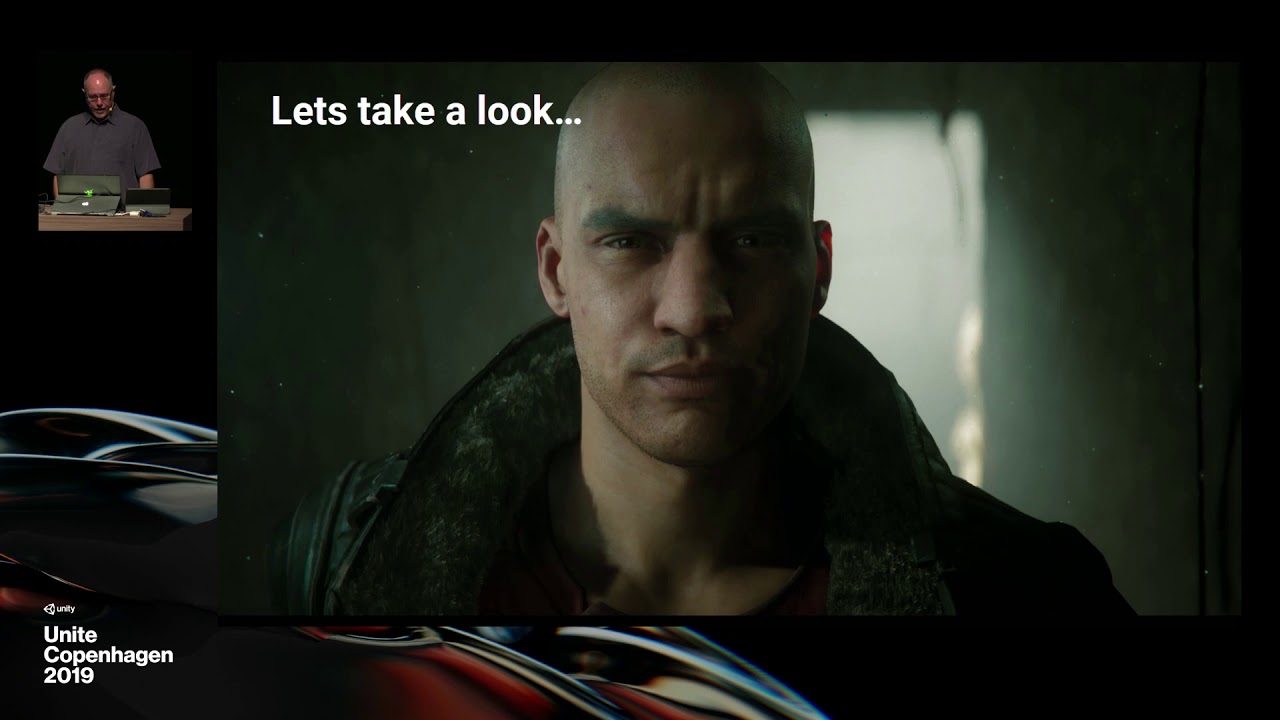
Learn the latest features in the High Definition Render Pipeline such as Post Processing, Shader Graph, Visual Effect Graph, and Timeline were used to create...
turbid matrix
turbid matrix
Posted few more on #621015251126845491, talk should be uploaded tomorrow'ish by Unity
west notch
@drifting vault for that project, we do use Collaborate and last time I tried to pull the project to my machine it crashed several times and took about 45 minutes total. That's why I didn't want to pull it down just before leaving the office :p Here are the AO settings in the scene, I'm assuming this is what you meant?
drifting vault
hmm, try something like that on scene
west notch
If anything, that's made it worse.
Or at least, that's appeared to make artifacting from temporal AA worse, as suggested by someone earlier. The original issue was visible on non-moving frames, so I'm not sure that's the same thing.
 dreamy fox
What version of HDRP are you on?
(Also, for the ghosting, I have in plan to spend some time on it as soon as we can, so hopefully it will improve)
west notch
6.9.1
dreamy fox
There was a big issue w.r.t. history buffer and on top of my head that version still has the problem. If that is not the issue you have, it is still quite a disruptive one. I would see if the next package fixes the problem you have.
west notch
Alright, cheers 👍 anything else you think we can do, please let me know!
turbid matrix
@dreamy fox are you at Unite/cph?
dreamy fox
@turbid matrix nope
turbid matrix
Ah ok, just asking as would have been nice to meet in person
Also if you need more repros for breaking the current TAA just tag me :)
dreamy fox
Maybe at future unites! Oh by ghosting I meant AO, not TAA 🙂
turbid matrix
Oh my bad :)
chrome hawk
If anyone at Unite discovers what happened to HDRP area light improvements (eg volumetric support) that were mentioned for 2019.2 in an earlier roadmap talk, but then didnt happen, and now dont generally get mentioned at all and I am ignored when I ask, then I would love to know, cheers.
meanwhile, I see there is some raytraced contact shadows code on github now. Pull requests in general are mounting up so I will probably wait till things settle down a bit before trying an in-development version.
indigo summit
random question, is SRP going to support shadowmap caching?
 scarlet hull
I'm not sure for SRP.Core or URP, but HDRP already supports custom update of shadowmap per light, if it's what you're talking about.
Every frame / On Enable / On Demand
glad tartan
@scarlet hull Real quick since you are here. Any news on Scopes for HDRP or URP Post Processing?
scarlet hull
I don't get the question here ... what are you awaiting ?
scarlet hull
I'll try to get some answers, but the dev is busy in Unite right now.
I'm pretty sure it's on the roadman, but I don't have an ETA
glad tartan
Ah aright thanks. Yea I figured most would be busy at Unite, since you were here I decided to ask
scarlet hull
Well, like I said, it's possible in HDRP
indigo summit
hmm i'll check it out then
scarlet hull
7.1.2 for 19.3b4 and 6.9.1 for 19.2 (lightweight 🙂 )
indigo summit
are those in PM?
scarlet hull
should be (but be sure to be on the latest available editor version)
scarlet hull
Be sure to check that dropdown in package manager, as it can hide more recent versions compared to 7.0.1 that is tagged "verified"
indigo summit
hmm i think i need to clean my library
hmm still not seeing that
the heck??!!!
why i'm not seeing the dropdown ??!!! 🤔
ah, found the problem
indigo summit
script error due deprecated/removed API, this causing the package manager halted and unable to reload/update the list
get that fixed, the PM will work again
or basically if you get any script error, try to fixed them first. For some reason it block Package Manager
 tall hamlet
ahh ok thanks ^^
 whole fossil
hi. are there any examples using custom pass volume introduced lately in HDRP?
turbid matrix
@whole fossil check the actual PRs as they give brief instructions
Also look at the generated templates
Also do note that custom pass and custom postprocessing passes are two different things (just pointing it out as it wasnt first obvious to me)
turbid matrix
You also probably find my few line custom blur snippet on discord search but I dunno how useful that is
turbid matrix
Dynamic geometry (wip) mainly being the interesting part there (it is not there yet)
indigo summit
everything raytraced now huh?
whole fossil
@turbid matrix Also do note that custom pass and custom postprocessing passes are two different things (just pointing it out as it wasnt first obvious to me)
You mean the difference between DrawRenderersCustomPass and FullScreenCustomPass right? Cause both custom pass and custom postprocessing pass uses Custom Pass Volume right?
or am I missing something?
turbid matrix
@whole fossil no there is separate custom pp as well
It might not be on 7.1.1 (not sure if it made it there but it is at least on bleeding edge hdrp
Custom pass doesnt even let you run things after builtin pp, custom pp pass does
whole fossil
well, okay. good to know, thanks. I am on 7.1.2 and tbh I don't see any custom pp for now (maybe I overlooked something).
Once again in the bloom matters - am I correct that URP still uses this artistic friendly bloom (with treshold and such) and HDRP uses this proper/accurate bloom that blurs whole frame and isn't as much friendly (for me) to work with?
I am looking for the simplest way of porting "artistic bloom" to the hdrp
turbid matrix
You can get used to hdrp bloom
Just never put bigger intensity than 0.3 unless you go for full screwn blur effect
I prefer 0.1-0.15 myself
You can still make it glow with emissive control in materials
This is more like ecs talk?
 true zealot
Wrong channel 😛
whole fossil
@turbid matrix - no you cannot (or maybe I just can't) get used to it. I'll show you why on an example.
this is clearly overbloomed - using hdrp 4.10 iirc
this is how it looks now. with bloom as shown on screen
cracking up an intensity of light doesn't help much
as you can see - the old bloom affects light sources in my scene.
indigo summit
HDRP are planned to coming out of preview in 2019.3. Is the realtime shadow blending with lightmap/shadowmask are fixed?
weary fog
The light itself shouldn't be blooming unless you have volimetrics on. Only the spots that are lit by the light should bloom
To me it looks like you don't have volumetrics on
 tropic thicket
Hey folks. After upgrading to Unity 2019.2.6f1 with VR and LWRP [6.9.1] I'm seing some weird lighting issues. Lots of flickering like you would see if you have too many realtime lights enabled. However, I only ever have 2 enabled and its still present. Is this a known thing? I have a video showing the issue here. If anyone has any suggestions, Im grateful for any help. VIDEO : https://youtu.be/cnujxG2rk1A

Video showing point lights being weird in Unity 2019.2.6f1 with VR and LWRP. Only 2 lights are ever active, and RP asset settings is also shown in the right ...
Pretty sure this didnt happen in 2019.1
 tender atlas
Hey guys... does anyone know of a way to assign a custom render path to a specific camera? I'm trying to get a camera to do something like setreplacementshader in LWRP for a single camera.
tender atlas
NVM mucked around enough to finally find a way XD. The renderType enum on cameras actually creates a field if you choose custom to plug a renderData asset into it.
 fervent bluff
I'm waiting for screen space reflection in hdrp
indigo summit
@fervent bluff @ why? it's been in HDRP since forever
 flint patrol
is URP ready to use with VR
I noticed the VR template is no longer there, what settings did it set automatically?
turbid matrix
@flint patrol it should be but there could be still some PP issues on URP with VR
like, despite LWRP being released, I don't think Unity treats URP as fully released thing while 2019.3 is in beta
the PP thing on URP is that well, it's brand new setup there now, LWRP used PP package where URP has it's own dedicated PP so that's where a lot of changes exist now between the two
also do note that 2019.3 has Unity XR management package now which is the new intermediate layer for VR/AR development that replaces the old VR plugin workflow
the new thing basically abstracts the devices by their functionality so it'll be more like what you've seen on unreal for example
@nocturne citrus should be happy about that one if he ever touches Unity VR again :p
indigo summit
@fervent bluff it is supported on HDRP, on LWRP i don't i heard any news on that yet
i used an exaggerated setting obviously
fervent bluff
Yes of course and woah why it doesn't work on mine.......I'll have to check it again today
@indigo summit thanks ! A lot I'll see to it
indigo summit
i honestly don't like the current SSR though
indigo summit
it only support glossy ssr. So no blurred SSR for rough surface
fervent bluff
Aah yeah! Hope they have an update with that planned
indigo summit
yeah i think SSR never been updated
i guess they are focusing on stable HDRP release
and Custom Post Process support? i think
@turbid matrix how is it going with the custom PP in HDRP?
do you heard anything on that part?
turbid matrix
I've checked it out when it arrived
I didn't really have anything to do with it back then, just checked the workflow briefly
I wish they didn't go for that special approach on these things
like especially on custom PP, you have to use custom volume for it, you can't like put the effect on regular volume where your existing PP is configured nicely as SO asset
that's a huge step back in usability IMO if you compare how it worked on the old PostProcessing package (you saw custom providers PP things on the same volume under different drop down only)
and as for the SSR, it's been getting updates even recently, I think partly because it's more tied to DXR now so old SSR issues that also affect DXR reflections now get bit more love
also the reflections only for glossy surfaces is an optimization, you can still tweak the threshold for that
I really like the visual quality of HDRP SSR myself so I think my opinion on it is bit biased, I'm fine with the roughness cut off too as I don't really see why rough objects would even need SSR (they don't reflect that much in real life either and this is balancing with the perf cost anyway)
There is one thing that does bug me on SSR tho and it's the sky reflection, I actually wanted to ask about this at the Unite from the HDRP guys but totally forgot about it when I met them
there's this crazy artifacting around the edges of the objects when you enable sky reflections on regular SSR, it works amazingly with DXR but on regular SSR it's totally useless right now as you can't put that much artifacts and expect players to not notice 😄
you can see this clearly even on the HDRP template if you put the floor material to be super smooth
(and enable SSR)
indigo summit
true, the edges around the current SSR are nasty
turbid matrix
you mean the mesh edges now, right?
indigo summit
yeah
turbid matrix
just verifying we talk about the same thing 😄
great
I've had this theory why it happens for a long time, just wanted to know if I got it right
indigo summit
Kinda missed the old SSR look though, where semi rough surface have a blurred reflection 😦
turbid matrix
ah, that could probably be arranged with minor modifications
indigo summit
of course for highly rough surface we don't need ssr, cubemap should be enough
turbid matrix
but the SSR we get now is more costly already if you want it to look cover as much of the area as possible
indigo summit
i guess i have to live with the current SSR then 😄
i prefer if don't have to limit some rendering feature for DXR though
well except accurate reflection and GI
turbid matrix
anyway, I think the sky artifacts are coming from the random sampling setup SSR has (again just my theory) and there's no filter atm for this in the SSR shaders. I'm curious about this though because you'd think you could mask the edges better with the depth buffer? Or with the stencil buffer at least but I guess the issue isn't really finding the mesh edge but that the actual data from the sky not being there near the edges?
I wonder if the sky could be sampled separately from the scene just for SSR to fix this?
indigo summit
that would add an overhead isn't?
turbid matrix
sure but right now you can't even use this feature so it's more of a question if you can do it or not
indigo summit
ah
turbid matrix
I guess there could be some cases where you can use current sky reflection on regular SSR, like if you have a clear skyline and no meshes jumping out of it
but that's like super rare exception rather than the normal situation
indigo summit
i guess in the end people might implement their own then
after Custom PP are supported
frigid nova
i have been complaining for the ssr for a while now and the ao,but they fixed the ambient occlusion now we need to see what will they do with the ssrr
turbid matrix
I hope some Unity employee sees all this and gives some brief answers to why this happens, but I don't want to tag people for stuff like this as people are busy 😄
indigo summit
but the current Custom PP workflow are a bummer
turbid matrix
I'd rather tag people when it's more important
Unite was perfect in a way that one could just ask about anything in person but yeah, totally forgot this thing 😄
indigo summit
in the future this would causing a lot of custom post process volume from the asset store
yikes
turbid matrix
post processing
frigid nova
post processing
frigid nova
or a pipi
indigo summit
well you know. . a PP
turbid matrix
and yeah, it'll get super messy
it feels something they rush in to get for the release, I wouldn't wonder if they changed the setup later on for some more polished approach
they do know people need this badly
so it makes sense putting it there in some way at least
indigo summit
i hope they will improved that
frigid nova
im just glad they fixed their ao ,i remember the old one and jesus christ it makes me stay up at night
turbid matrix
some people don't really like the new AO at all
turbid matrix
I kinda wished they would have left the old setup as optional thing
well, new one is great when it works
indigo summit
the new AO is basically GTAO isn't?
turbid matrix
but new thing needs a temporal filter, and temporal anything can increase artifacts on fast moving things
also now that GTAO is more accurate, you'll see it breaking way more easier than the old AO if it lacks the screenspace data
frigid nova
yeah but the shadow falloff and occlusion is WAY more accurate like that
indigo summit
at least it would be great if your creating a drunk effects
turbid matrix
like, it's way harder to tweak to look good on my use cases
when it breaks, it breaks way worse IMO
frigid nova
for me seem insane easy ,maybe cause i have been woeking with lighting and all the components for a while now
turbid matrix
there's no denying that the accuracy is greatly improved when it actually has all the data it needs
frigid nova
shit happens
indigo summit
well that's the main issue with Screen Space effects though
frigid nova
true
turbid matrix
yeah, but it's different with GTAO due to the way it works
frigid nova
for example look at the ssrr its so broken it almost not worth using
turbid matrix
you get different style artifacts with it
indigo summit
say, what kind of artifacts that you talking about with the current AO?
i mean i literally never get any problem with it
(yet)
frigid nova
gtao is new for me i was still in hbao+
turbid matrix
I'd have to do visual demos to showcase this
frigid nova
me too i dont have any problems eccept some holes that fill with black some times
turbid matrix
for example in the in-car view, the wheel occludes some of the instrument cluster behind it and it can make like the whole meter dark at some angles when you've tweaked GTAO to look really nice elsewhere, so what I now have to do is to dial the GTAO parameters constantly just depending what kind of camera angle I'm using
on the old setup I could use pretty generic setting for everything
it didn't look as accurate but never had this level of tweaking per view with it
also I can't 100% fix the camera angle either
so that's a challenge
frigid nova
i get what u mean but for me this is super minor problem in terms of the general accuracy that this version has,all the others we had in the past are so bad so innacurate that i wasnt even using any of them ,i only had baked AO
indigo summit
ah i see, i think i know what are you talking about
turbid matrix
like I said, the accuracy is great on GTAO, no debating about it
indigo summit
but is there any racing game that using AO?
turbid matrix
but I can totally see why many people can be frustrated by it
yes
all of them
ok, most of them 😄
indigo summit
isn't they mostly just using some kind of projected AO for the vehicle?
turbid matrix
tbh, I'm not sure if they use that much in the actual in car views
that's not something I've examined that closely myself
indigo summit
oh wow, i literally never notice them. I guess because i was playing the game so i prefer to drive 😄
you know, never drive and look for graphics
turbid matrix
I know how different games do other PP stuff but AO has been like my least problematic thing in general so never paid attention to it that much before GTAO's artifacts
also I do stress that I can tweak GTAO to get reasonable results, it's just not some fire and forget thing we used to get in previous AO
indigo summit
yeah endless tweaks
turbid matrix
the example I gave isn't even like specific edge case for in car view, you can see similar thing even on any fps game if you are like indoor and there's any kind of hole in the wall where you can peek inside
since the lighting looks so much more accurate with GTAO, you notice the artifact easier
the old AO fails on this as well but it's not as easy to catch there's something totally wrong there
as it never looks that accurate in the first place
indigo summit
hmm interesting
well let's hope they do improve some stuff after HDRP stable are released
and maybe new world space AO with the new ProbeGI system 😒
turbid matrix
you can't really improve a lot on that one because it's basically limitation of the algo itself with screenspace data
but this does make it easier to tweak with DXR ao
as the results will be more similar
there are notable differences on AO quality when you toggle the raytracing on now but I can only imagine how huge the change would have been with the old AO 😄
indigo summit
well it's raytraced with screen space
i don't doubt it
i honestly do have a lot of question regarding shadows and AO for HDRP
but i think it better if i wait after stable release
turbid matrix
there's been more docs on HDRP now as well
so might find some random info there as well
 barren kindle
what is the state of hdrp terrain lit? 🤔
i am getting strange artifacts with height blending
drifting vault
How do you create mask texture for your terrain layers @barren kindle ?
by tools or manualy you combine AO,H,M,S ?
barren kindle
manually
barren kindle
[image deleted]
also ambient occlusion does not activate at all
remapping in the material does nothing
drifting vault
hmmm, you tried play with channels settings in terrain layer?
barren kindle
after some inspection of the diffuse alpha, i discovered that the blank area of the "rocks" texture still has something on it 
removed it, but nothing changed 🤔
okay that is weird. i am pretty sure that is not supposed to happen
turbid matrix
"Various information:
- DXR will be available as preview with the official 2019.3 release. Still you can test it with the beta and with package 7.1.1. More important change are still coming in further package.
- We have indeed not updated the changelog for DXR for a while due to large change we where planning. DXR was experimental, once it will be out as preview with official 2019.3 we will start changelog
- Documentation is here: hhttps://docs.unity3d.com/Packages/com.unity.render-pipelines.high-definition@7.1/manual/Ray-Tracing-Getting-Started.html
- We are deleting the github project: https://github.com/Unity-Technologies/Unity-Experimental-DXR . Please use official release.
- We have the toy scene available here: https://github.com/Unity-Technologies/SmallOfficeRayTracing
- DX12 is slower than DX11 currently but is requried for DXR
- DX12 is in preview state and have some functionnality not supported as this one:
d3d12: generating mipmaps for array textures is not yet supported.
This will be fix for 2020.1 and performance will be fix for 2020.2. Both DXR and DX12 should be out of preview in 2020.2 - Preview DXR in 2019.3 don't support deformer (skin, vertex animation), don't have correct culling for shadow, don't work with VFX and Terrain, don't work with severals material (no hair, no Fabric, no stacklit, no AxF).
- See documentation for list of supported features (once we update the doc in 7.1.3 🙂 ).
- We don't have DXR template anymore, we have a HDRP wizard instead to help to configure DXR in an HDRP project.
During the beta we have very interested by crash that you could get with DXR (in particular if you have repro step). We are aware that there is instability here and are looking for to fix it. Thanks "
that was from a post by SebLagarde here: https://forum.unity.com/threads/unity-experimental-hdrp-dxr.656092/page-8#post-5005706
barren kindle
i sent the bug report. i hope i did not make the textures wrong because that would be awkward 
turbid matrix
GitHub
Implementing ray traced contact shadows
Changing the lightdata.screenspaceshadow content to store the ray traced contact shadow flag
Has potentially a dependency on #4699
 uncut root
Have to ask, does this look familiar to anyone? ```Assertion failed on expression: '0 == m_CurrentBuiltInBindMask'
UnityEngine.GUIUtility:ProcessEvent(Int32, IntPtr)
Keeps throwing this error when I recompile a shader in 2019.3
 lyric ravine
@flint patrol URP + VR works in release versions (2019.2, some URP versions work) but it's mostly broken in current betas, especially in combination with PostFX
turbid matrix
it was LWRP before 2019.3, URP is the only one that even has it's own dedicated PP so it does make quite a big difference here
so for VR or not, when you used LWRP, you used it with PP package. And now with URP, you just use it's own PP which isn't same setup at all so direct comparisons can be tricky between the two as PP is different between these systems now
frigid nova
@turbid matrix hey dude ,do you know any script that takes 4k pictures of in game camera even if i dont have a 4k monitor?
 runic bay
you can try Unity recorder (it's a preview package), but it allows you to take screenshots at resolutions and 4k is an option
it's an editor tool only, unless you need like a runtime one
frigid nova
thanks mah dude,i just want to get 4k of my environments for my artstation.
how do i get this one?
runic bay
You get it from the package manager
frigid nova
lit thanks mah dude. @runic bay works like a charm dude
 harsh spoke
speaking of Recorder, does anyone know if there are some additional packages needed to get render passes working? It supposed to be available in 2019.3, but the b4 version with 2.0.3-preview.1 Recorder doesn't have any settings like that.
I'm talking about getting depth maps, multi-masks etc. I've been told by someone from Unity it's already available 🙂
drifting vault
@harsh spoke you about AoV recorder in Package Manager?
harsh spoke
🤦 I should have expected there was an easy explanation
I've assumed this would be just in the Unity Recorder, not a separate package named almost identically 🙂
quasi mulch
Question for HDRP: is it possible to get the pixel height where the pixel will be drawn, or the normal of the surface the pixel will be drawn to? I want to fade out decals which might be flush against walls or undesirable geo
Ah i see
@scarlet hull anwered it earlier!
For me, if I knew the height of the pixel being drawn for the decal it would be a solution. I just need to fade it before it reaches the Y extent of the decal box, gradually to that point. It would solve most if not all my blob shadow issues near overhangs.
 exotic plume
@turbid matrix hey man- thanks for the post about the status of DXR
Got a question for you - if I don’t have a supported graphics card for DXR, would i still be able to use it with gtx1080 for offline rendering with Unity AOV recorder?
glad tartan
@exotic plume I have a GTX 1080 and DXR works fine with it other than being slow of course, but still I get 10-15 FPS. As for the Recorder I'm not sure if it records the DXR effects as well, never tried it for that
turbid matrix
@exotic plume pretty much what Renardo said. 1080 is dxr supported by recent nvidia drivers and latest win10 platform update
whole fossil
guys - any news in terms of decals? I mean the issue when emissive decals are drawn over every material no matter what is set in surface options
true zealot

protip on how to save 30 ms a frame in unity if you're using HDRP raytracing. Comment out these lines if you're not using reflection probes.

 Twitter
 ripe fable
Woah
ripe fable
Anyone ever had missing shadows in HDRP? Edit: seems to be a thing with the current staging branch, shadows seem to be broken (even non-raytraced shadows). Will revert for now.
indigo summit
@quasi mulch which post that he answered?
turbid matrix
no missing shadows on my end
but haven't tried recent master lately
(or staging)
 obtuse quest
I've been having issues with rendering to a render texture using a camera when switching from LWRP to URP (upgrading to 2019.3)
Specifically its the camera background type thats not working. It doesn't matter if I set it to Solid Color, Skybox or Don't Care. I never get it to clear.
The only way I've been able to get it to clear is to enable "Render Post-processing" on the camera. But I can't manage to find out how to set this option from code. Does anyone know?
uncut root
@obtuse quest You can add or get the Universal Additional Camera Data (something like that) component on the camera. Which will allow you to set some of the options you see in the inspector, but arent in the Camera class.
obtuse quest
Thanks, I'll try that!
ripe fable
@turbid matrix yeah it seems to be a recent thing. I tried a couple different pulls from HDRP/staging (today, yesterday, 5 days ago) on 2020 a5 and 2019 b4, and there don't seem to be any shadows anywhere. They instantly work when reverting to an older HDRP version.
turbid matrix
@ripe fable could be related to the raytraced contact shadows commit
ripe fable
Yeah that's what I thought at first, but it hasn't been merged
So I tried checking out HDRP/RayTracedContactShadows and everything actually works fine, while current staging does not lol
turbid matrix
could try with https://unity3d.com/unity/beta/2019.3.0b5 I suppose
ripe fable
will do
turbid matrix
it's not shown on the hub yet but install with hub button should work
ripe fable
Kinda just want a working version with all the DXR fixes that went through last week
Thanks man
turbid matrix
installing it now myself but have other things to do before I can test the latest staging or master (which ever is newer now)
kinda bummer that HDRP's DX12 optimizations will be so far away
considering that you gotta go for it if you want DXR
of course DXR itself is still in preview for a good while
so have to look for next summer for that :p
drifting vault
What?
HDRP 7.1.2 dont support volumetric light anymore?
ah its now combined
hmmm very interesting
ripe fable
@turbid matrix all good in 2019 b5 🙂
drifting vault
b5 released?
ripe fable

Unity
Unity is the ultimate game development platform. Use Unity to build high-quality 3D and 2D games, deploy them across mobile, desktop, VR/AR, consoles or the Web, and connect with loyal and enthusiastic players and customers.
unkempt nest
Hey
Could anyone explain to me please what's going on now with the upcoming render pipelines?
For now I thought there's gonna be LWRP, URP and HDRP
Did HDRP move to URP?
Or did I miss something?
ripe fable
For anyone wondering, the DXR shadows denoiser ghosting fix/workaround in ScreenSpaceShadowManager is no longer necessary in the latest staging branch
turbid matrix
ah, so it doesn't lag anymore?
that's cool
I've just kept applying it as long as there hasn't been merge conflicts on it
 azure kraken
Is it a known issue that LWRP shaders can't use the opaque and depth textures when running on mobile VR (Oculus Quest)?
lyric ravine
Depending on LWRP version they might be hardcoded-disabled on mobile VR
Not the case in later URPs iirc
 chilly badge
Hi everyone, I am testing DXR features with the HDRP but I am facing an issue with reflections and shadows.
Raytraced shadows are working great but it seems that they are not used in raytraced reflection. Did I missed something ?
turbid matrix
@chilly badge they should show in the reflections
what is an issue tho is that shadows get culled too early so if you like don't need the shadow in the main view, it gets culled from the reflection as well
it's a known issue
chilly badge
@turbid matrix Thanks for the answer. I am not sure to understand. Here are some precisions about my situation.
I have raytraced reflections and shadows. Both are working. But in my raytraced reflection, I only see shadow mapped shadows and not raytraced reflection.
turbid matrix
oh
wonder if that's what I've seen as well then?
I should retest at some point
I know reflections don't show some other raytraced stuff but I didn't realize the shadows could be different
for example if you use DXR gi, you won't see it in the reflections
chilly badge
Hmm that might explain the issue I am having. Raytraced reflections might behave the same as DXR gi and are not used.
It might not come from a bad configuration.
glad tartan
If anyone interested - https://www.youtube.com/watch?v=-GzGpDGfeTA

Learn to assess when to use the High-Definition Render Pipeline (HDRP) and how to start using it for production. Speaker: Jennifer S. Roig-Deslandes - Unity ...
Most people here probably know most if not all the info in this though
lyric ravine
Is it actually a known issue (has someone reported a bug) that Wireframe view in scene view isn't working for LWRP/URP?
It shows the very useful wireframe of a single fullscreen quad
 cerulean wolf
I'm not sure, but it sounds like that is something which is hard to miss for the Unity devs.
 candid basin
you'd think so
is it broken in a non-beta/alpha version?
because to be fair I can imagine that it's a lot of work to make sure nothing is broken, the editor is huge and things might break where you don't expect them to
cerulean wolf
I have a question about a LWRP render pipeline feature. I am trying to make a fullscreen quad overlay render feature, I looked at the one from "UniversalRenderingExamples"(https://github.com/Unity-Technologies/UniversalRenderingExamples/blob/master/Assets/Scripts/Runtime/RenderPasses/FullScreenQuad.cs). And it works perfectly for non-vr but when I run it in stereo I figured out that the projection/view matrices were not being overwritten by CommandBuffer.SetViewProjectionMatrices(...). Does anyone know how to "overwrite" these matrices in vr too?
Thanks in advance!
cerulean wolf
The reason why I want to overwrite those matrices "manually" is that after this fullscreen pass I want to render the portal view, so for that I will need to overwrite the view/projection matrices for it to function.
turbid matrix
this was dropped into asset store few weeks ago https://assetstore.unity.com/packages/3d/environments/unityjapanoffice-152800

We created a photo-realistic demo using the latest technologies to show the highest digital contents to Japanese AEC industry.
The stage is Unity Technologies Japan office which is located at Ginza.
You can walk through the office and change some parameters at realtime.
...
chrome hawk
ah cheers I had not seen that. At least it works with relatively recent 2019.2, unlike the HDRP Snaps which were embarrassingly incompatible with modern versions of HDRP.
my last comment refers to 'Snaps Art HD' to use the proper titles. I groan every time I go to the store and see that these are still on v1 for Unity 2018.4. I hope they are ready to update these as soon as 2019.3 is released in final form, with associated out of preview HDRP. But I have my doubts.
drifting vault
@turbid matrix haha cool
 weak breach
Hey guys, does HDRP fully supports realtime GI?
I intend to use it in a showroom project to display different types or floorings, and I want the indirect light to work with a high quality
turbid matrix
@weak breach depends... in theory it does support Enlighten but the support for that has never been great and enlighten support from HDRP is removed from 2020.1 and onwards
then 2019.3 has DXR preview which supports DXR GI but you can only run it on RTX supported GPU's and 2019.3's DXR doesn't support animated things
also additionally Unity is working on DDGI which is going to most likely going replace Enlighten for HDRP in the upcoming years (no promises yet) but it's not out yet
weak breach
I will probably stick to enlighten then, good to know that at least there will be a solution for what I need
since it's kinda of a small project that I don't intend to spend too much time on it, I'll just use what's available for now and lock the project on 2019 LTS
@turbid matrix thanks 😄
 serene wasp
I'm trying to make the character feet always be on top of the floor with LWRP, any idea how to do that?
 dawn sorrel
no IK?
unkempt nest
Inverse Kinematics
serene wasp
No, because the character has an animation an the IK would mess up with the animation
And I have multiple characters, so I want a standard solution for all of them
unkempt nest
Hmm, I don't see any other option other than IK, especially if you're dealing with Humanoid Characters.
serene wasp
But can't I just render the floor behind everything?
Or can't I make the character be rendered above the ground always?
unkempt nest
Yes it's possible
Check out Render Queue
By using this technique I rendered a boat model, to eliminate abundant water that was clipping it.
serene wasp
But does Render Queue override depth?
serene wasp
I kinda managed to do that, but the part that is underground is all messed up
I am looking behing the character, so I should see the back of it's head, not the face
 crimson bough
Anyone know why when I set my scriptable render pipeline under Graphics in Project Settings to Lightweight Render Pipeline everything turns pink? I need to use this pipeline for a single shader but I don't want all my other shaders to be pink
 frigid cypress
shaders made for the built-in renderer are not compatible with scriptable render pipelines, you need to build all of the shaders for lightweight or all of them for built-in. you can't use the pipeline for only one shader in the project
crimson bough
Oh man, that sounds terrible. So essentially this entire guide I followed to create one UI shader is useless, because every other material and shader will never work. That seems over the top
I just wanted to a UI background that blurs the elements behind it
There must be a way to at least convert them, the problem I see is that the LWRP pipeline doesn't have an Albedo
azure kraken
@crimson bough Dangerous solution is to try and convert you standard shaders to LWRP shaders using Edit->Render Pipeline->Lightweight Render Pipeline->Upgrade Project Materials...
Safer solution would be to get Amplify Shader editor from the Asset Store. It's got a similar UI to Shader Graph. You might be able to reimplement the UI blur shader you created for the standard pipeline.
crimson bough
@azure kraken Thanks! I can backup my materials and try converting. I hardly knew what I was doing in shader graph, there was a lot of things to do just to blur.
dawn sorrel
Hi guys, anyone has experienced with any of the third party sharpening filters in the asset store with HDRP?
turbid matrix
@dawn sorrel I doubt any 3rd party PP thing works with HDRP yet
I mean, HDRP just got custom PP support on latest 2019.3 / 7.x release
it's bleeding edge now
and asset store devs really avoid HDRP at all cost now
nobody wants to dev for it
I'm hoping Unity will enforce these things at some point to make the situation better
that being said, there is sharpen filter on TAA on the bleeding edge HDRP now
it's also in the older versions but you have to manually tweak the TAA shader to change it's value
GitHub
Purpose of this PR
The sharpen strength value is hard-coded and has been tweaked for non VR content.
This PR expose it in the UI of the camera (following the same pattern as SMAA Quality).
Increasi...
that was merged 13 days ago to staging so I don't think it's on the actual 7.x releases yet
but it will be soon
dawn sorrel
Thanks, I'll play around with it
 stark elbow
Does anyone know how I can get a mask value from the renderingLayerMask of a skinnedmeshrenderer the unit seems to be unreliable?
I've fudged it for now, the unit doesn't align with the layers in order - I assumed it would go through the dropdown list and then do the mixed layers after, I was wrong
turbid matrix
I had something like that when I tried to use motion vector pass only from a shader
But it wasnt compatible shader for sure
lyric ravine
left "invisible cube" is just Unlit Shader with ColorMask, right is similar to what you said (ShaderGraph shader with ColorMask 0 on relevant passes)
 blissful geode
Is everything in hdrp vr compatible ?
turbid matrix
Totally depends on the version
blissful geode
May you could help me by giving me the last stable one ? 
turbid matrix
I'd go for latest experimental for hdrp vr
There is no good stable release that also does vr well
blissful geode
I reallt want to try the vfx graph on vr !
Well thank you @turbid matrix ! I'll try this one
turbid matrix
Technically hdrp 7.x will be first "stable" version once 2019.3 gets released
drifting vault
im just want to animate foot steep decal fade from 0 to 1, but its allways look like fade at 1
Is Decals Fade not works when you animate it?
azure kraken
@blissful geode VFX graph is available for URP too (I haven't tried it in VR though).
https://github.com/keijiro/VfxPyro

GitHub
Fireworks particle effect with Unity VFX Graph. Contribute to keijiro/VfxPyro development by creating an account on GitHub.
blissful geode
Oh, seem cool
But honestly URP IMO is laking too many things. I would rather stay in the normal pipeline if it had the VFX graph than switch to the URP. I think VR need more awesome graphics since you are even closer from the screen. So HDRP would fit it more.
To me URP suit more mobile devices, AR, or webgl
 empty star
You can use VFX graph in legacy too, just w/o shader graph support or lit shaders
 sweet sparrow
Is the plan for URP to replace to standard renderer?
sweet sparrow
Also I've seen a lot of people complain about lack of camera stacking in unity but couldn't find a good resource to explain what that is, anyone care to elaborate?
 short thorn
I am starting a 10 month long project and would like to use shader graph, volumetric lighting and support as many pcs as possible. As hdrp is currently still in preview is there any issues with it that might affect development or have you encountered any issues with it? Also would hdrp prevent lower end pcs from running my game? Should I use hdrp or lwrp(urp)?
scarlet hull
If you want "real" volumetric lighting, I'd suggest HDRP. URP has an more "old school" god rays effect.
HDRP will be out of preview with Unity 2019.3, that is coming soon, so I guess you could start using the current beta.
As for the last question, define "lower end pcs"
short thorn
Thanks for the advice. By lower end I mean cheap gaming laptops or budget gaming desktops.
scarlet hull
HDRP should work on any compute shader capable PC, that would basically mean anything since 6 years i think.
How the rendering will perfoms depends on how you build your scenes and how you optimize
turbid matrix
afaik, there still is notable overhead on low end hardware when you use HDRP
also HDRP does stuggle with some integrated Intel GPU's
like not even talking about the performance but there are driver issues that cause it to not render properly
URP would be the safest bet but you won't get out of the box volumetrics with it
@short thorn
short thorn
Thanks
drifting vault
@scarlet hull URP has god rays? dint find that
Also URP can have volumetric light without destiny volumes, and that would work on low-end pc.
only last GPU with DX11 and shader models 4x can draw destiny volumes -but im not sure
 languid hornet
Does anybody know a way to create a mirror in LWRP + VR project?
cerulean wolf
You could do it the old and slow way, and render the scene again but then from the mirrors perspective, or use some kind of re computed reflection probe, depends what kind of requirements it has
scarlet hull
"old and slow" ? That's how it's done in HDRP 😄 (and probably a lot of AAA that have perfect flat mirrors)
turbid matrix
You could also use planar reflections, depending on the use case
There is a sample for it on some unity github for lwrp, hdrp supports that out of the box
As a side note, I noticed that I could use dxr reflections for car interior mirrors. I didnt even try to do that, just had materials in place that reflected and noticed it works fine
wispy juniper
how do you work with volumetric lights in URP?
drifting vault
URP dont have build in volumetric light system
you can use only volumetric light from asset store like AURA 2
or upcomming HX Volumetric Light update
sleek pulsar
Is there any way to enable URP lighting defines when using the Unlit master node? Currently the only workaround is to use the Lit master node but push the lighting information through the emission input.
 prisma sleet
I wish the OVR (Oculus Integration) came with shaders that actually worked in the Universal Rendering Pipeline..
indigo summit
is there any sample of the new HDRP CustomPass?
turbid matrix
there's tiny sample on the template it gives you when you use it
and there's small example on the PR itself
you can also find my naive blur pass code with discord search probably
but it's hardly a prime example on how you'd unleash the power of custom pass 😄
@indigo summit
I'd expect proper docs eventually
 iron quartz
anyone know if 2D lights can be toggled off in scene view in the editor yet?
scarlet hull
@indigo summit @turbid matrix We're slowly building up an examples repository for the custom passes as we a test covering the feature : https://github.com/alelievr/HDRP-Custom-Passes

GitHub
A bunch of custom passes made for HDRP. Contribute to alelievr/HDRP-Custom-Passes development by creating an account on GitHub.
Made with love by @woven sonnet & me
indigo summit
Ooh nice i'll check it out
chrome hawk
@sweet sparrow yes they want URP to replace standard built-in renderer, but this is a long term mission, they know that some features are not yet in URP that need to be for it to be a full replacement. Lets see how URP evolves over next 6-12 months.
 wicked gulch
Hi! Anyone knows why my default material stays pink when using the LWRP? I've created a new pipeline asset in my project and assigned it inside the graphics menu, and I've as well used Upgrade project materials to LightweightRP. Everything is fine except the game objects which use the default material.
dawn sorrel
@wicked gulch you can change the default shader in the default material properties
wicked gulch
Where should I be able to change that? Since I can't do it on the objects them self @dawn sorrel
dawn sorrel
oh you might have to assing a different material that uses a LWRP shader
you should have the option here, im not using the SRP yet
wicked gulch
I only have that option when there's a custom material on it.
The default material didn't have it
For me it's not the biggest problem since it's just a small scene, but that would be a big pain if you've a pretty large scene xd
lyric ravine
Default is still broken
Not sure why, I reported that as bug before
Like, when lwrp came out
What I did is make a script that finds all default materials and replaces that with whatever you define
@wicked gulch
wicked gulch
Seems like a fair option 😄
Unfortunately LWRP broke even more for me. Like this:
https://gyazo.com/2757223842ff8fcd904e2aa728d50c39
 lyric ravine
Yeah. Try the different stereo rendering modes. Depending on your version there's always one that works and all others are broken. Also turn off postfx if that doesn't help
scarlet hull
@turbid matrix I guess @woven sonnet / Antoine just didn't ask for it :)
turbid matrix
ah, so the secret identity is now revealed
btw, super happy to see that sample repo, I was trying to get an answer how to make multiple passes on the forums but got no reply
that blur sample on the repo has 2-pass gaussian blur
I hope there will be some note on the docs how to do stuff like that as it's not obvious at all
looking at the original sample template made me think you have to embed your code on the provided function only
 woven sonnet
I never claimed my staff tag, i'm fine with being incognito :)
I'm currently writing the doc of the custom passes and i plan to add example sections where i describe how the outline and another effect that i need to choose are made
We also need to document a bit more the samples we made on the repo, and eventually some of these effects might end up in the official HDRP samples available in the package manager
turbid matrix
I saw the wip branch 🙂
also nice to hear that there might be official samples
very much appreciated
 eternal heath
Is there any way to get a working AO on the URP?
that's the only thing that holds me back to the built-in RP
turbid matrix
they didn't do it yet?
eternal heath
nah
apparently they are working on it but
I'm making a Minecraft-like for my first project (started Unity 1 week ago)
and as the world is made from flat cubes, AO is a big part of the non-flat world feeling
turbid matrix
there used to be community ports of the old PPv2 AO for LWRP in past
but now on URP they got totally different structure for PP
eternal heath
yep saw that on github but apparently ppl are getting errors when trying on URP
turbid matrix
yeah, that stuff will not work on URP as is
eternal heath
but that means the integrated PP module is pretty new and they are probably working on it rn
candid basin
@eternal heath
My understanding is that AO is sometimes based on normals yeah?
I am generating a normals texture in my project that you can access in a shader
would that help you with like making an AO implementation?
indigo summit
i forgot which video mentioning this, but they added a Linear Skinning Node to shadergraph, somebody know what is the purpose of that node?
indigo summit
ah sorry, i know what skinning is. What i mean is, wouldn't it be redundant with skinned mesh renderer?
or we can convert skinnedmesh renderer to standard mesh but still using the bone deformation with this node?
true zealot
I think it's supporting the DOTS animation package specifically
indigo summit
@scarlet hull is the HDRP Custom Pass repo using modified HDRP? sorry for tagging btw
scarlet hull
Not modified, but it's not using a released package. It's using SRP as a sub module, on the HDRP/staging branch
eternal heath
@candid basin sadly, I currently know close to nothing about how a render pipeline works (forward, deferred, render passes, all this is chinese for me)
indigo summit
Hmm i'm getting error on PassUIFlag and TIPSEditor not found
woven sonnet
PassUIFlag have been added recently on the HDRP/staging branch, you can check that the SRP submodule is up to date
indigo summit
and. . . . now i cannot even pull/fetch the submodule
Fetched in submodule path 'SRP', but it did not contain 'commit number'. Direct fetching of that commit failed.
drifting vault
also, im note that in Unity 2019.3b6 you not able to change LoD Bias.
indigo summit
oh nvm got the submodule fixed by forcing it by switch branch
sleek pulsar
I'm a bit disappointed in how I had to go about it (forking SRP) but managed to get a working pixel perfect setup within the renderer itself. I know they did some work with the PP camera component in the newer 2D stuff but it never quite worked the way I wanted it to.
waxen lantern
@sleek pulsar SRP exists for these situations at least and you can host it on git with the package manager integration. and with a working example it's the best way to show Unity how it can be done , make a case for it being in their built in RP. vs just talking about it and hoping they fully understand the use case
sleek pulsar
@waxen lantern I know, and it's awesome that it's available for this. I'd just like to see the option for changing the colour / depth target in a pass if I so choose. It's a wonderful change to have access to these things. In fact the only major downside I see is that you have to fork the whole SRP repo rather than just the bits you need. Not the end of the world though!
waxen lantern
@sleek pulsar https://forum.unity.com/threads/urp-custom-renderpass-depth-cutting-off-colors.741110/ is this related to what you are doing?

Unity Forum
Ideal situation: I'm trying to pixelize objects as they render, ideally with pixel sizes that can be set at the MonoBehavior level for each...
sleek pulsar
Not specifically no
dawn sorrel
Are visuals of the scriptable render pipeline achievable with regular unity without using the srp?
true zealot
Assuming you mean HDRP, a lot of what exists in it can be achieved, though most of it will run slower and be much less cohesive.
There are plugins for default out there for volumetrics, sub surface scattering, decals, etc
You have to rely on a whole bunch more external plugins, which is pretty painful at times
dawn sorrel
ok
 mossy torrent
If I'm planning on using a fair amount of real time lights (switched on and off at runtime), is there a specific pipeline I should develop with? Visual wise, I'm not pushing for next gen. It's a toon style game, but with a focus on lights
 azure gull
can any of you help me with building a shader or moding the existing simple lit shader to support both real time specular highlights and baked lighting, in LWRP. I know it can be done in the standard pipe line but i found no way of doing -it in SRP, i'm using unity 2019.2 and have tried the custom lighting node but GetMainLight doesn't seem to work with light baked objects
true zealot
@azure gull https://www.youtube.com/watch?v=DOLE4nrK97g might be of some help
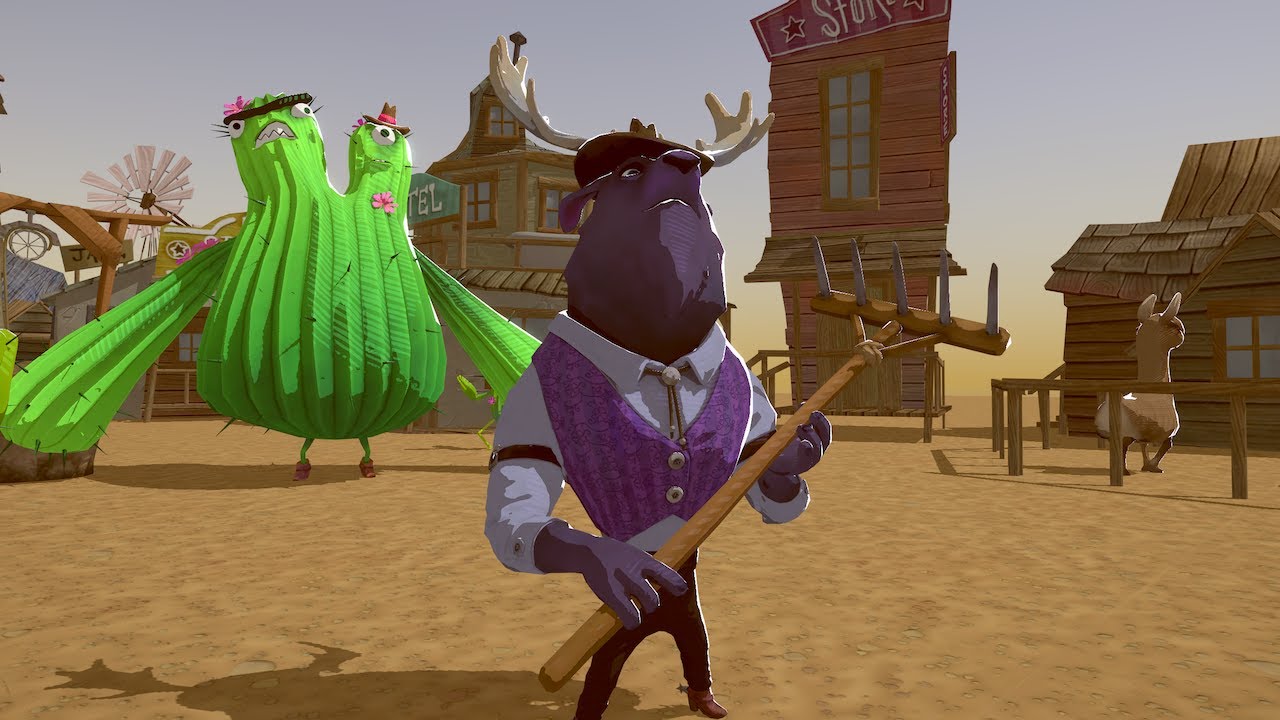
Learn how to write a custom lighting shader for a stylized look that can easily be shared across multiple assets. Speaker: Ciro Continisio - Unity More about...
azure gull
i tried the same thing
only from a blog post
but the code is identical
my problem is that when the object has baked lighting on it, the GetMainLight() function seems to stop working
i'm looking for a way to overwrite this feature, and grab only the specular highlights and apply them to my baked object
 somber shale
Hi all, I'm trying to implement a custom Renderer feature to add a custom planar reflection pass in URP. I therefore need to create a mirrored camera that I would like to cache to avoid recreating it every frame.
Is there a way for me to mimic a camera in the pipeline without attaching it to a GameObject in the scene or am I forced to create it (and probably then hiding it from the inspector)?
Thanks
 west tulip
That video seems to be of so damn much help. I'm only just picking up making shaders and that video is the first resource I found that properly explains how you do things, why you'd do em that way and why it works. It's really fantastic, kudos to the guy that made it 👌
 brittle osprey
Anyone got vfx-graph lit particles working on iPad Pro? LWRP still doesn't allow lit output and HDRP seems to crash the iPad - but maybe there is a subset of HDRP which runs on iOS? Or a way to implement lit output via code in LWRP/default?
waxen lantern
@brittle osprey VFX graph Lit output for URP will be available soon
brittle osprey
@waxen lantern Post 2019.3 release I'm guessing? Or will it be pushed out as a preview package? I want to try and ship something in the next week and it's all going really well apart from particle lighting. I'm probably out of luck. 🙂
 full bluff
Hey, linerenderer isn't tiling in lwrp
I've got texture set to repeat and line renderer set to tile
the first 'segment' of the line tiles, but later sections do not, and instead repeat and stretch in a weird way
any help would be much appreciated
full bluff
Could anyone help me with this issue? I can't find any information about why this isn't working
Should I try another channel?
 brave turtle
hdrp is looking 👌 in a newly created project
and if i turn on post processing...
strange
 pearl snow
I would like to do a shadow cast thing to hide what my player isnt supposed to see is it possible to not render what isnt in a mesh ?
Or is there already a better solution for this ?
 ember breach
@brave turtle try updating in package manager, I had similar error and fixed it by updating to verified package
brave turtle
I wonder why newly created projects don't use the highest compatible version
ember breach
becase there is default manifest for newly created projects thats not updating, they should make one like on cloud so it would get it from there so you would always get the supported ones
lyric ravine
@brave turtle also if it looks like this you should just make it a habit to restart Unity. Not gonna be the only time. Restarts fix most of these weird rendering glitches
brave turtle
Gotcha. Thanks
 junior venture
why is there two items for VFX graph
or is it just me
or! are they two different things that I could both need
lyric ravine
Yes they are! One is a vfx graph (gpu particle system, how particles behave), the other is a shader for how each single particle looks
dawn sorrel
Hi! I keep hearing that there's a new 2d render engine with the Universal render but I cant find any good documentation/examples on it. Could anybody point me the right way?
turbid matrix
GitHub
[still in draft because it requires minor cleanup and some boilerplate to trigger non temporal version when motion vectors are disabled]
Opening already as it is quite lengthy and missing bits are ...
weary fog
That's pretty neat
Wonder if those quality improvements run at the same speed as the current one
dreamy fox
@weary fog pretty much yes, some config (disabling the bilateral upsampling which was not there before and is not the main improvement there) can be actually faster than before, otherwise on PS4 at 1080p, the additional cost is about 0.03-0.08 ms depending on how the new settings are set
Keeping all improvement and disabling bilateral upsampling (making the result a bit less sharp, but not less than before), is around 0.03ms faster than before, again on PS4 1080p with all other settings to default
 shell badge
I'm using the HDRP without any post processing and am getting crazy bloom on lit mesh particles from VFX Graph.. Can anyone point me in right direction to disabling it? Not able to find answer anywhere and have no idea where it's coming from. I don't even have a light in the scene
shell badge
also just threw a standard test sphere into scene and didn't assign any material, and getting crazy bloom on that too
scarlet hull
You maybe have bloom as a default post process
 rough ginkgo
Is SetPixels supposed to be permanent until you restart the editor? The fact that it does seems like new behavior.
dawn sorrel
I know that the LWRP have had it's fine share of flame lately but is it / will it be production ready?
I doubt that Unity will cancel the pipeline?
scarlet hull
It was renamed as Universal Render Pipeline and still ships.
dawn sorrel
Oh when? did they merge the HDRP and the LWRP?
Ah yes, in the 2019.3
HDRP and LWRP is merged
scarlet hull
no
HDRP is still HDRP
LWRP is URP
The idea is that as LWRP gained more and more features, it was not any more targeting only the "lightweight" part, hence why the rename to "universal".
But HDRP still has more advanced features
dawn sorrel
Ah yes - my mistake there
turbid matrix
I'd still want to see them merged :p
I get the different design aspect but there's a lot of value in being able to swap the renderer types on the fly
 pine bloom
Are you able to change the Volumetric Lighting Settings at runtime (in HDRP), to create a "time of day cycles system" for example?
drifting vault
@pine bloom create multyple scene settings for fog only and change they weight from 1 to 0 or 0 to 1
pine bloom
Fog? Thatll affect lighting too? @drifting vault
drifting vault
sec.
You can create two global render settings A and B.
For example A its noon.
B its foggy sunset
A have weight 1
B have weight 0
you can change volumetric fog,lighting settings by scroll A to 0 and B to 1
pine bloom
Ohh, thats actually gonna be super helpful - thanks! Ill give that a try when I get home today
 valid quail
I have a question regarding SRP render passes. Do render passes execute for each object in the scene?
I'm trying to implement a refraction grab pass render pass, so I'm going through the LWRP example render passes project provided by Unity. However, when I inspect the render pass before the shader executes, the object that's just about to render already exists in the render pass.
What am I misunderstanding?
shell badge
thanks @scarlet hull - I'm unable to find default post processing settings anywhere... or find info about it online. Looks like there's a post-processing stack unity provides but I don't have that in my scene
Can you point me to where I can change default PP settings?
 modest veldt
what would be a decent alternative to decals for the lightweight render pipeline?
I'm trying to create paint splatters, but I have no idea how to start doing them w/o decals
empty star
@valid quail render passes in lwrp/URP use culling results, first the camera culls and then all passes take the stored results. A pass then uses context drawrenderers with filter settings (shadertagId's layers, etc) and draws whatever matches
You'll have to clarify what the object is that is just about to render & how it exists (breakpoint w/ reference? Rasterized already?)
What gets rendered by a pass is mainly controlled by the ShaderTagId so if your object is a default lit shader it will show in forward opaque passes. (defined by the Lightmode tag in shader code)
 analog wren
how does SRP batcher reduce Tris and Verts Count?
languid hornet
How to reduce shadow strength in HDRP?
iron quartz
Is there any way to disable lighting on one camera specifically when using URP with 2d lighting? for example if I have a minimap camera which I want to display the world unlit, is that possible?
maybe replacement shaders would work?
 tribal wharf
Using HDRP. My viewport suddenly turned pure white. No textures, no skybox.
I can still see gizmos and outlines of selected objects. But thats it.
Anyone know whats going on here? Worked fine 15 minutes ago.
(auto-generate lighting is off, but the lighting is built)
drifting vault
@tribal wharf restart unity?
valid quail
@empty star Thank you! I think the issue must have been a sorting issue, because I changed the RenderQueue and seemed to resolve my problem.
turbid matrix

High-Definition Render Pipeline (HDRP) is now supported for tethered virtual reality (VR) headsets. Learn about the types of applications this unlocks, the s...
valid quail
How would I go about implementing a render pass in LWRP that renders the output of a fragment's world position for use in a custom post processor? This would be the equivalent of something like, but rendering to a buffer that's submitted to the GPU via SetGlobalTexture:
https://docs.unity3d.com/Manual/SL-ShaderReplacement.html
I have a render pass prepared, but I'm trying to understand how I can describe to the render pass in the command buffer which shader I want to render with, which in this case it would be a shader that outputs the X, Y, Z coordinates of the fragment as a color.
valid quail
I think I worked it out after exploring:
https://github.com/Unity-Technologies/UniversalRenderingExamples/tree/release/2019.1
You can pass in a material if you call Blit in the ScriptableRenderPass instead of calling it from the command buffer.

GitHub
This project contains a collection of Custom Renderer examples. This will be updated as we refine the feature and add more options. - Unity-Technologies/UniversalRenderingExamples
valid quail
Hmmm, I'm still confused. Is ScriptableRenderPass a 2D render pass? Or can I extend it out to render in 3D?
empty star
It's lwrp/URP specific and works for 3d
valid quail
Yeah, I've noticed ScriptableRenderContext
I think I'm close
FilteringSettings filteringSettings = new FilteringSettings(RenderQueueRange.opaque);
DrawingSettings drawSettings = CreateDrawingSettings(worldPositionID, ref renderingData, SortingCriteria.RenderQueue);
drawSettings.overrideMaterial = renderMaterial;
drawSettings.overrideMaterialPassIndex = 0;

context.DrawRenderers(renderingData.cullResults, ref drawSettings, ref filteringSettings);
I'm working on this snippet, but when I inspect the frame debugger, it doesn't seem to be rendering with my override material.
This is in the ScriptableRenderPass.Execute
empty star
Is it for sure hitting context. Drawrenderers when a breakpoint is there
You may have to specify the original ShaderPassID instead of worldpositionId
Since it is saying draw objects that have this pass, but your custom shader isn't part of the LWRP lit shade
(so it is an override)
valid quail
Hmmm ok
The debugger enters, but I can't seem to inspect cullingResults object to see DrawRenderers if that's what you mean. However, I do see visibleLights which seems to be accurate.
empty star
Oh OK, yea I just meant check if it's executing
valid quail
Let me see if I understand, do you think it's ignoring the DrawRenderer call because it's not a LWRP shader?
It's a refactored shader used in the previous LWRP blitting.
I'm just outputting a straight up color right now in the shadr to see if I can see it.
empty star
When creating a draw settings struct, it uses existing culling results, the draw settings selects drawcalls with specific shader passes present in their material, so your world Position I'd tag won't be found if it is not in use bya material on a renderer
But by setting the override material it says hey instead of using that shaderTagId use this pass
I think the default lwrp tag is ForwardOpaque
Lwrp probably has it as a static
valid quail
Ok, yeah I think I understand.
empty star
Usually you'd just add a new pass to the shader, ex the Lit shader
But since lwrp is in a package it's annoying to customize
valid quail
Yeah, I've been going down that road a little.
So overridingMaterial is a little bit of a lie than, is it more like providing the reference to the material the renderer is already using?
empty star
Then u can select a tag and it's more flexible (how the depth only pass or shadow pass is done)
But you'll likely have to use a layer in the filter settings since it behaves like a replacement shader
Yea it's like swapping the material on the things that would have drawn, afaik
valid quail
Ok yeah, I found this which is similar to what I need I guess:
https://www.techort.com/creating-an-outline-for-lwrp-in-unity-habrahabr/

Hello. I’ll tell you how to create a simple outline effect on the new Lightweight Render Pipeline (LWRP) in Unity. This requires a version of Unity 2018.3 and above, as well as LWRP version 4.0.0 and above. The classic outline consists of a two pass shader, but the LWRP onl...
empty star
There's a chance your tag in the shader may have to match the Lit shader
empty star
Oh their default tag is "LightweightForward"
Your code is correct I think your worldPositionId just needs to be created from lightweight forward
Did you also go the route of creating a renderer feature?
So that it shows in lwrp'scustom forward renderer inspector
valid quail
Yeah, it's in the RenderPass list for a custom forward renderer object.
Oh, I got it!
Wow
Feels good man
Thanks
empty star
👍 awesome
valid quail
I wish Unity would improve their typed tutorials and examples, because this stuff is so spread out all over the place now.
empty star
U can really do a lot with LWRP just a few bumps to get over Startin out with it
valid quail
But this new structure makes a lot more sense now, it's pretty slick.
true zealot
I wish it was easier to debug why things just didn't work
but it's way better than it ever used to be by miles and miles
waxen lantern
@valid quail @empty star it isn't just the API that's changed , the name did, too. it's Universal / URP now, not LWRP. will help in finding any info that isn't outdated or about to be.
valid quail
Right, I forget search both since most of the information is still listed under LWRP.
 bold sable
how do I turn off the 'fog' in the LWRP scene view?
things get foggy and disappear when I go far away, this isn't there in normal 3D how do I turn it off?
 coarse ridge
How to change this field thought script ?
It is set to 'get' only
ping me if you know the answer :/
bold sable
erm, you can't change something that is set to get only
if it is get only it is basically read only
coarse ridge
yes I am aware of it, however there should be a way to change the shadow settings in LWRP. Otherwise how do I suppose to add Graphic Options in game ?
bold sable
what is "LightweightRenderPipelineAsset"?Didn't you write that code yourself?
coarse ridge
dude, are you kidding me ? 😦
bold sable
...
coarse ridge
I guess its around for 3-5 year
since unity released it
and they changed it to URP
this year
Universal Render pipeline
you are in render-pipelines channel
bold sable
I guess I was in Unity for about 6 months now...
I know
I didn't know you can code pipelines
can you help me with my LWRP problem?
when I move further away from something, I see fog and after a while it just 'fades' away and I can't see it anymore
how do I turn off this 'fog' in LWRP?
frigid nova
So on 2020 latest alpha the light probs dont work?
bold sable
what do light probes do?
frigid nova
give light information to dynamic objects
empty star
maybe they are finally getting rid of them 😁
 celest sky
Any know how to solve this. Hdrp pipeline. 2019.3. Adding hdri sky with volume. Then another volume with bloom, dof etc. I don't want the second volume to affect the hdri sky. Only game objects. Can't seem to do it.
 smoky orchid
how can i get some ambient occlusion in LWRP ?
waxen lantern
@smoky orchid AO for URP and HDRP are part of the Post Processing v2 package https://docs.unity3d.com/Packages/com.unity.postprocessing@2.1/manual/Ambient-Occlusion.html
get used to searching the packages documentation for new features or functionality that has moved into a package. e.g. almost everything related to render pipelines aside from scripting reference. The master page for package docs is here:
https://docs.unity3d.com/Packages/
ah although i forgot post processing changed a bit recently.. it used to be a separate package, post processing v2.. but now it's integrated into HDRP and URP, formerly LWRP
and i don't see ambient occlusion in the docs for the URP post process effects list, this version hasn't been released yet though it's only in beta.
 dull barn
I wanted to create a lightweight rendering pipeline, but it doesn't exist?
waxen lantern
@dull barn it was just renamed to Universal / URP
i feel like there should be a bot that says this everytime someone mentions LWRP or Lightweight
smoky orchid
Well I created an empty project yesterday but the package provided with it is still called lwrp and not URP. There is ambient occlusion included, but activating it doesn't change anything while other parameters do
When I created the project, the post processing was not active since there didn't seem to be any post processing at all (scripts missing), I had to download the post processing package from the package manager to start using post processing
 leaden isle
Did you started with an empty project? I not using the URP template to get the complete setup already. You can delete the example scene afterwards if you want.
Which Unity version you use?
smoky orchid
I'm on 2019.2.6f1, yes it was an empty project
leaden isle
I would try to create a LWRP template project instead. the RPs needs some stuff to be fully setup and the template has that already for you.
smoky orchid
Oh by empty project I meant that, out of the box, it was not the basic 3d template it was the lwrp template
chrome hawk
URP = version 7.x of pipeline formerly known as LWRP. And version 7.x of the pipelines are for Unity 2019.3, so thats why you arent seeing URP in 2019.2
smoky orchid
Oh ok
 glossy solar
Is there a way to see the actual shader code for URP? Like, where can I find the URP Lit Shader? It doesn't seem to be in the usual built-in shaders zip
dawn sorrel
Is it possible to somehow use Projector with URP? I've tried bunch of different shaders that I've found but nothing seems to work
azure kraken
@dawn sorrel You might want to take a look at Lux LWRP Essentials. There's an included shader that effectively fakes projectors. (Doesn't work on mobile VR yet): https://assetstore.unity.com/packages/vfx/shaders/lux-lwrp-essentials-150355
drifting vault
17$ and you will get tons of amazing shaders for LWRP man @dawn sorrel
azure kraken
Think about how long it would take you to reproduce the shaders. Time == Money.
dawn sorrel
Still not worth it
 limber zenith
that's what i think about $1 apps ... sits through a 60 second ad
 frosty spear
how do i get mixed mode point lights to cast shadows on dynamic objects in URP?
azure kraken
@frosty spear Looks like point lights can't cast dynamic shadows in URP. Only directional lights and spot lights.
turbid matrix
that's how it's always been in LWRP as well
I think that's going to be changed eventually
IMO they initially went bit too far on the "lightweight" approach
frosty spear
so only directional lights can cast dynamic shadows?
thats too limiting given built in pipeline has no such limitation.
i was reading that URP is aimed to deliver same or better visuals at same or better performance , but how it currently stands with no AO , no Volumetrics , i don't see how it would be possible to achieve that. i have a scene with full on SSAO , Aura 2 Volumetrics and some other PP and tons of mixed lights casting realtime shadows. i cant seem to figure out how that setup can be translated to URP..
lyric ravine
directional + spot
chrome hawk
@frosty spear thats because the aim of URP goes quite a bit further than their original LWRP aim. But they know that they have not acheived feature parity or close enough to it yet, so this is an ongoing aim, not something they think they have already done enough to achieve.
frosty spear
whats the ETA for URP being production ready?
lyric ravine
haha, that sarcasm
(It's officially called "production ready" since Apr 16. https://blogs.unity3d.com/2019/04/16/introducing-unity-2019-1/#lwrp. That being said, I'd also like to know what that ETA is)
turbid matrix
they can't just drop it back to preview after telling LWRP is production ready (despite the name change)
expect URP to be full release once 2019.3.0 launches
of course lack of preview label doesn't make a thing automatically production ready for all
for example while HDPR is now releasing along with 2019.3, the recent massive changes underneath dictate it'll take some additional time to truly be ready for prime use
also I don't think it's fair to say built-in has volumetrics when it's a 3rd party asset
there are TON of assets for the old built-in renderer
frosty spear
didn't say built in has volumetric , but it is achievable fairly easy for production ready environment with all the third party tools available. can't say the same about URP at the moment. i have been trying to convert a built in scene to URP , and with how things are currently its not even possible to achieve same visual fidelity as built in based on comparison here itself https://docs.unity3d.com/Packages/com.unity.render-pipelines.universal@7.1/manual/universalrp-builtin-feature-comparison.html
no dynamics shadows for point lights , limited lights per object and per camera for instance are some of the main drivers holding my scene down
turbid matrix
that really sounds like you should just be using the old renderer then
3rd party support is up to asset publishers themselves, Unity can't control that unless they start enforcing SRP support on new assets
and for the limitations, they are there because optimizations they are doing
but since fidelity was mentioned, there are some benefits to URP like the actual dynamic light falloff is more correct now, you get shader graph support out of the box and more optimized post processing etc
of course there's also always HDRP out there
frosty spear
i have tried converting to HDRP as well. the upfront rendering cost is not feasible for me for lots visually not so obvious stuff. we have requirement to scale well across low to high end devices. hence tinkering with URP for now. that said , the PBR rendering fidelity in HDRP is straight up stellar. the surface details for same materials compared to Built-IN/URP is just next level.
turbid matrix
yeah, I can see the initial overhead being an issue
I kinda struggle with it myself as well
I've misplaced my weakest cpu, could do some perf testing soon with my "crapputer" otherwise
right now it has 6 year old i3 but even it is quite capable device
I have same era celeron somewhere here that's like dualcore without hyperthreading
I guess I could just downclock the i3 and disable HT and it would be similar...
frosty spear
does SRP batcher work with skinned meshes?
quasi mulch
yes with latest srps
 inland ferry
Quick question, does changing a projects renderpipline play nice with version control like Github?
Can I make a branch, change to say URP, then change branches and be using the builtin?
empty star
whats the current method to access float4x4's from a structured buffer in HDRP using procedural instancing? ex when defining #define PROCEDURAL_INSTANCING_ON #define UNITY_INSTANCING_PROCEDURAL_FUNC SetupProcedural
Can a Unity dev explain this macro-comment: #define unity_ObjectToWorld Use_Macro_UNITY_MATRIX_M_instead_of_unity_ObjectToWorld
redefining UNITY_MATRIX_M crashes unity
and assigning unity_ObjectToWorld in my procedural function just spits out that macro saying to use UNITY_MATRIX_M
*actually to clarify, i can access the structured buffer matrices just fine with unity_InstanceID but having trouble getting HDRP to use the matrix
 fast kestrel
Does VFX Graph work with URP?
true zealot
Should do, you just change the path in the preferences if I remember correctly
short thorn
I'm currently using the standard renderer with Aura 2 to get a volumetric lighting effect in my game. Is there any way to get volumetric lighting or sun shaft effect in lwrp/urp?
turbid matrix
GitHub
A bunch of custom passes made for HDRP. Contribute to alelievr/HDRP-Custom-Passes development by creating an account on GitHub.
drifting vault
@short thorn somewhere at begin of November, should be released HX volumetric light for LWRP/URP
short thorn
@drifting vault Thanks thats really helpful.
wispy juniper
@drifting vault what is HX volumetric light?
Aight I found it before anyone got it googled for me
waxen lantern
@fast kestrel yes it does, VFX graph for URP just doesn't currently supoort Lit output, only Unlit. Lit Output for URP will be added sometime in the future, looks like 2020.x
fast kestrel
@waxen lantern great, thanks
waxen lantern
anyone had issues with custom render textures ( or regular render textures) not updating in builds (only works in editor play mode) ?
using windows 10 with 2019.3b6 and hdrp 7.1.1 though earlier / later versions don't seem to make a difference, well actually the latest 2020.1 alpha build crashes but may not be related
i'm about to try creating a regular RenderTexture at runtime with a script and see if that works before I go filing a bug report. right now i have a CustomRenderTexture *.asset file that is only initalised and updated via script
empty star
How is it being initialized/updated? In editor it is likely remaking the RT asset
Since RT can't be resized, that might be why it doesn't work in builds
waxen lantern
using System.Collections;
using System.Collections.Generic;
using UnityEngine;
namespace RenderTexture3DProject
{
    public class RenderTextureUpdate : MonoBehaviour
    {
        public CustomRenderTexture _RenderTexture;
        void Start()
        {
            _RenderTexture.Initialize();
        }
        void Update()
        {
            _RenderTexture.Update();
        }
    }
} ```@empty star that's the script that updates the CustomRenderTexture, which has properties set to Initialize and Update "OnDemand" i.e. updated by this script
waxen lantern
I also tried setting the CustomRenderTexture Update Mode property to "realtime" which in Editor gives the exact same result as Update Mode set to OnDemand + this RenderTextureUpdate script. But neither works in builds, Mono or IL2PP... I'm wondering if CustomRenderTexture is just so little used vs RenderTexture (that it inherits from) that there are some issues or bugs that have gone unreported.
empty star
Ah OK, I forgot there was the CustomRenderTexture , I've never used it
waxen lantern
yeah, exactly. that's my fear. I will find out very soon if that's the determining factor, anyway.
turbid matrix
@waxen lantern pretty sure I had that running on build
I can check again
You cant use hdrp shaders to write to custom rt but you must know it already if you have it working in the editor
Hmmm. I wonder if the way you update matters
You actually use material to write to it?
leaden isle
Hey guys, did you ever saw this? In does not happen in editor, only on mobile devices. I have two canvas which are fading to each other. One fades the canvas group from alpha 0 to 1 and the other in the same time from 1 to 0. But results in this glitches.
turbid matrix
hmmm, they still haven't uploaded the ddgi talk from Unite
altho the sessions still keep flowing into youtube
last batch was one day ago
chrome hawk
I suppose I wont be shocked if they dont publish that one (maybe keeping DDGI stuff low key for now?) so I dont know what to expect really. Hopefully they will!
waxen lantern
@turbid matrix yeah i'm using a material and shader to update the CustomRenderTexture -- afaik that's the only way to write to them.
https://docs.unity3d.com/2019.3/Documentation/Manual/class-CustomRenderTexture.html
* #include “UnityCustomRenderTexture.cginc”
Use the provided Vertex Shader CustomRenderTextureVertexShader
Use the provided input structure v2f_customrendertexture for the pixel shader
@turbid matrix @chrome hawk Same thought.. maybe they said too much! and/or they don't want too much early information floating around setting expectations.
turbid matrix
I don't think they said too much but it's possible they don't want people asking taking the current prototype as a promise for a next gi system for Unity when it's still early wip proto
so, pretty much what @waxen lantern just said still 😄
they were pretty clear that their current setup still had limitations they needed to solve and it really sounded like they could still scrap the approach if they came up with something better
@waxen lantern actually for the CRT thing, someone posted an example on how to use that on LWRP and it used the LWRP unlit shader as is for the CRT material
I was surprised it's pass just worked as is
but none of the HDRP's shader graph types I tried didn't work, nor did the PBR unlit once it was converted to HDRP
but there's one thing I've meant to try for a long time because it should work
Amplify Shader Editor does have support for CRT shaders
so you could technically use it to author the shaders as well if you don't want to handcraft the shader code for it
 normal swan
Does anyone know if there a way to GetPixel in shader graph?
waxen lantern
@turbid matrix going to avoid custom render texture for now and file a bug report for build inconsistency but appreciate the suggestions if i come back to it
 opal sierra
HDRP's Volume Exposure does not work with any text in the scene?
I am making a hologram with text and wish to have it match all my other assets which uses bloom to get a glow
 median raptor
Hi, I tried to start HDRP yesterday, but there was a major problem. I installed the latest version of what Unity3D offered (HDRP version 4.10) and when I installed and subsequently upgraded all the materials, everything disappeared from the scene (everything became transparent). When I tried to find the HDRP wizard in the Window tab, we didn't find it.
turbid matrix
@median raptor I'm not sure if the wizard was in 4.x yet, but if it is, it's under Window->Analysis
also have you tried to enter play mode?
on some of the old versions, you got transparent objects before you once entered playmode
median raptor
In play mode is everything black (skybox is black)
turbid matrix
it was due to async shaders not loading immediately
also worth doing editor restart at least once after upgrade
median raptor
I restarted the environment at least twice and nothing. I can try again when I come home
@turbid matrix under Window -> Analysis is only Render Pipeline debug option
turbid matrix
it's possible that the wizard arrived only on later versions
it wasn't always there
median raptor
I understand .. one more thing ... After opening ShaderGraph I got the message "The current render pipeline is not compatible with this master node." I don't know what it means, but there was absolutely nothing to do with it
turbid matrix
that really sounds like you don't have SRP asset assigned on your project settings
project settings -> graphics has a slot in the beginning where your HDRP asset should go
median raptor
When I get home I'll look at it. Thank you for tips or let me know about success or failure
chrome hawk
@median raptor I wouldnt even bother with that old a HDRP version at this stage. Are you still on Unity 2018.3 or 2018.4 LTS?
median raptor
@chrome hawk Still 2018.3
chrome hawk
Understandable. Quite a lot has happened in a year, but I know many other things influence decisions to change versions
median raptor
It's not easy to update, I don't know what it can break me, most afraid of assets that are more complex
chrome hawk
Yes, I understand. Moving to HDRP is also a big thing that can break many things, so its difficult to give the right advice. If it were me, I would try a newer Unity & newer HDRP either with a completely fresh, blank project, or with a copy of your main project. I would do this so that I could learn some things about HDRP, evaluate recent versions properly etc, to give myself the best view of the HDRP picture as possible. Then I would decide whether its possible to upgrade main project to 2019.3 at some stage, or just avoid it for that project.
I mean I did use and like 4.x a year ago, but with HDRP officially coming out of preview on 2019.3, most of the resources, support & assets people offer for HDRP will be targetting at least version 7.x I would think
And if you do plan to stick with 2018 Unity, probably best to move to 2018.4 LTS so you get another year of bugfixes etc for that version?
wont help with HDRP fixes much though, so much has changed in 5.x, 6.x and 7.x that is never going to be in 4.x
median raptor
My project is not that big, but for me it is my very first project so I'm worried that it will somehow be destroyed, but I increasingly run into the fact that what I need to do is hand-consuming and through shaders it's easy. I thought I'd have multiple versions and tried to upgrade, but I'll have to figure out how to switch between versions.
Sure I understand, meanwhile I'll see how I can get it to work on 2018.3 with 4.10HDRP, at the top I was told that something should be set in the project settings, so I'll try again. Personally, I don't care to do everything about it, but I have one case that without a shader it will be hard to realize
chrome hawk
yeah, this official guide from 2018 covers the step(s) you missed: https://blogs.unity3d.com/2018/09/24/the-high-definition-render-pipeline-getting-started-guide-for-artists/

Unity Technologies Blog
In this post we will explore authoring a scene to be rendered using Unity’s High Definition Render Pipeline, also known as HDRP. We’ll walk through starti...
median raptor
@chrome hawk Thanks!
 rare mulch
Can someone please help me move my projet to LWRP? I created the Render Asset, Upgraded the textures, but my screen is completely gray at the exception of the UI
empty star
@normal swan for getpixel you'd use texture2D.Load( uint2(x, y)) which gets the pixel without a texture sampler, but not sure if shader graph has implemented it. Could use a custom hlsl node. Unity also has macros for it, something like TEXTURE2D_LOAD( texture2D, uint2 pixelCoord)
 vocal fox
Hey I was working on my game, after fixing some problems I finally test played (or tried to). When I clicked play, for some reason it wasn't showing main camera view. I don't have any other cameras, and I haven't written any scripts yet, does anyone know what's going on, and yes I'm on scene view 1
vocal fox
Found answer I'm good
opal sierra
HDRP volume's Exposure does not work with textMesh Pro?
with the exposure all the way down, the text still says there with no change in brightness
is there a way to fix it?
barren kindle
how is universal render pipeline on realtime lights? still stuck on 4 + sun?
true zealot
barren kindle
ah its up to eight? 🤔
median raptor
@chrome hawk So I took a major step yesterday and updated the whole project to Unity 2019.2 and at the same time I switched to HDRP version 6.9. Migration went ok, script problems I solved but the only thing that happened to me after upgrading the material so Unity generated Maskmaps that set me up in the material but now it looks completely ugly everything. Now I don't know how to fix it. I do not know how to create maskmaps so that it corresponds to the old material
turbid matrix
see Surface Inputs-> Mask Map
oh well, I can paste it here too
• Red: Stores the metallic map.
• Green: Stores the ambient occlusion map.
• Blue: Stores the detail mask map.
• Alpha: Stores the smoothness map.```Thanks for explain @turbid matrix
median raptor
@turbid matrix But now that I think, when upgrading the materials, it generates the maskmaps from the assigned textures (probably) so how is that after the upgrade it's not the same as before the upgrade?
turbid matrix
it uses the standard shader input textures for it, yes
but it should look somewhat the same if it was properly configured on the old setup
also do note that the HDRP channel packing for the mask map is actually mostly the same as you could have done on standard
only the detail map is new on blue channel
but if you look at the channels the old standard shader used for metallic, ao and smoothness, they are all the same on this one combined HDRP map
most people didn't really realize it was designed like this on the old system and people just fed in individual textures for these things
now it's more enforced to single channel packaged map so you can't do it the old way (unless you author a shader graph for it)
median raptor
It looks a bit like the old material, but really just a little. If I need to adjust the material to look the same as the old material, do I need to do it via graph?
median raptor
So I didn't have much materials elaborated I just set the textures into the standard section of the material and moved the slider the way I liked it
turbid matrix
Ah, I doubt all of the manually tweaked values can carry over as some things work differently
median raptor
yeah, I understand. So I'm going to have to rebuild everything anyway
median raptor
What is it for exceptions? 😮 https://ctrlv.tv/zHEH In play mode and working in scene

Fastest screen record online
Fastest screen record online in browser only without addons.
dawn sorrel
Anyone know of a way to get a directional light to shine light looking up under the horizon with the fog enabled?
Somehow the fog blocks directional lights pointing upward
dawn sorrel
How do you make use of the enabled Crossfade dithering LOD
 hidden ridge
URP needs AO & decals
waxen lantern
@turbid matrix curious where where you work or on what projects, if you can say?