#archived-hdrp
1 messages · Page 33 of 1
 turbid matrix
but I guess it makes sense to base it on most common resolution even if it's not needed to
turbid matrix
@dreamy fox btw, I just got time to get the motionblur test project done
it's way more stable if I lock the camera to the vehicle so the artifacts from vehicle body are probably from Unity's own jittering between Updates
but you still get the trailing
I think I had TAA enabled on that clip, but the main artifacts are still from moblur
 dreamy fox
Great, can you open a bug report please and link it to me?
turbid matrix
sure, I just put some quick instructions and will clean it a bit
turbid matrix
I sent the report, forgot to mention it has pretty huge default value just for observation purposes
that can also be used to test TAA ghosting but I set t he project to use FXAA by default
I mean, TAA trailing is real deal with that but I dunno if it's really something that I'd feel is up to Unity to fix as TAA is quite problematic by it's nature
will link the issue id once I get the email response, lets just hope the report doesn't get lost in the way like few weeks ago 😄
@dreamy fox issue ID #1160667
dreamy fox
👍
 quasi mulch
Is it possible to decouple the actual appearence of the procedural sky from the light? I ask because it's quite upsetting that I can't reuse the same dir light with it
cos otherwise it tracks the dir light as I reposition it for the moon
Basically it fights any kind of optimisation I want to do :/
might as well dump it and use some kind of weird skyboxI rotate with quaternion nonsense
Suggestions welcome :)
Do I really have to use two directional lights, one set to no layers whatsoever just to control the skybox? 😕
turbid matrix
@quasi mulch new PBR sky is looking like it's going to get merged soon 😄
I know, it's like worst suggestion
but it doesn't even have sundisk
apparently because it would look funky if you had it and then transitioned to the planet render view 😄
quasi mulch
so long as it doesn't do the stupid move of actually being linked to an actual light and we can just control it via script
cos otherwise it's beyond stupid
The smartest people make the stupidest mistakes, it's not an intended offensive remark :)
I do like the decision to decouple the sun though from the actual shader for planetoid shenanigans
turbid matrix
so that's why I've done so many beginner mistakes lately? 🤔
quasi mulch
yep
Very smart people have to focus like a laser, but sometimes that's a bit too focused !
turbid matrix
and yeah, I'm not really bummed that the sun disk went away, it's super trivial to implement with a quad
quasi mulch
yeah I did that, since the shaders themselves do handle the sun disc effect (but obviously not the sky shading from ibl)
ideally I'd just have a nice sky shader that I can completely decouple from actual lights, but I suspect it will still not handle multiple suns or even moon so I'll probably actually have a volume for a blended cubemap
a night sky cubemap or some such with baked in moon shading (the moon would be a rendered quad though separately
I'd like to be able to rotate this baked thing any angle but it looks like Unity wants to limit us again
wonder how long before new sky gets on package manager (I only use PM)
quasi mulch
I'll be going to 2019.3 in due time
turbid matrix
so I'd expect it to be 2019.3 / HDRP 7.x feat
quasi mulch
but don't forget the latest is actually the beta not alpha, if seb is to be believed
most features that is
alpha was actually quite behind with HDRP
yeah will go to 2019.2 beta then 2019.3 beta (me) - can't handle alpha, i'm not strong enough
turbid matrix
there isn't any released HDRP for alpha
but I'm using it from master anyway
so it's always bleeding edge
quasi mulch
yeah I can't really handle that with team
turbid matrix
HDRP 6.7.1 does work on 2019.3 tho
quasi mulch
I use PM then my artist is also in sync etc
turbid matrix
it just gives some warnings about deprecated things
I currently use few modified packages, and often end up with new one when need to temporarily fix something before Unity gets it done
turbid matrix
yes, I feel that way too 😄
quasi mulch
damn
my cat :D
I have a theory that versioning was first invented due to cats.
Collab's going github last I heard
finally
Why even reinvent wheels I dunno :P even HDRP is a wide selection of production proven elements smartly welded together
turbid matrix
wait, what is this? https://github.com/Unity-Technologies/ScriptableRenderPipeline/pull/3781

GitHub
Purpose of this PR
Why is this PR needed, what hard problem is it solving/fixing?
Release Notes
Please add any useful notes about the feature/fix that might be helpful for others.
Testing status
...
com.unity.render-pipelines.universal
are they going to change the name of LWRP?
as a side note, I want threadripper for compiling these HDRP shaders alone 😃
can't do anything for few hours on the main project if I have to redo the library due to the initial builds shader compilation
at least iteration times are rapid otherwise, it's just the initial build that kills the flow
should just setup other computer for build but that's additional cost for already shoestring budget
turbid matrix
tested the new pbr sky in a long time
it's pretty nice
it didn't work with volumetric fog, got black screen with vol fog but that could have been a merge issue
 glad tartan
I tested it about a week ago and with it enabled it slowed down the whole editor. Did that happen for you as well? maybe fixed now?
turbid matrix
I didnt measure perf but updating the values was bit sluggish
I just assume it is not optimized yet
quasi mulch
Universal pipeline is a mouthful. I would call it the Default pipeline instead.
 upbeat badger
many people refer to vanilla render when they say default or standard pipeline
quasi mulch
it's called the Built-in pipeline throughout the documentation and by staff at every opportunity so they are simply 100% incorrect.
I have also been incorrect.
(in the past hehe)
turbid matrix
I don't think default would be good name
universal just means it can be used on all devices
hd still means high definition
so it's basically PC and consoles
lightweight gives impression it's some "lite" version
also I've heard many thinking LWRP stands for low fidelity for some reason, I guess because HD is high definition
I've corrected many people on that 😃
turbid matrix
I'm still most curious on what Unity will do with the rendering in the upcoming years
by that I mean, where does full DOTS renderer come in? does it still use SRP on the base?
is HDRP still a thing for it in some way?
turbid matrix

"Leveraging Ray Tracing Hardware Acceleration In Unity" by @Auzaiffe is nice. https://t.co/tFhrrNkXfR #digitaldragons2019
Likes
166

 Twitter
 brazen linden
Does anyone know if Unity has put on there roadmap when LWRP will be supported for webGL?
 remote forge
Regarding LWRP->Universal. We are playing with the idea of a rename, just testing how hard it would be from a tech perspective to migrate packages and have projects update. We are not committing to a rename at this stage but it might be something we do in the future.
 true zealot
Do you happen to know whether there's gonna be any tech for updating assembly definitions when more stuff moves to packages? There's often people with problems from the UI going to a package, and it feels like something the auto updater should be able to handle
remote forge
Better question for the scripting chat as they own that tooling.
remote forge
I asked in internal and got this:
https://issuetracker.unity3d.com/issues/unityengine-dot-ui-reference-is-missing-in-assembly-definition-assemblies-and-plugins

<person> has plans to replace this with a more generic script-updater-like solution in the future.```Ah sweet, thanks a heap for asking 😃
turbid matrix
the motion blur issue got closed "by design"
well, it was expected all along
my stencil hack works almost well enough to bypass the nasty parts, will see if I can somehow make it ignore also the parts for blur where the motion vectors bleed from stencil masked area
technically the stencil thing will still glitch if there's other geometry between the masked object and camera as stencil will remove the motion blur for that part as well (unless I add yet another mask for such parts but it gets quite wasteful)
dreamy fox
Uh, I actually have a fix on my end, the issue never arrived to me
well fix, it alleviate the issue significantly and expose a bit more of control
turbid matrix
well, we did speculate it may get closed by design 😃
ah, that's cool
I don't expect anything but accept all help 😄
dreamy fox
If you want to try it now, there is a branch https://github.com/Unity-Technologies/ScriptableRenderPipeline/tree/HDRP/fix-a-category-of-mb-bugs
GitHub
Scriptable Render Pipeline. Contribute to Unity-Technologies/ScriptableRenderPipeline development by creating an account on GitHub.
turbid matrix
oh, thanks, will give it a go 😃
dreamy fox
in your case, try to set the nw "depth compare scale" (or something like that, i forgot 😃 ) to something around 2/2.5
also, I suggest to reduce a bit the maximum velocity to something around 200
(which by the way is the new default)
turbid matrix
does the min velocity actually do something?
I didn't notice any notable difference if I put it to max
dreamy fox
yes, but the problem there is the foreground leaking into the background
the background (track) is really fast
motion blur in real time is a gather rather than scatter problem
meaning that each pixel will look what will contribute from its sorrounding
in that case, the road is looking for contributions in the direction of its velocity
and it finds the car
the weighting should reject it
but of course real time being real time there are heavy limitations
the min velocity would work if it was the car moving
turbid matrix
ah
dreamy fox
I massively over simplifying here, but I hope to get the base message through
turbid matrix
yeah, I think I grasp the idea, thanks for the explainer
I'm loading the project with that branch now to see how it is
dreamy fox
This was mostly for the case of the locked camera
the unlocked camera issue is indeed by sort of design
it is a jitter in the velocity
turbid matrix
yeah, that's what I suspect
it's also impossible to fix on stock Unity deltatimes
as it jitters by design all the time due to the heartbeat effect
wish there will be a built-in solution for it someday
as it does ruin many things
but considering it's been jumping around the target always, I'm not holding my breath 😃
I recently installed Unity 3.5 and 4.0 to check it and deltatimes jumped around the target there as well
I don't see similar thing on other engines, like unreal (sure there's some variance always but the variance is huge in Unity)
oh wow, this is stupid, was looking around that new depthComparisonExtent but then realized I set this project to use stock 6.7.1 HDRP instead of my local git fork 😄
lets try again
@dreamy fox it's way better on the locked camera now, it doesn't bleed if you don't turn the car body
in real gameplay scenario the body does turn quickly tho but I can try to fight this with other means
dreamy fox
yup, the turning issue is again sadly a strong limitation of any real time motion blur. Velocities are assumed linear
turbid matrix
and thanks for taking your time on this 😃
dreamy fox
so rotations are hard for that
we'd need somehow non linear velocities which are not really a thing in real time context 😃
to limit your turning artifacts, try to keep the max velocity as low as you can
that will limit how much the linear velocities diverge from non-linear ones
you'll loose a bit of strength of the blur which is a shame, but might be acceptable
turbid matrix
realistically, I wouldn't really use intensity bigger than 1 ever, more in range of 0.5-1.0, but you can still see the artifacts when you turn on the sharp contrast places like one the side skirts right where the car body stops
this is still way way better than it was before
dreamy fox
not talking about intensity here though
I am talking about the max velocity field
put it to maybe something around 100 for your case
turbid matrix
I know but when you dial down to more realistic values, the overal artifacts are harder to spot as well
dreamy fox
I don't have your repro scene open at the moment, but I believe the problem scales with that
turbid matrix
0.5 intensity and 50 on velocity is close to being fine
but the motion blur effect gets quite subtle
it could be fine on actual content tho
dreamy fox
you should be fine with higher than 50
but I'll let you play with values 😃 I am glad this helped a bit anyway. I took the occasion to make a slight improvement overall so a net gain for everyone 😃
turbid matrix
I can still put the stencil mask to this and it's fine, especially now that it doesn't bleed as easily
(I know it's a hack)
dreamy fox
Most of the real time techniques are hacks if you look close enough 😃
turbid matrix
well, I know that even AAA games do this
for example Forza Horizon 4 doesn't apply motion blur to vehicles at all
only to the background
plus they fake wheels motion blurs just on texture hack
I'd still love to figure out some way to spoof the motion vectors on HDRP for the wheels
but there are many ways to bypass that issue
dreamy fox
Coming from that sector, I can vouch for AAA games being a bag of hacks as well 😉
turbid matrix
this is great improvement tho, this will help a lot when I get to polish pass, will see what happens with the hacks then
now all effects are just quick technical prototypes on my end
it's kinda pointless to do more heavy mods to the HDRP at this point as well as it keeps evolving all the time, just more things to maintain on my end
 elfin osprey
Fwiw I made a moblur texture hack for wheels in the V1 postFX stack. It should be pretty easy to port to HDRP.
turbid matrix
I know, I tried 😄
I may give it another go if someone can give me some pointers where to go with it
I don't know if that type of shader can be even run with HDRP or how it would need to be wrapped for it
@elfin osprey 😄
I had some theory with that when I tried it initially but forgot about it already
I also think I should learn to debug this kind of stuff better
I've tried to not dig too deep on rendering side and just modify existing solutions as I have other things that are miles deep rabbit holes already
elfin osprey
Well either way movecs are handled in a specifc pass in HDRP right?
So just write a shader with only that pass
Dont need to worry about all the complicated packing code
turbid matrix
ah, I could try to decipher how that works
elfin osprey
all you need is clip pos 😃
turbid matrix
the existing shader looked simple 😄
elfin osprey
yea its superrrr simple
turbid matrix
well, I'll give it a go
turbid matrix
so basically just check the generated code from nonHD unlit sg?
and it has movecs pass?
I guess I'll soon find out 😃
I got one stupid question right away, these are in screenspace, right?
so HDRP camera relative doesn't really change anything in that regard
elfin osprey
the movec texture is in screen space yes
so youll need to translate to SS when you do custom movecs from texture
turbid matrix
oh wait
this PR could have some clues for me https://github.com/Unity-Technologies/ScriptableRenderPipeline/pull/3785
GitHub
Purpose of this PR
Extracts time as a graph input, such that HDRP Shader Graphs can calculate motion vectors for time-based vertex animation.
A vertex animated Shader Graph in HDRP with TAA and mot...
elfin osprey
Yup, generate a regular unlit from that branch
then remove all the other passes
then just start stripping 😛
turbid matrix
that's for HDRP tho
elfin osprey
i thought you were doing HDRP?
elfin osprey
imo go into ShaderPassMotionVectors.hlsl and pull the vert/frag out
then you can remove all the interp packing code
 indigo summit
is depth stencil still not possible in HDRP / ShaderGraph?
turbid matrix
@indigo summit what is depth stencil?
I know depth and stencil buffers separately, I dunno what people mean with them together
you can get scene depth via SG already, stencils require custom code on the SRP side + shader
turbid matrix
atm it doesn't look like stencil is going to be exposed
hdrp uses it internally for many things, only few slots left atm
they'd practically need to add another buffer for users
indigo summit
yeesh
 shrewd meteor
I feel like this will be a dumb question, but I've been working pretty much only in 2D and often when watching tutorials, i see people able to swap materials on a model and basically keep the same colors of a model while changing shaders.
If I have a quad I'm drawing a section of a texture on to from a shader, and I change materials in the inspector, the texture doesn't remain.
Is this due to the model being textured outside of unity in the tutorials?
I'm asking because in the new render pipeline we can specify override materials and it seems impossible to use this and keep material properties in sync between the override and regular material.
 wild oasis
I think you can swap shaders on a material without losing material data like color and texture, given the new shader supports these properties...
shrewd meteor
Interesting. The two materials and shaders I'm swapping between have the same properties. One just has an extra property. When swapping, their material properties seem independent.
wild oasis
again, swaping materials and swaping shaders are 2 different things
materials basically contain the data for the shader to process
or so I understand
so if you swap materials, of course they will have independent data
 storm scroll
How do i update a terrain to HDRP?
turbid matrix
@storm scroll make new material, assign it HDRP/HD Terrain shader and then assign it to terrains custom material
there's a dropdown selection on the terrain settings for material, change it from built-in (or whatever it is at) to custom material and you should see the slot
storm scroll
Ah found it thx
shrewd meteor
@wild oasis my apologies, i understand that. But i don't have the option through LWRP to assign a override shader. Only a material. So how is this intended to work?
 drifting vault
Why planar reflection works fine at 30-60 FoV?
turbid matrix
@drifting vault there's been issues with that I think
GitHub
Purpose of this PR
Changes:
3 new modes to compute the FOV used during capture.
Rendering direction depends only on viewer's position.
Added a checkbox to toggle the chrome gizmo for Refle...
see the PR description
I don't know if that's part of any official release yet
got merged to master 25 days ago
drifting vault
Well in Editor window all fine, in game window its have cut on edge of screen...
anyway thanks for info
turbid matrix
@storm scroll https://assetstore.unity.com/publishers/6887 at least has bunch

NatureManufacture is a studio with experienced developers supported by Cooler Master company. We create high quality nature assets and deep, advanced systems for Unity Engine and Unreal. Our goal is help you to develop your own game. We work 5 years at this great engines and...
also https://assetstore.unity.com/packages/essentials/tutorial-projects/book-of-the-dead-environment-121175 has free trees
Important! This package must be imported into an empty project using 3D template to avoid conflicts with builtin packages.
This package contains an extended version of the environment that is shown in our Book of the Dead trailer .
Please visit the official forum thre...
HDRP Speedtree shaders are kinda in a limbo atm
otherwise you could just use any speedtree with HDRP
wild oasis
@shrewd meteor what do you mean? I'm using LWRP and I can reassign a different shader to material.
like here
turbid matrix
I have a bit in depth question about HDRP stencil
this is the StencilBitMask from current master for reference:
public enum StencilBitMask
{
    Clear                           = 0,    // 0x0
    LightingMask                    = 3,    // 0x7  - 2 bit - Lifetime: GBuffer/Forward - SSSSS
    // Free slot 4
    // Note: If required, the usage Decals / DecalsForwardOutputNormalBuffer could be fit at same location as LightingMask as they have a non overlapped lifetime
    Decals                          = 8,    // 0x8  - 1 bit - Lifetime: DBuffer - Patch normal buffer   (This bit is cleared to 0 after Patch normal buffer)
    DecalsForwardOutputNormalBuffer = 16,   // 0x10 - 1 bit - Lifetime: DBuffer - Patch normal buffer   (This bit is cleared to 0 after Patch normal buffer)
    DoesntReceiveSSR                = 32,   // 0x20 - 1 bit - Lifetime: DethPrepass - SSR
    DistortionVectors               = 64,   // 0x40 - 1 bit - Lifetime: Accumulate distortion - Apply distortion (This bit is cleared to 0 after Apply distortion pass)
    SMAA                            = 64,   // 0x40 - 1 bit - Lifetime: SMAA EdgeDetection - SMAA BlendWeight.
    ObjectMotionVectors             = 128,  // 0x80 - 1 bit - Lifetime: Object motion vector pass - Camera motion vector (This bit is cleared to 0 after Camera motion vector pass)
    All                             = 255   // 0xFF - 8 bit
}```I'm curious abut these lifetimes
are they going to get documented at some point or is this just info you need to know?
for example distortion vectors and SMAA share the same stencil bit so I assume their lifetimes happen at different part of the render loop so they don't clash
but knowing what is where isn't that obvious for all things, like if you look at those Decal stencil bits that say "Lifetime: DBuffer - Patch normal buffer (This bit is cleared to 0 after Patch normal buffer)", without having indepth understanding of the internal order of rendering, it's quite impossible to tell when these things happen and when they are safe to reuse
of course I do understand that stencil usage isn't exactly supported for users but it could still be made easier for people who have to use them
would be awesome to get at least some timeline on what things exist at what stages on the render thread
This is like the closest thing I've seen (taken from recent raytracing presentation)
in that you can tell that distortion happens before PP so that's probably why SMAA can reuse it (and SMAA actually generates the stencil data at that point so it's safe to do like that
in this https://github.com/Unity-Technologies/ScriptableRenderPipeline/pull/3320, ExcludeFromTAA was reused with DecalsForwardOutputNormalBuffer bit like: cs DecalsForwardOutputNormalBuffer = 16, // 0x10 - 1 bit - Lifetime: DBuffer - Patch normal buffer (This bit is cleared to 0 after Patch normal buffer) ExcludeFromTAA = 16, // 0x10 - 1 bit - Lifetime: Transparent rendering -TAA
but I have for example no idea where patch normal buffer stops being a thing 😃
turbid matrix
if I understand this right, basically LightingMask, DistortionVectors and SMAA could use shared bit as well
and Decals, DecalsForwardOutputNormalBuffer and DoesntReceiveSSR are safe to reuse for PP purposes as they don't reach there
so there's basically 5 free slots for PP use or 6 if you don't need SMAA
and SMAA one could still be reused as it's basically released right after use I think?
turbid matrix
I also wonder if it would make sense to just dynamically reserve the limited stencil slots and then free for further use automatically instead of hardcoding it like this
shrewd meteor
@wild oasis I'm talking about the Render Features of a custom forward renderer to allow me to render objects differently dependent on depth, etc.
It's fine however. It's obviously not supported and I'll have to find a way to work around it.
glad tartan
@turbid matrix You have a link to the Raytracing Presentation?
turbid matrix
@glad tartan only saw slides: https://twitter.com/aras_p/status/1134407904113692672
glad tartan
ah cool, thanks
 dawn sorrel
What's the best way with Unity to develop competitive multiplayer FPS games that are closer to the low input latency of Quake 3 Arena and Warsow?
Several Unity games have strangely a tremendous amount of input lag and are visually quite simple. How to avoid that?
Built-In Render
- Forward
- Deferred
Scriptable Render Pipeline (SRP) API
- High Definition Render Pipeline (HDRP)
- Lightweight Render Pipeline (LWRP)
- Custom Render Pipeline
Which one should I look into?
I'm assuming it would either be Forward or LWRP or even Custom Render Pipeline.
Is that correct?
Does Forward offer a lower input latency than LWRP?
I don't care about Physically-Based Shading.
I just want low input latency.
 empty star
thats on the input method / player update loop youll want to focus there first before worrying about rendering
i know one in dev unity fps game is getting input from the os dlls directly for minimizing issues
i would lean toward LWRp since its a good base and u can easily branch to go custom
 alpine bluff
Yeah, sounds like you should start out with LWRP :)
turbid matrix
@dawn sorrel just for sake of clarity, LWRP is using forward rendering as well
and HDRP has forward only mode as well
but LWRP is a good starting point if you start today and don't care about fancier rendering stuff on HDRP
built-in is just sitting there today but you don't get much new Unity tooling for it
with LWRP you get the new fancy toys
either way, I dunno if there's any real difference on the latency between built-in and LWRP, ultimately that boils down on how many frames you prerender before you show it but I dunno if you can even control that here
 quasi kiln
Hello guys, I'm experiencing a very strange behavior sometimes when I import a 3D model I have this :
No lights and some textures are just black

I'm using the HDRP 😄
 quasi kiln
Yes, they are using HDRP/LIT
 graceful saddle
Is there anyone here that might be able to help with a shader/srp issue?
 scarlet hull
@quasi kiln Can you share a screenshot showing the inspector of the material of your black objects ?
@graceful saddle It's still worth asking 😃
 barren kindle
hdrp is really sweet. is it really not production ready? it works so well
turbid matrix
it's kinda worked for like past 6 month's ok'ish, there are always small issues here and there as things break a lot when they redo systems
I can totally understand why they don't consider it production ready yet
and the current refactoring for render graph need to be there before they ship the first version I assume
so that's quite a big structural change as well
and then there's the new HDRP PP in 2019.1
seems like there are some effects on that which are not ported properly yet
and Unity has signaled that HDRP PP is still very WIP
and then they also want to put initial raytracing support on 2019.3 release afaik
that will not be like production ready on 2019.3 but it'll still be there
so there's a ton of work now before they get there, they also have summer vacations and a lot of polishing and optimization passes to do
I'm frankly quite skeptical on how much of all this they can do in such short time
but then again, 2019.3 can release in fall or get delayed to winter like 2018.3 did
indigo summit
i think the main problem at the moment is that they keep refactoring/restructuring isn't?
- customizing it is almost impossible (for me), if you want to keep getting update
- no easy way to inject rendering feature
- custom PP are not supported yet
- also shadergraph (this is considered as Render Pipeline Sub right?) are still limited
anyway that just me 😁
turbid matrix
SG is pretty featured
like, it still misses things but it's same for LW too
I totally forgot about custom PP
they have to get that for 2019.3 too
it's pretty clear it's not going to arrive for 2019.2 anymore
unless they backport it later
turbid matrix
you mean like grass and stuff?
indigo summit
yeap
turbid matrix
actual HD Terrain shader works
but the grass setup isn't really HD setup in the first place
it's super limited now anyway
turbid matrix
terrain is getting new system in year or two
so it could take that long to get built-in setup
indigo summit
yikes
turbid matrix
there are still ways to instantiate these yourself
also after maintained custom HDRP versions in past and manually upgraded bunch of Unity's wip branches for merging them for testing, can confirm that can be painful
so far my own modifications have been easy to port to newer version tho
api keeps changing so have to tweak property here and there to match current api
but it's not been super painful
I'm quite used to larger api changes from UE4 side after maintaining Gameworks tech merges for 4-5 major versions
ue4's internal engine api changes a ton on each major
so compared to that, HDRP is quite easy on the changes 😄
indigo summit
new feature and stuff are not a bad thing honestly, i'm just hoping that they make all the functionality and access for shader creation/rendering feature are on par with the built in pipeline
turbid matrix
it's not looking likely that we'll get like old surface shader type of ease from custom shader code on SRPs
I think that is what most people coming from old renderer are looking at first
especially if they've used to writing their own shaderlab code
indigo summit
well i'm not asking for SRP surface shader tho, just the ability in ShaderGraph
indigo summit
ah dang totally forgot that thing
turbid matrix
other is doing things per vertex
indigo summit
and that vertex thingy 😁
i'm curious what kind of customization that you did in HDRP?
turbid matrix
currently I just have some hacks for PP to hide artifacts from TAA and motion blur. in TAA I have a dynamic mask that blends the troublesome parts to FXAA instead, on motion blur I just use stencil to mask parts I don't want to get motion blurred
there was also some hack I had a long time but forgot about it as it's not needed anymore
and when master gets too far ahead of the builds we get or I merge some wip tech branch, there are custom changes one has to do at times to make it run with the unity version I have access to
those minor fixes usually go along the SRP updates until we get new supported build again for those things
I also used to keep the occlusion probes changes up to date for mainline HDRP
but since 2019.1 it's possible to use it's built-in callbacks for it
so putting the custom ones in isn't needed anymore
indigo summit
oh what happened with Occlusion Probe nowadays?
turbid matrix
nothing much
indigo summit
is it still not exposed?
turbid matrix
I have a hacky package for it if anyone wants to try it 😄
it works on stock HDPR
comes with SG shaders
indigo summit
with the latest?
turbid matrix
probably, I last tried it when master was at 6.6
but the issue with it and current HDRP is that the custom bake comes out blank if you use currently suggested, more realistic lighting values
I can only make it work with the old style lighting range
indigo summit
ah
dawn sorrel
is default Forward faster (lower input latency) than LWRP?
turbid matrix
you should try it out on your own content
we can't really tell that from here
and if you then find LWRP to be slower, you can file a bug report on it as Unity treats degraded perf in regard to built-in renderer as bugs
they want it to be at least equally fast
@indigo summit I didn't really bother investigating that light value range that far as I know Unity is upgrading BOTD environment for the 2019.1
there's a wip branch on github for the HDRP changes already
but it doesn't have the occlusion probes package as it's shipped with the project itself so can't tell if they have fixed this
but chances are that they'll still ship the BOTD using old light values :p
indigo summit
yikes
turbid matrix
but... we'll see
indigo summit
well i might need that in the future, maybe i'll take a peek on your custom packages
turbid matrix
I have a post here https://forum.unity.com/threads/occlusion-probes.531573/page-2#post-4349689

Unity Forum
I think the communication problem lay in the difference between:
- this is what unity can do
vs - this is where a team a specialist can push unity
Book...
well, the thread itself is pinned on graphics subforums
so it's easy to find anyway
indigo summit
ooh nice
turbid matrix
I should update that package someday to have all those custom shader includes in single file
there is or at least was a bug on SG where you can't include different custom functions from same include file as it tries to include the same things multiple times so I just put them on separate files
but learnt later I could still have put so #ifdef for it
@indigo summit on the terrain thing, this was the estimate I got on the #⛰️┃terrain-3d channel: so ya, 2020 most likely. we are looking at using DOTs and compute paths for building patches and rendering. im assuming that trees, grass, detail meshes would use 90% of the same stuff
that's not for HDRP specifically at all, just in general
as the current foliage setup is totally outdated
it's like from the first Unity versions
indigo summit
yeah
and grass was added around 2.x 😁 afaik
yikes
ah well
manually instatiate them using gpu instancing it's not too bad though
 viscid solstice
turbid matrix
viscid solstice
turbid matrix
probably not supported
ah
HDRP team lead did comment on this on forums
There is currently no plan to support Grass detail in HDRP. Alternative solution are worked on. No ETA.
check my previous quote
whole current foliage system is outdated
so they probably thought it wasn't worth updating as is
I think book of the dead just instantiated grass as "trees"
barren kindle
an alternative solution is arguably a plan to support it tho 
 trim bone
is subsurface working properly with hdrp? my transmission is green for yellow lights
regarding 2019.1.5f1 and 5.16.1
barren kindle
hey i had that problem yesterday. and i was editing a custom hdrp settings and then i realized it wasnt even assigned to the graphics settings
turbid matrix
@trim bone green tint is the current way HDRP "warns" you for incorrect diffusion profile setup
"Draft of the ShaderGraph full screen pass system"
yes please 😃
turbid matrix
GTAO is also now on master
turbid matrix
briefly tried the PP master node draft but couldn't make it do anything yet 😃
there seems to be a temp workflow where you add a custom fullscreen pass component to camera and assign this PP shaders material to it, but it doesn't seem to do anything yet
trim bone
i wish it was that missing material/shader pink, green made me think it was some weird interaction with colors
graceful saddle
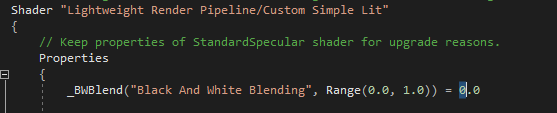
@scarlet hull Thanks. I am having problems accessing a shader property in one of my shader functions (if thats the right word, I am very new to shader programming and the render pipeline). I posted the question on the unity forums https://forum.unity.com/threads/accessing-material-properties-in-shader-function.693169/
Unity Forum
Hi,
I have been working on extending the LWRP to add the ability to grey out specific layers, everything seems to be working but I want to be able to...
scarlet hull
@graceful saddle You can't use the newly added property in shader like this, you also need to declare it in the shader code before any functions.
So doing a float _BWBlend; before the LitPassFragmentSimple function should work.
And BTW, why are you no using shadergraph ? 😄
graceful saddle
@scarlet hull Thanks for letting me know. I dont know enough about shadergraph to use it or the whole system in general, only started looking into it yesterday to get some functionality working. Can you recommend some good resource, the unity site seems a bit sparse but i guess thats cause its still in development
 long wagon
Good introductory tutorial on Shader Graph https://www.youtube.com/watch?v=V5XFrIhLpGQ&list=PLX2vGYjWbI0RyhAsNJg4sLLKgCZsRSim2
graceful saddle
@long wagon Thanks
turbid matrix
I get these a lot with recent HDRP masters with 2019.3
it's not a big deal, I get these always once when I start the project after SRP has been changed, when I hit play or restart the editor again, messages are gone
it's just weird to see LWRP there as there's never been any LWRP related on this project
(and yes, should have captured the whole error instead of the overview)
indigo summit
i'm getting different FOV projection between scene view and game view in 2019.3
is this know issue?
caused by HDRP or current issue in alpha?
turbid matrix
@indigo summit you've matched the settings here?
that's where you control scene view camera
actual game camera is what you control on the camera components
I think HDRP 7.x should put the rest of the scene camera settings there too, like AA for scene view
it would be more logical if it were in the dropdown I just pasted here
@scarlet hull have you guys discussed this?
I mean this setting on Preferences:
maybe the scene view stop nan as well, I don't really know the intention of that so can't comment on it
but I'd definitely expect the AA setting to be in the scene camera dropdown menu instead
scarlet hull
I'll ask. Often stuffs like that are developped in parallel by multiple teams, and are not known from each other 😄
turbid matrix
thanks 😃
scarlet hull
So, answer is : the team already spotted that and talked about it. But it's a long process to have extendable editor UI (written in the c++ code side) to add hooks/overrides for the (c#) srps ...
turbid matrix
ouch 😄
indigo summit
@turbid matrix yes those are match
turbid matrix
and you sure the fov doesn't appear different just because you have different aspect ratio on the windows etc?
turbid matrix
can't tell difference from that as camera isn't even in the same position
indigo summit
they do on the same position
turbid matrix
try comparing by selecting your camera from scene and go to main menu-gameobject->align view to selected?
it should match your scene view to camera
indigo summit
that's what i did
indigo summit
that's why i'm confused
turbid matrix
oh
indigo summit
why the projection are different
indigo summit
hmm
turbid matrix
vertical vs horizontal
turbid matrix
for me these align perfectly on default settings
indigo summit
😄
turbid matrix
oh wait
indigo summit
uhhhkay then
turbid matrix
I have 60 on vertical, 91 on horizontal
and scene view is 90
so, it matches
just need to remember the scene view camera uses horizontal value
I hope they add toggle for it as well :p
indigo summit
wow this is weird
the default axis was vertical
this going to confuse a lot of people 😄
glad tartan
looks like we will be getting Dots instancing and Post processing Master node in HDRP soon
GitHub
Scriptable Render Pipeline. Contribute to Unity-Technologies/ScriptableRenderPipeline development by creating an account on GitHub.
GitHub
Scriptable Render Pipeline. Contribute to Unity-Technologies/ScriptableRenderPipeline development by creating an account on GitHub.
turbid matrix
yeah, I posted screenshot of the PP node earlier 😃
I couldn't make it work yet but I'm happy it's coming, been really missing it from Unreal
as for dots instancing, I noticed that branch but don't really know what it's about as there are some merges hiding the actual commits
HDRP already got dots instancing support on HD Lit at least
glad tartan
yea, I was wondering if this was the backend on the instancing option on the HDRP master nodes
Missed the post you made on the PP master Node, gonna check it out
ah it's just one input so far
Also HDRP Quality Settings are being worked on. It's listed to be released with 2019.3 on the Roadmap presentation
turbid matrix
@glad tartan there's optional depth input too
it's just not enabled by default on the PP master node
tbh, I dunno what the depth is about there
as PP is literally just adjusting the color
also if you look at the source code, the PP graph it ran currently right before the custom PP TODO part starts
I hope they still plan putting proper custom PP passes and not leave it just to PP Graph
PP Graph itself is great and very much needed but I don't think you can do like compute shaders with custom function nodes, you could only do hlsl PP code there
trim bone
how would dots instancing be different from the current instancing checkbox?
graceful saddle
Got another question for you @scarlet hull
I am looking for a way to turn off a render feature or remove a shader pass from a render feature or failing that can you remove the custom forward rendering data from the camera and then add it in via code
scarlet hull
I'm not sure I understood what you want to do here ...
graceful saddle
So I have a pass in a shader that renders out to black and white on specific layers but it’s causing some issues. I just want to be able to add or remove the BWPass value from Shader Passes
empty star
@graceful saddle not sure if this helps, but if you want to disable the pass for some renderers you can use https://docs.unity3d.com/ScriptReference/Material.SetShaderPassEnabled.html

if you want a global toggle you could just have a conditional check and return early in the custom pass's Execute method
(if it is using ScriptableRenderPass)
graceful saddle
Thanks. I will take a look into it
 lyric ravine
Has anyone got LWRP to work with FFR on Quest (Fixed Foveated Rendering)? I can switch the FFR levels just fine, and the Quest says it's using it, but I clearly see that FFR is not used (contrary to, for example, the Oculus onboarding app)
turbid matrix
GitHub
Purpose of this PR
We are planning to move a lot of SpeedTree support into its own package, and since this will include some ShaderGraph nodes, the idea is to give that package access to ShaderGrap...
I'm bit relieved that they changed the approach
Having duplicate lit shaders for speedtrees is a nightmare to maintain
turbid matrix
Unity Forum
Our build server freezes up when building with -nographics. A quick google shows this to have hit other people, so thought I'd shine some more light on...
drifting vault
Maybe in one day Unity will add own water 😄 https://www.youtube.com/watch?v=gP4Hx8lIsYQ&t=15s

Open your UNIGINE world and add water, that others would like to dive into! Don't have such a world yet? Maybe it's time to create one - get a 30-days free t...
turbid matrix
Unity had water planes in past
It's just, no new implementation in past decade :/
If they made boat atack water reusable im both lwrp and hdrp, that would do for basic water needs just fine
if that project had acceptable license, I could try to port it's water to hdrp with sg and custom function nodes
but the author put GPL there, which is even incompatible with Unity, LWRP and everything else
I mentioned the license issue on the forums but it was just ignored
turbid matrix
can't wait 😃 from virtual texturing branch: https://github.com/Unity-Technologies/ScriptableRenderPipeline/commit/d552049d6b166b56fee55616361dce8f1ddffa15

GitHub
- Shader graph support
- VT feedback for forward rendering (WIP)
- Many fixes and refactoring after running HDRP tests (some still fail, mainly anything langscape related)
(note LWRP untested needs...
I'd love to get some estimate if this is going to land in experimental form for 2019.x or not
if it's going to be 2020+, I could just try to hack the feedback stuff from this branch to the graphine plugin I got
turbid matrix
about the GTAO, is there any workaround with exposed parameters (I mean things that are not using defines as they are not modifiable at runtime) for the slow GTAO accumulation especially on fast changing situations? this is especially noticeable if you change camera positions as it takes a fraction of a second for AO to fully apply to the new view, you can see it slowly getting there after view changes
I'd suspect the denoising here, I need to experiment with it as I wouldn't mind if the initial frame after view swap would be more noisy, it's mainly lack of AO immediately after that looks weird
this is similar thing I had with Amplify Occlusion btw (which is also GTAO based now)
dreamy fox
Is that in a game view? Accumulation shouldn't take that much, can you show me a repro?
turbid matrix
it's in game view
one sec, will see if I can capture something
actually, nevermind, it's not from AO
I had similar thing on AO before but it's not there now, this is from something else now (probably from shadows)
I do get this flickering effect on some bigger surfaces with AO sometimes tho
ah, flickering is from having scene and game view visible at the same time
the gameview's AO gets shown on sceneview as well
@dreamy fox
can't quite capture the flickering but it goes away if I hide scene view
I just tend to have these both views always open at once
but you can see the AO getting mirrored to scene view on that shot
dreamy fox
Ha, yes that is indeed something I do not have often on my setup. Please file a bug on that, I am now deep in fairly high priority and urgent tasks, but I will try to get to that when I can
turbid matrix
in past I've been specifically told to not file bug reports on unreleased versions 😃
so, I dunno, do you guys push 7.0 out soon? 😄
dreamy fox
Oh it is still unpublished, my bad 😃 Just wait for the package to be out then 😃
quasi mulch
Hehe someone said "long time" in game dev speak
 tender cedar
Hey there, I hope this is the right place to ask: I have an issue with the LWRP where materials that use transparency won't show up in the build (they do in the editor). I'm using Unity 2019.1.0f2 with LWRP 5.7.2 and I'm building on Oculus Go. Does anybody have an idea what's causing this?
tender cedar
Oh i got it to work by turning off MSAA... But how can I get Antialiasing then?
indigo summit
what is the different of DOTS instancing and GPU instancing?
lyric ravine
@tender cedar I have like 20 open bug requests regarding Android VR (Go/Quest) in LWRP, ranging from 2019.1 to 2019.3. If you're still early in development and have a deadline I can't recommend it right now, it breaks in all kinds of interesting ways. Go back to built-in. We have a Quest title in dev that's now hugely delayed because of numerous show-stoppers like what you described.
If you must use it, try the following
- toggle multithreaded rendering
- toggle the SRP batcher
- disable all shader stripping
- make sure to use a single scene
- don't change the SRP Asset at runtime
Oh - and: good luck. Hopefully you find a combination that works for your usecase.
tender cedar
@lyric ravine Thank for your reply! I tested it in a new project and there everything worked so far. When I compared the settings I noticed that SRP batcher is toggled of in this working project, perhaps that was it. I'm early in development, but I really like working with Shadergraph. Well I will think about this for a while...
turbid matrix
as expected, HDRP forum thread is now filled with people posting green tinted screenshots and seeking for issue
I still don't quite get why it was chosen to pick green color for the error indicator
actually, it's probably because of SSS on skin, right?
having red as warning color there wouldn't ring alarm bells as quickly
talked a bit of this on #💻┃unity-talk again but I really wonder what's the grand plan with rendering with Unity
current SRPs, LWRP and HDRP were designed before HPC# and DOTS were getting big push forwards, in fact they probably got like first iterations of the ECS done at that point
but it makes me worry about the future of say, HDRP, could be only a thing for few following years before merging relevant bits to DOTS renderers
 umbral knoll
Is there a feature comparison table for HDRP analogous to this one for LWRP?
https://docs.unity3d.com/Packages/com.unity.render-pipelines.lightweight@6.5/manual/lwrp-builtin-feature-comparison.html
turbid matrix
haven't seen one lately
not sure if there ever was comparison table for HDRP
but there's been lists of feats
HDRP is quite different all around, it makes more sense to get such table for LWRP where it's more like direct replacement of the old built-in renderer
umbral knoll
Ah well perhaps I can just ask directly what I'm looking for. Does anyone know if _CameraDepthNormalsTexture is supported in HDRP or is it only Depth like LWRP?
turbid matrix
supported how?
ah, I think I got it
I dunno if that's a thing they have, for sure the SG itself has only depth node
and _CameraDepthNormalsTexture isn't a thing on any SRP (but I dunno if you could find similar thing on some internal buffer)
umbral knoll
Anyone know the reason it's not supported on SRP? I know of several different types of image effects/post processing that rely on the Depth+Normals information, seems very odd to not support this in SRP when it is supported in the built-in pipeline.
Yes, I could add replicate the missing functionality by rendering my own DepthNormalsTexture in SRP and feed that into the shaders for my own project, but it makes distributing a post process effect (like through the Asset Store) that relies on this information much more convoluted to support.
turbid matrix
well, right now there's no way to even extend HDRP PP without modifying the HDRP source code directly....
there's new PP Graph (or full screen pass or whatever the call it) on the works for 2019.3
but I don't think there's any branch on the github for more traditional PP extension for current HDRP
I mean, in PP stack v2 style
umbral knoll
Sorry, I was speaking more from LWRP/Custom RP perspective. Don't know much of anything about HDRP
turbid matrix
LWRP still works with the PPv2
I dunno what things are exposed to it by default tho
umbral knoll
yes but LWRP doesn't support DepthNormalsTexture (according to the feature comparison doc)
and my post processing effect relies on that information
turbid matrix
you'd need the normals for better SSAO
and LWRP doesn't support AO on PPv2 😄
I briefly looked at the PP repo and AO was one of the rare places where they used that _CameraDepthNormalsTexture
(only for built-in)
just peeked into HDRP and it does get normal from gbuffer
you can see it used on this new AO commit for HDRP: https://github.com/Unity-Technologies/ScriptableRenderPipeline/commit/552b09cb911475088d7f23ea1815d91c19670559
_NormalBufferTexture (?)
I dunno if there's LWRP equivalent at all
umbral knoll
Yeah I just don't understand the rationale behind removing support for it while keeping support for DepthTexture
oh well
turbid matrix
it's quite different setup on HDRP for almost everything
umbral knoll
but not LWRP
 tardy yew
Is there any way to edit a commandbuffer after it has been added to a camera? the postprocessing stack v2 re-creates huge command buffrs each frame when most of the time only a few SetProperty actually change values.
turbid matrix
oh, pbr sky got merged to the hdrp staging now
also new quality settings etc
I don't know how I feel about this personally
how this all works in the back ground (afaik) is that you have to have the settings you plan to use on your HDRP assets or otherwise the shader stripping will remove the things. But in most PC games, you'd want to have user configurable settings tho, not just few options for overall quality level
so to achieve this, you have to have enough different quality settings to cover all the possible settings you want to expose to be optional for the game
so this inevitably forces you to have some really funky HDRP assets there, just to make sure the feats you need don't get stripped
but I guess you'd basically do just some all enabled HDRP asset for this purpose to cover most of the cases
also there's only fraction of these settings in the HDRP assets anyway
most user configurable things in games tend to be AA and PP related
do those get stripping as well?
scarlet hull
We have some plans to better handle the quality settings by HDRP asset.
And for PC, we plan to support something like creating HDRP assets on the fly, for custom settings.
The implementation still needs to be defined tough.
turbid matrix
@scarlet hull you know if the PP shaders have stripping?
or do they all get always included?
regardless if you use them on volumes?
scarlet hull
Hummmmm ... Don't know.
I think they are included, as the PP toggle is a frame setting, and not a "support" setting, and you can potentially create yourself a PPvolume from scratch by script.
quasi mulch
I think it's better to remove quality settings and train people to use the asset instead, so they know they have 3 HDRenderPipelineAssets and can switch between them simply by setting one as the active asset reference at runtime. Stuff like that. Simple and direct, not obsfusicated behind UI because it's a habit or something...
The closer to what is really happening we get in game development, the better and more debuggable and controllable the dev process becomes
glad tartan
@turbid matrix so the PBR Sky is working pretty well now?
Also was there a decent port of Hierarchy Pivot from Book of the Dead to a package manager version of HDRP? I know some people tried to remake the functionality but I never got any of those to work. Will be nice to have a tool for that in unity
scarlet hull
We did some UX/UI research, I have thinked of a unified window that holds all the graphic settings, with ability to define setting relatively to others. This all will generate different HDRP assets.
glad tartan
Oh nice. Will that also work for runtime with custom settings or just in Editor?
lyric ravine
@scarlet hull currently it seems that all but the variants needed for the active SRP Asset at build time are stripped - how can I switch between srp assets in the build then / make sure variants are included? (talking about lwrp here)
scarlet hull
We modified the stripper code in HDRP to be able to include multiple SRP assets in the stripper, but I think this has not been ported to LWRP for the moment.
turbid matrix
GitHub
Purpose of this PR
The variant stripper was stripping shaders based only on the HDRP asset assigned in the graphic settings.
If the user had code to switch to other HDRP assets that were either ref...
@glad tartan PBR sky is almost same I tried recently, it kinda worked, changing values was laggy and there were some weird artifacts on the screen but it was also overexposed on 100k sun intensity
as for artifacts, I got like blue dots on the screen at certain places
it was bit weird
I didn't really play a lot with the settings tho
as for hierarchy pivot, I have no idea what you mean by that
unless you mean wind?
which, stock HDRP doesn't have at all anymore
lyric ravine
Hm, but documentation and blog posts say everywhere that SRP assets should be switched since quality settings/per scene settings are not supported - how is that supposed to work then? My per-scene settings don't have a mutual "all the features" uber-preset
turbid matrix
(need SG for wind now)
quasi mulch
is GI fixed for HDRP yet since it seems like the bounce is way strong/high in some cases
turbid matrix
I haven't seen any work on that in the github
looks like they've been busy with other things
quasi mulch
yeah probably just hope I go away and they can focus on raytraced gi :P
turbid matrix
and at this point, I'd question if they have time to tweak that before first official 2019.3 HDRP release
(unless it's some trivial change, but it didn't sound like it)
quasi mulch
yeah i don't think they care for it right now
turbid matrix
not probably a question of caring, afaik they want to address enlighten issues on HDRP
but it's probably not very high on priorities atm
quasi mulch
they decided to ship with dxr support in 2019.3 which gives them no time at all really to get stuff done
turbid matrix
well, DXR is different
you kinda need that now that the gpu's are out
regardless how useful it is with first DXR generation
quasi mulch
sure
i don't disagree
but it's still a pain point for those who target majority hw
turbid matrix
also from looking at the github, it's mainly one person working full time on DXR and rest do some tweaks here and there for it
quasi mulch
i would expect there's just that person doing the commits, not what happens in office
quasi mulch
likely is if you've seen how much research unity's been doing on it
its small but they share a lot of work with seattle after all
in any case that means there's a good case for seeing improvments for regular hw
turbid matrix
either way, if it's a separate team behind it, it doesn't look like it's taking that much time from the paris team (in the bigger picture)
quasi mulch
I understand there will be a separate upscale now from the main dynamic res for post effects
turbid matrix
however, if you go for enlighten, it's probably the core HDRP guys doing the work for it
just speculating of course, I know nothing about Unity's internal structures on these
quasi mulch
yeah i'm not worried - although if i had my way 95.8% of the company's budget would be spent on hdrp
scarlet hull
I don't know how much I can tell about that 😃
quasi mulch
Best not but you can gesture in front of the screen and I'll use the force to somehow feel fluctuations?
presses thumbs to temples and ... senses
lyric ravine
@scarlet hull one more about the LWRP SRP Asset. Is there a way to figure out which of the options add/remove variants? I understand that if I enable shadows and disable them dynamically in a build it "just works" but not vice versa, but others are not as clear
lyric ravine
Yep, can't figure out how to support per-scene settings in LWRP without weeks of trial and error
turbid matrix
tbh, when it comes to stripping, I'd rather have like a list of feats I want to include in the build that I could just select, could have some automated sniffer for that would prefill it
and you could then just extend the list if you need to
as another topic, 6.8.0 SRPs are now on staging (and github obviously)
@drifting vault 6.8 HDRP got this as new now: Fixed, Viewer, and Automatic modes to compute the FOV used when rendering a PlanarReflectionProbe
(remembered you had issues with it in past)
this also got the GTAO
hmmmm
Added support for shadow tint on light
wonder if we are getting closer to 2019.2 release
it seems that there's been a push recently to get 2019.2 HDRP in better state
lyric ravine
@turbid matrix well but I'm talking about "right now, with the officially out-of-preview LWRP" ...
turbid matrix
ah, my last comments have been mainly about HDRP
I don't really know much how LWRP works in Unity tbh
like, I know the bare minimal, what kind of renderer it has etc but haven't used it much
lyric ravine
Then @scarlet hull , who would be the right person here to ask about LWRP specifics?
turbid matrix
I'm sure many here use LWRP but it's not really much discussed on this specific channel for some reason, most active people on this channel seem to be more focused on HDRP
talking of HDRP, it's staging branch just merged to master, so new sky is there now
quasi mulch
The best place to get an answer is probably the experimental area of the forum
As discord is realtime and realtime depends on if someone is even in the office
scarlet hull
And not everybody has discord on "open with windows" 😃
turbid matrix
well, LWRP is not experimental anymore
hmmmm
LWRP discussion is still on the beta forums Graphics?
https://forum.unity.com/categories/graphics.75/ has Shader Graph now
but https://forum.unity.com/forums/graphics-experimental-previews.110/ still has LWRP
it feels like it should have been moved to regular graphics by now
lyric ravine
Haha, well i know why it hasn't
turbid matrix
well, it's officially released
but forum stuff moves slowly
maybe they are still waiting for HDRP to release and then they can move both at once
quasi mulch
Forum stuff shouldn't move quickly :D that's discord's job :P
turbid matrix
well, you should find the things in their logical places still
quasi mulch
muscle memory helps a lot
turbid matrix
Unity Hub was under betas like for year after it actually got official release
it wasn't easy to find
lyric ravine
Only management can pretend that it's out of preview :) I'm super active in that thread but there hasn't been an official Unity reply in four weeks so I'm trying new channels
turbid matrix
(Hub only recently got proper placement on the forums)
quasi mulch
So what's the actual problem you're having with LWRP? very little can go wrong with it
17:06] herbst: @scarlet hull currently it seems that all but the variants needed for the active SRP Asset at build time are stripped - how can I switch between srp assets in the build then / make sure variants are included? (talking about lwrp here)
drifting vault
@turbid matrix 6.8 released?
drifting vault
Thx for info =)
turbid matrix
lyric ravine
@quasi mulch "very little" amounts to like 15 open bugreports from me alone by now... That's for LWRP Android VR (Quest).
turbid matrix
you've been busy 😃
 zinc jay
😄
drifting vault
@turbid matrix thank you again =)
Do you know where are i can found official unity materials library for car?
i cant find it
drifting vault
no idea. i remember they release huge library about 300 materials etc
its called coat mask?
quasi mulch
blog has them
the HDRP material itself supports car style shading by default though with Coat Mask

Unity Technologies Blog
Unity is releasing a free library of common measured materials to make it easier to develop great looking models, with a focus on automotive and transporta...
googled "unity blog materials" and thats the first hit
is it the right one? hope so :D
drifting vault
oh thank you!
turbid matrix
yeah, that's in asset store afaik
those are all using stack lit shader I think
I'm also testing the PP graph again
I get Shader error in 'FullScreen Pass Master': undeclared identifier 'TransformHClipToWorld' when I wire scene color node to the master nodes color
if I just put any color directly there, it works
but it's also possible I screwed up the merge 😃
(and besides, this is still WIP branch)
I guess I should be calling it fullscreen pass graph like Unity does
it's just weird name, considering it's PP pass shader essentially (I probably miss something here)
oh that TransformHClipToWorld just probably doesn't exist on current editor versions
it was a recent change on the branch too
 ripe fable
Anyone using the experimental DXR editor ever had "CreateGraphicsPipelineState failed" pop up?
(results in a pitch black scene view)
ripe fable
Been playing with it since it was first available, but this started happening about two weeks ago
turbid matrix
no idea then, mainly checking your windows version and gpu qualifies for it
ripe fable
yeah that's all fine
turbid matrix
but since you had it running already, it's not those things
glad tartan
Did the old AO in HDRP get Replaced with GTAO? Dont see an option to switch it to GTAO and now there are new settings on the Ambient Occlusion effect along with it looking different in game
glad tartan
yea same
turbid matrix
GTAO seems harder to get stable looking
turbid matrix
but will judge it better once I've really tweaked values with it
glad tartan
right as I'm asking about the settings


 turbid matrix
@glad tartan do note that AO effect breaks on either scene or game view if you have both visible at once in the editor
I'll still wait for the release to get to package manager before filing a bug report on that
glad tartan
Ah, let me check again then with only one
turbid matrix
or more of it just shows the other views AO on the other view 😄
glad tartan
because other than that it's a better AO than previous
turbid matrix
basically it only renders AO once for either view
and then reuses it for the other
glad tartan
@turbid matrix Thanks for the info. Haven't been messing with the new stuff as I usually do
still keep up with the github changes though
storm scroll
How do i tell Unity to build with HDRP?
turbid matrix
should work out of the box
there was some issue with -nographics builds tho
@scarlet hull I just tested latest master's new PBR sky, it appears that they forgot to fix the name from Static Lighting Sky script:
actual component got fix for stripping the "Settings" from the name manually
but the static lighting sky script doesn't use that name hack (relevant commit here: https://github.com/Unity-Technologies/ScriptableRenderPipeline/pull/3751/commits/6c23c5591c3a54d759b2acff7bff15d9c4d9e512)
quasi mulch
what are pros and cons for GTAO vs MSAO?
turbid matrix
GTAO is much closer to the result you'd get for AO's offline renderer
but of course it's data is still limited to screenspace data
but GTAO also requires quite heavy temporal denoising to stay stable, which afaik can cause it to lag behind on fast movement
quasi mulch
I see, but it's faster or same ish?
turbid matrix
I haven't done a stress test on that so can't comment if that's a real issue with this implementation
no idea on previous implementations speed
quasi mulch
was fast
turbid matrix
but GTAO by design is quite fast
quasi mulch
largely immune to close up problems
classic AO gets slower the closer you get to a surface
turbid matrix
on the PR comments, they said GTAO was 0.9ms at 1080p on PS4 with comment it being a lot faster if they downscale the effect or something along those lines
on GTAO's technical paper, they claimed GTAO took 0.5ms on PS4
drifting vault
what is GTAO?
quasi mulch
ground beef amble ofcourse
drifting vault
like more realistic AO under car?
turbid matrix
here's the paper that explains it: http://iryoku.com/downloads/Practical-Realtime-Strategies-for-Accurate-Indirect-Occlusion.pdf
it's the new AO that replaced the old setup on HDRP
quasi mulch
GT = ground truth (expected result like offline renderer)
turbid matrix
it looks awesome when it works right
turbid matrix
yes 😢
quasi mulch
my own bane is of course... gi
turbid matrix
this will not be an issue for me tho
quasi mulch
it leaks and looks shit, frankly no matter what I do (for realtime). it will always be perfect in one place but break in another.
progressive lm is fine however
turbid matrix
if I can't make GTAO work for my content when I stress test it, I'll just revert to the old setup
or add it as separate PP component
it's still relatively straight forward to do that
but how easy it is to keep around may change dramatically once HDRP goes through bigger changes again
to get the old setup back, right now you mainly need to revert this one commit: https://github.com/Unity-Technologies/ScriptableRenderPipeline/commit/552b09cb911475088d7f23ea1815d91c19670559
lyric ravine
@turbid matrix are you mostly merging and playing with stuff or is Unity accepting PRs again for stuff we fix?
turbid matrix
I only merge things for testing which I look forward using myself
Unity does accept some PRs for SRPs tho, but most user PRs they get are some trivial fixes
I got 2 PRs out of 3 accepted so far on the SRP repo
as for the PBR sky, there's this weird "spec" with it:
it looks bigger due to the bloom, otherwise it would just be one pixel dot
it's like some hotspot from the sun
the ground color is bit wonky on that shot as I only got the reflection capture for closer range there
quasi mulch
I have no idea what the recommended practise is any more for gi.
turbid matrix
I thought the recommended practice in this industry was "don't use it" 😄
trim bone
thats certainly the dots way 🤷
dawn sorrel
Why do my realtime point lights keep turning off/on when viewed from a certain angle? From some angles they only lit up some objects, and from another angle they work perfectly. I just upgraded my project from the built-in renderer to LWRP.
turbid matrix
This worries me a bit https://github.com/Unity-Technologies/ScriptableRenderPipeline/pull/3878
GitHub
This simplifies a bit the biases in the shadow options. While the previous options when combined can definitively be superior, they were harder to tune (due to the amount of knobs to turn) and more...
I actually used to tweak those settings a lot to get the results I wanted
but will need to test that to see if it's still possible to get equal results
new setup is definitely easier to use though
Very very simple scene and materials.

Forced Forward: -9%
Deferred: -14%```I assume those values are for the shadow pass itself
dreamy fox
Yes, it is a controversial choice the bias one, but we found the previous too hard to tune and very expensive. Note that if you aren't scared of the normal bias (it shifts shadows a bit), that should be enough to get to comparable quality you were getting before. Without the shadow bias, the results are going to be a bit worse than just view bias + edge fixup.
And no, those numbers are for the lighting pass as what was optimized was the sampling of the shadow map, not its rendering. Keep in mind that it was a fairly simple scene I tested, but still shows a good improvement.
turbid matrix
I used the bias settings to tune the shadows to look nice in different camera views
dreamy fox
You still can do that, just with different tools
turbid matrix
for example different settings looked better on the car interior (yes I also used contact shadows)
yeah, I know 😃
just trying to explain where I used it
when you have something close up that fills over half the screen, it makes sense to adjust settings for it
in past, Unity's shadows have been pain for car interiors
I got something acceptable with the NGSS but default setup was horrible
and then been quite happy with the additional controls HDRP has given
but yeah, I'm not saying the simplified setup is not going to work
dreamy fox
They were quite appealing to engineer-like people, but quite dreaded by artist-like people 😃
dreamy fox
Generally biases are a pain and will never be good though
turbid matrix
since you are here, are those timings for shadow filtering?
-9 to -14 is a lot
(%)
and yes, biases are pain 😄
I dunno if you are aware but UE4 community is super pissed off about shadow bias setup on ue4
dreamy fox
Those deltas, again taken from very simple scene so take absolute values with a pinch of salt, are for the whole lighting pass
turbid matrix
ah, that's fairly promising then
oh I do have another question too
I try not to tag you to not distract you from your work, so I kinda pile these things up a bit 😄
dreamy fox
Problem on Metal
turbid matrix
ah
so I can just use regular blit for stencil history I need?
I mean, that looked super tedious 😄
dreamy fox
The issue to be more precise is that the Unity blit returns a float4
I am operating on a UINT texture
Metal complains about it
turbid matrix
ah, ok, that's all I needed to know, just curious why that needed to happen
thanks 😃
dreamy fox
NP
turbid matrix
btw, you know if the postprocessing is going to get changed for the rendergraph?
tad curious how much these things will evolve in the near future
dreamy fox
Something is going to probably change at some point, but I don't know details
quasi kiln
How is it possible that shadows in HDRP lights generate more vertices?
If you may explain that would be great and helps me to understand
Thank you :d
glad tartan
Screen Space Shadows got added to HDRP but I don't see a way to turn them on. You can enable (Support Screen Space Shadows) on the Pipeline asset but you don't get any options to use them. Checked the Lights, Volume Settings, and didn't see anything related to it as you would see for Contact Shadows. Is it still being worked on or I'm missing something?
glad tartan
No not in this case. But yes it's called Screen space shadows as well sometimes
then further down in the Shadows section you have the option to enable SSS and also how many can be on screen at once
upbeat badger
hmmm
turbid matrix
@glad tartan it could be DXR thing that we just see anyway
I saw some commits a while back which mentioned DXR and screenspace shadows at once
does that option have any tooltip?
GitHub
Adding screen space shadows settings to the render pipeline asset
Refactoring the HDRaytracingShadowManager to a ScreenSpaceShadowManager that also includes rasterized shadows
Displaying both RT an...
that PR was closed without merging tho
both marked with DXR
so, could be different implementation for DXR purposes, but if that's the case, they should mark it differently
as another topic, saw this on the forums about GTAO 😄

it could totally be the same bug I posted here about before
that user just rages about everything tho so it's close to impossible to try to help him
last time I suggested several fixes to his actual issue, he suggested I should go elsewhere with my opinions
I'm still waiting for the 6.8 to land here before submitting the bug report: https://bintray.com/unity/unity/com.unity.render-pipelines.high-definition
@glad tartan you could actually select that screenspace shadows option...
for me it's grayed out
wonder what setting blocks it
or if it's DXR only, I definitely just don't have gpu that supports it 😃
glad tartan
I was wondering if it was DXR related as well
@turbid matrix you have to enable it in the Shadows section first then in the Frame Settings
 frigid nova
hey guys since i dont have the 6.8 ,and im really interested in the shadows thing,does it produce extra detailed shadows than the existing once?
glad tartan
This doesn't seem to be something we can use yet. It seems to be DXR related and we can't use DXR in a regular version of Unity/HDRP
turbid matrix
@glad tartan this is actually a new entry on 2019.3.0a6: Graphics: Added RayTracingAccelerationStructure class with NativeTests
I dunno how this all comes together, I've seen a lot of DXR PRs lately on the master as well
so parts for 2019.3 are definitely moving into places
no idea if you can already run some of it or if it's still only partially there
like mentioned I don't even have gpu to test that with
that entry was also marked as a fix, not as new feat
glad tartan
Ah. Theres also a few raytracing options in the Post processing. In the Experimental build for DXR those were on a separate game object/script called Raytraced Environment
even a few days ago Raytracing code got merged into Master but still haven't seen anything on it being functional though. I'm looking forward to moving away from the custom build for it
that hasn't been updated in a while as well
turbid matrix
I wouldn't be surprised if the experimental version is now what it is
considering 2019.3 release is probably targeted at this fall
but will probably be shifted to the winter anyway :p
Unity also announced that full raytracing preview will arrive Fall 2019 for HDRP
so, that's in line with all that
glad tartan
That's what I'm expecting as well
 sullen ibex
Good morning evryone (or good afternoon, I don't know I live in France). I'm actually working in videogame project in HDRP. I'm a beginner. I create hair and plug my maps but I don't know why I have a sort of transparency in the shader. Is anyone can help me ?
scarlet hull
@sullen ibex You should definitively look at the Hair master node of shadergraph 😃
sullen ibex
where can I found it ?
scarlet hull
Create a new Asset/Shader/...
You'll have to make you own node layout, but it should be that hard.
scarlet hull
Ow ... what version of HDRP/Unity are you on ?
scarlet hull
Okay, that's a bit old for the hair master node then ... Isn't it possible to update to 2019.1, or later ?
turbid matrix
- Remove very high quality shadow option
not enough time to polish it for the time being?
tbh, I never used this option as I liked "high" option the best
but I still disagree on the naming conventions
obfuscating the techs from gamers is fine, but doing it for devs is kinda silly
I'd rather have dropdown list with actual shadow filtering algos names and confs
now everyone just need to go to the docs to know what they are
which is very far from ideal
I'm guessing the underlying motive for current naming is that devs could use the same naming in the in-game settings?
but technically this is same as putting similar labels to PP AA's
like could name FXAA -> Low, SMAA -> Medium, TAA -> High
I wouldn't want that, but it makes as much sense as doing it for the shadow filtering 😃
scarlet hull
That's a good remark ... We wanted to find a balance for the terms in the settings to fit for devs and artists.
Setting the AA filter is more a tech-art thing, thus the "real" terms, while setting the shadow quality made more sense to be abstracted for artists ...
sullen ibex
No I can change for 2019 or more cause all the prod is in 2018 ... :/
I'm just a little student un internship, I can ask but I think they don't change it just for me
I don't see "Very High Quality Shadow Option"
turbid matrix
it's not in 2018.3
and it's not really removed yet (apparently only the setting is getting removed for the time being, not the actual feat)
that quote was from wip branch
btw, kinda weird that your team uses 2018.3 instead of 2018.4 LTS
2018.3 is not getting updates anymore but 2018.4 is essentially what 2018.3 was and has still almost 2 years of support left
scarlet hull
I wouldn't recommand using HDRP in prod with 2018.3/4 as if you have issues, they are very unlikely to get corrected.
turbid matrix
that too
but I can see that still happening on some earlier stages of the production, if people want to start with something that doesn't constantly evolve
that being said, 2019.1's HDRP is pretty locked down already
 warm crescent
To reproduce: 1. Open provided project 2. Open Assets/Scene/Scene.unity 3. Open Windows/Occlusion Culling and switch to the Visualiz...
anyway of culling the shadows?
How to reproduce: 1. Download and open the submitted project 2. Scroll away from the Sphere in the Scene view 3. Scroll towards the ...
seems this solution is not possible
sullen ibex
Sorry my english is terrible ... I don't understand everything
What you say is, there is no solution right ? 2018.3 is not updated but the hdrp on 2019 is almost done and powerfull ?
turbid matrix
2019.1 is released
there's a newer HDRP for it
but that isn't getting more updates either
if you dev for HDRP, first official full release for it will be on 2019.3, but 2019.3 isn't fully released either
at the moment, the 2019.3 builds we get are in alpha
2019.3 and HDRP are targeted to release next Fall or Winter (only thing that is somewhat certain that it'll release before 2020)
sullen ibex
Oh okay ! Thanks a lot for this simplification 😃
turbid matrix
GitHub
Purpose of this PR
Disable Switch support on HDRP as it isn't working.
well, I guess that's temporary
// Switch isn't supported currently (19.3)
barren kindle
is it HDRP that does not support Switch? or is it Switch that does not support HDRP? 
turbid matrix
HDRP has struggled with Switch support, they've done work for it specifically but it's never been officially supported platform on it afaik
so right now it just looks like they disable settings for things that will not be production ready for 2019.3 where they release HDRP
it does make sense
would expect them trying to get switch back for Unity 2020.x
 pallid island
Is it known if/when functions like these may start supporting NativeArrays and Unity.Mathematics types for their inputs?
https://docs.unity3d.com/ScriptReference/Rendering.CommandBuffer.SetComputeVectorArrayParam.html
 violet cave
apart from this thread https://forum.unity.com/threads/compiling-shader-variants-taking-ages.527724/
Someone knows how to speed up shader compiler variant stripping process? it really takes ages, and nothing seems to help at all

Unity Forum
Hi Guys,
I'm just building my project, and for some reason the 'compiling shader variants' is taking close to an hour to do. I mean fair play, it's a...
 azure kraken
@violet cave Have you looked at UnityShaderStripper yet? If you know the platform you're deploying to you can easily strip out 2/3 of the shader variants. I just tested a simple project and it went from 972 shader variants to 216.

GitHub
Modular utilities for shader stripping to drastically improve Unity build times - SixWays/UnityShaderStripper
turbid matrix
I always thought most of the time was spent in compiling the actual shaders and not in the actual stripping
and afaik one major point of doing the stripping in the first place is to have less things to compile
lyric ravine
@violet cave did you disable "Optimize Meshes" already as discussed on that thread? That was a 100x speed improvement right there in our case
violet cave
@azure kraken I didn't knew that, I will give it a try thanks, @lyric ravine I was about to do that today
glad tartan
So enlighten will be gone soon, earlier for HDRP than Built in Pipeline. Looking forward to Unity's Realtime GI replacement.
Post if you guys wanna read - https://forum.unity.com/threads/enlighten-deprecation-and-replacement-solution.697778/
Unity Forum
Due to Geomerics shutting down Enlighten as a product, Unity is required to remove Enlighten.
Unity will continue support for Enlighten in the...
@quasi mulch you just gotta wait now and soon you will have Realtime GI that works with well HDRP
turbid matrix
Light Probe workflows will receive significant attention over the coming releases. Light Probes offer great quality of lighting and flexibility for authoring - they do not require UVs and they are fast to compute. We’re working on workflows to enable easier Light Probe placement with volumes and automatically place Light Probes for terrains. We are also adding support for streaming light probe data sets to make workflows better suited for streamed worlds and large team development.

We are also fully committed to delivering a real-time GI replacement solution in 2021.1. The Unity team has a solid plan to solve this complex problem the right way, with great artists workflow and optimal runtime performance for 2021.1.```so, 2022 it is 😃
I guess if we are lucky, we can get some early preview next year
I don't get it tho
fist post says:Due to Geomerics shutting down Enlighten as a product, Unity is required to remove Enlighten.
but then next post from the same person says: Enlighten has had a good run for the money, some of the best looking titles have shipped using it. However, some of the underlying principles means that it is not a good fit moving forward. ... For these reasons we have decided that the best course of action is to no longer pursue software we have limited control over and move on.