#archived-hdrp
1 messages · Page 30 of 1
 turbid matrix
heh
that could be avoided if the game let the guns dodge geometry
I personally prefer this over the render on top route
 indigo summit
actually they did pull the hand backward if you are too close into a surface
i guess i found one object where they forgot to add collider to it
😄
true i prefer to use custom projection matrix just like in built in pipeline
that way i can adjust fov and clipping plane manually at runtime
 quasi mulch
The thing is it's not all or nothing. You need some anti clip no matter what, you need some overdraw
else you will see little imperfections
should be always just leave the imperfections
for me though where there is interaction toward me and not near a wall, i have no choice :D
turbid matrix
I actually didn't know they did stencil clip on FPS sample, wonder if they really did it
just saw the mention on the gdc vault talk
quasi mulch
I have physical move away because it looks nicer but unfortunately in key places I'm not allowed to move it away ie during a move
(for example one item is a wide-brimmed hat, and the sword will lean to one side to avoid penetrating it)
 glad tartan
Seems the update for RTX on 10 series cards is out now. It's a Game Ready Driver none for Creator Ready yet
turbid matrix

GitHub
Purpose of this PR
Exposure code was broken since we switched to TEXTURE2D_X
Testing status
Katana Tests: running
Manual Tests: What did you do?
Opened test project + Run graphic tests locally
...
lets hope auto exposure works again 😃
turbid matrix
Seb posted long description of the state of current HDRP DXR build here: https://forum.unity.com/threads/unity-experimental-hdrp-dxr.656092/page-2#post-4417732
 dawn sorrel
nice
indigo summit
@turbid matrix yeah but we have to wait for 6.7.0 for the auto exposure fix
quasi mulch
"The technique of area light shadow that we use require a GBuffer, mean our forward material aren’t compatible with it (StackLit, Fabric…)"
still a way to go it seems
turbid matrix
yeah, noticed that too, kinda bummer
considering that stack lit is their highest fidelity shader
quasi mulch
Seems gbuffer centric throughout
turbid matrix
they got tons of intermediate textures on RTX side
like more than on the HDRP itself
quasi mulch
lots of hacking going on
turbid matrix
or at least the list looked long when I saw it earlier today
quasi mulch
can forget terrain etc
I think perhaps give it a year or so then it will be in a decent place?
by then more gpu supoort
seems all fine I guess
turbid matrix
Texture rectangular area lights with shadow. Use Eric Heitz’s Paper (Combining Analytic Direct Illumination and Stochastic Shadows). These are screen space shadow map.
can't they then make it on non DXR?
quasi mulch
they can but I think have been ordered to support DXR early or they risk competition stealing users for real
turbid matrix
Rough reflection is supported with full screen and with a quarter resolution mode for performance with temporal smoothing (SEED temporal denoiser)
quasi mulch
so this is just going to be what they can butcher into working ASAP
hmmm
seems like it'll be very much a temporal pipeline so expect some choice smears and streaks to drive you wild
turbid matrix
they probably can use some nvidia denoisers
I think I saw some on the github commits
but could have been just for AO
quasi mulch
"NVidia technique give wrong result" << an outraged frenchman is not to be crossed
I guess they don't really need much in the way of GI?
turbid matrix
We are delivering production-focused real-time Ray Tracing with a full Preview coming in HDRP in Fall 2019, including early Preview of a full-frame path tracer.
you can go full RT :p
2fps 😄
quasi mulch
if they built something with RTX that would improve precalculated GI bake times then I would happily buy an RTX card. Imagine clustering taking only 2000 ms?
indigo summit
is all of that are about DXR?
quasi mulch
Unity is capable of removing the requirement for enlighten to have a render farm on large levels and they will not do that I don't think. I am much more interested in using RTX for accelerating actual workflows and editor side stuff (for example substance uses it now)
Even for people using PLM, they would have much improved performance
Yeah all DXR as far as I know
indigo summit
speaking about enlighten, for some reason i got a flashback of Beast
since geomerics acquired by silicon studios,
and beast acquired by autodesk
quasi mulch
Where they both go to rot and die
if an engine company makes a purchase it's (generally) good, not so much content creation companies so far
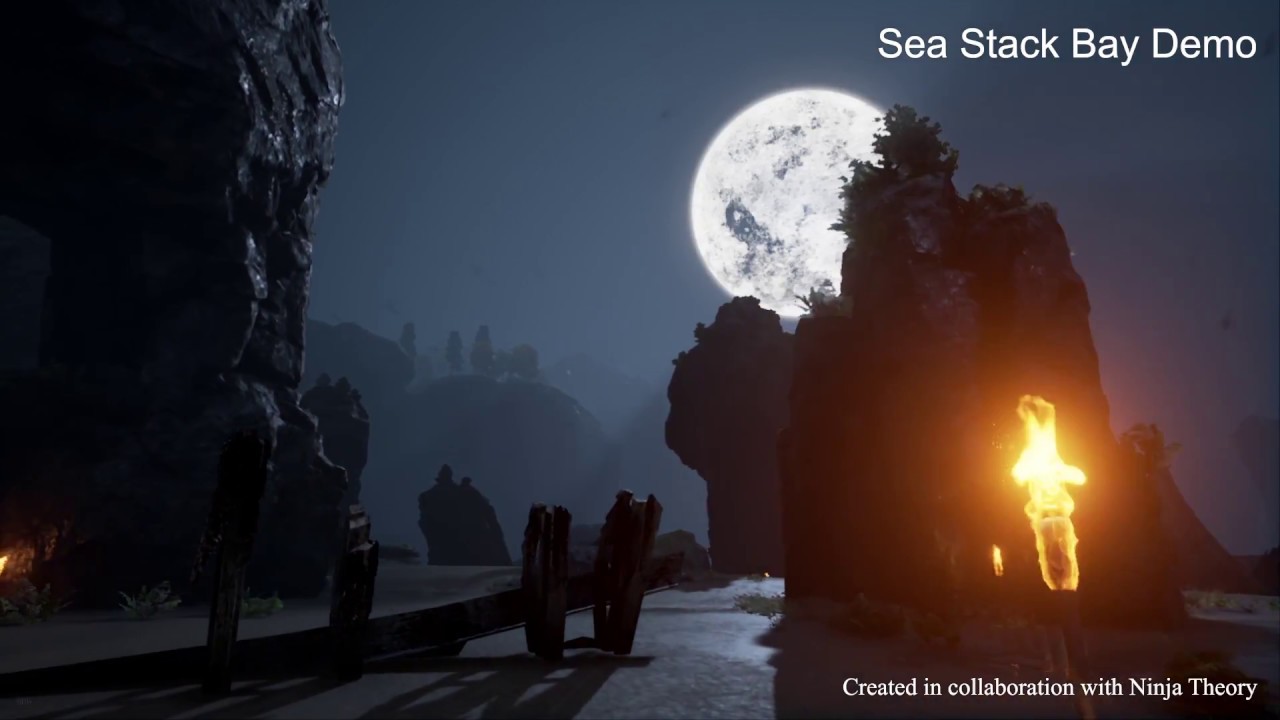
Enlighten is the world’s most advanced dynamic lighting technology, delivering real-time global illumination across mobile, desktop and virtual reality (VR) ...
Looks amazing doesn't it.
Unitys current implementation works well for builtin and for mobile levels
Dunno why they showed Rime since it's use of GI is utterly and completely pointless.
turbid matrix
can you do subscenes with enlighten? like bake some objects data to another scene and load selectively?
quasi mulch
no
turbid matrix
I know the lightmaps had something for this
quasi mulch
yeah for lightmaps you can load the entire world, bake it then crash if you have less ram than required, but that's for baking
turbid matrix
that's kinda ruling out my use of enlighten on my current project, as I have level editor 😃
quasi mulch
for clustering/precalc/etc you will not be able to move those
they're working on something for that in 2019.3
the confusion in advice arises because enlighten was classically also the replacement for beast (which it did badly) not just realtime indirect
so it serves 2 roles, has bad messaging too, so people give out the wrong info often
nowadays if you ae baking then please do not use enlighen for that, it is best used for realtime only, with PLM for baked stuff
(which is their real jobs anyway)
this is what happens when unity tries to hide whats going on from the end user
glad tartan
ok so tested the DXR scene on my 1080 and I'm getting 10fps higher than I thought since people with 2080ti were saying they were getting 20 fps or so with the lights visible
turbid matrix
you got 15fps? 😄
quasi mulch
Well rime doesn't need any of it
it's basically vertex lit lol
certainly saw zero need for it in the vid
glad tartan
quasi mulch
yeah your gpu is only using 10ms of time according to that
most of your time is spent on cpu and the HDRP team are aware of that
so it should get up to a smooth 30 by anyone's guess on your machine in the end
glad tartan
Yea
Utilization in Task Manager sits at around 93%
quasi mulch
they do a lot of cpu waste work right now just making it all function cos of deadlines I guess.
util is meaningless tho
always has been
glad tartan
yea was reading the post Seb made
quasi mulch
you can tie up a cpu doing nothing
just a busy wait loop will do it
or copying some nonsense
I'm quite happy about that cos it proves 2 things:
- amd is right to wait a little
- existing GPUs can go quite far...
glad tartan
I expected current cards to do fairly decent with shadows, AO, and reflections.
GI and translucency will need that extra power though
waiting to see what AMD have the the works
quasi mulch
we'll see, I don't think they will try super hard though
indigo summit
i just want realtime GI thanks to @quasi mulch for spreading the "I want realtime GI " syndrome
quasi mulch
yeah!
glad tartan
Realtime GI for sure
quasi mulch
we all want REALLY GOOD GI and eveyone else is getting it so we want it and Unity can afford it.
There are no excuses left.
Fact.
 drifting vault
@glad tartan if delete whole glass with refraction on scene,how much fps you will have?
only that few objects have refraction?
glad tartan
with refraction off it's at 16-20fps - this is from the Debug Menu FPS counter
Stats window show 25-30fps with refraction off
turbid matrix
I dunno why that stats window even has fps counter as it's never shown anything realistic for me 😄
if you time it yourself, it will not be the same figure as on those stats
I also doubt this is by accident, it must be one of these weird "by design" things that has meaning that only few staff members know about :p
glad tartan
haha yea. I just turn it off and use the Debug Menu in HDRP
turbid matrix
I only caught my HDRP SSR taking absurd amount of time once I started to measure that some other way
it's reasonable cost at the more conservative settings, but I didn't realize that because that stats figure showed something totally different
quasi mulch
you need to update it by scrubbing the mouse on viewport or something
turbid matrix
of course FPS is totally wrong way to measure perf but it's kinda thing you notice when you are not optimizing settings for perf
quasi mulch
it's usually populated by crappy values as the editor tries not to update
turbid matrix

just an empty stub atm
"FluidSimDensityVolume" for HDRP
it's under volumetric lighting
which is kinda weird place
wonder if they plan to use it for something like volumetric smoke sim
dawn sorrel
Hmm.... interesting.
So many exciting stuff in development. Vxsm, fspm, pbr sky
indigo summit
Vxsm,FSpm <- what the heck are these?
 upbeat badger
i hope they do plan to make volumetric look better. Right now they are ugly even with high quality checkbox
turbid matrix
I think people have bit wrong expectations on this type of volumetrics
dawn sorrel
Vxsm- voxelized shadow maps
Fspm- Fluid sim in participating medium
turbid matrix
it's not similar tech like nvidias volumetric lighting where everything is sharp
Unitys volumetrics use similar concept that is used in UE4 now
indigo summit
is there still ghosting on moving lights?
turbid matrix
probably
upbeat badger

This was early lookdev for the Siren Cinematic seen here: https://www.youtube.com/watch?v=il36vEygXlU&feature=youtu.be This was the first test using the dist...
is this fspm?

Sequencer Scrubbing a realtime fluid sim in UE4. This was lookdev for husk death simulations in the fortnite cinematic trailer. (The strobing in the velocity...
dawn sorrel
Dunno, they created the branch just today.
Hopefully, unity staff can shed some light in this.
indigo summit
make it volumetrics light
quasi mulch

Unity Technologies Blog
In March, Unity announced real-time ray tracing support for NVIDIA RTX technology. Real-time ray tracing introduces photorealistic lighting qualities to Un...
squints at mention of probes
 ripe fable
yup lol
I wish it was possible to make builds with the DXR editor..
Does anyone know if there's a workaround?
Might have to ask Seb..
glad tartan
Heretic using built in HDRP volumetric isn't?
@indigo summit Yea it's built in Volumetric
Unity actually released a talk earlier today that Andy did at GDC going over the project

Learn how to use the latest features in the High-Definition Render Pipeline (HDRP), with powerful customizations enabled by the Scriptable Render Pipeline (S...
turbid matrix
@ripe fable this is super common in experimental editor previews, they rarely let you build the standalone
ripe fable
Yeah I figured.

I messed up the DOF settings for a low FOV like this, but yeah, all done with 1 sample for each effect, would be great to have a tiny bit more performance in the future. Runs at 55 fps when not recording.
 frigid nova
i get an error "this app cannot run on ur windows"when i try to run the raytracing demo how to fix that?
 barren kindle
what demo?
frigid nova
it can only run on RTX?
GitHub
The Experimental DXR project is a Unity custom version + HDRP custom version that support DXR and will let users play with DXR features. It is not representative of future integration of DXR in Uni...
barren kindle
you have these right?
turbid matrix
it runs any gpu that has DXR support
today it would be GTX 1060 6GB version or any pascal above it
turbid matrix
nvidia just released the new driver yesterday that brings DXR to some older cards
yeah, it would run now with the new driver
barren kindle
the 1080 is not an rtx card
barren kindle
but did unity implement that?
turbid matrix
since yesterdays driver
Unity doesn't have to implement that
they implement DXR support
and GPU that supports DXR can run it
barren kindle
cool. then he can update his drivers and get back to us and tell us how it went
frigid nova
yes but the 1060 3gb can run dxr right?
barren kindle
6gb is the minimum
turbid matrix
so, you are out of luck
turbid matrix
probably not capable but they probably also block it in driver too
I mean, even 6GB version isn't really capable
you don't get usable framerate with it
turbid matrix
unless you use it only for some minor RT effects
frigid nova
another questions then
is there a way to get better lighting
in unity
cause i did many tests these days with a small alley scene im working on
turbid matrix
you use HDRP?
turbid matrix
well, it has best shading but baked lighting is somewhat same for all RPs in unity
frigid nova
yeah i know thats what im trying to figure out
its the same old bad bakes
faster
and less noisy
but old
turbid matrix
you can get better dynamic shadows in HDRP than in built-in or LWRP but that's more on the shadow filtering then
frigid nova
i dont want better shadows i want better occlusion of light realistic light trail. Better baked shadow fall off
blur from distance
i saw a think in unreal that seems anachivavble in unity

im wandering if anyone has a custom baker that has this kind of result
barren kindle
adjust this
frigid nova
to how much ?
frigid nova
okey ill try it thanks
ill do more lighting tests and when i finish ill share the optimal way to have a realistic result with post effects and everything
 fresh pawn
Are we getting a 6.x.x HDRP build today?
turbid matrix
probably not, why?
well, they often launch the versions near others
so who nows (5.12 is out)
quasi mulch
oO
5.x is largely doomed now going by github
probably just going to coincide something with 19.1 release
I'm seeing a few things not being backported enough for me to move to 19.2
 candid basin
is there an easy way to add fog in LWRP?
candid basin
for now, I'm not crying
indigo summit
i'm seriously wondering why they still not expose the per cascade shadow falloff settings
turbid matrix
@quasi mulch was it you who had issue with fog height clamping?
GitHub
Purpose of this PR
While height fog's base height can take any value, the mean height is erroneously clamped to 0. This PR fixes this behavior.
Release Notes
Add support for negative mean heig...
indigo summit
"add support to negative mean" <- wow this part are confusing 😄
turbid matrix
fresh pawn
I am on 2019.2 and have some issues with refraction, I saw it's probably fixed in master so waiting for the new build now 😃 impatiently
indigo summit
@turbid matrix is master branch works fine? usually you like to live on the edges. . . .:D
indigo summit
and i assume the automatic exposure are fixed yeah?
turbid matrix
it doesn't throw the old error at least 😃
I only briefly tested that, I don't like the effect in general
indigo summit
alright cool, i'll pull master then 😁
turbid matrix
it also makes things flash initially with realistic lighting values which is annoying
altho I dunno if you could preset the initial value it starts with
I've barely touched that thing
I think the version I used was like from yesterday, but there's only LWRP bug fix and test added since
indigo summit
dangit, there's still no info for tessellation and shadergraph huh
turbid matrix
nope 😦
would want that myself on HD Lit Master at least
dont really need it anywhere else (of course would be fancy to have it on Terrain Graph when it arrives)
indigo summit
ah crap i forgot it crash unity when open an old shadergraph 😅
drifting vault
its stupid question, but i can run DXR on GTX 1050 2 GB VRAM? xD
i will happy to get at least 2 FPS
on primitive scenes
 trim bone
i think the 1060 is the minimum card needed for dxr
 agile river
So I just converted my project to LWRP and 19.10f1. I have a bunch of objects that can explode with different particle effects and shatters some models. They are all controlled by the same rough idea, but one of them crashes when playing in the player, but not in editor. No crash logs 😦
I do have some shader errors in the player log
 royal tusk
check the materials on your particle components
are they pink?
also click on the shader that those mats use, do they have red compile warnings
agile river
nope
I got it working with legacy shader, swapped it to LWRP specific shader and neither works
it seems to be at the end
I can make a recording
royal tusk
ya do that. is this the first time lwrp was installed
agile river
Well I installed it a few days ago, but I guess I haven't tested it in the built player until now...
or something ELSE is crashing it, but it always is about the destruction of this one piece type
oddly it did it the SECOND time this time 😐
something about destroying more than one at once? I donno without any real crash logs 😐

 royal tusk
texture read writes enabled?
agile river
-.- where would I check that?
agile river
agile river
it is not enabled
royal tusk
enable it and see if it crashes again
agile river
still crashed
royal tusk
any crash logs saying why its crashing 😬
agile river
royal tusk
whats in the crash report generated in: /Crashes
C:/Users/---/AppData/Local/Temp/--/p--/Crashes
royal tusk
ya i see it
click on those shaders from the playerlog, you may need to recompile them
agile river
Hidden/PostProcessing/Debug/Vectorscope
those?
I am not sure how to recompile them
royal tusk
ya, is that from the new postprocessing package?
agile river
probably
royal tusk
go into packagemanager does postprocessing have a check mark
agile river
yes
that is what is causing the bloom effect
I can just try to reimport everything I suppose
agile river
and now none of my .blend files are importing... fun
royal tusk
Avoid placing backup files (blend1) inside your project. Unity's Asset management uses the filename without extension as assetname. So having two files with the same name can cause issues.
agile river
good to know
agile river
Ripping out LWRP fixed the issue.... still not sure the root cause
 harsh spoke
Has anyone tried the raytracing sample project? The manual for the preview says there should be a DXR High Definition RP in the 2019.2 alpha builds
turbid matrix
that's not regular 2019.2 alpha
if the manual says that, it's wrong
but the image is correct
the special editor build is marked 2019.2.0a5
it's not same a5 you'd load normally
just follow the instructions and you'll figure it out 😃
harsh spoke
but the 0a5 is missing from the archive
turbid matrix
where did you find the doc with that image?
it's not a regular 2019.2 alpha, special experimental builds never go to archive
you clone the git repo for it, probably from the same location where you found the doc
and do read the readme for the "IMPORTANT" part 😃
harsh spoke
I just downloaded the zip from github and there was a pdf manual inside with that image
now I see that only git lfs will work 😃
harsh spoke
Got it!
if anyone is wondering the new nvidia drivers for the non-RTX cards work 😃
this is running smoothly on 1070
turbid matrix
we got few reporting it running like 10-15 fps on 1080 😃
but most seem to be cpu bound
so if you got good cpu, that probably helps
harsh spoke
it's better than I was expecting
for someone who was working with off-line rendering for almost two decades now, the fact I can have real time raytracing on a not-that-expensive card is totally mindblowing
turbid matrix
well, it's not full path tracer 😃
but still cool to get some of the things raytraced
harsh spoke
absolutely not the full deal, but it's not rendeing several hours per frame as well 😃
turbid matrix
I personally want those reflections the most as they've been my painpoint for years
it's kinda bummer that we just got experimental editor and not preview on regular HDRP + regular 2019.2 alpha to support it
this just means, we have to wait for 2019.3
(for raytracing support)
glad tartan
I like the GI, been stressing my 1080 over the past few days messing with all the RTX features in Unity.
turbid matrix
they got GI?
harsh spoke
I think it was mentioned during GDC that it's coming in 2019.3
turbid matrix
on the experimental build?
indigo summit
it was called diffuse indirect on the settings if i'm not mistaken
glad tartan
yea
turbid matrix
weird that they didn't mention it
turbid matrix
https://github.com/Unity-Technologies/Unity-Experimental-DXR/blob/master/README.md
Techniques using DXR:
    Ambient occlusion
    Rough Reflection (including lighting in reflection)
    Texture rectangle light with shadow
    Primary-ray rendering multi-hit smooth transparent and opaque
I was kinda surprised for such short list, considering I saw way more feats in git commits even early on
glad tartan
at 1080p I get about 12 fps in that image above
glad tartan
yes
turbid matrix
that's cool
those are the most important things atm
hope they get them polished
of course the upcoming full path tracer will interest some too
but it's not for games
on todays hw anyway
harsh spoke
from what I remember GI is most computationally expensive (apart from some advanced SSS and refraction)
glad tartan
without the GI on it's not so bueno
harsh spoke
and I don't even think UE4 supports it at the moment. At least I haven't found that option
glad tartan
glad tartan
yea
I made it for the raytracing though
So didnt wanna do all the extra work adding probes, baking lightmaps and all
turbid matrix
well, even fully dynamic lighting wouldn't need those pitch black shadows 😃
but yeah, it's cool that feat exists
glad tartan
yea that could be solved if I added ambient lighting
but the raytracing GI takes care of all that so didnt need to do the ambient lighting either, just toggle the switch and boom it's all there
glad tartan
I hope so too
it cuts out so much work
but right now it make my 1080 fans sing and it's only GI active
upbeat badger
sad they didn't make rt shadows from directional light in initial release
curious to see
it's so satisfying to watch on perfect soft shadows and reflections
 fading rose
Of course there is performance impact, but how can we say it is not for games when there are already major AAA games out there with it and even more are in development?
The real question is does it worth it? Of course it is different, yeas it may in some cases improve your visuals, but overall, I think, not so much really, it's more like a cool technicality that would make some people like happy because they would have yet another buzzword to use. 😃
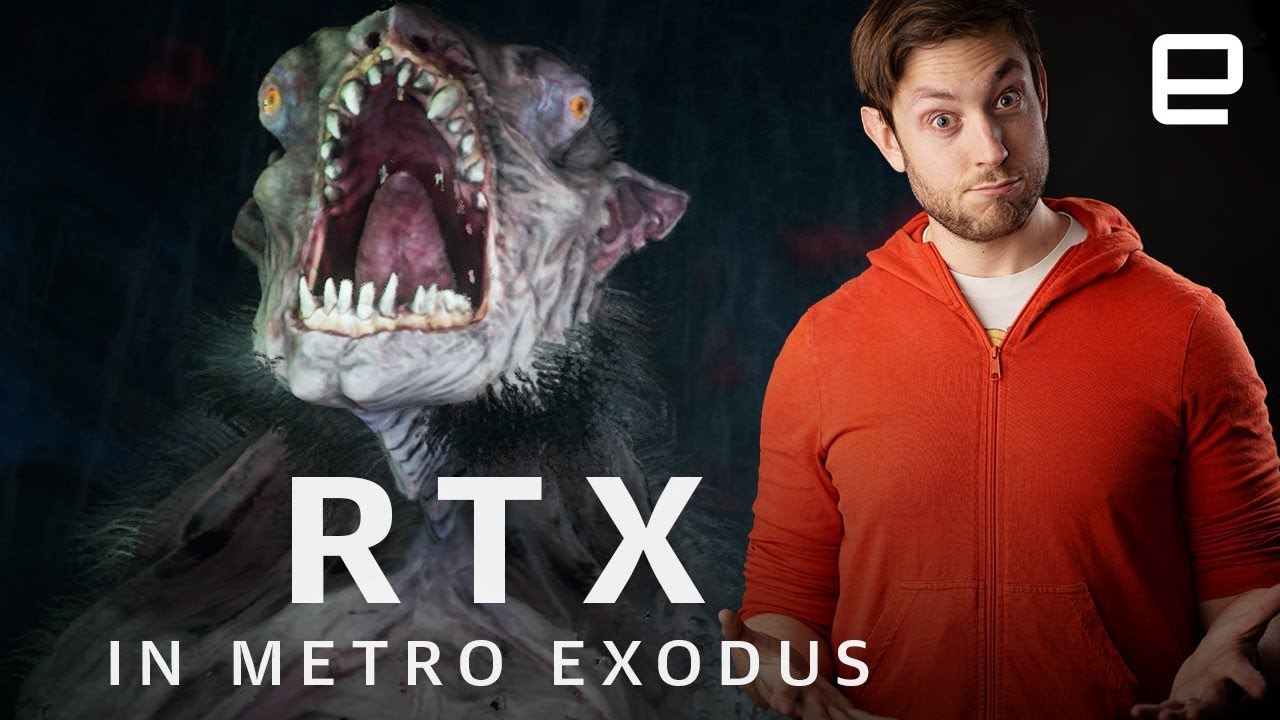
Metro Exodus certainly is a gorgeous game, never has a pack of hairy rat monsters been so lovingly rendered. It’s also the first game to use ray-tracing for ...
upbeat badger
because they don't need to mess with ligthprobes, lightmap settings, uvs, texels and baking anymore
fading rose
Rest assured you will have to mess with other things 😄 there are always things to mess with AND Raytrace at this point is only applied selectively, on particular surfaces, not everywhere, so you still need to mess with all these.
This is a smart approach that one would take in early versions of 3dsmax, when raytrace processing in these old CPUs was prohibitive to enable on the entire scene. That was before mentalRay became widely available. But even then, you had Renderman which was not raytraced and still produced stellar results. So Raytrace is just a technical choice, you can achieve awesome results either way. Same as you can do great games with either 2D or 3D. The rest is marketing hype. (Which can also be used for our games of course)
quasi mulch
There is always a new pain point. We just shift our ambitions that cause pain to a new place.
A NEW PLATEU OF PAIN!
shrieks with happypain
fading rose
hehe like my boss when he tried the new HP Reverb headset fell in love and told me we should work exclusively with that. Nothing else. (it's indeed awesome) He didn't immediately think of the additional production time and cost that comes with even higher fidelity. Not to mention the need for more expensive hardware to output it . All these ultimately sink in, but in any case, we should not allow it to stop us from improving and evolving.
upbeat badger
in this case unity graphics engineers handle most of pain points themself you just need to toggle checkbox, tweak few parameters and its done
the amount of work is much less when you have realtime gi for example
of course I do not take into account the problems of rtgi
right now its noise and ghosting
so its not really usable without lightmaps
 grave spade
i would be quite interested in seeing some stylized, raytraced games.
Not only by having stylized textures, but also stylized shading/lighting.
sadly i wasnt able to find any examples
dawn sorrel
https://cdn.discordapp.com/attachments/531067645433348108/567189544064253982/unknown.png anyone know why my shadow edges are appearing like this


ive copied all the settings and stuff from the sample scene
but they still are turning out like that
this is in hdrp
turbid matrix
in forward only mode, you could set the shadow filtering to high from your HDRP asset
this is PCSS mode
it will noticeably soften the edges
dawn sorrel
using defered
turbid matrix
there are some settings you can tune in the light source itself
but I dunno if there's much you can do for that beyond putting more resolution
if forward only bad for your project for some reason?
they render many things better in forward right now
dawn sorrel
yeah the res for the directional light is 4k
nah not really
whats the difference between deferred and forward anyway
turbid matrix
you see that plus button on the top of the component, on the right?
dawn sorrel
yeah thats already been clicked
turbid matrix
ah
GitHub
Scriptable Render Pipeline. Contribute to Unity-Technologies/ScriptableRenderPipeline development by creating an account on GitHub.
dawn sorrel
thanks
turbid matrix
pretty much most feats work on both including SSAO, SSR etc
turbid matrix
forward just got more accurate visuals + better shadow filtering atm
dawn sorrel
still pissed about the shadows though, copied everything from the sample project
but it still looks the same for some reason
turbid matrix
I don't think the shadows look that great on the sample either
do note that it's baked lighting mostly on the hdrp template
so if you move it to dynamic lighting, you'll get the jaggies there too
also the scale of things matter a lot
dawn sorrel
but still if its not jagged on the sample
for the sample i just needa bump up the res on the directional light
and it looks good
oh yeah also got another strange bug
turbid matrix
that's not what I've seen myself
dawn sorrel
in wireframe non of the meshes show in wireframe
turbid matrix
but PCSS looks nice (can keep the resolutions lower)
dawn sorrel
they just dissapear
turbid matrix
you mean the wireframe mode?
dawn sorrel
yeah
turbid matrix
yeah, that's been like that as long as I remember, you do see the wires if you select objects tho
turbid matrix
which HDRP btw?
dawn sorrel
package manager latest
turbid matrix
oh nice, they've updated the hdrp template finally
it's defaulting to 5.7.2 but it's still newer than the 5.2.3 it had for ages
dawn sorrel
yea
turbid matrix
@dawn sorrel ok, I checked the template
it has really tiny shadow distance (as it's small scene)
it's set to 150 on Rendering Settings (scene volume)
if you put that to like, 500, you need way bigger resolution to get similar results
I dunno what the default value is
hmm, actually default is 500 apparently
dawn sorrel
Yeah default is 500
turbid matrix
hmmm, the distance doesn't break the shadows on the template
it definitely has big impact on "regular" scene with more detailed shadows
this is weird because I'm fairly certain I didn't get that nice default shadows with HDRP in past (as in the template)
they've done some sorcery on this
 stoic depot
is it using microshadowing or something?
also i haven't seen contact shadows for me when I've tried them out
turbid matrix
nah, it did have different shadow cascade settings tho
stoic depot
that'd do it alright
turbid matrix
it's more of a smoothness setting, but I can't make the template shadows look sharply jagged
I tried with the default cascade settings too
stoic depot
is that the soft shadows setting on the light, you mean, or just shadow res due to distance, cascade settings etc
turbid matrix
thing is, I didn't find any soft shadow setting
there is max smoothness control on the direction light's shape but it doesn't affect the shadow borders at all
more of how it goes with specular
the difference is really like soft/hard shadow thing
I just don't get where it's controlled
in PCSS filtering, the setting is there, but not on low setting
when you put PCSS (shadow filtering to high), you get Shadow Softness dial which you can use to control this specific thing
but it's not there for low
@dawn sorrel what you see could just be a difference in object angle / light angle too
dawn sorrel
maybe
im whipping up unity again to change soem more settings that i think might be effecting it
i changed the number to 5
for the max distance
turbid matrix
oh wow, 6.5.3 shows up in package manager now
first 6.x.x that exists outside of staging
2019.2 beta must be near
turbid matrix
backport?
5.x and 4.x are the ones that get backports 😃
oh, you mean it wasn't on 6.5?
indigo summit
ah sorry i mean it was for 6.6.x isn't ?
turbid matrix
it's not async, nor there is that commit in 😃
why do you as?
(I just tested, you still see the compilation dialog)
indigo summit
hmm
it feels faster for me, only getting compilation dialog when pressing save button
 frigid cypress
pssst light weight render pipeline and shader graph GDC sessions are up on the vault c:
turbid matrix
oh nice, they added 18 items
(on vault)
(I wrote a small tool to figure out what they add)
indigo summit
are you talking about the vault or HDRP?
turbid matrix
vault
I guess there could be a tool that polls the changelog changes 😄
@frigid cypress ah, you meant the talks that were there on the first batch of GDC 2019 talks on vault 😃
these have been on the vault for little over week now
ah, you probably meant the booth sessions
frigid cypress
yes, the booth sessions
frigid nova
hey guys does anyone know how to get roughness input on decals? in hdrp,how should i pack the texture ?on what channel to put the roughness map and the metaleness and AO
turbid matrix
@frigid nova regular HD Lit shader uses: Red channel: Metallic mask. 0 = not metallic, 1 = metallic. Green channel: Ambient occlusion. Blue channel: Detail map mask. Alpha channel: Smoothness.
that's on mask map
I dunno about decals
GitHub
Scriptable Render Pipeline. Contribute to Unity-Technologies/ScriptableRenderPipeline development by creating an account on GitHub.
Red channel: Metallic map. Green channel: Ambient occlusion map. Blue channel: Opacity map. Alpha channel: Smoothness map.
frigid nova
thanks man ill test if that works
turbid matrix
so, same as HD Lit but blue channel for opacity
RG and A channels are same as on Unity 5 standard metallic shader btw 😃
frigid nova
occlusion wasnt on an extra texture back in 5?
turbid matrix
people thought it required separate texture so they put it separately
but in fact you could have reused the same one texture that packed these all together there already
people just didn't read the fine print as there were separate input slots
I guess Unity is wiser now and they only allow one mask map input 😄
frigid nova
lol XD
turbid matrix
had they put that detail mask in blue channel instead of alpha, it would have been 1:1 same setup as with current HD Lit
but you could have put detail mask in albedo alpha in this setup tho, considering most materials don't need it
tbh, I dunno why they didn't use blue channel for anything on Unity 5 shader
frigid nova
anyone know what is up with HDRP V6 and why it dissappears and appears on package manger randomly?
turbid matrix
?
where did it disappear?
it's only been up for regular registry since today
and you of course only see it on 2019.2
(unless someone messed up)
@frigid nova
frigid nova
i never see it it only appears some times for me
for example is there too,i upgrated from 5.13.0 and nothing worked ,everything black on 6.5.3.Then i rolled back to 5.13.0
what is new on v6?
since i downloaded v6 a couple of times but everyhting is black and i get errors on the console
turbid matrix
and you try this on 2019.2?
turbid matrix
maybe they still aren't sure if they want it to be visible or not
I just saw it there and downloaded it for one project
normally I run 2019.2 from SRP master
frigid nova
and what does it have new stuff?
turbid matrix
well, even if you are on a real project and you use HDRP, you may as well use the bleeding edge version now as you probably want to ship with 2019.3/2019.4 LTS at that point, as that's first version when HDRP is released
6.5 is somewhat the same feature wise as it's 5.x counterpart
there are some small differences
but they backported most feats
it's differences are more structural at this point
frigid nova
then is not that worth
if they had some voxel stuff or a better SSR
that would be nice
turbid matrix
SSR is same, is there some issue with it?
(it works nicely on my project, well, considering it's SSR and has screenspace limitations)
frigid nova
yeah something is wrong on when the camera rotates around reflective surface
that fades to fast and to unrealistic also the reflections are maybe a bit worst than even older implementations i would say
turbid matrix
I have kinda opposite experience
I never had any luck with PPv2
and older Unity implementations did work but were perf heavy and were still more noisy
 maiden plume
Hi everyone! I am facing the following issue with LWRP. The left screen shows the editor game window and the right the same scene on device (Android). It appears much darker. Any idea what might be causing this?
frigid nova
color sppace post processing contrast ?
maiden plume
Alright. Thanks you guys. Let me check.
stoic depot
Q: With the new HDRP post processing setup, how the heck does bloom work
is there something I'm messing up that it's all just becoming a hazy mess?
turbid matrix
@stoic depot the idea is that it's somehow physically correct now
basically how it works is that you put 0.1-0.3 into intensity and 0.4-0.7 to scattering to get somewhat realistic results
I use 0.1 intensity and 0.4 scattering myself
it's subtle effect that way but at least it doesn't destroy the image quality then
there's additional emissive settings that let you boost the emissive so that bloom takes it into account
stoic depot
ah I see
should have expected it to be physically accurate since half the target audience for HDRP seems to be archvis and car visualisation 😅 :
maiden plume
Color space is set to Linear for both Android and Standalone. Not sure if there is any editor specific setting for this. Also disabled auto graphcis API for both and set it to OpenGLES3. Still the issue persists 😦
maiden plume
Makes sense. Wonder why I didn't come up with that myself 😉
turbid matrix
that looks bigger change than linear/gamma would do
looks more like tonemapper difference
royal tusk
Do you have some kind of post processing profile with color grading or something
maiden plume
I just noticed a weird thing
Under "Other settings" in player settings in scripting define symbols it says "UNITY_POST_PROCESSING_STACK_V2"
not sure why it's there. But even if I remove it. Unity just adds it again.
royal tusk
Right-click in your project window and select Create > Post-Processing Profile.
Drag the PostProcessingBehaviour.cs script from the project window to the camera.
then try it out
maiden plume
Ok I just changed the color space for Android to Gamma and it looks the same now on device. I am kind of confused because I am pretty sure docs mentioned LWRP required linear color space.
Also it seems the editor is using Gamma color space but I can't find a setting to change that
Thanks a lot!
 long blade
if i had to guess, you were using color grading but your device didnt like it
gamma allows you to support older devices however, so it's better to go with that unless you need linear, at least thats my opinion
royal tusk
I had a shadergraph in the past that looked off and it was because i was using gamma instead of linear once.
indigo summit
alright stupid question how come forward+ are not implemented to LWRP?
ie tiled forward or any other improved forward rendering
quasi mulch
because forward+ benefits from a compute shader to prepare
indigo summit
all of them?
quasi mulch
just doesn't seem any point since LWRP uses a shader that calculates a lot o lights in one pass
indigo summit
but they planning to deferred to lwrp
quasi mulch
yeah well deferred can be as simple or complex as you like
I'm sure a forward+ renderer is a good fit for LWRP too, for someone
indigo summit
hmm
 leaden isle
@maiden plume I think you running in the same issue as I wrote here: https://forum.unity.com/threads/lwrp-different-light-results-on-opengles-and-vulkan.660397/#post-4420855
We also decided to use linear color space and from specs and Opel GL ES version all our target devices should run it. But somehow they don't

Unity Forum
Hey guys,
I just made a scene with terrain and a global directional real-time light using Unity 2019.1.0f1 and LWRP 5.10. I deployed a build to a...
stoic depot
actually has forward rendering in HDRP been improved? I've always just use deferred, butbif HDRP is rocking clustered forward rendering I'll give it a shot
maiden plume
@leaden isle thanks! Looks exactly like my issue.
 scarlet hull
@stoic depot What improvment are you searching for. In HDRP, forward rendering has feature parity with deferred
stoic depot
its just about the scale of my game, deferred has support for loads of lights at once and I don't need that really, i was just wondering if there'd be an upside to it, although if there's parity between them I'll just leave it lol
grave spade
if you dont need to support a huge amount of lights, why do you even care about tiled or clustered / forward+ renderer?
indigo summit
how many lights in your game that affect one object anyway?
last time i test Forward+ HDRP i can put 110 lights affecting a wall
 simple hollow
the default procedural sky in hdrp 2019.1f2 5.13.0 is still broken. 😦
turbid matrix
you can still use it @simple hollow
it's probably going to be that broken from now on
it still works as it worked before
but if you want more realistic lighting values, you have to tweak bunch of properties
simple hollow
with the sun disk on i can't see any shadows
turbid matrix
yeah, sun disk is broken with higher intensity
you just disable it for now :p
you can still put sun in the sky with custom billboard
I think this is what FPS Sample did with the moon / planet thing on the sky
simple hollow
I'll probably wait for the new procedural sky from unity. starting a serious project now isn't really a good idea.
turbid matrix
starting is fine 😃
you need proper sky only later, unless you start from final art 😃
you can still use the procedural sky without sun disk (I can't see how this could be a showstopper) or use HDRI cubemap
 tall hamlet
Does it make sense to use the Lightweight Rendering Pipeline for 2D projects?
tall hamlet
woah thank you very much :d
turbid matrix
2D renderer + masternode for SG is targeted at 2019.2
some of that stuff is already on SRP github repo
these were merged in git one week ago
actually, only the latter is on master now (upcoming 6.x.x LWRP), master node just got merged to another wip branch
hmmm, the renderer is already on 6.6.0 LWRP
from the changelog: ```
- (WIP) Added an experimental 2D renderer that implements a 2D lighting system.
- (WIP) Added a Light2D component that works with the 2D renderer to add lighting effects to 2D sprites.```
royal tusk
GitHub
Example content for Unity projects based on AR Foundation - Unity-Technologies/arfoundation-samples
WTB fix
quasi mulch
terrain rendering has a bug with hdrp 5.13 where the basemap is black
dawn sorrel
gotta say, its kinda funny that we've come full circle and people are asking for (LWRP) decals again 😄
dawn sorrel
@turbid matrix new ps5 will have navi with raytracing support according to sony
I guess this means raytracing won't stay as a gimmick 😄
turbid matrix
we'll see how accurate that is when it actually gets out
glad tartan
What was mentioned about raytracing with PS5 was about audio and other things that could be improved with it nothing on graphics yet. So we still dont know how well and how many features graphics wise they will be able to use with it.
Closest we got was a video from the Gran Turismo team a few months ago experimenting with raytracing.
https://youtu.be/qzvzELq13HI?t=442
I'm hoping the consoles support raytracing pretty well as that would boost the adoption a lot faster and it would get more optimized.

2018年12月4日から7日までの日程で、東京国際フォーラムにて開催されました「SIGGRAPH Asia 2018」のプログラム「REAL TIME LIVE!」の模様を収録したものです。 発表:Live Replay Movie Creation of Gran Turismo(株式会社ポリ...
turbid matrix
yeah, I agree
getting bigger adoption rate by any means is helping
it makes more sense to implement something that can run on multiple platforms
and just not work on some niche high end gamers PCs
glad tartan
For sure
right now wide adoption mainly depends on Vulkan and GPUs being powerful enough to run all the effects
dawn sorrel
Hmm? Didn't sony gave exclusive interview to wired and said raytracing is in?
"The GPU, a custom variant of Radeon’s Navi family, will support ray tracing"

WIRED
Don't expect it anytime in 2019, but the next PlayStation console is well on its way—and it's packing ray-tracing support and a loadtime-killing solid-state hard drive.
quote: According to Cerny, the applications go beyond graphic implications. “If you wanted to run tests to see if the player can hear certain audio sources or if the enemies can hear the players’ footsteps, ray tracing is useful for that,” he says. “It's all the same thing as taking a ray through the environment.”
emphasis mine, while they said it can go beyond graphics, it isn't meant just for that
 half heart
shouldn't different render queue values fix z-fighting? (lwrp + unlit shader graph )
 stray sky
not sure if this is the right place but when using multiple cameras set to different layers transparency does not work (it becomes completely transparent). i think it might be because they are being drawn in the wrong order, though i do not know how to change the order.
oops! depth setting fixed it
 robust mirage
Looks like something you could also do with stencil shaders
stray sky
yeah, ill look into t later when i have some spare time
im not sure if this happens because of steamvr or if its due to a graphics setting but ill post it here (tell me and ill remove it)
im using different cameras for the cubes outside on the stuff inside
royal tusk
@stray sky you on 2019?
royal tusk
naw, there is a clearflag related problem with stacked cams but thats being seen in 2019
stray sky
also the camera automatically moves to my hmd position, so to (seemingly) move the blocks outside i put the camera as a child of another object and move that object. may be this workaround thats causing trouble
(this is happening without any scripts attached)
and all of this to make the physics easier for me -_-
fading rose
"i put the camera as a child of another object and move that object."
There is no a problem with that.
You can make cameras as children of other objects, i.e. vehicles. Not an issue.
quasi mulch
SLAMS DESK
HDRP team had better hurry up optimising all this raytracing lark as PS5 has it now :P
PS. <3 unity gfx teams
glad tartan
Things should be fine by the times it's released. UE4 unveils Raytracing GDC last year and GDC this year they showed how much they optimized it and added things (between both demos).
It's only been a few months for raytracing in Unity so by the time PS5 and next Xbox is released I think raytracing in Unity will be solid by then.

During GDC 2019, Epic’s Juan Cañada and Patrick Kelly delivered an up-close look at ray tracing functionality in Unreal Engine 4.22. Learn about the processe...
Crazy amounts of work to do though
Epic even remade their mesh pipeline as well
Almost feels like the transition to PBR
dawn sorrel
Well both unreal and unity is working on modernizing their renderers on the side, so I guess it is natural it took a year just to get to this stage
quasi mulch
a year?
try 3
HDRP has been in development since late 2015 AFAIK
albeit with SRP
great stuff can take a while, I mean if HDRP team was bullied and pressured into admitting something, they might ask for more resources
(just guessing btw)
turbid matrix
@quasi mulch he was talking about raytracing I assumed
(for the year comment)
but it's obviously taken longer for UE4 as they showed the first version over year ago 😄
it's further along (for DXR) atm but I'm sure Unity will catch up
quasi mulch
oh tracing.. . i've seen it for at least 6 months on the github branch drop down
who knows how long those stale branches have existed
as for DXR
I'm hoping the vulkan raytrace stuff is pushed forward
turbid matrix
they must have worked on it a lot longer
turbid matrix
I assume the public github stuff had to happen because they had to merge the stuff in at some point for development to not drift too far
quasi mulch
anyone can do a raytrace demo in a week badly, but something that runs fast is another story, the hardware doesn't mean fixed performance at all, and it's worrying some devs think so
turbid matrix
luckily it's not our problem to solve ;D
quasi mulch
i don't think its a huge problem: simply give me GI and I'll be good for another few thousand years
I tried gi out again and it's still being crap perf at runtime
not as bad but still crap. in editor it's fine :/
turbid matrix
you playtest at full screen in the editor?
or you mean, its slow even in editor playmode, but fine in scene view?
trim bone
any official or unofficial response to your forum gi proposal @quasi mulch
quasi mulch
yeah
they're fixing up enlighten and improving probes while exposing indirect in shadergraph
meanwhile robert has said untiy are very aware of customer needs
on twitter
so basically unity are doing something, for the existing and maybe something going forward but no details on that
I'm having another crack at enlighten to see if they've fixed the async readback thing
trim bone
i guess it was a longshot to bend a billion dollar company to your will but still had hoped for a more promising response
quasi mulch
I doubt i need to, they are moving
because I commanded it ... or else!
then snapped my fingers
:P
 shrewd meteor
Is it possible to use Transparency Sorting Axis with LWRP? I could have sworn I was doing this before...
turbid matrix
So. 2019.3 split now on srp master?
They already got separate https://github.com/Unity-Technologies/ScriptableRenderPipeline/tree/release/2019.2 where things with tag "backported 2019.2" go :)
I know the 2019.3 alpha we get is probably still at least month away but cant wait :)
 edgy harbor
Does anyone know good trees for LWRP? or how to make Speedtree work with lwrp?
turbid matrix
LWRP speedtree is already implemented, not sure if everything is yet merged to releases tho
@edgy harbor
Either way, shouldnt take long now
GitHub
Scriptable Render Pipeline. Contribute to Unity-Technologies/ScriptableRenderPipeline development by creating an account on GitHub.
Actually merged to master week ago and to 2019.1 (5.x) 16 hours ago
So expect the support to be in next major LWRP release
edgy harbor
Awesome! Thanks for the fast answer!
edgy harbor
I upgraded my project to 2019.1 and the trees are the only part that dont work with lwrp, the rest went quite smoothly!
well i need find some new water-sahder aswell, but that shouldnt be the problem
turbid matrix
@edgy harbor if you are adventurous and can't wait, you can grab this branch and place the LWRP, Core and SG from it to your projects Packages folder: https://github.com/Unity-Technologies/ScriptableRenderPipeline/commits/release/2019.1 it has the speedtrees merged in and next LWRP release will be based on that (so it's a wip branch)
otherwise, just wait for LWRP 5.14.0 😃
turbid matrix
I reported that over month ago and they said it's a known issue
I know
also #archived-shaders would probably better place for this 😃
tbh, I though that was already fixed
but I haven't done SG's recently on 2019.2
indigo summit
in LWRP 2019.1 it was fix i think
turbid matrix
I dunno if its ever been even broken in 2019.1
I think it's from some 2019.2 change rather
but could be wrong
turbid matrix
it makes more sense, as 2019.2 is still alpha -> not that big prio
once they bump it to beta, I expect things like these get sorted asap
besides I'm fairly certain that SG getting out of preview for 2019.1 forced Unity to shift most of the resources on SG to make 2019.1 version more stable
rather than fix bugs in alpha 😃
turbid matrix
tbh, I think the release target was too early
it's still quite bugged as can be seen on the bugfix commits that keep flooding in all the time
stuff like this is still not merged, despite it being simple rename fix that affects the serialization: https://github.com/Unity-Technologies/ScriptableRenderPipeline/pull/3233/files
if they had merged that in earlier, there wouldn't have been even many releases out with the wrong serialization
quasi mulch
github include "Assets/DDGI/IrradianceField.hlsl"
so DDGI is the new GI unity are adding
maybe not good for current consoles
NVIDIA will show how to combine glossy reflection ray tracing with diffuse ray-traced irradiance field probes. This creates a complete dynamic global illumination solution that scales across all DXR GPUs and minimizes light leaking without...
turbid matrix
that's the thing they got already?
quasi mulch
yeah its on github
turbid matrix
I noticed the commit as well
no I mean, there's indirect diffuse option on current experimental DXR build
I mean, if that's the same thing
quasi mulch
hmmm didn't check
turbid matrix
it does the same thing so would expect it to be the same thing
quasi mulch
this looks DXR/VRT only though
quasi mulch
useless to me then
and frankly
if it's 2ms on 2080 @ 1080p
not useful for a while
turbid matrix
2ms for gi is fine IMO
quasi mulch
on that card designed for 4k?
in what project lol
its for future games by the looks of it unless some serious acceleration happens... most ppl wont afford it for a while
hmmm does this mean I have to upgrade my gpu now? 😂
quality of this approach looks awesome though
turbid matrix
then again VXGI looked nice as well 😄
(talking about nvidia tech)
it's not really comparable to raytracing quality tho
quasi mulch
it's not intended to
it should look same as ground truth mostly if you squint
all I actually want is very basic GI so things are dark where they should be :D
turbid matrix
you only need RT GI for your products "real in-game footage" screenshots ;D
quasi mulch
hahaha
turbid matrix
doesn't matter if it runs 5 fps, it's real deal
quasi mulch
why don't i just prerender it DCC side and add it to a quad as a texture in game... close up for screenshot
streaming gi? :P
hmmm
dawn sorrel
Hello, I am having issues with my game and having 7-20 frames in vr with the hdrp
Here is my profiler. Not sure how to read from it
dawn sorrel
I see
 true zealot
but you need to keep expanding until it stops showing high % or self ms to find the largest culprits
dawn sorrel
Looks like that's this
From the HDRenderingPipeline metadata file
With this error being logged: Screen position out of view frustum (screen pos 1512.000000, 0.000000, 1.000000) (Camera rect 0 0 1512 1680)
After getting rid of the error, I still have poor framerate, and it looks like it's because of the HDRP. I know you can't go back once you've started using it, so I'm unsure of how to resolve this, as my VR cameras are still using the pipeline no matter what
quasi mulch
This is all CPU cost so HDRP isn't the problem. You're doing something bad or the console is pumping out errors like nobody's business and you haven't got error pause enabled...
also 0.5 MB of alloc is utterly insane.
I have HDRP running 60fps on 3 year old gpu at 4k res so I know it's performant so we just need to figure out where your issue is
turbid matrix
well, that's different than trying to run it 90fps in stereo 😃
quasi mulch
yeah bit his profiler is insane even for VR
turbid matrix
but standard VR optimization practices still apply
turbid matrix
and by that I mean, you still need to be aware of the content you use in VR, regardless the renderer
quasi mulch
yeah but on profiler there
it's all cpu time
nobody doing VR is logically going to have so many objects that simply porting to HDRP would explode cpu like that
this looks like he's got 2 cameras
stereo doesn't need 2 does it?
(Clone)
ripe fable
@quasi mulch I wish VR raytracing worked lol. VR doesn't seem to work in the DXR experimental editor at all, all cameras show a black screen when you enable VR in a project 😦 can't even use my oculus/leap for tracking in a DXR project
turbid matrix
I got weird issue on new HDRP project now
I get SSR on scene view but not on game view
hmmmm, it's not even the new project, it happens on the older project too, so it's some recent HDRP master change
and my first suspicion was right, it's broken by this commit: https://github.com/Unity-Technologies/ScriptableRenderPipeline/pull/3385
turbid matrix
GitHub
Purpose of this PR
#3385 broke SSR from game view (SSR still works in scene view). This happens because the view constants update can't reach the relevant code anymore. This PR moves the la...
fading rose
@quasi mulch "I have HDRP running 60fps on 3 year old gpu at 4k res so I know it's performant"
1080 is a 3 year old card... 😛
I would love to see the scene you are referring to.
Or some information about it.
Interior or exterior?
How many polygons average per frame?
How many materials? Lights?
How many objects?
Are there animated characters or other moving objects?
quasi mulch
yeah its open world 980 card
ish
it's very optimised though :P
low draw calls etc
hmmm not much really going if you think about it
fading rose
😛
quasi mulch
l
lol
I'm indie, it's hard to make enough content to stress if you make it well
it's way faster than I expected though (under some load is where it shines the most I guess)
fading rose
I am pretty sure that in a year or so it will be quite impressive.
quasi mulch
2019.3+
fading rose
Yeah
 cursive tulip
A little question (may sound dumb) but do i require using a SRP to use Shader Graph?
true zealot
Yup
cursive tulip
yep i noticed.
Can i access depth,depth normal or camera opaque texture with Shader Graph? (LWRP)
I saw it was possible but im not sure if it was on LWRP or HDRP
And also if i can,how?
turbid matrix
just type the relevant keywords in SG node list, you'll find the things if they are there 😃
there's scenedepth node at least
but you'll get better answers if you ask in #archived-shaders
cursive tulip
thank you
just watched this on this specific part and now im ok https://youtu.be/sDG4XR-83X4?t=180

00:20 Setting up the scene 01:16 IMPORTANT setup for the blur 02:36 Start working in ShaderGraph 05:55 Duplicating the texture for Positive offset 10:20 Maki...
quasi mulch
could really use a proper procedural sky for hdrp right now
glad tartan
Been following the updates on Github as well. Seems to get updated on there around this time
quasi mulch
it's basically the final piece of the puzzle for my sky of awesomeness (tm)
indigo summit
knowing you, i highly doubt that words @quasi mulch 😁
quasi mulch
true, I still need to tackle stars and some kind of epic costellation
hdrp looks so good even on the conservative settings
turbid matrix
Been waiting for that sky branch to merge in later master before trying it out
It is currently based on master from feb
 keen linden
so they said that with 2019.1 the SRPs are out of preview. Does that mean they also stable for 2018 also, or only for 2019?
turbid matrix
well, I had to try it
this planet rendering is awfully specific to just rendering one planet
you can't do multiple on the same view with this
upbeat badger
how it looks under atmosphere?
indigo summit
hmm yeah maybe it's just me, but for some reason i think it is overkill 😄
turbid matrix

Watch to learn about the new unified Sprite Rigging workflows, and get a sneak peek of the 2D Lighting system that is under development. Speakers: Andy Touch...
they also closed my PR as there's a different fix incoming for the SSR issue already
I tried the branch with the fix and it does work there, altho SSR flickers on game view while not playing in editor
by flicker I mean, it's sometimes using SSR and sometimes not, jumping between few times in a second
and then sometimes it's stable off or on
it also does this strobo effect with it if I rotate the camera on scene view (game view flicks the SSR on / off) while not playing
GitHub
Purpose of this PR
This PR fixes several issues happening when changing resolution (which broke some tests and caused artefacts in the editor)
Now Swap of History RTHandle is done before Resizing....
should have realized that was there before trying to fix it myself 😄 I though that branch for only updating the tests
edgy harbor
@turbid matrix Do you know how long it usually takes untill the next official release for the next LWRP-Update?
is it like a thing of weeks or months?
turbid matrix
it totally depends on the changes they do
also since the LWRP and HDRP are both in same SRP release, it also depends on HDRPs state, now more than LWRP's state
so if something is in the middle of rework on either side on the release branches/master, the next release is stalled before all changes are in
but nowadays if there are bigger changes like that, they use separate WIP branch to avoid cases like that
edgy harbor
alright! I guess i stay with SRP for a moment then :D
barren kindle
lwrp is out of preview right? does this mean we get ambient occlusion for vr? 🤔
turbid matrix
it's out of preview, does SSAO in general work in VR well?
you'd think the screenspace artifacts would be annoying there as they mismatch between eyes
I'd guess Unity will address the lack of AO on upcoming LWRP PP (v3)
Amplify Occlusion kinda works on LWRP but I doubt they've updated it to 2019.1 yet
they added some kind of support for PP stack v2 for it
fading rose
Please bring AO for LWRP this is ridiculous. We are using hacks to make it work!!!
This works and has next to 0 performance impact, but needs also AA enabled to avoid flickering AO especially if your geometry features thin linear structures, i.e. spokes on wheels, fences or window frames from afar.

GitHub
Post-Processing Stack v2 Ambient Occlusion works on Lightweight Render Pipeline - beinteractive/LWRPAmbientOcclusion
@turbid matrix yes I have received confirmation from Amplify that indeed their version works for 2018.3 and LWRP 4.10. No idea about 2019.1 I have not tested it, but if Unity continues being reluctant to enable AO in LWRP we may need to.
turbid matrix
well, Amplify is pretty known for not implementing these prior to release, so their releases lag always behind the official ones
I honestly don't quite get why so many companies do this as they could start preparing for the release when RC's get out 😃
fading rose
That's ok. They are actually one step ahead where it counts 😛
turbid matrix
I do get that they don't want to do the fixes multple times tho
yeah, ASE having PP support now is great
too bad it doesn't work on HDRP :p
and Shader Graphs official PP support seem to be really far away (I know there's a community project for that)
fading rose
As a producer I understand why, and especially for small developers, but when a technology is a couple of versions before release, and you are experiencing the last bug fix rounds there is no reason you should not start on your update.
I am participating in various closed Autodesk beta teams and I know many well known software teams that create plugins are part of it too.
turbid matrix
yeah, I do understand the release schedule but it's also their main business to serve game developers so being bit early on doesn't really add much extra work
I mean, if you do the changes when release is near, it's like 99% guarantee there will not be any API changes anymore
fading rose
Being too early does, being ready on time does not.
Exactly
This way you support your customers better and help them transition faster.
Ease their pain. That is what good customer support is.
turbid matrix
I've manually updated ASE's HDRP templates for few 5.x versions, I do get it's pain to keep maintaining the changes that way
fading rose
Not just message us when you have a problem and we will see what we can do.. Being proactive is key in such cases.
turbid matrix
but then again, the package approach we have now kinda separates the development from the main Unity releases anyway
fading rose
And as you said, you do nto have to do that from the very first release.
turbid matrix
I'm actually now wondering how feasible it would be to make a tool that would mirror most changes between SG and ASE templates :p
they do have some structural differences tho
but when I updated the templates, it was pretty straight forward work
just check the diff from SG templates and mirror the changes to ASE template
fading rose
I am not into tools development but I have already noticed that typically a Unity release takes about 10-14 builds before moving to the next stage. (alpha to beta, to proper release)
Considering that, you can actually plan around it.
And yes, even create tools to automate part of it.
turbid matrix
I tend to automate many tasks that I find doing often
it takes a while to build some tool but it always pays itself back in the end
it's just sometimes tedious to do the tooling itself
fading rose
It's pure bad/mediocre/shortsighted planning really. Or worse, in some cases, indifference.
The most shining example is GDPR . EU had informed 2 years in advance that all digital services and websites and games and whatnot that operate in EU must comply. Some, 2 months before deadline claimed that there was not enough time and asked for extensions, others have still not even bothered and prefer to not operate in EU at all, others disregard or found loopholes to shift the responsibility to others (google did for example) .
turbid matrix
yeah, everyone was super late on GDPR
fading rose
And it is not like Unity doesn't have their roadmap public.
turbid matrix
maybe people thought they could get the deadline shifted
heh, Unity's official roadmap is almost as good as it didn't exist
fading rose
yeah they will bend the will of the universe 😛
fading rose
That information is available to everyone who is serious about their software business. There is no excuse.
turbid matrix
but to get back to topic here, I've noticed Unity moving things from computer to regular shaders lately
GitHub
Purpose of this PR
This removes the compute shader version of the pyramid altogether to have parity across all platforms (performance wise it also ends up slightly faster).
Testing status
Katana T...
that change was done initially for Switch compatibility I think
but they found out that it was pretty much faster all around or about same perf
now there's TAA PR waiting where they just moved TAA from compute to regular shader
I clocked the new non-compute TAA to be twice faster than the compute one on my computer @ 1080p
but it's possible I messed up the timing as I don't have fancy tools for it + I didn't test in standalone like I should have so don't take those results granted
just looked at Unity's own profiler
this kinda brings questions if Unity actually benchmarked the compute vs noncompute shaders on stuff like PP
or did they just expect everything to be faster in compute?
fading rose
hmmm. i am pretty sure they test on various platforms and use cases, but what they do is so complex that sometimes when you use market data in order to prioritize, your resulting strategy may be biased.
TAA is something I am no particularly fond of, so 😄 or perhaps I have misunderstood how it works, but I could never make it provide good results except when I used the implementation of Livenda. CTAA.
turbid matrix
I avoid Livenda tho 😃
plus I don't expect them to do HDRP support
they have tendency to come and go, so you can't trust them to stay around
if you buy a solution, you have to think that's the last version you can use with it
I also wonder why they named it CTAA since it's essentially TSAA
I like how TAA works on distant objects but the ghosting kills it near camera (and Livendas solution ghosts too)
I spammed #💥┃post-processing a while ago about my experiments on it, it works OK'ish if you omit TAA on the problematic parts of the screen
fading rose
Now that may be the word in the market about Livenda, but I have personally found out quite the opposite by contacting them. They were very prompt and even created an updated version that resolved a bug and shared it in advance with me.
turbid matrix
well, did they ever return with their SSR solution like they said they would years ago?
they just left existing customers hanging there
fading rose
I understand what you are talking about but when Unity implements the same for free you understand it is hard to continue putting effort to it.