#archived-hdrp
1 messages · Page 14 of 1
 warped light
 glacial fossil
warped light
Makes sense, path tracing significantly reduces performance so i decided to use ...
glacial fossil
warped light
Makes sense, path tracing significantly reduces performance so i decided to use ...
There's always compromises that needs to be made to get acceptable performance. Have you tried Box Projection on the reflection probes? If you only have cuboid shaped rooms, box projected reflection probes alone often works better than SSR will but you can always combine both
SSR + Box Projection Reflection Probes (for interior scenes) as a fallback usually works so well regular player doesn't notice anything wrong with the reflections
 fluid merlin
Anyone got a bead on a nice shader that does a good quality fade? I need to fade some materials for a camera/occlusion use case.
warped light
glacial fossil
SSR + Box Projection Reflection Probes (for interior scenes) as a fallback usual...
There is no box projection option (bcz of hdrp prob), probe and ssr reflections look different so wouldnt there be a noticeable transition
glacial fossil
warped light
There is no box projection option (bcz of hdrp prob), probe and ssr reflections ...
Seems to be named ”Proxy Volume” on hdrp
 light sundial
I got a issue with the posterization shader I made idk if I've made it wrong since I'm new to shader graphs but for some reason it gets applied to everything unless I turn off the raw image does anyone know how I can fix that or will I have to just turn in off as I work on the map?
 mighty rapids
light sundial
I got a issue with the posterization shader I made idk if I've made it wrong sin...
mighty rapids
light sundial
I got a issue with the posterization shader I made idk if I've made it wrong sin...
i also have the same problem
 scarlet hull
light sundial
I got a issue with the posterization shader I made idk if I've made it wrong sin...
scarlet hull
light sundial
I got a issue with the posterization shader I made idk if I've made it wrong sin...
Unexpected behaviour ... what type of target are you using for this shadergraph ?
light sundial
im pretty sure fullscreen if thats what your asking im not the best with shadergraphs
 scarlet hull
light sundial
im pretty sure fullscreen if thats what your asking im not the best with shaderg...
scarlet hull
light sundial
im pretty sure fullscreen if thats what your asking im not the best with shaderg...
I think this is the issue. Fullscreen shadergraphs are made to, well, do fullscreen effect (aka post processes)
If your intent is to use it on a ui image, you should use the unlit or canvas type.
light sundial
using unlit or canvas stops the whole shader working im just trying to posterize
unlit does this the raw image works but the camera is just white
 scarlet hull
Posterize the whole screen ? Then "fullscreen" makes sense, but maybe you should then use a custom post process (or a custom pass if you really don't want to do any code) : https://docs.unity3d.com/Packages/com.unity.render-pipelines.high-definition@17.0/manual/custom-post-processing-use-full-screen-shader.html
scarlet hull
light sundial
unlit does this the raw image works but the camera is just white
It's hard to tell your nodes setup from your previous screenshot, but maybe this is missing exposure, so it results in a completelly over exposed image.
light sundial
scarlet hull
It's hard to tell your nodes setup from your previous screenshot, but maybe this...
this might be better if you still want to have a look
 scarlet hull
And what is the texture 2D in that case ? A regular texture asset ?
light sundial
i think its a regular texture asset all i know is that if i get rid of anything here it breaks it completely like i said im not the best with shader graphs so i might be setting somethings up wrong
scarlet hull
light sundial
i think its a regular texture asset all i know is that if i get rid of anything ...
Did you assign a texture to the material ? As from what I see in you setup, the default texture is white.
light sundial
i havent assigned anything to it
but without it i think it takes the screen position
 scarlet hull
light sundial
i havent assigned anything to it
scarlet hull
light sundial
i havent assigned anything to it
So it is expected that if outputs white, as the default texture is white ...
If you want the material to use the texture assigned in the RawImage component, you need the texture property reference to be "_MainTex"
I'm starting to get lost here, what do you want to achieve ? A canvas image that is posterized, or a fullscreen posterization effect of the whole view ?
light sundial
full screen posterization
 dry turtle
anyone?
scarlet hull
dry turtle
anyone?
This is exped in HDRP if you are in an outdoor scene. HDRP mimics real life lighting, where the sun light is extremely bright.
Having a light source with a visible effect in plain sunlight in reality also required a ridiculously high intensity.
dry turtle
scarlet hull
This is exped in HDRP if you are in an outdoor scene. HDRP mimics real life ligh...
even in the darkness it's still look dim
 scarlet hull
dry turtle
even in the darkness it's still look dim
scarlet hull
dry turtle
even in the darkness it's still look dim
wdym "in the darkness" ?
dry turtle
scarlet hull
wdym "in the darkness" ?
without sun light
scarlet hull
dry turtle
without sun light
Even with sun disabled, you still need to have this high intensity ? Isn't it just auto-exposure that adapts to the overall lighting ?
Here's a simple setup to do fullscreen posterization :
- Create a fullscreen shadergraph like this.
- Create a new GameObject, add a "Custom Pass Volume", set to "Before Post Process", and add a "FullScreenCustomPass"
- Assign the default material that is generated with the shadergraph to the custom pass
You can of course exposed parameters in the shadergraph blackboard and use a dedicated material (without locked properties) or a material variant.


(oups, missing screenshots)


 scarlet hull
light sundial
full screen posterization
scarlet hull
light sundial
full screen posterization
⏫
scarlet hull
dry turtle
without sun light
So, like mentioned, if you reduce the intensity of the point light "in the darkness", if it looks like it didn't change, it probably means that auto exposure is adapting, which is the expected default behaviour of a HDRP scene.
light sundial
scarlet hull
Here's a simple setup to do fullscreen posterization :
1. Create a fullscreen s...
Thank you it all works now
 inland ferry
Not sure which channel is best to ask this in, but I was wondering if there is a way to change which render pipeline asset is used on a per-camera or per-scene basis in the editor?
For context, I am generating previews/thumbnails, and need the color buffer format to be R16G16B16A16 so I can get transparent backgrounds. But don't want to force users to use that if they don't want to.
light sundial
i made a bedroom for the start of my game and now the posterization is flickering like crazy but only when i look in certain areas any ideas how i could fix this?
 shrewd moon
light sundial
i made a bedroom for the start of my game and now the posterization is flickerin...
shrewd moon
light sundial
i made a bedroom for the start of my game and now the posterization is flickerin...
Looks like it could be in a negative feedback loop with the automatic exposure for whatever reason
light sundial
shrewd moon
Looks like it could be in a negative feedback loop with the automatic exposure f...
is there any way to turn off automatic exposure?
shrewd moon
light sundial
is there any way to turn off automatic exposure?
Sure, it's a volume override
light sundial
oh i got it i just used post processing and added exposure then changed the mode to Automatic Histogram and it stopped the flickering
 cosmic pier
how do i stop my weapon from clipping through objects?
shrewd moon
cosmic pier
how do i stop my weapon from clipping through objects?
The overall best solution is likely to both move and squash the viewmodel relative to camera's transform space, like so: https://youtu.be/pM2Lr5roSPc?t=279
Doing that avoids the issues of typically suggested solutions, such as the performance issues of an extra camera and rendering issues of a custom pass
And in my opinion just makes more sense visually
scarlet hull
inland ferry
Not sure which channel is best to ask this in, but I was wondering if there is a...
Nope, that's not possible.
 minor sedge
Thanks for the tip! I got it working now. :)
Speaking of shader graph, could I bother you to take one minute to look at this question? I tried to get an answer on Discussions, but no one responded for a week and now the thread is buried.
I just need to know if there is some way to modify the Lit shader to do a transparent depth prepass for the low resolution rendering pass, I can't figure out how to change something like that in shader graph.
scarlet hull
minor sedge
Thanks for the tip! I got it working now. :)
Speaking of shader graph, could I ...
Hum, maybe you could do a feature request for this, but is seems like some niche use case :/
A workaround would be to use a custom pass to "force write" the mesh to depth, before transparents rendering.
If you look at the diagram here, you could draw the mesh during the "BeforeTransparent" injection point only into the depth buffer. That way your low-res transparent object would depth test against itself. But it also means that any other transparent object will depth test against this.
You don't have to make a specific shader for this, use the default HDRP/Lit set to opaque, and use the depth pass in the dropdown list of the custom pass.
minor sedge
Hum, maybe you could do a feature
 umbral bolt
maybe i sound stupid but how can you fix this error "No more space in Reflection Probe Atlas. To solve this issue, increase the size of the Reflection Probe Atlas in the HDRP settings."
shrewd moon
umbral bolt
maybe i sound stupid but how can you fix this error "No more space in Reflection...
Had any luck doing what it suggests?
umbral bolt
actualy it did lol
 lucid gate
umbral bolt
actualy it did lol
lucid gate
umbral bolt
actualy it did lol
on your current hdrp asset

 rain hazel
When making an open forest scene of perhaps 500x500 meter for a mid-day sunny setting, and while using APV, how many reflection probes would you need? As I understand it, if you don't have reflection probes, the skybox or ambient lighting gives all my asset a shine (often blue-ish, as the environment light often has that fog color). Is this correct? When I add reflection probes, I don't get this shine. The question is then:** Are there rough guidelines for the density of reflection probes?** Like every 50x50 meter? My game is more stylized than hyper-realistic, and reflections in puddles and water isn't too important.
shrewd moon
rain hazel
When making an open forest scene of perhaps 500x500 meter for a mid-day sunny se...
One for the entire forest might be enough
The "guideline" is that if the environment and reflection probe's cubemap are jarringly different, you may need a new one
 mortal forge
As an update in case anyone stumbles onto this... Unity accepted this as a bug, looked at it, then resolved it by saying "Do not use HDSceneColor nodes when using CustomPostProcessEffects, use HDSampleBuffer" which IMO is a complete cop-out.
Unless I'm missing something, HDSampleBuffer doesn't support grabbing the scene mip pyramid :/
rain hazel
shrewd moon
One for the entire forest might be enough
Thanks! I started out with one or two, and I felt that the results were pretty good for a forest where each corner of the forest doesn't really have massively different settings, but I thought I'd ask the community
shrewd moon
rain hazel
Thanks! I started out with one or two, and I felt that the results were pretty g...
Box projection would place limits on how far your probes can be, but usually that feature is useful only in interiors or perhaps alleys
minor sedge
Does anyone know how to fix this issue with water deformers? Honestly makes waves unusable in Unity 6, this did not happen in 2023.1.
These errors only appear in the build, not in the scene view and and not in play mode. Where they appear is completely random each time you launch the build, sometimes you will even get lucky and everything will look fine, other times they are everywhere. You can get rid of some of them by playing whack a mole and manually toggling the active state of each and every water deformer and foam generator gameobject in the exact right order, but since that order is randomized every time you launch the build it's impossible to write a script that does that reliably.


Here is another that shows up regularly, this shows it a bit more clearly

 smoky sapphire
Is there a way to change baked lighting lightmap during gameplay?
scarlet hull
minor sedge
Does anyone know how to fix this issue with water deformers? Honestly makes wave...
That's sounds like a legit bug 🤔
Would it be possible for you to shader the scene So I could check out (on monday). You can also file a bug report.
scarlet hull
smoky sapphire
Is there a way to change baked lighting lightmap during gameplay?
Technically, yes, but not easy. Some tools exist to do it, and some online tutorials show you how to do it.
smoky sapphire
scarlet hull
Technically, yes, but not easy. Some tools exist to do it, and some [online tuto...
thx man, exactly what im looking for
 past geode
hi, is there any way to make my transparent material work on real time GI too, im using HDRP screen space GI, and it work good with opaque surface types but not with transparent
 near sphinx
Guys I have an urgent question. If you look at the center of the video the lightings are abnormal. They show some square cracks and there are lots of them when I go further from the lightings. Is there something I should not do when placing HDRP lightings?
minor sedge
scarlet hull
That's sounds like a legit bug 🤔
Would it be possible for you to shader the sc...
Thanks, would be great if you could take a look at the issue. I was looking more for a short-term solution, but I submitted a bug report with the scene attached and asked the QA team to forwarded it to you. The report ID is IN-84000.
mortal forge
Anyone using Unity 6 and HDRP running into an issue where trying to bake a reflection probe spams "Assertion failed, value = null" and basically hard crashes your scene, forcing an editor restart?
 digital spire
near sphinx
Guys I have an urgent question. If you look at the center of the video the light...
digital spire
near sphinx
Guys I have an urgent question. If you look at the center of the video the light...
There is a limit to how many light can overlap on screen in hdrp. IIRC, there is a debug view to show number of overlap. I'd check that first.
near sphinx
digital spire
There is a limit to how many light can overlap on screen in hdrp. IIRC, there is...
Ok I think that was the reason causing it but now I just wonder if I can check the number of limits of overlapping lights in engine? Is the debug view you said is the one where I can check the number of limits?
digital spire
near sphinx
Ok I think that was the reason causing it but now I just wonder if I can check t...
Hdrp asset, light section
I think there is an absolute limits to this though. At some amount, you'll need to write a system to 'cull' the light yourself. (disable/enable it)
minor sedge
near sphinx
Guys I have an urgent question. If you look at the center of the video the light...
You might want to consider using baked lights, you don't have to worry about overlap with those and will get much more convincing lighting than using just realtime lights that don't cast shadows.
That will also scale much better as you add more lights, I don't know what hardware you are targeting but even with deferred rendering you still pay a significant price for each realtime light. You will lose the specular highlights with baked lights, but if you really want those there are ways to get them back by baking them into reflection probes instead. You can also use mixed lights for important lights that don't have as much overlap as the ones the bridge.
near sphinx
Thanks guys! I will look into it
 white glacier
Fellas, I have a bunch of Models that use emission lighting from blender, and i have recently converted my project to HDRP and it has disabled all the emission lights coming from some of my objects faces, is there any fix for this.
scarlet hull
white glacier
Fellas, I have a bunch of Models that use emission lighting from blender, and i ...
Emission from materials can only affect other object when using Global Illumination, either baked through lightmaps / probe volume, or realtime screen space / raytraced GI.
The other option is to add lights to fake it.
white glacier
thanks for your answer. i knew emission lighting in blender was too good to be true
warped light
reflection probe only works when i get too close, why? i checked almost every setting still doesnt work (made it brighter to make it easier to see in the video)
scarlet hull
warped light
reflection probe only works when i get too close, why? i checked almost every se...
Do you have screen space reflections on ? I'm not 100% sure, but it looks like it is the case, and most of the reflection is based on SSR, but when up close the SSR raycast fails and falls back to the probe.
warped light
scarlet hull
Do you have screen space reflections on ? I'm not 100% sure, but it looks like i...
I have but this material is excluded so it doesnt make any difference when i turn it off
It is probe reflection on the scene
shrewd moon
warped light
I have but this material is excluded so it doesnt make any difference when i tur...
I'd say the exclusion isn't working for whichever reason
The grainy short range reflection looks 100% like SSR
And beyond it you still have some specular reflection which could only be explained by a reflection probe
warped light
Ssr is turned off in the video
Grainy reflection becomes noticeable after i increase probes multiplier somehow
So its not ssr
shrewd moon
warped light
Grainy reflection becomes noticeable after i increase probes multiplier somehow
What does it look like if the light at the end of the tunnel is disabled as well?
warped light
Wdym
shrewd moon
warped light
Wdym
You have a light component there as well
If it's realtime or mixed type, it adds its own specular reflections as well
warped light
So is it the reason of probes range?
shrewd moon
warped light
So is it the reason of probes range?
Probably not, but it may help diagnose the problem better
warped light
shrewd moon
What does it look like if the light at the end of the tunnel is disabled as well...
pitch black
shrewd moon
warped light
pitch black
Right, I suppose because it was a realtime reflection probe
All three types of specular reflections you could be potentially seeing are realtime so it doesn't help narrow it down any after all
warped light
after i make it every frame, its pitch black, its normally 'on enable'
ill upload a video with reflections only
idk why it appears only when i get close
warped light
fixed it, ambient occlusion somehow causes that sht
 opal mica
Hello! Does anyone know why my local volumetric fog is being culled at a very short distance? The component's cull distance is at 10000 as per default, and I've googled and scoured Unity for some kind of setting to increase the distance, but I can't find it. Any ideas? Thanks in advance!


 scarlet hull
opal mica
Hello! Does anyone know why my local volumetric fog is being culled at a very sh...
scarlet hull
opal mica
Hello! Does anyone know why my local volumetric fog is being culled at a very sh...
Did you check the max distance of the volumetric fog, in the volume profile of the scene (sky and fog settings) ?
opal mica
This fog isn't part of a volume, it's a standalone component, if that's what you mean?
scarlet hull
opal mica
This fog isn't part of a volume, it's a standalone component, if that's what you...
No, I'm talking of the fog settings, that are a "volume component override", visible in a "volume profile"
opal mica
Right, I understand, but this volumetric fog isn't part of a volume, it's a different component from the override in a volume. You can see in the screenshots which component I'm referring to.
scarlet hull
Notice the "volumetric fog distance" here. It is the maximum distance at which the volumetric fog will be rendered, further aways it falls back to regular exponential fog.
The distance fade in the "local volumetric fog" object are to set the distances at which the local fog has effect on the volumetric fog rendering.
opal mica
Just to be safe I increased the Volumetric Fog Distance in my global volume, but it didn't affect the Local Volumetric Fog component.
Is this component maybe not a standard Unity component? I suppose there's a chance I've gotten it as part of a third party asset and just forgot about it
scarlet hull
It is a standard HDRP component : https://docs.unity3d.com/Packages/com.unity.render-pipelines.high-definition@14.0/manual/Local-Volumetric-Fog.html
scarlet hull
opal mica
Just to be safe I increased the Volumetric Fog Distance in my global volume, but...
In what "global volume" did you change it. Is there maybe an other volume with different settings that can still overwrite the distance ?
opal mica
Yeah, turns out there was! I just didn't know that it would affect the local fog, thanks! It says however that the quality of the fog will decrease as you increase the culling range. Is there any way around this?
scarlet hull
opal mica
Yeah, turns out there was! I just didn't know that it would affect the local fog...
Yes, this is the "fog control mode", by default set to "balance", which tries to map the allowed memory budget to the size of the fog. The bigger is the fog in deph, the less XY screen "resolution" it will have. You can tweak this with the budget and depth ratio sliders.
If you switch to "manual", you'll have full controll over the quality.
opal mica
I see, thank you! But is there a chance that I'm misreading the last part of the tooltip: "The lower the distance is, the higher the fog quality is"? I thought it meant that increasing the Volumetric Fog Distance would decrease the fog quality overall and it will look worse up close, but maybe it simply means that as the camera moves away from the fog it will decrease in quality, but the quality of the fog at e.g. 30 m is going to be the same regardless of what the Volumetric Fog Distance value is?
scarlet hull
It means, the lower the distance, the higher "screen resolution" the fog is. Increasing the distance might lead to a blocky looking fog.
opal mica
And just to be clear, with "distance", you mean the actual Volumetric Fog Distance value, not the current distance between fog and camera?
scarlet hull
Yes, the "Volumetric Fog Distance" visible in the fog settings.
opal mica
All right, thanks a bunch for the help, it's super appreciated!
 olive scarab
Hi everyone, just curious is CustomPassUtils.RenderFromCamera work with HDR for custom pass? I've been trying to render an offscreen object with bloom effect, but it only managed to render the object with emission on screen without the bloom effect.
scarlet hull
olive scarab
Hi everyone, just curious is CustomPassUtils.RenderFromCamera work with HDR for ...
It should only render an object to the screen while keeping the rest of the render loop. What is the injection point that you use ? If it is "After Post Process", it is expected that bloom doesn't affect it.
olive scarab
scarlet hull
It should only render an object to the screen while keeping the rest of the rend...
yea, I injected after the post process
scarlet hull
olive scarab
yea, I injected after the post process
Well, that's the issue then, try before post 🙂
 dawn sorrel
What is with all this shine, there is no lightsource, im using HDRI sky with no cubemap
Makes sense because the skybox is grey
Just wonder if its possible to get rid of it without making the skybox completely black

 signal ridge
Hi guys, may I ask a question regard to importing Unity, HRDI Sky, with realtime GI etc. Why I have mesh bottom really bright?
 scarlet hull
dawn sorrel
Just wonder if its possible to get rid of it without making the skybox completel...
scarlet hull
dawn sorrel
Just wonder if its possible to get rid of it without making the skybox completel...
You need a reflection probe to bake & block specular reflection, and baked indirect (lightmaps or lightprobes (probe volume)) for diffuse (sky)
scarlet hull
signal ridge
Hi guys, may I ask a question regard to importing Unity, HRDI Sky, with realtime...
Same as above, to block sky lighting, you need to bake the indirect lighting, through lightmaps or probe volume
signal ridge
scarlet hull
Same as above, to block sky lighting, you need to bake the indirect lighting, th...
Even I don't have metallic right? I am using Realtime GI, so I still need to put the reflection probe for the building and set it to real time?
 scarlet hull
signal ridge
Even I don't have metallic right? I am using Realtime GI, so I still need to pu...
scarlet hull
signal ridge
Even I don't have metallic right? I am using Realtime GI, so I still need to pu...
Hum, iirc realtime GI should indeed block the sky lighting. I can give it a quick try. And yes reflection probes are also needed.
signal ridge
scarlet hull
Hum, iirc realtime GI should indeed block the sky lighting. I can give it a quic...
Thank you. I am just running some really wired issues
dawn sorrel
scarlet hull
You need a reflection probe to bake & block specular reflection, and baked indir...
Alr thanks
scarlet hull
signal ridge
Thank you. I am just running some really wired issues
I recommand to use AVP and baked reflection probes to block lighting.
 eternal laurel
Anybody have experience with STP in Unity 6 ? Our game uses the fps custom pass from here https://github.com/alelievr/HDRP-Custom-Passes but as soon as we enable STP the gun gets smeared across the screen by ghosting. As far as I can tell it has valid motion vectors so I have no idea what might be wrong.

GitHub
A bunch of custom passes made for HDRP. Contribute to alelievr/HDRP-Custom-Passes development by creating an account on GitHub.
mortal forge
eternal laurel
Anybody have experience with STP in Unity 6 ? Our game uses the fps custom pass ...
STP?
eternal laurel
Spatial temporal post-process, the new upscaler in Unity 6
mortal forge
Ah, would suggest looking into debug views: https://docs.unity3d.com/Packages/com.unity.render-pipelines.high-definition@17.0/manual/stp/stp-debug-views.html and find out what is actually failing but not surprising - custom passes in HDRP at the moment are generally very precarious.
dawn sorrel
Is there no way to make certain layers be ignored by certain lights in HDRP? (Light layers or whatever it called)
Im looking at google and the light layers thing is completely missing for me
More specifically, I need to make a light ignore all layers
shrewd moon
dawn sorrel
Is there no way to make certain layers be ignored by certain lights in HDRP? (Li...
dawn sorrel
shrewd moon
https://docs.unity3d.com/Packages/com.unity.render-pipelines.high-definition@17....
I have enabled those, let me try again
dawn sorrel
shrewd moon
https://docs.unity3d.com/Packages/com.unity.render-pipelines.high-definition@17....
Yep still no where to be found
This also has nothing
 shrewd moon
dawn sorrel
Yep still no where to be found
shrewd moon
dawn sorrel
Yep still no where to be found
Which Unity version?
dawn sorrel
2022.3.36
shrewd moon
dawn sorrel
2022.3.36
For that version these are the correct instructions:
https://docs.unity3d.com/Packages/com.unity.render-pipelines.high-definition@14.0/manual/Light-Layers.html
At a glance I don't see if there's a significant difference, but it could be important
The step
- Enable additional properties in the General section to expose the Light Layer property.
Could be easy to miss that prevents the relevant properties from showing up
dawn sorrel
So much shit to do its crazy
dawn sorrel
shrewd moon
The step
> 2. Enable additional properties in the General section to expose the ...
Finally got it, thanks for the help
I was doing this to make lights only for volumetric fog, do you think it will improve performace since it only has to calculate the fog and no lighting?
Or if thats a good approach at all
shrewd moon
dawn sorrel
Finally got it, thanks for the help
I was doing this to make lights only for vol...
It could, but maybe not by much if at all
Shadowless lights are cheap in HDRP, whereas volumetrics are expensive
Enabling light/rendering layers increases the expense of anything that uses lights
But if you're using them anyway, then there coulld be some kind of positive effect
dawn sorrel
Alright, thanks
shrewd moon
If the light is low importance enough to not even need real lighting, maybe using a light shaft sprite/billboard is good enough
That certainly would be cheaper
But also, watch out for premature optimizations
scarlet hull
@dawn sorrel Without using light layers, you can set lights to only affect the volumetric fog : Set the "intensity multipler" to 0, and play with the "volumetrics / multiplier"
 minor depot
eternal laurel
Anybody have experience with STP in Unity 6 ? Our game uses the fps custom pass ...
minor depot
eternal laurel
Anybody have experience with STP in Unity 6 ? Our game uses the fps custom pass ...
Check the frame debugger to see if things are happening in the right order, and if motion vectors are indeed being generated
eternal laurel
minor depot
Check the frame debugger to see if things are happening in the right order, and ...
I did specifically mention motion vectors are being generated
minor depot
I know, was just wondering if it might have been out of order or something with respect to the STP pass
minor depot
eternal laurel
I did specifically mention motion vectors are being generated
(forgot to reply in my previous message oops)
 vagrant perch
Hi I'm brand new to Unity, I'm used to Unreal. I've spawnded in a cube and just wondering what these yellow lines are?
 minor depot
vagrant perch
Hi I'm brand new to Unity, I'm used to Unreal. I've spawnded in a cube and just ...
minor depot
vagrant perch
Hi I'm brand new to Unity, I'm used to Unreal. I've spawnded in a cube and just ...
Look up light probes
dawn sorrel
scarlet hull
<@456226577798135808> Without using light layers, you can set lights to only aff...
Well with 0 intensity, volumetric multiplier doesnt do anything
(off topic) Also I just found out that point lights have a shape radius value, so the middle of the point light isnt as bright as the sun, this is insanely useful
mortal forge
Does anyone know if HDRP has UDIM texture support? Hard to find a clear answer online
Edit: NM, just made a shader for it in Shader Graph and it works fine
 open tree
I have a problem with transparent depth prepass and DoF, I have large glass walls in my scene, which is using SSR forcing transparent depth prepass to be on. But then DoF is being affected by that as well. If I go close to glass near DoF is blurring everything behind the glass. Which shouldnt be the case. Any ideas?


 twilit swift
Hi, how can I fix lights flickering? This seems to be an issue with shadows. I always have this issue in all HDRP projects. Does someone know how to fix it?
twilit swift
Hi, does someone know how to optimize Lens Flare? They seem to be expensive in performance for some reason.
fluid merlin
twilit swift
Hi, how can I fix lights flickering? This seems to be an issue with shadows. I a...
Could be a lot of different things, most common with hdrp is too many lights with shadows or too many high resolution shadows. Try opening light explorer and set all the shadows to a very low resolution as a test to see if it goes away. If not, try setting all the shadow fade distances to something small, like 20. If that doesn't stop the issue, try setting the fade distance on the light component itself to something small like 20 and see if it stops. One of those should give you an indication of what's causing the flickering if it's being caused by light components.
fluid merlin
twilit swift
Hi, does someone know how to optimize Lens Flare? They seem to be expensive in p...
use the samples that come with the flare package and see if you get better perf with those.
twilit swift
fluid merlin
Could be a lot of different things, most common with hdrp is too many lights wit...
I see... I also get low FPS count when I add more floors to my map. So I have this skyscraper, with 1 floor the game runs well at 60 fps, but after adding a second and going on it stays under 30fps, even if there's no lights nor anything else than just walls. Oclussion Culling is not an option since I'm using realtime reflections and Oclussion Culling messes up the reflections, though, maybe it could be that there's reflections being rendered in the other floors at the same time?
twilit swift
fluid merlin
use the samples that come with the flare package and see if you get better perf ...
Oh no I'm actually using those.
fluid merlin
twilit swift
I see... I also get low FPS count when I add more floors to my map. So I have th...
When I first started with Unity, I had very similar issues, but a little worse. You might want to look at what's causing the fps to be so low with the profiler and see what's eating up all the frames. Likely if you have too many things in Update in a lot of scripts like raycasting everyframe, this can eat up a lot of cycles. With geometry, pay attention to your batches and Tris and see if they're very very high like 10k batches and 50M tris, you could have too much geometry in your scene weighing down the CPU/GPU.
Also if youre doing raytracing on lower end hardware... that will do it too.
Also, more than a few "realtime" reflection probes will hamper performance
 grizzled jacinth
does anyone know the best settings for a global volume
 twilit swift
fluid merlin
When I first started with Unity, I had very similar issues, but a little worse. ...
twilit swift
fluid merlin
When I first started with Unity, I had very similar issues, but a little worse. ...
Okay, I'll try to tomorrow, I do have a whole background from google earth's photogrametry, but deactivating it doesn't really make a difference. I tried enabling and disabling a lot of stuff but still couldn't find, I'll keep trying tomorrow, thanks for the advice. Also, quick question. I really like how realtime raytraced reflections look, but they eat around 30-40 fps. Is there any way to optimize this?
fluid merlin
grizzled jacinth
does anyone know the best settings for a global volume
that's kind like asking which flavor of ice cream is the best. There's really no "best", my advice is to look at the Unity sample scenes, also the sample https://assetstore.unity.com/packages/3d/environments/unity-terrain-hdrp-demo-scene-213198 for outdoor is good too.

Elevate your workflow with the Unity Terrain - HDRP Demo Scene asset from Unity Technologies. Find this & other Environments options on the Unity Asset Store.
grizzled jacinth
fluid merlin
that's kind like asking which flavor of ice cream is the best. There's really no...
Thank you!
fluid merlin
twilit swift
Okay, I'll try to tomorrow, I do have a whole background from google earth's pho...
Yeah, unless you have like a real spanking top end RTX card, performance on raytracing is going to take a good chunk out of things. As a game dev, you have to weigh what's important for your vision and compromise based on playability, especially with Unity. Keep in mind, the Adam project from a few years ago only ran at 30fps in realtime. Unity is trying to improve the performance of raytracing, but you might have to ease off on somethings if they're not critical. SSR is pretty decent, but has some artifacts... the later version of Unity, usually the better performance but you're also dealing with bleeding edge as well.
twilit swift
fluid merlin
Yeah, unless you have like a real spanking top end RTX card, performance on rayt...
Yeah, I'm using 2022,3,16f1. I'm kind of "new" to some settings as I never used them, like dynamic resolution, I heard that it should help with performance since it's rendering at a lower scale then upscaling through TAA.
grizzled jacinth
Can someone help me because im keep on getting this error and my screen went black

 formal crow
grizzled jacinth
Can someone help me because im keep on getting this error and my screen went bla...
formal crow
grizzled jacinth
Can someone help me because im keep on getting this error and my screen went bla...
looks like a unity bug, report it
shrewd moon
grizzled jacinth
Can someone help me because im keep on getting this error and my screen went bla...
Usually restarting solves these
If not, Library deletion tends to also
 pastel musk
Is there way to disable space on HDRP?
dry turtle
pastel musk
Is there way to disable space on HDRP?
what
 dry turtle
pastel musk
If you getting away from "planet", there's an space.
dry turtle
pastel musk
If you getting away from "planet", there's an space.
Use HDRI sky
pastel musk
Thank you!
dry turtle
I'm trying to set LUT in HDRP, but it says this. What's wrong?


 scarlet hull
dry turtle
I'm trying to set LUT in HDRP, but it says this. What's wrong?
scarlet hull
dry turtle
I'm trying to set LUT in HDRP, but it says this. What's wrong?
Look at the texture import settings, it is set to use 1 row and 1 column.
The HDRP LUT setting is set to 64, so it expects a 64x64x64 3D texture.
The texture you import in unity should be (for example) a "splat down" 3D texture of 64 elements, of each 64x64 pixels.
So, 8 by 8 tiles of 64x64.
Did you follow one of these guides to author lookup textures for HDRP ? https://docs.unity3d.com/Packages/com.unity.render-pipelines.high-definition@14.0/manual/Authoring-LUTs.html
opal mica
Hi! My colleague is having this strange issue where their scene view looks like this. It's grey and no skybox/physically based sky. Both me and another colleague have the same project and git repository, and we don't have this problem. They've tried reinstalling the editor, deleting the library folder, restarting, reinstalling HDRP, but nothing's working. Does anybody know anything about this? Thanks!

If he changes the scene, it looks like this in scene view, so better, but still without the sky.

Game view looks like this, which seems to be fine
 scarlet hull
opal mica
Hi! My colleague is having this strange issue where their scene view looks like ...
scarlet hull
opal mica
Hi! My colleague is having this strange issue where their scene view looks like ...
Is this disabled maybe ? 😅
 opal mica
It would be very funny if it was, i’ll check with him
Yeah that was the problem
Remy to the rescue with advanced unity tips
Thanks a bunch haha
digital spire
scarlet hull
Is this disabled maybe ? 😅
Don't you need to prepare for Unite 👀
scarlet hull
I'm not there, but an other Remi is 🙂
digital spire
Ooooh
 scarlet hull
Yep, the Remi currently at Unite is in my team, also tech artist.
And there as an other Remi, who is an programmer. Before COVID we where all sitting nearby in the Paris office, was quitte funny 🤣
minor sedge
@scarlet hull Could you do me huge favor and tell me where the rock scans and sand textures used in the 2023.1 water samples are from? The GitHub page only mentions that the trees are SpeedTree assets.
I would really like to use the rocks and sand in a commercial project, but I can't find them on any store that I know of. I was sure the rocks were from Quixel Megascans, but it doesn't look like that is the case.
 scarlet hull
I doubt that they come from mega scan. I'll ask around on Monday
 fast shard
I thought tech artists were programmers too
shrewd moon
fast shard
I thought tech artists were programmers too
They usually have to do some programming too, but "programmer" is a large umbrella term
Most often it refers to someone who specializes in programming primarily
 pulsar skiff
yo guys, whenever my editor is trying to display the inspector, for any component related to reflections (like reflection probe and planar reflection probe) my fps goes to hell!
it just tanks my fps, and sometimes even crashes the editor and ive never seen anyone mention this issue!
if i close the inspector my fps goes back to normal, but ya know, i cant edit its property fields if i cant see their inspector....
are there any fixes for htis?
im using unity 2022.3.12f1 HDRP
pulsar skiff
seting the inspector to debug mode also gets rid of the fps problem
but then i cant click the buttons that turn on the handles for modifying the affected area
smoky sapphire
Hey,
Im trying to make a volume effect that gets the shadows that are visible, and masks film grain over them.
So i wanna create a Luma Mask and put film grain over it.
It's definitely possible since the "shadows" and the "shadows, midtones, highlights" volumes exist.
shrewd moon
pulsar skiff
im using unity 2022.3.12f1 HDRP
I'd try patching the editor first to newest 2022.3.
shrewd moon
smoky sapphire
Hey,
Im trying to make a volume effect that gets the shadows that are visible, a...
Shadows midtones highlights post processing effect doesn't do anything with shadows
It tints arbitrary brightness ranges
Your effect could work with arbitrary brightness ranges just as well, but to actually modify how shadows appear you probably need to modify HDRP's lighting calculations, or at least inject your effect somewhere into that pipeline
smoky sapphire
shrewd moon
Shadows midtones highlights post processing effect doesn't do anything with shad...
oh, no i dont really need to change how they look.
I literially just need to make a mask of the darkest spots on the screen and overlay a film grain effect over them
so arbitrary brightness ranges
thx
shrewd moon
smoky sapphire
so arbitrary brightness ranges
A custom post processing effect that only needs the color values of the rendered image should be the simplest type of them to make
dry turtle
Is it possible to give an object static reflection in a material? For example, I have a cubemap and I want it to be reflected only in a specific material
minor sedge
scarlet hull
I doubt that they come from mega scan. I'll ask around on Monday
That would be great, thank you! :)
shrewd moon
dry turtle
Is it possible to give an object static reflection in a material? For example, I...
You can do it per-renderer by using the reflection anchor point and a tiny local reflection probe
Or to truly have it per material you'll need a custom shader that specifically references a custom cubemap
 odd bolt
hey! im working in hdrp with a transparent material and struggeling

how do i remove this weird overlap thing
minor sedge
have you tried enabling transparent depth prepass in the material settings?
glacial fossil
odd bolt
hey! im working in hdrp with a transparent material and struggeling
As snailbee pointed out depth prepass should help the ordering issue although it might bring some other unwanted issues. Why is the material transparent to begin with? I don't see any transparent parts yet at least.
odd bolt
transparent depth prepass fixed it :D thank you
scarlet hull
minor sedge
<@532477925250039820> Could you do me huge favor and tell me where the rock sca...
Reading the license file of the repo, (I think that) any asset that is not speedtree or code is using the Unity Package Distribution License. So I think it is okay to use it in a commercial project ?
And most of the rocks actually were reused from the Fontainebleau demo, which were photogrametry-ed from the real forest.
 hollow tangle
Is the HDRP 17 documentation available in offline format like the core Unity docs? I tried searching around a bit, but couldn't find anything.
 south girder
Is anyone using DLSS and got a performance boost out of it?
I added it and it actually adds around 0.5ms to the render time instead of reducing it 🤔
Worth noting that I didn't try in a built game yet, only in editor
fluid merlin
I tried using DLSS in 2021 and it would change the camera FoV so I gave up on it. It might have been a bug with it.
south girder
Ah yeah I think that happened to me too, but only on certain settings
Definitely a bug
I did get it working though, I notice how the image changes. Just doesnt help with performance
The "antialiasing" that it gives is sort of pleasant though
 gaunt ingot
south girder
I did get it working though, I notice how the image changes. Just doesnt help wi...
gaunt ingot
south girder
I did get it working though, I notice how the image changes. Just doesnt help wi...
maybe you're cpu bound?
 harsh sleet
im using the gpu resident drawer and occolusion and it doesnt work, im inside a building looking at a wall an it is rendering everything on the outside as seen by the high poly count, any suggestions

i dont know much about this i just ported to unity 6 preview beacuse i wanted the performance beneftis from the gpu resident drawer
fluid merlin
harsh sleet
im using the gpu resident drawer and occolusion and it doesnt work, im inside a ...
See if you can look at it in visualizer. I found an article somewhere that went into more depth on the reporting of it. In the version I had played around with, Unity didn't have a data pipe going from the GPU to the CPU so that the CPU knew what was culled to update the stats window.
It's probably still that way in Unity. I can't find the video I watched that walked through it.
Rendering Debugger / GPU Resident Drawer. Check “Display Culling Stats” look under “Occlusion Culling Events” you’ll see Culled Instances there. You can also see them in the frame debugger as well.
I would expect Unity to fix this at some point, hopefully it's an update for Unity 6 before it goes out next month. Otherwise it's going to confuse a lot of people who rely on the stats window to gauge performance.
eternal laurel
Stats window has not been a reliable source of info sine srp’s got introduced.
 shrewd moon
dry turtle
why when I bake Reflection Probe it's black?
shrewd moon
dry turtle
why when I bake Reflection Probe it's black?
Even if you slide the exposure to the right in the preview? It could be just dark
dry turtle
shrewd moon
Even if you slide the exposure to the right in the preview? It could be just dar...
even with max exposure
shrewd moon
Your lights need to be reflection probe static as well
dry turtle
shrewd moon
Your lights need to be reflection probe static as well
didn't work
shrewd moon
Then I'm out of wild guesses I suppose
dry turtle

pulsar skiff
hey guys. im trying to modify things like the post processing quality, shadow quality, lod bias, ssr and etc in runtime from my settings menu.
is this how i should be doing it?

here is an example of one of the functions, that modifies the settings

should i be changing the frame settings instead?
ive never done this before so idk what im doing
pulsar skiff
this dosnt seem to work
can anyone how to get this working?
ive seen games like rust have options for things like shadow filtering, but i cant modify the hdrp render pipeline asset settings
and if i did, the shader variants for the changes i made probably wont be preasent in my builds
how do i get this to work?!?!
scarlet hull
I think that indeed you have to play with the frame settings
minor sedge
scarlet hull
Reading the license file of the repo, (I think that) any asset that is not speed...
Okay, thank you for the information! :)
pastel musk
I need some help with this texture.
I used Unity's Demo Scene HDRP assets for Trees and Grass. However, I found issue with colors or something.
Is there way to fix it expect Rotating Sun?

(HDRP 14 | Unity 2022.3)
south girder
pastel musk
I need some help with this texture.
I used Unity's Demo Scene HDRP assets for Tr...
Do you mean the red grass patches?
pastel musk
south girder
Do you mean the red grass patches?
Wait, red grass patches?
 pastel musk
south girder
You didn't explain your issue very well
pastel musk
south girder
You didn't explain your issue very well
My grass is green, if sun's rotation is 5.
However, more than 5 is being like this.

 south girder
Does the color change with the sun color?
I'm not familiar with this demo, how is the grass being rendered?
pastel musk
south girder
Does the color change with the sun color?
Let's me try this.
Doesn't help.

Do I need change Surface Tint and Flare Tint?
south girder
south girder
I'm not familiar with this demo, how is the grass being rendered?
Need to know this
Like is it using Terrain details, meshrenderers, instanced drawing, VFXGraph or what?
scarlet hull
pastel musk
Doesn't help.
I feel like this is related to a missing sub surface profile assigned for that grass
pastel musk
scarlet hull
I *feel* like this is related to a missing sub surface profile assigned for that...
maybe that.
I will try use demo's surface profile
 reef wyvern
does anyone know why my Add Grass Texture could be grayed out?

Im new to HDRP and i didnt have this issue on URP or Build-in
south girder
reef wyvern
does anyone know why my Add Grass Texture could be grayed out?
What unity version are you on?
pastel musk
reef wyvern
Im new to HDRP and i didnt have this issue on URP or Build-in
HDRP doesn't support 2D grass
you need 3D grass
 sly atlas
I've ported the project I'm working on to unity 6 preview to test GPU culling. However, when the shadow update mode is set to On Demand and GPU resident drawer is enabled, unity stops rendering light. Has anyone else experienced a similar problem?
dry turtle
Why doesn't ray tracing work in Unity 6? It works in demo project, but not in my project?
 open tree
I have a shader graph material, I am changing the properties(say color) using animation system. But the changes are not appearing in ray traced reflections. If I changed the value using script it works, but I want to animate it using animation clips. Any idea?
mortal forge
Hey all, is there any easy way to view the lightmap in scene view or game view? Ideally one that doesn't involve using the Rendering Debugger+"Is Lightmap" common material because that hard crashes my graphics driver and Unity 😄
eternal laurel
Anyone know how to increase the render distance of the foam generator for the water system ?
 sinful ether
Hi can someone maybe help me out? I keep getting these weird shadow lines. It helps a little when I play around with the shadows settings but i cant get it realstic and right...
 dry turtle
sinful ether
Hi can someone maybe help me out? I keep getting these weird shadow lines. It he...
dry turtle
sinful ether
Hi can someone maybe help me out? I keep getting these weird shadow lines. It he...
increase shadow resolution or add another box that will only cast shadows
sinful ether
When I increase the shadow resolution it keeps showing a small light line. I checked the Normals and so on. What do you mean with another box? 🙂
dry turtle
sinful ether
When I increase the shadow resolution it keeps showing a small light line. I che...
I mean create an object or walls that will only cast shadows
sinful ether
Okay got it. thanks for reply!
shrewd moon
sinful ether
Hi can someone maybe help me out? I keep getting these weird shadow lines. It he...
You'll want to plug the walls with shadow casting meshes from the outside, rather than trying to force it by tweaking shadow settings
Shadow bias settings are related to it, if you in some circumstances cannot use shadow caster meshes
 fickle smelt
does anyone know how we can set a higher resolution that the users display?
Use case: 2560 x 1440 in a 1080p display with DLSS looks much better and performs better than native 1080p
We can do this easily in the Game view with a resolution override but I have no idea how to do it for a game build
 zinc jay
Is using HDRP in dedicated server builds currently supported? We're seeing errors when doing so with Dedicated Server Optimizations enabled and it's kinda obvious that the Shader.Find here won't work with Server buiilds but I'm not sure if Unity would be open to fixing that.

 quaint steppe
Hello everyone if anyone could help me render on object on top everything for weapons in a fps game pls! And thank u so much
dry turtle
fickle smelt
does anyone know how we can set a higher resolution that the users display?
Use...
you can't. User must add a custom resolution via DSR or AMD Control Panel
fickle smelt
dry turtle
you can't. User must add a custom resolution via DSR or AMD Control Panel
Most users don't know about those options or how to configure them.
Makes no sense that there's no way to achieve this in HDRP.
Unity please fix 🙏
shrewd moon
fickle smelt
Most users don't know about those options or how to configure them.
Makes no se...
You can send feature suggestions through the roadmap at https://portal.productboard.com/8ufdwj59ehtmsvxenjumxo82/tabs/18-high-definition-pipeline
dry turtle
fickle smelt
Most users don't know about those options or how to configure them.
Makes no se...
do you want the GAME ENGINE to create a custom resolution in the monitor?
shrewd moon
I would expect the engine to support render scale / supersampling
fickle smelt
No, I want the game engine to offer common options most games have like render scale
dry turtle
shrewd moon
I would expect the engine to support render scale / supersampling
URP has render scale, not sure about HDRP
shrewd moon
URP has render scale up to 200%, HDRP has up to 100%
I guess there must be some awkward technical reason that they haven't implemented supersampling long ago
It might allow effective resolutions over 100% with DLSS, but I'm not sure
mortal forge
I had render scale back on my Unity 4 game, I'm sure there'd probably be a way to hack it in HDRP (might even be able to get away with the old hack of 'set the camera to render to a RT that's the size you want, then blit that RT to screen') but now everything that relates to resolution on the graphics side seems to be incredibly obtuse and difficult to work with.
fickle smelt
The RT trick works but there's a performance impact for no good reason
 silver sandal
anyone else getting "Attempting to draw with missing bindings" on HDRP 6000.21f when using Dx12?
dx11 works fine
 sage shard
cla
eternal laurel
zinc jay
Is using HDRP in dedicated server builds currently supported? We're seeing error...
Why would a server have anything to do with a shader ?
eternal laurel
mortal forge
I had render scale back on my Unity 4 game, I'm sure there'd probably be a way t...
Hdrp supports hardware dynamic resolution scaling. What problems are you having exactly ?
 dreamy belfry
Hello, I'm using HDRP and I want a smooth transition of the skybox from cloudy skybox to space skybox. But I couldn't find a way to do this. URP has this feature called skybox blender but how do I do this in HDRP? Thank you!!
 upper owl
Prebaked dynamic GI is deprecated? Any plans of implementing a valid replacement??
mortal forge
upper owl
Prebaked dynamic GI is deprecated? Any plans of implementing a valid replacement...
Adaptive probe volumes?
 rose vault
camera culling is is vertex based, not mesh/object based, yeah?
mortal forge
rose vault
camera culling is is vertex based, not mesh/object based, yeah?
Default occlusion culling is mesh based, in the sense that if a mesh is occluded, the whole mesh doesn't render.
rose vault
mortal forge
Default occlusion culling is mesh based, in the sense that if a mesh is occluded...
Yeah that's why I'm asking
If I set the camera far clip plane to 10 meters
And I have mesh terrain chunks
They seem to be mostly culled based on vertices, at least visually
mortal forge
Terrain is handled differently to GameObjects when it comes to culling yes
rose vault
mortal forge
Terrain is handled differently to GameObjects when it comes to culling yes
It's not unity terrain tho
It's regular meshes
Used as terrain
upper owl
mortal forge
Adaptive probe volumes?
They are not real-time. The probes will not spread GI from dynamically created light sources. SSGI looks like $#it and is very slow. Raytracing is out of question. The feature was deleted without a replacement. Yes by prebaked I meant precomputed light spreading data.
fluid merlin
Looking forward to the new lighting system that Unity is working on for NextGen. It's supposed to end all the nonsense with probes and overly complex lighting setups... Enlighten is deprecated in Unity 6 as a first step for RTGI.
 verbal jetty
Hi all, I am having an issue I can't figure out how to get around. Using HDRP and Unity's own water system, I have a terrain, a cabin with transparent material glass windows and a VFX Graph campfire outside. Player can enter/leave the cabin.
When the camera is outside and the lake is behind the fire/smoke, they become invisible. When the camera is inside the cabin looking out the window, the water is invisible (and hence the fire/smoke become visible even with the water behind them).
I can make the VFX graph visible above the water by making it's rendering pass Default but this makes it disappear when looked through the glass. Making them Before Refraction makes them visible through the glass BUT if water is behind them they disappear.
Making the glassBefore Refraction makes the window disappear as the lake is behind it in the view.
My priority is finding a way of making the water visible through the window without making the glass disappear. Tried a bunch of things like sorting priority and changing the Rendering Pass but nothing seems to help. Am I missing something obvious here?
Any help is appreciated!
I asked on reddit but got completely ignored 🙁
 ebon kiln
Is there seriously no sharpening effect?
postprocessing doesn't have sharpening, DLSS sharpening does absolutely nothing.
Why did they remove a basic image effect? None of the free packages work with HDRP and I'm not paying $30 for a sharpening effect that should be included in Unity.
mortal forge
ebon kiln
Why did they remove a basic image effect? None of the free packages work with HD...
They didn't remove it, it's just not ported to HDRP. Sharpening is probably one of the easiest PostFX to write yourself, there are 100000 implementations of it online
ebon kiln
have you considered that I am not a technical artist, which is why I'm looking for the sharpening effect in the postprocessing stack instead of writing it myself
mortal forge
ebon kiln
have you considered that I am not a technical artist, which is why I'm looking f...
Yes, for people who aren't technical artists, sharpening is probably one of the easiest post processing effects to do yourself/learn with.
I have my own free sharpening asset on the Asset Store you are more than welcome to steal the hlsl code from as a base (won't link it due to server rules etc but there's not many). I use the exact same method for my own HDRP sharpen.
 short cairn
mortal forge
I have my own free sharpening asset on the Asset Store you are more than welcome...
short cairn
mortal forge
I have my own free sharpening asset on the Asset Store you are more than welcome...
for future reference, i do not think linking your own free assets, or pertinent tutorial videos is against the rules. Only self promotion., not functional, requested information. Also, you could post these free things in #1179447338188673034 and just link directly to that
 inland flax
converted my brp to hdrp and it looks like thise, help please! It seems only prefabs are visible
 scarlet hull
inland flax
converted my brp to hdrp and it looks like thise, help please! It seems only pre...
scarlet hull
inland flax
converted my brp to hdrp and it looks like thise, help please! It seems only pre...
The terrain material can not be converted, you need to assign a HDRP/Terrain material manually in the terrain settings.
inland flax
Not only that, all objects in my non terrain scene that are not in prefabs are invisible
The materials they use work fine on visible objects
But for some reason everything outside a prefab is invisiblr
verbal jetty
Do they become visible if you assign a freshly created HDRP/Lit material to them?
 verbal jetty
Weird indeed. I'm not sure why it would be but just to throw out some troubleshooting ideas, try assigning a fresh mesh renderer component to them, as the material and the mesh renderer are the only variables i can think of here
You could also try making a fresh hdrp project and importing the same assets there, but presumably that would just work fine.
inland flax
Yes I finally fixed it!
I added a new mesh filter
thank you so much
This was very important as this is a school project
scarlet hull
@inland flax I guess that what happened is that first the objects were imported with BiRP, so it generated the materials for the models using the Standard shader. When converted to HDRP, the models are not reimported, and keep their default material. Ans because models are read only files, the materials don't get converted. I'm unsure, but maybe doing a force reimport on the models will regenerate the material with the HDRP/Lit shader.
inland flax
:)
verbal jetty
Glad I could help!
verbal jetty
verbal jetty
Hi all, I am having an issue I can't figure out how to get around. Using HDRP an...
Still hoping to have someone point me in the right direction with my issue 🙁
inland flax
verbal jetty
Hi all, I am having an issue I can't figure out how to get around. Using HDRP an...
maybe its to do with the layer the glass and water is on
im not sure
verbal jetty
GameObject layers don't really effect rendering, this is all about sorting/rendering priorities and im not sure if there even is a solution
This ss makes it visually apparent what the issue is

I shouldn't be seeing the bottom of the lake when looked through windows
inland flax
its probally using raytracing and the water isnt set to use it
verbal jetty
All RT is turned off in this project for now
shrewd moon
verbal jetty
This ss makes it visually apparent what the issue is
If I understand correctly you should make the window transparent, not refractive
verbal jetty
Window is a transparent material but it also has refraction that is very useful as this is very old glass and has impurities

Here is an exaggerated example of why refraction is very useful to me

Making refracttion model "none" does fix it btw
scarlet hull
verbal jetty
Still hoping to have someone point me in the right direction with my issue 🙁
Transparent sorting and rendering order can be very tedious.
Water is rendered before other transparents, but after pre refraction. See passes order here.
Regular transparent objects, with refraction, should be able to see the water surface.
Now, with that said, a lot of fixed for water appeared between 2022.3 and 6.1, so you might want to try to upgrade to unity 6.
In the case where you want your VFX to be seen between the water and glass, it is quite tricky, as you want them to be before refraction (to be visible through the glass window), but not refracted by the water itself.
Maybe the best solution is to disable refraction on the glass window and the VFX, so they just stack as simple transparent objects.
verbal jetty
Yea it works, but I lose the lovely medieval glass effect :/
 scarlet hull
verbal jetty
Here is an exaggerated example of why refraction is very useful to me
scarlet hull
verbal jetty
Here is an exaggerated example of why refraction is very useful to me
An other option is to fake the refraction using distortion on your material.
What unity version are you using ?
verbal jetty
2022.3.36f1
scarlet hull
Like I said, if possible, try Unity 6, a lot of fix and tweaks landed for the water system since 2022.3
verbal jetty
I'll actually do a test with unity 6 and see, game is set to release next summer so I have time
Sound idea, thanks!
shrewd moon
scarlet hull
An other option is to fake the refraction using distortion on your material.
What do you mean by "distortion"
scarlet hull
verbal jetty
I'll actually do a test with unity 6 and see, game is set to release next summer...
Do a project backup, just in case 😅
verbal jetty
Nah im going to make a fresh project and recreate the same scene, its 15 mins of work
verbal jetty
scarlet hull
Do a project backup, just in case 😅
I've seen it done with shader graph, think of all the "shield"'s people make with it. Something like this I presume (skimmed through, didnt watch yet) https://www.youtube.com/watch?v=NbXvpy3x4-I
I'd just need to not scroll the noise and should be good
shrewd moon
I assumed that kind of distortion would share the same scene color texture as refraction does, thus have the same limitations
scarlet hull
shrewd moon
What do you mean by "distortion"
I forgot that we decided to remove it from the HDRP/Lit shader 😅
It is accessible in shadergraph though :
 scarlet hull
shrewd moon
I assumed that kind of distortion would share the same scene color texture as re...
scarlet hull
shrewd moon
I assumed that kind of distortion would share the same scene color texture as re...
If you look at the passes diagram I posted before, there is a dedicated color pyramid done for distortion, after all transparents have been rendered.
Well, except for the "post pass" transparents 😵💫
verbal jetty
Yea I don't think I have enough space in my head to register all of this with how much I need to get done as a solo dev 😫
But I'll throw something together with shader graph and see how that works out
if nothing else I'll leave the transparent refraction mode on none, being able to see the water is much more important than the medieval glass effect
@shrewd moon 100% correct, the "HD scene color" method of distorting the transparent material doesn't work either as I think it grabs the scene color after opaques and before water is rendered (which means water disappears again)
@scarlet hull If only there was some documentation regarding the distortion in shader graph :/
Found where it is but can't get it do work (other than being able to blur)
scarlet hull
verbal jetty
<@166982635950702592> 100% correct, the "HD scene color" method of distorting t...
That depends "when" you are in the rendering loop :p
verbal jetty
I feel like im watching DARK haha
scarlet hull
verbal jetty
<@532477925250039820> If only there was some documentation regarding the distor...
There's 2 graph outputs for the distortion : direction and blur.
"Distortion" is the direction, a Vector2 of the distortion, in pixels.
"Distortion Blur" is ... the blur ^^. 0 no blur, 1 full blur.
 verbal jetty
@scarlet hull So presumably I should be able to connect a noise texture to get smooth distortion, but I see no effect
 shrewd moon
verbal jetty
<@532477925250039820> So presumably I should be able to connect a noise texture...
shrewd moon
verbal jetty
<@532477925250039820> So presumably I should be able to connect a noise texture...
Textures are in 0-1 range by default
Which is not a lot of pixels
verbal jetty
Oh
Got it working by multiplying it by 200, but being in pixel space the distortion moves around when camera gets closer/further from the window (also big edge problems but I can fix that I think). At least it gives me something to look into, thanks!

 opaque elbow
Anyone know where i would find that add render feature in HDRP? watching this tutorial and i can't find it anywhere (hes in URP but foolishly assumed it would be a similar process)
 shrewd moon
verbal jetty
Got it working by multiplying it by 200, but being in pixel space the distortion...
shrewd moon
verbal jetty
Got it working by multiplying it by 200, but being in pixel space the distortion...
In addition to scaling it by distance you might also want to remap the distortion to -1 to 1 range, and use different noises for X and Y
So that the distortion doesn't always go towards top left direction
You can also multiply it by screen width and height to prevent the distortion strength from changing with different screen resolutions
shrewd moon
opaque elbow
Anyone know where i would find that add render feature in HDRP? watching this tu...
HDRP doesn't have "renderer features" in the way URP does
What are you looking for precisely
opaque elbow
shrewd moon
HDRP doesn't have "renderer features" in the way URP does
What are you looking f...
i've been trying to get this working in HDRP on and off for like a year.
im doing cards, im in HDRP, and I need to make sure objects render inside the card windows. Apparently there isnt a single damn tutorial on the internet covering it in HDRP, so I have to guestimate it from URP videos.
in this he just puts the objects on a layer then uses that render feature
shrewd moon
opaque elbow
in this he just puts the objects on a layer then uses that render feature
Which renderer feature?
opaque elbow
shrewd moon
Which renderer feature?
Render Objects
https://youtu.be/6hiMUtcMdZM?si=WGOmrGO3w8MkQqX1&t=1052
(it's timestamped)
In this video, we will show how to create a holographic shader graph for cards.
Download project files (Patrons only): https://www.patreon.com/BinaryLunar
The tutorial will cover everything from creating the card model in Blender to creating the shader graph in addition to setting up URP for stencil shader to render a scene inside the card wind...
shrewd moon
opaque elbow
Render Objects
https://youtu.be/6hiMUtcMdZM?si=WGOmrGO3w8MkQqX1&t=1052
(it's ti...
The HDRP equivalent system are the custom passes https://youtu.be/vBqSSXjQvCo
Stencil shaders may be useful as well
opaque elbow
shrewd moon
The HDRP equivalent system are the custom passes <https://youtu.be/vBqSSXjQvCo>
oh thank god, this looks more promising.
You have no idea how irritating this has been, i've been trying to modify shader graph code since they have their own stencil properties but could never get it to work, being able to stick the objects on their own layer and not worry about it would be excellent
since i do advanced effects for stuff i tend to use SG
and im not familiar with HLSL or whatever it is
hmmm, i -think- i need the ObjectIDCustomPass....
shrewd moon
opaque elbow
and im not familiar with HLSL or whatever it is
HLSL is the language of the code that Shader Graph generates
If SG doesn't support some feature it may require writing shader code
In URP I recall you can't make stencil shaders without custom code
glacial fossil
No worries guys, lets just wait for couple more decades and Block Shaders will come and save us all 😁 (it should be kinda dope when released though)
verbal jetty
@shrewd moon got a bit carried away with the shader but the results are exactly what I need, thanks again! https://youtu.be/n1VMlLksPkw

- water and vfx visible
- large undistorted areas and hard edges around them
- even got some blur in there (as smoothnes doesn't effect blurriness for some reason as opposed to my transparent HDRPLit shader)
verbal jetty
verbal jetty
<@166982635950702592> got a bit carried away with the shader but the results are...
Same effect, simplified shader
 scarlet hull
verbal jetty
Same effect, simplified shader
scarlet hull
verbal jetty
Same effect, simplified shader
Same shader, less nodes :p

Edit : remove lerp node

Note that in your graph you will always end up with "diagonal" distortion, as the X and Y are synced and opposed.
If you want some more real 2D noise, you need to run the noise twice.
One of the subtract/mulitiply groups is unseless imho, and could be removed as it biases the distortion in one direction.
 verbal jetty
scarlet hull
Note that in your graph you will always end up with "diagonal" distortion, as th...
verbal jetty
scarlet hull
Note that in your graph you will always end up with "diagonal" distortion, as th...
Pretty sure in mine I end up with some areas of vertical distortion (always down) and some areas of horizontal distortion (always left)
as im using a single noise where pozitive values go to vertical and negative go to setting horizontal
Their values (abs) peak at exact opposite loations obviously
I'll try your last one and see which one looks better
 sour herald
Anyone use the Water System in Unity 6 preview?
The docs talk about water deformers and deformers types but there's no Type menu on the inspector
hollow tangle
sour herald
The docs talk about water deformers and deformers types but there's no Type men...

 outer valley
Any idea what might cause metallic objects to flatten out in certain lighting conditions?
These helmets have correct mask maps, there are reflections baked and yet they look incredibly flat and incorrect.

There is no baked lighting/ambient lighting.
... Found it, light was set with a huge radius
 thorny lynx
Is it alright if your project started from build in render pipeline switch to HDRP?
in middle of project i mean
verbal jetty
thorny lynx
Is it alright if your project started from build in render pipeline switch to HD...
There are usually issues but they not unsolvable generally
Someone was having similar pains yesterday, turns out their mesh renderers needed to be re placed
things like that always pop up, and if you use any non-standard shaders they might simply not work without hsls modification
thorny lynx
Damn, so it is very recommended before starting a project, you gotta choose one fixed render pipeline and will not change til the project finish?
verbal jetty
Really depends on the project and how deep you went into the graphics of it in general, sometimes you can convert very easily again depending on the current state of the project
Give it a try and see I'd say, you might not have any problems with the conversion in your case
After making a full backup obviously 🙂
verbal jetty
thorny lynx
Damn, so it is very recommended before starting a project, you gotta choose one ...
btw in my experience converting to urp is usually less painful. That is unless you need something specific hdrp has.
verbal jetty
There are some conversion tools that are built into unity, that usually sorts the pink stuff out
unless they are non-standard mats
They kept changing where the tools are so google is your best bet depending on your unity version
Called Render Pipeline Converter
or maybe its called something different on hdrp, check https://docs.unity3d.com/Packages/com.unity.render-pipelines.high-definition@14.0/manual/Upgrading-To-HDRP.html
thorny lynx
Thank you, I'll be trying
hollow tangle
HDRP: Edit > Rendering > Materials > Convert All Built-in Materials to HDRP
fluid merlin
outer valley
Any idea what might cause metallic objects to flatten out in certain lighting co...
That's some good looking fire though 
opaque elbow
if anyones familiar with Custom Passes in HDRP I have an ongoing issue I would love help with on the forums:
https://discussions.unity.com/t/custom-pass-for-card-interiors/1532409
 edgy herald
How do I do vertex painting (or multiple material painting on a subdivided cube) in hdrp?
I've tried the polybrush but it doesnt work with hdrp, complaining "Material doesn't support vertex colors"
I've also tried LayerLit material which doesnt work either
scarlet hull
edgy herald
How do I do vertex painting (or multiple material painting on a subdivided cube)...
The default polybrush material is indeed not compatible with HDRP, but it is just a display material.
You can make yourself a quick HDRP shadergraph that displays the vertex color and you'll see that is works just fine.
edgy herald
scarlet hull
The default polybrush material is indeed not compatible with HDRP, but it is jus...
Isn't there a built in solution?
LayeredLit should've worked. I want the materials to have all maps (Albedo, Normal, Pixel Displacement, Mask Map), it would take a lot of time to make one
scarlet hull
Layered lit should work, if you enable the use of vertex colors for layering
edgy herald
I set vertex color mode to Multiply and AddSubtract, neither works
It still says "It doesnt seem like any materials support vertex colors"

@scarlet hull ^^
scarlet hull
Hum, it works on my side 🤔
 edgy herald
scarlet hull
Hum, it works on my side 🤔
edgy herald
scarlet hull
Hum, it works on my side 🤔
Well it work but since the model isn't subdivided, it wasnt painting
I've tried subdividing through polybuilder, but it doesnt work in conjunction with polybrush
Then after subdividing, I exported the mesh and selected in the mesh filter, and tried the polybrush, the subdivision is removed
scarlet hull
edgy herald
Well it work but since the model isn't subdivided, it wasnt painting
I've tried ...
Yeah, so missing subdivision makes sense.
Now, the workflow with polybrush to export the subdivided mesh should work, you maybe missed a step somewhere ?
edgy herald
scarlet hull
Yeah, so missing subdivision makes sense.
Now, the workflow with polybrush to ex...
Ohh so I was using the export mesh from the inspector
Doing it from the probuilder window worked, Thanks!
edgy herald
Its working but theres no displacement
Pixel displacement isnt working on any of the materials when I use the LayeredLit
scarlet hull
edgy herald
Its working but theres no displacement
Pixel displacement isnt working on any of...
It does work on my side, do you mind sharing a screenshot of the settings ?
edgy herald
Sure gimme a second
LayerLit (without displacement) on the left
Normal Lit Material (with displacement) on the right

Here are the full settings, the visible materials is the "main layer"
@scarlet hull
 scarlet hull
edgy herald
Here are the full settings, the visible materials is the "main layer"
<@53247792...
scarlet hull
edgy herald
Here are the full settings, the visible materials is the "main layer"
<@53247792...
I might be wrong, but I feel there is some displacement, just not intense enough for some reasons ?
edgy herald
scarlet hull
I might be wrong, but I *feel* there is some displacement, just not intense enou...
In the screenshot, theres a clear screenshot
I did increase the amplitude, but there was no difference
Amplitude set to 10 vs set to 1000

 edgy herald
Yes
If i use the non layered lit material, (the standard one) displacement does work
scarlet hull
I'm out of ideas now, it should just work, and it works on my side :/
edgy herald
Perhaps you used different settings on the layered lit material?
scarlet hull
Juste enabled the pixel displacement, and added a heightmap to my layer 🤷♂️
edgy herald
I set the materials to UV0 instead of Triplanar projection, and now height works
The other standard material uses triplanar projection too, height works with that
Why does layeredlit not work with that?
scarlet hull
That's an interesting finding, let me investigate
scarlet hull
edgy herald
I set the materials to UV0 instead of Triplanar projection, and now height works...
Indeed I have the same issue, triplanar breaks the pixel displacement 🤔
I'm not sure if it is intended (for optimisation purposes) or not and will ask around.
Planar mapping does work though.
edgy herald
scarlet hull
Indeed I have the same issue, triplanar breaks the pixel displacement 🤔
I'm no...
But now Depth Offset doesnt work either, it just makes it transparant and glitchy (like it stops clearing whatever was at the screen)
And also contact shadows / microshadows dont work either. Shown in the screenshots

 scarlet hull
You showed a /Lit shader with depth offset, and a /LayeredLit without, I guess that if enabled, it is the same ?
edgy herald
scarlet hull
You showed a /Lit shader with depth offset, and a /LayeredLit without, I guess t...
No, the depth offset completely breaks the shader, I'll attack the screenshot below
Those I attached above are for the microshadows, they're calculated from depth / normals. They work with and without depth offset enabled on the /Lit shader


I really need the depth offset to work too
Without it, the pixel displacement is useless since everything seems to float in air
scarlet hull
Oh wow
edgy herald
I suppose thats a bug? Anything I can do?
scarlet hull
Report the bug ?
Best is to report using the bug reporting tool within unity, with your scene (mesh, settings, material, lights), and list the issues (no displacement with triplanar, no micro shadows with planar + depth offset) so we can hopefully reproduce the issue and land a fix
edgy herald
Any workaround for now? Displacement is useless without depth offset
opaque elbow
I have an ongoing issue with Custom Passes on the forums if anyone knows the correct setup:
https://discussions.unity.com/t/custom-pass-for-card-interiors/1532409
 valid jacinth
does anyone know why my baked lighting is doing this every time in HDRP? i've never baked in HDRP, only URP so i'm not entirely sure if there's a different process

i made sure everything's static and lightmap UVs are being generated
(what it looks like with just realtime lights)
 hollow tangle
What happens if you use the debug dropdown in scene view? Check contributors/receivers
minor depot
valid jacinth
does anyone know why my baked lighting is doing this every time in HDRP? i've ne...
Are your meshes static? It kind of looks like they're just sampling the ambient probe (as opposed to lightmaps)
minor depot
hollow tangle
What happens if you use the debug dropdown in scene view? Check contributors/rec...
Also this
valid jacinth
minor depot
Are your meshes static? It kind of looks like they're just sampling the ambient ...
I ended up managing to get it working by adding light probes btw! got it lookin pretty nice
 minor depot
valid jacinth
I ended up managing to get it working by adding light probes btw! got it lookin ...
minor depot
valid jacinth
I ended up managing to get it working by adding light probes btw! got it lookin ...
Looks pretty cool! Give adaptive probe volumes a shot if your unity version supports them, they offer generally much better quality.
valid jacinth
minor depot
Looks pretty cool! Give adaptive probe volumes a shot if your unity version supp...
sorry for the late reply haha, but it is APV! i've just gotta figure out shadowmasking bc that has really nice shadows
normal light baking just is not working for this lol i have no clue why
 lavish fable
Hi, we're using quantum and since physics with FP doesn't support well small numbers we're forced to scale everything at least by *20, here's the problem, we're using HDRP and shadows don't work well with high distance, here's how it look before and after setting the max shadow distance *20

 minor depot
lavish fable
Hi, we're using quantum and since physics with FP doesn't support well small num...
minor depot
lavish fable
Hi, we're using quantum and since physics with FP doesn't support well small num...
Make sure shadow filtering is on medium or lower, high filtering would likely have issues at huge scale
lavish fable
It was already on medium, i tried to play with shadow cascade and setting very low values on them make things a little bit better but that's bad tbh
 hollow umbra
i see HDRP Water Tutorial
and him have this sample

but i can't find that

anybody give me help!
scarlet hull
lavish fable
Hi, we're using quantum and since physics with FP doesn't support well small num...
Looks like a soft shadow issue.
To scale things up properly with shadows, different settings need to also be scaled up :
- The different cascade distances (if the cascades are set to proportional, it should be automatic)
- Possiblty the light radius (you can try, I'd need to double chekc on this)
scarlet hull
hollow umbra
anybody give me help!
Did you spot the difference in the HDRP version 🙂 ?
The water samples are available later versions of hdrp.
hollow umbra
Omg thx
lavish fable
scarlet hull
Looks like a soft shadow issue.
To scale things up properly with shadows, differ...
well the only light here is the directional light and i've tried to play with every setting and it's kind of okay now but not pretty good
 void walrus
Hello,
I've got a bit of an issue here :
I have a scene running at a random count of FPS when I load it
Most of the time, 'graphy' states that I have <20FPS, but if I exit the scene/reenter it, then it can go to <40FPS or =60FPS
Same can happen upon calling SetQualityLevel(int, true);, but not always
(two scenes are being connected with a single door, upon using the door, I create an empty scene,
unload the unused assets and then load the wanted scene)
When building in Development mode, I can see in the Rendering Debugger that "Shadow maps" takes a lot of time when the FPS are low.
But when I disable it, at runtime with the debugger, it doesn't change a thing on the FPS count. (and the movement of my character is still laggy)
The bottleneck is on GPU. I can also see, with MSI Afterburner, that my GPU isn't fully used when the FPS are low
I use Unity 2022.3.11f1; vSync is setted to 1; targetFramerate to 60 (yeah, it's supposed to be ignored since vSync is setted)
Do you have an intuition as to what might cause this issue ?
Thanks 🙂
sour herald
Anyone know how to get foam on the water system to show up past a certain far plane? The camera far plane doesn't help and the foam cuts off past a certain amount of meters?
void walrus
Hello,
 topaz lily
Is it just me or ray traced reflections are broken?


 cerulean dew
Does anybody know how I might be able to sample the color of a pixel of the HDRP physically based sky ?
shrewd moon
cerulean dew
Does anybody know how I might be able to sample the color of a pixel of the HDRP...
Probably multiple ways but it really depends for what purpose and in what context
cerulean dew
I'm making an ocean currently and along with a layer of ambient light + diffuse + specular + etc etc, I'm trying to add environmental reflections
because at the moment, as the sky box changes, the color of the ocean doesn't
and itd be easier to sample the skybox if I was working with anything but hdrp but hdrp doesn't use a cube map for the skybox so im kinda lost
shrewd moon
cerulean dew
because at the moment, as the sky box changes, the color of the ocean doesn't
Afaik the ocean uses the scene reflection probe for its reflections, and the quickest way to allow that to update dynamically is to bake Realtime GI from lighting window
cerulean dew
shrewd moon
Afaik the ocean uses the scene reflection probe for its reflections, and the qui...
reflections isn't really the only thing I'm looking for though, I'm more of looking for how the sun changes the "warmth" of the sky and/or the color of the sun in general. I need the color of them cause there are a couple features I want to integrate like subsurface scattering and PBR specular need things like the sun's irradiance
cerulean dew
shrewd moon
Afaik the ocean uses the scene reflection probe for its reflections, and the qui...
also im using an unlit shader for the ocean, so the metallic and smoothness values dont really work for reflection probes
 loud leaf
cerulean dew
Does anybody know how I might be able to sample the color of a pixel of the HDRP...
loud leaf
cerulean dew
Does anybody know how I might be able to sample the color of a pixel of the HDRP...
SAMPLE_TEXTURECUBE_ARRAY_LOD(_SkyTexture, s_point_clamp_sampler, rayDirection, 0.0, mipLevel).xyz
Obviously replace the sampler with the sampler you need, direction, mip level, etc.
cerulean dew
loud leaf
`SAMPLE_TEXTURECUBE_ARRAY_LOD(_SkyTexture, s_point_clamp_sampler, rayDirection, ...
How could I get a cubemap of the HDRP physically based sky in realtime?
closest thing I could think of is a render texture, but thats not really what I need
shrewd moon
cerulean dew
How could I get a cubemap of the HDRP physically based sky in realtime?
The reflection probe I suggested is exactly that
If HDRP doesn't update it whenever the sky changes, Realtime GI feature should
For PBR specular you don't any information about the sun itself since the reflection probe includes it
You can just use that for specular reflection calculations directly
loud leaf
You asked how to sample a pixel, why do you need a cubemap? If you want to write things like diffuse/specular for the environment map, you're just going to use the ray directions and sample the pixel colors
shrewd moon
The goal is a bit unclear
I assume they want plain old specular reflections
for that you only need a realtime probe that produces a cubemap texture
cerulean dew
"for that you only need a realtime probe that produces a cubemap texture"
How exactly would I achieve this?
"I assume they want plain old specular reflections "
I need it for a plethora of things: that and mainly a subsurface scattering approximation I found
cerulean dew
loud leaf
You asked how to sample a pixel, why do you need a cubemap? If you want to write...
dont you need a cubemap to sample a pixel from in the first place?
or am I mistaken?
loud leaf
Have you actually tried:
- The stuff that's already available in HDRP (Water/SSR)
- Plugging my code in your approximation
- Creating a reflection probe and checking if it produces a cubemap
😄 because if not, this is not gonna go anywhere
cerulean dew
"The stuff that's already available in HDRP (Water/SSR)"
Yes, it doesn't suit what I want, so I'm making my own
cerulean dew
loud leaf
Have you actually tried:
- The stuff that's already available in HDRP (Water/SS...
"Plugging my code in your approximation"
SAMPLE_TEXTURECUBE_ARRAY_LOD(_SkyTexture, s_point_clamp_sampler, rayDirection, 0.0, mipLevel).xyz
"_SkyTexture" <-- this is what I dont have and what I'm asking how to get
"Creating a reflection probe and checking if it produces a cubemap"
This is what I want to do and I'm confused on how to do
Sorry if this is going slower than it should, I'm pretty new to HDRP and writing shaders if that wasn't obvious
loud leaf
cerulean dew
"Plugging my code in your approximation"
SAMPLE_TEXTURECUBE_ARRAY_LOD(_SkyTextu...
It should be global but you can get it yourself using
m_SkyManager.GetSkyReflection(hdCamera)
 long scarab
topaz lily
Is it just me or ray traced reflections are broken?
long scarab
topaz lily
Is it just me or ray traced reflections are broken?
I see same issues; reported them as XR related issue. Ticket got closed as won’t fix due to priorities.
topaz lily
long scarab
I see same issues; reported them as XR related issue. Ticket got closed as won’t...
I'm thinking of some alternatives, from what I see is that the reflection is a reflection of the world without lighting besides shadows. For my game, it's very dynamic and so I turned static lighting off. An cube map that copies the screen space might help but might kill performance. I'll experiment and see. If it doesn't work, I can live without ray traced reflections.
 limpid thicket
(Don't judge me for not knowing this, i'm a beginner) how do i get rid of the blackness in the sky? i want it to be a more natural color, right now it seems really unnatural

 sharp scroll
Hey! Anyone tested Time Ghost character demo yet on Unity 6?

It seems like for me Unity is waiting on a nothingburger here
I turned off graphics jobs to make sure if I can debug it
there is no reason for it to run this slow
I also turned off VSync
(well, not this frame, but it looked the same with vsync off)
It looks like Unity's rendering is just completely broken atm in Unity 6
I tested the Fantasy Kingdom demo for URP, worked fine in the editor, on mobile it was looking similar to this however, huge waiting time for nothing to happen
 sly quest
Does Ray Tracing/Path Tracing work for you in Unity 6? It doesn't work for me. But RTX works in Unity 2022.
 sharp scroll
I'm 100% sure they were in the middle of something when they released lol
 clear zinc
limpid thicket
(Don't judge me for not knowing this, i'm a beginner) how do i get rid of the bl...
clear zinc
limpid thicket
(Don't judge me for not knowing this, i'm a beginner) how do i get rid of the bl...
show me the fog
long scarab
sly quest
Does Ray Tracing/Path Tracing work for you in Unity 6? It doesn't work for me. B...
RTX is broken in Unity 6. only way to make it work is to start a new project with the HDRP sample scene. For some obscure reasons this works.
 outer geyser
sharp scroll
I tested the Fantasy Kingdom demo for URP, worked fine in the editor, on mobile ...
outer geyser
sharp scroll
I tested the Fantasy Kingdom demo for URP, worked fine in the editor, on mobile ...
Vsync is forced on on mobile, you can't turn it off. It's a hard limitation.
 ruby haven
not super familiar with APVs yet, but I feel like there are too many points in my scene, should I override the probe spacing and decrease it or is this a good distance?
edit: i ended up using the spacing override which helped with bake times and performance, i recommend doing the same if your scene this many probes in it.
 hollow tangle
Nope, this is normal and expected.
edgy herald
I've been trying to bake reflection probes, but I keep getting this warning "Baked reflection probe normalization is invalid. Please ensure that probe positions are valid (not inside static geometry) then bake lightning to generate data"
Its not inside any geometry, I've baked the lightning, it doesnt fix. Setting it to realtime does fix the problem, but I want some objects to be excluded, which realtime cannot do afaik.
The problem is that one side (sometimes a smaller portion) of the reflection is overly exposed, while all other sides are extremely underexposed. Changing the exposure to minimum in inspector, shows the overly exposed side
Using Unity 2023.2.20f1


 deep radish
how do I fix this: Library\PackageCache\com.unity.render-pipelines.high-definition\Runtime\Lighting\LightLoop\LightLoop.cs(300,69): error CS0117: 'ShaderConfig' does not contain a definition for 'LightClusterMaxCellElementCount'
ruby haven
why does this error appear and how can i hide it? I am using the hdrp/unlit shader and it is the only way i can seem to get unlit materials without making a shader graph. how do i stop this error from appearing because my scene is 3d
Material ‘PopPop’ has _TexelSize / _ST texture properties which are not supported by 2D SRP Batcher. SRP batching will be disabled for 2D Renderers using this Material.”
shrewd moon
ruby haven
why does this error appear and how can i hide it? I am using the hdrp/unlit shad...
There's no distinction between "3D scenes" and 2D ones in Unity
Are you using any 2D renderers, such as sprite renderers?
ruby haven
There's no distinction between "3D
 cobalt gull
im new to hdrp and when i went to Project settings, quality, hdrp, to try and add a water element, my hdrp list is empty, how do i populate it?
nevermind, had to go to hdrp wizard
hollow tangle
Does the HDRP 3D Sample template still work for others under the Unity 6 LTS release? I tried starting a brand new project from the HDRP 3D sample template and received multiple errors like so:
System.BadImageFormatException: Format of the executable (.exe) or library (.dll) is invalid.
at Mono.Cecil.PE.ImageReader.ReadImage()
at Mono.Cecil.PE.ImageReader.ReadImage(Disposable1 stream, String file_name)
at Mono.Cecil.ModuleDefinition.ReadModule(String fileName, ReaderParameters parameters)
at Mono.Cecil.AssemblyDefinition.ReadAssembly(String fileName, ReaderParameters parameters)
at ApiUpdater.MovedFromOptimizer.Program.CollectMovedFromTypeNamesFromAssembly(String assemblyPath, StreamWriter outputFile, IAPIUpdaterListener logger)
at ApiUpdater.MovedFromOptimizer.Program.RealMain(String[] args)
at ApiUpdater.MovedFromOptimizer.Program.Main(String[] args)
I tried taking the exact same steps. starting a new project with the same template using the 2022.3 LTS. No problem, project loads fine. If I close that project out and try to upgrade it to the Unity 6 LTS editor, I get the exact same errors again. Any suggestions on how to fix this?
 feral briar
hollow tangle
Does the HDRP 3D Sample template still work for others under the Unity 6 LTS rel...
feral briar
hollow tangle
Does the HDRP 3D Sample template still work for others under the Unity 6 LTS rel...
If you speak about this template, i have no problem. I have created the project yesterday and no errors come's in
 hollow tangle
feral briar
If you speak about this template, i have no problem. I have created the project ...
hollow tangle
feral briar
If you speak about this template, i have no problem. I have created the project ...
And you're using Unity 6000.0.23 LTS?
feral briar
hollow tangle
And you're using Unity 6000.0.23 LTS?
Yep
hollow tangle
feral briar
Yep
Ok thanks. Looks like there's an issue just on my end
feral briar
This my current version:
 feral briar
~~Anyone know how to solve this problem ?
I have just copy / pasted the sample scene but when i load it, she looks like different 👀 ~~
(My bad, i missed to build lightmaps)

 weary cedar
Hello everyone, does someone know how to fix this error in Unlit Shader on UI Overlay Canvas in HDRP?

 pliant cedar
I was looking at trying out adaptive probe volumes, but am stuck on this issue with the component. Does anyone know what I might be missing?

 shrewd moon
weary cedar
Hello everyone, does someone know how to fix this error in Unlit Shader on UI Ov...
shrewd moon
weary cedar
Hello everyone, does someone know how to fix this error in Unlit Shader on UI Ov...
No crossposting please
shrewd moon
pliant cedar
I was looking at trying out adaptive probe volumes, but am stuck on this issue w...
Do you recall where you might be using Enlighten?
Relatedly what is your editor version
pliant cedar
shrewd moon
Relatedly what is your editor version
Thanks for answering! I am using 6000.0.20f1, and I can't find any use of enlighten in my settings, at least as far as I can tell.
shrewd moon
pliant cedar
Thanks for answering! I am using 6000.0.20f1, and I can't find any use of enlig...
That seems a bit mysterious to me then
Unity 6 doesn't support using Enlighten for anything other than Realtime GI which best I can tell doesn't conflict with APV baking
Scratch that, it does conflict with it
If this box is checked, APV component will be replaced by that warning
 pliant cedar
Oh, that could be it.
The project is closed at the moment, I'll take a look at it shortly. Thanks!
:O:O That was it. @shrewd moon
Thanks!
feral briar
What is the equivalent to that in Unity 6 ?
Im using HDRP 3D Sample project
 shrewd moon
feral briar
What is the equivalent to that in Unity 6 ?
Im using HDRP 3D Sample project
shrewd moon
feral briar
What is the equivalent to that in Unity 6 ?
Im using HDRP 3D Sample project
That has not changed in Unity 6
URP uses the URP Asset and HDRP uses the HDRP Asset
feral briar
shrewd moon
That has not changed in Unity 6
URP uses the URP Asset and HDRP uses the HDRP A...
Im following a tutorial on youtube to create shader for URP, but im using HDRP and i can't find the equivalent of this options in Unity
Opaque Layer Mask and Transparent Layer Mask
I just want to not render objects that have the RenderAbove layer like in the video
 shrewd moon
feral briar
Im following a tutorial on youtube to create shader for URP, but im using HDRP a...
shrewd moon
feral briar
Im following a tutorial on youtube to create shader for URP, but im using HDRP a...
Do not use URP tutorials for HDRP
HDRP doesn't have Render Objects, instead it uses the Custom Pass framework
feral briar
shrewd moon
Do not use URP tutorials for HDRP
Yeah, but i can't find an equivalent for the shader that i want
Im using a Custom Pass Volume, but i cant find a similare options to exclude a layer from the render by default

 fluid merlin
 runic mesa
using unity 6 lts any idea what's going on here ?
runic mesa
using unity 6 lts any idea what's going on here ?
Are you talking about the dark areas or ?
runic mesa
fluid merlin
Are you talking about the dark areas or ?
yeah
i usually work with Urp i'm not familliar with Hdrp that much
fluid merlin
Are the materials using the HDRP\Lit shader or a custom shader?
runic mesa
fluid merlin
Are the materials using the HDRP\Lit shader or a custom shader?
changing to object space normals fixes the issue
 fluid merlin
okay so far so good... it sort of looks like a baked lighting artifact. Is this from an asset like scansfactory?
runic mesa
fluid merlin
okay so far so good... it sort of looks like a baked lighting artifact. Is this...
actually from quixel megascans that they just put on fab haha
i'm using the Unfinished building scans
ok so i found the problem lol
i didn't put nromal maps as normals
they were on default
fluid merlin
ah, yeah that will do it
runic mesa
usually unity warns you if they're not on normals but here it didn't not sure why
switched back to tangent space
 fluid merlin
I havent moved to fab yet, does it use Bridge still? Bridge used to autoconvert everything for you
runic mesa
thanks for taking the time to help much appreciated
fluid merlin
np
runic mesa
fluid merlin
I havent moved to fab yet, does it use Bridge still? Bridge used to autoconvert...
i didn't notice bridge you just download the assets as zips
 fluid merlin
Maybe they got rid of Bridge.
runic mesa
fluid merlin
Maybe they got rid of Bridge.
yeah i'm guessing they'd have to make a pluging for fab
they already do with UE

although if you download the Hugh quality zip you only get the Lod1
no lod2 or 3
which means you need to download medium quality and low quality
or bite the bullet and download the raw zip which is crazy in terms of size
fluid merlin
That's a bummer... bridge would auto lod for you
runic mesa
fluid merlin
That's a bummer... bridge would auto lod for you
yeah exactly
deep radish
I've upgraded to unity 6 five times now and I've always had the same problem. Im using HDRP and when I've upgraded the hdrp gets removed and not able to be downloaded so im just using the srp. How do I fix this. I've tried everything I could thionk of
shrewd moon
deep radish
I've upgraded to unity 6 five times now and I've always had the same problem. Im...
Upgrading projects to Unity 6 or its tech streams tends to break them in general, in my experience
Another option available to you is to create a fresh U6 project and install HDRP into that, then bring all your assets over as an .unitypackage
runic mesa
I can't find BatchRendererGroup in Graphics settings in HDRP

 dry turtle
Does anyone know how to modify SSR shader and use it in Post Process? I want the edge of the reflection to stretch to avoid this issue
 long scarab
dry turtle
Does anyone know how to modify SSR shader and use it in Post Process? I want the...
long scarab
dry turtle
Does anyone know how to modify SSR shader and use it in Post Process? I want the...
SSR is already a post processing / screen space effect, and what you are seeing is probably limitation of screen space, so probably not much you can do (besides using raytracing)
dry turtle
long scarab
SSR is already a post processing / screen space effect, and what you are seeing ...
I meant the HDRP SSR shader. In some games I've seen the edges of reflections are stretched or distorted to avoid the problem I showed in the screenshot
long scarab
dry turtle
I meant the HDRP SSR shader. In some games I've seen the edges of reflections ar...
What is the HDRP SSR shader? SSR is a screen space post processor which you can configure in your volume override.
dry turtle
long scarab
What is the HDRP SSR shader? SSR is a screen space post processor which you can ...
if you know, every post-process effect requires a shader to work
long scarab
dry turtle
if you know, every post-process effect requires a shader to work
you mean it's interanlly using a full screen shader? That's correct. You cannot change it without modifying HDRP code, though afaik
dry turtle
long scarab
you mean it's interanlly using a full screen shader? That's correct. You cannot ...
I know it. I found the SSR shader in the HDRP source folder and copied it in my project Assets folder, I just don't understand how do I make it work like a post process effect so it can be added in the Volume and have the same parameters
and also this is a compute shader
long scarab
dry turtle
I know it. I found the SSR shader in the HDRP source folder and copied it in my ...
that's not easy, you also need to write a custom post processor which replicates what SSR is doing. I think you cannot just copy the SSR code due to weird Unity decisions around internal classes
doable, though, I guess
scarlet hull
dry turtle
I know it. I found the SSR shader in the HDRP source folder and copied it in my ...
HDRP SSR is not a post process effect.
SSR is fully integrated in the render loop and happens even at two events in the loop (see this diagram)
If you want to modify it, you will have to make a local copy of all the HDRP package and edit the different points at which it is used.
 fervent robin
dry turtle
Does anyone know how to modify SSR shader and use it in Post Process? I want the...
fervent robin
dry turtle
Does anyone know how to modify SSR shader and use it in Post Process? I want the...
Also, there's a property on SSR override called "Screen Edge Fade Distance" that is set to 10% by default and this is what you see there. You can reduce it and/or add a reflection probe to have a proper fallback to fill this blank basically.
 heady sand
Can I make a standart shader work in HDRP ? is turn out pink' I watched some tutorials but they are old and most of the stuff changed I guess.
or how can I convert the whole project to URP ?
 safe kelp
Hello:)
I have a really shiny terrain, but only in the build. Would anyone kno why that is?

in the editor

and i got this with all my levels where i use terrain ofc
shrewd moon
heady sand
Can I make a standart shader work in HDRP ? is turn out pink' I watched some tut...
You cannot, but Standard shaders can be converted to HDRP or URP Lit shaders with the pipeline converter
Like I said earlier upgrading a project from BiRP to URP or HDRP is one-way, there's no converting between HDRP and URP
Version control software would let you undo the process though, provided you backed up your project with one before converting
 stoic sand
heady sand
Can I make a standart shader work in HDRP ? is turn out pink' I watched some tut...
stoic sand
heady sand
Can I make a standart shader work in HDRP ? is turn out pink' I watched some tut...
The only way i've been able to be able to switch with ease is using something like BetterLitShader.
It supports all 3 pipelines and Has basically replaced all shaders for me. I know it doesnt directly answer your question because it is a paid solution but if you are gonna be doing a lot of switching to test each pipeline i recommend
dry turtle
scarlet hull
HDRP SSR is not a post process effect.
SSR is fully integrated in the render loo...
how can I make a local copy?
scarlet hull
Copy the HDRP package folder from /Library/PackageCache to /Packages
dry turtle
scarlet hull
Copy the HDRP package folder from /Library/PackageCache to /Packages
copy or cut?
scarlet hull
Cut might be better, but it shouldn't make a difference.
dry turtle
scarlet hull
Cut might be better, but it shouldn't make a difference.
it gives me a lot of errors
 scarlet hull
Errr, looks like it is having doubles.
Close the project, be sure that HDRP is not more in the package cache, and also go edit the /Packages/manifest.json file to remove the HDRP package line
dry turtle
scarlet hull
Errr, looks like it is having doubles.
Close the project, be sure that HDRP is n...
 scarlet hull
Oh ...
dry turtle
I forgot about HDRP Config package
scarlet hull
You've put it in the /Assets folder.
I said /Packages
dry turtle
oh.. mb
hollow tangle
In the HDRP water system, the Orientation (aka direction of the current, under Simulation > Agitation) appears to be 90 degrees off of the water surface's transform.forward. Is this by design or a bug? i've written some code to have objects floating on the water and then following the current, so I have to correct for this. If it is a bug, happy to open an issue
 wispy root
performance with unity 6 got more worse then with 2022 on my M1 😅 do you have the same issues?
 proven tartan
wispy root
performance with unity 6 got more worse then with 2022 on my M1 😅 do you have t...
proven tartan
wispy root
performance with unity 6 got more worse then with 2022 on my M1 😅 do you have t...
U using mac?
scarlet hull
proven tartan
In hdrp
Like for Built-In or URP, for emissive material to actually light up other object, you need global illumantion, either baked through lightmaps / lightprobes / probe volumes, or realtime with SSGI
proven tartan
scarlet hull
Like for Built-In or URP, for emissive material to actually light up other objec...
I think ssgi would suit my case
How do i enable it?
scarlet hull
proven tartan
wispy root
performance with unity 6 got more worse then with 2022 on my M1 😅 do you have t...
For me too. It takes forever to load projects. I guess they have increased the features.
Devs should learn from blender. It is packed with so many features and yet it loads instantly.
 timber swan
hey, im trying add this ocean but it says settings not available due to active render pipeline. now i guess that means im not using hdrp, right?

cause i cant tell, im just playing around with terrains.
 hollow tangle
timber swan
hey, im trying add this ocean but it says settings not available due to active r...
hollow tangle
timber swan
hey, im trying add this ocean but it says settings not available due to active r...
HDRP only
timber swan
i guess im using the inbuilt render pipeline, cause i have no idea
timber swan
im on hdrp now, but now i dont see water surface in options at all.
scarlet hull
timber swan
im on hdrp now, but now i dont see water surface in options at all.
You need to enable water rendering in the current active HDRP asset.
timber swan
scarlet hull
You need to enable water rendering in the current active HDRP asset.
In the tutorials there's like a checkbox for water, but i dont see that in this Unity 6 ver
hollow tangle
timber swan
In the tutorials there's like a checkbox for water, but i dont see that in this ...
Highly recommend you install the Water Samples in the High Definition RP package. Best to review a working implementation first as there's a fair bit going on.

Specifically, the Pool scene shows a pool and a hot tub. Includes a buoyancy script so you can have things float on the water. They've done most of the work for us here. Just need to adapt to your needs.
They even made it so that that when you drag a beach ball under the water and let go, it jumps out of the pool, causes ripples and generates foam when it lands. Someone really paid attention to the details. 🙂
timber swan
ive got some compilation issues, i imported it but things are just pink. i guess thats why.
well, compilation issues even without these samples.
but ive got nothing on the project which is weird so im not sure why
hollow tangle
Sounds like you need to start a new project from the HDRP template because it sounds like you're starting from a different beginning
timber swan
took me reinstalling unity for it to start working. i mean hdrp... Yeah this looks nice. I was on URP for a couple of hrs and it was hard to find any free assets for water like these in built ones
timber swan
Okay so
ive taken look at the samples, but now I do ocean, and it seems to cover everything, i guess the name says it but is there a way to just apply it to terrain.. Or since it says lake?
It looks uncanny if the whole world's an ocean though, not sure why
 dry turtle
does anyone know how to reduce noise when using APVs?
 hollow tangle
timber swan
So ive added sky and fog global volume
hollow tangle
timber swan
So ive added sky and fog global volume
You're probably going to have to do some basic introductory reading and videos on HDRP and the volume system. HDRP is extremely customizable, but that comes with the cost of doing a lot of learning. For example, adding volumetric fog. Changing the Quality Tier from Medium to High can make your FPS go from say 100 FPS to 30 FPS.
Everything matters, so you'll either need to get comfortable with that idea or perhaps work in URP which may be less demanding from a settings/impact perspective.
hollow tangle
dry turtle
does anyone know how to reduce noise when using APVs?
What noise specifically are you referring to?
dry turtle
hollow tangle
What noise specifically are you referring to?
you can see that some spots of the object are darker than others
 hollow tangle
dry turtle
hollow tangle
dry turtle
Oh for sure - sorry I missed that when i first looked. So light leaking.
They show exactly how to fix this. Let me find the recent video.

Adaptive Probe Volumes (APV) provide a new way for you to build global illumination lighting. Watch this video to learn how to achieve high-quality results using the APV features in Unity 6. We’ll share best practices for setting up and previewing your lighting choices and how to identify and fix common problems like light leaking. Finally, we’l...
This will take you right to where they show how to deal with APVs and light leaking
lots of options
dry turtle
thanks, I'll look into it
ebon kiln
why is there no sharpening image effect for HDRP
none of the asset store packages support HDRP
the DLSS sharpening does nothing at all, and isn't what I'm looking for
hollow tangle
Lots of asset store packages support HDRP.
You may need to better explain what you’re looking for
Do you mean something like this? https://docs.unity3d.com/Packages/com.unity.render-pipelines.high-definition@17.0/manual/understand-high-quality-line-rendering.html
 frank gull
ray traced reflections in unity6 LTS seems to be bugged as enabling it turns off reflections. i have tried toubleshooting to no avail
- ray marching

- ray tracing

is not a shader problem
long scarab
frank gull
- ray tracing
ray tracing in Unity 6 is broken for newly created projects, a fix seems to be in work
frank gull
long scarab
ray tracing in Unity 6 is broken for newly created projects, a fix seems to be i...
thanks for the heads up 🙂
 red junco
So i am playing around with the HDRP to see how it compares to unreal.
Q: In unreal there are some post effect settings related to tonemapping in which you can tune up/down overall lighting contrast. So that for example, the exposure increases when you are inside to see better, but there is still a limit that keeps it from entirely blowing out the window looking outdoors. In unity it seems like there is basically just single exposure value for the whole screen, and im not seeing "contrast" controls.
I just went through the hdrp tutorials for white point and exposure.
The min/max range you specify for exposure there, is for the actual exposure value that applies to the entire screen. I did not see a way to control the actual on-screen-pixel-brightness range.
Ok. I found it.
What I was looking for was the "tonemapping settings".
hollow tangle
red junco
What I was looking for was the "tonemapping settings".
Highly recommend watching this whole video from Unity, but this part covers in detail the options available for all things exposure. https://youtu.be/yqCHiZrgKzs?t=1026&si=RXusyhDiH5UoYnFt

In this video, you'll learn how to create AAA-quality visuals for current and next-gen games. We’ll also show you HDRP’s key rendering features and how to tune settings for anti-aliasing, lights, shadows, exposure, and more.
Speaker:
Pierre Yves Donzallaz (Senior Rendering & Lighting Artist)
Did you find this video useful? Room for improvement...
What you really want for exposure is the Exposure volume override. https://docs.unity3d.com/Packages/com.unity.render-pipelines.high-definition@17.0/manual/reference-override-exposure.html
 runic marsh
red junco
So i am playing around with the HDRP to see how it compares to unreal.
Q: In unr...
runic marsh
red junco
So i am playing around with the HDRP to see how it compares to unreal.
Q: In unr...
More people spend time debating unreal vs unity than making their stuff
 jagged raven
anyone know how to use an HDRI sky in unity6 and HDRP.. cant seem to figure it out in this version
oh it works just noit in scene view
 lyric plover
is ~140 okay for this kind of scene? i think it's bad but it's hdrp so i don't predict much fps

without post processing and directional light i have 170
on mid end pc
 tawny estuary
So how would I go about making sure a decal doesn't cast on certain objects? I saw something about decal layers in the decal projector, but I have no idea how to make it work or even if it's what I'm looking to manipulate.
eternal laurel
Decal layers is exactly what you need.
Just enable them on the hdrp asset, set the the right layer on the decal and mesh renderers and you are done. Note it’s gonna be under rendering layers not the actual gameObject layer
dry turtle
lyric plover
is ~140 okay for this kind of scene? i think it's bad but it's hdrp so i don't p...
yes
jagged raven
hmm hard to find really good hdri skyboxes
scarlet hull
jagged raven
hmm hard to find really good hdri skyboxes
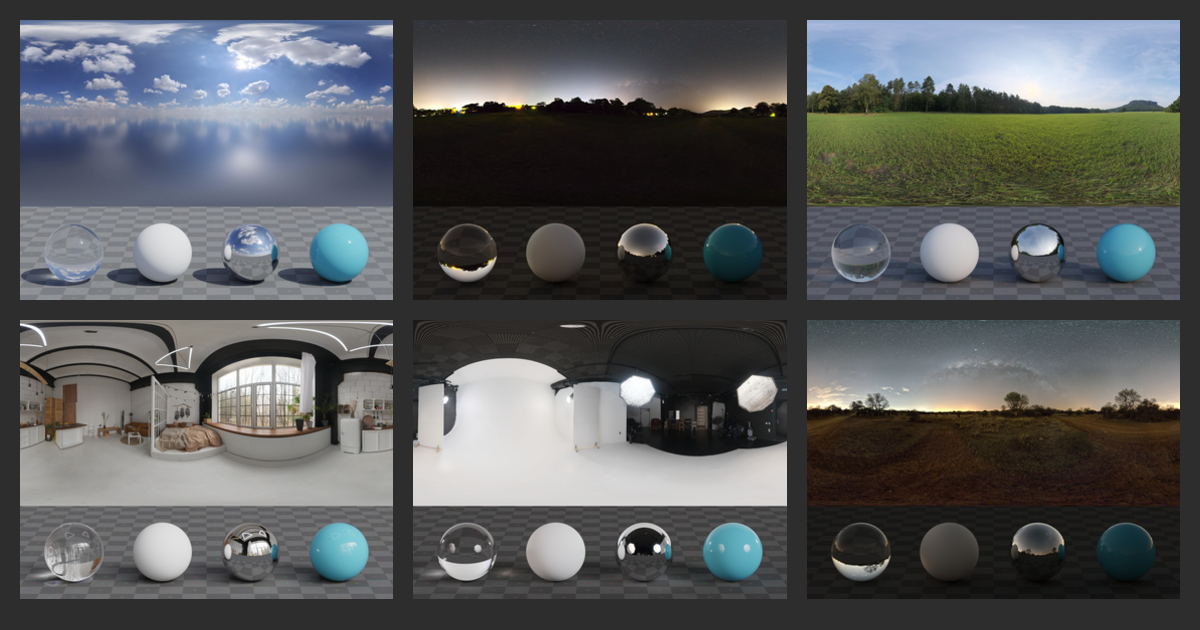
Poly Haven
Previously known as HDRI Haven. Hundreds of free HDRI environments, ready to use for any purpose. No login required.

 glacial fossil
jagged raven
glacial fossil
jagged raven
Looks like some AI generated still images (wow)
glacial fossil
jagged raven
Must be ray traced reflections am I right?
jagged raven
Yep
Just trying to see how good hdrp gets
I only have 2080 prob wont run fast haha
On unity6
Really nice graphics imho
glacial fossil
jagged raven
Really nice graphics imho
Really cool pictures. As a game might be bit too saturated though
jagged raven
We will see 🙂
 meager holly
Adaptive probes are fun and all

BUT WHY
Can't figure out why I have such splotchy results
dry turtle
does anyone have this problem with planar reflections? The latest Unity 6 LTS
shrewd moon
dry turtle
does anyone have this problem with planar reflections? The latest Unity 6 LTS
There's a lot going on
I might first disable some effects like the motion blur and also TAA just to rule those out
dry turtle
shrewd moon
There's a lot going on
I might first disable some effects like the motion blur a...
disabling motion blur helped, but it's not a solution to the problem
hollow tangle
meager holly
Can't figure out why I have such splotchy results
Have you tried some of these APV troubleshooting examples here? https://youtu.be/IpVuIZYFRg4?si=Vo40_hDuwDeNLdMl&t=1082
Adaptive Probe Volumes (APV) provide a new way for you to build global illumination lighting. Watch this video to learn how to achieve high-quality results using the APV features in Unity 6. We’ll share best practices for setting up and previewing your lighting choices and how to identify and fix common problems like light leaking. Finally, we’l...
meager holly
Yeah I followed along with this presentation
To make sure I wasn't doing anything wrong
hollow tangle
But at 22:06
The APV volume settings to Quality mode?
when you click on those pixels in the blotchy part, what probes are they sampling? might be good to see a picture of that to confirm they're not sampling from above the ceiling or other side of wall
shrewd moon
hollow tangle
when you click on those pixels in the blotchy part, what probes are they samplin...
At least in interior scenes the probes in the void are correctly invalidated and not sampled, but the issue still occurs
The probes themselves have "random" brightness values
 hollow tangle
I'm confused. I was replying to Zigga's issue. What is this a picture of?
shrewd moon
hollow tangle
I'm confused. I was replying to Zigga's issue. What is this a picture of?
The same issue that I have
Couldn't tell we were not in #archived-lighting message where we already had been examining this issue
The dangers of crossposting
hollow tangle
Got it. You've tried changing the leak reduction mode to Quality?
Oh, I guess they're valid anyway so it doesn't matter.
 autumn anchor
New to HDRP. Unsure how to properly map this material, as there are less surface inputs vs URP
 south girder
autumn anchor
New to HDRP. Unsure how to properly map this material, as there are less surface...
south girder
autumn anchor
New to HDRP. Unsure how to properly map this material, as there are less surface...
You are supposed to pack your PBR textures into a mask map. It is more efficient than having the shader sample multiple textures. You can read more here https://docs.unity3d.com/Packages/com.unity.render-pipelines.high-definition@13.1/manual/Mask-Map-and-Detail-Map.html
autumn anchor
Appreciate it! I figured i was doing something wrong 😭 having a mask map makes wayyy more sense
 lime hearth

 forest oar
lime hearth
forest oar
lime hearth
Nice! is it ray traced or path traced?
timber swan
Is this the right channel to talk about performance?
glacial fossil
timber swan
Is this the right channel to talk about performance?
If the performance issues are specific to hdrp features, yes, otherwise #💻┃unity-talk is a good place to talk everything performance
lime hearth
forest oar
Nice! is it ray traced or path traced?
Thanks, path traced
 iron siren
Hello, I'm trying to understand how to profiler work because I get a huge FPs drop as soon as I add a simple low poly gameobjects to the scene.
Here is the profiler result :

Half left of the graph is the scene without 3d models and I'm basically at ~250FPS. As soon as I enable my low poly models, I get the right side of the profiler and drops to ~42FPS. How is it possible to have such a huge drop in FPS with a simple low poly model?
Here is the details of the rendering panel

It's only 502 vertices to render, I've also tried to change the materials on the model to see if it was a custom shader issue on my model but the FPS is the same with the default HDRP lit material
There's only a single directional light for the scene and a single room model
Yet That's about 208 drop in FPS?
Is this normal behavior?
What else should I look into to explain this huge drop ?
I've tried with a simple cube

No drop here, so I assume it's an issue with the model ?
But it's a low poly model, about 200 vertices only
What could explain this difference? There are no textures on these, same materials.
Ok I've tested a bit more with this room model. It has 3 materials. If I reduce the size of materials to 2, FPS increases

It still drops from 250 to ~80 FPS with 2 materials on the model

1 material left is about the same.
0 material if back to 250 lol
Default HDRP material. I've tried adding dozens of cylinders to see if I get any drop but none. It only drops with my model and hugely when the 3rd material is enabled, which happens to be the material for the walls
This model is made in blender and has square faces. It's imported from the streaming assets folder using Trilib in a FBX format. I'm wondering if this might be the issue?
It's a basic model with cubic UV map generated by blender and scaled. Could that cause an issue?
 iron siren
After more testing, I'm guessing Unity doesn't like how I organized the faces. For example, all doors are the same height but on walls withotu doors, I didn't cut the face at the same height. Maybe that's something Unity doesn't like and all faces should be cut exactly at the same height and sides? I'll give it a shot to see
hollow tangle
iron siren
Hello, I'm trying to understand how to profiler work because I get a huge FPs dr...
Seems pretty clear there's something exceedingly wrong with your model. Re: Profiler: Normally you click on CPU Usage and then pick one of the green spikes to show what was running and do some analysis.
shrewd moon
iron siren
After more testing, I'm guessing Unity doesn't like how I organized the faces. F...
Unity certainly is not supposed care how the faces are "cut"
iron siren
OK thanks, I'll keep looking into it.
past geode
hey guys, hope you having a great day, i wanted to know if is it possible to make the Bloom effect of HDRP maskable, like i want some emissive materials on objects wont get effected by bloom, just want them to be normal !?? thanks
 haughty sentinel
I have a HDRP scene with a local volumetric fog, but i would like it to be closer to a white color, im already ay the brightest white in the single scattering albedo but it still looks very grey, it probably has to do with shadows, how can i correct this ?

it's even darker when looking from above where the sun shines on it :

 ember ravine
Can anyone help me? I am making a game in a diner and this doesn't feel right

I'm going for more of a night time feel, but whatever I do doesn't feel authentic
 rocky latch
ember ravine
Can anyone help me? I am making a game in a diner and this doesn't feel right
rocky latch
ember ravine
Can anyone help me? I am making a game in a diner and this doesn't feel right
Well, you need more light. Much more. What kind of vibe are you going for?
shrewd moon
ember ravine
Can anyone help me? I am making a game in a diner and this doesn't feel right
The light ranges are extremely limited, for one
lucid gate
Hey guys 👋🏽
I bought this asset: https://assetstore.unity.com/packages/vfx/shots-vfx-hdrp-281929
Now with Unity 6 we got the following error:

Get the Shots VFX - HDRP package from Vefects and speed up your game development process. Find this & other VFX options on the Unity Asset Store.

did something change relating:
 ember ravine
rocky latch
Well, you need more light. Much more. What kind of vibe are you going for?
ember ravine
rocky latch
Well, you need more light. Much more. What kind of vibe are you going for?
Well, a horror vibe. Basically you are working the night shift at this diner, and you are being chased by the ghost of the dead original founder
But I can never seem to get the lights set up for this horror vibe
outer geyser
You need ambient light. A place with windows is never completely dark.
rocky latch
Not necessarily. Horror films do play with absolute dark. For instance
 outer geyser
Nah, if you do that the players will just raise the brightness and play your game with washed out visuals.
rocky latch
ember ravine
Well, a horror vibe. Basically you are working the night shift at this diner, an...
I've only ever played one horror game so I'm unfamiliar. In general though just look at examples and try to replicate it 
Looking at your picture, more light is definitely what it needs. The lights could be bigger, brighter. You could bake them so the light also bounces around the scene a bit (although it's probably more dramatic if it doesn't).
zinc jay
what does the ShaderLab::GrabPasses::ApplyGrabPassMainThread can't be called from a job thread! This usually happens when GrabPass is used with SRP so make sure you're using Built-in Render Pipeline when using GrabPass. LogError mean? we're getting it after updating to Unity 6000
Don't have a stacktrace cause it's on another thread but I see 0 instances to ApplyGrabPassMainThreadin all the .cs files in our project
jagged raven
anyone know why i cant set the render queue higher than 2225 on hdrp/unlit, i want somethign to render in front of everything but im having issues
outer geyser
zinc jay
what does the `ShaderLab::GrabPasses::ApplyGrabPassMainThread can't be called fr...
One of your shaders is using grab pass, remove it.
jagged raven
hdrp stuff just changes randomlythats 4th time today its just reset all my stuff and made the scene look bad
no idea wtf is going on
jagged raven
barly worth messing with it if its going to break 4x a day
shrewd moon
That is not normally known to happen
jagged raven
also how do u save values in the volume?seem to reset
shrewd moon
jagged raven
also how do u save values in the volume?seem to reset
At runtime or in general?
jagged raven
runtime, tho it is confusing how theres volumes in scene and same in settings
jagged raven
shrewd moon
That is not normally known to happen
yeh to be fair i have tons of projects where it has not done this, seems on unity6 when it crashes it forgets tons of stuff even when its been saved
shrewd moon
jagged raven
runtime, tho it is confusing how theres volumes in scene and same in settings
https://docs.unity3d.com/Packages/com.unity.render-pipelines.high-definition@17.0/manual/Volumes-API.html
Volume profiles are assets so you can either modify the shared one and the changes should stick, or make a runtime copy to have them as temporary
U6 has had a lot of bugs still
jagged raven
damn right
i feel like the drp workflow is totally awful design personally
hdrp
modifying the asset has no affect at runtime tho does it
so thats usless
and copying the volume component settings doesnt seem to work
and modifying in settings is weird, its a different one and if i make mine default it adds all the others, whole thing is confusing
modifying at runtime should work, just needs a little save button
also no where near enough fx
copying runtime and pasting back after play doesnt work either
lol
shrewd moon
jagged raven
damn right
Oh and more importantly upgrading from 2022 or earlier to 6 or 2023 can break stuff in ways that only a fresh project can fix
I've had some very bizarre problems before moving assets to a new one
shrewd moon
jagged raven
and modifying in settings is weird, its a different one and if i make mine defau...
I don't really get what this means
What are you trying to do precisely
jagged raven
i want to tweak how things look at runtime, then save them
like u can with materials
im sure it did work today
but not for last few hrs
i think u need to copy only one setting on the voume
not the whole volume,
which sucks
i`ll figure it out, just tired
and angry at all the hours lost today
and got stuck for lik 10 hrs trying to make things render on top lol
andi cant really write a shader
need to learn shadergraph 🙂
lucid gate
lucid gate
Hey guys 👋🏽
I bought this asset: https://assetstore.unity.com/packages/vfx/sh...
anyone an idea?
scarlet hull
lucid gate
anyone an idea?
Did you try the devs recommendations ?
lucid gate
scarlet hull
Did you try the devs recommendations ?
oh Remy himself! Yes sir, i did.
That's were we currently at:

it explicitly mentions the decalLayerMask in the error which is weird?
nvm, sry, i see you are typing
i did redownload it, it was really the cache
scarlet hull
So, if I understand correctly, the difference between your two repros is that Lush is using the empty HDRP project, and you were using the HDRP template (with the 3 rooms) ?
It is possible that they are not using the same HDRP settings, maybe the support for decal layers is missing ?
scarlet hull
lucid gate
i did redownload it, it was really the cache
Oh, so that fixed it ?
The cache for the VFX pack or the project template ?
lucid gate
lucid gate
i did redownload it, it was really the cache
never ever thought that could be the reason. Sry for your time
lucid gate
scarlet hull
Oh, so that fixed it ?
The cache for the VFX pack or the project template ?
lol yes
wild?!
 lucid gate
scarlet hull
Oh, so that fixed it ?
The cache for the VFX pack or the project template ?
lucid gate
scarlet hull
Oh, so that fixed it ?
The cache for the VFX pack or the project template ?
cache for the vfx pack!
scarlet hull
Hum, strange. If they did push an update without bumping the package version, that could happen, but it shouldn't be allowed 🤷♂️
Anyway, if you've managed to fix the issue, that's nice 🙂
lucid gate
scarlet hull
Hum, strange. If they did push an update without bumping the package version, th...
😦 after an restart of the editor
 scarlet hull
lucid gate
😦 after an restart of the editor
scarlet hull
lucid gate
😦 after an restart of the editor
Uh, weird. Reimporting those VFX assets doesn't help I guess ?
lucid gate
scarlet hull
Uh, weird. Reimporting those VFX assets doesn't help I guess ?
nope, i tried to recreate what i did before which was only that hehe, to be sure i also removed the package and added it again.
scarlet hull
lucid gate
nope, i tried to recreate what i did before which was only that hehe, to be sure...
Do you have decal layers enabled in the current active HDRP asset ?
lucid gate
scarlet hull
Do you have decal layers enabled in the current active HDRP asset ?
i'll check but yeah, the template scene has decals using it.
 scarlet hull
Nope, it's disabled.
lucid gate
lol yeah true
oh damn, i didn't check because it was enabled all 2 years i'm using unity 🤦🏽♂️
scarlet hull
So, I did a quick test, and on my side I see the error popping if I enable decal layers.
lucid gate
ähm a question you don't like but lets make this fast
enabling it here is enough right?
 scarlet hull
Haha, that's what you'd think, right ?
There is also a frame setting for this 😅
lucid gate
haha yeah tbh but i had a doubt 😄
scarlet hull
So, I'm very uncertain about what is happening here, I can now enable / disable the decal layers, and have no error
lucid gate
scarlet hull
So, I'm very uncertain about what is happening here, I can now enable / disable ...
i still get the error, have to go for an hour, i will check when i'm back if i have enabled the right frame setting lol
thanks for your help! 🙂
 lucid gate
scarlet hull
So, I'm very uncertain about what is happening here, I can now enable / disable ...
lucid gate
scarlet hull
So, I'm very uncertain about what is happening here, I can now enable / disable ...
You have the Vfx pack i'm using?
scarlet hull
lucid gate
You have the Vfx pack i'm using?
Yep
scarlet hull
@lucid gate
I tried to look at one of the shaders, "SH_Vefects_HDRP_VFX_Opaque_Particle_01", and it is generated from Amplify.
I did grab Amplify Shader Editor, and did this :
- Disable "Recieve Decals"
- Save and reimport the shader
- Enable "Recieve Decals"
- Save and reimport the shader.
I don't have the error anymore, and indeed some code changed in the generated shader.
So, I'm not 100% sure, but I think the shaders that shipped with that version of the pack were not generated / upgraded to the latest version of Amplify, and might be missing some changes in HDRP.
lucid gate
scarlet hull
<@747817029695832085>
I tried to look at one of the shaders, "SH_Vefects_HDRP_V...
Hey Remy really appreciated 🙏🏽 I'll link now Lush to the last few messages since his last response while i was away was that:

I don't have the error anymore, and indeed some code changed in the generated shader.
this indicates you also had that error and it wasn't just my stupidity with the decal layer setting.
edit: yep missed that "So, I did a quick test, and on my side I see the error popping if I enable decal layers."
 fair summit
Hey, anyone have tips for shadows in hdrp? The left image is urp and right is hdrp, and i'd like for the hdrp shadows to look more like the ones I get in urp.
 lucid gate
fair summit
Hey, anyone have tips for shadows in hdrp? The left image is urp and right is hd...
lucid gate
fair summit
Hey, anyone have tips for shadows in hdrp? The left image is urp and right is hd...
Why do you want to use hdrp?
fair summit
lucid gate
Why do you want to use hdrp?
https://docs.unity3d.com/Packages/com.unity.render...
I'm really just looking to learn about it no other reason in particular, and yeah i've been looking through the settings. But to me it looks like the shadow are affected too harshly by the angle of the vertex maybe? Which I can't seem to change?
lucid gate
fair summit
I'm really just looking to learn about it no other reason in particular, and yea...
Check the settings of the directional light, also check if contact shadows are enabled. Maybe start without.
fair summit
lucid gate
Check the settings of the directional light, also check if contact shadows are e...
Ok, so seems like "radius scale for softness" is able to hide it somewhat but only if contact shadows are disabled otherwise they are way too sharp, but this negatively affects other objects in the scene. The mesh in question is shaped by the vertex shader, does that cause any differences for its shadow?
 shell fern
Heya, i tried installing both HDRP and URP but i always get errors which are package related, here's a screenshot of the errors:

i already tried installing it again, restarting, but nothing works
 polar epoch
shell fern
Heya, i tried installing both HDRP and URP but i always get errors which are pac...
polar epoch
shell fern
Heya, i tried installing both HDRP and URP but i always get errors which are pac...
they're mutually exclusive, you'd need to pick one to use.
shell fern
oh no, what i meant is that i installed one at a time
first i tried HDRP
didn't work
then i tried URP and it also didn't work
polar epoch
are you launching it from the preset in Unity Hub, or are you using the Package manager to install them?
shell fern
package manager
polar epoch
shell fern
package manager
this one?
 polar epoch
from built-in?
shell fern
unity registry
polar epoch
no like, you launched Unity as build-in render pipeline
it has to be I guess, it's the only one left :P
polar epoch
Try navigating with your explorer (assuming Windows) and deleting all the files in "Packages". The next time you launch the project it should re-import all the packages for you.
shell fern
i assume i should delete both of these right?
 polar epoch
check package manager for what packages you have installed. I'm assuming you didn't install any additional packages when installing URP?
 coral spire
hiii
coral spire
scarlet hull
<@747817029695832085>
I tried to look at one of the shaders, "SH_Vefects_HDRP_V...
thanks for the insight Remy, we'll update that
coral spire
scarlet hull
<@747817029695832085>
I tried to look at one of the shaders, "SH_Vefects_HDRP_V...
we're using latest ASE version, but it seems like it's not really up to date with the latest Unity 6 LTS
also, thanks @lucid gate for the heads up and letting us know
coral spire
disabled "Recieve Decals" on all assets
they don't need to whatsoever
package builds fine too
so hopefully this will finally solve it :)
update should be live during today

usually small changes like that get approved by Unity pretty quickly
 lone ruin
Hey guys! 👋
I'm trying to move the volumetric clouds using some tweening. I'm getting "_volumeProfile.TryGet<VolumetricClouds>( out volumetricClouds );" and directly tweening on "volumetricClouds.bottomAltitude.value = value;" but this cause the FPS to go from 100 to around 25, I wanted to know if there is a better way to achieve the desired effect. Thanks!
scarlet hull
lone ruin
Hey guys! 👋
I'm trying to move the volumetric clouds using some tweening. I'm...
Did you try to use a secondary volume that only overrides this setting to the lower value, and tween the volume weight ?
I think it might still drop performances, if I'm not wrong the big deal here is that changing the clouds requires to recalculate the ambiant probe and sky reflection cubemap, so it dramatically increases the number of pixels that need to be evaluated.
lone ruin
scarlet hull
Did you try to use a secondary volume that only overrides this setting to the lo...
Gonna try that and see how it looks, thanks!
seems to be about the same drop in fps going from 110 to 30 using two volumes and tweening weight
scarlet hull
Yep, I suspected that :/
rocky latch
Interesting. I blend between different weathers with no issue but I also don't touch that specific value
I intend to try a tick-tock strategy where one frame updates sky and the other updates shadows but updating both every frame is doable at 60FPS
scarlet hull
Yeah, it's a bit tedius, not all settings end up causing this big calculation.
I think I was wrong and it is more related to some 3D atmospheric texture that is precalculated for the clouds depending on some of the settings, for lighting evaluation.
lone ruin
so no way to pre render this change in loading time before the scene ?
scarlet hull
I don't think so :/
lone ruin
that's too bad ahah!
I guess I can just tween all my map upward instead of lowering the clouds.. might cause other issues tho
is that in the Volumetric clouds ? i can only find earth curvature
scarlet hull
(forget about what I said, had some old setting that isn't there anymore in mind)
lone ruin
oh.. okay ahah
scarlet hull
Ah no, found it
scarlet hull
lone ruin
is that in the Volumetric clouds ? i can only find earth curvature

So, theorically, this offsets the rendering, without actually changing the sky settings, and not triggering the while scattering lookup computation.


 scarlet hull
Oh ... not same version I guess ? I was on 6.0.23 for that screenshot
lone ruin
I'm on 2022.3.16f1
going to try opening the project on unity 6 and see if everything breaks ahah
scarlet hull
Yep, so it appears that the plat settings in environment is 6.0+. It moved from the PBSky to environment, to be shared with the clouds.
lone ruin
I just tried in Unity 6, using the Volumetric Clouds in performance mode, and using a coroutine instead of tweening to not render the new weight of the volume every frame, and I'm always above 100 fps, this is crazy ahah
 glossy copper
i have a question, theres a sky outside, and this is an enclosed room, so i put a reflection probe that covers the whole room. everything else is static besides the A posing armature and the cube. Why are they glowing? Are they not picking up the reflections from the reflection probe? Thank you in advance
 shrewd moon
glossy copper
i have a question, theres a sky outside, and this is an enclosed room, so i put ...
shrewd moon
glossy copper
i have a question, theres a sky outside, and this is an enclosed room, so i put ...
I'd guess you also have baked lightmaps, hence the ambient light from outside is not getting in the room
To also occlude ambient light from dynamic objects (rather than just specular light), you also need a light probe group (or APV)
glossy copper
shrewd moon
I'd guess you also have baked lightmaps, hence the ambient light from outside is...
Sorry for the ridiculously late response, but this might be what I need, thanks!
 brazen trench
Does anyone know when Unity combines URP/HDRP in the future, which one will be most similar or easiest to convert to the combined end result? HDRP or URP?
hollow tangle
I doubt even Unity knows yet
formal crow
I love how easy it is to customize unity's water system


here is the shader for anyone interested

 dawn sorrel
Does anyone else have this nonsense in HDRP (Unity 6000.0.26 or 0.25)
This is happening in all Unity 6 HDRP projects I create, nothing is working to fix it, I even updated 0.25 to 0.26
 dawn sorrel
Removing this line of code removes the error, but changing Unity code probably isnt the best..
 lucid gate
formal crow
I love how easy it is to customize unity's water system
lucid gate
formal crow
I love how easy it is to customize unity's water system
Nice!
Edge detection is also always nice till you use Volumetric Fog 😦
formal crow
lucid gate
Nice!
Edge detection is also always nice till you use Volumetric Fog 😦
not if you insert it at the right time

 lucid gate
formal crow
not if you insert it at the right time
lucid gate
formal crow
not if you insert it at the right time
smooth, cheers 😄
 dawn sorrel
Custom pass is so useful its crazy
 errant quail
does anyone know why i get this weird kind of shadow when i move across in my scene?

not sure how to explain it
 rocky crest
quick question, this is my first time using HDRP and I have no clue why my particles won't render during runtime. Any solutions?
hollow tangle
errant quail
does anyone know why i get this weird kind of shadow when i move across in my sc...
I just see low res tree shadows. What’s the issue?
hollow tangle
rocky crest
quick question, this is my first time using HDRP and I have no clue why my parti...
Is this a new project? Do they work in scene view? Particle system or vfx graph? Did you create this particle effect or someone else?
errant quail
hollow tangle
I just see low res tree shadows. What’s the issue?
I think it's to do with shadow distance, but the thing that's annoying me was that really strongly defined shadow line that is highlighted, where the further and closer I go it appears and disappears. Just wasn't sure what I was. Don't worry if your not sure though as I released the map now anyway.
hollow tangle
Check your directional light and look at the settings under shadow there. You can look into the quality settings to see if that helps. There’s a lot that can be configured there, as well as in your volume. Make sure you set explicit shadow overrides on your volume or it will fall back to defaults
rocky crest
hollow tangle
Is this a new project? Do they work in scene view? Particle system or vfx graph?...
nvm, I had timescale to 0 the entire time lol