#archived-hdrp
1 messages · Page 6 of 1
 patent parrot
 safe forge
Oh nice yeah that's awesome for me
I know I'm getting greedy now, but is there any way to have a multi-bounce planar reflection? 🙂 See example where you have two reflection planes

 scarlet hull
safe forge
I know I'm getting greedy now, but is there any way to have a multi-bounce plana...
scarlet hull
safe forge
I know I'm getting greedy now, but is there any way to have a multi-bounce plana...
Not without raytracing
safe forge
How about with raytracing?
scarlet hull
safe forge
yeah that's great:

 loud leaf
Looking good 😄
 stuck rampart
Is it possible to disable motion blur for a specific object with HDRP? So far I've only seen the option is to just outright disable motion blur but I kind of wanted to keep the option for users
 elfin sun
How much worse is HDRP for a game that is supposed to run on shit gpu's
I currently run a gtx 1650
but I want to target as far back as gtx 1030/ rx 550
right now I created a blank project as URP and it runs fine, was thinking of moving to HDRP for certain stuff like texture heightmaps and GI
I really want global illumination
but at the same time I want the game to run on bad hardware
 rough pulsar
URP is has GI

Fast. Simple. Precise instructions. We're adding realistic lighting & Real-time Global Illumination to the Unity URP (Universal Render Pipeline) Sample Scene in today's video.
Here's what you need to follow along:
Unity 2021.3.3f1
New Project using '3D Sample Scene (URP)'
Future Global illumination tutorial videos will follow as Unity releases...
elfin sun
ah that's great
rough pulsar
dont use HDRP for make game low -> middle spec
elfin sun
I see
don't wanna target mobile
but I would like to target consoles too
much later on
even older gen like ps4 I guess
 shrewd moon
elfin sun
right now I created a blank project as URP and it runs fine, was thinking of mov...
shrewd moon
elfin sun
right now I created a blank project as URP and it runs fine, was thinking of mov...
URP also has heightmaps
both in normal map, AO map and parallax map form, and parallax occlusion as well with custom shaders
elfin sun
shrewd moon
URP also has heightmaps
both in normal map, AO map and parallax map form, and pa...
oh really nice so URP isn't missing anything that's essential
scarlet hull
As for GI, iirc urp doesn't support SSGI, only baked
elfin sun
and perfs?
scarlet hull
elfin sun
so I can't change the lighting in the scene over time right?
Or use enlighten
elfin sun
scarlet hull
Or use enlighten
yeah I read about it, what does it do exactly?
scarlet hull
elfin sun
and perfs?
I can't give numbers, it will have a cost for sure, best is to try and see
shrewd moon
elfin sun
so I can't change the lighting in the scene over time right?
You can with Enlighten realtime GI or by blending prebaked lightmaps
HDRP has the same limitations with realtime bounce lighting, aside from its SSGI and ray tracing options
scarlet hull
elfin sun
yeah I read about it, what does it do exactly?
It will bake and store surfaces informations and contribution of static objects, to calculate GI bounces in realtime
shrewd moon
HDRP isn't really for lower end hardware, unless you're prepared to do a lot of testing and manual optimization
elfin sun
well I could have different graphic settings, but it would be a pain to implement
scarlet hull
Note that HDRP runs well on PS4 also (was our main reference platform for a while)
elfin sun
really?
shrewd moon
What "lower end" means is very subjective
elfin sun
ps4 GPU isn't that good by today's standards
elfin sun
shrewd moon
What "lower end" means is very subjective
around rx 550
scarlet hull
As for very low end pc, like gtx1030 ... that may be a bit trickier :/
 onyx lark
you probably need to turn off some heavier features, of course
volumetric fog really does a number on my Macbook
scarlet hull
But, if you were thinking of nintendo switch, forget it
elfin sun
don't plan on having RT
I just want GI
if even URP support something that acts like GI (elighten)
onyx lark
switching from the "High" preset to the "Low" preset doubles my framerate and I can hardly tell the difference in my current scenes, haha
elfin sun
lol
shrewd moon
All render pipelines have GI features so study more about them
Realtime GI features unique to HDRP probably are not in the low-end ballpark
There is no perfect or one size fits all solution to GI, realtime or not, it's always a game of tradeoffs and cutting corners where they're not needed
elfin sun
well, I just want certain levels lighting to update over time
like dusk setting
I feel I don't really need HDRP
onyx lark
I see a decent number of crashes in the unity cloud reporting thingamajig. A lot of them appear to be graphics related (i.e. the stack traces are all in code that's doing graphics work).
Is there a good way to either:
- test if an HDRP game is going to work
- let users easily figure out if an HDRP game is going to work
?
I feel like it'd be better for people to see an error message that says "sorry, your 2011 laptop can't run this" than for the game to just fall over and explode
I think people are crashing when entering a game scene, rather than just instantly dying on the main menu, so there is a chance to check for this
 ancient field
When using multiple SkinMeshRenderers in HDRP they glitch out and Unity doesn't know which rig to use. Disabling stuff like lighting or shadows makes the problem go away. Any idea what this could be?
 fluid merlin
ancient field
When using multiple SkinMeshRenderers in HDRP they glitch out and Unity doesn't ...
fluid merlin
ancient field
When using multiple SkinMeshRenderers in HDRP they glitch out and Unity doesn't ...
Could be a bug in unity 2023.1... If you're new to Unity, the latest version isn't the "best" version. Try an LTS version of Unity. The newer stuff is often alpha early beta with strange bugs like these kinds of things.
ancient field
fluid merlin
Could be a bug in unity 2023.1... If you're new to Unity, the latest version i...
Thanks, I'll try an older version. I wasn't sure if I had a misconfiguration or something
 plush sentinel
Is it normal to have the scene view buttons are gone? The axis, global/local, snapping, and any of these buttons is missing. Im using Unity 2023.1 beta 11. How to fix this? Is this a bug?
 shrewd moon
plush sentinel
Is it normal to have the scene view buttons are gone? The axis, global/local, sn...
shrewd moon
plush sentinel
Is it normal to have the scene view buttons are gone? The axis, global/local, sn...
Check if they reappear when you close the scene window tab and open it again from the window menu
 whole fossil
Or check the overlays menu
 digital spire
Is there a way to detect if any light is visible on screen in hdrp?
 vernal burrow
Hello there, I am upgrading an old HDRP project to the newest (The project was using raytracing) but for some reason all of my preview materials look pink-ish however they work just fine when adding them into the scene, is there any cache file for HDRP or maybe is the I project file I should delete and rebuild?
this is how they look like

It seems like RTX got disabled incorrectly
fluid merlin
digital spire
Is there a way to detect if any light is visible on screen in hdrp?
You might be able to get data from the exposure system depending on your use case... My guess is there's some property where you can get the EV100 numbers that the camera is being exposed to like the light meter.
fluid merlin
No, I think you'd have to come up with an alternative way to accomplish that task. If you notice in the demo of the HDRP scene template of the art gallery, Unity had to fake a shadow caster. Whatever special effect you're going for, you're likely going to have to craft a shader for it and essentially fake it.
Maybe something like a texture/mesh shape that you can use as an emissive map... cut in some decals that don't accept light, there's also lightlayers to consider. Probably a combo of things to explore
 half knot
im testing the basic HDRP template and i try to test the game and its just a blank grey thing, tried to search online but to no success. is anyone able to help me? perhaps i am not doing it right?
onyx lark
any errors at runtime?
blank gray sounds like what happens when the renderer throws up
elfin sun
what would be the minimum system requirement for HDRP, can't really find anything online
By minimum in context I mean a good looking game with a lot of props and effects/graphics
shrewd moon
elfin sun
By minimum in context I mean a good looking game with a lot of props and effects...
That 100% depends how well the game is optimized, which graphics features its utilizes, how high-fidelity its assets are and how complex its scenes are
elfin sun
shrewd moon
That 100% depends how well the game is optimized, which graphics features its ut...
say a well optimized game, without RTX, not too high poly
also would a game that runs on HDRP at lowest settings look as good as a URP on highest, assuming they are the same game
fluid merlin
The way i've been explaining it is generally a gaming system no older than 2018
fluid merlin
You get a lot of players that like having gaming rigs from 2012 asking "why doesn't this run fast on my system!?"
elfin sun
and URP would support them?
fluid merlin
Unity has it on their HDRP page and I forget the language, but it's basically like high end systems and consoles (for HDRP)
elfin sun
elfin sun
also would a game that runs on HDRP at lowest settings look as good as a URP on ...
what about this
fluid merlin
With baked lighting and watching your resources, yeah
shrewd moon
"Lowest" and "highest" settings are entirely up to the developer to define
What looks "good" is subjective anyway
elfin sun
well I meant in a photorealistic sense
elfin sun
archviz?
shrewd moon
elfin sun
archviz?
Architectural visualization
elfin sun
I see
fluid merlin
I don't really recommend Unity for semi realistic games... I decided to make a game like that and I'm on year 5 now.... had I to chose over, I would have picked Unreal
shrewd moon
Compared to HDRP, URP is lacking in specific features like realistic exposure, volumetrics and reflections
But you run into those limitations only if you try to make scenes that require them
If you want to do photorealistic rendering for users who can't run HDRP you're facing a lot of constraints technically and artistically
fluid merlin
A lot of it depends on what your game is going to have... Unity falls down in a lot of areas around the character workflow pipeline
elfin sun
fluid merlin
I don't really recommend Unity for semi realistic games... I decided to make a g...
I've seen some demos of unity and they look really awesome
fluid merlin
Yeah, that's the thing... so like Adam and Enemies are made by teams of 20-30 people
if you're an indie game dev and you're trying to make a game like Uncharted or The Last of Us, it's really, really, really hard a indie dev
elfin sun
well I just want a pvp magic game
the only fancy things will be vfx
I don't mind a cartoony look
shrewd moon

fluid merlin
Okay, so you can get a lot of mileage in Unity with a game like that.... URP is probably a good sandbox test for you to try in
elfin sun
this is my first vfx in urp https://cdn.discordapp.com/attachments/479274000019619871/1111671166483058708/image.png
 elfin sun
fluid merlin
Okay, so you can get a lot of mileage in Unity with a game like that.... URP is ...
elfin sun
fluid merlin
Okay, so you can get a lot of mileage in Unity with a game like that.... URP is ...
yeah will keep using URP, I plan on adding console support once my game is launched, so I can even target switch lol
thanks anyways
fluid merlin
No worries, keep at it... HDRP vs URP is a tough decision, but yeah, based on what you've described, URP is probably a good choice to play around in
fluid merlin
Well, like a lot of things, it boils down "it depends".... I'm able to run HDRP games on a 1070 and get like 30-40 fps
elfin sun
yeah that's not enough
I want my players to easily get 90+ fps
on not top of the line gpu's
fluid merlin
Yeah that's pretty tough, I have an HDRP game and I get 100+ fps, but also on a 3080... If you want to get 90fps on a 1650, URP is probably a good place to start at.
That comes with a ton of *'s though 😄
elfin sun
like?
shrewd moon
Your ability to optimize assets and rendering features is by far a bigger factor to performance than the choice of render pipeline itself
Like I mentioned, high and low settings are a thing you as the developer will set and test
elfin sun
right
fluid merlin
When I moved from standard to HDRP, I was avg about 12 fps.... you have to do a ton of optimization. So like all the tutorials will having you puting code in Update() and all the lights will have Shadows on them, so these types of things will drag your game down more so than like the render pipeline alone
fluid merlin
Where things go wrong on migration are custom shaders
fluid merlin
Yeah, the only shader that gets migrated automagically is the Standard shader to HDRP/Lit
shrewd moon
elfin sun
how easy is it to migrate later on?
Hard, unless you know both pipelines well enough to know exactly how difficult it will be
They're working on URP/HDRP compatibility/coexistence but it's not here yet
elfin sun
I see
so then I will stick to a cartoony style game
also there seem to be more docs for URP shaders
than for HDRP
fluid merlin
Unity recently admitted at the last GDC that having 3 render pipelines was "not a great idea"
elfin sun
it's really not 😛
fluid merlin
HDRP has come a long way since 2017
shrewd moon
fluid merlin
I don't recall there being a URP to HDRP migration
The pipeline converter / wizard works well enough, but HDRP requires a lot of components, assets and properties which URP does not have at all so they can't be converted
fluid merlin
shrewd moon
The pipeline converter / wizard works well enough, but HDRP requires a lot of co...
Yeah, sort of what I thought.... I didn't think the path was very straightforward... Although at Unite in 2019, they alluded to it "at some point"
elfin sun
well
by the time I have the game release they will have a migrator
I hope
or I'll just stick to URP if it's good enough
I don't really need top of the line graphics
fluid merlin
I can't imagine that you'd need HDRP as far as what you've described for your game
fluid merlin
Unity has been pushing URP heavily for past couple of years, so there's a lot of people working in URP now
fluid merlin
I think you only get 32 real time lights on mobile with URP
elfin sun
I feel they will add ray tracing within some time for URP
shrewd moon
fluid merlin
Yeah, sort of what I thought.... I didn't think the path was very straightforwar...
The feature is flagged as "in progress", which at least is a step above "planned"
shrewd moon
elfin sun
I feel they will add ray tracing within some time for URP
Probably not in a long while
You can check the status of URP features here
https://portal.productboard.com/8ufdwj59ehtmsvxenjumxo82/tabs/3-universal-pipeline
and HDRP here
https://portal.productboard.com/unity/1-unity-platform-rendering-visual-effects/tabs/18-high-definition-pipeline
fluid merlin
I feel like Unity has been using raytracing development as way out of the corner they painted themselves into by not working harder on Enlighten over the past few years
fluid merlin
That's just it... they added it back to HDRP in 2021.3 but didn't announce it publicly
elfin sun
these graphics look really good
 fluid merlin
previous to that, the word was always enlighted in deprecated and they're going to replace it with a "new RTGI" system
shrewd moon
fluid merlin
I feel like Unity has been using raytracing development as way out of the corner...
I think it's unrelated
Ray tracing became a huge trend to chase after they started to distance themselves from Enlighten, apparently due to licensing stuff
It likely took resources away from working on their own realtime GI system, but at the end of they day ray tracing can't be a replacement or competitor to that
fluid merlin
yup, my thoughts as well
elfin sun
well all GPUs now have RT
so why not use it
but there should be a low quality software fallback
new* gpus
shrewd moon
elfin sun
but there should be a low quality software fallback
That's a bit of a fundamental issue
On one hand you're still bound to support non-RT hardware and to designing scenes to them
But then you can never take full advantage of ray tracing
elfin sun
in 6-8 years maybe
fluid merlin
elfin sun
in 6-8 years maybe
That's the universal answer to when something will be production ready for anything Unity announces
shrewd moon
Lightmapped GI in static scenes is just as good if not better than realtime raytracing
Yet scenes with totally dynamic GI that raytracing can do cannot be converted to non-RT systems at all so you can't implement them
At least not without some other type of realtime GI feature
Which in turn again makes RT kind of pointless
It's not a Unity-specific issue either
elfin sun
unreal lumen runs on software right?
but I heard it gets accelerated by RT
so you get higher quality if you got actual hardware
fluid merlin
Lumen is a bit of a hybrid y
elfin sun
so just a question, if I use enlighten now, it will not be removed from the current editor version
and even If I upgrade my project to new version, it will still be usable, even if deprecated
?
shrewd moon
elfin sun
and even If I upgrade my project to new version, it will still be usable, even i...
As long as you don't update to a version of the editor that removes it
fluid merlin
i think you need to use 2022 or higher for it (I think)
which i think comes out in what, a week or two?
elfin sun
I use 22.2, but I want to land on the next LTS and not move
shrewd moon
 elfin sun
fluid merlin
which i think comes out in what, a week or two?
elfin sun
fluid merlin
which i think comes out in what, a week or two?
do you mean the LTS?
fluid merlin
yeah
fluid merlin
 elfin sun
will move my lighting thread to #archived-lighting
 solemn tide
PAINT HOLES doesnt work when i build the project ... why?????
i just see the terrain for some reason
i pass through it but i see it, i dont want to see it, i want it to be like in the editor
shrewd moon
solemn tide
PAINT HOLES doesnt work when i build the project ... why?????
i just see the ter...
Iirc terrain holes are a quality level specific setting
They're probably disabled in your target platform's default quality level
 pulsar skiff
Alright, so hear me out... how do i make a game object appear in front of evreything else when rendering
Like, have an object that you can see it, through anything and evreything. A wall between the cam and the game object? Still able to see it
Am i supposed to do something with shaders? Or a custom pass? Im new to hdrp so i dont know what im really doing. I had it working in urp with custom render objects but after upgrading to hdrp its completely broken.
Maybe camera composition? Or a custom post processing effect?
Any help would be appreciated. Thanks!
shrewd moon
pulsar skiff
Am i supposed to do something with shaders? Or a custom pass? Im new to hdrp so ...
I'd start with custom pass and avoid compositor at all costs
Custom passes are HDRP's closest equivalent to render objects feature
You can't do this kind of effect with shaders alone but you may end up needing them if you want more than to just simply draw an object in front
fluid merlin
pulsar skiff
Alright, so hear me out... how do i make a game object appear in front of evreyt...
Common issue, usually this is the solution that people point to in the forums: https://www.intetic.com/blogs/unity-hdrp-render-object-on-top-of-everything/
 dawn sorrel
So I see this in editor and play mode, but in my VR headset it seems like there's no lighting in game

It won't load for some reason, but its just an image of all the lighting working correctly
loud leaf
Do you get a completely black image on the VR headset or just broken lighting?
dawn sorrel
Just broken lighting
Everything is incredibly dark
The materials work, just lighting is messed up
The sun is on mixed, so maybe I should bake my lighting, let me see...
If nothing else, it did fix weird shadows on the lake I have
Heres what it looks like

Should look like this:

Looks way brighter through my phone for some reason, it is very dark in headset
loud leaf
Hmm, is there any chance you can try this with lights only (so no sky contribution), there is a known issue with the environment map in VR
dawn sorrel
So disable my HDRI Sky and boost the exposure?
Disabling the HDRI Sky makes it look similar to what I saw, with no skybox:
 loud leaf
Yeah I think disable the sky for now and try and light the scene with a temporary directional light, to see if then the editor 100% matches what you see in the headset
That will confirm it is indeed the sky being broken in VR
dawn sorrel
Well right now I have a Directional Light as the sun, and the sky lights the scene as well, let me disable the HDRI Sky and see what it looks like
Okay, disabled the Visual Environment and HDRI Sky overrides, let me see what it does...
Now it is very moody:


Very much so darker in headset, but the phone doesn't capture that for some reason 🤷♂️
loud leaf
Hmm, not sure what it could be. The only advice I could give you is to make a backup if you haven't already, and disable all possible effects, and start turning them on one by one to see which one is causing this issue. (and probably send a bug report once you've found it)
dawn sorrel
I have a feeling it's something i'm doing, I have always used URP, and upgraded this project to HDRP with the wizard, there are a few concerning things:
First, I make the Global Settings use the one in my scene, should I do this?
Second, Each of my quality settings use the same render pipeline asset, instead of the default one:


I don't really understand the workflow yet
I have a Post Process volume and Sky and Fog Global Volume, but its ambiguous for me which effects go on each currently
dawn sorrel
It actually looks pretty good if I boost exposure a bit, still weird though
Is there a way to boost the brightness of shadows?
scarlet hull
dawn sorrel
I have a Post Process volume and Sky and Fog Global Volume, but its ambiguous fo...
You can put whatever you want in the volume profiles.
The names are more for clarity and organisation : put environment settings in sky&fog, put post FX in post process volume
scarlet hull
dawn sorrel
I don't really understand the workflow yet
Indeed having all the quality levels use the same asset is unecessary.
The idea is to have different HDRP assets, with different settings, and assign them in the quality levels to change the quality/performance balance
dawn sorrel
scarlet hull
Indeed having all the quality levels use the same asset is unecessary.
The idea ...
Yeah I went into the HDRP Demo and stole the levels from there lol
Still having this issue after a lot of tweaking, but it does look a good deal better
Also, Terrain Layers in shadows are super dark

it should be the same as the tip of that rock
Some terrain layers are just fucked as well, they paint as pure black for some reason
scarlet hull
Do you have more than 8 layers ?
scarlet hull
HDRP is limited to 8 layers on the terrain
scarlet hull
So if you had more than that, any layer after the 8th one will paint as black
 dawn sorrel
I don't think I do, out of curiosity, why only 8?
fluid merlin
No idea.... with microsplat you get 32 in a single pass vs Unity 8 single pass
dawn sorrel
fine i'll learn how to use microsplat...
fluid merlin
If you don't need more than 8, just stick with the unity defaults. It's only worth it if you have multiple biomes on the same terrain
dawn sorrel
To late! I probably will in the future, I barely had enough
also, microsplat has an addon for parallax
i want that
fluid merlin

dawn sorrel
i was trying to figure out how to add parallax mapping to terrain, i have a shadergraph, but not for terrain
fluid merlin
tessellation too... so you can avoid meshes on the terrain for details
and you can rotate textures as well...
If you're a worldbuilding nut, it's a must have in the toolbox. Although if you're constantly upgrading unity it can weld you to a particular version of HDRP, but the developer has been updating it. It took him a couple of years to not hate HDRP 😄
scarlet hull
He doesn't hate it anymore ? 😅
fluid merlin
I remember asking Jason to port microsplat over to HDRP a few years ago and he was less than uh agreeable to the suggestion. I think once he played with it though, he decided it wasn't as bad as he imagined
dawn sorrel
God damnit, they paywalled it
Every single version actually
Every time unity breaks HDRP, they release a new version you have to pay 20 bucks for to update
fuck that
loud leaf
I assume you're talking about microsplat
That's completely logical, he can't do that for free, it takes a lot of time to go through all the breaking changes because it's not documented (and even worse these days, no individual PR's, commits, comments, etc)
loud leaf
I also write custom shaders for HDRP. Before, I was always up to date with pretty much every change in HDRP and always testing for regressions, these days, I have no idea what is going on. 😄
2021 HDRP is a "safe spot" to work in. In current HDRP, you completely rely on internal testing and fixing. The problem is, internal testing is bad/missing (for your and my use case) and fixes take at least 5-6 months or longer. (these two combined is a massive problem)
I can understand if they are currently lacking resources, but then I think it would be good to open up the repository again so we can do it ourselves. If they can't do that, then I hope resources get back up to level, to get out of this scary situation. (scary as in, you encounter a bug, which is highly likely if our use cases are not tested internally, and you're doomed for 6 months)
digital spire
The scariest thing is the bug that get mark as won't fix. like the Light Layer & Terrain detail bug in 2021. We needs light layer so 2021 is a deal breaker for us. 
 hidden heath
Hello hello 🙂
Maybe here I will find a solution
Unity: 2021.3.8f1
HDRP: 12.1.7
I have a problem with (probably) reflection probes. They have a strange behaviour, that in a certain camera angle they flickering (video). Please someone help, I'm struggling with that for 3 weeks
look at the interior of the house.
This bug will also appear outside, but is less visible
of course I did basics steps like:
-restarting project
-deleting library
-download fresh project from repository
-reinstall Unity
The problem is in scene view, game view, editor and build itself
fluid merlin
hidden heath
The problem is in scene view, game view, editor and build itself
Looks like a reflection probe turning off depending on the camera angle... check the max reflection probes in your HDRP quality settings. I think default is 32... also reflection probes can get funky with the clipping planes on both the probe and your camera. Try setting the Near on your camera 0.2 (or lower) and see if it still happens.
hidden heath
fluid merlin
Looks like a reflection probe turning off depending on the camera angle... check...

I set the near on my camera to 0.2 and even 0.3 but the bug is still here
fluid merlin
The only other thing I can think off off hand would be like, if you are using baked occlusion in the scene and its affecting the probe
hidden heath
The bug will appear even if I change the size of scene view window
hidden heath
fluid merlin
The only other thing I can think off off hand would be like, if you are using ba...
you mean occlusion culling?
fluid merlin
Yes but for the whole scene not the probe
hidden heath
We have occlusion culling, but when I clear data there is still this bug
fluid merlin
Not sure what else it could be, most devs that run into the probes issues, those usually fix it. Someone in the forums has the same issue
https://forum.unity.com/threads/reflection-probe-flickers-when-camera-moves.1179454/
Also here, but the solution looks brutal:
https://forum.unity.com/threads/flickering-baked-reflection-probes.1325094/#post-8454449
hidden heath
fluid merlin
Not sure what else it could be, most devs that run into the probes issues, those...
it looks like the same problem, but under this first link there is no solutions 😦
I discovered something new
fluid merlin
Probably... reflection probes have often been the source of ill for many a game dev
hidden heath
the problem is disappearing when I switch view to "visualize" in occlusion culling
hidden heath
fluid merlin
Also here, but the solution looks brutal:
https://forum.unity.com/threads/flicke...
about the second solution. I read about that. I just want to make sure that I tried everything else before doing it because this will generate a huge delay in our project ;/
fluid merlin
Yeah, I had similar situations.... I usually make a copy of the project on a different system before trying upgrades and other troubleshooting.
hidden heath
do we have some devs directly from Unity here? Maybe this need to be report as a bug?
fluid merlin
Some unity peeps do pop in here
Reporting a bug takes months (in all honesty) and the process always involves uploading your entire project or a smaller test project with recreatable steps
If youre a Unity Pro user, you can sign up for Starter Success which is $40 a month and you can open a ticket that someone will read in 48 hours, not necessarily a solution though in 48 hours
hidden heath
Im not a pro :/
Maybe someone else will have some idea. At The end I will try to use brutal solution but i really dont want it
 gritty scaffold
I will try and make this brief I know this is a lot of buggery to report at one time
the main issue is performance,
1.When using the hdrp eye shader and subsurface at the same time, the fps dives down to about 5fps when close to the eye, if i move the camera away about 5 feet fps returns to normal, no idea whats going on there.
2.path tracing has good performance but kills fps after disabling, when i enable path tracing fps is more than decent, the fps issue with the eyes is also not there which is great, but if i disable path tracing my fps dips down into the single digits until engine restart, which sets everything back to normal.
thats all for performance, now for the visual issues with hdrp
1.trasparent materials do not render at all for me in path tracing, in raytracing they appear alright.
2.triplanner mapping for normal maps is broken in raytracing, switching to path tracing and they appear as they should.
here is a video demonstrating all of the issues
the transparent one i imagine is my own fault not understanding unitys shader graph, but the rest im most certain are bugs. Hoping some of them have a workaround
loud leaf
Performance issue #2 has been there for years, I reported it on January 19th (IN-29330) and it has been confirmed. Personally I'm used to restarting my editor every 10 minutes or so, or else it'll crash.
 next nacelle
i have access to unity pro that i don’t occasionally use. in case someone wants their inquiries about technical support entrusted through my account, I’d be willing to help if you need it
dawn sorrel
Is there a Terrain shader for HDRP that is in shader graph form instead of a .shader? I want to edit the base Terrain shader to #1 add POM, but #2 see how it works in a flow graph
fluid merlin
dawn sorrel
Is there a Terrain shader for HDRP that is in shader graph form instead of a .sh...
Unity was working on it a couple of years ago... with the layoffs though, who knows
https://portal.productboard.com/dzcznunfgebtky7ipmhrc22z/c/498-shader-graph-integration
fluid merlin
gritty scaffold
I will try and make this brief I know this is a lot of buggery to report at one ...
A few of the shaders like eye, hair, and translucency properties aren't supported on path tracing. On that graphics thing Unity had a couple of weeks ago they said "later on". There's a list of unsupported for Raytracing and Pathtracing. I was looking at it over the weekend
Found it
At the bottom is also a link to the stuff not working in raytracing
dawn sorrel
fluid merlin
Unity was working on it a couple of years ago... with the layoffs though, who kn...
Good to know, but it would be nice to have now, I saw a forum post that mentioned layered materials could be used, but I had no luck
https://forum.unity.com/threads/parallax-mapping-on-hdrp-unity-terrain.1442593/ I posted here asking about this, referring to this post: https://forum.unity.com/threads/parallax-mapping-on-terrain.1038583/

Unity Forum
Alright, so I'm building a VR game in HDRP, and Parallax mapping on surfaces has been a lifesaver, the detail I get from it is magnificent, and I want...
Unity Forum
any word on parallax mapping in HDRP terrain?
if its still not added after all these years, how can i add it myself? i already have it setup in...
dawn sorrel
No, i just want to add depth to the sand, mud, and cliffs painted on the terrain, POM seems to be the best option for that
Link each ground layer to a POM at runtime, and use that to add depth to rocky ground
So yeah, you’re right lol
Small details to make it seem not flat
dawn sorrel
So I'm using the "Volumetric clouds" Override, and I want to add rain, but I want it to only start light rain over a certain threshold of color change overhead, basically, I want to check the color of a pixel directly above the player's head, and if it deviates from the gradient sky by a threshold, to start raining, and to use that pixel's color difference to control the strength of it
All of that is easy, I can do that, but I need to know is how to get a pixel above the player camera, and what I should use for nice rain effects in HDRP
everything else I got down
Also, my sun doesn't have enough bloom when behind the clouds, and is a bit to large, how can i add bloom whilst behind clouds?

I figured out the size part, that's just the directional light settings
I'm fine with the flares getting that dim after it passes far enough, but it does so the instant a wisp of cloud passes it, the threshold is to low
hidden heath
hidden heath
Hello hello 🙂
Maybe here I will find a solution
Unity: 2021.3.8f1
HDRP: 12.1.7
...
OMG, I found it. I will leave here an answer:
Change probe cache size to 6 or 8. Jesus Christ

 lunar condor
i recently switched from standard RP to HDRP and i'm trying to update my shaders, but no matter what i can't seem to refrence HDRP at all
for example i'm getting an error that looks like this: Couldn't open include file 'Packages/com.unity.render-pipelines.high-definition/Runtime/RenderPipeline/ShaderPass/ShaderPass.hlsl'. at line 24
does anyone know if they changed or what is happening because ive tried every possible pathway
 serene arrow
Hello guys, I've got a problem with my shaders and my platform and my caracter became pink after I clicked on "fix all isssues" on the HDRP Wizard, can someone help me ?
onyx lark
so you are using the HDRP, right?
show us a screenshot of the "Graphics" section of the Project Settings screen
fluid merlin
serene arrow
Hello guys, I've got a problem with my shaders and my platform and my caracter b...
The wizard only converts shaders that start as "Standard" everything else you need an HDRP shader that specifically supports the version of HDRP you're using. Some standard shaders that are set as Autodesk can be set to Standard and rerun the wizard.
serene arrow
onyx lark
so you **are** using the HDRP, right?
I mean at the beginning I've picked 3D
onyx lark
OK, so your project was not HDRP
serene arrow
onyx lark
show us a screenshot of the "Graphics" section of the Project Settings screen

If that can help
onyx lark
and then you installed the HDRP package
You can absolutely fix this, but if you're just starting out, I'd suggest just creating a new project from the HDRP template and moving stuff over to it.
fluid merlin
serene arrow
Run the HDRP wizard to convert the materials
onyx lark
If you just installed the HDRP package in a project that was created to use the built-in render pipeline, then you'll be missing a bunch of configuration data.
serene arrow
fluid merlin
Run the HDRP wizard to convert the materials
Is it the right one ?
 onyx lark
and then you installed the HDRP package
onyx lark
onyx lark
and then you installed the HDRP package
is this the case?
Given that the Wizard looks happy, though, it might not be.
fluid merlin
serene arrow
Is it the right one ?
Yup... that will convert all the materials that are using the generic Unity Standard shaders to HDRP\Lit
onyx lark
serene arrow
ah, it didn't click in my head that the screenshot there was showing Standard, not Lit.
serene arrow
fluid merlin
Yup... that will convert all the materials that are using the generic Unity Stan...
Done, but didn't change anything and my materials still pink.. and I can't remove / put another shaders on it
onyx lark
you can't mess with that material because it's part of an imported asset
or, actually, in this case, it's just the default material
same idea.
the fact that it's not already an HDRP/Lit shader is odd to me...
fluid merlin
If you import assets after the pipeline is set, it will do those inside fbx, etc... but after it won't do it. You have the extract the material from the model.
onyx lark
i'm pretty sure i didn't have to do that when migrating from HDRP to URP
the assets got imported, and the materials were regenerated
onyx lark
serene arrow
I mean at the beginning I've picked 3D
so, just to make sure here: did you start this project from the HDRP template?
or did you start with the regular "3D" template?
I need to know which you did.
onyx lark
So you are trying to switch your project to use the high-definition render pipeline.
Correct?
The 3D template uses the built-in render pipeline. It does not use the high-definition render pipeline.
 serene arrow
I mean I was writting my script then the HDRP wizard popped off on my screen with some issues to fix then I press "Fix all" and "Convert all (....)"and this happened
I'm new on this don't really know what happened tbh
onyx lark
Were you even intending to use the HDRP?
or did you inadvertently install the package and then have the wizard show up?
serene arrow
onyx lark
Were you even intending to use the HDRP?
let me check
serene arrow
onyx lark
or did you inadvertently install the package and then have the wizard show up?
It might be the case here...
onyx lark
I'm surprised the wizard has all those green checks. I figured something would be missing..
fluid merlin
lunar condor
i recently switched from standard RP to HDRP and i'm trying to update my shaders...
Most people are just remaking them in Shadergraph, but this might help you if it's just looking for the includes:
#include "Packages/com.unity.render-pipelines.high-definition/Runtime/Material/Lit/Lit.hlsl"
#include "Packages/com.unity.render-pipelines.high-definition/Runtime/Material/BuiltinUtilities.hlsl"
#include "Packages/com.unity.render-pipelines.high-definition/Runtime/Material/MaterialUtilities.hlsl"
#include "Packages/com.unity.render-pipelines.high-definition/Runtime/Material/Decal/DecalUtilities.hlsl"
#include "Packages/com.unity.render-pipelines.high-definition/Runtime/Material/Lit/LitDecalData.hlsl"
#include "Packages/com.unity.render-pipelines.high-definition/Runtime/ShaderLibrary/ShaderGraphFunctions.hlsl"```You should have an "HDRP Global Settings" submenu in the Project Settings menu
this is a URP project, but same idea

i have to wonder if anything is assigned in that top box
the wizard does say one is..
It looks like you're in a situation where most of Unity thinks you're using the HDRP, but something else doesn't.
so, for example, the default material is using the Standard shader
This is appropriate for the built-in render pipeline.
But in the HDRP, it will just be an error shader, since it's not designed for the HDRP at all
serene arrow
onyx lark
But in the HDRP, it will just be an error shader, since it's not designed for th...
So I guess there's no way to patch this ?
onyx lark
i don't know exactly what you did with your project
i'd uninstall the HDRP package and see how it behaves
serene arrow
I don't either 
 wind geode
serene arrow
It might be the case here...
wind geode
serene arrow
It might be the case here...
https://www.youtube.com/watch?v=t7oLzPNK7VM&ab_channel=SpeedTutor
1:18
Window > Rendering > Render Pipeline Converter

Learn how fix the annoying pink material problem for URP and HDRP in Unity 2021 and above. We'll look at the theory behidn why this happens and a couple of ways to upgrade your materials. Unity have a new automatic converter tool which saves even more tim!
➡️Furnished Cabin: https://tinyurl.com/FurnishedCabinAsset
🎁 Get OVER 180+ Scripts, Proj...
onyx lark
we've already been there
serene arrow
onyx lark
i'd uninstall the HDRP package and see how it behaves
Oh it became white
 wind geode
ah my bad
serene arrow
Maybe smth to cook here
onyx lark
if you don't know what you've done with your project at all, I'd just spin up a new one and make sure I don't install the HDRP package again :p
serene arrow
onyx lark
if you don't know what you've done with your project at all, I'd just spin up a ...
Yes, that's what i'm gonna do right now i'll be more aware of this kind of things, anyway thanks for your help and your patience, appreciate it a lot
onyx lark
If you wouldn't mind sharing, I could have a look at the project
serene arrow
onyx lark
If you wouldn't mind sharing, I could have a look at the project
Yes ofc should I dm u or screenshare on a discord call ?
onyx lark
no, like, gimme the entire project
although, at this point, with the HDRP package removed, it's probably not that interesting to look at
fluid merlin
I had something similar once where the Editor seemed to "lose" the HDRP asset config and fix all wasn't working. I just started over... sounds like something similar.
serene arrow
onyx lark
no, like, gimme the entire project
u mean this ?
 serene arrow
onyx lark
all of the data.
serene arrow
onyx lark
all of the data.
It's loading in your DM
 twilit swift
Help please I just created a new project and everything looks like this:
 twilit swift
Ping when reply thanks.
onyx lark
 keen cloud
This is auto-exposure. It's modeling how your eye adjusts to different brightnesses.
the sky is MUCH brighter than the darkly-colored ground
You can control exposure with a Volume.
Note that the HDRP is designed for photorealistic rendering. If you don't want photorealistic rendering, the URP is more appropriate.
keen cloud
ok thanks
 vagrant bay
twilit swift
Ping when reply thanks.
vagrant bay
twilit swift
Ping when reply thanks.
Hey, any particular reason to use 2022.1? It is not a supported version. Would it make sense to make the new project with 2022.3 instead?
twilit swift
vagrant bay
Hey, any particular reason to use 2022.1? It is not a supported version. Would i...
I didn't know, I just used the last version I had installed.
vagrant bay
twilit swift
I didn't know, I just used the last version I had installed.
Okay, no worries! Get the latest 2022.3 and see whether this issue persists for you
dawn sorrel
I saw this in the demo video of Unity 2022 LTS, and I really want it now lol.
It appears to be volumetric local clouds and cloud layers to blend between weather states (though, i don't know how you would tell it via a script or something which weather state to use). What I'm really interested in however is those beautiful godrays interacting with the clouds and water. How can I get that?

Figured it out, use fog, and boost the volumetrics multiplier on my directional sun light
 lament comet
I have this problem with the export of a 360 video when I use the flare on the light these arcs are created, does anyone know how I can solve it?
 fluid merlin
dawn sorrel
I saw this in the demo video of Unity 2022 LTS, and I *really* want it now lol.
...
fluid merlin
dawn sorrel
I saw this in the demo video of Unity 2022 LTS, and I *really* want it now lol.
...
Controlling the volume components is a pain at least in 2021 and earlier... not a lot of detailed API documentation with code examples.
dawn sorrel
fluid merlin
Controlling the volume components is a pain at least in 2021 and earlier... not ...
Indeed, I did manage to get this however

I just made the color of the fog similar to the background, and boosted the multiplier, looks pretty damn good
fluid merlin
Is that local volumetric fog or global? One of the nice things I like about local is you can a density texture with a scroll speed so that you get rolling fog
dawn sorrel
fluid merlin
Is that local volumetric fog or global? One of the nice things I like about loc...
It's volumetric, it looks great on the water
you can see it rolling across it
I also use Atmospheric Height Fog for the tips of the mountains, there are 2 fog assets here
Without


With
It adds lots of color to the scene and hides stuff, colors the sky as well from the camera's perspective
fluid merlin
Yeah the fog with a water shader can be tough, you can get that weird opaque distortion with the rendering layers. You don't have that issue though... are you using the new unity water?
dawn sorrel
fluid merlin
Yeah the fog with a water shader can be tough, you can get that weird opaque dis...
Nope, I use R.A.M. 2019, it looks amazing, and works well, I tried the unity water, and it's equally good for bodies of water imo, but it can't do spline rivers like R.A.M. can, and flowmaps don't seem to work.
 hidden thistle
I'm using Reallusion Character Creator to make my 3D Characters, and it looks like I need to use HDURP to use them in Unity. But some of the asset packs I'm using for practice are pink and I can't completely figure out how to fix them. I'm using Unity 2022.
I know that there is an Auto Shader Converter on here but when I use it I don't see things converting...
hidden thistle
Looks like I had to do things manually a bit. The auto converter missed a few textures so I had to change them to HDURP Lit and then add the Base
fluid merlin
hidden thistle
Looks like I had to do things manually a bit. The auto converter missed a few te...
In general you need soupday's HDRP Unity for CC
https://github.com/soupday/cc_unity_tools_HDRP
I haven't used it with 2022... it does work for 2021
The complete lack of character workflow is one of my pet peeves with Unity since neither Digital Human or Ziva can be used by solo dev or very small team. I have a thread on the forums which has some general workflow to take a character for full mocap and facial expressions from CC into Unity:
https://forum.unity.com/threads/why-cant-unity-hdrp-correctly-render-aaa-looking-character-models.1168103/page-5#post-8646000
Unity Forum
Oh, thank God. The most I can import for a base mesh is a level 2 subdivision from ZBrush, and it's usually the final model
jajaj of course not, even...
Results are really good for less than an hours work and a reasonable investment in software:
https://i.imgur.com/cB3Glao.jpg
 dawn sorrel
How can I add flares and bloom to the sun when it's behind volumetric clouds? It should reduce them, but it completely removes them when it goes behind clouds.

 dawn sorrel
I also figured out that weird exposure problem I had, turns out it was the default Exposure override I guess? I removed it and it seems to be fixed!
The headset and editor are the same as far as I can tell
fluid merlin
dawn sorrel
How can I add flares and bloom to the sun when it's behind volumetric clouds? It...
Are you using the flare package?
twilit swift
Help pls, Unity crashes each time I try to delete an script.

It crashes when I try to delete any kind of thing.
fluid merlin
twilit swift
Help pls, Unity crashes each time I try to delete an script.
If you just upgraded, close unity, backup and delete the packages folder. That might fix it, another option after is backup the manifest.json file and do the 'reset packages to default' in the help menu. If those don't fix it, probably looking at installing a new version elsewhere on your system then migrate your project over to it.
dawn sorrel
fluid merlin
Are you using the flare package?
The one that comes with HDRP? Yes
Just updated them, but I had this issue in 2021 as well
They did update it to have lend flares stop behind clouds, which is good, but the bloom is not there when behind clouds still
The lens flares aren't really the issue, its more that the sunlight doesn't get scattered behind clouds, making it a circle
lament comet
lament comet
I have this problem with the export of a 360 video when I use the flare on the l...
up
fluid merlin
dawn sorrel
The lens flares aren't really the issue, its more that the sunlight doesn't get ...
Same thing happens to me, I don't see a way to adjust it to keep the flare/bloom effect behind the clouds. There might be a method to determine whether not the sun is occluded by clouds and if it is, you can place a mesh with a high emissive material where the "sun" appears and only increase the emissive when it's occluded. A lot of work depending on how important it is... It's too bad Unity doesn't give more properties and methods to the celestial bodies artifacts for physically based skies.
dawn sorrel
Anyone know of a good light rain asset? I'm trying to minimize lag, and when I tried to use VFX graph, it spawns in way to many assets.
dawn sorrel
fluid merlin
Same thing happens to me, I don't see a way to adjust it to keep the flare/bloom...
It is very unfortunate yeah, I'll submit a feature request i guess, its not mission critical, just a bit annoying though
dawn sorrel
dawn sorrel
Anyone know of a good light rain asset? I'm trying to minimize lag, and when I t...
https://assetstore.unity.com/packages/vfx/rainy-hdrp-244343 This seems good, but I am a bit hesitant to drop a bunch of cash on some more random assets lol
fluid merlin
dawn sorrel
Anyone know of a good light rain asset? I'm trying to minimize lag, and when I t...
Yeah, I mean, this another one of those things where it's like Unity is missing a weather system so hit up the asset store solution sadly. A lot of it depends on your use case and what kind of rain you need (soft, blustery, etc) and it ends up being a bit of mix I'm afraid. For cinematic scenes, I use the purplesky one in the 'park in stormy weather' for gameplay where I need detail, I use the one you posted, where detail isnt important but performance is I use 'realisitc rain storm' from rivermill, which I think they removed everything from the store
dawn sorrel
Cool, thanks for the resources!
 unique coyote
Does anyone know where the HDRP water sample is? I look under samples in HDRP in the package manager and can't find it.
fluid merlin
unique coyote
Does anyone know where the HDRP water sample is? I look under samples in HDRP i...
I could be wrong, but I don't think there are samples for it. It's a bit of a pain to enable though. Follow the first 4 sections and don't skip any steps:
https://docs.unity3d.com/Packages/com.unity.render-pipelines.high-definition@14.0/manual/WaterSystem-use.html
dawn sorrel
So, R.A.M. 2019 has no support for Caustics and Under Water like the unity water does natively, how would I go about this?

Like this
fluid merlin
@dawn sorrel I use KWS for water in 2021.3... I was using RAM 2019 but would take a performance hit with river auto material 2019 so I stopped using it. I get foam and caustics with KWS.
https://i.imgur.com/VUFln9F.mp4
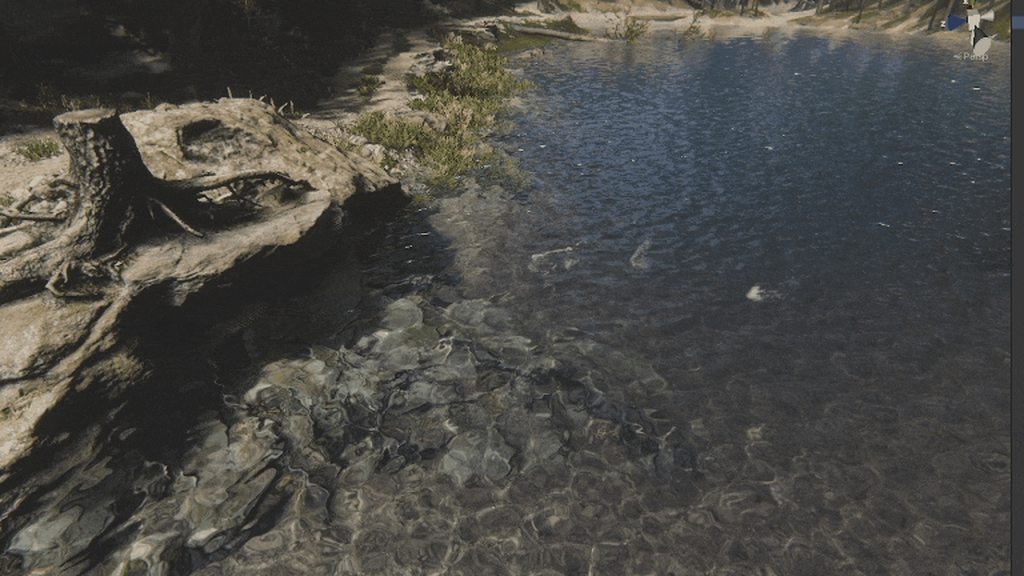 fluid merlin
yeah, some of the assets are spicy on the wallet 😅
dawn sorrel
Oh yeah, that looks amazing though, definitely better than R.A.M. but also looks very intensive like you said, can you use only parts of it like caustics?
fluid merlin
Yeah you can turn on and off parts as needed... I actually got more FPS with KWS rather than RAM, since you need to use a reflection probe with RAM and you don't really need to use a probe with KWS
dawn sorrel
Ahhh
Very cool
i'll save it for when it goes on sale, makes me guilty of buying R.A.M. though
although, does KWS work for Rivers at all?
spline rivers like RAM i mean?
fluid merlin
yeah you can there's a river spline... I haven't used it but there's youtube video showing it:
https://www.youtube.com/watch?v=9Ex_3MINq-8
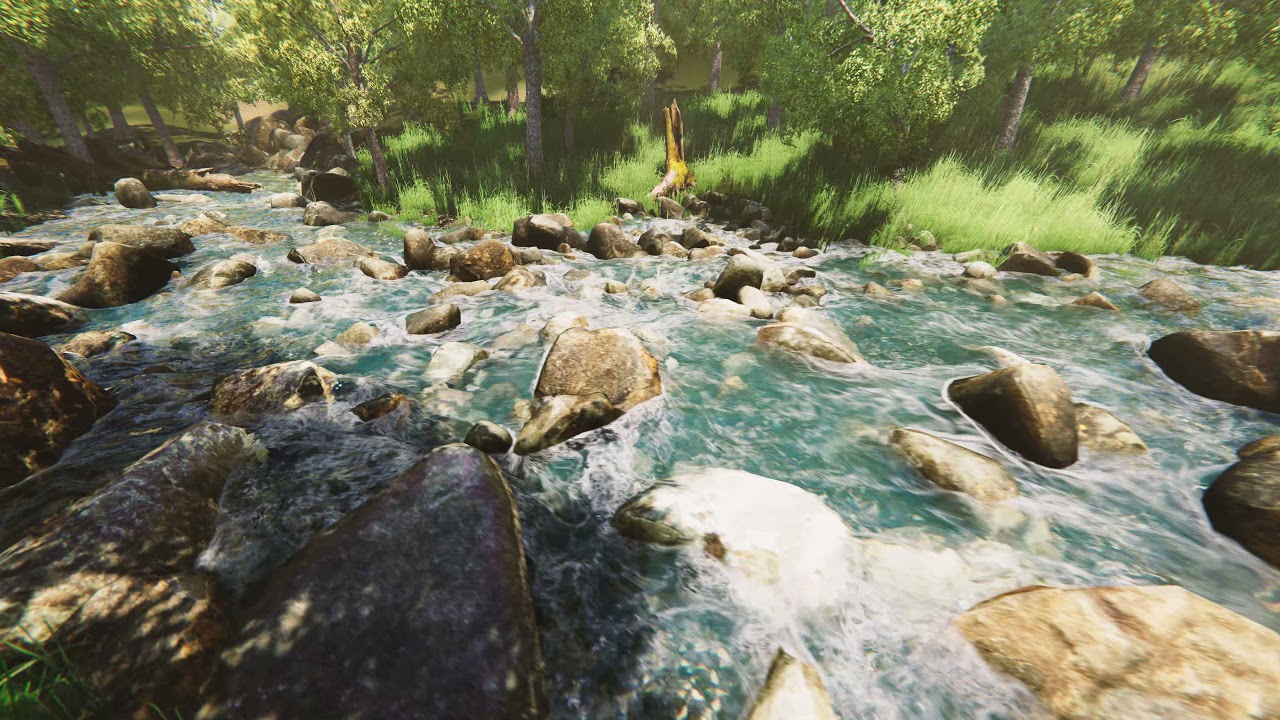
Link on assetstore https://assetstore.unity.com/packages/tools/particles-effects/kws-water-system-standard-rendering-191771
Other water demos:
https://www.youtube.com/watch?v=wX2AC9ckhYA
https://www.youtube.com/watch?v=70pdaym1n0g
https://www.youtube.com/watch?v=1zx2hFxH7BI
https://www.youtube.com/watch?v=QAz1RU17SW8
https://www.youtube.com/watc...
dawn sorrel
fluid merlin
Yeah you can turn on and off parts as needed... I actually got more FPS with KWS...
I actually haven't used probes with RAM, the reflection probes are acting strangely, so I haven't used them, water still looks fine
dawn sorrel
fluid merlin
yeah you can there's a river spline... I haven't used it but there's youtube vid...
Damn
that looks nice lmao
fluid merlin
I know right? When I first saw it, I thought it was volumetric water fluid system
dawn sorrel
Does it ever go on sale?
I can't believe that's possible, i was blown away by RAM
im in denial right now lol
fluid merlin
it does yeah... the dev also does yearly updates on most of his stuff, he just updated KWS not too long ago
dawn sorrel
damnit man, I want to buy it so bad 😭
fluid merlin
Now I'm just waiting for Nano Tech to hit the asset store so I can use highpoly models without LODs 😅
dawn sorrel

Indiegogo
A fast rendering system for highly detailed meshes, made for Unity. Supports HDRP / URP / Built-in! | Check out 'The Unity Improver - Nano Tech -' on Indiegogo.
fluid merlin
Yeah, he's putting the finishing touches on it, it's supposed to be alpha this month
dawn sorrel
Awesome, this looks really cool
Expensive as well, 100 dollars for access to the private repo for a month
fluid merlin
Yeah, I think this will be like a top asset must have for HDRP
dawn sorrel
Yeah, it looks really good
I will forget about this lol
hopefully it pops up again
fluid merlin
I'm sure it will... there's a good amount of people waiting for it from a scene art perspective.... it's going to displace a ton of workflow. No more trying to reduce meshes or bake high normals to offset it, no mode clunky LODs.
dawn sorrel
I hate them so fucking much yeah
It's so annoying having to focus so much on optimization
fluid merlin
Yeah, realtime shadows in hdrp, render textures, and reflection probes, and high poly models will sink your fps to the bottom of the dark depths of hell
unique coyote
KWS water system is broken for me after updating to 2022 LTS.
dawn sorrel
unique coyote
KWS water system is broken for me after updating to 2022 LTS.
It isn't supported yet, so that makes sense
dawn sorrel
fluid merlin
Yeah, I mean, this another one of those things where it's like Unity is missing ...
Wow, the rivermill one is straight up gone
Rivermill is gone
dawn sorrel
fluid merlin
Yeah, I mean, this another one of those things where it's like Unity is missing ...
While I got you here, how bad is the performance with Rainy?
I was about to buy it, but I should really consider it
Speaking of performance, does anyone have a good intro to optimizing? I just learned how to use the profiler, which is helpful, but I still could use some resources
dawn sorrel
dawn sorrel
I was about to buy it, but I should really consider it
then again, there is no other options really haha
fluid merlin
dawn sorrel
Speaking of performance, does anyone have a good intro to optimizing? I just lea...
This often referred to as the Bible for HDRP op:
My own suggestions:
- Avoid using code in update and late update if possible if code doesn’t need to run every frame. Invoke or invokerepeating is very handy.
- use distance limits on lights, shadows, volumetric fx
- you can manually update shadows via code on directional lights for a massive perf gain
- turn off shadows on meshes and objects that don’t need them (hair, decals, rope, etc)
- record physics on things if you can from a gameplay perspective with gameobjectrecorder vs. Unity physics during play. Playback with animator instead
- Use gpu based indirect instancing for mass objects (car traffic, asteroids, etc)
- for nature scenes use a 2 shadow cascade for a performance gain
- use object pooling where possible (bullet tracers, impact effects, etc)
- turn on/off layers rather than disabling/enabling meshes or game objects where possible, it’s 100x faster
Unity Forum
This is HDRP focused, with a focus on HDRP specific optimizations. Like shadow caching.
Most tips on here apply to all render pipelines though.
I'll...
dawn sorrel
fluid merlin
This often referred to as the Bible for HDRP op:
https://forum.unity.com/thread...
Okay, before even reading this, I saw you writing this whole thing out for me for a solid 15 minutes, thank you for your time
fluid merlin
Hahah no worries 👍
dawn sorrel
fluid merlin
This often referred to as the Bible for HDRP op:
https://forum.unity.com/thread...
So wait a minute, disabling a collection of game objects is slower than placing them on a layer and disabling the layer???
fluid merlin
dawn sorrel
So wait a minute, disabling a collection of game objects is *slower* than placin...
In general, yes… once you disable a gameobject it tends to generate garbage that the gc will have to deal with at some point. Especially enabling game objects or god forbid instantiating one
dawn sorrel
that is goofy as hell
enabling and instantiating makes sense, but disabling is stupid, just don't load it if it isn't going to be loaded at all in script
otherwise, yeah it will just have to keep it loaded in memory until you need it enabled
Noted though, I have a few test objects that are disabled and unused most of the time
fluid merlin
Depends on the use case, but yeah.. I had an asteroid belt with like 100k asteroids and disabling them at a certain point used like 8ms vs changing the layer which cost 0.5ms
dawn sorrel
Holy shit
that makes a bit of sense yeah
just got to keep that one tucked away lol
if stuff is laggy for no apparent reason
fluid merlin
There’s a few Unity-isms that you pick up after a few years 😅
dawn sorrel
I'm sure Unreal and cough Godot has some weird shit as well
they are impossible to avoid
fluid merlin
Oh yeah it does for sure.. each engine has its quirks
Many years ago I struggled with Unity HDRP for a good two years because I saw the demo for Adam and thought “wow… so this is HDRP!” I didn’t realize it was worked on for a year by 40 people and only ran at 30fps
dawn sorrel
Lmaoooo
I've never seen, it, been recommended to me a whole lot though
by youtube
apparently I'm the target demographic, no clue why they would think that
Okay, so the way to implement this is easy imo, but let me make sure I don't make this worse.
Use Invoke to call RequestShadowMapRendering() in the HDAdditionalLightData component, seems simple?

Using a Script attached to a object in the scene
Very smart to, these tips are top notch
fluid merlin
dawn sorrel
Okay, so the way to implement this is easy imo, but let me make sure I don't mak...
Yup, it’s a little tricky, I have a script that shows the method. I’ll upload it to my GitHub tomorrow
Doing the shadows that way, I gained about 20-30fps
Depends on your scene, gameplay, and use case though
dawn sorrel
Weirdly, It seems a bit more complicated than I thought yeah
using System.Collections.Generic;
using UnityEngine;
using UnityEngine.Rendering.HighDefinition;
[ExecuteInEditMode]

public class OnDemandShadows : MonoBehaviour
{
    // Start is called before the first frame update
    void Start()
    {

    }

    // Update is called once per frame
    void Update()
    {
        Invoke("RequestShadowMap", 0.5f);
    }
    void RequestShadowMap() {
        Debug.Log("test");
        HDAdditionalLightData LightData = GetComponent<HDAdditionalLightData>();
        LightData.RequestShadowMapRendering();
    }
}
This is executing test, but also seems to work sometimes, and not other times 🤷♂️
I'll wait till tommorow when you upload it, feel free to ping or dm me
 dense sinew
Is it possible to have unity trees in an hdrp scene
twilit swift
fluid merlin
If you just upgraded, close unity, backup and delete the packages folder. That m...
It's a new project, just created it yesterday.
twilit swift
@fluid merlin I did the first thing you said and now the whole project is pink and still crashes.

And also every script broke.
fluid merlin
twilit swift
And also every script broke.
If you create a new blank test project in a seperate folder, does Unity still crash? If so, you likely need to reinstall. If it doesn't, copy the asset folder into a new project and add any packages back manually. I had a similar situation a few versions back, took me a good couple of days to get everything working again. Pink is usually a sign of the hdrp asset being incorrectly applied to unity and the crashes when opening scripts is usually some kind of corruption in the library folder or elsewhere in the project. It's easier and faster to create a new blank hdrp project, validate everything works on a test scene/test script, then copy your asset folder over and reload your required packages (jobs, textmeshpro, etc...)
twilit swift
fluid merlin
If you create a new blank test project in a seperate folder, does Unity still cr...
I just deleted the project and uninstalled that version of Unity, I'm going with 2021 instead.
fluid merlin
twilit swift
I just deleted the project and uninstalled that version of Unity, I'm going with...
Good idea. So far, 2021.3 has been a super stable version for my project, I've had the least amount of crashes on it.
fluid merlin
dense sinew
Is it possible to have unity trees in an hdrp scene
You need the SpeedTree 8 pack from unity, it's included in the HDRP Terrain Demo. It has 6 free trees...
https://assetstore.unity.com/packages/3d/environments/unity-terrain-hdrp-demo-scene-213198
fluid merlin
dawn sorrel
This is executing test, but also seems to work sometimes, and not other times 🤷...
You need "preserveCachedShadow = true" in the startup as well as invokerepeating... running it at 0.015 seems to produce less flicker, but YMMV
fluid merlin
Yeah at somepoint the delta between EveryFrame and Manual evens out where you don't get the performance... it wouldn't be good for scenes where the camera is moving at a high rate of speed for example, but if you have a scene where you need a directional light and most of everything is static, you can save a bunch of cpu cycles.
dawn sorrel
I was going to say IL2CPP was messed up, but it was a plugin for my 3D mouse, removed it and it works now!
Nice
fluid merlin
I really like IL2CPP... although it seems to have a lot of compatibility issues, you'll see a lot of notes for it in the Unity updates.
dawn sorrel
fluid merlin
You need "preserveCachedShadow = true" in the startup as well as invokerepeatin...
So, for some reason this doesn't work, I get an "Object Reference not set to an instance of an object" at line 16, which doesn't make much sense since it's instantiated outside the start method
 azure violet
Would it be possible to have both urp and hdrp 2d/3d in a single project?
dawn sorrel
azure violet
Would it be possible to have both urp and hdrp 2d/3d in a single project?
No, I don't think so
you can only use one render pipeline, why do you want to use both?
azure violet
Switch between for different scenes. I imagine atleast 2d/3d urp in one project is possible?
dawn sorrel
Oh yeah, that definitely is possible, but 2 render pipelines isn't as far as I know
fluid merlin
I hope at somepoint they converge them all again, but with how far they are falling behind unreal, that's probably not going to happen
dawn sorrel
That top bar was at 250 before

4 times faster
Nevermind lol, forgot to connect headset, its at 10ms now
 orchid agate
Hi, how i could make so material dont reflect light?
dawn sorrel
orchid agate
Hi, how i could make so material dont reflect light?
It should be the "Metallic" Property in the Material
orchid agate
it dont realy change anything
 sterile rover
Is it worth it to switch to HDRP, if you only want to use it, because it supports Ray tracing?
dawn sorrel
sterile rover
Is it worth it to switch to HDRP, if you only want to use it, because it support...
Probably not, no, it adds a lot more than just that, is a hassle to switch and learn, and adds overhead, I wouldn't personally
sterile rover
dawn sorrel
Probably not, no, it adds a lot more than just that, is a hassle to switch and l...
I know that it contains more features, but do I really need HDRP just for ray tracing support?
loud leaf
If you're aiming for photorealism, pick HDRP
sterile rover
its anime toon graphic with hopefully some fancy realtime raytracing lights.
loud leaf
Hmm..
sterile rover
its looking a bit like genshin impact from the graphics.
orchid agate
oh and what should i use for 3d horror game ? urp or hdrp?
loud leaf
loud leaf
If you're aiming for photorealism, pick HDRP
this
sterile rover
loud leaf
Hmm..
I just want to have raytracing... is this possible without HDRP, and how?
loud leaf
Should be possible in BiRP/URP with custom code but I have no experience with it, there is an asset that does it afaik (corgi rt)
dawn sorrel
Okay, trying to reduce steps here in Volumetric Clouds

TAF and Primary steps are what i'm trying to adjust, TAF basically helps with ghosting, and lower Primary steps increases ghosting, i'm guessing the best option is to lower Primary steps and increase TAF
Basically, I need to know which one is heavier on the GPU
sterile rover
loud leaf
Should be possible in BiRP/URP with custom code but I have no experience with it...
I saw this one too, it also supports for build-in.
But whats the difference between build-in and URP in performance or graphic quality?
dawn sorrel
It's kind of like, built to be faster
URP and BiRP are much much faster, I am hesitant even now to use HDRP, it's so heavy on your computer
fluid merlin
orchid agate
oh and what should i use for 3d horror game ? urp or hdrp?
If your target platform is console or high end desktop and you want more realism, then HDRP… other than that URP.
dawn sorrel
lower end devices will struggle
fluid merlin
For sure, with a gtx 1070, you have to struggle on optimization to hit > 50fps with hdrp
dawn sorrel
Goood damn


Some volumetrics quality decrease lost me 4ms
This guide is reeally good lmao
dense sinew
fluid merlin
You need the SpeedTree 8 pack from unity, it's included in the HDRP Terrain Demo...
Can I then add in custom trees where I change the settings etc.
fluid merlin
dense sinew
Can I then add in custom trees where I change the settings etc.
Unity recommends using the speed tree creator package if you want to make your own trees. You can make your own shader, mesh, and materials make your own trees of you want to.
 fluid merlin
dawn sorrel
Some volumetrics quality decrease lost me 4ms
fluid merlin
dawn sorrel
Some volumetrics quality decrease lost me 4ms
High quality on light volumetrics definitely has an impact on performance. Also, so does field of view quality.
dawn sorrel
dawn sorrel
Goood damn
More like 8ms on CPU actually, GPU measurement really makes it take a hit
dense sinew
fluid merlin
Unity recommends using the speed tree creator package if you want to make your o...
I have to use the unity speedtree editor or the speedtree modeler
dawn sorrel
How useful is Incremental GC?
twilit swift
Please can someone tell me how to fix this kind of render issues?

 glacial fossil
dawn sorrel
How useful is Incremental GC?
glacial fossil
dawn sorrel
How useful is Incremental GC?
Sounds obvious to me that its useful because it doesnt freeze your game and spreads out the work over multiple frames. What doesnt seem obvious for me is how is that hdrp related in any way?
dawn sorrel
glacial fossil
Sounds obvious to me that its useful because it doesnt freeze your game and spre...
Fair enough, I was on the topic of optimization and forgot where I was lol
fluid merlin
dense sinew
I have to use the unity speedtree editor or the speedtree modeler
No you're not forced to, it's just something Unity recommends. If you want trees, just get them from the asset store. If you want to make your own trees, you have to do the meshes, shader, and textures, LOD, etc on your own and you can use whatever you want to do those.
dense sinew
Including the unity speed tree then how do I use the speed tree thing
fluid merlin
twilit swift
Please can someone tell me how to fix this kind of render issues?
It's a little hard to see what this is tbh since it looks like a blank scene? I look like you might have a rectangle in the distance obscured by a depth of field (?)
twilit swift
fluid merlin
It's a little hard to see what this is tbh since it looks like a blank scene? I ...
There's literally nothing in the scene.
And this kind of blurry appears in any kind of scene even in games.
fluid merlin
dense sinew
Including the unity speed tree then how do I use the speed tree thing
https://www.youtube.com/watch?v=L910rESD79M
Check youtube for tutorials
fluid merlin
twilit swift
There's literally nothing in the scene.
The blur looks like Depth of Field on the camera or motion blur... There's usually a setting on the Global Volume in a scene that enables/disables it. It can also be set on the camera. I'd check this out and see if it's setup on your volume or camera:
https://docs.unity3d.com/Packages/com.unity.render-pipelines.high-definition@12.1/manual/Post-Processing-Depth-of-Field.html
twilit swift
fluid merlin
The blur looks like Depth of Field on the camera or motion blur... There's usual...
But there's nothing in the scene?
fluid merlin
Even if you have a blank scene and enable it, the horizon can be appear with a blur since it's based on the far clip plane
If I enable in a scene with no object, the horizon will blur

So it doesn't matter if you have gamobjects in your scene or not
 night depot
Where can I find API names to disable shadow map in directinal light?

 signal totem
not sure if theres any other place other than here to ask this but
whenever i change the FOV of my camera Unity throws
Assertion failed on expression: 'SUCCEEDED(hr)'
nothing else happens but its really strange, is there any solution to this? im using version 2021.3.25f1 Personal
im using HDRP as well
can confirm it does not happen in a new project with the exact same settings and setup as my main project
ok it doesnt happen after a restart guess its fixed then
 royal creek
My biggest bottleneck showing in the profiler currently is "CullScriptable" which is called by "lnl_CullResultsCull". Does anyone know what this indicates? It's not listed on the Common Profile Markers page
twilit swift
Hi, how can I fix this kind if of shadow flickering?
night depot
Any ideas how to rotate Space Rotation on axis by code? It seems you can't call spaceRotation at all
dense sinew
fluid merlin
https://www.youtube.com/watch?v=L910rESD79M
Check youtube for tutorials
to use speedtree for unity you need to buy a license is it possible to use hdrp with trees without buying a license
 upper onyx
What is the correct way in HDRP to change rendering order? ie render mesh A always in front of mesh B?
There seem to be so many concepts (rendering layers, sorting layers, material priority etc.) but nothing worked so far.
shrewd moon
upper onyx
What is the correct way in HDRP to change rendering order? ie render mesh A alwa...
"Custom pass" feature
fluid merlin
dense sinew
to use speedtree for unity you need to buy a license is it possible to use hdrp ...
Unity HDRP can render trees yes. You don't have to make trees, there's plenty of free resources that already have premade trees.
dense sinew
fluid merlin
Unity HDRP can render trees yes. You don't have to make trees, there's plenty o...
yeah but I want to make the trees custom made
and the tree module was great but doesn't support HDRP
fluid merlin
dense sinew
yeah but I want to make the trees custom made
The only part that becomes relevant for HDRP is the shader portion. So I mean, you don't need HDRP to do design work, you're going to have to do more research. HDRP isn't a design tool, it's a rendering pipeline. There's youtube and udemy vidoes on designing trees for Unity, I would suggest starting there.
dense sinew
fluid merlin
The only part that becomes relevant for HDRP is the shader portion. So I mean, ...
I need HDRP to make the game look nicer but the default trees don't work with it so I'm trying to find free alternatives that work with HDRP
ok
dawn sorrel
fluid merlin
https://github.com/clovermebitcoin/randomunitycode/blob/main/ShadowDirectionalLi...
So, this script doesn't seem to work
fluid merlin
dawn sorrel
So, this script doesn't seem to work
Which version of HDRP/Unity are you using? Maybe something has changed
dawn sorrel
2022 LTS, Null Refernce Exception: Object Reference not set to an instance of an Object, line 16
ShadowControl.preserveCachedShadow = true;
Which doesn't make sense, since I assign the HDAdditionalLightData
fluid merlin
I'll check it out, I was using it in 2021.3.1f1/HDRP 12.1, I'll try in the newest LTS version
fluid merlin
dawn sorrel
Doesn't work in 2021.3.25f1 either
So I just tested in 2022.3, there's a typo on line 19 (ShadowControl.preserveCachedShadow = true), the ";" is missing. Other than the the script runs, however it appears to be a moot point since the performance gain is now gone. They must have changed something in the shadow cache and request shadow v 12.1
I guess I won't be upgrading past 2021.3 
dawn sorrel
Damn, thats strange, I fixed the typo, but it refuses to run at all, it seems to remove the light at runtime from the script
dawn sorrel
fluid merlin
So I just tested in 2022.3, there's a typo on line 19 (ShadowControl.preserveCac...
So, wait, why doesn't it work?
Does it just not do anything?
fluid merlin
If you place the script on a different gameobject other than the Directional Light, the getcomponent will null out because it's trying to assign the HD light component
3ms was a nice gain, but they must have changed something past 12.1.6 because that performance gain is gone with this shadow hack
I bet they had to ajust the shadowcache system for improvements in raytracing
dawn sorrel
damn
dawn sorrel
fluid merlin
If you place the script on a different gameobject other than the Directional Lig...
That's what I did yeah, makes sense
fluid merlin
It was mostly handy with Vegetation studio pro as well since the way that lenart updated shadows with instanced indirect GPU rendering gave a nice perf gain there too
 tribal fable
hi i installed gaia Ml and i updated everything to hdrp and to gaia's preset shaders and now a few of my assets and stuff are purple like missing texture type of color
how do i fix this?
if anyone can help please @ me
i also have this error
Render queue value outside of the allowed range (-1 - 2449) for selected Blend mode, resetting render queue to default
everything looks fine when im far away but when im close it looks purple
 fluid merlin
tribal fable
hi i installed gaia Ml and i updated everything to hdrp and to gaia's preset sha...
fluid merlin
tribal fable
hi i installed gaia Ml and i updated everything to hdrp and to gaia's preset sha...
Tbh… Gaia is a hot mess when it comes to hdrp. You have to make sure you have the same exact Unity version they support. The reason why things are pink is because the shader used on the material for the mesh of the gameobject isn’t compatible with your version of HDRP. It could be set to either “Standard” or it’s made for a specific version of HDRP (i.e. v10 or 11) and it’s using some feature that isn’t supported in whatever version you have.
tribal fable
fluid merlin
Tbh… Gaia is a hot mess when it comes to hdrp. You have to make sure you have th...
i managed to fix most of the issues by using the hdrp tool to convert everything in the project to hdrp all the materials and such the problem rn is the trees are still doing that and im not sure how to fix that any ideas?
while this does look ALOT better in hdrp

im getting those weird artifacts on the btotom of the skirt on the 240sx
is there anything i can do to fix that?
said errors for said trees
 tribal fable
im getting those weird artifacts on the btotom of the skirt on the 240sx
tribal fable
tribal fable
im getting those weird artifacts on the btotom of the skirt on the 240sx
i figured out its something with the rendering layer mask thats causing the artifacts idk how to fix it tho
cast shadows TWO SIDED

shadows only
 shrewd moon
tribal fable
while this does look ALOT better in hdrp
shrewd moon
tribal fable
while this does look ALOT better in hdrp
If you mean the black pixelation, looks to be a problem with screen space reflections, at least in part caused by lack of temporal antialiasing
Your project is likely missing HDRP baseline quality configurations, which can easily happen if you don't build upon a template
 lost garnet
quick question, i'm using hdrp. but my line renderer has a low render distance how would one increase it for farther distance
fluid merlin
lost garnet
quick question, i'm using hdrp. but my line renderer has a low render distance h...
Could be a few things. Check under "Positions", there's probably two entries, the second might have a low Z axis float, increase it.
lost garnet
Kk thx
lost garnet
fluid merlin
Could be a few things. Check under "Positions", there's probably two entries, th...
The x is 100, the z is 100 and the y is 1000 for the first pos and -100 for the second pos with the same x and z. I can somewhat see it by adjusting my camera in the game at the bottom and when I get closer, in the editor I can see it perfectly fine. To add there's no script ls affecting it.
To add the width is 30 for both ends
fluid merlin
lost garnet
The x is 100, the z is 100 and the y is 1000 for the first pos and -100 for the ...
Maybe the far clip on your camera?
lost garnet
Ah that might be it
Thank you so much for your help, it was for some reason set to 50. I have no ideas why, may have been something I was tinkering with 🙂
tribal fable
shrewd moon
If you mean the black pixelation, looks to be a problem with screen space reflec...
i do have antialiasing enabled but how do u suggest i fix that?
 shrewd moon
tribal fable
i do have antialiasing enabled but how do u suggest i fix that?
shrewd moon
tribal fable
i do have antialiasing enabled but how do u suggest i fix that?
Not sure
Though they resemble SSR artefacts, there actually doesn't seem to be any functioning SSR to be seen
Could be totally broken, or the problem could be caused by something else
I always recommend getting settings from the HDRP sample scene or building upon it
tribal fable
is there anyway i can try to reset the ssr?
tribal fable
shrewd moon
Not sure
Though they resemble SSR artefacts, there actually doesn't seem to be ...
i tried messing with anti aliasing but nothing fixed it it goes away when i remove the building around the car from being rendered maybe something to do with that?
shrewd moon
tribal fable
i tried messing with anti aliasing but nothing fixed it it goes away when i remo...
That seems to implicate SSR
HDRP has a lot of settings in many places so it may take a bit of research to find all the relevant ones
tribal fable
where would you suggest looking
at first?
im quite new to hdrp and unity in general so
shrewd moon
tribal fable
at first?
The documentation
HDRP isn't much geared towards unity beginners
 fossil linden
guys, where can i find the Deformers to WaterSystem?
i donwloaded new LTS version but can´t find The interactionScripts

on Manua just says:

 potent magnet
tribal fable
potent magnet
tribal fable
I found an easy way to fix this.
tribal fable
potent magnet
I found an easy way to fix this.
PLEASE TELL ME
tribal fable
well all of them but the trees are in hdrp rn and that fixed it
the trees are on some weird renders and i cant get any of them to not appear purple
the tree's are my only issue atm
potent magnet
okay try setting them to standard
then reimport
and after that run the wizard
this worked for the majority of the materials i have
tribal fable
ill try that in a bit but the trees are the only problem i had
potent magnet

tribal fable
EVERY tree in the project is broken
potent magnet
i had a URP project and i went down the rabbit hole yesterday for quite a while
it is now an HD project
potent magnet
i was getting shadow clipping on the most simple prefabs that i spawned and it was driving me nuts
tribal fable
so i could use gaia to generate terrain which iv done successfully once
tribal fable
potent magnet
i was getting shadow clipping on the most simple prefabs that i spawned and it w...
that reminds me i need more prefabs
i tried using easyroad but the free version is horrendous
so im using road architect
if anyone has more suggestions lmk
potent magnet
well chatgpt and i came up with some pretty easy maze gen in an hour or so
i mean it looks like shit still and it's just a binary maze
but it's a start
tribal fable
chatgpt putting in some work
potent magnet
helps that i've been a coder for like 20 years too
tribal fable
i tried using chatgpt for a car controller script but it sucked
iv been coding for 4-5ish years and NONE of those have been in game design
potent magnet
heh
tribal fable
tribal fable
i do have antialiasing enabled but how do u suggest i fix that?
any tips on improving that basic ui tho?
potent magnet
well i've got bronchitis and i'm a workaholic, so i'm taking time off from work and now I'm working on something of my own
ironic
tribal fable
so ur taking time off from work to do work
tribal fable
deadlines suck
potent magnet
that they do
 polar pumice
Get better soon
 lusty oyster
how can i disable vignette via script?

 lost garnet
Hello, question.
Let's say that the cameras far clipping is 2000 and the particle system is 1000, now the particles are seen in the editor even if playing but not seen to the player. Now would there be a clipping limit or am I missing something?
lost garnet
It does the same for sprites
shrewd moon
lost garnet
Hello, question.
Let's say that the cameras far clipping is 2000 and the particl...
"1000" referring to what?
Camera clipping planes are distances
Particle systems don't have clipping planes
lost garnet
1000 x away
Referring to the position the particles start / are at. To add the same thing occurs with line renderers
@shrewd moon sorry for the confusion
Another thing to add just presume that the cameras pos Is 1000 x away from the particles
shrewd moon
lost garnet
1000 x away
So units / meters
If you select both the camera and the particle system in scene view and look at them both in 3D perspective, you should be able to get an idea how they are positioned relative to each other
and/or any other gameobject that seems to be invisible to the camera
Sometimes they end up behind the camera
lost garnet
Good to note. But the size for the box that the particle use is only 100 by 100 by 100 and there's nothing that's in the way. The editor view while playing allows the particles or linerenderer (same issue) to be seen.
But let's just focus on the particles
If it may help I can take a snip to demonstrate
In the end, I'm probably going to make a blank scene in the same project with only a camera and particle to work backwards from there
shrewd moon
lost garnet
If it may help I can take a snip to demonstrate
Probably would
It sounds like you're working in 2D but it's hard to assume things
lost garnet
3d in fact but I wanted to simplify it

The example provided was simplified and lowered the amount for distance is about 5k just as an FYI
Also ignore the 1k for far clip that was changed and it still has the issue
Changed to 6k
If this is a bug with 2021.3.23f1 I can switch
lost garnet
After checking its not a version issue. Hm
twilit swift
How can I make non-emissive text mesh pro in HDRP?
fluid merlin
twilit swift
How can I make non-emissive text mesh pro in HDRP?
Under the material drop down, you'll see "Face" and an HDR color box, click on the color box and set Intensity to 0.
 violet sandal
where are the logs located?
fluid merlin
violet sandal
where are the logs located?
violet sandal
fluid merlin
https://docs.unity3d.com/Manual/LogFiles.html
it's just the console at the bottom?
fluid merlin
violet sandal
it's just the console at the bottom?
No, there's other data in the logs as well. Depends on what you're looking for though.
violet sandal
I'm having a similar issue as this user here
it says my package cache is invalidated
onyx lark
It's been going on and off for me
violet sandal
but idk what's causing it
twilit swift
fluid merlin
Under the material drop down, you'll see "Face" and an HDR color box, click on t...
That's the emission and 0 is default emission, even if you put -10 it's useless because it just makes the text black.
onyx lark
It'll happen for a little while, then stop again
violet sandal
the only thing it's doing is making my load times longer
twilit swift
twilit swift
That's the emission and 0 is default emission, even if you put -10 it's useless ...
I want it not to be seen in the dark.
fluid merlin
twilit swift
I want it not to be seen in the dark.
If you change your environment lighting to dark/no light, you have 2 options that would probably work the best. The first and most efficient is to change the gameobject layer that the Textmesh is on to one that doesn't render/culled from your camera when you change the light for the scene. The second, is to change the vertext color to black when you make the scene dark. Third, you can disable/enable the component when changing the light
 lunar silo
hi, im fairly new to hdrp and i have a question about the new water system in unity 2023.2, hdrp 16. I have imported the water samples, followed the documentation, and managed to see the water render nicely on the scene and game windows, but when i build the project, the water does not render. Is there some build setting that needs to be enabled?
scarlet hull
lunar silo
hi, im fairly new to hdrp and i have a question about the new water system in un...
The default quality level (when building) might be different than the currently active one in the editor. Did you check that all the quality level HDRP assets have water enabled ?
lunar silo
scarlet hull
The default quality level (when building) might be different than the currently ...
ah that makes sense. let me see if that solves it.
thanks alot. that seems to be what i missed
 wooden fractal
Why is it Pink when I selct the standard shader?
 fluid merlin
wooden fractal
Why is it Pink when I selct the standard shader?
fluid merlin
wooden fractal
Why is it Pink when I selct the standard shader?
Hdrp can't render the Standard Shader (why? who knows...) you have to use the HDRP Wizard to convert the material to HDRP\Lit
glacial fossil
fluid merlin
Hdrp can't render the Standard Shader (why? who knows...) you have to use the HD...
The lighting system which is crucial part of pbr shaders (with forward rendering, deferred is different story) is so different on hdrp theres just no chance birp shader would work on hdrp without major modifications
 quiet warren
My editor is quite choppy when using DirectX12 on 2022.3.0 LTS. Anyone else experiencing this?
I also have some raytracing features turned on.
 long scarab
quiet warren
My editor is quite choppy when using DirectX12 on 2022.3.0 LTS. Anyone else expe...
long scarab
quiet warren
My editor is quite choppy when using DirectX12 on 2022.3.0 LTS. Anyone else expe...
I get same on 2023.1 beta, I already made a bug report which got accepted by QA. It also spams some weird error messages if play mode is stopped.
quiet warren
Good that they acknowledge it. No strange errors on LTS, at least not for me.
 dense meadow
any good tutorial so it doesn't look that dark in HDRP?

 unkempt olive
Hey I have a problem with skybox, how can I setup skybox in HDRP ? When I google or try searching for skybox for HDRP in the asset store it says HDRP doesn't support skyboxes  so how do I setup my surrounding? There's a Cubemap option but I have a Material with my skybox and no idea how to put it in

 eternal laurel
dense meadow
any good tutorial so it doesn't look that dark in HDRP?
eternal laurel
dense meadow
any good tutorial so it doesn't look that dark in HDRP?
Unity Forum
Hi,
The definitive guide to lighting in the High Definition Render Pipeline is now updated with the latest graphics capabilities in Unity 2021 LTS....

In this video, you'll learn how to create AAA-quality visuals for current and next-gen games. We’ll also show you HDRP’s key rendering features and how to tune settings for anti-aliasing, lights, shadows, exposure, and more.
Speaker:
Pierre Yves Donzallaz (Senior Rendering & Lighting Artist)
Did you find this video useful? Room for improvement...
quiet warren
unkempt olive
Hey I have a problem with skybox, how can I setup skybox in HDRP ? When I google...
Create a volume, add Visual Environment and Physically Based Sky. You're done


 unkempt olive
quiet warren
Create a volume, add ``Visual Environment`` and ``Physically Based Sky``. You're...
unkempt olive
quiet warren
Create a volume, add ``Visual Environment`` and ``Physically Based Sky``. You're...
But I want to add a texture that I downloaded
fluid merlin
unkempt olive
But I want to add a texture that I downloaded
You can use HDRI images for a Skybox too.
https://youtu.be/qTOxeUXTt-c?t=120

50% off fantasy assets + an extra 10% off all orders above $50 with coupon code JUNE10 on the Asset Store: https://prf.hn/l/aQNzJbe
- You have clouds in your HDRI? check out how to make them move here : https://youtu.be/4TOQFZR9X7M
Adding a Skybox or HDRI to HDRP is a bit different, So in this video i'll show you have to add one and show you h...
You can also combine them as well...
https://i.imgur.com/cehE0vx.jpg
 unkempt olive
fluid merlin
You can use HDRI images for a Skybox too.
https://youtu.be/qTOxeUXTt-c?t=120
unkempt olive
fluid merlin
You can use HDRI images for a Skybox too.
https://youtu.be/qTOxeUXTt-c?t=120
Okay, thanks!
unkempt olive
fluid merlin
You can also combine them as well...
https://i.imgur.com/cehE0vx.jpg
How?
fluid merlin
unkempt olive
How?
It's a bit of trickery unity magic... a bit advanced. You setup your physically based sky the way you want it, volumetric clouds, etc... make sure your directional light has Affect Physicall based Sky checked off. Then, go back into your PBS setup on the volume override, change the type from "Simple" to Advanced. In the Space Section, add your HDRI map to "Space Emission Texture" then check rotation and Emission multiplier. Adjust the emission until it bleeds through the Physically Based Sky (5000, etc...) and you get two skies for the price of one 😄
unkempt olive
fluid merlin
It's a bit of trickery unity magic... a bit advanced. You setup your physically...
I can't use physically based sky, I have a space game there are no clouds or sun, I need a galaxy skybox
fluid merlin
Okay, well just use the HDRI then from that video I posted above and use your space texture
unkempt olive
fluid merlin
It's a bit of trickery unity magic... a bit advanced. You setup your physically...
But sounds like putting two skies at once, thanks
fluid merlin
unkempt olive
But sounds like putting two skies at once, thanks
If you have a space scene, just pick "HDRI Sky" in the Visual Environment overide in your global volume.
 leaden quartz
Can someone give some advice on foliage? I want to have decent amount of foliage, or at least some amount but it appears that even adding a little foliage drops my fps by a lot. HDRP 2022 LTS

 fluid merlin
leaden quartz
Can someone give some advice on foliage? I want to have decent amount of foliage...
fluid merlin
leaden quartz
Can someone give some advice on foliage? I want to have decent amount of foliage...
Sure... so, here's the scoop. Unity is missing a full vegetation system that includes GPU based Indirect Instancing. What does that mean? In short, instead of issuing a draw call for each type of object, it issues a single draw call with a data buffer to draw many instances of the same mesh. When you use Unity to paint vegetation, it renders it the same way as all the other objects and then everything bogs down. If you're familiar with Unity, you've probably come to appreciate that eveything Unity didn't make... someone else has and put it on.... yes, the asset store.
A few options:
A) Vegetation Studio Pro - This was very popular a few years ago, sadly the dev has gone silent. It does work, but you have to be sure to follow the tutorials and there's a bunch of helpful people in the discord to help along the way. It will spawn vegetation (trees, grass, objects) without you have to manually paint it yourself in Unity.
B) GPU Instancer - Works very well, but you have to paint your own vegetation. You also have to modify your shaders manually to support it, it's not difficult, but again, spend time reading.
C) Gaia - Does a good job at spawning and they have a new GPU instancer, it's not super performant and Gaia introduces a ton of scripts that may cause issues. It's good for playing around, but probably not awesome for production situations.
D) Nature Renderer - Fast and smooth instancing, very performant. But has no spawning tools, so you have to paint/spawn all the vegetation manually first.
https://i.imgur.com/XVrWCbk.png
 leaden quartz
fluid merlin
Sure... so, here's the scoop. Unity is missing a full vegetation system that inc...
leaden quartz
fluid merlin
Sure... so, here's the scoop. Unity is missing a full vegetation system that inc...
Appreciate the explanation, I will see what I can do with those.
 ashen shore
Hey, I'm new to using HDRP and am just experimenting a bit right now. I'm trying to get realtime emissive lighting to work - and it has to some degree.
The white cube has an emissive material and I'm using a reflection probe to get it to emit light in real time. However, the lighting doesn't seem to bounce on other objects correctly (sometimes they get darker the closer the cube is to them, the roof receives much more light than the other objects and the floor receives seemingly no light at all. It seems pretty unpredictable.)
Does anyone know how to solve this?


I just found out that the room gets brighter the closer you move the cube to the reflection probe
shrewd moon
ashen shore
Hey, I'm new to using HDRP and am just experimenting a bit right now. I'm trying...
Reflection probes don't "get objects to emit light in real time"
ashen shore
shrewd moon
Reflection probes don't "get objects to emit light in real time"
hm well with these settings it kinda looks like it does at least? or is it doing something else? sorry, as i said im very new to all of this and am pretty confused by everything lol
 shrewd moon
ashen shore
hm well with these settings it kinda looks like it does at least? or is it doing...
shrewd moon
ashen shore
hm well with these settings it kinda looks like it does at least? or is it doing...
I think "kinda looks like it does" is the best you can hope for
Reflection probes only handle specular reflections in a limited way, and while a realtime probe can update to reflect an emissive object from favorable angles, that's a far cry from realtime light emission
ashen shore
shrewd moon
I think "kinda looks like it does" is the best you can hope for
Reflection probe...
hmmm well that sucks lol. i thought i had solved that issue. is there any other way to emit light in real time? I know it is kind of possible at least, at least looks like it, because there are games like bigscreen and stuff. they have like a whole cinema with light emitting from the screen which is kind of the effect im trying to achieve
you know a way?
shrewd moon
ashen shore
you know a way?
No one good and simple way
Screen space reflections are cheap and effective, but limited to screen space
Ray tracing is very expensive
Realtime reflection probes are expensive and not accurate
And none of them handle non-specular light emission, except ray tracing to a degree
Bigscreen probably uses entirely custom shaders for the emission, leveraging the fact that the movie screen and the theater never move relative to each other, so the math is predictable
ashen shore
shrewd moon
No one good and simple way
Screen space reflections are cheap and effective, but...
hmm okay, what do screen space reflections do? sorry if im asking too many questions. but i guess a good thing about my game is that you never really move the camera when its emitting light in real time. if that could be of any use
none of the other objects really move either
shrewd moon
Though looking at videos of Bigscreen it's a bit ambiguous if there are real emission or reflections at all, or if it's some post processing fakery
ashen shore
shrewd moon
Though looking at videos of Bigscreen it's a bit ambiguous if there are real emi...
hmm maybe
shrewd moon
ashen shore
hmm okay, what do screen space reflections do? sorry if im asking too many quest...
SSR reflects what's already rendered on screen
ashen shore
shrewd moon
SSR reflects what's already rendered on screen
so it could work as a way to make emissive materials reflect and bounce on other objects kinda? the camera in my game wont move when using this and no other objects will either
shrewd moon
ashen shore
so it could work as a way to make emissive materials reflect and bounce on other...
Could work
scarlet hull
@ashen shore
If you want your cube's emission to affect other objects, you need global illuminations.
You have multiple options for this :
- Baked GI (lightmaps / lightprobes / prove volumes)
- Realtime GI :
- Raymarched SSGI
- Raytraced GI (needs DXR)
fluid merlin
Yeah you have to bake the lighting. Also, Real-time global illumination came back to HDRP in 2021.3
 eternal laurel
So, I'm strugling to make a room dark and not have the sky blow it out. What I have is a global volume with a HDRI sky with it's exposure set to 13.5 EV. I have a local volume in the room with it's exposure set to automatic and in the 1.5 to 4 range for min max EV respectivly. I have put several reflection probes and proxy volumes to approximate the shape of the room. I have set the global volume as the environment in the lighting tab and selected HDRI as the static sky. Problem is the sky still blows out the entire room after the light bake.
 scarlet hull
Do you have geometry that is blocking the sky light to enter the room ?
With proper oriented normals ?
eternal laurel
I believe so yes
 scarlet hull
Like I said : proper oriented normals : aka facing outward.
If you take the example of the HDRP template scene, there is a hidden geometry that is a shadow blocker shape that is used for baking.
I see potential light leaks at some edges here, hense why I'm thinking there is no proper shadow blocker
eternal laurel
ok I will set up shadow proxies with cubes real quick, rebake and see what happens
fluid merlin
It's frustratingly difficult to make a dark environment inside of a lit one in Unity without hacks. Remy already mentioned the primary one, the unity hack by taking the shadow blocker from the template absolutely works perfect. I have a few situations where I need to block light, one is when players crawl into a vent and it needs to be dark. The other is where I have a camera on an inventory table which has items in a dark environment. So, I have Volumes created with higher priority for these, the key setting is an additional override for HDRI sky, set intensity to mode to Exposure and then set the exposure to 0 or... a negative number, like -40. In addition to that, I turn off the directional light for the scene. Another hack, more useful for creating a dark cave entrance in a lit outdoor environment is to use a local fog volume and set the fog to black with a 0.05 distance and a 0.5 blend distance. The unity solution is to use a reflection probe, but that comes at a performance cost if it needs to be real time for whatever reason. I use it for cave entrances and elevator shafts. Another hack is to use a quad mesh, create a material, change the shader to HDRP/Unlit, check double-sided, set the color to black.
https://i.imgur.com/4uvdlCK.jpg
Once Unity has signed distance field global illumination with signed distance field ambient occlusion, it wouldn't be necessary to do any of this. Global illumination would work just like Lumen does in Unreal and you wouldn't need to fake shadows and darkness in lit environments. I doubt we'll see this for Unity HDRP though since it would probably exclude some platforms... a few people have been working on SDF for Unity though as side projects.
eternal laurel
@fluid merlin @scarlet hull thank you for the tips but I cant make any of the tricks work. I literraly got the shadow proxy geometry from the template and simply placed so that it will fit my room. The sky is still blowing it out
only thing that seems to work is to override the exposure like cloverme said
but thats not what the template does
fluid merlin
Know that you're not alone... it's a fine balance of tweaking, baking, and so on. You can also try the new adaptive probe volume, but YMMV on it... there's some Youtube videos that might help as well on HDRP lighting.
eternal laurel
you mean APV ?
adaptivep probes dont work for us, they are tied to the scene and cant be offset at all
sadly we are moving the "dark" scene to connect it to another scene procedurally
so the dark scene needs to use lightmaps
loud leaf
Why would that be better?
fluid merlin
It uses approximation for near unlimited diffuse light bounces including emissive with near zero light leaking and requires no baking, it can be used in PBR but also can be adapted for raytracing too. It essentially ends the problems in with baked lighting when you want to dynamically adjust the lighting in a scene, or you want a dark room (like a bunker or cave) that is in an outside environment.
Say you have a daylight neighborhood with a house that has the door closed, when you open up the door and the lights are off inside the house, it should be dark inside the house. When the camera moves from outside to inside, the light exposure should adjust dynamically and then when you look outside of a window, while the camera in the dark, the light shouldn't be any different inside but should be bright outside. The Unity template tries to achieve this, but it has to use several tricks in order to make it work and it's not easy to setup and configure.
https://i.imgur.com/XMUpjxb.png
 eternal laurel
So to add we kinda fixed the problem but in reverse. Baking the scene with a sky exposure of 0 and having a 13.5 override on the additive scene
Since the reflection probes inside are dark looking from the outside in also works
shrewd moon
fluid merlin
It's frustratingly difficult to make a dark environment inside of a lit one in U...
The Indirect Lighting Controller is a powerful tool to exclude ambient lighting from an interior, including volumetrics
fluid merlin
shrewd moon
The Indirect Lighting Controller is a powerful tool to exclude ambient lighting ...
Yup, that's a good solution too... I haven't used that override too much, I'll have to mess about with it some more too.
eternal laurel
shrewd moon
The Indirect Lighting Controller is a powerful tool to exclude ambient lighting ...
there doesnt seem to be a way to exclude the skyprobe only. It turns off the reflection probes as well.
shrewd moon
eternal laurel
there doesnt seem to be a way to exclude the skyprobe only. It turns off the ref...
It has separate settings for different types of lighting
If I understand correctly we could just leave reflection intensity untouched as it'd be overridden by the probe anyway
 sturdy shadow
Hey guys,
Quick question!
Is there a way to set a float array to a material block (so with SetFloatArray), using an offset into the array in question?
Thx a lot!
fluid merlin
eternal laurel
there doesnt seem to be a way to exclude the skyprobe only. It turns off the ref...
Yeah.... It's kind of crazy how simple this should be and well, it's not. Out of curiosity, I opened up a blank outdoor scene in HDRP 2022.3, baked the light.... put a reflection probe inside a "house" of blocks with a doorway added the adaptive light volume, baked the light. Not only was there light leaks inside, but the ambient light was overly bright.
Next, for giggles, I opened up UE 5.1, created a house of blocks with a doorway, perfect darkness inside the "house"... no baking or probes. I can't believe Unreal did it instantly without touching any lighting components or settings. 
Yeah, I don't know... Maybe someone in the lighting channel has a better process. Would love to see someone do a tutorial on this that like has a fast workflow for this in Unity. The fact Unreal has this without touching anything pisses me off... lol
 wheat iron
so, I have a problem.
I went to import some terrain from URP to HDRP and the result is this.
Terrian has pinkish hue and is see through.
I've tried to update scene terrains to HDRP but nothing happens,
I've tried to update all project materials to HDRP but I get stuck on seemingly endless wait time (20 minutes and unity was still at material 1 of 1023)
Can anyone assist?

Another issue I am having is that my global environment settings (fog, clouds, etc...) are transferring between scenes.
This behavior is undesired.
Would I just set a script for each scene to override the environmental stuff?
wheat iron
wheat iron
so, I have a problem.
I went to import some terrain from URP to HDRP and the re...
Issue resolved by creating new material with "Terrain HDRP Lit" and assigning to terrain
fluid merlin
wheat iron
so, I have a problem.
I went to import some terrain from URP to HDRP and the re...
You got a lot going on here. First with the terrain, the material for terrains can't be moved from URP to HDRP, you'll need to regenerate your terrain material / repaint it. You can't convert URP to HDRP materials, the only supported path is Standard to HDRP. Overall, there's no automagic path from URP to HDRP, you have to do it all manually. Depending on how far you're in, you might want to start clean, setup materials manually again for HDRP.
wheat iron
would anything go wrong with the way I corrected it?

it appears to be working now with the new material
fluid merlin
Nope, it will all work by recreating the materials.
wheat iron
awesome
I think I have a solution for my second question regarding the enviromental stuff -
I was using the same environment profile and I believe that is causing the settings to sync accross scenes, as they are all drawing from the same profile
fluid merlin
Yeah, on the volumes, you can click "clone" to make another copy per scene.
wheat iron
awesome, thank you
I can modify all the enviroment profile stuff from a script, right?
(fog, clouds, wind, color correction, etc...)
for making weather systems and such
fluid merlin
Correct... the API documentation will give you all the method, etc. There's not a lot of code examples for it though, but it's fairly easy to muddle through it.
wheat iron
awesome, thank you for the help!
eternal laurel
Ok so I have the following problem. I have a hdri override on a local volume that sets the exposure of the sky to 0. This is necessary in order to stop the sky leaking into the room. Now during gameplay we move said room to another location and the player enters it again. What is happening is that the sky exposure from the global volume remains even though the rendering debugger says that the only active volume is the local one and the exposure value is 0. Yes the volume moves with the room.
If I disable and re-enable the visual environment on the global volume it fixes itself half the time
Everything works perfectly on the way out. Is moving volumes like not allowed ?
fluid merlin
eternal laurel
Everything works perfectly on the way out. Is moving volumes like not allowed ?
Check out the methods in UnityEngine.Rendering.Volume, there's some dev notes in there. If I was to guess... notice how OnEnable calls instance.Register... I bet there's some unity shenanigans happening behind the scenes with caching. My guess you need to disable the gameobject the volume is on, move it, then enable it. Ah, hahahah if you dig into it, they created a SetLayerDirty method for it.... Interesting.
eternal laurel
Okey…..
I swear this is not how it worked a while back haha
I will look into it
Hmmm that seems to be related to changing the layer of the volume and its being checked in update anyways not moving it
well disabling and enabling after the move did nothing
 blissful sonnet
When creating a Detail Map to use in the standard HDRP shader, the "Detail mask" that goes in the blue channel of the Mask map is just a mask where the detail from the Detail Map will be applied right?
fluid merlin
eternal laurel
well disabling and enabling after the move did nothing
You using cinemachine? I've had issues based on virtual camera location before with different unity components
eternal laurel
yes we are using cinemachine
but we dont teleport the player
jus the room to a new location
like I said the render debug says that the volume is active
eternal laurel
Another question. I currently have the reflection probe set to realtime. This cube is a dynamic object. It's vissible in the ref probe. Everything is baked correctly. Why is it still reflecting the sky ?

Do I need Light probes for this ?
Ok interesting this is due to the use of Adaptive Probe Volumes
As soon as I switched to light probe groups
it's fixed
@vagrant bay sorry for the ping but perhaps I should file a bug report ?
 pastel oracle
Anyone had the same issue? Once I place a player in the scene, it doesn't see anything. I first have to disable the player or player camera and re enable them and then it works fine, also in play mode
Any clues?
fluid merlin
pastel oracle
Any clues?
Try with just a new camera without the player and see what happens to troubleshoot, or a new camera attached to the player as a test. Something somewhere is probably referencing MainCamera in either onValidate, Awake or running code in Editor that disables the camera as soon as the GameObject hits the scene.
 kindred gale
@eternal laurel maybe you can try to disable reflection probe normalization ? Maybe your scene has changed since your last apv bake so the normalization data isn't up to date
fluid merlin
eternal laurel
like I said the render debug says that the volume is active
So, I discovered a bit of a bug this morning on playing with volumes, not sure if this follows your use case or not, but I had my own volume bug. If you have two volumes in 2021.3.1f1, say your global volume A and a second volume B with a higher priority. If volume B has a sky change (like physically based to HDRI) and you change the weight from 0 to 1 (lerp, etc), the sky won't update. However, if you do it through the editor manually, it will update. The only way I found to make it work via code was to keep the VolumeB gameobject disabled, then when the sky change is needed, enable the gameobject, then change the weight of the volume from 0 to 1.
vagrant bay
eternal laurel
<@271000502555115521> sorry for the ping but perhaps I should file a bug report...
interesting, yeah please do. this is fully within hdrp land so I can't provide much guidance here
 hollow frigate
I'm getting really strange results with reflection probes + global illumination. Reflection probes seem to view the scene without global illumination, making the scene extremely dark. Am I just misunderstanding something or is this a bug?
 pastel oracle
fluid merlin
Try with just a new camera without the player and see what happens to troublesho...
pastel oracle
fluid merlin
Try with just a new camera without the player and see what happens to troublesho...
Yeah adding a new camera fixed it, it was a project I upgraded from urp to hdrp
shrewd moon
hollow frigate
I'm getting really strange results with reflection probes + global illumination....
Do the reflections seem correct on shiny objects? It could be that the probe's gizmo previews the cubemap without exposure
The extreme darkness is probably not related to reflection probes, but rather ambient light
Materials like wood and dirt would not receive specular reflections much if at all
hollow frigate
shrewd moon
The extreme darkness is probably not related to reflection probes, but rather am...
this is what it looks like with the reflection probe disabled

I can increase the indirect lighting to compensate but the problem is it doesn't affect certain things
for example:

looks pretty good
but then this:

does not look good
shrewd moon
hollow frigate
but then this:
Is this another forest or another camera angle that's not affected? Not sure what "certain things" means exactly
To my eye that looks like automatic exposure working as expected
hollow frigate
shrewd moon
Is this another forest or another camera angle that's not affected? Not sure wha...
I'm not entirely sure what "certain things" means either. It seems like it has something to do with automatic exposure, but even when I set a fixed exposure of ~8 the leaves are still unnaturally dark, and only when the reflection probe is enabled
reflection probe on:

reflection probe off:
 shrewd moon
Above looks more "correct" to me
hollow frigate
in that context it does I'm just trying to demonstrate the cause/effect
fluid merlin
Not sure if this helps you or not?

 shrewd moon
hollow frigate
in that context it does I'm just trying to demonstrate the cause/effect
shrewd moon
hollow frigate
in that context it does I'm just trying to demonstrate the cause/effect
No probe is expected to be brighter as it's only using the sky for reflections, which on average is much brighter than anything on ground level, let alone under shade
shrewd moon
fluid merlin
Not sure if this helps you or not?
Can't spot anything odd here
It could be purely an exposure issue


 hollow frigate
I'm getting really strange results with reflection probes + global illumination....
hollow frigate
hollow frigate
I'm getting really strange results with reflection probes + global illumination....
the answer was as simple as increasing the multiplier on the reflection probe 🤦♂️
shrewd moon
hollow frigate
the answer was as simple as increasing the multiplier on the reflection probe 🤦...
Glad it works, though I wonder why you would have to do that
I'd still keep an eye out for inconsistent exposure settings on the volume profile or elsewhere
 terse basalt
Hi. Does anyone know a way to fix clouds not rendering if a transparent surface or water is behind them please?
Like here the clouds look fine from under it but when you go over them they just don't render and just render the water without the cloud part 😦


or is that supposed to happen...?😅
 twin cargo
terse basalt
Like here the clouds look fine from under it but when you go over them they just...
twin cargo
terse basalt
Like here the clouds look fine from under it but when you go over them they just...
that was fixed in some version of Unity 2023
so you'd have to update your project.
terse basalt
twin cargo
that was fixed in some version of Unity 2023
but is 2023 stable enough please?
 ember breach
terse basalt
but is 2023 stable enough please?
ember breach
terse basalt
but is 2023 stable enough please?
2023.1.0f1 is already out so that one should be pretty stable, if you need to go on 2023.2.0a that one is semi stable, certain specific stuff crashes the editor, some bugs with the new UI are present, otherwise its okay.
terse basalt
okay thanks 😄
 late frigate
Hey, I am not sure if this is the right channel to ask this but any help would be much appreciated. I have created a CustomPass script in HDRP. I am getting the diffuse color texture using: RenderTexture diffuseTexture = ctx.hdCamera.GetCurrentFrameRT((int)HDCameraFrameHistoryType.ColorBufferMipChain);
Is it possible to write back the diffuse color on the Gbuffer after I manipulate it? I process this RenderTexture and I would like to inject it back before the rest of the processing happens to produce the final render. Is it possible? Thank you in advance. (https://forum.unity.com/threads/custom-pass-to-write-to-g-buffer-diffuse-color-using-a-full-screen-shader.1440199/)
Unity Forum
Hi,
I want to write to the diffuse color before the lighting calculations are done and the final frame is rendered.
I am retrieving the diffuse color...
 terse meadow
i have this character with default shader and in the editor its all good and he looks fine but in the build hes almost invisible idk why has anyone ever exxperienced this. (thinking it could be something with casting shadows? but why)

 shrewd moon
terse meadow
i have this character with default shader and in the editor its all good and he ...
shrewd moon
terse meadow
i have this character with default shader and in the editor its all good and he ...
What's the "default" shader in this case and what's the build platform?
terse meadow
shrewd moon
What's the "default" shader in this case and what's the build platform?
windows and just normal lit shader
fluid merlin
terse meadow
windows and just normal lit shader
I usually see that strange effect on a shader error with a third party shader in runtime in the editor. Haven't seen it where the editor will run it but the build won't. Must have something to do with the shader compile process during build.
 grand glen
does anybody knows why when i use position node in "world" space in hdrp i get flickering issues?
glacial fossil
grand glen
does anybody knows why when i use position node in "world" space in hdrp i get f...
Without more context, impossible to tell
grand glen
glacial fossil
Without more context, impossible to tell
you are right, i just have a simple shader with the material type set to "subsurface scattering" and by just using this in my scene i get flickering like the second image


 minor sedge
Is there some way to reduce these bright artifacts that come with using SSR with the PBR Accumulation algorithm? Even with Accumulation Factor set to 1 they never stabilize. I already tested all the SSR Volume override settings, none of them except for changing the algorithm to Approximation have any effect.
 minor sedge
Okay I figured out where it's coming from but I can't do anything about it. It's the emissive material on the spotlight in the top left. If I turn down the emission intensity it's not going to look like it's on anymore. Is there really no to have a material not contribute to SSR? It's going to be pretty hard to not have any small bright light sources at all so you don't get this mess in your reflections.
loud leaf
It's a difficult problem because these (wood and wall) are rough materials and the chance that they hit the emissive light is very small (so not every pixel hits it, that's why you see the dots). Unless you want to modify the shader itself, it's not possible afaik.
If you want to modify the shader, you could importance sample the emissives (hard) or reject contribution when you hit emissive (easy but incorrect)
minor sedge
Alright, thanks
loud leaf
Have you tried adjusting the clamp value? Lowering it could help (but not remove the issue entirely)
Since HDRP by default combines rasterized with ray traced/marched lighting, you might be able to work around the issue by replacing the square emissive with an square area light. 👍
That way it always contributes regardes of your ray/step count.
minor sedge
Not sure what you mean by clamp value, do you mean the accumulation factor? I did try increasing that, even when it's set to just accumulate it still doesn't converge on anything acceptable after 30 seconds. I also tried increasing the ray steps, but that seems to have no effect on it at all, even at impractically high values in the thousands.
loud leaf
Oh yeah I see screen space mode has no clamp value, what a weird inconsistency. Your best bet is to use an area light here imho.
minor sedge
Just tested raytraced SSR out of curiosity, to my surprise the bright dots are entirely gone, I didn't even have to mess with the clamp value. I thought raymarching and raytracing were similar enough that the spotlight should still cause this problem, can somebody explain to me what makes the difference in this context?
 loud leaf
What sample count for ray traced did you use?
wooden fractal
Hi I have a problem I made my game with hdrp but now I want to play it on my phone is this possible? And what should I change before a play it?
minor sedge
@loud leaf Not sure actually, in quality mode it just says "1" for sample count in the override and that's already enough. There are exact values in the HDRP asset for performance mode, but not quality mode. It's most likely far above 64 which is what the high preset for performance mode uses.
fluid merlin
wooden fractal
Hi I have a problem I made my game with hdrp but now I want to play it on my pho...
In general, HDRP is targeted towards consoles and high end desktops.
wooden fractal
fluid merlin
In general, HDRP is targeted towards consoles and high end desktops.
I know but it is possible?
minor sedge
@wooden fractal I'm afraid not, I fell for the same thing a while ago. I thought it just would just severely limit performance on mobile but most likely you won't even get it to run at all since the shaders can't run on most mobile GPUs
wooden fractal
minor sedge
<@410851524504190979> I'm afraid not, I fell for the same thing a while ago. I t...
😕
minor sedge
I think it's about compute shader support which HDRP requires
minor sedge
Can somebody help me with this?
Raytraced reflections totally broken, it's very noticeable on smooth surfaces. Large chunks of my room like the brick wall and floor are falling back to the cubemap, and everything is way too bright because the roof is missing and the sun is shining straight through.
Tried all the SSR and Raytracing override settings already including the hidden additional ones, nothing has any effect on this.
 loud leaf
What's broken about it?
If they are falling back depending on smoothness of the material, set both smoothness settings in the ray tracing reflections override to 0
minor sedge
They are set 0
loud leaf
Are you talking about reflections in general, or reflections inside a reflection (like in a mirror, or glossy material)
minor sedge
In general, I just want my floor and wall to be reflected
loud leaf
I don't really see what you mean in the screenshot :/
minor sedge
This is what it looks like when I disable the cubemap fallback
 loud leaf
Is that a mirror?
minor sedge
yes
loud leaf
Yeah exactly
Global illumination inside your reflections is not ray traced, that is too complex & slow, so you need to bake global illumination and reflection probes.
Because if you would do this recursively, you would spawn at least 2 new rays (specular & diffuse) for everything, inside everything 😄
minor sedge
I'm not sure I understand, it's only recursive if I would have another reflective surface behind the camera, right?
loud leaf
So your world can be lit by ray traced global illumination, but if you are looking into a mirror, the world inside the mirror is lit by lightmap + probes
minor sedge
I'm not even using raytraced GI
This is just about the floor, wall and ceiling missing
loud leaf
Well, to fix the issue (have proper lighting inside reflections) you need to bake global illumination and reflection probes.
minor sedge
I have
loud leaf
And set the correct fallbacks.
minor sedge
I just checked to make absolutely sure, the wall and floor definitely have proper baked GI and reflections

Okay I figured the actual reason out, it's because that wall and floor are all a single big mesh that probably gets culled in the reflection because of its size. There really should be a tolerance setting for that so you don't have to break up your models into small pieces to get large structures reflected.
eternal laurel
fluid merlin
Unity should be renamed to "There really should be"
Did you say that you encountered shenanigans with cinemachine and the volume system. I think we are hitting that when moving the level and the player.
terse basalt
Hi. Does anyone know if it's possible to use the custom pass volume to render something that is behind of an object but render it on top of that object please?