#🏃┃animation
1 messages · Page 96 of 1
 agile solstice
I don't see why you couldn't use this with blend trees, they're states after all
If the blend tree plays with random time offset, then it'd guarantee they never play in sync regardless of when they start walking
The second line is not strictly necessary, it's just a quick reference to currently active animation state
Only anim.Play and Random.Range(0f, 1f) are the important parts, but you'll have to figure out some way to play the correct animation state on the correct layer
You can also use strings but I prefer hashes
 abstract coyote
i understood some of it
agile solstice
abstract coyote
i understood some of it
I can't see what's causing the problem from just your image so I have to give only rather generalized advice
abstract coyote
facing left

facing right how to i make it so its on his left hand

and ik its bad its just a test character
 tiny iron
One of my first characters in Aseprite for 2D game
 abstract coyote
i cant animate for the life of me
 boreal rain
agile solstice
I don't see why you couldn't use this with blend trees, they're states after all...
boreal rain
agile solstice
I don't see why you couldn't use this with blend trees, they're states after all...
I got it working with the correct way.
the correct way is to use the value in the animator called 'Cycle Offset'
you simply assign a random float value ( 0-1 ) in a Start() Methode for every soldier and it works.
thanks anyways!
 pseudo umbra
Hi! I'm having an error with a blend tree. Every time I hover over the animator with the blend tree opened, an error in the console pops up: BlendTreeWorkspace is NULL. I googled a solution but it didn't quite work. Anyone know a fix?
 gentle sigil
Well I fixed my problem. I don't know "how" and why. Just pure random magic
But oc I activated root motion / OnAnomatorMove() ....
What I know is that animator.deltaPosition was useless but animator.ApplyRootMotionThing(); fixed it. Fixed it when my character wasn't flying 100meters in the sky after an export from blender ( unity problem ik but still pretty annoying as always )
 hybrid tinsel
You can edit the animation settings after import.
 sand meadow
hybrid tinsel
You can edit the animation settings after import.
sand meadow
hybrid tinsel
You can edit the animation settings after import.
Yes, we know that! The problem is that I can't add more animations through this method after the first import, right? There is no option for adding more than the ones that came inside the model. Isn't it? Example: we add two animations today, and tomorrow we want to add a new running animation, is there a way to do that or do I need to import another FBX with that animation?
hybrid tinsel
sand meadow
Yes, we know that! The problem is that I can't add more animations through this ...
You import another FBX with just the skeleton and animation and use the @ naming to add the contents to the original object

 fallen arch
I Have a question. Is there a material that explains why some variables become grey in the parameter list inside the animator controller?
And how it behaves when its value is changed in between different layers?
i feel i am failing to trouble shoot something in my project but i can not quite gasp some base concept idea of unity. I am getting a little desperate
also, is there a way to automate the creation of anim files?
i would need to make at least 150*150 files
150 blend 1D trees
too
 polar granite
How can I change the material parameters from one single material slot without affecting every other ones
As when I change the Offset from 1 slot it changes all offsets
sand meadow
hybrid tinsel
You import another FBX with just the skeleton and animation and use the @ naming...
Oh! We’ll check that out. I think that’s exactly what we were looking for. Thank you so much!
Apart from that, we are still experiencing another major problem we need to solve: our animations imported from Blender show shaking feet on Unity (even with Root Motion and IK activated). Could you please help us? Thanks in advance 🙏🏻
hybrid tinsel
sand meadow
Apart from that, we are still experiencing another major problem we need to solv...
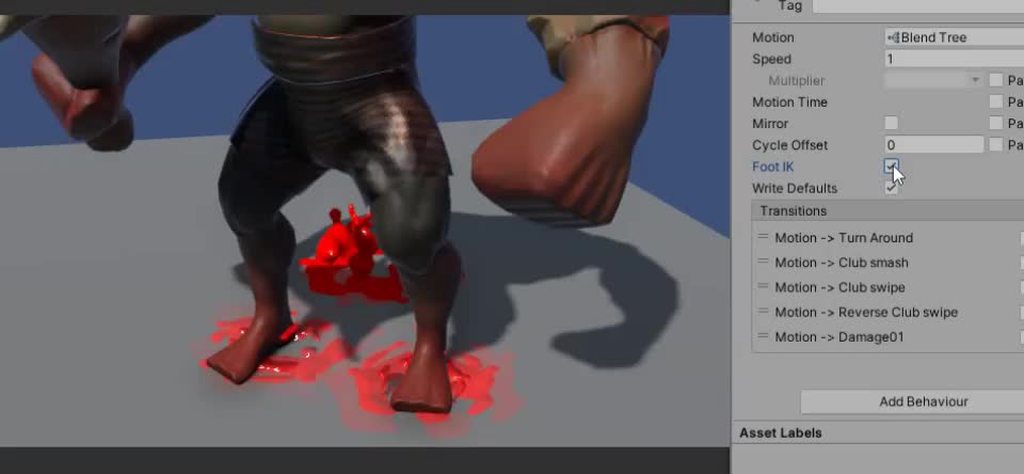
Do you have foot IK enabled in the animator states?
 sand meadow
hybrid tinsel
Do you have foot IK enabled in the animator states?
sand meadow
hybrid tinsel
Do you have foot IK enabled in the animator states?
Yes! Foot IK enabled on Animator, and it does not work 😦
Could it be, @hybrid tinsel, because we use Generic skeleton (the character is not a human)? And, it this is the problem, how can we solve it?
hybrid tinsel
sand meadow
Could it be, <@172484507788771328>, because we use Generic skeleton (the charact...
Ah, well in that case there is no built-in solution. The built-in IK is only for humanoids.
You can try fiddling with your import settings for keyframe reduction, etc, to try and reduce the jitter
 ebon holly
these mixamo animations are really a god send -- can i use these in production?
hybrid tinsel
Mixamo terms generally allow it as long as you're not reselling the animations themselves
sand meadow
hybrid tinsel
You can try fiddling with your import settings for keyframe reduction, etc, to t...
Apart from creating IK for Generic or with that as well?
ebon holly
hybrid tinsel
Mixamo terms generally allow it as long as you're not reselling the animations t...
Wow, that's an awesome resource then!
hybrid tinsel
sand meadow
Apart from creating IK for Generic or with that as well?
Tools like animation rigging package will allow you to do IK, but they don't have a dedicated foot jitter reduction tool.
The humanoid one is mostly for jitter introduced when retargeting.
It won't help, for instance, if the actual animation is jittery
sand meadow
hybrid tinsel
Tools like animation rigging package will allow you to do IK, but they don't hav...
So… the best way for integrating animations into our Generic character: Root Motion for Generic (using Root Node) and finding a way to implement IK for Generic (I’ve found some docs for quadrupeds, for instance)
 hybrid tinsel
Whether to use root motion is up to you really
sand meadow
hybrid tinsel
Whether to use root motion is up to you really
Yes, that is true. It is not mandatory, but we think it may help us reach better results for our animations
Do you know any way to reduce jitter on Blender, @hybrid tinsel? Thanks a lot in advance
hybrid tinsel
I don't use blender
sand meadow
hybrid tinsel
I don't use blender
Oh, okay!! Thanks anyway for your help 🙌🏻
ebon holly
IIRC you need a jump start as well as a fall animation in your case
some people do it in 3 parts, jump start, fall, jump end
but yes youd make 2-3 different animations, have your animation controller blend them, not looping the first, looping the second, and not looping the third if i remember correctly, im sort of new to animation myself
 misty mantle
I dont know how to make my animation controller put them together, i want the fall start to play once then loop the fall animation i dont know how to make my animation controller do that
ebon holly
Why is it that when viewed in Mixamo, my characters animations are fine and dandy, but when I import them to the same character in unity, I have wobbly arms and legs?
how it should look: https://gyazo.com/3c25ec2b3e99176054c1bcddde875bf4
how it looks: https://gyazo.com/5fea43361b88cc0ef429f8a9a0b313ae

 ebon holly
And yes, I AM copying from the correct character avatar😦
ebon holly
I think it has something to do with my Motion settings?
 granite kite
Does anyone have a good rigging video for blender 3.0
ebon holly
I figured it out on my own, if anyone is having trouble in the future, make sure you use <none> for motion settings and set both root transform and root transform x to bake + original, and root transform position xz unchecked original
you may need to make your own offsets like i did for my idle though
misty mantle
I've had a lot of trouble googling this because I don't know how to word what I'm trying to do. I have a fall animation in a platformer. I want to run an initial fallStart animation then loop a regular falling animation. So I want the first animation to run once, then loop the 2nd one until the player lands. How do I do that
ebon holly
you need to create a falling state iirc in your animator controller
or a parameter (bool)
so if your character is falling it will play that animation only
misty mantle
i have an AnimState parameter
but how do I code the first animation playing once then looping the 2nd
ebon holly
misty mantle
but how do I code the first animation playing once then looping the 2nd
https://www.youtube.com/watch?v=dJPnqv2IOTE this is a little like what youre looking for

In this episode we give our character the ability to fall from ledges, whilst preforming a falling animation. Upon touching the ground the character will transfer into a landing animation, and control of the character will be restored!
► JOIN OUR DISCORD
https://discord.gg/jzmEVx5
► SUPPORT ME ON PATREON!
http://www.patreon.com/SebastianGra...
and here is another one that might help https://www.youtube.com/watch?v=sJvWmFYSQFY
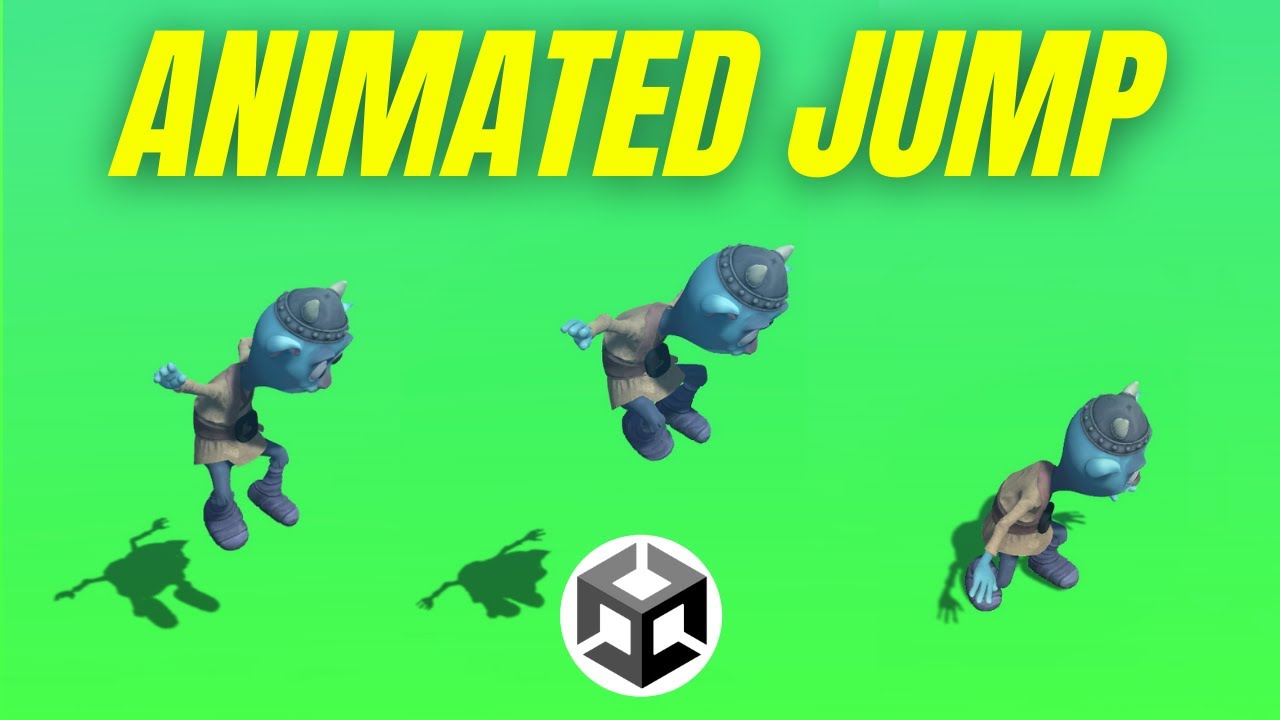
In this Unity tutorial we're going to look at at how we can add an animated jump to a character.
We’ll look at how we can trigger animations when the character jumps, falls and lands.
The project files are available to our patrons here:
► https://www.patreon.com/posts/59537187
Want to follow along? This project is a good starting point
► http...
here is her tree

 cinder gale
Hey there. When my player runs into a wall, and I keep holding right, my players animation flickers between idle and running. Is there a simple way to prevent my player from running when colliding with a wall?


 trim hatch
Do you want an animation to play or no animation
Some animators are physics dependent some aren't
cinder gale
Well just the idle animation which in this case is just the sprite in the first picture
trim hatch
Ok then you'll have to edit your movement code to do a raycast that checks if theres an object in front
ebon holly
Hey guys, I must be doing something stupid. I made my own characters in blender and imported them to mixamo, got animations, then put them into unity. My player is working perfectly now, but for some reason my enemy AI won't switch his animation to walking or running depending on his speed. What gives? Everything between the two should be the same.
To be clear, the enemies idle is working just fine, and his animation controller is set up properly to blend between them
cinder gale
trim hatch
Ok then you'll have to edit your movement code to do a raycast that checks if th...
thx!
trim hatch
ebon holly
Hey guys, I must be doing something stupid. I made my own characters in blender ...
Probably not an animation issue, id suggesst adding debug.logs to see if everything is working
Probably better to ask #🤖┃ai-navigation
ebon holly
Oh damn, thanks hamboy, I didn't even see the AI channel. I'll do a little more poking around then head over there 👍
ebon holly
trim hatch
Probably not an animation issue, id suggesst adding debug.logs to see if everyth...
https://gyazo.com/e930886a52afb25ca63901d82154b72b knew it was something dumb -- forgot to get the animator in my enemy controller script hahaha.
trim hatch
Nice
 limpid swan
how do I make this curve straight
 trim hatch
try right clicking a key and set to flat
 steep kelp
Apparently it's maya
agile solstice
cinder gale
Hey there. When my player runs into a wall, and I keep holding right, my players...
You can exclude marginally small movement by transitioning from idle to walking only when speed is above a certain threshold
 dusk wharf
I've just set up a 3rd person controller asset with a custom character, everything is working animation wise(idle, walk etc) but my character is not moving location(walking on the spot)
I had the character moving at one point without the animation, not sure what I changed/turned off
If I jump I move around the world, still cant figure it out
 midnight acorn
Hi does anyone know why i don't see my bones when i put the alpaca on the scene?

 midnight acorn
allright, thanks a lot
midnight acorn
ok so i have this alpaca on few different layers, with bones too, with animations but i how exactly do i make it move as my previous player prefab?
animations work with my player controller but alpaca doesnt move
when i put rigidbody on the parent it doesnt seem to work
if the question is too stupid some good tutorial would be great if you know any 🙂
midnight acorn
ok the animation keeps my alpaca in place
i think i need to redo the whole thing
no idea what else can be wrong
wait no... it should work if its all parented...
if anyone who sees this knows the solution please ping me
midnight acorn
ok all i had to do was reset position on every child
agile solstice
 novel skiff
Make it a gif or not?
novel skiff
Make it a gif or not?
There's no support for gifs
Your best bet is to make it an animated sprite or material from an image sequence
There's a video player component but it's probably not best suited for a loading icon
 near sierra
is there a way to add any new sprite bones to a sprite skin component
this is involving a 2D rig that is part of a prefab i made

 hexed vector
i'm using rigify in blender so all the bone names are weird. i tried matching up the bones to the ragdoll wizard and this was the result
 granite kite
hi cant delete this bone for some reason

 spiral berry
hey yall quick question, so i have a player in a 2D game and i wanted to add the ability to "shapeshift" them by switching animations and some other player variables, and i just wanted to know if there is a way to switch the animation clips' sprites in script, or do i have to make a new animation clip and/or player object for every variation? thanks
and by switching animations i mean changing the sprites in already set up clips (like idle, run, etc)
hybrid tinsel
spiral berry
hey yall quick question, so i have a player in a 2D game and i wanted to add the...
 spiral berry
oh thank you!
midnight acorn
hi anyone knows why pivot points on my sprites don't change?


it stays in the center even after i set it manually in sprite editor
yes, apply was pressed
 left valve
midnight acorn
left valve
midnight acorn
yea i did and still have no idea why it doesn't work 😦
hybrid tinsel
midnight acorn
it stays in the center even after i set it manually in sprite editor

Check that that is set correctly
Or you can spend hours trying to set the pivot 😄
midnight acorn
hybrid tinsel
you are the best! thank you
boreal rain
Not sure if this channel is the right place for this question but here I go :
I'm currently thinking about how I can animate an NPC with a random weapon. So the weapon is an object itself and the NPC as well, 2 seperate objects.
How can I combine for example an reload animation? Do I need to do it with IK? How do I make an hold animation and attach the hands correctly? Also IK?
and if so, is IK expensive? Let's way I got 100 NPC's doing that with IK.
 tulip nexus
when i export a combined blender mesh (man+hat) with an animation to fbx, i get two individual meshes and only one (man) is animated but the hat stays in place. ive been looking through tutorials but couldnt find out how to fix this
polar granite
How can I change the material parameters from one single material slot without affecting every other ones while animating
As when I change the Offset from 1 slot it changes all offsets
agile solstice
polar granite
How can I change the material parameters from one single material slot without a...
You can't, kinda
Materials are assets, so modifying one modifies all
polar granite
godamnit
agile solstice
polar granite
godamnit
However, scripts can modify individual materials in two ways, and their variables can be animated
First is accessing renderer's .material and overwriting its properties, so it creates a clone of the material that's independent from the rest (at the cost of creating extra materials)
The second is using something called MaterialPropertyBlocks to do much the same, at the cost of slightly more complex code and varying incompatiblity with scriptable render pipeline's batching optimization
polar granite
yeah i would like to know the first option
 empty bough
What tool is the easiest to use for 8-bit animation.
 pastel ingot
Anyone use Cascadeur before? Is it good?
 upper latch
Can we animate in unity with the animation window?
 deep thistle
upper latch
Can we animate in unity with the animation window?
deep thistle
upper latch
Can we animate in unity with the animation window?
Yes thats the point
upper latch
deep thistle
Yes thats the point
so I have one animation that I did with blender and when I exported because of the scaling the part of my mesh is way to far so I deleted those keyframes and added new ones but there is no visible change when I move the part of the mesh
the values change but the part does not
upper latch
ok I found that I was trying to move the wrong child object
the one I needed to move was under armature
 robust turtle
I don't know if it's should be script related so tell me If I'm wrong. My animations don't work there is no error, but when I'm reloading unity with updating any script (doesn't have to be the script that is related to the animation itself) the animation are working. I already tried updating unity to a newer version but it looks like the issue is still there. Is there any way I can fix this? I'm using a model with animations from Maximo. If more info is needed tell me and I will provide it (I'm currently on version 2021.3.5f1)
polar granite
why the fuck 1 blendshape stays on when im moving it from blender to unity
a blendshape stays at value of 1 when imported to unity
altho in blender it doesnt and works fine
polar granite
nevermind, fixed it
 fervent citrus
I've got a little issue with the animation of my feedback panel here. If i click the button (upper right, it's basically just SetActive(true), and) the first time, everything gets animated as it should. when i click somewhere else the panel closes normally and it gets SetActive(false).
However, if i open the panel again everything is gliched out, and it doesn't really play the first transition, but rather a weird version of the last, before transitioning into the idle state and getting invisible (at least that's what is looks like).
I only use one trigger, for the closing animation. If i press somewhere else, "isUnpressed" gets triggered and the closing animation plays.
ignore "isPressed" that's just an empty trigger that does nothing
 empty copper
Could someone please help me with the terminology of this...
I would like to add a "freeze frame" or like a screen to my VR game that halts all interactions/gameplay and tells the user they had failed or succeeded.

Like so,

or is there an alternative feature within Unity that allows us to create a end screen?
 pure prawn
Hey there! So im having a problem with Mixamo animations and trying to put them on my own character?
right now I have a character controller on my character, and i have those three animations, however, the 3d model isnt moving at all. Im not too sure what to do? Do i need to somehow change the names for each bone? any help is appreciated!


 agile solstice
empty copper
Could someone please help me with the terminology of this...
I would like to ad...
agile solstice
empty copper
Could someone please help me with the terminology of this...
I would like to ad...
You can stop gameplay logic by pausing the game and display a splash screen on top of that which is unaffected by pausing
Mostly not an animation question
empty copper
agile solstice
You can stop gameplay logic by pausing the game and display a splash screen on t...
thank you so so much!
agile solstice
empty copper
thank you so so much!
Usually you would pause the game by reducing Time.timeScale to zero, and set Animators to use "unscaled time" if you want them to animate in realtime despite timescale changes
empty copper
agile solstice
Usually you would pause the game by reducing `Time.timeScale` to zero, and set A...
okay thank you, I will look into this
 twilit talon
Friends I have a couple of questions about unity, could you answer them if you know something.
- When will dots and Entities ? Next year?
- When will weta digital tools be released?
- What innovations await enlight GI? HDRP? What new unity will bring us with the arrival of dots in terms of graphics?
- Expect the appearance of an analogue of nanite or innovation in lods
- When will there be a state machine for animation?
- When will the animation graph from the roadmap be released? With the arrival of dots?
 lean sage
- You accidentally a word 2-3. Nobody knows 4. Not a question 5. Since about 2015, probably earlier 6. Nobody knows
hybrid tinsel
twilit talon
Friends I have a couple of questions about unity, could you answer them if you k...
- Enlighten was depreciated, then undepreciated because the replacement was apparently not ready, and we really have no clue what's going to happen.
 signal citrus
How do I rename these keyframes without making a whole new animation?

I have objects for the bolt and the mag but they have different names
I just want to know how to assign those objects for this animation.
fallen arch
signal citrus
How do I rename these keyframes without making a whole new animation?
Click or double click on them to rename them

I wanted to copy a value from "controller" to "end currency", but the VRC copy parameter doesnt seem to work
"End currency" does not show up anywhere else apart from a value of input in a blend tree
It is a value that can be set by the user at some points, but when hitting "stop" the value set by "controller" needs to be saved to "end currency"; like a "new end"
"Controller" is not set by the user at any point, nor "Beg currency"
Wanting to set a value from the animator controller
signal citrus
fallen arch
Click or double click on them to rename them
I changed the name but it still says it missing
 cold axle
Hi everyone. I'm having the smallest animation issue that I can't seem to work out, I'm on day 3 of it. The character moves, faces, and plays animation for Y just fine but with X, the character doesn't face until I release the key?? It's a simple Zelda-esque scene, I'm unsure why player doesn't turn until release.
hybrid tinsel
signal citrus
How do I rename these keyframes without making a whole new animation?
Select the one you want to change and hit f2
 delicate sluice
im trying to use a blend tree, but when i move from one animation to another, there is no transition, it just abrubtly switches to that animation in a non smooth manner
delicate sluice
delicate sluice
im trying to use a blend tree, but when i move from one animation to another, th...
how do i fix that and make it a smooth transition
hybrid tinsel
cold axle
Hi everyone. I'm having the smallest animation issue that I can't seem to work o...
Is there a difference in the code for each?
Is one function called when the key is pressed and the other when the key is released?
fallen arch
I made a simple Python Algorithm. I need to put this logic into a tree but when setting a value to be that specific value, it doesnt Become that value


When i try to save Beg_Size in those equals signs using VRC copy parameter, it doesnt copy them
fallen arch
This is not supposed to be a C#
Just something that needs to be translated into animation cells
hybrid tinsel
I don't understand what you are talking about.
fallen arch
I have to make this code for an avatar
And you can’t upload c# to VRChat. So I have to use the animator controllers states and layers only as code
 slender dirge

 ripe lynx
It seems some game objects’ animation in my scene have a different frame rate than others in the same scene? How do I convert my overall project to one fps?
 waxen mulch
hey, i have a question, i want to add animations and character controller in this character, can someone help me? ty


 polar crater
Does anyone know why this animation stops at the last keyframe when finished
cold axle
@hybrid tinsel I don't believe so
 vivid forge
is there any way to record an object's movement without manually adding every keyframe, like pressing a button and being able to move the object while automatically adding the keys to the animator
nvm figured out a workaround lol
ripe lynx
Any way to export an image sequence at 24fps? The unity package i have from the asset store only has 12, 30, and 60 fps
 elder rampart
ripe lynx
Any way to export an image sequence at 24fps? The unity package i have from the ...
elder rampart
ripe lynx
Any way to export an image sequence at 24fps? The unity package i have from the ...
when you render using recorder you can set the frame rate. You can also set it with timeline!
ripe lynx
elder rampart
when you render using recorder you can set the frame rate. You can also set it w...
Thank you!! The recorder lets you export image sequences as well right?
ripe lynx
Amazing, I see jpeg here too. One issue, any idea why I would be getting a 30 fps image sequence when the target is set to 23.976? All my animations are at 23.976
 brittle raft
Is there something similar to the "multi-aim constraint" that's compatible with the 2D animation package?
elder rampart
ripe lynx
Amazing, I see jpeg here too. One issue, any idea why I would be getting a 30 fp...
what frame rate is your timeline set to
ripe lynx
elder rampart
what frame rate is your timeline set to
Ah, so it’s set to 24 but I just realized I don’t even have this on a timeline. If I already have everything timed and animated how I want, how do I add all those gameobjects to a timeline?
Would I select all and create the timeline, or create an empty game object first? I’m seeing a few different ways wondering which is best. Thanks
delicate sluice
delicate sluice
how do i fix that and make it a smooth transition
does anyone know?
 ripe canopy
delicate sluice
does anyone know?
ripe canopy
delicate sluice
does anyone know?
what blend tree are you using?
ripe canopy
Im having a nightmare with my blend tree too tbf. Ive added all the animations in the right place on the tree but when i test the game, it only plays the two animations for walking forward. First it plays slow walk and then run and no other animation. the problem doesnt even end there. So not only does it only play two of the seven animations ive added, when one plays it doesnt stop playing. If i fast walk it plays that endlessly even if i stop. so it doesnt go back to idle and if i start slow walking it just loops the fast walk animations
ripe canopy
delicate sluice
i right clicked the open space and clicked new blend tree
i think you need 2d freeform directional for smooth transitions
delicate sluice
oh
ripe canopy
 delicate sluice
i tried that but it still isnt working
ripe canopy
hmm
delicate sluice
ripe canopy
Im having a nightmare with my blend tree too tbf. Ive added all the animations i...
ur animations are prob looped
thats why its still playing
or u havent set it back to 0 or whatever ur idle animation is set to
ripe canopy
delicate sluice
or u havent set it back to 0 or whatever ur idle animation is set to
set what back to 0?
ripe canopy
but the animation has to loop otherwise half way through walking the animation just ends
delicate sluice
true
ripe canopy
delicate sluice
whatever variable ur blend tree has
n i still dont understand what you mean by this?
i think ive just figured out the problem, all my snimations go into one slot in the blend tree

only problem is i dont know how to fix this
delicate sluice
im not a pro animator but i think ik why
see u have all these variables on the left

these ones
ur animatoins are only connected to 1 variable
ripe canopy
yeah but how do i fix that?
delicate sluice
nvm those arent variables i got confused
ripe canopy
i fixed it for a second and idk how but then i pressed play it they all went back into one
ripe canopy
delicate sluice
nvm those arent variables i got confused
that is still the problem tho
delicate sluice
if im being honest i have noidea
im kinda new to unity so this has never happened to me before
ripe canopy
i get here but when i press play it just goes back to one lol
 ripe canopy
delicate sluice
im kinda new to unity so this has never happened to me before
ripe canopy
delicate sluice
im kinda new to unity so this has never happened to me before
me too lol
delicate sluice
ripe canopy
i get here but when i press play it just goes back to one lol
maybe its set in ur code somewhere to map all ur animations to one instead of to their different respective ones
ripe lynx
How do I add an entire hierarchy to a timeline? I already have my animations done but forgot to place everything on a timeline first
ripe lynx
After linking my animated game objects like this, should they be showing up in the timeline? Or is there another step i’m missing?
Most of what I can find online involves recording animation onto a track, but I already have everything animated and timed in play mode. Just need to add the entire hierarchy to a timeline to export
Thanks!

 shut plover
guys can i use .bvh file extension for object?
hybrid tinsel
shut plover
guys can i use .bvh file extension for object?
No
 willow meteor
Hello, I have a bunch of models and I want to import them into unity frame by frame to make an animation. How would i approach this?
Thank you!
 crisp onyx
hi, i have a question
is there a way to add a unique state to an animator override? one that wont exist in the original one
fallen arch
How do i write a C# StateMachineBehaviour to copy the value in scale controller to those two in the red arrows?
 fallen arch
React with X if it is impossible or you don’t have any idea either
 viral cipher
Hello
I am having an issue with my animator
it says "Animator is not playing an AnimatorController"
But the animator DOES have a controller

Using a simple Debug.Log : Debug.Log(_animator);
it returns the UnitRoot
which is the correct object
hybrid tinsel
@willow meteor you can either manually animate each object being turned on and off, or you could write a script to handle it for you
hybrid tinsel
fallen arch
How do i write a C# StateMachineBehaviour to copy the value in scale controller ...
Use OnStateUpdate instead of Update
Update doesn't get called on state machine behaviors.
Otherwise, you can get and set floats as normal.
 finite fog
Hello everyone, nice to meet you! First time posting here.
I have worked on quite a few projects in Unity and I always struggle with timelines, especially when using them to animate GameObjects that have animators with state machines in them :/
In this example, the first clips on these tracks have pre-extrapolate set to "Hold". When previewing the timeline in the editor, it shows my desired outcome correctly. However, when I enter play mode, during this part of the timeline, these animators' current state animation keep playing, as if the animator had priority over the timeline. Shouldn't the timeline animation tracks (including the pre/post extrapolate parts) have priority over the animator state?
 fallen arch
hybrid tinsel
Use OnStateUpdate instead of Update
fallen arch
hybrid tinsel
Use OnStateUpdate instead of Update
Thanks it worked 
 olive frigate
Greetings, fellow animators. How would I be able to animate 2 characters at the same time? Fighting or dancing, for examples. Where I would move a limb on "Character#1" then keyframe and quickly move a limb on "Character#2" then keyframe, all while keeping them in Preview mode. ( I'm using animation rigging with IK's if that makes any difference)
 frosty rampart
Wait, is there seriously no way to involve variables in an animation? So I can't move my object a random distance, or make a character recoil an amount based on the speed of a projectile?
Everything is bringing me back to animator parameters, but it looks like the animation sets those. I want to set values within the animation
 twin musk
i need some help with unity's 3d animation
i have a working run cycle exported into unity , but it gets cut short during playtime
update: nevermind , it turns out it was just going back to idle
 austere furnace
Does Unity have a way to lock root on root motion animations?
austere furnace
So I guess "Loop Pose" did what I wanted, but I'm not sure why it's called that... hmm...

 dusty jacinth
i have to slightly change the position of my gun in my game, is there any way to do this without absolutely destroying the animation??
 timber terrace
Hi, i have a problem with an fbx file. I made 2 actions in Blender, an idle and a running animation. They both work fine in blender but after exporting it to unity i have a problem with the feet of the character since they are on the wrong position in the idle animation but work fine in th other. I have tried some stuff but nothing changed. Here is a image that shows the problem. Can anyone help me with this ?
 austere furnace
@timber terrace Do you have any other animations imported in Unity? If so, are they working right?
timber terrace
no they are the only ones, i just wanted to try them out in unity
that only happens when i export both animations in one fbx file
when they are seperate they work fine
austere furnace
ooh, maybe you had the animations combined somehow? I'm not too sure. I always export animations individually
timber terrace
i also exported individually and wanted to put the other animation on the mesh but it was still bugged
austere furnace
hmm
 earnest pollen
 twin musk
It looks good!
one thing that could maybe add is adding more frames in the squash.
and ease into the reset
twin musk
ye
and if they are going to squash that low then they should be in the air a hair longer
timber terrace
austere furnace
hmm
Well i kinda worked around it by making it one long animation where i just cut them, that seems to solve the issue, but thanks for helping 😄
austere furnace
ooh nice! Sorry I wasn't a bigger help 😅
timber terrace
thats ok, you helped me mentally 😄
 near finch
Does anyone happen to know what I'm doing wrong here? It seems to be doing a little double jump animation and then the idle animation/running animation doesn't seem to be running correctly.
twin musk
I'm trying to add some parameters to animate them, some get added and some don't, how would I deal with that?
Cringe! Restarting Unity seems to fix it...
 fleet folio
Can i via script play only a specific track group out of multiples inside one timeline? I want to activate the red marked track group and the blue independent from each other while having them still in one timeline to keep things organised.
 midnight acorn
please help, what am i missing?
https://youtu.be/VQCLGBggJgk
on the timeline everything looks good but when i play the cutscene ingame player animation gets stuck on "jumpDown" trigger

 fleet forge
Hi, I connected a ragdoll to a body and it worked but it kept doing this

any idea on how to fix it?
shut plover
guys how do i stick weapons to hands? like this?
twin musk
I build a house in blender via arichmesh and when I import it into unity the windows and doors are white cubes any fixes?
 wet ore
shut plover
guys how do i stick weapons to hands? like this?
wet ore
shut plover
guys how do i stick weapons to hands? like this?
Just put them to bone in explorer
 true monolith
i m working on blender on a pistol, and i want to make for it 2 animations: one for shooting and one for reloading. How can i manage this animations to work on them separately? Do i have to create 2 different fbx files for every single type of animation?
 half latch
Hello
is anyone here familiar with Humanoid configuration T pose with armatures?
I'm trying to make an UMA but it says that there are errors with some of the bones
 empty copper
I am new to development on Unity. My teammate and I are collaborating on a 3D project and we are using GitHub. He mentioned to me that he is unable to view my world creation from his side when he pulled.
Could someone please assist? Thank you.
 snow depot
plastic scm is built in version control, so switch over if you can. if you have a good reason to use github, I personally can't help @empty copper
empty copper
snow depot
plastic scm is built in version control, so switch over if you can. if you have ...
what do you mean by plastic scm?
I'll look it up, thank you
 clever gazelle
if (Input.GetKeyDown(KeyCode.RightArrow)) { if (transform.position.x < 5 ) { transform.position = new Vector3(transform.position.x + 5, transform.position.y, transform.position.z); }
Hi guys, how can I make an animation, between the object's current position until it hits the new position ( the "x + 5" new position), right now it just teleport to that position, I want to animate it, ( show the player the movement that happened)
and I mean animating it throw code
thanks 💙
brittle raft
clever gazelle
` if (Input.GetKeyDown(KeyCode.RightArrow))
{
if (tra...
This is a #💻┃code-beginner question, not animation.
I am trying to set up IK solvers for a 2D sprite, why is it that in this prefab the IK widgets appear:

But in this one I get nothing?

I believe I copied the approach exactly
oh I'm silly, no ik manager

clever gazelle
brittle raft
This is a <#497874004401586176> question, not animation.
when you try to push ppl away so you can ask your question 😂
brittle raft
clever gazelle
when you try to push ppl away so you can ask your question 😂
haha, not really. It's just something that would be answered quickly there. I'd be happy to answer it in a coding channel.
I usually try to answer any questions before I post.
clever gazelle
brittle raft
haha, not really. It's just something that would be answered quickly there. I'd ...
thanks allot, yup you are right, coding channels are way more active than others
brittle raft
If you re-ask there I will reply, just @ me
(but do it quick cos I gtg in a second)
clever gazelle
oki oki thanks allot, but you can answer it here if you want, its animating throw code, and this channel desc is : Ask questions and discuss anything related to animation.
brittle raft
Yep, animation means Animator and tools, not code animation.
that's just regular movement code
But I can answer it here if you want.
So you want to do a smooth movement from current position to the target position whenever you press a key?
clever gazelle
brittle raft
But I can answer it here if you want.
ok, thanks for that, answering it here is better, its a less-active more-clean channel
clever gazelle
brittle raft
So you want to do a smooth movement from current position to the target position...
💯
thankfully someone understand it immediately
brittle raft
Okay, so you can do this:
public float moveSpeed = 5f;
Vector3 _targetPosition;

void Start() {
  _targetPosition = transform.position;
}

void Update() {
  if (Input.GetKeyDown(KeyCode.RightArrow))
  {
    _targetPosition = transform.position + new Vector3(5, 0, 0);
  }

  transform.position = Vector3.MoveTowards(
    transform.position,
    _targetPosition,
    moveSpeed * Time.deltaTime
  );
}
This will move towards _targetPosition at a speed of 5m/s
But just do one step per frame
You need to multiply by deltaTime to work out how much you want to move per frame
clever gazelle
you are awesome man, lemme try it, thanks allot, I was calling the movetowards only once, thanks allot this should work
brittle raft
 calm prism
Hello. Does animation rigging need alot of processing power coz my animation does follow the point but there is a little delay / Lag when the point moves
shut plover
I don't know how it works
help i want my weapons stick on hand not on x y z axis
ebon holly
anyone know of a tool like Mixamo but for animals?
Looking for something like a basic dog/cat/bird animation rig that I can use.
 gleaming meteor
When I put my character into the scene all the rigging stuff I did doesnt get put in the scene
ripe canopy
how do i give npcs idle animations?
 lilac smelt
ripe canopy
how do i give npcs idle animations?
lilac smelt
ripe canopy
how do i give npcs idle animations?
Set their default animation in the animator to the idle
ripe canopy
yea ive got it all sorted now thanks tho (:
lilac smelt
Sick 
 round basin
Does anyone know if there's a way to update IK in the editor? I've found a way that supposedly works, but its only for Humanoid rigs, which I'm not using one and instead I'm using things like 2 Bone IK Constraints and Chain IK Constraints
trim hatch
do I need to know a lot about the playables api in order to make a custom track in timeline that can read the lenth of a clip?
 rose bone
hi so i have a model i am exporting from maya to unity it gose into unity fine as soon as animation is added throw unity to the rig it warps the model and makes it werid looking
anyone know possible solutions?
 crude herald
can i export an animation as an image to create an icon for my character?
 tame veldt
Is there really no good way to play an animation without using an clunky animator controller?
rose bone
like this is whats happning
agile solstice
rose bone
like this is whats happning
Looks like the armature's animation scale is different from the mesh scale, could happen with incompatible animations or when applying transforms on export, not sure
 small hamlet
hi, someone knows what's happening here? so I made this walk animation, then changed the character and had to remade the animation a little bit and now the character's legs are sloppy and are shaking. Please help
 shut plover
guys why my bones was gone?


 willow idol
I'm trying to export a Mesh from Blender which has animations, the mesh is not rigged however. I am using an Addon called "AnimAll" to animate single vertices on a mesh.
Simply exporting to a fbx/obj didn't work. I've tried using the .MMD file format (Point Cache Data), but all addons supporting this are out of my price range (100$+ yikes)
So is there a way to export this for use in unity, or do i have to rig it somehow
 jagged ruin
willow idol
So is there a way to export this for use in unity, or do i have to rig it someho...
jagged ruin
willow idol
So is there a way to export this for use in unity, or do i have to rig it someho...
You can export vertex animation as shape keys -- but my advice would be to just rig it and export it as generic, less of a headache in the long run
jagged ruin
ok -- do the other thing then? lol.
jagged ruin
the first half of the message.
willow idol
well
jagged ruin
" You can export vertex animation as shape keys "
jagged ruin
i think the top 2 results are what you're after
You might have to some independant research here sport
willow idol
ive been researching this for 2 hours my guy
jagged ruin
I'm pretty sure its actually using the same method you've already alluded to
point cache data
jagged ruin
actually it is
jagged ruin
i know it works because ive done it successfully before
for like opening curtains
i just cant remember off the top of my head, how to do it exact enough to write you out a tutorial mate.
willow idol
damn
jagged ruin
but i found it out through google.
willow idol
damn
jagged ruin
ikr
what you'll end up with is a skinned mesh renderer, with blendshapes for each of the frames
have you looked at the export options for the mmd export plugin?
willow idol
absolutely not
jagged ruin
i dont know are you being sarcastic now?
willow idol
no
jagged ruin
its hard to detect via text
willow idol
dead serious
jagged ruin
well maybe you should look at the options available? when you export the files?
willow idol
aight
jagged ruin
you'll know it works because as i say, you'll end up with a 'skinned mesh renderer' instead of a mesh renderer lol
willow idol
ahuh
jagged ruin
...the problem with this method is... it requires some further setting up for it to work with moving objects because all the point data is in world space.. or some weird caveat/fine print... so you have to parent the object itself one its imported
willow idol
damn
jagged ruin
What is it you were modelling again?
willow idol
an abomination of a present opening
jagged ruin
confetti exploding?
jagged ruin
hurr
willow idol
for an experienced person it might be really easy im just not that experienced person lol
jagged ruin
ok lol. I mean, im asking because if it was a really simple thing like im alluding.. that would take me 2 minutes, i might be able to help...
but i understand if its 'top secret'
snicker
anyway good luck
willow idol
i mean its not
i just cant describe it that well
this probably wont help you that much but

wait
wrong one
oops

every frame transparently combined
well not every frame
but the most important parts
just the things unwrapping y'know
jagged ruin
yea onion skinning
willow idol
yea
jagged ruin
just rig it lol
jagged ruin
that's what i'd do... cus im lazy and i dont want to fuck around with trying to fix unity's fuckery getting a not-really-supported feature working lol
willow idol
yeah i get that
jagged ruin
just so i can have something super simple like a present opening in the background that's onscreen for like 3 seconds lol
takes 6 monhs to implement 😄
jagged ruin
if you want, dm me.. and ill rig it for you
willow idol
i mean if you would do that- 😳
jagged ruin
altho, its not actually as hard as you might think
and.... like... i dunno i feel like im shit talking here, which is not my intention.. but you'd be good (if you want to get into animation ) to start with rigging something like that... over a character
i mean thats the perfect starting point
willow idol
is it
idk i need this finished pretty soon as a special day's coming up
but i mean if you want to
willow idol
you could of course do a little riggery for mi 👉 👈
jagged ruin
yes, now we only need talk of payment
- rubs hands together *
jk just send it over 🙂
near sierra
so i was doing a script that would take an override controller and replace the animation override at that state in the override controller with an animation stored in the index on the screenshot When i do the first override, it goes back to idle state normally, but once i transition to the second index which causes it to override again, my idle animation becomes this. Is there a part in the Unity 2D rigging process that caused this?

i should clarify a bit
basically if i just let the attack animation play and go recovery but never advance to the next attack animation, it's fine
it's only when i go from element 0 to element 1 which occurs if i press attack again during recovery
cinder gale
Hey there! I created an enemy that follows my player around. That enemy should also mimic the player's animations. Is there a simple way to do this?
I don't know if it's much of a help, but this is the code used for following the player:
`void FixedUpdate()
{
storedPositions.Add(followingThis.transform.position); //store the position every frame
    if(storedPositions.Count > followDistance)
    {
        transform.position = storedPositions[0]; //move the player
        storedPositions.RemoveAt(0); //delete the position that player just move to
    }
}
`
 old lava
Hey guys! How would I export something from blender keep the bones I made in blender and animate said bones in unity?
old lava
better question actually, why is my avatar configuration not saving?
hybrid tinsel
near sierra
so i was doing a script that would take an override controller and replace the a...
Without knowing what your script is actually doing it is hard to debug
near sierra
hybrid tinsel
Without knowing what your script is actually doing it is hard to debug
 if (bm.a_onground)
        {
            // gIndex is start index of attack List
            // chain is an incremental int that advances on the List
            if (gIndex + chain > AttackAnim.Count - 1)
            {
                chain = 0;
                return;
            }
            // aoc is animation override controller variable
            // The index in question is the animation of that state
            aoc["AA1"] = AttackAnim[gIndex + chain];
            aoc["AirRec1"] = AttackRec[gRecIndex + chain];
            chain++;
            if (chain == maxChain)
                chain = 0;
        }
        else
        {
            if (aIndex + chain > AttackAnim.Count - 1)
            {
                chain = 0;
                return;
            }
            aoc["AA1"] = AttackAnim[aIndex + chain];
            aoc["AirRec1"] = AttackRec[aRecIndex + chain];
            chain++;
            if (chain == maxaChain)
                chain = 0;
        }
        // Replace the current runtime controller with aoc (Animation Override Controller)
        anim.runtimeAnimatorController = aoc;
      // forcibly plays a state
        anim.Play("NA");
    }
what a mess
near sierra
really?
shut plover
shut plover
guys why my bones was gone?
guys
 midnight veldt
I wanted to Edit a Mixamo animation, so I opened up blender and did what I had to do. After re-importing the animation from Blender to Unity, this happens. Any idea on why its happening? The unedited version works fine. (I exported the animation as FBX if that helps)

 lime crypt
I'm trying to do a timeline animation in Unity 2019 basically by using the Activation track, and making certain object active at certain times on the timeline, but when I dragged all the objects to the timeline to create activation track it set them to like 6000 frames instead of what I can see on the timeline.
Is there an easy way to edit all of them?
When I have multiple selected on the timeline and try to drag the ends time shorter it will only dragon one of them where the mouse cursor is.
 fathom magnet
Hey! I am trying to add a walking animation to my scene at Timeline (using the Mixamo assets) and it seems to be way too short, but if I try to extend or duplicate it, my character is simply reset to the starting position, and I am not sure what to do? Any help would be awesome!
small hamlet
Is someone willing to help me with a 2d animation? I lost all hope, my walk animation is cursed
trim hatch
midnight veldt
I wanted to Edit a Mixamo animation, so I opened up blender and did what I had t...
are the names the same as the object to animate?
trim hatch
does anyone know what "weight" means in regards to playables?
i'm seeing playables.getinputweight() get used in custom playable behavior tracks
but https://docs.unity3d.com/ScriptReference/Playables.PlayableExtensions.GetInputWeight.html
doesn't really explain what it means
the playable page says it's an "influence" but doesn't go any further than that
does anyone have any good resources for learning how to make custom playables?
What im trying to do is make a simple playable behavior for timeline that knows the duration of the clip so that I can make a lerp
 thick gyro
How can I make the forward direction of the blend tree match the forward direction of the player model (instead of the camera perspective?)

 raven dagger
I've got an animator that is only animating my mesh when the animation type is set to legacy. Any idea why this could be occuring?
 spring gust
Uhm so, basically my animation won't play no matter what I do on my rigged fbx model, the animation isn't on the fbx tho, but once I drag and drop it to the model, it won't play
midnight veldt
trim hatch
are the names the same as the object to animate?
Yes they are
The original unedited mixamo animation works just fine
All I did what change the arm pose, so I'm not sure why thats happening
near sierra
is there a way to access a specific state in a substate machine through scripting?
trim hatch
which state
near sierra
like if make a substate machine
and have a state in there
how do i access that state via scripting?
 fleet fossil
hi, quick question. does anyone have any ideas how to get a emitter to emit on timline every frame?
deep thistle
fleet fossil
hi, quick question. does anyone have any ideas how to get a emitter to emit on t...
you mean like a particle system?

 hybrid tinsel
fleet fossil
hi, quick question. does anyone have any ideas how to get a emitter to emit on t...
hybrid tinsel
fleet fossil
hi, quick question. does anyone have any ideas how to get a emitter to emit on t...
The usual thing to do would be to have a 'start' and 'end' signal rather than a continuous signal each frame.
fleet fossil
@hybrid tinsel it there a better way of guaranteeing a call back per frame on the time line
maybe signals is not the way to go here?
hybrid tinsel
Signals are not the way to go for that. You'd probably want to make a custom playable track for that.
Or if you wanted to be very simple you could use an activation track to activate an object that is sending a message every frame.
fleet fossil
interesting idea, could you run me though your thoughts on that, let say i have method that execute a debug.log and i want to run that on each frame
how would I go about that
hybrid tinsel
If you didn't want a general purpose tool you can literally just make a script that does that every frame, and then activate/deactivate it from your timeline with an activation track
Making a playable is a bit more complex because the system is terrible but also more generally robust, letting you make a track that does whatever you want directly
fleet fossil
ok, thank you for the idea let me try it out,
feel like this should b a simple thing
how would script now there was a frame change in timeline
hybrid tinsel
There is no such thing as 'frames' in timeline.
So it wouldn't.
You can go by timeline time, or by unity frames.
There is no guarantee that the two will match up.
You could make a playable track that can approximate it by having it take the current time and using that and a framerate to figure it out but since timeline isn't based on frames you need to decide what a 'frame change in timeline' even means for your purposes.
fleet fossil
oh boy 😦
what about setting the time line manually
emiter on every frame
haha
well really appreciate the input @hybrid tinsel , i had no idea what a challenge this will be
 ocean sage
trying to learn how to use animation events
the functions I want aren't showing up in this list though
what's going on here?

plus from the tutorials I've seen they have much shorter lists
ocean sage
k found out I need to actually write out "public void" instead of just void
but still not sure why those other functions are showing up in the list
compared to the tutorial I'm watching where it only includes what he wrote
hybrid tinsel
fleet fossil
what about setting the time line manually
I suggest that you back up and define exactly what you want to occur. When you say 'every timeline frame' what do you actually mean- once every thirtieth of a second of the timeline's time? Once per frame that the game evaluates? Something else? Once you have decided that, you can figure out how to implement it. If you can't decide on what you actually want then any attempt to implement will be half-assed.
hybrid tinsel
ocean sage
but still not sure why those other functions are showing up in the list
It will show all public methods on scripts on the game object.
 proud nest
Hi! I made a fish with a 20 frame swimming animation but i cant export it to unity

i choose this settings

in unity it has like 10 armature and animation doesnt play

any idea ?
 earnest torrent
Hey guys, i used a vicon Mocap System to create my own animations. When i view them in MotionBuilder, Blender or Maya they are perfectly fine, but after importing them to Unity (and using an avatar with the same bone structure) my animations a glitching and turning left to right. I'm working on retargeting the original skeleton bones to a set i used before in Motionbuilder, but it isnt working quite right and i thought maybe i did something wrong importing to Unity. Thank you in advance!
hybrid tinsel
earnest torrent
Hey guys, i used a vicon Mocap System to create my own animations. When i view t...
I'm guessing this is a generic type animation? You might have some problem in the data with a root rotation that 'crosses the line,' that is the same angle is represented in the file by both positive and negative numbers, which can confuse unity.
I'd take a look in the graph editor and see if there's anything that stands out like that.
Especially with keyframe reduction or the like, such data can completely freak unity out.
earnest torrent
hybrid tinsel
I'm guessing this is a generic type animation? You might have some problem in th...
I use it in Unity as Humanoid animation, because thats what i did till now with my other animations.
I tried looking in the Graph Editor, its just a little bit overwhelming but i'll try it again!
So could this be a problem with my .fbx file or is it more on Unitys side from importing?
thanks for you answer!
hybrid tinsel
If it is a humanoid avatar you might have minor problems with that mocap file, just by looking at it- too many spine bones, for instance so any corrective rotations on the extra bones will be lost in the conversion
And a bit of both. Like, it is probably easier to fix in your mocap software.
(And it might be a different issue, of course- only way to tell for sure is to check :D)
earnest torrent
hybrid tinsel
If it is a humanoid avatar you might have minor problems with that mocap file, j...
There was an import warning that spine 3 could not be handled correctly or something :/
Sadly im quite bad with MotionBuilder and i cant record another set at my university right now.
I'll have a look if i can retarget the animation to an different skeleton in MotionBuilder
hybrid tinsel
You can try turning off keyframe reduction, that alone might be enough to fix it
earnest torrent
hybrid tinsel
You can try turning off keyframe reduction, that alone might be enough to fix it
i'll try that!
hybrid tinsel
And you can also check the diagnostics in unity's retargeter
Also, you can try it as a generic skeleton just to see if that fixes the bad motion, as a way of narrowing things down.
earnest torrent
hybrid tinsel
If it is a humanoid avatar you might have minor problems with that mocap file, j...
So these 2 bones could have rotation info that MotionBuilder etc can use, but Unity has problems with?
 earnest torrent
hybrid tinsel
Also, you can try it as a generic skeleton just to see if that fixes the bad mot...
earnest torrent
hybrid tinsel
Also, you can try it as a generic skeleton just to see if that fixes the bad mot...
When i use it as generic ist doesnt do any animations at all, but thats probably my own fault with wrong configuration.
earnest torrent
hybrid tinsel
You can try turning off keyframe reduction, that alone might be enough to fix it
That sadly didnt do anything.
hybrid tinsel
earnest torrent
So these 2 bones could have rotation info that MotionBuilder etc can use, but Un...
Well, that error message explicitly says that it does.
Whether that is the problem remains to be tested
It might just be making the spine animation slightly less accurate.
earnest torrent
Okay, thank you very much!
I'll try looking into that and have another look into the animation curves for any outliers
hybrid tinsel
But yes, activating translation DOF as the error suggests might be a good idea in general here.
You might be able to disable or bake the root rotation.
Really lots of options so all you can do is narrow it down.
You might need to manually clean up the animation at the end of the day, or write a script to do it for you.
earnest torrent
hybrid tinsel
But yes, activating translation DOF as the error suggests might be a good idea i...
That didnt fix it .. but i'll try narrowing it down, thanks a lot! 😃
 quick lantern
https://www.youtube.com/watch?v=bzNyLCv2oHA&ab_channel=Dimanimation guys my first animation even , what do you think? Unfortunately, I lost my file so I couldn't finish it
Please never pause the this unfinished masterpiece
 static prism
idk what i miss click , i reassigned the avatar but idk why it throwing the error

i assigned the humanoid avatar but idk why its throwing me this error

when i do copy from another avatar model , it was throwing error , so i made avatar of every animation
 fluid sage
Hey question, so I have a bunch of tentacle models that have a seperate armature for each, I wanna combine all of them so they're all on one empty. But the issue is when I combine all of them they kinda just merge and use the same animation. How do I make it so they all join up but retain their position and stuff
 earnest torrent
Hey guys, i used a vicon Mocap System to create my own animations. When i view t...
earnest torrent
earnest torrent
Hey guys, i used a vicon Mocap System to create my own animations. When i view t...
I fixed it by importing the file to blender and saved it as .blend. After exporting it as .fbx again it works in Unity without jittering
hybrid tinsel
fluid sage
Hey question, so I have a bunch of tentacle models that have a seperate armature...
animations are based on hierarchy and naming, so if you make the animations for a single tentacle and then merge the objects...
fluid sage
hybrid tinsel
animations are based on hierarchy and naming, so if you make the animations for ...
so did i fuck up? x.x
hybrid tinsel
Dunno, there's probably a way to do it depending on your software
frosty rampart
Is it in any way possible to animate using variables? I need to animate my player being picked up and dropped somewhere else, but I cannot find a way to specify my start and end positions. Google's just giving me results about animation parameters, but nothing saying whether they can actually do this
frosty rampart
I've been on this for like 2 weeks now. In a conversation with someone about, I think I found a simpler way to define my problem
Pretty much, I want to do anim.keyframe[2].transform.position = whateverPos
So that I can have an animation that changes to fit my needs
https://forum.unity.com/threads/how-to-dynamically-set-animation-key-frame-value.627487/
Is this true?
Unity Forum
I created animation clips like the image shown below, but I need to revise the Position.y value dynamically by script. Therefore I am wondering if...
There's just no way to achieve something this simple?
frosty rampart
Okay, so I think this is my solution? I wouldn't be able to adjust just one keyframe, but it's better than literally nothing

Stack Overflow
is it possible to change keyframe values from a clip at runtime via script in Unity3d? (non-legacy)
I want to change the value of the "Body > arm" - rotation.z. There are 3 keyframes at the norma...
signal citrus
I imported a character into Unity and applied a Bone Renderer setup using Animation Rigging. Although, when I move the bones it moves the shirt only and not the actually body. The shirt is a child of the body. Any ideas?
 hybrid tinsel
frosty rampart
Is it in any way possible to animate using variables? I need to animate my playe...
hybrid tinsel
frosty rampart
Is it in any way possible to animate using variables? I need to animate my playe...
You are overcomplicating things. If you're writing a script anyway, you can just move the object position to wherever you need. You can evaluate an animator curve to handle the timing and set the position directly via code.
An alternative if you are using root motion is to use target matching. https://docs.unity3d.com/Manual/TargetMatching.html
frosty rampart
hybrid tinsel
You are overcomplicating things. If you're writing a script anyway, you can just...
I still haven't gotten the curve thing to work how I'd expect, but thank you so much for that advice. I was trying to get the keyframe thing to work, but it just wouldn't do anything. 2 weeks in and this is the first progress I've made, so thank you
 gilded quail
Hi Everyone, I'm going 100% CRAZY and I hate this thing with all my heart (sorry). I have a single Timeline that does not want to play in play mode. It works in editor but when I press play it does not start, even if I start it manually. I have also in the same scene other 4 directors and they all work perfectly.
This timeline works with me only when I delete most of the tracks randomly. Sometimes it works with 2 track, sometimes with 4, sometimes with different tracks, it's 100% random. It works 100% of time if I have only the camera animation track.
But do you know what is the worst part? We are working on this project in 2, my partner with same repository version, same unity version, has no problem. Also if he compiles and gives me his compiled game version also in game it works without problems and not randomly.
Can anyone help us? I have tried everything, I have also deleted the library folder.
There is no script attached or that controls that direction. I have tried also to clone the gameobject without any script inside and we are 100% sure that no other script has that reference and it still does not work. But why it works with my partner? 😦
gilded quail
tried also to reimport all assets, but nothing 😦
hybrid tinsel
Weird.
twin musk
how can i send a ping after an animation is played for once
shut plover
sorry about slow fps
anyway why my animation acting strange?
when i start my "aim" animation not work correctly but when i switch back its work correctly help
 tame bay
Can anyone here help me recreate animations like this?

I got a headeffect thing set up on the heads of the enemy
I got the Alert "!" already, but that one is static, I need to be able to make a Z fade in and out and go up like in the gif
 spark veldt
tame bay
Can anyone here help me recreate animations like this?
spark veldt
tame bay
Can anyone here help me recreate animations like this?
Yep
tame bay
spark veldt
Yep
Can I DM you?^^
spark veldt
tame bay
Can I DM you?^^
Okay
 cobalt zodiac
Hello everyone! I am working on a Survival Horror game and my character just randomly comes at me in gameplay mode and I can t do anything, not even get out of the first room, even if I placed it in another room.
Does anyone have any idea why this happens and how to solve it?
I am using Unity 2019.
I chose this for a college project and I have to finish it asap.
I would be very grateful if you could help me.
Thank you!
I think i figured out what the problem is
I didn t set a clear path for my character to move on
I just made it come towards me
Can anyone help me with that please?
 burnt mirage
hello, was wondering if there is a way to zoom in on the sprite for the animation window? They're really small for me

 runic crown
Hey, I'm very knew to animation and when setting up an animator I made it so that when the character's bool isMoving is played then it transitions to a moving state from idle. But the problem is I have a stab animation (which transitions with a mouse click) but it's only transitions when I time the mouse click with the end of the walking animation or idle animation. If I do it while its in the middle or starting, it doesn't register at all. Anyone know why this happens?
trim hatch
Use anystate node as transition
Or i think interupt state works too but I'm not entirely sure how it works
empty copper
How can I make a 3D object in Unity transparent from the inside? I'd like to set the user/character in a glass-like room with a slight color so it can see the outside world.

As you can see, the cube is transparent, but the camera view does not show the transparent green color I want the user to see.
How can I go about fixing this?
snow depot
@empty copperreverse the normals of the cube model
empty copper
snow depot
<@980251200924561469>reverse the normals of the cube model
I’m sorry but where is that option?
snow depot
oh, mb, you'd have to go through blender for that
there might be a way in unity to make a material double sided
empty copper
Whaaaat?? I’d prefer to say in Unity 🥲
snow depot
Unity Forum
Modeling some palm trees and was wondering if its possible to have a standard shader with a double sided material?
I'm not sure if this helps
empty copper
snow depot
https://forum.unity.com/threads/double-sided-material.474594/
Thank you so much for your help!! I will try out the suggestions 😊
near sierra
question is there a way to copy and paste all the values of the transform component at once at the timeline?
so basically position, rotation, and scale. Is there a way to paste all three of those values on the timeline in one go?
twin musk
Quick question how do i make it so the door doesnt always end up in the same position i made the animation in, cause i tried making 2 doors and they both go to the same position
 stray shoal
Does anyone understand why my float variables in my script arent being animated? (going from 1 to 0 when i scrub) I recorded the curves and everything, but it wont move the variable?
https://gyazo.com/5353dd12ed076c903a5d5c2462524919
 empty copper
@snow depot thank you so much for your help! It worked ^__^
hybrid tinsel
near sierra
question is there a way to copy and paste all the values of the transform compon...
You can multiselect keyframes to copy/paste.
near sierra
i just meant starting from the timeline
so making a new animation rather than working on an existing one
 neat cedar
can someone help me? i know pretty much nothing about unity and im trying to extract cuphead's (2d game made in unity with frame by frame animations so no skeletons or anything like that) animations using assetstudio, i've gotten the textures and i've found "animators" and "animationclips", exporting the animationclips fails saying its not extractable for some reason so i've been trying to export the animators, which gives me an fbx file, but importing it into unity or blender just gives me an empty object that i can't really do anything with


 trim hatch
in timeline how can I get the binding object of the track?
empty copper
Could someone please help? I would like to put the albedo texture onto my wolf object, but it is coming up white.
the textures are where they should be?

am I missing something?

this is how the inspector looks for albedo

 dusty fern

You can probably offset it
Just try to play with the settings until your attack goes straight.
 dusty fern
Or just use a better animation clip. Don't know if this one is solvable to be honest.
But it's good practice anyhow
 heady garden
yea i think this one has too much rotation
i'll play around a bit with it
if i cant make it good i'll try another one
dusty fern

dusty fern
Np, happy learning and good luck 👍
heady garden
OMG ITS WORKING
man
its actually working
what the hell
i have no idea how to thank you
once im finished with the game
i'll credit you xD
lmao
dusty fern
heady garden
OMG ITS WORKING
Awesome, would be quite an honor to be credited 🙂 👍
heady garden
dusty fern
Awesome, would be quite an honor to be credited 🙂 👍
i'm literally gonna add a note on my assets folder with your name
 vague laurel
Hey, do you guys help with blender rigs? or is there a blender discord you guys know of where I can ask for help
 charred belfry
vague laurel
charred belfry
vague laurel
@charred belfry tyvm
 topaz oyster
Hi, trying to import a sprite sheet for work - our client gave us a 52000x275 sheet. This needs to be in a 1:1 pixel ratio right? Unity can't read it with these dimensions
cobalt zodiac
Hello, i added 3 animations to my game object and wrote a script, only one animation works. Do you have any idea why?
i also added a navmesh agent to my game object
hybrid tinsel
topaz oyster
Hi, trying to import a sprite sheet for work - our client gave us a 52000x275 sh...
Well, you'll probably need to break that down into smaller sheets, probably in a power of two resolution. But you don't need a 1:1 ratio.
hybrid tinsel
cobalt zodiac
Hello, i added 3 animations to my game object and wrote a script, only one anima...
That isn't really enough information to guess what is wrong.
hybrid tinsel
empty copper
the textures are where they should be?
Looks like you made it too smooth and shiny
hybrid tinsel
neat cedar
can someone help me? i know pretty much nothing about unity and im trying to ext...
This isn't a server for ripping assets from commercial games.
cobalt zodiac
hybrid tinsel
That isn't really enough information to guess what is wrong.
Could be something wrong with the code
Or because i used 3 animations instead of animator controller
I am new and i think animator controller is harder to use than animator
topaz oyster
hybrid tinsel
Well, you'll probably need to break that down into smaller sheets, probably in a...
There were over 100 frames so I used a rect select tool and copy pasted 12 frames into a new file and expoted that. Had about 9 sprite sheets that I was able to combine in the animation window inside Unity 👍
cobalt zodiac
Is my problem because of the code or because of the use of animation?
My character is supposed to walk attack the first person controller
Get shot and die
And it just walks
 turbid quail
guys I'm having a problem for days, I'm almost giving up on rootMotion. what happens is that in the weapons layer I just want to leave the arm bones influencing, but when I do that the rootMotion(BaseLayer) movement doesn't work
it works if I put the Root bone active in WeaponMask, but if I leave it active, there are some problems...

is it REALLY necessary to activate the root bone in all masks? or is it a unity bug?
 wide vapor
when enabling an object i want the animation to play immediatly how would i do that
nevermind
hybrid tinsel
cobalt zodiac
Is my problem because of the code or because of the use of animation?
I'd suggest not using animation; it really isn't supported well.
An animator would handle your needs just fine
hybrid tinsel
turbid quail
guys I'm having a problem for days, I'm almost giving up on rootMotion. what hap...
Weird; you should only need it active in the base layer.
cobalt zodiac
Can you help me?
I am new
And it s a long code
I don t really know what to change if using animator
It did work at some point
Before i extended the area of the enemy movement with navmesh
I am anxious to change the code
A little?
But why did it work and then stopped working?
 gloomy sluice
Hello, could someone tell me if this amount of jitter and sliding is expected when exporting FBX from Blender? In Blender it looks perfect, just the export is jittery. I know its not a Unity problem, but maybe someone had this situation
 void mesa
anyone know a good 2D charakter tutorial for krita?
hybrid tinsel
gloomy sluice
Hello, could someone tell me if this amount of jitter and sliding is expected wh...
That is often a result of either retargeting errors or keyframe reduction. If you are using a humanoid rig, make sure to enable foot IK
 gaunt zinc
Hello, is it possible to convert .anim files to mp4? Thanks.
 uncut salmon
gaunt zinc
Hello, is it possible to convert .anim files to mp4? Thanks.
uncut salmon
gaunt zinc
Hello, is it possible to convert .anim files to mp4? Thanks.
Nope, what would it be recording?
If you want to output a video of something, you can use the Recorder package that comes with Unity to record your game view.
Then set up the camera to look at whatever you want animated.
gaunt zinc
uncut salmon
Nope, what would it be recording?
If you want to output a video of something, y...
I want to record the camera view of a timeline, I am going to do that then. Where can I find it?
jagged ruin
gaunt zinc
I want to record the camera view of a timeline, I am going to do that then. Wher...
window > package editor
 upper grove
is there some way to re-order a blend tree? say flip two nodes?
hybrid tinsel
upper grove
is there some way to re-order a blend tree? say flip two nodes?
Unfortunately not actual nodes, though in a tree you can reorder things just by changing the values that feed into the animations
 civic swallow
hey all, when i exported my model to fbx from blender and imported it to unity, instead of just getting the "metarig action" animation, i also get a bunch of animations as well. It seems they all don't move except the metarig action

am i safe to delete the ones i don't need?
twin musk
i changed clip's WrapMode through script but the clip isnt looping
 hybrid tinsel
twin musk
i changed clip's WrapMode through script but the clip isnt looping
hybrid tinsel
twin musk
i changed clip's WrapMode through script but the clip isnt looping
That only works with legacy animation clips
twin musk
hybrid tinsel
That only works with legacy animation clips
so this wrap mode cannot be modified for mecanims anymore?
hybrid tinsel
You can set it in the inspector, and there is probably a way to do it by code but not certain how
But it says right in the script reference for WrapMode: Only used with Legacy AnimationClip.
twin musk
I mainly wanted to set WrapMode.ClampForever which appears to be default behaviour of animation clips
hybrid tinsel
Have you tried AnimationUtility.SetAnimationClipSettings?
 static crow

Does anyone know how to fix these twisted bone
Im using Humanoid character with Humanoid Mixamo Anims
twin musk
hybrid tinsel
Have you tried `AnimationUtility.SetAnimationClipSettings`?
AnimationUtility is for Editor only
twin musk
doesnt this suck how editor interface doesnt provide scope to changing this property
sand meadow
gloomy sluice
Hello, could someone tell me if this amount of jitter and sliding is expected wh...
This may be caused due to Animation Compression options in FBX importer. Try changing it to Off.
A little question to the group: we are experiencing some issues with a non-humanoid character (generic) + animations with Blend Trees for actions like walking and blending states for turning into another direction (left or right, for example). The character does not do anything on scene, but it shows more or less properly on preview. Here I attach you a .Gif of the preview!

Thanks in advance!

We want to achieve something like this:
(Ethan model from Unity)

 compact ledge
testing unity timeline for the first time.. everything looks good when I skim through the timeline, but when I press play, I just get launched to the left endlessly

 frosty zealot
how do i make 2 of the same game objects have the same animations but not share them
uncut salmon
What do you mean shared? Animations are run individually on an object
hybrid tinsel
twin musk
doesnt this suck how editor interface doesnt provide scope to changing this prop...
Um, you can totally change it in the editor?
hybrid tinsel
frosty zealot
how do i make 2 of the same game objects have the same animations but not share ...
Give them separate animation controllers
hybrid tinsel
compact ledge
testing unity timeline for the first time.. everything looks good when I skim th...
Probably need to disable physics and/or the character controller scripts?
hybrid tinsel
sand meadow
A little question to the group: we are experiencing some issues with a non-human...
Are you actually sending the parameters to the animator from your movement script?
 knotty thorn
Not sure if this is the right channel to ask about this, is there any way to make the animation a lower framerate of the transform keyframe? i want to make a more choppy feel
the second aniamtion is at 8 frames per second, i would like to make it similar, without resorting to sprites
trim hatch
first thing that comes to mind is making a c# script that updates the animaotor every 8 frames
You'd need to study the animator api
https://docs.unity3d.com/ScriptReference/Animator.Update.html
maybe this would work but it's unity documentation so it doesn't explain anythng
 stray glade
How can we export animated materials from blender to unity? if not then how do i animate materials once iam inside unity?
knotty thorn
trim hatch
https://docs.unity3d.com/ScriptReference/Animator.Update.html
maybe this would w...
Thanks for the advice, i found a workaround, but seems interesting
 wispy delta
Anybody using animation rigging for a lot of animations? I was thinking of rolling my own procedural walks , but it'd be nice if I could just use its two-bone IK constraints. Not sure of performance overhead though.
 white snow
Anyone know if its better to animate all animations moving from a neutral pose, or should I instead animate the actions from a dynamic pose and let unity handle the mixing
 sleek condor
Hey guys and gals! Have a quick question - I want to change an animated button's name but then it breaks the animation (as the animation is on the previous name). How can I update it?
 wicked arrow
hey guys, i made some animations but they seem to be stuck to my "Player" object and are not shown in my animation folder

so i made the first player_idle with right click create and the other ones with "create new clip"
ok apparently import new asset did the trick..?
hybrid tinsel
wicked arrow
hey guys, i made some animations but they seem to be stuck to my "Player" object...
They won't automatically be in the animation folder, they go wherever you create/import them.
hexed vector
So i made these animations in blender and I'm pretty happy with them, but how do I export them to unity without unity destroying the finer keyframed details? I've had issues with that before
twin musk
how can i record animation from a car game play so that i render it in pathtracer using recorder ?
hybrid tinsel
hexed vector
So i made these animations in blender and I'm pretty happy with them, but how do...
disabling compression/keyframe reduction seems to be the usual method for that, though you might wanna just see how they look with default settings before messing with things. (Also, that finger injury animation made me cringe, so painful looking! Good work.)
hybrid tinsel
twin musk
how can i record animation from a car game play so that i render it in pathtrace...
That's like a bunch of questions there. Generally speaking though, you just need to set up your hierarchy of game objects you want to record, and choose the record to animation option to create a clip that you can then use in a timeline with whatever rendering tech you want.
hexed vector
hybrid tinsel
disabling compression/keyframe reduction seems to be the usual method for that, ...
thank you! it was a lot of fiddling
hybrid tinsel
At first I thought you were showing a keyframe reduction error, then I realized what it was and went 'owww'
hexed vector
yessss
hexed vector
yeah, my main concern is that my animation style is quite dependent on curves and interpolation but it's for a game so a little jank is chill
game anims can have a little jank, as a treat
 twin musk
ok never mind i found it 🙂
snow depot
knotty thorn
Not sure if this is the right channel to ask about this, is there any way to mak...
I'm way late on this, but you could manually keyframe each frame in unity and then make sure that there's no interpolation between them
 scarlet knoll
hey guys, i have a little problem with my avatar. idk why, but back hairs not connected to the head and they connected to the center. How to disconnect hair from the center and connect to the head without changing entire hierarchy?


 sleek condor
Hey guys and gals! Have a quick question - I want to change an animated button's name but then it breaks the animation (as the animation is on the previous name). How can I update it?
void mesa
i have some problems please help
- why is my pixel art wizard transparent
2 my animation does not play in game mode - i cant edit or do anything in the animation tab/screen.
Image

 wheat barn
hey guys, i'm new to unity. I was wondering if you can use one animations for different models and if so how can i achieve that?
 tawny yew
Is there a way to make an animation instant, rather than it having a split second fade phase?
I want to highlight the item currently being hovered in a contextmenu. But the animator gives it some fade, as you can see in the picture: 2 and 3 are fading out, 4 is busy fading in. Can this be instant? Or should I just code it myself after all?

 silent juniper
How can i import an spine inside unity. All tuts are one old unity versions and i cant make it work. I have an Textassets file that describes where what is, the png, some atlas files and more
i have these files

 harsh ivy
how do I make a 2D rig in blender and export it to unity with all the bones?
 fair fiber
What is the point of a mecanim substate if every possible transition in and out has to be explicitly defined? What does it help to actually organize?
 marble saddle

can someone help me for some reason the animation randomly plays twice , any idea how to fix this?
scarlet knoll
why is no one answering us
 blissful sierra
Hey guys, supernoob here. Following a tutorial, and got stuck in terms of animations. They wont play, and ive done all the stuff ive seen on forums. Any help?
For reference, I have my character model rigged as "Humanoid", and the animations should be set to play when I move around. Movement works just fine, but the animations just wont load. My model is stuck in a t-pose
 mighty gale
Hey,
has anyone used this?
https://www.youtube.com/watch?time_continue=45&v=Kn6jxLWA31M&feature=emb_logo
I cant find that button on my animations....

Watch this tutorial in context on the official Learn site -
http://unity3d.com/learn/tutorials/modules/beginner/unity-5/root-motion-authoring
Help us caption & translate this video!
I would like to move my enemies/Spells in special ways which would require a ton of coding. If this would work, I could save a lot of time!
but somehow this button is missing

 trim hatch
My timeline glitches out, when the scene starts
like it plays the sound effects before it gets there
do I need to do some special scene loading?
so timeline isn't affected by lag
sleek condor
Hey all - I want to animate a button entering the screen, however it already has the ste animations for Normal/pressed etc.
how can I add the entrance before it gets into the normal animation?
hybrid tinsel
tawny yew
Is there a way to make an animation instant, rather than it having a split secon...
You can disable the fade, assuming you are using the unity ui components.
hybrid tinsel
wheat barn
hey guys, i'm new to unity. I was wondering if you can use one animations for di...
If the models have identical hierarchies or are set up as mecanim humanoids, you can reuse animations between them.
tawny yew
I must've missed that setting, where do I find it?
hybrid tinsel
sleek condor
Hey guys and gals! Have a quick question - I want to change an animated button's...
Make the animation one level higher up in the hierarchy from the animated child elements, and use identical names for the animated elements.
sleek condor
hybrid tinsel
Make the animation one level higher up in the hierarchy from the animated child ...
That's genius! Thanks so much!
hybrid tinsel
scarlet knoll
hey guys, i have a little problem with my avatar. idk why, but back hairs not co...
Disconnecting it from the root and reparenting it is by definition changing the hierarchy.
hybrid tinsel
harsh ivy
how do I make a 2D rig in blender and export it to unity with all the bones?
Unity doesn't support converting 2d and 3d bones unfortunately so you'd need to code an asset processor to handle that.
hybrid tinsel
tawny yew
I must've missed that setting, where do I find it?
On my phone at the moment so can't check.
tawny yew
the length of the animation is 0.000 🤷♂️
I have found the answer here:
https://answers.unity.com/questions/858262/how-to-change-ui-button-animation-speed-46-ui.html
thanks for your help 🙂
Unity is the ultimate game development platform. Use Unity to build high-quality 3D and 2D games, deploy them across mobile, desktop, VR/AR, consoles or the Web, and connect with loyal and enthusiastic players and customers.
scarlet knoll
hybrid tinsel
Disconnecting it from the root and reparenting it is by definition changing the ...
it's model exported from the game, and i made all of this this by the tutorial. Author of the tutorial decided to cut from the video solutions how to fix my problem (he had absolutely the same problem). But when he shows model after fixing, hierarchy doesn't change (before writing here, I literally watched all the tutorials about avatars that are exist at all, and I never figured out how to connect bones in hierarchy)
https://youtu.be/meg89ALxits?t=826 (13:46)

Series playlist: https://www.youtube.com/playlist?list=PLhiuav2SCuvdEAbUzJxSqp61fNiPTFfwb
A beginner friendly video series that shows how to export a model from the game Koikatsu to Blender. This part shows how to export the model as an fbx file and how to import the fbx file into Unity.
Chapters:
0:00 Intro
0:32 Exporting prep
1:02 Baking mat...
 peak jasper
the timeline tool is made for cutscenes right?
How hard is it to make it allow for different characters in a cutscene like to replace a character with a different one
hybrid tinsel
scarlet knoll
it's model exported from the game, and i made all of this this by the tutorial. ...
This isn't a place to discuss ripping game assets, really.
And if that person's tutorial doesn't work, maybe poke them about it...
hybrid tinsel
peak jasper
the timeline tool is made for cutscenes right?
How hard is it to make it allow f...
Not difficult at all; the timeline controls the animator on the character, but you can exchange the actual model on the gameobject.
peak jasper
Ok cool i’ll try to make a simple prototype cutscene and see how it works
 leaden gull
my output keeps getting spammed with "'Bat' AnimationEvent has no function name specified!" but the animation works fine in editor and playtest

i fixed it now
 real star

 leaden gull
my unity animationevent says this. The script with the function IS in the gameobject that the animator is in. what do I do
"objectName AnimationEvent 'methodName' has no receiver! Are you missing a component?"
calm prism
Hello i need help ... am using animation rigging but when the character is moving, there is a delay or lag with my IK
hybrid tinsel
peak jasper
Ok cool i’ll try to make a simple prototype cutscene and see how it works
Just make sure that your character is set up to be easily interchangeable
hybrid tinsel
leaden gull
my unity animationevent says this. The script with the function IS in the gameob...
Your function is public?
hybrid tinsel
mighty gale
Enable root motion is in the animator component.
leaden gull
yes it is
 grizzled eagle
How do I get the speed of an animation in a animator blend tree from an animation event fired by that animation?
 vivid barn
I have a weapon with frames for scale on an idle animation that loops but for some reason, if the animation is cut short, the scaled element doesn't go to the correct scale. Any ideas?
Fixed it. "Remove constant scale curves" was on in the animation clip settings
scarlet knoll
hybrid tinsel
And if that person's tutorial doesn't work, maybe poke them about it...
actually he doesn't have any links to his socials, and he hasn't read comments for a long time (tutorial was uploaded a year ago and apart from this tutorial, there is nothing on his channel)
scarlet knoll
hybrid tinsel
This isn't a place to discuss ripping game assets, really.
"ripping" in this sentence use like "copy game assets" or "broken game assets"? (sorry, i'm not good in english)
hybrid tinsel
scarlet knoll
"ripping" in this sentence use like "copy game assets" or "broken game assets"? ...
Copying game assets. #📖┃code-of-conduct
scarlet knoll
hybrid tinsel
Copying game assets. <#497867528488484864>
This is not even a game, more like a character maker. You do all these anime girls yourself. It's a kind of tool, so don't think that I'm ripping assets from the game for my own purposes
(i just wont to export my anime girls to vrchat, nothing else)
hybrid tinsel
Ah.
Though yeah, the other stuff I said still applies; if you want a piece to be parented to something other than what it is parented to, you'll need to move it in the hierarchy.
scarlet knoll
hybrid tinsel
Though yeah, the other stuff I said still applies; if you want a piece to be par...
yeah, but when i changing something in hierarchy this broken entire model


but on the preview all looks ok
 hybrid tinsel
Guessing it is a generic rig?
hybrid tinsel
Er, no. Generic rigs are whatever you imported.
Humanoid rigs ar the ones that get generated
static crow
hey
dooes anyone else have or has had the problem where their objects spin uncontrollably in circles when animating?
 cobalt belfry
Is there I can rotate an object via script while it's in an animation? I want it so that the dice displays how much ammo you have left, but then when I add the shooting animation on top of the script, it stops moving.
https://i.gyazo.com/812b902eef4d4cf40f514610c1311233.gif
https://i.gyazo.com/a2d031b706fced6d0906cd872847948a.gif

 agile solstice
cobalt belfry
Is there I can rotate an object via script while it's in an animation? I want it...
agile solstice
cobalt belfry
Is there I can rotate an object via script while it's in an animation? I want it...
Animations override transform changes from other sources, so don't have them control the same object
The gun could have shooting animations and the dice could be simply parented to it with no animation, so the script can control it
cobalt belfry
agile solstice
The gun could have shooting animations and the dice could be simply parented to ...
Ah, thank you so much!
leaden gull
what should I make?
twin musk
Hi, I want the player to hit a tree with an axe. But how do I get the axe to hit the tree "properly" (with IK), stop at the tree and go back into idle?
 mellow herald
Question:
In order to make an attack animation. (e.g. Sword Slash)
Do I need to make the slash a separate animation or the character animation and the slash combined?
twin musk
mellow herald
Question:
In order to make an attack animation. (e.g. Sword Slash)
Do I need to...
You can make a separate animation if you want ant stack it on top of the walking/idle animation with animation layers.
twin musk
twin musk
Hi, I want the player to hit a tree with an axe. But how do I get the axe to hit...
I want a tree cutting system like in the game green hell
agile solstice
twin musk
I want a tree cutting system like in the game green hell
First person?
If so, all you really need is an animation of hitting something with the tool stopping on impact, and to point that towards the spoit that needs to be hit (ensuring it's within range, of course)
No IK needed
 misty merlin
Hi everyone, i have an animation problem with my 2d sprite.
when i jump my character plays the current animation state instead of a jumping state. i looked in the animator, and when i press the jump button it does the jump animation for a single frame and goes back to the last animation and when i jump again while airborne, it plays the animation correctly.
 agile solstice
misty merlin
Hi everyone, i have an animation problem with my 2d sprite.
when i jump my chara...
agile solstice
misty merlin
Hi everyone, i have an animation problem with my 2d sprite.
when i jump my chara...
Could be a problem with your ground check or one of the transitions or their conditions
Hard to say
snow depot
it could be that the transitions have exit time unchecked
it would help if you showed a screencap
agile solstice
Or checked
misty merlin
snow depot
it could be that the transitions have exit time unchecked
that worked!
thank you so much 🙂 been struggling for a week on that
hybrid tinsel
cobalt belfry
Is there I can rotate an object via script while it's in an animation? I want it...
Just have the rotation script operate in LateUpdate after the animations are applied.
hybrid tinsel
agile solstice
Animations override transform changes from other sources, so don't have them con...
Animations override changes that happen in or before Update. LateUpdate overrides animation.
 vague swift

it won't let me import frames
:(
figured it out
i just have no smart
nevermind
it still isn't working
there is just a cancel symbol when I try to drag
now I figured it out
 foggy sonnet
I have bunch of sprites, is there a way to animate them without converting them to spritesheet.
I am talking about 2D sprite animation.
foggy sonnet
foggy sonnet
I have bunch of sprites, is there a way to animate them without converting them ...
Found it, thanks.
 pure blaze
Hi I'm trying to modify the collision of my sprite for a specific set of animations but it's not letting me modify any of my animations even when I hit the record button.
I can't remember how to modify animations properly

Feel free to ping or reply!
agile solstice
hybrid tinsel
Animations override changes that happen in or before Update. LateUpdate override...
Ah thanks, I had forgotten how it works
 heavy rock
Hey everyone. I have a sitting animation (sitting on knees) and the model breathing. But for some reason she is hopping up and down?
This movement is not visible in the original animation in blender
And when importing the preview it's also not visible. But when Changing the model it's showing the hopping
I heard animation compression could be the cause
so I disabled it in the .FBX but still no good result
Am I missing something?
hybrid tinsel
You might need to bake the root motion?
heavy rock
It is already baked in
 languid cave
 twin musk
agile solstice
If so, all you really need is an animation of hitting something with the tool st...
twin musk
agile solstice
If so, all you really need is an animation of hitting something with the tool st...
But how do i handle it if the player is, for example a bit futher or closer to the object than the animation. Or if the axe would hit earlier/later in the animation?
agile solstice
twin musk
But how do i handle it if the player is, for example a bit futher or closer to t...
The axe animation would always chop at the specific target point, and it would always stay glued to the tree as long as the player is not too close or too far
Either by limiting player motion or by canceling the chopping if player strays away
That's how I'd do it anyway, and by looking at it looks like Green Hell did it too
But it's definitely possible to use IK for it if you want tighter control over the chopping and more dynamic adaptability for changing distance between tree and player, but that's more complex
 radiant ice
Hello All,
I've been experimenting with the animation rigging package I'm and currently trying to simulate how a foot interacts with the ground when running.
as of now, I'm using a two bone constraint on the leg.
Any idea which is a more appropriate constraint to use on the foot to match the behavior in the photo? thanks!

 solid wagon
Hey I'm working on an FPS Game, and have been trying to get character animations working for a while now. I imported the Pro Rifle Pack from Mixamo, and then made some aiming angles in blender to mask ontop of them. When standing still it has the desired effect, but when moving the two animation sets interfere with eachother. In this clip, if the aiming avatar mask does not have root control, then the entire upper body wobbles while walking. If it does have root control, then the upper body is fine but the legs go off to the side.
Any ideas how I might get this to work? A lot of people seem to point me in the direction of Inverse kinematics, but I've tinkered with that too and it has its own issues. I feel like I'm just not seeing a setting or something.
I've also tried importing both as a humanoid and non-humanoid avatar to try both methods of masking the bones in the avatar mask, but neither seem to work
solid wagon
Heres a more recent clip where I try using a generic avatar to better mask off the bones in the spine. It's slightly better, but the top half of the body is still wobbly. (head is controlled by IK during that clip so ignore it)
harsh ivy
I'm using Crossfade to transition between animations but it only fades to the first frame of the skeletal animation
solid wagon
Right now I've got two blend trees set up, one for the movement and one for the aiming. Each layer blends perfectly fine, it's layering them over eachother that's giving me trouble
harsh ivy
harsh ivy
I'm using Crossfade to transition between animations but it only fades to the fi...
anyone?
 noble gale
What is the shortcut to open 'Game' -view to a different window when hovering over it?
hybrid tinsel
solid wagon
Hey I'm working on an FPS Game, and have been trying to get character animations...
Have you tried using root control but adjusting the offset to match it with the legs?
hybrid tinsel
harsh ivy
I'm using Crossfade to transition between animations but it only fades to the fi...
What do you want it to do? What is your code? How is your animator set up?
solid wagon
hybrid tinsel
Have you tried using root control but adjusting the offset to match it with the ...
What offset? I've tried giving it root control previously but what happened is that the legs went off-kilter, which you can see partway through that first video
hybrid tinsel
solid wagon
What offset? I've tried giving it root control previously but what happened is t...
You can offset the 'root' of a clip to change the base angle it points the character in.
solid wagon

one sec lemme open my project back up
is it in the animation controller, or on the animation itsself?
hybrid tinsel
Though for the upper body you probably want to bake the root motion curves into the clip
It is per-clip
solid wagon
These settings?

I've tinkered with them a bit but never got anything that worked.
Are these the settings you're recommending?
 hybrid tinsel
Yeah; you don't want any actual motion on the root of objects that you don't actually want driving the character
solid wagon
Yes I have tried that previously. I just tried it again to be sure I did, but either way its a very similar result
I think part of the problem is how the hips are being handled. If I give control of the hips to the Aiming mask, the top is basically rock solid (Honestly a bit too solid), while the legs go off kilter
harsh ivy
hybrid tinsel
What do you want it to do? What is your code? How is your animator set up?
I want it to run the walking animation when my horizontal input is different than 0, I'll send my code in a second and show my animator
@hybrid tinsel Here's the code https://gdl.space/azadulajop.cs
and here's the animator:
 hybrid tinsel
solid wagon
I think part of the problem is how the hips are being handled. If I give control...
hybrid tinsel
solid wagon
I think part of the problem is how the hips are being handled. If I give control...
The hips are what is driving the motion so they absolutely shouldn't be included in the top mask
hybrid tinsel
harsh ivy
I want it to run the walking animation when my horizontal input is different tha...
That is a terrible setup. You are transitioning to the first frame(or rather, 'time zero') of your walk every frame that the condition is true. Why not just use the animator the way it is meant to be used and use transitions?
And you are already using the absolute speed to send to the animator, why can't you use that for your logic as well? Just send Mathf.Abs(_inputHorizontal) as a float to the animator and use that to transition between idle and movement
hybrid tinsel
solid wagon
I think it might just be the rig mixamo makes then not being built for it
Open it in blender and remove all keyframes below the spine?
harsh ivy
hybrid tinsel
And you are already using the absolute speed to send to the animator, why can't ...
I don't know how to send stuff to the animator
or how to switch animations
hybrid tinsel
harsh ivy
I don't know how to send stuff to the animator
I suggest reading the documentation, since there's more than I feel like typing on my phone. It is pretty straightforward, though; you make a float in the animator and then get or set it from script with GetFloat() and SetFloat()
solid wagon
hybrid tinsel
Open it in blender and remove all keyframes below the spine?
The aiming positions are single frame “animations” that I edited from the first frame of the idle animation I got from mixamo. There’s no movement I set below Spine 1 (per the automatic labeling. It’s like the third bone into the torso though)
I made one pose for looking up/down in increments of 45 degrees, left and right 45 degrees, and then combinations of the two axis. I then use a blend tree to go between them all
hybrid tinsel
Third bone? Remember that unity will ignore any more than two spine bones so you might lose data there
solid wagon
Again when standing still it works fine, but when walking the hips turn and it throws everything off
solid wagon
hybrid tinsel
Third bone? Remember that unity will ignore any more than two spine bones so you...
I’m using a generic avatar instead of a humanoid avatar
hybrid tinsel
Ah, right
Honestly, you'd probably have been better off with a humanoid to use IK 😄
solid wagon
If anything it was worse with a humanoid avatar
That bone and up is what I changed for the aiming poses

Humanoid characters do let you have up to 4 bones in the torso, but you can't mask them from eachother so it was more exagerated
hybrid tinsel
Well, with a human avatar you'd not use a bunch of poses; you'd just set IK for the torso.
solid wagon
? Using the animation rigging system?
because I have tried that and the result is also wonky: https://youtu.be/VGPFKqBR7pI?t=768

The third dev log for my Sci-Fi FPS called Privateer.
The Item Database Tool is up and running, and I determine a few unity specific mechanics I'll need to figure out going forward.
I'm entirely self taught and still learning best practices - in many ways I'm still a beginner. However, some things I've had to figure out don't have great resour...
hybrid tinsel
No, you can use that with generic characters too
I meant the mecanim humanoid IK that is built in
solid wagon
hybrid tinsel
That unity heavily integrated into everything but then apparently forgot about
solid wagon
mecanim is just the normal animation system isn't it? I knew there was something regarding feet/hand IK but this is the first I'm hearing about torso IK
know where I could find more about it?
hybrid tinsel
SetLookAtWeight() has a value for the torso
harsh ivy
hybrid tinsel
I suggest reading the documentation, since there's more than I feel like typing ...
I'm sorry but I did not find what I needed within the documentation, possibly for the lack of understanding what I'm searching for
could you explain how I could change animation states using code?
hybrid tinsel
harsh ivy
could you explain how I could change animation states using code?
Don't change the state through code. Change the float in the animator and let the animator handle state transitions.
solid wagon
harsh ivy
could you explain how I could change animation states using code?
iHeartGameDev has multiple tutorials on the subject so I'd recommend starting there. https://www.youtube.com/c/iHeartGameDev/videos

YouTube
This channel explores a variety of topics surrounding game development using Unity, Blender and Logic Pro X. Content ranges from understandable tutorials to dev logs on current projects.
His older videos are pretty much all about animation
solid wagon
I wouldn't know specifically, I've not really messed with 2D that much
But considering your animation graph looks like the animation graph I'm used to, probably.
solid wagon
hybrid tinsel
SetLookAtWeight() has a value for the torso
Pretty much every unity IK tutorial I see is about the animation rigging package, and searching up "Mechanim" with it pulls up tutorials from like 8 years ago\
So I'm not seeing any current information on it
agile solstice
solid wagon
Pretty much every unity IK tutorial I see is about the animation rigging package...
Mecanim is the animator system Unity uses currently, but it's not called that anymore which is why you won't find recent info by that name
I don't know how extensive Mecanim's IK is, but info about that is probably under "Avatars" in the documentation
Animation Rigging package definitely has IK systems for any purpose
solid wagon
Well that just loops me back to where I was then - the only IK in the default animation system I see anything about is for hands and feet, nothing for the torso
The problem I have with the animation rigging system is when I set an offset it keeps it from whatever the original pose is (in my case a T-Pose)
so when it goes from T-Pose to aiming, the limits to how far I want it to turn shift too.
As a visual:
in the above clip, up is "forward" for the character, but with the offset causes the limits (left and right) to shift. However without the offset the body is squared up to the target and throws the arms out of alignment like in this clip:
What I'm specifically trying to mimic is how characters in the Halo series look, halo reach being a major inspiration for my project


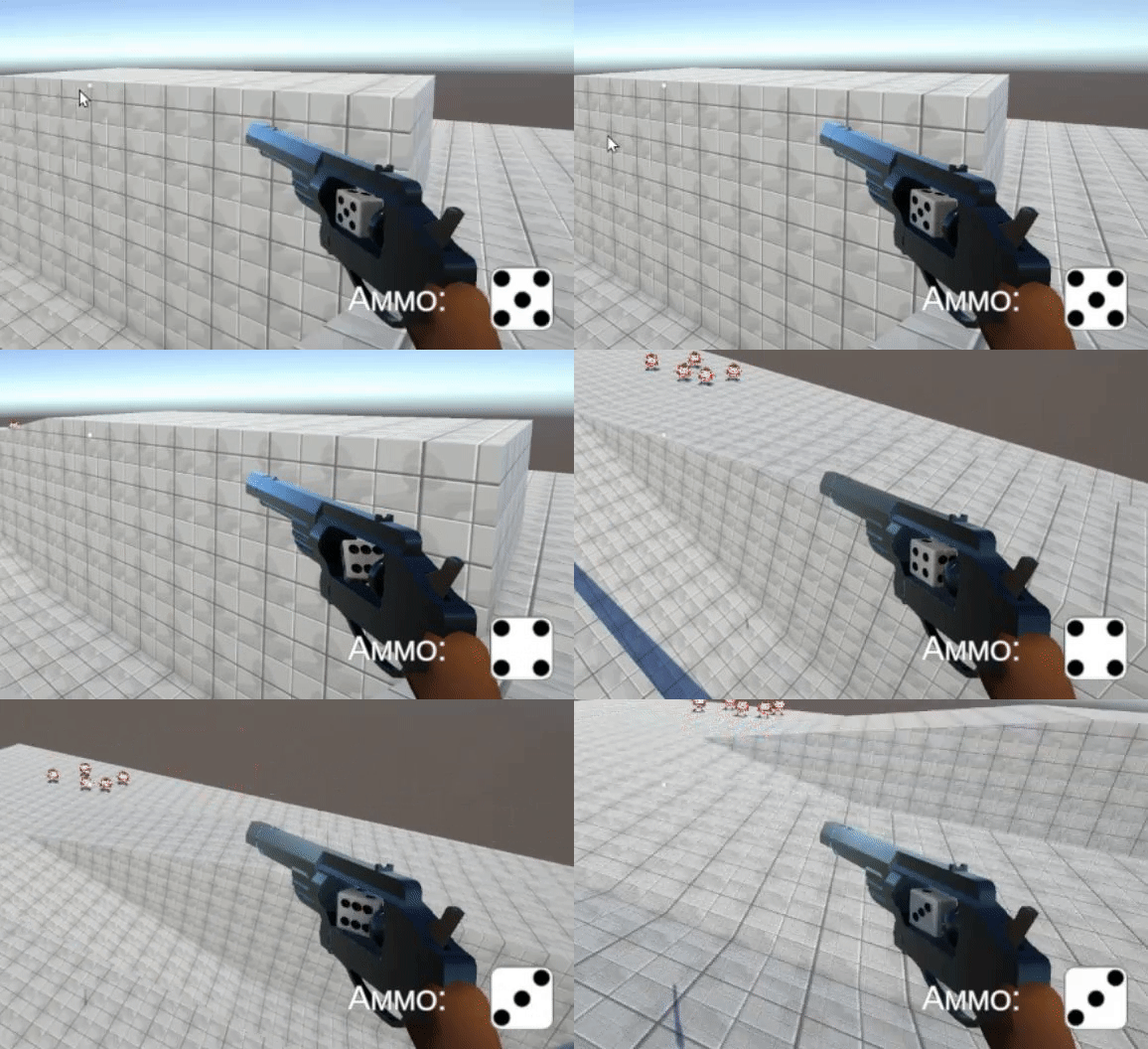
 harsh ivy
OH
that makes sense, thanks
is there any way to replace the strings with something else? I always hear that strings are slow

can I set a variable to be the string?
like make a variable and that variable be the same name as the parameter string?
solid wagon
I'm still a noob on the topic too, I don't recall ever finding out if you can
harsh ivy
does anyone know why this might be occuring? I think it's switching between walking and idle state constantly but I'm not sure. It looks weird
solid wagon
You can watch the animation graph to tell what state it’s currently in. You might have your transitions in some sort of cyclical loop
snow depot
harsh ivy
is there any way to replace the strings with something else? I always hear that ...
check the overloads for those functions
harsh ivy
yup, fixed it
however
this looks inefficient

is there something to make it smaller and/or faster?
snow depot
not really. That's what I'm doing in my current project
did you check the overloads for the function??
I think you can replace the string with an index
the problem is that it may be very easy to break if you reorder your parameters
harsh ivy
alright, then I'll keep it this way
harsh ivy
snow depot
did you check the overloads for the function??
which function?
harsh ivy
oh
harsh ivy
ok then
won't do it
if I set the animation speed to negative, does it play backwards?
hybrid tinsel
harsh ivy
is there something to make it smaller and/or faster?
Literally all you need to have is the _animator.SetFloat("Walkspeed", Math.Abs(_InputHorizontal)); line.
You don't need all the other stuff
And why are you messing with the _animator.speed?
You'd be better off using a blend tree
hybrid tinsel
harsh ivy
this looks inefficient
For example, in my game this is all the 'logic' used for the transition from idle to walk

Obviously you could use any number; I'm not using analog input so I just used zero.
 tight hollow
How to play an animation on a cannon every time it shoots. I used GetTrigger but it keeps playing even when it is not shooting
Loop is off
cobalt belfry
hybrid tinsel
Just have the rotation script operate in LateUpdate after the animations are app...
Oh, that's cool. Thanks. I'll remember that for next time.
hybrid tinsel
tight hollow
How to play an animation on a cannon every time it shoots. I used GetTrigger but...
How do you have it set up?
 late birch

any1 got any idea why these wont slice properly?

all spaced evenly in cells the exact same size
hybrid tinsel
late birch
all spaced evenly in cells the exact same size
And you are using that cell size in the slicing window?
harsh ivy
hybrid tinsel
And why are you messing with the _animator.speed?
For controller users
hybrid tinsel
harsh ivy
For controller users
No, I mean, you can use parameter to adjust the speed of the walk. Changing the actual animator speed will have other effects.

Because your idle shouldn't be affected by your walk speed
 drowsy cape
Can't play animation + color is imported wrong!
 hybrid tinsel
drowsy cape
Can't play animation + color is imported wrong!
hybrid tinsel
drowsy cape
Can't play animation + color is imported wrong!
You don't have the game object selected in the scene view, and you have image compression turned on.
harsh ivy
hybrid tinsel
No, I mean, you can use parameter to adjust the speed of the walk. Changing the ...
true, I will fix that