
#🏃┃animation
1 messages · Page 92 of 1
 twin musk
 weary otter
Yeah they play. I’m just wondering why the player moves. I’m guessing I just need to make it a child of a holder object. Just not home to check. Wasn’t sure if someone had had this issue before.
twin musk
But does the player move or just the animations?
I'm no pro either, so I'm not sure if I can help, sorry
weary otter
The physical location of the player in the game moves and then plays the animation. I’m not talking about the animation moving the player haha
twin musk
Ahhhh, that might be a code issue
weary otter
There’s no code..
I’ll figure it out haha. I think it’s an issue that it needs a parent.
twin musk
I got a question myself...
I try to set the Runtime Animator Controller by script
This is my code:
Animator animator;
void Start()
{
    animator = gameObject.GetComponent<Animator>();
    animator.runtimeAnimatorController = Resources.Load("Assets/Resources/Animation/Animation Controllers/body/mainbody") as RuntimeAnimatorController;
}
When running, it only deletes the current one, but not setting the other one
Fixed it! Had to delete the Assets/Resources from the path
 elfin narwhal

I made an little up and down animation for skeleton enemy
it normally follows me with an script I wrote
but with the animation it locks his self and cannot move
How can i fix that
Also this is the idle animation i have an + walking animation too (I just fixed it by remaking it I dont know how)
weary otter
I used to copy the runtime transform and then paste it out of runtime. As you can clearly see, you can’t save in runtime so either copy the component or write down the coordinates then place them in outside of runtime.
weary otter
elfin narwhal
Also this is the idle animation i have an + walking animation too (I just fixed ...
If I had to guess you need to make it the child of an empty object. if the animation was made in that location has it now thinks that’s where it goes when in idle. If you use an empty object as the parent it’ll move with that
elfin narwhal
weary otter
If I had to guess you need to make it the child of an empty object. if the anima...
Yep I did that already
weary otter
elfin narwhal
Yep I did that already
And no luck I assume or that worked?
elfin narwhal
and i was animating the body of it not the empty object(skeleton enemy)
elfin narwhal
weary otter
And no luck I assume or that worked?
Nope, I was using an emptyobject from the start tho
elfin narwhal
Yep
In the emptyobject(skeletonobject) there is an animator
and inside of emptyobject there is an body
weary otter
Weird. Not sure why that’s happening for you
elfin narwhal
I animate that body right?
weary otter
Correct
elfin narwhal
Also maybe the body should be centered at 0,0,0 right?
weary otter
elfin narwhal
Also maybe the body should be centered at 0,0,0 right?
Perhaps. I’m by no means an expert on animation
 weary otter
elfin narwhal
Oh
weary otter
elfin narwhal
Oh
Same lol. I’m just getting into 3D modeling and animation, I’m a programmer. But I try to help when I can based off issues I’ve had in the past
elfin narwhal
weary otter
Same lol. I’m just getting into 3D modeling and animation, I’m a programmer. But...
Thank you for your effort 
 quick otter
Hey guys, I'm in a bit of a pickle here, not sure what to google. I make an animation on a game object, and then I want to duplicate same object, same transform animation, but put it in another spot. Once I do that and run the game the copied object reverts back to the original objects coordinates.
is there a way to "bake in" the animation so that I could transfrom the object with "baked in animation"?
 little shore
How do you stop an animation from stopping the player? For example, they can keep running even when the swing sword animation is active. Right now if I swing my sword, it stops my player then swings

 magic robin
working on a rough run animation for a digitigrade legged character
critique/feedback welcome

said character

 wide vapor
i have the animation in the fbx and i want to apply it
wide vapor
wide vapor
i have the animation in the fbx and i want to apply it
The animation clip is there but all the bones in the animation editor say missing
 tawdry sphinx
Can someone help me with a problem using animator and timeline ?(playable director), im a beginner and im about to lose it
 clear orbit
what is te problem
tawdry sphinx
I have a scene with my playable character, need to do a cutscene with him, but when I animate in timeline he just bugs and dosent play the animations
also I need to make him unable to control during the cut scene
I saw a lot of youtube tutorials and nothing...
tawdry sphinx
How I do that?
clear orbit
I have never done it, but i think ..... well I would just use a script, so when the cutscene is triggered, at the same time the character controller is disabled
clear orbit
Now you will just abandon ?
wide vapor
wide vapor
The animation clip is there but all the bones in the animation editor say missin...
^
 mighty ridge
are there better softwares to make 2D animations than making them on unity?
because I can't really do the drawing in unity I can only change the placement of key frames, which is quite inconvenient
tawdry sphinx
clear orbit
Now you will just abandon ?
Keep dinging information until
I solve it
clear orbit
mighty ridge
are there better softwares to make 2D animations than making them on unity?
beca...
there is many
tawdry sphinx
but I will continue tomorrow
mighty ridge
clear orbit
there is many
any examples I can check right now
clear orbit
krita
clear orbit
its good. for vector stuff i have affinity, but i dont use it obviously
clear orbit
wide vapor
i have the animation in the fbx and i want to apply it
i think you have to duplicate the animation
inside the prefab, you can't edit it directly
magic robin
tawdry sphinx
also I need to make him unable to control during the cut scene
the two ways I do this usually is to have a reference to the InputMap and do inputMap.Disabled or simply set a bool to true, and on the first line of your script that handles inputs in update, if that bool is true return;
wide vapor
clear orbit
i think you have to duplicate the animation
where do i put the animation on?
clear orbit
in the animator component
quick otter
Guys, could someone help me figure out this supposedly simple solution
"The way I get around this is I create an empty gameobject and parent it to whatever I want to animate. Therefore you are animating the x y and z of the child so it's chordates will revolve around whatever the parent is.
You can then stick your parent object anywhere you want and the child will animate in relation to the parent's location."
I found a solution to my issue but I am unable to get this working somehow
 hybrid tinsel
magic robin
working on a rough run animation for a digitigrade legged character
critique/fee...
hybrid tinsel
magic robin
working on a rough run animation for a digitigrade legged character
critique/fee...
Looking good!
Maybe could use a bit more bounce in the tail? Right not is kinda undulates like a scarf more than a spring
Just so we're on the same page, which example are you looking at?
hybrid tinsel
quick otter
Guys, could someone help me figure out this supposedly simple solution
The way they word it might be slightly confusing; you need to make the objects you want to animate a child of the empty gameobject, which has the animator on it. You don't animate the root/parent object at all in the animation.
quick otter
hybrid tinsel
The way they word it might be slightly confusing; you need to make the objects y...
I think I've confused myself to infinity
hybrid tinsel
Try breaking the problem down into smaller pieces?
The first step to solving a problem is to correctly identify the problem.
quick otter
If we were to do it step by step.
Lets say the object I want to animate and duplicate is a cube.
So I have my cube, then I have my empty game object.
I animate the empty game object and set the cube as a child to the epmty game obj?
I tried it the other way around too
I ended up animating everything one by one which was a pain. Did it as a proof of concept
hybrid tinsel
Ok.
So you first have an empty game object. You put an animator on that empty game object, and make the cube a child of that empty game object.
Animate the cube using that animator on the empty game object.
Then, if you duplicate the empty game object, it will have a duplicate of the cube that will animate relative to wherever you move the duplicated empty game object.
quick otter
So you only put an animator component on the empty object, but do the actual animation on the cube?
 grizzled eagle
How do I solve the issue of blender not exporting animations that have no movement?
mighty ridge
anyone using Krita know why it is snapping like this??? ;-;

its not snapping to the center instead it snaps to some randomly proportioned point on grid
hybrid tinsel
@quick otter yes. The empty object is serving as an origin for the animation.
twin musk
How would one have two "models" one for body and one is only clothes (lets say both rigged same)
and "combine" them in unity?
For example to play an animation on the player and it would move the body+clothes
hybrid tinsel
You can use one animation controller for multiple animators if you need to
 frank sonnet
How can I solve this weird interaction that the Y of the animation isn't the same as the Y of the gameobject?


 agile solstice
frank sonnet
How can I solve this weird interaction that the Y of the animation isn't the sam...
agile solstice
frank sonnet
How can I solve this weird interaction that the Y of the animation isn't the sam...
Animations override coordinates in relation to the parent
If there is no parent, the object's position will be set in the scene
 agile solstice
frank sonnet
Bip01 is armature's root
agile solstice
frank sonnet
Bip01 is armature's root
necromancer_voxel contains the Animator so I would suspect it overrides its own position
Either way it should be solved by giving it a parent object
frank sonnet
Should the animator be on the parent or on the necromancer_voxel?
Well I solved it
Bip01 somehow had a Y value
In the transform component
Setting that to 0 solved it
Thanks anyway


 viral galleon
Hi, I've been adding animation rigging to my character. I made my character with two bones, away from the standard 3. I know its possible to add IK to it (as I did it in blender) . But I cant get it to work in unity. I cant even get the bones to do anything whatsoever? with the chain IK I've also tried but it wont work. I know the bones can move because I did I test Multi-aim-constraint and the bones will move its just something on my end. Any ideas? thanks.
 lucid wolf
 grizzled eagle
Why wont all of my blender FBX animations import?
I dont see any path errors, I set "export all actions" to true in the export options.
grizzled eagle
This is what one of my animations looks like before exporting.

This is that same animation after (this one doesn't even appear in unity)

 jovial mountain
grizzled eagle
This is that same animation after (this one doesn't even appear in unity)
jovial mountain
grizzled eagle
This is that same animation after (this one doesn't even appear in unity)

You need to change it to Humanoid first under the Rig tab
mighty ridge
Hello, which other file format can be imported into unity2d for animations except .anim files?
or is there a way to export animations from Krita as .anim files?
I'm trying to create 2d animations in Krita and importing them into unity but I don't really know how
grizzled eagle
jovial mountain
Still doesn't work, I already have it on humanoid. That second screenshot wasn't taken in unity it was taken in 3d viewer
 bleak turtle
idk if this is the right place to ask but ive already asked both the avatar creator's discord and the beatsaber modding discord for help
i have script on my model that is called pose manager and it lets me save a hands open position and a hands closed position
i go on to armature and rotate each finger to where i want them
but when i click the model again to get to the pose manager script, it forces the armature back into a t pose. i can click any other part of the armature and its fine. only when i click the model itself
why are the fingers being reset?
 placid totem
The falling idle animation isn’t playing correctly.
Using this tutorial for reference, and even the comments know that the Youtuber forget something about the raycasting
Video for reference https://youtu.be/dJPnqv2IOTE

In this episode we give our character the ability to fall from ledges, whilst preforming a falling animation. Upon touching the ground the character will transfer into a landing animation, and control of the character will be restored!
► JOIN OUR DISCORD
https://discord.gg/jzmEVx5
► SUPPORT ME ON PATREON!
http://www.patreon.com/SebastianGra...
 late ginkgo
hi guys, I have a collectible animation which just rotates the thing, and another which makes it scale out of existence when the player collects it. is there a way I can have the rotation animation running, and on collect add the other animation on top? atm I have a rotation -> blendedrotatecollect state diagram, where blendedrotatecollect is just a blend tree of both animations
if I check Write Defaults, then the rotation "resets" to the initial rotation angle which is not what I want (I want it to seemlessly continue rotating), and when I uncheck Write Defaults the scaling gets real weird and scales my collectible to a huge size
note I used just the collection animation before instead of a blend tree and that worked (no huge scaling stuff), there just wasn't any rotation anymore of course
hybrid tinsel
@viral galleon the rigging package has a 2 bone ik you can use.
@late ginkgo add a parent object that handles scale while the child rotates.
late ginkgo
aw, so two animators?
hybrid tinsel
No. Just one animator, on a parent object, that controls both of them.
late ginkgo
got it, makes sense. do you have an explanation for why my current approach doesn't work?
hybrid tinsel
I'd have two animations, with the scale one set to additive on a second layer
late ginkgo
hybrid tinsel
I'd have two animations, with the scale one set to additive on a second layer
thanks, forgot/didnt know layers were a thing - two layers (on override), one responsible for rotation and one for scaling did the trick
all on the same transform
also, what exactly happens with a state that has no Motion set? (None)
things were broken with such a state, when I added an animation which just did nothing (single keyframe on loop) everything worked
 spring stratus
Anyone know where the Root Motion button is in newer Unity versions / the new workflow to add root motion curves to a Unity animation?
 hybrid tinsel
@late ginkgo that's a complicated question because it depends on the states connected to it.
@spring stratus in the importer.
spring stratus
hybrid tinsel
<@283440931707813888> in the importer.
Animations made in Unity
There used to be a way to do it, but the button's gone with zero mention of what happened to it
hybrid tinsel
For an animation created in unity, you can just edit the curves in the animation editor. You can enable and disable root motion in the animator as well.
spring stratus
The "Apply Root Motion" button doesn't seem like it has any effect at all on Unity animations. On/off there's no visual change at all.
Root motion normally goes off of the root / user-designated root element, given how (in this example a simple UI box) that should be the transform of the Animator-applied object, there should be nothing else required past checking the box...

I really really don't want to have to make UI animations externally, that would be so frustrating
viral galleon
hybrid tinsel
<@687868834467545144> the rigging package has a 2 bone ik you can use.
It requires 3 bones, which I don't have. I only have upper and lower arm.
Bad choice... but. I cant do anything about it
hybrid tinsel
Add an empty to the end.
 fleet salmon
Anyone familiar with DOTween callbacks know why TweenCallback exists instead of using built in language callbacks? I can't seem to find any documentation on it (although maybe I'm looking in the wrong place? I just started using DOTween)
viral galleon
hybrid tinsel
Add an empty to the end.
Ok
viral galleon
thanks
 tranquil token
How do people usually handle animations for playable and non-playable character movement?
Is it plain intention derived (like pressing forward commands an animator to play the forward movement animation) or based on physics/world response state (grounded + velocity in motion direction = forward movement animation)? Both to me seem to be flawed, as the first can then not handle external events well, like falling/sliding off something, being pushed etc. while the second way can't deduce ambiguous actions like being launched upwards or jumping without extra information or being jittery on uneven ground/slopes. Then there's the problem that AI needs a different kind of motion input as a player's plain direction input, because npcs need to be able to stop precisely at some desired waypoint which requires full control over the velocity vector to not overshoot and oscillate around the target position.
Any tips on how to handle that cleanly?
 timid rampart
hm, wonder if i also can directly set the animation from script, instead of the transitions?
But I guess, if I have 3 animations: idle, walk_left, walk_right, I should do something like pass the values and let the state machine decide?!
_animator.SetBoolean("isWalking", isWalking);
_animator.SetFloat("directionX", direction.x);
but every update, or only when it changes, i guess?
atm I have an Integer walking which I set to 1, 2 or 0 - depending on the animation needed, but I think that is not how it is supposed to be …
(sprite animation)
 mossy trench
twin musk
Why can't I make a transition?
mossy trench
twin musk
Why can't I make a transition?
i have the same problem... did you manage to fix that?
twin musk
mossy trench
i have the same problem... did you manage to fix that?
I think I found the problem. Which version of the editor are you using?
mossy trench
2020.3.32f1
twin musk
mossy trench
2020.3.32f1
Yeah, that was the same one I was using. I fixed it by updating to 2021.3.0f1
mossy trench
ill try it, thank you
agile solstice
@grizzled eagle iirc "force start/end keying" option makes some actions not export seemingly at random
twin musk
iirc it skipped animation events when i increased animation speed sometimes..
anyway to fix it?
i need to increase attackspeed for example
and need to do the "hit" at a certain frame or time (only one frame)
 abstract nova
hello i have an animation event on an object with this script
using System.Collections;
using System.Collections.Generic;
using UnityEngine;

public class RevolverAnimateScript : MonoBehaviour
{
    [SerializeField] AudioSource tickSource;
    [SerializeField] AudioClip tickClip;
    [SerializeField] AudioSource clackSource;
    [SerializeField] AudioClip clackClip;
    [SerializeField] AudioSource tingSource;
    [SerializeField] AudioClip tingClip;

    void PlayTick()
    {
        Debug.Log("Tick");
        tickSource.PlayOneShot(tickClip);
    }

    void PlayClack()
    {
        Debug.Log("Clack");
        clackSource.PlayOneShot(clackClip);
    }

    void PlayTing()
    {
        Debug.Log("Ting");
        tingSource.PlayOneShot(tingClip);
    }
}
except when i call PlayTick(); in an animation event, nothing happens, why
 fast lagoon
what does your animation event look like?
tawdry sphinx
How I play a cutscene with a trigger?
Can't manage to find how
Need to use Timeline and Playable director for this
 stiff bobcat
Hello, im trying to put humanoid fighting animations on my 3d model. It only moves in static pose, seems like bones/joints not attached to animation itself. how do i solve this?
abstract nova
fast lagoon
what does your animation event look like?
hello sorry for not responding i had to be somewhere else
its an event with the function "PlayClack()"
fast lagoon
remove the brackets
abstract nova
fast lagoon
remove the brackets
what?
fast lagoon
PlayClack is the name of your method, not PlayClack()
 fast lagoon
ah, yeah sry there is another place for animation events where you have to put a string in, thought thats where you are
abstract nova
fast lagoon
ah, yeah sry there is another place for animation events where you have to put a...
do you know why this one doesnt work? (it doesnt call the function, i checked with debug)
found the reason (its too close to the end of the animation)\
 cyan mauve
anyone ever used blender shapekeys and imported them into unity as animations?
grizzled eagle
Hey can somebody help me figure out why my blender animations wont export properly or import into unity? Some of them are not moving in the right ways while others are just gone completely upon export. I've made sure to enable "Export All Actions", I've applied all transforms on the rig, I made my rig use the "Humanoid" animation type and all of the paths in my animation are valid? What's the issue?
cyan mauve
have you done the whole NLA editor routine?
grizzled eagle
Yes
I have tried putting them all in tracks and it still doesn't work for my idle animation
The other animation is also still messed up
 trim nova
Hey, would anyone help me do a simple walk animation? my character is very simple and doesn't really has hands and foots:
 twin musk
trim nova
Hey, would anyone help me do a simple walk animation? my character is very simpl...
twin musk
trim nova
Hey, would anyone help me do a simple walk animation? my character is very simpl...
You need to rig it
trim nova
to rig it?
twin musk
Look up a tutorial
 sonic rune
I want to make an animation of a cube moving from a point (point A) to another point (point B), however, I only know the positions of both points at runtime. How would I solve a problem such as this?
 dry fog
One message removed from a suspended account.
 sweet cloak
How do i make animation independent from rotating parent object?
sonic rune
slow day it looks like...
dry fog
sonic rune
I want to make an animation of a cube moving from a point (point A) to another p...
One message removed from a suspended account.
dry fog
sweet cloak
How do i make animation independent from rotating parent object?
One message removed from a suspended account.
sonic rune
dry fog
One message removed from a suspended account.
Thank you, I have found an asset that makes what I want to do seamless... DOTween.
 flat root
sonic rune
Thank you, I have found an asset that makes what I want to do seamless... DOTwee...
flat root
sonic rune
Thank you, I have found an asset that makes what I want to do seamless... DOTwee...
DOTween is goat
 timber cloud
I have a bone in blender being scaled back and forth to open/close the mouth, looks fine in blender but it has this wild jittering in unity, anyone know a fix? https://streamable.com/589bzw

what it should look like https://streamable.com/cp4p1r

 dense phoenix
Folks, I'm trying to animate a UI mask component with a greyscale spritesheet set to alpha and I'm just getting some very harsh and odd cutout patterns. Any idea why? https://cdn.discordapp.com/attachments/85593628650504192/963997147504705636/unknown.png

 tawny holly
Do I have to make a separate animator for gameObjects other then my player or can I use both for say the enemy and my player
 silent laurel
can anyone help me? im very new to unity and for some reason i can not add more transitions from idle anymore
i found no way to fix it
i can add transitions if i remove the current transitions
is there like a transition limit from a single animation? or something of that sort
 flat root
tawny holly
Do I have to make a separate animator for gameObjects other then my player or ca...
flat root
tawny holly
Do I have to make a separate animator for gameObjects other then my player or ca...
You could use the same controller, and use animations override.
flat root
silent laurel
can anyone help me? im very new to unity and for some reason i can not add more ...
what state are you trying to add transition into, there shouldn't be a limit
silent laurel
from idle to crouching
when i right click on idle "make transition" does not show up
or any other animations except from crouching
 silent laurel
anyone?
flat root
silent laurel
anyone?
are you sure you are right-clicking on the Clip and not the background ?
silent laurel
flat root
are you sure you are right-clicking on the Clip and not the background ?
yes, if i remove the transitions that are currently active i have the ability to make transitions but if theres already one transition outgoing from idle i can not create more
i tested it like 5 times
flat root
silent laurel
yes, if i remove the transitions that are currently active i have the ability to...
hmm create state context menu not supposed to show when you right click on clip..
flat root
hm u only have unity 2020 installed ?
silent laurel
no
actually
lemme check
i have 2020.3.32f1 even though i remember updating
imma try updating ig
you think its a bug or?
flat root
could be. i never seen animator do that
make copy of project, download the 2021 lts
try that
silent laurel
alright i will, ty
flat root
silent laurel
alright i will, ty
np . post an update to know if its editor issue
silent laurel
alright
silent laurel
flat root
np . post an update to know if its editor issue
it got fixed after updating
tyvm
i thought i had the recent update because i remember downloading it
ig not
flat root
silent laurel
it got fixed after updating
a strange bug then , glad its sorted!
hybrid tinsel
sonic rune
I want to make an animation of a cube moving from a point (point A) to another p...
Use a script instead(or with) the animation. For instance, you can have a script that lerps the position between two points, and then control the lerp amount with a public variable you animate in the animation.
agile solstice
@flat root @silent laurel So far seems fixed in 2020.3.33f1, might not be necessary to jump a whole year forward
For future reference
twin musk
why are the components always missing, the animation is from asset store

 solemn summit
so say i make a run animation in blender that looks nice but also is very slow. is it possible to just speed it up in unity
 warped lion
solemn summit
so say i make a run animation in blender that looks nice but also is very slow. ...
warped lion
solemn summit
so say i make a run animation in blender that looks nice but also is very slow. ...
Yeah there's settings for that.
solemn summit
ok so i dont need to make it frame perfect speed with blender
warped lion
solemn summit
ok so i dont need to make it frame perfect speed with blender
Nah, but try keeping it consistent if you have many animations, otherwise you have to fine tune speed like 1.7x, 4.63x etc in order to make them appear not wildly different in animation speed
 sonic mason
Hello guys, i downloaded a 2d character assets but i don't know how to put it in unity with the right animations. Can someone help me?
hybrid tinsel
solemn summit
ok so i dont need to make it frame perfect speed with blender
Unity itself isn't frame perfect, if you are using the animator.
Always very important to remember that
hybrid tinsel
solemn summit
so say i make a run animation in blender that looks nice but also is very slow. ...
I generally try to make run animations just have the feet cover a standard distance, so you can easily figure out the speed you need.
 kind skiff
Hey I'm new to Unity, I would just like to ask why can't I see the make Transition in the idle and the running. But I can see it in others? Thank you
 agile solstice
kind skiff
Hey I'm new to Unity, I would just like to ask why can't I see the make Transiti...
agile solstice
kind skiff
Hey I'm new to Unity, I would just like to ask why can't I see the make Transiti...
Which editor version?
kind skiff
not sure if this is the version but
 agile solstice
kind skiff
not sure if this is the version but
agile solstice
kind skiff
not sure if this is the version but
Yes
Update to 2020.3.33f1 and see if it persists
For me that fixed it
But this issue is cursed
kind skiff
Alright thank you I'll update
If it is still broken damn I think I have to do it again
agile solstice
kind skiff
If it is still broken damn I think I have to do it again
From my experience once this starts happening there is no way to make more than two transitions per state anymore
Nobody who I've seen report this has returned with any workarounds or solutions
And I've seen almost a dozen reports by now, which is what makes it cursed
If 33f1 doesn't do the trick I guess the only surefire fix is to update to 2021.3.
But that's a big change that may cause other issues in the project
kind skiff
Oh my, I did some progress with the project already I hope it won't be cursed. But here goes nothing
agile solstice
kind skiff
Oh my, I did some progress with the project already I hope it won't be cursed. B...
The last number in editor versions are bugfixes and safe to install to existing projects
The first/second numbers denote changes to the engine and features and so are considerably riskier
Do a backup if you upgrade that
kind skiff
Thank you so much for that
just did a backup now I'm installing the new update
I somehow checked Android Build and Ios Build before installing. Does that mean I am allowed to build the game for those platforms? like render
kind skiff
agile solstice
Yes
Update to 2020.3.33f1 and see if it persists
It works now thank you

 rough quartz
hey guys I am trying to use root animations for a sequencial scene, the goal is that the character pickes up the position of the first finished animation to the second
the thing is, when the first animation ends the character jumps back to the original position
to play the se second animation
any tips on what I am missing?
the setings of the animations

 glad grove
Hi, i just wanted to ask if there a way how to "randomize" when the animation start? Like, i have this bird animation eating from ground, but if i have more copies of the same bird with the same animator controller, they all eat at the same time like robots, obviously cause it makes sense. But is there a way how to fix this easily? Or
 rough quartz
gaybee if you start the animation in code you can just give a random time for each to start
glad grove
What do you mean in code? i dont use script for this
sorry if im confused, im just really noob about unity, so everything is new for me
rough quartz
your problem is, that when the game starts all birds are animating equaly right?
ah you dont use scripts
humm dont know how to help you with that
glad grove
rough quartz
your problem is, that when the game starts all birds are animating equaly right?
i just put the animator on the objects
but you can finnish the thought, ill need the script anyways i think
agile solstice
glad grove
i just put the animator on the objects
but you can finnish the thought, ill need...
I think this is what I used
sorry that was the wrong one
glad grove
agile solstice
I think this is what I used
aww thank you a lot!! <3
rough quartz
guy what is the red bones mean?
 tawny holly
hey everyone,
anyone kno how to fix this? whenever the animation plays gain it does this weird arm thing when the animation resets any tips?

the white model walking infront of blue one
tawny holly
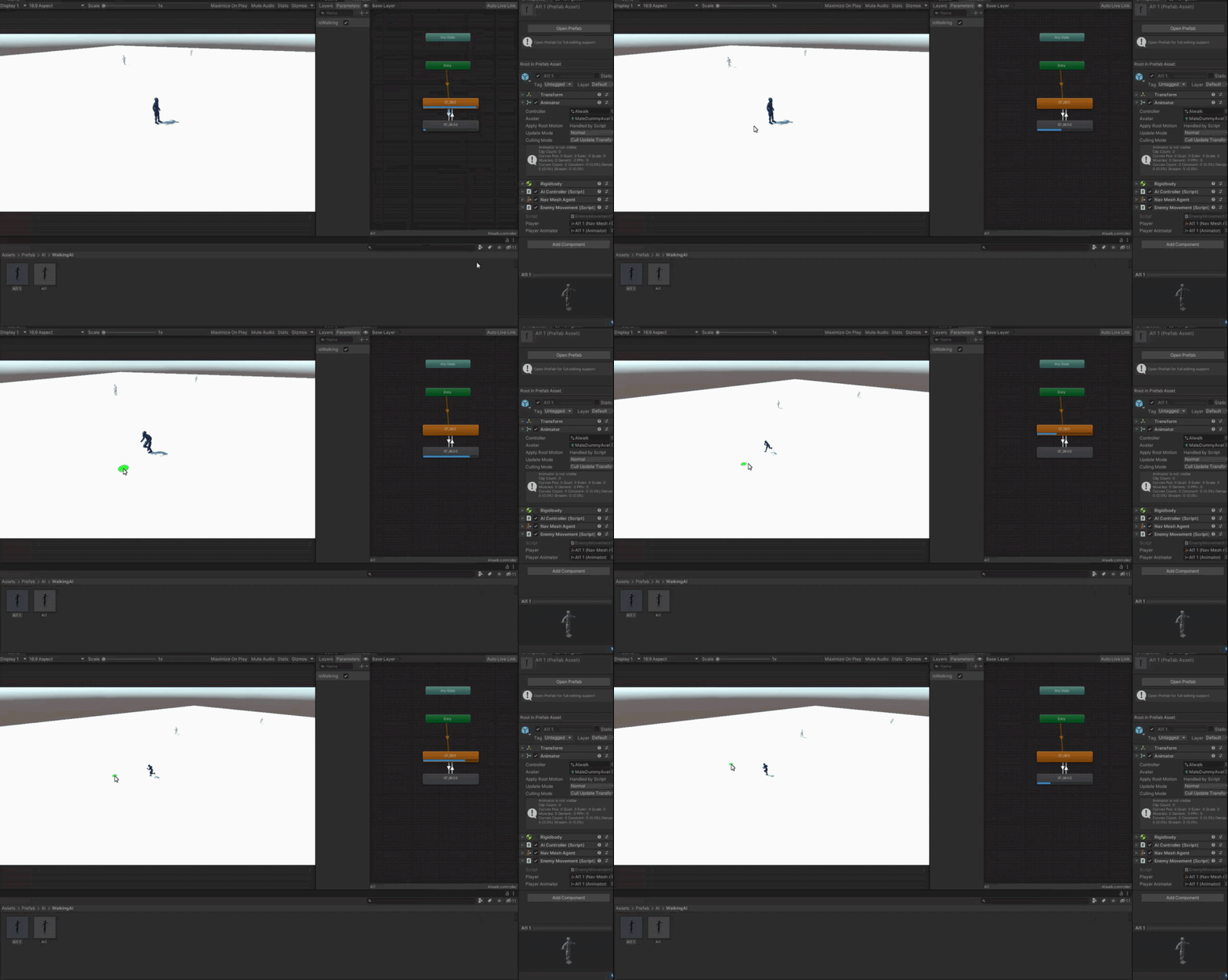
https://gyazo.com/99d8e9d92c8b7d403c2ec3fb891e8403 what do u guys think? good?
 limber blaze
How would i go about animating my character depending on the movement and not player input? (is c# code my only option?)
 swift comet
Can someone help me out with the animator please? I have this problem that when I jump, fall, and jump again the animator doesnt have time to change between states and the animations doesnt play, how do I stop this?
 true elk
Can anyone assist me
Can anyone please assist me I currently have a project setup and I am trying to get the player to transition from the "Idle animation state" to the "Walking animation state" it appears to not be working correctly the idle and animation state is set to default and the parameters are setup correctly and all as I believe so I want the animation states to transition between each other but it just keeps playing the "Idle animation State when walking in game
true elk
What are the proper steps of setting the state animations so they can transition from one another
hybrid tinsel
@limber blaze root motion.
true elk
??
 marble bronze
Hi everyone i have a little problem where i stuck about animation rigging
Someone can help me when he have any time please 😁
My animation rigging make my foot model go underground :
Rig Builder ON :

Rig Builder ON but with "Foot IK" activated on my animation :

Rig Builder OFF :
 marble bronze
(Ping me for any response please)
 sleek shuttle
So I have a character model with a pretty complex rig so the face has bones. Well when I use animations in game that don't have animators set to the face it's severly distorts the face. Is there anyway to fix this?
twin musk
marble bronze
My animation rigging make my foot model go underground :
normally you create an empty child of the rig and position it how u want
 agile solstice
@stuck oak Update to 2020.3.33f1 and check if the problem persists
 stuck oak
agile solstice
<@862580595740377120> Update to 2020.3.33f1 and check if the problem persists
stuck oak
agile solstice
<@862580595740377120> Update to 2020.3.33f1 and check if the problem persists
Alr : D
agile solstice
Same advice to you
marble bronze
twin musk
normally you create an empty child of the rig and position it how u want
I do this but my character crounch all time, today I will test with other animation to watch if the bug was here or not
 pearl glade
agile solstice
Same advice to you
pearl glade
agile solstice
Same advice to you
Thanks , it is working now :)
stuck oak
agile solstice
<@862580595740377120> Update to 2020.3.33f1 and check if the problem persists
Yo you're great my problem is fixed thx : D
 timid terrace
so i wanted to have the Root Motion Node checked however when i do it the animation gets rotated to the right i just want the animation to face the front though

when i remove it it goes back to normal

can i easily turn it somehow without messing up my animation?
marble bronze
Damn

 vivid token
Hey Im doing a little walking animation and for some reason the animation only works for vertical and not horizontal, the condition is that when either x or y is 1 or -1 the bool isRunning is set to true and that triggers the animation, i have the same exact lines of code for both X and Y but only Y works, does anyone know what i did wrong? Thanks in advance

 drowsy star
instead of facing the camera
 spring halo
I have this switch

I want to have like a toggle animation from on to off and again to off
What do you think is better to do it from the Blender or the Unity
??
spring halo
drowsy star
it should just be a simple negative scaling job
In Unity or Blender??
drowsy star
spring halo
In Unity or Blender??
idk
make 2 models
1 flipped
or flip it in unity using code
spring halo
OK
spring halo
I made an animation but it is looping. How can I make it to play only once?
 narrow shard
go to the clip file and uncheck "Loop Time"
@spring halo If have you haven't figured it out yet^
hybrid tinsel
timid terrace
You need to select the hip bone as the root probably. Then you can adjust the angle in the root motion settings if needed.
hybrid tinsel
vivid token
Hey Im doing a little walking animation and for some reason the animation only w...
Posting your code might help debug it, but most likely when you check for Y you are overwriting whatever you set in your check for X.
 fast mango
im trying to create a sprite sheet for a mage, but unity seems to be confusing the wand and the body to be seperate. yall know how to fix this or does it not matter? just started using unity
 hybrid tinsel
It isn't confusing them at all; they are separate. The auto slicing is based on separated islands of pixels. If each frame is the same dimensions, you can try just slicing based on cell count.
 vivid token
hybrid tinsel
Posting your code might help debug it, but most likely when you check for Y you ...
vivid token
hybrid tinsel
Posting your code might help debug it, but most likely when you check for Y you ...
I am currently away but I will post it tomorrow, if you have the time to help i would appreciate it a ton
tawny holly
anyone can help me out? https://gyazo.com/1acf5432036a8f2e9e1f1613b27c0c42

 glossy glen
Hey guys, I'm trying to swap mesh+bones in a purchased asset. The bone structure is identical, I just changed the position of the bones slightly to match my mesh.
I managed to replace the mesh (by replacing the skinned mesh component) and rebone it to the original armature but the mesh - as expected - got a bit misaligned in the process.
Now my question is: Can I swap the bone structure as well?
hybrid tinsel
tawny holly
anyone can help me out? https://gyazo.com/1acf5432036a8f2e9e1f1613b27c0c42
Replace the model with Gumby and you'll be set?
 unique ice
can you guess what i am making?
 hybrid tinsel
unique ice
can you guess what i am making?
hybrid tinsel
unique ice
can you guess what i am making?
An engine carved out of velveeta?
 hallow moth
I got animation from "Kevin Iglesias" unity assets. How can I synchronize idle/walk/run animations so the character doesn't seem to hover on the ground (NavmeshAgent) . Trial and error or is there a method to it?
vivid token
hybrid tinsel
Posting your code might help debug it, but most likely when you check for Y you ...
    {
        anim.SetFloat("X", playermovement.x);


        anim.SetFloat("Y", playermovement.y);

        //left & right
        if (Input.GetAxis("Horizontal") == 0)
        {
            anim.SetBool("isRunning", false);

        }
        else if(Input.GetAxis("Horizontal") > 0)
        {
            anim.SetBool("isRunning", true);
        }
        else if(Input.GetAxis("Horizontal") < 0)
        {
            anim.SetBool("isRunning", true);
        }

        //up & down

        if (Input.GetAxis("Vertical") == 0)
        {
            anim.SetBool("isRunning", false);
        }
        else if(Input.GetAxis("Vertical") > 0)
        {
            anim.SetBool("isRunning", true);
        }
        else if(Input.GetAxis("Vertical") < 0)
        {
            anim.SetBool("isRunning", true);
        }```
I used this and called the method in updateThank u worked like a charm!
unique ice
unique ice
can you guess what i am making?
i am going to remake this in blender to try and make it look better
what do you think so far?

also how do i add a bone?
more importantly how do i connect it and make it move?
 cobalt halo
Hey I got this problem with my animation How do I fix it?
 fleet wind
I know how to use blender pretty well
fleet wind
unique ice
what do you think so far?
You do "shift a" then add the bone then "Control p" to the object that you want to control then you should be able to move it
These are the things I made


 unique ice
nice
unique ice
fleet wind
You do "shift a" then add the bone then "Control p" to the object that you want ...
when i do control p it shows me a menu
this is it

this is the bone i made, i would like to first know how i can move it (like have it move like a normal everyday hand) then connect it to the 2 cylinders and 1 ball that make a "hand"

here is the "hand"
 fleet wind
k
move the bone closer to the hand
then shift click on the legs and then do parent with automatic weights
or you can use mine that i made
I made this real quick hope it helps
unique ice
yes
fleet wind
@unique ice
fleet wind
did you download the thing i sent

 unique ice
i had to start over cause i messed something up ;-;
 astral ingot
hey guys does anyone have a good tutorial or can help me in the dms on how i can make a run animation on this model
 faint coral
astral ingot
hey guys does anyone have a good tutorial or can help me in the dms on how i can...
faint coral
astral ingot
hey guys does anyone have a good tutorial or can help me in the dms on how i can...
On what model?
 slim fulcrum
When I animate a thing, it slides from point A to point B. Is there a way to make it so instead of sliding, it just kind of teleports to point A and B in one frame?

 warped topaz
Hello! Can someone share the best way to add to an existing animated asset. I want to add various items (hats, facial features etc..) but dont want to do all the rigging over again
 hybrid moth
so you think there are any source beside mixamo ? lowpoly rigged and fit with unity rig ?
hybrid tinsel
 silver nest
Hello, how can I reassign missing transform in an animation?
silver nest
Hello, how can I reassign missing transform in an animation?
Select a missing transform and hit 'f2'
hybrid tinsel
warped topaz
Hello! Can someone share the best way to add to an existing animated asset. I wa...
If they are just accessories, you can parent them to the appropriate bone.
silver nest
hybrid tinsel
Select a missing transform and hit 'f2'
Thanks!
warped topaz
hybrid tinsel
If they are just accessories, you can parent them to the appropriate bone.
Some are accesories, some are different body part types - like a yellow arm, or blue arm for example.
hybrid moth
guys is there any lowpoly rigged like mixamo that fits in with unity rig character ?
does it blender metarig does ?
the one from Distant Lands doesn't have rig on it
hybrid tinsel
hybrid moth
guys is there any lowpoly rigged like mixamo that fits in with unity rig charact...
The Unity Manual helps you learn and use the Unity engine. With the Unity engine you can create 2D and 3D games, apps and experiences.
hybrid moth
hybrid tinsel
https://docs.unity3d.com/560/Documentation/Manual/BlenderAndRigify.html
nice nice nice
hybrid tinsel
Pretty much any humanoid rig with the correct hierarchy and number of bones will work
hybrid moth
 hybrid tinsel
You can see the full list of needed bones and how they need to be parented in the mecanim manual
hybrid moth
wait a minute, I can't see it's bones ?
hybrid tinsel
They are just transforms. Though you can add one of the visualizers from the animation rigging package to display them like blender does
hybrid moth
I'm about to replace some rigged char from framework to another one
hybrid moth
hybrid tinsel
They are just transforms. Though you can add one of the visualizers from the ani...
how to do such thing ? pardon me
hybrid tinsel
Install the package, and it has scripts that visualize the bones on a character
hybrid moth
what package @hybrid tinsel
 magic dragon
Is there any method to use the "any state" multiple times

or any alternatives since nothing else works
im trying to make a jump but the any state is already used
warped lion
magic dragon
Is there any method to use the "any state" multiple times
You can use it on as many things as you want, just make another transition
magic dragon
It doesn’t look like I can
warped lion
Right click it -> Make transition
magic dragon
I clicked and it just says add new state
warped lion
huh

 magic dragon
warped lion
huh
magic dragon
warped lion
huh
Your probably gone but yes it was my version
 shy burrow
is there a way to make an animation local? I spent a very long time working on an animation but i want to use it in a different scene. I really dont want to redo the animation. Ive tried parenting but that hasnt worked.
im using unity 2020 if that helps
magic dragon
shy burrow
is there a way to make an animation local? I spent a very long time working on a...
what do you mean local?
shy burrow
when the animation plays the object gets teleported 5000 units away
i need it to be able to play anywhere
magic dragon
shy burrow
when the animation plays the object gets teleported 5000 units away
that should be easy just move the cube as far as you want it in the animation editor
shy burrow
what do you mean?
the animation is already done, and its really complicated so i cant realistically change it
 magic dragon
shy burrow
the animation is already done, and its really complicated so i cant realisticall...
magic dragon
shy burrow
the animation is already done, and its really complicated so i cant realisticall...
Im gonna be honest I dont know, why do you need it local? Maybe theres another option in your case with worldspace
shy burrow
i need it local since the animation has to be parented with the players movement
 wet bison
Ok, so lets say I want 2 types of locomotion animations, one with a gun and one without a gun, as well as calling animations when left clicking but only when there is a gun in my hand. How could I do that?
warped lion
wet bison
Ok, so lets say I want 2 types of locomotion animations, one with a gun and one ...
If your locomotion has the same structure for all weapons(or non weapons) you can use animator overrides.
https://docs.unity3d.com/Manual/AnimatorOverrideController.html
 wet bison
warped lion
If your locomotion has the same structure for all weapons(or non weapons) you ca...
wet bison
warped lion
If your locomotion has the same structure for all weapons(or non weapons) you ca...
hey uhh so im relatively new so I dont exactly get what you just said...
and just to add a bit more context I want to be able to drop the gun and go back to a normal walk cycle per say and then pickup the gun and go into a walk cycle that has a few modifications for the gun
warped lion
Did you read the docs I linked? It mentions how you set this up, that's why I linked it 😛
wet bison
mk ill look into it
wet bison
warped lion
Did you read the docs I linked? It mentions how you set this up, that's why I li...
ok so I see how it works but how would I make it work for 1 character aka the main player, cuz im seeing a lot of stuff saying lets say you have a bunch of nps and stuff but im a bit confused on how you could use this for 1 player.
basically if the character is carrying this gun this animation will play but if the character is carrying no gun this animation will play.
twin musk
why can i not mirror the animations
 agile solstice
twin musk
why can i not mirror the animations
agile solstice
twin musk
why can i not mirror the animations
It requires Humanoid Avatar setup
twin musk
agile solstice
It requires Humanoid Avatar setup
i do have an avatar though
 agile solstice
twin musk
i do have an avatar though
agile solstice
twin musk
i do have an avatar though
Is its "animation type" Humanoid?
twin musk
i dont know where do i check it
agile solstice
twin musk
i dont know where do i check it
I've never used Avatars so best I can do is point you here
twin musk
agile solstice
<https://docs.unity3d.com/Manual/ConfiguringtheAvatar.html>
thanks it got my mirroring to work, have to set the bone now ig
 fossil linden
I have a question, how would I sink 2d objects movement to the rhythm of the music
twin musk
Do animationevents always get called?
even if i increase the speed modifier?
wont it skip some? how do i make sure to call the attack method when the attack actually happens?
like swinging a sword
sleek shuttle
Is there any easy way to change a skinned mesh render to a normal mesh render and still have it anchored to the model
 jade quartz
So I imported an animation but when its played at runtime it looks kinda weird. Anyone knows how to fix it?
 royal niche
I don’t know if this is where I’m supposed to post this question but I’m new. I animated one object and I want to animate another object. But when I go to animate the second object the first object stops animating. When I slide the cursor down the timeline in the new animation I’m trying to make the other object doesn’t do anything. Can anyone please help?
twin musk
i was following a tutorial and for some reason my animator blend tree animation thing just plays the first from my walk animation, why is this happening?
in the little blend tree preview window the walk animation works fine but during gameplay it doesnt
i fixed it nvm
 brave temple
I need 3d game characters design artist
 snow wadi
How can i put a mixamo character to walk with animation using my already made movement script
 thin badge
is it possible to precompute cloth physics animation in a mesh before the game runs so that the cloth is the correct shape when entering the game? my problem is that when I start a timeline animation (cutscene), the cloth starts animating suddenly instead of being in a natural position from the start
wet bison
is it possible to attach the camera to a offset from a armature basically making a character head out of a camera?
hybrid tinsel
shy burrow
the animation is already done, and its really complicated so i cant realisticall...
Parent it to another object and move that.
hybrid tinsel
fossil linden
I have a question, how would I sink 2d objects movement to the rhythm of the mus...
Depends on how you're handling the music really.
hybrid tinsel
wet bison
is it possible to attach the camera to a offset from a armature basically making...
Yes
wet bison
how could I do that?
hybrid tinsel
brave temple
I need 3d game characters design artist
Not the place for that.
hybrid tinsel
wet bison
how could I do that?
Bones in the armature are just transforms. You can just parent the camera to the appropriate bone.
wet bison
got it
shy burrow
hybrid tinsel
Parent it to another object and move that.
thanks I'll try that
 uneven pawn
How do I add a condition to an animation transition?
hybrid tinsel
uneven pawn
How do I add a condition to an animation transition?
Select the transition and in the inspector you can add conditions.
uneven pawn
hybrid tinsel
Select the transition and in the inspector you can add conditions.
Yea but how do I actually add a condition? How do I set the variable for the condition?
 hybrid tinsel

 heavy cosmos
Anyone used Timeline to Load / Activate Scenes? Am I missing some critical part of the workflow?! Once I add a scene to a master Timeline/Sequence it becomes un-editable...
- If it is loaded "into" the master Scene, every change I do on an asset or component gets revertet as soon as I move the playhead of the Timeline.
- If I open the scene directly, all the assets are deactivated..
hybrid tinsel
I've never actually tried loading a scene from a timeline; I've only activated scripts to do it.
 unborn tusk
Hey, I imported this walking animation from mixamo, though the problem is that my camera doesn't move along with the head

So now my camera is at a fixed position whilst my head is moving, which looks a bit weird
How would I fix this?
Can I just copy the head animation and paste it for the camera?
Nevermind, got it working
I just made a new animation for it
 lucid hull
https://pastebin.com/sjZTy3S1
https://pastebin.com/VAUhkBkJ
i have these two codes
im trying to make animator work
it gives me this error
and i dunno whats the problem
Pastebin
Pastebin.com is the number one paste tool since 2002. Pastebin is a website where you can store text online for a set period of time.
Pastebin
Pastebin.com is the number one paste tool since 2002. Pastebin is a website where you can store text online for a set period of time.
 hybrid moth
hi guys by now I'm using a framework for a game, and it has character animation in default
but since the walking default looks inappropriate
do you think I can just add new pack and overrides it up, or I'm be able to modify
unborn tusk
Hey, does anyone know free fps survival animations? Specifically I need an axe swing atm, for chopping trees. I tried animating it myself but it looks really... really bad
twin musk
unborn tusk
Hey, does anyone know free fps survival animations? Specifically I need an axe s...
u can use animations on mixamo.com
unborn tusk
They don't have axe animations
I looked for them a long while
but nothing
So I tried making my own, it's fine for now though
twin musk
hybrid moth
do you think I can just add new pack and overrides it up, or I'm be able to modi...
animation armatures of one model doesnt match with other, u can try animation retargetting on blender
twin musk
unborn tusk
I looked for them a long while
i did find one tho
unborn tusk
Where
unborn tusk
link?
twin musk
unborn tusk
link?
twin musk
unborn tusk
he's just t-posing
 twin musk
welcome
 haughty delta
If I have a humanoid rigged and animated. And now I want to give it a shirt I made, should I join that shirt model to the human model, weight paint it in and export to Unity? Or is there a way I can copy paste the chest weight paints to the new shirt and then just export the shirt? Or is there some other way to handle clothing, armour, etc?
twin musk
Does anyone know why my model gets lifted up when enabling a animation ?

it's not the root motion
haughty delta
Well your collider...
 celest crag
haughty delta
If I have a humanoid rigged and animated. And now I want to give it a shirt I ma...
celest crag
haughty delta
If I have a humanoid rigged and animated. And now I want to give it a shirt I ma...
Simplest way to handle is to have separate material for interchangeable parts, then it's easy to swap it with different one just changing texture. For actual items with additional geometry simple ones could be parented perhaps, with animation they would have to be part of the rig. I think two rigs must be completely identical to swap them out entirely. Someone could be more helpful with that case.
celest crag
twin musk
Does anyone know why my model gets lifted up when enabling a animation ?
Does your model gets animated out of the collider?
twin musk
haughty delta
Well your collider...
I need to have a collider otherwise I won't be able to stand
twin musk
celest crag
Does your model gets animated out of the collider?
I believe so yes. I have a parent with the movement scripts and then as a child the model and on there is the collider and animator
Ah like that, yes. When having no animations there is no problem, but when I do have an animaion enabled then it gets lifted up
twin musk
haughty delta
Your collider is positioned properly and that screenshot is the result?
Yes

This is it when it's not playing
haughty delta
I had this issue. I think its called Bake Y Pose, or something along those lines. Should be a check box on the Root Transform. I dont have Unity here.
twin musk
Well I have tried turning on root motion, but that didn't do anything either
twin musk
haughty delta
I had this issue. I think its called Bake Y Pose, or something along those lines...
Do you mean this?
 twin musk
haughty delta
Yea there we go. Root Transform Position (Y) > Bake Into Pose
twin musk
haughty delta
Yea there we go. Root Transform Position (Y) > Bake Into Pose
nope ;(
haughty delta
You click apply?
twin musk
haughty delta
You click apply?
Yes I did
haughty delta
Hmm, not too sure then. Maybe someone else has an idea.
twin musk
I am going to try with other anim. Lets see
Yes, I also have the same problem with other animations
hybrid moth
twin musk
animation armatures of one model doesnt match with other, u can try animation re...
that's a bad news for me, but it has Unity export actually
twin musk
hybrid moth
that's a bad news for me, but it has Unity export actually
u can copy animations from exported fbx
hybrid moth
fingerscrossed 🙏 wish me a good luck @twin musk
 stuck trout
For some reason the animation doesn't work on one character but works on the other? they are kinda Identical with both using the mixamo auto rigger.
What could be causing the broken animation?
hybrid tinsel
@stuck trout probably incorrect naming or the animator being placed differently in the hierarchy between the two models.
@twin musk you need to set the root transform(y) to be based on the correct thing(depends on the animation)
stuck trout
hybrid tinsel
<@278164575705104384> probably incorrect naming or the animator being placed dif...
incorrect naming of what?
hybrid tinsel
Anything in the hierarchy.
You set up an avatar definition for the second model? Are they both mecanim humanoids?
stuck trout
they are both humanoids and have their own avatar (created from import settings)
is there a way to create an avatar manually?
(not avatar mask, the normal avatar)
 wet echo
Should I be doing these with skeletons?
#archived-art-asset-showcase message
hybrid tinsel
wet echo
Should I be doing these with skeletons?
https://discord.com/channels/48922216872...
That's really up to you. Each option has benefits.
wet echo
I'm not sure what those are
Skeletons seem a lot simpler from my perspective
But i really have no clue
I'm thinking that once I'm set up making them would be way quicker
wet echo
I'll try both
If i wanna do frame by frame, what program do you think i should use? I feel Paint.net ain't it
 bright spear
Is there anyway i can animate certain parts of an object without splitting the object into multiple components? I can split it, but it would save a lot of time if i could just animate certain parts of it.
this is 3d btw
haughty delta
Not unless you can weight paint bones in Unity. Or do you mean outside of Unity?
bright spear
can a rig work without scripts? im making a mod for a game, but custom scripts aren’t supported
bright spear
actually i think it would be easier to put all of the parts of my model into an empty, and animate the empty, would that work?
 thick osprey
why are adding animations from blender so hard? I was making a gun reload animation and for some reason only the arm moved, while the gun did not budge the slightest dodecananohenomintrohamonjojonanometre. Here's the file.
hybrid tinsel
@wet echo I use photoshop, but any decent 2d software works.
 lime lava
can u help me with getting a model
to go on vr hands
so when i move my vr controller
it moves the models hand
 lunar summit
Hi there I've a little problem with a simple character animation. I'm using a 2d Blend tree where the animations on the vertical axis work bit the ones on the horizontal get stuck on one frame. What am i doing wrong?
dont know if this helps. And the character is froze like that in Play mode
 lunar summit
Ok found the problem, its me being stupid
tawny holly
Animation is so hard 😦
 glacial ridge
Hey i did something a bit stupid, and realized i needed my characters weapon to be attached to the Camera instead of the player. However, i had already created a few animations, and when i made the weapon (OverseerSword) a child of the camera, it says it cannot find the gameobject anymore for my animations. Any easy fixes for this?

The animations are attached to my character
twin musk
the project is called Emucord (temporary Name)
Its basically a communication app like discord, but with extra features, more compact, fits all types of people, ranging from gamers, to a lot more.
Its basically gonna be a bunch of chatting apps, into a single one. we need animators. dm me if u are interested.
 molten oxide
random question, is it possibible to create small animations in unity? like a simple arm movement
 lean sage
It's possible to create animations of any size
wet echo
Are there any free/affordable, simple animation softwares out there? I wanna dip my toe and I feel like I need a week long course for this.
I did this in Paint.net, I feel like I should probably move on from there asap
#archived-art-asset-showcase message
molten oxide
lean sage
It's possible to create animations of any size
well the thing is I'm currently using a maximo model but I'm not sure how to move the joints
jade quartz
So I imported some animations from mixamo but when I apply them to my character they are not exactly the same (for example the feet make some weird movements, and the same goes with hands). Any ideas on how to fix it?
wet echo
How would I approach for example adding hats to this?

Because right now I wouldn't even know where to start
Actually, do all 2D games that has equipment represented on your character have to mirror every single frame with every single piece of equipment? o.O
agile solstice
wet echo
Actually, do all 2D games that has equipment represented on your character have ...
If by "mirror" you mean having to re-draw the animation frames for every piece, the answer is "kinda"
If you want just a hat, then you can add a new child gameobject to the character which acts as the "hat bone" that you animate to bob and jostle along with the character's animations
Then at runtime you give the hat bone hat sprites as you wish
wet echo
The example i thought of right away was Diablo 2
agile solstice
If the character is fully animated frame-by-frame and you want to give it a new full suit of armor, then you basically need to re-do the animation for that suit as it replaces the body
wet echo
How do i do that with any kind of accuracy?
agile solstice
Diablo 2 cheats by using 3D animations which were recorded and exported into 2D sprite sheets
iirc separately for each detachable piece so they can be layered
wet echo
Well, I'm not going anywhere near 3d modeling, so that's off the table xd
But i could make anchor points that follow the animations for body and head assuming i keep the arms the same?
The next question would be, how do i inform them where the body/head is?
agile solstice
That's another way
You would give each body part sprite its own gameobject and animate the gameobjects, so you can swap the sprites
Just like the hat
wet echo
Am i getting into skeletons here?
agile solstice
We're approaching skeleton territory ☠️
wet echo
xd
I tried it with this

What am i doing wrong if when i bend the limbs they kind of just become a smear?
Actually, if I'm just doing skeletons swapping parts should be easy
But then again, now i'm doing skeletons
agile solstice
wet echo
What am i doing wrong if when i bend the limbs they kind of just become a smear?
Do you mean using 2D rigging?
wet echo
I am bad at terminology but I've heard it somewhere
agile solstice
It's another method for making sprite animation that lets you swap sprites
What kind of smear do you mean specifically
wet echo
The arm didn't vend, more like ot got spread evenly between point a and point b
A being the origin point and b being the end point
agile solstice
My guess is this happens because you have scaled some parts of the hierarchy non-uniformly
when working with skeletons /hierarchies in general transforms should be at scale of 1 in all dimensions ideally
If you have a stretched parent and a child rotates, it'll skew
wet echo
agile solstice
It's _another_ method for making sprite animation that lets you swap sprites
Very confusing, but anyways, are you saying there are multiple ways of going about this in a way that doesn't require me to re-draw every animation every time i want to make an alteration in the character?
agile solstice
wet echo
Very confusing, but anyways, are you saying there are multiple ways of going abo...
Yes
Well, using animated gameobjects as bones which have their sprite each is one way to make modular animation
2D Animation package's rigging/skinning is a step up from that
it maps one sprite to several bones using weight mapping so the sprite bends and stretches according to animation
Like how 3D animation works usually
agile solstice
All of the techniques I've mentioned can be combined
wet echo
Alright, where do you suggest i get started?
agile solstice
wet echo
Alright, where do you suggest i get started?
Hmm the swappable hat connected to a bone is probably a good spot, and will be useful for many things later
wet echo
The way some people can draw is pretty dang crazy
wet echo
agile solstice
Yes
Well, using animated gameobjects as bones which have their sprite each is on...
Is this it?

In this 2D game animation tutorial I'll walk you through the process of drawing, rigging and animating a 2D character with Unity and Ps !
SUPPORT ME via Patreon : https://www.patreon.com/blackthornprod
-----------------------------------------...
agile solstice
wet echo
https://youtu.be/EmbA-AitPow
That's the simple way that doesn't use the 2D animation package or rigging
That seems like a good tutorial and a good place to start
https://youtu.be/vLDK0eHwsho for more advanced stuff you can take a peek at this where a skinned rig is used
 wet echo
This makes me want to apply physics to the arms

 clear current
does any one now if there is a hot key on a mac to go to next frame instead of dragging the white line in animation
 wet echo
How do I fix this?

I think the bone was too long?
Not sure why it doesn't just fold with the bone
wet echo
Ok, so in the arms specifically, whenever i try to click a bone to rotate it, i just select it instead
wet echo
Oh, and it also does this
 hybrid tinsel
wet echo
Oh, and it also does this
hybrid tinsel
wet echo
Oh, and it also does this
That generally means that you either changed the name or the location in the hierarchy of the items with yellow names. You can fix it by selecting the yellow items and hitting 'f2' to enter the new path.
hybrid tinsel
wet echo
How do I fix this?
In that case you have a combination of two problems. your triangle layout isn't really great for that kind of shape, and your weights aren't correct. The weights are the bigger problem here- you can see that the vertices that aren't moving as you'd expect are colored to show that they are mostly influenced by the yellow bone.
Generally, you'll want to place a point at or near the pivot of each bone, especially if you are auto-weighting.
hybrid tinsel

Not the best example but you can kinda see
Another option for 'line' shaped limbs is a line renderer. https://i.imgur.com/i4EGzn2.mp4
 warped topaz
Does anyone have a good technique for getting a rigged animation into either a sprite or mp4 of some sort?
I was watching this unity vid from copenhagen and the presenter said he exported his skeletal animations as frames to help with framerate
hybrid tinsel
@warped topaz I use the unity recorder package.
 elder pollen

Let's use some simple tricks to make a game look awesome!
► Download Core for free at: https://bit.ly/Core_Brackeys
► Join the The GGJ + Core Game Jam: https://itch.io/jam/ggj-plus-core-game-jam
► Join the Core Discord and check out their events at https://discord.gg/core-creators
● Andrew Price (Blender Guru): https://www.youtube.com/user/An...
hey guys
how would i make the jumping animation with a basic cube like in this video
9:50 for reference
is this an animation or code?
celest crag
either, can be achieved by both easy enough
jade quartz
Im having a pretty annnoying problem: when I import animations in mixamo they look good but when I attach them to my character they look weird. anyone knows whats the problem?
hybrid tinsel
jade quartz
Im having a pretty annnoying problem: when I import animations in mixamo they lo...
Did you generate the avatar from that model?
jade quartz
yes
hybrid tinsel
There might be translation or scale keyframes, or bones that aren't used in the avatar definition. Did you have any warnings or errors in the importer?
 hybrid tinsel
If you check generate retargeting, what error levels are you getting?
jade quartz
These
 hybrid tinsel
Yeah, that's not ideal
You're wanting something like

What's your avatar window looking like? Do you have extra leg bones in the hierarchy?
No bones showing up red in the avatar window?
jade quartz
The character should have an extra object for the ending bone, so for the toes
jade quartz
hybrid tinsel
No bones showing up red in the avatar window?
nope
actually also the animation avatar has that object
the number of bones is exactly the same
hybrid tinsel
Do other animations have the same issue on the character?
jade quartz
yes, I have a run and slash animations and they both have some issues
and using retargeting still gives similar errors to the previous animation
hybrid tinsel
Are all these animations from the same source? Have you tried an animation from a difference source on that avatar?
Basically we wanna determine where in the pipeline the animation is
jade quartz
i remember making the animations myself and still having the same issue
its been a long time since I first had this problem
hybrid tinsel
Um, dumb question but when you exported from mixamo did you choose the 'for unity' option?
jade quartz
yep
and without skin cause i already had the model
I left the rest to default
If you want I can set up a quick scene just with the character and the animation, then put it on git hub so you can check it
jade quartz
Anyways, if you could check that out, search: PoTaSteve is my username, and the repository name is Animation-Test
hybrid tinsel
So your model and the mixamo model both have avatars created for themselves, right? Not sharing the same avatar?
jade quartz
yea
if you mean the "Create from this model" option, i used that on both animations and character
twin musk
Hey guys! I suddenly see this under my character controller:

There are lots of states in this controller, but this is the only one listed here.
Why is it there?
 slim cipher
Hi, I tried to export a rig from blender to unity. Setting it to humanoid, and slapping an animator controller onto the avatar, the avatar immediately sinks halfway into the ground. Funnily without populating the animator controller field the character stands on ground per normal. (Apply root motion is unticked). If I rig it as generic instead of humanoid, everything works, animator controller field populated no problem. Note that the animator controller is totally empty. Any ideas?
jade quartz
slim cipher
Hi, I tried to export a rig from blender to unity. Setting it to humanoid, and s...
i think the problem is that both the model and the animation, in the rig section should be set to humanoid and the avatar "Create from this model"
slim cipher
I did that at first, and the avatar sank
jade quartz
hmm
the mesh "sinking" should happen when the mesh and the animation have different animation type in the rig panel
jade quartz
slim cipher
I did that at first, and the avatar sank
the mesh still makes some movements right?
like swinging left and right
slim cipher
I have some form of controller on it. Rotating the object works. But moving no, likely because of the collider though, didn't try it without.
jade quartz
could you send some pictures of how it looks like in the inspector?
slim cipher
Unfortunately not at my pc now. Will send over when I'm back. Thanks for helping though!
 crisp canyon
Hi everyone! I downloaded a character from mixamo, and plopped her into my scene, but she's gray. Is there a way to make her colored?
I've extracted the materials and textures into a materials folder I created but nothing really happens
I looked at several guides online. Same results unfortunately. Their characters turn colored the moment they extract the textures/material while mine stay the same.
even though I can see the colored textures
in my materials folder.
Any advice?
file is .fbx for unity, downloaded from mixamo : https://www.mixamo.com/#/?page=1&type=Character
jade quartz
hybrid tinsel
So your model and the mixamo model both have avatars created for themselves, rig...
Sorry for the ping, but I just wanted to tell you that I've done some experimentation on my character, and I noticed that by rotating the bones of the animation avatar, the animation itself looks way better. Still its not perfect but its definitely better. Probably the rotation and position of the bones of both mesh and animation are supposed to be the same. (Sorry again for the ping, hope its gonna be somehow helpful)
wet echo
hybrid tinsel
Another option for 'line' shaped limbs is a line renderer. https://i.imgur.com/i...
What's a line renderer?:D
Hm
I don't think this is very useful for a character? Correct me if i'm wrong
agile solstice
wet echo
I don't *think* this is very useful for a character? Correct me if i'm wrong
Not for most characters but if you've got one whose arms can be represented by a bendy line, then it's a good and creative solution
wet echo
Makes sense
Never thought I'd see a hardness slider :^)

Not sure what they mean by "step" tho
agile solstice
wet echo
Not sure what they mean by "step" tho
"Number of increments needed to apply the full weight of brush." sounds vague but iirc refers to frequency at which the brush is applied
wet echo
I realized having a billion bones makes my job making animations proper annoying
Am i missing something?
wet echo
hybrid tinsel
That generally means that you either changed the name or the location in the hie...
Also, this doesn't seem to work
wet echo
wet echo
Am i missing something?
Can I not just select all the bones in a limb or something?
agile solstice
wet echo
Can I not just select all the bones in a limb or something?
Yes, but this a bit of a weird question
All the bones in a limb should be parented to each other so that they move and rotate together without you having to do anything about it
wet echo
Yes, but I need to add them all to the animation window indivudually
wet echo
agile solstice
Yes, but this a bit of a weird question
All the bones in a limb should be parent...
As in all of these
 agile solstice
"Add" them? Normally it's enough to push the red record button and then you can pose the character in the scene and all of it is keyframed to that time
As long as the animator component is on the gameobject that has all the limbs as children
wet echo
I see
The way i was doing it felt jank af
Still have to do it this way with the arm unfortunately
jade quartz
Does someone know a way to set the values of the trasform of the bones of an avatar to be the same as another avatar?
agile solstice
jade quartz
Does someone know a way to set the values of the trasform of the bones of an ava...
https://docs.unity3d.com/Manual/Retargeting.html this is one of the main purposes of the avatar system
jade quartz
Ok, but my problem is that when I retarget the animation, the bones of the avatar of the mesh/animator controller has transform different from the avatar of the animation
If the bones transforms are not similar enough to the animation will look weird

 wet echo
hybrid tinsel
That generally means that you either changed the name or the location in the hie...
wet echo
hybrid tinsel
That generally means that you either changed the name or the location in the hie...
I don't think either of these issues apply here but I'm not entirely sure what they're talking about
 brisk elbow
Can't do anything in the animation window?
 wet echo
brisk elbow
Can't do anything in the animation window?
wet echo
brisk elbow
Can't do anything in the animation window?
Wdym?
The animation windows function like normal i think
I can even move the limb if i do it down there
brisk elbow
I can't insert a sprite
 quartz scaffold
Is there a way to copy bone names from one model to another? It is tedious to do by hand. They have the same structure.
hybrid tinsel
wet echo
Also, this doesn't seem to work
Can you be more specific about what is actually happening?
hybrid tinsel
wet echo
Is this path wrong?
What object is the animator component on? It will be relative to that.
And if it isn't showing yellow the path is correct
wet echo
It's Arm_Right, and it's showing yellow only if i attempt to move it in the scene view
To me it just seems buggy
I can move it fine if i use rotation coordinates
hybrid tinsel
That's odd.
wet echo
Yes
I feel like I'll just toss my current progress and start working on something else for right now
hybrid tinsel
It really seems like you must be doing something weird/incorrect at a base level that I am missing...
agile solstice
@wet echo If things "just don't seem to work" the solution for me has always been to hammer away basic tutorials all over again to isolate the mistake in my workflow
wet echo
agile solstice
<@135026097434787840> If things "just don't seem to work" the solution for me ha...
I did do this
The only thing unique about the arm is that it's a child of the torso. There could definitely be user error somewhere but I got no clue what it could be
"Attached to" as in "A child of"
hybrid tinsel
But it IS still a child of the object with the animator component and no objects between them have an animator?
wet echo
hybrid tinsel
But it IS still a child of the object with the animator component and no objects...
Not sure what having an animator means but I'm pretty sure I haven't added one and this was the hierarchy
 hybrid tinsel
Well, if you don't have an animator component that will certainly cause issues.
Though more likely you have one tgat was added automatically when you created your animation, and that could mean you have it on the wrong object.
Like on one of the legs, or whatever you had selected when you created it.
wet echo
I made the animation by selecting the Player object
And those are all the limbs, there's no Arm_L btw
It's gone anyways, spent way too much time on this one thing
 scenic tangle
for some reason,the avatar mask won't show in the menu despite there existing an avatar mask,any help?

 blissful sedge
hi there I have just created an animation using a tile that I have, I split it up into multiple images now when I import it into the game it looks incredibly low quality I cant find the place to enable point filter so I dont know what to dp
 woven hawk
Hi! I'm trying to make a combat system and want to add a delay so spamming the mouse button wouldn't make it look bad. How can I achieve this?
    public int swingAnimNum = 0; //0-idle; 1-leftSwing; 2-rightSwing

    void Update()
    {
        if (Input.GetMouseButtonDown(0))
        {
            swingAnimNum++;
            if (swingAnimNum > 2)
            {
                swingAnimNum = 1;
            }
            Debug.Log(swingAnimNum);
            if (swingAnimNum == 1)
            {
                anim.Play("SwordSwingL");
            }
            if (swingAnimNum == 2)
            {
                anim.Play("SwordSwingR");
            }

        }
} ```Hi, I made 2 animations for my arms in blender, but when imported, it only shows one.
agile solstice
thick osprey
Hi, I made 2 animations for my arms in blender, but when imported, it only show...
"Force Start/End Keying" option in fbx export settings may cause actions to be left out
 dawn kraken
Low poly model - Rigging
Then adding animations -
Applying the animations with model in unity
Then coding the movements
Can anyone help me with this criteria
No video just explains it well
 uncut salmon
You want someone to walk you through the entire workflow? 🤔
celest crag
@dawn kraken You can find explanation of the animation workflow in https://learn.unity.com/pathway/creative-core
hybrid tinsel
I mean, you broke the problem down into fairly reasonable chunks, you can just google each of those.
 hybrid tinsel
twin musk
why only idle is playing?
hybrid tinsel
twin musk
why only idle is playing?
Clearly Player_Run did play because your screenshot shows it transitioning out of it.
twin musk
hybrid tinsel
Clearly Player_Run did play because your screenshot shows it transitioning out o...
no
hybrid tinsel
twin musk
no

Most likely, the transition out of the run state is being triggered too early
 proven bronze
is it a good idea to use rigged meshes with animations for trees?
or is that too heavy?
hybrid tinsel
Depends on your needs. If you have one prominent tree that needs a lot of elaborate animation it could be worth it.
I figure that's usually overkill though.

 slender roost
I know absolute nothing about 3d animation within unity but from what I heard you can create completely new animations within the game engine and don't need to import them with your model?
Is it better to animate in unity or blender after i've completed and rigged a character model? I am inexperienced with both unity and blender (but improving) and the only way i know how to animate is through the blender action editor from low poly tutorials.
One of my fears is animations not transitioning well between actions or interacting with game objects and such. In addition I wonder if blender animations are even compatible with asset store animations if those things can be used with my existing armature/bones made in blender.
agile solstice
 radiant zodiac
It's a bug
Assuming you're on 2020.3. update to 2020.3.33f1
 agile solstice
radiant zodiac
<@166982635950702592>this one right?
agile solstice
radiant zodiac
<@166982635950702592>this one right?
That doesn't say which version it is
You would normally choose the correct version from Unity Hub
radiant zodiac
 agile solstice
That's the 2021 version, very much different from 2020
But I don't know which version your project is on, I can only guess
radiant zodiac
in unity hub i have the 2020.3.32f1
agile solstice
So try the 2020.3.33f1
radiant zodiac
it doesn't appear in unity hub
agile solstice
It's the newest version of 2020.3 LTS so it definitely should
 minor crag
why animation stuck like this and dont playing after pressing key?

code looking like this

 toxic heart
For animations, should my animation model be a child? Because my enemy is moving, but when i animate it, the enemy stays on the same position instead of moving. Its a simple jump animation
agile solstice
toxic heart
For animations, should my animation model be a child? Because my enemy is moving...
Yes
toxic heart
agile solstice
Yes
And i place the collider where? In that object that have the animation? Or on the parent?
I am creating a simple slime enemy that jumps
agile solstice
toxic heart
And i place the collider where? In that object that have the animation? Or on th...
I usually place the collider on the parent, but if it needs to move with the animation I'd probably put it on the animated object
It's good practice to put the mesh/sprite/whatever visual appearance on a child object for the reason you discovered
toxic heart
The problem that i am facing now is that, i placed the collider on the child, but its not colliding with nothing. Do i have to set something in the parent?
Anyone??
 warped topaz
I only know how to animate. Does anyone have any good "non script/code" tutorials for making a game with Unity?
 slate ocean
Im trying to animatie a character.. every single tutorial on youtube use those already premade animations from maximo. How do I animatie my character myself? Whats the best way?
uncut salmon
Use a 3D modeling program, like Blender.
 lone goblet
Hi there, I have a character my team and I have modeled and animated in Maya, He has a Wooden spoon he carries, as seen in the GIF below. However, you'll notice that it seems to not follow the hand perfectly. In Maya, it stays in his hand just fine. However, in Unity it keeps randomly misaligning in this looping animation. Why is that and is there a way to fix it?
 celest crag
It should have direct relation to the hand bone perhaps?
 sturdy creek
Hey, I'm toying around with Unity (2d), and decided to have a pretty simple jump animation, consisting of only 3 frames, 1 when the jump starts, one while in air and one when it lands, how can I have the animator show frame 1 when it transitions to the animation, keep frame 2 shown while the animation is playing, and show frame 3 before it ends?
lone goblet
celest crag
It should have direct relation to the hand bone perhaps?
It's attached to a rig control that is connected to the Hand bone and for the most part it works, but I don't know why it seems to be on this misalignment delay
Works perfectly in Maya
dawn kraken

Does anyone know the problem?
Anytime I add a mirror modifier it does not duplicate
Don’t worry fixed it
 brisk stag
im having troubles turning on and off something from an animator motion
when is it that a motion doesn't enable and disable something from lower in the hierarchy?
as in, im in the state, but the motion doesn't happen
slender roost
Am I able to use both my blender animations (made with action editor) and any animations downloaded from the asset store using the same armature/bones?
sturdy creek
sturdy creek
Hey, I'm toying around with Unity (2d), and decided to have a pretty simple jump...
Bump
twin musk
animation not it works

when i press play, it goes under the screen
error console

 solid remnant
how do I get skinning editor
 hybrid tinsel
warped topaz
I only know how to animate. Does anyone have any good "non script/code" tutorial...
hybrid tinsel
warped topaz
I only know how to animate. Does anyone have any good "non script/code" tutorial...
You can't even effectively animate complex stuff in unity without any coding at all.
hybrid tinsel
solid remnant
how do I get skinning editor
You have to install the 2d animation package
hybrid tinsel
sturdy creek
Hey, I'm toying around with Unity (2d), and decided to have a pretty simple jump...
Don't 'bump.' Especially not at, like, 6 am when nobody is awake here anyways. Don't have a 3 frame animation; make three one frame animations and transition to each when needed.
hybrid tinsel
twin musk
animation not it works
You probably need to set the character's avatar up correctly and make sure the animation is added to the animator.
hybrid tinsel
lone goblet
Works perfectly in Maya

Though bear in mind that not all constraints import entirely correctly.
It is generally better to just parent the object to the bone if possible.
lone goblet
hybrid tinsel
I already have that checked.
hybrid tinsel
Then see the next line 😄
You can also add constraints directly in unity
But generally speaking the importing constraints is not really a well supported(or even documented) feature.
You have to make sure that you are exporting constraints in your fbx exporter as well
 midnight basin
how do you make state transition between layers in the animator? i have an attack animation on a different layer but want it to transition to walk, which is in a different layer, so i cant just simply drag a transition arrow, what do i do?
hybrid tinsel
midnight basin
how do you make state transition between layers in the animator? i have an attac...
You don't.
You would have to make a separate transition on each layer
hybrid tinsel
Well, each layer has its own graph.
hybrid tinsel
What exactly are you trying to do?
agile solstice
Layer weights are controlled purely in code I believe, but you can make a transition to a state with an event which triggers the layer transition in code
Though you could do that without events as well
hybrid tinsel
They're triggering the transition in one layer, they could use that same code to trigger it in multiple layers
 fiery wigeon
how do i loop specific frames within a clip, for example (if frame 5 is reached then start again from frame 3)
 stiff badger
Hi, i m having a problem with animations. I have a walk/idle/attack animation. And all look very good in editor. But as soon as i enter play mode, only the walk animation looks totally weird. Some having any ideas about this?
sturdy creek
hybrid tinsel
Don't 'bump.' Especially not at, like, 6 am when nobody is awake here anyways. D...
Oh uh, sorry! Wasn't 6 for me but I got it 😅
The idea is to have a frame show when the animation starts, hold a frame while "playing" and show a frame when it ends. Is that possible or not?
agile solstice
fiery wigeon
how do i loop specific frames within a clip, for example (if frame 5 is reached ...
There is no (practical) way to loop parts of a clip, but making a state for each part works perfectly fine
agile solstice
sturdy creek
Oh uh, sorry! Wasn't 6 for me but I got it 😅
The idea is to have a frame show ...
Make a state for each part as suggested, and control them with code
radiant zodiac
Hey! I'm trying to make an animation when the player jumps but the Trigger "Jump" doesn't active
I have this code:
             if (Input.GetButtonDown("Jump") && isAlive == true)
        {
            if (movement.m_Grounded)
            {
                anim.SetTrigger("Jump");
                audio.PlayOneShot(JumpSound, 0.25f);
            }
            movement.Jump();
        }
the audio plays
but not the jump
sturdy creek
agile solstice
Make a state for each part as suggested, and control them with code
Alrighty, got it. I think I might just use a script to show each frame as using the animator for single frames seems a bit useless? Thanks anyways tho!
hybrid tinsel
@fiery wigeon you don't. Unity animations literally have no concept of frames.
Unfortunately.
The usual solution is to make separate clips for each segment, and use animator logic to string them along.
fiery wigeon
yea thats what i do rn
i found out there is an loop pose and ccycle offset but idk what that does
hybrid tinsel
@stiff badger can you give more info about how it looks weird?
@radiant zodiac the transition in the animator might be set up incorrectly?
@fiery wigeon those are indeed for fine tuning looped animations but are based on time and character pose rather than frames.
radiant zodiac
hybrid tinsel
<@467100155817230337> the transition in the animator might be set up incorrectly...
I don't think so

Jump doesn't trigger when i jump
solid remnant
hybrid tinsel
You have to install the 2d animation package
Where exactly
hybrid tinsel
@radiant zodiac and you have the correct animator?
twin musk
i had been trying to animate for 3 days straight, always hitting a brick wall everytime
radiant zodiac
hybrid tinsel
<@467100155817230337> and you have the correct animator?
The other vars are in the same script and works
twin musk
screw this
 carmine oriole
my player slides when crouching. any fix?
twin musk
can I use IK constraint from Animation Rigging package without animation?
 stoic horizon
carmine oriole
my player slides when crouching. any fix?
stoic horizon
carmine oriole
my player slides when crouching. any fix?
loop the animation
How do i mirror a pose to the other side. In blender you copy the keyframes and paste by ctrl+shift+v, i am looking for the equivalent in unity.


 trim hatch
you wanna play it backwards?
Unity Forum
I've added an animation to my timeline, but the timescale on that animation won't let me specify a negative number. How can I play the animation in...
stoic horizon
no
trim hatch
then just turn the model around
stoic horizon
i want the right arm to switch data with the left

and so on
so its mirrored
so i dont have to do i manually

to look like this
but i dont want to flip the scale
as i did in this picture
carmine oriole
stoic horizon
loop the animation
How do I do this?
stoic horizon
carmine oriole
How do I do this?
open it in the inspector and press loop time, and apply it
 carmine oriole
Alr thanks
trim hatch
yeah but it's not possible
stoic horizon
what is the simplest way to do it with unity
trim hatch
flipping the model every time it loops
hybrid tinsel
@twin musk yes.
@stoic horizon you'd probably need to write a script to do it. Unity can mirror entire animations but only humanoid ones I believe.
twin musk
hybrid tinsel
<@456226577798135808> yes.
i tried it and it didn't work
hybrid tinsel
Define 'didn't work.'
twin musk
the IK didn't affect position of anything
hybrid tinsel
Bear in mind that, annoyingly, it only updates in scene view when using the animator or the timeline. But it still WORKS without, but only in play mode.
twin musk
i tried twice though
hybrid tinsel
Very bad design decision but if that is what you're seeing it is 'working as intended.' If it isn't working in play mode, that might be a problem.
Tried what twice?
twin musk
adding ik constraints to move body bones
by the name of this package, it does make me feel like it shouldn't work without animation
hybrid tinsel
And you're using the most recent version?
twin musk
yep makes no difference
hybrid tinsel
And you're saying it does work with an animation?
twin musk
yeah but it's was a different project when i last tried this package, i forgot to put an animation and see what happens
hybrid tinsel
You do need to have an animator.
I believe
Even if you have no animations.
Though the docs aren't actually clear about that
twin musk
ah I'll try these this time
hybrid tinsel
And the rig builder needs to be on the game object with the animator, I believe
I wish it was more like the 2d rigging package; other than being 2d only it is much better to set up.
twin musk
it worked now, i feel so unlucky rn
well nevermind
thanks for help
its half stuck under the surface not sure what to do

its fine when i add an animation, but i dont want to use them
hybrid tinsel
twin musk
its fine when i add an animation, but i dont want to use them
I mean, there's a lot to unpack here. I probably should have asked what you're actually attempting, and why you don't want any animations.
But as you can see perfectly well in your screenshot, the IK is working just fine without an animation, and if you controlled the root and all four limbs, you could pretty much pose it however you like.
twin musk
hybrid tinsel
I mean, there's a lot to unpack here. I probably should have asked what you're a...
yeah unfortunately for me, i'm gonna use the rigdoll physics on the character. posing it wont be enough
 plush fractal
I made a dresser. The problem I'm facing is that the close animation doesn't move from where the open animation ended (even though I am specifically setting the position.z to the same value as the last frame of the open animation), instead it closes the drawer instantly and moves outside through the back of the dresser. Any ideas?
twin musk
I need help I don't know how to make animations in 3-D and 2-D for the game
 fading basin
the animationclip works while iam not in game but when i enter in game the animation doesnt do anything , what do i do? in game i create a bunch of clones
 green sun
My problem seems really easy to solve except that, well I almost nerver worked with animations/animator
Right now I want the grass to play the move animation when the player collide with the Grass Gameobject, but now it plays both animations even if my player is not standing on the grass
What am I missing?
 graceful mulch
green sun
My problem seems really easy to solve except that, well I almost nerver worked w...
graceful mulch
green sun
My problem seems really easy to solve except that, well I almost nerver worked w...
Do you have conditions on the transitions?
 dusk parrot
transition option is not showing help
 uncut salmon
@dusk parrot Stop crossposting, #📖┃code-of-conduct
dusk parrot
uncut salmon
<@690657535316983819> Stop crossposting, <#497867528488484864>
how can i do that
uncut salmon
It means, stop posting your question in multiple channels. It's against our rules.
dusk parrot
uncut salmon
It means, stop posting your question in multiple channels. It's against our rule...
ohh i dont know that sry
dusk parrot
uncut salmon
It means, stop posting your question in multiple channels. It's against our rule...
can i send same message to unity talk 1 time please
uncut salmon
If anyone wants to help, or knows how to help, they'll see your question here.
plush fractal
plush fractal
I made a dresser. The problem I'm facing is that the close animation doesn't mov...
anyone?
green sun
graceful mulch
Do you have conditions on the transitions?
Oh yeah I totally forgot ahah 🤦
Anyway now it's more or less fixed but it plays the animation even if the player left the collider, so it loops infinitely, how to make it only once when it collides (kinda new to animation)
graceful mulch
green sun
Oh yeah I totally forgot ahah 🤦
Anyway now it's more or less fixed but it play...
i think you can disable loop on the animation
And i would recommend to use a trigger instead of a bool as a condition, because the bools stays on true after you left the collider when you don't tell it otherwise, while the trigger will turn off after a really short time automatically.
green sun
graceful mulch
And i would recommend to use a trigger instead of a bool as a condition, because...
Yeah thats true indeed
Last Question how do I make an instant transition to the move animation? Right now it plays the whole animation before making the transition to the other animation
Thanks already
graceful mulch
Something like that should work, but maybe you have to change the interruption source.
 green sun
graceful mulch
Something like that should work, but maybe you have to change the interruption s...
green sun
graceful mulch
Something like that should work, but maybe you have to change the interruption s...
Alright, working thanks!
I know it was basic stuff but been a long time I didnt animate ahah
graceful mulch
No problem, i am glad to help!
 rigid salmon
I have a humanoid character in the scene already rigged and have animations from mixamo applied to it which are working perfectly fine but when I purchase an animation pack from the asset store then those clips are not working on a character. Anybody can guide what could be the problem
 novel portal
rigid salmon
I have a humanoid character in the scene already rigged and have animations from...
novel portal
rigid salmon
I have a humanoid character in the scene already rigged and have animations from...
check the import settings to see if it's humanoid and same bones
glossy glen
Does root motion override rigidbody physics and then reenables them once the animation clip is done? also does it retain the current velocity of the root motion animation? I'm struggling to google any solid info about these interactions
 wraith isle
boys i downloaded a unity asset character with preset animation but how do i open the animations in the animator tab? Please someone help
 forest socket
I have a bunch of animations on different characrters.
I want to collect all the animation files from all of them to make an animation library.
My plan is to import the FBX.
Open the model in content browser, select the anim part.
CTRL + D to duplicate the anim file.
Repeat for all models.
Then scoop up all the now floating anim files to load into a differnt project.
Can you see any issues with this process?
Do the anims have to be named appropriately first?
What issues can you forsee with this process?
 north socket
Hi! (very new to unity). I have downloaded some low-poly 3D character models that are made in blender that I want to use to make animations. The problem I have is that they don't have any premade animations. Does anyone have any tips or a good video that I can learn from because all videos I find already use characters with premade animations? (from my understanding they have "bones" made but no animations attached to them)
forest socket
You are looking for Retargeting - giving your named bones an anim file that tells the bones where to move.
You can get some from Mixamo
or some free sets on Unity Asset Store
north socket
forest socket
You are looking for Retargeting - giving your named bones an anim file that tell...
Thank you! I will try it out and see if I can make it work 😄
forest socket
Good luck, i'm also new to the animation world in unity
novel portal
For animations like landings or special idles where you want anything to stop the animation right away but also have it play in full if not interrupted how do you set that up in the animator? I tried unchecking exit time but it immediately stops (im assuming because of idle?). What's the standard way to set this up?
wraith isle
im trying to make a first person combat system where when my sword touches the enemy, the enemy will go into a stun animation
however it isnt working at all
i have no idea why
i know you guys can't see my unity project but what do you think might have went wrong
using UnityEngine;

public class CollisionDetection : MonoBehaviour
{

    public WeaponController wc;
    public GameObject HitParticle;

    private void OnTriggerEnter(Collider other)
    {
        Debug.Log($"On Trigger enter with tag {other.tag} and isAttacking {wc.IsAttacking}");

        if (other.tag == "enemy" && wc.IsAttacking)
        {
            Debug.Log(other.name);
            other.GetComponent<Animator>().SetTrigger("Hit");
            Instantiate(HitParticle, new Vector3(other.transform.position.x, transform.position.y, other.transform.position.z), other.transform.rotation);


        }
    }


}
my code
 keen sapphire
Hey. I am attempting (very poorly) to get a walk animation from Blender into Unity. Could someone lend a hand
It's already in Unity but I'm having a hard time getting it to work with Unity
keen sapphire
https://gyazo.com/7955b87b494730c27e935ef2b6c9e22f
This might help. It's playing here in the animation window.
but in the Animator Controller I'm getting the cannot preview transition source state does not have motion


Okay the animation is playing now but I need to setup the character controller
slender roost
Anyone know of some good animation packs for low poly fantasy games (melee/archery/magic/movement) that would fit well for a game that allows attacking while moving and doesn't look weird in third person view from behind?
 kind tulip
Someone can help me? I'm trying to retarget an Humanoid Idle animation into my character, but it doesnt work as expected, my character gets completely broken like this

i have the same idle animation on another character that works fine
 hybrid tinsel
Do both have identical hierarchies?
With the same names?
I know nothing about sketchfab
No.
Photoshop usually.
slender roost
What does it mean when an animation pack has root animations?
hybrid tinsel
slender roost
What does it mean when an animation pack has root animations?
It means that the root transform moves, instead of staying in place. So at the end of(say) a walk cycle the character won't be standing in the same spot anymore.