#🏃┃animation
1 messages · Page 89 of 1
 cosmic sage
 snow depot
rad
cosmic sage
yeah but the shooting aniamtion seems like its from left 4 dead but ima just fix it later
 static dragon
It works now, thank you!
 crude gulch
Hi guys. Im new here because Im struggling to get my animations to work in game. They work fine in unity in scene, but after uploading to the game sdk it doesnt work in game.
Any typical mistakes that could cause this? I'm at beginner level.
 sinful gull
Is it dumb to use legacy animator ? Becouse the animator is pretty bad with many people ^^
 hybrid tinsel
@crude gulch "the game sdk"? Which one? Are you using scripts or components that the game doesn't support?
 charred fog
can I quickly change the transform used in an animation or I have to remake it?

I want to replace the "Model" with a different transform
crude gulch
hybrid tinsel
<@399557690398998528> "the game sdk"? Which one? Are you using scripts or compon...
Its for somnium space
Nothing weird. Using animation to trigger blendshapes on my avatar.
Also using animation to activate mesh render of hidden objects
 primal sapphire
Any idea what is causing this behavior?
Basically I set Trigger to animation transition, animation happens.
But then mid that animation trigger sets off again, and instead of animation to finish off or instantly restart, it kinda queues and runs after old is over.
I tried disabling animator component all together between setting off triggers, but animations still get queued.
 lapis pier
Why does the loop animation bring me backwards ?? I need to loop the animation bc I’m walking lol
 static prism
the transform of object is good , but the animation is replaying , i think you should download inplace animation
 uncut salmon
If you're doing walking animations, make them stationary (don't actually move them), and instead move the object the model is part with code.
lapis pier
uncut salmon
If you're doing walking animations, make them stationary (don't actually move th...
the actual walking upright animation works beautifully, how do I ensure the animation is stationary?
uncut salmon
Remove keyframes that effect the position of the object.
lapis pier
looks like it's the entire animation that is moving RIP
will have to get a new animation
uncut salmon
You can just delete the properties that make it move.
If this is off something like Mixamo, usually those animations have the option to download stationary versions.
lapis pier
uncut salmon
If this is off something like Mixamo, usually those animations have the option t...
Yea it is. It'll be easy to fix now that I am aware of what causes that, really appreciate it, thanks
 ancient zealot
Hello, I'm looking for a tutorial for doing simple 2D animations without any effect on anything, just to show an attack (think the early pokemons). Is there a tutorial for this kind of stuff ? Everything I find is to animate characters and link animation to effect
 void cave
How do I animate Text input in unity ? like Add text as the animation goes ?
 nimble swallow
void cave
How do I animate Text input in unity ? like Add text as the animation goes ?
nimble swallow
void cave
How do I animate Text input in unity ? like Add text as the animation goes ?
try googling it?
 junior sluice
How would I go about adding a collider with the sword moving in my animation, so that when it hits a specific object, I can then script it to do something to it.
 molten halo
How can I animate a texture with frames? I tried searching a lot and found nothing. 😦
I want to animate a drill with 8 frames like this :
 hybrid tinsel
primal sapphire
Any idea what is causing this behavior?
Basically I set Trigger to animation tra...
hybrid tinsel
primal sapphire
Any idea what is causing this behavior?
Basically I set Trigger to animation tra...
If a transition has an exit time, it will wait until that time before triggering. Also, if it is an any state transition you need 'can transition to self' selected to allow it to interrupt itself.
hybrid tinsel
lapis pier
Why does the loop animation bring me backwards ?? I need to loop the animation b...
Enable root motion on the animator?
lapis pier
hybrid tinsel
Enable root motion on the animator?
I got it fixed. Didn’t have static motion checked in mixamo
molten halo
Ok I'm close to making my animated texture work.
But the last line is not good, what should I do?


 charred belfry
don't set the renderer material, set the Sprite of the sprite renderer. It should be an array of Sprite
molten halo
charred belfry
don't set the renderer material, set the Sprite of the sprite renderer. It shoul...
can you give an example?
charred belfry
Use the sprite renderer https://docs.unity3d.com/ScriptReference/SpriteRenderer-sprite.html
molten halo
thanks 🙂
it worked 🙂
but the frame per second is not good, it animate very slow whatever frame per second I input
here the new code:

the animation change frame only once per second
I tried a more radical way of doing this:
now it animate fast like I want xD But it's not good. I want to be able to change frames per second.

 proven tartan
Is it possible to correct Mixamo's animation rotation in Unity? It's rotated on the coordinates

 strong portal
Hey, is there a way to change path to property in animation window? I mistakenly selected wrong property and then created like 15 animations, which are now playing on wrong sprite renderer.
I know that when hierarchy changes on the object it will show as an error and I can double click and set new path in animation, but... do I really have to change the hierarchy to wrong one, correct the animation path to the wrong one, then set it again to the correct one (to make it show as error in animation path), just to set it right finally?
because so far it's either that or remake 15 animations 🤷♂️
hybrid tinsel
strong portal
Hey, is there a way to change path to property in animation window? I mistakenly...
Select the property and hit 'f2'
You can also open the animation in a text editor to mass edit
strong portal
Thanks! ❤️
 primal rain
When should we use Root Motion in animations and when should we let Unity handle the movements ?
 agile solstice
primal rain
When should we use Root Motion in animations and when should we let Unity handle...
agile solstice
primal rain
When should we use Root Motion in animations and when should we let Unity handle...
Root motion is used when the animated character's speed is closely tied to the animation (such as with motion captured animations) and/or if the motion's speed is variable in a way that's difficult to match with coded movement
primal rain
@agile solstice thank you, so even if it is for a cinematic, might be better to stick with coded movement since it is easier to adjust the speed later on if the animator did not "get it right"? In the cinematic, we only see a big 2 legged beast running at our car. We want it to hit trees etc in the pursuit. So I guess it is just as hard to get the right speed in unity than in the animation software
agile solstice
primal rain
<@!166982635950702592> thank you, so even if it is for a cinematic, might be bet...
Whether it's root motion or not, animations are made for a specific speed so it doesn't have a direct impact on that
It's just a workflow that makes it easier to match specific kinds of animation with movement
 minor lagoon
Hi, I'm having a very hard time trying to learn 3d animation please bear with me. I've attached a child object to my multi-parent rig with a circle effector that I can see in scene mode, but I can't see it in play mode. Does anyone have any guesses what might be going on?
Nevermind, I had been stuck for a while and became confused. I finally found something to let me move forward. I have a different problem now but I will try to understand and fix it
 median loom
Hi, I made a rigged 3D Model with Blender which I imported as FBX-Data in Unity, but the model in Unity doesn't look like what I made in Blender (the eyeball is above the head etc...) and the animation has some mistakes. Does somebody know how to fix those errors? (Or at least how to get the eyeball back into the eye socket? xD)
 forest anvil
Hello, Is there a way to play an animation without interrupting the animation that's already running ?
so that both animations overlap (they are not called at the same time, they are called in an unpredictable manner)
agile solstice
forest anvil
Hello, Is there a way to play an animation without interrupting the animation th...
You could use animation layers
forest anvil
:O I'll look into it
forest anvil
agile solstice
You could use animation layers
does it also work for the same animation twice at the same time (it's fine if it doesn't)
agile solstice
forest anvil
does it also work for the same animation twice at the same time (it's fine if it...
Sure, if I understand your intent
forest anvil
Basically I want to use animations to be able to change variables through time without having to do complex maths in scripts and running the same animation multiple times at the same time can be usefull
forest anvil
So I made it work thanks to layers the only problem is that the amount of animations I'm able to run at once is locked to the amount of layers I have but it shouldn't be an issue thanks a lot @agile solstice
it really helped :D
 dusky bloom
how to slowdown animation

 dense plume
dusky bloom
how to slowdown animation
dense plume
dusky bloom
how to slowdown animation
Unity is the ultimate game development platform. Use Unity to build high-quality 3D and 2D games, deploy them across mobile, desktop, VR/AR, consoles or the Web, and connect with loyal and enthusiastic players and customers.
agile solstice
dusky bloom
how to slowdown animation
Changing sample rate works, but in this situation it'd be a better option to spread out the frames away from each other
You can do this by selecting them and dragging the blue bar on the right side of the selection
The final frame is at 0.03 seconds
You'll probably want to drag it outward until 1 whole second or so, so that the rest of the frames are evenly paced between 0 and 1 seconds
hybrid tinsel
You can also change the speed of it in the animator, either for the entire animator or specific states.
 cedar ruin
Anyone ever experienced animation events not triggering randomly?
hybrid tinsel
It probably isn't random. Can you give more details?
 deft lagoon
Hi! I m a beginner in Unity and i started making a game, I m not very talented so I got a character from minecraft and I made an animation in blender. I don t know if I exported everything corectly, but I don`t understand how am I supposed to make that animation work on my character. (I want to make the animation work in the entire time so without using a button). Does anybody know how can I do that?
 rustic charm
https://answers.unity.com/questions/791739/issues-animating-an-enemy-using-animation-controll.html
i think that I am having this same issue, can someone help pls
Unity is the ultimate game development platform. Use Unity to build high-quality 3D and 2D games, deploy them across mobile, desktop, VR/AR, consoles or the Web, and connect with loyal and enthusiastic players and customers.
 summer trench
rustic charm
https://answers.unity.com/questions/791739/issues-animating-an-enemy-using-anima...
summer trench
rustic charm
https://answers.unity.com/questions/791739/issues-animating-an-enemy-using-anima...
you can have it simply have a bool that checks if the enemy is walking and set it true in the animator
rustic charm
i think i am wrong and that's not the problem. Can i send a video of the animation and the problem?
summer trench
yeah
rustic charm
here it is
rustic charm
rustic charm
here it is
when i stop running they stop running and I guess it's because on the animator there is an "Horizontal" value which is attached to my character
rustic charm
rustic charm
when i stop running they stop running and I guess it's because on the animator t...
- and because of that their animation is the same as mine
summer trench
rustic charm
+ and because of that their animation is the same as mine
are they linked to the same animation controller as the player? if they are then thats the reason, they should have their own animation controller
deft lagoon
Hi! I m working on a project and I have an animated character, but the problem I have is that the texture doesn t render corectly like on the character without the animation: https://prnt.sc/Wzs_7Nmsl-aj (left is good, right is wrong). Is there a fix for this?

 marsh rose
so i cant seem to link up my animations to my input, idk how to show or explain it tho
lol

 lapis pier
someone please help, the bending of this bone (right arm) is OPPOSITE what I need it to be 😦
 lapis pier
I got it. I needed hitns
hints
ok so now the problem is ......
the weapon is SUPER stiff and doesn't move with the animation
in the arms
lapis pier
Fixed that
Do you have to adjust rig layer rig points for every animation you have and then call those transforms in code when that animation is called?
Meaning… when I’m idle the idle animation the gun sits correctly. But when I aim the gun is super FUCKDD up looking.
 proud stream
i was trying to do an animation in blender and it looks just as intended, but if i import it into unity, the interpolation becomes really bad and you can clearly see, where the animation is looping. i tried to fix it by changing the interpolation mode to constant, but the problem remains the same. any ideas on how to fix this?
agile solstice
proud stream
i was trying to do an animation in blender and it looks just as intended, but if...
So how bad is it? Using constant mode should make it significantly worse
proud stream
Not if its my goal to make 2 separate animations, that arent affected by each other. Right now i am creating multiple animations in one timeline and define them with clamps
agile solstice
proud stream
Not if its my goal to make 2 separate animations, that arent affected by each ot...
I'm not familiar with this workflow
Are clamps something in the animator or in code?
lapis pier
How do folks change weapon position for different animations? In code with Vector3.Lerp?
 magic robin
can I get some critique on this? does it look ok, or do I need more/less frames in places?
 snow depot
@magic robin I personally think that some of the actions should have their speed adjusted. I think that the jump is ridiculously slow compared to the swing, for example.
charred belfry
I think it might be cooler if the swing followed through faster into the landing, and if there was some sort of impact when the swing lands
snow depot
perhaps a splash?
charred belfry
charred belfry
I think it might be cooler if the swing followed through faster into the landing...
just because right now the velocity of the swipe is kinda lost when the scythe joins up with the body, if it followed through faster into the landing it might feel like a stronger hit
magic robin
charred belfry
I think it might be cooler if the swing followed through faster into the landing...
I'm planning to do a separate slash effect animation that goes on top of this
that will help sell the impact
snow depot
I'm not familiar with the animation terms
magic robin
charred belfry
just because right now the velocity of the swipe is kinda lost when the scythe j...
I could also maybe add another frame to the slash
snow depot
but I feel like you should sort of 'divide' the actions by speeding those up, and maybe adding a frame of rest in between
magic robin
but yea, I agree the back hop is really slow, I think I'm going to redo that part, and make it faster, but same amount of frames by adding a little wobble to the landing
snow depot
for example, speed up the shrink and transforming, and add a frame or two of rest before the slash
are you programming your game?
magic robin
there is currently 1 frame of rest after the forming, before the slash starts
yea
this is for a prototype im currently working on
snow depot
is it an action or turn based game
magic robin
action platformer
or rather, a metroidvania
this is the first enemy you encounter, so I don't want it to be anything too fancy or difficult
snow depot
if it's action, you should absolutely test to see what the delay between starting the attack and damage frames is before you determine it arbitrarily through animation
if it's not meant to be challenging to fight, then It probably won't matter as much
there's nothing worse than making a nice looking animation that is way too easy/hard to dodge in game
magic robin
yea 😛
been there
this slime already has an attack animation, but its too small and has a weird angle
 twin musk
Player 1 & Player 2 Idles

 somber compass
how do i make the nav mesh ai use animations?
 tame bear
anyone have this issue that your collider wont goes along with your sprite during animations 2D?
this has got to be the common problem but google seems to not give me this specific solution 😦
anyone have a method to do this? pls share 😦
proud stream
agile solstice
I'm not familiar with this workflow
Are clamps something in the animator or in c...
Clamps is a thing in unity. At first you have one big animation, including all the animations. Then you split up the timeline into smaller parts by defining startframe and endframe
 peak jasper
not sure if i should ask here, but what are some good free tools to animate 3D characters, i have used Blender but i wonder if there is a tool that is specifically designed for animating game characters
magic robin
continuing work on this from last night, I think Its looking a lot better

gotta smooth out the shading between frames, but that'll happen during clean up
magic robin
tame bear
anyone have this issue that your collider wont goes along with your sprite durin...
are you meaning that you have a sprite animation that features movement not handled by physics, scripts, or transforms, but only within the animation, and your collider is not following the sprite? (which is totally normal behaviour)
the solution in that case is a bit complicated if you're not familiar with the animation tab in unity, but I can explain it
but it also depends what you're trying to accomplish
ideally, you want all movement to be done in engine, not in animation
I get away with it in my slime animation I posted above because the slime ends in the same position it started in, and I plan to give the slime super armor during its movement, so that if hit during parts of the animation where its out of position, it wont suddenly jolt back when it goes into hits hurt animation
and my hitbox colliders for the attack animation are on a child object that has its own animator, but I manually animate that to make the hitbox sync up with the animation
junior sluice
Ayo, how do I only set trigger once?
I don't want my animation to play a billion times, just once.
magic robin
is it the only animation in the animator mecanim?
or do you want it to like, play once, then go back to a previous animation?
magic robin
done~

 eternal eagle
hey folks! new here:) I was wondering how i might get an animation to flip while playing, based on player position. currently I have two animations for an enemy firing(left and right), and they will currently play all the way through in either direction, based on player position. Is there a way to change between them smoothly, if the player goes to the opposite side than they started the animation?
 upper grove
I've got an animator w/ animating a sprite renderer -- changing its sprite each frame -- I have a second layer in the animator for "damage" where I have an animation which animates a material property on my sprite renderer. when I trigger the damage animation to play it stops the base layer's animation -- any idea how to fix this?
upper grove
eternal eagle
hey folks! new here:) I was wondering how i might get an animation to flip while...
my gut would be to flip on the renderer's x-axis in code, not in animation
eternal eagle
upper grove
my gut would be to flip on the renderer's x-axis in code, not in animation
hmmm that's what i tried to do, but it was kinda wonky. I'll try troubleshooting it a bit more. Thanks!
upper grove
what's the wonky part?

if I turn off write defaults on both my states it doesn't work, if I turn it on only for the default (empty) state it works like above, if I turn it on for both states the animation doesn't pause at all -- but I kind of like the pause
eternal eagle
upper grove
what's the wonky part?
you were right i just forgot to set the flipX to false when changing the state back to the other animations 🙂 thanks!
lapis pier
Anyone have the BR pack by Synty know how to get the characters in mixamo? I download the animation and it’s definitely not working. Character avatar set to humanoid
 arctic radish
Hey everyone, I have a walking and a running animation with the same amount of frames. Does anybody know how to transition it so that the running animation starts at the frame the walking animation ended?
 inner sierra
i need help with my animator
im using it twice
but it recursively animates all the animations
so i have a chainsaw and it attaches another chainsaw on the end
because it's part of the animator
 barren kindle
I keep getting a NullReferenceException and the animation doesn't do the animate out after the countdown is done. How could I fix this?

 lean sage
On which line?
barren kindle
49
lean sage
This object doesn't have an Animator component
barren kindle
So I would copy line 22 into it?
lean sage
no
you would add an Animator component to the object
or get a reference to the object that actually has the Animator
 lean sage
Then the script is also on some other object that throws the error, or there's another error earlier that prevents assigning the value
barren kindle
Hold on
barren kindle
lean sage
Then the script is also on some other object that throws the error, or there's a...
Same results
lean sage
...after what?
barren kindle
I removed wherever the script was also on and just left it on one object. It still prompted the same error
lean sage
Ok, put this before line 49 and show what it says in the console:
Debug.Log(name + " is accessing animator which " + (animator == null : "doesn't exist" : "exists"));
 lean sage
Oops, should be
Debug.Log(name + " is accessing animator which " + (animator == null ? "doesn't exist" : "exists"));
Same result
lean sage
What result? The original error or the new ones?
barren kindle
Original
barren kindle
I get it. However, it doesn't do the animator out animation when playing
lean sage
Ok but it doesn't throw the null reference error anymore?
barren kindle
It does
barren kindle
name + " is accessing animator which " + (animator == null ? "doesn't exist" : "exists"
barren kindle
 lean sage
so remember when I said that there might be an error earlier that prevents assigning the value?
You didn't think that error on line 20 might have been relevant?
barren kindle
Not exactly. What would be needed for it?
lean sage
It looks like you still have the script on some other object
Put Debug.Log("Starting on " + name); at the beginning of Start
barren kindle
Same result of the null reference. The script is only on the empty game object
lean sage
again, adding a debug.log line can't fix any problems, it's for debugging
what does the log show?
barren kindle
nothing else but the null references
lean sage
If you added that to the Start method that's pretty much impossible
Show another screenshot
barren kindle
Okay there's no other error. The only thing the animator doesn't do is show the animate out transition
barren kindle
Yeah
lean sage
okay then
well then there's something wrong with how the animations are set up, but I'll have to leave that to others
 south totem
Hey guys, has anyone ever animated pixel characters? What type to frame rate should I use if I want to have a similar frame rate to The Legend of Zelda: Four Swords Adventures?
Or any similar pixelated game
 vital swallow
anyone know a good place to get free 3d animations other than mixamo?
snow depot
south totem
Hey guys, has anyone ever animated pixel characters? What type to frame rate sho...
look at a video of it and find out
 low viper
im animating and there is no framerate changer or whatever

the sample number isnt available what do i do
which means everything is to fast
inner sierra
can anyone help
my animator recursively makes sprite animations
when i try to use the animator in two different places
so i have a chainsaw on the edge of my main chainsaw
where i should only have blood splatter animation
 novel portal
does anyone know an asset store pack with gliding/free fall animations?
 teal shale
low viper
im animating and there is no framerate changer or whatever
teal shale
low viper
im animating and there is no framerate changer or whatever
u need to activate the option

u have 3 points
u need to press on it
In Animation Window right side have 3 vertical dot means setting icon, you have to just click and you can see "Show Sample Rate" just click on it.
low viper
teal shale
u need to activate the option
i got it
but now i need help because i have an idle animation and a walk animation and it doesnt seem to switch i have the blocks in the right place and with the true and false with an IsMoving condition and this is my code, doesnt seem to be working

 queen gulch
Double check your transitions. They need to be set to use that bool as a condition
In the animator controller, create or select a new transition, the line, and add this
 low viper
yea i have that except my I is capitalized
queen gulch
It needs to match up with your code, case sensitive
You should be getting a warning for trying that I think
teal shale
low viper
but now i need help because i have an idle animation and a walk animation and it...
but u dont need 1 more with animator.SetBool("isMoving", true);?
teal shale
low viper
and its still not working
if you don't feel like it, I can only help you in about 5 hours, so I have to get home
 drowsy mist
how can i resolve this error on an animation i've imported?

 rustic grove
does anyone know why I can't see most of the inspector options when I select my animation clip in an inspector? I already tried manually setting m_ObjectHideFlags to 1 but it broke it
here's what I see

no other categories
 rustic grotto
I have three tilesets as animations for my player character. Is there a way I can swtich between those tilesets let alone apply all three of them to the player? Or do I need to make it one large tileset?
twin musk
Can you do procedural animation with a character controller or does it only work with rigidbody?
uncut salmon
The built in character controller uses a capsule collider, so as long as you can use that, then how you move bones procedurally to match the movement you apply to the controller is really up to you.
But it would probably be much easier to use a rigidbody
twin musk
Well my entire movement and game is based off the character controller
and theres no way im rewriting a couple 80 lines of code for this
 inland cove
Can anyone tell me how to make a mecanim animation go to previous animation after it has finished playing once? I'm using PlayMaker but am unsure how to check for this, please ping me if you know how to do this.
 orchid bramble
in unity i'm trying to make moving platforms by using the animator, i tried animating transform.position but that'd mess up the collisions, so how do i animate rigidbody.velocity
orchid bramble
orchid bramble
in unity i'm trying to make moving platforms by using the animator, i tried anim...
i animated the velocity by creating a separate script which has a public variable that changes the velocity of rigidbody, although i can animate that value, the changes don't occur in the animator window, so i don't know what happens until i actually play the game
twin musk
How do I fix my bone render?

 vagrant phoenix
I have a character that I'm attempting to add runtime animation rigging to but I can't seem to get my character to work with it. I'm starting to think it might be a blender step that I missed or missing but this is the result when using Unity's Controller vs mine. If anyone has any suggestions or solutions please let me know been at this for a while now can't seem to figure it out.
https://imgur.com/ataCuUY
vs my character and armature:
https://i.imgur.com/wimICMO.gif
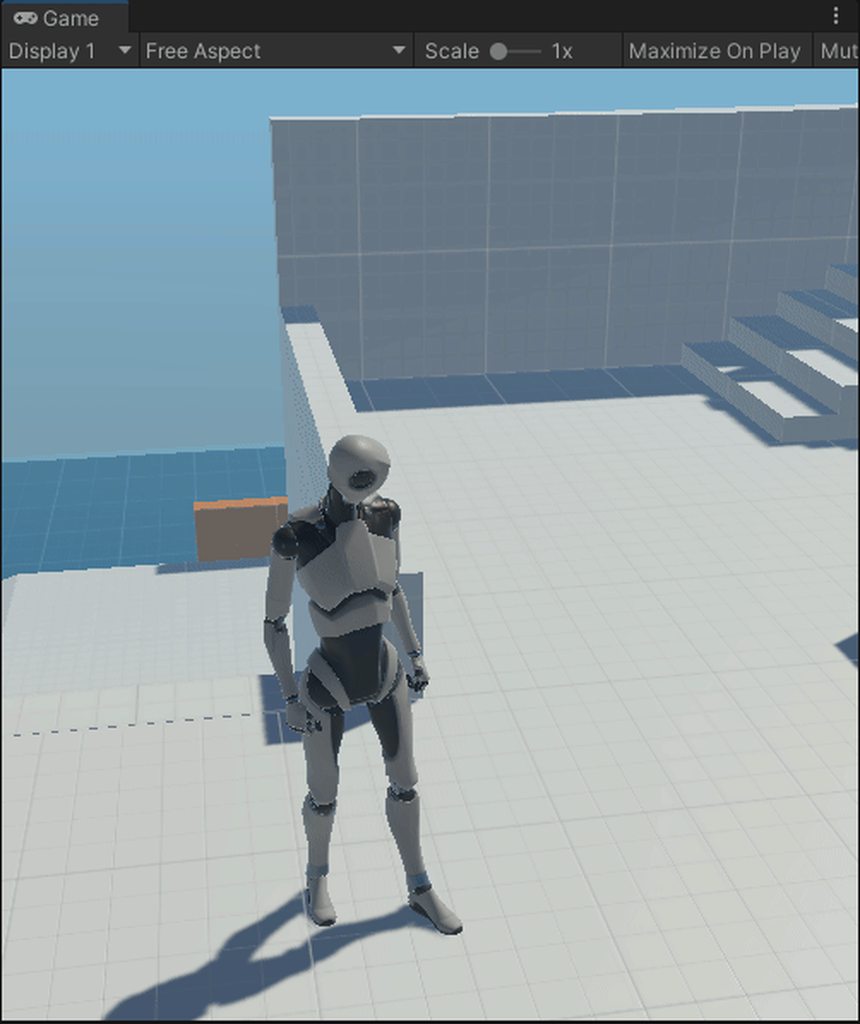
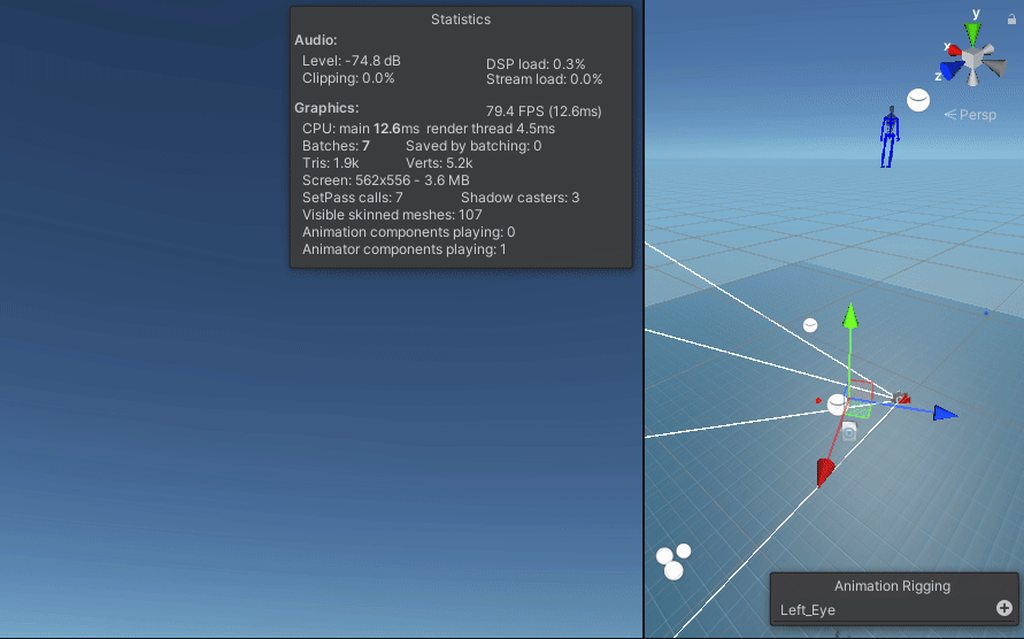
 lethal cape
vagrant phoenix
I have a character that I'm attempting to add runtime animation rigging to but I...
lethal cape
vagrant phoenix
I have a character that I'm attempting to add runtime animation rigging to but I...
That looks like a parenting issue to me, are you trying for the multiple aim constraint, like the head looking in the first gif?
vagrant phoenix
Yeah, when I apply it my character goes into space some reason.
lethal cape
vagrant phoenix
Yeah, when I apply it my character goes into space some reason.
everything work normally without the animation rigging stuff?
vagrant phoenix
Yup everything works 100% note I setup the first gif and all works good, set up with my player just normal animations works fine but when I add that rig and click play it's gone lol
It can only be a parent or scale issue at this point imo.
lethal cape
lemme load up my project with working multi aim constraint so I can remember how the hierarchy works XD
vagrant phoenix

 lethal cape
have you tried making the source object just a random empty at the top of the hierarchy not parented to anything to make sure its not weird parenting with the camera or something?
also I'm guessing spine.006 is the head?
lethal cape
vagrant phoenix
Weird part is with all the weights down it still does it.
that IS weird
vagrant phoenix
I tried to mimic their fbx build for this reason to find what Im doing wrong.
I just can't seem to location that problem. Last thing would be is scaling.
lethal cape
Does it have a humanoid animation controller?
I hear those can be messed up
I've always used Generic
I think I remember hearing somewhere that animation rigging and humanoid animation controllers aren't compatible, I could be wrong
vagrant phoenix
Well that's what I thought but if you look at the controller I used with the first gif it was all humanoid controllers including keyframe animations.
Which I did see stuff on that but can't be the problem, as I did see post by Unity saying it's not the problem.
I will switch it over really fast see what happens.
I switched it all over now the rig isn't responding.
I just wish I could get an error.
lol
Something via text saying hey your messing this up derp lolol
vagrant phoenix
@lethal cape I managed to figure it out. It was how I was exporting it from Blender wasn't properly doing it as I forgot the dropdown tabs for leaf bones and FBX Unit Scale to fix scaling issues. Another thing I did was moved the Rig in the hierarchy inside the parent of the character. Thanks for trying to help me! 😄
 exotic dragon
ok the animator in unity drives me insane
why does my animation just not control the thing half the time

I clicked on the crosshair
I made a new clip in the animator tab
I changed z rotation
nothing
even though the other clips in this SAME drop down, I can scrub around on and they change it

same dropdown right

not keyframed
go to a different clip in the same dropdown

now its keyframed
ok nvm I moved the ticker thing and it suddenly became keyframed
also sometimes my clip just doesnt show in the animation tab and I have to delete it in my folder and recreate it
not sure what that's about
 rustic linden
i'm trying to put animations on a ui layout's buttons by having it so when you highlight the button (which has a fill image), it snaps to having a fill of 0 and builds up to 1 in 0.1 secs. for some reason, it seems to take 0.2 secs to smooth it to 0 from 1 then building back up. is there any way to make it snap?
rustic linden
got it, apparently i needed to make an instant transition (for those having the same problem, not sure if anyone would, but here's the link that solved the problem: https://answers.unity.com/questions/1144801/instant-animation-transition.html)
orchid bramble
how tha fook do you have tha audio you be animatin play when ya play tha animation, tha audio only fookin plays when ya play tha god damn game from the unity preview instead of tha animation preview
 orchid bramble
how tha fook do you have tha audio you be animatin play when ya play tha animati...
orchid bramble
orchid bramble
how tha fook do you have tha audio you be animatin play when ya play tha animati...
LEZZ GOOOO
theres summin called timelines
 leaden sorrel
Hi , I'm quite new to unity and the animation side of things, I have a 3D project with a simple character prefab and I have imported a running animation clip, I would like the running animation clip to play indefinitely while the character exists, What is the easiest way of going about this? I tried following a simple tutorial about using an animation controller but it needs an avatar attached and i am unsure how this is done. (SOLVED)
lethal cape
vagrant phoenix
<@!180429120348356608> I managed to figure it out. It was how I was exporting it...
Glad you worked it out
 little sluice
This gameobject is flipping out all over the place even though it doesn't have anything other than two animation keyframes. It was working just fine when I opened the project yesterday, but for some reason it's bugging out without any other changes.
little sluice
Unity's decided to screw me over again as my animations begin to break if I so much as preview an animation while having a gameobject selected. They start flying all over the place.
This is tiring.....
 agile coyote
anyone know how to stop transitions from automatically playing?
like i have multiple states, and some of them are looping, but instead of looping it automatically transitions to a diff tate
i prevented this by creating conditions, but I dont want to ahve to create conditions for every state;
 graceful latch
little sluice
This gameobject is flipping out all over the place even though it doesn't have a...
graceful latch
little sluice
This gameobject is flipping out all over the place even though it doesn't have a...
what is that arm model
little sluice
graceful latch
what is that arm model
A low poly robot arm
low viper
teal shale
if you don't feel like it, I can only help you in about 5 hours, so I have to ge...
bruh so i had the statement to where it was true when only inside a collider box i fixed that is tho
 rough quartz
hey guys when previewing an humanoid animation in scene view the model jumps to position 0,0,0 is there any way to prevent that?
I want to preview its animation in the spot he as in scene view
twin musk
I got a weird problem with my model
I have a t pose character that Im trying to import into unity

But in unity it shows this weird thing

 spare parcel
unity Ambiguous Transform 'Root/Hips' and 'Base_Body/Hips
What is going on here?.... any idea what a kind of error it is? 🤔🤔
Ambiguous Transform 'Root/Hips' and 'Base_Body/Hips' found in hierarchy for human bone 'Hips'. Transform name mapped to a human bone must be unique.
lol was just about the gameObjects names 😅
 proud scarab
Hi guys, I currently cannot drop "Robot Kyle" into the animator as "Avatar". I would like to put him there in order to control his finger movements. What should I do? How do I turn this robot into an avatar?

 mild imp
proud scarab
Hi guys, I currently cannot drop "Robot Kyle" into the animator as "Avatar". I w...
mild imp
proud scarab
Hi guys, I currently cannot drop "Robot Kyle" into the animator as "Avatar". I w...
Google: Unity How to make an avatar
 idle rampart
is an animation faster played when someone has higher fps ?
idle rampart
ive got 2 times the same skeleton, once on my axe and once on my character and they should play each time the same animation , is there a way that i apply the animator only once and that one handles the animations for all children ?
or do i have to add 2 ?
 elder vault
Hey. I have a model. when I make a new animation clip, as soon as I click the 🔴 red dot button (keyframe recording mode) the character gets this pose which I don't know where it comes from. how can I reset it to It's original T-Pose?

 elder vault
idle rampart
is an animation faster played when someone has higher fps ?
elder vault
idle rampart
is an animation faster played when someone has higher fps ?
You can read the answer here:
https://answers.unity.com/questions/534985/are-animation-frame-dependent.html
Unity is the ultimate game development platform. Use Unity to build high-quality 3D and 2D games, deploy them across mobile, desktop, VR/AR, consoles or the Web, and connect with loyal and enthusiastic players and customers.
elder vault
elder vault
Hey. I have a model. when I make a new animation clip, as soon as I click the 🔴...
Anyone?
 narrow glacier
Im working on a character customizer for a 2d sprite game. I created a sprite library for each party (base, hair, top, bottom)
I then made an animation for all 4 parts, set to broken, set to both constant. It was working fine it seemed at first. Then I wanted to test changing the library on the hair to something else to see how swapping the library works for changing the hair
This is when everything started to break it seems. Now the hair wasn't animated at all. The resolver showed no "category" set. Sometimes if I manually set the category of would start to work and change the catagory on its own, but usually it would just not animate
I did notice in the animation that setting the "catagory hash" while recording did not create key frames or have any effect at all
agile solstice
little sluice
This gameobject is flipping out all over the place even though it doesn't have a...
The sword seems to have more than two keyframes
Usually to keep things simple you would include the sword bone in the hand animations and just parent the mesh to it
 little sluice
agile solstice
The sword seems to have more than two keyframes
Usually to keep things simple yo...
little sluice
agile solstice
The sword seems to have more than two keyframes
Usually to keep things simple yo...
So I found out that the issue was caused by ProGrids Snapping being On. When I turned it off, the gameobjects stopped flipping out all over the place
proud scarab
Hi guys, I'm new to animating so this question might be stupid: I am trying to add some animations to my VR character, but for some reason as soon as I create an avatar for my character it will start acting weird. It's legs are folded and the arms are in the air. I can't seem to fix it, what may be the cause?
Maybe the reason that the arms are in the air is because the legs are folded and the character loses height while the bones stay up. But I can't seem to find a way to fix it
 plush fractal
So I want to start animating a dummy character before I add the real character, how can I make sure animation positions line up with world objects like door knobs, drawers, etc even if the bones of the final character have different sizes than the dummy's bones? Is there a good way to make sure they line up without redoing all of the animations once the new character is added?
idle rampart
plush fractal
So I want to start animating a dummy character before I add the real character, ...
rigid animations for lining them up with world objects
plush fractal
idle rampart
rigid animations for lining them up with world objects
Could you explain?
idle rampart
a rigid animation plays always the normal animation but you can make your bones depend on factors aditonaly https://www.youtube.com/watch?v=Htl7ysv10Qs&t=152s&ab_channel=Brackeys
Let's create procedural animations using Animation Rigging!
► This video is sponsored by Unity.
● Learn more about Constraints: https://docs.unity3d.com/Packages/com.unity.animation.rigging@0.3/manual/ConstraintComponents.html
●GDC talk on Animation Rigging: https://youtu.be/XjMKbElVNmg
● Download the Skeleton: https://assetstore.unity.com/pa...
plush fractal
idle rampart
a rigid animation plays always the normal animation but you can make your bones ...
Thanks, that's useful. Is this the most commonly used way to interact with objects and is it the best practice or are there better methods?
idle rampart
plush fractal
Thanks, that's useful. Is this the most commonly used way to interact with objec...
idk... i know that it works and that i understand it, and thats for me enough reason to use it
if it would suck, it wouldnt be implemented in unity... and believe me the ones who make unity know what they are doing
plush fractal
I'm not saying if it's good or bad, I am just interested in hearing if there's any other methods of achieving it
idle rampart
there google is your friend 🙂
plush fractal
Will do, thanks
 crimson cargo
im trying to create an aiming animation using avatar masks, so i created a new layer and masked only the bones i want to be affected by the animation, then added the animation node and all of the conditions, so when the player holds the mouse button it will play the aiming animation:

the issue is that when im holding the button, it plays the beggining of the animation but the character just glitches and looks like this:
 idle rampart
how can i check if an animator is still busy when i set a trigger like
anim.setTrigger("HIT"); how can i check if its still in the hit animation like "anim.isInAnimation("HIT")" ... something like that
 devout ferry
Hello there, I've got some issue with cinemachine impulses, and animation rigging. I've got multi aim constrain, with target affected by independent impulse listener which is triggered via signal in timeline. The final wobbling is working on the target game object, but that constrain is ignoring that extra motion. So is that possible to do with procedural shake, or should I rather animate some kind of shake manually in timeline or sth?
elder vault
elder vault
Hey. I have a model. when I make a new animation clip, as soon as I click the 🔴...
Does anyone know why this happens?
elder vault
idle rampart
how can i check if an animator is still busy when i set a trigger like
```anim....
https://answers.unity.com/questions/362629/how-can-i-check-if-an-animation-is-being-played-or.html
https://answers.unity.com/questions/1403162/how-to-check-if-animator-is-playing.html
Unity is the ultimate game development platform. Use Unity to build high-quality 3D and 2D games, deploy them across mobile, desktop, VR/AR, consoles or the Web, and connect with loyal and enthusiastic players and customers.
Unity is the ultimate game development platform. Use Unity to build high-quality 3D and 2D games, deploy them across mobile, desktop, VR/AR, consoles or the Web, and connect with loyal and enthusiastic players and customers.
 pure laurel
Hi there, I am trying to map some bones for my character, however this error appears on the neck bone and the chest bones(not the same one ofc but similar)

now the same thing happens for head :(

it also does this if I go into t-pose mode
 idle rampart
when i got an animation trigger and play it and i have only 1 transition that goes away from that trigger do i have to put a condition on that transition ? it should automatically go that way back
 clear orbit
idle rampart
when i got an animation trigger and play it and i have only 1 transition that go...
clear orbit
idle rampart
when i got an animation trigger and play it and i have only 1 transition that go...
yes
idle rampart
clear orbit
yes
yes to "i have to put a condition" or yes to "automatically" ?
pure laurel
Could anyone help with the bone layers? I think that might be the cause of my errors
novel portal
anyone know of some packs with skating, rollerblading, or surfing animations?
pure laurel
Hi there, so on exporting a fbx file of a player from unity, and making it a humanoid, it cannot find the head. This happens any time I try and recreate the basic human rig. PLEASE can someone help me. At this point I have been stuck on this same error for about 5 hours, and it is preventing me from adding any animation.
this is the exact error here

then if I add it this is the error that occurs

then if I move it to be under ORG.spine.003, all seems fine

until I apply and select done
and click on it agin
this error occurs once more

I would be VERY greatful if someone could help me.
 tulip mulch
Hi, this question is about animation rigging
I'm trying to change the source objects of a Two Bones IK Constraint using script.
But because this system is using jobs the change do not apply how can I do to be able to change source object via script ?
Thanks you for taking time helping me 
 lime tulip
how to handle skeleton rig in 2d, front and side sprites
do you just have 2 versions of the skeleton and choose which to show?
hybrid tinsel
@pure laurel the image quality is too low for me to read the error messages, but it looks like your bone hierarchy is incorrectly set up?
@lime tulip that is how I do it, but some peeps prefer to have ones skeleton for both.
lime tulip
I see thanks, and similar question for if I had some sprite sheet animations, to use alongside the generic skeleton?
you have a sperate spritesheet object object as well, and also choose when to show it>?
hybrid tinsel
That's what I do.
lime tulip
ok cool, am learning theres a million differerent ways to do everything 😄
hybrid tinsel
You can also enable/disable secondary objects with the animation.
But that is less reliable.
lime tulip
is it mad to make a cartoon in unity?
hybrid tinsel
I mean, it is my primary animation tool.
lime tulip
mostly i just wanted to practise animations so started making a cartoons which has been fun, but very slow 😄
hybrid tinsel
It probably isn't ideal for longer cartoons but there is nothing stopping you, either.
lime tulip
my cartoon 😄
 pure laurel
hybrid tinsel
<@715992984050597910> the image quality is too low for me to read the error mess...
pure laurel
hybrid tinsel
<@715992984050597910> the image quality is too low for me to read the error mess...
Sorry about that, I think so, do you know how to set it up so that spine 003 is the parent of the head? Thank you :)
hybrid tinsel
@lime tulip as you can probably tell from my logo, I'm partial to tuxedo cats :D
lime tulip
aha yeah i wasnt going to post the image as I have 0 art talent, but I saw your pic 😄
hybrid tinsel
@pure laurel that would be set up in your modeling software.
pure laurel
hybrid tinsel
<@715992984050597910> that would be set up in your modeling software.
Ooh yeah awesome thank you. Do you have any experience in blender that you might be able to help me with?
lime tulip
theres a massive blender discord channel as well that may help if not
pure laurel
Yea I’ve kinda been going back and forth between the unity and blender serversxD
I will ask there how it is done :)
lime tulip
@hybrid tinsel do you record mini clips in unity, and splice them into your video softwares, and then just delete the unity clips?
or oyu keep everything all saved in unity as well
I was making my cartoon as a 10 minute long, unity timeline, I think I should just make like a 30 second timeline, then start a fresh scene and move it all to video
hybrid tinsel
I've not done anything that long. I mostly do small clips in unity or larger ones in video software.
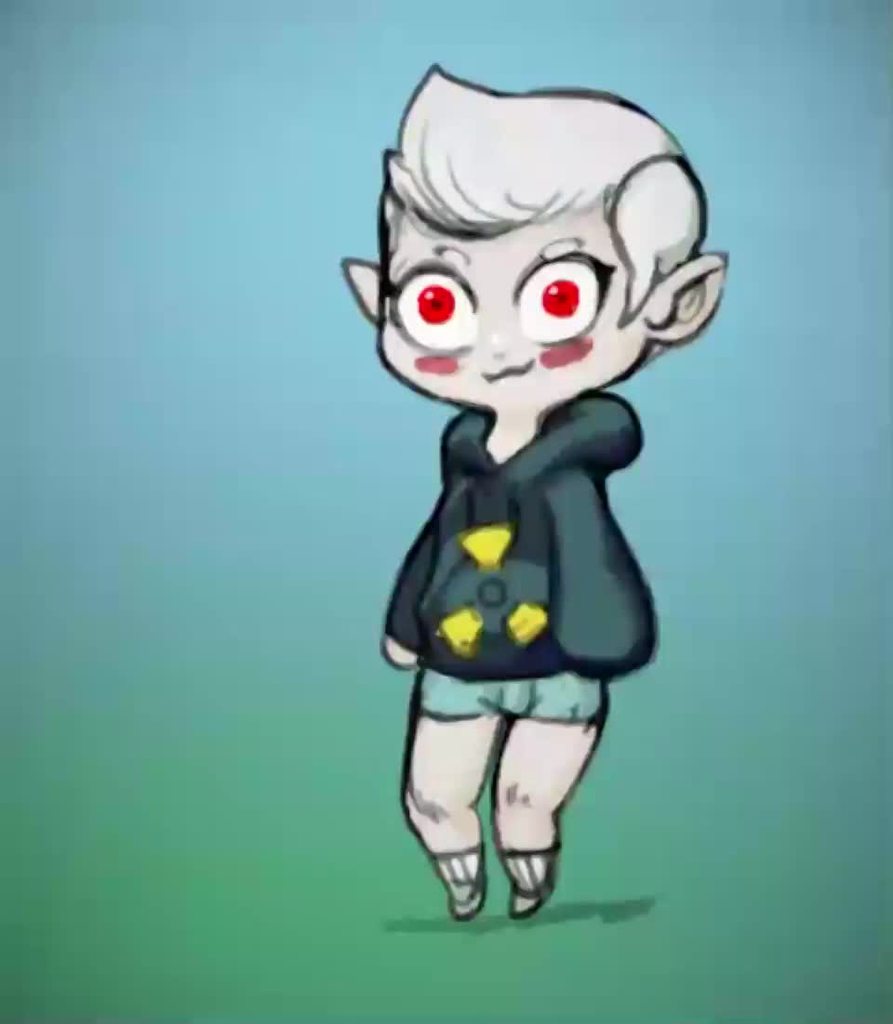 lime tulip
yeah i might make that in unity, then just delete the scene i made it in, and move it to video editing to insert into the cartoon. Im ending up with 100s of animations and files i will never use again, and trying to managing it all is slowing me down a lot 😄
who knows, onwards!
hybrid tinsel
You don't need to delete the clips.
lime tulip
I do silly stuff, like edit the sprite, but that invalidates the older clips etc
hybrid tinsel
So why not do that?
lime tulip
I should try to keep them, until i publish the video, in case I want to edit them I guess
hybrid tinsel
Though if you want to work that way, flash might be more your style than unity
lime tulip
but otherwise, I just want 1 prefab, of my latest version of my cat
and making sure it doesnt break older clips etc can be awks how im going atm
as i totally change his body shape etc
hybrid tinsel
Just make a new sprite for new variations
lime tulip
I spent a month animating in just unity, spent today learning Da Vinci video, and my world is blown, so much easier!
(for general video composition etc)
graceful latch
what do u guys think
hybrid tinsel
Well, unity's animation system is mostly geared to reusable clios you build a game out of, so it is a bit of a different set of tools @lime tulip
@graceful latch I think my phone can't play your video.
 deft oriole
graceful latch
what do u guys think
deft oriole
graceful latch
what do u guys think
It feels kinda stiff IMO, maybe make the entire gun jerk up and down when it's reloading/unloading respectively
pure laurel
Hi there again, does anyone mind helping me with this? I have got to the point that my character has a functioning humanoid rig, and that I have created my animator controller, and it has all of the bones correctly named, with the animation uploaded to the player. However, when I click play my mixamo character I retargeted the animation from animates, but my player does not.


 inner sierra
i need help, my animator.Play isnt working
 winter flax
graceful latch
deft oriole
It feels kinda stiff IMO, maybe make the entire gun jerk up and down when it's r...
winter flax
graceful latch
deft oriole
It feels kinda stiff IMO, maybe make the entire gun jerk up and down when it's r...
i changed a lot
idle rampart
ive made in blender an animation for a chracter skeleton now i wanted to make an equipment system so the axe was imported with the same skeleton as the character to a extra file, when i put into unity both of these it works but i need 2 animators, 1 animtor for the skeleeton and 1 animator for the axe skeleton, what do i have to do that the axe is listening on the character skelton ( which is absolutely identical ) ?
EDIT: nvm found a tutorial on a unity post
proud scarab
Hi, I understand that it is not possible to create a keyframe animation on a humanoid rig. Does it mean that if I want to create a finger moving animation I need to use blender?

Can't I do that inside unity?
hybrid tinsel
@proud scarab you can make keyframes on a humanoid. You just can't keyframe the transforms directly; you need to keyframe the humanoid muscles.
proud scarab
How do I do that? Do I press the record button on the animator and then move the muscles of the avatar?
 old swan
I've been trying to search for Skeleton related animations, like actual skeleton, bones and all.
Does anyone know if any exist?
Specifically one where the Skeleton breaks apart and its body goes a bit everywhere?
thank you
idle rampart
when i have a update method, and i call setTrigger Tpose which moves from the anystate to the tpose am i in the tpose until the update method has finished ?
like am i on frame 1 of the animation until the update method is over ?
 potent imp
btw any anyportrait user here?
 velvet tinsel
what does this mean???

 sage nimbus
I have a character in Blender with a bunch of Joint-corrective morphs. These morphs are controlled by drivers during animation. However, I had no success when attempting to export my character into Unity such that the driver behavior is preserved. Is it actually possible to export Blender drivers into Unity, or do I need to re-think my approach?
 solar ibex
my animations are not fast enough
i'm triggering this animation the moment i click this button
and even though it should switch button size right away, it takes 1 second
i've changed animation speed and the multiplier but it stays the same
 quasi fable
solar ibex
i've changed animation speed and the multiplier but it stays the same
quasi fable
solar ibex
i've changed animation speed and the multiplier but it stays the same
Is it the animation itself that is taking too long or the delay before the animation starts?
 sacred oar
I'm using Blender, how do I flip an animation?
oh nevermind
I just have to paste as flipped
solar ibex
quasi fable
Is it the animation itself that is taking too long or the delay before the anima...
I figured it out. I didn’t realize the lines between “any state” and my animation had a small transition
sacred oar
Why do I get these errors?

    int moveXAnimationParameterId;
    int moveZAnimationParameterId;

    Vector2 currentAnimationBlendVector;
    Vector2 animationVelocity;```


Start:
```        animator = GetComponent<Animator>();

        moveXAnimationParameterId = Animator.StringToHash("MoveX");
        moveZAnimationParameterId = Animator.StringToHash("MoveZ");```


Update:
```        Vector2 input = moveAction.ReadValue<Vector2>();
        currentAnimationBlendVector = Vector2.SmoothDamp(currentAnimationBlendVector, input, ref animationVelocity, animationSmoothTime);
        Vector3 move = new Vector3(currentAnimationBlendVector.x, 0, currentAnimationBlendVector.y);


        animator.SetFloat(moveXAnimationParameterId, currentAnimationBlendVector.x);

animator.SetFloat(moveZAnimationParameterId, currentAnimationBlendVector.y);``` maiden girder
Oh is this the right place to ask for help regarding using the animation interface for Unity?
 dawn bear
how do you make a character compatable with mecanim for assets that are going to be published on the asset store?
 hollow coyote
Hello, I'm stuck with something...
Essentially playing a "Block Start" animation, and if the player finishes blocking during this anim, exit. Otherwise, play a block loop animation until the player finishes blocking.
Any State -> Block: "If isBlocking = true"
Block -> Exit: "If isBlocking = false"
Block -> Block Loop: no conditions, Has Exit Time
Block -> Exit: "If isBlocking = true".
The issue is once I enter the block loop animation, it will immediately try to enter the block animation from any state, since "isBlocking = true".
 little sluice
Is there a way to modify the speed of an animation clip at specific points? Like time ramping in after effects?
hybrid tinsel
little sluice
Is there a way to modify the speed of an animation clip at specific points? Like...
You can directly edit the curves to ramp up or ramp down using the curve editor, but there's no built in way to do that with an entire clip unless you script it yourself.
little sluice
hybrid tinsel
You can directly edit the curves to ramp up or ramp down using the curve editor,...
So only able to edit the curves of each keyframe?
hybrid tinsel
What exactly are you trying to accomplish? Like, you can control the speed of the animator and of specific animations at any time, so it wouldn't be too hard to do a ramp.
little sluice
hybrid tinsel
What exactly are you trying to accomplish? Like, you can control the speed of th...
For example, I have an animation clip of someone swinging a sword. I want to have the animation play at normal speed during the windup, but then speed up during the actual swing, and then go back to normal speed for the remainder.
hybrid tinsel
Unless you need to do it dynamically, it is probably easiest to just make the animation ramp up and down that way.
And do you just want the animation speed to change, or other stuff too(like a slow motion effect that affects the world)?
little sluice
hybrid tinsel
Unless you need to do it dynamically, it is probably easiest to just make the an...
Just changing the animation speed at specific points. So I can tweak certain parts if I feel that it feels slow in areas
hybrid tinsel
Then I'd just tweak the animation probably
 worldly lagoon
So I have a question. Is there a best practice for handling animation FBXs? Should I be duplicating the animation out of the FBX and delete it?
hybrid tinsel
worldly lagoon
So I have a question. Is there a best practice for handling animation FBXs? Shou...
Not sure what you mean, exactly. You mean FBXs that have additional animations for an imported object, or...?
If you use the @ naming, unity will only import the animation and not the mesh, etc.
worldly lagoon
hybrid tinsel
Not sure what you mean, exactly. You mean FBXs that have additional animations f...
The FBX that holds the animation and let's you tweak import settings and such.
You can use the animations in the animator without taking it out of the FBX. Its read only, but you can.
So I'm just trying to figure out, in Unity, if I should keep the FBX after import.
hybrid tinsel
There's no real reason not to.
I believe that if all you use is the animation, that is all Unity puts in the build by default.
Especially if you use the @ naming which tells unity explicitly to discard the mesh
 heady flax
Never animated before, why does my attack animation freeze at the last frame until I do another animation? how do I make it go back to an idle/default animation after its played?
cosmic sage
how do i have multiple animation overrides at the same time? like for example I want to have an animation for a reflex sight and drum mag reload
 spare yoke
Anyone else get a weird bug where your animator controllers just stop appearing in the window?

Mine only reappear after a restart
 dreamy urchin
Getting this error : Could not compute threshold for 'Blend Tree' there is not enough data
UnityEditor.GenericMenu:CatchMenu (object,string[],int)
How can I fix?
Happens in animator blend tree when you try and compute thresholds.
sacred oar
How do I layer weapon animations to my existing movement animations? And how do I code it so the animations activate when certain criteria like booleans and triggered input actions are met?
 formal urchin
is there a way to return all animator states in code?
hybrid tinsel
spare yoke
Anyone else get a weird bug where your animator controllers just stop appearing ...
Have you tried selecting the window and hitting 'f'?
 tidal sedge
hey, question. I have a lot of simple 3x4 spritesheets moved over from an RPGmaker game. Is there a tool to take a template character and just swap which sheet the animations draw from?
it took about an hour to make all the idle and movement animations, and I have a LOT of characters to do it for
hybrid tinsel
If the sprite sheets are the same you can just change textures.
tidal sedge
hybrid tinsel
If the sprite sheets are the same you can just change textures.
could you explain how that works?
the only way I know how to do 2d animation is to change the sprites directly in the animation
 azure forum
what would be a good grid by cell size for this:
 cosmic sage
how do i have multiple animation overrides at the same time? like for example I ...
cosmic sage
cosmic sage
how do i have multiple animation overrides at the same time? like for example I ...
anyone?
cosmic sage
anyone?
 static crow
Hello how come when i want to set a model to be humanoid, and i use another avatar it gives me this error?

How would i fix this
BTW i use to do this before and this error never came is their a thing that has changed?
graceful latch
cosmic sage
how do i have multiple animation overrides at the same time? like for example I ...
ye i wanna make a reloading, scoping and inspect animation for 1 gun
cosmic sage
im talking about for attatchments/weapon modifications
you obviously cant have the same reload for a normal mag and use that for a drum mag
graceful latch
same thing
cosmic sage
isnt that just, different animation states
have 1 animation for reload, inspect, and ads
 cobalt token
anybody knows why my sprite renderer isn't changing while animating (Idle Animation)? Because of this even if sprite resolver is changing the sprite renderer stays the same.... I tried turning off Write Defaults, has exit time basically everything I can touch in the animator and its still not working properly. Anyone can help me? I'm stuck on this problem for days now.
Here's a video showing what's happening. When transitioning to Walk Animation it's just not playing because I think the reason is what I mentioned above. The sprite renderer isn't changing even if the Sprite Resolver is.
I also noticed when I turn off Animator component during runtime I can change the sprite renderer normally
twin musk
Help, when my game loads back into the menu scene the animation doesn't begin it just stops at the beginning of the first animation

 wraith quail
Help, my animator shows me that the Player_Idle animation is activated but the animation is not playing even though all parameters are met.
twin musk
hi do anyone know how to make that the legs have the walk animation and the rest of the body have the gun holding animation?
 reef totem
Hey, I use an animation from mixamo and it somehow changes the height of my player
twin musk
Are there any rig limitations in Unity engine?
for instance could i use Forward/Inverse kinematics, and curves as controllers for rigs?
I've tried googling it but the information coming up's from like 2011
twin musk
Like c an I set up kinematics in blender then bring them over into unity?
 wise ravine
Essentially no, this is a good series about exporting for game engine https://www.youtube.com/watch?v=hdGkKbtQxE0

This is a new video in my Blender to Game Engines series (aka "Bridging the Gap"). Here is the full playlist:
https://www.youtube.com/playlist?list=PLdcL5aF8ZcJvCyqWeCBYVGKbQgrQngen3
This video is made possible by the people who support me on Patreon and Gumroad.
Get early access to CGDive content:
🔸Youtube Memberships
https://www.youtube.com/...
 modern cargo
my animations play in game, but the parameters and transitions do not update at all in the animator window, which makes it difficult to improve further on glitches and such. ive confirmed it is the right animator im on. how could this possibly be happening?
twin musk
wise ravine
Essentially no, this is a good series about exporting for game engine https://ww...
going to watch this through now. thank you
twin musk
was helpful, ty
 fluid sage
hey i was wondering if there is a way to make it easier to make a spider like walking animation for https://gyazo.com/1a5f396b65cd7450403806743aec3b94

i dont need it to do any final ik stuff, i just need a good walking animation that can go on loop and idk if i can do that without doing key frame animation. any advice?
magic robin
Hey what is the best way to do a flowing scarf or similar ribbon like thing in a 2D pixel art game?
I know theres a way to apply a shader in unity that gives a pixelated effect to an otherwise smooth or high res object
in which case, one idea might be to just have the scarf be a 3D model with bones, and apply the shader to it at runtime
graceful latch
how do i make an animation stop after roughly 2.5 seconds
 gentle wind
Hey guys.. programmer completely void of animation experience here. 😄
Looking to rig up a backpack for my mixamo characters- what would be the keywords I need to do something like this?
I've tried just parenting the object to the spine, obviously looks pretty terrible.
Ideally, I'd like to have some kind of "pin" where it reacts to velocities but clamped to avoid jank.. would this require a bone, manually editing (possibly messing up my rig) or is there an easier way?
 near ingot
https://docs.unity3d.com/ScriptReference/AnimationClip.SampleAnimation.html
"It is recommended to use the Animation interface instead for performance reasons." Why? Anybody have any idea what these "performance reasons" would be? What does this do differently from the standard animation component?

(Ignoring, of course, all the other good non-performance reasons why you'd avoid doing this manually.)
lime tulip
when you make a timeline, play a timeline, it doesnt show the animations?
(unless in runmode)
@gentle wind did you solve it?
 abstract heath
snow depot
yes.
abstract heath
snow depot
yes.
should have tagged him lol @twin musk
twin musk
Hello guys, can someone explain to me why this test asset => https://skfb.ly/osWKs
Is completely broken once imported. Well it's already a bit broken let's be honest, it's smooth inside blender.
But I'm wondering if the import in unity is a problem or if I should just search toward blender.
Sorry if it's considered as duplicate because I started inside #🔀┃art-asset-workflow but I realized it may be related to the rig import/system inside unity.


Test mesh for issue on unity.
Result after import inside unity => here - Test - Download Free 3D model by eternal.celes (@eternal.celes) [651be54]
twin musk
As a complete noob, it looks for me than I have an issue with the skin weight precision
wraith quail
Help, my animator shows me that the Player_Idle animation is activated but the animation is not playing even though all parameters are met.
 short willow
When using the Timeline how do I select all clips that are left or right of the current one?
I want to lengthen a clip and move everything afterwards to compensate, like ripple effect
and I can't get ripple to work
other question, how do I move a signal marker between tracks? it won't drag vertically
 pastel silo
Hey so I ran into a little bit of a road block while working on animations
so the animations are working but then they stop after like one loop
snow depot
@pastel siloin the animator, are you having the animations transitioning to themselves?
hybrid tinsel
short willow
and I can't get ripple to work
What is not working with it?
hybrid tinsel
pastel silo
so the animations are working but then they stop after like one loop
Are the animations set to loop in the inspector for the clip?
 dense wyvern
Hello !
I have a really strange problem.
I'm building my game on Android, for Oculus, and the animation of my deer won't start. By that I mean, it's stay in idle...But only when I build the game, in the editor it works fine.
The problem is, I have a really similar code for another animation, a gard walking, who is working correctly, in build and editor.
I really find it strange, here's the script of my animator.
If someone could help, that would be awesome !
Thank you so much !

 jolly pivot
hi, - I am a complete animation noob, but I have managed to rig a boat engine to attach to my boat.
I can do some animations for turning, as well as tilting and bouncing around during high speed impacts etc in blender.
BUT I have no idea where to even start with using these in unity. Can someone just point me in the direction of which animation system I should use to make it play the respective animations in-game?
 dense wyvern
jolly pivot
hi, - I am a complete animation noob, but I have managed to rig a boat engine to...
dense wyvern
jolly pivot
hi, - I am a complete animation noob, but I have managed to rig a boat engine to...
You can use the animator !
Set bool with it, that you can start in the code, it's pretty easy
https://www.youtube.com/watch?v=gON_hhhvheI

Help to support the channel if you are feeling super kind: https://www.patreon.com/dapperdino
Join our Discord: https://discord.gg/sn9xXK4
In this video I show you how to use the animator controller and set up some simple animations in the state machine. Then I show how to control this in script ending up with showing you how to call functions...
jolly pivot
dense wyvern
You can use the animator !
Set bool with it, that you can start in the code, it...
awesome thank you! just wanted to make sure I started off in the right direction 🙂
dense wyvern
https://www.youtube.com/watch?v=JeZkctmoBPw
Here's another tutorial shorter and it seems more clear :)
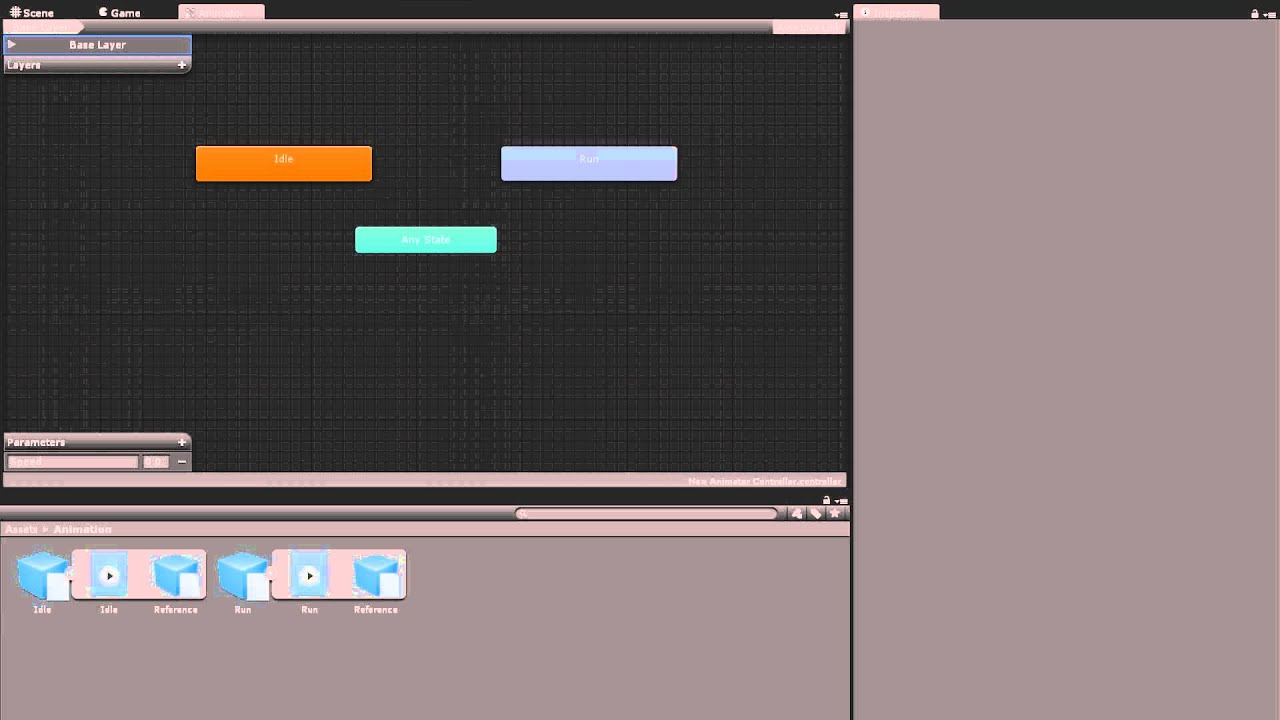
Watch this video in context on Unity's learning pages here - http://unity3d.com/learn/tutorials/modules/beginner/animation/animator-controller
Animator Controllers are state machines that determine which animations are currently being played and blends between animations seamlessly. In this video you will learn how to make animator controllers a...
Don't hesitate to do some research on it by yourself by the way ! And you're welcome :)
jolly pivot
totally, I will spend a few hours reading into these tools
Just had no clue where to even start 🙂 But now I know there is an animator controller that will be great
dense wyvern
jolly pivot
Just had no clue where to even start 🙂 But now I know there is an animator cont...
Great, happy to hear that ! :)
dense wyvern
dense wyvern
Hello !
I have a really strange problem.
I'm building my game on Android, for ...
Anyone could help me please ?
The app is going in the is walking
The animator bool is passing true
The speed is more than required for it to walk
I'm basically lost right now
 dense wyvern
Found it
If anyone have the same problem, I had two animator, that's why
 waxen yacht
I spent hours to figure out how to pose a charater in my scene into the starter idle animation , i tried to add them as a component and it didnt work
I want to it to do idle pose instead of T , in the editor not when i press play
waxen yacht
Still no way to pose a character in the editor
pure laurel
Anyone got any clue to why this happens? When the player is not grounded it changes the hitbox of the player, and when it is it changes it again. And when the player is grounded it should immediately switch over to landing. (btw I know exit time is on it is to stop the animation from going straight into landing as soon as the player jumps)
Ok I think this might be the issue and I think it might mess up the exit time possibly https://pastebin.com/9wdGWy5B
I think it is specifically && playerVelocity.y < 0
Except without that the player never actually jumps, just the animation plays
if it helps here is the transition from jumping to landing (yes I havent got falling yet)
 proud scarab
Hi guys, do you know how I can solve the issue described in this video?
pastel silo
hybrid tinsel
Are the animations set to loop in the inspector for the clip?
Omg thanks so much it worked. This is a big assignment for my engineering class so tysm 😮💨😮💨😮💨
hybrid tinsel
proud scarab
Hi guys, do you know how I can solve the issue described in this video?
Not sure if this is the problem, but you didn't add your avatar to the mask

So that's the first thing I'd try
Alternatively, if your animation does not use a Humanoid avatar, or if you want more detailed control over which individual bones are masked off, you can use the Transform method to select or deselect portions of the model’s hierarchy to mask. To do this, **you must assign a reference to the avatar whose transform you would like to mask off,** then click the “Import Skeleton” button.
It is kinda dumb that it can't figure it out from context but...
snow depot
what's the difference between an animator transition and an animator state transition?
 hybrid tinsel
snow depot
what's the difference between an animator transition and an animator state trans...
hybrid tinsel
snow depot
what's the difference between an animator transition and an animator state trans...
AnimatorTransition doesn't include timing parameters and AnimatorStateTransition does
snow depot
for some reason it seems like the animator transitions don't work for me, but I'll try to see
hybrid tinsel
Without any context it is hard to offer any advice there, so... good luck? 😄
 patent ocean
https://gfycat.com/negativecelebratedesok
Why is preview showing what i want but comes out as crap....

and ive tried everything to make it work, this was the best i got. slippery feet and halved turn speed
hybrid tinsel
patent ocean
https://gfycat.com/negativecelebratedesok
Why is preview showing what i want bu...
Turn off bake into pose (XZ)?
patent ocean
hybrid tinsel
Turn off bake into pose (XZ)?
No so i had a rigidBody attached that for some reason did this, and also i had to turn on interpolate to fix it
waxen yacht
How to pose my character in the editor for promo shots
proud scarab
hybrid tinsel
Unfortunately I have already tried it, I had to put in the avatar and then press the import skeleton button in order to get the bones at first place.
Uhmm, I will try again. Maybe it shouldn't be deleted afterwards but for some reason it deletes the avatar after I import everything
 balmy fulcrum
Is this where i get help with animations? 😄
I have an animation for my "jump". Whenever i press space the animation just does not work. Tried to record it but would not work.
If i jump and then press space (Jump button) then it activates and loops.

The jump animation starts and the character jumps, but the animation just ends just as quick as it starts. So the animation does not show. If i'm in the air (pressed jump twice) then it works and just loops.
 hollow gazelle
how do i make it so a animation doesn't loop
im trying to make a door and when it closes it teleports back to the top and closes again
over and over
nvm found it

When playing the door closing animation the door teleports to the closed state from the open state, and then opens and closes.
balmy fulcrum
hollow gazelle
When playing the door closing animation the door teleports to the closed state f...
You can "uncheck the loop setting.
My 2 animations are not in the same place, one animation is a little more up than the other. Is there any fixes for that? Example:

 hollow gazelle
balmy fulcrum
You can "uncheck the loop setting.
hollow gazelle
balmy fulcrum
You can "uncheck the loop setting.
i already did
it doesnt look
loop
it just closes, opens, and closes again
balmy fulcrum
How did u animate it? You want it to animate to an "Open" State?
hollow gazelle
it starts closed
but opens with the game loads
the first keyframe is at the beginning and the position for it is in the open position
i think that might be the problem but when i removed it it didn't really do anything
balmy fulcrum
Weird. Well im not too sure. I feel like I ran in to a similar problem when I animated, but can't really remember.
hollow gazelle
welp
i uploaded a video of trhe problem
but youtube decided the perfect resolution for it is 240p

if that helps
if anyone has any ideas ping me
balmy fulcrum
hollow gazelle
if anyone has any ideas ping me
Can you show your transsition between the 2 animations?
 hollow gazelle
balmy fulcrum
Can you show your transsition between the 2 animations?
hollow gazelle
balmy fulcrum
Can you show your transsition between the 2 animations?
there it is
 forest compass
Hey, Id like to use photoshop to make some quick pixel art for my character. If I want to draw the animation in photoshop, Is there anything quicker than redrawing from scratch in photoshop? It would just be like 4-6 frame animations so nothing fancy but i feel like there should be a way to reuse the previous work?
I tried using the "timeline" tool, but when I exported my animation, I ended up with 1500 png files
 obtuse moth
Anyone fixed that problem with wobling leg in animations from mixamo?
proud scarab
Hi guys, the avatar mask's transform is not working, what may be the cause?
hybrid tinsel
balmy fulcrum
My 2 animations are not in the same place, one animation is a little more up tha...
Make sure the pivots are in the correct place
magic robin
https://gfycat.com/PhysicalAcidicAdder
hey so I'm trying to make a scarf for my character (dont mind that the sprite has no scarf, its going to be redone later)
atm its just a child object with plane skinned mesh renderer and cloth component, but it doesn't quite flow the way I want, even after messing with lots of settings, and lowering the cloth gravity in the project settings... any ideas how to improve this look, or a better way to do this? I also want it to be kinda wavy when the player walks, instead of just going straight taught
 snow depot
I forgot if wind zones can help you with that
magic robin
I dont wanna put wind zones all over the place
a a more compact solution would be better
heady flax
Anyone know any good free humanoid melee weapon animations and/or where to find some? I looked on the unity asset store and the selection was pretty limited
 foggy chasm
using System.Collections;
using System.Collections.Generic;

using UnityEngine;

public class PlayerMovement : MonoBehaviour
{
    public Joystick mJoystick;
    public float mRunSpeed = 2.0f;
    public GameObject Target;

    public Animator animator;

    void FixedUpdate()
    {
        var currentDir2D = mJoystick.Direction.normalized;

        //Target.transform.Translate(new Vector3(currentDir2D.x, currentDir2D.y, 0) * Time.deltaTime * mRunSpeed);

        var rb = Target.GetComponent<Rigidbody2D>();

        var v = new Vector3(currentDir2D.x, currentDir2D.y, 0) * mRunSpeed;

        rb.velocity = v;

    }

}```
Hello! How can I get my sprite to play the walk animation in this scenario?
using a joystick is making life lot harder for me
hybrid tinsel
Add an Animator.SetFloat() to set 'Speed' in the animator.
hybrid tinsel
magic robin
I dont wanna put wind zones all over the place
a a more compact solution would b...
Parent a wind zone that randomly varies to the character?
I've not used unity cloth, I've only done bone based cloth. Is it simple to set up?
magic robin
simple to set up, but you need to expose the sorting layer and order if you want to use it in a 2D setting cause those are for some reason hidden in the inspector
hybrid tinsel
Oh yeah, I've dealt with that issue a lot
Have a nice simple script that just exposes them
 tidal lance
Hey, is it possible to add animation events to imported legacy animations?
hybrid tinsel
tidal lance
Hey, is it possible to add animation events to imported legacy animations?
Yes, you can add them in the importer inspector along with curves.
tidal lance
Are you sure about that? The options to use it are show when you're not using legacy
 hybrid tinsel
Huh, weird.
OH wait, are you actually using the legacy system, like with the animation component?
Can you not just use 'generic'?
tidal lance
hybrid tinsel
Can you not just use 'generic'?
I really want to avoid having to have so many animator controllers for objects that are only meant to play a single animation.
Using the Timeline component is a close second for my workflow
hybrid tinsel
Yeah, animation events are part of the animator.
I misunderstood what you were doing
tidal lance
Tho I can put animation events on other clips marked as legacy as long as it's not one imported from an fbx...
hybrid tinsel
Yes, because you are still creating them with the newer system. Have you tried just duplicating the imported animation and putting events on it that way?
tidal lance
Nope, and I don't plan to.
On a different note, how do I use the signal track in Timelines without creating a signal asset?
hybrid tinsel
As far as I know, you don't?
tidal lance
🤦
 brisk stag
(i think this is the right channel)
Animation events? I've seen tutorials talk about it, but I've never seen the interface that has an "events" dropdown
hybrid tinsel
brisk stag
(i think this is the right channel)
Animation events? I've seen tutorials talk ...
Can you be more specific about what you're having trouble finding? Have you read the manual page on animation events?
brisk stag
i do get how triggers in normal animation files work, but how do i find reading on.. animation events from FBX-s
Are the events in this menu (at the bottom) same as events in unity-made animations
 hybrid tinsel
brisk stag
Are the events in this menu (at the bottom) same as events in unity-made animati...
hybrid tinsel
brisk stag
Are the events in this menu (at the bottom) same as events in unity-made animati...
Yes
brisk stag
oh, i thought i was missing a lot.
 sand elm
Hey, does anyone know why setting a Spine bone position from code is applying it the following frame? Even if I manually call Update and UpdateWorldTransform, it still happens on the next frame... Is there anyway to force the position change immediately?
hybrid tinsel
Doing it in LateUpdate doesn't work?
sand elm
That's too late for me, I am shooting a projectile and I need the bone to match the output position of it. But it seems that no matter what I do it still happens on the following frame.
hybrid tinsel
Too late?
 proven bronze
is this the right place to ask about material animation?
hybrid tinsel
You can, though depending on the question #archived-shaders might be more helpful
foggy chasm
hybrid tinsel
Add an Animator.SetFloat() to set 'Speed' in the animator.
That's what I did, but what shall I set it to?
Cause I can't put a vector there, after the comma
hybrid tinsel
Use the magnitude
hybrid tinsel
Vectors have two components, direction and magnitude. But the animator only cares about the speed, not the direction.
So you feed it the magnitude of the velocity
twin musk
guys,i make a Attack animation and i find out that if i keep fast m1(left click) it will not play the whole animation,just show the 0.1o-0.3s part animation, if player m1 then he need to Wait for the animation to finish then he can m1 again,How to do that?
twin musk
twin musk
guys,i make a Attack animation and i find out that if i keep fast m1(left click)...
sounds complicated
Simply put just the player need to wait the Attack animation done then the player can use the Attack animation
(If you ask me some question I may be will not respond,cus maybe i sleep.sorry)
fluid sage
Hey so I'm trying to animate mesh particles, how could I make an animated mesh particle like say. A bug walking animation without scripts? Cause I really wanna take this animation and animate the legs for these guys to move while they're alive, I already have a walking animation I'd just want to figure out how to attach it to the particle itself https://gyazo.com/959c3976444fdeee5a7843013c7424b3

 urban tusk
So I had a curious thought of something. How would you do a timelapse animation for a 3D scan?
Probably a weird question, and not entirely correct. I mostly do the coding not so much the other parts but was still curious
hybrid tinsel
@fluid sage you would probably need to use vertex animation textures for that.
@urban tusk can you describe in more detail what you mean?
@twin musk you would need a transition from the attack to itself with exit time off and can transition to self on.
urban tusk
Like doing a scan of say a flower growing throughout the year and then putting them all together into a sort of animated time lapse I suppose
twin musk
hybrid tinsel
<@456226577798135808> you would need a transition from the attack to itself with...
so like this?

 hybrid tinsel
twin musk
so like this?
hybrid tinsel
twin musk
so like this?
yeah
hybrid tinsel
urban tusk
Like doing a scan of say a flower growing throughout the year and then putting t...
3d scans tend to be unique meshes, so I suppose it'd depend on how you were producing them
twin musk
hybrid tinsel
yeah
if like this,then become the situation that i ask
hybrid tinsel
That sentence is incomprehensible.
twin musk
hybrid tinsel
That sentence is incomprehensible.
so the both transition don't need to change?
hybrid tinsel
The second one you might need to set interruption source
twin musk
hybrid tinsel
The second one you might need to set interruption source
i try all 4 for it,it still don't fix the problem
 strong coral
Is it possible to do procedural animation with multilegged creatures
hybrid tinsel
strong coral
Is it possible to do procedural animation with multilegged creatures
Yes.
 uncut salmon
You need to select an object in the scene which contains this animation on their animator.
fluid sage
hybrid tinsel
<@163470722910519296> you would probably need to use vertex animation textures f...
Yeah I remember someone did something with uv distortion or something to do, I'm just wondering how though? Like how do I make them move with the uv and what shader do I use?
Cause the guy that showed off doing it I dont think wants to tell me his secret
proud scarab
Hey guys, I want to create an animation that moves the index finger for a game in unity. The problem is that whenever I create the animation in blender it also saves the position of the other bones which are not related (it saves a T-pose, but I only want to have the index finger bones). Is it possible to do?
If I try to use a mask in order to disregard the other bones it would work, but it does not exist for the fingers (a limitation inside unity)
and "transform" of layer mask does not work on humanoids
twin musk
Run Cycle for Player 1


 twilit mountain
I have a click animation that i want to trigger from any state an a idle animation that plays on entry, i want the idle anim to play after the hex click one is done, how do i do this?

when i trigger the clickAnim it waits until the idleAnim finishes and then plays the clickAnim and it doesn't do anything else
hybrid tinsel
fluid sage
Yeah I remember someone did something with uv distortion or something to do, I'm...

GitHub
Alembic to VAT (Vertex Animation Texture) mini tool - GitHub - Gaxil/Unity-AlembicToVAT: Alembic to VAT (Vertex Animation Texture) mini tool
Save animation to alembic in blender, convert to VAT, use VAT shader in unity
hybrid tinsel
proud scarab
If I try to use a mask in order to disregard the other bones it would work, but ...
The transform mask does work, but only for transforms not controlled by the avatar. So for fingers you'd need to remove them from the humanoid avatar to control them separately with a mask. Alternatively, you can edit the animation to remove all unwanted keyframes, and then use an additive layer to apply it to the humanoid.
fluid sage
hybrid tinsel
https://github.com/Gaxil/Unity-AlembicToVAT
So if I understand this right, I just pot this addons into blender, and itll take the animation and bake it into a "vat" shader, which there should be some regular vat shaders available since I cant really use shader graph cause vrc only allows set shaders and stuff x.x
hybrid tinsel
and no, it is a unity extension.
You export to alembic in blender https://docs.blender.org/manual/en/latest/files/import_export/alembic.html
and then convert that to a VAT in unity
hybrid tinsel
it looks like there is a shader for vat in vrchat but I don't use houdini or read japanese so... good luck I guess? 😄 https://qiita.com/namanonamako/items/be02d3750c7800e33fc2

Qiita
VATとは?
VertexAnimationTextureの略でメッシュのアニメーションをテクスチャとして出力しUnityで再生する手法です。
事前にアニメーションを計算しておくことで流体のような複雑なシミュレーションや大量のオ...
fluid sage
hybrid tinsel
it looks like there is a shader for vat in vrchat but I don't use houdini or rea...
i made the blender animation, i exported it and i tried using the vat converter but it wouldnt show a window so ic ouldnt convert anything, so the vat material doesnt matter if i cant convert it into a vat x.x i hoejnstly dont know what im doing wrong
hybrid tinsel
fluid sage
i made the blender animation, i exported it and i tried using the vat converter ...
did you export it as alembic?
hybrid tinsel
What d'you mean it doesn't show a window
fluid sage
in the old one it said to go to window, and then click allembic


alright just got the new one
ill work on it tomorrow and hopefully itll work this time
 spring vale
hi, im new to unity in general, and i have issues with mixamo animations and unity. i have a pre downloaded model and the mixamo animations always have a missing hip bone rig, is there anyth that i can do to fix this error?
twin musk

the event at the end is getting skipped for some reason?
about 1 out of 100 times more like
i think it's related to

 craggy trail
I create an animation with a playable. It contains a small cutscene with a character object and a camera. While being in unity, the cam follows the player during the cutscene, stops at the end and switches back again to the first position (there is an AR camera that is being switched on after the cutscene). After compiling, the cutscene does play on my iPhone, but the camera does not follow the path that i animated. Can someone help me?
Does Live Camera has to do something with this?

 olive lynx
I have an idle animation that does nothing, set to the default state, this seems to be problematic for unity, as no game logic is applied to the object while the idle state loops endlessly.
I want the gameobject to have no animation at all, until "death" is called, when it animates a death, is this possible to do in unity? Sofar everything I have tried has not worked at all

 hybrid tinsel
@spring vale did you have unity compatibility checked in the mixamo output settings?
@twin musk it probably is due to you cutting off the end with the transition, yes.
Maybe move the event a tiny bit earlier so that even if unity skips a frame it catches it.
@olive lynx what do you mean 'no game logic'?
olive lynx
hybrid tinsel
<@457686936866258944> what do you mean 'no game logic'?
I think none might be an overstatement, but the gameobject does not move at all, it just sits still (for context pre-trying to add death animation it could run around the map chasing the player)
hybrid tinsel
@olive lynx if the animator component is active then all transforms the animator controls will still be 'used' by it even if there is an empty animation. If you need to move it, use lateUpdate.
olive lynx
oh shoot
could I just set the animator inactive until the object "dies"
and then activate it -> play the death anim
hybrid tinsel
I suppose
spring vale
hybrid tinsel
<@241756235580309506> did you have unity compatibility checked in the mixamo out...
sry, how do i do that?
 balmy fulcrum


Some of my animation look like this, some are kind of floating and some of em are perfect. Is there a way for me to move down the animations that are floating?
 winter kayak
balmy fulcrum
Some of my animation look like this, some are kind of floating and some of em ar...
winter kayak
balmy fulcrum
Some of my animation look like this, some are kind of floating and some of em ar...
Try changing the size of the collider
 proud gull
Any other Character Technical Artists in here?
hybrid tinsel
@balmy fulcrum make sure the pivots are in the right place on the floating ones.
strong coral
Do you know any good places to get references of animals/insects walking. I'm having a bit of a hard time finding good references for spiders
 visual isle
@strong coral https://www.youtube.com/watch?v=GtHzpX0FCFY I found this yt video
An excerpt from a video tutorial about how to animate a walking spider.
strong coral
This is definitely helpful but I was wondering more about real spiders
visual isle
hmm true
im looking but i dont see much
maybe just look up videos of spiders? macro photography?
strong coral
That's a good idea
visual isle
word
 prisma nimbus
I was importing a model with an animation from blender into unity, but when I did it got split up into all the parts of the model. I haven't been able to figure this out, is there a way to consolidate all these clips into one animation?

Here is what things look like from the blender side of things
 balmy fulcrum
hybrid tinsel
<@312614934875996161> make sure the pivots are in the right place on the floatin...
balmy fulcrum
hybrid tinsel
<@312614934875996161> make sure the pivots are in the right place on the floatin...
Hey yes that was the problem.

Why is my animations not playing while im playing the game? They still work but i would like to see how they work since im having issues
hybrid tinsel
Not sure exactly what the problem is. they're working but not playing?
balmy fulcrum
Yes
balmy fulcrum
hybrid tinsel
Not sure exactly what the problem is. they're working but not playing?
Sorry for the late response but yes they work
hybrid tinsel
I mean, what's the problem?
balmy fulcrum
We'll they seem to work now lol. Dunno why it did not work.
 cursive pelican
im trying to set up inverse kinematics for this robot arm i've created, but i'm getting a little stuck
what I did was:
- model a basic model in blender
- apply bones to it
- try posing it in blender (that seems to work)
- imported it to unity
- added a Generic Type avatar, 'created from this model'
- added an animation controller
- enabled 'IK pass'
- dragged the animation controller to the model's slot
- added the sample script from https://docs.unity3d.com/Manual/InverseKinematics.html
- dragged a look object and a 'right hand' object
- ran the scene
- enabled the IK bool
- saw nothing happen

is there any step I'm missing?
 austere furnace
Anyone experienced in Blender? I asked this question on the Blender discord and didn't get a response I'm trying to stick to good practices I'm seeing that 4 bones per vertex pretty much the standard, but I'm having a really hard time managing the amount of bone groups each vertex has on my model's face.
I notice there's an option to "limit total" under Weights and this does get rid of the vertices with lower weights, but then I need to clean things up and most likely limit the total again and then repeat the process. it sounds like a really tedious process.
austere furnace
also I'm open to the idea of not using Blender, I just don't have much experience in other 3D modeling programs.
hybrid tinsel
@cursive pelicanThat sample script and all the steps you took are for humanoid rigs. Generic rigs don't have IK built in at all.
You either need to write your own IK solver or use one of the packages unity has(2d IK or animation rigging).
Like the link you linked says, This approach is known as Inverse Kinematics (IK) and is supported in Mecanim for any humanoid character with a correctly configured Avatar.
cursive pelican
hybrid tinsel
<@!199603999274434560>That sample script and all the steps you took are for huma...
ahh okay thanks!
charred belfry
Don't cross-post
 oak drum
Hey Guys, Is there a way to Copy an animator with it's connected Animations and get the new ones as the reference?
At the moment i only get the old animations in the animator.
https://gyazo.com/6d4cb7b2cce115b25e107161402cdacb
i want a template with already added references so i dont have to do that over and over again,
 wheat kraken
What a lovely bug I've just discovered!
Unity won't allow you to multi-object edit animation files for some reason, so in my quest to avoid having to manually check 300 checkboxes to bake root motion, I created a preset for one of the animations with the settings I wanted, and then I selected all the animations and clicked the preset manager and selected the preset. After Unity worked its magic for a few minutes, I've discovered that instead of simply changing the settings on all of the animations, it overwrote every single animation with the first one I selected!
Does anyone have an idea what this IHIHIHIHIHI thing is?
 proud scarab
Hi, I have created a state in the middle that controls all the states. Unfortunately because of that my animation goes from a pointer to open hand and then closes the hand (instead of just getting directly to a fist). Is it possible to not pay attention to the animation in the middle and make it go directly to the next one?
 glossy belfry
proud scarab
Hi, I have created a state in the middle that controls all the states. Unfortuna...
glossy belfry
proud scarab
Hi, I have created a state in the middle that controls all the states. Unfortuna...
I dont think you should do it that way, cause I understand that you probably want any animation to go to any other. All of them have to be connected or do it through code
hybrid tinsel
@oak drum export the animator and animations as a package and reimport that package
@proud scarab like imBa said, you can just put transitions directly between states. There's no reason it has to go through the neutral state.
oak drum
hybrid tinsel
<@240591989563719682> export the animator and animations as a package and reimpo...
yeah i tried thet but it has the same result as if i was to Duplicate the folder. They still have the same GUID apparently So even if i rename the files they will still be connected
hybrid tinsel
Hrm, odd. I know that that trick works for sprites
https://www.reddit.com/r/Unity3D/comments/gex8q5/i_made_a_tool_to_regenerate_guid_for_unity_assets/ maybe

make sure that doesn't break anything before using on something important though >.>
spring vale
idk if this is the right place to put this

but why didnt my model show up (humanoid) and why did it completely change my terrain colour
wait nvm

how do i downscale my humanoid
hybrid tinsel
First off, I'd check those error messages you're getting. It looks like it isn't creating an avatar correctly.
So I'd try fixing that before playing with scale and stuff
 weary otter
I need help, currently trying to change the animation controller that plays based on the weapon that is equipped. I've googled it and tried multiple suggestions and nothing is working. I'm not super familiar with setting animations up so I'm assuming I'm just putting something in the wrong spot.
hybrid tinsel
weary otter
I need help, currently trying to change the animation controller that plays base...
Do you need a different controller, or just to change the animations based on the weapon?
weary otter
Change them based on the weapon, I have override controllers but I'm not sure how to change the current controller to the override controller
Or is that the wrong use of those?
hybrid tinsel
That is correct.
you should just be able to swap in the override controller on the animator component
weary otter
Yeah I guess I'm just not sure how? It's not seeming to work any way I've tried.
hybrid tinsel
How are you attempting to do it now?
You should be able to just make a script that sets the active controller of an animator
weary otter
Right so if I have an animator on my character and let's say I switch to weapon 2 how would you go about making the controller on player the controller that weapon 2 uses
I was attempting by having an array of overrides and attaching that to the anim.runtimeAnimatorController
but that's not working.
hybrid tinsel
Use anim.AnimatorOverrideController I believe
runtimeAnimatorController resets the entire state machine
weary otter
anim.AnimatorOverrideController isn't an option for me
I can use that to put them in an array.
But to change it at runtime I have to add that .runtimeAnimatorController I thought
hybrid tinsel
You do
After you...
er, it's a pain to explain
and they explain better than I do
weary otter
Yeah so I tried that also, but do I have to change it based on the clip
?
I can't just switch the whole controller?
hybrid tinsel
I'm not certain
I agree that it is needlessly complicated for such a basic function
weary otter
Yeah it's crazy lol
hybrid tinsel
I'm not at the computer to check
weary otter
I was just trying to avoid having 7000 animations in one controller
hybrid tinsel
Yeah
I set it up in my game but it was a while ago so I can't remember the specifics
Just that it was needlessly complicated
One of those 'set it up and try to never touch it again' things
weary otter
Yeah. I'll keep trying things. Thanks for your help.
spring vale
hi, is someone able to help fix my animations and model issues at this pt i have several animations i got from mixamo but even after setting it up, i cant seem to get it to work with my model, idk wat the issue is anymore
my guy has a functioning wasd movement but the animations dont play
weary otter
Does your model have an Animator and a controller attached?
and are you calling the animations with code based on what you're inputting?
spring vale
i have a code and animator set up


the only thing i can think of is maybe the rigging? but i thought mixamo has that for me
 weary otter
Well I can see your Characters Animator doesn’t have a controller attached
@spring vale

 weary otter
Why does the Player and the Humanoid have Animators?
I would remove the animator from the Player and in your code call
animator = GetComponentInChildren<Animator>();
spring vale
oh, mb, im using a dup of my previous project and im trying to change the model and anims, which is why im having all the issues rn. so i shld only put the animator on either the player or humanoid right
weary otter
I would put it on the player and leave the script on the humanoid
Sorry
Animator on the Humanoid, script on the Player
And edit your code to say what I put above
 spring vale
yea
 weary otter
Do this
public class AnimatorManager : MonoBehaviour
{
    public Animator animator;
    int horizontal;
    int vertical;

    private void Awake()
    {
        horizontal = Animator.StringToHash("Horizontal");
        vertical = Animator.StringToHash("Vertical");
    }

    public void PlayTargetAnimation(string targetAnimation, bool isInteracting)
    {
        animator.SetBool("isInteracting", isInteracting);
        animator.CrossFade(targetAnimation, 0.2f);
    }

    public void UpdateAnimatorValues(float horizontalMovement, float verticalMovement, bool isSprinting)
    {
        //Animation Snapping
        float snappedHorizontal;
        float snappedVertical;

        #region Snapped Horizontal
        if (horizontalMovement > 0 && horizontalMovement < 0.55f)
        {
            snappedHorizontal = 0.5f;
        }
        else if (horizontalMovement > 0.55f)
        {
            snappedHorizontal = -1;
        }
        else if (horizontalMovement < -0 && horizontalMovement > -0.55f)
        {
            snappedHorizontal = -0.5f;
        }
        else if (horizontalMovement < -0.55f)
        {
            snappedHorizontal = -1;
        }
        else
        {
            snappedHorizontal = 0;
        }
        #endregion
        #region Snapped Vertical
        if (verticalMovement > 0 && verticalMovement < 0.55f)
        {
            snappedVertical = 0.5f;
        }
        else if (verticalMovement > 0.55f)
        {
            snappedVertical = -1;
        }
        else if (verticalMovement < -0 && verticalMovement > -0.55f)
        {
            snappedVertical = -0.5f;
        }
        else if (verticalMovement < -0.55f)
        {
            snappedVertical = -1;
        }
        else
        {
            snappedVertical = 0;
        }
        #endregion

        if (isSprinting)
        {
            snappedVertical = 2;
            snappedHorizontal = horizontalMovement;
        }

        animator.SetFloat(horizontal, snappedHorizontal, 0.1f, Time.deltaTime);
        animator.SetFloat(vertical, snappedVertical, 0.1f, Time.deltaTime);
    }
}
No problem
Once you do that, drag the Humanoid into the script on the player where it says animator
spring vale
yea ok just crosschecking with my code to see the changes
weary otter
Okay. All I really did was make it public and delete the animator call from awake
spring vale
actlly wait lemme just copy paste
weary otter
Okay
spring vale
ok so for the Animator component, i shift it to the Player, then put the humanoid in
weary otter
No
You should have the script on the player. There should be an empty spot in it called animator
Drag the humanoid onto that spot
 weary otter
Yes


 weary otter
Hmm one sec
 fickle peak
How do I animate a character with two animations at once? When I do it now the animations just blend together, but I want certain parts of it's body to move from different animations. My character is 2D and non-humanoid and I can't figure out how to use the Avatar Mask, which wants me to import a skeleton - yet another thing I don't know how to do.
weary otter
spring vale
This is confusing me. Lol I’m not sure whats going on because it shouldn’t be trying to get it from the player
spring vale
if its easier for u is it possible for me to screenshare or smth
i may think it may be smth with my model instead of the code at this pt
maybe i have smth wrong with the mixamo anims and model interactions
and yea theres also that part of the code
anyth else u want to check on that may contribute to this issue?
weary otter
I’m on my phone so it’ll be hard to screenshare and me help.
Give me a second
spring vale
take ur time, rlly sry to bother
weary otter
Yeah I can’t seem to figure out why it’s still trying to get the animator from the player
spring vale
wait since im using a dup of a previous project which seemed to work fine
ig hmmm, if i dup it again, whats the easiest way to just replace a model and its anims
without like, everyth falling apart here
cos im trying to replace the previous models and anims with mixamo and customs, but its not a smooth process as going on rn
weary otter
I would just try taking it out of the “Player” parent
Then add whatever is on the player on the Humanoid
And put the Animator back in that spot
See if you still get the error then
spring vale
doing
done
the game works now, as in the player can move and everyth, but animations still dont play
static wasd basically
 velvet geyser
Hi! So I'm setting up my FPS enemy to have an actual model and animations (admittedly placeholders, but it'll improve the game feel and provide more feedback to the player).
I'm trying to figure out how to use IK to rotate the model's upper body to look in the same direction that the AI itself is actually looking (I already have it figured out for the Y axis, but not the X axis, which is only good if the levels were completely flat).
I believe that the OnAnimatorIK function is what's used to make last-minute changes to transforms in the model to influence the IK code, but I can't get it to run despite having the script on the same object as the animator, and enabling IK pass in the one layer in the animator controller.
Any ideas?
proud scarab
glossy belfry
I dont think you should do it that way, cause I understand that you probably wan...
Uhmm, I'm not that much of an expert in unity but I think that doing it with code will make the logic much easier. Is it a better solution than using "any state" as the neutral state? because if I won't have anything in the middle I will need to have repetitive logic..
proud scarab
hybrid tinsel
<@340827303615660043> like imBa said, you can just put transitions directly betw...
Uhm, if I make a connection between all the states to each other I will have a lot of repetitive logic, it will take hours to make without a state in the center
Unless I don't know how to use those lines that connect between the states
hybrid tinsel
You can also use 'any state' transitions.
twin musk
Hey is there a fix for Animator.SetInteger not working?
im using the correct animator and it wont set my integer to any value
hybrid tinsel
@twin musk Are you sure you're doing it correctly?
Can you give any more information?
 woven echo
Hello, I am trying to add an animation to my object. I managed to do it but the animation is not center inside the object. I checked the position of the animator and the position of the Collider2D and they are the same at every frame. My animation is there and it's following the object when it moves around but it seems to not be centered inside the object. Does anyone know how i can modify the position of the animation ?
woven echo
woven echo
Hello, I am trying to add an animation to my object. I managed to do it but the ...
Turns out the pivot points on my animation’s frames weren’t in the center
 arctic dome
Hello. Does From Software games use root motion for their game (movement, dodge, attack mechanics, ai related animations)?
agile solstice
arctic dome
Hello. Does From Software games use root motion for their game (movement, dodge,...
Can't say for sure but almost certainly yes
Root motion is advantageous when you want movement to match animations perfectly and have motion that's difficult to represent programmatically
arctic dome
@agile solstice I want to create third person controller which will be modular, extendable. For example i want to implement basic things:
- Moving
- Rotating
- Jumping
Than I want to extend this adding features on top of it:
- Vaulting
- Dodging
Everything should be synced with the animation. There comes the question. Would be better to use root motion with character controller?
Is Root motion easy to control (speed values, values sync)?
agile solstice
arctic dome
<@!166982635950702592> I want to create third person controller which will be mo...
All of these things can be done with or without root motion, mostly depending on what the animations are like, and your workflow preference as well
To answer the question you should look into guides and resources to get a grasp of what the strengths of the system are
And of course practicing making character movement with and without root motion
craggy trail
Can someone help me transition through 2 animations? I want to play Animation1 like 10 times, then play Animation2 only one time and go back to play Animation1 10 times
weary otter
I'd use a Coroutine, get the animation.. have it play however long on a loop and then stop it
craggy trail
I tried, played Animation1 for 11 seconds, then tried to play animation2 once but somehow it keeps playing animation2
weary otter
So Animation1 plays for 11 seconds, then Animation 2 starts, but keeps going?
hybrid tinsel
craggy trail
Can someone help me transition through 2 animations? I want to play Animation1 l...
All you need to do is set the exit time for Animation1>Animation2 to 10
that'll put the transition after the animation plays 10 times

You can also make it slightly shorter to account for the transition duration, of course
 mint oriole
if im struggling with getting a door open and close thing working. Is this where I can go?
i Bought HorrorFPS Kit that suppose to have scripts for opening and closing doors automatically in it. But i cant get it to work
even after following the tutorial directly
twin musk
hybrid tinsel
<@456226577798135808> Are you sure you're doing it correctly?

It wont change to anything
nevermind it was a unity related problem
i restarted unity and the problem was resolved
 warm swan
Our test found that when the Animator Controller mounts a lot of actions, even if it is switched to another Animator Controller with few actions, the action information of the task will not be released. We packed the hero into an AssetBundle, and then loaded and replaced the customized Runtime Animator Controller. The Runtime Animator Controller that comes with the hero has mounted all actions. After we tried to replace the Runtime Animator Controller, we destroyed the previous Runtime Animator Controller, and it seemed that the memory was not released.
Regarding Unity Animation System Optimization, You Probably Encounter These Problems
https://blog.en.uwa4d.com/2021/12/02/regarding-unity-animation-system-optimization-you-probably-encounter-these-problems/

Keyword Memory leakage Resource production Memory Leakage Q1: Our test found that when the Animator Controller mounts a lot of actions, even if it is switched to another Animator Controller with few actions, the action information of the task will not be released. We packed the hero into an AssetBundle,…
Hopefully this topic can help you out.
hybrid tinsel
A memory leak? In Unity? 🤯
 cosmic schooner
Hello, I'm not sure if this is the right channel but I've been trying to make waves animation in blender and nothing seems to work when I export it and now I've been told it must be done in Unity. We only want the waves for aesthetic purposes not the whole physics and stuff. How may it be done?
 vague otter
cosmic schooner
Hello, I'm not sure if this is the right channel but I've been trying to make wa...
vague otter
cosmic schooner
Hello, I'm not sure if this is the right channel but I've been trying to make wa...
How are you animating the waves?
cosmic schooner
vague otter
How are you animating the waves?
Displace modifier and a plain following a circle. I tried baking animation and some other stuff from some videos but my friend who is the dev cant get it to work in unity
vague otter
if you are using Blenders simulation systems to animate like that, those systems would have to be ported over to Unity to work. Its sort of like how if you copy formatted text in a word doc and copy paste the text to notepad you lose all of the formatting
notepad doesn't have the code to keep the formatting. same here
Unity can't run a Blender simulation, it can export animations/frame data/rigs and such into formats that are portable to other software
You would have to program or rig up something that does the wave animation the way you want using Unity's systems or, like you suggest, bake the anims and export as an accepted format
cosmic schooner
vague otter
You would have to program or rig up something that does the wave animation the w...
I will try a few more things in Blender and bake the animation but if it doesn't work, how do can I do it using unity's systems?
vague otter
cosmic schooner
I will try a few more things in Blender and bake the animation but if it doesn't...
You would need to make a shader
probably 😄
So basically you would export your mesh that you want to wave, the plane along with its texture if it had one.
Then you would essentially have to replicate the same displacement modifier using shader graph.
In this video, we will show you how to create a Ripple Wave Vertex Shader Graph using Unity 2021 URP.
Download project files (Patrons Only): https://www.patreon.com/BinaryLunar
00:00 Intro
00:55 Project overview
01:47 Ripple Wave Shader Graph overview
03:10 Creating ripple origin
03:44 Creating ripple density nodes
04:40 Creating ripple freque...
there is an example of what I mean. The same thinking should apply, though the APIs are different.
 karmic root
Not sure if this is the best place to ask but, If every sprite will have ALMOST the same animation set, eg:
Spawn, Walk, Idle, Attack, Death.
What would be the west way to set these up? I usually, use the Animator, but, it seems like a lot of work to do this each time?
cosmic schooner
vague otter
https://www.youtube.com/watch?v=QsLkb1aOkb8
Thank you very much I will send this to my friend!
proud scarab
Is it possible to combine all those poses to one fbx instead of having them on many different places?

I just have many different hand poses on different fbx files
I want to make things more organized
vague otter
karmic root
Not sure if this is the best place to ask but, If every sprite will have ALMOST ...
Still learning myself, but I find your question interesting. Are you working in 2D or 3D, and what animation system are you using? Also, what do you mean when you say "set these up"? Is there something specific you are curious about or just a more general tutorial?
karmic root
vague otter
Still learning myself, but I find your question interesting. Are you working in ...
In this case, 2D.
I think I want to sue something around the lines of the "Sprite Resolver" based on what I just Googled.
vague otter
Are you using frame based animation or are you using the skeletal animation rigging 2d system?
karmic root
Frame based.
vague otter
karmic root
In this case, 2D.
I think I want to sue something around the lines of the "Spri...
Yeah the sprite resolver is the thing that will allow you to programmatically set the sprites for your animation. I've only experimented in the skeletal animation system with it a bit, but yes, that should be what you need.
If I understand it correctly, you can create your animations by moving and rotating your sprites with the animator, and then use the resolver to set what sprites they are at runtime but use the same animation clips
karmic root
Yeah looking into it, it isn't exactly what I want. I dont think at least.
vague otter
Yeah it is only for the sprite swapping APIs I think
if you are importing finished frames and not using sprite sheets, you would probably just need a well designed animation controller script
and lots of organization
karmic root
So, my current workflow is as followed:
- Build Sprite/Sprites in Asesprite.
- Save Asesprite
- Animations get auto generated.
What I want:
- I have one animator that is built like this screenshot for example.
- Have an asset that I assign "Idle" to.
- On runtime, Idle from Asset goes to Idle in animator.
 vague otter
There was a tutorial I saw once that made this look easier. one sec
karmic root
With the main reason being, I dont want to duplicate the Animator Controller say, 50 times. When they're all sharing the same theme of animations.
EG: A Zombie could have an attack animation that is 2 seconds long. But a Skeleton could have an attack animation thats 1 second long. So just doing a sprite swap wouldn't work.
vague otter
karmic root
With the main reason being, I dont want to duplicate the Animator Controller say...
Right, because then if you changed anything about the system, you'd have to change all 50 animators. 🤢
that would suck 😄

► Easily make Platformers using my Unity Asset - http://u3d.as/2eYe
➤ Ultimate 2D CarGame Kit [ON SALE] - http://u3d.as/1HFX
➤ Wishlist my game - https://store.steampowered.com/app/1081830/Blood_And_Mead/
➤ Join the community - https://discord.gg/yeTuU53
➤ Support on Patreon - https://www.patreon.com/lostrelicgames
0:00 Escape Unity Animator ...
This is the best tutorial I have seen so far on simplifying the animator, but I don't know if it goes into a way to reuse it.
Is there any reason you can't just drag the same animator file onto each character object?
karmic root
There is a Animator Override Controller.
It might be what I want?
Yup. This is exactly what I wanted. The Override controller.
Cool
 vague otter
Nice! Gives me something to look at too. Thanks for bringing your question here 🖖
 left harness
Hey Guys! I have a Problem... okay, so basically if i jump everything works fine. It activates the jumping animation, and after it is finished it switches to the idle again. Problem is, after the Idle animation is finished, it Triggers the jumping animation again, so my Char jumps on the ground. Does any1 know why this happens?
 hallow cobalt
Does anyone have a tutorial for a landing animation? like JUMP(not grounded)->LAND-instantlySwitching->IDLE
vague otter
hallow cobalt
Does anyone have a tutorial for a landing animation? like JUMP(not grounded)->LA...
https://www.youtube.com/watch?v=hkaysu1Z-N8&t=214s this is a great one for brackeys. Kind of general purpose.
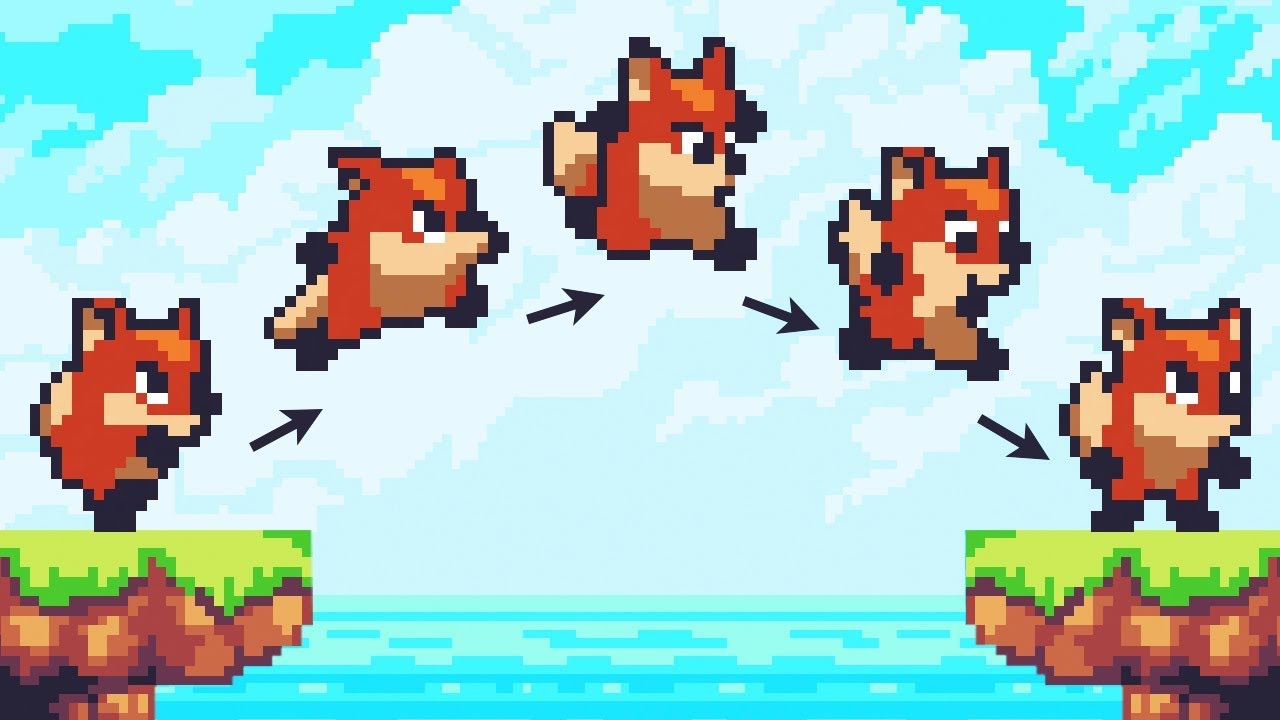
Let’s animate our character!
● Check out Skillshare: https://skl.sh/brackeys8
● Watch Player Movement: https://youtu.be/dwcT-Dch0bA
● Download the Project: https://bit.ly/2KK5AG8
● Character Controller: https://bit.ly/2MQAkmu
● Get the 2D Sprites: https://bit.ly/2KOkwjt
♥ Support Brackeys on Patreon: http://patreon.com/brackeys/
···········...
vague otter
left harness
Hey Guys! I have a Problem... okay, so basically if i jump everything works fine...
Strikes me as a scripting issue, because if the animation is working fine, why would it play twice. How fast does the animation play the second time?