#🏃┃animation
1 messages · Page 86 of 1
 hybrid tinsel
Did you click the red circle button?
 dawn spade
yes
hybrid tinsel
Put the collider on an object inside the animated hierarchy?
 peak silo
Try scrolling your middle mouse button to zoom in. Then you can press directly above your keyframes as there are only so many positions on the track directly ontop of the keyframes.
 inland cove
peak silo
Try scrolling your middle mouse button to zoom in. Then you can press directly a...
inland cove
peak silo
Try scrolling your middle mouse button to zoom in. Then you can press directly a...
Yeah that works, but it's not exactly what I'm looking for. I still have to pinpoint it manually that way, seems cumbersome when there's a larger timeline duration used.
 peak jasper
Hello so i want to make my player character do a pivot animation when turning to face the camera this is what i have so far.
This is the most important code doing it.
float rotation = Mathf.SmoothDampAngle(transform.eulerAngles.y, targetRotation, ref rotationVelocity, rotationSmoothTime);
animator.SetFloat("Turning", rotationVelocity * 0.3f, 0.1f,Time.fixedDeltaTime);
The thing i wonder about is how i can make the animation look better

cause now it kinda does it unnaturally, i wonder if anyone has ideas on how to improve it (blendtree is -1 to 1)
 twin musk
hybrid tinsel
Put the collider on an object inside the animated hierarchy?
twin musk
hybrid tinsel
Put the collider on an object inside the animated hierarchy?
yeah, was thinking to do this as plan B because everything is written now based on that parent
 fluid sage
i wanna use a particle system but idk how, and i cant do scripts sinc ethey dont work in vrc
i just dont know how though
 hybrid thistle
Hey, I am beginer and I need help setting up animations for my 2D platformer game in unity2D. I was following Blackthornpod´s tutorial for movement and for animations too, but in the animations tutorial the script seems to be edited and I dont know where to write which code. Can anyone help me?
peak silo
So, when I flip my character they transport to a different area, does anyone have a fix for this?
hybrid tinsel
@peak silo set your pivot correctly.
fluid sage
yeah i still cant figure out hwo to do this with a particle system properly
peak silo
hybrid tinsel
<@675095749607948310> set your pivot correctly.
Do you care to tell me how to do that ^^'
 trail smelt
my animations are moving out of my cameras view and turning to the right and i do not know why
hybrid tinsel
trail smelt
my animations are moving out of my cameras view and turning to the right and i d...
probably due to incorrect root motion
 marble jolt
I'm new to the animation suite in Unity. I have a project at work where I need to tweak an animation clip asset. I have the corresponding prefab its animating open but I'm not sure how I can get a preview happening. The root object have an Animator attached but I'm really not sure how to be in a state where I can preview my animations (Not counting starting the game and previewing it)
"add property" is grayed out in the Animation window as well.., like how would I figure out what windows/objects to open/select to make sure it's working for me?
nevermind.., found out the mistake I was doing
For others:
I had selected the clip in the project explorer. Then I locked the animation window and went into my prefab. Even though this technically is the correct clip with the corresponding object it won't recognize it. Instead I had to unlock my animation window and then select the object for the same clip to pop up in the animation window (but this time it's editable and previewable)
hybrid tinsel
marble jolt
nevermind.., found out the mistake I was doing
For others:
I had selected the cl...
For future reference, you can preview animations in the inspector by selecting one and dragging a skinnedmesh with appropriate bones onto the preview window. (You still need to go into scene view to edit them though.)
peak silo
Does anyone know how to fix an error where the character moves to the other side of the screen when being flipped?
fluid sage
Question, when it comes to effecting particles in the animator if I have a particle that is set to lifetime say 10000 itll last a long time and has a death particle, but if I put a animation in the layer that changes it from that to 1 when its active does it just vanish or will it die playing the death particle?
 round carbon
I'm trying to keep this old school and mobile friendly but should I add more animation frames?

 cinder wren
Does anyone know why this pixel glitch appears?

Everything looks fine in my Sprite Editor

This also doesn't happen when I play the animation in the Scene window
only in the Game window
twin musk
how do i add animations if there already added so i dont waste my time?
there is an animation that comes with an asset
idk how do i add it to the animator tool
@twin cobalt
 twin cobalt
Ohu so uhm it's 2d or 3d
twin musk
2d
 twin cobalt
Oh so now just attach the animation to the object and then go to animator tab
twin musk
alrightyyy
twin cobalt
twin musk
isdk how to add it to the animator
Just drag and drop it to the 2d object 👍
And then open animation tab
twin cobalt
twin musk
works just fine :DDD
Ayo noiceee good luck for further :)
twin musk
:DDD
 marble frigate
got the same problem, would be cool for anyone to look into this
Yo, so ive got a problem with animations in the timeline
the guy just snaps back to the place
ive already tried numerous searches and messed around with the timeline itself but i cant find a solution
can someone help me out?
 fringe berry
I can not add events to an animation. i click on the frame and click add event but nothing happens. the button is greyed out. same with add keyframe and record button.
 uncut salmon
You need to have an object selected which contains an animator that has the animation on it.
Well, you don't necessarily, but if you're trying to add an event to a specific object, make sure you have it selected so you can access it's functions.
fringe berry
ty osteel. turns out you need to duplicate the mixamo animation to change it from readonly to writeable
uncut salmon
Yes, you do.
Any imported animation will be read-only. You need duplicate them to modify them.
 fervent mica
i am having a problem when i add a animation in timeline my character changes position anyone can tell why??
thanks in advance
 hazy echo
My animation is displaying funny in unity, im wondering if anyone here can help.
its supposed to look like thios
hybrid tinsel
hazy echo
My animation is displaying funny in unity, im wondering if anyone here can help.
What is is actually looking like, though?
hazy echo
hybrid tinsel
What is is actually looking like, though?
Woops I thought I deleted this, I figured it out sort of.
I exported the fbx weirdly and the staff was becoming non orthogonal or something, gotta figure out how to fix that, shouldnt be too mucb
Much
marble frigate
fervent mica
i am having a problem when i add a animation in timeline my character changes po...
I have the same problem, did You find any solution yet?
 keen thorn
hi i added animations to my game but i am struggling to find out how to make the head and the body follow the camera like in csgo
if i look up or down this happens
 fervent mica
marble frigate
I have the same problem, did You find any solution yet?
fervent mica
marble frigate
I have the same problem, did You find any solution yet?
what if we move everything else instead??
 graceful dome
this is how my character looks without 'Animation Rigging'
and This is with 'Animation Rigging'
i used AnimationRigging only to make the hands attach to the weapon
when i use Animation rigging on 1 hand the head weirdness is les than when i have it on 2 hands
anyone knows why this is happening?
this head juggling is waay too bad
how do i fix this
please ping me when someone responds
marble frigate
My animated character moves to 0 0 0 position when the timeline is started, both in scene view and in-game view. I'm trying to make a cutscene where he walks to the right and then goes idle, it works but when the second animation (Idle) starts he goes back to 0 0 0 position, completely ignoring previous movements. I've attempted disabling root motion etc. The only thing that worked was setting an off-set in the timeline for that animation but it's too clunky and annoying, is there any other way to make him walk like he should?
hybrid tinsel
@marble frigate animations are relative to their parent object, so putting a root object above the animated object in the prefab would let you set the 'zero point'
 stuck garnet
Hey, so I downloaded a character and some animation from mixamo, idle, walk, run and falling animations are working perfectly, but the landing animation are not working properly, in the inspector view as well as when the animation is played in game the character starts to play the animation way above the ground
Is there any way to fix this?
I tried 3 different landing animations from mixamo, all of the are showing same problems
stuck garnet
Update: fixed it, just had to tick the root transform in Y axis, didn't did it earlier as it was red
hybrid tinsel
Yeah, it was probably red because that isn't a looping animation
graceful dome
graceful dome
how do i fix this
Can someone help?
 mellow cradle
 mortal wadi
hey, i am having trouble slicing the spritesheet of the jumping movement
i know they all have different sizes so, how do i know where to slice?

 tired basin
mortal wadi
i know they all have different sizes so, how do i know where to slice?
tired basin
mortal wadi
i know they all have different sizes so, how do i know where to slice?
any way you can make them all have the same size? It'll be much easier to handle that way
 rose spire
Hey im new, should I start animating with blender? or anim rigging system in unity
I just need simple 3-5 sec anims of idles and walking etc
 surreal lily
I used to be the head spinny when trying to follow with camera guy
now i'm the head barely moves at all when trying to follow with camera guy
For reference, I'm using Unity's Animation Rigging package to override the animations for the character that I am using, so that the head looks in the direction that the player is looking, which also gets rid of the issue with the player seeing the head.
I'm currently recording it for reference
 mortal wadi
tired basin
any way you can make them all have the same size? It'll be much easier to handle...
mortal wadi
tired basin
any way you can make them all have the same size? It'll be much easier to handle...
I have no idea:(
I tried manually
but even if I try to adjust the frames, it looks awful still
not natural at all
mortal wadi
rose spire
Hey im new, should I start animating with blender? or anim rigging system in uni...
I would say blender, I am new too and I started with blender, it's quite easy and intuitive, start with cubes and isometric things first while you they used to it
then you can go to more complex things
 charred flicker
keen thorn
hi i added animations to my game but i am struggling to find out how to make the...
charred flicker
keen thorn
hi i added animations to my game but i am struggling to find out how to make the...
in CSGO camera does not move with the body, think of it like two separate systems where in first person you just control the camera rotation, and height when you are crouched, and animation system works on Character where it uses camera rotation to drive the looking down or up animation
 lapis sun
hey im following a tutorial and im a little confused about something. Can anyone help me figure out how to achieve this?
We now need to create a new blend tree with the type 2D Freeform Cartesian. It should look like that:

How do I create a new blend tree like this in unity 2020?
nvm
mortal wadi
lapis sun
hey im following a tutorial and im a little confused about something. Can anyone...

do you mean that?
lapis sun
I meant how to get to the blend tree graph hes on, but I figured out you just double click the newly created blendtree
mortal wadi
i went to animator and right clicked

sorry if i am not helpful enough but i think that might help
lapis sun
no your fine, I figured out what I was confused about. Thanks
 dusk granite
Okay so i have a weird issue that I don't know how to solve. In the preview window, the trident moves up and down when the diver is moving, as exected. But in game, the trident is completly stationary. Could it be that the way i parented the trident to the bone (Ctrl P) is what messed this up? Should I use a constraint instead? I'm totally lost on this. It's a humanoid rig btw
and if it's important, i baked and set everything to original on all clips

Another issue is that if I parent the trident directly to the hand in the hierarchy. (right now it's setup as:)
DiverParent
DiverModel
Metarig
Trident
then the trident will look like this and this is completly wrong as it supposed to look like the same as in the preview window shown in the clip https://cdn.discordapp.com/attachments/804414319273312376/914583028838318130/unknown.png

actually i just noticed, the hand seems to rotate 90 degrees when it shouldn't. uhh....
wait i think i know the issue, might be my blend tree
YEP IT WAS MY BLEND TREE, NVM
 meager trout
I wanted to achieve this liquid tilting effect.
Currently I'm trying with sprite sheet.
What I did:
-
Holder tilting.
-
Stretched sprite horizontally such that it's visible inside the mask.
-
pivot top center and keep the liquid horizontal wrt world.
Not able to scale down the the liquid value wrt to the tilt angle.
Could anyone align me in the right direction ??

 clear orbit
rose spire
Hey im new, should I start animating with blender? or anim rigging system in uni...
clear orbit
rose spire
Hey im new, should I start animating with blender? or anim rigging system in uni...
If you are just looking for idles and walks, just use Mixamo. You would only need Blender if you wanted to create armatures. if you want to just start using animations that are already made, you can just use unitys animation system with imported animations, since you will have to learn to use it eventually anyway. Treat Blender as a resource for anything that can't be achieved in Unity. Unless you are already familiar with Blender. You don't need animation Rigging unless you want to use IK, and building a rig in Blender to animate is fine, but it's not a straight forward path, and I'm not sure the rigs even transfer , and if they do it takes a lot of work to make them and get them into Unity, at which point you will still have to deal with Unity's animation system anyway.
hybrid tinsel
meager trout
I wanted to achieve this liquid tilting effect.
Currently I'm trying with spri...
I'm not entirely sure what part of it you're having trouble with?
 agile kernel
Hello I have come in search of the esoteric truth of the Unity animation window.
I go into keyframe recording mode. I rotate the shoulder of the ragdoll. It automatically creates a keyframe. I click create keyframe anyway. I rotate the shoulder again just to be sure.
I exit keyframe recording mode and click play, and my changes to the rotation are gone. The new keyframes are created, but they have the exact same rotation as the base keyframes I copied and pasted into the animation start with. Also their names are grey and I can not change them with the mouse slider.
This was not mentioned on the manual page I read.
 hybrid tinsel
Is this a humanoid or a generic rig?
meager trout
hybrid tinsel
I'm not entirely sure what part of it you're having trouble with?
I'm able to determine the world position where the liquid level should start dropping. It's just that I'm unable to find the relationship where at a particular angle this much of liquid should be scaled down.
meager trout
hybrid tinsel
I'm not entirely sure what part of it you're having trouble with?
The image I shared is the reference image of the ideal game from the play store
agile kernel
hybrid tinsel
Is this a humanoid or a generic rig?
It was generic but I clicked humanoid from the drop down menu.
hybrid tinsel
agile kernel
It was generic but I clicked humanoid from the drop down menu.
You can't directly animate the transforms of a humanoid, only the 'muscles.'
agile kernel
:o
hybrid tinsel
meager trout
I'm able to determine the world position where the liquid level should start dro...
How physically accurate does it need to be?
meager trout
hybrid tinsel
How physically accurate does it need to be?
Just that behaves liquid on tilt simple effect.
meager trout
hybrid tinsel
How physically accurate does it need to be?
As simple as this https://youtu.be/khWwwzmj3Z0
 hybrid tinsel
In that, it looks like the level isn't really simulated at all but is strictly based on the quantity of each color
If you're tracking how much of each is in there, you can just move your mask based on that?
meager trout
hybrid tinsel
In that, it looks like the level isn't really simulated at all but is strictly b...
I'm scaling the liquid color sprite sheet in y direction and making it visible inside the holder mask.
hybrid tinsel
So what's the problem?
meager trout
hybrid tinsel
If you're tracking how much of each is in there, you can just move your mask bas...
Scale of 1
hybrid tinsel
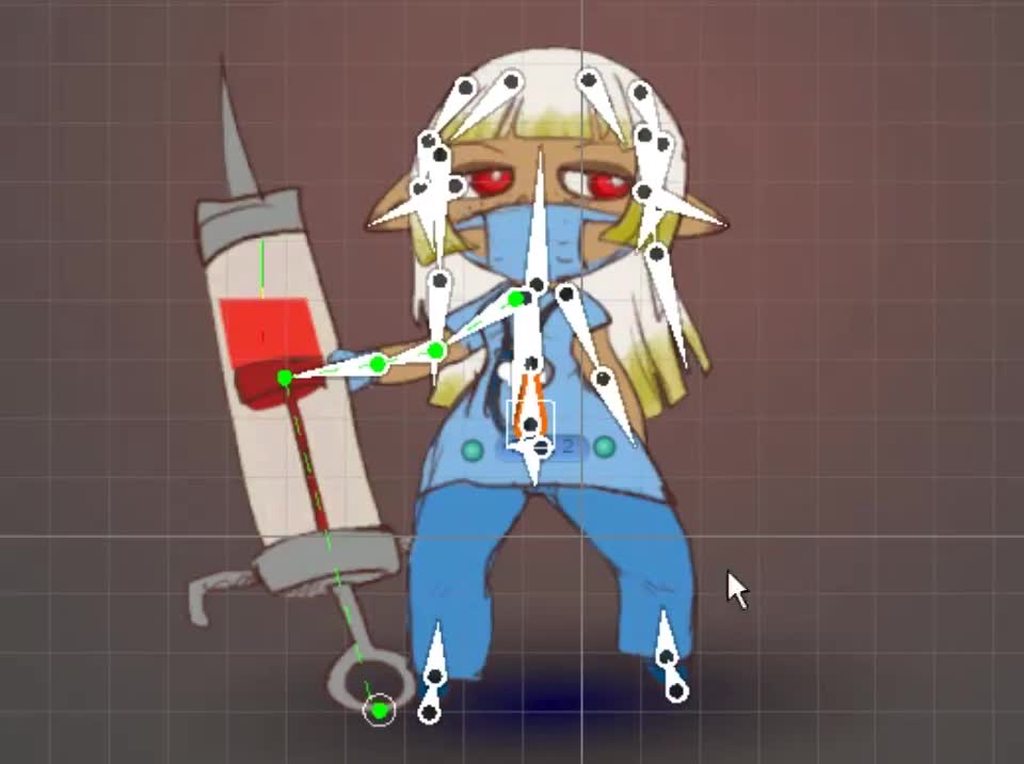 meager trout
hybrid tinsel
So what's the problem?
meager trout
hybrid tinsel
So what's the problem?
The problem is liquid level drops down all of a sudden. Because I subtract the dropping point y position from the y of liquid scale.
hybrid tinsel
So don't do that?
meager trout
hybrid tinsel
So don't do that?
So how to achieve the functionality ? Is there a better way ?
hybrid tinsel
I'd avoid using scale and just adjust the mask personally
Well no, if I was making it myself I'd do it in a shader but if I was doing it with transforms
Then that's how
meager trout
hybrid tinsel
I'd avoid using scale and just adjust the mask personally
Because liquids are stacked on top of other.
hybrid tinsel
Ah. So yeah, I can understand why you're scaling it in that case but it still is a lot of pain
meager trout
hybrid tinsel
Ah. So yeah, I can understand why you're scaling it in that case but it still is...
Yeah !
Just been a couple of months on unity !
hybrid tinsel
If each layer is a separate object, you can use a rectangle to approximate the shape of the layer and as the width gets wider proportionally scale it down on the y to preserve the volume.
meager trout
hybrid tinsel
If each layer is a separate object, you can use a rectangle to approximate the s...
I see. I'm making it wider from the beginning.
meager trout
hybrid tinsel
If each layer is a separate object, you can use a rectangle to approximate the s...
Well I can think about it
meager trout
hybrid tinsel
If each layer is a separate object, you can use a rectangle to approximate the s...
Thanks for the ideas 💯
agile kernel
It works, I can make animations with a ragdoll set to generic, thanks.
dusk granite
is it possible to add AnimatioEvents to readonly animations without having to fiddle around with making duplicates and what not?
or nvm i solved it
 dim blade
Heyy all 🙂
Does somebody know how to make such a walking animation or grapping stretch like here? - i try to replicate it because i find the walking animation tooooo cute. Can somebody help. Somehow i can get to manage it with the animation rigging system? - Do i need to make a model in blender?


 upper shadow
hey, I don't need to do this yet, it won't be til later on.
but how does one go about making animations [like character walking] in 3d unity? should I use blender? is there rigs? is there an animation maker in unity? etc.
where would I go to learn about this best?
asked in #archived-code-general but was told going here would be smarter
 tacit geyser
upper shadow
hey, I don't need to do this yet, it won't be til later on.
but how does one go ...
tacit geyser
upper shadow
hey, I don't need to do this yet, it won't be til later on.
but how does one go ...
I Heart Game Dev has a great series breaking down the basics
https://www.youtube.com/watch?v=-FhvQDqmgmU&list=PLwyUzJb_FNeTQwyGujWRLqnfKpV-cj-eO

Learn how to properly export characters and animations from Adobe's free Mixamo platform and import them to Unity 3D. You'll also learn some beginner-friendly animation knowledge!
ACCESS PROJECT FILES & SUPPORT THE CHANNEL:
💛 https://www.patreon.com/iHeartGameDev
iHeartGameDev Merch:
💛 https://www.iheartgamedev.com
CHECK OUT THE NEXT VIDEO HER...
Animation question myself though: Curious if there's any way to animate bones on a character outside the Humanoid avatar. I'm using humanoid animations from Mixamo with a Humanoid avatar, but my character also has a tail. I was hoping I could just animate the bones for the tail, but trying to add keyframes gives an error saying the the Property is missing. I guess without the bone being in the avatar, you can't key them? Am I just SoL?

 neon phoenix
im new to this so could someone help me with this?
this is the first frame of the attack animation

and this is the second

the height of the character model changes and instead of the entire model startintg from the base it shifts to the middle
so the character instead of getting taller it gets longer on both sides
what can i do to fix this?
 charred wadi
Really hoping someone here can help me fix an issue I’m having with my character animation. I’m making a topdown game that uses a 3D world and game objects but 2D sprites applied to those game objects. It runs fine and my characters animate okay, I’ve also got the different states down so the character changes to its run animation when its speed is greater than 0.01 etc. etc. My issue is that the run animation doesn’t play when moving the character directly horizontally, i.e. pressing only the left or right arrow keys. The idle animation just keeps playing while the character moves around. There’s no issues when moving vertically or even diagonally, only horizontally. I’ve tried googling and searching on forums, but nobody seems to have asked about this issue before. I’ll provide scripts and stuff if needed
clear orbit
charred wadi
Really hoping someone here can help me fix an issue I’m having with my character...
Maybe "has EXit Time" is checked?
charred wadi
clear orbit
Maybe "has EXit Time" is checked?
It’s not, and it transitions from idle to run fine when moving the character vertically and diagonally, it’s only with horizontal movement where the idle animation keeps playing instead of playing the run animation
 rough quartz
guys I am using tow bone ik constraint, its is working I assigned it to the target, and if I move the target everything is ok but is I move its parent the constraint dont follow it any help?
fixed, need to add rigTransform to the parent
hybrid tinsel
tacit geyser
Animation question myself though: Curious if there's any way to animate bones on...
You need to add any non-humanoid bones(tails, etc) in the importer, or they will be ignored by the rig.
@neon phoenixPut the pivot point at the bottom of the character.
tacit geyser
hybrid tinsel
You need to add any non-humanoid bones(tails, etc) in the importer, or they will...
Do you mean the Avatar? You can add custom bones to it?
 tacit geyser
Ahh okay okay. Slightly different issue than this I think. I'm trying to re-target Mixamo animations to a character I have with extra bones. I want to animate the tail on top of the Humanoid mocap. The Mixamo rigs obviously don't have tail bones so I can't add them to the Mask. Is there a way to add a mask to the actual character Avatar that's getting the re-target animations? So far I've only found the mask slot on individual animations
@hybrid tinsel
hybrid tinsel
I know that you can do it but don't remember the specifics of how
tacit geyser
Hmm, okay. I'll try and dig into it
 barren roost
bruh
 novel citrus
my animation is still horribly desynced when playing, the first is it in gameplay, and the second is the same spot in unity's preview
the two don't match at all
is there any way to fix this?


 keen cloud
neon phoenix
this is the first frame of the attack animation
keen cloud
neon phoenix
this is the first frame of the attack animation
Looks like world box
Nice
 strong dome
i create a humanoid animation but i can't figure out this error. I try the drag foot.l to lowerleg.l but when i run game cancels my changes even i apply

 velvet pivot
Hi, I am trying to get skeletal animations working but when I generate the generate the geometry, it only generates the mesh on the main bone, why?

and yes all the bones are connected, even head
novel citrus
half the time when i close the animation window and reopen it the keyframes will have moved to entirely different places onscreen
they just did it again
i closed the animation tab for 15 seconds and reopened it and everything was out of place when i came back
hybrid tinsel
novel citrus
my animation is still horribly desynced when playing, the first is it in gamepla...
What do you mean they don't match at all?
hybrid tinsel
velvet pivot
Hi, I am trying to get skeletal animations working but when I generate the gene...
You need to generate the mesh for each sliced sprite. So double click on each one and generate a mesh.
hybrid tinsel
novel citrus
half the time when i close the animation window and reopen it the keyframes will...
If you close the animation window the preview will go off, maybe that is it?
novel citrus
no, when i close it then reopen the animation window the animations are now in a visibly different position, even when i look at the same frame as before
hybrid tinsel
Weird
upper shadow
3d animation is hard lol
tired basin
neon phoenix
what can i do to fix this?
dunno if you already solved this, but setting the pivot to be the bottom center of the sprite instead of the middle of the sprite should solve your problem.
upper shadow
Been trying to make a good rig for a human, but if I rotate any of the bodyparts inside of bodyparts, they skew all weird. how can I not have this happen?
example:


nvm I figured it out. seems kinda clunky to not be able to do it like that though..
can't do part inside part inside part
can do part inside part
upper shadow
tfw you're animating but you forgot to click record animation and so you spent a bunch of time setting up a frame and then it just reverts
upper shadow
finally made a semi decent run animation c:
thoughts?
question: how can I get this menu to pop up? do I need to export my character somehow or something?

cus when I just turn my character into a prefab this doesn't come up when I click it
 misty elm
Is it possible to stop the timeline looping while editing an animation?
 crude path
upper shadow
finally made a semi decent run animation c:
crude path
upper shadow
finally made a semi decent run animation c:
Why do u not use mixamo?
crude path
I see
upper shadow
thinking it might've been better to use mixamo
tbh
mainly because I accidentally permanently got rid of the character rig
and I'm trying to remake it and failing to remember how things were parented
upper shadow
yeah. it's just a bit disappointing creating something and then losing it lol
crude path
upper shadow
yeah. it's just a bit disappointing creating something and then losing it lol
sometimes you have to take a step back to go 2 steps forward 😉
crude path
upper shadow
I did get a video of the animation so that's cool I suppose c:
Great 🙂
 cerulean skiff
If anyone is out there, could I get some help with some Generic Animations and Root Motion?
Not descriptive I know but it's just a very complex problem
hybrid tinsel
Can you actually describe the problem?
neon phoenix
tired basin
dunno if you already solved this, but setting the pivot to be the bottom center ...
thank you
second issue is why some knives dark and some are not (how they should be)'

 stuck trout
why am i getting this error? i dont have any duplicates

is there an order i need my bones to be in?
 hybrid tinsel
stuck trout
is there an order i need my bones to be in?
hybrid tinsel
stuck trout
is there an order i need my bones to be in?
No, but it will try to automatically detect based on the hierarchy.
hybrid tinsel
stuck trout
why am i getting this error? i dont have any duplicates
The automatic process might have bugged; you can try manually assigning transforms to the slots in the avatar.
 spiral sonnet
anyonw knows how to make this type of animations https://youtu.be/Lqvao6swRSY?t=299 it is show in this minute

Go check out LootLocker: https://www.lootlocker.io/?utm_medium=influencer&utm_source=youtube&utm_campaign=barji
You guys bullied me into making a game. Here's part one to that story.
Go check out the Godspeed musicians:
@Justin Hughes
@Elijah Law
Mat: https://twitter.com/mattsparksy
➤Social Media:
Discord: https://discord.gg/nQs4RpFbJn
T...
dim blade
spiral sonnet
anyonw knows how to make this type of animations https://youtu.be/Lqvao6swRSY?t=...
easing functions
stuck trout
hybrid tinsel
The automatic process might have bugged; you can try manually assigning transfor...
how can i do that?
nevermind, i will create a new avatar and make it myself. awesome. thank you so much!!! @hybrid tinsel
spiral sonnet
dim blade
easing functions
????
stuck trout
how can i make my character tpose?

i tried to do "enforce t-pose" but it only makes the bones tpose and not the character
 bronze horizon
stuck trout
how can i make my character tpose?
bronze horizon
stuck trout
how can i make my character tpose?
export it in tpose from blender
your rigging is simply flawed, but it doenst look bad though
also: use an extra bone at the end of your bones(tell unity thats the last bone)
 odd fractal
alright so I'm really newbie with animations since I'm a coder, but I did a melee attack animation for a prototype cube in a RTS. However, the attack state is defined in a Finite State Machine through script, and I'm aware of the animator controller but I'm not aware on how would I be able to get custom parameters inside the animator controller for my unit's state
Is there any way I could get my cube's finite state machine's state as a parameter inside the animator controller to specify "according to the c# script, you're attacking, then you should play the this animation"
stuck trout
bronze horizon
your rigging is simply flawed, but it doenst look bad though
oh oof, i dont know how to rig in blender :(
should i try learning rigging in unity?
or because the character was originaly built in blender should i do it in blender
my problem is that when i move the bones it wont move the character. i really dont know why
 pearl horizon
i dont know if this fits here or in code
but how would i animate an object to go to a certain place, no matter its starting point? (location and rotation)
hybrid tinsel
@pearl horizonYou can use https://docs.unity3d.com/ScriptReference/Vector3.MoveTowards.html for a regular object, or https://docs.unity3d.com/ScriptReference/Rigidbody.MovePosition.html for a physics object.
hybrid tinsel
odd fractal
Is there any way I could get my cube's finite state machine's state as a paramet...
You can just call whatever parameters you like in the animator. You can either have them match their counterparts in your behavior FSM, or you could use triggers at specific points.
bronze horizon
stuck trout
oh oof, i dont know how to rig in blender :(
should i try learning rigging in un...
go for blender. you cant rig in unity
if you can spare 3000€/year, then go for maya
or some autodesk shiat
blender has major problems that wont get fixed, but it does not matter for you in case of learning the basic stuff
you just take a basic rigged humanoid and then create an avatar
then you place some ik script on top and start having fun
ik= having animations and modify some bones, like overwriting the some values of the animation
cerulean skiff
How would I go about extracting a Generic Animation that came attached to a model and be able to put it on my Generic Player Model?
stuck trout
bronze horizon
go for blender. you cant rig in unity
i see, thanks!
twin musk
Hey guys idk if this is a model problem, but how do I get it so that when his head rotates it doesn't just break appart but will stretch?


 charred belfry
Don't cross-post. Also, this is a Unity server, not blender. There is no place for this here.
twin musk
Blender To Unity : We creating a humanoid rig and created some animations and then exported them to unity. There seems to be A lot of Warning like this :
 hybrid tinsel
twin musk
Blender To Unity : We creating a humanoid rig and created some animations and th...
hybrid tinsel
twin musk
Blender To Unity : We creating a humanoid rig and created some animations and th...
That could be caused by having extra bones that aren't used by the humanoid avatar. It could also come from having scale/position animations. Another possible cause is the avatar not matching between the setup character and the imported files.
cerulean skiff
I can't view Generic Animations on my Generic Player Model. I've tried pressing Control D to get the Animation by itself but whenever I try to preview it, it just shows my character in a T pose


 sly dagger
hybrid tinsel
https://imgur.com/8zSjTX7
sly dagger
hybrid tinsel
https://imgur.com/8zSjTX7
Is there a good tutorial somewhere for how to achieve 2d physics like this? Looks great
pearl horizon
hybrid tinsel
<@!467920696220057602>You can use https://docs.unity3d.com/ScriptReference/Vecto...
oh, thanks
hybrid tinsel
sly dagger
Is there a good tutorial somewhere for how to achieve 2d physics like this? Look...
thanks! And sadly not, until I get around to making one :3
For that one it was a combination of a bunch of stuff; the built in unity constraints for the legs, 2dik package for the arms, animation toolkit and constraints for the hair
sly dagger
Cool. I've dug into the 2dik package and use it for my character's arms when aiming. I need to look into the animation toolkit constraints more.
cerulean skiff
What is the most efficient way to retarget a Generic Animation?
hybrid tinsel
cerulean skiff
What is the most efficient way to retarget a Generic Animation?
Unity doesn't really have a built in way
hybrid tinsel
sly dagger
Cool. I've dug into the 2dik package and use it for my character's arms when aim...
Animation toolkit is a free asset, unity constraints are included with unity
cerulean skiff
hybrid tinsel
Unity doesn't really have a built in way
Ok well I downloaded an animation pack and I'm trying to extract the model, but whenever I look in the preview window, it's just my player model doing a T Pose
hybrid tinsel
When you say generic animations, you mean that it is a 'generic rig' type in the importer?
Or something else
cerulean skiff
hybrid tinsel
Or something else
My Player Model is a Generic Type. I got an Animation Pack from the Asset Store that has a bunch of animations in FBXs, both in Humanoid and Generic. So I obviously went into the Generic one, where they are all on FBX models, but when I extract the animatioon, it's just my PM doing a T
hybrid tinsel
Unity has no retargeting system for generic animations; the entire point of the humanoid system is to allow retargeting.
If your generic rig is identical in setup to your player rig, you can use animations from it, but you might not have a 1:1 result
cerulean skiff
hybrid tinsel
Unity has no retargeting system for generic animations; the entire point of the ...
So would I just have to take the Humanoid ones and Convert them to Generic ones?
hybrid tinsel
Not sure how you got that from what I said.
cerulean skiff
hybrid tinsel
Not sure how you got that from what I said.
Nvm. Btw, I've been trying to get an answer on this for so long, but can you edit Root Motion on Generic Animations and if so then how?
hybrid tinsel
Yes. You just have to choose a transform to be the root.
(And enable root motion, of course)
cerulean skiff
hybrid tinsel
Yes. You just have to choose a transform to be the root.
On the Player, animation, or both?
hybrid tinsel
The animation clip
cerulean skiff
hybrid tinsel
The animation clip
That actually relates a problem that has been facing me for about a month:
When my (Generic) Player does a (Generic) animation that sends him forward, he always teleports back to the point of origin after performing said animation
hybrid tinsel
Then you either aren't using root motion or you have the wrong transform selected as the root
cerulean skiff
Root Motion is enabled and I'm very positive I have the correct Transform selected
cerulean skiff
hybrid tinsel
Then you either aren't using root motion or you have the wrong transform selecte...
Actually come to think of it the animations I was using were ones that were originally Humanoid that I converted into Generic, so I take it that's the problem?
hybrid tinsel
It might be contributing to it
cerulean skiff
hybrid tinsel
It might be contributing to it
Ok first, how can you be sure what Transform you need selected as the root for the Player and/or animation? Because I'lm 90% sure that my Player has the right Root selected but I'm not sure
hybrid tinsel
The transform that actually does the moving.
On most humanoids it will be the hips
cerulean skiff
hybrid tinsel
The transform that actually does the moving.
Ok, because I think the bone that's the Root on my Player isn't one that's on most animations
hybrid tinsel
I'm not sure why you're not just using humanoids in this situation and letting unity handle all the remapping.
cerulean skiff
hybrid tinsel
I'm not sure why you're not just using humanoids in this situation and letting u...
Humanoids aren't capable of some of the essential animations needed for the Player
hybrid tinsel
Anyway, any animation that is not on the transform you select will not contribute to root motion
I mean, I'm still not entirely sure you get the difference between the types of rig, so humor me- what aren't they capable of? I can think of a couple possibilities, but...
cerulean skiff
hybrid tinsel
I mean, I'm still not entirely sure you get the difference between the types of ...
Humanoids arerestricted to human esq models, while generics can be just about anything. Additionally, Generics can use Humanoid animations, but Humanoids can't use Generic animations
Not well anyway
hybrid tinsel
Yeah, but you said that all the animations you were using were humanoid
cerulean skiff
hybrid tinsel
Yeah, but you said that all the animations you were using were humanoid
Some. My Model is a Generic with a mix of both Generic and Humanoid animations
hybrid tinsel
Ah.
Anyway, you do also need to enable root motion in the animator, aside from enabling it per clip
cerulean skiff
hybrid tinsel
Anyway, you do also need to enable root motion in the animator, aside from enabl...
The RM is enabled on the Animator, but when I'm looking at a Generic animation clip the only options I have are Loop Time, Loop Pose, and Offset Cycle
hybrid tinsel
Yeah, the tools for fine tuning root motion are part of the humanoid tools. I believe there is a way by code to adjust things in a generic clip but otherwise it just uses the raw motion curve of the animation's root.
You might be able to do more in the importer, not certain since I've not experimented with that.
cerulean skiff
hybrid tinsel
You might be able to do more in the importer, not certain since I've not experim...
By importer do you mean the FBX it came in?
hybrid tinsel
Yes
cerulean skiff
hybrid tinsel
Yes
It looks like the root on my Player is on an FBX animation file, but I still tried to view the preview and it's still my player in a T
cerulean skiff
hybrid tinsel
Yes
Ok wait... now the animation is playing... but my Player is still in a T but still going through the motions if that makes sense
hybrid tinsel
Probably means the transforms don't match other than the root
cerulean skiff
hybrid tinsel
Probably means the transforms don't match other than the root
Ok so how do I correct this?
Additionally, what's the Extra Transforms to Expose thing underneath the Rig tab?
hybrid tinsel
That is for adding things like wings, tails, etc
They don't get remapped but you have to add them there or they'll just be discarded entirely
And you'd correct it by making the hierarchies of both the character and the animated file match
cerulean skiff
hybrid tinsel
And you'd correct it by making the hierarchies of both the character and the ani...
Oh ok coolio
So is there a solution to this T pose motion thing?
hybrid tinsel
Yeah, the humanoid animation system. 😄
But more generally, making the animation source and the character rig match.
Any mismatches will break things.
Generic rigs assume that any animations you use with it will be using essentially the same rig, with the same names and the same hierarchy.
cerulean skiff
hybrid tinsel
Generic rigs assume that any animations you use with it will be using essentiall...
That's odd considering Generics can be anything and Humanoids are the one that have to be like the animation in question
hybrid tinsel
No, it isn't odd.
The humanoid system was specifically designed to allow a variety of inputs to be retargeted to each other, because that isn't something you can just do with generic animations.
How is it supposed to retarget the animation from a generic rig, when it knows nothing about that rig's structure?
Retargeting becomes possible because everything is mapped to a known structure. Generics can be anything.
 shut harbor
Is anyone online who could help with animation rigging?
shut harbor
while using Multi-Aim Constraint my weapon is rotating on yaw axis even though the Aim Axis, and Up Axis are set up correctly as well as working correctly. Here is the clip.
 cerulean skiff
hybrid tinsel
Retargeting becomes possible because everything is mapped to a known structure. ...
cerulean skiff
hybrid tinsel
Retargeting becomes possible because everything is mapped to a known structure. ...
Ah ok gotcha. Sorry for all of the stupid questions, I'm new and still trying to learn
 glass cove
Hey good morning everyone!
cerulean skiff
glass cove
Hey good morning everyone!
Good Morning
glass cove
Dont know if someone could recommend me on this
Im trying to use a package of animations that i got
However, my character does not respond really well to it
tried copying my own avatar to the rig of the animation
But seems to not be compatible
However the animation plays closely the same
(slightly weird feets only)
cerulean skiff
Hmmm ok what rig type is your player model and animation, respectively
glass cove
So they are humanoids
cerulean skiff
animation and model?
glass cove
yes
However when i try to replace the Copy From another Avatar it wont get replaced
Create from Other avatar**
cerulean skiff
I take it you're talking about an FBX file, correct?
glass cove
sure
cerulean skiff
I'm going to take that as a yes
If they're both humanoid, then you shouldn't need to alter the rig in any way
Especially because doing so can really screw up the animation
glass cove
but if the avatars are different shouldnt i use the one from my model?
cerulean skiff
No no no, see the great thing about Humanoid rigs is that they work almost perfectly with any other Humanoid Rig, since all Humanoid Rigs have the exact same bone structure and root maps
So all you need to do is just take the animation out of the FBX and you can use it. Problem solved
 topaz meadow
hey people sorry for interrupting but i need help with a rig character for vr
cerulean skiff
Don't be sorry
And I've never done anything with VR so that's not something I'd know the answer to
glass cove
cerulean skiff
So all you need to do is just take the animation out of the FBX and you can use ...
What you mean by take out, duplicate it to get it literally out of the fbx?
cerulean skiff
glass cove
What you mean by take out, duplicate it to get it literally out of the fbx?
Yes. Open up the FBX and go to the little blue triangle. Ctrl D, and it's out of the FBX
glass cove
It does the same unfortunately.. hands and feet are displaced
its really slightly, but enough to make it look weird
cerulean skiff
Ok, what Animation Pack are you using
And what is your Model you're trying to put it on
glass cove
Is it okay if i PM you?
cerulean skiff
glass cove
Is it okay if i PM you?
Go for it
cerulean skiff
How do you scale animations to fit a player model? I have some animations I'm using but my model is much larger than them, and so it messes up the position. How do I scale up the animations properly to fit the Model?
twin musk
does anyone know why i cant record my animation
twin musk
nvm got it
hybrid tinsel
cerulean skiff
How do you scale animations to fit a player model? I have some animations I'm us...
That is another situation that (humanoid) retargeting is for 😄
cerulean skiff
hybrid tinsel
That is another situation that (humanoid) retargeting is for 😄
Uuuugh Unity whyyyy
hybrid tinsel
You... er, seem to be looking at it entirely backwards.
They didn't 'take away features' from generic rigs like you seem to think.
They added humanoid rigs to support those extra features, and those features work BECAUSE of the limitations.
If you want a super fancy and customizable retargeting solution that works with anything get houdini I guess.
It feels a bit like you're complaining about not being able to protect yourself from the rain because you have chosen not to put a roof on your house.
cerulean skiff
hybrid tinsel
It feels a bit like you're complaining about not being able to protect yourself ...
Dude I'm new... I don't know like half of this stuff.. that's why I'm asking so many questions
hybrid tinsel
cerulean skiff
Dude I'm new... I don't know like half of this stuff.. that's why I'm asking so ...
Not trying to be mean. Just trying to show a different point of view.
Asking questions is good, but you also seem to have a lot of preconceived notions that are getting in your way.
We're all leaning here 😄
 shy dove
Anybody here able to clue me in to how can I make my 3rd person characters gun follow the crosshair?
I have the animations for the extremes of aiming left right and up as well as down.
hybrid tinsel
shy dove
Anybody here able to clue me in to how can I make my 3rd person characters gun f...
The usual way would be using inverse kinematics, but if you wanted an animation based setup you'd probably use a 2d blend in the animator, and figure out the x and y of that blend based on the angle between the character and the target.
shy dove
Thank you.
sly dagger
I did mine using inverse kinematics. Took a lot of work to get it to function correctly with my character but it works.
 steady nest
Is there any way to use animations without using the cumbersome animator controller flowchart/GUI/visual-script?
 valid raft
Hello, I would like my gameObject animator executes a transition but I would like to know if the transition has been executed or not. Something like this: animator.SetBool("RunMyTransition", true); is my transition has been executed ???
if the transition is not possible I don't want to execute it, I just want to know that "it's not possible"
 gusty wharf
Hey, I downloaded an animations for vr hands but I want to edit it to change the position of some fingers. How can I do this?
valid raft
It seems that I have to: Set animator variable to induce the transition, then call animator.Update(0) to for the state change. Then I have to compare the current state before the transition and the current state after the transition and if they are different then the transition has been done.... Is it a safe to call animator.Update by myself ?
gusty wharf
So essentially, how can I edit already existing animations?
hybrid tinsel
@gusty wharf I suggest doing that in an external program like blender.
hybrid tinsel
@valid raft you can use 'behavior' type scripts to execute functions when states transition.
@steady nest yes. The flowchart is useful but not really required if you are really that determined not to use it.
steady nest
@hybrid tinsel Great! How can I get started with a script driven animation system?
hybrid tinsel
Digging into the docs to see how the animator works, I guess.
Animator.Play() will probably be your best friend
 low granite
Is there anyways to get the music in my timeline to loop even if the timeline is over?
I don't really know how
hybrid tinsel
You can play the music with a script that you trigger from the timeline instead of just playing the music from the timeline
fervent mica
so i have a problem i have animated some doors they work fine when played through timeline but not in game mode any suggestion>??
hybrid tinsel
I suggest you give more details 😄
 lone goblet
I'm animating a model in Maya that includes a prop as part of the animation. I finished the animation and imported it into Unity, but unless I completely bake the animations, the prop never moves accordingly when applied to Unity. It just wobbles around randomly at best and sits in one position at worst when I import it into Unity as either an .ma or a .fbx file. Additionally, even if I bake animations, it has random frames where the prop resizes itself out of nowhere and then reverts.
I've never really animated a character that needed a prop for a Unity game, only for other types of animation, so I'd appreciate someone could help me understand why this is happening and some workflow considerations I should have going forward.
hybrid tinsel
I've not worked with Maya, but you might be having problems with keyframe reduction or interpolation causing odd jumps. Unity supports a few types of Maya constraints, including a parenting constraint, so you might be able to use that without baking(not sure of the workflow details, but I've heard it mentioned).
What happens when you re-import the baked animation to Maya? Does it still have the glitches? (that'll narrow it down to a unity import problem or a maya export problem)
Also, if you are setting the rig type to humanoid in unity it will discard props and other non-humanoid bone transforms unless you manually add them to the avatar.
 frosty glacier
Hey!
I'm trying to make my text wave up and down, but I can't find anything that works and is free.
I've gone through an entire page of google search results, and everything doesn't work, costs money, or requires you to manually make an animation frame by frame.
How would I be able to do this?
 plain sierra
https://cdn.discordapp.com/attachments/912535759611912226/916242240358219786/2021-12-03_19-18-58.mp4
Is it possible to extract this as an image sequnce in blender and then use each of the 6 image sequences for the skybox? Currently I have this as a skybox (6 images from blender) but its static and I'd like to animate the displacement and then have the skybox appear animated in unity (pls reply to msg if you respond)
hybrid tinsel
frosty glacier
Hey!
I'm trying to make my text wave up and down, but I can't find anything tha...
If you're using Textmesh Pro, import the tmp extras and they have a few text animation scripts.
 umbral robin
How should I approach creating pixel art and animations for a 2d side scroll RPG. I want to have a weapon system, character classes, and usable items. Any tips on how to create all assets and have them work together. ex: character and different weapons... Will I have to animate every single weapon or item with every single character or is there a better and more efficient way? Thanks.
 lunar stirrup
Hello, How do you make a player hold a gun like this. do you use animations or animator IK
 hybrid tinsel
lunar stirrup
Hello, How do you make a player hold a gun like this. do you use animations or ...
hybrid tinsel
lunar stirrup
Hello, How do you make a player hold a gun like this. do you use animations or ...
Generally you'd use a mix of both; an animation that roughly poses the upper body and IK to match the weapon.
Though you can get away with one or the other.
lunar stirrup
hybrid tinsel
Though you can get away with one or the other.
Ok thanks
fluid sage
so im having a strange problem
i have everything the same size and stuff in blender
when i bring them over to unity
the tamberines and the piano become super small, the trumpet is giant, and the violin just crunces into a plane or something

 outer island
fluid sage
the tamberines and the piano become super small, the trumpet is giant, and the v...
outer island
fluid sage
the tamberines and the piano become super small, the trumpet is giant, and the v...
dont know that much but, have you applied the transformations maybe?
fluid sage
i clicked applied transforms when exporting it
do i have to do it not in the export tab?
outer island
fluid sage
do i have to do it not in the export tab?
figure it out?
 zealous valley
@fluid sage Ctrl + A to apply transforms in Blender
I'd do that rather than export it with the applied transform checkbox ticked
fluid sage
got it, it works thanks :>
 hasty elm
i think this is the right channel, is there a way to more quickly set up the animation frames in the sprite settings
valid raft
@hybrid tinsel About my statemachine transition question. I'm working on a 2D retro game. When the player press "left" the hero sprite move to 16 pixels left (it's grid movement based, cell to cell). But sometimes there is a stone blocking the way that the player can push. So from the hero moveLeft function I have to call stone.push to put the stone in the push state and I need to know if the stone is really in push state to know if the moveLeft function can then launch a 16 pixel hero left movement. That is why in one function call I need to change the state of another gameobject and get a response to know if the state really changed.
 old verge
Hi. The robot thing is the rig the animation was originally created for. The white suit guy is another humanoid rig. When I play the animation on the white suit character, the feet are not planted, unlike the original one. Is this a common issue? How can I alleviate this?
 steep flower
hey, I've an problem that Idk how to solve, and googling it didn't help me, so I've an landing animation that playes whenever character goes from fall to idle, for some reason it's different in scale, I don't know how to fix it without redoing the land animation, is it possible from animator lvl?\
steep flower
Sorry if this is obvious to fix thing, but I still do not know this program well
charred belfry
@tawny obsidian there is no job posting here. See #📖┃code-of-conduct . (Even if it was allowed, this channel has nothing to do with your job.)
 tawny obsidian
ma bad
uncut salmon
tawny obsidian
ma bad
You've already been told this. Do you have any intention on using this discord for anything other than job posts?
hybrid tinsel
valid raft
<@!172484507788771328> About my statemachine transition question. I'm working on...
I would NOT use the animation state as part of the logic, especially since you already have a logic state machine.
hybrid tinsel
steep flower
hey, I've an problem that Idk how to solve, and googling it didn't help me, so I...
Is the pixels per unit the same for all your sprite sheets?
steep flower
hybrid tinsel
Is the pixels per unit the same for all your sprite sheets?
yes
it just might be the difference in camera angle when I was rendering, but that means scraping the whole animation, and I think that it's salvegable
If I could just scale it down, It would fit right in
but when I added scale transform in animation property, the whole player scaled down
including other animations
hybrid tinsel
Maybe add a scale keyframe to other animations to reset it to the correct scale
But there probably isn't an ideal solution, other than 'make sure the sprites are the same size.
Have you tried changing the ppu on the falling sprite to make it match?
(That is, not the same PPU but changing it so that they are visually correct)
steep flower
ppu?
steep flower
hybrid tinsel
Maybe add a scale keyframe to other animations to reset it to the correct scale
I did, but that way my character couldn't change sides bcs in property transform scale X axis is set to 1, but for my character to flips it needs to change to -1, so that completly ruins the animation
so I quess only thing I can think of is to match size by hand in blender and hope it will look better
hybrid tinsel
PPU- pixels per unit

Adjusting that adjusts the 'world scale' of the imported sprite
novel citrus
how many curves is too many curves
valid raft
@hybrid tinsel Thanks for your help. So you suggest that I code another state machine system instead of using the animator one. Or change the logic to fit the animator specs ? By the way is there a way to change the animator state like settrigger but with auto reset of the trigger even if the transition is not possible ? (From the doc I understood that the triggers are reset only when the transition is processed)
hybrid tinsel
valid raft
<@!172484507788771328> Thanks for your help. So you suggest that I code another ...
Sorry, I thought you'd said earlier that you were using a behavior tree for your game logic... I might be mixing you up with someone else 😛
But yeah, I suggest only sending the trigger when your game logic is sure it should be used
 spare hill
Anybody around that can help a noob get Mixamo animations going? All I get is a the character in a T pose 😦
frosty glacier
How would I make a cutscene for a 2d game? (unity)
hasty elm
is there a way to do the sprite sheet layout that you do when editing the sprite when it is set to multiple faster? i have a set size that does not change for any frames
hybrid tinsel
frosty glacier
How would I make a cutscene for a 2d game? (unity)
Just like any other game, really.
frosty glacier
hybrid tinsel
Just like any other game, really.
That isn't even remotely helpful
hybrid tinsel
Sorry, but just saying that there are lot of resources for making cutscenes, tutorials and such, and most of what they say are applicable to 2d as much as 3d
Unity just posted a tutorial on cutscenes like... a month ago?
My own 2d game just uses basic Timeline playables triggered with colliders mostly.
 maiden peak
how to prevent limbs in certain humanoid animations going through walls with third person character ?
 dim socket
Kinda new dealing with 3D models; trying to access information about a model's bones, so I can set another object to the same transform, maybe displaced a little bit
The goal is to give the illusion of being held. Please @ if anyone has any ideas, just so I don't miss it!
 mystic river
Is it true that the local upward direction of a foot depends on a rig and can be anything from GetBoneTransform(HumanBodyBones.LeftFoot).transform.up to GetBoneTransform(HumanBodyBones.LeftFoot).transform.right?
 lyric rover
Hello there
Can someone help me
I want to buy a new pc or just parts to upgrade my pc.. and i wad wondering what pc did unity use to make this short movie animation

Want to learn how to optimize lighting for high quality visuals in realtime animation? Let's check out how Unity Technologies did it in our animation Sherman!
In this video we go behind the scenes of the realtime animation Sherman. We will look at how to achieve high quality lighting effects, optimized not for gameplay performance but instead f...
 toxic heart
How can i edit animations in animator, The animations that i downloaded are only read-only. I need to add some events to the animation
 fiery wigeon
anyone can help me with blend tree character positioning ?
hybrid tinsel
@dim socket by 'access' you mean with a script or with the built in constraints?
@mystic river there isn't really a standard, no, since the only real orientation requirement is that the z axis points at the toes.
mystic river
hybrid tinsel
<@208901801708224512> there isn't really a standard, no, since the only real ori...
Ooof. So, the best practice would be to manually store the Up direction for a foot separately from the bone?
hybrid tinsel
Dunno; what do you need it for?
You could get the direction based on the position of the parent bone, or even just use world up in most cases
hybrid tinsel
@toxic heart you can add events to an imported animation in the importer. You can also duplicate imported animations to make a copy that isn't read only.
toxic heart
hybrid tinsel
<@272811208590229515> you can add events to an imported animation in the importe...
Thanks! I did that and worked!
hybrid tinsel
@maiden peak inverse kinematics combined with raycasts can do that.
tacit geyser
Can anyone tell me what this means? For some reason I can't access any properties of my model in the Animation pane.

 spare glacier
Hi, I got this asset bundle of sprites from the Unity Store: https://assetstore.unity.com/packages/2d/characters/steampunk-game-sprites-83738#description . I'm trying to follow along with this video tutorial https://www.youtube.com/watch?v=6esaMBOA1as&list=PLX-uZVK_0K_4nYKmX-UZ5_3S7jimk2uN7&index=4 in which he uses rigging to animate the models. Does the pack that I got include the rigged models or would there be another way to go about that?
In this tutorial series you will learn how to create a 2D platformer in Unity. I recommend that you have unity 2019 or newer installed when following along.
I will release a new video to the public every Monday. Patrons will have early access and will be able to watch new videos every day. Patrons also have access to all assets and files.
You ...

Elevate your workflow with the Steampunk Game Sprites asset from Zuhria A. Find this & more Characters on the Unity Asset Store.
 agile solstice
Anyone got an idea why exporting animated armatures as FBX using action editor only exports some of the actions to unity animation
I don't see any kind of logic or reason why some actions work and some don't
Also welcoming any consistent way to export multiple animations
A lot of threads have this issue but most of them are plain dead without any answers
dim socket
hybrid tinsel
<@111550650617257984> by 'access' you mean with a script or with the built in co...
Script, ideally. My goal is just to have this.transform.pos = handBone.transform.pos in an obj's update
agile solstice
The missing actions aren't written to the FBX file at all
hybrid tinsel
tacit geyser
Can anyone tell me what this means? For some reason I can't access any propertie...
Your avatar isn't correctly configured.
hybrid tinsel
dim socket
Script, ideally. My goal is just to have `this.transform.pos = handBone.transfor...
You can do exactly that. https://docs.unity3d.com/ScriptReference/Transform-position.html
mystic river
hybrid tinsel
You could get the direction based on the position of the parent bone, or even ju...
I'm trying to calculate the height of a foot for more accurate IK placement since the position of the bone itself doesn't represent the surface of a foot. Therefore I can't just lerp the bone into a raycasthit.point value.
hybrid tinsel
mystic river
I'm trying to calculate the height of a foot for more accurate IK placement sinc...
Can you use the position of the foot bone without even touching rotation, since that will generally be the ankle position and won't change no matter how much you twist the foot bone?
dim socket
hybrid tinsel
You can do exactly that. https://docs.unity3d.com/ScriptReference/Transform-posi...
The issue I'm running into now is actually accessing the transform of the bone itself, I'm not too sure where I'd get that data
agile solstice
It seems "Force Start/End Keying" made the animations appear, for now
Even one that I deleted from blend file editor
hybrid tinsel
dim socket
The issue I'm running into now is actually accessing the transform of the bone i...
You can add it to the script manually in the inspector, or you can use Animator.GetBoneTransform
mystic river
hybrid tinsel
Can you use the position of the foot bone without even touching rotation, since ...
Unless I'm missing something, it's not possible to calculate the Up direction of a foot by using a position of a foot bone and any other bone.
So, my idea is to use the difference between the Up direction of a foot bone and a normal of a hit point on a surface to estimate the height of a foot and calculate a proper offset for IK. Maybe I'm overthinking this...
 hybrid tinsel

You could also add an empty object to the tip of the toe
And just use the position of the toe compared to the position of the ankle
Or, even better... add an empty transform to the sole of the foot and raycast from there 😄
mystic river
Probably this makes more sense than my elaborate setup...
dim socket
hybrid tinsel
You can add it to the script manually in the inspector, or you can use `Animator...
This is perfect, thanks so much
hybrid tinsel
mystic river
Probably this makes more sense than my elaborate setup...
The simplest, dumbest solution is best!
...My game's character has more empty transforms than bones
hybrid tinsel
...ok, actually kinda close. 17 empties and 20 bones
fluid sage
hey i accidentaly placed an animation clip int he hierarchy and not the one that has the animator in it
so its made a new animator, i deleted it but now it just does this whenever i try clicking to use the animation clips


instead of showing all the clips and letting me edit it freely, how do i fix this?
nevermind figured it out
hybrid tinsel
You can edit posts, fortunately 😄
clear orbit
dim socket
Kinda new dealing with 3D models; trying to access information about a model's b...
Don't you just parent it?
WHats the problem?
clear orbit
lyric rover
I want to buy a new pc or just parts to upgrade my pc.. and i wad wondering what...
I'm guessing a very very good one.
But I don't think it really matters, because when you are rendering any PC can do the work, it just depends how long it will take. Probably the PC you have now can do it as long as it has a graphics card.
 uncut salmon
@twin musk Don't crosspost
 red hedge
What do you guys think of my walk cycle? Does it look like walking?
 rich slate
Is there a way to limit the frames of an animation? I want to mimic the animations of older games and it looks nice in blender at 30fps but in my game its way too smooth
 flint raft
can someone link me a tutorial on 3D annimation for an animal? that'd be amazing
 rich cave
Im brand new but looking around at playing with making a basic top down resource management survival game. I learned about mixamo but was shocked though they have a TON of great stuff, the basic stuff you'd expect/want isnt there. Actions like chopping down trees, mining with a pick axe, maybe fishing. where are yall able to get these animations? Or are most hand animating?
rich slate
they are mocapped for sure, they might be fully mocapped with no animation cleaning. You can get the animations in the unity asset store. Some are free some are paid
rich cave
Im genuinely blind I cant find this basic animation free or paid
 vocal oak
not sure if this is the right place, but i got an animator blending question, i'm trying to find a way to blend my idle/walk/run tree, with another animation blend tree with an injured animation, so that if my character is injured, it will blend with all movement animation state... sorry if its not clear...
 vocal oak
fixed, found out about the layer system
 knotty sapphire
Any ideas why a Unity generic rig generation is not abiding to the weight paints defined by the file? (this is a robot so all weight paints are absolute values of 0 or 1 on the associated object.)
Unity appears to be merging two adjacent bones, with the parent overriding the weights of the child.
hybrid tinsel
knotty sapphire
Any ideas why a Unity generic rig generation is not abiding to the weight paints...
Did you re-import the exported object to your 3d software to make sure that there was no export problem? Do you have the max bone influence set too low in your platform settings?
hybrid tinsel
rich slate
Is there a way to limit the frames of an animation? I want to mimic the animatio...
You can lower the animation samples; it defaults to 60 samples per second. If it is an imported animation you might need to mess with the import settings to avoid the smoothing from resampling on import too, not sure.
 misty gate
Hi, I'm trying to bake a flying carpet animation in blender and bring that baked animation into Unity. But I seem to be skipping a step somewhere as the carpet imports but without any of the keyframed animations. I've been searching online and I found a ton for regular animations that have bones etc, but nothing about importing prebaked physics animations into unity. Can anyone point me in the right direction?
 timid folio
is there a way to apply unity rigged iks to the bones so the ik targets and hints arent used in an animation anymore?
like i have the two-bone iks set up for my model and I used them to create a idle animation, but that way it locks the ik parts and cant use them in scripts and stuff.
misty gate
misty gate
Hi, I'm trying to bake a flying carpet animation in blender and bring that baked...
Of course as soon as I post a question, I find the answer within 2 minutes. For anyone else, this video here set me right as rain: https://www.youtube.com/watch?v=ZtWWHLHXWq4&ab_channel=MundoUnity3D
 hybrid tinsel
timid folio
is there a way to apply unity rigged iks to the bones so the ik targets and hint...
hybrid tinsel
timid folio
is there a way to apply unity rigged iks to the bones so the ik targets and hint...
You can use the unity recorder package set to GameObject mode to record a 'baked' version of the animation that captures any scripted motion as keyframes.
timid folio
hybrid tinsel
You can use the unity recorder package set to GameObject mode to record a 'baked...
thank you. i managed to get that to work with the recorder, then manually removing certain unwanted parts from the new animation
hybrid tinsel
Yeah, the nice thing is that you can just delete the keyframes of any other objects, or even paste the new keyframes into your other animation
 slim river
I have a simple question about animation, if someone can give me a little insight, that would be really helpful. I must be overlooking something, but I have a GameObj with 2 children that are hidden. I have 2 animations and 2 triggers. My first animation Unhides the 1st child Obj. My 2nd unhides the 2nd child Obj. The problem is that when I trigger the 1st animation, it for some reason hides the 2nd animation. And when I trigger the 2nd animation it hides the first Obj. I want them to just stay up independently of each other. I must not be understanding something in the process.
 magic shale
I don't exactly know how you're hiding and unhiding but I have a feeling it's about animation layers
slim river
Just using Set Active true / false
magic shale
So it's code stuff? Not animation controller?
magic shale
Then I'm pretty sure you're not using animation layers
So I suggest reading about those
slim river
@magic shale Thank you. Ill look into those more.
magic shale
No problem
vocal oak
I'm using mixamo to get my animation, i use root motion and i implemented a turn around animation. But it only do a ~168° and i would like it to make a clean 180° rotation is there a way to quickly fix this or i need to clip the rotation manually after the animation ends? I want my animation to be smooth
red hedge
How in the world do you make a walk animation that goes when you move?
twin musk
when i use mixamo animation from another character on my actual humanoid character she sinks in a bit too much with like her feet or knees or whatever
how can i fix that without doing if animation X check and then offsetting her collider?
twin musk
this works i guess

 cerulean cliff
I'm trying to make a separate animation for when the player goes into aiming mode (basically), but I got stuck after adding an avatar mask
What do I do after this?

I'm really stuck on this
hybrid tinsel
cerulean cliff
I'm trying to make a separate animation for when the player goes into aiming mod...
You'd set the weight of the layer to zero when not aiming, and one when aiming?
Probably want to enable IK pass on that layer as well if you're using that to point the gun

 onyx creek
I recently updated my character models FBX. This update included textures and new animations. For some reason, the animations I did not make and are not associated with the FBX file work, but the ones I made seem to no longer work, instead moving the character ever so slightly and then freezing. Can any one give me any clues as to why this would happen or what I might have done wrong or where I can look to fix this? I am not sure why my animations worked before, and now no longer. I did not even update these animations, they were simply reimported along with the new ones - which I have not tested since the previous ones I made are now broken. Any clues on what to look at or focus on to fix this issue would be helpful. I should mention I am using the starter assets 3rd person and modifying it to my liking.
hybrid tinsel
@coral rover that usually means that your avatar is incorrectly set up.
 coral rover
oh. Thanks for the answer. But I found the problem and fixed it. Thank you anyways
hybrid tinsel
@onyx creek most likely, somewhere in the export/import process the hierarchy was altered so the bones were either renamed or parented to a renamed element.
onyx creek
@hybrid tinsel What might I do to correct the issue?
hybrid tinsel
You might be able to just edit the avatar on the reimported files, if you're using humanoid animations. Otherwise, you can edit the hierarchy/naming to match the original.
 grave ivy
has anyone done a deep dive into the animation rigging package? I'm having some trouble making sure my constraints actually constrain things.
hybrid tinsel
Unity themselves haven't done a deep enough dive into it to finish making it.
 merry current
onyx creek
I recently updated my character models FBX. This update included textures and ne...
merry current
onyx creek
I recently updated my character models FBX. This update included textures and ne...
You could make a new character and try setting up your own player, to see if that fixes it. Because it could be something with the code written or anything that just doesn't completely run smooth with your animations.
I'm using my own player controller and that works fine, no freezes or anything. Make sure that animations that are supposed to be looped are actually checked for looping. Otherwise it will freeze after the animation is done
 sour fern
Hello, I am not sure if this is the right place for this but a friend and I are trying to make a VRM using Unity and a plugin and have encountered this issue https://cdn.discordapp.com/attachments/914642834500505601/917229378813984778/7JBlRSP.png Says the model needs to face the positive z axis but the model seems fine
 onyx creek
Its strange because it just started working mostly after a reimport it is just behaving slitlghtly different on one of the animations
merry current
sour fern
Hello, I am not sure if this is the right place for this but a friend and I are ...
is the actual arrow of the Z-axis pointing the forward direction of the model?
or else it might be the rigging that be rotated or something
sour fern
I'll let my friend see these
 spice spoke
What is the equivalent of this for other 3D programs? I am trying to find a good way to automatically t-pose characters, Unity does it perfectly but I cannot just export the new rig :/

 sudden sun
how can i get a natural foot cycle while moving in unity because it looks really bad
do i need to use ik?
hybrid tinsel
You don't NEED to but it helps.
 indigo epoch
What is the best way to import animations from after effects? It seems like most people make a sprite sheet of the frames and then create an animation from it in unity but for high res animations (1920x1080) with like 20 frames that would create a crazy big texture. Creating a video file and using the video player in unity also seems like an option but is there any better way of doing it?
 wintry mauve
there are 2 animations
- turning the hand to a different position
- hand wiggle
I am making a transition arrow in the animator between animation 1 and 2, how can I achieve the effect so that the second animation (wiggle) plays from the end position of the first animation? Thanks
red hedge
Does anyone know how to fix this?

 gentle sparrow
Try changing the offset of the animated object
red hedge
Offset?
grave ivy
My 2-bone IK constraints are twisting the midpoint whenever it goes to bend? I tried adding a rotation constraint but it doesn't help at all. Is there another package other than animation rigging that I can use for this? It's starting to get on my nerves.
sour fern
merry current
or else it might be the rigging that be rotated or something
the model is indeed facing the Z axis arrow.
but for some reason enforcing T-pose turns everything EXCEPT the feet 180 degrees in reverse. donno why
sour fern
So yea, if anyone has any ideas toss them my way
hybrid tinsel
indigo epoch
What is the best way to import animations from after effects? It seems like most...
What are you doing? FMVs?
 high spruce
Is there any checklist for importing animated characters (not using Rigify, but bones with constraints) from Blender into Unity? Somehow, even though I baked all the bones, the animation doesn't exist in Unity, not even in the import settings. There are some keyframes, but they don't seem to do anything
hybrid tinsel
There was one in the unity docs, dunno how complete/accurate it is, or if it is still there in this version
high spruce
yeah, i checked, didn't help
 sand shuttle
Is there a term for the kind of animation (in 2D) where the whole sprite moves / rotates / shakes a little without the sprite changing? Not really sure how to explain myself lol
 noble pond
do you guys bother using blend trees for 2D sprite based animation?
can't decide if it's an easy way to handle it or just wicked overkill
hybrid tinsel
sand shuttle
Is there a term for the kind of animation (in 2D) where the whole sprite moves /...
I've heard it referred to as cutout animation, but that wasn't in a game related context.
(since it emulates a character cut out of paper and moved around)
sand shuttle
I was asking cause I wanted to look it up so I could implement it, but I somehow managed to figure it out haha
hybrid tinsel
noble pond
do you guys bother using blend trees for 2D sprite based animation?
I generally wouldn't use blend TREES, but using the animator state machine is still very useful for sprite animation.
indigo epoch
hybrid tinsel
What are you doing? FMVs?
Its a background effect for a fighting scene
 scarlet cradle
so I have a character, and when im not moving I want him to be in the idle position. But when I move up and stop moving, he defaults to the "right" facing idle state, and I want him to default to the "top"idle state. lemme send the code
using System.Collections;
using System.Collections.Generic;
using UnityEngine;

public class PlayerController : MonoBehaviour
{
    // Start is called before the first frame update
    private Rigidbody2D myRb;

    private Animator myAnim;

    [SerializeField]
    private float speed;
    void Start()
    {
        myRb = GetComponent<Rigidbody2D>();
        myAnim = GetComponent<Animator>();
    }

    // Update is called once per frame
    void Update()
    {
        myRb.velocity = new Vector2(Input.GetAxisRaw("Horizontal"), Input.GetAxisRaw("Vertical")) * speed;

        myAnim.SetFloat("moveX", myRb.velocity.x);
        myAnim.SetFloat("moveY", myRb.velocity.y);

        if (Input.GetAxisRaw("Horizontal") == 1 || Input.GetAxisRaw("Horizontal") == -1 || Input.GetAxisRaw("Vertical") == 1 || Input.GetAxisRaw("Vertical") == -1)
        {
            myAnim.SetFloat("LastMoveX", Input.GetAxisRaw("Horizontal"));
            myAnim.SetFloat("LastMoveY", Input.GetAxisRaw("Vertical"));
        }
    }

}

then this is the blend tree conditions
tell me if you need anything else
hybrid tinsel
indigo epoch
Its a background effect for a fighting scene
Depending on what the animation is it might be better to recreate in unity if you can.
scarlet cradle
can anyone help me
indigo epoch
hybrid tinsel
Depending on what the animation is it might be better to recreate in unity if yo...
i will take a look at that, thanks!
 rough wadi
how would I like test if my 3d model is rigged? I'm stumped
hybrid tinsel
Um... the easiest way would be to look in the importer to see if it finds a rig
stuck trout
make a trigger and a condition in the animator window that when someone presses E you detect through code
and activate the trigger
than put a condition of idle -> button
awesome
Anyone knows how can I call an animation but once?
i have a walking, jumping, idle animations but now i want a "knockback" animation that only activates once.
how can i do it?
or is there a way to make a trigger or a boolean become false when the animation ends?
hybrid tinsel
@stuck trout a trigger becomes false as soon as it is used by a transition.
stuck trout
Cool!
twin musk
Hey guys is anyone able to help me with this? I made a ball with a bouncing animation in blender and imported it to unity. But now when i start the animation the eyes and the eyebrows stay at the same place as soon as i start the animation. It was working all perfectly fine in blender.

And it also lost the texture somehow but thats fine
Update: I found out about root motion now the eyes are following the Object but they are not getting squished in like in my animation...
 upper summit
does anyone know how to force an animation to play from the beginning each time it's played in a blend tree?
the yellow is my idle. When I go from running, walking or backstepping to idle, the idle animation is at some random point. Meaning you go from walking to immediately scratching your arse.
 shut harbor
I want to have my melee animations setup, with Two Bone IK Constraint, is it possible?
hybrid tinsel
twin musk
Update: I found out about root motion now the eyes are following the Object but ...
Are they animated with bones, or deformers?
hybrid tinsel
upper summit
does anyone know how to force an animation to play from the beginning each time ...
It isn't a random point; it is the same(normalized) point in the animation as all the other animations it is blended with. The normalized time of all animations in a blend is the same. If you want to transition to a specific point in an animation it needs to be a separate state.
 dawn terrace
Anyone happen to have experience with the Twist Correction component from the Animation Rigging package? I've looked at the sample scene but can't seem to get it to work for my own scene/rig. Ah wait, the Twist Correction requires the Animator to be changing the rotation? It doesn't seem to manually adapt to scripted/manual rotations of the Source.
twin musk
hybrid tinsel
Are they animated with bones, or deformers?
I have one single bone in my ball, i think i did the animation with it. On blender it was working but now it isnt
 nimble wave
how do I make 2d lipsync for this model? By lipsync I mean I want the the pic mouth to move when I talk and eye tracking. And I do have all of the sprites for it and is it possible?
 hybrid tinsel
@twin musk if you are animating the other parts using modifiers instead of bones that won't transfer to unity.
 sterile forge
Da heck happened to my animation?
its working perfectly fine in preview
but what about play mode?
hybrid tinsel
You'd need to give more info
 safe panther
Hey guys! Does anyone know how to make RED bone influence two orange ones? I can only connect one bone to another. Only one out of two moves for me.
 shut harbor
cant rotate bones, does anyone know the problem?
 shut harbor
How can I align hand's fingers on object surface???
 sturdy violet
ok so, "On Click()" will set the trigger called "TryT" to true when i click on the button but how can i make this work like, first click set the trigger to Ture and second click set the trigger to False and repeat ?
 shut harbor
TryT = !TryT maybe? (this will take the initial TryT value and assign the opposite one)
sturdy violet
shut harbor
TryT = !TryT maybe? (this will take the initial TryT value and assign the opposi...
that is not the point, what i mean is, how can i specific that, this is the second click on this button
shut harbor
private bool _isFirstClick = true;

public void SomeClickMethod()
{
  if(_isFirstClick)
  {
    TryT = true;
    _isFirstClick = false;
  }
  else
  {
    TryT = false;
  }
}
``` is that what you mean?@sturdy violet tag just in case you dont see it.
sturdy violet
shut harbor
```
private bool _isFirstClick = true;
public void SomeClickMethod()
{
if(_is...
hmmm, how can i access the trigger via code tho, like Animator.GetBool("TryT") = true; ?
sturdy violet
shut harbor
```
private bool _isFirstClick = true;
public void SomeClickMethod()
{
if(_is...
that works thanks
one more question, how can i do something like
        {
            anim.Play("SettingsCanvAnimClose");
}```this doesnt work tho
shut harbor
I dont think that you can play an animation like this. But I know there was a package doing that.
But prob. you dont need it.
sturdy violet
shut harbor
I dont think that you can play an animation like this. But I know there was a pa...
i am just doing something specific thats why i am going throw all this lol
shut harbor
You should work with conditions.
And transitions.
For example.

Here I have two animations, and a transition between.
For which I've set a condition.
 old grove
any way to make animation rigging package less inaccurate?
shut harbor
You can have an empty animation one which will be the default goin' from entry.
And an animation you want to use. Which will have transition links to the empty one and back.
old grove
i mean multi-aim component is moving my joints too far away even with roll only correction(only Y is checkboxed)
it should, in theory, only rotate by local y, but it rotates by all x y and z and results in odd position
sturdy violet
what i am trying to do is, i have this, and a button called "go" and i wanna check the animator state, for example if clip "SettingsCanAnimOpened" is running and i click "go" button, next clip will run which is "SettingsCanAnimClose" BUT, if i anyother clip is running and i click "go" nothing happens
 old grove
because other clips have no transition to animClose
add transitions and lock them by conditions(isGOpressed == true)
nvm
sturdy violet
one second
this condition seems to work like, if( FirstCon & SecondCon)

is there is a way to make it OR ?
nvm i am actually dum lol, i can just make second transaction
man i am exhausted lol
 oak gyro
What is the best place or way for me to learn animation?
 keen spade
hoy i have a quick question. If i use the blender tool ,,animAll'' to animate the eye and pupil movement of a character model i have, by keyframing the position of the uv map, can i use this in unity or is that not supported?
hybrid tinsel
safe panther
Hey guys! Does anyone know how to make RED bone influence two orange ones? I can...
Inverse kinematics is the usual method for that sort of thing.
hybrid tinsel
shut harbor
cant rotate bones, does anyone know the problem?
If that is a humanoid rig, you need to animate the humanoid muscles instead of the transforms.
hybrid tinsel
keen spade
hoy i have a quick question. If i use the blender tool ,,animAll'' to animate th...
Not supported. You'd have to use a script or shader to replicate the effect in unity.
Unity basically supports object transforms, bone transforms, and blendshapes.
rough quartz
how can I restart the animation?
I am using an animation that does not have loop, it gets to the end and it stays there, and I want it to be like that, but I want to replay it again from the start when needed
ah ok I found it I can make transition to it self
 peak quiver
I am having issues with humanoid avatars not animating the characters, except the one that originally had the animations. Is there something I may have overlooked?
hybrid tinsel
peak quiver
I am having issues with humanoid avatars not animating the characters, except th...
You need to set up an avatar for each non-identical rig you import, and then it can convert animations between them.
 quasi girder
Hi guys! I'm starting with 3d rigging, how does animation work when it comes to rigging? I see many people have universal animations that play across many models, how is that possible?
Can someone recommend me a good tutorial (text or video) about it?
 fallow bison
So, continuing from #⚛️┃physics, how would I ensure my animations aren't affecting the root object?
fallow bison
Well, I believe removing the Position section from the animation clips must have done it. Everything seems to be in order there now. Just a little bit wonky.
 hybrid tinsel
fallow bison
So, continuing from <#497874196274348032>, how would I ensure my animations aren...
hybrid tinsel
fallow bison
So, continuing from <#497874196274348032>, how would I ensure my animations aren...
basically remove any transform keyframes(position, scale, rotation) from the root object
You can also disable root motion in the animator yourself of course.
fallow bison
hybrid tinsel
You can also disable root motion in the animator yourself of course.
Yeah, it was disabled already, which actually seemed to cause the issue. After enabling it, it started moving. But I figured that wasn't a good enough solution, so I deleted the position section.
hybrid tinsel
what WAS the issue?
turning off root motion won't stop the root from animating; it will just stop that motion from being applied at the end instead of going back to the start
shut harbor
Guys, I've the following question. I have two layers of animation. I want to have one layer responsible for feet animations, and the other one for body animations. How can I achieve that? (I've tried enabling foot ik, changing layer settings but those are giving some wrong results, so I suppose you could give me a better solution)
 heavy cosmos
Using "Unity Sequences" - I want to get the 'start, end, duration' info from one of my Sequences. How can I access this??

/ How can I access this info from a Timeline clip?
 formal hazel
My running animation simply doesn't work(it does in the animation window but when I press play nothing happens. I get the idle animation but I don't get the running animation even though it says that my "isRunning" is true and in the code it works perfectly), so how can I solve this?


 opal kettle
what does your code look like ?
formal hazel
using System.Collections.Generic;
using UnityEngine;

public class Player : MonoBehaviour
{

    [SerializeField] private float speed;
    private BoxCollider2D boxCollider;
    private Vector3 moveDelta;
    private RaycastHit2D hit;
    private Animator anim;

    private void Start()
    {
        boxCollider = GetComponent<BoxCollider2D>();
        anim = GetComponent<Animator>();
    }

    private void FixedUpdate()
    {
        float x = Input.GetAxisRaw("Horizontal");
        float y = Input.GetAxisRaw("Vertical");


        // Reset MoveDelta
        moveDelta = new Vector3(x * speed ,y * speed,0);

        //
        if(moveDelta.x < 0)
            transform.localScale = new Vector3(2,2,0);
        else if(moveDelta.x > 0)
            transform.localScale = new Vector3(-2, 2, 0);

        //blockolodas
        hit = Physics2D.BoxCast(transform.position,boxCollider.size, 0, new Vector2(0,moveDelta.y), Mathf.Abs(moveDelta.y * Time.deltaTime), LayerMask.GetMask("Player","Blocking"));
        if (hit.collider == null)
        {

            transform.Translate(0, moveDelta.y * Time.deltaTime, 0);
        }


        hit = Physics2D.BoxCast(transform.position,boxCollider.size, 0, new Vector2(moveDelta.x, 0), Mathf.Abs(moveDelta.x * Time.deltaTime), LayerMask.GetMask("Player","Blocking"));
        if (hit.collider == null)
        {

            transform.Translate(moveDelta.x * Time.deltaTime, 0, 0);
        }
        anim.SetBool("isRunning", moveDelta.x != 0);
    }

}
anim.SetBool("isRunning",true/false) ... this should work ?
formal hazel
 opal kettle
i mean set it to true or false at that line. if you want it running ... set true
if you want the anim to start then anim.SetBool("isRunning",true);
 fallow bison
hybrid tinsel
what WAS the issue?
fallow bison
hybrid tinsel
what WAS the issue?
To be honest, I have no idea. I'm just rolling with it.
opal kettle
formal hazel
Bcs it's true so it should work
is your rig ->animation type same as idle ?
formal hazel
I'm really new to unity what is rig?
opal kettle
formal hazel
I'm really new to unity what is rig?
i assumed that u import in animation.
 formal hazel
I haven't seen this yet so I guess it's not same
opal kettle
formal hazel
I haven't seen this yet so I guess it's not same
if that doesn't work .... then i'm not sure ... hehe thats all I know.
fallow bison
formal hazel
I'm really new to unity what is rig?
Rig is your model's bone structure. It connects points to be animated (bones), to your model's vertices, so the right part of your model moves with the correct bone.
In your import settings, you can choose what type of rig to apply. If your model is set up to do so, you can (hopefully) make it into a humanoid by selecting that in the drop-down list. This will give you compatibility with most Unity animations created for humanoids.(Sometimes Unity doesn't recognize models as humanoids.)
Whatever the case, your animations should use the same rig as the model you're attaching them to.
formal hazel
Oh I see, thanks
hybrid tinsel
@shut harbor use multiple layers with avatar masks to control which parts of the body they affect.
formal hazel
But it's not 3D, it's a 2D animation
 uneven parrot
If i could get a little help animating. Im making my own hand gestures by rotating the bones while recording. however every time i change the rotation of the finger the value always returns back to how it was before. Is this a unity problem or am i just doing this all wrong?
hybrid tinsel
@uneven parrot is it a humanoid rig or generic?
uneven parrot
Humanoid.
 young mulch
Hi team - been away for a year - wondering if any progress on being able to optimize draw calls for -skinned- mesh renderers, or anything that can help with performance there
GPU instancing wasn't supported and doesn't look like it is for skinned meshes.
 earnest aspen
Does anyone here have experience with Animation rigging?
hybrid tinsel
@uneven parrot on a humanoid you cannot directly keyframe the transforms, only the humanoid muscles.
earnest aspen
Hello
May I butt in for a second?
I just have a couple questions about animation rigging
hybrid tinsel
Ask your questions if you want them answered. Asking to ask is a waste of time
earnest aspen
Ok then! Well, I have taken animations from Mixamo and put them into my characters and character controllers but I cant find a way to have the camera on the character stay bound to the head while, for example, the character is jumping. Do you have any ideas?
@hybrid tinsel ^^^
I'll brb
hybrid tinsel
The simplest way, of course, would be to just parent the camera to the bone you want it to follow.
You probably would want to use a script or cinemachine for nicer movements, though, since being parented to a bone like that can give very ugly camera movements.
@young mulch depends on your exact needs. Unity has worked out some quasi gpu skinning, but it requires converting your animations to textures passed to the gpu. Can find that on the unity blog. I've heard tgat gpu skinning for urp is in the eorks, but it has been in the works for three years now so... I wouldn't hold my breath 
young mulch
hybrid tinsel
<@587422209216348182> depends on your exact needs. Unity has worked out some qua...
Hey thanks for responding! I saw that animation skinning, but the repo is 3 years old now, very likely to break or maybe already broken. I'm sure they'll have something for DOTS. I'll scale down the scope of my game, trying to make mount and blade clone but not sure how they can get that level of performance. Thank you again!
earnest aspen
hybrid tinsel
The simplest way, of course, would be to just parent the camera to the bone you ...
How would I go about making a script like that? is there tutorials on youtube or sum?
hybrid tinsel
Probably. Unity comes with a basic camera follow script too, I believe. If you want proper tutorials though cinemachine probably is the best bet.
earnest aspen
hybrid tinsel
Probably. Unity comes with a basic camera follow script too, I believe. If you w...
I can't seem to find anything on the web :\ could you reference a video maybe?
hybrid tinsel
You can google it just as easily as I can
earnest aspen
hybrid tinsel
You can google it just as easily as I can
I couldn't find anything. Do you have any keywords I can use?
hybrid tinsel
'unity camera follow' brings up ten pages of results on google.
earnest aspen
hybrid tinsel
'unity camera follow' brings up ten pages of results on google.
how does that relate to what I want though? I'm very confused
oh I understand now
Thank you so much for your help!
sorry for the misunderstandings!
hybrid tinsel
Just discovered this https://github.com/forestrf/UnityAnimationWindow

GitHub
Would you like to have some simple extra features in the Animation Window? Do you use Unity 2019? Then this is for you. Used in Genokids - GitHub - forestrf/UnityAnimationWindow: Would you like to ...
@celest crag might be worth pinning?
 celest crag
Looks interesting, I'll create a category for additional tools behind main pinned post.
Additional animation tools.
https://github.com/forestrf/UnityAnimationWindow
https://github.com/qwe321qwe321qwe321/Unity-AnimatorTransitionCopier
celest crag
celest crag
**Additional animation tools.**
<https://github.com/forestrf/UnityAnimationWind...
 lapis tendon
Hi people! Did anyone every have the problem that animations worked in the built version of the game but did not in the editor? The states do change, but the animations won't play.
hybrid tinsel
lapis tendon
Hi people! Did anyone every have the problem that animations worked in the built...
By in the editor you mean in play mode or when using the animation window? That is quite an unusual problem that it would work in build. Does restarting the editor help?
(Honestly if it wasn't working in editor I wouldn't have even thought to test the build though so...)
lapis tendon
hybrid tinsel
By in the editor you mean in play mode or when using the animation window? That ...
Özi, der nicht von den Bergen — Today at 3:23 PM
I mean in the play mode of the editor, it's so weird because in the built version it works for client & server, I also thought it's unusual that something works in the built version, but not in the editor play mode
hybrid tinsel
Client/server... are you doing some kind of animation syncing on the network that wouldn't be called in the editor?
 brittle raft
I've added an animation to an additive layer that's otherwise working, but this particular state doesn't move the bones like it does when placed on the lower state. What might I be doing wrong?
The other states on the layer animate additively as expected
lapis tendon
hybrid tinsel
Client/server... are you doing some kind of animation syncing on the network tha...
I do, but if that doesn't work everything else also shouldn't I'm confused xD
 balmy ridge
question: for the purpose of Unity, should I use Mixamo or Blender for animation on scene objects (like ur character)?
uncut salmon
balmy ridge
question: for the purpose of Unity, should I use Mixamo or Blender for animation...
You're comparing premade animations available with Mixamo to hand made animations in Blender. Choose whichever suits your purposes.
balmy ridge
ya i just realized lmao
i asked that before i signed up for it, cuz i thought it was an animation software
i found my answer tho
 echo plover
Hello! So I made a simple animation with a bare armature for testing.
I imported it to Unity and it seems to work fine in the preview
But when I attach it to a character ingame (I checked beforehand that this armature works well with this model, using premade animations), I get two problems:
-It's looping erratically. Way faster than in Blender, and some frames are not seen.
-The arm is moving way too much to the left, unlike in Blender or the preview.
Any suggestions what I could be doing wrong?
 onyx pagoda
how do i straight up transfer changes made to my blender object to unity. For Example i add a block to unity from blender, then i change the size of it in blender and (safe the file in blender) and the size change transferes over to unity. Im looking for something similar like that and i would like to know how to do it?
 signal spear
anyone know why this happens. when i move my camera up and down the arms lag behind, and when i go sideways its in position.
i controll my sideways motion just by copying rotation from the camera.y to the character.y, and im using multiaim constraint and chain IK constraint for my arms and spine. i quess its because those positions and rotations are set in late update?
grave ivy
does anyone know why my animation is moving like this? it's a mixamo animation I downloaded
hybrid tinsel
Most likely unity's retargeting it is messing it up; you'd probably need to use IK on the legs to make it work
cerulean skiff
I have an animation that I'm trying to combine with another; basically I want to take the animation from the waist up and combine it with the waist down of the other. Ik that probably doesn't make much sense but I need some help
 proper turtle
I built an Avatar Camera app with realtime Hand + Face + Pose estimation. I used MediaPipe, URP and Toon shader and customized retargeting system to stabilize AR camera position and body pose. What do you think? https://www.youtube.com/watch?v=1cH1Pel3sas

VIRTU in ALPHA! Looking for #vtuber #creative partners! ଘ( ˊωˋ )†
- Early access: https://ofz4ust8v72.typeform.com/to/QdgxXTmD
Model by @bladed6, #metaverse #VIRTU #Genshin
hybrid tinsel
proper turtle
I built an Avatar Camera app with realtime Hand + Face + Pose estimation. I used...
That is amazing! It just works with VRMs, or can you use any unity humanoid asset?
Though your website is kinda broken; the 'enter to scroll' only works like 1/3 of the time. Why not just use a standard, non horrible html form?
merry current
cerulean skiff
I have an animation that I'm trying to combine with another; basically I want to...
its makes sense, you need layers for that with different avatars
its really easy to do

In this tutorial I will demonstrate how animation layers and avatar masks can be employed to blend animations to play a different animation on the top of a character to the animation being played on the bottom.
fallow bison
Why is my stick man meditating?
This is not one of the animations I set for it, there's no other scripts except the one that tells the character controller to move, and the one that sets animator parameters.
I feel like if I disturb him, this is going to turn into Animator Vs. Animation!
 hybrid tinsel
fallow bison
Why is my stick man meditating?
This is not one of the animations I set for it, ...
hybrid tinsel
fallow bison
Why is my stick man meditating?
This is not one of the animations I set for it, ...
That is the 'test pose' for a mecanim humanoid(all muscles at 50%) that is goes into when not playing any animations.
fallow bison
oh... I wonder why not. I have an idle animation set.
hybrid tinsel
The animation might not be set to humanoid, or might have an incorrectly set up avatar.
Or might be assigned to the wrong gameobject
fallow bison
All I have is the animation clips, no rig on them. They all appear to match by name to the model's avatar.

 fallow bison
I think this model is just cursed.
 muted shadow
So I have a sprite animation where a a character holds a flashlight, and I have a light source that I want to move with the flashlight while the animation plays, how would I do that?
2d anim btw
fallow bison
muted shadow
So I have a sprite animation where a a character holds a flashlight, and I have ...
Make the light source a child of the flashlight model, it should move along with it. Otherwise, you may have to animate the light source with it, or update its position each frame.
muted shadow
fallow bison
Make the light source a child of the flashlight model, it should move along with...
I tried doing making it a child, and then doing a transform anim with the light source, and when I played it in the animation, it was fine. But in the game the light was a still as a rock
I don’t know what I’m doing wrong
Whenever I try to do a transform animation
It never works
I tried with other things too
Didnt work
fallow bison
muted shadow
I tried doing making it a child, and then doing a transform anim with the light ...
Just a thought, but is your Light mode set to realtime?
muted shadow
fallow bison
Just a thought, but is your Light mode set to realtime?
Not at my pc rn, so I don’t know
Would switching it off
Help?
fallow bison
If it's set to baked, it will be still, and if it's mixed, it will try to rebake when it moves (I think). Realtime is what you want.
muted shadow
fallow bison
If it's set to baked, it will be still, and if it's mixed, it will try to rebake...
I tried doing an animation of a little arrow moving up and down before, it was also working while viewing the animation, but when the game started it was also still as a rock
fallow bison
Yeah, that could be because the light applies the bake when you build the game, and not before. So it would update in realtime otherwise.
twin musk
Hello animation experts, so I've got a number of animator bools (walking forward, walking backwards etc) and have all kinds of transitions between them which are working fine, but I want to add things like jump and emotes animations. Ill just start them from anystate, but I want to smoothly return them to whatever state is possible aswell. How do I go about this? Like If ive got 20 emote animations ill have to draw a line towards every single possible other animation. I've tried having an empty state where all emote animations go to, and that empty state will be connected towards every single animation, but It makes the animation transition super rough. (using 3d animations btw)
muted shadow
fallow bison
Yeah, that could be because the light applies the bake when you build the game, ...
Where would I set the lighting to realtime?
On the pipeline? Or the object itself
fallow bison
twin musk
Hello animation experts, so I've got a number of animator bools (walking forward...
I'm not an expert, but I am curious why you chose bools instead of a blend tree and velocity values?
muted shadow
muted shadow
On the pipeline? Or the object itself
Or the light source
muted shadow
fallow bison
I'm not an expert, but I am curious why you chose bools instead of a blend tree ...
I use bools for animations also
twin musk
fallow bison
I'm not an expert, but I am curious why you chose bools instead of a blend tree ...
well I'm getting a vector2 from the input, so Im comparing that to vector2.foward (fe) and then setting a bool
fallow bison
muted shadow
On the pipeline? Or the object itself
On the light source object
 muted shadow
Ohhh ok
twin musk
could using a blend tree make it alot easier?
muted shadow
I’ve never touched that setting lol
muted shadow
fallow bison
On the light source object
So this is what prevents transform anims from working???
fallow bison
twin musk
could using a blend tree make it alot easier?
It would allow for smoother transitions into animations if you use analog inputs. It's always up to you though.
fallow bison
muted shadow
So this is what prevents transform anims from working???
It's what prevents lights from moving lol
muted shadow
fallow bison
It's what prevents lights from moving lol
Well its not just lights that don’t work for me
I can transform the light in code
That works fine
Its making it into an animation
Making any transform anim not work
twin musk
fallow bison
It would allow for smoother transitions into animations if you use analog inputs...
fair, have you got any advice on getting fe a jump animation to return to any animation state without setting so many transitions to every animation?
fallow bison
Noble, I honestly have no idea. I'm new to this too. I know a little about a lot. But not a lot about anything. 😄
twin musk
hahah okay fair, yeah I'm struggling to find info on it too
have been googling for a while now
must be something easy that im missing
fallow bison
twin musk
fair, have you got any advice on getting fe a jump animation to return to any an...
I'm honestly still doing that. lol
It's probably something to do with layers. If a real expert shows up, I'd like to know too.
muted shadow
Any ideas?
twin musk
hahah well we'll wait then (: thanks anyway
fallow bison
twin musk
fair, have you got any advice on getting fe a jump animation to return to any an...
This is what I'm doing. It looks cool, but it's actually a lot of work, and pretty repetitive.

Each one of those 4 at the bottom is a freeform 2D blend tree that handles my 3D walking and sprinting.
twin musk
fallow bison
This is what I'm doing. It looks cool, but it's actually a lot of work, and pret...
yeah got something similar here I guess, probably a little simpler since it's only with bools. Like adding a jump would still be okay but it's going to be madness if ill add more anims
fallow bison
I recommend checking out IHeartGameDev's jump like Mario tutorial. It's pretty good. You should be able to apply what you learn to both 2D and 3D.
twin musk
Thanks! he's my go to guy for these kind of tutorials too haha, seems to be one of the few who's using the new input system along with good explanations about how animations work
fallow bison
twin musk
Thanks! he's my go to guy for these kind of tutorials too haha, seems to be one ...
I know right?! I love that he's using the new input system. I wouldn't want to go without it! :D
twin musk
yeah! so glad I switched, less messy and I'm actually looking forward to setting up a control scheme menu too, going to be soooo much easier
fallow bison
I'm excited for that too, if I ever get that far. 😅
twin musk
Hahah well if you ever do, send me some work (: love seeing other people's games
fallow bison
twin musk
Hahah well if you ever do, send me some work (: love seeing other people's games
I'm always making big plans, and I never seem to be able to follow through with them. I would love to throw a demo up on Itch, but the earliest stages are just gonna be a character that moves around, jumps, and shoots portals. I do intend for it to be the best dang portals you've ever seen in Unity though.
It is very important to me to have animations to show off through the portal though, so...
twin musk
Yeah very recognizable unfortunately.. I'm trying to tackle it by committing to a project for longer (been working on this for a couple of months now, which is new lol) and trying to set a good base for each part of the game instead of trying to make everything perfect right away
Gives so much more motivation, to really see multiple parts working
The video "THIS is Why Finishing a Game is so Hard" from Jonas Tyroller is realllyyyyy good tho, helped me alot
fallow bison
Worth a rewatch, I guess.
Heck it. I'm using a cylinder for now. I'm gonna get this main gameplay loop implemented ASAP.
hybrid tinsel
twin musk
Hello animation experts, so I've got a number of animator bools (walking forward...
Add another layer for your emotes that overrides the normal states and blend between them using the weight?
twin musk
hybrid tinsel
Add another layer for your emotes that overrides the normal states and blend bet...
Thanks! I'll look into that
 kind hollow
hey im new to this and i want to know how can i make an animation with two characters eg a takedown animation how does it work?
balmy ridge
hi, so i added an animation to my prefabs. they work, even on instantiation (the cube). I created that just 5min ago inside Unity. When I closed the animation tab, and opened it back up, all of the values are now 0, despite the animations still working (this means I probably cant change them now which is weird) any ideas?
 hybrid tinsel
kind hollow
hey im new to this and i want to know how can i make an animation with two chara...
hybrid tinsel
kind hollow
hey im new to this and i want to know how can i make an animation with two chara...
You could make an animation for each character and trigger them together using code, or you could make a timeline for it.
 primal latch
does anyone know how to fix when i touch the spike it doesnt kill me instantly (activate the animation)
i dont know if its problem with code or animator but here is the video
this is animator

and this is the script https://pastebin.com/xDTWz1k4
Pastebin
Pastebin.com is the number one paste tool since 2002. Pastebin is a website where you can store text online for a set period of time.
any ides how to fix it
hybrid tinsel
@primal latch yiu could use a coroutine to wait for the length of the death animation before proceeding, or you could add a behavior script to your death animation sta tr e in the animator to trigger events when the animation finishes.
primal latch
i do execute the restartlevel() when animation ends
the problem is that when i touch the spike it sometimes delays the anim
hey
muted shadow
I need help; transform animations wont work in my game
they work when viewing the animation in the scene, but when the game starts only the sprite animation plays
 dark hull
howdy! Is it possible to animate just one limb, or does the whole character gotta be animated? I mean. If i have one state with hands idle, do i have to do another state, idle but left hand raised?
 dusty kestrel
How do i check if an animation is playing?
dark hull
dusty kestrel
How do i check if an animation is playing?
if (this.animator.GetCurrentAnimatorStateInfo(0).IsName("YourAnimationName"))
 {
    // Do stuff
}```thank you, does it work with 2 animation names?
dark hull
dont think so.
do a && in the if condition 🙂
if(playingAnim("FirstAnim") && playingAnim("AnotherAnim"))
{
Do stuff¨
};
ye that works
dark hull
Great!
dusty kestrel
when my animation is playing and for example goes from y 1 to y 10 and i disable the object in the middle of the animation the object is gonna stuck at y 5 what i can do to avoid this?
 deft stream
Is there any reason why a duplicate animator would act differently then the original? The dup animator makes the animations stop halfway through.
balmy ridge
why does my animation have position 0 0 0 on all keyframes
i made the animation in unity
it works in all cases
but when i check it, its all 0 0 0
so i cant modify it
its all 0 while the game isnt running also
and theres no animation on the parent
i only have 1 animation also
 tight hemlock
how do i fix this issue where the bone is very offset from my target on the Multi-Aim Constraint for the Animation Rigging package?
using all the default settings too
 short girder
tight hemlock
how do i fix this issue where the bone is very offset from my target on the Mult...
short girder
tight hemlock
how do i fix this issue where the bone is very offset from my target on the Mult...
what place are u making that beautiful thing, maybe i can help
tight hemlock
what do you mean by what place am i making it?
short girder
tight hemlock
what do you mean by what place am i making it?
i mean by blender or wut
tight hemlock
made it in blender
short girder
tight hemlock
made it in blender
ok lemme see
short girder
tight hemlock
made it in blender
read this articel
https://forum.unity.com/threads/animation-rigging-multi-aim-constraint-head-not-looking-at-target.1103662/

Unity Forum
MY GOAL:
I'm trying to have my character look and follow the target with their head & chest. When the target is moved up, they should look up and so...
tight hemlock
yea seems like they are having the same issue but have not found a solution yet
dark hull
howdy! Just a short question: Im childing an object to the hand transform (as highlighted) in a script. but when the body (hand included ofc) gets animated, the transforms are off for some reason. The object is attached to the hand simply by SetParent();, so there aint not much room for errors... Could anyone advise? Thanks!
 clear orbit
tight hemlock
how do i fix this issue where the bone is very offset from my target on the Mult...
clear orbit
tight hemlock
how do i fix this issue where the bone is very offset from my target on the Mult...
move the target?
dusty kestrel
when my animation plays and i disable the object while the animation is playing and enable it again the position of the object is the same as when i disable the object for example i have an animation that goes from x 1 to x 10 and i disable the object at x 5 when i enabled it again is stuck at x 5
 loud hearth
any1 help me i cant record my animation the record button is disabled
tight hemlock
clear orbit
move the target?
im moving the target but the bone its for is going in the opposite directions in all axis
 weak sand
Is there a way to animate a post processing volume like the vignette component? Because I'm trying to recreate a drowzy eyes effect for my FPS game
tight hemlock
at first glance to me that seems doable with a script, where you reference the vignette component and you change the value of its strength (never used the component so not sure what its options are) over time
weak sand
tight hemlock
at first glance to me that seems doable with a script, where you reference the v...
ohh ok, I will be using this in a timeline so I think I need to know how to access the current time of the cutscene
tight hemlock
👍 yea im more into the programming side of unity so im not familiar with animation
weak sand
same
 nocturne mango
is it possible to play anim at speed -1 so it plays backwards?
clear orbit
tight hemlock
im moving the target but the bone its for is going in the opposite directions in...
may have something to do with the way it was exported from blender. The world up axis etc.
tight hemlock
clear orbit
may have something to do with the way it was exported from blender. The world up...
that would make sense I will look into it, when I imported it it was rotated 90 degrees
dusty kestrel
how i can add more seconds to my animation?
hybrid tinsel
@nocturne mango yes. The easiest way is to just set the speed in the animation state.
@twin musk might be a problem with the avatar setup?
 fathom steppe
For some reason, the bones on a model I've imported are rotated 90° relative to the actual mesh. Is there any way to fix this in unity? I've spend a good 30mins googling and messing around with loads of settings in unity and blender to try and fix it and I've found nothing so far
 balmy ridge
ive had this problem the entire time:
create animation, close animation tab, animation works but all positions are set to 0,0 so you can no longer change
 slender zealot
new to blender and animation, probably a silly doubt but hot do i delete the "0TPose.001"

no idea how it got created either
nocturne mango
Oh nice thank you
nocturne mango
how do I animate two GameObjects of a single parent? This creature is a parent, anim controller is set to parent I want to control its children but I cant animate wings and head (2 different anim clips) at the same time bcs one interferes another. Layer masks do not work
 safe panther
Hey guys! Does anyone know how to make RED bone influence two orange ones? I can only connect one bone to another. Only one out of two moves for me.

 round hedge
safe panther
Hey guys! Does anyone know how to make RED bone influence two orange ones? I can...
round hedge
safe panther
Hey guys! Does anyone know how to make RED bone influence two orange ones? I can...
You'd use IK for the arms so they match the handle
onyx pagoda
Does anyone know why my mixamo animation isnt working? Are there any common reasons
 arctic breach
safe panther
Hey guys! Does anyone know how to make RED bone influence two orange ones? I can...
arctic breach
safe panther
Hey guys! Does anyone know how to make RED bone influence two orange ones? I can...
Yeah look up kiwicoder ik. I think the 3rd episode is where he introduces the IK stuff.
arctic breach
onyx pagoda
Does anyone know why my mixamo animation isnt working? Are there any common reas...
the iHeartGameDev yt person has a tutorial on basic mixamo importing stuffs. It's like the first video I think. Give that a check. There are basic / typical problems, but I can't recall what you should do.
onyx pagoda
ok thx i got it i found a way
arctic breach
nice!
hybrid tinsel
@nocturne mango what do you mean that layer masks don't work?
twin musk
I keep getting this in the console, Parameter 'RapidFireGun' does not exist. but rapid fire exists as a bool in the animator
uncut salmon
Show your parameter list?
 chrome grail
Trying to add an idle animation to my character model but on the animation when I try to add the avatar of the model it says
Copied Avatar Rig Configuration mis-match. Transform hierarchy does not match: Transform 'Hips' for human bone 'Hips' not found
How do I fix this?
 broken turret
When exporting from blender, it adds an empty gameobject in the hierarchy... How do I get rid of it? I have another model which wasn't modified in blender that doesn't have that Armature...

This is correct
 twin musk
@uncut salmon
 uncut salmon
twin musk
<@!140305629238657025>
uncut salmon
twin musk
<@!140305629238657025>
Then you're likely calling this on an animator component which doesn't have this animation controller assigned.
twin musk
is there an easy way to test that?
uncut salmon
Not really. Go through all the objects which contain the animator component and see which ones have code on them calling those bools.
You can at least type t: Animator in the hierarchy search bar to find all objects with the component.
twin musk
hmmm.. doesn't look like anything is calling those bools. ok here's another question. I have a cape and when I add it my fps drops from 30 to 15. you know any reason why that might happen?
oh I think I found the culprit
for the animator component calling the bools, not the cape problem
hybrid tinsel
If the cape uses simulated cloth, that will absolutely slow things down.
broken turret
broken turret
When exporting from blender, it adds an empty gameobject in the hierarchy... How...
Please, does anyone know how to solve that? Has been a problem since I started making this game and I just pushed it aside, I really need to solve it now and its driving me nuts
chrome grail
Why doesn't Unity's starter asset model work for animations?
nocturne mango
I mean, when I start animations from different layers simultaneously my sprites start to break their location and XYZ is like -600000
broken turret
chrome grail
Trying to add an idle animation to my character model but on the animation when ...
same here, noone ever answered
 craggy wren


 neon matrix
How do i make my animations work with my AI's FSM? How do i track when attack animation is finished to exit AI's Triple Attack state for example?
Currently i'm trying to track it's normalized time to be >= 1 in basically Update loop, but it doesn't work well...
hybrid tinsel
@broken turret @chrome grail That means that you need to make an avatar that matches the model you're using.
chrome grail
I'm using the starter assets model for third person and trying to use that model's avatar on the animations in Basic Motions by Kevin Iglesias on the asset store
broken turret
hybrid tinsel
<@!249997417296953344> <@!102575294849773568> That means that you need to make a...
Matches what? Bone name? Hierarchy? Exact positions? Because I can't replicate hierarchy with blender's problem
hybrid tinsel
'blender's problem'?
You need to create the avatar from the imported model, and if it can't find the correct bones automatically you need to manually assign them in the avatar editor.
 brave frost
im just a roockie and started making animation for a model
i started by making the starting pose but it doesnt work in record and i get this error
 hybrid tinsel
brave frost
im just a roockie and started making animation for a model
i started by making ...
hybrid tinsel
brave frost
im just a roockie and started making animation for a model
i started by making ...
Any transforms that are part of the humanoid definition(the basic limb, torso, and head usually) can't be animated directly, but have to be animated using the humanoid muscles.
brave frost
How?
hybrid tinsel
They are available in the animation window

 patent ocean
Hi, im making a model in blender that i want to animate, but for some reason when i create a rig in blender, it dosent come with a head or a nech bone, only spines and face... anyone know a fix?

 calm mountain
How would you set up an 8 way movement controller? I have the animations but I not really sure what is the best way to set up the controller. Would each direction be its own state? If I wanted to add running would I have to recreate each direction states?
uncut salmon
Depends if it's a model in 3D or sprite in 2D.
calm mountain
its 3d
uncut salmon
You'll want to look up how blendtrees work then.
hybrid tinsel
If it is 3d, no real reason to have a different state for each direction when you can just rotate the object.
Unless each direction animates differently too
calm mountain
yeah I'm using an animation pack I bought and each direction has a corresponding animation
 gusty flame
I don't fully know where to go with this because it is mostly animation but some script so I'll just do it here.
This is an animation that I made that takes in RawAxis data using GetAxisRaw Vertical and Horizontal and feeds it into movement which then plays the right animation for the movement.

Then it goes to the right idle animation using this code
override public void OnStateUpdate(Animator animator, AnimatorStateInfo stateInfo, int layerIndex)
    {
       if(animator.GetFloat("Vertical") == -1f){
           ResetTriggers("IdleDown", animator);
           animator.SetTrigger("IdleDown");
       }
       if(animator.GetFloat("Vertical") == 1f){
           ResetTriggers("IdleUp", animator);
           animator.SetTrigger("IdleUp");
       }
       if(animator.GetFloat("Horizontal") == -1f){
           ResetTriggers("IdleLeft", animator);
           animator.SetTrigger("IdleLeft");
       }
       if(animator.GetFloat("Horizontal") == 1f){
           ResetTriggers("IdleRight", animator);
           animator.SetTrigger("IdleRight");
       }
    }
And ResetTriggers is just a function I made that sets every trigger to false except for the one in quotes.
So the issue I am having is that it shows 50ms of the player facing forward before finally idling correctly to either the right, left, or backward. I assume this is also happening between switching from forward to forward just for obvious reasons it doesn't really matter.
Then this is the blend tree that handles movement.

If needed I can provide more but I am not sure where the random few frames of facing forward is coming from between switching from movement to the corresponding idle.
I feel like it has something to do with the blend tree during the swap but I don't know hence I'm here.
 bright parrot
so i really dont know but what happens if you just slap a return into each of those animation branches
gusty flame
bright parrot
so i really dont know but what happens if you just slap a `return` into each of ...
What do you mean by this, I am still new to the editor.
bright parrot
gusty flame
Then it goes to the right idle animation using this code
```
override public vo...
if(animator.GetFloat("Horizontal") == 1f){ ... return }
gusty flame
Okay will test, i'm actually on the road right now so I will get back to you.
bright parrot
my thought is its possibly trying to default somewhere, but not sure where or why
peak quiver
I'm having an issue with humanoid rigging for animations. I have made the primary character that has the animations a humanoid rig, and the character I want to use them also a humanoid rig. But the second character doesn't use the animations. I can see in the animator that the script is calling for the animations and if I click on the character I can see things attached like collisions moving like they're being animated but the model itself doesn't animate. Any ideas on what's going on?
bright parrot
pretty simple solution so likely not the issue, but, did your rig/bones copy in?
peak quiver
I believe so. Both models have their respective rigs
gusty flame
bright parrot
my thought is its possibly trying to default somewhere, but not sure where or wh...
Did not do anything. Also what would it be returning? null?
Oh wait
it might be the default
the player_idle default
Nope it is not
If you want I can send you the project file
So that you can see for yourself
It seems to be happening in the arrow returning from the player_idle_direction back to movement.
bright parrot
gusty flame
Did not do anything. Also what would it be returning? null?
Yes, it would return null. Using the return there just breaks the method from firing anything else. I was curious if it was maybe reading two states at once, and trying to do some funky stuff.
gusty flame
bright parrot
Yes, it would return null. Using the return there just breaks the method from fi...
Yeah I see what you mean, I think using the (==) comparison solves that issue already i'm pretty sure.
bright parrot
We'd think that, but code is a mysterious realm 🤡
bright parrot
This is 2d I'm assuming?