#🏃┃animation
1 messages · Page 85 of 1
 glad gull
 hybrid tinsel
You can't make it actually infinite, though you could fake it- the usual way would be to just move it with the camera on the x and z axis.
 dusk granite
Yep that’s intended for it haha
dusk granite
glad gull
Can you help me to do they animation? <@797489231034449951> ?
Honestly animaion is a weak spot for me so maybe not, I can’t even do my own animaions properly lmao
Because yeah as you see in the video, I’m still having issues with that bug and I still haven’t figured out how to solve it
glad gull
dusk granite
Honestly animaion is a weak spot for me so maybe not, I can’t even do my own ani...
I was thinking if you can tell me how I can do that movement oof the camera
dusk granite
Ah i just moved and rotated the player and then made it if I press Q i tilt left and if i press E i tilt right
 wooden granite
Do you guys use blender for basic animations like walk animation? Or simply do it in unity?
Because my blender doesn't work, I gotta make animation in unity but I never made 3D animations before
 drowsy condor
hey guys
I have a meele combo attack on my Ogre
but the problem is that the transform pivot is not moved
so when I loop the attack it teleports the Ogre a meter back to the start point
how do I resolve this?


end of animation the second pic
drowsy condor
Import > create from this model > root bone > hips
solved it 🙂
@wooden granite as far as I know you can only do basic stuff in unity directly
you need to import from a proper software like blender animations
 brazen mural
Can someone help me with this?
 grave river
how can i make my player punch according to the camera direction?

the animation only punches forward
 tidal berry
My blender animations are not appearing in unity. I'm using unity 2021.2.0f1 and blender 2.93
Nvm, solved it, realised i hadn't exported it, just moved the file
 novel citrus
i have some specific transitions that need to line up with another piece, and each keyframe is in exactly the right spot to make it match, yet when actually playing, everything gets overshot by a noticeable amount
it doesn't even get close to actually matching the keyframes that i put in
going frame by frame, every single spot matches up, but when played the animation is far too fast.
any idea on how to fix it?
 opaque palm
novel citrus
going frame by frame, every single spot matches up, but when played the animatio...
opaque palm
novel citrus
going frame by frame, every single spot matches up, but when played the animatio...
Can you send a picture of the Animation in the Animation Tab? (snipping tool works)
novel citrus
with only a few, it didn't line up, with all of them there, it doesn't line up either
 opaque palm
novel citrus
with only a few, it didn't line up, with all of them there, it doesn't line up e...
opaque palm
novel citrus
with only a few, it didn't line up, with all of them there, it doesn't line up e...
Oof, I'm not sure what the problem could be, I'm not very good with animation myself sooooo
novel citrus
yeah, most of what i found said to turn off resample curves, but that doesn't seem like it's an option since this isn't an imported animation, just something i made to shuffle some objects around over time
it's supposed to look like this at this point, with the screen wipe continuing across consistently the whole time to line up with the video

but while playing, on this same frame, it looks a bit more like this

the actual bad apple part is on the exact same frame, yet the keyframe for the transform somehow got missed by a long shot
opaque palm
Does anyone know how to make transitions between States in an Animator? I'm trying to find out how but it's just so frustrating
FINALLY I THINK I GOT IT
novel citrus
making an attempt at using the curves to fix the transitions
 manic hazel
hey so I have an animation and it's got a lot of keyframes but it's just a .anim file so it's not included in the FBX so I can't reduce the keyframes using the Animation tab in the FBX. so how can I reduce the keyframes in the animation? it's to reduce the file size of the animation clip
hybrid tinsel
wooden granite
Do you guys use blender for basic animations like walk animation? Or simply do i...
I do all my animations directly in unity.
hybrid tinsel
novel citrus
the actual bad apple part is on the exact same frame, yet the keyframe for the t...
What sort of interpolation are you using? And does the sampling rate match the video framerate?
novel citrus
I haven't adjusted the interpolation at all, and as far as I'm aware the sampling also matches the fps of the video
 random raptor
wooden granite
Do you guys use blender for basic animations like walk animation? Or simply do i...
random raptor
wooden granite
Do you guys use blender for basic animations like walk animation? Or simply do i...
'yep blender is nice to do this
 wild matrix
Could someone explain how I could fix this root motion over-rotation problem? My rotation transition values is greater than 10 magnitude.
 wooden granite
hybrid tinsel
I do all my animations directly in unity.
wooden granite
hybrid tinsel
I do all my animations directly in unity.
Do you animate rotations?
Because if I change the position moved away from the parent body part
 smoky pendant
hey everyone, hope youre havin a wonderful weekend. Im curious as to what is the standard when it comes to clothes simulation with characters
Currently struggling to make my models and its correspondin clothes work well in a non-static way (clothes physics). I especifically created the models and clothes models in Marvelous Designer, in case anyones experience relates to it.
 past river
timeline question: what's the right way to blend gameplay root transform with timeline animation transform?
I currently have "transform.eulerAngles = ...;" in my Update(), and the following in my timeline:

what I want to happen is have the value set in Update() take effect when there's no clip, the value in the timeline take effect during the clip, and blend between the two during the ease in / easy out portion... what's currently happening is that the value set in Update() gets ignored
 floral pulsar
hey. this NormalizedTime is supposed to be there, right ?

image is from https://answers.unity.com/questions/1002400/how-do-i-set-the-time-of-an-animation-playing-in-t.html
Unity is the ultimate game development platform. Use Unity to build high-quality 3D and 2D games, deploy them across mobile, desktop, VR/AR, consoles or the Web, and connect with loyal and enthusiastic players and customers.
well, mine doesnt have it!

Motion TIme is replaced ... wtf!
hybrid tinsel
@floral pulsarYeah, as mentioned in that same unity answer, motion time is what they renamed that to
I believe they renamed it because while it remaps the duration of the clip to a 0-1 value, it accepts values outside of 0-1(to represent looping)
So the value itself isn't normalized.
 warm dust
Hi everyone, new to this channel, very little experience on unity I want to really learn as much as I can.
I'm currently practicing with my own project, and practicing animations, but I'm having some minor issues with blend tree's where, the radio button of the variable is not changing the value of the real variable which modifies the animation, I can steel work with that issue, but it will make my work much easier to have the radio button and variable linked, does anyone now why that might be happening.
Thank you very much in advance!!!
 twin musk
hi i have a problem, i tried to code the animation of movement for my character idle and walk forward works, but left walk, right walk and backward walk makes a bug (sorry for the wrong english)
im early learning how to make games
i used mixamo for the avatar and the animation


that's the animator controller

normally the VelocityX is set to 0
 opaque anchor
why the hell does my animation starts again after reenabling its parent in hierarchy?
opaque anchor
exiting time?
twin musk
 twin musk
i dont know i started early to coding
i had the same problem and i resolved like this
can u check my problem please
opaque anchor
twin musk
hi i have a problem, i tried to code the animation of movement for my character ...
that is very common bug with mixamo animations
you need to assign avatar to the animations
check youtube guides
twin musk
thanks
another question the codes for the animation i found doesn't work really well do u know a video to make my animation for a third person shooter?
 vapid garden
Hello, i cant rig a humanoid avatar?
 vapid garden
Animation rigging is not blending with idle animation 😦
 rare idol
Hello everyone. I'm currently setting up a top down 4 direction movement/attack animator for a skeletal rig. At the moment I'm a little frustrated with the transitions and blending I'm able to do with the Animator (not sure if it's my lack of knowledge or the lack of feature in the Unity Animator). I'm curious if anyone knows of an asset that handles animation transitions and blending better that then Unity Animator. Any recommendations would be greatly appreciated.
 violet ferry
My animation plays twice for some reason
It transitions into the default animation, so it shouldn't loop at all
 rough quartz
hey guys need help, I am importing an asset from blender with animations, I can see the animations in the mesh data in the inspector but after I assign it a animator controller and I see its animations it says that all the bone parts are missing


what gives?
ok I fixed the problem in the non linear animation tab in blender, this is really confusing
nope it just apears out of no were
the parts just get missing out of no were
ok I guess I have to keep the animator component in the parent transform
hybrid tinsel
@vapid garden you can only move the humanoid bones with a humanoid animation. You're getting the error because you are using a generic clip on a humanoid.
 latent stirrup
anyone know why my animations play perfectly fine in the animation and animator tabs but the sprite just slides in play mode?
hybrid tinsel
@rough quartz animation clips use the relative path to find the objects; you need to preserve the hierarchy by putting the animator on the parent or it breaks like that.
@latent stirrup are you constantly restarting the animation by transitioning to it every frame?
latent stirrup
hybrid tinsel
<@351865053386899467> are you constantly restarting the animation by transitioni...
im not sure im new at this, but it was working before i added new directional animations
i get this error going into play mode
 hybrid tinsel
Without more info it is hard to specifically debug, but that is what I'd check for.
latent stirrup
how do i check for that?
vapid garden
hybrid tinsel
<@288753082165362689> you can only move the humanoid bones with a humanoid anima...
it is not a clip but Unity Animation Riging Package
hybrid tinsel
@latent stirrup in the animator graph.
vapid garden
hybrid tinsel
<@288753082165362689> you can only move the humanoid bones with a humanoid anima...
So Animation Rigging is not blending with Animations Idle


 keen urchin
I'm probably misunderstanding something about how the animator works, but I have a "pulsing" animation that is meant to play every 0.5 seconds. I am triggering it at the same time as a sound effect which is working correctly, yet the animation triggers only every other time. I've tried making the speed faster/slower and it consistently only ever fires every other time.
hybrid tinsel
keen urchin
I'm probably misunderstanding something about how the animator works, but I have...
How if your state machine set up? Is every other trigger coming while the animator is in a state with no transition that responds to it?
 wheat aspen
Some basic movement animations 🏃♂️ . What do you think?

 tacit geyser
Wanted to update with what I believe is the solution in case anyone else runs into this. I was downloading the FBX files from Mixamo with just the rig. Changing to downloading with the skin made the animation behave. No idea why but something easy to try if anyone else runs into this
 safe marlin
how do i play an animation from a certain time?
 uncut salmon
You can set the time through:
https://docs.unity3d.com/ScriptReference/Animator.Play.html
 safe marlin
thanks
 mint osprey
i'm in the process of building a generic kinematic character controller for myself to use in prototyping player & AI characters (i.e. 3rd person). Now I want to add some generic animations to it for all sorts of features (traversal, combat, interactions, ...). This will probably happen with a custom animation player or animancer. What I'd like to know is this: Exactly what should I be looking for in readymade animations(packs) that I need to blend well together without requiring extensive logic just to play the right variation of the same animation (i.e. left/right foot stop). I would also like to to have my animation system be modular (e.g. locomotion separate from lower body, arms separate from body etc.). So far i've only looked at mixamo animations with yet unsatisfactory results (they always seem to be in some way incomplete). The character will not use root motion. Any tips on pitfalls and caveats that are non-obvious to a programmer would be very much appreciated. My goal is productivity with acceptable aesthetics (i.e. fun but not perfect).
vapid garden
@hybrid tinsel
Would you have a time to help me find a cause of my problem? 🙂
 clear orbit
vapid garden
<@!172484507788771328>
Would you have a time to help me find a cause of my prob...
clear orbit
vapid garden
<@!172484507788771328>
Would you have a time to help me find a cause of my prob...
I think you have to find the animations you are using in the project browser and change thier Animation Type to Humanoid
 high siren
I have a question, how could I move an animation like this from a .blend file. I can't move it from the file to say a folder for animations nor can I use it for scripts.
 uncut salmon
high siren
I have a question, how could I move an animation like this from a .blend file. I...
uncut salmon
high siren
I have a question, how could I move an animation like this from a .blend file. I...
Duplicate the asset and use that and move it.
high siren
uncut salmon
Duplicate the asset and use that and move it.
Thanks alot, that worked.
vapid garden
clear orbit
I think you have to find the animations you are using in the project browser and...
I got basic animations here. I dont think i can change it to Humanoid, they seems to be Humanoid, i just sreams my IK animation rigging isnt humanoid.
 twin musk
hi how i can add a walk stopping animation with a blend tree?
vapid garden
I cant even rotate bone manualy in Scene during Play. Animation is just overring it. And i updating animations in Update not Late Update

 gloomy thunder
is it possible to delay start of animation without any scripting?
(i must do everything without scripts in this project)
 west delta
gloomy thunder
(i must do everything without scripts in this project)
west delta
gloomy thunder
(i must do everything without scripts in this project)
What about bolt?
Its unity’s visual scripting thing #763499475641172029
gloomy thunder
unfortunately the game im modding doesnt have packages of bolt
modding is done by loading assetbundles, and since you cant put scripts in assetbundles i cant use any scripts
west delta
Interesting
west delta
gloomy thunder
is it possible to delay start of animation without any scripting?
Umm probably a bad solution but maybe make a long line of empty states
Maybe someone else could think of a better solution but I don’t really know of a way without scripting
gloomy thunder
im ok with every solution, thanks. how much seconds an empty state is? im new to the animation stuff in unity
west delta
gloomy thunder
im ok with every solution, thanks. how much seconds an empty state is? im new to...
No clue, it’s just a theory you’ll have to test it out
If there is a delay, it’ll probably be very minimal
Mostly it’s just delaying through lag
Which is a bad way to do it but yeah it’s the only idea I have
gloomy thunder
maybe i can make an empty animation instead
west delta
Maybe, your situation is definitely unique
gloomy thunder
is it possible to change animator controller parameters for every object? i mean like exposed stuff in shaders
otherwise i have to create a new animator controller for every object
clear orbit
vapid garden
I cant even rotate bone manualy in Scene during Play. Animation is just overring...
Are your constrainsts set to 1?
vapid garden
clear orbit
Are your constrainsts set to 1?
Where do you mean<
hybrid tinsel
vapid garden
<@!172484507788771328>
Would you have a time to help me find a cause of my prob...
Please don't spam my inbox.
vapid garden
hybrid tinsel
Please don't spam my inbox.
What spam? i accidentaly sended u DM and deleted it.
clear orbit
vapid garden
Where do you mean<
on your constraint there is a constraint weight setting
maybe one of them is set to zero
 karmic shale
Hello. I'm trying to import a rigged model with bone animations and shape key animations from Blender to Unity. The blend shapes and the bone animations work fine, but the shape key animations don't get imported. Tried pushing them down the NLA in Blender before exporting as fbx, but that didn't help either. Anyone knows how to make them work?
hybrid tinsel
@karmic shale when you say they don't work, you mean the frames aren't imported, or it doesn't recognize the clips, or what?
novel citrus
85 curves on one clip am i committing crimes yet 
 tribal creek
Hi - Does anyone know how to solve the problem of missing transforms in an animation? I imported an animation from Blender to Unity and it works fine in the inspector, but I can't get it to play in the scene (reposting this question in this channel)
hybrid tinsel
tribal creek
Hi - Does anyone know how to solve the problem of missing transforms in an anima...
What about missing transforms, exactly? You mean that the clip can't locate all the transforms, or that the transforms are missing curves, or...?
brazen mural
can someone help me with this
hybrid tinsel
brazen mural
can someone help me with this
Can you reframe the question? I'm not really sure what the exact problem is- what should be happening, what actually is happening. Do you want all those sprites to be in the same position?
tribal creek
hybrid tinsel
What about missing transforms, exactly? You mean that the clip can't locate all ...
honestly im not sure exactly? (sorry im really new to this stuff) im just trying to get an animation to play when i call it to but i dont know how to set it up when its based off of something ive imported from blender instead of setting up in Unity
hybrid tinsel
Can you describe what seems to be going wrong?
brazen mural
hybrid tinsel
Can you reframe the question? I'm not really sure what the exact problem is- wha...
oh, they slowly start to move up/down/around as the animation loops. the video isn't long enough to show that. I thought about how this is probably what the apply root motion is supposed to do, but I want it to restart at the beginning relative position
does that make sense?
like beginning frame relative position
here's a better video
hybrid tinsel
Ah yeah, to prevent that sort of drift you want to apply all root motion.
karmic shale
hybrid tinsel
<@859551607511711815> when you say they don't work, you mean the frames aren't i...
The shape key animations don't appear in Unity at all.
hybrid tinsel
karmic shale
The shape key animations don't appear in Unity at all.
So what about a clip with shape keys AND armature animation? Do the blendshapes not show up in those?
karmic shale
hybrid tinsel
So what about a clip with shape keys AND armature animation? Do the blendshapes ...
After pushing down the shape key animations to the NLA, one of them got mixed with one of the armature animations. I'm not sure why. The others don't show up.
I actually need the shape key animations and the armature animations separately.
floral pulsar
hybrid tinsel
<@!538083574352445461>Yeah, as mentioned in that same unity answer, motion time ...
I totally missed that in the first read. thanks.
hybrid tinsel
karmic shale
After pushing down the shape key animations to the NLA, one of them got mixed wi...
Can you just make an empty armature clip? From what I understand, that is what unity actually detects as a clip.
karmic shale
hybrid tinsel
Can you just make an empty armature clip? From what I understand, that is what u...
Yes, I'll give that a try!
hybrid tinsel
Lemme know if it works so I'll know next time 😄
vapid garden
clear orbit
on your constraint there is a constraint weight setting
All were at 1 🙂 i checked tons of stuff
clear orbit
vapid garden
All were at 1 🙂 i checked tons of stuff
so it's not working?
vapid garden
clear orbit
so it's not working?
Nope. I tried to create WeaponHolding Layer set ti to weight 1 from 0 when iam equpied and set weight of rig too.
Still broken and weird 😦
clear orbit
are any rigs working?
vapid garden
clear orbit
are any rigs working?
I jut retargeted them. Left Arm and Right Arm. Now their are semi-working

Weird things is. Rig has weight 0
and it is automaticly on 0.8 after play
clear orbit
maybe its recorded on an animation
vapid garden
clear orbit
maybe its recorded on an animation
Iam using unity standart asset animations
vapid garden
clear orbit
maybe its recorded on an animation
worst thing is i cant rotate any bone in play so i can adjust nothing
clear orbit
but... thats the whole point of animation rigging
show your chrachter inspector
this guy

 clear orbit
im guessing you need humanoid clips
clear orbit
animation rigging can be both
vapid garden
 clear orbit
I think that bit is fine. but go into your project folder...on the animation prefab
on the model sorry
 clear orbit
I still havn't really got the hang of it, because its kind of convuluted
yeah, now check the inspector on those items
vapid garden
 clear orbit
make sure thyere all humanoid or something...im very fuzzy on this, so you might not get a result
vapid garden
it is humanoid
 clear orbit
cick the animations... when they hightlight in the project folder, click on them and check the inspector
what does your rig builder look like?
 clear orbit
i mean the rigbuilder in the inspector
vapid garden
 clear orbit
what kind of rig is it
vapid garden
Rig_Ak47 is a Child of PlayerArmature witch has Animator
RigBuilder is on PlayerArmature
Rig_47 has a just Rig Script
RightHandIK and LelftHandIK has Two Bone IK Contraint
clear orbit
can i see the rig 47 inspector
vapid garden
 clear orbit
can i see the constraints
vapid garden

Target is on AK GO Hint is on UperArm
Cant use Hint or someting cause i can rotate anying in PlayMode
Animations just Override all I maked sure they run in Update not LateUpdate
clear orbit
ok. so if you press play does the hand mangle up? and then what is the effect of lowering constraint weight.
vapid garden
Cant lower value of constraint weight for some reason
hand just move into that position
clear orbit
do the other 2 bone iks work?
and are you using a different animation file than the standard assets ones?
cos it maybe related to those warnings in insoector.
vapid garden
Iam using same animations. I just took them out from pack by duplicating it
 clear orbit
vapid garden
that is all in Base layer in Animator?
clear orbit
vapid garden
that is all in Base layer in Animator?
no. just using the standar assets
didn't mess around with animation layers, dont know much about them
I think the animation files folder is just the default one
I suspect you are using different animations which are not set up for this rig
vapid garden
clear orbit
no. just using the standar assets
Thx for help. I will try to redo animations
clear orbit
actually i get those same errors, but the 2Bik is working fine
 vapid garden
Errors are fine by my searching
 valid birch
I made an animation in blender that has key frames for rotation only but when I import it to unity and play it the object teleports to (0, 0, 0), which is where it was in the blender space. how do I make it only apply the rotation?
 jagged ruin
valid birch
I made an animation in blender that has key frames for rotation only but when I ...
jagged ruin
valid birch
I made an animation in blender that has key frames for rotation only but when I ...
bake Xz position into clip, or unapply root motion.. or delete keys from animation clip
 marsh arch
Hella, do u have any clue why isnt my charatcher animation working. The animation is from mixamo and character is rigged properlly bc it gets good pose but he dont move.
 vapid garden
clear orbit
actually i get those same errors, but the 2Bik is working fine
vapid garden
clear orbit
actually i get those same errors, but the 2Bik is working fine
Fixed all Things. THX For help man!

 loud cobalt
Can someone decode / explain these numbers. It makes virtually no sense currently

 primal latch
hi how can i find a text asset that like type some text . not just make it visible but type
2D
does anybody know
hybrid tinsel
primal latch
hi how can i find a text asset that like type some text . not just make it visib...
Can you rephrase that? I'm not sure exactly what you're trying to do.
primal latch
free
primal latch
hybrid tinsel
Can you rephrase that? I'm not sure exactly what you're trying to do.
like text that types out when i click or do smthin
hybrid tinsel

Quick & simple UI text typewriter effect (displays UI text 1 character at a time) Assign to UI text component, it grabs the text from it at Awake() and clears it, then starts to type out the te…
You can adapt it pretty easily to textmeshpro for better quality
the actual 'typing' part would be the same
 wintry mauve
here I can ask questions about DOtween?
 silver nest
Hello. Why my script properties do not show as available properties to add in an animation using the AnimatorController?
 rotund elm
Hey there,
I have a zombie that is looking at the player by using Animator.SetLookAtPosition, which is working fine.
Now what I'm trying to do it add some feedback to the zombie when he gets shot in the head, to do this I have made a simple animation for the head bobbing back which is on an additive layer on top of the walking animation, problem here is that if I play this while the IK is controlling the look at position it doesn't give it the full swing and changes it more to a small flinch, however when I set the look at weight to zero it obviously snaps the head back to it's default position.
Is there a way to play this head animation while still using the correct look at rotation/ looking towards the player
The head animation is super simple and only controls the down and up nodding:

 quasi spindle
hlo epic animators i need ur help
if i animate my hand to reload a gun and animate the gun too hwo to import it to unity
hybrid tinsel
rotund elm
Hey there,
I have a zombie that is looking at the player by using Animator.SetL...
You can add a curve for the IK weight to the animation, to have it smoothly lower the IK influence at the peak of the animation's influence.
rotund elm
hybrid tinsel
You can add a curve for the IK weight to the animation, to have it smoothly lowe...
That might actually do the trick thanks, will try that tomorrow!
hybrid tinsel
That's how you'd usually let a character lift their feet while walking if they are using IK also
 lyric salmon
i am having issues with blending two sprites together to be able to walk and fight at the same time. not sure what is going on.
lyric salmon
been struggling whit this problem for two days.... i just realised that the animator was animating wrong sprite....

you gots to pick the right one... 🥴
 jade warren
 twin cobalt
Can anyone help me with this 😅
twin cobalt
Can anyone help me with this 😅
How have you got this setup
Using a set trigger?
twin cobalt
jade warren
How have you got this setup
Update: lol I had ticked the exit time column so that's why it was flickering , Now it's good haha
jade warren
Ah yes that will be why
twin cobalt
Yeah but I got one more problem now lol
twin cobalt
jade warren
Ah yes that will be why
If you don't mind can I dm u ?
jade warren
Sure but I dont know much about enum states that's not how I do things
Probably not the best person to ask
twin cobalt
jade warren
Sure but I dont know much about enum states that's not how I do things
No I got a different problem Wait I'll tell u
 brisk quail
hey guys, I can't find any info on this... does anyone know what's this red arrow in the animator?

 fluid sage
Hey, so I was thinking about making a kind of web effect that goes out with some particles in a circle and then they all attach up with ribbon trails but it doesnt seem to wanna do the effect I was lookong for, any ideas on how to makes web like effect with trails and stuff thatll hook up all together?
grave river
what is the right way to make it punch at an angle? (lower, higher, depending on the camera angle)
 rotund elm
hybrid tinsel
You can add a curve for the IK weight to the animation, to have it smoothly lowe...
rotund elm
hybrid tinsel
You can add a curve for the IK weight to the animation, to have it smoothly lowe...
This ended up working great, thanks!
 silent sorrel
is there a way to animate a 2d object forwards rather than just up? i coudnt find an answer from just googling
im just trying to move a simple 2d rectangle quickly forwards, then slowly back, based on where its angle
clear orbit
grave river
what is the right way to make it punch at an angle? (lower, higher, depending on...
I think maybe edit the animation
hybrid tinsel
@grave river use inverse kinematics (IK)
 dry mica
I get black lines sometimes on sprite animations edges, is there a way to get rid of those?
I think it's the sprite above it in the sprite sheet that's showing
(yup that was it)
grave river
hybrid tinsel
<@525136354104049685> use inverse kinematics (IK)
i discovered about animation rigging, you know about that?
hybrid tinsel
I know it exists but haven't used it
 spark wadi
Hey guys, my character shows up as in t pose in Avatar Editor, however it shows up as A pose in unity, why? and is it still considered T pose ? I am confused
It is also in A pose in blender, so color me confused
hybrid tinsel
@spark wadi the avatar editor has a setting to enforce t-pose, is that checked?
spark wadi
@hybrid tinsel yes it should be let me double check
spark wadi
hybrid tinsel
<@729109406180048906> the avatar editor has a setting to enforce t-pose, is that...
Ok I did check it an apply, it did nothing to the model at scene or in game :S
It does the show the model in a T Pose in the Avatar Settings
so I am confused, is it in A or T Pose ?
The blender file is also in A Pose ?
hybrid tinsel
Well, in scene is it posed by your animation right?
 manic abyss
Is it possible to have parallel states going on?

I want Blade Rotate to go on all the time
With the other stuff also running in parallel
hybrid tinsel
@manic abyss put the blade animation on a second layer.
manic abyss
Thanks, I did it 🙂
 vague elm
Hi guys, is it possible to modify an animation imported from mixamo? I'm not able to do it. Can you give me some info? thanks

 rose pagoda
hi I have a problem with my unity project I dont know if I might have accidentally pressed something but I have a scene and in this scene, all characters dont animate. I checked the animator controllers and all of the animations are stuck at the first frame. at first I thought this might be something that I did in my scripts but I dragged a new character on the scene with no scripts just the animator controller and the new character doesnt animate as well. whats weird is this only happens in one of my scenes but doesnt happen on another scene
hybrid tinsel
vague elm
Hi guys, is it possible to modify an animation imported from mixamo? I'm not abl...
You can make a copy of the imported animation which can be edited.
The actual imported file is read-only
hybrid tinsel
rose pagoda
hi I have a problem with my unity project I dont know if I might have accidental...
Do you have any scripts that stop time in the scene?
loud cobalt
Documentation states that myAnim.GetCurrentAnimatorStateInfo(0).normalizedTime should be a value from 0..1 that shows current animation progress. However for me it's returning 3 and more. How? Why?
A bug?
rose pagoda
hybrid tinsel
Do you have any scripts that stop time in the scene?
actually I've just solved this. there is indeed a bit of code that changes the time scale I did not realize that this was happening
thank you so much for all your help 🙂
 mystic siren
So I just imported my character from blender to Unity. And im concerned about the rig in import settings. Since it needs to hold a Nav Mesh Agent as the player, and that is of type Humanoid, should my Rig of my player character also have Animation Type be Generic ? (please @ me for answer)

 woven birch
is it possible to run headmoveing animation while it chanes thrue different animations
pls help
vague elm
hybrid tinsel
You can make a copy of the imported animation which can be edited.
I was already working on a copy, as you can see from the screenshot it's not read-only.
I can actually move the keys but translations don't work, I strongly suspect that this is not allowed.
 mint solar
I'm having an issue where when I change from a Generic Rig to Humanoid I'm losing rotational animation data. For example, the eyelids on my model don't have bones so they rely on rotational data to blink. They will blink when the animation is viewed in Unity's inspector but then if I want to apply the animation to my Humanoid model I have to change it from Generic to Humanoid and they stop blinking.
hybrid tinsel
@loud cobalt the ACTUAL normalized time should be the modulo of that value.
@woven birch yes, by putting the head animation on a separate layer in the animator.
@vague elm transform krys don't work for humanoid muscles.
@mint solar you need to add any additional transforms you want keys for in the importer, or mecanim will strip them out when converting to humanoid
vague elm
hybrid tinsel
<@408225134189740032> the ACTUAL normalized time should be the modulo of that va...
Basically that means that you can not modify a mixamo animation, right?
hybrid tinsel
No? It has nothing to do with it being mixamo. Once it is converted to humanoid, you would need to edit it using the muscle curves instead of transforms.
You could also edit the fbx file externally.
 little path
How would I go about "Injecting" an animation into another object? Assuming:
- Both objects have different Animator Controllers and a Humanoid Avatar
- The "Injector" has both an animation state as well as a direct reference to the animation clip asset it could use
- Once injected, the recipients animator controller should stop, not processing any transitions to or from that state (A way to automatically return to "Entry" when it's done would be cool)
hybrid tinsel
@little path I'm having trouble entirely understanding what you're trying to do. You want to gave an object temporarily mimic the animation of a second object, or...?
little path
hybrid tinsel
<@153950686088921088> I'm having trouble entirely understanding what you're tryi...
I have a fighting game, and I have a grapple move that would require the grabbed character to do a specific animation to be held. Rather than having a special state in everyone's animator just in case this one specific move hits them, I want to have the grappler pass the animation to that other character to play.
The animation is confirmed working on all character's rigs
I just want them to play this animation clip, without having their existing animator interfere with anything
novel citrus
once again, everything lines up great individually but jitters constantly and overshoots when played
every single frame matches exactly where it is supposed to be to match the main animation, but when you actually play it, it's all out of sync
hybrid tinsel
little path
I have a fighting game, and I have a grapple move that would require the grabbed...
I'd use a Timeline to sync their animators
little path
But that'd still require every fighter to have a state pre-built for every possible animation clip, and adding new moves to any character would require every other character be changed
hybrid tinsel
No, it wouldn't.
that's why you'd use a timeline.
So you can override the animator briefly.
little path
So, like, temporarily give Fighter B the AnimatorController of Fighter A?
hybrid tinsel
No. In the timeline, you can just play a animation clip on the character directly.
It will override the animator until the animation track ends.
 little path
I haven't looked much into Timelines, if I have a TimelineAsset that basically says "play this clip", can I tell an unrelated object to play this timeline at runtime?
Without having to set it up in the inspector?
 willow otter
yo been having a problem with my animations on my model that i havent been able to figure out for like 2 days straight, most of the animation plays correctly in vrchat but the limbs wont pose correctly. Kinda fairly new on this stuff
twin musk
Do anyone know how to make smoother animations for a third person game? (3d)
I used mixamo for the animations
loud cobalt
Unity Forum
I find this behavior very strange. I have an character animation that is NOT looped. When its's played (transitioned) it gets stuck on last frame (what...
Need help with this
Pls
clear orbit
little path
How would I go about "Injecting" an animation into another object? Assuming:
1. ...
Have you looked into animation rigging? You could put constraints on your rig which have a weight of zero, and then set them between 0 and 1 depending on grapple state.
 modest raptor
Do you have any experience importing characters from Blender @clear orbit?
Somehow only half my animations appear in the import
Perhaps it's a question better suited for the blender discord
My apologies if so
mystic siren
I know this might be off topic, but i exported my Blender Character to Unity and now he is floating. I tihnk this have something to do with how he was in blender when i exported him.. Please help :c (picture for reference). Please @ me if you know why :/

The green is the Nav Mesh Agent..
Is there a way to change the navmesh to start at his feet or is it the imported mesh that is messed up?
 hard stone
I'm following a tutorial but i am stuck, his animation window looks like this, whilst mine looks like the screenshot below. And i can't figure out how to do the settings he does, since mine is so different


Anyone know how to change my animation to look like his, or atleast do the same settings as he does
clear orbit
hard stone
click on the cameraWobbleAnimation button
hard stone
i did
clear orbit
You need to add an animation track first
hard stone
i can only create a new clip
 hard stone
making the camera wobble
clear orbit
Your animation has nothing on it
hard stone
i have never animated before, i just tried following a tutorial, this one
Make sure you have annotations on!
From a request, here's a simple tutorial on how to animate camera rotation with left and right footsteps, while looking around freely. Here is the Pastebin URL for the script I skipped through in the video: http://pastebin.com/n0GiZxc1
The concept is just toggling through 2 different animations, and play the...
hmm weird, i just tried following his steps
clear orbit
what do you want to animate?
clear orbit
Ok. the reason you dont see what he sees is that your animation has no anmation data on it. Maybe you missed a step
hard stone
okay, thanks. I will rewatch the video very closely again
if it doesn't work i'll come back here in like 5 minutes
clear orbit
ok
But as a sidenote, I think I would use cinemachine for the camera wobble
That tutorial is from 2013
hard stone
i, never heard of that
clear orbit
You dont want to follow it
hard stone
yeah i know but i couldn't find any good tutorials on camera wobble online
clear orbit
search for cinemachine
hard stone
oh theres a brackeys video, i'll go watch that
this is gonna sound dumb, but i can't find it in the asset store when i type in cinemachine
 clear orbit
its in the package manager
hard stone
is it build in?
clear orbit
yes
hard stone
and uhmm, where is package manager?
got it
i can't install it it says
And i can't find the file where it's pointing to
 clear orbit
hard stone
And i can't find the file where it's pointing to
clear orbit
hard stone
And i can't find the file where it's pointing to
Wow
Never seen that before
 clear orbit
what version of unity do you have?
hard stone
how do i check
 clear orbit
Should be fine.
hard stone
Maybe if we ping Everyone someone will come and help
clear orbit
Did you make a new project yourself, or is this an imported project?
hard stone
myself
clear orbit
Its weird. I would start a new project with nothing in it and use cinemachine.
Fixing stuff is not recommended
for starter projects
clear orbit
I mean I couldn't fix it ofr you as i've never seen it. Its really unusual, and I would tyr to see what functionality Cinemachine has in a fresh project
obviously you can come back and integrate
if you find a fix
hard stone
so, i can't use cinemachine, or atleast we don't know the problem
i'll start a new project and see if it works there
clear orbit
Yeah
hard stone
oh ffs, it works there just fine
welp, now i just gotta copy all the code and script and objects i had to that new project i guess
i wasn't far in so it's not much trouble
clear orbit
Yeah. Good plan
hard stone
do you know a way to copy all the objects into the new project?
instead of doing it manually
cuz i made a amazing character model, and i don't wanna recreate it again
 clear orbit
oh...just export them as a package
Asset>Export Package
Then import package from new project
or...i think you can drag and drop...
if you have both open
hard stone
well, the good news is all the scripts got exported, but the objects didn't
clear orbit
Yeah. I guess try again
hard stone
The problem is that my hierarchy isn't in a folder or anything, so if i export everything it exports all the folders
and i tried looking it up and trying myself but i can't get my hierarchy in a folder
clear orbit
ARe they all gameObjects?
hard stone
If a camera is a game object then yes
clear orbit
You want to take a camera?
hard stone
I want to put the entire hierarchy in a folder so i can export it
clear orbit
Anyway. You could make an empty GO at 0,0,0...call it Stuff to export.
hard stone
i don't understand
clear orbit
make sure its at 0,0,0, then drag everything into that Object.
hard stone
make an empty GO?
hard stone
what is a GO
clear orbit
GameObject
hard stone
oh haha
clear orbit
oh the other thing is to just copy the asset folder from 1 to the other through windows
export the scene
hard stone
the asset folder is in explorer right?
clear orbit
export scene is probaly what you want
clear orbit
hard stone
the asset folder is in explorer right?
YEah
clear orbit
through windows?
 clear orbit
The assets folder
 clear orbit
go into Assets
clear orbit
Yeah, so these must be all your Assets in your old project

 clear orbit
Yeah, so I would make that into a prfab
prefab
and then export it
or....export the scene actually
go to your scene...and export that
clear orbit
Why those cameras dont work??
hard stone
no no camera's work
i think you understood it wrong

if a camera is a game object, then yes
clear orbit
No i emant to say WHy Cinemachien don't work...
hard stone
ooh
clear orbit
Maybe worth asking
hard stone
idk it's odd
or maybe, forget it happened and have it never occur again :D
imma just rebuild it then, thx for the help
clear orbit
OK.
hard stone
@clear orbit this... this is unbelievable
i spend the last 1 and a half hours rebuilding the scene and getting everything right, then i noticed cinemachine went missing
and i have this AGAIN

I cannot begin to describe how mad i am
 hasty ermine
hey all I have some animations for door open and have it applying root motion however it does not end where it should, it should end on -0.9 but it ends at -0.8998194 - and ideas why it is not exact?
(y position that is)
 dim oak
I'm stuck and starting to get discouraged using Unity. I bought a prefab of a spaceship. A huge hierarchy of meshes. Following a tutorial online, I opened the animation window and clicked create. This added an Animator to the Spaceship. I created two clips "Open Bridge Doors" and "Close Bridge Doors". Using the Add Property button I navigated to the GameObjects for the left and right door and add their position to the animation window. Updating the values like the video failed to animate. After trial and error I determined the reason was that every door in the ship had the same name, so I edited the prefab and renamed every game object to given them all unique names. Now I am able to animate in the scene window. I tried diving straight into scripting to have collision triggers play sound and animation, and the sound plays but no animation. Rolling back to basics, I made sure both animation were not looping then I created the following graph in the Animator window, which according to other videos should make my doors open and close continuously in game mode, but I get nothing (this is on 2020.3.22f1)
 dim oak
I went even simpler and just left Open Bridge Door as looping and nothing. I've tried turning Batch Static off like one post said. Right clicking the Animator I see that "Optimize Transform Hierarchy" is disabled, so I can't click that. Everything on the internet is 1 - 4 years old. I've tried reading the user manual. I got nothing left.
 noble fog
So, if I have a transition from Any State to my animation, where the condition is a bool, how, when i set the bool to true, the animation plays completely once
noble fog
dim oak
I'm stuck and starting to get discouraged using Unity. I bought a prefab of a sp...
huh?
what, i dont understand
are the doors not opening?
like what do you want?
dim oak
noble fog
what, i dont understand
They open and close in the scene window when played from the Animation window. When I run the game, nothing is animated
noble fog
dim oak
They open and close in the scene window when played from the Animation window. W...
so, when you play the animation, in the "Animation" tab, it keeps looping, and plays successfully?
but it does not work in-game
dim oak
exactly
dim oak
nope, not even once, I've got the main camera point at the door
noble fog
hmmm
can you see anything happen in the "Animator" window?
like, maybe the blue lines?
dim oak
let met check
noble fog
ok
dim oak
noble fog
ok
blue line fills bottom then disappears and fills bottom again over and over, but the doors in the game view do not move. Could it have something to do with the camera? I had a first person controller prefab from Character Movement Fundamentals in there that had said to remove the main camera. I tried removing the controller and adding a camera but same deal, animation plays in Animator but nothing moves in game
noble fog
dim oak
blue line fills bottom then disappears and fills bottom again over and over, but...
are you sure that your animation controller is actually attatched to the object?
dim oak
noble fog
are you sure that your animation controller is *actually attatched to the object...
How would I verify that?
noble fog
go to your object(either the spaceship or the door)
then see if it has an Animator component attatched to it
 dim oak
noble fog
hmm
dim oak
noble fog
hmm
Thanks for trying
 daring stratus
I'm trying to make my player break into pieces when he dies how should I make the model of the player
dim oak
hybrid tinsel
In chunks I suppose.
Super simple, I have one animation with looping checked.
 hybrid tinsel
I meant the inspector for it but
hm.
With such a simple setup...
If you import an animated character or something to the scene does that animate normally?
Do you have any scripts that adjust the scene's time scale?
dim oak
hybrid tinsel
I meant the inspector for it but
Is there a free animated character you know of in the asset store I could test with?
dim oak
I have verified there are no scripts attached to any GameObjects in the scene
For completeness, I have two directional lights, the prefab (the prefab has lights, particle systems, meshes, materials and colliders, but no scripts), and a camera

When I play the animation clip in the scene, everything works as expected

When I run the game, the animation is running according to the Animator, but nothing is happening
 modest raptor
Select the animation state and show us the inspector for it
dim oak
modest raptor
Select the animation state and show us the inspector for it
There is nothing called animation state (that I know of), The animation clip inspector looks like this

The inspector for the node in the animator looks like this
 modest raptor
The node in the animator is called a state but you showed it regardless
And you added the animator to the object?

 trail smelt
my mirror option is grayed out in unity animation can anyone help me out please?

and yes my avatar is a humanoid type
my model is also stuck like this
 dim oak
OK, I started from scratch and built a simplified prefab and animated it and that is all working. Now to isolate the differences.
 hybrid tinsel
trail smelt
my model is also stuck like this
hybrid tinsel
trail smelt
my model is also stuck like this
Your character being stuck like that would mean that you haven't correctly set up the avatar.
dim oak
It's working!

The secret is a little checkbox in the corner of the inspector. It seems obvious now, but when you are staring at 254 GameObjects it is hard to see.

 outer hedge
alright so i was following unity's tutorial on makig a screen transition
its slightly outdated i think


im 99% sure there is something im doing wrong here
 hybrid tinsel
dim oak
The secret is a little checkbox in the corner of the inspector. It seems obvious...
hybrid tinsel
dim oak
The secret is a little checkbox in the corner of the inspector. It seems obvious...
Aha! Yeah, that would do it.
@hard marlinThat looks like an imported animation... so you'd need to add events in the importer.
 hard marlin
hybrid tinsel
<@!773933761699643462>That looks like an imported animation... so you'd need to ...
hard marlin
hybrid tinsel
<@!773933761699643462>That looks like an imported animation... so you'd need to ...
Hm
Can you send link to description "importer"
Idk what is it :3
hybrid tinsel
@hard marlinthe import settings for the file.

@outer hedgeYou don't seem to actually have a transition from the entry to either open or closed.
But yeah, that tutorial doesn't seem broken, though it is a bit silly.
hard marlin
How to make animation not read only
hard marlin
hybrid tinsel
<@!773933761699643462>the import settings for the file.
Sorry for stupid question. But where is it?
 celest crag
@twin musk Links with resources are pinned here. There are also tutorials on Unity Learn site.
twin musk
there isnt a link with how to export it in game
 formal dock
hello, does any one know a solution: i tried this tutorial for legs in blender: https://www.youtube.com/watch?v=imbIsNAvUpM&t=144s now i want to export this to unity... but then the charakter is complete stretched and not correctly... i tried to bake the animation in blender but there is a similar result
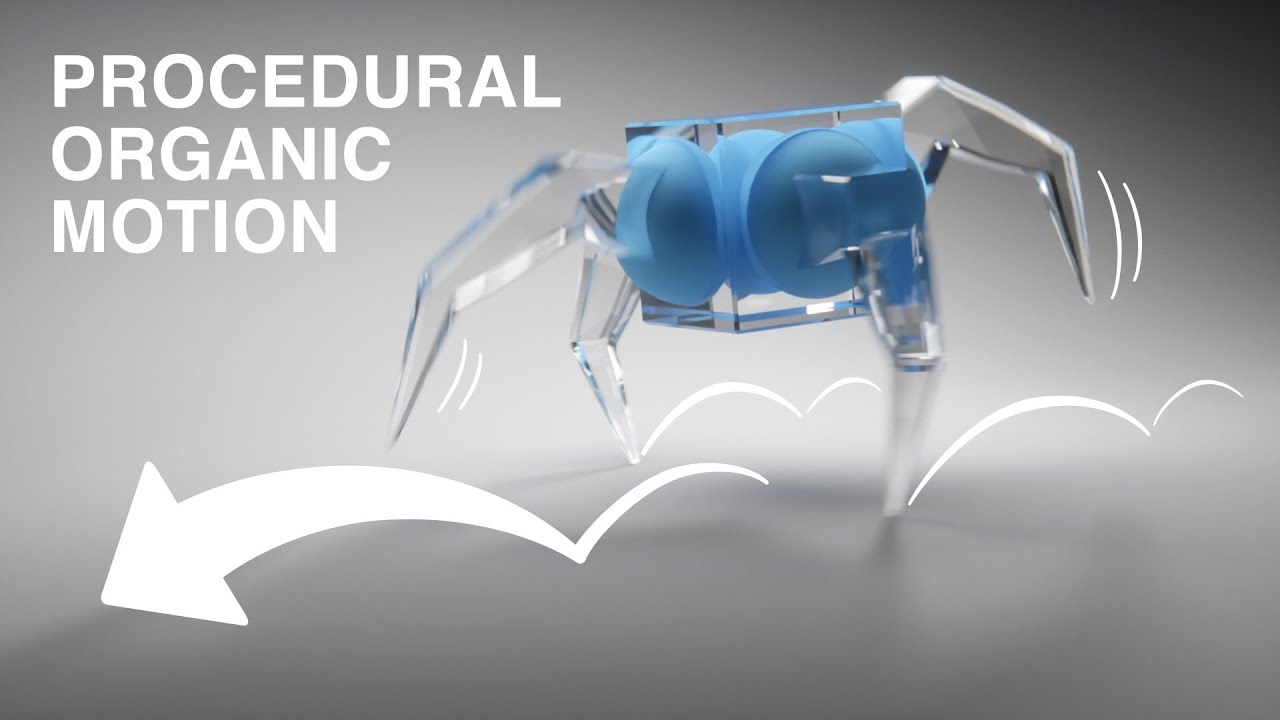
Learn how to model, rig and animate a walking character in 15 minutes! We'll create a quadruped that can walk in any direction, using a combination of curves, constraints and armature. Then we'll tie it all together with random movement, giving it life and personality!
If you want to support the channel: https://patreon.com/polyfjord
Instagram...
novel citrus
okay so the animations i have been making are still desyncing and missing keyframes no matter what i do. everything will perfectly align on every individual frame but as soon as it's played it's a mess that doesn't match at all.
every single animation i have made has done this.
 fair storm
Hey so Im using the Starter Asset's 3rd Person Controller and Im trying to figure out how to add a single very simple character animation and Ive just been absolutely stumped for hours - Ive looked through loads of tutorials and docs and such but none of them seem to work with the Starter Assets setup - I don't even know what Im supposed to be making the animations in. I tried importing the model into Blender which seems to include like a default animation which I could try and animate but there doesnt seem to be any way to export to these .anim files that it seems to use. I created an animation in Unity but I cant find anyway to actually make an animation other than manually inserting keyframes for dozens and dozens of joints which seems impractical. Not to mention that making that animation doesnt seem to have created the same thing as all the already built one has with the model/rig/animation/materials options and such.
Havent done animation before, really struggling to find somewhere to start that works with the existing PlayerArmature (for reference for those that havent used it, PlayerArmature is a game object with an Animator component linked to a controller that has one of those animation flow chart things (which I also dont understand))
Not expecting anyone to come here and tell me exactly how to do something, Im just struggling to figure out how to get my foot on the ladder, what tool do I need to make things in, what do I actually need to do?
For further details, Im trying to extend the Starter Assets playground with a ziplining mechanic, just to get the hang of unity in a broad sense, so Im trying to make an animation to let the character reach up and grab the "zipline" rather than just wooshing down the line in a walking animation as it currently does.
Should be fairly simple, just need to move the arms up and keep them there
 opal kettle
try searching for animation rigging in unity if u want to do this in unity, animating character movements is slightly easier in blender.
fair storm
Im happy to do it in Blender, but I have no idea how to export animations so that Unity recognises them
I cant find anythign about the .anim format Unity uses
opal kettle
animations from blender import via fbx to unity.
fair storm
Alright, so I import the FBX, make animations there, then export the FBX, then Unity will recognise those animations and import them like the others for me to use?
Thanks for you help, Its good to know where to start 🙂
outer hedge
ok
im still really onfused
can someone walk me through creating a ui button with 4 states
disabled, hovered, inactive, pressed
when you start up the game for the first time itll greet you with a menu asking you about some configuration things
the play button will be disabled
once you get past that itll enable the play button
hovering over changes to a texture
clicking changes to a 4th texture
hybrid tinsel
@novel citrusAs has been mentioned, unity animations aren't based on frames. They are based on time.
 coral juniper
Hi, I am making a game and I have a problem with looping animations. I have all the options that should make an animation loop correct, however it just refuses to loop. Does anyone have a solition for this?
 lime hull
I have a problem with my animator, when I try to play the game one of the animtions plays automatically at the start without the trigger for it being triggered
 queen plank
lime hull
I have a problem with my animator, when I try to play the game one of the animti...
queen plank
lime hull
I have a problem with my animator, when I try to play the game one of the animti...
if you look at your animator tree is there an arrow coming off of the Entry node
lime hull
yes
queen plank
that'll play at the start then
queen plank
you can create an empty state and set that as default if you don't want it
lime hull
ok thanks
 slender zealot
dont understand the whole exit time concept, i want the animation to play on click but it's playing at an interval that changes when i change the exit time value
 coral juniper
Hi, I am making a game and I have a problem with looping animations. I have all the options that should make an animation loop correct, however it just refuses to loop. Does anyone have a solition for this?
outer hedge
im so confused
 broken turret
Hi guys
I've been having trouble importing a mixamo animation to blender, then exporting to unity
Mixamo --> Unity works fine
Mixamo --> Blender --> Unity doesn't work, even if I don't modify the animation
This is my FBX export settings

I think this is the problem, "AttackPose" Is the one imported from blender, "Punching" Is directly from Mixamo

Blender adds an empty Armature to the hierarchy....
I can preview the animation correctly in Unity, just not use it with an Animator, if anyone can give me some guidance I'd appreciate it, thanks!!
broken turret
coral juniper
Hi, I am making a game and I have a problem with looping animations. I have all ...
 hybrid tinsel
@slender zealot only use exit time if you want it to wait until the specufied time to transition- you'd turn it off if you want to transition immediately when conditions are met
@broken turret if it is a humanoid rig, create an avatar from the blrnder model and retarget to yhe mixamo one.
If it is a generic rig, just change the hierarchy to remove the extra object OR change the animation file to include that extra object in a text editor.
broken turret
hybrid tinsel
<@249997417296953344> if it is a humanoid rig, create an avatar from the blrnder...
What do you mean by avatar?, It's a generic rig, but it could be humanoid?
And how would you remove that object in the hierarchy? I can't without unpacking the prefab, I tried opening the fbx in notepad++ with no avail haha
hybrid tinsel
@broken turret for generic rigs, the hierarchy needs to match precisely. Fir humanoids there is a bit more flexibility since the avatar definitions will handle remapping for you.
To edit the hierarchy you'd either edit it in blender or unpack the prefab in unity.
broken turret
Ooh I see, blender slips in that armature there
hybrid tinsel
To edit an fbx in notepad it has to be a ascii formatted fbx rather than binary.
broken turret
hybrid tinsel
To edit an fbx in notepad it has to be a ascii formatted fbx rather than binary.
Ooh makes sense
hybrid tinsel
For mixamo animations, converting to humanoid is usually the easiest solution.
broken turret
I'm not home right now, but I'd have to convert the one I want to apply the animation to humanoid right?
hybrid tinsel
Both would need to be humanoid. The object you are animating AND the animation you are applying.
That is how unity can figure out which bone goes where even with the hierarchy not matching 1:1
broken turret
Yeah, how could I switch the one I want to animate to humanoid?
I have an active ragdoll setup so it's quite complex
slender zealot
hybrid tinsel
<@360854725744263169> only use exit time if you want it to wait until the specuf...
So if I want it to be active on trigger "Has exit time" should be unchecked right?
hybrid tinsel
Correct.
 ivory osprey
hello! I just bought the rpg mecanim pack and Im having trouble baking the run forward animation
the original animation goes forward

when I tried to bake the xz pose, it bops from left to right
it went out of the center

 normal prawn
hello guys
i need some help

how can i loop this animation from frame 2nd to 6th
 young salmon
Hello! Where can i find a default bone structure to work with in unity for the basic humanoid?
hybrid tinsel
young salmon
Hello! Where can i find a default bone structure to work with in unity for the b...
mixamo.com has a basic unity humanoid skeleton to download I believe
hybrid tinsel
normal prawn
how can i loop this animation from frame 2nd to 6th
remove the first frame?
Have it as a separate animation
 wintry sonnet
Why aren't my animations playing?
I made a sprite sheet, and have a game object with the a single sprite from the sprite sheet. I then clicked on it, pressed new animation in the animation window, and dragged the other sprites into the animation. However, when I try to play the animation on the gameobject, the sprite never changes. Is this not how 2D animations work?
this is the sprite sheet. the gameobject's sprite is that first one there, and the animation should be that circle thing falling into it.
 hybrid tinsel
Er, all the frames in the animation window look the same to me
 coarse cypress
 outer hedge
alright so
ive got my animation set up for a button
im going to be doing a number of things however, so i needed an actual animation
problem is i dont know how to change the texture of the button from here

how can I do that
right now I just need this button to change texure depending on its state

i already have the textures
but how do I make it switch


so how do i do this
reply or ping me if you can tell me
outer hedge
anyone
outer hedge
at all
hybrid tinsel
@twin musk you'd need to give more info(like which ik system you're using) but that sirt of thing is often caused by the ik target being too far out of reach.
@outer hedge just set the transition type of your button to sprite swap and plug in your images
@twin musk you mean the mecanim ik, or the 2d ik, or the rigging package ik, or what?
outer hedge
hybrid tinsel
<@345034747329642496> just set the transition type of your button to sprite swap...
I need the button to move as well
I want another menu to pop in and scale on two axes as well
hybrid tinsel
Then you'd need to make actual animations that do that stuff
 solid oriole
Hey all, trying to make a looping animation. I think since I start and end on the same keyframe, there's like a half a second of it stopping - what's the solution to this?
I am not an animator by any means, so I know there's a fix, i just can't figure it out
Figured it out, had to change curves to be linear
outer hedge
hybrid tinsel
Then you'd need to make actual animations that do that stuff
ok how do i do that can you link a walkthrough or something
hybrid tinsel
You can google it just as well as I can
 sage summit
I've been fiddling with the animator and my character does some strange things when going back into its idle animation like very slow sliding around in the direction its looking at, and before I made it look in a dir using lookat it also rotated back and forth ever so slightly. I fix these issues by disabling Apply Root Motion in the animator and thought everything was going great. However the character wont rotate at all now even if hardcoding its rotation does not help.
I've had this problem for some time now and not sure what to do? Anyone familiar with this kind of issue and know what else I should look at here that could potentially could fix it?
(I also have a navmeshagent component that makes it move)
 agile solstice
@sage summit Do you know if your animation is meant to use root motion or not?
sage summit
@agile solstice well it is fixed in place if thats what you mean
otherwise how can I tell?
Downloaded from mixamo.com
Im not sure if its animation related but Im trying to have the characters transform rotation to lookat its navmeshagent.steeringTarget. theroetically it changes its transform.forward values but the character still is locked looking at the direction it starts out with.
Since it unlocks and is rotatable when I disable the animator component I still think it has something to do with the animations I just don't know what it can be.
sage summit
Actually , looked through the animations and looks like they are not fixed in place as the floor moves. I guess I just assumed that since I couldn't select 'in place' when I downloaded them. That could be the issue then?

but then again I can just "bake into pose" and looks like this so im not sure anymore lol
 hybrid tinsel
@sage summitAny transforms that have keyframes will override scripted movement and rotation. You need to either use LateUpdate to apply it after the animation each frame, or apply it to a parent object.
sage summit
hybrid tinsel
<@!258652232281489408>Any transforms that have keyframes will override scripted ...
This helps, thank you!
hybrid tinsel
I mostly do my scripted stuff on a parent object with the animation under it, except for stuff that moves individual bones.
sage summit
That's usually how I do it as well, but for some reason I decided to have the animator there now too
 steady nest
Any advice for creating an animator controller that can handle large numbers of animations?
Specifically if many of those animations can be accessed as part of the same states? (for example "Overhead Smash" and "Horizontal Cleave" are both Attacks)
 peak jasper
Hello i was wondering if there is news somewhere on how far the development on kinematica is? it looks very interesting to use
 glad lava
how do I stop an animation looping and playing on awake in unity?
 dim blade
Does somebody know how i can get a worm chain with the animation package? - I set up the bone and created a rig but somehow it wont work. Did i miss something?

 solid oriole
dim blade
Does somebody know how i can get a worm chain with the animation package? - I se...
solid oriole
dim blade
Does somebody know how i can get a worm chain with the animation package? - I se...
I can’t help just want you to know this gif made me choke lmfao
outer hedge
hybrid tinsel
You can google it just as well as I can
I did and they were all unhelpful
Do you have one that you found useful at all
celest crag
outer hedge
Do you have one that you found useful at all
There are animation resources pinned right here. Manual explains how to use them.
wintry sonnet
how do these numbers make sense? I have it set to "seconds"
 hybrid tinsel
Is it set to 15 fps?
 scarlet roost
Hi, anyone familiar with using GameObjectRecorder? i'm recording an animation for the timeline, but the objects' x and y positions arent being recorded
 earnest dune
hey everyone, if I have multiple characters who all share the same type of animation, example (run, walk, jump etc.) Do I need to create an animator for each character, or is it possible to use a generic animator attached to all characters and dynamically change which clip is played through scripting.
Idk if that makes sense, let me know so I can further explain 🙂
hybrid tinsel
scarlet roost
Hi, anyone familiar with using GameObjectRecorder? i'm recording an animation fo...
Are you recording the correct object?
scarlet roost
hybrid tinsel
Are you recording the correct object?
yes, everything else gets recorded, the z position, xyz rotation, but not the xy position
hybrid tinsel
Hrm, interesting. How is it being moved? Script? Animation?
scarlet roost
hybrid tinsel
Hrm, interesting. How is it being moved? Script? Animation?
the objects i'm moving are dice. i'm using a script to apply forces and torques to their rigidbody
hybrid tinsel
Hrm, interesting.
Did you try increasing the fps of the recorder?
I've noticed that the recorder can be... weird about physics
Did you try different compression settings?
And did you check the recorded animation to see whether the xy position curves are not present or if they are just zeroed out?
scarlet roost
oh i think we're on the wrong page, i'm using this:
https://docs.unity3d.com/2020.1/Documentation/ScriptReference/Animations.GameObjectRecorder.html
based on this tutorial
https://www.youtube.com/watch?v=fdF4h2sUmwE&ab_channel=JasonWeimann
 hybrid tinsel
Ooh.
I was talking about using the unity recorder, which includes a game object recorder
scarlet roost
ohh okay, thank you for your time, though
 livid edge
Hi everyone, sorry for the beginner question but it's my first time trying to import an animated object into unity and I'm struggling to troubleshoot. Could use a second opinion if someone has a minute!
Essentially, I added the animator component to the top-level object with the following settings:

The animation controller is set up as such:
 dim blade
can somebody help the animation rigging bone render setup dont work
livid edge
sorry don't mind me 🤦♂️ found the Loop Time option lol
dim blade
needed to do it manually

but it dont bend
are the bones reverse?

somehow it is like a stick

wanted to do it like here https://www.youtube.com/watch?v=LVSmp0zW8pY

In this episode of the Prototype Series, we've experimented with creating a procedurally animated boss enemy! Let us know what you would like to see being prototyped!
⭐ Project Download https://on.unity.com/37K5j1b
⭐ Training Session https://on.unity.com/37LQfzV
Timestamps:
00:00 - Intro
00:40 - Assets Used
01:07 - Building the player camera
0...
broken turret
hybrid tinsel
That is how unity can figure out which bone goes where even with the hierarchy n...
Thanks! I got it working the next day, forgot to tell you
broken turret
dim blade
are the bones reverse?
Yeah it seems reversed
broken turret
dim blade
somehow it is like a stick
I feel like the Tip should be a "child" of the Root
broken turret
livid edge
sorry don't mind me 🤦♂️ found the Loop Time option lol
Yeah but its weird cuz you can't control it from the animator
hybrid tinsel
Ah, glad it worked 😄
 proper bay
Hello! Kinda new to animations in unity. I have a rigged 3d model, and I wanna make few poses, not animated poses, just some saved poses that the character will change to on a press of some key
for example switching from standing pose to sitting pose on the same model without animating in-between the transition
I have no clue how to achieve that
I do know how to animate, but is there no such thing as saved bone locations? something that i apply to my character and it changes bones by the preset
another solution i thought is to just make multiple models with different poses and change between them, but that wouldnt be so practical..
i just need to know atleast how its called so ill know what im looking for
hybrid tinsel
Select one of the yellow marked transforms and hit 'f2'
Or you can mass edit them with search/replace in a text editor
 coral herald
How to make when the animation finish it goes back to its idle? So I have bool(lobby) and if it was true, I would like to call an animation for once then return to the Idle? (Animator)
hybrid tinsel
You can just add a transition from the second animation back to the idle state with 'has exit time' set to the end of the animation
 toxic wind
Very straightforward question: In order to play the top animation clip at the same time than the clips below... Do I need to use blend trees?

 fallen sphinx
Does this channel include animation rigging?
fallen sphinx
Oh great! I've been super curious about final ik and animation rigging. I understand there's a difference and final ik probably comes with some more features (or presets idk) but is it better?
It's a lot of money for someone who just hobbies a bit for fun and I don't know if it's worth it.
 mint loom
I made a jump animation in Blender but I need to remove the Z axis component of it so that the character basically looks like they're jumping but they don't actually go up (so I can make them go up in Unity instead). Does anyone know how to do that?
hybrid tinsel
Dedicated dual wielding animations would probably work best, or some sort of procedural approach. Your real problem is that you're playing two motions that want to bend the body in opposite directions and the game has no idea what to do with that.
I suppose you could limit the swings to the arms themselves and procedurally twist the spine based on the target and taking both animations into account.
But hand designing a two weapon attack is almost certainly easier
 lone prism
I just rigged a 3d model and made the animation in blender and exported it all in a fbx file. Is that a good workflow? im a noob so i have no idea. Everything works fine tho!
hybrid tinsel
That is the typical workflow
lone prism
hybrid tinsel
That is the typical workflow
Nice! Would have been a pain to discover some problems after rigging and importing a lot of characters
hybrid tinsel
Unity animation is based on time, not frames, so at best you can get an approximation.
You can use animationState.normalizedTime
And then multiply that by the length of the clip to get the actual time in seconds
coral herald
hybrid tinsel
You can just add a transition from the second animation back to the idle state w...
When it goes back to Idle state, it loops back to the second animation because of the condition. How can I stop the loop?
toxic wind
I want a StateX from layer2 to start when a StateY from layer1 is finished.... is this possible without relying on code? I want to use the parameters to tell when the state has finished but i dont see how can i do that if its not with code
 hybrid tinsel
coral herald
When it goes back to Idle state, it loops back to the second animation because o...
hybrid tinsel
coral herald
When it goes back to Idle state, it loops back to the second animation because o...
by having the condition not be set the second time
Either disable it from the script that called it in the first place, or use a trigger instead of a bool
hybrid tinsel
toxic wind
I want a StateX from layer2 to start when a StateY from layer1 is finished.... i...
You'd need some code but not very much. You could put a short 'behavior' type script directly on the transition out of the stateY that triggers the stateX
hybrid tinsel
hybrid tinsel
Yup.
It is just like adding a script to a game object, except you get stuff like OnStateExit()
toxic wind
I was actually adding clip events to a script yep
but this allows me to delegate the task of creating the animation to the designer 😄
hybrid tinsel
Yup.
 dark hull
howdy! Short question! Have an Animator, thats being fed data (Debuged -> correctly). Got a riged guy, animations set in blend trees, all seems good... BUT... The model doesnt move. I can see the rig itself moving (on the picture) but the model doesnt follow. You have an idea, where the problem may lay? Avatar?

thanks alot!
Its driving me NUTS
Seems like trouble between AVATAR and model, Avatar -> Animator seems ok
hybrid tinsel
Is the model actually skinned?
dark hull
Skinned? I'm not sure i follow
 slim summit
Whats some good websites for animations?
 magic vapor
mixamo
uncut salmon
Make a sphere in Blender, invert the faces, and then put the camera inside.
Not sure what this has to do with animations though.
 bold kite
i didnt know where else to ask
hybrid tinsel
dark hull
Skinned? I'm not sure i follow
Skinning is what actually connects the vertices of the object(the 'skin') to the bones. Without skinning weights the object will just sit there as the bones move.
dark hull
Oh... And that happens in 3D software, or is there a way to do it in unity?
hybrid tinsel
You can probably do it in unity but that is something you'd probably want to do in 3d software
 jovial maple
Why does my AnimationState return null when I assign an Animation with a clip name (that exists) to it? The method is:
public void SetClip(string clip, Animation anim) { this.Animate = anim[clip]; }
For some reason, the name of the clip is not returning an value to the animation despite matching my clip name.
hybrid tinsel
What exactly are you trying to do there?
jovial maple
Create an animation update system that uses the Sample method to capture clips at a frame by frame basis. I think I resolved my current issue by setting the animation clip files to Legacy in Debug mode.
No change in my sprite animation though upon using Sample() though, so I wonder how "sampling" works exactly.
 past plover
Im having some difficulty with a simple animation trigger that Im trying to have occur
Im trying to have a simple gun idle animation transition into a firing animation when the trigger is activated ("Image(Animator)" shown below)

(my "PlayerMovement" Code)

(Unity UI to show the Animator is hooked up to my Player Movement script)

What Im trying to have happen is for once the player clicks mouse button 0 down, set the trigger for the Idle animation to transition into the Shoot animation
I can tell the inputs are being detected because the sound effect that plays before the animation in my player movement script does play when mouse button 0 is pressed
but the shoot animation is not being triggered unfortuneately
not sure why tho
any ideas?
Feel free to reply if any other information is needed!
hybrid tinsel
@past ploverwhile the game is running, keep the animator window open and see if the trigger is being activated?
Also, what are the conditions for exiting the firing state?
You might be triggering it and immediately exiting it
past plover
hybrid tinsel
Also, what are the conditions for exiting the firing state?
no conditions rn

lemme post the transitions as well


 hybrid tinsel
And what happens if you disable the transition out of the shoot state
past plover
Tried deleting the exit transition from the shoot state
nothing happens lol
so could it be that its not entering the idle state?
hybrid tinsel
You're sure that's the correct animator?
and wait, why do you have an any state transition?
past plover
tried searching for solutions and thought an any state transition might work too
obviously now it doesnt lol
also yeah its the correct animator
 strong dome
i need to make Blend greater than 0.3 or less than -0.3, is there any way to do this?
 past plover
I changed my code to grab the animator by itself to maybe try that
it does grab the animator
but it still doesnt work
its really weird, considering scrapping it and trying from scratch to see where I messed up
rough quartz
guys I got animation problems, I set up my model to be humanoid to use bake pose, now after making the model humannoid and seting up the rig in the animator, the player mesh and bones get in wrong location

in that spot its the rig, and the mesh simply sisapears
disapears
all animations make the mesh move out of place
I corrected copying the avatar source from other copy of an old avatar
dont know why it worked
but now have this

on all my animations
I corrected the problem again copaying the avatar from a previus mesh
dont know what was the problem or why it got fixed
nop not fixed
 rough quartz
ok I think the root might have problems, its the hierarchy object of the bones that is not setup on the avatar I think
well but even so does not make sence because the rest of the avatar should not be flying up in the air
hybrid tinsel
@strong domeJust add a second transition with the less than
And it will trigger for either
(NOT an additional condition on the same transition)
@rough quartzI suggest setting up the avatar correctly based on that model instead of another model. You can set the correct mapping of transforms that way. As for the broken animation curves, you can select those, hit 'f2,' and rename them to the correct name if needed.
 vestal coral
hey y'all, i really need help. I animated a door opening for a refrigerator and then imported it into unity from Blender. In the FBX file itself, the animation looks fine, but when i add it to my animation controller, it just straight up stops working.
 jovial eagle
Hi, can anyone tell me or refer me to how to export the character with the animation from the Unity in fbx, so that I can open it in Motionbuilder?
I did try GameObject - Export to FBX but animation is not correctly transferred.
rough quartz
@hybrid tinselthanks for the help, I redid the character and the problem disapear, probably some badly setup script
now I would need some help, I am not working out the root animations, this for the character ends in the end of the animation place
hybrid tinsel
Can you rephrase the question?
rough quartz
Making the character final Animation position INTO the world position
ok fixed, I had to get the root trnasform position (xz) not ticked in the animation import
rough quartz
ok I found out my original problem, animation rigging is having conflict with the avatar animation rig, they are not working together
if I aply a constraint it buggs
strong dome
hybrid tinsel
<@!544893932245483537>Just add a second transition with the less than
thank you for reply. After I post here I created a boolean and checking it from script
rough quartz
ok so if I rurn on a multi-aim constraint it creates an huge offset, I dont know how to fix this, dont know if it is bug or I am doing anything wrong, If I have my character generic it works great, if humanoid this happens
 rough quartz
I really need help some one that know how to setup humanoid avatar with animations using bone rigging
rough quartz
Ok fixed with exporta defenitions in blender
vestal coral
hey y'all, i really need help. I animated a door opening for a refrigerator and then imported it into unity from Blender. In the FBX file itself, the animation looks fine, but when i add it to my animation controller, it just straight up stops working.
fair storm
Hey so Im really struggling to get a super basic rig animation working - havent done anything 3d animation before so this is a new area for me.
I have imported the Starter Assets FBX 3rd Person Controller armature into unity, and added a new action called "Zipline" with two keyframes, the standard pose at the start, and a keyframe with five modified bones so as to make the model reach upwards [image attached].
I then export that as an FBX, and import it into unity. When I look at the animation in Unity however, it seems to have loads of extra keyframes all over the body [image attached], and indeed when I attach it to the animation controller, put it into the animation flowchart with some transitions, and activate it in code, the character goes into a really weird sitting position which is not at all the animation I made in unity.
Does anyone have any input into what I am doing wrong, or even a direction I should look in to figure out whats going on - Ive been really struggling with this seemingly super basic thing for like a week now 😢


When I play the animation in Blender it looks fine (I mean its a shit animation, but, like, it looks like I expected it to), but moving it over the Unity curses it somehow
I imagine I am doing someone really obvious and dumb, Im pretty new to both Unity and Blender, and extra new to any kind of Animation
Okay I have done some more experimenting, and discovered that when Previewing animations attached to the Armature Gameobject the existing animations look different to mine
Here being an existing animation

And here being mine

They are clearly structured differently, and unity is failing to map the bones to the armature, but I have no idea why this is the case or how to modify my animation so that it is compatible with this existing armature
 hallow ledge
How does one create an animation for animating the sprite value of a SpriteRenderer during runtime outside of the Unity Editor.
 keen cloud

how do i get it to change start position at instantiated position
currently when its spawned in it plays the animation where i set it up
hybrid tinsel
@fair stormYou need to properly set the humanoid avatar for your new animations.
@keen cloudAdd an empty parent object and use that to place it.
hybrid tinsel
hallow ledge
How does one create an animation for animating the `sprite` value of a SpriteRen...
By script.
keen cloud
hybrid tinsel
<@!419710390327443457>Add an empty parent object and use that to place it.
Ah so you can’t really add animation to separate game objects with a different animator and sync it up it all has to be done on the parent/ host animator
gotcha
That makes more sense
hybrid tinsel
keen cloud
gotcha
You could if they were generic rigs with identical hierarchies. But for humanoids, they both need a properly set up avatar to retarget the animation.
livid edge
Hi everyone, I've imported an animated blender model into unity, but the animation doesn't play during runtime, and I could really use some help figuring out why. Its transitions are set up correctly, I can see the animation correctly when I open it in the inspector, I've assigned the correct animation controller...so I'm a bit stumped. Any help would be much appreciated!
I should have mentioned - the 3D model is attached to a prefab. I added the animator component to the parent object. Also I've tried ticking and unticking 'static' as that was the first thing that came up on stackexchange but that didn't seem to do anything
 hallow plover
I wanna animate a slime ball thats the main character of my game. I'm thinking I would animate it with a lattice in Maya. Would that work? If not, how could I animate it otherwise?
 inland cove
In the Animation Timeline, how do I move the PlayHead Arrow to a certain keyframe's exact position without having to drag it manually?

 peak silo
inland cove
In the Animation Timeline, how do I move the PlayHead Arrow to a certain keyfram...
peak silo
inland cove
In the Animation Timeline, how do I move the PlayHead Arrow to a certain keyfram...
Have you tried clicking the top diamond right under the timestamp?
Zooming in should also bring you to the exact position
hybrid tinsel
@peak silo scale the parent to negative on the x axis.
@hallow plover lattice deformations aren't imported by default but you could do it with a VAT(vertex animation texture) material or a point cache.
@twin musk blend trees don't work that way; all substates use the same normalized time. You can just transition out of the blend tree like you could a normal state though.
vestal coral
Can someone help me figure out why the animation is working in the fbx preview but not the animator preview https://gyazo.com/14aee60f69720a66634d5cf38f27450e

 fringe berry
hi. im reading on unity about humanoid rigging for humanoid avatar. it provides this as the necessary bone hierarchy to be able to set a rig as humanoid.
HIPS - spine - chest - shoulders - arm - forearm - hand
HIPS - spine - chest - neck - head
HIPS - UpLeg - Leg - foot - toe - toe_end
However in the picture right below that structure it shows an image with hips_L and hips_R. I KNOW this doesnt work because ive tried it before. whats up with that?
 fringe berry
 rustic pier
Good morning or evening, where ever you might be!
I have a question regarding bone constraints:
For example, i have a hierarchy like this: a main bone and two sub-bones under the main one. I constrain one sub-bone's position to the other using the position constraint and put the constraint setting to be -1 (to go opposite direction of the other sub-bone). That part works well, but now when i move the main bone, the bone with position constraint on it, moves its own way. How can I make the constrained bone to still move with the main bone but keep the negative constraint to the other subbone?
slim summit
https://medal.tv/games/requested/clips/72666557/d1337TP3Ybuj?invite=cr-MSxReGgsMTM0ODY5Njks i dont understand at all where im going wrong

Watch I LITERALLY DONT UNDERSTAND and millions of other Requested videos on Medal, the #1 Game Clip Platform.
slim summit
so, i worked it out. It turned out the synty avatar was affecting my ability to animate
 dense bear
Can images do a spritesheet animation? Or does the game object have to have use the sprite renderer?
hybrid tinsel
vestal coral
Can someone help me figure out why the animation is working in the fbx preview b...
Is the animator on the right object?
hybrid tinsel
fringe berry
hi. im reading on unity about humanoid rigging for humanoid avatar. it provides ...
Are you sure that the 'bones' in that picture aren't just gizmos being drawn between the single hips transform and the two upper leg transforms?
This is the entire set of bones that a humanoid avatar looks at.
 fringe berry
hybrid tinsel
Are you sure that the 'bones' in that picture aren't just gizmos being drawn bet...
fringe berry
hybrid tinsel
Are you sure that the 'bones' in that picture aren't just gizmos being drawn bet...
could be
maybe i am being mislead by the picture
hybrid tinsel
You can have more bones but they will either be ignored or, if included in the avatar definition, simply will be treated as extra and not used for retargeting.
Unity's bone renderer is a bit misleading in that respect.
fringe berry
yeah thats what happened last time months ago, i did animations that the hips were necessary for (climbing a wall) and it ignored the hip L/R and the animation looked weird
hybrid tinsel
Since it is meant to show the hierarchy more than the actual transforms
fringe berry
it even ignores it on the original model not just on retargetted
well ill just go with it being a visual connection even though its misleading, thanks for the insight
hybrid tinsel
Well, first you'd need to manually include them in the import, and they won't affect the humanoid motion. Extra bones are typically used for adding stuff like tails, wings, attachment points for equipment, etc.
The actual humanoid portion of the skeleton is actually controlled by the virtual muscles it derives from the imported animation, so extra bone motions in the hips or spine get lost and, as you put it, look weird.
And no problem 😄
And if you need the l and r hip movement, you can probably handle that with the upper leg bones?
fringe berry
yeah you are right it is totally possible to do that animation without the hip bones. the only problem was creating a bunch of other animations that use the hip bones (since they were in the armature in blender that i created)
so to remove them meant redoing like 15 hours of animations!
and im not good at animating so it was quite offputting
and i didnt continue with it. ill simply avoid hip L/R this time when i rig!
I do have another question. using mixamo it exports an FBX. is there anyway to avoid having an FBX per 1 animation? its not a functional issue more of a clean assets folder issue

was hoping to separate out these animations from the FBX. im guessing its set to the armature hierarchy that it was created with so not possible. but when you make all your animatinos in blender you only need 1 FBX that contains all the animations which is cleaner
 upbeat rivet
guys need help
when animator goes to Fall or InAir, it always back in frame to the Idle

the "code"
 west delta
upbeat rivet
the "code"
west delta
upbeat rivet
when animator goes to Fall or InAir, it always back in frame to the Idle
west delta
upbeat rivet
the "code"
west delta
upbeat rivet
when animator goes to Fall or InAir, it always back in frame to the Idle
Click the arrow that from fall to idle and add parameters
upbeat rivet
west delta
Click the arrow that from fall to idle and add parameters
already have

 velvet pivot
Hi, I have been trying to use the skeletal animations and I got into a slight problem- how do I put the character together

nevermind
upbeat rivet
@west delta problem solved - i had repetitive animation playing
thanks for any help
peak jasper
Are there tutorials about animations that possibly include the leg rotation when facing the camera standing still
so like for example the character turns 180° and then the legs kinda follow via an animation. I would like to try this to not make it just rotate without doing anything
1 example of a game that does the thing i want to try is Hitman, when you aim the character rotates towards the camera and does like a little turn animation with it's leg.
I would like to do something similar to not make my character just turn when standing still cause that is not natural, i think i saw a tutorial about this before but can't remember much
 granite olive
I imported a blender animation into unity. The animation works fine in blender it consists of two models and an armature. The character model the armature is a parent of works fine in unity but the gun he is holding is static in unity. any solutions?
 fickle zephyr
i watch a tutorial on curves and have this shooting looking for feedback, dont mind the missing hammer i forgot to select it when exporting to fbx
 quartz brook
Is there a way to make an empty state for an animator (skeletal mesh) that does nothing? More akin to disabling the Animator component as opposed to the usual behavior of reverting to T-Pose on empty state.
Basically, I'm trying to make a ragdolling state for the animator without having to disable the Animator component for some fancy animation stuff
fluid sage
hey im trying to make a system projectile similar to this one




but how i have it wont worklike sticking into the ground
how do i make it so that when it hits the ground it stops moving but also sticks to the ground like the swords, cause my plan is to do that animation with the canes after they land
hybrid tinsel
fringe berry
I do have another question. using mixamo it exports an FBX. is there anyway to a...
Your options would be to either combine all the FBX animations into separate tracks in your 3d software, or use @ naming in unity to append the animations from the extra models without importing the meshes.
fringe berry
sweet thanks a lot 🙂
hybrid tinsel
@fluid sageI'd not use an animation for that; you'd probably want to use a script and/or a particle system.
Especially since you'll probably want to be tracking the impacts of each sword
 dapper barn
Hi there, Im not sure if this is the correct place to ask. I was playing this game with a base human character "evolving" into a completely different character. I was wondering how would the structure of this sort of animation be dealt with? How do I switch between two completely different sprite and have their animation working? Do I need two animator? Thanks in advance!!
 uncut salmon
dapper barn
Hi there, Im not sure if this is the correct place to ask. I was playing this ga...
uncut salmon
dapper barn
Hi there, Im not sure if this is the correct place to ask. I was playing this ga...
You could use seperate animators, or even seperate character objects with their own animators. Its really up to you how you want to organize it.
Or even pack it all into a single one.
dapper barn
uncut salmon
You could use seperate animators, or even seperate character objects with their ...
interesting, I was wondering what would be the more efficient way of doing it?
so that adding new character would not be a headache, I assume packing everything into single one would be hard to manage
uncut salmon
Its not really a matter of efficiency, more than it is your own way of organizing. If you're using parameters, then yeah it would be a hassle to use one. If you're calling animations directly with unique names "warrior_attack", "mage_attack", then that would be a different case.
dapper barn
Actually, using skeletal animation would be one of the better ways right? Sth like, having different animators for different weapons, i.e. fist, sword, spear, then switching the weapon as external objects attached to the skeleton
uncut salmon
That solely depends on your art style
dapper barn
uncut salmon
Its not really a matter of efficiency, more than it is your own way of organizin...
oh yea true!!! I normally use code to manage my animation, so no linking between animation state
uncut salmon
If you want a fluid pixel animation, you kind of have to make it unique, if the different versions are different body types.
dapper barn
ahh make sense, thanks!!
uncut salmon
If you want to have different characters use a weapon differently based on body shape and style. You couldn't reuse a sword animation you simply child to then sprite.
You would have to make it a unique animation for every character for every weapon. This is why really nice looking pixel art takes forever. Lol
dapper barn
dapper barn
Hi there, Im not sure if this is the correct place to ask. I was playing this ga...
the game I showed has different classes, which would be relatively easier to animate
dapper barn
uncut salmon
You would have to make it a unique animation for every character for every weapo...
do people really animate all those one by one? As in games with many characters/enemies and different weapons
I always just thought it's not feasible
uncut salmon
Yeah, some do. You really have no choice.
Unless your style allows you to have the exact same animation, then you could reuse. But it all depends on your art style in the end.
dapper barn
unless it's like stick ranger (one of my fav game), using ragdoll animations
then it should be relatively much more easy right?
uncut salmon
Easier in the sense of animations, possibly yeah. If animating ragdolls is more your strength.
dapper barn
uncut salmon
Easier in the sense of animations, possibly yeah. If animating ragdolls is more ...
I see, thanks!
 cinder wren
I have 2D pixelart character with Body, Arms and Head spritesheets
I have different variants of Heads, Body and Arm spritesheets
What's the recommended to combine these spritesheets in my game?
I have an AnimatorController (to switch between Idle & Walking) and I was trying to use the Animator Layers
Unfortunately the "additive" property doesn't seem to work in my case :/
anyone have any hints on how to do this?
hybrid tinsel
@cinder wren what do you mean by not working?
cinder wren
It's used for adding together rigging
not for swapping out pixel art frames/sprites like I expected
hybrid tinsel
For swapping sprites you'd use a sprite library usually.
Though you could also use synced layers, which are probably closer to what you thought additive ones were
That's what you'd use if you had a set of animations for each version of the character
inland cove
peak silo
Zooming in should also bring you to the exact position
I'm sorry, I just saw your reply now. I only see one diamond that represents the keyframe, I tried clicking and double clicking it but the playhead doesn't move to its position...
twin musk
Hi I'm trying to climb on a ledge, therefor I need to have root animation.
but my collider is on 2 parents higher, so when I use root motion, it climbs without moving the capsulecollider.
Tried to work with OnAnimatorMove but nothing helps (transform.root.position += anim.deltaPosition) <- doesnt move the collider
any suggestions?
It's a 3d world and using humanoid.
 dawn spade
Hey guys I have a problem when I try to animate my character but animator dont save it