#🏃┃animation
1 messages · Page 83 of 1
 placid jacinth
 wild matrix
I'm hoping someone could help me get on a good path before I waste a lot of time doing something stupidly. I'm making an on rails shooter and there are a bunch of animations I got from the asset store (Pistol Animation Set) and Mixamo for the Enemies. At first, I thought I would just use an animation controller and kind of cycle through animation clips this way to get the behaviour I want, but I feel like I'm not really able to get fine control, and something just feels wonky about it. Is this really the way I'm supposed to be doing this, and what am I doing wrong?

this is how it looks right now

 brave kettle
So...is there a reasonable alternative to mecanim, even for prototyping?
I've just been doing some basic animator rigging with Mecanim for a game jam prototype, and I realized I wanted to adjust the hierarchy of the player object's children
but I literally cannot rename or adjust the weapon anchor/model objects in any way, shape or form, because mecanim animations are inexplicably linked via name and hierarchy rather than object id
 clear orbit
brave kettle
So...is there a reasonable alternative to mecanim, even for prototyping?
clear orbit
brave kettle
So...is there a reasonable alternative to mecanim, even for prototyping?
I think there is animancer.
Use the Animancer Lite tool from Kybernetik on your next project. Find this & more animation tools on the Unity Asset Store.
I think you are supposed to use overrides
I dunno. you tell me
lol jk...but honestly not tried it yet
Maybe this is just for cutscenes though.
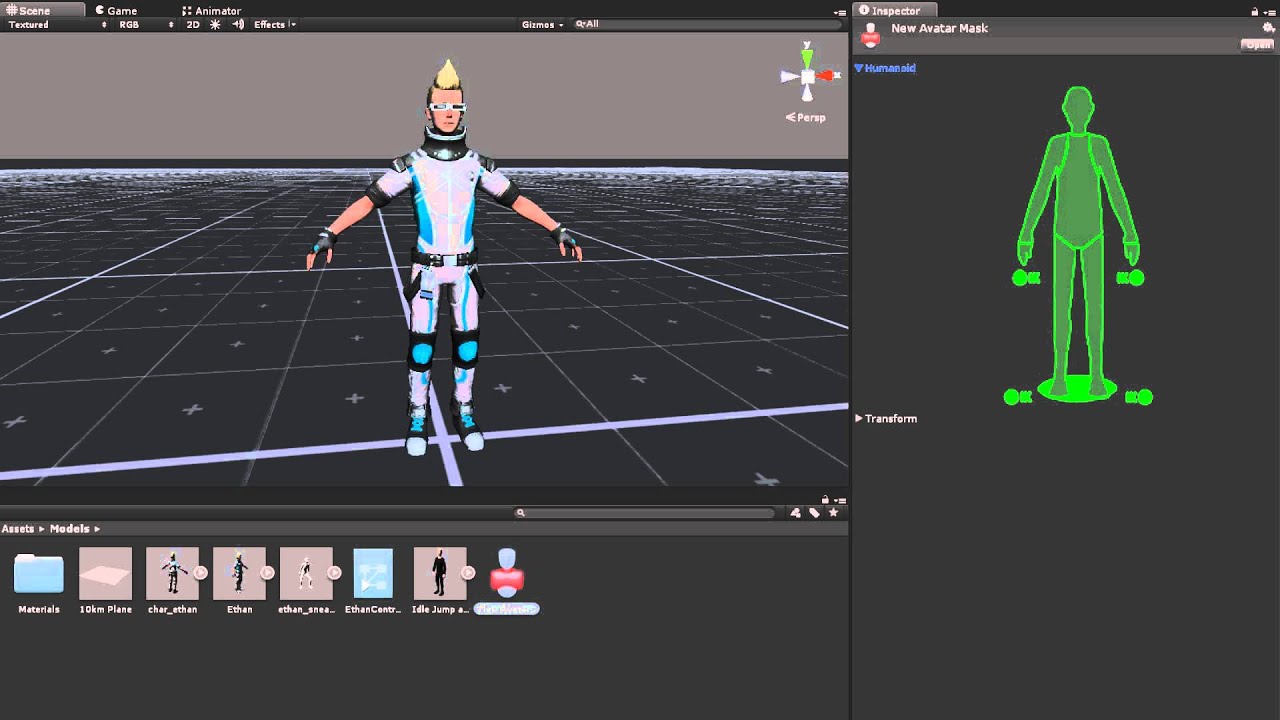
Watch this video in context on Unity's learning pages here - http://unity3d.com/learn/tutorials/modules/beginner/animation/avatar-masks
Avatar Masks allow you to isolate parts of a model's anatomy, allowing the rest to ignore an animation. This game be useful when you want to layer or combine multiple animations. In this video you will learn abo...
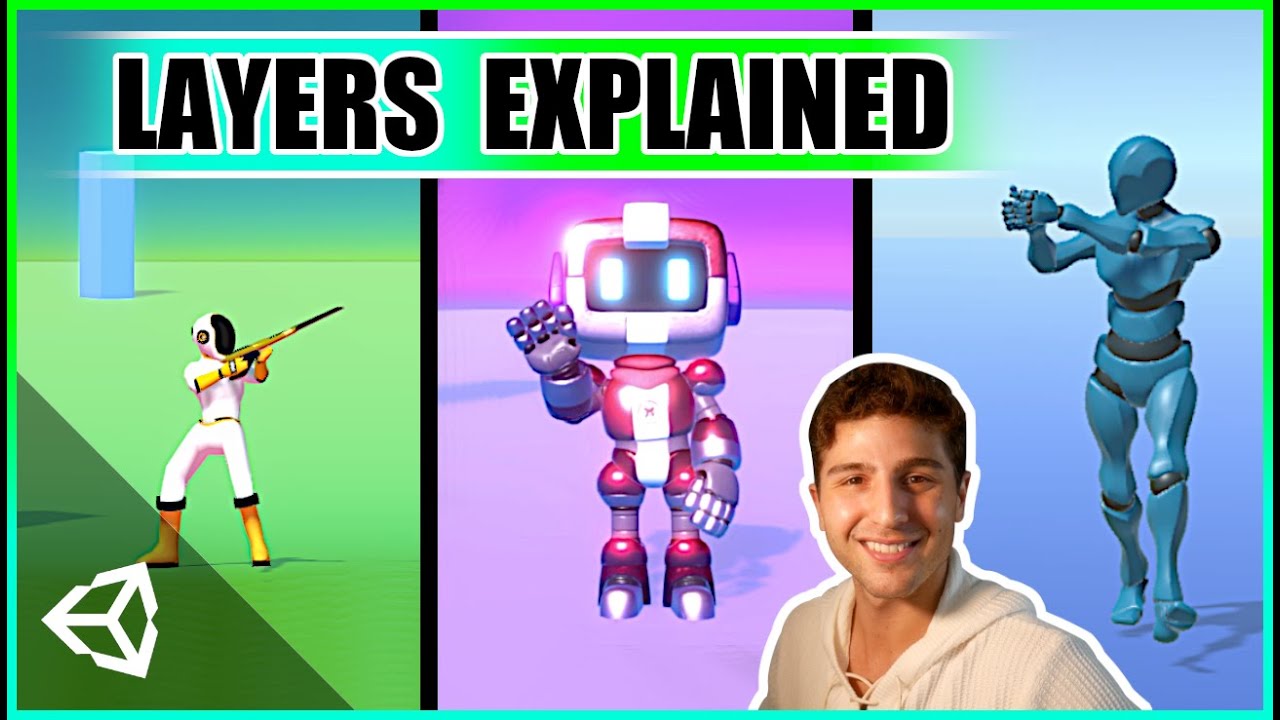
Learn the fundamentals of animating characters with Unity's animation layers, and understand how & why it all works!
This beginner-friendly tutorial is a thorough break down of Animation Layers in Unity 3D and explains how each of the layer's properties work and are useful. By the end of the video, our character is able to walk and aim simultan...
 hybrid sparrow
i dot really find that ;/
hybrid sparrow
clear orbit
its in the package manager
Animation Rigging with look at constraint
clear orbit
hybrid sparrow
Animation Rigging with look at constraint
You installed animation rigging?
hybrid sparrow
clear orbit
You installed animation rigging?
what? its some free built in addon?
clear orbit
hybrid sparrow
what? its some free built in addon?
Yeah. I dont know if thats what you need. what are you want to do?
Its pretty cool, but a bit complex
hybrid sparrow
clear orbit
Its pretty cool, but a bit complex
i want my npc dude to walk with animation but this head look around at gameobjects
clear orbit
Just his head right?
hybrid sparrow
yeah
clear orbit
like when he gets in a certain zone?
hybrid sparrow
when he walk up to fountian or player he look at him
hybrid sparrow
clear orbit
like when he gets in a certain zone?
yes
clear orbit
Yeah. It is probably possible in different ways. But I think if you want that kind of beaviour then that is exactly what animation rigging can you do.
hybrid sparrow
clear orbit
Yeah. It is probably possible in different ways. But I think if you want that ki...
how to find and use it ? can i this logic with bolt?
hybrid sparrow
clear orbit
you have to add it to the bolt library thing first
yeah i know how to do that.. but where is this.. animation rigging?
hybrid sparrow
clear orbit
window>package manager
i looked there is nothing like that
clear orbit
what version are you using? should be in the 2020 LTS and later
hybrid sparrow
clear orbit
what version are you using? should be in the 2020 LTS and later

but my project.. i dont whant to change version cus all will broke
clear orbit
Just enable prview packages
hybrid sparrow
clear orbit
Just enable prview packages
i found it and installed.. now what 😄
clear orbit
ok...well i told you it was a little complex right?
so you have a character?
click on the chrachter and then AnimationRigging>BoneRendererSetup
hybrid sparrow
clear orbit
click on the chrachter and then AnimationRigging>BoneRendererSetup
yeah.. i think i need to rework rig in my dude, for some reason headbone is not where it should be
 clear orbit
looks amazing
hybrid sparrow
clear orbit
looks amazing
ahahah.. yeah sure.. very amazing 😄
clear orbit
ok . add rig builder component to him
hybrid sparrow
clear orbit
ok . add rig builder component to him
i need to correct his armaute first
clear orbit
in Blender?
hybrid sparrow
clear orbit
in Blender?
yes, i dont understand why his headbone moved and armatuer look different
 clear orbit
where it go?
hybrid sparrow
clear orbit
where it go?
in this dot
 hybrid sparrow
clear orbit
yea i dongt understand the importing skeletons yet
hybrid sparrow
clear orbit
yea i dongt understand the importing skeletons yet
ok, i think i need to rework his armature to make it more look like unity avatar standart
clear orbit
ah right
hybrid sparrow
clear orbit
ah right
this is wierd.. what if i want to make a cat then what..
clear orbit
you use generic
hybrid sparrow
why i cant use generic here
clear orbit
its so it can play all human animations...bcos humans are all the same
like you can download animations from mixamo and then add them to different chrachters...but it deoends on those humanoid bones being present
You can use generic
 gloomy oracle

clear orbit
just you wont be able to plugin animations i think
hybrid sparrow
clear orbit
just you wont be able to plugin animations i think
all game animations will be made by me
clear orbit
then you can use generic
clear orbit
The problem with animation rigging is the amount of different objects you need to check in the hierarchy. A workspace would be so handy.
 livid drift
Hi, i have this animation for my player, i want him to stay idle and go into running animation when moving. However, It's like the player is moving in idle, then running then exiting and then again idle and the loop goes on. here's the code for the player too https://gdl.space/jimobiqepo.cs

pls help
hybrid sparrow
clear orbit
The problem with animation rigging is the amount of different objects you need t...
ok i fixed all my problems and now its working as i wanted.. using generic its working as it should after i reimported a model
 clear orbit
hybrid sparrow
ok i fixed all my problems and now its working as i wanted.. using generic its w...
clear orbit
hybrid sparrow
ok i fixed all my problems and now its working as i wanted.. using generic its w...
cool
brave kettle
clear orbit
I think there is animancer.
aye, thanks mate, I'll have a go at it
 loud cobalt
Hi! I have question. What is the best way to deal with cut-scene or special animations, that will be played on the main character once in the game? What I don't want that these long animations sit in the Memory unused for the most part.
 woeful topaz
how can i make my animation more linear instead of curved
idk how to describe what i mean but
the animation slows down towards keyframes
how can i remove that
so it just moves straight between keyframes without any 'smoothing'
trying to make a seamless loop but it doesnt work when the speed slows between keyframes
clear orbit
woeful topaz
trying to make a seamless loop but it doesnt work when the speed slows between k...
go into curves mode
then you can set the ease in/ease out stuff
set to linear
 hybrid tinsel
 mighty iron
where can i find a good tutorial/course for animation in Unity?
pls anyone who has a suggestion for a good animation course DM me because i am going offline
 twin musk
still need some advice on this:
https://forum.unity.com/threads/changing-collider-offset-due-to-ik.1171880/

Unity Forum
Hello!
I recently set up Inverse Kinematics with Unity's built in Character Controller so my player will stand on slopes properly, however I want to...
placid jacinth
So this animation is from asset store...and i want to add an event to it! is it possible to add without duplicating it?

 woven gyro
yeah just add the event where you want it
oh wait no it's read only
Unity is the ultimate game development platform. Use Unity to build high-quality 3D and 2D games, deploy them across mobile, desktop, VR/AR, consoles or the Web, and connect with loyal and enthusiastic players and customers.
Duplicate or do it at runtime seems to be the consensus in this thread
clear orbit
Any ideas why my player floats in the air when i turn on the Rig builder?
brave kettle
@clear orbit just wanted to say thanks again for linking me that - it's exactly what I needed. I was actually starting to write an animation engine like this on my own, glad to know it existed already and I don't have to spend a shit ton of time working on one
twin musk
Still need help with this if anyone has insight:
https://forum.unity.com/threads/changing-collider-offset-due-to-ik.1171880/
Unity Forum
Hello!
I recently set up Inverse Kinematics with Unity's built in Character Controller so my player will stand on slopes properly, however I want to...
 void bolt

 hybrid tinsel
placid jacinth
So this animation is from asset store...and i want to add an event to it! is it ...
hybrid tinsel
placid jacinth
So this animation is from asset store...and i want to add an event to it! is it ...
You can add events to imported, read-only animations in the importer.
twin musk
Does anyone know how to resolve these issues? we are importing a humanoid rig into unity, and it gives us these issues
 placid jacinth
hybrid tinsel
You can add events to imported, read-only animations in the importer.
placid jacinth
hybrid tinsel
You can add events to imported, read-only animations in the importer.
Can you please explain it? im noob 😅 .
hybrid sparrow
clear orbit
cool
I have a question:
Why my look at logic is stoped when i have animation clip in animator with head anim keys even when** its not currently playing** ??
https://youtu.be/y4AZQK7P-WM
 hybrid sparrow
late update helped
clear orbit
hybrid sparrow
I have a question:
Why my **look at logic** is stoped when i have **animation cl...
Now sure. I've not used the animator much at all yet
mighty iron
hey i'm new to 3D animation and I have a question
what's rigging?
clear orbit
mighty iron
hey i'm new to 3D animation and I have a question
what's rigging?
its like attaching a skeleton
mighty iron
clear orbit
its like attaching a skeleton
oh ok
clear orbit
and controls
mighty iron
ohh
clear orbit
to move the mesh
mighty iron
so u use it to animate the skeleton
clear orbit
well... to move the mesh really...the skeleton is invisible
mighty iron
ok
so the mesh is like the skin ontop of the skeleton and it moves with the skeleton but u only see the mesh?
clear orbit
Yeah.
Most chracters come with a skeleton/bone hierarchy, but you wont see it Unity unless you are using animation rigging package
I mean you see the hieracrchy of bones in the hierarchy, but you wont see the actual skeleton
hybrid tinsel
@twin musk the animations you are importing have an extra spine bone and a bunch of keyframes that scale various bones. Humanoids don't import scale a imations or extra spine bones.
So the animation will work but might not match the original clip.
 random swift
Maybe coding is the wrong channel, anyone got experience with ledge climbing and animations in animator, that use root bake y? I got some hard time pulling that character on the plane, as it is checking against ground and keeps falling.
random swift
So I guess my problem is that the animation is trying to go back to y 0 with the rig. Any idea on how to prevent this?
Maybe it is just polish and timing from my research
hybrid sparrow
guys how LateUpdate different from Update?
 lean sage
it happens later
 pure abyss
guys is it possible to check what playable is controlling the animator?
mighty iron
how can i create a mesh and a skeleton
 mild zodiac
Hi, I'm trying to make the object that ive made in blender animate in unity. I would like to make it, so that in unity every single animation goes at once, just like in blender, shown in the video below. When i exported the .fbx to unity it came with all the animations you can see in the video. However, i dont know how to make the entire map animate with this animations in game mode. I'm a beginner, but i know how to export animations to unity on smaller objects such as a character, but it doesnt seem to be working now on a huge map with a lot of objects. You can see in the video that some of the animations actually work (in the animation preview mode), the electricity ones dont work. However i dont know how to make them play on loop on entry. ive tried making animation controller and making a 1000 frame animation, but it doesnt play in the game mode. Can somebody help me?
woven gyro
I also got this issue last time I tried to animate in blender. @ me if you figure it out please
 jagged ruin
@mild zodiac so whats not importing? - specifically
i see a rotating plane (whirlpool) is importing fine.. you would expect that, that's rotation animation.. unity imports that fine
mild zodiac
well... i dont know how to make the animations play
and the only thing that doesnt work in animation preview mode are the electricity wires, it seems that they are behaving very weird
jagged ruin
you have to dragg the model into the scene and put an animator on it?
mild zodiac
yes
jagged ruin
but i mean, all elements will be animated as one then if you're doing one global animation
mild zodiac
what do you mean by global animation?
jagged ruin
well its not a bone based animation where you can control individual bones
and its not a bunch of seperate clips for each animated element? or is it?
mild zodiac
i dont think so
jagged ruin
ok, so click the thing you dragged into the scene
'my big world model'
or whatever you saved it as
and put an animator on that.
Then create an 'animation controller'
and start dragging clips from your file, into that
jagged ruin
that's one of the ways to animate stuff in unity... i wouldn't do that personally because you'll be creating one massive global animation for your scene
but... that's a way to do it, you can do that
mild zodiac
jagged ruin
that's one of the ways to animate stuff in unity... i wouldn't do that personal...
now whats the 2nd way to do it?
jagged ruin
use a script to rotate those elements at runtime
or, export those elements as individual fbx's and assign them individual animator controllers
that allows you to control them individually.
mild zodiac
alright, that is a way but its a lot of work
jagged ruin
You might even be able to do some kind of masking with a generic controller but i'm not really farmiliar with how -- nor have i ever had a need to investigate it.
Yea, it also allows you to recreate the individual elements and move them where you want... and animate them seperate from each other...
right now you have one global animation so when you stop your whirlpools .. your electricity stops animating.
mild zodiac
mild zodiac
alright, that made it work
also, i need to make an animation clip that will be able to control every object's animation, but i cant really do that, do you know how to do it?
jagged ruin
yea in blender put the nla clips on tracks that overlap
export as one global animation
mild zodiac
because right now only the whirlpool is animating as i put the its animation clip only
mild zodiac
jagged ruin
export as one global animation
how
jagged ruin
tick the 'export as one global' animation - under the 'animation' tab of the fbx exporter
mild zodiac
is there a way to do it in unity?
because exporting this takes a lot of time
and i will need to reapply the materials to objects once again
jagged ruin
just make a copy call it : myworldmodel@globalanimation and dont export mats
you only want the animation data from it, you dont need it to copy with materials... should work
its probably possible to combine animation clips inside unity... copy and paste keys from the other animation clips....
..but that seems like a lot of arsing about
never tried it myself
 jagged ruin
i think, otoh.. you untick 'all actions' and 'nla strips' -- you may need nla strips... i cant remember
one of them should produce the global 'flattened' result of the scene animation
if you hover your mouse over them.. they should describe what they do
jagged ruin
probably cus your packin in all the mats
xD
maybe i dno
that stresses out my pc and i bought it used from nasa
..or it could be that it bugged out and literally exported you nothing 😄
mild zodiac
i think that what took 15 minutes was exporting 1000 frames of around 30 or more different animations on such a big object, it has exported everything and the animations work perfectly!
however i have to reapply materials
mild zodiac
what old file?
mild zodiac
its gone now
jagged ruin
well i would've exported this as 'worldfileName@globalAnimation'
then you could've.. just 'explored' the contents of this file and dragged out the animation
mild zodiac
i replaced the old file, also the old file didnt have the materials applied, as the materials were made in unity, not in blender so .fbx file didnt have the correct materials
jagged ruin
ah ok.. well it animates so good stuff 🙂 good luck with it
mild zodiac
Thank you for help!
jagged ruin
my pleasure
hybrid sparrow
Guys any ideas how to make this work ?
Why head tracking is wrong? Why head is leaning on the side instead of do normal turn around Y axis.
Im using animation rigging build in adddon for this
 clear orbit
hybrid sparrow
Guys any ideas how to make this work ?
Why head tracking is wrong? Why head is ...
clear orbit
hybrid sparrow
Guys any ideas how to make this work ?
Why head tracking is wrong? Why head is ...
Ive been having problems with this also
I think there was a problem with one of my models and it dont work. but on the one that works i set it to -y, y
but im confused why one works and the other doesnt
 hybrid sparrow
clear orbit
Ive been having problems with this also
hybrid sparrow
clear orbit
Ive been having problems with this also
Ok i fixed this problem. In his tutorial Y axis is wrong you need to set it to Z axis
 clear orbit
hybrid sparrow
Ok i fixed this problem. In his tutorial Y axis is wrong you need to set it to Z...
clear orbit
hybrid sparrow
Ok i fixed this problem. In his tutorial Y axis is wrong you need to set it to Z...
It doesnt for my model
hybrid sparrow
clear orbit
It doesnt for my model
check bone axis rotation when you import ur model
im talking about bones rotation from 3d soft
 clear orbit
hybrid sparrow
check bone axis rotation when you import ur model
clear orbit
hybrid sparrow
check bone axis rotation when you import ur model
Yeah i figured it might be to do with that. hmmm. ill check it. You didnt manage to figure out what to do when target goes behind the head? I think i need to somehow dampen the way it snaps to the target when coming back into the constrained axis limits
y is sideways..
 hybrid sparrow
clear orbit
Yeah i figured it might be to do with that. hmmm. ill check it. You didnt manage...
hybrid sparrow
clear orbit
Yeah i figured it might be to do with that. hmmm. ill check it. You didnt manage...
i think ill just make a logic check if aimtarget in the triggerzone behind npc, set aimtarget weight to 0
 zealous smelt
guys i'm trying to make the breakable skeleton wchich can be reconstructed. It briefly works like this:
- break apart using physics (so i need to turn animator off)
- lerp scattered bones(meshes) to the new position
- reparent bones to rig and start "standing up" animation.
it works pretty well, skeleton gets broken, body parts lerp back properly and all... but the animator sets model back to T-pose, when i want bones to lerp to another specific "broken" pose. My question is - is there a way to set lerp target for every single body part to animated pose when animator is turned off?
to achieve this:

not this:

also i'd prefer to avoid spawning duplicated invisible model or putting anything in Update() for better performance
breaking and reconstructing are coroutines
idk if it's more like #archived-code-general question, if so just say a word 😉
 drowsy sundial
hi. i have isometrich character and anim controller for that

i saw that parameters was changing as fast as needed but animation dosent

and when i press fast wasd (change direction) i have like a second when character still moving in another direction
 fierce tartan
transition time perhaps?
 drowsy sundial
fierce tartan
transition time perhaps?
drowsy sundial
fierce tartan
transition time perhaps?
oh yes. found it under "settings"
but now i have another problem

after pressing some checkboxex i fond that was a "Has Exit Time" checkbox. i need to set it to true then i have animation
hybrid tinsel
@drowsy sundialIn your case you'd want to disable 'can transition from self' in your any state transitions
Though really, your setup is kinda weird and will always have some problems; any state transitions really aren't meant to be used that way
(What is happening now is that it is transitioning again every single frame, so the animation never moves past the first frame.)
I'd probably just do something like this, with an int for direction and a float for speed

 granite harbor
guys im having trouble creating an animation in unity, whenever i highlight all of my sprites and right click and then press create animation it doesn't seem that it is adding the sprites
granite harbor
the property button apears greyed out
 vagrant pebble
im not sure if if this is a programming question or an animation question, but is there a way to rotate a certain animation based on a pivot point and the position of the player?
hybrid tinsel
@vagrant pebble can you describe precisely what you're trying to do?
vagrant pebble
hybrid tinsel
<@214171657688973314> can you describe precisely what you're trying to do?
im trying to create an animation for a "dash"the player is going to do. the plan is that the dash animation will only be able to be executed when the player interacts with an object a certain distance/radius away, and the player will "dash" to the object. kind of like a teleport but you can see the animation being played as the character goes from one place to another. the question was to check if its possible to only create one animation and have it rotate to fit the direction the player is going in versus having to do a check for different angles and setting up animations per angle that the player is at if that makes sense
mighty iron
Are Meshes created in Unity or externally?
mighty iron
 kindred mason
I mean like I did'nt understood your question
kindred mason
I mean like I did'nt understood your question
what i mean is can a 3D mesh for a game in Unity (for example a mesh for a character) be created in the Unity editor or you have to get the Mesh from somewhere else like the unity store or a mesh you created in another app like Blender?
someone please help
clear orbit
mighty iron
what i mean is can a 3D mesh for a game in Unity (for example a mesh for a chara...
Meshes can be made in unity. You have primitives, like cube, sphere, cyliner..etc..
And then meshes can be made in other programs too and bought into Unity
And you can edit your own meshes in Unity using Probuilder
But most prefer to use Blender
Anyone know what is a good approach for making 2D and 3D facial expressions?
mighty iron
clear orbit
Meshes can be made in unity. You have primitives, like cube, sphere, cyliner..et...
thx
hybrid tinsel
@vagrant pebble you can do that, yes. The dynamic rotation would be handled by a script, though, not the animation itself.
hybrid sparrow
Please help , how to add Unity Animation Rigging addon to UVS(Bolt)?
I want to change its Weight values from bolt in runtime
hybrid tinsel
@clear orbit for 2d, sprites don't currently support blendshapes so the usual options would be face bones, sprite swapping, or a mix of the two.
For 3d you generally either use facial bones or blend shapes.
clear orbit
hybrid tinsel
For 3d you generally either use facial bones or blend shapes.
thanks.
blend shapes are in the animator?
Make the poses and blend between them?
hybrid tinsel
Blend shapes need to be made in your 3d software and I don't know much about using them since I mostly stick to 2d
Generally you can just animate the weight of each blend shape in the animator though, yes
clear orbit
k thanks
 lost panther
I'm using the animation rigging package, with the two bones ik constraint, it works but the bones are bending the wrong way. Is there some setting I can tweak to fix this?
 clear orbit
lost panther
I'm using the animation rigging package, with the two bones ik constraint, it wo...
clear orbit
lost panther
I'm using the animation rigging package, with the two bones ik constraint, it wo...
move the hints forward for the knees, back for the elbows
lost panther
these hints?
 clear orbit
yeah
lost panther
let me try
clear orbit
they are in the scene...click them...give them a gizmo..like a red sphere
they control where the joints bends towards
lost panther
Yup, that changes it, but then it goes back to bending the wrong way when I move the target to torso height. I guess tweaking it's position more will fix it
clear orbit
yeah...but i think you can parent it to the actual target too.
lost panther
clear orbit
yeah...but i think you can parent it to the actual target too.
this works 👍 thanks!
 indigo snow
Hi. Is it possible to change animator parameter by animation property?
hybrid tinsel
@indigo snow kinda. You call an animation event that does it.
indigo snow
hybrid tinsel
<@232526710375972864> kinda. You call an animation event that does it.
Thank you, that's what I needed. But I wish I could just do it in the dopesheet. I can do it for Blend parameter, which I don't even know where it came from
jagged ruin
@indigo snow you can also use animation curves
if you name a curve on the animation clip the same as the parameter inside the controller it'll copy it...
indigo snow
@jagged ruin I'm sorry, I don't know how to do it. Could you explain more?
jagged ruin
add an animation curve to the clip (name it).. add an identical parameter into your mecanim (same name)
the animation curve rollout is right next to where you add animation events... the mecanim-parameter tab is right next to the layers, in mecanim
vagrant pebble
hybrid tinsel
<@214171657688973314> you can do that, yes. The dynamic rotation would be handle...
alrighty, thanks!
indigo snow
jagged ruin
add an animation curve to the clip (name it).. add an identical parameter into y...
But I can't just add curve to animation, or at least I can't find how. I can add property, but in these I can only change gameobject name

 azure pagoda
The player goes blurry when at full speed for some reason
doesn't look as bad on the recording but when it glitches around like that, for me its really blurry
I have a cinemachine camera following it, I used to have an animation on it that was also blurry
wrong channel oops
woven gyro
@azure pagoda make sure your cameras update is one the same update as the player
The setting is in the cinemachine brain


 hybrid tinsel
It took me way too long to realize that the 'activate windows' was, like, actually from windows and not a weird broken ui in your unity
azure pagoda
haha
azure pagoda
azure pagoda
Im getting this error
Im still having this problem, any1 know a fix?


 slow sparrow

Final Fantasy IV: The Complete Edition ALL Bosses... gameplay, playthrough, detonado, zerando...
Not sure where exactly this question fits
I want to do death animations similar to ff4 or some of the classic ff games
(The sprite starts to crumble and fade away)
How would this even be done in unity?
twin musk
Question, when you make a model you can apply a mesh collider made specifically for that model, the question is : when you apply animation to the model does the mesh collider change? moving and changing the same way the model does when it is animated?
clear orbit
slow sparrow
https://youtu.be/TVdLW10tg7k
shaders, shadergraph
clear orbit
twin musk
Question, when you make a model you can apply a mesh collider made specifically ...
Yes. I think so.
 dusk granite
hmm i have an issue where my animation wont set the position to a perfect 0 if root motion is enabled and idk why
the animation is zeroed at the last frame in its animation clip, yet it isn't when playing on the game object itself
it's really just a minor incovenience but it's still kinda annoying xD
twin musk
Hey so I just added an animation to my character, how can i make it so as soon as the game starts the animations also does?
jagged ruin
@twin musk no, it doesn't
@slow sparrow you have masks, and you have transparency...
twin musk
jagged ruin
<@456226577798135808> no, it doesn't
thank you
slow sparrow
jagged ruin
<@!235680803093348352> you have masks, and you have transparency...
I get that, but how would I make the pealing parts of the sprite just fly away from above and such?
jagged ruin
well i would imagine it would depend on how important the effect is to you... because anything 'special' you want to happen, your gonna do by hand
otherwise id take the other guys suggestion and use a shader
but yea, you'd animate it
slow sparrow
oo hmm. I'm just not experienced with shaders at all. I wanted something that could do this to each sprite.
and I get how it works for like, fading away the sprite, just not as much like, deteriorating it and making the pieces float away kind of deal.
jagged ruin
you take the sprite and you cut it up into leaves?
then you tween those 'leaves' flying away in directions as they fade
if that's not what you're trying to do.. idk, but that's a really simple way to accomplish it
i honestly cant explain that differently because its not even a 'technique' its basic tween animation
with opacity... now when you mix with that masks and stuff.. you could get an impressive result but its gonna be a lot of work per-character
slow sparrow
can you cut it up dynamically?
jagged ruin
why would you need to?
are these dynamic characters?
just have a copy of the sprite.. thats already cut up.. and swap it out and start your 'death animation' when the character dies?
slow sparrow
Nah, but I wouldn't want each enemy sprite to have to be cut up beforehand, or say, it's an animated sprite, I'de want the effect to persist through it.
jagged ruin
yea, a shader would be much better because its adding the effect over the top and its not effecting sprite animations underneath or whatever...
..but there's nothing stopping this from working on an animated character... cus you'd animate the death animation, with that in mind...
slow sparrow
Hm... Well I'll look around and attempt to wrap my head around it. Feels like I could do some perlin noise effect.
I think this one
https://youtu.be/3gOEBgMkMR0?t=343
I prefer tbh for the "death effect". it feels obvious how they're doing it (there's some mask that takes what it passes over and pushes it off) but I'm just not 100% on the details of doing that in unity.
jagged ruin
yea you could use that an some opacity.. to create a nice dissolve effect -- not sure how that's going to make it 'fly away' though... but good luck with it
@slow sparrow which part of the video is the effect? im not a big FF fan (no joke intended) so... yea idk what you mean -exactly-
slow sparrow
5:48
It's basically the exact effect I want, just in reverse lol.
There's like some circular object/mask that eats the sprite from down to up and as it does so it starts shooting off bits of the sprite.
jagged ruin
I mean you could do that with a bunch of masks.... right?
that look like tendrils and you have them.. moving up into the character... that would handle the dissolve part of the effect but not the 'flying away' part...
..but im sure if you look some wizard has probably already made an exact replica shader doing exactly what you want lol.. for free... probably... knowing unity community
Im not a big fan of shaders either because it's not something ive spent a lot of time faffing with -- but it does have the benefit of keeping the amount of 'workings' / components in unity down... and keeps the effect quite self-contained
good luck with it though 😄
slow sparrow
Yeah for sure. I mean, if I wanted to just animate it this way, I can always pump it into AE or something and put it out, but having that animation for each individual sprite seems like it'd add quite a bit to the file size at the end of the day.
I'll just have to experiment and look around, there's probably a similar effect on the asset store lol.
Thanks for the help!
jagged ruin
sorry when i suggested...
tendril mask, thats more like a 'generic' solution
not a 'draw this for each individual baddy' i mean... you can have a 'death animation prefab' that you drop on that has a mask on it... you know... kind of like a shader in that respect..
slow sparrow
Yeah, that's probably how I'll end up having to do it. for RN it's not -super- duper important, it's just a death animation effect for impact, but It's definitely the look I'm going for.
jagged ruin
you could also actually.. animate the mask i think to vary up the effect....
I still dont know how you'd have 'bits' of the original flying away.. unless you....
...duplicate the original image.... inverse the mask.. and then animate it 'flying away'
-- i don't know how easy it is to 'invert a mask' in unity though
because then the only bit you'd see flying away (because the rest is masked) would be... a tiny little fragment...
..but then you've got duplicates of your original for each 'piece' and yea performance might dip lol
just ideas
slow sparrow
tbh if I had some exploding emitter effect for the sprite that split it and as the mask hides the sprite it introduces the emitter I suppose. I think a duplicate will probably be necessary so the effect can happen twice.
 green lintel
Does anyone know how to add animations to the Starter Assets?
Because I added a mixamo animation and it is not working fine when I put it in the animator
 dusk granite
twin musk
Hey so I just added an animation to my character, how can i make it so as soon a...
dusk granite
twin musk
Hey so I just added an animation to my character, how can i make it so as soon a...
call the animation in Start()
i'd use a SetTrigger for it btw, unless you want to cancel it later, then i'd use SetBool
twin musk
        if (animator.GetBool(animatorIsDrawingWeapon))
        {
            Debug.Log("ANIMATOR IS DRAWING WEAPON");
            if (animator.GetCurrentAnimatorStateInfo(1).normalizedTime == 0.99f)
            {
                Debug.Log("DRAW WEAPON ANIMATION FINISHED, SETTING DRAW WEAPON TO FALSE");
                animator.SetBool(animatorIsDrawingWeapon, false);
            }
        }
Anyone know why the second Debug.Log doesnt trigger? trying to detect if an animation has finished playing....
lean sage
It's very unlikely that the time is ever exactly 0.99
lean sage
Try >= 0.99f instead
lean sage
Also you would think that there'd be something that tells directly if the animation has finished
twin musk
lean sage
Also you would think that there'd be something that tells directly if the animat...
I wish, i looked into it yesterday and AFAIK there isnt, you have to get the NormalizedTime, the only other way to do it would be to compare the clip.length, which is just more code for the same result apparently 😦
i was like "bruh..."
she works!, thanks for the sanity check @lean sage

 orchid venture
how do i make an animation that always loop 3 frames?
 rustic geode
bro anyone know the issue, when i added walk animation by flashlight mechanics stopped working
like the raycast stopped working
like it works the first time, but then it stops working
 potent imp
how to make blendshapes playing with existing animations?
 late needle
Hi everyone, since I can't find a thread channel so Timeline, so Imma ask my question here. How to create temporary object for Timeline use only?
I know that ControlTrack can create a temporary prefab for within the clip but Unity decided to hide the instance from the hierarchy, rendering this path as a dead end.
hybrid tinsel
Good question; I actually don't know
 quiet lotus
hey im like trying to make an effect where when i press D the opposite side of the direction of force the upper corner of the character goes backwards like when we run irl out hair goes backwards of the direction of force
ik how to key it and execite it on key press but i dont know how to make the animatipon it self
execute
animation
like you understand right?
 jovial yoke
potent imp
how to make blendshapes playing with existing animations?
jovial yoke
potent imp
how to make blendshapes playing with existing animations?
I think you can add an animation curve to your existing animation to write a value to a property, then make a script that fetches the value from the property and writes it into the blendshape weight.
potent imp
yeah did was not playing with the idle animation
when i press play it just animate on it own but not with other exiisting animations
i will take a look later tomorrow
quiet lotus
hey so likei want to trigger an animation on a button press so i wrote a sccriptm for that but my friend dlith told me that i need parameters so i looked up tutorials but when i add a parameter it gives me 4 options int,float,boolian and trigger idk which one to use
my script is on a game object and i trigger it using that
public GameObject ThePlayer;
the layout is also different that the tuts
except of parameters its written transition
heres the script i wrote for it
https://hastepaste.com/view/uUwHq7jHhU

Service to share files/parts of a file with others.
 timid palm
Hey I recently modeled and rigged my first models in blender and I have some question that aren't about technicalities but rather on how I should approach setting my animation up.
Unlike most games were the characters idle and walk animation will just be a character moving in my game characters will be moving by jumping on various pogo sticks. How do I create an idle animation for my player model when the idle animation has to be tied to another model (one of the pogo sticks) furthermore, how do I deal with the fact that there are several different pogo sticks?
sorry if this is all a bit confusing, I would love to hop on a call with someone with experience in unity and blender and explain my problem.
woeful topaz

the transition to inventory close has a buttonpress trigger
yet it just immediately plays the animation regardless
i have it set to trigger
and the onclick event for the close button is set to make the trigger occur
yet it just plays the inventory pop out animation and then immediately closes
idk why
can yall help me out here this is boggling my brain


i dont understand
 mellow hare
Hey everyone! I downloaded a unity character dummy asset which comes with prefabs. But I don't know how to animate it. If I look at the children I'm only seeing a few joints. Can someone tell me where I can animate a prefab like this? Any help will be greatly appreciated : )
 hybrid tinsel
@woeful topazIs it playing the popout animation and then returning to the first frame of it, or is it actually changing state?
hybrid tinsel
mellow hare
Hey everyone! I downloaded a unity character dummy asset which comes with prefab...
Did you set up a rig in the model import?
woeful topaz
hybrid tinsel
<@!205465946113048577>Is it playing the popout animation and then returning to t...
i've figured it out lmao it was a really dumb error
i feel so stupid
ButtonPress was enabled in the parameters by default
it was supposed to be set to false
hybrid tinsel
That would do it
woeful topaz

@hybrid tinsel do you know how i could set this animation event to make the gameobject setactive = false
nvm i got it working
 golden ruin
How to disable root motion on some animations?
hybrid tinsel
Uncheck root motion in the animation inspector
golden ruin
I don't see that option

 pure fiber
Hi guys. Ive downloaded humanoid character assets and some animation assets from the unity store. Idk how to apply the animation assets to the characters. Any tips or links on what tutorial I should follow? because idk where to start.
hybrid tinsel
@pure fiber I suggest starting with the unity manual; it won't tell you every step but it will give you a good idea of what to search for.
Specifically the sections on model importing, mecanim, and the animator.
hybrid tinsel
@golden ruinYou'll want the 'bake into pose' options for xz and y.
 craggy beacon
Hello, i have rig builder that have many rigs in layers but all layers are inactive. Why rigbuilder affect my animations even when there is no layer active? animations are speeded up and sometimes (like every 3 seconds) break and for few frames it looks like every bone is twisted. When i disable rigbuilder in runtime everything looks fine
 snow depot
orchid venture
how do i make an animation that always loop 3 frames?
snow depot
orchid venture
how do i make an animation that always loop 3 frames?
if (Time.frameCount % 3 == 0)
oh wait
my bad
mellow hare
Hey everyone! I downloaded a unity character dummy asset which comes with prefabs. But I don't know how to animate it. If I look at the children I'm only seeing a few joints. Can someone tell me where I can animate a prefab like this? Any help will be greatly appreciated : )

 hoary ibex
I've got a strange issue with the Animator. I'm animating a top-down character sprite to face up, left, right and down. Up, left and right work fine, but my character only looks down when the input is exactly (0, -1). Any other X and it looks left or right, any smaller Y and it looks up. Does anyone have an idea on how to fix it? I set all my animator vars at the same time using a normalized vector, but the issue is also present in the editor window.
 naive mural
Hello,
I have two different models with identical rigs. I want to drive the second model with the first model's rig. Is this possible within unity, considering that they share identical rigs? Thanks for any help!
hybrid tinsel
@naive mural if they are mecanim humanoid rigs or the rigs are entirely identical, you should be able to share them.
naive mural
Thanks for the suggestion. My use-case was a little more specific, where I didn't want to have a rig per model, but rather drive multiple skinned mesh renderers with one rig. This script allowed me to do that:
https://forum.unity.com/threads/how-to-move-a-skinned-mesh-renderer-over-to-another-model.921854/

Unity Forum
Hi,
I spent many hours trying figure out how to move a skinned mesh renderer over another model of the same configuration.
I finally found the...
 noble fog
how can I add an animation file to an animation controller
 wheat kraken
I'm trying to animate a character crouching... I have muscle animation editor, but if I enable T for root transform animating, instead of T being relative to the object's transform, it overrides it entirely and the avatar snaps to 0,0,0 which is bad. Obviously I could then reposition the transform, but that would not allow me to play the animation at any location in the world. I tried to animate the hip bone instead to move it down, but Unity is refusing to record the transform of the hip bones.
wheat kraken
noble fog
how can I add an animation file to an animation controller
I believe you can just drag it in there to create a new state, or you can click on a state and select the animation in the inspector.
noble fog
wheat kraken
I believe you can just drag it in there to create a new state, or you can click ...
sorry, i figured it out! Thanks
noble fog
I have loop time disabled, but my animation is still looping. Why?
it is directly connected to anystate with a condition: Jumping = true
wheat kraken
noble fog
I have loop time disabled, but my animation is still looping. Why?
I believe you need to disable "can transition to self". Otherwise the any state will continuously retrigger the state. I think. I'm not an expert on animator controllers.
 frail fern
Guys i need help
i made this gun with an animation and it uses a Trigger event to shoot but for some reason the gun has this like cooldown everytime the animation plays
How do i like override the animation to still trigger even if the animation is playing
frail fern
adjusting the exit time fixed it
 clear orbit
frail fern
Guys i need help
clear orbit
frail fern
Guys i need help
dont use exit time maybe?
frail fern
clear orbit
dont use exit time maybe?
thats breaking the whole animation for some reason
its fine tho the small delay is more realistic
 mellow steppe
start with 2d game or 3d game
 uncut salmon
Is that a question or statement. Not sure what it has to do with animations, but start with whatever you want.
 silent mountain
I have a feeling I already know the answer to this question, but is it possible to make simple animations in Unity without creating an animation file, programmatically? Thinking about stuff like moving an object over the X axis by 200 over 2 seconds.
 vestal karma
silent mountain
I have a feeling I already know the answer to this question, but is it possible ...
vestal karma
silent mountain
I have a feeling I already know the answer to this question, but is it possible ...
Im pretty sure i have seen this in one of unity's tutorials, but i cant for life of me remember what its supposed to be.. You can also use addforce/addvelocity to rigidbodies if thats more your speed
 celest crag
silent mountain
celest crag
silent mountain
Thanks!
 fast imp
hi im using a sprite sheet to create an animation in unity but for some reason the animation shakes while it is playing, would anyone happen to know why
 stuck elm
fast imp
hi im using a sprite sheet to create an animation in unity but for some reason t...
stuck elm
fast imp
hi im using a sprite sheet to create an animation in unity but for some reason t...
The most common reason would be the pivot point of each individual sprite not being set correctly.
wild matrix
What is the "secret" to making a "good" animation controller using animation clips from mixamo and assets?
Is it just blend trees and masking?
hybrid tinsel
Dunno if there's a secret, but I think that knowing what you need and planning it out rather than just throwing in some animations and connecting them probably helps a lot
wild matrix
hybrid tinsel
Dunno if there's a secret, but I think that knowing what you need and planning i...
I'm trying to make Light-Gun / On-Rails Shooter enemies. I was advised to use scriptable objects to record variables for spawn point, destination, crouching / standing flag and a Navmesh agent to make it move. I'm imagining that he basically told me I'd be using one giant animation controller for all enemies.
I'm trying to figure out how I get from "I only know basic linking of animation controllers and kinda how a blend tree works" to what I said.
hybrid tinsel
I would absolutely not use a single large animation controller for that.
That sort of thing is what Timeline is for

Unity Learn
Begins with an overview of the features included in the Timeline Editor window, then describes getting started, working with tracks and animation clips, and using scripts to control Timeline events.
wild matrix
hybrid tinsel
That sort of thing is what Timeline is for
I thought Timeline was more for cut scenes, but I am watching it now, and will see how I can integrate this with clips I get from mixamo, etc, since I am not a real animator
timid palm
I'm trying to lock the arms to the handle. I've tried different IK and child of setups but can't seem to get it right. Would appreciate some pointers!
 wild matrix
@hybrid tinsel Having looked at it thoroughly, it is totally what I was looking for, thx!
hybrid tinsel
timid palm
I'm trying to lock the arms to the handle. I've tried different IK and child of ...
In what software?
wild matrix
@hybrid tinsel When I throw clips on the Timeline the clips teleport my model to 0,0 regardless of the position of the character because root motion or something. Then when the next clip plays on the same timeline it teleports it back to 0,0 and then starts its own clip. What can I do about this?
 hearty summit
Trying to apply Animation Rigging constraints to a procedurally animated model (VMC data stream). Where can I inject bone transforms such that the Animation Rigging system can modify them?
Currently using EVMC4U, which simply sets the transform positions and rotations for each synced bone individually. If done in Update it all gets wiped by Animation Rigging as if it never happed. Setting bone transforms in LateUpdate simply results in the constraints getting wiped instead.
timid palm
hybrid tinsel
In what software?
In blender, managed to solve it by shrinking my hand bone and setting an IK on it linked to the handle!
As you can see from the picture I'm ow having the issue of my knees bending backwards which I'm trying to solve currently so I'd appreciate some help there hehe.
 hybrid tinsel
timid palm
In blender, managed to solve it by shrinking my hand bone and setting an IK on i...
hybrid tinsel
timid palm
In blender, managed to solve it by shrinking my hand bone and setting an IK on i...
You need to set your hint objects to be in front of the legs
hearty summit
hearty summit
Currently using EVMC4U, which simply sets the transform positions and rotations ...
So I got it to work, sort of, by creating a duplicate of the skeleton just to receive bone transforms from EVMC4U, and then using a script to create an Override Transform constraint for every single bone to bring that data into the Animation Rigging system.
It's not quite right, though; as you can see, with the EVMC4U Receiver Skeleton in red and the left arm constraint disabled, they're still not quite lining up. The knees and elbows are bent in the target skeleton for some reason.
 random epoch
its uploading
How can I interrupt the idle whenever I want? The animation has to finish until I can play the next one
 fluid sage
hey im trying to figure out how to make stuff rotate but not follow the transform

i just want it where they wont be stuck to the transform and just rotate by themselves
 agile solstice
fluid sage
https://gyazo.com/ad1ad26604d11aa836e01f32e57a2603
agile solstice
fluid sage
https://gyazo.com/ad1ad26604d11aa836e01f32e57a2603
This probably happens because the rotation space is local, so the transform origin will be the center point of orbital motion
If I'm understanding your issue correctly
hybrid tinsel
 fluid sage
agile solstice
This probably happens because the rotation space is local, so the transform orig...
fluid sage
agile solstice
This probably happens because the rotation space is local, so the transform orig...
yeah i think, is there a way to make it so it orbits around itself or the last known location, or just in the world, cause im havint ht issue when i move the transform the particles will slingshot back to the transform and make a giant curve around just to get back to the transform
agile solstice
fluid sage
yeah i think, is there a way to make it so it orbits around itself or the last k...
Orbital forces are per system, not per particle, I think, unless there's a setting there for specifically that
I can think of a workaround though
Using different rendering modes, a particle's pivot point can be altered
Which in effect makes all rotation orbital motion
fluid sage
huh
so thatll make it so it would do this anymore?
so itll do what its doing now
and not do what it does when it starts moving like here?
 hybrid tinsel
 clear orbit
wild matrix
<@!172484507788771328> When I throw clips on the Timeline the clips teleport my ...
clear orbit
wild matrix
<@!172484507788771328> When I throw clips on the Timeline the clips teleport my ...
 wild matrix
clear orbit
wild matrix
clear orbit
Omg thanks. I was ripping my hair out all night googling
clear orbit
I saw a video of it a few months ago and remembered the keywords.
 ivory maple
I cant put these sprites into the animator, are they the wrong file type or something?
 agile solstice
ivory maple
I cant put these sprites into the animator, are they the wrong file type or some...
agile solstice
ivory maple
I cant put these sprites into the animator, are they the wrong file type or some...
The white sphere with dark arrow means the asset contains multiple sprites
ivory maple
agile solstice
The white sphere with dark arrow means the asset contains multiple sprites
I got it to work, thanks! 😄
 main mirage
how can I make an animation only play once and them have to wait for the animation to end to play it again?
hybrid tinsel
main mirage
how can I make an animation only play once and them have to wait for the animati...
Not sure exactly what you're trying to do, since looping is just playing it again when it ends... You can set an animation not to loop in the inspector for the .anim file. You can also just have it transition to a different state with a transition time in the animator, which seems to be what you might need if you do want to restart the animation(by returning to that state).
main mirage
hybrid tinsel
Not sure exactly what you're trying to do, since looping is just playing it agai...
I am not trying to do anything complicated. I just want to make my character punch once and then like transition to either the walking animation if I am trying to walk or to my idle animation if I am not trying to move
hybrid tinsel
@main mirageSo you'll want to use 'Has Exit Time' so you can set when transition happens, and then whatever walking parameter you use to pick which it state it transitions to.
 main mirage
hybrid tinsel
<@!466200079125053442>So you'll want to use 'Has Exit Time' so you can set when ...
main mirage
hybrid tinsel
<@!466200079125053442>So you'll want to use 'Has Exit Time' so you can set when ...
One final question. How do I start the punch animation. I mean that the walking animation and the idle animation are active when curtain booleans are true. Can I use the same for the punch? I ask because the other 2 are looping but the punch does not
hybrid tinsel
I'd suggest using a trigger rather than a boolean. Triggers get reset once used, so you can call them and it will be available next time you need it.
In my game I actually have my attacks on a separate layer on top of the moving.
But that's because my character can move while attacking
wheat kraken
I created a pose for a humanoid rig using Umotion Pro, but when I preview in the editor, the avatar moves from where I'd placed it to 0,0,0. It's in the correct pose otherwise. Does this have something to do with root motion? I tried checking those boxes in the animation, but I'm not getting any different results.
Hm, it would appear I had "apply root motion" checked on the animator component on the avatar and that was the cause of it moving to 0,0,0. I don't really understand why root motion should do this though. If I wanted my avatar to move along with the animation, I would want it to move as if its transform were 0,0,0 in the animation, What use would it be if all my animations could only play back avatars in a global coordinate system? I could never reposition them.
wild matrix
As I have my AnimatorForward script to send OnAnimationMove() to the parent GameObject transform, the Animator "Apply Root Motion" checkbox is "Handled by Script" but that makes it impossible to see what I'm doing when trying to work in the Timeline editor because now the root motion won't show up (unless I remove that script entirely, even disabling doesn't work). What should I do? Do I really need to remove the script every time I work on Timeline?

 frosty condor
Anyone know is there a way to edit an animation that came with an fbx?
 charred belfry
You can duplicate them which will make a new asset separate from the fbx
But really the proper answer is to just fix the FBX
charred belfry
frosty condor
Duplicate the dots from the animator tab? <@332468003151282176>
Select the animation asset under the FBX and CTRL-D
frosty condor
Okay imma try
Thanksz
Ok so can i put that copy into another asset?
Cause i just did that amd it wont play
And i already used an animation component
wheat kraken
frosty condor
Okay imma try
If you're trying to animate a humanoid you need to set the FBX import rig to humanoid before you duplicate the animation.
frosty condor
Ight thanksz
frosty condor
Um how do i animate different impoted objects canonically but also loop.
So like 1 objects does its animation then the second follows by playing its animation, and then another. After the last one finishes the animations loops from the first object .repeat
hybrid tinsel
frosty condor
Um how do i animate different impoted objects canonically but also loop.
So l...
If I understand what you want, a timeline would do it.
frosty condor
Defferent objects?
clear orbit
frosty condor
Defferent objects?
You make their individual animations. Then in Timeline you place them on an animation track in the order you want. Timeline allows you to sequence animations
 keen thicket
Hi, guys! Does anyone knows how to properly import shape key animations from Blender to Unity?
I managed to import some animations, but I can't move the object around the world
It's position is always at 0,0,0...
hybrid tinsel
keen thicket
It's position is always at 0,0,0...
If you want the animation to move the object, enable root motion. If you just want to move the animated object, put it as the child of an empty object and move that around.(animations are based on their parent's transform)
 crimson bear
Hi there 🙂
We made this animation where our monster use its roots to hits players.
Now, we want to really target players so we probably need to do IK to put the end of the root on the targetted player.
Our monster is not config as Humanoid.
That why we want to know if there is a good package, that works with Generic rig, that could helps us to do this quickly?
 hallow perch
crimson bear
Hi there 🙂
We made this animation where our monster use its roots to hits playe...
hallow perch
crimson bear
Hi there 🙂
We made this animation where our monster use its roots to hits playe...
Final IK is your answer
crimson bear
hallow perch
Final IK is your answer
Thanks! I had selected this asset but before buying it I wanted to be sure it was the right one, thanks!
hallow perch
crimson bear
Thanks! I had selected this asset but before buying it I wanted to be sure it wa...
https://www.youtube.com/watch?v=VhXuMoGA1D0&t=206s might be worth taking a look at this first for custom IK rigs.

This video demonstrates the CCDIK and the RotationLimit components in Final IK - the complete inverse kinematics solution for Unity.
For more info see RootMotion website: http://www.root-motion.com
wild matrix
crimson bear
Thanks! I had selected this asset but before buying it I wanted to be sure it wa...
They have a discord for support, too. Very awesome.
Can anyone tell me how I can make my offset match here on Timeline? I've made it work before, but somehow this is busted??
 keen thicket
hybrid tinsel
If you want the animation to move the object, enable root motion. If you just wa...
keen thicket
hybrid tinsel
If you want the animation to move the object, enable root motion. If you just wa...
Thanks for the tip! The empty object approach worked 👍 However, for some reason, my animation clip scale the animated object by 100... is there a way to neutralize the transforms?
random epoch
How do I make it so my blend tree is smoothed out and doesnt snap to each animation?
I tried the dampening values with time.deltatime and it just made it a very small value, and the animation would play around like .05
 drowsy condor
Hey guys,
I have this chubby guy here...
But the problem is the arms affect the belly, what setting do I need to correct in order to reduce the arms pushing the belly polys inside?

Im working with 3ds max and unity 2020.3

 shut axle
I am very new to animation layers (2d). I want to make an Idle animation and I've seperated the animator into 2 layers (1 being the entire body and the 2nd one being just the eyes so I can make them blink regardless). Do I have to make 2 different animations for that?
hybrid tinsel
@shut axle you don't have to, but if you are playing the same animation on both then why do you need two layers?
shut axle
hybrid tinsel
<@319130008004067339> you don't have to, but if you are playing the same animati...
When I make my character walk, I don't want the blinking to cancel. So I have to make a seperate blinking animation?
If I had one layer, I'd have to redo the blinking as well. Therefore, when I get to the point of creating more animations I'll have to repeat the blinking which is something I want to avoid by using a second layer.
shut axle
Animations that are set on a different animation layer have a delayed execute. All transition times etc are the same. Any clue about what's up?.
hybrid tinsel
shut axle
When I make my character walk, I don't want the blinking to cancel. So I have to...
Then yes, make a separate animation that is just the blinking on another layer
hybrid tinsel
shut axle
Animations that are set on a different animation layer have a delayed execute. A...
Are the animations the same length?
clear orbit
Anyone know why when I export a mesh with armature from Blender to Unity, there is an extra bone ?
called Armeture
 shrewd creek
Hello !
Do you know if I can preview animations from an FBX frame by frame and not time based ? I'm asking because unity interpolate between 2 frames in the preview, resulting in poses that were not created at all in blender.
Also, adding animation events is very clunky since I know the frame I want to add them, but the time in seconds
clear orbit
shrewd creek
Hello !
Do you know if I can preview animations from an FBX frame by frame and n...
I think in the timeline you can set the keyframes to not have interpolation
clear orbit
not sure
I dont think you can edit the actual imported animation...you have to duplicate it. @shrewd creek
shrewd creek
That's very annoying
clear orbit
I think its so you cant do harm to your original animation
shrewd creek
Yeah but duplicating each anim one by one will be very ineficient and I also think some options won't be available from duplicated clips, like root motion
clear orbit
Would it strip root motion off?
clear orbit
oh. shame.
shrewd creek
Also, when adding anim event from imported clips, my event is always added with an offset compared to where I put my cursor :

This seems not very precise...
 swift tide
Does anyone have any good resources for how you're meant to make animations with a rig with different items in their hand, like different guns with different animations?
If you export from say, blender?
shut axle
hybrid tinsel
Are the animations the same length?
Yes they are
shut axle
shut axle
Animations that are set on a different animation layer have a delayed execute. A...
By the way I still have this problem. Does anybody know what's up?
agile solstice
crimson bear
Thanks! I had selected this asset but before buying it I wanted to be sure it wa...
Animation Rigging package has IK and it's included in Unity so you don't have to pay for it
I don't know how it compares to the paid assets in terms of features but most of them don't seem to have been updated much recently
hybrid tinsel
I dunno, @shut axle. What happens if you change the order of the layers?
 rough palm
i cant remember which blender modifier makes the lines invisible...

 old kayak
rough palm
i cant remember which blender modifier makes the lines invisible...
old kayak
rough palm
i cant remember which blender modifier makes the lines invisible...
more of a #🔀┃art-asset-workflow question, but you'd want to average the normals
agile solstice
"shade smooth" it's called
 onyx creek
I have the starter unity package. I replaced the robot model with a human one. Everything works but his frace is stretchy and doesnt seem to follow the armature
crimson bear
agile solstice
Animation Rigging package has IK and it's included in Unity so you don't have to...
Ok, I will have a look :) thanks
twin musk
hello]
ive been having an issue with my animation
ive got a wake up animation
and when it ends im unable to look left to right
more info in #archived-code-general

this is the animation

 twin musk

 limpid shard
Anyone here worked with alembic clips and timeline ? How can I loop a alembic clip in timeline ? Also there is no blending of clips? Ping me if you know
 tame basin
does anybody know how to make imported animations have the correct names (of the file)? Right now after import they all have the same name and I can't distinguish them in the animator T_T

 limber seal
ummm... i have a scene that plays an animation when you enter and sets a timer to bring you to a new scene when you leave but the animation does notplay when entered from a different scene
twin musk
random swift
Are you using root animations?
what is that
twin musk
@random swift
 tawny tangle
how i can fix this loop without stopping at last frame?
 late mist
what is code to controll speed of animation from script
like if a object run backwards speed should be -1 otherwise 1
 magic vapor
cant understand why my trigger is being toggled for so long, causing my animation to play twice, any ideas?


Gyazo
this is the code, simple enough
magic vapor
simple fix was using animator.ResetTrigger on input.getkeyup, for anyone having this issue
 glass cove
Hello! Can someone point me out a good resource for monster / creatures animation references?
 dense gulch
Guys
my animation is not working
ay
So, I was first time working with animations , I created the basic IDLE animation but when I use this code with parameters and everything correct on unity but the animation doesn't play what is the error here
code - https://hastebin.com/xeyajuwese.cpp
Its just going to the same T formed shape
as before
 lilac axle
dense gulch
as before
lilac axle
dense gulch
as before
Seems like it's a code issue after all. I guess you may be getting a NullReferenceExeption on line 12, as you're mixing up two ways of getting a reference to components. If you want to use GetComponent<Animator>(), then don't make anim public, and do anim = GetComponent<Animator>() instead.
If you want to keep anim public, then get rid of the line 12, and drag the Animator on the Inspector.
clear orbit
dense gulch
Guys
Isn't GetKeyDown only check which frame you actually pressed on?
so it only happens once
should it be just GetKey
 gentle shell
my animation no longer works once I gather the different parts of a model in a single gameObject to make it more readable (düzenlendi)
why's that? should I make some pathing config for that
my hierarchy looks like this;
gameObjectWithAnimatorComponent -> modelAsset, modelAsset2 (WORKS)
gameObjectWithAnimatorComponent -> emptyGameObject -> modelAsset, modelAsset2 (DOES NOT WORK)
 warm venture
what is a good art software I can use? I want to make my art similar to undertale and shovel knight, atleast for my first few games.
old kayak
warm venture
what is a good art software I can use? I want to make my art similar to undertal...
Asesprite
warm venture
old kayak
Asesprite
how much does it cost?
old kayak
Free if you build it yourself
swift tide
How do I go about exporting blender animations of say, a rig using a rigged gun?
Do I export the rig as its own fbx and the gun as its own fbx too?
 icy spear
I am not sure if this is the right place to ask, but I am working 2d animation skeleton rigging. I am trying to change the bones by script in LateUpdate, but the mesh isn't updating with the bones, is there a way to force update the animation? Or am I doing it wrong entirely?
hybrid tinsel
gentle shell
my animation no longer works once I gather the different parts of a model in a s...
Animations are based on hierarchy and naming. If you add another layer(the new game object you added) into the hierarchy between the animated elements and the animator, it will break the relative paths it is using.
You can just edit the paths in the .anim file(it is a text file)
You can also use f2 to edit the path in the animation window but that can be tedious compared to doing a search/replace on all of them
 hybrid tinsel
icy spear
I am not sure if this is the right place to ask, but I am working 2d animation s...
hybrid tinsel
icy spear
I am not sure if this is the right place to ask, but I am working 2d animation s...
Weird, it SHOULD work when you update the bones in lateupdate.
icy spear
Oh, might be a unity error then, I will try restarting the engine and see if it works after
hybrid tinsel
Are you limiting framerate in some way?
I noticed that framerate affecting stuff can break 2d animation
dense gulch
lilac axle
Seems like it's a code issue after all. I guess you may be getting a `NullRefere...
Ya I'll try it now RN
Still njot working
Its not playing the animation needed
A lot of issues
I have to fix one by one later on this animation
wild matrix
How do I get to this window in Unity 2020?
 charred belfry
wild matrix
How do I get to this window in Unity 2020?
charred belfry
wild matrix
How do I get to this window in Unity 2020?
It's a custom window. We have no idea as to the context of this screenshot
It appears like you're looking at ED Film's recorder docs. I believe they have it on their website
wild matrix
charred belfry
It *appears* like you're looking at ED Film's recorder docs. I believe they have...
I'm just looking at this YouTube video and trying to figure out if or how I can take a few animation clips and using Timeline export a single animation clip out of it to be used in the Animation Controller

This video shows you how you can record multiple animations from a single playable object to dynamically populate a scene to create a dog-fight.
Scene Track: Game Media Exporter is an open source animation tool that delivers four kinds of data from Unity. By recording real-time game play, artists can now get video, image, sound and fbx files. P...
charred belfry
The download link is in the description
wild matrix
omg I didn't even think it was a custom thing until you told me
hybrid tinsel
wild matrix
I'm just looking at this YouTube video and trying to figure out if or how I can ...
You can use the Unity Recorder to save an animation clip of all objects in a hierarchy, but it won't be quite the same as that screenshot.
wild matrix
hybrid tinsel
You can use the Unity Recorder to save an animation clip of all objects in a hie...
That's kind of what I'm looking for. Will it record like a mechanim compatible animation clip?
https://docs.unity3d.com/Packages/com.unity.recorder@2.1/manual/RecorderAnimation.html Nice, I think this is what I'm looking for. I do want it to record one object
 rocky quail
Hi, I am animating eye blink using sprite library asset. The problem is if I sprite swap to another category, the animation no longer works.
How can I fix this, or what's the correct way to do this?
 hybrid tinsel
wild matrix
That's kind of what I'm looking for. Will it record like a mechanim compatible ...
hybrid tinsel
wild matrix
That's kind of what I'm looking for. Will it record like a mechanim compatible ...
Not sure, I've only used it with generic rigs
hybrid tinsel
rocky quail
Hi, I am animating eye blink using sprite library asset. The problem is if I spr...
Annoyingly, the way the sprite resolver works it uses a unique hash for each sprite, so the different hashes in the different category breaks it. Because the people designing sprite resolver have no idea what animators do.
dense gulch
Ohk
dense gulch
lilac axle
Seems like it's a code issue after all. I guess you may be getting a `NullRefere...
Thats not working if I fix it its again going to the T pose when the animation is correct the walking
and sometimes its walking its going far
than its cam
rocky quail
hybrid tinsel
Annoyingly, the way the sprite resolver works it uses a unique hash for each spr...
Gg, means I am screwed? Are there anyway around this?
hybrid tinsel
Well, you can write your own script to keyframe based on labels instead of hashes I suppose.
rocky quail
Oh man, I got sync with some attacking animation
Ah maybe since head has no deformation, I can just do a normal UV sprite animation and parent it to the head.
hybrid tinsel
You can definitely do that too
That's actually what I do in my game, since I made the main character before they added spriteresolver
rocky quail
Ok so basically avoid animation on the sprite resolver
dense gulch
Guys
I need a little help ->
I made my walk animation work but there are 2 problems
- When the anim vid ends of walk the players stops as the first pose of the anim position
- The player is moving far than the camera while walking the animation is being played
i THINK USING while loop else If would work
better
NAH
its not working
pls help fast
OH
it was simple :). I fixed it
hybrid tinsel
rocky quail
Ok so basically avoid animation on the sprite resolver
You can animate with the sprite resolver, but you can't animate with it while also swapping libraries.
rocky quail
hybrid tinsel
You can animate with the sprite resolver, but you can't animate with it while al...
Yea sadly I need that
 lost wind
Any idea how to fix this seam issue?
rocky quail
hybrid tinsel
You can animate with the sprite resolver, but you can't animate with it while al...
"We advice that a new skin should live in a new Sprite Library, that way you can continue to use the same Category and Label values."
I asked in unity forums. This works. The category and labels must be exactly same naming.
hybrid tinsel
Works is a relative term. >.<
wild matrix
I'm sorry guys, I've been trying different solutions and have not hit the solution I need so I'm running around asking everywhere. I have a bunch of canned animations from mixamo and the asset store for pistol-wielding enemies, and would like to combine some of the animations to make "on-rails shooter / light-gun game (house of the dead / time crisis)" enemies that pop out of cover and take a shot at the player, except my game isn't strictly a light-gun / on-rails shooter and my Main Camera (main character) will actually move so strictly canned animations from Timeline wouldn't work. Plus I'd have to use Animation Rigging / Layers / Masking to make the enemy point their guns at the player when firing. Also, when an enemy gets shot or his "cover position" from the canned animation is no longer valid they will have basic AI to navigate them out of it (so I guess I can just disable the Playable Director for that object). Is this really the cleanest way to do it? How would you approach this?
 reef barn
wild matrix
I'm sorry guys, I've been trying different solutions and have not hit the soluti...
reef barn
wild matrix
I'm sorry guys, I've been trying different solutions and have not hit the soluti...
Using Layers and Masking is definetely the way to go. But, I'd also use Unity's Animation Rigging with an IK pass to accomplish what you're trying to do.
Is it just me? Or does it seem like if I punch the enemy over and over, his reactions get delayed. Can anyone see anything obvious from this video clip about why that might be happening?
hybrid tinsel
wild matrix
I'm sorry guys, I've been trying different solutions and have not hit the soluti...
Instead of running the animations from the timeline, just use the timeline to pass a trigger to their animators, and have them animate on their own after that?
rocky quail
any idea why I can't animate material's uv on a canvas image?
 foggy trellis
Does anyone know a good tutorial for a whole fps player character with body arms etc, i wonder how they do it in unity, i can figure out ways myself. But i want to do it right:)
clear orbit
foggy trellis
Does anyone know a good tutorial for a whole fps player character with body arms...
You could download the starter FPS Asset and learn from it.
foggy trellis
clear orbit
You could download the starter FPS Asset and learn from it.
Thank you! That will work!
golden ruin
What is the difference between Up node and Exit node in animator?
jagged ruin
@golden ruin i believe it means.. 'exit frame' not exit current state machine
wild matrix
So I have animations in mecanim, for instance. Is there any way to "test" them and see what it will all look like without hitting "Play" on the whole project?

Just as a workflow thing I want to know
golden ruin
Any State means that transition will work from any state?
hybrid tinsel
@wild matrixOnly individual animation transitions, I believe.
@golden ruinYes. Use them with caution.
wild matrix
hybrid tinsel
<@!229023217417846785>Only individual animation transitions, I believe.
How would I do it? I don't see any sort of "play" button
On Timeline it was so easy, I could just scrub the header
hell there was even a play button
 wild matrix
OH, thanks!
golden ruin
hybrid tinsel
<@!332529807839723520>Yes. Use them with caution.
From any state of current sub-state machine or literally from any state?
 manic hazel
how do I make a transition happen from one state to another when the state has either hit the exit time or has a certain parameter value. I'm in unity 2019 and all conditions in the transition are evaluated as AND but I need an OR evaluation. how can I do this?
hybrid tinsel
@manic hazel make two transitions
One with the condition and one with exit time

You can have as many variant transitions between two states as you want
manic hazel
hybrid tinsel
thank you! I noticed I was able to make a transition on top of an existing one but I didn't know how to edit them or if there even was two and they didn't just merge. your image really helped clarify things. again thanks a lot
hybrid tinsel
And the three arrows means there are multiple transitions, if that wasn't clean
manic hazel
yea. I mean I thought it meant something like there was more than one transition but because there was three arrows instead of two and combined with the fact that I didn't know how to access them it generally just made me confused
wild matrix
My preview isn't scrubbing, how do I fix this? This ain't normal, right?
 hybrid tinsel
That isn't a playhead, it sets the start and end of the clip.
wild matrix
Works when he does it
 hybrid tinsel
 wild matrix
Thank you
It is, unfortunately, somehow a bug/botched functionality, as you can see it is in the official tutorial
hybrid tinsel
That tutorial is from unity 4.0, ten years ago
Though unless your animation has a lot of keyframes or something you should still be able to get decent scrubbing with the start/end markers
wild matrix
It's "flipping" back when I click on the start header
and the preview window is locking on the start frame
It's a bug introduced sometime after Unity 4.0
Or "undesired functionality"
hybrid tinsel
The start header will snap to the start, yes?
hybrid tinsel
I mean, it does for me
wild matrix
You saw it it's in the gif
oh
2020.2.3f1
Should I update?
I mean, the method you showed me works fine
And I can scrub and then just enter the start / end value of the frame, sure
But just saying, my start/end header drag scrubbing is busted. I can update to see, though.
hybrid tinsel
 wild matrix
What version are you on?
hybrid tinsel
2021.1
wild matrix
I guess I should update
hybrid tinsel
Well, it might be something you broke in your project
wild matrix
Well, it's a 9 year old project
From Unity 4.0
lol
I'm literally trying to follow the tutorial. And honestly it's teaching me so many little details
I don't know why I didn't watch it earlier
I guess I was afraid of the whole "It's from Unity 4.0 and it's an hr long"
hybrid tinsel
Well, on the one hand old tutorials are weirdly broken. On the other hand sometimes you'll learn things that Unity's documentation completely leaves out.
wild matrix
But yeah if I had just gone through this tutorial hands on, I would feel so differently about all the things I've asked you guys
I honestly hate myself for skipping past this tutorial, lol
manic hazel
quick question. I have an animation that doesn't seem to begin before 5 seconds in so I want to move it so it starts 5 seconds in but the animation is very big and not easy to edit so is there a simpler way to delete the first 5 seconds of the animation?
hybrid tinsel
manic hazel
quick question. I have an animation that doesn't seem to begin before 5 seconds ...
That thing I was sliding in that video I just posted lets you trim your animation.
manic hazel
hybrid tinsel
https://i.imgur.com/QvJjK0x.mp4
how do I get into that menu tho?
I don't see it in the inspector when I click on the animation clip. am I looking in the wrong place?
hybrid tinsel
You need to click on the file containing the animation.
and then look under the animation tab of that inspector
manic hazel
what do you mean with the file that contains the animation? the animation controller?
I think I found an alternative fix. I tried setting the transition offset and it seems to work fine
hybrid tinsel
usually it would be the fbx file
rough palm
So I'm not really sure where this request would go, but I was hoping to find someone familiar with creating models that could be used in character creation, the thing with this one is that characters can reach excessive proportions and some proportions may only effect one part such as an arm or hand.
Or they may have scales or thorns on them. So I was wanting to know if anyone could help me with that.
hybrid tinsel
@rough palm well, not THIS place.
 barren hedge
Hi, I've bought a rig+model+animations asset from the store that I'm using to prototype, and I'd like to add some animations to it. What would be the best way to do that ? Import in blender, add anims, then reexport everything ? Or is there an easier way (and less risky cause I think FBX imports don't go necessarily very well in Blender). Thanks 🙂
foggy trellis
Hello,
I have a problem exporting animations
In blender the gun looks like this
https://gyazo.com/96740fb5d14ce6e1d2c1069a6141ca9d
But in unity it does this
https://gyazo.com/9c195641a447c579393a018df3aaa04f
Any solutions?

 dense gulch
I need a little help
about my ppunch animation so
So, my punch anim is working on mouse click but its making me hold mouse btn for seconds
I want it to happen in just 1 click what to do in this case?
onyx creek
I have a problem with my animation rigging. After building the rig and assigning a source target to follow for simple head movement -s tarting the game causes the character to float 20 feet in the air and glitch out. Removing the source target for the multi-aim constraint removes the problem. Not sure why
manic hazel
does anyone know if it's possible to rotate an animation? I've noticed my character looks too much to the left instead of straight ahead in a few animations and I'd like to correct that but I think changing the individual keyframes would be too much of a mess
onyx creek
manic hazel
does anyone know if it's possible to rotate an animation? I've noticed my charac...
Animation Rigging is a package in unit you can import that will allow you to adjust things in game, im figuring it out - its what my question earlier related to
manic hazel
but I want to modify the animation clip itself. not modify it when it's being used. so I don't think it's exactly the same thing?
 hollow island
Hi, I am having some trouble making my animation rig work. I want to make a system where:
- My right hand is moving through animation
- My weapon is set as child (with some pivot parent(s)) of my right hand, and as such, following its animation
- My left hand is rigged to follow the weapon at a designated place (like the body for a rifle)
Has anyone been able to do something like this, if it is actually possible ?
onyx creek
My animation rigging is broken, I could use some assistance
adding a two bone ik constraint causes the rig to teleport 20 feet in the air while the mesh doesnt follow
warm venture
how much would a 16x16 and 8x8 2d Sprite cost?
clear orbit
onyx creek
My animation rigging is broken, I could use some assistance
yeah i had this happen too. didn't figure it out.
 rocky arrow
how do you import mesh and animations from unity to blender without the rig and mesh being mis aligned
 misty granite
Anyone know what you call, and how you make, this kinda transition that comes from the canvas instead of a state?

 native loom
Hello, is there anyway to move only that button without touching the other one ?
 charred belfry
Right click on the keyframe, and select broken tangents
native loom
thank you
charred belfry
dense gulch
Guys
I need some help with animation
I made a punch animation added it to scene but it makes me hold my mouse to complete the animation
how to make it just 1 tap?
 vivid surge
Are you using GetKeyDown?
dense gulch
no
GetKey
Input.GetMouseButton(0)
but
It makes me hold my mouse for 2 seconds
I don't want it to
I need to fix it cauz its ruining some things in the game
and If I just click the mouse it only palys some of the anim
so what to do?
manic hazel
okay so I want to use a sub state machine to organize my animations and I want to use the entry/exit nodes in the state machine to make it easier to transition to and from the state machine. my issue is that the entry node has made a default connection to a node in the state machine and I don't know how to delete or change that default transition
dense gulch
how can I fix that?
clear orbit
dense gulch
how can I fix that?
maybe you have to check "has exit time"
hallow perch
manic hazel
does anyone know if it's possible to rotate an animation? I've noticed my charac...
You easily edit the animation in unity, just open up the animation find the rotation you want to change and adjust the keyframes, Dont be afraid to do this, its really simple when you get your head around it. Good luck 👍
manic hazel
but what if there's a lot of keyframes?
I'd be quite a lot to go through and change all keyframes individually
hallow perch
dense gulch
no
Can you show me a pic of your animation in your controller? It could just be the way you've set up your animation. Also a pic of your controller state transitions settings
hallow perch
manic hazel
I'd be quite a lot to go through and change all keyframes individually
You can select multiple keyframes at once and move them all together. You just need to make sure you are adjusting the correct rotation axis.
 oak atlas
Hey there, I would like to ask a question about retargeting of the humanoid characters
I have some animations which I got from the asset store and I have been testing with a couple of different humanoid characters to confirm the issue.
Then animation that I have does look ok with the asset publisher's own rig/model
But when I try to use it with a different character, hands go into weird places
here is an example with the profactor's animset:

their own character looks good (this is pistol holding anim)
when I try to use it with a different humanoid character hands get offsetted and went inside the head

I have been solving this with IK so far, but IK falls short when there is movement, like a reload animation, since hands and their effector points needs to move throughout the animation
I believe this issue is occurring because of the bone lengths (maybe arms are a bit longer in one character then the other etc)
But well, this happens with pretty much all animsets and all characters whenever I try it
So I wonder is there a better solution for this problem then manually IK-ing everything?
onyx creek
clear orbit
yeah i had this happen too. didn't figure it out.
😦 I still cannot figure out why the animation rigging is acting up
hallow perch
oak atlas
So I wonder is there a better solution for this problem then manually IK-ing eve...
I've not come across a solution to this either and have put it down to the same things as you suggest. My work around is manually adjusting the animation keyframes in unity where I need to , so in the picture above it would be adjustment of both upper arm rotations, maybe a few tweaks to forearm as well.
Retargeting for simple animations like walk cycles etc is fine, but for more advanced animations like a reload I think you will always need to manually adjust to fit your character.
clear orbit
onyx creek
😦 I still cannot figure out why the animation rigging is acting up
havnt looked at it in a week or 2. i just assume i've messed something up in the hierarchy, or in the animator.
onyx creek
clear orbit
havnt looked at it in a week or 2. i just assume i've messed something up in the...
It seems to happen everytime I add a source target for it to follow, the rig floats in the air while the camera stays put where the mesh and rig should be - the rigs like 25 feet in the air.
clear orbit
yeah.
oak atlas
hallow perch
I've not come across a solution to this either and have put it down to the same ...
I might have found something
hallow perch
oak atlas
I might have found something
really? please share
oak atlas
It looks like there are very small bone rotation differences on different characters
clear orbit
onyx creek
It seems to happen everytime I add a source target for it to follow, the rig flo...
 oak atlas
so they are not totally straight in T pose
oak atlas
hallow perch
really? please share
Kubolt had this video

A few tips & tricks for correct animation retargeting in Unity 5.
Animations used in this video are available for sale here:
https://www.assetstore.unity3d.com/en/#!/content/21963
Sorry for my English! Public speaking + multitasking + not-native language turns out to be really diffcult :)
Music by Jędrzej...
It seems like following a similar path helped on my end, at least a bit. Now hands are connected better and not inside the head
I guess doing very small tweaks are needed to make the output anim look perfect
But I feel more comfortable now
I wish I knew this before my last project, I could have saved like 100 hours or so 😄
I mean I watched this video before but I didn't realize little tweaks would make any difference and I guess I only cared about character's limb rotations but not the green bone gizmos' rotations
hallow perch
oak atlas
https://www.youtube.com/watch?v=dDHltGGDrAA
This is a great find man, It seems this is doing similar to what I'm actually doing with keyframes, but is WAY simpler and quiCker! Thanks for sharing.
Oh and yeah I could have saved fricken hours if I'd known about this haha
oak atlas
hallow perch
This is a great find man, It seems this is doing similar to what I'm actually do...
I hope it helps! I will be meeting with an artist friend who uses Unreal to check how they are dealing with similar issues, maybe there is another way. If I come to find a better way, I'll ping you from here.
hallow perch
oak atlas
I hope it helps! I will be meeting with an artist friend who uses Unreal to chec...
Much Appreciated! So basically your trying to set up your custom character pose in humanoid configuration to match as close to possible as your animation avatars pose - Seems too good to be true haha. Good luck.
This will be super helpful! The hours I've spent trying to fix some animations is soul destroying
drowsy condor
Hey guys how can I import Blender Animations(not character) but buildings into Unity
lets say I have a castle and I want it to crumble after a certain point
dense gulch
hallow perch
Can you show me a pic of your animation in your controller? It could just be th...
all right
sure

@hallow perch
Here is my cntrler
& my code is here
oh ican' post
if (Input.GetMouseButton(0))
{
anim.SetBool("isPunching",true);
}
and my loop time + loop pose is ticked
But it makes me hold my mouse to the animation
To be executed
hallow perch
dense gulch
Thats looks okay - Can you show me inspector when you click on the transition line with 3 arrows from Entry to Mixamo.com - Looks like you have multiple transitions set up - hence the three arrows?
 proper mountain
Hey does anyone know how to help me ?
I imported a model from blender and make a new rig for it but it doesn't work properly


Arms aren't supposed to move like that
Cant i just delete that bone of something ?
 remote lily
you made a new rig for it in blender?
remote lily
proper mountain
Hey does anyone know how to help me ?
or do you mean you made a new avatar definition in unity?
 graceful dome
I am having a lot of trouble with aiming a weapon using animation rigging
 oblique oracle
how would i go about animating a 2d model that has it’s animations split? like in one png it has it’s idle animation frames side by side, in another it’s walk frames, etc.
dense gulch
hallow perch
Thats looks okay - Can you show me inspector when you click on the transition li...
OK i'll show
dense gulch
YA wait let me open unity
hallow perch
I'm assuming the mixamo state is your punch animation?
hallow perch
dense gulch
no my punch anim's state is called "punch"
Sorry I just noticed that haha
 hallow perch
can you show me the transition from Entry to Mixamo?
 hallow perch
what version of unity are you using? Can you pack me this up into a prefab and send me via DM?
so hard to help with thi stuff when its not in front of you, but from what I can see it looks fine?
dense gulch
what do u mean bout pack this up into a prefab?
hallow perch
make me a package
dense gulch
U mean u want the animations right?
oh package of this total thing?
ok wait let me make
hallow perch
no no, make aprefab with your character and then in folder right click and export package
dense gulch
im sending u the everything in a project as package
hallow perch
just your character will be fine, it should export animation controller and everything needed included your script
hallow perch
If youre new to Unity animation I highly recommend this youtube channel. He has some awesome tutorials on how to set up stuff like this. https://www.youtube.com/channel/UC9uqO0ei_zOHotEWfEj72mw

YouTube
This channel explores a variety of topics surrounding game development using Unity, Blender and Logic Pro X. Content ranges from understandable tutorials to dev logs on current projects.
dense gulch
yes
hallow perch
including code
hallow perch
might be worth checking out his videos first.
If you export correctly it should include your character, animations, animation controller, player script.
dense gulch
ohk
hallow perch
I also need to know what version of unity youre using
hallow perch
okay just installing, 2019.1.0
dense gulch
ok
ok
iits taking a lot of time to export total
dude its 1.22 GB
how can I send it on discord
hallow perch
sounds like youve exported everything 🤦♂️
hallow perch
Do you know how to prefab?
dense gulch
no
hallow perch
Then I highly recommend you watch the tutorial series I just sent you, seriously it will help you a lot better than I can over discord.
hallow perch
Just watch his tutorial series from the beginning. They are in order so start from the oldest first. i promise you wont be disappointed. Good luck
 left iris
May I ask, is it ok if my animation frames have different pixel size? Like, 50x50 for idle and 50x70 for attack for example
hallow perch
left iris
May I ask, is it ok if my animation frames have different pixel size? Like, 50x5...
is it a big problem to make them all the same size?
left iris
hallow perch
is it a big problem to make them all the same size?
I don't think so? I'm basically worried about hit and hurtboxes which I want to implement in future
If it's a usual practice to do them all same size then I think I'm gonna follow that
hallow perch
left iris
I don't think so? I'm basically worried about hit and hurtboxes which I want to ...
I imagine you'll be using a 2D collider component for detecting collisions like hits and they can be anysize, so i wouldnt worry about your sprite resolution e.g. Your sprite resolution might be 50 x 50 but your character may only take up 30 x 40 - You would make your collider the same size as your character not the sprite resolution.
hope this helps
left iris
okay, thank you! 🙂 then same size, I see)
 knotty python
Hi guys i have a problem with an sprite animation.
I use:
- An Image in a 2D Canvas.
- Atlas exported from TexturedPacker each sprite have a different size and different pivot point (done by MaxRects Algorithm)
Every time i try to play the animation i see how the render of the image seems to be narrowed or contracted.
There is anyway to keep using MaxRects algorithm that will optimize the atlas and use this sprites in a canvas?
hybrid tinsel
@left iris there is no need to have frames be the same size, though it does make it easier to keep the pivot in the same place when that is the case .
left iris
hybrid tinsel
<@292934110970904578> there is no need to have frames be the same size, though i...
Interesting, OK, thanks :)
knotty python
If in the animator i have 20 animation, but there is a random that will display one animation by each scene is better to have all the animation in one controller or have 20 controller for each animation?
I mean i dont want to load atlas that i wont use later.
 untold hull
Which pixel ratio should I be using for Stardew Valley and Pokemon Ruby/sapphire game?
hybrid tinsel
@twin musk probably gonna need more details to debug that sort of thing
hybrid tinsel
@untold hullStardew Valley used 16x16 tiles but the actual screen size depends on your zoom
untold hull
@hybrid tinsel Ty!
 pine badge
Hi all so im kinda stumped on something common
Equipping a skinned mesh equipment part to a human rig with different bone hierarchy. Possible?
 lucid mica
my animator doesn't ignore the timeScale though the update mode is UnscaledTime ... how can i fix that ?
 pallid plover
There are Tons of videos on how to export an animation from blender to unity, but there’s isn’t not one tutorial that “shows” how to export an animation From Unity TO blender. Why is that?
 modern cargo
im having this import problem where the upper leg joints (named hip_joint) are mis matching in the humanoid rig configuration
i had the same problem with the feet, where i simply remapped the incorrect joints in configure and got rid of the error
but for this one, the joint is correct, but i still have the error?
the animations look fine though, so maybe it doesnt matter?
edit: nvm, some animations dont look as theyre supposed to when taking a closer look...

 digital birch
Hey, so i have a script that toggles when my anim should play, and a whole animator setup on the armature. the boolean gets triggered and the aniamtor says the anim plays with the blue bar, but in the game it doesnt play. any thoughts?
digital birch
in the animation preview it lpays fine too
hallow perch
pallid plover
There are Tons of videos on how to export an animation from blender to unity, bu...
Have you tried using the unity FBX exporter in packages? Right click your animation in your folder and choose export. Try default settings first, if it's a rig you may need to export using binary.
hybrid tinsel
pallid plover
There are Tons of videos on how to export an animation from blender to unity, bu...
Because Unity doesn't have a standardized animation exporter built in.
It has a few half complete ones available in various packages
 honest oasis
Hey got a animator related question, how can you combine targeting and shooting animation? For instance I have a boss that's got an animation to take Aim position and then I want to make the same boss play the shoot animation, while keeping the same position that was the end of the previous aim animation. Assume the boss is a box, how could you achieve that?
hybrid tinsel
honest oasis
Hey got a animator related question, how can you combine targeting and shooting ...
Hard to entirely figure out what you're attempting. My best guess is that you'd want to enable root motion so that the motion from the first animation would be carried into the second.
honest oasis
hybrid tinsel
Hard to entirely figure out what you're attempting. My best guess is that you'd ...
Oh wow it was that simple, that indeed did the trick, thanks a lot!
hybrid tinsel
Not sure what you mean(or what that has to do with animation for that matter)
 prime cosmos
Hi All, Is there a way in the animation window to loop up to a certain frame? I have an idle animation and It would help if I could end the loop at frame 10.

 idle temple
I have a very noob problem... Why is my animation not working when I do the same thing I did before?
I just select all of the frames of my animation and drag them together to the Hierarchy zone. It asks me to save my new animation, which I do... But then instead of making my animation appear in the center of my game it just creates a new instance of my animation's first frame?!
I'm working in 2d and I followed these instructions https://riptutorial.com/unity3d/example/20115/2d-sprite-animation
Am I doing something wrong? I feel like I'm doing the same thing that worked before...
Learn unity3d - 2D Sprite Animation
 viral plume
my animator is broken i think
when ever i try to reload the reload animation dosnt play fully
if you can help me just @viral plume
 foggy rune
I have an animation with a sprite and it seems that a specific part of my animation moves my object along the Z axis, why and how can I fix it?
 thick onyx
Alright, I don’t know what details to add here, but my rigs left leg deforms the beginning of the right arm, it doesn’t do this in blender. I’m using a generic rig because I don’t have all humanoid bones.

@thick onyx if you can help.
foggy rune
foggy rune
I have an animation with a sprite and it seems that a specific part of my animat...
The issue remains 🤷🏻♂️
golden ruin
How can I make a humanoid do another humanoid's movement? I have animations for one but not for the other. In details pls
honest oasis
hey getting weird animation after exporting to Unity, can't figure out what's off

Here's the Unity version

Could someone give if a hint if perhaps there's something obvious that I could've missed? Side bones are not parented to each other, they share the same center, using Bake animation for exporting to FBX
UPDATE: Apparently unity will always assign a root bone even if you didn't in blender, that being the first bone it find and it will assign all unassigned vertices to it
 cunning kraken
hi people, im trying to make a animation of my floor moving, but it turn slow in the middle of animation
how can i resolve this?
 fair ore
Hello, I'm working on 2D game.
But, a animation of MINE just wont work.
(i copied it from a tortuial)
The code
public class Health : MonoBehaviour
{
    [SerializeField] private float startingHealth;
    public float currentHealth { get; private set; }
    private Animator anim;
    private bool dead;

    private void Awake()
    {
        currentHealth = startingHealth;
        anim = GetComponent<Animator>();
    }
    public void TakeDamage(float _damage)
    {
        currentHealth = Mathf.Clamp(currentHealth - _damage, 0, startingHealth);

        if (currentHealth > 0)
        {
            anim.SetTrigger("hurt");
            //iframes
        }
        else
        {
            if (!dead)
            {
                anim.SetTrigger("death");
                GetComponent<move>().enabled = false;
                dead = true;
            }
        }
    }
    public void AddHealth(float _value)
    {
        currentHealth = Mathf.Clamp(currentHealth + _value, 0, startingHealth);
    }
}```
(every other animation works fine but the death animation)
Wait
Mightve gotten the problem fixed
 gentle wind
This is a silly question but, how can I disable blending in a blend tree? 😆
for example I have directional input (x1 / x-1, y1 / -1 ) that works fine for 4 directions:
but for 8 total, 1 for each corner it's trying to blend between for example left forward and forward..
So I'd like forward to only play forward if it's not 1, and only left forward if forward and left are held.. does that make sense?
I've tried using both 2D Simple Directional , 2D Freeform Cartesian and 2D Freeform Directional
 spark wadi

 quasi abyss
Hi guys.
Im having problem with unity animation rigging, how to override foot placement on the ground while preserving original animation movement?
Does anyone have any suggestion for this?
 weak folio
 quasi abyss
Need to see the transition setting from idle to jump
quasi abyss
@gentle wind i try to help @weak folio . But need to see his transition settings
gentle wind
Oh thats my bad chief!
 solemn blade
Hey all, question about the Humanoid animation type. I have a set of animated angel characters, with different proportions (male/ female), so my hope was to share the animations and keep it Humanoid. But are any attachments to the humanoid layout not animate-able? In the example picture, the human parts are animating correctly, but the wings and sword are not (the sword is animated to have been thrown to the ground). Is there any way to make the Humanoid work with extras? Or do extras, even an item bone for a sword, mean that Generic has to be used?
 gentle wind
solemn blade
Hey all, question about the Humanoid animation type. I have a set of animated an...
gentle wind
solemn blade
Hey all, question about the Humanoid animation type. I have a set of animated an...
The wind is speaking to you now, because I don't want to be associated with any problems that may arise switching your rig 😉 - but, look into IK for wings, tails.. so on You can override say an upper body part of a running animation, to swing a sword while running for example. Ik/animation overriding just youtube plenty of resources. 🙂
so my hope was to share the animations and keep it Humanoid. I have always worked strictly humanoid in their purest sense so I don't know much about odd bones behaving well when transferred to a new host.. I'm sure someone around here knows better
solemn blade
I'm afraid I cannot use IK or overrides (if I understood your explanation correctly), I need it to play a singular animation on the whole thing together. In my picture you can see her sword is up to her face, but in my animation the sword is animated to be stuck in the ground while she casts. Unity just seems to drop animation parts that are not humanoid, so adding an override likely wouldn't overcome that issue
solemn blade
gentle wind
The wind is speaking to you now, because I don't want to be associated with any...
or did you perhaps mean this? I don't understand this part of the system at all 🤔
 gentle wind
I think for your needs you will want an IK rig. Unity has one in the package manager, don't know much about it I have "Final IK" which has been received very well on the store. Eitherway, check this out if you haven't already:
https://www.youtube.com/watch?v=KLjTU0yKS00
In this 2016 GDC talk, Ubisoft's Alexander Bereznyak breaks down the basics of IK Rig technology for animators, and explains how it can be used for everything from video games to feature films.
Register for GDC: http://ubm.io/2gk5KTU
Join the GDC mailing list: http://www.gdconf.com/subscribe
Follow GDC on Twitter: https://twitter.com/Officia...
solemn blade
the mask transform actually seems to have been it!
solemn blade
I enabled all the bones in the mask transform, and there she goes
 gentle wind
I have not actually seen anything about transform mask, will need to check it out.
solemn blade
for anyone else wondering, basically I enabled the mask definition to be Create From This Model, and set all the non-humanoid bones to be checked, and that seems to tell Unity not to delete that part of the imported animation
 gentle wind
Had no idea that was possible, very cool
solemn blade
I'll check out the IK video anyway, could be useful for a different character as I have a lot of different kinds of rigs 😄