#🏃┃animation

1 messages · Page 82 of 1

twin terrace
#

Thank you for helping out! I really appreciate it. I will for sure look up CGDive.
We've been working on our project for over a year now so most other part are not too confusing at this point, except for lighting. I don't think that will ever become easy 😉 haha

Animation though, that is one area I have not really explored too much. Most stuff in our project that are animated are not organic.

As you mention, and from my research, it seems like rigging in Blender is the way to go then. This is something I have to research more though and understand better.

woeful vapor
#

Hello,
I have a humanoid model and rig and weapons with their own rig as well
I wanna make animations involving the humanoid model holding and using the weapons, and export those to Unity.
how can I do this while still exporting the human model & rig & weapons separately? as in not having every weapons parented to the human, all in one file.
there has to be some way to do it, cause otherwise I can’t see how even more complicated animations involving multiple objects ie QTEs and interactions with objects in the map in general could be done.

#

should note that "just attach the weapon to the hand" won't really work for a couple reason :
I'd like for the weapons themselves to be animated (ie pulling a bow string, pumping a shotgun, etc) and also wanna be able to do stuff like switch hands and generally have the weapons move independently from the hands from within the animation

agile solstice
#

Please do not crosspost

snow skiff
#

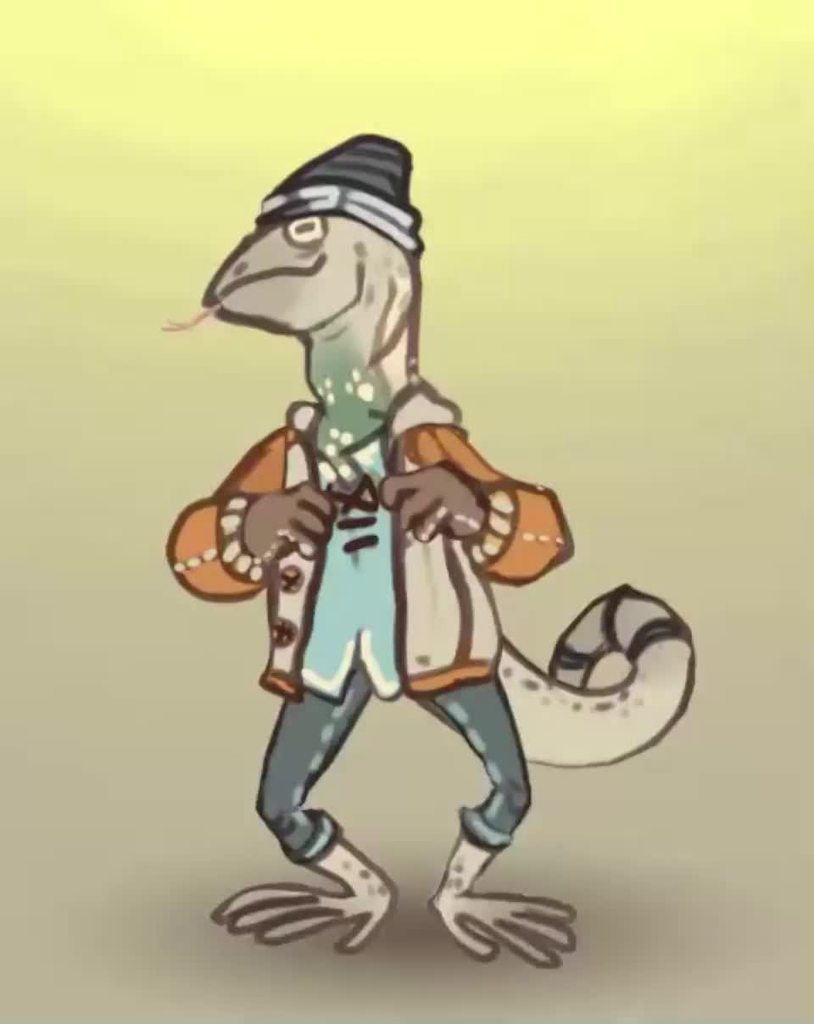
I was studying about Radical Fish, and I found this image
Somebody knows this animation program?

hazy pendant
#

Hi I am new to Unity Animation. Is there a tutorial that could help me learn? I downloaded a model that has an idle animation made. (Arms sit at the side. No actual movement) Is it possible to create an animation in unity (example have the model raise their hand, nothing fancy) Or does the animation get created outside unity?

#

Any chance you have something that explains that?

hazy pendant
#

Is this suppose to be 6 seconds? It is animating extremely fast

charred belfry
#

at a glance it looks like 6ms

pine badge
#

How do i set "can transition to self" if it's from Any to a substate group? The option is not there

azure adder
#

Hi everyone, I have a very stupid quetion, I'm just getting started with Unity.. I have a Virtual camera with some properties animated such as Field of View and Focus offset.. I play the animation and it works well. Now I'd like to animate the Target object, which controls where the the virtual camera looks at. How can I achieve this? If I animate the target object on a separate .anim file, how can I play them both at once?

#

Nevermind, I can simply animate the virtual camera rotation instead. Thanks!

arctic breach
#

All of my 'Sources' for 'Constraints' in my Rig have their transform values stuck. They literally just snap every frame back to what they were when adjusted. Everything was fine when I was animating yesterday, today they're poopy tho.

crude basin
#

hey i made an enemy and add a death animation but when i duplicate the enemy sth odd happens. When i kill the second enemy first the first one plays the death animation. Here is my enemy animation controller.

#

pls help

twin musk
#

why does the object need animator component to run the animation ?

agile solstice
twin musk
#

i am unable to run the animation with only "animation" component

agile solstice
agile solstice
twin musk
#

i cant even add a condition on the animation

#

do i need to update something or idk

agile solstice
#

The animator needs to be on an object

#

You need to follow a tutorial

twin musk
#

can you link me a tutorial or something ? this new system is confusing lol

agile solstice
twin musk
#

ok thank you

arctic breach
#

Any idea on how or why all of your animation rigging 'sources' would be locked in place? I don't even know where to begin looking tbh.

crude basin
#

@agile solstice hey could you help me fix it

#

@agile solstice use a condition

#

I

flat root
#

I can't figure out why his arm won't do IK toward mouse direction so he looks like he strikes the floor

crude basin
#

hey i made an enemy and add a death animation but when i duplicate the enemy sth odd happens. When i kill the second enemy first the first one plays the death animation. Here is my enemy animation controller.

#

pls help

#

@agile solstice

#

sb help me pls

agile solstice
crude basin
#

ok sorry

agile solstice
#

I gave you directions before

crude basin
#

yes i didnt understand

#

cancel that

pine badge
#

My any state to die state already has "CanTransitionToSelf" unchecked yet it still transitions to self
Why is this broken?

severe cosmos
#

Hey guys could someone help me? For some reason I cannot import an animation i made in blender, I setup the original fbx with it's own mesh and avatar, then i was planning on having animation only fbx that use the "copy from other model" avatar setting. But for some reason this doesn't work, even the preview doesn't animate. If I export the animation with it's own mesh and create it's own avatar the preview does animate. What's even weirder is that I have another model setup the exact same way and it does work, i've spent hours today trying to figure it out, hopefully someone here can help me 😄 .

#

Welp if anyone knows anything please ping me so I dont miss it

hybrid tinsel
#

@severe cosmosTo add the animations from one model into another you need to use the correct naming scheme; check in the manual under importing animations and it explains.

twin musk
#

Can someone help me? I made an animation in Blender, exported it, and the animation clip previews fine outside of animator, but when its brought in, it says the clip has no motion

#

Nevermind I fixed it

#

I was linking transitioning from a clip I had deleted

random swift
#

I am wondering if you can combine skinnedmeshrenderers with bones but also joints. So lets say, I have a backpack, I want to attach it to the shoulders but also be a bit physical while running for example

severe cosmos
hybrid tinsel
hybrid tinsel
#

This is just an importer thing

random swift
hybrid tinsel
#

@severe cosmosAnother way to import animations is to follow a naming scheme that Unity allows for the animation files. You can create separate model files and name them with the convention modelName@animationName.fbx. For example, for a model called goober, you could import separate idle, walk, jump and walljump animations using files named goober@idle.fbx, goober@walk.fbx, goober@jump.fbx and goober@walljump.fbx. When exporting animation like this, it is unnecessary to include the Mesh in these files, but in that case you should enable the Preserve Hierarchy Model import option.

#

from the manual

#

@random swiftnot 'wrong' per se but there is no distinction in unity between z axis and point bones but other software does(Usually calling them z-axis and joint bones respectively).

Unity physics objects can get finicky when attached to animated transforms, but it does work. I personally prefer to use more simplified physics like the springbone script from unity-chan or animation toolkit, just because they are made for animated objects, but if you need the full complexity of physics what I said holds; you don't want to apply a non-kinematic rigidbody to any transform that an animator is controlling directly. You also will probably need to tweak the settings to keep it from getting all janky and weird.

#

Also, not sure if you're using 2d or 3d but I noticed that 2d physics seems much less reliable with animation than 3d physics

#

'joint' in unity terminology usually refers to the component that attaches two rigidbodies and is completely separate from bones as a system.

random swift
#

Thats why I am asking if its possible to combine somehow. Tried to attach an extra bone to the rig but unities humanoid importer did not like it

severe cosmos
#

Thanks for the help

hybrid tinsel
#

I figured that was likely, but it never hurts to be thorough- especially with poorly explained features like that

severe cosmos
#

Yep you're right

swift tide
#

Is there a way to check how many animation events you've placed on an animation timeline?

twin musk
#

Hey there
I'm trying to use a simple rigged model but when I change the animation state without the "exit time" thingy checked it slowly keeps shifting the entire model to the left
Any idea?

#

nvm just discovered the "Bake into pose" button

agile solstice
#

The traditional way is to have equipment bones animated along with the rig, so they can have authored jostling motion following the character's actions

#

But also Animation Rigging package lets you parent any object to multiple bones, and add dampened movement into bone chains, so it'll be kind of wiggly and organic

agile solstice
#

So it kinda works

hybrid tinsel
#

The important thing is that any transform with keyframes on it will not use physics.

#

But yeah, I prefer to not use full physics joints for characters.

#

Also, you have to select 'animate physics' for the animator. Very important 😛

agile solstice
hybrid tinsel
#

You could probably just use Addforce with the delta of the parent's movement each frame

random swift
#

thanks for your thoughts btw 🙂

agile solstice
#

I have no experience of that
My skeletons don't use the avatar/humanoid system

random swift
#

Hm, okay, so you just your custom rig, might be a way too

#

Well I guess mixamo has died for me then 😄

clear orbit
hybrid tinsel
#

For nonhumanoid, then you can just have whatever skeleton you want

charred flicker
#

Any way not to get extra Root Bone in Unity importing from blender?

fair fern
#

what is this "mirror" from the animation state name in animator tab / window refer to

#

make the animation reverse?

twin musk
#

what is the difference between animation component and animator component

late canyon
#

Like a reflection of the current animation state you are on

#

I think

#

and its only for humanoid models apparently

fluid sage
#

Hey I need some advice, I wanna get my hands on my effect textures and texture sheet animations. And I'm willing to pay aswell but I want some really good ones, cause I personally love them

true sinew
#

I need some help

#

is there a way to layer animations "inside of eachother"

#

So basically, I have this character and I need to be able to swap out the eyes for other eyes with their own unique animations

#

and I cannot for the life of me figure out how to

#

I tried making the eyes their own prefabs but then since the eyes are controlled by bones still, the animations dont work

hybrid tinsel
#

define 'don't work'

true sinew
#

I cannot see the animation

#

if I look at the animator, it's playing

#

but I can't see anything

hybrid tinsel
#

Hm. How are you swapping them? turning the different eyes on and off?

twin musk
#

Hi everyone can anyone tell me how can i move my characters legs like this

hybrid tinsel
hybrid tinsel
swift tide
#

Nice

hybrid tinsel
agile solstice
#

all sneaky-peeky-like

upper summit
#

I'm having an issue with importing a Blender character.

The game objects are pointing the right way, but the limbs and mesh act like they have a 180 degree rotation on them, and are 'facing' backwards.

Any idea what I'm doing wrong?

hybrid tinsel
astral vine
#

How can I make my character move with the animation? I have a walking animation right now but it stays in one place

flat root
hybrid tinsel
astral vine
hybrid tinsel
#

It applies any movement on the root bone to the object

brazen mural
#

Hi! I'm animating in 2d, and I have my sprites and everything. The sprites are sliced in a way that makes a box around it rather than makes it fit in with the animation. (not sure how to better word that.). When I want to animate, I don't want it to tween the motion and make it smooth, i want it to just let me move the sprites in the correct position without freaking out. How can I do this? I don't know how to mess with the curves in a way to help this. idk. thanks!

#

ill send a vid.

random swift
#

You should make your curves not bezier, check out some tutorial about animation window and curve editing, so they will stay flat and just swap positions.

hybrid tinsel
#

@brazen muralThe best solution for that is probably to just set the pivot to the same relative position on each frame, rather than trying to move the object around. Twentacle's solution works too, but is a bunch of extra work and also a much less optimized animation.

agile solstice
#

This will remove any interpolation including curves
I wouldn't call it "extra work" or "unoptimized"

pine badge
#

Anyone wanna suggest the general shape of the rig for a flower character? With roots as legs, sooometimes they can walk

Is it still a humanoid rig?

clear orbit
agile solstice
#

Does it need to be a humanoid rig? My understanding is that the point of humanoid rigs is that you can retarget animations to work on multiple meshes with different proportions
But do you need to retarget flower animations?

clear orbit
#

It has the potential to look very ridiculous, but it could work.

pine badge
#

Well a flower character, animation wise, would "sit" inside the ground

#

With the pelvis "inside" the surface of ground instead of on it

hybrid tinsel
hybrid tinsel
#

I'd personally just make a custom rig for it that is just, like, flower shaped, unless you need to be able to use premade humanoid animations.

#

A plant like that is a lot bendier than a human, and you can heavily leverage IK

pine badge
#

3D

#

Yeah i'm using blender rigify and changing the rig type for the limbs to tentacle

hybrid tinsel
#

Humanoid rigs only have two spine bones, which would limit a flower like that a lot.

#

So generic is probably better

pine badge
#

It wont be humanoid in unity, gotta be generic

agile solstice
#

Or if it's okay that the movement is baked into each frame

twin musk
#

excuse me guys, i have a question , how can i refer to the specific animation i have in the animation component i mean , element 0 and 1

#

how can i refer to them accordingly in the my script ?

#

but when you try to run animation with animation component you write something like anim.Play();

#

but how do i play element 1

hybrid tinsel
#

the parenthesis() are where you add parameters

#

Though since animation is depreciated I'm not sure of the exact syntax; probably still listed in the script reference for it though

agile solstice
#

@twin musk Why must it be the Animation component?

twin musk
agile solstice
#

People here might be able to help you if you used up to date features

twin musk
#

is using animation component a bad idea in general and for performance or is it just that animator component has more features ?

#

bc i do care about performance the most

agile solstice
#

No difference in performance

#

Both Animator and Animation components let you play an animation using its name with anim.Play("name");

hybrid tinsel
#

In many cases I believe animator might be more performant just because they've not added any of the burst stuff to animation

#

But I doubt that it will matter in the vast, vast majority of situations

#

But yeah, the biggest downside to using animation is how hard it is to get help/documentation

agile solstice
#

Right, there's Burst optimizations for that too

finite stone
#

Hello everyone. I have a question about animation. I have animated fps arms, but I want to transfer this animation to the arms of a full body character. Can this be done and how?

hybrid tinsel
#

And what you'll want to look at is Mecanim Retargeting

spiral pond
#

I need some little help with animation layer blending, I have my base layer with all my character movement. I created another layer setting only the upper body as mask (see screenshot) and my character seems to catch the upper body animation but feels very weird (very static)

#

I've purchased the Soldier Animations on the asset store (https://assetstore.unity.com/packages/3d/animations/soldier-animations-180600) but if you look at it when the character is moving with a weapon, it's always facing forward (the weapon) and I would like to have it aiming down (like in the idle animation).

Elevate your workflow with the Soldier Animations asset from Kevin Iglesias. Find this & other Animations options on the Unity Asset Store.

#

Should I use the transform in the Avatar Mask to cherry pick bones I want to move ?

brazen mural
#

worked very well

serene onyx
#

hey..? could somebody help me with something real quick

#

i am having trouble with simple character movement, whenever i press w or jump.. i have to wait or i spam the button for the animation to play? i think its something small but it would help lots thanks

uncut salmon
#

Are you detecting input inside of Update or FixedUpdate?

serene onyx
#

nevermind thanks alot but i figured out i had exit time on blend tree xD to do with movement

balmy fern
#

Hey guys, I have a problem with a 2D animation on Unity, can someone ping me if can help me? ( Its something so basic, im just new )

frigid hamlet
#

What's the issue?

balmy fern
#

So basically, im trying to add my first animation on my "game" ( tbh its just a project im doing on college), but the img is not showing at all

#

I want to have a green bouncy slime but instead a have a weird thing lmao

hybrid tinsel
#

@balmy fernYou'll need to give a bit more information, but does selecting it and hitting 'f' find it in the viewport?

opal skiff
#

Im animating a character but the legs stretch like this how can i solve it?

hybrid tinsel
#

@opal skiffYou'll have to give more info. Are you using IK or something?

opal skiff
#

No, i´m just animating the character bones

hybrid tinsel
#

And it is a generic rig?

opal skiff
#

Yap

hybrid tinsel
#

Hm, weird

opal skiff
#

Forget i solved, but thanks!

hybrid tinsel
#

What was the problem?

neat nimbus
#

I need help understanding how the animation tab works

#

does it works with seconds or frames?

agile solstice
#

The steps are defined with "samples"

vital blaze
#

Hey does someone know how to get a catmull rom interpolation into the animator?

It is in my opinion by far the best for camera animations

dense leaf
#

hello! it's not a bad idea to store sprites of a players' animation as individual sprites instead of a tilemap, right?

rocky quail
#

Hi, I have a situation.

Context: My 2D game utlized skinned and rigged character with swappable parts. This means that 1 part to 1 sprite as I can't swap 1 sprite to multiple sprites.

Problem: I need a palette swap solution. Currently using a color change shader with range and fuzziness but it is hard to control as it will usually blend into other colors.

Is it possible to use masking in this setup to color change certain area of the sprite yet retaining the skinning?

hybrid tinsel
#

Or if these parts of the sprite don't have transparency you can use the alpha channel

snow rune
#

hey ive made a ui animation but i cant seem to figure out how to stop it from looping - i have turned off loop time yet its still looping

#

oh so i restarted unity a few times now it seems to work aha

rocky quail
fluid sage
#

hey i made a buffer system for my fireworks that have been working all this time

#

but for some reason its doing thie weird thing

#

its like on the buffer particle itll be invisible unless i go over to the actual particle and it shows it, even though thats impossible to do ingame. so im trying to figure out why the system is invisible

opal skiff
#

XD

bright pagoda
#

is there a way of getting how many keyframes an animation has in code

#

?

#

all the functions only return the length of the whole animation in seconds

rain vault
#

What tools do folks use to create humanoid animations that can be exported to Unity? Blender only? I was looking for something lighter that is really just for animating

#

paid software included*

astral vine
astral vine
rain vault
#

@astral vine I've been using Mixamo for most things, but I have a few animations that i need, something like a mario "butt ground smash" animation

random swift
rain vault
#

@random swift !?!?

#

really

random swift
# rain vault <@!144387642140655616> !?!?

Animating a character is basically rotating the bones, you got those in Unity. But you can of course use blender which might support some IK/FK and what not. But in your question, as you want "lightweight", Unity is just, take the bone, rotate it and keyframe in an animation

rain vault
#

ah yeah i was hoping for something with IK/FK

#

if i use blender, I wonder If there are some existing "Unity" rigs out there with all the bells and whistles for iks

random swift
#

Not that I know of. There are plugins like autorig pro to do that for you so you can setup characters. But that did not work for me. I am currently building my own IK/FK for a character in Unity directly

charred belfry
#

Unity has an animation rigging package (pinned to this channel)

random swift
balmy fern
#

Need help on my first 2D animation. Dont really know how to do it. I create a new animation and try to drag in the images but cant put them in. Already splitted the sprite sheet

hybrid tinsel
#

@balmy fern what do you mean that you can't put them in?

balmy fern
#

its solved, ty anyways :D

twin musk
#

Need assistance with a 3d idle animation

So this is for a vrchat avatar I've been working on.

The issue is that the animation clips through the ground in game yet appearing normal within unity? Any ideas? I've tried offsetting it but maybe theres something I'm missing or doing wrong.

Feel free to ping me and thanks to all in advance who potentially aid me

wise vector
#

heyho, doing the tutorial and It seems that i cannot change the starting location of from where the smoke effect particle system on my robot starts

#

starts from the center even though i moved it to the head area

random swift
wise vector
#

ctrl - s

#

and yea thats the thing i moved it to the head but it still starts from the center in game

wise vector
#

here are the settings for the ParticleSystem

#

here is the relevant part of the character script

    {
        if(amount < 0)
        {
            if (isInvincible)
                return;
            animator.SetTrigger("Hit");
            GameObject hitBurst = Instantiate(burst,Vector2.up , Quaternion.identity);
            ParticleSystem hitParticles = hitBurst.GetComponent<ParticleSystem>();
            isInvincible = true;
            invincibleTimer = timeInvincible;
        }
        currentHealth = Mathf.Clamp(currentHealth + amount, 0, maxHealth);
        Debug.Log(currentHealth + "/" + maxHealth);
              }```
#

i take this GettingHit prefab

#

and drag&drop it into the public property slot of burst

#

where am i going wrong?

#

that is the result. the explosion does appear but in the wrong location (not where the character is located but at a fixed spot i think 0,0,0 on the map)

agile solstice
#

It's a world position it takes
transform.position as a coordinate would spawn it where the object is

wise vector
#

ah

#

makes sense

hybrid tinsel
#

...oh, I was scrolled up, whups

clear orbit
#

How do unity animation tools compare with blenders

drowsy narwhal
#

YEA

random swift
drowsy narwhal
#

yea

#

tha anim stops here

random swift
#

What does your inspector of the animation look like in the animator? and what does the inspector of the clip look like?

drowsy narwhal
#

You mean this ?

random swift
#

No in the animator sheet inside, if you select the Walking Clip, what is the inspector inside animator view looking like

drowsy narwhal
random swift
#

And your animator?

drowsy narwhal
random swift
#

And if you run the game it fills up the blue progress bar and sticks to the end then?

drowsy narwhal
#

yea when the blue bar ends the walking style freeze

random swift
#

Can you switch to debug inspector and show your walking animation in inspector?

drowsy narwhal
#

i did

random swift
#

And then just in your project view open the fbx arrow to show the contents and select the animation

drowsy narwhal
random swift
#

You are in hierarchy

#

I mean project window

#

the filebrowser of unity

drowsy narwhal
#

yea i know what hierachy mean lol but im still stipid

#

ok

random swift
#

so, what does the inspector of the selected animation look like?

drowsy narwhal
#

wait lme take a pic

#

this is the inspector of the animation

random swift
drowsy narwhal
#

yea its empty

random swift
drowsy narwhal
#

sorry im stupid

drowsy narwhal
random swift
#

You have the walking animation there, inside the walking.fbx is the clip mixamo.com, this is the actual animation. We need to look into thats inspector

drowsy narwhal
#

my Brain is glitched , but yeah 😅

random swift
#

what is under animation clip settings?

#

Oh wait, wrap mode is default

#

than its not looping

drowsy narwhal
#

oh

random swift
#

So select your Walking.fbx, go to Animations and check that there is loop set

drowsy narwhal
#

already checked

random swift
#

than why the heck is your wrap mode default and not looping 😄

#

Can you just copy paste the animation as a single clip and see if you can change the wrapmode there and replace it in your animator, just out of curiosity

drowsy narwhal
#

ok

random swift
#

gotta go now, will check in later

drowsy narwhal
#

ok

#

have fun

hybrid tinsel
north valve
#

Hi, i created a walking animation for my character in blender, and for now i want it to allways play it, how do i do it?

clear orbit
agile solstice
#

Animator will play the animation clip that is marked as Default State

agile solstice
north valve
#

How do i loop and what is the avatar thing

#

I'm new sorry

agile solstice
#

The animation will play and loop if Loop Time is enabled in the animation clip asset's settings

north valve
#

Oh ok, thank you

agile solstice
#

By default, the first clip an animator has will play, and it'll be looping

agile solstice
north valve
#

thx

clear orbit
#

@Nerò#2004 maybe in blender you didn't apply rotation settings?

clear orbit
#

@hybrid tinsel i mean like for charachter animation. I always see fancy looking rigs in Blender, and wondering if it had better tools. I'm looking at the upcoming pose library stuff.... but i honestly think maybe the Sequences package is doing the same thing as the Pose Library . i prefer not to use Blender but for making armature and models, so just weoghing up where to invest my time.

agile solstice
clear orbit
woven gyro
#

How do y'all deal with objects that aren't a part of an armature, such as in a cutscene I recently made, the player has to pick up a note, so I made it a child of hips. Is this what everyone else does? Because this isn't even considering that this armature isn't my main player and just a dummy for a cutscene

halcyon wind
#

Anyone working on 2D platformers experienced one or more of the animations suddenly interfering with the physics affecting movement? I had the Idle and Walk animations working fine until I introduced a 'Hit' animation and connected it to the rest. Now the movement doesn't work at all, save for the animations being properly triggered.

#

When moving the character above the scene where they are before running the scene, they snap into a position and don't budge at all.

woven gyro
#

Does your animator have root motion enabled?

halcyon wind
#

"Apply Root Motion"?

#

No

#

I enabled it, but the same issue is present

#

@woven gyro

woven gyro
#

It's meant to be disabled, so that's not the issue

#

are you sure it's the animation, you didn't change any code around being hit?

halcyon wind
#

If I disable the Animator, the motion works correctly

#

I had been working collision code between the player and an object, but I deleted it.

woven gyro
#

Does your animation modify position, or just sprites?

halcyon wind
#

Position. I'm using a puppet type rig for my character

woven gyro
#

Changing Position in the animation is liable to mess up any position changes in script

#

If you are changing the root position

#

Bones wouldn't have any effect (unless you move those with physics as well)

halcyon wind
#

I'm just confused mostly because, even though I had keyframed position in the idle and walk animations, they had worked some time with the physics before stopping when I introduced a hit animation.

woven gyro
#

Position of what, specifically?

#

The root, or bones

halcyon wind
#

I don't remember. I'm even more confused though, as I've completely deleted the hit animation along with its component in the animator and it's still not working.

#

I'm a newbie which probably doesn't help my skills at troubleshooting these things in Unity.

woven gyro
#

It's probably best you remake the animations if you are possible, avoiding keyframing the position or rotation of the root of the player

#

(The root is probably whatever the rigidbody is on)

halcyon wind
#

@woven gyro Should I start by deleting the animator components for idle and walk?

woven gyro
#

They just store an animation clip

#

it's the animation clips you must change

halcyon wind
#

So while I shouldn't keyframe the parent storing all of the sprites, I should keyframe the sprites themselves?

woven gyro
#

Yes

#

The parent is the root, and the sprites are "bones"

halcyon wind
#

Should I also have my animator stored on the parent?

woven gyro
#

That's probably best

halcyon wind
#

Alright

woven gyro
#

but you animator just needs to be on the parent that can access everything it needs to animate

#

because it relies on hierarchy

halcyon wind
#

I'll do a makeshift walk animation and see how that turns out

woven gyro
#

which is why animations can break from just changing names

#

I recommend just moving a sprite up and down, and then testing it

#

rather then even making a basic walk animation

halcyon wind
#

@woven gyro I can't animate the sprite position.

#

It automatically defaults to wanting to keyframe the parent.

woven gyro
#

click on the sprive

#

sprite

#

the one you want to keyframe

#

right click position

#

and keyframe

#

or just hit the record button and move it

halcyon wind
#

Can I screenshare here or in DMs? When I click position with the Torso sprite selected, the character snaps down and the parent is instead picked to be keyframed despite selecting the Torso sprite.

#

@woven gyro

woven gyro
#

You can send screenshots here

halcyon wind
#

I had the Torso picked on the hierarchy until it snapped to the Compiled Parent

woven gyro
#

I'm not sure why, but can I recommend just "turn it on and off again", in the sense:

First off, shouldn't legs and arms be a child to the torso?

Second: Delete the animation controller that you have currently

Third: Go into Animation on the root and press "Create New" just like you've done before

halcyon wind
#

The arms and legs aren't children purely because I want the head to be able to bob up and down independent of the legs and arms.

#

I'm working on that

untold rampart
#

This should apply the animation all the time, right? My avatar is definitely in the position when I run the game, but it's not actively animating.

untold rampart
#

Oo la la. Why was it like that?

#

I did change an old animationcontroller

#

But now nothing and it still doesn't animate?

woven gyro
#

Is the object with the animator active

#

and there is an animation clip in that

untold rampart
#

The object is intantiated.

#

And the animation clip is on its animator component

woven gyro
#

And the animation works if you test it in the editor?

untold rampart
#

Yes.

#

When I test it using the animator window on the prefanb

#

prefab

woven gyro
#

Wait do you still have a condition on that?

untold rampart
#

No conditions. It shjould go from entry to this, right?

woven gyro
#

Should do, but it doesn't so something is wrong and there is a long list. Have you looked at the animation controller while having an instantiated object selected at runtime

#

to see what's happening

halcyon wind
#

@woven gyro Thanks for the help with troubleshooting!

#

Got the movement working again.

hard brook
#

im having a small issue with the silver/whitish color robot in this clip (the one with the green healthbar). after his attack animation finishes it doesnt look as smooth as i was hoping, it kinda snaps to another position as the animation plays again on the next attack. is there anything i can do to make it look smoother/better?

https://streamable.com/83xwg1

agile solstice
hard brook
#

it looks something like this atm

#

exit time is checked

hard brook
#

i ended up doing something like this where it plays the animation, then plays the animation at the same negative speed, so backward...to get the model into the right position and not snap around. not sure if this is a good solution or if there's a better way to accomplish the same thing, but for now it looks right

tacit onyx
#

how do i get rid of that extra little bit after the last keyframe?

#

@agile solstice sorry to @ but idk if this channel is checked often

agile solstice
tacit onyx
#

Thing is the extra frame follows wherever the last keyframe is

#

all im tryna do is alternate between 2 images

#

but it makes it poopy if the second image has an extra frame over the first

#

wait

#

maybe im wrong

#

i guess this doesn't even matter right?

#

if it's a loop it'll just go straight to the first frame

#

so it's the same as having the first frame at the end of the loop

#

it makes sense in my head

robust wave
#

Would someone be able to suggest some things to help me here

#

I'm trying to do a top-down shooter

#

So I've get the animations for the legs and aiming poses

#

The running animations etc all fine, however when I try to use a mask to override the arm animations (so that they aim the guns), the arms offset at an angle

#

So while my character walks forward as expected in this example, the arms shoot off to the side

#

And if I set the aim animation as the base and add a mask for the legs instead, they also go weird and shoot off into a different direction

#

But if I'm using just the aiming animation, it works fine on its own - it just doesn't seem to work when used in conjunction with a mask

#

I've played around with baking and it doesn't appear to do anything

agile solstice
#

I mean how does it look like in this window

flat root
flat root
robust wave
#

By preserving, you mean enabling it in the mask?

#

(thank you for the help by the way)

flat root
#

try that see if helps with baking so it knows where root is

robust wave
#

I mean doing that helps solve the problems with the arms but not the legs, as they end up pointing in a different direction

#

I think the root is changed slightly in the aim 'animation'

#

Ah that may be why

#

not quite sure how to get around this

#

I apologise, I'm a complete brainlet

flat root
#

but yeah baking settings, along with those dropdowns and Offset can help too

#

there is few tutorials that go in depth with those and explain how different baking combo give different result i'd suggest familiarizing with those it helped me in long run

robust wave
#

Thanks mate, I'll give it a go and just keep going until I get somehwere

weak sand
#

Hello, is there a way to change efficiently the animation in my animator without removing the transitions? Because our artist are constantly chaning things in the animation and they want to see how it looks like.

hybrid tinsel
#

@weak sandDo you mean changing which clip is used by an animation state? If so you can just drag a different clip into the inspector of that state.

#

(And if you mean something else we'll need more info =p )

weak sand
#

ahhhh there's a clip setting for that, ok thank you very much

arctic breach
#

Howdy, is the best way for me to get a rotating run (like you have root motion on) using rigging?

#

Like I turn left while running and the body pulls / rotates instead of just sliding around the Y

#

or if you know of any free animations for this. xD I'd love that too.

brittle raft
#

I have an additive layer in my animator, but its animations are not playing. It contains 1D blend tree that blends between two single-frame animations, the middle of these is a neutral pose. When I set the layer to "override" it works fine, but additive does not work. I've created this helper to try to set the "additive reference pose" but it's giving me an error:

[MenuItem("Moball/Utility/Set selected animation(s) additive reference pose")]
public static void Command() {
    if (Selection.objects.Length != 2 || !Selection.objects.All(obj => obj is AnimationClip)) {
        Debug.LogError("Must select 2 Animation clips");
        return;
    }
    var clip0 = (AnimationClip) Selection.objects[0];
    var clip1 = (AnimationClip) Selection.objects[1];
    AnimationUtility.SetAdditiveReferencePose(clip0, clip1, 0);
    Debug.Log($"Set {clip0.name} reference pose to frame 0 of {clip1.name}");
}
#

Any hints as to what I should do?

mystic flint
#

Guys, is there anyway to keyframe on humanoid rig ... i got this error

north valve
#

Where do i disable root motion/rotation for an animtion

agile solstice
swift tide
#

If I try to do animator.Play(”something”) when it already is in the something animation state, nothing happens

#

I can only cancel it into other animation. Is there any way I can let it cancel itself into itself?

frigid leaf
#

how do I find the setting to turn off "bake into pose" for my animations in unity 2020.3.14f1 ?

calm cargo
#

In Maya I have a few rigged characters but they're not the right height (scale). I want to rescale at the source in Maya so that they import into Unity at the correct size while at 1.0 scale ratio. How can I go about that safely in Maya with a rigged model?

opal sky
#

I'm trying to make a basic player movement script that includes animation rigging but as soon as you add the Rig Builder to the object, the transform.rotation and the character controller .move stop working. Any clue why this is happening ? (It happens in unity's own essential 3rd person char controller too)

agile solstice
opal sky
#

it's not

#

it's honestly a simple : playerRootObject.transform.rotation = Quaternion.Euler(0.0f, rotation, 0.0f);

#

if you disable the Rig Builder, that works fine... with the rig builder, it doesn't

#

tried even a fresh project with unity's own essential char controller... the second you add rig builder to it's armature, the movement stops working

opal sky
#

O_o it has to use RootMotion apparently..without it nothing works

arctic breach
#

is the animation component unweidly and poopy to use compared to animator? Never used it before. I kinda like the idea of slapping crossfade etc in script instead of clicking around as much.

#

Also does it matter too much if I stick the Animator / Animation component on the root of prefab, or the empty parent holding the prefab?

arctic breach
#

I see now it's deprecated. xD

fresh prism
#

Is it ok to use free assets from the asset store in a published game?

lean sage
twin musk
#

i am trying to make a shooting animation, and i want it so that when i fire once the whole animation does not play, but only 2 parts of it, how can i do this?

hazy pendant
#

i added a transform - position property and i dont see it

#

it also isn't letting me pick it again, any idea where it went?

#

i was trying to copy the right arm to the left arm to have them both move,

brittle raft
hybrid tinsel
#

@swift tide you can set the time to the state start, you you could use an any state transition with 'can transition into self' set instead of playing the state directly

slim skiff
#

Would it be be heavy for the app if I had sprite animation for each item in a scroll view that plays while loading the images?

hybrid tinsel
#

dunno- depends on your target platform I'd think

wise vector
#

new to unity. I am trying to set up walking animations. the animations themself work but they do not get triggered correctly

here is the code that sends the coordinates to the parameters i specified in the animator
(also ignore the sprites, its the best i can do with my artistic skills 😄 )

void Update()
    {
        movement.x = Input.GetAxis("Horizontal");
        movement.y = Input.GetAxis("Vertical");
        Debug.Log(movement);
        if(movement.x > 0)
        {
            animator.SetFloat("Move Y", 0);
            animator.SetFloat("Move X", movement.x);
        }
        if(movement.y > 0)
        {
            animator.SetFloat("Move X", 0);
            animator.SetFloat("Move Y", movement.y);
        }
        ```
weak sand
#

how can I set the rotation of the particle effect in a particle system based on its emission direction from the base?

late mica
#

So before giving my problem, i don't know anything about animation, i just move and rotate stuff each keyframes, i don't touch the curves and other things

#

So before i "rearranged" my player model, i could select a child of it and move it. Now, if i do that , the animation changes/becomes blank until i select the player again. I can't only change the values cause it would make it harder and to make things worse, i need to enter play mode to see the animations since i use FastIK for the arms.

#

How can i get the old behavior?

hybrid tinsel
#

@late mica rearranged how?

hard brook
#

is there a way to take an animation, and basically make it so it plays once in the first half, then plays again in reverse in the second half? right now im doing something like the above using negative speed in the ReverseAtk, but itd be a lot easier for me if i could just create the animation to do it all

im not sure what the term im looking for is, i thought maybe mirroring but that seems to be a different thing in unity flipping left/right

solar warren
#

why cant I edit exposed fields of statemachine behaviour in runtime?

#

they are set as public in the script so what gives?

hard brook
#

i got an asset off the store that came with some animations, but they look different in the inspector when i click on them from what im used to. the top is an example of what they usually look like, the bottom is what these ones look like.

also, when i try to drag them into my animation override controller nothing happens. what's the deal?

hidden peak
#

guys, does anybody here knows about Animation Rigging Package? because I am having a problem with it and thanks ❤️

hidden peak
#

well.. I guess not

wise vector
#

Is there a way to make particles that are emitted from the particle system clickable?
so far i can only assign them a sprite via the texture sheet animation module

strong dome
#

Hi! I created a waking up animation but I need to stop first frame for a while (not specific time) Do I need create a pose for waiting time or can I resume animation after end any action?

woven gyro
strong dome
#

I mean this pose include whole waking up animation. What I want is wait for end an action then resume this animation

woven gyro
#

most people don't reply to "can I ask a question", questions

woven gyro
hidden peak
#

@woven gyro do you have any problems if we talk about it private?

woven gyro
#

Yea

#

That is why people don't answer "Can I ask questions"

#

because then they make a commitment to answering

#

I don't know anything about the animation rigging package

strong dome
hidden peak
#

I just wanted to talk because its more complicated

#

its about the multi parent and multi position constraint

woven gyro
#

You gotta just leave the full question here, and if someone can answer it they will

jagged ruin
#

@strong dome you could also just CTRL+D the animation.. make a duplicate.. and then tick 'loop' on your dupe.. and then you have a looping clip

#

people (myself included) often use 1 frame loops as placeholder... others take that into production lol

#

..my answer only works if you know specifically where you want to cut / pause it lol -- i guess

strong dome
#

i'll try both thanks 🌺

jagged ruin
#

there's also Time.timescale lol

#

or just pausing the game / turning off the animator as suggested -- if you're going down that route -- gl

strong dome
jagged ruin
#

awesome, my pleasure

strong dome
#

umm when i change end or start time it changes character position

#

Character just teleporting when i start wake up animation

#

i just duplicated same pose

wise vector
#

Is there a way to make particles that are emitted from the particle system clickable?
so far i can only assign them a sprite via the texture sheet animation module

jagged ruin
#

@strong dome did you keep the rest of the settings consistant? Did you duplicate the animation clip itself, or did you create a new clip in the clip-stack of the FBX and then not tick the appropriate buttons?

#

-- in the 'new one', i'd guess you want to just make it a 1-frame-loop.. and have it xz-position 'bake into pose' ticked, so it disregards your root offset for the initial first frame into the loop...

jagged ruin
strong dome
#

Animations is really hurtful :( i got another problem now

jagged ruin
#

im referring to the animation content btw, not whether you ticked 'loop' -- if your working with an in-place walk cycle, then it wont move if you change start/end time.... but if you're working with a walk cycle with root motion.. changing the start/end time would -obviously- change the start/end position...

strong dome
#

Actually i created new pose in blender for sleeping loop and it works but my other poses gone...

#

I have 4 poses in blender. When I export as FBX some animations not showing in Unity

jagged ruin
#

have you created a fake user for them? doesnt look like

#

they're gonna get deleted on closing the file.

strong dome
#

OH THEY DID :(

jagged ruin
#

go through the animation clips, tick the shield.. create a fake user

#

Yea that's what the 0 means

#

or the lack of 'F' infront of their name

strong dome
#

all of them?

jagged ruin
#

the ones you dont want to get deleted yea.

#

unless thats what you want?

#

lol

strong dome
#

oh ok, i lost my 2 days animation work :( i wish i knew this before

jagged ruin
#

id watch a basic blender tutorial

#

blender does that with everything... animations, textures... mesh data

#

so, yea.. you might want to be aware of that.. you also might want to learn the intricacies of how blender discards unsaved image files (seperate issue) before you spend 2 days texturing something.

..if your working with it, again, you might want to be aware of it

#

so you paint a character's skin/clothing colours... you don't pack it or save the image .. you close blender... all your painting is gone.

i mean its on you, for not saving really.. but... it might warn you these days.

strong dome
#

God... Thank you for information, at least i just lost couple poses. I could lost bigger work. I need to know more about Blender basics

jagged ruin
#

I think it shows you a tiny asterix on a menu header. lol. Which is considered a 'warning'

#

thing is, you'll probably remember this better than if you got told it via a tutorial/me. So its a hard lesson learned but that's the silver lining

wise vector
#

Is there a way to make particles that are emitted from the particle system clickable?
so far i can only assign them a sprite via the texture sheet animation module

jagged ruin
#

you mean clickable in the editor?

#

they should be...

#

try going to the layers in the top right, and make sure the dropdown has the little 'eye' on whatever layer your particle system is on... (and its not locked) I'm pretty sure i can click on my particle systems in the editor window and itll select that GO

#

how many questions do i have to answer before i can start drawing a pay cheque? - do we get holiday days around here? - BADUM CSHHHHH. is jokes.

wise vector
#

no

wise vector
jagged ruin
#

yea

#

@wise vector i mean, they're interchagable in terms of what i'm saying -- i can click the particles (or at least the billboard representation of the particles position) in the editor -- and it selects the particle system in the inspector

agile solstice
jagged ruin
#

took me a while to work out what you were asking 😄 - i do believe the particle system provides 'onCollision' callbacks

wise vector
wise vector
#

was i just blind?

#

jesus it seems so

reef barn
#

is it possible to start an animation at a random frame?

wise vector
#

looked over those components 3 times

#

so this isnt just for the particles colliding against each other

#

also the particles themselves can't have a script i guesss?

#

k i guess i read the documentation about that

#

firstr

fluid sage
#

hey i was wondering cause im having a hard time wrapping my head around it

#

how would i go by making a sword slashing particle

#

like showing the sword slicing the air or shooting out slices

wise vector
#

https://answers.unity.com/questions/1505978/how-can-i-click-the-particles-emitted-from-a-parti.html

this answer here sounds nice and easy but how the hell do i make the particle system emitt a "particle" prefab?

agile solstice
#

Particle as a prefab sounds weird to me

#

Why not test if raycast can hit world collider particles

wise vector
#

what am i looking for there in the raycast?

#

whats the class it is supposed to hit?

#

and then it would only be 1 kind of particle i could not have the particles to have different properties

agile solstice
#

I don't see why not

#

You check a raycast against any and all colliders that are on the same layer

reef barn
wise vector
#

cause then the particles do not react to that

reef barn
# agile solstice I use this

i tried adding this script to the game object with the animator, but it looks like it stays paused at the start of the state. Am I missing something?

agile solstice
reef barn
agile solstice
median stag
#

i have a little problem

#

ok, i have more than a problem

stuck elm
trail tulip
#

sup mates

#

im having an issue with animations

#

this code does debug falling and landing correctly

#

but my animations are not playing

#

and I really dont have any idea why

hybrid tinsel
#

You are restarting the crossfade every frame

royal sonnet
#

What do you guys when a 3d Model is missing some bones and it restricts the model from using animations?

#

I downloaded an animation from maximo

#

right now im trying to figure out the avatar set

#

and the maximo 3d model with its animation works but my own 3d model does not function like the maximo model

#

maximo model is in idle state but my model still in T-Pose

cedar willow
#

Hey guys, I'm trying animation rigging and I got a question... How do you guys save your poses? Rigging works only in play mode, so I have to copy-paste component's transform, but I can copy only one and, so have to pose it over and over again. What do I miss?..

old kayak
cedar willow
old kayak
#

you should be fixing it in blender then

cedar willow
#

Well, it's not the problem here, I guess 🙂
I don't want to populate tons of animations just for slightly different poses, rigging is working perfectly for that purpose.

#

But I fed up with posing the same character over and over again because I can't save all my targets and hints

woven gyro
#

I'd argue animating in unity is perfectly viable

#

but a editor-time IK script helps greatly

old kayak
#

you could do that, yes'

cedar willow
#

What's editor-time IK script?..

woven gyro
#

As in, IK that works in the editor

#

so you can actually animate with it

#

rather than runtime-only

cedar willow
#

Do we have that script?

#

Where do I get it?

woven gyro
#

Not sure

#

I use UMotion-Pro to animate in unity but I don't like to recommend purchasing stuff

cedar willow
#

So, this script is part of this plugin from asset store, right?

woven gyro
#

The plugin is a whole thing, that is one of the features

#

but you can do this yourself

#

If the package for IK unity has is open source

#

you can probably just add [Execute in edit mode]

#

or something

old kayak
#

i feel like that would break stuff

cedar willow
#

I just can't imagine that everybody who work with animation rigging package just copy-paste values every time

#

This question is like the most basic and trivial thing you can run across

old kayak
#

they don't use it for animating like that, like i said

#

its mainly used for procedural stuff

cedar willow
#

Alright, gotcha

#

Well, I'm going to try UMotion community edition, maybe they have this feature there too

old kayak
#

ok I just looked it up, rigs do evaluate in the timeline and animation window

#

in editor mode

cedar willow
#

Yes, but they reset after you close it

#

You can't save it when it's not recording animation

old kayak
#

what are you trying to do with the poses?

cedar willow
#

I have an location with some NPC, they all have the same animation - idle. But I don't want them to be totally identical, want some of them sit, look somewhere, just, differ

old kayak
#

hmm I see, i would have done something like add a few extra animations and blend between them, maybe throw in a script to procedurally rotate some joints

cedar willow
#

Yes, but it's easier to achieve with rigging. isn't it?

strong dome
#

hi, is there any issue? I can't understand what is 0.5 at right boxes

twin musk
#

Hey guys I use Blender to animate, is there a way to make it so if your character does something like lay their hand on a surface, ir doesnt clip through? Or would I have to keep going back and changing the keyframes until I get it not to clip?

royal sonnet
#

I copied the bones from a maximo 3d model and pasted it to my avatar set to the left

#

however this red text appear could someone help me out?

hybrid tinsel
wicked hull
#

Hey, I have two characters that have the exact same hierarchy and bone names, above is a picture of them running the same animation in blender. I defined an avatar based on the girl model[humanoid] and made a mask specifically for the extra face bones. The animations reference this Avatar only. I imported the guy and had him reference the girl Avatar(note - he has the same bone naming and hierarchy but the bones are slightly differently placed) and it seems that his bones try to "snap" to the girl avatar bone positions[not keyframed, but the actual positions of the bone in the rig] ingame, causing this demonic smile in the bottom pic. What am I doing wrong? is there no way to have shared animations for custom bones?

hybrid tinsel
#

@wicked hullRetargeting is only for humanoid bones, but you could probably use additive animations that are gender specific, using the female bone positions as a reference pose.

wicked hull
hybrid tinsel
#

You could use blendshapes

wicked hull
hybrid tinsel
#

I suppose you could write some code to adjust things

tired basin
#

is there a clean way to apply root motion to some animation clips for a particular animation controller, but not others?

agile solstice
wicked hull
#

It sure is lol

#

Imagine me trying to figure this out as theyre staring right at me without blinking

viscid gorge
#

Can someone remove one of the pinned Urls? The last one about Kinematica @ Unite took me to a private Youtube section stating that the video is private.

strong dome
#

I have created 2 poses in Blender and they are literally same. Only difference is deleted some keyframes. There is no problem in Blender. But when I export to Unity as FBX "sleeping" pose not same

#

This is the sleeping pose in Unity

#

Position, rotation, bones everything is wrong

#

and this is wake up pose. There is no issue with this pose

winter topaz
#

Any idea how to fix the legs going way too far side to side?

#

This is the original animation

#

The feet don't move anything like that.

#

Any of these settings the culprit?

#

Okay, the issue was the 'Bake Into Pose' on Root Transform Rotation, Enabling that fixed the issue.

digital hull
#

hey guys

#

simple question how can i auto arrange animations in animator ?

#

like this

woven gyro
#

You don't

maiden oxide
#

Hi everyone, I'm using unity 2d animation package and I'm trying to make a variant of my current character(Who is a little girl), the base skeleton will be the same, but I would love to have a seperate skeleton for her hair and dress. Right now I'm thinking to make a naked character and attach the hair and dress to her body under the right bone. I wonder if that's the right direction or if there's a easier way to do this? Thank you!UnityChanThink

woven gyro
maiden oxide
thick radish
maiden oxide
#

Yeah, I guess so. I want to have hair animation too. So the rigging of each hair style would be different. I guess the only way is to make them a seperate prefab with their own skeleton and then attach them back to the body...?

#

like this? UnityChanHuh

cyan oar
#

guys

#

is there anyone here to help me ?

#

i want to open a screen share

#

i can't explain the problem please answer fast

celest crag
#

@cyan oar #854851968446365696 How to ask questions properly. Illustrate your question. And don't spam across the server.

hybrid tinsel
hybrid tinsel
hybrid tinsel
hybrid tinsel
#

You can even use a sprite library to automatically switch between variants

pine swallow
#

Hi all! Little question for someone more experienced with Unity than me:
I have a mesh, with a bunch of animations and blend shapes. They work fine separately, but as soon as I try to adjust the blend shape sliders on a model with an animator component attached, I am not able to drag them:

#

Now, I figure, I could have the blend shapes as their own separate animations, I would really rather not though because this will make my animation state machines much harder to work with.
It is possible to combine shape keys with bone animations right? If so, does anyone have any idea what I might be doing wrong?

hybrid tinsel
#

@pine swallowYou should be able to add blend curves to the animation

pine swallow
hybrid tinsel
#

I THINK you should be able to- I've not done much with combining them

#

So I might be missing some subtlety.

pine swallow
#

Not really much subtlety, blend shapes aren't working whenever I animate a model. Thanks for the advice

reef barn
#

Not sure if this is the right channel, but I'm having an issue with Unity's Animation Rigging.
I had this working for me before in a previous project, but I no longer have that project for reference.

It is a VR Project I'm working on.

I have Multi-Aim constraint to rotate the 'hips' of my rig. The 'hips' are the highest point in the rig hierarchy. But, I thought if I rotated the hips, the whole rig should rotate, but instead, I'm finding the 'feet' stuck to the ground as the hips rotate, and the 'legs' twist ridiculously.

I even tried disabling my two-bone IK constraints on my legs, but weirdly, it still seems to use them when disabled.
I also tried quitting and re-opening the project, and same thing.

reef barn
#

I think i figured out something that may be impacting it. My rig builder component didn't have anything set on rig layer. But, weirdly, when I added my animation rig to the layer, it breaks everything except the hip rotation.

north valve
#

Why does my object's rotation change when i apply animations? Can I disable this somehow?

uncut salmon
#

Does your animation have a rotation property?

north valve
#

What is a ratation prperty?

#

its from blender

uncut salmon
#

Check the animation file in Unity and see what it's changing. It might be animating the rotation of the object, hence the behaviour you're seeing.

north valve
#

I rotated it in blender and now it works, i already did this, i don't know what I did differently this time but it works, so thanks anyway

maiden oxide
fresh prism
#

what would be the best way to make semi decent looking water/animation for my mobile game? shader graph?

fervent wave
#

Question: if I have a door prefab with animations for opening the door and closing the door, if I want a single door and a state enum for a door.open and door.close...

What would be the best way to set the initial state of the doors animation? So, for example...Some door prefabs would be set to open as the default state while others would be closed.

I don't want to play the entire open or close animation on start. Is that the only way to set the initial animation state at runtime?

fringe lynx
#

so i'm making a game with 2D sprite characters, and i plan to have swappable parts so the player can customize their characters to some degree. so like, hair, eyes, mouth, maybe some other facial features like freckles, scars, etc. and then swappable outfit parts so that their outfit will reflect the type of armor they have equipped. is this a good approach?

#

i want to be able to animate it just like a skeleton

finite salmon
#

Im really new to animating and im trying to fix this problem so when i walk right the animation works but when i walk left it just plays the idle animation

fringe lynx
fringe lynx
#
_moveInput = Input.GetAxis("Horizontal");        
if (_moveInput >= 0.01f)
        {
            _playerAnim.SetTrigger("IsWalking");
            _playerAnim.ResetTrigger("NotWalking");
        } else if (_moveInput <= 0)
        {
            _playerAnim.SetTrigger("NotWalking");
            _playerAnim.ResetTrigger("IsWalking");
        }
#

if you press left, the value of _moveInput would be less than 0, and thus your walking animation doesn't play

finite salmon
#

still wont play

fringe lynx
#

did you make any changes?

finite salmon
fringe lynx
#

no...you should take the absolute value of _moveInput instead of just _moveInput

finite salmon
fringe lynx
#

so:

if (Mathf.Abs(_moveInput) >= 0.01f)
{
    // walking
} 
else
{
    // not walking
}
finite salmon
#

so this? csharp if (Mathf.Abs(_moveInput) >= 0.01f) { _playerAnim.SetTrigger("IsWalking"); _playerAnim.ResetTrigger(("NotWalking")); } else if (Mathf.Abs(_moveInput) <= 0) { _playerAnim.SetTrigger("NotWalking"); _playerAnim.ResetTrigger("NotMoving"); }

fringe lynx
#

you have a case that's unaccounted for when Mathf.Abs(_moveInput) is greater than 0 but also less than 0.01f

#

you don't need an else if (), you just need else

finite salmon
hybrid tinsel
hybrid tinsel
fringe lynx
#

alright, thanks, ill give it a try

#

do you have any tips for making the workflow easier for myself/my artist?

fresh prism
#

I've created a water animation in blender using a plane, displacement and a bezier circle. I can't just export this as an fbx. I've been searching for a way to get this working properly in my Unity project, but no dice. Anyone know how to do this or if it is even possible? This is the tutorial I followed. https://www.youtube.com/watch?v=grdhD3PPkKs&t=3s&ab_channel=GrantAbbitt

hybrid tinsel
hybrid tinsel
#

Or remake it in unity

#

A basic noise texture displacement is very easy to do in shadergraph so I'd not bother trying to export the blender version unless you had some fancy simulation going on.

weak sand
#

Hello, I'm trying to create different animations for my barricade's health over time. The problem is that the barricade will not show the movement even if I set the loop for the animations to true or false.

#

In here, the main door's health is below 80 and I should expect to see the barricade on the top to swing but the animation is not showing

#

here's what the "80%" animation looks like

#

but it still shows the 100% animation even though the barricade health is set to 0%

#

Mb, the objects should be set to non-static

golden ruin
#

Can someone explain to me what a Root Transform is?

bright pagoda
#

Im trying to import animation from blender but some of them are missing

#

does anyone know how to solve it

hybrid tinsel
#

@golden ruin the root transform is the transform(usually either the hips or an empty between the feet at ground level) that contains the motion you want appled to the object in world space when using root motion.

golden ruin
bright pagoda
#

just solved it
the animations weren't importing because i had animation data from a deleted bone in those animations

hybrid tinsel
golden ruin
hybrid tinsel
#

You understand what root motion is?

golden ruin
hybrid tinsel
#

Basically, it applies the movement of the root to the object instead of keeping it in local space

golden ruin
hybrid tinsel
#

Ok. Normally, if you have a character walk in an animation it will be in local space- relative to the object origin. So at the end of the animation the character will snap back to where it started.

#

With root motion, the character will keep walking instead of snapping back IF the animation was made properly for root motion.

golden ruin
#

Like it changes character's position (root) with every frame?

#

Oh

#

Root transform is character's origin in motion?

#

And it snaps back after animation?

hybrid tinsel
#

It snaps back without root motion

clever gazelle
#

how can i make an animation that will never transition to a different stat without the animation finishes playing ? i checked has exit time but it broke everything and i need someone to tell me about it a little 💙
thanks for your time

heavy olive
#

so if i wanted to fill this orb with liquid as a charging animation, what would be the best way around that? think diablo.

Should I just have the liquid be another png asset and have that grow from the bottom?

hybrid tinsel
clever gazelle
#

thanks anyway 💙

hybrid tinsel
#

Like, if you set the shader to 'alpha clip' and use a vertical gradient for the alpha channel, you can just adjust the clipping level to change the fluid height

heavy olive
#

cool! do you have a handy tutorial video on that method by any chance ? 🙂

twin musk
#

hey guys, in blender, how do you copy the rig from one bone to another in a diffewrent armature?
without having to give the other the same name as original

#

@ me if you know

random saffron
#

yo I have a issue with my bounce pad in unity anyone know how to fix it?

#

when i bounce on it the second part of the animation flies away

#

and then comes back to the position

#

nvm i checked "apply root motion" and it fixed it

fallen escarp
#

Can anyone help me with blendshapes?

#

I'm not sure why there's nothing to edit.

heavy olive
# low gorge U fixed ur issue?

well i started creating the spritesheet first. we have it now, so the goal is to create a filling effect.

we could just have it charge up during the battle, find the X amount of time, and make it slowly fill up according to the length

#

but if you have a tip, article or video we are all ears

low gorge
#

Was gonna say u could use sprite mask and move the fill bar upwards through code.

#

That way u could have an animated image/sprite that looks like a liquid effect

heavy olive
#

ooh its a bit orby unfortunately hehe

#

but i guess a sprite mask that just goes up vertically would do that then, right?

mystic idol
#

do xbot and ybot have the same dimensions?

hybrid tinsel
#

That's just a sprite with a gradient in the alpha

#

For a filling effect you'd use a vertical gradient instead of a circular one

bleak lily
#

the character moves only when I delete idle animation keyframe

#

Do anyone know solution to this ?

mighty iron
#

I wonder if an animated movie will ever be made with Unity

mighty iron
void panther
#

I guess this is more a question about importing, but I'm wondering what the easiest way to update an existing character's model/armature is.

We do all our modelling/animating in blender, export as fbx, and drag it into the unity project. Whenever we make changes to the armature or model, though, we re-import everything, drag it into the scene as a new prefab, and then re-add all the components to the new prefab because we don't know how to update the existing prefab properly. Does anyone have any suggestions/advice?

hybrid tinsel
#

@void panther can't you just replace the existing model directly?

void panther
#

probably but i have no idea how to do that

hybrid tinsel
#

Replace the file outside of unity without removing the .meta file

void panther
#

so, hypothetically, even if that works, is it not a bad idea to replace things outside of the editor?

#

or is that normal practice

hybrid tinsel
#

Also, I usually don't add components to the prefab directly if I can avoid it; I try to add them to empty parent 9bjects when possible.

void panther
#

ah, interesting

hybrid tinsel
#

It is normal for me at least.

#

It partly depends on hust what you are changing too

#

If you want to be cautious you can duplicate the object inside unity and thrn replace the duplicate outside of unity to maje sure it works

void panther
#

we use version control so there's no risk there

hybrid tinsel
#

I also use that trick to make variations so it is still useful

void panther
#

a bit confused on how to replace the model 🤔

#

i've been unpacking the FBX in unity

#

so I guess unpack it in unity and then that will unpack the fbx in the files here

#

but how do I replace the player's model with my new model?

#

if i need to provide screenshots/etc. I can

hybrid tinsel
#

Then take the updated model and drag it onto the version in the asset folder

#

And choose replace

#

You can also just save directly onto it in your 3d software

#

Then go back to unity and it usually automatically re imports the changes but if it doesn't you can tell it to

#

It handles some changes better than others; renaming or removing bones can confuse it, for instance.

void panther
#

ah

#

see that's kind of the idea, we're updating the model and armature with new bones, different weight painting etc.

void panther
#

still foncused

hybrid tinsel
#

Well, weight painting shouldn't break anything

#

Changing the bones will probably lose components you added to removed bones

#

Though since you unpacked it, it might just leave empty transforms, you'll have to test it.

keen cloud
#

i have a two questions 1. why is it that in unity the sprite flickers and 2. why do the legs not stay in place and it kinda scrunches up in unity

#

its not the sprite sheet

low gorge
#

I have 1 dissolve material attached to several gameobjects but I want when I change the value it affects only the selected gameobject

fluid sage
low gorge
#

Turn off billboard

wild matrix
#

If I want to make enemies for a Light Gun / On-Rails shooter, and I got "animations" from Mixamo or from Unity Assets, what is the best way to turn that into scripted enemies? I tried to use a Simple Animation Controller and string a few animations together but it was awkward and didn't seem right and I couldn't get all the animations to loop properly. Any ideas what topics I should google and learn to make this better?

outer kettle
#

Hi guys, i've dll a 3d character and animations on mixamo. When I check their rig names, i see that the model starts with mixamorig1:..... and the animation with mixamorig:.........

#

So I want to set them as generic but I doesn't work because of the differents name. So I changed their name through blender, but it still doesn't work and my character remains in T Pose. Did I miss something ?

hybrid tinsel
fickle sphinx
outer kettle
tawny tangle
uncut salmon
#

What do you mean different states, and how does it relate to your video?

tawny tangle
#

i could use this animation shown in the video, but then ill have other problem in scripting, since i want to reset this animation but without playing it. people told me to use 2 different states. 1 for red ball and other for green ball. so the animation wont play by itself when i dont want to. but i dont see how i could have this color changing smoothly with 2 different states with 2 different colors

uncut salmon
#

Yes, you use an Idle animation where it's just a solid colour and another animation for it bouncing between red and green as you have it.

#

Add a transition between them and use a bool parameter to switch between the two.

autumn ridge
#

Hey guys I want to use Animator.Play(); for weapon fire animation, problem is it only works once! When I call Animator.Play() again, it does nothing. There is no default state, or idle animations in the pack I bought. What to do?

#

Pls ping me, in case this message gets lost

autumn ridge
#

Hey guys, no worries I found a solution I pass -1 instead of 0 for layer

#

Final code goes like Animator.Play("name", -1, 0);

true yacht
#

Hi, does anyone know how to let a character be animated by a script like 100% pull arm there, 20% pull other Arm down, ...?
I only find ways to let the character do a whole animation without the abillity to change anything dynamically (except the execution time)
I have 8 changing floats (which correlate to music) and I want to let my character dance accordingly

fluid sage
static brook
#

hola! im new here, i have a very irritating problem with the animator, i have a transition thru a animation with 0 transition time and exit time, and the animation still plays for a frame inbetween the transitions.

wintry junco
#

can somebody help me here?
when my animator component is active, my character rotates and "lay down". i have no idea why is this happening
any clues?

mystic idol
#

if your sprites start tearing, you can apply the pixelperfect component to your camera object

#

That's a really sick sprite btw did you make it? I'm building a platformer too and I have a bunch of art styles I'm trying to decide between. I like the Dead Ahead game art which yours feels like

mystic idol
#

I took a model into blender (complete noob btw) and just wanted to fix an asset that was wrong. Part of the barrel is attached to the slide. So I grabbed just the portion and grouped it to the same group as the barrel, however I think it messed something up with the mesh or uv or something because now the ejection port is see through and the other side of the slide is not

keen cloud
#

is there a property to allow me to manage offsets of the sprite

mystic idol
#

what do you mean by offset?

#

like a transform offset?

keen cloud
#

i meant this i found it

calm rose
#

Hi guys, I am trying to add an Animation Event but for some reason I can't get any functions to show in the inspector. I have a script attached to the animated object with a public method, but still it's not showing... Any ideas? I am using the Animator, not the Animation component. Don't know if that makes any difference

celest crag
#

Should illustrate the problem to exclude guessing as well.

calm rose
calm rose
#

I already checked this, I think it's outdated or something? I only see the 'function' field in the inspector

#

Am I missing something?

celest crag
#

Did you follow the example though?

calm rose
#

So you still need the Animation component? I thought the Animator replaces that

#

Ah okay yeah I see now

calm rose
#

How would I apply this to a prefab? I am getting the error AnimationEvent 'PrintFloat' on animation 'Reload' has no receiver! Are you missing a component? Although I have the Object field in the AnimationEvent set to the prefab. Is this not supported? Is there a way to assign it during runtime?

#

I'm certain there is a PrintFloat method in a script attached to the object of the AnimationEvent

hybrid tinsel
calm rose
calm rose
#

And the root player gameobject is NOT currently instantiated, it's just pre-placed in the scene

#

So there are low-poly (world view) models that are on the ground, then once you walk over them, you pick them up and it instantiates the high poly model onto the local player object, now I need to trigger the assigned AnimationEvents on the high-poly models for reloading and such to play certain sound clips

hybrid tinsel
#

You'd need to add a script to the object with the animator and have that script call functions on the parent

calm rose
#

Ahh okay, I did not know that... Thank you!

#

Makes sense, thanks a ton... I didn't realize this

#

Yup that works now, thanks again!

hybrid tinsel
#

Glad it worked!

misty elm
#

How do you turn a particle system on and off in an animation?

spiral pond
#

Anyone knows his/her stuff about animations rigging ? I have a small issue with mine.

#

I have setup two RigLayer and I am alternatively switching between the two when an event happen (in my case right click). For that I am setting the weight of each rig layer (Rig component) to 0 or 1 and that seems to work okay.
The issue is that I have a Multi-Parent Constraint under one of my RigLayer and even when its weight is at 0(the Multi-Parent Constraint), the Constrained Rotation (on all axis) are somehow kept.

#

If I disable or enable all of the Constrained Rotation it only works for one RigLayer or the other.

I tried to dynamically in my script enabling or disabling them alongside where I change the weight of the RigLayer but I still have the same issue

#

This is how it looks when the rotation is constrained. You can see the Multi-Parent Constraint weight being switched to 0 and 1 and vice versa

#

What I wanted to achieve was when the player is not aiming, the weapon would go back into its "rest" position, but it doesn't, it stays pointed toward the aiming spot

spiral pond
#

I think I "fixed" it but it feel like a hack. I hardcoded the rotation of the aiming down of the weapon in the code and I apply it every time the player aim down 🤔
It does work but... it feels dirty, not sure if there is a cleaner solution

signal moat
#

can someone help me with this question?: https://answers.unity.com/questions/1861294/humanoid-fingers-not-deforming-properly.html in summary fingers in a humanoid rig are not deforming correctly even though they look fine in blender

twin musk
#

i saw many people (even in google) say something about making the curve linear but i have no idea what that actually means

#

found thsi from reddit

#

still don't get what they mean

hybrid tinsel
#

@twin muskRight click on the key and

#

You can also switch between keyframe view and curve view

#

which lets you visually see why it's slowing down

twin musk
#

ah thx

daring stratus
orchid venture
#

someone can help me for an animation pls

#

i have one but i don't know how to set it

late mist
#

Hello guys so i was following a tutorial on youtube and it lead to animation rigging and using of multi parent constraint for weapon pose and aiming . But when i used multi parent constraint movement of my object was restricted but its animation continued to play . When i apply root motion in animator the object moves but when i press it slowly floats down untill its reaches ground . Here is a video for your understanding . Tnx in advance 🙂

late mist
orchid venture
hard brook
#

is there a relatively easy way to use multiple animations for the same action? like with a sound effect, you would just have an array of sounds and generate some random number to play a different auto attack sound everytime you swing. but im not very good with the animation system yet and not sure how to do something similar with variation animations of the same action

orchid venture
#

someone knows how to make a button animation with just 2 frames?

dreamy jewel
# hard brook is there a relatively easy way to use multiple animations for the same action? l...

I'm not sure it's the "best" way, but I remember doing something like this via making multiple triggers in the Animator. Name them all the same name and increment a value at the end, so like, having multiple triggers called "anim1", "anim2", "anim3". Then in your code, instead of setting one of them to be true, you'd have a random value generated from 1 to 3, and do something like anim.SetTrigger("anim" + random.range()). Each one would be correlated with a different animation
This is assuming of course that you have the animation events be the same in each animation.

serene onyx
#

hey, would somebody be able to help me :), im trying to make a simple 2d movement script, i had made animations but idk how to flip my character / [Mirror]

#

well flip my animations i mean

celest rivet
#

Anyone here ever used the AnimationInstancing unity package?

raw hull
#

is there a way to flip the dinosaur without scaling it?

#

its making my animation all glichy

#

what I am trying to do is make an animation where all the object does is flip

#

its 3D btw

celest crag
#

Why not just rotate it?

#

If you want some things to remain always in front, just shift their z axis to the other side when flipping

raw hull
#

okay

#

I'll try

#

this is basically what I'm doing for the animation to flip it

#

but it makes it all jittery

celest crag
#

You need to be more descriptive and video would help.

raw hull
#

but it said max file size is 8 mb

#

and i dont have nitro

celest crag
#

Use ShareX to capture small part of the screen.

#

or host it somewhere

winter topaz
#

All of the edges are 'Marked Sharp' as well, didn't think this could happen.

celest crag
#

@winter topaz Don't cross-post, please.

winter topaz
#

There's no 'model' channel, so took a shot in the dark.

#

or mesh.

celest crag
#

Pick one channel

winter topaz
#

Alright, sorry. Any idea which channel this would be best for?

celest crag
#

This one is fine

#

If animation changes the mesh in a way that merges vertices, it would make the mesh smooth in Unity.

#

This is how smoothing in Unity works

winter topaz
#

K, found a solution, enabling 'Legacy Blendshapes' in the model Geometry settings seems to have removed the smoothening.

fluid sage
#

hey im trying to make an infinite image behind this but it clips like this

#

is there i way to make this panosphere infinite and clean

normal flare
#

Hello everyone! I am working on a basic movement for a 3rd Person Game. I am currently working on the movement and animation. Though I don't understand some things, when it comes to the sideways animation. It's kinda weird. I'd be happy If someone could help me in a screen share

last acorn
#

I'm trying to use some animations i made in blender for the model but it completley breaks the model

keen cloud
#

so im using 2d and a have a couple death animations that dont loop they just stay there all the other animations work fine and the other npcs can walk over the corpse but with one of my animations the npcs go under it

#

is there a way to change the layer on an animation

next salmon
#

guys

#

i can't hit the record button in the timeline

#

anyone knows why?

hybrid tinsel
#

Can you give more context? Is it grayed out? Is it just not responding? Do you have a timeline object selected?

hybrid sparrow
#

How to isolate HeadBone from specific animations? (using uvs-'bolt')
I want my head to rotate and look at gameobjets when body is playing walkin animation
How to create avatar and mask for that ? Can i do this without avatars?

hybrid tinsel
#

You can create a mask for that but not sure whether you can make non avatar masks without code

#

I dunno about bolt but with normal scripts you can also just override animation by running your transforms in LateUpdate

clear orbit
clear orbit
twin musk
hybrid sparrow
clear orbit
#

@hybrid sparrow yeah

placid jacinth
#

All other animations of this asset are not rotated

#

only this one is

#

i want to set its rotation to 0

#

I mean basically i want to sets the main animation's Rotation to Zero

#

how can i do that?

#

By default other animations look like this...With 0 rotation