#🏃┃animation
1 messages · Page 80 of 1
 mild stirrup


 floral tiger
@agile solstice the cube with the animations is parented to an empty gameobject.
So expected is that the animation resets to (0,0,0) localPosition.
Which is what I don't want
 agile solstice
floral tiger
Which is what I don't want
agile solstice
floral tiger
Which is what I don't want
I thought the problem was that the animations coordinates reset in world space?
floral tiger
the problem is that the animations reset to their recorded positions
Instead of being able to say startLoc = transform.localPosition, now startLoc = Vector3.zero by default if that makes sense.
Im just going to try a different approach
agile solstice
floral tiger
the problem is that the animations reset to their recorded positions
I don't think I have a full picture of how you want it to behave
If you want the parent object position to change permanently after the animation, you'll have to do that in code
If you're not using root motion of some kind anyway
 elder mural
is there a place i could find an fbx of a mecanim skeleton?
 hybrid tinsel
The t-pose mixamo skeleton
 solemn pumice
I do this when bored…
hybrid tinsel
Don't put 0 as speed for any sub states of a blend tree
agile solstice
 tiny elm
Is there any way to make blender's armature bones visible in unity?
tiny elm
Is there any way to make blender's armature bones visible in unity?
Animation Rigging package has the Bone Renderer component which does exactly that
tiny elm
agile solstice
Animation Rigging package has the Bone Renderer component which does exactly tha...
Tysm
 random swift
anyone knows a good way to make some kind of 2,5d animation? Like 2d sprite but with a rotating animation? Would you go with bones or rather frame by frame animation?
 tribal stream
I'm trying to figure out why my land animation doesn't want to work
I've tried a bunch of different parameters and it doesn't want to trigger for some reason
Oh nevermind I just needed an exit time on the animation
 placid jacinth
does anyone know why is that AdsShoot animation playing 2 times?
look at the animator window
pls respond me with a ping
 sweet whale
I'm working on rigging up one my first models, first attempt at legs, and am experiencing something kinda odd - so I'm doing armature deform with automatic weights for the skeleton parenting - and each leg has its own armature/bones. Why is it that when I pose one of the legs, the other leg is like, attached to it, and they move together
Blender btw 😛
I can post a vid if anyone is willing to help and wants to see exactly what I mean 😛
 humble tree
Hi guys. I’m trying to animate some VR hands but there I put all the animations into the blend tree and move the slider nothing happens. Also when I go in game it doesn’t work. I had it working but had to change the scale of my hands and now it isn’t animating. Sorry if I’m missing something really simple I have just tried everything. Thanks in advance
 sweet whale
Figured out my prob - I had some weird parenting going on, and I switched to envelope weights, seems to have done the trick
 stable beacon

root motion isnt working for some reason
i have my blend tree setup along with code for the inputs
hybrid tinsel
@ADZ#0666 does your animation HAVE root motion?
hybrid tinsel
@teal frigateSet the curves directly rather than using the rotation tool in the editor.
hybrid tinsel
As in using the curve editor of the animation window
 snow depot
@placid jacinthcheck the transition from AdsShoot -> Idle
 gentle lotus
Oops, I've made a mistake. This cube where the abdomen is is meant to be separate from the cube of the chest.

Anyone know how to separate the two?
placid jacinth
snow depot
<@!649599420999925762>check the transition from AdsShoot -> Idle
this one ?

makes no difference
snow depot
nope
placid jacinth
then?
snow depot
the transition from the aim animation to idle
not idle to aim
I think the transition might be the problem?
waiiiiit
oh never mind
placid jacinth
or these?
 snow depot
possibly
snow depot
looks like you have has exit time enabled, which is good
looks like the AdsShoot parameter is a trigger
placid jacinth
yes it is
snow depot
try exit time = 1 and transition duration = 0
probably won't do anything
are you sure that the trigger is only triggering once?
let me check the vid again
snow depot
from the video, it looked like the animation was looping because of the transition time back to idle
placid jacinth
snow depot
from the video, it looked like the animation was looping because of the transiti...
yes it did came back....but before coming back....the AdsShoot was playing 2 times

 potent imp
hey in unity some animations start walking from one place to another by itself even without pressing the move keys
is there something i should do to make it not do so?
for 3D models
uncheck root motion or something?
 viscid gorge
So I have this unusual problem with Unity's Animation Rig, These error would only show up if I have an active Rig Builder in scene, but if I toggle the rig Builder's component to false, this message goes away. Any idea how I could fix this?
Currently, the Rig Builder are using these bones as mention in the transformation as part of the Multi-aim constraint. I would much need this functionality as much as possible.

 placid oxide
Hi, if i have multiple idle animations and want a random one to be played each time the character is idle, how would i implement that?
agile solstice
placid oxide
Hi, if i have multiple idle animations and want a random one to be played each t...
There are a few ways
What I would probably do is have a "default idle" that can transition to idle variants based on an integer paramenter, then randomize that integer in code when a timer decides idle animation should happen
Each of them then automatically transitions back to default idle
The default idle isn't necessary but it means the variants don't need transitions to each other, and makes things simpler if idle animations are on their own layer
placid oxide
I see, what are other ways?
 past fjord
I'm trying to install the Animation Rigging Package. It has been stuck on installing for quite a while now. Has anyone else seen this behavior?
EDIT: It just takes a really long time
 cloud ridge
In unity my blender model looks like this dose anyone know why or know if its a unity thing or a blender thing
 agile solstice
cloud ridge
In unity my blender model looks like this dose anyone know why or know if its a ...
agile solstice
cloud ridge
In unity my blender model looks like this dose anyone know why or know if its a ...
I don't know exactly but I'm pretty sure this is related to applying armature transforms
cloud ridge
agile solstice
I don't know exactly but I'm pretty sure this is related to applying armature tr...
ok thank you
hybrid tinsel
@placid oxide patchi's way is probably the best but you could also just explicitly call variant idles from your code directly.
I have a script I made for random transitions, can link it when I get to a computer
placid oxide
kk
past fjord
With the Animation Rigging Package, is it possible to attach bones to a regular mesh to make it a skinned mesh renderer? Or would I still need separate 3D modeling software for this?
hybrid tinsel
You could probably write a script to apply skinning data to the mesh but it would almost certainly be a waste of time compared to just adding weights in a 3d software
 safe solstice
Is this the right place to ask about trouble with the animator?
 dull swallow
i have a question regarding animations.
How do i play an animation (setting the alpha channel to a lower value) if the button.interactable is false
i've got the animation, im not sure how to specify doing it only on that condition
 mellow inlet
Is there a way to fix rotation axis for the sake of using rotation / kinematics constraints? I imported from blender, where the pose mode worked fine since it used the bone normals, but in unity the local rotations are all skewed off of where I want it to rotate around
 grave ingot
does this animation look good? and can anyone give me tips on how to improve the animation?
agile solstice
grave ingot
does this animation look good? and can anyone give me tips on how to improve the...
It is lacking weight entirely
Instead of instantly snapping to the resting position, the gun could do that smoothly with some delay
It always helps to look at references when animating or act out the motion physically
grave ingot
do you mean just extend the time it takes to return to resting?
@agile solstice is this better?
agile solstice
A little bit
Still the motion is almost linear and the change in direction happens instantly
Animation curves might help
grave ingot
what do you mean linear?
agile solstice
There's no acceleration or deacceleration
Firing a gun would give it a nearly instant burst of speed, but otherwise it usually takes time to bring it back to a stop
References
grave ingot
How do I do that in unity animation?
agile solstice
More keyframes, or use the curves
grave ingot
curves?
 viscid gorge
grave ingot
does this animation look good? and can anyone give me tips on how to improve the...
viscid gorge
grave ingot
does this animation look good? and can anyone give me tips on how to improve the...
My recommendation is to review other games and see how their gun react when firing. What you can improve is adding recoil, adjust your timeslider so that the gun pulls up harder, then slowly descend down before stabilize back to idle animation. You can watch youtube video and slow down using the speed modifier to see frame by frame how other people shoot, or how guns shoot in games.
Watching tons of reference online helps find the sweet spot to make your gun animation more realistic.
Another thing I've noticed is that animator over-exaggerate their animation to give the audience the impression of what's happening.
grave ingot
viscid gorge
My recommendation is to review other games and see how their gun react when firi...
wdym adding recoil
viscid gorge
grave ingot
wdym adding recoil
If you look at your animation, your recoil seems too smooth, autocurved to say. Ignoring the chamber moving back and forth, your gun goes up and down in a linear curve path.
grave ingot
viscid gorge
If you look at your animation, your recoil seems too smooth, autocurved to say. ...
how can i change that?
viscid gorge
grave ingot
how can i change that?
Your curve setting should look something like this

Where when you fire the gun, it has a initial upward start (something harsh and quick) then slowly balance back to original rotation.
grave ingot
is this better?
agile solstice
I think that's an improvement!
 gaunt prism
Hi guys, first time messing around with animations. Is there a better way to handle 4-direction-idles?
Player walks left -> idles left
Player walks right -> idles right
and so on
 agile solstice
gaunt prism
Hi guys, first time messing around with animations. Is there a better way to han...
agile solstice
gaunt prism
Hi guys, first time messing around with animations. Is there a better way to han...
Idling and moving can be on different layers so there's no need for transitions between them
Also move directions can be all within one blend tree
grave ingot
agile solstice
I think that's an improvement!
thx
 sour ore
Hi Folks, I'm looking for an "NPC driver" . That is, an asset that I can use that I can tell the system that I want an NPC to move from this point to that point (no pathing required, I'll take care of that) and it will walk over there. I give it an object to look at and it will take care of the animation required. I tell it to speed up, slow down, it takes care of the animation. I tell it to crouch, you get the idea. Is there such an asset? Are there more than one? What do you suggest?
snow depot
gaunt prism
Hi guys, first time messing around with animations. Is there a better way to han...
blend tree
 median stag
a gamer Handing
 hybrid tinsel
sour ore
Hi Folks, I'm looking for an "NPC driver" . That is, an asset that I can use tha...
hybrid tinsel
sour ore
Hi Folks, I'm looking for an "NPC driver" . That is, an asset that I can use tha...
Navmesh agents will handle most of that, plus navigation.
Though you'd have to handle crouching yourself.
sour ore
hybrid tinsel
Navmesh agents will handle most of that, plus navigation.
I'll look into that, thanks!
 little ridge
grave ingot
does this animation look good? and can anyone give me tips on how to improve the...
little ridge
grave ingot
does this animation look good? and can anyone give me tips on how to improve the...
add some sound to it.
add weight to the gun
make a delay during resting point and firing point
make it wobble a tiny bit whenever player turns
little ridge
grave ingot
is this better?
don't forget to add a crosshair-- if you're implementing that to your game
 kindred echo
Hello, I'm trying to find a way within a mod for a game to link the animation of a model asset to the action that is currently playing without changing the structure of the file and making it unrecognizable by the game. Is there anyone that would have knowledge on this and be able to lend a hand?
 old kayak
kindred echo
Hello, I'm trying to find a way within a mod for a game to link the animation of...
old kayak
kindred echo
Hello, I'm trying to find a way within a mod for a game to link the animation of...
that kind of thing is highly dependent on the game itself, and its unlikely there will be people here who have the specific knowledge for that. you'd have better luck asking the game's community rather than a unity server
kindred echo
unfortunately nobody within the community of the game has experience with it, i've gotten to the state when I can have an animation play one or play on loop, but I am unable to go any farther than that
hybrid tinsel
You haven't even mentioned what game it is.
 keen spade
Hoy I have quick question. I made a fully rigged model, didn’t do any animations yet tho. Are there any premade animations and character controllers in unity i could apply to the model? I didn’t work really with unity itself yet so I don’t know anything. But I’d kinda just love to see the model in action. Walking, running, jumping. Maybe even slashing with the sword
 oblique stag
keen spade
Hoy I have quick question. I made a fully rigged model, didn’t do any animations...
oblique stag
keen spade
Hoy I have quick question. I made a fully rigged model, didn’t do any animations...
use mixamo
upload your charcter choose animation and download as fbx for unity
hybrid tinsel
@placid oxideSorry I didn't post it sooner, but ```using System.Collections;
using System.Collections.Generic;
using UnityEngine;
public class randomAnim : MonoBehaviour
{
public string IntParameterName = null;
public int StateCount = 0;
public int animIndex = 0;
public bool randomAnimation = true;

// Start is called before the first frame update
void Start()
{
    Animator anim = GetComponent<Animator>();
    if(randomAnimation){
        anim.SetInteger(IntParameterName, Random.Range(0, StateCount));
    }else{
        anim.SetInteger(IntParameterName, animIndex);
    }
}
}
It is very basic but it works 😄
grave ingot
little ridge
don't forget to add a crosshair-- if you're implementing that to your game
I've added a crosshair and sound, im following some tutorials (but did the animation myself) and the rest of the stuff you suggested is stuff the tutorials haven't covered
 wooden granite
How can i a pickup animation?
Like deez

Old unfinished project. FPS game with active ragdolls.
agile solstice
wooden granite
Like deez
If you look at it frame by frame, you can see that when the item is interacted with, it instantly disappears from the world and appears in the player's hand, the previous item is dropped from the hand's position, and then the hand does the pickup animation
Nothing complex going on there
wooden granite
agile solstice
If you look at it frame by frame, you can see that when the item is interacted w...
So, do i destroy the model and create a animation with gun in hand or set it parent with the hand?
agile solstice
wooden granite
So, do i destroy the model and create a animation with gun in hand or set it par...
There's no right or wrong answer to that
 little shore
Hey. Trying to export this model and animations to unity. For some reason only 3 animations import. No idea what I'm doing. Please help!!

This is all I get in Unity

I have 'all actions' checked
 agile solstice
little shore
Hey. Trying to export this model and animations to unity. For some reason only 3...
agile solstice
little shore
Hey. Trying to export this model and animations to unity. For some reason only 3...
I believe the actions you want imported need to be marked with the shield/fake user/ F
 pallid drum
my model is ragdolling and doing an animation at the same time how can i make it only do the animation
 hallow moth
how do I sort of compute the velocity and threshold of a walkling/running animation. Got the animation and character on asset store and have clips for idle, walk, run which I want to look ok
 latent onyx
How can i stop an animation from repeating
 uncut salmon
Turn off looping on the animation asset itself.
latent onyx
uncut salmon
Turn off looping on the animation asset itself.
its still looping
 dim patrol
Does Unity's Mechanim Animator have a built in method to dictate "when" an animation can interrupt another one?

Use case example, I want to be able to cut from this animation to the next one, but not before X seconds of the first one have played
I know I could do this with an transition condition and some scripting, but is there a way to have that interrupt after X % of the animation without additional scripting?
agile solstice
dim patrol
Use case example, I want to be able to cut from this animation to the next one, ...
Transitions can be set to start from a certain part of the previous animation
I don't know however if that just means it always adds that amount of delay into the transition
E.g. by default the transitions start from the very end of the previous animation
hybrid tinsel
dim patrol
Use case example, I want to be able to cut from this animation to the next one, ...
'Has Exit Time' sets the 'out point' of the first state.
pallid drum
i made a quick test animation in unity but i was wondering how can i loop it
 quiet carbon
trying to weigh the pros/cons of two approaches, would appreciate if anyone has some insight. for a third person shooter, would you go with an IK solution or additive animation layer to implement looking up/down when aiming a weapon?
i've done the implementation for both, but have trouble deciding which to commit to. unsure of what i will run into down the line. i'm hoping someone has some experience with one or the other before i fully commit and try to polish it
 shy trellis
how do you change "anchor positions" on sprites during an animation?
i have an attack animation that pushes the character sprite off center from where i would like it to be
 twin musk
My attack animation isnt working even after giving it this code:


I thought this would be more appropriate to put since its animation
Please ping me if you find a solution. Or to help
It's always stuck on the idle.
 jade nimbus
Remember it is case sensitive
twin musk
And when it do the settrigger("ATTACK")
It dosent do anything and even in the animator window
Yeah, I set it to full cals
Caps
jade nimbus
Can you show the transition settings?
Like, what you put in there to activate the transition
On the right side
 jade nimbus
From idle to attack, right?
twin musk
Yeah
jade nimbus
Try making another trigger
Like "Play"
Or something
And assign it
Just to test it ain't bugged
twin musk
jade nimbus
Just to test it ain't bugged
yeah nothin
twin musk
jade nimbus
Instead of trigger why not "play"?
because i want it to go back to idle
when the animation is done
jade nimbus
Right but after It finishes it will go back, wouldn't it?
Sorry I'm not that experienced with animators
twin musk
hm ill test it
twin musk
jade nimbus
Sorry I'm not that experienced with animators
hmm i think it has to do with the idle animation but idk.
twin musk
jade nimbus
Sorry I'm not that experienced with animators
yeah it had to do with the idle animation but now im a bit stuck here also-
jade nimbus
twin musk
wait is the function getting called? DO you have a console log?
Also what is the coroutine for?
I think there are ways to know an animation ended
there are some things called animation events
twin musk
jade nimbus
Also what is the coroutine for?
This is time between attacking.
twin musk
jade nimbus
wait is the function getting called? DO you have a console log?
Also, no the fuction didnt call. Well it did. but it only called when i deleted the idle.
jade nimbus
Leave it as it was, and just do a input check without any other bools or anyhing
to see if it has to do with the animator settings or just logic
twin musk
jade nimbus
to see if it has to do with the animator settings or just logic
wait so what do i do?
like whats the command for it?
jade nimbus
like only do input get key
withoutany other bools in the condition
and set trigger
like this
 twin musk
jade nimbus
like this
twin musk
jade nimbus
like this
nope, nothin
jade nimbus
Well, I'm sorry but I'm not sure of what could be happening
twin musk
well damn.
jade nimbus
have you tried setting the animator manualy? Like [SerializeField]
instead of getting it by code
maybe you have more than one and its getting messed
twin musk
jade nimbus
maybe you have more than one and its getting messed
wait you mean the "public animator anim;" ?
jade nimbus
yes the animator you call the trigger from
instead of getting it in the start method
Just assign it in the inspector
twin musk
Yeah nothing. ffs. sorry ive been having this error for hours.
jade nimbus
This happened to me like several months ago, unfortunetly I don't remember what was the Issue, but if it makes you feel any better you're not alone lol.
Maybe take a break and then come back to it, sometimes it helps.
twin musk
yeah but the problem is i have deadline since im in a like beginner like gamejam in my local town.
jade nimbus
Also, watch some tutorials on this maybe we're missing a step.
twin musk
ive checked all the tutorials. they do the same thing and ive followed it like if i followed the bible with each word.
q-q
jade nimbus
Are you certain the function is getting called?
Do a debug log just in case
to rule it out
jade nimbus
So it's not getting called then
twin musk
yeah
jade nimbus
Is the script in the game object?
jade nimbus
and you also tried doing it manualy?
twin musk
i dont think so?
jade nimbus
like, delete that line of code
the anim =
and just drag and drop the animator on the anim field of your code, in the inspector
Dont forget to do it outside of play mode
cuz it wont save otherwise
twin musk
so like this?
 jade nimbus

and then in the inspector drop the animator you want to call the trigger from, on that field
twin musk
jade nimbus
and then in the inspector drop the animator you want to call the trigger from, o...
yeah still no result.
twin musk
if(Input.GetMouseButtonDown(0))
jade nimbus
so it wouldn't trigger
twin musk
doing this instead
twin musk
jade nimbus
Right
thanks for putting up with my simple resolution
It worked with the gun though
jade nimbus
yeh no problem dude anytime
twin musk
jade nimbus
yeh no problem dude anytime
friended ya because your now my g
aka friend if you dont get britishness
jade nimbus
haha cool yeh im not really familiarized with the terminology lol
twin musk
jade nimbus
haha cool yeh im not really familiarized with the terminology lol
Yeah Im kinda half american and half british cultured so i know my way around i guess XD
hybrid tinsel
anim = GetComponent<Animator>(); would be how to write that
 azure bone


 grand vapor
hey guys i made a single frame for my character when losing health (getting hurt) and tried to add it into my animations. i already have jumping, walking and idle which work fine. it aint working, i have made the animation and got it into the animator, hooked it up from any state and made a bool for enemycolliding and put that in it's transition as true on the condition. for the condition of going from it to idle i put enemycolliding = false. here is what my animator looks like and here is the code. https://sourceb.in/8dePnTVwc6

no errors
 shut axle
Is there a way to change the speed of an animation in runtime (by code)?
grand vapor
shut axle
Is there a way to change the speed of an animation in runtime (by code)?
easy
in the animator click on the animation and change the speed in the inspector
 mighty pine
shut axle
Is there a way to change the speed of an animation in runtime (by code)?
mighty pine
shut axle
Is there a way to change the speed of an animation in runtime (by code)?
By code?
 vagrant cairn
Im having a bit of a problem trying to animate my character. Whenever I record changes to my animation it previews them correctly in the scene. But when I then go to another frame and come back to the one I changed, the changes have been reset to the ones before. Can someone help me out?
mighty pine
vagrant cairn
Im having a bit of a problem trying to animate my character. Whenever I record c...
Click control + s
When you stop recording the animations
vagrant cairn
@mighty pine I may be doing it in the wrong order but it does not work
mighty pine
vagrant cairn
<@!556637671863222274> I may be doing it in the wrong order but it does not work
Can you send a video
shut axle
mighty pine
By code?
Yes by code.
shut axle
grand vapor
easy
I forgot to mention that I am talking about changing the speed from code sorry for that 😦
mighty pine
shut axle
Yes by code.
K, very easy actually
Create a parameter of type float
Then select your animation
The one you want speed in
And in the inspector tab look for multiplier
Or something like that
And add your new float
shut axle
mighty pine
Create a parameter of type float
You mean the ones you make in the Animator window correct?
mighty pine
Then in code
Put animator.Setfloat(“float”, speed);
shut axle
Oh, so that's what floats are used for in these..
(most of the time ig)
OK and I suppose 1 is the normal speed?
mighty pine
Yes
shut axle
Great, thank you very much! I'll make sure to check those things out as well (in the documentation or something).
mighty pine
It’s a bit tricky to set your correct speed, cause it’s not a very direct multiplier
But it does the job well, good luck
shut axle
I want to randomize the speed so I don't really care about exact multiplier (like exactly x2 etc.)
Thank you very much!
hybrid tinsel
@grand vapor you are using SetTrigger to trigger hurt, and you never actually change the bool for colliding.
 gloomy shoal
Hello, I have a bit of an issue with my animation and wanted to know if anyone could help. Much appreciated in advance!
Here is an example of my issue. In the preview window the animation looks fine with no issues but once I do the animation in the game, it lags at the end of the animation and then does the movement after a delay.
 jade warren
hi there, im following the procedural animation tutorial by Unity, but i'm struggling to set up the IK using the animation rigging package. any ideas why it wont follow to the target?
hybrid tinsel
@jade warren what IS it doing?
 vague mural
is it possible to buy some animation pack from unity store and use it in unreal? i want to make 2 games but one is in unity and other is in unreal. and ya boi poor so atleast try to cop out in that sense
old kayak
vague mural
is it possible to buy some animation pack from unity store and use it in unreal?...
if they give you an fbx file you should be able to just import that into unreal
it would probably be against TOS if you wanted to sell the game though
vague mural
no not sell, just want to develop stuff to show off in my resume for uni
jade warren
hybrid tinsel
<@764223583869730816> what IS it doing?
Dont worry, turns out the setup only runs in play mode not in editor
 mossy latch
Yo, i made a button, when you click it it gets pressed down.
But if you click fast, it doesnt get pressed, it just acts weird.
Is there a way to make clicking reset the animation to the first frame?
gloomy shoal
mossy latch
Yo, i made a button, when you click it it gets pressed down.
But if you click fa...
I think by using script animator.play("Name"); instead of doing it in the animator view
mossy latch
o
 glacial quartz
so im having some issues using animation from dragonbones in code. i have the animation imported and working but whenever i try to call it in code it give me a NullRefrenceException. I have the variable being used, called, and assigned and its still giving me the error. Could anyone help me with this? thanks!
old kayak
glacial quartz
so im having some issues using animation from dragonbones in code. i have the an...
post code and error
glacial quartz
 glacial quartz
old kayak
post code and error
glacial quartz
old kayak
post code and error
ok here we go
old kayak
glacial quartz
ok here we go
you cut off the line number of the error lol
glacial quartz
oh sorry, its line 19
old kayak
glacial quartz
oh sorry, its line 19
and player is assigned?
oh wait i see the issue
you're making a new variable in Start instead of assigning to the field that you made
glacial quartz
oh, how do you fix that? sorry im new to this
old kayak
remove UnityArmatureComponent from the line in start
glacial quartz
thanks, youre a life saver!
ok so im still getting the same error and i removed the UnityArmatureComponent from the start void.
 old kayak
which part did you remove
glacial quartz
old kayak
which part did you remove
the part infront of player
old kayak
is there a UnityArmatureComponent on the Gameobject this script is on?
glacial quartz
no, its seperate of the actual player. should it be on the same object?
old kayak
it doesn't have to be, but you need to reference the player object in order to get that component from the player
glacial quartz
ok, would it be easier just applying the Armature to the player?
old kayak
you could attach this script to the player instead of wherever it is now
or make the player field public and drag the player object to it in the inspector
glacial quartz
ok, thanks
glacial quartz
old kayak
you could attach this script to the player instead of wherever it is now
ok so i just replaced the armature with the sprite and it works, but its constantly playing whenever i press space. i press it once and it constantly keeps playing.
 arctic comet
what would be a good method of keeping the spine upright during an animation?
trying to sync spine movements over the network, just need to figure out how to rotate it properly
 uneven granite
Hey guys. I created an Animator Controller for one of my animals, and my animal walks/runs forward just find and such. I decided to add motion for moving backwards, but when I do that, my animal's mesh shifts forward really far, and I'm not sure why. Root motion is disabled by the way.
And ignore the colors, but basically when he's walking backwards, his model moves way forward.
I also noticed this in my animation clip for my bear walking backwards. Maybe this is what's causing it? And if so, how can I edit this position? Thanks in advance guys!

Forgot to attach the second picture of the "CG" attached to my animation clip
 twin musk
Hi everyone, does anyone know how to make a main menu animated like this? With trees moving and particles, dust and all of that. I tried to find any tutorial video on youtube and google and i cant find anything helpful. If you know or have any clue how i can search this kind of things on google, please DM me or reply to my message here so i can see it later. Thank you a lot
(I am sorry if this is not the right channel to ask this)
 wooden granite
I wanna make weapon reload animation all in unity because my blender doesn't work (I accidentally uninstalled my GFX driver) and I cant find any tutorial for that, please can someone help me?
agile solstice
twin musk
Hi everyone, does anyone know how to make a main menu animated like this? With t...
It's hard to say how this is made exactly
Generally the scenery in menus like these are made using the same techniques that can be used for levels, so if you search for windy trees or moving mist for level design purposes, you can find info that can be used for menu graphics like these
Though being a menu, they had more freedoms than you normally do, namely that the scenery doesn't have to be performant or look good if examined from other angles
So it's likely that the mist is just some scrolling sprite cards with a shader that cuts them out softly
The leaf sway could be just a really good vertex shader, or even baked animation from some external simulation program
I don't see anything else that sticks out as remarkable, aside form the pretty visuals overall
agile solstice
wooden granite
I wanna make weapon reload animation all in unity because my blender doesn't wor...
Why don't you reinstall the driver 🤔
wooden granite
agile solstice
Why don't you reinstall the driver 🤔
Becuz I can't find it on internet and somehow it got re-installed itself
I dunno what the fuck is happening with my pc
One day I was troubleshooting blender and somehow my task manager stopped working


 twin musk
Thank you so much
twin musk
agile solstice
It's hard to say how this is made exactly
Generally the scenery in menus like th...
Thank you a lot for taking the time to asnwer, it helped me a lot 🙏 
 mortal holly
twin musk
Hi everyone, does anyone know how to make a main menu animated like this? With t...
mortal holly
twin musk
Hi everyone, does anyone know how to make a main menu animated like this? With t...
I would make a background like that and add a looping animation to what you want to move if it’s in 2d. For 3d I would look into how to make a procedurally generated wind script
twin musk
What am I doing wrong?

When I set holding axe to false, animation instantly changes to Idle
 coarse grove
it instantly goes from axe idle to armature idle?
twin musk
Yes
coarse grove
well you wrote there in red that it doesnt have exit time, is there any kind of transition?
 cedar ruin
Can you record a viedo/gif demonstrating that?
twin musk
1 second
twin musk
coarse grove
well you wrote there in red that it doesnt have exit time, is there any kind of ...
yes
when I set here (image) if holding axe works good
 twin musk
cedar ruin
Can you record a viedo/gif demonstrating that?
twin musk
cedar ruin
Can you record a viedo/gif demonstrating that?
here it is
coarse grove
you know, if you click your object that has the animator in the hierarchy, it shows realtime values for the animator
you can actually see how its transitioning and stuff
twin musk
problem is there I can't
coarse grove
but also, it doesnt seem like you even have a "put axe away" animation?
so how would it know what to do?
twin musk
nothing appears, 2 hours ago it was working
coarse grove
all it sees is that the mesh is gone
twin musk
coarse grove
but also, it doesnt seem like you even have a "put axe away" animation?
watch full video, there is transition
cedar ruin
twin musk
nothing appears, 2 hours ago it was working
select your object with the animator. There's no way nothing will show.
 twin musk
Oh I see
I don't understand, now works
I didn't changed anything
Sorry for wasting your time guys
coarse grove
interesting
twin musk
I really didn't changed anything
glacial quartz
twin musk
Hi everyone, does anyone know how to make a main menu animated like this? With t...
you can animate a scene and add a ui over it and just transfer scenes through code when the player loads the game. there's tons of tutorials on how to transfer scenes on YouTube.
twin musk
glacial quartz
you can animate a scene and add a ui over it and just transfer scenes through co...
okay, thank youu 🙏
glacial quartz
twin musk
okay, thank youu 🙏
no problem:)
 valid ginkgo
What can I do if I want the player to look in the direction he is going.
mortal holly
valid ginkgo
What can I do if I want the player to look in the direction he is going.
well it depends if the game is 2d or 3d. if it's 3d just make your mesh a part of the character controller an it should move with the player. If it's 2d I cannot help you because I have no experience with it. You could try just making 2 different animations, one for forward and backwards and have variables for whichever coordinate is front and back then call those variables in the input code.
valid ginkgo

This series will teach you how to create the base for a 2D platformer in Unity 5.
The scripting language used in the tutorial i C#. The tutorial is for beginners and is easy to follow and understand.
Follow the link below to: Skip the release dates, get the project files and try out the game in your browser:
http://inscopestudios.com/platfor...
im trying this
i hope it works
it works 😄
mortal holly
nice
valid ginkgo
Can I stop this from happening?
hybrid tinsel
valid ginkgo
Can I stop this from happening?
Stop what from happening?
valid ginkgo
hybrid tinsel
Stop what from happening?
if I run into an object, the player gets stuck in the air
hybrid tinsel
That's more of a #⚛️┃physics thing probably but most likely you'll need to apply physics materials with lower friction to your colliders.
 low cloak
Hey I've been trying to fix this issue I have but can't seem to get around it, so I have an animated UI that triggers when my player object touches a specific game object, the animation tab of the UI does work perfectly fine, and the trigger does work however it straight up displays the UI without the animation
jade warren
Hi there, anybody have any really good tutorials on procedural animation and inverse kinematics? I've got a few creatures in my game and I want to add procedural animation but my current tutorial isnt working correctlty
agile solstice
jade warren
Hi there, anybody have any really good tutorials on procedural animation and inv...
Are you using the Animation Rigging package or its official tutorials?
jade warren
agile solstice
Are you using the Animation Rigging package or its official tutorials?
Yeh I am using the animation rigging package and I used the official unity tutorial but it wasnt working how I wanted it to
Let me explain
I have a bipedal robot similar to the tutorial, it seems to walk fine in one direction, but then when the robot changes direction to face the player the legs become crosslegged
I have also tried this with a 4 legged walker but with the same effect
I think the IK is working fine it's just the code for the foot placement that isnt working correctly
valid ginkgo
hybrid tinsel
That's more of a <#497874196274348032> thing probably but most likely you'll nee...
i really dont know how i should do that
hybrid tinsel
Well, I told you what to google; without actually seeing any of your code or how you set stuff up I can't give much specific advice.
agile solstice
valid ginkgo
i really dont know how i should do that
valid ginkgo
thx
 honest dawn
How do I use animator because I have 3 animations but it only has one slot
uncut salmon
You create an Animator Controller, then add your animations to that.
honest dawn
I don’t see animator controller
uncut salmon
Then do the tutorials in #💻┃unity-talk.
honest dawn
oh in the file thing
valid ginkgo
yes
honest dawn
yeah I see it
oblique stag
honest dawn
*im dumb and new to unity*
right click bruh
placid jacinth
and then make them work on inputs with the parameters
oblique stag
is this a gif
uncut salmon
No reaction gifs/memes here.
placid jacinth
ok
oblique stag
uncut salmon
No reaction gifs/memes here.
thats why i asked
 pastel gull
Has anybody have strange behaviour with an anim controller before like this - brand new anim controller, but when I try to record a new anim, it snaps from the t-pose into an existing animation that doesn't exist?
No clip or other layers etc, brand new controller, model snaps into a falling animation - this is a Synty character model if that helps
sweet whale
Reasonable strafing animation? Needs work. Currently very comedy though, so figured I'd share 😛
 fickle zephyr
pastel gull
fickle zephyr
pastel gull
you cant animate huminod rigs unitys animation thing isnt powerful enough
 fossil crystal
Hey guys, having a bit of an issue:
i wa trying to export my model in two stages: One with the model in just a default pose ( fbx) and one with a tail wag animation( fbx)
for some reason, when i look at the import settings for the model, i can see the animation and play it back, but no where else in unity will play the animation, even in the clip sub object. any ideas on whats going on?
 frozen musk
Should i use sprite atlas for 2D animation?
fossil crystal
a sprite atlas is useful for keeping things neat and tidy
technically you don't need it, but ther are a lot of tools thats use sprite atlas
 meager drum
pastel gull
meager drum
pastel gull
That pose it's doing is the Humanoid Rig "bind" pose, where it sets every "muscle" to 50%. It basically just lets you know the humanoid rig is setup, and it happens when there is no other animation applied
pastel gull
@fickle zephyr @meager drum Thank you both, after lots more digging I did find that apparently mecanim doesn't like trying to do clip records with an avatar rig - it seems possible if properties are added & adjusted manually, but ew
Lots learnt about the animation system here 
meager drum
Yeah, I've never tried to animate a rig INSIDE unity. I seem to feel like there's a package for doing that, but you're really better off doing it in Blender or Maya or whatever in general
pastel gull
Apparently UMotion and some other assets make it possible ya
May have to do a frankenstein solution for this
meager drum
Oh yeah, there's 3rd party stuff for sure. Not sure if they're any good or not
But that weird "curled bug" pose is normal at least. It confused me at first too 🙂
As soon as you set an active pose that doesn't end (to serve as an "idle") in your animation controller you won't see it anymore.
pastel gull
Lol ya, I had no idea how to google "character in falling pose issue :v"
meager drum
Think of it as "mechanim"'s version of a T-Pose
pastel gull
I saw some people referring to it as the muscle test pose, strange
Be warned that in my hours of testing, it seems like purely mecanim made clips/controllers don't mesh well with rigs that have avatars set. If I take off the avatar, it's all OK
meager drum
Yeah, if you go into the Humanoid Rig editor and do "Test" on the muscles you'll see the same pose
pastel gull
Oh I see it ya.
I've got to create some strange combo of no avatar and avatar animation for this character now, or learn a program to create fbx animations in 
meager drum
I'm not sure what you mean, you should be able to use Humanoid animations with anything that has a humanoid avatar definition. That's sorta the point of it
Are you talking about a model that has joints that aren't included in the humanoid set, like tails or something?
pastel gull
Nah it's just a humanoid - I can import existing animations I've got and they map on just fine with the avatar set, so the main animations are OK.
The issue is, I want to create some static poses by moving the model with mecanim that I wanted to use the animation controller to switch between - but if you do that with an avatar set in the animator, the model snaps to the muscle test pose and just won't move  But if the avatar removed from the animator, you can then use mecanim to do this static pose thing
But then you can't use the existing animation anymore, because no avatar
I may just create the static poses in something like blender and export it to be part of the fbx anims
meager drum
I'm using a "static" pose as an idle for now until I get around to making fancier ones. It's just a single-frame animation that loops forever basically.
To avoid what you're describing where it'd just go back to the curled up test pose.
pastel gull
Ahhh, did you make that in something like blender? Or do you know if I can "slice" a frame out of an animation so to speak and put it in a new clip to be a static position in unity
meager drum
I made it in Maya, just imported the single frame as a "clip"
pastel gull
Ah I'll do that I think then, easier than this. It's that, or some weird frankenstein animation approach, or buy one of the assets that lets you do this in unity
Thanks for the help 🙂
meager drum
Sure! Good luck!
 past ivy
Hello everyone i got a quick question. I want to animate a plant which grow.
For that i used this video. https://youtu.be/L_itXjAQAuI.
Everything works fine in 3ds max but in unity the animation is different. The plant is not growing instead it spread grow.
 hybrid tinsel
@pastel gullThe problem is that mecanim animations aren't based on transforms like normal animations are- it is based on muscles.
I haven't tested it but you migh be able to use a script running in LateUpdate to override the pose.
@past ivynot sure what you mean by 'spread grow' but vertex animations are not imported by default; you'd need to use something like a pointcache or vertex animation texture shader.
past ivy
hybrid tinsel
<@!561254873547538434>The problem is that mecanim animations aren't based on tra...
alright thanks
 dreamy bolt
If im running then jump, it continues the run animation, how do i do the jump animation when the character jumps regardless of whether he is running
 hybrid tinsel
@dreamy boltadd a transition from run to jump
dreamy bolt
hybrid tinsel
<@!298038838390161409>add a transition from run to jump
alright ill have a go, thank you
yup that worked thanks
sorry for spamming questions, animations are new to me 🙂
I have a jump and a fall animation, how would i play the jump animation once and then the fall animation for the rest
agile solstice
dreamy bolt
sorry for spamming questions, animations are new to me 🙂
I have a jump and a fa...
If a transition has "has exit time", it will happen automatically
You can use it to transition from jumping to falling
Basing the transition on vertical velocity works too if you want to be fancy about it
twin musk
im new to unity can anybody help me switch between running and idle animations?
like in this video

In this part, we will set up a running animation for our player using a boolean Animator parameter.
Github repository:
https://github.com/codinginflow/2DPlatformerBeginner
🎓 Learn how to build a 2D game in Unity (beginner): https://www.youtube.com/playlist?list=PLrnPJCHvNZuCVTz6lvhR81nnaf1a-b67U
🎓 Learn how to build a 3D ...
i did what he did at the start but it didnt work for me
it randomly switches
also if anybody helps know that i will be at school and can not reply just dm me if you can help
agile solstice
twin musk
i did what he did at the start but it didnt work for me
We have no way of knowing what's wrong
But probably you missed some part of the tutorial
dreamy bolt
agile solstice
If a transition has "has exit time", it will happen automatically
You can use it...
Alrighry I’ll take a look when I get home
Thank you
 opaque junco
can someone help me with this

 wary mural
any idea why is my weapon positioned so high to the sky when Animator is on even tho in the animation the position is 2?
 static spear
wary mural
any idea why is my weapon positioned so high to the sky when Animator is on even...
static spear
wary mural
any idea why is my weapon positioned so high to the sky when Animator is on even...
in the animation your weapong probably moves
wary mural
oh yeah i figured it out, i was stupid lol i didn't make the idle state so.
all good now
 potent vigil
is anyone good with blender animations
dreamy bolt
public class Spawn : StateMachineBehaviour
{
    // OnStateEnter is called when a transition starts and the state machine starts to evaluate this state
    override public void OnStateEnter(Animator animator, AnimatorStateInfo stateInfo, int layerIndex)
    {
        int random = Random.Range(0, 2);
        if (random == 0)
        {
            animator.SetTrigger("Chase");
        }
        else if (random == 1)
        {
            animator.SetTrigger("Spinning");
        }
    }

    // OnStateUpdate is called on each Update frame between OnStateEnter and OnStateExit callbacks
    override public void OnStateUpdate(Animator animator, AnimatorStateInfo stateInfo, int layerIndex)
    {

    }

    // OnStateExit is called when a transition ends and the state machine finishes evaluating this state
    override public void OnStateExit(Animator animator, AnimatorStateInfo stateInfo, int layerIndex)
    {

    }
When working in a state machine like this how can i find the gameobject attached to it? I'm trying to change the position of the enemy that this animator is attached to.
agile solstice
potent vigil
is anyone good with blender animations
Who can truly be good
Is it not more important to be glad you're better than you were before
 thick radish
So I have a trigger that I don't want to go back to the previous animation
it goes from any state to the animation
 spice lily
This is super frustrating. Is there anyway i can scale the graph on the vertical axis so that i dont have to edit tiny pixels to make adjustments? the scrollbar on the right barely zooms in at all

i also tried shift + scroll and control + scroll. doesnt zoom in enough
 warm walrus
anyone know what i did wrong?

when i try to call my trigger (playkatanaswipe) the transition just freezes like that and it wont continue
old kayak
spice lily
i also tried shift + scroll and control + scroll. doesnt zoom in enough
press F
twin musk
how do i make it so that it when im idle it uses my idle animation, and when im walking it uses my walking animation
warm walrus
twin musk
how do i make it so that it when im idle it uses my idle animation, and when im...
you can make a switch case with 2 options
idle and walk
when the default case (idle) is active it will play the idle animation
when case 1 (walking) is active it will play the walking animation
spice lily
@old kayak it zooms in but not enough. i guess theres just a zoom limit
i suppose i just have to deal with it
does anyone know how to make the keyframes not snap to each frame?
uncut salmon
You can't have "in-between" keyframes, if that's what you're asking.
spice lily
i think that is what im asking lol
i thought u could but i guess i never noticed it
but that makes sense
uncut salmon
You would have to shift everything forward to make room for additional frames.
spice lily
yeah
but wait the scrubbing bar is also snapping to frames, but shouldnt that be able to go inbetween frames?
uncut salmon
No, because there's no data between frames.
hybrid tinsel
@spice lilyIf you need more samples you can increase the samples/second from the menu in the upper right. When you change it is scales your existing animation though so you might need to adjust things.
twin musk
warm walrus
you can make a switch case with 2 options
idle and walk
when the default case (i...
im new to unity i need more detail
my animations won't drop into the viewer

Hey guys. I am trying to make a game and was wondering how to mAke that particle system on the black hole u see in the photo above. Tutorials and/or asset packs would be greatly appreciated.
twin musk
my walking animation only plays when i walk backwards
 mental glacier
lmao
 heavy tundra
Hey guys, just made a voxel animation app for Ipad called Animatoon.You can model and animate 3d voxel characters in it with proper animation controls and a GLTF animation export option(for rendering in Blender/maya etc) .Product link:www.animatoon.org for tutorials and download link.
Hit me up for any promo codes on ipad/mac
 lavish needle
I have an animation of a cloth rolling around a bar.

However I can't export it from Blender as it's working with a curve modifiers, how would I approach this to work in Unity?
agile solstice
lavish needle
However I can't export it from Blender as it's working with a curve modifiers, h...
I'm pretty sure unity doesn't have curve rigging by default, but there asset store solutions for it
Still, that seems totally overkill just for the curtains of one window
I'd just fake it with a cylinder that spins and changes size, and a plane that moves up and down accordingly
lavish needle
agile solstice
I'd just fake it with a cylinder that spins and changes size, and a plane that m...
You know, I overengineered it so much I didn't even stand still to think of something simple like that 😄
I'll give it a go
I do have to scale it though
Since moving it, will show up above
it's this side view from a living room
 agile solstice
lavish needle
I'll give it a go
agile solstice
lavish needle
I'll give it a go
Good luck!
It may also help to use a bone or two with the upper and lower edges of the curtain plane weight mapped to them, so it won't show up above
Though you may need a shader that stops the texture from getting squished in that case
 golden cargo
can anyone vouch for crowd rendering asset that works in HDRP 10? its kinda animation baking so i hope this is the right channel to ask!
apparently 'mesh animator' has faded away and no longer works on modern version
dreamy bolt
From inside my animator state behavior how can i access the object being animated
I want my boss enemy to move towards my player when its in the chase state
So i need Vector2.MoveTowards()
hybrid tinsel
Why not just do it in the same script you call the animations in, rather than on a behavior?
twin musk
Hi! I just created this animation for when you open and close a door but how come after the transition is complete it quickly bounces back to the other animation the quickly bounces back again? Thanks
 white ice
The Universal theme intro but you crash into the ISS :p (Animation)
https://youtu.be/Sj9oUm9-r3M
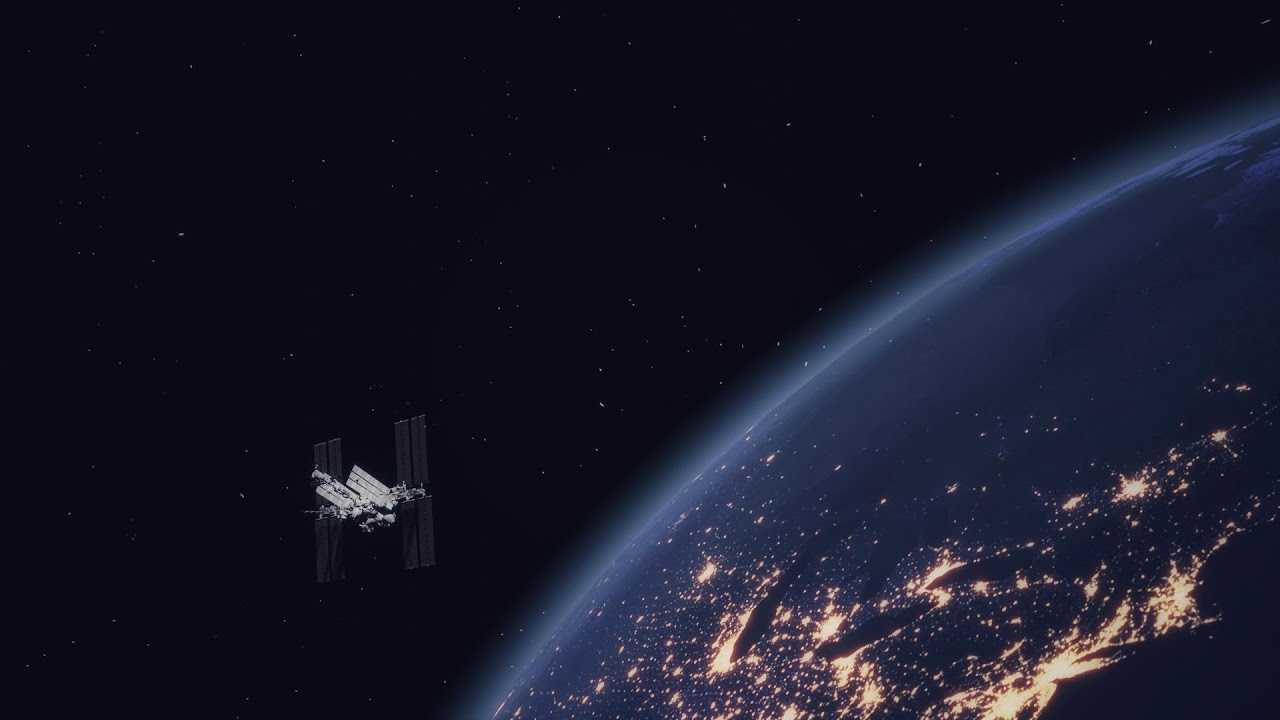
Made in blender.
Took me a 1 month wait to perfect an explosion which I ended up not even putting in the video :)
 dawn spade


 high valve
Why is is when i change my mixamo rig from generic to humanoid, the imported mixamo animations do not work?
high valve
Is it possible to use ik foot placement with generic rig and animations?
 potent imp
m not sure why unity is not buying animancer pro yet
the spider mess that mechanim make is huge problem
i see they are working on new kinematica
anyone used that?
solves the mechanim issues?
 noble frost
when I make an animation for my game it keeps looping even though I turned loop off
hybrid tinsel
high valve
Why is is when i change my mixamo rig from generic to humanoid, the imported mix...
You might need to update the avatar to a t-posed mixamo skeleton(there's one on the website)
hybrid tinsel
high valve
Is it possible to use ik foot placement with generic rig and animations?
Not with the mecanim humanoid IK. You could use the animation rigging package or write your own IK.
noble frost
can you help me too?
 jagged ruin
@noble frost is the animator state machine allowed to transition off the state that is looping?
if not: that's your problem
noble frost
animator state machine?
noble frost
are you talking about the moving line when you play your animation?
i'm completely new to this
noble frost
ok
jagged ruin
that's mecanim, that's the animator controller.. the state machine
noble frost
ok
jagged ruin
now go google mecanim and watch a basic tutorial
but basically, you need to work with that.. to play your animations, or you need to script your game so it controls the flow of your animation
... i naturally come across like a dick but i cant explain to you how to use a basic state machine in less words than the official unity tutorials.
noble frost
I understand
but I fixed it on my own
I added a code to play the next level after my animation and that fixed it
 fervent mica
high valve
Is it possible to use ik foot placement with generic rig and animations?
fervent mica
high valve
Is it possible to use ik foot placement with generic rig and animations?
yes you need to download one animation with skin and in the timeline it is possible that without any changes you can just drag and drop the animations
noble frost
My animation event wont trigger while the animation is running
 wraith mountain
How do i get current animation time on animator??
 keen olive
Hey everyone quick root motion question
When using root motion it seems that the final result doesn't match the intended result.
Example play a 180 degree turn animation, after the clip ends, the rotation is now ~170 degree.
This seems to be caused by the rootmotion being affected by the blending between states and mechanim doesn't seem to correct the target,
Playing the animation without any in/out blend fixes the issue but it can cause some popping due to the lack of blending.
anyone was ever able to work around that?
 steep kelp
Try making the transition to the minimum possible, @keen olive
failing that? I'm afraid you're gonna have to make transition animations, which go from your last pose of animation A to the beginning of animation B
keen olive
steep kelp
Try making the transition to the minimum possible, <@!433785078024503298>
yeah that's what I thought it would happen, I was wondering if there was a setting to make sure the complete motion plays out but doesnt seem to be the case. thanks
hybrid tinsel
@keen olive you can add more rotation to the end or a bit of empty space at the start to compensate in the animation itself, or use a script to make up the difference.
For example, you could add a subtle lerp in addition to the animation in lateupdate that nudges the character into the direction you want them to be facing.
Or, of course, you could remove the root rotation from that animation and handle that entirely via script.
keen olive
hybrid tinsel
<@433785078024503298> you can add more rotation to the end or a bit of empty spa...
thanks for the suggestions
agile solstice
wraith mountain
How do i get current animation time on animator??
https://docs.unity3d.com/ScriptReference/AnimationState-time.html
Did you try this
 exotic flume
is this correct if so how could i go about this
i want the draw animation to be the first animation followed by the idle. the holster animation will be used to go from idle to a sprint animation.
sadly i can't find any good tutorial so i'm left confused

 viral pollen
why is there only one option for bone in ik

 twilit summit
Hey all, any ideas whats going on with this animation import into unity? The issue is that the "walk" animation should have the character lean forward a bit, but it doesn't do that in the clip. You can see that it does show the tilt in the imported model's scene, but once I cut the walk into its clip it doesn't preserve the forward lean.


 hybrid tinsel
exotic flume
is this correct if so how could i go about this
i want the draw animation to be ...
hybrid tinsel
exotic flume
is this correct if so how could i go about this
i want the draw animation to be ...
That seems right, except that there isn't a sprint animation.
exotic flume
hybrid tinsel
That seems right, except that there isn't a sprint animation.
i already fixed it
twilit summit
@hybrid tinsel technically it's not the root of the armature but it's one below a bone that controls the entire rig (for rotation / spinning)

And here's what it looks like in T-Pose / rest. Doesn't seem like there should be an issue with the setup in blender
 hybrid tinsel
Ok, just checking since that is the most common cause of that sorta thing. this is a generic rig?
twilit summit
Yup
It's roughly based on the rig by Royal Skies on youtube.
There are some minor dependency cycles which is the only obvious issue I can see in blender, but it doesn't have anything to do with the waist bone and it's mostly for simplifying animations (Thigh bone moves back and forwards due to rotation, or shoulders relying on bicep angle which is a child of the shoulder). However the animations work in blender and in the scene file of unity which is why I think the issue has to do with unity rather than blender.
hybrid tinsel
The bone with the lean on it is one that mecanim uses in the humanoid definition?
twilit summit
Ah sorry I'm not too sure what that means, it's set up as a generic rig though, not humanoid
 hybrid tinsel
sorry, half asleep, I read your reply as the opposite
twilit summit
No worries, thanks for the help as I've been stuck on this for a few days now
hybrid tinsel
Do you actually have a keyframe for the lean in the walk animation or is it in the idle?
twilit summit
I should have one for the lean, I explicitly saved every bone in each frame for the walk as a test since I wanted to make sure the waist bone was being captured

But I've also done it normally with just the 4 regular key frames, and as separate actions, etc... All with the same result
hybrid tinsel
what does it look like when you open the clip in the animation window?
twilit summit
Do you mean this?
 hybrid tinsel
@twilit summityeah. I'm not seeing a waist keyframe on there.
twilit summit
Huh yea you're right, that is really strange, I'm not sure why the waist wouldnt be there
hybrid tinsel
@charred nova that's a good question. You could probably just do it with a cinemachine and a couple virtual cameras and just set which one you want to have priority
It's what you type into google and it will give you a ton of info; it is unity's multicamera logic controller
You can also maybe just do it with a normal camera and an animation, but not all camera properties can be animated(not sure why) so you might need to use a script for that.
If you're just animating the transform, then that should just work
Also, could you give yourself some sort of name? Makes it really difficult
I'll give you one. You can be Baldric on this server just so I'm not trying to @ a blank void. Or maybe Fhqwhgads.
With virtual camera you can do either of those things. You can have cameras chase an object, follow a track, float freely, etc
fickle zephyr
hey how would weapon switching animations be done?
twilit summit
@hybrid tinsel Thanks for the help, I think I fixed it. What the issue seems to be is that the animation was made using the "Waist bone controller", which does not actually have weights but instead controls bones that do have weights. For blender exports, I had the "Only Deform bones" option for exports checked, so since the waist bone controller was not a deform bone, it was not included in the export (although it still showed up in the hierarchy of the rig in unity...?).
This does raise a few questions:
- Even if the "Waist bone controller" did not have weights, it controlled bones that did. Shouldn't the position/rotation of those deform bones be updated when I move the controller bone anyways? If the controller bone forces a deform bone to move 90 degrees, shouldn't the animation for the deform bone register as 90 degrees?
- Even though "Only Deform Bones" was checked for the "armature/rig" section, in Unity a gameobject of all the non deform bones was still created. If the FBX exporter only exported deform bones then how did Unity know the controller bones exist?
In any case thanks so much for the help!
hybrid tinsel
That's more of a blender question really, so I can't help much sadly
I keep meaning to try blender out but there's always so much to do
twilit summit
Well this is a bit confusing, but I just tried having the animations in separate actions and this breaks it again. So it works if everything is on a single timeline/scene/action, but not if something is on a single timeline/scene/action, regardless of whether I check deform bones or not. Pretty janky.
fickle zephyr
hello how would weapon switching animations with hands be done? like its so fucking confusing
hybrid tinsel
@fickle zephyr what part is confusing you?
fickle zephyr
hybrid tinsel
<@724020912806166609> what part is confusing you?
idk like how do you activate certain ones like primary and seconday
and diferent weapons of the same kind
is there a tutorial somewhere
hybrid tinsel
Dunno, probably.
You wold most likely want to have most of the logic in your control code rather than the animator
hybrid tinsel
Bad timing?
fickle zephyr
hybrid tinsel
Bad timing?
i was in the middle of a game of slitgate
 neon badge
is there a way to control if the animation is active using visual scripts?
something along the lines of
if (bool) = true, set animation to false
twin musk
Hello, i was wondering if you know how cloth animation work on genshin/honkai impact game. If it is dynamic or manually animated.
uncut salmon
Pretty sure it's animated. If you watch the clothing during an idle animation, for example, it'll be the same each time. That's usually a good sign of it being baked.
twin musk
uncut salmon
Pretty sure it's animated. If you watch the clothing during an idle animation, f...
ohhh nice that's a good info, i've been stuck on that for quite a while. thanks
 stray vector
Having troubles syncing animations together. Currently I have 4 separate animations. They all have the same amount of keys and are the same length (it's a conveyor animation just with slight differences between them) I need to sync the animations together somehow but I have no idea how. Each object has an Animator on it. Any tips would be greatly appreciated since I'm new to animation with Unity
Here's an example, you can see where the animation is no longer synced.

But as soon as I place another conveyor, it will magically fix that one but then desync the 2 front conveyors.
    private void updateAnimation()
    {
        Debug.Log("Updating " + transform.position);

        if (nextTarget != null && previousConveyor != null)
            animator.SetInteger("Conveyor", 3);
        else if (nextTarget != null)
            animator.SetInteger("Conveyor", 2);
        else if (previousConveyor != null)
            animator.SetInteger("Conveyor", 1);
        else
            animator.SetInteger("Conveyor", 0);

        animator.Play(0, -1, AnimationHandler.conveyorMaster.GetCurrentAnimatorStateInfo(0).normalizedTime);

        if (previousConveyor != null) previousConveyor.updateAnimation();
    }
Here's the code that gets run. Currently it uses recursion to go down a conveyor line and sync all them
Which works except for the front 2
 mint frost
Why does the animation look so weird ingame?
Also how would i make the character stay where the animation ended?
 versed swallow
I've downloaded a rigged character from KenneyNL and want to create a new animation, but the character "jumps" once i hit the preview button. Any idea what is happening?
 vapid cloud
i need some help with animation please dm me
 charred belfry
vapid cloud
charred belfry
vapid cloud
ok
i have a character it has a animator and its controled by a package i want it to do a animation on a btn click how can i do it
agile solstice
vapid cloud
i have a character it has a animator and its controled by a package i want it to...
Controlled by a package? That may depend on the package, then
 dusty raptor
mint frost
Why does the animation look so weird ingame?
dusty raptor
mint frost
Why does the animation look so weird ingame?
im anoob at animation and things but my guess is that u have to disable the movements script?
mint frost
dusty raptor
im anoob at animation and things but my guess is that u have to disable the mov...
No
I fixed it
latent onyx
I would like my game object to randomly play 1 of 6 animations when a button is pressed, anyone know how I could do this? (please ping me if you have an answer)
agile solstice
latent onyx
I would like my game object to randomly play 1 of 6 animations when a button is ...
Make a script that randomizes an integer and plays the corresponding animation
Or make transitions that correspond to an integer parameter that's randomized the same way, if you don't want to force the animation change in script
 forest mica
Hey y'all 👋
I'm having some issues bringing in my character with animations into unity
I've got 3 meshes in my fbx file, all controlled by a single skeleton, but only one of the meshes actually follows the skeleton like it should, and the other two just follow the hip joint (which they aren't skinned to), instead of following the joint that they are skinned to when being exported from Maya
if I bring the exported fbx back into maya, it works perfectly
I've spent like 3 hours on this so far 🙃
I have no idea if Unity can handle seperated meshes like this or if i'm gonna have to scramble to merge it all into one and copy the skin weights to each part seperately
is there a way to show the joints in the viewport or in the animation preview? then I could at least confirm that the issue is with the meshes rather than how they're being brought in
agile solstice
forest mica
is there a way to show the joints in the viewport or in the animation preview? t...
Bone Renderer component of the Animation Rigging package
forest mica
thank you i'll take a look
agile solstice
forest mica
Hey y'all 👋
I'm having some issues bringing in my character with animations in...
I haven't had to do this before but quick googling shows that people usually parent the extra meshes to the skeleton via scripts, as inspector doesn't have the option to use multiple skinned mesh renderers for one skeleton
Could be outdated info, dunno
Another option is to make them separate and sync their animators
Worth reading the docs, especially Animation Rigging's docs
There very well might be a solution for this problem
hybrid tinsel
@versed swallowthat is the default mecanim pose(all muscles at 50%)
Means it isn't playing any animations
Or that the avatar is misconfigured
versed swallow
hybrid tinsel
<@!270894102533505025>that is the default mecanim pose(all muscles at 50%)
Understood. Thank you. I think I simply misunderstood how to blend existing animations with IK. Will go another route now.
hybrid tinsel
What abo @versed swallow generally for that you just have to set the weight for each IK goal and also use ik pasd on your animator layer.
versed swallow
hybrid tinsel
What abo <@270894102533505025> generally for that you just have to set the weigh...
That’s exactly what I was going for. The model comes with an idle animation and I want to animate the hand on top of that. That’s why I was adding a new clip: To record the movement of the ik target. But since the character position lowers, it’s impossible for me to preview the exact outcome.
It works, but it’s all offset
latent onyx
How can I stop my animations from playing when I start the game?
hybrid tinsel
@versed swallow just make a copy of the object to use as a reference?
 keen thicket
Guys, do you know why animation events don't support bool? It makes absolutely no sense to me
I'm trying to trigger an event at the end of the animation to broadcast that that action is over
But I can't do that!
(Coming to think of it, maybe what I'm trying to do doesn't make sense... but still)
uncut salmon
Just call a function AnimationComplete() on your event. It's already implied.
keen thicket
Thx, Osteel!
 obtuse hearth
as u can see the animation is loop so how can i make it not glitchy when repeating
agile solstice
I don't see the character animations responding to movement at all
agile solstice
@obtuse hearth Your animations are made for root motion, but your player isn't moving using root motion
obtuse hearth
idk what is root motion
agile solstice
Movement is baked in the animation
obtuse hearth
can i do that
agile solstice
Those are mixamo animations? From what I've heard there's an option to disable root motion when exporting there
obtuse hearth
im only finding videos for unreal engine
latent onyx
How can I stop my animations from instantly playing when I start the game?
 warped inlet
Hi, could anyone point me to a good resource to research building character controllers for a terrain like this. I would probably need to IK bone a humanoid character if I'm not mistaken. I've animated some basic things in both 3d and 2d, but haven't built a major 3d system like this before. I want to create the system from as deep as I can, including models and animations. I also have to keep in mind adding combat animations when I can.
 obtuse hearth
latent onyx
How can I stop my animations from instantly playing when I start the game?
obtuse hearth
latent onyx
How can I stop my animations from instantly playing when I start the game?
click on the animation and u will see loop time uncheck that
latent onyx
obtuse hearth
click on the animation and u will see loop time uncheck that
i've already done that but it still doesnt work
obtuse hearth
maybe because its set as default in the animator
idk man
or the bool is checked in the animator
obtuse hearth
i read that to stop the root motion delete the root skeleton node keyframes but i cant find that


so which one of these should i delete
obtuse hearth
yo
 scarlet hamlet
I don't understand what's happening. I have 4 animations, idle-up-down-hit. Idle is by itself and the rest are in a blend tree. When the object gets triggered it goes from idle to the blend tree and plays up. When up is finished I have an event that triggers a function that changes the parameters of the blend tree called state, so it goes from up to down but for some reason the down animation never plays. I remade the script and animator in a separate project and it works fine but my main project refuses to work and I don't know why, considering that everything is similar. Anyone got something like this before and has a fix?
 whole crypt
Hey everyone, bit of a stupid question but how do i make an animation thats longer than 1 second in unity? XD
Im a beginner at this so please excuse the stupidity😂
Like, i have an animation of about 130 frames but the animation wont accept over 60 frames since its capped at 1 second at 60fps and i cant find how to increase the time
warped inlet
Did you import the anims from a software like blender?
whole crypt
Nope
Just the frames as sprites
warped inlet
Oh you're doing sprite anims
whole crypt
Yeah.. is that bad? XD
warped inlet
No, i'm just not as experienced with them
Usually you could slide the grey bar in the animation tab or add a frame after 60 frames to make an animation longer
whole crypt
its not allowing me to slide it
let me try adding a frame 1 sec
Nope its throwing it back to the first frame
And i cant add more than 60 frames
 warped inlet
Oh ok, glad it worked
whole crypt
Great the frames for my 2nd animation are all smaller than those of my first😂 Now i have to find out how to fix that
Fun!
 void panther
Hi everyone, I’m exporting animations from blender to unity (fbx) and having a bit of a unique problem. I’ve been animating some 2d “paper mario” style models in 3d. Part of it is scaling the bones of certain part of the model (say, a hand) to 0, and then scaling another bone in the same place from 0 to full size in order to change the appearance of the hand. It kinda lets me animate an open/closed hand or change the perspective of a part of the model while keeping it 2d. The problem is, however, if I rapidly scale something in one frame it makes the entire model flash invisible for one frame in unity for some reason, and I can’t figure out why or another potential solution. Anyone have any ideas?
hybrid tinsel
void panther
Hi everyone, I’m exporting animations from blender to unity (fbx) and having a b...
I've not seen that myself. What do the keyframes look like when opened in the unity animation editor? Are you using keyframe reduction in the import or optimization in the export? Does this happen with untextured meshes or with different materials?
(Just some things that might potentially narrow down the issue at least.)
hybrid tinsel
 pine hatch
my character just doesnt rig
pine hatch
my character just doesnt rig
You'll need to be more specific.
 coarse cypress
How can i fix it
 agile solstice
coarse cypress
How can i fix it
agile solstice
coarse cypress
How can i fix it
According to errors you are missing feet bones
 dreamy geode
hey is anyone familiar with the trail renderer and why I might be seeing this problem

I'm not sure if it's a problem with my texture, or settings
hybrid tinsel
@aidenn#7806 put the attack on a separate animator layer
@dreamy geode is that in scene view or game view?
void panther
hybrid tinsel
I've not seen that myself. What do the keyframes look like when opened in the un...
I haven't bothered with unity's animation editor (I watched some videos on it), I find it very lackluster compared to blender, so i just make tweaks in blender and re-export the animations. I also haven't really touched anything related to keyframe reduction etc. so it's all just default as far as I know, I'll take a look though and see what I find
void panther
keyframes look about how i'd expect them to
I don't see any reduction? it still has the same amount of keyframes as it did in blender, etc.
not sure where to look for that setting though
quick video example, in this case it's the lid of the cooking pot
The lid has 3 bones
a LidControlBone, a LidOpen bone, and a LidClosed bone
the LidControlBone is parented to the pot itself, the LidOpen and LidClosed bones have "Child Of" bone constraints to the LidControlBone
the LidOpen/LidClosed have the 2 different lids tied to them respectively, and I just scale those bones during the animation from 1 to 0 to swap them out
you can kinda see what I'm going for, but it creates a flashing in the animation every time the scaling occurs
I tried scaling to 0.001 incase it was just an issue with scaling to 0 but that didn't fix it either
I'm gonna try the things you said though, messing with the material etc.
agile solstice
dreamy geode
What kind of trail settings are you using
void panther
changing material didn't fix it but I found the keyframe reduction. will see if that fixes it
I disabled keyframe reduction in the fbx after importing, then duplicated the animations and used them but that didn't fix it
I might have figured it out...
Yep! It was "Resample Curves" being checked off.

Seems obnoxious that this would be enabled by default, I want my animation to be as close to what it looked like when I animated it.
I wonder if that's just a part of the default blender export options? Or if this is a goof on unity's part.
maybe it'll cause problems later unchecking it, idk
pastel gull
hybrid tinsel
<@!561254873547538434>The problem is that mecanim animations aren't based on tra...
Yo it's been a few days but I wanted to say thanks a lot for this response, thought I was going mad 
hybrid tinsel
Glad it helped ❤️
hybrid tinsel
void panther
Seems obnoxious that this would be enabled by default, I want my animation to be...
The default import options are optimized for character animation, especially mocap. For better or worse.
 silver siren
any ideas why FBX Exporter result in those animation properties missing ?

I tried copy/paste those from the original clip but they still are missing
 void marsh
Little render of the final result of a simple idle animation I made for a tutorial.
agile solstice
silver siren
any ideas why FBX Exporter result in those animation properties missing ?
This happens to me if the animation/animator aren't on the correct object in the hierarchy
Animation clips are 100% path sensitive
silver siren
agile solstice
This happens to me if the animation/animator aren't on the correct object in the...
hmm no i'm sure everything is good, also the Avatar is well set
trying to dig deeper I have a lot of missing "Constant Clip Bindings" in the Animation Clip on Debug Mod Inspector
I tried to copy paste them but not working
mortal holly
Simple question, how would I reference the different animation states (or coordinates) of a 2d blend tree in my movement script? I tried searching the documentation but there wasn't much helpful info
hybrid tinsel
@mortal hollyGetCurrentAnimatorStateInfo()
silver siren
agile solstice
Animation clips are 100% path sensitive
you were right
after i found a forum page about it but understood just the start of it
and trying all methods
I got to understand what the next posts on that thread is saying
at last, i used same code there except that in my case i didn't know which thing is considered as root. Adding MotionT AND MotionQ did only break my model/prefab
since the animation I had was just separated from model and (i did need to have it part of a humanoid )
I just put in variables all the bindings and curves of the animation that is working ( but has no model)
And did set everything from it to the one with a model but is has animation properties path badly set
And finally animation paths bacame correct and animation worked
source thread: https://forum.unity.com/threads/make-root-motion-in-animation-clip.250723/

Unity Forum
Hi, I have a question on apply root motion.
I have a model in generic rig with 'Hips' as the root node.
and I made an animation with Unity Animation...
agile solstice
silver siren
you were right
after i found a forum page about it but understood just the start...
Glad you found a solution!
silver siren
agile solstice
Glad you found a solution!
Thx 😄 I spend a day and a half on it xD bu was fun to learn a bit how unity animation system works internally
 light storm
Hey guys ... i got a major problem with animation ... i have first person prespective arms and they are detailed with armatures like fingers rig and stuff ... when i play an animation on them and switch the weapon with a script , which just sets the active state of the hands to false ... then the position of the hand and fingers as well as the rotation is set to position whenever the animation was cut at .. how can i reset the hands and fingers position after setting the active state of the hands to true again ? (without manually rigistering each part before and after and setting it through 100 lines of code)
hybrid tinsel
Well first of all you definitely should learn how List<> and ForEach work just in general, to save you from 'hundred lines of code' situations. But in this case you should be able to add a state to the arms in the required rest post that you can call before disabling the arms?
 vale flax
why is the rigging from unity keep moving my character when it runing my game

it suppose to do this
 hybrid tinsel
@vale flax can't actually figure out what the problem is- can you explain with more detail?
agile solstice
Yeah, rather unclear issue
vale flax
Okay so the rigging from unity is snaping the character at a epesific distanse. making it impossible to move while the rig is on. I also found out that generic does the same to the character. The only differens is that it dosent move the character to the air. And it look that the script is not the problem since all work when the game plays
 shrewd lantern
hello guys, I have a model that consists of two "objects" the whole body,arms/legs etc are one object and I have a hat as a second object so I can easily swap between other hats etc. when I import my blender-created model with animations into my Unity project. the animations play but the model becomes detached and floats statically above the head. anyone know what might cause this?
the animation plays perfectly fine in Blender including the model and there's no issues there. It's only when its imported to Unity does this issue arrise
 queen basin
Hi everybody, just a quick question. Is there a way to keyframe a PNG sequence into a texture slot of a script. Pic below:

*Or do I have to manually edit a keyframe and switch up the texture per frame. ( Which works, but I guess there might be a quicker way )
Excuse me if this is code related. Hoping to find a more convenient approach.
hybrid tinsel
@queen basinThe better way to do that would probably be to have an array of images and then just use the animator to play through that.
queen basin
hybrid tinsel
<@!374202183471726594>The better way to do that would probably be to have an arr...
Thx for the suggestion. But each of these images are 8K. So the resulting file would be insanely huge 🙂
I use the override to convert quilt lightfields to lenticular shaded images for a particular device.
To prebake the lenticular shading
I am not a unity guy and have been wondering if there might be a script to insert a image sequence in a texture slot. Most softwares I use have the ability to read sequences natively.
hybrid tinsel
@queen basin I'm not sure what you mean... I wasn't suggesting a spritesheet but rather an array of textures.
Unity doesn't have a default image sequence handler like, say, after effects does and the usual method for handling them would be(as you suggest) a spritesheet, or a movie file.
queen basin
hybrid tinsel
<@374202183471726594> I'm not sure what you mean... I wasn't suggesting a sprite...
An array, I see. Is there a documentation about this?
hybrid tinsel
You can read the unity docs but I suggest the Microsoft c# docs for core c# stuff like that.
queen basin
hybrid tinsel
You can read the unity docs but I suggest the Microsoft c# docs for core c# stuf...
thx 🙂 I will look it up
hybrid tinsel

Store multiple variables of the same type in an array data structure in C#. Declare an array by specifying a type or specify Object to store any type.
Unity does have image sequence support in the animation window when using the sprite renderer, too, but I'm not sure how hard-coded that is.
 dull stag
Hi everyone
I have this problem with my project and I hope you guys can help me. I’m making this tank game and having trouble with the tank moving animation I just can’t get it to work in unity
agile solstice
dull stag
I have this problem with my project and I hope you guys can help me. I’m making ...
If you can describe what you were doing and how it went wrong, someone might have an idea how to fix it
dull stag
agile solstice
If you can describe what you were doing and how it went wrong, someone might hav...
Of course. So I used blender and followed a tutorial to create the tank tracks and animate them. The tutorial uses a curve modifier which is a path that look like the outline of the tracks that the tank track mesh follows so when you move the curve the tank tracks move along it and look like a tank track. The problem I’m having is exporting it to unity. I tried multiple formats for exporting but none of them work. The formats don’t seem to be capable of exporting animations that are made with blender curves
So my question is how do you guys go about to animate tank tracks?
agile solstice
dull stag
Of course. So I used blender and followed a tutorial to create the tank tracks a...
Modifiers are specific to Blender
Normally you can only export armature animation to Unity
Unity by default doesn't have curve deform, but there are some assets like that on the asset store
My understanding is that curve deformation is sorta expensive, so you normally find workarounds
But I haven't looked into tank tracks a whole lot
dull stag
I have searched now for actually 2 days for what one would do to create some tank tracks animation and export them unity but no luck 😞
agile solstice
I would animate the texture to scroll instead of moving the treads at all
But that won't be ideal if you're going for realism
https://youtu.be/O4FOUtCXogY talking about this type of approach
That won't work 1:1 as drivers are a blender thing, but there are similar things in unity
https://youtu.be/AFN4F9dmpIQ another option is to rig each section of the treads to an armature
hybrid tinsel
You can also use a vertex animation texture
Though I dunno how to set that up with blender
dull stag
agile solstice
I would animate the texture to scroll instead of moving the treads at all
But th...
I saw the first one earlier I would have to look into it more, the second one doesn’t look like the most ideal workflow specially if you creating different types of tracks 😕
dull stag
hybrid tinsel
You can also use a vertex animation texture
Haven’t heard of that before will look into it
agile solstice
In blender I believe those are called blendshapes
They're useful, but they can't really do cyclical movement as far as I know
Vertex shaders can move the tread geometry, but cyclical movement is a big challenge using that aswell
You might be able to make a blendshape of all the treads moving their own length forward along the track, and repeat that movement to create the illusion of continuous rotation
hybrid tinsel
Blendshapes are something different
dull stag
Will try that method and see if I can get it to work. When I started this tank project I thought it would be a simple game that I finish quickly learn some stuff from and then move on. But turns out tank movement is very hard to animate
hybrid tinsel
They are generally just a single pose instead of an animation
 warped shore
Good Evening, is there a way to animate an Image's fillAmmount, via the animation tools instead of code? I've set it up but it doesn't seem to work....
 hybrid tinsel
Medium
The Vertex Animation Texture (VAT) technique consists of baking animations into a texture map for use later in the vertex shader.
hybrid tinsel
@warped shoreIt doesn't work in game, or in the animation window, or...?
agile solstice
hybrid tinsel
https://medium.com/tech-at-wildlife-studios/texture-animation-techniques-1daecb3...
Oh yea I forgot about this sort of vertex shader technique
It doesn't look simple though
warped shore
hybrid tinsel
<@!229447725287079936>It doesn't work in game, or in the animation window, or......
Unfortunately, neither.
Actually thats why I submitted the screenshot
 leaden prism
is there any way to get the name of the current state?
I've only found ways to get hashed version or the clip name
 cyan oar
guys
what is the best animation way for the characters
like games character movement
gta v and the other games
does anyone have a good way for it ?
cyan oar
can anyone answer ???
 rigid raft
Hi! I want to have a couple of cinematic sequences to animate the same GameObjects. In order to record each GameObject from within the Timeline it seems I need the objects to have an Animator component and an Animator Controller.
Here, do I create the Animator Controller assets for each cinematic and dynamically switch them in the Animator controller when the corresponding cinematic Timeline Sequence is triggered?
agile solstice
cyan oar
can anyone answer ???
That's a really vague question that depends entirely on what kind of movement is needed or wanted
GTAV utilizes an extensive system of blend trees and realtime IK, with some physics in there too
cyan oar
@agile solstice dang
look why its not making the animations https://cdn.discordapp.com/attachments/497874004401586176/877090535318372412/unknown.png

?
agile solstice
Hard to guess
hybrid tinsel
@leaden prism no good way. A few bad ways.
leaden prism
dang
hybrid tinsel
You can iterate through all states and try to find a match using the hash, or you can add a behavior to each state that tells your other script when that state is called/ended
leaden prism
ah, as I basically wanted to try to match the animation between two diff animator controllers for a photo mode pose changer thingy
so I might instead go by clip name, then make some switch statement with that in case I wanted diff names of the poses to show up
hybrid tinsel
Can't you just use the same animation controller for both?
leaden prism
the way I've set it up it wouldn't work I think, as basically, when photo mode starts I switch the player character to a layer invisible to the camera, and spawn a prefab with just the player's model and animator in its place, as to be able to return to regular gameplay without interruptions
though I might be approaching that the wrong way, as I have not done any photo modes before
 indigo sky
hey do you guys can recommend a tutorial to start with animations?
many icons and names I've seen don't match with the newer versions of unity so idk
hybrid tinsel
I honestly haven't seen any good unity animation tutorials that are also up to date.
Sorry 😦
Between it being relatively niche(most people animate in blender or something) and it being hard to keep up with unity updates.
indigo sky
I have some animations. I just don't know how to connect them with the code and play them at the wished times
 lethal basin
Guys I'm having an incredible hard time figuring this out hahaha if someone could help, I would really appreaciate.
I have two animations, a sprite and a character baked animation on fbx. How can I turn on the sprite object and its animation with the character animation. Either that or merge the character animation with the sprite?
indigo sky
hybrid tinsel
I honestly haven't seen any good unity animation tutorials that are also up to d...

► Easily make Platformers using my Unity Asset - http://u3d.as/2eYe
➤ Ultimate 2D CarGame Kit [ON SALE] - http://u3d.as/1HFX
➤ Wishlist my game - https://store.steampowered.com/app/1081830/Blood_And_Mead/
➤ Join the community - https://discord.gg/yeTuU53
➤ Support on Patreon - https://www.patreon.com/lostrelicgames
0:00 Escape Unity Animator ...
this is kinda helpfull
indigo sky
does anyone of you use Animancer?
 frank topaz
I'm using LeanTween to animate and during the animation the animation stutters/jerks in between. Anyone knows what is that happening?
hybrid tinsel
@indigo skyDiscord bot deleted my first response to that. Suffice to say that no, that isn't good.
hybrid tinsel
Was a response to the video. Animancer seems pretty damn solid but I've not used it.
indigo sky
I haven't used it either but the concept seems similar to the video
both solutions try to escape the arrow web
hybrid tinsel
The video is basically saying 'Don't bother learning to use the animator, just skip it.'
While Animancer is an actual alternative tool.
Lost Relic doesn't lay out the actual use cases for what approach to use, which makes his advice worse than useless but actually detrimental to people trying to learn.
He starts off by showing actually bad examples... but they are somewhat artificially bad because they are clearly worst case scenarios that could be improved massively without much work using basic organization.
Also, (and which he does explicitly state) his approach isn't nearly as useful for non sprite animations.
indigo sky
hm I see. Can you recommend me some videos or tutorials on this topic?
hybrid tinsel
Unfortunately, like I mentioned above I've not seen any that are both good and up to date
Also, I'll say that the technique he uses is useful to know- but it certainly isn't 'an easy solution for everything' like he suggests.
Like parallel parking. Good to know, but niche.
indigo sky
I guess I will check out animancer
hybrid tinsel
I should ask though, have you looked at the basic tutorials on the unity site?
They aren't entirely up to date but they cover many of the basics.
 warm maple
Any way to import a new rigging (which is identical to the old one) to the same animations I had before? so I don't have to remake all the animations.
hybrid tinsel
warm maple
Any way to import a new rigging (which is identical to the old one) to the same ...
By 'rigging' you mean animation rigging package rig, mecanim humanoid, or...?
warm maple
hybrid tinsel
By 'rigging' you mean animation rigging package rig, mecanim humanoid, or...?
Armature may be the right word for it. Currently the old animations doesn't work with the new character, even though the characters bone structure is identical to the old one.
hybrid tinsel
Is the hierarchy and naming the same?
warm maple
hybrid tinsel
Is the *hierarchy* and *naming* the same?
Yes
hybrid tinsel
When you say it doesn't work, what do you mean exactly?
Are you getting error messages? Is the animation just not working? Are you getting the items in the animation window marked red?
warm maple
hybrid tinsel
When you say it doesn't work, what do you mean exactly?
The animation says the transforms are missing, so I basically have to delete the missing transforms and add them again, but then I will end up redoing the animation.
twin musk
Hello anyone know how animation works on genshin or honkai impact? if it's dynamic or prebaked animation.
uncut salmon
They're prebaked for sure. There's no need to make them procedurally.
twin musk
uncut salmon
They're prebaked for sure. There's no need to make them procedurally.
the clothes?
uncut salmon
Pretty sure those are baked and blended as well. If you watch the animations, everything is looped.
twin musk
i see, it's just really well made animation. thanks
uncut salmon
Well, they could have done dynamic clothes in whatever program they modeled, then baked those into keyframes.
 hard brook
How do you handle playing attack animations at different speeds if a characters attack speed can vary depending on what items they have equipped?
uncut salmon
Usually you just use different animations, since a slow heavy swing isn't just the "fast swing but slower".
But if you're budgeting and are just using a generic attack animation, you can just duplicate it and set it to a slower speed.
hard brook
does the value i enter here matter if im doing this in code? does it just overwrite it? cause i dont actually see it changing in the inspector when running
                    Anim.SetFloat("attackSpeedAnimation", 1f/PawnScript.AttackTime);
                    Anim.SetTrigger("Attack 1");

i can see the parameter value changing on the left of the animation window, but the Speed here doesnt change
oh i got it working now, i did 1/attackspeed * lengthofanimation. seems to be working well
 tender relic
how to string animation like launching arrow that hits enemy and enemy falls over
 radiant bolt
Hey all, when you made inverse kinematics in Blender is it possible to get those IK's working in Unity?
Or do I need to use unity's animation rigger
old kayak
radiant bolt
Hey all, when you made inverse kinematics in Blender is it possible to get those...
you need to use unity's ik system
 orchid finch
With the FBX exporter, how can you convert unity's .anim file format into an fbx model?
(Kind of like, injecting the .anim file into a fbx file, then exporting that file)
hybrid tinsel
orchid finch
With the FBX exporter, how can you convert unity's `.anim` file format into an f...
No idea, but if you figure out a way please let us know!
@hard brookYeah, the multiplier literally just multiplies whatever you have by the parameter.
hybrid tinsel
warm maple
The animation says the transforms are missing, so I basically have to delete the...
That means that the hierarchy doesn't match or has different naming, because unity can't find the correct transforms. You can either change the hierarchy/names to match what the animation is looking for or you can edit the animation to give it the correct info for the new object
warm maple
hybrid tinsel
That means that the hierarchy doesn't match or has different naming, because uni...
Yeah the hierarchy wasn't 1:1 but It's fixed now. Thanks for coming back tho
hybrid tinsel
Well, I already made this so gonna post it anyway! Glad you fixed it 😄
 pine hatch
Is there a way to transition animation instantly in the unity animation controller
So when i press a key the next animation plays instantly even if the current animation hasnt ended
hybrid tinsel
pine hatch
So when i press a key the next animation plays instantly even if the current ani...
disable 'has exit time' and make the duration 0 in the transition settings.
radiant bolt
old kayak
you need to use unity's ik system
Okay thanks 😉
pine hatch
hybrid tinsel
disable 'has exit time' and make the duration 0 in the transition settings.
No i mean like
I have a 20 sec long animation but in the midle it i want to transition to other animation
But i have to wait the whole 20 s until it ends
agile solstice
pine hatch
But i have to wait the whole 20 s until it ends
Move the transition to the start
Or middle, in your case, possibly
If the transition is in the start, it'll happen immediately when the transition condition is hit
 snow skiff
I have many 2D characters
This characters have bones to help with animation
But, this animation are drop all the game performance
Have a way to avoid the performance issues?
And... Why animation drop the game fps? :/
hybrid tinsel
pine hatch
I have a 20 sec long animation but in the midle it i want to transition to other...
If you disable 'has exit time' it will transition whenever you want it to. Or if you want it to always transition at the middle, set the exit time to the middle.
@snow skiffIf you're in editor, turning off gizmos dramatically increases performance of 2d bones.
Do you have burst and collections installed from the package manager? That speeds up 2d skinned sprites a ton.
snow skiff
hybrid tinsel
<@!326128459166515201>If you're in editor, turning off gizmos dramatically incre...
Gizmos not solve the problem :/
But... Can you tell me more about the package?
hybrid tinsel
from the docs, ```Optional Performance Boost
You can improve the animated Sprite deformation performance at runtime by installing the Burst and Collections package from the Package Manager. This allows the 2D Animation package to use Burst compilation and low-level array utilities to speed up Unity’s processing of Sprite mesh deformation.
Burst is available right on the package manager, and collections can be added by adding com.unity.collections with the menu in the top left of the package manager
 snow skiff
hybrid tinsel
Burst is available right on the package manager, and collections can be added by...
snow skiff
hybrid tinsel
Burst is available right on the package manager, and collections can be added by...
I tried install Burst and Collection
But the "install" button isn't available
Then... Is possible that this add-on is installed already?
But I never had install it before
We are using .PSB files to the characters
hybrid tinsel
If they are installed it will say so
It will have a green checkbox if it is installed or an arrow pointing up if it is installed but can be upgraded

 teal granite
Aight, I've got a question
Was trying to make a pose for a VRC avatar I made in VRoid
Specfically the prone pose or animation, but it also happened trying to make an AFK animation
I'm tryna animate the pose, but like
It keeps going back to the default relaxing pose
As I record and add/change the properties on it
Any help?
It's turned that way for the pose, ignore that 😅
 meager drum
That just means no animation is playing; probably just need to loop your idle.
teal granite
meager drum
That just means no animation is playing; probably just need to loop your idle.
And how would I do that? Some toggle on the animation controller?
meager drum
I don't have it in front of me to look, but I think the animation state in the control (Or perhaps the clip itself?) has a loop checkbox
teal granite
meager drum
I don't have it in front of me to look, but I think the animation state in the c...
I'm guessing that explains a comment I found on a VRC avatar tutorial similar to what I'm doing

Thank ye, I'll try it
meager drum
When you're running, you can view the animation controller live to see what state is active; if the idle one is indeed remaining active then it's going to be some setting on the clip. If it isn't, then the exit condition on the node may be the problem.
Sorry I'm not more specific, usually i like to go look at the actual interface before offering help to make sure I'm not misspeaking 🙂
teal granite
meager drum
I don't have it in front of me to look, but I think the animation state in the c...
ah

i think i found the loop idle thing

ah christ
let me just
fuckin record it
teal granite
meager drum
Sorry I'm not more specific, usually i like to go look at the actual interface b...
might be able to with this then
meager drum
Where's the animation controller?
teal granite
I don't have it in one currently, is that why? Otherwise, the settings are at the right there. Apologies for my obliviousness, I don't have very much knowledge in Unity yet. This problem was just pissing me off. Didn't know a better place besides here, didn't find working solutions on Google

I made a new animation for it, but the old one I had still did the same when it was in a controller
meager drum
I'm not super experienced in this area yet either 🙂 But yeah, usually there's an animation controller. I think it's possible to directly play an animation via code, but you usually just end up reinventing a worse animation controller that way
That's what I was referring to though when I said see which node (in the animation controller) was active etc
teal granite
Yeah yeah, I know-- was using them for object toggles
Let me put it inside the controller needed then and see.
 fluid sage
hey i need some serious help
for some reason after making aprefab it fucked up all my particles in them and i cnat figure out how to fix them
https://gyazo.com/29ef3b1af283f887871cf6fa4b602ec8?token=2e51f7887f63186300f9bd45fab4dd8a

it should be looking like gas and being smooth but tit just looks jagged and jumpy and i hate it and i cant figure out how to fix ;-;
as an example the gas used to look like this

 orchid finch
I'm having some trouble exporting my animation..
So I've bought a unitypackage, downloaded it, and want to convert it to fbx so I can use it in other game engines.
When I exported my model (with the mesh, avatar, and controller [with animations]) for some reason the animation has messed it up and now it's appearing sideways?
hybrid tinsel
@orchid finch

Unity uses axis pointing differently from many other software, so you'd need to fiddle with that
orchid finch
hybrid tinsel
<@!760657078838362173>
Oh okay, do you know any methods to help me convert the model/animations? And thanks alot for helping, this is much further than I've gotten already
And BTW, I know my model is rotated, but my animation is also messed. Is it because of the Y/Z-up rule?
hybrid tinsel
I haven't done anything with exporting myself, so not sure what to suggest. That might be the reason, or there might be some other problem
orchid finch
Alright, thanks so much for helping! :D
hybrid tinsel
You can try exporting to ASCII fbx and then poking around inside/regexing it to switch the axis around?
Or maybe poke around in the exporter script?
orchid finch
I'll have a look, thanks