
#🏃┃animation
1 messages · Page 79 of 1
 bronze inlet
 hybrid tinsel
@bronze inlet I can't understand your question.
 zealous whale
So quick question I have character movement system in 2D that uses a Vertical float value and Horizontal float value and when I press down two keys like A + W it tries to play both walk_left and walk_forward at once
Is there a work around or better way of handling this
hybrid tinsel
@zealous whale how do you have it set up? I'm guessing that you mean a 2d blend in your animator? What SHOULD happen if you press both keys?
zealous whale
I just have it set up to transition to the other animation I haven't messed with the blend stuff yet
I just want it to pick the left or right direction if both A + W are pressed
but I'm not sure how to go about doing that
hybrid tinsel
Don't send forward to the animator if both are pressed? Or just give priority to left/ right transitions.
I really can't tell how your animator is set up
zealous whale
hybrid tinsel
Don't send forward to the animator if both are pressed? Or just give priority to...
 hybrid tinsel
what the hell is that
hybrid tinsel
I am guessing that your real problem here is using Any State transitions for everything. That means that the priority will be entirely decided from the any state transition hierarchy
You could probably collapse that entire thing into two blends, one for idle and one for walking. Or even a single one
bronze inlet
@hybrid tinsel How can i fix this, because the animation is not well setup in Unity.
 agile solstice
zealous whale
agile solstice
zealous whale
Any State transitions are incredibly zealous and will override anything else if their conditions are met
Control their conditions very carefully or make your Animator without Any State transitions
agile solstice
bronze inlet
<@!172484507788771328> How can i fix this, because the animation is not well set...
You have to be more specific than "is not well setup"
bronze inlet
On the left image, u can see the animation from blender and the animation is in the correct position and touch the center. in the images on the right, u can see that my animation "fly" (so don't touch the ground) and do a "little rotation"(don't face forward)
 hybrid tinsel
You might have the wrong bone set as the root
 gray stratus
You can also fix the offset in the animation in the inspector
bronze inlet
when i click on configure in avatar definition, it shows the rig but he's not in T-pose even though an another animation directly drag from mixamo is in T-pose. So i suppose Blender change something but difficult to say what =S
 tulip niche
How can I change an animation speed based on mouse input (how fast the mouse is moving horizontally)?
hybrid tinsel
@tulip niche in the state settings for that animation you can set how the speed is controlled. Set that to float, and pass in a float of your mouse speed with whatever multiplier you need.
tulip niche
hybrid tinsel
<@518055581945298963> in the state settings for that animation you can set how t...
How do I set that to float?
 tulip niche
Ah
hybrid tinsel
It is just a float.
You pass it to the animator like any other parameter
(Using SetFloat() )
 shrewd crown
I have multiple spread sheets with around 20~ animations on each. Is there any way to create bulk animations from one sprite sheet? I did one character so far and it took me so long just adding and adjusting
 runic holly
how to toggle "mirror" property from statemachinebehaviour?
Oh
You can just supply a boolean parameter instead of manually ticking "Mirror" in the inspector when selecting a state
tulip niche
hybrid tinsel
(Using SetFloat() )
float turnSpeed = Input.GetAxis("Mouse X");
if (mouseDelta.x > 0.5)
{
anim.SetFloat("Speed", turnSpeed);
}
``` Would this work? snow depot
hybrid tinsel
I am guessing that your real problem here is using Any State transitions for eve...
snow depot
hybrid tinsel
I am guessing that your real problem here is using Any State transitions for eve...
no
as long as each transition has parameters, it should work fine
anyway
is it possible to have more than 1 additive layer on an animator
 brittle comet
Might sound kinda dumb, but regarding 2D sprites, if I were to flip the sprite sheet horizontally, outside of the program, say in GIMP for example, would I need to flip each frame or could I just flip the whole sheet?
My guess is flipping the whole sprite sheet would make the frames play in reverse?
 frigid wave
I'm an amateur game modder, and i'm trying to create a new unit in the game. The unit is an aircraft and uses a bomb bay, however when the aircraft spawns in the bomb bay doors are spawned at the world origin of the model rather than their correct location, however after opening the bomb bay doors they return to their proper location, and the animation continues to function normally. Is there a way for me to fix that in Unity? Or in Blender? I'd really appreciate any help!
The animations for the game are governed by the code for the game in a text file unique to each unit. In the case of this aircraft the code is: "movingPart":["D4Y1.BombBayL","D4Y1.BombBayR"],"movingPartData":["{"movingPartTypeString":"Bomb_Doors","currentState":0,"speed":30.0,"restPosition":{"x":-0.02444976,"y":-0.08043336,"z":0.06122525},"restRotation":{"x":0,"y":0.0,"z":0.0},"activePosition":{"x":-0.02444976,"y":-0.08043336,"z":0.06122525},"activeRotation":{"x":0,"y":0.0,"z":-90.0},"materialName":"","RestUV":{"x":0.0,"y":0.0},"activeUV":{"x":0.0,"y":0.0}}","{"movingPartTypeString":"Bomb_Doors","currentState":0,"speed":30.0,"restPosition":{"x":0.02934624,"y":-0.08084754,"z":0.06122502},"restRotation":{"x":0,"y":0.0,"z":0.0},"activePosition":{"x":0.02934624,"y":-0.08084754,"z":0.06122502},"activeRotation":{"x":0,"y":0.0,"z":90.0},"materialName":"","RestUV":{"x":0.0,"y":0.0},"activeUV":{"x":0.0,"y":0.0}}"
The "movingPart" section must refer to a mesh, armatures and empty objects break the model
The "restPosition" and "activePosition" spaces refer to the meshes in-game pivot location for the animation. However it seems to default to (0,0,0) for position until the animation first starts
The code works fine, it's the model that has the issue i believe. I can provide images for context if needed.
 old kayak
frigid wave
The animations for the game are governed by the code for the game in a text file...
old kayak
frigid wave
The animations for the game are governed by the code for the game in a text file...
you're probably better off asking the game's community rather than here, there is almost no way for us to decipher any custom files that it has
frigid wave
old kayak
you're probably better off asking the game's community rather than here, there i...
Considering i'm one of only 3 that are doing this sorta mod for the game since it's pretty new (and the only one doing bomb bays). That's not really an option. But thanks for answering 😁 !
old kayak
Just know that you're likely not going to get answers here, maybe email the developers or something
frigid wave
I was hoping there'd be a way to relocate the objects origin so that it starts in the right place, since I don't think game code is the issue.
snow depot
Does unity allow more than 1 additive layer per animator
hybrid tinsel
snow depot
as long as each transition has parameters, it should work fine
Did you see their nightmare animator? Though I told them about setting priorities as well if they are absolutely fixed on that setup.
hybrid tinsel
snow depot
Does unity allow more than 1 additive layer per animator
Yes. You can have several.
Though layer order is very important to make sure they work without being overridden by non-additive layers.
hybrid tinsel
brittle comet
Might sound kinda dumb, but regarding 2D sprites, if I were to flip the sprite s...
You would either need to flip each frame, or you can use the flip function of the sprite renderer, or you could flip the actual gameobject(my usual preferred method)
snow depot
@hybrid tinsel thx
though I have personally not had luck using 2+ A layers
I never considered that additive layers can override each other
...if that's the case
brittle comet
hybrid tinsel
You would either need to flip each frame, or you can use the flip function of th...
Thank you!
hybrid tinsel
snow depot
I never considered that additive layers can override each other
It gets complicated; an override layer will override any number of additive layers, I believe. And if you have multiple additive layers affecting the same curve you can sometimes get weird results.
Especially with using broken curves.
(That's why additive layers don't work well with stuff like spriteswap, which needs completely strict keys that break when blended.)
 winged slate
Q1: What's the workflow to make a rigged tube-like model like this?
This is more of a Blender question rather than a Unity one, but here it goes.
I'd like to make a simple tube, rigged with a long bone chain, to make some noodly shiny robot arms; making the normals and the actual model is not an issue, my issue is with the rigging: is there a way to automatically paint the weights so that the model deforms like a smooth tube?

that is, I'd like to avoid "elbow creases" around the joints between the bones
 crimson cave
Before adding in my blender animations for the toilet it would look directly at the player (the poop) and work fine but now that I added the animations it wont face the correct way anymore. Any tips?
 twin musk
help
i have a walking anim
and it has position, so when it restarts it comes back to the position it was at at the first frame but i want it to start the animation from it's position
how to do that?
 uncut salmon
You need to put the model as a child of your character, the animate the child instead so that it's local to the world position of the parent.
twin musk
my character is the one i'm animating
twin musk
uncut salmon
You need to put the model as a child of your character, the animate the child in...
i dont think i really understood that, can you please tell me
im really new
uncut salmon
Do you know what a model is?
twin musk
yes
uncut salmon
Do you know what a child is, in the heirarchy?
twin musk
yes
uncut salmon
Then? What's confusing. Put your character model as a child of your character root object.
And then animate the child model with the walking animation
twin musk
root object?
uncut salmon
So it'll be something like:
Character
> Model (animate this)
You'll need to redo the animation as well, if it's one you created.
uncut salmon
If the keyframes were made in world space, they're going to not be in the center of the parent.
snow depot
true
twin musk
uncut salmon
So it'll be something like:
```
Character
> Model (animate this)
```
the model is my character
the only problem
one sec
snow depot
I've got a weird problem
I tried making a scriptableObject that has a bunch of values that control parameters for an enemy

I want to make it so that changing the Aim Time parameter affects the transition duration of a transition of the enemy's runtime animator
the reason I have to deal with this is because I used the animator as a fsm for my enemy
uncut salmon
You want to change the duration on a transition? Maybe this:
https://gamedev.stackexchange.com/questions/135862/unity-animation-change-the-transition-speed-between-2-animations-during-ru
twin musk
@uncut salmon i've put it, now i re-animate the animation?
uncut salmon
Yes
 uncut salmon
Looks pretty explanatory. Select the animation and mark it has legacy.
twin musk
k, ty
@uncut salmon and when creating the anim do i create it on the model i'll animate or the parent?
and thanks again
snow depot
here comes the hard part
uncut salmon
You animate the child, that's the whole point.
twin musk
k
hybrid tinsel
Depends on the situation.
uncut salmon
So that the position you assign it is local to the parent. Then you can move the parent wherever you want, and the child will stay with it.
snow depot
trying to figure out the name of an animatorstatetransition
hybrid tinsel
I often put the animator on the parent
uncut salmon
Sorry I misread, yeah you can put the animator anywhere as long as you're targetting the child*
I thought you were asking what you were supposed to animate.
twin musk
How do I make it so the timeline displays seconds instead of frames?
snow depot
If there is a way, I'd like to know too
but there isn't one to the best of my knowledge
 twin musk
Darn ok thanks
Ohhh thank you so much!
@uncut salmon still
i did all and it's still whe nim playing the character comes back where it was in the first of the animation when the animation is done
snow depot
jesus
uncut salmon
Sorry, is this a looping issue, or a positioning issue ...
snow depot
uncut salmon
what version
twin musk
uncut salmon
Sorry, is this a looping issue, or a positioning issue ...
positioning issue
snow depot
I don't see that on mine
uncut salmon
snow depot
I don't see that on mine
You have to have selected a GO with a timeline component.
uncut salmon
twin musk
positioning issue
Make a video of your issue.
twin musk
twin musk
positioning issue
i cant
snow depot
I didn't even know that there was a timeline component/window
twin musk
i have no softwares to
one sec
here
@uncut salmon
Why does my model turn when I switch it to humanoid?
 twin musk
here
twin musk
twin musk
here
the problem is that when the anim ends it sets it's pos to the place where the anim started
@uncut salmon
twin musk
twin musk
the problem is that when the anim ends it sets it's pos to the place where the a...
and i wanna make it like local pos
hybrid tinsel
@twin muskThe root bone in the hierarchy is rotated; you'll need to set the offsets in the importer to counter that.
@twin muskactivate root motion?
twin musk
one sec
twin musk
hybrid tinsel
<@456226577798135808>activate root motion?
where can I?
hybrid tinsel
In the animation settings
hybrid tinsel
You'll have to provide more information, like Osteel said
 fluid sage
im trying to add emission onto my firework particle and for some reason it just doesnt work, it just makes it pure white and doesnt change to the color that i set, im using just the default texture so idk why its just like this?
https://gyazo.com/50d185de06727e14086f1c7a0331b831

And that white particle in the scene is normally a rainbow of colors from its base color gradient, so idk why its forcing it to be all white instead of compying and changing to the particles color
 paper prairie
I have a problem. I am doing a course, and have just rigged a character in unity. I have played around with the transformation settings and now, the problem is that now I want the default pose of the model. Can anyone help me fix this? No matter what I do I simply cant rotate and move everything back to normal.
 steel willow
Is there a reason why i should switch out from using legacy animation for my weapons?
 agile solstice
 civic forge
very good fiiish!
steel willow
How would i go on about setting up animations for weapons? Is generic animation type the best for it?
paper prairie
Anyone knows why this happens? I just add a simple keyframe and the model goes from neutral to this.
 hybrid tinsel
@fluid sageYou aren't using a particle shader. The standard shader doesn't use vertex colors. Also, should ask stuff like that in the shader channel, you'd get faster replies 😛
hybrid tinsel
steel willow
Is there a reason why i should switch out from using legacy animation for my wea...
Only if the weapons are humanoids.
Generic is fine for most nonhuman objects.
steel willow
hybrid tinsel
Only if the weapons are humanoids.
eh?
hybrid tinsel
@paper prairieIt looks like you are moving the hips but not the IK targets of the feet.
steel willow
I was using Legacy until now but the docs keep saying not to use it anymore so im guessing they will remove it soon
So generic is the only one to use now?
hybrid tinsel
Legacy is generic with less features, as far as I know.
steel willow
legacy is technically faster, too
cuz its just a simple animation, no fancy stuff
I wonder if they will ever do another type that follows up from legacy and is more modernized
hybrid tinsel
Yeah, except for the lack of official support/compatibility there's nothing wrong with using legacy,
hybrid tinsel
Then use generic.
steel willow
im trying to convert it to generic, but i cant get the damn length of an animation
i just sent the code in #archived-code-general
it just grabs the one that was playing beforehand even if i have .Play before i grab the length- which im assuming it hasnt switched yet then
steel willow
welp turns out i need to just grab the whole batch of clips from the thing lmao
fluid sage
hey so im trying to make fireworks in the animator, i have all the animations and i have it set so when i do a fist it triggers one of 11 fireworks. Im having some trouble trying to figure out a method thatll allow me to shoot multiple fireworks. How its working atm is itll shoot a random one out and itll result vanish if i shoot another one out mid animation. how can i make it so that one firework animation can play and loop back to the trigger so i can shoot again? and multiple of them? im trying to add emission onto my firework particle and for some reason it just doesnt work, it just makes it pure white and doesnt change to the color that i set, im using just the default texture so idk why its just like this?
https://gyazo.com/50d185de06727e14086f1c7a0331b831
hybrid tinsel
@fluid sage I already explained the color thing last time I replied to you
And the animator is a state machine, so moving to a new state will leave the previous one. Are these mesh animations, or particle system animations or what?
fluid sage
Particle system animations, and I'm sorry I know you already answered this but I've tried changing it to a particle shader and it still does whiteness and doesnt go with the vertex
twin musk
Question : i am trying to animate 2 objects , a spoon and plate of sugar , the animation should be like , i am holding the spoon and when i get closer to the plate of sugar i can press E and the spoon will play animation taking some sugar out of the plate , But the problem is : the plate change position , so how can i actually animate the spoon to go accurately into the plate and take some sugar even if the plate change its position in the room for example
is that possible ?
 inner forge
Hello, when i import .fbx (from Blender) animations are 2x faster and they are choppy.. what can i do to make it work correctly?
hybrid tinsel
@twin musk usually you would either force the objects to be in the proper relative positions before running the animation, or use something like inverse kinematics to adjust for the difference.
hybrid tinsel
@inner forgeWhat happens if you import that fbx back into blender?
paper prairie
hybrid tinsel
<@!256161463834509313>It looks like you are moving the hips but not the IK targe...
You we're right! It was the targets that somehow ended up far away from the hips!
 pine badge
Hi. So i'm using some random animation for the swimming animation
But as u can (hopefully) see, the hands are facing leftward when the character's supposed to be facing rightward. Is there a way to mirror an imported animation, front to back?
(Sorry my characters' are rayman style so.. the top left smaller triangles are the hands)

Since it's only this animation, i guess i can't do a "parent to another root transform" (not to mention i probably already did that bcoz most of my original anims are from blender)
I can prooobably do stuff in LateUpdate, but how do i handle anims in transition and all that?
pine badge
I've been using anim.GetCurrentAnimatorStateInfo(0).IsTag and it usually works. But it doesn't seem to work if the state is a blendtree?
hybrid tinsel
pine badge
Hi. So i'm using some random animation for the swimming animation
But as u can (...
Usually you can only flip left/right. I can't really tell what's going on in the image, so hard to give more specific advice
pine badge
Basically the swim anim is facing the opposite side, front/back wise
Actually it's also supposed to lay flat horizontally, this one also looks up, but that's just blender thing i guess
pine badge
pine badge
I've been using `anim.GetCurrentAnimatorStateInfo(0).IsTag` and it usually works...
Trying a workaround but i still dont know how to know if an animator is playing a state that is a blend tree
Normal state, Substate, works. But not if it's a blendtree
I'm also doing IsName("Base.Swimming") and still not detected as such
paper prairie
How do I save multiple overrides in an animation track as a single animation?
Single animation clip*
paper prairie
When I mark all the tracks, including the animation track and press "convert to clip track" multiple smaller tracks show up on the corresponding track. Isn't it possible to get a single animation clip file containing all the animation data?
crimson cave
before i did the animations for the toilet it would face the player but now it wont?
anyone know how to fix this?
agile solstice
crimson cave
before i did the animations for the toilet it would face the player but now it w...
Getting the orientation right when importing meshes can be really tricky
Usually the easiest fix is to place the mesh under a parent object, and rotate the mesh to face the right way, with the parent object handling movement and AI
crimson cave
thanks ill give that a go
no matter which way I rotate the toilet using the parent object it just snaps back when the animations start to play again
I think the rotation of my blender model is wrong is there a way to change it?
agile solstice
crimson cave
no matter which way I rotate the toilet using the parent object it just snaps ba...
That suggests the animation is overriding the parent object's rotation as well, perhaps if that's where the animator is
Still what might work is to put another object between them in the hierarchy and rotating that
The real root of the issue lies in blender and unity using different orientation axes, which you can define in fbx export settings
there's also this option in import settings which may help with some particular export settings for orientation, or it might not
It's quite the mess
 crimson cave
is that setting in unity?
I tried it and it just does the same but with the opposite rotation, Ill just have to try exporting the fbx file again
is there a way to overwrite the fbx files so that it just auto updates in unity?
agile solstice
crimson cave
is there a way to overwrite the fbx files so that it just auto updates in unity?
Deleting it and importing the updated version with the same name works for me
Though always overwriting files like that without version control is a bit risky
crimson cave
yeah Ill just import it as a separate file then
 molten pawn
hybrid tinsel
<@!250958345047900160>What happens if you import that fbx back into blender?
molten pawn
hybrid tinsel
<@!250958345047900160>What happens if you import that fbx back into blender?
when we import fbx to blender, its f*ed up.
 viscid gorge
Is there a way I could see bones in unity? Right now they're all invisible leaving just the gameobject and transformation visible....
Unless I have to create my own gizmos to draw them inside the editor?
old kayak
viscid gorge
Unless I have to create my own gizmos to draw them inside the editor?
bones are just transforms to unity, you'll need to make your own visual representation of them
viscid gorge
I figured.
Thanks! Gonna write a lil script for this. Let me know if ya'll want the script as well!
old kayak
there are scripts out there if you look around
agile solstice
viscid gorge
Is there a way I could see bones in unity? Right now they're all invisible leavi...
Animation Rigging package has the Bone Renderer component which does exactly that
old kayak
oooh forgot about that
twin musk
why is my IK target not working?


nvm I found out it only works in play mode, how do I make it work in editor mode?
 heady valve
How do you all like to handle things little sequences like cutscenes, interacting with objects, etc -- things that play some animation and also run functions and sounds over time.
Do people generally use visual scripting tools like Bolt for that? Or should that all be done in Unity Timeline?
Here's a sample of the kind of animations I'm working with. Right now I have a really hacky hard-coded solution, I'm looking for something more long term and flexible.
 viscid gorge
Is there any tutorial on making a head faces toward a target? Current it's hardcoded, and it's becoming a problem now...
 oblique apex
Does somebody know how to make this annimation work 😄 I'm new to downloading annimations from the asset store
maybe this is a stuped question, but I don't know how to do it
agile solstice
viscid gorge
Is there any tutorial on making a head faces toward a target? Current it's hardc...
Animation Rigging is the go-to way to do stuff like that
viscid gorge
agile solstice
Animation Rigging is the go-to way to do stuff like that
I know... that's why I'm asking if there's any tutorial on this....
agile solstice
viscid gorge
I know... that's why I'm asking if there's any tutorial on this....
Plenty
https://docs.unity3d.com/Packages/com.unity.animation.rigging@1.1/manual/index.html there's the official documentation for one
viscid gorge
agile solstice
Plenty
<https://docs.unity3d.com/Packages/com.unity.animation.rigging@1.1/manual...
Thanks!
agile solstice
https://youtu.be/hs2goLjUz4U if you have the time, this goes over pretty much everything
Just by searching "unity animation rigging" on youtube gives you many tutorials which may be more compact in length
viscid gorge
Well the thing is I don't care about the rig, we already have a rig setup, I just need to know if there's a specific tutorial about head following.
old kayak
viscid gorge
I know... that's why I'm asking if there's any tutorial on this....
if you want a more code based solution check out https://weaverdev.io/blog/bonehead-procedural-animation
agile solstice
oblique apex
Does somebody know how to make this annimation work 😄 I'm new to downloading an...
The animation is looking for shrapnel, fire, light and smoke objects at a very specific path in the hierarchy
There may be an object under "Explosion" where the animator needs to be, but I can't see that from the video
uncut salmon
heady valve
How do you all like to handle things little sequences like cutscenes, interactin...
Definitely want to use Timeline for this. Before Timeline, trying to sync something like that would have been a lot of trial work.
heady valve
uncut salmon
Definitely want to use Timeline for this. Before Timeline, trying to sync someth...
Cool! And timeline can run functions effectively right
uncut salmon
Yep, you can assign signals and signal listeners.
oblique apex
agile solstice
The animation is looking for shrapnel, fire, light and smoke objects at a very s...
Thanksss
you are the best
hybrid tinsel
@heady valve animation events can probably handle 90% of your typical calling of sounds and functions, with timeline for more elaborate interactions.
Also wow, the art and animation looks better every time you show it. Great classic style!
hybrid tinsel
Is it a point and click adventure, or...?
 ionic tangle
can someone help me everytime i animate my player my player cant move
ionic tangle
ionic tangle
can someone help me everytime i animate my player my player cant move
help?
hybrid tinsel
You'll need to either provide actual information about your problem or wait for a psychic to show up who can read your mind.
gray stratus
This^ but also playing an animation doesn’t mean it’ll move. Unless your using root motion.
heady valve
It's an adventure game, but with character control and a time of day system. Like Stardew valley if it was just the town and character quests. You can see footage on the Twitter @Vivarium_game 🙂
 green oxide
hello, im having an issue from importing blender fbx to unity, this is in blender:

this is in unity, any advice?

 midnight gazelle
green oxide
this is in unity, any advice?
midnight gazelle
green oxide
this is in unity, any advice?
Choose Create From this model for avatar definition and apply. Hope this help.

 slow void
Anyone know about Animation Rigging spamming warnings whenever Constraint Targets / Rigs / Constraints are renamed? It seems like something caches the name-paths to Transforms, like if you set up
Rig 1 (Rig)
    HeadTarget (Transform)
    HeadAim (Multi-Aim Constraint)
if you then rename or rearrange anything in it, like
Rig-LookAt
    HeadTarget
    HeadAim
something starts spamming 118 of these warnings, apparently about something is holding the old name-paths
Could not resolve 'Rig-LookAt/EyesLookAt' because it is not a child Transform in the Animator hierarchy.
UnityEngine.GUIUtility:ProcessEvent (int,intptr,bool&)
Any ideas for fixes or workarounds or explanations of what's going on?
 proud jacinth
i think it goes into here : i need some unity help, basicly im trying to let the shoulder move so the right happens in vtubing, however the rigging only starts from the base of the upperarm (left)

i cannot really find any solution to that problem online
green oxide
midnight gazelle
Choose `Create From this model` for avatar definition and apply. Hope this help.
my rig’s set to generic bc it has a tail though, it says the humanoid isnt compatible or smth?
hybrid tinsel
@proud jacinthevery vtubing software has its own requirements
proud jacinth
hybrid tinsel
<@!423560723201785858>every vtubing software has its own requirements
luppet, you know about that?
agile solstice
proud jacinth
Are the weight maps correct?
 obtuse hearth
guys i have a desk and i added open and close animation to it and a script all the other disks are working only this one idk why
reply if u can help
uncut salmon
You need to provide far more information than that.
obtuse hearth
uncut salmon
You need to provide far more information than that.
i realy dont know because i made everything correct i added a trigger and animator all but it doesnt work
uncut salmon
Then it's not correct. Show implementation and relevant code. Compare one that works to one that doesn't.
obtuse hearth
i compared everything with the working desks and this desk all the same
hybrid tinsel
Well, it doesn't work. So that's a difference.
But the point is that you haven't told us ANYTHING about how it is set up.
obtuse hearth
guys idk why this desk is not working


the script works because i used it to other objects and it works
reply pls
obtuse hearth
guys
uncut salmon
Nobody knows what your script is.
How have you yet to show your implementation, yet continued to ask for help?
obtuse hearth
like i said the script works because i used it on other objects
uncut salmon
Like I said, nobody knows what your script is. There's plenty of reasons why it might work for "other objects" and not for the object which is the issue.
But if you're going to be this difficult to help, then best of luck to you. 👍
obtuse hearth
👍
 rustic kite
Hi, I'd need some help to do some really simple animations on a model I made, if some kind person could do it, I'd be grateful. It's a simple model, I think easily riggable and everything, but unfortunately I can't pay. DM me if you could help :)
uncut salmon
rustic kite
Hi, I'd need some help to do some really simple animations on a model I made, if...
You can post for collaborations or jobs on the Unity forum, links are in #854851968446365696.
rustic kite
thanks
obtuse hearth
uncut salmon
You can post for collaborations or jobs on the Unity forum, links are in <#85485...
there is no unity forum
uncut salmon
obtuse hearth
there is no unity forum
Don't tag me with pointless messages please.
 robust vine
In the animation tab im supposed to find a parameter called samples for slowing the animation but i dont know where to find it
someone does know where it is?
uncut salmon
robust vine
someone does know where it is?
 robust vine
it doesnt appear in mine
uncut salmon
You have the window stretched out ... and then proceeded to screenshot only half of it. Screenshot your entire Animation window. >.>
robust vine
 uncut salmon
Can you check if this is selected? Click the 3 dots at the top right of the window.
 robust vine
yeah that was it thx
agile solstice
The lower of the two sets of three dots in particular ^^
That feature is practically hidden
viscid gorge
Is there a way I could control the humanoid rig's muscle setting through code?
Guess I'll ask this in the beginner code then?
twin musk
Does anyone know if there is a way to accomplish this?
I have a toggle for a game object.
I designed 2 anims in unity, one is an intro/outro animation (speed -1/1 respectively) and an Idle animation.
The goal is to enable the object, play through the intro from frame 138 to 0, then idle anim.
When toggled off, I would like to wait for the idle anim to complete, then play the outro animation frames 0 to 138.
I haven’t touched unity code whatsoever, I’m just using the flow chart layers and parameters in the animator window. Any help would be appreciated very much!
hybrid tinsel
@robust vine I don't suggest using the sample rate to control the speed in most cases. Better to either just scale the keyframes or change the speed in the animator for most situations.
robust vine
K thx for the advice
hybrid tinsel
@twin musk that is possible, though will be a lot easier using a bit of code.
@robust vine no problem 😁 basically, the sample rate isn't the speed, it is the precision. So setting it too low can make it choppy or skip events while setting it too high can waste resources.
twin musk
hybrid tinsel
<@456226577798135808> that is possible, though will be a lot easier using a bit ...
I may switch to using a float integer to control a blendtree, I'm reverse engineering a float controller provided with the avatar I'm working with to see what I can do. This happens to be an avatar for VRChat, but I will likely be looking into Unity coding in the future for more advanced options
Kind of out there question, is it possible to read VR tracker location and apply that to keyframes? Likely a coding thing I am sure, but it would be very cool to leave an animation in the position the user is in rather than going to a neutral stance and snapping back.
I suppose that would be an "anim keyframe value override"
uncut salmon
@twin musk Don't crosspost. You can show your attempt and ask for help, nobody is going to DM for personal consultation.
hybrid tinsel
Not for free certainly 😄
hybrid tinsel
twin musk
Kind of out there question, is it possible to read VR tracker location and apply...
You can override keyframed position just by setting position in lateupdate, so pretty much any setup that would do that should work
(If I'm understanding your question correctly)
 clear pagoda
I'm starting to get into animating more things and I'm wondering is it better to do transform animations or create animations using the Animator? I'm talking about for mundane things like ceiling fans and the like.
Up until now I've always done transform animations via script, but I'm starting to wonder if I'm doing it wrong.
 tawny tangle
i'm trying to transition from red to green but smoothly, although the values decrease
slowly making it yellow first. how could i do this to make red > green?

 vital light
I was using unity and came into a problem on my transition. I want it to go black on the same scene then open up on the other scene but it starts with the new scene then goes black and opens
heres the code i used

 dreamy jewel
vital light
I was using unity and came into a problem on my transition. I want it to go blac...
dreamy jewel
vital light
I was using unity and came into a problem on my transition. I want it to go blac...
In case you haven't figured it out yet, you can do it time based, like you are in the code example you provided. The WaitForSeconds(0) would need a higher value though. Maybe like (0.8f).
Alternatively you can do it via animation events. In the animation window for your main menu, you can add an "Event" with this top right button. That lets you call functions from your scripts whereever the hell you want in the animation. Super useful for when you want to trigger functions at a specific time.
 twin musk
hybrid tinsel
(If I'm understanding your question correctly)
twin musk
hybrid tinsel
(If I'm understanding your question correctly)
I will be on the lookout for lateupdate/lastupdate in the Unity SDK documentation, I appreciate that!
vital light
dreamy jewel
In case you haven't figured it out yet, you can do it time based, like you are i...
thankyouuu
 median widget
anyone know why my animation looks goofy as hell? it looks different than the animation file, and i think it has to do with baking transforms...
but if I try and bake transforms, he rotates a little, for whatever reason
ill post a video in a min

also, none of the transforms are baked into the pose, as you can see

i can obviously bake them, and it fixes the issue... however, the model gets slightly rotated on the y axis for whatever reason when I do this
I'll show you

i baked it all upon original, and i think it fixed it... or at least enough to where i can't see a visible difference. sorry for the spam lol
 violet crystal
Hey! Im a first time UMA 2 user. I have created a character and using it's default run animations for cilck to run in a top down game.
Now I need a mining animation. I tried creating a new animations, but the start postion is in the ground. And after my click to walk stops working.
Even if I adjust the animation wile recording it it is still stuck. Also the animation is just created it's not even being used. Any ideas hot could I solve it?
 shrewd zodiac
So I have a problem with my animations, so when my enemy spawns it plays the idle animation, then when it's woken up, it will play the chase animation, but when I try to play the hit animation, it just... resets the walking animation, I know this link is an editing link sorry, https://kapwi.ng/w/TNdsFpIx
 topaz verge
I'm having some problems with animations in unity. I animated 5 basic movements, idle, forward, backward, right walk, and left walk. All of the animations work fine when I play in the unity builder itself, but the backward animation stops working when I build the game and play it. I can still see myself doing the animations, but in the unity builder view and in the view of other players, the animation stays in the idle animation. What could be some reasons this is happening ? (I'm using photon btw)
violet crystal
violet crystal
Hey! Im a first time UMA 2 user. I have created a character and using it's defau...
This solved it 🙂 https://assetstore.unity.com/packages/3d/animations/villager-animations-free-157920#description
Elevate your workflow with the Villager Animations FREE asset from Kevin Iglesias. Find this & other Animations options on the Unity Asset Store.
hybrid tinsel
@violet crystalFor future reference, the problem is probably that the avatar for the new animations was using the hips as the y position instead of the feet.
 wise drum
Hello, so the animator graph for my game is starting to get really complex and there are still cases that are not covered namely for cutscenes and for special interactions.
Do you guys have any tips for a 2D Sprite based game ?

I'm not sure what kind of parameters I should be using
For the moment every state is a blend tree since there are 2 animations one facing left and the other facing right
violet crystal
hybrid tinsel
<@!258229915353088000>For future reference, the problem is probably that the ava...
Ahh, ok, ty!
tawny tangle
i'm trying to transition from red to green but smoothly, although the values decrease
slowly making it yellow first. how could i do this to make red > green?

 ruby imp
Hello, it might be a basic question but I can’t find an answer to my questions on the web.
My teammate asks me when we import the character in Unity why we create an avatar which means he asks why we use humanoid. Because when we add an animation controller our animation generic and humanoid rig work the same as he said. I think I don’t understand the difference between them, and I don’t know when I should use Generic or Humanoid rig in Unity. Could you please someone enlights me 😦
and btw if the question is not the right server I can delete it.
 vale flax
So i have a problem with the animation rigging in unity. When the game plays, the rig position changes and disappear of the players view. Then tre tings happens first the character disappear, so the animatior comes with a error of generic and humanoid clips and to make all worst the rigg dosent work


 twin seal
Hey guys, for a game with 2d characters in a 3d environment
to get the sprite to do a paper Mario type flip effect when they change directions left and right, should that be done within unity or should those be transitional animations to be made in after effects or something
twin musk
hey
general animation question i guess
what's the best way to deal with one shot animations?
like for example, i enter the room - something in the background explodes. that's fine. i tick off an event off the list
but processing wise is it better to sleep that animation or remove it entirely?
 old venture
twin musk
but processing wise is it better to sleep that animation or remove it entirely?
old venture
twin musk
but processing wise is it better to sleep that animation or remove it entirely?
If you will be reusing the animation after that first entrance I say save it for later. If it's really a one-shot and you won't be needing it again I'd say remove it entirely.
twin musk
hm thanks, i'm just about to make the animation manager
 wooden niche
yo guys can sum1 help with animations in Indie games cuz I suck at animations
obtuse hearth
im having 3 animation error on 3 objects all have the same script, the first only opens and doesnt close, the second opens and closes but when i exit the trigger and come back it doesnt open , and the third doesnt open or close
if u need the script or a small video to show u the animations or a picture of the inspector tell me
obtuse hearth
guys when u reply tag me
 marsh ivy
I'm going to use some animations from mixamo to as a starting point for things, and I want to download one of their packs instead of having to grab a bunch individually
however, it seems that on the pack, I can't change the setting to be "in place" for any of them, and some of them do indeed have that setting (mostly the ones for walking, etc)
is it possible to change an animation in unity to animate "in place"?
or should I rather just get them like that originally, before adding them into unity?
hybrid tinsel
@marsh ivyyou can use the 'bake into pose' options for that
 vital kernel
Hello im having some problem with transitioning between scenes. The animation is getting loaded 2 times IDK why
using System;
using System.Collections;
using System.Collections.Generic;
using UnityEngine;
using UnityEngine.SceneManagement;

public class Credits : MonoBehaviour
{
    public Animator transition;
    public GameObject TransitionUI;

    public void GoToMenu()
    {
        TransitionUI.SetActive(true);
        StartCoroutine(LoadLevel(0));
    }

    IEnumerator LoadLevel(int LevelIndex)
    {
        transition.SetTrigger("StartAnimation");

        yield return new WaitForSeconds(1);

        SceneManager.LoadScene(LevelIndex);
    }
}```The GoToMenu() is called when I click a button on the screen, TransitionUI is a panel which is setActive in front of my credits panel.


Its most probably because when I'm clicking the button, the animation is loading once, then the Crossfade (canvas in which the transition animation is present) is getting active and the animation loads once again, how can I do it?
 little rampart
anyone having issues importing FBX files from blender into Unity?
mine keep bugging out and having bones get displaced
old kayak
vital kernel
Hello im having some problem with transitioning between scenes. The animation is...
oh I didn't realize you were using animation in this context, #archived-code-general might be more apt then
vital kernel
Oh okay
 chrome aspen
Does someone have experience with making a full body IK with animation rigging?
I want to grab each bone in VR and then be able to move the character around, but so far I can only manage this with limbs only (body stays in place)
obtuse hearth
im having 3 animation error on 3 objects all have the same script, the first only opens and doesnt close, the second opens and closes but when i exit the trigger and come back it doesnt open , and the third doesnt open or close
if u need the script or a small video to show u the animations or a picture of the inspector tell me
uncut salmon
You need to solve the first one and then the others should work. It sounds like a setup issue for the others.
You need to show the relevant code for this.
 uncut salmon
Oh ... Yet another collider thing. It always boils down to this it seems.
Anyway. Debug log your inside trigger variable.
obtuse hearth
uncut salmon
Anyway. Debug log your inside trigger variable.
i dont get it
uncut salmon
If the player isn't properly detected, your isInsideTrigger won't be true. If it's not true, your E key isn't going to be detected. If your E key isn't detected, your animator won't set the "open" parameter.
It's what the code, you wrote, says.
So to start figuring it out, start by checking the first condition is being satisfied, your isInsideTrigger variable. Put a Debug.Log in your update and see if it changes when you're entering and exiting the trigger zone of your object.
obtuse hearth
hey the debug isnt working
i fixed the door it was an error in the parameters instead of trigger parameter i used bool

oh so the debug isnt working only on those 2 objects
why is that
 celest crag
Test the conditions themselves, what is inside them.
obtuse hearth
celest crag
Test the conditions themselves, what is inside them.
oh they are correct
celest crag
Then why the code is not getting through to logs?
celest crag
Already did.
Test the conditions themselves, what is inside them.
obtuse hearth
the open is true and between the open and close its false and the close is true
the animations are working
 fleet prism
 robust tinsel
How do you set the time for a specific frame in the animation timeline?
I want one frame to play a lot longer than the other ones
 rapid kiln
robust tinsel
I want one frame to play a lot longer than the other ones
rapid kiln
robust tinsel
I want one frame to play a lot longer than the other ones
drag the other frames away from it so that that frame is 'the frame' for a longer amount of time
robust tinsel
Alright thanks
 wet whale
Anyone know why animating the rotation of say a lid on a chest would turn the other parts of the model black?
clear pagoda
Is it better to go with Tween animation or animator animations? I'm trying to decide what's the best way to handle scene animations (like ceiling fans).
viscid gorge
I'm running into problems with the new animation rigging system.
First off,
I have layout that the head have a anim constraint applied. The problem is that each individual constrained axis doesn't expose the min and max limitation. The min and max limitation applies for all axis regardless.
Second,
The Blend constraint seems to be affecting other constraint. I have applied a blend constraint on the neck of my character, whereas the head is Source A, and the spine just before the neck is Source B. Even when the neck constraint before head aim constraint, it still throws the head off into a weird direction. Vice versa doesn't work too well together. How can I make the head faces towards a target with limited axis rotation, but also be able to make the neck blend nicely at the same time?
fluid sage
https://gyazo.com/4cd5d0a6903cdd1a33d14eb38573d4eb hey im wondering if you guys have any recommendations for how to make the sparks and stuff grow with the orb?

 snow depot
@weak sandset a transition from the state to the same state
 weak sand
ohh nice, thank you
agile solstice
weak sand
idk where the set loop is found?
The animation clip asset has a Loop Time checkbox which makes it loop if there is no transition happening
hybrid tinsel
@fluid sage hard to make suggestions when you don't say how you made it. Are the sparks a particle ststem? A vfx system? A flipbook sprite? A deformed mesh?
 acoustic ledge
Hi, I have a "climb over ledge" animation and then a separate "crouch to stand" animation.
They should theoretically look good when played back to back
However, "Crouch to Stand" makes the player Teleport to a different location than the location the "climb over ledge" ended on. Any ideas how to fix?
agile solstice
acoustic ledge
However, "Crouch to Stand" makes the player Teleport to a different location tha...
Assuming your climb over ledge animation moves the character to a different location, you'll probably want to teleport your character to that new location instantly when the animation ends
Or use root motion which is a bit of a different approach, but handles movement like that naturally
acoustic ledge
@agile solstice Thank you; do you know how to infer what location the Character is in at the end of the animation though? My thought is to have an Update() method that says "if on last frame of [ClimbLedge] clip, store rigidbody.position at that moment and then set it equal to....." err logic gets lost here actually
agile solstice
acoustic ledge
<@!166982635950702592> Thank you; do you know how to infer what location the Cha...
The amount of movement is something you keep track of when creating the animation, or you use a helper bone that moves with the character and denotes the new zero position
Also, this is the exact problem root motion was invented to solve
Though I don't unreservedly recommend switching to root motion because it's a bit more of an involved process
acoustic ledge
@agile solstice Thanks!!
fluid sage
hybrid tinsel
<@163470722910519296> hard to make suggestions when you don't say how you made i...
oh no its all particle systems no flipbooks or anything, its all just size over lifetime on noise particles to make electricity and the orb itself is also a particle so it has a rotation
my bad for not giving more info before
hybrid tinsel
If they are local space simulated particles you can just scale their parent object probably
fluid sage

so just scaling the parent will do the rest? im trying that buts not working
wait i changed it to hierarchy if thats what you meant for the scaling mode for all of them
agile solstice
@fluid sage Well, generally ribbon effects like that get their scale from their speed, as the distance the particles travel defines the length of the ribbons
fluid sage
Oh ok
I didnt know that, so I should increase it to make it smaller and add more particles to make it look more electrical
But I guess ribbpns arent great at scalingnsize
agile solstice
Decreasing speed makes them longer but thin, relatively
If you know that the effect will always last a specific time, you can base the change on Duration of the effect, for example by making Start Speed of type curve
The curve represents the start speed over the effect's Duration
Curve ramping up means the particles move faster and create longer ribbons towards the end of the duration
Figuring out what specific combination of variables changes the size of the electricity in your particle system is for you to discover
If you can't rely on duration but must control the variables programmatically, that'll be more complex
Particle system variables can be keyframed, so it's possible to make an animation or an animation layer and use that to fade between sets of variables with full control
 hot bloom
Not sure this is the right place to ask, but none of the help channels seem fit for it.
Anyway, I have imported a model I made, but the transform is in an awkward position.
I looked up info on changing the transform relative to the object but no applicable results, anyone know how to fix that?
(in hindsight #🔀┃art-asset-workflow would have been better, but I'll leave it here now to avoid cross posting)

 marble wren
agile solstice
The animation _clip_ asset has a Loop Time checkbox which makes it loop if there...
marble wren
agile solstice
The animation _clip_ asset has a Loop Time checkbox which makes it loop if there...
can you make it loop to a different moment that is not 0?
agile solstice
marble wren
can you make it loop to a different moment that is not 0?
Not without controlling the animation playback through code, I don't think
Might be easier to have it automatically transition to a cut copy of the animation
 quartz schooner
this might be stupid but what to do I need to do in order to be able to change position of an object I made in blender?
 marble wren
agile solstice
Not without controlling the animation playback through code, I don't think
Might...
marble wren
agile solstice
Not without controlling the animation playback through code, I don't think
Might...
but i cant use the preview to see it no?
quartz schooner
it doesnt move
agile solstice
marble wren
but i cant use the preview to see it no?
Not the transition, but the looping variant yes
Is it really important?
marble wren
its important for the animator of my game
we used 2dtoolkit before and he could see the loop there without problems
now we moved away from it because of lack of support and he misses the option to see the looped preview
agile solstice
You can preview looping animations using the animator
marble wren
yeah but then you need the 2 separated animations
he could also do a scrap animation just to see the loop
and then use the normal one with the transition i guess
agile solstice
Suppose so
Usually you work out the whole thing in an animation software first, then cut it up for unity
marble wren
yeah
and as it seems there is no way to put an exact frame to start the animation?
like i can only do using time in seconds or normalized time?
it doesnt seem to be exact
marble wren
cant i set like a place in the ruler and go back to that point (i dont mind coding)
im doing frame based animation and if i say i have 30 frames and i wanna loop starting from frame 1
then i have to do 1 / 30
and thats not an exact number
then i say play("animation", 0, 1/30)
and it doesnt work 100% of the time
marble wren
for example i wanna play the first time both frames, and then when the animation finishes i wanna restart in the first frame instead of frame 0

but if i do the 1/30 it seems its not precise enough so i see a fraction of a second the previous frame
fluid sage
agile solstice
Decreasing speed makes them longer but thin, relatively
Got it, thanks for the advice I really appreciate it. My end goal is to have this electrical ball grow and shrink maybe with the hands getting closer (shrinking it) and spreading apart (making it grow and burst, but I have yet to figure that bridge or cross it so itll be after I take your advice into the particle to make it look cleaner and sharper.
marble wren
what iiiif... i put 1fps and then put the animation speed to 30 and then say Play("animation", 0, 1f)
this should work no?
the 1f is directly the frame actually
nah it doesnt work
the speed makes all the numbers to scale
hybrid tinsel
@marble wrenunity animations are based on time, not frame. Your best bet is probably to split the animations in the importer before the conversion.
hybrid tinsel
quartz schooner
this might be stupid but what to do I need to do in order to be able to change p...
duplicate the animation to create an editable anim file- otherwise you are just looking at the read only animations in the model.
hybrid tinsel
hot bloom
Not sure this is the right place to ask, but none of the help channels seem fit ...
I believe the typical way is to either place the pivot in your modeling software or use Probuilder(free in the package manager) to 'freeze' the transform.
hot bloom
hybrid tinsel
I believe the typical way is to either place the pivot in your modeling software...
Thanks for the help, as it turns out the actual transform is at the origin of the mesh, for some reason the gizmo is in an odd place though, it'll work fine for me as is but thanks either way :)
hybrid tinsel
hot bloom
Thanks for the help, as it turns out the actual transform is at the origin of th...
In that case, make sure that you have the gizmo set to pivot and not center(which is where unity calculates a pivot based on where it thinks the center of mass is)
fluid sage
so im still trying to make this particle and this is what i got so far

and this is what im trying to similarly make

im struggling to make it glow luminescent like it seems to, and those small electrical particles that travel along it is hard to copy
hybrid tinsel
It looks like a texture on the sphere for the lightning patterns, combined with a fresnel for the edge lighting
hot bloom
hybrid tinsel
In that case, make sure that you have the gizmo set to pivot and not center(whic...
That'll do, cheers
agile solstice
fluid sage
im struggling to make it glow luminescent like it seems to, and those small elec...
Most of the effect is carried by a bloom post process and a shader on the ball, with fresnel and an animated texture like Pinballkitty said
On particle side there's the beams connecting the orb and fingers, some embers radiating off the orb, and the rather subtle arcs coming off of the surface
I'm not sure how the arcs are made
They could even get their shape from a mesh


 agile solstice
 urban mulch
Play("Test") looks for a State named Test, not a transition parameter
Your Test parameter is a boolean
https://docs.unity3d.com/ScriptReference/Animator.SetBool.html
urban mulch
agile solstice
Play("Test") looks for a _State_ named Test, not a transition parameter
Your Tes...
i see
fluid sage
agile solstice
On particle side there's the beams connecting the orb and fingers, some embers r...
Dang, well I can try to do post processingnto add a light blue glow to the lightning, ball, andnparticles. Now I'm curious if I'm able to make it grow and shrink in my hands like that and the lightning from the fingers being licked to the middle of the ball I'm assuming using velocity over lifetime
agile solstice
fluid sage
Dang, well I can try to do post processingnto add a light blue glow to the light...
The orb itself is a mesh, and I'm guessing the finger sparks are line renderers instead of particles
It's a complex effect that uses a lot more things than just particles, so you're going to have to get creative whichever way you choose to do it
fluid sage
Hmmm alrighty then, when is it not difficult. Hell I learned all this for fun might aswell learn more lol
 fallow vortex
how can I set an animation so it just plays "on the spot" and doesnt run forward on the z? (im using the Animator if that information is needed)
its like this atm but i want it to actually move on the spot
agile solstice
fallow vortex
https://www.awesomescreenshot.com/video/4561038
The link asks for registration 🤔
 subtle kayak
fallow vortex
how can I set an animation so it just plays "on the spot" and doesnt run forward...
subtle kayak
fallow vortex
how can I set an animation so it just plays "on the spot" and doesnt run forward...
Can’t see the video, but ideally you should just edit the animation so that it doesn’t move.
If it’s a mixamo animation you just need to mark a checkbox before downloading.
 vestal karma
Hi all, I'm not really sure how to phrase this, but I have an animator related issue. I just practiced making a hinged door animation using a cube that I scaled around. it works fine, but when I move the cube the animation doesn't follow, it stays in the original location where the animation was originally recorded. Is there a way to "localize" the animation so it plays relative to where the model/component that contains the animator is? I haven't had any success on search engines, so I thought i'd try to pose the question here
 trail scarab
can someone tell me why these buttons are greyed out?

i have my object selected and everything
and i can see my animation
but i cant put a keyframe
vestal karma
do you have the correct gameobject selected?
trail scarab
yeah
vestal karma
well im out of ideas, i cant seem to replicate that without having the animations also disappearing
 trail scarab
why cant unity just cooperate for once 
hybrid tinsel
fallow vortex
how can I set an animation so it just plays "on the spot" and doesnt run forward...
In the animation import settings, bake the root motion into the pose.
hybrid tinsel
vestal karma
Hi all, I'm not really sure how to phrase this, but I have an animator related i...
Make the door the child of an empty gameopbject and move the parent to position it.
hybrid tinsel
trail scarab
can someone tell me why these buttons are greyed out?
Because that is a read-only animation; you need to make a copy of it to edit it in unity.
vestal karma
@hybrid tinsel brilliant! Thanks a bunch
trail scarab
hybrid tinsel
Because that is a read-only animation; you need to make a copy of it to edit it ...
so how would i go abt doing that, just ctrl-c+ctrl-v?
hybrid tinsel
Ctrl d
agile solstice
trail scarab
Could it be a read-only animation that's embedded in the mesh file?
fluid sage
So for some reason when I make a mesh triangle quad emit a png it work in unity and emits the picture look. But then whenni take it into my vrc it just shows a white square like if it's just showing an alpha non colored picture and I cant seem to figure out how to find. It
 shut flax
Is it possible to create 2D bones without using the sprite editor? I would like to assemble a collection of basic shape sprites (the ones built-in to Unity; circle, square, triangle, etc.) and animate those in the editor without needing to create an image with the sprites in it. This would be helpful for creating prototypes quicker.
fluid sage
so im wondering if theres a way to make this look sharper to the image?
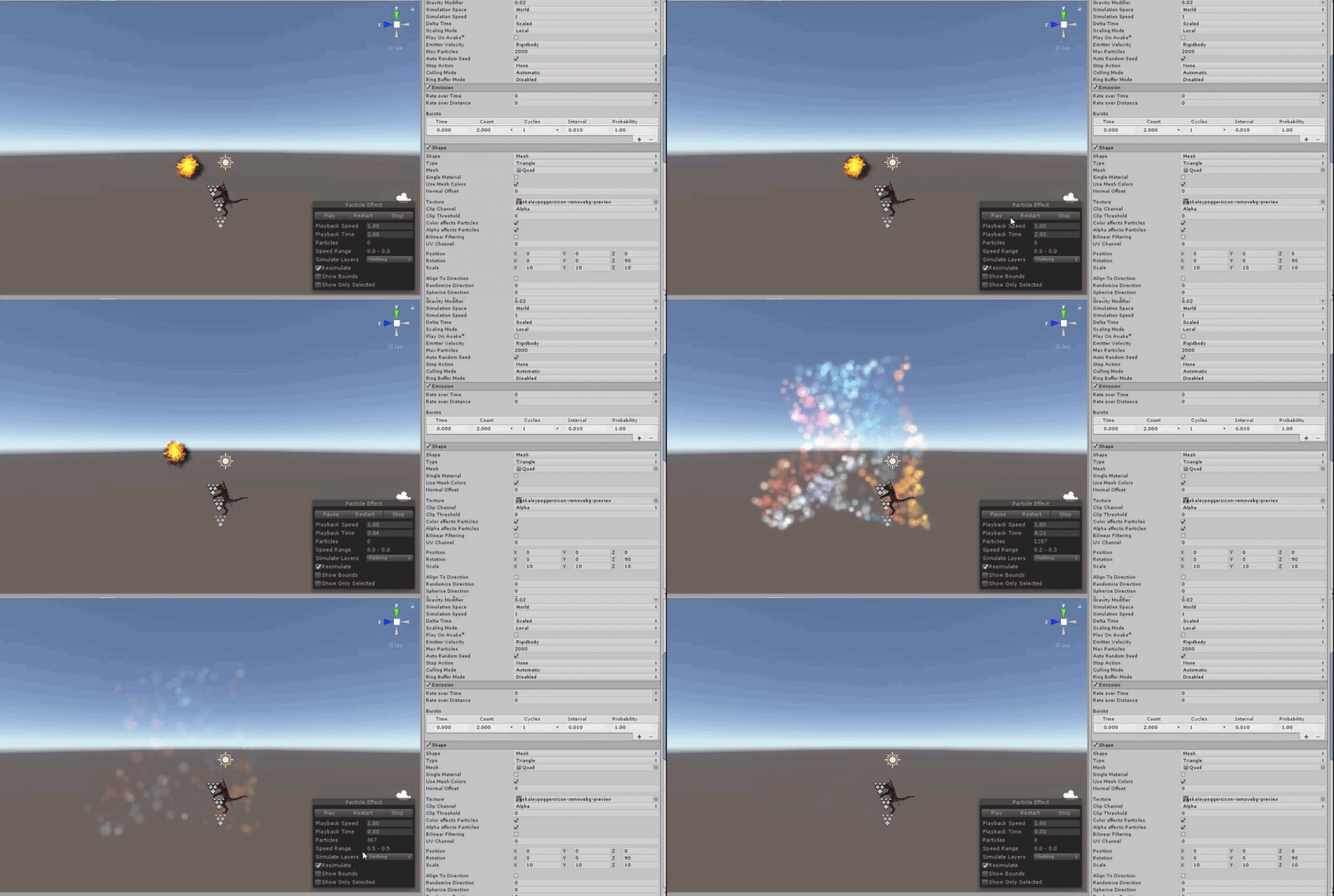
its a firework im making and this is the image im going off of

It's my first time doing png particle effects so this the best I can do x.x
 ebon oasis
After adding two bone IK constraint, it seems likeI get several errors such as "propertystreamhandler" cant be resolved and "transform not found in humandescription" - any help?
 heady harness
Is it possible for custom StateMachineBehaviour to get AnimatorController to which this script is attached at editor time? for example in OnEnable method? If not, this is really ridiculous. If yes then we could write so cool editor tools that caches parameters and states hashes at editor time as i do on MonoBehaviours.
hybrid tinsel
shut flax
Is it possible to create 2D bones without using the sprite editor? I would like ...
Bones are just empty transforms. You only need the sprite editor for deforming skinning.
@heady harnessWhat exactly are you attempting to do?
shut flax
Thanks!
 long jungle
Can any kind soul please help me with understanding whats going on in this video?
https://www.youtube.com/watch?v=Y7SABko_ZXQ
So i did the rigging and the animation in blender BUT the Unity part just BLOWS OVER MY HEAD 😦
Can anyone please help me to do it by dumbing it down?
its for Cities Skylines
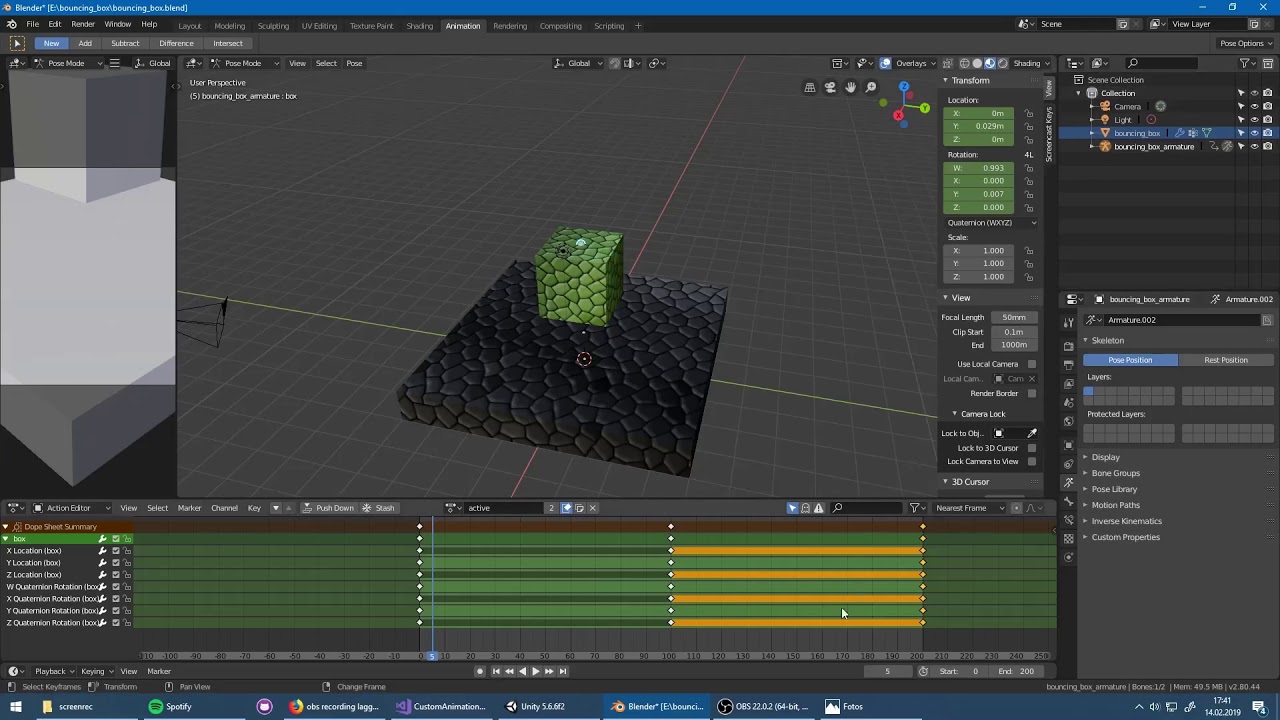
Get the tutorial files here: https://community.simtropolis.com/files/file/32751-custom-animation-loader-tutorial-files/
The mod is not yet published on the Workshop (it's included in the tutorial files) because I want to publish it along with some of YOUR animated assets ;)
if anyone can help me understand whats going on please do. i have NO experience in Unity but this has to be done
 dense bear
How do you change the speed of a 2D animation?
heady harness
hybrid tinsel
<@!240199250309414912>What exactly are you attempting to do?
Editor tools, I need to reference AnimatorController which is edited currently and to to which states behaviours are added
 heady nymph
I want to make an animation of a droid floating around and following a path, but I don’t know how to do that without making the animation look choppy. Is there a way to make a smooth path animation?
agile solstice
heady nymph
I want to make an animation of a droid floating around and following a path, but...
Choppy? Unity and Blender both I think apply smoothing to keyframes by default
heady nymph
It’s the turning that is choppy and slow. Especially in unity.
I want the path to be smooth and have the droid turn smoothly and naturally
agile solstice
Slow? Is this keyframed or procedural animation we're talking about
agile solstice
If you have video that might help me understand where the issue lies
Because yea it is possible to implement some spline or path movement systems, but unity doesn't do that by default, exactly
Blender might, if you use that for animation
But also, keyframed animation 'shouldn't' be choppy
hybrid tinsel
@heady nymphDid you set the sampling rate really really low or something?
fluid sage
Ok so I finally have a good looking particle for the electricity and the orb. Now I'm stumped on how to make an orb that stays in place in the center of both my hands and will move around. And the biggest one I cant figure out, how to make particles go from my fingers and always go into the center of the orb like it shows in here, idk if I need to use limit velocity or something cause in stuck x.x https://clips.twitch.tv/PeppyKawaiiAirGuitarSSSsss-u3ByMY8WMhOqLTqa
 acoustic iris
any ideas how to trace the cause of this error logspam?

from what i can tell, it happens when i have an animation on a customized avatar setup (i.e. model is comprised of several meshes, and i swap them out on the skinned renderer component), where some of the parts have curves for blend shapes, but not all meshes that could go on that particular renderer need such blendshapes, so they don't have them.
this doesn't crash the game, so the overall behavior in-game looks correct -- but this log spam is absurd. is there any way to make it fail these things silently?
 bold pagoda
https://www.youtube.com/watch?v=eXIuizGzY2A at 10:25 when I drop my char in to the scene it has no bones, does anybody know why? pls ping for awnser. thx

Wanna learn how to make your characters come alive? Then Skeletal Animation is for you!
This video is sponsored by Unity.
You need to use Unity 2018.3 or later to use these tools.
Unity is hosting a 2D Challenge - Check it out: https://ole.unity.com/2dchallenge
● Rigging documentation: https://bit.ly/2S1Xn04
● IK documentation: https://bit.l...
fluid sage
im trying to carry over settings and stuff for the shader and for some reason it just erases everything
this is what im trying to get
https://gyazo.com/54f85946c2af5569b1f25b6616778508


but this is what im ending up getting
 urban root
how would one go about making a slash animation in unity 2d like efficiently . current thoughts are: particle trail, series of sprites that spawn?
tryna think abt it, have a simple top down arena game and im thinking about the most efficient/visually appealing way to do it
 swift swallow
hi there is anyone here familiar with creating 3D models and rigs and animating them in blender to put them into unity?
If you do, pls let me know as I want to learn the right way to do it
agile solstice
swift swallow
If you do, pls let me know as I want to learn the right way to do it
Your best option is to look for tutorials or courses for the modeling software of your choice
Exporting for unity is the simplest bit of that process
swift swallow
agile solstice
Your best option is to look for tutorials or courses for the modeling software o...
so how do i then use my exported fbx models and rigs in Unity? also do u have any recommendations?
I understand about exporting to unity but i've not used unity too much so I was wondering how i could learn how to use my blender projects with unity if that makes sense
agile solstice
swift swallow
I understand about exporting to unity but i've not used unity too much so I was ...
Same way we learn everything else in this field, I suppose
Study guides and resources, ask for help when you get really stuck
||get no help because everyone's busy, solve the problem yourself anyway 😄 ||
swift swallow
agile solstice
Same way we learn everything else in this field, I suppose
Study guides and reso...
yes i'll try lol
thank u
agile solstice
Good luck!
hybrid tinsel
@swift swallowI suggest asking in #🔀┃art-asset-workflow just because that is where you'll find folks who focus on that sort of thing. But yeah, you will inevitably have to self-teach yourself at some point.
(usually the point where you move from blender to unity)
fluid sage
https://gyazo.com/1548018e4bd7328fe15e53b46627b1a5 hey so how would i go by making the end of this beam less clippy? and is there a way to make it look like its moving faster without raising the speed and forcing it to shoot off into the distance?
 hybrid tinsel
@fluid sage not sure what you mean by clippy. And you could raise the speed but limit the max distance by killing or stopping particles that go too far...
hybrid tinsel
With such a low quality video honestly it is hard to even tell what the particles do look like.
zealous whale
How would I go about doing directional Idle poses?
Right now I have one blend tree controlling the UDLR of my sprite
But whenever let go it of course snaps back to the default state of facing down

Body movement is my blend tree*
I tried making a blend tree inside of body idle basically copying the exact same parameters in Body movement but it does nothing
hybrid tinsel
Maybe don't go all the way to zero with your parameters?
swift swallow
hybrid tinsel
<@!693845975588012152>I suggest asking in <#497873833043296277> just because tha...
got it, thanks for the response!
fluid sage
hybrid tinsel
<@163470722910519296> not sure what you mean by clippy. And you could raise the ...
How would I go by limiting the max distance?
hybrid tinsel
By killing or stopping the movement of any particles that go farther than you want them to. Can use a script for that, or just base it on lifespan since you know how fast they are going.
fluid sage
Ah, for what I am using it for i cant use any scripts
hybrid tinsel
Set the lifespan so they die at the right time
weak sand
Hello, I have a problem with the loop animation here. I already disable loop time but it still loops in the animator


 urban root
if i wanted to have a slash animation appear in the timeline (a series of sprites/gif), would i just drag the sprites into the prefab seperately and then make visible on the frame they should me?
or is there a better way to do it
 tulip lark
hello is there a way to play more than 1 animations at a time?
say like i have animations for a torso and the legs and wanna play them seperately
uncut salmon
Give seperate animators to each part and have them play at the same time (call parameters on both).
 dense bay
tulip lark
hello is there a way to play more than 1 animations at a time?
say like i have a...
dense bay
tulip lark
hello is there a way to play more than 1 animations at a time?
say like i have a...
Animation Layers?
https://docs.unity3d.com/Manual/AnimationLayers.html
 twin musk
Hey guys, I've been following thomas brushes tuts for 2d character animation.... anyone can tell me how is he making this ??
this effect!
 hybrid tinsel
tulip lark
hello is there a way to play more than 1 animations at a time?
say like i have a...
hybrid tinsel
tulip lark
hello is there a way to play more than 1 animations at a time?
say like i have a...
You can add layers to an animator, and either make them additive(so it plays both added together) or use a mask to determine which parts are affected.
hybrid tinsel
twin musk
this effect!
Can you link the tutorial? What part are you unclear about?
weak sand
can my animator messes up with my transforms in script? cause I can't rotate my object in the update function, it wont rotate
I didn't add any transformations in my animations, but my rotation in script is being overidden
 snow depot
@weak sandproperties that are keyframed in animations override everything else
keyframing a transform, for example, will override the inspector value and resist any changes made through code
twin musk
hybrid tinsel
Can you link the tutorial? What part are you unclear about?
https://youtu.be/2MImqNvgrNg?t=1208, link is with timestamp

Here are the fundamentals for making a 2D platformer in Unity! Thank you Erik Coburn for coding the final version at the end of the video!
Join 1,000+ students at Full Time Game Dev for 25% off with the discount code LETSGAMEDEV using this link: https://www.fulltimegamedev.com/
Get my 2D Game Kit Free: https://www.fulltimegamedev.com/free-game-...
 fossil lintel
Hi I am new to motion graphics.
I am confused what software to use.
Can anyone recommend me a free motion graphics software.
Thanks in advance
 bleak canyon
fossil lintel
Hi I am new to motion graphics.
I am confused what software to use.
Can anyone ...
bleak canyon
fossil lintel
Hi I am new to motion graphics.
I am confused what software to use.
Can anyone ...
unity
hybrid tinsel
@weak sand animations will override the 'update' stage, so you'll need to use 'lateupdate' to make any changes after the animator runs.
fluid sage
how would i go by making particles with dark colors? when i go darker it goes more invisible which i get cause its additive but i see others being able to emit dark colors and im trying to figure out how they do it
 clever kettle
how do i change the pose of a character at runtime?
my googling isnt giving me good results
i onlywanna change the pose of the hands and fingers, nothing else
i use ik for the rest
and also, how would i copy a pose from one mesh to another
ive got this large pose

and i wanna change to a different mesh
hybrid tinsel
@fluid sage use a different shader.
@clever kettle animation toolkit has a tool for copying poses as long as the hierarchies match.
clever kettle
this?
 hybrid tinsel
I believe so
clever kettle
alright ty
hybrid tinsel
twin musk
https://youtu.be/2MImqNvgrNg?t=1208, link is with timestamp
That doesn't explain what you are having trouble with
Though if you're having trouble with spine their own forums might be a better place to ask
 noble lodge
An animation of X, Y and Z Axes puts the position of a certain object in a certain position, I want this position to be relative to a certain number, for example, an animation would move the Y Axis, but the X axis was relative to the X Axis which you currently have the GameObject, does anyone know?
celest crag
!warn 855959863557357569 You've already been told not to cross-post. Read how to ask questions in Read-me.
 dusk valeBOT
 Capitán Mayonesa#2415 has been warned.
noble lodge
celest crag
!warn 855959863557357569 You've already been told not to cross-post. Read how to...
At least answer my question
celest crag
@noble lodge You've already been told to phrase your question better so it can be understood. Don't repost the same thing.
 wooden ridge
Hello - had a general question about animation rigging
Not sure if this is the best channel to ask - let me know if not.
Preface:
- Made a rigged model in blender using rigify
- Imported as a fbx into Unity
- Added the Animation Rigging + 2 Bone IK Constraint on the legs
Problem:
I notice the legs twist in weird ways and im not sure if this is more of a Blender issue or Unity issue
IE - am i making the rig bones incorrectly on my model vs. am i not setting the hint correctly or model rig within Unity?
Not sure if people would have experience with this or would need more information
Here's a picture that shows the issue

its like the heels are trying to reach the target rather than the tip of the foot
Any resources for this would also be appreciated - mostly just following simple youtube tutorials / unity and blender documentation on this topic
 jade warren
i think you may have selected the wrong target object, you may need to select the tip of the foot as the final bone which you may have missed. I'm likely wrong though
old kayak
 fervent ridge
How can I support a gif to unity?
fervent ridge
How can I support a gif to unity?
you don't, either import it as individual frames or a video
old kayak
you can, they just need to be individual frames or a video, not a gif
there are converters online you can use
fervent ridge
Can unity import mp4?
old kayak
yes
fervent ridge
thxxxx
umm
my mp4 is sus
whyyy
I import the mp4 to unity
but the mp4 disapper

this
omg
@old kayak

another...
 spiral imp
Hi. Is there any way to rename animation attributes (blend shapes) from .anim file?
on my mesh I have blend shapes that are named like "shape1", but animation have "Group1.shape1"
tawny tangle
how can i change the surface type of a material?
twin musk
hybrid tinsel
That doesn't explain what you are having trouble with
I'm not having any problems 😅 , I just wanted to know how to make that blurry kind of effect for attack animation. And I'm not using spine... I'm using Unity's 2D animation package
hybrid tinsel
Generally you'd just draw a blurry sprite.
twin musk
I made it kinda work, disabling and scaling sprite to 0 when not to use 😦
is it efficient though?
 scarlet owl
does anyone know how to disable this interpolation on unity animations ? My line renderer is not following the animation properly thanks to that... I've tried changing the keyframe properties to "Broken" but nothing has changed...
agile solstice
scarlet owl
does anyone know how to disable this interpolation on unity animations ? My line...
Interpolation type "constant"
paper prairie
Hi everyone. I have a general question about animatin
At which point do you choose to do the animations with rigging inside Unity, and in which situations is it preferable to make them in for example Blender, and just important the animations afterwards? I'm starting to learn animation now and try to make up my mind where to begin.
agile solstice
paper prairie
At which point do you choose to do the animations with rigging inside Unity, and...
I'd do everything that isn't a 10 second thing in a real animating program
Armature animations generally
IK rigs that are controlled programmatically have to be created inside Unity though, I believe
 celest verge
hey is there a way to make a pose into an animation, I made it without recording it, I just want to turn it into a keyframe
celest verge
like how can I make the pose I put my model into in unity into an animation, like something saving it's position and making it a keyframe
clever kettle
fervent ridge
thxxxx
i have a script i use for gifs
unity is loading hang on
dear god its been loading for 4 minutes
i hate this hdd
using System.Collections;
using System.Collections.Generic;
using UnityEngine;
using UnityEngine.UI;
public class LaptopRadar : MonoBehaviour
{
    public Texture[] frames;
    int framesPerSecond = 3;
    public RawImage img;
    void Update()
    {
        int index = Mathf.RoundToInt((Time.time * framesPerSecond) % frames.Length);
        img.texture = frames[Mathf.Clamp(index, 0, frames.Length - 1)];
    }
}
 tulip pivot
    {
      anim.SetFloat("vertical", 1);
    }
Hey guys, I have it set so when the vertical parameter is > .01 it will go to the run animation(it switches to running if i manually change vertical to 1) but it does not work when i do it using script, I log out what vertical is in the update function and it says it is 1... and it still does not work, some help would be great thanks!
 tulip pivot
Ok now i see the animator showing the walk animation playing but in the game it is still the idle? animation?
hybrid tinsel
@tulip pivotIs the float in the animator updating during play? If not, you might have a missing reference in your script
tulip pivot
@hybrid tinsel it is updating yes
hybrid tinsel
Or if it is showing the walk animation playing, it might be targeting the wrong animator
tulip pivot
When the float is updated to 1 it plays the walk animation in the animator window but not in the game screen(it still places the idle animation)
I have double checked if they are the correct animations and whatnot
It's so frustrating because I have spent hours on Google with nothing that works 💀
hybrid tinsel
What happens if you remove the transition back from walk to idle?
show the transition settings?
Is the transition longer than the animation?
tulip pivot
Okay give me a second
tulip pivot
hybrid tinsel
Is the transition longer than the animation?
What do you mean?
hybrid tinsel
Is the duration of the transition into the animation longer than the animation itself.
 tulip pivot
is it?
hybrid tinsel
And is this a sprite animation or skeletal?
hybrid tinsel
It is more than 3/4 of the duration of the run animation.
It might actually be transitioning back before you see a noticeable animation
tulip pivot
well it is allways on 1 so it is just looping the run animation
i will try to take a video
@hybrid tinsel
hybrid tinsel
What happens if you just have the run state as the default?
And you're sure that this animator is attached to the correct object?
tulip pivot
if i swap out the idle animation with the run one the run one plays
hybrid tinsel
...er. also, you are setting the vertical in more places than 'awake' right?
Because awake only is run a single time, when the script first runs
tulip pivot
and not right now just for testing
i was before but i thought my script might be the issue
but idk why the animator would be playing the animations and not the game
i am using a generic avatar instead of a humanoid though
hybrid tinsel
So?
tulip pivot
could that be causing anything?
hybrid tinsel
Not unless you're trying to use IK
tulip pivot
nope
hybrid tinsel
And if you drag in a new instance of the run animation and use that?
fervent ridge
clever kettle
dear god its been loading for 4 minutes
Umm…ok…
fervent ridge
clever kettle
i hate this hdd
Then, should I add this script?
paper prairie
agile solstice
I'd do everything that isn't a 10 second thing in a real animating program
Hi! Sorry for late reply, was AFK. So a lot of animations (especially for videogames) are less than 10 seconds. Does this mean that you make all cut-scene animations in a real program?
agile solstice
paper prairie
Hi! Sorry for late reply, was AFK. So a lot of animations (especially for videog...
By 10 seconds I mean the time it takes to make the animation
fervent ridge
fervent ridge
Then, should I add this script?
@clever kettle ?
old kayak
fervent ridge
Then, should I add this script?
it won't work, so no
clever kettle
that script can play gifs if you change it a little
just break the gif into frames
tulip pivot
does anyone know why my animation in blender is looking forward but my animation imported in unity is looking to the right?


i imported 4 animations and they are all looking to the right
 quiet mauve
Does anyone know how to stack multiple position transformations in an animation? My goal is to have two position animations playing for one object with a different amount of keyframes so it appears to have pseudo-random position animation.
In Flash in 2D I achieved this by having a movie clip with a shape motion tween, and then a motion tween for that object in another movie clip.
 orchid cave
Hi everyone I am currently trying to use the LeenTween Asset from the Unity Store . I am able to reduce the scale of an Image to 0 but I am unable to fade the Same Image does anyone have a solution for this? (also sorry my english may not be accurate 😄 )
Edit After some more research I am able to fade A GameObject with a Sprite renderer but i still cant fade an Image
quiet mauve
quiet mauve
Does anyone know how to stack multiple position transformations in an animation?...
I think I just achieved this by creating a parent object and creating an animation for that. I suppose I could continue to do the same thing.
agile solstice
Transform hierarchies for animation are very useful
If you think about it that's basically what skeletal animation is
scarlet owl
agile solstice
Interpolation type "constant"
sorry the delay, i was a little away, thank you very much, it worked perfectly !
hybrid tinsel
tulip pivot
does anyone know why my animation in blender is looking forward but my animation...
 tulip pivot
@hybrid tinsel I don't understand why the head is just slightly turned to the right
The rest of the body is the same
hybrid tinsel
oh, guess you just broke something
 humble tree
Hi guys. I’m trying to animate some VR hands but there I put all the animations into the blend tree and move the slider nothing happens. Also when I go in game it doesn’t work. I had it working but had to change the scale of my hands and now it isn’t animating. Sorry if I’m missing something really simple I have just tried everything. Thanks in advance
 tulip pivot
hybrid tinsel
oh, guess you just broke something
tulip pivot
hybrid tinsel
oh, guess you just broke something
Broke what though
quiet mauve
Gizmo question: I found the gizmo lets you transform the rotation of objects with the mouse, and lets you specify the origin whether it is pivot or center. Center is what I want, but I'd like to type in an exact value of the rotation. The only place I found to type that in is the Inspector, but it does not alter the object's rotation to the center. I only found the mouse does that. I need to type in exact rotation values with an origin at the center. How do I do this?
This is the Inspector I can set the rotation, but it does not pivot the object to the center. Using the Gizmo and the mouse, I can see that it alters a rotation value, but it also alters position values, yet still rotates to the center origin, which is what I want, but I want to type in the value.
 hybrid tinsel
@quiet mauveparent the object to an empty object at the place you want it to rotate around, rotate it, then unparent it
quiet mauve
I have tried that, and it still rotates around a different origin than the center, unlike how the Gizmo tool does.
quiet mauve
Is there a way to specify a delay before an object appears or starts animating? can it be done without scripting?
 novel portal
how can i make bones work like they do in blender where if i move it the other bones follow instead of separating?
snow depot
uh oh
snow depot
novel portal
how can i make bones work like they do in blender where if i move it the other b...
I personally have no clue, the only way I know is to just animate everything with a rig in blender
or
just don't transform the bones, only rotate them
 little trench
Hello all. I made an animator to animate some sea mines, but all of them moves at the same time. there is a way to break the syncronization? perhaps using a speed modificator with a random value in the animator? when the mines spawn, each of this mines use his own animator instance or are all the same? Any help?
 true bay
hey. The last frame of my animation happens at 60 seconds. But unity decided for no reason that the animation will last until 61 seconds, then the loop happens late and the whole animation looks stupid. And everywhere I look nobody talks about this s*. I clicked everywhere and is just a bunch of nothing happens. How do I set the duration of the animation, or of each frame, or just...how? help
 tulip lark
hello, have a quick question regarding the animator, how do I change the animation based on an int? I have a seperate value for each individual int value and want to be able to just set it and not have to transition for each animation
agile solstice
true bay
hey. The last frame of my animation happens at 60 seconds. But unity decided for...
That seems strange
Do you have a keyframe at 61 seconds in some child object that isn't visible from that view?
orchid cave
I am currently trying to animate an image but with no succes

I think the problem come from the "Image :sprite (missing ) message but i have no clue of how to fix it
agile solstice
orchid cave
I think the problem come from the "Image :sprite (missing ) message but i have n...
Is the animation copied over from the sprite object?
orchid cave
Yes
agile solstice
So it probably tries to modify a sprite component, but there is no sprite component, rather an image component
You might be able to copy the keyframes over but you have to make a new animation
orchid cave
ok ill try that thanks a lot
orchid cave
agile solstice
So it probably tries to modify a sprite component, but there is no sprite compon...
its worked now I have to recreate all my animation so they can work on Image as well thx a lot for your time 😄
true bay
agile solstice
That seems strange
Do you have a keyframe at 61 seconds in some child object tha...
No. Nothing after 60 seconds
fluid sage
https://gyazo.com/d0d6b8c489e511b96bd7df01d82d4684 is there a way i can make a particle system fade in and out? im trying to make electricity go from invisible to slowly increasing in visibility
 orchid cave
Hi everyone , This gameObject is An UI with a canvas a text and an animated Image but i dont know why there is a red cross does someone have a clue about it?
 agile solstice
orchid cave
Hi everyone , This gameObject is An UI with a canvas a text and an animated Imag...
agile solstice
orchid cave
Hi everyone , This gameObject is An UI with a canvas a text and an animated Imag...
Iirc the size is negative
orchid cave
In game i dont have any problem tho
agile solstice
Not sure if it affects anything
I'd sort it out just in case some build targets can't render inverted images or something
Problems tend to come from the left field like that
orchid cave
there is a way i can fix it?
humble tree
Hi guys. I’m trying to animate some VR hands but there I put all the animations into the blend tree and move the slider nothing happens. Also when I go in game it doesn’t work. I had it working but had to change the scale of my hands and now it isn’t animating. Sorry if I’m missing something really simple I have just tried everything. Thanks in advance
 orchid cave
there is a way i can fix it?
orchid cave
orchid cave
there is a way i can fix it?
Ok i just fixed that by scale the canvas to the main canvas and resize it after this i still dont have any clue of why this happened
 rustic geode
so for my animations i have root motion on them and stuff but then when i play the attack animation it requires some movement to it moves forward a little but then glides back to the original position
i don't want that, how would i change it so it goes to that new position and the camera stays with it? Same thing with my two dodge animations, they just glide back, i want them to move and stay in that new position without gliding back
 compact arch
Does anyone know if I can add particle system properties to an animation timeline?
Nevermind, I guess a better question would be if I assign an animation to an object, and that object doesn't have the properties of animations set for a different object, can I set multiple animation behaviors within one animation..."file?" Will it be able to detect that what it's assigned to does or doesn't have the parameters to modify when run?
quiet mauve
Can you have object animations with parent object animations while maintaining a center? The object's center gets thrown way off by all the embedded offsets. So what shows in the scene for object posotions is much different than the resullt by pressing the play button in Unity
agile solstice
rustic geode
so for my animations i have root motion on them and stuff but then when i play t...
That sounds like the root motion isn't working if it's snapping back
twin musk
Can anyone tell me why my controller is behaving weirdly? I have an idle animation but instead I get this weird janky frozen position for the idle animation. Then when I move the player and set the bool, it takes a few seconds to change to the walking animation.
 hybrid tinsel
@twin musk what's that any state to idle doing?
And you don't show any of your own transition settings so it is hard to debug
quiet mauve
Can you delay an animation from starting without code?
The reason I can't use code is this is for AltspaceVR, and it does not let you upload it with scripting
I basically have a parent object that I want to duplicate, but add a delay before the animation starts
And I want to do that for every duplicate I make
twin musk
hybrid tinsel
<@456226577798135808> what's that any state to idle doing?
what's that any state to idle doing?
I just saw it recommended in some tutorials I have been watching. It just says to transition to Idle from any state if "isMoving" is false.
I broke the connection and the problem persists.
And you don't show any of your own transition settings so it is hard to debug
Do you mean my code? I'll attach it here.
 hybrid tinsel
I just saw it recommended in some tutorials I have been watching. It just says to transition to Idle from any state if "isMoving" is false.
Definitely don't for a controller like this. It will break things.
Do you mean my code?
No, the transition settings in your animator.
@quiet mauvewhat CAN you use? Does it have its own animator or can you design your own?
twin musk
hybrid tinsel
> I just saw it recommended in some tutorials I have been watching. It just says...
The secondary issue (delay) was able to be fixed by unchecking "has exit time" but for some reason, the idle animation (shown in the GIF - so Unity does see that it's an idle animation) just appears as one solid frame with arms and legs in janky positions.

Here is the animator in the prefab as well
 hybrid tinsel
Expand those settings?
twin musk
Sorry, can I ask what you mean by that, just because the drop down arrows seem to be expanded
hybrid tinsel
 twin musk

My biggest problem is that I don't understand why his arms and legs stick out like this

The animation file seems to suggest that it knows where the arms and legs should be, though the "idle head movements" seem to be occurring, slightly layered on top of this one robotic pose the rest of the body has
 hybrid tinsel
What happens when you give it a slight duration?
twin musk
Nothing changes
hybrid tinsel
And what happens if you have just the idle animation?
twin musk
hybrid tinsel
And what happens if you have just the idle animation?
It's just this
 hybrid tinsel
Are you using the right avatar?
tawny tangle
can someone please help me out with my animation, it plays at the start of the scene but not if i change scene and go back to it
hybrid tinsel
tawny tangle
can someone please help me out with my animation, it plays at the start of the s...
You'll need to be a bit more specific probably.
It is remarkable how many people say that.
uncut salmon
Showing a video of the exact thing you described as being an issue is not being more specific. We obviously can imagine what an animation not playing in scene load would look like.
hybrid tinsel
But yeah, Bruno, that doesn't really help because we don't know what is SUPPOSED to be happening.
uncut salmon
How are you playing the animation?
tawny tangle
its supposed to give a fade in effect when scene changes but its not happening
what do you mean how am i playing it
stranegly enough it works if i go from the white menu to my level, and they are the same object using the same animation
uncut salmon
How is your animation playing. At some point you set up your game to play the menu animation.
This is your game. So again, how are you playing the animation?
tawny tangle
with animatior.play
public void MenuSceneTransition()
    {
        uiDeath.Play("PopOut");
        uiWin.Play("PopOut");
        SceneTransition.Play("FadeOut");
        Invoke("MenuScene", sceneInvokeTime);
    }

    public void MenuScene()
    {
        DisableUIArray();
        SceneManager.LoadScene(0);
        SceneTransition.Play("FadeIn");
    }
And what's not working, the FadeIn?
tawny tangle
yea
uncut salmon
You're calling it after loading a completely different scene.
You should probably move your whole fading in, into the menu scene and have it fade in when the scene first loads (on Start).
So that it runs every time the scene is loaded.
tawny tangle
but something doesnt make sense, the default state of that object is to play the fade in, it does play when loading my level but not when going back to menu. and if i only play the menu scene it will play the fade in, even going to the next level the animation works fine
it works if i put in start() man i swear sometimes i dont understand unity, this was working fine yesterday without any coding needed, now i need to add to start to work. thanks anyway osteel
quiet mauve
I have duplicate objects with two different controllers, but have the same embedded animations. I'm trying to delay the inner animations from the different objects, but the animations are playing syncronously
quiet mauve
How do you animate rotation to the center of an object? The gizmo rotates to the center. Animation does not..
hybrid tinsel
tawny tangle
it works if i put in start() man i swear sometimes i dont understand unity, this...
Don't ever rely on stuff loading in in the order or timing you expect when loading a scene.
zealous whale
So I have one blend tree with the idle LRUD animations then another with all of the LRUD movements how would I go about having the animator use the idle animation of whatever direction the player is currently facing?
 hybrid tinsel
LRUD?


 smoky gate
i have this tree
smoky gate
smoky gate
i have this tree
if velocity > 0 it will transition to tree
if velocity < 0.05 it will transition back to idle
but the problem is
when i run the game and adjust the velocity

these both dont go up together
and
its glithced or smth
smoky gate
it works in code tho i mean the rig moves properly
bruh why do people get their account haxed 
smoky gate
someone please?
hybrid tinsel
I don't understand what you are asking, @smoky gate
quiet mauve
How do you animate rotation to the center of an object? The gizmo rotates to the center. Animation does not..
I'm either being ignored or something isn't working. Seems like the right place to ask, and seems like simple enough question, but it's hard for me to find anything on Google about it.
Even online the question has come up, with answers that are so old, I cannot find what they are describing because the program has changed so much: https://forum.unity.com/threads/objects-center-in-animation.3432/
Unity Forum
Is there a way to change the center of an object in Unity (not through scripting). It would really help for animating objects as I would like an object...
I'm not sure how people are designing games, but this stumps them when I ask about it. It should be a very ordinary issue to solve, but it looks like no one one understands how to fix it.
 novel nimbus
hello! trying to export this rig to Unity can someone help? spring uses linked Points and a LookAt animation, is it possible to get this into unity
hybrid tinsel
novel nimbus
hello! trying to export this rig to Unity can someone help? spring uses linked P...
You'd have to recreate it in unity. Unity can only import a small list of maya constraints, and otherwise only imports keyframes.
quiet mauve
Now look at this. I have the parent selected, but when trying to apply a rotation transform, it only rotates a few obejects inside the parent.


It makes no intuitive sense, unless I am doing something wrong, Unity just doesn't seem like a tool for productivity.
zealous whale
hybrid tinsel
LRUD?
Left Right Up Down
hybrid tinsel
quiet mauve
Now look at this. I have the parent selected, but when trying to apply a rotatio...
...do you have the parent selected?
It looks like you have a sub object selected, and I really have no way of telling what is a child of that and what isn't
quiet mauve
hybrid tinsel
...do you have the parent selected?
It's the correct parent. Unity is just broken/buggy and useless it seems.
I can even use the gizmo to change it's rotation, but when I apply the animation, it only moves a few objects inside.
Bogus.. I had to right click the parent and select "select children"
quiet mauve
Now it's not keeping the animation I choose
I think the problem may be that Unity is complete garbage
quiet mauve
It animates when previewing the animation, but not the scene
problem after problem
makes using this impossible
novel nimbus
hybrid tinsel
You'd have to recreate it in unity. Unity can only import a small list of maya c...
thank you, do you have any recommendations for how i could replicate? @hybrid tinsel
hybrid tinsel
@quiet mauveUnity is garbage in many ways but a lot of your problems seem to be in your expectations?
hybrid tinsel
novel nimbus
thank you, do you have any recommendations for how i could replicate? <@!1724845...
Unity has position and aim constraints built in, they just would have to be added manually unless the documentation is out of date(I don't use max so I dunno if you can export maya style constraints from it). It doesn't have a spring constraint but I'd just use a bone for that
@quiet mauveAlso something to note, unselected objects don't get automatically keyframed.
quiet mauve
hybrid tinsel
<@!530522317600718901>Unity is garbage in many ways but a lot of your problems s...
Yes because changing an object's origin is a very normal thing all programs have, and Unity not having a control for this makes it virtually useless. I wonder if the developers even care. Probably not, since Unity has been well adopted for building your program to different platforms, but it seems as though people rely on extensions, other programs or switching to Unreal since it is far more capable
hybrid tinsel
quiet mauve
Yes because changing an object's origin is a very normal thing all programs have...
Unity isn't a 3d modeling software. If you want to change the origin inside unity, you can still do it using the probuilder extension, which is in the package manager.
You can also write a script to do it.
But unity generally is designed for using models that have either been prepared in other software or dynamically generated.
quiet mauve
Thanks I'll check out the Probuider extension
hybrid tinsel
The 'rotate around center' thing is just a ui convenience.
quiet mauve
Yeah, it doesn't work for animating a simple rotation
hybrid tinsel
It isn't meant to
Rotation is around the pivot.
In terms of how it is represented internally.
The rotate around center thing is a convenient UI element, particularly useful for unwieldy scenery objects that might have an origin in crazy places(like if you import an entire scene with all the props in place with an origin at the world origin).
It isn't meant for animation or the like
quiet mauve
Yeah so animation around a pivot shows a pivot, but there is no way to redefine where that pivot is except maybe in code, but I'm using it for Altspace, and that does not allow you to use code anyway
Where do you even get Probuilder
hybrid tinsel
That's another issue; you're attributing altspace problems to being unity problems.
From the package manager
quiet mauve
okay it says you can get probuider in the package manager
hybrid tinsel
It isn't like the unity devs are to blame for a third party program limiting what unity features you can use
quiet mauve
Editing an origin is a completely ordinary thing in any editor, even way back in 2D with Macromedia Flash
hybrid tinsel
Yeah, but in macromedia flash you wouldn't expect to be able to edit the pixels of an imported bitmap.
quiet mauve
Probuilder does not come up in the list of results
hybrid tinsel

 hybrid tinsel
Just remember that unity isn't really designed for asset creation.
 meager drum
Has anyone looked into the new Face Capture thing? I'm just looking over the docs to get a sense of what it may or may not be good for, but I can't seem to find anything that explains what the requirement on your model are for it to map.
old kayak
meager drum
Has anyone looked into the new Face Capture thing? I'm just looking over the doc...
what face capture thing?
meager drum
old kayak
what face capture thing?

🚨 New in Unity for Animation ✨
Animate your 3D characters in real-time using facial capture - and preview, record, and playback face animations in Unity!
👀 Take a look at our new tool, Unity Face Capture: https://t.co/t0AUcag56O
Likes
255

 Twitter
·
old kayak
meager drum
This: https://twitter.com/unity3d/status/1420813882331906056
Twitter
·
old kayak
meager drum
This: https://twitter.com/unity3d/status/1420813882331906056
Looks like it's based on arkit, so you'd need to make these blendshapes on your model https://developer.apple.com/documentation/arkit/arfaceanchor/blendshapelocation
You don't need all of them btw
meager drum
OH. That's the missing link. I was aware of ARKit but I didn't realize it defined blend shapes
The docs mention blend shapes but not what they are. Thanks!
old kayak
Pretty sure they're the standard FACS blendshapes, should be able to find more resources about it by googling that
meager drum
Looks like you're right
smoky gate
u guys so
the blend param doesnt increase? but it does in visuals
i was pressing w to do the blend
    void Start()
    {
        animator = GetComponent<Animator>();
        velocityHash = Animator.StringToHash("Blend");

    }

    void Update() {
        bool forwardPressed = Input.GetKey("w");
        bool runPressed = Input.GetKey("left shift");

        if (forwardPressed && velocity < 1.0f) {
            velocity += Time.deltaTime * acceleration;
        }

        if (!forwardPressed && velocity > 0f) {
            velocity -= Time.deltaTime * deceleration;
        }
        if (!forwardPressed && velocity < 0.0f) {
            velocity = 0f;
        }

        animator.SetFloat(velocityHash, velocity);
}```this is the code for the input
hybrid tinsel
You don't have the object selected so you might be seeing the animator prefab instead of the live version?
smoky gate
hybrid tinsel
You don't have the object selected so you might be seeing the animator prefab in...
sadly yeah thats what happened anyways thats good now i downloaded a few strafe animations from mixamo too but the problem is they dont have in place option is there anyway to make them in place in unity?
hybrid tinsel
Bake root motion into pose in the animation importer
Though iirc mixamo should be able to do it too
 hybrid tinsel
Well, then you can do it in unity.
I thought it was selectable on the mixamo export settings, though.
Not tied to a particular animation?
smoky gate
hybrid tinsel
Bake root motion into pose in the animation importer
where is that 
i do remember a bake root motion setting but forgot where it was
 novel nimbus
hybrid tinsel
Unity has position and aim constraints built in, they just would have to be adde...
novel nimbus
hybrid tinsel
Unity has position and aim constraints built in, they just would have to be adde...
Do you know of any tutorials that could point me in the right direction?
twin musk
Hey guys, does anybody know effect of animation sample rate on look and performance of game? does it effect based on high or low fps?
agile solstice
twin musk
Hey guys, does anybody know effect of animation sample rate on look and performa...
Hard to find info on this, but I believe sample rate only controls the timing of the keyframes and has nothing to do with performance by itself
Ofc you can have more keyframes with a bigger sample rate which probably does cost resources but the import process does its best to get rid of unneeded keyframes
Sample rate is more of a formality that animation programs use to pace the frames
twin musk
agile solstice
Hard to find info on this, but I believe sample rate only controls the timing of...
yeah! it's hard to find something appropriate for this.... thanks though!
agile solstice
I skimmed the whole animation part of the docs but I didn't find any part where it'd mention sample rate
twin musk
agile solstice
Sample rate is more of a formality that animation programs use to pace the frame...
exactly what I've been thinking
Unity is the ultimate game development platform. Use Unity to build high-quality 3D and 2D games, deploy them across mobile, desktop, VR/AR, consoles or the Web, and connect with loyal and enthusiastic players and customers.
agile solstice
Also, curves still work no matter how low the sample rate is
So 1 keyframe per second is smooth if there's curves, even if sample rate is 1
twin musk
agile solstice
Also, curves still work no matter how low the sample rate is
is there good docs on curves? because I thought only spine had curves!!
agile solstice
twin musk
is there good docs on curves? because I thought only spine had curves!!
https://docs.unity3d.com/Manual/animeditor-AnimationCurves.html They're pretty universal across animation software, in 3D anyway
twin musk
agile solstice
<https://docs.unity3d.com/Manual/animeditor-AnimationCurves.html> They're pretty...
Thanks buddy! I appreciate that 👍
 rancid folio
Hello guys! I need a little help.
I am testing facial animation in unity. I exported a fbx model from 3Ds Max where I applied the morph modifier to make two simple lip movements: A and O.
When opening it in Unity and checking the morphs at inspector / skinned mesh renderer/ blendshapes , the lips do their work.
However the whole model also moves as like something pushes it
Does anyone knows why is this happening and how to fix it? Thank you in advance
 hybrid tinsel
@twin musk very high or low sample rates can cause issues, but will generally be fine left at the default; for most situations it is best to adjust the speed by either setting the speed of the animator or of the animation state for a particular animation.
old kayak
rancid folio
Hello guys! I need a little help.
I am testing facial animation in unity. I expo...
looks like you offset your entire model when you made your blendshapes
rancid folio
old kayak
looks like you offset your entire model when you made your blendshapes
It only happens in unity. At 3Ds Max ain’t such offset animation. 🤕
agile solstice
Something wrong with setting a bool every frame?
Someone who knows more code could confirm this but I don't think there's any cause for concern there
The heaviest part is referring to animations and input by string but it's not like you're doing that hundreds of times per frame
I suppose you could optimize it by changing the booleans/checking input only when the character's velocity changes, but I doubt that has any tangible effect at all
agile solstice
Yeah that works
hybrid tinsel
I usually send a float for each axis to the animator and let the animator decide what to do with it, but if you're doing sprite animations a bool is probably fine.
Not sure what you mean.
 floral tiger
Why does Unity play animations in world space and not in local space ffs
agile solstice
floral tiger
Why does Unity play animations in world space and not in local space ffs
Animations are always relative to parent object
The scene itself is an object in that sense
floral tiger
@agile solstice I mean that the start position doesn't update to the new position
Meaning it snaps back every time
agile solstice
floral tiger
<@166982635950702592> I mean that the start position doesn't update to the new p...
As expected if the animation is relative to scene
 grizzled widget
Hi, first time using unity, converting an old game. I have multiple character sprite sheets, the only difference between them a tweaks to colours etc to make them unique. Because they are all based on the same initial sprite, they all use the same animations. Can I have one animation set, used by multiple sprite sheets?
 mild stirrup
grizzled widget
Hi, first time using unity, converting an old game. I have multiple character sp...
mild stirrup
grizzled widget
Hi, first time using unity, converting an old game. I have multiple character sp...
I had the same problem, the only way I know off is to basically use shaders to change the color of your original already animated sprites
But shaders are not very easy
so you'll either have to learn that or just animate every color variation
mild stirrup
Idk what you mean by that
I think you still need animation clips for every variation with that
He means that he has the same sprite but with different colors
and he doesnt want to animate every variation
@grizzled widget That's how I did it in shader graph to make a red color variant of my player

but it took me a while to understand
agile solstice
Color switching shaders are a different topic from transferring animations
grizzled widget
@mild stirrup my goes a little further than just changing the shading
mild stirrup
agile solstice
Color switching shaders are a different topic from transferring animations
well that's how I fixed the same problem
mild stirrup
grizzled widget
<@!192679568765616129> my goes a little further than just changing the shading
I replace individual colors
isnt that what you need
agile solstice
Animations are generally transferable, but in 2D they might contain references to specific sprites, rather than sprite indexes of a chosen sprite sheet, so I don't know if they can be switched 1 to 1
mild stirrup
I had the same issue and couldnt find any answers but shaders that's all i'm saying
shaders are a wider term than just traditional "shading"

 mild stirrup

Hey Pals! This episode is a half-half between a "Project Apollo Recap" and a "Pixel Art Class Palettes Part 2". I took the time to put together a shader in Unity that replaced the colours on a sprite for our deer with a whole new set of colours using one starting value. This results in a procedural palette swap that I'll use in the game to make ...
grizzled widget
I have gallop, trot, jump, fall animations sheets for several versions
mild stirrup

Post containing Shader Graph file and Code version https://www.patreon.com/posts/quick-game-art-39412122
My Github site with all tutorials
https://minionsart.github.io/tutorials/
Twitch: https://www.twitch.tv/minionsart
Twitter: https://www.twitter.com/minionsart
Patreon: https://www.patreon.com/minionsart
Clean Soul by Kevin MacLeod
Link: ...
Maybe it's worth remaking animations in your case
if you truly have a lot and dont want to do it by hand then perhaps look into automatisation
grizzled widget
thanks
agile solstice
Color swapping is a good option in general if it's an option in your case