#🏃┃animation
1 messages · Page 78 of 1
 strange spruce
 sonic echo
I stumbled on to an online store a few weeks ago that specialized in animations, it was very similar to Mocap online but i cant remember the name of it. Anyone know which one I'm thinking of ?
google isnt helping today because i cant be specific enough with my search terms


 rustic geode
wait
wdym
so basically
what im doing rn

crouch -> walk crouch, has bool WalkCrouch = true, walk crouch to crouch has bool WalkCrouch = false
    {
        if(Input.GetKey(KeyCode.LeftControl))
        {
            isCrouching = true;
        }
        else
        {
            isCrouching = false;

        }

        if(isCrouching == true && !Input.GetKeyDown(KeyCode.W) || !Input.GetKeyDown(KeyCode.A) || !Input.GetKeyDown(KeyCode.S) || !Input.GetKeyDown(KeyCode.D))
        {
            anim.SetBool("Crouch", true);
            speed = crouchWalkSpeed;
        }
        else if(isCrouching == true && Input.GetKeyDown(KeyCode.W) || Input.GetKeyDown(KeyCode.A) || Input.GetKeyDown(KeyCode.S) || Input.GetKeyDown(KeyCode.D))
        {
            anim.SetBool("WalkCrouch", true);
            speed = crouchWalkSpeed;
        }


        if(isCrouching == false)
        {
            anim.SetBool("Crouch", false);
            speed = initialSpeed;
        }


}```this is code
it kinda works but not really
it's very buggy
 echo plover
Uh i set my character to put his hands on the gun like this using animation rigging but i cant get the animation to kick in, i think its the animator that's failing


shouldnt it work?
rustic geode
rustic geode
it kinda works but not really
nvm it just isnt working at all
rustic geode
rustic geode
``` private void Crouch()
{
if(Input.GetKey(KeyCode.LeftControl))...
    {
        if(Input.GetKey(KeyCode.LeftControl))
        {
            isCrouching = true;
        }
        else
        {
            isCrouching = false;

        }
        if(isCrouching == true && !Input.GetKeyDown(KeyCode.W) || !Input.GetKeyDown(KeyCode.A) || !Input.GetKeyDown(KeyCode.S) || !Input.GetKeyDown(KeyCode.D))
        {
            anim.SetBool("Crouch", true);
            anim.SetBool("WalkCrouch", false);
            speed = crouchWalkSpeed;
        }
        else if(isCrouching == true && Input.GetKeyDown(KeyCode.W) || Input.GetKeyDown(KeyCode.A) || Input.GetKeyDown(KeyCode.S) || Input.GetKeyDown(KeyCode.D))
        {
            anim.SetBool("WalkCrouch", true);
            anim.SetBool("Crouch", false);
            speed = crouchWalkSpeed;
        }


        if(isCrouching == false)
        {
            anim.SetBool("Crouch", false);
            speed = initialSpeed;
        }


}```this code isnt working
idk why
 hybrid tinsel
@rustic geode I don't use a separate crouchwalk variable, I just use different animations while crouched
rustic geode
hybrid tinsel
<@376421819663646720> I don't use a separate crouchwalk variable, I just use dif...
ok wai
then what do i do
hybrid tinsel
You can see my graph; basically when crouch == true it transitions to a crouching pose, and then if you hit movement keys while crouching it moves to the crouched movement blend.
When crouch is false, it transitions to either idle, jump, or walking depending on the movement
rustic geode
Im confused
So wat would i do first

movement is a blend tree containing idle, run, and wlak
*walk
hybrid tinsel
Well, you should have a transition directly to the walk crouch if you don't want an awkward pause while crouching during movement
hybrid tinsel
That plus whatever movement controls
rustic geode
from movement --> crouch i would make crouch true, and crouch to movement, crouch false
then what would my paramrts be from crouch to walk crouch and walk croch to crouch and movement to walk crouch
@hybrid tinsel
hybrid tinsel
What the character is moving or not
Just like normal movement
It is just like normal idle and movement except while crouching.
rustic geode
hybrid tinsel
It is just like normal idle and movement except while crouching.
Ok so what would I do
I’m very confused
rustic geode
Nvm I think I understand
But let me see if my code is correct
@hybrid tinsel for this parameter i woukd have


walk is a blend tree from 0.5 to 1


is this right or wrong
hybrid tinsel
seems okay ish?
 fast elbow
i need help
 stuck garnet
Just
fast elbow
I have no clue how to make a animation
stuck garnet
I see the error
fast elbow
 stuck garnet
Just drag the sprite in the scene first
fast elbow
wym?
 stuck garnet
Drag the bird Sprite and then drop in the scene
fast elbow
huh
stuck garnet
What part is hard?
 stuck garnet
Yes
fast elbow
still don't work when i try, to drag it in there.
stuck garnet
Now please, dock the animation tab beside the console
stuck garnet
Click on the bird then see if its a sorite
stuck garnet
fast elbow
save u mean
No
fast elbow
dog. u making no sense
stuck garnet
Just drag the animation tab and drop in besides the console tab
stuck garnet
Have seen the full video I sent?
stuck garnet
Or read the documentation?
stuck garnet
fast elbow
skipped through it but yes
Don't skip
Never skip, skipping is the worst when learning
fast elbow
dog it's not going to help me unless i have a animation created
and it does not let me create a animation do u not understand, What im trying to say?
stuck garnet
fast elbow
dog it's not going to help me unless i have a animation created
Its dock, means attaching
stuck garnet
I am understanding what you mean, I am not good at explaining
fast elbow
ok.
fast elbow
sorry i'm new and its frustrating i'm trying to make a game without watching a video.
stuck garnet
fast elbow
sorry i'm new and its frustrating i'm trying to make a game without watching a v...
Not going to work, watch as much videos as you can
Because thats how you will learn
 celest crag
fast elbow
sorry i'm new and its frustrating i'm trying to make a game without watching a v...
celest crag
fast elbow
sorry i'm new and its frustrating i'm trying to make a game without watching a v...
!mute 710698160615325737 1d Come back when you go through any tutorials and don't waste people's time.
stuck garnet
How do you think most of us learned?
fast elbow
wym>
stuck garnet
celest crag
!mute 710698160615325737 1d Come back when you go through any tutorials and don'...
Thank you
fast elbow
bruh
celest crag
Wait for it
fast elbow
u have a ms set wrong make it 5
stuck garnet
Just learn via tutorials and videos and documentation
celest crag
Dyno is slow today
fast elbow
Dyno? LMFAO
 dusk valeBOT
 Socks#9999 was muted
stuck garnet
celest crag
Dyno is slow today
Seems like
celest crag
There we go
stuck garnet

stuck garnet
celest crag
There we go
So... he DMed me
celest crag
@stuck garnet Please remind them if you didn't invite the DMs that there are no unsolicited DMs on the server. Report to me or other moderator if they persist.
stuck garnet
Well, I told him to not DM me and I blocked him right away
 outer belfry
71 transitions excluding entry. my soul left my body

 agile solstice
There's gotta be a better way to do that
 uncut salmon
Like using the AnyState node for example.
outer belfry
for reference this is for a vrc avatar
agile solstice
I tried AnyState recently but that got tricky too
outer belfry
anystate gives me pain
agile solstice
As it tries to kick in its transitions on well, any state, so you need to explicitly prevent it from taking over
So whenever there's a trigger or an automatic transition I had to either convert those to booleans or make more booleans that stop other state changes
outer belfry
at least it turned out pretty nicely (dunno where i can post pic of the final product tho lol)
 twin musk
anyone know how I would do gun animations? I can animate the gun just fine but I need to combine blender and unity animations together, is it as simple as using the animator layers feature?
 gentle meadow
Hey, I want my enemy to do a melee only if it would hit the player in its current position. Is it possible to do this dynamically (like predicting the animation position)?
 swift tide
gentle meadow
Hey, I want my enemy to do a melee only if it would hit the player in its curren...
swift tide
gentle meadow
Hey, I want my enemy to do a melee only if it would hit the player in its curren...
Like the hitbox following the rig dynamically?
 hidden peak
hello guys, i just wanted to know how to solve this problem ... so i have 24050 frame animations on this model and it's bone or armature could also be used on another models ... my problem is that when i open the animations on blender (3d program) it's working without any problems but when i export it into unity as you can see in the photos the animations become weird for no reason .. so do you guys know what is the problem exactly?
echo plover
Anyone know why they're leaning to the left?

 prisma solar
Most problems with Models stem from the initial rigging. Would be nice if there was a rigging channel/server/thread. Animation comes after rigging is correct.
Your not going to like this but the import clobbers root settings. Try importing with no animations. Check your model in muscle settings. It if transposes there then that will show you where the problem is and most assuredly it is not yours.
@hidden peak Not the same product but you'll get the idea. I hope my use of terms doesnt offend you.

You can fix the bones prior to get a static stance then use Unity's animator and or IK rigging. There are problems with IK too. The long axis of the bone always points to the target and or the IK parent of the target. The positioning has to be exact instead of Unity simply keeping a difference as a reference point.
The model, import, animation and IK have a cohesion problem in the background somewhere between the variables.
swift tide
prisma solar
<@!604635374861680684> Not the same product but you'll get the idea. I hope my ...
I see Mixamo brought up a lot yet I can rig with Blender alone quite fine ish
What does Mixamo do?
echo plover
online autorig and free animations
 rocky geyser
premise: say I have a rig with two hands. I want left click to reach the left hand forward, right click for the right. If both buttons are pressed, both should reach forward.
question: can I achieve this using two animations (one for left reach, one for right) and combine them using blend trees? or will I have to create a separate animation for both hands reaching forward?
prisma solar
swift tide
I see Mixamo brought up a lot yet I can rig with Blender alone quite fine ish
It brings in humanoid fingers to Unity. Rigify to Unity told me they dont do fingers.
...with Tpose or original positioning.
This is just Unity IK on the index finger. As can be seen the twitch in the finger is caused by the target position which is difficult to set for a static position. So If you have a static stance model adding IK will cause the model to twitch outside the parameters of what your design specifications you came in with. I have needs to accurately position my fingers and this extraneous movement degrades my efforts.
I post this to expose the possibility that you wont get what you want. This little nuance can really mess accuracy up.
If I deselect the IK Go in the hierarchy then this twitch does not execute.
But in respect to Unity I can see what they are trying to do with rigging and that is to keep the IK out of the bone hierarchy. This promotes being able to transfer the completed rig to other humanoid characters much like Blender allowing rigs to be copied. If I use FinalIK I must attach constraints inside the bone hierarchy. The makes one model inherently isolated from other character work. I have been thinking of doing this then write a DLL to copy all the FinalIK components out to a dataset then use that DLL to insert the FinalIk components into a new character.
I have an easier method though. I will switch from Unity animator to Umotion's asset and see if I can get more accurate results.
Their workflow is to have one project with one model. Then you use that as a workbench to create animations to transfer to other humanoid characters imported in the same way because the bone hierarchies are all the same.
prisma solar

Will see if this inhibits motions further into the workflow. These IkRigs can now be seen in the animation properties.
rustic geode
Should i make my attack animations bool or triggers
Rn im using a trigger but It's a bit glitchy because if i play an animation that has a bool and press my attack it waits until the bool animation finishes fully then plays the attack animation
and if i spam left click
it plays the animation exactly how many times i left click
which can be problematic
is there a way to create like a max value
or anything
prisma solar
What about a completed switch? and then you check that.
rustic geode
prisma solar
What about a completed switch? and then you check that.
Wdym
 cursive pivot
hey i have a pretty simple question but i input some walking animations and inbetween each frame its just blank but on the idle animation i put in it doesnt do that and im not sure why

idk how helpful these screenshots are gonna be im just putting what could be useful for someone who knows more than i

 ruby cypress
Hey, just curious if anyone knows how to get animations in from blender properly to unity, I cant see what I am doing wrong here. The animation looks perfectly fine in blender but will not export to unity properly (via .FBX)
Animation in blender:
animation in unity:
ruby cypress
😄 there is a lot of assets missing from it im just trying to get the animation working currently
hybrid tinsel
Delete non rotation keyframes?
ruby cypress
I tried compression already seems to do nothing
I would need rotation keyframes for it to work no?
hybrid tinsel
No, I mean, this part goes right through the axle

I said delete non rotation keyframes
ruby cypress
oh good spot Ill correct that XD
ruby cypress
originally it was IK then I baked it into keyframes
I would still need location and scale for the armature
I removed scale from everything that didnt need it already
hybrid tinsel
Well, I was just saying to remove it to test if that fixed it
Just to narrow things down
cursive pivot
hey do any of you two know much about my issue posted above^^^
hybrid tinsel
Once we figure out what's wrong we can worry about a solution 😄
ruby cypress
yea no worries I will double check it all
hybrid tinsel
@cursive pivotI really couldn't understand your question.
ruby cypress
@cursive pivot no idea
cursive pivot
okay so when i play my idle animation it plays it continuously but when i make and preview my run animation it has gaps between it
let me see if i can record an example
here is what i mean
hybrid tinsel
Is there a gap in the spritesheet that was accidentally made into a sprite?
cursive pivot
umn i downloaded it from the assets so im not sure let me check

these are the 6 sprites im using in it
hybrid tinsel
Have you tried removing them from the animation and re-adding them?
cursive pivot
yes like 3 times and im not sure what the issue is
also whats the hotkey to multi select in unity i forgot it and i cant remember for the life of me
ruby cypress
@hybrid tinsel I deleted everything that did not have an effect still the same problem hmm 🤷♂️
 hybrid tinsel
What happens if you disable all the constraints before exporting?
hybrid tinsel
No ik, no nothing?
 hybrid tinsel
I don't use blender so not really
ruby cypress
no bone constraints either
 hybrid tinsel
What are all those black dotted lines?
ruby cypress
by the armatures?
they show what the objects are parented to
so the objects in this case are parented to the armature
ruby cypress
yea
hybrid tinsel
maybe toss me the file and I'll see if I can get it to work?
one possibility might be to just rig the pistons in unity and only animate the wheel
ruby cypress
yea that might be a better option
I have had nothing but trouble trying to get blender animations working 😄
hybrid tinsel
Ok, I can't tell what the hell I'm even looking at here
What are all these scale animations?!
This is insanity
ruby cypress
oh blenders scale exports funky into other programs haha
hybrid tinsel
Yes, it does. But why do you HAVE scale keyframes?
What are they there for?
This is a machine made of rigid parts
ruby cypress
there is a piece of the armature that scales 1 sec I can show you
the far right bone scales in order to stop the second from stretching
its only for controlling the other bone it doesn't have any vert groups linked to it
hybrid tinsel
Whyyyyyyyy would you do this?
It is like you designed a machine to break everything
ruby cypress
XD I have very little animation experience so feel free to show me the right way 🤷♂️
hybrid tinsel
Use position instead of scale?
Or even better, turn the bone around
So it is pointing in that direction instead of starting there.
To me your entire chain looks backwards
ruby cypress
I will give that a try thanks! at the time it seemed easiest to lock it along 1 axis to prevent the next bone from rotating out of position but clearly it doesn't translate well into unity
hybrid tinsel
I'd just parent the arm to the wheel, and have the arm rotate to point at the socket
Which could be done with a constraint easily enough
in fact you can just do that in unity, no bones needed
There's no deforming geometry so you don't need bones or a skinned mesh or anything
ruby cypress
yea I will check out how it works in unity would help for some other things in editor
hybrid tinsel
I'm pretty sure that the scale keys were the problem here though
ruby cypress
gotcha hopefully it was just that simple thanks for the help so far 😄
prisma solar
rustic geode
Wdym
There should be a status somewhere.
 keen island
i have a punching animation that uses left hand, then right hand. How would I make it so they alternate without the player holding the key down? (For example, I click m1 and the character uses their left hand to punch. I wait for a few seconds, then click m1 again and the character uses their right hand to punch.)
gentle meadow
hey, my animation rigging is crashing my unity
as soon as I put a simple multi parent constraint
it says something like "isplayingorwillchangeplaymode main thread unity IK" from the burst compiler
is this a known issue?
hybrid tinsel
I've never seen it
 spring moat
Anyone here who works with Cascadeur?
Or does animations like Watch Dog's executions? DM me
celest crag
@spring moat If you have a question post it, if you are asking for collab make a post on the forums #854851968446365696
spring moat
@celest crag How do I reach my fellow Animators? Am I forbidden? lol Can we strike a deal or something?
celest crag
@spring moat Ask a question
spring moat
I just did, multiple lol I'm confused...
celest crag
This is not a place for personal ads
spring moat
Okay point taken, please be more clear next time, bad vibes!
celest crag
@spring moat Read #📖┃code-of-conduct for good vibes.
spring moat
Thank you..
 steel willow
How do i fix my blender animation so its not like....this
 agile solstice
steel willow
How do i fix my blender animation so its not like....this
agile solstice
steel willow
How do i fix my blender animation so its not like....this
Looks like there is an excess of clips stored as NLA strips or Actions in the file, but I'm not 100% sure
I'd try deleting the unnecessary clips in blender using Outliner in "blender file" mode
But it's also possible that the animations are set up to use each of those actions, with a timeline type system, which would be problematic
steel willow
agile solstice
Looks like there is an excess of clips stored as NLA strips or Actions in the fi...
I kind of fixed it; not sure if its correct; i basically exported the model with the animations as one whole clip
and separated it in unity
if i kept the NLA, objects had separate animations
agile solstice
Sounds like a decent enough solution
steel willow
hopefully theres no performance issues 😄
but damn, blender is so much more annoying and confusing to do animations in than in maya
agile solstice
What isn't needlessly annoying and confusing in this industry
steel willow
unified controls and interface? 
i definitely would like slightly better hotkey and UI controls in blender though
prisma solar
The mother of all bombs in animation is available:
https://www.youtube.com/watch?v=beH_hB4YwaY&t=58s

Official quick start tutorial for the UMotion - Animation Editor for Unity®.
Get UMotion Community for free: http://bit.ly/2PgtHw4
Related Links:
Editing Animations: https://youtu.be/TPzCp6Ezy4o
While clicking these links won’t cost you any money, they will help me fund development while recommending great assets.
Socials:
Facebook: http://b...
Watch this and all the headaches go away. I just applied this to my Mixamo model.
Now I get to focus on what I need to do instead of bashing the occipital target on my desk.
It isnt free but I just spent 2 years futzing with the free shat. 'Never more' quoth the raven.
Absolutely handled...
 echo plover
Omfg

 heady nymph
It has something to do with the curve, but I don’t understand…
 white flume
Is it possible to see how many keyframes are in a animation clip?
 mental marlin
I have a model which is childed under a "player" gameobject that holds all the scripts for my character/player. The issue I am facing is that root motion on the animations only works if the animator is on the character model and isnt working if its on the parent object. Is there a workround for this?
mental marlin
prisma solar
It isnt free but I just spent 2 years futzing with the free shat. 'Never more' q...
messing around with the free version now
it seems like it has a lot of potential. Transferring my char from blender then converting it to human always gives me tons of issues
hybrid tinsel
@white flume just open it in the animation editor?
Or a text editor and do a search to get a count fast I guess

Unity Forum
Hello!
I'm having some huge issues with applying root motion to a parent. A solution I found was to do something along these lines:
void...
Doesn't seem perfect but somewhere to start at least
 old kayak
I think the animator only supports 3D avatars
prisma solar
mental marlin
messing around with the free version now
Thanks for the comment. I have made a few enemies along this path of chaos.
I worked with Blender for 4 months and saw too many diverging issues. I have tons of intermediary issues. BLender is great but Blender and Unitty arent connected well. But that concerns facial and fingers bones which I have always needed.
My suspicion is the hierarchy naming as a start.
mental marlin
prisma solar
Thanks for the comment. I have made a few enemies along this path of chaos.
All I know is that animating with that thing seems way easier than with blender, and if my char is converted to human I can make anims for multiple characters
I might end up buying it
Ive always wondered how people make anims for the store, I imagine it helps
prisma solar
I have a number of models from CGTrader, Turbosquid and elsewhere. They all have their nuances. One has to looks at the internals in order to assess what conversion/import workflow one has to go through. Like I mentioned if you are needing fingers and or facial then that starts the in depth search. Otherwise without those you will see gabillions of models from numerous products, devs and dates and version windows. These are the most important upfront issues. With out fingers and facial then just use canned limited models with canned animations. Depends on the LOD of the project requirement.
And of course there are things Blender can do that wont transfer to Unity.
old kayak
you use an external tool/package, unity can't read bvh files
old kayak
your best bet is to contact the developer yourself
or open an issue on the repo
a workaround is to import it in a tool that can read bvh files and export it as an fbx
 shy lynx
Is there any way in Unity to modify a Keyframe animation using Inverse Kinematics? I'm coming from Unreal Engine 4 and we can use keyframed animations and modify the pose post-animation to properly reflect things such as standing on surfaces or grabbing ledges.
Been trying to figure it out for 2 days now
For example, say I have a base keyframed walking animation, but I want to adjust the IKs on my mesh to properly place the feet, or a keyframed climbing animation, but want to adjust hand position.
hybrid tinsel
@shy lynx yes. Any modifications to transforms made in the onAnimatorIK or lateUpdate will override animation data.
shy lynx
Do you happen to have a documentation link for Saw edit.onIK I can't seem to find it
Awesome, thank you very much.
hybrid tinsel
The animatorIK is for mecanim ik specifically
Use lateUpdate for stuff like the rigging package IK
shy lynx
I'm using Spine2D which creates a mecanim controller, so hopefully it works. If not I'll use LateUpdate.
hybrid tinsel
Mecanim humanoid, not just mecanim
2d animations don't use the humanoid system at all
So all the 'built in' IK stuff won't work with them.
But rigging package and 2d rigging work fine
shy lynx
Okay, good to know. I'm a completely novice when it comes to animation. I know that Spine2D creates skeletal animations that have Inverse Kinematics available, and they're accessible through code. I also know that it does create a mecanim controller, but that's about all I know. I'll try it out in LateUpdate first and see how it works. Thanks for the input, my only concern is that since LateUpdate is applied after Update (which in documentation is noted as the Render step) do changes made in LateUpdate apply on the next rendering frame?
I'm assuming not, as the next keyframe in the animation would just overwrite changes.
hybrid tinsel
The rendering happens after both update and lateupdate
And it is slightly confusing but mecanim and mecanim humanoid are two separate things
Mecanim is the state machine animation system, and mecanim humanoid is the built in humanoid rig with IK and retargeting.
Bad naming scheme, blame unity =p
I mostly use the ik scripts in the 2d animation package for my 2d stuff, though unity seems to be toying with abandoning them.
shy lynx
hybrid tinsel
Mecanim is the state machine animation system, and mecanim humanoid is the built...
Ahh, alright, thanks for the clarification.
shy lynx
hybrid tinsel
I mostly use the ik scripts in the 2d animation package for my 2d stuff, though ...
Good to know, we were considering moving to Unity, but my artist has been dead-set on sticking to Spine. He claims the Unity workflow is extremely buggy.
hybrid tinsel
Well, depends on what you are doing.
It is poorly documented, definitely.
Both approaches have their advantages, and spine has a bunch of features base unity doesn't. Though lots of people don't need that stuff, so it really comes down to your needs.
shy lynx
Yeah, our characters are fairly HD when compared to other 2D games, this was just a very early concept, but we're working on better weighting for more realistic animations, and figuring out how to use Physics driven Hair & Cloth in 2D.

This was one of the first animation concepts we did while learning how to animate
shy lynx
hybrid tinsel
Both approaches have their advantages, and spine has a bunch of features base un...
Unity has a lot of the features spine does, it's just that a lot of them bug out from time to time and then there's the issue of world-space anchors (which unity uses) vs local-space anchors which spine uses.
hybrid tinsel
My solution to that is to just have a parent object holding the ik targets, etc
Best of both worlds.
shy lynx
Have you tried cloth and hair simulation using Unity 2D tools yet? If so how did it go
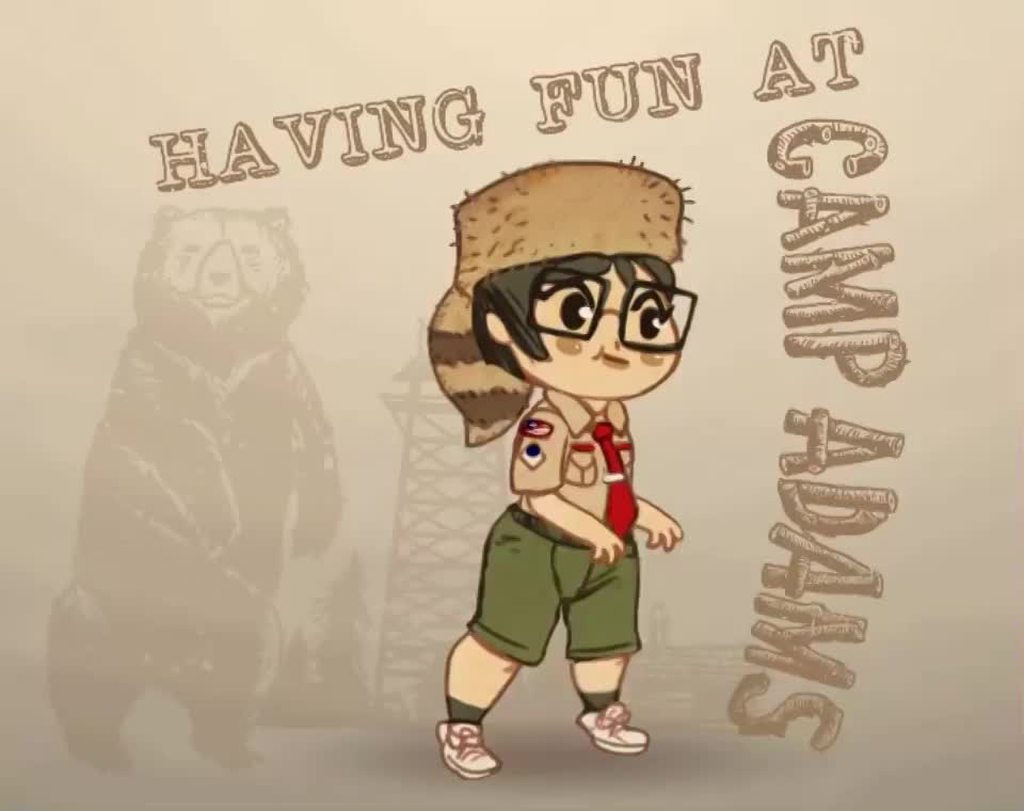 shy lynx
Oops pretty cool. Excited to figure these things out.
If you have the tools to share (assuming they're 3rd party on asset store or something) ill write them down
hybrid tinsel
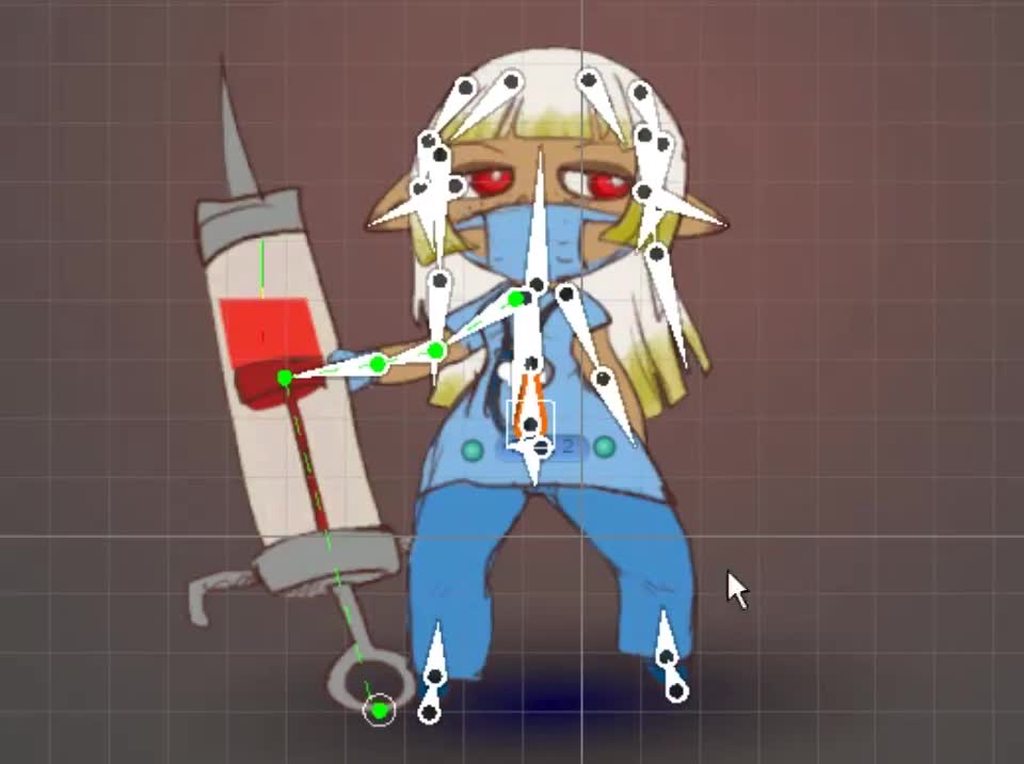 shy lynx
Ayyy thays pretty cool
Looks like unity has added deformation since the last time I looked at it
hybrid tinsel
Thanks 😄 And I'm not at the computer right now so don't have a list but there are at least a couple free tools on the asset store
And a few scripts I made myself, or got from other people
github has a bunch too, but again I don't have any memorized
shy lynx
I'm trying to build an adaptive climbing system in 2D if it turns out well I'll make sure to share it. Thanks for all your feedback it really helped.
hybrid tinsel
that'd be appreciated!
Minionsart on twitter had one script I use, though I modified it a bit, it is good for single bone wobble
Another is called animation toolkit
 glossy ruin
hi everyone, I have, I hope, a simple question about Unity animation system. I am suppose to blend 2 animations together for an animation sequence (so not gameplay), but I am not sure exactly how to do that in the most easiest way. The animations are running and hitting, so whilst running, the model needs to also execute a hit animation. Any suggestions for how that can be achieved? Many thanks!
 tough flume
Hi all, I'm not sure if this is the place for it, but I'm looking for a way to create a character with a tail that moves by itself but also drags behind the body. I'm making a 2D game with a tadpole main character, and I want the tadpole's tail to have follow through and stuff when the tadpole stops or turns. Currently it is just attached and it looks really stiff. I'm new to unity and game development, so I honestly have little idea on how this could be achieved. Could it be done with a hinge joint attaching the body to the tail? If anyone has any idea, it would be great to hear it.
agile solstice
Tail physics / "jiggle bones" seem difficult to make, and even harder to optimize, as such there's few tutorials and many paid assets for that type of thing
agile solstice
tough flume
Hi all, I'm not sure if this is the place for it, but I'm looking for a way to c...
https://youtu.be/9hTnlp9_wX8 this might be exactly what you're looking for

Join Thomas Brush's Full Time Game Dev course (40% off with code NOA): https://full-time-game-dev.teachable.com/p/full-time-game-dev/
Owen's Games: https://owensenior.itch.io/
Owen's Twitter: https://twitter.com/OSTSenior
Rotate towards 2D object Tutorial (by Krister Cederlund)...
 crude cliff
^ he has cool stuff but the way he's talking always makes me wanna kermit
 frank verge
I'm having what's likely a beginner issue with an animator, I hope this is the right place to ask for help.
I have a basic model with a humanoid rig. In the avatar configuration screen the bones are correctly assigned and the motions are previewable.
I also have a bunch of animations I want to apply to it. I'm using an Animator component and an associated controller. Most of the animations use transforms on non-humanoid bones; those work fine in every way.
But I want to use animator properties/muscles to give the model base poses. The pose animation clips preview fine with this model, and when I enter play mode the animator correctly goes to the states that should apply them. However, the model as seen in the scene/game panels remains in default pose and doesn't move at all.
What might be causing this?
(Unity version is 2020.3.11)
hybrid tinsel
@tough flumethere are a lot of free jiggle scripts, though most are meant for 3d so need some tweaking. Unitychan comes with one, and so does the vrm importer on github. Animation toolkit is free on the asset store and has the one I probably use most. You can also check out minionsart on twitter, she posted some simpler scripts that can be used for single bone jiggles.
The biggest thing to watch out for is that most 3d jiggle scripts expect bones to point down the z axis instead of the x axis like unity 2d bones.
So if you try a script and your bones suddenly point the wrong way, you might need to do a bit of editing to swap axis
@frank vergeWhat happens if you use an animator with just the pose clip?
frank verge
Good question
I created a test animator with just the base layer, which only contains one default state, with a pose clip assigned to it
It works
So the other one must have something broken somewhere
Set all the layer weights to 0 except base and pose and the real controller also works, so I'll just try enabling them one by one until I find the problem. Thanks for the help
I'll update when I figure it out
Ok, one of the layers did have Animator.Head Nod Down-Up mixed with the bone transforms. I wonder why that would override the whole rig though?
Removing that property from the animations in that layer, I can use that layer and the pose layer together, but of course the head isn't tilted anymore, as intended
hybrid tinsel
I'm not certain
tough flume
Ah thank you guys! That info is definitely helpful and I'll try it out.
 drowsy axle
I made this idle animation recently and this is only my second attempt at animating in unity. I was wondering if anyone could critique the movement for the idle animation.
 onyx oyster
Would anyone know why an animation doesn't play in the game even thought it shows it is playing in the animator. It starts playing correctly after the third time it is called 
This is a keyframe animation of a gun for a recoil animation, and the hands move to the gun via the animation rigging package two bone constraint.
animator.CrossFade(pistolRecoilAnimation, animationPlayTransition);
https://gyazo.com/bee433387dd545eb0e6554f25586b77a
 celest crag
You should probably show your rigging as well. And specifically part you want to mount the collider on.
At the very least the hierarchy of the object extended with sword/hand selected
But the answer likely the one I told you already. Mount the collider on the bone object so it will move with animation
If you already have box collider on the sword why are you not using it?
 charred belfry
The box collider needs to be on the same transform that the sword is and it should be fine
Put it on the sword joint

There must be a transform in your hierarchy moving where the sword is
you need to use that.
Because the sword is apparently skinned
meaning the mesh moves with the bone/joint, not the transform
hybrid tinsel
@drowsy axleIt seems okay, though I suggest focusing on having the limbs followthrough more with the overall motion.
drowsy axle
hybrid tinsel
<@!358466547951599638>It seems okay, though I suggest focusing on having the lim...
alrighty thank you
gentle meadow
Hello. Can someone explain me how the Multi Parent constraint works? I have one with 1 source object and one contrained object and the multi parent constraint always puts them with a position offfset between each other. I tried changing the positions in edit mode (before play), playing around with the settings and it always puts it in a different position
Other contraints you can manually set the offset but not on this one, and I can't seem to put it in check
 gaunt cosmos
Do I need separate animators for separate characters?
 simple spindle
hey
so i have importer a sprite sheet into unity
but for some reason
whenever i change settings like format, sprite mode, etc.
the project folder changes how it is stored
so it is not a "folder" with the picture in it
but just the picture
so now i cannot slice it
in addition
I am getting an error message that say that there is something wrong with TextureImporter
ok now i got the slice button up
but it literally does nothing
ok nvm
idk what happened
but when i clicked on player it gave me a pop uo
i said yes and now everything is working
 severe gust
I'm trying to import something I animated in blender into unity. I export is as an .fbx file and have tried following a bunch of different tutorials, but when I import it to unity, I can play the animation itself and everything is fine, but once I add it to the animation state machine, it doesn't play the animation even though it says that it is. Anyone know how to fix this problem?
simple spindle
so
is there a way to manually compensate for the fact that in my walking animation, the first picture is 2 grid spaces behind the last (same picture) to be clear)
i can send a sprite sheet for anyone confused
hybrid tinsel
@simple spindle move the pivot point to line it up?
@severe gust is something else overriding it? Is the layer weight correct? Do you have the animator on tbe right object in the hierarchy?
@gaunt cosmos not always, but it depends on how the characters are set up
severe gust
hybrid tinsel
<@172342940381872128> is something else overriding it? Is the layer weight corre...
overriding shouldn't be the problem since I tried setting it as the default animation state and the model just stays completely motionless, the animator should be on the right object since all the other animations work like normal. And I have never used layer weight so that could be the problem, but I'm not sure where to find it
oh nevermind, just found it. I also only have 1 layer so that should be the problem
When I view the animation through the inspector tab, the animation sometimes doesn't play, and stays still, but when I restart unity it works perfectly fine, so I'm not sure what the problem is
 tender cargo
does anyone know how to implement or have a resource of like the no man sky cursor that you have to hold for a second or so before it actually does an interaction in the menu
not sure if this is a good place to ask or another channel
 leaden prism
tender cargo
does anyone know how to implement or have a resource of like the no man sky curs...
leaden prism
tender cargo
does anyone know how to implement or have a resource of like the no man sky curs...
you could probably increase some kind of number when a cursor is held and pressed over an option, and when that number reaches the target, activate that button/object
you can then tie a circle fill to the % of the action done or something similar
also, does anyone know of a good way to animate different materials on the same object separately?

as when I try to change the offset of one of those materials, it offsets all of them at once
but only on that one object, other objects with those materials are unaffected
 young salmon
Hello all! iv been trying very hard to implement like a standard humanoid animation rig in my game
but all these mechanim samples i download some of them have different skeletons and its sort of getting frustrating (all humanoids with slight differences)
is there some sample unity backed resource i can download
with an example standard skeleton rig for humanoids?
then i can standardize my project to this
 ornate arch
How do you make lightning. Should I just make it with animation? If so, how do i do that?
2D
 bright birch
anyone know if it is possible to mirror an animation clip (humanoid) and not use the mirror check box? or if you can mirror with the checkbox and duplicate it into a non-mirrored version?
 copper steppe
help :S

this.activateClip.SetCurve("Scalar/Text (TMP)", typeof(TextMeshProUGUI), "Font Color.r", curveR);```why does it show 'Missing!' even though the one i added manually shows the exact same path
oh fixed it
apparently it needs to be m_fontColor.r
 iron tiger
Are there any tutorial for achieving smooth animations?
All the thing I find mostly based on frames and they are like 6-7 frames per second
Is increasing frames only way to achieve smooth animations or is there any way to achieve that with shader graphs?
Like breathing of a hero or hair movement of a 2d character etc
Hand movements sort of thing but 2d
 hallow vigil
I have a door that rotates 90 degrees with an animation. Is there an easy way to make the door open -90 so all keyframes are multiplied by -1?
The mirror option does not seem to do that atleast
hybrid tinsel
@young salmon the issue is that mecanim doesn't use the rig directly but translates it into its own muscle/joint format. So there are multiple valid inputs to create the same output. You can check the post where they list the 'ideal' rig for it on the unity blog, and I've been told that the mixamo unity rig works well.
@iron tiger are you talking flipbook animation or skeletal? Or something else?
young salmon
@hybrid tinsel thankyou for the info
hybrid tinsel
You generally need at least 15 fps for what is considered 'smooth' animation but it depends on what you're animating.
iron tiger
I think I kind a found it
hybrid tinsel
@ornate arch depends on what you need it to do, really.
iron tiger
Breaking the character into parts and creating the key frames on animation by changin rotation/scale etc. led me smooth results
 old kayak
 weak badge
why does this function not appear in my animation functions?
weak badge
why does this function not appear in my animation functions?
because you have a bool as a parameter
it has to be a float, string, integer or object
weak badge
ok thanks 😄
 balmy river
hi everyone, how do i animate a doll to walk? i got the animation in unity but i dont know what to do now! i got this done tho "get up" "walk" "sit down" "stand still" and each one has the animation in it! now what D:

 silver nest
Hello
anybody knows how to set the name of a Timeline Signal Track?
I usually can change the name like this:

But for the Signal Track there is no option to change the name

And I am using the track.name as identifier when binding gameobjects to the timeline at runtime
 hazy mauve
Hi, i dont know if this is the best place to ask this but im having trouble with rigging a character.
So, ive already rigged and animated 8 characters so far, went great. But now im trying to rigg another character and unity is just not doing it right. I do the bones the same way i did the other 8 but when i click "auto geometry" it only selects 1 body part instead of all of them. Ive done nothing diferent from before help!
Selecting them individually is not a problem, but Auto weight is also not workin
hybrid tinsel
hazy mauve
Hi, i dont know if this is the best place to ask this but im having trouble with...
Can you be more specific? This is a rigged sprite character, or a mesh, or...?
old kayak
gotta draw it yourself https://docs.unity3d.com/ScriptReference/Gizmos.DrawWireSphere.html
 reef nova
Can i do animations from scrach like how we do in blender ?
celest crag
@reef nova Yes, you can record animation. There are resources pinned in this channel.
hazy mauve
hybrid tinsel
Can you be more specific? This is a rigged sprite character, or a mesh, or...?
Probably a rigged sprite character, idk im still new to this. I basically drew every body part separately in Photoshop, built the character and save it as a PSB file. Then just draged it to unity and i should be good to go. At still i did the same to all the other and it worked
 sharp tangle
Question about animations
The other day i asked about animating post processing filters with animations and i got the feedback that you cannot do that due to it being an asset
So i tried doing animation of a script float value and it works
So i'm a bit confused as to what can be and what cannot be animated ~ also, what exactly makes the post processing volume, or assets in general unable to be animated?
uncut salmon
Assets are on the project level, which means they can't be referenced or modified at runtime by the animation. Animations can animated properties on objects in the scene.
That's why you need to animate some values on a script, which in turn updates the post processing (or in another example, properties of a shader).
sharp tangle
but wait, the post processing volue is a scene object, no?
 radiant bolt
Hey guys, I have made a character in blender and have rigged it. Although I already have setup a First Person controller in unity I don't know if I will have to work with root motion or not. Does anybody have a good tutorial on this since I see a lot of tutorials just using arms and not a full character. What should I do? Any good tutorials on this?
Make animations in unity or blender?
How do I add the guns to the hands when I make animations in blender, ....
hybrid tinsel
hazy mauve
Probably a rigged sprite character, idk im still new to this. I basically drew e...
I generally just do one body part at a time myself, but if you have no/multiple body parts selected doesn't it do all parts?
hybrid tinsel
sharp tangle
but wait, the post processing volue is a scene object, no?
Annoyingly, in the current version they made the postprocessing settings into an object that sits in your project rather than your scene.
 brave kettle
What would be the best way to set up an animator based on a state machine?
for details: i've set things up so that entities operate based on an internal state machine that tracks the state they're currently in (walking, falling, mantling, etc.)
actually going through and setting up all the possible transitions between states in the animator sounds incredibly tedious, since I've already written code in each state that includes conditions for valid state transitions
It'd be extremely easy if I could just...set a string parameter in the animator, but that's not an option. In a previous project, I tried assigning integer IDs to the different states via enum, but that gets tiring to keep track of when you have numerous states for a more complex movement/combat system lmao
What I have right now works, but I'm concerned about ending up with a massive wheel of "any state" transitions
do I just...bite the bullet and manually graph out the state transitions, or?
 low granite
I've being trying to get my player to look where he was last moving. I have a idle animation that forces the player to look downwards when speed becomes 0. Would it be possible to do this with a blend tree?
 shadow jetty
hey i have a question about learning animation
im learning to draw and i was wondering if i should learn 3d or 2d animation first
and how do i know if im good enough to start?
uncut salmon
You won't, so you may as well jump in and start learning.
shadow jetty
does it matter which i learn first?
uncut salmon
Whichever inspires you more and you think will be more relevant to achieve your goals.
I haven't met someone who is a professional in both 2D and 3D art and animations. They're quite different things and skills.
shadow jetty
cartoon animation and stuff like that is 2d im assuming right?
stuff like adventure time
anime
uncut salmon
Depends on the style.
shadow jetty
and the sorts
uncut salmon
Yes
shadow jetty
ah okok thank you man
i think 2d might be the way then
im learning to draw and i started a few months back hopefully it can help me too
for obvious reasons
radiant bolt
radiant bolt
Hey guys, I have made a character in blender and have rigged it. Although I alre...
Really have no clue, any good tutorials for my message above?
shadow jetty
Oh @uncut salmon is there any class or something like that you recommend to learn 2d animation?
uncut salmon
I'm not an artist, so no. An art school would likely be the most ideal though.
leaden prism
I'm trying to use animation rigging, but I have one weird issue, as before activating it my model stays at a reasonable spot

but when the rig builder is enabled she just flies away

even if there is nothing added to that new rig yet
also, that binding warning only happens if I enable the animation rigging script
twin musk
Any tips for walk cycles?
swift tide
twin musk
Any tips for walk cycles?
Use a reference, it helps a lot
hybrid tinsel
@brave kettle you could just set the state on the animator directly using crossfade if you really wanted to.
gentle meadow
hello, my rig builder breaks my navmeshagent. if it's active, the navmesh agent doesn't move (although it has velocity). this happens even if I disable all rigs
any idea why?
(oan: the animation rigging systems seems very broken :/ )
 frail dome
my game is a multiplayer FPS tacial shooter, I have 6 seperate characters all of whom have their own abilities (similar to Valorant and Overwatch). Do I need to animate 20 guns for all 6 characters?
and also is it possible I can render the animation only the first person player and other players wont?
gentle meadow
The Art of Destiny's First-Person Animation -> search for this on youtube
leaden prism
^^ can confirm, real good video
 calm fractal
if i downloaded humanoid animations from the asset store, should they work on any humanoid model i have?
Asking because I added an "upper body" layer to an anim controller w/ an avatar mask and now one of my animations sinks through the floor when i use it, but only on that layer.
leaden prism
in theory they should, just make sure all the bones are in similar spots
and you can also offset an animation by a bit if it's sinking in the floor
 viral mango
I have a problem
import some Mixamo animations to an FBX character in unity
and I was watching a tutorial to assign the animations according to the key that was pressed, they already know how to run backwards and forwards etc.
then in the Animator window in the Blend Tree
I double clicked and assigned each of the animations

there they are assigned with 2 float variables to capture the movement to and from and to the sides

I put the simple code to bind those variables to the Animator and be able to execute each animation

but when I play the character stays in the idle animation the rest animation
that's fine but when I give it to walk or jump or turn to any direction it does not run the animations it stays in the idle animation
 naive badge
very clear pictures!
if (...) {isIdling = true}
else ...

anim.SetBool("isIdling", isIdling);
...```you need some logic like this right?
i'm a little new to the anim controller
viral mango
naive badge
```anim = GetComponent<Animator>();
if (...) {isIdling = true}
else ...
anim.S...
oh
let me see
naive badge
oh you're using setfloat.. that might work too
viral mango
naive badge
```anim = GetComponent<Animator>();
if (...) {isIdling = true}
else ...
anim.S...
this logic is some diferent in what metho I have to set this
naive badge
umm
a debugging tip
you can see transitions live in the animator while playing
sometimes if it's stuck in a state you'll see a bad condition
i haven't used proper blendtrees like this though, this is new to me
viral mango
naive badge
you can see transitions live in the animator while playing
I know but the animations are in the blend tree inside
so

while playing its doesnt look diferent
 viral mango
naive badge
how do you manage transitions like that?
viral mango
naive badge
how do you manage transitions like that?
no I just imported from mixamo
naive badge
still need to blend transitions
viral mango
how

this is how I set the animations
so when the variable Pos X is equals to 1 it should to make an animation, and when is -1 it have to make the other animation
naive badge
that looks like it should work too, I don't know
but I'm confused because it doesn't seem to offer a way to blend the transitions manually
i guess what I did was much more crude
i have a bunch of manually defined states with my own state logic for the player
but it works 😛
viral mango
:((
naive badge
sorry i wasn't more helpful
naive badge
viral mango
:((
with mixamo, you have to edit the animations
sometimes in blender
if BlendTree doesn't let you tinker with Exit Time and Transition Duration, then I'd think it's unusable
viral mango
in this case in the tutorial I was watching it was not necesary
naive badge
link? you've got me interested haha
viral mango

En este video veremos como importar modelos y animaciones 3D gratuitos de la pagina Maxio a Unity. Tambien, aprenderemos como controlarlo desde una perspectiva en tercera persona.
Recuerden suscribirse y darle me gusta, saludos 👍
Si no les sale el torso es que estan usando otra version de Unity a la indicada en el video y el archivo tiene otra...
hybrid tinsel
@naive badge blendtrees are a single state; there is no transition duration or exit time on the individual clips because they are continuously blended.
naive badge
hybrid tinsel
<@444627772728541194> blendtrees are a single state; there is no transition dura...
thank you this makes sense
 viral mango
hybrid tinsel
<@444627772728541194> blendtrees are a single state; there is no transition dura...
viral mango
hybrid tinsel
<@444627772728541194> blendtrees are a single state; there is no transition dura...
so blend trees are like just a single animation
I mean yo cant change animations with transitions just using the blend tree
but noww I have a doub
how to make a soft transitions from one animation to other
beacuse whe I press to walk left and after a second press to Right arrow the animation looks weird
can you see
heady nymph
I tried making an animation for fishes to be swimming and then jump up, but when I hit play in unity all of the fish follow the first fish in the same movements. How do I switch it to where the fish will move their own separate way?
 atomic shard
Does anyone know if there's a way to predict where a gameobject will be later in the animation?
I couldn't find anything on the forums or online.
atomic shard
Context: I'm trying to modify my baked walking animation kinda like how they did in Star Citizen where the character automatically steps over obstacles and crap. I think i've got the procedural animation part down, but I can't seem to find a way to predict the position of an animated GameObject.
Here's the video: https://www.youtube.com/watch?v=ZMgHhu7XT78
 crude basin
hey i know very little about animation and i would like to ask how can i make an animation play when i press "w"
 lyric stratus
crude basin
hey i know very little about animation and i would like to ask how can i make a...
lyric stratus
crude basin
hey i know very little about animation and i would like to ask how can i make a...
you have to set a parameter in the animator window and depending on the parameter you can set it in your script.
for example you set the transition from idle to run as canRun = true
so in code you can use
public Animator anim;
...
anim.SetBool("canRun", true);
_ _
also does anyone know why I can't change my sprite when my object is in an animation?
atomic shard
lyric stratus
you have to set a parameter in the animator window and depending on the paramete...
I think a trigger would be better
in that case
lyric stratus
lyric stratus
_ _
also does anyone know why I can't change my sprite when my object is in an a...
got it fixed I turned off Write Defaults
 pine badge
The rotation of the hand in my animation is represented differently in quaternion in blender, or something
In unity, transitioning between those anim clips causes the hand to move around the wrong way or even, rotates around just to be back to the same rotation
 teal latch
Hello friends, I'm new to Unity, is there a way to set this simple character's IK in a way that it's not broken?


 undone rampart
Anyone manage to get blender to export animated custom properties?
somehow i can't see custom properties inside unity, not sure if blender did export it or unity just didn't detect it
old kayak
undone rampart
somehow i can't see custom properties inside unity, not sure if blender did expo...
unity can't read custom properties
undone rampart
old kayak
unity can't read custom properties
Then what is this for?
 old kayak
undone rampart
Then what is this for?
old kayak
undone rampart
Then what is this for?
nvm, looks like its an issue on the blender side https://developer.blender.org/T55193
undone rampart
old kayak
nvm, looks like its an issue on the blender side https://developer.blender.org/T...
well that just great 😅
 tulip niche
How can I stop it from going to idle this quickly?
 tardy goblet
Idk but i want to give this here as its so good and explains it so well and i see so many to fail or not care enough to make actual good reload animations:
https://www.youtube.com/watch?v=ym_mNU6DWK8
Been a while huh?... again. Reload animations are pretty cool though
Patreon: https://www.patreon.com/AveragePixel
Twitter: https://twitter.com/Average_Pixel
Cool animators and a subreddit:
MrBrightside:
https://www.youtube.com/user/EBITUSA16
Sully:
https://www.youtube.com/channel/UC-E0Bio5tT9mOWmdDVPlECA
Ha_ru:
https://www.youtube.com/user/MRs...
hybrid tinsel
@tulip niche depends on how you are going to idle (I can't view the video on mobile so apologies if you show it).
If it is a state transition, you can just increase the transition duration and or adjust the exit time which would force the first animation to reach a certain point before transitioning.
If you're using a crossfade, you can set the transition duration directly in the call.
If you are using a blend tree state, you'd need to adjust how fast the controlling variable changes.
 steep girder
hey guys, how can I export the animation with bones as frames?
old kayak
steep girder
hey guys, how can I export the animation with bones as frames?
You have to set up a camera in your modeling software and render it out
steep girder
even if i did with unity?
old kayak
Just to be clear, When you say frames you mean export it as images right?
steep girder
old kayak
Just to be clear, When you say frames you mean export it as images right?
yes yes
old kayak
Then yes you need to render it out yourself
steep girder
old kayak
Then yes you need to render it out yourself
i guess, the animations are already done by bones in another project
i wanted to exported them as images - frames
old kayak
right, so you need to have some sort of camera setup in Unity, and write some code to render them out to image files
steep girder
oh okok
tulip niche
hybrid tinsel
<@518055581945298963> depends on how you are going to idle (I can't view the vid...
Where’s the transition duration option?
hybrid tinsel
@tulip niche
 viral mango
can I use one animation for multiple characters?
I imported one animation from mixamo I wan to set this animation to all characters but just one character are making the animation
 fluid sage
Hey I've been trying to make a cool lightning effect for a little animation no scripts or anything just good old fashioned animation and animator for vrc. Is there any videos yall know of that can help make a good looking lighting/electricity effect cause the ones I normally see either cost money or use some shader thing that isnt comparable with my version of unity
agile solstice
fluid sage
Hey I've been trying to make a cool lightning effect for a little animation no s...
https://youtu.be/RdNnbozAPGQ this one's pretty good
fluid sage
Where do I get that trails material I see them put on? My project doesnt have any trail material x.x
fluid sage
agile solstice
<https://youtu.be/RdNnbozAPGQ> this one's pretty good
Or do I make my own or something?
agile solstice
fluid sage
Or do I make my own or something?
That, or you look for free-to-use ones
fluid sage
Okie dokie, thank you so much <3
gaunt cosmos
 merry willow
Hello, is it possible to import animation from blender on an already existant character in unity ? ( I have my current character in unity with only 3 animations, i want to create more on blender and add them to the character instead of creating a new one and having to do the whole setup again)
gaunt cosmos
Yeah you can
merry willow
okay ! thx, I'll do the animations and i'll try then
 median pulsar
Umm... i dont understand any video about setting animation when i get on specific position... can someone help me?
nevermind
brave kettle
Just to be clear: what's the correct way to ensure an animation isn't interrupted by an "any state" transition? e.g. any state can transition to "Falling", but I'd like "Jumping" to have an exit animation if the criteria for "Falling" (airborne, not actively jumping) are met
i assume it's related to "interruption source" but i'm not familiar with that lmao
 tawny tangle
why i cant use different animation clips on the same animator for different objects?
uncut salmon
Animator's are asset files. If multiple objects are using the same one, it's not a unique version of it.
If you want them to behalf differently, then you need to give them their own Animators.
merry willow
how to update a model in unity, with one that have more animations ?*
uncut salmon
Just override the FBX.
hybrid tinsel
@brave kettle just add those same criteria to the any state, but as negative.
So it won't trigger when the other one does
@merry willow check the manual, there is a naming scheme that will tell unity to add the animations from one file to another
merry willow
thanks
brave kettle
hybrid tinsel
So it won't trigger when the other one does
apologies, but this isn't exactly what I asked
hybrid tinsel
You can also set the transition priority by adjusting their order in the list; lower priority transitions will never interrupt higher ones.
brave kettle
I've had no problems getting the correct animation to play during the correct state - it's just the enter/exit animations. for example, in one frame, the character's internal state is "falling", then in the next it's "sprinting" (that's handled in code and has nothing to do with animation; the gist of it is that the entity's internal state machine can transition to another state multiple times in the same frame, which is intentional so that the player can hit the ground running in a literal sense).
the animator will then register that the character is grounded, moving and sprinting, which should cause it to transition to the sprinting animation, but before it does that, I want to ensure a complete "landing" animation plays.
brave kettle
hybrid tinsel
You can also set the transition priority by adjusting their order in the list; l...
Yeah, this is what I was after. Is that related to the "interruption source" parameter on transitions?
Manual wasn't at all clear on how those were handled, it's vague as hell
but i'm also thinking from an "event handler" system because I'm primarily a programmer lmao
the priorities I'm used to involve a pretty straightforward lowest -> highest system rather than "next state", "current state", "current state then next state", etc.
hybrid tinsel
This is why I don't use any state for that, personally.
agile solstice
merry willow
Hello, is it possible to import animation from blender on an already existant ch...
This is possible and fairly easy as long as the skeleton is the same and bone names match
It's also possible if bone names don't match, but harder and in that case needs a process called "retargeting"
hybrid tinsel
For my actual character I only use any state for death and special animations.
agile solstice
Any State transitions seemed really convenient until I realised how zealous they are
hybrid tinsel
Yup.
brave kettle
hybrid tinsel
This is why I don't use any state for that, personally.
yeah, I wrote an internal state machine and went "EEEEH" because the character's internal state can transition multiple times within a single frame lmao
reason for that being I don't want any kind of "jitter" or delay between various movement states
that doesn't play well with animators and "any state" though
agile solstice
In retrospect I'd use only the minimum amount of conditions for Any State animations, and preferably triggers
Once I ended up having to individually check a bool for every animation the character had to stop them from interrupting each other
hybrid tinsel
It feels like you're working against the animation state machine in general.
brave kettle
Yeah, I'm not fond of it.
The design of the actual character controller feels pretty clean from a code standpoint
agile solstice
hybrid tinsel
It feels like you're working against the animation state machine in general.
I've yet to find an Animator workflow that doesn't feel that way!
brave kettle
I was able to eliminate quite a lot of bullshit and make something smooth and consistent
the important thing for me is that since the game I'm working on is heavily movement-based, I needed that internal FSM to be able to shift gears in a way that Unity's animator FSM cannot
hybrid tinsel
Like I said earlier, you can always just set states and transitions explicitly by code using crossfade, if you're that determined.
brave kettle
I might end up having to just code it in, yeah.
Would probably fit into the internal FSM better
hybrid tinsel
Let's be clear: you don't have to, you want to. Because you don't like the animation state machine. 😁
brave kettle
I have to if I want the functionality I'm after (^:
Honestly, if "any state" wasn't so - to borrow a term - zealous, everything would be fine lmao
balmy river
hi everyone, i want to make an animation 3D, i already did the animator conection stuff including creating boolians or something, i also put the animations into unity and they are separated in timestamps but when i click start the doll doesnt move any1 can help?
how do i make him do the animations? :(
uncut salmon
Did you assign the animator to the object?
 uncut salmon
There's no controller assigned.
agile solstice
balmy river
hi everyone, i want to make an animation 3D, i already did the animator conectio...
Sounds like you're attempting a lot of new things at once, and there's a lot that go wrong along the way
I recommend you do simple tests first to get the idea how get an animation to start, then how to do transitions, then how to transition using conditions
balmy river
agile solstice
Sounds like you're attempting a lot of new things at once, and there's a lot tha...
so what is the first step i should look on youtube?
so i put the controller in
it ruined the screen of the game
agile solstice
balmy river
so what is the first step i should look on youtube?
The top results for searching "unity animation tutorial" seem pretty okay
https://youtu.be/hkaysu1Z-N8 this for example
balmy river
?
 balmy river
agile solstice
The top results for searching "unity animation tutorial" seem pretty okay
<https...
balmy river
agile solstice
The top results for searching "unity animation tutorial" seem pretty okay
<https...
ok ty very much
wait im on 3D tho
agile solstice
@balmy river https://youtu.be/vApG8aYD5aI or this, seems shorter and more focused on Animator side of things
balmy river
that is the video im using
hahaha
im doing what he is
but when he starts the game
the doll moves
mine doesnt
that is my problem D:
agile solstice
Did you make the animations you're using?
If not, it could be difficult to know if they're functional in the first place
balmy river
ye
i did
i made 4 i think

get up walk still and sit

this is done too!
this i did nothing
 agile solstice
I can't really guess what the issue is
Watch more tutorials so you'll catch errors like missing controllers
balmy river
ok ty anyways
 arctic comet
is there a method of getting the current progress towards an animation as a float?
im trying to tie my crouching animation to the charController height
 wooden ridge
Hey im not sure if this is a tracked issue but ive been noticing this png image icon appearing in the Scene View whenever i use features from the Animation Rigging lib

would anyone happen to know what this is?
it doesnt seem to impact performance but it just visually bothers me
found out its likely linked to gizmos
balmy river
hi again fam, ive changed somethings and my doll now walks! it has a problem tho, i put him to Get Up and Walk but he doesnt exactly do that. he only does the movements from the walking animation and for some reason he turns gigantic and doesnt do the Get Up animation

welp
"get up" -> "walk"

send hhelp pls XD

 prime lily
I'm starting to mess with animations and find myself wondering a few things.
First, is it fine to disrupt animations by replaying itself? If you have a shooting animation, cutting it off to start the next shot would make sense? Changing animation speed would throw off the feel, wouldn't it?
Would it be better to redo animations to perfectly align with fireRate? Then what happens if fireRate should be changed later on (in the case of balance changes), does the animation also have to be changed?
 thin epoch
Hey guys, are blend trees made specifically for controller's joysticks or are they viable with keyboard? because when i added a blend tree to my movement for the first it only plays the first frame of the animation and then stays on that same frame of the running animation while i move around
thin epoch
😐
 gray stratus
No blend trees are not made just for joysticks.
I use them for lots of float variables from my scripts
You can even use blend tree to blend together other blend tree. I did that for the first time today
gray stratus
arctic comet
im trying to tie my crouching animation to the charController height
So I did this by making a 1d blend tree, and inside of it making two more blend trees, one for walking and the other for crouching.
Then I can blend between my walking animations and my crouching animations by a float value for height.
arctic comet
cheers
hybrid tinsel
@prime lily in my game I dynamically adjust the speed of the attack animation to match the actual attack speed and it seems to work well. The most important thing to feel good seems to be responsiveness.
Of course, if the change is really big you might need to actually alter the animation to fit better if it doesn't look good anymore.
twin musk
Yo guys, i don't know nothing about animating, so i got this zombie asset, some animations came along with it, so does anyone one know how to set it up?
uncut salmon
Watch a tutorial on mecanim.
Starter Project Files ► http://xenfinity.net/mecanim-tutorial-starter.unitypackage
Complete Project Files ► https://github.com/xenfinity-software/mecanim-tutorial/releases/tag/1
Hey Game Developers!
Bilal here, and welcome to another Unity Tutorial!
In this Mecanim animation tutorial, we'll be learning how to animate characters in unity usin...
twin musk
uncut salmon
Watch a tutorial on mecanim.
Aright thanks
@uncut salmon do you know how to move in animator controller?
Or animator tab
uncut salmon
I don't know what that means.
Like traverse the animation? You can use the scroll wheel and drag along.
twin musk
I mean, in normal scene you press shift and wasd to move in there, but in animator scene idk how
uncut salmon
I don't know what you're referring to. 🤔
twin musk
is it okay to record a vid?
uncut salmon
Middle mouse button and drag.
twin musk
thanks
 viscid ibex
Hey, so I've got an animation I'm playing on a skinned mesh renderer. i'd like to be able to make some of the bones "shudder" (have a subtle random movement applied to them) while still running the normal animation. Basically they're skeletons and i'd like to have them jiggle around when hit by an effect without having to like, author an entirely new animation...
 tulip fjord
Ight I've been absolutely mind boggled on this all morning, and thought maybe the Unity community could shed some light since some of the forum/reddit QnAs have never directly addressed the issue
I've been having an issue with Animation Rigging, where I have a two bone constraint setup so that a hand follows a weapon, overriding an animation - really simple setup. To address that, it works just fine - the hand follows the point I set for the target and all should be well. However, the Rig (Animation Rigging component) and/or the Two Bone Constraint is causing the entire model to be floating off the ground by a few units
There is no issue with the literal animation itself, AFAIK, since I've used these animations many times before with no problem. In fact everything was working fine before I decided to try and use Animation Rigging to achieve better Hand IK placement
A screenshot to demonstrate:

If I remove the Animation Rigging Two Bone Constraint, its just fine - but once its added it causes this floating
I can apply in offset in the animation for the root transform y position, and yes that does "fix it" but thats more of a band-aid fix then an actually solution to the problem since I'd then have to update every animation I have to use an offset
when I'd much rather find how I can address the actual problem
 paper prairie
Hi everyone! Okay so this animation layer settings window just won't be closed, It keeps following me around in the project and I really can't find anywhere how to close it. Anyone know how to hide/close it? Help appreciated

Nevermind! I solved it "close all floating panels" in the menu. Thanks anyway.
tulip fjord
tulip fjord
There is no issue with the literal animation itself, AFAIK, since I've used thes...
Okay well my ADHD in fixing this has finally led me down a rabbit hole where this thread waited for me at the end https://forum.unity.com/threads/ongoing-humanoid-issues-in-animation-rigging.1080695/
Unity Forum
Hello, I'd like to shed some light on the progress that's been made on the humanoid issues found in Animation Rigging. There are a lot of threads on...
and so to summarize, my avatar suffered from the issue of having the root node (one up from the hips) scaled / not at scale 1,1,1
so resetting that, and making the few small fixes to adjust to that, fixed my problem for me
(at least for now)
just leaving this info here in case someone else stumbles into here and searches for anyone else talking about the same thing
 cloud storm
I bought an asset that has animations that move the entire avatar. (I guess this is "root motion"?)
What settings on the importer do I need to look at that so my game code can be responsible to move it? (basically imagine it animating but standing still / paws sliding)
Because root motion is set to "none" in the importer, and that confuses me.

at the very least, I would want the XZ plane motion to be entirely up to my character controller, not to the animator.
Ok, got it... hmm.

 split python
How do I fix the "Cannot preview transition: source state does not have motion" error from the animator window?
hybrid tinsel
@thin epoch are you using the raw input of the keyboard?
@split python add motion to the source state.
thin epoch
hybrid tinsel
<@799337987682598952> are you using the raw input of the keyboard?
i ended up fixing it, i downloaded different animations and it magically worked...
the mixamo animations are placeholders anyway until i animate my own
 placid jacinth
hey guys listen
i have a gun which has a idle animation
and i want to add ADS(Aim Down Sight) to my gun
but cause of the animations
the ADS does not woork
but without the idle animation it works
so what i want is...with idle animation, i want the ADS to work
any solution?
 snow depot
please post a picture of your animator window please
otherwise I don't think anyone can help
placid jacinth

oh and
i forgot to mention that
for ADS
im using Lerp
lerping it from hipfire position to ADS postion
ok i figured out one solution
but it gave rise to another problem
lmaoooo
fluid sage
so im trying/wanting to make an animation that is like a c or half/ three quarters of a donut animation and have it flat so that it only tracvels on the spikes. Im basically trying to make a sort of semi static effect that goes through each metal prong. https://gyazo.com/34249875b7ca8b690750e81654814051

 fringe whale
👋 I'm a bit confused about the timestamps displayed at the top of the animation panel. I'm looking to create an animation that lasts by default 1 second.
Am I correctly assuming that making it stop at "1:00" like in the screenshots does that?
Thanks
 hybrid tinsel
@fringe whaleThat is correct, assuming you play it at 1.0 speed
 balmy furnace
Hi all, would like to ask some advice on workflow.
My task is to create a Master Timeline sequence built of nested timelines. And at one, a section of the animation needs to loop. Then after some input or trigger, the rest of the timeline should be able to continue.
I've only dealt with linear timelines so far, so am a bit unsure if this should involve Animators and Timelines, or something else.
hybrid tinsel
@balmy furnace there was a unity unite talk that covered exactly this sort of thing on youtube a while back, had some good examples.
Might be easier to search for through the associated github
tulip niche
How can I make a turning animation play when I turn? Like when I move the mouse to rotate the player so it’s not just gliding while turning, but so the feet move in the direction you turn to. I don’t want this to just be in idle but also in all other animations that can do it. How can I do this?
 distant dust
inverse kinematics?
tulip niche
distant dust
inverse kinematics?
?
tulip niche
distant dust
waddya guys think of these animations?
Looks cool
distant dust
tulip niche
?
i think thats the way you make body parts move when others move
so when you move the head, the legs will move realistically
tulip niche
distant dust
so when you move the head, the legs will move realistically
How do I do it?
distant dust
dunno really, i’ve never tried

reddit
Posted in r/Unity3D by u/DipeshKandel • 51 points and 9 comments
?
 unborn fulcrum
distant dust
waddya guys think of these animations?
unborn fulcrum
distant dust
waddya guys think of these animations?
cool
 proud stream
do you know, how to properly add an event to an animation? when i try to apply one, i get the error "AnimationEvent 'name' on animation 'animationname' has no receiver. Are you missing a component?"
uncut salmon
Right click on a frame, add the event. Click on the event and assign a function to it.
snow depot
distant dust
waddya guys think of these animations?
I like the firing animation, but the reload is a little robotic
balmy furnace
hybrid tinsel
<@503290606190329867> there was a unity unite talk that covered exactly this sor...
Thank you, I'll have a look there!
hybrid tinsel
I THINK this might be the right one https://www.youtube.com/watch?v=nn3SnfNNEmk

This session showcases a few practical use cases of scripting the Timeline in an RTS game to make it interact with gameplay, creating useful tools that other roles in the team can use.
Ciro Continisio (Technical Evangelist, Unity Technologies)
they are all terribly named so not certain without watching it
balmy furnace
This looks to be just what I need, thanks so much!!
And found the GitHub project here, in case anyone in the future wants to have a look too - https://github.com/UnityTechnologies/ATerribleKingdom
 ember wasp
guys, is there a way to force a transition between 2 animations (during the merge blue area) to stop in order for an anystate animation to come up?
Example: My character is making a transition from walk, to catch something on the ground, so there's a short merge in the transition between walk and catch, during these merge, he receives a punch, currently, even if the punch comes from an anystate, while the damage will be seeing, the punch receiving animation simply won't be played until the merge is done or in some cases, it won't even be played at all.
ember wasp
In this video you can see player 1 receiving the hits, the damage is done, but mecanim doesn't start the animation as he's transitioning between walkup to walkupback. I've been waiting for the programer of my team to solve this for 3 years already and nothing so I want to try doing it myself but google doesn't help either.
ember wasp
Solution: Interruption Source: Next state.
3 years for my programmer to solve this problem vs 1 day of me, the animator, googling the solution to solve it... sigh
 midnight kernel
hi, im trying to split this spritesheet into 3 parts but it keeps splitting up into 2, any fix to this?
 old kayak
midnight kernel
hi, im trying to split this spritesheet into 3 parts but it keeps splitting up i...
old kayak
midnight kernel
hi, im trying to split this spritesheet into 3 parts but it keeps splitting up i...
that looks like three parts to me 🤔
midnight kernel
old kayak
that looks like three parts to me 🤔
the white square isnt going over the third sprite
old kayak
they're 16x16 sprites right?
old kayak
did you click slice?
midnight kernel
.. obviously lmao
old kayak
you can, yes
 old kayak
still not sure why it didn't do it automatically but glad it works now
midnight kernel
yea me neither
hybrid tinsel
The image might be a pixel too small?
 graceful reef
I made an animation of a cube that resizes in the x coordinate and then in the y coordinate. And when I want to enlarge it in the editor, it just changes its size, which was set in the animation. Does anyone know how to fix this? (I translated the text in google translator)
midnight kernel
graceful reef
I made an animation of a cube that resizes in the x coordinate and then in the y...
how do you mean?
graceful reef
well i have animation of cube shrink and enlarge
when I want to enlarge the cube, for example, to a size of 100 in the x and y coordinates, then it shrinks to the size that was set in the animation
I need to make it so that no matter what size the cube is, it shrinks and grows a little (as it was in the animation)
the animation indicates that at frame 15 the cube shrinks slightly
But this cube reduction depends on the Scale value
ща

when i change the size of the cube it constantly reaches the value specified in the animation
when I increase the size of the cube to 12, the animation changes it to the size that was specified in the animation
I need the animation to adjust to the size of the cube
I don't know how to explain it
I threw a video with my problem
snow depot
animation keyframes override inspector values
 lost epoch
hey guys, what processes are usually used for 2d facial expressions?
From the results I'm seeing on google it's just sprites; is there really no other way?
twin musk
Guys, so this guy duplicated an animation, but the first one appeared, when i did, it didn't appear it just duplicated the animation i'm selecting

can anyone help me?

 honest flare
how would u guys make an object retract and expand back into the same scale it was before using leantween?
old kayak
lost epoch
hey guys, what processes are usually used for 2d facial expressions?
From the re...
you can probably use 2d bone rigging as well
fluid sage
hey im having an issue with an animation where i want it to shoot out hearts facing straight up, but its just keeping the mesh in this angle and idk how to make it stand up staight?
 hybrid tinsel
@lost epoch depends on the style you want really.
hybrid tinsel
I do a mix of flipbook and sprite mesh animation for faces myself.
 stuck elm
lost epoch
hey guys, what processes are usually used for 2d facial expressions?
From the re...
stuck elm
lost epoch
hey guys, what processes are usually used for 2d facial expressions?
From the re...
You can do a lot with bones https://i.imgur.com/DAuyH7G.mp4
 distant dust
:o
 thin oasis
[Unity 2020.3.11f1]
whenever i'm trying to color a single material of an object when animating it changes the entire objects colors instead of only that single material

What it looks like outside animating:
 lost epoch
old kayak
you can probably use 2d bone rigging as well
lost epoch
old kayak
you can probably use 2d bone rigging as well
I tried that, but not sure how to position the bone with the face. Imagine I have a lip (like a bottom lip) and want to move it down.
if I use a bone from right to left or vice versa, the left/right cheek will move weirdly.
lost epoch
stuck elm
You can do a lot with bones https://i.imgur.com/DAuyH7G.mp4
Cool, although that's not really 2d but more 3/2.5d. My case is for 2d, no depth what so ever
@lost epoch depends on the style you want really.
I do a mix of flipbook and sprite mesh animation for faces myself.
@hybrid tinsel flipbook sounds like what I know the only option to be; drawing the face many times, each in it's "final" position and multiple in between, then "run" them. Right?
what's sprite mesh animation though?
hybrid tinsel
@placid starThat sounds like an issue with the data the program exports; what happens if you re-import the file in your animation software?
Also, mentioning what software you're using might help if there's something specific it needs

Flipbook would be the sort of face animation on here, yeah.


Bone animation is the face animation on this one
Where you rig the face the same way you do the rest of the character
 stuck elm
Are you using keyframe optimization in the importer?
If the keyframe at the start or end of an animation is removed by optimization, it will cause that.
hybrid tinsel
It sounds like splitting it up would be the way to go then
Either that or putting a buffer of a few frames between each animation maybe
are you using .blend or .fbx?
agile solstice
thin oasis
[Unity 2020.3.11f1]
whenever i'm trying to color a single material of an object ...
Did you find any solution to this
twin musk
Hi guys
here is same cutscene playing in both of these clips
in first one it plays correctly
but in second one as you can see the crowbar doesnt get animated
why is this?
this is running on same build btw, I just re-entered play mode
I would appreciate help.
agile solstice
@twin musk Well you have some errors in the console, those can always cause stuff to break unpredictably
twin musk
I fixed it.
thin oasis
agile solstice
Did you find any solution to this
No
agile solstice
thin oasis
No
I looked into it a bit, and found only some very cumbersome solutions
Which would be to either get all the materials in an array and modify them through script, or make a new shader for each material which has a different property reference for color besides _BaseColor
Animation seems to be able to only modify the properties based on reference
Though it might be possible to make a script that lists all the materials, expose their colors in editor and then animate those variables
thin oasis
agile solstice
I looked into it a bit, and found only some very cumbersome solutions
Which woul...
Thanks for the advice, though I think I will just do a workaround with UV mapping in the future and be prepared for this issue when I need to do something like it again
agile solstice
It definitely feels like something that shouldn't be so complex
thin oasis
Yeah, pretty much
agile solstice
Having the different materials be on separate meshes/objects also works but it's not always an option
 blazing gale
I have an animation for my 2D character that does an attack and moves forward, but there's no 2d root motion for Unity, so how would I make it move in Unity?
blazing gale
I think I figured it out, I've been searching for it forever, but when I just search "unity how to offset by pixels" instead of anything related to root motion, I got my answer
I just put a lot of animation events in my animation to offset my player, seems a lot more tedious than it should be
hybrid tinsel
@blazing galeRoot motion works for 2d.
 high vessel
anyway to have the arm interact with the dynamic bones on the cape?
hybrid tinsel
@high vesselAdd colliders?
Though it depends on whether the dynamic bones are driven by physics or just a spring motion script.
blazing gale
Just saw your message, how does it work for 2D? My 2D is pixel art and it has root motion on certain attacks
I don't know how you would set it up in Unity though
high vessel
hybrid tinsel
<@!470080228283252736>Add colliders?
Yeah unfortunately I thought that would work too 😅 idk why but the colliders (yellow circles) aren’t working how I thought they would
hybrid tinsel
@blazing galeYou would need to animate the root of the object in the animation.
There used to be a tool for automating that, I think it was in the shoebox tools.
blazing gale
that's what I did in the end, I used animation events like I said lol
hybrid tinsel
I use 2d skeletal animation mostly, so it isn't much trouble to do root motion(though I usually don't)
For sprites, not as useful probably.
tulip niche
How can I make the characters legs move when turning, like most games do? I know it requires an animation but how would I even play it when turning?
Like when moving the mouse to look around
hybrid tinsel
@tulip niche depends on how your animator/input is set up; basically, you measure either the character's rotation or the player input(or some mix of the two) to determine hiw much the character is 'turning,' then feed tgat into the animator as a float to drive the actual blend.
tulip niche
hybrid tinsel
<@518055581945298963> depends on how your animator/input is set up; basically, y...
Yeah the thing is, I have no idea how to do that lol
I could use some help
hybrid tinsel
Well, you'll need to break the problem down into manageable pieces(which is what I tried to do there) and take each at a time. Figure out what specific problems need solving, ask for help as needed.
tulip niche
hybrid tinsel
Well, you'll need to break the problem down into manageable pieces(which is what...
I’m not sure how to measure if they player is moving the mouse at what speed
hybrid tinsel
Input.GetAxis("Mouse X");
Will get the horizontal mouse speed.
Though if you are rotating the character based on the mouse you can just measure the actual turning of the character.
tulip niche
hybrid tinsel
Input.GetAxis("Mouse X");
Do like if (Input.GetAxis(“Mouse X”))
{
Turning
}
?
 half latch
Hi, just a quick question
I've created an animated fbx model with an armature that has a flying animation where it flaps it's wings

I've created a prefab that houses the fbx and created a separate animation for the prefab itself called 'patrol' where it circles around the map
The patrol animation is working, but the flying animation with the wing flap isn't
does anyone here know what I am doing wrong or am missing
 quasi fable
half latch
The patrol animation is working, but the flying animation with the wing flap isn...
quasi fable
half latch
The patrol animation is working, but the flying animation with the wing flap isn...
wdym by "it isn't working"?
half latch
The object is moving but it isn't flapping it's wings
arctic comet
Is there a method of randomly selecting what type of animation I use?
I just don't want a massive web of connections inside my animator
hybrid tinsel
tulip niche
Do like if (Input.GetAxis(“Mouse X”))
{
*Turning*
}
?
No. You'd want to get the value of mouse X and then figure out how you want to translate that into turning animation; which you'd then send as a float to the animator with SetFloat
hybrid tinsel
arctic comet
I just don't want a massive web of connections inside my animator
You can randomly pick a state in your script and play that state directly.
@arctic cometDid you check while the game is running? Nested animators won't work in the animation window preview.
arctic comet
So if I do Play, and the anim is set to loop in the Inspector, will it then loop that animation?
arctic comet
i did not know that
tulip niche
hybrid tinsel
No. You'd want to get the *value* of mouse X and then figure out how you want to...
I have my animation things as bool
So SetBool
agile solstice
Turning animations are complex!
blazing gale
damn I'm taking so long to respond, don't know if my method is correct, but I just put a line through my sprite to find the center of mass, and I have a box just to represent the ground in the sprite, then when I import it into Unity, I set up the pivot in the sprite editor,
then I have to do some funky math stuff, every time the sprite changes in terms of the line moving, I have to measure the pixel distance, but divide that by the pixel per unity size (100), so if the line x position was at 34, then moves to 36, that would be 2/100, and I just call a translate to move it as such, doesn't really make sense when I type it out
agile solstice
tulip niche
I have my animation things as bool
You can do it with bools, like if mouse speed is above a certain threshold, then set turning bool to true, but that could be jittery as mouse speed is something that changes calue incredibly rapidly
Another option is to blend to a turning animation from standing animation by mouse speed using a float with layer weights
tulip niche
agile solstice
You can do it with bools, like if mouse speed is above a certain threshold, then...
How can I even get if the mouse is moving though? The mouse is locked btw.
agile solstice
tulip niche
How can I even get if the mouse is moving though? The mouse is locked btw.
Is your character turning using mouse input or by some other means?
tulip niche
agile solstice
Is your character turning using mouse input or by some other means?
Mouse input
It’s a first person character
Just move the mouse to look around
It’s locked ofc so you can’t see it
agile solstice
Well, you're probably already using mouse velocity to move the camera/character
Velocity alone is no more complex than 'change since last frame'
tulip niche
agile solstice
Velocity alone is no more complex than 'change since last frame'
{

        Vector2 mouseDelta = new Vector2(Input.GetAxis("Mouse X"), Input.GetAxis("Mouse Y"));

        cameraPitch -= mouseDelta.y * mouseSensitivity;

        cameraPitch = Mathf.Clamp(cameraPitch, -90.0f, 90.0f);

        transform.localEulerAngles = Vector3.right * cameraPitch;

        playerTransform.localEulerAngles = playerTransform.localEulerAngles + (Vector3.up * mouseDelta.x * mouseSensitivity);

        //transform.localEulerAngles = Vector3.up * mouseDelta.x * mouseSensitivity;

    }
``` This moves the mouseI mean let's you look
around
agile solstice
You could Debug.Log mouse X movement to see what kind of values you can get from it
tulip niche
How?
agile solstice
Debug.Log(Input.GetAxis("Mouse X"))
If this this is an obstacle for you, I recommend looking at some guides or courses
Controlling animation with an input is decisively harder than just logging the value
tulip niche
agile solstice
You could Debug.Log mouse X movement to see what kind of values you can get from...
I did that
Now what
agile solstice
I'm sorry but I don't have the time to walk you through this process
You already know what you need to do, finding the how is on you
tulip niche
Could I do if (Input.GetAxis(“Mouse X”) > 1)?
 digital trail
I have a beginner question:
what's the best way to detect when an animation has finished and do something else in a script?
agile solstice
digital trail
I have a beginner question:
what's the best way to detect when an animation has ...
It depends on the case but you could use events
https://docs.unity3d.com/Manual/script-AnimationWindowEvent.html
So you can directly get info about the animation finishing without checking if it's playing or not