#🏃┃animation
1 messages · Page 77 of 1
 warped veldt
 gilded bough
Sir, I am talking about a 3d game. Do you have a tutorial for 3d? and By the way, I am using fpp controller by brackeys
 fast oasis
Hi ! i have a little problem : even if my animations are looped the turning ones only execute one time and then the stop until i give the command to turn again the weird is the forward walking and sprinting works just fine
warped veldt
Continuously animate
warped veldt
gilded bough
Sir, I am talking about a 3d game. Do you have a tutorial for 3d? and By the way...
seems like the blend tree would still work for that. as your just useing a physics controller to control when your animations are plaeyed automatically. and it atches them all to the player by axies
warped veldt
fast oasis
Hi ! i have a little problem : even if my animations are looped the turning ones...
sorry - continuously animate, its a setting under tha animate tab. and ye, i used brakeys before
 wind smelt
I have a player prefab. Everytime I update it or change something, 2 components (Capsule collider and a rigid body) is added. I believe this happens when you have a RequireComponent but all my scripts don't have it
I keep have to manually remove it
warped veldt
wind smelt
I have a player prefab. Everytime I update it or change something, 2 components ...
is it possible that you have a preset set up?
wind smelt
warped veldt
is it possible that you have a preset set up?
How would I check?!
This player prefab use to be used by the invector (character controller asset) script which automatically adds the capsule collider and rigid body. In the past hour, I deleted all of the scripts and added my own ones. Apparently, even after I deleted them from the project, they still are adding the components
I didn't even notice I am talking in animation
Gonna take it to general code
warped veldt
have 2d game. have all animations set up, and attached to blend tree. blend tree works, it is processing th enodes in blend tree in test mode, but it does not use the move right animation. avatar looks as if they are pushing something instead of walking.
 astral fiber
I got a walking animation for my game! First time animating with 3d in blender
 tulip niche
Would it be better to animate jumping or to make the player jump via script then use the animator to play the animation when space is clicked?
Also should I use blender for animations or can I use unity?
 old kayak
tulip niche
Also should I use blender for animations or can I use unity?
old kayak
tulip niche
Also should I use blender for animations or can I use unity?
use blender
unity isn't really built for animating rigs
tulip niche
old kayak
unity isn't really built for animating rigs
Ok thanks
 thick radish
I need help cutting a sprite
I tried using automatic slicing but the character is jittery, the sprite sheet is not organised in rows and columns and they are different sizes
 tired basin
thick radish
I tried using automatic slicing but the character is jittery, the sprite sheet i...
tired basin
thick radish
I tried using automatic slicing but the character is jittery, the sprite sheet i...
it sounds like you have to slice it by hand and tweak it (probably including tweaking the pivots) until the animation is smooth. Or use photoshop or something to lay out the sprite sheet more cleanly.
thick radish
tired basin
it sounds like you have to slice it by hand and tweak it (probably including twe...
thanks for the help, I cut them by hand in photoshop and it looks great now
 austere plover

 old kayak
 acoustic belfry
or a guides section per se.
acoustic belfry
or a guides section per se.
guides for what, just animation in general?
acoustic belfry
yes, preferably an overview for the animation pipeline for unity.
old kayak
acoustic belfry
yes, preferably an overview for the animation pipeline for unity.
the manual covers the general idea (assuming you have a model and animations already created in another software) https://docs.unity3d.com/Manual/AnimationOverview.html

 river quarry
I think I'm having this problem, but I can't actually see the answer because Unity Answers is having a 504 error on its side right now.
https://www.reddit.com/r/Unity3D/comments/l1svw3/mesh_disappears_with_animation_rig_in_play_mode/
reddit
1 vote and 2 comments so far on Reddit
 novel portal
anyone using umotion know how i can fix this? It keeps popping up no matter what I do and I don't know what triggered it

 mild imp
can someone please tell me how to fix this, and why it happens?
when i do an animation, and let it run to completion, its completely fine.
if i cancel the animation halfway through, by switching to a new weapon, then back to the previous one, the wrist breaks. i've manually set every joint bone every frame to fix this, but its incredibly tedious and not really a fix, i want to know why its doing it, and a proper fix for it, yuou can see here, the wrist is jacked after switching weapons halfway through an animation

can you @ me if you know please 🙂
 obtuse moth
is it possible to get 2 animators on 1 model
mild imp
Reasoning? @obtuse moth
obtuse moth
mild imp
Reasoning? <@!158243778895937536>
I've got animation of entire body and animation of face on separate skeletons. Now model have 1 skeleton that match those 2 AND has 1 the same "head bone" in which face skeleton is parent and it's purpose is to make some sort of anchor/anker for face skeleton. My friend from work said, that to active those animations independently, I need to make 2 objects, because he cannot put 2 animators on 1 model. I've got a theory that to make it work we need 1 animator in which there will be 2 animations, where face animation is under body animation as "extra" animation for entire model.
I have no idea where, but i've seen some sort of scheme of character in Unity and I think that I can set those 2 animations in 1 animator and activate them whenever I want
The question is:
Should I use the same skeleton in making both animations (even if in body movement the face is totally in no movement/in face body isn't moving at all) or keep face and body skeletons separately with that one bone that's purpose is to make default point/anchor for face?
obtuse moth
okay, thanks about that
but @mild imp what about this skeleton?
ues 2 with same reference point or make both animations on same skeleton?
mild imp
I'm unsure
obtuse moth
okay, we'll try firstly on 2 skeletons cause it'll be faster
thanks for advices anyway ❤️
 green gulch
Hey guys, i'm wondering if anyone could help me with actions from blender to unity?
I'm exporting a character fbx from blender, but only the most recent "action" thats selected gets imported to Unity
on the export from blender i'm ticking "all actions" so i don't see why it wouldn't import all of them
warped veldt
Hi guys, i have an issue with 2d Animations. im using blendtree, ant it seems to be working fine, but the player movements are not all working corectly. the move right animation apears as if the player is pushing something instead of walking. i have already tried rebuilding the simple animation i used and the blend tree.
 sand inlet
When I interrupt an animation, it seems all the events on it are still being called no matter what
 long coyote
is anyone interested in helping me make my game? its a 3d unity engine xr crossplatform choose your own adventure emotional drama. Let me know if you can use blender or maya or any compatible 3d asset creation for unity
we have 3 unity devs but need a new artist/s
 hybrid tinsel
@tulip niche i would suggest a mix of both; animate the character's jumping pose but handle the actual trajectory via script.
Also, I strongly disagree that unity isn't good at animating; I do most of my animation in unity.
@long coyote stop spamming, please.
 potent citrus
i have a question im not sure if in right spot to ask but ill ask i have a fbx file which has an idle animation playing, when i player get close to it then have it chase the player when they get too close but the same idle animation is playing while it chases the player. how would i get it to stop playing the idle animation and play a different animation when it chases the player
 rapid kiln
potent citrus
i have a question im not sure if in right spot to ask but ill ask i have a fbx f...
potent citrus
rapid kiln
potent citrus
i have a question im not sure if in right spot to ask but ill ask i have a fbx f...
potent citrus
ty ill see if that can help
 twin musk
i'm trying to give a windmil a rotate animation, but when it gets near the end of the animation each time, it slows down
how do i fix that?
 uncut salmon
Make sure the curves are linear (click the curves tab), and make sure the last frame rotation isn't the same as the first.
twin musk
uncut salmon
Make sure the curves are linear (click the curves tab), and make sure the last f...
ah this is how the curves look for me
also sorry for late reply
uncut salmon
Open the property
uncut salmon
I mean, you have to scroll out and get to the curve value. You're at 0.
 swift tide
Joggin

 serene folio
i think i messed up...
...yes i messed up

i forgot to keep it in place
at least it doesnt fly like a 2006 toyota corrola over a cliff
but how do i add the animation to the character properly?
do i need to download it with skin?
nope anim is still same
how do i add armature.001 to a read only anim
serene folio
please
serene folio
how do i fix it please
 rustic glen
swift tide
Joggin
rustic glen
swift tide
Joggin
He be movin
twin musk
i have a animation that looks like this

but when ingame it breaks into this

anyone knows why?
hybrid tinsel
Incorrectly set up avatar, maybe. Maybe bad export or import settings. If you're using IK or constraints you might need to bake them on export. Lots of possibilities.
 young mulch
Hi team. When I change the scale of my imported models, their animation speed seems to increase with scale size. Anyone know how to... Make that not happen?
hybrid tinsel
@young mulch does it actually speed up or is it just covering more distance?
young mulch
Hmmm
They're moving crazy fast
Sooooo good question
Let's say the latter? They cover more distance. I can't really tell since they're going all fast and furious
hybrid tinsel
Root motion is affected by scale, animation speed shouldn't be
young mulch
Like a factor of more than ten times movement speed
Oh interesting
So I see that root motion is handled by script (using a plug in)
So I go in and check the speed in script and adjus
hybrid tinsel
I'd also check that the script/plugin doesn't expect a model of a certain size
They might have made assumptions
hybrid tinsel
Aldo, it might make a difference how you are scaling it. Are you scaling it up in scene by scaling its transform, or in the model's import settings?
young mulch
Import settings
Previously, the modeks were imported at scale 1, but had an armature scaling on import of 100. I had to scale import size to 100 to make the model and the armature both be scale 1 ingame
I hope that makes sense lol. I guess only fix is to go to blender and scale them up there 100 times then reimoort at scale 1. That's assuming I can't adjust the root motion speed by script
 twin musk
how much time on average do yall spend on fully animating one weapon (idle, shooting, reload, taking it out, putting it away)?
 candid whale
i normally take a week i don't work fast I'm still learning but i have a decent grasp

 candid whale
long coyote
is anyone interested in helping me make my game? its a 3d unity engine xr crossp...
candid whale
long coyote
is anyone interested in helping me make my game? its a 3d unity engine xr crossp...
im a lil busy atm but im a 3D blender model and animator i will be available the 9 of July i wish i could do it sooner but that is as soon as i can
 sand mauve
.
hybrid tinsel
You can set the interpolation type for a key(or multiple ones) by right clicking. You want linear. You can also directly adjust the curves through a button to the lower left of the animation window that toggles between dopesheet(keyframes) and curves.
 glossy bear
how do i make a running animation
 hybrid tinsel
 glossy bear
k
swift tide
Seriously I cant stress this enough if you dont know how something looks, use references
warped veldt
i have an issue with a 2d game nnot showing a proper movement animation. im useing blend tree to switch between simple sprite based movement animations. idle, left, right, up down movements. and all the animations work except the move right animation, character looks as if its pushing something. edit ** ive alredy tryied rebuilding the simple animation and the blend tree.


 hybrid tinsel
@quartz schooner

 quartz schooner
its audio source
but I uploaded a test with different Z scale and I think it worked, no idea why the scale changed camera position if it was Z
 vagrant pewter
hi so ive made a door trigger with this tutorial https://www.youtube.com/watch?v=6vj_Ie9i-Ak&ab_channel=SingleSaplingGames using a pressure plate
---DOOR OPENING TRIGGER IN UNITY---
In this video I show you how to open a door with a trigger/ pressure plate. This is great for beginners who are looking into getting better with Unity. If you have any suggestions leave them in the comments. THANK YOU!
---Previous Video---
Low Poly Short Sword In Blender
https://www.youtube.com/watch?v=sqCUsI...
was just wondering how i can make the door slow down to look realistic
 fallen sphinx
vagrant pewter
hi so ive made a door trigger with this tutorial https://www.youtube.com/watch?v...
fallen sphinx
vagrant pewter
hi so ive made a door trigger with this tutorial https://www.youtube.com/watch?v...
You can use tweening
That's what I would do anyway
vagrant pewter
okay ty
 plucky dust
Hello everyone i hope you are having a good weekend . So i was trying to create an FBX with mesh and animation , and my mesh is presented like this on desired world placement but my animation its totally off ...

just like this ... why is this happening ?

 tulip falcon
how do I know when an animation ends
so I can start moving the character again
because when I click my left mouse button it does the animation but it also like instantly ends because I already did animator.SetBool();

isAttacking is true and later i make it false right after
but it keeps ending so quick because i already turned isAttacking off

exit time i suppose?
but even with exit time what am I supposed to do?
 celest crag
Not using animation usually. You can set events on the animation timeline and connect them to methods. In this case at the end.
tulip falcon
like how?
tulip falcon
ok i think i fiogured out how to fix it but

its stuck mid animation

it didnt do the full attack animation
 torn nova
Hi, new to unity and stuff related, I have a sequence of images, and Im trying to drag it into the timeline but its not working. Is there something im doing wrong?
I already set the images like this

 solar wedge
Guys how can I change a animation by pressing a key on my keyboard?
A documentation or video would be nice
 violet crystal
I got a god tip about aniamtion curvers form @lilac axle in other chanel. I want my wheel to spin endlessly. But it slows down every time. I understand i got to adjust the curve to make it straight, but im not sure how because no matter what i do to it it always stays curved at the end.
 lilac axle
Show a screenshot of said curves
 lilac axle
Can you zoom in and adjust width and height so I can see if the curve is straight or not?
I think you can select the curve, mouse over the graph area and press F to focus

 lilac axle
Yeah much better
You selected the right key frame, can you see that little handle appearing on its left?
lilac axle
Try right clicking either the handle or keyframe
But you just have to pull it down until the line and the curve end matches
Do that on both keyframes and you'll have a straight line hopefully
 last saddle
Keyframing rotation is not supported on humanoid rigs
as well as translating
why is that
and how am I supposed to animate a humanoid then?
wow
it has been a thing since 2011
I guess I have to animate it in blender
 simple haven
heyo, i have a question about an animation from a spritesheet playing very fast and i'm not sure why. ive done some googling and i cant find anything on it, except for setting the speed to -1 but using the recorder looks like a strange and klunky solution. anyone experienced this or know what it might be? video incoming
solved: i didn't know about the sample rate setting, changed it to 24 and it works just fine 
 opal sky
hi guys. I have a script that does a blendshape back and forth which is basically a looping coroutine (for an eye blink). Do you guys have any experience (or input) if this is gonna cause problems doing it this way on each npc?
twin musk
Has anyone had an issue with Skinned Mesh Renderers not importing skin values correctly? In 3dsMax, Cinema, Blender, all animations look correctly but unity 2021.1.10f isnt able to import them in areasonable way, there are always some weird artifacts in the animation. I tried the same models with previous unity versions prior to 2020, and they worked ...
Ok, I solved it ... just for reference, for some reason the project had by default set Skin Weights to just 2 bones. After changing that to 4, the animations work correctly!

 worldly wedge
Instead of animating an object on mousebuttondown (or via pressing of a button eg: W
Is it possible to trigger the animation only IF the object is moving?
warped veldt
I HAVE AN ISSUE. 2D animations. i have simple sprite movment animations set up - idle, move left, move right, move up, and move down. i am running the animations through blend tree. the blend tree is working properly, it is transitioning between animations fine. however: while movement left, up and down work perfectly, the movement right animation apears as if the character is pushing something.
i have already tried rebuilding both the animation and blend tree several tiimes.😩
warped veldt
worldly wedge
Instead of animating an object on mousebuttondown (or via pressing of a button e...
if you are doing 2D there is a tutorial on how to do this https://www.youtube.com/watch?v=Oao-A7bkve0&t=1121s

Welcome to a brand new series all about giving you the basics to make your very own RPG game!
Get the scripts used in this series by supporting on Patreon at:
http://www.patreon.com/gamesplusjames
Get the character sprites here: https://www.dropbox.com/sh/ytmsiisxn2l0134/AACHH1lH4TIIGhy19RAsd6vPa?dl=0
Get the ground sprites, created by Kenney...
tulip niche
Anyone know a reason why my jump animation is glitching like this?
uncut salmon
Probably because your camera isn't inside the actual head, but in the object that contains the model instead.
 boreal valve
Is rigging only for skinned meshes? Or can you rig two separate meshes together?
E.g.: how would you animate the arms and legs Minecraft-like character, or a robotic spider made of multiple pieces
old kayak
boreal valve
Is rigging only for skinned meshes? Or can you rig two separate meshes together?
when you rig a mesh to a skeleton, it turns into a skinned mesh
for characters that don't need deforming like robots, you generally do a bunch of parenting and pivot adjustments to rig it
boreal valve
old kayak
for characters that don't need deforming like robots, you generally do a bunch o...
Alright thanks that's what I wanted to know
 stable creek
I saved my blender model with 1 animation into a blend file, when i put it in unity, the animation actually works in this little window, but then when i add a animator controller and hook it up all together it doesnt play at all on start


when i look at tutorial videos, they always have something in the "avatar" tab, but i have nothing. is this why the animation may not be playing?

 ornate bridge
Hi.
This channel is for unity animation ?
like character animation
I have a blend tree for moving and i want to ad another animation reloading for reloading my gun but who i can insert this animation and still runining my blend tree for my character still moving ? Because i don't have a third variable for enable my reloading on this blend tree. So if i enable this reloading animation on a state machine then my character will be static waiting animation finished for using blend tree again. So how i can combine 3 animations ?
 warped veldt
ornate bridge
Hi.
warped veldt
ornate bridge
Hi.
pretty sure you create a new blend tree off IDLE? but that is a guess. basically though, you can set up multiple LAYERS of animations by double clicking a node
warped veldt
stable creek
I saved my blender model with 1 animation into a blend file, when i put it in un...
sounds like you havent conected the player contorler and the animatio to the player in unity, maby. TBH im still new to this, im answering mainly because this channel has very long down periods..
warped veldt
warped veldt
I HAVE AN ISSUE. 2D animations. i have simple sprite movment animations set up -...
i Feel like i was ignored earlier, and if i was, i now kno why. no one wanted to embaris me. thanks... i figured out that basicly 1.. im an idiot. and 2. i should deign everthing on a bigger screen where i can actually see the sprites...
tulip niche
Is there a way to work around the head going down here?
ornate bridge
warped veldt
pretty sure you create a new blend tree off IDLE? but that is a guess. basically...
it is isn't IDLE
it is reload
like reload and still be able to moving
warped veldt
ornate bridge
it is isn't IDLE
it is reload
ye, sorry, all i ment was you can doble click that node, and it will open up a new animation tree windo, and you create new animation trees off that, you should beable to place your reload animation there, and connect it to any ofyour other movement functions.
is what i whink i was ggetting at.

 cosmic mesa
For humanoid, is it better to do the animation in blender or unity?
cosmic mesa
old kayak
Blender
ok thx!
 wild vale
cosmic mesa
For humanoid, is it better to do the animation in blender or unity?
wild vale
cosmic mesa
For humanoid, is it better to do the animation in blender or unity?
Have you tried Mixamo ?
twin musk
I have a strange issue with my animations, so I made this really simple shotgun reload animation, and when I am in the scene editor the shotguns rotational x-axis is at -90, but when I run the game it immediately switches to -170 (which are the coordinates for the reload animation)
 vivid condor
hi i need help ... i'm trying to add an animation i downloaded on google on my model .... but i don't understand what i'm wrong and why it doesn't work

 tawny tangle
why i cant find panel enable or disable property
 digital sparrow
vivid condor
hi i need help ... i'm trying to add an animation i downloaded on google on my m...
digital sparrow
vivid condor
hi i need help ... i'm trying to add an animation i downloaded on google on my m...
are you able to preview the animation in the inspector of the fbx?
 heavy moon
I have a question and I was hoping someone would help. I’m trying to use “using UnityEditor.Animations” so I can use a GameObjectRecorder. I want to be able to save an animation clip from something that happens with physics so I can reuse the animation. However, when trying to use the package it says “The type or namespace name ‘Animations’ does not exist in the namespace ‘UnityEditor’” I know it does though, the code was taken from the unity website.
 scenic plaza
hey guysss, made a flowing cloth that i attched to my character in blender....how do i get it to move in Unity?
twin musk
Hello
Can anyone tell me what this warning msg is for

"Def-Upper_arm.L" has scale animations that will be discarded.
Everything seems to be fine, but I get those Caution msgs
twin musk
[2D]
So I'm playing around with Animations, and currently I'm at a stage where I got the walking animation working and the attack animation working.
The walk animation gets triggered when I hit A or D, and the attack animation when I click the left mouse button.
If I'm walking and I click Attack it starts playing the attack animation, but it also stops the walking animation.
How do I get it to where it keeps walking but also plays the attack animation at the same time?
void Update()
{
    horizontalMove = Input.GetAxisRaw("Horizontal") * RunSpeed;
    animator.SetFloat("Speed", Mathf.Abs(horizontalMove));
    transform.position += new Vector3(horizontalMove, 0, 0) * Time.deltaTime;

    if (Input.GetKeyDown(KeyCode.A))
    {
        transform.eulerAngles = new Vector3(0, 180, 0);
    }
    if (Input.GetKeyDown(KeyCode.D))
    {
        transform.eulerAngles = new Vector3(0, 0, 0);
    }
    if (Input.GetMouseButtonDown(0))
    {
        Attack();
    }
}
private void Attack()
{
    animator.SetTrigger("Attack");
}

 rustic geode

anyone know why my animation
is like this
when i test out the blend tree thing
nvm!
i got it
 arctic comet
Having a slight issue with the IK component in my game

so the arms layer for my IK is enabled, and this is the code inside of the ik script
    {
        if (playerAnims.ikActive)
        {
            print("IK Active");
            playerAnims.animator.SetIKPositionWeight(AvatarIKGoal.LeftHand, ikWeight);
            playerAnims.animator.SetIKPosition(AvatarIKGoal.LeftHand, GameObject.Find("IKTargetCube").transform.position);
        }
}```but OnAnimatorIK doesn't get called for some reason, despite ikActive being true
The IK control script is also put on the animator script
The hand just stays on the gun I'm holding (the animation for that doesn't require IK)
instead of reaching towards the cube
rig is humanoid and correctly set up as well
hybrid tinsel
@heavy moon did you install the recorder package?
@arctic comet when you say it isn't getting called you mean the cofe isn't executed or just that the IK isn't working? Do you have the weight set correctly?
 scenic plaza
lol dammit im sorry, but can someoen help me import y character wiht cloth physics?
ive beeen trying for the last two days, different things...nothing works
old kayak
scenic plaza
lol dammit im sorry, but can someoen help me import y character wiht cloth physi...
are you trying to import cloth from somewhere outside of unity? it won't work, you need to setup the sim within unity itself
scenic plaza
ik ive tried, but i suck lol. im exporting from blender. ive parented the cloth to the armature. when i dropped the model in unity, i selected the cloth part of the model and added the cloth component
when i press 'play' the cloth falls through the character model
@old kayak
old kayak
don't have experience with cloth myself unfortunately
sounds like a collision issue though
scenic plaza
😦 well i appreciate you a lot for trying to help. its nice ot get a response on thsi server when youre struggling
yeah
it def does
arctic comet
does the cloth component simulate collision?
scenic plaza
like did i have the mdoel set up that way when i was making it in blender?
old kayak
scenic plaza
😦 well i appreciate you a lot for trying to help. its nice ot get a response on...
https://www.youtube.com/watch?v=Nc_ZMgEFj-A have you looked at this?

Find out more about cloth physics and learn more about Unity on the official learn site: http://ole.unity.com/unitylearnmore
scenic plaza
yeah ive seen that
and this one too

♥ VIDEO LIKE GOAL:
• 150 Likes!
JOIN ELITE DEVS TODAY AND LEARN MORE!
https://discord.gg/4kRCajN
Hope you enjoy episode 3 of Unity 2018 Basics! In this series, we go through every aspect of Unity 2018, in-depth. Make sure to leave a LIKE and COMMENT if you want to see more!
Patreon: https://www.patreon.com/s...
old kayak
try unparenting the cloth from the rig to see what happens
green gulch
Would someone be able to give me some advice on importing Blender fbx's into Unity with actions?
I've been trying this for weeks now but with no luck, sometimes it exports with no animations at all, other times just with the last action that was viewed in Blender
Surely it can't be this difficult to export Blender characters with their separate animations to Unity?
All my animations are with the "F" fake user in their respective actions.

i've tried all possible settings on the fbx export too, but with no luck


in unity i get one of these 2 results

but these are my actions in blender
any help would be greatly appreciated! as I'm starting to lose my mind a bit with this! haha
 pulsar sand
hi guys i am trying to remove AvatarMask from code
animatorController.layers[1].avatarMask = null;
i got this far is this correct, null is not working for some reason 😦
 naive cobalt
Hi
I was trying to solve a technical problem i'm fetching for days. Let's say i have a character cutscene animation which has an origin point in the world. When the cutscene animation ends, character shifts its root to a distance point. But now comes the hard part. When i set character to idle and teleport. its position to that shifted position. A glitch occurs.
And i'm not using any root motion. If you have any solution. Please let me know.
 mental marlin
Im really struggling to understand Unities humanoid system. I have watched a few hours of tutorials but haven't been able to find a simple and intuitive explanation.
I essentially have a human I made on blender and he has 7 animations. That said, it would be nice to also be able to use assets from the store. I am willing to redo my animations if need be if I need a new rig, I just dont understand how to make a "standard" rig. Can anyone point me in the right direction?
 distant dust
hi! is there a way to change the type of interpolation used for the exit time transition? it looks very linear
twin musk
mental marlin
Im really struggling to understand Unities humanoid system. I have watched a few...
Well here’s how I do it
I make the charter a rectangle 2 feet high
And then when crouching one feet high
But they don’t actually see there charter since there in 1st person
mental marlin
oh i see, im doing more third person stuff
twin musk
Oh okay well I’m to lazy to do that so gl
I mean
I could use blender
Or use unity’s particle system
Jk
distant dust
green gulch
in unity i get one of these 2 results
i know! i had the exact same problem. i had six animations, and no matter what i did, it only exported 3!! so what i did, i just selected an animation in blender (so that it would export), brought it into unity, and then duplicated the selected animation. then i deleted the object, and then tried again with a different animation, until i had all the animations
mental marlin
My character is made in blender
mental marlin
sure, rig too?
twin musk
Up to you
mental marlin
 twin musk
Looks nice
mental marlin
ty, I just started blender a few weeks ago so all the importing stuff to unity has been a bit of a headache lol
oh hmm I just got one humanoid anim to work
twin musk
Maybe improve render times idk
I need to make the ground match the grass color

And I need to crate a new layer and name it “MyGrass”
But I can’t find where to name a layer also
How do I make the tees move with the wind
mental marlin
ok so I solved my issue without needing to re rig
not sure why it works
but it does
import model from blender, convert to humanoid, create avatar definition from the current model, go to the animator and set the avatar to the one created from the model
green gulch
@distant dust yeah, very frustrating
@distant dust actually, one way to solve it was to "bake" the animations in blender, that seemed to do the trick for me!
distant dust
green gulch
<@!315992630557147136> actually, one way to solve it was to "bake" the animation...
oh! i probably could have done that lol
thanks!
green gulch
@distant dust no probs!
 jagged ruin
@distant dust if you dont have the actions enabled in unmuted NLA tracks, they wont export.. unless they're already associated to the armature (and you tick export all clips checkbox)
(i believe)
 red cypress
I have a question. I have a container animation file that has animation data for a bunch of child objects. I know I can set up a script to start the animation based on a collision or trigger. How do I easily set it up so this is done on a per/child basis? I only want the parts touched to start animating.
 wild cypress
hey guys, i'd appreciate if anyone could help me figure out why this is continuously looping
distant dust
maybe make tabup a trigger? it’s looping because it sees that tabup is active so it does it again
a trigger will run only once
wild cypress
ohhh
wild cypress
distant dust
maybe make tabup a trigger? it’s looping because it sees that tabup is active so...
wait could it be because I have another seperate animator on a component of the panel? The trigger makes it go up, but it immediately goes back to it's original position.
 rose obsidian
Silly question - how do you actually create a new animation? When I go to the tab everything is disabled. (Videos I find are outdated showing an old unity editor UI):

Figured it out - had to click onto a gameobject first.
I would've thought you could just make the animation then drag it on.
distant dust
rose obsidian
I would've thought you could just make the animation then drag it on.
yeah it’s very annoying, i don’t like that it makes you do that
rose obsidian
Also in the tutorial videos I am following they manually change sample value (which took a bit to even findout they disbale this box by default now). However I can't seem to replace it. If I change 60 to say 12 it just replaces it with 60 when I press run on the animation.
 modest summit
Probably because the attributes that you animate depend on the object type
rose obsidian
Okay no sooner did I type that did I figure out you randomly have to click back on the animation sprite name after you set it for it to apply
I'm making my way through this haha
 bitter yoke
hello I need help, I just downloaded an animation and my camera is attach to the player head, which means when my character plays the animation the camera goes wiii with the head
how do I make so the camera do not go wiii with the head
hybrid tinsel
Unparent it from the head?
 calm heron
I need help, I am trying to make an object spin, but instead of spinning, whenever I rotate it, it goes around in a circle not spinning in one place
hybrid tinsel
@calm heronParent the object to another object that is placed at the spot you want it to pivot around, and rotate that
 past flax
i made an eye blink animations but its very quick i need to add delay to it can anybody tell hownto do it?
 swift cape
Does anyone know why this is happening?
I am animating an up and down animation on an object and it goes to 0,0,0 everytime.
I've disabled the animation to see if it is linked to that and it worked fine so I assume it's linked to the animation.
How do I fix this?
Update: I fixed it by putting the sprite and animator on a child gameObject of the gameObject itself
 static prism
why its not showing playing bar in running state

okay its showing when selecting the object
 proud stream
i madesome sort of lego character and wanted to animate it. Do you have an idea to make the animation look smoother?
the beginning/end is whats bothering me. the animation kinda stops for a few milliseconds.
mental marlin
Does anyone know the correct settings for using root motion? I have a dash animation - a straightforward root test to see if movement works, over exaggerated. I would like to be able to use root motion while also using my scripts to move. In the preview window, it shows root motion, as in, the grid moves. In game, it only works when "animate physics" is applied in the animator, which disables all other script movement. Can anyone point me in the right direction?
mental marlin
heres a vid for reference
proud stream
wow, i really like the rushing-forward-effect
 lunar chasm
mental marlin
Does anyone know the correct settings for using root motion? I have a dash anima...
lunar chasm
mental marlin
Does anyone know the correct settings for using root motion? I have a dash anima...
I'm not sure this is the best way to do it but you could use animator.deltaPosition and animator.deltaRotation to access the motion data directly and mix it with your scripted movement
mental marlin
that anim was like 4 keyframes, just threw it together to test root haha
mental marlin
lunar chasm
I'm not sure this is the best way to do it but you could use animator.deltaPosit...
hm, ill look into that. Ideally I would like to just understand how root motion works haha
lunar chasm
I'm using a similar method for my game to allow for toggling root motion position and rotation in my movement script directly
mental marlin
ive only been coding and animating a few weeks so this is all a bit new to me
lunar chasm
public class RootMotionExtractor : MonoBehaviour
    {
        private Animator animator;
        public Vector3 deltaVelocity;
        public Quaternion deltaRotation;

        public void Awake()
        {
            animator = GetComponent<Animator>();
        }

        public void OnAnimatorMove()
        {
            if (Time.deltaTime <= 0.0f) return;

            deltaVelocity = animator.deltaPosition / Time.deltaTime;

            deltaRotation = animator.deltaRotation;
        }

    }
I throw this on the animated object and it makes the velocity and rotation data public properties
lunar chasm
mental marlin
hm, ill look into that. Ideally I would like to just understand how root motion ...
root motion is just how the root of the object moved between animation frames
mental marlin
Ok cool, I think I get it in terms of what it is, its the technical aspects that are difficult. Ill probably try to get through some more tutorials on the topic
lunar chasm
I believe using root motion will move the actual position of the root object, so if you use a parent object for the character hitbox and have the animated character as a child of it the animated character will move away from the parent
that's why you use the values animator.deltaPosition and animator.deltaRotation, so you can use the data to move whatever and however you want

see it would never work right with a setup like mine, the Player position would stay still while the root motion moves the model away
mental marlin
thanks for the advice, ill look into that
lunar chasm
hey guys I have a humanoid character and I'm trying to animate a tail of that character in code, but the tail bones don't update like every other bone. Unless the tail bone is actually moved in the animation it doesn't update its position even though I keyframed it in blender
is there some setting I'm missing or is this just a unity/fbx optimization thing?
 fervent vigil
how do you sync 2 animations? I'm triggering a punching animation and the other animation has at the beginning, a reflex to the punch
how do you sync the timing?
lunar chasm
fervent vigil
how do you sync the timing?
Explain it a little clearer, I don't really understand
What are the 2 individual animations?
fervent vigil
A punching animation from character A, and character B is getting punched (animation to reflect the punch reaction)
lunar chasm
You can't just have the reaction animation play when the character B is hit?
Or you want the hit to only happen at a specific time in the punch animation?
If so you can use a curve in the animation to trigger when the hit happens
 autumn phoenix
Guys, tell me how you solve the problem of wind and vegetation animation in HDRIP?
 hallow vigil
Is it possible to only animate the y axis while being able to move around the x axis freely? Currently the position is locking itself in place and i want to be able to move the transform in x axis while playing the animation.

This empty state also seems to be locking the position

I cant remove the x and z properties it just removes the whole position property
naive cobalt
Inspired from Naughtydog's ApRef(ActionPackReference, explain by Jonathan Cooper https://youtu.be/0Hpk0l8-PAY?t=158) Interactive cutscene in unity. https://youtu.be/JkUfPWdifuI
This is an 'HD Remaster' of a talk I originally gave at the Twitch Animation Exchange in February 2017, describing how we created Interactive Cinematics on Uncharted 4 and other projects at Naughty Dog.
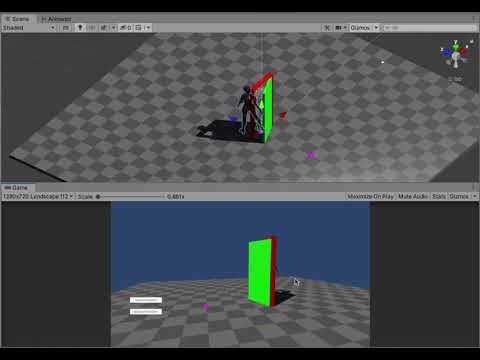
ApRef(#ActionPackReference) based #Interactive #Cutscene inspired from #NaughtyDog #Uncharted , Model from #Mixamo #animation done in #Blender #Prototype in #UnityEngine #Unity
Hi
I'm Almahmud Rony. I love VFX.
Thanks for be alive.
Don't forget to subscribe to watch my future crazy videos.
Happy Youtubing. :)
twin musk
so i made an idle animation and when i click loop time and loop pose then apply it still doesn't loop, anybody know how to make it loop?
naive cobalt
@twin musk Is it has any transition to another state?
twin musk
no i dont think but it might, im brand new to this, like ive only been doing it for 3 days now
so i have no idea
@naive cobalt
naive cobalt
@twin musk Can you show me the ss of the Animation Controller.
 twin musk
naive cobalt
<@456226577798135808> Can you show me the ss of the Animation Controller.
twin musk
naive cobalt
<@456226577798135808> Can you show me the ss of the Animation Controller.
here
 naive cobalt
@twin musk IDK but turning loop pose off may work.
twin musk
naive cobalt
<@456226577798135808> IDK but turning loop pose off may work.
ok ill try that
 pearl nebula
i need help with my animation
can anyone help?

i cant add any properties or drag my sprites in
 charred belfry
Select an object to animate
pearl nebula

i did but when i want to click on 'IsDead' the animator disables the 'add property'
charred belfry
Select it from the dropdown in the Animation window, not in the Animator
pearl nebula
charred belfry
Select it from the dropdown in the Animation window, not in the Animator
it works!!! TSM
pearl nebula
@charred belfry sorry to bother you again, but do you know how i can change the sprite's animation position? Because when I change the position (along with the collider), a different animation is also moved when i didn't ask it to.

 charred belfry
pearl nebula
<@!332468003151282176> sorry to bother you again, but do you know how i can chan...
charred belfry
pearl nebula
<@!332468003151282176> sorry to bother you again, but do you know how i can chan...
I'm not familiar with sprite animation. Perhaps if you need to animate position you need to do it for all animations so they don't interfere. Someone else might know better
pearl nebula
do you know anyone in particular?
charred belfry
No, not that pinging them would be okay, you'll just have to wait for someone else to see the question and have an answer
pearl nebula
oh i didnt know, i recently just joined. sorry for pinging you
 clear orbit
pearl nebula
<@!332468003151282176> sorry to bother you again, but do you know how i can chan...
clear orbit
pearl nebula
<@!332468003151282176> sorry to bother you again, but do you know how i can chan...
Did you check you didnt accidentally make one the child of the other
pearl nebula
clear orbit
Did you check you didnt accidentally make one the child of the other
nope, but it's all fixed now 🙂
i dont have the issue anymore
clear orbit
good good
clear orbit
pearl nebula
nope, but it's all fixed now 🙂
Are you making Punch Out?
swift tide
Ugh I'm saving animations with the Action Editor in Blender but now twice an animation has just vanished
All other animations like Idle and Walk are fine but now twice the Run animation in particular has all the keyframes on the rig itself just be removed
Is there a clean video on how you're meant to use the Action editor in tandem with exporting to Unity
Because I've yet to find a good video that highlights the workflow for how to make animations for a rig that holds something blablabla
twin musk
hey so i was wondering how i can get this to work?

 chilly gyro
if i have a rigged sprite animation that only has keyframes for certain body parts, can i make it blend with another animation without actually transitioning between states?
Like for instance playing an attack animation without interrupting the walk animation?
I don't know why I can't explain this properly... I'm basically asking if I can play two animations simultaneously, and only have the second animation override the parts that it affects
Sorry, I think i just found it in the docs
for different body parts. An example of this is if you have a lower-body layer for walking-jumping, and an upper-body layer for throwing objects / shooting.```
However, I still want the Walk animation to control arms and torso when the character is not using their arms for something else.. i kinda just want other animation to take priority.
Anyway, I guess I'll play around with it a bit and see if I can make it work. I apologise for asking before properly checking the docsAny input would still be appreciated though.
 lucid fossil
making an RPG game proud of this animation, happy with it - it's a magic shell: https://i.imgur.com/WPo9QQa.gif
 swift tide
neat
 prisma solar
past flax
i made an eye blink animations but its very quick i need to add delay to it can ...
prisma solar
past flax
i made an eye blink animations but its very quick i need to add delay to it can ...
Stretch out the keyframes in the animator.
This is probably a concern before but has anybody imported from mixamo with animation, deleted all but the first keyframe then tried to add Unity IK?
I have this set up but the target jumps in animator preview.

The target movement does bend the thumb though.
Or am I looking at this incorrectly...
In game play I can not move the target.
wind smelt
Is there any way to play an animation clip, at a set point, reverse (backwards)?
Trying to set up stagger animations for when you swing a sword
 spare ginkgo
wind smelt
Is there any way to play an animation clip, at a set point, reverse (backwards)?
spare ginkgo
wind smelt
Is there any way to play an animation clip, at a set point, reverse (backwards)?
Do you need to play an animation backwards? Why not just blend to a stagger animation?
wind smelt
spare ginkgo
Do you need to play an animation backwards? Why not just blend to a stagger anim...
The stagger animation (When weapon hits a static object), can be played at any second of the swing. If I hit the wall early vs late.
Wait actually, that might work if I blend
Is it something with like crossfade ?!
spare ginkgo
Otherwise, consider IKs
wind smelt
How would I blend?!
spare ginkgo
The animator does it automatically?
wind smelt
ahhh, hold on
spare ginkgo
You can adjust how abrupt the transition is, and make the swing state interruptible in the transition to the stagger, or link the 'Any' state to the stagger.
wind smelt
When an object is hit, I call the stagger animation as it is linked from the "Any State"
 whole ice
Are blend trees performance heavy?
 true patrol
hey my client wants to use 2d animator tool for our game, but he also wants player and ai to switch between directions, 4-directional movement and use 2d skeleton, so now i need to create 3 bodies with skeletons inside a single character, is that okay to do?
 worthy patrol
Hey I just put images in the Animation window in unity (2D) and the animation is playing at rapid speed how do I make each frame last longer?
?
 echo plover
Anyone know why the magicavoxel models i'm uploading to Mixamo have no texture?
There's a PNG with the palette on the zip i'm uploading
 heady nymph
https://gyazo.com/ed2166d70cec4ec7450fc227af9ae4dc
So my unity is being cursed. I’m trying to make an animation where the rock you see moves across the Z axis via position. Now from where it starts to the left is fine. I want to put a key frame to put it in the front and then go to the original position and repeat. The issue is that unity does not want to do that. It keeps awkwardly slowing down when it goes from the right to the original spot, and sometimes it won’t teleport to the other side and slowly move there instead.
How do I fix this?..

 graceful cosmos
echo plover
Anyone know why the magicavoxel models i'm uploading to Mixamo have no texture?
graceful cosmos
echo plover
Anyone know why the magicavoxel models i'm uploading to Mixamo have no texture?
Yes, mixamo idt ever deals with the textures at all. You have to use the boned model after you download it, make a material, and reinsert the texture2d to each slot. At least that's what I've had to do every time I've used Mixamo to bone my models..., though be careful.
Mixamo makes texture sets in the animation fbx like any assigned materials in the uploaded fbx, so if you only want to have one material address the single UV model, either download without the mesh, or make sure you don't have any materials assigned before upload, otherwise, you'll be adding the same material however many times you've created materials. Very unoptimized to say the least... it happened to the model I'm using below, but I have a question about it which I will ask separately...
echo plover
graceful cosmos
Yes, mixamo idt ever deals with the textures at all. You have to use the boned ...
Thank you
Kinda sad it's broken because i've seen people on youtube export with full colours
graceful cosmos
Hmmm, if so, I've never had that happen... then again I use Blender to make my fbxs to upload to mixamo, and Blender is bizarre to say the least. It's possible to include the textures in the fbx itself, but it varies depending on DCC. I can include the textures if I wanted to, but that just makes a very large fbx file... your software probably has the same option to export the fbx with textures... @echo plover
heady nymph
Is there no fix for my problem?
graceful cosmos
heady nymph
Is there no fix for my problem?
If I knew I'd help you, it reminds me of some simple keyframing transform in the x or y axis in the timeline, but my brain is burnt. Idk if Unity itself has ppl knowledgeable that (wo)mans their discord on weekends...
heady nymph
What a shame.
graceful cosmos
heady nymph
What a shame.
No doubt. Almost nothing in Unity is trivial, imo. But I want to die, having learned to code, so here I am.
prisma solar
heady nymph
Is there no fix for my problem?
Maybe I can earn my keep with this one:
I put an FBX character through Blender, Mixamo, Unity.
The UV was correct but didnt come out through Mixamo.
I found that the normal and texture maps somehow did not stay connected.
In Unity I clicked on the materail and found I had to restore the map selections in there.
Then I had my UV mapped character in Unity through the import/export steps.
No getting past this I now have my character in Unity and on to the next headache.
heady nymph
That has nothing to do with my issue..,
prisma solar
Has any one comingled Mixamo with an animation import with Unity IK? I get this.
It looks like the Animation and Unity Ik conflict in some way.
By these messages it looks like once in the timeline I am stuck there and cannot work moving model parts in the scene panel anymore.
 graceful cosmos
prisma solar
Maybe I can earn my keep with this one:
I put an FBX character through Blender, ...
graceful cosmos
prisma solar
Maybe I can earn my keep with this one:
I put an FBX character through Blender, ...
I think that was Hitch's issue... my expectation with Blender and Unity is that I will have to make a new material, put in all the maps, and apply the material to the fbx/animation fbx.
I think the avatar thing can deal with that. You can assign, unassign bones as necessary... but I haven't done that yet...
prisma solar
graceful cosmos
I think that was Hitch's issue... my expectation with Blender and Unity is that ...
Thanks for replying. I was hoping you would.
I know a lot of devs are pulling their hair out and I am starting to see the light as far as the errors go.
In some cirmcumstances the actions in the timeline, the scene and Unity Ik are not cohesive nor interconnected correctly.
Which can lead to all kinds of headaches.
It is simple to bring in a model and have it perform canned animations. But the tweaking is where the corruption arises.
I have been on this now for 6 months.
graceful cosmos
prisma solar
Which can lead to all kinds of headaches.
Oh great, at least I have something to look forward to. I am concurrently going back to UE4/5 as a hedge to Unity can't do that™️ But I'm hoping I can eventually get Unity to become an extension of myself, no different than my guitar, or car...
When you say tweaking animations, you are not making animations / using mocap in Blender or whatever, and then using blend trees or the animator to get what you want done, done?
My issue seems derpy by comparison:
//
All I want to do is have cinemachine follow my freakin Actor. What setting did I miss. Note, 7D2D is using the Unity I'm using for this... for my machinima I don't necessarily have to use this old a Unity, but this should be derp simple. This is a question to the total of the community that has knowledge to solve this simple issue... or should be simple issue of the camera following the freakin actor (!)
prisma solar
Nothing in Blender. I worked there for 2 months and the rig to Unity is a pain if not a complete abomination compared to Mixamo.
graceful cosmos
So the tuts that go: look in the Avatar thingie, you assign the bones or reassign bones as necessary, and voila humanoid, or whatever and your golden, is a lie (!) What if you rig with auto rig pro, does that make any difference?
prisma solar
graceful cosmos
So the tuts that go: look in the Avatar thingie, you assign the bones or reassig...
You got it. It is an idiot dev trick. They only follow a very narrow workflow and dont really care what doesnt work or other inputs.
graceful cosmos
Fml.
So in effect, Unity devs develop the things required for their example animations or whatever, and that's it? I thought China got involved in Unity and that should make it better, no?
prisma solar
Your statement is 100% onboard. But China might be on their own path. I got 40 years devving and I have seen noobs throw their simple shat out their thinking they did something or hide from the fallout.
graceful cosmos
Understood. What are you trying to do with your animations, i.e., games or machinima?
prisma solar
You are not alone in your trails, my friend.
Both. Adding human characters is what threw the shoe in the gears.
I can machinama like platinum when only dealing with machines.
graceful cosmos
So games like Valheim accomplished something that is rare, i.e., their player characters and NPCs work?
prisma solar
My suspicion is they use Blender and UE for creating models then use Unit just for physics. I not EU.
...previous work
graceful cosmos
k. Just to make sure I understand you. The humanoid animation system is technically fubar'd?
prisma solar
Yep. All else is gold. I have over $1k in assets pertaining to everything but Humanoids. But machines with out humans miss the punch.
graceful cosmos
So this is like Daz, it's just a mechanism to sell the assets on the asset store, potentially?
In the worst case, can you just use canned animations/mocap and blend what you need in the order you need it as a stop gap?
prisma solar
Yep. I have FastIK, FInalIK and Umotion. They work but you WILL stop when you find the weak point.
graceful cosmos
I see.
prisma solar
Correct. Sad but that is what it is till somebody can prove me wrong. And good luck with that. I have been in contact with numerous capable people that are fried.
graceful cosmos
So for "simple" stuff like 2D blend trees, where you can make your player character runaround and turn, that's it?
prisma solar
You stay with canned and your efforts are like all the other simplistic copycat crap out there.
I am waiting for the 'first person shooter' scheme to die out.
graceful cosmos
So stuff like this over a year ago, is derivative? https://imgur.com/MH8s7em It has sound, it was a dance sync test. You can only here the sound in browser, so "original."
So all the killing games are there because that's all the tech can do!? I thought it was a great conspiracy by our gov't to just get more soldiers.
prisma solar

A compilation of the best and well-known movie company, animation studio and production company intros.
[SEE THE UPDATED ONE HERE: https://youtu.be/2eSQm6EH0eY]
Its really all about shaders too. You nail this one and all of sudden you see what the big movie houses are doing.
graceful cosmos
prisma solar
https://www.youtube.com/watch?v=HaOmp140NvU
Well, HDRP is the only way to go then... and that has it's own idiosyncrasies I've noticed. With UE4 as above, the shading editor can get very deep, even if each individual thing you need to do seems simple by itself. I had pretty large shader networks.
ok, I'm gonna walk this off, not a good Saturday then (!) Stay safe and enjoy what you can for as long as you can. I have some thinking to do.
prisma solar
 twin musk
Is there like a really easy way to animate models, even if the quality is lower?
I just want to make a game with simple models like this ,but rigging and animating is so confusing, and I rather do something else than learn to animate and rig in blender. I also cant afford an animator right now
 graceful cosmos
twin musk
Is there like a really easy way to animate models, even if the quality is lower?...
graceful cosmos
twin musk
Is there like a really easy way to animate models, even if the quality is lower?...
Neither rigging, nor sadly even animation is trivial. I went thru a rigging course by Pierrick Picaut and I thought, ok, rigging, check. Now animation should be simple by comparison. No, no it wasn't. Rigify can help some, but without good courses, and there is a whole cottage industry of courseware and tuts that teach without teaching, i.e., leave out a critical step or two or three, such that you can't recreate what you're being shown also exists.
Don't expect to figure anything out, from Blender to Unity without being taught. If you think you can figure it out yourself, you are mistaken, or are a vampire and have 100 lifetimes to invest in the millions of combinations of things before you random walk to the correct answer(s). That's why my caveat emptor with courseware. Then you can buy or invest time in courses that don't actually teach you anything. I've had that with SideFX's Houdini. They are the best at tutorials that don't teach the subject they advertise they are teaching. I have multiple masters degrees, two in mathematics, so it ain't that "math is hard." Not to mention military testing that ranked me in the 99th percentile, so I know, "it ain't me, it's you courseware!" But given I know, idk what idk out of specialty, I will have no chance necessarily without dumb luck to fill in what was missing... so I move on.
Then, if you want to render your machinima before your life ends, real time renderers are the way to go. Eevee is so bad, I don't see the point except for LookDev. I know UE4 can create Cycles/Redshift/Arnold level renders for animations and it's magnitudes faster than any DCC render engine. I'm trying to see what Unity can do, but Idk, I'm getting concerned.
twin musk
ooh, I see...
 hollow trout
any1 here has blender?
so i have to render and send 3 animations(in blender) in around 9 hrs my pc is very slow... any1 wanna render them for me?
its my 1st project and im getting paid 2000 rupees(indian) so thts around 25 dollars
if ur up dm me we can discuss a price
old kayak
hollow trout
any1 here has blender?
paid jobs go to the forums, look at #854851968446365696
this isn't even unity related anyway
hollow trout
k
hybrid tinsel
@graceful cosmos honestly, it sounds a bit like that the tool you need is a ladder. So you can get the heck over yourself.
@twin musk if you've done the rigging already, you can absolutely animate something like that ant in unity directly.
I'd suggest using the rigging package to set up IK on the limbs, but that is absolutely not required, it just makes things easier.
Depending on the animation needs, you could set up something more procedural as well; for instance, if all you needed was to have the feet move when the ant is moved, you can check out https://www.weaverdev.io/blog/bonehead-procedural-animation
twin musk
hybrid tinsel
Depending on the animation needs, you could set up something more procedural as ...
that..is actually what I wanted to do. Procedural animation for my game. I think you just saved me. Thank you.
hybrid tinsel
Awesome! :D
For the ant, just remember that they usually lift three legs at a time, so they always have three on the ground. So a bit different from the gecko but not really harder to program.
hybrid tinsel
graceful cosmos
My issue seems derpy by comparison:
//
All I want to do is have cinemachine f...
It looks like you are having the camera target the root transform of the character, which will not actually move if you aren't using root motion; you'd probably want to target a bone such as the chest, or add a child object to a bone to use as a target. That way, even without root motion the camera will have something to follow.
graceful cosmos
hybrid tinsel
<@561194839245324320> honestly, it sounds a bit like that the tool you need is a...
I wouldn't need a ladder, and "I don't care what other ppl think." - Richard Feynman.
I will look at that link too. Always willing to learn. I will pick one of the spine bones. Tyvm if that works.
hybrid tinsel
prisma solar
Has any one comingled Mixamo with an animation import with Unity IK? I get this....
Unity has two types of animation clips, humanoid and generic, and you generally want to use one or the other in a single hierarchy.
I don't remember Feynman ever saying 'Don't expect to figure anything out.'
Most of the people here are self taught to some degree, and there is a massive support network. But throwing a fit and shouting at people that things are utterly futile might actually convince someone not to bother, which is really a bad thing.
Some newbie comes in here asking a reasonable question and the first thing they see is someone 'with two degrees' say not to bother?
graceful cosmos
hybrid tinsel
I don't remember Feynman ever saying 'Don't expect to figure anything out.'
I was recalibrating his expectations. Saying both rigging and animation are not trivial in no way says don't do it. It says, expect to take time.
Random walks in complicated terrain rarely get you anywhere you want to go. But I'll take your suggestion about marking a different bone, ty.
I've had a lot of experience with inductive learning, and it's not fun, time efficient and sometimes not even effective. Given I'm older, I don't have time for that.
hybrid tinsel
And no, there is no magic tutorial that will immediately teach you everything because even the people making the tutorials are still learning. Especially something like unity animation which changes with nearly every release to some degree, usually with poor documentation. There is no conspiracy of tutorial makers to keep you oppressed; it is just that there is so much to learn, and everyone learns a little differently(or a lot differently.)
graceful cosmos
hybrid tinsel
And no, there is no magic tutorial that will immediately teach you everything be...
There's a difference between making tutorials and omitting stuff by accident which wouldn't always cause catastrophic failures, and strategically leave things out, which I have experienced with Houdini courseware that wasn't cheap at all. Not to say I think between Niagara and Visual Effects Graph, I can do what I would have wanted to do in Houdini (I'm not trying to polish a Disney turd, that can only be done with Houdini, I concede that.)
hybrid tinsel
Well, obviously specific tutorials can have problems. I personally have a big problem with a certain very popular unity tutorial maker whose tutorials are outright bad. I don't think it is deliberate even with him.
graceful cosmos
In most cases I have found I need 5 looks with a subject before the overlapping omissions become clear, if those aren't using strategic omissions to "teach without teaching." 20 years ago, I would only need 2 looks... Idk if it's early onset demential, the spike protein, or the level of complexity and diversity of skills I need to become competent in, as I've grown older is the issue.
There was a guy further up the thread that said, there are competent devs that have hit a road block and can't solve some issues with how the tools in Unity work together, or don't work together in his case. Given Idk Unity well at all... I'm hoping that's not the case, but at the same time I am now chastened.
hybrid tinsel
Unity isn't perfect, for sure. There are a lot of rough edges.
graceful cosmos
Well, I'm just trying to map the problem space, trying to understand what the real issues can be, and what is just my ignorance atm, or that of others.
graceful cosmos
hybrid tinsel
Unity isn't perfect, for sure. There are a lot of rough edges.
To the best of your knowledge is this assertion credible?
"I know a lot of devs are pulling their hair out and I am starting to see the light as far as the errors go.
In some cirmcumstances the actions in the timeline, the scene and Unity Ik are not cohesive nor interconnected correctly."
I'm on a potato, I'm firing up my old workstation to see if I just pointed to the wrong bone with my "simple" follow camera...
hybrid tinsel
chilly gyro
Sorry, I think i just found it in the docs
```Unity uses Animation Layers for ma...
You can control the weight of each layer of the state machine dynamically, so if you want it to override but only at certain times you can set the weight only when you need to. You can also use additive layers, and only have animations on them trigger when needed; that can look off when you still have the base layer controlling those parts of the skeleton.
That assertion is a bit confusing since it keeps saying 'unity IK' when I think they mean 'humanoid IK' which is indeed only for the humanoid system and not generics.
You can use the animation rigging package IK or any other IK system(including writing your own) along with 'generic' unity animation just fine.
And it is also confusing as to exactly what behavior they're talking about in terms of interconnectivity; they are in fact separate systems even though they work together somewhat.
graceful cosmos
ok, I'm coming from UE4. When you say state machine, you mean in the animator window? Where there can be blend trees that contain blend trees?
I saw that Humanoid has to be selected in the drop down menu, but Idk why IK rigs have to be selected/used at all, given my rigs could contain IK info. I did see I think in Auto Rig Pro saying it doesn't export IK control bones...for Unity compliant rigs...but I'm not that far in to doing that yet.
 solemn blade
Hey all, I am trying to setup bases for my characters, and I have a male and female base. Then I made a version of the rig where they are both mounted on a horse. I have set these as Generic animation/rig type. I exported a test animation based on the mounted male, and tried applying it to the mounted female, but it appears the male joint locations are applied to the female. I have seen this work correctly on the Humanoid rig type, but how do I make this work on the Generic type?
 hybrid tinsel
@graceful cosmos@solemn blade Perfect timing, Jackdaw, to be used as the example in my explanation of the difference between humanoid and generic animations 😄
The main uses of the humanoid animation system are for the built in IK and for 'retargeting' animations from differently proportioned or differently set up humanoid characters.
Humanoid animations can be retargeted because all the transform information is converted to virtual muscles on a human body. Generic animation clips can't be retargeted the same way because they are literally just a collection of transforms for each bone.
By the same token, you can no longer use generic animations to control a humanoid because it is expecting humanoid animations.
Or rather, you can but it can cause errors.
graceful cosmos
So, generic animation becomes a unique animation for a specific rig only. You can't share animations like you can with Humanoids?
hybrid tinsel
Correct.
graceful cosmos
Even if the rigs are identical, only the skin weights are different too, i.e., I weight painted one differently than the other?
solemn blade
is there no way at all to share anims? like excluding transforms and including rotations?
I assume different weight paints should work, it's about the bone placement
graceful cosmos
solemn blade
is there no way at all to share anims? like excluding transforms and including r...
Your male and female rigs are identical, right?
hybrid tinsel
@solemn bladeYou probably can, but that would be a matter of editing the animation rather than something you'd do with unity. You could try writing an import preprocessor that will do it, but setting up the animation that way in your 3d software is probably easier.
solemn blade
graceful cosmos
Your male and female rigs are identical, right?
yes
hybrid tinsel
@graceful cosmosIf the rigs are identical, they can be shared; Jackdaw's aren't because of different proportions.
graceful cosmos
hybrid tinsel
<@!561194839245324320>If the rigs are identical, they can be shared; Jackdaw's a...
So, if the rig's bone lengths are different, it's different to Unity unless it's tagged as humanoid?
hybrid tinsel
If you actually remove the position information from the animation it may well work, as long as the hierarchies use the same naming scheme.
You just won't get any sort of adaptation to limb length, etc.
solemn blade
hybrid tinsel
If you actually remove the position information from the animation it may well w...
how would that work?
hybrid tinsel
Unity animation clips are based on hierarchy structure and object names.
solemn blade
so how would I go about removing the position information, I mean?
hybrid tinsel
Depends on your animation software.
There might just be an option in the software not to save position keyframes.
solemn blade
right so you mean only exporting the rotational values, I could give that a stab
hybrid tinsel
You could also convert it to a unity .anim file, open it in a text editor(or script) and remove all position keyframes there as a bit of a brute force method.
solemn blade
ah that's something I could try too, interesting
hybrid tinsel
Yet another option would be to use IK inside unity for the character limbs, and use the animations to animate the IK controls.
Then if both characters used the same IK setup, the animated controllers would work for either
solemn blade
ok, and just to be sure, considering I have the male/female also without the horse and they use the Humanoid animation type, is it anyhow possible to attach a Humanoid rig onto a Generic rig (the horse has a saddle joint)? and then put a generic animation of the mounted person on that? I assume not from the information this far, but good to ask still
hybrid tinsel
There's no reason you can't do that.
solemn blade
hybrid tinsel
Then if both characters used the same IK setup, the animated controllers would w...
the rigs get more complex than that I'm afraid, the eye positions are also different for male/female
hybrid tinsel
An animator on a child object overrides the animator on a parent.
solemn blade
ok, so that would work? hmmm
hybrid tinsel
You don't even need to parent it; you can use a parent constraint.
solemn blade
so the animation itself including the horse and rider animating together on one root, that can be applied to a horse rig with a Humanoid rig parented under it?
hybrid tinsel
No.
They'd have to be separate animations.
A generic horse animation on the horse, and a humanoid rider animation on the rider
solemn blade
Oooh ok, makes sense. Thanks for the great tips! I know what to look for when looking into this
 graceful cosmos
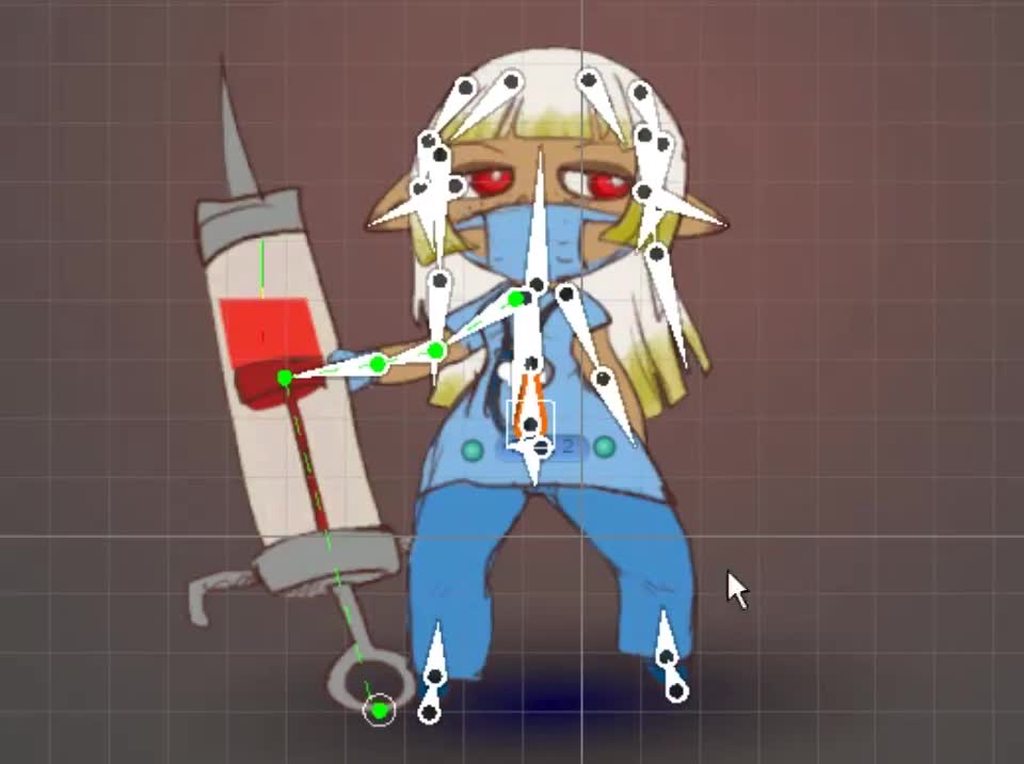
So like Reallusion's Cartoon Animator, but in Unity?
hybrid tinsel
graceful cosmos
ok, I'm coming from UE4. When you say state machine, you mean in the animator w...
So anyway, back to your earlier question, if you don't want to use the humanoid features, you don't need to use the humanoid system at all.
It is a more specialized animation system with some benefits and some limitations.
A lot of people associate 'IK' with it, because the humanoid has built in IK, but you can use other IK systems with generic animations just fine.
I've not used cartoon creator.
Unity's 2d animation system is basically a full polygon-and-bone rigging system. I really am not sure why they don't make a 3d rigger inside unity that uses the same tools.
 graceful cosmos
I'll bet because other software companies would prefer to keep that sector of the market theirs?
So, if I had a flying mech or something and I needed the landing gear to come down, that form of IK is handled in Unity too?
hybrid tinsel
No reason you couldn't.
graceful cosmos
k.
I got cinemachine to target the neck or the second spine bone and now it follows as I expected. Unfortunately I made a 8.6mb screen cap, though game bar of course said 8.0mb and lied...
I don't want to fire up my new workstation, but I just realized I allow my old workstation to access the internet... so I'll online convert to WebM...
hybrid tinsel
One thing to note is that there are literally dozens of IK systems for unity. Aside from the humanoid one which is built-in, the official unity one is in the animation rigging package, which has all sorts of procedural animation stuff in it. That tutorial I linked has a very basic IK script in it.
You really can pick and choose the one that suits your needs.
graceful cosmos
I don't see the link (!)
graceful cosmos
Oh, sorry, I saved that one, ty.
hybrid tinsel
I mostly use the IK in the 2d animation package, but as you might guess from the name that is for 2d 😄
graceful cosmos
Unless you make the quad always face the camera and you do games for kids... they may not realize it... I was thinking of actually using the two together if that's possible... it's in effect what the particle system and the Visual Effects Graph things do, I think...
graceful cosmos
k, cool
The only thing that bothers me about this "follow" is how weird the target dot is wiggling around and not at the animation's neck bone...
I didn't target his package... but it works, so I'll call it good enough...
 graceful cosmos
Maybe I'm not using the right things to frame the subject then... cause I think without changing those I didn't have the whole body in view... I'll check that out.
hybrid tinsel
Personally I prefer to add an empty object to use as the target so I can just move it around
 faint nebula
not sure if this question goes here or in one of the programming channels but Is there a way to compare two blend tree parameters against each other in an animation transition
hybrid tinsel
faint nebula
not sure if this question goes here or in one of the programming channels but Is...
I believe that would require code to do it efficiently.
Though depending on what you need you might be able to.
graceful cosmos
It's possible what you want to do can be handled "easier." Maybe presenting what you want to do, PinballKitty would know a more parsimonious way to do it Tundra...
hybrid tinsel
More likely someone else; I'm terrible at coding 😄
graceful cosmos
No, I mean possibly there's a function without needing to code to do what (s)he wants to do...
hybrid tinsel
But working out the specific task is definitely step one.
graceful cosmos
hybrid tinsel
Personally I prefer to add an empty object to use as the target so I can just mo...
I have no problem using an empty as a target, I have to do that kind of stuff in DCC's before I gave up waiting 12 hrs for a few seconds of animations... Do you mean an empty and then parent to the rig somewhere, or an empty and animate its position in space as the subject moves around?
Cause when it "didn't work" before I did try an empty, but I may have parented it to the whole mesh, which creates that root parent that doesn't work...
hybrid tinsel
Right. You'll want to parent (or constrain) it to to whatever bone you want to follow.
faint nebula
Im having a directional attack animation play based on where the users cursor is when it is triggered. Currently my parameters only allow for left and right as its checking if the cursors x position is right or left of my character. My intent was to have the other animations compare the x and y value of the mouse and choose an animation based on which is greater but you cant compare parameters in animation transitions. (This is probably a terrible description lmao)
hybrid tinsel
Though nothing is stopping you from just having a free floating target. In my game the camera switches between following the character and following the cursor
graceful cosmos
Tundra's problem is interesting, so I'll wait if you have anything to add for him, ..., and anyone else out there that would know!
hybrid tinsel
@faint nebulaYou can use a 2d blend between the multiple animations, though that might not work well if they aren't animations that can be interpolated between each other.
I'd personally set a third parameter in code based on the mouse position
faint nebula
what would you set the third parameter as
just a boolean if one is greater than the other?
hybrid tinsel
Probably.
Think of it as similar to how you'd use a grounded check
Alternatively, you could use an int which would let you use any number of explicit variations
prisma solar
Is there a static humanoid attention animation any where?
This would solve a lot of problems with imported rigs with no movement.
Character would be feet on ground (y = 0) and standing at t pose?
This would solve so many Unity interface, rig, and IK problems.
The anims from Maximo all have starting keyframes in a transformed position.
I have used the first keyframe of maximo@waving anim but there is still an initial twitch.
The muscle mappings do not keep. I have no clue what they are used for when you make adjustments and they do not persist when switching back to mapping then back to muscle settings.
Some body has to have an answer for this.
I guess I will polute this channel ad infinitum till Unity or some answer appears.
I am not alone in the effort. Anbody that wants humanoid with no animation will run into this problem too. The model falls to hanging crouch otherwise.
 twin musk
I have a question. For procedural animation in blender, do I have to rig it first in blender? Or can it be rigged in unity/
old kayak
twin musk
I have a question. For procedural animation in blender, do I have to rig it firs...
you need to rig it in blender
 fallen igloo
could someone help me with implementing an animation clip?
im having trouble with the trigger parameter
old kayak
<@&502884371011731486>
 hallow vigil
How would i make an animation loop int parameter amount of times before transitioning to another animation? I'm making a shotgun and it reloads n amount of bullet shell depending on how many theres space for.

 agile solstice
hallow vigil
How would i make an animation loop int parameter amount of times before transiti...
agile solstice
hallow vigil
How would i make an animation loop int parameter amount of times before transiti...
You could make Load a looping animation that transitions to Pump on the condition that ShellsToLoad parameter equals 0, then add ShellsToLoad in code when you start reloading
Perhaps with an event that deicrements ShellsToLoad when the shell enters the gun
hallow vigil
agile solstice
Perhaps with an event that deicrements `ShellsToLoad` when the shell enters the ...
Thank you, pretty sure I know how to do it now
hallow vigil
I'm so happy with how it turned out!
https://gyazo.com/f2aa3c69e99dc84647675b40a110820b

 unique mountain
can someone help me urgently?
this is the problem: when my player reaches 0 health, it instantly appears the death menu, however, its not giving time for the death animation to reproduce
like, the menu appears way before the animation does
uncut salmon
Use an animation event at the end of the death animation that calls a function that shows the game over menu.
unique mountain
I honestly dont know how to do that... sorry, my programing level is pretty horrible honestly
twin musk
so I have the model rigged, but when I move the bones, it dont move the model at all and I am not sure what I am doing wrong.
 hybrid tinsel
@twin musk I don't use blender but did you bind the vertices to the bones and add weights?
twin musk
oh, no.
hybrid tinsel
The bones themselves are just transforms, really. You need to let it know what vertices to attach to them.
I don't know the exact procedure in that software but there should be tons of tutorials
twin musk
I see. Alright,that explains it. Just attach it to the vertices and weight paint. Alright, thanks
 lunar brook
Hey im training with perspectives

 fervent mica
can we use cinemachine camera with timeline?
charred belfry
fervent mica
can we use cinemachine camera with timeline?
Yes
Info pinned to #🎥┃cinemachine
fervent mica
charred belfry
Yes
thanks a lot
 orchid finch
Does anyone, by any chance, know how to convert those seperate .fbx animations into .anim files?
 thin ginkgo
hi there i have a problem. i have a made a charactercontroller (Tps) my animations are 8 directional (forward/backwards, left/right and diagonals) i use avatar mask for the whole body for movement and an upper body mask for the guns. when the player walk he always should face forward (aim) that works. but when i shoot or reload which is played with upper body mask then it rotate the upper body in that direction of the lower body. i think the problem is the spine bone. that one is not fully facing forward always.
any ideas how to solve this?
twin musk
I'm not sure if I should ask this here or in #🔀┃art-asset-workflow , but let's start here. Can I get some help with topology for animation (for a humanoid body, not facial animation)? I'm mostly asking if someone could point me in the right direction, or provide me with some resources that could help me learn.
Researching by myself I wasn't able to find a conclusive answer.
swift tide
So all my animations arent exporting from my Blender fbx, and I think it might have to do with me fiddling with the Fake User thing with the Action Editor
What governs what is being exported because this is making me go insane
All actions in the Action editor are marked with "F", whatever that means
 heavy rock
Hi guys, we are trying to export our animation through Blender in FBX for our unity game, but noticed some slight changed in the animation. for example, the hands started moving when they are normally constrained and stuck to a bone
Is there like a checklist that we have to take a look at when exporting for unity?
Everything looks great in blender itself, but after export and import back in blender you can see the same problems
Left is blender (correct animation) and right is when imported in unity
twin musk
@heavy rock maybe your hand ik target is parented with offset to the hip bone?
Or the spine base bone.
And you subtly move it.
And then you have like a driver parameter contrlling whether the ik bone should stay local to the hips or keep its place in worldpsace.
Anyone know why my import settings are missing the XZ and Y root motion settings?
 hybrid tinsel
@heavy rock blender constraints aren't exported.
heavy rock
oh, really?
hybrid tinsel
As far as I know the only software that exports constraints Unity can use is Maya.
heavy rock
So what do you suggest doing instead?
Blender isn't good to make animations in then for unity?
hybrid tinsel
You can bake the animation in blender before export, or add constraints inside unity.
twin musk
Blender is supposed to key the final positions on export tho.
heavy rock
The animation is baked
But it's not only the hands, the neck as well, when you export FBX, and import back in blender, it's different
twin musk
Are you using Object Constraints or Bone Constraints?

 hybrid tinsel
Can you crop your screenshots? I'm on a tiny phone

 hybrid tinsel
And you're sure the ik was baked?
heavy rock
keyframes changed after exporting to FBX
And the two neck bones are suddenly separated as well
 hybrid tinsel
Did you use key reduction or anything?
I'm not a blender user so I'm not sure what to suggest there
heavy rock
You use Maya you mean?
hybrid tinsel
No
thin ginkgo
Are that disclrd just for asking question lr will they also be answered? 😂
hybrid tinsel
@thin ginkgo ?
thin ginkgo
thin ginkgo
hi there i have a problem. i have a made a charactercontroller (Tps) my animatio...
This
hybrid tinsel
I mean, there's no guarantee that anyone will be able to solve your problem.
Except maybe a spellchecker.
twin musk
I don't think arm related animation should have the spine bones at all in their mask.
heavy rock
@hybrid tinsel I'll ask my animator to come real quick as I'm the project manager
 fluid pasture
halo im here
hybrid tinsel
Hiya. I really dunno what to suggest since I know nothing about blender but what I've learned in here...
fluid pasture
okay thanks for the help. Is there anyone here thats a pro god at blender
tawny tangle
can someone help please, i want to move my cube obstacles but if i prefab them with the same animation they will be on the same place, do i have to change the animation every time if i want them to be on different place
uncut salmon
You need to change your animation to animate the child, not the root objec.t
For example, put your model as a child of the root obstacle object. Then the animator animates the cube child.
tawny tangle
@uncut salmon this is what happening, and i want to move a distance and not to that place
uncut salmon
Everything i said prior to this still applies.
tawny tangle
so i need to animate all childs
uncut salmon
Where is the animator controller right now, for these platforms?
tawny tangle
on the animated cube
 uncut salmon
Right, so you need to make a child object, put your cube (mesh) there, and animate the child instead.
This will let you position the prefab anywhere, as the animations will then be local to that object.
You will also have to reanimate it once you rechild the model.
tawny tangle
so i've created a parent empty object with an animator controller, animated a single cube going left and right, added other cube with the same animationclip and still goes to the same position as the first animated one, my animations are not being local for some reason, sry for bothering again i am just slow to udnerstand things
uncut salmon
Show your setup
tawny tangle
uncut salmon
So the issue again, is that you're trying to use a root object to animate multiple cubes.
You're confusing yourself.
-
Delete all these cubes
-
Create one
MovingPlatformobject -
Child the cube mesh to that object
-
Add an
AnimatorControllerto the rootMovingPlatformobject and animate the child cube mesh going back and forth -
Duplicate the
MovingPlatformobject and position it elsewhere
tawny tangle
oh i got it now, thank you 🙂
 mortal fern
I'm having an issue here. I set my animator's trigger and then try to get the length of the current animation state. The problem is that it returns the animation state of the PREVIOUS animation rather than the new one that the trigger is supposed to be setting it to
Debug.Log(tempAnim.GetCurrentAnimatorStateInfo(0).length);```@mortal fern triggers trigger on the next frame.
mortal fern
so what should I do then
I figured that was the issue but idk how to combat said issue
@hybrid tinsel
I GOT IT
IF I PUT "yield return 0" IT WILL WAIT A FRAME
LET'S GOOOOO
hybrid tinsel
Right. That might not always work, since the animator might trigger later due to asynchronicity, but it should work most of the time
Unity Forum
I'm using multiple Animator Controllers (one for each enemy model) with four states: Idle, Attacking, Damage, Dead
I need to find the length of...
 toxic storm
re posting for hopefully a better time of day.. does anyone have experience moving assets from unity to edit in other 3d software? i am attempting to export an animated model to FBX, but it seems that no matter what i do, the bone positioning is completely mangled... i've tried it in both blender and 3ds max to pretty much the same results. if i export static meshes it's fine, but as soon as i include rigging and animations, everything breaks
old kayak
toxic storm
re posting for hopefully a better time of day.. does anyone have experience movi...
Is your rig Humanoid? The fbx exporter doesnt support that
toxic storm
nope, it's a regular skin mesh (creature)
i gather the issue is somehow related to axis positioning, but i've tried several combinations to no success
and the animations do "work", it's just.. none of the bones are where they're supposed to be
 upbeat valve
hey guys, i wanna know something; i should join the gun ot the Arm to make a reload animation?
 swift tide
There are many ways to "join" something with eachother, but if you want to make an animation with the rig and gun, you want to look into parenting them instead of literally joining the meshes
swift tide
upbeat valve
hey guys, i wanna know something; i should join the gun ot the Arm to make a rel...
https://youtu.be/IV6XP-EDzw8 This video seems to explain what you're wondering

Thanks for watching and happy new year, thanks for all of the support recently. I have a few animations planned, then I’ll release a similar tutorial for 3DS Max. Thanks to everyone who helped with this tutorial :)
Blender Rigs Repository: https://docs.google.co...
upbeat valve
swift tide
https://youtu.be/IV6XP-EDzw8 This video seems to explain what you're wondering
im gonna enjoy this as you could not imagine
idk, im kinda tired Xd
swift tide
👍
 lost urchin
Why when i drag animations in timeline they become gigating(slowed down) even though unity sees their proper lenght?

 thorn moat
@tawny tangle you can use an empty to offset it
oh my my internet was broken what the hell
sorry for the @ bruno
Hey guys any idea why shape keys made in blender wouldnt appear when imported into unity? The workflow ive seen is people just save a file and drag it in and it just works
 marsh ivy

I want to get those other animations onto this mesh/prefab
I got it from mixamo
the model and the animations
hybrid tinsel
@toxic storm how are you exporting it? Are the incorrect offsets the same every time?
toxic storm
hybrid tinsel
<@126147229030285312> how are you exporting it? Are the incorrect offsets the sa...
exporting from GameObject > Export to FBX , currently using these settings but i've experimented with others like local pivot and had no luck there either
 hybrid tinsel
And if you just export the animation without the model?
toxic storm
looks like the same issue happens, it exports "successfully" but all the bones end up in the wrong places
i suspect it has something to do with these settings when i import the fbx to blender, but i have tried at least a dozen combinations and they're all just broken in differing ways
 hybrid tinsel
I suggest asking in #🔀┃art-asset-workflow , more blender/3ds users in there
Maybe one if them has done it
toxic storm
alrighty \
 sand shuttle
I remember solving this a while back but I don't remember the solution; I've got a 2D game with a moveable pixel art player character, and whenever the sprite moves it sort of jitters accross the screen
I think I changed something to do with the graphics options?
hybrid tinsel
@sand shuttleUse the 'Pixel perfect' camera from the package manager
 quaint nexus
Hello good folks, i am pretty new here, and honnestly new to gamedev/programming in general ;i need a lil bita help if some of you could spare some of your valuable time;
so i downloaded a sliced sprite sheet, it has pictures in PNG format
when i import it to unity in the project tab all goes well
when i change the pictures to "sprite 2d(and gui)"
i apply and all goes 'presumabely' well
but when i drag say a picture to my scene i get black triangles...
here's an example

and here's what happens when i drag it to my scene

or is this a case of strictly bad assets?
 cinder geode
How do you make multiple objects play the same animation in sync with each other? I am making a 2d game and have several instances of the same prefab with a looping animation and I just want it to play relative to game time instead of the object's creation time. Is that hard to do?
tawny tangle
hi anyone knows why i can't use different animations clips in different objects but for the same animator, neither of them are the default ones but they will both have the same that i select as an active
cinder geode
cinder geode
How do you make multiple objects play the same animation in sync with each other...
Found it, the Animation State inspector has a "Cycle Offset" property. I created an animation parameter and assigned it to the property, then created a simple script that set the offset value to (Time.time / animator.GetCurrentAnimatorStateInfo(0).length % 1)
rustic geode
how do i make it so a new attack animation plays everytime a press left click
so i dont get the same animation two times a row
using random.range sometiems gives me same animation in a row
cinder geode
How many animations do you have?
rustic geode
3
    {
        int randomAttack = Random.Range(1, 4);
        anim.SetTrigger("Attack" + randomAttack);


}```@cinder geode
cinder geode
Maybe add a class variable that is set to the last attack used, and while the random number gives the same result then re-roll it?
rustic geode
cinder geode
Maybe add a class variable that is set to the last attack used, and while the ra...
how would i do this
cinder geode
rustic geode
how would i do this
class MyClass
{
    private int lastAttack = -1;

    private void Attack()
    {
        int randomAttack = Random.Range(1, 4);
        while (randomAttack == lastAttack)
        {
            randomAttack = Random.Range(1, 4);
        }
        anim.SetTrigger("Attack" + randomAttack);
        lastAttack = randomAttack;
    }
}
ohh ok that makes sense, but the class myclass stuff is a bit confusing
actually
let me try this out
 cinder geode
rustic geode
ohh ok that makes sense, but the class myclass stuff is a bit confusing
cinder geode
rustic geode
ohh ok that makes sense, but the class myclass stuff is a bit confusing
Sorry, I was just trying to indicate all this is inside a class. Ignore the class MyClass part and just put the private int lastAttack = -1; inside the same class / file that has your Attack method.
hybrid tinsel
@quaint nexus you are in wireframe view, so you are seeing the wireframe instead of the texture.
The triangles are the mesh boundaries generated by the sprite importer
quaint nexus
hybrid tinsel
<@272680674190688256> you are in wireframe view, so you are seeing the wireframe...
yep thanks alot , the guys in #💻┃unity-talk helped me quit alot , but regardless i really apperciate your help
❤️
sand shuttle
@hybrid tinsel didn't fix it :/
 brittle iris
hey guys, short question, #💻┃unity-talk mightve not been the right place, so im trying here, i implemented all of my gamelogic/game with just a placeholder capsule as my player model
now im trying to add a mesh to the player model thing but for some reason the chest and arms are not shown... any ideas?

so i have these 2 meshes ch44 in white and ch44 in black


the white one has all the arms in tact etc but the black one does not, but when selecting a mash for my player prefab i can only select the black one
old kayak
i suggest putting your scripts on the model prefab instead of trying to stick the mesh into your placeholder
brittle iris
hm yeah that could work... im just sorta scared to mess smth up there
old kayak
just keep your capsule around as a backup
brittle iris
can someonehelp me getting animations from mixamo to work?
i have the model and 4 animations

and already created an avatar from the model and assigned it to the animations

but when i go into the animation window of my playerprefab

it says everything is missing
fixed, i forgot to assign the new avatar in the animator tab on the gameobject
rustic geode
whenever i walk or run my animation isn't synced up with my speed, anyone know how to fix that , people said something about root motion but im not too sure?
 fleet salmon
I want to juice this up a bit. There's 3 steps to this animation:
- Move a piece (in this clip, linear 1000ms)
- Upgrade the piece (in this clip, this happens instantly)
- Destroy the merged pieces (in this clip, 300ms linear to random direction out)
Any thoughts or suggestions? I can tween this pretty much any way you can dream up.
 uneven rose
fleet salmon
I want to juice this up a bit. There's 3 steps to this animation:
1) Move a pie...
uneven rose
fleet salmon
I want to juice this up a bit. There's 3 steps to this animation:
1) Move a pie...
try speeding up the movement of the piece and slowing the destroying of the pieces
fleet salmon
K. I'm going to see if a small "wind up" to step 1 helps.. like "smoothstop" it out then "smooth start" it into place
i don't know if that'll look nice
 grave dune
fleet salmon
I want to juice this up a bit. There's 3 steps to this animation:
1) Move a pie...
grave dune
fleet salmon
I want to juice this up a bit. There's 3 steps to this animation:
1) Move a pie...
Maybe make the destroyed pieces shrink as they fly off? It's kinda visually busy with the full size pieces flying everywhere. Also maybe during the upgrade make the new piece scale down from a slightly larger size to normal size, like it's popping into place?
fleet salmon
Ok, lemme do one step at a time - I can maybe alpha -> 0 the pieces as they're destroyed
and shrink them too
ha. bugs.
grave dune
Classic.
fleet salmon
standby while I de-idiot myself
I'm apparently having extra trouble with the deidiotizer tonight
Step 1 with "swing"
i'll make the step3 pieces shrink to 50% as they fly off (and sync up the steps, i forgot to change the timing)
hm... better but .. doesn't feel quite.. juicy
how about moving the "destroyed" pieces into the upgraded piece at random speeds.. like it's sucking them all up, and when they're all sucked up, then it upgrades (last)? maybe with a grow/upgrade/shrink?
or the grow could be while it's sucking them all up
 fiery pulsar
what if it grew for a shorter period of time, then when it shrinks, it 'overshoots' a bit before returning to normal size?
agile solstice
@real sun Often game characters have separate animations for upper body and/or lower body actions, which can be combined with the animation layer system
 real sun
agile solstice
<@!418313808407429121> Often game characters have separate animations for upper ...
real sun
agile solstice
<@!418313808407429121> Often game characters have separate animations for upper ...
Ohh, I've been making all mine with every bone including ones not in use like legs in attacking
Thank you
tawny tangle
hi anyone knows why i can't use different animations clips in different objects but for the same animator, neither of them are the default ones but they will both have the same that i select as an active https://cdn.discordapp.com/attachments/502171313201479681/856991944851587092/S9m20tkxIx.mp4
uncut salmon
That drop down has nothing to do with setting the default animation on an object's animator. It's just a list of animations currently on the animator.
In the animator, the yellow animation is the default. Right click any and "set as default" to change it.
tawny tangle
uncut salmon
In the animator, the yellow animation is the default. Right click any and "set a...
so i need to create different animators if i want my objects to move differently?
uncut salmon
Or use animator parameters that transitions from the default idle (or anystate node) and call the parameter in code.
Then set the type on a script on the platform prefab.
 teal wind
Can legacy animations still not change materials on objects? Trying to swap materials and it just sits there lol
 quiet nexus
Hey what apps that use to make anination for unity in genral
 thorn wind
I am trying to make a respawn screen fade in on a GetKeyDown that I'm calling in Update(), but this isn't working:

I was trying to use a SetBool, but I wasn't sure where I need to connect it to?
Nvm, got it. Fix was to make an empty state to transition from.
 rustic geode
How would i make it so whenveer i hold down e a block animation continues to play
if i loop it
it loops the beginning of it as well, where the player starts to put this shield up but i dont wanna loop that
i just wanna loop the end part of it
agile solstice
rustic geode
How would i make it so whenveer i hold down e a block animation continues to pla...
It's possible to jump to a specific time in an animation clip using scripting, but it'd probably be simpler to separate the 'blocking start' and 'blocking' into separate clips, and transition automatically from blocking start to blocking using Exit Time
rustic geode
agile solstice
It's possible to jump to a specific time in an animation clip using scripting, b...
actually thats not the problem, but whenveer i hold e the animation replays
i dont want that
i want it so when i hold e the animation continues playing
but then when i let go it goes back to idle
agile solstice
rustic geode
actually thats not the problem, but whenveer i hold e the animation replays
Do you have one animation or two animations?
How are you attempting to stop it from starting over currently?
rustic geode
agile solstice
Do you have one animation or two animations?
How are you attempting to stop it f...
One animation, I’ll send the code gimme a sec
so firsly i have block as a trigger
    {
        if(Input.GetKey(KeyCode.E))
        {
            isBlocking = true;
        }
        else
        {
            isBlocking = false;

        }
        if(isBlocking == true)
        {
            anim.SetTrigger("Block");
        }

}```private bool isBlocking = false;
agile solstice
You need to separate the 'blocking start' and 'blocking', like I said earlier
I recommend into separate clips
rustic geode
ah ok
i got thay
but what would i do from there
i have them as two seperate animations
@agile solstice
agile solstice
Transition to 'start blocking' when isBlocking = true
Transition from 'start blocking' to 'blocking' automatically using Exit Time
Transition from 'blocking' to idle or whatever when isBlocking = false
'start blocking' should not have Loop Time
'blocking' should have Loop Time
rustic geode
would i need one trigger or two triggers
agile solstice
Only one, unless you're using Any State to transition to all the clips
But I don't know your project so specifics of the implementation may differ
But you do see the logic here?
agile solstice
Good luck
rustic geode
agile solstice
Good luck
im getting the same problem im prolly doing something wrong

the mixamo with two areas is my start blocking animation
and the one with one arrow is my blocking animation
    {
        if(Input.GetKey(KeyCode.E))
        {
            isBlocking = true;
        }
        else
        {
            isBlocking = false;

        }
        if(isBlocking == true)
        {
            anim.SetTrigger("Block");
        }
        if(isBlocking == false)
        {
            anim.SetFloat("Speed", 0, 0.1f, Time.deltaTime);
        }

}```Movement is a blend tree with idle, walk and run
agile solstice
You should probably use a bool instead of trigger
Trigger will return to false instantly so you can't "hold" it
rustic geode
agile solstice
Trigger will return to false instantly so you can't "hold" it
    {
        if(Input.GetKey(KeyCode.E))
        {
            isBlocking = true;
        }
        else
        {
            isBlocking = false;

        }
        if(isBlocking == true)
        {
            anim.SetBool("Block", true);
        }
        if(isBlocking == false)
        {
            anim.SetFloat("Speed", 0, 0.1f, Time.deltaTime);
            anim.SetBool("Block", false);
        }

}```from movement to start blocking i have bool blocking = true
from start blocking to blocking i have nothing, only has exit time
 agile solstice
Assuming the exit time works correctly, something is probably overriding it
Perhaps the transition from start blocking to movement
rustic geode
agile solstice
Assuming the exit time works correctly, something is probably overriding it
Perh...
Nvm I figured it out
Ty tho
 exotic yew
hey all, i'm interested in learning how to create animations and use them for the standard asset character. i'm trying to import the character into blender, but the fbx files for the model and animations are separate. what is the correct process to use here so that i can play around with creating new animations for the standard asset character?
agile solstice
exotic yew
hey all, i'm interested in learning how to create animations and use them for th...
I believe the important part is that bone names match between meshes and animations
If you make all the animations and meshes using the same rig, it should work without issue
Aside from that it shouldn't matter if they're imported separately
If they don't match it might be possible to make them match using "retargeting" but I haven't had to try that yet
exotic yew
my goal was to try and "play" the existing animation in blender just to confirm i had everything prepared to make a new animation, but from the sounds of your comment i don't need to worry about that?
agile solstice
exotic yew
my goal was to try and "play" the existing animation in blender just to confirm ...
Probably faster to test it in unity than blender
exotic yew
oh the animation works fine in unity (i'm talking about the provided animations in the standard assets). i'm just trying to learn how to import the model and animations into blender so i can learn by changing those rather than starting from scratch.
in the third person pack, it comes with animations for idle/walk/run/jump. my exercise i've given myself is to make a "shoot" animation for the same model and add it into the controller. my thought to start was to import the model/animations into blender and learn how to start moving things around. but i've got 0 experience here and not sure if i'm going down a bad path.
 hidden raft
Hello wonderful people of Unity Animation, I need sum help with something.
I'm trying to adapt the arrow press animation of the FNF game to a rhythm game I'm making and I'm having trouble with it, especially when it comes to changing the arrow and it's borders to a color aswell as getting some kind of "bloom" effect over only that arrow.
https://youtu.be/rU5wURflK_I (Video for reference)

Are those different sprites , like 4-5 sprites for each arrow or is there a renderer sprite property/component that I don't know of ?
old kayak
looks like an emission material/shader
swift tide
3D animation is interesting
I have this animation I'm proud of

But then I look at it from a certain angle and uhh

 hybrid tinsel
@rustic geode why have block as a trigger instead of a bool?
rustic geode
I have it as a bool dw
hidden raft
old kayak
looks like an emission material/shader
Yeah, looked like that to me, but I don't know if it's worth the trouble of coding a shader to do that or if it's better to just create 2-3 sprites more for each arrow
 rustic lark
hmmm my model goes above the transform position due to the animation. is there a way to find the model's location so I can move the rest of the object there?
rustic geode
hybrid tinsel
<@376421819663646720> why have block as a trigger instead of a bool?
i have another question tho, how would i make it so when i crouch and then press wasd while crouching it plays a seperate animation
mental marlin
How do people make animations for humanoid rigs? For example, I have a self made model from blender that is compatible with humanoid rigs and works well, but if I convert him to humanoid, all his imported animations break
 gentle kiln
hello, can someone tell me how to increase the Animation Clip Length in the Animation Window?
 weak sand
Hello, I'm having problem in Sprite Editor. I already have a png sprite sheet and set its texture type to "Sprite" and Sprite mode to "Multiple". The problem is that when I slice the sheet in the sprite editor, it won't slice each animations and the picture is still the same. Am I still missing something?
 agile solstice
weak sand
Hello, I'm having problem in Sprite Editor. I already have a png sprite sheet an...
agile solstice
weak sand
Hello, I'm having problem in Sprite Editor. I already have a png sprite sheet an...
What slice mode are you using?
weak sand
automatic
agile solstice
weak sand
automatic
I can't think of a reason of the top of my head why it wouldn't work, but you could try slice by count as well, as it looks like your spritesheet is designed for that type of slicing
weak sand
Quite hard to get the perfect offset, but still thank you
fervent vigil
is it possible to make my animations look at the target while being animated?
agile solstice
weak sand
Quite hard to get the perfect offset, but still thank you
But at least it works? Automatic slicing is not going to care about the mid point of the animation frame at all so offsets go out the window
Slicing with count I'd try 6 columns and 4 rows without any offset and see how that works out
If it doesn't, the spritesheet is probably not set up properly
agile solstice
fervent vigil
is it possible to make my animations look at the target while being animated?
Put the animated object as the child of an empty, point that empty towards the target
fervent vigil
what's the difference between making an empty face the target or the actual character do so?
agile solstice
fervent vigil
what's the difference between making an empty face the target or the actual char...
Often what an animation does is write over the object's position, rotation or scale, so if you want to alter those in addition to the animation, you can't alter the exact same value
Object hierarchy allows objects to stack those values by inheriting them
fervent vigil
even LookAt, will get overwriten?
agile solstice
Same reason as when you animate a plain object to move in a pattern, then attempt to move the object in editor, it won't work because the coordinate changes are baked into the animation
agile solstice
fervent vigil
even LookAt, will get overwriten?
If your animation controls rotation, then the animation and LookAt will conflict and one of the two gets overwritten
Though not all animations do that, some may touch only the sprite that's being displayed, for example
But it's good practice to separate them using the hierarchy, so you won't run into issues later if you need to animate the rotation unexpectedly
fervent vigil
hmm the animations are from mixamo
I'm just using like a series of animations to display as if it's one animation being done
agile solstice
If it's a 3D character, the animations might already be in a hierarchy as that's how bones work, so you should be okay adding scripted movement to the Root bone
agile solstice
Not each bone
Root bone, assuming it's a skeletal animation
And assuming nothing else is moving the root bone
Still it's a case by case thing to add movement into an already animated object, whereas making the parent object move will work always
Why not just do that
agile solstice
I suppose
fervent vigil
do I need to reference the parent and make it LookAt the target ?
agile solstice
Though you may still find issues if your animations and player physics and whatnot are all on the same object
fervent vigil
mmm i think I have only animations on one object
agile solstice
Rotate either the root bone or parent object in script, see which one works for your setup
If you already have a script such as a player movement script that already moves it, you should do the rotating inside of that
fervent vigil
I have a movement script for the player yes, but! if I interact with the object I want, the movement is disabled
so this solves the problem of conflict right?
agile solstice
I still can only guess what your hierarchy looks like for the player
Might solve the conflict, might create a worse one


 agile solstice
Just use LookAt in PlayerMovement script
I don't see why it needs to be any more complicated than that
You certainly don't want the rotation of your character mesh to go out of sync with the PolicePlayer's rotation
fervent vigil
here's the process to give u a better idea of what's happening, my player moves freely but in my case what I'm doing is I'm supposedly a police character catching a robber, so the robber is stealing something and when I want to arrest him I need to stand still then press and hold the left click for 3-5 seconds
during these 3-5 seconds counter the animations are being played
the target is playing another animation (being punched/being arrested) and falls on the ground, now sometimes he'll fall to my right or infront of me but my animations would still play in the default direction
agile solstice
So you have a state in the movement script that disables movement for that animation
I'd imagine it'd be simple to just add the LookAt right there
fervent vigil
exactly for example I tried doing at-least to make my character rotate in the direction of the robber
but for some reason this is overwriten or wont work
Quaternion rotation = Quaternion.LookRotation(robber.GetComponent<robberSteal>().transform.position);```
robberSteal is the script attached to the robberdoing this because I have about 20 robbers or so
just a video to clarify what's happening exactly
agile solstice
It's probably not the animation overriding it since you can still move around, and the rotation doesn't snap to a static value when the animation begins
I'd troubleshoot the look method some more
fervent vigil
the move around bit is part of the animation also
not me moving
hmm i seem to had it in the wrong place
so it was either being over-written or it wasn't correct, my bad
thank you so much patchi
hybrid tinsel
@mental marlinYou have to set the animation as humanoid in the import settings.
hybrid tinsel
rustic geode
i have another question tho, how would i make it so when i crouch and then press...
You set a boolean for crouching, and then while that is set to true you use crouched versions of each animation
@rustic geode

the crouching tree is a basic 1d blend between idle and crouched moving
 ancient shadow
My artist gave me a spritesheet to animate eyes and mouth on a 3D object. Theres a separate material attached to both regions, eyes and mouth. But I can't use the Unity animation module to animate Albedo textures on a material. How would I approach this?
Separated object with its own material

 noble fiber
ok, fairly simple noob question. do the transition setting apply if exit time is off ?
 agile solstice
ancient shadow
My artist gave me a spritesheet to animate eyes and mouth on a 3D object. Theres...
agile solstice
ancient shadow
My artist gave me a spritesheet to animate eyes and mouth on a 3D object. Theres...
Are you sure you can't animate texture changes? I recall doing it before
Even if that fails you might be able to have all the facial expressions on the same texture, and then animate the UV offset to switch between the visible one
ancient shadow
agile solstice
Are you sure you can't animate texture changes? I recall doing it before
I guess that works for Sprite Renderer, not Meshrenderer
hybrid tinsel
The easiest solution would be to put the spritesheet animation on its own sprite with its own camera, and render it to a rendertexture that you apply to the 3d model
That's what I do anyway
agile solstice
That sounds needlessly complex
agile solstice
ancient shadow
I guess that works for Sprite Renderer, not Meshrenderer
Looks like how I did it is to key a change in material ID

It's not an elegant solution but it's simple
Elegant would be to key change in UV offset
That's basically how sprite sheet animation works anyway
But looks like you'd have to expose it through a script or a shader first before it can be keyed
hybrid tinsel
The rendertexture method has other benefits; in fact, you can do the material animation inside that, too.
(Benefits like being able to use sprite library, multiple objects, etc)
agile solstice
I don't deny you can't do cool stuff that way
Personally I'd avoid using extra cameras and rendertextures unless they're really necessary for the task
ancient shadow
It's also a VR game, additional cameras can cause some issues with that.
But that was some pretty good input, im going to tackle this tomorrow.
echo plover
Hiii I wanted to make a thing for a FPS game where the player character does some more realistic movements when aiming: when moving the mouse instead of rotating the whole body the arms and shoulders rotate to face the target until they hit a limit, then the hips rotate to face the target until they hit their limit. then the legs to allow the other 2 joints to rotate. Is there a name for this? Can this be done with Unity's Animation Rigging? Has it been done before?
agile solstice
echo plover
Hiii I wanted to make a thing for a FPS game where the player character does som...
Animation Rigging is exactly the toolkit you need for that
https://youtu.be/hs2goLjUz4U this was useful to me regarding that
echo plover
Thank you
agile solstice
You might also want animations that move only legs/torso/limbs so you can layer them dynamically
 strange spruce
DOTween: Hey guys, wanted to ask cos I couldn't find any info online: what is the ideal way to change scenes without throwing errors, and what is the ideal way to "kill" a tween already affecting a transform you are about to tween?