#🏃┃animation
1 messages · Page 72 of 1
 zenith river
same shiet
is like positions from blender dont apply for some objects in unity
they dont stand togheter after export
i mean import
 viral pollen
what is broken about it?
viral pollen
well yeah, you gotta play it in an animation.
those are just their default positions
zenith river
so it ok?
viral pollen
yeah
zenith river
can say me short how to put the animation to work?
i am bigginer by the way
it said the animation component must be marked as legacy
viral pollen
use the animator, not animation component
https://www.youtube.com/watch?v=gON_hhhvheI use that btw

Help to support the channel if you are feeling super kind: https://www.patreon.com/dapperdino
Join our Discord: https://discord.gg/sn9xXK4
In this video I show you how to use the animator controller and set up some simple animations in the state machine. Then I show how to control this in script ending up with showing you how to call functions...
zenith river
ok thx i will try to follow the video
but why my objects are not togheter when i import?
viral pollen
that is just their defualt position, when they are not in an animation
zenith river
😦
if my parts are far away from the proper form how to move them in animation because i cant move them from animation or i dont know
i cant move parts just entyre weapon wit all the objects
@viral pollen
viral pollen
did yo make sure to make an assign an avatar?
zenith river
i dont know
viral pollen
just clikc on your file, in unity, that contains your model
viral pollen
yeah
viral pollen
well, you would click one of the tabs in the settings, and change avatar to make from bones or something like that, and then choose ur root bone
viral pollen
zenith river
can i add you to friend and dm tomorrow if i can?
yes
 round basin
Hi, so I'm trying to have my character move their arms to aim their gun in the direction i need them to
and i kept getting weird results
so as a test i did this code
{
Transform rightHand = Animator.GetBoneTransform(HumanBodyBones.RightHand);
Vector3 leftHandPosition = rightHand.position;
Animator.SetIKPositionWeight(AvatarIKGoal.LeftHand, 1f);
Animator.SetIKPosition(AvatarIKGoal.LeftHand, leftHandPosition);
}```
The left hand is not aligned with the right at all, and it's more down in the hip area
anyone know why IK doesn't move to the proper world position?
The rig itself should be fine since I'm using Mixamo's ybot as a placeholder wary agate
I have a second animator to manage some values on scripts and when I play the animation which I keyframed to change some values they dont change and idk why the animator says the animation is playing yet the values arent changing anyone know why
 candid rover
Hi i need some help here. I am working on my first project it is a 2d project. So i have some movement animations (up, down, left right) and some idle animations (up, down, left right). Currently my code does the movement animations the way i want it. However when the character is not moving the run animation is still working. How do i set up the idle animations to work when the character isnt moving?
 twin musk
got weird bug
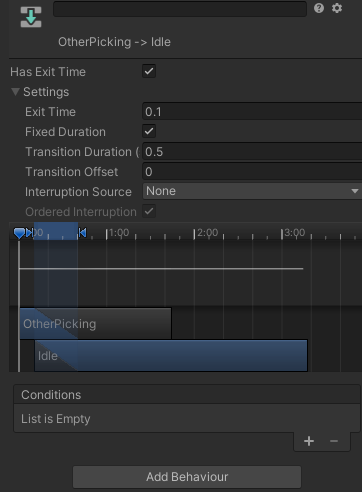
the Picking anim plays completely
despite having 0.1 exit time
nvm fixed
how do people get nice blend tree window? https://i.imgur.com/4er9AgV.png
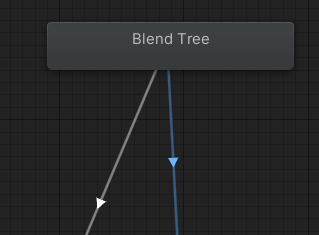
i have normal node
ohh i have to enter it XD ok
 wintry mauve
in general, it is possible to make some kind of animation and where to start to do something like that?
 swift temple
looks like smth a vfx graph could produce
wintry mauve
swift temple
looks like smth a vfx graph could produce
but I create for mobile device. Can I use After Effects and then import to unity?
swift temple
if you can make it in after effects yeah
then it's just a matter of exporting as an mp4 and using a videoplayer component
or frames with an animator component i suppose
zenith river
why in blender all parts are togheter like it should be and after exporting to unity everything is wrong?
 acoustic geyser
Hi everyone, I'm trying to create an animation event for EnableCombo() and DisableCombo() but don't see any options to select such in the function menu for the animation event.

Heres the script for my animator handler
Any solution?
 trim pelican
Hello Guys
Can i have a script with a slider (from like 0 - 10 for example) and as i slide this slider, an animation is played? And when i drag the slider backwards, the animation is played backwards? So when the slider is 0, the animation time is 0, and when the slider is 10, the animation is at its last frame?
 hybrid tinsel
@trim pelican Yes. What you would do is to use https://docs.unity3d.com/ScriptReference/AnimationState-normalizedTime.html
 trim pelican
I'll Look into that, thx
zenith river
hy all,how do i need to make animation in blender to export them to unity and show in unity the animation clips for every part of the weapon separately?
i have a weapon that transofrm in multiple mini weapons
so how can i make them in unity on pressing 1 or 2 on ui slot to active certain type of animation of mini weapons?
 vivid forge
hello. not sure where to post this
i'm somewhat new to unity. is using animator for boss attacks/attack design bad practice?
i sometimes try scripting the encounters and it gets pretty difficult to coordinate, so i typically just use animator to do a lot of things. i'm wondering if that's what im supposed to do or not. thanks
 stark haven
how do i manually separate sprites in a sprite sheet
 pine badge
Hi, for some reason my root motion's Y value is very small (e-06) compared to other axis
Also, the root motion's vector is only non zero like, the first 7~ frames out of 30 total frames of the anim
Sounds familiar to anyone?
 split berry
stark haven
how do i manually separate sprites in a sprite sheet
split berry
stark haven
how do i manually separate sprites in a sprite sheet
I don't think the Unity editor has a way to pull individual sprites out of a spritesheet and save them as PNGs. If that's what you are asking.
 eager ember
How do i create a rig to use for procedural animations? Im following a tutorial but when i apply the IK constraint it doesnt do anything.
(tell me if this doesnt relate to animation, i thought it did because the whole rig thing)
hybrid tinsel
@eager ember you'll need to give more information probably
@vivid forge I use animations for that too.
eager ember
hybrid tinsel
<@!653948225773895699> you'll need to give more information probably
like what?
im using the animation rigging plugin and have the bones set up and the rig
hybrid tinsel
Well, you don't say what tutorial, what sort of animation, whether it is 2d or 3d rigging, etc
hybrid tinsel
That could mean the specific package or more general procedural animation.
eager ember
walking
hybrid tinsel
All the procedural animation I've done has been without that package 😛
eager ember
but im literally just trying to set up IK on the legs
hybrid tinsel
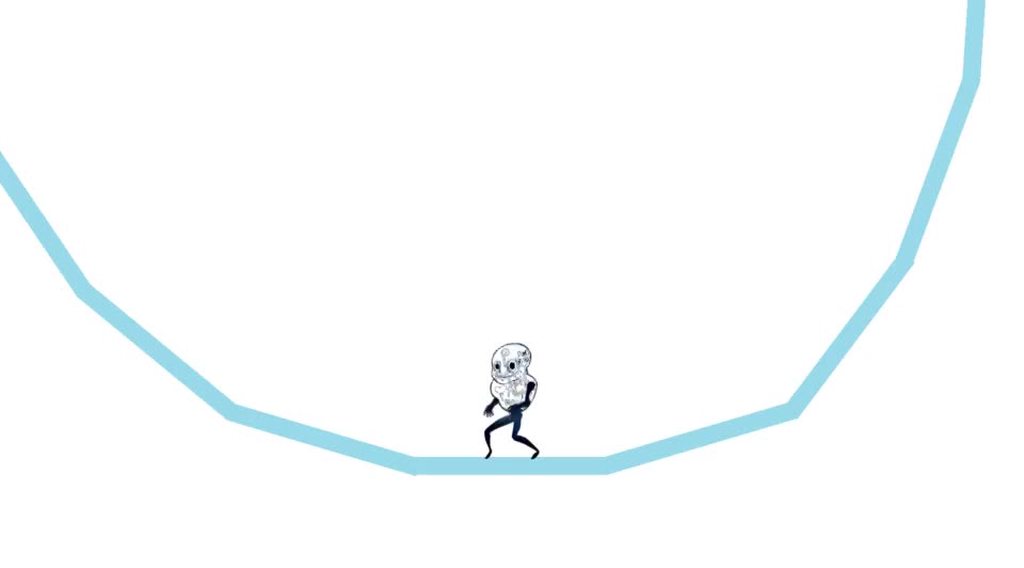
I honestly don't like that package; it is really clumsy and I've not gotten it to work other than simple tests.
But yeah, it is hard to tell what is going wrong because there are a LOT of ways for it to go wrong.
You made sure that the chain includes all the bones you want to affect? That the target isn't a child of the chain bones?
eager ember
yea
i cant check rn tho cuz i dont have access to my pc
-the question was hours ago
hybrid tinsel
I normally wouldn't reply to a question like that that's a bit outside of my area, but figured any help was better than none :3
twin musk
If i export my animation can other people use it??
The animation?
Im rlly confused with it
zenith river
hello
did someone know why after exporting an object with rig animation from blender to unity a part of object that is moving is moved in final position and not at standard?
 lost hazel
Can I put in an animated blender model into unity
 fierce hedge
when using the animator, if I have a string of animations that have to run in a specific order, how do i keep the animation state of the previous animation at the last frame after it transitions to the next thing
example: I want it to run through the first section at the top and keep the last frame of each animation in the chain.

 brisk patrol
What is a good program to make assets, i dont have photoshop
split berry
brisk patrol
What is a good program to make assets, i dont have photoshop
Depends on your OS and budget. Krita is free and cross-platorm.
brisk patrol
@split berry ty
twin musk
Guys if i export an animation that i made, will i be able to use it in a new file in unity??
Im having trouble with it
twin musk
twin musk
Guys if i export an animation that i made, will i be able to use it in a new fil...
I made the animation within unity but i also wanna use it for my future projects
Is that possible?
 meager drum
Has anyone had experience with SharedMeshRenderer's GetBlendShapeWeight() method? I can see in the inspector that my blendshape has a non-0 influence, and I can see it in the scene/game view that it's being used. So that's all good. But GetBlendShapeWeight() is returning 0 for that shape. I've verified that I have the right index by printing the shape name from .sharedMesh.GetBlendShapeName()
Is there some additional requirement here that I'm not seeing in the docs?
 valid ether
@twin musk Do you mean future projects in unity or other software?
twin musk
Future projects in unity
valid ether
Sure I mean you can just load your animation filename.anim and just import it into your new project
twin musk
It doesnt work for me tho
valid ether
umm is this for a charcter or something?
hmm not too sure about animating in unity I do that in maya.
twin musk
Its just a transition
twin musk
valid ether
umm is this for a charcter or something?
Like a black screen will appear and will fade in and out
valid ether
ohh ok
hmm, there is probably a better way of doing that through a script rather than using animation.
twin musk
So i'll just be using script for that?
valid ether
My advice is to ask someone in the programming channel how to make a fade screen script and then you can just reuse that in your future projects.
twin musk
Okay thanks!
valid ether
your welcome, and the script sounds like it would be pretty easy to make
@twin musk Actually you could just gradually turn down the brightness of you directional light
twin musk
valid ether
<@456226577798135808> Actually you could just gradually turn down the brightness...
Oh but im making it for 2d
 deep hazel
I'm using a motion matching animation system, which effectively plays individual frames of animations. There is some jerkiness as the character swaps between frames.. I tried Lerping the position & rotation of joints within LateUpdate, however this doesn't work at all well. how would I go about applying smoothing to the character bones to smooth out the animation?
valid ether
@twin musk Here I wrote this script to fade in and out it should be what you want
This is the canvas prefab that has a black image covering the screen in which the fade script manipulates the alpha
There are variables in the script you can modify that will show up in the inspector: Fade out, when false fades to clear, and true fades to black.
Alpha mod is how fast you want to fade.
The script is attached to the image object which is under the canvas object.
 bold cloud

 swift comet
can someone help me pls
I don't understand why this parameter doesn't activate an animation


 sterile pulsar
i have a character and animation from mixamo. i've baked the transform rotation into pose with the character's avatar (and rigged the animation as humanoid). but when i run the animation (walking), my character veers right. are there any obvious things i should be checking here to stop the veering?
no other code in the script that would contribute to "horizontal" movement or rotation
sterile pulsar
actually, on further inspection, it seems like the player is weaving, not veering. if i walk forward for long enough, it alternates between veering right and left. it seems to be "averaging" straight forward, but is covering a lot more distance because it gets something like +/- 5 on the y rotation throughout the animation. is this likely a problem with the animation or my character (or both)?
twin musk
Hi ! I'd like to know if it is possible to use legacy animations with the timeline feature ?
hybrid tinsel
@twin musk It is.
@sterile pulsar If you have bake into pose selected for that axis that shouldn't happen I believe. Hm.
sterile pulsar
hybrid tinsel
<@!268739152386719744> If you have bake into pose selected for that axis that sh...
that's what i was thinking (but i'm new to animations). except, it is happening. 🤷♂️
twin musk
Is it possible to add "AnyState" as blendtree animation?
 valid yacht
Its possible to adjust length of given animation?
For example I have single animation for running, but I made it smooth, so when Unity loop that Animation character at the end and start always is in standing position.
All I want is skip two or three first and last keyframes in loop.
meager drum
I don't think you can. I'd suggest just omitting those first few frames from the animation, the blending into it should work fine for "startup". If you REALLY want to use the custom lead in though, you can make it its own separate clip and have the animation controller change to the looping portion once its played.
valid yacht
I just found out I can edit Keyframes in Unity too.
I creating all my animations in Blender.
meager drum
Yeah, you can animate in Unity directly, but I haven't really tried that since my model's rig doesn't import
meager drum
Yeah. I have some stuff procedurally animated in Unity, like random eye and head movements. And breathing. But everything else I've done in Maya so far
 cloud storm
LegacyAnimations. There's some conflicting info; some Unity blogs and talks (2018 era) say "they are here to stay", the actual manual and API docs, for ~8+ years now, have been saying "don't use em in new projects".
Anyone got anything more recent than that? I mean they are "fully" supported by Mecanim by now (no more debug menu shenanigans).
At this stage, are what the "Animation" component uses, even still referred to as Legacy Animations?
cloud storm
Also, what became of the SimpleAnimation Components?
 trail shoal
When I start the game the blender model and its animations gets weirdly shown, their rotation and scale changes. Any fix?

is it because of my export options from blender or unity settings
 rustic surge
Hi guys. What is the reason behind this behavior ? https://imgur.com/a/s9JsjYl
On walking state everything seems good with animation. When i run, animation buggs
Its a very simple animation that I trigger using my script on0CollisionEnter and onCollisionExit
 sullen sparrow
Anyone know how to import an animation from Blender to Unity with FBX? Everytime I do it my model just tposes and nothing happens.
I'm also kinda confused how when I join two armatures, the one I connect loses its parent to the mesh that its attached to.
rustic surge
I am still having that problem from the above.. Anyone? 🙂
pine badge
My chara rig used to be Generic, now it's humanoid (i added legs n other necessary bones)
Now it's animating normally, but the root node is... i dont know what it is but it's wrong. I do a stab animation (hand goes back, then forward), but the whole model gets moved
And i can't set the root node in Humanoid import setting, it seems
 dreamy jewel
rustic surge
I am still having that problem from the above.. Anyone? 🙂
dreamy jewel
rustic surge
I am still having that problem from the above.. Anyone? 🙂
I assume you're talking about the button's animation with how it jumps up suddenly?
Seems kinda funky. I'd keep an eye on the animator controller window while you test the game. Try to see if it's transitioning between the "pressed" and "unpressed" states too quickly or if it's something else.
If I was using on Collision functions, I'd be sure to put a few frames of cooldown before they can trigger again to avoid anytimes when physics act incorrectly-or not as precise.
Like have some cooldown variable, like, "TimeTillButtonAnimation" or somethin' along those lines. Set it to some number and count it down each frame, and only play the animation if the counter has reached 0.
Alternatively you could avoid the whole OnCollisionEnter/Exit and use OnTriggerEnter/Exit, and set a trigger zone above the button.
dreamy jewel
 clear orbit
Animation Rigging.
clear orbit
Animation Rigging.
Pretty positive you can only do that in the 3d modelling softwares. If you use blender, you can look up "Blender rigging tutorial" there's tutorials out there that are like, 10 or 15 minutes long and cover good info to know.
 cloud escarp
Hello guys, one quick question. Is it possible for me to import just additional animation from blender to unity to an existing rig? do I have to reimport all and do the settings all over again?
clear orbit
@cloud escarp yes. Unity has a humanoid avatar sustem to let you use any humanoid animation.
cloud escarp
I see. Thank you for the reply. Knowing that I can do it is enough for me to keep going for now 🙂
clear orbit
Ok
@dreamy jewel o jave been looking at then for a while. Just made and exported my first rig into Unity. I guess I need to learn how to move the bones by script now.
 pallid plover
rustic surge
Hi guys. What is the reason behind this behavior ? https://imgur.com/a/s9JsjYl
pallid plover
rustic surge
Hi guys. What is the reason behind this behavior ? https://imgur.com/a/s9JsjYl
how is dude even
 solemn summit
so say i want to do a charging shield bash attack when i push a button for a character i plan to put in unity, do i actually have the character move in blender or do i just have the character run in place like a standard run cycle then i make the character move forward in unity
viral pollen
In blender my mesh looks like this

in unity it looks like

why is it so weird in unity?
pallid plover
how to save an animation as an fbx file and export it to adobe premiere?
viral pollen
pallid plover
how to save an animation as an fbx file and export it to adobe premiere?
in unity or blender
pallid plover
right now im using unity, and put the animation there
pallid plover
viral pollen
in unity or blender
but so far there's no option to export to an fbx file, because i plan on putting it in roblox
 celest crag
Unity has FBX exporter package. Don't know if it supports animation.
viral pollen
oh use the fbx exporter in the package manager
pallid plover
hopefully it does
viral pollen
celest crag
Unity has FBX exporter package. Don't know if it supports animation.
I think it does
pallid plover
except
I couldn't find a way to drag and drop the animation inside of the actual fbx

i was only able to add the animation through the animator tab, then pressing ctrl 6
viral pollen
I think you export the animation controller?
pallid plover
told me the file is empty, but i selected them all, then pressed export, changed it to all files then added .fbx at the end to make it an fbx file, but didnt work lol
pallid plover
all i need is to figure out how to turn each animations within the package (meta files) into fbx files and i can easily take care of the rest
viral pollen
alright have fun
 hazy breach
Why can't I turn on my animator? It says somehting about curves
 hybrid tinsel
Do you have recording active? I don't think you can disable the animator from an animation.
hazy breach
No I dont have a recording active.
hybrid tinsel
when you say 'it says something about curves' can you be more specific?
meager drum
I think he's referring to the stats at the bottom of his pic, which I don't imagine is related.
 desert notch
hey, i need some help, i was trying to make my first animations with the animation tab of unity. in the video i followed (https://www.youtube.com/watch?v=gQ6VBRVNzus&ab_channel=Sykoo) the guy could see all keyframes of the different objects of the rigged body in one tab, but when i click on another object (like the leg of the character) i can only see the keyframes of this specific object, which is really unpractible. does anyone know how to change this?


♥ VIDEO LIKE GOAL:
• 150 Likes!
♦ BECOME AN ELITE DEV TODAY!
https://discord.gg/4kRCajN
Welcome to the second episode of Unity 2018 Basics! In this video, we're creating an animation to our 3D model Unity-chan. Make sure to LIKE if you enjoyed the video, and let us know in the comments what features I should ...
 tiny elm
I'm not sure if this is the right channel to ask but, can someone explain what is the stride wheel technique based on?
clear orbit
desert notch
hey, i need some help, i was trying to make my first animations with the animati...
Maybe if you clicked on Male Dummy. And then press the lock icon in the corner of the the Aniamtion tab??
tiny elm
tiny elm
I'm not sure if this is the right channel to ask but, can someone explain what i...
Ping me when you answer
 frigid cargo
So in unity i was making a shoot animation and a aim animation, but my problem is the gun is set to the right at default and when you shoot it stays at the right, so when you aim, the gun is centered and when you shoot while aiming, the gun goes to the right because of that. Any ideas on how to fix?
desert notch
clear orbit
Maybe if you clicked on Male Dummy. And then press the lock icon in the corner o...
didn´t work... I´m kinda stuck on this one. would appreciate some different tips : )
hybrid tinsel
@tiny elm Not sure what you're referring to; I used a 'wheel' to drive the feet of a character, but I dunno if there's an actual technique there.
tiny elm
@hybrid tinsel stride wheel technique is like this
 frigid cargo
So in unity i was making a shoot animation and a aim animation, but my problem i...
frigid cargo
frigid cargo
So in unity i was making a shoot animation and a aim animation, but my problem i...
please help
hybrid tinsel
Ah, huh.
Mine was like this https://i.imgur.com/e5vnvCJ.mp4
It was very basic, using raycasts to place the feet. That one you linked looks like it is setting poses based on the rotation?
Does whoever made that have more of an explanation?
 charred belfry
hybrid tinsel
Does whoever made that have more of an explanation?
charred belfry
hybrid tinsel
Does whoever made that have more of an explanation?
https://www.youtube.com/watch?v=LNidsMesxSE (sorry if this is not what you meant)
 deep mountain
Noob question but how do i loop an animation?
meager drum
Do you mean where do you tell Unity to loop it, or how do you author one that loops cleanly?
tiny elm
hybrid tinsel
Mine was like this https://i.imgur.com/e5vnvCJ.mp4
Looks verry nice!
It's not the same thing but the stride wheel uses raycasts too
It measures the length of a stride and how the body goes up/down
tiny elm
charred belfry
<https://www.youtube.com/watch?v=LNidsMesxSE> (sorry if this is not what you mea...
This is the same video I watched
It was at 5:40 I remember. But the problem is that they didn't explain how to do it ;-;
hybrid tinsel
Yeah, I see that.
I'm nowhere near good enough to decipher how theirs works under the hood
And thank you!
 quasi fable
If I want to make "mechanical" animations, with rigid segments that don't need to deform, is it better to weight-paint and rig a single mesh and use SkinnedMeshRenderer, or is it better to just make distinct objects and animate them directly via their transforms?
hybrid tinsel
That's a complicated question with no perfect answer.
quasi fable
My concern is that I plan on having hundreds of these animated machines onscreen at once and SkinnedMeshRenderer may be too nonperformant
Due to lack of instancing for meshes etc.
Maybe I should look into something like this https://blogs.unity3d.com/2018/04/16/animation-instancing-instancing-for-skinnedmeshrenderer/

Unity Technologies Blog
As developers, we’re always aware of performance, both in terms of CPU and GPU. Maintaining good performance gets more challenging as scenes get larger and more complex, especially as we add more and more characters. Me and my colleague in Shanghai come across this problem often when helping customers, so we decided to dedicate a […]
hybrid tinsel
Shader based animation might be suitable too
quasi fable
hybrid tinsel
Shader based animation might be suitable too
Compute shader? Or what
hybrid tinsel
Where you save the transforms in a texture and play it back that way
look up 'vertex animation shader'
quasi fable
hybrid tinsel
look up 'vertex animation shader'
Thanks!
hybrid tinsel
Really though the best method is very specific to a given project it seems
quasi fable
Yeah I'm going to try a bunch of things
Starting with basic SkinnedMeshRenderer and transform-based rendering with an Animator
But I wanted to have a sense of where to dig deeper if the performance is as bad as I expect
hybrid tinsel
I know that there have been tests of 100,000 animated characters using ECS
But that's so far outside of my needs that I've not looked into it much beyond going 'huh, neat'
 quaint robin
hi every one i'm trying to add bones using Animation Riggin but when i add nothing happens to my obj
clear orbit
quaint robin
hi every one i'm trying to add bones using Animation Riggin but when i add nothi...
Hello
What do you mean , Does your model have bones?
 clear orbit
Those are bones
 quaint robin
i have to make animation for crab
but im new to bones and animation im trying its not easy
clear orbit
Yeah. It's a bit complex, but it gets easier
quaint robin
well i try thnks
clear orbit
ok.
Does anyone know how I can focus on a bone in the hierarchy by clickng it in the scene view?
F doesn't work
ok, now it works....
In Animation Rigging, I've put 2BoneIK constraints on all four limbs. What would be the next best constraint to put on? No fingers, maybe pelvis ???
 twilit scarab
why is she moving bacckwards ??

the tranform is correct too


she looks at -X axis
deep mountain
meager drum
Do you mean where do you tell Unity to loop it, or how do you author one that lo...
Where do I tell Unity to loop?
quaint robin
hey guys any one use maya ?
quasi fable
hybrid tinsel
I know that there have been tests of 100,000 animated characters using ECS
Yeah I've looked into ECS and it just doesn't seem mature enough for me to build my project on it yet
 vast iron
Is anyone can help me?
I need to understand how to adapt animation of one humanoid prefab to another. I have to assets of characters - blue dummy and low poly peasants. But if I use controllers from dummy in peasant it doesn't work
 meager drum
quaint robin
hey guys any one use maya ?
meager drum
quaint robin
hey guys any one use maya ?
I do, but I'm a novice so I'm not sure I'll be much help 🙂
 native harbor
Hi everyone. So I had worked on a project in unity around 2 years ago and my teammate made animations for our characters. I am now trying to remake that project in another engine and was wondering if I would be able to pull the animations from the old unity project? I'm not really an artistic guy, more of a developer, and I have lost contact with the animator so I cannot get the raw blender animation files from him so I am hoping to be able to pull them from the unity project. I pulled the FBX from file explorer but it's all one FBX and there's like 40+ animations so I'd really prefer not to scrub through it and trim it 40+ times. Is there a way to pull the animations individually? Would anyone be able to instruct me on how to do this?
quaint robin
meager drum
I do, but I'm a novice so I'm not sure I'll be much help 🙂
its ok just i download maya thnks mate
hybrid tinsel
@native harbor If you have the original unity file you should be able to export the animations as a unity package and import that to the new project.
twin musk
i have a problem with mixamo animations. (u know the mixamo.com) my skeleton's head is not moving. it has head bone but idk why isn't it moving. i took it from this here u can examine:
https://www.cgtrader.com/free-3d-models/character/anatomy/skeleton-e7f32f47-1381-4c18-b3eb-b4f201591ea2

 bleak river
Oof
 odd prairie
I feel a bit overwhelmed by unity's animation system sometimes
(including the workflow with blender)
I know theoretically the animation system is logically structured. But there are so many situations you need to understand what you're doing
and often that's not the case
was someone here in a similar situation?
how did you overcome this? what was the solution?
 rich slate
are you talking about the UI of the Animation editor? I ended up using Umotion pro to edit my animations in unity
odd prairie
thanks for the hint, gonna check it out
hybrid tinsel
@odd prairie First thing to realize is that it is often very illogical' it isn't just you 😛
 stone otter
hi could someone please help me figure out why this animation looks normal in blender but when importing it into unity, it's slightly wrong
meager drum
Can you elaborate on "slightly wrong"?
stone otter
so basically
there's arms and a knife
the knife floats a bit out of the hand
compared to in blender
where it stays in sync with it
 meager drum
The knife isn't a child of the hand, it's a seperate object animated in sync?
stone otter
meager drum
The knife isn't a child of the hand, it's a seperate object animated in sync?
it seems to be a child?
 charred belfry
could be animation compression
meager drum
Hrm. If it doesn't have its own joins animated and it's just "along for the ride" I dunno why it'd vary
stone otter
charred belfry
could be animation compression
if it is, is there a way to turn it off?
meager drum
Are you baking your animations when you export? I know I have to do that from Maya to avoid drift
charred belfry
^this is true, I wouldn't think it'd be animation compression if it's just offset from the parent and nothing else
stone otter
meager drum
Are you baking your animations when you export? I know I have to do that from Ma...
this is a free asset i downloaded so i'm not sure but i could try do that i blender?
could i send one of you the model
and see if you have the same issue
meager drum
Sadly I don't know the first thing about Blender
stone otter
it's an fbx btw not a blend
meager drum
Ah. Well, I've retired for the night but I could perhaps take a peek tomorrow and see what it looks like to Maya
stone otter
thanks i'd appreciate that if i still have no idea what the issue is by the
quaint robin
so its wrong to make bone like that ?
 hybrid tinsel
@quaint robin define 'wrong'? I can't even tell what I'm looking at.
@stone otter the name of the bone being 'goal' implies that it was meant for use with an IK setup, which would need to be baked before exportingto unity?
 sudden drum
hey, Im having a weird behaviour using LeanTween to move my menus, it does a weird bounce that looks like lag
someone knows why?
 gusty tundra
Hello, I have this particle system, it's working well but I wonder how I can make it so the stars continues to fall for the whole duration
as you can see the duration is 2 but the particles disapears before that
thank you for your help
 pallid wave
Hello! Somebody knows why I can't rotate the skeleton ?
If I play the animation, it works
but if I edit from the editor from example, it doesn't work
Seems like it doesn't update


Seems like I have this:

But in theory, it's just rotating that bones. Why in my case it doesn't update ?
pallid wave
Unity Forum
Hello! I'm using https://assetstore.unity.com/packages/essentials/tutorial-projects/the-heretic-digital-human-168620 for a project. To keep it simple,...
zenith river
hey guys who made animation in blender and then export it to unity?do you need a save with every movement of the weapon and idle separated or all in one save?
my weapons have different parts that are moving when the numbers ui slot is pressed so i need separated saves?
clear orbit
Why is the animator such a £&$% to get working?

 mint flare
twin musk
How do i have multiple parameters on one thing
mint flare
twin musk
How do i have multiple parameters on one thing
every parameter you add on a child block will appear on the parent. wym?
twin musk
mint flare
every parameter you add on a child block will appear on the parent. wym?
Oh thanks was wondering how they did that first time with animations and animator
mint flare
twin musk
Oh thanks was wondering how they did that first time with animations and animato...
children values are shown on the parent
 mint flare
twin musk
Oh thanks was wondering how they did that first time with animations and animato...
mint flare
twin musk
Oh thanks was wondering how they did that first time with animations and animato...
also same variables are merged in the parent (they change together). also blend trees are one of the most powerful and also annoying things in unity
 twin musk
I'm experimenting now thanks for explaining this
 random sphinx
Hello,
I just changed the skin of my character only it is not composed of each body part like the mixam skin. How can I use animations with it?
 deep mountain
How do i tell Unity to loop my animations?
twin musk
deep mountain
How do i tell Unity to loop my animations?
Edit the animation and click the little box that says Loop time. Don't forget to apply
 deep mountain
twin musk
Edit the animation and click the little box that says Loop time. Don't forget to...
deep mountain
twin musk
Edit the animation and click the little box that says Loop time. Don't forget to...
Thank you!
twin musk
You're welcome 😁
pallid wave
pallid wave
https://forum.unity.com/threads/digital-human-skeleton-doesnt-update.1072445/
nobody :(?
twin musk

Small tutorial on how to use Unity's Animation System's layers and behaviors to create small idle animations in 2D.
I'm using this tutorial to make my match 3 game pieces have different idle animations.
I do a variation of all he does...

But for some reason the screen is lit up with numerous errors.
I'd be willing to provide more unity info or a project file if asked.
twin musk
I think he messes up towards the start of cs script coding and says he lost footage of him working on another script?
twin musk
Update; most errors are fixed. Unity and C# compiler not detecting arrows.
The piece still isn't randomly sparkling...
I think the issue is on line 40 where there's an array value [sparklePosition]
I don't think I have any gameobjects dedicated to this.
Wonder how to fix that? Nothing but a YT comment possibly related to it in the comments.
 twin musk
I have the animation working on entry, but doesn't randomly trigger like in the tutorial.
Everything is 100% fine. I think the new issue is I don't have multiple animations for the script to choose from.
I'll work on this later. I'm satisfied with it as it is right now.
twin musk
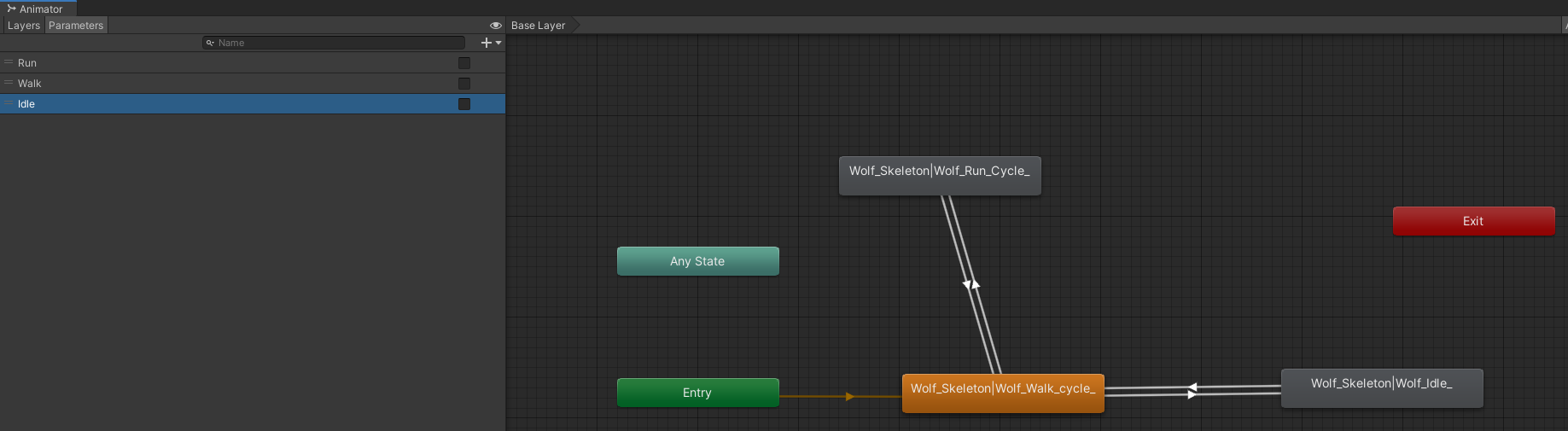
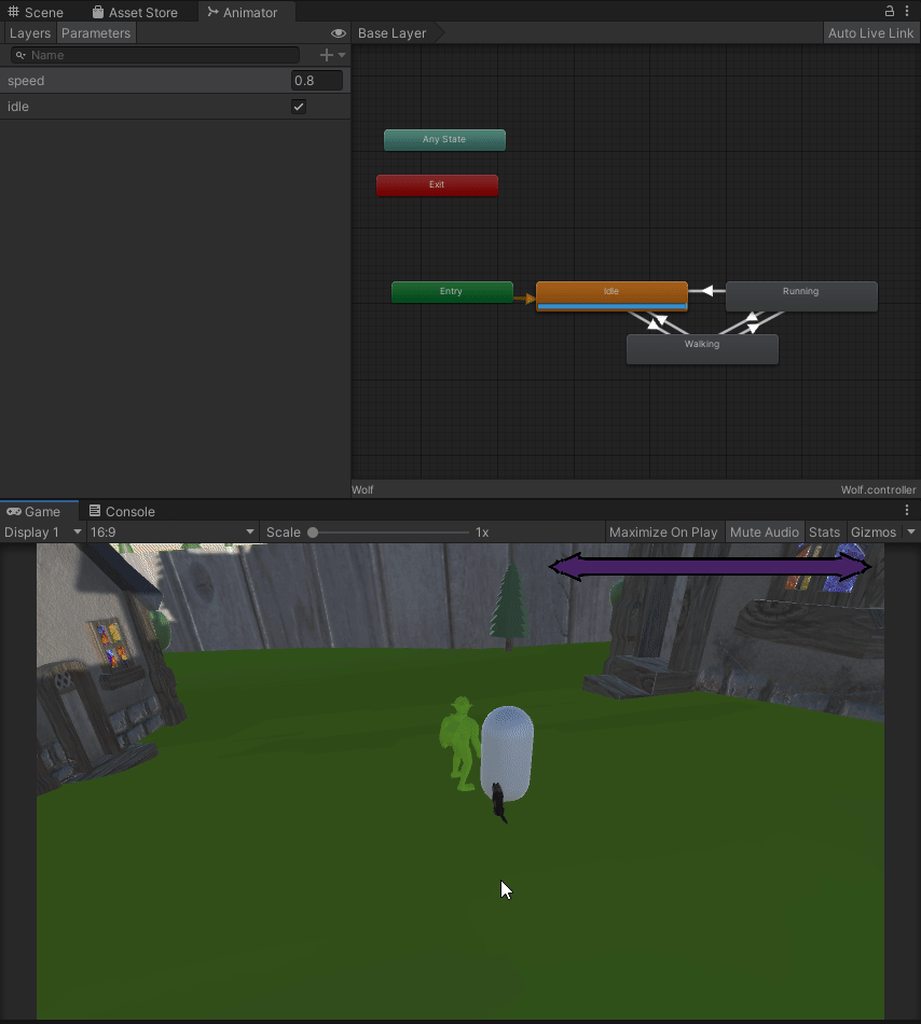
Hi, can someone help? when my wolf character starts to follow the player, he stops doing the run/walk animation, and just glides along...?
https://i.imgur.com/7RopXHK.png
WolfFollow: https://hatebin.com/qnweyhpreh
WolfRoam: https://pastebin.com/yEsQtvXE
@ me if u reply pls ❤️
Pastebin
Pastebin.com is the number one paste tool since 2002. Pastebin is a website where you can store text online for a set period of time.
using pastebin cuz it wouldnt save in hatebin :c
 livid quiver
if i have a low poly fish and i want it animated which is cheaper blendshapes or bones?
just a swim/wiggle animation
 scenic plaza
For those that are familiar with blender.....can Unity support the Build modifier?
 glacial anvil
I'm animating my character now, I want to have the arm overlapping the torso but the arm goes behind the torso, anyone have an idea how to fix it?
 fallow ether
how can I move 2 separate game object with one animation like for example a player picking up an object or opening the door
 crimson pecan
How to Fix These Errors?


 mild frigate
Hi! i'm new to Animation and i want to know if someone can help me create a animation that changes with a button, i mean i have 8 buttons 4 for On and 4 for Off.
So when i press button 1 = On turn animation 1 On, if i press button Off turn it off, same with the other buttons.
hybrid tinsel
@mild frigate Look into 'radio buttons'
 lofty jungle
Hi 🙂 Got a question about transferring skinned meshes between rigs. I have a rigged character model which I've split into two parts (head and body) before exporting from Blender. Both pieces have the exact same skeleton (since they came from the same model and I didn't alter or delete any bones). If I drag them both into a scene and position them in the same place, they match perfectly. However, I don't want to have to animate and synch-up two rigs (it's a waste), so I tried moving the head mesh into the body hierarchy and pointing the head's skinned mesh renderer root bone at the one in the 'body' model. But it doesn't work. The body animates, but the head is stuck in bind pose. What do I have to do beyond changing the SMR's root bone to get it to work? Thanks 🙂
 rare leaf
Hi,I got a question about idle(standing) animation.I have the model of a pokemon with animation I made by learning from youtube,How will I add the model to unity scene such that it shows animation when standing at one point
 teal frigate
Does anyone know how to make this collider move with player?
 floral canyon
teal frigate
Does anyone know how to make this collider move with player?
floral canyon
teal frigate
Does anyone know how to make this collider move with player?
simplest way to make anything move with the player is to make it a child object
lofty jungle
teal frigate
Does anyone know how to make this collider move with player?
Couple of ways, depending on why you need it there. What's the purpose of having the collider move with the animation?
teal frigate
lofty jungle
Couple of ways, depending on why you need it there. What's the purpose of having...
right now when animation is finished player teleports to where animation started, it didnt show up on video
 split vine
I have a question do someone know how I can make a trail like this?

A pixel ''block'' trail
lofty jungle
Right, so it's not so much that you want to move the collider specifically, it's that you want the root of the object to move.
You want to enable 'root motion' for that animation. That will physically move the object the animator is on, rather than just the bones inside.
teal frigate
lofty jungle
You want to enable 'root motion' for that animation. That will physically move t...
When I enable root motion character goes crazy, turns around walks etc
😄
Does it have something to do with these maybe?

 errant snow
What do you think about the falling/jumping/squishing animation?
https://youtu.be/ZmSg0DxtIR0

 boreal goblet
is it possible to animate an optimized rig via script?
fallow ether
What if i want to move 2 object togetter like the player open a door or picking an object ?
quasi fable
errant snow
What do you think about the falling/jumping/squishing animation?
https://youtu.b...
Looks pretty nice. I think it would be cool if right after leaving the ground you make him a little squished on the x axis and taller on the y axis
before returning to normal
so like:
Normal, about to jump, right after jumping:

and then return to normal
errant snow
Yeah I was thinking about it too, and I would like to see how it feels to squish him even when he lands on the ground
errant snow
Thanks a lot for the feedback by the way, I'll try to work on the squishiness later
And keep you updated
 echo plover
anyone know what this technique is called
where they animate something with separate sprites
for example each arm and leg has their own sprite and they follow the torso sprite
 delicate saffron
Hello ! anyone have a good and slowly explain tutorial for procedural animation ?
 faint spire
So i want to animate an button but i don't understand any of the options, can anyone please explain them to me?
errant snow
echo plover
anyone know what this technique is called
where they animate something with sepa...
You may be talking about skeletal animation
twin musk
@tidal turtle I think it's sick.
How'd you get it to be see through?
I'll trade you my jelly script and project files if you tell me how to do that.
 tidal turtle
I don't need it. All you have to do is duplicate the prism, then scale the clone up a bit, then give it a material with less alpha
tidal turtle
twin musk
<@!454362353031577603> I think it's sick.
.
 spiral coral
Im in the middle of importing my first custom 3D model asset. I have a FBX model which starts with a running animation. How do I have my model standing by default without the animation?
tidal turtle
spiral coral
Im in the middle of importing my first custom 3D model asset. I have a FBX model...
so you dont want the animation? delete the animation
i think
im not sure how it works with fbx
spiral coral
I do need the animation, but I also need the model to place without the animation. If that makes sense
This is the first time I'm working with custom models and animations, so I dont understand a large amount of how it works. Does FBX make sense to use for this?
tidal turtle
im also new. so im not sure. the only time ive used fbx was when i was making my vtuber avatar
spiral coral
tidal turtle
im also new. so im not sure. the only time ive used fbx was when i was making my...
so what is your normal process for importing models and using animation? if thats not to much to ask
tidal turtle
spiral coral
so what is your normal process for importing models and using animation? if that...
well that's the thing. i dont use animations in unity. just the model
meager drum
Bringing in animations via FBX is pretty normal
@spiral coral It sounds like you're needing an 'idle' animation for the "standing there" one.
You can make a single-frame animation that's just a pose if you want.
rare leaf
I would also like to understand more about standing animation,is there any good tutorial you can suggest or a specific option in unity that I can mess around with?
meager drum
Usually they're called idle animations; but there's nothing terrible special about them vs any other.
Maybe if you look up tutorials on using Unity's Animator you'd get a better idea of how Idle<->Walking works
rare leaf
ty for the info
I will try it out for sure
also like what should legacy or something other be the tag for this model?
 hybrid tinsel
@teal frigate You are baking the root motions, which means that that motioninside the animation isn't applied as anything but cosmetic.
rich slate
Are there any good guides on how to program or code in turning animation based on Vectors(Mouse input)?
hybrid tinsel
 little aspen
I've got a bit of something i'm not quite understanding. unity appears to be applying some kind of motion blur almost that makes the animation look really stuttery. Here's the animation in photoshop then in unity to compare
hybrid tinsel
@little aspen Using the pixel perfect camera and enabling pixel snap on the sprite renderer might help?
little aspen
alright I'll try that
teal frigate
When player stops animation plays slightly more... Anyone knows what to do?
I tried editing transtion duration but still same problem
 quiet hedge
is there a way with the default unity animator to use a spring curve? pref without manually entering the key frames
 rugged tapir
I feel like I'm missing something super basic. Wonder if anyone can help.
I have an animator set up with a layer that has IK Pass enabled, and a script attached to the same object as the animator that has an OnAnimatorIK(int layerId) method defined.
Yet this method never gets called.
Is there any other setup step for this that I'm missing? Docs are not quite helpful, as usual.
floral canyon
may i have a hand figuring out this animation hierarchy in blender? and why do some of my animations not appear on the hierarchy?
 rugged tapir
Another quick test shows that OnStateIK doesn't get raised either.
rugged tapir
Apparently the IK callbacks only work for animators that use an avatar of a humanoid. But you can't create an avatar asset, so I needed to get a random humanoid model, extract its avatar and use that one just to make the callback trigger ¯_(ツ)_/¯
hybrid tinsel
@teal frigate You have a fixed transition duration, it will take that long to transition.
@rugged tapir The built in IK system is the humanoid IK system.
They really should just state that clearly.
hybrid tinsel
Does anyone know whether there's a way to animate values stored in an array?
meager drum
@hybrid tinsel As far as I know, you can't do that directly. But depending on what you're trying to achieve you could rig scripts to do it. For instance, if you want to animate a property on every object in an array in the same way at once, that's possible
Basically, you put some property on the script that performs an action on the array when its value is changed. And then you can animate that property.
split vine
Is here someone who knows something about particles? My particles only work when my object is rotating ://
 rugged tapir
@split vine Can you show the inspector for the particle system then?
 rugged tapir
To be honest, emission rate over distance was always a bit sketchy.
But what you're trying to achieve looks like it can be done with a rate over time as well.
dreamy jewel
I was gonna recommend the same thing, but only because Rate over Distance is the only thing that seems "different" to me.
I think in the past, I've had intended results with Rate over Distance, but... i'm not entirely sure what's going on with the rotation issue...
rugged tapir
The rate over time will spawn the amount you specify there spread evenly over the Duration defined in the main module. So over 5 seconds in your case.
split vine
Okay
dreamy jewel
Rate Over Time basically just ensures it'll spawn particles. No matter how little or much it moves. Which in this example, I think that'll be completely fine.
split vine
Is there a way to let particles stay for always?
rugged tapir
Don't think so, but you can give them an extremely high lifetime value.
split vine
The thing is then the particles become too long
split vine
split vine
https://gyazo.com/f730ea5ddbeac86ec092151a41906e4c
I want them to be like here 1 object with 4 particles max
rugged tapir
You can limit how many particles the system allows at the same time in max particle in the main module.
split vine
Now this is what's happening

I want the particles to always stick to the object
so if it moves 1 block forwards that the last block disappears
 warped acorn
My animation keeps going black until restarting again can someone help me on this
The sprite keeps going black and then the animation restarts
my unity version is 2019.4.9f1
rugged tapir
Change the simulation space to local. World means they stay in the place in the world where they were created.
Local means they'll stay in the relative position to the object from which they were created. Even if the object moves.
To fix the gaps, you should decrease the rate and make sure that it's in line with the duration of the system.
(So for example, 5 rate over time in a system of 5 second duration will spawn 1 particle per second. If the lifetime of the particle is 1 you'll always have exactly 5 particles)
teal frigate
Guys, these animations are getting so mixed up. Is this how it's supposed to be?
 hybrid tinsel
@split vine You could jsut use a trail renderer?
split vine
hybrid tinsel
<@!265762542096351242> You could jsut use a trail renderer?
It have fixed it allready but thanks for your help!
I have another question..
Is there a way to make particles into a object?
 chilly ice
how should i sync a moving collider with an animation?
animation looks similar to this:

lasers will have the collider
hybrid tinsel
@split vine Make particles into an object?
@chilly ice animate the collider inside the animation?
split vine
hybrid tinsel
<@!265762542096351242> Make particles into an object?
Yes I can show you what I mean
Wait I'm wrong
chilly ice
hybrid tinsel
<@!481096444011479040> animate the collider inside the animation?
didnt think of that, thank u
i was hardcoding values.
floral canyon
is it possible to fully model, rig and animate 100% within unity (unity plugins are acceptable)? i'm so deeply tired of fighting with rotations when importing from blender.
i learned about probuilder and downloaded the rigging/animation plugin but i don't think you can create bones/armature with it can you?
floral canyon
@hybrid tinsel you seem quite knowledgeable. mind giving me a hand? i'm getting desperate.
floral canyon
chilly ice
animation looks similar to this:
did you draw/animate that?
floral canyon
ok. i found this. 2D rigging within unity. creation of bones, constraining of bones and animation of bones.
that's exactly what i need but 3D.
https://www.youtube.com/watch?v=EZtpACxCTEE

Asset Store on SALE! (affiliate links):
https://assetstore.unity.com/?on_sale=true&orderBy=1&aid=1011l3dTy
Check out my Udemy course! Link below (all 12.99 USD):
(Create a Rail Shooter Game with Unity - Newest)
http://www.milkishgames.com/udemy/rail-shooter.php
(Create a 90's Point & Click Adventure Game)
http://www.milkishgames.com/udemy/point...
twin musk
My walking bool is set to false by default but when my animation finishes playing the walk animation will by default play
 quasi fable
twin musk
My walking bool is set to false by default but when my animation finishes playin...
quasi fable
twin musk
My walking bool is set to false by default but when my animation finishes playin...
That looks like the transition from walking to Idle
Did you set them up backwards?
twin musk
quasi fable
Did you set them up backwards?
99% sure I didn't
I remember re-doing it 2-3 times
quasi fable
From that screenshot it looks backwards
It looks like you're wanting Walking to be true in order to transition from walking to Idle
I would expect the other way around
Walking is false to transition from walking to Idle
And walking is true to transition from idle to walking
chilly ice
floral canyon
did you draw/animate that?
No, it’s a reference
 tribal ravine
can I ask for help with the animator window
this isnt really help with the actual animations, but setting up the window with my animations
Do i ask for help here or in programming
twin musk
tribal ravine
Well i mean this is a specific question
It's not really something I can just look up I think idk
twin musk
whats the question
tribal ravine
I have two sets of animations, one for moving and one for attacking
I have the moving blend tree already set up, but need help with the attacking one
The transition to the attacking one takes a boolean for a mouse click
And i want it where the player must hold the movement button and press click to attack
so for example holding/pressing "d" and clicking does the animation
How do i set up the blend tree to do that?
tribal ravine
nvm think i got it i gotta use transitions instead
hybrid tinsel
@floral canyon I am a 2d animator, and I rig entirely inside unity generally.
I can still try to answer questions of course.
floral canyon
hybrid tinsel
<@!243357441616510976> I am a 2d animator, and I rig entirely inside unity gener...
after searching for two whole days, i finally figured out how to 3d rig in unity.
thanks for answering nonetheless.
do you have an online portfolio i could take a look?
hybrid tinsel
um, not really. You can see some stuff on https://pinballkitty.tumblr.com/

Not updated in a while
 idle frost
Hi everyone, I’m a bit of a newbie to Unity and I have got myself a bit stuck! I’m hoping someone can help me 😊 I am using the Everyday Motion Pack from the Unity store which includes a 3D character and animations to go with them. I have got my character “walking” using the walking animation, but they remain walking on the spot. I’ve been trying to get them to walk from point A to B using the Vector3.MoveTowards function and setting the character and the target position as gameobjects in the inspector. However, my character is still just walking on the spot? I feel like I’ve Googled this to an inch of it’s life haha! If anyone has any idea how to help, it would be greatly appreciated!! (Also please let me know if I should bring this up in a different thread as well?)

 hybrid tinsel
Does the movement script work properly if you disable the animator?
idle frost
Ah I've just tried it and it doesn't 😬
hybrid tinsel
Well, that narrows it down!
In your code it looks like you have the current position and the target position switched, so it is moving towards itself?
twin musk

I'm having an issue with an animations for fingers on a humanoid rig. When I set it to Generic, it works fine.(But I need to use Humanoid)
On the left in the picture is "Generic", to the right is "Humanoid"
I've been stuck on this issue for many days, it's a major blocker for my project. It even happens when I make test animations for models like Ethan.
Do you think there's something I'm doing wrong in blender? (I previously put this in #🔀┃art-asset-workflow, but now I think it's better suited for this channel)
meager drum
I was trying to help @twin musk with this on another server; We also determined that he can take "Known good" animations from other humanoids and retarget them to his model with good results. Which seems to suggest that his problem is something about going from Blender->Unity. I suggested he come here too see if any Blender users might be able to guess at the problem.
twin musk
Thanks for joining in Wyldfire :)
hybrid tinsel
@meager drum The avatar has all the bones correctly assigned?
twin musk
We assume so, because after the animation failed in this way on this model, I tried making an animation for Ethan, which also didn't match for fingers
However I did import Ethan's to blender to animate, and used my re-exported version of him
meager drum
@hybrid tinsel Yes, since the retargetting works and so do all the "muscle" controls in the Avatar tool
tribal ravine
for the animation window, is there any way I can have a transition/condition to something specific in a blend tree?
Like i want to have a condition for a something connected to a blend tree in a sense
 quaint fulcrum
If I wanted to make an object float up and down, would I use an animation? And if so, where is a good tutorial to learn the basics of animation? I checked the pins but only really found documentation. (Obviously the most basic animation ever if you can even call it that but it's a good start to using the animator components I'd assume)
 thorn wind
Does anyone see anything blatantly wrong here? Specifically, my sword_slash animation will sometimes not play, until another animation, such as strafing plays for a second or so first. I can't seem to figure out why. I've played with exit times and set it to play at any state.
 hybrid tinsel
@tribal ravine when transitioning to a blend tree, it will go to the state that meets whatever the conditions are so as long as you have it set so that the tree will be in the state you want you should be good?
@quaint fulcrum Whether you'd use animation depends on a few things, like whether you want the floating to react to stuff(in which case I'd use a script) or if it is just a single repeated motion or a bunch of discrete motions that would be switched between (in which case an animation is good)
I'd actually suggest starting with the animation window manual on the unity docs before getting into tutorials; it will save you a LOT of time trying to figure out the interface.
twin musk
Any ideas for the animation finger mismatch Pinballkitty?
twin musk
If I can't get this resolved, I'm not sure if I can continue developing =(
 urban parcel
Hello, I've got a big problem on my animation, that I can't solve by my own
Can someone help me out with it ?
 uncut salmon
Just ask your question, if someone can help, they will.
urban parcel
Here is my problem, when my character jump near a wall, it bugs my jump animation, and it stucks on the first animation (3 differents animations for jump : take off, in air, land)
 median widget

Everytime I try and animate my character, he just gets in this weird as position
let me hide the terrain to show you exactly whats happening

I can assure you, the animation is a lot different lol
It's just an idle animation, but everytime I play the game, it just goes to this weird ass pose.

animation controller
any help would be much appreciated ❤️
also - it's from mixamo
 brisk vector
does anybody have an idea why the feet of my robot are detaching when i blend my forward and sidways run cycles?
 meager drum
@median widget That's the default bind pose when using an animator. I bet your idle animation isn't set to loop.
WEll, when using an animator with a humanoid rig at least.
median widget
meager drum
<@!392868711075414016> That's the default bind pose when using an animator. I be...
Interesting. It is set to loop 😳
You mean the animation itself?
I’ll check when I get home. Hopefully that’s the issue
meager drum
Yes, there’s a loop setting when you import it
That weird dead insect pose tells me an animator is in effect at least, so it’s probably hooked up right. And your animation state looks like it’s working fine. So that’s all I can think of
median widget
meager drum
That weird dead insect pose tells me an animator is in effect at least, so it’s ...
To fix it would I need to reimport? Sorry, not familiar with artsy stuff lol.
Also not at my pc currently
twin musk
I've had that happen to me before too, I think it was usually the animation rig didn't match the character rig.(Also do you have it set to generic or humanoid?)
median widget
twin musk
I've had that happen to me before too, I think it was usually the animation rig ...
I have it as humanoid
twin musk
Ah ok good! On the animation, are you using the avatar created from your character model?
twin musk
Haha I'm glad to hear that! =)
median widget
I changed from humanoid to generic, restarted unity, redid the entire process and changed it back to humanoid and now it's wokring.
maybe i messed something up. thanks guys!
twin musk
You're welcome, glad we could help
 sour dragon
Does anyone know how to convert Blender animation files over to unity and get the animations to work? ( I have looked on google)
meager drum
@twin musk Was wondering whether you'd tried simple animations like "raise arm" and see if those work without weird rotational problems
twin musk
sour dragon
Does anyone know how to convert Blender animation files over to unity and get th...
I just export animations to fbx ;)
Which part are you stuck on?
twin musk
meager drum
<@456226577798135808> Was wondering whether you'd tried simple animations like "...
I'll tried creating a very unnatural arm rotation on both joints and the wrist, and it was still in the expected location in Unity.(So it indeed seems it is just the fingers)
I also submitted a bug report too because I found a 2014 thread with basically the same issue with fingers, and the mecanim dev told the guy to submit a bug report(So in my view, that gives me permission to submit a bug report too haha)
meager drum
Interesting. I wonder why it would be just the fingers.
twin musk
Yeah I wonder too.... there's about 10 or so threads with the same problem as mine. Most of them aren't very recent, but I think all of them ended up giving up on solving it.
Some of them definitely gave up, perhaps the others did find a solution and just didn't post their solution, who knows
hybrid tinsel
Maybe the finger bones are twisted or otherwise incorrectly set up in the file?
twin musk
hybrid tinsel
Maybe the finger bones are twisted or otherwise incorrectly set up in the file?
Well it even happens with Unity's sample "Ethan" model for me...
meager drum
Yeah, it's not the bones. It's the animation somehow, at least based on the results so far
Do the other people reporting this also have the arm twisted along the way?
sour dragon
@twin musk I am stuck on the part about animation
twin musk
Well the arm being slightly twisted only happens in that one model, it doesn't happen with the Ethan model
twin musk
sour dragon
<@456226577798135808> I am stuck on the part about animation
As in, getting the animation to apply in Unity?
sour dragon
yeah, so I import the Fbx walking animation and I don't know where to go from there Youtube does not really explain it weel
well*
twin musk
Ahh have you made an animation controller yet?
sour dragon
uh no but what do I do after I make the animation controller
alright made the controller
meager drum
Try watching this: https://youtu.be/vApG8aYD5aI
Learn the fundamentals of animating characters with Unity's animation system, and understand how & why it all works!
This beginner-friendly tutorial is a thorough break down of the Animator component in Unity 3D and explains how to use the component's five properties: controller, avatar, root motion, update mode and culling mode. By the end o...
sour dragon
I want shaggy to explain it
twin musk
Alright, I can understand that. I do better at reading how to do things too as opposed to videos. =P
But keep in mind this is just to get your animation playing in Unity, you'll definitely want to research animation controllers if you're planning on making a game.
So just to get it working, next click on your animation controller, right click in there and create a state. Then drag your animation into that state as the "motion". After that, you'll want to add an "Animator" on the object you plan to animate, and select your animation controller as it's controller. ;)
meager drum
I find videos are good for getting the gist/overview of how things all go together, then I want the docs for details
sour dragon
explaining it helps me get through the useless stuff of the video
meager drum
Also, it's good in general to be able to research topics yourself and then have specific questions here because a lot of time people don't have time for giving full blown individual lessons.
sour dragon
Didn't find out that video until now
meager drum
That's fine. Don't take this as scolding or anything, if Shaggy is willing to type it all out that's fine too. I'm just taking a "teach to fish" approach 🙂
sour dragon
I am fish now
twin musk
HAHA
sour dragon
You got a fish pfp
twin musk
you are the fish now
I certainly agree with the "teach to fish" approach. I think very important to know how to navigate the docs(or vids if that's your thing), that's how I learn nearly everything. (Not just for Unity too, for anything else that I program)
meager drum
🐠
sour dragon
I get german vids though
twin musk
Oh you are german?
meager drum
Yeah, and finding a Youtube person that you LIKE makes a huge difference in how well the videos go down too
Some of them are.... really bad.
sour dragon
English is third language
zenith river
hy guys can you have 2 triggers condition on a single transition?
 quick jungle
how can i attach my gun to my characters hands? i will have multiple guns with different animations , like when the character runs with the smg he is going to hold it up with one hand but when he runs with the rifle he will hold it with both hands and face down
twin musk
quick jungle
how can i attach my gun to my characters hands? i will have multiple guns with d...
I would child the model to the hand, that is what UFPS does as well
tribal ravine
is there a way to clear an animation after its done
for example my enemy_death animation is it like doing a lil explosion
but the last frame is like parts of dust, and I want it animation to just like go away after it finishes its loop
I already set it to only loop one time, but how do I get the last frame to disappear at the end of it?
nvm figured it out
if anyone wants the solution its to create sprite_renderer property in the animation tab
and just turn it off at the end of the animation
twin musk
https://i.imgur.com/2Vk5ZFo.gif
Anyone know why my wolf keeps standing up? he's supposed to just sit there idle and not move, once the quest has been done 😦 but when i leave the collider/trigger he stands up and idk why ;/
 twin musk
Very cool project so far @twin musk !
twin musk
How do you get the bats of time to show below each animation?
It used to do that on mine, but I think it accidently became disabled somehow.
 uncut belfry
Is there a way to get the perfect movement speed for a animation?
hybrid tinsel
Depends on the animation. If it has root motion of course it is pretty easy. Otherwise, if the motion is uniform it is pretty easy to estimate and then refine it.
If the animation is very nonuniform, then it is trickier but doable.
uncut belfry
Its a in place walk animation.
 west dock
hey everyone, ive got an asset from the unity store, its a player model but the animations arent working
its already got an animator component on it but how do i get them to actually work ?
 placid jacinth
hi there
how can i import my animation from maya to unity?
tag me when replying
 errant sage
 unborn copper
I have 2 models: one short guy and one tall guy. they both have the same rig and vertex groups are made to match proportions. when i play the same animation on both of them in Unity, the tall guy becomes short and the short guy stays the same and the animation plays on both. is there anyway to stop the tall guy from becoming short when animation plays? i already tested the same animation on both in blender it works fine there but not in unity.
celest crag
You might need to copy animation and scale curves accordingly.
 glass cove
Hello ev, reposting in the right channel.
i have a question about root motion.
id like to get the character controller to sprint or jump to a target distance and im unsure whether i can dinamically do that using root motion or i should blend the pre jump (root motion) and turn it off to actually move to the target via script.
This sprint/jump would be followed by attacks most likely, just want an automatic way to approach to the enemy either on the air or the floor.
unborn copper
celest crag
You might need to copy animation and scale curves accordingly.
thanks, but thats what im trying to avoid. seems highly inefficient to create different instances of the same animation for the same skeleton structure just cause the bones in one are in a slightly different location. there has to be a way around it, considering the number of characters i have.
 halcyon sundial
I'm very new to unity and 2D animations, and desperately hope that someone can help me with a silly issue. When I move a bone in my sprite it only creates a keyframe under that particular bone, it's not creating/collecting any bone or IK keyframes in the main timeline anymore? The animation is recorded just fine, and can be played just fine, and the issue remains with brand new sprites.

 azure dune
I struggle constantly with getting even simple animations to work the way I'd like, it seems.
I have a player - who starts in a laying down position (all 2D sprites, btw) .. and when a button is pressed, an animation plays, 3 frames standing the player up. Once the animation completes though, the player reverts back to the laying down sprite. ... I've even tried setting up an event frame, at the end of the animation clip - to programmatically set the sprite to the final frame's standing sprite - no dice. The second I transition to a moving, or idle animation, player's on his face again.
meager drum
@unborn copper Total guess, but maybe if you make animations that only keyframe the rotations of the joints and not their translations?
Dunno how realistic that is
meager drum
placid jacinth
how can i import my animation from maya to unity?
@placid jacinth Did you ever get an answer? What are you having trouble with?
placid jacinth
@meager drum yes i got my issue solved.....i just wanted a simple animation in my game.
i animated it in unity itself
it was very simple
meager drum
Ok, cool. I've only just started doing animation in Maya->Unity myself but I have it working so far
placid jacinth
cool
meager drum
Mostly see Blender users in here though so I thought I'd help if I could 🙂
placid jacinth
u have maya's student version?
meager drum
Indie
I had been using LT, but then they launched Indie here late last year, which is a much better deal
 feral bolt
I have tried with like 4 rigged models and I cannot get constraints to work, I've added the rig thing and created a two bone ik constraint but they never move with the hint or target
I tried with multi aim and the bones won't move
I've been following tutorials very closely and I have no idea what I'm missing
hybrid tinsel
@errant sage Yes. You can add layers to the animator.
@unborn copper are these humanoid animations or generic ones? Mecanim humanoids should remap to differently sized characters if the avatars are set up correctly.
@halcyon sundial Did you accidentally add animators to any of the sub objects?
@azure dune Did you set the animation not to loop? Is root motion enabled?
 wooden sky
Okay I gotta turn to the Unity discord gods for this one.... Does anyone know how to solve the "Animator.goTo: State could not be found", along with the "layer index -1 error"
hybrid tinsel
@wooden sky can you give more detail of the problem? That first error seems to happen when you either mistype the name of the animation state. Another possible cause is naming the variable you use to reference your Animator 'Animator.'
Which causes unity to freak out slightly.
But without seeing the code/animator it is hard to pinpoint.
wooden sky
@hybrid tinsel Gladly! I'm using Raycast for this as well but lemme just get my code down real quick in something to send to yah
@hybrid tinsel https://pastebin.com/d6BRLLc5
Pastebin
Pastebin.com is the number one paste tool since 2002. Pastebin is a website where you can store text online for a set period of time.
Thats mah code

This is also a trigger as well, I've been told Bools may work but I'm not sure if thats the case with this
hybrid tinsel
If you use the .origin and .direction of the ray, does that work?
wooden sky
@hybrid tinsel I'm pretty sure it does I get the debug log everytime I click the collider
@hybrid tinsel Also new af to Rays just started them yesterday
hybrid tinsel
And you aren't setting a trigger OR a bool, you are trying to call a state directly.
One that doesn't exist.
hybrid tinsel
If that's a bool you'd use SetBool, and if it is a trigger you'd SetTrigger
Right now, your script is trying to directly play a animation state called 'HC'
wooden sky
@hybrid tinsel TYVM I changed it to SetTrigger and now I get no error popping up and the animator says its playing it, but oddly enough now the animation is actually not playing at all even though it says it is
@hybrid tinsel Thank's alot though man for that, I did actually try using "play" for the animation earlier on that, but changed it back to animator after switching to legacy made my animation weird
hybrid tinsel
It might be restarting every frame. Is the trigger ever staying turned off?
wooden sky
@hybrid tinsel it appears the trigger is not actually, it has a full loading bar just sitting at the bottom of it
Not transitioning back to idle
@hybrid tinsel Oh weird I gotta click it again for it to go back to idle
wooden sky
@hybrid tinsel Yeah the animation in general wont play
hybrid tinsel
You are triggering it on the right object? You have the animation assigned to the state?
wooden sky
@hybrid tinsel Now should this script be on the parent game object or the child? I'm just trying to get a turtle to suck in limbs when I click on them
hybrid tinsel
On the object with the animator, the way you have it set up now.
If it's on another object you'd need to set which animator it used a different way.
Also, you call GetComponent<Animator>() every time it is called; it is better to set a variable for that once and then use that.
wooden sky
hybrid tinsel
On the object with the animator, the way you have it set up now.
Honestly it's looking all good, and yeah I do need to assign a variable to that; this things woopin my ass rn
hybrid tinsel
@halcyon sundial I also notice that you disabled the animator component on your object?
azure dune
hybrid tinsel
<@!336888915225214976> Did you set the animation not to loop? Is root motion ena...
It's neither of those. I found a bandaid solution 😫
hybrid tinsel
Oh?
azure dune
I don't wholly understand why it can't just keep the sprite from the last frame of the animation, but as soon as it would transition to another clip, it would revert back, so .. I've just set my few looping clips (walking, idle etc) to start by setting the correct sprite
The most confusing part is that .. fine, the animation doesn't make the change permanent, whatever .. the function I tried to call to programmatically set the sprite in an event frame, ALSO wouldn't leave it alone though.. THATs what's so fucky.

But, at any rate.
 rough widget
is there a reason why an animation plays for a random door and not the door I am interacting with?
hybrid tinsel
@rough widget There has to be a reason. We can't tell what it is without more information, though.
rough widget
yea so i have a door controller that plays an animation when i press e on it.
    void Update()
    {
        Ray ray = camera.ScreenPointToRay(Input.mousePosition);
        RaycastHit hit;
        if (Physics.Raycast(ray, out hit, InteractableRange))
        {
            if (hit.collider.tag == "Door")
            {
                if (player_inventory.GetKeyAmount() > 0)
                {
                    if (Input.GetKeyDown("e"))
                    {
                        print("E is down");
                        player_inventory.SubtractKey();
                        OpenDoor();
                    }
                }
            }
        }

    }
im not sure if im supposed to post code here though
but a random door opens instead of the one I am facing
I am using a prefab and creating instances of it throughout my map
maybe that has to do with why its picking a random door?
hybrid tinsel
Well, you don't in any way specify WHICH door you want to open in that code.
And also don't show the OpenDoor function so dunno what that does.
rough widget
    void OpenDoor()
    {
        animator.Play("OpenDoor");
        FindObjectOfType<SoundManager>().Play("DoorOpen");
    }
sorry my naming is kinda off
hybrid tinsel
My guess is that this is running on every object in the scene, and it is triggering on the first object that happens to run the code that particular frame.
Also, you should probably cache that FindObjectOfType
Especially if this script is gonna be run on lots of objects.
So what seems to be happening is that every frame, every object in the scene with this script is running at slightly different orders, so the first one to run consumes the key and opens.
If it didn't consume the key I suppose it would probably open every single one.
rough widget
yea thats what it seems like
when i try it with 10 keys it opens 10 different doors
instantly too
hybrid tinsel
Also, you don't test whether the door is already open.
So it will probably waste keys clicking on an open door
rough widget
okay i added that
hybrid tinsel
I suggest looking up RaycastHit and checking WHICH door was hit.
If you're going to have the raycasting in every door, you can just check if the raycast hit that object each time. If you wanted to have a separate script for the clicking, you could use hit.gameObject.GetComponent<DoorScriptNameHere>
rough widget
how would i check if that object was hit each time?
since right now Im using a tag
or would i use
hit.gameObject.GetComponent<DoorScriptNameHere>
to get the game object hit and run another script on that door to open it?
hmm i think i got it, thanks for helping me figure out the main problem
hybrid tinsel
No problem
rough widget
oh yea if you're still here, is there anyway to hide the doors after they open?
 hybrid tinsel
'hide' them in what way? Make them disappear? Have the pieces outside the frame invisible? There are lots of options depending on what you want it to do
hybrid tinsel
If you're using URP render pipeline, you can hide the doors outside the frames pretty easily
You can definitely do that. Just animating the mesh renderer and collider off.
Or animate the material to fade it out if it is transparent.
rough widget
okay ill try one of those ty!
 little sluice
Hi, is there a way to add weights to bones on a model so that if I move one bone, the others move in tandem? I know Blender has this ability, but I was just wondering if Unity had something of the sort.
I know there's a Two Bone IK component, but what about multiple bones connected?
cloud escarp
Hello. I started modeling things only recently, and am learning something new at every step. I couldn't find a solution to my question though. Lets say I'll make a character with sword and shield. Would it be better for unity to model it all together in one mesh or keep the sword and shield separate, using them as child of the warrior? I'm sure this is a basic thing, but any recommendations or heads-up are appreciated
little sluice
cloud escarp
Hello. I started modeling things only recently, and am learning something new at...
For this, I modeled the weapons in Blender with the character model, but I exported them as individual objects. That way I have more control over the weapons ingame
cloud escarp
@little sluice yeah that's what I was meaning to ask. Thank you
halcyon sundial
hybrid tinsel
<@!683646436398858250> Did you accidentally add animators to any of the sub obje...
Thank you so much for your reply! There are no animators on any of the sub objects, but I realize that as soon as I click record, the animator component box gets unticked. If I tick the component immediately, still while recording, it gets unticked really fast again after I've moved a couple of bones. When I move a bone in the scene view, that bone immediately gets selected in the hierarchy list and shown in the inspector window. I tried doing a entirely new sprite from scratch too, with the exact same issue.
 swift cape
Does anyone know why my sprite looks different on the sciene view and the game?
EDIT: Fixed, just made more spaces in between the sprites in the sprite sheet
 hybrid tinsel
Mipmapping?
swift cape
mip what?
 winged wyvern
Any one experienced with physical animations. Would like a consult to get some help.
tag me if so
 wraith pond
hi is anyone able to help me, I am making a 2d platformer, I have two players each with a playercontroller script that handles the movement etc. each player moves independently fine but all animations are triggering on player2 at the same time as player1.. I have tried duplicated the animator controller and the animations them selves and assigned that in the editor but it's still happening, is this a common issue that anyone has had, anyone got an easy fix? thanks for you're time if you can help 🙂
wraith pond
i've sortig this issue now so dont worry your selves
valid yacht
I pressing front button and back button very rapidly, but its never chose transition between run and run_back.
How I can fix it?

 misty glacier


 uncut salmon
Also, don't spam. You're not going to suddenly make someone appear. Have some patience.
 jolly burrow
Hey is there a Humanoid Unity Skeleton that i can download for Blender , so i can rig my Avatar to that and able to use unitys Humanoid Sytem ? Without having to retarget or read lot of error messages
meager drum
The point of the avatar system is to map your skeleton to Unity's humanoid. As long as you have joints representing the major joints the avatar system wants, you're good.
jolly burrow
Hey thanks 🙂 but i have to map it each time i import / make changes ... i was just curious if i can skip this ... like mixamo its mapped properly with the import
meager drum
You generally shouldn't need to re-map
If you just update the model, the avatar definition won't go away. As long as you didn't rename bones it should still work.
And if you put animations in seperate files, you just tell it to use the other avatar definition instead of creating a new one
jolly burrow
okay thanks i gonna try . ohhh like not " Create from this Model" but use Model XY ?
meager drum
Yes, exactly
jolly burrow
nice okay
another thingy ... do i pose my character Manually in a T- Pose ? the rest pose right now is this and the fingers not work nice at all in unity https://gyazo.com/0ce871b5d6e22fabc5b3ab93fde2fb9c
meager drum
You don't have to. When you're creating the avatar definition, it'll keep complaining that the model isn't in T-pose. In one of the pulldown things towards the bottom of the interface (If I were in front of a computer I'd screenshot) there's an "Enforce T-Pose" option that does it for you.
My characters so far are modeled in more of an "A" pose but it hasn't been a problem
Found it in the manual:

The "Pose" pulldown to the right of Mapping has it
jolly burrow
mmm thank you .i gonna test it out
 boreal rain
Im super new to unitys animation system but I want a simple equip animation to play once and then stop.
But it seems like the animation is running for ever, its only playing once but it keeps running in the back.
I have looped disabled and this is my line to play the animation
animations.play("Equip");
anyone know how to stop the animation when its finished?
Or does it have to do smth with how I set up the animator transitions?
ah yes that was the problem
:))) fixed it myself.
teal frigate
How do people make animations like on Mixamo? How can I learn to do it
 opaque junco
why is this happening
 boreal rain
teal frigate
How do people make animations like on Mixamo? How can I learn to do it
boreal rain
teal frigate
How do people make animations like on Mixamo? How can I learn to do it
learning by doing
just traine every day
the animations are that good from mixamo because the people were animating for a long time
teal frigate
boreal rain
learning by doing
I see thanks, do I just use programs like blender to animate?
boreal rain
teal frigate
I see thanks, do I just use programs like blender to animate?
yes blender.
I would suggest animating atleast 1 thing a day
this way you'll 100% improve.
teal frigate
boreal rain
yes blender.
Thank you dude I'll try
twin musk
animating a knife swing animation in unity
btw whenever i play the animation the object goes a million miles away
hybrid tinsel
Mixamo is mostly motion capture, isn't it?
@twin musk you don't really give enough info to troubleshoot it.
twin musk
so i add keyframes to make it move
and i test the animation
it goes like 600 units away
 ornate bridge
why my collider is like T mode ? And don't follow animation ?
https://media.discordapp.net/attachments/493511448639832085/823578782450843713/unknown.png
https://media.discordapp.net/attachments/493511448639832085/823578840558862356/unknown.png

 celest crag
ornate bridge
why my collider is like T mode ? And don't follow animation ?
https://media.disc...
celest crag
ornate bridge
why my collider is like T mode ? And don't follow animation ?
https://media.disc...
Dynamically updating collider are very costly. Usually simple shape colliders are attached to bones.
celest crag
Also don't cross-post
 storm orchid
someone who can help me with rly basic stuff?
storm orchid
i downloaded this racoon https://opengameart.org/content/cute-raccoon-2d-game-sprite-and-animations and i want to make it move at a constant speed in one way and be able to jump, i was able to do it with other characters (without animations) but this one doesnt work

OpenGameArt.org
If you enjoy this work, please consider buying me a ko-fi: https://ko-fi.com/nullpainter This little guy is ready to knock over trashcans in your game or animation! Here's what you get: Character art - png and svg formats (should open in Inkscape or Illustrator) Animations - 8 png sequences with 800x800px images. Idle, walk, run, jump, crouc...
i just started learning yesterday btw
 static wing
how can i create a sprite animation with swapable spritesheets. I have multiple spritesheets with the same structure, do i have to manually create the same animation for all of them?
hybrid tinsel
@storm orchid You'll need a bit more information than that; describing HOW it isn't working, the way your code is, how things are currently set up. There are literally an infinite number of ways it could be not working and we can't guess.
storm orchid
I think the problem is that the square around the character covers more space then just the character https://gyazo.com/e7d6906585b50e411596bf56dac73c54
 hybrid tinsel
@static wing Something like this probably void SetSprite(Sprite s) { gameObject.GetComponent<SpriteRenderer>().sprite = s; }
I don't have unity open right now so might not be perfect but something close to that
@storm orchid You can set the pivot point in the sprite editor
 west drum
I have a run animation from mixamo I'm using. I have no idea why but it is slightly crossing the legs when running in Unity, this doesn't happen in the preview on Mixamo. This is not a root motion animation but for some reason in I check "Bake into Pose" on "Root Tranform Rotation" it seems to fix this but I have no idea why.
Also this only happens if I make a humanoid avatar, it stays perfectly fine if I keep it on generic with no avatar in use.
boreal rain
ornate bridge
simple shape colliders ?
yeah like a bean cone.
Simply use a cube or sphere or cylinder and use the collision from that.
ppl rarely use that complex collisions due to its performance cost
and its not needed.
boreal rain
west drum
I would assume it has smth to do with how you weight painted your Mesh, not sure tho.
Or just the fact that the animation you're using is way more detailed and build for a more detailed model than your low poly one.
ornate bridge
@boreal rain so i use sphere collider on each bones
boreal rain
ornate bridge
<@!321649314382348288> so i use sphere collider on each bones
nooo
I mean, you could but thats not what I suggest.
how important is a correct collision
is it important to know where the head is ( for like headshots ) or each leg/arm?
ornate bridge
yes so i need to put sphere collider on it?@boreal rain
 oak musk


sorry for a dumb question but, how would I use GetComponent to access this Script/Component to access the Animator Controller?
west drum
@oak musk
Short answer: You use the name of the class (script).
Long answer: When the game is running it makes an object with the name of the script, so you actually aren't getting the script you are getting an object of that type.
 sly ice
I have script listening for live mocap data and it updates bone positions to a humonoid rig, it'd like to blend it with animations at times /w masking but assigning an animation controller even without a starting animation overrides the mocap data completely. Any workaround for this? (I tried lastupdate but it breaks the server script)
sly ice
I may need to look into modifying the script I guess and seeing if i can just get the animation updates on lastupdate
I was warned there could still be priority issues though =_=
 young bobcat
Can I discuss some doubts about the Animator here?
twin musk
no
young bobcat
Which chatroom would be better suited?
twin musk
none, so choose wisely
young bobcat
twin musk
none, so choose wisely
oof
twin musk
in other words, just ask here
young bobcat
Very roundabout way of saying yes I must say

Is this good?
Wait let me rephrase that
twin musk
im no animator but you may want to provide information on what kind of animation this game will use (frame based, skeletal.. etc.)
young bobcat
Is bruteforcing with the help of bools only a good way of managing animator states?
young bobcat
twin musk
im no animator but you may want to provide information on what kind of animation...
Frame based
 noble fiber
you can use triggers too
 ruby plume
animation is hard
 modest summit
Is it possible to run to animations at once? For example walk and attack.
meager drum
Yes, with layers and masking
west drum
I added jumping to my game with an animation and usually it works fine but if I spam jump really fast (last 3 jumps in the clip near end) I get my walk animation in air sometimes, it seems like it has transition time? I have "Has Exit Time" unchecked on every transition.
Here is the animator
 west drum
I found one way to fix my problem is by setting a transition from Any State to Jumping, so that may be the solution for now.
 lilac flax
Is there a reason why some layers of the psb file don't show up on unity?
 ancient echo
Im not entirely sure how to word this or what info/screenshots you might need to see (let me know if more info is required) - but for some reason the IK animations setup in Blender dont seem to reflect exactly in Unity, as if the shoulders arent moving or something, the rig and avatar looks configured correctly in Unity, any ideas what might cause this? (image on the right is the IK animation in Blender with the base model, and the left is Unity on the same frame, why are the hands not touching in Unity but they are in Blender?)
 hybrid tinsel
@lilac flax they might be hidden, they might be inside a folder, they might have duplicate names/IDs.
@ancient echo Blender IK is not exported to Unity. you'd either need to bake the animation to normal FK keyframes, or redo the IK in unity.
lilac flax
@hybrid tinsel indeed they were just hidden I don't know how I don't see it before
I have a problem about my rigging :

Here is my character that I want to rig and animate, each eye is animated and will have a hitbox, and they will be disabled when the player kill them, the fact is that I don't know how to rig all this character
hybrid tinsel
@lilac flax Aw, that is adorable! I really like the design.
Stuff like that is fun to rig https://i.imgur.com/q5isRTS.mp4
 hybrid tinsel
Actually, I have another that's covered in eyes, I can show you how I did that
hybrid tinsel
hrm... I can't seem to upload images suddenly o.O
For spherical eyeballs, you'll want the pivot of the bone in the center of the circle.
I usually use two bones; one that goes across the eye socket for the eyelids and one in the center of the eye for the eye rotation.

 hybrid tinsel
 lilac flax
tbh I don't know yet what animation this boss will have, but all the eyes will shot in their proper directions so they will not move that far, I just want to make them moving to follow the body sprite
hybrid tinsel
Kinda hard to see the eye movement, but they rotate and blink https://i.imgur.com/zlHf6xj.mp4
hybrid tinsel
I did the eyes the same way on this one, maybe a bit easier to see https://i.imgur.com/3epnVVr.mp4

Anyway, if you just want them following the object they're attached to, you can just parent the eye bone to the object it needs to follow
lilac flax
I think I'm doing it in the wrong way, when I see your results there's a lot of thing I don't understand, how did you do to make your eyes colors going behind the black circle border
Maybe I'm wrong even for my sprite itself
hybrid tinsel

This is the entire skeleton, by the way.
There are a couple ways to do that. The easiest way is to just have a hole in the object in front.
More difficultly, you can use shader tricks
But for both the ones I linked there are just eyeholes cut out 😛
lilac flax
hmm
okay I'll try something
and for the bone influence part, what are your advices?
 lilac flax
ahahah
I finish my rigging and I'll ask some questions ^^
ok thx for the eye part
but I can't do it like this, I put the dead eyes skin on the body sprite

so when a eye is dead, I make it disapear
(maybe it's the wrong way to do it, I can modify it if necessary)
hybrid tinsel

the 'rings' of color around each eye are the eyelids, so they can open and close by scaling the bone that goes across the socket
lilac flax
okok
hybrid tinsel
@lilac flax That art is super cool.
But yeah, swapping out the sprites or hiding them works fine.
Unfortunately, the built-in sprite mask doesn't work with skinned sprites.
How you deal with it depends on what render path you are using
In built-in, you can use stencil shaders. I URP you can use renderer features for similar effects.
 hybrid tinsel
The eyelid trick might not work as well if the eyelids are behind the eyes, but you can probably get around that.
lilac flax
I think yes
hybrid tinsel
Usually, I make an extra sprite for bits that go 'in front'
lilac flax
so now, I make auto geometry, and after that, auto weights, and then manage bon influence?
hybrid tinsel
Auto geometry is often not great for weird shapes like this; I usually draw it from scratch with create vertex and create edge except for simple shapes.
Is the body, including the stalks and mouth and stuff, all one layer?
lilac flax
mouth is on the body yes, staks I suppose you mean the big eye, if yes, nop they're on a different layer

it seems okay
hybrid tinsel
You're not rigging the mouths?
lilac flax
No, when I tried to rig it last time, I saw that by moving some bones of the body, it was enough to make annimations on the mouth it's enough for me I think, it's complicated enough 😂
I'll try the auto geometry and see what happen
ok
I think this is good enough
hybrid tinsel
I really wanna see how it comes out
lilac flax
I'll send a video here when it will be finish
but the rigs are good !
I'm just a little bad on animations xD
hybrid tinsel
If you have any questions feel free to ask 😄
lilac flax
I don't know how to ask questions on the animation part, it's just some logic I think
I know how it works, It just hard to me to make some natural movements ahah
hybrid tinsel
That is a lot of practice. And sometimes coding and trickery.
Ironically, good cartoony movements can be really hard compared to more realistic ones.
lilac flax
I'll do my best
hybrid tinsel