#🏃┃animation
1 messages · Page 69 of 1
 velvet seal
 gritty forum
When making animations in unity, how do you add all bones to the hiearchy in it so they always go with the animation
 hidden walrus
does anyone know why when i click anything inside Configure Avatar in one of my projects it just quits the configure avatar thing and returns back to the scene view ?
I remember I had this issue in the past before also but I dont remember if I figured it out before, i'm guessing it has to be some kind of bug
gritty forum
For 2d bone animation, how can you change the sorting layer once its done?
 hybrid tinsel
@proud stream mark the clip as legacy.
@still estuary there has to be either exit time or conditions, or unity gets annoyed.
 still estuary
I solved the problem by handling transitions in code
With crossfade
But I had condition
The problem was during state transition
hybrid tinsel
@mortal dock your first image doesn't work so hard to see what you mean but the standard approach is to have a black sprite behind both parts.
@fading kite download it from package manager.
@gritty forum only bones with weights get gizmos. The transforms should still be present in the hierarchy.
 fading kite
hybrid tinsel
<@507971620950900746> download it from package manager.
fading kite
hybrid tinsel
<@507971620950900746> download it from package manager.
download what
hybrid tinsel
@gritty forum normally you only keyframe items that change themselves.
And you can change the sorting layer from the sprite renderer component on it.
@fading kite the animation rigging package. You meed that to enable it.
 mortal dock
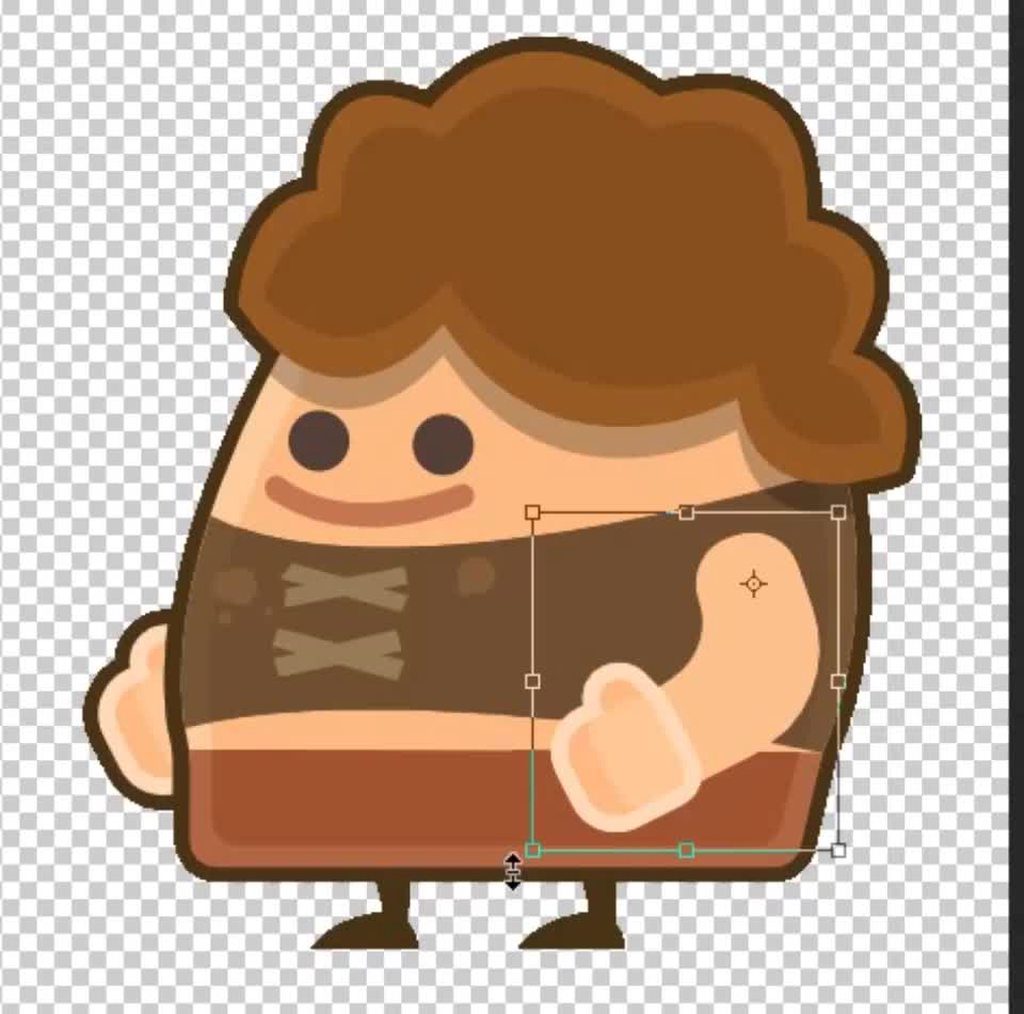
@hybrid tinsel thanks for replying! here's an image that better illustrates my situation:
currently i'm able to animate the "Desired" approach by using spritesheet based animations, but i'd like to move to skeletal rigging animations for flexibility and performance reasons
hybrid tinsel

 mortal dock
@hybrid tinsel genius! that's exactly what i want. thank you. will need to find a way to "link" the outline and the body part so they stay in sync like you have
gritty forum
@hybrid tinsel with the bones It doesnt change the sprite renderer
 gray dock
I have a humanoid model with multiple meshes, and it's animated by Final IK, but I've noticed that the bounds don't move with the meshes.. Could it be because all meshes are parented to the armature rather than to the bone controlling them? And in that case, is there any other way to fix it rather than re-parenting them?
 twin musk
Hello, does anyone have any idea if it is possible to use the same animation clip for multiple clones?
 azure dune
Oh.. man why does this keep happening. I'll be recording keyframes - I'll move an object using the move tool along a single axis.. then when the animation plays during runtime - it animates along the wrong axis. I need to nail down why this keeps happening, it's SO frustrating, and I don't get it.
I animated these object moving one direction fine - then a second animation clip is all messed up!
Even while using the move Gizmo the object doesn't seem to adjust the values for the axis I'm selecting. I'm so lost.
 burnt schooner
could someone help me set up animations for the player? I have the model and animations ready
burnt schooner
nobody?
 true fractal
So I wanted to make just a simple blink animation for my character but when I hit a keyframe and change it I'll change all of them anyone know why?
true fractal
Just need to simply make one keyframe 100 but I'll make the 0's 100 too
hybrid tinsel
@gritty forum the bones change order in layer, not the layer itself.
@true fractal make sure you deselect everything and only select the key you want to change?
@burnt schooner this isn't really the place for that.
@twin musk you can. If you want them to be in sync, use the same instance of the animator. If you want them independent, give each one its own instance.
true fractal
Only the key I want to change is purple
 static dome
anyone know how to turn on and off Has Exit time with code (Animation Transition) ?
true fractal
It still changes everyone of them instead of one at a time and it's kind of frustrating me lol
 sterile skiff
Hey all, I am struggling with a blending problem with my animation. I am trying to make a dodge roll animation which blends between each of the 4 directions, but I'm getting a weird error where in certain directions the character "stutters". This doesn't happen in any of my 4 animations and I'm unsure how to fix it.
I think it might be a gimbal lock issue, but I have no idea what to do about it? Like I fixed it in each animation, but the blending screws it up!
Is there a way to force Unity/Blender to use quaternions instead?
(My animation is created with quats)
 unreal vapor
Blender gives you the option to change rotation angle mode from euler to quaternion under the object's (rig bones') properties tab
sterile skiff
If you mean the bone transform, it is set to quaternions!
I'm not sure if there's somewhere else I have to set it?
Or maybe it's the fact that I'm exporting using fbx???
 deft latch
Hey everyone,
Is there any way to turn off looping of the animation in unity/blender? I would like to make a rolling cube, but every time it rolls it goes back to the place it started on.
Anyone knows how to do that?
 stray sentinel
can someone help me pls
i am trying to make an animation thingy but everything is greyed out
for my among us in 3D
pls i need help
 gritty frost
@stray sentinel Don't cross post.
stray sentinel
Ok sorry
hybrid tinsel
@sterile skiff does it happen in the imported animations themselves or only when you blend them?
@deft latch enable root motion and disable looping in the inspectir for the animation file
 placid cosmos
burnt schooner
could someone help me set up animations for the player? I have the model and ani...
placid cosmos
burnt schooner
could someone help me set up animations for the player? I have the model and ani...
Look up tutorials on animation in unity
sterile skiff
@hybrid tinsel If I mess with the animation to align the character during the roll, they also freak out.
I intentionally "tilted" the character so as to avoid it in the animation import, but when it blends I guess it hits that "gimbal lock" issue
I'm just unsure what to do, like I'd imagine Unity would be blending with quats, not with euler angles
So if my animations were good then so should the blended forms?
hybrid tinsel
@sterile skiff maybe try adding 45 degree animations too to help with the interpolation?
 tepid cloak
hi, is the animation rigging 2 bone ik constraint supposed to play ontop of the animation thats playing? how do i make it stop doing that
sterile skiff
The weirdest thing is that both animations are using quaternion interpolation
true fractal
How is it to edit a static animation in unity?
 limber dagger
Is it possible to import animations to Blender? if yes, how?
 charred sierra
Question; Is it possible to have an animation start at "any state?"
Example; I have 3 animations that put an object at a specific y coordinate. I was wondering if I can have the animations use the starting transform so it's not jumpy
I'm using an animator rather than individual animations. I think I have to access the animations though to set the start position
hybrid tinsel
@true fractal define 'static animation'
@charred sierra there is an 'any state' state in the animator you can run transitions from.
charred sierra
hybrid tinsel
<@239119523586899969> there is an 'any state' state in the animator you can run ...
So I've tried that, and maybe it's an issue with the way I'm creating the animation but it snaps to another position.
I guess I should explain how I'm making the animation. I'm using the animation window and setting a start key frame to x position then adding another one to animation to y position. I'm almost positive the x position is the problem but I'm not sure how else to animate it
 rapid kiln
@charred sierra what are the 3 animations? how do they differ?
charred sierra
rapid kiln
<@!239119523586899969> what are the 3 animations? how do they differ?
They're all changing the Y axis only
charred sierra
They're for 3 positions the object can go on the y axis
In-Ground, Partial In-Ground, Above Ground
rapid kiln
so something is in one of those 3 states and it animates between them, yeah?
charred sierra
Yes
rapid kiln
hmm
i think you could do it with a blend tree, which might be easier? but then i'm not sure you'd get as precise animation control
charred sierra
Blend tree?
rapid kiln
it lets you blend animations together, so rather than having an animation to transition from each state to each other state, you would just have an animation for each 'position' and blend between them based on a value, which would move the object
charred sierra
Hm, that sounds like it would help
rapid kiln
i'm not convinced it's good advice
can i see a screenshot of your animation controller?
rapid kiln
hmm...it's not really any state, right? does it ever go from AboveGround->InGround without first going through PartialInGround?
 river sentinel
please help me how can I check what animation is playing
rapid kiln
ok, in that case i think i would use a blend tree or just do it in code with DoTween
@river sentinel you can look at the animation controller while the game is playing and it will show you what's going on
charred sierra
rapid kiln
ok, in that case i think i would use a blend tree or just do it in code with DoT...
Any recommendations on how to get started with a blend tree? Is it still using an animation controller?
rapid kiln

an animation takes a thing at point X and moves it to point Y
so what you are doing now, you kind of need to have an animation for each point it could start at, going to each point it could end at
rapid kiln
it balloons quickly though
instead, you can think of the 3 states 'blend' between them
each animation is static -- just the thing in the position you want it to end in
and then you blend between each 'end' position in your blend tree
twin musk
so basically
after scaling
model to 0.1
animator works rly bad
it shakes the character
rapid kiln
if it moves in a straight line, you only need 2 positions: the start and end, and then you blend between them based on where you want the thing to be in between those states (and i think it will let you do that based on a curve so that you can control how it animates)
honestly though, for something like this it might be easier to just do it in code. You have your 3 positions and then an 'animateToPosition' which just moves the thing to where it needs to be from where it is
river sentinel
i found this
rapid kiln
for actually moving stuff, i almost always use code because you need to be able to adjust movement at runtime so frequently -- what if there's a wall in the way? or the player? should the thing just animate through them? etc
river sentinel
are you talking to me
rapid kiln
nope
true fractal
hybrid tinsel
<@361180506320142337> define 'static animation'
A animation that doesn't move
river sentinel
Yeah OK sorry sorry sorry Mr.
charred sierra
rapid kiln
for actually moving stuff, i almost always use code because you need to be able ...
it's a very simple app i'm making, it's ok to go through things
i'm gonna watch a video to learn how to do blend tree cus i'm not fully understanding the docs
rapid kiln
yeah the one on there is more complex than you need (yours would be the simplest one, a 1d blend)
@charred sierra if you want to instead keep doing things how you are, you could do that, but like i said you'd need to make sure you have an animation for each possible state transition. So a custom animation from each state to each other state, and then instead of using 'any state' you'd need to actually make each of those links in your state graph and associate the correct animation with them.
charred sierra
I think I actually got it working, it seems to be doing what it needs to pretty good
I just need to change my code to trigger the blend tree now rather than the animations
The video didn't explain how to trigger the animations via code 🙃
Ohhhh never mind
hybrid tinsel
Blends usually aren't 'triggered' as such; they just take in a continuous float.
 small oxide
I'm trying to import a posed, rigged model from blender 2.91 to Unity 2020.1.12f1. When imported, my model just becomes a distorted mess. Crevasses and rotations become exaggerated and the mesh generally fills with artifacts. Does anyone have any idea at all what could cause these discrepancies?
Trying to upload examples but upload just fails
export from blender
imported in unity, absolute mess
 pearl bay
How do I turn 3D models of wearable equipment into skinned meshes? Is this done in Unity or in some external 3D software? I made a rigged character using Character Creator 3 and now I want to make a piece of equipment that I did not make myself deform as the character moves around. How can I do this? I couldn't find anything on Google
 languid karma
Hey I have multiple animations that are in blender BUT once exported to unity there is only one animation. Anyone know why this might be?
twin musk
any way
to stop animator from shaking?

its less shaking on scale 1x and more shaking on scale 0.25x (i wanted to lower the scale)
https://i.imgur.com/NkYqhED.gif
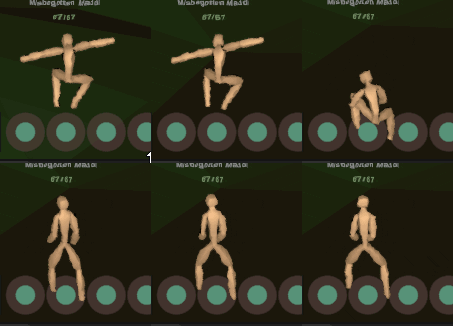
is it just bad animations or the animation component itself
is there any unity setting to fix that
twin musk
ok so, character cna be 0.01 scale and animator wont shake near the world centre
at about 40000 units/meters from world centre he should be 6x scale
to not shake
i wonder if procedural animation does better in this case, seems theres no way to fix it other than scale the animator as player travels further from world centre
 prime violet
Hi, I downloaded two character assets and applied an animation to both, one works perfectly and other just t poses, why does that occur?
twin musk
0.001 : 0 to 15 - 20000
0.01: 15 to 200 - 18500
0.05: 200 to 500 - 6000
0.1: 500 to 1500 - 10000
0.5: 1500 to 7500 - 12000
1: 7500 to 15000 - 7500
2: 15000 to 30000 - 7500
4: 30000 to 40000 - 2500
          = 81000 (vs 62500 without 0.001)
if we scale character (and world) like that then animator will not shake for about 81000 meters. thats cause goig from unity unit (meter) 0 to 15, on character scale 0.001, considering we also decrease his speed, would otherwise result in moving 20000 meters on scale 1
81000 meters is huge improvement cause if we normally used character with scale 1,1,1 then the animator would start shaking at 15000,
so your would could be max 15k only
river sentinel
How can I change the number using script
 errant shard
 stuck trout
i made an animation that calls another animation, but the animator only plays the second animation.
it only plays "fade_start"
 scarlet bridge
what conditions do you have in the connection arrows?
stuck trout
@scarlet bridge here is my code:
class one:
public class levelLoader : MonoBehaviour
{
    public Animator transition;
    public float transitionTime = 1f;


    public void SceneChanger(string SceneName)
    {
        StartCoroutine(LoadLevel(SceneName));
    }
    IEnumerator LoadLevel(string SceneName)
    {
        transition.SetTrigger("Start");
        yield return new WaitForSeconds(transitionTime);
        SceneManager.LoadScene(SceneName);
    }
}
calling it from class two:
anima.GetComponent<levelLoader>().SceneChanger("UnderWater");
 limpid vigil
hey i just wanted to create a rotate animation for my 2d sprite, so the key at 0 second is 0 and key at 1 second is 360 and thats its, i want its to loop forever this Game objects active....but when i tested play its play the animation and have few miliseconds delay to start over....its anything i can do for that delay miliseconds dont exist???
 balmy scarab
So I can't seem to drag and drop animation files into the Anim field in the Inpsector, and this is the code: cs public Animation anim; private void Start() { anim = GetComponent<Animation>(); }
I'm trying to get this if statement working : if (!anim.IsPlaying("Attack_1"))
My intentions are to have a piece of code only run when a specific animation isn't playing
twin musk
anyone know how to hide the cursor when you click on linux? it's driving me crazy having the mouse just jitter in the middle of the screen
I am using ummorpg and they use Cursor.lockState = CursorLockMode.Locked; it works fine in the editor but not on a standalone build
hybrid tinsel
@limpid vigil set the start and last frames' interpolation to linear and make sure that loop pose and loop time are checked in the inspector. Alternatively, just rotate it with a script.
@twin musk I'd ask in #archived-code-general . Cursor control is different for every os annoyingly.
twin musk
cool thanks for the heads up
 wraith sierra
Hi, I'm trying to freeze a specific animation in a specific layer at a specific point, through code, at runtime
Does anyone happen to know the way to do this?
(edit: doesn't work)
I can go to the animator and set the speed to zero, however it should also freeze the other layer
hybrid tinsel
You can set the speed to zero via code as well fir the entire animator, or you can set the speed of a particular state to a float.
wraith sierra
I'm assuming you can't set the speed for a single layer to zero, and I can't freeze the whole animator, so how do I set the speed of a state to a float?
I do see the speed parameter for the state in the inspector, is there a way to access it during runtime?
But it just resets the animation...
If anyone is interested, what I'm going to do to solve this is to split the animation into 3 parts, from start until the frame I want, the frame I want, from there to the end
Unity's animation system is a nightmare tbh
languid karma
Hey I have a model and animation that I exported from blender into unity. The problem is that the model (when exported to fbx with animation) comes out very distorted and it appears as if the rig it VERY broken. I would blame this on the rig HOWEVER the animation imports just fine if I place the blender file directly into the assets folder (no exporting needed). But I still require it to be FBX because the model only comes with one animation if it was placed into the assets folder rather then being exported (if it is exported it comes with ALL the animations)
wraith sierra
hybrid tinsel
You can set the speed to zero via code as well fir the entire animator, or you c...
You're right, thanks
wraith sierra
hybrid tinsel
You can set the speed to zero via code as well fir the entire animator, or you c...
You can do even better apparently, in the state (even for a blend tree), you can set the motion time by parameter so you can actually control the specific time / aprox. frame of the animation through code
 thin magnet
hey guys im using the directional lights to day and night cycle with the animator, is it ok?
hybrid tinsel
In the state's inspector, where you set the speed, you can set it to a float instead of a hardcoded value. Then you just setfloat to change the speed.
@wraith sierra
hybrid tinsel
@thin magnet no reason why not, though you could probably also use a timeline for that if you don't need the whole state machine
 pale kayak
anyone knows how can i get animation rigging in my project? (Unity 2019.3)
hybrid tinsel
@pale kayak install it from the package manager
limpid vigil
hybrid tinsel
<@457291547134918666> set the start and last frames' interpolation to linear and...
im not really understand what is mean when you say set the start and last frames interpolation to linear<<< how i gonna do this
i tried right click on the animation property(no really know whats its called) and i see interpolation...inside there only has euler angles, eulerangles(quaternion), and quaternion
oo i see on first frame in curves right tangent to linear, last frame left tangent to linear
@hybrid tinsel anyway i only able to rotate its z axis to left and cannot to right...event i set on last frame to -360 what cause of that?
 chilly rivet
Hi all, I`m working on a project and really struggling to animate, is there any experts who could pm me please, im new to unity and trying my best to learn as i go - thanks for everyones time
wraith sierra
If you want to start somewhere do the tutorials from unity, or I personally recommend these instead https://www.youtube.com/playlist?list=PLyBYG1JGBcd1E4CigRSDE9YdH8syiDY6-

 honest oasis
Hey guys, is there a way to mask Image elements in Unity? All tutorials seem to point to sprite renderer and spritemask, but sprites are horribly inconvenient to animate, so wondering if i can achieve the same with normal image component
chilly rivet
Hi all, ive added in some prefabs that come with the animation built in, I have an elephant which when I play the scene, it walks on the spot, id love to be able to find out how i couod map out a small or big area that it would walk around, any help is appreciated, thank you all
 unreal nova
My animations work perfectly in the editor
but when i play it
it stops before looping
 boreal crypt
Critique/comments on this animation? I tried to make it pretty quickly, perhaps 30 mins, so would like to know if there are any major things you've done differently
 worldly sluice
So I was wondering what is the most effective way to animate a bunch of objects, kinda like a transition in a scene but most of the objects are instantiated into the scene. So let me explain
The scene is setup in such a way that a container has a script to instantiate gameobjects under it and all of them are put into place by a grid layout component on the container gameobject. Now all I need is that as soon as they are instantiated they kinda transition into the scene but not all of them at the same time, kinda one after another
One of the ways that I had in my mind was to use a coroutine to control enabling the animators or their states using a delay so that way, they'd be transitioning in one after another
I've done it previously and it works fine, but I was wondering if there was a better or efficient way of doing this, since this seems like a hacky way
Or if anyone has ANY other way or ideas of doing this
worldly sluice
Please ping me if anyone has any suggestions, thanks
 calm cargo
anyone have any idea why Generic (Left) works fine but Humanoid (right) rolls all the joints crazy?
gritty forum
How do companies do animations for fps games? Redo each animation with each character and gun? IK? just wondering
 ionic ingot
gritty forum
How do companies do animations for fps games? Redo each animation with each char...
ionic ingot
gritty forum
How do companies do animations for fps games? Redo each animation with each char...
IK
fading kite
balmy scarab
So I can't seem to drag and drop animation files into the Anim field in the Inps...
get animator not animation
balmy scarab
fading kite
get animator not animation
Thanks, yeah sorry, forgot to mention I fixed it
fading kite
a ok
fading kite
calm cargo
anyone have any idea why Generic (Left) works fine but Humanoid (right) rolls al...
probably because the hand is trying to do sick flips and tricks but the bone cant deform the hand
fading kite
unreal nova
anyone have a good template for walking animation
mixamo
fading kite
limpid vigil
hey i just wanted to create a rotate animation for my 2d sprite, so the key at 0...
u see that red line? that means ur animation will be as long as the line. put ur 360 at the end of animation and play it faster
calm cargo
fading kite
probably because the hand is trying to do sick flips and tricks but the bone can...
Can mecanim be taught sick flips?
fading kite
calm cargo
Can mecanim be taught sick flips?
?
calm cargo
I don't understand why Humanoid is handling transforms significantly different than Generic is.
How do I get Mecanim to stop breaking the animations? This is just one case, others are so completely broken it's hilarious. Feet are like 2 meters away from their keyed position.
fading kite
my camera is locked because of an animation. when i activate root motion it works fine, but it doesnt play other animations.
hybrid tinsel
@boreal crypt I like it. Maybe a bit of motion to the hands/toes? Also at the end maybe a bit more wobbly as it settles. Depending on how cartoony you wanna go, a bit of squash at the very start might be nice.
@calm cargo because humanoid animations actually are converted into virtual muscles rather than explicit transforms. You have to make sure the bones are properly assigned (and the skeletal structure matches what unity expects) and make sure your avatar definition is correctly set up.
@chilly rivet that's more a question of navmeshes and ai- I'd ask in #archived-code-general
 steep kelp
Anyone knows if Unity can return the time where an event is in an animation clip?
Some of my animations have events at 1 sec, others at 5 secs, etc...
I want to get the current clip and look for an event in there and return the time where it is
 severe marsh
Someone knows why is this happening?, If i animated on timeline an object with a child, if this object has on the animator an Avatar, the model goes far away
But if i i take off the avatar, then it works properly
severe marsh
its posible to animate in Timeline a humanoid with the its Avatar in the exact place he is when u start the timeline?
calm cargo
hybrid tinsel
<@148545654325510145> because humanoid animations actually are converted into vi...
Thanks for the feedback! I'm aware of the muscle virtualization and have a normal looking hierarchy and T-Pose in the avatar configuration. I feel like I'm missing something, although I've put significant effort into fixing this and can't seem to make Humanoid stable.
calm cargo
I submitted a Bug Report on it with repro. The rotations are just nonsense and it happens on quite a few bones in various animations.
I tried many different avatar configurations, imported poses, hierarchy adjustments, etc. Nothing seemed to help in any way, the errors are basically identical through every change.
I would like to use Humanoid but given that it's so uncontrollable and unreliable I may have to adjust the project requirements to Generic - and that's non-trivial.
 woven gyro
Yeah any time I try convert from generic to humanoid and stuff like that it's so painful
definitely not worth it
calm cargo
Yeah I don't understand and everyone else with similar issues ended up just moving the project spec to Generic.
wraith sierra
calm cargo
Yeah I don't understand and everyone else with similar issues ended up just movi...
Had to convert from humanoid to generic, since humanoid is broken for me, even animation retargeting required a git plugin (wasn't the point of humanoid to make all of these animations compatible in the first place)? Oh well.
calm cargo
severe marsh
its posible to use humanoid?
I've used asset store content with it in the past with moderate success, but authoring for it seems near impossible. Might just be that now I'm finally looking at details.
severe marsh
severe marsh
Someone knows why is this happening?, If i animated on timeline an object with a...
@calm cargo you know why is this happening?
i've been for 7 hours searching for a solution, and i cant
calm cargo
Looks like a terrible Hierarchy setup.
Unparent all of that mess and decouple things.
severe marsh
yeah i know all this disabled stuff inside is a big mess, but i've tried in many others scenes, with many other models and animations, with the same result
the only conclusion i get is that the animator with a humanoid avatar its the problem, cause using animator without avatar works well...
calm cargo
It does not look like Humanoid is the problem in your case.
severe marsh
and how can i fix this?
cause its happening all the time, but just with animator with avatars
and this idle animation is all baked into pose
twin musk
how do i assign my model
to some animation pack
eg mecanim animation pack
from asset store
wraith sierra
severe marsh
and how can i fix this?
Sorry I can't help more, but what I usually do with Unity's animation is a make a fresh new controller, with really simple blend trees in 2 different layers, each with an avatar, and a really simple multi aim constraint (takes about 5 minutes)
Then I hit play, and go through every single import setting until I find the one that works
Hasn't let me down
 subtle bear
Anyone know why some animations just make the model moved down 1 unit and lift their arms, instead of playing the animation. They are humanoid animations and other humanoid animations work just fine. For example if I download an animation from Mixamo, it doesn't work with my existing rig.
subtle bear
Figured it out, have to click on the Model example it comes with an under rigging change it to humanoid
 solemn kernel
using mixamo, the animations clip my avatar through the floor
I am actually trying to use an uma avatar
ill check
oh wait, was that anything to do with me?
 last mural
Hey, I want to export this FBX file from blender into Unity3D, but there are a couple of issues. Does anyone know the best/most optimal/least buggy way of importing a Fbx file from blender into Unity?
The model that im working with is also rigged and animated as well
 bleak lagoon
hey people, is anyone available to help with a question? Ive imported an asset from the unity store for an enemy in my game but the prefab was huge in ratio. I've reduced the scale to 0.1,0.1,0.1 but as soon as I start the scene the transform is moved above the ground level. It seems this is being done only when animator is enabled, which puts it to being the mecanim controller causing it - I'm thinking possibly something to do with the origional rig size?
Unfortunately Im only taking a guess here as I dont have a clue when it comes to animators yet.
Things I've tried, making the enemy a child of an empty gameobject, adjusting the transform at runtime (mecanim continuously resetting it to being too high as the animations play), freezing/unfreezing y position constraints, adjusting scale in the fbx which just goes weird lol.
Im not sure what else to try
 solid cave
as soon as I start the scene the transform is moved above the ground level
i had an issue once
with my own model, my own rig, my own animation, my own everything
for some reason, a specific animation moved my character to the fucking sky
if that's your issue, i'd imagine root motion might be the issue?
although i got fucking annoyed with trying to fix it i just gave up, so..
bleak lagoon
I did find that with this too if root motion is enabled. he'll just float up
but in this case, he starts at the level in the pic and stays there, no matter how its set in editor mode
bleak lagoon
solid cave
I DIDN'T SEE THE FUCKING SHADOW
I LEGIT THOUGHT THE IMAGE YOU SENT WAS NORMAL
I'M SORRY I'M SO STUPID LKJFHDG
but yea, again, i've had that issue with animations
bleak lagoon
lol all good. the second pic is editor mode, not runtime. first pic was runtime where it seems to start
solid cave
i think it might be a rigging issue? or maybe some random checkbox in the middle of nowhere
yep, that's the issue i've always had
bleak lagoon
hence asking in here - Im a coder, clueless on animation or where to look
solid cave
my 2 cents are that i'd recommend you to find an artist for your projects
as someone who tried for a while to get by with only premade assets and my own code... yea not a good idea
bleak lagoon
lol if I had 2 cents to give them I'd try 😛
solid cave
it's quite fun to try learning 3D art
and blender is free, just downloading it on steam takes barely any time
so no harm in trying, right?
at least you could fix the broken assets people make :p
bleak lagoon
problem is designing without liquid capital to spare. Im attempting to learn with blender, but even importing this fbx to blender its file type not recognised so can't even adjust the model in there
solid cave
bleak lagoon
problem is designing without liquid capital to spare. Im attempting to learn wit...
can you send it to me?
i'm fucking confused now
bleak lagoon
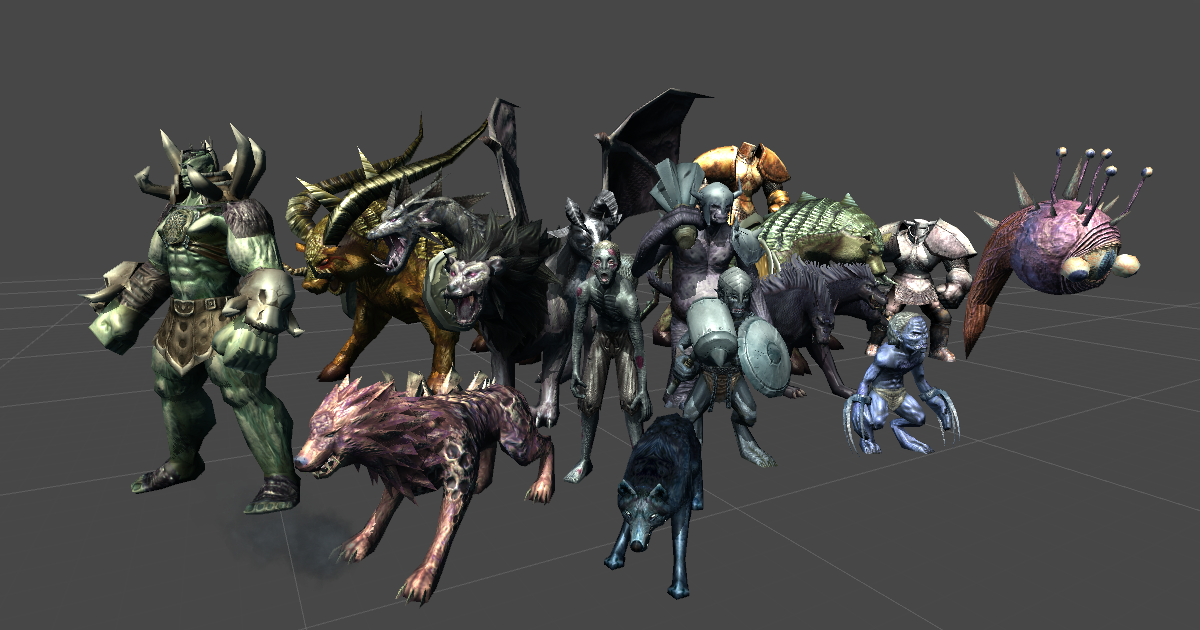
Elevate your workflow with the LowPoly Fantasy Monsters Pack Ver1.0_DEMO asset from TS WORK. Find this & other Creatures options on the Unity Asset Store.
solid cave
cuz i'm very sure blender supports FBX, so i wanna take a look for myself
bleak lagoon
its the goblin from that pack
goblin_01_Mecanim
at import to the scene it starts huge enough that to put it into aspect i had to scale to 0.1
solid cave
i'll take a look, it will take like 5 years apparently
just gonna ask whether u read this?
bleak lagoon
lol. well I managed to get it into blender - it seems it did import but was so tiny I hadnt seen it. complete opposite to in game
yea it mentions youtube videos for the setup
and is all about the demo scene not actual use
solid cave
aw, blimey
i've never seen this filetype before
i refuse to believe this was animated in unity
NotLikeThis
this has got to break some law
aw fuck, the blender cultist inside me has broken out again
bleak lagoon
lol I wouldnt have a clue unfortunately, Im just playing with import/export on the thing in blender now to see if I can get some balance. the origional was huge, the blender import, immediate export is tiny.
solid cave
can you see how this appears in Unity?
wait no fuck me
i am stupid and fucked up the export
it was imported like this by default lol
could you see how this looks in unity?
bleak lagoon
lol yeah thats why it was tiny when I tried 🙂 I have height working right now, just testing to see if i can relink anim
solid cave
ohh, so it looks okay now?
bleak lagoon
it warped to that as soon as I readded the animator controller and rig
although i did use the old rig
solid cave
i'd imagine you're now realising why i've not done a single playermodel/animated asset and am trying to complete map artwork for now :P
bleak lagoon
lol I dont blame you. and why I stick to coding, at least I know how to fix those screwups
solid cave
also, i'm pretty sure the model had a fucked up origin (center point)
in my sizefix.fbx i moved it to the goblin's feet, maybe that could fix something, although the animations might be incompatible
bleak lagoon
hmmm ok so making a new avatar from the modified import still goes like that pic
importing yours now to try
solid cave
i actually have no clue what will happen, so i'm interested.
bleak lagoon
well that worked even less lol
it imported
importing yours compared to importing mine. using yours in the scene is just... empty
is this just getting the bones only?
This is the giant thing that the animator warps it to - after shrinking it to the size of the origional one
 tulip peak
Greetings, have a small question regarding using animation from Mixamo.
Sometimes the animation from Mixamo don't have the option for "stay in place"(jump,etc); when you port them to Unity and you hit play, the animation will run but the character will move and not the GameObject itself, is there a way to make the animation stay in place in Unity?
Thanks in advance☺
gritty forum
All im doing when i hit record is rotating the gun backwards, so why is it going to the side?
 proud stream
https://drive.google.com/file/d/1a4Pr0sQ3hHO_GVr4BKGxj4xpSxDR4iWG/view?usp=sharing
does anyone know how to fix this?
Google Drive is a free way to keep your files backed up and easy to reach from any phone, tablet, or computer. Start with 15GB of Google storage – free.
 raven niche
I am having a problem with animations when i run the game
When I press play this will happen
But it is fine in the preview
proud stream
raven niche
this one looks like bunnie from fnaf
raven niche
It is lol
I found out the issue
I had forgot to apply transforms when exporting from blender
hybrid tinsel
@solid cave What's wrong with doing animation inside unity?
solid cave
@hybrid tinsel i just like blender more, i assume it's fine
 calm veldt
why this happen how to fix
 raw thicket
Oh guess this is the channel to be in
Anyone know of a good YouTube with in depth character design and animations tutorial videos
I've done poorly thus far lol
hybrid tinsel
@raw thicket that's a gigantic subject
raw thicket
Yeah I'm slowly learning this I have a bad habit of taking on too much.
I've now took it down a notch. Will start with using prefabs and assets. Get a well functioning game then one by one make each aspect myself. Figure over 6-8 months should get a decent basic understanding
 spring rover
how would i do this ? Interpolation setting of AnimationClip should be Quaternion
stray sentinel
can someone help me i can't find the alpha for my text i want to create a smooth flashing animation
 tender coral
it's gonna be in the color parameter of the text object
fading kite
how do i make a ui animation, like when i click on a button, a text comes sliding into my screen?
 fickle swift
I messed up my unity animation because I modified the sprite sheet (by re-automating the slicing). WIthout reverting back to my old git commit, how do I restore the animations? I opened the animation, but I don't know how to change the value of the sprites
How do I change the value of a key?
I expand the menu and right click, there's no edit option
I set it in the inspector but it disappears after
it's pretty glitchy, I can't rename my sprite to the old names
ok so it seems I have to delete and re-add the key
 solemn summit
figured this would be the best channel to ask, how are third person reload animations done, i figured it was you have multiple magazines, one that stays in the gun and when the hand grasps the mag then that mag un renders and a new seperate one appears in the hand ready to be dropped then the hand goes for another mag to insert then that mag un renders and the original one appears but i cant seem to find any videos on how to third person reload. is my guess correct or do you do it a different way
stray sentinel
tender coral
it's gonna be in the color parameter of the text object
ok thanks
hybrid tinsel
@solemn summit That seems like a reasonable way to do it.
solemn summit
yea problem is i cant seem to find anything telling me how to do it
when i try to export it from blender all the magazines are visible
hybrid tinsel
Well, instead of hiding you can set the scale of the clip to zero.
bleak lagoon
any blender gurus here? I have a very confusing problem of a texture being weighted to an unknown point and I have no idea how to find the cause or correct it
in the rest pose its not noticable sinces the point staying in place is just inside the chest area, but as soon as you move the transform back from 0 that one piece stays locked there
 random swift
All good @signal comet just conitnue here. So maybe you can show your graph or the animation itself, little clip?
 signal comet
So I'm not quite sure why it pauses for that brief amount of time before looping again...
Loop Pose was also ticked for a little while, but that didn't seem to change anything
 queen cypress
hey! I´m trying to do gun animations right now. But if I do Animation.Play(), it just gives me the "Default clip could not be found in attached animations list." Did I miss anything?
honest oasis
Hi got two UI objects moved in a clip from point A to point B, both have same locations at the same points in time, yet they don't move in sync. Any ideas what could be the issue? one object is being moved, the other resized
queen cypress
queen cypress
hey! I´m trying to do gun animations right now. But if I do Animation.Play(), it...
Sorry forgot to mark as legacy :D
proud stream
how do i make my animator react faster? it should change the animation instantly if the boolean "isrunning" changes
https://drive.google.com/file/d/17SyFheMk1EqXXBcGt4bQ5riuFhBT3AbS/view?usp=sharing
 subtle bear
There is a weapon pack on the asset store that says the weapons include rigging and bones for animations (IE: Miniguns etc), but it does not include the animations. How would you find animations for something so unusual as a weapon bone structure?
@proud stream In your transition, un-check has exit time, it will exit the previous animation immediatly
proud stream
thanks. the animation is much better now
subtle bear
Where do you specify the root transform of the bone sturcture in the Animator Component?
hybrid tinsel
@subtle bear you'd animate them yourself, eithervwith an animator or procedurally.
 edgy patio
I need some help with how I should approach turning animation in first person,
I have a parameter in my animator which controls my turning blend tree (going from -1 for turning left and 1 to turn right). But now how do is this value based on the rotation of my character?
subtle bear
@hybrid tinsel Oh, I think I will just stick to basic non-rigged motion then
hybrid tinsel
@edgy patio easiest way is to base it on the player input.
 small imp
LIMITED EDITION PRINTS AVAILIABLE: https://www.noisegrainandlight.com/store
LIMITED SONG BY CASEY: https://caseyedwardsmusic.bandcamp.com/
Over the last month I ran a contest called "Parallel Dimensions" in which I asked 3D artists to render their best environment over a template that I provided. This montage is the culmination of everyone's har...
 shrewd lantern
hello all, so im using rigify and when I generate the rig, it always generates the controls way bigger than the mesh
my char is like 30% of that , its always so much bigger. I've checked the scaling of the mesh and ran 'All Transform' to reset the scaling to '1' but no effect
raw thicket
I'm slowly starting to enjoy animation and seeing alot more then coding lmao.
bleak lagoon
anyone here to help with an issue on animation importing from blender to unity? I have a model in blender with a basic animation to go from the starting pose into a combat stance. it works perfectly in blender but when I export the animation to use on the same model in unity the character transform suddenly scales up, shifts on the Z axis, then shrinks back and tries to run to the destination again :/
http://203.86.195.138/BlenderAction.mp4 What it should be doing
bleak lagoon
the scaling is happening on all 3 axis, XY&Z
bleak lagoon
still looking for help if anyone is able 😦
 deep hazel
I have two different animation sets, when i go from one to the other, there is a disparity between joint positions, eg the head will dip/rise and the shoulders will lower/raise. When I make an animation transition, this is particularly noticeable. I'm trying to adjust the rig pose configuration to adjust the bone positions. Has anyone got any tips on how to do this more effectively please?
subtle bear
@bleak lagoon Not sure about Blender, but I have the same problems with any animations I import. They just cause the model to shift and do strange things until I go to the PFX file, select Rig, change it to Humanoid, re-set the model (since it gets cleared if not part of the FBX package) and then click apply
deep hazel
I'm mixing some kubold animations with mixamo animations. I've already set them to humanoid
azure dune
Gaaaah! This happens to me all the time and I desperately need someone to explain what's going on.
I record an animation, two key frames, very simple, object moves along the X axis over 10 seconds.
When I press the button to play the animation at run time - the object animates along the Z axis. Please, someone give me some insight into what's going on. I animate by literally dragging the gizmo. How the hell is it just shooting off in another direction?
 valid iris
so i got a jumping animation, but how do i disable it, that it goes to that same rotation allways
lets say im walking right, im playing the jump animation and it goes into 0° rotation again, or do i need a blendtree for that aswell?
 warped kraken
gritty frost
warped kraken
gritty frost
We don't do collab posting here. If you need help with some specific part of the animation creation process, then you can ask here.
subtle bear
@valid iris Uncheck Apply Root Motion, this tells the animation not to mess with your transform, only work the bones
Sorry that is in the Animator State within the Animator, not the animation object itself
 dull flower
Has anyone else experienced an issue like this?
Randomly, my layers I've created will disappear and I'll have to recreate the animation controller.
 proud merlin
dull flower
Has anyone else experienced an issue like this?
Randomly, my layers I've created...
proud merlin
dull flower
Has anyone else experienced an issue like this?
Randomly, my layers I've created...
yes i get the same thing once in a while
it might be a bug but im not sure
 waxen prairie

Trying to animate a 2d character with bones, i tried the automatic weights thing but its not working
honest oasis
Could someone advise if its possible to use relative position in % for animations? I got multiple collapsible menus, the general logic of the animation, same object with same names, the only difference is each menu is of different size(different content). Would there be a way to use a single animation for all menus instead of making individual clips for each menu?
 restive apex
How to dance
hybrid tinsel
@waxen prairie auto weights kinda suck; I mostly avoid them. If you do use them, make sure you have your bones and the right layer of your mesh selected. I've found that having a vertice close to the root of the bone seems to help the auto weight algorithm for unknown reasons.
@honest oasis write a script that places the objects using relative percentages and then keyframe the script in your animation. You can keyframe any serialized parameter in a script.
honest oasis
hybrid tinsel
<@244935540841906176> write a script that places the objects using relative perc...
Awesome, didn't know about that! Thanks for the idea will check on that further
dull flower
proud merlin
yes i get the same thing once in a while
Is there any way around it that you know of? It's unfortunately halting my progress. 😦
I tried updating Unity to the latest version but the issue seems to still persist. I'm creating the animations through code if that helps at all.
Edit: Found the issue. I wasn't using AssetDatabase.AddObjectToAsset correctly! Needed to add my transitions as well as root state machine, and motions.
 brave sparrow
I'm trying to set up a animation rigging in a prefab. This prefab has many objects inside it and one character. When I activate a Multi-Aim Constraint object to the head for example, it moves my character far away from its original position, even with the weight = zero. Any clues?
 foggy wigeon
There's no channel for modelling?
raw thicket
Hey having trouble with the jump animation staying engaged untill the movement buttons (w / a ) are released or the charecter goes opposite direction
Nvm i figured it out was an issue with coniditons
twin musk
I pressed "Auto generate animation" for button, and controller now contains animations. But how it's possible?
 rose spire
any idea why my door looks like this


when i open it, i didnt transform it, it just gets super wide
all i did was rotate it.
twin musk
Maybe it already scaled?
hybrid tinsel
Yeah, most likely.
twin musk
Write defaults option: does it writes values from "object in editor state" before playing animation?
bleak lagoon
Hi guys, anyone online that can help with a question? I have an enemy character with a capsule collider attached and animations for death. Im finding that after the animation has played and the rig is prone on the ground that the capsule collider is no longer recognising being clicked on to bring up the loot. This does not happen every time, but intermittent making it hard to work out the cause.
Im not sure if its the death animation not returning logic to the code, or if I need to somehow modify the collider to being an X axis rather than Y with the correct rotation to match the way the body is laying.
Can anyone please advise on how to work out which is at fault or what I need to change?
I dont think its the animation personally, as disabling the animator does not resume the mousedown being recognised - so Im suspecting more a collider issue.
 maiden trellis
alright king simp talk here
twin musk
i need help. my falling animation wont go back to the idle animation
i can send more screenshots if necessary
maiden trellis
^^^
twin musk
but yeah i need help as soon as possible
twin musk
oops XD thats a lot of pings XD
twin musk
twin musk
i need help. my falling animation wont go back to the idle animation
I still need some help
Well I needed it last night technocally
brave sparrow
twin musk
I still need some help
Please click on the transition and send a screenshot from the inspector
 opaque skiff
so iv got this pushing animation, but it seems not to work whenever my player is moving, only showing the first frame. anyone know why?
Unity is the ultimate game development platform. Use Unity to build high-quality 3D and 2D games, deploy them across mobile, desktop, VR/AR, consoles or the Web, and connect with loyal and enthusiastic players and customers.
a similar thing seems to work with the run animation, but iv no idea why that works and the other does not?
 vivid nexus
how could I use a script to influence the duration of the animation (but so that the animation is extended evenly)
opaque skiff
valid iris
Im trying to play an animation with play("string"), but it gives me Invalid layer index '-1' and animator gotostate could not be found, but im 100% sure that the state has the exact same name as i wrote it in my script ._. edit: my unity has been bugging out i guess, i restarted it a few times and it was all fine!
hybrid tinsel
@opaque skiff are you using a transition tgat yiu keep triggering every frame?
opaque skiff
Iv got a trigger stay yeah
hybrid tinsel
@opaque skiff then it will restart every frame, because each frame it thinks you want it to go to that transition again.
opaque skiff
Makes sence
 uneven lark
I dont suppose there is a easy/straight forward way to handle animation vectors so that they use HDRPs Camera Relative rendering space, to avoid floating point precision issues?
 pure crater
is anybody here free to help me rig my character, i've spent hours and my character's arms still move like shit
hybrid tinsel
@uneven lark not YET, I don't think. If you find a way, pretty please let me know!
@pure crater 2d or 3d rigging?
bleak lagoon
hey sorry for this people, but im just starting to learn with IK and animation rigging. Im trying to work with a two-handed object but getting something really confusing happening. one hand is holding the item with no problem, and shifting as I move the effector. The other hand though, rather than moving towards the item (which is in front of the avatar, with the associated effector in front) is twisting around BEHIND the character. I can't work out what is causing it though
top one shows the effector (rig at weight 0), bottom one is showing the rig (at weight 1)
does anyone know where Ive gone wrong? unsure what info to provide, so just let me know if you need to see inspector settings for more detail
bleak lagoon
I think I figured out why its happening - just not sure how to adjust it to correct. if the effector is a child of the hand, its not causing a problem, but it also won't move with the tool being held. if the effector is set as a child of the other hand it does the problem shown above. what way is there around this?
uneven lark
@hybrid tinsel bummer, I am seeing some animation funkiness at any distance greater than 4500m from origin 😐
I was hoping to get at least 7-8k from origin, I am pondering just living with a bit of funkiness and keeping max distance at 5000
uneven lark
I am working on an open world multiplayer game, so origin shifting isnt really an option.
 burnt pulsar
all I want for christmas is answers to my unity questions. How do I do IK with kinematica? I just need some small direction. a function name to look up or a sample or something. I'm having trouble finding this on google. Do I just use OnAnimateIK()? does kinematica use the IK weights and stuff on the animator if I do this?
I see HumanoidAnimationRetargeter in the package source which appears to do IK but I"m not sure how to use it...
 wary remnant
quick question, is there a way to quickly put down the rotation and position tabs in the animation timeline?
Its really annoying to move or add them one by one
nvm i figured out a way
burnt pulsar
still looking for help with IK in kinematica if anyone knows :S
hybrid tinsel
@wary remnant I usually right click on those in the inspector and add starter keyframes that way. Very fast.
twin musk
 calm basin
Guys, how do i animate spriteshape spline point ?
bleak lagoon
still struggling with IK in regards to my earlier post. is there anyone here who can lend some advice as to where Im going wrong?
Im trying to position the hands on a two handed item by setting the IK effector to the handpos target position on the object, but for some reason rather than reaching forward to where the effector is, the arm is twisting behind the back instead, when the effector is in front. Im really confused as to why 😦
 magic trail
Hey guys, I'm working on an FPS game with Unity and I was wondering how I would go about animating a first person arms model if my game has multiple weapons
hybrid tinsel
@Syn7ax#453 you can use animation overrides to create variants of any given state with the suitable animation for that weapon.
 tame valve
wary remnant
tame valve
wary remnant
On what do yo make assets
magic trail
hybrid tinsel
@Syn7ax#453 you can use animation overrides to create variants of any given stat...
One thing I'm pondering about is because the weapon will be a separate game object parented by the arms, will I have to create an animator with overrides for each weapon for the arms and another animator for the weapon itself? Or is there a better way to do this?
I'm not animating it directly in Unity, I'm using Blender for the animation if this has anything to do with my situation
hybrid tinsel
@magic trail I'm not sure, using blender animations, but unity generally is fine with animations including anything lower in the hierarchy than the object with the animator.
If that doesn't work, you could indeed just animate rhe weapons independently and sync them.
magic trail
hybrid tinsel
<@594516422990888962> I'm not sure, using blender animations, but unity generall...
Ah that’s interesting. Blender seems to separate each object’s animation into it’s own clip rather than in an hierarchical way so multiple animators could work.
If I were to use multiple animators that I switch in and out for the first person arms, instead of overrides, would that be viable?
Because I think if my game grew to have lots of weapons, it would be difficult to navigate the animator panel or is it an invalid concern?
 clear spire
i'm using mixamo to prototype some gameplay and i have a question about when i import an animation (eg Idle) it contains avatar, mesh, texture etc... then if i want a run animation i have to reimport everything again, isn't there a way to detach the animation from the model so to reuse the same model with multiple animations? eg: https://ibb.co/SR0Gsgn
 limber dagger
Hi looking for a tutorials/series where I could learn in depth how to create proper Animations. I am creating MMORPG/MOBA (sort of) style game I know basics of animations. But down the road of game creation I have faced various issues.
- One of the issues is with Humanoid style animations. Sometimes after changin animation type from generic to humanoid (in example Mixamo) animations looks weird.
- Another issue is while animating avatars who have weapons. Seems like Unity has laking number of bones for weapons. How to animate humanoid type of objects?
- Smooth animations. I want to see right set of animations combo set up, where there are multiple blend trees and layers included. It would contain walking, casting or attacking, casting/attacking while walking, jumping, falling...
All the tutorials I am finding on internet is just a pieces of what I am looking for. I want a full indepth with examples or assets tutorials...
hybrid tinsel
@magic trail if all the weapons had the same animation logic but different animations(for instance, each has a sheathe/unsheathe/fire/idle/special/reload) then I'd use overrides because then you only need to design the animator flowchart once. If weapons actually use different logic, then I'd just separate them.
@clear spire yes. Check the unity manual undel fbx import, there is a maming convention that will tell unity to load a fbx file as animation clips for an existing model only.
@limber dagger weapons generally aren't humanoid in structure, so they should usually use generic rigs. Really, even for characters you only need humanoid rigs if you need humanoid ik or animation retargeting.
And I doubt any single tutorial will match your needs exactly but if you need something incredibly comprehensive then sharpaccent has a few series that go very in depth on animation controllers.
limber dagger
@hybrid tinsel but does that mean, let's say if I want to have archer in my game all animations should be generic? Generic doesnt work with blend trees, nor animation layers...
hybrid tinsel
First of all, generic works with both blend trees and layers. My game has no humanoids at all, being rigged sprites.
You can even use ik on generics with the new animation package. Which is separate from the mecanim humanoid ik.
Humanoids still are super useful and you can certainly do an archer with it.
Though depending on how fancy you wanted the bow to animate it might need its own animation(though I'd tend to use procedural animation for that, letting the arms do most of that)
limber dagger
Whats the procedural animation?
hybrid tinsel
There is no single type of procedural animation, it just refers to any animation done through code rather than keyframes.
For instance, for a bow you could just attach the object to the hand bone of the archer. Then use a animation event to trigger attaching and detaching the bow string to the character's other hand.
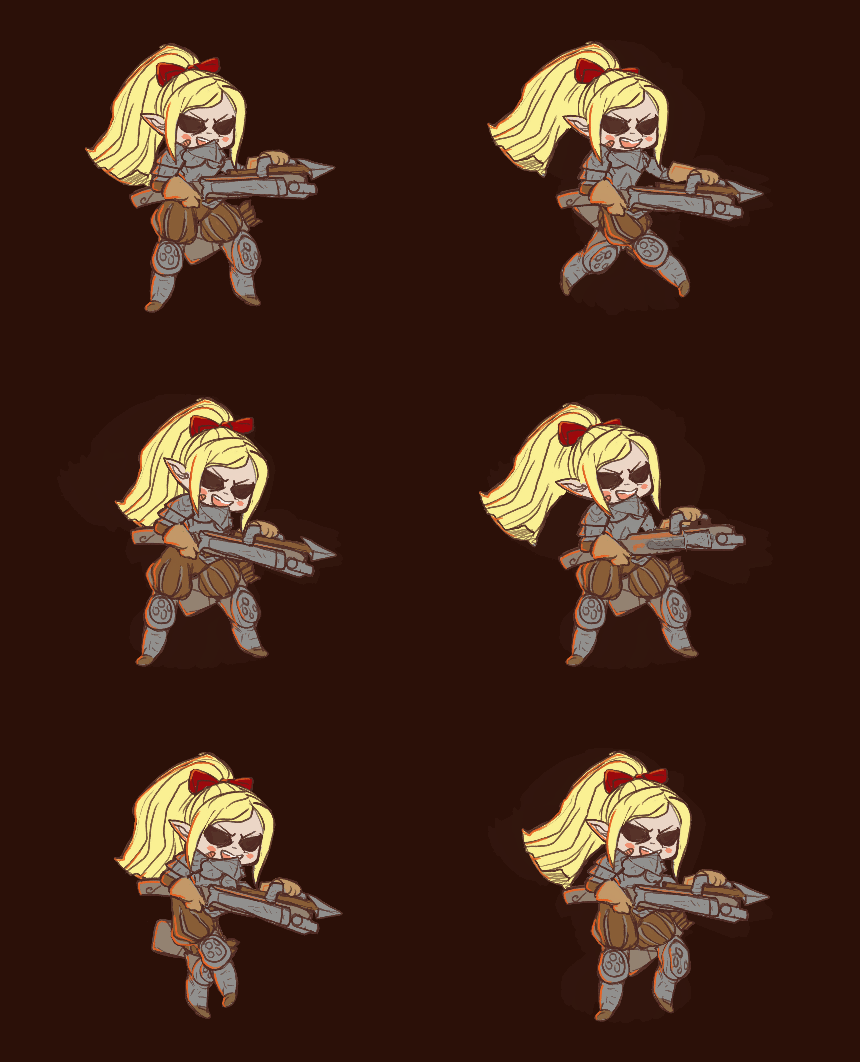 wary remnant
hey quick question, can you save clip animations that are made in timeline?
like is possible to save that clip in the track as an .anim file?
nvm
opaque skiff
my player animation plays as i'm stood on top the movable object, even though it only meant top respond to the trigger
can anyone help
using System.Collections;
using System.Collections.Generic;
using UnityEngine;

public class MinecaftPressurePlate : MonoBehaviour
{
    public Animator Player_animator;
    public CapsuleCollider2D Player;
    public float Move;
    void Start()
    {
        GetComponent<MoveDamPlayer>().horizontalMove = Move;
    }
    void OnCollisionEnter2D(Collision2D collision)
    {
        if (collision.gameObject.tag == "Player")
        {
            Player.enabled = false;
        }
    }
    void OnTriggerEnter2D(Collider2D collision)
    {
        if (collision.gameObject.tag == "Player")
        {
            Player.enabled = false;
            Player_animator.SetBool("Pushing", true);
            Debug.Log("ENTER");
        }
    }
    void OnCollisionExit2D(Collision2D collision)
    {
        if (collision.gameObject.tag == "Player")
        {
            Player.enabled = true;
        }
    }
    void OnTriggerExit2D(Collider2D collision)
    {
        if (collision.gameObject.tag == "Player")
        {
            Player.enabled = true;
            Player_animator.SetBool("Pushing", false);
            Debug.Log("EXIT");
        }
    }
    void OnTriggerStay2D(Collider2D collision)
    {
        if (collision.gameObject.tag == "Player")
        {
            if (Move > .5f)
            {
                Player_animator.SetBool("Pushing", true);
                Debug.Log("STAYING");
            }
        }
    }
}```code to
bleak lagoon
I have a question regarding IK here. Is it possible to shift the weight between two IK positions? For example, if I have a target_IK to position the arm from rest position to above the head first, is it possible to shift the weight to a second IK target at a point to strike using delta.time to set the shift speed?
bleak lagoon
I was thinking something along these lines, but it froze unity in what I assume to be an endless loop. (sorry got blocked even trying to post a single line of code)
https://hatebin.com/atumkhcsji
hybrid tinsel
@opaque skiff are the trigger and the regular colliders on the same object?
I usually separate them onto separate child objects
To avoid that sorta problem
@bleak lagoon you could just lerp between the position?
bleak lagoon
possibly.... hadn't thought of that. will give it a go now
hybrid tinsel
When in doubt, lerp!
bleak lagoon
lol never really used lerp yet, so just trying to work it out 😛
@hybrid tinsel doesn't appear to be working - its not crashing but its also getting no movement
Lerp time. Starting pos: (-19.8, 1.4, -2.4) Ending Pos: (-19.8, 0.6, -2.9)
Thats the debug after 999+ messages.
Should be lowering the IK shown here at the hammer to the ingot on the anvil
Target_IK.transform.position = Vector3.Lerp(Target_IK.transform.position, Ingot.transform.position, .1f);
thats the code line I've tried, not sure if its the right way though?
hybrid tinsel
It will stay at .1f forever with that. The third parameter of lerp is a 0-1 value of how much to blend the first two values.
bleak lagoon
hmm so the .1f should be 1f? or should it be a 1f*time.deltatime?
hybrid tinsel
With your code I believe you'd use vector3.MoveTowards
bleak lagoon
instead of lerp?
Target_IK.transform.position = Vector3.MoveTowards(Target_IK.transform.position, Ingot.transform.position, .1f);
like that?
hybrid tinsel
Yeah
bleak lagoon
hmm still not moving
bleak lagoon
no worries, I admit Im a newbie when it comes to anything with animation, so I'm still a bit lost on what does what lol
hybrid tinsel
A common task is moving one object towards another position in Unity. Assuming you want constant, linear speed, there are two methods I will discuss: Lerp and MoveTowards.
bleak lagoon
cool, thanks will take a look at that
right, kind of working. now I just need to get the character at the right distance to reach him. havent worked out the rigging to lean in yet lol
magic trail
hybrid tinsel
<@594516422990888962> if all the weapons had the same animation logic but differ...
Makes sense. Thanks so much for your input!
hybrid tinsel
No prob!
 tardy idol
Hey everyone 🙂 I had a quick question. I'm trying to record the movement of my RigidBodies over time in LateUpdate. Then, I want to be able to play these recordings back. I know that LateUpdate doesn't fire every frame so I guess I want to interpolate the movement and rotation between when the frames are recorded. Is there a straightforward way to do that? I've been playing around with it for most of the day but can't get it to where I want it
hybrid tinsel
@tardy idol in editor or in game?
tardy idol
in game @hybrid tinsel
tardy idol
is this the right channel for that? or should i be somewhere else
hybrid tinsel
Well, this isn't a bad place though you'll probably get better answers in #⚛️┃physics #archived-code-general
Depending on just what your needs are, and just how much detail you need.
If you need to interpolate between frames I'm guessing you plan to play back at a different speed?
You could record on fixedupdate, but that could get expensive
You could also record velocity when you record position and use that instead of just lerping between frames I guess?
 grave badger
Any way to link triggers across multiple controllers without scripts? So if one gets triggered, the other one gets also triggered?
hybrid tinsel
@grave badger How are you triggering initially if not with a script?
And why don't you want to use a script? What is your actual goal?
opaque skiff
hybrid tinsel
<@541414222354186260> are the trigger and the regular colliders on the same obje...
yeah they are, im thinking maybe the trigger is just getting confused?
hybrid tinsel
@opaque skiff unity combines colliders on the same object in several situations for optimization, and that can get a bit wacky sometimes.
opaque skiff
ooofff right yeah that makes sense
yeah im woken on the separate gameobject now
@hybrid tinsel works perfect, thank you my guy wouldn't of known that without you👍
bleak lagoon
@hybrid tinsel thanks for your help earlier, managed to get the movements working with the tutorial you mentioned.
I have encountered another issue now, not sure if maybe you can assist still?
I'm needing to assign the bones in the twoboneikconstraint in code at runtime due to race changes ingame. I have encountered a problem though that after assigning the bones in code, and alinging the transforms with the appropiate bones that the weights are not having any effect at all?
The IK's are positioning correctly, so the code is working fine there, but even using the sliders from 0-1 have absolutely no effect.
as you can see, its all set here though
the block cube is the IK_Target. but nothing happening with weight of 1 at all, or shifting the target around
https://hatebin.com/ajgoimaysc the code setting the rig up at runtime
hybrid tinsel
I've done relatively little with that system, and am not at a computer to test, sorry!
I've found the rigging system to be all kinds of inconsistent so I hesitate to guess =p
 void silo
I have a laser beam that I would like to animate. I want it to start at full length, but with 0 set as the x axis scale so that it is infinitely thin. Then I widen and shrink the width over time to grow it and then fade it away. I have created this animation and it works well. However, this animation controls the scale on all axes. So I can not lengthen the beam using scale. I have deleted the keyframes for all axes except the x axis. I still can not set the Y axis scale independently. Any ideas?
hybrid tinsel
@void silo use lateupdate for any transforms that need to happen after the animator, see if that helps?
Alternatively, parent the beam to a null and use the null to animate the width
void silo
@hybrid tinsel Thanks for the information! I think I'm going to abandon the animator for this use case and do it programatically. I will keep this in mind for future uses.
twin musk
Hello, any cinemachine experts? My cinemachine path does a 360 spin at each connection and I cant figure out why.
twin musk
Found the issue, gotta add random -1's to make stuff work
 jolly cargo
What's the best way to go about creating a couple base animations for humanoid characters that can be applied to all of them instead of individually animating each character mesh? I am trying to do this by creating a base armature in blender, animating, then importing. It seems to work okay... but the animation I see in blender doesn't exactly match the animation I am seeing in Unity when I apply it to my characters. Anyone know why?
jolly cargo
jolly cargo
What's the best way to go about creating a couple base animations for humanoid c...
nvm I didn't configure the Unity mesh in the T-pose and it was screwing everything up. Updated that and now it works like a charm
 last saddle
I made a tank..
And then I animated it's track
it took me a while to figure out
But now it has 39 animations to a single object
after I import it into unity ;-;

I actually tried to play them...
but it didn't work
It ended up playing only one from the top
but I can't see any movement..
I can send the blender file..
anyone?
 thorn shale
@last saddle tank treads are usually bone based animations, so each tread piece is controlled by a bone, and a single object is the whole track with many treads, the animation being the bones looping around the path of the track
thorn shale
It would greatly simplify your situation, rather than animating 100 separate objects
last saddle
I made the animation using an array and a curve
thorn shale
yep
last saddle
and there are no bones..
thorn shale
Yeah you need a better workflow but good luck
last saddle
I have no idea how to even start..
making this using a curve was much easier to imagine
thorn shale
Well if you don't know where to start with bones, thats an easy google search (blender?)
You animated the treads on a path, you can animate the bones instead
Then when you save, it's just an object with 1 animation
last saddle
I just found a tutorial on the internet
Idk why I didn't search for a tutorial instead.
I wanted to do this myself
thorn shale
Yeah I bet tank treads is a common topic
thorn shale
repeated blendshape maybe, but then never going to deform for terrain
raw thicket
Hey can I get some advise on ppu?
I have my sprites made in 64x64 for tiles and 128x128 for character both set at ppu of 16.
Thus my stuff is pretty big on screen lol is this the only way to get crisp lines and designs?
Oh btw I'm trying to design for 1980 x 1020 p
raw thicket
Anyone lol?
thorn shale
@raw thicket it just depends on your sprite vs canvas settings, whatever you like
some people prefer 1, some prefer 100, i personally wouldnt use powers of 2 because its hard to calculate in my head, how big is a 512 sprite, oh my canvas is 64, lets see thats 4 units in unity transforms? no wait its 8
or if canvas is 512 then 512 sprite is 1 unit
 spring iron
hey having some trouble understanding the animation transition properties
ive tried read the documentation but it is just confusing
spring iron
turns out it was the batching static option
last saddle
Well
I ended up watching some tutorials
and none of them used bones
they used the same method as me
so I will try to do this myself..
So you recommend me to add bones to that?
and then animate the bones along the curve?
do I have to connect those bones toghether?
or is it fine as long as every segment has a bone?
here's a screenshot

and one more from unity T-T
is there a way to make an array of bones that will connect to eachother?
 radiant rune
hmmm i have a problem with animations instead of the gun going up like its supposed to its going down its the same animation but opposite
hybrid tinsel
@last saddle if all the tread pieces are identical, just make a blendshape of each piece moved to the position of the next piece on the tread. Then animate that over and over.
No bones, no simulations, no million animations
 prisma sky
how do i make my "animation " longer? rn for me it .5 seconds and i wnat it longer
hybrid tinsel
@prisma sky you can make a copy of the clip and edit the keyframes, or in the animatir you can set the speed for that state.
twin musk
@hybrid tinsel do u know how to animate/script 2d sprites?
im a beginner :c
@ me if u reply to me pls
hybrid tinsel
@twin musk that's a really big topic
twin musk
hybrid tinsel
<@456226577798135808> that's a really big topic
Do u know any good beginner guides on yt?
hybrid tinsel
Not really. I dislike video tutorials and most of them seem to be hideously out if date.
 turbid stratus
Just some punches
twin musk
https://i.imgur.com/vG6WnaM.png
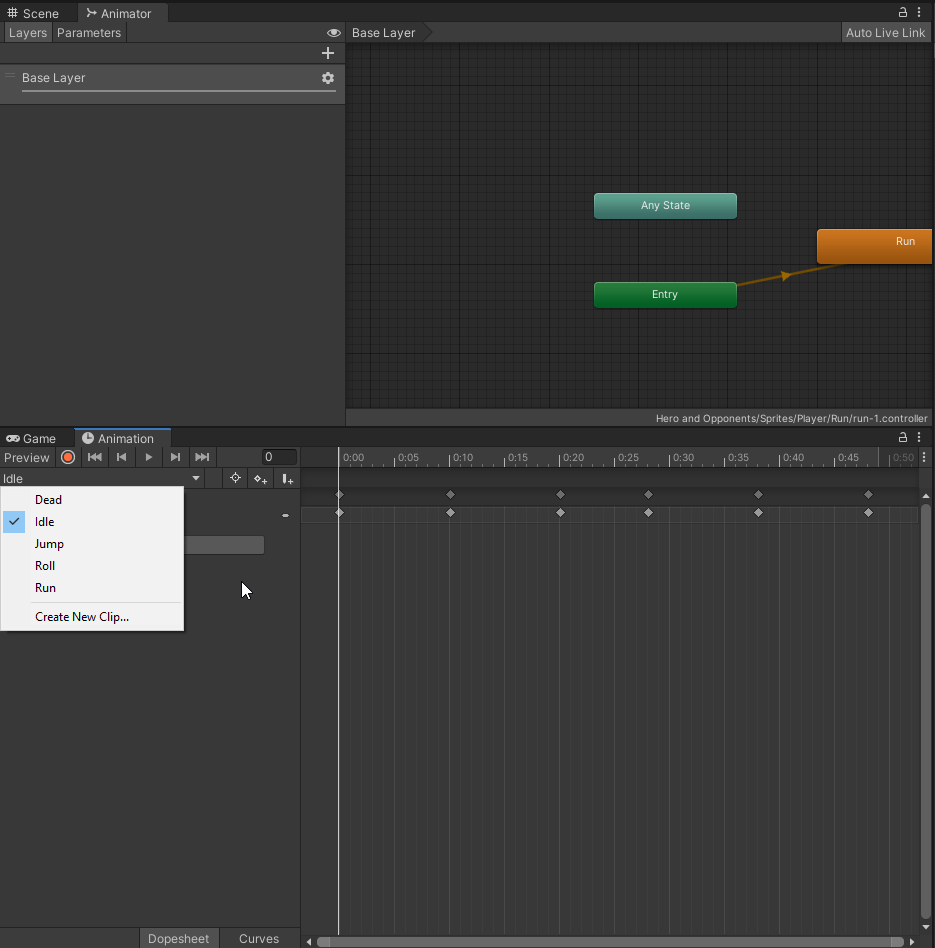
so i've made 5 animations, however i dont see them in the animator? i just see them 3 boxes..?
 hybrid tinsel
@turbid stratus great drawing, lots of character. Sadly the video won't play on my phone =(
@twin musk are you sure you have the right animator window open? You should be able to drag and drop animations into it from the inspector if needed also.
twin musk
hybrid tinsel
<@456226577798135808> are you sure you have the right animator window open? You ...
idk first time using this
hybrid tinsel
Try selecting the object with the animator and reopening the animator window?
twin musk
https://i.imgur.com/quBhTss.png
i selected the thing in the project window now i see them lol
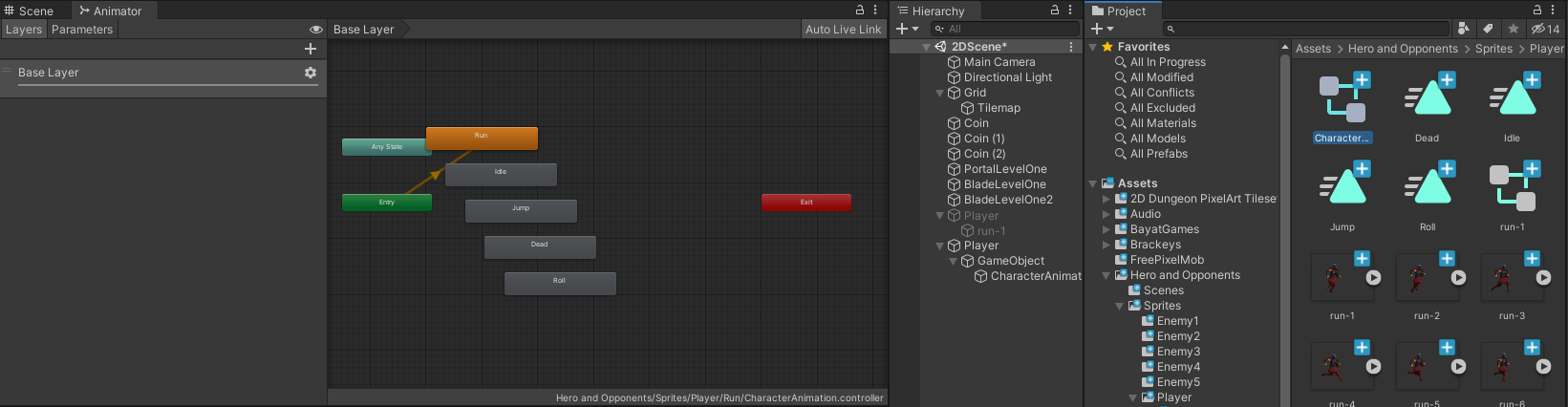
what does the square and triangle mean?
on the right there's a square with its insides missing and triangles, what do they mean
hybrid tinsel
Animator and animation files.
twin musk
dont know what im supposed to do with these boxes now in the animator window
hybrid tinsel
You connect them together with transitions thst are triggered by conditions.
prisma sky
hybrid tinsel
<@681326029540687912> you can make a copy of the clip and edit the keyframes, or...
Ok thanks sorry I was sleeping
twin musk
hybrid tinsel
You connect them together with transitions thst are triggered by conditions.
just realised, my character only has sprites that make it run to the right, if i want my character to run to the left, then its doing a backwards run lol.. any ideas? D: there's no sprites for it to turn around to run the other way 😭
raw thicket
man i cant get these animations down lol
everything worked fine till i made a tile map now i cant go to run animation only jump when going left to right and idle
raw thicket
anyone know how to get my player to stop falling thru corners lol
hybrid tinsel
@twin musk usually you'd either create a flipped version or scale the game object to negative x.
You can also flip using the sprite renderer, but I prefer not to
 gleaming flare
Q: All the animations in my game run at the proper speed in the editor. However, some of my animations use a camera attached to the character being animated - only in builds, these animations run slower, like half speed. Any ideas what might be causing this?
Every other animation is running at the right speed and I can't figure out why these ones are running a lot slower.
Never mind, think I might have found a solution. Disabling my normal camera while using the special camera seems to fix it. Just surprised this was occurring in the build and not in-editor.
hybrid tinsel
@gleaming flare that is weird! Is the slowdown maybe related to the size of the game window?
gleaming flare
I'm not really sure, even running with the editor game view at full size I didn't experience any of the slowdown.
Pretty sure I'm running it with the same quality settings in-editor and in the build too so I'm just totally at a loss haha. I guess as long as I've got a solution I'm not going to complain, just gotta remember an extra line or two to disable my other cameras whenever I'm using the player cams.
hybrid tinsel
Very curious. That might actually be worth submitting as a bug report- either unity knows what the cause is and can tell you, or you'll let them know
twin musk
hybrid tinsel
<@456226577798135808> usually you'd either create a flipped version or scale the...
can u maybe help me do this? i dont even know where i'd start lol
hybrid tinsel
Google unity bug report?
twin musk
hybrid tinsel
Google unity bug report?
its not a bug tho?
twin musk
https://i.imgur.com/9a7LmhW.png
so all i need to do is flip these somehow to the left..? how do i do that? @hybrid tinsel
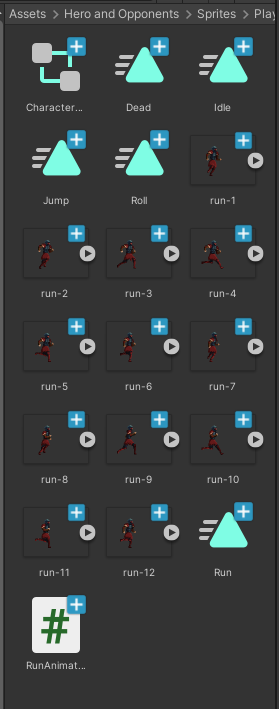 hybrid tinsel
@twin musk oh sorry, I mixed you and Tyadran up.
If they are humanoid animations you can just mirror them from the inspector for the animation.
twin musk
@hybrid tinsel https://imgur.com/I52zHtb he's jumping forward as u can see why is this lol
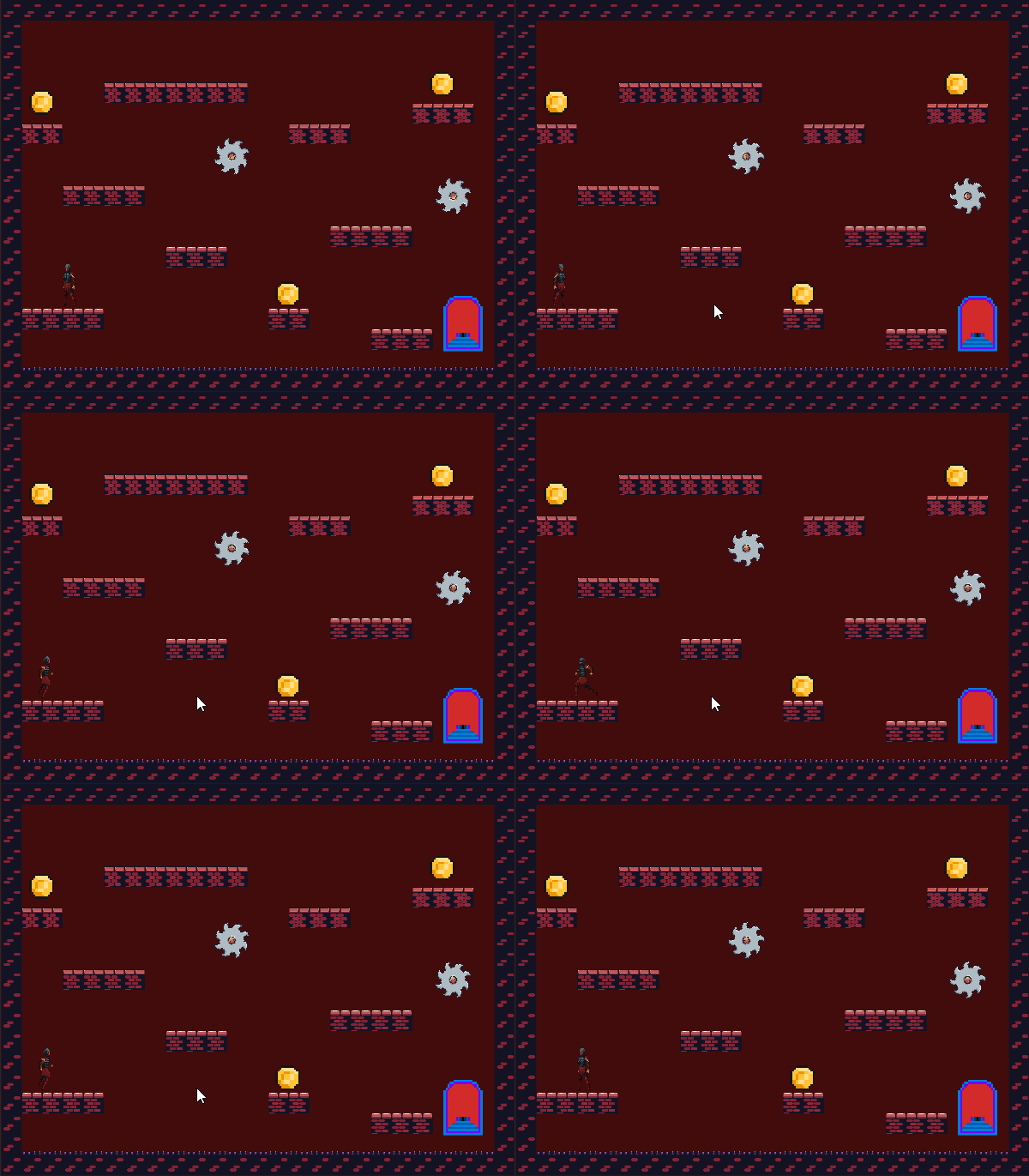
i havent coded him yet to actually move when i make him do the run animation, how do i make him stop teleporting forward lol
can you @ me when u reply ❤️
twin musk
hybrid tinsel
If they are humanoid animations you can just mirror them from the inspector for ...
how do i do this
hybrid tinsel
Looks like the sprite isn't centered, so when you flip it it flips around the pivot point.
twin musk
hybrid tinsel
Looks like the sprite isn't centered, so when you flip it it flips around the pi...
how do i center it? <33
been stuck on this part for like 2 hours now
😦
https://i.imgur.com/ooHXcxe.png
it is centered?
 hybrid tinsel
How would I know? You set the pivot point in the Sprite editor, not the inspector.
Wherever you set the pivot is where it will rotate and flip around
twin musk
hybrid tinsel
How would I know? You set the pivot point in the Sprite editor, not the inspecto...
how do i open the sprite editor xd
hybrid tinsel
Have you read the docs for importing sprites? I mean, you set up animations somehow so...
twin musk
im following a video guide
hybrid tinsel
Pardon my French, but screw video guides and read the darn manual.
Because it answers most of the obvious questions.
twin musk
i need to find what to read then read it which could take ages, when this seems like a simple fix lol
hybrid tinsel
It is simple, but then the next simple thing you'll @hybrid tinsel and then the next and the next... when you could preemptively answer most of your questions by reading the manual so when I tell you to open the sprite editor you don't ask what that is.
I really don't mind answering questions, even typing on my phone, but you could make this all much easier for both of us.
twin musk
https://i.imgur.com/7bY273B.png nvm got it lol , so just put that little point thing, in the center of my character i guess?
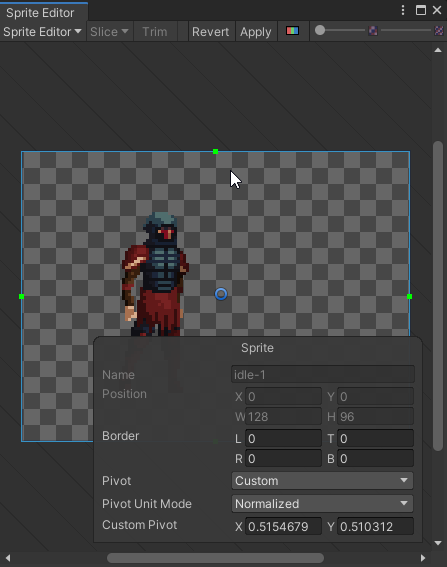
and the green square outside, scale that down to go around my character?
 dreamy dune
click apply
twin musk
https://i.imgur.com/qm5yEp5.png
does it matter that the square isn't scaled properly or
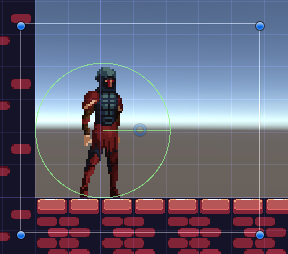 dreamy dune
i have a question if anyone stumbles upon my message here
i have a blend tree set up for 2D (top down 4 way) animation for attacking, works great, but the issue is when using the animation to enable the collider, since theyre all "blended" all the animations trigger, causing all the colliders to show up
i thought i might be able to set the appropriate values used for the blend tree if i knew what the "primary" animation is but that doesnt seem to be a possibility in the API
lot of text but if someone has some more ideas about this it would help a lot
this is an example where the "right sword attack" animation is played, but the other 3 are triggered due to using a blend tree
twin musk
https://i.imgur.com/OqFjkMB.gif
when i press right arrow, he does run animation, when i press left arrow key, he teleports and then runs to the left. why? i dont want him to teleport lol
@dreamy dune do u know? sorry
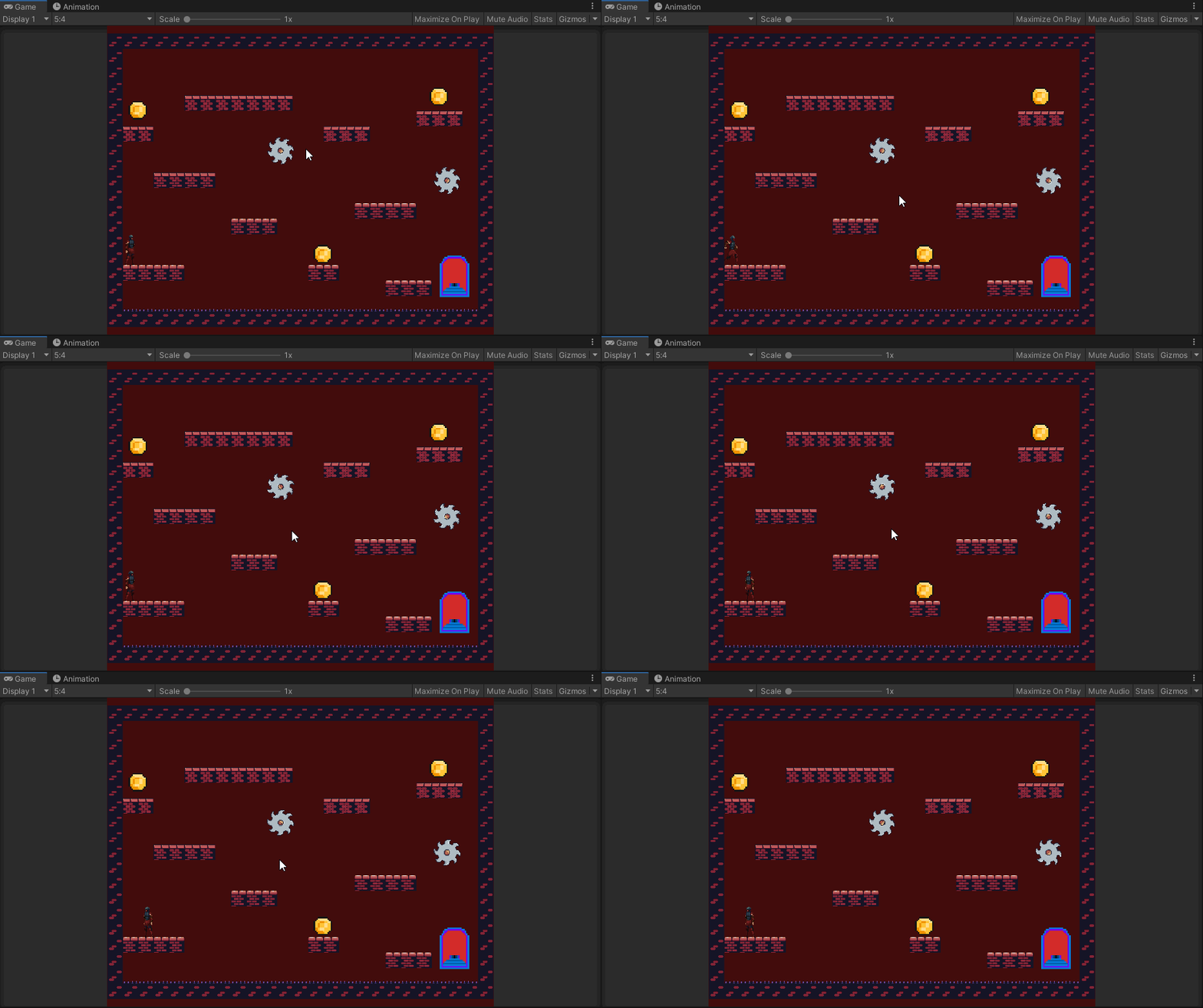 dreamy dune
your sprite needs to be pretty much exactly as big as the character

if you look at this image you have, you can see the character is on the left side of the center, and when flipped hes moving to the right side (due to it flipping)
so id scale down the box so it basically just encompass the character and ensure pivot point is right in the middle as well
twin musk
dreamy dune
so id scale down the box so it basically just encompass the character and ensure...
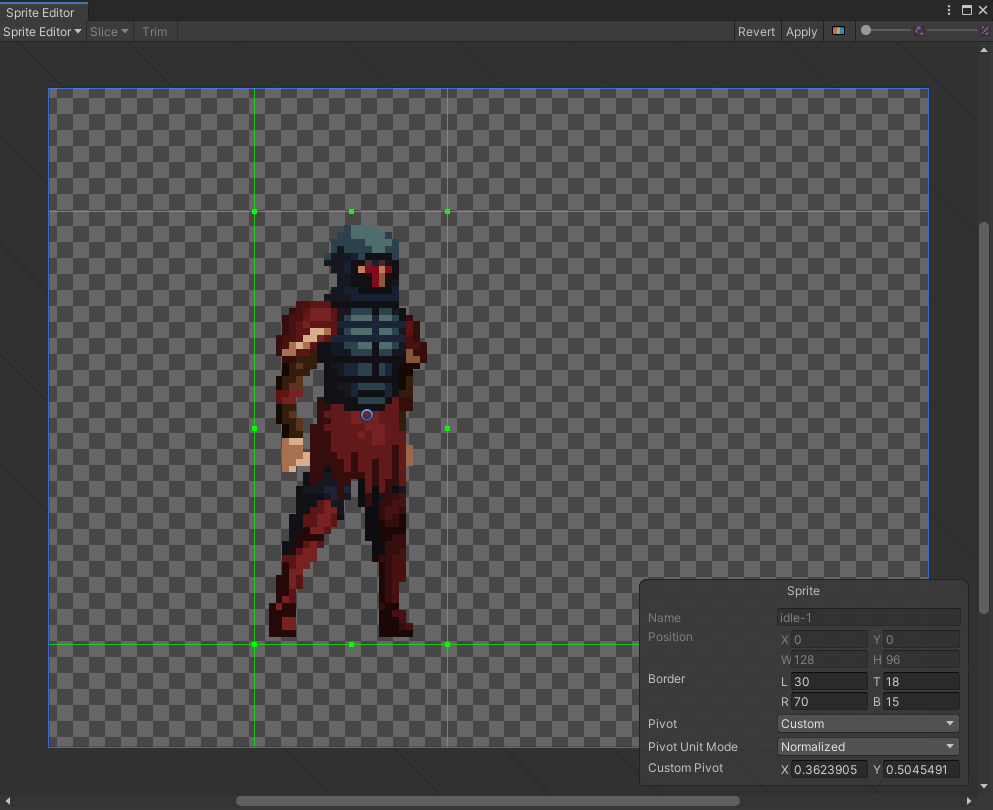
like that
?
dreamy dune
move the blue box not just the green one
twin musk
@dreamy dune ye im trying but its not moving
dreamy dune
oh i thought it was sliced, my bad
how are you doing animation? you clearly have multiple frames, are they all their own individual sprites?
twin musk
dreamy dune
how are you doing animation? you clearly have multiple frames, are they all thei...
yes
https://i.imgur.com/TdIySbB.png like this
 dreamy dune
tbh best thing to do, jump into photoshop or something and cut them all down to size
twin musk
dreamy dune
tbh best thing to do, jump into photoshop or something and cut them all down to ...
i dont get what size im cutting them to and how that fixes it lol
twin musk
dreamy dune
you see how you have that green box? make the image that size
https://i.imgur.com/SGl82Cr.png like this?
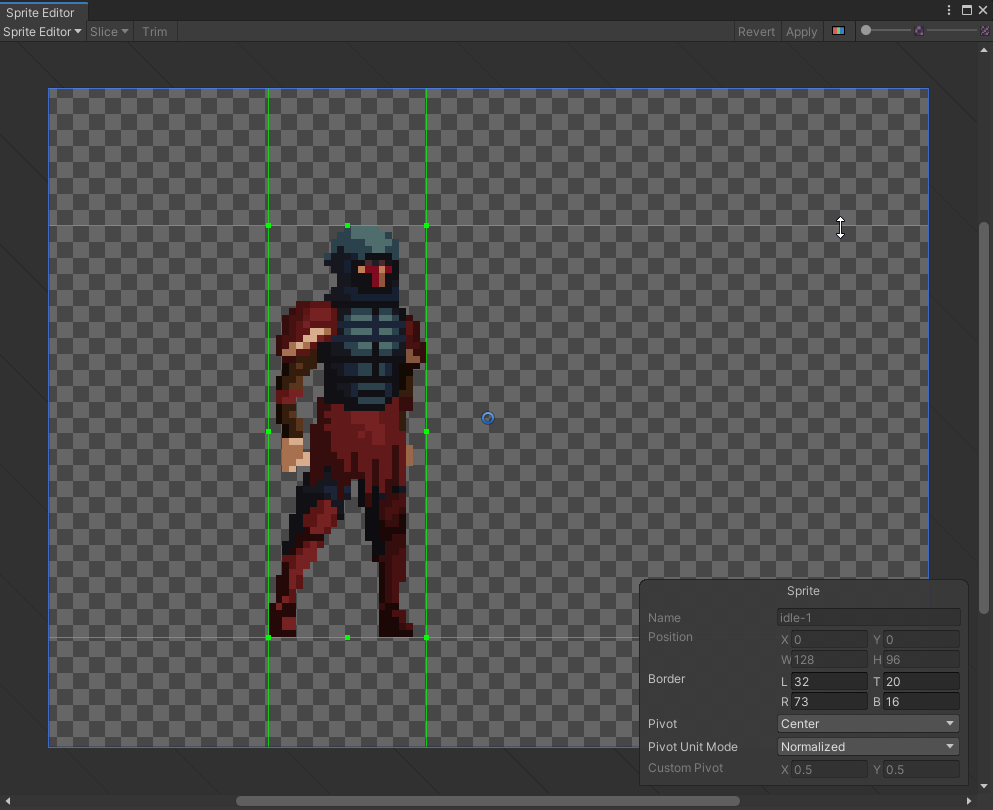 twin musk
dreamy dune
its kind of complicated to explain i guess
twin musk
dreamy dune
its kind of complicated to explain i guess
didnt fix my problem 😦
gleaming flare
Is there a way to make Unity preload (I guess?) all the animations for an object when my scene starts? I've been running into annoying times where it'll hang a little the first time I need to play an animation, but every time after that it'll work fine. I'm pretty sure at this point that it has to be the animation itself causing the issue and I'm not sure why it's happening exactly or how to fix it.
They're all just generic rig animations being called with Animator.CrossFadeInFixedTime
About to call it a night so if anyone does have an answer and I don't respond, please @ me
thorn shale
@gleaming flare startup will always take a sec at least no matter what, you probably have no loading screen of any kind? if you just display a logo for a sec or make whole scene wait to start it will be enough for a simple project
If you mean the scene is loaded and then some seconds or minutes later you start it for the first time, it could depend on a lot of things depending on your exact scene / code setup
 ionic tulip
Noob question:
I have been getting the following error trying to import a humanoid animation in Unity 2020:
My avatar seems to be fine though:
And is working with other animations
Any thoughts what I could do to address this?
gleaming flare
@thorn shale it's not when the scene is loading, that's basically what I want is a way to lump it all with everything else I load at the start. For context I'm working on a fighting game, but pretty much every move sometimes lags/freezes up momentarily the first time it's used. I eliminated the slowdown from hitsparks and gfx by finally implementing object pooling so right now I'm not aware of anything else I could strip down from the animations that could be causing the hiccups.
And as I said, after the first time it plays it's basically fine until next time I change scenes
hybrid tinsel
@gleaming flare can you spawn a version of the object that plays each animation once, really quickly, then despawns? Stick it underground?
thorn shale
@gleaming flare so it's a fighting game, do you not spawn the fighters until the fight starts? I bet other fighting games spawn the fighters with their animations after character select and during a loading screen as well as the fight start countdown, does yours have some kind of structure like that?
gleaming flare
Right now I just load most of the stuff for the characters during scene start while having a loading screen up; the characters are already present but in their starting positions, not underground.
I haven't 100% settled on how I'll be spawning characters in the end since currently it's just going to a scene that already has the characters in place and the character select only really affects color and some other options.
I'm going to try the method of playing all the animations during the loading time to see if that works. Since the screen is totally covered while I'm doing some other loading I should be able to just do that as they are and reset their position/state before it fades in.
gleaming flare
Hmm, turns out there's some issues with that solution unless there's a way I don't know about to efficiently loop through all of the states in an animator without feeding it all the names directly. It's kind of inconvenient to make individual lists of state names for each character since the number and name of states is all going to vary.
 gleaming vector
what would be the easiest way of cloning an animation? i have a skinned mesh and a seperate skinned mesh with a different rig (which has the same pone structure as the first one) that should do the exact same action as the first skinned when pressing space for example
gleaming flare
If it has the same bone structure with the same names I believe you could play the exact same animation
If your bones have different names it gets more complicated
gleaming vector
they have the same name
he already does the same animation to the point where i change a parameter. then they aren't synched anymore since the ghost Animator doesn't get the changed input by default
technically i could write something like:
anim.SetFloat("verticalSpeed", 2); ghostAnim.SetFloat("verticalSpeed", 2);
gleaming flare
Yeah, if you're changing parameters in the animator then you would need to change it in both
gleaming vector
but i am an idiot so i will probably forget it at some point so i was wondering if there was something like a "sync" feature in the animator
which kinda "shares" the parameters
yeah technically i wanna sync animations^^
gleaming flare
You could just make in an Update where you do like ghostAnim.SetFloat("verticalSpeed", anim.GetFloat("verticalSpeed"))?
So just every Update it syncs the ghost to your main anim
But I don't believe there's any kind of default way to do that
gleaming vector
yeah i first thought of that as well but then realized that this will a) be called each frame even if nothing happens and more importantly b) would fire triggers each update if not mistaken
gleaming flare
It would but it shouldn't be an insane amount of overhead. I think your best alternative is just setting them both at the same time.
 noble fiber
Ive got this rock that I'm importing from blender. Its my first animated object without a rig. The rock is supposed to break up into chunks when destroyed. It looks fine in blender and some of the chunks already have the animated rotation applied to them.
Ive applied all transforms in blender
gleaming vector
so. what is your question revy?^^
noble fiber
Why are the rock pieces not in the same position as in the blender model?
I re-did all the animations and now after exporting everything looks fine now. I dont know what was wrong but its fixed now and I'm not sure what I did wrong.
ok, but after importing the new model each rock has its own animation (because theyre different objects?). Is there a way to combine all those animations into one during export so I dont have to play them all in the animator?
gleaming vector
i can just guess but to me that sounds like a problem that may occure due to certain export settings... which i sadly don't know enough about to give you a proper advice 😦
noble fiber
I wanted be lazy and just move objects to where i wanted them in the naimation but that created mutiple animations. I attached an armature to everything and was able to get everything into one animation
gleaming flare
Oh, yeah. For things to be part of the same animation they have to share a common parent that actually has the animator/animation
That's just a general thing
hybrid tinsel
@gleaming flare you can just put all the states into the animator with each having a transition to the next state. Set the transition times really low, it'll load each state then jump to the next.
At the end, add a transition your normal state machine.
gleaming flare
My animator is a mess haha, honestly it was easier to just type out the names of all the states than to try and do that for 70 states with more on the way.
I just have a coroutine now that runs each animation for 0.01f during my loading time
Probably better/more efficient ways to do it still but since I cut my loading time to like 25% or less than what it was originally recently, I can spare the extra couple seconds to do it this way.
noble fiber
So my animation isnt to local scale. I've placed it inside an empty gameobject and its still like this
How do I fix?
animation not to scale and not centered on parent. Imported from blender.
fixed. I had the parent scaled to 1 but the object scaled down to size
i changed everything to 1 but scaled the parent
 faint orbit
hey, so i coded a walking animation when "A" is pressed and i copy pasted the same code under it for "D" but, the animation is only working when i press "D"
but if i put the "A" code under the "D" the "A" starts working and "D" stops
gleaming vector
@faint orbit you have probably set the parameters wrong.
but its hard to tell without seeing the code piece that is called when a / d is pressed
faint orbit
gleaming vector
but its hard to tell without seeing the code piece that is called when a / d is ...
i just tried sending it,it got deleted
oh actually nvm i fixed
i just added the "or" operator
faint orbit
yeah i forgot about it
 wooden sequoia
hey idk if this is where to post this but i need help
so I am working on making a game(duh) and tis 2d
and i spent hours animating a main menu background
and i have each individual frame, and a .gif fromat
idk how to get any of them to work in unity
can anyone help?
 long sphinx
hi, i have this orb (sphere) object as collectibles for my game. it has an animation where it just floats up and down on the y axis, and i animated this in blender. i've imported the model and the animation to unity, but playing this animation in game causes the orb to go to the origin point of the scene (0, 0, 0), even when i move the orb elsewhere in the scene. i've seen a solution where you'd have to parent the object to a gameobject and you can control it that way.
unfortunately this seems to only work if you're parenting a single object, as parenting multiple objects to a single gameobject just causes the same issue where all objects move to the origin point relative to the parent. i could parent each orb to a gameobject of its own, but i find it extremely tedious as this is a common collectible throughout the game (think coins in a Mario game). i just want to drag and drop the orb onto the scene without having to deal with issues like this. whats the best possible solution for this?
i'm also new to unity and animation in general, so sorry if this sounds like a rookie question
 boreal totem
SO I'm trying to animate my character. It's 2d. I have the animator set up on my player. Player has a script called PlayerMovement that sets update to 'anim.SetInteger("animation", 4); which should make my character run to the right. Instaed my player wont chaneg off of the default run animation which is running up
why is my player ignoring my script telling it to change to state 4 which shuold be running right
boreal totem
Anyone know?
hybrid tinsel
@boreal totem did you use the right name for the parameter? Is the parameter not changing in the animator? Is that part of your code even running?
bleak lagoon
morning people. Im just wondering on what Im missing as a component on my model here, currently I have a avatar model in my scene, with rigidbody (kinematic), animator, and capsule collider. this is working good when it comes to general movement etc - but when holding items as a child object, or even just the general idle animation, the meshes are going through each other as shown in the pic
and items are doing this. is there any way to prevent it from a component etc or is using a collider hit the only way?
http://prntscr.com/wdjpxb
hybrid tinsel
@bleak lagoon you can use joint limits or IK, but that would be more limiting the issue than solving it.
bleak lagoon
@hybrid tinsel yeah its currently got IK active with the item mounting, but that holds it in place which as the body moves goes through as shown - so that option isn't really effective for the purpose. I was hoping there might have been something I wasnt aware of that would act as a solid mesh for anything that hits it. I take it there isnt anything like that?
hybrid tinsel
@bleak lagoon well, not built into unity. There are all sorts of potential methods various games use.
bleak lagoon
no worries. was worth checking if anything existed first before trying to add anything unnecessarily. thanks for clarifying
long sphinx
long sphinx
hi, i have this orb (sphere) object as collectibles for my game. it has an anima...
anyone mind helping?
hybrid tinsel
@long sphinx make a prefab of the object parented to an empty object?
long sphinx
why didn't i think of that, i feel so dumb lol
thank you
faint orbit
how to make an animation override the other one
 tame canyon
yo
i have an issue where his feet go through the ground
does anyone know how to fix this?
 digital quail
Brand new to unity and trying to follow this tutorial by Brackey to make a powerup and getting this error message when I add an effect to a normal sphere I'm using as a powerup https://www.youtube.com/watch?v=CLSiRf_OrBk&ab_channel=Brackeys

Learn how to make Power Ups in Unity!
● Get the Assets: http://devassets.com/assets/mayan-temple/
● Unity Particle Pack: https://goo.gl/NQJy4C
♥ Support Brackeys on Patreon: http://patreon.com/brackeys/
····················································································
♥ Donate: http://brackeys.com/donate/
♥ Subscribe: http...
 placid citrus
Hey guys, I’m looking to start using Unity as my 2D animation system. Is there a way to export the animation as a clip?
As in video...
Nevermind, I found the Unity Recorder...
 kindred cargo
Quick question about the IK Constraints with the animation rigging package. While I was messing with it I noticed that the constraint on the bones only seems to affect their local rotation, so when moving the parent bone, the foot ends up moving relative to it.
In IK rigs I've worked with in maya, the bones seem to lock in worldspace, so you can do things like this. Is there a good way to get this same type of behavior with Animation Rigging?
hybrid tinsel
@kindred cargo is that happening in play mode?
@lofty canopy it could be any ok f those, for different reasons. Is root motion enabled on it?
hybrid tinsel
Could be. What happens if you trigger state changes manually rather than via that script? And are you directly crossfading to states or using state machine transitions?
kindred cargo
hybrid tinsel
<@232650295971151873> is that happening in play mode?
Yeah its during play mode
placid citrus
Anyone have a good tutorial on 2D rigging of characters with separate body parts?
hybrid tinsel
@placid citrus unity has a few okay ones, especially look up the japanese unite talks if you don't mind subtitles.
 elder yoke
Why my animation clip, that should move only the bone legs, resets the position of the arm bones to the default one? I'm using animator, but with no transitions, since i'm playing the animation through code...I want to move the arm bones with script in LateUpdate, but the animations keeps overriding the arms position to the one set in the prefab...
There are no properties of the arm bones in the animation clips that move the legs
It's like every animation, uses the default rotation values of every bone that has not a property in the clip.
I want the animation clip to move only the animated bones, while leaving the other bones free to move using script...
 kindred spade
hi guys , i have a question
i am making an fps with arm aimations: i already made the animations for when the player is not holding any weapon.
i also added a grabbing system , that makes the weapon child of your camera when you use it.
the thing is that the arms still play the standard animations , and i dont know how to make the ones holding the weapons , because they are child of the camera only when you are playing , and you grab them...
how can i make the animations?
kindred spade
in synthesis , how do i synchronize hands with weapons
clear spire
Hey guys, how do i set a velocity curve for an animation? I'd rather avoid having to set animation speed at runtime via code for each animation as it feels clunky
 stuck minnow
Hey guys I have a question, I am trying to make my player jump with an animation using an charactercontroller and I have seen multiple videos and read on sites about it and they often separate their jump animation but I don’t exactly the benefit of doing so because I just used a singel animation and it works fine wit an exit time to go back to the idle state?
hybrid tinsel
@stuck minnow separating it is useful for if you need it to adapt to different situations. Like for my game it can go from 'jumping' directly to crouch, stand, running, or hitting a wall.
 dusky anchor
Hey, so im using the animator and I was wondering how to stop an animation immediately when a transition is called. My problem is that when the character is idle and the Fall transition is called, it have to wait about 2 seconds for the idle animation to finish, and then the character falls back. So does anyone know how I can make the idle animation stop at any time?
 gloomy harness
I've created some Animation following a tutorial from the internet by using NLA editor in blender, but when I exporting these Animations to unity the first frame of all Animations the position of the arm and the weapon missed up and then back to the normal position in the second frame
 full compass
Hey.. I just make my animation of archer, and when i import it in unity it just messed up my shape keys animations. Any help ?
 blazing hill
i can't edit the properties for some reason it's greyed out, how do i fix this?
limber dagger
how can I animate my 3D character myself (Generic). And yes, I know Mixamo, but I want to learn animating characters myself
 celest crag
blazing hill
i can't edit the properties for some reason it's greyed out, how do i fix this?
celest crag
blazing hill
i can't edit the properties for some reason it's greyed out, how do i fix this?
Properties on imported objects can only be changed when they are instanced as prefabs/assets
hybrid tinsel
@dusky anchor uncheck 'has exit time' to make a transition start immediately.
@blazing hill make a copy of the animation if you want to edit; that one is read only.
@limber dagger that is a huge topic; I suggest googling basic animation tutorials for whatever software you use for the tech sode, and fundamentals of animation in general so yiu know what you're doing.
@gloomy harness by 'messed up' do you nean they're in t-pose, or something else?
dusky anchor
hybrid tinsel
<@424379326121771008> uncheck 'has exit time' to make a transition start immedia...
Great thanks
 pastel gull
Hallo, total newb here, I have broken a model by changing the motion from blend tree, and now I can't set it back 👀 Anyone know how to reset the motion field for one?
blazing hill
hybrid tinsel
<@352501182083891202> make a copy of the animation if you want to edit; that on...
Ohh so do i iust duplicate the animation? I didn't know what read only meant lol thank you
blazing hill
celest crag
Properties on imported objects can only be changed when they are instanced as pr...
is there a way i can turn the animations into an asset?
i get what you mean now
gloomy harness
@hybrid tinsel I figured out it was a noob mistake, because I'm half noob
hybrid tinsel
@gloomy harness everyone starts there! The only way to get experience is to start without experience and kerp trying.
kindred spade
Hey guys , i have a question : i made a sword animation , that plays when you attack with the sword.
the thing is , that in the editor i made the arm swing from top to bottom , but when it plays it the arm doesn't do the full movement that it is supposed to , the swings starts from a different point and it ends earlier.
basically the animation looks different than the one played in the edirtor
kindred spade
i fixed it
 vale geyser
Im using a humanoid character for animations, and im trying to have custom bones in that same rig to work
how would I do that?
 glass wyvern
Hello 🙂
Quick question here.
Is is possible to use Animator with "manually" created Avatar Mask based on transforms to mask-off transforms (no bones and no avatar) with use of standard animation clips created in Unity?
 shy vortex
For doing lower body and upper body animations, like interacting while walking, is it generally better to have a full body layer for walking and override the upper body for interact?
Or have the full body be interact and override the lower body for walking?
 sudden salmon
Not sure if this is the correct place to post. I am trying to have a game object become interact-able within a certain frame window. Currently I have an Animation Event assigned to one of the key frames towards the end of the Animation Clip. It seems like this variable would need to be defined as a boolean value because it is either true or false. Maybe there is a better way to approach this?
full compass
Hey.. I just make my animation of archer, and when i import it in unity it just messed up my shape keys animations. That object just disappear. Any help ?
hybrid tinsel
@vale geyser under the importer you need to tell it to import additional bones.
vale geyser
@hybrid tinsel thanks a lot!
hybrid tinsel
@glass wyvern I believe you might still need to define an avatar, but it doesn't need to be humanoid type or anything.
glass wyvern
Thanks @hybrid tinsel
Well, I've made a simple, separate project just for testing and it's working for me without the avatar.
But at the same time, I'm facing another issue. Masked transforms cannot be moved by physics or anything else - Animator defaults it's position/rotation (every parameter that is referenced by animations) to the state that it has been masked-off...
Both cubes are animating (no masking)
masked Cube2 (hierarchy: Cube1/Cube2).
Trying to rotate the masked-off cube is not working. I'm only able to move it, as it's position is not being updated by the animator.
Any ideas? :v
One workaround would be to rename masked-off transforms (so the animation looses the reference) and restart the Animator... But... It's hacky.
 static verge
When im using my flipbook for the VFX graph, it keeps "stepping up"
I been at it for hours and I have no clue how to fix it
Any ideas what I did wrong?
 indigo vigil
Can anyone pls teach me how to do animations in unity?
Just got all animations for a character done
in blender
 stable jackal
is there a way to set an animation to go from point A to B, where A can be any given point depending on when the animation starts
rather than a pre determined baked in point
indigo vigil
Can anyone help me with importing animations from Blender to unity
please :/
static verge
indigo vigil
Can anyone pls teach me how to do animations in unity?
They have good free courses at learn.unity
indigo vigil
Thanks
indigo vigil
Hmm
Something is wrong but I can't tell what
When I press play... I... I have no idea
Something is wrong with my idle animation
Why do they do this
:(
 burnt frigate
Can anyone help me on this? The animations are embedded in fbx files as you can see but I am not able to locate them as fbx, it only shows the T pose file as fbx(I can't drag them in hierarchy as those are not separate fbx's). Not sure how can I extract those animations. Any directions/suggestions would be great help. Thanks!
hybrid tinsel
@burnt frigate why do you need them as fbx? By default Unity only reads anim files, which are created from the imported clips.
burnt frigate
@hybrid tinsel I need to edit them accordingly fit to my needs.
I think I found a solution...need to import them in MOBU and then take it from there as different clips....Not sure this is the only way...but this is only I found so far
hybrid tinsel
@burnt frigate if you need to edit them, you can just make a duplicate. The anims you have now are read only because they are just references to the fbx file.
burnt frigate
Yes I tried that as well but that creates a anim file..which can only be edited in unity...but I want them in 3D program
anyway @hybrid tinsel thanks for the reply🙂 👍🏼
hybrid tinsel
@burnt frigate unity doesn't actually create fbx files for the clips, so yeah you'd need to do that externally (or write a script to do it)
burnt frigate
yup yup
 lunar cosmos
can someone explain to me the difference between an Animator and Animation object in csharp?
is an Animation object the actual sequence of keyframes, or is that AnimationClip?
 dusty delta
 thorn scroll


Took a Disgaea 5 sprite and broke it apart to animate it for some practice and fun #madewithunity https://t.co/9zkuGBLWYQ
 Twitter
·
Twitter
·
 vagrant osprey
Can someone help me figure out why my animations look like this]
They arent humanoid and are set to loop
 deep frigate
how can i slow down an animation and keep it in place ? The asset i got both moves too fast and moves away from the object's proper position place?
vagrant osprey
deep frigate
how can i slow down an animation and keep it in place ? The asset i got both ...
Well you can try something with a speed script but i dont know if animations work like that, check and see if the character is being transformed, if so then remove it or change it, if its actually built into the animation you can either edit the animation in blender so he doesnt move, or loop him back to his original
deep frigate
it says that it's read only so i couldn't changed the animation manually
anyway tho, sorry for not updating. I just found out about Mixamo, so i am going to try that one.
hybrid tinsel
@deep frigate You need to bake xy root motion in the animation import to make it stay in place, and you can adjust the speed in the animator.
 slim zinc
Why does my character only play the final frame of my animation?
nevermind
I figured it out
 fair ore
glass wyvern
Both cubes are animating (no masking)
fair ore
glass wyvern
Both cubes are animating (no masking)
why does it look like roblox's arms
subtle bear
@deep frigate There is a root motion checkbox in the animator component, unchecking this prevents the animation from moving your transform around and it only moves the bones
All imported animations are usually read only, you have to duplicate them and work with the duplicate. Also you should switch them all from generic to humanoid or they just don't seem to work
Mixamo is awesome, just duplicate them and rename them so they are not all called mixamo
 sand parcel
how would I take an existing rig/bone setup and put it on to a new mesh?
would i use a skinned mesh renderer?
fickle swift
I have a character (player), he walks, he runs, he stands, but he can also use his sword.
My approach is:
- Have two Sprite Renderers. One sprite renderer would be the character's head + legs, the other would be his belly.
- One animator component per sprite renderer, one for walking, the other for attacking. One animator for only moving, the other for attacks (maybe they should override the same animator for simplicity?)
Is this a good approach? What other approaches could be better?
hybrid tinsel
@fickle swift You can have multiple layers in the same animator.
full compass
Hey.. i have animation of mage and im using events for shooting. That animation in preview is good but when i run it with animator controller my book hands and wand just rotate by -180 deg. Any idea why it is doing ?
fickle swift
hybrid tinsel
<@!317801215759089674> You can have multiple layers in the same animator.
I can have multiple layers, but I'll have to manually create the animations to affect the "2nd" sprite renderer? Is that a better approach. I can do that yea
cause in Unity I right click on multiple sprites -> create animation, but yeah I think you are right, it's better to have multiple layers in the same animator
maybe more cleaner that way
 unique reef
Is there any way to stop this frame thing happening? I want it to properly snap.
If I picked the keyframe it means I want to do changes in that keyframe's values.
Unity's dopesheet is the worst, it wastes so much of my time
I pick the frame icon, I change things there but Unity creates a new keyframe anyway based on where the playhead is
hybrid tinsel
@fickle swift An animation will affect any objects parented to the object with the animator.
fickle swift
hybrid tinsel
<@!317801215759089674> An animation will affect any objects parented to the obje...
not sure I understand.
My approach would be
Attack layer would affect: Player > Model > Attack (Sprite Renderer)
Default Moving Layer (head + legs) affect: Player > Model (Sprite Renderer)
Oh I think I understand, i.e. an animation can affect any objects parented to the object with the animator
yea so i would do that approach above
 abstract marlin
hi, for some reason my player idle animation isn't playing (even though all of the conditions are met)
it's just stuck like this: https://cdn.discordapp.com/attachments/435055722586439691/797056967394590730/unknown.png


here are the parameters and conditions:
fickle swift
fickle swift
yea so i would do that approach above
I realised i apply some shader effects to my player's sprite renderer, so I'm gonna just have one sprite renderer to keep it simple and not over-engineer the animation
abstract marlin
can someone please help me? I've been working for 2 days and I can't figure it out
can someone please help me? I've been working for 2 days and I can't figure it out
fickle swift
abstract marlin
can someone please help me? I've been working for 2 days and I can't figure it o...
make sure Loop is on (click the animation) and turn Looping on
otherwise, maybe another animation Layer is overriding your animation
abstract marlin
like this?
fickle swift
yeah
maybe your animation is actually playing, preview your animation clip
by clicking on your player game object and clicking play
abstract marlin
fickle swift
click on the GameObject with the animator controller
then click Play in the Animation tab
abstract marlin
ohhh
fickle swift
you can select the animation clip
after clicking on it
so you can see if the issue is due to the animation clip or the controller
fickle swift
then probably something wrong with your animation clip
cause on mine, I can see the animation working without Playing the game
i see it in the editor window
and game window as well
E.g. maybe you only have 1 frame, or your animation is composed of frames all with the same sprite