#🏃┃animation
1 messages · Page 62 of 1
 twin musk
This is the kind of animation I want https://www.youtube.com/watch?v=PrT39eCfsvU&list=RDWNikfFheJtw&index=4
And it looks like Anima2D (aka 2D Animation package) in Unity seems good, sad that it's Sprite only and not UI Image.

► Watch in HD 4K!.60Fps◄
➥Discord-Spirit
https://discord.gg/prRmApM
➥SPOTIFY SPIRIT
https://open.spotify.com/user/cbv6pl45g9vwu9ta73b3gw6zx?si=kupQiUq1TzmJMyYyv7NxRQ
【SUPPORT THE ARTIST PIXIV Mag】
https://twitter.com/Maoguoing
https://pawoo.net/@maoguoing
https://www.pixiv.n...
I guess I could awkwardly put a Sprite Renderer and scale it along the canvas size and calculate the position depending on the position
a very fiddly workaround :l
 hybrid tinsel
I believe that anima2d actually uses meshrenderers despite being basically the same otherwise.
You can render the sprite to a texture and put that texture in your UI
twin musk
Oh!
Okay I will learn how to do that
I have no experience rendering to a texture, but will take a look, thanks for the good advice 🙂
 potent imp
people still uses anima2D?
twin musk
Hmm I guess I could pay my animator to learn to do the Anima2D thing in Unity, or I can get better at animating xD
 jade dew
it grows on u
twin musk
I need to learn how to place bones in a nice way to make good hair animation and "eye" closing animations etc
jade dew
btw the animator
potent imp
but does the job of all u want
potent imp
i hate that tab
 jade dew
oh boy u will love some of the published unity games animators then
theres articles where u can see
potent imp
i know those ori animator tab
😱
how to avoid this mess
like i have weapons right
say m running and i want to switch to gun and etc while running
and switch weapons while standing etc
meh
i guess i gotta bite the bullet
jade dew
in 3d usually its layers
potent imp
yeah my characters are rigged
hybrid tinsel
@potent imp Try using paragraphs and multiline posts instead of
posting
like
this
jade dew
meh i do it all the time too.. lol
jade dew
but usually i think u use animation layers
to do this

Unity uses Animation Layers for managing complex state machines for different body parts. An example of this is if you have a lower-body layer for walking-jumping, and an upper-body layer for throwing objects / shooting.
potent imp
er i don't go to any channel if not stuck
jade dew
possibly look into that, might help u clean it up further
potent imp
i still have make those 100x transitions 😅
jade dew
synced layers will keep the same structure iirc
so i think u can just override the animation, use the same transitions
but yes
haha
u will have to make them atleast once
jade dew
but when u do it once u will learn how to make it faster and better
potent imp
ok m leaving pink
hybrid tinsel
@twin musk one other thing, that entire animation is 3.1 megabytes total
jade dew
the animator is daunting, for sure, but it is powerful
hybrid tinsel
For the sprite + animation + rig
jade dew
i really wanna get into a small 2d game now, made with 2d bone based animation
potent imp
i got all the bones u need
jade dew
never could draw frame animations
jade dew
lmao
jade dew
animator tab specialist
hybrid tinsel
Jony, you need to calm the hell down and take a deep breath before you say things.
twin musk
@twin musk one other thing, that entire animation is 3.1 megabytes total
@hybrid tinsel with bones/rigs or exported as a sprite sheet? Interesting.
The size of my anime characters are usually 1000x1000 pixels, they are 0.7 to 1MB but I can compress them to 200-300KB without any visible/noticeable loss of quality. So I guess 10 frames, 3MB. But with bones/rigs, it's gonna be under 500KB (I hope, unless bone/rigging increases the Build size drastically).
hybrid tinsel
Oh, and this is uncompressed, it is just the raw files.
once in game it will probably be smaller, but the bulk of it is the 2.3 meg character art
twin musk
Oh I see, thanks for the good pointers and directions. I will do a lot of learning on these animations and also on rendering to textures (working on Unity part-time outside of my full-time job, so will take me a while xD)
hybrid tinsel
That animation you linked is very simple, should be pretty easy
Wouldn't need nearly the complexity of rigging that the wolf girl needed for instance
curious how much you're looking to pay for something like that?
twin musk
Haven't asked about animation prices, but the art commission prices I have seen range widely from $20 to $200 (low-quality to high) for anime character single frame.
I will get a bit better at animating before considering hiring, but animating them is not a priority/critical feature of the MVP of the game I'm aiming to make by end of 2021
hybrid tinsel
nods.
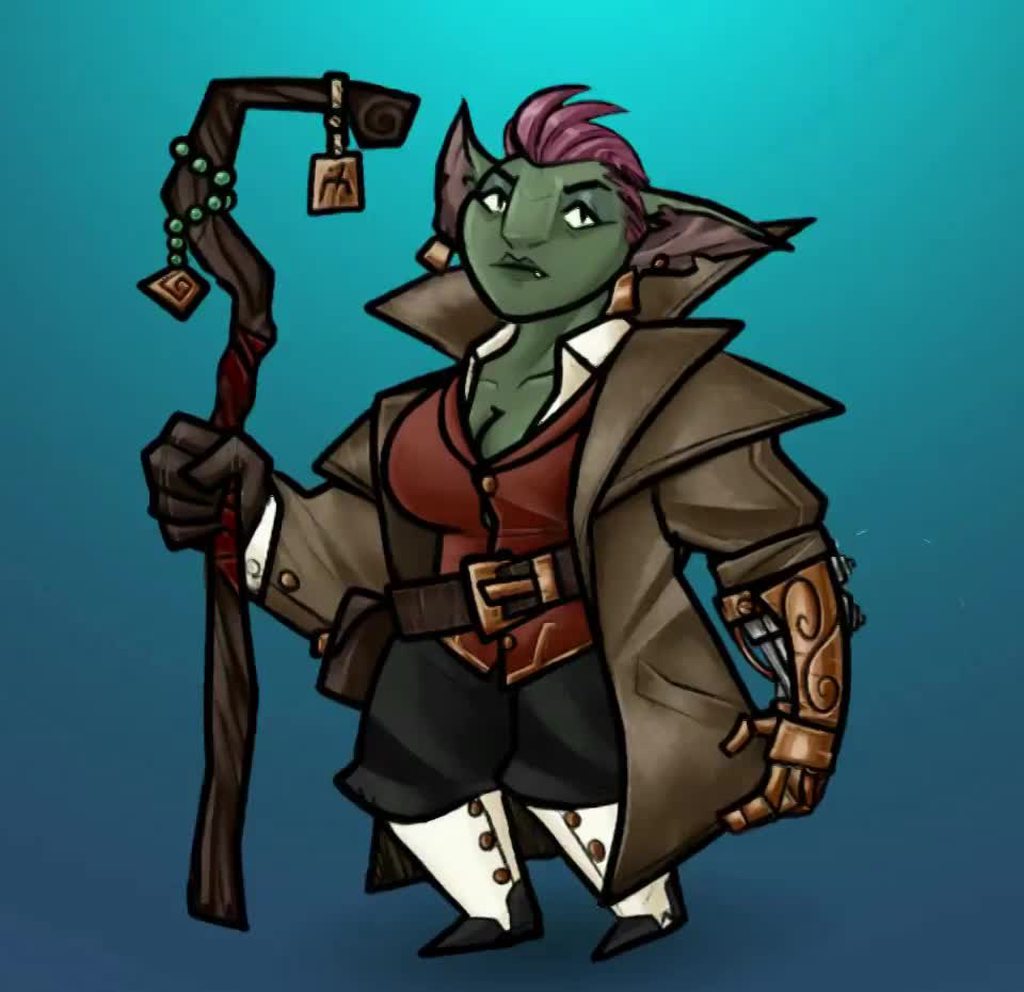
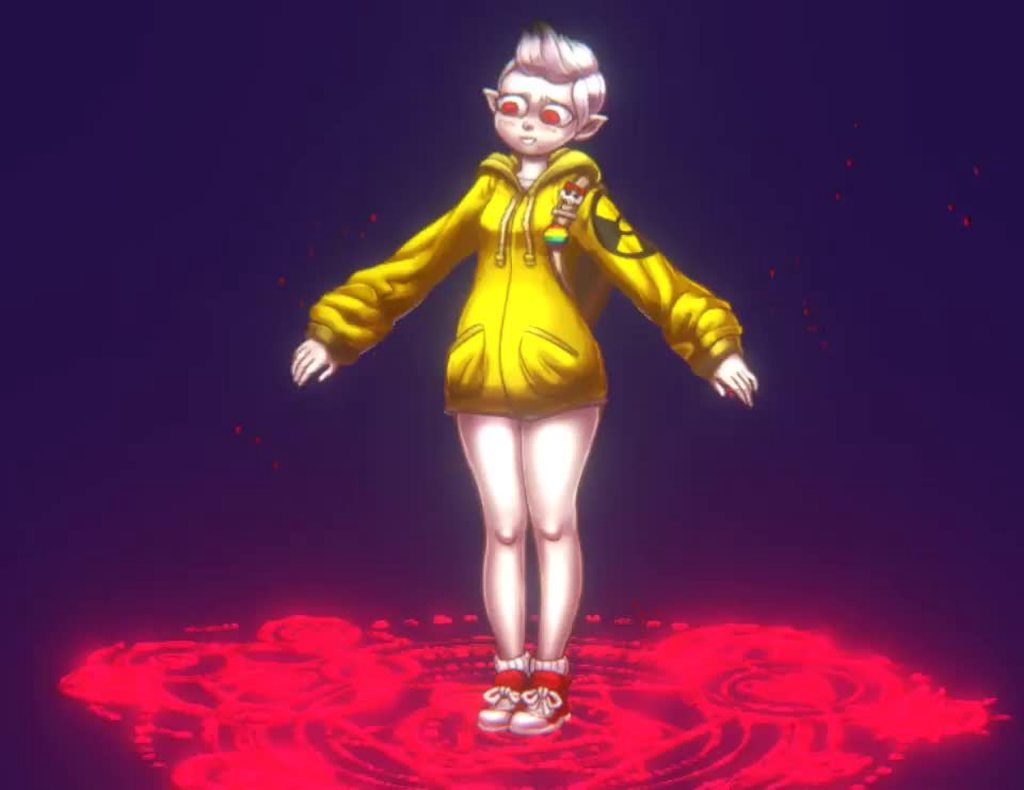
My next project will probably be animating this
So that'll probably be pretty similar
twin musk
dayum nice anime character, can't wait to see the end result
hybrid tinsel
Yeah, I was super happy with how it turned out
Even if animating it is gonne be a pain
twin musk
which solver do you use (I only skimmed 10 minutes of tutorials so I don't know much yet) - assuming you are using the IK Manager 2D to animate/move the bones
@hybrid tinsel Accept request
twin musk
Ty ❤️. Added to my ToDoList/personal-cheatsheet.
 celest crag
@twin musk Don't be pushy, if Pinballkitty doesn't want to talk to you, take a hint. Use public channels to ask questions. Politely.
hybrid tinsel
I'll talk to anyone, but I don't accept friend requests from people I don't know without any message first.
twin musk
@celest crag Hey bro I was never aggressive you are doing it plus you don't have to tell me that way
twin musk
and also don't speak for him you're
hybrid tinsel
I also have a variety of other scripts besides those ones, some I made myself and some from other people
twin musk
not this mom or dad
hybrid tinsel
@twin musk He IS a mod of the server.
celest crag
!warn 402682602017783809 Read community conduct. Be polite on the server.
 dusk valeBOT
 Warning logged for Pocoyoserie#7346. They were not warned.
celest crag
Don't worry the warning has been logged. That just means you are blocking messages. Read the part about three strikes in #📖┃code-of-conduct it does not make you immune against that.
hybrid tinsel
So anyway, if you had a question feel free to ask.
twin musk
I honestly don't care because you don't know how to respect member (WITH A LOT OF RESPECT SAY IT)
celest crag
!mute 402682602017783809 1500
dusk valeBOT
Pocoyoserie#7346 was muted
hybrid tinsel
...wow. Haha.
hybrid tinsel
So anyway.
 gloomy dawn
how do i slow down an animation? i have this platform with a simple animation that makes it go up and down but currently it moves quicker than the speed of sound and i just wanna slow it down a little
 ripe halo
gloomy dawn
ripe halo
gloomy dawn
this isnt the object its meant to be on but its just a test to show u
 dark pier
i have a movement system with camera orbit but i cant figure how can i animate it i have got animations from miaxmo player as well but i dont know how to make the player walk run jump animation or dont know how to use the animation can someone please help me
 flat oracle
 thin oasis
Is there a way too move all objects in a scene together with their animations (animations that are not relative to the object, but to world space)?
 candid pasture
might be a stupid question but I assigned jump animation to space bar but I can only do it once.
So when the game starts I jump once and it wont let me do it again.
question is: why?
potent imp
anyone using spriter here? Do you know how to disable and enable things for spriter animations?
candid pasture
nvm figured it out!
thin oasis
I have an animation in an animator that takes very long until it transitions to the next one. How is that possible? The blue bar is already full but it takes very long to get to the next one.
 trim hatch
post a screenshot of the transition settings
hybrid tinsel
@thin oasis Is the 'has transition time' checked and given a really high value?
hybrid tinsel
Does adjusting the exit time down a bit help?
thin oasis
@hybrid tinsel yeah, thank you, it was the "Has Exit Time" button :>
 light pagoda
hello !
I would like to know something about animation...
I have something like that (don't take care of the "Neko (1) : Position" element, it's just a test)
and when I clic on preview,
my character do that:
than stay up like that
so, I looking for where come from this "bug" / default pose ...
 slow harbor
What’s the best way to make animations?
Is it by making it in blender and exporting or is it in unity
 signal flame
you should probably make them in blender
you can import them into unity
unless you find it easier to animate in unity but i don't think it's animation tools are that advanced
slow harbor
thanks
slow harbor
what's a good way to make cutscenes?
signal flame
idk if you're asking me specifically but i'm not exactly sure
if you wanted to animate the camera movement in blender because it's easier, but there's probably a way of importing camera movement into unity
hybrid tinsel
@slow harbor These are very big questions.
slow harbor
Oh my bad then
hybrid tinsel
@signal flame Is animating the camera easier in blender, when you can't actually see the game scene? That seems weird.
@slow harbor Not bad, I just don't wan tyou getting discouraged by a lack of easy answers 😄
signal flame
ok it might not actually be, i'm not really sure
i've only ever animated a camera with code so idk how easy it can be otherwise
hybrid tinsel
Cinemachine and Timeline make it pretty easy.
slow harbor
Yeah I saw those two
hybrid tinsel
For cutscenes and cameras in particular
slow harbor
Timeline looks pretty damn easy
But I think I’ll like make the animations in blender first
Then use cinemachine for the camera
Does that sound good?
hybrid tinsel
There is no right answer. Do what works for you.
light pagoda
Someone have an idea about my question above ?
 stuck elm
@light pagoda have trouble even telling what your problem is?
light pagoda
I looking for where is the "default avatar position" because as I said and IDK why, when I press in "preview" button, my character seem like that: https://cdn.discordapp.com/attachments/502171313201479681/729498064250994718/unknown.png
he isn't standing...

@stuck elm
I just edited the arm/hand position, and... IDK why... my avatar seem like squatting in the middle of the ground...
https://cdn.discordapp.com/attachments/502171313201479681/729497702907510814/unknown.png

So... IDK where's the problem, why all body of my character is edited than only the element in the animation list (picture above)
 barren bane
I'm making a simple game where a button appears for a certain amount of time and must be clicked before it disappears. In order to show the time passing, I want to make an animation that shows the button slowly turning red (I have images that I will compile frame by frame to make an animation). However, I want the animation time to match the time that the button remains on the screen. I don't know how I can do this. Can anyone help me with this please?
 minor crater
[paid] looking for Maya animator to make a control Maya control rig from a .blend contact; DM me
 sleek fractal
I am trying to put an animation in my scene. Can anyone tell from this screenshot why I can see it run in the editor, but it never shows up in the game?
@twin musk Have you already tried this thing? https://ezgif.com/gif-to-sprite/ezgif-2-edaec8263858.gif

Upload animated image (GIF, APNG, WebP) and this tool will convert it to PNG sprite sheet. It extracts animation frames and stacks side by side or one under another, generating a single image file.
light pagoda
So, about my problem ?
hybrid tinsel

Root motion project repository:
https://github.com/RoundBearChoi/RootMotionExperiment
I'm using humanoid in this project. If you want generic, check out this project (it's the same idea):
https://github.com/RoundBearChoi/GenericRootMotionExperiment
Check out my 2.5D platform...
 quick ibex

LINK TO SCRIPT - https://www.dropbox.com/sh/earkglfkq49yh0p/AABphsYbLA28AR6IZRriFcsza?dl=0
Consider donating:! https://www.twitchalerts.com/donate/thecooperj
Check out ...
I tried following this tutorial to make an active ragdoll but when i put the script on the ragdoll instead of my character copying the static animator it just fell like a ragdoll.
QUESTION: How do i make a character with an active ragdoll and a static animator so i can make characters like in gang beasts?
hybrid tinsel
@quick ibex Did you follow the entire tutorial or just use the script?
quick ibex
i followed up to the part where he added hinge joints and then used the script so my ragdoll character copies the movements of the static animator
hybrid tinsel
And it didn't work, and you just stopped watching before he explained the rest of what you need to do?
quick ibex
well what was supposed to happen was that the original ragdoll was supposed to copy the movement of the other ragdoll at that point. I guess it would be smart to finish up the tutorial but ill come back if anything else goes wrong
light pagoda
So ? Anyone have an idea about my problem ?
quick ibex
finished the tutorial still didnt work for the same problems listed above
hybrid tinsel
Well, it will fall over unless it the pose is stable or if there is a kinematic bone holding it up
There's no guarantee of it being balanced
@light pagoda You've barely explained what your problem is. Have you even tested the animation in game, or just in the preview window? What is it supposed to look like? We need details to help. 'So can anyone help?' over and over does not give people anything to work on.
@barren bane Animation timing is normalized to 0-1, so you can retime animations based on the amount of time you have left by converting the time to a 0-1 range and then setting the animation time to that. If it is just a series of sprites, you could also just swap the sprites directly from the script if that is easier.
light pagoda
@hybrid tinsel I send a lot information above and try to explain the best I can...
Maybe it's unsuficient, but nobody tell me to add more information about my problem
Also yes, I have this problem when I launch the animation yes, if I don't launch the animation I don't have this problem
And it supposed to change only the element I add
If I don't add leg in animation, the leg isn't impacted by the animation,
If I don't add left foot in animation, the left foot is in default mode, nothing impacted...
light pagoda
it's difficult to explain my problem...
If I "run" with my character, and add another animation (like add weapon)
I don't want the animation (add weapon) broke the "running" animation
just my character is
hybrid tinsel
Add it on a layer above the run, with an avatar mask of just the upper body?
light pagoda
Yes a weird thing like this
Same with an "empty" animation I have this problem... IDK where he come from....
@hybrid tinsel maybe it's more helpful...
IDK where come from this "default weird position"....
hybrid tinsel
Ah. that looks like an incorrectly set up avatar
light pagoda
Ha ?
What do you mean by "incorrectly set up avatar" ? Where the problem come from ?
hybrid tinsel
I'm not a 3d animator, so I'm the wrong person to ask about how to fix it, but I've seen people post about that before.
Is the rig set to humanoid or generic?
light pagoda
Humanoid
jade dew
ye u need to go edit ur model's avatar
to try and fix
here
perhaps helps
there is a part about setting the pose to the t-pose correctly
 ebon aspen
Decided a new strategy: feet, then torso, then finally legs. I might do like a 3 point hip/knee/ankle thing, then connect them. It's WAAY easier than what I was trying before
ebon aspen
It looks WAY better after trying this way haha. I may add in more transition frames, though
jade dew
nice
ebon aspen
I would, but they're in his pockets in this specific animation haha
Also, Unity won't let me change the animation speed in the animation creator. Like that little text box where you can change the value doesn't do anything.
hybrid tinsel
There is no speed value in the animation window, only a sampling rate. Unity animation is based on time, so that controls your fps.
You set the speed either by changing the time of the keyframes, or using the speed float in the animator
ebon aspen
Right, but in all of the tutorals I watched they can change that value and unity will automatically space frames
but for me it just reverts back to 60, meaning I have to space frames manually
hybrid tinsel
This is a flipbook? That is, a series of sprites on the animation timeline?
And changing the sampling rate doesn't change the playback of the sprites?
ebon aspen
Yeah
Well, a sprite sheet
I have 6 sprites for the walk cycle, and when I load them into an animation it plays super fast, but I should be able to evenly space them by changing the total frame count
but that's not changing anything haha
hybrid tinsel
What do you mean by the 'total frame count'?
jade dew
btw do u mean like
smoothly slowing down the animation
changing the speed would definitely change the playback
but on the off chance u mean smth like interpolation
then its not done in 2d
light pagoda
@jade dew okay, I'll check that in 6h
ebon aspen
I figured it out. I added in a transform scale which solved it, though not in the same way the tutorial did. I'm not sure how to explain what I was looking for, but it's working so all is well!
 stoic sluice
i How do i animate one part of the rig while the rest of the rig can be controlled using rotation and position in the editor
https://gyazo.com/a4bf32c0539e5fa86c525fba4c9f7e96
so far i have this
my IK system is not moving and rotating the bones
i only want the animations to play for the hands
i already made an avatar mask
 twin musk
me has good animation
 nimble barn
I'm using Unity for animation (kinda wishing I had done this in blender, but too late now!). Is there a way to get a high quality render out of it, sort of how blender does?
 warm verge
Hi everyone 🙂 I have timeline with animations of a dog. https://puu.sh/G4BWm/e370f79a71.mp4 Is it possible to blend it with another timeline seamesly please? I want to make the dog run away after some event.
maybe with signals?
nimble barn
Does anyone actually answer these questions? Or do people just keep asking new ones and nothing gets done in this channel?
warm verge
@nimble barn you can render it with HDRP (high defintion render pipeline)
it is capable of pretty cool renders.. of coarse quality is not as good as offline renderers (vray, arnold, octane.. etc..)
nimble barn
And then how would I export my camera view as an mp4 once I'm done? I tried OBS, but it didn't grab every frame/was kinda choppy... Ideally the output vid would be 60fps.
warm verge
nimble barn
Put it in HDRP, terrain has disappeared, errors everywhere, and all assets (aside from terrain) have turned pink. When Unity tried to bake the lighting, it just crashed... Help @warm verge
 naive cobalt
Hi
nimble barn
Tbh, how hard is it to import all my stuff into Blender? At this point I'm fed up with Unity and Blender would make a higher quality result anyways.
naive cobalt
Hello! i was looking for a best practice workflow to sync animation between two different character, One like in the video 0:48 https://www.youtube.com/watch?v=XYWQ-UzTpZ8

Just a short reel for a college assignment. I did some view-model things, and studied some character animations from various sources such as Halo and Smash Bros.
The 'IM A SELLOUT' links
Twitter: https://twitter.com/hyper3d
Twitch: http://www.twitch.tv/ranoniny
Music by http...
I have tried mine by keeping the root bone always stays at the start position from blender, but at the end you need to teleport your character to the final pos which create a weird glitch to go to idle animation.
 soft pilot
when i press up and left it doesnt do the animation
it just switches between them really fast
how to prevent this
otherwise it works fine when pressing up and down, left or right
one at a time
 copper lodge
i think this belongs in animation
idk how to make the face animate with sprites
when i try to it just makes these huge pictures in the background
 midnight palm
hybrid tinsel
midnight palm
hybrid tinsel
@copper lodge You can't apply sprites as a texture on a mesh, you need to have them as a regular texture.
 willow heath
In Unity, I got my character flipping like this when changing direction. I can only do a 360 turn to make a full turn to that side
However, it should be like that. just a quick turnaround
any other way to do this?
hybrid tinsel
@willow heath How are you doing the turning?
willow heath
with a 360 turn animation with my player transform in unity (inspector)
i tried doing a 180 and putting the x scale to -1, which seems to work better but
when i change the direction, the flip animation seems to "hold" until I stand still which is kind of weird
 empty thicket
why does unity create extra keyframes when im working with editing
i am confusion
tag me if u can help
 mortal citrus
are unity sprite animations stored as binary? I am trying to see if it is always more efficient to create sprite body part sheets and use animation data VS sprite sheets. It should always be more efficient but may not be if its stored as json or something.
hybrid tinsel
@empty thicket If the record button is active it will set a keyframe for any change you make to any serializable property.
@willow heath I can't really tell what's going on there.
empty thicket
ohk
 scenic cradle
@willow heath are you using eulers? Making the switch to quaternions might solve your issue
Send a snippet of your code
willow heath
I already solved the problem by putting -1 on x axis on the last keyframe of the animation!
scenic cradle
Ah. 👍
willow heath
and the problem i had above, i forgot something in the code
but we cool now. thanks regardless!
 gentle wind
Hey guys, learning animation for my project here on the left first attempt, right side final ((after checking out some squash and stretch lol
I'm having this issue with root motion, if I turn it off my animation plays only at his original animated position,
instead of wherever his transform is called to be-
on the other hand when I turn it on I lose my Y animation, is there a way I can split the difference so I keep my positional info but obtain new rotations/positions as well for movement?
like his animation Y is + whatever his movement Y is or something
scripting it is probably the way but seems easier if there were to be some kind of way to get it without as to save original animation info..
 sterile nacelle
Is it possible to use a reference image/video while animating in unity?
I guess I could just make a plane mesh with an image behind it in the scene maybe
barren bane
@hybrid tinsel You answered my question a couple of days ago. Thank you. I didn't really understand your solution, but I appreciate your willingness to help. I just made 5 different animations (same animation but at a different speed) and am planning on playing them based on whether a certain boolean is true.
gentle wind
@sterile nacelle that's exactly what I did for the slime on the right actually, just turn the image into a sprite
line it up etc
hybrid tinsel
@gentle wind I add a second transform under the root to handle that kind of stuff so I can animate that independently of the root.
@barren bane In the animator, you can select a state and set the speed.
barren bane
Is there a way to change how long is lasts instead
Like id ont wanna change the speed i wanna change how long it lasts which would thereby change the speed
if you know what i mean
hybrid tinsel
You know the length of it, so you calculate how much of a speed difference you need.
barren bane
alright thanks
 shell vault
I have a problem. I dont know if I sould put this in the 3d section but this seems like a logical place. I cant attach bones. Its just imposible. If anyone can please attach the bones onto my model that be grate. Like I spent 3 days trying to figure out bones and they wont even attach.
gentle wind
((it can matter the order in which you select the mesh / bones when assigning, at least I'm pretty sure
what tutorial are you going off of?
shell vault
I just searched how to bone in blender for unity and clicked the first few videos
How do I unparent?
gentle wind
Alt + p > clear parent
 covert acorn
Not sure if this is the right place to ask but... I'm trying to use Blender -> Unity with Root Motion... When I import normally everything looks fine, but my root motion is wrong because Unity grabs the hips and it's causing problems... But if I select anything other than "none" for the Root Motion node, suddenly everything is rotated 90 degrees forward around the x axis... I'm assuming this is some stupid export setting or something but I can't find anything anywhere?
hybrid tinsel
Can you just rotate it in blender before exporting?
covert acorn
If it was just causing animation problems, maybe, but it also seems to be messing with the way objects are culled too... it culls based on the "un-rotated" position...
I seem to have been able to hackily work around it by using a Root transform Y bake in the clip options in Unity, and manually nudging it into the right spot, but that may not work once I'm dealing with jumping and such :/
hybrid tinsel
Can you tell us what the issue is?
 smoky seal
Hey I think this is the right place to ask this question. Lemme know if not and I'll delete and go somewhere else.
Pretty new to unity but I have added a bunch of animations using states/state machines and what not.
However my body mass spheres and ik spheres ( I think that's what they are called? haven't been able to find the answer yet) Either constantly sink if I don't have Y position locked on my rigid body, or just generally...move away from my character. Any idea how to fix it or what I should look into?
I have pictures to share if I'm allowed too if that will help understand.
Thanks a bunch!
hybrid tinsel
Pictures might help.
And this isn't exactly the wrong place, I wouldn't delete it, but asking in #⚛️┃physics too might get people who won't be looking in here.
smoky seal
oh fair! Thanks
I figured it was here because they follow my animations but don't stay with me?
But it might be rigidbody based yeah.
hybrid tinsel
One thing I have noticed is that even with 'animate physics' on physics joints do not play nicely with objects animated via animator
I had a ton of problems with that before I ended up faking physics on attached objects
smoky seal
Hmmm that's a bummer tbh.
hybrid tinsel
@shut lance Not the place for that.
 shut lance
oh sorry were is a good place for that?
hybrid tinsel
@smoky seal are the objects coming loose physics objects attached with joints, or just transforms that are children of it?

Unity Connect
The first talent marketplace dedicated to the full spectrum of Unity creators — game developers, artists, programmers, VR/AR developers, and more. Find game dev jobs, source Unity talent, and post tasks to get help on your Unity projects.
celest crag
@shut lance ^^ There is no place for advertisement outside of Asset Store links on the server.
smoky seal
UhhhHhhh I have no idea? I figured they were gizmos. They only pop up when in the inspector of my character I click on the animator component.
I'll scrub through the hierarchy to find out.
Ah apaprently they are IK anchors and bones.
hybrid tinsel
Ah, if they are gizmos they might just be lagging
I didn't think that IK objects inherently had gizmos unless you set them up?
Is this the built in IK, or?
jade dew
yes its the ik gizmos in red
smoky seal
-big shrug- I don't even know how to check that so that is probably part of the issue.
jade dew
center of mass in blue
smoky seal
Ah yeah both center of mass and IK gizmos sink/detatch
jade dew
bottom blue sphere is foot pivot posiiton
smoky seal
Even when baking into my animations
jade dew
they should follow the char tho
hybrid tinsel
I'm guessing this is a character someone else set up?
smoky seal
They do but they get away from me.
Uh no I set up but I am using anim set I didn't make
Oh do you mean the bones/mesh? Yeah that came with the animset.
I just slapped the controller and what not on it.
jade dew
hybrid tinsel
It is hard to tell how it is set up
smoky seal
even when I set my update mode and culling mode to yours or all the options
they leave..less? But still leave.
smoky seal
yeah it's only on certain (attack) animations
jade dew
perhaps ask the author?
smoky seal
which, admittedly, are pretty intense animations?
jade dew
is it a special script
smoky seal
Oh that's a good idea.
smoky seal
The animations I had to use the built in animator states and astate machines myself to set it up if that's what you mean
unless within animations themselves there can exist a special script haha.
Eyy someone fixed it over in #⚛️┃physics Thanks guys! 😄
hybrid tinsel
@smoky seal >Is there a quick command to open all drop down menus for an easy screenshot?
You can alt click the triangle
smoky seal
Oh awesome, thank you!
 coral wren
What is the best way to go about having interactable things like hanging chains/chandeliers in unity as pixelart. Is it just having a static image and then animations that trigger when interacted with?
 jovial gorge
any animators able to help me https://gyazo.com/8df59f1930f885974e2debf6c927d865
the arms move but the gun does not
https://gyazo.com/e02dbd979b774b03c4652b150ba508a5


 civic berry
hey folks, I have exhausted my options here. I am animated the Player. No problems so far. It can idle, run, and fall. But for whatever reason, the jumping animation does not play. Is there anyone who can help?
 blazing roost
I am becoming very desperate. Spine seems to be the only 2d skeletal animation thing that would both work with how I want to do my workflow, and actually has a working Unity implementation. But I just can't afford the 80 something dollars to use it. Does anyone know of any alternative that's actually supported for unity? I know unity has it's own animation system but my sprites aren't setup in a sheet format. They're all individual pngs and unity refuses to let me combine them for a sprite it seems. So my entire system of how I want to animate is just impossible it seems and it'll make things way more complicated for me.
I have spriter pro already, but the implementations for unity are also busted. I looked into Dragonbones and that program seems to be entirely abandoned in the past year and is similarly busted. Other options just never had unity support. It's just all so tiresome.
civic berry
Nevermind got it myself
hybrid tinsel
@coral wren Depends on the look you want. If you don't care about the 'pixel look' you can just animate it however in unity 😄
@civic berry How is the animator set up? Is the jump state being called?
@blazing roost Is there anything you need to do that unity's own skeletal animation system can't do?
blazing roost
Just setting up my sprite in unity's normal skeletal system is really confusing me. Since nothing I find exactly explains how I can set up my case to actually work. So I was hoping for an alternative that can be used for animations because I can't even set my stuff up for unity.
I would have used spriter pro, if the implementations worked for me. But they don't exactly.
blazing roost
I honestly would not have thought something like this could be so incredibly complicated and annoying to do in unity. I've been at this for a day now.
 unkempt ice
can someone help me my jump animation ddoesnt work
when i jump the animation runs for an millisec
and then another one plays
if i press space in the air again then the animation works
hybrid tinsel
@blazing roost What about it is confusing you?
blazing roost
There's just not really anything that exactly explains how to use a sprite sheet, to put those parts together into a given sprite.
hybrid tinsel
Did you follow the tutorials at all?
 deep hazel
anyone have any suggestions for how to upgrade legacy anims on Generic animation rigs, I tried going to debug and setting it's type to 2 with no success and the anims I'm trying to use just don't work on mecanim
I have some treasure chests that use legacy anims for open close
hybrid tinsel
Can you just redo the animations? If they are just open/close?
blazing roost
What tutorials are there for what im trying to do? The ones I find only go over images of characters that're already put together, and unity's own thing manages to split the layers up into different parts. Or there's only this one I can find; https://www.youtube.com/watch?v=gbgIA3pwpHc That doesn't actually explain how one can use the sprite atlas to create animated sprites.
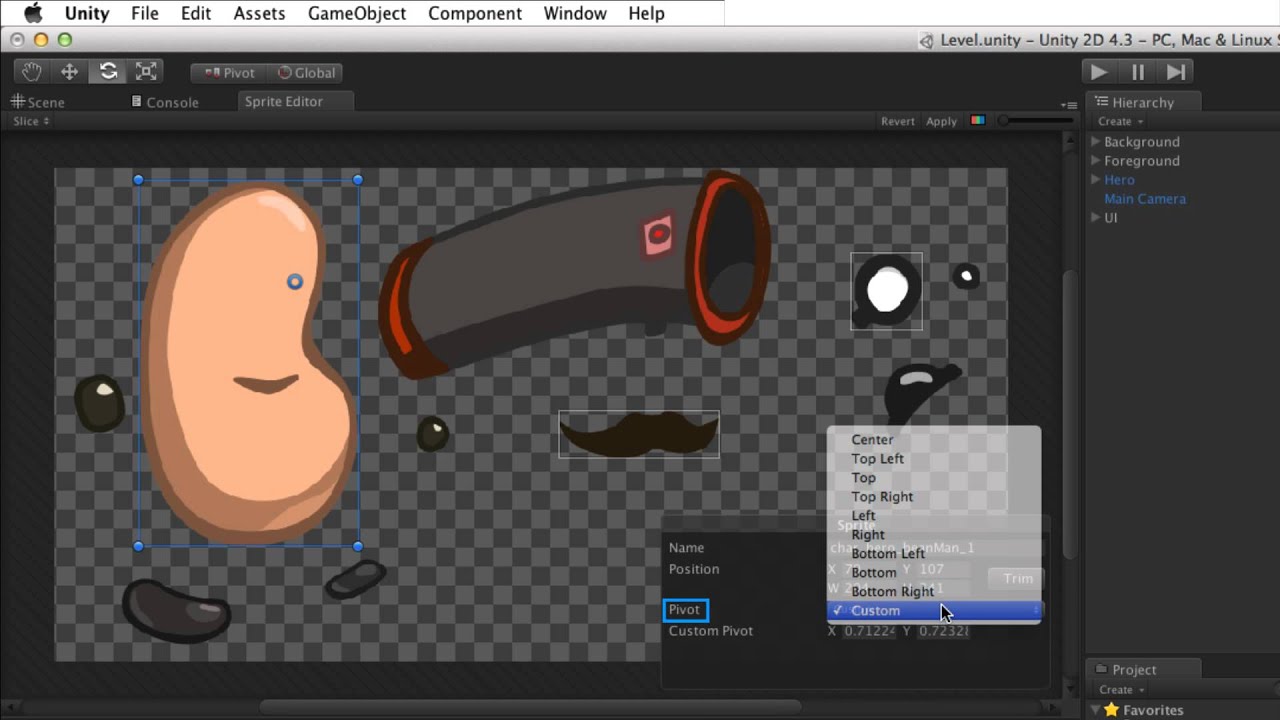
The Sprite Editor is used to slice individual sprites from an Atlas or Sprite Sheet.
Watch this video in context on Unity's learning pages here -
http://unity3d.com/learn/tutorials/modules/beginner/2d/sprite-editor
Help us caption & translate this video!
this one only explains the sprite editor slicing and stuff.
deep hazel
that's what i've done so far, weird things happen to the transform positions of the parts though, making it awkward
hybrid tinsel
@blazing roost https://blogs.unity3d.com/2018/11/09/getting-started-with-unitys-2d-animation-package/

Unity Technologies Blog
Have you been looking for an easy way to create skeletal animation for your 2D sprites? We're introducing our own 2D Animation package, which allows you to...
deep hazel
they are 3d, does the process differ much?
hybrid tinsel
@deep hazel That was a reply to bloo's thing 😄
deep hazel
k
hybrid tinsel
For your treasure chests, I haven't used legacy animation at all so I dunno
blazing roost
does this mean for every individual type of thing, I should instead have a different sprite sheet, instead of just using one? hm
hybrid tinsel
@blazing roost If you have photoshop, you can use the PSD importer to convert a layered file to a sprite sheet
That's what I mostly do
blazing roost
I don't have psd and neither do any of the friends im trying to work on this with. They just use gimp and the like.
deep hazel
but the gimp's sleeping!
hybrid tinsel
You can also use separated images on spritesheets, or use separated sprites
deep hazel
i'd also suggest sprite atlases, but that's just a guess, so i'm sure someone will correct me if i'm wrong
hybrid tinsel
You can do like this just fine
blazing roost
The main thing is, I feel like having multiple sprite sheets will fill up unnecessary space, since I plan on having variations. Think like pvz where the zombies generally are all visually standard. But there's things like the cones or buckets which are variations, added to the enemy visually
deep hazel
can't you compile spritesheets into sprite atlases?
 quasi crescent
I have a book open / closed state machine with intermediate opening / closing animations. After the opening / closing state completes, the objects transform resets.
Anything obvious to check to keep that from happening
deep hazel
from my limited knowledge, I think atlases are meant for that purpose, to keep them more concise and orderly
what state is mecanim going to when the transform resets?
and does the state it's going to have an animation associated with it?
hybrid tinsel
@deep hazel Yes. It will automatically atlas imported PSBs for instance.
quasi crescent
IE if the book is open, i trigger "opening" which plays the open animation, after it finishes I go to "closed" state with exit time. Then the transform resets.
is closed ***
closed state has no animation
blazing roost
i was trying to look into sprite atlas stuff but I can't see how I can use it in relation to separate sprites?
hybrid tinsel
When you say 'the transform resets' you mean the root returns to the original position? Because that is supposed to happen unless you have root motion enabled.
quasi crescent
deep hazel
perhaps root motion, i'm not sure, it sounds like the animation isn't actually moving the transform
blazing roost
Like I can't make a sprite that refers to ones in a sprite atlas, and base animations on it?
quasi crescent
I have a parent "Book" object with 2 bones, one for each side of the book, book has the animator with root motion enabled
deep hazel
i'm not sure @blazing roost i don't know enough about them, i started to use them a few years back and then moved to 3d before i got a proper handle on them
from what i remember, they were meant for when you have hundreds of spritesheets, they are for making them easier to reference in a concise and manageable way
just like an atlas
quasi crescent
The bone child transform rotates while the animation plays, then snaps back to original rotation once entering closed
Should I animate each bond separately, seems counter intuitive
hybrid tinsel
@blazing roost Not sure what you mean.
@quasi crescent If the positions of the closed animation match the positions of the end of the closing animation they should fit together
quasi crescent
So I can't have an empty animationless state?
deep hazel
if you have layers, you can, but you have to have a base layer and blend the weight of the 2nd layer to 0, when it enters the empty state
quasi crescent
Just trying to have a opened / closed state so when I know the book is opened or closed and not in the middle of the animation
hybrid tinsel
Empty states are actually better described as 'neutral' states
deep hazel
if you have an empty state, it can messes shit up if you don't use it correctly
quasi crescent
Is it better then to just have closing / opening states and detect if the animation has completed as my closed / opened check
deep hazel
you can create a secondary clip for the animation that consists of a single frame, that you populate the empty state with perhaps
blazing roost
what im trying to do is translate the stuff I've been working on in fusion, over to unity. https://i.imgur.com/WPePOea.png This is 3 different enemy types, but they all call upon the same base for their bodies. with spriter pro I was able to give them visual toggles, which is what gives them the additions of the masks, freddy and bonnie ones. They also all have the same animations, it's literally just the addition of a sprite or two, without fully making a new type of object.
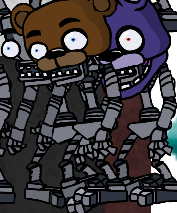
I would be using spriter pro for this in unity, but the implementation is broken so I can't
and from what it sounds like unity would need me to make fully unique sprite sheets for each one?
even if they end up calling on the same exact type of graphic.
deep hazel
can you make one, copy it and modify it with a different sprite perhaps?
i'm not sure how the animator would be handled for that though
blazing roost
https://i.imgur.com/2P0O0Pz.png I can make this sheet too, but from what im seeing it can't be used like this, it needs to be individual sheets for each sprite type?
 deep hazel
you can have sprite sheets with multiple sprite defined on it, while using any number of those sprites from what i remember
you just have to define it as containing multiple sprites and draw out the boundaries for each sprite within them
but, you are pushing the bounds of my experience past this point
i had a leaf sprite sheet that contained 5 leaves, then populated a tree with hundreds of leaves.
not sure if that helps you at all
blazing roost
I dunno tbh. This is just getting really annoying for me.
deep hazel
it always is when something isn't understood, just keep chipping away at it, try different things, read as much as possible and if it gets too much, take a break
quasi crescent
Is it possible to have the animation movement cause physics forces instead of just transformation changes
hybrid tinsel
Not sure exactly what you mean half the time
deep hazel
you need a rigidBody and a collider for that
hybrid tinsel
@quasi crescent check 'animate physics'
quasi crescent
@hybrid tinsel Does the speed of the animation affect the velocity of the physics
deep hazel
only if you update the correct properties
moving the transform.position will have no effect, but moving the transform using velocity will
quasi crescent
Assuming that's what "animate physics" will do, will check it out. Thanks all
deep hazel
velocity will impart force, while moving the transform will have a less real physics result
it's sometimes easier to simulate physics and bypass the physics layer completely
ie, write your own physics
hybrid tinsel
@deep hazel incorrect
Animate physics is for kinematic rigidbodies
So you don't move them by velocity
deep hazel
when you deal with the physics beast, you will have to be prepared to deal with other things like gravity and applying an artificial force to counter this, so that your object doesn't just fall down on it's ass
blazing roost
Does this also allow for enabling/disabling certain sprite visuals on a skeleton? Like my masks rather than needing to replace something.
deep hazel
it's not far off though, which will do for a laymen description
hybrid tinsel
You can swap sprites or turn them on and off
deep hazel
in any case, physics is a complex beast
hybrid tinsel
I used it for mouth swapping in this https://i.imgur.com/VaTi4Y8.mp4
 deep hazel
like it
can you use lipsync to define which mouth to apply depending on the consants/vouls etc that are being read?
blazing roost
Is there no way I can import these, in a sprite-sheet format, and then move the sprites for the skinning editor? I can select a sprite but it seems like moving it isn't quite possible. @hybrid tinsel
hybrid tinsel
@deep hazel I haven't but it is possible
@blazing roost you have to assemble them in the scene editor after skinning them if they are all on one layer
If you use the psd importer you can work with them 'in place' in the sprite editor.
blazing roost
ah, hm
blazing roost
How do I setup a psd in regards to using sprite swapping in it as well for a sprite? @hybrid tinsel
https://i.imgur.com/peqCQPA.png is this the right way to set it up, with all the ones I want swapped also in the spot?
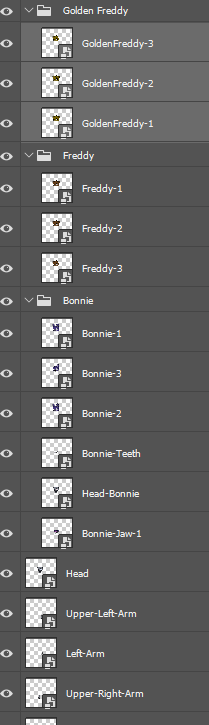
I tried to just place my big texture sheet alone in the scene editor, but it only showed one sprite at a time. @hybrid tinsel
hybrid tinsel
@blazing roost For sprite swapping you can arrange them any way you want; you just set which group each is in in the sprite editor.
I don't have unity open right now so I can't easily demonstrate
I believe that you need to manually create a library if you aren't using PSB
If you use a psb file it does that part for you and you can just choose which layers are in what group
blazing roost
If I rely on a psb, will the automatic import lead to me needing to redo animations if I update it with more sprites, or will I need to redo my skeletons for stuff. @hybrid tinsel
hybrid tinsel
@blazing roost it seems to work all right with adding layers, but I suggest backing stuff up first just in case. It won't automatically update sprite bounds if you edit the sprite in photoshop afterwards, so you'd have to manually fix that. Renaming layers can break things.
blazing roost
This library thing is really confusing..
I'm done for the day, but jeez this has just been really confusing me. I thought unity would at least be somewhat easier to figure just this out with
It just feels like stuff isn't that well explained from the get go
hybrid tinsel
Yes, poor explanation is a regular thing with Unity.
I suggest starting with the basics and working your way up
I can try to help if you have specific questions
blazing roost
I felt like this should be a basic enough thing to do. Is it really not?
The whole library component variation thing is confusing me and agh. I see why unity is used for 3d rather than 2d stuff if 3d is more well explained
hybrid tinsel
The 2d stuff is still in development.
And you don't need to use the library at all. You can also just turn the sprites on and off in the hierarchy while animating.
Or swap sprites using a script, or any number of other options
blazing roost
I would like to learn how the library stuff works if it's the way unity directly expects you to
hybrid tinsel
Well, bear in mind that it is still 'experimental' and subject to change so don't worry TOO much about it. If it is convenient for you, use it. If not, you can do it other ways.
I haven't switched to using the library switcher yet since they literally just added it while I was working on my last thing
And I won't use it for everything.
blazing roost
Ah is that why it says its experimental?
hybrid tinsel
It has some serious limitations.
Yes.
It is available if you need it, and for many people it makes the process more convenient.
But if it isn't, don't worry about it too much
blazing roost
I'd much rather learn how to change it through scripting rather than the clunky unity ui stuff.
Since you said swapping can work through scripting?
hybrid tinsel
Yeah. You don't need to 'swap
' specifically.
You can just turn off and on any sprites you want
You can either control the gameobject's activation or the sprite renderer component on it.
blazing roost
I did just realize another thing I wasn't thinking of.
hybrid tinsel
Oh?
blazing roost
Agh I'm gonna have to figure this out tomorrow to explain it better.
Thanks for the help though. For my main psb thing I got the bones and skeleton stuff setup
blazing roost
Do you have more animations you've made in unity's stuff?
 weary compass
i dont know why but I cant enable the animator in the inspector, can anybody help ?
hybrid tinsel
@blazing roost https://i.imgur.com/63jIqxF.mp4
Not sure why embed isn't working for that

@weary compass turn off the record button on the animation window. You can't enable/disable the animator from itself.
blazing roost
Those are pretty good tbh. I like skeletal animation stuff since it's so smooth
Though I haven't messed with mesh stuff at all
hybrid tinsel
Thanks 😄


(That last one is a single sprite, no separated pieces, layers or anything, just as an experiment)
 fluid karma
These are really nice @hybrid tinsel ! I like your character diversity
fluid karma
Here's something of mine
hybrid tinsel
@fluid karma That's awesome!
fluid karma
😊
fluid karma
frame by frame. I started out trying skeletons and rigging and such but I was having too much trouble and at the time I wanted this piece to look good, not like a beginner playing with a new toy.
I hope to get into rigs soon though 😄
 wheat pendant
Hey i have an issue when i install Aniamation rigging package and build project for android then it not build and get errors but if i build without installing animation rigging then project successfully installing why it is happening ???
hybrid tinsel
@wheat pendant that sounds more like a bug than an animation issue. What errors are you getting?
I'd suggest asking in #📱┃mobile to see if anyone else has had similar problems.
hybrid tinsel
does android even support burst stuff? I have no idea
jade dew
u could try updating burst package i guess?
Unity Forum
Hi,
i created a new project using Unity 2018.3.11f1 with all Jobs, Burst and Collection packages.
Without having any jobs/burst based code i am able...
u could read this thread too
same error in the first post
which unity version etc
 silent lark
Hi I want to set manually the position of the character I am animating before the state beggins
jade dew
ur using could matter
silent lark
For whaterver reason the position gets reset. I tried disabling the animator and the root motion but the issue perssists
jade dew
how r u setting the position
silent lark
    override public void OnStateEnter(Animator animator, AnimatorStateInfo stateInfo, int layerIndex)
    {
        animator.applyRootMotion = false;
        animator.enabled = false;
        Debug.Log("Before modifying" + animator.transform.position.ToString("F10"));
        animator.transform.position = new Vector3(100,0,0);
        Debug.Log("After modifying" + animator.transform.position.ToString("F10"));
        Debug.Break();
    }
it's quite funny, the console shows the 100,0,0 but in the window is totally other value.
as you can see I Debug.Break() instantly
jade dew
@silent lark
Unity is the ultimate game development platform. Use Unity to build high-quality 3D and 2D games, deploy them across mobile, desktop, VR/AR, consoles or the Web, and connect with loyal and enthusiastic players and customers.
perhaps this can be of help?
silent lark
still
jade dew
seems like statemachinebehaviours dont get the actual references
or
try this
animator.Update(0.0f);
after teleporting
silent lark
yes
it works, thankyou, you have good googling skills 🙂
@jade dew you are a live saver 🙂 you fixed my issue both now and a week ago(it was related to baking the poses for a typing animation)
jade dew
nice
 opaque cave
Has anyone ever heard of an application by the name of Glycon? Also does anyone have any information about if I should get it or not. looking at some Mocap solutions.
Mainly looking at VR Mocap solutions I should mention
I would love to know if there are any better Mocap solutions around.
I don't want anything stupidly expensive.
silent lark
you can use https://www.mixamo.com/ create a free account and download tons of animations
 calm cargo
Is it common practice to supplement transfom control with Root Motion animations? seems like root motion is simply never accurate enough to rely on just it for transforms
Particularly rotations, the turns are notoriously inaccurate
jade dew
i perform turning with transform rotations for control
to make it look good, i blend a turning animation
but i don't really rely on the root motion rotation
for actual movement the root motion is rlly cool, since foot placement and liftoff etc is portrayed nicely
but yes, i imagine it's common to augment and control the root motion further rather than just straight up only applying it alone
calm cargo
Seems super tricky to get precision while using animations that offer Root Motion
hybrid tinsel
Depends on what you're trying to be precise about.
hybrid tinsel
I suppose it really comes down to whether you want the animator to precisely control how the character moves or if you want responsive, consistent controls. A lot of games are completely fine with root motion and it does definitely simplify stuff like dealing with characters of different sizes(for instance) using the same controller.
 errant spoke
Not really sure where to ask this, but can someone help me with exporting out what's in my unity project as an fbx file?
I want to get it into blender so that i can get it back into the unity project, but something always goes wrong xD
light pagoda
after multiple search... I don't found how can I switch to t-pose mode in animation,
because in the "muscle and setting" all information are in the middle... and reset muscle change nothing...
 proud dagger
HI , am new to animation so forgive me if i sound stupid, i have a 2d robot that consists of 2 parts body and legs, i would like to be able to control the animations for body and legs separately, but from the tutorials I found online so far everyone always seems to animate them together, but in my mind that would mean that i would have to make animations for each possible action combination of both body and legs , so if i have 6 animations for legs and 3 animations for body, that would mean setting up 18 animations no? whereas if i do them separately it would only be 9? I assume there is something I don't know yet.
hybrid tinsel
@proud dagger You can just animate them separately, and use multiple additive layers in the animator.
proud dagger
@hybrid tinsel thanks, i have figured out that part
I am using separate animators for the body parts, i assume you can combine them into one, but I'm not there yet, I'm just gonna sit down and learn how it all works propperly
hybrid tinsel
Ah, using separate animators might be awkward if you end up needing to do full body stuff.
 steel pecan
Hi, excuse me, I'm having problems with my animation attack, when I press the attack button it works well, but it keeps doing the attack pose, how can I fix it?

Pastebin
hybrid tinsel
@steel pecan show your animator?
 idle oyster
anyone have a problem with the animator where the last frame of the animation is written to objects forever until the component is disabled?
i have one animation to play at the beginning of the scene and there's no way to exit the last frame of the animation. i got it to work fine by switching to legacy version
hybrid tinsel
@idle oyster What do you mean by 'exit the last frame of the animation'?
idle oyster
i have an animation that plays once. whatever state the animation is in at the end of the timeline is applied forever. I can loop the animation but that doesn't solve the issue.
im under the impression that when an animation's motion is over, it releases the objects its been controlling
but this doesn't happen
there appears to be no situation wherein the animator 'releases' control of the objects in the animation besides disabling the component
hybrid tinsel
@steel pecan according to that, he will attack until you move?
Because you have a condition of speed to leave the attack state
@idle oyster You need to add an empty state and transition to that.
steel pecan
I haven't noticed that
hybrid tinsel
Otherwise it still considers the state you are in to be 'playing.'
idle oyster
when i transition to an empty state the last frame is still applied
hybrid tinsel
Is root motion applied?
idle oyster
no
steel pecan
I want it to be idle when finished the attack action
hybrid tinsel
Then take off the condition that stops it from going to idle
idle oyster
never mind if it's not an issue you've already seen it's not worth trouble shooting ill just switch to legacy animation
jade dew
@light pagoda
the docs do mention it
theres a section about the resetting to t pose
light pagoda
Yeah I do that but it didn't work
it didn't work, when I clic muscle I have the "weird bike mode" and when I clic on animation I have this "weird bike mode"
 buoyant berry
i have an animation that plays once. whatever state the animation is in at the end of the timeline is applied forever. I can loop the animation but that doesn't solve the issue.
@idle oyster Did you try adding exit time? This way you can exit that animation and go to desired animation when "exit time" is finished. You can set it to end of your animation
 lunar sable
Hi guys. I am using AnimationUtility.SetAdditiveReferencePose (https://docs.unity3d.com/ScriptReference/AnimationUtility.SetAdditiveReferencePose.html) to set additive reference from another clip. It works fine, but I can't figure it out, how to save those changes. Despite the fact that Animation clip is dirty and I called AssetDatabase.SaveAssets() I can't see an changes in git application. And when I quit Unity and turn it on again those changes are gone. Is it even possible to serialized Additive reference pose clip field? (It's visible from editor in debug mode if the animation clip is selected). Thanks for your advice.
hybrid tinsel
@lunar sable That's a good question, though someone in the programming channels might be better to ask; it's a bit technical for me at least :3
smoky seal
Hey so I have these awesome start walking/running and end walking/running animations
But i have no idea how to implement them in a blend tree.
Any advice?
hybrid tinsel
@smoky seal Generally you'd just insert them in between your idle and your walk, so they'd play once and then transition to the loop
smoky seal
So the start and stop would be...in the same place?
 boreal flint
simple question:How do I add an animation I have saved to a Serialized animation slot? (Idk anything about animation in unity)
jeez no one is online
hybrid tinsel
@smoky seal No. Think of it more as a circle.
@boreal flint I'm not even entirely sure what you're asking.
hybrid tinsel
Yes.
boreal flint
alright gimme a sec
hybrid tinsel
If you are talking about referencing the animation in a script you should just be able to drag it in like any other thing.
hybrid tinsel
and clicking the circle with a dot in it won't let you select an anim file either?
boreal flint
well
it does, but when I select it nothing happens
it just closes the menu
but nothing fills the spot
I think I have done it before, I just don't remember how
does it have to be in the hierarchy somehoe?
hybrid tinsel
I see you have an animator as well as an animation, so it would probably be easier to use that to trigger the animation
hybrid tinsel
I have no idea how your script works.
boreal flint
like how do I access the bool set in the animator with my script?
hybrid tinsel
It is very simple. Triggers are just a bool that turn false after a transition reads it.
boreal flint
oh thanks
ok
so
what if I wanted to use a bool? would it work the same?
I just setBool isOpening, and then in the animator what do I do
 hollow gulch
my animations are getting stuck please help
 rare elm
does anyone know any beginner blender tutorials i could use?
dark pier
what are some of the best tutorials to understand animation and make the player walk run jump roll animation btw getting animation from miaxmo
i need help with animations i got camera orbit third person controller but i dont know how to animate it
 serene light
Yo guys! How do I animate several objects at once? It seems like I am doing something wrong...
When I execute this all tiles flip at once as they should
public void StartGame()
    {
        foreach (Tile tile in tiles)
        {
            tile.FlipToColor(tileColors[(int)UnityEngine.Random.Range(0, tileColors.Length)]);
        }
    }
But when I execute something similar on the other collection, tiles flip with delay with no particular pattern
foreach (Tile t in ownedTiles)
        {
            switch (color)
            {
                case "red":
                    t.FlipToColor(Color.red);
                    break;
                case "blu":
                    t.FlipToColor(Color.blue);
                    break;
                case "grn":
                    t.FlipToColor(Color.green);
                    break;
                case "ylw":
                    t.FlipToColor(Color.yellow);
                    break;
                case "mgn":
                    t.FlipToColor(Color.magenta);
                    break;
            }
        }
Tile script
public void FlipToColor(Color color)
    {
        prevColor = curColor;
        curColor = color;
        anim.SetTrigger("Flip");
    }
Base->FlipIn condition "Flip"
Other transitions have no conditions
twin musk
is there any way to flip an animation horizontally
 quiet lagoon
@twin musk The way I've seen it done in a couple tutorials is to flip the whole sprite transform 180 degrees on the Y axis, but it also tends to make things act kind of weird. When you flip the sprite like that, its 'forward' is now its 'backward.' You could probably solve that by doing movement relative to world space though.
I've decided I'm just going to have two separate sprite sheets for each direction of movement so that I don't confuse myself. (Though it is making the Animator kind of a nightmare...)
Speaking of which, I'm kind of amused at what I'm doing to the controls. I'm doing a remake of an old Commodore 64 game. Back in those games, you were either moving at full speed or you weren't, and you were either animating walk/jump/etc. or you weren't, no 'transition time.' It's kinda funny just how much smoothing I'm having to tear out of Unity's default setup just to make it feel like an old game XD
Is there a way to tell the Animator window 'hey, when I make a new transition, I want it to have no exit time and 0 transition duration' by default?
 trim stone
Im trying to import a character from blender to animate using an animation tyype of humanoid. Besides not allowing me to apply this type because there needs to be 15 bones (which there are) and the 'Hips' can not be found, I can't really import any .blend file. It isn't showing the character in the Asset folder. I don't know how to get the character into unity aghh!
twin musk
You cant import a blend file into unity, export it as an fbx @trim stone
celest crag
@trim stone Don't cross-post, please.
hybrid tinsel
 trim stone
The joints on my character are bugging out when each animation plays, they are smooth in blender as well as Microsoft's 3D viewer but in unity there is some parameter that isn't quite right and I dont know what it is
the arms are kinda flying everywhere
and legs
 devout sigil
Hey Guys I am trying to make 2 animations render on top of each other, I tried with the layers in the animation controller but all it does is replace my sprite in my other layer. Can somebody please help 😭
hybrid tinsel
@trim stone Is it a humanoid or a generic rig?
That is a common problem with a humanoid rig set incorrectly
trim stone
humanoid
hybrid tinsel
@devout sigil do both animations control the same sprite?
trim stone
yessir
hybrid tinsel
Animation layers for sprite swapping animation are never additive; they only replace what is underneath. To show both at once you'd need two sprites.
The additive is for transforms and the like.
(and if it was a bone animation it would blend the two together rather than putting one on top of the other)
 drifting sun
Hello. Any experts on unity animations here? I have a problem I can't solve where I have an "Additive" animation layer for shooting (I want it to play on top of the base movement layer, so character can move and attack at the same time), and the attack animation is comprised of 3 clips that are supposed to play one after the other.
The problem - whenever it transitions from one clip to the next, it resets the pose back to the default. So "Raise Arm" clip raises the arm and points the weapon forward, but then when it switches to "Shoot" the arm returns to its base position and points to the floor, when playing the shoot animation.
Using a mask is not an options since both movement and shooting animations have many elements they both modify, that's why I need it additive.
I tried playing with the "Additive reference pose" but it seems to do nothing. This is unity 2019.4
This is how it's expected to work (works fine with override but then I can't show running & shooting at the same time)
And this is what happens when I set the layer to additive
Any ideas?
hybrid tinsel
@drifting sun Set override but use an avatar mask on the shoot layer to limit it to the arms, or remove the lowering of the arms from the body animations.
drifting sun
@hybrid tinsel thanks, unfortunately I can't use a mask because both animations control several elements, such as the hips (it turns aside to aim and fire, but also swings from side to side ligthly while running)
That's why I chose additive in the first place, I do want the animation to play on top of the base.
hybrid tinsel
Well, it seems that the problem is that you have the base animations lowering the arms, so you either have to override that or remove that from the animations.
You could also use IK, which would override the lowering arms.
drifting sun
The base animations don't lower the arm, the arm is always down in the base animations. The additive animation has them raised in all clips.
My expectation would be for the additive to raise them relative to their position in the base animation. And it does, but the problem is when switching clips in the additive layer, it reverts all the changes made by the previous clip in the additive layer.
hybrid tinsel
By 'move it' I mean it has a keyframe of the arm being lowered.
And yeah, it can be annoying.
It seems like IK would probably be the easiest fix.
If you absolutely can't remove the arms from the base animations
drifting sun
```it doesn't. the arms may swing slightly from side to side, but they are definitely not lowered 90 degrees.```can you explain this please? how would I use IK here?Well, for instance you could use IK to aim the arms, and since the IK targets wouldn't be part of the locomotion they'd be unaffected by the problem
drifting sun
That won't help, the animation itself is fine, it points to the correct position, the problem is the "Additive" layer ignores the starting pose of the animation, and starts it from the base pose.
hybrid tinsel
Right. But IK would override that.
drifting sun
I have no idea what you mean by that... could you explain in more detail? IK is something my animator uses for creating the animation, to the best of my knowledge
Activating IK Pass on the animation layer doesn't help
hybrid tinsel
I mean real time IK in unity. If the character is using a mecanim humanoid, there is built in IK where you can set a target for each limb to point at. If it isn't, then you can use the Animation Rigging package that is in preview in the package manager
It isn't active by default. You'd need to add a script.
drifting sun
Ah, it's not a humanoid rig. Can this be done with generic?
hybrid tinsel
For generic, you can use the Animation Rigging package that is in preview in the package manager
drifting sun
But more importantly... isn't there a way to tell the additive animation to keep the pose? It seems like a huge oversight if not
hybrid tinsel
There might be, but I don't know it.
drifting sun
Ok, thanks, if anyone else knows how to tell an additive animation to keep pose of previous clip in that layer, please let me know.
jade dew
that does seem like an additive reference pose thing
i unfortunately have no experience in it yet
drifting sun
I wonder why you can't just tell it to use the base pose as a reference pose... feels like an oversight.
Ok, I guess I'll have to submit a bug for the reference pose not working
jade dew
btw i think theres a function to set reference pose too
maybe that could help
so u can set dynamically i guess?
like i said, havent done any additive stuff yet, so not sure
drifting sun
Actually that's an editor script. Didn't try it, cause I tried setting in the inspector but it didn't work. Worth a try I guess
hybrid tinsel
 bronze cedar
does anyone know why my 2d animation doesn't preview, or anything?
normally when you select a frame in the animation it will show it on the object in the scene view, but nothing changes
hybrid tinsel
Dunno. Is the object with the animation on it selected?
 mortal spoke
when i go to animate in unity, i press the record button and my character just goes into a "broken" pose
and i cant move any of his bones
jade dew
you cant really have a good time animating in unity im afraid
i just really dont see ppl doing it in any way
u would be better off learning blender to do it
 austere ledge
yo guys, extremely stupid question, but how can you set a loop from a certain range in an animation?
jade dew
u can modify the
loop cycle offset
iirc
theres a cycle offset parameter for an animation state, in the animator
and i feel like i saw one in the animation clip import settings too
hybrid tinsel
@jade dew Unity animation isn't that bad
 shell ravine
Hi guys, I am new to animating in Unity and I'm having an issue ☹️ I'm trying to make it so that during any animation, if my marine's health drops below 0 it does the dying animation. But there's different colors of death animations, depending on his team, so it does a check for which team he is first ('decide color 0 1'). I have it set in my code that when his health drops below 0 it calls the 'dies' trigger with myAnimator.SetTrigger("dies");. But during the game when it actually calls the trigger it gets stuck on 'decide color 0 1', and never progresses to the actual death animation
which is weird because I the conditions for the transition from 'decide color 0 1' to 'yellow die' are met- his team number is 3
but it just stays on decide color 0 1
jade dew
ooh i just never see anyone do any sort of 3d anim within unity. i will admit i havent personally tried
for rigged characters i mean
shell ravine
any help appreciated, thanks
here's what it looks like during runtime when it's supposed to be doing the death animation
it's just stuck there
 wind lake
Hey guys! I'm working on a zombie AI right now. Followed some basic tutorials to get it working. The AI's states and navmesh all work great, the only issue is the animations on this enemy won't play until the AI has stopped moving. Does anyone know what might cause this?
shell ravine
figured it out. It was my code. It was setting the trigger every frame, so it would never reach the yellow die animation
spent like an hour trying to figure it out though 🤔
 tawdry lava
Anyone have experience with the animation rigging package? I’m wondering if there’s a way to group bones into one. For example, I have a hand that consists of a thumb, and a finger bone. How would I go about moving both the thumb and finger bones as one object
hybrid tinsel
Have them both be parented to a single hand bone, and move that?
tawdry lava
It won’t let me do that without unpacking the prefab :/
 pastel ingot
how do i add curves to Unity Animation?
jade dew
in the animation clip properties, u can scroll down and there'll be a curves section
to get the values from the curves u can name a parameter on the animator the same name as the curve
here u go
hybrid tinsel
 pastel ingot
nice
hybrid tinsel
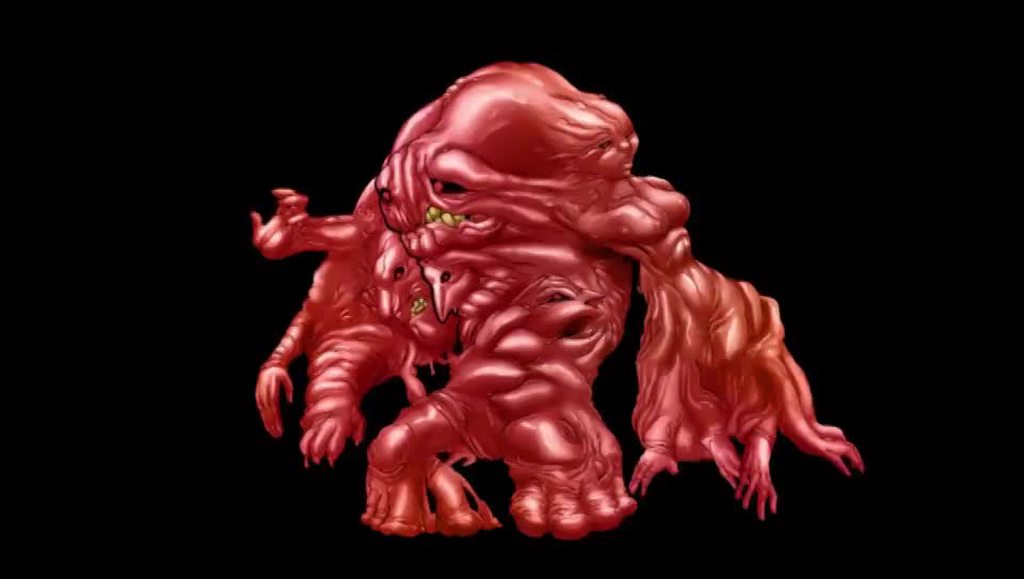
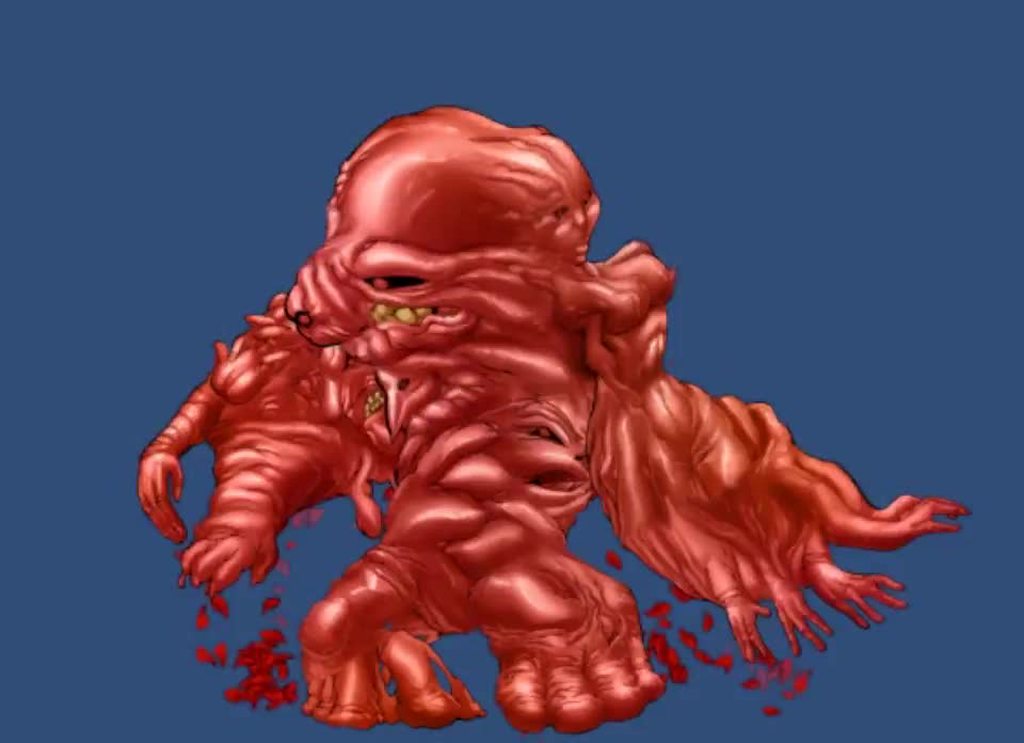
 tender mica
and slightly terrifying
twin musk
@hybrid tinsel it's oddly cute in my eyes. Reminds me of naked moles
hybrid tinsel
meat Buddy 😄
willow heath
So, I'm able to move and flip during my hammer animation. But I don't want that.
The player should stop moving instantly, not being able to flip and 'reset' to the Idle-Animation after it
Conditions for all Hammer transitions is "YInput"
if YInput = true, play hammer animation.
 regal rivet
Hey All. Got Technical question. I have noticed that u cant toggle Animator parameter in one frame. Example: I have bool which firsty i set to true and then in the same frame i set to false. Animator will react properly on bool = true, but it will neglect false value. Is it a bug? Or am I missing something?
jade dew
i think the parameters will be evaluated the next frame
so setting true, and then immediately in the same frame (ie same code) u set it back to false, i dont think itd register how youd hope
btw trigger parameters are like bools that are true for one frame, if u didnt know already
 wanton holly
Is it real that Unity support only .psb files with 2D Animation package? ...
I tried to make some 2d animations based on bones and I see that I have to use Photoshop to export to .psb and then import to Unity with PSD importer (lol even .psd isn't supported). Wtf Unity?
regal rivet
so setting true, and then immediately in the same frame (ie same code) u set it back to false, i dont think itd register how youd hope
@jade dew You see , my debug investigation tells me other way. If i set to true and then set to false, it will remain true. I also thought that this works as u stated. But it doesnt in my case 😦
 sullen wharf
Can someone help me with parent constraints?
 river jetty
alguem brasileiro?
twin musk
does anyone know why a cinemachine camera would only have jerky movement when moving on the y axis even with dampening turned on?
 bold yoke
I've got a spritesheet I want to use to animate some stuff, the spritesheet has numerous sets of sprites within it, and I want to programmatically create the animations to go with those, does anyone have any examples of this or know how I might go about this?
hybrid tinsel
@willow heath turn off input until the hammering finishes?
@wanton holly PSD works just fine with the 2d animation package, but PSB allows more features.
PSD files are flattened to a single layer, so you have to lay out the sprite sheet yourself instead of having unity assemble it from the layers. Also it premultiplies the alpha channel I think.
wanton holly
What about other (most important) FREE software, Krita or GIMP? @hybrid tinsel
It looks like it's necessary to do it everything on my own
When I don't use photoshop
Gimp can export to psd, but .psb is different story :/
hybrid tinsel
The main characters in my game use PSD files
The PSB importer is still brand new/experimental, and while it is super helpful it isn't required.
I just tested renaming a psd file to psb, and it seems to work.
I dunno if all features work but it separates layers just fine at least
 deft heart
why does that look like it's going to be for a nsfw game
 patent island
Owo
 subtle estuary
Hey, does anyone have any experience using alembic files imported from Blender?
trying to figure out how to make sure the textures appear when importing alembic into unity
(pretty entry level unity skill here)
hybrid tinsel
@deft heart Because the clothes layers were in a different file 😄
(I literally just grabbed a random psd file to see it it would work)
I'd be curious to see if it works with psd files from other software
...well, someone just sent me one so I guess we'll find out 😄
Well, the file I was sent did not work as a PSB, only as a PSD.
So I suppose it might depend on how well whatever program's PSD exporter works?
(At mimicking the file spec)
Apparently a program called 'imagemagick' can do the conversion.
jade dew
@twin musk third person camera?
whats it following and lookat
u generally want both of those to be never moving in unexpected ways
stoic sluice
is there a way you can mirror the bones like you can in blender?
jade dew
u can mirror an animation yes
its both available in the import settings, and on the state in the animator statemachine
stoic sluice
im making the animations using the animator
if i copy a pose can i mirror it?
@jade dew
jade dew
if it's smth u put in the animator as a state sure
click it and there'll be the mirror option
 real kindle
I got a quick question, so I made animations, made the tree it all works like it should all tho I made the rig humanoid after the fact and now in-game the animations play in the tree but don't show up on the character
jade dew
might be something wrong with rig setup
real kindle
so I have to scrap it all and start again?
jade dew
u can configure the rig
no not scrap
im on mobile so i can't tell exactly but select the model the rig is on and configure it
real kindle
ok will try, thx
jade dew
the animations all are set to use the rig you created right
real kindle
yea
I think it's because I didn't make it humanoid before I put in all the animations, the animations don't know what to target but that wouldn't explain that the character model plays a animation when idle
a broken animation tho
deft heart
I literally just grabbed a random psd file to see it it would work
I'll pretty I believe you
enjoy making your kinky games
hybrid tinsel
I damn well will
 acoustic tulip
Quick question for animators here. For a combo system, is it better to animate the whole combo and write code to see to progress it, or animate individual parts of the combo and combine them with programming?
deft heart
I did the latter cuz I wanted to be able to programmatically mix things up later
hybrid tinsel
@mental parcel I believe vrchat has a lot of limitations in what sort of elements it lets you use.
@acoustic tulip I prefer the latter, just to give you more flexibility.
acoustic tulip
kk! thanks for answering my question!
 mental parcel
i fixed it but ty
jade dew
u can animate it as a whole, and from ur animation/3d software export it cut up, or cut it up into clips from within unity itself if u want too btw
in unity u can slice a big animation into smaller clips directly
acoustic tulip
OHHH?! That sounds handy
jade dew
yup, in that way u can also load up a mocap sequence, and cut it up directly in unity
in the clip import settings, under 'animation' tab
u can add clips
and set up the clip start/end frames correctly
the blue handles shown on the length bar
^thats a single jump animation ive cut up into a few parts in the same way
so u can animate ur attack as a whole if u want, and either a) cut up and export directly from the 3d software, or b) load up whole combo in unity and segment into clips urself
acoustic tulip
That's extremely handy! Thanks for the info!
twin musk
Does anyone know how i can blur a text and use it in a animation? @ me if you know how or dm me
hybrid tinsel
No idea.
 peak helm
Do I need drawing tablet to make good 3d dinosaurs
 hot wharf
not really
hybrid tinsel
 stoic sluice
Is there anyway of flipping a characters pose
i want to flip the pos and rot of the blue cubes basically
 quick bridge
just added animation rigging in unity and adding a rig builder causes this to happen... no idea why
jade dew
btw anyone who has worked with animation rigging
what is the unity version required for the current latest version
of the animation rigging package?
nvm i found it on the animation rigging page
2019.1 or later with .net 4 scripting apparently
wheat pendant
When i enter on play mode then i press key to move player then my animation play but as a pause mode player is not going forward i dont know i am using blend tree ! Please help someone
acoustic tulip
I'm experiencing a bizarre issue when it comes to my kick animation. I animated my second kick for a combo string in blender. It plays fine, but when I execute the combo, the character shifts direction even though he should be facing forward. I recorded an example of what's happening.
never mind. I found the solution. Had to change root motion to original
acoustic tulip
yeap
more like a demo tbh
I wanna start off small. This is the first time doing a project like this and I don't want to go to crazy
 thorn badge


 hybrid tinsel
@stoic sluice If it is a humanoid animation you can flip it from the clip info in the inspector I believe
 hidden raft
Hello, I'm quite a noob at animation and no one in the program channel seemed like knew what was wrong
I ran into a problem when animating, when the girl changes sprite, I need it to get compressed, change and then decompress back, how can I do that ? Is it a code thing or an animator config thing ?
Does anyone know if it's that I suck at animating or is it a script problem ?
Here's the code
https://hatebin.com/cbrzqbihvu
twin musk
im very new to animations, do all characters need an avatar? i downloaded something from mixamo and ive got the animations and the model and it seems to be playing them ok but Avatar says none. just wondering if that's a problem/bad
hybrid tinsel
@hidden raft You can either have the sprite swap on a separate layer in the animator(set to additive) or you can do both inside the animation.
smoky seal
I kinda figured out my own issue, would anyone be able to direct me to where I could watch a tutorial on editing existing animatiosn to be able to rotate mid animation, and thus move in a new vector?
Can't seem to find it through googling
 rapid tendon
Hey, can anyone help me? I gotta present my game in a little less than 3 hours, and I can't make this UI animation work. The parameters don't change? I checked if the Animator variable had an actual variable - it did - and I checked if the parameter had the same name - which it also did.
Is it because there's no avatar? Please, this is a constant issue that I had early in development, and I had to reset to use coding instead.
hybrid tinsel
@smoky seal By 'existing animation' you mean one from an external software, or one made in unity?
If you imported the animation, you'd need to make a copy to be able to edit it because the original file is read only(it is a 'virtual' file converted from the source)
smoky seal
@hybrid tinsel Yeah I have made a copy to edit it, I am trying to edit the root rotation curve so that I ahve a run forward, and then a run "turn left" etc.
But I am ahving...no luck haha
hybrid tinsel
Also make sure that the root object is 'under' the object with the animator on it in the hierarchy
rapid tendon
Could I maybe get that help? I got 2 hours now.
jade dew
@twin musk yes u need to
properly set up avatars
what i do is create an avatar on the model, then make the animations use that avatar
hybrid tinsel
@rapid tendon have you asked in the #📲┃ui-ux channel? they might have some idea. I have no idea about UI stuff.
stoic sluice
why does my character go up into the sky when i press play
im trying to follow a tutorial on animation rigging and im pretty sure i set up everything correctly
hybrid tinsel
@stoic sluice You don't really give any info about your setup so it is hard to guess
stoic sluice
im trying to get the head to follow a point
idk what im doing wrong
im also getting this error
hybrid tinsel
Ah, yeah. I believe you can't animate a single transform directly by both a generic animator and a humanoid one, just one or the other
Not sure the deal way to get around that, because constraints can be buggy as heck
 warm ore
hey guys. Where would i change the animation so that the walking animation stays in place?
warm ore
found it, it was loop animation
rapid tendon
@hybrid tinsel cheers, but it's done.
TBF, they really liked it, so it's not like I missed out on 90% of my entire grade by not having the little symbol pop.
warm ore
How do you handle jumping in an animator? Do you use a bool isJumping, then set it to true of you want him to jump and set it to false after a timeout ? does jumping need an exit time?
hybrid tinsel
@warm ore Depends on the game. All of those are valid options.
warm ore
okay
twin musk
Anybody here using animations in timeline? Cause I wanted to add a walking animation for a cutscene, but for some reason the player returns to the original position when the animation loops(https://streamable.com/42q2or). Anybody know how to make him continue the walk, without reseting the players transform position?
warm ore
i just started with animations, but shouldn't you move the character itself and let the animation leave the character in it's position
hybrid tinsel
@twin musk Is root motion enabled on the clip?
twin musk
I think so, here are the clip´s settings:
warm ore
You should check loop pose
twin musk
If I check loop pose, the animation plays but the player does´t move anymore
so I need to do another animation, to change the transform then?
warm ore
i think yeah
because an animation itself will not move the position of your character
so that's why, when it restarts, it starts back at the start position
twin musk
I just tested it, but the player still stays while the animation is playing
warm ore
I want my character to look up and down when i aim up or down. How would i achieve that with animations
Do you change the transform position?
hybrid tinsel
@warm ore The easiest way to do that is inverse kinematics on top of the animation.
warm ore
ty, let me look up what that means
hybrid tinsel
Though for a simpler setup, you can probably cheat and just use a constraint
warm ore
i think rotating the spine does it
but if i'd rotate the spine directly, how will that affect other animations that are playing?
like the normal walking animation will require the back to be straight
warm ore
yeah so the animations just override my changes to the transform of the spine
Is it possible to have an animation where it is based on mouse input or some other variable?
or how would i approach this
 wild locust
hi all, i'm trying to animate (e.g., zig zag movements with a sinus wave) objects. it works in general but the animation often stucks at the border of the animation area. looks like that some pixels destroy the entire calculation. any suggestions what could solve the problem?
warm ore
the solution to my problem was: override the animation in LateUpdate