#🏃┃animation
1 messages · Page 56 of 1
 river lily
 shadow ridge
I assume you have a blend tree setup with some kind of forward/back and left/right input parameters?
shadow ridge
Doesn't really matter, here's the general idea
Have animation parameters that drive your animation states.
I have X and Y inputs, but you can do whatever you want for control
river lily
yea i have, a float that translate from idle to walk
shadow ridge
Make a MonoBehaviour script, with a void OnAnimatorMove() function in it
Attach it to the object with the Animation Controller
You should see the root motion checkbox disappear, and it should say "Handled by script"
In that function, you're going to want to get animator.deltaPosition and pass it to your CharacterController's Move()
You can feed the parameters from another script or do it in the same function, doesn't really matter
In addition, you need to make sure your animation clips have root motion enabled.
Then, the controller will move exactly where the avatar root moves during each animation frame
So if your animations walk correctly, so will your controller.
shadow ridge
On the clip inspector animation tab, you'll see a bunch of checkboxes
river lily
root transform position xz?
shadow ridge
To bake or not bake things like orientation, Y, XZ
If you bake XZ, it won't walk
If you bake Y, it won't jump
If you bake rotation, it won't spin in place
So... it's kind of up to you, and depends on the clip and loop
Generally, baking rotation and Y, but not XZ, works great for regular walking clips
Bake everything for idle, so it doesn't drift, in case the animation has some root motion
I find it works particularly well for blend trees and 2D blended motion
Making that script is a hard requirement, btw. Just enabling root motion with the checkbox will not do what you want
It will just make your animations fight your charactercontroller moves even harder
river lily
haha
thanks for the tips
is weight painting from blender will get import to mixamo?
shadow ridge
I think so, but I haven't done much of that myself
The rigs have range of motion on the muscles/joints though
shadow ridge
Did you setup a script with OnAnimatorMove?
river lily
nope, i messing around before i did that
i set charactercontroller simple move speed to 0 too
shadow ridge
Much better. Now you need it to drive your charactercontroller. That's what the script is for
 torn wharf
This is my current movement, I wanna move my player left and right in a 2D world
Though my animation is always working and not letting me go left and right
how do I make it so Idle animation - the player doesn't move at all will work with left and right movement keys
 zealous vine
Guys, is it worth using animation videos than animation sprites while considering performance optimisation
 dusky hedge
what even are animation videos?
zealous vine
.mp4 files I meant
dusky hedge
that sounds like a horrible idea
dusky hedge
you need a program to make the mp4, load the mp4
if you wanna make changes, you gotta go back to the other step and fix it
import it again and play the animation
zealous vine
But Unity have a Unityplayer something like that right?
dusky hedge
it does, but I dont see the point of making an mp4 for what I assume is a sprite animation for characters
zealous vine
I have a Game intro animation
Do I have to use a video for that or slicing single image with all the frames in it in sprite editor. I mean the conventional way we implement walking and running animations
@dusky hedge
dusky hedge
in that case you could do it. depends how complex it is
 twin musk
Is it possible to use a component script as a behaviour in the animator without changing anything in the script?
dusky hedge
you need to change at least the base class @twin musk
twin musk
ok
thanks
using System.Collections;
using System.Collections.Generic;
using UnityEngine;

public class Shake : MonoBehaviour
{
    private float ShakeDirection;
    public float ShakeAmount;
    private Rigidbody rb;
    private Vector3 startingpos;
    // Start is called before the first frame update
    void Start()
    {
        ShakeDirection = Random.Range(-1, 1);
        startingpos = transform.position;
        Debug.Log(startingpos.x);
    }

    // Update is called once per frame
    void Update()
    {
        rb = GetComponent<Rigidbody>();


        rb.velocity = (new Vector3(ShakeDirection * ShakeAmount, 0, 0));
        if(startingpos.x <= ShakeAmount*-1)
        {
            ShakeDirection = 1;
            Debug.Log("Too far left");
            Debug.Log(ShakeDirection);
        }
        else if (startingpos.x >= ShakeAmount * 1)
        {
            ShakeDirection = -1;
            Debug.Log("Too far right");
            Debug.Log(ShakeDirection);
        }
        else ShakeDirection = Random.Range(-1, 2);
        Debug.Log(ShakeDirection);
    }
}
so if I wanted to make it so I can use this my friend gave me as a behaviour,
 obsidian burrow
Anyone here used mixamo?
torn wharf
How do I make 2 animations work at the same time? like if I want a jump animation and a move right animation at the same time
whenever the user presses space and right
shadow ridge
@torn wharf Blend Tree or combining Layers with an Avatar Mask, depending on what you need.
Looks like you'r not using an avatar or rig though, if I had to guess from the cube in the screenshot, so maybe just an additive layer. Not sure how that'll go
torn wharf
I'm not sure how to set it up
i'm new to this animation stuff
but I looked at combining animations together in 3D but idk if that's exactly what i'm looking for...
 prisma shale
are you trying to merge two sprites? or are you trying to make the player do the run animation mid-air? (not sure why you would)
shadow ridge
Yeah I'm confused by the question too considering the screenshot shows a square with a face. No idea what the "jumping" animation looks like, or what it should mean to combine with left/right.
Sounding more like should be just translating the sprite, which can easily combine vertical + horizontal motion
torn wharf
Anyone here is a Programmer && Animator that can help me with my project?
prisma shale
we're trying to help you man- you won't communicate
shadow ridge
^
torn wharf
oh my bad
I just didn't understand what your questions mean... I'm new to this stuff and I don't know how to make the thing that I want to happen...
I watched guides online but it won't really help me with what I actually need...
Idk if I need animations or just set up like physics and jumpforce...
how do I combie 2 motions like vertical and horizontal together?
I would rather do that than animations I feel like @shadow ridge
shadow ridge
Yeah, sounds like you just want to move your sprite according to input, and that's easy without the Animator.
torn wharf
oh wow then how do I do that
shadow ridge
If you want physics, setup a rigidbody component on the gameobject with the sprite, use .AddForce calls to move and jump
You'll probably want a collider on it too, and some object with a collider to serve as a surface
shadow ridge

Let’s give our player some moves!
● Check out Skillshare: https://skl.sh/brackeys7
● Character Controller: https://bit.ly/2MQAkmu
● Download the Project: https://bit.ly/2KPx7pX
● Get the Assets: https://bit.ly/2KOkwjt
♥ Support Brackeys on Patreon: http://patreon.com/bracke...
You're basically looking for a 2D platformer character controller tutorial
So something like this will probably help get the idea. Most of the coding is about halfway in
 lofty remnant
so is it posible to have a blend tree or something simpler to get like a sprite to change its color with animation?
instead of a HP bar I want my enemies to change color as they get damage, so it would go from blue to green, to yellow, orange, red then dead
 hybrid tinsel
Easiest would be to do it by script
hybrid tinsel
Yes.
lofty remnant
color lerp right?
hybrid tinsel
make a gradient, and pick where along the gradient to use based on the health percentage
That's how the hp bar in my game works actually
lofty remnant
cool
hybrid tinsel
don't have the script handy at the moment, but it was pretty simple
 wary remnant
I have no idea why, but my curves sometimes go crazy stupid and inevitablity will mess up what i'm trying to animate. For example, this robot's root bone is supposed to turn around, but for some reason, the curve goes insane and ends up making like 2 quick loops before it turns the correct direction
does anyone have the answer
yep now this error has affected my walk animation
 dusty dragon
Animation question, can I have one animation going while having some bones be locked? I want my character to do their idle animation while holding their hand up and pointing
shadow ridge
@dusty dragon It's an easy and powerful concept. You add a new animator layer, create a mask and apply it in the layer settings (the cogwheel to the right of the layer name in the list). The mask lets you pick bones to include or exclude. So you can put your hand animations in a new layer, make a mask for only allowing arms or whatever, set the layer to override, and use that mask on it. Then those bones will override in the base layer
prisma shale
is there any reason why i wouldn't be able to use the curves editor?
for a sprite
because it won't show and i feel a little stupid
hybrid tinsel
What are you trying to do?
prisma shale
smooth out the animation/remove the ease-in/out
because it's caused the animation to pause at the end
it's causing*
hybrid tinsel
and the curve editor in the animation window is blank, or...?
prisma shale
yeah, it's blank
hybrid tinsel
Do you have the object you're animating selected and an animation loaded?
hybrid tinsel
Never seen that
 muted surge
I upgraded to 2020 Beta
Ok it's working now
weird
I just had to restart the beta
 opal fulcrum
Hey, I'm still somewhat new to animation on what's the best course of action. I have a set of voice clips ~10-15s long and I should make animations based on them. Should I create small clips like "point" and "shrug" separately and then call them based on timing or make 10-15s long animations with "point" and "shrug" in them according to the voice clip?
dusky hedge
why does my pivot not change when I set it to the joint? its set to cursor origin...
river lily
what is the purpose of locomotion?
i learned about blend tree
animator
submachine in animator
but i dont get what locomotion is
and when to use it
can someone share the knowledge with me?
@dusky hedge if this is your first time rigging

A lot has changed since I made this one last year. Thought now would be a good time to bring it up to speed. Learned a few new tricks this time too~ Hope it helps :)
Big thanks to all the amazing helpful comments from the last Rigging Video to help find shortcuts for this one...
i recommend this
best tutorial ever
dusky hedge
It's my first time rigging in blender. I do it in 3dsmax usually but I wanted to try it in blender because I need one gltf file with multiple animations which isn't supported in 3dsmax @river lily
river lily
you can follow his guide
i never do anything in 3dsmax before
rigging in blender is easy
shadow ridge
@river lily "locomotion" is just a word meaning movement, essentially.
dusky hedge
 desert plaza
If I create a vaguely humanoid shape with ProBuilder & Polybrush, would that be suitable for adding bones and animation it walking or are there other steps I need to take?
hybrid tinsel
@opal fulcrum if there are lots of repeated actions then it might well be easier to make a bunch of small animations and blend them together using a timeline. That would also help with syncing the audio and other stuff like cameras.
(that is, a cinemachine timeline, which can have multiple animations as tracks)
river lily
@shadow ridge then what is the purpose of locomotiom animation in mixamo? the one look like still frame
shadow ridge
@river lily I don't know what you're asking. "locomotion" means movement. If there's a particular Mixamo animation with "locomotion" in its name but isn't animating, that has nothing to do with the name... maybe it's broken? Maybe you're using it wrong? Maybe it's a static idle pose from a locomotion pack for blending?
dusky hedge
@river lily they dont look like still frame, it is only one frame. look at the timeline under the pose and note how its called 'pose'
dusky hedge
for still poses
you dont always need an animation. sometimes you can have a pose as reference for an animation you are creating
or when you arent trying to make an animation, but just a render. there is no need fuck around with an animation
or blend shapes, that could also be useful for that tbh
hybrid tinsel
Or if you are making your own procedural animation system or active ragdolls that are based on poses
river lily
@hybrid tinsel can you share more on procedural animation ?
 minor hemlock
idk where to put this so i'll stick it here, i have a cloth in my unity scene and the default wind/breeze is too strong and idk how to change it, does anyone here know
actually now that i look at it more the cloths seems to be pulled horizontally
but i want it just hanging down and dont know how to fix it
nvm i think i got it lol
wary remnant
I never got an answer for this, but my curves sometimes go crazy stupid and inevitablity will mess up what i'm trying to animate. For example, this robot's root bone is supposed to turn around, but for some reason, the curve goes insane and ends up making like 2 quick loops before it turns the correct direction
twin musk
@wary remnant I think right clicking on rotation at the left bottom on that screen and setting it to quaternion should fix that
wary remnant
@twin musk the purple curve? or the armature rotation?
twin musk
Over add property..
river lily
any goood tutorial on HDRP?
when is the right time to use HDRP?
by default which rendering is used?
is this related to post processing? if yes i will ask in correct channel
 copper solar
anybody who updated either blender or unity to newer version are you also unable to see animations from native .blend file in unity editor?
hybrid tinsel
@buwhat do you want to know? It is an unbelievably huge topic
@ginjhiw did you fix it?
Hrm, mentions seem broken on my mobile -_-
And #reis where you should ask
Grr, that is really annoying
 tulip falcon
I am having some issues with the rigid body usage
The gravity of the player works fine but the sad part is that it just goes right through the the other player known as the floor/ground (the ground being a cuboid)
How do I fix this
ping me while answering
hybrid tinsel
@tulip falcon #⚛️┃physics
tulip falcon
ooof
hybrid tinsel
Most likely you have layers set wrong so they are ignoring each other
wary remnant
@twin musk it seemed to work. just need to work out the kinks
river lily
@tulip falcon add colider and rigidbody to your floor
tulip falcon
already solved the problem
tulip falcon
its in physics
river lily
wdym?
river lily
ah haha
shadow ridge
Man, finally having some solid success with animation retargeting. There's surprisingly few good docs on how exactly it works, but once you figure it out it works surprisingly well
Across slightly different humanoid rig hierarchies, that is
Got a UE4 rigged animation driving a Mixamo character without rerigging or converting either of them
https://streamable.com/xu0uz example at 10% speed

The trick, if anyone's trying to succeed at this, is to not try to point the mixamo character at the animation's avatar, or vice versa. Pick the create avatar from this option.
If your animation targets a test character, even better. Set the animation to that character's avatar, edit its avatar, enforce T-pose
The closer both of them are to perfect T-poses in their source avatars, the closer it will retarget
Then simply use the animation on the character in Animator, leave their avatars entirely separated
More advanced tweaks with muscles/avatar settings are a bit trickier, but for a basic retarget it works nicely
shadow ridge
@river lily What I was showing was not for UE4, just for animations that use UE4 style rigging, which are quite common. In fact, there's lots of animations on the Unity asset store that have UE4 rigging.
It's very common, but Mixamo is also very common, for example, and if you try to use a Mixamo avatar in a UE4 animation, it will fail.
It's so common, there's a Blender plugin that tries to convert Mixamo rigs for you.
What I was showing is that you don't have to with Unity, you can retarget between different rig structures so long as their respective avatars are mapped and T-posed well.
It's not very easy to find good documentation on this precise point, so I figured I'd share
twin musk
Hello
I have two prefabs
two 3d models
of characters
How do I apply the rig of the one to the other?
Should I do in May / Blender with placing every bone in the place it should be and naming the bones with the same names as the first model's or is there a way to do it in Unity?
 fervent wharf
Hello everyone! I'm with a problem, nut I don't know if it is related to animation or coding. The problem is that I'm calling an animation ("Rifle Down to Arm" from the mixamo) but it isn't working correctly.
This is the line of code related to it
ops.... how do I send code in here?
fervent wharf
I'm uploading a video on the streamable with the problem
fervent wharf
 hybrid tinsel
...I am not even sure what you THINK that code is meant to do
Maybe you should describe the logic you want to implement and we can figure out how to do it
Right now, you are just constantly restarting a given animation every time that code runs and detects a mouse button down
Most likely, what you want to do is set a bool for each mouse button in the animator, and use state machine transitions to handle the actual playing of the animations.
You probably also want to put the gun/arm animations on a second layer so the character can still move while using the gun.
fervent wharf
My Idea is something like old RE games. One button to aim and one to fire the weapon.
river lily

Join our Filmstorm Motion Library: https://www.patreon.com/filmstorm
Download the project here: https://filmstorm.net/create-an-ik-foot-system-from-scratch-in-unity/
QUICK FIX--- I missed a crucial step, in the Animator you need to have your layer setup with IK Pass enabled....
for anyone interested to build your IK system. this is a great start
 pale edge
Can someone help me with some basic 2D animation problem? I'm extrmly new to this
shadow ridge
@pale edge Use more words. What 2D animation problem?
river lily
@hybrid tinsel https://youtu.be/eAZ7aab8I4g

download from unity asset store : http://u3d.as/ECT
hybrid tinsel
rigging this to have some flipping pages and stuff
river lily
ah 2d
 shadow holly
Does anyone know if I can set a frame of animation to a player in EditorWindow?
I tried animator.Play("ClipName", 0, time), and then animation.Update(0.0f) which showed the first frame of animation of the clip and wont go to other frames no matter the value of time (or the value inside Update)
And tried using AnimationMode.BeginSampling() and used SampleAnimaitonClip to do the same as above
both didn't work
And I get this error from the first part:
Animator.GotoState: State could not be found
hybrid tinsel
It is not frame based, but time based
so if you're putting in frame numbers that will probably be far, far out of range
shadow ridge
It's the normalized time too, isn't it? 0-1 range
hybrid tinsel
Yes
desert plaza
Does my character need an avatar? I don't really understand what one is, without one everything still seems to work just fine. Is there some gotcha waiting for me if I don't create one?
hybrid tinsel
You need a defined avatar if you are using a mecanim humanoid, otherwise it is optional
desert plaza
Cheers @hybrid tinsel. Is that specifically if I'm using bones?
hybrid tinsel
Specifically if you are using 'humanoid'
shadow ridge
Avatars store the humanoid bone rigging configuration. You don't have to have one, or even use humanoid rigging, and can still use bones and have rigging and drive them with animations, but you won't be able to do retargeting -- aka, mix and match animations and characters. Unless you're building one-off creature rigs with custom animations, there's a strong chance you want to work in the humanoid system.
 charred flicker
Hello, Im working on some animation system, I came across this "bug" with new ik, basically it wont change the weight value based on animation, but if I preview the animation it works. Any idea why is it happening? thanks
hybrid tinsel
Apsu put it well.
shadow holly
@hybrid tinsel I used normalized time, my mistake on mentioning frames
Anyway its not working and I still didn't find any solution, I am starting to think its not possible
 upper grove
I can place Parameters in the Animator window on a prefab controller. but not in a freshly created controller. Can someone help me please?. Unity 2020.1.0B
 balmy zealot
Something is up with my animator
I tried testing my movement, and it seems that only 1 specific animation works, while all the other just caused the animator to start and stop in a microsecond, what's wrong?
hybrid tinsel
@balmy zealot show us how your animator is set up?
@smoky gate neither do we, especially without more information
 dense fjord
hi everyone can someone tell me what I did wrong with the gun https://media.giphy.com/media/frMQnZpHYllylJd9HP/giphy.gif

 clear lion
how do i attach a gun to stick with my character's right and left hand?
i stuck it only to my right hand, but the animations on hand placement make the gun wobble off a bit
shadow ridge
There. Finally. https://streamable.com/wu1xs

Matched up all 8 directions with matched leading foot and put in hip rotation sub blends. Even added jogging for fun
Leading foot is so important, and sucks to rework animations where one of the diagonals is wrong, or the animator just mirrored half of them, making the leading foot wrong :P
Need to tweak transition speeds for the hip swap, but that's easy to adjust
I've spent way too much time trying to use diagonal animations that don't all lead with the same foot in the same quadrant, and the inbetween foot blend breaks. Couldn't find any solid resources for doing it right until I saw https://rockhamstercode.tumblr.com/post/174482327268/strafing-locomotion this, and had an idea for how to do hip rotations without needing to do layers or have custom animations for the extra rotations if you don't have them already
My strafe sub-blends use a pair of strafes with one reversed (but not mirrored). Left Strafe is strafe left + reverse strafe right. Right Strafe is strafe right + reverse strafe left. Since the strafes are all hips-forward (they look right for the forward hemisphere of movement), this gets you an appropriate hip rotation for the backwards hemisphere.
Then I just keep track of which hemisphere the movement input is in, and switch the toggle for the strafe sub blends
Hopefully that helps someone else struggling to build this in Unity :P
 slow rampart
Guys, how rotate spine before the IK? Anyone?👀
 agile cobalt
I was bored today so I made this monstrosity https://www.youtube.com/watch?v=Rfo4aZM9rRM

thanks, obamax !
Musics used :
Kill la Kill - Blumenkranz
Kill la Kill - Before my body is dry
Sonic Adventure 2 - Battle music intro
shadow ridge
@slow rampart Hook into OnAnimatorIK?
hybrid tinsel
So I have a question: anyone have any good ideas for how to rig this?
hybrid tinsel
 shadow ridge
Neat
balmy zealot
@hybrid tinsel Ya still here?
I have fixed the former problem, but now I had to find a way to stop the animation at the last frame, any way on how to do it?
hybrid tinsel
Um, refresh me?
balmy zealot
I just had the problem of Animation, where it just starts and stops in a millisecond, but I have fixed that @hybrid tinsel.
But right now, I need to find a way to stop the animation when it reached the last frame.
shadow ridge
Animations always stop on their last frame unless you set the clip to loop, or you have it in a state that gets transitioned back into in the Animator
hybrid tinsel
Yes. you can go into the inspector for the animation file itself to set that.
hybrid tinsel
 clear lion
how do i attach a gun to both hands?
 worn parrot
@hybrid tinsel That previous animation was some kind of interactive animation where you use the mouse cursor to manipulate with the book? Or was it simply all animated?
hybrid tinsel
A simple mouse follow
Though I'm not using that for the actual animation, was just showing the rigging
https://imgur.com/a/OfAp92J improved

 cinder yarrow
Hi ! I am currently developing hollow knight and celeste - inspired game named Shards of Gravity ! You can join my discord or twitter to check out more about the game if you like it 🙂
PM me for discord link if you would liket to join👍
twin musk
So i'm working on the trailer for my game that i am going to release for 10 days and i don't know what would be the best way to make those sick camera movement animations... any tips?
worn parrot
@hybrid tinsel looks really smooth!
May I ask how did you achieve that "page turning" effect? 😄
 fast kelp
hi
does anybody know how to record changes on a character for example
when I try to record a gameobject within my character being enabled, it deselects my animation and stops recording
:/
fast kelp
i fixed it dw
needed to move the components under the animation
anybody know why my blend try would select every animation when i press w and d at the same time for movement
at a 45 degree angle movement, both hor and ver are .707
so it selects every animation for some reason
in my 2d simple directional blend tree
worn parrot
Sorry, I haven't used Blend Trees
Maybe you should post a screenshot so that others can help you
 spring stratus
Random question: I remember watching a bunch of rigging videos a couple of years back to do with root motion. And some of them had the root bone laying 90 degrees (see pic), is there a technical reason for this or was it simply to make it a little less intrusive in relation to the model?
An example from a video:
shadow ridge
@spring stratus I imagine it's simply easier to define root motion, for the animator, with the root bone facing the direction the character mesh is facing
Particularly when you start doing rotations and arcs for more complex motions than walking or a weapon swing
spring stratus
Thank you, wasn't sure if I did it with the bone upright if it would mess anything up. Though I'll be sure to use it in the way you described with characters 🙂
 random swift
Is it right, that you can't use textmeshpro to change the text with animations?
shadow ridge
Man I'm excited about this new Animation Rigging package in Unity
Or should I say new system. Been available since 2019.1. It seems amazing
worn parrot
@random swift changing text should be done through code
random swift
Alright, was hoping to have it all in one animation
worn parrot
Hmm, what you can do is set events in the animation
You can call a function from a script thanks to animation events, even with a string parameter that would change the text
So although it's not direct change of text, it's still a part of the animation timeline
clear lion
anyone know a good 2 handed weapon tutorial to stay on both hands? i attached the gun to my character's right hand but it wobbles around the left hand too much
shadow ridge
@clear lion Look up OnAnimatorIK and the IK functions in the Animator class, or "hand IK" in Unity
 upper grotto
I think that one question that I asked in #archived-art-asset-showcase would be better in here... because it’s rigging which is part of animating...
clear lion
@shadow ridge thanks ill check that
spring stratus
I need to have a singular armature for several items (meshes) that all have the exact same animation, what would be the wording to find some research for this?
Keep getting redirected to Retargeting, which doesn't seem to be what I need
shadow ridge
What actual assets do you have? A skeleton, some bare meshes, an animation? Are the meshes already rigged to the skeleton? Or a skeleton?
spring stratus
I've tested it in 2 different ways:
(Blender) Made a rig and parented my model onto it (single bone). Works great.
- Imported it into Unity, works as expected, tried importing the rig and model separately then reconstructing the format (Empty->Rig,Mesh). Didn't work.
2.Kept the initial imported rig/model together, swapped the mesh, messes it up
I realize that neither of those were going to work in the first place, but I can't seem to find any actual info on how to do it properly
shadow ridge
Hm. I mean, I'm sure rigging up the meshes in Blender as separate FBX files will work fine, but combining from pieces in Unity, not sure. I have a feeling the mesh weights and such that's baked into the rigged mesh import will be the challenge
spring stratus
Appears so, it's easy in Blender. I can make a cube, group the verts to the same name as a bone on the rig and it auto-binds them when I parent the mesh to the rig, then it animates the same as my actual object. I just need a way to get the same functionality in Unity. Having a separate rig per model feels wasteful
shadow ridge
Did you try swapping the mesh in the Skinned Mesh Renderer in your copy?
spring stratus
I did but I might have selected a mesh that didn't have the correct weights, just realized that I have a duplicate
Trying to work out the scale conversion between Blender and Unity, fed up of having the scale and rotation being different
shadow ridge
I'm not sure what metadata it's keeping on the mesh as far as weights and vertex groups and such
But if they're all the same, maybe it's smart enough to map
Apparently it does bake the weights into the mesh object
The bone weights should be in descending order (most significant first) and add up to 1. So, if your meshes are setup the same in Blender, for the same rigging, probably just works?
spring stratus
Ayyy
Ya I had tried it on a mesh without weights
It works just by swapping out the Skinned Mesh
shadow ridge
Woo!
spring stratus
Cheers for that 😄
shadow ridge
Gogo gadget docs. np
twin musk
what would you use to create a sprite sheet of a book opening?
hybrid tinsel
I just did a book animation in unity last night
twin musk
can you fill me in on the workflow, i dont do stuff like this typically
its just a full screen 2d image and i thought by rotating Y with a pivot on the left would do the trick
but it looks odd
hybrid tinsel
I used bones
@worn parrot @twin musk
https://i.imgur.com/xNwG1ND.mp4
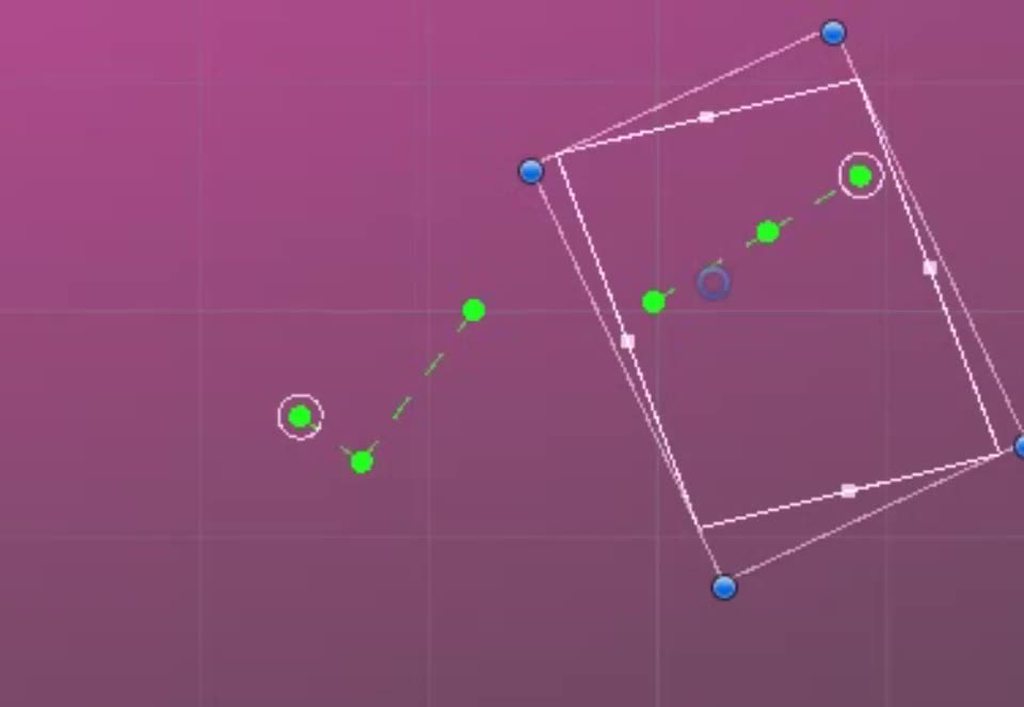
Totally manually keyed, but for a less cartoony thing you could do better rigging
In my case, the book was mostly hiding the page so I could be pretty sloppy
clear lion
anyone know good sites to find 2.5d animations?
hybrid tinsel
I did rig the page as a separate object from the character, to avoid conflicts. I wanted it to have its own root, and I turn the renderer for it off most of the time
hybrid tinsel
Anyway @twin musk maybe link some pictures of what you have and we can figure out a way to make it work?
worn parrot
@hybrid tinsel Wow, looks interesting. So you're basically stretching the page entirely in 2D?
hybrid tinsel
Yup
 prime jackal
I would like to create a dynamic mesh for a physics driven fish (articulated with joints)... Is the straightforward way to do this to make a mesh and armature in blender and bring it into unity (and attach it to the rigidbodies of the fish?). Or is that kind of armature only for animations?
would it be cheaper to define the whole mesh by hand and generate in c#?
hybrid tinsel
You can apply rigidbodies and joints to bones.
prime jackal
thanks!
spring stratus
So after tinkering about for a while, I found out (simply -_-) that I can just attach my simple item models to my rig, and as expected it "animates" in the correct way. (This is a single bone rig that just makes my items bounce in place). However I cannot find a way to ONLY import the rig and have it animate without a model being imported with it.
Is there a way to only import the rig and have it still work? My workaround atm is to import the rig with a simple cube bound to it, unpack the imported prefab, delete the cube, make prefab variant, then place the rig wherever and attach my desired model to the bone as a child.
This feels convoluted and unnecessary, surely there's a simpler way?
hybrid tinsel
There is a naming convention you can do to only import the rig, I believe.
 and name them with the convention modelName@animationName.fbx. For example, for a model called goober, you could import separate idle, walk, jump and walljump animations using files named goober@idle.fbx, goober@walk.fbx, goober@jump.fbx and goober@walljump.fbx. When exporting animation like this, it is unnecessary to include the Mesh
 in these files, but in that case you should enable the Preserve Hierarchy Model import option.

Unity automatically imports all four files and collects all animations to the file without the @ sign in. In the example above, Unity imports the goober.mb file with references to the idle, jump, walk and wallJump animations automatically.

For FBX files, you can export the Mesh in a Model file without its animation. Then export the four clips as goober@_animname_.fbx by exporting the desired keyframes
for each (enable animation in the FBX dialog).```Yo, I've got this curve animator script that moves a curve forward in time but it doesnt seem to work. Could anyone look here and give me a few pointers https://hatebin.com/cnlgkbtnnm?
 reef mantle
How do I make a door close if i opened it? I have the script to open it and I have the animation of closing it. I did some scripting and there comes weird results
 stoic chasm
I currently have a weird bug using the unity animator, if I switch to other weapon while a weapon's draw animation is still playing. Almost all animations of said weapon are bugged out or have a weird offset. Can anyone help me with what is causing this?
spring stratus
@hybrid tinsel Not having much luck with that sadly, the docs don't make it very clear at all for that page :/
random swift
Do you check the animator if it gets to the state you actually want? @stoic chasm
stoic chasm
@random swift yes it seems to be normal when I check the animator in runtime
random swift
Are you maybe overriding any transforms in another animation and dont have an override inside your new animation for it? That might cause/bug it to stay in the last know position?
desert plaza
Can I set an animation curve to be linear? I have a piece of junk that is flung out so I want it's x to be linear and it's y to be quadratic.
hybrid tinsel
@desert plaza at the bottom right of the animation editor is a button to switch between keys and curves
And that should let you affect the individual channels I believe
desert plaza
@hybrid tinsel I've got that, I'm on the curves view. I'd just prefer to set it as linear/quadratic than try to eyeball it.
 stuck elm
@desert plaza can you right click on the curve keys to set their type? I know you can set the entire key but not sure about individual curves
hybrid tinsel
Yeah, that's what I meant
stoic chasm
@random swift sadly not, I imported the animations as 1 animation with all states and cut those into all seperate animation within the import editor.
But luckily I found a workaround for it. I use a hide animation when switching to a other weapon and when the model is out of view, disable the gameobject with animator.keepanimatorstate = true on the animator.
random swift
Good to know and glad you fixed it!
desert plaza
Thanks @hybrid tinsel, I'll have a play with those. Odd that there's flat but not linear. Maybe there's a way to copy and paste a curve.
 abstract otter
hybrid tinsel
abstract otter
hybrid tinsel
so she's a lefty?
abstract otter
I'm gonna say she's ambidextrous since it will be easier to animate :^)
abstract otter
I haven't considered alternate animations for when she faces the opposite direction
I might just do something where her turn animation depicts her swapping hands or something
hybrid tinsel
yeah
I didn't bother
One of my characters is symmetrical, the other I just flip and ignore hands 😄
 keen cipher
@balmy escarp awesome
 balmy escarp
Thank you ❤️
keen cipher
asymmetricity really make the difference
balmy escarp
It can, though I really went out of my way to make him as asymmetric as I could. Asymmetry's really not necessary to make a good looking smooth character for a game
keen cipher
True, but i think asymmetry gives character or creature a very realistic feel. Because there are very few symmetrical animals in the real world. And not many that walk like robots.
That is really cool.
Are you thinking about putting this character into game?
balmy escarp
Yep.
hybrid tinsel
That does look really good, @balmy escarp 😄
balmy escarp
Thankee c:
hybrid tinsel
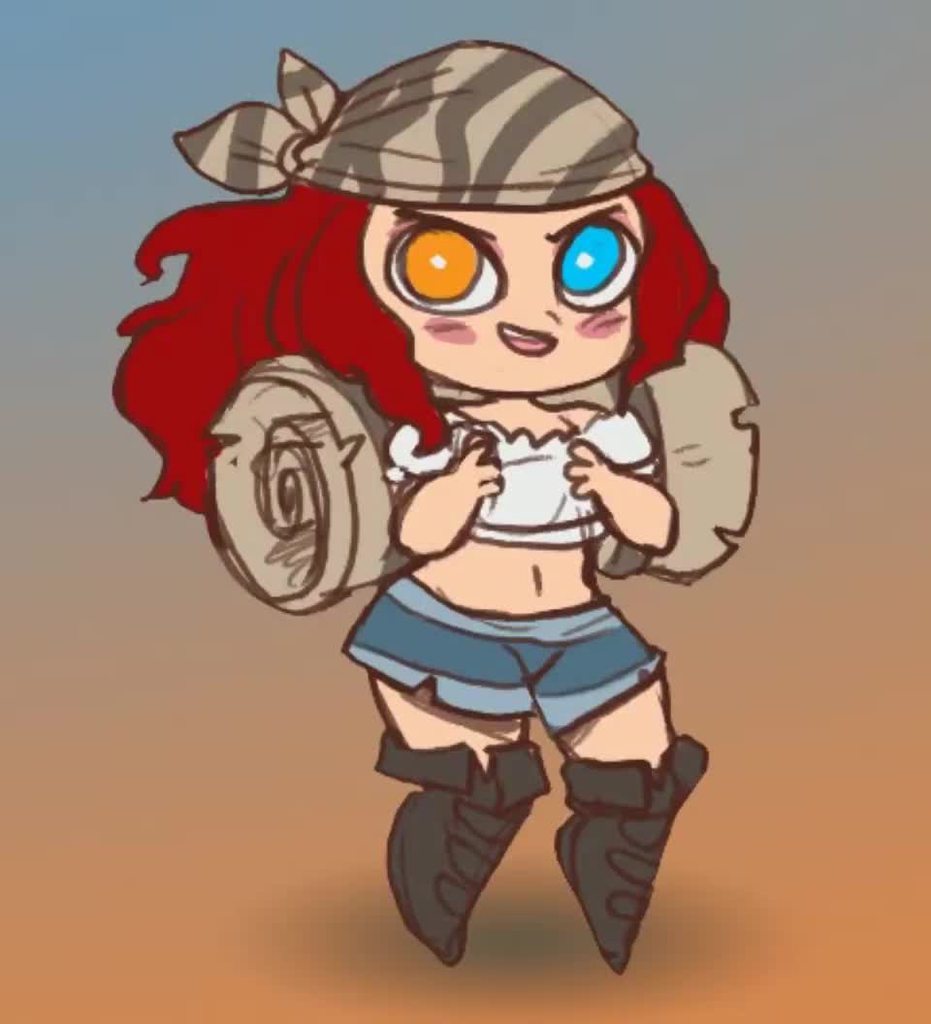
I had to deal with some asymmetry on my most recent thing, woulda been a lot easier if her head was symmetrical https://i.imgur.com/3epnVVr.mp4
Had to switch the hair and eyes around when her head turned
Had to have multicolored eyes
balmy escarp
She's so cute ffff
hybrid tinsel
Yes:D
I saw her and just had to animate it.
the original
Think this will be the next one
worn parrot
"I saw her and just had to animate it."
You should send the animation to the author to see it 😄
hybrid tinsel
she'll see it eventually 😄
twin musk
Hello i make Animations in Blender for a Humanoid Avatar, and want to use it in Unity for different Variations /shapes and sizes of my Characters and NPC's. The character can interact with the NPC and i want them to go into a synced animation (like a Hug ) how can i realize a system like that so they look alrigh and i am able to save the offset of each Character. I want something like a Furniture system for the Player to use with Npc's .... somebody got some advise for me or and idea what topic i should read myself into ?
stuck elm
@twin musk you'll want to look into animation retargeting and into IK.
twin musk
thank you. i will read myself into those topics it looks promising
desert plaza
Can I transition from one animation controller to another?
All my sprites have a basic set of animations (idol, walk, damage) but also have animations unique to them.
Can I create one controller for the common stuff and others for unique animations to individual sprites?
abstract otter
Reposting to this channel since I posted it in the 2D channel without realizing it
 steel granite
He’s alive!
Moai Interactive 🗿
twin musk
Guys I have a question how do you do this kind of attack animation
is it in code like you have to flip the sprite and change the angle?
 analog wyvern
I'm not sure but you probably would need to rig the 2D character and then create the animation in Unity by yourself rather than writing code

Wanna learn how to make your characters come alive? Then Skeletal Animation is for you!
This video is sponsored by Unity.
You need to use Unity 2018.3 or later to use these tools.
Unity is hosting a 2D Challenge - Check it out: https://ole.unity.com/2dchallenge
● Rigging d...
twin musk
thx ill take a look at it
 fresh sparrow
How can I get a 256:144 106 frame animation into unity? Sprite sheet is too big 🙂
desert plaza
@fresh sparrow increase the max size in the overrides in the sprite imports inspector.
fresh sparrow
Can't, 256*106 is way bigger than the maximum value @desert plaza
hybrid tinsel
Split it into two images
desert plaza
Export the sprites into separate files
 shut ravine
hello everyone,
me and some friends are making a game and we all have no idea how Animations workflow is in unity. (it's our first game)
our situation:
we have Aim_Forward animations for all our Weapons and standard Aim animations: Walk_Aim_Forward, Walk_Aim_Backward, Walk_Aim_Right, Walk_Aim_Left.
we need to set 2 different Layers UpperBody and LowerBoddy.
LowerBoddy : will be the same for all our weapons
UpperBody : will be different for each weapon
by doing this we got a big problem, the character plays the BaseLayer "LowerBoddy" correctly but distorts the animation of the Second Layer "UpperBody", which makes the corracter walks correctly but aims into a different direction and hands wrongly placed.
any suggestion will be highly appreciated.
eg:
by mixing the 2 first animation the character hands are wrongly placed + aiming the wrong direction
desert plaza
The Hit animation here can be reached from any other state and should return to the previous state.
Is there a way to do this without having to create a "Previous State" parameter?
hybrid tinsel
You only have a couple states, just choose which to return to based on whatever conditions they need?
fast kelp
Does anybody know how I would script a 2d character to change animations based on mouse position on screen
I want my 2d pixel character to use the up animation when the mouse is up etc.
 lapis cedar
Do I need an animator if I only have one animationclip?
I can use just an animation with the animationclip inside it, but I don't know how to reset the object to default if the animationclip doesn't finish.
e.g. i play animationclip and setactive(false) on object half way through
upon reactivation, the object is stuck halfway through animation and not back to default
anyone know a fix?
hybrid tinsel
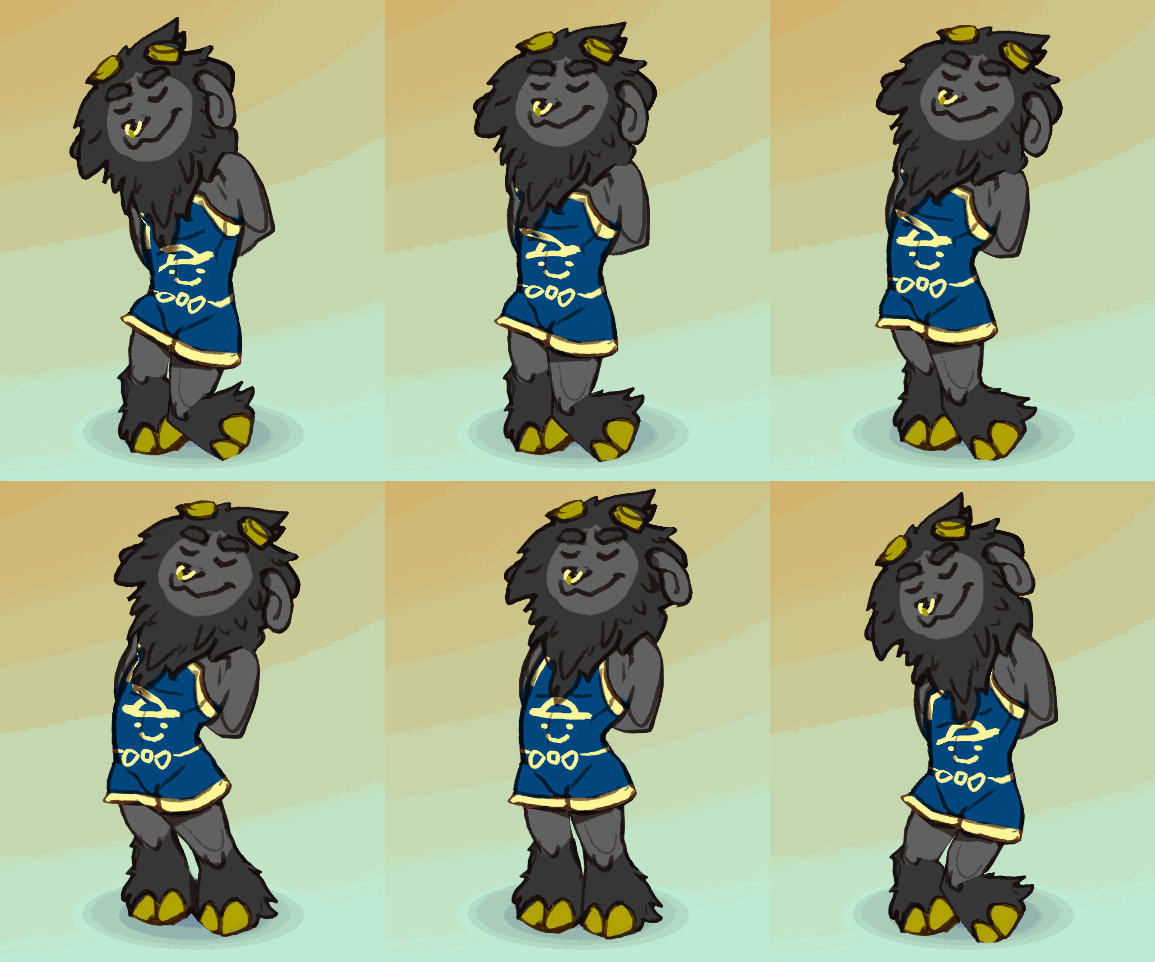
 cinder ether
Heyo, is there anything else im meant to do to get alembic visibility working in Unity? Got an animation working in maya exported with visibility (reimported to maya and it definetly works) but when brought into Unity the visibility doesnt seem to work at all
 orchid depot
Hello guys, I have some dance animations from mixamo but the character will move around and not stay at the origin. When the dance ends, the character will teleport to the origin which is not great. Is there a way I can fix this? maybe lock the animation at the origin?
twin musk
Guys i want to swipe my sword if i click mouse and i dont have any idea how to do it
 twin musk
How can i change the speed that my animation plays at? I would like to make it so my camera starts slowly moving and then fast...
hybrid tinsel
@twin musk the easiest way to do that would be to just set the curve in the animation to start slow and speed up.
 honest vector
how do i record gifs on screen
 umbral leaf
My animation is not being deleted when it moves, meaning it leaves behind a Thron-trail. I've tried setting the clear flags, but it didn't seem to help
Anyone know other possible solutions?
OK nvm I've got square brain. I reset the flags in code
 meager dawn
Can someone help me use twist bones from the Animation rigging package?
hybrid tinsel
I don't even think the people who created that package know how to use it well enough to explain
meager dawn
oh
 nocturne solstice
could it be a layer problem?
 stable condor
Hi, anyone knows if there is a way to pass from a ragdoll lying on the floor to normal animation ... in other word transition from ragdoll to animation in 2D
I can transition from animation to ragdoll as of now and it works well
i would need to animate local position if that's even possible
 rapid topaz
Any good informative animation tutorials? I have this really annoying problem sometimes the walking animations loops twice. But the main problem is I have no idea how the whole animation controller works.
 eager basin
Does this section also cover help for animating in Unity, or is it more of a creative tutorial area? I'm having issues with the animation tool in Unity P:
 charred belfry
Feel free to ask questions
eager basin
How do you reset your model in Unity? In blender you can press Ctrl + R to reset their pose, but I'm not sure if something like that exists in Unity.
I just animated a pose, but don't have my character's default pose ^-^;
twin musk
@hybrid tinsel Sorry for late respond, i didn't saw your message. How do i set a curve in animation? I'm new in animations so i don't know that.
random swift
What you mean by curve?
 quaint vault
Why is blinking have the enemy in "Player layer and player in "Player" layer
 whole hinge
How do I drag state around in the animator window in 2020? It used to be just click and drag, now when I try it I keep getting a selection/drag box appearing
 jovial estuary
can anyone help me with skeleton animations i have difficulties pm me
and dont even try to send a video i already tried almost all of them
hybrid tinsel
@twin musk first, set the keyframes as you want them. Then hit the button to the bottom left-ish area of the animation window to switch to the curve editor. This will let you manipulate the curve between the keys you set. The flatter the curve, the slower the motion. So to have it speed up over the course of the motion have the curve start out flat and get steeper as it reaches the end.
rapid topaz
Can one animation controller control the animation of two different objects?
 tawdry lava
Anybody know why my OnAnimatorStateExit() doesn't get called occasionally? I read online that its unreliable, but that was written a while ago and the whole article shat on the animator system. Is it still unreliable, and if it is, should i just make an IEnumerator and pass in the animation length instead?
hybrid tinsel
@rapid topaz yes.
rapid topaz
How?
hybrid tinsel
You have to assign the same instance of the animator(usually copies of an object make unique instances)
rapid topaz
Oh
 bitter patio
Hello everyone, I'm making a character rig so I have doubts about the clothing, if I animate the character in maya and then put clothes over it in unity adding the cloth component should work well or should I have others considerations??
hybrid tinsel
@tawdry lava I believe it is because transitions can be interrupted by various things, skipping that call.
tawdry lava
Oh I assumed that it called whenever it exited, no matter the interruptions. I ended up just using a coroutine and it works everytime 🙂
 worn spoke
using blender. i have a map with a curve modifier on it. when i move it along the curve it furls up. https://cdn.discordapp.com/attachments/371739991031676928/692174791750320198/lWggbTNE9h.gif

but i need to export this animation to unity
how do i create a vertex animation based on this?
shapekeys wont work
 clear pagoda
I have a question for those who are good at using the Animator. So my game has multiple different weapons and each weapon has different attack animations/sheath animations. What is the best way to set this up in the Animator? I've been looking for tutorials, but haven't found a good one yet.
shadow ridge
Probably with layers
clear pagoda
Yeah. I figured that would be the case. I was just looking for a good tutorial that can go over how all of that works.
I found one that was fairly helpful, but it doesn't go into what should be done if I want the idle animation when holding a weapon to be different than when not holding a weapon.
hybrid tinsel
@clear pagoda what you want is to add a layer for each weapon set to 'synced'
And then replace the specific animations you want to have weapon specific ones
shadow ridge
Hm. Having trouble getting my SetLookAtPosition in OnAnimatorIK to look towards a side if that shoulder is rotated forward. Wonder if I need to change the avatar head or neck rotation constraints so the head still turns even if the shoulders are rotated a bit from the animation?
clear pagoda
Do they all need to have the same names and the same number of states?
shadow ridge
Add a layer, tick the Sync box, and you'll see it populates automatically
Replace the bits that need to be different
You also may want an avatarmask to block out for only specific skeleton parts
clear pagoda
Well, what about stuff like, can't sit while holding a weapon.
hybrid tinsel
@clear pagoda If it is set to sync, it will... right, exactly. A synced layer is a copy except for what you change
clear pagoda
But "Sit" is part of the base layer.
hybrid tinsel
You'll want to control whether they can sit from the game logic anyway, won't you?
shadow ridge
Add logic to the base layer for a state of holding a weapon, setup your transitions so they make sense, then add sync layers for different weapons and override those states that apply
hybrid tinsel
If sitting is never called, then...
shadow ridge
I assume you're meaning you don't want to transition into sit while holding a weapon, which is based on some animator parameter value
clear pagoda
Currently, if the player is holding a weapon, it puts the weapon up and sits.
There's logic in my own state machine that handles that.
I was just trying to find a way to make it easier to handle different types of weapons.
shadow ridge
Right, so, presumably you have DoSit -> IfEquipped -> DoUnequipState -> SitState
As some combination of input + FSM + animation FSM
clear pagoda
Sword animations are different than Axe or dual wielding, etc.
shadow ridge
So your animator side needs the states for things like "unequip" in that example, in the base layer
Then the sync layers override for different weapons
If your sync layers use override instead of additive, they'll replace entirely (or in part, with an avatar mask)
clear pagoda
Yeah. I did see a video that stated that the layer needs to be called when active. Set to zero when not.
shadow ridge
So your base layer unequip doesn't necessarily need to be a specific thing
Just needs to be a state that exists for setting up transition logic for the override layers
clear pagoda
Hmmm...
I think I understand.
So the base layer can be the "do everything that doesn't require fighting layer".
Chopping wood, eating, sitting, dying, etc.
New layers are added for each weapon the player can use.
Do layers use the same triggers, or do I need to define new triggers for each layer?
shadow ridge
Base layer for all the states you can be in. Sync layers for variations in those states for different props and interactions with them
Because all the sync layer does is add to or replace bone transformations by animations from the sync'd layer
So you wouldn't be putting in a new state behavior in the new layer, if you're syncing
You can absolutely setup non-sync layers though
And activate them for other behavior
clear pagoda
I was just gonna put all of the weapon specific stuff in it's own layer.
So blocking, attacking, dodging, etc. will be specific for each weapon.
shadow ridge
Right, so
clear pagoda
The base layer would be all of the non combat stuff.
shadow ridge
Like the docs say, Unity uses Animation Layers for managing complex state machines for different body parts. An example of this is if you have a lower-body layer for walking-jumping, and an upper-body layer for throwing objects / shooting. https://docs.unity3d.com/Manual/AnimationLayers.html
clear pagoda
I could set the the weight of each layer when the weapon is active.
shadow ridge
Which is a really common example
Note that doesn't say sync'd layers, just layers. Meaning you can have different FSMs on each.
So you can have your base layer for moving and non-weapon behaviors, and a weapon layer that has different states and behaviors for combat, etc
clear pagoda
The YouTube tutorial I saw did it that way. Each layer had its own stuff that didn't get in the way of the base layer that did all of the moving around.
shadow ridge
But, then have sync'd layers on the weapon layer
For different weapons
Since in theory their states will be the same
clear pagoda
True.
shadow ridge
This gets more complex if you have unique combos/abilities/etc for different weapons
But in theory you can even setup multiple layer sets with some being sync'd and some unique :P
Depends on your needs
clear pagoda
I was planning on doing that. Heh, heh.
clear pagoda
Combos with swords are different from axes different from greatswords, etc.
shadow ridge
Yeah
So, you can approach this in a few ways
First, a variation on the simple sync'd layer approach
Make combo animations out of a few clips
Add events inbetween the steps of the combo
Setup a listener that sets animator parameters so the FSM can transition out early
clear pagoda
I have a base FSM that does that.
shadow ridge
Like, attack input -> script -> buffer + timer -> if buffer doesn't have attack or timer ran out -> got animation event -> set parameter to interrupt combo
clear pagoda
Well, it doesn't accept events yet (I didn't know about them when I wrote it and so it checks timing, which is a terrible way to do it...).
shadow ridge
There's also another method, that I was meaning by more flexible
Each animator node can have a script on it.
They take subclasses of StateMachineBehaviour
clear pagoda
We can put scripts on Animator nodes?
shadow ridge
And listen for OnStateEnter/Exit/Update
And move, I think.
So, you can do some fun stuff with those
clear pagoda
Damn, I didn't even know we could do that.
shadow ridge
Including managing your own transitions, sorta
Through the Playables API
Like I said, more difficult, but most flexible
clear pagoda
I just saw that. Pretty cool. You know, stuff like that may be better than having my own state machine running.
But I don't know if I want to start this from scratch.
shadow ridge
I've seen a few people build tutorial games by just running scripts on the animator nodes, yeah
https://www.youtube.com/playlist?list=PLWYGofN_jX5BupV2xLjU1HUvujl_yDIN6 this guy did that

YouTube
All techniques on how I'm building my game. I'm recording the entire process.
clear pagoda
Yeah. When I started with Unity 5, this was all new so I built my own state machine to handle things.
shadow ridge
ScriptableObjects for defining abilities/shared data, attached to StateMachineBehaviour scripts on animator nodes
Using the animator as the only FSM
clear pagoda
Yep. Interesting.
Well, that brings up two extra points.
Sheathing should be done in the layer of the weapon, but what would be the best way to do that?
I guess I'll mess around with this for a little while now.
@shadow ridge Thanks for the info. I'm getting inspired. Ha, ha!
shadow ridge
No problem. Also, you can use the Timing checkbox next to Sync, to pick which layer decides the clip length
Meaning you could have a dummy state on base for unequip
And use Timing checked on the sync layer to override the timing for that with its own clip
Technically, the docs say it's a balance between sync and original layer, based on sync layer weight and clip timings, but yeah
General idea
clear pagoda
Hmmm...lots of things to think about now.
@shadow ridge Hate to bother you again, but one more thing I was thinking about is spells. Should spells be handled the same way as weapons?
If there are tons of spells, then that could be a bunch of different layers.
shadow ridge
Probably
hybrid tinsel
Well, how many spell animations do you plan to have entire complex state machines for?
Most games have 2/3 'casting' animations and the rest is stuff like spawned particle effects
You can also explicitly call an animation state from code, which might be suitable for spells.
clear pagoda
That's how I'm doing it now. Just calling the base animation state that isn't really connected to anything.
 velvet pendant
Any idea why my mobile would be walking on creation, and not idle? After it walks for the first time, it idles fine.. But it always starts off walking in place.
hybrid tinsel
You probably set walking as the default state?
 flint trench
Hi there, I've got a little problem with the Animatortab. I can't open the States and Transitions that are on the left side of the Animatortab (and right now I can't even open some on the right side). But if I select them with some others from the middle i can move them in the middle and open them there. If someone knows how to fix this, pls help
twin musk
Hey guys, is there a way to blend the animations between the end of a timeline and the beggining of another timeline? right now when going from one timeline to another i always have the animations snapping
hybrid tinsel
@flint trench that sounds like it might be a bug; have you submitted a report?
 drifting prism
Hi guys, for some reason I'm struggling with getting my animations to loop perfectly in unity. There always seems to be a slight single frame hitch between each loop. Am I missing something obvious?
Here's an example of what I mean. The last frame looks very "harsh" if that makes sense
shadow ridge
@drifting prism Try "loop pose" for the hitch at the end, it'll interpolate the last frame to the first one, making the loop point a little smoother
drifting prism
@shadow ridge I do have it enabled for my looping animations already 😦
drifting prism
I have also tried that (this was usually the trick on my older projects) but unfortunately the hitch is still noticeable 😦
drifting prism
I managed to fix my issue. It turns out it was on the blender side of things 😩 Turns out for looping animations you have to set the extrapolation mode to "Cyclic". Thanks for you assistance @shadow ridge I appreciate it 🙂
shadow ridge
Np!
balmy escarp
Ignoring the T-pose and cloth spaz, how can I improve these blocking animations? They're in order of the amount of force blocked. The second set was inspired by the way MMA fighters check leg kicks.
shadow ridge
Has anyone here worked on an orientation or speed warping system in Unity? UE4 has a few -- notably in Paragon -- and it makes for really nice character controller movement with minimal animation assets. I see a few options for approaching it in Unity, potentially
If you use animations with root motion, and hook the OnAnimatorMove callback, you get the animator.deltaPosition/deltaRotation values for that animation update, which you can plug into a CharacterController.Move or whatever. Then you can do an IK pass in OnAnimatorIK. In theory, you can use IK targets for the feet or knees to adjust the stride length based on the deltaPosition from root motion, so you can warp the strides for different movement speeds. Question is, how do you manage the root motion yourself? Baking XZ in doesn't prevent the mesh from moving, just resets after the cycle.
Guess you could use animator.bodyPosition/bodyRotation to reset the deltas in OnAnimatorMove, to just extract the root motion and feed it to the IK pass for stride calculation.
Orientation warping is also challenging. Rotating the hips against the shoulders to give smooth strafing in any direction without trying to blend between 8-way movements, which is prone to foot crossing issues
Without using a general IK solver, my thought was to use SetLookAtPosition and SetLookAtWeight. The weight call has default values for overall weight, body, head, eyes, and clamp. By default, body is 0, head is 1, clamp is 0.5 (180 degree max). So perhaps you can set head to 0, body to 1, set position to the angle you want to move in, and rotate the character the opposite direction by that angle.
So the result is you still face forward, but the hips and feet have rotated.
Any ideas or experience feedback would be welcome
Guess you could probably use in-place animations for speed warping too, by just adjusting IK targets for the feet based on desired speed and the default foot IK positions. Root motion is handy for avoiding foot sliding but can be complicated to use additive animations with.
https://www.youtube.com/watch?v=ACdetsUwGVA for an orientation warping UE4 plugin example. Easy way to see what I'm talking about
hybrid tinsel
That is all way beyond me
Though I did some experiments with procedural foot placement in 2d, I suppose it'd be like an extension of that sorta thing?
shadow ridge
https://youtu.be/YlKA22Hzerk?t=867 is the speed warping
@hybrid tinsel Probably similar yeah.
Check the second vid there, just need to watch like 10 seconds to see it
Basically adjusting foot IK positions wider/narrower based on desired speed, instead of just playing the animation faster/slower
That way you don't have to blend between different movement speed animations, you just adjust strides
hybrid tinsel
I mean, you can blend between animations of different stride lengths just as easily as animations of different speeds
that's how I go from walk to run
shadow ridge
I guess I could try SetIKHintPosition and SetIKGoalPosition with knees/feet, and spread/narrow them based on stride
Well, the tricky part is root motion's involvement. If you don't use root motion, you often get a lot of foot sliding. And if you're doing 8-way blending there's a lot of challenge with foot crossing at the diagonals
Even the nicely stride and starting-foot matched 8-way animation sets don't handle the inbetween direction blends well.
So you put a controller joystick on it, and circle the stick slowly, and it blends poorly inbetween each blend-tree point
I'm interested in avoiding this entirely with the orientation warping, and that makes the lower body mostly just blending idle->walk->run in a straight line, which is easy to make look good
Then you can deal with stride length/foot sliding/adding in starts and stops with some stride IK targeting
I know you mostly work in 2D but if you go look at 3D animation sets on the store/youtube, you'll see the discussion of 8-way root motion is constant. Authors bold it on their store listings.
Everyone's trying to solve the same problem, especially with a 3rd person shooter style char controller. Aim forward while strafing.
hybrid tinsel
I have a suspicion that the best solution is to work backwards, figuring out where you want your footsteps to go
shadow ridge
Yeah I think so too. I'm going to see about trying these techniques out, see if the result is on the right path (hah)
hybrid tinsel
Even my incredibly janky solution yielded surprisingly good results
So I imagine an actual programmer could do a lot better
shadow ridge
@hybrid tinsel I think moving the hints/goals for forward/backward could work ok. Just need to push them out or in based on desired length. Looking at the target gizmos it seems reasonable
hybrid tinsel
I mean no matter how good the game it almost always looks like what it is- a looping animation.
It'll always be the case unless it is placing feet based on the terrain.
Because, well, it is
But on the other hand there is only so far you can go before you have to take some control away- it's kinda like with jumping, video game jumps are totally unrealistic or shitty to play, because realistic jumping with anticipation, etc, is terrible to play.
shadow ridge
Fair points, sure
hybrid tinsel
Walk/running is less extreme but the more complex you get you'll eventually run into that
(that is, your character still moves like a sliding capsule)
rapid topaz
How do I know how long (in frames) an animation takes to play?
hybrid tinsel
@rapid topaz you can approximately know based on the sample rate, but unity's actual framerate varies.
shadow ridge
Oo, got speed warping basics working. That was relatively easy
Probably need to polish it up a little, but yeah
https://streamable.com/xoccr if anyone's curious
 clear pagoda
When setting up animation in the Animator, is it better to fire them from "Any State" or the default state?
shadow ridge
Depends on the animation and your game logic. Animator is always in a state. The one it starts in and is in most should be the default, from entry. If a new state is something that transitions to/from that state in a structured way, it probably should come off the default state. If it's something that interrupts any other state, it should come from Any State.
 torpid vine
Hi, I should've put this in animation in the first place, but I can't edit my bones in the animator for some reason

Thanks to anyone who helps
Most likely a simple option that I accidently activated
It keeps selecting the player and the different sprites instead of the bones
hybrid tinsel
is the object with the animator on it a parent of all the bones?
clear pagoda
@shadow ridge Having some strange hitching when attaching to my default state for some reason.
Also, for some reason, I can't add an animation event.
hybrid tinsel
That video doesn't seem to work for me, @shadow ridge
shadow ridge
@hybrid tinsel Click the link instead, the embedding fails sometimes
shadow ridge
Oh, strange
 hazy garnet
Have anyone switched over from Spine Pro to Unity's new 2d animation system ? Is it easier to work with and is there any important features missing ?
hybrid tinsel
I use the unity system almost exclusively, @hazy garnet
shadow ridge
@hybrid tinsel https://www.youtube.com/watch?v=y8tUIzXPuRk there
hazy garnet
I use the unity system almost exclusively, @hazy garnet
@hybrid tinsel That's good to hear that someone already uses it in production.
hybrid tinsel
It needs a good bit of work.
And is definitely lacking in features.
It is very free, though.
Very nice, Apsu!
shadow ridge
Thanks! Can use some tweaking but the basic idea works, and was easy code too
I'm trying out the hip rotation thing now
shadow ridge
@hybrid tinsel If you're interested, got the basic idea working. This is a single run forward animation. I need to add a lot more stuff, and setup idle/forward/backward, hook in lookatposition from camera, but the idea works.

 slim beacon
hey everybody
I was wondering if anyone has any advice about character cloth in unity. I've tried several things and I'm trying to figure out a proper workflow
Unity cloth seems to bug out pretty bad in 2019 using a blender fbx
hybrid tinsel
Neat work, Apsu!
Some day I need to try some proper 3d stuff
I've done a tiny but but not much
shadow ridge
Your 2D work looks great, I'm sure you'd do great
hybrid tinsel
Thanks 
random swift
@torpid vine did you figure it out?
 remote rivet
I want to do the motion Capcher. But I don't have a special dress. What do I
shadow ridge
@hybrid tinsel https://youtu.be/CCMVOn9TqRI there.
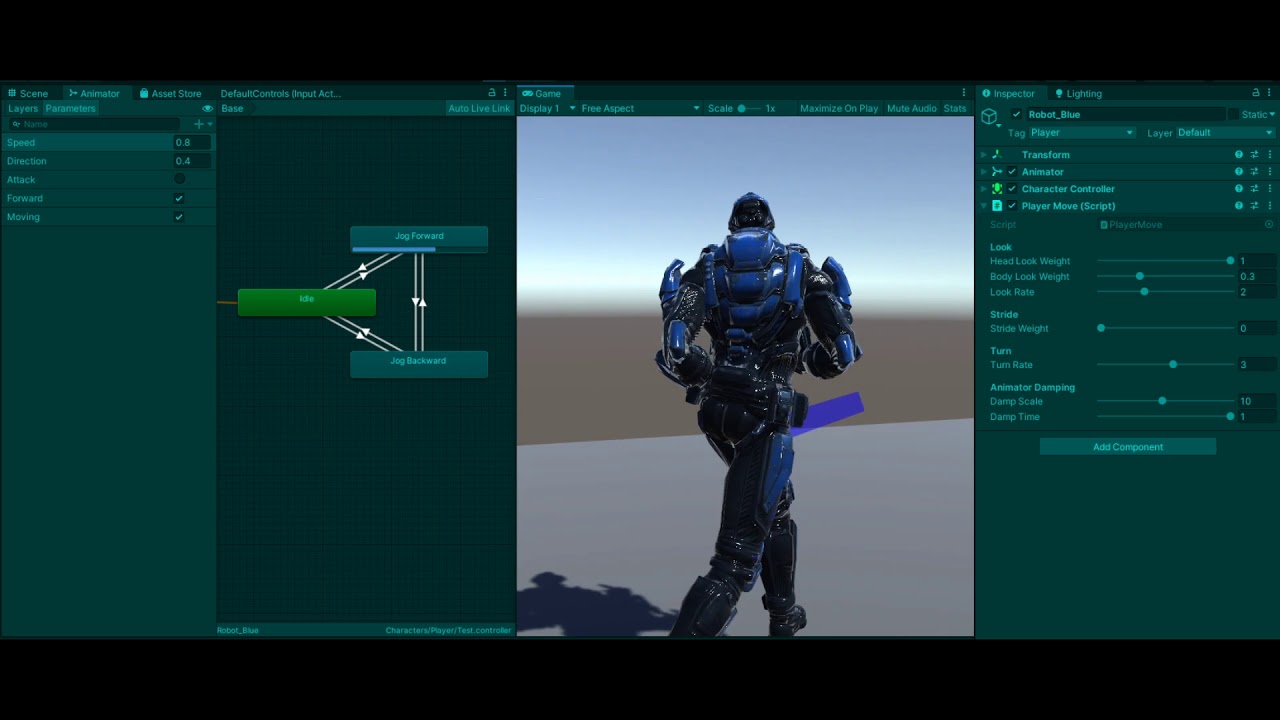
Working on a 3rd person character controller using Orientation Warping for hip rotation. Uses only forward/backward jogging instead of blending between 8-way animations, so no issues with diagonal blending and feet overlapping.
 true cove
Groove walkin'
hybrid tinsel
@shadow ridge coool. I know who to poke when I make a 3d game 
shadow ridge
haha 
Still learning, but I don't see much of this sort of thing built in Unity, or at least not shared around for free. So if I make it much farther, I'll post it all
torpid vine
Hi guys, I'm having trouble animating an idle animation on my character. I want the seed at the bottom of the plant to stand still but as I move the stem, the seed moves throughout the animation. Thanks to anyone that helps.
 hybrid tinsel
@torpid vine this is where IK is handy, if you disabled it for that other animation...
torpid vine
I'm not sure how to fix that point with the IK though. I can reestablish the IK but i don't know which to use and what points to input into the component
hybrid tinsel
You seemed to have a good enough setup before
clear pagoda
I have a quick question. Is there any way to get the state of certain values when using StateMachineBehavior?
shadow ridge
Which values?
clear pagoda
I want to check if a trigger has been set upon exit of the state. If it hasn't been called, then I want to set a bool to have the state exit by itself.
I've been trying to do it with my own state machine, but there's a time delay that keeps it from firing properly.
torpid vine
Hi guys, I would like my transition to play once and then immediately transition to another animation, but it just keeps repeating.

player jumping is my launching animation and player jumping 2 is my mid-air animation
 covert girder
umm i believe this happens because there needs to be a transition from jumping animation back to standing animation
and then also make sure that the game realizes the character is now on the floor again
torpid vine
I'd like to press w, then there be a delay as the launching animation plays, then the jump happens. I have a jump idleing animation here and it's not transitioning to it correctly.
 covert girder
sorry im like a total beginner myself considering i just started yesterday but... maybe you can get something out of this video?
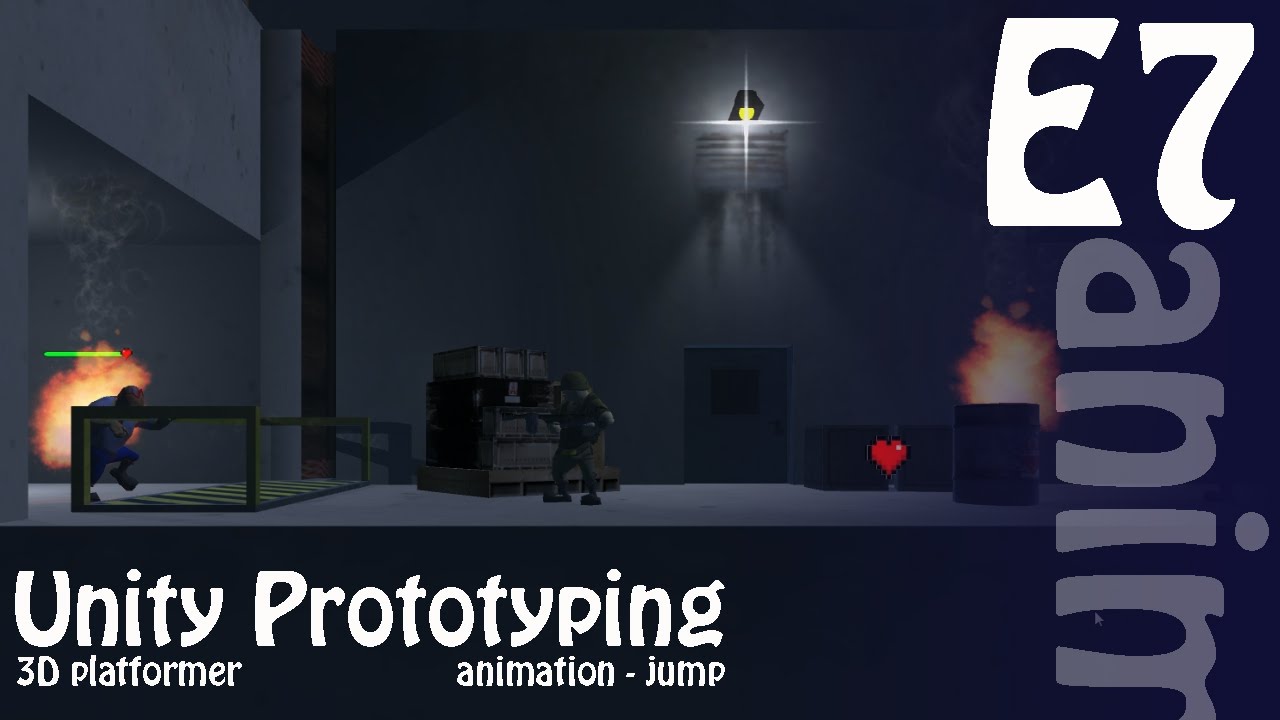
Hello everyone and welcome to another episode of 3D Prototyping in Unity. In this series we are creating a 3D (2.5D) Side Scrolling Zombie Shooter.
In this episode we add in our character jump animation.
I've created this series to follow along with 2 courses I'm teaching...
shadow ridge
@torpid vine When you transition from Any State, the trigger condition can interrupt that state and retrigger itself, depending on what the transition condition is and interrupt settings on it
If it's for a jump, you should probably use a trigger parameter. But you have to be careful how you use SetTrigger. If you call it from an update loop based on some jump button being pressed, if you're checking for the button press in a way that will fire more than once (like for it being held), it can call SetTrigger multiple times, which can cause it to trigger the state multiple times
Only an AnyState transition can be interrupted by itself.
torpid vine
@shadow ridge So when I'd press W, I would do animator.SetTrigger(Trigger)?
shadow ridge
No blend tree clips work off the scalar values defined for their dimensions
lofty remnant
Im trying to detect when Im at walkRight, so I can flip the animation 180 degrees Y
torpid vine
A sleep statement after that, following my jumping setBool would cause my animation to play and then the jump idle?
shadow ridge
The blend tree clip has a mirror checkbox, and also a speed. If you set the speed to -1, it will reverse
@torpid vine Don't put sleep statements in update functions ever.
How are you checking for keypress?
lofty remnant
oh ill play with that and let you know the results, thank you @shadow ridge
torpid vine
Input.GetButtonDown
torpid vine
yes
shadow ridge
Yeah, setting a bool and also using Any State is prone to error
Switch to a trigger, use SetTrigger, and use it for the transition from any to jump start
Should be fine with GetButtonDown
You'll have the slight issue of being able to retrigger it by pressing the button while it's jumping
But that's where a bool comes in handy.
bool jumping=false; if jump pressed and not jumping -> jumping=true; SetTrigger("jump") ... if (some ground check) jumping=false;
Is the general approach.
How you do the ground checking, or track the jumping state, varies
lofty remnant
oh my animation got no skeleton, im using 2d sprites, seems you cant mirror sprites in blend trees
shadow ridge
@lofty remnant Oh. Well just reverse the source clip? I don't do any 2D so not sure if you can, but you can for 3D anim clips
torpid vine
I have an On Land Event that I can use to trigger an IsLanded
but I'm still confusing about transitioning from one animation to the next.
I press W, an animation plays, THEN I would jump and if I land, then that jumping idle animation ends and the landing animation plays
lofty remnant
@shadow ridge it worked, thank you Apsu :)
shadow ridge
Sweet
torpid vine
shadow ridge
@torpid vine Right, so, I assume it's jump start, loop, land
torpid vine
yes
shadow ridge
You always want it to play start once, always go to loop, repeat the loop while in the air, go to land, do the land, then transition back to idle or whatever
torpid vine
yes
shadow ridge
Playing land once too. So
That means making sure start/land don't have looping enabled in their clips, first of all
And that the jump loop does
torpid vine
where can I change that
shadow ridge
Select the source animations in the browser, go to the animation tab in the inspector, it's a checkbox, "Loop start"
Checked = loops, unchecked = plays once
torpid vine
Alright, now it works. Thanks. Is there any way for that first animation to play before the character jumps?
shadow ridge
Well, what is it? How does it need to sequence? Be specific in thinking through the steps
If a jump key triggers the first state, how can you get to it before it triggers from a jump key?
If it's just a prejump animation that doesn't actually move the model up, but you want it to play when you press jump, then your graph looks fine
torpid vine
Yes, but I don't know how to implement that
I press jump, jumping 1 plays, jumps, jumping 2 plays until ground check, jumping 3 plays, idle
shadow ridge
And what do you want instead
Or is that what you want
Oh, wait, I think I see what you're asking. Your jump1 doesn't do the jump with the animation's movement itself
torpid vine
My problem is that the launching animation (jumping 1) plays as it jumps
shadow ridge
You want jump1, move model from code, jump2
torpid vine
instead of before the model jumping
shadow ridge
Ok, so
Without jump1 looping, it will simply stop animating at the end of the clip, and if there's a condition on the transition to jump2, it won't go anywhere until the condition is met
So if you're using a jumping state bool codeside, use it in the animator too with SetBool
Make jump1 -> jump2 use it as a condition
You said you're already using animation events, so
You probably need one at the end of jump1. There's other ways but they're harder
torpid vine
shadow ridge
Yep. Then you need to manage the flow code side.
torpid vine
the jump2 animation doesnt relate to the model jumping though
only when the controller.move line is called
shadow ridge
Which is going to be something like: jump key, set trigger, if canJump bool -> do jump, SetBool(isJumping)
So your trigger will land you in jump1 state, and when it finishes playing, fires an event to set your canJump bool
Which is when your loop can then do the actual jump
Then set the bool for transition to jump2
The alternative way to do this is use a script directly on the jump1 node
If you attach a script there, it will inherit from StateMachineBehaviour instead of MonoBehaviour, and gets OnStateEnter, OnStateExit, OnStateUpdate, etc
So you could call a method in your movement script when it's finished playing
Or, you can just poll the animator state.
From your existing script
torpid vine
How am I able to create an event when the animation is done playing?
shadow ridge
https://docs.unity3d.com/ScriptReference/Animator.GetCurrentAnimatorStateInfo.html you can probably use this to poll
They even have a jump trigger polling example
So set the trigger, check for the jump1 state, when you find it, check the normalized time. Normalized clip time ranges from 0 to 1. A time of 1 means it's at the end.
(for a non-looping clip that is)
As for the event, I was saying to add an animation event to the end of the clip. But you can just poll and it should work fine instead
It's the simplest approach
torpid vine
It did play Jumping 1 but the model did not jumpo
is my layer index wrong for the Get method?
shadow ridge
Possibly. The base layer is index 0, if your states are in another layer, you'll need to use its index
torpid vine
would the layer name be the name of my player layer?
shadow ridge
Yep, whatever layer it shows in the Animator
torpid vine
I only see 1 layer in my animator, which is the base layer
shadow ridge
Ok, well the next thing to do is check the state name before checking the normalized time.
I mean, guess it doesn't matter here, since you probably won't be right at the end of a clip when the trigger happens..
Can also Debug.Log the normalizedtime
So you can make sure it's actually getting changing values :P
torpid vine
I assume im not checking the right layer but I can try
shadow ridge
Might need to do a >= 1.0f
It might not == exactly 1.0000000f, which is what your comparison is checking
You can also use Mathf.Approximately(a, b) to compare two floats that are almost exactly equal
torpid vine
I pressed W, it transitioned from Jumping 1 to jumping 2, I press W again and the model jumps
shadow ridge
Would have to see all the code logic around buttons and bools and such, and double-check the transition conditions, but I am heading out
Good luck!
shadow ridge
Np
lofty remnant
I know it sounds counterintuitive since a blendtree is made for that, but how can I make sure the blend tree doesnt blend but use one of the motions when theres two parameters affecting it?
torpid vine
@shadow ridge This is where I'm ending for today. I used modulo by 1.0f on the normalized time to get just the progress in decimal. I don't think it's showing the correct animation and therefore not returning the correct value.



My problem is that I want to execute one animation ONCE (jumping_1), THEN have my model jump, THEN loop my jumping idle animation while in the air (jumping_2), then, once grounded w/ my ground check, I play my landing animation (jumping_3) once, then I return to idle.
Anyone is welcome to help out. Thanks to anyone who does!
 tawny orbit
Hey guys and gals!
I'm running in to some trouble and maybe someone here knows what I'm doing wrong.
I imported a MakeHuman model in Blender and created a rig for it. Then I imported it in Unity and changed the rig to Humanoid.
But when I start the game the mesh looks like this and it ignores animations. This happens even if I empty out the Animation Controller.
 astral relic
If I have several animations attached to a character, can unity blend those animations its self, or do I need create some "transition" animations?
tawny orbit
I recreated the Animation Controller and now it works 🤷♂️
shadow ridge
@astral relic Unity can blend them. There's a variety of ways, but the two most common are crossfading and blend trees
@tawny orbit Usually when the character looks like that in the scene without a specific animation causing it, it's because of a problem with the avatar config or t-pose. Recreating the controller is weird it fixed it, makes me think there was a pending change to the character that got applied during the controller recreation
clear pagoda
I'm having some funky behavior with the animator. Are there any known issues where the animator won't fire an animation if the previous animation just started and a new is called too quickly?
shadow ridge
Fire how? Via a trigger or...?
torpid vine
Hi Apsu, I was just wondering if you're comfortable helping out a little bit more? I understand if you have done everything you can. I'm just very new to unity and animation. I have looked around forums and unity answers. You can take a look at my gif up there and see that the normalized time progress is going from 0 to 1 after the animation is completed.
twin musk
Hello everyone. I am attempting to drag my idle animation onto my player, but realise that I have no "Avatar" defined in the animation component. When I look for this avatar, I cannot find one for my model. How can I create one?
shadow ridge
@twin musk Is it for a humanoid character?
twin musk
Yes.
I have substituted my problem by just using the Idle animation avatar I got from mixamo
it seems to be working, but i would not want to run into any issues later...
shadow ridge
Set the animation type to humanoid, and then either create an avatar from it there, or have it reference an existing one. If you don't have one, need to get one.
twin musk
I used mixamo's online rigging
shadow ridge
With mixamo, there's a t-pose animation available, if you download it with skin, it will get you the mesh with a skeleton already in t-pose, and you can create avatar in its rig setup
Then use that avatar as copy from in the other mixamo animations
twin musk
genius
shadow ridge
Now, using all the same characters/animations from the same place, you can just use the one t-pose avatar as reference for all of them
But
twin musk
i thought it would be something like that, but could not find anything
shadow ridge
If you start using characters that are not mixamo, you'll immediately run into issues
There's an easy fix though
twin musk
just because i am new, could you please explain why it is good to use tpose
shadow ridge
Oh, sure. Also I'm pretty new, just been learning a lot by brute-force trial and error for about a month :D
Basically what's going on is that the rig/skeleton/avatar system is how the animator knows how to translate animation information (move/rotate this piece this frame) to the character mesh.
The avatar contains within it not just the mapping of bones, but also information about their constraints.
How far a particular one can move or rotate, etc
For humanoids, there's a predefined hierarchy
Makes it easier to mix and match stuff
So along those lines, the T-pose is a way to say "the constraints should be applied in reference to this pose"
And if all your avatars are in T-poses, it's easier to map between different avatars
This is called retargeting
twin musk
same lol
shadow ridge
And that's what I was going to suggest next...
shadow ridge
So, even though you're all mixamo right now, if you try to use a mixamo animation on a non-mixamo character, or vice-versa, you'll need to retarget.
The docs are hit and miss on this, at least for me it wasn't super clear how it should work
But it's surprisingly simple
twin musk
shadow ridge
All you need to do is have well-referenced animation avatars and well-referenced character avatars.
They do not need to be the Same avatar (this was the part that I got stuck on)
twin musk
i see what you mean, i have a non mixamo character
shadow ridge
So, the general approach is: make an avatar from your character. Make sure it's good: go to configure, make sure it's all green, make sure it's in T-pose. There's an enforce T-pose option in one of the dropdowns on the right, under the hierarchy.
Apply changes, hit done. Now your character avatar is setup for its bones.
Then, for your animations that don't already target that character, make sure they have a good avatar in T-pose, like using the mixamo T-pose as we talked about
Make the avatar from it, configure, check, etc. Then assign your other animations to copy from that avatar.
Then all you have to do to retarget is.... use the animations in the Animator.
That's it. It's automatic.
shadow ridge
As long as A) your character has a good ref avatar and B) your animations have a good ref avatar, both Humanoid, the animator will retarget automatically
Oh sure. Sec
Down slightly under Mapping Strategies, step 2
There's a pose dropdown
twin musk
shadow ridge
Select the character again, and there should be a rig tab on the inspector. Does it say Generic or Humanoid for type?
twin musk
generic
shadow ridge
It opens in the scene view, so it replaces the scene layout, don't worry
The hierarchy config is on the right
twin musk
i see
shadow ridge
Two scrollbars, kind of confusing at first, but scroll it all to the bottom to find the buttons
You should see the dropdowns :)
twin musk
shadow ridge
Yep. So there's a very strong chance it's already in a T-pose and ready to go. But you can click Pose -> Enforce to be sure.
(given that this model was specifically the T-pose model, that is)
shadow ridge
Cool, so hit done
then go make one from your character
Change to humanoid, configure to check, etc
And lastly, copy from the t-pose avatar for your mixamo animation
twin musk
i don't actually have a character...
shadow ridge
This is not your character?
shadow ridge
Ah, ok, so, that's fine but you can actually do this a bit differently, and it's generally recommend
On mixamo, you would download the animations with the "Without skin" option
So they don't have the mesh in them, just the animation data
Then you can use the t-pose one for your character itself
And just target each animation's avatar to the character one
twin musk
and just replace all the other ones?
shadow ridge
I know it seems convoluted but
twin musk
with the meshless animations
shadow ridge
Yeah
twin musk
no no i see
let me download them real quock
quick
by the way, when downloading with mixamo, do you reccommend 60fps or 30fps? i chose 30...
even thought it was not the default option
shadow ridge
See what's going to happen is, if you get a non-mixamo character or animation, you'll need the avatars separated or you won't be able to retarget easily
So separating now is handy
30 is generally fine, 60 takes up twice the space and slightly more CPU use, but it depends on what you're doing. Really fast animations at 30fps will lose some fidelity
Walking and stuff is fine at 30
shadow ridge
Nah, that's not how it works. It's confusing I know. It's unrelated to the game frame rate
The bit you're missing is the way the animator actually animates
Inbetween each animation frame, it interpolates the positions and rotations of each bone.
And that interpolation happens at your frame rate
twin musk
oh ok.
shadow ridge
So it always looks smooth
But
If your key frames are only happening 30 times a second, and your animation is a very fast intricate motion with lots of little position/rotation changes
The interpolation will blur them out
So 60 will maintain more accurate motion
twin musk
but it uses more cpu
shadow ridge
Yep.
twin musk
possibly causing the game to lag?
shadow ridge
Maybe, but it's unlikely to be the source of lag unless there's a Lot of animators doing it in a scene
twin musk
i gotcha
shadow ridge
If you're targeting mobile and making a game with hundreds of AI units all animating, maybe so :)
shadow ridge
30 should be fine, it's mostly arm/leg moving in an arc and a squat/stand straight line motion
60 is for stuff like a bunch of finger motion or a twirling sword attack or whatnot
twin musk
my tpose in currently set to 60, that shouldn't affect anything, right?
shadow ridge
Nope