#🏃┃animation
1 messages · Page 48 of 1
 terse valve
 finite finch
well first of all you need to decide whether you want it or not
didnt he explain already the difference ?
finite finch
https://youtu.be/vApG8aYD5aI?si=ZZFWhs7kL-vAmcIf&t=291
he explained it in the second video
Learn the fundamentals of animating characters with Unity's animation system, and understand how & why it all works!
This beginner-friendly tutorial is a thorough break down of the Animator component in Unity 3D and explains how to use the component's five properties: controller, avatar, root motion, update mode and culling mode. By the end o...
it also matters how you download animations from mixamo, if you want to use root motion, you do not check the "In Place" checkbox, and you do check it if you dont want to use root motion
terse valve
so the problem is root motion,right?
finite finch
i dont know what is the problem, just looking around, seeing things that might fix it, if it wont then we can move forward.
terse valve
i think the problem is avatar
finite finch
how did you download animations?
here i see 1 animation state for 1 character and a whole blend tree for another. So the KyleRobot whos animation is broken, uses just that 1 animation state. Another guess is to delete that animation state, create a new one, re-download the animation. When you import the animation, change to humanoid and use an existing avatar, but your YBot doesnt even have any
finite finch
Id suggest to delete your characters
download YBot fresh, change to humanoid and create avatar from self, duplicate the avatar, rename it to "HumanoidAvatar". Delete the Ybot and keep the duplicated "HumanoidAvatar".
Now import both or as many characters as you want. Change each character rig to Humanoid and avatar from existing "HumanoidAvatar" that you created before. That will help to avoid mess all around
i dont know how its done properly but thats how i decided to do it for myself, because as soon when you create an avatar its inside the model and you cant get rid of it anymore and i dont like it when something that is used by multiple things is inside one of them
terse valve
kimochi
 terse gust
finite finch
i dont know how its done properly but thats how i decided to do it for myself, b...
terse gust
finite finch
i dont know how its done properly but thats how i decided to do it for myself, b...
you can remove an avatar easily even if it has been created though
finite finch
terse gust
you can remove an avatar easily even if it has been created though
By switching rig type to none?
terse gust
finite finch
By switching rig type to none?
i don't rememeber exactly
but its in the animation setting
it dynamicly creates the avatar
and if you change the mode etc it won't create it
so basically deletes it
finite finch
You create an avatar on the rig tab when switch to humanoid
 agile hull
hi folks, I'm running into a problem with an animation override controller
I'm basically recycling an animation controller to use on different aircraft, all of them have worked fine except for the latest one I've imported, which doesn't seem to be playing certain animations
here is an animation override controller that is functioning correctly
here's the one that is not
I've confirmed the animations play normally via the animation clip panel, and I've also checked that the override controller is configured correctly, and each individual animation matches exactly with the functioning ones - but for some reason it still isn't working properly
any ideas?
finite finch
agile hull
I'm basically recycling an animation controller to use on different aircraft, al...
i doubt that i can help but as noone is writing anything yet anyway, i have 2 things:
- what is even the animation here? its not like its a flappy bird flapping its wings. I never made such game but i dont see why i'd even need an animation for the flying airplane. Just scpripted movement and some visual effects of burning fire from the engines and the rest are the camera effects.
- I see errors in console in both videos. Errors can always lead to unexpected game behaviour as it crashes scripts executions. Its probably a very good idea to fix them first.
or is this the animation youre talking about?

 marsh orbit
how can I make the animation for the walking to be smooth instead of seem like sliding on the ground? I've tried lowering the animation speed and everything in between but nothing, it just keeps sliding as if its on ice
 agile hull
finite finch
or is this the animation youre talking about?
agile hull
finite finch
or is this the animation youre talking about?
this is correct, I am animating the control surfaces on the wings
 wanton trellis
marsh orbit
how can I make the animation for the walking to be smooth instead of seem like s...
wanton trellis
marsh orbit
how can I make the animation for the walking to be smooth instead of seem like s...
the animation speed needs to be higher
its animation is having it move too slow compared to its actual velocity
terse gust
finite finch
You create an avatar on the rig tab when switch to humanoid
if you switch back to generic, and apply, it should remove the avatar yk
terse gust
terse valve
i think the problem is avatar
all your characters should have create from this model when you select humanoid,
each of your clips you download mixamo as fbx, if you tell mixamo to include character, you can just select create from this model on it too, (all the clips will work then with any humanoid character)
if your clips don't have the model and is only animation, then you need to copy from other avatar and select the avatar of the character that the animation was being previewed on in mixamo
marsh orbit
wanton trellis
the animation speed needs to be higher
even if its at 1. with or without root animation it still walks like its gliding
wanton trellis
marsh orbit
even if its at 1. with or without root animation it still walks like its gliding
either lower the movement speed or further increase the animation speed
try lowering the movement speed a lot
marsh orbit
wanton trellis
either lower the movement speed or further increase the animation speed
I'm trying to find a good way that is not very noticeable but im struggling somehow...
thought making it with root motion would be easier
since the asset im using has the root motion animation
wanton trellis
marsh orbit
thought making it with root motion would be easier
you can let root motion drive the speed
marsh orbit
i tried but it still moves too fast as if its sliding on ice. is the root motion speed too fast or am I missing something?
marsh orbit
I have an animator controller that is shared between several humanoids.
how can i make changes without impacting them all?
if I have a rocket launcher, but also a rifle enemy
that share the same animator
and the animator looks like this 🥲

how can I make the rocket launcher enemy to use only the rocket animations
and the rifle use only the rifle animations
do i duplicate it or is there a different way?
wanton trellis
marsh orbit
and the animator looks like this 🥲
is that a real screenshot?
 violet python
do any of you use playable api??
violet python
marsh orbit
and the animator looks like this 🥲
want to avoid this situation
wonder playable api be helpful
to make your own animation logic
like custom blend space
 agile solstice
marsh orbit
do i duplicate it or is there a different way?
agile solstice
marsh orbit
do i duplicate it or is there a different way?
Animator override controller
You can keep states and parameters, so you can have generic states like "shoot" and "reload" and whatnot, and just swap the motion in the state
I strongly recommend to read about what animation layers, blend trees and sub state machines can do for your state machine
agile solstice
violet python
want to avoid this situation
We can't see the state names, so it's a bit unclear what is the situation exactly that we would be avoiding
The only obvious thing is that there are a lot of animations, and that the animator is only holding them
It's custom code that's acting as the state machine and handling transitions and conditions
Perhaps it's better than animator's equivalent, perhaps not
It really depends on the unique needs of the animated characters
 mild mango
Does anyone happen to have any knowledge on this? I cant seem to figure it out...
agile solstice
mild mango
Does anyone happen to have any knowledge on this? I cant seem to figure it out.....
PPU value in import settings determines the sprite pixels size relative to world units
They likely differ between the two sprites
mild mango
agile solstice
PPU value in import settings determines the sprite pixels size relative to world...
Got it, thank you!
 mystic turtle
Is there anyone who can help me with animations for my 2d game? I have watched videos but still don't really understand it
 fallen yew
mystic turtle
Is there anyone who can help me with animations for my 2d game? I have watched v...
fallen yew
mystic turtle
Is there anyone who can help me with animations for my 2d game? I have watched v...
could you be more specific with what you need help with
 amber rover
How do I make 3d animations? I've been using mixamo place holders and decided it's time to get real ones, but I don't know where to start.
terse gust
amber rover
How do I make 3d animations? I've been using mixamo place holders and decided it...
learn blender then
understand how it works, get easy with it
then follow tutorials on it
eventually you will be able to do it yourself
 severe rose
learning blender and actually staying consistent with doing so is game changing
it is difficult to get started but it’s definitely worth it long term imo
there are tons of comprehensive videos online for that
terse gust
severe rose
there are tons of comprehensive videos online for that
yeah, tryna get my brother to become the blender master 😄
inshallah, want him to make my weapon animations
severe rose
awesome lmao
 hearty snow
Need help with Two Bone IK Constraint. When attaching my left hand to my gun model the hand deforms. I've been puzzling with this for a couple of hours now but cant get it to work

positioning/rotating the target doesn't help
agile solstice
hearty snow
Need help with Two Bone IK Constraint. When attaching my left hand to my gun mod...
Try moving all the Source transforms from the deform bone hierarchy into the Rig component hierarchy
To avoid circular dependency they should be separate
If that fixes the twisting issue, that means you have to control all the gun and arms rotation with constraints
hearty snow
agile solstice
Try moving all the Source transforms from the deform bone hierarchy into the Rig...
I've tried this but it doesn't fix the issue
agile solstice
hearty snow
I've tried this but it doesn't fix the issue
Does it seem to change anything at all?
hearty snow
agile solstice
Does it seem to change anything at all?
The hand is still twisted in the same position
 soft cave
is anybody able to help me with the animator i dont know what im doing wrong here- when fired it should "trigger on" and "bolt regular" but i only have this behavior ```public void Fire()
{
print("Fire");
anim.SetTrigger("Fire");
StartCoroutine(FireRoutine());
anim.Play("Cube_008|Bolt Regular", 0,0f);
}
public void Reload()
{
print("Reloading");
if (isReloading) return;
anim.SetTrigger("Reload");
StartCoroutine(ReloadRoutine());
}
public void Bolt()
{
anim.SetTrigger("Bolt");
}
IEnumerator FireRoutine()
{
print("FiringRoutine");
isBusy = true;
yield return new WaitForSeconds(0.2f);
isBusy = false;
}
IEnumerator ReloadRoutine()
{
print("ReloadRoutine");
isReloading = true;
yield return new WaitForSeconds(1.5f);
isReloading = false;
}``` the methods are called and print but no animation plays

 sterile vine
soft cave
is anybody able to help me with the animator i dont know what im doing wrong her...
sterile vine
soft cave
is anybody able to help me with the animator i dont know what im doing wrong her...
which method is the one in question here exactly? do the triggers get set as expected?
soft cave
sterile vine
which method is the one in question here exactly? do the triggers get set as exp...
my triggers are set correctly but none of my animations play correctly as when i click lmb trigger on should play along with bolt regular but i dont see that behavior along with when i press R my reload animation should play but it lack that too
sterile vine
your Bolt Regular doesn't seem to have transitions to anything else
soft cave
sterile vine
your Bolt Regular doesn't seem to have transitions to anything else
should there be?
sterile vine
if you want it to be able to transition into other states, yeah
i'd guess it should probably transition back to Bolt Idle when it's done?
though, Bolt Idle doesn't have any transitions out either
same thing with Trigger off
without transitions out (either from the state directly, or from Any State), you just get stuck at that state since you don't have any way to go to other states (unless you Play them manually, but that'd be a different way of going about things)
soft cave
well i found an issue- none of my animations are actually there
sterile vine
well, that'd also do it lmao
soft cave
in blender they're fine but unity doesnt like em or something
agile solstice
There's no parameter that would seem to match the transition into "Trigger On" and nothing else that'd play the state directly
You can't play two states at the same time so I'm not sure what
when fired it should "trigger on" and "bolt regular"
is meant to actually look like
I would generally recommend against playing states both from code as well as with parameters, as it's easy to lose track of which side is interrupting the other and causing problems
Any State can skip the state machine to play any state as the name implies, but you can still use transition conditions with it
Though be careful as it does reset the normal flow between states
Playing a state directly from code may be useful if you'd otherwise end up with too many parameters, and don't care about conditions
soft cave
i dont know if i should go to the blender server or not but every part on my weapon has every other parts animation (which dont work obv cause its a different part) but i dont want a bunch of garbage animations so if theres anything im doing wrong id appreciate knowing
 wanton trellis
is your weapon rigged?
agile solstice
soft cave
i dont know if i should go to the blender server or not but every part on my wea...
If you animate multiple objects in one action, blender creates a separate action for each object
Blender 5.1 I think added a feature for specifying which animation action data objects share, which may help but might not, if it would require them to have the exact same motion
The workflow you should be using is to make an armature with bones, and parent those objects to bones
Armatures can be imported as one animated hierarchy despite containing many different transforms
 grizzled night
I am working on my VRChat avatar, trying to improve it for my needs:
Currently trying to figure out how to see how an animation works and how to edit it...
VRLabs Marker defaults to laying down on the arm, I want to stand it up on the arm, but when I do the flip action is wear so I have to weirdly offset the menu on the right arm (how it shows up in unity) to get it to flip properly on the left arm and I want to see if I can edit it to fix that... what would be the best way of going about that?
I also noticed that when I toggle for others to be able to interact with the pen menu, they can interact with the initial menu bits, but not the slider or to "pin" the drawing to body parts.. (this isn't a big issue since I don't have an actual pen for people to grab, but it still annoys me so i'd like to fix it)
agile solstice
grizzled night
I am working on my VRChat avatar, trying to improve it for my needs:
Currently ...
We don't deal with vrchat here really but there's
!vrchat
 hexed cargoBOT
agile solstice
!vrchat
hexed cargoBOT
agile solstice
!vrchat
Join the growing VRChat community as you explore, play, and create the future of social VR! https://discord.com/invite/vrchat
 grand pawn
Hi guy, i'm introducing a shoot animation on my weapon system but the animation is not played on the right position.
My animation came from Mixamo and on mixamo preview its seems like the animation keep the arms right.

 agile gate
how hard would it do animate a diablo 2 like arpg game ? by diablo 2 like i mean just inspired by it
wanton trellis
define animate?
agile gate
wanton trellis
define animate?
The walking animatsion idle attacing and so on
wanton trellis
how hard it would be depends on how good you are
but its almost certainly going to take a long time
agile gate
Uhh i never animated
wanton trellis
then its going to be impossible
agile gate
Why learning is possble still
wanton trellis
i dont think you realize just how much time and practice it takes to get even decent at animation
you could learn yes, but then youre basically pivoting into a different career at that point lol
youre also talking about animating the entire project, and not a small one by your description
at this point either a. hire an animator or b. buy animations from the asset store
agile gate
Well i mean yeah it is hard but i dont rlly have another animator plus im making the game whit my friends its just for fun ig
agile gate
wanton trellis
at this point either a. hire an animator or b. buy animations from the asset sto...
How much and how risky it is ussaly i mean they can run away when you give them money
wanton trellis
how much? think at the very minimum 4 figures
and risk depends on who you hire and where you find work
agile gate
For a simple game?
4 figures?? I think il just make some scuffed animations rather than paying 4 figures
wanton trellis
an arpg does not sound so simple to me
agile gate
2d
wanton trellis
consider just how many animations in total there are
do you think 2d animation is cheaper?
agile gate
Id figure its easier
wanton trellis
most of the time it isnt
agile gate
Also it isint a big project its just a idea i had and its the first game i ever Made so i dont think it has do be amazing
wanton trellis
im just going off of the info you told me
besides if you want the exact numbers you should go find freelancers and compare yourself
and see how much you would be paying if you went that route
agile gate
Okay
agile solstice
agile gate
The walking animatsion idle attacing and so on
There already are a big number of animations out there fitting this description, for cheap or for free
Unlikely you have to make them from scratch nor hire someone to make them
If you want them in some unique style or according to specific needs, that's different
Learning is an option but I'd say the minimum time to grasp animation basics is two weeks of practice on average
Another two weeks before that if you have the basics of the 3D program itself to learn first
But with just the minimum time spent expect there will be mistakes, especially because exporting into engine has its own pitfalls
(More so if you also intend to convert 3D animations into 2D like Diablo 1 and 2 used to have it, as that's a whole another process)
If you're fine with scuffed and making the project for fun, you don't have much anything to lose by trying
First two times I basically couldn't get the animation, clips and exporting to work
but third character/animation were the charm
 frozen bison
It's been like two months since I tried diagnosing this issue and have still come up empty-handed. Synced animation layers for viewmodels in my game have weird and offset timing, even with the clip length being the exact same and whether the "Timing" option is checked or not. I've seen like one post before on some blender forum where a person had this exact problem but idk if they ever fixed it. I've also verified that the FBX exported has the correct animation data. I really have no idea what's wrong with it and any pointers in the right direction would be greatly-appreciated.
 tawdry latch
I used Mixammo to give this a skeleton. Do you know if this rig works with Unity?
 agile gate
agile solstice
There already are a big number of animations out there fitting this description,...
agile gate
agile solstice
There already are a big number of animations out there fitting this description,...
Alright
grand pawn
grand pawn
Hi guy, i'm introducing a shoot animation on my weapon system but the animation ...
No one know ?
agile solstice
grand pawn
No one know ?
I've seen a lot of people with some vague issues with mixamo animations having "loose" rotations and movement, something to do with humanoid configuration or mixamo settings
But despite that if you mask the gun animation to the upper body, there's no guarantee of any kind that it would point forward
Bone rotations and motion are inherited up the spine starting from the hip
So the gun is kinda just attached at the end, getting a weighted sum of the animations' motion
Either use the aiming animations in full without masking or blending, or use some IK method to enforce a forward pointing direction in world space from the tip of the bone chain down
grand pawn
agile solstice
Either use the aiming animations in full without masking or blending, or use som...
Thnx for ur answer,
i cant use the full animation cause i will have to animate the player for all of his movement like running, crouching ... who basically are run anim down + aim anim on the top.
I will try the IK method and see whats happend but i think the problem cant from that cause my weapon is just attach to the right hand bone so the problem came from the animation who are not on the right place.
 prisma epoch
I have a simple PlayerObject, which contains an FPSController.cs, a CharacterController, and an Animator. The default state of the AnimatorController is Idle with no AnimationClip (Empty Motion), as I don’t want any animation to play by default. I only want a specific animation to play when the player touches an invisible trigger, such as a stumble animation.
In the Animator, I have Entry -> Idle (default state) -> StumbleAnimation (played on trigger). The problem is that when I play-test the game, the PlayerObject reacts to input, head bobbing happens, and I can rotate the camera, but I am frozen in place and cannot move. This is either fixed by removing the StumbleAnimation state (so the only state is Entry -> Idle), or by enabling Apply Root Motion.
Could this be caused by the Animator being on the same object as the CharacterController? This does not seem to be a script problem, since none of the current scripts reference the Animator at all, and even if I remove them, the issue persists. So it seems to be a problem with the Animator. Since I have absolutely zero experience with Unity Animators, I have no idea what is causing this issue, so I would be very thankful for help.
 agile solstice
prisma epoch
I have a simple PlayerObject, which contains an FPSController.cs, a CharacterCon...
agile solstice
prisma epoch
I have a simple PlayerObject, which contains an FPSController.cs, a CharacterCon...
Could this be caused by the Animator being on the same object as the CharacterController?
Basically yes
What animation clips do is override component properties
Transform component's properties position, rotation and scale are relative to parent Transform
If no parent, then relative to scene
So animating the position or rotation of the root gameobject overrides it in world space, so other component's can no longer move or rotate it
With Root Motion that's what you're meant to do, but if not using Root Motion it's better to animate only transforms below the gameobject root in hierarchy
Whether the Animator is on the root gameobject or in a child gameobject doesn't make a difference as long as no clip modifies the root transform, or other properties that other components are meant to modify
prisma epoch
agile solstice
> Could this be caused by the Animator being on the same object as the Character...
I see, that makes sense.
Thank you very much.
 stiff spindle
Anyone have trouble with puppet master? I set it up and it worked but I set up a new model and it balls up

 red bramble
stiff spindle
Anyone have trouble with puppet master? I set it up and it worked but I set up a...
red bramble
stiff spindle
Anyone have trouble with puppet master? I set it up and it worked but I set up a...
I use PuppetMaster!
I don't recognize this exact problem. I've had similar issues when scaling up or down
Notably, scaling does not change how far apart the joints want to be
what happens if you scale the original armature, the puppetmaster object, or both?
stiff spindle
red bramble
what happens if you scale the original armature, the puppetmaster object, or bot...
I scaled the main object down then I made sure to make it a new prefab so it doesn’t interfere with the bones
stiff spindle
red bramble
what happens if you scale the original armature, the puppetmaster object, or bot...
The object scales together
But for the colliders for the bones the bones scale by themselves
Nvm it’s fixed it was the scale I just re rigged it then re scaled it and it worked
 devout socket
How can i set up a charged attack, i have a charging animation, a release when fully charged, a release when not charge and an overloaded animation, do i use a blend tree how can i flag when each state happens without relaying to much in if statements?
 dim shadow
Hi, has anyone seen this with Unity Humanoid + Mixamo?
My character rotates ~90° on Y during an attack, even with Apply Root Motion off. The Mixamo clip seems to drive facing from the chest toward the enemy. I want to keep one stable overall facing direction for the whole character and ignore that chest-driven direction, while keeping the attack motion.
Has anyone fixed this cleanly?
terse valve
somebody help me fix this problem
i want my second layer is pistolidle take control upper body when you run or walk
but it not work like i thought
am i wrong ?
wanton trellis
terse valve
somebody help me fix this problem
In the mask in that "Transform" drop down

did you actually deselect the lower body bones?
terse valve
i follow tutorial in youtube
Learn the fundamentals of animating characters with Unity's animation layers, and understand how & why it all works!
This beginner-friendly tutorial is a thorough break down of Animation Layers in Unity 3D and explains how each of the layer's properties work and are useful. By the end of the video, our character is able to walk and aim simultan...
here he did the same

but still work
terse valve
wanton trellis
In the mask in that "Transform" drop down
@wanton trellis
wanton trellis
doesnt answer my question
terse valve
i actually dont know
 pliant haven
If anyone has a good workflow for animating first person arms + held weapons in Blender I'd be keen to hear it
I've got the rig + arm in one Blend file, then linked that into the weapon mesh blend file, and attached the weapon to a weapon.R bone
Then I animate the arm with the weapon using library overrides, save, go back to the original file, import the weapon file and save the new action from the new file into the original
A bit roundabout
 wind silo
is there any way to playing an animation clip during editing another clip? like for example when animating a gun it would be very helpful if the "pull charging handle" animation from the player could be played as I create the animation that moves said charging handle on the gun. otherwise its really hard to animate multiple things working together without cramming them all into 1 clip
agile solstice
pliant haven
I've got the rig + arm in one Blend file, then linked that into the weapon mesh ...
You wouldn't really be animating the weapon in this workflow, since the weapon has its own bone as part of the arms rig
The weapon model might as well be a placeholder mesh, and the arms exported without it
Then in engine you can parent the weapon onto the arms' weapon bone(s), or a different weapon if you wish
You can also keep two blender applications running with the separate files if you want to work using objects linked across files
But that wouldn't really concern the animation
agile solstice
wind silo
is there any way to playing an animation clip during editing another clip? like ...
When editing clips in Unity's animation window? I don't think that's an option
pliant haven
agile solstice
You wouldn't really be animating the weapon in this workflow, since the weapon h...
Yep, that's how I'm doing it.. but I was hoping there's a better way to keep the arm rig in its own file and "push" animations done other blend files into the original :\
Or any other way to keep the rig intact and tweak animations in the appropriate weapon scene rather than constantly copying over the new anims to the rig file
agile solstice
pliant haven
Yep, that's how I'm doing it.. but I was hoping there's a better way to keep the...
Hmm what is the reason you need to do it that way
Why would you be making animations for the arms in a separate file, if you want them to be in the arms file anyway?
Or why would you be tweaking animations in the weapon scene when the arms are supposed to contain the animations
pliant haven
Ahhh
lmao you're right
I could just link the weapons into the animation scene instead of the other way around 🤦
Thanks for the unstuck
agile solstice
pliant haven
Thanks for the unstuck
 it's true that there's many different (and confusing) ways to set up the relationship between rig, arm mesh and the held objects, but important to keep in mind what problem is being solved with the method
pliant haven
agile solstice
<a:catnod:1035896086583316492> it's true that there's many different (and confus...
Yeah for sure. And on top of that, Blender's workflows aren't always the most intuitive
 lavish sedge
yeah, speaking of blender workflows, has anyone here worked on characters for 3d? I'm making a Rigify character for a 3d controller (zelda'ish) and there's so much to do and most of it I'm clueless about

if anyone's ever done the full process, I'd love to chat a bit
finite finch
lavish sedge
yeah, speaking of blender workflows, has anyone here worked on characters for 3d...
im right in the process of it, cant really talk as i still have a lot to learn on this topic...
stiff spindle
I’m having trouble using puppet master ragdolls the back spine keeps bending and I want the knees to buckle instead of a backwards ragdoll does anyone know how to do this?
wanton trellis
lavish sedge
if anyone's ever done the full process, I'd love to chat a bit
ask away
theres a lot of great tutorials for using rigify with unity
but at the end of the day its a relatively simple process with only about 4 ish things you have to do compared to just rigging normally
agile solstice
lavish sedge
yeah, speaking of blender workflows, has anyone here worked on characters for 3d...
About modeling or animation you probably should ask in a Blender channel
I recommend you export into Unity often and test early, so you'll figure out all the things you will need to do, and encounter problems early too and won't lose too much work making corrections
Then ask about specific issues or concerns when they have become apparent
There's no universal advice because even zelda-ish games vary a lot on their modeling and animating requirements
Note that Rigify is not designed for exporting out of Blender, as it uses constraints for connecting and stabilizing multiple parallel bone hierarchies
Those are lost upon export, so distorted deformation can ensue
There are some extensions like GameRig and Game Rig Tools that aim to correct this
agile solstice
There is no other section, so if nobody is able or available to spot an issue, the best practice is to report your troubleshooting process and provide more info, and give it time
The only potential cause I notice so far is that the SideStep and ForwardStep parameters have kind of weird values
Why do they snap to values like 0.01 and -0.007071? If there's high freuqency variation in that range, it's possible the state machine is starting but interrupting a transition out of the state and back into it imperceptibly fast
 nova scarab
@pseudo compass are u using a 2d vector blend Tree or not?
agile solstice
What seemed to be the fix?
I don't think you had diagonal walking animations, if so you'd have to decide what the state machine should do in the case of diagonal movement input
When we don't know what information is important, it helps to show anything that could be relevant
Like transitions we haven't seen, state properties themselves and the code that sets the parameters
An effective method is to click through them in a video, as it's quick to do and we can then pause to look
Showing how you are experimenting / troubleshooting it could also be very useful
 low solar
hi all, I'm looking for some help with transferring the animation states from Horse animset pro to my own character. I've managed to get the mounting to work, via a bridge script, but I'm not quite sure how to get all the animator states to my own character, I've tried everything from retargeting the rig, to copy and pasting the animation states to my own character, and adding the inputs from HAP.
any help would be appreciated
sterile vine
!collab
hexed cargoBOT
sterile vine
!collab
:loudspeaker: Collaborating and Job Posting
We do not accept job or collab posts on Discord.
Please, use Discussions to promote yourself as job-seeking, advertise commercial job offers, or look for non-commercial projects to participate in:
• ** Collaboration & Jobs**
 scenic flare
I'm making some poses for my character and it's deforming in a weird way in play mode: the jean shorts is a separate object that is parented to the armature -- it deforms correctly in both blender and unity (when I'm not playing) but I get this distortion in play mode (even in the preview). Does anyone know what could be causing that?


 muted sinew
hey abit of a noob here so i have an animatior set up as normal, and a second for aiming and shooting in which ive attatched an avatar mask and only set the upper half, although the avatar mask takes no affect and the aim just makes the character stiff and plays the arms raising and aiming. does anyone know how to make the avatar mask actually do its job? thankyou

Model and animations set up in blender, rig was made and imported to blender from acurig
 frail coral
I need help with texture animation for facial expression on a 3D model!
I animated a clip where the face changes depending on the offset of the texture but even if the animation keyframes are next to eachover the texture still slides
 meager merlin
im a complete beginner and like i want character animation but its somehow not working it might be nice wto get some help here
sterile vine
meager merlin
im a complete beginner and like i want character animation but its somehow not ...
!ask and don't ask to ask
 hexed cargoBOT
sterile vine
!ask and [don't ask to ask](https://dontasktoask.com)
hexed cargoBOT
sterile vine
!ask and [don't ask to ask](https://dontasktoask.com)
:thinking: Asking Questions
:mag: Search the internet for your question!
:book: Use the API Scripting Reference and User Manual and this troubleshooting site for commonly posted issues.
:wrench: Attempt to debug your issue.
:thought_balloon: Find an appropriate channel by reading the name and description in #🔎┃find-a-channel
:grey_question: And don't ask to ask, ask a full question illustrating with screenshots if needed.
-# For more posting guidelines, go to #🌱┃start-here
sterile vine
can't help without knowing the issue 😉
meager merlin
umm i have a model and like i want to add animation to it by mixamo and i want to do this in unity so like im soo confused hwo to do like been watching few tutorials but it always messes up
 sterile vine
could you be more specific about how it "messes up" exactly?
meager merlin
 sterile vine
oh damn
meager merlin

 ripe valve
spiderweb of death

 eternal lantern
And this is the reason i dont use unity's animation system
agile solstice
eternal lantern
*And this is the reason i dont use unity's animation system*
How do you manage your animation state machine instead?
eternal lantern
I make a little script that allow me to directly change animation in the code
It is way more easier to use (and flexible)
agile solstice
eternal lantern
I make a little script that allow me to directly change animation in the code
The ideal tool will depend on the job obviously
If you call states or blends directly from code that will be very simple
But if you ever want or need to have a different transition to a destination state depending on the source state, or check for multiple conditions, or a priority order of transitions, or to have blend trees, or to blend between animation layers on the fly
then you'll have to code all that in manually
On one hand flexibility means you can do anything, but that everything has to be done by you
And at some point you may realise you're coding animator controller features back in one by one
Might not need any of those features, but then it's pointless to discourage use of a tool designed for those features without knowing what the goal is
eternal lantern
Oh euhm im sorry i didn't wanted to discourage or anything.. To be honest it was mostly a little joke but i do understand that it can look inappropriate
And you are right that the best tool depend on the situation ! Nobody can contest this 😄
wanton trellis
agile solstice
How do you manage your animation state machine instead?
Use Animancer
agile solstice
eternal lantern
Oh euhm im sorry i didn't wanted to discourage or anything.. To be honest it was...
Not warranted for me to extrapolate that part, as you didn't intend it!
It peeves me when I see people repeatedly recommend/discourage tools without specifying why, or for what purpose they are good
Worse still when they do that without having seriously tried to learn, or tried at all the tools they're criticizing
Animator is a particular victim of that because the benefits are not obvious and takes a bit of time before it clicks
And probably the first video you get when googling for the animator is someone instructing people to basically re-make Animator in code, for vague reasons
 agile solstice
 faint coral
Is there a proper way to Export an animation from Unity in FBX format?
faint coral
Is there a proper way to Export an animation from Unity in FBX format?
Animations are usually imported as fbx files to begin with so usually that is not necessary
FBX Exporter does support animation exporting, but FBX exporting and importing is almost always a lossy process
faint coral
agile solstice
Animations are usually imported as fbx files to begin with so usually that is no...
I need this for Blender.
The problem is that the animation was recorded in Fusion mocap, but its BVH export file is broken to be used in Blender.
FBX file has no animations, they are stored in .anim file and the animations are working great there. So I am trying to find a way to export that animation as FBX or at least try to import the .anim file into Blender.
agile solstice
faint coral
I need this for Blender.
The problem is that the animation was recorded in Fusi...
Did you try the FBX Exporter
I know blender has trouble exporting (or unity importing) fbx files that have an armature but no mesh associated with the armature
That could be an issue when going the other way
terse gust
ripe valve
spiderweb of death
tbh you could easily restructure that into a more organized setup
idle and run shouldve been a blend tree state
agile solstice
There isn't a big number of states or transitions in that controller in my opinion, so I'd think about optimizing it only if it needs to expand from that, or if blend trees, sub state machines or layers would be tangibly beneficial
faint coral
agile solstice
Did you try the FBX Exporter
Tried, work badly
terse gust
faint coral
Tried, work badly
what does that mean?, we need more info
did you make an animator containing all clips
when exporting from unity
you also should try both binary and ascii fbx format thing
and specify what went wrong
faint coral
terse gust
what does that mean?, we need more info
I export it like this.

Then in Blender when I import it, it looks like this, no animation except for root bone.


A complete mess
agile solstice
I am not sure what that means
There don't seem to be states or clips for diagonal movement
But is the lack of them a problem or no?
I see, so not a problem
terse gust
faint coral
Then in Blender when I import it, it looks like this, no animation except for ro...
it should import as an armature not a bone this is weird
terse gust
faint coral
I export it like this.
maybe try enabling animated skinned mesh also
terse gust
faint coral
I export it like this.
and all clips do work in unity right?
all clips you want should be in the animator controller also.
maybe try generic avatar instead of humanoid
even tho that shouldn't matter
faint coral
terse gust
maybe try generic avatar instead of humanoid
If done, than animation won't work
terse gust
faint coral
If done, than animation won't work
aha, so the animation isn't made for this armature specifically
but did you try enabling skinned mesh
 sacred zephyr
How do I make a custence with 2 characters?
For example someone punches a person and I want to animate the punch going into his face and pushing his head.
Please
eternal lantern
agile solstice
And probably the first video you get when googling for the animator is someone i...
I understand all of what you just said... It really look frustrating to face people like that
sterile vine
!collab
hexed cargoBOT
sterile vine
!collab
:loudspeaker: Collaborating and Job Posting
We do not accept job or collab posts on Discord.
Please, use Discussions to promote yourself as job-seeking, advertise commercial job offers, or look for non-commercial projects to participate in:
• ** Collaboration & Jobs**
 stable nimbus
Hello all, brand new to this stuff but i wanted to learn how to make vrchat avatars, i found this .psk to practice and just want to make sure the skeletons right for vrchat and whatever other advice you can give me lol. Using blender 5 with some plugins, unity, vrccc. Been solo learning for just a few days
 stable nimbus
Hello all, brand new to this stuff but i wanted to learn how to make vrchat avat...
stable nimbus
stable nimbus
Hello all, brand new to this stuff but i wanted to learn how to make vrchat avat...
Ive converted it to fbx, chose poiyami toon shader, got the skeleton to stay with the mesh, now the skeleton needs help as i try to finalize this. Ill send more pics/give w.e info you need to help me 🫠💘
wanton trellis
stable nimbus
Ive converted it to fbx, chose poiyami toon shader, got the skeleton to stay wit...
for vrchat stuff youre better off going to their own server
people here seldom know anything about the workflow to begin with
hexed cargoBOT
Join the growing VRChat community as you explore, play, and create the future of social VR! https://discord.com/invite/vrchat
stable nimbus
wanton trellis
people here seldom know anything about the workflow to begin with
Sweet thank you lmao
finite finch
sacred zephyr
How do I make a custence with 2 characters?
For example someone punches a person...
perhaps unity timeline is what youre looking for?
 sand dagger
Anyone know a solution to prevent a stylized models hands from clipping through the head or body?
I work with a lot of vtubers with mocap data being streamed live and I often have issues prevent the hands from clipping through the body due to the difference in body proportions and retargeting.
 maiden current
Hey guys, i'm still a beginner and I'm running into a few problems that I can't find a solution in the forums I've searched, can someone give me a few pointers on how parent/child animations work?
[My FG gameobject has the Animator component]
I'm currently trying to animate a slam attack for a boss fight, my boss enemy is original parent is completely static, with only his children being moved by his animator
(Core/Face/Fingers gameobjects are all just placeholder sprites, no code no nothing in them)
He has 4 moving pieces (2 for each hand), which are the R/L Pos gameObjects (purple dot in the image), that control the hands coordinates (how far/how close they need to be off ground, or where they need to be ), and R/L Hand which contains the sprite and a Collider2D
For this slam attack, I wanted to move my R/L Position gameobject via code to stay above 2 of the 4 platforms (chosen at random) at the correct height, and then animate only the fist sprite child slamming down, but whenever the animation is running in game, the R/L Position gameobject Transform is locked to the position of wherever it is in sceneview when I click play, and I cant change it's position at all during the animation


what's really bugging me is that it doesn't allow me to move the direct parent of the animated object (R/L Pos), yet it still let's me move the parent of the parent (FG)
agile solstice
maiden current
Hey guys, i'm still a beginner and I'm running into a few problems that I can't ...
Transform component properties are always relative to their parent transform, so their properties are inherited down the chain with each transform acting as the local space of its children
Animators can override their own gameobject component's properties or properties of children in the hierarchy
When Animator is active, it will override each property any clip in the controller has keyframed*
This occurs between Update and LateUpdate, so you can overwrite values in LateUpdate but after next Update the Animator has overridden them again
*unless Write Defaults is off, but it's never been intuitive to me which clip in the controller is "not" overriding as that setting is per-state
Are the LPos an RPos transforms keyed in your animation clips?
maiden current
agile solstice
Transform component properties are always relative to their parent transform, so...
oh... they are.
They are keyed in his idle/rest state and another one of his attacks. (attached video with the animations)
So, If I go through this lateUpdate approach, and keep storing my position before it is reset by the Animator, could I smooth out an "animation" via code of it going to it's designated target? Or is it kinda joever without messing with write defaults and etc (example)
vec3 prevPos, targetPos

lateUpdate(){
hand.transform.position = prevPos

hand.transform.position = vec3.MoveTowards(prevPos, targetPos, speed * Time.deltaTime)
prevPos = hand.transform.position
}
Whether you exclude transform from being animated by disabling write defaults, or overwrite in LateUpdate, you still have to control it manually from the script during that time
At the end of the next update Animator will totally ignore the altered property and just override again according to its keyframes, so you can't pass the data "back and forth" like that
But you can read the overridden property each frame before writing it to change them relative to the keyframes
 sterile trout
Hey, I have an animation controller on my PlayerObject and a script with public methods I want to call as animation events on my DashPrefab gameobject. But only scripts directly attached to PlayerObject are being shown.
Is there some way to get access to my script in DashPrefab or do I have to attach it to PlayerObject directly?

 agile solstice
sterile trout
Hey, I have an animation controller on my `PlayerObject` and a script with publi...
agile solstice
sterile trout
Hey, I have an animation controller on my `PlayerObject` and a script with publi...
Scripts can call methods from other scripts so you can
But not from the event directly
sterile trout
So I would need a script on my PlayerObject that calls the public methods in Dash_AnimationEvents?
 gusty garnet
keep in mind that it is a prefab
unpack it so it is a normal gameobject and see if you are able to acces these methods
agile solstice
sterile trout
So I would need a script on my PlayerObject that calls the public methods in Das...
Yes, if you want to avoid moving the dash script in hierarchy
agile solstice
gusty garnet
unpack it so it is a normal gameobject and see if you are able to acces these me...
Whether it's a prefab or not wouldn't be relevant in this case I believe
Animator can call methods through events on scripts that are on the same gameobject
I think it works the same as serialized references, when you specify which component the event refers to, it's important that it is the same gameobject during runtime
Prefabs are more likely to be swapped or moved in hierarchy than unpacked gameobjects, but that's not an inherent quality of them
 solid trout
Hi, I was wondering how I would add in a simple way some kind of aspect to a sprite? Like a moving pattern over it
sterile vine
sounds like you're asking for shaders? it's very unclear what you're going for though
"some kind of aspect" is incredibly vague
sacred zephyr
finite finch
perhaps `unity timeline` is what youre looking for?
ill try
sterile vine
!collab
hexed cargoBOT
sterile vine
!collab
:loudspeaker: Collaborating and Job Posting
We do not accept job or collab posts on Discord.
Please, use Discussions to promote yourself as job-seeking, advertise commercial job offers, or look for non-commercial projects to participate in:
• ** Collaboration & Jobs**
 dusk dagger
Hey people i really need help with my Charakter Animations. I used mixamo but it doesnt work and i did it right :(
Could anyone help?
 stuck timber
dusk dagger
Hey people i really need help with my Charakter Animations. I used mixamo but it...
stuck timber
dusk dagger
Hey people i really need help with my Charakter Animations. I used mixamo but it...
cannot help if you don't show the setup
dusk dagger
stuck timber
cannot help if you don't show the setup
What do you wanna see the Rig and the Settup in Unity?
stuck timber
dusk dagger
What do you wanna see the Rig and the Settup in Unity?
anything that relates to your problem
it doesnt work and i did it right
is very vague
dusk dagger
stuck timber
anything that relates to your problem
> it doesnt work and i did it right
is v...
Yes thats true i am sorry because my English isnt perfect so yeah..
Okay its hard to explain but i try my best now!
I have this character also the eyes and Eyebrowns are riged i wanna use them for doing some funny stuff like looking Angry or happy.
It did work befor with an crappy settup that i dont understand i could send some pictures in here if you would like to see them.
But now the problem is that when i import the OBJ it doesnt have any Textures & Materials and also because i used mixamo the Rigging was completly different and my eyes + Eyebrowns got deletet as an rig
And chatgpt said i should only upload the OBJ to Mixamo then download an animation i want without skin and then apply it on the FBX but it doesnt do anything it just tposes


 stuck timber
dusk dagger
Yes thats true i am sorry because my English isnt perfect so yeah..
Okay its har...
stuck timber
dusk dagger
Yes thats true i am sorry because my English isnt perfect so yeah..
Okay its har...
what happens when you do the Configure in the avatar?
I'm not familiar with the eyes/eyebrows stuff though. Only regular humanoid avatar
dusk dagger
And this is the bad old setup right here.
It works but not really good i think

 dusk dagger
stuck timber
what happens when you do the Configure in the avatar?
dusk dagger
stuck timber
what happens when you do the Configure in the avatar?
Which one?
dusk dagger
stuck timber
what happens when you do the Configure in the avatar?
Everything is green but not right assigned should i change them?
stuck timber
dusk dagger
Which one?
3rd screenshot. Also I see a mix there you have Generic / Humanoid
dusk dagger
stuck timber
3rd screenshot. Also I see a mix there you have Generic / Humanoid
Yes it is the Riged one without any materials and i changed it back
stuck timber
dusk dagger
Yes it is the Riged one without any materials and i changed it back
dw about the material thing rn. Which one did you bring from mixamo ? pretty sure mixamo has limited features of bones (not includes face features afaik)
dusk dagger
@stuck timber
Hey i dont wanna be wierd but are you able to go VC its very hard to communicate this way
stuck timber
I don't really do VC. Besides I'm at work
dusk dagger
stuck timber
dw about the material thing rn. Which one did you bring from mixamo ? pretty sur...
I added the one without materials so the white one and it messed up every thing like materials, textures and rigging like i had no eyes to use so AI told me use this as an template and just download every Animation without skin but it doesnt work
GOT IT TO WORK BUT 😭 😭 😭

 stuck timber
dusk dagger
I added the one without materials so the white one and it messed up every thing ...
stuck timber
dusk dagger
I added the one without materials so the white one and it messed up every thing ...
dont take advice from a glorified search engine .. Its not thinking to come up with a solution, just vague trained data on Reddit..
Mixamo usually you download the TPose with skin and a certain setup of bonen, then from there sure downloading animation without the skin is fine. The skin one tpose needs the avatar created and other can copy
dusk dagger
BRO i CANT DO THIS ANYMORE :(
dusk dagger
dusk dagger
What can i do to prefent this, this is the EXACT Same object 1. Same Export BUT the gray one is obj and the colored one is FBX
dusk dagger
stuck timber
dont take advice from a glorified search engine .. Its not thinking to come up w...
OHH wait so your saying: "Just use one Without eyes and eyebrown bones"
Because this works i think we found the solution :D
 graceful swift
Hello! I’m a 2D/3D artist & animator focused on game development
I create characters environments and animations that are optimized and game ready for engines like Unity and Unreal Engine
I also work with tools like Blender Maya Substance Painter and ZBrush to produce clean production ready assets
DM me if you need help with your project!
sterile vine
graceful swift
Hello! I’m a 2D/3D artist & animator focused on game development
I create charac...
!collab
hexed cargoBOT
sterile vine
!collab
:loudspeaker: Collaborating and Job Posting
We do not accept job or collab posts on Discord.
Please, use Discussions to promote yourself as job-seeking, advertise commercial job offers, or look for non-commercial projects to participate in:
• ** Collaboration & Jobs**
 whole remnant
So I've been trying to tinker with my player's attack animation and noticed that some frames of animation won't appear on screen sometimes. Like my character's active hitbox is about 3 frames but when I slow down footage. It would be 2 frames of active hitboxes instead of three. Its inconsistent and Im not sure on what could be some potential causes for this
Anyone have potential ideas as to why?
Its 2D sprites in unity 3d so idk if theres something Im not really do properly
sterile vine
whole remnant
So I've been trying to tinker with my player's attack animation and noticed that...
Its inconsistent
as in sometimes it does show all 3 frames?
whole remnant
Its supposed to show all 3 frames but itll skip a few frames
sterile vine
right, but how exactly is it inconsistent
whole remnant
Its pretty inconsistent, itll skip random frames at random. Id assume this is happening with the rest of the animation as well but its easier to see it happening when the active hitboxes show
Its an attack so Ill press it about around 2-5 times and itll start skipping occasionally
sterile vine
not sure what you mean by "active hitbox" here, but my first thought is just framerate?
what's the sample rate of the animationclip in question?
whole remnant
Thats what I was thinking and so i tried adjusting that to thirty frames
sterile vine
also, are frames being dropped at the start/end or in the middle?
whole remnant
and it did kinda work but only because the animation was slower
whole remnant
sterile vine
also, are frames being dropped at the start/end or in the middle?
There are no frame drops
I have a fps counter and everything and nothing seems to be going weird with that
sterile vine
i did not say framerate drop
whole remnant
Oh my b
whole remnant
sterile vine
also, are frames being dropped at the start/end or in the middle?
Just kinda anywhere
Its not specifically at when the active hitboxes show up
sterile vine
ok, what do you mean by "active hitboxes" showing up here
whole remnant
When my player attacks theres the start up then active then recovery
and the active I mean during the middle portion but the hitboxes dont actually have anything to do with the skipping
I can disable them and nothing changes
I can see portions of the animation skipping
Like a single frame or so
but thats one extra frame of animation being skipped which I dont want
Id assume that the animations is being updated with each frame but maybe not?
It could be being updated between in game framerate?
sterile vine
check what the Animator is set to update on
whole remnant
Like in the script?
or something within the inspector
The update mode?
its on normal
I tried changing this but yielded no changes
sterile vine
if it's on Normal then it should be updating every frame
whole remnant
I saw on some unity forum something similar to this and I saw someone say that the animation is just too fast and to slow it down
This seems kinda unreasonable but is that a real thing?
The sample rate is 60 just like the game and there are points in the animation where it will play multiple consecutive animations in a row
sterile vine
whole remnant
This seems kinda unreasonable but is that a real thing?
yeah, if the animation is at 120 samples per second but you only have 60 fps, only half the samples will be shown
whole remnant
So if I have the animation sample at 60 and the in game fps drops to 59, could that cause issues?
sterile vine
well, it is possible
whole remnant
Okay so I did notice tho that if I lock the in game fps to 120. It never skips any of the frames
So maybe I do have to put it at 30
its kinda hard to work with tho
since this is a fighting game and making sure adjusting framedata for attacks is pretty important
sterile vine
hmm ive usually been working with stuff with quite low sample rates so i haven't really thought about this.
whole remnant
What do you usually have it at?
sterile vine
24, with pixelart animations
whole remnant
Okay so I havent figured out a proper solution but this did narrow it down by alot
Thank you
 keen portal
whole remnant
What do you usually have it at?
keen portal
whole remnant
What do you usually have it at?
Hey, I’m brand new to * Unity having some trouble importing my character into you to be. I made it in Procreate and I’m having a hard time getting anybody help me.

 fast swan
keen portal
Hey, I’m brand new to * Unity having some trouble importing my character into yo...
fast swan
keen portal
Hey, I’m brand new to * Unity having some trouble importing my character into yo...
Do not ping random people, also no crossposting please
keen portal
I’m new to the Discord too. I don’t know. I’m just trying to find help.
fast swan
keen portal
I’m new to the Discord too. I don’t know. I’m just trying to find help.
You would've found both of those things in #🌱┃start-here . Not that I probably read all of that myself either the first time but just so you know.
whole remnant
sterile vine
24, with pixelart animations
Okay so I changed it to 24 and 30 for its sample rate but each frame gets extended to one extra frame
So if an attack has 3 active hitboxes, then itll be extended to 6 frames of active hitboxes
So unfortunately that didnt work
sterile vine
do you mean 3 frames of active hitboxes there
if you want 3 frames at 60 fps then you'd need 1.5 samples at 30 samples per second
(which doesn't make sense here, this is just for demonstration, it'd have to be an even number of frames if you had 1 sprite for 2 frames - "animating on twos")
whole remnant
sterile vine
(which doesn't make sense here, this is just for demonstration, it'd have to be ...
Honestly Im not even sure what to do cuz I feel like this isnt an actual animator thing but something tied to the fps cuz as long as the in game fps is higher then the sample rate then the animation runs fine
but setting the sample rate lower will cause frames to be extended to match with the in gmae fps
also dont worry about the 3 frame active thing so much. Its just easier to explain that the frames are ebing extended and Im using an example
This is a problem extending through the entire animation and not specifically the active hitboxes
I actually set the in game fps to 61 because games tend to hover at 59 to 60 fps when locked at 60fps and it runs great but I need the game to run at 60/59fps with no issues of the animation
sterile vine
whole remnant
also dont worry about the 3 frame active thing so much. Its just easier to expla...
my issue is just with you saying "3 active hitboxes" which would refer to having 3 enabled colliders...
but anyways yeah the issue is ultimately that the animation is fixed at 60fps while the game, capped at 60, may fluctuate below that (or even slightly above)
whole remnant
Damn
My only real solution is to set it to 61 fps cap or make it 120
and for a fighting game. Most people expect and want a 60fps game
sterile vine
even with a 61 fps cap it could fluctuate down to 59, i think
in a realistic scenario
sterile vine
also it might have some concerns with vsync, but i don't know enough about that to really say
sterile vine
whole remnant
Damn this is hard
the real world where everything has error bars 😔
whole remnant
sterile vine
also it might have some concerns with vsync, but i don't know enough about that ...
I was sorta messing with that too but I couldnt quite grasp what was going on with it and nothing good or bad happened when tinkering with it
sterile vine
this doesn't seem like it'd be a super uncommon thing to come up, you could maybe google around to see how people have solved or worked around this issue (with or without the "fighting game" context)
i gotta go now though
whole remnant
Okay thanks anyways
whole remnant
sterile vine
this doesn't seem like it'd be a super uncommon thing to come up, you could mayb...
I found some but no one replied to those lmao
 elfin rune
hey there, i want help with something '-'
i used two bone ik to make the left hand hold the gun and it does when idle, but when i walk or run, it doesn't anymore :c, does anyone know why?
the cube thingy is the target


also just noticed that the left hand works when idle cuz there's not much animation, it moves very little around the area so i think there's a problem here generally too
 lament jay
Heya! Im very new to Unity and was going to add Animation Layers to my Player Character, however when doing a quick test it ended up messing up the ground check and making the character extremely floaty
I didnt know where else to put this but some help would be greatly appreciated!
Left is the intended the right is the issue

 upper dove
does anyone have any tips or suggestions on where to find a good tutorial or a good starting point for getting cinematic blender animations into unity? like ive got animations and i can get them imported but its super hard to line them up with the enviorment and I dont see how I could make them very responsive as I havent used any of the root transforms or anything like that, Ive always used a loop animation and like. now if I want to make a leech drop out of a vent in my game and jump at the player, I dont see how I can animate it torwards the player. just as an example. or another more complicated example, a live cutscene of a monster running along a wall. I have no idea how to start to where I can make it look super real.
ik thats a mouthful but, I just dont get how I can make animated creatures look like they are interacting with my world in unity
finite finch
upper dove
does anyone have any tips or suggestions on where to find a good tutorial or a g...
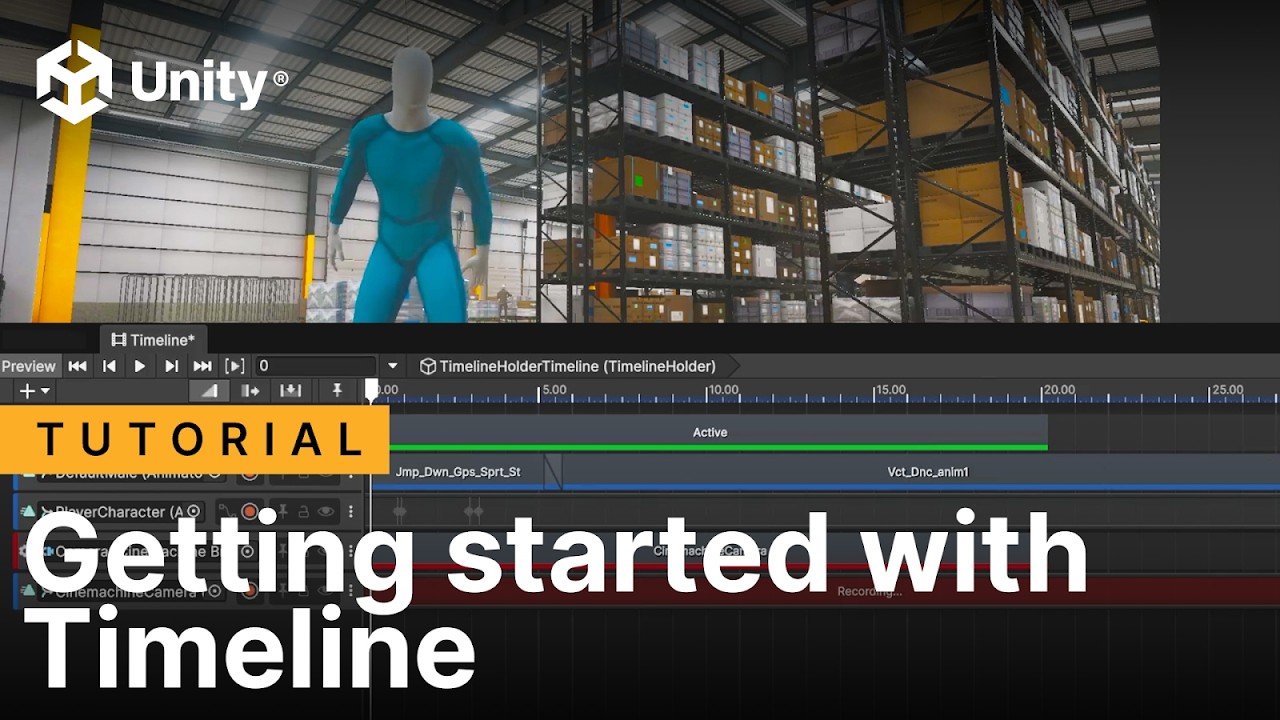
Timeline is a sequencing tool in Unity that lets you visually create, edit, and control time-based events like animations, audio, signals, and gameplay sequences, without hard-coding timing logic. In this video we show you how to get started using it.
Time Stamps:
00:00 Introduction
00:45 Timeline Window
02:25 Activation track
03:28 Animation ...
 grand void
Animator trouble
sacred zephyr
Guys how do I group animations as one?It gets messy like this
I am using a player model with multiple parts and I would like to group the animations into one
 finite finch
sacred zephyr
Guys how do I group animations as one?It gets messy like this
I am using a playe...
finite finch
sacred zephyr
Guys how do I group animations as one?It gets messy like this
I am using a playe...
what does that mean "to group animations into one" ?
sacred zephyr
finite finch
what does that mean "to group animations into one" ?
As you see, I have multiple animations lets say for example slam.This animation uses all parts of the character(Left Arm, Head, Torso,...) and I think it is messy to just activate each part manually.So I am asking if there is a way to group each part's animation into one
finite finch
i had no idea someone would be making separate animations for each body part in the first place 🤔
agile solstice
@sacred zephyr @finite finch This happens automatically, when separate objects are keyed in an Action in blender, they must each get their own animation clip data for every action when exported
You can't really "group" or otherwise combine them as far as I know
It's possible to play them all at once using a synced animation layer for every body part, but that's cumbersome
The correct method would be to animate an Armature instead, and parent the objects to individual bones
An Armature is a hierarchy of transforms that can be animated as one object
finite finch
so thats the result of making animations without the armature
agile solstice
finite finch
so thats the result of making animations without the armature
Yes, or at least I haven't found a way to export hierarchies of parented objects with shared clips the same way
Blender 5 exposed the action data per object so it may be technically possible, but I wouldn't count on it
finite finch
agile solstice
Yes, or at least I haven't found a way to export hierarchies of parented objects...
making animations without the armature is probably very difficult, right?
i mean, easier to start but in a long run it will make creation very difficult
agile solstice
finite finch
making animations without the armature is probably very difficult, right?
Harder at least, since Pose Mode has so many useful tools and only works with Armatures
For some very simple animations there might not be a workflow difference
finite finch
and what do you do with the animation clips? each body part will have its own duplicate of the animator controller?
agile solstice
Yes basically
Rare case when that's not inconvenient
 lyric shore
I hope this thread(Animator trouble) doesn't get lost in the chat, but still. Just in case, I'll duplicate this again.
We could use some help, and you'd be very helpful. (I hope)
 dim magnet
Animation Rigging setup pain made me build this lol
Right click character
Right click weapon
Attach
Done
Thinking about open sourcing it for free.
DM me if you'd use this.
sacred zephyr
finite finch
making animations without the armature is probably very difficult, right?
Guys it has an armature and the objects are parented each to a bone in the armature
So I cant group them
Aw
Do I export just the armature and then parent the objects in Unity?
@agile solstice
agile solstice
sacred zephyr
Do I export just the armature and then parent the objects in Unity?
The idea is that only the armature has the actions and that the objects are parented to it
But I think you should be able to export them together without creating actions for the parented objects
 cobalt patio
does this look right or is there like a less convoluted way to do this 
 sterile vine
seems about right
you probably don't need the transitions to idle though given that you already have Any State -> Idle
cobalt patio
ah makes sense. would it be better to also just connect jump to any state instead?
still learning to use it so im just trying a bunch of ways 💀
finite finch
cobalt patio
does this look right or is there like a less convoluted way to do this <:awkward...
i'd maybe rename
Jump -> JumpStart
OnAir -> JumpAirLoop
Landing -> JumpLanding
to make it more clearer a bit in my head but its entirely up to you
cobalt patio
yeah that looks a bit better thank you :D
sacred zephyr
agile solstice
The idea is that only the armature has the actions and that the objects are pare...
okey I will try that
agile solstice
cobalt patio
does this look right or is there like a less convoluted way to do this <:awkward...
It's only 5 states so there isn't much room to simplify
An alternative method is to do transitions from states to Exit and then from Entry to the states
It doesn't usually reduce the number of transitions but it can be more organized in some circumstances so it's good to be familiar with it
Where you can actually get efficient is using sub state machines, animation layers and blend trees where they make sense
Basically doing more by using the same parameters contextually in different ways
Jump-OnAir-Landing could make sense as a sub state machine, but hard to say for sure
 hasty talon
Is it possible to use animations in conjunction with a rigidbody so that the speed of the animation matches the speed the rigidbody is moving?
wanton trellis
hasty talon
Is it possible to use animations in conjunction with a rigidbody so that the spe...
you could but you shouldnt... just increasing the playback speed of the animation seldom looks good, typically its the animation thats authored at a specific speed thats respected
but for your original question, add a multiplier to the animation states thats driven by the rigidbody velocity, its quite simple
you add a new paramater, and set it as the speed multiplier in the states
 hasty talon
wanton trellis
you could but you shouldnt... just increasing the playback speed of the animatio...
hasty talon
wanton trellis
you could but you shouldnt... just increasing the playback speed of the animatio...
I raise you League of Legends. Pretty sure that game speeds up the movement animation when the player increases movespeed XD
wanton trellis
It can work to a certain effect
But its not ideal
Some games can get away with it more than others
hasty talon
I'll try messing with the speed in my code. It looks like you can get the root motion velocity I could try to scale it with that somehow
wanton trellis
Root motion?
hasty talon
wanton trellis
Some games can get away with it more than others
yeah to be fair leauge is pretty zoomed out. it looks like the characters are sliding sometimes
hasty talon
true... my current animations I'm using don't have root motion, but there is a root motion option in the asset pack for all of the movement animations
is there a simple way to match root motion animation speed with the rigidbody velocity?
cobalt patio
agile solstice
It's only 5 states so there isn't much room to simplify
An alternative method is...
ahh ill research more into those! ive just been tinkering around with the basic stuff so ill give em a try too, thank you
 low dust
Why does my character look like this when I enforce t-pose


 ivory star
Hey, guys! I found something very interesting and its called Blend Trees, so I had a problem with many transitions and with their names as well and I found Blender Trees which are really helpful. Can somebody explain about them?
wanton trellis
ivory star
Hey, guys! I found something very interesting and its called Blend Trees, so I h...

 fallow nebula
low dust
Why does my character look like this when I enforce t-pose
fallow nebula
low dust
Why does my character look like this when I enforce t-pose
Sometimes the model and the TPose doesn't exactly match the Humanoid requirements. I suggest you try slightly changing those red bone rotations until they appear green 🙂
low dust
fallow nebula
Sometimes the model and the TPose doesn't exactly match the Humanoid requirement...
Im also having some major animation issues as well, will fixing my bone rotations also fix my animations?
low dust
fallow nebula
Sometimes the model and the TPose doesn't exactly match the Humanoid requirement...
What do you mean by the tpose doesn’t match the humanoid requirements?
 thorny hamlet
Hello, could someone please clarify what this part of Unity docs is talking about?

specifically, I am not sure what is meant when Unity says: "Unity automatically imports all four files and collects all animations to the file without the @ sign in"
It doesn't seem to though?
sterile vine
It doesn't seem to though?
in your project, or in the screenshot in the docs?
thorny hamlet
Well I thought it meant it will populate the clips from an external source on the base FBX file, but all I see is Take001

 sterile vine
what did you select in the Project window for that second screenshot?
thorny hamlet
AvatarMale.fbx
sterile vine
does the docs page you're looking at match the unity version you're using?
thorny hamlet
no this is from 6.4, but this process has been in place since Unity 3 or earlier
sterile vine
to be clear i don't mean the UI, i mean the manual page has a dropdown near the top left specifying version
thorny hamlet
i know
sterile vine
just as a sanity check, make sure the manual page still exists in the version you're using
thorny hamlet
just for sanity check, i switched docs to my version, 2022.3, is same though
sterile vine
right but do docs for 6.4 have this page
thorny hamlet
I'm on 2022.3
sterile vine
oh i misread, yeah mb
thorny hamlet
but yeah im familiar with this doc page, it's been there since the old-old days
sterile vine
perhaps ask in #🔀┃art-asset-workflow?
ivory star
Hello, guys! So, there is a problem I have. For one reason, when I move my player forward and backward the motion works properly but when I move left and right it doesn't work I see the player move left and right but he is standing at the same position, so actually there is no motion and I have not root motion applied, but if I have root motion applied it works fine but its not very smooth though.
sterile vine
are you controlling the player anywhere else, like in that PlayerController script?
ivory star
Yes within the player controller script I am applying movement
agile solstice
Animation seems to be working fine
The forward speed is much higher when you enable root motion, so it seems to be added to the forward velocity there is without root motion
ivory star
basically here are my animation states but I dont think it has to do with animations because it works properly with root motion so my FSM works fine.
public class MoveState : PlayerState
{
    public MoveState(PlayerStateController stateController) : base(stateController) { }

    public override void Enter()
    {
        Debug.Log("Enter Move");
    }

    public override void Update()
    {
        float moveAmount = stateController.PlayerController.MoveInput.magnitude;

        stateController.PlayerAnimator.SetFloat("MoveX", stateController.PlayerController.MoveInput.x);
        stateController.PlayerAnimator.SetFloat("MoveY", stateController.PlayerController.MoveInput.y);

        if (moveAmount < 0.1f)
        {
            stateController.ChangeState(new IdleState(stateController));
        }
    }

    public override void Exit()
    {
        Debug.Log("Exit Move");
    }
}```and are you applying left/right motion there
ivory star
sterile vine
and are you applying left/right motion there
no motion
I dont apply root motion programmatically
agile solstice
Not root motion, but any other motion?
ivory star
btw the animations that came with the model pack they have already Root Motion so I have used these animations on my blend tree setup
maybe thats the problem but forward and backward animations work fine
something is happening with the left and right
I can just enable and disable root motion programmatically on left and right input but I really want to understand the root of the issue.
ivory star
agile solstice
Not root motion, but any other motion?
no
Maybe its better to use animations without Root Motion appied because there are in the pack animations with RM and without
can I just try replacing them with the animations that have no root motion?
and enable root motion in the animator probably?
So, I have tried replacing and I got an error on left and right animations only.
I am going to remove the animation event probably
I dont need it
omg its readonly omg
agile solstice
ivory star
Maybe its better to use animations without Root Motion appied because there are ...
Obviously if you want to use root motion for movement, use the animation clips made for that, if not, use the animation clips without root motion when offered the choice
If root motion is disabled on the Animator, in theory it should not have any way of allowing clips to move the transform
But because this seems to be an asset, there likely are some additional things related to root motion or movement in general that you may have missed
agile solstice
ivory star
omg its readonly omg
Readonly clips are edited from the import settings of the asset they exist inside of
ivory star
yes I did it but still it doesn't work
I think that wasn't the reason it doesn't work
I am running out of ideas
agile solstice
ivory star
yes I did it but still it doesn't work
Animation events are (or should) be used only for secondary effects like sounds or visuals, so it was a long shot
I think you just need to get more familiar with the asset you're using
Check if it has documentation
ivory star
sadly no doc
I have an idea. I am going to check another animation clip that has root motion to see if it works or not to understand if the issue comes from the clip itself or not or maybe my blend tree setup
yes blend tree setup is the problem
ivory star
Hey! Maybe left right animations are broken?
because if I enable the root motion in the animator everything works
fallow nebula
low dust
Im also having some major animation issues as well, will fixing my bone rotation...
Hello @low dust
Sorry about the late reply.
Its important that your skeleton complies with Unity's humanoid standards. Usually having more joints than a standard rig (e.g. mixamo rig) won't be a big deal since in the humanoid configuration you can link specific bones manually, but it won't look as good.
Thats a minor issue though. The more important thing is that your bones orientation should match. So for example if you have a bone pivot where y would be z in the generic humanoid rig, that can bring issues. If you're using blender for rigging, it should have an option to export the rig as a unity rig.
And also, yes, if you play with the bones and rotate them in the humanoid avatar visualization until they appear green, you have much better odds of your animation looking good and not being totally broken. If the joints appear read like in your picture, the animation won't retarget correctly.
low dust
fallow nebula
Hello <@222508039675183108>
Sorry about the late reply.
Its important that your...
I worked on it yesterday, changed my skeleton a bit in Blender and I got my rig to be all green in the humanoid configuration, but I’m still seeing differences between blender and unity.
low dust
fallow nebula
Hello <@222508039675183108>
Sorry about the late reply.
Its important that your...
FWIW, it's only the hand animation that's wrong, everything else seems to be fine

 fallow nebula
low dust
FWIW, it's only the hand animation that's wrong, everything else seems to be fin...
fallow nebula
low dust
FWIW, it's only the hand animation that's wrong, everything else seems to be fin...
Oh Im glad you could get it to mostly work! Hmm, are you using some form of IK system in blender? Perhaps it wasnt baked into the animation?
Honestly, I would check the hand pivot x/y/z arrows match those from a standard humanoid rig. You could use any mixamo character or Unity's template character for reference
By the look of it, seems like its flipped. The left hand seems to be rotating in the exact opposite direction. That symetry lets me know that probably some axis is not matching. You're almost there, though
low dust
fallow nebula
Oh Im glad you could get it to mostly work! Hmm, are you using some form of IK s...
I am using IK on both the wrist and ankle joints, is it still an issue if I have Bake Animations checked?
I don’t get why it would work for the ankles but not the wrists
low dust
fallow nebula
Honestly, I would check the hand pivot x/y/z arrows match those from a standard ...
Which xyz arrows are you referring to? In the avatar window?
ivory star
Hey, guys! I really cant understand what is happening with my model torso what I want to do is to rotate my torso, weapon and camera at the same time but for one reason torso behaves very weirdly
I cant understand I am not sure what to do
a powerful website for storing and sharing text and code snippets. completely free and open source.
 inland imp
video doesnt work
sterile vine
works fine for me, may be an issue on your end
sterile vine
ivory star
Hey, guys! I really cant understand what is happening with my model torso what I...
seems like your torso needs to be rotated some amount into its "normal" position before applying your directional rotation?
low dust
fallow nebula
Oh Im glad you could get it to mostly work! Hmm, are you using some form of IK s...
So I went back and individually back all of my animations and when I put them into unity they still look wrong
ivory star
Hey, guys! Is it fine to have left, right and forward and backward animations on my player? Because with the animations my gun change its position and I think it wont feel good maybe I can just keep the idle animation for the gun just pointing forward and wont use the other animations?
 balmy orchid
Can someone help me?
I have a Mixamo Character Model and and got it so that the mixamo animations work on it.
Now when I want to make my own animation for it, it goes from T-Pose to this pose (see picture) but I would like to start animating from T-Pose.
Is there anyone that knows how to fix this?
 ivory star
Hey, guys! Why I see my player in this state? My player state was different before I mean I had idle animation and walking and all these stuff what is happening? Everything was working fine

I broke something?
wanton trellis
balmy orchid
Can someone help me?
I have a Mixamo Character Model and and got it so that the ...
that looks like the humanoid pose unity applies when you are creating a humanoid avatar for a rig
but it sounds to me like you are planning to animate inside of Unity directly?
if so i would highly recommend against doing that
terse gust
ivory star
Hey, guys! Why I see my player in this state? My player state was different befo...
maybe you changed the character rig type
from the model import settings
or the clips in the animator controller
the model and the clips type must match
generic for both or humanoid for both
otherwise this happens
terse gust
ivory star
I thought it was a problem but it fixed on the second run
on its own/
thats weird
ivory star
Now I have another p[roblem
Something is happening and my camera doesn't follow properly the gun basically there has to be an offset probably because my camera when I rotate on the vertical axis it doesn't rotate with the player and its very weird like you see in the video I am not sure what to do I have tried putting my camera to other game objects to some of my bones under player but it doesn't work
I stuck with this problem for a long time like 1-2 days now and I cant figure it out
terse gust
ivory star
Something is happening and my camera doesn't follow properly the gun basically t...
haha thats funny
you want full body
fps
hard topic
ivory star
I know bro XD
terse gust
you could put the camera on the highest bone
basically if you are rotating the entire hierarchy
ivory star
also I am not very familiar with IK's and humanoid in Unity its my first time implementing something like this
terse gust
spine1, chest, upper chest
the upper chest can have the cam
idk what you rotate
you need to specify that
ivory star
basically I am rotating only the camera and the bip001 spine2
terse gust
ivory star
basically I am rotating only the camera and the bip001 spine2
then make the camera either the child of that spine
because the pivots differ of both bones
so equating there rotation
isn't enough
ivory star
yes when I put my camera under this spine it goes relative to it
terse gust
so that works?
if you don't want the camera under the hierarchy
you can have a target transform there, which the camera follows in late update(after animation evaluates)
terse gust
ivory star
Can I open one
ofc
ivory star
Humanoid Camera Rotation Issue
 tired harness
Does anyone know how to fix the arm not being able to extend to the gun fully at high angles? Do i just move the camera towards the chest or what would i do here
 terse gust
tired harness
Does anyone know how to fix the arm not being able to extend to the gun fully at...
terse gust
tired harness
Does anyone know how to fix the arm not being able to extend to the gun fully at...
the arm seems to be fully extended
you could animate the shoulder bone
you could rotate the guy towards the weapon
so his arm reaches
hasty talon
howdy i'm experiencing some weird behavior with my animations that dont seem to be working right
i have 2 avatar mask layers and the running is on the lower body layer

legs start flailing wildly if i start the reload animation on the upper body while the lower body is playing the running animation. i think the animation is playing both the upper body and lower body mask at the same time. but if lower body is set to override and weight is 1 then shouldnt the lower body be unaffected?
 icy dove
I'm new to using sprite animations, and I'm trying to figure out how to start reversing an animation halfway through. I have that animated square in the top right of the game view that reacts to me toggling a parameter, which transitions states. The problem is that the animation keeps restarting whenever the speed changes by going to a different state. I get why, its transitioning to a new state each time, but this also happens when its just one state and I manually change the speed to negative. Is there a better way to be doing this?
it changes back to the idle state whenever I manually change a value, so it has to go back to the animation state afterwards I guess. Would it be different if I changed the speed via code? would it not change back to idle?
 steep cairn
How does LoopPose actually work? Like, how do I know when it will work and when it won't?
 agile solstice
steep cairn
How does LoopPose actually work? Like, how do I know when it will work and when ...
agile solstice
steep cairn
How does LoopPose actually work? Like, how do I know when it will work and when ...
It should work always
It modifies the clip so it crossfades the end pose at the start and start pose at the end, within some arbitrary time it seems
steep cairn
agile solstice
It should work always
It modifies the clip so it crossfades the end pose at the ...
okay, thanks!
agile solstice
That means it's only useful in very specific circumstances when that kind of crossfading doesn't mess up the motion of the clip
As an example a clip that's already mostly looping but has some small discontinuity between the end and start keyframes
 leaden nymph
Hi , i`m looking for animator 5-7 years experiance , please DM me ,if anyone interested
sterile vine
leaden nymph
Hi , i`m looking for animator 5-7 years experiance , please DM me ,if anyone int...
!collab
hexed cargoBOT
sterile vine
!collab
:loudspeaker: Collaborating and Job Posting
We do not accept job or collab posts on Discord.
Please, use Discussions to promote yourself as job-seeking, advertise commercial job offers, or look for non-commercial projects to participate in:
• ** Collaboration & Jobs**
leaden nymph
thanks
 signal pebble
can you layer animations onto a main one thats paused? I made a simple jumping animation that I was going to pause at the peak of the pose and i intend to make smaller movements to layer on top of it like arms and legs
agile solstice
signal pebble
can you layer animations onto a main one thats paused? I made a simple jumping a...
You should be able to if you pause the animation in a way that doesn't pause the whole animator
Such as linking state speed to a parameter in the state inspector
Only Synced layers care about the playback time of the base layer
signal pebble
sick
signal pebble
agile solstice
You should be able to if you pause the animation in a way that doesn't pause the...
thanks
agile solstice
icy dove
I'm new to using sprite animations, and I'm trying to figure out how to start re...
Methods that come to mind would be to set the motion time of the destination state to be the (inverse of) same as the source state, that you could do in the script upon transition or in a statemachine behaviour
But even easier might be to link the motion time of the state to a parameter, even so that you have just one animation that you can play in forward and reverse just by modifying the motion time parameter
agile solstice
hasty talon
legs start flailing wildly if i start the reload animation on the upper body whi...
Overrides do work that way, but what Masks do is exclude bones from the layer fully or partially, so when using one it's not guaranteed that the override layer overrides everything
hasty talon
agile solstice
Overrides do work that way, but what Masks do is exclude bones from the layer fu...
this is the avatar mask I'm using for the lower body. With the legs and root selected, why would the legs not be overriden and still affected by the upper body mask animation?

 lament vessel
Hiya! I am making a pixel art game and was wondering what people use to enforce a universal framerate across animations? I currently have two sprites updating at the same rate, but with a slight offset which is quite jarring (offset is introduced af the second sprite is added at a later time)
agile solstice
hasty talon
this is the avatar mask I'm using for the lower body. With the legs and root sel...
I don't have firsthand experience with Humanoids so I can't give any instructions confidently, but what I'd consider in that situation is:
- Which bones do the masks exactly affect and how much? Humanoids have their own conventions for this and to get a better idea I'd also look at the specific bone rotations during animation with and without layering to see which clip the rotation could be coming from. Rotation is always inherited down the bone chain from transforms that are higher up in the hierarchy, and many animations include hip rotation that's counter-rotated by the upper body, which may not occur if the hip rotation is from a different clip
- I know that sometimes mis-configured Humanoid rigs or animations get some side to side wobble in general, probably because Humanoid clips work across Humanoid rigs and for that to happen rotational motion as well as counter-rotations must be translated from source clip to target rig in the exact right proportion. Not sure what exactly causes it though
agile solstice
lament vessel
Hiya! I am making a pixel art game and was wondering what people use to enforce ...
Generally people don't
Usually not necessary and unity's animator has no concept of framerate, and no global syncing either that I know of
Unless I'm not aware of some more obvious method, I'd consider making your own syncing of sorts
For example when starting a new animator and or periodically for all running animators snap its current animation state time to a proportional increment of the desired frame rate
Could be easier if your clips also use a low sample rate to enforce keyframes at discrete timesteps away from each other (which is similar to framerate but not quite)
And make sure you don't have any transition blending if you don't want to deal with that too
Before committing to this method I recommend looking for what others have come up online
lament vessel
agile solstice
Generally people don't
Usually not necessary and unity's animator has no concept...
ait, I found a nice resource that does it: https://www.lucasegray.com/blog/synchronize-animations-in-unity
It is a QoL change, but I wasn't sure if I'd need to take something into account if I ever do decide to implement it. Based on this option, it looks like it's a simple fix, so I'll bookmark it and move on 🙃
Thx for the reply 🙂

Lucas Makes Software
Use a synchronizing Animation GameObject to keep all your dependent Sprites in line
 broken grotto
Hey everyone I recently started learning about more animations skills in unity like the avatar mask. I think there might be something off with either my animation or avatar mask because my character keeps **snapping **upwards when moving in the hanging state?
wanton trellis
!collab
hexed cargoBOT
wanton trellis
!collab
:loudspeaker: Collaborating and Job Posting
We do not accept job or collab posts on Discord.
Please, use Discussions to promote yourself as job-seeking, advertise commercial job offers, or look for non-commercial projects to participate in:
• ** Collaboration & Jobs**
hasty talon
agile solstice
I don't have firsthand experience with Humanoids so I can't give any instruction...
I think it's case 1. If I set the lower body animations to idle and still run the top half it does this.......
looks like the hips are rotating from the top layer. maybe its bad rigging on the model
ok it also does this on another model. i guess the hip rotation is baked into the animation and making it look wonky
signal pebble
What goes in here?
 sterile vine
an animation avatar if you have one
it might not be necessary depending on what you're animating
 clear mortar
Is there a standard pipeline for jaw movement while talking?
clear mortar
hasty talon
I think it's case 1. If I set the lower body animations to idle and still run th...
Just make "Tomb Raider on Ice" and you can skate, it will be great.
clear mortar
hasty talon
I think it's case 1. If I set the lower body animations to idle and still run th...
your clip looks like a blend or weight problem. But really it's hard to say without looking everything over.
agile solstice
hasty talon
I think it's case 1. If I set the lower body animations to idle and still run th...
This looks "correct" to me
For a run to look natural the hips should rotate during the stride, and because legs inherit that rotation they should have equal but opposite rotation around the vertical axis
And additionally the spine would also counter-rotate because it also inherits hip rotation
If you mask out these bones, you might only get some of these rotations which don't make sense alone
And when layering it's possible you get these rotations multiple times, compounding the error
So there might not be anything wrong with the rig or animations, but that they just weren't designed for layering in that particular way
Because shoulders tend to have the opposite exaggerated rotation from the hips during the stride, there may be a particular spine bone that faces perfectly forward
That should be the threshold for masking the upper body aiming / lower body running
But could be that there is not such stable bone in the animations, or that Humanoid masking doesn't allow such precise selection
So aside from authoring the animations in a way that supports this specific kind of masking, the solution would be to use IK to point the upper body in the correct direction regardless of inherited rotations
When I made running animations I made a variant of them that kept the spine purposefully aligned forward, so that aiming animations layered on the upper body didn't have any extra rotations to inherit
IK's advantage on the other hand is that you can guarantee any aiming direction
 glad cape
got some models with mixamo rigs from itch and some mixamo animations, and for some reason, they get warped like in the second pic when i play any animation. any idea why?

 glad cape
nvm fixed
 dreamy pivot
I have an animated dog that has a fixed world rotation angle (about 45 degrees). Unless the dog is moving in that direction, this fixed angle is very inconvenient. If I rotate the model, this rotation is ignored when I run the animation. Any suggestions for getting the animation to run without it adding a rotation? It was originally created in Blender by someone else and I don't know the Blender animation tools very well.
 agile solstice
dreamy pivot
I have an animated dog that has a fixed world rotation angle (about 45 degrees)....
agile solstice
dreamy pivot
I have an animated dog that has a fixed world rotation angle (about 45 degrees)....
What do you mean by it "adding a rotation"
If the animations are always rotated a certain amount, you could make the mesh a child object of the gameobject and counter-rotate its transform to compensate
dreamy pivot
I have the parent-child thing set up. Makes no difference. Once the animation starts the model rotation is ignored.
dreamy pivot
I do have the animator attached to the child though. Could that be the problem?
I have the nav mesh agent attached to the parent. Will try attaching the animator to the parent as well.
agile solstice
dreamy pivot
I do have the animator attached to the child though. Could that be the problem?
Not really, rather the solution
Because transform component values are relative to parent transform values, means if the Animator is overriding its own transform properties you can add another transform in between to separate it from the root gameobject
dreamy pivot
So add another object between the chlld and parent?
agile solstice
dreamy pivot
So add another object between the chlld and parent?
Yes
Animator as the third transform down the chain will rotate itself relative to the second, which you can then counter-rotate relative to the root transform in a way that will persist
dreamy pivot
Thank you!
agile solstice
(If the animator uses root motion this method won't likely work exactly as hoped, but chances are root motion is not used)
dreamy pivot
I can always turn off root motion though?
agile solstice
Yes, though in that case if the animations are made for root motion they might start wandering away from their transform origin
dreamy pivot
OK, will check that.
agile solstice
Probably won't be an issue, but just anticipating what issues there could be
 tall summit
Hey Guys I was trying to follow a tutorial by GMTK on learning Unity by making a flappy bird clone, but I am stuck on how to implement the flapping animation for the bird. He talks about it at 44:13, and it seems he only uses the sprite renderer & animator components here is the link to the tutorial video: https://youtu.be/XtQMytORBmM?si=o8NyRDXpNWp0s9mk

🔴 Get bonus content by supporting Game Maker’s Toolkit - https://gamemakerstoolkit.com/support/ 🔴
Unity is an amazingly powerful game engine - but it can be hard to learn. Especially if you find tutorials hard to follow and prefer to learn by doing. If that sounds like you then this tutorial will get you acquainted with the basics - and...
clear mortar
Does anybody know a standard pipeline for jaw movement?
agile solstice
tall summit
Hey Guys I was trying to follow a tutorial by GMTK on learning Unity by making a...
It's by no means a comprehensive tutorial, which you'll have to find elsewhere
dreamy pivot
agile solstice
Yes
Animator as the third transform down the chain will rotate itself relative t...
Unfortunately this does not work for me. Even if I add the extra intermediate object to the hierarchy, the animation has a fixed rotation. And it is the same behaviour whether Apply Root Motion is toggled on or off. Could this be a problem with the way the animation was exported from Blender? Or is there a rig parameter in Unity that I could change?
Just checking - I have a hierarchy of parent, child and grandchild. The Animator is attached to the grandchild (dog_to_animate) and the script and nav mesh agent to the parent (AnimatedDogContainer). Is that correct?
The actual mesh and armature are attached to the grandchild.
 dreamy pivot
Is this the correct set up?
 waxen siren
tall summit
Hey Guys I was trying to follow a tutorial by GMTK on learning Unity by making a...
waxen siren
tall summit
Hey Guys I was trying to follow a tutorial by GMTK on learning Unity by making a...
!learn
hexed cargoBOT
waxen siren
!learn
:teacher: Unity Learn ↗
Over 750 hours of free live and on-demand learning content for all levels of experience!
tall summit
agile solstice
It's by no means a comprehensive tutorial, which you'll have to find elsewhere
Do you know where else I can get help?
wanton trellis
tall summit
Do you know where else I can get help?
help for what in particular?
learning unity?
or the specific problem you have
tall summit
tall summit
Hey Guys I was trying to follow a tutorial by GMTK on learning Unity by making a...
@wanton trellis this, I am having a hard time implementing the wings animation in particular the coding part
tall summit
tall summit
<@331160185622233089> this, I am having a hard time implementing the wings anima...
Or do I go to a different channel?
 oblique shell
somebody help, I set up all the animations and they to seem to trigger right but they do not play in game. Am I missing something?
wanton trellis
oblique shell
somebody help, I set up all the animations and they to seem to trigger right but...
did you assign the clips in the animation states?
do the clips play properly with the avatar in the little preview window in the bottom right?
also you are using an animation controller
did you set it up properly?
hasty talon
agile solstice
Because shoulders tend to have the opposite exaggerated rotation from the hips d...
Yeah you're right. The sprinting animation isn't designed to be used in this way. It hunches the character forward a bit and the arms/shoulders swing back and forth quite a bit so I think it's too exaggerated to use while also using a standard upright reload animation. The animations I'm using when aiming down sights are more geared toward a third person shooter, but there is no sprint animation in that pack so I think I'll just limit the player to jogging while reloading for now. Call of Duty works this way so I'm fine with it for now. even though it will affect the game design. Thanks for the help!
 rapid lynx
hey guys,
i have a 2d bones rig on a psd file character,
i have full body animations, but i also need to animate the legs separate from the turso.
is that possible with avatar masks and override for 2d bone characters or do i have to manually do the separation?
i know that is doable in 3d but am having trouble in 2d
hasty talon
Another question if anyone has any insight. I'm currently trying to use a backflip animation, but it flips the root rotation for a few frames while the character is upside down.


I disabled root motion on the animator since I want the movement to be purely physics based, but this results in the character abruptly rotates 180 degree for a few frames while she's upside down since rotation is controlled by my character controller script. If I turn on root motion during this animation (and then turn it off after), the character no longer appears to rotate around but it also uses the position transform from the animation as well. Is there a way to keep the rotation from the animation but for it to disregard the transform position adjustments from the animation?
wanton trellis
hasty talon
I disabled root motion on the animator since I want the movement to be purely ph...
you can bake the position and not bake the rotation
hasty talon
That wasn't working for me. Even with bake position unchecked it was still changing the position. I ended up editing the animation and removing all the keyframes on position except the first one
wanton trellis
hasty talon
That wasn't working for me. Even with bake position unchecked it was still chang...
im going to assume that the reason it was changing position is because whoever animated it, didnt use the root iself, but rather the pelvis to change the position
ive had similar issues with poorly authored animations
 open bough
Hello Guy I look tutorial for unity UI animation can some one help me... Please share like or any coures
oblique shell
wanton trellis
do the clips play properly with the avatar in the little preview window in the b...
sorry for the late reply, everything is assigned correctly, only the animation is not playing in the preview or in game but I dont know why because I did the same workflow when I did a super mario 64 test and it worked there
oblique shell
wanton trellis
did you set it up properly?
found the problem tho (its a stupid one) went back to blender and noticed I forgot to apply the scale and rotation 😅 I spend so much time trying to find the problem in unity and it was never there...
 pastel bison
open bough
Hello Guy I look tutorial for unity UI animation can some one help me... Please ...
pastel bison
open bough
Hello Guy I look tutorial for unity UI animation can some one help me... Please ...
just use dotween or leantween from the asset store they are free and industry standard for smooth ui animations without writing heavy code just search dotween ui on youtube
 cold jungle
Does anyone have any good resources or tools for quadruped animations? I am trying to add a turning animation to a wolf asset I have, but can't find any quality assets for quadruped animations.
 uneven moss
Hey guys, I don't know what's going on. I set up the animator controller to switch from any state to an attack animation, and the trigger works. However, the animation plays only if the player is idle. If the player is running, however, the animation just doesn't play. It will also automatically switch to the running one if the player moves, even though it has an exit time of 1 and no interruption source. Has anyone seen something like this before?
pastel bison
uneven moss
Hey guys, I don't know what's going on. I set up the animator controller to swit...
look at your animator setup you have direct arrows from bombardinoattack down to idle and run with no conditions at all so unity instantly skips your attack and blends right back also check if your any state transition has "can transition to self" checked because it's constantly resetting just delete those bottom exit arrows from attack and use a proper transition condition
uneven moss
pastel bison
look at your animator setup you have direct arrows from bombardinoattack down to...
No, I set a condition to speed<0.1 just in case and it happened nevertheless
turns out that the reason was a mask, the base layer had no mask so Unity treated its animations as override, when both legs and arms played the same animation the attack one (which doesn't exist for legs) got skipped
solution was to just make a mask for legs only and use it for the leg layer
pastel bison
uneven moss
No, I set a condition to speed<0.1 just in case and it happened nevertheless
tu...
ahhh my bad completely missed that glad you found the mask issue though nice catch
 short harness
Hii, I have a question about the animation window UI thats really confusing me as I try to learn stuff, I was pointed here to ask my question

for the circled part...why are they staggered??
I get that the parent of the "andromeda ARIES By Lod" is a child of "Zabrina", but the two crossed out names below that are not children of the "andromeda ARIES By Lod"
I simply added them using the "add property" button at the bottom of this page, thinking it would add them in just like any of the other items listed, since it is a child of "Zabrina"
the overall issue I am trying to fix is the overall brightness of the crossed out item, and match it so that it's brightness changes with everything else (ex: "BODY : Skinned Mesh Renderer.Material_lighting Cap")
I am not entirely sure if this strange heirarchy indentation is the cause of such frustration, but I have locked the required options in the inspector to allow the "brightness" to change, and the animation does play in the preview regardless of how janky it looks, my issue is that when the avatar is loaded into the game (VRChat), the radial menu upon adjusting the brightness of the body, does not change the brightness of the crossed out item

I've been looking at tutorials for days, and I cannot find the reason why. Any and all help would be greatly appreciated. Thank you in advance!
the additional question I have, is why is Zabrina at the top of the animation list? I know it represents something, but I don't think its because "Zabrina" is the parent of all other things in this project.
 spring comet
Animation is great!
spring comet
 twin musk
That's brilliant!
 torpid shuttle
k so I literally just want my character to blink once
here is the animator
animation is just one blink
here is blink code
for some reason they're blinking twice
why
:/
 smoky bloom
Im not familiar with the Range() method. Have you tried using Random.Next() instead of Range()?
Figured, its specific to unity (sorry, still a noob)
 charred belfry
That's likely not the problem - what is the animator actually doing? Is it looping twice and then transitioning? Does it loop back and forth? Is it doing one loop but blinking twice?
 zenith bluff
@torpid shuttle why you use Time.time for this? What exactly you want achive?
charred belfry
record a video of what the animator is doing during the two blinks
zenith bluff
Hm, look to code closely - yes... show what animator do in this situation
zenith bluff
Make blink animation not loop
decrease out transition time to zero
your second blink happen while transition happen
Nice character 😃
torpid shuttle
the loop did it
thanks
god im dumb
oh and thanks
waaaait something is off with his head bobbing god dammit
zenith bluff
the loop did it
Thats fine 😃
torpid shuttle
So I'm trying to work out how I'm going to animate some of my characters, specifically ability casts.
Each ability has 3 distinct parts, a charge, the actual cast, and a finish
the thing is that each of these parts should be separated in a way where I don't need to necessarily transition to the next one if I don't want to
for example it plays the charge animation, and something happens to the character which interruots the cast
the cast animation shouldn't play
should the entire animation be one clip and I somehow stop it at these points?
should it be 3?
I'm just a bit unsure as to the best way to proceed
 open plume
I can't figure out how the animation weights work, when it is 0 the hand moves frantically and clips the body, it stops moving as frantically when I set it to 1 although t somehow goes on the shoulder despite I never put the arm there in any of the animations. how to I stop it from moving frantically and just keep the are hip level ?
torpid shuttle
how would you make it look like a sprite is "waving in the wind"
charred belfry
probably would get a tesselated quad and do vertex offset in a shader with some fancy sin waves
or you literally animate a sprite sheet
 thorn scroll
Idle animation for a side view battle system Im working on for final year project
 woeful dust
Hi there, just throwing the question here since I can't find any reason why: When importing a rig as "Humanoid", it tells me it failed because it can't find a head bone. I want to click "Configure.." to edit and set the head bone, but the configure button just doesn't do anything. It selects the avatar object, but doesn't let me edit the humanoid rig as usual. Any idea ? We are using 2018.3
(Same problem in 2017.4 btw)
thorn scroll
@woeful dust have you tried resetting workspace layout? it may be off screen
woeful dust
The rig editor is in the scene view, so that's not the problem.
We've changed the rig until Unity was happy with it. Which is a bit sad as we could have just manually set which bones is which if we could open that editor but, nevermind!
thorn scroll
A Wip animation attack cycle!
 austere yarrow
Can anyone confirm Blendshapes being broken in 2018.3? We have had no success exporting from multiple modeling packages. The same files are working in 2018.2
Here's a test file if anyone would like to help out
Blend Test
 calm holly
Have you looked in project settings /player for clamp blendshapes option?
I asked unity to lift clamping from it when they first brought the feature out (as everyone else was running unclamped in other engines so) but didn't get listened to 😄
austere yarrow
@calm holly Hey, thanks. Yea we checked out the clamping option. Had no effect on it. Appreciate the help though
 kindred burrow
Try going to Project Settings->Player->Other Settings , and toggling GPU Skinning. Off = legacy behavor before 2018.3
 supple depot
@kindred burrow that fixed it for me! thankyou so much!
kindred burrow
np, I expanded a bit as to why in the General-unity channel
 maiden fiber
ok so i'm trying to edit some animations
but i cant find any of the states in the animator
even though in-game the animation works fine
 celest crag
Animator Controller governs states. If you lost the view of state you can close the tab and reopen it, it will recenter
 north lake
Can anyone tell me how to import a Mixamo animation into blender, change it a bit and then import it into Unity? whenever i try to, it stays in Tpose. For some weird reason, it seems the actual pose saved, but not the animation.. if you can help, please @ me cause there's a ton going on and i WILL forget to check back
north lake
Can anyone help?
maiden fiber
So far I have only been animating meshes
Does animating an object that has a collider also animate the collider
north lake
does noone use Blender for animating or something?..
calm holly
Likely you are not in pose mode or something
It's a problem with your knowledge of blender since I asked about and people have done the whole mixamo->blender->unity thing a lot (I don't, just passing it on)
supple depot
@north lake i'm not sure what your familiarity is with blender, but if you're just getting the t-pose are you sure you're selecting animation in the export dialogue (or are you importing the blend file directly? i try to avoid that myself)
north lake
i have tried to export just the animation as well as the full blender file and neither worked
This is what i see before exporting
supple depot
just to confirm, you're going to this animation tab in the export settings and setting in appropriately (baked animation exports an animation take exactly as it appears in your blender timeline; NLA strips and All Actions apply to cases where you've worked on several actions and saved them as fake users or put them in the NLA editor)
supple depot
since it appears your animation is showing up in the main timeline, you might try just selecting "baked animation" "key all bones" and "force start/end keying"
north lake
This is what i mean
supple depot
under rig have you set it to generic?
north lake
yep
even setting the avatar to the model that's going to be preforming it, it does not change anything for me
i know how to use Unity's animation system, but Blender is way too overwhelming
supple depot
i'm used to exporting animation from blender, but i don't know if there's some added complexity to working with mixamo clips that could be influencing things.
supple depot
like did you export the rig itself from blender into unity or just the animations to a rig you brought into unity directly from mixamo?
north lake
i exported the project as fbx from blender. if there's a way to select the animation specifically, i have no idea how to do that
also when i save the whole project
supple depot
i only noticed that in the blender screenshot, your outliner shows you only have a skeleton with no mesh, but in unity there is an actual character. if the character itself came from a source other than blender, it might not connect up to your animated rig
north lake
the model is Mixamo's ybot, which should have the same bones as the charater in blender and Unity
i used the same one for everything so far
supple depot
like a mixamo animation generally might have a root bone > children bones > etc...
but once you bring a mixamo animation into blender and re-export, it'll create a rig that looks like blender object > root bone >children bones > etc
it adds an extra bone to cover object level transforms.
supple depot
oh, what was it?
north lake
apparently you can't have the camera or lamp
i noticed it put everything in a package including the lamp and the light, so i tried deleting it and it exported correctly
supple depot
thats actually really good to hear that the added blender bone doesn't mess things up in unity. its very picky in unreal.
 supple depot
i just had a victory of my own, was trying to troubleshoot some blendshape issues causing weird normals, and realized import settings default to "calculate" blendshape normals. changing it to "import" fixed my issue!
 tepid blaze
hi everybody, I do 2D game MMORPG, so it hard to send information to do animator (sprites animation) at client unity. Can any body give some ideas to do that?
It can movement but it hard to controller the sprites animation follow keydown input
charred belfry
are Control Tracks just busted lately for anything other than a Playable Director? I attempt to add a particle system and it's like "nope" MissingReferenceException: The object of type 'PlayableDirector' has been destroyed but you are still trying to access it.
I've had issues with them ever since you stopped being able to just create a track and assign from there
am I just going to have to download some keijiro assets as a workaround 😕
tepid blaze
hi everyone, Do anyone here make animation from Server to client with Blend Tree animator? Please give some ideas.


 zealous thicket
Animation made with same rig changes hand position slightly when set to humanoid. Playing with every little setting in Unity including avatar settings don't seem to fix this.
How can I prevent animation from changing when set to humanoid? anybody experienced similar?
 fluid basin
@torpid shuttle Try to make it more dynamic, and exaggerate a little bit. You can increase the speed at the moment of the bite to cause more impact, and maybe try something with the scale. Take a look at  "The 12 Principles of Animation " and try to apply some of them to your animation. 😉 👍

Disney's Twelve Basic Principles of Animation were introduced by the Disney animators Ollie Johnston and Frank Thomas in their 1981 book The Illusion of Life: Disney Animation. Johnston and Thomas in turn based their book on the work of the leading Disney animators from the 1...
 terse edge
Hey, im looking for some animators to help create the game my team is working on. If you are interested, please dm me, thx
 oak flame
my first animation controller test
oh this is so harder work then i think
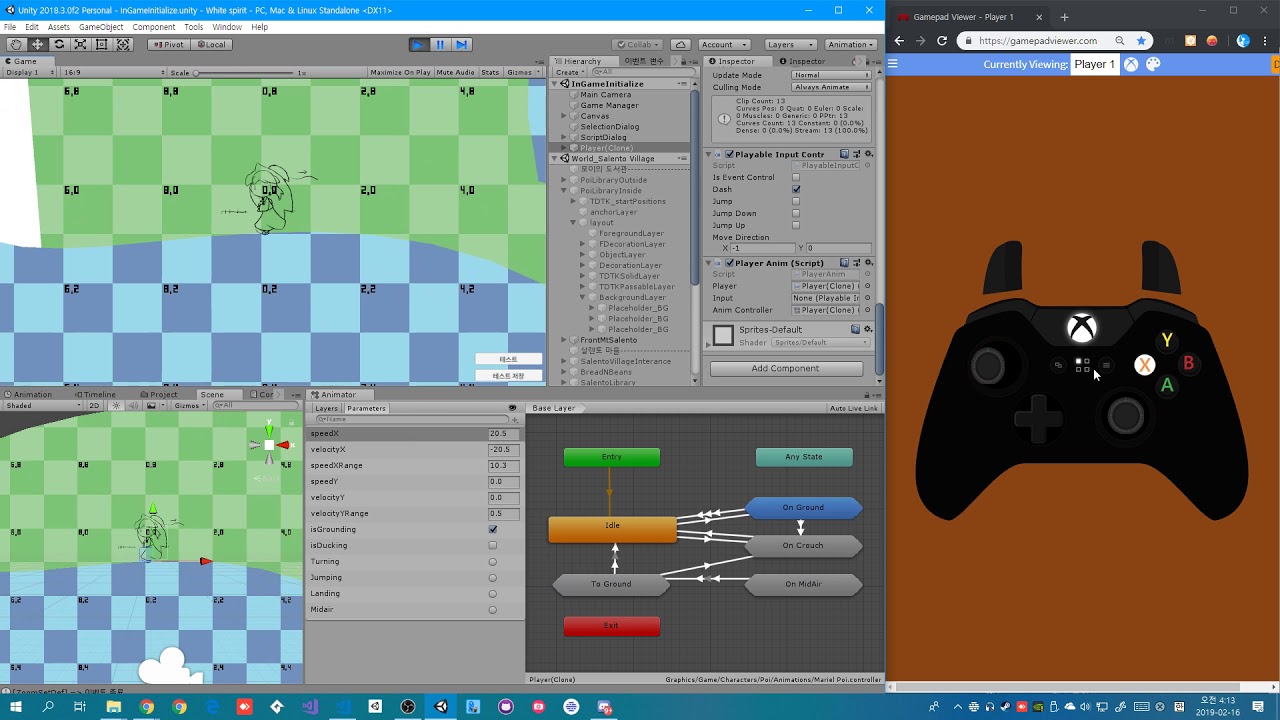
oh god this is so harder work then i think. Music : Baby Dreams of Lost Civilizations https://youtu.be/U8_4ujYJ9HQ
 finite lantern
How can I make it so my doors work everywhere without needing new animations? I tried enabling use root motion but that causes my doors to move slightly more over when open than when closing so they edge away
oak flame
I've got a little more hands on animation speed and behavior changes.
 rancid silo
Wah, pretty @oak flame !
oak flame
@rancid silo thanks 
rancid silo
Do you have twitter? Where can we follow?
oak flame
check my discord profile!
 chilly sorrel
"bake into pose" is uavailable in unity animations
because my model is moving when it shouldn't be
what to do? D:
 visual blaze
alright so my animation window is weird
was watching a brackey's tutorial on unity, got stuck on this part
the window won't let me edit anything
am i missing something?
 celest osprey
Has anyone here tried out the new 2D animation package? I'm having trouble with it; I can't seem to copy & paste bones without removing my existing bones.
 peak flume
Anyone here have experience with Character joints and ragdoll? Ive used it for over a year but now im trying to make it look a lot better, but the character joint component is the biggest most inconsistent pile of shit ive ever worked on. Literally will use the same prefab with the exact same parameters and it will clip and go way different directions then it did when I pressed play 30 seconds ago. Literally nothing makes sense at this point and im fairly experienced in this stuff. Its so bad im thinking its a bug in this build.
 inland obsidian
Hey guys! anybody around that has experience animating in 2D? Im having some issues by jumping from an animation to another 😦 theres a delay between them even though the booleans are working on time.
i checked all the settings for the transitions in the animator, (the arrows) and i set to zero every delay posible, exit time and such
i have an idea, all of this code is in the control script of my character, if i set all the animations to another script would it run smoother?
 feral marten
does anyone know please why mixamo animation works fine on the website and acts Crazy in Unity ?
both the model and the animation are have the Rig set to "Humanoid"
peak flume
@feral marten they have dramtically changed their avatar from before. When I import mixamo animations now, I need to use an avatar (during import) that I know works and also set as humaniod. Had the same issue and this fixed all my new animations.
feral marten
@peak flume what Avatar I should use
 lone helm
 lilac silo
So.
I can't be certain if this is a bug or not, but for some reason, my animation refuses to accept certain frames exist.
For example here, I have a frame at 0:00, but it only assumes the animation goes from 1:00 to 4:00.
And here's its even weirder, it doesn't recognize anything between 1:01 and 1:04.
If I recopy every frame individually, it works, but it's hard to work on that way when you just want to move frames around.
 icy rune
I'm moving an animated character over to Maya LT from Maya and I was wondering how I should export the animation without baking it? I've tried exporting an animation clip from Maya but Maya LT doesn't seem to want to import the Maya fbx animation clip.
 viscid thistle
Does anyone know if there's a way to export camera animation made in 3dsmax to unity in the form of an animation clip?
 sonic saffron
@viscid thistle It's the same process as exporting any other animated object. Once you bake in all the keyframes you export it and then extract the animation to use on other cameras. (this is because your exported camera with animation will be imported as a camera in unity so you will have to extract it's animation)
viscid thistle
@sonic saffron thanks! Will give that a shot!
 serene marsh
@lilac silo not sure I'm understanding your problem properly, but there's no reason for the animator to read between frames on sprites since things are blended between key frames like they would be with bones
Not sure if they animator locks into the last key frame until the next or sets and forgets though.
lilac silo
@serene marsh That's where my issue is. It shouldn't be happening, but that's unfortunately the case. 😰
It mostly happens when I'm copying frames around. Sometimes, when I do it, it will arbitrarily reduce the animation time and make the place where I pasted the keyframe the end of the animation, even if there's keyframes in front of it.
It seems weird and arbitrary. In the end, I either have to copy and paste each keyframe individually to make it recognize every frame, or I just have to manually change each frame.
If I run into the issue again I'll take a proper gif instead of a screenshot that probably highlights the problem better.
serene marsh
Yeah I'm not really understanding the problem given your description
 brittle raft
Hey. Could somebody give me some guidance for using animation layers and masks?
I have a layer that I basically want to be doing nothing at all, except on certain events. So, specifically, I want the character to be walking all of the time (with arm swing), but then when a trigger parameter is hit I want their upper body to play an animation that overrides the walking animation.
Otherwise I want the lower layer animations to come through.
Is it possible to have a "null" state where no animation override occurs at all?
Ah, it seems I can get the effect I want with layer weight, but I change the weight via parameters?
inland obsidian
Sry i have never used layers to animate 😦
im sure theres somebody around who will answer soon n.n
serene marsh
@brittle raft I assume you already found your answer but if not: there is a weight parameter in the layer.
https://docs.unity3d.com/ScriptReference/Animator.SetLayerWeight.html
Indexes are 0 based in order, top to bottom.
brittle raft
@kindred burrow wait, there is a null state?! nvm, I actually read what you wrote
Or do you just make a state with no clip in it?
@serene marsh You can't change the weight on individual states AFAICT so using that would require a lot of code to kind of monkey patch it in.
@kindred burrow I think the weight parameter is for lerping between two "synced" state machine layers
The example in the docs is smoothly transitioning between a healthy and injured set of animations.
serene marsh
@brittle raft That's how the animator works.
If you want to blend two animations on different parts of the body you use weights and avatars.
brittle raft
@serene marsh like I said, weight is layer-level, I need state level.
serene marsh
You think you need state level. I'd reconsider how you're using your animator because it's not intended that way.
brittle raft
Yeah, that looks really good.
serene marsh
If you use an empty state then no animation is played.
brittle raft
@serene marsh how would you do it?
serene marsh
If you're trying to stop an animation from overtaking another on part of the body you're supposed to use layers.
brittle raft
I want an event to play an animation on upper body.
But otherwise allow the main layer to control upper body
A character can wave when a button is pressed
serene marsh
That's what layers are for. You just need an upperbody layer setup to play the animations you want on certain events, and set weight to 1 when you want them to prioritize
brittle raft
@kindred burrow I know, I'm asking punfish to explain
@kindred burrow I am going to use your solution, I'm just curious why @serene marsh thought it was "doing it wrong"
And I'm super thankful
serene marsh
Well as I've set if you set the current animation/state to "None" or "Empty" no animation will play. That doesn't mean it won't override the other animations, it just means your character won't animate on that part of the body at all. So that is the wrong way to do it.
serene marsh
yes
kindred burrow
no it will not
one thing i won't let be spread is inaccurate information
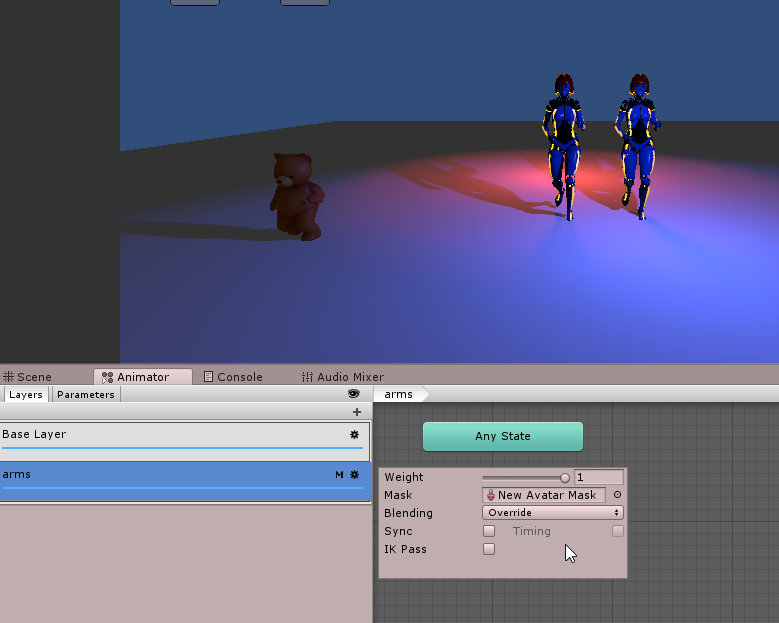
as you can see both girls arms are still running
even though the overriding animation layer for arms is set to 1.0
however it is not playing an arms animation
so it falls back to the base animation
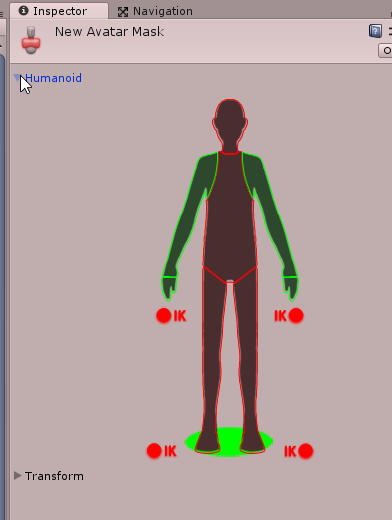 serene marsh
Ah didn't know it would fall back if set to none on an override layer
But ultimately, they still need to use an override layer
kindred burrow
yes, absoluetly
serene marsh
I'm going to start spreading misinformation just to make you answer peoples questions now 😄
brittle raft
Yeah, I'm using an override layer. Nice little workaround.
brittle raft
Okay... More animator queries... Does anyone know how to get the duration of an animation state by name?
Basically I've got a loop that will play while characters are spawning, and then a short transition to stand up before the player gains control.
So I know that control is given at gameStateTime, so I want to trigger the stand animation at gameStartTime - spawnStandState.length
This is what I've got so far:
// spawn code

if (_animator.isInitialized) {
    // Restart the animator.
    _animator.Rebind();
}

_animator.SetBool("IsSpawning", true);

var nextState = _animator.GetNextAnimatorStateInfo(0);
DebugUtility.Assert(nextState.IsName("SpawnStand"));
var length = nextState.length;
Debug.Log("Length = " + length);
for something like that, i'd probably just use a transition
brittle raft
Yep, I have a transition.
kindred burrow
so it should start playing it without you doing anything
brittle raft
Oh wait... I know what to do.
I can feed "TimeUntilSpawn" as a paramter
And then transition when it's less than some constant
Not perfect, but still good.
The problem is @kindred burrow that the timing is not controller by the animator, it's controlled by game code.
So I can't just put an exit time on the transition.
kindred burrow
so what you're actually asking is, how to delay transitioning until your code is ready.
brittle raft
I would use a trigger or a boolean state, the question is "how do I find out how long an animation state is so I know how far in advance to trigger a transition?"
kindred burrow
you want to stay in SpawnStand until your ready to give the player control?
or SpawnLoop
brittle raft
SpawnLoop until spawn-stand-duration before the player gains control
kindred burrow
then yeah just have the transition check an Animator Bool
don't transition until it's true
brittle raft
Sorry, I'm probably not being clear.
kindred burrow
and when your code is ready, it sets it true and that would trigger the transition
brittle raft
So... spawn stand duration takes n seconds
I know the game starts at, e.g. Time.time = 5
So I need to use code to trigger the transition
That has to be a 5 - n to give time for the animation to play out
kindred burrow
well you can't know exactly how long it will take, different hardware can run at different speeds.
it's very risky to hard code in specific delays
kindred burrow
yes that's how long the animation clip will play, more or less
kindred burrow
I guess I just don't get why you can't let it play for it's 5 seconds, and then naturally transition out on it's own.
brittle raft
Okay. It's cool, d/w about it.
It would be very involved for me to explain the spawning sequence.
Do you need to understand that?
kindred burrow
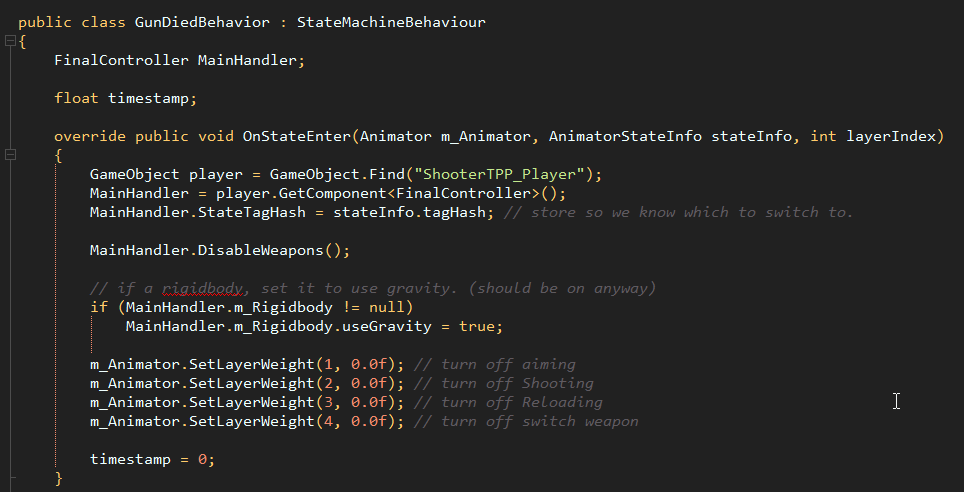


animatorStateInfo structures are sent to StateMachineBehavior scripts
they are a special type of script that live on the Animator states
as you see they don't derive from Monobehavior
brittle raft
Yep, I think my misunderstanding was that an AnimatorStateInfo was accessible when a state was not either running or being transitioned to.
brittle raft
Yeah, I don't think it will exist.
I'm just trying to decouple the code from the animator, but I can do that in a different way.
kindred burrow
but StateMachineBehaviours are pretty powerful, I use them quite a bit
they let you trigger code specific to particular animation states
brittle raft
Yeah, that is pretty cool.
In short, the answer to your question before is that different characters will play the loop for different durations
kindred burrow
the animator is a big state machine
brittle raft
I am very very familiar with the animator, it's okay.
kindred burrow
and they work just like that with Enter/Update/Leave functions
brittle raft
I just couldn't find a method for retrieving a state info by name
kindred burrow
okay
brittle raft
But I understand now why that owuldn't be possible
The duration would vary depending on which transition out is being called
So it can't be calculated until it's actually in the state, I think.
Since the "fixed duration" is a properly of a transition not a state.
kindred burrow
that's likely true
serene marsh
Are you trying to not do something until an animation ends?
You could just use animation events if thats the case.
brittle raft
I'm trying to work out how soon to transition out of a loop based on the duration of the next animation. I think I've worked out how to do it though.
So, a character sits for 20 seconds (say), and then they stand up and start walking. I know the time they can start walking, and I want to trigger the standing animation before then such that it ends exactly at the time the player gains control.
But I've got a solution that will work, I'll feed in startTime - Time.time as a parameter, and then hardcode a check into the transition conditions.
Not perfect because it mean we'll need to update the transition conditions if the animation speed changes, but it'll get it done
serene marsh
It's probably good to not try and work your animator in this fashion.
brittle raft
Each character sits for a different length of time, but they all stand together
serene marsh
I can say with certainty that playback times and sometimes progress report incorrectly.
serene marsh
Also clip lengths are sometimes off.
Id probably do it via code and use a transition in the animator.
brittle raft
It's pretty fiddly stuff hey
serene marsh
Id probably wing it tbh.
Sit for 20 seconds, disable "sitting" bool which causes character to stand
in code wait 1 second then give player controller
Pretty sure many many games do this.
brittle raft
Yeah, I guess if there's no perfect solution just whatever works then.
That'll be fine.
serene marsh
Ive played lots where I cannot run for a moment after standing up.
brittle raft
Yeah, well at the moment they just stand there immobilized for the whole period so it won't be worse heheh