#🏃┃animation
1 messages · Page 47 of 1
 marsh quail
Instead of normally doing the whole hand movement
One solution i came up with is to make a new animation for faster fire rates but I wanted to know if there's a way to make the animation complete faster
The best example of what I want is from warframe where you use kunai with a high fire rate
 agile solstice
Figuring out the speed your characters should move could be trial and error, but after that figuring out how to make animations for those speeds should not be
@marsh quail When authoring your character models and animations, you should make them in the same unit scale
Meaning 1 blender unit equals 1 unity unit, for both how big the character is and how much distance is traversed during the motion
It helps to first get exporting/importing working so that the model scale or animation timing will not change
After that it helps the more precisely you can define how much time the action should take before you make the animations for it
But that's not an absolute requirement
You can control the speed of the animation from animator, even by a float parameter mapped to character velocity so the animation speeds up / slows down whenever the character does
Because that can look silly the further you change the playback speed away from normal, another option is to have animations for various speeds
Then via a blend tree you can blend between them based on velocity so you can have smooth mixes between slow walk and fast walk, and fast walk and run, or standing and slow walk, or any such combination
As long as they have the same step pace over the clip (in case of locomotion animations) the blending will be seamless
Blend trees can also stretch the clip length, in practice meaning the walk will speed up gradually when it starts blending to running, which would be a shorter clip as running steps are likely to have a quicker pace
So yea there are many methods to make it work nicely
marsh quail
ill look into those, thanks
 wide moon
hi, has anyone gotten lip syncing to actually look good? I am using SALSA with just "OK" results. wondering if anyone cracked this with a better asset or something else?
 fallen yew
WHAT FJDSAKLFJKSAL
marsh quail
What... what is that chair for?
 rigid star
Hello guys
 celest crag
@inland garden Don't shitpost on the server.
 wanton trellis
wide moon
hi, has anyone gotten lip syncing to actually look good? I am using SALSA with j...
wanton trellis
wide moon
hi, has anyone gotten lip syncing to actually look good? I am using SALSA with j...
are you hoping to do real time lipsyncing for like voice chat?
or to save time animating it for existing dialogue?
wide moon
wanton trellis
are you hoping to do real time lipsyncing for like voice chat?
Real time
wanton trellis
wide moon
Real time
It doesnt really get better than that imo
wide moon
wanton trellis
It doesnt really get better than that imo
Salsa?
I heard uLipSync on github is good, did you use that one? Hard to know how it compares
marsh quail
got an issue with colliders. so what im doing is im making a sword that is already a part of the enemy's armature. I made a simple box to act as a collider in blender, but when moving it to unity, putting the mesh collider, it doesnt match the location and the shape of collider isnt the same either. Should i just make the collider in unity or am i doing something wrong in blender?
wanton trellis
marsh quail
got an issue with colliders. so what im doing is im making a sword that is alrea...
i dont think having the sword itself be a part of the enemy's armature is the correct workflow here
ideally you would animate everything in blender but keep the enemy and the sword as 2 seperate meshes
also typically yes you set up colliders in unity, not blender
 onyx hemlock

i cant use any animation when i change the rig to humanoid
this is what it shows me

this is what it should show me

i am trying to add ik to the character so i have to make it humanoid
 inland garden
celest crag
<@428767920626073620> Don't shitpost on the server.
inland garden
celest crag
<@428767920626073620> Don't shitpost on the server.
Merely a fartpost
 tribal crypt
Working on a tool for my procedural motion system. https://discord.com/channels/489222168727519232/1472028132893659289
Would you say this looks intuitive to use?
marsh quail
wanton trellis
i dont think having the sword itself be a part of the enemy's armature is the co...
I see. So what would be the correct way to go about it? The only other way I can see is to put the sword as a child of the bone the holds the sword.
The sword and enemy mesh are separate, they just share the same armature.
 south tundra
Hi, newbie question, I'm triying to get an animation to activate by Trigger, code is set to OnTrigger, but no matter what I do on the Animator, I can't get the Trigger to be the condition for the animation activation, can any of you help?
 tribal crypt
south tundra
Hi, newbie question, I'm triying to get an animation to activate by Trigger, cod...
tribal crypt
south tundra
Hi, newbie question, I'm triying to get an animation to activate by Trigger, cod...
You only have 1 state, so your animation will always be active. You need to add an idle state
south tundra
tribal crypt
You only have 1 state, so your animation will always be active. You need to add ...
Oh, didn't knew that, thanks
 gusty garnet
south tundra
Hi, newbie question, I'm triying to get an animation to activate by Trigger, cod...
gusty garnet
south tundra
Hi, newbie question, I'm triying to get an animation to activate by Trigger, cod...
could you show your code how you trigger the animation
and yes you also need to create a transition form whatever state to your animation, you can do that by right click and create a transition between the 2 states
on the transition you can then select your parameter of choice
right now your animation is the default and it plays automatically when you start
south tundra
gusty garnet
could you show your code how you trigger the animation
Not home right now, but as soon as I get back (as long as is a reasonable hour for me) yeah sure
gusty garnet
okay
agile solstice
A transition can be from a state back to itself
So if you only have that one animation you won't need a second state, as long as you don't mind that the animation starts playing automatically as the default state
agile solstice
tribal crypt
Working on a tool for my procedural motion system. https://discord.com/channels/...
I'd say very intuitive!
One thing might be missing, if some parts of the curve are slower or faster relative to distance travelled, there's no indication of that
Though I'm not sure if that type of curve can have "denser" or "sparser" stretches between control points like some types might
tribal crypt
agile solstice
I'd say very intuitive!
One thing might be missing, if some parts of the curve a...
These are b-splines, so yes distance will stretch and squeeze. The plan is to add a play button than will animate a VisualElement along the curve, but I don't yet know how to do this.
 hallow zinc
anyone know y my Foot IK is greyed out?
 south tundra
gusty garnet
okay
south tundra
gusty garnet
okay
And it still doesn't work


 marsh quail
does the idle state have an animation?
also, any reason why you have so many conditions from entry to idle state?
wanton trellis
hallow zinc
anyone know y my Foot IK is greyed out?
is the clip empty?
hallow zinc
wanton trellis
is the clip empty?
I figured it out.. The clip wasn't set as humanoid
south tundra
marsh quail
does the idle state have an animation?
No, I don't need one
south tundra
marsh quail
also, any reason why you have so many conditions from entry to idle state?
Only one should exist, not sure how I got so many
 odd kiln
Hello everyone. Is anyone familiar with 3D animation packs in the unity store? I'm looking for combat packs that are easy to apply layer masks to. I need to find packs where I can either easily isolate upper body animations, or a packs with full body attacks where the character doesn't move or step into the strike.
marsh quail
south tundra
Only one should exist, not sure how I got so many
if you hit play, keep the animator window open, and then select the gameobject in the hierarchy that contains the animator component, you will be able the current state that is active in the animator window
see if its even reaching the correct state
south tundra
Ok, will do tomorrow though, is late here, thanks for the help
 lime socket
why are animation events so garbo? Should have been instance specific to make them workable on the editor, but instead need to develop some boilerplate to route the clips from the animator object.
Really the whole communication between the animator to GOs is so lackluster.
Even having to make a animation controller for every small animation clip. Just so much extra bloat needed
marsh quail
south tundra
Ok, will do tomorrow though, is late here, thanks for the help
ok, this might sound dumb, but go to your gameobject with the animator component, remove and attach the animator again.
tribal crypt
agile solstice
I'd say very intuitive!
One thing might be missing, if some parts of the curve a...
Here's a bit of an update
agile solstice
tribal crypt
Here's a bit of an update
The animation leaves no room for misunderstanding ^^
 civic vortex
Anyone here who knows how to bring my character+animation from Unity to cascadeur? I tried exporting to FBX in Unity and then import in Cascadeur but the meshes turn out very broken in Cascadeur this way.
 frozen bison
Why are Unity's animator options so bad? The animator controller is a mess of transitions, but is (from what I've gathered) the only way to play an animation for two armatures on one object (somehow, still haven't figured that out yet), and non-controller clips all have to be marked as legacy now.
 sage plover
frozen bison
sage plover
frozen bison
my point exactly lol
south tundra
marsh quail
ok, this might sound dumb, but go to your gameobject with the animator component...
Didn't said anything yesterday because I ended up not logging to discord at all, but thanks for all you help (yours too @gusty garnet) I managed to make it work, time to get a few events on it so things dissapear when they have to and not earlier
agile solstice
sage plover
Can't see the video at the moment but Humanoid and Generic animations store motion in different ways
The animations need to be in Humanoid format also afaik
agile solstice
frozen bison
Why are Unity's animator options so bad? The animator controller is a mess of tr...
Animator is not bad by any means, but its UX is not straightforward
How much of a mess transitions will be is totally up to how you set them up
I'm not sure what you mean exactly by playing an animation on two armatures? There is no technical distinction between a "armature" and an "object", it's all just transform hierarchies
frozen bison
agile solstice
Animator is not bad by any means, but its UX is not straightforward
How much of ...
I suppose you're right about that last part. I think it comes down to an execution problem on my end, but it was just seeming like two animations can't be played for a GameObject's two skeletons embedded at the same time. I'll look into it more though. Currently just having trouble with making states transition properly via code because it's fairly wonky.
agile solstice
frozen bison
I suppose you're right about that last part. I think it comes down to an executi...
Hmm do you have an example of the meaning of two "embedded" skeletons
And what kind of keyframe data they have
Making efficient state machines is a skill that's a bit hard to teach
But I'm interested to see your setup in case I can provide some insight
frozen bison
Yeah sure. In my case it's a viewmodel for a pistol. There's the rig for the hands, and the rig for the pistol itself for moving parts. I don't have the editor open atm else I'd show my state machine and perhaps some code but it's essentially just those two armatures in the same FBX imported as a single object in the scene.
all the animation data is in NLA strips for those armatures which are imported as separate clips ofc
agile solstice
frozen bison
Yeah sure. In my case it's a viewmodel for a pistol. There's the rig for the han...
I assume the two armatures get their clips after importing relative to their own root transforms? Rather than relative to their shared parent transform
Practically that means whether they appear to require their own animators, rather than sharing clips inside one animator
frozen bison
agile solstice
I assume the two armatures get their clips after importing relative to their own...
Well it's a bit of both I guess, if it's what I think you mean. The gun's armature is parented to the other rig to help with movement, so it moves via its own root transformations and the parent's.
agile solstice
frozen bison
Well it's a bit of both I guess, if it's what I think you mean. The gun's armatu...
Does that mean it animates using its own Animator component?
Assuming the gun armature has its own animation clips, that means it must either have its own Animator, or its clips are stored in the parent Animator controller
frozen bison
They're in the parent controller together
Which come to think of it is probably part of the issue
sage plover
unity needs to rethink it's animation system. it's so ubeleivably behind
sage plover
frozen bison
Yeah sure. In my case it's a viewmodel for a pistol. There's the rig for the han...
I would suggest having the skeletons separate and using animation rigging to get the pistol to follow a bone on the viewmodels hand. if they have the same parameters you can run the same sets on both.
An extra thing you could do, if you want a cohesive viewmodel with multiple weapons (good for stuff like multiple sets of clothing) have your main visual viewmodel use a bone merging system ( asimple late update script for matching the bones transforms ) and on the weapon prefab have a viewmodel with the mesh hidden which is what you merge with.
lime socket
https://docs.unity3d.com/6000.3/Documentation/ScriptReference/AnimatorStateInfo.html
In the example here they poll to then trigger some action, but what's the chances of this not performing when closer to a normalized time of 1? I'm always shaky when it comes to precision when it comes to relying on animators to provide callbacks.

Like overshooting wouldn't be a problem since that's easily checkable, it comes down to not polling those last few milliseconds and the animation ending prematurely without triggering.
There are specific callback events for OnEnd of animation but for the sake of consistency since this isn't done by animation frame time I want to be clear that I won't run into issues by polling near the end of clips.
Also let's consider I have no other animation states interupting the current state.
Actually it's more that I was looking into using StateMachineBehaviours that do provide State checking and callbacks
https://docs.unity3d.com/6000.3/Documentation/ScriptReference/StateMachineBehaviour.html
"Invoked on each update frame except for the first and last frame. Implement this message to execute custom logic on a state by state basis."
So yeah this is what scares me, so if there is a chance that a trigger can fail even if the whole clip runs then polling back normalized time may not be the idea.
Looking for some ideas because I'm tired of adding events to the animation clips as the workflow is terrible when editing animations in an external program
lime socket
May just be better to poll it from a GO and write more boilerplate. Really should pick up animancer next time it's on sale
agile solstice
sage plover
unity needs to rethink it's animation system. it's so ubeleivably behind
There's a new one in the works they've already shown off a bit
agile solstice
frozen bison
Which come to think of it is probably part of the issue
Not necessarily an issue but doesn't sound like the most practical way of doing it
Within the same Controller you can have two animation layers, one has clips for the arms, the other for the gun
If the animation states match between the two, you can simply make it a synced layer so the gun will copy the active state and transitions using its own clips
agile solstice
lime socket
Looking for some ideas because I'm tired of adding events to the animation clips...
The best solution for you really depends on what you need the animation events for, and how you need to be setting them
Do you have any examples?
lime socket
Hitboxes
The GO polling idea sounds what I may want but that seems quite complicated as I do need to keep track of each clip playing if there is blending
agile solstice
lime socket
Hitboxes
A lot of them?
lime socket
I'd say a few things like particles and stuff too.
But hitboxes you expect to be exact too, so not having a hitbox activate at the near end of a clip seems like a huge problem
I always struggled on event stuff like this
agile solstice
I think the reliability part is probably pretty easy to test
It might be that with the kind of speeds and transition frequency you expect there might not be any issue, even if there's no technical guarantee of them firing correctly in some edge cases
lime socket
yeah I wouldnt care too much if a particle didn't fire, but having like a very small chance that a hitbox doesnt activate is pretty game breaking
agile solstice
Events don't care about blending but blending might be a more conceptual issue for you
How should hitboxes activate when there's two animation clips that involve them playing at the same time during a blend?
lime socket
That is true, but currently I don't really blend on my attacks and more that I do have transitional frames but the current animations should have ended
sage plover
agile solstice
There's a new one in the works they've already shown off a bit
is there somewhere i can see this sneak peak. if they are updating it I'll be over the moon
lime socket
Those AnimationBehaviours do seem nice that they can run per state, so if I poll from the GO I need to keep track of each animation currently playing which does seem like a headache
agile solstice
My rule of thumb is that animations should be for "display" only, events and state checking likewise
The state machine should try to conform to what the code is doing, not the other way around
Especially if animations are not running outside fixedupdate, while the hitboxes are inside it
lime socket
yeah I would prefer to just have the backend polling against the animator and not rely on its callbacks
agile solstice
Polling against?
lime socket
via update instead of relying on per frame callbacks
taking the absolute time of the clip and just giving a vague point of the clip to activate everything
editing animations in blender and going back and forth, having to redo animation events is way too much work
agile solstice
I mean I would give the script full responsiblity of any gameplay critical events
Not even checking the state or clip info, animator should just try to keep up
Inputs would still match up with actions no matter what
Maybe there's a way to make it work the other way around but I would not want to get into all the potential headaches there
Probably doesn't help that the animator is multi-threaded
lime socket
Right so you mean that you have a rough estimation of the clip and even if it plays you just run your code without bothering about it on the animator
Just a lot of extra boilerplate I feel that we should have tools for.
agile solstice
I mean the workflow is more or less the same, not sure what the "rough estimation" would be here
Just the responsibility chain for activating the hitboxes is reversed
lime socket
I assume you mean everything runs in a parallel without relying on what each system is doing, but you still want some rough idea how each is syncd
agile solstice
When you need to ensure it's synced, you'd force the animation to conform to the timing that the code expects
It probably doesn't have to be quite so exact though
Sure there's even less of a way to convert the hitbox info from a blender clip into a useful format, but exporting events between programs is nearly as lacking
marsh quail
got a question, if i made a model and animations in blender and imported to unity, and wanted to execute some action after a certain frame of an animation (like enabling/disabling a collider) how would i do it? I know one way is via unity events but the issue is that i would have to make a separate animation clip in unity for that and i WILL be changing the animation again and again so I was hoping there was something that I could do so that i wouldnt have to repeat the process again and again.
lime socket
Welcome to the discussion
agile solstice
You don't need a separate animation clip for an event, the point is they can be added to existing clips
Like I've been saying you can make it work just with animation events, but precision or reliability is not guaranteed
So it may be better to let the code have the responsibility of such collider timings, preferably their positioning too because physics and animations aren't typically synced
agile solstice
lime socket
editing animations in blender and going back and forth, having to redo animation...
Sure you need to keep redoing them when modifying? In my experience each clip's import settings are preserved if the model asset is replaced
Though I haven't used events from import settings specifically
lime socket
You can run the clips in fixed from some property, but I wouldn't rely on that precision, yeah. Still, I don't know exactly how managable to really do hitboxes strictly from code for some complicated 3D clips
lime socket
agile solstice
Sure you need to keep redoing them when modifying? In my experience each clip's ...
You can update animations just fine assuming armature naming is the same, but usually you're just replacing the clip completely.
agile solstice
I know it's a bit of a recurring issue between entirely different proprietary game engines that skinned mesh armature can become disconnected from physics collider armatures
So it's not a simple problem
lime socket
I guess another problem I just have with events too is that you can't references components from them unless it's on the same animator GO so you do need some extra logic to route it all
agile solstice
lime socket
You can update animations just fine assuming armature naming is the same, but us...
If the fbx is deleted and a newer one with the exact same name is imported, it keeps the clip meta data
Which means if the clip lengths, count or order changed it causes a problem
But if the point is to update the animations without losing the clip splicing, it's helpful
agile solstice
lime socket
I guess another problem I just have with events too is that you can't references...
It feels tedious when trying to use events for something simple
But with something less so simple you usually end up needing a class for organizing them and processing the events in some meaningful way
lime socket
gonna stick with the StateBehaviours for now since I did write a bunch for it already, but will probably manage something more sturdy and reusable on my next project
animancer does look promising though so may grab them later when it's on sale
agile solstice
lime socket
gonna stick with the StateBehaviours for now since I did write a bunch for it al...
Chances are you might not encounter much issues, despite the possibility of them
I think mostly you can expect trouble if your state speeds were really high or framerate really low
If there's a big jump in state time it probably can get ambiguous whether the event was reached
If you want really precise timing even just in code you'd want some kind of processing to interpret these possible time jumps
lime socket
yeah the big problem is that if it overshoots, I may not be able to check that, and the behavior update only runs when the clip is active so I can see some misses there
doing it by a per frame basis is better anyway if I did care about precision
agile solstice
Because the clip's length is predictable, you might as well start counting time right at the start
Then you'll know by how much it was overshot, and can even compare to check if the animation clip desynced also
lime socket
yeah I can do that in a GO, but the problem here is that StateBehaviour's update stops so I can't check for the error. I can maybe devise some logic in the EndState callback, but I will have to include some logic that prevents triggering those events if the state was interupted by other means
If there was a StateInterrupted callback that would been handy
marsh quail
ok, i just got how events work and its not the best. So the event can only run the function if it is there is a script attached specifically to the gameobject with the animator component
marsh quail
im sure the day will come when ive had enough of unity
unfortunately, todays not that day
lime socket
The alternative is you need some script to route the callbacks on the animator GO. My suggestion is events should just trigger by an ID then funnel that through this script and use UnityEvent in another script as the receiver.
agile solstice
The grass is always greener
marsh quail
make it neon green and we got a deal
agile solstice
lime socket
If there was a StateInterrupted callback that would been handy
https://docs.unity3d.com/6000.3/Documentation/ScriptReference/Animator.GetNextAnimatorStateInfo.html
I expect this contains the info of the state that's being transitioned to
https://docs.unity3d.com/6000.3/Documentation/ScriptReference/AnimatorTransitionInfo.html
You can also check which transition is occurring
lime socket
Yeah not a bad idea assuming I can grab that info inside of the behaviours
Right I do get an animator callback I can check
frozen bison
sage plover
I would suggest having the skeletons separate and using animation rigging to get...
That's how it is currently
lime socket
lime socket
yeah the big problem is that if it overshoots, I may not be able to check that, ...
Does seem like the stateinfo provided with the StateEnd callback does give a reasonable timing to determine if the clip had fully ran, so honestly works pretty well assuming I don't care too much about looping states, but that shouldn't be too complicated to make work.
 maiden moat
Hello everyone, I am struggling with unity animation rigging package.
Title: Manual Animator.Update() works for transforms but not rig weights
Body:
I'm manually controlling animation(by code) for my multiplayer game so animation is tick-based for lag compensation.
Setup:
- humanoidAnimator: Mixamo animations
- rigAnimator: my own animations made using unity(keyframed rig weights + weapon transforms) used for weapon equip animations
- RigBuilder on same GameObject as humanoidAnimator
Hierarchy:
Player
└── MixamoCharacter (humanoidAnimator, rigBuilder)
    └── RigLayer (rigAnimator)
        └── AllChildrenRigs (Rig components)
Code:
public class TickAnimationController : MonoBehaviour
{
    public Animator[] animators; // [0] humanoidAnimator, [1] rigAnimator
    public RigBuilder rigBuilder;

    void Start()
    {
        foreach(Animator a in animators) a.enabled = false;
        rigBuilder.enabled = false;
        rigBuilder.Build();
        rigBuilder.graph.SetTimeUpdateMode(DirectorUpdateMode.Manual);
    }

    public void CustomUpdate(float deltaTime)
    {
        foreach(Animator a in animators) a.Update(deltaTime);
        rigBuilder.SyncLayers();
        rigBuilder.Evaluate(deltaTime);
    }
}
Problem:
- With Unity automatic update: everything works
- With manual update(code above): transforms animate but rig weights don't update
fallen yew
you probably had a missing condition somewhere preventing it from resetting to idle
 mint shoal
how do i go about animating tools and stuff in my modeling/animation software? do i need to make a new bone for where all the gripped stuff is?
marsh quail
@gritty rock could you show the error messages?
 gritty rock
marsh quail
<@799442818891382816> could you show the error messages?
gritty rock
marsh quail
<@799442818891382816> could you show the error messages?
It just seems to not be able to find the bones
 marsh quail
maybe manually applying all transforms in blender might work?
select armature in object mode then ctrl+a?
marsh quail
rather than doing it in export settings
 tranquil quail
can you show that the armature exists in the imported model#2 (you said attempting to share, so i assume second model)
fallen yew
gritty rock
It just seems to not be able to find the bones
you likely changed the heirarchy, press f2 or double click on the yellow, and check that the file path in the name is the same as the hierarchy
or something got deleted
gritty rock
fallen yew
you likely changed the heirarchy, press f2 or double click on the yellow, and ch...
When I double-click it simply says the gameobject or component is missing
marsh quail
in blender, is your mesh connected to the armature?
 fresh cypress
Hey everyone, im interested on making Character morphs/mutation in unity but have NO idea where to start
for reference id like to achieve a similar effect like the REPO MIMIC MOD
https://youtu.be/pHGF2M0-bhE?si=Q60_2JWghLMoTiVd
Anybody know a tutorial/guide on how one can achieve this?

Funny R.E.P.O mod
#games #funny #fyp #repo #steam #mods
agile solstice
fresh cypress
Hey everyone, im interested on making Character morphs/mutation in unity but hav...
There's many techniques that could be used for "mutation"
This one is pretty simple in the way that it only seems to rely on the monster bones being hidden inside the non-monster body by scaling down
Limbs that extend have only the tip visible at first
Before the transformation it uses the normal player model, so there's no need to make sure the transformable model animates in the same way, or matches it at all except during the exact moment of the swap
Another way is to use blend shapes / shape keys to morph basically any shape to another without relying on bones
Textures between the forms can be blended in the shader, additionally
fresh cypress
agile solstice
Another way is to use blend shapes / shape keys to morph basically any shape to ...
Interesting, the first method is really funny looking at how "makeshift" the method really is
Do you have any resources/guide on how to use the blend shape method
Im aiming for modularity i.e have the character be able to transform into different types of creatures
agile solstice
fresh cypress
Interesting, the first method is really funny looking at how "makeshift" the met...
Fits the style!
agile solstice
fresh cypress
Do you have any resources/guide on how to use the blend shape method
Not off the top of my head, but I'm sure there are some
The idea is that a blend shape stores modified geometry positions, allowing both shapes to be smoothly blended between
Often used for facial expressions and skinned deformation corrections
agile solstice
fresh cypress
Im aiming for modularity i.e have the character be able to transform into differ...
A limitation of blend shapes / shape keys is that the topology cannot change, so if the other shape is too different topologically, you might want to use the shape blending just for the transformation, and at the start or end swap to the other mesh fully
lime socket
Let's say I want to make a trigger animation play fully before exiting, so ExitTime = 1, but I do want some crossfade into the next state without it using any frames from the trigger animation. So this means that it the next clip takes care of the crossfade/blending. What options am I looking at here to modify?
gusty garnet
is the transition offset what you are looking for?
agile solstice
lime socket
Let's say I want to make a trigger animation play fully before exiting, so ExitT...
How is it going to crossfade if you don't want it to use any frames from the source state?
What would that look like really
lime socket
More that I want it to fade into the next animation I guess from the last frame?
Not figuring out the options here to make that work with ExitTime = 1.
agile solstice
If your source state has loop time disabled, and exit time is 1, that means the duration of the transition should start counting from the end of the source state, using its last frame
onyx hemlock
i got lost here what should i do?
 agile solstice
onyx hemlock
i got lost here what should i do?
agile solstice
onyx hemlock
i got lost here what should i do?
Make sure you've selected an animator controller asset or a gameobject with an animator controller
With your mouse over the grid area press A to focus all existing nodes into view
If you still get nothing, try restarting the editor and repeating the two steps
onyx hemlock
agile solstice
Make sure you've selected an animator controller asset or a gameobject with an a...
i found my way out there by clicking f thx
 full smelt
is there a way to apply clip transform offsets to the clip on a timeline animation playable?
basically i'd like to "bake" these offsets into the clip itself so they can be zero'd out here
 wanton trellis
full smelt
basically i'd like to "bake" these offsets into the clip itself so they can be z...
wanton trellis
full smelt
basically i'd like to "bake" these offsets into the clip itself so they can be z...
no built in automatic way to do it
you would either need to use some kind of custom editor script to sample the animation and then write new keyframes with the applied offsets
you could also use an empty parent, and apply the offsets to that
 sturdy hare
how do i make it so my buttoncliked animation resets to the static state automatically after its run once?

i can already enter the clicked state, but it keeps looping from there
 sterile vine
sturdy hare
how do i make it so my buttoncliked animation resets to the static state automat...
sterile vine
sturdy hare
how do i make it so my buttoncliked animation resets to the static state automat...
set exit time to 1 on that transition out
 sterile vine
might have to disable looping on that animation clip?
also do you have any conditions set?
sturdy hare
sterile vine
might have to disable looping on that animation clip?
sorry for the late answer. the animation clip is set to not loop
the condition on the NotClicked -> Clicked transition is a bool im controling on a script
full smelt
wanton trellis
no built in automatic way to do it
i see, thanks
agile solstice
sturdy hare
If there are no Conditions on this transition, it seems right to me
Make sure the bool is not switching on or staying on when it's not meant to
sturdy hare
agile solstice
If there are no Conditions on this transition, it seems right to me
Make sure th...
i managed to fix it by switching from a bool to a trigger
agile solstice
sturdy hare
i managed to fix it by switching from a bool to a trigger
That indicates your bool was not being switched off as I surmised
Triggers are technically bools that are automatically switched off when used by a transition, so your code doesn't have responsibility (or control) over that
sturdy hare
yeah, i thought exit time worked with bools
i never tried to turn the bool false
cause i thought it worked automatically as well
 raw whale
I have my idle viewmodel prefab with an animator that handles animation for punching, jumping, etc.

however when implementing my hotbar selection logic that displays the viewmodels based on enabling and disabling each viewmodel according to my item data
I decided to clone the idleViewmodel prefab under my camera in the hierarchy, then I removed it's animator component and other scripts and then saved it as a original prefab

and now all animators from every single viewmodel just broke, they dont play their idle animations, their attack animations, etc. no animations are working
but hey, at least my hotbar selection is working 🙏
 undone bronze
Having issues with a rigged model downloaded from Sketchfab. When I import to unity, the root motion is very reduced compared to the blender view. I see very small values for the scale of some of the blender objects which could be the source of the issue. How can I fix this?
 tranquil pumice
undone bronze
Having issues with a rigged model downloaded from Sketchfab. When I import to un...
tranquil pumice
undone bronze
Having issues with a rigged model downloaded from Sketchfab. When I import to un...
Yeah that sounds like a scale mismatch issue between Blender and Unity tbh. If parts of the rig or armature have really small scale values (like 0.01), Unity will interpret the root motion differently even if it looks fine in Blender.
Usually comes from unapplied transforms or export settings....especially if the armature and mesh aren’t at a clean 1,1,1 scale before export.
If you want, you can DM me the file or a screenshot of the rig hierarchy....I’ve fixed a couple of these exact root motion issues before, shouldn’t be too hard to sort out 👍
agile solstice
raw whale
and now all animators from every single viewmodel just broke, they dont play the...
In the images you don't have Animator components except on the VM_Idle gameobject, so it seems unlikely it could work at all
If you swap the enabled gameobject, it needs to have an animator with the proper clips, and you'll have to also swap the animator reference in your code that sets the parameters
This server is for unity development only, and not for collab seeking either
!collab
 hexed cargoBOT
agile solstice
!collab
hexed cargoBOT
agile solstice
!collab
:loudspeaker: Collaborating and Job Posting
We do not accept job or collab posts on Discord.
Please, use Discussions to promote yourself as job-seeking, advertise commercial job offers, or look for non-commercial projects to participate in:
• ** Collaboration & Jobs**
raw whale
agile solstice
In the images you don't have Animator components except on the VM_Idle gameobjec...
no it wasnt it, I fixed it, basically my viewmodel manager was disabling and enabling the gameobject way too fast for the animator to update
I also added a boolean that for every animation that plays, it triggers the "isBusy" and so after the animation is done (except for idliling), it shows the correct viewmodel accordingly to the slot
undone bronze
tranquil pumice
Yeah that sounds like a scale mismatch issue between Blender and Unity tbh. If p...
Heres the hierarchy

If I apply transforms for the armature the entire rig becomes messed up, the animation will go under the map and all the distances will go crazy
 opal loom
i imported animations from poppy playtime 3 and for some reason im trying to get the grabpacks animations working and the grabpack just goes all skinny? any suggestions or reasons?
 agile solstice
undone bronze
If I apply transforms for the armature the entire rig becomes messed up, the ani...
agile solstice
undone bronze
If I apply transforms for the armature the entire rig becomes messed up, the ani...
You should always rig and animate with your armature and mesh without any scaling or offsets on them
There's some process to fixing it later but I don't recall what it was
Could be as simple as enabling Rest Pose and applying transforms on both
agile solstice
opal loom
i imported animations from poppy playtime 3 and for some reason im trying to get...
We can't help with asset ripping / decompilation
opal loom
kk
undone bronze
agile solstice
You should always rig and animate with your armature and mesh without any scalin...
I’ll try that
undone bronze
agile solstice
You should always rig and animate with your armature and mesh without any scalin...
I downloaded the model off sketchfab. I applied all the scales but I think the main issue is the IK bones that became larger and messed up the animation. Would just dividing the values of all the keyframes fix this?
agile solstice
undone bronze
I downloaded the model off sketchfab. I applied all the scales but I think the m...
Can't say
It's a pretty common problem to run into so I'd look for what solutions others may have found
 rotund sierra
First time working with IK rigs
rotund sierra
rotund sierra
First time working with IK rigs
Hands worked first try but not head...
 manic perch
How could i make the rotation of the player smoother (to make it less glide on the floor 😅 )
 tulip fjord
Can I get advice from someone how I should approach rigging and animating characters in Blender -> Unity? I have a character right now with what was a simple, non rigify rig. I ended up added some IK to it (in Blender) to help with making some of the animations (feet, wrist, and head IK) since the IK just generally helped make a bunch of animations and at a better quality too.
My problem now is that when I export this to Unity (deform only, etc) - I can't have the rig set as Humanoid since the IK bones aren't children of the proper bones, etc. And Now I just have a bunch of animations I cant use since when I import my setup into Unity, my rig doesn't convert to a humanoid rig.
So I guess my question is, do I just need to cut my losses and reanimate everything with rigify?
 naive lance
do you all know a possible reason for an animation not working as intended? the animation only seems to work when the true/false conditions for idle and walking seem to be switched around
sterile vine
sounds like your transitions are set up wrong
agile solstice
naive lance
do you all know a possible reason for an animation not working as intended? the ...
Hard to speculate
If you want to give us a clear understanding of what your setup is, you should record a video with the following in view:
- Animator window and either Game or Scene window (showing the character) visible side by side
- In Play mode with the gameobject that has the Animator component selected, so Animator window shows live updates of the controller
- Parameters tab visible while the character animates
- Click through all the Transitions with Settings field maximized in the Inspector, showing the Transition timeline and Conditions below it too
- The parameters being changed either from code or from the Animator manually, as is necessary for Transitions to occur
- Also animator layers tab, if there are any layers used
It may seem like a lot, but the point is just to show the animator live in action, as well as every place with potentially relevant information which can't all be seen at once in a screenshot
agile solstice
tulip fjord
Can I get advice from someone how I should approach rigging and animating charac...
Your Control/IK bones should never have deforming bones as their children, or be a part of the deforming bone chains otherwise
Ideally they'd be children of your root bone or the armature itself
There's an option to export only deforming bones so control bones will be excluded, and this should not affect your rig hierarchy in any way and make it easy to set up Humanoid configuration
Afaik you should be able to ignore unimportant bones from the Humanoid setup anyway, as long as they're not a part of the bone chain at least
Rigify will not help you because by default it's far from being Humanoid compatible
It has a lot of extra bones per limb, and is in fact three or so skeletons parented in a criss-cross parallel hierarchy
In fact that makes it technically incompatible with exporting out of blender in general, as bone constraints are required to properly keep all the helper skeletons connected
That applies to generated rigify rigs, not metarigs which are no different from non-rigify rigs
 terse gust
manic perch
How could i make the rotation of the player smoother (to make it less glide on t...
terse gust
manic perch
How could i make the rotation of the player smoother (to make it less glide on t...
you want turning animations or smt else because the rotation looks perfect
tulip fjord
agile solstice
Your Control/IK bones should never have deforming bones as their children, or be...
Interesting- I've actually always had a bias against rigify because I wanted simpler rigs and also to do it myself. Unfortunately in my case, even with only exporting deform bones- it still exports the IK bones since the hands and feet are children of them- this being the crux of the problem.
I guess, with that limitation, how do people normally approach animation? IK makes animating way easier in Blender but poses the issue of not being export friendly to Unity, etc- and googling it comes up with few results
agile solstice
tulip fjord
Interesting- I've actually always had a bias against rigify because I wanted sim...
There is no such limitation because the issue disappears when you don't parent any deforming bones under IK/control bones
Nor vice versa
tulip fjord
Well yea but most IK setups I find are exactly that. I guess I saw someone here mention way back that you can do IK that controls deform performs without the deform being children of them, but I couldn't find any resources (YT or otherwise) on how to approach that
agile solstice
Even in Blender you want to keep them separate (though they can be in the same Armature)
Because you don't want to create circular logic
Deform bone transforms will be modified by control bones, so you get weirdness if control bone transforms also are dependent on deform bone transforms
tulip fjord
Ok.. do you possibly have a reference video, or site etc on setting up rigs like this? Im not trying to be needy in that way, its just when I've looked up rigs like this I can only ever find what Im describing
Also I appreciate the answer, especially since I think you've answered my problem for something else unrelated way back
agile solstice
tulip fjord
Ok.. do you possibly have a reference video, or site etc on setting up rigs lik...
You simply keep IK bones unparented from any deform bones
That's all

Maybe something is puzzling you more specifically if this doesn't seem like the intuitive part
tulip fjord
agile solstice
You simply keep IK bones unparented from any deform bones
That's all
Correct me if I'm wrong but isn't that what I have setup here? None of my IK bones have parents, however there are a few deform bones that are children of the IK bones, and I thought that was the problem- since, once imported into Unity, the feet for example are children of the HeelIK etc
 agile solstice
That is the problem, and what I'm trying to say
If your foot bone is a deform bone, and it is parented under the IK bone, then your deform and IK bone chains are not separate like they are in my example
If inversely your IK bone was child of a deform bone, that wouldn't cause it to break on export but you can get IK solving errors due to circular logic
Which is bad, and also solved by keeping them separate
Don't parent any deform bone under an IK bone, or any IK bone under any deform bone
Does that make sense
tulip fjord
Yes 100%, I gotchu now. I guess, where I'm at now, is that I don't understand how to setup IK similar to what I have where that is how its done - thats what I meant earlier when I was asking if you had a reference video for the setup. I guess I'm just not familiar enough with rigging/ik in Blender
agile solstice
tulip fjord
Yes 100%, I gotchu now. I guess, where I'm at now, is that I don't understand ho...
That's probably the case
What's not clicking for me is why couldn't you get a similar IK setup with the other type of hierarchy
If you specifically wanted to use parenting for the foot to get its rotation from the IK target, for that result you could use Copy Rotation instead, or similar constraint
tulip fjord
Maybe thats what it is? I believe in my rig, I have the bones as children of the IK bones so that the IK bones can go beyond the extents of the rig and the feet/hands have Copy Location set to the tail of the respective "parent bones" so that even if the IK bone goes beyond the extent, the hands/feet stay visually connected
So perhaps that aspect of my rigging is what I need to drop
 steep cairn
How can I prevent this from looping over and over?
I have an AnyState connected to blocking, but the only thing that signals to start blocking is a bool, not a trigger. Which means that it will keep trying to play the enter animation while the player is blocking.
I want to know if I'll have to set up a trigger that happens one time when the player starts blocking or if there's some way for this not to happen.
 gusty garnet
not entirely sure if you know about the loop time and if it is what you want, you can find that checkbox on the animation
steep cairn
gusty garnet
not entirely sure if you know about the loop time and if it is what you want, yo...
not loop time. The AnyState keeps playing the Enter animation because the bool is true.
so it goes:
Oh hey, isBlocking is true, let me just [animation]
and then like:
Oh hey, isBlocking is true, let me just [animation]
and what I want is:
Oh hey, isBlocking is true, let me just [animation]
and then:
Oh hey, isBlocking is true, albeit, this animation is already in action. I'll wait.
sterile vine
steep cairn
How can I prevent this from looping over and over?
I have an AnyState connected...
disable transition to self
steep cairn
sterile vine
disable transition to self

agile solstice
tulip fjord
Maybe thats what it is? I believe in my rig, I have the bones as children of the...
Yea, this is one issue you simply wouldn't have with the proper kind of hierarchy
manic perch
Unity 6.
Any idea why when i apply my avatar the right hand take the left hand transforms 😭
wanton trellis
could be broken rig chains?
 vapid seal
I wish I knew a thing about animation. The most I could manage is blockbench because it's really simple.
agile solstice
vapid seal
I wish I knew a thing about animation. The most I could manage is blockbench bec...
Everyone starts not knowing, and they get to the point of knowing the same way which is by trying and learning
 chrome tendon
animation transition not previewing, i am using synced layers

am i doing something wrong?
agile solstice
chrome tendon
animation transition not previewing, i am using synced layers
Might need to select your gameobject with the animator or mesh
Or drag a mesh into the preview window alternatively
If neither work I'd try restarting the editor
chrome tendon
agile solstice
Might need to select your gameobject with the animator or mesh
Or drag a mesh in...
did not work
the only i got it to work is add these animations in the layer to which this layer is synced to
agile solstice
chrome tendon
did not work
the only i got it to work is add these animations in the layer to w...
I see, I guess it could be a limitation of layers and previewing or possibly a bug
You can also preview transitions in play mode by manually activating transitions via parameters which is what I prefer to do
chrome tendon
agile solstice
I see, I guess it could be a limitation of layers and previewing or possibly a b...
previewing transition from animator is important for me to fine tune exit and transition time
but i am thinking this has to be a bug otherwise whats the point of sync layer if i have to put those clips in parent layer as well then i will have to fade in and fade out the layer weights to make sure correct animation with correct mask plays
agile solstice
chrome tendon
previewing transition from animator is important for me to fine tune exit and tr...
Why can't you tune exit and transition time when previewing in play mode?
The point of synced layers is that they have all the same transitions, but can have different motion per state
So having the same clip would defeat the point, but isn't this purely a previewing issue?
Afaik you always do have to fade layer weight in and out from code to use that layer, but I may be misunderstanding what you refer to
chrome tendon
agile solstice
Why can't you tune exit and transition time when previewing in play mode?
The po...
for my setup, if i have aim animation for layer with spine and right arm mask i can leave it empty in UpperBody layer and keep weight of all layers at 1 and animation from Spine and right arm layer played without having to fade out any layer weights
but if this is wrong to do , let me know
and i did not know that we can change exit or transition time during play mode
 kind summit
hey does anyone have time to help me with using the rig system and ik hand placement? having some serious trouble and i was wondering if i am doing this wrong? Or how can i get some support with that?
agile solstice
chrome tendon
for my setup, if i have aim animation for layer with spine and right arm mask i ...
I might not be getting the full picture but
I'd only use synced layers when all layers that are synced together have some kind of motion in their shared states, and choose that motion using layer weights
If I understand your method it sounds a bit hacky and hard to manage, but if it works it works
You don't have to have your layers synced for them to do the same thing if they use the same parameters, but then you do have to control the weight
During play mode there are some limitations to editing Animator Controllers, like can't create new parameters iirc but I'm not sure what else, usually hasn't been a problem for me
agile solstice
kind summit
hey does anyone have time to help me with using the rig system and ik hand place...
You should try to demonstrate the issue as clearly as possible and someone who knows something can pitch in
Explaining/showing what you want to happen, how you're doing it and what the unexpected result is is a good place to start
I find that making a demonstration of the issue goes a long way into figuring out what the issue is
Often revealing the problem already before showing it
kind summit
ok ok ill give it a go might take afew posts, ill try tommorow as it is late here. Thanks @agile solstice lol nice name bro
Spazi is shorthand for someone with disablities
agile solstice
That is an unfortunate coincidence
chrome tendon
agile solstice
I might not be getting the full picture but
I'd only use synced layers when all ...
I have animations for pistol, some use only right arm some use right arm and spine and somr use upper body
What should I do?
agile solstice
chrome tendon
I have animations for pistol, some use only right arm some use right arm and spi...
I think your logic is sound
Like the idea is that if you blend to an empty state, the layer will be effectively inactive, right?
Maybe it's just my style but I would instead avoid empty states and always treat layers with any weight as actively overriding
That adds some extra work managing the layer weights in each situation, but could be worth to skip needing empty states
As I understand empty states are ambiguous about what motion you'll get when blending into one as it relies on the animator's current playback state, which is why you can't preview them
And it gets even less intuitive when you add states with write defaults and others without them into the mix, and masking as well
But since I haven't used them this might not all be correct
Haven't ever achieved quite what I wanted with them, anyway
chrome tendon
Then I will just keep animation in each state and just fadeout layer based on masks I want active
 keen flicker
I got a question that I'm having a hard time wrapping my head around.
long story short, making a mobile game, Unity 6.3. (not solo, lots of people working on this)
I'm trying a stress test of stripping down our character rigs from 200 bones / 140 skinned, to about 130 / 120 skinned
Tested on a side project on device, iphone XR / Galaxy S10, using an animator on each prefab running through a cycle of animations.
Toggled back and forth between groups of x7 people, x100 people, x400 people
And getting effectively no difference in the CPU / GPU frame times. (Using unity rendering debugger)
Honestly I'm just kind of confused how a reduction in 70 bones, 20 skinned, times 100, can have such a minimal impact that I can't see it.
I see a bigger impact in the editor than on device.
Am I barking up the wrong tree? Is there some gotcha to look for that I'm missing?
 uncut vortex
keen flicker
I got a question that I'm having a hard time wrapping my head around.
long sto...
uncut vortex
keen flicker
I got a question that I'm having a hard time wrapping my head around.
long sto...
Looks like your performance is bound by something other than animation. Have you tried testing the same environment without animations at all and/or without skinned mesh renderers?
 short wolf
Anyone know why this animation might be importing with very slight rotations? Only some of the NLA tracks are importing incorrectly.

 wanton trellis
short wolf
Anyone know why this animation might be importing with very slight rotations? On...
wanton trellis
short wolf
Anyone know why this animation might be importing with very slight rotations? On...
any import warnings?
keen flicker
uncut vortex
Looks like your performance is bound by something other than animation. Have you...
Yeah, I had an option to toggle everything off and performance went up significantly.
It was a side test project, so there's nothing else running in it except for these animation prefabs I set up.
This is the debugger so the numbers are rough and didn't stabilize but
1st: Clear scene (only BG assets) (before I found how to set the build to 60 fps)
2nd: 100 x 200-bone characters
3rd: 100 x 130-bone characters
And these screenshots were cherrypicked, I was trying to find a high and low spot to convince other people this was a good effort to do, and *still * they came in within a few milliseconds of each other.
We never have 100 characters on screen, we have 8 absolute maximum. The difference between a 7-character test was completely unnoticeable.


 short wolf
wanton trellis
any import warnings?
short wolf
wanton trellis
any import warnings?
None, deleted it and reimported, and somehow it all is fixed. Which scares me for future issues.
terse gust
short wolf
None, deleted it and reimported, and somehow it all is fixed. Which scares me fo...
possibly you changed something that caused it
uncut vortex
keen flicker
This is the debugger so the numbers are rough and didn't stabilize but
1st: Clea...
From your screenshots I can assume that you have heavy GPU skinning part. If this is true, then reducing bone (both rig and skinned mesh) counts would give you negligible benefits. You could try to reduce skinned mesh vertex count significantly (use lowest LOD level, or make simplified mesh) and check for the performance characteristics in this case.
keen flicker
uncut vortex
From your screenshots I can assume that you have heavy GPU skinning part. If thi...
We troubleshot a bit more in house and found that my test project was using GPU Skinning - batched
Wheras the original project is still set to CPU.
Haven't re-tested since swapping that, I'm making some lower poly test characters to show impact of that too. So yeah, simplified meshes
Thank you for backing up those suspicions
short wolf
terse gust
possibly you changed something that caused it
I probably checked a check box somewhere and it’s going to come back to haunt me later. I can feel it.
terse gust
short wolf
I probably checked a check box somewhere and it’s going to come back to haunt me...
all import settings are quite straight forward tbh, in your fbx, you can open the animation section and edit things like root motion , applying rotation etc, just experiment to understand it though,
 snow valve
Hi everyone! I face this strange behavior when I set up my aim using animation rigging package and multi-aim constraint. As a constraints object I'm using WeaponPose, that have Multi-Position Constraint and Multi-Parent Constraint which constrains WeaponPivot. I attached screen with my rig settings. What I do wrong?
Unity 6.2


 snow valve
Hi everyone! I face this strange behavior when I set up my aim using animation ...
snow valve
snow valve
Hi everyone! I face this strange behavior when I set up my aim using animation ...
I think I tried everything, but nothing helps. I Tried changing axis, I tried turn on constraints, i tried use different object for world up type..
snow valve
snow valve
Hi everyone! I face this strange behavior when I set up my aim using animation ...
or maybe anyone know how to make it in a different way?
short wolf
terse gust
all import settings are quite straight forward tbh, in your fbx, you can open th...
New to getting animations in Unity, it's definitely a lot of information all at once. Appreciate your help!
short wolf
terse gust
all import settings are quite straight forward tbh, in your fbx, you can open th...
I've found it. When switching to a Humanoid rig in the settings, the rotation switches to the base orientation, in this case, the Hip joint on these Mixamo rigs. Switching to "original" in the Root Transform Rotation setting fixes this.
 terse gust
yeah those things make quite a difference
snow valve
snow valve
Hi everyone! I face this strange behavior when I set up my aim using animation ...
anyone? 🙁
agile solstice
snow valve
anyone? 🙁
Not easy information to parse
You don't have a naming convention differentiating transforms in the armature, transforms that are IK targets/hints or transforms which merely hold IK constraint components
Constraints are tough to understand without seeing what bones they actually affect and how, and these are particularly densely packed as for example WeaponPose holds many constraints but it's also the Target in some and Source in others, I'm not sure the system is even designed to deal with that kind of potentially circular self-dependency
What's also missing is an explanation of what this setup is meant to do and how it fails
snow valve
agile solstice
Not easy information to parse
You don't have a naming convention differentiating...
Yes, yesterday I recorded the video, which shows my rig setup. And after some research I found out than my weapon doesn't move with clavicle at all, it just rotate around. The first video is my rig setup, the second one is the result of it.
snow valve
agile solstice
Not easy information to parse
You don't have a naming convention differentiating...
also I used this video as a reference for this system.
https://www.youtube.com/watch?v=ajmp3J7N3Ow&t=633s

This video shows how to aim your characters weapon using the Unity animation rigging package. This tutorial follows on from two previous tutorials:
►Next Video: https://youtu.be/onpteKMsE84
►Previous Video: https://youtu.be/fB0P0C_3sPU
Assets used in this video:
► Sci-Fi City Pack: https://assetstore.unity.com/packages/3d/environments/s...
snow valve
agile solstice
Not easy information to parse
You don't have a naming convention differentiating...
I thought it was pretty standard

 raven coral
Can I not control particle systems with the animator?
Like, disabling or enabling the component?
fallen yew
raven coral
Like, disabling or enabling the component?
ive enabled and disabled the game object, moved and scaled vfx for animations
dont recall if ive tried disabling the component itself, i usually edit component stuff in script ex. particle count, etc that wouldnt work in animator
gusty garnet
raven coral
Like, disabling or enabling the component?
make use of animation events
raven coral
They don't seem to be able to affect the particle system
gusty garnet
raven coral
I can move the object around, turn lights on and off
But I can't affect the particle system component
gusty garnet
you can add an event on your timeline and then call some method to control the particle system
frozen bison
Anyone able to offer input on why a mesh animation isn't baking the root rotation properly? I have some movement animations that lean the character forward, but for some reason baking the root rotation doesn't translate it no matter what it's based upon and they lean back instead. I'd be able to accomodate for it if the offset value affected the right axis but it seems to only control the Y axis which doesn't help in this case.
I can confirm as well that the root motion itself was exported correctly because baking the other transforms works.** **
 ivory star
Hey, guys! You know I have this question. Can you create an Animation System on your own, which you will be handling with State Pattern instead of using Animator Controller?
Like an animation system that you will make on your own using states/state design pattern
And also is it hard to make it?
wanton trellis
ivory star
Hey, guys! You know I have this question. Can you create an Animation System on ...
wanton trellis
ivory star
And also is it hard to make it?
yes
unless you are doing something specific that the regular animator cant do, you dont need a custom playables api implementation
agile solstice
ivory star
Like an animation system that you will make on your own using states/state desig...
To avoid making a custom animator system using playables you do have the option to make a finite state machine that calls animation states and transitions procedurally
But it's important to know that animator controllers are finite state machines
You are not directly gaining anything by making another FSM to replace the built-in FSM
frozen bison
frozen bison
Anyone able to offer input on why a mesh animation isn't baking the root rotatio...
Maybe some of the folks in #🔀┃art-asset-workflow would know?
ivory star
agile solstice
To avoid making a custom animator system using playables you do have the option ...
Yes, but you really have to know how it works right instead of using Built-in all the time?
And you can make it using FSM & State Pattern you mean?
 sturdy spade
Hello, So i am making a jump animation for a game and I am not sure if I should make my blender animation in place or if I should actually move my blender animation vertically. For example marvel rivals or overwatch has jumping mechanics that move the characters vertically with their hitboxes. If I want to have functionality like this do I need to make a jumping animation in place or also move the animation in blender vertically and port it over to unity?
gusty garnet
sturdy spade
Hello, So i am making a jump animation for a game and I am not sure if I should ...
both are possible, you can have your animation as just visually animating or you can make it so that it changes the transform values
you can enable root motion, which lets your animation control transform values
raw whale
guys I need someone's opinion on how to handle this, so I have a viewmodel manager that basically enables and disables the current viewmodel according to my inventory's hotbar system, basically how games like rust do. in my game, instead of having a boring health bar, I decided to add a smart watch that keeps track of my health, and other future stats.
The issue I'm running towards is that I want to have an animation of the viewmodel's arm get closer and check the watch when I press Q, regardless of what item I have selected in my hand, but the thing is, each viewmodel has it's own animator component.
one solution I have thought was having a viewmodel that is constantly on standby and ready if I press Q to play the animation, and have it unaffected by my viewmodel manager, but that will eventually lead to animation issues like my character suddently having 3 arms being rendered
agile solstice
raw whale
one solution I have thought was having a viewmodel that is constantly on standby...
That's something you have to determine in design first, how do you want it to work?
If you're not bothered by viewmodels instantly toggled off and on, it seems like a logical option is to disable the weapon viewmodel and enable the watch viewmodel and also play its checking animation
 native pewter
@agile solstice Awhile back you mentioned not falling into the trap of using too many parameters in the animator for each state. What is your alternative approach to this?
So far I am using parameters like IsIdle, IsGrounded, isMoving, etc.
and they are effective
but I am unsure what the issue will be down the line
raw whale
agile solstice
That's something you have to determine in design first, how do you want it to wo...
I don't mind it being instantly toggled off or on, its how most games handle it anyway
agile solstice
raw whale
I don't mind it being instantly toggled off or on, its how most games handle it ...
Yea then you should be able to avoid the three-hand problem by disabling whichever viewmodel you have and playing the watch check entry animation, then disabling that and enabling the viewmodel again and playing its entry animation
As references of similar things you've got
- Fallout 4 which does this with the pip-boy, additionally playing its exit animation before the entry animation of the viewmodel
- Fallout 3 plays exit animation of the viewmodel first, only then the entry animation of the pip-boy
- Metro 2033 iirc has an animation for checking the wristwatch while holding a gun, but it's unique for each weapon and not allowed to interrupt any other animation
The same could be done with a re-usable rather than unique animation that overrides the arms' pose for any held item but then you'd have to decide on a way to resolve overlaps of states requiring the same arm
agile solstice
native pewter
but I am unsure what the issue will be down the line
Not necessarily, but if you find yourself making a parameter for each animation state and basically calling each animation from code directly through each, that's a sign that the Animator might not be getting to do its job as a finite state machine
Whenever you can use a parameter (or a layer) for more than one state, or for more than one motion it's almost always advantageous to do so
Could have things like velocity instead of a bool for movement, so it can be used to choose between many movement states and/or to control a movement blend tree
Or a sub state machine with one or more animation sequences automated with Has Exit Time but externally managed by just one parameter that enters/exits the sub state machine
Or your movement or other modes of movement could be on layers or synced layers, so they can re-use all the base layer parameters
native pewter
Oh yeah I am already re-using parameters
agile solstice
Though sometimes there's no benefit to optimizing a system further
Like it could happen that a character of a particular kind simply has no need for any kind of automation and calling a state directly from code may happen to be the most efficient way of doing it, in which case parameters would not be needed at all in favor of calling the state directly
But it's not all that common and that method can be used together with parameters and other animator controller logic
native pewter
The thing I am currently working on a wall push, so if you input movement towards a wall while hugging it, you do an animation where you push against it
I am going to have a paremeter called "isWallPushing" that I check for in code and send to the animator
That's something just more specific that I feel like I need a parameter for
There's nothing wrong with that right?
agile solstice
native pewter
There's nothing wrong with that right?
No issue with it, but it's worth thinking about now how that state should interact with states from other parameters
Can wall pushing animation occur when isGrounded is false / the character is falling
Or if isGrounded becomes false during wall pushing / character starts falling
native pewter
Yea for sure
I am having wall jump but I definitely want that behave differently
and wallpushing shouldnt occur while in the air
I have an isGrounded check also in the animator just in case
agile solstice
If wall pushing is something that doesn't really affect what the character mechanically is doing or can do, then the code doesn't necessarily need to check if wall pushing is "allowed" to occur based on other factors like groundedness, as the animator could do that just as well
Not uncommon for character controllers to have FSMs of their own which may give the animator controller less to do, but in those cases the animator FSM can be thought of as a layer on top of that which is allowed to be a bit late to make sure blending occurs smoothly, and to handle sequences and contextual changes the mechanical FSM doesn't need to know about
E.g. wall clinging and shooting may be states in code that explicitly determine what the player can or cannot do, but the FSM code doesn't really need to be aware if the animator has multiple states and layers for it
Such as 'entry into wall clinging' before 'wall clinging' states, and a layer for shooting states including 'shooting while wall clinging'
 limber lagoon
Hey there I've got a bit of a tech and animation question.
So I'm a newish Blender 3d modeler/animator and I've been working on a vtuber for my partner. He wants me to figure out a way to animate his vtuber live and so I've been trying to figure out how to through blender but I'm unsure if blender can live animate. I've seen a lot of vtubers recommend porting stuff through Unity or possibly even use Unity or Godot Engine to animate.
In short I'm wanting to know if there's a way to port a model from blender and live animate reacting to mic input in unity or if I'd need another program to do this in?
For reference his model is a little fish with legs and lip sync wise I might just do a head bob or a mouth shape on top of it in a plane. For now I just want to keep the animation as simple as I can with a head bob for now.
(I know the remote animation is a little slippy, this was made a few months ago as a proof of concept)
agile solstice
limber lagoon
Hey there I've got a bit of a tech and animation question.
So I'm a newish Blen...
Some of the vtubing programs are running on Unity so I guess yes
Not really familiar which though
wanton trellis
bit of a dumb question but what is the visual representation of the root here?

for stuff like root motion
is it the red arrow?
wanton trellis
im asking becuase the little 3 axis gizmo is visually jumping between foot contacts every frame... so i wonder if thats good lol
wanton trellis
alright im losing my mind, what the hell is that gizmo supposed to represent 😭
ive heard 3 different things so far
everything from contact points, to the root position to whatever the fuck
 modest moat
Wondering if there's a way to stop a game object from rotating on a specific axis? I'm used to maya where you can just freeze a rotation. I'm making an IK rig for my character and it'd just be nice to freeze the local rotation of an object on a certain axis. It'd be annoying to have to make a script just to do this.
wanton trellis
wanton trellis
bit of a dumb question but what is the visual representation of the root here?
I FIGURED IT OUT
finally holy shit
this little blue arrow is what represents the root motion direction

the goddamn red arrow is just the body pivot rotation, its almost entirely useless information
 light flare
Hello, I'm coming with a problem from my student project group. We've had problems with our unity models adding tons of memory, and we've narrowed it down to two main issues. One is the fact that when used in mesh renderer, with no bones, the model works perfectly fine. It's that when you use skinned mesh renderer, with bones and skin weights and all that jazz, that our memory spikes. Does anyone happen to know what the cause of that might be?
wanton trellis
depends on how its rigged
how many bones the rig has
number of bone influence
plus generally a rigged mesh will always use more memory up in general
wanton trellis
light flare
Hello, I'm coming with a problem from my student project group. We've had proble...
is this for a mobile or vr game?
light flare
wanton trellis
is this for a mobile or vr game?
It's for a regular Unity game, neither effectively, just a 3D platformer. To my understanding, from the CCI part of our team the problem is that the memory kept rising more than anything else.
light flare
Fair enough. Uh, I can try to go bring up the maya file and show off the rig in question, and the mesh.
wanton trellis
however is in charge should probably ensure its optimized to begin with
if its not properly set up they can be very costly
especially if it already has a high tris count combine that with an unoptimized rig, its a recipe for disaster
light flare
I might have goofed with the bones, not sure. Since it's a problem with the other rig, and they have more proportionally sized bones than these thinner ones, I don't suspect that's actually the issue.

 wanton trellis
so whats the memory looking like
how much does this increase it
how many of these are on screen at once
light flare
Lemme see if I can find the project memory analysis, but it was only maybe 2-3 on screen at a time. This was just with one on screen at a time, apparently.

 dusk pebble
Hello! I have a rather strange situation on my hands ... Im trying to export a unity asset into blender. I used unities FBX-Exporter and it worked MOSTLY but for some reason, the mesh is stretching in odd places during animation. Does anyone know what could be the cause of this?

 agile solstice
dusk pebble
Hello! I have a rather strange situation on my hands ... Im trying to export a u...
agile solstice
dusk pebble
Hello! I have a rather strange situation on my hands ... Im trying to export a u...
Why are you exporting the asset? It should already be an FBX
Not that you should work on a once exported FBX anyway, as the transforms get all wonky on re-import and you've lost all the control bones
dusk pebble
agile solstice
Why are you exporting the asset? It should already be an FBX
These are assets from a game and I am trying to make a animation in blender for a video with them. The people that worked on the game only supplied me with the Unity project and not the raw assets :I
However, if there is a better way in making a animation in-engine, id do that too. I only really know how to animate in blender tho. I havent really animated in unity itself
agile solstice
dusk pebble
These are assets from a game and I am trying to make a animation in blender for ...
If they expect you to be making the animation in blender rather than inside unity, that's sounds like lending their car but expecting you to break into it and hotwire it without the key
dusk pebble
agile solstice
If they expect you to be making the animation in blender rather than inside unit...
Its fucky, I know. But my boss doesnt give a shit about how I make it happen 💀
"Here are the files. Make a animated trailer with this."

agile solstice
dusk pebble
However, if there is a better way in making a animation in-engine, id do that to...
Unity has an extremely basic animation tool, that you can somewhat extend with Animation Rigging to get IK and some bone constraints
Before getting into that I'd try getting in touch with whoever has the actual model source files
Even if you can get the rig into blender, which you should be able to just by opening the asset without any re-exporting (unless it's a decompiled project), having to correct the armature and re-do any control bones would be an inefficient use of time
The easiest thing to check now is what format are the model assets actually in
dusk pebble
Ill get in touch with them and beg for the original files. Apricate the advice
 sour finch
I am trying to make my first game and just importing some simple animations (or so I thought)
Is there a tutorial i can find anywhere that teaches me how to import animations that has multiple parts like this one? These 20 different animations look quite daunting...

 bright dragon
Need some help with something quickly.
I'm trying to assign humanoid template bones to a model I'm importing into unity, but when I do I get errors from some bones not being ancestors of others, thus preventing creating the avatar. I try to go into avatar configuration to fix the hierarchy, but when I apply everything and hit done, it just resets back to the state it was in pre-configuration, and the hierarchy error persists.
How can I fix this?
The bones are all assigned and the hierarchy is fine, but every time I exit configuration it resets itself.


The HT files don't work either when I save and load them to try and reassign the bones quickly.
Anybody that can help with this?
 vernal lagoon
if anybody would be down, could someone help me with the leg part of a walking animation for pixel art
this how the shape of the character looks

(dont judge im new)
vernal lagoon
 celest crag
@vernal lagoon Please use #1180170818983051344 for feedback and design tips. All help channels are for questions about Unity workflow.
vernal lagoon
celest crag
<@1383963256397238334> Please use <#1180170818983051344> for feedback and design...
understood
frozen bison
Anyone know why a synced animation layer with the timing checked is playing the accompanying animation on a delay? It happens like half a second after the first one.
 peak agate
Hello guys I am working on an IK system for my characters legs and I have a few issues.
I was wondering if there is a way to grab a bone transform after the animation has been applied but before the IK has been applied.
Any way to do this?
 carmine charm
This is probably a basic question but I'm really hung up on it
So, I'm just trying to import some simple sprite animations into my game but Unity is being confusingly inconsistent in whether it'll allow me to actually drag-and-drop my imported sprites into the Animation tab, and both the "Add Property" and recording buttons are greyed out. Sometimes they're not, but nothing I do seems to be consistent in letting me use them, what do I need to do?

Or... wait, do I need to highlight an object in the scene with the relevant animator controller in it's components? Weird
frozen bison
Everything about the animation system is jank so I wish you the best of luck. You probably just need to select the .anim for it and then you can drag and drop it. Or if it's embedded in a file like an FBX for some reason then you'll need to make a copy of that anim somewhere and then edit it separately, and just add it to the controller state.
I'm still trying to figure out problems on my end like why the synced states are delayed, why the humanoid avatar just discards bone data, why it doesn't bake the root motion properly, etc.
agile solstice
carmine charm
Or... wait, do I need to highlight an object in the scene with the relevant anim...
Yes
Otherwise what properties would the key property list show? The aniamted components and their gameobject hierarchy are arbitrary after all
Draggin sprite assets onto the timeline is a shorthand for keying the animator's gameobject's sprite renderer component's sprite field with your selected sprite assets
So the gameobject and component have to be there, and the assets you're dragging must be of a type that the sprite field accepts
If there is no sprite renderer component it might automatically create one which also requires a gameobject to create it for, but not sure if it did that
 next badge
hey guys, do you know what did i do wrong here?
i didn't know how to explain it in words lmao
nvm i think i've fixed it
 terse salmon
Hello everybody , can anyone tell me how to take animation from bought .anim files Bought from from the Unity Asset store Or Animations from Vendors for Daz studio converted Exported to FBX and imported to Unity and convert to BVH? Is there any way to do this?
 weary condor
Does anybody here use Spine or Rive over Unity's built-in animation tools? If so, what's the reason?
 tacit plinth
I am creating a 3d snake enemy that primarily uses static animations with an Animator Controller. However, when the snake attacks I want to stretch the mesh towards the target. The target could be close up or far away and the snake should stretch accordingly. What is best way to achieve something like this while still retaining the Animator?
 hardy palm
tacit plinth
I am creating a 3d snake enemy that primarily uses static animations with an Ani...
hardy palm
tacit plinth
I am creating a 3d snake enemy that primarily uses static animations with an Ani...
Use a bone-based stretch, not scaling the whole mesh. Add extra bones along the snakes body and, during the attack, move/scale those bones toward the target via script while the Animator still plays the base animation.
Simplest approach: keep your Animator running, and override specific bones (like neck/head chain) in LateUpdate or with Animation Rigging so they stretch toward a target position.
tacit plinth
Thanks, Miyu. I'll try it out
 reef heath
I'm entirely stumped after spending hours searching and messing with settings. Unity's root bone does not match how I authored it in Blender. I don't usually use root motion so I am at a complete loss at this point. Only the very first frame matches, after that it just goes off and does its own thing. It's set to original everywhere, so.... yeah, anyone have any ideas why it's doing this?

 narrow sigil
hey guys, im new to unity, i have a character with animations jump and all that, how to add a shovel digging animation to it with the shovel actually moving with his hands (3rd person)
i downloaded the shovel and the animation but how to set them up
 polar pawn
is there like a hirable section for animators im looking to hire a custom rig animator
sterile vine
polar pawn
is there like a hirable section for animators im looking to hire a custom rig a...
!collab
hexed cargoBOT
sterile vine
!collab
:loudspeaker: Collaborating and Job Posting
We do not accept job or collab posts on Discord.
Please, use Discussions to promote yourself as job-seeking, advertise commercial job offers, or look for non-commercial projects to participate in:
• ** Collaboration & Jobs**
wanton trellis
reef heath
I'm entirely stumped after spending hours searching and messing with settings. U...
you can assign the root bone manually in the animation settings
maybe its not using the correct one
 somber narwhal
hi all i have a little problem but dont know how to fix it my animations starst normaly then its breaks at the 2nd frame then normally continue. how do i fix that? can some one pls help

 agile solstice
somber narwhal
hi all i have a little problem but dont know how to fix it my animations starst...
agile solstice
somber narwhal
hi all i have a little problem but dont know how to fix it my animations starst...
You're sure the problem isn't in the sprites used themselves? Should verify that first
agile solstice
somber narwhal
alrd 4 times
Ideally in some way that we can see it confirmed too
Like sending the actual sprite images used in these frames
 agile solstice
somber narwhal
agile solstice
somber narwhal
That's adequate
Then the issue is most likely that the size or position of the sprites isn't perfect relative to camera size
Because unity doesn't directly render sprite pixels to screen, instead rendering them as textures on 3D meshes stored in floating point coordinates along with a camera that can have any arbitrary frustum size, there's no guarantee for the sprite pixels or screen pixels to line up and shifting like this can ensue from them being rounded in the conversion
Pixel Perfect Camera component is for solving this
The first thing it does is calculate a valid camera size that allows sprite pixels to map to screen pixels on an integer ratio
E.g. 5 screen pixels to 1 sprite pixel given your screen resolution, instead of something like 5.3333 to 1 which would cause rounding of the positions and therefore shifting of the pixels
Additionally it can snap sprites and the camera to the calculated pixel grid, or pixelate everything on screen to it, even non-sprite graphics
somber narwhal
thanks so much! im trying it rn
agile solstice
It restricts your workflow somewhat, as you can no longer freely resize your sprite objects or the camera, as sprite size should be determined by a consistent PPU value, and camera size calculated by the component based on a given reference resolution
If you're also using snap to pixel grid, you should be avoiding smooth or dampened camera motion as the snapped motion will get choppy
 marsh orbit
i fcking hate controlling a character and with the animations process... any way to make this nice?
all the animations with the model
 agile solstice
"Nice" is a subjective term
I don't really see the turning animations in action at all
marsh orbit
it needs to move like a mech spider, not a spider overdosing on cocaine
marsh orbit
agile solstice
I don't really see the turning animations in action at all
Turn_L/R, no?
sterile vine
are there specific turning animations, or are you just rotating the entire mesh?
agile solstice
Its walking animation is not interrupted when it turns, so I guess it's not playing the turning animations
marsh orbit
just rotating in place
agile solstice
Anyway, what I might do is make a 2D blend tree that has forward, backward and strafe walking animations, so it can move horizontally in all directions
Then limit its turn rate and control the blend tree based on its direction of movement relative to world
That means its turning slower with some feeling of inertia, but the legs will always be stepping in the correct direction even during the turn
It's possible though that the animations were not made to be seamlessly blended between, if they have different step cycles between them
marsh orbit
my problem is that its intended to be a mobile game, so the controller would be different (that circle in center) instead of usual wasd
and this way of animations would be just jittery
either I'm not understanding something or this is wrong way to do it
should I use a plugin like Leg Animator maybe? instead of having specific animations I can just call on their rig to properly controll them
agile solstice
marsh orbit
either I'm not understanding something or this is wrong way to do it
It's a bit hard to explain, it wouldn't be related to control method
The blend tree would allow the character to "crabwalk" or strafe in any direction while facing forward
That means the facing direction can be decoupled from the walk direction
Which means the turning speed can be slowed without interfering with the walking animation
IK systems to move the legs procedurally are another option
Both workflows have their own quirks to deal with
terse salmon
hello all. Is there a tool to convert Unity animations into VMD animations
agile solstice
terse salmon
hello all. Is there a tool to convert Unity animations into VMD animations
What's VMD for and what do you mean by unity animations exactly
 clever gale
Hello guys ! I need help because of my walking animation. he is walking trough the floor and he is looking left/right
Image
 wanton trellis
Is the animation set up to use a humanoid rig? And is your model also humanoid
clever gale
Yes
 devout socket
How can i put an animation to play after 30 seconds of being idle?
agile solstice
devout socket
How can i put an animation to play after 30 seconds of being idle?
You can have a script that counts time before setting a parameter used as transition from idle
But also you can use Has Exit Time without conditions to make a transition occur automatically, and Exit Time to be any delay you want

Offset determines if the animation to transition to starts at its beginning or at a time offset
 nova osprey
I was importing a model from blender with an animation and it came out in like 50 actions. How do I Condense them all into one animation?
 vast fox
question, I tried 2 layers on an animator but they aren't let's say "fusing", both layers each have their own mask, one is upper body and lower body. The animations on each layer only handle the parts of the body they should be managing.
I tried watching tutorials but they always use imported animations, I'm using .anims in my case so I can't convert my anim into a humanoid as they do in the tutorials.
I'm kinda lost
 vast fox
just checked an my upper layer mask had marked the pelvis so nvm
frozen bison
nova osprey
I was importing a model from blender with an animation and it came out in like 5...
it depends on your export settings. If your blend file has a bunch of actions stored in it, and you export "all actions," not just the ones pertaining, then it will include everything. Care to show your FBX settings?** **
nova osprey
frozen bison
it depends on your export settings. If your blend file has a bunch of actions st...
I’ll be able to share tomorrow so I will share then
frozen bison
No prob
agile solstice
nova osprey
I was importing a model from blender with an animation and it came out in like 5...
I expect this happens due to animating multiple objects in blender, so each object will get their own version of each clip
Blender 5.1 exposes the option to share action data blocks between different object, but not sure if it solves this problem because the motion needs to be different within them
It's best you animate only a single Armature object, and attach separate objects by bone parenting
I don't think there's any practical way to combine them later
But the issue could be a different one
wanton trellis
vast fox
question, I tried 2 layers on an animator but they aren't let's say "fusing", bo...
can you clarify what you mean by "fusing"
"The animations on each layer only handle the parts of the body they should be managing." Is this happening or not happening? Because this is exactly what using layers does, you determine what parts of the body are affected by animations
steep cairn
I have a small problem with my animations. There's a weird delay. If I press Q, I wind up and throw the object, but when I hold Q, it stays in the wind up animation (intentional), and after I release, it has a delay before going to the throw animation, unlike when it was when I just press Q. The delay seems completely random.
gusty garnet
steep cairn
I have a small problem with my animations. There's a weird delay. If I press Q, ...
send some code
steep cairn
gusty garnet
send some code
It's not the code itself because in the animator, the values change instantly, but the transitions seem to be weird
sterile vine
do you perhaps have transition time/exit time set on the transitions
agile solstice
Seein the transition settings could confirm that
 hybrid bear
Helloo, laddies! Im having some trouble using the animator. I have a few transitions but the main problem is that they queue. For example, if im reloading and am spamming the shoot button, itll wait for the reload to happen, then shoot as many times as i pressed, yk? how can i fix that?
sterile vine
there's not really a built-in queue, no. this sounds like part of how you've set up your parameters, maybe?
or maybe input buffering?
hybrid bear
Huh, that's really weird, cause i think everything is built as it should be
sterile vine
well, bugs come from incorrect assumptions
check if your animator's parameters update as expected. if they do, the issue is with the transitions, if they don't, the issue is with how you're setting the parameters
raven coral
With the Animator, is it possible to re-use frame by frame animation with different sprites?
For example, if I have a green slime and a red spiky slime, and their animations and sprite changes are the same but the images are all different, can I re-map the animation somehow?
sterile vine
if you have the same logic, you could use blend trees in the animator, but afaik you'll still need separate animationclips regardless
raven coral
So, if I had 5 slime enemies I'd need 5 animation clips and essentially remake the animation for all of them?
But then what do people do with like, outfit changes for characters?
sterile vine
you would need separate animation clips, yes
not sure what you mean by remaking the animation
you could just copy/paste the animationclip and replace the sprites
sterile vine
raven coral
But then what do people do with like, outfit changes for characters?
i think those are treated as separate parts? not sure though
raven coral
But then do they have separate animation clips for each part for each sprite?
So if I have 10 jacket options for my character I need every animation remade 10 times?
It'd be nice if it mapped somehow
 scarlet umbra
I'm very confused about something that's happening with my animations. I have a transition system which is basically just: TransitionDefault (empty anim, no movement) -> Start bool = true -> TransitionIn, which is a massive image covering the screen, firing an animation event at the exact end of the animation -> End bool = true -> TransitionOut -> TransitionDefault after exit time
the problem is that I can very clearly see the animation event is firing before the TransitionIn animation completes

this is an issue because it results in certain cleaning up logic that specifically waits for that event to begin early, meaning the player still sees the cleanup that was meant to be obscured
nevermind I am stupid
and dumb
turns out I was subscribing to the start of the transition
 tough creek
Hey, i need some help. I am completly new to unity and animations. I rigged my character using mixamo and gave him few animations but I need a lot more and I found a perfect pack on unity store, but I have completely no idea how to correctly export animations with rig so I could retarget it in blender using rokoko addon. I already accomplished this with unreal, but I would really also be able to do the same with unity. Can anybody help me this or give me some links to tutorials on this topic please? I couldn't find anything working for me, pleaseeee
agile solstice
tough creek
Hey, i need some help. I am completly new to unity and animations. I rigged my c...
Mixamo and probably most of the animation assets in the asset store use unity's Humanoid Avatar configuration
That means they can be retargeted within unity, no addons or converting needed
tough creek
what if i would like to do that in blender and it requires exported unity rig and animations?
is it possible?
agile solstice
tough creek
is it possible?
Probably technically but that sounds really miserable
Animations and rigs imported into Unity were once exported to FBX already, which is a lossy process so they tend to be more or less messed up if imported into Blender again
Though even then you shouldn't need to export anything out of Unity because they would be FBX files to begin with
steep cairn
Why does my muzzle flash not animate?
Whenever I fire the shotgun, my muzzle flash looks like this (photo 1), but in the animation, it works just fine (photo 2/3)
photo 1 - the muzzle flash doesn't move, yet it's supposed to scale and rotate. Appears when the animation starts and disappears when it ends (in the animation, it should disappear earlier)
photo 2/3 - playing the animation in the editor works just fine.


The animation is originally imported from Blender, and the muzzle flash was added in Unity
I've done something like this before, enabling and disabling an object when it should or shouldn't and it worked fine.
tough creek
agile solstice
Probably technically but that sounds really miserable
Animations and rigs import...
i have them only as unitypackage or something like that
agile solstice
tough creek
i have them only as unitypackage or something like that
Unitypackages are archives you first unpack by importing them via Project window
tough creek
yes, and now i have them in unity and want to export them to fbx
thats why i am asking for some tutorial or help
agile solstice
tough creek
yes, and now i have them in unity and want to export them to fbx
There should be no need to, like I said
If you right click and choose open file location you should find them as fbx files in the filesystem
tough creek
huh, i will check that out later, thanks
 ripe shadow
Is it intended behavior for an animation that has 0 frames to be constantly “looping” even if looping is turned off.
I ran into this issue and didnt realize the 0 frame idle animation was constantly overwriting my crossfadefixedtime which resulted in there being no cross fade and the animation simply teleported to its final state after a while
If not then i believe ive found a bug
agile solstice
ripe shadow
Is it intended behavior for an animation that has 0 frames to be constantly “loo...
I think looping alone shouldn't "overwrite" crossfadeinfixedtime
Not totally sure, and I avoid this issue by avoiding 0 and 1 frame length states altogether
Rather have 5 or 10 samples between two duplicate frames
ripe shadow
agile solstice
I think looping alone shouldn't "overwrite" crossfadeinfixedtime
Not totally sur...
Yes thats fair, i fixed the issue by making my idle animation 2 frames long and now crossfade works perfectly fine
agile solstice
Avoiding other issues too because 1 frame animations are problematic for importing
ripe shadow
Yeah i pretty much assumed that if there were problems with 0 frames, then there would be with 1, so i skipped to 2 
tough creek
agile solstice
There should be no need to, like I said
If you right click and choose open file ...
you were right, after importing unitypackage i have it as fbx files but they are asci fbx and blender doesnt read them, i will try some converters but still big thanks to u
 shut kindle
Could anyone jump into VC and help me?
I've been stuck on a problem relating to importing my file into unity for like days now, and nobody else has been able to help
No matter what I do, Unity always thinks that the entire Armature is the Hip Bone
And I do need it to import properly without changing it, for an animation to work

 sterile vine
we don't do VC support here, sorry
 frosty grotto
I am not an animator myself so what I am saying might be confusing, ask questions
So if I have an animation without keyframes for some bones, Unity seems to still do some movements in those bones anyway when animator transitions into the state with that animation, presumably to make it look like the... basic look? Can I make it to not to be like that without adding extra layers? So I could have a differently looking animation at the same animator state depending on what have moved those excluded bones beforehand?
 vale cargo
So I have a rig in Unity (that I created in Maya) and updated it with one additional bone onto the rig hoping that it wouldn't affect too much. However-- around the area where the new bone is, tthe face becomes deformed. Currently my thinking was just to reimport all my animations with the updated rig, but I was wondering if there was an easier way to go about this

 fallen yew
frosty grotto
I am not an animator myself so what I am saying might be confusing, ask question...
fallen yew
frosty grotto
I am not an animator myself so what I am saying might be confusing, ask question...
how are you animating without keyframes? do you have a video of whats happening
shut kindle
(Please note, I am completely new to animation, so it might be an obvious answer)
I'm trying to take an animation from Mixamo, and put it into Unity. In FBX, the animation looks totally fine. However, it looks absolutely awful in-game. Anyone have any ideas as to why?
https://imgur.com/e51Dvzi
https://imgur.com/fUmYU4x
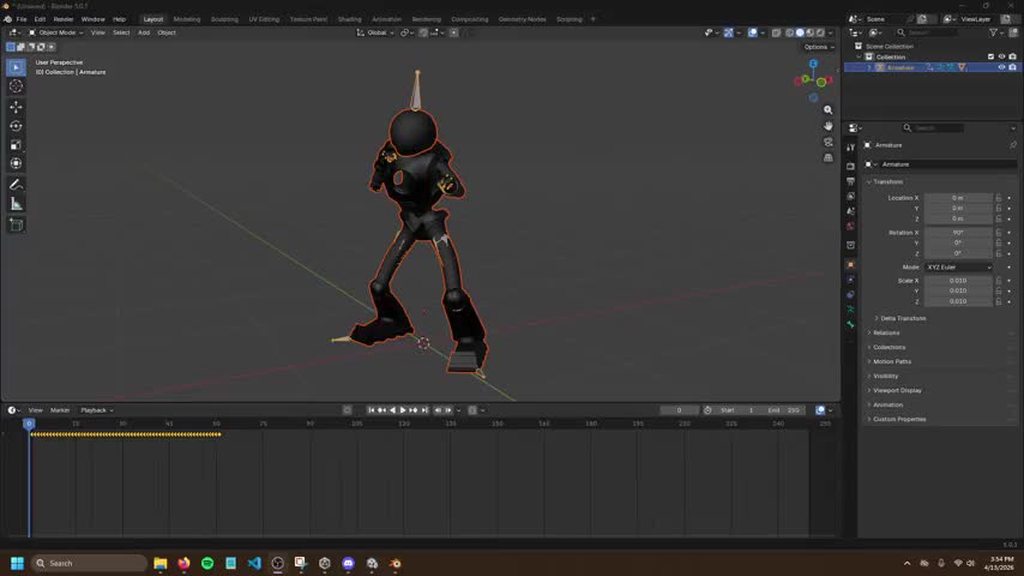
 wanton trellis
shut kindle
(Please note, I am completely new to animation, so it might be an obvious answer...
wanton trellis
shut kindle
(Please note, I am completely new to animation, so it might be an obvious answer...
is your character set up with a humanoid rig?
is the mixamo animation also set up to use a humanoid rig?
shut kindle
wanton trellis
is the mixamo animation also set up to use a humanoid rig?
They both are, yes

 wanton trellis
shut kindle
wanton trellis
shut kindle
do you have any layers in your animator that could be affecting the animation?
what does your animator set up look like
shut kindle
wanton trellis
do you have any layers in your animator that could be affecting the animation?
I had an upper body mask, but I disabled it
But the animations are still split into two layers
Is that a problem?

 wanton trellis
shut kindle
I had an upper body mask, but I disabled it
But the animations are still split i...
wanton trellis
shut kindle
I had an upper body mask, but I disabled it
But the animations are still split i...
well it could be the cause depending on how you are handling the layers
try this, add a new animator for now
with 1 layer, 1 state with just the animation
see if it plays normally
shut kindle
wanton trellis
see if it plays normally
But that's basically what the upper body layer is
Oh, you mean add a completely new animator
I didn't even think of that, sure
wanton trellis
or just add a new layer, make it the top layer, have no mask on it or anything
give it 100% weight
and add the state there
it doesnt matter, all youre doing right now is elimiting the possibility that its your layers causing the issues
shut kindle
Sure, give me a minute
shut kindle
wanton trellis
it doesnt matter, all youre doing right now is elimiting the possibility that it...
I made it the top layer, with 100% weight
Unfortunately, animation looks the same
https://imgur.com/BjmeBvz

 wanton trellis
shut kindle
I made it the top layer, with 100% weight
Unfortunately, animation looks the sam...
wanton trellis
shut kindle
I made it the top layer, with 100% weight
Unfortunately, animation looks the sam...
is footIK enabled on the state?
did you remove the avatar mask from the top layer as well?
shut kindle
wanton trellis
is footIK enabled on the state?
No idea what footIK is
And yes, I even deleted teh avatar mask
wanton trellis
shut kindle
No idea what footIK is
And yes, I even deleted teh avatar mask
its an option on the state itself
shut kindle
wanton trellis
its an option on the state itself
enabled it, didn't notice a difference
wanton trellis
the way the legs rotate
makes me think it might be something to do with your humanoid rig set up
shut kindle
Ah gotcha
wanton trellis
looks like your hip/pelvis bone is rotating when it shouldnt be, which means that its been assigned to a spine bone possibly
shut kindle
I was literally typing "It feels like something to do with the Humanoid animation type is the problem"
Lol
shut kindle
wanton trellis
looks like your hip/pelvis bone is rotating when it shouldnt be, which means tha...
It looks fine to me, but I was also having a lot of issues with the hips/spine being autoassigned to the wrong bone, until yesterday
 wanton trellis
this is concerning

ideally unity would group the helper pelvis bones, the 2 side ones with the main pelvic bone
but it looks like there is an aditional set of 2 bones there?
shut kindle

(I'm assuming the extra spine stuff is unnecessary, but I've been burned by deleting stuff in the past, so I try not to)
And here it is in Blender
 wanton trellis
this should all be connected

your hip bones need to be children of the main pelvis bone
thats why unity isnt grouping it together
shut kindle
wanton trellis
thats why unity isnt grouping it together
It is though! Isn't it?
 wanton trellis
what happens if you enable "connected"
also they arent children of the corect bone... those dotted lines should be going to the bottom of the lowest bone

also which bones are these?
 shut kindle
wanton trellis
also they arent children of the corect bone... those dotted lines should be goin...
shut kindle
wanton trellis
also they arent children of the corect bone... those dotted lines should be goin...
Connected makes them do these
 wanton trellis
and these
 shut kindle
wanton trellis
also they arent children of the corect bone... those dotted lines should be goin...
shut kindle
wanton trellis
also they arent children of the corect bone... those dotted lines should be goin...
They're connected to the bottom bone, the hip bone
My assumption was that the extra spine stuff don't do anything, they're not bones. But I've been burned by deleting stuff in the past, so I try not to delete things when I can
wanton trellis
shut kindle
They're connected to the bottom bone, the hip bone
Ive only ever seen connecting make them connect at the bottom.
 shut kindle
wanton trellis
Ive only ever seen connecting make them connect at the bottom.
shut kindle
wanton trellis
Ive only ever seen connecting make them connect at the bottom.
Ok, I'll do some googling
This is super helpful, thank you
wanton trellis
yeah when you showed your humanoid set up it looked weird because ive only ever seen unity automatically "connected" parented bones together like this

it ignoring the hip bones is a huge red flag
shut kindle
Wait
I just noticed

Where are the two hip bones even supposed to be?
I don't see them on the right
shut kindle
wanton trellis
yeah when you showed your humanoid set up it looked weird because ive only ever ...
Could I see how your bones are mapped
wanton trellis
shut kindle
Where are the two hip bones even supposed to be?
nowhere, unity would group them in with the pelvis bone under "Hips"
its not doing it for you
this green chevron here is extremely sus

you might have some duplicate bones somewhere or something
shut kindle
Hmmm
I'll poke around for a bit, thank you for the help
shut kindle
wanton trellis
you might have some duplicate bones somewhere or something
https://imgur.com/HAExdLQ
Sadly have to go, I'll keep working on it
But, I did manage to figure out that the weight painting of my hips was awful, and so fixing that does seem to improve the animation somewhat
Which, ugh, if this is just a weight painting thing, I'll be so sad
Because I spent so long weight painting, and yet it might still be bad :(
But I can't really tell if that's the only problem
And I still have the hip thing to fix, so I'll try that when I get the chance
vale cargo
For cutscenes after you've finished animating like... multiple characters how do you place them in unity within the intended distance you had animated?
(for more context, i tend to have these distance/placement issues when I want to have like... a custom interaction between two or more characters (like having them brawl) but I can never get them placed correctly even after setting them to 0,0).
terse gust
shut kindle
there aren't supposed to be 3 hip bones
the hip bone is represented by 3 connected bones (visually only), actually just one bone
for my character thats the pelvis
you have 2 additional bones (hipbone.l/r)
the big hip bone is supposed to cover all the way till the thigh bones start
terse gust
shut kindle
https://imgur.com/HAExdLQ
Sadly have to go, I'll keep working on it
But, I did m...
this might be related to how your clips are setup as well
 finite finch
Im not sure in which channel to ask this. Correct me to the right channel if im wrong please.
I have made a snowman with a blendshape to change its nose length and an idle animation. Its like a character customization system simulation where im using a slider in the UI to change nose length. Both the animation and nose length customization are working but not at the same time. If i enable the animator then it overrides the nose blend shape. How can i make them both work at the same time?
- rig type is generic
- no avatar
- blend shape is removed from the animation
shut kindle
terse gust
there aren't supposed to be 3 hip bones
OH
Well
That would certainly explain it
shut kindle
terse gust
there aren't supposed to be 3 hip bones
So, how would you do it?
The issue here is the way the robot's legs are bent


Should I just erase the extra hip bones, and make the hip bone twice as long?
But then the legs wouldn't bend in the proper place
Actually
I got the animation from Mixamo
I suppose I might as well copy how they did the bone structure

(In fact, at this point, I think I'm just going to take how they did the weight painting and armature, over the hours and hours I spent doing it myself :P)
agile solstice
finite finch
Im not sure in which channel to ask this. Correct me to the right channel if im ...
I haven't done that exact thing before but in theory an animator controls properties that are keyed in any of the animation clips of the animator
Otherwise it shouldn't override them, but maybe that's different for blend shapes
Using an animation layer would be a simple way to have the animator control the blend shape in addition to other animation, but could be even simpler to change the blend shape in LateUpdate, after the animator in script execution order
finite finch
agile solstice
I haven't done that exact thing before but in theory an animator controls proper...
Using an animation layer would be a simple way - you mean, make a layer that doesnt include the nose? i dont have much experience with unity layers, i thought they are only about bones, no? nose doesnt have a bone
but could be even simpler to change the blend shape in LateUpdate - i guess that would work but i feel like that just cant be the right way, fighting against each other on every frame feels like a crazy workaround that people shouldnt do. I'll be playing with the previous suggestion for now and try this one only if i fail with the first
thx for your help 🙂
agile solstice
finite finch
Using an animation layer would be a simple way - you mean, make a layer that doe...
Specifically you'd make a layer that only has an animation, or a blend tree perhaps for the nose, and another layer for every other part that needs to be controlled individually
It's another workaround, as it doesn't get any closer to the bottom of why would the animator control a property that isn't keyed in any clip
Modifying it in LateUpdate is likewise a workaround, but not a crazy one as it's a useful and common method for adjusting animated properties from script relative to their animated value
But it's slightly wasteful to have to do it every frame just to replace it entirely
finite finch
what if i dont delete the blendshape from the animation but instead override it inside the animation? so i can do it just "once" before any animation starts playing.
So like:
- start playing animation "idle", but first set the blendshape value that is not on the body part but the blendhspae value inside the animation itself
i guess i could be doing it for every animation.
agile solstice
Animator doesn't care about "bones" nor do they even exist as conceptually
Animations override any property of any component
"Bones" are transform components with properties for position, rotation and scale
agile solstice
finite finch
what if i dont delete the blendshape from the animation but instead override it ...
That could be possible
As long as animator states have "write defaults" settings disabled, the clip will not touch properties that are controlled by the animator but not overridden by the clip
But I never found that very reliable or convenient, because it creates a persistent state for the properties that's separate from the animator state machine which is hard to troubleshoot
Could be worth a try
But according to my understanding this shouldn't really be happening
If you really do not have any clip in the whole animator that overrides the blend shapes, they should be untouched by the animator
But it's possible blend shapes could have their unique logic that I don't know about to advise
finite finch
ok, thx for your advices, i will need time to study it because im also learning it all, like i dont even understand "write defaults" and whats the consequences of turning it on/off
agile solstice
finite finch
ok, thx for your advices, i will need time to study it because im also learning ...
Always search online and in the docs in the face of the unknown, as you probably do
https://docs.unity3d.com/2018.4/Documentation/Manual/class-State.html
Whether or not the AnimatorStates writes back the default values for properties that are not animated by its Motion.
Like I mentioned if any clip in your animator controlled keyframes a property, that property is now under control of the animator
If another clip plays that has Write Defaults, it resets every non-keyframed clip to their default values and overrides they keyframed properties with values from the keyframes
With Write Defaults off the process is the same but non-keyed properties will be left untouched
I'm not sure if that means they can be controlled by external sources then, or if the animator still overwrites them with their cached "unchanged" value every frame
finite finch
agile solstice
Always search online and in the docs in the face of the unknown, as you probably...
it works!!! thx a lot. An issue was that "if ANY animation in my animator has control over blend shape then ALL animations has control over it. I simply had 2 animation states in my animator but only 1 was used, the other was never played and couldnt theoterically be played. But it doesnt matter, if any animation in the animator has access to the blend shape then the animator will take control over that blend shape. So i deleted it from the second animation and it works, but i will also try the other options tomorrow, today its too late for me
 minor vessel
Anyone wanna collab on my video game? I’m looking for an artist who specializes in pixel art - would love to connect. DM me and I can show you my project!
sterile vine
minor vessel
Anyone wanna collab on my video game? I’m looking for an artist who specializes ...
!collab
hexed cargoBOT
sterile vine
!collab
:loudspeaker: Collaborating and Job Posting
We do not accept job or collab posts on Discord.
Please, use Discussions to promote yourself as job-seeking, advertise commercial job offers, or look for non-commercial projects to participate in:
• ** Collaboration & Jobs**
terse gust
shut kindle
Should I just erase the extra hip bones, and make the hip bone twice as long?
you would remove them, but its not necessary to make any changes to the hip bone, just have to remove the 2 extra bones and ensure that the hip and thighs have blended control in between, mixamo's rig should work just fine
 pseudo compass
Guys, can you help please? How can I get my legs to move when I turn around? Can Animation Rigging help me with this?
agile solstice
pseudo compass
Guys, can you help please? How can I get my legs to move when I turn around? Can...
Yes, if you choose to solve this problem with leg IK, Animation Rigging has such an IK solver
But that's only a part of it, because you also need a procedural animation system to determine where the IK targets should go
Using canned turning animations would be simpler
pseudo compass
agile solstice
Yes, if you choose to solve this problem with leg IK, Animation Rigging has such...
I have animations of rotations of 90, 180 degrees
agile solstice
pseudo compass
I have animations of rotations of 90, 180 degrees
Continuous turning animations would be more practical to blend to based on turning speed, as the turning isn't occurring in large increments
But there's a lot more than one way to solve this, and many kinds of turning animations too
Best compare how other games do it and decide on a method
It's a difficult problem to solve elegantly so most settle for a middling solution
Typically I think it's avoided by having a third person character face their moving direction rather than mouse direction, unless "aiming" which typically moves the camera so close it becomes harder to see foot sliding
pseudo compass
agile solstice
It's a difficult problem to solve elegantly so most settle for a middling soluti...
Are there more humane solutions? I remember there was something like that in The Witcher 3, but it probably came from the leg mask. But I don’t know how this can be done yet, there was an idea to include animations during leg turns
agile solstice
pseudo compass
Are there more humane solutions? I remember there was something like that in The...
Masking is one useful tool, but a minor part of a whole system
In games like Witcher 3 there are a lot of animations for different player actions, and in most situations the character's actions are first controlled by the animation states, then player input rather than vice versa
For example when the player stops move input, the animator goes from running to a "stopping" animation during which the transition to other states are limited regardless of input
That gives the character a feel of momentum and realism, at the cost of stiffness and less precise control
finite finch
pseudo compass
Guys, can you help please? How can I get my legs to move when I turn around? Can...
how about you do not rotate all the time but only when the angle between player look direction and camera look direction reach certain threshhold, like 90 degrees to the left/right, only then you play the turning animation and rotate the player to align with the camera
while idle i mean
or i misunderstood the problem?
 pastel basin
Hello guys , i have a problem , i'm making a 2D animation and when i put the transition duration of two specific animation to 0 , the new animation don't play and is locked on frame 1 of this new animation .
agile solstice
pastel basin
Hello guys , i have a problem , i'm making a 2D animation and when i put the tra...
Can you show the transition settings
pseudo compass
agile solstice
For example when the player stops move input, the animator goes from running to ...
that is, if the process of stopping is in progress (which includes animation, stopping itself physically), then if I press the forward key, Geralt will not move, but will stop? And when you stop, only then will it move? Is this what you mean?
agile solstice
pseudo compass
that is, if the process of stopping is in progress (which includes animation, st...
Yes
There could be a condition that allows interrupting the stopping animation to start moving again, but still that would be animation-authoritative
pseudo compass
finite finch
how about you do not rotate all the time but only when the angle between player ...
Looks good, but I need the legs to move even with the slightest turn
agile solstice
The other way would be that input controls movement directly, and animations try to keep up
wanton trellis
pseudo compass
Looks good, but I need the legs to move even with the slightest turn
you can use ik for this
in combination with some simple turn in place animations
pseudo compass
agile solstice
The other way would be that input controls movement directly, and animations try...
maybe this is done for smoothness
agile solstice
Humans in general don't really do a "turning animation" whenever their facing direction changes
pseudo compass
wanton trellis
in combination with some simple turn in place animations
what if this animation takes 90, 180 degrees?
agile solstice
At least not on slight rotations
wanton trellis
pseudo compass
what if this animation takes 90, 180 degrees?
the more the better
i personally did 45 degree increments
and i made it rotate every time a 45 degree threshold has passed
but im also using motion matching so you could say im cheating a bit lol
wanton trellis
wanton trellis
and i made it rotate every time a 45 degree threshold has passed
basically the torso turns to face the direction and past 45 degrees the legs catch up with the animation
pseudo compass
agile solstice
Humans in general don't really do a "turning animation" whenever their facing di...
are you talking about real life?
agile solstice
pseudo compass
are you talking about real life?
Yes
wanton trellis
also for most third person games
you typically dont rotate the character with the camera
unless the character is in motion
pseudo compass
agile solstice
Yes
Well, if speaking in Unity language, this is essentially Animation Rigging, or IK. A person simply turns his body or head. And if he needs to turn around, his legs are already working there
agile solstice
With IK and turning animations too there's the option that the upper body is masked to face the player's look direction while legs stay still
When a maximum allowed upper body rotation is reached, the lower body does a turning animation and syncs its facing direction with the upper body
This avoids starting a turning animation or doing IK leg repositioning repeatedly for very small rotation increments
Overwatch does this iirc
pseudo compass
wanton trellis
i personally did 45 degree increments
That is, in essence, these two animations are not enough for me and I need to do more turns and twists at smaller degrees?
wanton trellis
well you could straight up use 2 animations, a 45 degree turn and a 90 degree turn and mirror them
but the more the merrier
like i said im using motion matching... so i litterally depend on using as many animations as possible
thats why i have L45 L90 L135 and L180
with the right equivalents too
agile solstice
pseudo compass
That is, in essence, these two animations are not enough for me and I need to do...
Honestly you should first define what the player character should do when the player does either very small and rapid or a big mouse movement and how it'd look like
wanton trellis
yeah thats a big issue because of the way you are handling the camera itself
like i said previously... in most third person games the camera does not rotate the character
you basically have what is effectively first person controls on a third person camera set up
so you have an additional challenge, what if the player spins the camera around really fast in either direction for example
for first person games the general solution is "who cares" and they just let the character spin around really fast, but since you have a third person camera, you cant exactly ignore that issue
agile solstice
And like I said previously pick a reference game and consider doing what they do
The methods to solve this are technically very different from one another, and the choice of method informs both visual style and required compromises
pseudo compass
wanton trellis
for first person games the general solution is "who cares" and they just let the...
About fast rotation - it can be slowed down
wanton trellis
like slowing down how quickly the player can turn?
that doesnt seem like a good idea
nor a viable solution to the issue
pseudo compass
wanton trellis
nor a viable solution to the issue
I think it all depends on the conditions. A sword, for example, can be heavy for realism
wanton trellis
limiting how quickly the player can look around wont feel good for the player
most games avoid mechanics like that specifically
also how are you going to account for camera sensitivity or mouse dpi
pseudo compass
wanton trellis
most games avoid mechanics like that specifically
preferring fast spins?
wanton trellis
like i said its not a worthwhile solution to a problem, and is just going to cause you other issues down the line
wanton trellis
pseudo compass
preferring fast spins?
letting the player choose how quickly they look around with their mouse
slow fast it doesnt matter
if you cap the turning speed you lose out on player comfort
and no amount of visual flourish is worth that sacrifice
agile solstice
Helldivers 2 has turn rate as a gameplay mechanic
But even if it's purposefully designed it's a divisive feature from what I hear
wanton trellis
some games do have a variation on it
but its not something that is applied whole across your entire game
like first person shooter and concussive effects
pseudo compass
wanton trellis
and no amount of visual flourish is worth that sacrifice
Well, maybe then the player should determine how fast he spins due to sensitivity?
agile solstice
But even in that case it's the character that has the turn rate limitation, not the camera
wanton trellis
wanton trellis
so your initial issue still persists
how do you handle your turn in place animations when the player looks around at very small increments or does large sweeping turns
agile solstice
Don't have to know the specific method yet, but should know how you want it to be like
pseudo compass
@agile solstice @wanton trellis
I will say: I focus on large games that have a similar system where the player rotates using the camera. This is for example The Witcher, Pubg, Warhammer
In these games it is done so that the body rotates due to the camera. I just want to do it this way, because I think it is the most acceptable and beautiful option for my game.
About the problems of relatively fast turns and reversals due to quick movements of the player - this is still a minor problem, about which a solution may come in the future, now there is simply no opportunity to think about it. It's important to me now that my legs move while turning in place. I would like to see a similar system like in The Witcher
I want to hear some advice about this: How can I do this?
pseudo compass
pseudo compass
<@166982635950702592> <@331160185622233089>
I will say: I focus on large games ...
Well, an example of such a movement could be Warhammer or Pubg, not only the Witcher 3
agile solstice
pseudo compass
Well, an example of such a movement could be Warhammer or Pubg, not only the Wit...
Can you get or find a reference clip from those games of the character turning in place when the camera is being rotated?
That seemed to not happen in Witcher 3
I can't find a clip from pubg where that scenario would happen with the legs visible
Similar problem with warhammer, except there are so many warhammer games I don't know which one you mean
Looking at footage from those games it's telling in its own way that this particular detail is rarely shown to the player, or by the player
Both pubg and warhammer like to bring the camera closer when aiming, so when the character is precisely following the camera the legs are cropped out
And in both games the player is usually always running or strafing about due to the action, rather than taking the time to notice such details
wanton trellis
pseudo compass
<@166982635950702592> <@331160185622233089>
I will say: I focus on large games ...
this is what i said before
and how games like this largely do third person cameras
the camera itself does not typically rotate the character at all
only when "aiming" or in some kind of "targetting" mode
the camera orbits the character typically... until the character begins to move
then the character pivots or turns to move where the camera is facing
 low dust
what causes this

hands are supposed to be gripping the hilt
this is what it's supposed to look like, this is blender
 pseudo compass
agile solstice
Can you get or find a reference clip from those games of the character turning i...
pseudo compass
agile solstice
Can you get or find a reference clip from those games of the character turning i...
Yes, I can, but only later
pseudo compass
agile solstice
That seemed to not happen in Witcher 3
I can't find a clip from pubg where that ...
Warhammer Space Marine 2011
pseudo compass
agile solstice
Looking at footage from those games it's telling in its own way that this partic...
I understand, but in my case it will be quite noticeable.
And for some reason they still added this detail
At least some movement of the legs must be done, otherwise it will be very noticeable
pseudo compass
wanton trellis
only when "aiming" or in some kind of "targetting" mode
I'll tell you how I did it. I can’t say that this is an aiming mode: When a character puts away a sword, he has no aiming, the camera is orbital, that is, I can inspect the character. The character moves using the keys, and at the same time I can inspect him while he is running in Idle mode, or walking, or just staying in place.
When I take the sword, it’s like an FPS mode (that’s what it’s called), and then what I showed earlier in the video already happens.
pseudo compass
wanton trellis
then the character pivots or turns to move where the camera is facing
What do you mean?
pseudo compass
@wanton trellis @agile solstice
Now what do you advise me? Show what movement looks like in The Witcher 3?
Sorry for the ping
terse gust
low dust
what causes this
maybe incorrect animation exporting settings or something related to the rig could be a lot of things
agile solstice
pseudo compass
<@331160185622233089> <@166982635950702592>
Now what do you advise me? Show wh...
Yes, find us a reference clip that shows in-place turning animations from that game or any of the other examples
I think Witcher 3 doesn't contain an example of the kind of turning you expect but if one of us is mistaken about that it's no issue
pastel basin
agile solstice
Can you show the transition settings
 agile solstice
pastel basin
agile solstice
pastel basin
It is an Any State transition with Can Transition To Self so likely it's restarting the transition every frame when the condition is true
pastel basin
agile solstice
It is an Any State transition with Can Transition To Self so likely it's restart...
oh yes that was that ! thanks !!!!!
wanton trellis
pseudo compass
What do you mean?
if the character is standing still, you can orbit the camera around them, the character wont move, when you begin to move the character will immediately move in the direction your camera is facing
think of it this way
your character stands still, you rotate the camera 180, your character is now facing the camera, you begin to move forward, the character turns 180 and faces the same direction as the camera
thats almost how all third person games do this kind of movement
 royal brook
Anyone know what is wrong with my dynamic bone? I have it on the hair but its still clips through the arm.

 pseudo compass
agile solstice
Yes, find us a reference clip that shows in-place turning animations from that g...
pseudo compass
agile solstice
Yes, find us a reference clip that shows in-place turning animations from that g...
I was wrong about The Witcher 3, but I have a better example: Star Wars Battlefront 2. I would like to see the same top and bottom movement in my game
pseudo compass
wanton trellis
thats almost how all third person games do this kind of movement
What games do this? Maybe you mean that there is a special button that allows you to make orbital movements like in The Witcher 3?
pseudo compass
wanton trellis
if the character is standing still, you can orbit the camera around them, the ch...
Actually, I thought about it, but for now I decided to try to do what I show in Battlefront 2
I'll keep this option as a backup
 barren mortar
pseudo compass
I was wrong about The Witcher 3, but I have a better example: Star Wars Battlefr...
barren mortar
pseudo compass
I was wrong about The Witcher 3, but I have a better example: Star Wars Battlefr...
I use a script for this that rotates the spine according to some parameters

Unity has the "animation rigging" package for this but I found it to be extremely buggy, so I wrote a much simpler implementation.
pseudo compass
barren mortar
I use a script for this that rotates the spine according to some parameters
Should I attach it to a character?
barren mortar
Take a moment to read the code and understand what it does
agile solstice
agile solstice
With IK and turning animations too there's the option that the upper body is mas...
@pseudo compass The battlefront video shows this method
Specifically using a continuous rotation animation that starts when the turning limit is exceeded
At that point you can notice some foot sliding for brief moment when the lower body syncs its rotation with upper before the turning animation has quite started
That could be fixed by replacing the syncing interpolation with a syncing animation for both left and right turns, but may be unnecessary
tacit plinth
hardy palm
Use a bone-based stretch, not scaling the whole mesh. Add extra bones along the ...
Hi Miyu, I finally got around to trying this with the animation rigging package. I was able to set up the rig and add a Chain IK constraint but I ran into an issue: My root bone is at the head, not the tail, which means I would only be able to move the tail towards the target.
Switching head and tail does not resolve properly because it's based on IK. A potential (but suboptimal) solution would be to re-rig the snake so that the the root is at the tail but it's unintuitive and would mean redo-ing all of the animations.
Is there a method to do this with the animation rigging package (like a different constraint)? Or is the only way with a custom script (scaling the root bone towards the target in LateUpdate)?
pseudo compass
barren mortar
I use a script for this that rotates the spine according to some parameters
How can it be used in general in the case of the pelvis and legs?
barren mortar
Would have to control those differently
pseudo compass
barren mortar
Would have to control those differently
How?
barren mortar
I'd probably do it via animation. When the aim position is too far apart from the character forward, it does the pelvis rotation
Character movement is a huge thing ngl.
pseudo compass
barren mortar
I'd probably do it via animation. When the aim position is too far apart from th...
How did I understand this code so that part of the body does not go beyond the limits?
It is conditional that the pupils of the eyes remain in orbit of the eyes and do not go beyond
barren mortar
The limits are a directional vector. Here's my "head aim" constraint, which has limits applied

So when you start a dialogue with someone, they'll turn their head to face you, but won't swivel 180 degrees
 pseudo compass
agile solstice
<@1302325147457556513> The battlefront video shows this method
Specifically usin...
pseudo compass
agile solstice
<@1302325147457556513> The battlefront video shows this method
Specifically usin...
How to make such a movement?
I want to conditionally rotate up, and wait for the bottom when I rotate to the desired value to start the animation? How to divide them among themselves? Can Animation Rigging help with this?
barren mortar
It's going to be a mixture of things. Start with the animations, add the IK stuff in later.
A good character controller will be several thousand lines of code
pseudo compass
barren mortar
The limits are a directional vector. Here's my "head aim" constraint, which has ...
How does your spine work with your code?
Is it possible to somehow apply the code so that, conditionally, the top somehow moves first, and then the legs based on the desired value of moving the top? Like in the "Battlefront" and as Spazi described now?
barren mortar
My code only handles the IK spine movement with the gun aim
So it'd be working together with the animator controller for the rest
agile solstice
pseudo compass
How to make such a movement?
I want to conditionally rotate up, and wait for t...
I would first separate the upper and lower body rotation using some of the methods, deciding whether you want to rotate lower body relative to upper body, or upper body relative to lower body
The rotation itself can be done using Animation Rigging's multi-aim constraint or Wolfos's aim constraint or any equivalent, or a blend tree state on a masked animation layer that has the rotated poses for you to blend between
Then you make a script that calculates rotation based on relationship of upper body look direction and lower body facing direction and sends this to the animator/constraints when the player is standing still
It also determines when max rotation is reached and lerps the secondary body half rotation to match the primary body half
The third part is to set the animator do to do the continuous rotation animation when the look rotation was exceeded, and up until the rotation stops increasing i.e. when the player stops moving the mouse in that direction
barren mortar
I don't recommend the blend tree method. Unity's animation layers aren't flexible enough for that.
pseudo compass
agile solstice
I would first separate the upper and lower body rotation using some of the metho...
Let's go in order:
"I would first separate the upper and lower body rotation using some of the methods, deciding whether you want to rotate lower body relative to upper body, or upper body relative to lower body" - What's the difference? How can they be separated?
"The rotation itself can be done using Animation Rigging's multi-aim constraint or Wolfos's aim constraint or any equivalent, or a blend tree state on a masked animation layer that has the rotated poses for you to blend between" - Don't quite understand this
"Then you make a script that calculates rotation based on relationship of upper body look direction and lower body facing direction and sends this to the animator/constraints when the player is standing still. It also determines when max rotation is reached and lerps the secondary body half rotation to match the primary body half" - I think it is possible to create a trigger for this? That is, as soon as he turns a certain degree, the legs behind the body begin to rotate?
"The third part is to set the animator do to do the continuous rotation animation when the look rotation was exceeded, and up until the rotation stops increasing i.e. when the player stops moving the mouse in that direction" - I don't quite understand. How is this? Can you give an example?
pseudo compass
barren mortar
I don't recommend the blend tree method. Unity's animation layers aren't flexibl...
Is it worth using use animated transitions? I once saw in one project the use of Blend Tree for my task
pseudo compass
barren mortar
I don't recommend the blend tree method. Unity's animation layers aren't flexibl...
And I also have the following question for you: Is it possible to use your script as a whole for my task?
That is, first the top spins, and then the bottom follows it like "Battlefront 2"?
I just never understood
barren mortar
Yep, it works for the weapon aiming
royal brook
What channel would Blender questions best be asked?
 fast swan
royal brook
What channel would Blender questions best be asked?
fast swan
royal brook
What channel would Blender questions best be asked?
If you mean actual modelling stuff using Blender, this is not the right server. Blender has their own discord server too which you may use for that kind of stuff. If it is related to the process of getting the models from Blender to Unity, then #🔀┃art-asset-workflow is the place to go
royal brook
Ahh ok so might need to go to that channel since it was exporting from blender to Unity and re materialling the model
 olive hawk
Can someone verify im not doing anything obvious/stupidly wrong here with my rigging heirachy?
Parent Gameobject (has Animator with controller & humanoid avatar, and a rig builder component)
| Actual imported model (bones & skinned mesh renderer). The humanoid avatar is built from this
| Rig with a Rig component on it
  | Constraints
I'm using the constraints to aim the player WHILE an animation is playing but it isn't working - and I keep getting errors about the constraints not being parented? Is this the correct ideal setup for animating a humanoid character while also giving them rig constraints
 left crown
Does anyone know what’s causing this issue with the movement animation it freezes when the player moves although the idle works fine
I use a 8 Freeform directional blend tree
The jump, slide and Attack all work fine
light flare
Hello, I am working on a student project and modifying the existing Unity StarterAssetsThirdPerson Controller in the animator, though I've stripped out the existing default animations and replaced them with my own. However, when I actually aim to drive it in scene, at least with the Idle, Walk, and Run that have been replaced, it doesn't do so and only places the character in a T-Pose. Does anyone have any idea why this is happening?


 light flare
Actually, I think I narrowed it down to the configuration, but that might raise more questions than answers.

 vernal token
guys i have a question, i need to animate my troops but idk the best method for what i need to do. for now i want to animate only the gun of the troop but later i want to add the idle and the walking. im creating a 2d side scroller tower defense game (like flash game age of war or metal slug defense) and i don't want to have infinite sprites for each frame, I did this for another project when I was in high school and it didn't turn out very well, so I saw that you can animate game object transforms and you if u want you can attach bones to 2d sprites like in Valiant Hearts. what i thought is that each weapon (which is a prefab) has its own animator with its own animations, and the troop has its own animator with its own animations, so they are separate but are communicating via a animation manager, how does it all look?
tacit plinth
olive hawk
Can someone verify im not doing anything obvious/stupidly wrong here with my rig...
Hi, my constraints are working when I put them on the same gameobject as the rig. In your example you have them as the child of the rig. Maybe that's it?
olive hawk
tacit plinth
Hi, my constraints are working when I put them on the same gameobject as the rig...
Hi I managed to fix it in the end by making the constraints a child of the actual model file, causing the humanoid avatar to recognize them
Thank you though 😃
 compact trench
Hi, I'm not sure if I should ask this here, but I have a problem. I've placed an enemy in the scene using a navmesh agent, a collider, a rigidbody, and its corresponding script. When I press play, it just floats; it doesn't touch the ground. It walks and everything seems fine, but without touching the ground. Also, one of its feet, the right foot, moves incorrectly. I don't understand what's happening


It's like my heel isn't touching the ground; my left foot moves fine, but my right foot is doing weird things
wanton trellis
compact trench
Hi, I'm not sure if I should ask this here, but I have a problem. I've placed an...
is foot ik enabled in the animator states?
also i dont think this is right

always bake pos Y and have it be based upon original
compact trench
wanton trellis
always bake pos Y and have it be based upon original
I I've done that but the same thing keeps happening. I don't know if you can see it, but my right foot only touches the ground with the toes, it's like that all the time, the bones are good in the rig configuration

I'm not sure if I should also adjust the root transform position y in the walk animation
wanton trellis
compact trench
I I've done that but the same thing keeps happening. I don't know if you can see...
did you enable foot ik in the animator state?
compact trench
wanton trellis
did you enable foot ik in the animator state?
Yes, in the walk state
wanton trellis
compact trench
Yes, in the walk state
does this happen when you preview the animation in the animation preview window using the base humanoid model?
or in a seperate program like blender
compact trench
wanton trellis
does this happen when you preview the animation in the animation preview window ...
In the animation preview, the foot moves correctly. In Maya, when I move both feet, they move good, If the left foot moves correctly in Unity, the right foot should move correctly as well. I don't understand what could be happening, in mixamo the foot moves correctly too
Perhaps it's something related to the size in Unity or something about exporting from Maya
Idk
wanton trellis
compact trench
In the animation preview, the foot moves correctly. In Maya, when I move both fe...
Do you have any layers in your animator?
compact trench
wanton trellis
Do you have any layers in your animator?
Nop
wanton trellis
So in maya are you using the same mesh as the one in unity to verify it works?
compact trench
wanton trellis
So in maya are you using the same mesh as the one in unity to verify it works?
Yes, I'll open the animation I downloaded from Mixamo in Maya to see if the foot moves correctly in Maya or if the same thing happens. That way I can know for sure if the problem is with Maya or Unity
pseudo compass
barren mortar
Yep, it works for the weapon aiming
How can you use it? Which constained bone should I use?
pseudo compass
pseudo compass
Let's go in order:
"I would first separate the upper and lower body rotation us...
@agile solstice could you answer my questions, please?
Here
agile solstice
pseudo compass
<@166982635950702592> could you answer my questions, please?
Here
Your questions are asking for a lot of additional information, for which I haven't had that kind of time
It seems you could be too unfamiliar with constraints and other animation systems to implement our advice
pseudo compass
agile solstice
Your questions are asking for a lot of additional information, for which I haven...
I’m not asking you to answer immediately, I just don’t understand some points, and that’s why I’m asking
It is logical that if I understood, I would not ask questions here
agile solstice
pseudo compass
I’m not asking you to answer immediately, I just don’t understand some points, a...
In that situation when the only feedback is that it wasn't understood, it leaves me without clues on what to explain more
Basically the only option is to explain the same thing again but much more comprehensively, which may not get to the root of the confusion if there's some fundamental misunderstanding
pseudo compass
agile solstice
In that situation when the only feedback is that it wasn't understood, it leaves...
Well, I asked specific questions. Can you give more detailed answers to them?
agile solstice
pseudo compass
Let's go in order:
"I would first separate the upper and lower body rotation us...
You would separate upper and lower body rotation using the constraints we've been talking about, or an animation layer that has the rotation as clips you can blend between
Multi-Aim and Multi-Rotation constraint documentation shows an example of using constraints for that kind of task
The difference of which one you rotate as secondary motion probably comes down to whether you want your character controller to always rotate with the camera, thus having to tune the leg counter-rotation precisely so it doesn't slide relative to ground, or to let the camera rotation disconnect from your character controller rotation so you only have to care about upper body rotation in animation and don't have to be as precise
Latter option is generally easier, but some character controllers are coded in such a way that it interferes with the actual movement if you'll be interpolating the controller's rotation according to animations
But some may even make it easier if they already implement rotation interpolation for similar situations, can't say what's best in your case
If rotating the character spine using constraints seems mysterious, I recommend familiarizing yourself with animation rigging package's samples, and/or read about masked animation layers and blend trees, or ask specific questions about them
I think it is possible to create a trigger for this
A "trigger" has many meanings depending on context, but in any case your code needs to detect when the rotation difference has reached maximum threshold and correct it by rotating the lower body (whether using constraints or the character controller itself for it) until the lower and upper body line up
Doesn't matter how exactly the script does it
Animator triggers are one option for starting the turning animation when the lower body rotation starts, but that's all they can do here, the responsibility of keeping track of this rotation syncing is on your code
I'm not sure if I can produce an example nor explain it much clearer, in a nutshell:
Your script tracks the upper and lower body rotation separately
When their difference exceeds a limit, your script would rotate the lower body until the rotation difference is 0 or close to 0 and they now line up
During that process your script can have the animator play one of the rotation animations depending on direction
native pewter
pseudo compass
I was wrong about The Witcher 3, but I have a better example: Star Wars Battlefr...
Might not be the best approach but for the top body I would just use a blend tree
have additive poses for the body's left and right rotation as your axis in the blend tree
and then for your driving parameter, you want the dot product of your character controller's forward vector with your cameras look vector
clamp it between -1 and 1
you'd have to code this and update the parameter in the animator
devout socket
Is it posible to add noise to an animation, like to make something shake?
 fathom pecan
Hi, someone has a good tutorial that explains a pipeline/workflow for Riggify to Unity?
I got to work an old rig well in unity, but that one doesn't have hair or cloth physics. im using the "spines.basic_tail" for the skirt, hair and other things but i think it not will work well later on.
i don`t want to waste a looot of time weight painting for nothing so, someone has a right way to do this hair/skirt rig? pls i srsly need help q-q
wanton trellis
fathom pecan
Hi, someone has a good tutorial that explains a pipeline/workflow for Riggify t...
send your video in a different format so it embeds
dont think discord natively supports .mkv
agile solstice
Webm and MP4 are the ones that embed
 small isle
Hey, I need help with a Generic rig animation issue in Unity 6.
I have a mechanical arm (claw) imported from Blender as an FBX with Generic rig. The arm has an Idle and a Throw animation. The problem is that the root bone of my Armature is animated (it's a forearm that actually moves), so when I enter Play mode, the Animator overrides the object's Transform — it loses its position, rotation and scale that I set in the scene.
I've already tried:
Disabling Apply Root Motion on the Animator component
Setting Bake Into Pose on all three Root Transform settings
Disabling Write Defaults on all states
The object is a child of the Camera and follows it correctly when the Animator is disabled
I've also tried putting inside an empty which has the correct scale, rotation and position. Even inside the empty the arm sets itself into the same transform properties.
agile solstice
small isle
I've also tried putting inside an empty which has the correct scale, rotation an...
That shouldn't be technically possible
An Animator can override its own transform values but they are always relative to transform parent
Unless maybe if you're using Timeline, iirc that does something extra to override animator world positions
small isle
agile solstice
That shouldn't be technically possible
An Animator can override its own transfor...
I've tried literally everything I could think of. I managed to rework some of the animations from the ground up in blender with proper bone placement, and it still did not help.
Ended up duplicating the FBX animations and literally deleting every single bone positioning except for the actual bone movement. Ended up working. Honestly still don't know why this happened.
Hope this helps someone in the future. The most likely culprit the sloppy work with animations in blender.
agile solstice
small isle
I've tried literally everything I could think of. I managed to rework some of th...
As far as I know for a gameobject to override its position disregarding inherited parent transform space it'd need some kind of script that overrides its world position with some values
I have never heard of the animator doing that on its own, although it can override its position with root motion related methods, it tends to do the opposite and move itself iteratively rather than absolutely
small isle
agile solstice
As far as I know for a gameobject to override its position disregarding inherite...
I tested all scripts that interact with this object, and with the Animator disabled, everything was in the correct position, I did not interact with the state machine via scripting in any way.
I had a similar issue a couple months ago in the same project as well, don't remember how I fixed that though.
Might have to actually read some animator documentation. Almost all of the guides online are for humanoid rigs. (Which is weird considering shooters are a thing)
Thanks for the input!
 tranquil coyote
Does anyone know why my character might be jogging forward at a weird angle? Using quaternius's animator and charcter model pack. https://imgur.com/V3aI2ay
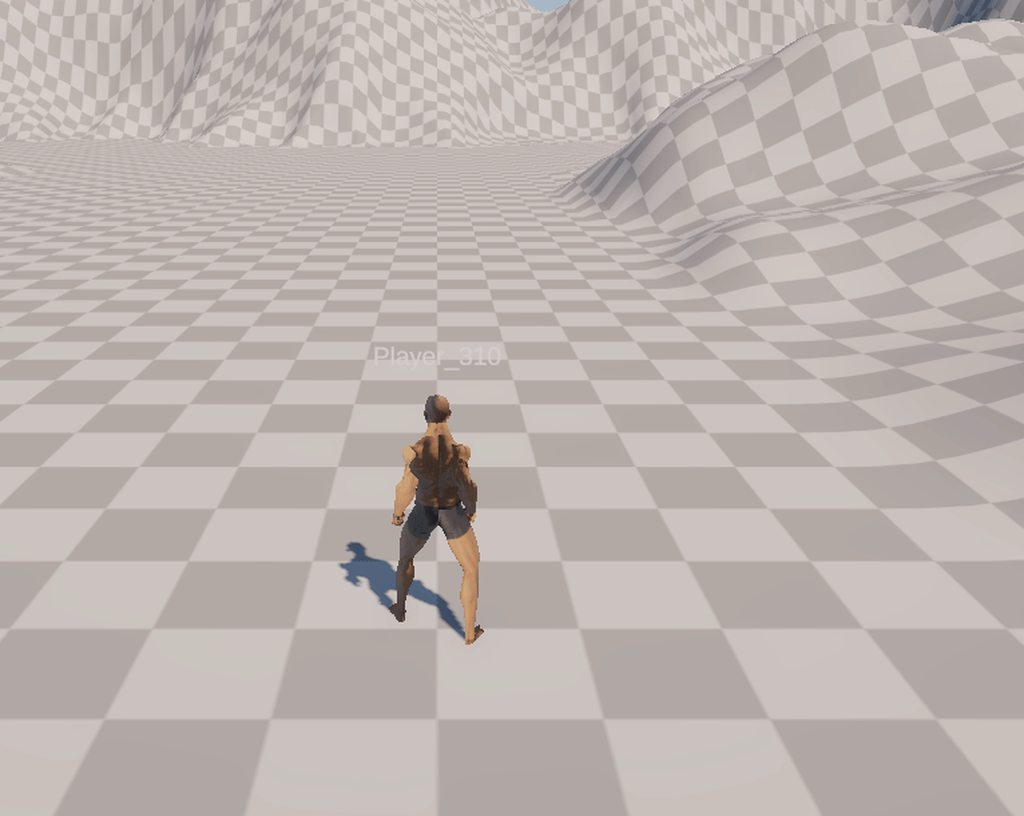
Not sure if any of these help, but here are some of my settings: https://imgur.com/7jYI8XM https://imgur.com/LFYbGm0 https://imgur.com/qtFJxUI https://imgur.com/skUjj0D
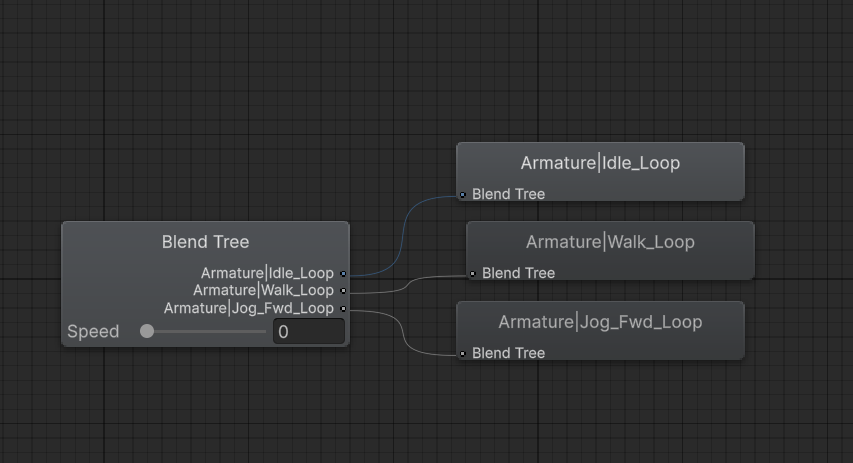

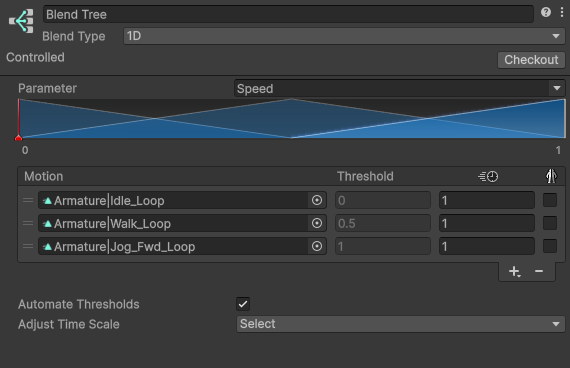
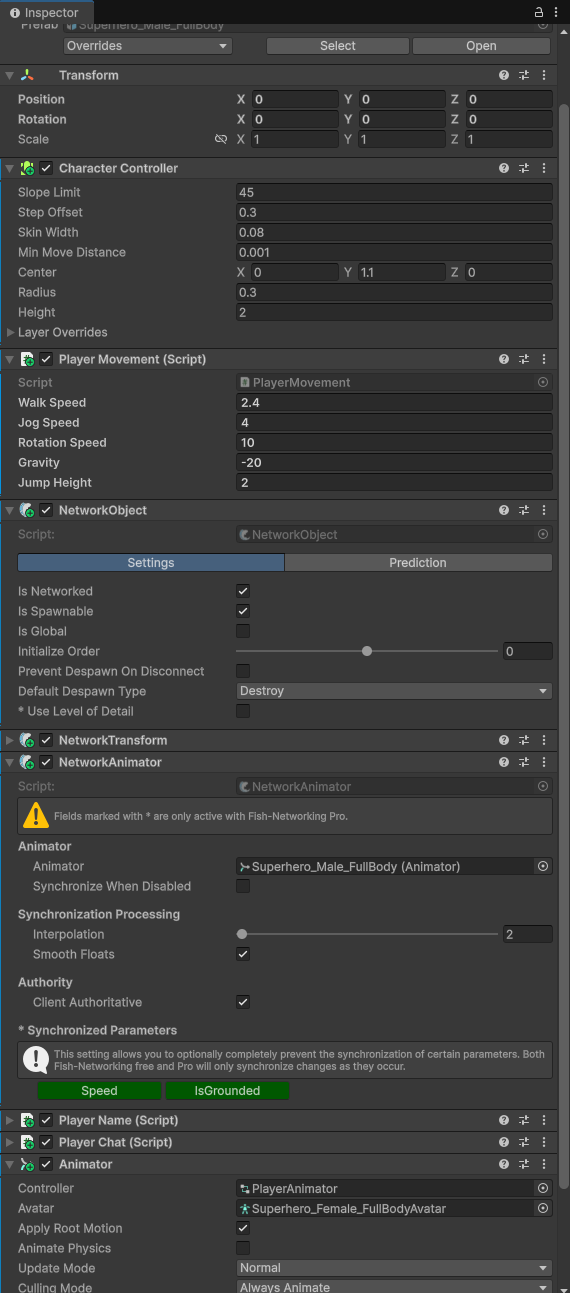 wanton trellis
tranquil coyote
Does anyone know why my character might be jogging forward at a weird angle? Usi...
wanton trellis
tranquil coyote
Does anyone know why my character might be jogging forward at a weird angle? Usi...
try changing the root transform rotation to be based upon Original in the clip import setting
tranquil coyote
wanton trellis
try changing the root transform rotation to be based upon Original in the clip i...
I did that and he started jogging backwards, but straight. It feels hack-y but I just flipped him around with an offset lol.
 steep cairn
Why does the animation keep looping? There are only 2 poses (it works fine if unselected and playing while enabled in the NLA strips)
I don't have a cyclic modifier on it or anything
nvm I do apparently
it's inactive though
devout socket
How can you make it to aim animations to where the character is looking, its like a blend of various animations or its scripting a single animation?
wanton trellis
devout socket
How can you make it to aim animations to where the character is looking, its lik...
you do that using IK
 broken grotto
This is a rough combo animation for the reaper. This is the light attack combo player will eventually unlock overtime!
 broken grotto
 sterile vine
@broken grotto that's pretty cool, but this is a help/discussion channel, if you'd like to show off your work you can do so in #🏆┃daily-win or #1180170818983051344
broken grotto
Thank you!
 little sluice
Hi, is there a way to copy a Blend Tree from one animation state to another without just copying the animation state? I have a blend tree that I'm using in an override layer, but would rather not have to manually recreate the tree in each state that I need the override to be on
terse gust
little sluice
Hi, is there a way to copy a Blend Tree from one animation state to another with...
im not sure what that means, if you want to copy blend tree as in just the tree and paste it into another blend tree(that is empty), this isn't made by unity unfortunately however you can make an editor script to do this
 kind plume
not sure how to explain this, but I am new to unity and struggling to figure out the animator
How do I make animation states jump to specific frames in the animation based on the frame playing in the last animation state before transitioning?
I have a walking animation and a running animation, Which I've got the individual sprites for here visually posted. Because of the way the legs move if I just have the animation start as it is when the keys shift, then it causes the legs and arms to sort of unnaturally shift. So what I wanna know is if there's a way to make it so that the animator knows what frame the previous animation is on before transitioning to the corresponding frame of the other animation state.
(btw running is handled by a sprint button, if that changes anything.)

The lines btw are to indicate the corresponding frames I have in mind... i may change it around later on depending on game feel but I hope it makes sense as to visually show what I'm looking for
agile solstice
kind plume
not sure how to explain this, but I am new to unity and struggling to figure out...
Probably the most direct way to do it would be to have 4 transitions each with an offset to control the start time of the destination state, using a float or int parameter as the condition that your code syncs to the current state time / frame
The animator is not designed to deal with "frames" so there isn't a more straightforward method than that
kind plume
agile solstice
Probably the most direct way to do it would be to have 4 transitions each with a...
I'm sorry I don't really understand any of this,, im not a coder-
But also, I want the animation to switch instantly so like
wouldn't having an offset time mean the animation plays not instantly with the input?
agile solstice
kind plume
But also, I want the animation to switch instantly so like
wouldn't having an of...
No, "offset" in the transition offsets at which part of the clip the destination animation starts
Delay / exit time are different
kind plume
ohhhhh, alr, ty
agile solstice
kind plume
I'm sorry I don't really understand any of this,, im not a coder-
The only code related thing is needing a script that gets the current animation playback time and sets an animator parameter based on that, so your transitions can utilize it for conditions
Requires very little coding, but some understanding of animator script methods
kind plume
oh that sounds a lot more simple hmmmm alright
i dont know how to do that though either though sorry-
i apologize if this is difficult
would blend trees help?
agile solstice
kind plume
would blend trees help?
They are useful, as animations in a blend tree are synced together
So you could smoothly blend between walking and running and have the steps line up, if they have the same pace, even if the clip length/speed is different
But it doesn't let you blend to a specific part of the second animation like you wish to, and the blending is more useful for bone animations, unlike sprite animations which can't be blended
kind plume
hmmm i see
That sort of thing seems useful for if I implement her shooting or anything
Since it would sync up the tail movements and arm movements too
though, i guess that doesn't really answer the initial question
wait, can blend trees be for more than just movement?
agile solstice
kind plume
wait, can blend trees be for more than just movement?
They are for blending between any number of any kind of clips based on a weight variable (or two variables for 2D blend trees)
As long as the clips should sync
50% blend between two clips the state length is the average of the clips, and average of all their keyframed variables
Keyframed sprite references and boolean variables have to be rounded to nearest, so 50% blend between those isn't really possible
kind plume
i see.. thanks for lmk
I guess the running thing wont be a huge deal if she moves fast enough since its supposed to be fast paced gameplay
but the rest of the info will defo be helpful for other stuff, ty !
 molten moss
i have a problem with my animation which i have downloaded from mixamo website . When i try to play my animation on my king model using animator and script (activate trigger) animation plays in an absolutely different way . I noticed that if i change animation type from generic to humanoid animation plays incorrect.
agile solstice
molten moss
i have a problem with my animation which i have downloaded from mixamo website ....
Doesn't exactly play in a different way, but doesn't play at all
That is the default pose for a Humanoid avatar that's trying to play a clip that's not a valid Humanoid animation
molten moss
and what can i do about it
agile solstice
Make sure you're downloading the animation as Humanoid rather than Generic, if you're using it on a Humanoid avatar
molten moss
but how can i understand which animation is humanoid
agile solstice
molten moss
but how can i understand which animation is humanoid
I think mixamo lets you choose the type
molten moss
nah there is only these options when you download
 agile solstice
molten moss
nah there is only these options when you download
agile solstice
molten moss
nah there is only these options when you download
I don't use mixamo so I don't know
Did you actually test the clip in the animator after changing the type
There could be a mismatch between the rig type unity uses in the preview window vs the one you use in scene
molten moss
agile solstice
I don't use mixamo so I don't know
Did you actually test the clip in the animato...
when its generic the animation plays normally but when i change to humanoid animation acts differently but even with generic animation type my king model which has animation type humanoid acts weirdly.
agile solstice
molten moss
when its generic the animation plays normally but when i change to humanoid anim...
Are you talking about your character in play mode, or in the inspector preview
molten moss
inspector preview
agile solstice
molten moss
inspector preview
That isn't relevant for whether the animation actually works on your character that you use in the scene
 next harness
Hey lads i suck at explaining things but i need help with a thing. I have made a death/jumpscare animation and i have no idea how to make it play when the monster catches u and also how to make the camera go where i need it to go during the animation. (Btw i dont have access to my pc atm but a small explanation would be nice so i can work on it tmrw)
An example for the camera thing the guy stabs ur chest and lifts u up
I want the camera to raise with the animation
And i need getting the animation to play in the first place XD
vernal token
Hey guys, a quick question about animation controllers: I have a troop and a weapon, and both are prefabs. Each troop has its own weapon, but I'd like it to be modular, so the troop can exist even without its weapon. Or, if I wanted to give it another weapon in the future, I'd simply like to replace it without having to set up the animations and various positions every time. So I'm wondering whether to use a layer for the attack within my animation controller for the troop, or directly create another animation controller for the weapon (so two animation controllers).
vernal token
why it doesnt add the keyframe
 eternal lantern
vernal token
why it doesnt add the keyframe
eternal lantern
vernal token
why it doesnt add the keyframe
I think its because your not in animation mode, but i can be wrong

 inland imp
How do you guys handle idle, walk, run animations in the animator? The main things that interest me is the state & transition setup and how do you match with the movement speed with the animation speed so the character doesn't slide.
I have tried putting each animtion type in a different state and a 1D blend tree, but they don't feel quite right. The 1D blend tree limits transition customization but makes it easy to transition based on the velocity value while separate states give more transition control but makes the transition condition setup messier.
wanton trellis
inland imp
How do you guys handle idle, walk, run animations in the animator? The main thin...
If sliding is a concern you use animations with root motion
inland imp
wanton trellis
If sliding is a concern you use animations with root motion
Yeah but that interferes with the rigidbody movement
wanton trellis
then you ensure you animate with the speed you have in mind
if you plan for the character to move at a certain speed
they need to be animated in a way that represents that
which means you need multiple animation variants on top of everything
inland imp
I do have an animation speed multiplier setup that kinda resolves that issue and it scales based on the rigidbody velocity, though when the speed is zero the animation kinda gets stuck mid transition to idle, which is something I am still figuring out how to solve
agile solstice
inland imp
I do have an animation speed multiplier setup that kinda resolves that issue and...
Hard to guess how your setup is but transitions that use fixed time should occur independently of you decreasing the animation speed via a parameter
inland imp
agile solstice
Hard to guess how your setup is but transitions that use fixed time should occur...
yup that was it
I had it off
little sluice
Hi, I have two animation layers, one that contains base animations and another that has an Avatar Mask for just the legs (humanoid). I have an animation state of an idle animation and on the leg layer, it is synced to override the animation. I have some leg animations that plays out in a blend tree. For some reason, the animations on the legs always seem to play slower than they should, and I can't get them to play any faster. Any ideas why this is?
agile solstice
inland imp
How do you guys handle idle, walk, run animations in the animator? The main thin...
Regarding transitions there isn't any one way to do it as it depends on what your character needs to do and how you want the animator to interact with the code, which is why there aren't really guides about it
Generally you want to use layers, blend trees, sub state machines, automatic transitions, all features when it is convenient to do so
At first it may seem like you want the code to have the power to jump to whichever state with a parameter for each transition
But as soon as you end up in a situation where you could use one parameter to cause other parameters to start a different animation than they normally would, you'll be missing out
agile solstice
little sluice
Hi, I have two animation layers, one that contains base animations and another t...
Synced layers by default use the state lengths from the layer they're synced to
The "Timing" checkbox in layer settings allows the layer to control the state timing using its weight
inland imp
agile solstice
Regarding transitions there isn't any one way to do it as it depends on what you...
Yeah I know, I just want to know how other people do it for their characters and in a way inspire from that
agile solstice
inland imp
Yeah I know, I just want to know how other people do it for their characters and...
Usually very badly
frosty grotto
inland imp
How do you guys handle idle, walk, run animations in the animator? The main thin...
I haven't been specifically doing run/walk separation nor anything complex, but I figured just doing everything through code is the simplest and easiest to debug way, at least for me. Move is a blend tree here between standing and walking.
 marsh orbit
would it be possible to just call specific animations?
I have a creature that is using IK to move, but has custom attack animation. how can I trigger just that attack animation?
agile solstice
marsh orbit
would it be possible to just call specific animations?
I have a creature that i...
Animator.Play, Animator.PlayInFixedTime, Animator.Crossfade, and Animator.CrossFadeInFixedTime force a specific state, but any transition conditions you might want you will have to implement in code as well
Any State transitions in the animator can have conditions, but they will also always be the highest priority transition and interrupt the state machine
marsh orbit
how can I get custom vfx to play on certain moments of the attack animation? or even sounds
agile solstice
marsh orbit
how can I get custom vfx to play on certain moments of the attack animation? or ...
Animation events can be used to call any script method
Best used for vfx and sound and other effects
For gameplay or physics related stuff timers / time comparisons in code are better
Because Animator doesn't run on the main thread and is more or less an approximation of the keyframes, it's not totally accurate or reliable
vernal token
eternal lantern
I think its because your not in animation mode, but i can be wrong
thx, it was that
i have a problem, why this animation is not looping?
the probelm is troopwalking not looping
tough creek
Hi, I need to mirror synty animation and save it as separate animation so I could retarget it further in blender, I know that there is option to mirror it in the inspector but I cant find any info on how to bake it, could anybody help me please?
sterile vine
vernal token
the probelm is troopwalking not looping
is the animation set to loop time?
next harness
Yoo if i were to send some1 a fully rigged model with IK in blender could any1 cook a walking animation? Running animation would be cool aswell but its not nessecary as i can just speed the walking one up.
Cuz quite frankly i suck at animating (in the blender file u will see that as there is my kill animation is in there XD)
vernal token
sterile vine
is the animation set to loop time?
yes
fast swan
next harness
Yoo if i were to send some1 a fully rigged model with IK in blender could any1 c...
Probably not. We are here to give advice, not to make stuff for you. That also sounds more Blender than Unity related. I would suggest using Mixamo if you are looking for free animations to attatch to your character models, there are loads of different high quality animations there
next harness
fast swan
Probably not. We are here to give advice, not to make stuff for you. That also s...
Alr 🙂
 terse valve
can someone help me to fix this

Why does my character sink into the ground and not jump when I import a model into Unity and use animations from Mixamo?
? why no one active
finite finch
terse valve
Why does my character sink into the ground and not jump when I import a model in...
arent you following a tutorial from iheartgamedev ?
terse valve
finite finch
arent you following a tutorial from iheartgamedev ?
yes
best for beginner
so what's the problem
finite finch
dont think so, my blind guess its about avatar
mixamo pink doll uses its own avatar and kyle robot also its own avatar?
finite finch
i dont know, i was doing his tutorials long time ago, everything worked for me
check what hes doing with the avatars in the video and yours

 finite finch
which lesson is it? can you give a link?
terse valve
Learn how to share character animations using animation retargeting and humanoid rigs in Unity 3D!
This beginner-friendly tutorial is a complete break down of how to use humanoid rigs and animation retargeting inside Unity's animation system. By the end of the video, we have all of our downloaded characters using the same animation!
SUPPORT TH...
here


 finite finch
do you want to use root motion?
finite finch
you have it checked on one character and unchecked on another
terse valve
yes