
#🏃┃animation
1 messages · Page 43 of 1
 agile solstice
 ruby drift
like so that it stays on top
ruby drift
like so that it stays on top
You can animate it to move in the same clip in which you scale the spring
ruby drift
agile solstice
You can animate it to move in the same clip in which you scale the spring
nvm
agile solstice
Or if you find it tedious to animate them together, you can also use constraints
agile solstice
 zenith edge
Hi, I have a problem with animation or something like that.
The zombie won't stop doing walking animation even it not moving, I want it to do Idle animation when it stop.
Did I do something wrong?
zenith edge
nvm, fixed it
 wheat vessel
hey there everyone i am having an issue in my game where i am making gun animations(holding/shooting the gun). but when i aim up or down the gun gets offset from the hands.


 main onyx
hey there everyone i am having an issue
 proper canopy
hey
i created my fist Animation for my Enemy. this is day 2 of me try to improve my skills. What do u all think? what can i do better

it has => Hurt, Idle, Walk, Attack, SpitAttack
 thorn wedge
is there uhm... any way to organize this??..
 wheat vessel
thorn wedge
is there uhm... any way to organize this??..
wheat vessel
thorn wedge
is there uhm... any way to organize this??..
call each animation in code or use blendtrees to help
thorn wedge
wait what-
 sterile vine
consider submachines or blend trees for the 3 idle states for example
thorn wedge
but it still needs the transition arrows to guide them?
wheat vessel

 thorn wedge
uh.... what is a blend tree... that's new to me
sterile vine
thorn wedge
but it still needs the transition arrows to guide them?
if you call the animation in code, you don't need the transitions
afaict you generally wouldn't be using both together
i personally lean towards using transitions anyways though
sterile vine
thorn wedge
uh.... what is a blend tree... that's new to me
it's basically a single state that can blend (or select, if animating props that can't blend) different animation clips based on input parameters
wheat vessel
this is a good vid about blend trees
https://www.youtube.com/watch?v=m8rGyoStfgQ
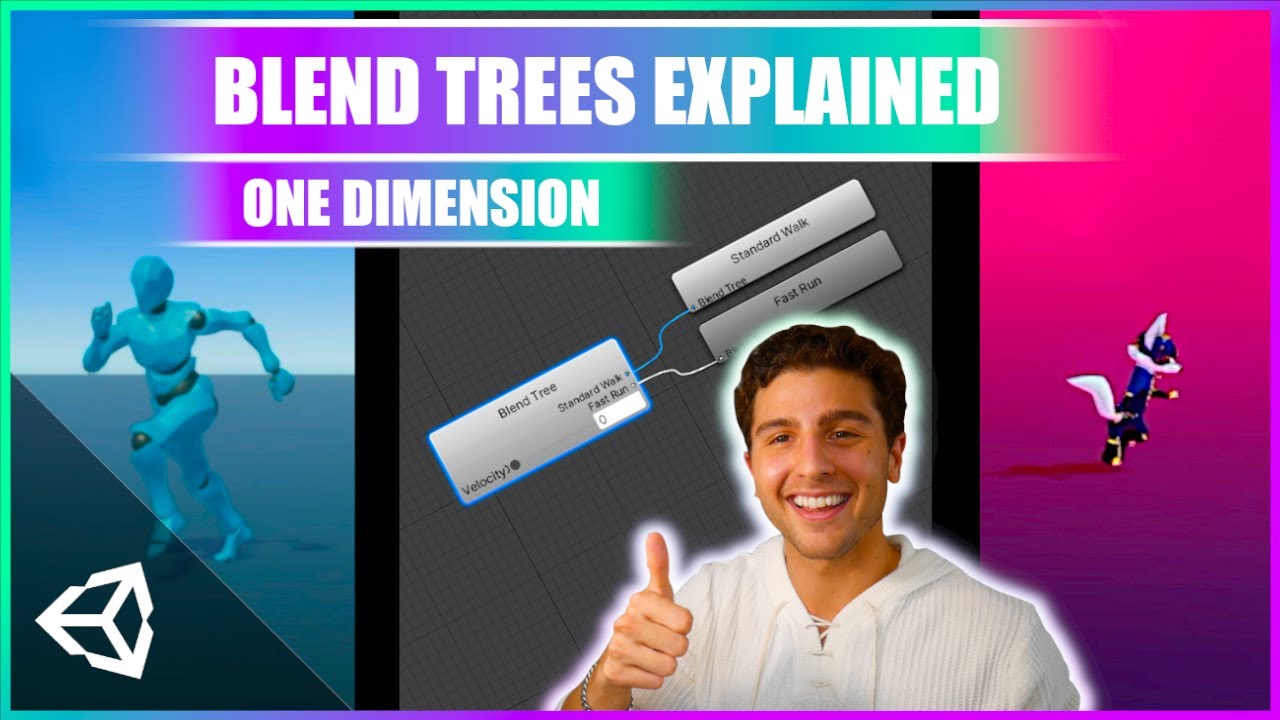
Learn how to animate characters in Unity 3D with dynamic animations from blend trees!
This beginner-friendly tutorial is a complete walkthrough of one dimensional blend trees and how we can use blend trees to create new animations for our characters using float parameters
ACCESS PROJECT FILES & SUPPORT THE CHANNEL:
💛 https://www.patreon.com...
thorn wedge
alright back to studying, thanks so much guys! :D
agile solstice
thorn wedge
uh.... what is a blend tree... that's new to me
Especially with Animator you should read the documentation
https://docs.unity3d.com/6000.2/Documentation/Manual/AnimationStateMachines.html
A lot of relevant and interesting stuff in there
 proud jackal
when I import a new animation+same used before rig from blender into unity - my player new animation is not playing, but I suppose changes are valid (like the movement of bones, because I see movement of camera in preview, but not the mesh), but the mesh is just standing and not retargeted properly. how can I fix it without reimporting the original mesh with all new animations? if it possible ofc without third party assets. I'm using GENERIC RIG btw, so it's not humanoid, as you can see.
like, the original mesh is used with the same rig as in new animation and I didn't change anything of that. maybe I'm missing some settings?
the settings: pic 1 - original rig with original animations, pic 2 - my new animations to that rig, pic 3 - my new animation data and I suppose it contains all valid data?


bone structure/naming is the same, I've rechecked in the engine
main onyx
when I import a new animation+same used
 narrow dagger
Hey question do you know what might cause bones to go out of place during run time. The reimported my animations but its seems to only happen during run time

I’m in 6.4 alpha. Not sure if this version can cause that issue
sterile vine
wow, unity 6.3 isnt even out and they're already working on 6.4?
try with a stable version, a full release or an lts
narrow dagger
Yea might as well. A friend of mine. Changed it to this version for some reason
narrow dagger
narrow dagger
Ok back to this is still causing issues
when the game is not running and i check the animations. that deformation doesn't exist

Found the issue. Weight limit is set to 1 bone during run time. i set it to two and it fixed itself
 timid jolt
any idea why front and back animation is getting stuck in my blend tree
note: looping is on
 tall rover
I have a character model from blender and I am looking for someone that can make a couple simple animations that I can then import into Unity. I seem to be Blender-disabled so please DM if you have some time
proper canopy
hey i wanted to use a pixel art Animation but my Animation Frames looking strange, everthing looks fine in Idle but if i use a "Heal" Animation my Frog Boss clipping under tha Ground? why is that?
 gusty garnet
you are chaning the transform position in you animation it seems
sterile vine
make sure you've set the pivots correctly
slice using a grid instead of smart slicing, usually
proper canopy
sterile vine
make sure you've set the pivots correctly
hmm, so i did waht u said. it finally works. but is it normal to do that on every each frame?
sterile vine
did you have smart slicing on
i shouldve phrased that differently
"make sure the pivots are correct" - a common mistake is using autoslicing on a grid spritesheet, leading to incorrect pivots
proper canopy
sterile vine
"make sure the pivots are correct" - a common mistake is using autoslicing on a ...
hmmmm i understand, so i should use auto slicing
because this is exatlcy what i did
sterile vine
you should not
proper canopy
i will test it out, thanks for u help
sterile vine
you should use grid slicing on grid spritesheets
sterile vine
spritesheets can be on grids...
do you mean an atlas?
yknow what, just show the spritesheet
proper canopy
i cant currently i need to buy yoghurt
for my mom
i mean like i have a Row Whit Spirtes from my enemy Combrarrring. and i cliucked automatic Slide.
wait, i will show u a photo in 5 Minutes
proper canopy
okay i will try it in 10 minutes and im give u a feedback here on this channel if it works
is it okay for u if i ping u?
sterile vine
no
proper canopy
sterile vine
no
okay i will just post my result
proper canopy
im currently at this state

if i understand u chorrectly i only now need to "Apply"
sterile vine
yep, that's on a grid
 main onyx
Thread
 lament talon
hello i need help
i recentently edited the animations for my character and now my animator on said character stopped working
note
all the animations are working correctly if played stand alone
the animator doesn't seem to play them even though it's correctly changing states
has anybody encountered an issue like this?
nevermid fixed
had hierarchy issues
( i had to edit animations files manually , don't ask )
 twin grail
Hey im having some trouble with animations in my project. I created 3 simple animations in unity with the rig set to generic instead of humanoid, I'd really like to not have to remake the animations in blender. Is there a good tutorial on how to convert simple generic animations to humanoid?
lament talon
twin grail
Hey im having some trouble with animations in my project. I created 3 simple ani...
did you export them in an fbx?
twin grail
ill try exporting it first
how hard would it be to do some simple animation in blender, the animations i have are really just poses with a few movements
lament talon
twin grail
how hard would it be to do some simple animation in blender, the animations i ha...
the process is very similar if not better
but be aware when you export from blender
fbx scale is important
 oblique linden
I have a character for Unity and it functions fine when moving. But when I play the idle animation (I use a character controller + script based movement), the character is rocking back and forth weirdly like this when in idle.
Any way to fix this elegantly without having to re-rig my entire character?
 candid siren
 spiral kelp
i dont recommend you using animations trees
they are so complex
and confuse you a lot
i recommend using code instead
is more easy and flexible
spiral kelp
candid siren
i recommend using code instead
how can i do that
candid siren
spiral kelp
how can i do that
you can do that easy by doing this
first you create a string variable called current animation
sterile vine
i mean, if you already have the statemachine set up, it's fine tbh
code just makes the transitions invisible
candid siren
latter you reference your animator
sterile vine
you still need the same logic
spiral kelp
sterile vine
i mean, if you already have the statemachine set up, it's fine tbh
yeah i know but like for future reference yk
candid siren
latter you use this code
public void ChangeAnimation(string animation, float crossfade = 0.2f)
{
if (currentanimation != animation)
{
currentanimation = animation;
animator.CrossFade(animation, crossfade);
}
}
and when you want to change your animation you only need to use change animation
for example for idlea
ChangeAnimation("Idle",0,1)
and that lol
sterile vine
😬 really? with magic strings?
candid siren
actually works really well
sterile vine
that's definitely a worse idea
i guess it's unavoidable, but at least have them as fields instead of typing them every time
candid siren
the only thing that you need to make in animator tree its change the state names for strings names
sterile vine
magic strings are significant code smell
candid siren
i dunno works well for my gun system xd
sterile vine
they're fragile, meaning it's easy to make hard-to-trace mistakes
sterile vine
candid siren
i dunno works well for my gun system xd
didn't say it doesn't work
candid siren
sterile vine
they're fragile, meaning it's easy to make hard-to-trace mistakes
uhm i dunno
sterile vine
but it's really goddamn easy to just make a typo somewhere and have the entire thing break
candid siren
i dont lik animator trees btw
sterile vine
sure, but recommending magic strings directly in parameters is kind of a bad idea
candid siren
if you have a lot of animations becomes really hard to memorize what animations crossfades
in what states
sterile vine
you aren't supposed to memorize them.
candid siren
sterile vine
you aren't supposed to memorize them.
you dont need to memoriz them
you use another void to make a function to check animation all the time
sterile vine
another void...
candid siren
srry for my english lol
sterile vine
why does everyone call methods "voids" lmao
candid siren
yeah i just forgot how to call them
sterile vine
well, not everyone. just beginners
sterile vine
yeah no you still need magic strings in that case
sterile vine
i mean. i'd consider myself a beginner too if i forgot basic terms ngl
candid siren
sterile vine
i mean. i'd consider myself a beginner too if i forgot basic terms ngl
mmh you got all the reazon
i just involved lol
sterile vine
magic strings should be avoided if possible/reasonable, that's just kinda a good rule of thumb
magic numbers as well
candid siren
sterile vine
magic strings should be avoided if possible/reasonable, that's just kinda a good...
mmh what method you use to avoid animations trees
even you avoid them?
candid siren
mmh for now strings hasent caused any problem yet
i will keep using them for a while
sterile vine
yeah they don't cause runtime problems
i never said that
they are development hazards
if you change a state, cool, no references to mark that though
candid siren
sterile vine
if you change a state, cool, no references to mark that though
its easy to memorize them
sterile vine
might not even get any errors until extensive playtesting
spiral kelp
im not that good of a coder but couldnt you like, add a debug log to say like "This animation is not vaild!" or something
or am i missing the point
candid siren
btw if you dont remermber states name you can check in animation tree
sterile vine
candid siren
its easy to memorize them
hah, if you have 12 states where an animation tree looks like spaghetti? good luck with that
sterile vine
spiral kelp
im not that good of a coder but couldnt you like, add a debug log to say like "T...
not really, no
sterile vine
candid siren
btw if you dont remermber states name you can check in animation tree
so why not just... modify the transition there
candid siren
sterile vine
hah, if you have 12 states where an animation tree looks like spaghetti? good lu...
cuz this dude.
i avoid spaghettis lol
sterile vine
you aren't
candid siren
for example guns use like 8 or 9 animations
sterile vine
if you have enough states, with enough transitions, then you essentially do have spaghetti
just that, when you're doing it in code, you don't see the spaghetti
candid siren
i only check states by player inputs or even current animation (is not recomended)
candid siren
sterile vine
if you have enough states, with enough transitions, then you essentially do have...
okay you got a point
the easy part in code is that you can manage to organize the information well using messages
sterile vine
wow.
candid siren
or a well organized ifs loops
sterile vine
by "messages", do you mean comments
candid siren
you got me 😭
sterile vine
in unity, messages are a specific thing
and if you're using those too.. that's just a ton of magic strings lmao
candid siren
👶 🍼
sterile vine
it really doesn't have to be that complicated
 spiral kelp
candid siren
👶 🍼
spiral kelp
candid siren
👶 🍼
what could this possibly mean 😭
candid siren
sterile vine
it really doesn't have to be that complicated
mmh depends
spiral kelp
sterile vine
it really doesn't have to be that complicated
oh yeah i have a question what does the 3 arrows change
candid siren
that tree lok easy for a basic character controller
sterile vine
spiral kelp
oh yeah i have a question what does the 3 arrows change
there's multiple transitions there
sterile vine
candid siren
that tree lok easy for a basic character controller
there are several substates
candid siren
but in a normal game you got more interactions that these
sterile vine
yeah, i'm aware
spiral kelp
sterile vine
there's multiple transitions there
ohh ok
 sterile vine
looks like several of those could be in substate machines
i have 10 states and all of them are blendtrees. like mine just isn't far off lmao.
candid siren
specially cuz in fps games weapons need to have smooth animations so its better to control that by code
the crossfade helps you to avoid to make a lot of transitions lol
candid siren
sterile vine
crossfade is an animator feature
i know lol
sterile vine
it's not inherently better. you're doing the same things
sterile vine
you literally have no organization 😂
candid siren
sterile vine
looks like several of those could be in substate machines
yeah i dont like substates too lol
i just prefer to simplify
xd
sterile vine
yikes, man
candid siren
sterile vine
yikes, man
but you know you got a point
its only that i like more code
lol
main onyx
Yeah, totally agree with Chris here, the code route might work fine now and feel nicer because as you say you prefer code but it definitely has concerns with maintainability and scalability. If you find the Animator is more complex then you probably just don't know enough about what the animator can do and how it should be used, at the end of the day it was created to solve a problem and improve workflows in a way that you don't need to code this stuff yourself.
Granted it's your project so do whatever you like but saying you don't recommend others to use them and they should use code instead is poor advice
 meager smelt
Hey, who's absolutely familiar with animation rigging and foot ik?
 mystic willow
meager smelt
Hey, who's absolutely familiar with animation rigging and foot ik?
mystic willow
meager smelt
Hey, who's absolutely familiar with animation rigging and foot ik?
Have a read of this, this is why I said "Don't ask to ask, just ask the question you have"
meager smelt
mystic willow
Have a read of this, this is why I said "Don't ask to ask, just ask the question...
I've set up foot ik for a dinosaur but when it moves from its original position, I get this output:
Is this so common, or should I attach more information?
var direction = (constraint.rotation * solverDirection);
var rayDistance = rayStep + rayDip;
if (Physics.Raycast(constraint.position - direction * rayStep, direction * rayDistance, out var hit, rayDistance, layerMask, QueryTriggerInteraction.Ignore)) {
twoBoneIKConstraint.weight = 1f;
Vector3 desiredPos = hit.point - direction * targetOffset;
float distance = Vector3.Distance(desiredPos, _defaultTargetPos);
if (distance > maxOffset) desiredPos = _defaultTargetPos;
target.position = desiredPos;
//target.position = hit.point - direction * targetOffset;
target.rotation = Quaternion.FromToRotation(-direction, hit.normal) * constraint.rotation;
} else {
twoBoneIKConstraint.weight = 0f;
}
}``` main onyx
I've set up foot ik for a dinosaur but
 wide silo
Hey everyone! I’m putting together a team for a new animated show called $2 Hitman think South Park–style vibes: funny, chaotic, and full of dumb situations.
The show follows Tony, a broke dude who decides to become a hitman, and chaos literally follows him everywhere. It’s wild, hilarious, and totally ridiculous.
I’m looking for people to help with:
Animation / Art (character design, scenes, movement)
Voice acting (all characters, funny and exaggerated)
Writing / Jokes (help make the episodes hilarious)
Sound / Editing (music, SFX, episode polish)
This is a zero dollar project, but you’ll get full credit and your work goes straight into the show perfect for a portfolio or just building skills.
If you’re interested in joining a small, hype team to actually make a show, DM me!
 honest rose
Hi, i have an animation event that changes the state of an enemy, it works on one, but not on other, and i have no idea of why
agile solstice
wide silo
Hey everyone! I’m putting together a team for a new animated show called $2 Hitm...
!collab
 hexed cargoBOT
agile solstice
!collab
hexed cargoBOT
agile solstice
!collab
:loudspeaker: Collaborating and Job Posting
We do not accept job or collab posts on Discord.
Please, use Discussions to promote yourself as job-seeking, advertise commercial job offers, or look for non-commercial projects to participate in:
• ** Collaboration & Jobs**
main onyx
Hi, i have an animation event that
 lunar bronze
any info on unity animator tool(s) changes?
meager smelt
Hey!
I have this exact setup on the two legs for the dinosaur.

However, when I start the game, this happens:

Bro is swimming, but why?
main onyx
However, when I start the game, this
 elder parrot
hi i am a bigginer and i need help with the animation and cinemachine camera
so i want to make a FPP camera but i i attach it to the head it start bobbing with the animation how can i make the head stop moving?
agile solstice
elder parrot
hi i am a bigginer and i need help with the animation and cinemachine camera
Post only to one relevant channel please
meager smelt
Hey!
I need help with animation rigging. Today I set up IK for the legs, and it works in the idle animation for my dinosaur. However, when it starts the walking animation, the target stays in the same place meaning that the foot doesn't actually move indicating walking.
Here's my setup:


 meager smelt
So do I have to bake the target's positions and rotations into the animation?
 plain wadi
how you guys do that tween animations? (i guess that's how it's called)
 opal loom
how do i fix this problem, went into blender to fix up some stuff with the mixamo rig but because i did it in blender its now got the parent armature, before it was just the hips. does anyone know how to make the armature non exsistant?

 main onyx
how do i fix this problem, went into
 uneven lichen
Does anyone know why I can't add my sprite to animation?

 void sigil
uneven lichen
Does anyone know why I can't add my sprite to animation?
void sigil
uneven lichen
Does anyone know why I can't add my sprite to animation?
Where is that animaton window from? is it from assets folder or gameobject
uneven lichen
void sigil
Where is that animaton window from? is it from assets folder or gameobject
asset folder
void sigil
uneven lichen
asset folder
you should do it from gameobject
Afaik you cant change animation from asset folder
 slim pivot
if anyone here has the documentation for the mxm motion matching asset, it would be much appreciated - it seems at least the latest versions all linked to google documents which have been removed. the videos online are great (will back those up now to be safe), but as the asset is quite complex the documentation itself was also invaluable.
 wheat flint
Hello guys, 2 questions
first, the arrow heads on a transition does means that you add another checking condition?
for example this, the part where contains 3 arrowheads

And Second, the interruption results for example in the transition of "reload -> fire" if i do it interruption source Next State then the transition will set priority to the set state which in this case is Fire state?
 sterile vine
wheat flint
for example this, the part where contains 3 arrowheads
sterile vine
wheat flint
for example this, the part where contains 3 arrowheads
that means you have several transitions there
wheat flint
sterile vine
that means you have several transitions there
Context?
Yeah a more adjusted transition due to more conditioning
And the second part i did said?
sterile vine
wheat flint
Yeah a more adjusted transition due to more conditioning
no, separate transitions
a single transition with multiple conditions will still show up as a single arrowhead
the conditions there are basically AND'd together
then, you can have separate transitions entirely - those would be OR'd together
the 3 arrowheads mean you have several transitions
no clue how interruptions work, that's why i didn't answer that
wheat flint
sterile vine
the 3 arrowheads mean you have several transitions
Solo it's a replace of the transitions? 🙂
How could use that?
I think it's not recommended on weapons bc in the case of interruptions it affects the start and the results
sterile vine
...no? it's just.. multiple transitions
it's not a special thing
it's just showing that there's multiple arrows there
wheat flint
And that you mean the arrowhead by 3 allows you into interrupt the transitions but the process
For example before the fire anim is about to start you can interrupt it on mid time the same animation 💜
sterile vine
wheat flint
And that you mean the arrowhead by 3 allows you into interrupt the transitions b...
nope, seperate things
the 3 arrowheads just signify there's more than 1 transition
wheat flint
sterile vine
the 3 arrowheads just signify there's more than 1 transition
Example?
sterile vine
you want me to show an example of 2 transitions?
wheat flint
1 transition? Then you do a third connected state and that's
wheat flint
sterile vine
you want me to show an example of 2 transitions?
Yeah why not? 😉
sterile vine
how am i being unclear
that's what 3 arrows means. there's multiple transitions
that's literally all it is
no clue where you're getting the interruption stuff from. that's a separate thing
wheat flint
sterile vine
Is a setting on the animation states -_-
wheat flint
sterile vine
But almost full time is recommended doing that right?
To enforce the animation transitions and the conditions
sterile vine
i have no idea what you're going on about
interruptions are wholly separate from the transition arrows
 drowsy wren
hey, this will sound annoying but can anyone help me understand how to connect the animations and the states because i have no clue (i already made a simple animation i just dont know what to connect) (a vc would be lovely)
wheat flint
drowsy wren
hey, this will sound annoying but can anyone help me understand how to connect t...
Send screenshot
You select the X state you want to make the transition and right click it and select the Make Transition option
drowsy wren
wheat flint
Send screenshot
of the animator window?
wheat flint
drowsy wren
of the animator window?
Yes
drowsy wren
 sterile vine
drowsy wren
hey, this will sound annoying but can anyone help me understand how to connect t...
sterile vine
drowsy wren
hey, this will sound annoying but can anyone help me understand how to connect t...
we don't do VC/private support here, sorry.
transitions dictate what states flow into what other states, upon what conditions. perhaps draw it out on paper or in something like draw.io first, to get an idea of what you want, then implement that into the animator
agile solstice
wheat flint
And Second, the interruption results for example in the transition of "reload ->...
If the interruption source is Current State, that means another transition from the state you're transitioning from can interrupt the currently running transition
If transition source is Next State, transitions from the state you're transitioning to can interrupt the currently running transition
https://docs.unity3d.com/6000.2/Documentation/Manual/class-Transition.html#TransitionInterruption
https://unity.com/blog/engine-platform/state-machine-transition-interruptions
Multiple transitions even between the same two states check their conditions independently and can interrupt each other, same as transitions to entirely different states, not one "more adjusted transition"
wheat flint
agile solstice
If the interruption source is Current State, that means another transition from ...
OK DANKA BUDDY
 idle tusk
heyo
i'm working with a character and i'm running into a problem where i need basically to drive an animation based on a blendshape value
is there any way i could get the shape value into the controller as a parameter?
everything i could find either used a script or used the controller to drive the shape value
agile solstice
idle tusk
everything i could find either used a script or used the controller to drive the...
Why would those not be applicable?
idle tusk
agile solstice
Why would those not be applicable?
the final prefab needs to be exportable as a speicifc format to make it modular/moddable
custom scripts are better to be stripped out
agile solstice
idle tusk
the final prefab needs to be exportable as a speicifc format to make it modular/...
Without scripts, I believe you can only use clips to drive the blendshapes and other properties together
Using blend shapes to drive something else doesn't seem to make sense to me
idle tusk
agile solstice
Without scripts, I believe you can only use clips to drive the blendshapes and o...
basically it's a standard set of shapes, but the user can add extra things for the prefab to make it look better
Like move this bones away if this standard shapekey is active
allows to skip the setup of the animations themselves for the user
agile solstice
idle tusk
basically it's a standard set of shapes, but the user can add extra things for t...
Well, we have no idea what kind of constraints you are working under unfortunately
Seems clear you're making content for a game, not making a game
idle tusk
it is the system for the game that's kinda the problem
it's the modding system not a mod for a system
maybe i'm thinking of this the wrong way from the very beginning
 silver geode
Hi, I have a question about level design. What I want to do is this imagine a small crane, like one used in a construction tower. It has a platform or box attached with ropes, and both the crane and the attached box or platform move from one position to another.
As the player, you need to climb onto that moving box or platform to reach another location.
The problem is, I’m still learning Unity, so I’m not sure should I animate both the crane and the attached box/platform, or should I only animate the crane and move the platform using code? Or is there another approach?
My main goal is that the player should be able to stand on the platform or box and move with it to another position. Just looping an animation looks simple, but I’m not sure if that’s the right way to do it.
 haughty sigil
so i do like this i take my cahracter from unity assets store then i use animations i dowoland them by the mixamo without skin just the animation and i take the green rectangle and i put it in aniamtor of my character i use this code
using System.Collections;
using System.Collections.Generic;
using UnityEngine;
public class AnimationStateController : MonoBehaviour
{
Animator animator;
int isWalkingHash;
int isRunningHash;
// Start is called before the first frame update
void Start()
{
    animator = GetComponent<Animator>();


    // Convert parameter names to hashes (better performance)
    isWalkingHash = Animator.StringToHash("isWalking");
    isRunningHash = Animator.StringToHash("isRunning");
}


// Update is called once per frame
void Update()
{
    bool isRunning = animator.GetBool(isRunningHash);
    bool isWalking = animator.GetBool(isWalkingHash);
    bool forwardPressed = Input.GetKey(KeyCode.W);
    bool runPressed = Input.GetKey(KeyCode.LeftShift);


    // If player presses W and is not already walking
    if (!isWalking && forwardPressed)
    {
        animator.SetBool(isWalkingHash, true);
    }


    // If player stops pressing W
    if (isWalking && !forwardPressed)
    {
        animator.SetBool(isWalkingHash, false);
    }


    // If player is walking and presses LeftShift → start running
    if (!isRunning && forwardPressed && runPressed)
    {
        animator.SetBool(isRunningHash, true);
    }


    // If player stops running or releases W → stop running
    if (isRunning && (!forwardPressed || !runPressed))
    {
        animator.SetBool(isRunningHash, false);
    }
}
}
if you want to help me pls dm me


 fossil hill
This is a dumb one, but can't I make an empty animation clip last just like 1 frame? How do I make this not be the default 1 sec?
 agile solstice
fossil hill
This is a dumb one, but can't I make an empty animation clip last just like 1 fr...
agile solstice
fossil hill
This is a dumb one, but can't I make an empty animation clip last just like 1 fr...
If you have an empty state, why would its length make a difference? If it technically even has a length
I wonder if an empty 'clip' is even possible, or what its purpose would be
fossil hill
I just want the next state to come in immediatly, without having to wait for the clip to finsih a loop
agile solstice
You can define that in the transition, regardless of the first state's length
fossil hill
Was that the exit time toggle?
agile solstice
Disable exit time, set transition duration to 0
fossil hill
Like this?
 agile solstice
And drag the blue arrows all the way to the left
Or the blue region between the arrows
Unintuitively you can only grab them if you increase the duration first a little
 fossil hill
I am always very confused by this UI in particular lmao
The top clip dissapeared when dragging them all to the left, does that work?
 agile solstice
I believe so
I suspect it's visually bugged because it's an empty state
I think there's very few situations when you should be using empty states
fossil hill
It's the simplest way to just have an state where I just wait for something to happen right?
Like this in particular just calls a fade in and fade out, and that only happens at very specific times with nothing in between
agile solstice
I guess so
More logical to me would be to have faded-in and faded-out states and then transition between them to do the fade
Then you always know what the properties are meant to be
With empty states it's a bit ambiguous
fossil hill
Yeah, makes more sense, but this is just reusable for many states later on tbh
Like I can just reuse the empty animation clip when I want any animator to wait for anything and all the logic needed is in the transitions
agile solstice
Do you have more examples where you need to wait in that way?
fossil hill
Not currently, no
But I can think of a few that just do X and sit there waiting for the next prompt to continue
agile solstice
I view them as unclear and not very useful but chances are I'm just not encountering situations where they're needed, or really thinking of using them even in such a situation
fossil hill
For UI sequences could be usefull, like, "show end panel transition" -> "empty" [Wait for player prompt] -> "show score panel transition"
Just a quick example
But thxs!
 terse gust
Hi everyone!, how should i manually update unity's animator and rig builder, updating the animator manually (and ofc disabling the animator) stops the rig from updating or something?, because animation rigging stops working, so how should i manually update both?, also if possible can we set the time of the animation? i know there is a motion time for states but that only works for that state, is there any proper way to set/get time of the animation?,
i am doing all of this to get tick accurate animation.
 barren mortar
terse gust
Hi everyone!, how should i manually update unity's animator and rig builder, upd...
barren mortar
terse gust
Hi everyone!, how should i manually update unity's animator and rig builder, upd...
Animation Rigging is bugged though
agile solstice
barren mortar
Animation Rigging is bugged though
How bugged?
barren mortar
I found it practically unusable. Tonnes of weird things happening
Ended up writing my own
agile solstice
Only bugs I recall encountering were mostly UI issues related to its custom gizmos you can give to targets
But your mileage may vary
 sand geyser
Help? Can anyone tell me whats the reason why my sword like bugs at the last second of my animation? is that a repeating process like a loop or something happening? how can i fix that?
barren mortar
sand geyser
Help? Can anyone tell me whats the reason why my sword like bugs at the last sec...
Yeah it's probably set to loop
First disable that, then check the curves
agile solstice
You can select the clip itself or double click the state, to see the Loop Time setting
It's also possible you have delays or repetition in the transitions
sand geyser
barren mortar
Yeah it's probably set to loop
where can i check that, im still unfamiliar with these stuffs

 agile solstice
sand geyser
where can i check that, im still unfamiliar with these stuffs
agile solstice
sand geyser
where can i check that, im still unfamiliar with these stuffs
I just gave you directions where
barren mortar
I too just click around until I find these things
sand geyser
mb didnt saw that
its fixed now thanks
barren mortar
It's a checkbox called "loop time" 
terse gust
barren mortar
See: https://github.com/Wolfos/Adventure-RPG/blob/master/Utility/AnimationSync.c...
well that code is just updating the animator manually Not animator and rig builder/animation rigging etc
 turbid moth
Hi, I have a problem. When I press these transition arrows, Unity crashes. This happens consistently on my friend's device as well.

This doesn't happen when I press the transition arrow from Entry. Only Any state. I tried making a new empty state and making transitions from there and that works fine. It only happens from any state
sterile vine
turbid moth
Hi, I have a problem. When I press these transition arrows, Unity crashes. This ...
what version of unity are you on?
turbid moth
sterile vine
what version of unity are you on?
6000.2.3f1
sterile vine
unity 6.2 seems to have some inspector instabilities, this may be part of it.
perhaps check logs
!logs
hexed cargoBOT
sterile vine
!logs
📝 Logs
Editor logs
Windows: %LOCALAPPDATA%\Unity\Editor\Editor.log
MacOS: ~/Library/Logs/Unity/Editor.log
Linux: ~/.config/unity3d/Editor.log
Unity Hub
Windows: %UserProfile%\AppData\Roaming\UnityHub\logs
Mac: ~/Library/Application support/UnityHub/logs
Linux: ~/.config/UnityHub/logs
barren mortar
turbid moth
6000.2.3f1
I'd try updating to the latest 6.2 at least. It's been rough.
turbid moth
editor or hub?
sterile vine
editor
turbid moth
alright
sterile vine
the issue is happening with the editor, so you'd need to check editor logs
turbid moth
barren mortar
I'd try updating to the latest 6.2 at least. It's been rough.
Won't this break our game tho?
sterile vine
a patch update shouldn't, but yeah you should make backups whenever changing versions
barren mortar
Nothing you won't be able to fix.
barren mortar
Unity updates are usually not a very big deal.
turbid moth
We have backups on github so I'll try updating then. Thanks
terse gust
sterile vine
unity 6.2 seems to have some inspector instabilities, this may be part of it.
yeah been having them a lot, should have stayed on lts, XD, keeps throwing pointless errors when lists are rendered etc
barren mortar
barren mortar
Unity updates are usually not a very big deal.
Though if you keep updating a project over several years, issues can eventually start piling up.
Like going Unity 2019 - 2020 - 2021 - 6. Try avoiding that.
terse gust
btw i have still been unable to manually update the animator and Rig builder,
updating the animator is simple, but when disabling the animator to do manual updates for it the animation rigging stuff stops working
but enabling the animator makes it work which is odd, and i can't enable the animator cause then the animations are double updated and run faster XD
barren mortar
If you look at the code I posted earlier, I call Animator.Update with a negative value to rollback the previous change in FixedUpdate.
terse gust
barren mortar
If you look at the code I posted earlier, I call Animator.Update with a negative...
mhm?, are you saying to not disable the animator?
barren mortar
Unfortunately this does cause Animator.Update to run an average of three times per frame, so use sparingly.
barren mortar
terse gust
mhm?, are you saying to not disable the animator?
Yep
terse gust
barren mortar
Unfortunately this does cause Animator.Update to run an average of three times p...
glorp
terse gust
barren mortar
Yep
but is it not possible to do it with a disabled animator and not have to call the thing 3 times per frame?
barren mortar
Not that I know of.
terse gust
barren mortar
Not that I know of.

 brave rose
hi, I'm trying to make my player interact with the doors in my game, but I face an issue, when the players interacts for the first time with a door, it opens and then closes itself back, here's my door script, when the player interacts with the door, it calls OpenDoor() function: https://paste.ofcode.org/PyeWYupX4vcurNwPgDXQMQ , here is my animator setup for the doors


also, after the first player's interaction, it works well
sterile vine
brave rose
hi, I'm trying to make my player interact with the doors in my game, but I face ...
you said earlier that the doors don't have scripts...?
are you seeing the "OpenDoor called" log multiple times when you first interact with a door
brave rose
sterile vine
you said earlier that the doors don't have scripts...?
first, the issue with my bool setup was that all the doors were getting opened at the beginning of the game, but as I was testing for one door only, only one door had a script on it, the others didn't, they have had an animator component only and they also were getting opened, so that's why I told u they had no scripts, but now I changed back to triggers as I don't like bools, and the problem only appears when the player first interacts with the door, so I just sent the script to be more complete as the problem might come from it even if I'm almost sure it doesn't, people always ask for everything and ask for more details
brave rose
sterile vine
are you seeing the "OpenDoor called" log multiple times when you first interact ...
no
only one time
sterile vine
if you check the animator at runtime, does it go to the close state / does the close parameter get triggered when you interact the first time
brave rose
to be honest, I don't know why but I'm almost sure the problem is the transition from empty state to the open one, this is the only thing that might cause it, I've just tested with Animator.Play("open") and the problem appears too, so this is probably it
sterile vine
cool, but that doesn't answer my question
i'm asking to verify that it's just that transition that's taken
brave rose
sterile vine
i'm asking to verify that it's just that transition that's taken
yes it's a great question and I was simply setting back the old setup
when the player interacts for the first time, it goes in open
open state but the door is closed
sterile vine
so you see it stays in the open state while the door closes?
and the closing is part of the open state's animationclip?
brave rose
well, it goes from empty state to open state, but the door opens itself and closes itself back, so it's closed
brave rose
sterile vine
and the closing is part of the open state's animationclip?
no....
sterile vine
i worded that question poorly
brave rose
it works pretty well after the first interaction, just the script bool variables are probably reversed you know
sterile vine
brave rose
well, it goes from empty state to open state, but the door opens itself and clos...
right, but what's the state shown in the animator when it closes
brave rose
open
sterile vine
is it still like, "in progress" of the open state
brave rose
it's in open
sterile vine
or does the closing happen when the open state is "done"
brave rose
ohhh between them u mean wait
sterile vine
the blue bar at the bottom of the active state indicates progress of the animation clip
does the door closing happen while the blue bar is full, or when it's not full yet (and then the bluebar finishes when the door closes fully?)
brave rose
the door closing finishes when the blue bar on the open is full
it's like mixing both the animations in the first interactions but not the others
sterile vine
real quick, make sure you don't have other layers on the animator
brave rose
and it's also the only time the animations seem to be 2x faster
brave rose
sterile vine
real quick, make sure you don't have other layers on the animator
I dont
do u think the problem comes from the fact I've set the animation states speed to 0.5? that might cause an issue in the first transition idk
sterile vine
wouldn't hurt to check
so to confirm - in the first interaction, half the progress of the open state is spent opening the door, and the the second half is spent closing it?
and in following interactions, the full progress of the open state is just spent opening the door?
brave rose
just set the empty state speed to 0.5 too,Knew it wouldn't change anything but yea/....
sterile vine
what happens when you interact the door the second time?
brave rose
sterile vine
so to confirm - in the first interaction, half the progress of the open state is...
yes exactly
but no
well yes
but the bools in script are probably inversed to the visuals you know
when open == true in my script, the door visual is closed
so yea you're right, sorry for the bad information
changing the speed back to 1 didn't change anything
same thing but 2x faster
sterile vine
brave rose
when open == true in my script, the door visual is closed
that's because of the first time you opened them, also closing them, no?
does that still happen after the first interaction?
sterile vine
sterile vine
what happens when you interact the door the second time?
you didn't answer this
brave rose
sterile vine
that's because of the first time you opened them, also closing them, no?
yesss
brave rose
sterile vine
you didn't answer this
it's 100% normal, it works great
brave rose
the only problem is the first interaction, it mixes both animations
wait
so first time, it opens and closes itself back, then second interactions, it only opens it
sterile vine
and it opens in the close state of the animator?
sounds like you swapped the open and close animation clips
brave rose
sterile vine
and it opens in the `close` state of the animator?
yes
sterile vine
then yeah sounds like you just swapped the clips
brave rose
sterile vine
then yeah sounds like you just swapped the clips
🤦♂️ 😭
wowww, my brain is really washed man
my open animation clip is called close and vice versa
agile solstice
It happens
brave rose
my brain forgot for a second what close and open is
 mighty ivy
brave rose
🤦♂️ 😭
mighty ivy
brave rose
🤦♂️ 😭
i did specifically ask you to make sure you didn't do that yesterday
brave rose
mighty ivy
i did specifically ask you to make sure you didn't do that yesterday
.....mannnn,I'm really sorry I didn't see(well sorry because I've wasted your time but also because I've wasted my time for something you had already figured out), I just saw it now
sorry 😭
mighty ivy
you did see it, you directly responded to it with different info and I had to point out that I was referring to something else and you explicitly said you didn't mix them up. in the future you need to verify information, don't make assumptions.
agile solstice
It happens (continuously)
Questioning your own assumptions to debug precisely is a skill you learn, as long as you try to
Saves many headaches in the long run
brave rose
mighty ivy
you did see it, you directly responded to it with different info and I had to po...
oh yea well see, once again I'm wrong, when you said it, I thought you meant I didn't mix animators, once again my bad, but even if I understood what you said,I think I wouldn't have tried to swap them as their names were accordingly put, and by the way I don't make assumptions, I've looked at your message and once again I wasn't able to find my answer to it, just not my day, I'm sick
brave rose
agile solstice
Questioning your own assumptions to debug precisely is a skill you learn, as lon...
yea man frr
sterile vine
by the way I don't make assumptions
this is just false. everyone makes assumptions, and youve made several over the course of debugging here lol
assumptions are normal, but you have to be able to challenge them
brave rose
sterile vine
assumptions are normal, but you have to be able to challenge them
aight man, will do that thanks, it's a learning experience for me
 eager jay
what does loop pose do?

i only see the graph at the end of the animation clip change
thought it would smoothly return to the first keyframe instead of snapping back?
 agile solstice
eager jay
thought it would smoothly return to the first keyframe instead of snapping back?
agile solstice
eager jay
thought it would smoothly return to the first keyframe instead of snapping back?
It does
But you won't see that reflected in the animation window or its curves because it's a blending operation by the Animator
eager jay
what do you mean?
agile solstice
eager jay
what do you mean?
Animation window shows you keyframe data of the clips
But Loop Pose doesn't modify the clips
It blends the start and end keyframes at runtime
Similar to how transitions and blend trees are calculated at runtime by the Animator
agile solstice
eager jay
kinda weird
It's useful that it's non-destructive
You can keep modifying the clip as well as toggle loop pose on and off at will without having to alter any clip permanently
 void pelican
hey all, sometimes when i am adjust the speed multiplpier of my animation clips in the timeline, my mouse cursor changes into this right angle cursor with an arrow making me unable to click on the record button. anyone know how to revert back to the regular arrow cursor?
terse gust
Hi everyone, i am trying to set the animator's animation time, in doing so my blend tree has a parameter enabled for Motion Time, but i just noticed that it's not true time in seconds, it's a normalized time between the animation running which isn't good, cause i wan't to control the time of the animator's animation , so like currently adding time to the parameter constantly, and as soon as we go to sprinting which has 38 frames, it's slower because 60 frames is 1 second, i hope you understand my explanation XD, but i just need a way to set the animator's time etc
 radiant isle
Hi,
Anyone has any idea how this smooth snake animations are made here ?
Is it just tail and head independent smooth movement (+ Rotate) and swap sprites on each cells at the right moment ? Or it is something else ?
 plush verge
Hey, Beginner here and using animator but its really confusing.
As it expands when i will add attacks, combos, hurt, death and more stuff.
Is there any better way to do it? any exercises or books i can follow to improve this logic?

plus setting it up in script, turning stuff on/off is also messy.
should i switch to animator.CrossFideInFixedTime?
whats its drawbacks
as a beginner whose learning this, should i switch to other ways or continue with what i am doing ?
sterile vine
plush verge
Hey, Beginner here and using animator but its really confusing.
As it expands wh...
perhaps consider what states are exclusive with each other and separate them out into substate machines, for example
terse gust
an airborne substate machine
sterile vine
plush verge
whats its drawbacks
if you keep track of state yourself you'll basically be doing the same logic, but without visual arrows. that could be either a good or a bad thing, depending on the specific task
plush verge
sterile vine
perhaps consider what states are exclusive with each other and separate them out...
i see, thank you
plush verge
terse gust
an airborne substate machine
okay, thanks
plush verge
sterile vine
if you keep track of state yourself you'll basically be doing the same logic, bu...
oh yes. thanks Chris
terse gust
plush verge
okay, thanks
you can check unity's video on it let me link it
plush verge
terse gust
you can check unity's video on it let me link it
yes, that will be really helpful brother.
terse gust

Watch on the Learn pages here -
http://unity3d.com/learn/tutorials/modules/beginner/5-pre-order-beta/sub-state-machines
New to Unity 5 - Animator Sub-state machine hierarchies.
Learn how to organise your animator controllers using state machine hierarchies.
Help us caption & translate this video!
i think this explains everything needed
for using sub state machines
plush verge
Hamza from Pakistan? ur name has Khan so
plush verge
terse gust
i think this explains everything needed
okay, I will check it out
terse gust
plush verge
Hamza from Pakistan? ur name has Khan so
haha howd you know, but i live in malaysia
assalamualikum
radiant isle
radiant isle
Hi,
Anyone has any idea how this smooth snake animations are made here ?
Anyone ?
 stuck kettle
radiant isle
Anyone ?
stuck kettle
radiant isle
Anyone ?
Does anyone have an idea of the best way to learn animation as a beginner
sterile vine
stuck kettle
Does anyone have an idea of the best way to learn animation as a beginner
please don't mention random people you aren't discussing with. you can start in unity learn or various tutorials for the animation system, or if you have a more specific thing you're trying to learn, then google for that
!learn
hexed cargoBOT
sterile vine
!learn
:teacher: Unity Learn ↗
Over 750 hours of free live and on-demand learning content for all levels of experience!
 primal flare
!learn
hexed cargoBOT
primal flare
!learn
:teacher: Unity Learn ↗
Over 750 hours of free live and on-demand learning content for all levels of experience!
terse gust
Hi all, i have a character that is fully using playables for animation and is humanoid, the animator has no controller with it, i want to know how to make the animation rigging package work with this setup
currently the rig builder just stays there idle
ive tried doing rigbuilder.Build(myGraph), but this doesn't seem to be the solution as it doesn't work
terse gust
sadgely noone prolly knows how to do it 
it's soo horrible to use playables and then not be able to use ANIMATIon rigging
help plz
 undone sedge
Hey im just curious if people generally use the unity animator or if they just code their animations into the script
I've found the animator very uncooperative myself, and have been scripting my animations, but I also just started with unity so I might be missing an angle or creating a long term problem for myself
agile solstice
undone sedge
Hey im just curious if people generally use the unity animator or if they just c...
What people use and what they should use are two different questions, which both vary
If they can't or won't learn how and what for the animator is meant to be used, they usually end up coding their own system for animation states instead
undone sedge
Yeah that's what I'm thinking, I ran into a bunch of issues with the animator when I originally tried using it so I switched to code, but now I'm wondering if I'd be better off just figuring out the animator
agile solstice
undone sedge
Yeah that's what I'm thinking, I ran into a bunch of issues with the animator wh...
It really depends how much of its features you'd benefit from
- It is a finite state machine, which you almost always need in some form anyway if you have more than a few animations to play
- It is focused on blending animation clips in many ways, which is unhelpful if your animated properties are non-blendable, like sprite references
- The power in its transition rules is that you can limit and specify what kind of and where to a transition should happen, rather than how you might intuitively try to make transitions from anywhere to everywhere to give your code "control" over the state that's playing, but that prevents the animator from doing anything useful with the transitions and is a lot of work
Animator and even its documentation has a communication issue, just using it while skimming the docs doesn't give you a picture why transitions would be an advantage, not a detriment
And there aren't really guides out there giving you insight into the correct kind of mindset for it to click, either
I guess the best advice I have is to study the official resources so you really know what the animator's features are, because the key is using all of them to their strengths
So you don't have to treat everything like a nail because you're only familiar the hammer in the toolbox
In general the philosophy is that if you can do something with the animator instead of code, you should
The parameters you set in code should communicate intent to the animator, rather than function as commands
So there's room for discretion for how the animator interprets the parameters
That way you retain compatibility with other animator features, and avoid having to code these conditional exceptions to which clip state should be played
agile solstice
@undone sedge practical example: A character can get knocked down by getting hit
It could be a sequence of struck>downed>recover
Struck to downed could be an automatic transition with no parameters needed
To recover could be initiated by incapacitation timer or reusable "readiness" parameter reaching a neutral value
You could make downed a blend tree that has crawling animations so various velocities of movement while down have unique animations, while using the same movement parameter as for all moving
You could allow recover state and transition to it to be interrupted by character's normal movement, with a blend or even a change in recovery animation speed to make it snappier
These could be in a sub-state machine that includes multiple sequences depending on the type of hit and incapacitation, while an integer parameter chooses the sequence, states can transition into the sub-state machine itself without having to have a discrete transition for every variant of the sequence
Additionally you could have a synced animation layer to keep the state machine but replace the clips in the states with different ones, like crouched, prone or wounded variants for example
undone sedge
Yeah that makes sense, thanks for the response I’ll definitely put some time into learning the animator tool
agile solstice
undone sedge
Yeah that makes sense, thanks for the response I’ll definitely put some time int...
On the flipside if you know there isn't really anything you need to automate or make contextual with the animator as your code would handle that, then you could just as well play states directly from code and forgo transitions and parameters mostly
But in that case parameters can be used for more than transitions as well, such as blend trees or for controlling individual states' properties like speed
 main quiver
If I rotate only along one axis (by clicking and dragging the rotation blue line), all three (x, y, z) values get changed. I'm not sure why.
 agile solstice
main quiver
If I rotate only along one axis (by clicking and dragging the rotation blue line...
agile solstice
main quiver
If I rotate only along one axis (by clicking and dragging the rotation blue line...
The rotation property is a local rotation
Your rotation gizmo is in Global mode which lets you rotate objects relative to world space and then converts them to a local space rotation
 main quiver
agile solstice
The rotation property is a local rotation
Your rotation gizmo is in Global mode ...
main quiver
agile solstice
The rotation property is a local rotation
Your rotation gizmo is in Global mode ...
If I change it to local it still affects all.

Maybe it's expected? I'm not sure.
If I manually do it in Transform panel, I can individually do it for each axis independently.
agile solstice
main quiver
If I manually do it in Transform panel, I can individually do it for each axis i...
Ah, that's correct
Something I've tripped up a bunch on before
I think the component properties are specifically euler angles relative to the parent transform (if any), calculated based on Y being the "up" vector
Meaning Y rotation is always rotating around the parent (or scene) Y axis regardless of other rotations
X is always rotating up or down relative to "horizon" defined by Y
Z rotates around the object's own forward axis
If I understand it correctly
main quiver
So that's why it behaves like this. So I guess I have to change rotation through Transform panel only if I want to affect only one axis?
agile solstice
The pivot Local mode on the other hand produces rotation gizmos relative to the objet's own rotational axes, and converts them to parent relative rotations when you turn them
agile solstice
main quiver
So that's why it behaves like this. So I guess I have to change rotation through...
That's the simple way
World space rotation gizmo should only change Y value when turning the green gizmo (if no rotated parent transforms) but change on the other axis gizmos are not guaranteed to resolve just one axis of resulting rotation
Because world relative X or local pivot X neither might be the same as parent transform X in that case
Also worth to note that the rotations are internally converted to quaternions in the end from euler angles
And the animator can be set to interpolate keyframes as either euler angles or as quaternions
If you only keyframe a change on individual transform axes, then euler angle interpolation likely produces clean results
But if keyframes need to interpolate between two multi-axis rotations generated by the rotation gizmo tool, then euler angle interpolation can get weird
There's more than one valid path to go from one rotation to another depending on the convention
Effectively euler angles retain the information about which turns have been taken which can be useful for mechanical and spinning motions, while quaternions are best at doing the minimum required rotation to get from A to B that's organic and natural
main quiver
I'm not able to understand this technical information, but still thanks. I just manually changed values in Tranform panel for now.
agile solstice
main quiver
I'm not able to understand this technical information, but still thanks. I just ...
No need to memorize it now, but something to keep in mind in case your keyframed rotations get weird at some point in the future when a clip is playing
You should be able to right click the keyframe or the property in animation window to swap between euler and quaternion interpolation to compare the result when that kind of situation comes up
main quiver
Yeah
main quiver
I want two animations to play at same time when I press "Play". This banana object has two animations. The default one plays currently but not the colorchange one.

ChatGPT suggests some Blend Tree
agile solstice
main quiver
ChatGPT suggests some Blend Tree
That's not correct really, blend trees are for blending between states
A state machine layer in general can only have play one animation state at a time, unless it's blending between multiple
You can place the states on different animation layers however
main quiver
The tutorial exercise says:
Identify several items that you can animate. You must create a minimum of five keyframed animations, but multiple animations can be on the same object, so long as you create an Animator Controller that will allow someone to see them all.
So I tried to make two animations on one object. Now I don't seem to play both in Game at same time.
agile solstice
main quiver
So I tried to make two animations on one object. Now I don't seem to play both i...
It doesn't mention playing them at the same time, which different from just having more than one in a Controller
main quiver
Yeah maybe
agile solstice
Though it's ambiguous wording
main quiver
Usually it teaches before giving any exercise but this time didn't give any teaching this time.
I'll see it later
agile solstice
main quiver
Usually it teaches before giving any exercise but this time didn't give any teac...
What tutorial excercise are you following
main quiver
Unity Learn
Free tutorials, courses, and guided pathways for mastering real-time 3D development skills to make video games, VR, AR, and more.
This one currently
They demand a lot but I do bare minimums as they're boring lol
 astral echo
I'm so tired of the animator system... just encountered a new bug where sometimes an animation transition will be delayed for absolutely no reason (0 exit time, 0 transition duration)
agile solstice
astral echo
I'm so tired of the animator system... just encountered a new bug where sometime...
Are you quite sure it's for no reason
astral echo
agile solstice
Are you quite sure it's for _no reason_
well I guess not, do you know any reasons why there would be a 0.07s delay that appears when setting exit time from 0.001 to 0 when "has exit time" is disabled?
I'll try to update the editor and see if that does anything
agile solstice
astral echo
I'll try to update the editor and see if that does anything
Update to what from what?
astral echo
agile solstice
Update to what from what?
6000.2.0f1 to latest patch
agile solstice
astral echo
6000.2.0f1 to latest patch
Well that'd be smart
Using 6.2. not so much
It has had more issues than maybe any release I've seen
Or maybe people don't realise it's a tech stream version
I'd only recommend 6.0 before the next LTS comes out
astral echo
there was some reason why I updated to 6.2 but I can't remember it now lol
anyway the animator system has always been broken for me no matter what version I'm on
which I know unity is aware of
agile solstice
About the delay I'm not sure
It seems so short that I maybe wouldn't have noticed it if it did occur
How is the issue presenting itself?
astral echo
I need to instantly trigger an animation. a 70ms delay is quite substantial imo, and I do notice it, especially in the transition timeline.
sometimes it instantly starts the new animation, sometimes it just hangs on the previous one. literally no reason for it to happen.
agile solstice
astral echo
I need to instantly trigger an animation. a 70ms delay is quite substantial imo,...
So it appears visually in the inspector too?
astral echo
yes
agile solstice
A screenshot of that and the settings could be useful
astral echo
agile solstice
A screenshot of that and the settings could be useful
yeah 1 sec I'll record it
astral echo
agile solstice
A screenshot of that and the settings could be useful
also misread the stupid timeline, it was 0.15s not 0.07s. to get the 2nd animation to start right away I need to set exit time to a very low number. I don't believe this is intended behavior, and if it is, I would like to talk to whoever came up with it
agile solstice
astral echo
also misread the stupid timeline, it was 0.15s not 0.07s. to get the 2nd animati...
Doesn't look intended, not something I've seen
I'd try disabling exit time, then clicking and dragging the clip on that timeline so they line up, then test it in scene during play mode
That's the workflow that I haven't had issues with anyway
astral echo
agile solstice
Doesn't look intended, not something I've seen
I'd try disabling exit time, the...
what do you mean by line up?
agile solstice
astral echo
what do you mean by line up?
The blue bar (destination state) moves relative to the grey one (origin state) when you change the exit time variable
You can click and drag them to specify the delay manually, in a way
Even when exit time is disabled and the variable greyed out
astral echo
that would be transition offset I believe
that's the variable that changes when you do that
the thing is that no matter what offset I have, the delay is always there
agile solstice
My mistake
astral echo
no worries
the whole exit time system is pretty broken anyway
since it still has an effect when disabled
agile solstice
It's the only part I don't really fully understand, that I know of
astral echo
anyway updating didn't resolve it, guess I'll wait for some eventual overhaul of the animator system
agile solstice
This is the workflow I meant
astral echo
oh ok
agile solstice
Never failed me yet, though I have no idea why that's the way to change exit time with exit time disabled, apparently
Then I'd test in scene/play mode, I don't fully trust the mini window preview
 tribal salmon
I need to get an animation to a friend so they can set up the animation controller for their game. They made a model using VStudio and gave it to me. It was already rigged and textured so I added IK bones to start animating. Now they said they needed just the animation clip so I made a blank unity project with the built-in 3d render pipeline and dropped the fbx of the animations into the project. I then just duplicated the animation clips and dragged them into a separate folder to send to them, but when they got the animations it did not work on their model as intended. Legs were broken, things not moving, etc. Any ideas how I messed up? I am not familiar with Unity at all I just do art.
agile solstice
tribal salmon
I need to get an animation to a friend so they can set up the animation controll...
If the animations are made to rely on IK bones or other extra things you implemented, those would have to be included when sending them over, likely as a prefab and including the mesh import settings
So preferably everything as one .unitypackage
But it's hard to speculate about the issue without knowing what systems your animations were made with, or what kind of project they need to work in
tribal salmon
They told me to do this, but I was a little confused what it all meant. Maybe these steps make more sense to you;
go in prefab
put the FBX in the prefab
copy the Armature and paste it to be next to the VRM's Root
you can now remove the FBX again
in the Armature, delete its Root
move the VRM's root into the Armature
in the VRM prefab's parent thing, set the Animator component's Avatar to none
Also, sorry, I used Blender for my animations not sure exactly how to answer your second question, but it's a 2.5D fighter. These 3D models will be going side to side on the screen and playing attack, run, jump, etc animations.
agile solstice
tribal salmon
They told me to do this, but I was a little confused what it all meant. Maybe th...
Hmm then disregard earlier I suppose
I don't know anything about VRMs, and if the IK is done outside of unity those particular bones wouldn't be important to export
 keen bay
am i the only one who thinks this animation somehow looks weird....?
@weak sable it worked out btw! thx a lot for your help!
 spice karma
I am trying to follow a youtube tutorial but they're animation editor is completely different. Is there a way to get this editor without downloading another version of unity

 keen bay
spice karma
I am trying to follow a youtube tutorial but they're animation editor is complet...
keen bay
spice karma
I am trying to follow a youtube tutorial but they're animation editor is complet...
you might wanna go to window->general and check out the different things you can add such as heirarchy and other stuff. it's a matter of rearranging those different things
agile solstice
spice karma
I am trying to follow a youtube tutorial but they're animation editor is complet...
You are looking at Animator window
The tutorial has Animation window open
But it additionally has Animator in another tab
 proud briar
Does anyone know how to fix this? in online tutorials on how to use "Video to Motion" feature in unity, It shows that there is a model selected when going into this tab, but for me I don't see it.
 spice karma
It won't let me drag the idle sprite into the animation, please help
 agile solstice
spice karma
It won't let me drag the idle sprite into the animation, please help
agile solstice
spice karma
It won't let me drag the idle sprite into the animation, please help
You have to select a gameobject to animate, and the sprite you have to drag will be revealed by clicking this arrow button
 spice karma
agile solstice
You have to select a gameobject to animate, and the sprite you have to drag will...
spice karma
agile solstice
You have to select a gameobject to animate, and the sprite you have to drag will...
Sorry can you be more specific I clicked the arrow and I still can't drag either image
agile solstice
spice karma
Sorry can you be more specific I clicked the arrow and I still can't drag either...
Specifically you must select a gameobject to animate that has a sprite renderer component to be able to drag sprites onto its timeline
Dragging the sprite from Project window to Hierarchy would automatically create one
If you are following a tutorial, follow the steps exactly
If you are not following a tutorial, follow a tutorial
spice karma
agile solstice
If you are following a tutorial, follow the steps exactly
If you are not followi...
I did follow a tutorial he didn't change it to a game object
agile solstice
spice karma
I did follow a tutorial he didn't change it to a game object
"Didn't change to a gameobject" doesn't make sense to me
Only gameobjects can be animated
Likely you missed some step
spice karma
agile solstice
"Didn't change to a gameobject" doesn't make sense to me
Only gameobjects can be...
the only thing I couldn't follow is when he pressed create button mine didn't have that option
 agile solstice
spice karma
the only thing I couldn't follow is when he pressed create button mine didn't ha...
agile solstice
spice karma
the only thing I couldn't follow is when he pressed create button mine didn't ha...
It will not show up if you have not clicked to select the gameobject
spice karma
agile solstice
It will not show up if you have not clicked to select the gameobject
I clicked the sprite it still didn't show up
agile solstice
spice karma
I clicked the sprite it still didn't show up
Which "sprite"
The gameobject in Hierarchy or the asset in Project?
spice karma
agile solstice
Which "sprite"
The gameobject in Hierarchy or the asset in Project?
oh got it thank you
 cunning coyote
Hi! Stop loop animation on unity
 eager flicker
Hi, i have once again come up with a new set of problems. this time in animation.
Goal: to have zombies walk to a wall and start attacking it.
My process: I downloaded 3 zombies (all of them are fairly the same size) and got them rigged in mixamo and downloaded their T-poses. Later used 1 model to get walking attacking etc to apply on the other 2 zombies as well. When i import them to unity, i assign humanoid and create avatar for each. I then change the animations to humanoid and copy avatar from the original.
Problem: When I apply the animation across all 3 the other 2 zombies are walking slightly above the ground as if they were floating. Why is this happening and how do i fix it?
some go through the navmesh

 quasi crystal
uh hi, i have a problem, im trynna make this character playable, i have made an rigid body for it and have made basic walking animation, what did i do wrong?
turbid moth
turbid moth
Hi, I have a problem. When I press these transition arrows, Unity crashes. This ...
We updated the project and the issue was fixed. Now another issue arose because changing 1 line of code takes forever to compile. And our project is just 5 code files and 3 animations (small af)
So I went ahead and downgraded back to the old version. Hopefully this fixes that...
 round sinew
I've been trying to make water caustics in an underwater 2D scene, but I am struggling to make it less choppy. Animating it by hand is a bit tedious and it doesn't look as smooth as it can be. Any tips on how to implement pixel-perfect water caustics?

 timid epoch
I'm having this issue where when my character lands, it shows the jumping frame for just a fraction of a second, is there any way to make it go immediately from falling to idle?
 umbral ocean
My animator is registering the isWalking state but it won’t transition with the parameter of isWalking=false to idle?
 woven seal
alright i was told to reword my questions so here:
Hi, I am attempting to make a mod for the VR game RumbleVR. The premise of this mod is that on a button press, the mod will duplicate the player model, load an asset bundle with an animated rig, and then parent the bones of the clone to the rig to animate it. However, I have had many issues with the rig. Currently, it looks like the rig is mirrored, or rotated wrongly. I have tried manually reassigning and mirroring the rig in blender. No matter what I do, when the asset bundle is put into the game it is backwards. So my question is this: How can I fix the rotation either on the rig so that it can work properly or in my code to fix it when the rig is loaded?
Attached I have videos of the issues in unity and in the game. If you would like my code to look at I will send it privately upon request, I would appreciate any insight.
 celest crag
woven seal
alright i was told to reword my questions so here:
Hi, I am attempting to make ...
celest crag
woven seal
alright i was told to reword my questions so here:
Hi, I am attempting to make ...
That was something worth mentioning right from the start, because there's no modding discussion on the server. And if your problems have nothing to do with vanilla Unity you are unlikely even to find someone who understands your problem.
 misty coral

How do I make my animation tree neater?
I also need transitions between everything too. all aiming and walking need to be linked to each other as well, this is for a 2D project
 dusky pine
Related to the user above, is there a way i can use Animator.SetInteger for state management but still have a reference to the actual human-readable animation name?
 sterile vine
not that i know of, i usually use an enum in code and pray that i get the numbers right (and make sure to not add new enum members in between the existing ones)
 left cradle
Trying to create and work with my own simple asset for practice and running into issues here (very simple 3d bird character). I've exported a master fbx (mesh + skeleton), and I've exported a few animations for testing (just skeleton). I've tested these fbx files back in Maya and they play back just fine. However in Unity, the animations are playing back with the mesh/skeleton all mangled up. I'm happy to share images/gifs/files if it helps. The character also has vertex painting but I can't seem to get that showing up in unity either (but I can ask that in a different channel)
 inland juniper
https://medal.tv/games/screen-capture/clips/lv5JtfERktLCpFkv_?invite=cr-MSxpdUgsMjczNjI5NzM5&v=27 anyone know whats wrong

Watch Screen Recording Trimmed Clip 1 by iron_booii and millions of other Screen Recording videos on Medal. #screenrecording
celest crag
inland juniper
https://medal.tv/games/screen-capture/clips/lv5JtfERktLCpFkv_?invite=cr-MSxpdUgs...
Should always describe the problem yourself, don't make people guess, ask a full question.
celest crag
It uses center of sprite by default, fix your anchor on sprites to be consistent. (Pivot point when editing the sprite)
inland juniper
its grid
sterile vine
that doesn't look like a grid sliced sprite
can you show your spritesheet and its slicing (in the sprite editor)
inland juniper
grid by cell count
 sterile vine
that looks offcentered, there's a gap at the end. was this created by an app or just manually drawn into the same file
the issue is ultimately what fogsight mentioned, you need consistent pivots
but if you have a proper grid-aligned spritesheet, you can get that automatically by slicing the same way the spritesheet was made
 limber turret
I'm trying to get the humanoid rig for unity working with a rigify blender base rig and it creates an error due to the head not being connected to the spine (even though I tried parenting it) if its a issue with blenders base rigify rig what rigs can I use?
 hazy thistle
We’re animating our character in Cascadeur and then bringing that animation into Unity, but we’re noticing visible jerks in the Unity version.
I’ve attached a video comparison showing both software — the animation looks smooth in Cascadeur, but in Unity it appears jerky and doesn't loop correctly
For context:
- The character is set to Humanoid
- Pose: T-Pose in the 0 Frame Both the character and animation
- Animation Compression Type: OFF
- Even with these settings, the animation doesn’t look the same, and there are noticeable Jerks in the looping.
Can someone help me understand the best practices or recommended workflow to ensure the animation stays accurate and smooth when importing into Unity?
barren mortar
Does the issue appear in animation preview?
hazy thistle
barren mortar
Does the issue appear in animation preview?
In Unity, Yes.
 potent imp
is it possible to use 3D animations and project the motion to 2D characters or some API lets you do that or something with 2D skeletal rigs? like transfer 3D skeleton data to 2D skeleton?
agile solstice
potent imp
is it possible to use 3D animations and project the motion to 2D characters or ...
Technically there isn't a difference between 3D and 2D bone animation, so there doesn't need to be an API for it
Both are simply keyframed Transform data
But depending on how your sprite rig needs to move, the 3D keyframes probably aren't directly useful in which case you'd project or otherwise process their transforms into a 2D plane as you need
But how that needs to be done uniquely depends on your style of 2D and the particular rig
 heavy nimbus
I made an empty (no frame) animation from a humanoid model on the scene. And put that animation on other humanoid's timeline. Model's lower body folds into 90 degrees toward -x axis. To check, I drag-dropped the model(distorted one) from the scene into the animation's inspector . It plays normally...(no folding) What can possibly cause this??
 exotic geode
misty coral
exotic geode
misty coral
Have you tried a code approach? This seems like a cleaner method in this video
https://youtu.be/nBkiSJ5z-hE?si=m--H7aUR4vCNvUjK

► Easily make Platformers using my Unity Asset - http://u3d.as/2eYe
➤ Ultimate 2D CarGame Kit [ON SALE] - http://u3d.as/1HFX
➤ Wishlist my game - https://store.steampowered.com/app/1081830/Blood_And_Mead/
➤ Join the community - https://discord.gg/yeTuU53
➤ Support on Patreon - https://www.patreon.com/lostrelicgames
0:00 Escape Uni...
agile solstice
exotic geode
Have you tried a code approach? This seems like a cleaner method in this video
...
Not cleaner exactly, this essentially duplicates the animator state machine in code with a parallel state machine, and re-creates transition logic which animator already handles
This approach may seem intuitive if you're treating the animator more like an obstacle than a tool
Animator parameters are meant to communicate intent from the code to the animator, not call states or animations directly
The animator's power primarily is that the same parameters can contextually result in many different animations playing, without having to code those as exceptions
Ironically, by shifting all the state management to code, we would end up implementing design patterns like a "State Machine," effectively recreating what the Animator already provides. This could even lead us to build a custom UI to handle these states, bringing us full circle to where we started
A comment summed it up
Tragically it seems this tutorial was borne from unfamiliarity with the system that is being replaced
agile solstice
misty coral
The key to using the animator is to make use of its features, notably Entry/Exit states, blend trees, sub state machines and animation layers
In this case you could have just two blend trees, for the directional walking animations and the directional aiming animations
You don't have to make transitions from each state to each state, you can always transition from Entry and to Exit, unless you need a unique transition between two states
potent imp
misty coral
i made a solution for this myself to escape that 🙂
working quite good so far
using playables and crossfadeintime it works good
make use of scriptable objects interface and events
try to apporach with KISS and SOLID in mind
result you get something like this


from annoying transition to no transitions
agile solstice
potent imp
i made a solution for this myself to escape that 🙂
To escape what, learning how to make efficient animator controllers?
The animator is not the best tool for every use case, or very intuitive to learn, but it's not a logical suggestion to code your own replacement for it as a solution to lack of understanding
barren mortar
BEHOLD

I do wish we had a bit more flexibility in how to use it.
I tried Animator Override Controllers initially, but you lose control over timing that way. In the end, the best way to use it is just a big old graph with every single animation in it.
 untold bridge
when I move my animated object to unity and play the animation it jumps to a different position/rotation/scale. How can I have it stop doing that?
 slim lava
I've been trying to study up on this "animation style"
Im not really sure what the best (or easiest long term) approach would be.
To me, it seems like there's a general "breath" layer for all animations
Then all the animations are just made to be "bouncy" and "exaggerated" in something like blender.
But I think I can use curves to achieve a "similar" bouncy effect with any animation.
Anyone have any suggestions?
Get Here: https://orevillestudios.com/content/actions-&-stuff/resource-pack
Join Community: https://orevillestudios.com/discord
Actions & Stuff is an animation and texture overhaul for Minecraft that stays true to the vanilla style, but adds fresh visuals with smoother animations, enhanced textures, 3D items, 3D armour, new sounds, and even mor...
 drifting rivet
for 2d animations, what do you guys use
 blissful oar
guys im making a shooting animation for a gun in what fps i should export it? 24-30-60?
 wanton trellis
this might be a dumb question, but from a purely irl and logical standpoint which direction should weapon sway happen in?
like if i look left should my gun rotate clockwise or counterclockwise
because im switching between both right now and its crazy but both feel right for some reason
this is how im doing it now
but once again doing it the opposite way also doesnt look wrong
so im really torn here lol
barren mortar
slim lava
https://youtu.be/ilEpCcj48Bk
I've been trying to study up on this "animation st...
I don't think there's any layering happening here. It just blends between animations.
I'll recommend the same as I recommend to every aspiring animator, which is to read Disney Animation: The Illusion of Life.
slim lava
barren mortar
I don't think there's any layering happening here. It just blends between animat...
hmm. I see. I'll have to check that book out.
I guess I didn't realize most of their animations incorporate a "breath" in some way during + throughout the animation.
rewatching 2:50 shows that there is a fairly clear "start" to the breath that is different than the walking + idle animation.
Ill try to do a few test animations in blender this week.
 little path
Trying to set up an avatar for an actual professional quality mesh I bought, and I'm not entirely sure what I'm looking at on the blender side. There's a bunch of widgets and arrows and whatnot that I've never seen before on any of the Mixamo or Asset Store models I've worked with in the past. But this is an animation-ready rig, I can fiddle with the stuff in blender and it moves as I'd expect it to, but Unity's Humanoid Avatar automapper can't make heads or tails of it. It creates a somewhat complete auto map, but can't recognize the head bone because it's not a direct child of the spine bone, the hierarchy structure seems wildly different than a usual Unity rig. Is there any saving this in Blender or do I need to throw it out and make a basic rigify rig if I want it to use a Humanoid Avatar?

Here's what that hierarchy looks like in Unity (a bit collapsed so it all fits on screen), I believe the ones prefixed DEF are the actual deformation bones I'd want to use in the avatar, but they're all over the place, mixed in with the MCH and ORG bones that I don't really understand the meaning of.
 wanton trellis
little path
Trying to set up an avatar for an actual professional quality mesh I bought, and...
wanton trellis
little path
Trying to set up an avatar for an actual professional quality mesh I bought, and...
when you say professional quality mesh, that doesnt mean much for games for these exact reasons
those arrows and widgets you see are rig controls
for stuff like the ik
anyways the rig itself, is pretty clearly not game ready
especially if you want to use a humanoid avatar
little path
wanton trellis
when you say professional quality mesh, that doesnt mean much for games for thes...
It's listed as "Suitable for game and animation projects" and it's actually got some pretty well-done topology (a reasonable triangle amount without sacrificing quality).
So, it looks like I'll need to re-rig it?
wanton trellis
i mean they could have listed lord knows what lol
little path
Maybe if this prototype works out I can get someone who can animate in Blender and just make the animations baked into the FBX so I don't need to avatar it
little path
wanton trellis
i mean they could have listed lord knows what lol
Yeah, I get that it's basically just marketing wank and isn't in any way binding
wanton trellis
like if that individual is a modeller they probably dont really know what game ready means apart from low poly good topology
wanton trellis
little path
Yeah, I get that it's basically just marketing wank and isn't in any way binding
exactly
wanton trellis
little path
Maybe if this prototype works out I can get someone who can animate in Blender a...
youre better off doing something on your own right now
i would say for the purposes of using it in unity as a humanoid avatar, slap a rig with automatic weights on it
little path
Yeah, for now I'll re-rig it and use the humanoid animations I've got
wanton trellis
and have something at least
little path
I know the canned animations I have won't cut it for an actual finished project anyway, I just mean that if this ever gets off the ground I could find someone to animate everything in blender to utilize the rig as-is, and not use an avatar with my placeholder animations.
wanton trellis
thats pretty hopeful thinking there
no offense but you shouldnt really be thinking in advance in the context of anything "taking off"
you will back yourself up in a corner pretty fast
little path
By "Taking off" I mean "I get this to a point far enough along that I'm willing to throw actual money at it instead of ten bucks here and there"
Because who knows how long the motivation to work on this will last
 fallen jolt
can you create animations of a character doing certain actions in unity? when trying to do that, i get the error that keyframing of humonoid rig is not supported
 quick haven
does anyone know what these error messages mean? I'm trying to make edits to the animation transition in the inspector and everytime I click on something they pop up
 agile solstice
quick haven
does anyone know what these error messages mean? I'm trying to make edits to the...
agile solstice
quick haven
does anyone know what these error messages mean? I'm trying to make edits to the...
Nothing in particular, probably
Prefer to use 6.0 for projects, it's the latest stable version
quick haven
agile solstice
Nothing in particular, probably
Prefer to use 6.0 for projects, it's the latest ...
I can’t change anything and it pops up everytime I click
agile solstice
quick haven
I can’t change anything and it pops up everytime I click
I'd try restarting the editor
If you can reproduce it, file a bug report
To me the error seems to tell little more than "the editor UI is broken somehow"
quick haven
Could ty, yeah it’s a persistent error
 twin musk
if ive got an animation with an unusal pixel ratio, what should i set the pixels per unit for the image?
 agile solstice
twin musk
if ive got an animation with an unusal pixel ratio, what should i set the pixels...
agile solstice
twin musk
if ive got an animation with an unusal pixel ratio, what should i set the pixels...
PPU remains the same across all your sprites regardless of the texture dimensions, generally
That's kinda the point of it
agile solstice
twin musk
i think i misunderstood the purpose of it..
You could explain more what the problem you're trying to solve is
twin musk
well i had an object with the scale ratio being 1:10 so i thought to make an animation in the same scale ratio, but it doesnt really go fit perfectly as i thought it would
agile solstice
Hmm "scale ratio"? Relative to what
PPU basically helps you ensure sprite pixels are the same regardless of texture size (or if the pixel sizes are different, you'll know exactly how much)
twin musk
agile solstice
Hmm "scale ratio"? Relative to what
the objects transform is 1x 10y
twin musk
agile solstice
PPU basically helps you ensure sprite pixels are the same regardless of texture ...
okay, so i want to keep them the same over my sprites so nothing looks out of place?
agile solstice
In an example with PPU 50, a 100x100 sprite and a 200x300 sprite
You can assume each Unity unit will be 50 sprite pixels in length
Meaning the first sprite will always be the size of a two unit square
The second would be a 4 units by 6 units rectangle
twin musk
ooh kay i get it
agile solstice
If you increase a sprite's PPU to 100, it'll be half the relative size given its dimensions, but have twice the resolution or pixel density
agile solstice
Why do you need to scale the transforms? It seems you'd prefer to author the sprites in the taller shape to begin with to not stretch the texture pixels by non-uniform scaling
twin musk
lets say it seemed great in my head 😔
agile solstice
Technically PPU does nothing but pre-scale the sprite when it's rendered by the Sprite Renderer
It makes it easier to calculate sprite resolution and size relative to camera size and the unit grid
It's mostly a tool for you to keep things standardized, so too many exceptions to a common PPU among the sprites can make things chaotic, though sometimes it's useful to have more resolution for example in areas where the camera might zoom
It's only really necessary for the Pixel Perfect Camera, if used
 tawdry lava
Im curious is anyone has ran into this problem before 😓
Imagine you have 3 states, idle, punch, slap. Each one of these has a transition from AnyState, with exit time being 0. Basically I have a script with 3 buttons, and when I press each of the buttons, a respective boolean is set to true, and the other 2 set to false. If you press a single button, the transition is seamless. Now if you press one button then immediately a second, the interruption now QUEUES the transition instead of performing it instantly... is there any way to immediately force the transition, regardless of what current and next state transition is?
Unity does something, at least how it appears to me, incredibly stupid by having their "Orderred Interruption" feature... in the video, you can see the transition from stab => swing works EXACTLY as intended because on AnyState, Swing is orderred above stab. Now the swing => stab transition waits for the "current" transition to finish before starting the transition, causing there to be a delay
you can see that the hit tracers for swing => stab are not correct, as i show the correct tracers/animation directly after that attack
mechanim is genuienly pissing me off
because it can BE perfect, but theres so many trivial things i have to fight against with it.
Any help would be GREATLY appreciated, perhaps im missing something 😅
tawdry lava
ill just make a forum post, seems nobody here has a solution
tawdry lava
For a better understanding, since swing is above stab on orderred interruption, the transition behaves correct on one, as apposed to both
tawdry lava
I believe i may have found a solution. If anyone sees this in the future, Any State behaves extremely weird. Explicitly make transitions for every state and specify "Next State" as interruption source for EVERYTHING
Any state is convenient but does NOT work as far as i know
tawdry lava
Further update, I guess Animator.CrossFade works the exact same way
Ima just move to scripting
 latent coyote
Hello there ! I’m a French student, it’s my first year in video game creation ✌️ I’ve got a project assigned but it’s only been a few weeks since i started coding and using unity. I was wondering if anyone was willing to help 😁 I’ve got one question, is there a way (easy to understand as a newbie ^^) to change a sprite from the script itself ? I have to make a health bar that decreases each second. I’ve got 11 different sprites (from 10 to 0 hearts). The bar decreases each second passing but if i press a button it goes back up. I was thinking about adding a timer, when timer = 0 then render sprite 10, then timer++. When timer = 10 render sprite 0 and its game over. Am i supposed to work with animations ?
sterile vine
latent coyote
Hello there ! I’m a French student, it’s my first year in video game creation ✌️...
there's multiple ways to do any given task. you could use animations or do sprite swapping through code, but wouldn't just using a filled/tiled sprite be easier here?
well, even with that, you would still have the option of using animations or code
but just changing a single number would be easier than sprite swapping
assuming the hearts are all the same, at least
latent coyote
sterile vine
assuming the hearts are all the same, at least
Thank you for your quick answer, yes they’re all the same, lemme check what a filled sprite is
latent coyote
Thanks, can i change their state using the code then ?
sterile vine
yeah
 tawdry valley
New to blend trees. Does anyone know why my run animation here only plays the 1st frame? It works when checking the import preview and blend tree preview. I tried to make it as simple as possible and still do not understand why.
sterile vine
is it perhaps continuously transitioning to itself
tawdry valley
No, the threshold is set to a speed of 1 or more and when moving it remains at a constant 4.88 so it should be consistently running
sterile vine
im not referring to the threadhold, im referring to the state that holds this blend tree
try viewing the base layer to see if the state is playing out, or if it's stuck at the very start
if it's stuck at the very start, it's probably transitioning to itself
tawdry valley
Maybe because the default state (my blend tree) is not looping, the blue progress bar is complete the whole time? Before, when I had states like this and the animation was set to loop, it would loop.
I dont know how to do the same for blend trees and cant find anything relating to iy
sterile vine
possibly? does the state progress normally when initially entering playmode?
tawdry valley
no, the transition is instant
sterile vine
it goes from completely empty to completely full?
is your idle animation loop time
also, have you tried the loop pose option under loop time? i usually work in 2d so i haven't seen it before, but it sounds like it could be related
tawdry valley
sterile vine
it goes from completely empty to completely full?
Seems so, either that or I can't see it because of lag during loading.
wheat flint
QUESTION, its mandatory to apply a model an animation both of them having a Avatar Controller reference?
twin musk
Hey
 short idol
Hi, can someone give me pointers on how to fix issues with my combat animations? When i play the animations, there is a noticeable disconnect between the two models due to either rotation/distance which means that it is very easy to see the issues due to the length of animations.
Have shared my unity animation playing example
From what i have seen, the melee combat often involves the body portion clipping through the other object but due to speed and short durtion and hiding stuff behind a clock etc, we are able to create a fluid combat system.
Once the animation length goes beyond 1 second mark, the issues start appearing more noticeably.
 fading badge
why do my importerd animnations completely break on my generic avatar after setting the root node?


here are my settings

 soft karma
Anyone know how to retarget generic animations like for a animal
 onyx hemlock
how can i make the animation not smooth?
 proven hornet
onyx hemlock
how can i make the animation not smooth?
proven hornet
onyx hemlock
how can i make the animation not smooth?
Copy the keys and place them the frame (in the animation) one before the last
So where you have the first key copy it leave it and place the copied just before the second and repeat
onyx hemlock
proven hornet
So where you have the first key copy it leave it and place the copied just befor...
i will try thx

 lyric shore
lyric shore
lyric shore
Or you can choose as example not a left tangent but right or maybe both. For your preferences :)
I'm glad I helped you
lyric shore
fading badge
why do my importerd animnations completely break on my generic avatar after sett...
Did you check all the settings of set up of bones in your animator?
 fading badge
lyric shore
Did you check all the settings of set up of bones in your animator?
fading badge
lyric shore
Did you check all the settings of set up of bones in your animator?
im not using the humanoid rig - im using generic
proven hornet
lyric shore
Oh did not know about this
 cobalt flare
Im Trying to import a model with shape keys and an animation into Unity but for some god forsaken reason, the Animation is 0.1 seconds long and i cant change the length annnnd the shape keys dont work 😔
:/
this is what its supposed to do
Nevermind
i was using blender 5.0
blender 4.5 fixed it
 polar cobalt
Resolved
~~Hi,
I'm having trouble with transitions from AnyState to any clip. I've tried searching various forums and the Unity documentation, restarting Unity, creating other transitions , etc., but the error persists.
The problem is that from AnyState to any clip, I can't see the header for entering the conditions in the transitions .~~


 hard dagger
How do I make consistently sized sprites for a sprite animated animation
 idle brook

anyone know what this means or how to fix it, it started after i moved assets from old version's project to one of newer one
tawdry lava
hard dagger
How do I make consistently sized sprites for a sprite animated animation
By making sure the image size is the same for every frame of the animation
tawdry lava
polar cobalt
### Resolved
~~Hi,
I'm having trouble with transitions from AnyState to any clip...
Any chance youre in debug mode?
tawdry lava
Any unity devs know if this is 100% true? Im trying to do something real simple by transitioning from cached pose, instead of continuing to sample the source state

the solution is always playables....
I would LOVE an Animator.CrossFade method that uses the last frame of the transition source instead of continueing to update source
Animator.CrossFadeInFixedSeconds(state, time, layer, useCachedPose=false) override
i have never spent more time trying to fight mechanim
it ALWAYS falls short somewhere
at this point i either switch to playables (booooo), or record all transform bone data to an array and blend it manually in late update...
 gilded timber
hey all! i'm just learning about animations in Unity and i'm noticing that i'm having to constantly make transitions either to idle or running. this is getting very unwieldy because basically every single state can always go to idle or running.
the issue though is that if i set it to Any State -> Idle and Any State -> Running the animations get kinda jank. running is supposed to completely override most of the animations. i think i can accomplish that by interruption source, but i had mixed results
is this the correct way to be doing this? i looked into sub-state machines but those still require me to make two connections. and blend kinda feels wrong here because we're not really blending anything. thoughts?
edit: actually... i think i figured it out. i keep Idle as a state because all other states naturally fall to it but i move Running into Any State
 twin musk
im flabbergasted

Using Unity's amazing 2D stack (2D animation, PSD Importer, Sprite Swap), you can streamline your 2D workflow for a huge production boost to your development. We'll use IK (inverse kinematics) to assist us creating life like animations as well as setting up an easy way to swap sprites out, like weapons and armor. Not only that, we will reuse the...
twin musk
gilded timber
hey all! i'm just learning about animations in Unity and i'm noticing that i'm h...
😭 is this with layers or just one big loop? I am learning c# to avoid this web of complexity
gilded timber
twin musk
😭 is this with layers or just one big loop? I am learning c# to avoid this web...
oh shit, i forgot about layers!!!
gilded timber
twin musk
😭 is this with layers or just one big loop? I am learning c# to avoid this web...
oh my god it's perfect, ty. i had no idea unity could do this

 polar cobalt
tawdry lava
Any chance youre in debug mode?
polar cobalt
tawdry lava
Any chance youre in debug mode?
I think by "debug mode" you mean "play mode." In that case, I often add or change things in animator while in play mode, and it's always worked fine. It's very useful to fix bugs.
I searched around on Google and found that "debug mode" can also refer to assets and other things, but in that case the answer is no.
Despite this, I want to thank you because you inadvertently solved my problem. While clicking all the buttons in animator to look for something containing "debug/debug mode," I found a button inside the transition arrow that said "Reset." Clicking it added the animation field back and gave me full control over everything.
So, I still don't know why I sometimes no longer have the conditions field and can't change any values in the transition arrows, but now I know how to fix it.
twin musk
gilded timber
oh my god it's perfect, ty. i had no idea unity could do this
thats great
 plain forum
Do you guys recommend just placing all the animation files inside the graph without connecting and just programming the animation transitions and all?
Or is there like a plugin, which is necessary for implementing animations the right way.
This is for a 3D character rig^
agile solstice
plain forum
Do you guys recommend just placing all the animation files inside the graph with...
What makes you consider that instead of using the Animator itself?
plain forum
I saw few video on just using script to control the whole animation. I though maybe 'that way of doing it' is the standard.
Btw thankyou @agile solstice for the posterizing tips
I finally implemented this shader!
 agile solstice
plain forum
I saw few video on just using script to control the whole animation. I though ma...
agile solstice
plain forum
I saw few video on just using script to control the whole animation. I though ma...
They are not really, there's like one video like that which went viral
By someone who didn't bother learning the Animator, telling people not to use the Animator
plain forum
So, I think need to give Animator a go?
I used to use a similar tool in Unreal, but it had those 1D, 2D animation blending. Which was easier to create 8 way directional movement. I wanna create that in Unity, but I'm not able to find a good starting point]
Like we had sync markers and all in Unreal to sync the walking, running etc. Without that I just can't imagine smooth transitions :(
agile solstice
plain forum
I used to use a similar tool in Unreal, but it had those 1D, 2D animation blendi...
You could start from the docs
Animator is full of useful features which you want to utilize so it helps you rather than hinders
plain forum
Alright
agile solstice
You can have blend trees sure
https://docs.unity3d.com/6000.0/Documentation/Manual/class-BlendTree.html
The clips inside them are synced automatically
And you can have more than one clip along the same axis so a run velocity parameter can blend between many different types of movement animations like walk, jog and sprint for example
plain forum
I never thought 2D Blend trees existed. Nice
agile solstice
plain forum
I never thought 2D Blend trees existed. Nice
Also, read about all the features like animation layers, sub state machines and different types of special nodes like Entry and Exit
The most glaring beginner mistake is to use none of them and just try to make a parameter for every state, and try to make transitions from every state to every state
So the result is you'd be calling the animation states directly from code anyway with extra steps
That's why tutorials suggest creating your own state machine manually to avoid the hassle
But the Animator is already a state machine so it's rather redundant
plain forum
Got it
agile solstice
It doesn't fit every use case, but the features are powerful
Typically you want to use the minimum amount of parameters and transitions and automate as much of it as possible
Why code a custom state machine to handle animation sequences, when the Animator already automate sequences already
But because its main advantage is blending and using the same parameters for different animations depending on context, it might provide little benefit in a situation where you have a huge number of clips and don't need to care at all how or when you transition between them
plain forum
And one last question, should I go with animations for fpv camera movemts or just code them with translations and rotations?
agile solstice
plain forum
And one last question, should I go with animations for fpv camera movemts or jus...
It really depends
Do you think they'll benefit from Animator's features like layering, sequences, transition interruptions, all that
plain forum
I was thinking using blend tree to make the camera movement more violent as we walk, run
tawdry lava
plain forum
I saw few video on just using script to control the whole animation. I though ma...
If you want full control over your games animation, doing it via scripting using a tool like animancer, or using straight playables is the smarter thing to do. For example, in my game, the players can fight eachother, and they need to be able to read animations without problem. One issue that animator has is that blends always update the source animation when you have a transition going. In order to work around this, I had to split up my animation into multiple animations and uncheck "loop". I refused to learn playables because I've invested so much time into mechanim, but theres MANY limitations with mechanim that I absolutely hate
agile solstice
plain forum
I was thinking using blend tree to make the camera movement more violent as we w...
Layers would be useful for that
Possibly even moreso if you animate the camera together with first person items / arms
But if you have those they can be animated separately
And for camera movement that ultimately is very composed of just a couple of variables, it's not hard to produce it programmatically
Animation clips can have complex keyframe data, but they cannot be "persistent" or as reactive as programmatic
Like a rotational impulse from recoil can occur on top of another impulse without resetting the first one, in any direction too
But you might not need impulses of that sort
plain forum
I'll just stick to programmatic camera movements then and use keyframe based moevement for triggering one of animations.
agile solstice
tawdry lava
If you want full control over your games animation, doing it via scripting using...
Why is updating the source animation a problem in your case?
I know transition interruptions would blend from a snapshot, but only during an interruption
I assumed CrossFadeInFixedTime might also but not sure
State playback speed can be controlled externally, and state's playback time as well, but it might get hacky to do that a lot
tawdry lava
agile solstice
Why is updating the source animation a problem in your case?
I know transition i...
My animations are a single state, but can be interrupted in during the "windup" phase. Any time during windup, the player can morph into another attack, or cancel the correct one. The problem is I need to blend to the new state smoothly, and because the source continues to update, its blending from the follow through state to the new morphed state. This causes the animstion to jitter slightly which imo would make it much harder to read from the other players perspective
One solution is breaking the animation into 2 states, windup and followthrough. Because windup will have "loop time" unchecked, once it hits normalized time 1, it will effectively be paused
But its tiny things like this that make me angry about mechanim
In animancer/playables, I believe youre able to pause the source state during transitions
agile solstice
Well you do have that option with the Animator, just not included in the transition UI or methods
tawdry lava
agile solstice
Well you do have that option with the Animator, just not included in the transit...
How
I want to avoid creating transitions between every single state, and any state is completely broken with interrupts if you uncheck "orderred interruption"
twin musk
im just trying out animating pixel art with bone structures
is there any known way to manage the pixels and avoid the stretching?
agile solstice
tawdry lava
How
These can be found in the settings of a state
If you check "parameter" then the speed or motion time will be directly controlled by a parameter
Additionally the AnimationState class has properties time, speed, normalizedSpeed and normalizedTime which probably work here as well if you get the source state at the moment you transition
 tawdry lava
agile solstice
These can be found in the settings of a state
If you check "parameter" then the ...
tawdry lava
agile solstice
These can be found in the settings of a state
If you check "parameter" then the ...
The problem is multiplier is already being used by the network subsystem. But is speed modifiable at runtime?
agile solstice
tawdry lava
The problem is multiplier is already being used by the network subsystem. But is...
I'd assume with code it is
tawdry lava
I swear it was read-only, but ill check the docs
agile solstice
tawdry lava
I want to avoid creating transitions between every single state, and any state i...
Not sure how that is relevant in this particular case, but showing how your transitions are set up now might help give some ideas
tawdry lava
agile solstice
Not sure how that is relevant in this particular case, but showing how your tran...
I originated with any-state, but had issues with orderred interruption, so I switched to direct transitions. I then realized that making all those transitions was tedious, so I changed to Animator.CrossFadeInFixedTime, which is basically the same logic without me needing to build the transitions


I have a subsystem for attacks, animations are just a layer on top. I really should be using playables or animancer, but mechanim can be good... until it isnt
agile solstice
tawdry lava
I have a subsystem for attacks, animations are just a layer on top. I really sho...
Well, the more you move away from actually using its features, in favor of doing the same things manually in code across the board, the more the system becomes dead weight
Any State is kind of a "skip" that interrupts the whole state machine, and calling states directly is even more so
You functionally move the FSM responsibility to code the more you use them
And the more you do, the less the Animator can do
tawdry lava
Right but I feel like im not crazy to want to blend from cached pose state
Like that's all thats missing
Everything else is there
agile solstice
Well, not quite everything but anyway it's not unreasonable either
tawdry lava
They already do it for interrupts, just expose a method for it 😅
agile solstice
Would be nice, blend curves too
 red geode
can someone help me modify a gorilla tag map? i need help changing a few textures and moving/removing objects
agile solstice
It's fine to call particular animation states from code, like I would consider in this case assuming it's a functional solution to pause the source state directly from code
For the other states I'd still use the Animator features if it seems they benefit from it
tawdry lava
Thats exactly what im doing
agile solstice
Sub state machines and Entry/Exit states reduce the need to have transitions from every state to every state
tawdry lava
agile solstice
Sub state machines and Entry/Exit states reduce the need to have transitions fro...
Unfortunately not true in my case
agile solstice
There can be transitions to a sub-state machine or out from it without specifying a destination state, which also then uses the Entry and Exit nodes
And layers and blend trees ofc
tawdry lava
Like I said, I beleive I can work around this by making the windup part of the animation its own state
The problem is there
I appreciate the help, and ill get back to show my results
Unity is making a new animation system im looking forward to, its clear mechanim cant compete with unreal engine feature wise
agile solstice
Something that might help at least a little is to shorten the swing's transition duration, and to apply some offset to skip its wind-up, if that'll be included in your swing
tawdry lava
agile solstice
Something that might help at least a little is to shorten the swing's transition...
The problem is the jolt that occurs during transitions
If i had access to motion time/speed multiplier this would be easy
But the networking part uses that
agile solstice
It could reduce the jolt a bit to skip to swing2 from wind-up1, instead of first to wind-up2 from wind-up1
tawdry lava
https://discussions.unity.com/t/animation-status-update-q1-2025-gdc-roadmap/1614718 if youre curious about the progress on the new animation tool. Looks a lot like unreals solution
tawdry lava
agile solstice
It could reduce the jolt a bit to skip to swing2 from wind-up1, instead of first...
The problem is morphs need to be readable, ill show you what I mean
Basically can't add or remove animation time
tawdry lava
agile solstice
It could reduce the jolt a bit to skip to swing2 from wind-up1, instead of first...
 agile solstice
tawdry lava
Basically can't add or remove animation time
agile solstice
tawdry lava
Basically can't add or remove animation time
None of the methods seem to work?
tawdry lava
agile solstice
None of the methods seem to work?
😅
agile solstice
I'd assume one of time, speed, normalizedSpeed or normalizedTime would have to
But I don't know the network components in this case
tawdry lava
Speedmultipler is taken by network, and motiontime is being read from, but not necessarily applies to the attack states
If the state has motion time field, it needs to be updated externally I believe
Which might work to be honest
agile solstice
Not speaking of the fields in this case, but properties
Only two fields but 4 properties that could be changed
agile solstice
twin musk
is there any known way to manage the pixels and avoid the stretching?
Not really possible
When you do skinned sprite deformation you deform a mesh, so its texture will inevitably deform if it follows the vertices at all
An alternative would be to do the pixelation after deformation, such as with Pixel Perfect Camera's upscale render texture feature
But it usually won't look very good, especially if you're deforming pixel art and then pixelating it again later, because the source renderer's pixels won't match the render texture's pixels
The highest quality method could be to start with non-pixel art, deform that and then pixelate with pixel perfect upscaling
Optionally before or after pixelation outline rendering techniques could be used to render continuous non-flickery pixel lines
tawdry lava
agile solstice
I'd assume one of `time`, `speed`, `normalizedSpeed` or `normalizedTime` would h...
anything where you access the state/clip via animator.GetCurrentAnimatorClipInfo(0) or animator.GetCurrentAnimatorStateInfo(0) is readonly. I believe its intended for you to only use the fields exposed to you via parameters
agile solstice
tawdry lava
Speedmultipler is taken by network, and motiontime is being read from, but not n...
So what of this? If only the speed multiplier is taken by networking
tawdry lava
So id need to step the motiontime parameter myself via code
the problem is both the current and next state would need seperate motiontime parameters and i need to keep track of which is which
agile solstice
tawdry lava
the problem is both the current and next state would need seperate motiontime pa...
Afraid it'd come to that!
Could have a separate parameter for each attack if you don't have a lot of them
Or just two parameters but two states for every attack that are hooked to different parameters to alternate between when they interrupt each other
tawdry lava
debating whether i care about the visual jitter at this point lmao
sounds hacky af
but this is the next choice
gonna try it
actually no, because itd negate the speed multiplier logic. Gonna try switching to a dedicated windup state first, because it would solve 2 problems im having
Promising results so far
because the windup state ends, it no longer leaks into the release state, so no jitter
agile solstice
tawdry lava
actually no, because itd negate the speed multiplier logic. Gonna try switching ...
Clearly yea the whole animation time/speed would be controlled directly by code in that case, which may or may not be a bad thing
Which network solution are you using in this case?
tawdry lava
agile solstice
Clearly yea the whole animation time/speed would be controlled directly by code ...
Netick, but im not using tick-aligned animation
using a simple extrapolation system for animation
im hesitent to go full playables cause ima need to build a custom blend tree solution
Animancer is a good choice but they want like 80 bucks, and Lite was pretty darn Mid last i tried it
tawdry lava
agile solstice
Clearly yea the whole animation time/speed would be controlled directly by code ...
now that im using it, not sure this is a solution either
Before and after
agile solstice
tawdry lava
now that im using it, not sure this is a solution either
By "it" you mean which method?
tawdry lava
seperate windup phase so the original animation doesnt bleed into the new one
before looks objectively better for my animations imo
agile solstice
tawdry lava
before looks objectively better for my animations imo
It looks like you're not blending to motion but to a pose before the swing actually starts, is that intended?
tawdry lava
agile solstice
It looks like you're not blending to motion but to a pose before the swing actua...
yes
agile solstice
That's going to look very stiff even in ideal circumstances
tawdry lava
agile solstice
That's going to look very stiff even in ideal circumstances
I believe games like mordhau probably blend different body parts at different speeds
tawdry lava
tawdry lava
https://youtu.be/4ZrOqmDnKqk?si=l2gwcfyAEJRdvjSV
If you look at this video, their implementation is very smooth
probably because the body is blended at a different rate than arms
agile solstice
tawdry lava
probably because the body is blended at a different rate than arms
Looks more like they have unique clips for moving between the wind-up poses
Which would achieve those "different rates" without having to do anything complex
tawdry lava
agile solstice
Looks more like they have unique clips for moving between the wind-up poses
Whic...
i mean that is very possible haha
regardless of what i do, i believe i do have to seperate windup from release
Ill teak the morph to not be a still pose and see how that looks
tawdry lava
tawdry lava
Before and after
if i use the original animation, this is what it looks like
it jolts back forward because obviously the animation gets evaluated towards the entry state
but i think youre right about it being a dedicated animation
agile solstice
Mordhau's wind-ups are so short and so is the morph that I can't even tell if it actually allows interrupting the wind-up or not
It seems in the video the pose change always happens at the apex of the wind-up, not before or after
tawdry lava
agile solstice
It seems in the video the pose change always happens at the apex of the wind-up,...
this is a player decision, as morph can occur during any stage in the windup window afaik
in my game however, i will be restricting morph during a certain phase of windup
so an animation will probably look best
agile solstice
Actual interruptions appear to happen later, only when blocking or taking damage, and they are quite jarring jolts from the animation perspective
tawdry lava
agile solstice
Actual interruptions appear to happen later, only when blocking or taking damage...
so youre saying the morph appears to occur once it hits a certain point in the animation
thats actually interesting
agile solstice
I would believe that the wind-ups and swings are separate, and morphs only allowed when the wind-up is finished or nearly finished
And it doesn't look like morphs could be interrupted either
I assume it's limited to that for gameplay reasons too
Otherwise you'd be completely unable to predict the enemy attack
tawdry lava
agile solstice
I would believe that the wind-ups and swings are separate, and morphs only allow...
unfortunately they can haha, debate of the community
morphs can happen at any state of the windup animation, and CAN be interrupted by a feint
which puts you back to idle state, which can ALSO be interrupted by starting another attack
agile solstice
Hm, would require a video showing off that to try and guess how it exactly works
But they probably have a lot of animations for specific cases anyhow
tawdry lava
all these moves cost stamina and once you have 0 stamina you lose your weapon when trying to block
it would make sense, and i do think youre on the right track
youve given me ideas
thank you btw, it was an insightful discussion 😅
tawdry lava
agile solstice
Hm, would require a video showing off that to try and guess how it exactly works...
yeah dedicated animation was a nice middleground
you were totally right
twin musk
its been a week and none of my approaches net useful results
🤨
i tried a new project with the very last package settings
and it kinda worked?
ill try rigging it
twin musk
yep i got it
but the head isnt rotating, which i assume is because it is parent to two different bones
apparently it just wont rotate
a new gameobject from its prefab has its head rotating
welp thats exactly what I wanted, this is bonkers
may have to forego ik limbs as 2 bone trees dont mix properly
twin musk
now the animator wont accept bone movement
restarted the project and the animator is accepting multiple bone movements in different frames
wowaaaaa
it actually worked
 nimble vine
anyone good with animations? im having a little issue and i cant seem to find what im doing wrong
celest crag
nimble vine
anyone good with animations? im having a little issue and i cant seem to find wh...
!ask
hexed cargoBOT
celest crag
!ask
:thinking: Asking Questions
:mag: Search the internet for your question!
:book: Use the API Scripting Reference and User Manual and this troubleshooting site for commonly posted issues.
:wrench: Attempt to debug your issue.
:thought_balloon: Find an appropriate channel by reading the name and description in #🔎┃find-a-channel
:grey_question: And don't ask to ask, ask a full question illustrating with screenshots if needed.
-# For more posting guidelines, go to #🌱┃start-here
nimble vine
im very new to unity and everything in it so i try to follow tutorials as best as i can but i've ran into few hiccups. the ending of my second swing animation gets frozen at its ending frame for maybe 1 or 2 seconds and then returns to idle and idk how to correct this. ive tried looking but couldnt seem to find anything
ive also used boolens as my parameters
 agile solstice
nimble vine
ive also used boolens as my parameters
agile solstice
nimble vine
ive also used boolens as my parameters
The transition is longer than the clip itself so that can make a delay appear
What we're actually seeing is how it'd look when the transition starts on a delay after the end of the source clip, which we don't see on the transition timeline so I'd guess we might be looking at a different transition, or a clip that has the delay in it
You can and should have the game or scene window visible at the same time as the Animator window side by side, and the animated gameobject selected
That way you and we can see exactly which state and transition the animator is playing
And since you're recording a video it helps to click through every transition quickly once with their Settings visible, so we can pause and check each if needed
nimble vine
the animator doesnt even show the transitions
nimble vine
agile solstice
The transition is longer than the clip itself so that can make a delay appear
Wh...
thanks in advance
agile solstice
nimble vine
Good! Although in play mode the gameobject isn't selected, so Animator window is not showing live updates of the states