#🏃┃animation
1 messages · Page 39 of 1
 robust perch
my left hand (tip) is supposed to align with the terrain as is my right
but sometimes my right hand is aligned properly and sometimes shifted by 180 degrees backward
it all depends on how I orient the player before I hit play
if I turn him this way and press play, it works. If I turn him the other way and press play, it keeps breaking in the opposite direction, even if I turn around afterwards
I tried everything, different kinds of quaternion as well as euler rotations, different timings, frames etc.
but only now I figured out that my logic is working correctly, because both of my IK targets are oriented correctly, it's just that my right hand is offset from that rotation sometimes
doesn't align with its target which is strange
I checked both hand rigs and they are identical, nothing suggests one should be rotated differently
I don't know what to look for further
robust perch
OK I finally managed to fix this in a bizzare way. I don't know why it worked. I don't understand at all but it did work
 final shore
hey guys how do i make an animation cancel out / take priority over another in the animator panel?
(beginner btw)
 crystal hollow
Hello everyone, I'm not too sure if anyone would be able to help me, but I am having an issue using the MFPS framework where I need to create some animations for a Generic rigged character where the system usually uses a Humanoid rig to retarget animations..... I'm not too familiar with how animations work, but this is what I've tried:

Using the animation system I just used the original animation and tried to record the movements.... but when playing the game it won't show the animation at all?

So if anyone could help me out to at least point me in the right direction on the steps I would need to take to make this work I would appreciate it.
 dim zodiac
Hey there, I hope you all are doing great!
Im working on a project that the char has attributes and one of them is speed. So the character can have a low speed or a high speed. I did all the code to increase/decrease movement according to the attribute, the animations are great on normal speed, are acceptable on high speed but artificial on low speed (slow motion like).
Considerating that I have no budget to buy multiple clips and I dont have that much time to learn how to animate and create the multiple clips versions, there is any other solution than have multiple animation clips for each speed ?
 kind aspen
dim zodiac
Hey there, I hope you all are doing great!
Im working on a project that the cha...
kind aspen
dim zodiac
Hey there, I hope you all are doing great!
Im working on a project that the cha...
You can try checking out a website called mixamo and see if it fits your needs
 unreal plank
Is there a simple way to create a single Sprite out of multiple separate images inside Unity (to use as a spritesheet for animation)?
dim zodiac
kind aspen
You can try checking out a website called mixamo and see if it fits your needs
Im getting it from there, Ill make jog for lower speeds and run for medium/higher speeds, I think it will work
 agile solstice
unreal plank
Is there a simple way to create a single Sprite out of multiple separate images ...
agile solstice
unreal plank
Is there a simple way to create a single Sprite out of multiple separate images ...
Yes
https://github.com/Unity-Technologies/VFXToolbox
Generally you don't need to, though
Whether sprites were imported as sprite sheets or as individual images, they work the same
If you need to compile them for performance reasons, Sprite Atlas will do the job
It also compiles sprite sheets, but internally in a way that doesn't affect your workflow of using sprites
 scenic sorrel
One of my game's animations refuses to end and I'm so confused lol
kind aspen
dim zodiac
Im getting it from there, Ill make jog for lower speeds and run for medium/highe...
There’s a slider for overdrive I believe it does that
 void sigil
scenic sorrel
One of my game's animations refuses to end and I'm so confused lol
void sigil
scenic sorrel
One of my game's animations refuses to end and I'm so confused lol
U mean looping?
scenic sorrel
no I turned loop time off
void sigil
scenic sorrel
no I turned loop time off
Can you send screen record here so people here can exactly know what issue u have

 brave storm
Show the transitions
scenic sorrel
 void sigil
scenic sorrel
void sigil
scenic sorrel
Prob in your code attack check bool doesnt turn off when player doesnt attacking
 sturdy anvil
Anyone have issues where triggering one blendshape in edit mode triggers 30 others at max value? my model keeps exploding
it kinda happens in blender too
 weary jacinth
Hello, I had a question about animated bone scale. I know it's automatically thrown out when you import Humanoid animation, but is there a way to override/allow it? I need the bones to scale for the animations I have to work properly.
dim zodiac
kind aspen
There’s a slider for overdrive I believe it does that
Yeah, but if you pass 25% speed up or down, it seems weird, either slow motion cam or too speed up
 lunar bronze
Do blend trees actually play the animation they blend to? I have a frame that is just straight up never being hit when a blend tree is set to play only 1 animation
literally the only way to get it to play the animation is by going to the animation tab and hitting play
agile solstice
lunar bronze
Do blend trees actually play the animation they blend to? I have a frame that is...
Blend trees from the perspective of other states are no different
When transitioned to, they play all their animations in sync
Blend property determines interpolation between the motions in the blend tree
lunar bronze
I'm trying to have the animation be responsible for lerping from whatever a sprite's color is currently (arbitrary color) to the animations end target color. This just doesn't really seem possible.
agile solstice
lunar bronze
I'm trying to have the animation be responsible for lerping from whatever a spri...
Not without the methods I listed previously
Animation's keyframes store predefined values, it can't respond "dynamically"
lunar bronze
well like I don't see there being a way really to lerp the color values at all using the animation--it has to be in a coroutine script
agile solstice
Not necessarily a coroutine, but a script yes
lunar bronze
I want to give flexibility to artists to fine tune the animation
but putting it in a scripted coroutine seems like I'm limiting options
agile solstice
Animation clips store values, which can be applied either as overrides or additively
The animation state is entirely ignorant of what the value first was
agile solstice
lunar bronze
but putting it in a scripted coroutine seems like I'm limiting options
Why so?
Transitions can blend from other states, sure, but they're also predefined
Unless you'll be creating new clips/states via scripting at runtime
But that's just a more convoluted way to do what I first suggested of simply tweening between current color and target color
lunar bronze
yeah I'm probably going to do the tween.
It's just that I feel like this could be something that could be added to the animator or animation. The animation can lerp from blue to red--why the hell can't it accept an arbitrary color as the start color?
I understand wanting the control--but it seems like such a common use case to have an arbitrary start value and to interpolate to a target value
agile solstice
lunar bronze
yeah I'm probably going to do the tween.
It's just that I feel like this could b...
Unless the arbitrary color is made into a clip in a state, it would have no knowledge of it
Animator is a state machine that plays clips made of stored component properties on gameobject hierarchies
It doesn't do anything outside of that scope
Interpolating between arbitrary values is indeed common, but it's not the right tool for it
lunar bronze
well it seems worth the effort to make something that would do this in the animator. The number of animations required just for lerping between 2 values is n(n-1) where n is the number of states you wish to support. So if you wanted to lerp between just 10 colors--that's 90 animations....
agile solstice
MoveTowards, Lerp, tweens, etc are the right tool for it and on their own simpler than the Animator
And like I mentioned you can give Animator control over the tweening component by letting it override the target value, or by calling methods via animation events
 plain sentinel
ok I'm kinda losing my mind here. obviously there are other ways of getting this to work but I'm really curious why this isn't working. So I have a second layer with a blend tree blending between a left and a right state. the right state has the flip X set to true. At runtime it shows the right state is active and being blended to. I even tried to change the blend values to make sure it doesn't round down to 0. the layer is set to additive and the weight is one. The sprite does not flip. What the hell is going on here?


ok i tried override and it worked, but why? none of the other animations have flip set as anything
 stark geyser
ive got this rigged model, without any current animation, how do i add an animation as this current pose?
 agile solstice
stark geyser
ive got this rigged model, without any current animation, how do i add an animat...
agile solstice
stark geyser
ive got this rigged model, without any current animation, how do i add an animat...
"Add" animation from an external source or make your own?
agile solstice
plain sentinel
ok i tried override and it worked, but why? none of the other animations have fl...
Additive won't work unless you have an "additive reference pose" defined per clip so it knows what it's adding relative to
Makes sense if you're working with poses, not so much when working with invidiual properties
But technically I think it would work with the correct setup
Probably simpler to have your code control the FlipX directly rather than going through layers and trees, but it makes no meaningful difference
Unless you want specific animation states to take control of FlipX away from the direction layer
stark geyser
agile solstice
"Add" animation from an external source or make your own?
how do i add animation from an external source?
agile solstice
stark geyser
how do i add animation from an external source?
You import it, like the mesh
Then assign the animations or animator within to your arms object
But that only works if the animations are designed for those arms, or if both are Humanoid avatar compatible and set up correctly
Either use animations authored for your specific mesh, or learn Humanoid Avatar workflow and use assets authored for that
If you want to try your hand at animating yourself, then note that unity doesn't allow Humanoid animations to be created from within the editor
From external programs yes, but Humanoid setup is not necessary if you're authoring animations for a specific mesh
stark geyser
alright thanks
 covert zealot
why does my animation (bottom right) look so weird in unity but in mixamo (the site where i got it from) it looks completely normal?
should be a walking cycle
plain sentinel
agile solstice
Probably simpler to have your code control the FlipX directly rather than going ...
yeah, its mainly like that for structure and abstraction reasons but obviously theres workarounds
thanks for the help
 gaunt berry
I have this blend tree here. How do I add 90 deg turning animations to it?

For when the character rotates
 magic sleet
@gaunt berry I am an idiot and am still learning so take this with a glacier sized grain of salt, but I see your params at the top right are for move x/y, maybe you need another blend tree for rotate y?
gaunt berry
I dunno how to hook it up is the problem
 molten halo
I'm trying to create a simple 2D sprite animation but I don't see the Samples speed parameter...
What should I do ?
 gaunt berry
Why are mixamo rigs so fucked? Am I doing something wrong?
This is the result of me creating a new humanoid avatar from the imported mixamo animation

 ionic ether
is there a way to cut off an animation early in unity ? the runnings looping fine but like the second half of the animation is stillness so i want to smooth that out

 brittle hedge
If you’re using an animator you can blend it there.
ionic ether
I figured it out, I just deleted all those extra nodes, didnt notice a difference in the animation. TY tho!
but another problem, with Unity's timeline feature, the recording saves the 2 set positions from the start of the timeline animation and the end. How can I apply physics to this so that the Y basically is ignored I guess. I saw this animator component with that animate physics checked but it played out the same anyway. It only drops back to using physics once the animation ends, cuz of the saved transform

 pliant falcon
why does the character appear standing when the scene isnt playing, then once i enter playmode its postiion moves down and it enters that pose?


thats all the game object has

 sterile vine
pliant falcon
thats all the game object has
sterile vine
pliant falcon
thats all the game object has
well presumably the animator controls it at runtime
oh wait there's nothing assigned there, i was looking at the avatar
hmm, well maybe try disabling some components to see what is controlling it?
pliant falcon
removing the rig builder stops it from doing it
also if i clear the Avatar field
i get that those are whats controlling the position of the character, i just cant work out how to make it not do that
agile solstice
pliant falcon
why does the character appear standing when the scene isnt playing, then once i ...
That's the default pose for a Humanoid Avatar when there's no motion/animation clip playing (or no valid motion)
If you want the character to stay in its own default pose instead of Humanoid default pose, start in an animation state that has the pose as a clip
pliant falcon
agile solstice
If you want the character to stay in its own default pose instead of Humanoid de...
how do i get its pose as a clip?
once I have that pose, does it need to go into an animator controller?
 agile solstice
pliant falcon
once I have that pose, does it need to go into an animator controller?
agile solstice
pliant falcon
once I have that pose, does it need to go into an animator controller?
Yes
agile solstice
pliant falcon
how do i get its pose as a clip?
It must exist as an animation clip somewhere first
If your character has no animations and you only plan to use IK to move it, remove the Avatar entirely
pliant falcon
i dont know if im doing this correctly, but i have a rigidbody ragdoll for the characters body, and an IK constraint for the arm. I'm trying to do a character like this https://youtu.be/JmCCNVCxKJI so i can move the IK target around to control the hand position

Play it now! https://store.steampowered.com/app/2497920/A_Difficult_Game_About_Climbing/
A Difficult Game About Climbing is a challenging climbing game inspired by Getting Over It With Bennett Foddy (one of my all-time favorites).
Watch out for slippery surfaces and other hazards as you make your way towards the peak. Eternal glory and a wonde...
problem is as the IK isnt a child of the rigidbodies, the IK target doesnt move with the player (ie if the body is moved up 10 units, the target would also move up 10 units), and setting that rig to be a child of the rigidbodies also doesnt have any effect
why does it need a target anyway? surely all i need is for the hand to be the object to move around
 chrome canyon
how do you go about modifying prefabs/ tools / items to go into your hands, when all the items have different pivot points and you cannot conform to making every item's pivot point to be at an item slot in the hand, because you need the pivot points for rigidbody calculations when not in hand?
i mean for using them in different character animations
plain sentinel
pliant falcon
why does it need a target anyway? surely all i need is for the hand to be the ob...
IK isn't just moving the hand, its moving the arm so the hand goes in the right place, which isn't trivial. Its done with a target because if you just moved the hand around it would detach from the body
chrome canyon
pliant falcon
why does it need a target anyway? surely all i need is for the hand to be the ob...
also, animation is known as "forward pass" where each move plays on the last one, starting from the root. IK is "backwards pass" which rotated each part in the list going back to the root so the part you choose is at the right location/rotation.
 mellow ingot
Hi! I am doing a project on State Machines for class and I'm stuck on the animation part of the assignment. So far I have the idle, walking, and running animations working but I am confused how to go about the other animations?
I am trying to use the watering and hoeing sprites in the animation tab but when I drag the sprites, they come as 4 separate frames, not the same frame. Unlike the idle & walking animation, the other sprites are larger than 16x16 so I think that is my problem but I'm not sure if there is a way to overlay different sprites or combine sprites. I'm quite new to this so I apologize if my terminology is...lacking 💀
Photos for reference

 agile solstice
mellow ingot
Hi! I am doing a project on State Machines for class and I'm stuck on the animat...
agile solstice
mellow ingot
Hi! I am doing a project on State Machines for class and I'm stuck on the animat...
Your sprites on the sheet seem to be 48x48, not 16x16
So likely all you need to do is to slice with those bigger dimensions
Not sure why you need to "overlay or combine" different sprites in this case
mellow ingot
agile solstice
Your sprites on the sheet seem to be 48x48, not 16x16
So likely all you need to ...
Oh okay. I have other Sprite sheets from this pack and they are all 16x16 so I assumed this one would be too. Out of curiosity, would there be a way to overlay them? Like if I were actually animating different sprites on the same frame?
agile solstice
mellow ingot
Oh okay. I have other Sprite sheets from this pack and they are all 16x16 so I a...
It may help to show an example
But if I understand correctly the situation, you'll have to have another sprite renderer in the hierarchy that's animated under the same animator
 fast ginkgo
hey guys, im a beginner and i really need someone to help me. i downloaded a free zombie asset and i just dont know how to animate it using animation component. i want to do it this way because im following a tutorial series and this is how the guy does it but for some reason it wont work for me
if anyone would like to download that asset or take the short time to just explain how do i use the animations in this particular asset
i know its probably super easy and that there is somewhere a tutorial for it, but this is kinda specific i thinkđ
 celest crag
You need to provide actual details, no-one can read your mind.
Post the tutorial link.
Post model detail, animator, describe steps you've taken
fast ginkgo
the tutorial doesnt help me because the asset has been updated since then and for that reason i cant just copy what the guy did, but ill post the link of the asset if that helps

Elevate your workflow with the Zombie asset from Pxltiger. Find this & other Humanoids options on the Unity Asset Store.
also i want to keep following this guys tutorial so it is best if i do it the same way he does, and he doesnt use the ANIMATOR component but the ANIMATION component
and basically this is where im stuck, i tried a lot of different things and then nothing happens
celest crag
So find up-to date tutorial and follow that. !learn
 dusk valeBOT
:teacher: Unity Learn ↗
Over 750 hours of free live and on-demand learning content for all levels of experience!
fast ginkgo
the reason why im asking here is because i believe it asset specific. other assets work fine, but this one i dont how to even though its the most popular
celest crag
So if you want the help with this specific tutorial you need to actually post it.
fast ginkgo
i have a feeling you violently stink
pliant falcon
bit rude
celest crag
fast ginkgo
also i want to keep following this guys tutorial so it is best if i do it the sa...
Just stop for a second and read what you write. All you do is describing steps to a tutorial that you didn't link here. Who do you suppose can answer you about it?
Also
fast ginkgo
its not tutorial related
celest crag
!warn 349255510123610123 This is your final warning insulting people on the server.
dusk valeBOT
 dr.fungi. has been warned.
celest crag
i want to keep following this guys tutorial so it is best if i do it the same way he does, and he doesnt use the ANIMATOR component but the ANIMATION component
How is this relevant in any way then?
If you are not proving context
fast ginkgo
i provided you the asset
the asset that im using
how do i animate it using animation
what else do i need to specify
i just want to animate it using animation and not animator
celest crag
Find proper tutorial then on Unity !learn
dusk valeBOT
:teacher: Unity Learn ↗
Over 750 hours of free live and on-demand learning content for all levels of experience!
fast ginkgo
haahha bro youre unbeliveable
its okay
ill find help somewhere else
but youre really spinning me in circles
celest crag
Or wait for someone who is intimitely familiar with the asset you provided
fast ginkgo
well i was hoping someone could take 5 mins to download the free asset and help me that way
your answer was just to look for help somewhere else
 light tartan
I have a person question
For people who are animating or wanting animating experience
 ivory star
Hey, guys! On my game, I have a first person controller but I dont have actually a character in the scene but only the main camera. Is it possible to animate my camera with idle animation clip and walking etc etc?
Or I need strictly to havea humanoid
celest crag
If you just want head bob there are a lot of different ways of animating that and a lot of tutorials too. But if you just want to use existing humanoid animation to take head movement from it might be more complicated, as it might need a model with minimum bone parts needed to initialize the rig.
ivory star
I dont have a humanoid at all
I just have the camera set up
and want to simulate idle animation when the player will be in idle state and walking when he will be in walking state
Maybe I have to create animation clips for the main camera on my own?
 wispy briar
hello, what is the best and easiest way to implement inverse kinematics in Unity to animate a human character? I want to do like the regular animation stuff and hand animations (reload animations, item animations)
 thick hinge
wispy briar
hello, what is the best and easiest way to implement inverse kinematics in Unity...
thick hinge
wispy briar
hello, what is the best and easiest way to implement inverse kinematics in Unity...
Check out the Animation Rig package - https://docs.unity3d.com/Packages/com.unity.animation.rigging@1.0/manual/index.html
And on that note - I'm a bit stuck with the Animation Rig package and trying to get it to override a keyframed bone.
Background:
I have a character rigged with the Animation Rig package and my goal is to align the feet with the ground via FootIK. I can see the foot reacting to the new position when the player is in Idle mode, but when I move to a walk animation the foot ‘falls’ back to the keyframed positions. If I have the arm positioned to the side (which is not keyframed) it maintains it’s position during the walk animation./
The first image is random idle positioning. The second image is walk cycle. The 3-4th images are my setup.
Any one successfully override a keyframed bone?


 wispy briar
ok, thank you!
 lone token
is there a guide for using blend tree?
 celest crag
@light tartan !collab
dusk valeBOT
:loudspeaker: Collaborating and Job Posting
We do not accept job or collab posts on Discord.
Please, use Discussions to promote yourself as job-seeking, advertise commercial job offers, or look for non-commercial projects to participate in:
• Collaboration & Jobs
mellow ingot
agile solstice
Your sprites on the sheet seem to be 48x48, not 16x16
So likely all you need to ...
This worked, tysm 💙💙💙
 craggy thistle
i got a question idk if it's animation or what, but i'm trying to use a handmade terrain chunk and have it loop seamlessly behind itself to give the illusion of a moving terrain. i know how to do that in blender, just not unity
 short inlet
Hey guys 🙂 I'm trying to activate/deactivate this gameobject, but it doesn't show up in the property window. Anyone got an idea why? The scripts of the object and the other gameobject from the hierarchy shows up?

For some reason it shows up when I put the VFX object into the "RFA_Model" object, but I don't understand why. The animator is sitting on the "Player-URP" object 🤔
 safe solstice
Hello. Need some help please. I'm having trouble with a particular object, a tail, with about seven bones where bone seven will not move with the rest of the bones and causes a stretching between bones six and seven. If anyone knows how to fix this, would appreciate it. Thanks.
gaunt berry
Is it possible to move the skeleton outside of the hierarchy and reference it? I keep getting errors that it doesn't find the bone if I don't
Like what

InvalidOperationException: Transform 'spine_01' is not a child of the Animator hierarchy, and cannot be written to.InvalidOperationException: Transform 'spine_01' is not a child of the Animator hierarchy, and cannot be written to.
Yes it is
I would like to not have a massive list of obejcts in my hierarchy please
 night obsidian
why isnt it blending between my run animations at the end?

its like it doesnt see em lol
 foggy niche
Anyone know how to edit the unity 3rd person controller to have a different walking cycle, also does anyone know how to change animations with state machines? like if a player collides with something they have a death animation?
If anyone can help I luv you
safe solstice
foggy niche
Anyone know how to edit the unity 3rd person controller to have a different walk...
Its kind of complicated to explain. You have to find the animator that is set in the animation controller that is connected to the player object. In there, there should be a walking animation node that you can change the walking animation for. To do a conditional death animation, you would have to script the condition, have the animation in the same animator and then use the animator.play() method or set the node condition to true so it plays. Its a bit complex. 😛
night obsidian
how to fix jittery (constant interpolated low frame-rate) animations?
 oak prawn
Heya guys, I'm havin' a bit o' trouble. My transitions don't work, and the sprites dont change even despite velocity being greater or less than. Any solutions?


 jolly summit
https://www.youtube.com/watch?v=LwOR1_UrGwk
Hey! I'm watching this video to make a player controller, and in the animation section the creator uses a animation from Unity's starter pack with a Unity character. However, I have an avatar that I downloaded from Mixamo (rigged from T-Pose animation). When I try to use my avatar on the starter pack animation, I get this error:

Realistic Jumping System (& B-Hop) With Unity New Input System and Full Body FPS Controller
Project Link: https://github.com/JARVIS843/Unity-Tutorial
(English Subtitle In Progress)
If you have any question, post it in Comment Section
⏲️Time Stamps
DEMO 0:00
Project Setup: 0:16
Fix Camera Stutter 0:26
Download Animations 1:42
Rig + Setup An...
Am I supposed to retarget the animation or something like that?
 clear gorge
jolly summit
https://www.youtube.com/watch?v=LwOR1_UrGwk
Hey! I'm watching this video to make...
clear gorge
jolly summit
https://www.youtube.com/watch?v=LwOR1_UrGwk
Hey! I'm watching this video to make...
The bone setup for your character and the default unity character is likely different.
Which means it can’t use the same animation
ionic ether
do animation parameters have a way to have triggers/booleans switch off/on automatically when transitioning between animations ? Or do i have to via code set some sort of wait timer for each different animation, wait for it to finish, then reset it then ? Cuz that second option seems easily bloatable with a lot of switch statements
jolly summit
clear gorge
Which means it can’t use the same animation
But they're both Humanoid
And yeah they are obviously different, I'm asking what can I do to rearrange them
clear gorge
If they’re both humanoid then they’d be the same
So the implication is that the avatar definition of one of them is missing the hip bone
Or structured incorrectly
jolly summit
👋
I have a jump system and I have my jump animation's root transform position (Y) baked into pose. However when I jump, my character collider almost doesn't go above at all. It does, but it's very small. It's not aligned to the jump animation at all. What should I do to fix this case?
Here is a video that explains the situation

A paste containing 187 lines of csharp.
This is my player controller script
 ionic totem

 north sapphire
Hey. I'm just wondering if this is even a thing. I have a locomotion blend tree set up. Feels great. I want to be able to use a bow animation while keeping the bottom half (legs) still using the blend tree. Top half firing an arrow and when I'm not. It uses the blend tree. Hope this makes sense
 formal kite
should i make my own animation system using ui toolkit?
 wooden relic
Hi, i have two seperate blender made armatures in unity and both have their own animation, i need them to be in sync but for some reason they dont start at same frame, i have checked to make sure they sync in blender and they do but in unity they dont. Is there a common known fix for this?
ivory star
Hey, guys! I want to create head bobbing animation but there is a bug not sure why. Do you know why this occurs?


When my player is moving this circular thing isn't moving with the main camera
Basically its animator
I assume the issue is coming from the fact that my animation rig is humanoid but instead it should be generic
 remote dune
I hope someone can help. I have exported two animations from Maximo (generated animations). Those two animations both works, but when i go to Blender and imports one of the animations, so i can make it a little more custom animated then when exporting it to unity it isn't compatible with the 3D model despite having the exact same rig. Im wondering, whats the typical workflow for getting two animations to become compatible? Should they be made in the same file?
 light copper
hello im new to animating
i got 1 question
how do i animate this lever so that it rotates at the bottom thing there not in the middle of the lever?
 celest crag
light copper
how do i animate this lever so that it rotates at the bottom thing there not in ...
celest crag
light copper
how do i animate this lever so that it rotates at the bottom thing there not in ...
You should start with tutorials on Unity !Learn. There are several ways how to move pivot point, like editing in any 3d editing app, ProBuilder or using containers.
dusk valeBOT
:teacher: Unity Learn ↗
Over 750 hours of free live and on-demand learning content for all levels of experience!
brave storm
light copper
how do i animate this lever so that it rotates at the bottom thing there not in ...
Make sure your gizmo mode is Pivot, not Center
 outer hazel
I figured I might ask here as I'm new in animation.
I'm using the synty studio locomotion animations on my own character. They're fantastic.
Now I need to play a hand-made cast animation similar to... say "Flames" from Skyrim? So the player puts their hand forward while casting a spell.
My question is, how can I make it do it while it's walking? So generally I'd need to play the locomotion animation everywhere BUT in the right hand that moves forwards with an open palm. What's the name of this technique?
 ripe skiff
I have this machine that I need to animate. there is no rig for this but the pivots are almost all correctly. How can i animate this without having to rig this and without using animation keyframes? i'm looking at some IK solutions but most of them require bones

 stuck timber
ripe skiff
I have this machine that I need to animate. there is no rig for this but the piv...
stuck timber
ripe skiff
I have this machine that I need to animate. there is no rig for this but the piv...
You can look into Animation Rigging don't think it requires bones, just lets you set constraints how you want them with transform points, like TwoBone IK etc
wooden relic
hi, at the very very end, if you concentrate on the gun and hands, you'll notice that for some reason they will kind of teleport or jitter to the idle position. I checked the animation in blender to see if maybe the reload animation doesnt go back to its original position (idle position) but it does so there is something wrong here in unity.
 grave cosmos
is it possible to use humanoid animations with generic model
ripe skiff
stuck timber
You can look into Animation Rigging don't think it requires bones, just lets you...
Thanks I'll look into it!
wooden relic
ight can you help me with this animation problem on unity
 inland kraken
Hello! I wanted to ask, is there a way to force an animation to play in the Animator class?
By forcing an Animation to play btw, I mean, while a state transition is happening, if another transition is called, The animator stops the current transition and plays the new transition
I've tried looking everywhere and can't seem to find a proper solution to make this happening
grave cosmos
I really need some help so i have a charachter like unturned so i cant make it humanoid i guess? but how can animate it so it can walk and stuff with animations really lost here. do I add bones in the model or just use generic animations ?
 hardy reef
Hello, how do I make it so that all of my animations play simultaneously? It seems like I can only get 1 to play at a time


I've exported my file as an .fbx and imported it into my Unity project
 queen gulch
I'm no animator, but I'm fairly sure you can only play one animation at a time. Mekanim is a state machine
What would that even look like? All animations trying to play at the same time would just be a jumbled mess. Are you trying to play them sequentially?
queen gulch
grave cosmos
I really need some help so i have a charachter like unturned so i cant make it h...
Sounds like you're getting started with humanoid animations? Google "unity humanoid rigging" for more info, but here's a video: https://www.youtube.com/watch?v=s5lRq6-BVcw
Working with humanoid animations in Unity
Animation is a crucial part in games and Unity’s Animation system has been supporting projects for several years. In this video we will show you how to use the Animations systems in Unity to import existing characters and animations into your project. We’re going to look at key tips and techniques f...
hardy reef
queen gulch
What would that even look like? All animations trying to play at the same time w...
No, I have all of these clips that I want to play side by side, like the bus moves into frame, the crane picks the box up, etc
Like, here's how it should look
queen gulch
Oh, yeah it sounds like you want Timelines
It'll let you sequence these animations and camera views
hardy reef
I see, that sounds good
queen gulch
Gonna get a bit more complex than mekanim for this kinda thing

 twin musk
Why does exporting an armature ruin the scale settings when importing into unity?


 snow depot
twin musk
Why does exporting an armature ruin the scale settings when importing into unity...
snow depot
twin musk
Why does exporting an armature ruin the scale settings when importing into unity...
if you're using blender, you need to tweak the fbx export settings. I think it's scale -> fbx all
twin musk
snow depot
if you're using blender, you need to tweak the fbx export settings. I think it's...
https://www.youtube.com/watch?v=dQWHU8yDpAo
Found this video with the comment pinned that solved the problem
FBX Units Scale works for me
This video shows how to export your models from blender to unity.
What FBX settings to use and what your should look out for.
····················································································
Want to support me?
https://ko-fi.com/octodemy
·...
 gray surge
Hello, Im new to using Unity Animator, I have a simple question. How would I handle this Attack Combo animation? I thought of using triggers, but I dont know how to continue without making Spaghetti with the transitions.

As a backup I thought of checking for an Int which I increment button press or reset with Animation triggers.
agile solstice
gray surge
Hello, Im new to using Unity Animator, I have a simple question. How would I han...
I don't know what you expect from it precisely, but one idea is that you have Attack boolean
The boolean as true is the condition to go from Movement to Attack_1, Attack_1 to Attack_2, Attack_2 to Attack_3
The boolean as false is the condition for every state to back to Movement
So, as long as it remains true, the combo is performed
If it stops being true, the combo is stopped
gray surge
I will try something with booleans then, wish me luck
agile solstice
gray surge
I will try something with booleans then, wish me luck
Triggers are booleans which are automatically set to false (except when they're not and have to be manually Reset)
So if anything it should be simpler to deal with
 spring sand
IMPORTANT: (looking to see how much competition I have)
Do you guys know any other artists creating art like this: https://www.youtube.com/watch?v=ElmQZAGVgfU
https://www.youtube.com/watch?v=NTJd6G4Vd2g

This playful girl... :/
★Due to various issues, I plan to upload my Twitter videos here as well from now on.
Anyway, I hope you enjoy.
↓Original post
My X(Twitter): @kensyouen_Y
Animator vs. Animation 1, 2, 3 and 4, adjusted for widescreen and with upgraded SFX!
🖐 ASK ME ANYTHING! ► https://www.youtube.com/noogai89/join
👕 MERCH! ► https://alanbecker.shop
💬DISCORD SERVER ► https://discord.gg/alanbecker
🕹️ANIMATORS VS GAMES ► @AnimatorsVSGames
📷INSTAGRAM ► http://www.instagram.com/alanb...
agile solstice
spring sand
IMPORTANT: (looking to see how much competition I have)
Do you guys know any ot...
That's totally unrelated to Unity
This place is only for Unity stuff
 stray lark
Hello everyone, I'm looking to hear different opinions. About unity's mecanim, with my current approach I have a Hierarchical state machine for my characters behaviours, and then in addition I have Mecanim's state machine that uses parameters set from the code HSM. Is this the best way to do it? Would it be best to call animations from inside the HSM, either through crossfade or ditching mecanim altogether? or should I keep doing it like I am? Right now, sometimes there are bugs where both State machines are unsynced and it can be hell to debug
 covert solstice
Hi, I have a question, how to make a sword animation for top down character, I found a tutorial but here character has only left right sword animation when I need also up and down

Learn to make an 2D Top Down RPG in Unity. Unity is a wonderful free and open source game engine designed for indies. It is powerful and flexible.
In this video you will learn about Sword Animation and Sword Feedback.
Complete Project : https://www.patreon.com/posts/2d-top-down-rpg-100629298
Assets + Scripts:
https://drive.google.com/file...
 novel quarry
covert solstice
https://youtu.be/aC43YIr41I0?si=i826G-YDVBU6wF5n
novel quarry
covert solstice
https://youtu.be/aC43YIr41I0?si=i826G-YDVBU6wF5n
it is German but he use the same sprite and the animation for top and down : https://www.youtube.com/watch?v=Ec2_O2Rg3PM&list=PL35XGjy0AQApBt5FjmM6Hl7X2fCuUVxd9&index=3
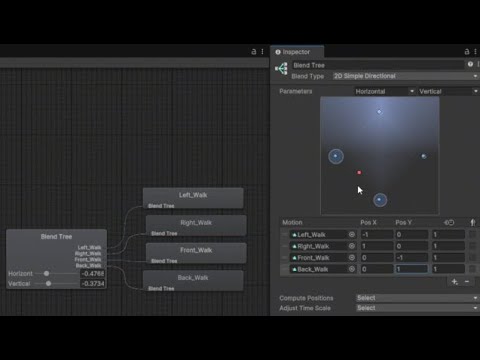
Ziel dieser kleinen Videoreihe ist es, ein 2D Mini-Rollenspiel in Unity selbst zu entwickeln und dabei die Konzepte der Spielentwicklung zu erklären.
In diesem Video stellt Eren Saglam die Animationen des Spielers und des Gegners vor. Der Spieler kann mit einem Schwert angreifen, Schaden nehmen und auch sterben.
Download von Unity 6:
https://...
- he also uses a hit animation for each site
 cursive hollow
 pliant falcon
how can I stop a Two Bone IK Constraint from messing up the arm when the target is moved to certain positions?
thats how the component is configured
 agile solstice
pliant falcon
how can I stop a `Two Bone IK Constraint` from messing up the arm when the targe...
agile solstice
pliant falcon
how can I stop a `Two Bone IK Constraint` from messing up the arm when the targe...
Just a guess but what if you move the target and hint up in depth position a tiny bit?
Not the exact same distance each, though even just a tiny offset might be enough
Sometimes when IK transform coordinates are perfectly planar it can cause some ambiguous math
pliant falcon
that fixed it
agile solstice
If you want to avoid the rotation of the limb, you can move the hint while you move the target
Doing that might solve the original issue even without offsets
pliant falcon
yeah i was about to ask if the way the elbow rotates at 10 seconds looked right
gray surge
I managed to handle 4 different jumps using a blend tree. I hape two questions:
- Is this a better method compared to 4 different states that link to my main Idle?
- If yes, would it be possible to do the same thing with that 3 attack states, merge them in a blend tree?

Ideally I want to add 2 more attack states (Heavy/Running) so I think this is the right time to ask
covert solstice
novel quarry
+ he also uses a hit animation for each site
Thanks a lot!
 honest rose
hi, i dont know what i did wrong
this is the script i been using in all the code
animator.Play("Base Layer.valeria_walk");
the enemies work fine, why the player doesnt?
as you can see the death anim didnt trigger, wich didnt trigger the death function, wich made her, ta-da, immortal
agile solstice
honest rose
as you can see the death anim didnt trigger, wich didnt trigger the death functi...
Your scripts are overriding the animator so the problem is somewhere in your scripts
honest rose
agile solstice
Your scripts are overriding the animator so the problem is somewhere in your scr...
oh, but has nothing to do with the animator mesh then?
i mean the thing in the right
agile solstice
honest rose
oh, but has nothing to do with the animator mesh then?
i mean the thing in the ...
It can show you which state is playing currently, but that's about it
Conventionally you'd use parameters and conditions to let the animator go from state to state
But since your scripts are responsible for that part, the problem's there too
Ideally a character's dead/alive status shouldn't depend on which animation is being played
Rather the animation would be determined by that status
honest rose
but i mean, all animations are glitchy, not just the dying one
honest rose
agile solstice
It can show you which state is playing currently, but that's about it
Convention...
i feel like the issue is also the conditions of the state, how do i specificly do so?
i mean, i know how to do it, i dont know how to do it well
agile solstice
honest rose
i feel like the issue is also the conditions of the state, how do i specificly d...
Your states have no conditions because they have no transitions, so no parameters can be used either
honest rose
btw, in 2d animation transitions are necessary?
agile solstice
Transition blending is not necessary, but the animator cannot go from one state to another without a transition
You have to decide whether your code is deciding the animation to play, or if you allow the animator to have that responsibility
Different ways to do the same thing
If you have animation sequences or a lot of conditional or contextual variance, the animator has tools for all that and you won't have to code your own
But if you want to play a specific animation when a specific thing happens, no questions asked, then the animator does not give much of an advantage despite being more complex to set up
honest rose
oh
but then how do i fix it?
i mean, i think the issue is that animations overlaps, but how do i make them stop overlapping?
agile solstice
honest rose
but then how do i fix it?
By fixing your scripts
It's a fair assumption that it's attempting to play multiple animations in the same frame, so you could look for instances of that happening first
The animator is a finite state machine, so it cannot run into that issue
If you play animations from scripts, you have to take care not let any conflicts like that occur
When playing animations from a script, you usually end up having to code some kind of FSM anyway because it just makes sense to do
But Animator has that already via its parameters and transitions
honest rose
so in theory i should just add booleans for prevent it to do so?
honest rose
no i got lost
im analyzing and yeah this should work, but doesnt, i mean, is like every frame were being used, but the issue is, im checking tutorials, and do almost the same
agile solstice
honest rose
so in theory i should just add booleans for prevent it to do so?
Not just "add", creating animator parameters or transitions or whatever won't change anything when the problem is in your script that's handling the animation switching on behalf of the animator
honest rose
agile solstice
Not just "add", creating animator parameters or transitions or whatever won't ch...
i meant in the script
agile solstice
Hard to guess when the problem could be anywhere, from our perspective
honest rose
technically is supossed to be cuz my ifs aren't too specific
or atleast thats what im trying out right now, wish it works ;-;
yep, it is
agile solstice
If you have script problems, post your scripts in #💻┃code-beginner and explain what they're supposed to do and what exactly breaks
We're going in circles here when you haven't posted your scripts and aren't using the animator state machine
honest rose
oh right, my bad, well, i guess i will post the script in code-beginner cuz this is more animation focused, but anyways this made me closer to fix it thx
btw in what page do i post codes?
agile solstice
honest rose
oh right, my bad, well, i guess i will post the script in code-beginner cuz this...
#💻┃code-beginner message link should take you to a post with code posting instructions
honest rose
agile solstice
https://discord.com/channels/489222168727519232/497874004401586176/1363150880731...
Thanks :3
covert solstice
novel quarry
it is German but he use the same sprite and the animation for top and down : htt...
I tried to make animation using this video but for some reason even if I tried to fix it, the animation looks like this

Damn, importing video to gif lowered the quality
Could you tell me why doesnt it work? The sword had to make circles from top right to top left
agile solstice
covert solstice
Could you tell me why doesnt it work? The sword had to make circles from top rig...
The keyframes may be in wrong order and/or the keyframe type is quaternion rather than euler
You should be able to right click the rotation keyframes and change the type
Euler angle keyframes change the rotation on each rotation axis you see in Transform rotation
Quaternions calculate the shortest path to get from one keyframe to the next
Most likely you'll need to parent the sword under another gameobject that would serve as a pivot that handles the rotation to really get a "swing", otherwise it will not do an arcing motion
Use video formats (mp4, webm) for video
Gif is not really a video format but an animated image format
covert solstice
agile solstice
The keyframes may be in wrong order and/or the keyframe type is quaternion rathe...
I fixed it, thanks for the help!
 opal plover
Is there a place to find people who love to make animations costfree? Just for a cool pixel art game which im making? I have the default sprites but have a hard time making the animations for it. Since i have 0 experience
 manic harness
Hello, I need help on how both arms grab the gun
I used mixamo to get the animation and the skeleton
How I make the weapon be like in the position where the gun should be,
Any good tutorial video on that? Cause I'm really lost
agile solstice
opal plover
Is there a place to find people who love to make animations costfree? Just for a...
Is there a place where people love to work for free, and for you in particular?
That'd be very unusual
There's OpenGameArt where people share with an open licence assets they personally want to make
When you find people who would like to collaborate without compensation, it has to be worth it to them in some way if you don't intend to exploit them
If someone had you work for free in their project, you'd probably want something like creative freedom and influence over the design
 inland forge
anyone here know how uniVRM works??
for some reason when i did a test run of importing my VRM model into an empty unity project and adding an animator controller + simple walking anim to it, it worked just fine, but when i did the same thing but in my actual project, the act of adding an animator controller causes the model to sink into the ground and for the pose to change somehow (and it still happens even if it's literally an empty controller with no anims inside).
and after adding the same anims in both, it turns out the anim only plays in the empty project, while in my actual project the model just stays frozen in the ground
the only difference between the 2 projects is that the latter already had a placeholder character with logic scripts, and i just replaced the model
comparison of before and after adding an animation controller to the model (i have no idea wtf happened to her arms)


i have little to no animation-related logic in my scripts so i cant figure out wtf it is that's interfering with the anim controller and breaking the model
what little i have is pretty much just initializing the animator or placeholder logic that never gets called
so can anyone explain wtf is going wrong here and why it only works in my empty project with no preexisting logic??
inland forge
never mind....i think my uniVRM import got completely borked somehow
agile solstice
inland forge
anyone here know how uniVRM works??
for some reason when i did a test run of im...
Not generally
UniVRM is a specific Unity application, rather than Unity itself
sterile vine
not what this server is for
we don't allow advertisements here
could you remove the advertisement?
 fresh cypress
good morning guys, i would like to know what kind of methods are there in order to achieve transforming animations for example : a human turning into a giant monster
i tried using shapekeys from blender but they dont show up as an animation fbx prefab
 brittle otter
Hey guys, I'm trying to rig a robot just for some studies, following the tutorials step by step, but it’s just not working. I rigged it properly in Blender, imported it into Unity, set up the rig, added the "Two Bone IK Constraint," selected the correct bones, and it simply doesn't work ;-; any one can help?
 kind aspen
<@&502884371011731486> spamming channels with scam ^
 charred belfry
!ban 1268720740442701902 scam
dusk valeBOT
hugo067711 was banned.
sterile vine
this isn't a place to advertise
 mellow basin
sterile vine
this isn't a place to advertise
mellow basin
sterile vine
this isn't a place to advertise
Removed it 🫡
grave cosmos
Can you add two animators on the same gameobject and let them move different parts one for example entire body and one just the arms for client and server side ? Just by using different avatar ?
sterile vine
grave cosmos
Can you add two animators on the same gameobject and let them move different par...
sounds like you want blend trees or layers
grave cosmos
allright so just add them on a different layer
 burnt grove
How do I prevent my damped rig to split like this when moving on a cinemachine track? https://kappa.lol/0GfBJg

 fossil hill
What does this even mean? How do I mark that?
 sterile vine
fossil hill
What does this even mean? How do I mark that?
sterile vine
fossil hill
What does this even mean? How do I mark that?
animationclips can be legacy or not; legacy ones are for Animation, nonlegacy ones are for Animator
iirc you have to set your inspector to debug mode to change that field
fossil hill
I was trying to do a normal idle animation and I ended up doing an animator clip by mistake. I don't need a controller. Can I turn it into a Legacy one?
sterile vine
yes, try the thing i mentioned
if that doesn't work try googling it, i'd probably have misremembered something
fossil hill
Oh, ok, ye, it's on debug, thx u
agile solstice
burnt grove
How do I prevent my damped rig to split like this when moving on a cinemachine t...
Motion damping has no method to avoid the parts detaching/stretching, as far as I know
It also has no rotation damping relative to attachment point
Both usually what you need when you want a loose chain of bones
But unfortunately it seems that functionality has to be custom
burnt grove
dang..
 stable storm
hello guys im having abit of trouble with the animator, my character stays in iddle animation and wont transition to walk or attack at all , can anyone help please
 honest rose
Hi, how i can animate different words of an TMPro?
like, i want to have some text in a frame, and other text in another
 graceful charm
honest rose
Hi, how i can animate different words of an TMPro?
like, i want to have some te...
graceful charm
honest rose
Hi, how i can animate different words of an TMPro?
like, i want to have some te...
oh sorry, can you help me
honest rose
graceful charm
oh sorry, can you help me
wat
graceful charm
make annotation and line rendered
honest rose
i dont know, sorry ;-;

 waxen gull
honest rose
Hi, how i can animate different words of an TMPro?
like, i want to have some te...
waxen gull
honest rose
Hi, how i can animate different words of an TMPro?
like, i want to have some te...
a bit more detail?
how do you change the position of a sprite relative to the position it already was in?
 modern sparrow
Heres the actual animation, I have it setup with the correct model andd everything, im not what is happening
I even got rid of my transitions, so it would only stay on the first entry animation, and still nothing
I am rotating the entire top half of the gameobject in code by updating its transform.rotation, would that preent it from animating?
nvm, checked for that, and literally nothing is causing it to not work
waxen gull
waxen gull
how do you change the position of a sprite relative to the position it already w...
nvm fixxed
honest rose
waxen gull
a bit more detail?
Like
I have a canvas with the text, and as the animation goes the Text changes
waxen gull
honest rose
Like
I have a canvas with the text, and as the animation goes the Text changes
Why cant you just change the text instead?
 lime patrol
The problem is the pívot configuration or just need to set better the transf.positions of head
 feral urchin
i have a prefab with animation on it
and inside the prefab there is an animated model
how do i add an another model
and make it copy the animation of the other model
that is animated
 latent oar
@feral urchin First, you need to check whether both models have the same skeleton. If they do, you can simply copy the animation from Model A and apply it to Model B. It should work fine.
feral urchin
latent oar
<@822530217976791091> First, you need to check whether both models have the sam...
the animation isn't on the model itself
the prefab is like a scene
with an animator on it
and also nvm
i did what i wanted to
thx anyway
 tough trench
waxen gull
tough trench
tough trench
waxen gull
tough trench
how are you detecting when the player is jumping
 rough scaffold
Hey guys, how would you fix this?

My current only solution in mind would be calling crossfade
The problem here is that you can transition from any state to Stunned or FallOver, but problem is that falling over is just a trigger
While Stunned is a bool
I can't find how to tell it that it can't transition from FallOver back to Stunned
 icy mist
sterile vine
rough scaffold
While Stunned is a bool
icy mist
sterile vine
rough scaffold
While Stunned is a bool
why not make stunned a trigger then?
do you need variable stun times?
rough scaffold
sterile vine
why not make stunned a trigger then?
In general if I do that I might as well control it manually using crossfade...
Since I need to manually confirm whether or not you can transition to stun animation (Never happens while prone)
And then send another trigger to unstun the character
rough scaffold
sterile vine
do you need variable stun times?
Yes the stun time isn't fixed
sterile vine
ah rip trigger
tough trench
waxen gull
how are you detecting when the player is jumping
hi soo. What do u need exactly? Cause im new to this
feral urchin
is there a way to preview two animations with different animator at the same time?
when i pause the animation on one object and go to animate the seconds object the first object goes in it's default pose
when i want it to keep being animated
dim zodiac
In order to use avatar mask and blend running movements with upper body combat movements, you need to do some sort of tricks? I saw lots of topic on forum and nobody from unity ever has answered and Im not managing make an upper body mask work, anyone knows about it?
this is the configs and results:
original animation that im using to mask and get the upper body:
This is the configs:


and this is the result:
wooden relic
hi how to add animation to already existing objet?

 dense magnet
Hey! I bought a stealth kill pack on the asset store and I was wondering if Anyone can point me in the right direction to get these animations synced..
The old Action and reaction syncup .. I tried googling (probably not using the correct keywords) and I found mainly audio sync links.
 trail remnant
Hello
I have an issue with an export from Blender to Unity regarding the Scale transform in an animation.
If you know a bit about Blender I suggest you take a peek at my post in "Blender Artists" since it is way better explained there. Hope anyone can check this issue. thanks in advance:
https://blenderartists.org/t/scale-animation-messed-up-in-unity-help-xp/1590528

Blender Artists Community
Hello everyone! I have a problem with the FBX export in Unity from Blender in regards to a scale animation 😖. As you can see in this gif below, the Tank threads are scaled from 1 to 0 to give the user the illusion that it is a moving thread. I like how this looks in Blender: The animation has keys on every frame because I baked the anima...
 topaz jolt
Hey does anybody know how to make an animation hold the last frame until the condition changes?
I just want it to play once and not loop
Nvm its a box in the inspector when you select the animation that says 'loop time'
 jagged solstice
Need help with basic RPG Main Player Character
I have a character i downloaded from mixamo.com which i want as the main player of my game. It is called "Erika with bow and arrow".
I also downloaded 3 animations, idle, running, jumping. I tried to setup the animations on the player with a simple script as well. the animations work but have a few wonky things.
What i want to do is have the main player have a sword in her right hand and she be able to attack an enemy using the sword, and perhaps shoot an arrow with her left hand. Simple realistic looking animations only.
Does anyone who's worked on RPG games maybe involving bows, arrows and sword please help me out?
 zenith edge
Hello, I am pretty new to unity, I need help about 2d unity bone rigging (forgive me if my English is bad I'll try to make it clear here)
I am doing bone rigging to my characters for the game. but the issue here is there is one character(The pink hair) that can't take the bone copy from other character. The issue that I found is maybe that character have additional layers that is hair layers. so it make that character can't take bone copy from other characters
So what I want is to put bone copy to that character or something like that. so I can put same animations on that character like the other without issue.

 regal stone
hey @jagged drum

 jagged drum
but i would just do this since you already use bools

just make the lines come from "any state"
regal stone
oh ok
jagged drum
that would be the easiest way, idk how those double transitions work
jagged drum
regal stone
for walk jumping and sprint jumping just do a double check and a not check on normal
jagged drum
regal stone
that's what some tutorial said
oh if its a tutorial then prob something else is wrong
regal stone
it works a bit better
tho now there's something else thats the problem
wait do you mind me adding you rq so that i can show you?
@jagged drum
jagged drum
regal stone
wait do you mind me adding you rq so that i can show you?
they say u cant dm people
regal stone
wdym
 wispy sable
Can anyone help me with this animation issue? I imported a model I made some animations for in blender. In the editor, my model is placed right but as soon as the animation starts it teleports upwards so the feet are in the exact center of the sphere collider
I managed to get it to align right by changing the import settings so Y position is baked based on root node AND applying root motion in the animator. But when I do that the ball wont move anymore its like its trying to move through syrup and its jumpy
The model is basically sonic and the animation I am trying to play is him rolling into a ball
 lunar forum
is there a way to record animations at runtime?
 wide citrus
Unity's Animator overwrites properties on each frame in animations where this property isn't animated.
For example:
Animation 1. Animation doen't touch the collider here.
Animation 2. Inside the animation on frame 1 collider gets disabled. And that's it.
Even while inside the Animation 1, Unity won't allow me to change collider's enabled state. It gets set to enabled on each frame.
Even when I disable it inside the inspector, it gets immediately re-enabled.
Once I remove the property from getting animated from all animations in the animator, I can finally control the state of the collider from inside the inspector and the code.
Crazy stuff.
 compact trench
Hi, I have modeled a character with Autodesk Maya and I am using Mixamo to do the automatic rigging, but when I do the auto rig the character comes out deformed, is that because I am missing the skinning, right?

 radiant ravine
hey ppl, big question about humanoid rigs, there is no way make use of blendr drivers for animation with corrective shapekeys?
 hard brook
is there some trick to finding the animation in this window if its not showing? for the life of me cant find it 😆 i have the game object with the animator selected
edit: relaunching unity its working again, maybe just a bug i guess
 zenith edge
can someone help me with this?
the character is not stop doing dash animation + won't do the animation while doing dash and i don't know why
zenith edge
ok uh.... I still waiting for help
agile solstice
zenith edge
can someone help me with this?
the character is not stop doing dash animation +...
You can have the animator and game windows side by side so we can see from the video what's happening when the character is being controlled
You can also click through all the transitions so we can pause the video and see their conditions
It also helps to see the code, which would be simple to show in the video or be posted separately
Based on this my best guess is that your code isn't setting the animation conditions correctly or at the right time, or that the Any State is overriding whatever animation you have playing
 vague bay
Hello there!
I have a bit of a strange question.
I tried animating in blender a character holding something, but when I export it in Unity, the animation of him holding it is incorrect.
So, I thought of just attaching the object to his hand in Unity, but it still does not follow the hand correctly. Why is that?
PS: What screenshots can I provide + info to help me out with this thing?
 alpine dew
so, I revised my player model and added some armature and embedded animations through Blender, problem is my player object is not the model at the root. Here's the embedded animation clips (first pic), second pic shows the player structure. "ship_seade" is the model itself.
So the problem I'm facing is that I've got the animator on the root object, and the state machine does some additional layer animations to rotate the ship (tilt, barrel roll), while the embedded clips handle armature deforms (wings rotating to brake, the arms fold in for cutscenes). But with this structure it's saying the clip data for the armature is missing (see last photo)
how do i keep that structure intact but access animation clips targetting a child object?


 brave storm
alpine dew
so, I revised my player model and added some armature and embedded animations th...
brave storm
alpine dew
so, I revised my player model and added some armature and embedded animations th...
Pretty sure that the animation's hierarchy just has to match the object hierarchy
brave storm
So you'd either need to rework the anims, the FBX or keep the animator on the child
brave storm
alpine dew
so if i add an empty parent and re-export?
Maaybe
Make sure you have a backup/version control because that might break things
brave storm
Another option is to use a separate animator for the root
And keep the children as you had them before i guess
alpine dew
new weirdness... the armature is flipping the model around with nothing in the animation
ah i think i have keyframes on the root bone nvm
trail remnant
Hello!
I have a problem when importing a Blender file to Unity.
Scale animations behave strangely.
I explain in more detail my issue in the link below. Hope someone can help me (source file available in link as well). Thanks
https://blenderartists.org/t/scale-animation-messed-up-in-unity-help-xp/1590528
Blender Artists Community
Hello everyone! I have a problem with the FBX export in Unity from Blender in regards to a scale animation 😖. As you can see in this gif below, the Tank threads are scaled from 1 to 0 to give the user the illusion that it is a moving thread. I like how this looks in Blender: The animation has keys on every frame because I baked the anima...
 sage thistle
Hello I'm having an issue when importing fbx files for camera animation to unity
- Camera FOV is not preservered
- We're using stepped animation curves but unity is like messing that up with added interpolation and or moving keyframe positions (we animate on 4's sometimes a pose is 3 frames later instead of 4 and then the actual pose we wanted is a frame after that) do we know why? How to fix this?
 slim lava
Im pretty new to animations in unity.
Ignore the transitions, is this the best way to "structure" out animations?
I think I'm going to have an "idle" state for each type of item you can hold.
Then a "Use State" for each type of item.
Swords, Shovels, Pickaxes, Axes, etc. will all share the same attack.
If/when I add 2 handed weapons, it would be as simple as adding an extra Idle + Attack pattern.
Or is it more complicated than this?

I'm also shifting the weights with code. Blends between 0 - 80%. Might blend the idle animations more/less
alpine dew
brave storm
Another option is to use a separate animator for the root
Happen to know if there’s a way to set the scene default animation? It’s preferring a pose with the wings up (braking) and I’m not sure if it’s because it’s alphabetically sorted or I can dictate that
Even though the state machine has the idle animation as its default
brave storm
alpine dew
Happen to know if there’s a way to set the scene default animation? It’s prefer...
I think it's the first one alphabetically in the anim file/3D file
But you can google around if it's not that
I remember naming an animation "0TPose" or something for this reason
dim zodiac
When I use multi-rotation constraint (rigging package) on a bone, my character no longer moves and the car is placed on 0,0,0, anyone had this issue before?
The constraint works perfectly tho
 half horizon
not sure if this is the right place to ask but I created a new animation via blender and exported the model with the new anim to unity by replacing the existing model file. However I don't see the new anim i made. Am I doing something wrong?
brave storm
half horizon
not sure if this is the right place to ask but I created a new animation via ble...
Unity auto-adds the animations to the list only the first time you import the file (or reimport it, I think).
Animations added afterwards need to be added to the list manually
You should see a + button next to the list of the animations when you select the file in unity
This workflow and the anim importer always felt really janky to me :/
 compact flint
Does anyone know how to take the IK positions if I wanted to record a humanoid pose in unity
 lilac stone
Why does animator freezes on a state with one single transition when it finishes and its conditions are met? I have Exit time enabled and set to 1.5, transition duration is in seconds - 0.25, and one condition. The weirdest thing is that it unfreezes randomly - when i pause the game, when i change transition settings or just because i selected the animation clip in project browser.
snow depot
slim lava
Im pretty new to animations in unity.
Ignore the transitions, is this the best ...
you can define the logic (states, params, transitions) with a single set of animations in one animator, then use animator overrides for each item
 past cargo
can someone help teach me how to do stuff in unity 2d? I'm starting a game, but idk how to do like actually players in 2d
 mint oar
im trying to learn to use blend tree for a smoother movement transition, currently working on a freecam animation which i think only uses walk and idle. and theres jump, dodge, attack animation for these tree do i put them out side of the blendtree? and use bool?

or is there a better way to implement this 3 animation?
sterile vine
past cargo
can someone help teach me how to do stuff in unity 2d? I'm starting a game, but ...
!learn 👇
dusk valeBOT
:teacher: Unity Learn ↗
Over 750 hours of free live and on-demand learning content for all levels of experience!
 random echo
Hello
If I have root motion off, is there a way to do target matching?
 devout ember
Some bones in my animations use constant interpolation (IE face plate bones) is there a way to keep this constant interpolation when transitioning between positions?
so it just teleports to the first position
 astral sleet
Hello! I'm fairly new to Unity and am having trouble with my animation transitions! The transition is taking the frames from the beginning of the first animation and making a weird dip in the animation. I'd like to use the frames at the end of that animation- does anyone know of a way to do this or to fix the dip?

 sharp oriole
Is there any way to have an animation block in the animation tree be “Play an animation specified by a script”?
wide citrus
How to do sprite swaps now?

Animator Sprite Swap System is a Unity Asset Store package that allows you to reuse Unity Animator Controller assets and Animation Clips for animated objects which use different spritesheet sources by overriding the sprites set by the animator during runtime.
Why use the Animator Sprite Swap System?
• You will be able to share the same Animat...
Unity doesn't have Tools, Animation, reskin:
 agile solstice
wide citrus
Unity doesn't have Tools, Animation, reskin:
agile solstice
wide citrus
Unity doesn't have Tools, Animation, reskin:
It never had, that tutorial is for a (discontinued) third party asset
The official sprite swapping is in the 2D Animation package
https://docs.unity3d.com/Packages/com.unity.2d.animation@10.2/manual/SpriteSwapIntro.html
wide citrus
Thanks. Yeah I found this, it should work:
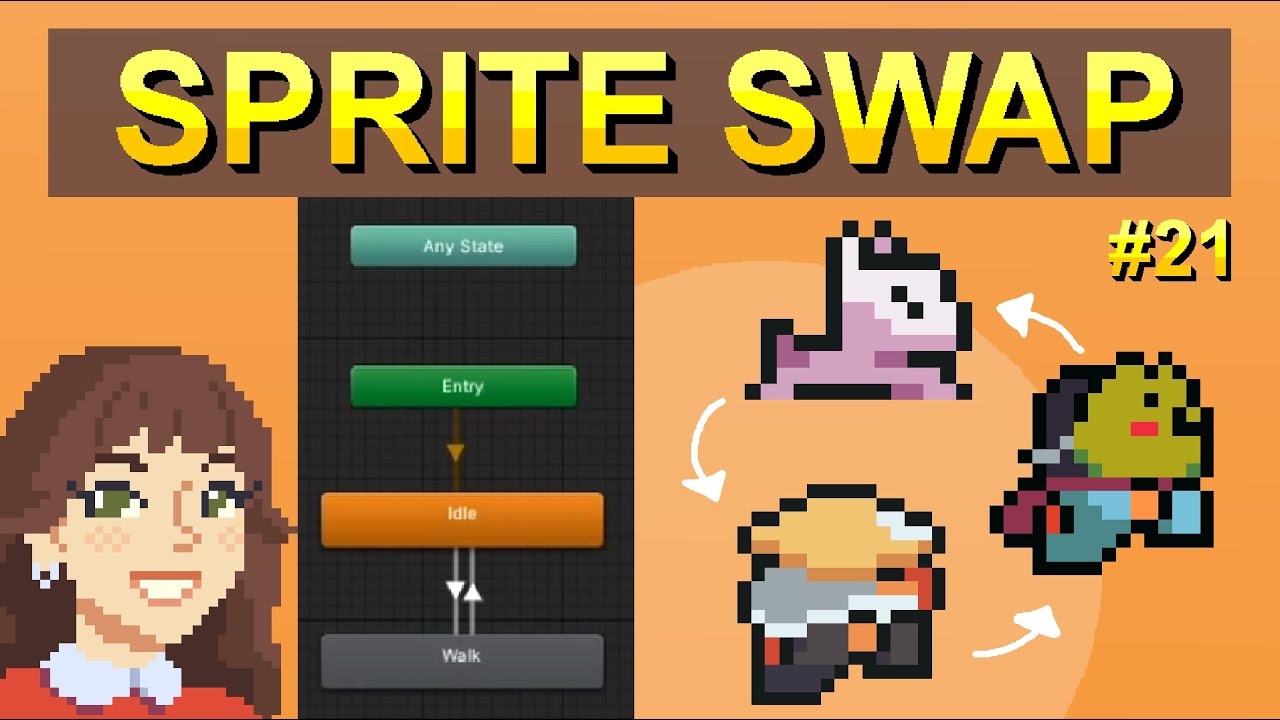
In this tutorial, learn how to animate NPCs by reusing your player's animations and Animator. Simply swap out the sprite sheet using Sprite Library and Sprite Resolver, and watch your characters' appearances transform instantly! Really cool Unity feature that speeds up your process!
Player Animations: https://youtu.be/82U4ToJU-28
NPC Movement: ...
sharp oriole
sharp oriole
Is there any way to have an animation block in the animation tree be “Play an an...
Can anybody help me with this?
 agile solstice
sharp oriole
Can anybody help me with this?
agile solstice
sharp oriole
Can anybody help me with this?
What is this exactly
A mind map rather than your actual animator, I'd assume?
sharp oriole
Something in between. I did my best to replicate what the animator tree would look like when finished.
But what I'm focusing on is the "Arbitrary Animations" block.
agile solstice
There is no such thing
sharp oriole
Well, the idea behind it is that that that particular block would play an animation specified by a script, rather than having an animation firmly assigned to it.
The goal being to have various "skills" that can be installed or removed in a modular manner.
 agile solstice
Blend tree is the closest to that, but blend trees have a specific function
All animations in a blend tree are played in sync, weight just determines the blending between (and length, if they differ)
So JumpStart and JumpLand don't make sense in the same blend tree
agile solstice
sharp oriole
The goal being to have various "skills" that can be installed or removed in a mo...
For this I'd consider the Animator Override Controller component
It does not change the state machine, but you can swap out the animation clips in the states out for different ones
 tidal lance
But on that note, you'd have to have the Animator component swap the runtime animator to that override controller and switch back to the one it was in the heat of the action
agile solstice
Can't have blending when swapping between override controllers, but besides that I think the switch is seamless
agile solstice
astral sleet
Hello! I'm fairly new to Unity and am having trouble with my animation transitio...
Either the blending ends after the first animation ends, so the tail end of the blend tries to blend the start of the first animation where the character is under ground
Or the two animations have been exported with different transform axes so from the animator's perspective there's a 90° rotation difference between them
Both likely would be fixed by making the transition instant with no blending and matching the start and end of the two states in the transition timing
random echo
!code
dusk valeBOT

Posting code
📃 Large Code Blocks
Use links to services like:
https://paste.mod.gg/, https://hastebin.skyra.pw/, https://paste.ofcode.org/, https://paste.myst.rs/, https://scriptbin.xyz/
📃 Inline Code
Surround code with three backquotes. Not quotation marks.
To format as C#, add cs to the first line:
```cs
// Your code here
```
Add a comment with a line number if there is an error message.
random echo
Hello im trying to implement Target Matching in unity using Playable API that unity provides, but i cant figure out what am i doing wrong. some help please..
https://paste.ofcode.org/6qbsMLzR9vJzHnQ8yX8kyP
Yes I have root motion enabled, and the clips I'm trying to apply target matching on are in the layer that's at 0th index
wide citrus
Just did some hacking to not have to choose 250 sprites in the Unity sprite library editor.
I am working with sprite swap and to quickly create many sprite libraries you can edit .meta files manually: it's just yaml files.
All of my different sprites that I'd like to swap follow the same pattern and are in the same places inside images
So I just copied the meta file from the original sprite asset that I setup in editor to those other .png files.
Then I duplicated .spriteLib file and changed the guid in it from the original sprite asset to the new one and that it, no need to manually choose 50 different sprites in the sprite library editor!
Now I have 10 different sprite libraries without having to manually choose 250 sprites in the editor.
It works because Unity uses guid for the asset files and then internalID for individual sprites inside the sprite asset. And since internal IDs are the same, all you have to change is the guid.
Just thought it would be useful for someone.
rough scaffold
Hey guys, I'd like to confirm something- Is Animator.StringToHash's output always consistent?
Would it be safe to save that, or should I only save the string representation and hash it on game launch?
sterile vine
rough scaffold
Hey guys, I'd like to confirm something- Is Animator.StringToHash's output alway...
hashing is deterministic
according to the reference, it uses crc32
https://github.com/Unity-Technologies/UnityCsReference/blob/master/Modules/Animation/ScriptBindings/Animator.bindings.cs#L1083-L1084
rough scaffold
sterile vine
hashing is deterministic
Okay thanks!
 buoyant thistle
hi guys
 echo dragon
Hello! Im trying to get this instantiated prefab to play an animation then destroy the parent object when it is harvested (growing some fruit :) ), but neither line is working since I added the animation, even though destroying that parent object worked before for over a month. Any ideas?

 proven panther
echo dragon
Hello! Im trying to get this instantiated prefab to play an animation *then* des...
proven panther
echo dragon
Hello! Im trying to get this instantiated prefab to play an animation *then* des...
Sorry, does this mean the plant is destroyed before the harvest animation is played?
echo dragon
proven panther
Sorry, does this mean the plant is destroyed *before* the harvest animation is p...
Ah, I could of been more descriptive - the animation is not playing nor is the parent being deleted anymore, I even tried commenting out each line but they won't work independtly now. I probably did something silly
proven panther
echo dragon
Ah, I could of been more descriptive - the animation is not playing nor is the p...
have you debugged pickable.isHeld and fruitParent?
just wanna make sure the condition fires correctly first
because the animation code shouldn't affect the Destroy code if there's something wrong with it, it should fire anyways
echo dragon
proven panther
have you debugged pickable.isHeld and fruitParent?
OK Debug.Log(fruitParent); isn't printing anything 🫠
proven panther
might wanna check the hierarchy first, then check how your fruitParent is set lol
echo dragon
yeah I'll have to get back to this tomorrow, getting late for me, thanks for helping tho!
proven panther
np 👍
If anyone can help, I have this animation right here with a sub-state machine, and I was wondering if there's a way to transition from any state within the substate machine through a shared transition? (I'm trying to avoid making every transition for every state inside the substate because it might get messier with more states later on)


I tried using the substate's Any State node, but it didn't work
 true glen
Hey guys I have a sprite sheet animation and that is supposed to run at 40fps, upon importing it sets itself to 12fps, how can I change that? Like I have the .anim file in which I can see it change the sprite as a keyframe once every 1/12th of a second. How do I fix this?
Found it out, it didnt show the sample rate in the animation window which is what got me confused
echo dragon
echo dragon
Hello! Im trying to get this instantiated prefab to play an animation *then* des...
I have so many issues. Apparently, they weren't parent/child at all even though I could of sworn they were. I have no idea how this script was deleting the correct object in the first place at all. Programming remains baffling. I know what I gotta do to fix it at least
 sharp ridge
OK so i know this is a long shot, but I used a rigify rig in blender to animate (im extremely new to animation) and wanted to port it over to unity but the animations arent looking correct at all
(animation in blender vs unity)
(incorrect head scaling, teleporting hand) https://i.imgur.com/UI3xVLq.gif https://i.imgur.com/6n9NmdJ.gif
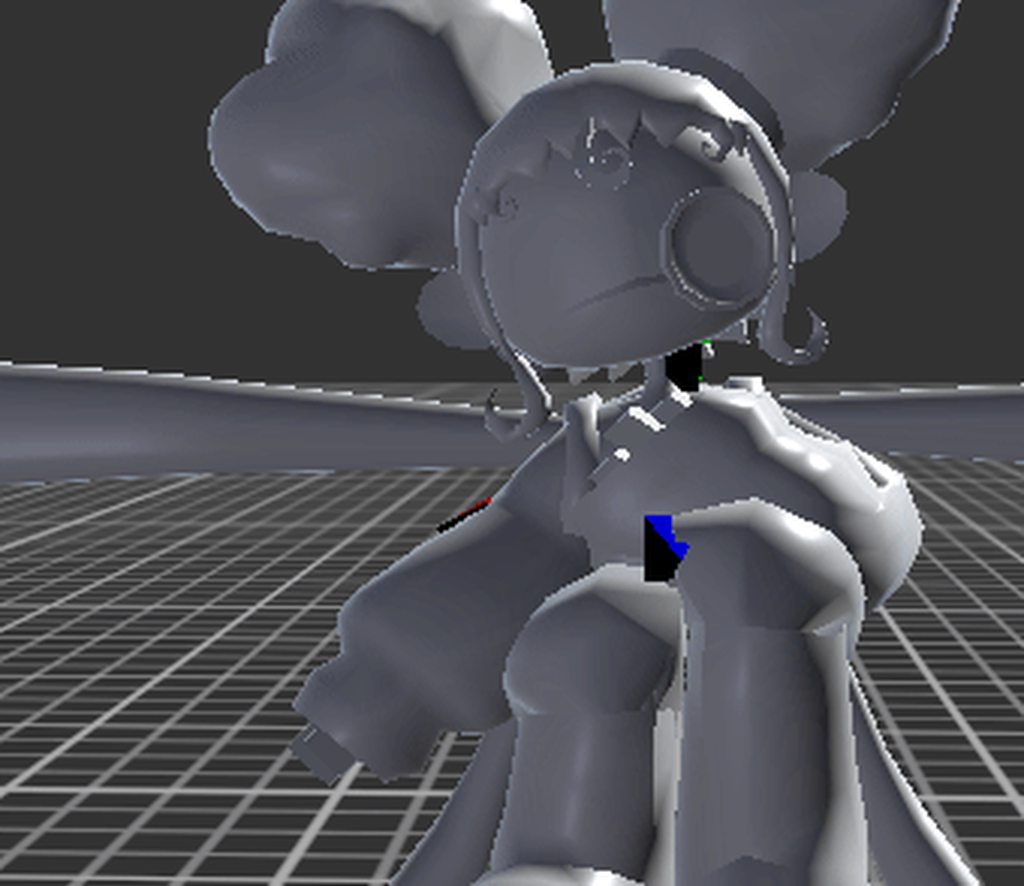
my export settings

and here is what happens if i make it a humanoid avatar! the head bone doesnt move at all, but its children do https://i.imgur.com/HvJb5RR.gif
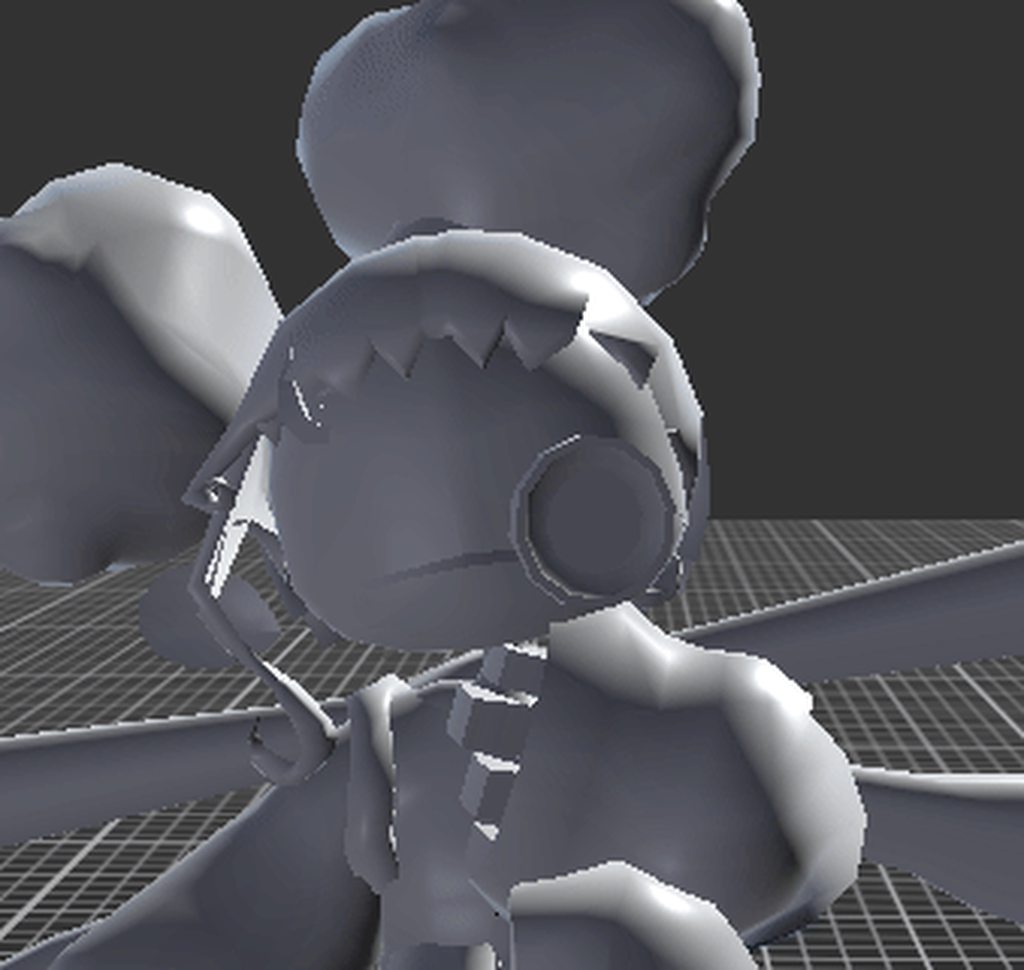
i can send pics of the rig/ whatever is helpful, im just hoping theres a way to fix that with redoing a minimal amount of animation
 pastel viper
hi guys
i have a problem which must be easy to fix but i dont know which way to choose
i use two-bone IK for my player holding a gun, but when i transform my gun to aim down sight position hands dont follow grip objects which are child's of gun object
but when i use script to restart rig builer component they snap to those position and stop moving again
so do i need to use different IK constraints type or force update of those i have?
sharp ridge
sharp ridge
and here is what happens if i make it a humanoid avatar! the head bone doesnt mo...
`fixed using the game rig tools blender addon!!
 scenic girder
Howdy! I bought this 'monster' from asset store and I'm figuring out how to set up animations. I need it to do a few things.
It needs to be in it's default walk animation which it comes with, I have dragged it's walk avatar into the avatar box on animator but it still isn't walking on the spot in the game.
And I need it to move across the floor (which I assume i'll have to have my own animation made for it to move across my scene)


First question really is, Where exactly do I have to place it's walk animation for it to be active?
echo dragon
scenic girder
Howdy! I bought this 'monster' from asset store and I'm figuring out how to set ...
First you are going to need to create an animation controller for your zombie, and put it in that animator controller slot shown there in your first image. Using this animation controller, you should create a state machine, since I assume you will be adding more than walking. Im not going to explain state machines super well, so I highly advise you look into those, but basically you're going to want to set triggers within the animation controller, and then set them off in your program. What I have pictured is a state machine I am working on for my slimes in my game. They have an idle animation state, that then transitions into or from a jump state, with a trigger bool checking for jumping on that transition line
 honest rose
Hi, is possible to add sound to a clip? I mean cuz almost all my scripts have animations working like bridges, using the function key for the animation etc. But when i want a sound to play i have to play the animation and the sound at the same time, or when the sound is supossed to occur MID animation, i made the animation have a function key in that part wich calls the script for play a sound.
So i was wondering, is there a way i can just add a sound to the animation clip and done?
 minor vector
Hello! I was wondering if I could find anyone who has any experience importing blender rigs with accessories from blender into Unity. I'm trying to get a full body FPS rig working with the Animation Rigging package. I've managed to get a bendable spine working, but I'm having a really hard time getting the animations for attaching things to the object in the players hand to line up. I feel like this either has to do with how the rig is set up in blender or with how I'm doing things in Unity, so if anyone has any experience with this I'll provide all the info needed.
 cerulean acorn
Dear community, if you ever made a 2d game -no pixel art- what standard ppu did you use? For a sprite of your player, say 2 tiles by 1 standing up, with what resolution did you import the asset? 512x256 ? (my camera settings are default)
 coral prism
Good evening, I have a problem while animating my main character. For some reson only a single bone/body part isnt recognized right for some reasonm and i am at my wits end. Does anyone have some advice? I used Blockbench for the model.

 vestal cipher
Hi! How extract the animations of the model, which have these animations?
 coral prism
vestal cipher
Hi! How extract the animations of the model, which have these animations?
coral prism
vestal cipher
Hi! How extract the animations of the model, which have these animations?
I think you can just Ctrl+D to duplicate them. that puts them outside the prefab
vestal cipher
coral prism
I think you can just Ctrl+D to duplicate them. that puts them outside the prefab
What?
sterile vine
vestal cipher
Hi! How extract the animations of the model, which have these animations?
you can use those animation clips directly, not sure what exactly you're asking
coral prism
vestal cipher
What?
You want to move the animations outside of the package/prefab, right? Then I think the easiest way is to select them one at a time and just duplicating them
Afterwards you can even delete the original to complete the "extraction" if needed
vestal cipher
Like this?
 sterile vine
why do you want to extract them though?
vestal cipher
Duplicate the animations the model duplicated
coral prism
vestal cipher
Like this?
Yes, like this they are extracted. If that isnt the result u wanted I either misunderstood or u meant something different from extracted
 plain thistle
Hey everyone, i'm kinda new to blend trees, I'm trying to get the turning animation when I suddenly change directions go smoothly but it does this weird spinning, would you guys have any working example of something like that, I haven't found anything quite like this ? Here's a screen of the blend tree if anyone feels like they can help me directly
 vestal cipher
coral prism
Yes, like this they are extracted. If that isnt the result u wanted I either mis...
vestal cipher
coral prism
Yes, like this they are extracted. If that isnt the result u wanted I either mis...
Yeah, btw thanks
 primal tree
Hi there!
I have a small question. I'm not at all familiar with Unity, which is why I need help.
When I export the model with its animations (in FBX binary format) and import it into Blender, it looks completely smashed (to put it back in position I have to select the armature and clear user transforms in pose mode).
I'm looking for a way to have my mesh and my skelet, and to have each animation on a separate file (or whatever), because currently everything gets mixed up in one file, which gives this result.
 agile solstice
primal tree
Hi there!
I have a small question. I'm not at all familiar with Unity, which i...
agile solstice
primal tree
Hi there!
I have a small question. I'm not at all familiar with Unity, which i...
The normal answer is "don't do that"
You should be working from the source file only
Exporting into fbx for unity is a lossy process
Exporting it out also is, so it gets even more mixed up
Because axis systems are different, the bones are rotated in the wrong way, and the whole mesh is too
Scale is likely to be off by a factor of 100
Constraints used to animate it are lost, but control bones that were left behind were exported so your deform bones are mixed in somewhere among them
It's technically possible to solve all those, but just not worth the effort probably ever
Is the point of this just to separate the animation clips from the imported mesh? If so, you can do that within unity, no exporting required
primal tree
agile solstice
The normal answer is "don't do that"
You should be working from the source file ...
Thanks for your reply! Actually, the aim is to import the mesh and its animations on blender to export them in another format for import on another engine. I need the animations to be separate files for compiling the model on the game engine in question.
As far as props / characters are concerned, I have no problem. It's just the animations that give me problems :/
agile solstice
primal tree
Thanks for your reply! Actually, the aim is to import the mesh and its animation...
There's no need to export in that case either
Meshes in a Unity project are already fbx files
primal tree
agile solstice
There's no need to export in that case either
Meshes in a Unity project are alre...
I just realized, I was a bit slow on the uptake. Thanks for the help 😉
 loud cove
how do i make this line thing trigger when the player touches a trigger collider? I tried creating a trigger parameter but i don't know what to do with it once it's created
 vestal cipher
What u think guys?
agile solstice
loud cove
how do i make this line thing trigger when the player touches a trigger collider...
You need to learn what transitions are
https://docs.unity3d.com/Manual/class-Transition.html
Video guide with an example: https://youtu.be/sgHicuJAu3g?t=1104
 void pelican
is there a euler filter function like in Maya for Unity's Timeline graph editor?
agile solstice
void pelican
is there a euler filter function like in Maya for Unity's Timeline graph editor?
What exactly is the euler filter function?
void pelican
agile solstice
What exactly is the euler filter function?
its to fix a gimbal issue for rotation
agile solstice
void pelican
its to fix a gimbal issue for rotation
There might be an option to right click on rotation keyframes on the timeline and swap rotation type from euler to quaternion, at least in Animation there is
 ornate pier
I made this spider rig with IK using limb solvers, with yellow diamonds marking the limb solver targets and green circles for the effectors. How do I keep the legs locked in place when I move the body?
scenic girder
Howdy! Following a tutorial on setting up animations, This is gonna be triggerable when something happens but apparently I should have an 'animator' file with this? But it doesnt seem to create one

I have the animation clip I made but it didnt seem to create an 'animator' file
Okay so I got it to create the animator file, Thats the same as .controller right?
sharp ridge
what would be the correct hierarchy for a character who happens to have 4 arms
also is it even possible to do such a thing with a humanoid rig? Ty in advance :P
 lilac stone
Hi everyone
Tell me please how can i fix that animation controller ignores transition even though all conditions are met? It happens randomly with a few states, with Any state the most, even if transition Has Exit Time ☑. Sometimes removing it and creating it helps but then it breaks again.
scenic girder
Trying to figure out why the 'walkingtoyou' transition isnt working

Its looping the shout transition correctly but walking to you just doesn't seem to fire
Okay, So instead of doing this I now have 2 animation layers, But it only plays whichever one is at the top of the order, not both

Tried setting both to additive but still only plays whichever is first in the list
scenic girder
Ah seems ordering should both be the same for them to play at the same time my fault
scenic girder
Hilarious attempt at trying to get the guy to walk past in a creepy way but clearly it didn't work out.
So this, monster I have bought comes with his 'walking animation' which looks normal when he is standing still, But i paired it with my own animation 'moving across the bathroom' and it looks goofy, Is this just because blending animations like this doesn't really work? obviously i can't ideally time his foot to hit the floor doing it this way. I'm new and just trying to get some spooks similar to this in my game before releasing it and moving onto learning more. Anybody have any suggestions?
dense magnet
I need help please . Extremely frustrated. Animation preview looks incredible and perfect, where as in game is looks like doo doo
- I have enabled IK pass on the layers (does jack sh### Pretty sure I am missing a step or something )
- My character avatar + the animations are exactly square and in T-Pose (images attached)
I would really appreciate any and all help. This is pretty much the case for ALL animations. If it's in a blend tree then IK just does not work.


I also notice that when I turn the IK off in the preview the characters feet look the same as in-game
soooo the fix here is to get IK working but with blend trees I guess?
because if you have the animation in the animator pretty much standalone you can do the whole FootIK tick box, but in a blend tree that option is not available
 fossil cloud
guys how do you do that thing in the mario games where when Mario runs to the left or right he starts to lean in that direction?
 lime estuary
Hello everyone. I ran into this problem: in my game, a character can pick up a weapon, and when it's in his hands, objects with TwoBoneIKConstraint turn on and his hands seem to hold the weapon. But the problem is that when the camera rotates or the player moves, the hands are late for the object of the weapon and sometimes turn chaotically. I've attached a video below
lilac stone
lilac stone
Hi everyone
Tell me please how can i fix that animation controller ignores trans...
anyone?
agile solstice
lilac stone
anyone?
With Any State it's usually a conflict between multiple Any State transitions, or Any State transitions that are restarting every frame
Rule of thumb don't use Any State unless you know you have to
lilac stone
agile solstice
With Any State it's usually a conflict between multiple Any State transitions, o...
so what should i do instead? manually connect every state with each other? but as i wrote it happens with normal states as well
agile solstice
lilac stone
so what should i do instead? manually connect every state with each other? but a...
In that case I'd try to isolate the issue more into a specific situation where it seems to occur reliably
Animator rarely does anything unprompted so worth examining the transitions, parameters and code in action
The best way to demonstrate it is to record a video from play mode of the problem occurring with the animator visible and selected so we see it in action, and click through all the layers, transitions and their setting and relevant code
Viewing the animator in action helps track these issues even when not recording it
lilac stone
agile solstice
In that case I'd try to isolate the issue more into a specific situation where i...
can i show you my screen in voice chat? even if we won't talk? i think this way would be easier
agile solstice
lilac stone
can i show you my screen in voice chat? even if we won't talk? i think this way ...
A recording that shows everything is better because it can be paused and replayed, and it can be seen by others too
lilac stone
agile solstice
A recording that shows everything is better because it can be paused and replaye...
so ok, i'll try to record a moment when animator refuses to go into some states with it and game view and then i'll send a script (and also select the transition to show it's conditions)
will it be enough?
lilac stone
ok, it might be weird but right now it behaves as it should, as i said it happens randomly
the only option for me is to wait until it will happen again
because yesterday a death animation didn't play, i simply remade a transition with the same conditions and settings and this magically fixed it, conditions conflict is not a reason because every transition of Any State checks for parameter "died" to be false except the one that goes to Death state
sorry for that and thank you for trying to help me
ornate pier
I created a walking animation for my IK spider, but I have a few issues: Shouldn't the animation be the same in both directions? And sometimes on the right legs, they get stretched for a split second
ornate pier
Fixed by adjusting values of animation
wide citrus
Animatinos are zero-indexed, right?
So when I want animation that's 30 frames long, I want to go 0-29, right?
And also when I want to have event run on 8th frame of animation, it should be on frame #7, right?
 vagrant peak
Why I get knocked trigger but current animation wouldn't stop?

 agile solstice
wide citrus
And also when I want to have event run on 8th frame of animation, it should be o...
agile solstice
wide citrus
And also when I want to have event run on 8th frame of animation, it should be o...
You'd put it wherever the 8th frame begins
Animator doesn't exactly measure animations in frames
It has keyframes over time (seconds divided by sample rate)
 mystic dew
I'm currently using timelines for some cutscenes, is there any way to move keyframes around? they're greyed out right now for some reason

I found I can move the curves and press shift to keep them in their same respective heights, this seems a bit hacky
mystic dew
yeah I'm currently stuck on tryina copy a keyframe
gaunt berry
I've run into an issue with animation-rigging

I have this setup here. It blends between aiming and resting by manipulating the weight. Those two rigs position the gun with their respective multi-parent constraints
The issue started once I tried to add recoil to the gun. I made an intermediate handle right above the transform of the gun so I can freely manipulate it, but now the hands no longer follow the grips parented under the gun's transform
See:
Is this an execution order issue or what?
 candid hearth
hey i was wondering how i go about importing mixamo animations and characters into my project and making them work with my fps controller
compact trench
Does anyone know anything about Maya to help me with a problem making animations with Mixamo?
fossil cloud
candid hearth
hey i was wondering how i go about importing mixamo animations and characters in...
import with skin, using .fbx for Unity
fossil cloud
compact trench
Does anyone know anything about Maya to help me with a problem making animations...
wdym "making animations with Mixamo"?
compact trench
fossil cloud
wdym "making animations with Mixamo"?
Making rigging with mixamo
But my problem is solved now, I think
 noble cradle
why does my dude look normal in blender but the bones are fucked in unity I can't work it out

 compact trench
Idk how solve this

What is this error
This is a fbx file with animation
In root transform position
mystic dew
turns out you can double click on timeline things to open them in the animation window, that gives me all the functionality I need
agile solstice
noble cradle
why does my dude look normal in blender but the bones are fucked in unity I can'...
You have exported non-deforming bones, which is not usually what you're supposed to do
Then you've given the non-deforming bones bone renderers so you see their connections to whatever they're parented under
That it looks that way is not an issue, but that your bone hierarchy is full of extra bones that should be excluded from export may be an issue
If it's a Rigify rig, those are not intended for exporting into game engines
There's addons for it that try to change that
mystic dew
ok so
do animation events not play in cutscenes?
oh my script doesn't work like at all in the cutscene
I just have a script to switch the main texture of my mesh at a point in the cutscene, and I have the start function just make an instance of the material but not even that part of the script works
nvm I got the property name wrong my bad
 molten otter
Im a total bum when it comes to animations and I wanted to just have an idle anim for this tentacle, can I get feedback? I had to use a mix of linear and bezier interpolation to make the loop not choppy on both ends
 woeful wyvern
Mornin' all. I having a pig of a time trying to figure what I'm doing wrong. I'm trying to set up a tentacle with IK, but it's coming out all screwy. It looks like the 'root' end of the tentacle isn't bending at all, which is weird cause in my head it should sort of bend upwards so that the tentacle shape is 'smooth'. Would anyone have any ideas/pointers please as this is driving me nuts. (It'll be procedurally animated eventually if I can get this sorted out and working. 😕
This is the result I'm getting.
 compact trench
mystic dew
turns out you can double click on timeline things to open them in the animation ...
compact trench
mystic dew
turns out you can double click on timeline things to open them in the animation ...
I don't understand
mystic dew
oh no that was just me solving my own problem sorry
compact trench
mystic dew
oh no that was just me solving my own problem sorry
Idk what is this

how can I solve it
compact trench
This is solved now, I think

 upper bridge
heya, i'm trying out procedural animation with this walker model using the animation rigging package, and the IK is being... weird
anyone know what might be going on here?

the bone/mesh structure for reference
agile solstice
upper bridge
I'd try offsetting the target and hint a minuscule amount in the Z axis to see if that helps
Generally it causes problems if the transforms of the limbs are perfectly aligned as well, with knee and elbow -like joints you want them to start with a tiny bend
upper bridge
hmm, it helped, but only above?
gave them a tiny Z offset but it seems to move on the Z axis very slightly while animating
agile solstice
upper bridge
hmm, it helped, but only above?
It could be related to the hint's relative position
Usually you move the hint along with the target to make sure it doesn't end up too close to the limb or on the wrong side of the joint
 little path
compact trench
little path
compact trench

Learn how to take screenshots on many major platforms.
ornate pier
How do I fix this issue with the IK limb solver, where the target (yellow dot) overlaps with the skeleton of the leg, causing the leg to not bend?

 slender aspen
i've just got basic movement states setup, but im having trouble switching between them. If I interrupt Walking by setting my bool to false, Idle starts to loop, but the character is still frozen midway through the Walking animation

 whole scaffold
hi everyone making my first 2d game i thought things were going well till i tried to build the game and none of my animations are working.Im pretty sure its not the code cause i disabled my scripts to check if my idle animatio atleast plays which it didnt.I can control my character but no animation plays which is very confusing cause it works in the preview

 cedar ruin
whole scaffold
hi everyone making my first 2d game i thought things were going well till i trie...
cedar ruin
whole scaffold
hi everyone making my first 2d game i thought things were going well till i trie...
So it does work in the editor? In play mode.
cedar ruin
What exactly were you debugging/printing. Share the code.
Oh, you didn't do any debugging?
whole scaffold
i use chat gpt and it checked if the animations were working and my parametres were okay and they were.these were the logs 🖼️ SpriteRenderer found. Current Sprite: 0001
SpriteRenderer enabled: True
Sprite color alpha: 1
✅ Animator parameter 'run' found
✅ Animator parameter 'grounded' found
✅ Animator parameter 'isJumping' found
✅ Animator parameter 'isFalling' found
✅ Animator parameter 'kick' found
Animator enabled: True
RenderGraph is now enabled.
SpriteRenderer enabled: True
Sprite color alpha: 1
Animator enabled: True
cedar ruin
whole scaffold
i use chat gpt and it checked if the animations were working and my parametres w...
Is that printed in the console/log? During the build?
whole scaffold
player log
cedar ruin
While playing in the build?
whole scaffold
yes
cedar ruin
whole scaffold
yes
Do you see it render if you replace the object with the animator with a simple sprite renderer rendering your character sprite?
whole scaffold
yes it does
when i press build it looks like the idle animation is playing behind her and behind the background
cedar ruin
So it is playing?
whole scaffold
yeah i just saw it
cedar ruin
Make sure your background has lower priority rendering order than your character.
whole scaffold
have it on -10
cedar ruin
Take a screenshot
 knotty hamlet
Hi all, hopefully I'm in the right channel. I'm working on a 2D action game with one other person, an artist. For the player character, he drew a bunch of body sprites in SAI (I think) and exported them as .psb files so he could animate them via skeleton. This is my first time working with files like this.
My issue is that each of the animations he's making for the player character use a different set of body sprites, and I'm not clear on how to switch between animations in any clean way (if one exists).
Currently, each animation is attached to an object with its own set of body sprites and its own animator controller that simply runs the attached animation. Right now, that's 9 sets of objects, with 9 separate anim files and 9 separate controllers.
I'm currently just making each sprite visible/invisible via script depending on states and inputs, but it would be nice if I could simplify this and possibly use just one Animator Controller to go into each animation. But each animation is linked to a specific skeleton, and I can't figure out a way of showing an animation without also bringing in that whole skeleton for each of the player's possible movements.
I'm thinking it should at least be possible for animations using the same skeleton to somehow share a controller, but I'm not really sure how to make that work, either. I wasn't able to find much information about skeleton animations on Google, in terms of one character using multiple skeletons.
 velvet isle
whole scaffold
when i press build it looks like the idle animation is playing behind her and be...
velvet isle
whole scaffold
when i press build it looks like the idle animation is playing behind her and be...
check layers? Check to see if the animation clips have loop pose enabled -
agile solstice
knotty hamlet
Hi all, hopefully I'm in the right channel. I'm working on a 2D action game with...
If they share the skeleton you can use Sprite Swap
Ideally you'd design the animations to use the same skeleton as much as possible, so for example it if the spine bones don't change but arm bones do, the character could have extra arms that remain invisible until needed
Then the same animator controls all of them
Even totally parallel skeletons can be under the same animator, and one clip can animate multiple skeletons at once if a motion requires swapping between them
 crisp oak
My blend machine works in the preview window but not in the actual game?? When the blend tree is 0, its supposed to be playing the idle pose, but during playtest, even when the blend tree value shows 0, it doesnt play the idle animation. all screenshots are taken during playtest btw


the other two blends (walk and run) work, but not the idle
 outer ginkgo
How am I supposed to make the last sprite last 5 frames instead of 1 only?

I want both sprites to last an even amount of time
If I dupe the 1st sprite and set it after 6 frames of the 2nd one (so that both sprites have 6 frames of playtime), the 1st sprite renders for like 85% of the time
whereas if I dupe the 2nd sprite, the 2nd sprite renders 100% of the time of the anim
agile solstice
outer ginkgo
whereas if I dupe the 2nd sprite, the 2nd sprite renders 100% of the time of the...
It looks like your animation holds the sprite first frame for 0:05 seconds, and the second one for 0:01 seconds
Unless it doesn't loop, then it gets stuck there
Seems awfully quick for a clip
Animation clips don't really deal with "frames", rather keyframes spaced over time
The sample rate determines the shortest spacing keyframes can have, and the final keyframe will be held for a duration of one sample, as far as I know
Normally one sample is 1/60th of a second so it's not practically possible to see, you'd just duplicate the last frame and space them out for however long the final sprite frame needs to be there
(Minus one sample, I suppose)
outer ginkgo
Okay so for instance, now, I changed my animation clips so that framerate is 4FPS and that makes the animation speed alright
However, I am now stuck with the issue that my states play only the first frame and stay stuck on the first frame using any state (NFA approach)
Like this

I realized that I had to disable CanTransitionToSelf. Now, my states play the anim clip once but then do not loop the anim clip. Any clue?
Oh shoot, just me being very rusty
I just had to find the anim clips in my Assets/ folder and set loop time to true
Thanks for your time though @agile solstice, much appreciated !
 tawdry valley
If im animating my character swinging a weapon type in blender, and my game will feature multiple weapons for said animations, what is the best way to set this up within unity?
robust perch
How would I go about animating the camera when someone is pulling himself forward with his hands while struggling?
I got the other camera animations down but I don't really know WHAT I would do in such a situation
in real situations, people will usually rotate their head completely down or to the side. Maybe that's not stupid. Maybe it is.
gaunt berry
gaunt berry
I've run into an issue with animation-rigging
bomp
knotty hamlet
agile solstice
If they share the skeleton you can use [Sprite Swap](<https://docs.unity3d.com/P...
It's a top-down game rather than a platformer, so the character needs to be able to face 4 directions.
One clip can animate multiple skeletons at once?
 gray talon
back to my old project, broke down the animation system... but one issue still persists
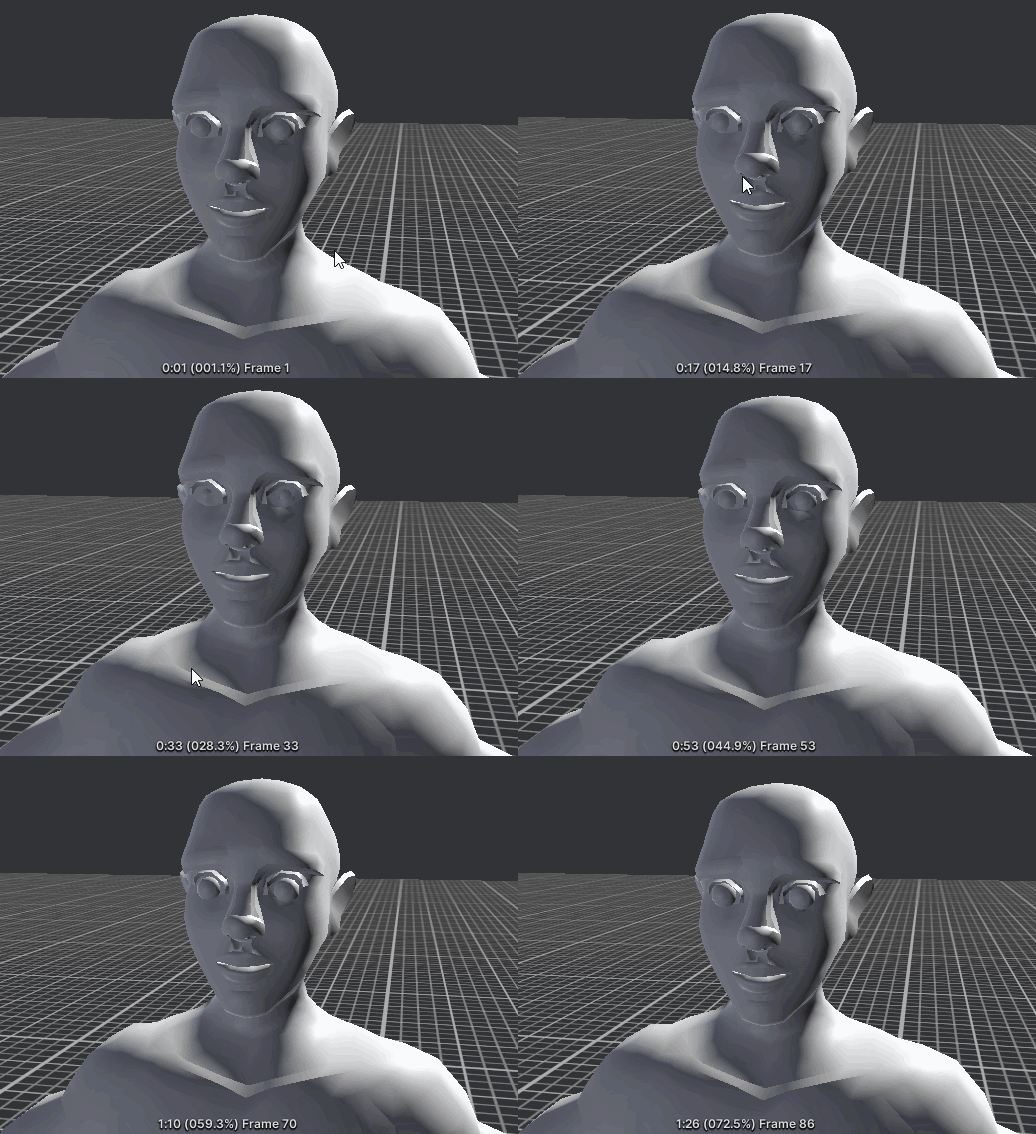
the eyes are bugged out... tho in fact what's bugged out is most likely the rig
I have no idea why these two import separately and their relationship is not retained


nvm, it's the rig... the bake turns out broken possibly because of a constraint somewhere, as pre-bake everything looks good
 gray talon
nevermind, it's a blender bake limitation... wow... I have finally reached the limits of blender
 gray talon
you can clearly see the difference in stretching, how do I combat this?


 gray talon
so I fixed the issue I had, it was a completely different issue. The eye bones were parented to the IK head control, not the actual deformation bone, now when animation is baked, they stay in place

the head still stretches a bit and that's annoying, I should edit all bones to have average scale inheritance
albeit with stretching, it looks stylized, like a smear frame
so I might keep it
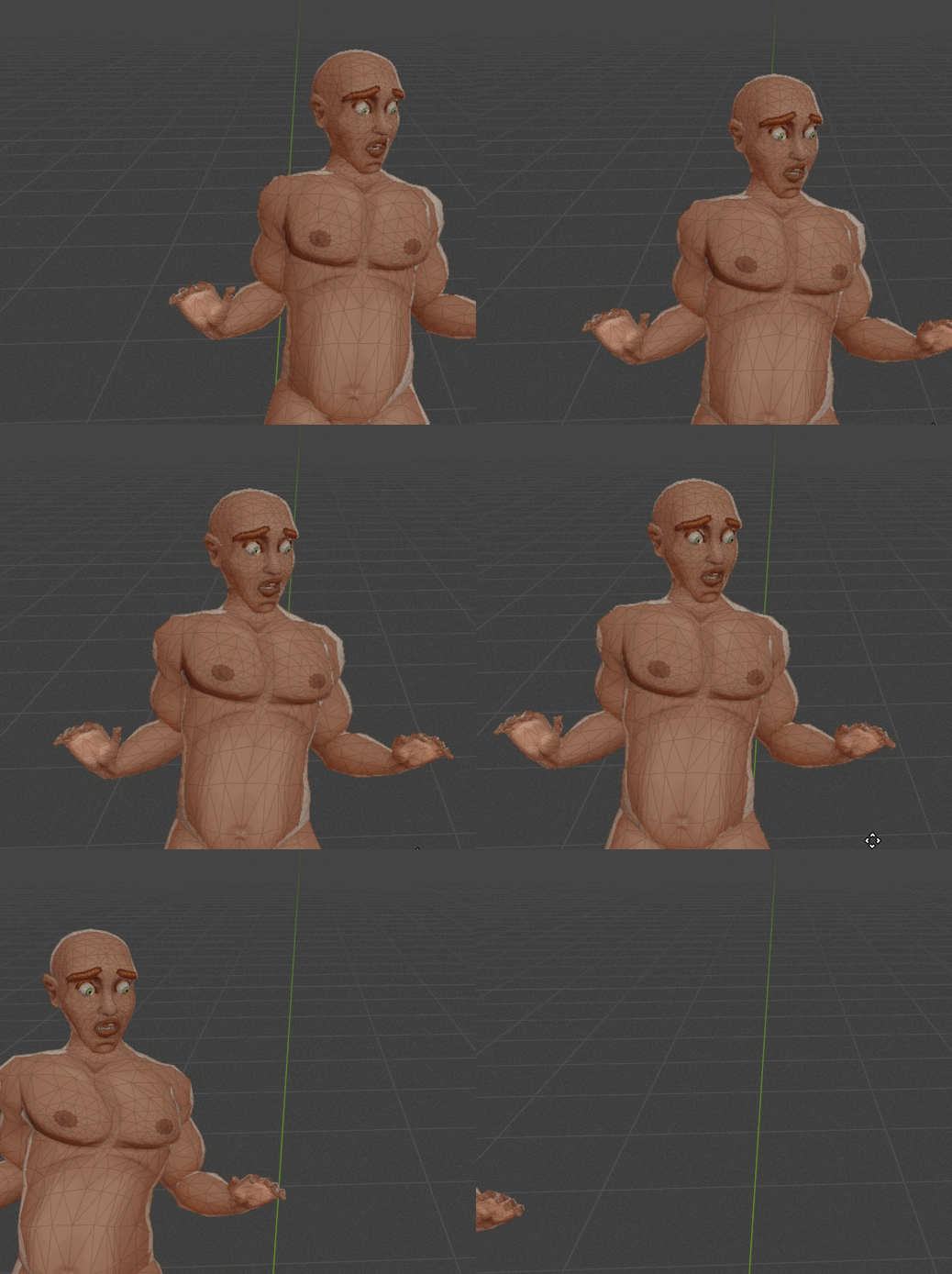 robust perch
Is there any way to override the rotation of a bone that's not the tip of an ik chain constraint? I.e. the elbow in a shoulder-hand chain?
Using the animation rigging package
 indigo helm
can someone help me with animations in the 2D animator
agile solstice
robust perch
Is there any way to override the rotation of a bone that's not the tip of an ik ...
IK constraints are evaluated in hierarchy order, so you can constrain the bones with another constraint whichever way either before or after your ik chain
agile solstice
knotty hamlet
It's a top-down game rather than a platformer, so the character needs to be able...
Yes, there's no limit to how many bones a rig can have even if you keep them invisible in the clip
Because directional animations will have all the same states, you could use animator override controller to swap all the clips of the animator at once
agile solstice
robust perch
in real situations, people will usually rotate their head completely down or to ...
Usually what works is to do a similar motion that a person would do with their real head, but toned down in intensity a lot
In first person view it's not nice to have your view's rotation especially taken over, but having some is important to not make it feel static
agile solstice
gaunt berry
Is this an execution order issue or what?
Likely, considering it's a non-IK script which is not moving a Rig Transform but a gameobject transform directly
https://docs.unity3d.com/Packages/com.unity.animation.rigging@1.0/manual/RiggingWorkflow.html#rig-transform
The official workflow is to have your rig constraints in their own hierarchy, since they don't need to intermingle with the skeleton, and their evaluation order would be apparent
robust perch
agile solstice
IK constraints are evaluated in hierarchy order, so you can constrain the bones ...
I tried adding a position constraint and a multi position constraint and they did nothing
robust perch
agile solstice
Usually what works is to do a similar motion that a person would do with their r...
Yeah, I pretty much did just that
gaunt berry
agile solstice
Likely, considering it's a non-IK script which is not moving a Rig Transform but...
That worked, thank you
robust perch
No seriously, I tried reducing the weight of the ik chain to 0 and I still didn't see the elbow (with the position constraint move)
And when I moved tge target around or reduced and increased its weight, nothing happened
 gilded bough
Is this a Yay or nay for top down pixel 2D Game?


Or in other words, is there a better way of doing this
 twin horizon
heyy could anyone help me to set up animations for my character? the animations already exist but i forgot how to set them up on my 2d pixel character :`)
agile solstice
robust perch
And when I moved tge target around or reduced and increased its weight, nothing ...
Can't get the position constraint to override the IK constraint in any situation, even if you swap their hierarchy order?
agile solstice
gilded bough
Or in other words, is there a better way of doing this
A blend tree seems like a much better fit
No blending is necessary so you can snap the blend tree's parameters in code to prevent it from trying to blend at all, but the main advantage is that you can have multiple clips in one state
No transitions necessary
twin horizon
hey, im trying since hours now to set up my animations for my character, i tried to ask chatgpt and watched tutorials but NOTHING WORKS, i am so mad can someone please help me
this makes no sense, i cant even jump anymore now
 loud dove
First sketch of my first character I want to make. Wish I was better at art lmao

Was going to mess around with blender and see what I can come up with after doing some more sketches
agile solstice
loud dove
Was going to mess around with blender and see what I can come up with after doin...
This is strictly a Unity server
agile solstice
twin horizon
this makes no sense, i cant even jump anymore now
It looks that way, but you need to provide actionable information
loud dove
Well I mean I’m gonna use it to make a game character in Unity so figured it was ok
My bad tho
agile solstice
loud dove
Well I mean I’m gonna use it to make a game character in Unity so figured it was...
Once it is in Unity you can showcase in #1180170818983051344
loud dove
Alrighty then thank you
 spiral relic
Something's wrong with my bones. They imported this way, and now the finger joints are all sorts of whack. Do I need to fix this in Blender? Or should/can I fix it in Unity?


This is what the joints look like in Mixamo:

Know what - I think I must have done something along the way that caused them to get out of whack. I just reimported from Mixamo and they're completely normal, so I'm gonna go back, re-export and import them into Unity.
spiral relic
What's causing my arms to disappear like this? My hunch is that the camera is entering through them. Is that a common cause for something like this?
robust perch
agile solstice
Can't get the position constraint to override the IK constraint in any situation...
I didn't try that but I tried reducing the weight of the ik chain to 0 which should work
agile solstice
robust perch
I didn't try that but I tried reducing the weight of the ik chain to 0 which sho...
I expect it should but it seems we're again at a stage to verify any assumptions
robust perch
If it does nothing, what could that mean?
agile solstice
robust perch
If it does nothing, what could that mean?
Either the IK constraint is overriding everything else, or it's something outside of it
I'd try disabling/removing the IK constraint entirely temporarily to see if the other constraint manages to take over then
Clues seem to indicate that the other constraint doesn't do anything, not only that the IK one is taking priority
Should test to confirm that
 dull verge
I'm having some issues where the animator keeps going into states even when it doesn't meet the conditions set

The highlight/blue arrow is the condition
I've checked that the horizontalValue is not below 0.01. But it still goes through
agile solstice
dull verge
I've checked that the horizontalValue is not below 0.01. But it still goes throu...
It only has to below that value for an instant, while your transition has a delay and takes some time to blend, so you won't see the response instantly
And it will stay there if other conditions are not met
It seems likely that your horizontalVelocity is changing very rapidly and dipping below the thershold at unexpected times
How did you verify it does not go below 0.01?
compact trench
I want to put a sword in my hand so I can attack with it using a mixamo animation but I don't know if I'm doing it right, my idea is to put it inside my right hand, making sure it's inside my hand and then use a mixamo animation to be able to do the attack animation with the sword, but I don't know how exactly I should place the sword

 dull verge
agile solstice
How did you verify it does not go below 0.01?
dull verge
agile solstice
How did you verify it does not go below 0.01?
By doing this
public float NormalizeMovementSpeed => rb.linearVelocity.Horizontal(0).magnitude;
But I've just discovered it is in fact sometimes going 0.01. It's bouncing between a tiny value and a larger value rapidly.
agile solstice
dull verge
By doing this
```public float NormalizeMovementSpeed => rb.linearVelocity.Horiz...
How's that supposed to do it, or even relevant here?
dull verge
agile solstice
How's that supposed to do it, or even relevant here?
playerFiniteStateMachine.RPCAnimatorSetFloat(Player.AnimationParameters.horizontalVelocity.ToStringCached(), playerFiniteStateMachine.NormalizeMovementSpeed);
Oh yes pardon I've missed the other chunk
Anyway the issue is caused by my code, I guess i have more to debug to figure why the variable is bouncing back and forth when the character is clearly moving smoothly.
agile solstice
It's getting the magnitude of the horizontal velocity
That doesn't do anything about values between 0 and 0.01, nor reveal anything about the variable
It's not "normalization" either which may add to the confusion
To your confusion I mean
I'm confused what Horizontal(0) could be after the linearVelocity vector which does not have a method by that name
You have errors in your console so something else might be breaking your scripts too
dull verge
agile solstice
It's getting the magnitude of the horizontal velocity
That doesn't do anything a...
Yes I commented out that piece, here's the full "normalization"
 dull verge
agile solstice
To your confusion I mean
I'm confused what `Horizontal(0)` could be after the li...
dull verge
agile solstice
To your confusion I mean
I'm confused what `Horizontal(0)` could be after the li...
Oh It's simply a Vector3 extension:
public static class Vector3Extensions
{
    /// <summary>
    /// Returns a Vector3 with a modified yAxis
    /// </summary>
    /// <param name="vector3"></param>
    /// <returns></returns>
    public static Vector3 Horizontal(this Vector3 vector3, float yAxis)
    {
        vector3.y = yAxis;
        return vector3;
    }
}
I'm simply only taking the magnitude of the horizontal velocity with the y axis/value left at 0
Oh and those 3 errors are simply 3rd party SDK Debug.LogErrors which are ignorable
this sort of error which has no breaking issues or relevance to the features i'm working on
 dull verge
Yes I commented out that piece, here's the full "normalization"
dull verge
dull verge
Yes I commented out that piece, here's the full "normalization"
Anyway even with the "/MovementSpeed" commented out, it's still sporadically increasing and decreasing in velocity.. I'm trying to figure that out now
compact trench
compact trench
I want to put a sword in my hand so I can attack with it using a mixamo animatio...
What would be the best way to do that?
agile solstice
dull verge
Anyway even with the "/MovementSpeed" commented out, it's still sporadically inc...
Ah, that clears my confusion
But ultimately the error is not in the animator, nor just in the parts of the code I've seen
agile solstice
compact trench
What would be the best way to do that?
The best way is the one that works in your situation
Objects held in a hand can be parented to the hand bone
Unless you have a reason to do something else
Like utilizing item bones in the rig, or item bones outside of the rig attached by constraints to the character however required
 deep solar
i want to get into animation and i want to know if it’s better/easier to do the animation in blender or unity ?
dull verge
agile solstice
Ah, that clears my confusion
But ultimately the error is not in the animator, no...
if you mean the debug errors, it's irrelevant to the issue i'm trying to resolve and should be ignored 👍
I'm basically trying to figure out why my character's rb's velocity is constantly going from 0.001 to a higher value and then back to 0.001 as if the character is jittery while walking, though on screen it seems smooth.
 nimble apex
Hey All, i'm a bit confused on the animation window
I have seven animation clips and it only shows five
How do i select others?
i only see five here, but i have a few others, where would i find these?
 agile solstice
nimble apex
Hey All, i'm a bit confused on the animation window
I have seven animation clips...
agile solstice
nimble apex
Hey All, i'm a bit confused on the animation window
I have seven animation clips...
If they don't show, the animation clips are not in the selected object's animator controller
nimble apex
Got it, thank you!
 bold dome
i kinda need some help my entity is moving around and etc like shown in this video: but for some reason its not using the animations i gave it from mixamo theres an animator set up also speaking of which theres a seprate animator but for some unknown reason it only lets me select the model of the entity as its animator not the actual animator:

 void sigil
bold dome
i kinda need some help my entity is moving around and etc like shown in this vid...
void sigil
bold dome
i kinda need some help my entity is moving around and etc like shown in this vid...
Can you show animator parameters and transitions of animations
bold dome
void sigil
Can you show animator parameters and transitions of animations
Currently don't have my PC on since I am facing power outages but I will do so when I can and also can you elaborate on the transitions of animations if you mean the animation controller and if the animations are all linked up and stuff it's shown in the video if not please lemme know 😄
void sigil
bold dome
Currently don't have my PC on since I am facing power outages but I will do so w...
Yes im talking about animations linked up stuff https://docs.unity3d.com/Manual/class-Transition.html im bad at explaining stuffs but if you could send those stuffs people here will understand your issue better🙃
 bold dome
void sigil
Yes im talking about animations linked up stuff https://docs.unity3d.com/Manual/...
bold dome
void sigil
Yes im talking about animations linked up stuff https://docs.unity3d.com/Manual/...
If you look into the video I have shown the animation window if that's what you mean by that ;-;
void sigil
bold dome
If you look into the video I have shown the animation window if that's what you ...
no i mean transition window
lemme open unity real quick
 bold dome
Oh this
stark geyser
how the hell does this work?? I need it to exit as soon as it goes false, how do i do that?
i figured it out
whole scaffold
anyone know why my kick animations works on preview but on build it looks like that?
 dense mist
any of you know how to loop an alembic imported with the alembic package? I see a way to do it through code, but sadly the variables are all privated :/
bold dome
void sigil
no i mean transition window
here u go


 void sigil
bold dome
here u go
void sigil
bold dome
here u go
you shouldnt use has exit time for transitions with conditions and you didnt even add conditions to run animation by the code you made
bold dome
void sigil
you shouldnt use has exit time for transitions with conditions and you didnt eve...
i added the conditions like i think they should be testing now
bold dome
void sigil
you shouldnt use has exit time for transitions with conditions and you didnt eve...
nope its still t posing
void sigil
bold dome
i added the conditions like i think they should be testing now
is your parameters work in animator window?
like in here
 bold dome
void sigil
is your parameters work in animator window?
bold dome
void sigil
is your parameters work in animator window?
(here are some of the transiations with the conditions added) also yes there is


 void sigil
bold dome
(here are some of the transiations with the conditions added) also yes there is
void sigil
bold dome
(here are some of the transiations with the conditions added) also yes there is
Idle -> crawl should has Crawl condition not idle
because if crawl gets true
transition will go to crawl animation
from idle
and turn off has exit time
bold dome
i cant change the transition between entry and idle so i i thought i would have to make it idle mb
bold dome
void sigil
Idle -> crawl should has Crawl condition not idle
i fixed the changes but its still moving around t posing like he in the park or sum
void sigil
bold dome
i fixed the changes but its still moving around t posing like he in the park or ...
are you sure your code works well for animator and is it use correct animator?
In this Unity game development tutorial we’re going look at how we can easily control when to transition from one animation to another from our scripts.
We’ll see how we can use animation transitions to make a character transition from an idle animation to a running animation when it starts moving.
The project is available here:
► https:...
here is example video
bold dome
ai wrote my script so no idea
void sigil
bold dome
ai wrote my script so no idea
better to learn coding then you can understand whats the code doing lol you can learn coding in #💻┃code-beginner in pinned messages
bold dome
void sigil
better to learn coding then you can understand whats the code doing lol you can ...
i know how to code
just not unity stuff
i am a web developer soo yuh
void sigil
bold dome
i know how to code
you used ai and you said you have no idea about script 🤔
bold dome
void sigil
you used ai and you said you have no idea about script 🤔
i used ai to help me code in unity bc C# is mostly new to me since i come from react and next js, laravel and etc soo yuh
and ai looks like it knows whats it doing better than meh-
void sigil
bold dome
i used ai to help me code in unity bc C# is mostly new to me since i come from r...
if you want to learn C# as i said check pinned messages in #💻┃code-beginner and if you want to know how animator parameters work watch the youtube video i sent i cant help more sorry
bold dome
void sigil
if you want to learn C# as i said check pinned messages in <#497874004401586176>...
Alright i will watch the video
thx for all of the help you have provided until now
 weary gulch
Hello,
I'm trying to achieve skeletal animation for my player charachter. To do so, I have followed many youtube tutorials however I cannot achieve what I want. Let me tell you where it goes wrong, following this video: https://www.youtube.com/watch?v=Qd8TXelVnJ4&t=239s
At the 3:48 mark, after the sprite sheet (with layers) is opened with the sprite editor, and we switch to skinning editor, magically the sprite "rearranges" to form the body. When I tried this, in many many different configurations (e.g. as sprite sheet, as layered, as separately drawn sprites, ...), I could not get it to work.
So, the question I could not solve after 3h of trying: how can I correctly import an asesprite player formed out of body/arms/legs (diff sprites) into Unity and then open the skinning editor to start animating it?

Download Core at https://bit.ly/Core-BMo
Core Traffic Jam: https://trafficjam.coregames.com/
Animating characters in Unity can be annoying, but quickly setting up a 2D character rig with Unity's built in tools really empowers you to make any character animations you'll need FAST!
A 2D rig is also called Skeletal Animatio...
 jolly escarp
so you know how you can have a blendtree state with a parameter set for motion time? is there a possible way to have that on the blendtree inside of another blendtree?
 clear current
i downloaded an animation from mixamo like i have done in the past with no issues. but now for some reason when i try to play it, the animation doesnt play and the player falls half way through the floor. i tried adding motion to root motion node <root tranform>. i also tried download it with and with out skin, if i click the animation in my projects and click play it works fine. its just when i add it to the animation field.

this is me playing it from the folder with no isssue

 digital monolith
not sure why but trying to use a mixamo running animation and my concept character is just a running t-pose zombie


it SHOULD work like this though no?
 little wedge
does anybody know a good tutorial for procedural animation ?
 lavish marsh
ok so do i ave to set end frame to the current animation for every animation or can that be automated?

I have Export Helper but it still does this error in Unity

 fickle pivot
I'm trying to make an idle animation for my book item that will be a collectible in my 2d platformer game, here is already an animation that I tried to make and there is an animator that I have added, but I'm confused when I want to test this idle animation, the animator on my game object does not work. Does anyone have any answer to this problem


 cyan mauve
anybody noticed trying to import blender .fbx into unity multiplies all animations because of the new blender animation slot thing?
I have like 14 objects with animations but it gives me 196 animations inside unity
 merry rock
Sometimes it separates each thing as its own animation
Idk why does that but that’s just what it does for some reason but sometimes it randomly just doesn’t happen
Try to make sure the packaging isn’t off
Make sure it’s all packaged correctly when importing
true glen
Im having an animation where it changes with a condition. Is there a way to have it change randomly to one of multiple animations with the same state change? Like I have 2 melee animations, I switch state from Idle to melee, and then it just randomly picks one. Or do I need to make a separate state for each and handle it in code?
 south shoal
Hello unity guys !
Simple question i've made a rig for a character but when i try to import it in unity i've the slide at feet level. In forum no one fix the problem, people patch it with "ik foot".
But for my project i can't use it.
So there is my question : Where can find a perfect rig hierarchy for unity. I dont know why unity dont read my rig and i dont know what is the "conform rigging" for unity.
Someone can tell me how can i made a perfect rig for it ? (i dont want facial expression, just simple rig)
Thank you
agile solstice
south shoal
Hello unity guys !
Simple question i've made a rig for a character but when i t...
What's the reason you can't use foot IK?
agile solstice
true glen
Im having an animation where it changes with a condition. Is there a way to have...
I wish there was that but you basically would have to use either multiple states, optionally with the sub-state machine, or a blend tree with snapped weight
In any case the logic to randomize or otherwise choose the animation will have to be done in code via an animator parameter
south shoal
For several reasons:
-Because the project is an online game, it's expensive for the CPU (multiple characters)
-The project has stylized animations; when it moves very quickly, the system applies broken fixes
-In some cases, our animations are "broken"
but for now i just want to "fix" the slide of the feet on the floor :/
i've try to match anim the rig and animation of mixamo on my characters. With mixamo rig i've no issue, work perfectly. So i've conclued the prb is the rig
 untold pike
Hi everyone, I'm totally discovering animations and I need some experience here, I have a bowl with a mesh representing the content of the bowl, and my issue is I can't choose between blendshapes or a full animation, if I use Blendshapes it will result in five different blendshapes that will do a part of the fill (I had to do it in multiple shape keys in order to follow the curvature of the bowl) that I can pilot via a script, maybe I'm wrong but playing an animation created in blender looks easier to achieve, the issue is that I don't know if I'll have enough control on the animation to say "fill this to 80%" (the fillratio is a float calculated by a script) but then if the player removes 20% of the content I must be able to pilot the animation to go from 80% to 60%, which approch would you choose ?
agile solstice
south shoal
For several reasons:
-Because the project is an online game, it's expensive for ...
Foot IK is pretty much the only thing can "just fix" it because it's an involved issue
Probably either the foot IK of humanoid avatars or another variety of foot IK
Mixamo rigs are fully designed for the humanoid avatar so they can natively implement foot IK with no issue
Or at least with a kind of a guarantee there's no errors in between
Foot sliding at its core occurs because the feet bones are multiple bones down in the hierarchy away from root bone, so any motion is subject to compression inaccuracy that multiplies at each level
It can in theory also be caused by other things, like root motion or other kind of motion that's incorrectly exported
south shoal
so ... how the devs can fixe the problem before the ik foot feature ?
agile solstice
south shoal
so ... how the devs can fixe the problem before the ik foot feature ?
In your case I'd assume there's some issue with your rig, if it's Humanoid the same as your mixamo rigs but doesn't work the same
Hard to speculate what that may be
agile solstice
untold pike
Hi everyone, I'm totally discovering animations and I need some experience here,...
You can have a clip where the thing goes from empty to full (or vice versa) and then set the time of the animation state to match the normalized (0 to 1) fill rate in code
 hybrid barn
Hi All,
I have full rigged character and it has lots of animations like walk, run, idle, shoot etc.
I want to move both Arms up and down that depends on mouse position like below video.
I have classic IK setup.
How can I move both arms that sticks to the weapon?

#madewithunity #unity #gamedev
Player aims to mouse/ crosshair.
Gives full control over character like aim while idle/moving/jumping
ik uses same idle, move, jump animation.
agile solstice
hybrid barn
Hi All,
I have full rigged character and it has lots of animations like walk, r...
I don't know what "classic IK" means exactly but if you have IK for your arms you can simply move those arm targets
In your video the gun seems to be moving in a regular circle and the arms' ik targets are attached to it
Not the only way to do it obviously
hybrid barn
@agile solstice basically what i want is, lookat mouse position while keeping current ArmR/ArmL Target
 agile solstice
hybrid barn
<@166982635950702592> basically what i want is, lookat mouse position while keep...
agile solstice
hybrid barn
<@166982635950702592> basically what i want is, lookat mouse position while keep...
So, what's the issue?
hybrid barn
If I move both Arms Together, Left Arm doesn't follow as it is

So I need to create a parent Target that both arm can follow it and also looks attached to the weapon. However don't know how to do it.
agile solstice
Your arm targets can be attached to the gun by parenting (or constraint components), and then you can move the gun via scripting
The arm targets and also the gun can be parented/constrained to an empty transform that you move instead, if that seems convenient
Or the gun's attached to an empty and the arm targets are attached to the gun, so it makes it convenient to animate the gun for things like recoil without having to move the aim-controlled transform
No just one right way about it
hybrid barn
I did it in this order now it moves with the gun but arms going further

I think this is common for all 2d games but couldn't find anything on web
I wish there would be a lookat/aim constaint to follow spesific target for 2d
couldn't find any tools also in unityassetstore
I would buy it
agile solstice
hybrid barn
I did it in this order now it moves with the gun but arms going further
Which one of the suggested ways did you do here? If you're using constraints the component properties are not visible to me, nor is the issue visible very clearly, and I don't know how you're moving the gun or tool transform
A video would be better
agile solstice
hybrid barn
I wish there would be a lookat/aim constaint to follow spesific target for 2d
Constraints work the same in 2D as they do in 3D, just have to restrict rotation to Z axis
The constraint should have the relevant settings to do that
If not, the LookAt method does the job just as well
 calm trellis
hi, im doing a schoolproject in unity and i have a player model made in blender and the playermodel has a rig and animations made in blender
now in unity i want to move the players hands up or down depending on the cameras angle (to achieve aiming)
but im unable to move the hands trough script because the rig and animations cntrol the hand movements . how can i move the hands trough script without braking the animations
agile solstice
calm trellis
hi, im doing a schoolproject in unity and i have a player model made in blende...
You can
LateUpdate takes effect after the animator in execution order
Maybe not within the scope of your school project but it's typical to achieve aiming by working with the animator rather than overriding it, or using constraints or IK to influence it
Could have poses for aiming in a few main directions, and then blend them in a blend tree to easily and smoothly map the variables in code to poses
Or if using the Animation Rigging package, utilize IK constraints so limbs and parts of the body can aim or move in any direction in world space regardless of the animation
south shoal
south shoal
Hello unity guys !
Simple question i've made a rig for a character but when i t...
Answering myself here, in case someone else runs into the same issue:
After 7 intense days of testing and searching, I finally found the source of the sliding problem.
Most of the time, when you don't use IK, characters tend to float or slide across the ground. This usually comes from velocity values not matching the root motion, and needs to be tweaked accordingly.
But in my case, that wasn’t the issue.
Even when baking animations before export, Unity sometimes reinterprets animation key tangents however it wants during import.
Here’s how to fix it:
1.Set the animation to "No Compression"
2.Duplicate the animation file to make it editable
3.Open the Animation window, go to the "Curves" tab
4.Select all the keys and apply "Auto Clamp"
And that’s it!
This way, you can avoid overusing IK (which can hurt performance), changing animations or their artistic style, or breaking a stylized animation full of squash and stretch.
calm trellis
agile solstice
Maybe not within the scope of your school project but it's typical to achieve ai...
So little nore information the player has 2 guns as "hands" the player rotates to face the same direction as the camera so this is the horizontal aiming, i have a separate script rotating the hands up and down depending on camera angle (looking upwards or downwards ) this script does not work anymore because the graphic guy made the animations and imported them to unity so now only horizontal aim worjs since the player can still rotate (look left and right) i kinda missed your point on how to implement the up down movement for hands which should match the camera view angle, do you have a video or some example how to implement this pls?
 tidal crow
Hi! I'm learning Unity animation rigging package and i've encountered an issue that may be due to my lack of knowledge of how this works. I'm not even sure how I should research this
Essentially I have a model that I have imported from blender which assumes the rig as generic (I did not choose humanoid because I can't create animation clips with that. I would like to keyframe my animations into Unity directly) with a rig constraint (Two bone IK constraint for the arms and legs) that is keyframed into my animation clip as such

And this is my scene hierarchy where the IK constraint lives in a parent object called Rigs which contains the Rig component

I am playing with avatar masks and would like for a mask to only target the upper body. I've then assigned this mask to my base layer within my animator. However upon playing the scene I noticed that my IK constraints are back to the original position and rotation from the T-Pose

All the bones not affected by the IK constraints move just fine through out the animation clip. My question is: do Avatar masks not affect/consider rigging constraints? If not then should I assume that the workflow that I must follow is by programmatically changing the weights of the IK constraints to achieve a similar affect (that being animating only the upper body bones and constraints)?
I think thats what I need do by avoiding animation layering and stick to manipulating rigging weights. However, im hoping someone can confirm this and that im going down the right path with this assumption
tidal crow
So I found a solution but not sure if this is correct:
- Removed animation masking
- Create two animation clips
- Hands move
- Legs move - Created a new layer in my animator
- Assigned the hands moving animation to the base layer and as the default state
- Assigned the legs moving animation to the new layer and as the default state
- Set the new layer weight to 1
- Now both IK constraints are animation as its supposed to
Does this solution make sense? I'm not sure if this was the correct way of going about it
agile solstice
tidal crow
All the bones not affected by the IK constraints move just fine through out the ...
Afaik avatar masks only affect animation clips, whereas rigging/IK constraints take priority over anything the animator does
With a generic avatar you'd use transform masks rather than avatar masks
IK rigging constraints probably can be used with the humanoid avatar but I don't know if there's any special steps to know
tidal crow
Sorry im a bit confused cause I dont see an option to create transform masks. The only thing I know is the transform section in the avatar masks here:

which that didnt work
agile solstice
Should work with generic avatars
Humanoid avatar mask should not work with generic avatars
I don't expect you to need two layers for hands and legs unless you get change in pose by changing the layer weight
tidal crow
the intention was so that I could have the upper layer control animations for idling and attacking. Then the lower layer controls walking direction via a blend tree
agile solstice
tidal crow
the intention was so that I could have the upper layer control animations for id...
That's correct, though the layers won't have any effect on rig constraints
Animator layers anyway, rig layers are something different
tidal crow
I might be misunderstanding the workflow here but is it more correct to create the animations in blender, using animation layering to separate the bones, and use rigging constraints for in-game animation correct (eg holding a weapon, or placing feet on level ground via IK)?
as opposed to relying on rigging constraints to create animations clips
agile solstice
tidal crow
as opposed to relying on rigging constraints to create animations clips
Generally yes
That can be done but it's not very convenient
tidal crow
aahh okay
agile solstice
Best to use "real" animation tools and their IK to create clips
Then Unity's IK for what that has to be dynamic at runtime
tidal crow
right that makes sense. Great! I now know how to approach this better
thanks so much 🙂
hybrid barn
agile solstice
Constraints work the same in 2D as they do in 3D, just have to restrict rotation...
thank you @agile solstice Just enabling Rotation constraint for the Arms Target solved the problem. its that simple 🙂
 mystic kraken
Anyone likes working with the timeline?
Why? and how to make it less painful?
I guess the workflow is technically fine except there's something annoying me, I can't quite point my finger at.. any tips welcome
 dusk folio
Hi, I'm working a 1v1 game and I wanna create a cutscene for each character's animation, currently I have 4 characters, so my idea is to play a timeline when the character presses his ultimate, do I need to create 4 timelines for each character one for him and the 1st characer one for him and the 2nd character etc.? and should I put a separate sprite renderer in the timeline or should i put the player objet i'm using in the game?
 spice ibex
Hey i have downloaded some assets from kenney.nl especially the mini characters pack. I remodelled them a little bit (changing colors of the texture or adding a hat...). Now what i have been struggling is getting the animation to work in Unity itself. It works fine in Blender all animation works as intended but when importing to Unity as a fbx it doesnt work. My workflow is following: 1. Export as a fbx with the settings shown in the image. 2. Import it in Unity and set Rig to Generic because its has to few bones and create a avatar from this model. 3. Set a new animation controller on the Object with the set Avatar. Then i pull the idle animation in the animator as default state. In the end nothing works and i really have no idea why. Would appreciate if someone could help on this matter because i am probably doing something stupidly wrong here. Thank in advance


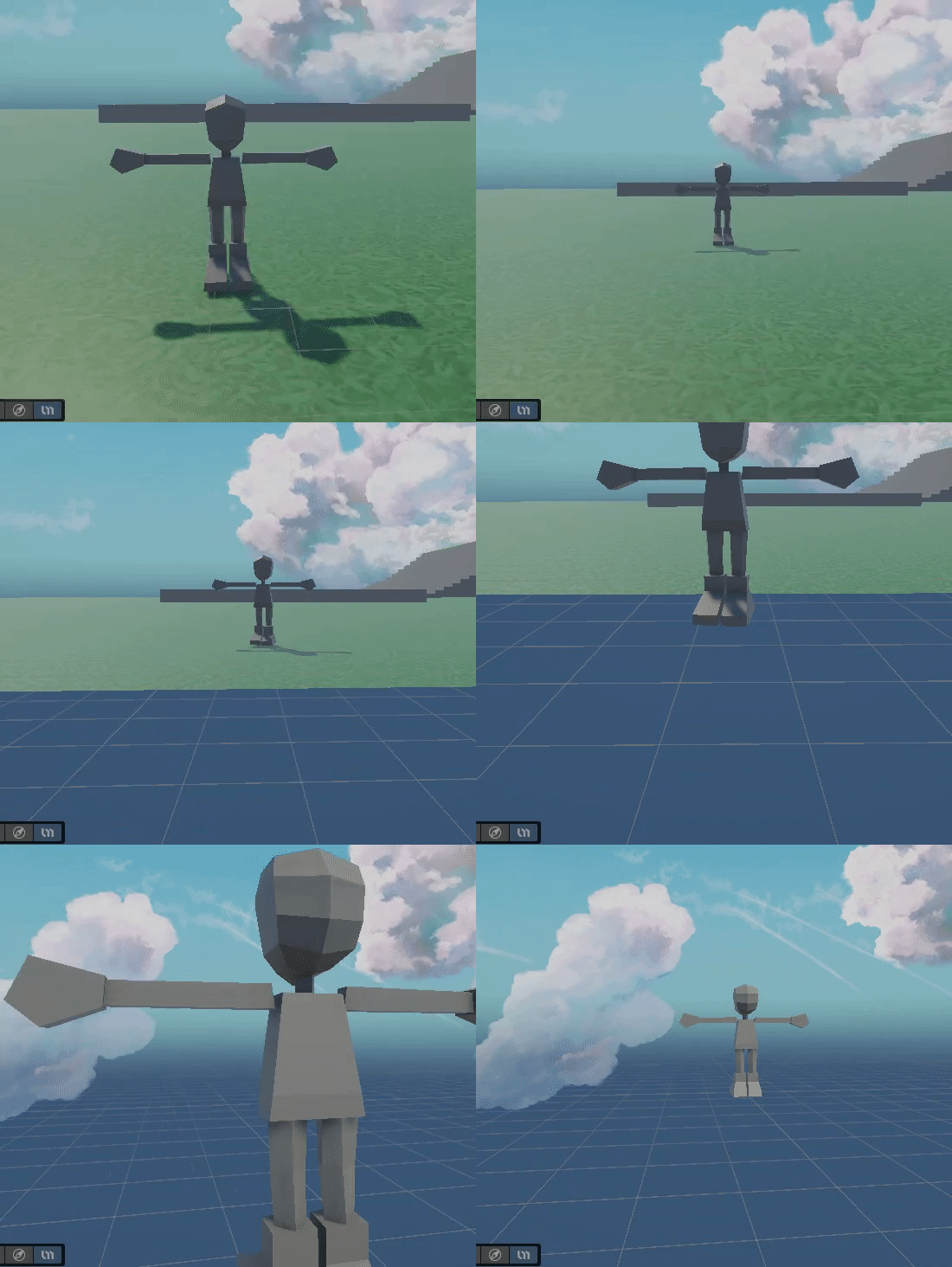 dim zodiac
Any genius made it to solve crossing legs and in between animation work properly on anination blend trees?
honest rose
Hi, how Animator Override controller works?
i was investigating how i can change the appereance of my player under a PowerUp and i found the Override Controller. But what specificly this thing does?
i just need to be able to change the Sprite-Sheet used in the animations with still being the same animation
 uncut salmon
When you create an animator override asset, you will assign an existing animator to it. It will then list all the animation states of that animator for you to override with new animations.
You then put that override controller into the animator component on an object.
I imagine in your case, you'd have a powerup version of all the animations (walking, jumping, attacking, etc.) in a PlayerAnimator_PowerpOverrideController asset and at runtime you'd swap out the animator controller on the player to that one.
plain sentinel
honest rose
Hi, how Animator Override controller works?
i was investigating how i can chang...
You can't just swap out the sprite sheet like that. You'd need to make those alternate animations yourself, making copies of the file and replacing the sprites with different ones.
if you want a system that can do that, you would need to make it yourself. It's not really simply either since "sprite sheets" are not really a thing in unity, theres textures and theres sprites. One texture might have totally different sprites than another. You would be going outside of the idea of "sprites" in unity and rendering predefined coordinates on a texture
honest rose
plain sentinel
You can't just swap out the sprite sheet like that. You'd need to make those alt...
Oh, yeah, i was thinking that may be plausible...
But how i can copy the animations? I tried to do so but Unity didnt readed them
plain sentinel
didn't read them?
honest rose
plain sentinel
didn't read them?
i mean, when i wanted to modify them, the clips weren't there, like it didnt existed
and i think i copy and pasted them in the same folder
 frigid valve
a few animations when i use humanoid rig either runs really weirdly or sinks into the ground, any solution? i kinda need humanoid rig
would like instantiating a new model with generic rig and the animation during that animation work
 bright patio
hello there!
i got a question: let's say i have a sailing boat. by default, the sail is folded. i now have an animation that goes from folded (0%) to fully unfolded (100%). is it possible for me to somehow only play the unfolding animation to only 50% and/or change to any % based on the input i give it? aswell as folding it again (with it's own folding animation or by just reverse playing the unfolding animation)?
agile solstice
bright patio
hello there!
i got a question: let's say i have a sailing boat. by default, the ...
You can set the speed to 0 and then control the normalized time of the animation via code to whatever wanted
https://docs.unity3d.com/ScriptReference/AnimationState.html
This class was the way to do it iirc
bright patio
agile solstice
You can set the speed to 0 and then control the normalized time of the animation...
i will look into it, thank you very much, appreciate it!
agile solstice
bright patio
i will look into it, thank you very much, appreciate it!
You can also use a blend tree to freely blend between two animations, if you have "furled state", "unfurled state" and optionally any partially furled states in between
Controlling the time of the furling animation will instead let you have any keyframes you want in-between furled and unfurled, but if you also want to add some repeating motion like wind on top then you'll need layers
bright patio
agile solstice
You can also use a blend tree to freely blend between two animations, if you hav...
if i did any sort of wind motion over a shader that wouldn't be a problem, i suppose?
agile solstice
bright patio
if i did any sort of wind motion over a shader that wouldn't be a problem, i sup...
Just fine
bright patio
agile solstice
Just fine
again, many thanks! 🙂
agile solstice
bright patio
again, many thanks! 🙂
Let me know if the effect you want seems tricky
I had an example of pretty much exactly it somewhere
bright patio
agile solstice
Let me know if the effect you want seems tricky
I had an example of pretty much ...
thanks for the offer, i will! 🙂
the rig/animation itself is really simple, so i'm optimistic the only thing that will get in my way is my lack of skill regarding programming and nothing else

 austere ether
hello guys, i am using navmeshagent.setdestination for the enemy ai.. in the pictures, the enemy is coming towards me, but its pointing the wrong way due to the animation.. how can i fix this issue?

(this pic for reference)
 bright patio
agile solstice
Let me know if the effect you want seems tricky
I had an example of pretty much ...
bright patio
agile solstice
Let me know if the effect you want seems tricky
I had an example of pretty much ...
well, blend trees are the way to go!
the only thing that i need to sort out now is why the blend tree dislocates and rotates that small cylindric object that goes up/down along the inner rope
 agile solstice
bright patio
well, blend trees are the way to go!
the only thing that i need to sort out now...
agile solstice
bright patio
well, blend trees are the way to go!
the only thing that i need to sort out now...
 for more complex motion you also have blend shapes and IK constraints as options
The dislocation is not because of the blend tree but because of the animation itself, likely because there's so many bones with not totally linear motion so there's inherited compression inaccuracy
Blend shapes would eliminate that as well as the need for bones (although normals can be a bit tedious to get right), while IK rigging constraints could stabilize the motion of the bones
bright patio
agile solstice
Blend shapes would eliminate that as well as the need for bones (although normal...
i'll have to dig into unity animation rigging package anyways for when the player character has to interact with stations on the ship, so if this isn't the perfect time to learn it, what is?
thanks for the input, i really appreciate it!
agile solstice
bright patio
i'll have to dig into unity animation rigging package anyways for when the playe...
Sounds like it ^^
 mystic badge
Editor animation curve smoothing using a CCMA filter.
mystic badge
mystic badge
Editor animation curve smoothing using a CCMA filter.
If anyone wants this lemme know and I'll see if I can send it over.
 severe sierra
Does anybody know how to stop an animation from actually moving the object, i got animations from mixamo, turned off root motion, tried like 3 other solutions online and none of them work, it feels like the motion is like baked into the mixamo animation somehow. Even turned on the in place ticker on the website. Any help would be great thanks

also tried messing with these settings to no avail
mystic badge
severe sierra
I mean, you've ticked bake into pose for everything
severe sierra
mystic badge
I mean, you've ticked bake into pose for everything
i tried messing with it it doesnt change it (unticking / ticking / the dropdowns)
nvm i figured it out it was a code issue i feel silly
 brave kettle
Is there a way to export anything similar to an animation event from Blender? tl;dr I want to trigger a sound at a certain point in an animation, but that animation is being read in through an FBX importer at runtime (i.e. not part of an asset bundle or configurable through the editor).
Yes this is totally not a scam
edit: he posted a link about an "open a ticket discord" and deleted it lmao
agile solstice
brave kettle
Yes this is totally not a scam
edit: he posted a link about an "open a ticket d...
You can ping mods so spammers get deleted quicker
agile solstice
brave kettle
Is there a way to export anything similar to an animation event from Blender? tl...
You can add animation events manually per clip in the mesh import settings in animation tab
At least with FBX files, maybe not with blend files
It's technically possible to implement a feature to convert blender markers into unity events if that's what you're looking for https://undertheweathersoftware.com/importing-blender-pose-markers-to-unity-animation-events/
celest crag
brave kettle
Yes this is totally not a scam
edit: he posted a link about an "open a ticket d...
Not the first time as well. Yeeted them.
austere ether
austere ether
hello guys, i am using navmeshagent.setdestination for the enemy ai.. in the pic...
any help please
agile solstice
austere ether
any help please
Are you using Mixamo?
austere ether
agile solstice
Are you using Mixamo?
yeah
agile solstice
austere ether
yeah
I'm not familiar with it so I can't really help, but from what I've seen it's some export/import issue with Mixamo settings and root motion, nothing related to navmesh agents
Also causes the legs to "flop" during walking
austere ether
agile solstice
I'm not familiar with it so I can't really help, but from what I've seen it's so...
aw man... anything i can do in unity?
agile solstice
austere ether
aw man... anything i can do in unity?
Potentially something to tweak in the avatar configuration and root motion settings
austere ether
agile solstice
Potentially something to tweak in the avatar configuration and root motion setti...
alright let me try and mess with the settings.. thanks a lot!
brave kettle
agile solstice
It's technically possible to implement a feature to convert blender markers into...
Ah this might be a good lead, I'll check t his out
Wait this is exactly what I needed I think, thanks
Should stop modders/me from having to configure events per frame lmfao
cheers
agile solstice
brave kettle
Should stop modders/me from having to configure events per frame lmfao
Still have to do it at some point, difference is whether it's done in blender when animating or in unity later
frigid valve
austere ether
hello guys, i am using navmeshagent.setdestination for the enemy ai.. in the pic...
Bake rotation into pose and have it facing original not orientation
And if that doesn’t work you can manually offset the rotation
brave kettle
agile solstice
Still have to do it at some point, difference is whether it's done in blender wh...
Easier to do when you can see the animation :p instead of just typing "<frame>24</frame>" or some shit lmao
agile solstice
brave kettle
Easier to do when you can see the animation :p instead of just typing "<frame>24...
I usually use the preview window of the import settings inspector to see the animation while scrubbing the clip timeline to add the event
brave kettle
agile solstice
I usually use the preview window of the import settings inspector to see the ani...
game i'm working on has mod support so i'd rather they not have to make unity projects
that animation is being read in through an FBX importer at runtime
otherwise i'd just use that yeah
agile solstice
brave kettle
game i'm working on has mod support so i'd rather they not have to make unity pr...
Yeah in that situation having a fully fledged exporter/importer would be perfect
mystic badge
brave kettle
Is there a way to export anything similar to an animation event from Blender? tl...
You could write a script that exports it to json within blender, then re-imports it within unity to the animation.
brave kettle
The article that got linked earlier (https://undertheweathersoftware.com/importing-blender-pose-markers-to-unity-animation-events/) seems to have exactly that, I'll have to try it out when I finish the code for animation states
 feral spire
Hi, I am looking for any kind of tutorial or documentation on third person movement similar to once human. Like when a user try to go left the character play trun left animation then move forward to left.
cyan mauve
does anyone know a simple method to connect multiple objects' with an animation each to one trigger?
 jagged ruin
Is it possible to make my 'Timeline' (which is referenced on an object using PlayableDirector) not reset to the start, when i select another gameobject? Right now as soon as i select another gameObject, the 'time' / playhead goes back to the start... (but only in the viewports, when i reselect it, the time is still where i left it, and the visual effect in the scene/game window returns) and i was wondering if i was missing something
mystic badge
brave kettle
The article that got linked earlier (<https://undertheweathersoftware.com/import...
I think what they're trying to do is have the animation events follow through on import.
mystic badge
There's the scripting angle, but, given blender imports are a thing maybe there's a way to have a custom assetpostprocessor that can just import them from the blender files.
brave kettle
mystic badge
I think what they're trying to do is have the animation events follow through on...
I'm the person who asked the question :p
assetpostprocessor is unfortunately an editor class
Honestly wish Unity had more of a pipeline for (arbitrary) runtime asset loading but that's more of a general thing than an animation thing