#🏃┃animation
1 messages · Page 36 of 1
 agile solstice
 wanton siren
agile solstice
I think the "offset" is baked into the pivot, so the sprite is not functionally ...
wanton siren
agile solstice
I think the "offset" is baked into the pivot, so the sprite is not functionally ...
the offset just makes it hard to slice the sheet because only the redundant space to the left most sprite in the animation gets removed, the other frames have the redundant space. Instead of having to manually outline the slicing of the frames in the sprite sheet, it is just easier to keep the redundant space and automatically slice it by size
agile solstice
wanton siren
the offset just makes it hard to slice the sheet because only the redundant spac...
Aren't aseprite frames sliced automatically
If it's not animation frames but a sprite sheet, Aseprite can convert between them interchangeably
wanton siren
agile solstice
Aren't aseprite frames sliced automatically
i prefer a sprite sheet instead of converting it from an aesprite file straight to a unity animation
so i was trying to fix the removal of redundant space
so i exported as a png instead of an aesprite file
which fixed it
 ocean wing
👋 I've got an NVIDIA Gpu and I'm looking for a software I can use to make hand & body animations for my unity game, does anyone have recommendations? Ex. Inputting images / videos and producing bones, I had a look at open pose but it's having some download issues and appears outdated.
 wide citrus
What's the default way and proper way to flip a sprite for animation and make the hitbox follow it?
So it's a spinning animation and I want to reuse the same sprite and spin it during the animation
The hitbox follows the animation.
At the moment when character moves left and right I set the character rotation using transform.right, so there's also this but I don't think it's appropriate to do it from code for this
A few solutions I see to this:
- Copy paste the mirrored sprite in the image and use that. That definitely works, I might use it. I like DRY, though.
- Animate the sprite renderer flip X property. That looks like it will work well, too. What about the hitbox here? I have to animate the hitbox manually here, too, then. It's OK, that's what I was doing for all the frames, anyway.
 sterile vine
you could scale the object by -1 on x
wide citrus
Thanks, that sounds even better, so the hitboxes follow
 shut night
i have a problem with an animation and dont know where it is so here is a video to it
here is the new one
shut night
!code
 dusk valeBOT

Posting code
📃 Large Code Blocks
Use links to services like:
https://paste.mod.gg/, https://hastebin.skyra.pw/ , https://paste.ofcode.org/ , https://paste.myst.rs/
📃 Inline Code
Surround code with three backquotes. Not quotation marks.
To format as C#, add cs to the first line:
```cs
// Your code here
```
Add a comment with a line number if there is an error message.
shut night
/afk
agile solstice
shut night
i have a problem with an animation and dont know where it is so here is a video ...
You would have to specify what the problem precisely is, give relevant information
Since you're recording a video, you should show the Animator in action side by side with the game window and provide the code
shut night
ok
attack code:
//using System.Collections;
using System.Collections.Generic;
using UnityEngine;

public class Attack : MonoBehaviour
{
    public Transform attackPos;
    public LayerMask enemies;
    public float attackrange;
    public int damage;
    private Animator anim;
    private int wechsel;
    // Start is called before the first frame update
    void Start()
    {
        anim = GetComponent<Animator>();
        wechsel = PlayerPrefs.GetInt("wechsel", 0);
    }

    // Update is called once per frame
    void Update()
    {
        if (Input.GetMouseButtonDown(0))
        {
                anim.SetBool("isAttacking", true);

            FindObjectOfType<AudioManager>().Play("Sword");
            Collider2D[] enemiesToDamage = Physics2D.OverlapCircleAll(attackPos.position, attackrange, enemies);
            for (int i = 0; i < enemiesToDamage.Length; i++)
            {
                enemiesToDamage[i].GetComponent<Enemy>().health -= damage;
            }
        }
    }
    private void OnDrawGizmosSelected()
    {
        Gizmos.color = Color.red;
        Gizmos.DrawWireSphere(attackPos.position, attackrange);
    }
}
You've yet to explain what the perceived issue is
shut night
oh so when i trie to attack it shows the animation but then is stuck there for the rest of the game until i stop
agile solstice
shut night
oh so when i trie to attack it shows the animation but then is stuck there for t...
Your code sets isAttacking to true but never to false
shut night
yeah for that i have another script
using System.Collections;
using System.Collections.Generic;
using UnityEngine;
public class aufhoren : StateMachineBehaviour
{
// OnStateEnter is called when a transition starts and the state machine starts to evaluate this state
//override public void OnStateEnter(Animator animator, AnimatorStateInfo stateInfo, int layerIndex)
//{
//
//}
// OnStateUpdate is called on each Update frame between OnStateEnter and OnStateExit callbacks
//override public void OnStateUpdate(Animator animator, AnimatorStateInfo stateInfo, int layerIndex)
//{
//
//}

// OnStateExit is called when a transition ends and the state machine finishes evaluating this state
override public void OnStateExit(Animator animator, AnimatorStateInfo stateInfo, int layerIndex)
{
    animator.SetBool("isAttacking", false);
}

// OnStateMove is called right after Animator.OnAnimatorMove()
//override public void OnStateMove(Animator animator, AnimatorStateInfo stateInfo, int layerIndex)
//{
//    // Implement code that processes and affects root motion
//}

// OnStateIK is called right after Animator.OnAnimatorIK()
//override public void OnStateIK(Animator animator, AnimatorStateInfo stateInfo, int layerIndex)
//{
//    // Implement code that sets up animation IK (inverse kinematics)
//}
}
agile solstice
shut night
using System.Collections;
using System.Collections.Generic;
using UnityEngine;
...
Did you forget how to format code just now?
shut night
what do you mean?
agile solstice
You formatted the code earlier but not this one, it's much harder to read
shut night
oh
using System.Collections;
using System.Collections.Generic;
using UnityEngine;

public class aufhoren : StateMachineBehaviour
{
    // OnStateEnter is called when a transition starts and the state machine starts to evaluate this state
    //override public void OnStateEnter(Animator animator, AnimatorStateInfo stateInfo, int layerIndex)
    //{
    //
    //}

    // OnStateUpdate is called on each Update frame between OnStateEnter and OnStateExit callbacks
    //override public void OnStateUpdate(Animator animator, AnimatorStateInfo stateInfo, int layerIndex)
    //{
    //
    //}

    // OnStateExit is called when a transition ends and the state machine finishes evaluating this state
    override public void OnStateExit(Animator animator, AnimatorStateInfo stateInfo, int layerIndex)
    {
        animator.SetBool("isAttacking", false);
    }

    // OnStateMove is called right after Animator.OnAnimatorMove()
    //override public void OnStateMove(Animator animator, AnimatorStateInfo stateInfo, int layerIndex)
    //{
    //    // Implement code that processes and affects root motion
    //}

    // OnStateIK is called right after Animator.OnAnimatorIK()
    //override public void OnStateIK(Animator animator, AnimatorStateInfo stateInfo, int layerIndex)
    //{
    //    // Implement code that sets up animation IK (inverse kinematics)
    //}
}
like this?
agile solstice
almost
I'd debug.log something in the method where you set isAttacking to false so you can verify that method is being called
And as I mentioned previously view the Animator with the Game window side by side in playmode so you can see what the animator is actually doing
with the animated gameobject selected so the Animator shows correctly
agile solstice
shut night
it still hangs
What I mentioned aren't solutions but troubleshooting steps that could help us and you to understand where the problem is
Right now we're seeing only a limited glimpse of what's happening in your end
shut night
so in the animator it hangs
agile solstice
shut night
so in the animator it hangs
It'd be important to see the settings for the transition out of that state
 agile solstice
shut night
agile solstice
shut night
That's correct but your isAttacking is stuck on true
That's why I suggested you debug.log the part where it gets set to false
shut night
where is it?
shut night
agile solstice
That's correct but your isAttacking is stuck on true
That's why I suggested you ...
where is the log?
agile solstice
shut night
where is the log?
Nowhere until you type the method in
agile solstice
shut night
so debug.log("...")?
Yes, if you're not familiar with it it's crucial you learn how debug logs are used to troubleshoot code
shut night
oh ok
@agile solstice The Debug.Log method is in the script aufhoren.cs but it doesnt show in the console
agile solstice
shut night
<@166982635950702592> The Debug.Log method is in the script aufhoren.cs but it d...
That's a very important clue
shut night
agile solstice
That's a very important clue
yeah so what now?
shut night
@agile solstice so what now?
agile solstice
shut night
<@166982635950702592> so what now?
You figure out why the StateMachineBehaviour methods aren't running, assuming that that's where you put the debug.log
You haven't pointed to where you're using that StateMachineBehaviour
agile solstice
In your video you selected the attacking state and there were no StateMachineBehaviours on it
 agile solstice
As far as I know OnStateExit refers to the current state exiting, which will never happen unless you transition out of it
Which won't happen until your method runs, which is to say never
You could instead swap the parameter to false in your initial script and not mix things up with StateMachineBehaviours at all
shut night
ok
 compact creek
You can visualize most animation key frame data as a spline or unity gizmos. Easy to debug if working on rail shooter like game but without splines
 slate ocean
some test sprites ive made quickly, opinions?


 quiet gorge
I’m importing 170 humanoid animations from UE5 to Unity. The bone assignments are generally correct except the hands. I have to remove the metacarpals and move the the fingers for each hand.
Is there a way to copy the bone assignments or do I really have to do this 170 times?
 faint arch
Any idea why I get a microstutter when my root motion walk animation loops? It loops perfectly in the animation preview. Things I've tried: checking Loop Pose, checking/unchecking Bake Into Pose for rotation/position, disabling anim compression, shortening animation by 1 frame, padding animation with 1 extra frame at end
 gray bronze
quiet gorge
I’m importing 170 humanoid animations from UE5 to Unity. The bone assignments ar...
gray bronze
quiet gorge
I’m importing 170 humanoid animations from UE5 to Unity. The bone assignments ar...
I have a similar case with a bunch of UE animations I want to use where the hands are locked in place. I bought Retarget Pro as I think this will deal with it, but I haven't got around to trying it yet.
shut night
i got an error again
shut night
Anyone Help please
agile solstice
shut night
Anyone Help please
We cannot pry every piece of information out of you that's required to help you
 spark delta
hello, i dont know where ask this so ill try here.
i was working on a rig for an avatar and while everything else seemingly works the hands are just broken.
the fingers seem to bend in impossible or odd ways, the rig in blender seems fine but as soon as i import it breaks.
any help?(should specify the rig is made to be compatible with VRC)


 pulsar tundra
yes
 uncut salmon
!collab
dusk valeBOT
:loudspeaker: Collaborating and Job Posting
We do not accept job or collab posts on Discord.
Please, use Discussions to promote yourself as job-seeking, advertise commercial job offers, or look for non-commercial projects to participate in:
• Collaboration & Jobs
 vague zinc
is there a way to have no layer default state? im making a golf game and want to trigger an animation that only occurs when it'sin the hole successfully and no where else but it automatically makes it the layer default state.
agile solstice
vague zinc
is there a way to have no layer default state? im making a golf game and want to...
There always has to be a default state, even if it's an empty state
 red bramble
Is this causing a problem?
 noble pebble
when i start my anim anything higher than 128 it doesnt work properly ,does anyone know why?

 tranquil quail
Ok, so let's see if we can get this working once and for all.
I have a Humanoid Rig Avatar. Call it Bob. I have a Humanoid 2 Avatar, Call her Sue. Since they are both Humanoid, i have no issue making Bobs animations work with Sue, due to live retargeting.
I want to Export an Animation from Sue that has come from Bob.
If i attempt to Export Sue as FBX, all it includes is the Root Motion from the Bob Animation.
How can i make it so the translated/retargetted animation can be exported with Sue?
 warm orbit
I have loop time set to on in the animation settings but it doesnt loop any help
{
    anim.SetTrigger("Walk");
}```how do i make it so the shooting animation is higher up, basically if the walking animation is playing and i shoot, the shooting animation should override and start playing
 snow skiff
Somebody can help me?
My character have an animator
If I run the animation slowly, works perfectly
But if I run the animatin faster and repetedly times, the character bones don't return to the original position, and stop in a position that I never set
What are happening and how can I solve it? :/
 frank grove
Why do animations appear to rotate my character 180 degrees along the vertical axis (turning him around)?
I exported my character from Blender using Y axis up and -Z forward as usual (image 1), and his avatar and rig appear good in unity (image 2), I am adding a screenshot of his position in the gamespace before animating, for reference (image 3), but when I add an animation to him (downloaded animation from asset store), the animations seem to rotate him 180 degrees along the vertical axis (picture 4), Please observe the axes in all photos and his position/rotation in the space.
Does anyone know the cause of this and how to solve?


 tranquil quail
Ok, so let's see if we can get this working once and for all.
I have a Humanoid...
tranquil quail
tranquil quail
Ok, so let's see if we can get this working once and for all.
I have a Humanoid...
I ended up prompting CGPT to make a script for me that bakes Humanoid to the Skeleton of what ever model i choose. So, now, i can Bake Humanoid to 'native'. it includes Root Motion, and i am able to export and edit the animations in Blender, or edit them directly in Unity. i also included a way to change the framerate it bakes to.
Initially, I tried using 'Transfer Animation' in the FBX Exporter, hoping it was a shortcut to transfer using Humanoid, but it gives me this message

I will most likely either post this on my Git, or in the Asset Store (free). Or maybe i'll charge a million dollars muahahaha!
 vocal hearth
I gotta be honest, why is the animation selector trash
 red rose
In games should animation drive rigidbody positions or should you do it in code, or is there no 100% right answer and it's usually a mixture of both?
My current theory is that codel ogic triggers animation and hands over controls until the animatino is interrupted or done before the script drives the rigidbody positions again for things like these(the melee stuff): https://www.youtube.com/watch?v=0AAtMPt1l-A

As one could expect, poor range with agile movement options and strong melee. Pressing back while using dagger throw makes you descend faster. The alternate n combo endings can also be canceled into from other melees. Melees can also cancel into dagger throw and sp melee.
Music used: Gundam EXVS: TRANS AM RAISER
 cedar ruin
red rose
In games should animation drive rigidbody positions or should you do it in code,...
cedar ruin
red rose
In games should animation drive rigidbody positions or should you do it in code,...
It depends on the game. Some games would make the physics control the character even to the point of adjusting the animations(active ragdolling). Other games might have animations control the character entirely, including it's physics, or even not have physics at all sometimes/always. Some games might switch between the two or blend between them in some way.
If it's some kind of animation sequence or a cutscene, it's normal to disable physics entirely for the duration.
red rose
cedar ruin
It depends on the game. Some games would make the physics control the character ...
Thanks for the explanation! Really helped my understanding
 sharp shale
Hello. I have a question about Unity Timeline. Using this system, we can create custom tracks and custom playable assets on these tracks.
Is there a possibility to create custom track/playable asset that does not have time frame but is a single event? Basically, to replicate SignalEmitter using custom track.
And by "custom track" I mean new C# track asset, that does custom things.
 shell obsidian
I was just wondering if any of you guys knew how to fix this error Im getting. Im new to Unity and trying to make a simple animation where my character moves down. When I drag the character into the animation window, it gives me the option for spriteRenderer or playerControl. When I click on one of those, it gives me a null pointer exception. Im dragging the hero_1.png image into the animator cause I want to create key frames of the character walking. Is it because of the file format being png? I dont know why I cant drag it and why im getting a null pointer exception. Dont know whats null.

 crimson wing
I dont understand how come i can disable gamebojects on the animation tab on certain key frames and when i try to do it with another gameobject nothing happens.

fuck it we ball we do it in code.
 fresh crescent
    {
        float moveX = Input.GetAxis("Horizontal");
        float moveZ = Input.GetAxis("Vertical");

        bool isMoving = moveX != 0 || moveZ != 0;
        animator.SetBool("isMoving", isMoving);

        if (isMoving && Input.GetKey(KeyCode.LeftShift))
        {
            currentSpeed = sprintSpeed; // Sprinting
            animator.SetBool("isRunning", true);
        }
        else
        {
            currentSpeed = walkSpeed; // Walking
            animator.SetBool("isRunning", false);
        }```


why isnt my player doing any animations
tranquil quail
Ok, i just want to make sure there is no built in way to do this, before i submit my solution as a resource to the Asset Store.
Bake Humanoid Animation from a Humanoid Source to the original Skeleton/Armature of any Humanoid compatible Skinned Mesh Target.
In the end, it is a Generic Animation '.anim', with Keyframes named for the Target Skinned Meshes Armature/Skeleton.
 torpid leaf
hey guys, anyone here would be able to help me with a thing? I'm quite the newbie in Unity and I am tryin gto export a PNG sequence of a camera animation I made
I am using the Animation component and the Unity Recorder. Quite stuck
 terse gust
hello everyone!, in mecanim every state has a foot ik check box, when enabled i can't use animation rigging's two bone ik constraint on the foot, now i want to enable foot ik inside the state because that helps fix the animation foot height issues, but i want to use animation rigging for foot placement to add an offset to the feet to align with the surface, unfortunately i can't enable foot ik in the state otherwise the animation only runs while the constraints of the feet are of no use.
anyone knows a work around?
 limpid epoch
Just asking if anyone has an idea of how to fix this. I used animation rigging to constrain the left hand to hold the gun during the ads animation but it doesnt aim in the right direction? even though it should be looking towards the center of the screen. I tried checking the ads animation and changing the offset but that does nothing
 terse gust
limpid epoch
Just asking if anyone has an idea of how to fix this. I used animation rigging t...
terse gust
limpid epoch
Just asking if anyone has an idea of how to fix this. I used animation rigging t...
more info would help, e.g. setup
terse gust
limpid epoch
Just asking if anyone has an idea of how to fix this. I used animation rigging t...
the problem isn't with the constraint on the left hand, as that can't rotate the body to point in the wrong direction
you can either constraint the spine
using multi rotation/aim constraint
limpid epoch
terse gust
the problem isn't with the constraint on the left hand, as that can't rotate the...
i have the spine constrainted(?)
terse gust
limpid epoch
i have the spine constrainted(?)
when you disable the left hand constraint the body doesn't aim in the right direction or does it?
limpid epoch
but idk if the way i did it is accurate cuz the animations arer a bit fked
limpid epoch
terse gust
when you disable the left hand constraint the body doesn't aim in the right dire...
no
lemme double check
terse gust
limpid epoch
no
so then it's the animation
so what you can do, here are your options, use multi rotation constraint and set the target rotation via script
or use a multi aim constraint and set the target position via script
then the spine won't rotate as it wishes, it will rotate based on the target
the issue you are facing usually happens with multi layering
possibly you are having an upper body layer...?
limpid epoch
terse gust
so then it's the animation
but when i play the animation normally it works as it should
terse gust
limpid epoch
but when i play the animation normally it works as it should
yes, but you have an upper body layer ?
limpid epoch
terse gust
yes, but you have an upper body layer ?
oh yeah
terse gust
which uses an avatar mask?
limpid epoch
yeah
terse gust
limpid epoch
oh yeah
So it can't maintain the rotation, probably the animation rotates the hips but as the upper body layer can't override that and your locomotion animations will have control over that it left the turn effect on the upper body
so add rotation constraint or aim constraint and set the constraint object to the 3rd spine/upperchest
limpid epoch
where am i adding the aim constraint to tho
terse gust
limpid epoch
where am i adding the aim constraint to tho
set the constrained object to your top most spine
limpid epoch
oh it did something

i think the rotation is still a bit off though cuz this is how he aims at the center

 drifting plank
any ideas why the pre dash animation loops multiple times before switching back to idle?
all i have is a trigger activating it
these are the inspector windows for each animation state


 void sigil
drifting plank
any ideas why the pre dash animation loops multiple times before switching back ...
void sigil
drifting plank
any ideas why the pre dash animation loops multiple times before switching back ...
is Pre Dash animation loop is on?
 drifting plank
void sigil
is Pre Dash animation loop is on?
drifting plank
void sigil
is Pre Dash animation loop is on?
i thought i checked this, but yes!!!
tysm
 robust basalt
what the best constraint for holding large gun am using two bone ik but it can't hold large gun

 stuck timber
robust basalt
what the best constraint for holding large gun am using two bone ik but it can't...
stuck timber
robust basalt
what the best constraint for holding large gun am using two bone ik but it can't...
whats wrong with two bone ik?
robust basalt
the left hand can't reach the wood place
robust basalt
yes it is correct
let me show u what will happen when i move the target to the wood
looks like the hand reached her full length or something
stuck timber
robust basalt
looks like the hand reached her full length or something
yeah its a job of finesse I think, look at reference fotos too. No one holds it like that strected out because the recoil would hurt
the elbow thing is easy to fix with the Hint
robust basalt
yes the elbow wouldn't be a problem

looks like it need to make shoulder go back a little bit
stuck timber
hard to see it but you see shoulder
stuck timber
you dont need constraint to rotate the parent bone do you
its been a while
might be able to do rotate maybe chest a bit
robust basalt
chest is good idea yes since it allow me to rotate both shoulders all together
yeah with chest it work well

Thank you navarone
 worldly basin
hello, i'm trying to do an animation transition with 2d sprites but for some reason it's very delayed, above 500ms
has exit time is disabled, transition duration and offset are both set to 0
have also tried with animator.Update, changes nothing
no empty frames at the beginning of the animation, starts at 00:00 in the timeline
don't really know what else to try
 bold gate
hi, is anywhere i can find the detailed explanation about these 4 markers meaning at the animation preview window?

ok i got it, big axis: pivot, small axis: body, large circle: root, large red: root pos + body rotation
 finite basalt
Hello I am trying to make this animation work on my model but nothing is happening. THe model did not come with any animations so I took another Animation controller and assigned it to the model but none of the animations are working.
When i preview the animation, nothing happens and my character is stuck in the ground. Can i not use any animation for a model or am i doing something wrong here
 terse gust
limpid epoch
i think the rotation is still a bit off though cuz this is how he aims at the ce...
terse gust
limpid epoch
i think the rotation is still a bit off though cuz this is how he aims at the ce...
you can add offsets to the target or through the multi aim constraint if it allows, tweak until perfect
bold gate
finite basalt
When i preview the animation, nothing happens and my character is stuck in the g...
the way fbx formats store animation is that they store the keyframe data which describes how your every bone moves with the exact full-name path to navigate to them from the root. it will be like "hey root/bip001, its time to move this way move that way etc etc". so if your animation is just randomly grabbed there is no way to magically work on a different model because the animation file just fails to find the desired bones by the paths within. however you may think if i know this is hand, that is leg, why a computer cant know that and run some program help me to assign a similar animation since they all "look" the same? actually they can, such technique usually called animation retargeting, unity gives this solution by humanoid animation system, you provide the animation and its original rig, unity can help you translate this so called "generic animation" using their "muscle language". and you can use the final product onto any humanoid characters as you wish. the result might not perfect since loss can occur during this procedure and your character size varies and some may even has wings. fine-tuning is required but no need worry you have the access to it in unity.
 terse gust
i know that Unity's foot ik option fixes the feet of a retargeted character, so i have enabled it, but i want to do foot placement using animation rigging, now when i do that it doesn't work unless i uncheck foot ik option in the animator movement states, this isn't ideal i need both for the best results, anyone knows a workaround to this?
 brave storm
robust basalt
looks like the hand reached her full length or something
brave storm
robust basalt
looks like the hand reached her full length or something
Naturally this person's hips and/or shoulders would be facing a bit more to the right instead of straight forward
That would help with the reach of the left hand
brave storm
robust basalt
yeah with chest it work well
Ah seems like you figured it out
snow skiff
Somebody can help me?
My character 2D have an animator and bones
If I run the animation slowly, works perfectly
But if I run the animatin faster and repetedly times, the character bones don't return to the original position, and stop in a position that I never set
What are happening and how can I solve it? :/
I'm trying to solve it since 3 months
terse gust
snow skiff
Somebody can help me?
My character 2D have an animator and bones
If I run the an...
because you probably have apply root motion enabled in the animator
snow skiff
terse gust
because you probably have apply root motion enabled in the animator
No, is deactivated already
 terse gust
snow skiff
No, is deactivated already
terse gust
snow skiff
No, is deactivated already
then your animations
send a pic of the animation settings
snow skiff
terse gust
then your animations
When I run slowly (once time each second,a s example), the animation works perfectly
But only get this issue when I run the animation faster (3 times per second, as example)
snow skiff
This?
 terse gust
snow skiff
This?
terse gust
snow skiff
This?
no
select in from this graph the animation that is causing the issue
and in the inspector click on the reference in the motion field, then select the animation file and send a screen shot of the inspector
snow skiff
terse gust
select in from this graph the animation that is causing the issue
Right
This animation
 terse gust
click on the tsuki_b
snow skiff
 terse gust
i guess this isn't a humanoid animation
terse gust
then just edit it and preview to see what is moving and simply remove that or set it back, hope you know how to edit animations
snow skiff
snow skiff
When I run slowly (once time each second,a s example), the animation works perf...
But, that's the issue
Works when run slow
But the bug when is fast
Not make sense :/
terse gust
is there any script for movement, and what moves?, some bone of the character or what?
snow skiff
terse gust
is there any script for movement, and what moves?, some bone of the character or...
Is a visual novel with 2d Character
The only way to get the animation is clicking in the screen
If I click slow, the animation works
If I click fast, got this error
The animation runs even fast, but when ends the animation, the bones go to another position that I not set before
I'm freaking out with this problema because not make sense works slow, but not fast
terse gust
snow skiff
The animation runs even fast, but when ends the animation, the bones go to anoth...
🐄 , i am sure it's quite simple but i can't tell you the problem without having a look at the project.
snow skiff
terse gust
🐄 , i am sure it's quite simple but i can't tell you the problem without having...
I cannot post here in Unity Discord :/
terse gust
snow skiff
I cannot post here in Unity Discord :/
yeah thats what i mean't, so just try to fix it.
yourself.
snow skiff
Thank you by nothing ¬¬
terse gust
snow skiff
Thank you by nothing ¬¬
good luck!
no one here even knows about my problem!, i asked earlier, i want to use animation rigging for foot placement but i also want to enable the foot ik option in the state which fixes my animations that are retargeted, but when i enable it, animation rigging ik constraint loses all control over the feet and that is frustrating.
i want to somehow fix the animation and use animation rigging for foot placement.
limpid epoch
terse gust
you can add offsets to the target or through the multi aim constraint if it allo...
okay, but how do i go about fixing the position of the hands, they look like this when i ads ( away from the players eye) but when i play the animation its normal

 terse gust
limpid epoch
okay, but how do i go about fixing the position of the hands, they look like thi...
terse gust
limpid epoch
okay, but how do i go about fixing the position of the hands, they look like thi...
either completely override both the hands to follow the weapon and child the weapon to the spine you are rotating, use a script to lerp to the ads and idle positions for the weapon
limpid epoch
how would i go about lerping
terse gust
limpid epoch
how would i go about lerping
define two positions and rotations for the weapon, as serialize fields, and set those from the editor, in the script if you aren't aiming just lerp from the current to the normal position and rotation using vector3.lerp and quaternion.slerp similarly when aiming just set the value to the other position and rotation
red bramble
bold gate
how this running animation has -2.4 y speed....
the Z velocity of 3.457 is pretty suspicious
 cloud kernel
Hii! I'm doing a videogame project for university and is style Doom. Does anyone know how to make 2D animations affected by the light and shadows of the 3D world?
and also, if you know how to make animations with gifs or videos, thank you very much!
robust basalt
brave storm
Ah seems like you figured it out
yes i did but still facing some problems i have two rigs one for (spine + chest + head ) this for aiming and the second rig is for hands (chest + right hand + left hand)
the problem the aiming rig (chest) will alter hands rig (chest)
am not sure how others do it
brave storm
robust basalt
yes i did but still facing some problems i have two rigs one for (spine + `chest...
Are you using Animation Rigging or some other IK solution?
robust basalt
am using Animation Rigging
brave storm
Sounds like the issue is that the hand IK isn't calculated last, which it should be
brave storm
robust basalt
am using Animation Rigging
No experience with that sorry, maybe someone else knows.
robust basalt
if i calculate hands last the chest will not aim
The aiming rig should add rotation on top of the chest's existing pose instead of overwriting it.
am not sure how that will be done
snow skiff
this PoseB is an Idle to PoseC
So, when PoseC ends, should enter in PoseB to start the Idle animation
The issue is when I active the PoseC many time in a very short time, the model brokes and PoseB do the character stay in a different postion that I alocate before
If I run slow, the animations works, but when active faster always happens this bug
Someone have idea what are happening or about how to solve it? :/
 agile solstice
snow skiff
this PoseB is an Idle to PoseC
So, when PoseC ends, should enter in PoseB to sta...
agile solstice
snow skiff
this PoseB is an Idle to PoseC
So, when PoseC ends, should enter in PoseB to sta...
Triggers tend to get stuck on until Reset if the transition into the state is interrupted
Could be that, or could also be Any State transitions fighting over priority
Or both
 obsidian flame
is there a plugin that's a better version of the animation curve editor? Something with snapping at least that doesn't close every time you click off it
tranquil quail
There is a popular Animation Asset called UMotion. I am not familiar with it to explain, but perhaps it will help you. there is a Free version, and a Paid version. I am sure there are limitations on the free version.
snow skiff
agile solstice
Triggers tend to get stuck on until Reset if the transition into the state is in...
Hm... Is possible to avoid this issue in some way?
 agile oyster
Hey, im not sure if this is where im supposed to ask this but i have been having this issue on this game and the previous project i was working on and cant figure it out, as you can see in the attached video when im animating the gun it seems to be fine but when its actually playing in game the animation is very bouncy, im not sure how to fix this whatsoever as i am new to animating and using unity in general. if anybody knows how to fix this please let me know.
agile solstice
snow skiff
Hm... Is possible to avoid this issue in some way?
I'd first look at the animator during play mode to see if the triggers stay ticked on when the animation problem happens, that determines if it's a problem with triggers not resetting
agile solstice
agile oyster
Hey, im not sure if this is where im supposed to ask this but i have been havin...
It mostly looks like that the transition out of your shooting animation is longer than the shooting animation itself, so it has to loop multiple times while it blends
But can't say for sure until we see the animator and each transition
Since you're recording a video it's easy and crucially helpful to click through the states, conditions and tabs of the relevant animator controller
agile oyster
agile solstice
It mostly looks like that the transition out of your shooting animation is longe...
i think your right on this one because when i set the transition duration to 0 seconds it doesnt do it anymore and before in the animator it looked like it was looping again for a split second before it transitioned, thank you for helping.
 peak pebble
what is the scale of the timeline for the animation window?
this isnt seconds, is it? when I set up an animation that goes to, say, 0:08 and then add it to an animation state with speed set to 1.0 it flickers rapidly several times a second
 agile solstice
peak pebble
what is the scale of the timeline for the animation window?
this isnt seconds, i...
agile solstice
peak pebble
what is the scale of the timeline for the animation window?
this isnt seconds, i...
seconds : samples
Each second has 60 samples by default
peak pebble
oh so 0:08 is 8/60th of a second?
agile solstice
Yes
peak pebble
damn, ty. talk about unintuitive
agile solstice
8 * 1/60 of a second to be precise
peak pebble
I felt like I was going insane not seeing it mentioned on the wiki site
peak pebble
Im struggling a bit with the Animation component; I thought I could just assign it one animation clip and tick "Play Automatically" for it to permanently loop that one animation but that doesnt seem to work. do I HAVE to activate it via script?
agile solstice
Supposedly Play Automatically works without any scripts
peak pebble

this is my set up, and the animation itself I confirmed to work via an Animator component but that seems unnecesarily convoluted if there's only ever one animation state
agile solstice
The animation clips must be legacy compatible to work with the Animation component at all, however
peak pebble
how do I know if it is?
agile solstice
Does the clip asset have a checkbox for that?
 agile solstice
peak pebble
nope
agile solstice
peak pebble
nope
Try setting the Inspector into Debug mode from the three dots in the window top bar

 agile solstice
peak pebble
yeah that did let me tick the Legacy box but it still wont play :/
agile solstice
peak pebble
yeah that did let me tick the Legacy box but it still wont play :/
It definitely should be working
You could try making a new animation on a new gameobject just to be sure sure
This time give the gameobject the Animation component first, so the animation window lets you make a legacy clip natively
This doesn't seem animation related
 vocal iron
wrong one ;-;
peak pebble
agile solstice
It definitely should be working
You could try making a new animation on a new ga...
ok tried doing that and still nothing, Im so very confused
it did automatically mark the clip as legacy making it this way at least
agile solstice
peak pebble
ok tried doing that and still nothing, Im so very confused
Hmm what properties are you keying in this case
peak pebble
the sprite of the sprite renderer
I should maybe just write a script myself that cycles through a given array of sprites if all I want is an object that has just a single sprite looping through a single animation
might be easier and faster than trying to make Unity's crap work
like, making an Animator each time worked but is also so unnecessarily complicated if there's only one single animation state?
agile solstice
peak pebble
I should maybe just write a script myself that cycles through a given array of s...
That should work
But then again so should Animation
agile solstice
peak pebble
like, making an Animator each time worked but is also so unnecessarily complicat...
Nothing really complicated about it
peak pebble
agile solstice
But then again so should Animation
but it doesnt :(
peak pebble
agile solstice
Nothing really complicated about it
complicated as in, creating 5 different animators to do the exact same thing each time just for different animations on different objects seem extremely redundant and inefficient. am I missing something here?
I end up with so much unnecessary bloat that way
agile solstice
peak pebble
complicated as in, creating 5 different animators to do the exact same thing eac...
The process of making an Animator vs an Animation is virtually the same, in the editor
Equally redundant in that way
Animators are more expensive to run since they're made for layering and blend trees and masking and whatnot
But unless you have hundreds of them or are building your application for a weak mobile device that performance impact probably won't come up
peak pebble
agile solstice
The process of making an Animator vs an Animation is virtually the same, in the ...
but one doesnt clutter the folders
having an animation AND an animator for every single looping animation does
agile solstice
You can move the animators into their own folder if they look bothersome
Their presence alone doesn't really have an effect on anything
peak pebble
still, I wish there was a simple way to tell an object "just loop this one animation forever", creating an animator that doesnt do anything but sit in one single state just gets bothersome when having to do it for every single animation of that nature
snow skiff
agile solstice
I'd first look at the animator during play mode to see if the triggers stay tick...
Nahh
Triggers aren't getting stucked
I "SetTrigger" before the first animation ends
So when ends, the idle get this bug when transition happens
agile solstice
peak pebble
still, I wish there was a simple way to tell an object "just loop this one anima...
Animation is supposed to be that simple way
Technically there's not that much difference between the two
Both are finite state machines for playing animations, but Animator has more features
peak pebble
If I knew how to make the Animation component approach work I'd happily use it, but alas
agile solstice
peak pebble
If I knew how to make the Animation component approach work I'd happily use it, ...
In that situation I would troubleshoot it some more, like trying to make legacy animations in a new blank project
Or ignore the overhead of using Animators since realistically there isn't going to be any noticeable difference
peak pebble
Yeah I settled for the latter for now
It just rubs up poorly against my obsessive need for minimalist folder structures 😅
agile solstice
peak pebble
It just rubs up poorly against my obsessive need for minimalist folder structure...
Seems like thankless work trying to keep tools polished and clean while using them!
It can be tempting though, like when I get derailed trying to keep everything optimized all the time rather than later when it actually matters
agile solstice
snow skiff
Nahh
Triggers aren't getting stucked
Then it likely is something else, but there's no clues for us to see
Usually what helps find issues in the Animator is to look at (and record) the animator running in play mode so you can see exactly what it's doing
snow skiff
agile solstice
Then it likely is something else, but there's no clues for us to see
Usually wha...
I'm trying by months
Tested everything that I found in the internet and videos :/
agile solstice
In some cases it's simpler to call the animation directly from code rather than using Any State since they're tricky to get right
Any State is powerful for its features like transition interruptions but they're easy to get wrong if you're not paying particular attention to those and understand them fully
agile solstice
A solution to what?
I cannot tell what frantic mouse waving is meant to communicate
Which one of the errors? Do they seem to break any functionality?
Why not use your words to describe the issue to begin with
I doubt those events are related
Whether the character is active as a ragdoll and controlled by physics, or kinematic and controlled by animations and IK is something your scripts are responsible for
IK cannot spontaneously make that happen I'm quite sure
If there's a mistake in your script it likely would not produce any errors in console
 twin musk
ok thanks @agile solstice
snow skiff
agile solstice
Any State is powerful for its features like transition interruptions but they're...
That's what happens
The issue happens at 15 seconds
Oh, how upload vídeo here?
I'll get another video format to upload
agile solstice
snow skiff
I'll get another video format to upload
Mp4 and webm embed, other formats do not
agile solstice
snow skiff
Done
How's the transition settings look like for any state -> pose_c?
 agile solstice
snow skiff
agile solstice
snow skiff
Nothing weird here, what about c -> b
 agile solstice
snow skiff
agile solstice
snow skiff
This could cause an issue, the transition to B is set to happen automatically at the very first frame of C which would suggest C can't get a change to play properly at all
You should be able to move the blue playhead looking thing to the end of pose_c, or reasonable amount of distance ot the right
So that it stays on C for some time before it starts the automatic transition to B
snow skiff
agile solstice
You should be able to move the blue playhead looking thing to the end of pose_c,...
Transition Offset?
 agile solstice
snow skiff
Transition Offset?
agile solstice
snow skiff
Transition Offset?
No, transition offset offsets the playback time of the destination state, not of the transition itself
To offset the transition you need to click and drag the blue handles on the timeline
snow skiff
agile solstice
To offset the transition you need to click and drag the blue handles on the time...
But this adjust the Offset value together
And isn't possible to drag to the right
Only to the left
agile solstice
snow skiff
And isn't possible to drag to the right
Only to the left
It has multiple stacked handles because they control the start and end range of the blend
It's possible you're only managing to grab the blend start handle
snow skiff
Hm... Right, so, have some way to solve this?
agile solstice
First drag one then the other
Until you can get both all the way to the right of pose_c
snow skiff
Is impossible to drag pose_c
And pose_b only can drag to the left
agile solstice
snow skiff
Is impossible to drag pose_c
And pose_b only can drag to the left
Do not drag the states themselves, but the blue arrows hiding behind this playhead
 snow skiff
agile solstice
Do not drag the states themselves, but the blue arrows hiding behind this playhe...
snow skiff
agile solstice
Do not drag the states themselves, but the blue arrows hiding behind this playhe...
This way?
 agile solstice
That looks good
snow skiff
The issue happens yet :/
agile solstice
Then I'm a bit out of ideas
I'd double check that the method in your script to set the trigger aren't occurring more than they need to, even if problematic triggers didn't show up in the video
snow skiff
agile solstice
Then I'm a bit out of ideas
I'd double check that the method in your script to s...
I cannot show the game issue here because is a M Rated Game
snow skiff
agile solstice
Then I'm a bit out of ideas
I'd double check that the method in your script to s...
That's the way that I call the animation
 snow skiff
Done
snow skiff
snow skiff
Done
Each click in the screen call this method
Is possible to call this method even if the animation is running already to restart the animation
agile solstice
snow skiff
That's the way that I call the animation
Could debug.log this just to be sure it's not occurring any more times than expected
snow skiff
agile solstice
Could debug.log this just to be sure it's not occurring any more times than expe...
The first Click call 3 times @.@
But after just call once by click
 snow skiff
The first Click call 3 times @.@
snow skiff
snow skiff
The first Click call 3 times @.@
 agile solstice
Maybe it's a clue
Better than nothing
snow skiff
I was thinking to call "ResetTrigger", instead "SetTrigger" when the animation isRunning, but I don't know if is possible to do this
Or if will make some difference
agile solstice
snow skiff
I was thinking to call "ResetTrigger", instead "SetTrigger" when the animation i...
Possible yes but that doesn't much sound like how those methods are used usually
They aren't interchangeable at any rate
At this point I'd try making them booleans instead or just plain simply calling the state to play directly from code
With booleans you could try ruling out trigger parameter weirdness
snow skiff
agile solstice
Possible yes but that doesn't much sound like how those methods are used usually...
Even "true", the animation stops, and only run again when set "false"

The blue fill don't fill when true
I'll try another way
 long falcon
Hello i have a question, is there a way to make this Animation clip to be Write / able to edit it? (in screenshots it says ReadOnly), i tried to open this on Blender and have no clue. i want to remove the Event on Animation.
 snow skiff
I'll try another way
snow skiff
snow skiff
I'll try another way
Nops
Same issue
agile solstice
long falcon
Hello i have a question, is there a way to make this Animation clip to be Write ...
The animation is readonly because it's inside the imported mesh
If you click the mesh it exists in, you can edit the events and other settings of each animation from the inspector
You can also duplicate an asset like the animation so the copy pops out from inside the asset it's contained in
But there's generally no need to do that if you can do the edits you need from the import settings of the parent asset
long falcon
agile solstice
You can also duplicate an asset like the animation so the copy pops out from ins...
Aaah i see, thank you for your help. 
snow skiff
I tried this, but "if" are resulting ever "false" even the animation bool be true
if (animator.GetCurrentAnimatorStateInfo(0).IsName(animationTrigger) == true)
{
animator.SetBool(animationTrigger, false);
}
I'm doing wrong?
Wait, maybe I need to call in the Update
Well... Solve the animation to run
But the first issue continues happening
I want to die :/
I'm stucked on this issue by months already
I don't know how to solve it
I tried everything that I found in the internet
agile solstice
snow skiff
I'm doing wrong?
What's this piece of code meant to do?
snow skiff
agile solstice
What's this piece of code meant to do?
I was trying to check if the Bool is true, if yes, set to false
Because if keep True, the animation not run
Need to set false to run
agile solstice
snow skiff
I was trying to check if the Bool is true, if yes, set to false
Because if keep ...
If I was doing that I'd wait until the next frame before setting bool to false / resetting the trigger using a coroutine with yield return null or something similar
Or play the animation state directly from code instead
brave storm
snow skiff
Even "true", the animation stops, and only run again when set "false"
Some of those are bools and only one is a trigger, is that intentional?
Edit: other way around
 snow skiff
agile solstice
If I was doing that I'd wait until the next frame before setting bool to false /...
snow skiff
agile solstice
If I was doing that I'd wait until the next frame before setting bool to false /...
But this will not be the same thing that use trigger?
snow skiff
brave storm
Some of those are bools and only one is a trigger, is that intentional?
Edit: ot...
Is because I'm testing only with pose_c
I'm not using another poses for while
agile solstice
snow skiff
But this will not be the same thing that use trigger?
Bools and triggers are technically the same thing
Triggers are bools that get set automatically to false
except when they don't have you have to call the Reset method
snow skiff
agile solstice
Bools and triggers are technically the same thing
Triggers are bools that get se...
Well... I'm out of ideas now ;-;
This issue would be easy to solve
But nothing works
Am I so dumb?

long falcon
snow skiff
Am I so dumb?
you can play the animation directly from code without worry about frame.
or you can make blend tree. and play around with the float. to fix the animation.
good luck!
agile solstice
snow skiff
Well... I'm out of ideas now ;-;
In that kind of situation my first option is a kind of a sanity check to make a new project and recreate the simplest possible setup that gets the same result
That helps rule out bugs and weirdness in the project
Yes trying a different method for a change is another good option
snow skiff
long falcon
you can play the animation directly from code without worry about frame.
or you...
I'll try this way
snow skiff
long falcon
you can play the animation directly from code without worry about frame.
or you...
Don't works too
The issue keep happening :/
long falcon
snow skiff
Don't works too
The issue keep happening :/
why dont you recap again what you trying to do?. i'll try my best to help
snow skiff
long falcon
why dont you recap again what you trying to do?. i'll try my best to help
I'm trying
Evenrything that I tried fail ;-;
long falcon
snow skiff
I'm trying
Evenrything that I tried fail ;-;
No i mean what's your problem with your animation? is it keep playing on same frame?
snow skiff
long falcon
No i mean what's your problem with your animation? is it keep playing on same fr...
Right, let's go
When I press to run and restart the animation faster (15 seconds in the video), the transition gets a issue that do the bones of my character go to a position that I not set before
Pose_C is the animation
Pose_B is the idle
When runs Pose_C faster like the video, Pose_B go to a different position that are not set in the animation
But if I run the animation slow (10 seconds), the issue not happens
long falcon
cant really tell what's really your problem (not fully understand tbh), but it seems that you have problem with the frame when animation start right?
where Pose_C and Pose_B is connected to each-other. you can use the Blend Tree for this problem and check the float. if float > 1 do Pose_C Animation if float == 0 do Pose_B idle etc

or if your game is 2D you can also do this, one thing i dont like doint this is to set conditions one by one 
the animation is being called via code. on update function so you dont have to worry about time.
 snow skiff
long falcon
or if your game is 2D you can also do this, one thing i dont like doint this is ...
snow skiff
long falcon
or if your game is 2D you can also do this, one thing i dont like doint this is ...
Is 2D
long falcon
snow skiff
Is 2D
well if you want to do that all you need is animation.play("animationName") on the update
just set the conditions accordingly on the Animator and on the code. like below (just for example)

 late lotus
My animator is no longer displaying the grid and transition arrows and cant be moved around. Any idea what happened and how I can undo it?
 snow skiff
late lotus
My animator is no longer displaying the grid and transition arrows and cant be m...
snow skiff
late lotus
My animator is no longer displaying the grid and transition arrows and cant be m...
Try to close the animator window and re-open
 late lotus
snow skiff
Try to close the animator window and re-open
late lotus
snow skiff
Try to close the animator window and re-open
ah, worked, ty haha
 near rivet
Does anyone know the best approach for creating death animations that also react with physics? I tried blending death animations into a ragdoll but it isn't really what I'm looking for because I would like to have animations for the characters suffering on the ground. I have dipped my toes into active ragdolls but I know how difficult those can be which is why I am asking for other alternatives or tips for it.
vocal iron
Any free platforms I can use to create and animate sprites?
 celest crag
https://www.piskelapp.com/ for one, web based. There's also Krita, GIMP, I'm sure there are more, just search.
 vale patrol
Hi, so I have a problem where my player won't move, and it was apparently because I animated the root object, how do I fix this?
agile solstice
vale patrol
Hi, so I have a problem where my player won't move, and it was apparently becaus...
Usually what you'd want is one gameobject that handles player movement and collision, then another gameobject as a child under that one that has the renderer components and other visuals with the animator
That way if you override the character transform in the animations, it will be relative to the player's "physical" root object rather than relative to the scene
But worth to note that if Root Motion is used, it can be more practical to have everything on the same object as an animator will by default try to apply the root motion to its own transform
vale patrol
agile solstice
Usually what you'd want is one gameobject that handles player movement and colli...
yeah I did that, its fixed now
sharp shale
near rivet
Does anyone know the best approach for creating death animations that also react...
You can replace your original character with ragdolled one, iterate over bones and set transform to them and finally add some force to ragdoll RigidBody depending on what killed the entity
 next patrol
Hello there! Why isnt this working? Everything seems to be okay but for some reason the animations just wont really play.
 agile solstice
next patrol
Hello there! Why isnt this working? Everything seems to be okay but for some rea...
agile solstice
next patrol
Hello there! Why isnt this working? Everything seems to be okay but for some rea...
the path of the animator is likely wrong in the scene hierarchy
next patrol
agile solstice
the path of the animator is likely wrong in the scene hierarchy
So there is the "Kühlschrank FBX" (which directly translates to fridgle so you can call it that) that parents 2 doors. The FBX is the fridge itself and it came with all of the animations. However, the different parts all can take an animator. Should i give all of them the animator component?
agile solstice
next patrol
So there is the "Kühlschrank FBX" (which directly translates to fridgle so you c...
No, either the Kühlschrank FBX should have the animator controller with states for both doors in it, or Cube.001 and Cube.002 their own animators with corresponding clips
I don't remember which way it expects them when exporting multi-object animations
next patrol
Thank you!
 vague bay
Hello everyone! I seem to have an animation issue I can't remember how to resolve.
I have made an animation in Blender, and now when I export it in Unity, the object that I animated does not follow the hand correctly.
In this case, a man is eating some soup with a spoon. The spoon has a "Child-Of" rig, and the animation is baked.
But, as you can see here, the spoon seems to move to a different location for some reason.
Why is this happening? And how can I fix it? Here are some screenshots.


 glass cairn
Hi,
i have a generell question to animation of cloaks and capes. Is it better to use the real time cloth animation from unity or should it be baked into the animation? I feel like the real time simulation is not very performant but on the other hand if i bake it into the aniamtion it cant interact with the environment and will clip through walls.
Does anyone know best practice here?
agile solstice
vague bay
Hello everyone! I seem to have an animation issue I can't remember how to resolv...
Most (if not all) constraints and bone constraints are not supported when exporting, and because many rig systems like Rigify rely on them any bone or part of a character may drift so it might not just be the spoon
Simplest fix potentially could be to parent (or attach with constraints) the spoone back to the hand in unity and correct its offset while at it
But if it isn't possible to place it back into a position where the animations look right, that suggests the drift is happening for other bones too which is much more convoluted to try to solve
agile solstice
glass cairn
Hi,
i have a generell question to animation of cloaks and capes. Is it better to...
You pretty much summed up the tradeoffs of both techniques
There's no "best"
vague bay
agile solstice
Simplest fix potentially could be to parent (or attach with constraints) the spo...
Could that attachment happen at a certain frame during the animation?
Otherwise, can't I bake the animation of the spoon so it does not use the blender constrains anymore?
agile solstice
vague bay
Could that attachment happen at a certain frame during the animation?
Otherwise,...
Yes, you could set animation events to control the unity constraint
Could also bake the spoon's motion but it's tough to do unless the spoon has its own bone in the character rig
Tough because separate objects would get entirely separate animations that you'd have to sync
Runtime constraints are a good option, and so are character item bones
Both can be used together
near rivet
sharp shale
You can replace your original character with ragdolled one, iterate over bones a...
I've tried doing this before but always end up with a weird jerk by the ragdoll
I've been considering getting an asset from the store. Its called ragdoll animator 2. I was thinking Maybe it would just be easier to use a ragdoll for the entire life of the character rather than just at death
agile solstice
near rivet
I've been considering getting an asset from the store. Its called ragdoll animat...
Definitely not easier
The less time you need the ragdoll to be active the less chance there's for bugs and weirdness
For active ragdolls you'll surely have to fix the jerking issue anyway
Since that suggests there's a mismatch between the starting pose and the ragdoll's joint limits or viable collider positions, it'll be the same issue if it's the active target pose instead of starting pose
near rivet
agile solstice
Definitely not easier
The less time you need the ragdoll to be active the less c...
Ok that's fair
vague bay
agile solstice
Yes, you could set animation events to control the unity constraint
Could also b...
The spoon is another rig separately. Just a bone that starts at the end of the spoon and ends at the tip :P
Also, thanks for the support. I just never really imported animations in a game engine beforehand!
gray bronze
glass cairn
Hi,
i have a generell question to animation of cloaks and capes. Is it better to...
What I see most and what I use is Magica Cloth 2
vague bay
agile solstice
Runtime constraints are a good option, and so are character item bones
Both can ...
Tho, I wouldn't mind if you could come into a VC with me so I could show you my screen to better explain my situation.
 merry hornet
Hi guys! I'm new here and new to using Unity. Im trying to make an animation for when my character is walking Left/right (my idle / default image will also be my jump image) but lately i've been having probelms trying to implement stuff. This is what I got thus far, i already have my assets in place


I already tried to drag my walkright gif, not sure if its supposed to look like this though I remember i was able to see the picture when i dragged it
 white snow
Does anyone one possibly know why my rig weight is unchangeable in play mode? I cant move them at all.
 terse gust
white snow
Does anyone one possibly know why my rig weight is unchangeable in play mode? I ...
terse gust
white snow
Does anyone one possibly know why my rig weight is unchangeable in play mode? I ...
move the slider.
if it doesn't then there is some script setting it...
white snow
terse gust
move the slider.
I can't move the slider in play mode. I have yet to create a script using the animation rigging at all.
terse gust
white snow
I can't move the slider in play mode. I have yet to create a script using the an...
that's not normal, what about the two bone IK constraint?
white snow
terse gust
that's not normal, what about the two bone IK constraint?
Can't move that either, nor can I move the target object
terse gust
i also noticed you have added rig and constraint, can you show your setup in the hierarchy also?
white snow
It locks it all in place
terse gust
usually the rig component is on a object childed to the model, then the constraints are children of that.
not on the same object
white snow
 terse gust
Hierarchy>
white snow
I had it childed earlier and the same object persisted
Sorry misread

The IK works correctly, the only problem is I cant move it
terse gust
ok so which object here has these two components?
white snow
Chrarcter rig
terse gust
Hahahha, remove the two bone Ik constraint please
create an empty object as a child of the character rig and add it back there
Let me know if it works now.
white snow
Nope, I had it like that before. Still cannot adjust the weight, nor move the object.
The IK worked with it both ways, but unfortunately the transform and the weight is locked out
 terse gust
white snow
Nope, I had it like that before. Still cannot adjust the weight, nor move the ob...
terse gust
white snow
Nope, I had it like that before. Still cannot adjust the weight, nor move the ob...
🤦♂️ there surely is something preventing it cause it isn't faded out to let us know it can't be modified
white snow
terse gust
🤦♂️ there surely is something preventing it cause it isn't faded out to let us...
I just fresh installed the package and did a restart, there could not be a single thing stopping it code wise.
terse gust
do you have a rig builder?
white snow
 terse gust
did you use the animation rigging > rig setup ?
white snow
Yes
terse gust
add a new rig and see if you can change the weight
white snow
Okay
terse gust
add it to the rig layers as well
white snow
terse gust
add it to the rig layers as well
No luck, the whole thing still wont let me adjust the weight or move the pole/target
Even after adding a new rig
terse gust
white snow
Even after adding a new rig
so the new rig untouched also has the weight locked?
did you add it to the layers of the rig builder
white snow
Yeah, its strange. Still the same, it was added to the rig builder.
If I pause it, I can adjust it. And then when playing it sets it back, which would usually be a sign of it being set in code or else where. But its a fresh install and I havent used the package in 2 years, so its just strange.
terse gust
try removing from the rig builder
terse gust
i have no idea, i never experienced anything as such.
tranquil quail
@minor lagoon if you still need help, i will show you some screenshots here
 minor lagoon
yes please.
tranquil quail
Does this screen look familiar? I mean, can you navigate your way to here?
 tranquil quail
Ok, click the Configure button there, under Avatar Definition
minor lagoon
Alright.
tranquil quail
and once again, configure avatar. you should see this now
 minor lagoon
i have this
 tranquil quail
and if you click Head, or Left Hand, or Right Hand, are they also mapped?
minor lagoon
yes they are.
tranquil quail
then either that is not the rig the errors are talking about, or you've done something strange somewhere else 🙂
What specifically lead to the errors?
minor lagoon
I do not know, sorry.
tranquil quail
ok, your best bet (and kind of required) is to spend the time to go through the Essentials, Creative Core, and, Junior Programmer Pathways on the learning site
dusk valeBOT
:teacher: Unity Learn ↗
Over 750 hours of free live and on-demand learning content for all levels of experience!
tranquil quail
wait a minute.. are you trying to do VRChat?
minor lagoon
Im trying to put it on vrchat if that answers your question.
tranquil quail
ok, the VRChat SDK changes many things. you'll need to talk to them, and things should go much faster for you. VRChat is really not supported here
dusk valeBOT
Join the growing VRChat community as you explore, play, and create the future of social VR! https://discord.com/invite/vrchat
minor lagoon
ah, sorry.
tranquil quail
no worries. good luck!
minor lagoon
thanks.
 wise fern
 {
     if (Input.GetKey(KeyCode.RightControl) && timer > attackCooldown && playerController.canAttack())
     {
         Attack();
         timer += Time.deltaTime;
     }
 }

 private void Attack()
 {
     anim.SetTrigger("attack");
     timer = 0;
 }```
hello guys how can i implement shooting when running and also shooting when idle beacuse now when i press ctrl  and run my animation i stucked at and shooting animation so my run animation doesnt trigger
 round garnet
wise fern
round garnet
wise fern
Hey :)
Try selecting the transition link back to Idle and unticking "Has Exit Time", and see if that helps.
wise fern
no doesnt help
i separated legs and chest when running how can i trigger both of them when i running beacuse currently only run triggers
 round garnet
Ah, it sounds like you want to use an Avatar Mask to make the animation only affect eg the upper torso part of the character, so it continues running whilst playing the attack animation?
Am I getting that right?
wise fern
round garnet
Ah, it sounds like you want to use an Avatar Mask to make the animation only aff...
yes
round garnet
wise fern
yes
If you Right Click -> Create -> Avatar Mask
You can assign this to an Animation Layer in your Animator Controller.
https://docs.unity3d.com/Manual/class-AvatarMask.html
https://docs.unity3d.com/Manual/AnimationLayers.html
The documentation is not the best, but I'm sure there's a lot of guides and videos on the topic. Hopefully this helps point you in the right direction :)
wise fern
round garnet
If you Right Click -> Create -> Avatar Mask
You can assign this to an Animation ...
cant find any video i am new to unity
round garnet
wise fern
cant find any video i am new to unity
This one should cover what you want to do :)
https://www.youtube.com/watch?v=W0eRZGS6dhQ
Learn the fundamentals of animating characters with Unity's animation layers, and understand how & why it all works!
This beginner-friendly tutorial is a thorough break down of Animation Layers in Unity 3D and explains how each of the layer's properties work and are useful. By the end of the video, our character is able to walk and aim simultan...
wise fern
this is 3d i get lost
agile solstice
wise fern
cant find any video i am new to unity
You need to have some baseline knowledge to be able to use the advice anda resources you are given, beginner tutorials can be found at !learn
dusk valeBOT
:teacher: Unity Learn ↗
Over 750 hours of free live and on-demand learning content for all levels of experience!
agile solstice
Animators are finite state machines, you cannot run two states at the same time in one state machine
Except via animation layers as explained by the video
glass cairn
gray bronze
What I see most and what I use is Magica Cloth 2
thats cool, thank you!
near rivet
white snow
Yeah, its strange. Still the same, it was added to the rig builder.
If I pause ...
If you add a multi aim constraint are you able to adjust the slider?
And you turned on ik for the animator?
 devout ember
i have an IK rig, and when my animations transition into each other the IK positions transition in a really ugly way (feet and hands), as they are not parented to the forearms. how can i fix this / mitigate this effect?https://i.imgur.com/qg3ULFG.gif
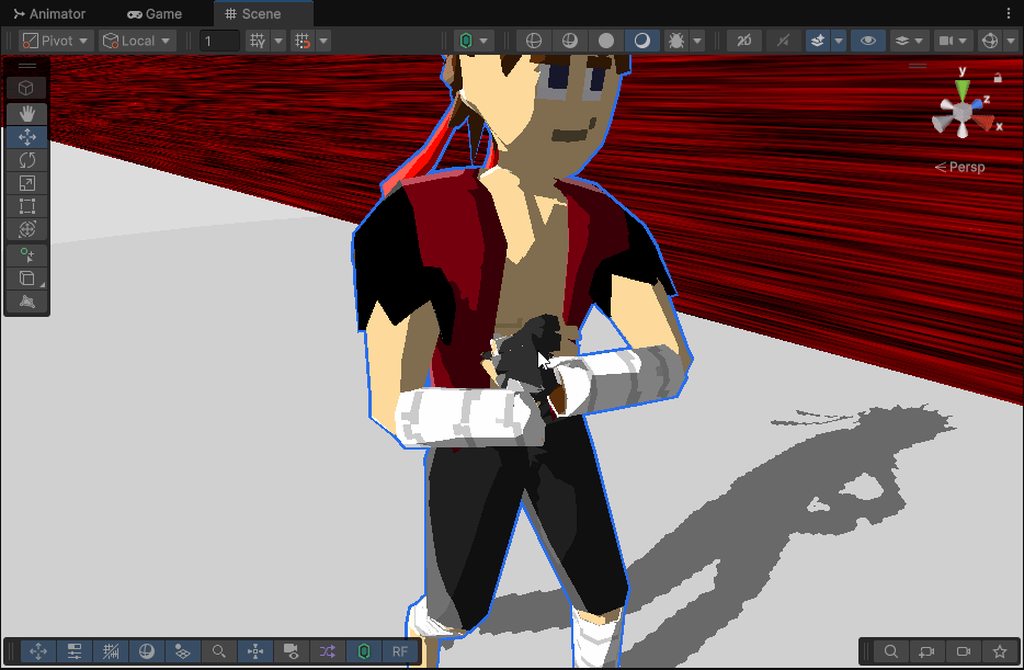 next patrol
How do i fix this issue? My Animator Entry, Exit and any state also got removed
 vague bay
agile solstice
Simplest fix potentially could be to parent (or attach with constraints) the spo...
vague bay
agile solstice
Simplest fix potentially could be to parent (or attach with constraints) the spo...
Just to ask, could you provide a tutorial for this sort of operation?
Because in my case, the animation is the following: Spoon on table > Pick up spoon and use it > Put spoon back.
white snow
near rivet
If you add a multi aim constraint are you able to adjust the slider?
Yes IK is on in the animator, I cant adjust the slider on the RIG, the different IK types either. Its so strange.
agile solstice
vague bay
Just to ask, could you provide a tutorial for this sort of operation?
Because i...
I don't know of one
if you use animation rigging package there's very good documentation with an importable example of the multi-parent constraint
The built-in parent constraint also gets the job done though an you're probably able to finagle it with just the parent constraint documentation
Nothing complex going on here fundamentally just swapping which the transform's effective parent
 alpine dew
i'm banging my head on my desk trying to figure out why it wont stop jiggling. the animation appears to stop in the animator inspector but it keeps wiggling at the end of the animation. they're just simple rotations, any idea what i'm missing here?

the untilts are just duplicates with speed = -1
alpine dew
ah nvm figured it out. apparently its cuz of that "any state". it was continuously running the transition for some reason
 red bramble
alpine dew
ah nvm figured it out. apparently its cuz of that "any state". it was continuo...
red bramble
alpine dew
ah nvm figured it out. apparently its cuz of that "any state". it was continuo...
There is an extra setting on transitions that come from Any State
"Can Transition To Self" (or something like that)
Annoyingly, even if you copy and paste the transition settings, that doesn't get included
white snow
white snow
Does anyone one possibly know why my rig weight is unchangeable in play mode? I ...
Resolution to this issue, if you cant move the RIG weights, and you are sure you have A) Set everything up correctly. B) Are not setting any values within scripts that may be tampering. The solutions if to ensure the animation you are going to be using IK's like double bone or multi aim is set to Write Defaults.
 split sedge
just wonder if somone could help me with a lil problem i try to convert a vmd to fbx never had problems before but these motions just kinda dont work idk what to do to fix it - when i have made it to a fbx and try to see if it work the dance just dances in place it does not move when she walk to left or right what do i do ?
robust basalt
am not sure what mistake i did yesterday at late night but now the rig stuck at center of the map and each time i jump the character return to center
 white snow
robust basalt
am not sure what mistake i did yesterday at late night but now the rig stuck at ...
white snow
robust basalt
am not sure what mistake i did yesterday at late night but now the rig stuck at ...
You most likely turned on "Apply Root Motion" In the editor

 kindred crater
hi guys ive made a walk animation with a tail wiggling using a damped track. So far everything worked good and the animation was also playing perfectly in unity but now i dont know why this happens. Now the first frame of the animation resets the damped track of the tail and in unity you can clearly see it. What could've happened?
robust basalt
i found the problem finally when i used auto record accidently i recorded the root

 paper crow
I assume this belongs here, but i'm wondering if anyone would be able to help me with parent constraints, i sorta get the gist of it, however, the item i want to be able to grab is clothing/weight painted stuff which complicates things a bit, also when i tried to do it, it rotated the shoes with the bone so i was also wondering if there is a good way around that as well
agile solstice
This is an issue of the way the animation is baked / exported rather than how unity imports it, as when the procedural motion is turned into a keyframe there's ambiguity about where the transforms are at the moment of export
It might work if you export when the dynamic bones are precisely at the start position of the looping motion
But if not, you should be able to export multiple loops and use Unity's animation import settings to cut a single segment from the middle or end where the procedural motion has already stabilized into a solid loop
paper crow
paper crow
I *assume* this belongs here, but i'm wondering if anyone would be able to help ...
image reposted for guideline reasons
 agile solstice
Which guideline reasons?
Anyway, if the shoes are parented to the bone that you're moving they don't seem to have any choice but to move with the bone
Not entirely understanding what the intended effect is
paper crow
paper crow
I *assume* this belongs here, but i'm wondering if anyone would be able to help ...
also i did figure it would belong here because i know a lot of the stuff with parent constraints is done in the animator, but this channel could just be for like real animation if that makes sense, and to answer the question, the person who made the model i'm using put some not so nice words in the heiarchy
paper crow
agile solstice
Not entirely understanding what the intended effect is
i'll grab a screenshot of what i mean by this
this is the issue
I don't think that's the position i want the shoe in when it's on the foot, i know i can move, rotate, and scale it, however, i was just wondering if there was a way where i could snap the parent constrained version to the normal, weight painted, bone following version of theshoe so that I don't have to fiddle around getting the shoe to be in the perfect position
agile solstice
paper crow
Where is the PropPos L with weight 1 in this particular situation
As far as I know zeroing should put the shoe right where the target parent transform is
paper crow
I temporarily have an older save of the file loaded at the moment, but in the up-to-date version it's just under the selected character in the hiearchy

 modern sparrow
Hey Im trying to set the transform of my playermodels hand bones to that of the weapons during runtime, and nothing is being affected, why might this be?
agile solstice
modern sparrow
Hey Im trying to set the transform of my playermodels hand bones to that of the ...
If I had to guess you're setting the bone positions with a script but also got animation that's overriding transform positions
If you want to override the Animator, your script needs to execute after it or your methods in LateUpdate
If your character is using the Humanoid avatar, that system has its own arm IK you could also use I believe
The Animation Rigging package is an extension of the Animator that allows you to modify bone positions in many ways in conjunction with it
 finite void
hi i have a querstion how would i animate a characater with multiple changable meshes for hands arms head .... do i need to place the bones and weight paint them all in blender or can i do it somehow else ?
vale patrol
AHA, nvm its fixed
devout ember
trying to use the animator is literally like a minefield for me right now
if i click anything wrong, unity crashes lmao
 sharp oriole
So, my bro @tidal lance and I are having a bit of trouble making an animator for Unity's Kinematic Character Controller asset.
According to him, there are no exposed values for him to work with.
sharp oriole
Is anybody here?
finite void
sharp oriole
Is anybody here?
im here but i have no real experince using unity xd
vale patrol
every single time, there always seems to be a problem
My Wall Climb animation wont activate when its on the right side of a wall
agile solstice
finite void
hi i have a querstion how would i animate a characater with multiple changable m...
If the geometry is different for the different parts and you're using skinned mesh renderer, then each part needs to be weighted individually and be its independent skinned mesh renderer even if it shares the rig
If you can get by changing the material or texture, that's much simpler
 lost epoch
It looks like my looping state (ac_charger_move) can't transition to my idle state (Anim_Charger_Idle), even though the condition is true.
Any idea why?
 agile solstice
lost epoch
It looks like my looping state (`ac_charger_move`) can't transition to my idle s...
agile solstice
lost epoch
It looks like my looping state (`ac_charger_move`) can't transition to my idle s...
Is your Movement a float or an int?
lost epoch
agile solstice
Is your Movement a float or an int?
Int
agile solstice
lost epoch
Int
Then that should not be the issue
I'd test temporarily by having only the move and idle states and see if it's possible to transition between just the two of them
There's a little bit of delay before the transition is supposed to occur (because the blue range is not totally on the left) so make sure to give it a bit of time to remain in 0 movement
lost epoch
I did, it never transitioned. I actually stopped it when the blue was around half way, then kept going until it came back to the screenyou I posted above
@agile solstice ok don't know why, but deleting everything and recreating it exactly the same way worked
Thanks!
agile solstice
lost epoch
<@166982635950702592> ok don't know why, but deleting everything and recreating ...
So that one goes under "unexplainable & unreproducible"
finite void
agile solstice
If the geometry is different for the different parts and you're using skinned me...
thx will be fun to bone and weight paint 180 parts 🙂 fml
agile solstice
finite void
thx will be fun to bone and weight paint 180 parts 🙂 fml
Weighting them and using the skinned mesh renderer is only necessary if the parts must deform
Solid pieces can be parented onto the bones
modern sparrow
agile solstice
If you want to override the Animator, your script needs to execute after it or y...
I’m using my own avatar I created in blender, but it’s very close to the humanoid one in unity, I think I could fill in its body parts so I could use unitys rigging, but I also want to learn how to do this for non humanoid, so I know what to do for enemies that have weird shapes. Also I tried updating transforms in late update and it did nothing still, it seems the animator still overrides it. I think what I will have to do is use the animation rigging extension, Thankyou sir.
 silent abyss
Is there any tool like spine but for pixel animation or something that makes pixel animation a lot easier. Because now i m creating a frame by frame animation where I mostly have to redraw it every time in aseprite. Is there an alternative for pixel art?
agile solstice
silent abyss
Is there any tool like spine but for pixel animation or something that makes pix...
Any type of art is an alternative to pixel art, are they not
But if you want something that might help you speed up the work while keeping the pixel look, look into how Dead Cells creates pixel art -like characters procedurally from 3D, or any other game that uses a similar technique
lost epoch
I have 3 states in my animation controller: idle, move, move reverse. There is an int param that control the transitions, which can be from any of them to any other of them (attached screen)
I now want to add a 4th state - "charge".
There is a new bool param, "IsCharging", and when true should lead to the charge node. When false - should go back to either of these 3 (based on the int param from before).
Is there a good way of doing it, other than connecting 6 more lines? (from each of those 3 to charge, and then back)

 maiden dagger
Hi can anybody please help me why could my animations keep looping? I m doing remake of first mortal kombat, and I already turned off loop time on the animation inspector. Doing the animation through anystate and bools
Equals (number depends on script) yk
vale patrol
vale patrol
every single time, there always seems to be a problem
My Wall Climb animation wo...
       anim.SetBool("RUN", horizontalInput != 0);
       anim.SetBool("GROUNDED", isGrounded());
       anim.SetBool("CLIMB", onWall());

       if (onWall() && ((Input.GetKey(KeyCode.Space)) || ((Input.GetKey(KeyCode.LeftArrow)) && (horizontalInput < 1f)) || ((Input.GetKey(KeyCode.RightArrow)) && (horizontalInput > 1f))))
       {
           anim.SetTrigger("jump"); ;
       }
       if (Input.GetKey(KeyCode.Space) && !onWall())
       {
           anim.SetTrigger("jump");
       }

   }

   private void OnCollisionEnter2D(Collision2D collision)
   {
   }

   private bool isGrounded()
   {
       RaycastHit2D raycastHit = Physics2D.BoxCast(boxCollider.bounds.center, boxCollider.bounds.size, 0, Vector2.down, 0.1f, groundLayer);
       return raycastHit.collider != null;
   }
   private bool onWall()
   {
       RaycastHit2D raycastHit = Physics2D.BoxCast(boxCollider.bounds.center, boxCollider.bounds.size, 0, new Vector2(transform.localScale.x, 0), 0.1f, wallLayer);
       return raycastHit.collider != null;
   }
}
this is the code im using, i think the problem is with the onWall boolean raycaster, but im not sure
 proper glade
Hi, I use a Mixamo rig, but as soon as I put the rig in Blender and export it to Unity (even without modifying any animation , just by exporting it) it gets into this weird position and doesn't move like it's sitting in Unity


I tried to swap a little bit all the parameters but nothing helps.
 naive seal
hey can someone help me with this animator issue, I've tried everything ik tbh
naive seal
naive seal
hey can someone help me with this animator issue, I've tried everything ik tbh
Its the rotation, How do i make the animator rotation ignore other rotations? (Fixed)
agile solstice
proper glade
Hi, I use a Mixamo rig, but as soon as I put the rig in Blender and export it to...
The "weird position" is the default pose when there's no humanoid compatible animation playing
agile solstice
naive seal
hey can someone help me with this animator issue, I've tried everything ik tbh
You should explain what we're looking at here
There's no clues visible how this is an animator issue or what else is going on
proper glade
agile solstice
The "weird position" is the default pose when there's no humanoid compatible ani...
However, there is an animation I don't understand
agile solstice
proper glade
However, there is an animation I don't understand
That indicates the animations are not compatible with a humanoid rig
proper glade
mh
agile solstice
Humanoid avatar with a capital H, I mean
proper glade
However, even with any Mixamo animation that works in unity, if I re-export it it doesn't work
I think it's from Blender, but I don't really understand why
agile solstice
Are you familiar with Humanoids?
proper glade
Fr I'm familiar with little about rigs
It's the first time I've used animations in Unity other than to rotate a mesh etc
Especially with a rig
agile solstice
proper glade
Fr I'm familiar with little about rigs
Mixamo uses the Humanoid avatar system so you must also make sure everything's in order there
proper glade
I think the problem comes from when I export from Blender, maybe Blender doesn't use the right avatar by default
because even with an animation downloaded from Mixamo and not modified, the problem is there
While it works perfectly on unity
Ty for documentation
agile solstice
Blender has no concept of Unity's Avatars
The avatar configuration has to be correct and the armature can't be too different
proper glade
I see, thank you I just read the documentation
near rivet
proper glade
I think the problem comes from when I export from Blender, maybe Blender doesn't...
Why are you exporting from blender if I may ask?
proper glade
Because I want to create custom animations in the end
but so for debugging I tested with basic Mixamo animations
to check if it wasn't just from my animations
 keen cloud
so im using inverse kinematics with the animation rigging package how can i make it so the hands always reach my weapon some positions throw it off which makes sense as the hands cant reach but is there a way to have the gun be held and match the hands rather than the hands matching the gun

i tried using a rigidbody and fixed joints so each hand could hold it that works for one hand but using two makes the contraints conflict it seems
paper crow
Hey all, please do bare with me here as my problems with animation and animator tabs is quite a long one. Long story short, the end goal is to have my avatar remove a shoe with her hands instead of having it be a toggle on and off, which I did successfully accomplish with some help from the vrchat community, however when I went to make an animation for the hands to properly pose their fingers around the shoe properly, things started to break, you can see it quickly flashing between the proper grab animation and the default grab animation in the video I attached. In the first image, both of the animation controllers that are being used are highlighted, the second image being the VelleR18_FX, and the third image being the Velle_Gesture. The fourth image shows all of the animations that I have made for this whole thing. the first animation is the left shoe being worn on the foot, the next one is the left shoe being attached to the hand, the third animation is the right shoe being worn, the fourth animation having the right shoe attached to the hand, and the last animation being the posing for the fingers to hold the shoe properly, or without the default grip position of the hand that would normally clip into the shoe. I would like to note that for all of these animations, "Loop Time" is unchecked and when they appear in the Animator on the grid or in transitions, "Can Transition To Self, and "Write Defaults" are also unchecked. As of now, I really only believe that I'm using two things which would be foreign to people who don't do VRChat stuff in unity which is shown in the fifth image along with some links that describe these custom behaviors here: https://creators.vrchat.com/avatars/state-behaviors/#animator-tracking-control (Animator Tracking Control) and here: https://creators.vrchat.com/avatars/state-behaviors/#set (Avatar Parameter Driver). Other than that, i'll leave some other useful images attached to the end


This document is written with the assumption that you know a bit about /Documentation/Manual/class-AnimatorController.html">Unity Animators.
If you need any other screenshots i'd be more than happy to provide them, as of now, i'm really determined to get this working correctly and any help would be greatly appreciated
agile solstice
keen cloud
so im using inverse kinematics with the animation rigging package how can i make...
Either the ik targets are parented to the gun, or the gun and the other ik target would be parented to the first ik target whichever you want that to be
So one of the hands' target should be the "authoritative" origin for the gun's transform, though you can swap which one that is using the multi-parent constraint
I don't recommend mixing rigidbodies or joints into this
keen cloud
agile solstice
Either the ik targets are parented to the gun, or the gun and the other ik targe...
I’ll try this thanks
 tawny hound
Hi does anyone know how to fix my character teleporting during the attack animation(i know why it is but have no idea how to fix it) basically when it attacks the sprite suddently becomes bigger so the character goes back a bit
silent abyss
what is the most used method to create pixel art which companies are using. Do they use the method dead cells uses the one with 3d to 2d. Do they create 2d frame by frame animation and characters whats the most common methods game devs use?
 coral sedge
I'm having a little trouble importing animations accurately into unity from blender, using unitys .blend importer not a blender fbx export.
As seen in the picture the positions are ever so slightly off, the example frame and object/bone has a position deviation of (0.0, 0.0051, 0.0002). It may seem minor but adds up on complex mechanisms where multiple rather long levers have to align properly.
I've tried multiple things, but it happens even if I turn animation compression and curve resampling off in the import settings.
Any advice, anyone?
 agile solstice
tawny hound
Hi does anyone know how to fix my character teleporting during the attack animat...
agile solstice
tawny hound
Hi does anyone know how to fix my character teleporting during the attack animat...
Sounds like your sprites are using automatic pivot so the importer just has to guess where the character's center is, which does not match the sprite center if the animation frame is big
Often happens when you use automatic sprite sheet slicing or import animation frames separately
agile solstice
silent abyss
what is the most used method to create pixel art which companies are using. Do t...
It's certainly more common to simply draw the frames than to do procedural or hybrid styles
But that's probably just because it's more typical for studios to have pixel artists on the team than tech artists who would be advocating for and producing more unique graphics like that
agile solstice
coral sedge
I'm having a little trouble importing animations accurately into unity from blen...
Without knowing how severe the effect actually is I doubt it's possible to export an animation so that it wouldn't get some inaccuracy that will compound with deep hierarchies
With a flat hierarchy the transform inaccuracy could not get multiplied for each child, but you'd then still get some inaccuracy at the connection points of the bones
coral sedge
agile solstice
With a flat hierarchy the transform inaccuracy could not get multiplied for each...
Yes, this is the case. The hierarchy is flat, and there's no armature either. It's the transforms that are animated, which makes more sense given the circumstances of the scenario.
I'm just a bit confused where the inaccuracy is coming from, if it would just take the raw keyframe transforms it would match perfectly (it does in blender). It does not seem possible to access raw data through a CustomAssetImporter either, there's no field in the ModelImporter that gives access to raw data.
Here's a vid of the extent of the inaccuracy:
In Blender, it's fine:
agile solstice
coral sedge
Yes, this is the case. The hierarchy is flat, and there's no armature either. It...
Maybe exporting as FBX gives more options, I don't recall how the blend importing works
For a system like this I'd be looking at constraint components as the first option
coral sedge
Exporting as .fbx manually sadly doesn't give more settings regarding accuracy. The .blend importer in unity is just using blenders own fbx exporter (reason for necessity of a blender install on the machine that shall import .blend files into unity), so I have doubts that it would make a big difference.
Constraints are sadly not an option, that would be way to much calculation and there's no chance to keep performance especially since the whole mechanism would end up in a cyclic constraint scenario. Solving constraints at proper driving speeds would probably be a bit much as well, as you can see in the video below (which is just half of top speed of the locomotive). 🤔
agile solstice
coral sedge
Exporting as .fbx manually sadly doesn't give more settings regarding accuracy. ...
What's the speed got to do with it?
coral sedge
agile solstice
What's the speed got to do with it?
Lol, well... actually nothing, thinking of it. 🤣
Forgive me for a little brainfart there. 😁
agile solstice
Constraints may even be more performant than animations, and if each part has its own Animator the gain could even be significant
There's a hefty amount of keyframe data to process, especially since it seems you can't allow it to be compressed or otherwise optimized for the accuracy you need
coral sedge
There's only one Animator, not multiples. You can think of it as being a skeleton, but instead of mesh deformation it's just applying the bones transforms directly to the objects. There's no real skeleton/armature imported though. That's the most performant way to do this that I could think of.
The problem with constraints is that I'd need at leas 50 iterations to get to accuracy. Lever A is affecting the position of lever B which is affecting the position of lever C which in turn is affecting the position of lever A again, so it's a cyclic mess and there's no way around it. It's the nature of this mechanism.
I do compress the keyframe data, disabling keyframe reduction or optimization does not improve accuracy. One reason why I do think that the problem does not stem from there, but rather from inaccurate importing of transform values.
The average animations keyframes are not even that wild tbh, I have player animations that go far beyond animations on this Walschaerts mechanism. Here an example:

Maybe I'll just have to live with it for now until I get to writing a custom tool that creates those clips from within unity, doing the actual trigonometry to solve it and thus circumventing the whole import process?
I've just been wondering if someone knows something about the inaccurately imported values, since I'm rather confident that the problem stems from there...
It's 5mm here, another 2mm there and another 3mm somewhere. Et voila: it's off by a centimeter and looks broken. XD
gray bronze
coral sedge
Maybe I'll just have to live with it for now until I get to writing a custom too...
Do you have any other software that plays animations? It could be there’s some Blender specific dependency.
coral sedge
gray bronze
Do you have any other software that plays animations? It could be there’s some B...
That's a good idea, actually. I don't think so though. Well, 3DViewer does do animations, I could export it in a format compliant whit that and see what happens...
Or, do you have suggestions on a program that would make for good testing it?
gray bronze
coral sedge
That's a good idea, actually. I don't think so though. Well, 3DViewer does do an...
Maybe Unreal?
Or maybe nvidia’s usd viewer, if you export it to usd
agile solstice
coral sedge
There's only one Animator, not multiples. You can think of it as being a skeleto...
Perhaps I'm not braining it correctly but I don't see the need for the 50 iterations
If you animate (or otherwise move) the piston and or the wheels, it seems all the parts connected to them operate in a logical chain
coral sedge
gray bronze
Or maybe nvidia’s usd viewer, if you export it to usd
Just out of curiosity I'll do that, not that it would help much since the game will be in unity anyway. It Would be interesting to know what the differences are though, if any. May take me till tomorrow to get to it though, but I'll keep you posted if you're interested in the result.
gray bronze
coral sedge
Just out of curiosity I'll do that, not that it would help much since the game w...
The point is simply to isolate whether this is a Blender or Unity issue.
coral sedge
agile solstice
Perhaps I'm not braining it correctly but I don't see the need for the 50 iterat...
In terms of it being logical, yes it is. The part that makes it very complicated is that the whole mechanism is dynamic at multiple points. It's complicated to explain if someone isn't familiar with how this mechanism works and what it does. I could write a wall of text here attempting to explain the complications, or alternatively we could hop in a voice chat somewhere which would make it way faster, if you want?
agile solstice
I'll take your word for it
coral sedge
gray bronze
The point is simply to isolate whether this is a Blender or Unity issue.
I hear you. My guess at the moment is that it is an .fbx issue. XD
agile solstice
coral sedge
I hear you. My guess at the moment is that it is an .fbx issue. XD
One way to test that would be to simply import the fbx back into blender to see if it's changed
Alternatively USD is the newfangled format for exporting and importing meshes between programs and it might do things better, but I don't know if both unity and blender support animations in USDs
coral sedge
agile solstice
I'll take your word for it
This is so bad, sorry. LOL
Maybe it helps to illustrate the complexity a bit.

Here a little video as additional context.
The only one thing that is actually consistent and not cyclic in it's dependency is the wheel rotation.
Anyway, the main problem is still that Unity isn't having accurate values in its transform fields from imported animations. That's observable and kinda the main problem to which I need to find a solution for.
agile solstice
coral sedge
Here a little video as additional context.
How'd you get it to work right in blender in this case?
Still curious why the same methods wouldn't work in unity
If you're curious about the inaccuracy you could try to pinpoint it by exporting a test animation purely designed to measure the coordinate drift so you can more clearly determine if it's the format, the import settings or even the way the animation is baked at export in blender
coral sedge
agile solstice
How'd you get it to work right in blender in this case?
In blender the animation when playing live is highly inaccurate, it is only accurate if the animation is stopped and the current frame has been set/refreshed at least 2 times. In blender I use at least two dozen of helper bones and objects (planes and curves to wrap bones to using constraints limiting motion). You can see the inaccuracy in blender at multiple points, probably best between the Piston Rod (the one with the orange square on it) and the Union Link (the bottom most with the green line connected to the Piston Rod).
You're not wrong in thinking the same methods would work in unity as well, I think you are wrong though when it comes to performance using constraints to solve this problem. As example have a look at the before mentioned Union Link and how it wiggles, it's highly inconsistent. This affects the whole upper part that then again is non linear because the Radius Link (the non linear one marked in red) is as such. So, in a nutshell; if I've set the position of one thing using a constraint it will be pushed out of its position again further down the chain.
There fore the solving of this mechanism becomes cyclic. Comparing all of that to simple linear interpolation between animation keyframes, well...
The only way I see to solve this mechanism in one step accurately is through trigonometry, which is something I will most likely do at some point but I have currently so namy things on my plate that this is not planned to have highest priority.
But even done trigonometrically there are multiple cycles to it, actually. The problem is that the chain has two beginnings so to say, and not a beginning and an end. The chains "end" is in the middle.
gray bronze
coral sedge
In blender the animation when playing live is highly inaccurate, it is only accu...
Something I’ve learned on my very brief game dev journey is that you never try to model the real world when you can fake it for 1/10th the cost and complexity. Is there a reason you can’t “fake” some of what you’re trying to accomplish?
coral sedge
gray bronze
Something I’ve learned on my very brief game dev journey is that you never try t...
This is exactly the reason why I bake animations and do not use constraints, a fraction of computational cost. How can I fake something that's already fake? XD
One thing I need to stress in this context is that the customer base for train simulators highly values such things, I can not ignore this unless I am willing to disappoint the core audience that I do target. Yes, it's true that I may go a step further than comparable products, but that's one thing that will make me stand out a bit. People really like to see machinery move realistically.
gray bronze
Fair enough. If you’ve committed to delivering a precise simulator then I guess that’s that.
coral sedge
I have to, the alternative is to fail. It's basically as simple as that. Believe me, what you have seen here is just the tip of the iceberg. 😄
agile solstice
coral sedge
This is exactly the reason why I bake animations and do not use constraints, a f...
That reminds me complex simulations can be baked into the alembic format so you can have any kind of motion per vertex
No idea if it'd be better or worse for the accuracy here, but I'd expect perhaps better since bone/transform animation isn't designed for exact accuracy
That'd mayhaps be even a deeper level of "fake"
coral sedge
agile solstice
That reminds me complex simulations can be baked into the alembic format so you ...
That'd be a very interesting idea indeed, maybe I'll play around with that at some point since I haven't done that before.
Though I have some real smooth news, I fixed it. XD
I'll explain what I did, give me a second to type it out pls.
So, the .blend to unity pipeline is triggering a python script which in turn triggers the fbx exporter in blender itself.
There are some changes that I make to this file on every new unity version install to make unitys bake axis conversion actually do what it should, namely convert forward and up axis so rotations are zeroed on import and the annoying 90 degree rotation on models is gone.
So I though let's have a look in the blender python api what else can be changed there, and so be it: there's a parameter to specify bake_anim_simplify_factor. This value is 1.0 by default, changing it to 0.0 and there we go. Perfection!
One thing that is not optimal is that constant scales are still keymapped, but keyframe reduction and/or optimisation still works as expected. Shape keys show up in the animation clips as well, which could be problematic. I'll fiddle around with this value, it probably doesn't have to be zero. There most likely is some sort of sweet spot to make it all work as intended.
The file is located in:
Program Files\Unity\Hub\Editor\*UnityVersion*\Editor\Data\Tools
This is the file as I have it now:
The function that's being used is the one in if blender280:.
Don't ask me why it's still saying blender version 2.80, it's been saying that for years. LOL
agile solstice
Isn't simplify factor one of the variables you have control over when exporting an fbx manually
coral sedge
Yes, you're absolutely right.
I haven't exported any .fbx files manually for years at this point. Why do it manually if one can just save the .blend file in the assets folder, automating the process...
agile solstice
.blend importing in unity has been deprecated for a couple of years and never seemed like a complete feature anyway
Although it'd have been nice
coral sedge
Has it? Isn't it still in the documentation though?
It's supporting newer and newer versions of blender as time goes on as well...
I've never had an issue with the automated import process (except that the file has to be modified slightly) XD
agile solstice
coral sedge
Has it? Isn't it still in the documentation though?
In legacy documentation apparently
Iirc it only supported up to blender 3.1 or 3.2 but could be mistaken
coral sedge

very bottom
So this is still oficially supported
Blender 4 to unity 6 isn't working though as of yet, I tested it. Sometimes it takes a while. XD
agile solstice
Perhaps I imagined it
The biggest issue with the workflow is that blender has to be installed for every contributor of the project, and there's no absolute way to guarantee nobody gets a newer version and modifies a model with that
coral sedge
Yes, true. Files can break between blender versions, which is annoying. Since I'm a one man army though... 😉
Anyway, 1am means finally bedtime for me. Thanks a lot you guys for your input and suggestions.
 elfin sigil
Anyone able to help me out? I have no idea why my character isnt playing his animation when I press play
-I DO have an animator component that says it SHOULD be going, the animation DOES work in the preview window, they ARE the same scale, the correct animator is hooked up
I dont know why its being mean to me 


 coral sedge
elfin sigil
Anyone able to help me out? I have no idea why my character isnt playing his ani...
coral sedge
elfin sigil
Anyone able to help me out? I have no idea why my character isnt playing his ani...
The orange state is the default/main state that will play on entry. Normally that is an idle or empty animation, additional animations are controlled when to be played through transitions and parameters.
I'd suggest you read the Unity Manual page about Animations and the Animator, plus watch a couple of beginner tutorials that explain those. There's plenty available on YouTube about that.
elfin sigil
coral sedge
The orange state is the default/main state that will play on entry. Normally tha...
I know, I want the dance animation to play on entry as im just green screening it with the shader to export to Premiere. I have other animations in the game that play on entry that work just fine; its just this one thats fucked up
I ended up just using the other model I had with the dance which ended up working, so the problem mustve been with the a-pose FBX rather than the animation itself
coral sedge
Ah, I think I misinterpreted the question. Sorry.
 timber geyser
If take Mixamo fbx, import it into the blender and add or delete objects to Armature, then after importing from the blender into fbx, and then into Unity, the animation no longer works.Previously it was working when using directly from mixamo , any help?
next patrol
Whenever a certain animation is played, my oject changes its position, size and rotation to a fixed point before playing the animation. How can i fix this, so that the Animation is played right on the spot?
agile solstice
next patrol
Whenever a certain animation is played, my oject changes its position, size and ...
Animator overrides component properties
Transform component's properties are relative to parent transform
So if there is no parent transform and the animation overrides the object's position, it will be a scene relative position
 flint olive
Switching between two of my 3D animations has a large difference in position, so is there any way to offset the entire position of a 3D animation within the editor?
I'm quite unfamiliar with 3D anim. transitioning from 2D, so there's most likely a cleaner solution than what I proposed, any help is appreciated!
silent abyss
how can i create a dashing animation similair to this like i mean does it have to move in the animation or am i doing the moving through code?
 agile solstice
silent abyss
how can i create a dashing animation similair to this like i mean does it have t...
agile solstice
silent abyss
how can i create a dashing animation similair to this like i mean does it have t...
In 2D the character is preferably animated to dash in place and move with code for the simple reason that dashes like those often can be obstructed or interrupted, and you may want to be able to tweak its length and speed independently
Then also you won't need to do extra work to keep the collider following the animation
 potent thicket
Anyone used the animation rigging package? I need to adjust the position and rotatation of the hand bone and am trying to use it but only am able to get the rotation working. What is the correct component from that package to use to say place a hand on the grip of a gun
I have this attached to a gameobject thats the child of the "Rig 1" child the system made. hand_l is left hand bone from the rig. LeftHandIK is the transform I am trying to place my hand at

hand follows the objects rotation
but not the position
 coral skiff
Having issues with a humnoid avi stuck with generic aniamtions

 bold stone
how do i create an animation like this where the body and sword is bouncing slightly
agile solstice
bold stone
how do i create an animation like this where the body and sword is bouncing slig...
What exactly do you mean by "how"
It's a bit like asking how do you draw an owl
 tranquil stream
hey a quick question do you think this can work? or is this just absolutly a failure?
near rivet
potent thicket
Anyone used the animation rigging package? I need to adjust the position and rot...
For aiming a gun use a multi aim constraint
For gripping use a two bone ik constraint
tranquil stream
oke
next patrol
Is there a way to play animations directly in game view from something like the animation tab? I want to do this to find out if the animations play properly before always having to jump into the game directly again
potent thicket
near rivet
For gripping use a two bone ik constraint
Thank you very much!
agile solstice
next patrol
Is there a way to play animations directly in game view from something like the ...
Select the object, choose clip from animation window and play the animation
There's no trick to it
next patrol
agile solstice
Select the object, choose clip from animation window and play the animation
Ther...
This works, however the animations are not played by my current Object in game view. Im not quite sure if i did everything right so i wanted to test it when in game view
https://www.youtube.com/watch?v=9R_gGZvLGuI&feature=youtu.be
I believe that this has something to do with the placement of the components in the hierarchy


 agile solstice
next patrol
This works, however the animations are not played by my current Object in game v...
agile solstice
next patrol
This works, however the animations are not played by my current Object in game v...
The animation window is not open here
You're looking at the inspector for a transition
next patrol
agile solstice
You're looking at the inspector for a transition
Im sorry i misinterpreted and thought you meant the Animator window

I see now that it says Missing, why is this?
 agile solstice
next patrol
I see now that it says Missing, why is this?
agile solstice
next patrol
I see now that it says Missing, why is this?
Because the selected object doesn't have a child transform named Cube.001
But it might still be able to play the clip, if it's the right hierarchy but not not the right object
next patrol
Thank you! This was it, i renamed them a while ago thinking it wasnt a big deal
potent thicket
near rivet
For gripping use a two bone ik constraint
is there no way to update the target at runtime? I cant find a working example without just using dummy objects.
 var target = weaponInventory[newSlot].instance.transform.Find("LeftHandle");
 leftHandIK.data.target = target;

 leftHandIK.weight = 1.0f;
 rigBuilder.Build();
This is what i''ve tried
and the transform shows up in the inspector
but the ik doesnt work
it works if i assign it manually before pressing play tho
 noble marsh
Hi, is anybody here has experience working with Unity Timeline? I'm working on a feature by extending Unity's Timeline and found an issue on the scrubber;
when I jump the scrubber to previous time, it won't evaluate the PlayableAssets within the range of the scrubber's traversal. Is there a workaround for this?

 thin ginkgo
guys i have an animation in unity which i need to have reversed. whats best way to make it as new animation?
near rivet
potent thicket
is there no way to update the target at runtime? I cant find a working example w...
That's strange
Although I'm thinking it could potentially be because the grip transform you are finding is not under the rig
It might help to just assign an empty game object under the rig as the target in the editor and then change the position of that empty object to the grip position
red bramble
thin ginkgo
guys i have an animation in unity which i need to have reversed. whats best way ...
you can play an animation backwards by setting the Speed of an animation state to a negative number
thin ginkgo
i use playable and complex system. i need to have it as new animation
peak pebble
I have a sprite animation that at some point changes the scale of the gameobject the sprite is on in the x value. I set the y and z "Default value" but it still overrides the game object's local scale (set to -1 on y in some instances to mirror the sprite). any idea how to prevent this?
agile solstice
peak pebble
I have a sprite animation that at some point changes the scale of the gameobject...
You could use FlipX property of the sprite renderer instead of negative scale
Or have the sprite on a child gameobject separate the character's functional scripts, so the two scale changes are inherited hierarchically
 uneven coyote
how do I animate all of these together in unity, I heard that "bones" exist in unity's animation, I want the "bone" to go from the base, to the connector, to the cylinder
idk how any of that works tho, Ive been mosty using spritesheets


they attach like this
 peak pebble
next question: is there a way I can control properties of a gameobject in the animation for another gameobject?
uneven coyote
basically, I want to use joints and such to acheive this (joints are the red circles)
 celest crag
peak pebble
next question: is there a way I can control properties of a gameobject in the an...
celest crag
peak pebble
next question: is there a way I can control properties of a gameobject in the an...
You can trigger animation events https://docs.unity3d.com/Manual/script-AnimationWindowEvent.html
agile solstice
A script's properties can also be animated, which the script can pass to any object
But beyond that animators by themselves can only control components at equal and below levels of gameobject hierarchy
agile solstice
uneven coyote
how do I animate all of these together in unity, I heard that "bones" exist in u...
A "bone" is just a gameobject with a transform
A skeleton in animation terms would be a hierarchy of transforms
Sprites also have a pivot point that can be set in the sprite editor which they rotate and scale around
Transforms function as pivots for all transforms below them when in a hierarchy
lost epoch
I have 3 states in my animation controller: idle, move, move reverse. There is an int param that control the transitions, which can be from any of them to any other of them (attached screen)
I now want to add a 4th state - "charge".
There is a new bool param, "IsCharging", and when true should lead to the charge node. When false - should go back to either of these 3 (based on the int param from before).
Is there a good way of doing it, other than connecting 6 more lines? (from each of those 3 to charge, and then back)
 uneven coyote
agile solstice
A "bone" is just a gameobject with a transform
A skeleton in animation terms wou...
uneven coyote
agile solstice
A "bone" is just a gameobject with a transform
A skeleton in animation terms wou...
so is there a way where I can script an animation for these game objects?
because all the holes can hold a bullet
so I need them to be objects and not sprites
agile solstice
uneven coyote
so I need them to be objects and not sprites
I'm not sure if that makes sense
A gameobject is a container for components, including the Transform component but optionally others like a Sprite Renderer
If you have transforms in the position of each bullet chamber parented under the transform of the cylinder, it makes it easy to assign bullet sprites either as children or as components onto each chamber transform (or "bone")
 lavish acorn
Hi just a quick question, does SetTrigger still work?? I have a script that's suppossed to run a little animation for some text but it's saying "Parameter 'TrStartAnim' does not exist"
 agile solstice
@uneven coyote It's important you understand what gameobjects, transforms, sprites and sprite renderers are and what animations and scripts do exactly
agile solstice
lavish acorn
Hi just a quick question, does SetTrigger still work?? I have a script that's su...
They do work
Parameters are not visible in this image so I'd have to guess it does not exist on the animator or your script is trying to call it for the wrong controller
lavish acorn
agile solstice
They do work
Parameters are not visible in this image so I'd have to guess it do...
GetComponent<Animator>().SetTrigger("TrStartAnim");
agile solstice
lavish acorn
`GetComponent<Animator>().SetTrigger("TrStartAnim");`
Can you show that parameter in your animator
lavish acorn
I hope this is what youre talking abt idk first time touching animations
 agile solstice
lavish acorn
I hope this is what youre talking abt idk first time touching animations
agile solstice
lavish acorn
I hope this is what youre talking abt idk first time touching animations
That is a state, parameters are in the vertical section in their own tab at the left side of the animator window
The parameter has to be used as a condition on a transition between states for it to be able to do its thing in the animator
agile solstice
lost epoch
I have 3 states in my animation controller: idle, move, move reverse. There is a...
An animation layer is a good option
Since layers run parallel to each other, the base layer's active state is preserved and you don't need to store it anywhere
lavish acorn
My parameter list is empty
lost epoch
@agile solstice 🤔 But they shouldn't run in parallel. I mean only 1 from all of the [idle, move, move-reverse, charge] state should be active at any time
I think?
agile solstice
lavish acorn
My parameter list is empty
The error was pointing out the correct thing in that case
agile solstice
lost epoch
<@166982635950702592> 🤔 But they shouldn't run in parallel. I mean only 1 from ...
Changing the weight of a layer to 1 with your alternate state in it basically lets that state fully take over until you set weight back to 0, returning to whatever the base layer is doing
Running in parallel means the base layer states don't have to be transitioned out of and then back in, which seems like a benefit for what you're asking?
lost epoch
setting the animation weight is something that can only be done in code though no?
lost epoch
I was hoping for something more like a single node I can transition to/from, and that inside that nodes have my different logics
something like
"ChargingState == 0" : "movement tree"
"ChargingState != 0": "charging tree"
Movement tree: uses MovementState param(int) to decide [Idle, Move, Move Reverse]
Charging tree: uses ChargingState param(int) to decide [ChargeForward, ChargeBackward]
agile solstice
lost epoch
something like
"ChargingState == 0" : "movement tree"
"ChargingState != 0": "ch...
Sure you can use blend trees, and probably should for the movement anyway
Given this setup there's no functional difference whether you keep movement states as they are and give the charging state its own layer
Or bundle up the movement states in a blend tree and make the charging state just a state to transition to/from
lavish acorn
Im a lil lost rn, how do I set up a trigger again?
agile solstice
Best to use both blend trees and layers whenever it makes sense to do so you get the most animation with the least transitions
uneven coyote
agile solstice
<@678033807085010954> It's important you understand what gameobjects, transforms...
Okay
I do know how this stuff works, I dont know how to do this
Im good on coding, I cant animate inside unity and I am trying to learn
uneven coyote
agile solstice
I'm not sure if that makes sense
A gameobject is a container for components, inc...
What I mean is it has to be involving the gameobjects theselves instead of a spritesheet like I ussaully do
lost epoch
agile solstice
Best to use both blend trees and layers whenever it makes sense to do so you get...
Not familiar with blend tree - let me take a look
uneven coyote
uneven coyote
What I mean is it has to be involving the gameobjects theselves instead of a spr...
I animate them and the export to a spritesheet for animations usually
lost epoch
@agile solsticeAs far as I can tell blend tree just use a param to blend between multiple animation clips?
agile solstice
uneven coyote
What I mean is it has to be involving the gameobjects theselves instead of a spr...
Like I said you need to understand what those things mean and what they do
The role of gameobjects and components and how to work with them is basically the most core concept of unity
It's not that much related to animation, animations just interact heavily with them
An animation does nothing besides overwrite component properties, which is what your own scripts can do just as well
agile solstice
lavish acorn
Im a lil lost rn, how do I set up a trigger again?
Look up animation parameters in the docs and in the official tutorials !learn
dusk valeBOT
:teacher: Unity Learn ↗
Over 750 hours of free live and on-demand learning content for all levels of experience!
uneven coyote
Oh, yea I know what they mean, im just condensing the question so that it is more understandable
I know a gameobject is technically something that holds properties, its own thing, but the way I am using it, I mean the gameobject is everything inside the gameobject
What I mean is I want to make it so I can animate the entire object with a script or animator, instead of changing its sprite using animator
agile solstice
uneven coyote
Oh, yea I know what they mean, im just condensing the question so that it is mor...
A gameobject has components, a component has properties
Animations override component properties within and below their own gameobject hierarchy
Sprite reference of a sprite renderer component is simply a property that the animator as well as a script can override
I think this will start becoming obvious once you do some beginner tutorials for animating gameobjects as well as for controlling the properties with a script
agile solstice
lost epoch
<@166982635950702592>As far as I can tell blend tree just use a param to blend b...
The important part of blend trees is that they sync all the animations within it
For looping animations that might not matter, and for a lot of types it might even be an advantage
But for some types or mixed varieties it'd be an issue
Layers do not sync animations but run independent state machines (except with the "sync" option to copy the states of another layer but swap out the animations within)
uneven coyote
agile solstice
A gameobject has components, a component has properties
Animations override comp...
yes, I am saying is I want everything to move with the animation in the actual game instead of having animator overwrite its sprite
I know what everything means and does, I just need help with something, just because I dont know how to do something doesnt mean I dont know what all this means
I dont need explanations of what all this stuff does
agile solstice
uneven coyote
yes, I am saying is I want everything to move with the animation in the actual g...
In that case you don't key the sprite to be overwritten from the animation, you key the transform properties to be overwritten from the animation
From my perspective this should be obvious to someone who's familiar with the animation window on a beginner level
A possible reason might be if you've only made animations so far using the shorthand of dragging sprites onto the timeline, rather than keying any properties yourself
uneven coyote
Thats what Ive been doing
agile solstice
I would not consider that beginner level familiarity with the animation tool yet
uneven coyote
I use spritesheets, I do not have a beginner level with the animation window
but I know how the rest of unity works
agile solstice
It is a fair position to be in but that is expanded on by basic animation tutorials
Not something I would like to be explaining
uneven coyote
this is not a professional forum
Noone is forcing you to answer anything
This isnt a job
agile solstice
If there are specific points of confusion on that path, like possibly earlier transforms as pivots, then I'd be happy to shine some light
But I don't think you'll find anyone else either who finds it very productive to be explaining absolute beginner topics when they're already easily available online
uneven coyote
This is a discord server
people dont go on here to be productive
being pretentious because you know more than me is even less efficient or productive
Tutorials dont work for me, I learn hands on, that is why I am asking actual people
lost epoch
@agile solstice I almost found a better way:
The only issue is that When the node is set to Charge/Charge-Reverse/Move/Move-Reverse, the "Any State" transition keeps evaluating.
Perhaps you know how to fix this?
 agile solstice
lost epoch
<@166982635950702592> I almost found a better way:
The only issue is that When ...
agile solstice
lost epoch
<@166982635950702592> I almost found a better way:
The only issue is that When ...
Sure there is a "can transition to self" setting in the transition or the state, one of the two
But I'd say this seems like a much worse way
Really all you need is two blend trees, each with the three states within, and transitions back and forth between the trees
lost epoch
@agile solstice I tried that, but it doesn't work. I'm assuming it only works on the 1st node - so "ChargeTree" / "Movement Tree" are good, but the ones below them aren't
lost epoch
agile solstice
Really all you need is two blend trees, each with the three states within, and t...
I thought the blend tree were a bit limiting and not fitting, but maybe I'm just not familiar with them enough. Let me give it another try
agile solstice
lost epoch
<@166982635950702592> I tried that, but it doesn't work. I'm assuming it only wo...
https://docs.unity3d.com/Manual/class-BlendTree.html
Here you can see how the animations go inside the blend tree
The tree itself is just one state, not several
Similar to the example your move/idle/reverse are a logical fit for mapping a parameter as 1/0/-1 to decide between the three animations
Rather I mean "motions" when referring to animations inside a blend tree
lost epoch
ok I think I got it; it's a bit weird to me since I used ints, but used the same value and converted to float, and seems to work 😄
Now the charge should be simple

@agile solstice thank you!
@agile solstice Q for good practice: I'm ending up with duplicate variables with same values - one for type int and other for float.
The float is used for the blend tree (it doesn't like int)
The int is used for the transition - I'm doing != 0 and == 0, and doing it with floating point is a bad idea.
Not the worse case, but perhaps there's a better practice than that?
agile solstice
lost epoch
<@166982635950702592> Q for good practice: I'm ending up with duplicate variable...
It seems fine
I'd use one float for movement that both blend trees use, and then bool to transition between them
Assuming you only have the two trees
lost epoch
I can do that, but it feels a bit of abusing the same parameter for different usages; e.g. a correct param name for that would be "Tree Choice" or w/e xd
but yeah I'll just see how it evolves; if I only have those 2 trees I might end up doing that, no reason to make it complex
agile solstice
lost epoch
I can do that, but it feels a bit of abusing the same parameter for different us...
I think since the trees are for movement direction and within them you have "forward, still, backward" it makes quite good sense
For extra intuitiveness it's usually set so movement trees use negative parameters for backward motion, zero for idle and positive for forward motion
And list them in that order
But that only matters if you're actually blending with non-integer values
lost epoch
@agile solstice I was thinking on different values for different usages so that's weird, but with your logic when I'm using the same values for both actually it does make sense, that's true.
Cool, I'll go with that 🙂
And thanks again!
potent thicket
Having it as a child of the rig doesn't update it via code either. I dont think it has to be a child of rig in order to assign it as a target. At least not if you have it assigned prior to entering play mode.
My workaround was to add an empty gameobject as a child to the main prefab and just manually assign it in the inspector prior to entering play mode and then setting it as a child to the desired object at runtime. It is not ideal and I hope they will look into this bug. I wonder it has to do with using multiple layers on my AnimatorController
potent thicket
near rivet
That's strange
oops I forgot to quote you
 robust perch
when finger is on position x on keyframe 0 and I insert a position x+1 on keyframe 20, why the hell does my finger go from x to x-1 to x+1
why the hell would that happen
why would it go the opposite way before coming down?
potent thicket
is it interpolating the keyframes?
robust perch
potent thicket
is it interpolating the keyframes?
should it be on auto?
potent thicket
turn it off and see if it still does it
if that fixes it you need to add some in between frames or leave it off
potent thicket
alright
robust perch
How is this even possible?
shouldn't have to do with the fact that my hands use animation rigging because hand is the tip and fingers are outside of the ik chain
omg now it works somehow
I don't even know how
near rivet
potent thicket
Having it as a child of the rig doesn't update it via code either. I dont think ...
Okay cool
potent thicket
robust perch
I don't even know how
what the curves look like
robust perch
potent thicket
what the curves look like
I changed it to smooth and it worked even though it didn't previously
it also happened when I caught the thumb in the selection as I previously didn't
but that should have nothing to do with the animation of other fingers
potent thicket
robust perch
I changed it to smooth and it worked even though it didn't previously
mixamo rig is pretty bad
did you jump through all the hoops to properly import a mixamo character?
robust basalt
rigging package weight never reach zero if i animation it using animation clips

 quasi crystal
Also is it possible to take for example.
An 3D model car which all parts like hood,doors and trunk are not openable.
But they are separate asset
And if we choose this asset can we animate it of opening and closing even it's wasnt in first place?
 viral tangle
quasi crystal
Also is it possible to take for example.
An 3D model car which all parts like ho...
viral tangle
quasi crystal
Also is it possible to take for example.
An 3D model car which all parts like ho...
You can create empties and parrent the parts to them.
quasi crystal
viral tangle
You can create empties and parrent the parts to them.
How
brave storm
This is why you were told to learn the engine first before making a car simulator 
viral tangle
quasi crystal
How
Well, just make the rig control empties and parent the meshes to them after.
gray bronze
Not sure if someone replied or not, but if you change targets or source objects at runtime you need to rebuild the graph by calling RigBuilder.Build.
 austere jungle
I have a few questions if anyone is down to help a nobody out for a few
I got my simple game mechanic to work I just need to understand the 3d approach to it if possible thanks
gray bronze
austere jungle
I got my simple game mechanic to work I just need to understand the 3d approach ...
The way it works here is you just ask your question and people will help if they can. So go ahead and explain what you're doing and what you're trying to understand.
quasi crystal
Is there any 3d modeler? I need a help from them.
celest crag
quasi crystal
Is there any 3d modeler? I need a help from them.
!collab
dusk valeBOT
:loudspeaker: Collaborating and Job Posting
We do not accept job or collab posts on Discord.
Please, use Discussions to promote yourself as job-seeking, advertise commercial job offers, or look for non-commercial projects to participate in:
• Collaboration & Jobs
quasi crystal
celest crag
!collab
No not collab
celest crag
If you have a specific Unity workflow question just ask the question
 true glen
Hey Im deactivating a gameObject in code, some children of that have an animator, now I have the issue that the animator resets before it deactivates the GO, making 1 frame of weird animator magic, and then when I reactivate it, it enters the animator from Entry again. How can I fix this so that it stays at the exact point of the animation and doesnt re-enter?
keen cloud
how do i get a skinnedmesh to attach to an existing rig for example if i wanted to add clothing every time i make it a child and assign the root it disappears (the clothing and character model were both made using the same rig in blender)
brave storm
true glen
Hey Im deactivating a gameObject in code, some children of that have an animator...
vale patrol
hello, i have a problem with the animation
whenever I tr to shoot that slash, the correct idle animation only works one time, afterwards it gets replaced with the hit animation
vale patrol
nvm its fixed now, theres still a problem but i think i can fix it on my own
 meager smelt
Anybody knows how to flip an animation on the X axis in 2D?
agile solstice
meager smelt
Anybody knows how to flip an animation on the X axis in 2D?
Sprite renderers have the FlipX property that flips the sprite
Negating the X scale of a gameobject also flips the relative positions of all child gameobjects, but it may cause issues with colliders and collision in general
meager smelt
agile solstice
Sprite renderers have the FlipX property that flips the sprite
Yes but they don't flip the animation
agile solstice
meager smelt
Yes but they don't flip the animation
That depends on what kind of animation it is
Sprite animation would flip perfectly well
meager smelt
agile solstice
That depends on what kind of animation it is
Sprite animation would flip perfect...
Position animations not sprite sorry
position and rotation
agile solstice
Then consider negating scale as mentioned
meager smelt
Tried, didn't work
agile solstice
You have to be more specific than that
 boreal fractal
Why does this happen? legacy box is closed, I use Cinemachine 3.1.2 for Cam controller

I gave the animations to "Hand" Gameobject it works now idk why tho :D
meager smelt
agile solstice
You have to be more specific than that
Well as I said the positions and the rotation is exact even if the sprite is flipped
agile solstice
meager smelt
Well as I said the positions and the rotation is exact even if the sprite is fli...
Did you negate the scale of the gameobject that has your animated transforms as its child gameobjects
If you did it wrong, "didn't work" doesn't give any clues about what went wrong
Or how you tried to do it
meager smelt
agile solstice
Did you negate the scale of the gameobject that has your animated transforms as ...
What does that mean sorry?
meager smelt
agile solstice
Or how you tried to do it
Well right now I have an animation which rotates an object to the right side using the transform component. By 'flipping the animation' I mean that the rotation becomes negative and it rotates to the left.
Is that possible?
agile solstice
If I understand your setup yes, by negating the scale of an axis of a parent gameobject relative to your animated gameobjects
It may help to look into how transform properties are inherited down the hierarchy
meager smelt
I tried that as well, but it doesn't give me the results I wanted, it still rotates to the right
I just do -x value on the parent's controller
 exotic olive
@daring relic sorry took long i was finishing coding something
but no what i mean
is i have my player right
and idle forward he'll be holding a gun in a position right
but then when i run forward the guns just gonna be floating therew
so what do i need to do
 clear lion
Hey guys pretty new to Unity but struggling with a custom character + animation controller.
So I have this simple animation controller which loops the 'Idle' anim. I generated my avatar on my model using the 'generic' animation type.


I've tried adding the animtor component with the selected animator controller + avatar on every part of the character's game object but can't seem to find the right place to put it

 thorny badge
Can someone explain what causing this? The camera in blender does not match up with the camera in unity even they share the same settings: Fov 60, type - perspective, position 0,0,0 , resolution 2550x1440
im confused about this.
 vale patrol
Hi, problem here, when I do the slash attack facing left, it wont flip, video describes it better
Spawn Position exagerrated for clarity
 humble condor
hallo i am running two animation on top of eachother like this
hatAnimator.Play("rat_jump");
with the same speed and animation frames but in some frames the animation is off by one sprite and it looks really bad is there an easy way to fix that ?
nvm got it figured out
agile solstice
thorny badge
Can someone explain what causing this? The camera in blender does not match up w...
FoV can be horizontal or vertical
In Unity yours is set to vertical
Blender automatically sets it to horizontal for wide aspect ratios and vertical for tall
thorny badge
agile solstice
FoV can be horizontal or vertical
In Unity yours is set to vertical
Blender auto...
Thanks thats correct. Is there a way to change the horizontal to vertical in blender? Because if i change it in Unity i get wierd values. Like i have a script that lerps the FoV to 60 (back to normal when exiting ADS) and i need to change that value to 35.98339f in the script to get the 60. So instead of wierd values it would be better if i can change it in Blender somehow, lol. edit: nevermind found it. 🙂
 west estuary
im so confused on how to make a proper run, i feel like this should work but it just looks like pixels are moving


are these the correct contact points?
maybe i did too few pixels?
 rocky sail
Hi everyone, I have a 2d character and it currently has a walk animation. But now I want it to do a firing animation when walking. Is there such thing as an avatar mask for this? I've been doing it with different layers however if I want multiple different weapons this could become inefficient. Any tips on how to combine animations?
 tame briar
i know this is unity server but i am trying to animate all those thing (the hands,the barrel etc) for a shooting and reloading action and i need too have all the animation of those objects in one action (one for shooting and one for reloading) does anyone know how to do it?

 flat oriole
Anyone know why this is happening to my Blendshapes?
they all are called Morpher. not what they are called in Maya.


think i got it working.
snow skiff
I don't know if is allowed ask help about it here
I hope that not ban me :/
I'm using DoTween asset to make an animation
But when I starts, my "Money Counter" starts at red
I only want to get Red when I activate (Try to buy an item without money)
This are working already
At start I want the normal color only but I don't know how to deactivate at start
 near rivet
clear lion
I've tried adding the animtor component with the selected animator controller + ...
near rivet
clear lion
I've tried adding the animtor component with the selected animator controller + ...
Make a script with this next to the other variables you declared
public Animator anim;
Save the script and then assign it so that you can reference your animator via script
Also I'm not sure how your character is rigged but it it may be worth trying humanoid instead of generic
clear lion
near rivet
Also I'm not sure how your character is rigged but it it may be worth trying hum...
This was the fix, setting it to humanoid
I assumed it had to be a 1:1 skeleton with unity's default mannequin or requirements lol (cause of unreal engine)
 reef sand
Im looping a rotation animation, iv set the graph to linear, but it still stops a bit before running back. What are the possible fixes?
It dosent show any problem when I run it seperately, in edit mode, loops smoothly
Just during the playtime
reef sand
fixed
sharp oriole
So, I'm having a bit of an issue.
The walking and sprinting animation in my prototype are blending, and it's causing their "footstep events" to double up instead of interpolate, causing the sound to play way more than it should.
sharp oriole
#1329735696621240320 message
As seen here, late in the video.
sharp oriole
Is anybody here?
sharp oriole
https://discussions.unity.com/t/footsteps-blend-tree-and-animation-events/882810
This apparently doesn't help...
 lime socket
sharp oriole
So, I'm having a bit of an issue.
The walking and sprinting animation in my pro...
lime socket
sharp oriole
So, I'm having a bit of an issue.
The walking and sprinting animation in my pro...
What's the logic behind the audio source you're using? Are you one-shotting them or toggling it?
sharp oriole
lime socket
What's the logic behind the audio source you're using? Are you one-shotting them...
Pretty sure it's one-shotting.
lime socket
Toggle it
and let it loop so if you invoke it again it wouldn't affect it (as it's already running)
plus it's crazy to make an audiosource per foot step ;p
sharp oriole
Well, there's only one audio source in the scene so far that's handling the footstep sounds.
The walk and run animations handle the footstep sounds with events.
lime socket
Yeah so the event should just target the footstep audio player, which should never be destroyed, and simply toggle it on
when you stop walking, disable the footstep audio
 tidal lance
Actually, it uses event triggers in the animation to trigger the footstep event, and the events are often desynced, but as the blend tree interpolates between animations, events from both animations are triggered
lime socket
animation events are tricky. I'm currently trying to think of a system to sequence my logic but blending and interruptions can create problems for events
it's usually better to do a lot of toggle logic in your statemachine script side
and timers in that regard
"In essence, the Animator is not a state machine, as it’s in several states at the same time during a transition."
sharp oriole
Possible Solution:
Change Step sounds from OneShot to Toggle, preventing double-ups.

Implement a "Step Off" Event to deactivate toggle.

Exiting any walk animation would also clear the boolean.```
Does this look right, @lime socket ?A tool for sharing your source code with the world!
Similarly, toggle sounds with animation
stuff like jump is fine for one-shots
public void OnStateChange() <-- should actually be private ;p
sharp oriole
I'll try implementing this tomorrow (today), it's 5AM over here.
Now, would you be interested in teaming up on this project more?
(If you're busy, it's cool.)
lime socket
Currently doing a Jam but always free to ask questions
sharp oriole
ah
 paper cedar
hey, i made a mistake and placed my animator on a child object that now doesnt support what im trying to do, any way to transfer the animations with the animator beeing placed on the parent object?
celest crag
@honest prism If you have a question then post it, these's no !collab requests here.
dusk valeBOT
:loudspeaker: Collaborating and Job Posting
We do not accept job or collab posts on Discord.
Please, use Discussions to promote yourself as job-seeking, advertise commercial job offers, or look for non-commercial projects to participate in:
• Collaboration & Jobs
red bramble
tame briar
i know this is unity server but i am trying to animate all those thing (the hand...
I've had some major problems importing animations that move entire objects around.
oh, but this is a blender question lol
 plucky jacinth
I'm trying to make an animation controller based on this tutorial https://www.youtube.com/watch?v=vApG8aYD5aI&t=133s the following problem occurred: when starting a scene, a character who has a default animation appears significantly above/below his position in the editor before starting. This happens precisely when the size of the model differs from 1, with 1 it stands on the platform.


 honest rose
i can put different components in a single animation, right?
i mean, like, sprite animation along collisionbox deformation, for make a meele attack
agile solstice
honest rose
i can put different components in a single animation, right?
Yes
 thin oasis
So i noticed something really weird. My FBX file is only 11 MB in file size, despite it having an animation with a LOT of keyframes (am planning to decimate them soon). When I duplicate the animation of it - so that I can work on the animation itself - the .anim-file is 320 MB(!!!). Soooo... where did all that file size go in the original fbx file that also holds the same animation?


 stuck sinew
I added a slide animation from mixamo but the character is slightly going to the right
I tried ticking bake into pose and changing based upon to original
It's still slightly going right
brave storm
thin oasis
So i noticed something really weird. My FBX file is only 11 MB in file size, des...
So that's a single animation file taking 320MB?
You duplicated one of the anims from the FBX?
I'd guess that unity's animations are not nearly as compressed as FBX
But single anim taking 320MB vs. multiple anims in an FBX taking 18,5MB is an insane difference
The anim clip seems to be 100+ seconds long with lots of objects and tightly packed keyframes, so I'm not that surprised
Maybe the FBX is also ~300MB when imported into unity's library
 rich girder
can someone help me with some Inverse kinematics i am trying to use IK to attach hands to my gun but the ellbow doesnt bend right is there some fix for this?
brave storm
rich girder
can someone help me with some Inverse kinematics i am trying to use IK to attac...
What IK are you using?
And is it a humanoid or generic avatar
rich girder
form unity its generic
brave storm
I'm not really experienced with that but maybe you want this?
https://docs.unity3d.com/6000.0/Documentation/ScriptReference/Animator.SetIKHintPosition.html
A "hint" position is used to determine where the elbow should point
rich girder
brave storm
A "hint" position is used to determine where the elbow should point
allright thanks i will look into it
tame briar
red bramble
oh, but this is a blender question lol
true but i thought someone might have encountered the same problem since the animations are going to unity
 daring relic
exotic olive
so what do i need to do
daring relic
exotic olive
so what do i need to do
id need a vid or smth to be able to tell whats going on
usually you'd be parenting the gun to the hand
rich girder
anyone knows good tutorial on how to add arms to your gun
 velvet forum
Can yall help me out im trying To make a game with first person Mode and jumping crouching walking and running and I also need help to make the character animated when I move in the game and here is the model
 honest rose
hey, i tried to animate my player from the root, but now, when i play it has the animated sprite and the idle sprite overlaping it
its very annoying
how i can fix this?
what i did wrong?
 polar lintel
what do you mean, if idle animation play instead your one you just need to setup the AnimatorController to play your animation
or you can disable animator from sprite with wrong idle animation
 sick hearth
I have been trying to animate via visual scripting and I have the animation I just need to know how to activate it and deactivate it on command
honest rose
polar lintel
what do you mean, if idle animation play instead your one you just need to setup...
i mean. I think the animation plays with the player sprites moving, but also has the sprite of the object standing idle, cuz the sprite is an image inside the empty gameobject the player is
flint olive
Hey y'all, my FBX animations aren't translating correctly in Unity.
What would be a (0, 0, 0) position keyframe would translate to a slightly different position, specifically in the Y (example: (0, 0.4071, 0).
This is shown in the animation itself, and not even in the scene, any help is appreciated cause this is driving me insane
sharp oriole
So, I made a quick mockup here in Blender.
How do I make a character look towards points of interest, blending with an animation?

 sharp oriole
https://www.youtube.com/watch?v=dnFTT5vIb68
Maybe this.
Support me by Wishlisting my upcoming Steam Game UnPlugged
https://store.steampowered.com/app/3142930?utm_source=ytd
Welcome to our comprehensive Unity tutorial on creating dynamic head rotations for animated characters to make their head look at Object! In this step-by-step guide, you'll learn how to precisely control your character's gaze, ma...
agile solstice
sharp oriole
So, I made a quick mockup here in Blender.
How do I make a character look towar...
Animation Rigging has functionality for this
https://docs.unity3d.com/Packages/com.unity.animation.rigging@1.3/manual/constraints/MultiAimConstraint.html
https://docs.unity3d.com/Packages/com.unity.animation.rigging@1.3/manual/constraints/MultiRotationConstraint.html
Humanoid Avatar system might have its own workflow for this too but I'm not familiar with it
Unity's built in constraint components probably can do this too, but they're not designed to work with Animator as well as Animation Rigging is
I don't see a reason why the custom script wouldn't work as well
Pick your poison