#🏃┃animation
1 messages · Page 21 of 1
 burnt fiber
But I don't know if my hunch is actually true, I am programmer and not artist who very proficient in animation
 rancid zodiac
Not sure if this is the right channel but I imported an animation from Blender to Unity and I would like to know how do I add an Animation Event to it?
as you can see the animations are "read-only"

 lost epoch
Hey guys - how would you create a 2d conveyor animation?
Specifically I'm talking about the chain.
I created a single image using a rounded rectangle with dashed lines, but not sure how to animate it. It's not something I can simply rotate.
lost epoch
This is pretty much what I want, the chain: https://youtu.be/WFB9vp8W9eg?si=mIcyWZ8YioAtE9tg&t=253
But inside Unity

https://drive.google.com/drive/folders/1GTRWiqnOZx7rXbINF6753f0NXQLv_4Hz?usp=sharing
HOW TO ANIMATE CONVEYOR BELT - After effects Tutorial in 5 mins
Ask Question Related to this Video
Don't Forget To Subscribe My Channel and press bell icon for all notifications
https://www.youtube.com/channel/UCNy5_DWam-QmPQ2eEmvfevQ
Other Tutorials Of My ...
 lost gazelle
Hey, how do I fix some avatar animations? Some of the animations play strangely, like my character's head goes up too much.
 hybrid tinsel
rancid zodiac
Not sure if this is the right channel but I imported an animation from Blender t...
hybrid tinsel
rancid zodiac
Not sure if this is the right channel but I imported an animation from Blender t...
The import inspector on the object has an animations tab whete you can set curves and soforth.
I really am not sure what you are trying to achieve. The humanoid system is primarily designed for retargeting- allowing any valid humanoid animation to work with any humanoid character. The built in IK is a bonus.
lost gazelle
lost gazelle
Hey, how do I fix some avatar animations? Some of the animations play strangely,...
Please, I’ve been asking for a few days
burnt fiber
hybrid tinsel
I really am not sure what you are trying to achieve. The humanoid system is prim...
What I feel is, the retargeting is also covered in rigging system (it also in the tab Rig for the importer). And the whole humanoid retargeting can be translate to animation of rigging with the name of the rigging be humanoid joint instead of bone, isn't it?
hybrid tinsel
burnt fiber
What I feel is, the retargeting is also covered in rigging system (it also in th...
What I feel is that you're not explaining yourself very clearly.
hybrid tinsel
lost gazelle
Please, I’ve been asking for a few days
But you haven't explained your problem very well, given any examples, or really given anything useful for solving your problem.
Your posts have all been essentially "I have a problem please help."
Like, if your animations are incorrect it might be something wrong with the importing, it might be something wrong with the exporting, you might have the wrong avatar type, you might have some script that is animating chunks of your character... Who knows? I sure don't.
hybrid tinsel
lost epoch
Hey guys - how would you create a 2d conveyor animation?
Specifically I'm talki...
You can do exactly the same thing as that tutorial using a line renderer with a dashed texture and animating the offset, or making a mesh with UVs that you can animate the same way.
lost epoch
hybrid tinsel
You can do exactly the same thing as that tutorial using a line renderer with a ...
so pretty much creating the chain on my own inside Unity, cool.
I guess the mesh can be a bit more complex to create; not even sure what tool to use for that, or perhaps I'm limited to programming? 🤔
but got the animation part on it; so thanks!
lost gazelle
hybrid tinsel
Like, if your animations are incorrect it might be something wrong with the impo...
I’ve clearly stated that it has something to do with avatars.
Without any avatars, the animation works fine
 jovial seal
so i have my scale on one animation different from another, and when i run my sprite like scales down to get to the scale of the animation, i dont want that visible sizing down tho, i just want it to switch to the animation immediately to the appropriate scale, is there a way to do this?
^ theres an example
burnt fiber
hybrid tinsel
What I feel is that you're not explaining yourself very clearly.
Well, it still really vague idea that's why I want to ask anyone with experience about animation. But the point is, if the humanoid system would be merged with Animation.Rigging package, there would be no conflict between 2 system because humanoid would be just another set of rigging system. And it would also easily expanded into semi humanoid or animal
What I wonder is, if it really true that we could make Animation.Rigging package doing everything in place of humanoid system. Not just IK and aiming
hybrid tinsel
burnt fiber
Well, it still really vague idea that's why I want to ask anyone with experience...
Okay, gonna stop you right there. They serve very different puposes, and integrating them together would be terrible.
burnt fiber
hybrid tinsel
Okay, gonna stop you right there. They serve very different puposes, and integra...
Hmm... Thank you, could you elaborate more on the difference?
hybrid tinsel
Ok, So do you actually know what retargeting is for?
burnt fiber
I think, from the programming perspective, it just map the naming of the joint and bone to make any animation with the similar structure of bone can reuse animation, is it?
hybrid tinsel
No.
Or at least, that is only part of it. It converts the animation to a format that will allow the same animation to work with characters of different proportions as well. Rather than being directly based on the transforms, it uses virtual muscles and a 'pose space' data format. The built in humanoid IK is used to allow adjusting the resulting animation to avoid errors such as feet 'swimming' when the animation of a character with differently sized legs is used.
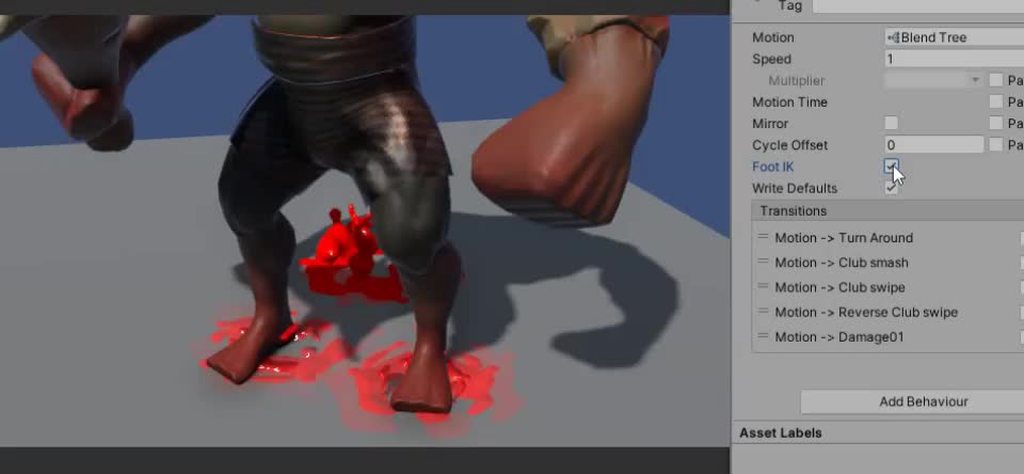
For instance, you can see here what a difference it makes.
The animation rigging package doesn't really do any of that stuff. It doesn't really care about the structure of your object or any of that stuff, and works on transforms rather than muscles.
 grave forge
hey weird questions, my fbx import generated like 70aniamtions, how do I combine them in one file?
As you can see between blender and unity are massive differences

 hybrid tinsel
grave forge
hey weird questions, my fbx import generated like 70aniamtions, how do I combine...
hybrid tinsel
grave forge
hey weird questions, my fbx import generated like 70aniamtions, how do I combine...
I believe there is a way to combine takes in blender, but in unity you can also set how your animations are imported by frame range, etc
grave forge
hybrid tinsel
I believe there is a way to combine takes in blender, but in unity you can also ...
can't I jsut say somehow, that I want to take all the informations of these files and put them into one? that would easily fix my problem
I know that you can do it manually, but automated would be nice
luckily the files aren't in binary format, I'll just write a quick python script
hybrid tinsel
Like I said, if the source file is all in one take, it will import it as one animation.
I don't use blender so I can't be more specific about setting that up.
burnt fiber
hybrid tinsel
Or at least, that is only part of it. It converts the animation to a format that...
Thank you very much for your explanation
 agile solstice
jovial seal
so i have my scale on one animation different from another, and when i run my sp...
agile solstice
jovial seal
so i have my scale on one animation different from another, and when i run my sp...
Your animation transitions blend animated properties linearly over the duration of the transition
So, your transitions must be made instant with 0 duration
Most properties can be blended, but sprite references can't be so you have not spotted this issue visually until now
But it did exist though, as trying to blend sprite reference keyframes will pick the closest one resulting in a delay when blending
jovial seal
agile solstice
Your animation transitions blend animated properties linearly over the duration ...
Thanks for the response but how would I fix it? there’s no exit time in any of the transitions so it should be instant
agile solstice
jovial seal
Thanks for the response but how would I fix it? there’s no exit time in any of t...
Not exit time but transition duration
jovial seal
Oh wow. I don’t know how I overlooked such a setting. Thank you so much it even fixed my other problem
lost gazelle
Hey, how do I fix some avatar animations? Some of the animations play strangely, like my character's head goes up too much. Before adding the avatar, the animations worked fine.
 chrome grail
It seems like any animation pack I have tried from the asset store doesn't work with any of the models I've tried. Mixamo models, various asset store models, armature model. Am I just doing something wrong? I get one error that says the hip bone is not correct but I don't know what's wrong with it.
agile solstice
chrome grail
It seems like any animation pack I have tried from the asset store doesn't work ...
Humanoid animations are compatible with Humanoid rigs
I assume most animations on the store are Humanoid, or they'll say so in the description
Non-Humanoid animations are only compatible with the rig they're made for
chrome grail
The armature and various models are humanoid as well. The animations are humanoid too.
The error is when I try to change the animation rig source to ArmatureAvatar this import message shows up Copied Avatar Rig Configuration mis-match. Transform hierarchy does not match: Transform 'Hips' for human bone 'Hips' not found.
hybrid tinsel
chrome grail
The error is when I try to change the animation rig source to ArmatureAvatar thi...
That is because you are copying the rig from one model to another model that doesn't match instead of making a rig that fits the model.
You only copy rigs from existing when it is essentially the same model.
hybrid tinsel
lost epoch
so pretty much creating the chain on my own inside Unity, cool.
I guess the mes...
I wrote a script to do it based on sebastian lague's splines video, but these days using the new official splines or spriteshape packages would probably be a lot easier.
The custom mesh is how I did the tires and chains for this bike, for instance https://i.imgur.com/llQbtsf.mp4 but that was before the new packages. I'm not sure which of the two is more suitable for this.
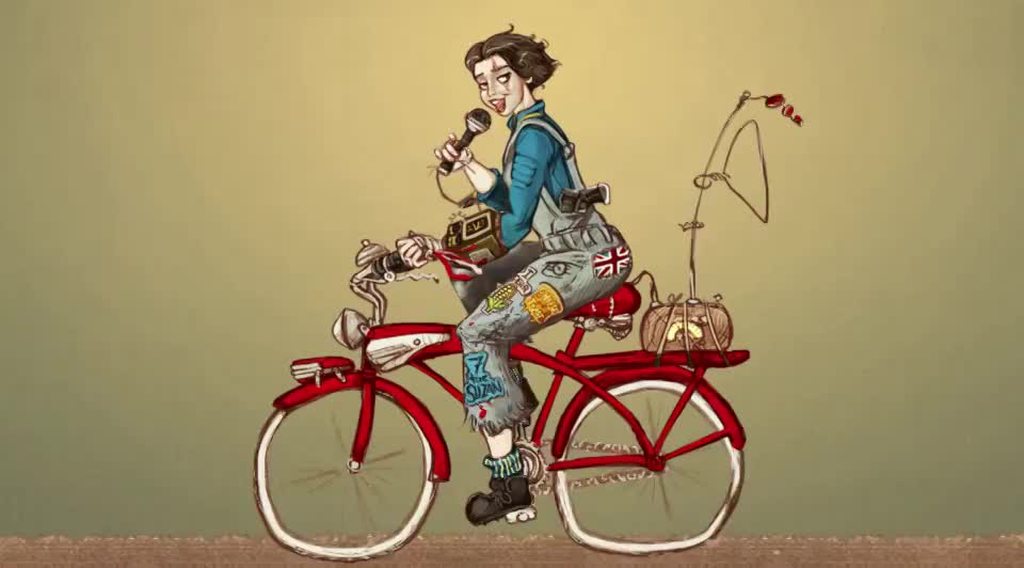 hybrid tinsel
lost gazelle
I’ve clearly stated that it has something to do with avatars.
Without any avata...
hybrid tinsel
lost gazelle
I’ve clearly stated that it has something to do with avatars.
Without any avata...
See, we have a different definition of 'clear,' here. Is the avatar even correct for the model?
lost gazelle
hybrid tinsel
See, we have a different definition of 'clear,' here. Is the avatar even correct...
I tried to adjust it, all the names are right but the right hand’s finegers are close
*closed
chrome grail
hybrid tinsel
You only copy rigs from existing when it is essentially the same model.
So these animations I've bought are useless because they seem to only work for their avatar. Despite the bones all looking the same
 sharp bison
Someone can explain me why when i import an animation from blender it don’t work in unity and give me this message ?
When I watch tutorials on youtube people do the same actions than me but for them it work but not for me
 agile solstice
sharp bison
Someone can explain me why when i import an animation from blender it don’t work...
agile solstice
sharp bison
Someone can explain me why when i import an animation from blender it don’t work...
The Animator and the clips must be precisely at the correct position in the gameobject hierarchy
Animations work by finding the explicit path and name of the property
sharp bison
How can i know what is precisely the good position where they have to be ?
agile solstice
sharp bison
How can i know what is precisely the good position where they have to be ?
The yellow text technically tells you, but I tend to mistake it regardless
The clips and Animator should be on the Porte 2 gameobject, or its parent, not totally sure
sharp bison
agile solstice
The yellow text technically tells you, but I tend to mistake it regardless
The c...
Animator is on the Porte 2 gameobject and the clip is in the animator who is on Porte 2 gameobject but i always have the same result 😂
 hybrid tinsel
sharp bison
Someone can explain me why when i import an animation from blender it don’t work...
hybrid tinsel
sharp bison
Someone can explain me why when i import an animation from blender it don’t work...
Your animator might be on the wrong object in the hierarchy?
sharp bison
Oh yes you are right but it is strange
agile solstice
sharp bison
Oh yes you are right but it is strange
Here's probably the reason I trip over it as I mentioned and maybe why you do too

If there's empty space before the keyed property, that implies the property is on a child gameobject
If there's not, that implies it's on the same gameobject as the animator
sharp bison
To work the animator need to be placed on the Prefab Folder and not directly on the door

But it is strange because it can be difficult if you have many objects to animate
agile solstice
These two are 100% different property paths as far as the animator is considered

 sharp bison
With all of these i find it is more easier to animate on Unity than on Blender 😂
But thank you for help
 hard brook
my walk to idle transition needs some tweaking, wondering if anyone could make some suggestions. currently when stopping movement, its not an instant transition with the walk continuing a hair. if i set transition duration to 0, it will switch faster but then just doesnt look good as it's snapping from walk to idle

 wet mesa
is there any way to retarget animations between quadrupeds?
agile solstice
This is an issue with weight mapping, and usually occurs with automatic rigging techniques
Unity versions do not touch this kind of mesh data
 stuck elm
wet mesa
is there any way to retarget animations between quadrupeds?
stuck elm
wet mesa
is there any way to retarget animations between quadrupeds?
There are several, but not built in to unity like with humanoids.
I've done it with nevron in Lightwave, but that was a while back and there are probably much better tools for it these days

 quick swift
Any experience, examples or tips of skirts/dresses rigged in 2D skeletal animation? I'm really struggling with it.
 twin musk
how would you go about combining the animations for seperate parts of the body?
say you have a walking animation that only targets the legs and
some kind of upper body animation
that way you could combine upper body animations and lower body animations
lost epoch
hybrid tinsel
You can do exactly the same thing as that tutorial using a line renderer with a ...
@hybrid tinsel going back to this - making the top/bottom parts is easier since it's straight line; but how do I make the line around the right/left edge, half circular lines?
My only current thought is to actually make them via code/some math, with as many vertices as it looks good.
Is there a ebtter way?
hybrid tinsel
Math is probably the best way but you can also just draw it using a cylinder as a reference
lost epoch
🤔 not sure what you mean by drawing it using a cylinder.
I mean it sounds like a static image, which I wouldn't be able to connect the chain to the other parts and then make the texture "move"
but if Math is the best way - I'll go with that. Thanks!
 sharp solar
Hi everybody! Yesterday I started with the animation rigging package. It seems so good! But I don't understand how to bake animation back to the hierarchy. The editor complains about human animation. Someone can help me please?
 inner marsh
Hi Everyone!!, I am new to timeline and splines and I am trying to move a gameobject from point A to B using spline and timeline but the surface between the points are inclined (environment is path along the mountains) whenever I tried to animate using the animation clip the game object is floating on the air when it reaches a level ground. I have given the spline but the game object is agreeing only one either spline or timeline and even if it agrees timeline it floats on the air when it reaches a level ground. Let me know if there is any solution to achive the game object to walk on the inclined surface and when it reaches the plain ground it should stick to the ground not float on the air. Thanks in advance for the help!!
 uncut salmon
inner marsh
Hi Everyone!!, I am new to timeline and splines and I am trying to move a gameob...
uncut salmon
inner marsh
Hi Everyone!!, I am new to timeline and splines and I am trying to move a gameob...
This is confusing. You're moving the object using two different methods at the same time?
quick swift
twin musk
how would you go about combining the animations for seperate parts of the body?
...
different layers in the animator
twin musk
been figuring out how to make an looping elevator with doors
basically i have an infinite loop of the elevator going up and down
with 2 more nodes acts as a break
i tried adding the oppening and closing doors but
it just doesnt work
its basically
IsElevatorDown (Break) -> elevator up + Bottom door close -> Upper door open + IsElevatorUp (Break) -> Upper door close + elevator down -> back to start
agile solstice
twin musk
its basically
IsElevatorDown (Break) -> elevator up + Bottom door close -> Uppe...
Sounds to me that the doors and the elevator movement should be controlled by different animations
twin musk
agile solstice
Sounds to me that the doors and the elevator movement should be controlled by di...
oh really?
howd i do that
do i really have to time
the other animation clip too?...
agile solstice
twin musk
do i really have to time
Timing the door animations with elevator movement seems like less effort than duplicating the same door animations for every stop point
This could be done with nested Animators
The doors could have their own Animators since they don't really need to know what the elevator is doing at all times, only listen for signals to operate the doors when appropriate
twin musk
agile solstice
This could be done with nested Animators
The doors could have their own Animator...
hmm
how do i do that
agile solstice
twin musk
how do i do that
If you know how to make one Animator you probably have what it takes to make two
You control them as if they were on separate gameobjects, even if they exist within the same hierarchy and the one below inherits transforms from above as you'd expect
The only tricky part is that when you press the record button to modify animations, the editor can seem ambiguous which one of the Animators you're modifying
twin musk
agile solstice
You control them as if they were on separate gameobjects, even if they exist wit...
i still dont get it https://cdn.discordapp.com/emojis/1003622660070187068.webp?size=48&name=KurumiDumb&quality=lossless
 lost gazelle
I need some help setting up on avatar please, the character’s fingers are clenched when I chose the right bones, why does this happen?
 little sluice
If I'm using an Animator Override Controller, can I change the speed of a specific animation state via script?
 crystal moat
Hi All
I'm trying to work with a simple game to test Animation Events but the never get triggered. I must be doing something wrong but I can't figure out what. I'm using Unity 2022.3.4f1
 dim patrol
I have an animation that sets a game object to be off on an addtive layer


but in play mode, the game object is not off
and I also cant manually turn it off, it keeps getting set to on automatically so long as the animator component is attached
but I went through every single animation, its not being set to on in any of the anims imts playing
why is its state not being set correctly?
there are no other scripts or special anything, the anim is just failing to turn it off but also preventing from manually turning it off
is it because the animation layer is additive and not override?
im really confused
looking through all the anims, some of them keyframe game objects to be off
these animations all work as expected
except for this one animation on this one specific game object
nothing is different about it yet the keyframe turning it off wont fire
and I cant manually turn it off either because its state is keyed to the animation
the animation that isnt turning it off
after further poking it seems the problem is that if an animation sets a game object to be disabled on the first or last frame, it just won't do that
it just ignores that command  whuch makes no sense
lost gazelle
I need some help setting up on avatar please, the character’s fingers are clenched when I chose the right bones, why does this happen?
lost gazelle
Pls
 devout dome
can anyone guide with this
The animation works fine in windows viewer and Maya but in unity
I have this warning on my HipL_1 and 2


this is a animation with the character in it. It should be animating the whole body but its only body the whole body as a 1 piece
little sluice
Is it not possible to animate Image sprites in the Animator? Because it doesn't seem to work
Like swap out the sprites in the animation
agile solstice
little sluice
Is it not possible to animate Image sprites in the Animator? Because it doesn't ...
"Image" or "sprite" as in UI Image or Sprite Renderer?
little sluice
agile solstice
"Image" or "sprite" as in UI Image or Sprite Renderer?
UI Image
 neat talon
Any idea why my animations wont work?
hybrid tinsel
lost gazelle
I need some help setting up on avatar please, the character’s fingers are clench...
You haven't explained your problem in a way that anyone can understand. Just reposting it over and over doesn't help.
hybrid tinsel
devout dome
can anyone guide with this
The animation works fine in windows viewer and Maya b...
Those warnings usually are when you have extra bones that have keyframes on them.
The 'whole body as one piece' thing is usually caused by a completely incorrect mapping of bones to body parts.
lost gazelle
hybrid tinsel
You haven't explained your problem in a way that anyone can understand. Just rep...
So what if people didn’t see it? I don’t expect people just to scroll up and look for my exact message. Can you please help?
hybrid tinsel
lost gazelle
So what if people didn’t see it? I don’t expect people just to scroll up and loo...
Your problem is not that people don't see it. It is that your question is fucking nonsensical. I've seen it multiple times and still don't know what you need help with (Other than help describing your problem, at least.)
You use the term 'right,' do you mean 'the bones on the right side' or 'the correct bones'? Who knows? When you say 'clenched' you mean in the avatar test view? When playing an animation? Does your animation even have fingers? What do you mean you 'chose' them?
Being able to articulate your problem properly is often half of the way to solving it.
hybrid tinsel
neat talon
Any idea why my animations wont work?
Is the rig correctly set up? Does the animation work on a different model?
lost gazelle
hybrid tinsel
Your problem is not that people don't see it. It is that your question is fuckin...
i mean u can just ask what i mean..
What I mean is that when I set up an avatar, some of the bones had wrong rotations in the animation and in the avatar preview in its so called "t-pose" when the fingers were making a fist like gesture
 upbeat breach
I just started working on animations. I viewed a lot of videos and tutorials and think i got an OK understanding on how it works. My problem comes when i want to use root motion.
For simplicity, i have two animations. One is a walk animation. I'm using root animation and linked the root to the hips which seems to be the correct choice - except now the players origin is no longer the feet, it is the hips. I can change the origin of the parent gameobject (y=-1.2f for the current model) so the player aligns with the floor again. This seem to work (there is some drifting to the side and very slightly upwards, but that is not my main problem right now). The problem comes when i add the idle animation. I could check the root motion and set the hips as reference again (because that would be just copying what worked) but then the animation actually behaves and the hips being the center, and the animation is slighly moving the hips, which means that when the character is idle, you see the feet sliding across the floor as if the character was hooked up to a swing that kept he hips stationary. This makes sense so i figure "right, why would i want root motion on an idle animation anyways?". I disable the root animation, but now we have a problem - the idle animation leaves the character floating in the air... I can't be the first with this problem? What do you usually do?
 jagged ruin
upbeat breach
I just started working on animations. I viewed a lot of videos and tutorials and...
jagged ruin
upbeat breach
I just started working on animations. I viewed a lot of videos and tutorials and...
bake your idle animation at the start of the clip, (clip import settings) to not use root motion -- or set it however you want.. Your goal here is to get it to look correct in the 'preview' window. That is all.
Then it will work... and if yuo have any problems, you know that's not related to the clip.. but the animation controller (you know this, because it looks correct in the preview window for the animation.)
Also, do not choose 'motion' under clip settings... unless you are going to use root motion for the clip (like for a moving attack animation, or a jump animation... that has to go to a specific point in world space)
Idles do not really require 'root motion' afaik
lost gazelle
I need some help setting up on avatar please, the character’s fingers are clenched when I chose the correct bones for it, why does this happen? It does this in avatar preview and animation now
I’ll try and send images soon
devout dome
hybrid tinsel
Those warnings usually are when you have extra bones that have keyframes on them...
thank you so much for the guidance
but this character is copied from another which I am already using which works fine. The bones are the same in both
hybrid tinsel
devout dome
thank you so much for the guidance
but this character is copied from another wh...
When you say copied, you mean that you copied the animator or the avatar? Because it looks like the avatar definition is created from this model, so it still needs to be properly set up.
And when you say they are the same in both, you mean that they have the same hierarchy, or the same naming? Both?
devout dome
hierarchy and name are the same
I took the character I was using previously, sent it to a animator and he made a new animation on it. Now this warning popped up
upbeat breach
jagged ruin
bake your idle animation at the start of the clip, (clip import settings) to n...
Ok. Thank you. I was a bit worried about the baking of the y axis since then i would lock the animation to use on only one model (or one specific height of a model). I guess worst case i would need one controller+extra animations for each model with a different height...
jagged ruin
upbeat breach
Ok. Thank you. I was a bit worried about the baking of the y axis since then i w...
how much height difference and whats the problem you're having specifically? -- vertical root motion is for something like a jump animation where you want to get the characters 'world height' at the end of the animation... or the difference in height between sitting and standing looping animations....
I mean i guess you could use it for offsetting characters heights, but this sounds more like you have setup your rig/avatar incorrectly...
upbeat breach
jagged ruin
how much height difference and whats the problem you're having specifically? --...
I'm only playing around with one model atm, i was just worried i might run into trouble later if i baked a fixed height into the animation. I've decided to go with your approach and not worry for now - there could always be problems later no matter what solution i pick, i guess that's how it always is - but perhaps i'll be back with more silly questions later 😄 Thanks for now, i feel a bit more confident going forward now.
I'm fighting the root motion drifting now - i guess i thought a walk animation would never stray on more than one axis if you looped it forever but i think i found a solution - i'm applying the root motion in my controller and i've decided to just calculate the position based on startPosition + accumulatedRootMotion + a Lerp of how far the motion strays from the desired end location
hybrid tinsel
devout dome
hierarchy and name are the same
I took the character I was using previously, sen...
And he didn't make any changes? Are you sure?
Have you looked in the avatar configuration?
jagged ruin
upbeat breach
I'm only playing around with one model atm, i was just worried i might run into ...
glad it working out for you and i was of some assistance 😄 good luck with it, it sounds complicated lol
 plucky finch
Is there anyway to update a property of an animation clip at runtime?
Im currently using animation rigging to make a "hold" animation.
For example, when the player is in "idle" state, an pulls something out, it moves to the "idleHolding" state.
I want the player's hand to turn according to where the player is looking towards - so the camera. But the animation is probably overriding that, so using something like:
playerLeftHandTarget.transform.localRotation = playerCamera.transform.localRotation;
Will not help. Even though i'm calling it from late update.


The only solution I could think of is to update the animation clip's property - Rotation.z in my case - at runtime.
If there are better solutions (and im sure there are) - please someone let me know.
Othewise I guess I'll go with this, if I found out how to.
Although it seems like the target's rotation is getting updated...
But the hand is not turning as it should.

In the animation clip too

I really dont know whats happening
I just solved it by completely removing this rotation property and setting the values of the rotation dynamically, with X and Y being cosntant (0, 90), and roatation.z being a variable that changes depending on the camera's rotation.
If there's another, more scalabe solution, i'd like to here it :)
 last wren
Image
anyone know why i have this error
it doesnt affect my animation or anything like that (at the moment) but its annoying i have no idea why its there

 shadow obsidian
last wren
<@349017582105526273>
shadow obsidian
last wren
<@349017582105526273>
Hmm. And you're sure this has to do with animation?
Honestly, I would try just deleting my Library folder to see if it goes away on regenerating the cache
last wren
yea im like 99% sure its with animation
when i searched it up someone said u had to change some settings in blender and even after doing that it is there
hopefully som,eone who has experienced this turns up
shadow obsidian
last wren
yea im like 99% sure its with animation
Oh hey, did you have a camera or lights in the scene when you exported from blender
last wren
shadow obsidian
Oh hey, did you have a camera or lights in the scene when you exported from blen...
nope
ill cherck again but dont tyhink
as i imported the model then modified it a bit there is some random like poses and things but idk if that effects it

@shadow obsidian
shadow obsidian
@last wren Hmm alright. I would recommend deleting the library like I said, if you haven't already tried that.
When you changed the settings in blender like the person said, you had DELETED the previous import, right?
last wren
yes
shadow obsidian
Ok, just making sure
last wren
lol it would be helpful if the errors were a bit clearer and made sence
 cerulean ore
I'm trying to get the TakeDamage animation to be interruptable if it is triggered many times in succession before the animation can finish. Is this doable using interruption sources?
this is how i'm trying to set up the transition

it appears the animations are queueing up, and not interrupting each other right now
The return transition has Exit Time enabled, and set to 0s
last wren
cerulean ore
this is how i'm trying to set up the transition
can u help me please, my problem is above?
@cerulean ore
cerulean ore
last wren
can u help me please, my problem is above?
stupid question but did you try restarting unity?
it seems like an editor problem
last wren
nope ill do that now
shadow obsidian
last wren
nope ill do that now
Did you ever delete the library folder?
last wren
shadow obsidian
Did you ever delete the library folder?
i dotn have a library folder as far as im aware
shadow obsidian
last wren
i dotn have a library folder as far as im aware
Yes you do
It is in the unity project folder
last wren
im new at unity so if i have it idk where it is
shadow obsidian
Unity wont work without it
It is in the same folder as the Assets folder. The root project folder
last wren
shadow obsidian
Unity wont work without it
then whats the problem if i have it?
shadow obsidian
last wren
then whats the problem if i have it?
It is a cache. If you delete it, it will be regenerated. It can fix a lot of problems. It should be the first thing you do with weird editor errors
Do it when unity is closed though, of course
last wren
i think resetting unity mightve fixed
cerulean ore
yea try restarting, then if it doesnt fix then @shadow obsidian 's suggestion would be next step
cerulean ore
ok cool
shadow obsidian
Have you not restarted unity for a couple days? I thought you said you had this issue yesterday?
Be sure to close unity every so often
last wren
its probasbly because i imported my animation like 5 times as i kept making mistakes and exporting wrong things from otehr stuff
last wren
shadow obsidian
Have you not restarted unity for a couple days? I thought you said you had this ...
nah that issue was a little different
shadow obsidian
Yeah, so part of it was stuck in the cache I bet. So restarting regenerated that part of it automatically
last wren
thanks everyone for helping
cerulean ore
cerulean ore
I'm trying to get the TakeDamage animation to be interruptable if it is triggere...
just bumping this question in case anyone knows about how to correctly interrupt queued animations?
 merry parrot
Hello, I don't know if I touched something I shouldn't have but now I don't see the preview of my animations
 shadow obsidian
merry parrot
Hello, I don't know if I touched something I shouldn't have but now I don't see ...
shadow obsidian
merry parrot
Hello, I don't know if I touched something I shouldn't have but now I don't see ...
There is a double barred line by the bottom. Simply drag it up
cerulean ore
to answer my own question, I think the solution is using AnyState instead

this appears to make interruptions work correctly
its also way cleaner than all my exit loops
so this is my new Animation flow, if anyone has any suggestions/comments let me know

One thing to note is I am using Interruption Source -> Current State for the transitions coming out of Any State
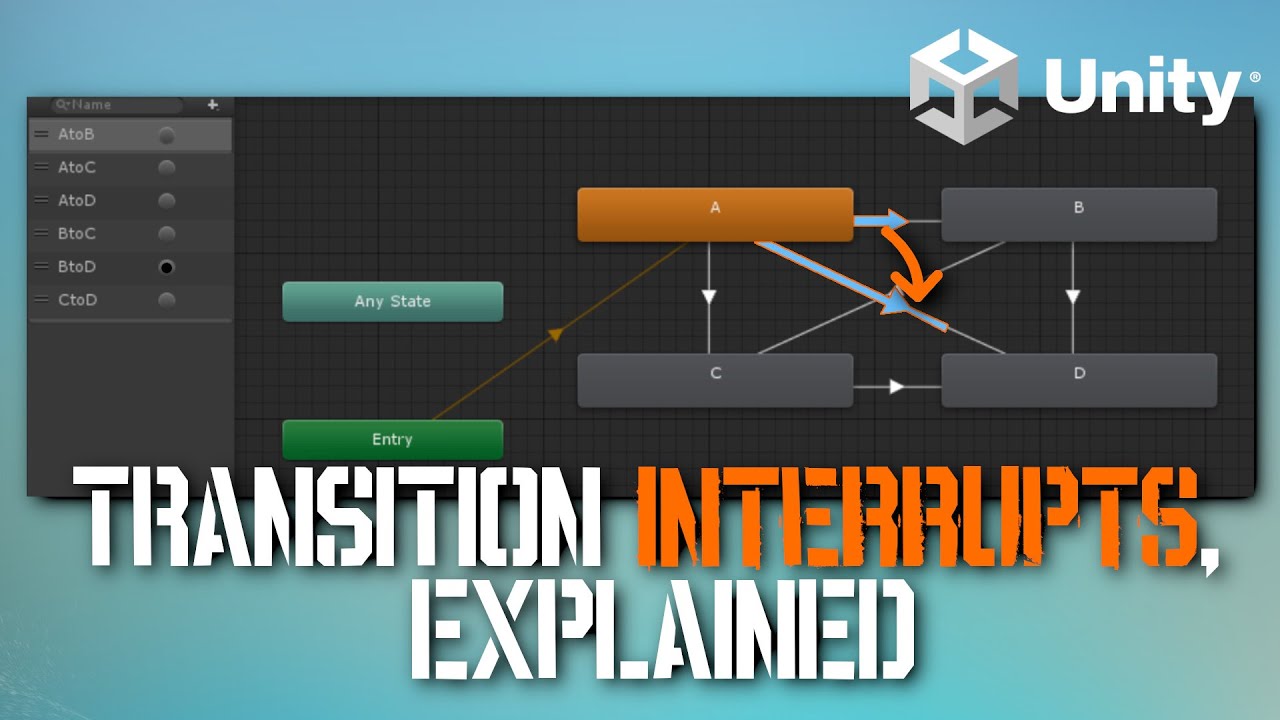
Learn how Unity's Animator Transition Interrupt Sources work for all values, None, Current State, Next State, Current State then Next State, and Next State then Current State!
In this tutorial you'll see live examples of how not understanding how these work can negatively impact your game's polish feeling, and how to make it feel polished!
In-...
 wheat flint
does anyone know how to make it so that when my animation finishes executing a variable is incremented into the script of the object with animation? It is a mix of animation and code
shadow obsidian
wheat flint
does anyone know how to make it so that when my animation finishes executing a v...
Use animation events
https://docs.unity3d.com/Manual/script-AnimationWindowEvent.html
wheat flint
Thank you my love
hybrid tinsel
plucky finch
Im currently using animation rigging to make a "hold" animation.
For example, wh...
You can just change the transform.localRotation the way you did, but make sure to do it in LateUpdate after the animator.
 humble tapir
I'm noticing my character is doing a little moonwalk at the end of their movement because it is finishing either the walking or running animation before returning to idle. How can I get idle to interrupt in the middle of the animation?
I already have the Interuption Source as Current State and the transition durations as 0 seconds, so I'm a little stumped...


okay...above was an easy fix. Just untick 'Has Exit Time', for anyone else encounting this problem 😅
seems that even though I'm specifying a 0 second transition, because it has an exit time it still wants to play the whole animation
devout dome
guys I want to export animations from my character so I can fix in maya and reimport them
 vernal hemlock
So i have a blending tree setup for my idle animations but when i goto a positivve y value on my board it still gotos idle foward insead of back


Hell the only idle animation that will play after i finish walking is this one

 topaz solstice
every time am trying to select a bone to move it , it giving me the big box and it just multi select the bones , idk why it do this i try to look what am doing wrong but no luck
thanks

 clear current
trying to rig a model but i keep getting this
 shadow obsidian
clear current
trying to rig a model but i keep getting this
shadow obsidian
clear current
trying to rig a model but i keep getting this
Well, do you have the LeftUpperLeg bone?
clear current
no, my character doesnt have one. its a can of drink with arms.
not sure how to get around it
shadow obsidian
clear current
not sure how to get around it
Simply don't select the humanoid animation type
hybrid tinsel
humble tapir
seems that even though I'm specifying a 0 second transition, because it has an e...
Not the whole animation necessarily, but it will wait until the time you set before exiting. You could set it to any point in the animation you like. (Good for matching foot positions, etc.)
hybrid tinsel
devout dome
guys I want to export animations from my character so I can fix in maya and reim...
So... do it? The fbx exporter package should help.
hybrid tinsel
topaz solstice
every time am trying to select a bone to move it , it giving me the big box and ...
Looks like a major bug that appears in certain specific versions.
clear current
shadow obsidian
Simply don't select the humanoid animation type
the hing is the animation share simular animation to ones that do.
shadow obsidian
clear current
the hing is the animation share simular animation to ones that do.
A humanoid animation type requires humanoid bones 🤷♂️
Don't matter if it's similar, can't do humanoid without the right things
clear current
ok thanks
 blazing drift
how can i make this in Unity ?
while the circle rotatate and the seat still constrain like this i make in blender
 rigid stream
Hello, I'm trying to make animator transition that has exit time and parameter.
I want it to change state when exit time has passed OR parameter true, can I do that? The default is it only change state when exit time AND parameter is true.
 rain coyote
how to tell blend tree to start animation from the first frame?
agile solstice
blazing drift
while the circle rotatate and the seat still constrain like this i make in blend...
https://docs.unity3d.com/Manual/Constraints.html
Unity also has constraints, Position Constraint could be useful here
 sage thistle
Does anyone know anything about scale compensation in regards to importing animations from blender to unity, was not aware that unity doesnt do/handle it the same way blender does so squash and stretch and other things have broken all my animations, was wondering if there was a script that could be written that would go in and fix them without having to reanimate as we're talking about 200+ animations at this point. I'm using the CGdive plugin in blender btw to bake animations to the deform rig so animation editing can be more modular.
agile solstice
sage thistle
Does anyone know anything about scale compensation in regards to importing anima...
The animation tools have to have be created with game exporting in mind or they won't work
Many such tools rely on constraints and extremely complicated bone hierarchies that are not supported by intermediate file formats required for export into game engine
Some of them may have extensions or converters to make them work with game engines though
sage thistle
agile solstice
The animation tools have to have be created with game exporting in mind or they ...
The plug in we are using is specifically for “game engine ready” rigs
agile solstice
sage thistle
The plug in we are using is specifically for “game engine ready” rigs
Then your best bet is to look for other users of that plugin for advice or try to contact its developer
sage thistle
agile solstice
Then your best bet is to look for other users of that plugin for advice or try t...
is there a very commonly used plugin, the one i'm using is not very well documented and I've tried contacting the dev to no end
agile solstice
sage thistle
is there a very commonly used plugin, the one i'm using is not very well documen...
No one particular that really stands out
I use GameRig extension for Rigify
sage thistle
agile solstice
No one particular that really stands out
I use GameRig extension for Rigify
by Arminanado?
agile solstice
sage thistle
by Arminanado?
Yes
blazing drift
agile solstice
<https://docs.unity3d.com/Manual/Constraints.html>
Unity also has constraints, P...
Thank you i'll try it
 agile solstice
blazing drift
<@166982635950702592> not working what i'm i do wrong?
agile solstice
blazing drift
<@166982635950702592> not working what i'm i do wrong?
Are you setting the capsule's rotation to its own rotation?
blazing drift
yes
agile solstice
That makes no sense
You'd use a different non-rotating object as the rotation source
blazing drift
i'll try agin

it's work now BUT how can i make top of it the right positon?

like this above
agile solstice
blazing drift
it's work now BUT how can i make top of it the right positon?
The constraint will rotate around the object's transform position aka pivot point
With meshes this is also the mesh origin point
But you can also place the mesh as a child of the gameobject that has the constraint component
To see the pivot precisely when selecting objects, make sure Tool Handle Position is set to Pivot here
 blazing drift
i'll try agian
agile solstice
If a parent gameobject is being rotated, the child gameobjects will rotate around the parent's transform / pivot
This is true for all inherited transforms, not just constraints
 agile solstice
blazing drift
how can i move Pivot point to the top of capsule?
agile solstice
blazing drift
how can i move Pivot point to the top of capsule?
As I mentioned you do that either by moving the mesh to be a child of the constrained gameobject, or by changing the mesh origin, which you can only do for your own meshes
blazing drift

i can make it. Thank you so much for helpful Constranint componet @agile solstice i luv you friend thank you
@agile solstice How can i make escalator?
in unity?
agile solstice
blazing drift
<@166982635950702592> How can i make escalator?
Could be a bit hard to explain in case you aren't familiar with making tank track -like animated mechanisms for Unity
You'll probably want to make it from an armature of bones
Most of the steps of an escalator move rigidly in a straight line, with only the first and last couple of them dipping inside the machine
This means that all the steps that move together can be a joined mesh sharing one armature bone
The steps that move independently would have each their own bone, animated to go inside the machine or come out of it
Then you only need to animate only couple of "steps" of movement, and just reset the animation using Constant keyframe interpolation
The players would never notice that most of the steps aren't even individually rigged, if you can make the skip seamless
Or you can rig the whole chain like you would with a tank track, if this trick seems too complicated
Just note that a lot of tank track tutorials you find online use non-Unity compatible techniques, like a curve modifier or instancing
blazing drift
thank you
blazing drift
how can i bake animation in Unity
agile solstice
blazing drift
how can i bake animation in Unity
Bake it from what into what?
lost gazelle
I need some help setting up on avatar please, the character’s fingers are clenched when I chose the correct bones for it, why does this happen? It does this in avatar preview and animation now
I’ll try and send images soon
uncut salmon
Why do you keep regurgitating the same message over and over?
You even include the pointless "send images soon", and don't.
At some point, accept the fact you're not giving enough info for anyone to take this bait to try to help you.
blazing drift
agile solstice
Bake it from what into what?
bake from animation with constraint rotation to normal animation becase when i publish to spatial.io it's say not support constraint
twin musk
Silly question, but is there any way to multiply the offset of bones in animations?
examples being these silly mods:
https://www.youtube.com/watch?v=07k64aL4alg
https://www.youtube.com/watch?v=bOFDeWlCPmU

I'm back.
Not dead, yet.
500% Carlos is Brendan Fraser, change my mind.
Emily Gera's article on this video:
https://www.vg247.com/2020/04/13/resident-evil-3-remake-mod-face-animation/
Gamespot:
https://www.gamespot.com/articles/the-resident-evil-3-remake-is-better-with-500-faci/1100-6475998/
Gamerant:
https://gamerant.com/resident-evil-3-rem...
hybrid tinsel
twin musk
Silly question, but is there any way to multiply the offset of bones in animatio...
Is that second one even bones, or just blendshapes?
Either way, it should be possible. You'd just need to adjust the values after the animator, blends, and any dynamic rigging was applied.
rain coyote
is there a way to blend animation from script without blend tree?
hybrid tinsel
Yes.
Though it is kinda involved. Much easier to just call states from code than to do actual blends.
 tribal patrol
I have a model with an animation. Does anyone know how one would get an attached animation to play?
Made the animation in blender and am trying to get it to play in unity
 dawn wharf
Hello all, I'm working on a simple box model in Blender. It's rigged with an armature so I can then rotate its various parts inside of Unity. However, inside of Unity, after rotating, the shading is messed up. It seems as if the normals are not updated for some reason. Any hints?
 stuck elm
dawn wharf
Hello all, I'm working on a simple box model in Blender. It's rigged with an arm...
stuck elm
dawn wharf
Hello all, I'm working on a simple box model in Blender. It's rigged with an arm...
If they weren't updated, wouldn't the bend surface be just as dark as the flat one?
dawn wharf
stuck elm
If they weren't updated, wouldn't the bend surface be just as dark as the flat o...
You're right. The normals are updated, but seem to be incorrectly though. They seem smoothed out or something.
stuck elm
Should they not be?
If you want no smoothing, you'd probably need to change the normal calculation settings.
dawn wharf
stuck elm
If you want no smoothing, you'd probably need to change the normal calculation s...
I already experimented with all the various import settings, but the result is always the same.
 stuck elm
You have to bear in mind that normals are per vertex, not per face.
dawn wharf
The model is all quads as far as I can tell.
agile solstice
blazing drift
bake from animation with constraint rotation to normal animation becase when i p...
I don't know of that type of baking functionality, nor am I familiar with that platform
Armatures are the way to export multi-object motion as one action, and any constraints you use to move armature bones will be saved into the action, but will not remain as constraints
agile solstice
dawn wharf
I already experimented with all the various import settings, but the result is a...
Well, you can force flat shading with the recalculate normals option of import settings
Maybe that's what you intend
stuck elm
Yeah, if the imported shading is smooth you'll probably need to calculate normals with 'none' as the smoothing source... And if that isn't enough, you can either add more geometry to tighten the shading interpolation, or separate the face geometry.
dawn wharf
@agile solstice
 dawn wharf
stuck elm
Also, there is no such thing as quads. It is triangles.
dawn wharf
stuck elm
Also, there is no such thing as quads. It is triangles.
I meant in Blender
stuck elm
Yes, but you can clearly see the triangles in the shape of the shading artifacts you are getting.
agile solstice
dawn wharf
<@166982635950702592>
If they normals aren't forced split even with Unweighted normals mode, it could be that you need to set it flat shaded in blender
The triangle distortion could indicate that the weight mapping is not perfect across vertices that are meant to be level with each other
stuck elm
 agile solstice
This problem should also appear in Blender if you use a similarly shiny material there
dawn wharf
agile solstice
If they normals aren't forced split even with Unweighted normals mode, it could ...
Switched to smooth and got this:
 agile solstice
dawn wharf
Switched to smooth and got this:
agile solstice
dawn wharf
Switched to smooth and got this:
I guess you want hard / flat shaded, not smooth
But it's a bit unclear what the desired result is
dawn wharf
agile solstice
I guess you want hard / flat shaded, not smooth
Yes, was just experimenting to see if that was it
 charred belfry
Try with the earlier settings but turn off vertex welding
dawn wharf
It's a box, so I want totally flat shading
charred belfry
It looks like the backside has merged with the front
dawn wharf
charred belfry
Try with the earlier settings but turn off vertex welding
Where is that setting?
stuck elm
It is right in that same panel
charred belfry
Which may also have happened in the modelling program
agile solstice
dawn wharf
It's a box, so I want totally flat shading
Set the mesh to flat shaded in blender and export again
dawn wharf
 stuck elm
You still have smoothing enabled
You want that to be set to 'none' otherwise it will smooth it.
dawn wharf
 charred belfry
At this point it may be worth sharing the model if you can, maybe someone can have a play
stuck elm
You might just need to bite the bullet and add more geometry.
dawn wharf
That would be great, but I don't want to spend anyone's time. But here goes 🙂
stuck elm
Like 3d artists have had to do since the dawn of phong shading.
You're not exporting to FBX?
That could be causing issues, too. Unity's .blend support is obsolete and buggy at best.
dawn wharf
@stuck elm That would be OK, but I don't get why since it's such a simple model.
stuck elm
dawn wharf
<@211701763353346048> That would be OK, but I don't get why since it's such a si...
Because that's how shading and vertex normals work on a fundamental level.
dawn wharf
@stuck elm No, I'm using the Blender file directly. But I already tried exporting to FBX and it's the same
stuck elm
It has one normal value per vertex and interpolates between them across each triangle.
And depending on how the bones are set up the geometry might not be remaining flat when deformed, too, which would mean that the normals at one end are not pointing in the same direction as the other anymore.
dawn wharf
I'll give that a go then. I'm far from being a modeler, so I'll report back later 😛
Thank you all so much for all the help!
stuck elm
This is one of the basic tradeoffs that go into real time rendering. It isn't ideal but it is well understood at least. 😛
If you wanna post an FBX I could take a look
I don't have blender on this machine
dawn wharf
Thank you very much. That would be great! Here it goes
Just realized this might have to do with how I assigned the vertex groups to the bones. I assigned them by faces, so it means that some vertices are sharing the same bones. I'm going to do a test and report back!
Hmmm... Seems to be the same :/
stuck elm
Have you tried unwelding the faces from each other?
blazing drift
agile solstice
I don't know of that type of baking functionality, nor am I familiar with that p...
how can i do with the way of Armature?
dawn wharf
stuck elm
Have you tried unwelding the faces from each other?
Not exactly sure what that is. You mean separating them? But wouldn't that cause problems when bending?
stuck elm
You have problems one way or another. You need to decide which you want to fix.
agile solstice
blazing drift
how can i do with the way of Armature?
First you'd familiarize yourself with armatures in general and test if the platform supports them
They're not much more than transform hierarchies, with some additional features
blazing drift
the platform i use support bake animation and unity animation with no constrant is there anyway to bake?
agile solstice
blazing drift
the platform i use support bake animation and unity animation with no constrant ...
If you don't need runtime constraints you probably should've been making the animations for an armature in the first place
It's simply the most supported and universal way to make multi-object animations
Recording transform motion into animations within unity is technically possible but I've not seen any official tool to do so
blazing drift
how can i reccord transform?
stuck elm
@dawn wharfWell, I can at least confirm that it does seem to be an issue with your mesh
Because I don't have the same issues with other skinned meshes, even ones that were originally made to be smooth https://i.imgur.com/w1xjBxN.mp4

That was with a totally ordinary(albeit kinda ugly) skinned mesh, originally with smooth normals, with these settings.

Though all the large and weirdly shaped tris you have going are pretty much guaranteed to cause SOME kind of render error
dawn wharf
Thanks @stuck elm . I'll probably go with the route of separating the meshes and getting rid of the armature
agile solstice
@dawn wharf @stuck elm I don't think there's anything weird about the mesh
It seems that something at some point is merging normals that are identical, and I'm not sure what


This happens when exporting a rigged but untwisted cube with fully flat normals
The corners remain sharp because they're sharp to begin with, but the vertices on the cube faces seem to be merged
stuck elm
Now that is curious.
 stuck elm
Though I suppose that the answer to that is to export the box folded and use the bones to unfold it
Instead of the other way around.
agile solstice
Yea I think that'd work
As long as the folds are in the mesh instead of pose
stuck elm
What happens if you add an animation to the mesh? Do they still get merged?
that is, if you add an animation to the FILE
Might be worth digging into the asset preprocesser and seeing what's up; it might be some sort of attempt at optimization.
agile solstice
stuck elm
Might be worth digging into the asset preprocesser and seeing what's up; it migh...
I suspect it's happening as early as the export
Although not a super reliable indicator the windows model viewer is also showing the pre-smoothing

These are the only relevant settings in blender's FBX importing which don't do anything for our purposes

No flatness even with animation in the file

There are shaders that can render flat shading even on meshes with merged normals but it seems weird to have to rely on it
Especially if we want only some edges to remain sharp
stuck elm
Hrm, interesting.
dawn wharf
This seemed like such a simple model I could make 🤦♂️😅
stuck elm
You could provably write a script to eparate the faces if that is what is happening.
dawn wharf
Just to make sure my model above wasn't messed up for some reason, I did a 2 planes file and the result is the same ¯_(ツ)_/¯
Any thoughts @stuck elm @agile solstice ?

 agile solstice
dawn wharf
Just to make sure my model above wasn't messed up for some reason, I did a 2 pla...
agile solstice
dawn wharf
Just to make sure my model above wasn't messed up for some reason, I did a 2 pla...
A bit hard to see what's shading and what's shadow casting but it seems to match my observation
I'm thinking that instead of merging the normals, the normals might be smoothly rotated by the mesh skinning so that hard faces never form visually
Here's a cube bending smoothly even though none of the verts are welded and some faces I moved to be entirely disconnected
 dawn wharf
What would you recommend to circumvent this?
agile solstice
dawn wharf
What would you recommend to circumvent this?
Rig objects that need to fold in their folded state
You might be able to fold the mesh and armature bones in edit mode without having to re-weight them
dawn wharf
Thanks @agile solstice , I'll give that a go
 worthy verge
I am Trying to build a 4leg walker with unitys Animation Rigging system. I got this far, my walk cycle looks absolutly fantastic and im really happy. But in the red Circle on the head, where the 4 Leg Bones come together, i would love to have an option to move this point up and down with Code so i could lower it depending on movespeed. Is there something i did wrong with the Model or am i not seeing the whole picture here ?
 worthy verge
Even if i add a Transform Constraint and move the Bone around, none of the other bones follow. They all just act like the model got moved (which it got) i have no clue how to manipulate a single bone 😦
worthy verge
UGH. I fucked up my bone setup so badly that noone couldve helped me ... Thanks anyways for reading ❤️ have a nice day!
 potent imp
is there a fast way to remove root motion instead of deleting those root stuff one by one?
my friend made all animations with root motion 😅
quite time consuming to remove those things
 gaunt estuary
i've been making a tool to convert animations with one reference position (like a gun on the shoulder) to another reference position/rotation (like a gun on the shoulder when crouching) and i finally got it working except i keep encountering gimbal lock and despite my best efforts have no idea how to avoid it, basically:
i get the local euler values from the provided animation, construct them into a list of vectors, then convert them into quaternions, "subtract" (aka multiplying the inverse) them from the provided rotation, which is the clip's reference roation, (which is a euler made quaternion), then "add" (aka multiply) them by another provided rotation, which is the new reference rotation (also a euler made quaternion), then finally convert that calculated quaternion to euler to add to the new animation as keyframes
which all works except for gimbal lock. everything i've found says to "use eulers as little as possible" but from everything i can find im doing just that, the only time i'm using eulers is when im getting them and storing them from the animation, and then converting quaternions into them to add to an animation. any ideas on how i could fix this? is it possible i can use quaternions for the animation directly?
i also tried using quaternion interpolation (and setting the curves to linear) and uhhhh, yeah i dont even know what's going on here:

 sage dock
Hello Good Day everyone!
i have Problem with my character.
i tried to humenoid it for character animation BUT.... im getting this error !
I've checked the bone mapping and everything was fine.
and even created a new avatar.
also checked parenting in blender
but still dont know what to do
Please help!!!
 hybrid tinsel
gaunt estuary
i've been making a tool to convert animations with one reference position (like ...
hybrid tinsel
gaunt estuary
i've been making a tool to convert animations with one reference position (like ...
That's a good question... might be worth asking in #archived-code-advanced to see if any of the math nerds have an idea.
gaunt estuary
hybrid tinsel
That's a good question... might be worth asking in <#885300730104250418> to see...
well there goes my initial hopes this tool would be easy 😭, ill ask there soon
 plain scaffold
worthy verge
I am Trying to build a 4leg walker with unitys Animation Rigging system. I got t...
plain scaffold
worthy verge
I am Trying to build a 4leg walker with unitys Animation Rigging system. I got t...
Why not use blender for charecter rigging it's built for that
worthy verge
plain scaffold
Why not use blender for charecter rigging it's built for that
because the unity animation rigging system is more or less for Procedural Animations and i wont achieve that with Blender
plain scaffold
worthy verge
because the unity animation rigging system is more or less for Procedural Animat...
That can be achieved with blender I feel like both can be used for the same task I just prefer blender cause it doesn't cluter up your projects and it provides better working space
worthy verge
plain scaffold
That can be achieved with blender I feel like both can be used for the same task...
it would be quite hard to setup Animations in blender that respect the terrain the animation is played on i would say.
gaunt estuary
gaunt estuary
i've been making a tool to convert animations with one reference position (like ...
i think i may have figured out the mess thats going on here but i have no clue how to fix it
i think there's some shenanigans from how it goes from these 2 rotations


because the conversion from quaternion to euler angles is wildly different on the third frame compared to everything else
or maybe this isn't it at all and ill spend another several hours wintering away trying to figure out why my rotation swooshes from left to right instead of just simply going from a to b
gaunt estuary
gaunt estuary
or maybe this isn't it at all and ill spend another several hours wintering away...
actually even if that is the case i probably still will because i have absolutely no clue how to fix any of this
 magic fox
is an animator required for clothing mesh to be applied to a character using skinned mesh renderer? I want the skinned clothing to follow the character as it moves around. a bit unclear on the setup or if it actually needs two animators (player and clothing)
sage dock
sage dock
Hello Good Day everyone!
i have Problem with my character.
i tried to humenoid i...
Can anyone help me????
hybrid tinsel
magic fox
is an animator required for clothing mesh to be applied to a character using ski...
It depends. If the cloth bones match the character exactly or you are using a cloth sim, then no. Otherwise probably yes.
 steep tapir
Hey there, I new to Unity and dove in because I needed to adjust 3D animations in an app I bought. But, there's a hitch. The animationClips aren't syncing with the main mesh of the human body (it's called: "Genesis3Male.Shape"). The animation tab shows parts of the mesh as "missing" (see image below).
Any help massively appreciated!
 hybrid tinsel
steep tapir
Hey there, I new to Unity and dove in because I needed to adjust 3D animations i...
hybrid tinsel
steep tapir
Hey there, I new to Unity and dove in because I needed to adjust 3D animations i...
For generic rigs the hierarchy needs to match exactly, including the names.
steep tapir
hybrid tinsel
For generic rigs the hierarchy needs to match exactly, including the names.
The mesh Genesis3Male.Shape doesn't seem to have any bone hierarchy
hybrid tinsel
Then what were you expecting to happen?
steep tapir
Sorry - not familiar with Unity
So now I need to import this mesh into Blender, rig it and make sure it matches the name perfect and then it would work -- right?
@hybrid tinsel
The mention of "Skin: 172 bones" in the inspector of "Genesis3Male.Shape" indicates that the 3D model does indeed have a bone hierarchy... is there any way for me to verify this?
 hybrid tinsel
The rig tab of the importer.
 midnight terrace
This is prob an easy fix but can anyone help me I'm trying to make animations and my character keeps going under a bit
I tried many things but didn't work
 agile solstice
steep tapir
agile solstice
steep tapir
This is not the mesh import settings
You've clicked on the mesh data within the imported mesh
steep tapir
agile solstice
This is not the mesh import settings
You've clicked on the mesh data within the ...
How do I change the mesh import settings then?
I clicked here...

and this pops up
 agile solstice
steep tapir
I clicked here...
agile solstice
steep tapir
I clicked here...
Are these decompiled assets?
steep tapir
Yessir!
agile solstice
steep tapir
Yessir!
That explains the lack of import settings
Unfortunately we don't deal with decompiling here, for multiple reasons
steep tapir
:(
 lucid monolith
i struggle really badly with 2D pixelated walking animation

 shadow obsidian
 quartz crypt
is this big problem?
quartz crypt
is this big problem?
Can't use a Humanoid type without the right bones. Choose generic. Might be the direct reason you can't open the others 🤷♂️
sage dock
Hello can any one recommend me a good tutorial for making custome animation for my character and humenoid rigging in blender or unity it's self?
🙏🏻🙏🏻🙏🏻🙏🏻
I have Problem with mixamo animations!
 gray bough
Hey guys
Im a beginner game developer just trying to figure out this huge animation problem in unity
ive been trying to fix this issue for weeks now but i cant seem to find a solution to it.
All i've been trying to do is to animate a simple rotation of the player going around the map
as part of the whole flight shooter experience im learning to build.
I have like no clue whats going on but whenever i TRY to animate a simple rotation
Unity's math goes completely bonkers and it somehow messes up and offsets the animation completely off the map.
I have like NO IDEA why it does this and honestly i dont know what to do when it comes to this issue.
I know this is just another case of the wannabe novice developer trying to ask someone with more experience for help
but if i can find an solution to this problem, it'd be greatly appreciated! It really will help with me finishing this game the way it was mean't to be played.
Here's a clip for demonstration:
 dusty fern
gray bough
Hey guys
Im a beginner game developer just trying to figure out this huge anima...
dusty fern
gray bough
Hey guys
Im a beginner game developer just trying to figure out this huge anima...
You simply have 4 keyframes which hold a rotation and a position of your playerrig.
It linearly interpolates between those keyframes on the basis of time.
I'm unsure what you are trying to show with your video, it seems the 5th keyframe is far away on the position, but I have no clue what you are trying to show with it, or why you are deleting it. From the third to the fourth keyframe it looks fine.
Anyhow, I'm not sure what kind of answer you expect here, because it simply interpolates between those keyframes. If you sit exactly on that frame, you will be on the exact rotation and position you made for that frame.
 neon sun
gray bough
Hey guys
Im a beginner game developer just trying to figure out this huge anima...
neon sun
gray bough
Hey guys
Im a beginner game developer just trying to figure out this huge anima...
it looks like you have a setup of
-> PlayerRig
---> Camera
---> ShipModel
and you are rotating / translating the PlayerRig, but are you sure the ShipModel's local position (relative to the PlayerRig) isn't extremely far away?
If the ship is indeed very far away from the origin of the PlayerRig, rotating the PlayerRig would cause the ship to "orbit" it at a very far distance
If you want the PlayerRig to represent the player's position, you probably want the position of the ship to be 0,0,0 relative to the PlayerRig
maybe show some more screenshots of your object's transforms
Try changing to these settings in the scene view to more accurately see where your objects are
 gray bough
neon sun
it looks like you have a setup of
-> PlayerRig
---> Camera
---> ShipModel
and ...
gray bough
neon sun
it looks like you have a setup of
-> PlayerRig
---> Camera
---> ShipModel
and ...
I have a tough time explaining what's going on with the animation so im really sorry.
Please forgive me im pretty new at Unity.
Sorry im trying to show you a video of the issue but its too big for discord even tho its like 2 min long
with me explaining it.
gray bough
neon sun
Try changing to these settings in the scene view to more accurately see where yo...
neon sun
and you are saying this doesn't happen if you have no rotation keyframes?
gray bough
yes sir
the moment i implement rotation into the timeline.
this starts happening.
please forgive me if im not explaining it properly.
neon sun
can you click on your ship's gameobject and screenshot the position / rotation / scale on the right?
not the PlayerRig, the StarSparrow object
 gray bough
yeah, what does that mean?
neon sun
that is the position of the StarSparrow relative to the PlayerRig
meaning if you move the PlayerRig to position 0,0,0, the StarSparrow will still be at that position you just screenshot
in other words, your StarSparrow has an offset from your PlayerRig

meaning if you rotate the PlayerRig, it will rotate the StarSparrow like this

it will rotate around the PlayerRig
neon sun
what you need to do is change the StarSparrow's offset (position) to 0,0,0
neon sun
gray bough
instead of this
you will probably also have to change the camera's position, because it likely has a similar problem
this is why I recommend changing this setting in the top left of the scene view

you are currently on Center, but that doesn't properly show the position of your objects
if you change it to Pivot, it will show you the correct positions in the scene view and you might not accidentally have this problem again
gray bough
neon sun
if you change it to Pivot, it will show you the correct positions in the scene v...
when i applied 0,0,0 to the ships position
now its under the map itself for some reason.
I must've really messed something up or its unity acting silly
 neon sun
Yes, so whats been happening is that your StarSparrow was offset high up in the air
you have had the "Center" pivot mode on, so when you clicked your PlayerRig, it showed the center of your StarSparrow (since that's the only thing thats visible)
you were actually animating the PlayerRig to move / rotate way down there, off the map
it just didn't look like it, because your StarSparrow was offset from that position to be much higher up and on the map
if you now start animating your PlayerRig, it should work properly
as in, moving the PlayerRig onto the map and essentially remaking your animations
gray bough
neon sun
as in, moving the PlayerRig onto the map and essentially remaking your animation...
I'm gonna try that one more time, i have remade the entire track multiple times but it always resulted in the same issue.
So ill try to animate the rig using the PlayerRig itself from what you're saying, i think lol?
neon sun
I am saying you already fixed the issue if you have moved the StarSparrow to 0,0,0 (and fixed the camera's position as well)
and now just have to remake the track
gray bough
neon sun
and now just have to remake the track
its partially working now!!!
although its rotated in the wrong direction for the first half of the track

maybe its because i used AlignWithView to rotate it?
neon sun
not sure exactly what you mean but try adding a keyframe in-between the two that results in an incorrect rotation and make that new keyframe rotate the correct way
I believe that if your rotations are over 180 degrees (between two keyframes), it will just rotate in the "quickest" direction to get there
so you would need to add some in-between keyframes to basically tell it that you actually want to rotate the long way
if that makes any sense..
gray bough
neon sun
so you would need to add some in-between keyframes to basically tell it that you...
again im sorry if im not being technical enough to explain it throughly, im bad at explaining things and also just dumb.
what i was trying to say is that when i set it to rotate in the direction that i wanted, it now stays in that specific angle for the entire track.
But ill try to do it the long way then
neon sun
oh
well thats a different problem?
did you remake the rotation keyframes? or just use the old ones
gray bough
neon sun
did you remake the rotation keyframes? or just use the old ones
not yet im about to work on that
neon sun
just remake them and see if you run into problems
gray bough
thats what im doing
gray bough
neon sun
just remake them and see if you run into problems
huh, interesting.
so i still have the same problem, but at the end it actually animates the ship rotating into the angle i want it to be set
neon sun
which problem?
neon sun
gray bough
again im sorry if im not being technical enough to explain it throughly, im bad ...
this one?
gray bough

 neon sun
I have no idea why it would do that
I can only assume you are doing something wrong with the keyframes
but I cant know without seeing
gray bough
there are still big gaps between the keyframes at the beginning, so perhaps that is why it persists.
 neon sun
is this your first experience with 3D animation?
gray bough
neon sun
is this your first experience with 3D animation?
yep
im a beginner game developer in general
ive never done 3d animation before if that explains it
neon sun
well, if you scroll the timeline or hit the play button, it will play the animation by moving from one keyframe to the next, which you probably know. It will interpolate between them, as in it will smoothly move from the first keyframe to the next, and so on, over time
so if you have two keyframes with very little change in rotation, and they are very far apart, basically nothing will happen in-between
then you have a bunch of keyframes close to each other at the end
so it will quickly interpolate to all those keyframes once it gets there in the timeline
I believe its just doing what you are telling it to right now and you dont have an actual issue, but I could be wrong
but where you place the keyframes is important
each keyframe is like "At this time, I want it to be in this position"
or rotation
gray bough
neon sun
but where you place the keyframes is important
im gonna try and put in more keyframes to correct the rotation at the beginning
also forgive me im trying to process all this helpful info at once
neon sun
yeah I cant just explain animation to you via text, you will figure it out
if you experiment with keyframe placement and just look at the result you will understand it better
gray bough
neon sun
if you experiment with keyframe placement and just look at the result you will u...
i experimented by manually changing the curves ( specifically the y value) of the rotation values in the timeline.
i managed to fix the rotation issue at the beginning and now it does as its intended!
never realized it be that much of an issue for me
how did you figure this outt and come up with the solution quickly?
neon sun
basically all I do every day is use the computer for this kind of stuff lol
for many years
glad you got it all fixed though
gray bough
neon sun
for many years
how many years of experience do you have? you made any games?
but yeah i got this on my own now
i really REALLY appreciate the help you put in to me get this issue fixed.
i couldnt figure this out for months.
hopefully i didnt seem too much of a big baby when asking for help on here
neon sun
haha people have similar questions to yours all the time, no worries
hmmm, I probably have 6 years of experience with game-dev related stuff at this point, but it was slow in the beginning and I didn't focus on it that much
I have not really finished any games..
but yeah don't be afraid to ask questions
gray bough
neon sun
but yeah don't be afraid to ask questions
i made like 2-3 prototype games as part of a course im taking from GameDev.tv
almost done with this current one and gonna post it on my Itch.io page for reference when i try to get a entry QA job.
but you should consider getting a game done, especially with the amazing amount of technical know-how you showed me today! if you want ofc lol
but definitely not afraid to ask questions anymore! thank you!
ill just have to be more concise and clear to people what i need next time.
thanks alot @neon sun!
neon sun
I want to get one done, maybe I will one day. Yeah being clear about the problem and showing a lot of information will make your issues get resolved much faster (not that you didn't do this)
No problem
sage dock
sage dock
Hello can any one recommend me a good tutorial for making custome animation for ...
I wonder why no one answer my questions????
Is my massages banned or something????🤔🤔🤔🤔
 dusky glen
i see your messages just fine
sage dock
dusky glen
i see your messages just fine
So can you recommend me some tutorials.
I'm new to unity and I have to make my uni project with it in 3 months.
dusky glen
sage dock
So can you recommend me some tutorials.
I'm new to unity and I have to make my u...
unfortunately i have no tutorials to recommend. was just letting you know that you werent shadowbanned or anything
 hybrid tinsel
 modern light
I can't create the parameters
modern light
I can't create the parameters
Why not? Does it just not work? Is there an error?
 celest remnant
Hey, I have an animator controller on my player but the idle animation doesnt works


i don't know why ?
 uncut hamlet
Does anyone know why my timeline in playing at x2 speed on play mode but x1 when playing normally? i checked my project settings and my time scale is set to 1
tribal patrol
How do just base animations work? Say I have a scene with an animation of a cube going from point A to point B. If I were to load into another scene somehow, would that same animation play in the new scene but begin at the start of the animation again?
 terse river
PEOPLE i need help, i have no idea what is wrong, i have transitions that happen when an int is equal to a certain number, but when that int changes to that number the transition doesnt happen
Had to compress the crap aout of this video
agile solstice
terse river
Had to compress the crap aout of this video
All text is totally unreadable
Use something like youtube instead
 polar crest
hey, beginner here, i put "play automatically" off on my animation but it still plays automatically, how can i fix that?
polar crest
yes, because i dont really understand "Animator"
 red bramble
i'd just take the time to get familiar with it. You don't need to know too much to get something that can switch between several animations. https://docs.unity3d.com/Manual/Animator.html
What's the use case here? What are you trying to do?
polar crest
i have an animation for opening and closing an ingame tab, and when i start the game, the closing animation always starts playing automatically
red bramble
because it starts out in the "closed" state, which means that the closing animation plays, perhaps?
polar crest
red bramble
because it starts out in the "closed" state, which means that the closing animat...
maybe, but if i put it on the "open" state, wouldnt it just play the opening animation?
agile solstice
polar crest
yes, because i dont really understand "Animator"
Animation is a long deprecated legacy component
red bramble
tbh I just prefer to do these basic movements with code for this reason
i find it easier to reason about
You need to play the open animation when the state changes from closed to open, and play the close animation when the state changes from open to closed
polar crest
red bramble
You need to play the open animation when the state changes from closed to open, ...
it should only play the animations when the state changes, but for some reason it plays the closing animation when i start the game (i have made the code to only play on state change)
red bramble
well, I'd have to see your code and your setup..
terse river
agile solstice
All text is totally unreadable
Use something like youtube instead
https://forum.unity.com/threads/animation-transition-not-happening-not-a-script-issue.1506638/
Heres a link to a unity forum i made

Unity Forum
So the issue is thst my transition that happens when an int is equal to a certain number is not happening, its such a simple issue it feels like a...
burnt fiber
Are there anyone have experience using both Animation.Rigging and UnityChanSpringBone and VRMSpringBone package?
Is these package comparable or supercede each other?
 sacred rover
hello friends!
I'm meeting a difficulty with animation rigging. It feels like a simple problem but I could not find out the issue on google.
I set up a simple two bone IK, and it seems to be working correctly, but moving my hips (parent to the thigh) causes the whole thing to move as if the target was moving with it

anyone got a solution to this? I'm considering simply reflecting the inverse of hip movement onto the target as an additional offset to its position but I'd rather avoid unnecessary code if possible. This should be working if it's anything like Blender's IK
(Also, the leg snaps back to the target if I deactivate and reactivate the rigbuilder OR/AND the animator)
agile solstice
sacred rover
hello friends!
I'm meeting a difficulty with animation rigging. It feels like a ...
Is the target a child of the hip? I don't think it need be
As long as you have a root bone above the hip anyway
sacred rover
it is not! (The hip bone here is called spine)
 agile solstice
sacred rover
it is not! (The hip bone here is called spine)
agile solstice
sacred rover
it is not! (The hip bone here is called spine)
Hmm could there be some other constraint moving the Target?
sacred rover
I think not; I just imported the model from blender where it was a raw full FK rig and first thing I did was adding this setup
sacred rover
sacred rover
(Also, the leg snaps back to the target if I deactivate and reactivate the rigbu...
This, i feel, is probably the hint that's bringing me closest to the issue
a better showcase of what happens
 lost gazelle
I need some help setting up on avatar please, the character’s fingers are clenched when I chose the correct bones for it, why does this happen? It does this in avatar preview and animation now. And the jumping animation is bugged too, they neck is really weird. It also shows a red loop match, is that an issue?

 lost gazelle
sacred rover
a better showcase of what happens
lost gazelle
sacred rover
a better showcase of what happens
That water effect is so cool
 grand ruin
Hey so I need greater functionality than the humanoid avatar mask allows me to have. I'm thinking I might have to resort to having two copies of the same character, and having certain parts of each character invisible so it looks like one character. Is this stupid? Are there other options, and are there problems with this method that I cannot see
Nvm it doesn't really work lol, but if anyone has any ideas please let me know. The problem is I need control of my waist / hip area separate from the legs, but with the humanoid mask I cant do that
 static heart
So normally i only work with code but for prototyping until my team can get prototyping assets together i've been using a the thirdpersoncharacter controller with a standard animator and a basic prototype model, and my animator has gone rogue and is moving things all over the place seemingly completely at random
it works great when i was testing the AI's pathfinding ability and it was moving point to point, but now that i'm working with idle states when it's idle if the animator is active it's moving the entire object in random directions at varying speeds and bouncing into things
sacred rover
lost gazelle
That water effect is so cool
static heart
for those curious i FINALLY figured out my wandering animator problem that was happening with no script, my project settings hadn't saved and the ragdoll bone colliders were colliding with the capsule collider of the navmeshagent they are inside and throwing the character all over the place
 worthy sandal
hello everyone , how can i make this kind of trail in unity by trail renderer?
iam having trouble in creating red area below line
burnt fiber
One quick way I can think of is, the trail actually at the y0. And enlarge the size of one end to match the plane programmatically
And use texture that transparent on lower half
Thick red line is another trail
worthy sandal
"enlarge the size of one end to match the plane programmatically" >> how to achieve this
burnt fiber
worthy sandal
"enlarge the size of one end to match the plane programmatically" >> how to achi...
TrailRenderer.widthCurve
 lost gazelle
sacred rover
https://cdn.discordapp.com/attachments/499627909770903562/1163597037665796096/20...
lost gazelle
sacred rover
https://cdn.discordapp.com/attachments/499627909770903562/1163597037665796096/20...
Whoa that’s really cool!!
sacred rover
thanks! 😄
 hearty crown
Hello everyone,
I have a animation state on which I'd like to change the speed.
So I added a parameter to multiply the speed (first screenshot)
In my code I have a reference to the animator. This reference is not null and is the good one because when I do a "animator.Play" everything is working well
But when I try :
animator.GetFloat(Animator.StringToHash("ReloadSpeed")
or
animator.GetFloat("ReloadSpeed")
I got 0 instead of the default value of 1 (and acording to the documentation 0 is the default value when the parameter is not found
The same goes for when I do:
animator.SetFloat("ReloadSpeed", 2)
which seems to have no impact
In play mode I can see my state machine working and I can manually change the parameters
But in script, I can't access to those parameters
I their option I missed somewhere or something I'm doing wrong?
 lost gazelle
I need some help setting up on avatar please, the character’s fingers are clenched when I chose the correct bones for it, why does this happen? It does this in avatar preview and animation now. And the jumping animation is bugged too, they neck is really weird. It also shows a red loop match, is that an issue?

 lost gazelle
I need some help setting up on avatar please, the character’s fingers are clench...
lost gazelle
lost gazelle
I need some help setting up on avatar please, the character’s fingers are clench...
The proximal bones in the right hand are bugged
hybrid tinsel
lost gazelle
I need some help setting up on avatar please, the character’s fingers are clench...
Show the hand setup?
hybrid tinsel
hearty crown
Hello everyone,
I have a animation state on which I'd like to change the speed....
Weird. You have no error messages?
hearty crown
hybrid tinsel
Weird. You have no error messages?
No but I finaly figured out
You can get or set if the animator is not initialized, and the animator componant does not initialise on "Instantiate", in fact you also have to wait for your game to first get enable (and some of my game object was instantiate disabled for later use)
I din't found any of those info on the documentation, I only understand that by testing and with obscure forums x'D
To fix my issue I havo done something like this :
    private IEnumerator SetAnimationSpeed(WeaponDynamicDatas weaponDynamicDatas) {
        while(!weaponDynamicDatas.animator.isInitialized) {
            yield return null;          //wait for a frame
        }
        weaponDynamicDatas.animator.keepAnimatorControllerStateOnDisable = true;
        weaponDynamicDatas.animator.SetFloat("ShootSpeed", weaponDynamicDatas.weaponParameters.shootSpeed);
        weaponDynamicDatas.animator.SetFloat("ReloadSpeed", 1 / weaponDynamicDatas.weaponParameters.baseReloadTime);
        weaponDynamicDatas.animator.SetFloat("TakeWeaponSpeed", 1 / weaponDynamicDatas.weaponParameters.changingWeaponTime);
    }
And i call " StartCoroutine(SetAnimationSpeed(weaponDynamicDatas));" when needed
lost gazelle
hybrid tinsel
Show the hand setup?
Sure
Just wait an hour or two pls if you don’t mind
hybrid tinsel
hearty crown
No but I finaly figured out
You can get or set if the animator is not initializ...
Ah yeah, I hadn't considered that you might be doing it before initialization.
lost gazelle
hybrid tinsel
Show the hand setup?
k, here it is, the one with the x is the bugged hand


ACTUALLY Both are broke
hybrid tinsel
Likely the bones are weird.
lost gazelle
the bones in blender are completely fine. theyy dont do this weird thing. before changing my character to humanoid and adding an avatar it didnt have weird fingers
lost gazelle
hybrid tinsel
Likely the bones are weird.
I’m really unsure of what to do, I’ve been stuck on this issue for so long and it’s my only way to add the same animations to other characters without it being complicated
hearty crown
hybrid tinsel
Ah yeah, I hadn't considered that you might be doing it before initialization.
As i m new to using the animator element, i discovered that i needed to wait for a initialization time
hybrid tinsel
Take the hand from a working character, maybe?
lost gazelle
there is no working character, im trying to get this one to work
 rigid salmon
I created this breathing animation in blender which is working fine, but when I imported the clip into unity, it is not working. Can anybody suggest what could be the potential reason?
 ornate comet
so I am trying to add a blender animation to a model that I already have in the game with code on the model
how do I do it
twin musk
does anyone know why my character model in the preview is extremely deformed? And when i run the game it just goes below the ground, becomes tiny and doesn't play the animation.

the top game view is supposed to be the model, bottom right is the preview
 ebon holly
Does anyone know why auto generating weights seems to put the colors in the wrong spots? ie green bone is weighting to purple, purple to blue, green to cyan, etc

https://gyazo.com/02ff866c0699e06252e85e887b87525a.mp4 further example
grand ruin
is the process to move a pose from blender to unity the same as moving an animation from blender to unity?
grand ruin
rigid salmon
I created this breathing animation in blender which is working fine, but when I ...
i'm not sure, but there are plenty of videos online about exporting animations if you still need help
twin musk
grand ruin
Which is the deformed one?
bottom right, in the preview
I just exported the armature from blender and then put the animation into unity's animator, but it doesn't work - the player model just disappears below the ground and becomes really small
grand ruin
could you get a better shot of it for me?
twin musk
and I don't really want to use the tutorial person's animation type
twin musk
grand ruin
could you get a better shot of it for me?
alright
do you need the animator screenshot, play mode screenshot, blender screenshot or all of the above
grand ruin
let's just start with unity playmode
twin musk
grand ruin
let's just start with unity playmode
alright

the right is playmode, left is scene view
it's not visible
grand ruin
ok, I would start by making sure you applied your scale in blender
twin musk
sorry if this is a dumb question i dont have much experience and doing this for fun lool
grand ruin
Control + a in blender
twin musk
grand ruin
ok, I would start by making sure you applied your scale in blender
i animated with location and rotation
ok brb
twin musk
grand ruin
Control + a in blender
alt s?
grand ruin
make sure to apply scale for the entire model, and then re-import and try again
grand ruin
yeah
im also relatively new to animation, but i've been through enough pain to hopefully be able to help, we will see
twin musk
alright
should i keep exporting it by armature
because that's what worked foor me before
ill just try it
grand ruin
not sure I understand, usually you export as fbx
twin musk
grand ruin
not sure I understand, usually you export as fbx
so in the tutorial i learned from, they said to select the armature in oobject mode and just exporot selected as fbx
which worked for me in my previous small test project
excuse my bad typing my keyboard is slightly broken
grand ruin
i would just export the whole project, there's no harm in it and you can always seperate it later on.
twin musk
btw should i expoort as fbx unit scale?
grand ruin
just dont change any of those settings i think
twin musk
exported to unity, preview shows it's not deformed so that's a good step


fixed the disappearing issue
grand ruin
Nice, what're the other problems
twin musk
animation won't play, and it's huge now haha
grand ruin
for the size you should be able to just change the scale no problem
twin musk
could it be an issue with how i animated it? i animated it by location and rotation
 twin musk
everything seems fine before play mode the issues just appear after i click play
 twin musk
 twin musk
grand ruin
and go to rig, does it say generic or humanoid?
twin musk
grand ruin
and go to rig, does it say generic or humanoid?
pretty sure it's supposed to say generic, give me a moment ill check
oh copy from other avatar ill try that
grand ruin
k
twin musk
 grand ruin
try changing it to humanoid just for now
twin musk
ok 👍
grand ruin
and click apply'
twin musk
there's errors

I downloaded the model from a tutoorial ono youtube
and i guess they didn't make it an actual humanoid model

sorry if im bothering you
grand ruin
yeah so idk if they're trying to make a generic model or what, but im more familiar with humanoid. The reason your animation isnt playing likely has to do with the rig, at least that would definetely be the issue if it was a humanoid model
twin musk
okay im sorry ill try converting it to humanoiod, i just used generic before and assumed that it wouldn't alter it that much
thank you 🙏
bc animations worked perfectly with generic before
grand ruin
hm okay yeah, it really depends what your going for, but it does matter. try watching more tutorials, for a beginner, idk why they would be teaching generics
and np your welcome!
 sour flower
I have a problem with two bones ik. It bends in the wrong direction, and when I move the hint on the other side, it rotates them on the y axis instead of just bending in the direction, twisting my mesh in the process....
I tried rotating the bones in blender, but the hint always place on the wrong side...
So how can I specify which way is the correct forward direction for the two bones ik?
hybrid tinsel
rigid salmon
I created this breathing animation in blender which is working fine, but when I ...
If it is set to humanoid in unity, all scale keyframes are discarded.
hybrid tinsel
ebon holly
Does anyone know why auto generating weights seems to put the colors in the wron...
Unity's auto weighting is pretty bad but I haven't seen that particular issue before. Maybe give the bones some length and see if that helps?
sour flower
It is not set to humanoid but to generic
I didn't set it to humanoid because I couldn't use "normal" animation when it was set to humanoid, and I needed it to dislocate the shoulders ahead of a two bone constraint
by the way the arms work fine but not the legs
both use two bone ik
and before I added the shoulder disolcation it was set to humanoid and the legs worked. But not anymore
rigid salmon
hybrid tinsel
If it is set to humanoid in unity, all scale keyframes are discarded.
Oh Thanks, Yes it is set to humanoid, what should I do to prevent it?
hybrid tinsel
rigid salmon
Oh Thanks, Yes it is set to humanoid, what should I do to prevent it?
Not sure what you want to prevent. Humanoid rigs only accept certain kinds of animation. If you want to use scale animation you need to either use a generic rig or find another solution.
rigid salmon
hybrid tinsel
Not sure what you want to prevent. Humanoid rigs only accept certain kinds of an...
Basically, I created the charachter idle animation in blender, for that I created a breathing clip by scaling up and down. So yes the scaling is involve in key frames. But When I am imported the clip in Unity it is not working. Weather the rig type is humanoid or generic
hybrid tinsel
rigid salmon
Basically, I created the charachter idle animation in blender, for that I create...
Check both your export and import settings to make sure scale animation isn't being stripped.
rigid salmon
hybrid tinsel
Check both your export and import settings to make sure scale animation isn't be...
Do wo need to change anything here?

 void zealot
Hiya. Is there any way to do key frame reduction in Unity on Clips that I’ve recorded in unity itself..? As they already exist in unity and aren’t coming from an fbx file I don’t think I can use the importer animation compression settings
hybrid tinsel
rigid salmon
Do wo need to change anything here?
I don't use blender, so I can't give specific strps.
hybrid tinsel
void zealot
Hiya. Is there any way to do key frame reduction in Unity on Clips that I’ve rec...
You can export and then import, or write a keyframe reduction script of your own.
rigid salmon
hybrid tinsel
I don't use blender, so I can't give specific strps.
I understand, thank you very much for the help 👍
ebon holly
@hybrid tinsel Just wanted to say thanks a lot for your suggestion on giving the bones some length. This was exactly the issue I was facing. Auto weights, while not perfect like you said, does work as intended now. I'll have to keep this in mind next time I'm rigging.
 regal mantle
Hello , does the animator have any buildt in Random chain function? - Im making a random attack animation.
I know how to do it by code , but if the animator has it buildt in then the work will probably be alot faster.
burnt fiber
Anyone know since when unity have fix blendshape and skinned mesh to work together?
I remember in some old version of unity (5 years ago? or more?) that blendshape skinned mesh will not bind to bone it suppose to. And need to put that mesh into hierachy
I wish to know since when it was fixed
hybrid tinsel
ebon holly
<@172484507788771328> Just wanted to say thanks a lot for your suggestion on giv...
Glad it helped! Another thing I suggest is to place a single vertex underneath the base of each bone before auto weighting(even if you delete it after) because the way the weighting works that will help avoid errors.
hybrid tinsel
regal mantle
Hello , does the animator have any buildt in Random chain function? - Im making ...
No, sadly. I usually just pass a random int to my animator as a parameter whenever I call my attack function to get around that.
And use that int as a condition in the transitions.
regal mantle
Yeah that was my first thought.
Random int
Animator.setbool ("Attack"+Randomint,true)
Cheers o/
 quaint fox
hello guys, is there a way to set the foot IKGoals over the toes instead of the foot bone?
 oak ember
I have this very simple set up and it should just work.
'walkForward' won't play until Walking (bool in paramaters) is set to true, the exit is when it's false.
It changes via script and it works.
However the entry node just keep on playing the walkForward animation always and it is a mad annoying design choice.
There are only three layers for now and I really don't have a lot of experience with animations because something like this always has to pop up.
 quaint fox
hello guys, is there a way to set the foot IKGoals over the toes instead of the ...
quaint fox
quaint fox
hello guys, is there a way to set the foot IKGoals over the toes instead of the ...
I think the IKGoal should be set on the toes by default 🫤

 agile solstice
oak ember
I have this *very* simple set up and it should just work.
'walkForward' won't pl...
agile solstice
oak ember
I have this *very* simple set up and it should just work.
'walkForward' won't pl...
I'm almost surprised that works even halfway tbh
There's no point using Any State if you only have one state
And since you have only one state, you can never transition into any other animation state from it
You might be able to restart it by transitioning back to itself but is that really what you need in this situation
Exit simply goes back to Entry, it's really only useful if you're within a sub state machine
oak ember
agile solstice
I'm almost surprised that works even halfway tbh
There's no point using Any Stat...
other states exist in the other 3 layers
so that I can have the legs walk while the arms still idle
agile solstice
oak ember
other states exist in the other 3 layers
Layers are "layered"
They are all running at the same time with their independent logic
Which means no transitioning from one layer to another, they're all active
You simply control the visibility of the layer's animations by layer weight
oak ember
oh so I need to have the idle animation in the walking layer too?
but that just breaks the idea of having the legs walk while the arms idle. right?
agile solstice
oak ember
oh so I need to have the idle animation in the walking layer too?
but that just ...
It wouldn't
You have two options here
- The walkForward state* of Walking is always active/running. You simply control its layer weight to blend to/out from it. Transition back to itself if you want to restart the animation though that's not necessary.
- Walking layer is always active and in full weight. It would include all animations required for lower body movement, including idle. It will always move the limbs keyframed in its clips. Usually you'd use avatar masking with override layers, or additive layers with additive animations
Any State is unnecessary here in either case
rigid salmon
I have import character animation in Unity which involves idle animation which I have created by scaling the character up and down to give a breathing touch.
The animation is working fine in blender, but not working in Unity. I am getting a Retargeting error which suggest that the scale animation is discarded. Can anybody suggest what could be the problem here?
 lost gazelle
I need some help setting up on avatar please, the character’s fingers are clenched when I chose the correct bones for it, why does this happen? It does this in avatar preview and animation now. And the jumping animation is bugged too, they neck is really weird. It also shows a red loop match, is that an issue?


Here is the setup (ignore the x and checkmark)


 fringe bear
How do I add animations from Mixamo to Unity I tried and it worked kinda… the arms weren’t animated and only the body rotated
 jolly umbra
Hey, Im pretty new to unity. I am trying to add character animations for when it is idle, walking and running. The character is rigged, I have a character controller componenet and script, and an animator component. I have transitions set up in the animator tab for each of these animations with a Speed float to trigger them. However, when i start the game no animations trigger. Would someone be able to help me out or point me to where I should be asking this? (This is for a 3d game project I am doing for school)
hybrid tinsel
jolly umbra
Hey, Im pretty new to unity. I am trying to add character animations for when it...
Is your script actually setting the float in the controller? Is the controller assigned to the animator?
jolly umbra
Yes it is setting it and yes the controller is assinged to the animator, i can provide screenshots if you like
jolly umbra
I have done some work but im still having issues. Where im at now is the idle doesnt loop and when i stop moving the idle does not trigger
        if (moveDirection == Vector3.zero)
        {
            //Idle
            animator.SetFloat("Speed", 0);
        }
        else if(!Input.GetKey(KeyCode.LeftShift))
        {
            //Walk
            animator.SetFloat("Speed", 0.5f);
        }
        else
        {
            //Run
            animator.SetFloat("Speed", 1);
}```I was able to get it, it was the gravity i was applying to the object making the moveDirection be -0.99 y so it was never triggering idle
hybrid tinsel
Yeah, generally what you do is use the input rather than the actual movement speed.
Otherwise you get all sorts of weird problems.
jolly umbra
hybrid tinsel
Yeah, generally what you do is use the input rather than the actual movement sp...
i hadnt thought of that
hybrid tinsel
If you use the movement speed, than ANYTHING that moves the character will make them 'walk' even if it is something like getting knocked back or falling
Or using elevators or whatever.
jolly umbra
hybrid tinsel
If you use the movement speed, than ANYTHING that moves the character will make ...
good to know. Luckily this is just for a school project so it will be pretty linear for the most part just walking and running everywhere. I will def make that change for in the future
lost gazelle
lost gazelle
I need some help setting up on avatar please, the character’s fingers are clench...
Help please
hybrid tinsel
lost gazelle
Help please
The help you need is figuring out how to write your question so it gives enough information that people can reasonably solve your problem. It LOOKS like your problem is in your character, but it is damned hard to debug with the near lack of details you've given. The details you have given all point to the skeleton being improperly set up.
If I had to guess(which I clearly do because you will never tell me no matter how many times I ask!) I'd say you likely have an extra neck or spine bone that the mecanim importer doesn't recognize, so it is ignoring the animation on it and causing the neck to look weird. Alternatively, you might have a scale or position curve that is being ignored because humanoids don't take those.
My guess is that the finger bones have some weird rotation on the long axis or maybe the mesh is just not correctly weighted to the skeleton.
Loop match being red just means that the animation isn't a loop. If you don't need it to be a loop, then that is not a problem. If you do need it to loop, it is a problem.
hybrid tinsel
rigid salmon
I have import character animation in Unity which involves idle animation which I...
If you are using a generic clip like you said you were, there should not be any retargeting.
Are you sure you don't have it set to humanoid?
 bronze tiger
Has anyone worked with root motion in Unity2D?
Instead of making the position relative, it just freezes the animation completely.
Also, I don't have a "Generate Root Motion Curves" choice in the inspector (The only thing I'm animating is the Y-pos of the Transform component of my object.
animation i.e:
y-coordinate: 0
y-coordinate: -2
y-coordinate: -1
expected: start at -1 in world space after looping
lost gazelle
hybrid tinsel
The help you need is figuring out how to write your question so it gives enough ...
I only have one bone to move the head, and the fingers I can assure are weighted properly
hybrid tinsel
bronze tiger
Has anyone worked with root motion in Unity2D?
Instead of making the position re...
The 'Generate root motion curves' button was removed in, iirc, 2018? It automatically generates the curves if the selected root node has motion.
Are you using gravity or something that might be counteracting the motion?
 mortal crow
I can't seem to figure out how to stop the stuttering from the Blend Tree Animation transitioning to the Walk Animation State.
I tried every animation setting, exit time, transition duration and transition offset with no luck.
Any help would be appreciated!
Here's an example video below that displays the stuttering between the Blend Tree & Walk State:
 hybrid tinsel
mortal crow
I can't seem to figure out how to stop the stuttering from the Blend Tree Animat...
hybrid tinsel
mortal crow
I can't seem to figure out how to stop the stuttering from the Blend Tree Animat...
The video is so zoomed out that on my phone I can just about tell that a character is present.
When you say stutter, you mean the poses not matching between animations?
Or an actual delay in transition?
mortal crow
hybrid tinsel
When you say stutter, you mean the poses not matching between animations?
probably yes, the walk animation from the blend tree then switching to the walk state has a stutter because the animation is not interpolating or w/e.
No delay, just not transitioning with curves or something. I dont know the correct animation terminology.
If I change the transition duration to 0 and set the walk animation to take over immediately at 0% - if I time it when the right arm swings back then there is no stutter in the transition
but I have to set it to 50% if the right arm is swinging forward.
Would be nice if there was a simple way to continue the animation from the previous pose smoothly
Well... it's from a Blend Tree using the Walk Forward animation to a New State using the same Walk Forward animation.
The Blend Tree is used for aiming & walking.
hybrid tinsel
mortal crow
Would be nice if there was a simple way to continue the animation from the previ...
Well, if they are using the same animation you can use another blend between them
Blends all the way down baby
mortal crow
hmmm I never tried that
I thought there would be a simpler way to transition, but maybe not. I will try adding another Blend Tree and see if that works.
 woven kiln
Is there anyone who uses/have used UMotion pro and is willing to give me a hand? I have problem with a setup and its probably a minor thing
mortal crow
@hybrid tinsel the blend tree in between doesn't work. But I think I may have found the issue. My original Blend Tree sets it's values back to Zero before the transition, which makes it skip into the Idle animation for just a fraction of a second.
So if I adjust my code to keep the values until the transition then reset them, maybe it will look better.
hybrid tinsel
mortal crow
<@172484507788771328> the blend tree in between doesn't work. But I think I may ...
Ah, yeah, that sort of thing would definitely cause problems.
hybrid tinsel
mortal crow
I thought there would be a simpler way to transition, but maybe not. I will try ...
Well, there are simpler ways but the thing about blends specifically is that they synchronize the animations, which makes the transition between them match a lot more easily. You can always use other tricks to match animation between states, like sync layers and transition times (for instance, you can have a separate transition time for each foot so that the footfall always matches)
mortal crow
hybrid tinsel
Well, there are simpler ways but the thing about blends specifically is that the...
ya, I was thinking of changing the Transition Offset via code based on the current animations playtime or duration.
I just figured there would be a super easy transition. Like how Blender knows how to interpolate between two positions.
I forget the term for it
hybrid tinsel
Motion matching?
Unity was working on something for that, Kinematica, but it was mothballed.
mortal crow
Boo! 😛
I will probably just have to change the Transition Duration based on the animator.GetCurrentAnimatorStateInfo()
hybrid tinsel
There are lot sof ways you can do it, but no one size fits all approach
hybrid tinsel
Not really an animation question, but there are several ways. The easiest way would probably be to use cinemachine, but if you want to stick to a custom script you can include some raycasts to make sure that the camera can see your character and is not under the ground
Though I literally just saw that exact same 'camera clips through ground' issue in the new spiderman game so believe me you aren't alone 😄
 candid vale
how do i make an animation loop without having to put the first frame at the end and deal with the extra frame in the animation?
hybrid tinsel
You don't, generally.
candid vale
ok
hybrid tinsel
Though if you set the animation to loop pose, it will try.
grand ruin
So I just made an animation on blender at 30fps, however it looks pretty choppy. I noticed on mixamo that even if u have a 30fps animation there are actually multiple frames per frame. Are they using some kind of interpo;ation thing and can I enable that in blender? If there is some other way to make it smoother without increase fps let me know thanks!
potent imp
How to set up something like this in unity
Hello guys, in this quick and simple tutorial we are going to continue with my UE5 RPG Tutorial Series in Unreal Engine 5!
↪️Project Files: https://bit.ly/GorkaGames_Patreon
🔥Discord: https://bit.ly/GorkaGamesYouTubeDiscordServer
Arrow model: https://sketchfab.com/3d-models/arrow-3b7c2124180c4b349ca533f0bb4cc955
➡️Whole Series: https://www.you...
I have a character I have a bow both are rigged and I also have the animation so want to have the character to shoot n spawn an arrow something like that
lost gazelle
I am in need of some help setting up on avatar please, the character’s fingers are clenched when I chose the correct bones for it, why does this happen? It does this in avatar preview and animation now. And the jumping animation is bugged too, the neck is really weird. The finger set up is shown in an image (ignore the x and checkmark)
The head bone is literally just one bone for the avatar. Everything is weight painted correctly. Before adding the avatar, it actually worked perfectly fine. I’m trying to fix it all to where it is normal.


 agile solstice
grand ruin
So I just made an animation on blender at 30fps, however it looks pretty choppy....
agile solstice
grand ruin
So I just made an animation on blender at 30fps, however it looks pretty choppy....
Blender has that kind of interpolation by default for all keyframed animations, and "choppiness" is not expected regardless of framerate
You can select keyframes and right click to set an interpolation method
agile solstice
potent imp
How to set up something like this in unity
You may have to be more specific
That's whole 15 minutes of tutorial that looks to be mostly specific to either Unreal or to the particular animation clips and animation setup used here
hybrid tinsel
grand ruin
So I just made an animation on blender at 30fps, however it looks pretty choppy....
I don't know about the specific settings in blender but the fps settings for an animation FILE generally refer to the sampling of the keyframes, separately from any interpolation.
grand ruin
agile solstice
Blender has that kind of interpolation by default for all keyframed animations, ...
ok, yeah It was my first time making a full animation in blender so the chopiness is just user error. I forcefully fixed it by going up to 60fps and removing some keyframes. Also set interpolation to bezier, looks better now.
grand ruin
hybrid tinsel
I don't know about the specific settings in blender but the fps settings for an ...
oh interesting, so do interpolation settings not transfer between blender and unity?
agile solstice
grand ruin
oh interesting, so do interpolation settings not transfer between blender and un...
The interpolation type is lost, but when exporting animations they are baked so the resulting motion is preserved
It might be possible to export animations without baking which would be useful in some situations, but I have not found the way to do so
And even if it's possible the interpolation type is not probably not preserved anyhow
hybrid tinsel
grand ruin
oh interesting, so do interpolation settings not transfer between blender and un...
I believe that that is animation software specific, but on unity's end it just means that the two are separate.
grand ruin
agile solstice
The interpolation type is lost, but when exporting animations they are baked so ...
Does "baking" mean the movement is fixed?
hybrid tinsel
Baking means that unity evaluates the anim curve at fixed interval(usually 60 frames per second) before key reduction.
agile solstice
Evaluates meaning it fills the animation track with keyframes for every keyed object/property
Iirc this happens as early as when exporting to FBX
 grim glen
my animation is stuck at frame 1 (can transition to self is unchecked)
        animator.SetInteger("State", (int)state);
        animator.SetInteger("Direction", (int)direction);```
this is the code for the animatorthe transitions work
but it gets stuck
lost gazelle
hybrid tinsel
The help you need is figuring out how to write your question so it gives enough ...
I got an idea of what to do
Import a blank character with animations (just the rig)
Import my character with t pose, then make avatars for both and maybe it will be fixed
hybrid tinsel
lost gazelle
I got an idea of what to do
Import a blank character with animations (just the r...
Well, I still can't understand you but at least it isn't a repaste of the same message again so... progress? 
lost gazelle
hybrid tinsel
Well, I still can't understand you but at least it isn't a repaste of the same m...
I guess so, it just popped into my head.
What I’m trying to say
Is to fix the weird animations, I should import a character where it’s only the rig and animations, no model.
Then I import an actual character with no animations, and then I make an avatar for both rigs. Then I think that will work
grand ruin
grim glen
my animation is stuck at frame 1 (can transition to self is unchecked)
```
...
is loop time on?
grim glen
it wasn't but that wasn't the issue
ended up doing this

on my substate machines
it used to be this
 potent imp
agile solstice
You may have to be more specific
That's whole 15 minutes of tutorial that looks ...
potent imp
agile solstice
You may have to be more specific
That's whole 15 minutes of tutorial that looks ...
I just the character to get animated with the bow when shooting
N wanted to know how to make that
Like the string gets pulled n then shoots
agile solstice
potent imp
N wanted to know how to make that
You would get the animations from somewhere and assign them on the Animator
But the details vary a lot depending on how your animations are set up

 hybrid tinsel
 rancid sparrow
Unity
rancid sparrow
Unity
It is pretty hard to tell from your screenshots whether something is actually wrong or if it is just the different way that unity draws bones compared to how blender does.
agile solstice
I agree it doesn't look "wrong" different
Unity's bone renderer doesn't display "bones" exactly, but hierarchical relationships between transforms
The animation clip is moving the bones so it'd be better to compare them in the same pose
 oblique sleet
When my humanoid characters change animation states, they sometimes briefly drop into the floor up to their hip and then jump back up. Does anyone have any idea what might be causing this?
hybrid tinsel
oblique sleet
When my humanoid characters change animation states, they sometimes briefly drop...
That is usually caused by them entering a state with either no animation clip, an animation clip with errors, or a generic clip.
The 'halfway through the floor and half curled up' thing is the humanoid equivalent of the generic t pose.
 tawny charm
How to handle animations when the player character has more than 40 animations? One layer State Machine(AnimController) would be massive with all the transitions?! So for Attack Combos for example
 light arrow


 lost gazelle
rancid sparrow
Unity
lost gazelle
rancid sparrow
Unity
I keep having issues with stuff like this too
 unreal urchin
I got a door to open and close when I interact with it, but if I interact with it quickly of course, it doesn't open or close smoothly and realistically. It snaps from one starting point to the other, as determined by my two animations.
I realized that turning on "Apply Root Motion" in the Animator component does achieve the smooth motion between the two animations that I want, but then the door doesn't stop at the correct positions.
Any good solutions?
I guess I want the starting position of the object to be whatever it is at the time of the animation being triggered or something, rather than hard coded.
agile solstice
unreal urchin
I guess I want the starting position of the object to be whatever it is at the t...
Have open and closed states without opening or closing animation
Blend between the open and closed states when opening or closing needs to happen
unreal urchin
agile solstice
Have open and closed states without opening or closing animation
Blend between t...
Hmm okay I'll mess around with that. I'm very new to Unity. Thank you!
 twin tiger
hello. Is there any great tutorial to explain how the animation works? mainly that animation trees? 
agile solstice
twin tiger
hello. Is there any great tutorial to explain how the animation works? mainly th...
https://youtu.be/sgHicuJAu3g This is the best overall tutorial for animation that I know of
But it doesn't include blend trees
twin tiger
agile solstice
<https://youtu.be/sgHicuJAu3g> This is the best overall tutorial for animation t...
oki thank you. I hope i will not need it  last thing to complate the game is animation and im so bad at this

tawny charm
tawny charm
How to handle animations when the player character has more than 40 animations? ...
Anyone?
agile solstice
tawny charm
Anyone?
Utilize animation layers, blend trees, sub state machines and animator override controllers strategically to minimize the need for parameters and transitions
The power of the animator comes from how much you can automate logic between states and overlay animations with very little code if you do it right
Unfortunately it's not very intuitive at first, and there is no one size fits all solution
As rules of thumb the more animator features you're making use of and the less manual work you're doing, the better
tawny charm
agile solstice
Utilize animation layers, blend trees, sub state machines and animator override ...
thanks Spazi you are great
hybrid tinsel
tawny charm
How to handle animations when the player character has more than 40 animations? ...
Half the batter with something like that is the planning and organizing. If you design your combo system well, you can put most of the animation states into a small number of substates and just pass in the information it needs to route to the correct path.
If you have a single set of LOGIC for combos but with different animations, override layers can be your best friend.
Set up your states once, then fill in the animations for each variation on a new override and switch between them.
Otherwise, just have multiple sub states.
unreal urchin
@agile solstice Got the door to work exactly how I want it to! Didn't think I would haha Thank you for pointing me in the right direction.
Honestly have no idea why none of the door tutorials I came across used blend trees. It's so superior.
hybrid tinsel
Well, for 90% of doors you won't need an animator at all.
(Or will drive it from the animation of your character)
unreal urchin
hybrid tinsel
Well, for 90% of doors you won't need an animator at all.
Woah guess I got some more learning to do
I prefabbed the door and am now trying to use a copy in a different location, and rotated in a different way, and the animation is freaking out. I looked it up, and it seems to be cuz the object is trying to use the original animation, and doesn't know it should do the animation relative to it's new location. Is there a good fix for this? Trying to google it rn, and not really seeing anything.
hybrid tinsel
Put the animator on an empty object with the moving pieces as children of it.
unreal urchin
Yeah, I got a door object with a empty object parent that acts as a hinge. The parent has the animator component.
hybrid tinsel
If you have any transform keyframes on the root, you will have that problem. The root of the animation defines the zero point.
unreal urchin
Hmm okay I'll look into that. Thanks!
unreal urchin
hybrid tinsel
If you have any transform keyframes on the root, you will have that problem. The...
Ahh got it! Had to create an additional parent and stick the door and hinge into it, and just move the parent. That might've been what you were trying to tell me. Thanks!
 lime nova
I have a 3d character and i want to change a box collider during an animation but im getting this errror

i think an issue is that i have the rig under a gameobject, but the animation itself moves fine as is
lime nova
that was the issue and i was able to work around it
agile solstice
unreal urchin
Honestly have no idea why none of the door tutorials I came across used blend tr...
Blend trees in this situation give you fine control over the opening speed and open-ness of the door
Blends from animation transitions don't, but also don't require any more manual control than a simple bool condition
Animation layers can also do what blend tree does in this situation, but are also useful for complex doors that need multiple overlayed animations
unreal urchin
agile solstice
Blend trees in this situation give you fine control over the opening speed and o...
My main issue was, I wanted to be able to swing the door back and forth in a smooth motion, so the door could start swinging the other way even if it was in the middle of swinging one way, etc. So I just wrote some code to gradually increase or decrease the blend tree parameter from 0 to 1 and vice versa, when I triggered the door.
I don't know how to use animation layers to achieve the same thing, but I'll experiment!
Here's what it looks like 🙂
agile solstice
unreal urchin
Looks good! All three methods can do the same thing, just with different workflows and different options for expanding
As Pinballkitty said it's also perfectly valid to skip using the Animator for something simple like this kind of door
Rotating objects that need to preserve their rotation and/or a rotation speed are generally better to make with scripts
The Animator can only blend values between predefined animation states after all
unreal urchin
agile solstice
Looks good! All three methods can do the same thing, just with different workflo...
I see. I'll try to do it with just code next time!
This place is so helpful. Thanks everyone.
 willow meadow
hi, I have a problem with my animations, on the video, we see that the animation does not play the beginning, but plays in the middle of its animation, and just after completely plays its animation, how do I make my animation plays completely when I launch my game?
agile solstice
willow meadow
hi, I have a problem with my animations, on the video, we see that the animation...
I see you're using Playables, but are you using Animator transitions as well?
willow meadow
agile solstice
I see you're using Playables, but are you using Animator transitions as well?
I don't think I used any
agile solstice
willow meadow
I don't think I used any
Which? Playables or transitions?
I assume you have some system controlling the animation start/stop/loop etc
But we'd have to know what exactly
We should also know if your animation's actual start is with the character up, or with the character down
willow meadow
I just did 1 animation for each of the character elements, I didn't change anything in the animator tab
should I create an empty animation for it to work?
 jovial nimbus
Running into an issue with using an Animation Clip and Timeline.
Steps I did:
- Recorded a clip using Animator
- Put that clip into Timeline
- Positioned clip to where I want it to be played
Issue: Before the animation is played, I have to pause the Timeline to wait for user's interaction. When the Timeline pauses, the Animation plays early and skips to the last frame. After the user completes the interaction, the Timeline unpauses and the Animation resets and plays normally.

Does anyone know to fix? I'm stumped right now
 tidal echo
I have made an 2D animation of my UI, what is happening is, in my animation timeline the animation is working perfectly, but when im playing the aimation on a button click, the animation is not working as expected.
 neat solstice
Hello there. I was having trouble tracking down the right way to approach something. My game uses sprite sheets for its animation. How can I make an animation that will function correctly when I swap between sprite sheets for diffrent enemies. The sprite sheets have the same number of cells and have then in the same spot. I just need to get unity to understand that the animations are of locations on a variable sprite sheet rather than specific sprites on a specific sheet.
hybrid tinsel
tidal echo
I have made an 2D animation of my UI, what is happening is, in my animation time...
Can you give more details?
hybrid tinsel
neat solstice
Hello there. I was having trouble tracking down the right way to approach someth...
You can use a sprite resolver, or animate using flipbook animation in the shader.
hybrid tinsel
jovial nimbus
Running into an issue with using an Animation Clip and Timeline.
Steps I did:
1...
Do you have the animator set to play that state on awake?
neat solstice
hybrid tinsel
You can use a sprite resolver, or animate using flipbook animation in the shader...
Thanks so much. Is there an option between the two you would recommend? I haven't used either of those before. I'm already using a shader graph for a dissolve effect if that has an influence on it.
hybrid tinsel
neat solstice
Thanks so much. Is there an option between the two you would recommend? I haven'...
There are advantanges and disadvantages to each. I personally would be more inclined to use the shader method for your use case. Using the flipbook node in shadergraph makes it quite easy, and you can still control it from the animator.
neat solstice
hybrid tinsel
There are advantanges and disadvantages to each. I personally would be more incl...
Thanks again. I have everything working short of one thing. My sprites aren't perfect squares. What is the best way of displaying them since a sprite renderer can't deal with the changing shape of the image via flipbook?
hybrid tinsel
neat solstice
Thanks again. I have everything working short of one thing. My sprites aren't pe...
The sprites shouldn't need to be squares ar long as they are evenly spaced on the sprite sheet.
neat solstice
hybrid tinsel
The sprites shouldn't need to be squares ar long as they are evenly spaced on th...
I mean, what do I do for the renderer. A quad mesh renderer forces them to be square while a sprite renderer doesn't adjust for the changing shape of the sprite.
hybrid tinsel
If you need it to adjust for the changing shape of the sprite then you'll need to use a different method.
neat solstice
Thanks. Though, since I'm curious, what characters animations would have the exact same outline all the way through? It seems like this method could never work.
jovial nimbus
hybrid tinsel
Do you have the animator set to play that state on awake?
Yes -- the animator plays on awake. How do I change it to not be on awake?
hybrid tinsel
Probably easiest to just set an empty state at the default state in the animator.
tidal echo
tidal echo
I have made an 2D animation of my UI, what is happening is, in my animation time...
This is the issue I'm facing, in the video you can see that when im not in the play mode and when i play my animation its working perfectly but in the play mode the animation is playing differently, im kinda stuck here never experienced anything like this before
tidal echo
Alright, I found the issue, so there was an another animator attached to the child object inside of canvas which I was animating. After removing that animator which was attached to the child gameobject, the main animation is working properly, Thankyou all anyways :), I never thought that such a simple mistake can lead upto this behavior XD
 topaz fractal
Do you know good tutorial on how work rig from blender to unity and how i Can manage Bone directly in unity
hybrid tinsel
tidal echo
Alright, I found the issue, so there was an another animator attached to the chi...
Yeah, another animator in the hierarchy can be a hell of a thing to debug
 viscid ibex
Heyo, quick (hopefully) question: I have a Trigger (as in, a physical trigger) on a weapon, with an animation for pulling said trigger. how do I make that animation be linked to analog input from the Input System?
I've so far been using a blend tree controlled via a inputReference.getFloat() script, but nothing seems to be actually occuring.
agile solstice
viscid ibex
Heyo, quick (hopefully) question: I have a Trigger (as in, a physical trigger) o...
Test them separately
First Debug.Log the signal from the input
Then test that your blend tree's parameter moves the trigger in Animator during playmode when you change it through the editor
Optionally also test that you can modify that parameter from the script and that it works also
Then if all three work, you should logically be able to make the input alter the animator parameter without issue
viscid ibex
it's not even animating it in the animator preview when I directly change the blend amount
hrm. it might be because it's all on the same layer. I should fix that
grave forge
weird question, is it possible to add animations, triggers and obviously transitions during runtime via c# script?
Here is the goal: modding support, I want the players to be able to register their own animations for their weapons, obviously having a base animator provided which gets switched out on equpiment would be one way, I was just wondering if there is a more elegant way to extent an animator?
I know you can edit an animator during runtime in editor, so I hope that it works via script as well somehow
agile solstice
grave forge
weird question, is it possible to add animations, triggers and obviously transit...
From what I recall you can add animations but not create new transitions, though I'm not sure
Last time I looked into it it seemed that Animancer had a better way to make it work
sour flower
I'm making a full body tracking in VR, but I have a problem with the arms. I am using "ik two bone" for the arms, but when the wrist rotate I always get this 'collapse' at the wrist, and when fully rotated is does a wrap. I tried adding a twist bone, but I still get a collapse effect. I then used corrective shape keys, but now the problem is that when the wrist is fully rotated, i get a 'jump' effect from 180 degree and -180 degree.
How do you usually deal with this kind of problem?
hybrid tinsel
Are you using a humanoid animator?
 tidal lance
Hey, does anyone know the best way to export animations from Blender while only including the keyframes that are in the animations?
Whenever I try to export an animation, it always includes bone position, which screws with generic rigs of different proportions. But when I disable "Key all bones" and "Force Start/End", it tends to remove keyframes that don't change, even those that aren't zero.
Wait, I think I might have found the cause. "Remove Constant Scale Curves". I hope that doesn't re-introduce the position
 static haven
Hey guys, Created this here to control my ship animation.. it is working but the prob is that if I click to fast right and left sometimes it doesnt register and the animation doesnt happen.. anyway to fix that?
 hybrid tinsel
static haven
Hey guys, Created this here to control my ship animation.. it is working but the...
hybrid tinsel
static haven
Hey guys, Created this here to control my ship animation.. it is working but the...
Well, anything in Update() will be limited by your frame rate so there is only so far you can go with that method.
That's really more of an #🖱️┃input-system topic though; they'll be able to give better advice.
Though on the animation side you can probably improve your setup. How are your animator states set up?
static haven
it seems like removing the turn left and right to false when key up .. solved it. Thank you tho.
 lean sage
Cross-post, already solved: #💻┃code-beginner message
agile solstice
tidal lance
Hey, does anyone know the best way to export animations from Blender while only ...
I think that's the "bake animation" part, which seems to be inherently a part of how animation clips are saved to FBX format as no animation is saved at all if that option is disabled
It doesn't seem like it should be inherent, and maybe it isn't but I haven't yet found a way to export keyframes as-is
tidal lance
agile solstice
I think that's the "bake animation" part, which seems to be inherently a part of...
Yeah... I just wish it was possible to only save bone rotation keyframes without it accidentally clipping keyframes of bones that don't rotate
twin tiger
Hello. Dont you know how to animate the joystick? im trying to make same animation like Oculus Quest 2 has for his controller joystick.
quaint fox
What approach do you recommend for handling different animations for a character based on weapon types? There is no way to add or remove state machines, so it seems like we must have all the animations in a single animator, but it appears that this may not be very scalable
I'm making a different animator for each type of weapon and assigning it to the component when equipping, but I would like to know about any other approach.

 deep warren
So im having a problem with the animator
Whenever the state changes the camera looks in a different direction when it should be continouing from to play the animation its original pos
uncut salmon
If you're animating the camera, it will move with the animation. It won't be dynamic. 🤔
rancid zodiac
Hey, I'm trying to learn how masks work in Unity, I want to create some cosmetic differences between generic enemies by including certain pieces of clothing on some but not on others
The enemies however don't use a humanoid avatar, and that seems to be a requirement to create masks
Does anyone know a good tutorial/resource that explains the whole process of creating masks for non humanoid avatars?
deep warren
uncut salmon
If you're animating the camera, it will move with the animation. It won't be dyn...
So there isnt any workaround for it?
uncut salmon
Don't animate the camera. You should try cinemachine for dynamic cameras.
deep warren
Yes, I am using cinemachine but like how?
 abstract hamlet
I keep getting this error on Mixamo.
Does it actually work?
Do the arms have to be PERFECTLY aligned or something??
(I thought I'd trial TitanCraft to make my Character/s, export them as an .obj from Cura (I have a 3D Printer) and then use Mixamo to animate them.)
Thus far, it hasn't worked.
Am I missing something or doing something wrong??? 🤔

Does anyone else use Mixamo?
Also; is it best to have clothed or nude characters?
(For armor/ clothing swaps etc.)
hybrid tinsel
quaint fox
What approach do you recommend for handling different animations for a character...
Animator overrides
hybrid tinsel
rancid zodiac
Hey, I'm trying to learn how masks work in Unity, I want to create some cosmetic...
There are two types of mask- himanoid mask and transform mask. You want the latter.
hybrid tinsel
abstract hamlet
I keep getting this error on Mixamo.
Does it actually work?
Do the arms have to...
Does Titancraft's TOS allow using their models that way? I know mist custom mini sites specifically disallow it.
quaint fox
hybrid tinsel
Animator overrides
Yes, I decided on that option, I'm using a RuntimeAnimatorController field in my weapon class base
abstract hamlet
hybrid tinsel
Does Titancraft's TOS allow using their models that way? I know mist custom mini...
Good point, Actually; I'll have to ask them.....
As far as I know; you can get a Merchant License for physical minis.
BUT, you can't sell or distribute digital files; I don't know if that includes game models though..... 😅
Probably not though.......
hybrid tinsel
That's the sorta thing I'd check on.
Also, STL files often aren't really optimized for game use and might havemesh issues that mess up mixamo.
abstract hamlet
I exported it as an .obj
hybrid tinsel
Yeah, but it was designed for printing.
abstract hamlet
True
hybrid tinsel
So it won't have a game ready topology or anything.
jagged ruin
My attack animation imports basically perfectly.. if im using generic...
if i'm using humanoid.. the hand placement is 'off' just enough for me to be unhappy with it lol...
It seems to be related to root motion offset... because, when the character 'draws' the sword from the sheath during an animation.. everything stays lined up perfectly... but then trying to make loops using the clipstack 'frame range' setting... it seems to introduce some 'hip offset' ... and doesn't apply that to the weapon.
Again, only on humanoid only on certain clips...
...nevermind i think i've mentally just worked out the issue lol from complaining here
 scenic onyx
hello guys
i am currently working on a simple combat system i need some help with the animation
https://vimeo.com/879146291/b36027c741?share=copy https://www.youtube.com/watch?v=Fg6K3niOxlM&t=46s if you can compare these two (link 1 is my work) and let me know if you see anything wrong i have checked on multiple occasions and i have tried a large combonations of supposed solutions none of which solved anything
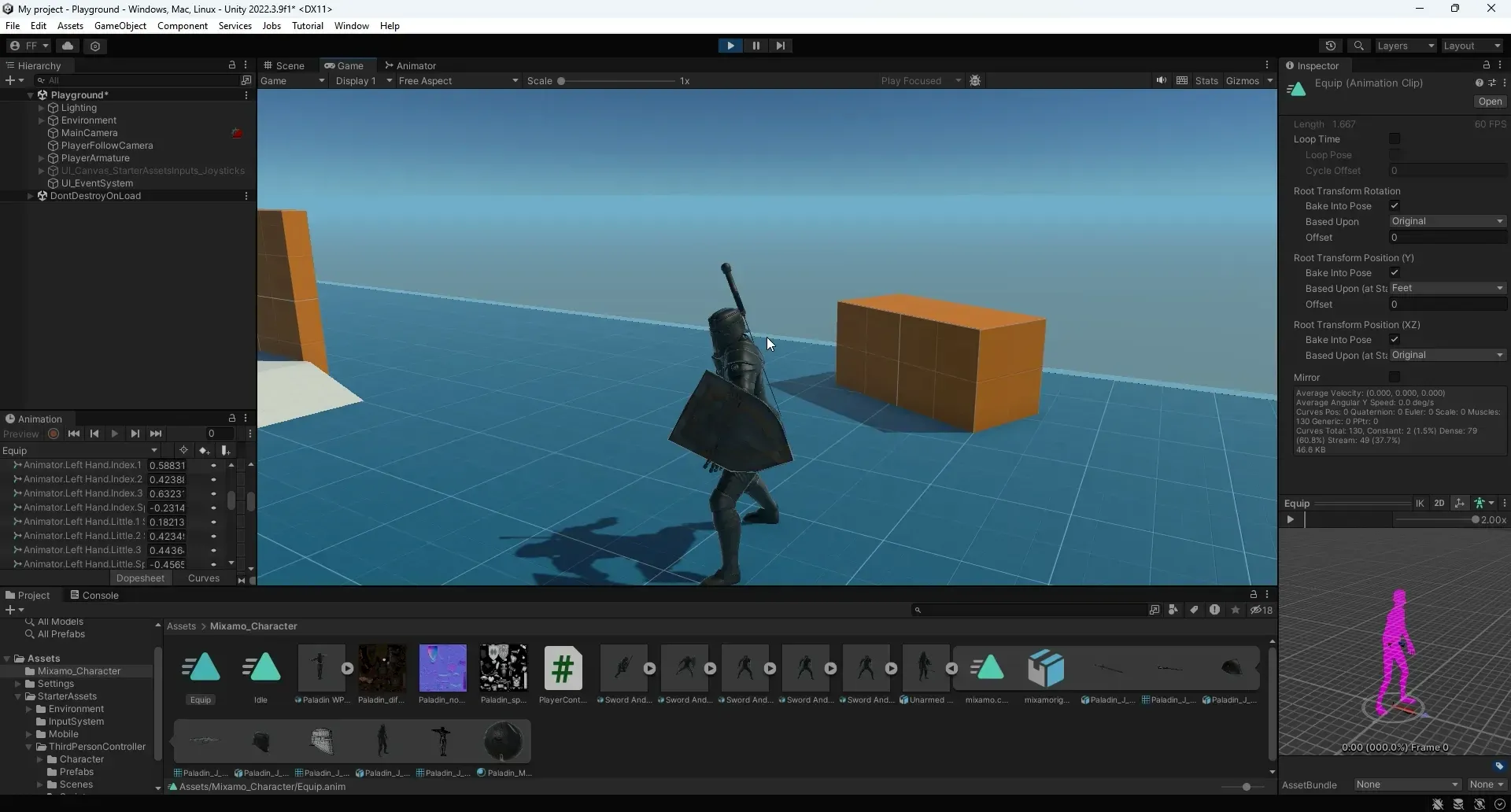
This is "New Recording - 29/10/2023, 15:11:20" by fathi ferchiche on Vimeo, the home for high quality videos and the people who love them.

I created combo system by using mixamo. You can find github link below.
https://github.com/Panopticon207/ThirdPersonControllerTutorialYoutube
Mixamo character animation names.
Paladin T-Pose : Paladin WProp J Nordstrom
Idle: Sword And Shield Idle
Kick: Sword And Shield Kick
Attack1: Standing Melee Attack Downward
Attack2: Sword And Shield Sla...
 trail forge
Hey guys, wondering if anyone can help a newbie at Unity.
I am using character assets from Synty Studios low poly packs.
I also just recently bought some of Mocap's animation packs.
I've been struggling to figure out what I do exactly to make sure they mesh well together?
If I use the Avatar that came with my models, but use the animations from Mocap, it seems to work well enough but there's some slight differences such as arms clipping into torso a bit and such.
I've been trying to find videos and tutorials for the last hour or so now, but I'm not having much luck with working this out
 slate token
hey, is there a way to somehow separate animations into their own clips whenever the animation i have is a singular one? though i do have the frame lengths and all those stuff, how do i separate basically 0-10 frames = clip 1, 10-24 frames = clip 2 etc.
agile solstice
slate token
hey, is there a way to somehow separate animations into their own clips whenever...
Animation tab of mesh import settings has a tool to do just that
You can add clips to the list of animation clips and define their start and end frames
slate token
thanks, works perfectly.
 slow vault
made this cool little vr map location selector idea in blender. I know how i would be able to constrain the movement of the reticle, but how could I make the ropes on the sides move like they do in my blender sketch? since there's not like defined poses i can't think of how i would animate it
 harsh patrol
Is there any good way to pose/animate multiple characters in scene view? By default all characters are in a T-pose until Play Mode but this makes it tricky to get good shots or prototype things.
hybrid tinsel
harsh patrol
Is there any good way to pose/animate multiple characters in scene view? By defa...
Timeline
harsh patrol
hybrid tinsel
Timeline
Is that the only way? I'd like to have my characters permanently posed as if it were their rest pose.
hybrid tinsel
harsh patrol
Is that the only way? I'd like to have my characters permanently posed as if it ...
You can pose them any way you like but if you want it to be persistent you'll need to script it.
 deft crag
I wanted to ask, how much resource does a constantly looping animation take that is playing through the whole game? Like a flickering light animation. Will it be resource heavy?
hybrid tinsel
deft crag
I wanted to ask, how much resource does a constantly looping animation take that...
Cheaper than the light itself, probably. Though for something as simple as that a flicker script would be cheaper.
 jolly chasm
hello my zombie character animation is playing in Unity but it's not looping

how do i get it to loop?
shadow obsidian
jolly chasm
how do i get it to loop?
Go into the animator window. Select the state, click the loop option
 rich owl
The range of values for my 2D blend tree animations is -2.6 to 2.6, but the input I have is going to set -1 to 1. Is there any way to get the range of values in code to map the input values to the full range of the blend tree, or is there a way to clamp this down to -1 to 1?

Currently my problem is that it only plays a slowed down version of the run, since it's blending 1/2.6 of the way from the idle to the animation
wheat flint
guys anyone knows the reason of why my animation of shoot doesnt works? even I don't know
 jolly chasm
shadow obsidian
Go into the animator window. Select the state, click the loop option
jolly chasm
shadow obsidian
Go into the animator window. Select the state, click the loop option
nothing appears in the animator window
 shadow obsidian
jolly chasm
nothing appears in the animator window
shadow obsidian
jolly chasm
nothing appears in the animator window
Sorry, it's the inspector for the animation clip
jolly chasm
shadow obsidian
Sorry, it's the inspector for the animation clip
do i check the "Add Loop Frame"

or is it something else?
shadow obsidian
Hmmm... there should be a "loop time" option. Someone else may know more. I've never done humanoid animations, so maybe it's different
 scenic comet
I have a relative understanding of programming for unity's animation but I am a bit lost when it comes to setting up the animations in the Animator itself.
First I want to add a little disclaimer. I am not sure if I am using this 2D free form directional blend tree correctly. Secondly, I am using layers and yes, they already have masks who are set up (no animations yet). I understand that I can create a state machine to handle the layer weights animations in the code. What I do not understand is how I would place it (and make the transitions to where), in the animator itself.
I'm looking for help with just placing the animations in the Animator ... and if I'm doing this right at all.

 cedar ruin
scenic comet
I have a relative understanding of programming for unity's animation but I am a ...
cedar ruin
scenic comet
I have a relative understanding of programming for unity's animation but I am a ...
But you already have transitions(the errors between states)🤔
I'm not sure I get the question.