#🏃┃animation
1 messages · Page 15 of 1
 hallow palm

animations from other objects can't be sequenced, and adding other objects animations to this animator would cause it to inheret all animated properties without respect to what is originally being animated
is there some sort of master timeline where all objects in a scene can be keyframed independently? and ideally blended/sequenced to play in a specific order?
here's a good example of what I mean, i animated my camera to move, but not this empty object called 'stinky'
i put the animator on both objects, expecting to be able to keyframe their positions independently
instead the animation replaces what is being animated

 grim vector
Heyo. I have an animation here, a pose for a model. Though for some reason I don't have a way to adjust the lower leg bone's rotation.
Wait nevermind I overlooked it 
 hybrid tinsel
Per object. For the scene, use Timeline package https://docs.unity3d.com/Packages/com.unity.timeline@1.8/manual/index.html
Animators only affect child objects under them in the hierarchy.
 wheat cedar
is there any way to make animations imported from blender import as generic rather than humanoid? humanoid animations are causing slight differences and it's very annoying
 agile solstice
Animation Rigging is a separate system from Avatars
As long as they don't directly clash (try to both implement IK or otherwise move bones at the same time) Animation Rigging should work with anything
hybrid tinsel
wheat cedar
is there any way to make animations imported from blender import as generic rath...
You just set it to 'generic' in the importer, or write an asset importer if you want it to default to that
 versed merlin
What's the best way if I want to animate hands for operating a ship? is there some asset that I should use or is it better to just use the unity animation window + keyframing?
 marsh granite
how can i make my character stand in its default idle position so that i can adjust his weapon to fit his hand?

cus right now its standing in a weird position
like a default pose for modelling
 twin musk
Hello, I have a question, how can I make the last sprite of an animation stay as the default of the object?
 compact pecan
hello. How can i prolong a one key frame animation? I don't want my character to transition from jumping animation into idle or running animation until it hits the ground or it's close to the ground. I tried to increase the exit time but that makes the character stuck on the jumping animation when it hits the ground
 earnest brook
how would i make it so that the left side of the sprite in the animation always lines up with the left side of the hitbox, since the weapon will be seperate and doesnt need to be in the hitbox
 hybrid tinsel
versed merlin
What's the best way if I want to animate hands for operating a ship? is there so...
hybrid tinsel
versed merlin
What's the best way if I want to animate hands for operating a ship? is there so...
It depends on how specific the animation is. If it is just a generic 'piloting' animation you can probably get away with just creating a simple animation with keyframes. If it is something more complex, you might wanna set up a procedural system using IK for linking the character's motions to whatever things they're supposed to be touching/grabbing
hybrid tinsel
twin musk
Hello, I have a question, how can I make the last sprite of an animation stay as...
disable looping and stay in that state? Or move to a new state that has only that sprite
versed merlin
hybrid tinsel
It depends on how specific the animation is. If it is just a generic 'piloting' ...
It's like general pilotting, and pressing the buttons in the ship
hybrid tinsel
compact pecan
hello. How can i prolong a one key frame animation? I don't want my character t...
Add a transition condition so that it doesn't transition out until it is in a 'grounded' state?
earnest brook
earnest brook
how would i make it so that the left side of the sprite in the animation always ...
can anyone help with this?
hybrid tinsel
earnest brook
can anyone help with this?
You don't need to 'bump' a message that is still on screen, peeps will answer if they know the answer
hybrid tinsel
versed merlin
It's like general pilotting, and pressing the buttons in the ship
Well, it really depends on what you find easiest. Setting IK targets on a bunch of buttons in the cockpit and then using a script to move the hands between them could work well and provide a lot of random variation and would require less manual work setting up the pose, but a simple animation could be fine if that level of detail isn't needed and if your character is already set up for the cockpit it might be easier.
hybrid tinsel
earnest brook
how would i make it so that the left side of the sprite in the animation always ...
Make sure that the sprite pivot point is consistent in the sprite editor relative to the character- probably good to base it on a fixed point in the character like the center of mass or the feet(I usually use the feet)
versed merlin
the character will already be sat in the seat in the cockpit yeah
okay, thankyou for the advice pinballkitty
earnest brook
hybrid tinsel
Make sure that the sprite pivot point is consistent in the sprite editor relativ...
how would i add that pivot point then?
i set the sprite sort point to pivot, but how do i choose the location of it
wheat cedar
all my animations are importing as TPOSE when importing as generic. they work when being imported as humanoid but i don't want to use humanoid animations because they are harder to control in unity without paying for extensions.
twin musk
hybrid tinsel
disable looping and stay in that state? Or move to a new state that has only tha...
disable looping and stay in that state
hybrid tinsel
earnest brook
how would i add that pivot point then?
The Sprite editor
hybrid tinsel
wheat cedar
all my animations are importing as TPOSE when importing as generic. they work wh...
What do you mean by 'importing as t pose'? The animation data isn't there, or...? Are you checking in the importer or applied to a model?
wheat cedar
checking in the importer
hybrid tinsel
I should note that if they are actually humanoid clips then there's no built in way to convert them to generic- the conversion is only one way.
That is, you can import a generic clip as humanoid, but you can't import a humanoid clip as generic
 harsh pivot
Just followed Synty's official video for doing Mixamo animations:
https://www.youtube.com/watch?v=9H0aJhKSlEQ

Animate a character with Mixamo
Check #SyntyStudios for more videos
Subscribe to Synty Studios on YouTube - http://bit.ly/2YPlWRp
Like Synty Studios on Facebook - https://www.facebook.com/syntystudios/
Check out all the different content available on the Synty Store - https://syntystore.com
Files required: https://www.dropbox.com/s/lyc53bvsohi...
the result:

anyone else ran into this?
hybrid tinsel
harsh pivot
anyone else ran into this?
"this"?
 ebon rock
Is there a way to instantiate object from prefab using Timeline and playables? I'm looking for something like Activation track but for instantiation
 sterile nacelle
Getting these errors after deleting a rotation constraint from the armature of a character.
Not finding much relevant info online, any ideas why? Nothing seems broken but i hate seeing these errors.
The model was animated in UMotion and I believe the constraint was on there the whole time during animation process

Nevermind, it seems to only happen with instances of this prefab that were on the map before i changed things
Just deleted and refreshed their changes
 minor turret
Okay how can I make it so that the animation will immediatly switch when not active, because when I'm doing the run animation it sometimes needs to complete its entire cycle before it goes to idle and it looks really akward.
minor turret
nvm i completely forgot to turn off exit time
 novel nacelle
how do i check how long an animation is? im using the animator window and have 3d model animations and want to know how long an animation is
hybrid tinsel
ebon rock
Is there a way to instantiate object from prefab using Timeline and playables? I...
You can write an instantiation script with a public method, and call that method from the timeline with a signal. Alternatively, you could write a custom playable to do it.
 proper grove
how would I go about making a crouch movement system
but its not one animation
its strafing
would I do another blend tree in the same layer, or make another layer for crouching and set the weight based on if im crouching or not
agile solstice
proper grove
how would I go about making a crouch movement system
but its not one animation
i...
Layers are good for that kind of thing
proper grove
Alr
 tacit lotus
When I'm making a shooting animation for a gun I added using the unity official animator and i have it how i want it but when i go to play my game it is bouncy and i have literally no clue why this is happening (the other animations i have work perfectly but its just this one that doesnt)
agile solstice
tacit lotus
When I'm making a shooting animation for a gun I added using the unity official ...
It might help to demonstrate how it is "bouncy"
 hallow galleon
Hey guys, I'm pretty new to blender and unity, but working on an animated 3d humanoid character model for an iso perspective 3d game (like an RPG).
What are the pros and cons of root motion?
I already animated non-root-option walk animation in blender and ported it into unity and had trouble finding the right movement speed for the number of keyframes my animation had in blender
tacit lotus
agile solstice
It might help to demonstrate how it is "bouncy"
I cant show a clip but i found it only happens when the animation is played fast, im not sure if theres a way to fix this
agile solstice
tacit lotus
I cant show a clip but i found it only happens when the animation is played fast...
Maybe there is but it's hard to imagine what the issue looks like
tacit lotus
ill try get a clip (dont like criticize it lmao i am just making it for fun)
not the best video but it shows that when i set the speed up it does that
proper grove
my crouching blend tree doesnt work, please help... https://streamable.com/8uekmz
 hybrid tinsel
proper grove
my crouching blend tree doesnt work, please help... https://streamable.com/8uekm...
hybrid tinsel
proper grove
my crouching blend tree doesnt work, please help... https://streamable.com/8uekm...
Can you show what is going on in the crouch state? The transition to crouching seems fine.
proper grove
Fixed it
 fallow hollow
is it possible to have an animation template that I can reuse for all my characters?
hybrid tinsel
fallow hollow
is it possible to have an animation template that I can reuse for all my charact...
Yes.
fallow hollow
yeah will check it out soon
hybrid tinsel
Animation override controllers are what you need for that.
fallow hollow
yeah just looked into it, I am actually facing a problem rn, my rigid body character gets rotate 90 degrees to lay flat on the ground when I used a mixamo animation...
fallow hollow
hybrid tinsel
Animation override controllers are what you need for that.
would you have any idea what causes it? I can provide screenshots and all
well, I checked "Apply root motion" and it's not rotating it anymore, idk really
hybrid tinsel
That sounds like you might have the wrong transform selected as the root, or the animation itself might have a weirdly oriented root and might need adjusting
agile solstice
tacit lotus
I haven't seen this before but one reason is could be that you have a blended transition to another state (recoil back -> return?) which effectively could cause "overlapping" motion when the recoil animation ends almost immediately and starts the transition
But I'm not sure
If the animation clip alone works well but weirdness happens in the animator, the most likely culprit are transitions in some way
fallow hollow
how can I animate with transition directly from code without touching the animator nodes
I just got too many states, even a state machine cannot do that "efficiently"
I just want to play animation from hash/name with a transition from old anim
agile solstice
fallow hollow
I just want to play animation from hash/name with a transition from old anim
There's a method for playing animation by has with layer, but I don't know if transitions are possible that way
What kind of states do you have? Maybe you don't have too many
agile solstice
But what are they
fallow hollow
animations
like strafe
run
run fast
dodge
found it
this method AnimatorController.CrossFadeInFixedTime("idle_guard", 0.3f);
it animated directly from code
agile solstice
fallow hollow
like strafe
These examples would work well in blend trees, animation layers and sub-state machines
fallow hollow
it's a gold mine
agile solstice
In most cases if you're considering skipping the Animator with code, the root of the problem is that you're unfamiliar with the tools Animator provides for making state machines more efficient
fallow hollow
yeah I'm more of a full code guy
I will probably do particles in code too
I have visual nodes
passionately
thanks anyways
 raven vortex
cant change Two Bone IK Constraint weight with animation. When im calling animation using
animator.Play("Name"); everything in animation changes (transform position, rotation) except rig constraint weight. But if i start it in animation window or use "jump to state" option in animator window everything works
How do i make things work from animation?
 meager urchin
How do one export blendshapes from Maya, with animations, like I have a face animated, but how do I export these to be played on an Humanoid rig ?
They export and I can access blendshapes sliders though
But how can I make it an animation
 cursive hollow
raven vortex
cant change Two Bone IK Constraint weight with animation. When im calling animat...
cursive hollow
raven vortex
cant change Two Bone IK Constraint weight with animation. When im calling animat...
what do you want to achieve?
raven vortex
i figured out, it works only if camera doesnt look at player, but why
hybrid tinsel
Probably you have the animator set to not animate when out of view
Which means that changes to the weight will be updated.
It is one of the major failings of the rigging package that it doesn't like you animating the weights.
raven vortex
hybrid tinsel
It is one of the major failings of the rigging package that it doesn't like you ...
but i saw tutorial where some guy animated weights and everything worked
 elder kindle
I am having a issue exporting this animation to my game, this is the export settings and when I have exported the model the animation tab wont apear. If someone know this problem or understand I would be very happy to get some help, Thanks!


 fierce depot
Having some trouble with joints. Joint contains our camera, and keyed to move from one spot to another in a single frame to simulate a camera cut. Despite being specifically keyed not to, Unity starts the acceleration several frames prior, and wildly overshoots the end point before bouncing back into place, like it's trying to simulate and preserve momentum or something.
Is there a way to make it not do that? Having a lot of problems with interpolation in general, like things looping improperly or feet/hands wiggling nonsensically during idles
proper grove
i want to implement a foot ik alignment system, i already, have a strafing animation set up with crouching, and shooting, will this effect whether or not I can implement it?
hybrid tinsel
elder kindle
I am having a issue exporting this animation to my game, this is the export sett...
You have the wrong item selected in the inspector.
hybrid tinsel
elder kindle
I am having a issue exporting this animation to my game, this is the export sett...

 cursive hollow
Why you separated the animations for Idle, Walk and Run?
proper grove
i want to implement a foot ik alignment system, i already, have a strafing animation set up with crouching, and shooting, will this effect whether or not I can implement it?
 uncut salmon
You can use Unity's animation package to do IK blending on top of animations
 muted gorge
hi i have a problem here in the animation for some reason the character when it get hit trigger the animation but for some reason it make a loop and dont stop is this a problem from the animator or is a problem from my code?
muted gorge
okey the problem was i put the condition trigger "damage" in the transtion between damage and idle
uncut salmon
A vague question gets a vague answer: you just set it up and use it correctly.
 sullen elk
https://www.youtube.com/watch?v=ky9PQsxzNdY&ab_channel=Marnos
cant entirely figure out what's going on here -
one of the animations i set up works fine - the idle - but this walking animation I setup is acting strange
as seen in the video, the animation's manipulating the position all over the place, despite the "root" bone being completely still in blender
ive tried exporting repeatedly with different settings, can't really figure out a solution

first time finishing a full model in blender and animating it - then exporting into unity
some things didn't exactly work out right....
appears to be an issue with the rig settings of the animations-
it was using "copy from another" as the setting, but for whatever reason there were mismatch issues?
might just be an issue with how I set up everything from a blender point- not sure entirely,
but swapping to "create from this model" fixed the animation issues,
issue is the animations got a little screwed, some bones just arent moving right with those new settings, so now they've got a broken ankle
RIGHT OKAY, issue was that the original model was exported with "FBX UNIT SCALE" but the walk cycle wasn't.
 fast palm
 shut mulch
You should connect attack animations into Any State. If you don't connect Any State, you should connect attack animations into all possible states such as idle, walk, run.... And this will make your animator more complicated.
 pine fox
I'm trying to make a animation that plays on seeing entry and stop on SIM and now it already works but issue is it moves the player the player camera and all now it works perfectly but after a plot the animation finishes playing it locks the player in place can somebody help me?
 pale owl
how can i make my second animation play right after first one?
 agile solstice
pale owl
how can i make my second animation play right after first one?
agile solstice
pale owl
how can i make my second animation play right after first one?
"Has Exit Time" checkbox when enabled will make the transition happen automatically in normalized time
 ruby nest
I really appreshaite how easy it is to drag/drop animations onto humanoid rigs in unity
autorig em fast, toss em in unity, drag some clips into a controller and bam

 hasty glade
I am having trouble with multiple SkinMeshRenderers. For some reason, it glitches between 2 different renderers. It's random, inconsistent and I can't seem to figure it out. If I disable the skin mesh renderer on one of the characters, there is no problem. When I duplicate characters with a SkinMeshRenderer it randomly choose renderers to glitch. When I turn off lighting the problem is 95% less.
 pseudo sparrow
I am really new at animations in unity and want to implement an animation pack from unity asset store called Basic Motions FREE. I have watched videos and read but the things they do does not seem to work for me, I will send some pictures of the things I believe is relevant.


 wide rapids
pseudo sparrow
I am really new at animations in unity and want to implement an animation pack f...
wide rapids
pseudo sparrow
I am really new at animations in unity and want to implement an animation pack f...
have you set the transition condition for idle on that arrow?
pseudo sparrow
This is the character I have downloaded
 pseudo sparrow
wide rapids
have you set the transition condition for idle on that arrow?
pseudo sparrow
wide rapids
have you set the transition condition for idle on that arrow?
Yes I have, will send a picture so you can see if I did it right
 wide rapids
Ah nevermind - the orange animation is the default animation - so it should run anyway
you do not need to have a condition for it
remove that AnyState transition and check out if it works out of the box
pseudo sparrow
oh okey. But maybe in the future when I need to transition from run to idle for example?
yes will try that
pseudo sparrow
wide rapids
remove that `AnyState` transition and check out if it works out of the box
I tried that but it still does not work. On the video I watched it seems to be that simple. But could it be that the character is not compatible with the animations?
This is the animator which is set on the player

 nova harbor
how would i blend animations? like if i had a wave animation, the rest of the body could be in idle or running animation, and wave animation would overwrite only the arm
wide rapids
pseudo sparrow
I tried that but it still does not work. On the video I watched it seems to be t...
where are the animations themselves? You link animations in the State Inspector
wide rapids
pseudo sparrow
Like here on the right side scroll up - is there an animation set?
pseudo sparrow
wide rapids
Like here on the right side scroll up - is there an animation set?
I dont really understand what you mean but Im guessing you mean this? It is a animation pack which includes animations and animation controllers.
 nova harbor
how would i blend animations? like if i had a wave animation, the rest of the bo...
nova harbor
nova harbor
how would i blend animations? like if i had a wave animation, the rest of the bo...
oh, layers
shut mulch
I know it's kinda hard to tell, but how come my animation and rig works fine in blender, but get's deformed in unity?

 hybrid tinsel
hasty glade
I am having trouble with multiple SkinMeshRenderers. For some reason, it glitche...
hybrid tinsel
hasty glade
I am having trouble with multiple SkinMeshRenderers. For some reason, it glitche...
Is the glitch in scene view only or does it affect the game too?
hybrid tinsel
pseudo sparrow
oh okey. But maybe in the future when I need to transition from run to idle for ...
Anystate is a special case with different rules.
hybrid tinsel
pseudo sparrow
This is the animator which is set on the player
That avatar is not correctly set up for humanoid animation; you need to set it in the import settings for the character.
Generic rigs can only be used with generic animation clips that match the rig.
pseudo sparrow
hybrid tinsel
That avatar is not correctly set up for humanoid animation; you need to set it i...
Thanks for the answer. When you say "in the import settings for the character" is that the place where I import from the asset store to the project? When I import there I dont see any settings menu.
hybrid tinsel
The actual model file in your project.
pseudo sparrow
This one?
 hybrid tinsel
It is possible that the model actually is incompatible, too, but most likely it is just set up wrong.
Yes.
Though I prefer the list view
pseudo sparrow
You want me to send the list view?
hybrid tinsel
No
pseudo sparrow
okey I am confused now. Where is the settings you are talking about?
hybrid tinsel
In the inspector when you select the model file
hybrid tinsel
If the model is compatible, then yes
pseudo sparrow
Oh it works! Thank you so much for the help 😄
hasty glade
hybrid tinsel
Is the glitch in scene view only or does it affect the game too?
It also effects the game view in the same way. It glitches between two meshes. When 1 character sits down and the other stands, the both glitch between sitting and standing
hybrid tinsel
Weird.
 odd comet
I have two animations. First animation is SitToStand and the second is an Idle animation. I understand that the first animation has her feet towards the front and the second animation her center is in the middle. Is there an easy way to keep her from sliding back when going into the second animation. I'm not that great with animations so any assistance would be greatly appreciated. https://www.youtube.com/watch?v=8klb7rPIf8k

how to resolve character from sliding back on second animation
 uneven rune
I got an idea to adapt Hasbro's The Game of Life
agile solstice
odd comet
I have two animations. First animation is SitToStand and the second is an Idle ...
I believe this happens because the animations are designed for root motion but your character is not using it
odd comet
agile solstice
I believe this happens because the animations are designed for root motion but y...
Thanks for the reply...I do have 'apply root motion' selected on the characters animator...I've tried with that box checked and unchecked.
agile solstice
odd comet
Thanks for the reply...I do have 'apply root motion' selected on the characters ...
It's possible that it isn't functioning correctly, or that it is but the animations incorrectly allow the bones to drift away from the root position
odd comet
agile solstice
It's possible that it isn't functioning correctly, or that it is but the animati...
The animations center is different between the two. One starts at the front, the second in the middle.https://www.youtube.com/watch?v=k9hfza-DWDE
 agile solstice
Seems like a flaw in how the animation itself is designed
odd comet
agile solstice
Seems like a flaw in how the animation itself is designed
OK....thanks....I downloaded them from Mixamo...I'll see if I can find one that will work...thanks again for your thoughts.
agile solstice
odd comet
OK....thanks....I downloaded them from Mixamo...I'll see if I can find one that ...
I'm not familiar with Mixamo but from what I hear they have a lot of options for exporting the animations with specific settings, perhaps there is something useful there
Or perhaps the animations are meant to be used in a specific way or sequence
 icy oriole
iirc Mixamo animations do have a set order in some cases
odd comet
UPDATE...I fixed my issue. I set the Root Transform Position (XY) to Center of Mass instead of Original within the Animation inspector.
 humble tapir
hi all 🙂 I have a question regarding 2D Simple Directional blend trees.
At the moment, my character animation is favouring the 'Y' axis (i.e., when I press down and left to walk diagonally, the character is favouring the down animation when I want it to favour the left animation).
When using a 2D simple Directional blend tree in Unity, how can I make the animator favour the X axis movement animation over the Y axis movement animation?
 ebon rock
I think it's like a heat map, if you use those nodes left and right (x axis?) and pull it closer to middle? Haven't had much experience with this but i think that's how it works
Good stuff here:
https://www.youtube.com/watch?v=_J8RPIaO2Lc&ab_channel=iHeartGameDev
Learn how to animate characters in Unity 3D with dynamic animations from blend trees!
This beginner-friendly tutorial is a complete walkthrough of two dimensional blend trees and how we can use blend trees to create new animations for our characters using two float parameters!
ACCESS PROJECT FILES & SUPPORT THE CHANNEL:
💛 https://www.patreon.c...
twin musk
@ebon rock you can repeat ? because i added the empty and transition
ebon rock
What do you want to achieve? Usually Idle state is entry state
twin musk
ebon rock
What do you want to achieve? Usually Idle state is entry state
what do you mean of entry state ?
ebon rock
Entry state is a state that is connected with orange arrow with Entry node
twin musk
but i haven't this name of my node , i has a idle and maxiamo.com(is my animation)
ebon rock
 humble tapir
ebon rock
I think it's like a heat map, if you use those nodes left and right (x axis?) an...
humble tapir
ebon rock
I think it's like a heat map, if you use those nodes left and right (x axis?) an...
thanks 🙂 I dragged the diamond shape in a little on the sides and that seems to have done it
humble tapir
I do have another one though, and I'm not sure if this is possible...but if it is it's gonna save me a hell of a lot of time 😅
to create the animations for the character, I created singular animation files and dragged the sprites into the window here. How could I get the reference sprites from other spritesheets through code so I don't have to do this drag and drop for my remaining 30 characters? hah
 twin musk
humble tapir
I do have another one though, and I'm not sure if this is possible...but if it i...
twin musk
humble tapir
I do have another one though, and I'm not sure if this is possible...but if it i...
is for me ?
humble tapir
twin musk
is for me ?
oh sorry, no...I was asking another question.
 ebon rock
humble tapir
I do have another one though, and I'm not sure if this is possible...but if it i...
ebon rock
humble tapir
I do have another one though, and I'm not sure if this is possible...but if it i...
Sorry, that's outside of my realm 🙂
ebon rock
twin musk
do you mean like this ?
I don't know what are you trying to do.
twin musk
ebon rock
I don't know what are you trying to do.
to idle
you do tell me "make transition and connect to new node " just this ? done ? if done why isn't work ?
ebon rock
You need transition both way
twin musk
is both nodes
ebon rock
you have from idle -> mixamo, but not other way around
Also, right click on Idle and select Set as default state
twin musk
ebon rock
Also, right click on Idle and select Set as default state
hmmmm ?

my node is started but idle .....
ebon rock
Do you have lot experience in unity?
 ebon rock
You didn't set avatar..
I would suggest you to go watch couple of tutorials on Animations in Unity, try to follow and then if you don't succeed ask for help
twin musk
ebon rock
You didn't set avatar..
I would suggest you to go watch couple of tutorials on A...
no i set avatar
i did checked i did set
 unborn aurora
I'm testing Mixamo animations for my character, should I use 30 or 60 fps animations? And what's the difference?
hybrid tinsel
unborn aurora
I'm testing Mixamo animations for my character, should I use 30 or 60 fps animat...
Think of the framerate as the 'resolution' of the data. Higher is larger file size but potentially might avoid glitches in the animation. I suggest using the lower framerate one unless there are visual errors.
unborn aurora
hybrid tinsel
Think of the framerate as the 'resolution' of the data. Higher is larger file si...
Thanks, I want to test 8 directional rifle movement. I'll try with 30 fps ones 🍻
 thick anvil
Is it a bad idea to use like 300 animators (1 animator for 1 component with basic animations) and they not executing all at once but one at a time??
hybrid tinsel
thick anvil
Is it a bad idea to use like 300 animators (1 animator for 1 component with basi...
I mean, it could probably be optimized.
 plucky garnet
I imported a model , and the legs were not under hips in hierarchy , so i put them under hips in avatar configuration but it is not saving those changes , can someone please help


 reef egret
did you make sure the animation clip linked to the idle action in animator is the idle animation
click the orange triangle
idle
and look at the motion parameter
what does it say
is that the idle animation
hmm
try removing the transition from entry to idle, then see what happens then
ok i think i know what might be causing it
it may be your run animation set to play automatically
can you open your idle and run animation clips and send what you see in inspector here
is looping enabled
reef egret
is your default pose state a tpose
like without any animations
try disabling the animator and run
uneven rune
Bronya I got some concept art I wanted to show you.
uneven rune
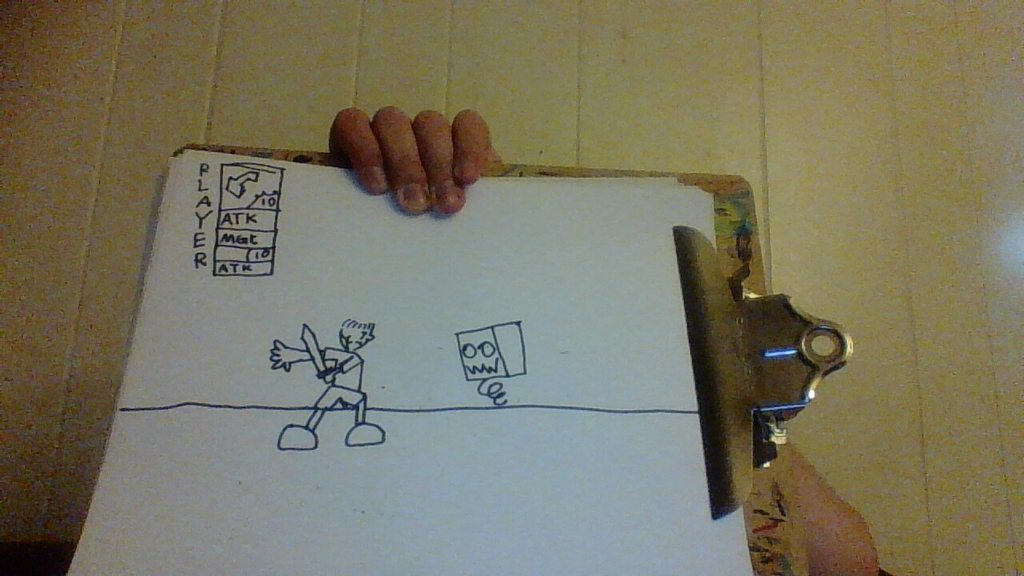 uneven rune
ArenXou, Bronya, I'm working on a Kingdom Hearts MMORPG called Kingdom Hearts: Days Between.
reef egret
pretty sure the pose in editor is meant to be the tpose
unless your in animation preview mode
so what are you trying to achieve here
reef egret
uneven rune
https://imgur.com/gallery/94uIwJO
i dont recommend naming it kingdom hearts since theres already a game called kingdom hearts
unless your not planning to release it
and this is the wrong channel for that use #archived-game-design instead
so your non-animation state is set wrongly then?
ah
i just import an fbx
but i set the rig in blender to no pose
so its a tpose
im not too sure why that happens
if you set it to no pose state it shouldnt be in animation pose
k
shut mulch
shut mulch
I know it's kinda hard to tell, but how come my animation and rig works fine in ...
Can someone take a look at this for me?
 void turret
hi, why when i remove has exit time it acts like it still has exit time?
like i have door opening animation, when i press open the open animation plays and it instantly comes to close animation
 leaden prism
void turret
like i have door opening animation, when i press open the open animation plays a...
leaden prism
void turret
like i have door opening animation, when i press open the open animation plays a...
Check if those two animations aren't connected
I have an animation in the timeline, however I'd like to let the player move while this cutscene is finishing after that initial animation
Would I need to make a second timeline for all the events after the animation to allow that, or is there something else that I'm missing?

 lost wigeon
so i just got a 3d character moving and animating for the first time using a custom model and a mixamo standard animation. but it's a little sloppy - especially the foot position. Is that just a matter of tweaking the speed the animation plays until it lines up better or is there other things i can do to clean this up?
 agile solstice
lost wigeon
so i just got a 3d character moving and animating for the first time using a cus...
agile solstice
lost wigeon
so i just got a 3d character moving and animating for the first time using a cus...
You have to tweak it unless you're using root motion
When your character is walking right, it's playing the animation for walking back
Lack of any animation transition blends is also making it look a bit robotic
lost wigeon
thanks for the feedback, i'll look into those next
lost wigeon
fixed the right animation and added blends. its starting to come together!
 hybrid tinsel
leaden prism
I have an animation in the timeline, however I'd like to let the player move whi...
hybrid tinsel
leaden prism
I have an animation in the timeline, however I'd like to let the player move whi...
What stops your character from moving during the timeline?
humble tapir
Has anyone had any install package errors when installing the 2D Animator package in Unity? I'm getting:
Library\PackageCache\com.unity.2d.common@2.1.1\Runtime\InternalBridge\InternalEngineBridge.cs(21,35): error CS1061: 'SpriteRenderer' does not contain a definition for 'IsUsingDeformableBuffer' and no accessible extension method 'IsUsingDeformableBuffer' accepting a first argument of type 'SpriteRenderer' could be found (are you missing a using directive or an assembly reference?)
First google result says to uninstall and reinstall all 2D packages. I've done this and nothing has worked. I can run 3.2.15 but not 3.2.16, so the recent update has broken something.
Any ideas?
 rough scaffold
Hi guys, I'm having a issue with animation's time, I used the time from the animation window intending for some code to execute in between a certain time range, but the time in the animation window appears to not match up with actual runtime, anyone knows a fix, please?
I would prefer avoiding using animation events as then I'd have to add some hardcoded stuff in the player, as I can't link animation event to the weapon directly due to it not being part of the player
twin musk
humble tapir
Has anyone had any install package errors when installing the 2D Animator packag...
try signing out of unity hub and signing back in
used to get an error while downloading packages and fixed it by relogging
though it wasn't this exact error
leaden prism
hybrid tinsel
What stops your character from moving during the timeline?
The clip on the timeline moves the character from one spot to another.
Without root motion the player gets stopped in the ending spot until the end of the timeline, with root motion the player starts teleporting all around the screen.
 reef egret
how do i fix apply root motion in animator causing my player to not have gravity
hybrid tinsel
leaden prism
The clip on the timeline moves the character from one spot to another.
Without r...
Set the post extrapolation on the clip to 'none' ?
leaden prism
alright, will try that
hybrid tinsel
reef egret
how do i fix apply root motion in animator causing my player to not have gravity
Bake the y axis of the root motion
leaden prism
hybrid tinsel
Set the post extrapolation on the clip to 'none' ?
Here is how that went, as it teleported the player back to the starting location and did not allow them to move after the animation finished

with extrapolation continue it was a bit better, but it still rooted the player in place
 hybrid tinsel
Ah, so you're moving the character transform directly from the clip
leaden prism
yea, and I'd like to basically be able to either let the player control the character directly afterwards, or to start moving the character via code so it could fake some natural player movement
I'm guessing splitting it into two consecutive timelines would do the trick, but I'm asking here just to be sure there is no better way
hybrid tinsel
I'm not sure how to have it hand off control in that case.
leaden prism
thank you for trying to help me anyways
will see if the consecutive timeline solution will work or nah
reef egret
hybrid tinsel
Bake the y axis of the root motion
ty
reef egret
hybrid tinsel
Bake the y axis of the root motion
this one?
 hybrid tinsel
Yeah
reef egret
so i do that for all the animation clips?
hybrid tinsel
The ones that aren't allowing gravity
reef egret
ok
reef egret
hybrid tinsel
The ones that aren't allowing gravity
it didnt fix it
is it recommended to have apply root motion on
cause when i turn it on my movement is more clippy
hybrid tinsel
Hm. Root motion shouldn't normally interfere with your gravity unless there is a y transform in it
reef egret
im using a humanoid animation type
and moving/jumping using addforce
but when i disable root motion i cant move at all
only the animations are playing
hybrid tinsel
And if you disable the animator entirely?
reef egret
ill try
my character uhh
disappears
oh i know why
cause it has a ragdoll
ok i put the colliders in the humanoid rig
if i disable the animator the player just ragdolls
lost wigeon
hey so i'm trying to make a 3d character move just left and right (along the z axis) using root motion in the animations. but it's also moving a little bit on the X axis and i can't figure out why or how to stop it! i think it might be related to the blend as it switches back into and out of idle but i'm not sure. how can i identify what's going wrong?
 celest crag
You should be able to examine animation curves
to check specifically for that
There's also this. Not sure if applicable though https://forum.unity.com/threads/animation-moves-character-y-axis.1392448/
lost wigeon
celest crag
You should be able to examine animation curves
thank you! i'll look into that
 plucky bison
question, do I have to save that the player has triggered a cutscene so it doesn't trigger again when they reset the scene?
 bitter quarry
hi guys! where do I put my "animator.SetBool("isMoving", false);" and "animator.SetBool("isMoving", true);" code within my code?
Pastebin
Pastebin.com is the number one paste tool since 2002. Pastebin is a website where you can store text online for a set period of time.
 neat nimbus
Hello!
I need help about an animation behaviour I'm getting without knowing why.
Basically I have this character that does a bunch of animations,
the model on the left behaves correctly and is the previous version of the one on the right, which just got it scale set to 1 and then freezed (the one on the right is scaled x1.7 on Unity).
Do somebody knows why the model turns into a penguin when only some animations gets played?

 sullen vale
Does anybody know why the models stuck in such awkward pose?
 agile solstice
sullen vale
Does anybody know why the models stuck in such awkward pose?
agile solstice
sullen vale
Does anybody know why the models stuck in such awkward pose?
Default Humanoid pose when no animation is playing
sullen vale
That happened when I tried to play idle animation from mixamo
agile solstice
For whatever reason that animation isn't reaching the Animator
agile solstice
neat nimbus
Hello!
I need help about an animation behaviour I'm getting without knowing why...
Armature is of different size, possibly scaled without applying
The pose and mesh are the same, but the bones are closer to each other so the limbs are clipping together
hybrid tinsel
Not the sort of 'Unity Jobs' I was expecting here 😛
neat nimbus
I have an issue regarding animations: when importing a character and its animation in unity the skeleton doesnt seems moving 1:1 compared to the Blender version, in fact some of the arms clips through the body in unity, could that be some sort of importing settings that tends to approximate the skeleton?
hybrid tinsel
It could be, yes.
neat nimbus
any idea of which one?
neat nimbus
I found out that in the Animation window the preview is correct
so the problem persists only in the game view on play
Solved, it was the loop pose
 meager smelt
If I want to rotate an object using root motion how can I do that?
 trim hatch
"how can i check if the player is grounded?"
isn't this the first thing unity tuts teach you?
do a raycast under player feet while jumping is true
what does your animator window look like
it should just be set up to transition to idle or running if grounded is false
trim hatch
Can you screenshot the inspector when you click on a transition from fall to run and idle
 plucky viper
Hello, im using auto rig pro in blender and exported to unity, using generic rig its work perfect,but in humanoid rig its bugged, how can i fix it?
hybrid tinsel
plucky viper
Hello, im using auto rig pro in blender and exported to unity, using generic rig...
Bugged how?
reef egret
why isnt my multi parent constraint working? the gun isnt moving at all when the humanoid moves/rotates, animation type is set to humanoid as well


this is the gun's placement in the hierarchy
 meager urchin
How can one export facial blendshapes animations to a separate .fbx file to be played in Unity (from Maya) ?
plucky viper
hybrid tinsel
Bugged how?
Check the video, she walk weird, looks likes she is dancing ,the waist is moving, its should be fixed
Will send a video more closer
hybrid tinsel
In the videos you showed she just seems to not be moving at the same speed as her animation so the feet slide a lot?
plucky viper
here is generic and humanoid
plucky viper
another animation in generic and humanoid
i receive this error

well, fixed, the problem was here
 hybrid tinsel
plucky viper
here is generic and humanoid
hybrid tinsel
plucky viper
here is generic and humanoid
Which is which?
plucky viper
hybrid tinsel
Which is which?
left one, the one she is "skating" is humanoid
hybrid tinsel
And yeah, I scrolled down and that was what I was thinking
fallow hollow
hey
I'm trying to have multiple layers to my character so that the top is separate from the bottom
by doing this I broke all my animations
nothing will play, only the "idle" default animation will play
when I set the weight of the upper body layer/mask to 0, my animations play
I made sure to select only the top body in the avatar mask
when I apply a full body mask to the base layer, no animations occur
 tardy kernel
Is it possible to set a value for an animation? For example, I want to move object from location A towards location B, and set the travel distance through code.
 tight cape
can i use IK hints when using chain constraint instead of two bone? with animation rigging package
 austere oyster
I have a non humanoid Rig on a model. How do I add a ragdoll effect to it?
trim hatch
Ragdolls are just limbs with hinge joints
fallow hollow
My generic avatar mask is not working... I selected the correct transforms and I put it on the second layer, but it doesn't animate... it doesn't even animate if I select all of the transforms, but it works if I don't apply a mask on layer, but then it overrides my basic animations
hybrid tinsel
tardy kernel
Is it possible to set a value for an animation? For example, I want to move obje...
Yes.
hybrid tinsel
fallow hollow
My generic avatar mask is not working... I selected the correct transforms and I...
Is it a generic avatar too?
fallow hollow
hybrid tinsel
Is it a generic avatar too?
yup
anyways I converted it to humanoid
works now, with a few glitches
 brittle kernel
what do i do if i make an animation and put in a sprite, but then the sprite is offset in a weird way
so in my case when the animation is triggered it looks like the player teleports back
im doing this in 2d btw
 mellow bear
what is the best way to make an idle animation for a pistol? all I have right now is the weapon slowly bobbing up and down
hybrid tinsel
mellow bear
what is the best way to make an idle animation for a pistol? all I have right no...
Well, what do you want the animation to do?
 jagged cypress
Anyone have experience with the Animation Rigging package? I'm trying to define IK controllers for a humanoid and having some weird snapping issues when working with my character's foot and leg IK.

Thing is, I'm using the same setup on the character's hands and having no issues
 hybrid tinsel
jagged cypress
Anyone have experience with the Animation Rigging package? I'm trying to define ...
hybrid tinsel
jagged cypress
Anyone have experience with the Animation Rigging package? I'm trying to define ...
That looks like more of a skin weights issue. Does it still happen without the IK, if you just move the leg bones?
jagged cypress
hybrid tinsel
That looks like more of a skin weights issue. Does it still happen without the I...
Just rotating the bones seems to work fine. Weighting could probably be refined but no weird snapping.

The whole upper leg bone spins around all crazy when I use the IK controllers

I tried it on another model that was pre-rigged and had the same issue
hybrid tinsel
Oh, huh. And you have the hint set up correctly?
jagged cypress
Yeah those yellow ball effectors are the hint / knee targets
Maybe I should try it on another model. I wish the sample package showed examples with skinned meshes instead of just cubes.
hybrid tinsel
Don't we all
mellow bear
hybrid tinsel
Well, what do you want the animation to do?
I need Idle, fire, reload, ADS, ADS reload, change fire mode.
 violet hawk
I have an animation that says it must be marked as legacy, when I mark it as legacy it says legacy clips are not allowed in animator controllers. Did I do something wrong when creating the animation?
 bold sparrow
hello! I've finished an animation in Blender and I'm trying to export to Unity. But bone IK based changes in animations are not being exported. Is there a solution for this?
these bones are IK targets of other bones.
bold sparrow
I noticed they are being animated, actually, but like if there was a weird scaling problem that makes the animation in blender much more "effective" to when it comes to Unity, like if the movement applied was smoothed or "divided by 2"
hybrid tinsel
violet hawk
I have an animation that says it must be marked as legacy, when I mark it as leg...
Probably. What is the source of the clip?
violet hawk
i reloaded the same animation (4 sprites imported from aseprite) and it fixed it.
violet hawk
I made the sprites myself, if you know what the problem was I still would like to know (ty btw)
 near sierra
question so should my model have IK control bones before I import it to unity to apply IK animations or would the base humanoid rig on its own be fine for applying Unity IK?
hybrid tinsel
near sierra
question so should my model have IK control bones before I import it to unity to...
Base humanoid. Imported control bones are ignored.
near sierra
got it thanks
 solar rock
Hey folks, im using the Animator and i was wondering, is it possible to use a different animation depending on condition, but keep the same transitions ? I have multiple walk animations, do I really need to have the same transitions there is on the original one ?
 misty glacier
I have a tower sprite and 8 of its sides how do I make an animation in 2d? of 8 sprites
so that its rotation takes place
hybrid tinsel
misty glacier
I have a tower sprite and 8 of its sides how do I make an animation in 2d? of 8 ...
You can ask as many times as you want but your question isn't easy to answer since you don't really describe what you are trying to do. If all you want is rotation, you can just put the sprites into an animation in order.
near sierra
for blender shape key sliders from the skinned mesh renderer component, can those sliders be utilized for animations as well on the unity animation timeline?
misty glacier
hybrid tinsel
You can ask as many times as you want but your question isn't easy to answer sin...
I have a variable that shoots in the direction where the enemy is going, I need the animation of the tower to follow the enemy, that is, so that there is a rotation of the 2d sprite
Let's have a look at the easiest and best way to make top-down movement in Unity!
Get costumized art for your game with Outstandly! https://www.outstandly.com/art_for_games/?Brackeys=love
👾 JOIN THE GAME JAM!! https://itch.io/jam/cgj
Thanks to everyone participating in the planning of the jam:
BlackThornProd: https://bit.ly/2GqgkqO
Dani: ht...
in his video, it is done through walking and speed, and I have a tower standing still and shooting at the target
hybrid tinsel
Every time someone links a Brackeys video a fairy dies.
misty glacier

I have such float variables, I think to tie the rotation of the tower to them so that the sprites change depending on the rotation, but I don't understand how to do this, can you tell me or is there some kind of video? I have 8 sprites of different directions
hybrid tinsel
If you're using an animator, you can jsut feed the direction into a blend tree with keys corresponding to the directions you want to use
misty glacier
hybrid tinsel
If you're using an animator, you can jsut feed the direction into a blend tree w...
?

should I specify such values?
hybrid tinsel
Feed the direction into the animator, and use that direction in the animator to pick a direction in a blend tree
misty glacier
hybrid tinsel
Feed the direction into the animator, and use that direction in the animator to ...
?
 misty glacier
do you need to choose something here?
 hybrid tinsel
You don't want to compute thresholds
You want to put your own values in.
Whether that is 0-1 or 0-360 or whatever you calculate, you know what number corresponds with which animation clip.
misty glacier
I have 8 different sprites of each direction, I want them to work depending on where the enemy goes
hybrid tinsel
Yes, you have said that a bunch of times.
So you calculate the direction to face in your script
And then send that direction, in the form of a float, to your animator.
 delicate basin
misty glacier
?
delicate basin
misty glacier
?
It reversed
 stray fulcrum
Does anyone have an idea, how to animate this conveyor belt, so it moves like one? I managed to do it in blender, but it can´t bake the modifiers, so I need to animate it in unity apparently. Is there a tool which I can make a curve with and let the tiles follow the curve? Or is there another method for such things? I can imagine it is pretty similar to animating tank tracks

 upbeat bloom
!code
 dusk valeBOT

Posting code
📃 Large Code Blocks
Large code blocks should be posted as links to services like:
https://gdl.space/, https://paste.ofcode.org/, https://hatebin.com/
https://paste.myst.rs/, https://hastebin.com/
📃 Inline Code
Surround code with three backquotes. Not quotation marks.
To get C# formatting the first line should only contain cs or csharp.
Add a comment with a line number if there is an error message.
```cs
// Your code here
```
Do not share screenshots of code unless requested.
 rigid leaf
How would I animate a handshake between two characters? Either between a Player and an NPC, or between two Players?
Similarly, how could I animate one character handing an object to another character?
Anyone have any resources I can use as a starting point?
agile solstice
rigid leaf
How would I animate a handshake between two characters? Either between a Player ...
Realtime IK such as with Animation Rigging package is very flexible but quite a bit of work to set up
Characters can also be animated together and exported separately, so that you simply guarantee their positions and rotations match when they start the matching animation clips
In this video you will learn how the Animation Rigging package can improve animation in your project via better tools and more flexible workflows. Discover how to setup a character, and harness both runtime rigging and animation authoring in this practical demonstration aimed at riggers, animators, and cinematic designers.
Speaker:
Ciro Contini...
 somber bronze
Hi, I have a question, how can I play animations that are imported with model? I want to play landing gear animation

 normal harbor
get the animator
find the file in your project
expand the model
and click on them and drag then into the animator window
there you can play them
first you obv gotta add an animtor
 boreal tiger
i have a question when i use an animation how can i stop it from using the position(to not move when i change animations)
boreal tiger
normal harbor
check root motion at the animator
what have to be the root motion
normal harbor
on the animator I think
there is an option about root motion if I remember correctly
boreal tiger
ya but the what that is not fixing my problem but still thx for the help
rigid leaf
agile solstice
Realtime IK such as with Animation Rigging package is very flexible but quite a ...
Thank you!
reef egret
how do i fix multi parent constraint not updating according to the rig animation? apply root motion is enabled
 neon kestrel
hello i have issues, i make rigging blender with rigify and when i export to fbx
the animation, bone is not support humanoid
how can i setup rigify export to humanoid type? thanks.
neon kestrel
@hybrid tinsel do you have suggest?
hybrid tinsel
neon kestrel
<@172484507788771328> do you have suggest?
Yes, I suggest you use Google because there are a bunch of tutorials on that exact subject.
neon kestrel
rigify is dont support unity bone hierachy for unity humanoid
is need manual setup so now i looking for addon setup rig humanoid for unity
hybrid tinsel

 bright rapids
hello maybe a very basic doubt i have been trying to animate 2d sprites from a sprite sheet but i am unable to sync the animation it looks like rubber banding any way to solve.
hybrid tinsel
bright rapids
hello maybe a very basic doubt i have been trying to animate 2d sprites from a s...
Can you give more details?
bright rapids
bright rapids
hybrid tinsel
Can you give more details?
sent a small clip
here the legs doesnt seem stationary
i have tried everything i can in sprite editor maybe i am missing something
hybrid tinsel
Your pivot point is in a different place on each sprite
(Also, this isn't a server for discussing ripping game assets.)
bright rapids
hybrid tinsel
Your pivot point is in a different place on each sprite
ok thanks where can i discuss?
 sacred temple
I have this really weird bug and if anyone can confirm this is intended please let me know. My player is using animation rigging.
I have an animated player and I use multi-rotation constraint to bend the spine, which naturally moves the shoulders, arms, hands, head. Both hands use their own two bone IK, but i noticed one arm was always on the target, and 1 arm wasnt really following the target when the spine rotated.
My question: is the order of the rig layers causing this, and is adjusting the rig layers so that the spine is first the correct solution to fix this? In the image, you can see left hand is first, then spine, then right hand. The left hand is not on target when the spine rotates. Moving the spine to be first fixes this, but is this intended or might I have an issue somewhere else?
 hybrid tinsel
sacred temple
I have this really weird bug and if anyone can confirm this is intended please l...
hybrid tinsel
sacred temple
I have this really weird bug and if anyone can confirm this is intended please l...
That is intended. It runs the rig layers in order, so moving the spine after you've aimed the hand will move the hand out of place.
If later layers could alter earlier ones, you would quickly start getting weird infinite loops.
boreal tiger
can some one tell my why when i change animation the animation go to some random position
agile solstice
boreal tiger
Most likely your walking animation was made with a position offset
 vital violet
Could someone give me a little help? For some reason, when I change the Animation type of this animation in specific from Generic to humanoid (with the avatar that I were using previously for other animations) the animation clip is destroyed and some errors of mismatch starts to pop up on the console


"The object of type 'AnimationClip' has been destroyed but you are still trying to access it." And this error too
hybrid tinsel
vital violet
Could someone give me a little help? For some reason, when I change the Animatio...
The animation is named after the file when you use the @ naming. So it is looking for 'run forward' and you have created 'run forward 1'
The other error is because it looks like your hierarchy doesn't match the avatar
 runic aspen
hello everyone, i'm trying to apply the same animation from mixamo on different mixamo characters. The aniamtion looks fine on the model i used to download the animation but when i try to switch character mesh, it breaks some parts such as hands.
Does anyone knoe if mixamo characters all have different rigs? I'm trying to avoid downloading different times the same animations but applied on different rigs cuz it would be a pain in the arse considering the amount of characters i have in my project. Do i need to manually retarget animations even if bot animations and characters come from mixamo?
 wicked veldt
runic aspen
Does anyone knoe if mixamo characters all have different rigs? I'm trying to avo...
wicked veldt
runic aspen
Does anyone knoe if mixamo characters all have different rigs? I'm trying to avo...
The best way is to check yourself if the rig is the same
On your two characters
 covert heath
how do you animate hair and clothing without baking the movement into the character's animations? everything I find basically just says "buy this magica cloth pack"
 warped delta
Hello, I'm trying to set up a workflow to design animation in Blender that don't use skinning, just hierarchical transformations. I would like to map these to GameObject transform instead of using SkinnedMeshRenderer.
I have no idea where to start though, any ideas?
hybrid tinsel
covert heath
how do you animate hair and clothing without baking the movement into the charac...
Unity has built in cloth.
covert heath
ah ok, do I use it for hair aswell?
violet hawk
violet hawk
nvrmind i figured it out
fallow hollow
how do I override a rotation on an animated rig? I want to rotate body parts by code
normal harbor
make an avatar and set it's weight maybe
fallow hollow
normal harbor
make an avatar and set it's weight maybe
I already have 3 avatars with weights I set by code
but when I try to rotate a bone transform the rotation gets overriden by the animation I think
basically I want to rotate the entire armature but keep the running animation
 sage prairie
Here is a demo of my game. Warning: gambling elements present. WebGL.
https://galahadgaming.com/Games/2023Build/
The issue is my game is confusing to learn; I don't like the How-To Screen. I would instead like to make a tutorial video that's more of an overlay of the game screen, where I highlight the various features and directions. For instance I'll highlight a button and say "click this button to X" with each screen being click-thru-able.
My question is the best way to go about this? Should I make an entirely new scene? Are there any good tutorials for making overlay tutorial videos?
 limber quest
Kennt sich jemand mit Bitsy aus ?
 haughty fulcrum
i have a problem where i have a motion tree where one of the sections is controlled by a code where when i click a key it changes a zero to a one, however it this updates every frame where the if statement is true meaning the animation restarts at every update meaning its stuck in the first frame i can send i video if needed, im stuck on what to do
 devout ember
there are more components on the gameobject that i want to access but i cant, how do i get access to them?

 stone heron
IK rig does this:

all the targets are near 0.0, but it's 100m away
it spasms and doesn't lign up correctly
neat nimbus
is it possible to get an animation clip lenght by referencing its animation state name?
 mystic gate
Hi, I imported a meta rigged character from blender. When I tried to set up a humanoid rig for it, it said "required human bone head not found".
I did remove the face bones from the meta rig, but even after I tried making a new rig without touching the face bones, I still got the same problem. I'm pretty sure the head bone is supposed to be spine.006, as it's not visible in Unity. Not sure how to fix it.
 dense chasm
hi i'm trying to create a simple death animation for my player capsule but when i start using the animator, my player camera is unable to move left or right how can i fix this?

 green hemlock
im editing an existing animation curve, however the new curve doesnt apply to my model, anyone know what im doing wrong?
 tough orchid
In order to use a blend tree, the documentation saids that I need to allign the animation clips. However, how would I allign 2 animatoin clips?
In order for the blend to work well, the movements in the clips must take place at the same points in normalized time. For example, walking and running animations can be aligned so that the moments of contact of foot to the floor take place at the same points in normalized time (e.g. the left foot hits at 0.0 and the right foot at 0.5). Since normalized time is used, it doesn’t matter if the clips are of different length.
https://docs.unity3d.com/Manual/class-BlendTree.html
 trim hatch
Is any state the only way to get an animation to transition to itself?
Say i have a shoot animation and i want it to start over as soon as player hits shoot, how would i go about it?
Transtion to previous state on shoot?
hybrid tinsel
You can just alter the speed of playback, can't you? I'm not sure what you mean about diving into sewage or whatever
hybrid tinsel
dense chasm
hi i'm trying to create a simple death animation for my player capsule but when ...
How is it supposed to move? A script, or cinemachine brain, or...? Does your animator control the camera? Most likely whatever should be controlling the camera should be in LateUpdate.
dense chasm
hybrid tinsel
How is it supposed to move? A script, or cinemachine brain, or...? Does your an...
i have a script for the player to move and rotate in first person and the animator only rotates the capsule along with the camera when the player dies, my alive state has no properties
hybrid tinsel
mystic gate
Hi, I imported a meta rigged character from blender. When I tried to set up a hu...
By 'not visible,' you mean that unity doesn't import it at all, or it isn't in the list of bones in the avatar list?
hybrid tinsel
dense chasm
i have a script for the player to move and rotate in first person and the animat...
If the animator controls a property, it controls it for all states.
dense chasm
hybrid tinsel
If the animator controls a property, it controls it for all states.
what does that mean? how can i go about fixing the issue D:
hybrid tinsel
By having your script run in LateUpdate
dense chasm
i just replaced my Update with LateUpdate but my camera still keeps resetting but with a delay now, am i doing something wrong?
 quiet acorn
mystic gate
Hi, I imported a meta rigged character from blender. When I tried to set up a hu...
quiet acorn
mystic gate
Hi, I imported a meta rigged character from blender. When I tried to set up a hu...
Maybe try importing it back into blender to see if the bone is being properly exported. (Then you’ll know if the problem is with Blender or Unity).
hybrid tinsel
dense chasm
i just replaced my Update with LateUpdate but my camera still keeps resetting bu...
I haven't seen your script or much of anything of your setup so it is hard to do more than give vague suggestions.
@charred nova A thumbs down emoji doesn't really explain what you actually are attempting.
@charred novaI mean, if you don't actually want help or a solution but just wanted to vaguely bitch about how annoying working with the animator is, that's fine too. 
hybrid tinsel
neat nimbus
is it possible to get an animation clip lenght by referencing its animation stat...
You can get the length of the currently playing clip directly using AnimatorStateInfo.Length. Otherwise, you could loop through the clips in RuntimeAnimatorController.animationClips and get the length of the matching one. That is based on clip name, though, and not state name. E's pseudocode would work if you want to play the state you need the length of, though it would need to have an added wait until the state actually changed. (I have no idea what they were getting at with the other stuff.) You could also just save the length of each state in a variable.
hybrid tinsel
trim hatch
Is any state the only way to get an animation to transition to itself?
Say i hav...
That is the usual way, though you can also just play that state directly from code if you wanted to.
hybrid tinsel
green hemlock
im editing an existing animation curve, however the new curve doesnt apply to my...
How are you editing it? Is the animation read only?
hybrid tinsel
tough orchid
In order to use a blend tree, the documentation saids that I need to allign the ...
You'd align them in whatever you made the animations in.
green hemlock
hybrid tinsel
How are you editing it? Is the animation read only?
it is not read only, thankfully i already checked it, the animation is already applied in a blend tree, all im doing is selecting the gameobject where the animation is applied, go to the curves menu and adjust the curves to get what i want, its just adjusting the position of a leg in a run animation. however the new changes i make are not visible when i click play and run around
dense chasm
hybrid tinsel
I haven't seen your script or much of anything of your setup so it is hard to do...
heres a portion of my script
void Update()
    {
        if (isAlive)
        {
            Vector3 forwardDir = transform.forward;
            forwardDir *= movementInput.y;

            Vector3 rightDir = transform.right;
            rightDir *= movementInput.x;

            GetComponent<Rigidbody>().MovePosition(transform.position + (forwardDir + rightDir) * movementSpeed * Time.deltaTime);

            //Rotate camera left and right
            transform.rotation = Quaternion.Euler(
                transform.rotation.eulerAngles
                + rotationInput * rotationSpeed * Time.deltaTime);
            playerCamera.transform.rotation = Quaternion.Euler(playerCamera.transform.rotation.eulerAngles + headRotationInput * rotationSpeed * Time.deltaTime);


        }
    }
and this is my animator tab
 hybrid tinsel
dense chasm
heres a portion of my script
```
void Update()
{
if (isAlive)
...
hybrid tinsel
dense chasm
heres a portion of my script
```
void Update()
{
if (isAlive)
...
That doesn't involve your camera at all.
hybrid tinsel
green hemlock
it is not read only, thankfully i already checked it, the animation is already a...
Is it a humanoid animation?
dense chasm
oh wait omg sorry i pasted the wrong one
hybrid tinsel
If so, directly animating the curves might not be so straightforward.
green hemlock
hybrid tinsel
Is it a humanoid animation?
yes it is
dense chasm
hybrid tinsel
That doesn't involve your camera at all.
ok i just edited the code 
hybrid tinsel
green hemlock
yes it is
In that case, editing the curves directly won't work for stupid reasons you'd have to take up with whoever at unity decided to not make humanoid animations properly editable. My usual workaround is to edit it as generic, save a copy, and import that copy as humanoid. There are other ways but they take a lot more scripting and stuff.
green hemlock
hybrid tinsel
In that case, editing the curves directly won't work for stupid reasons you'd ha...
okay so what i must do is, made the fbx generic, then edit the animation, then copy it, make it humanoid and then reapply it?
such a hassle but thanks! ill try it out :)
hybrid tinsel
dense chasm
ok i just edited the code <:awkwardsweat:1068123798152433674>
So that is all happening in Update() so it is happening before the animator. So the animator overrides it. LateUpdate() happens after the animator.
hybrid tinsel
green hemlock
okay so what i must do is, made the fbx generic, then edit the animation, then c...
Moake a copy of the model that is generic, edit the animation, export to fbx, import as humanoid, apply animation to original model.
dense chasm
hybrid tinsel
So that is all happening in Update() so it is happening before the animator. So ...
yeah but i tried the LateUpdate() just now but the camera still gets reseted but with a short delay
hybrid tinsel
dense chasm
yeah but i tried the LateUpdate() just now but the camera still gets reseted but...
You are also disabling everything when killing the character
Your camera code only runs when isAlive is true.
dense chasm
yeah i know but when i start the game, my character would be alive but the camera keeps getting reset by the animator or something even with the LateUpdate()
hybrid tinsel
What fo you mean by reset
dense chasm
like when i rotate left a little, it resets back to face the original position again
hybrid tinsel
That doesn't sound like an animation issue and I'm too sleepy to debug your camera code.
dense chasm
but without the animator the code and camera is working fine tho
oh well thanks for trying though
 keen wasp
hi i have a sprite sheet that i just cant make work, does anyone have 1 minute to help me out?
uncut salmon
What did you try?
keen wasp
keen wasp
hi i have a sprite sheet that i just cant make work, does anyone have 1 minute t...
well im kinda new to unity and im pretty sure that what i tried was wrong, i created an animation with the sprite but it collected all of the sprites in one
uncut salmon
And you researched online how to use a spritesheet?
keen wasp
yes i watched a long video on it
uncut salmon
Let's see the video
keen wasp
Let’s animate our character!
● Check out Skillshare: https://skl.sh/brackeys8
● Watch Player Movement: https://youtu.be/dwcT-Dch0bA
● Download the Project: https://bit.ly/2KK5AG8
● Character Controller: https://bit.ly/2MQAkmu
● Get the 2D Sprites: https://bit.ly/2KOkwjt
♥ Support Brackeys on Patreon: http://patreon.com/brackeys/
···········...
uncut salmon
This animation assumes your sprites are already split.
keen wasp
yes
uncut salmon
So, how could you have followed this, if you have a spritesheet that isn't?
 uncut salmon
And what did you research in order to slice the sheet into individual sprites?
keen wasp
he also uses another version of unity so i tried my best to follow along
uncut salmon
Version is irrelevant. We've already established that his sprites are already split apart from the sheet, and yours are not (yet). So you need to first do that.
uncut salmon
Then, drag those individual sprites into your animation? 🤔
keen wasp
im not understanding sorry
uncut salmon
You have slice a sheet up, it breaks it into individual sprites. You add those sprites to your animation.
 uncut salmon
One is an animator (left) and the other is an animation (right).
Animators store a bunch of animations which let you transition between them.
Getting a character to move in your game is only one part of the recipe, but without animations... Well ok, there are games without animations, but since you are here, I assume you want animations. So: ...but without animations you are missing the second part.
In this tutorial we will build up on the state from the previous video linked below. ...
 verbal phoenix
Q: is there a way to "reroute" transitions in an animator? i found i dont need the state i have it all going into so i want to remove it
tl;dr: other than manually, moving the red boxed transitios to the orange box (edited)
 hybrid tinsel
verbal phoenix
Q: is there a way to "reroute" transitions in an animator? i found i dont need t...
hybrid tinsel
verbal phoenix
Q: is there a way to "reroute" transitions in an animator? i found i dont need t...
You could copy/paste the individual ones, or write a script to do it, but sadly there is no built-in way to do it en masse via the UI. I don't have a script handy to do what you want but here's one from someone at Unity that shows the basics of how the copy/paste works, you could extend that by looping through all the transitions connected to the state.
 rigid salmon
How can I set the ordering layer of the hands so that they don't go behind the chest? This is a rigged charachter so the sprites are not saperate. Positioning in hierarchy works only in canvas so that would also not be a solution here
hybrid tinsel
rigid salmon
How can I set the ordering layer of the hands so that they don't go behind the c...
You can set the order in the sprite editor per bone, and/or set the render order in the sprite renderer.
You can also use sprite masks for more complicated stuff.
 merry compass
Hello, i am making a mega man fan 2d game and i am facing a problem in the animations. The sprite sheet has a run animation and a run shoot animation i need to sync both of them so when i transition from shoot to run shoot animation it plays on the same frame so it does not jitter. Any help on how to do this
 agile solstice
merry compass
Hello, i am making a mega man fan 2d game and i am facing a problem in the anim...
agile solstice
merry compass
Hello, i am making a mega man fan 2d game and i am facing a problem in the anim...
Tried my suggestion of synced animation layers yet?
wheat cedar
i have a potential idea for an animation that i want to use for multiple projects that animates the changing of a certian material slot, but for that, i would need to be able to easily change the mesh and material slot the animation refers to without redoing the entire animation file. what would be the easiest way to do that?
 distant herald
Hi, im new and currently working on a 2d platformer, i have two seperate sprite sheets for whether left and right directions, but i cant get the sprites for when the character is facing left to work. When i ask for help im suggested to just flip the current sprite but i just need to be able to switch animations depending on which side the player is facing.
hybrid tinsel
distant herald
Hi, im new and currently working on a 2d platformer, i have two seperate sprite ...
You can just use a different state for each direction.
hybrid tinsel
wheat cedar
i have a potential idea for an animation that i want to use for multiple project...
I'd write a script to manage it, and just trigger that from the animation.
verbal phoenix
Q: is there a way to have an int blend tree? so i dont have to mess with floats to orginise something
hybrid tinsel
I don't belive so.
distant herald
hybrid tinsel
You can just use a different state for each direction.
Oh sweet. Is that something i do in the animator, the script or both?
hybrid tinsel
Both
There are multiple ways to do it, depending on your specific needs, but generally uou'll need your script to tell the animator which one to play
verbal phoenix
reason being, compressing 2 of these https://i.imgur.com/zOQJusd.png
 hybrid tinsel
verbal phoenix
reason being, compressing 2 of these https://i.imgur.com/zOQJusd.png
hybrid tinsel
verbal phoenix
reason being, compressing 2 of these https://i.imgur.com/zOQJusd.png
I feel like people post these just to give me kitty aneurisms.
hybrid tinsel
verbal phoenix
reason being, compressing 2 of these https://i.imgur.com/zOQJusd.png
You wouldn't use a blend tree for those because blend trees are for animations that are synched. I notice that there seems to be a lot of duplication there, doing the same animations for different character types; that is usually more of a case for override animators.
verbal phoenix
believe it or not, thats all separate animations, but yeah makes sence, thats a trimmed one, it used to be a lot more, its on a VRC/CVR Avatar currently trying to debug it from an issues in CVR though
hybrid tinsel
I dunno what those acronyms are
Anyway, if you aren't actually using it in a game sense but just need to trigger each animation for debugging, you'd probably be best off just building a script to directly play them.
verbal phoenix
VRC(VRChat)/CVR(ChilloutVR) steam games
merry compass
agile solstice
Tried my suggestion of synced animation layers yet?
Doesn't it need the body to be split into 2 parts one for the top part that is shooting and one for the legs ?
agile solstice
merry compass
Doesn't it need the body to be split into 2 parts one for the top part that is s...
No
An override layer can be used to replace the motion entirely
A synced override layer will replicate each state the base layer has
So you can simply swap each animation clip for another by layer weight, with no changes to the state machine
agile solstice
Next time please post only to one channel (and one server preferably) at a time so multiple people won't end up answering the same question separately
meager urchin
Ehm, i'm trying to have a preset that change those settings for each animationClip, but it also changes the name and other values from the preset, am I doing something wrong ?
How can I make all my animtionClip loop and be corrected without having to open them one by one (I have 550 animations like this...)
 meager urchin
Can this be done by script ?
I really don't wan't to have to open 550 files and apply settings to each
 mental elbow
not sure if this should be asked in the coding chats or here but - is there a way to search for animation states by name and get the length of their times, then add those times to a float variable? I know about getting clips length, but I specifically am trying to do this with the states
 grave knoll
guys how çan i make a football dribbling system with proçuderal IK animations
 stone grove
Sorry I’m new, can I use trigger on timeline?
celest crag
stone grove
Sorry I’m new, can I use trigger on timeline?
Are you looking for animation events? https://docs.unity3d.com/Manual/script-AnimationWindowEvent.html
hybrid tinsel
meager urchin
Can this be done by script ?
Script is definitely how I'd do it.
hybrid tinsel
grave knoll
guys how çan i make a football dribbling system with proçuderal IK animations
I mean, I think that the IK would be the simplest part of that system. I'd figure out how to handle the ball motion first and then worry about the IK for the feet.
 brazen plume
Is there a way I can make 3d animations dynamically change their frame rate to become more choppy and less choppy? Kinda like how spider-verse does it.
hybrid tinsel
brazen plume
Is there a way I can make 3d animations dynamically change their frame rate to b...
Not built-in, no.
 glacial mantle
I am using blender rigify addon to rig a mesh and I got this error:
RIGIFY ERROR: Bone 'spine.004': Cannot connect chain - bone position is disjoint.
Incorrect armature for type 'chain_rigs'
meager urchin
hybrid tinsel
Script is definitely how I'd do it.
Do you maybe have some API page to send ?
I'm kinda lost here as i'm no dev, I can find how to setup animations by code, but not how to modify the files themselves.
hybrid tinsel
meager urchin
Do you maybe have some API page to send ?
I'm kinda lost here as i'm no dev, I c...
What you probably want to look up is 'asset preprocesser' scripts. They are triggered when importing and are used to set up imported files to your needs.
meager urchin
hybrid tinsel
What you probably want to look up is 'asset preprocesser' scripts. They are trig...
I really can't find those settings in here https://docs.unity3d.com/ScriptReference/ModelImporter.html
there is a OnPreprocessAnimation, but not very helpful either : https://docs.unity3d.com/ScriptReference/AssetPostprocessor.OnPreprocessAnimation.html
hybrid tinsel
meager urchin
I really can't find those settings in here <https://docs.unity3d.com/ScriptRefer...
meager urchin
Maaaany many many thanks !
 willow meadow
Hi, I have a little problem with the animation on unity, as you can see with the video, when my animation starts, the volcano goes up and down when it should stay straight, how do I do that ?
 gentle cargo
Hey, I got an issue here trying to make a nice combo sequence of punches but I can't make this animation smooth, any tips?
https://cdn.discordapp.com/attachments/668150416747266069/1116827042256781473/Unity_ntunEjR0Kj.mp4
 coral dew
in blender i have an armature and meshes for each part (I'll give examples with a door)
Armature
  Root
    Door
Frame (mesh)
  Door (mesh)
i know how to animate the armature and export this to an fbx in unity.
but my problem is i don't know how to put a mesh collider on the frame and door.
hybrid tinsel
coral dew
in blender i have an armature and meshes for each part (I'll give examples with ...
If they are skinned meshes, you generally would use primitive colliders attached to the bones.
If they are not skinned meshes, you can just add a collider to the meshes directly
coral dew
hybrid tinsel
If they are skinned meshes, you generally would use primitive colliders attached...
what makes it a skinned mesh?
green hemlock
im writing a simple attack system script for a state machine, how can i:
-move to idle when player did not click attack input
-move to attack 2 when player clicks attack input while attack 1 is playing, but finish attack1 first n then move to attack2 etc.
hybrid tinsel
coral dew
what makes it a skinned mesh?
In unity, having a 'skinned mesh renderer' rather than a 'mesh renderer.' Generally, skinned mesh renderers are for meshes that are skinned to an armature(bones) but you can also have unskinned meshes that sre children of a bone rather than being skinned to it.
hybrid tinsel
green hemlock
im writing a simple attack system script for a state machine, how can i:
-move ...
For the first thing, you can probably just have a transition set to go automatically at a certain time if no other transitions are triggered first. For the second, you can have a transition from the first attack to the second attack with exit time enabled to allow the first attack to finish before the transition actually happens
green hemlock
hybrid tinsel
For the first thing, you can probably just have a transition set to go automatic...
thanks for the answer, i actually just managed to get it all working how i wanted it to look like ^^
 broken viper
does anyone have a good YT video explain how to do animations, because I find it very confusing and I really don't understand how to do it at all.
I need to use Unity 2019.4.29f1
I need to make animations for like running and equipping things/pulling weapons out and stuff like that on a player model
agile solstice
broken viper
does anyone have a good YT video explain how to do animations, because I find it...
https://youtu.be/sgHicuJAu3g this is the best Unity animation guide video I know of
However, character animations are usually made in an external tool like Blender or Maya because of their complexity
Unity's animation tools are very barebones
broken viper
I am trying to make very simple animations
 stone jacinth
Iam new to the 3D and animation. I downloaded Mixamo with character and 2 animations. Chracter runs and shoots. How can I blend 2 animations so player keeps running with feet but shoots with upper body.
coral dew
hybrid tinsel
In unity, having a 'skinned mesh renderer' rather than a 'mesh renderer.' Genera...
that doesn't explain what a skinned mesh is.
 tranquil cloud
coral dew
that doesn't explain what a skinned mesh is.
tranquil cloud
coral dew
that doesn't explain what a skinned mesh is.
i agree
Hello, someone know if i have a UI with a button for animations, the animation start only if one half of the button is highlighted, on the other half it doesn't trigger the animation
or easier, can i just use a button but trigger the animation on a different game objects?
 golden imp
how viable is the use of the playables API for realtime control of animations, vfxs and other visual effects?
 robust perch
stone jacinth
Iam new to the 3D and animation. I downloaded Mixamo with character and 2 animat...
robust perch
stone jacinth
Iam new to the 3D and animation. I downloaded Mixamo with character and 2 animat...
If you're using the animator, you need to create a new layer with an avatar mask
search it on youtube
basically, that avatar is the representation of a human and you turn off the part which shouldn't be affected by the animation
so he will be using the run animation on the legs and shoot animation on the arms/body/head/whatever
stone jacinth
Thanks I didnt even know what to search for 😅
but that is what i have been thinking of doing, animating part of the body
 rare sphinx
can anyone explain whay the falling animation plays when i run and shoot in the same time im trying to add animation for that but this is insane
robust perch
stone jacinth
Thanks I didnt even know what to search for 😅
but that is what i have been thi...
yea it's actually pretty simple to add. Create -> avatar mask and click on the parts you want to disable (should be red). Then in the animator, create a new layer and assign that avatar mask to it
the rest should be self explanatory
celest crag
@rare sphinx Don't spam if someone can they'll help. Meanwhile why don't you debug the problem and see what is happening with conditions.
rare sphinx
celest crag
<@577379246507294730> Don't spam if someone can they'll help. Meanwhile why don'...
sry if that was spam i tryed but im new at this i dont know anything about how i can find where is the problem
celest crag
Examine animation conditions when it activates
rare sphinx
celest crag
Examine animation conditions when it activates
i dont know what is that but i will search it ty
celest crag
If something activates when it's not suppose you, you need to find out why it happens and how logic suppose to work so it doesn't. This is a debugging issue that only you can examine. Unless you create the exact logic diagram of what's happening.
rare sphinx
celest crag
If something activates when it's not suppose you, you need to find out why it ha...
okey
tranquil cloud
how i target graphic?

 next pine
Hi, I'm working on my first game and have player animations set up as bellow but am not sure how to adapt for a patrolling NPC, I want the same but based on direction not input, I'm very new to this
 rare sphinx
next pine
Hi, I'm working on my first game and have player animations set up as bellow but...
rare sphinx
next pine
Hi, I'm working on my first game and have player animations set up as bellow but...
use flip method insted of having animation for left and right
public class PlayerController : MonoBehaviour
{
private bool m_FacingRight = true;
private void Update()
{
if (moveDirection > 0 && !m_FacingRight)
{
    Flip();
}
else if (moveDirection < 0 && m_FacingRight)
{
    Flip();
}
}
private void Flip()
{
m_FacingRight = !m_FacingRight;
transform.Rotate(0f, 180f, 0f);
}
}
next pine
rare sphinx
use flip method insted of having animation for left and right
public class Pla...
Thank you!
rare sphinx
next pine
Thank you!
im new at this as well
my player fall when i shoot while running insted of play the animation that i want it to play
 fleet veldt
hey there, how can i reverse the animation from the point its currently on when the button is let go of

like not reverse the whole animator, but just change the speed of the clip
to -1
 sturdy mauve
@rare sphinx dm'd you
 crimson mica
Anyone know animations for FPS games? Should hands be parent of weapon or opposite? (Hands are children of weapon and weapon has animator controller)
glacial mantle
glacial mantle
I am using blender rigify addon to rig a mesh and I got this error:
Can anyone help please? I wanna rig my character
agile solstice
crimson mica
Anyone know animations for FPS games? Should hands be parent of weapon or opposi...
There is no "one right way" to go about that, but usually it's most convenient to animate the hands and swap the weapon as a separate thing
Means you can use the hands seamlessly for other things too
agile solstice
glacial mantle
Can anyone help please? I wanna rig my character
Always double check the Rigify docs so that there are correct bone chains with correct Rigify types in correct positions, they have to be exact
Even disconnected bones may require matching positions with other bones
You'll likely get more help in the Blender discord at !blender
dusk valeBOT
A supportive community for Blender artists of all levels. Share your work, ask for help, and learn from others! https://discord.com/invite/blender
crimson mica
agile solstice
There is no "one right way" to go about that, but usually it's most convenient t...
So hands have animator with logics and weapon override it with its own animations. Hands are parent of weapon right?
agile solstice
crimson mica
So hands have animator with logics and weapon override it with its own animation...
I wouldn't have the "weapon override it" but include each weapon's animations with the hands, or in animator override controllers for the hands
The weapon should only be an accessory to all the systems
But it might not be the best choice for every solution
crimson mica
Hmmm
crimson mica
agile solstice
The weapon should only be an accessory to all the systems
But it might not be th...
So, hands with animator and weapon model as child
agile solstice
crimson mica
So, hands with animator and weapon model as child
Is what I'd do
crimson mica
But what if I have multiple weapons, like handgun and AR
agile solstice
Then you swap the gun and change the hand animation to match, either with states, animation layers or an animator override controller
crimson mica
agile solstice
Then you swap the gun and change the hand animation to match, either with states...
Understood
 golden pulsar
Hello, i animated a character with a 2handed weapon, the weapon is attached through constraints. When i export to unity, the character animations works but the weapon doesn't follow it just stays still. I guess this is because the constraints get lost during export, is there a way to make them stay?
 blazing rain
What is the difference of animator/animation components, and how much would y'all suggest using a third party system like dotween?
agile solstice
blazing rain
What is the difference of animator/animation components, and how much would y'al...
"Animation" component is a deprecated legacy animation system
DoTween is useful for interpolating properties when the start / end values are not known or may change
Whereas the Animator only works with premade animation states and blends between them
blazing rain
Ah. Makes sense
agile solstice
The Animator is very effective if you have many objects/properties to animate in a specific way and it's got some tools to do it
DoTween is useful if you have few or repeated properties to blend, and for better or worse it's entirely programmatical (at least the free version is)
blazing rain
Then I use cinemachine if I just want to animate one object?
Wait no the playable system
agile solstice
blazing rain
Then I use cinemachine if I just want to animate one object?
Animate in what way? 
Playables is iirc the API that Animator uses internally, you won't have to touch it
blazing rain
I want to start an animation, have it change a value on a component, and then call a method when it is done.
agile solstice
blazing rain
I want to start an animation, have it change a value on a component, and then ca...
It seems simple to keyframe the component value as part of the animation and have an animation event at the end
Or just measure animation state time in the script and call a method when it's done
DoTween also works fine for that purpose, but if you already have an animator and it can be handled by an animation clip, I don't see why not use it since you have it
 true fable
Hey everyone. I'm trying to create a frame by frame animation using Sprite Resolver, like the one in the "Flipbook" demo of the 2D animation package.
I've set up an animation, and i put in keyframes where i change the Sprite Hash of the SpriteResolver component.
When the animation plays in game, the sprites i set in the animation are only applied during the keyframes, and inbetween keyframes, the default sprite is rendered instead of the previously set sprite.
Outside of playmode, the animation does play as intended.
I checked and the animation and the Hash doesn't interpolate between the keyframes. So i'm not sure what causes this.
If anyone can help i'd greatly appericiate it. Thanks!
 brisk ice
Any help? I'm using premade asset for character movement
Everything works fine until I try to change Idle animation

I get this
my player is laying
 misty glacier
fleet veldt
hey there, how can i reverse the animation from the point its currently on when ...
misty glacier
fleet veldt
hey there, how can i reverse the animation from the point its currently on when ...
IDE?
brisk ice
Why animations in Unity and blender are behaving different?
agile solstice
Root motion is a way to sync animation and movement
If you don't use it, you just move your character as you otherwise would, but the animation isn't guaranteed to match movement then
If you want to try to match them better you could use blend trees and layering to separate weapon animations from movement animations and play them at the same time
 hot gulch
Hello, I am making a cooking game and I have a question regarding animations:
Customers are supposed to sit down once reaching the table, and it isn't a huge issue but still a little annoying
For some reason the state only changes to "Order" after Frame 13 even with an Exit time of 0
Is it just not possible to cancel the previous state immediatley (at frame 1) in unity or am I doing anything wrong?


 agile solstice
hot gulch
Hello, I am making a cooking game and I have a question regarding animations:
C...
agile solstice
hot gulch
Hello, I am making a cooking game and I have a question regarding animations:
C...
Disable "has exit time"
Also avoid using Any State at all
hot gulch
agile solstice
Disable "has exit time"
Okay thank you, will try it out!
hot gulch
agile solstice
Disable "has exit time"
It worked thank you very much
good night ^^
green hemlock


why is the same animation different on each character?
the blue one is my main character but the hand positioning is always off

the character is rigged with mixamo
and the animation is also from mixamo
but i still get some weird anamolies
near sierra
so i plan on adding a double joint system to my animation rig (knee and elbow bones) would this affect any unity animation features like IK or animation rigging package as a whole?
hybrid tinsel
golden pulsar
Hello, i animated a character with a 2handed weapon, the weapon is attached thro...
Depends on what you made the rig in. Unity only imports Maya constrains, and only a subset of them.
violet hawk
ill post this here to, i cant figure this out for 3 hours now. #💻┃unity-talk message
violet hawk
is it normal for a blend tree to be delayed and or not tracking properly? it works properly animation wise it just doesnt update the direction tracker image.
 buoyant trellis
My animation wont work and i get this warning

But my player does have a animationcontroller
new problem now but the player is active

 tulip forge
Hey i want to style up some elements with animations and i wanted to ask how costly the animator is, because im unsure if i should code or animate them(around 50 entities, all constantly playing very quick, supposed to be able to run in web)
mental elbow
question - I have a VFX Graph play during an animation - it works perfectly fine with my enemy but for some reason it doesn't work on my player, everything is named the same and works perfectly fine in the editor, but when I playtest the VFX object doesn't have any visuals. Anyone know why this is happening?
*again, it works perfectly fine with the enemy, and nothing really is different between the enemy and player, they are exact copies of one another.
Also - it only doesn't have any visuals if I have it start as inactive, but if I activate it and run the playtest, it works perfectly fine! Just with a completely different issue, it doesn't turn off!!! It turns off when it's supposed to, but as soon as a new animation plays, it pops back into existence.
hybrid tinsel
Sounds like it could be an animator problem. HOW are you activating and deactivating it?
mental elbow
hybrid tinsel
Sounds like it could be an animator problem. HOW are you activating and deactiva...
by animation, like through keys. But even then, I tried just making a duplicate of my VFX object and make it a child to the real VFX, but that also doesn't show its effects - but when I un-child it, it starts playing perfectly fine. And if I have a VFX that has a different name than what's in the animator, that works fine too (I just can't turn it off, unless I guess I switch to animation events but that still doesn't answer the question as to why this is happening in the first place and only to the player) @w@
hybrid tinsel
You shouldn't activate and deactivate vfx via animator usually; best to use a script triggered by animation events.
hybrid tinsel
Most likely you have 'write defaults' messing with you though, I'm guessing
 gilded hollow
hi, does anyone know why unity animation cant capture material surface type, tried to cange it from opaque to transparent in animation but it wont captured
agile solstice
gilded hollow
hi, does anyone know why unity animation cant capture material surface type, tri...
probably because it'd affect shader compiling as it's not a variable
Use separate material instances instead
gilded hollow
agile solstice
probably because it'd affect shader compiling as it's not a variable
Use separat...
i see, thank you
 warm prawn
Hey how do I have a side bag with an armature separate from my character armature and was wondering. How do I manage the handle of a side bag on the character to align with the Character animation enough that it doesn't just look weird and passing through his cloths during things like spins and back flip
 sharp charm
what would be the best way to make the walls fade and slide into view?
agile solstice
sharp charm
what would be the best way to make the walls fade and slide into view?
"Best"?
agile solstice
warm prawn
Hey how do I have a side bag with an armature separate from my character armatur...
I might try bones just for items and accessories
 atomic lance
im a beginner with unity animating and im a bit lost on how to animate these fan blades. Regardless if i use local or global rotation, it appears its using the global axis whenever i play the animation, is there any way i can animate on its local rotation?
sharp charm
agile solstice
"Best"?
ok so i tried adding an animation
i encapsulated the wall segment into a prefab
made a simple slide in animation using two keyframes
and its almost what i want
except now the translation that i do in the code to set it away from center doesnt work
and also the animation doesnt take the rotation into account
the code behind looks like this
public class WallBehaviour : MonoBehaviour
    {
        private const float DistanceBetweenTiles = TileWidth / 2.0f;
        private const float TileColumnCount = 17.0f;
        private const float TileHeight = 0.026f;
        private const float TileWidth = 0.019f;

        private WallPartBehaviour.Factory _wallPartBehaviourFactory;

        [Inject]
        public void Construct(WallPartBehaviour.Factory wallPartBehaviourFactory)
        {
            this._wallPartBehaviourFactory = wallPartBehaviourFactory;

            this.gameObject.SetActive(true);

            this.StartCoroutine(this.ConstructWallPartsCoroutine());
        }

        private IEnumerator ConstructWallPartsCoroutine()
        {
            for (var i = 0; i < 4; i++)
            {
                var wallPartBehaviour = _wallPartBehaviourFactory.Create();

                wallPartBehaviour.transform.SetParent(this.transform);
                wallPartBehaviour.transform.RotateAround(Vector3.zero, Vector3.up, i * 90.0f);
                wallPartBehaviour.transform.Translate(0, 0,-(DistanceBetweenTiles / 2.0f + TileHeight / 2.0f + TileColumnCount * TileWidth / 2.0f));

                yield return new WaitForSeconds(1.0f);
            }
        }
    }
any ideas? 😐
should i remove the animation from the animation controller and invoke it in the code as well?
sharp charm
one idea i have is to move the destination loc/rot into the _wallPartBehaviourFactory.Create(); method by passing them as parameters, instead of moving it around after initialization
but i'll try that tomorrow
 rapid lynx
can someone help?
 hybrid tinsel
rapid lynx
can someone help?
hybrid tinsel
rapid lynx
can someone help?
Help with what
rapid lynx
it gives me that error altho it has hips
rapid lynx
pls can someone give advice
i dont know why its doing that
i also tryed downloading 2 models from mixamo, made one to copy from the other`s avatar and the same thing
rapid lynx
taskete gusai mas
hybrid tinsel
rapid lynx
it gives me that error altho it has hips
You are copying the avatar from another model that doesn't match
 dense mica

how can i change the amount of frames per second
anyone?
Also i have another question
how can i make it so the animation waits a bit
 opal dawn
Hi, I have a problem, my opponent rotates several dozen degrees when I move a certain distance away from him, he should be facing me and running towards me, everything is fine as long as he doesn't stray too far
 proven shale
Hi, I'm new to Unity and I was making animations for this character. The problem is that it doesn't show the idle animation.
<!DOCTYPE cs>
 gleaming reef
I want to animate the offset of a texture on a mesh that has two materials on it. When I animate it then I automaticly animate both material offsets..
How can I animate just one materials offset?

 proven shale
proven shale
proven shale
nvm I just fixed it
dense mica
So I have an animation which affects the position of my character like it makes it go downwards the y axis how could i stop that
 dusky phoenix
So i have this animation here. for some reason theres a magical non existent extra frame that plays.
I use a coroutine for it, the animation is a little under 0.1 (But i have a pistol thats 0.05)
the pistol has the exact same settings, works just fine.
for some reason this one is borked.
(Oh yea pictures)
*the reload transtion
*the last frame on the animation
*GIF example


 agile solstice
dusky phoenix
So i have this animation here. for some reason theres a magical non existent ext...
agile solstice
dusky phoenix
So i have this animation here. for some reason theres a magical non existent ext...
How are you using a coroutine for it exactly
 wheat dagger
how do i make it where the animation will play in any position? when I play the animation it will teleport to the position that it was animated in.
hybrid tinsel
rapid lynx
dont i have to do that?
Usually you make the avatar from the object itself. You only copy another avatar if the model hierarchies are identical
hybrid tinsel
proven shale
Hi, I'm new to Unity and I was making animations for this character. The proble...
Is the correct animation assigned to the idle state with no errors?
hybrid tinsel
wheat dagger
how do i make it where the animation will play in any position? when I play the ...
That willl happen if you have position keys set on the root object of the animator.
 last mural
cycleOffset is a weird variable.
Right now I'm trying to have an animation play from the beginning on its first loop, then play from a second in on all subsequent loops. But instead, cycleOffset just changes what time the animation gets transitioned into and then loops the animation like regular from there. Pretty much the exact opposite of what I want, lol.
Could someone show me how to do a sort of inverse cycleOffset?
sharp charm
is there any way i can make the entire game object fade in?
i tried researching but all solutions point me to manipulating the individual tile's material
and i want to fade in the entire game object containing the tiles
hybrid tinsel
wheat dagger
so i have to animate the child of the 3d model?>
I'd put the animator on an empty parent object that doesn't get animated itself.
hybrid tinsel
last mural
cycleOffset is a weird variable.
Right now I'm trying to have an animation play ...
Just have two clips, one with only the part you want to loop?
Annoyingly, unity only supports loop points like you are talking about for audio.
last mural
hybrid tinsel
Just have two clips, one with only the part you want to loop?
Dang, alright. Thanks!
dusky phoenix
agile solstice
How are you using a coroutine for it exactly
public IEnumerator Reloading(float wait)
    {
        shootAnim.SetBool("shoot", false);
        isReloading = true;
        shootAnim.SetBool("reload", true);
        yield return new WaitForSeconds(wait);
        shootAnim.SetBool("reload", false);
        isReloading = false;
    }
I've also got it set to 1f & tried setting to 0.5f etc, doesn't fix the issue
 wild sleet
Looking for a quick opinion from an animator.
I'm reconstructing animation states by the exact frame over a network. Unfortunately, I cannot directly modify the transitions when rebuilding this state. I can only pick a state to play, with it's time offset. Blend trees work fine. This is mainly just for like reloading, weapon switching, etc (things that don't use blend trees).
If someone created a first person shooter with 0 transitions between each animation state, are there any scenarios where it would definitely 100% look choppy and awful without these transitions?
I assume as long as the artist can create seamless animation states, it should look perfectly smooth at all times, right?
hybrid tinsel
wild sleet
I assume as long as the artist can create seamless animation states, it should l...
Well, I feel like with network stuff you will inevitably need to roll back or jump ahead to sync things up at some point?
wild sleet
hybrid tinsel
Well, I feel like with network stuff you will inevitably need to roll back or ju...
This is for hit detection
clients tell server the state of things that they're seeing
in a controlled manner
hybrid tinsel
Just saying, when you are talking 'frame perfect,' you generally will eventually need to change the state from an unsynced one to a synced one, right?
So there will be 'jumps' but how awful they look is really a matter of taste right?
Or am I misunderstanding
wild sleet
hybrid tinsel
Just saying, when you are talking 'frame perfect,' you generally will eventually...
The client is always viewing an interpolated confirmed state from the server.
wym jumps?
Basically the clients are viewing just regular-old animations. I'm not reconstructing states on clients. They simply play based on whatever inputs other players are holding down. No need for this to sync to anything
All I need to know is: Can I not use transitions, and still have it look AAA quality?
hybrid tinsel
Probably.
wild sleet
great
agile solstice
dusky phoenix
```
public IEnumerator Reloading(float wait)
{
shootAnim.SetBool("sh...
If I understand correctly, you're starting the transition from reload to idle on a delay here, but the transition itself includes a delay so the reload animation plays twice
agile solstice
dusky phoenix
So i have this animation here. for some reason theres a magical non existent ext...
Here the transition includes half of the reload animation so it'll be played again I believe
You don't usually need to implement these delays in both animator and code
The animator has tools already for delaying and waiting per-transition or per-state
proven shale
hybrid tinsel
Is the correct animation assigned to the idle state with no errors?
No, but I already managed to fix it
 midnight moth
Wassup,
I got a problem related to Animation Rigging. Everytime when I play the game the model (in this case V1 from Ultrakill) glitches for like 1.2f into the ground.
The same happens with every other Humanoid ive tried.
I got 2 arm iks with targets & hints,
2 leg iks with targets & hints (unrelated to my problem),
1 head ik multiparent constraint
Here are some screenshots (red cubes = targets, red balls = hints):


I intend to use it for VR so im not playing classical animations on any body parts.
Root motion is deactivated.
midnight moth
solved
 primal field
ive never used the animator before and am trying to get a chest opening animation to works i have an animation clip that i would like to play when the player opens the chest but the animation is playing when the games starts and i can figure out how to make it not do that. I put an animator on the object i want to animate.

 thorn skiff
Peeps 🙂 I am using this example script out of the unity manual, to record animations in play mode, but instead of recording Transform I am recording transparency change. so far the only way I have gotten it to work is just replace 'Transform' with 'Meshrenderer' but as you can see I get all the things under Meshrender in my record. How would I isolate it to only Material_Base Color, as this is the only thing changing in the animation


 blazing venture
Hey, is there any easy way to add an emission map to a 2d spritesheet that's separated into different animations? I've seen brackeys do it using a material but he has a single 2d texture that contained all his animations.
blazing venture
is there a way to do it without involving materials and shader graphs?
 agile solstice
blazing venture
is there a way to do it without involving materials and shader graphs?
agile solstice
blazing venture
is there a way to do it without involving materials and shader graphs?
No
agile solstice
blazing venture
Hey, is there any easy way to add an emission map to a 2d spritesheet that's sep...
This is not a limitation of the instructed method
The custom material will work with any sprite which the sprite renderer uses, provided the sprite asset has an _Emission secondary texture defined
blazing venture
He set the material of the sprite renderer to a custom one and put the 2d spritesheet in
I don't know a lot about shadergraph
agile solstice
The Sprite Renderer component will provide the _MainTex property to the material, which is whatever sprite reference you define in it
 agile solstice
blazing venture
So the default doesn't matter?
agile solstice
blazing venture
So the default doesn't matter?
Indeed, as long as the property reference is specific
blazing venture
Okay it does work but now any texture without the emission mask glows
agile solstice
blazing venture
Okay it does work but now any texture without the emission mask glows
You probably can set the texture property's "mode" to black which defaults it to black when no texture is assigned
The default might need to be unassigned as well in this case

(mine here is _MainTex but you'll want to do it to _Emission)
blazing venture
that's so helpful
thank you so much
I've been struggling with this the entire day
tough orchid
This is a picture from my blender model. Which shape key is at index 0? Is Basis at index 0, or is legs at index 0?
 violet hawk
does anyone have experience with tilemap animations? mine is a little jumpy randomly.
also one of my animated tiles wants to start at the wrong frame, idk why start frame is set to 0 specifically the last frame instead of the first
thorn skiff
Hi peeps, another question. Is there a place I can actually set my animations to record at 30 FPS and not 60 FPS? I first tried In the timeline
 violet hawk
samples I think is what you want
thorn skiff
Then Chat GPT told me to try this, lol!
 thorn skiff
violet hawk
samples I think is what you want
thorn skiff
violet hawk
samples I think is what you want
It still recorded in 60 FPS when I changed to 30. I have been searching the internet and apparently the change in the timeline does nothing, and it is very decieving.
violet hawk
thats not true, the timeline controls the overall speed. make sure you change it to 30 and then click off the box
its a little finnicky
thorn skiff
violet hawk
its a little finnicky
I did, it reverted back to 60 FPS
violet hawk
like make sure the samples say 30
thorn skiff
I did
violet hawk
so why does it say 60 in ur screen shot?
thorn skiff
Because after I set it to 30 FPS, I used a script to record in play mode, and it reverted back to 60 FPS in the record
violet hawk
well its the script thats the problem then, and idk how to record in 30 if you have a script setting it to 60
thorn skiff
Its is not the script, there is no FPS in it

 polar cobalt
heeeeeyyyaaaaaaaa
🙂
so, i have a question

why i can't see the "any state",etc.... add my animation by dragging it, add an empty state,etc....?
polar cobalt
nvm
 red bramble
(no animator controller was selected)
covert heath
I'm trying to make a nice looking magic cast for the first time and was wondering, do you bake the vfx into the animation? or do you control them seperately in a script
 small vault
Anyone experienced with Animation Rigging able to weigh in on if the results are worth it?
I can get get basic sample characters to work, but it is a constant struggle trying to get results on my existing prefabs / more complex characters
trying to use it with Character Creator 4 models/rigs
agile solstice
small vault
Anyone experienced with Animation Rigging able to weigh in on if the results are...
Well, it's the only pre-existing toolset for customizable runtime IK so it's "worth it" compared to not having any at least
I'm not at all familiar with Character Creator 4 but some rigs generated for CGI purposes are not really compatible with runtime IK after export
I find it's mostly an insufficient tool for authoring animations / full IK rigs compared to a dedicated animation program
small vault
agile solstice
Well, it's the only pre-existing toolset for customizable runtime IK so it's "wo...
Thanks, I'm trying to simplify some of my characters and re-rig them. It looks like the results are improving. AR was complaining a lot about the avatar at times, or throwing StreamHandleTransform exceptions. Forums showed a flurry of random fixes that didn't work. I'll keep at it for now.. it's just slowing development down to pulp, but it seems like the end-game could be worthwhile.
near sierra
if i import my blender file directly into unity and i decide to make animations later for it in the blender file, will unity be able to see the new animations?
 cosmic ledge
Hi, I'm unsure of whether this is the correct place to ask but is there anyone that is familiar with Unity ver.3.5.5 or around that, that would know how one would go about substituting a new mesh over an existing characters skeleton and still retain the animations?
Would I need to rig the new mesh over the existing skeleton in another application like Maya and then import it back?
Is it possible to then load that newly meshed character in the game if I do not have the original prefabs but rather packaged asset bundles from which I have extracted all these asset?
Would
The project I work with is a remake of game that has long been discontinued.
Any advise or direction to advise would be greatly appreciated
And lastly I apologise if what I have asked is the equivalent of asking a hardware engineer if its possible to build an iphone with sticks and mud. Or that this channel is completely unrelated to my questions
 robust merlin
how do i play an animation until it is finished, than transition back once it finishes.
hybrid tinsel
covert heath
I'm trying to make a nice looking magic cast for the first time and was wonderin...
Either works, though usung animation events as triggers is a good middle ground in more elaborate cases.
hybrid tinsel
cosmic ledge
Hi, I'm unsure of whether this is the correct place to ask but is there anyone t...
I believe that the feature you are looking for(animation retargeting) was added in 4.x, but you probably could script something suitable. Whether it is worth it is something only you can answer.
Editing the original file, or a copy of it, is indeed probably your best bet.
hybrid tinsel
robust merlin
how do i play an animation until it is finished, than transition back once it fi...
Hace a transition with an exit time of 1 between the state you want to play fully and the state you want to return to.
 viral egret
is it possible to animate sprites like this which are a single sprite
 twin musk
Hello, I have a problem with my animation where the crouch animation is getting played lower than it should, so the player sinks into the ground (Does not apply to the walking animation as you can see in the screenshots). Does someone know how to fix this? | More information on how I made the animations: I rigged the character with mixamo and used their animations, then exported the animations and now I am using them in the animator controller. I don't use root motion so these animations are controlled by code (in place). |**I tried:**The only things I found were https://forum.unity.com/threads/feet-sinking-into-ground-when-animation-is-played.244226/ and https://gamedev.stackexchange.com/questions/186425/character-sinks-into-ground-when-switching-animations but the answers didn't really help since I am not using root motion.


Unity Forum
My character's feet sink into ground when some animations are being played and I don't know how to fix it.
I have the same settings for the capsule...

Game Development Stack Exchange
I originally posted this question on the unity forums, but no one answered my question.
Here it is:
Hello, I have been game developing since May and today I finally figured out how animations work in
hybrid tinsel
viral egret
is it possible to animate sprites like this which are a single sprite
Yes, but you'll not get as nice results as if you cut the individual pieces out.
viral egret
hybrid tinsel
Yes, but you'll not get as nice results as if you cut the individual pieces out.
its an asset pack I didnt draw it myself not sure how to cut it up
hybrid tinsel
Well, you asked :D
viral egret
so how could I do it if its 1 sprite
hybrid tinsel
You can animate it, but will be limited in what you can do since it is all one piece.
viral egret
can I animate things like the tentacles though
hybrid tinsel
Not separately.
Unless you cut them out.
Like, there are techniques for single layer animation but they are literally more complex than just cutting the stuff out.
viral egret
I see
so I just cut out every part that I want to animate
seperately
is there any tutorial on how to animate stuff like this ive only animated things for which there were different sprites for
 signal dagger
Hello, i'm using an Animator to open my doors, but i have a small problem, when i'm not looking at the door, the animation does not play, so if i open my door whithout looking at it, it does not open :/
Does someone know a solution plz ?
 naive mortar
signal dagger
Hello, i'm using an Animator to open my doors, but i have a small problem, when ...
naive mortar
signal dagger
Hello, i'm using an Animator to open my doors, but i have a small problem, when ...
did you find a solution yet? i think Animator script's "culling mode" is what you're looking for

 keen crag
I'm trying to make a placeholder animation to see if everything works. However, my keyframes do not store their positions when I click off. I have done this both in recording and non recording mode and put in the rotation changes through the inspector and turning it by hand. Does anyone know why its acting like this?
signal dagger
@naive mortar yeah thx i found it 🙂 i don't know how chatgpt could not help me with this 😮
 burnt pike
how do i bring the 3d animation from blender into unity?
keen crag
keen crag
I'm trying to make a placeholder animation to see if everything works. However, ...
nevermind, apparently manually keyframed animations aren't supported for humanoid models
burnt pike
i have a blender animation but cant get it in unity
dont know how
tried fbx but didnt work
 safe cosmos
Why when I use Root Motion my character X position is slowly increasing and Y position is slowly decreasing when I am just moving forward? It is happening when I am tapping the button to move forward.


 safe solstice
Hello. I have a quick question. Why does an animation show correctly in the animation preview window, but plays incorrectly in game?
hybrid tinsel
safe solstice
Hello. I have a quick question. Why does an animation show correctly in the anim...
There are a lot of possible reasons. The most common would probably be an incorrectly set up avatar, but it could also be an IK problem, a blending issue between clips in a blend tree, or layers interfering with each other in the animator.
safe solstice
hybrid tinsel
There are a lot of possible reasons. The most common would probably be an incorr...
So, does the animation preview window and runtime run off of two different systems?
hybrid tinsel
safe solstice
So, does the animation preview window and runtime run off of two different syste...
Not exactly, but the preview is much more limited and is mostly used for showing the animation clip data and selected transitions. It is not directly tied to the game object's state.
safe solstice
hybrid tinsel
Not exactly, but the preview is much more limited and is mostly used for showing...
nods Its weird, I'm imported 7 animations so far and only one is acting weird. Imma just skip it. Thanks for the help.
 magic gorge
i have a punch animation that just sets the spriteRenderer's sprite componenet to different images over the period of the animation. this animation is only made for the right side. when i have the spriterenderers flipX set to be true and then trigger the animation, it just turns the flipX to false and plays it for the right side. i was expecting the flipX to stay true so that if it were to be facing left and the punch trigger was called, those sprites would also be flipped. is there a way to do this?
 agile solstice
burnt pike
tried fbx but didnt work
agile solstice
burnt pike
tried fbx but didnt work
I can confirm that fbx works
If that helps
 plush gust
I'm trying to let a simple animation work (moving the position of the a gameObject down and up.). This is the script I'm using to summon it, but only the debug.log seem to react. Is there something I'm doing wrong here?
{
     Debug.Log("shooting");
     animator.Play("Shot");
}```
 hybrid tinsel
plush gust
I'm trying to let a simple animation work (moving the position of the a gameObje...
hybrid tinsel
plush gust
I'm trying to let a simple animation work (moving the position of the a gameObje...
Because you're already in the 'shot' state?
plush gust
hybrid tinsel
Because you're already in the 'shot' state?
 wdym? I'm pretty new to animations.
hybrid tinsel
plush gust
<:kekwait:1068131295483408394> wdym? I'm pretty new to animations.
You are already in the 'shot' state at the start, so playing 'shot' keeps you where you are with no change.
 plush gust
Oh
Do I have to disable smt in the inspector then?
I thought that I saw a setting that might fix that.
agile solstice
plush gust
Do I have to disable smt in the inspector then?
Usually you'd have two states to move between using transitions
Such as Idle to Shot using a trigger, back from Shot to Idle using automatic "exit time" transition
plush gust
Oh
plush gust
agile solstice
Usually you'd have two states to move between using transitions
Might be a lot more work than I wanted in that way. Maybe I'll consider adding it for fun
agile solstice
plush gust
Might be a lot more work than I wanted in that way. Maybe I'll consider adding i...
While Play() cannot restart an animation that's already playing, you can make a transition to the state itself from itself
So using parameters to trigger transitions could eliminate the need for an idle/empty state
but usually you want one anyway
You'll want your shooty thing to be able to not shoot as well
plush gust
Indeed
 late mantle
guys, how can I adjust my rig bones to match the humanoid model as I currently have a missmatch.

don't question my "art"
agile solstice
late mantle
guys, how can I adjust my rig bones to match the humanoid model as I currently h...
It looks like the rigging process has barely been started
You'd have to complete it in Blender
Unless you already did do weightmapping?
late mantle
agile solstice
Unless you already did do weightmapping?
yep
I had a rig in blender
have*
agile solstice
late mantle
I had a rig in blender
Are you able to pose the character in Blender?
late mantle
agile solstice
Are you able to pose the character in Blender?
yep
agile solstice
late mantle
yep
Can you show it?
The skeleton I'm seeing doesn't seem to match your mesh at all proportionally
late mantle
oh
waaittt
I did an opsie
I had rig baked with weights
and changed the model itself
without rebaking
oh
that should fix it
agile solstice
late mantle
without rebaking
I don't understand fully how that relates to the problem I'm seeing but I hope that fixes things
If you have more issues, show more screenshots for clues
agile solstice
late mantle
my arms bend inwards : |
IK limbs should start with a small bend in the correct direction
And it helps to assign a Hint transform
late mantle
agile solstice
IK limbs should start with a small bend in the correct direction
And it helps to...
ok thanks
devout ember
how can i change the target of these things?
 agile solstice
devout ember
how can i change the target of these things?
agile solstice
devout ember
how can i change the target of these things?
You can rename them with a double click or F2 iirc
devout ember
agile solstice
You can rename them with a double click or F2 iirc
i've tried spamming f2 and only the arm opens with a rename
its because i've changed around the hierarchy of my player object, so some things are out of wack
i want to make the animator component on the parent
and control the playerrenderer sprite renderer child
agile solstice
devout ember
i've tried spamming f2 and only the arm opens with a rename
I assume that's what you want to do
The animator finds animateable objects by their name from the hierarchy, which you can edit by renaming like so
If you want the animator component elsewhere, copy/cut it elsewhere or create a new Animator and assign the earlier Controller
devout ember
okay thank you!
agile solstice
devout ember
okay thank you!
Oh and the reason you can't rename the Sprite seems to be because it's on the same GO as the Animator aka the root
So it's simply a property without any referred GO
It's a bit unintuitive how the pathing works
 devout spear
hello, could anybody help me understand how animations work? cause ive been trying to add a simple 2d animation for my unity project (trying to understand the basics of everything) wich is basically a clone of flappy bird, i made a falling and jumping animations as some videos and guides sayd, however what happens is that the bird basically stays frozen on the spot, id gladly appreciate any kind of help, as i am still a noob at this

heres the code if need, again, im a noob at this so if it doesnt matter im sorry

also dont be scared to ping me, ill prob go to bed now cause its 2 am anyways, but ill respond asap when i wake up
 crystal pond
@devout spear turn exit time off, also your jump animation is gonna play for 1 frame since isjumping is only gonna be on the moment you press space
 knotty axle
how do i play an animation again without it needing to finish
viral egret
if you call .play again it doesnt need to finish I believe
magic gorge
magic gorge
i have a punch animation that just sets the spriteRenderer's sprite componenet t...
can anyone help please
i need my flipX variable to remain the way it is when the animator changes the sprites
magic gorge
i think ive gotten somewhat close to fixing the error
is there a way to disable the "write defaults" option for animation clips or animators? its apparently a thing for animation objects but im not using those
nvm found it
warm prawn
if i am using the same animation for two characters using the same rig. if I adjust the lenght of the bone in one character because let's say the finger is not as long. will the animation still play for it? or it won't recognise the rig
viral egret
so someone told me that if i want to animate this i should try and cut off the objects i want to animate

but i'm not sure where i should be cutting them off at
could anyone who has experience with this help out
viral egret
another question sorry
how could I rig all of these different sprites since most of the tutorials on youtube start you off on photoshop where you cut the limbs one by one and you export with a special file
is it possible to rig them like this or i do have to do cut them first inside something like photoshop

this is what happens when i select them all and go into the skinning editor
 devout spear
crystal pond
<@829694789833457684> turn exit time off, also your jump animation is gonna play...
devout spear
crystal pond
<@829694789833457684> turn exit time off, also your jump animation is gonna play...
thx, tho do you have any suggestions about the frame thing maybe?
 plush elk
@daring relic with me?
 daring relic
plush elk
<@440757896410562561> with me?
daring relic
plush elk
<@440757896410562561> with me?
yeah
plush elk
you saw the screenshots i sent?
red bramble
you need to get a handle on what's going on before proceeding
I'm guessing some of your animations were imported as Humanoid and some were imported as Generic.


 plush elk
no humanoid or anything?
daring relic
I used Blender