#🏃┃animation
1 messages · Page 9 of 1
 twin musk
 charred belfry
You can import fixed simulations, like cloth simulations, as alembic. But they're usually very data-heavy and are not considered the most game-ready of assets https://docs.unity3d.com/Packages/com.unity.formats.alembic@2.3/manual/index.html
 wooden night
Hey, i'm trying to use "Motion Time" in the animator to "manually" play the animation depending on a parameter (range 0.0f - 1.0f).
Which works (yay!) but only until i set the parameter to 1.0f. Then it just returns to the beginning animation (or not playing it at all). Am i maybe missing something important here?
 polar peak
I believe I've solved this.
Anyone that wants to talk about the trickier edges of Animation Rigging is still very welcome/appreciated if you want to ping me 🙂
 floral tapir

 tame briar
Hey everyone,
so i am currently using sth along the lines of this:
 if(Input.GetAxis("Vertical") != 0)
        {
            anim.SetTrigger("Walking");
        }

        else
        {
            anim.SetTrigger("StopWalking");
        }
This is called in Update()
Now when i move my character, it will move as told, stop when told and then move again without the button being pressed again but somehow still triggering it?
Read move as "animate walking/ animate stop walking".
Ive been watching the animator and it does loop more than once, i dont understand why though after the buttons are not pressed anymore and it has stopped walking before.
Is the value to Vertical still not 0?
Should I not use it in Update?
Im genuinely confused why it loops again. Thanks in advance

 dry ledge
Do you guys have any experience with root motion animation? I am trying to find a solution for my blend tree.
 cerulean ore
Does it make sense to keep face animation and body animation seperate? or all in one rig?
 lucid steppe
is there a way to prevent frame blending, whenever I import my animation within unity and try to use the animation tool, I notice alot of colors not even meant to be there which were either from the previous frame or not there at all.
this is how it's supposed to look based on the sprite

this is how it ends up looking (in-engine)

both these pictures are from the same frame, difference is one is taken from the art software while the other is in unity's animator
 celest crag
turn off compression on the asset
lucid steppe
it was never on
I even checked it just now
here are all the settings currently applied onto the frames

 robust perch
Does my rig armature need to look identical to the one I'm using animations from?
I'm stumped here, been trying to get the working for a while.
So I have an asset character with his own rig and I'm using animations from mixamo with the default x bot avatar.
When I use the x bot as avatar, the animations work, but not entirely correctly. They look weird and unnatural. My rig is the same as x bot avatar but the skeleton itself looks different.
When I try to create the animations from my character's avatar, unity gives me the "missing hips" error even though the avatar is configured correctly and there are hips named correctly.
Why is this happening? Can I fix this by uploading my character to mixamo and rigging him there? Therefore using the exact skeleton as x bot?
Thanks, I'm stumped here.
 hidden ivy
Hi! I'm looking for an efficient way to solve a visual issue I'm having. When the sprite sheets are compressed, the image bleeds into adjacent cells. You can see the purple line at the top of the sprite.
This is from the image in the cell above it expanding into the adjacent cell after compression. I'm hoping for a solution that doesn't involve recutting and animating everything.

 agile solstice
hidden ivy
Hi! I'm looking for an efficient way to solve a visual issue I'm having. When th...
agile solstice
hidden ivy
Hi! I'm looking for an efficient way to solve a visual issue I'm having. When th...
By creating a sprite atlas you can also define padding between sprites which should prevent this issue
hidden ivy
I had heard that using sprite atlases can impact performance, but I'll give it another look. Thanks!
 hybrid tinsel
wooden night
Hey, i'm trying to use "Motion Time" in the animator to "manually" play the anim...
hybrid tinsel
wooden night
Hey, i'm trying to use "Motion Time" in the animator to "manually" play the anim...
Pass in the modulo of the time.
 quiet wedge
I have this player Boolean in a script, how would I get it to be a parameter

 wooden night
hybrid tinsel
Pass in the modulo of the time.
wooden night
hybrid tinsel
Pass in the modulo of the time.
I don't think i can do that, i can only enter the parameter.
But i actually found out that i can also use blend trees to do what i want, which works better for me.
hybrid tinsel
robust perch
Does my rig armature need to look identical to the one I'm using animations from...
You don't need two lines for every sentence. 
First of all, I'm guessing you are using humanoid rigs in unity? If so, then you should not need identical skeletons but they should both conform to the guidelines for a correct humanoid skeleton, and the further away from that the more likely you are to have errors. Make sure that you are generating the avatar from the object and not from a different one if the skeletons aren't identical, though.
When you say that the avatar is configured correctly, what do you mean? If you are getting errors then that is usually a sign that SOMETHING is incorrect.
robust perch
sorry, I copied it from a reddit post
hybrid tinsel
quiet wedge
I have this player Boolean in a script, how would I get it to be a parameter
 robust perch
I mean every part is green, every bone is placed correctly upon the avatar
there is something I'm just not getting. When I try to create the animations from my model, hips are missing even though they're there
when I use mixamo x bot as avatar, animations look weird
hybrid tinsel
You might need to manually edit things.
If the animations have non-humanoid motion(motion on extra spine bones, often) then things can get wonky.
robust perch
if I showed you the skeleton for my character, would that help?
it looks kinda weird, there's a star around the spine

ok this armature looks rly weird to me
I remember something else, a star around his hips
wait, when I click on either part, it selects everything. Now I'm even more confused
ok this is what I was referring to

that's the armature it shows in unity and the avatar mapping
hybrid tinsel
That does seem correct. Though you have to make sure that any animations you make with it need to only use the humanoid transforms(the ones in the list)
robust perch
the problem is when I try to make humanoid animations for that avatar, I get an error
I will show you

to me, this seems like everything is wrong here because hips are the first bone in the hierarchy...probably everything is wrong here somehow @hybrid tinsel
I am dying here to figure out why
if I make the avatar from the mixamo x bot model, the animations work but properly, they move in weird ways.
However, when I swapped my character with the mixamo x bot, the animations worked correctly
to me this proves that it's a rigging problem, somehow and I'm pulling my hair trying to figure out what is wrong
hybrid tinsel
You are copying the avatar instead of creating from the animation file

I believe that the ideal for mixamo is actually to use their base model as the avatar source, though I believe that it isn't strictly necessary.
robust perch
when I use the avatar from the animations (mixamo), he moves weirdly
that's why I wanted to change the animation avatar
when I do it the other way round and change my character's avatar to mixamo x bot, I also find the hips not found error
I will show you how my character moves
hybrid tinsel
robust perch
when I do it the other way round and change my character's avatar to mixamo x bo...
Do not do it the other way around. Create an avatar for each of them from their model.
robust perch
but wait shouldn't it be created from the t pose avatar?
am I getting this wrong?
yeah actually that's what I was doing...mixamo x bot t pose for every animations

here
you see the spaghetti-like movement of the legs on some animations? And yes, I played around with the bake into pose options
and the reload animation at the end...it works on the mixamo model in blender, I made it. But here the reload animation is off, his hand goes in the wrong direction
robust perch
yes
I?m not using that one
it was the one where I tried to copy from my character avatar
idk guys I'm stumped
☹️
 thorny otter
Ive been having trouble importing this Luigi model into unity. I'm trying to make it into a humanoid model but it's missing a component that idk how to add. I got it from an external website so idk how to fix it. I'm trying to make a third person shooter game staring luigi
 hybrid tinsel
thorny otter
Ive been having trouble importing this Luigi model into unity. I'm trying to mak...
hybrid tinsel
thorny otter
Ive been having trouble importing this Luigi model into unity. I'm trying to mak...
These guys can help you out https://en-americas-support.nintendo.com/app/answers/detail/a_id/50035/~/intellectual-property-policy
thorny otter
You are the least helpful person in the existence of mankind
 harsh ivy
why is it NaN?

now neither of them is a number, it's 2D Cartesian blend

nvm, it fixed itself
 opaque jay
The sword should be attached to the hand but its moving on its own, it works well in Maya and the T pose fbx does not move the sword to the correct position when applying the animation, is there a way to fix this?
 dim patrol
Is there a a way to make the default pose of a character not be the entry linked animation?
Without changing the entry link
the entry is spawn and it must be spawn, but the first frame of spawn is not a good default to work around

how do I make my characters multiple appear to be in idle (in scene view) and not in spawn because trying to position stuff is impossible because spawn is so completely different from their looped idle pose, and there are too many characters to temporarily switch all their idles for every single time
twin musk
so for my first unity project im making my own original flappy bird style game, and im trying to work on the ground scrolling animation but at the end it skips instead of looping smoothly
The only piece of advice i’ve seen other than scripting it to scroll with collision physics is to set the keys as linear, but it still skips ;-;
Any tips? I’ll script it if i have to but it seems like it can be done effectively in just the animation tab, however i’m a total noob
agile solstice
dim patrol
how do I make my characters multiple appear to be in idle **(in scene view)** an...
You mean in the editor? In my experience the animated character assumes the first pose of the first action in the model file, and I didn't yet find a way to override that
agile solstice
twin musk
so for my first unity project im making my own original flappy bird style game, ...
You can swap to "curves" tab in animation window to see where the curved motion is
It might be on a different object though
twin musk

twin musk
anyone here competent with designing loopable sprite gifs
agile solstice
twin musk
anyone here competent with designing loopable sprite gifs
I'm sure of it, but you wouldn't really put gifs into a game engine
robust perch
hybrid tinsel
Do not do it the other way around. Create an avatar for each of them from their ...
I tried that again and still weird results
I'm doomed
What if I rename ''Character1_Hips'' to ''Hips''. Does that make a difference at all?
it shouldn't
 north creek
Is there any way to transition to any state from the animator. I want to go from an idle animation to anything without having to make a billion transitions
hybrid tinsel
dim patrol
how do I make my characters multiple appear to be in idle **(in scene view)** an...
Just disable the animator in the inspector while you move it?
dim patrol
hybrid tinsel
Just disable the animator in the inspector while you move it?
good idea, didnt work though. Turning off animator component in inspector, it just freezes on the spawn frame it was already on
 steep isle
thorny otter
Ive been having trouble importing this Luigi model into unity. I'm trying to mak...
steep isle
thorny otter
Ive been having trouble importing this Luigi model into unity. I'm trying to mak...
You should be able to out the model into mixamo and it will make the proper rig for you.
steep isle
opaque jay
The sword should be attached to the hand but its moving on its own, it works wel...
I'm not sure how your set up is but when I do weapons I normally attach them to one of the hand bones. Via parent child.
 peak jasper
How can i make an or condition? i want to exit my statemachine if either the input value is less than 0.1 or the angle value is greater than 12 or less than -12
ah i found out how it works
 spark sluice
Hey yall, I've just made my first animation, and I'm a bit confused as to why it's working unexpectedly. I have a baby in my scene, and I have an animation with a single keyframe wherein the baby is sitting upright. In my editor, when I preview the animation, it looks exactly as expected, as seen in this screenshot:

However, once I run the game, for whatever reason, it looks like this:
 steep isle
spark sluice
Hey yall, I've just made my first animation, and I'm a bit confused as to why it...
steep isle
spark sluice
Hey yall, I've just made my first animation, and I'm a bit confused as to why it...
Did you manually adjust the limbs in the scene?
spark sluice
steep isle
Did you manually adjust the limbs in the scene?
I mean, when recording the animation, yes
Lol I literally googled "unity how to make an animation" and followed the first video tutorial that I found
steep isle
Does it still move the way you recorded the animation or is it all off?
spark sluice
yeah, everything else is fine
It's actually two animations, one to sit up and one to lie down
laying down works fine
but sitting up (which is also the default animation) does that
steep isle
Weird so my first guess was that when you recorded the animation the arms were up and then you went into the scene and manually moved them down.
spark sluice
steep isle
Weird so my first guess was that when you recorded the animation the arms were u...
Except, when I click on the animation, and click on the baby gameobject, and press play on the animation preview, it looks fine
steep isle
It might sound dumb but did you try saving and closing unity and then opening it back up? Messes with my ui stuff sometimes.
spark sluice
steep isle
It might sound dumb but did you try saving and closing unity and then opening it...
Can't say that I did lol, would be awesome if that worked 😂
one moment
nope, that didn't change anything
This is without running the game, simply playing the sitting up animation

and even in my preview window, when I preview the transition between my laying down and sitting up animations, it looks fine (not sure why it's upside down, but ye)
 spark sluice
Anyone have any suggestions?
 tawdry lava
anyone know how to grab transform positions in-between animator layers
im looking at the script execution order and I thought I could use OnAnimatorIK, but its not working as intended. I have two animation layers, first one is for playing default locomotion, the second layer is an override with an IK pass (second image). What I'd like to do is let the baselayer play its respective animation, grab the position of the feet after the animation is played, and assign the position of the feet as the IK target for the second layer. I do manage to get positional data in OnAnimatorIK(), but its only after the animation of the second animator layer is applied


 hybrid tinsel
tawdry lava
im looking at the script execution order and I thought I could use OnAnimatorIK,...
hybrid tinsel
tawdry lava
im looking at the script execution order and I thought I could use OnAnimatorIK,...
And just parenting the IK targets to the feet doesn't work?
tawdry lava
hybrid tinsel
And just parenting the IK targets to the feet doesn't work?
well I want animator to play the first layer, and grab the position then
which i dont know how to do
hybrid tinsel
Have two objects?
tawdry lava
hybrid tinsel
Have two objects?
having two animators/objects was the way I could do it, was hoping there was a better way
 halcyon dove
 Does anyone know how to get Animation Rigging working on the Unity Starter assets but with a custom model. I don't even know where to put the Bone Renderer component or the rig component whenever I try it. it just won't move the Model that I am using.

 dim blade
Hello everyone!
QUESTION
I am using motion matching, and i am searching for good animation libraries (ideal would be mocap data). Important is that the animations have atleast those motion data

- Strafing 8 Direction
- Start Strafing 8 Direction
- Stop Strafing 8 Direction
Maybe someone can help me with it 🙂
 acoustic raft
So I'm creating a 2D top down game and I have the body parts of the character for each direction (right, left, up, down). i've used keyframes to animate their walking animations. How do I use these animations on a blend tree? Since all the animations use separate sprites but I want to use them all on one character
 trim hatch
have you searched for any tuts on it
seems like something that's been covered extensively
acoustic raft
trim hatch
have you searched for any tuts on it
ye none do what i want tho
most are just sprite swapping but i've paired everything with game objects
trim hatch
what do you mean by that
acoustic raft
i think ive solved it, albeit the annoying way
i just migrated all my animations to one gameobject
steep isle
spark sluice
Anyone have any suggestions?
Sorry I totally soaced this thread. Are you still having the issue? Is the baby sitting eith his hands up the default position of the model?
spark sluice
steep isle
Sorry I totally soaced this thread. Are you still having the issue? Is the baby ...
No worries! No, the default position of the model is standing upright with the arms down
 brazen valve
I've noticed that the animation (Archer Character Selection ) only plays when the blue bar below the "Idle State" reaches the end. It's sort of like a cooldown for the animation. Is there a way to remove this animation cooldown?
 hybrid tinsel
brazen valve
I've noticed that the animation (Archer Character Selection ) only plays when th...
hybrid tinsel
brazen valve
I've noticed that the animation (Archer Character Selection ) only plays when th...
Uncheck transition time in the transition settings.
brazen valve
hybrid tinsel
Uncheck transition time in the transition settings.
Do you mean exit time? I can't find transition time anywhere.
hybrid tinsel
Er yes, exit time.
'has exit time' sets the point where the state transitions from.
 stray oxide
How can I get the perfect root transform rotation offset?
hybrid tinsel
stray oxide
How can I get the perfect root transform rotation offset?
You'll need to be more specific about what you're attempting. Generally, unless your animator can tell you the offset, you'll need to measure it somehow.
 regal fossil
Any good resources on animating 2d walk cycles?
brazen valve
hybrid tinsel
Uncheck transition time in the transition settings.
Unchecking exit time creates a problem where the GUI is always in the Archer Character Selection screen, and doesn't go back to the Idle state after the animation is finished.

Even when my pointer exits the button that this is attached to, it still remains in the archer character selection screen
My cursor is off the button at this point, but the archer character selection animation is still running

It only goes back to the idle state after the cursor is off the button (what I want) when I have exit time on for the transition from Idle state -> character selection
brazen valve
hybrid tinsel
I wouldn't even use triggers for that.
what would you recommend?
I want it so that when you hover over one of the 3 sections, it enlarges. And when your mouse leaves the section, it goes back to normal.
 hybrid tinsel
Either a bool for each section, or a single integer to choose which section is active.
brazen valve
hybrid tinsel
Either a bool for each section, or a single integer to choose which section is a...
Which one of these button parameters will set the bool to true / false?

 maiden zodiac
i was wondering if someone could create me a little animation like a little dust explosion for under my player when he lands on the ground after any situation in which hes in the air.
hybrid tinsel
maiden zodiac
i was wondering if someone could create me a little animation like a little dust...
Why don't you do it?
brazen valve
hybrid tinsel
Either a bool for each section, or a single integer to choose which section is a...
Yeah turns out you can't do that from a button
Which is what I use to control which section is active
hybrid tinsel
brazen valve
Which one of these button parameters will set the bool to true / false?
None of those.
hybrid tinsel
brazen valve
Yeah turns out you can't do that from a button
Sure you can; it isn't a default action because it takes two arguments.

Unity Forum
Hello, Team!
Can anyone help me with this?
I want to use UnityEvent system to call animator.SetBool() method from other object, but there is no such...
There are a few options here.
brazen valve
Thanks
stray oxide
Why is my walking animation dependent on which direction I'm facing ;_;
Holding W the whole time, rotating the player/camera doesnt change the direction I'm moving, it just changes the animation
if I disable root motion I get the directional control I want but animations are still all wrong
hybrid tinsel
stray oxide
Why is my walking animation dependent on which direction I'm facing ;_;
Without seeing your code, your animator, or really anything, it is hard to guess.
 hidden cairn
Hi 🙂 I'm trying to import a mixamo model + animation into Unity. I'm guessing this is a common issue from devs trying to integrate 3D graphics so sorry if the solution is super easy.
I have my model + animations in blender, and transferred the animations to the model's rig using the mixamo blender addon. It looks like this[1] in blender and the animation plays fine.
Then I export to FBX using the blender to unity FBX add-on, which usually works fine, and get this in-engine[2]. The animation works fine but some parts of the body are misplaced for some reason. Also I'm missing textures but I feel like this is an issue I can solve alone.
Any idea what I need to do blender-side so that I get a proper FBX export? I've tried applying all transforms to the mesh before exporting but it doesn't seem to change anything.

 steep isle
hidden cairn
Hi 🙂 I'm trying to import a mixamo model + animation into Unity. I'm guessing t...
steep isle
hidden cairn
Hi 🙂 I'm trying to import a mixamo model + animation into Unity. I'm guessing t...
In the export settings in blender there is a reference to which way the model is facing. Looks like you have those reversed.
steep isle
spark sluice
No worries! No, the default position of the model is standing upright with the a...
Did you ever figure it out?
hidden cairn
steep isle
In the export settings in blender there is a reference to which way the model is...
Oh I see. Which means that the model and the animation have different orientation, meaning that animated parts are in the correct direction while anything that doesn't move has the wrong one. It makes a lot of sense! I'll try changing that settings, cheers
For some reason it looks like it was the blender to unity add-on that was causing the issue. I was initially using it to solve some issues (which I don't remember), but I just tried the standard FBX export and it gets imported perfectly in Unity. Thanks a lot!
steep isle
hidden cairn
For some reason it looks like it was the blender to unity add-on that was causin...
Nice
hidden cairn
Hi 🙂 Is there a package for mapping a Vector2 to an animation blend? Like if your Vec2 is forward then you'll play 100% of the "walk forward" animation, if it's forward/right then 50% "walk forward", 50% "walk right". I swear I've seen this before at some point but struggle to find it on the interwebs.
hidden cairn
Ah, I think it's "just" blend trees, built in Unity
 iron quest
hello guys I did a tuto to make a character walk in blender but in unity I don't see the animation do you have any idea why?

The animation is working in blender though 😢
 devout ember
hey guys, i was just wondering if it was possible to parse over the frame of my 2d animation between these two animations? theyre both the same 2d animation, but one has an arm missing. is it possible to parse the frame over, so if its on frame 4 on run, when it switches to runblank it starts from frame 4?
 robust perch
iron quest
hello guys I did a tuto to make a character walk in blender but in unity I don't...
robust perch
iron quest
hello guys I did a tuto to make a character walk in blender but in unity I don't...
The triangle icon is the animation
do you see it?
hybrid tinsel
devout ember
hey guys, i was just wondering if it was possible to parse over the frame of my ...
Can you rephrase that?
devout ember
hybrid tinsel
Can you rephrase that?
sorry what do u mean?
hybrid tinsel
I mean that I can't understand what you're trying to do.
devout ember
hybrid tinsel
I mean that I can't understand what you're trying to do.
basically i want it so that when runblank switches to run, it keeps the frame that it left from. right now the animation starts from the beginning

hope this diagram helps
hybrid tinsel
You can offset the start of the new state in the transition settings
devout ember
can i offset it by the frame that the old one was on? is there a way to do that
hybrid tinsel
Just line the two animations up with each other and wherever you transition will be the same on both
You can also use a blend, which always syncs the animations in it
but that is probably overkill
devout ember
this is with 2d animations, does that work like that?
like
not rigging
sets of images
hybrid tinsel
Yes
devout ember
okay lemme load it up real q uick
devout ember
hybrid tinsel
Yes
wait so what would the setting be?
 hybrid tinsel
devout ember
wait so what would the setting be?
hybrid tinsel
devout ember
wait so what would the setting be?
'has exit time'
devout ember
hybrid tinsel
'has exit time'
but then that makes the animation go on forever
i turned it off so the transition would be instaneous
hybrid tinsel
In that case, you don't need to change anything?
devout ember
hold on let me record a video
hybrid tinsel
I thought you wanted it to switch over as a certain point
hybrid tinsel
select the character so we can actually see what's happening in the animator
You might be better off just using a blend
 ionic herald
I have a root motion animation thing and a script that rotates the player dependent of the key you press. When I added a ragdoll to my character this happend. Why?

 agile grove
how to play an animation through a parameter in a blend tree
 vital comet
my blender animation is being distorted when imported into Unity (see the twisting of the arm). I've been trying to figure this out for hours but can't. My other animation that I got off mixamo works fine

there is no distortion in blender

any tips / things to try would be greatly appreciated
iron quest
robust perch
The triangle icon is the animation
thx
iron quest
Why is there only one animation appearing and named scene?
now my walk animation is gone and I only have the idle


 charred stone
vital comet
my blender animation is being distorted when imported into Unity (see the twisti...
charred stone
vital comet
my blender animation is being distorted when imported into Unity (see the twisti...
Did you apply scale/location/rotation before exporting? Looks like the exported model has some scale applied which is causing that distortion. use ctrl+A in blender to apply them (you can check the tool property panel on the RHS to see if you have a non-one scale)
vital comet
charred stone
Did you apply scale/location/rotation before exporting? Looks like the exported...
Thanks. Turns out the problem was the default transform of the rig was messed up since I used mixamo to rig. Therefore the rest position wasn't really the correct position
 wispy spindle
I'm trying to import mixamo animations and followed this guide https://www.youtube.com/watch?v=0QA2O7juuWQ but when I untick "apply root motion" the animation changes to be all wobbly. Instead of straight. I'm using the sword and shield run animation on mixamo

We chatter on this Discord server:
https://discord.gg/9hCUD4n7R2
Aimed for beginners, this video shows you how to import and animate Mixamo characters in Unity3D.
Assumption: You have installed Unity!
New: I've added ads, because it seems if I don't, my videos never turn up in searches.
Unity can be found here: https://unity.com/
Mixamo her...
Sadly I don't know how I could show what it looks like on my end
 loud sun
Could anyone explain to me the reason why there is a short delay before playing the animation such as when I'm idle and then start running. Ive set the transitions up properly (goes from one to another) but I think it is an issue with the transition settings. Exit time is off in all of them by the way


Sorry for the crappy photos
 lethal hull
I don't understand why my animation is behind a still image (the animation works fine behind)


 hybrid tinsel
loud sun
Could anyone explain to me the reason why there is a short delay before playing ...
hybrid tinsel
loud sun
Could anyone explain to me the reason why there is a short delay before playing ...
You are transitioning to an empty state and then to your destination, and each transition is a quarter of a second. So that will give a noticeable delay.
loud sun
hybrid tinsel
You are transitioning to an empty state and then to your destination, and each t...
Ah alright thank you very much
 fleet laurel
does anyone know the best way to add and animate fps arms (with a gun) for a fps game in unity
 reef sand
What is "animation mode" exactly? I am using Sequences to manage a hierarchy of Timelines, so not sure what to do to get around error messages like this one (trying to revert a property). Setting a property is fine, unsettinging it fails with an error.
 twin musk
I am trying to use a mixamo animation to have my character stand up from laying on the ground.
During the animation preview it looks fine, his Y position is correct. However, once added to the animation controller & previewing there (/ actually testing the game) the initial Y position is correct laying down, but standing up places him below the map. Any idea how to fix this? Is it because I am not using root motion? (I would prefer not to in this case, if there is a workaround)
reef sand
reef sand
What is "animation mode" exactly? I am using Sequences to manage a hierarchy of ...
Ah, I think it might be the "preview" button in the top left corner of the Timeline window.
 wraith copper
Hey, I'm interested in taking a course in 2D animation. does anyone know any free lecture series or courses online?
hybrid tinsel
reef sand
Ah, I think it might be the "preview" button in the top left corner of the Timel...
Yeah, you're right.
Basically, animation mode limits what changes are saved to the scene while previewing animation.
hybrid tinsel
twin musk
I am trying to use a mixamo animation to have my character stand up from laying ...
Have you tried baking root motion on the y axis?
agile solstice
@left iris can you describe here how the system should work and how it does currently?
I've lost track if you're working in 2D or 3D and with or without Animators
 left iris
agile solstice
<@292934110970904578> can you describe here how the system should work and how i...
left iris
agile solstice
<@292934110970904578> can you describe here how the system should work and how i...
with Animators, in 3d now, I want all transitions between states to be smooth which is why chose 3d, currently - not much, I want to figure out how to add to this different, lots actually, attacks. With for example - fists, swords, magic, guns

Almost all weapons are unique
in terms of animations
agile solstice
My first idea is to separate movement to layers, and weapons to a blend tree
Or the opposite of weapons to layers and movement to blend trees
The layers would be synced so they can mirror the blend trees
left iris
agile solstice
My first idea is to separate movement to layers, and weapons to a blend tree
Or ...
I think I understand, so I create an attack blend tree, 1d type, and based on that 1d I get different attack poses? Or something else? I'm sorry, I'm quite new to animation practice
agile solstice
left iris
I think I understand, so I create an attack blend tree, 1d type, and based on th...
That's what I would try
I haven't done this exact type of complicated system with synced layers before
A 2D blend tree might be able to fit movement variants in there too
Point being try to use these systems to full advantage
 dreamy siren
Hello. Im new to unity, I have a 3d model I use for vtubeing. Recently decided to add cat ears, but I want the ears to work with face blendshapes. for example, When angry face is triggered, I want the 'angry ears' animation to trigger. Is this possible? (sorry to interrupt) I will be waiting for an answer. Any help is appreciated.
left iris
agile solstice
That's what I would try
I haven't done this exact type of complicated system wit...
I see! But slightly don't understand how to add different attack patterns for different weapons in this system. like, with sword one we can have attack 1, 2, 3, and with 2nd sword with attack 4, 5, 6?
left iris
agile solstice
That's what I would try
I haven't done this exact type of complicated system wit...
I really want, I think I need, even, to use state machine not only for player but also for weapons
to clarify
how do I do it>
?
agile solstice
left iris
I see! But slightly don't understand how to add different attack patterns for di...
You'd transition from one blend tree to the next
so, from the idle blend tree containing all weapon variants to attack blend tree
Layers for different forms of movement so they can be overlaid with attacks
If someone else has suggestions feel free to pitch in
agile solstice
left iris
I really want, I think I need, even, to use state machine not only for player bu...
I'm not sure what you mean by "state machine" exactly
The Animator is a state machine
left iris
agile solstice
I'm not sure what you mean by "state machine" exactly
The Animator is a state ma...
finite state machine
as a code pattern
agile solstice
If you use the animator for it I don't see why you need yet another state machine in code
left iris
agile solstice
If you use the animator for it I don't see why you need yet another state machin...
that's the thing, I have no idea how to use animator's state machine
I'm following a guide
agile solstice
left iris
that's the thing, I have no idea how to use animator's state machine
By setting parameters and layer weights
Start with a simple proof of concept, especially if you have 'no idea' how to use the Animator
4 weapons with 3 attacks is 12 animations, double that for off-hand variants
Potentially double that again for weapon idle animations
Multiply that for every weapon-specific movement animation
If dual wielding is an option, you need a system for layering those animations
left iris
agile solstice
Start with a simple proof of concept, especially if you have 'no idea' how to us...
That's the thing, I know how to make and add animations, but how do I sort them in blend trees and layers
agile solstice
That's something to study
If your bigger priority is to get the game done, skip the smooth transitions
Hades didn't need them, you know
left iris
agile solstice
That's something to study
If your bigger priority is to get the game done, skip ...
Okay, I will try to study this topic then! 🙂
If we are talking just one weapon with system-growth potential though, do you know how to sort it>?
agile solstice
left iris
Okay, I will try to study this topic then! 🙂
If we are talking just one weapon ...
It'll always look different depending on the system's needs
Just try to use layers, blend trees, sub-state machines and animator overrides to their full potential
left iris
agile solstice
It'll always look different depending on the system's needs
Just try to use laye...
I cannot agree with every system looking different due to lack of experience, but I see, okay! Thank you!
 halcyon ocean
I have a rig from blender and some wight painting on that rig but when i transfer it into unity it doesn't keep the weights and the rig doesn't work
anyone know how to fix it?
agile solstice
halcyon ocean
I have a rig from blender and some wight painting on that rig but when i transfe...
You may need to be more specific
Is it a specific kind of rig? How do the weights fail? Do they work even partially?
halcyon ocean
its a bow with 1 bone
in blender the string goes back
but in unity the entire bow moves
agile solstice
halcyon ocean
its a bow with 1 bone
You need at least two with weights
I would assume that Blender is fine with weightless vertices, but Unity or FBX format assume they're weighted to the root
With just one bone the string bone is also the root bone
 analog rover
Can anyone recommend which animation pack to get for melee/sword etc anims?
left iris
agile solstice
It'll always look different depending on the system's needs
Just try to use laye...
Okay, so I learned a bit about layers, they are quite powerful as it seems in combining anims! was curious though, your first idea was to separate movement to a new layer. Why syncing them?
I want all weapons to have unique, different amount of attacks
And also, is it a great idea to change weight with code? I imagine needing it for some unique attacks, where I don't need the movement layer to interfere at all
left iris
agile solstice
My first idea is to separate movement to layers, and weapons to a blend tree
Or ...
or you wanted each movement type to be in it's own layer? So that adjusting weight with code blends movement..
agile solstice
left iris
or you wanted each movement type to be in it's own layer? So that adjusting weig...
Layers can be additive, so movement layer wouldn't even need a state for every weapon's every animation
left iris
agile solstice
Layers can be additive, so movement layer wouldn't even need a state for every w...
ooh, so I make an empty default state with no exit time with additive type? Or there are better ways
agile solstice
left iris
ooh, so I make an empty default state with no exit time with additive type? Or t...
Not a state, a layer
left iris
agile solstice
Not a state, a layer
I mean, I make one movement layer and one attack(main) layer, right? Or multiple movement layers for each type of movement>?
 dim heron
how do i make the animation stay at the last frame until it is told to change ?
i want the animation of falling to play once and stop at the last frame until it hits the floor, right now it is looping
agile solstice
dim heron
i want the animation of falling to play once and stop at the last frame until it...
Disable looping?
dim heron
it is disabled, but when the falling animation ends, it goes back to the idle animation immediately
agile solstice
dim heron
it is disabled, but when the falling animation ends, it goes back to the idle a...
In that case a parameter or exit time is triggering the transition to next state
Otherwise it'll hold the last frame
 prime jackal
is it possible to have the animator system run code (different code) at update and fixed update respectively?
agile solstice
prime jackal
is it possible to have the animator system run code (different code) at update a...
I believe an Animator can choose just one update mode at a time
What do you mean by "code" in this context?
prime jackal
basically just arbitrary stuff that results from the outputs of the time transitions
my use case is resizing a collider smoothly in FixedUpdate cadence, while animating it's renderer (scaling usually) at update cadence so it looks smooth
 harsh river
My transitions keep changing what they transition too whenever I use a preset. jump to slide is using the same settings as slide to jump besides having opposite booleans but only slide to jump is bugging out. Video attached shows the weirdness in the UI.
 mental torrent
I guess this is caused by the center of the player? how would i address this issue?
 hollow shuttle
So I'm playing with the animator for a VRChat avatar, and I found an issue I can't find the solution for so any help is appreciated. I have some rapid fire animations that play for an indeterminate time period (depending on the players inputs). The issue is that these animations have a transition duration, and until that duration is over it can't leave the animation.
Basically, I want it to have a 1 second transition time between each of the swing animations, but if one of the exit conditions is met I want it to immediately start transitioning out of the sub state machine, but instead it's finishing the transition and then moving out of the state machine. I could of course reduce the transition time but then it doesn't look right. How can I fix this?
 hollow shuttle
nvm, I found the interruption source, still new to animations so I didn't know those were a thing

 hybrid tinsel
twin musk
Why does IK Two Bone constraint refuse to work on some objects
hybrid tinsel
twin musk
Why does IK Two Bone constraint refuse to work on some objects
Define 'refuse to work?'
agile grove
My procedural walker isn't walker
twin musk
I have some sort of drone enemy I want to break apart upon death. It has a bunch of game objects that are its various components parented to it.
Is there a way I can have all of those pieces separate and fly away from the original game object, to act as debris?
twin musk
hybrid tinsel
Define 'refuse to work?'
Two Bone IK Const does not do anything at all
The absolute same setup works for some other Rigs
 viscid gorge
Hello! I'm trying out the Timeline, and I still can't figure out the missing piece. What I am trying to do is using Timeline to create clips of the animation, and then in code, I wanted to invoke that particular animation when invoked. E.g. This animation now plays "Reveal", or this animation now plays "Hide"
(Would also like to know how I could reference it instead of using string!)
Looking into Signals...
So How do I tell timeline which animation to play? I have two layers "Select" and "Hide" Is it possible for me to access this via script?
 charred belfry
viscid gorge
So How do I tell timeline which animation to play? I have two layers "Select" an...
charred belfry
viscid gorge
So How do I tell timeline which animation to play? I have two layers "Select" an...
Sure, you can iterate the tracks and perform logic like muting and unmuting on that. Which part are you struggling with?
viscid gorge
How can I get reference to these objects?
I wanted to be able to reference this "Hide" layer and play it, and then be able to stop half way
charred belfry
The PlayableDirector has a playableAsset, cast that to TimelineAsset, you can GetRootTracks() and modify muted
viscid gorge
charred belfry
The `PlayableDirector` has a `playableAsset`, cast that to `TimelineAsset`, you ...
Is there a better approach to this? The image above shows two parts of animation but I wanted the animation to stop half point between. The "Select" animation is a separate animation entirely. This is basically main menu.
charred belfry
Why are they all in the same timeline?
There's various alternatives that can get rather complex though https://blog.unity.com/technology/creative-scripting-for-timeline
viscid gorge
Following some resources, suggest to use a single instance of timeline, but I'm still confused as how I can make it so that it plays and stop at certain sequence.
viscid gorge
charred belfry
Why are they all in the same timeline?
Any example or info I can look into? the "Creative Scripting for Timeline" didn't help. It establish an idea, but nothing to explain how this is done via code.
I am trying to achieve something like the first idea.
hybrid tinsel
I second the question of 'why is it all in one timeline?'
 drifting wave
 charred belfry
viscid gorge
Any example or info I can look into? the "Creative Scripting for Timeline" didn'...
charred belfry
viscid gorge
Any example or info I can look into? the "Creative Scripting for Timeline" didn'...
https://github.com/UnityTechnologies/ATerribleKingdom contains the assets for the above blog. Though it's still overcomplicating something if you could just do it with multiple timeline assets.
drifting wave
drifting wave
Having a very rough time, my character isn't blinking using this animation, and as you can see I have set up the sprite in how I thought was right
To test it, I set up another animation that changes the color to slightly blue, and as you can see it worked on the edges of the eyes at least so the animation is playing, but it's just not switching sprites!
hybrid tinsel
drifting wave
Having a very rough time, my character isn't blinking using this animation, and ...
So that's a sprite renderer, stuck in front of the character's head, not a meshrenderer with a sprite texture?
drifting wave
 hybrid tinsel
And you're not using a sprite resolver, just plain sprite animation on the timelin...oooh, I see the problem
You're using the legacy animation script; that doesn't support sprite animation.
hybrid tinsel
You can use an 'animator' script.
They didn't have sprite support back when they ended support for the legacy animation system, so even though the UI supports it the system doesn't.
drifting wave
I see, dang
hybrid tinsel
I believe that Sprite Resolver works with legacy, but it probably wouldn't be worth it.
drifting wave
Going to try to do this with a timeline because it looks very similar, but if I just want my character to blink, is a timeline the way to go?
gosh this is totally different, alright
hybrid tinsel
I suggest just using an animator.
You'll generally use an animator when using a timeline anyway.
If you just swap out the animation for an animator and add the blinking, it will probably work without further finagling.
hybrid tinsel
No problem 😄
Basically, 'animation' is the original 15+ year old animation system, so they can't remove it without breaking thousands of old assets but they don't actively support it either.
 open hornet
I have a strange issue I can't seem to figure out if anyone has any ideas. From Blender, I'm exporting a model and animations. One of the animations is and idle (for a hovercraft) and looks like this

However, in Unity, it imports a few other unrelated actions (marked)

There are several hovercrafts I've imported in the same way without issues, so I can't figure out what's going on with this one. It's set up the same way as all the other crafts, exported with the same settings, etc. All its other animations appear to be fine as well, it's just this idle one causing problems. Any ideas?
EDIT: This issue seems like it may stem from the .fbx exporter...trying to troubleshoot this..
EDIT2: for a workaround I just changed the parents of the problematic bones and it work fine enough.
 gilded sphinx
my animation clips are not marked to loop but the first animation constantly loops when i click play mode.
why is that?
 serene jasper
quick question, would it be possible to transition to the exit node in a base machine state and then switch to a sub state
if that makes sense
viscid gorge
charred belfry
<https://github.com/UnityTechnologies/ATerribleKingdom> contains the assets for ...
Are there any resources I can look into that utilize multiple Timelines then?
charred belfry
viscid gorge
Are there any resources I can look into that utilize multiple Timelines then?
I mean that you can use it by putting each "new" thing after you want it to stop in a new timeline that you load and play when you want to
Nothing special, just play an entire timeline when you intend to see it through
viscid gorge
charred belfry
I mean that you can use it by putting each "new" thing after you want it to stop...
I think I didn't provide enough context. Right now, all of these chapters have their own unique Timeline. Only one chapter will play a separate unique timeline than the rest. I've created four Timeline event, but it seems like they're tied to a specific animator controller under each chapters. All chapter have unique game objects that loads the level, etc. I'm having problem finding ways to achieve this so that only one chapter plays a different timeline than the rest of the chapters.

Could I use this timeline as a generic and apply this animation to any specific gameobjects within the prefabs?
hybrid tinsel
serene jasper
quick question, would it be possible to transition to the exit node in a base ma...
Can you rephrase that?
hybrid tinsel
viscid gorge
I think I didn't provide enough context. Right now, all of these chapters have t...
Just have your script choose which timeline to play based on the chapter?
 mortal iris
im trying to make a really simple thing where this sword goes from this to this


but inbetween the two keys in the animation it moves to the side before getting to the end position for some reason
 serene jasper
hybrid tinsel
Can you rephrase that?
serene jasper
hybrid tinsel
Can you rephrase that?
i want an animation to transition to the exit node, then go to a sub state
hybrid tinsel
That is sort of the same phrasing as before.
hybrid tinsel
mortal iris
but inbetween the two keys in the animation it moves to the side before getting ...
Is the pivot point correct?
 teal hatch
Hey everyone, I've been wondering since yesterday on how I could match my character's movement speed with the animation so that I can get rid off sliding movement, I've looked up a couple forums although I'm still not sure what methods people generally use, I've considered manually changing them till they match although I wanted to hear your take on this problem, thanks in advance.
I also wanted to involve an accelerative movement system so that changing a movement direction or going from idle to sprinting won't look snappy.
serene jasper
hybrid tinsel
That is sort of the same phrasing as before.
i apologise i don't really know the proper way to phrase it
hybrid tinsel
serene jasper
i apologise i don't really know the proper way to phrase it
The problem is that it still isn't very clear what you are attempting to do, so it is hard to help.
serene jasper
hybrid tinsel
The problem is that it still isn't very clear what you are attempting to do, so ...
ye i get it
in my animator, i want an animation to go the exit state, but after it's transitioned to the exit state, i want it to play an animation in my sub state machine
hybrid tinsel
So have it transition to the sub state machine?
Can you show how you have this laid out?
 runic aspen
Hi guys i'm implementing a sitting animation and i need to adjust root position of my character to match the chair transform, any idea on how to do it?

 smoky tartan
I'm really struggling with trying to move my animations and multiple different items into unity from blender. So I have a character, and multiple different weapons that are all rigged up separately in blender. How would I go about transporting all of those into unity with all of their respective animations without jumbling anything up? Just super confused with this process. If this isn't the correct spot to ask does anyone know where I could ask this, don't wanna spam this chat with nonsense. Thanks!
Like character X has 10 different "actions". Pistol 1 has its firing animations, etc.
 ember slate
I'm a complete noob when it comes to the animator and the state machine system. Looked at a bunch of tutorials. Trying to figure out how to structure my animations. But dont really understand when I should use blend trees and when to use layers. Some tutorials have "actions" (such as attacking, emotes, being injured etc) as separate layers (sometimes with a mask). And sometimes they promote blend trees, to solve basically the same problem. Can someone point me in a direction here (be it experience, links, tutorials whatever that makes it a bit more clear when to use what)
I guess another related question is when to use layers/blend trees and when to use separate states. For example if you have three animations, walk, run, sprint. Should these all be in a blendtree that uses a velocity parameter. Or should they be separate states with transitions (again using the velocity as a condition parameter). Or should they all be on separate layers and you choose the layer weight depending on velocity
 spice zenith
Is there any software that can generate intermediary frames between animations? e.g. I know of a software that can convert a 30fps video to a 60fps video to create fake frames.
Is there such a thing?
teal hatch
Hey everyone, I've been wondering since yesterday on how I could match my character's movement speed with the animation so that I can get rid off sliding movement, I've looked up a couple forums although I'm still not sure what methods people generally use, I've considered manually changing them till they match although I wanted to hear your take on this problem, thanks in advance.
I also wanted to involve an accelerative movement system so that changing a movement direction or going from idle to sprinting won't look snappy.
agile solstice
smoky tartan
I'm really struggling with trying to move my animations and multiple different i...
Usually you would have bones (if keyframed) or empty objects (if parented/constrained) representing the weapons' origin points as part of the character rig
Then you would parent the weapon mesh/object to the bone/empty in Unity as needed, and optionally implement logic to swap between them
i.e. if the weapons are swappable, they wouldn't be included in the character but rather represented by points that they're later attached to
hybrid tinsel
runic aspen
Hi guys i'm implementing a sitting animation and i need to adjust root position ...
Set the position via script or use a timeline?
hybrid tinsel
spice zenith
Is there any software that can generate intermediary frames between animations? ...
For rendered video or for an animation clip?
 empty whale
spice zenith
Is there any software that can generate intermediary frames between animations? ...
empty whale
spice zenith
Is there any software that can generate intermediary frames between animations? ...
For 2D animation, there's a tool called Flowframes that does this. It uses AI to interpolate in-between frames of video to create smoother animations.
spice zenith
@empty whale this one works amazing
it created so many frames for a 8 directional sprite
it feels 3d already
 gusty lava
what are procedural animations?
 uncut salmon
Animations that are done procedurally (animated in real time).
 sage prairie
I've got the skeleton of my game working, but it is lacking in after-effects. I would like to make text do similar effects to wins in the following game: https://games.netent.com/video-slots/starburst/
I just wanted the guidance from someone here on what they think the best tool would be to do effects like this easily. Feel? DotweenPro? Something else?
This renowned video slot is an absolute star. You’ve heard of it. You know it. Hell, you've probably played it. And if not, you should. The sparkling jewels of the legendary Starburst™ are there for the taking.
uncut salmon
You should make a video instead of having people play this gambling game to see what you're referring to.
sage prairie
it's a demo but fair
sage prairie
 marble epoch
Hello! I'm trying to animate different actions in my player. One of which is the mining/idle pickaxe animation. I'm using different layers, one for main animations (run, walk, jump) and one per item (sword, axe, picakxe). Somehow the pickaxe animation doesn't work; every time there is a transaction the player goes in tpose, even if the pickaxe animation has no proprieties set for the body parts that are t-posing.
Those are my settings:


That's the pickaxe layer

it is important to note that the axe and sword layers works flawless, and that this bug happens only during the transition between states in the pickaxe layer. After the transition the player stays in the right animation.
Here's a video of what happens (reuploaded in .mp4):
gusty lava
i want to learn procedural animations where should i start?
hybrid tinsel
marble epoch
Hello! I'm trying to animate different actions in my player. One of which is the...
Are you using an avatar mask for the layer? Do you have 'write defaults' enabled?
marble epoch
hybrid tinsel
Are you using an avatar mask for the layer? Do you have 'write defaults' enabled...
No, I'm not using an avatar...
and yes, I have write defaults activated everywhere
 hard smelt
Not quite animation but I have a Parent Constraint and it's not accurately following its one source?
Red Ball not accurately following the White Ball.

 solar glacier
found out that my animation is causing my water to disappear at runtime. the animation, when i baked it in blender, only affects the rotation of the material itself. how do i fix this problem and get my animation to work correctly?


 cedar ruin
solar glacier
found out that my animation is causing my water to disappear at runtime. the ani...
cedar ruin
solar glacier
found out that my animation is causing my water to disappear at runtime. the ani...
It looks like you're using a humanoid avatar for that animator which is weird in itself. Try using a generic avatar.
solar glacier
you mean this?
 solar glacier
cedar ruin
It looks like you're using a humanoid avatar for that animator which is weird in...
solar glacier
cedar ruin
It looks like you're using a humanoid avatar for that animator which is weird in...
is this what you meant?
cedar ruin
Yes.
solar glacier
it was already set to what the picture shows
cedar ruin
Hmm... Okay. Was an avatar assigned to the animator by default as well?
solar glacier
idk why it just now shows this option, but i did have this selected

avatar yes, controller no
unless ur referring to that image lol
cedar ruin
Set to no avatar and apply maybe.🤔
solar glacier
that image by default was no avatar
cedar ruin
Also, your animation seems to have scale and position curves, which might imply that it's not just rotating.
solar glacier
ok it shows up in game now, but the material isnt rotating
cedar ruin
Hmm... Maybe it does need the avatar and it's just your animation that's broken.
solar glacier
how is the animation broken? how would i fix it?
cedar ruin
I don't know. Check what keyframes you have in blender. If there's anything aside from rotation, remove it.
solar glacier
this is what i intend the animation to be. theres no other animations/keyframes in the file
i was having too many issues with the ocean modifiers to use those sadly, but thats fine loll, but those are disabled
cedar ruin
Open the animation tab so that the keyframes are visible.
And properties that they modify.
solar glacier
in unity or blender?
cedar ruin
Blender
solar glacier
the animation was baked
 cedar ruin
You see that there are position and scale properties in the keyframes as well?
cedar ruin
Wait. That's not the animation tab though.
cedar ruin
solar glacier
i could disable those and then export as fbx tho
Try it.

 cedar ruin
solar glacier
cedar ruin
solar glacier
This still doesn't look like an animation tab. Anyway, I don't know blender enough to help you with it. But I'm pretty sure that the issue is with the blender animation.
solar glacier
i imported it and it still wasnt working though
cedar ruin
At this point it would be easier to just create the animation in unity. If it's just rotation.
cedar ruin
solar glacier
it has no avatar or controller on default. weird i thought it did
You need to create/assign a controller with the animation.
solar glacier
its the rotation of the material itself, not the object
cedar ruin
solar glacier
its the rotation of the material itself, not the object
Wdym?🤔
solar glacier
i want to give the illusion of water moving, and in blender, you can rotate the material itself without impacting the object
cedar ruin
Well, this kind of animation wouldn't be exported with fbx anyway. At least as far as I know.
Fbx can only store vertex transformations.
 cedar ruin
I don't think there's a format that can export it at all.
At least not a format that is supported by unity.
But you can recreate the same effect with a custom shader/shader graph( + optionally code/animation of params in unity).
solar glacier
i finally figured out how to do it. now i can sleep lol
 atomic dawn
I'm using animations form Mixamo and Reallusion ActorCore. But feet of characters are siliding. Animations are exported with Zero Root Motion. I've tried every possible combination of Apply Root Motion, turning on Foot IK and Baking Root Transform.
robust perch
So I want to make a reload animation for my double barrel shotgun. So I start with the idle stance with my character holding the weapon.
I animate his movements but it might be hard to visualize where the barrel of the shotgun will be at each moment since it has to move down to reload.
Is there a way to edit both at the same time. Is opening two animation windows and sliding them to the same frame the best I can do?
 round slate
Hi, i have a 3D model (.fbx file) with animations. How can i use that? I can only create new animation clip
 hollow blade
round slate
Hi, i have a 3D model (.fbx file) with animations. How can i use that? I can onl...
hollow blade
round slate
Hi, i have a 3D model (.fbx file) with animations. How can i use that? I can onl...
in the model importer in the animation tab you can set what keyframe / time range of the animation timeline has what animation in it
 tulip wharf
How can i make this all one sprite so i can animate it with 1 sprite editor

Or maybe there is a better system?
i am a noob
basically i want each leaf on the tree to animate differently
but i want to be able to see all of them within the same editor at once
because all of these components make up one tree
 atomic roost
so just out of curiosity, is the built-in Unity Animation system with the state machine still the best option for animating 3d humanoid characters?
hybrid tinsel
tulip wharf
but i want to be able to see all of them within the same editor at once
Psd importer package is poorly named, but it is what you use for that.
tulip wharf
hybrid tinsel
Psd importer package is poorly named, but it is what you use for that.
Does it have to be a Photoshop file?
hybrid tinsel
It has to be that format.
Lots of software exports to it, though most don't include the needed metadata unity wants.
 novel portal
anyone know the conditions games like spiderman pick their poses for the swing animation? I can't really tell from videos or if anyone knows of a breakdown
hybrid tinsel
novel portal
anyone know the conditions games like spiderman pick their poses for the swing a...
I know that the newest ones use quite a bit of simulation according to... one of the talks they gave.
Think it might've been one of the GDC talks
novel portal
hmm yea i think i saw that and some other videos but they don't really go over the conditions for the swing poses from what i remember
agile solstice
@novel portal I would look into angle to web attachment point and velocity of angle change as parameters
novel portal
agile solstice
<@132097599564939264> I would look into angle to web attachment point and veloci...
i have it as the attach dot atm
agile solstice
Looks pretty good already!
novel portal
does it look right or should it be a different parameter?
agile solstice
Can't point out to anything wrong with it
Maybe some more animations for the "up" swing, and less influnece from view direction
It kinda forms a sharp angle when going above the target point
Perhaps the character could stay upright but point the grappling arm down when that happens
 rancid zodiac
hey, im working on a character, this character is a humanoid that at some point in the game gets wings
in blender I had the wings part of the whole character, but only animated in certain animations
is it possible, in unity, to hide mesh parts by bone?
agile solstice
rancid zodiac
hey, im working on a character, this character is a humanoid that at some point ...
You could scale down the bone to 0, and that bone and all its children should effectively disappear
That can be controlled by an animation layer that overrides the wing bone scale regardless of animation
rancid zodiac
thank you, that worked!
 quick garden
I've created an animation which unloads a GameObject from the bed of a truck, however the GameObject is a child of the truck model, so if I start driving it follows behind the truck, instead of staying where it is unloaded. I've tried creating an animation event that calls a function that sets the transform parent to null, but this loses the world position and it jumps to an incorrect location on the map instead of staying put. I'm just looking for ideas for ways around this?
 golden ruin
I have many states in my state machine. I want them all BESIDES ONE to have a transition to JumpState. Is there any way to do it besides making each transition manually?
hybrid tinsel
quick garden
I've created an animation which unloads a GameObject from the bed of a truck, ho...
Set the position after unparenting? Alternatively, just instantiate a copy of the cargo at the correct spot.
hybrid tinsel
golden ruin
I have many states in my state machine. I want them all BESIDES ONE to have a tr...
You could write a script to automate it.
quick garden
hybrid tinsel
Set the position after unparenting? Alternatively, just instantiate a copy of th...
Thank you, instantiating a copy and setting the transform after the animation has finished did the trick 👍
twin musk
heres what my screen looks like, did I do something wrong? Its not playing my animation

 twin musk
heres what my screen looks like, did I do something wrong? Its not playing my an...
twin musk
twin musk
heres what my screen looks like, did I do something wrong? Its not playing my an...
Show the code where you set the Walk variable
Also make sure your animation is set to loop
twin musk
twin musk
Show the code where you set the Walk variable
I didnt make code for it yet but I checked the checkbox to enable the walk animation to test it
sorry it took me so long to respond I was in the shower
no problem
am I suppose to do something here

if so what am I suppose to do
twin musk
twin musk
am I suppose to do something here
Your imported model rig should be set to humanoid
twin musk
twin musk
Your imported model rig should be set to humanoid
where do I do that? I dont see the Humanoid option in any dropdown

here

On animation type
twin musk
twin musk
here
sorry I feel like an idiot but I still dont see that under rig

It's in the imported asset
in the project window
not the hierarchy window
sweet I found it thanks!
twin musk
twin musk
not the hierarchy window
I used mixamo for my animations but im getting this error


Your character is missing the head bone
Did you get the model from mixamo too?
twin musk
twin musk
Did you get the model from mixamo too?
no I found it on sketchfab
do I need a diffrent model from mixamo
You can use any model as long as it has the basic bones
You can either add the head bone in blender or use another model
ok got it thanks
twin musk
twin musk
You can either add the head bone in blender or use another model
ok so I set it up and have no errors, my new model is set as humanoid but for some reason its still not playing the walking animation
Can you screenshot your imported animation's inspector?


ok
Go to Rig and set the Animation Type to humanoid, and the avatar to "Copy From Other Avatar" then select your main model's avatar
twin musk
twin musk
Go to Rig and set the Animation Type to humanoid, and the avatar to "Copy From O...
do you mean the model that isnt animated because I cant get that it wont let me download one that isnt animated
the one that you dragged into the scene
twin musk
twin musk
do you mean the model that isnt animated because I cant get that it wont let me ...
the one that you already set to humanoid
 twin musk
the one that you already set to humanoid
twin musk
twin musk
the one that you already set to humanoid
are you talking about the old model
twin musk
twin musk
ok so I set it up and have no errors, my new model is set as humanoid but for so...
This one
when I drag it to "source" it doesnt change anything

re check that both are set to humanoid
yup idle and walking are set to humanoid
I mean the new model, it seems it's not set to humanoid


Which one did you drag to the scene?
when I was under idle I dragged walking when i was under walking I dragged idle.
im suppose to drag it here right

yes, but one of them the avatar needs to be set to "Create From This Model"
I did that for walking but it doesnt work

does the source still say "None (Avatar)"?
yeah
for some reason it doesnt let me drag it but it will let me change it if I click the circle, but it still doesnt work like this

mm that's weird
wait its because I didnt hookup the animator to the controller
twin musk
twin musk
mm that's weird
how do I make it loop forever
on Animation tab , enable Loop Time then Loop Pose
it works thanks!
twin musk
how can i fix it
 hot pendant
Why does my animator keep disabling when i play the animation?
hybrid tinsel
twin musk
am I suppose to do something here
The 'animation' script doesn't work with an animator. You probably want an 'animator' there.
 remote condor
I have to create some simple 3D animations for a proyect (the model is already riged, I just need to create some simple "minecraft" walk and punch animations) It's ok to use Unity or should I go to other software like Maya?
and the export the result into unity
and well, the proyect needs to be in Unity since I'll use the robots in a simple videogame
agile solstice
remote condor
I have to create some simple 3D animations for a proyect (the model is already r...
It's okay to use Unity's animation tools, but I would only use them for something very simple
 meager smelt
Hey, all of my animation transitions doesnt work, what can I do? The starting anim works, then it doesnt...
 quasi fable
meager smelt
Hey, all of my animation transitions doesnt work, what can I do? The starting an...
quasi fable
meager smelt
Hey, all of my animation transitions doesnt work, what can I do? The starting an...
show details
screenshots, etc..
meager smelt
Yep 1 sec

it does the first part

Then it just goes:

Same with my character


Does the first part
But when I press WASD:
It goes back to its "original pose"

Maybe I turned off a setting on something??! Prae, could you help?
meager smelt
Anybody can help?
meager smelt
meager smelt
.
 pallid tapir
I have an up-down blendtree and I'd like to go to different idle states depending on whether the player ended their movement looking up or looking down. How do I do it?
 hybrid tinsel
meager smelt
Anybody can help?
hybrid tinsel
meager smelt
Anybody can help?
You don't really give enough information to guess what is wrong.
hybrid tinsel
pallid tapir
I have an up-down blendtree and I'd like to go to different idle states dependin...
Set a parameter based on where the player is looking and feed that into the blend.
pallid tapir
Yeah, that's what I imagined, but how should I do it? I gave it a try but it just kind of broke the animation cause I didn't really know what I was doing. This is my first time using the animator
hybrid tinsel
Gonna have to give more info about your setup... what did you do? How did it break?
pallid tapir
This is basically what my blendtree looks like

I made an idle animation up and an idle animation down (i still havent finished the spritesheet for horizontal movement)
I set transitions from the blendtree to both the up and down idle animations and I used the vertical float (if vertical > 0 it transitioned to up, if vertical < 0 it transitioned to down)
Thought that would work but it didn't. When my character should be stopped it was playing the walk animations, depending on the direction the animation wouldn't trigger, etc
This is what the code looks like
 pallid tapir
Also, I can make it transition to one idle state with the condition of "speed less than 0.01", but that will only work for one transition state really
This is what both of my transitions look like. They always send me to idle down, tho.

 hybrid tinsel
pallid tapir
I made an idle animation up and an idle animation down (i still havent finished ...
hybrid tinsel
pallid tapir
I made an idle animation up and an idle animation down (i still havent finished ...
First of all, I'd not feed the input directly into the animator. I'd only feed the change in the animator when the state actually changes. I'd probably also use a sub state rather than a blend but that is a matter of taste.
twin musk
I found that if I rename a specific game object with an animation, the animation associated with it will fail to work.
I wanted to rename one of my GameObjects so its name would be more readable, but with this quirk, I can't really do that.
Is there a way I can rename my GameObjects without borking any animations associated with any child GameObjects?
meager smelt
hybrid tinsel
You don't really give enough information to guess what is wrong.
What should I attach?
 cyan pike
Hello! Does someone knows how to import correctly an animation from blender to unity? I have bad result and I wonder if there is a way to correct it or maybe not ??? 😱 here is video with my animation on blender at right and the result in Unity at left. The topology don't follow ... Any idea ?
hybrid tinsel
cyan pike
Hello! Does someone knows how to import correctly an animation from blender to u...
Increase the number of bone weights per vertex in quality settings
meager smelt
@hybrid tinsel What should I send to you to have a deeper view?
cyan pike
hybrid tinsel
Increase the number of bone weights per vertex in quality settings
Thank you very much! I missed that !!!
 cedar edge
Hello, I’m having an issue with the animation window and hoping someone can help me as I’m new to Unity.
I have a hierarchy of Parent A>Parent B>Child. Both parents have animators and animations. I can manually set properties for Child via Parent A’s animation, but when I try and do things like activate record and select Child to manipulate it, it kicks me out of the Parent A animation window and I can only see the animations for Parent B.
Is there some way to at least stop the animation window from changing to another animation when Child is selected? (if not show the Parent A animations in the drop-down when Child is selected).
Thanks!
remote condor
I need to create some simple animations for this robot (he just have rigged legs and arms so the animations are extremely simple) however I just can't find any tutorial to learn how to create those animations and activate them pushing o pressing a button (If I keep pressing the key A the robot wilk walk and the "run" animation will be played, If i press the key X the punch animation will play, etc.) Can someone orientate me to a guide, tutorial or something? I guess I could try to use Maya but I need to use the robots on Unity and it seems easy to just use only that program.

 coral quail
Hi! I have a problem with avatars. I downloaded animation from mixamo and try to use it with human model made with "makehuman" program.
But if i put avatar from model to animation, it make error, instead if i put avatar from animation to model, its correct. But problem, that avatar in animation is crooked

Who know and can explain why this error is happen, or maybe give a link to answer?
 severe sierra
is there a way to go backwards in an animation? I have an animation for a block's scale extending in the y, and another for retracting in the y. They are triggered by a bool. Lets say that half way through the animation, the bool is switched back to false. Is there a way to start the retracting animation so it goes backwards from where the extending left off, since the first animation wasnt all the way finished yet? I can interupt the animations, but it still starts from the beginning regardless. Thanks!
edit, my solution was to change the animation speed negative. (im dumb)
twin musk
I have an animation parameter set up called "Speed" in an Animator. Then, in a script attached to a GameObject that has that exact same Animator, I'm calling animator.SetFloat("Speed", speed);. However, I keep getting Parameter 'Speed' does not exist.. When I try printing Debug.Log(animator.parameterCount);, it keeps giving 0 as the output. That's weird because everything else about this animator was working correctly, like the configuration in the animation states
 dense bay
twin musk
I have an animation parameter set up called "Speed" in an Animator. Then, in a s...
dense bay
twin musk
I have an animation parameter set up called "Speed" in an Animator. Then, in a s...
Does the animator have animator controller assigned?
twin musk
dense bay
Does the animator have animator controller assigned?
Yes
I decided to ignore the issue and go a different route. The problem was that I was calling animator.SetFloat during Edit Mode. Animator doesn't seem to initialize its parameters during Edit Mode
I kinda need to be able to call Animator.Update during Edit Mode for a script, so this problem is unavoidable
pallid tapir
Ok so, there was some progress today, but I still can't wrap my head around the animator. This is what my entire project looks like. As you can see, my animation gets messed up when switching to the idle states.
 median mortar
Hi i want to use my playable character in cutscenes , i am able to put animations but i am not able to override transform if i make seperate track it only works in play mode and only transaltion works i cannto setup cameras with that and i dont want to cut cameras so i cannot use dummy model for cutscenes is their any way i can put animati0on in track and can control transform easily please let me know
runic aspen
Hi guys i'm working with a 3rd person character and mixamo animations. I was trying to implement a sitting behaviour but tried to adjust sitting pos using animations rigging package (Override transform component). Before using it i had also a crouching animation but it got screwed up, it still happens even f i put additive rigs weights to 0. Any idea Why? Animator shows me this warning only in play mode but all mixamo clips have rig set as a humanoid and used the correct avatar mask that was behaving correctly before using animation rigging package...

 whole bone
Can I merge all animation fbx into one fbx with separate clips inside unity?
whole bone
runic aspen
Hi guys i'm working with a 3rd person character and mixamo animations. I was try...
use same avatar for animation and character
I believe your mixamo anim is on generic rig while character is humanoid
hybrid tinsel
whole bone
Can I merge all animation fbx into one fbx with separate clips inside unity?
You can't put them all into a single file, but you can do something essentially like that by using the @ naming in the filenames.
hybrid tinsel
whole bone
Can I merge all animation fbx into one fbx with separate clips inside unity?
 hybrid tinsel
Of course, for humanoid animations this is often not really needed as long as the avatars are set up correctly.
But it is nice to be able to do
whole bone
As long as bones have same names
runic aspen
whole bone
use same avatar for animation and character
I believe your mixamo anim is on gen...
it is set up in the correct humanoid way. Avatar is correct too
meager smelt
Hey, all of my animation transitions doesnt work, what can I do? The starting anim works, then it doesnt...
runic aspen
it seems like an issue with animation rigging package and mixamo humanoid anims
atomic roost
is the built-in Unity Animation system with the state machine still the best option for animating 3d humanoid characters?
pallid tapir
pallid tapir
Ok so, there was some progress today, but I still can't wrap my head around the ...
Can someone help me with this?
agile solstice
pallid tapir
Can someone help me with this?
"has exit time" makes the transition happen automatically regardless of conditions so you probably don't want that
Also, when showing the transitions don't keep the "settings" minimized
hard to see specifics
 strong edge
Hey guys I'm having issues with the animation rigging package and humanoid characters. I'm trying to get a character to look at an object with their head using the multi aim component but when I add it my character flies all over the screen and I get this message on my animator component: "binding warning: some generic clip(s) animate transforms that are already bound by a humanoid avatar."
Any help would be amazing
hybrid tinsel
atomic roost
is the built-in Unity Animation system with the state machine still the best opt...
Depends on your needs, but it is pretty sufficient for typical games.
twin musk
Is there a way to wait until an animation has fully played before proceeding with further behavior?
I have a UAV that takes about a second to deploy its guns before firing. I want it to wait until its guns are fully deployed before it attempts to fire.
hybrid tinsel
twin musk
I have a UAV that takes about a second to deploy its guns before firing. I want...
Yes. You can set the exit time for the transition to whatever you like.
And that will wait for the specified time before executing the transition.
twin musk
hybrid tinsel
Yes. You can set the exit time for the transition to whatever you like.
No no no, I'm talking about in code.
I want the code to detect if an animation is playing and wait until said animation has finished playing.
My script.
hybrid tinsel
Put an animation event at the end of the animation, so that when it finishes it tells your script it is ready?
Or, if it is transitioning to a different state at the end, you can put that into a behavior script on the animation state.
(The latter being more reliable because events at the very end might get missed during a transition)
twin musk
hybrid tinsel
Or, if it is transitioning to a different state at the end, you can put that int...
So how would I do that?
hybrid tinsel
twin musk
So how would I do that?
 rich dragon
hey any aseprite user here? i need some help with exporting
 craggy flume
anyone know how you're supposed to animate an 8x8 walking animation? this is what i use for my player and I just can't make a decent walk anim

 sand dust
After searching the internet and not finding anything I appreciate anyone that can help me figure this out. I'm very new to unity and started mainly on blender and wanted to try to import my models into unity to see how they look and to see if I could do it but every time I import my FBX file that I exported from blender it separate's my arm and gun animation although in blender I only made one animation.

 modern heart
I have a tile sheet where each tile is 32x32 pixels but when I try to slice it into individual tiles it slices each pixel. How do I slice the tile instead of each individual pixel of every tile?
 fallow ginkgo
sand dust
After searching the internet and not finding anything I appreciate anyone that c...
fallow ginkgo
sand dust
After searching the internet and not finding anything I appreciate anyone that c...
You can use the .blend file directly in unity, but I don't know if that will make any difference
sand dust
Unfortunately that did not work but I appreciate the attempt. I believe my issue is related to Blender anyways
 static sage
guys, is there a way to animate multiple objects with them not being childed together under one parent?
twin musk
hybrid tinsel
https://docs.unity3d.com/Manual/StateMachineBehaviours.html
Excellent, now we're getting somewhere. 😄
I've created a script for my deployment state, but I don't know how to reference variables that are in other scripts in the same GameObject (or utilized by the parent). What I wanted was a simple boolean check in my other script to tell me when an animation has ended so that my UAV knows when to not fire.
How would I go about doing that?
hybrid tinsel
twin musk
Excellent, now we're getting somewhere. 😄
I've created a script for my deploym...
Lots of potential ways. You could just set a bool on the animator itself, you could set t bg e variable in the script in question, you could have the script listen for the variable change...
 blissful epoch
can someone help in #💻┃unity-talk
 stone topaz
Ok friends, I need a little help, I'm creating a code to manage the animations that the character plays but at the moment I have many attack animations with diferent durations but I need to make sure that the current attack animation playing has it's duration reduced to a specific value given by the ability so I made the following code
    Debug.Log(_statsModule.currentCastAnimation.Count);
    WhichAnimationToPlay(_statsModule.currentCastAnimation, out float animationDuration, out int animation);

    Debug.Log(animation + " for " + animationDuration);

    //Set the clip to cast
    _animator.SetInteger("CurrentCastAnimation", (animation));

    _animator.SetFloat("CastSpeed", _animator.GetCurrentAnimatorStateInfo(1).length / (animationDuration));

    _animator.SetBool("Grounded", _movementModule.isGrounded);
Sooo, I made a equation that divides the current animator duration by the desired duration (animationSpeed), but the animation is going bonkers, the castSpeed is getting 300 speed, and once I debugged to see the length I realised that a animation that is suposed to be 1 second long is giving 120 of length, the rest is doing the same, anyone knows what the hell is happening?
blissful epoch
can someone help in #💻┃unity-talk
twin musk
hybrid tinsel
Lots of potential ways. You could just set a bool on the animator itself, you co...
I see.
I was able to get it from this.
https://www.youtube.com/watch?v=JJUnufMLUp0
As I'm still quite new to Unity, I had forgotten that scripts themselves are classes. Should be obvious considering they literally say class right next to the class name. 😛
But now it makes a lot more sense. 🤔
hybrid tinsel
blissful epoch
can someone help in <#497872424281440267>
No. 
hybrid tinsel
stone topaz
Ok friends, I need a little help, I'm creating a code to manage the animations t...
!code
 dusk valeBOT

Posting code
📃 Large Code Blocks
Large code blocks should be posted as links to services like:
https://gdl.space/, https://paste.ofcode.org/, https://hatebin.com/
https://paste.myst.rs/, https://hastebin.com/
📃 Inline Code
Surround code with three backquotes. Not quotation marks.
To get C# formatting the first line should only contain cs or csharp.
Add a comment with a line number if there is an error message.
```cs
// Your code here
```
Do not share screenshots of code unless requested.
stone topaz
I think the only relevant part from the code is that one
hybrid tinsel
stone topaz
Ok friends, I need a little help, I'm creating a code to manage the animations t...
GetCurrentAnimatorStateInfo(1) is generally not the state that is currently playing. You want 0.
stone topaz
but the layer I'm casting is layer 1
and even though it's giving crazy values, they are the ones based on the ones from layer(1)
layer 0 I use for movement
hybrid tinsel
Also, what are you using the castspeed for in the animator? If you are feeding it into the speed on the animation state then it should be an actual speed multiplier.
stone topaz
it is a speed multiplyer of the casting animations
twin musk
Well shoot...
I can't drag my script from the GameObject to the behavior in the Animator tab... 😦
And it doesn't show up in the drop-down menu for some reason.
stone topaz
I think the duration i'm getting from the state isn't seconds
that's my guess
i'm gonna try this as solution
twin musk
How the heck am I supposed to reference my script now?
stone topaz
now I belive the equation that i'm using might be wrong as well CurrentDuration * modifier = Desired duration || modifier = desiredDuration/Currentduration yeah I'm using the wrong equation
 placid axle
Did unity update its animation system a bunch? It seems to work super diffrently then how I remember it
about a year ago
Like making sprite sheet animations seems so much more complicated than it used to be
im at the point where im considering just making my own animator cause this thing looks wayyy to bulky
hybrid tinsel
placid axle
Did unity update its animation system a bunch? It seems to work super diffrently...
In the past year, not really.
placid axle
hybrid tinsel
In the past year, not really.
im slowly puzzling it out, sometimes I feel like half of using unity is just figuring out which parts of it your going to rebuild lol
 tight creek
hello does anyone know how i can find the transform information of a certain bone from a clip frame by frame, as i'm writing a custom IK solver script that avoids obstacles but also blends it with the animation, but i need to find the transform information to update it to
so the animation information without it being changed in lateupdate by my ik solver
 minor oyster
I can't find the sample rate for Unity 2021.3.15f1 I'm trying to make a 2d game and I can't have it at the rate I'm going at

after some digging around I found the solution
 modern heart
I imported a tile sheet with 9 separate tiles each 32x32 pixels. When I slice the sheet in the sprite editor it slices every individual pixel instead of the tiles. I have sprite mode set to multiple and I have pixels per unit set to 32. Can anybody help me?
hybrid tinsel
tight creek
hello does anyone know how i can find the transform information of a certain bon...
OnAnimatorIK()
 blazing spire
Hi, was wondering why my character is falling super insanely slowly, could it be due to animations?
 unreal oyster
blazing spire
Hi, was wondering why my character is falling super insanely slowly, could it be...
unreal oyster
blazing spire
Hi, was wondering why my character is falling super insanely slowly, could it be...
Maybe its root motion if you got it activated
Anyone got an idea how can i modify animation parameters in script ?
mainly i want to modify the Root Transform Position (Y) in realtime inside the script
 blazing spire
unreal oyster
Maybe its root motion if you got it activated
blazing spire
unreal oyster
Maybe its root motion if you got it activated
In the tutorial im following he fixes it in a later episode so its alr, i did try to turn that off tho so im not sure how he fixes it
 livid sage
oh
i didint see this channel
but is it possible to animate a bearing in unity
for a object to rotate relative to another objects rotation
basicly im trying to make "walschaerts valve gear"
https://www.youtube.com/watch?v=b7NABUkyGok
take this video as an example

PLEASE NOTE - this model and explanation contain a glaring error. That is, at the neutral position, the valve ports should not open at all. Thanks to Dave Squire for his keen observation. I'll hope to revise the model and make a new video, soon. -BL
For steam locomotive enthusiasts who've always wondered what all the complicated rods and linka...
the wooden part that moves from up down
and rotates
connecting rod*
at 0.43
 zealous crane
i watched this for how can i change my animation when character walk , run ect. but i can't add transitions

In this Unity 2021 beginner tutorial I show how to setup an animator controller for a simple model we created with Blender that has skeletal animations. I add two triggers to activate the states for the animation (open and close) and then I write a C# script that uses the attached Animator controller to play the animations when the Keys O or C a...
meager smelt
Hey, all of my animation transitions doesnt work, what can I do? The starting anim works, then it doesnt... can anyone help?
gilded sphinx
you need to make a transition in to the next one
i will show you
https://i.imgur.com/fkwfzLp.png @meager smelt just an example
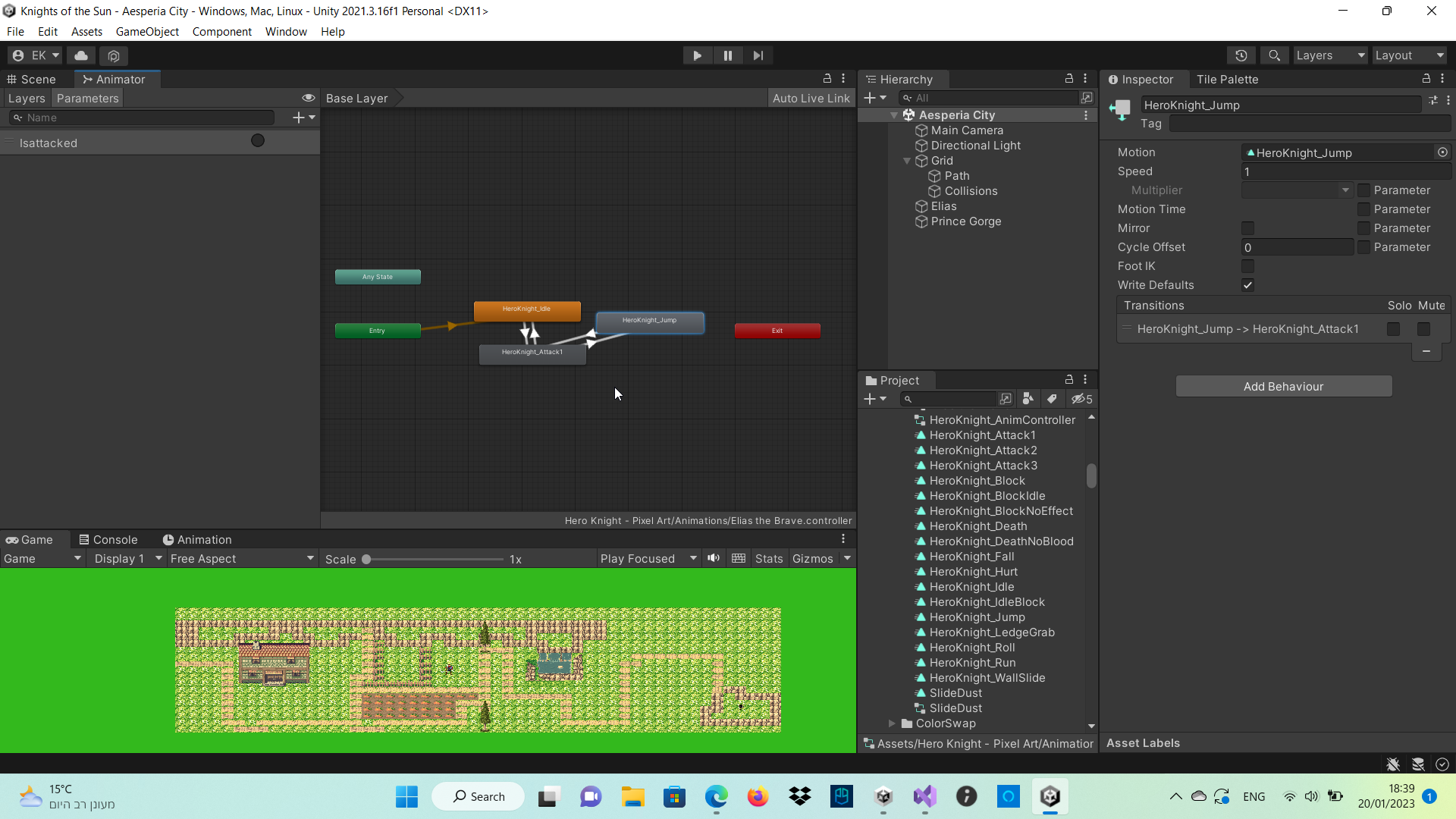
then where it says condition you need to add one based on the animation parameter you added
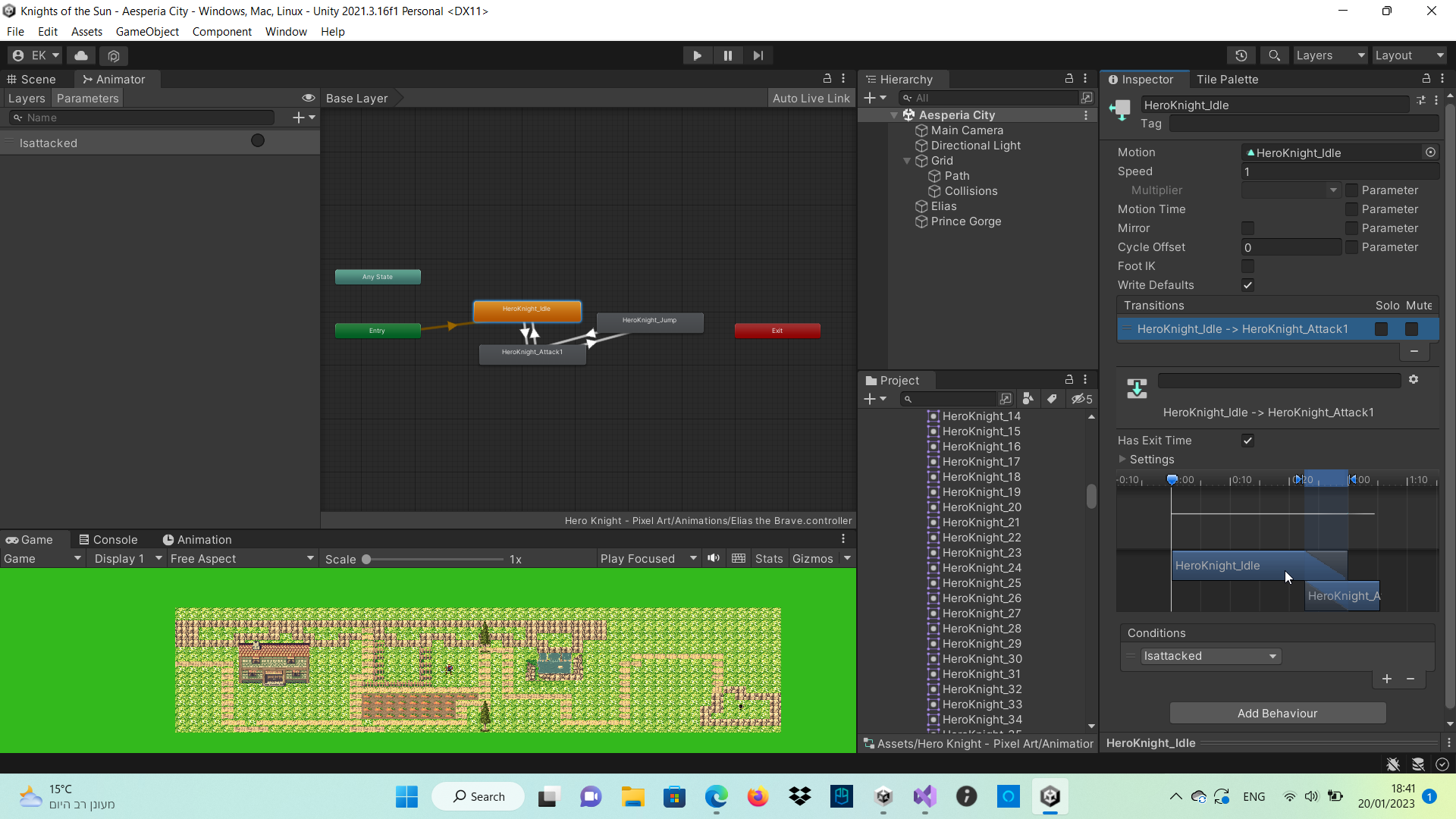
right here
where it says condition
meager smelt
gilded sphinx
https://i.imgur.com/fkwfzLp.png <@799943976295071784> just an example
Yes I know I did way advanced techniques than this too, but just doesnt work
 rancid oyster
does any1 know how i can add pre made animations onto a player
I have all of these and I want to add them, to the player

nvm i figured it out!
hybrid tinsel
meager smelt
Hey, all of my animation transitions doesnt work, what can I do? The starting an...
You don't provide any information about your setup so it is hard to guess.
meager smelt
hybrid tinsel
You don't provide any information about your setup so it is hard to guess.
What should I provide?
hybrid tinsel
Your animator graph, your script, anything really. Otherwise I might as well suggest that you have literal gremlins since that's about as much as I can presume. 😄
static sage
Hi Everyone! I'm currently trying to animate 2 objects (that are not under one parent). But I can't find a way to do it. Anybody knows a way to do that?
hybrid tinsel
static sage
Hi Everyone! I'm currently trying to animate 2 objects (that are not under one p...
stone topaz
stone topaz
now I belive the equation that i'm using might be wrong as well CurrentDuration ...
does anyone knows a good tutorial for making a modular character for unity, that I can put a helmet? chestplate it will be affected by the armature as if it was part of the body?
note: I will make really modular
not only in the sense of changing the models but adding models on top
tight creek
hybrid tinsel
`OnAnimatorIK()`
i'll look into it 🙂
 muted storm
can someone help me with this new character i imported from asset store, how do i make the character perform a certain one of these animations
 novel portal
trying to have a somewhat dynamic swing animation system. How does this look, any suggestions to help the poses look better?
hybrid tinsel
novel portal
trying to have a somewhat dynamic swing animation system. How does this look, an...
I'd suggest having the pose contracting when accelerating/falling and extending when slowing/rising
If you've ever swung on a rope
your dude is trying to propel themself. They're guided, they'll lead with their feet
agile solstice
muted storm
can someone help me with this new character i imported from asset store, how do ...
You'll probably want the Animator component
Animation is old and deprecated
twin musk
What resources do you guys recommend for 3D animation? In the sense of examples, etc. or a free library, but if you know any where you can not download them i'm also fine with that.
 honest robin
how can i import from blender to unity animation
can someone help me i have finished animation in blender but i cant import in unity
 gaunt prism
hey hey guys i'm having some doubts here with animation, does anyone knows how can i add an event to my animation? Currently the animation is on read-only mode, any idea how i can edit it from unity Animation tab?
 snow depot
@gaunt prism duplicate the readonly animation to create an editable version
gaunt prism
snow depot
<@183693693142827008> duplicate the readonly animation to create an editable ver...
sorry for pinging, but any idea why it's saying this?

using System;
using UnityEngine;
namespace WithstandKairos.Weapons
{
internal class AnimationEventHandler : MonoBehaviour
{
public event Action<int> OnFinish;
public void AnimationFinishedTrigger() => OnFinish?.Invoke(transform.parent.GetInstanceID());
}
}```
tbh idk what's wrong i could attach the legs to the input so if you were holding forward the legs will point forward and swinging back will tuck them in, would that fit?
 primal latch
how can i make a animation out of thjis

 fervent mortar
Is there any way to change naming sequence pattern for auto slicing spritesheet? cause sprites in my spritesheet go top to down instead of left to right so it makes mess for setting animations

 oblique anchor
Hey, so I have 2 Sprite sheets and 2 corresponding Normal Maps for them. In this case its just a walk north and walk south set. I tried applying the Normal Maps as secondary textures but when i play the animations they play and do everything fine, the sprites switch out on the material thats assigned. But under normal maps i dont see them getting assigned on the material. And If i manually drag it over to the material the normal map works great, until i switch to the other animation, and then the wrong normal map is on the material.
So far as I understand it, I can make a multi-material and have triggers on the animation to switch to the other materials that have the correct normal map assigned to it.
I dont understand how or what the Secondary Textures are for or how they are used apparently?
I was hoping to not have to do a lot of extra footwork on the stupid materials if I dont have to. I dunno if anybody can explain what I am maybe doing wrong with the secondary textures? From what I have read I thought It would work this way? I am lost lol
 slender granite
Hey! Can someone help me in this? I export the character with its rig that has 2 animations/actions. The "bake animation" is selected when exporting, and this is the only way to get the animations to unity. When I use the animator controller the head gets reset everytime because the animation gets applied by the controller. This could be solved by the avatar mask, but in this case that doesn't work because of the bake animation option that was used in the export. One way could be to delete all the head keyframes in blender, but it would still be keyframed because of the bake animation option. Is there any way to still use the head without it getting reset with these options?
oblique anchor
So I found the spot on the animation tab where you can add properties and I added the material reference one. That let me switch out the materials and now its working correctly. I am assuming that.s not very taxing for anything? Or is there a better way of doing it? OR does anybody know how the Secondary Textures work on sprites for normal maps etc. would still like to know
 crisp mantle
Hey, I'm very very new to game design and I'm currently making a basic pong game so no need for animation. Fo4 my next game however I wanna make some original artwork, probably some very masic stuff to begin with, is there any software or tips/techniques anyone can give to make some good animation for my games?
 old kayak
crisp mantle
Hey, I'm very very new to game design and I'm currently making a basic pong game...
old kayak
crisp mantle
Hey, I'm very very new to game design and I'm currently making a basic pong game...
can't go wrong with fundamentals https://www.youtube.com/watch?v=uDqjIdI4bF4
Further Animation Learning: http://bit.ly/2dleXfH
Full playlist: https://www.youtube.com/playlist?list=PL-bOh8btec4CXd2ya1NmSKpi92U_l6ZJd
(0:10) 1. Squash and Stretch
(2:07) 2. Anticipation
(4:14) 3. Staging
(6:33) 4. Straight Ahead/Pose to Pose
(9:14) 5. Follow Through & Overlapping Action
(11:17) 6. Slow In & Slow Out
(12:57) 7. Arcs
(14:38)...
crisp mantle
Thankyou very much
 tidal crypt
Hello, I have a problem with the animation of my character's bones. When I move a bone, some bones automatically move to a certain position and I can't solve this problem, if anyone could help me?
honest robin
i have finished animation in blender and how can i import in unity?
agile solstice
Between yesterday and today I assume you searched up some guides and attempted to follow them
twin musk
tidal crypt
Hello, I have a problem with the animation of my character's bones. When I move ...
save the keys then click on the cape
tidal crypt
twin musk
save the keys then click on the cape
sorry i am beginner so i dont understand what you mean about the "keys" , what is that ?
twin musk
tidal crypt
sorry i am beginner so i dont understand what you mean about the "keys" , what i...
it is something that means you saved your character at a frame
ok this is pretty hard yo ushould search a video about it
btw press k to make one'
 rancid sage
how do I create an animation that is constantly switching between 2 sprites
twin musk
rancid sage
how do I create an animation that is constantly switching between 2 sprites
like changing from exemple :guy to cat ?
rancid sage
I should probably mention that ive never used the animator/animation tab before
no, like wings facing down to wings facing up
but 2 different sprites
not rotation
tidal crypt
twin musk
it is something that means you saved your character at a frame
ha ok thank you i see what you mean. But that doesn't solve my problem because even doing that when I click on something else it resets again
twin musk
ok this is a whole process you should probaly got watch a tutoriol about it
animation is not easy
rancid sage
alright
twin musk
rancid sage
alright
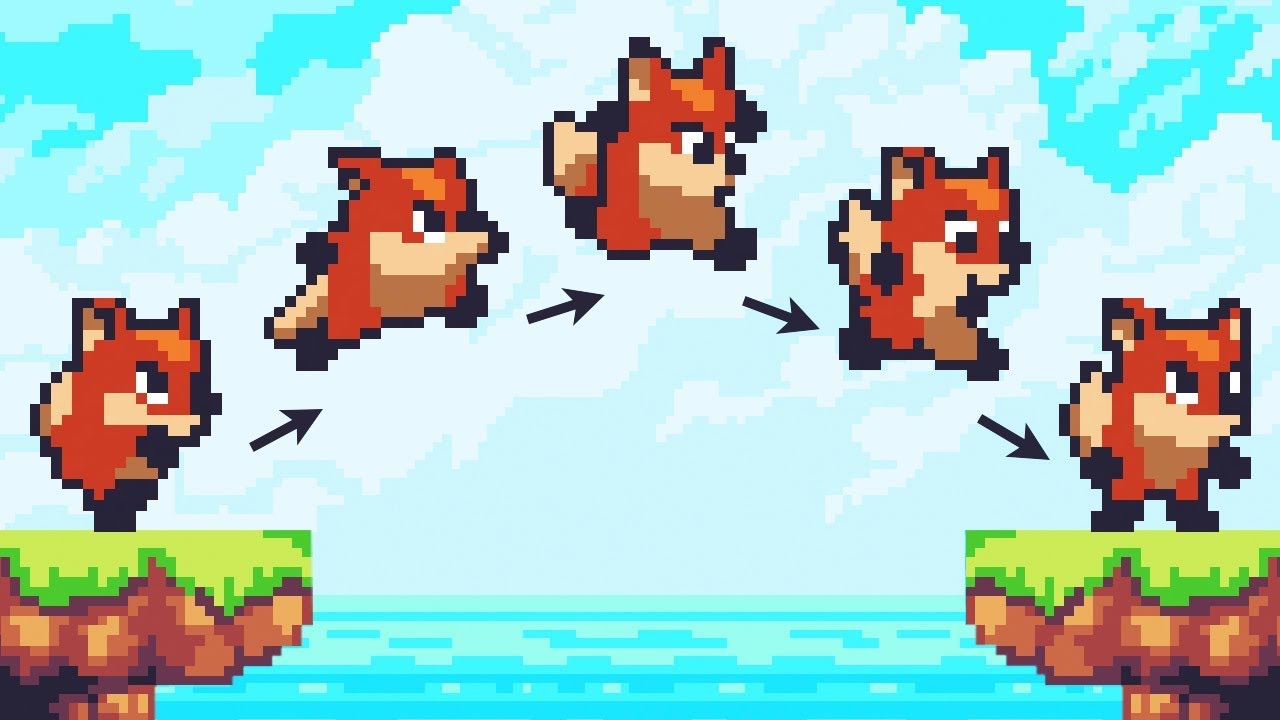
Let’s animate our character!
● Check out Skillshare: https://skl.sh/brackeys8
● Watch Player Movement: https://youtu.be/dwcT-Dch0bA
● Download the Project: https://bit.ly/2KK5AG8
● Character Controller: https://bit.ly/2MQAkmu
● Get the 2D Sprites: https://bit.ly/2KOkwjt
♥ Support Brackeys on Patreon: http://patreon.com/brackeys/
···········...
rancid sage
thank you
twin musk
rancid sage
thank you
put it in 1.25 speed so not boring
twin musk
tidal crypt
ha ok thank you i see what you mean. But that doesn't solve my problem because e...
Let’s animate our character!
● Check out Skillshare: https://skl.sh/brackeys8
● Watch Player Movement: https://youtu.be/dwcT-Dch0bA
● Download the Project: https://bit.ly/2KK5AG8
● Character Controller: https://bit.ly/2MQAkmu
● Get the 2D Sprites: https://bit.ly/2KOkwjt
♥ Support Brackeys on Patreon: http://patreon.com/brackeys/
···········...
twin musk
tidal crypt
ha ok thank you i see what you mean. But that doesn't solve my problem because e...
here realy easy and that are the basics
and i am sorry but i can't explain everything in a whole discord message'
too long
tidal crypt
twin musk
and i am sorry but i can't explain everything in a whole discord message'
no problem, but the problem with this type of animation is that I have to draw a model for each animation frame whereas with bones it's easier
twin musk
rancid sage
thank you
actualy watch this also to know how to make an animation the other video is for how to setup one

Simple animations setup guide for creating the animation clips for idle and walk cycles. Next video will be on how to make your character switch between them with a code based state machine (rather than a web of connections)
Art Assets -- https://chris-tutorials.itch.io/gatherers-exterior-pack
➣ Downloadable Assets, Video Courses, and Other Pl...
twin musk
tidal crypt
no problem, but the problem with this type of animation is that I have to draw a...
yes that is why i prefer 3d one still i will make one in 2d just remember try to make it pixelated so not too much drawing]
tidal crypt
yes pixel art is simpler but I prefer to stay in a normal drawing
static sage
Hello guys! I am having some problem with Unity Timeline. As you can see in the game window, the animation starts looking at the ceiling and continues to look to the left. But when I start the timeline cutscene animation. The animation starts looking at the left and continue to look at the pillow. Why is it doing that?
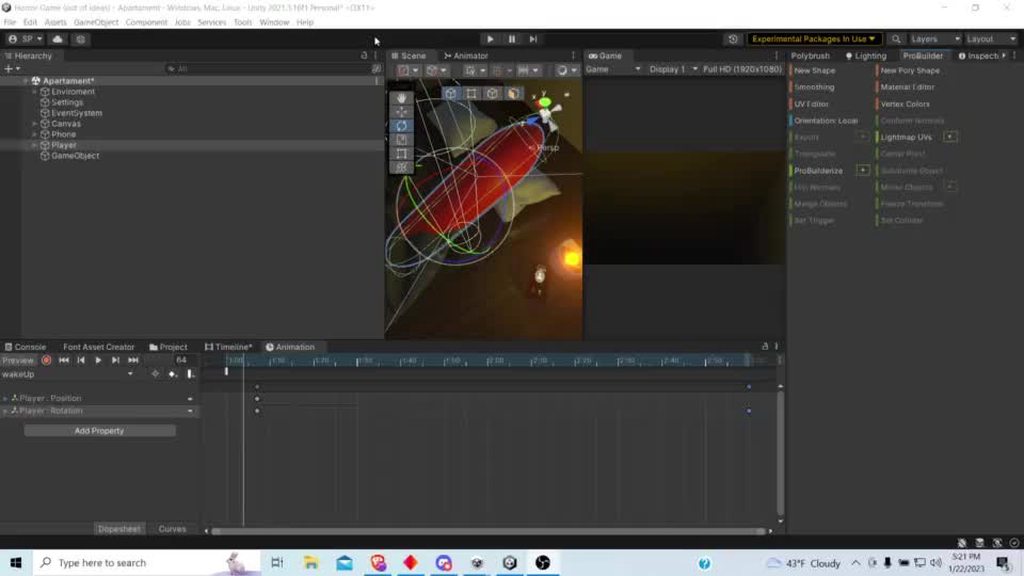
 iron void
i made a easy keyframe system so i decided to show it here (btw i called it unity filmmaker because sfm but ufm)
twin musk
 hot urchin
What app is recommended/best when I want to animate a background on loop or character movements/
hybrid tinsel
tidal crypt
Hello, I have a problem with the animation of my character's bones. When I move ...
I'm not seeing the problem? Unless you mean the part where the second tentacle is a child of the first one so the first tentacle moves both?
hybrid tinsel
iron void
i made a easy keyframe system so i decided to show it here (btw i called it unit...
Interesting; what differentiates it from the built-in stuff like timeline/cinemachine?
oblique anchor
@tidal crypt it looks like you have the top bone either parented by accident to the second on, or you have a modifier doing something inbetween them. I would look in the settings.
 outer thicket
is there a website i can use to get free animations to put on a synty character?
charred belfry
Mixamo is the usual
 restive scaffold
any quick ways of "baking" frames of animation?
I'm trying to make stylized animations, on 3s or 4s
rancid sage
I am an absolute beginner when it comes to this, so Im sorry for the stupid question, but basically im trying to to make it so that the wings play an animation when the spacebar is pressed. currently, I made it so that it runs the animation when "hasjumped" = true, and it goes back to the "Nothing" block when "hasjumped" = false. However, when I try it in game, nothing happens. any ideas why this could be the case?
code:
using System.Collections;
using System.Collections.Generic;
using UnityEngine;

public class wings : MonoBehaviour
{

    public Animator wingsbigflap;
    public bool isjumping = false;
    public BirdScript bird;

    // Start is called before the first frame update
    void Start()
    {
        isjumping = false;
    }

    // Update is called once per frame
    void Update()
    {
        wingsbigflap.SetBool("hasjumped", false);
        if (Input.GetKeyDown(KeyCode.Space) && (bird.birdisalive))
        {
            wingsbigflap.SetBool("hasjumped", true);
            Debug.Log("FLAPPED");
        }
    }
}
screenshots that might help:


Im pretty sure it has something to do with me not knowing how to use the animator well
I created a block with nothing just so I could add a condition to switch to the animation state
restive scaffold
make sure the exist animation isn't set to has exit time
if its supposed to exist and enter when the condition is met, it shouldn't exit automatically when some time passes
oblique anchor
So I have 2 9 frame animations that loop but are different. So i have 2 nodes set up to just go back and forth. If I set has exit time to 1 it plays fine. if i set it to 0 it plays the same... but if i set it to anything inbeteen it starts playing less of the frames on the respective animation. If i disable exit time it just wigs out and plays the animations infinitely fast. Whats thats about?
restive scaffold
exit time is normalized to the animation
so 0 means, no exit time, 1 means the length of the animation, not 1 second
oblique anchor
oh funny
restive scaffold
so if you put in 0.6, it would play 5 frames of the animation then exit
oblique anchor
And if you set no exit time it just instant moves to the next animation?
uncheck it rather?
restive scaffold
if it has no conditions
oblique anchor
ok. I see
 lost hollow
So I'm having trouble with animating my crouch attack. When I crouch and attack for some reason, the character just goes back to their idle pose
this is my animation web

my crouch code: https://gdl.space/icuqimelig.bash
my attack code: https://gdl.space/tigizigaxa.cs
can anyone help my figure out why she's just going to idle when crouch attacking?
like, literally everything should work but it's not and I'm running out of ideas
and, like, I can solo the transitions and it'll do the crouch animation, but then if I let go of the down button, it won't go back to idle
lost hollow
Hello. I've been waiting for an hour now and I'm still struggling with this issue. I can't do a crouch attack when I'm crouching. I've tried different transitions and bools and reworking my code multiple times but nothing seems to work and I'm running out of options.
Here is my attack code: https://gdl.space/moleneruya.cpp
Here is my code for crouching: https://gdl.space/opoxiwanih.bash
Some help would be very appreciated
Change the transition time from 0. It’s automatically set at 0.25
Try that
You want it set at 0
oblique anchor
Probably nobody looking at this channel
@lost hollow I'm not sure looking at just that, I would look at the order of operations the animations go in I guess. I had some issues like that and still do for what I am building out and i'm doing like 10 things at once while I fix mine lol. So I ran into an issue where my animations got complexish and I needed more factors on when it was allowed to transition. The animator would pick the wrong one because it could have technically been true, so setting a second parameter for like, if the other one is false or something would block it from taking the other path when I didnt want it to. I am not the best at explaining this stuff nor do I entirely know what I am talking about lol. But maybe it helps?
lost hollow
oblique anchor
<@716278232596611102> I'm not sure looking at just that, I would look at the ord...
idk
i honestly think it's a coding issue. i should ask somewhere else maybe?
honest robin
i have aniamtions in dope sheet and how can i move it into action editor?
oblique anchor
@lost hollow Hey so i was having a buncha issues kinda like this all day and while watching a totally unrelated video a guy suggested Checking False first on Bools and then True so you dont have redundancies. Literally fixed all my problems and my animations stopped doing odd stuff
 winged vector
Yo guys
If I wanna make a player hold an item can I make like, Press 1 (weapon) -> turns on GameObject and sets image to weapon -> have a special animation for it when moving and turns off the normal moving animation (without equipped item)
2D game
 vale geyser
lost hollow
idk
vale geyser
lost hollow
idk
Have you checked out Animator.CrossFade?
I do all my animation transitions through code, smoothly, no complicated animator webs
I have hundreds of animations, and I can add as many more as I want. Because you need to code it only once.
lost hollow
Guys I figured out the problem dw
vale geyser
lost hollow
Guys I figured out the problem dw
Great. I think you should still consider CrossFade 😄
 spiral niche
I have many chests in my scene and i want a system that lets me press E on any chest and then make the chest play the open or close animation. How would i make this system without manually scripting for every chest in my scene?
 full bone
When creating an animation, unity adds a frame to the end of the animation. How can I not have it make that? I am modifying a float value at a sample rate of 2, so moving it back one frame is not an option. I have seen that Unity 2022 doesn't do that anymore and was wondering if there is an option to disable this behaviour on a per clip basis
full bone
I am also open to a workaround, since it's just an animation of the transform component, that should loop without an empty frame
twin musk
Anyone know a good tutorial that teaches how to make jump animations for my multyplayer fps?
hybrid tinsel
full bone
When creating an animation, unity adds a frame to the end of the animation. How ...
Not entirely sure what you mean by adding a frame?
full bone
In unity 2021 and bellow, a keyframed animation always has one extra frame at the end. E.g. if I place the final keyframes at frame 20, the duration of the clip would last for 21 frames. If I moved the keyframes to 19, the length would be 20
hybrid tinsel
That isn't really an 'extra frame,' it is the duration of the final frame.
This is because unity's animation system is time based, even if you set it to display frames.
So placing a keyframe at the last frame actually places it at 1/sample rate before the end, with a 1/sample rate duration.
Though they changed that, I believe it is a display/ui change.
I believe that the way it was in pre 2021 was because frame mode was MEANT for sprite animations.
full bone
Yes, I understand that, but currently the feature doesn't help me in my case, where I want to animate a transform in a looping animation seamlessly without standing still
 drowsy tiger
I have a blend tree in my project that works perfect and updates when I play the game but none of the animations are playing on the player? I have assigned the animator component in the inspector and everything. Any ideas?
hybrid tinsel
full bone
Yes, I understand that, but currently the feature doesn't help me in my case, wh...
Switch to displaying time instead of frames?
Or upgrade, I guess.
hybrid tinsel
drowsy tiger
I have a blend tree in my project that works perfect and updates when I play the...
Do you have animation clips assigned to the states? Is your avatar correctly configured for both character and animations? Do you have any error or warning messages?
full bone
hybrid tinsel
Switch to displaying time instead of frames?
I've done that but with a sample rate of 2 it just displays "1:0 1:1 2:0 2:1" instead of "1 2 3 4"
I think upgrading is the solution to this one, if it just can't be turned off
teal hatch
Im trying to use a Multi-Aim Constraint and for some reason I can't seem to get both axis rotations working at the same time.
Whenever I used the Aim Axis for either a head roll to look up and down or to rotate sideways it works, except the problem comes when I need to set whichever rotation I haven't set in Aim Axis to Up Axis, and whenever I put it in Up Axis it doesn't work
 teal hatch
Found out that changing the Aim Axis and Up Axis back to default worked idk why though

Could someone please tell me why it works when the Aim Axis is supposed to be the rotation that changes the Character's forward orientation which is the Y axis ?
I don't see how it's the Z axis
twin musk
so if I use a asset that uses write deafults off. does only animator layer the asset uses need write daefult off or all animator layers?
 glass cairn
Hi, it would be nice if someone could help me with this. I have a third person shooter and at the moment i try to aim up and down with the player looking in that direction. Next to my "normal" animator with the idle, walk etc animations i did that with the animation rigging package and a rigbuilder for my playermodel. Now i dont understand why everything works fine in idle animation but when i start walking the hands and the spine, the objects i effect with multi aim constraints are acting weird. I have a little video that shows my problem. The straight bar is for referenz to the object where the spine and the hands are looking to. I really dont understand why it works for idle animation but not for walking.
the video:
 fierce depot
Is there a way to keep our rig's feet from "wiggling" during idles? They're stationary in our animation software.
 stone topaz
I need some guidance in video from a "Animator Pro", anyone is available?
 cedar willow
Guys, does anybody know why I don't have components in Animation Rigging?..

 flat badger
how do I make it so a color fades to another color? i want to make an error animation where a gameobject turns red, then slowly fades back to blue. how can I do this?
drowsy tiger
hybrid tinsel
Do you have animation clips assigned to the states? Is your avatar correctly con...
Yeah the error was that I hadnt actually made the blend tree the default animation state
hybrid tinsel
full bone
I've done that but with a sample rate of 2 it just displays "1:0 1:1 2:0 2:1" in...
Why a sample rate of two? The default is 60 for a reason.
hybrid tinsel
flat badger
how do I make it so a color fades to another color? i want to make an error anim...
It depends on your object/material/ shader but color values can be directly animated by the animator.
hybrid tinsel
stone topaz
I need some guidance in video from a "Animator Pro", anyone is available?
Just ask your question; nobody is gonna commit to something so vague.
hybrid tinsel
fierce depot
Is there a way to keep our rig's feet from "wiggling" during idles? They're stat...
Enable foot IK https://i.imgur.com/JXfpNCm.mp4
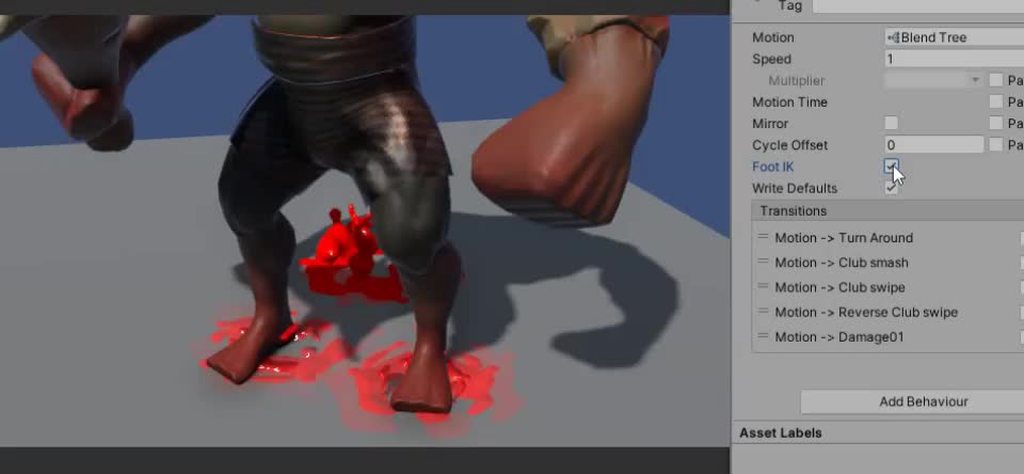 stone topaz
hybrid tinsel
Just ask your question; nobody is gonna commit to something so vague.
stone topaz
hybrid tinsel
Just ask your question; nobody is gonna commit to something so vague.
fair, but i'm gonna try my luck with my teacher tomorrow, if even he do not know I gonna write a essay about the problem
fierce depot
hybrid tinsel
Enable foot IK https://i.imgur.com/JXfpNCm.mp4
OH?? Is that on the joint itself?
hybrid tinsel
fierce depot
OH?? Is that on the joint itself?
That is on the animation state, and ik has to be enabled on the animator layer.
fierce depot
I'm not sure I understand. Is this something accomplished exclusively by animating through Unity? We use Maya
hybrid tinsel
fierce depot
I'm not sure I understand. Is this something accomplished exclusively by animati...
It is usually caused by either errors in the avatar or by the avatar definition having significantly different proportions from the character. Foot IK attempts to compensate by locking the feet to their position instead of just letting them dangle with the leg motion.
It is usually for imported animations.
Also, it only works for humanoids.
fierce depot
Ah. No good if there's too many legs?
hybrid tinsel
A humanoid avatar definition, specifically.
It is a feature of the humanoid system.
fierce depot
hybrid tinsel
It is a feature of the humanoid system.
I see! I’ll try looking that up
hybrid tinsel
fierce depot
Ah. No good if there's too many legs?
For extra legs you could still use IK, but you'd need to set it up yourself.
fierce depot
hybrid tinsel
For extra legs you could still use IK, but you'd need to set it up yourself.
Do you know any good tutorials for doing something like that?
hybrid tinsel
Google does.
twin musk
so some of my toggles dont seem to work could anyone check trough them with me to see if they can spot whats wrong?
 high robin
I'm using mixamo for my animations and my playermodel gets these when it's legs bends

this happens in unity too
 untold scarab
Hello, I've got a question: If I make an AnimationEvent on the last frame of my animation, and then I have a transition off of it in the Animator that has NO exit time. If the animation is interrupted, will that event on the last frame fire? If not is there a way to reliably get when the animation ends in cases like this when it's interrupted?
hybrid tinsel
untold scarab
Hello, I've got a question: If I make an AnimationEvent on the last frame of my ...
Use sn animation behavior attached to the state, instead.
 shut plover
may i ask something about animation rigging here?
hmmm animation rigging wont work with object contains root
hybrid tinsel
shut plover
hmmm animation rigging wont work with object contains root
That isn't a question...?
 prime zinc
My topdown rpg have different animation for 4 different directions, the idea I have to make my player use different animation for each direction is based from the last wsad input from the user.
For example, the user pressed W .so the next attack would be the W -attack anim
Would this work?
Or are there better ways to do this?
shut plover
hybrid tinsel
That isn't a question...?
i forgot
how do i make it work?
gusty lava
how to use ik to improve animations
agile solstice
gusty lava
how to use ik to improve animations
That's a good question
Here's a lengthy but worthy explanation of what it does, why to use it and how to use it in-engine
https://youtu.be/hs2goLjUz4U
In this video you will learn how the Animation Rigging package can improve animation in your project via better tools and more flexible workflows. Discover how to setup a character, and harness both runtime rigging and animation authoring in this practical demonstration aimed at riggers, animators, and cinematic designers.
Speaker:
Ciro Contini...
hybrid tinsel
prime zinc
My topdown rpg have different animation for 4 different directions, the idea I h...
That's pretty much what you'd do; have the direction only update when it changes.
stone topaz
Ok people, Gonna explain my current suffering.
private void UpdateCastAnimation()
{
//Gets the value of the intended duration of a specific animation, and it's index
WhichAnimationToPlay(_statsModule.currentCastAnimation, out float newAnimationDuration, out int animation);
//Set the clip to cast
_animator.SetInteger("CurrentCastAnimation", (animation));
    //If it can get the current animation clip length, updates the modifier that control the speed of the casts animation
    if(_animator.GetCurrentAnimatorClipInfo(1) != null && _animator.GetCurrentAnimatorClipInfo(1).Length > 0)
    {
        _animator.SetFloat("CastSpeed", _animator.GetCurrentAnimatorClipInfo(1)[0].clip.length / (newAnimationDuration) / 2);
    }
this function is giving me hell, every time I cast a skill, it has a casting animation composed of a beforeCastTime and a afterCastTime, the objective is that half of the current animation end when the beforeCastTime end, and the animation end completely when the afterCastTime end, the problem is, it seems like the cast ends before the animation even get's to half of it's value, any sugestion in how the hell a fix that
I still want a certain level of transition with 0.1 seond with each transition, but the values that are non negotiable in how the animation must work is the AfterCast, when starts in code the animation needs to be halfway and end when the afterCast end
any transition after and before that may take how much it needs
stone topaz
okay, people, forget it, aparently the problem is somewhere in the attack code, but if anyone thinks it has a better way to do what i'm doing I will be thankfull
hybrid tinsel
stone topaz
okay, people, forget it, aparently the problem is somewhere in the attack code, ...
Make all animations the same length and just change the speed via code?
stone topaz
hybrid tinsel
Make all animations the same length and just change the speed via code?
I fix it, it was a problem with the if that was deciding if it was a before or after cast
stone topaz
hybrid tinsel
Make all animations the same length and just change the speed via code?
without touching the animations Itselfs, I wanna to be able to do that only with code if possible
 prisma elbow
was trying to configure a sprite and this came up under my cursor. No way to deselect it in unity

 sweet pendant
Hello everyone, I have a small problem and I don't know if anyone has experienced this.
I'm using Unity 2021.3.16f1 and when running an animation (including running the game) I have random little freezes. I don't know if this is the right place to post this kind of question, but if anyone has experienced this, would you know if it's my version of the editor that has problems (even though it's the latest LTS)?
Occurs at 0:06.
 steel sun
Hi folks, kind of a long winded question here:
Does anyone know anything about blending animations?
To be specific, my character will be running, aiming and shooting, sometimes all at the same time.
This being said, I would need to "blend animations" ie: The top of the body plays the aim animation, while the bottom plays the running animation.
I have no idea how to go about setting this up and if someone could point me towards a resource, that would save my bacon.
Currently, I have a bunch of animations in blender for things like unarmed run, run left, 1 hand armed run, run left, etc etc.
Would I want to leave parts of the body unanimated on some parts dependong on the animations?
Would I just overwrite animations in unity?
totally in the blind here lol
craggy flume
does anybody else have cool looking animators?
 trim hatch
who needs blend trees anyway
craggy flume
trim hatch
who needs blend trees anyway
me
1: i like how they look
2: they're easy
hybrid tinsel
sweet pendant
I've not seen that problem, at least. Are you sure it isn't an issue with the clip?
hybrid tinsel
steel sun
Hi folks, kind of a long winded question here:
Does anyone know anything about b...
That is what layers and avatar masks are for. You can have multiple layers of animation added together or overriding lower levels, each one masked to specific body parts.
 plain onyx
Hello. Is it possible to rotate animations 90 degrees for non-humanoid characters within unity? I already have a "run forward" animation, can I have a "run left" animation without having to create it in blender?
glass cairn
plain onyx
Hello. Is it possible to rotate animations 90 degrees for non-humanoid character...
you can rotate the gameobject where the model is in which performs the animation
plain onyx
true, but that's... messy
i'd be using something that isn't the animator controller to do the animator controller's job
if that makes sense
glass cairn
hmm yes, but i think the unity third person template does it this way. Also i dont know any other way. There is only some sort of Mirror option but thats not 90 degrees
plain onyx
yeah, i'd use the mirror option to get the "run right" animation from the "run left"
well, i think i'll bite the bullet and add the animations on blender manually.
thanks for the input
 ionic notch
im using mecanim
when i transition from one state to another, the motion on the new state does not play


this is the animator when i make the transition - fixed, turns out messing with time stopped the animation
steel sun
hybrid tinsel
That is what layers and avatar masks are for. You can have multiple layers of an...
You’re a hero of the people, I’ll look into this, thanks so much
hybrid tinsel
OnAnimatorIK is a function where you do stuff. You can set your weights with animator.SetIKPositionWeight() and animator.SetIKRotationWeight() for whichever goal you want to affect.
 sweet osprey
Guys, i got a gigantic noob question.
Let's say I have a character that I want to do a forward thurst in which the character moves 2m forward every time they use it.
How exactly do I do that? I realized I've never actually done animations that are meant to move the player and only ever did static animations. My jumps are just animations that hold the character in place, so is running. All the movement there is usually done via scripting. But that's not viable if I wanna make a action game where the character might want to attack or do a interaction that changes their movement.
How do you make it so that the character can move while attacking. Also if i just make that movement on the animation, how will it handle slopes and walls?
I've tried studying some projects and I've realized I don't understand how they are doing any of that. Anyone who can shed a light on this? Or maybe guide me on what exactly I should look into to know more about this?
hybrid tinsel
Because you didn't do it correctly. It isn't a float, it is a method. You need to put the name of the weight you want to set and the value inside the parentheses.
agile solstice
sweet osprey
Guys, i got a gigantic noob question.
Let's say I have a character that I want t...
The principle of it is simple as playing the animation and moving the character at the same time according to rules you define
Root motion is a workflow where the character's motion is stored in the animation itself for each keyframe and read by the character controller
sweet osprey
agile solstice
The principle of it is simple as playing the animation and moving the character ...
but with root motion am I required to move all animations through the animator itself? Or can i pick and choose which make the character move through code and which through animation?
Also, how does it handle collisions, slopes, etc... if I use the root motion?
agile solstice
sweet osprey
but with root motion am I required to move all animations through the animator i...
Not required
A character controller is arbitrary code, root motion is just a way to get movement information from animations, it can do anything you design it to do
There's also premade character controllers on the asset store which take care of this kind of difficult stuff
hybrid tinsel
sweet osprey
but with root motion am I required to move all animations through the animator i...
You can enable root motion on a per animation basis. By default, if you are using a character controller component, root motion handles slopes and collisions through that. You can execute any root movement handling code you want with the OnAnimatorMove() method.
sweet osprey
hybrid tinsel
You can enable root motion on a per animation basis. By default, if you are usin...
you mean by specifying that animation A has root motion and B doesn't even though both of them share a animation controller? Also what if i'm not using a character controller component? Does it not handle walls and slopes and instead forces me to set that up in that one function?
So, let me see if i kind of got it straight. OnAnimatorMove() will execute every time the root bone is modified correct?
So instead of enabling it on the animator for all animations, I can use that function to define specific behaviors for specific animations? Or does it only trigger when I have the Root Motion option activated on the Animator?
agile solstice
sweet osprey
you mean by specifying that animation A has root motion and B doesn't even thoug...
The Animator doesn't do character physics or collisions at all
You also need a script for controlling the character, either one that utilizes CharacterController component or one that does its own thing
That will determine whether to move the character with root motion or otherwise
sweet osprey
agile solstice
The Animator doesn't do character physics or collisions at all
You also need a s...
I know that, but if i have a rigidbody/collider instead, will it overpower the animator or clip?
For example, let's say it's a enemy. I wouldn't use a character controller on them. Just some AI script and the animation with a rigidbody and a collider. But my fear is that they will see a wall, but because the animation says that the bone has to move 1m and the wall is .5m thick, it will just cross it, or if the slope is on the way it will "force" the bone to clip through the slope and push it down (or simply freeze within the slope)
agile solstice
That depends how you code the character to move, nothing about it happens automatically
There are some types of motion that do not respect physics or collisions (such as Transform.Translate and Rigidbody.MovePosition) so if you want to use those you have to code in collision detection as well
Animator moves gameobjects in predetermined ways relative to its parent gameobject
Most likely in that hypothetical the character would visually walk away from its collider through the wall while factually remaining behind it
Root motion is a way to communicate like "hey, this animation clip has XYZ vectors of motion so the movement script can use them to apply them as motion, forces or whatever"
Fundamentally it's no different from animations containing no movement information and the movement script handling it independently
Root motion is just a workflow to make it so animators don't have to guess how the character will move and/or coders don't have to try to represent animated movements using complex math
sweet osprey
Hmm, think I kind of understood, tho i'd have to do some testing to make sure I understood.
I do have a different question now. I decided to export a test animation to check the Root Motion thing. I exported the fbx with the animations and brought into Unity and quickly realized that if I make the animation into a separate animation clip (Ctrl + D) It will just ignore the root movement, while if I use the parented version to the mesh it works fine.
Why is this happening and is there any way to make it so it doesn't work like that?
agile solstice
sweet osprey
Hmm, think I kind of understood, tho i'd have to do some testing to make sure I ...
I think the important takeaway here is that the movement is handled by the script that handles character movement, rather than the Animator
sweet osprey
agile solstice
I think the important takeaway here is that the movement is handled by the scrip...
I guess, but what's confusing me is that from what i understood root motion also changes the translate of the object. But still, I guess i just gotta experiment to understand
 wide turtle
how would i make a polygon collider 2d animated to match the sprite? i've looked at this https://www.kodeco.com/2427-unity-4-3-2d-tutorial-physics-and-screen-sizes but it seems like i'd have to repeat the same thing for every sprite in every animation (run cycle, idling, jumping, etc)
kodeco.com
Learn how to use Unity’s 2D physics engine for collision detection, and deal with different screen sizes and aspect ratios.
which would result in a lot of polygoncollider2d components on a single object
 gleaming lichen
How do i add blender animations with the material into unity? I have the texture files but i dont know how to import the animations into unity with the materials. This is the asset https://sketchfab.com/3d-models/smg-fps-animations-ca37ea9148dc4fcc9cc632175d311b23

Hello! Masterpiece Arms 30 SST SMG By eNse7en (@eNse7en) Thanks! :)
fp-arms By DJMaesen (@bumstrum)
- SMG FPS Animations - Download Free 3D model by Cransh (@ccransh)
hybrid tinsel
wide turtle
how would i make a polygon collider 2d animated to match the sprite? i've looked...
Why would you use a ten year old tutorial? At the very least, you can automate the function of that script so you can just run it as a preprocess. What exactly are you trying to do- do you need that extreme level of accuracy in the collision shape, or would primitives work?
wide turtle
I didn’t actually use it. I brought it up because a lot of search results didn’t work and that’s just what was at the top
gleaming lichen
why dont I have the loop setting

and why r the animations read only

does that matter
and it wont let me preview
gleaming lichen
Anyone?
hybrid tinsel
gleaming lichen
why dont I have the loop setting
What do you think 'wrap mode' is?
hybrid tinsel
gleaming lichen
and why r the animations read only
Because they are imported. Make a copy if you want to edit it.
agile solstice
Read-only assets can be edited from the parent file's import settings
 weak sand
How can I make the transition from switching between one blend state to another smooth(blend transition)? Cause I'm doing a call in my script by playing Idle to Walk blendstate and it's snappy

    // Property with set values for playing certain animation
    public HumanStates CurrentState
    {
        set
        {
            _currentState = value;

            switch (_currentState)
            {
                case HumanStates.IDLE:
                    _animator.Play("Idle");
                    break;
                case HumanStates.WALK:
                    _animator.Play("Walk");
                    break;
                default:
                    Debug.LogWarning($"{name} doesn't contain a {value} animation!");
                    break;
            }
        }
    }
private HumanStates _currentState;```Set up transitions based on conditions and set those conditions from script, instead of overriding them with .Play()
weak sand
agile solstice
Set up transitions based on conditions and set those conditions from script, ins...
I've tried this and experience connecting transitions between animations. It's a bad exp. for me where it becomes a spaghetti graph after adding many anims.
That's why I'm trying to do it in script + blendtrees
I guess it would be more readable and easier to manage than doing it in the graph(animator).
agile solstice
weak sand
I've tried this and experience connecting transitions between animations. It's a...
If you want transitions you'd use transitions
Or do those manually too at which sounds like more trouble than it's worth to me
weak sand
Here's my bad experience
 agile solstice
weak sand
Here's my bad experience
agile solstice
weak sand
Here's my bad experience
Use blend trees, animation layers and sub-state machines
For example if Run should be able to take precende at pretty much any time it could be on its own layer and that'd save you about 13 transitions
weak sand
agile solstice
Use blend trees, animation layers and sub-state machines
I'll look in to these new stuffz
agile solstice
Run directions could be on that run layer all together in a blend tree
So they don't even need transitions between each other and that'd save twenty or thirty more
weak sand
yeh, they have parameters for the axis movement
agile solstice
I expect Steering and Cannon poses could be blend trees, or substate machines depending how important it is to have distinct preset transitions
That'd tidy up the complexity some
weak sand
I see that it will be hard for me to do transitions in script. I'll just combine using anim transitions(bool) + blendtrees(float conditions).


