#🏃┃animation
1 messages · Page 1 of 1 (latest)
 hybrid tinsel
 noble pond
Oh I remembered I also had watched this video, which started me on this path: https://youtu.be/nBkiSJ5z-hE

► Easily make Platformers using my Unity Asset - http://u3d.as/2eYe
➤ Ultimate 2D CarGame Kit [ON SALE] - http://u3d.as/1HFX
➤ Wishlist my game - https://store.steampowered.com/app/1081830/Blood_And_Mead/
➤ Join the community - https://discord.gg/yeTuU53
➤ Support on Patreon - https://www.patreon.com/lostrelicgames
0:00 Escape Unity Animator ...
noble pond
Lol oh? I've never watched much of his stuff but the video seemed reasonable
hybrid tinsel
Yeah, no. His video is literally the worst of both worlds- it is still using the animator, but it isn't taking any benefit of the animator's features.
So no performance gains and it is a mess.
noble pond
So I'm still using the animator just from having the animations sitting in it? Not using blend trees or connections or anything
hybrid tinsel
Well, you are still using 'the part that uses up resources'
noble pond
Sorry I'm not trying to be obtuse, I'm just still new at this and I have a flaw where I spend weeks trying to figure out the "right" way to do things at the expense of actually making progress
hybrid tinsel
(Also, while this isn't mentioned often playing a state directly from code is marginally slower than setting an animator variable. Not enough to avoid it, but given the penny pinching you're discussing...)
Anyway, if I understand you correctly, you are trying to make a sustem that supports playing a different animation based on character state, for around 50 characters?
And these are sprite animations with no transitions?
noble pond
Correct. Think like 50 grunts all just moving or playing a basic 4 frame attack animation
2D sprite sheet
hybrid tinsel
There are several options. You could even put all the flipbook animation in the gpu with a shader. Is it WORTH IT? Probably not.
noble pond
What's your recommendation? Just using blend trees? And if I have performance issues I deal with it then?
To be clear the blend tree is mostly being used to... Determine what directional animation to play?
hybrid tinsel
If you use a single script to animate all the characters you could probably squeeze more performance out, but then again maybe you wouldn't.
noble pond
I guess I've already coded my version so idk if it's worth me trying to reinvent the wheel again
hybrid tinsel
It really is up to you; I mostly suggest not jumping on half-baked setups that claim to hold easy answers. If they were easy, then...
noble pond
Idk shit like this is what makes me want to try out Godot, it was clearly meant for 2D from the start
hybrid tinsel
There are a lot if reasons to recommend godot, honestly. More every day.
noble pond
Also I think it has built in 2D pathfinding. I've found some guy's unity version of that but sometimes I worry it'll break/not work properly
There was a while where one of his scripts was giving me a compiler error
Well I think I've succeeded in confusing myself if nothing less
hybrid tinsel
Take a deep breath =p
noble pond
Do you mind briefly summarizing what the official unity/"normal" way of doing this would be? Think 2D top down four way animation like Zelda LTTP, with some basic attack or magic animations, all frame based with no transitions.
 strong hedge
any way to not care about y position? for example i want my enemy to move left no matter what Y hes on

 trim hatch
strong hedge
any way to not care about y position? for example i want my enemy to move left n...
trim hatch
strong hedge
any way to not care about y position? for example i want my enemy to move left n...
parent object
hybrid tinsel
strong hedge
any way to not care about y position? for example i want my enemy to move left n...
Remove the y keyframes
hybrid tinsel
noble pond
Do you mind briefly summarizing what the official unity/"normal" way of doing th...
The official unity way right now seems to be firing everyone making examples so I have no idea what they'd suggest
trim hatch
noble pond
Do you mind briefly summarizing what the official unity/"normal" way of doing th...
probably to use the playables api and make your own animator controller that uses classes that inherit from playable asset
but have you tested using the animator controller in the use case that you want yet?
 granite kite
there here in the project inspection window
 hybrid tinsel
granite kite
there here in the project inspection window
hybrid tinsel
granite kite
there here in the project inspection window
Ok, and?
granite kite
i figured it out
 ornate storm
can I put cameras in a scene and set up the rotations and angles and motion and everything and switch the display between them and then just render the display to an mp4? Does unity do that?
if so what's that called
 agile solstice
ornate storm
can I put cameras in a scene and set up the rotations and angles and motion and ...
agile solstice
ornate storm
can I put cameras in a scene and set up the rotations and angles and motion and ...
I don't see anything that would prevent you from setting up a cutscene in unity and recording it
agile solstice
ornate storm
cutscene lol I should have gotten that
There are many ways to animate cameras but Timeline is one tool designed specifically for such
ornate storm
https://medium.com/geekculture/creating-a-cutscene-in-unity-aaec5042aaab
yes thx this poster also recommends timeline

Medium
When creating cutscenes, there are two main ways that it is done in games. The first is to render out the cutscene as a video and play that…
and it has the added benefit of being recent
hybrid tinsel
Yeah, timeline+cinemachine work well for cutscenes
 raven kelp
is is possible to enable and disable animation layers based off events or parameters ?
 calm prism
am sorry Wat is this error trying to tell me and how do i fix it ??? from what am getting is that the avatar is wrong / invalid but wat does that mean exactly and how do i fix it

 latent needle
Hello
Anyone knows how to deal with it from script side?

curve = AnimationCurve.Linear(0.0f, 50.0f, 0.0f, 50.0f);
clip.SetCurve("", typeof(Material), "Left Arm Down-Up", curve);
This doesn't work, idk if because of name ( I changed it to test it ) or because the type. ( IDK what type are that two arrows )
I try to animate a VRoid character
|| Maybe someone knows other way to achieve this ||
latent needle
Okey
I got this
When you animate a VRoid character with transform
Then remove a animator
 snow depot
Transitions happen before OnStateEnter() called?
 tidal lance
For some reason, I can't export an animated camera to Unity with its FOV animations intact.
hybrid tinsel
tidal lance
For some reason, I can't export an animated camera to Unity with its FOV animati...
Have you tried enabling 'import custom properties' in the fbx import inspector? Not sure if that particular one is supported, but...
tidal lance
Custom properties are quite different iirc.
And nope, it does not appear on the import settings
raven kelp
Is there a way to fix mixamo animations without having to import them into blender and exporting them one by one
 strange spruce
Is there any foolproof way of getting a group of particle systems total length of time?
Say I want to destroy the particle after its finished, is there a good way to, no matter what the group of particles are find the max length of that group possible?
Or do I have to basically make a custom class with information for each particle animation
agile solstice
strange spruce
Say I want to destroy the particle after its finished, is there a good way to, n...
"Max length"? That depends on the particle lifetime and when it stops emitting
You can check for ParticleSystem.particleCount though
strange spruce
agile solstice
"Max length"? That depends on the particle lifetime and when it stops emitting
Y...
Yeah, there are a lot of things which go into it, the start lifetime is a curve, duration doesn't mean how long the effect actually lasts either, and if you have more than one system you have to get the max from all of them. it isn't trivial to find how long it could go for, I was hoping there was some property that calculated all that for you
agile solstice
strange spruce
Yeah, there are a lot of things which go into it, the start lifetime is a curve,...
I guess it'd be possible for it to be a feature but it'd have to take into account a lot of things
strange spruce
agile solstice
I guess it'd be possible for it to be a feature but it'd have to take into accou...
Yeah so what is the best way to handle these things? keep the particle system alive longer than any of your effects? have a info class for each system which you keep data about length etc?
agile solstice
strange spruce
Yeah so what is the best way to handle these things? keep the particle system al...
That depends what's the purpose is and how dynamic it needs to be
strange spruce
agile solstice
That depends what's the purpose is and how dynamic it needs to be
Say I have various animations for death and spawn of mobs,
raven kelp
My animations i imported from mixamo look weird when imported straight into unity, for some reason the player stands completely upright and straightens his legs while walking. However, I import the same animations into blender then export them and import them back into unity they look fine. This is quite time consuming so I was wondering if their is a better solution ?
 nimble drum
Hello
I'm absolutely absolute unity beginner and have a question about animation import from blender.
I made some new animations in blender and want to add them to the character in unity.
Is this possible?
 cobalt wasp
Question: Just purchased the modern interiors pack by LimeZu, and was wondering if anyone had suggestions or advice for creating a character customization/generator within the game itself that would work with all of the animations without needing hundreds of separate animations. Basically, there are multiple sprite sheets for each body, hair, accessory, outfit, etc. Each of these sheets has like 60 animations in them which can quickly add up. I understand the process of layering the animations as "body parts" through a game objects children, but wanted to know if there was an easy way to sprite swap each item so I only need 60 animations for all of the bodies, 60 for all of the outfits etc. Any help would be great!
cobalt wasp
If it helps, I am trying to go for something similar to Stardew Valley's character customization
 crystal echo
A very basic question but I have an attack animation that works just fine in preview but ends at a different rotation in playmode?

 cobalt wasp
crystal echo
A very basic question but I have an attack animation that works just fine in pre...
cobalt wasp
crystal echo
A very basic question but I have an attack animation that works just fine in pre...
I would make sure that the animation rotates back to it's beginning state as its last frame before looping, or go through code and set the rotation to 0 after the animation completes
crystal echo
cobalt wasp
I would make sure that the animation rotates back to it's beginning state as its...
Alright thank you while the animation does look fine in preview I will set the rotation to 0 after the animation finishes
Yep works fine now :)
 dry kindle
Is crossfade a better animation tool?
hybrid tinsel
dry kindle
Is crossfade a better animation tool?
Better at what? That's like asking 'Is a screwdriver a better tool?' with no context.
dry kindle
hybrid tinsel
Better at what? That's like asking 'Is a screwdriver a better tool?' with no con...
I was looking at some vids and posta about game dev, and one of them mentioned that crossfade is a better tool choice for smooth consistent animation
I've had some with issues with Unitys animation tool with its speed and interaction with other objects.
hybrid tinsel
Animation.Crossfade is part of unity's animator.
It isn't a separate system.
And 'Some random guy said this particular function is a better choice' Better than what? What are the options being considered? What is the use case?
dry kindle
hybrid tinsel
And 'Some random guy said this particular function is a better choice' Better th...
His case had to do with jittery animations that can be smooth down by using crossfade
Although I have another issue with a project where I had to slow down the animation of the object colliding so it didn't go through the other objects
hybrid tinsel
Ok, you're being way too vague for anyone to draw a useful amount of info; Crossfade is entirely about transitions from one animation to another, and it uses the same process to do so under the hood as any transition.
hybrid tinsel
dry kindle
Although I have another issue with a project where I had to slow down the animat...
Unity animation doesn't work well with physics, annoyingly; the unity devs seem to be split between the ones who don't understand the problem(Ted_Wikman) and the ones who believe that physics and animation should be kept separate(MelvMay).
dry kindle
hybrid tinsel
Unity animation doesn't work well with physics, annoyingly; the unity devs seem ...
So no fix then, guess I will have to do some Clever coding
hybrid tinsel
I didn't say there's no fix. There are probably multiple fixes. You haven't really described your issue well enough to suggest something though.
raven kelp
How can I fix a UP and RIGHT animation blend for diagonal movement, the animation looks completely unnatural
dry kindle
hybrid tinsel
I didn't say there's no fix. There are probably multiple fixes. You haven't real...
I'm following a game dev tutorial on how to make a 3d bowling game.
After a hit the ball against the pins I need to clear or set the pins for the next play.
So the tutorial instructs to animate a retangular shaped block gameobject to use as a swiper whenever the game needs to clear the pins that fell.
The real issue is that need to slow the animation speed so the swiper doesn't just move through the pins like their intangible.
Which of course slows down the entire set of animations of clearing and setting the pins for next play
hybrid tinsel
I wouldn't use an animation for that; I'd just control the swiper with a script that uses physics to move it. But it sounds like what you really need to do it to set the physics to interpolated and perhaps increase the physics steps to make it more accurate. This is getting more into #⚛️┃physics than animation though.
 twin musk
Question, i have in my game alot of interactable tools and every tool has its own animations for example, a spoon that have a clip animation and when the spoon colid with a plate, the animation run, but the problem is, when i use a different size spoon or whatever tool, i need to make new animation for every single tool, even tho 2 spoons with different size could do the same animation, so is there is a way to reuse the animation clips with different sized tools instead of making the same animation over and over ?
 misty mantle
Hello everyone, I don't know where to put this but I want to do a 'climbing up on a ledge' thing for a 2D game. I have the literal animation but how to I move the character up the ledge and actually translate the character so it is up on the ledge when it's done, like have the camera follow it and everything?
hybrid tinsel
twin musk
Question, i have in my game alot of interactable tools and every tool has its ow...
As long as the objects have the same hierarchy and names, you can reuse an animation clip between them
hybrid tinsel
misty mantle
Hello everyone, I don't know where to put this but I want to do a 'climbing up o...
There are multiple ways to do it. If you are using root motion, it should just work like any other animation as long as you trigger it in the right spot. If you aren't, you'd want to teleport at the right moment, moving the pivot point and the position at the same time.
misty mantle
hybrid tinsel
There are multiple ways to do it. If you are using root motion, it should just w...
Im using the Animator component, i tried to key transform.position but it screwed up everything
The animation itself works, i just need to literally move the character onto the ledge
hybrid tinsel
That's something you'd want to do in code probably.
nimble drum
Hello
I'm absolute unity beginner and have a question about animation import from blender.
I made some new animations in blender and want to add them to the character in unity.
Is this possible?
hybrid tinsel
nimble drum
Hello
I'm absolute unity beginner and have a question about animation import fro...
Yes. On mobile so I can't link the doc but if you export your new animations with the name of the original, then '@', then the animation name they will be treated as extra animations on the original file.
nimble drum
@hybrid tinsel I didn't understood the '@'.
Does that mean that I can make changes in Blender and only have to save them into the original FBX.file?
Thank you very much
hybrid tinsel
nimble drum
<@172484507788771328> I didn't understood the '@'.
Does that mean that I can mak...
You can update the original file with more animations, too. But I was referring to this:
 nimble drum
@hybrid tinsel
Thanks.
You saved my Sunday 🙂
Have a great day
 worthy portal
guys i have set the running animation as main animation but when i go to lay mode it still show no animation

 agile solstice
worthy portal
guys i have set the running animation as main animation but when i go to lay mod...
agile solstice
worthy portal
guys i have set the running animation as main animation but when i go to lay mod...
This is not really enough information to pinpoint any problem
First try to get the animation to display in edit mode by following a guide or the documentation
worthy portal
worthy portal
agile solstice
This is not really enough information to pinpoint any problem
First try to get t...
see the vid
agile solstice
worthy portal
see the vid
The character in the scene should have the animator component and you should see it playing the animation when you have selected them and are playing the animation in the Animation window
worthy portal
it have the animator component
agile solstice
The Animation window likewise should give warnings if the animator component is in the wrong spot in the hierarchy which can stop animation clips from playing
And it would confirm that you're editing the correct .controller asset
You probably missed some of those steps which is why I recommend retracing your steps with a guide
 gleaming void
Is there an alternative to Unity's Animation Rigging package? (just need the Damped Transform)
twin musk
I am at my wits end
How do I make a kart model move with a sphere collider WITHOUT having the model rotate WITH the collider
gleaming void
Screenshots? This isn't very clear
agile solstice
gleaming void
Is there an alternative to Unity's Animation Rigging package? (just need the Dam...
There are many IK packages on the asset store, though many were made before Animation Rigging was a thing so I don't know how they compare
One person I know recommends Fast IK
gleaming void
My bad - I only need an alternative to Damped Transform
twin musk
gleaming void
Screenshots? This isn't very clear
Ill check how I can record a gif of the problem
gleaming void
It doesn't work correctly for me, and it seems like a problem with many users on the forum
snow depot
twin musk
Ill check how I can record a gif of the problem
make a script that copies just the position of a gameobject?
twin musk
gleaming void
Screenshots? This isn't very clear
Its way too stressing to make a gif of it but I mean that the Pivot point of the Kart model is the Pivot point of the Sphere Collider instead of having NO pivot point of the Collider, and that the Car model Rotates with the Pivot of the Sphere Collider
gleaming void
Is the Kart parented under the Sphere?
Or is the Sphere Collider just a component on the Kart?
twin musk
Sphere Collider is Parented OVER the kart Model
gleaming void
To what?
See that's why it's confusing. We need a screenshot of the editor, to see the hierarchy and the components.
At least I do
twin musk
will do
Edit: BUT FIRST Let me test something related to that
 hybrid tinsel
gleaming void
Is there an alternative to Unity's Animation Rigging package? (just need the Dam...
hybrid tinsel
gleaming void
Is there an alternative to Unity's Animation Rigging package? (just need the Dam...
Write your own damped transform?
Or maybe animation toolkit
twin musk
I'm semi-sad to say that If I want some things to work I'm going to have to CODE it instead of using the editor
Because I applied a Lock Rotation script and its now on the right track
 tight light
I did a quick search and couldn't really find anything on this so
Can animation clips have multiple layers? For example, I have idle animations for each of the 8 directions the player can be facing; is it possible to have these 8 directions all on one animation clip (to reduce the number of clips), or do they all need to be on separate clips? Since the project I'm working on will have quite a few states such as idling, walking, jumping, etc., the number of clips could grow quite large if each direction was a separate clip
trim hatch
tight light
I did a quick search and couldn't really find anything on this so
Can animation ...
use a blend tree
gleaming void
hybrid tinsel
Write your own damped transform?
How would I write my own damped transform? I'm not very well versed in C#
hybrid tinsel
twin musk
I'm semi-sad to say that If I want some things to work I'm going to have to CODE...
That's what happens with you use a game engine; eventually you will need to code something.
hybrid tinsel
gleaming void
How would I write my own damped transform? I'm not very well versed in C#
You will need to define very specifically what you want it to do first.
gleaming void
I kinda found the problem. The Damped transforms keep accumulating over time, resulting in extreme transformations. However Animation Rigging toolkit does not offer any in-house solution to clamp the transforms, and I don't know what values to clamp them to, since they change a lot during runtime...
raven kelp
Can someone help me with trying to fix or find a solution to something to do with my blending
hybrid tinsel
gleaming void
I kinda found the problem. The Damped transforms keep accumulating over time, re...
Animation rigging and animation toolkit are separate things.
hybrid tinsel
raven kelp
Can someone help me with trying to fix or find a solution to something to do wit...
Can you actually post the problem you are attempting to solve?
raven kelp
hybrid tinsel
Can you actually post the problem you are attempting to solve?
Sure thing
gleaming void
I'm not aware of the Animation toolkit. I'm using Animation Rigging toolkit.
hybrid tinsel
"Animation Rigging toolkit" is unreal. Animation rigging package is unity's. Animation toolkit is a package on the asset store.
 frozen shuttle
Can I move an animation transition to another animation clip in the animator window?
hybrid tinsel
frozen shuttle
Can I move an animation transition to another animation clip in the animator win...
I believe you can with script but there is no way in the UI.
frozen shuttle
Okay, thanks
I'm making a football game and I'm trying to make different teams with their own sprites but basically the same animations and it's getting a little cumbersome 😆
Probably best to just for me to tough it out and not get cute
hybrid tinsel
frozen shuttle
I'm making a football game and I'm trying to make different teams with their own...
You can use animation override controllers for that. Allows you to keep the logic of the base animation controller but replace the actual clips.
frozen shuttle
Oh okay that sounds perfect, googling now, thanks again champ
hybrid tinsel
Champ? That's a new one 
cobalt wasp
Question: Looking to create a character customizer similar to Stardew Valley's (pixel art character with many different options for clothes etc). I have an asset list with thousands of sprites and want to make sure all of the animations work correctly. I understand animation layering, but was wondering if there was a way to switch the sprite sheet used for each animation (each sprite sheet has a different accessory for example but they are all set up with the correct and same animation order) without needing to create hundreds of animations for each different item. Any help would be great!
raven kelp
hybrid tinsel
Can you actually post the problem you are attempting to solve?
Im using root motion and using a blending tree to blend my movement animations, UP DOWN LEFT and RIGHT all work fine. (UP and LEFT) and (DOWN and RIGHT) also look natural. However (LEFT and BACK) aswell as (RIGHT and UP) dont work well, the avatar seems to spread out their legs and hover. Is there a solution or temporary fix to this issue ? I understand I Ideally would animate a whole new animation for these actions but I have no experience animating and when attempting to do so Im having issues with rigging aswell as making my animations actually look good. Is there something else I can do or do i have to make a new animation ?
raven kelp
raven kelp
Im using root motion and using a blending tree to blend my movement animations, ...
(Right and up) and (Left and back) are the last two actions seen in the video just to clarify.
hybrid tinsel
That sort of artifact is usually caused by animations being out of sync- the 'leg up' motion of one matching up with the 'leg down' of the other, for instance; ideally animations in a blend should match timing wise.
Without actually examining things it is hard to guess more specifically what might be going on.
You should test out the animation in the preview window so you can see precisely which states are being blended when you have the issue.
raven kelp
hybrid tinsel
That sort of artifact is usually caused by animations being out of sync- the 'le...
This seems like it very likely could be the issue thanks for the advice
do you think it could be fixed with another animation layer with a new blend tree where the leg on the conflicting animation is disabled and override it ?
hybrid tinsel
That seems a lot more complicated(and prone to breaking) than just making sure the animations all sync up
So I'd probably start with the simpler options. And whatever you do, the first step is to figure out what is actually wrong or you'll just end up adding layers and layers of fixes.
raven kelp
Yeah your right thanks again
hybrid tinsel
Given that it doesn't happen the same in all directions, it might be an issue with the script that is controlling your animation variables as well.
So I'd check your animator at runtime to see that all the floats are what you expect them to be for your inputs.
raven kelp
the floats are as expected
hybrid tinsel
Ok, was worth checking since that's the easiest thing to fix. 😄
 clever bolt
How do people turn frames into animation? Like, dool they put the individual frames in a folder
hybrid tinsel
clever bolt
How do people turn frames into animation? Like, dool they put the individual fra...
Depends on what you're specifically trying to do. If you have a sprite sheet cut into frames, then you can drag the frames into the animation window to make an animation out of them that can be played in an animator component. You can also use flipbook animation directly in the shader(either manually or with the shadergraph 'flipbook' node.)
 pallid dawn
Hey,
i have an question i want that this flashlight model is moving with the camera it kinda does but i does not stick to the Top Body it just moves barely with the charakter.
i think its because of the Walk animation.

 toxic thorn
hello, I have a problem with inconsistent animations. I made simple game in wich you destroy things. Walking,running and idle works fine but when im attacking somtimes animation plays a copule of secconds after it should or just straight up doesnt't play and freezes all animations so the player just stays still. How can i fix that? here is my code for animations https://hatebin.com/tviqrjiqos and my animator tab (2 screenshots with transitions in both sides)

 pallid dawn
In your code you go into the Attack method and you set your canAttack to false.
So if you did it once you can never do it again?
the if is only true when canAttack is true and i think you never set it to true again.
toxic thorn
so i can't spam attack
in resetattack function im restoring it to true
but it was only intended for code so I can't spam. It shouldn't mess with animations because i don't have canAttack bool
pallid dawn
i think the problem is you never set your animator.SetBool("lightAttack", true); to false to return to your idle
toxic thorn
i fixed it, it was problem with animations priority
toxic thorn
pallid dawn
i think the problem is you never set your animator.SetBool("lightAttack", true);...
i do
toxic thorn
 pallid dawn
sry
 celest crag
@toxic thorn Don't cross-post next time, please.
toxic thorn
celest crag
<@493068965640405013> Don't cross-post next time, please.
sorry, i was a little bit impatient
raven kelp
hybrid tinsel
Ok, was worth checking since that's the easiest thing to fix. 😄
I believe I know the issue, I believe from a movement perspective It doesnt make sense for you to be able to step back and step to the side at the same time. Atleast it doesnt make sense from the perspective of the type of movement a boxer uses. Thats where the issues arise, i believe the only fix is to make a new animation. If you think there's something else that can be done I would appreciate it, but thanks for the help you gave because its helped me narroow down the issue (atleast i think it has lol)
 sturdy halo
goddamn procedural animation is so damn hard AH
 tame furnace
pallid dawn
Hey,
i have an question i want that this flashlight model is moving with the cam...
tame furnace
pallid dawn
Hey,
i have an question i want that this flashlight model is moving with the cam...
Inspired by brooklyn nine-nine ? https://preview.redd.it/8tldud751vp11.jpg?auto=webp&s=ba18170adad77548c076942ff82b0e2e13324712
 twin musk
can someone help me with an animation, everything is the opposite. the idle is switched with the walking and etc. is anyone possible to call so i can screenshare it?
 uncut salmon
What do you mean everyone is opposite? 🤔
twin musk
uncut salmon
What do you mean everyone is opposite? 🤔
can call so i can screenshare it'
uncut salmon
Nope
twin musk
uncut salmon
What do you mean everyone is opposite? 🤔
the idle animtaion is walking animation, and the walking animation is the idle
so if i press a
it shows the idle for the left facing
but if i stop moving it shows a walking animation in the direction im facing in
uncut salmon
Are you using an animator?
twin musk
first time ive used animator so i dont how to do it
this happens for blend trees, workaround is to get the remainder when devided by 1 normlizedTime=normalizedTime%1
twin musk
uncut salmon
Are you using an animator?
yes
uncut salmon
Check how it's hooked up. Maybe you swapped things around 🤷♂️
twin musk
uncut salmon
Check how it's hooked up. Maybe you swapped things around 🤷♂️
yeah i looked but everything seems fine, let me double checkl
everything is correct
uncut salmon
Well, animations don't switch randomly unless you're calling them.
So either the animations themselves swapped, or you're calling the wrong conditions on the animator.
twin musk
movement.x = Input.GetAxisRaw("Horizontal");
movement.y = Input.GetAxisRaw("Vertical");
    anim.SetFloat("Horizontal", movement.x);
    anim.SetFloat("Vertical", movement.y);
    anim.SetFloat("Speed", movement.sqrMagnitude);
Watch the animator when you're moving and see what it's calling.
twin musk
uncut salmon
Watch the animator when you're moving and see what it's calling.
if i walk it calls back to the idle, and if im not moving it calls to the walking, i changed the default layer but it still does the same
uncut salmon
What are all those floats for though? Seems like you only need speed to control movement.
twin musk
uncut salmon
What are all those floats for though? Seems like you only need speed to control ...
im doing topdown 2d
so thats why i need vertical and horizontal to control which animations to play when the character goes up down or left right
uncut salmon
To be honest, if you're doing a 2D top down style game, you probably just want to call the animations directly in the animator.
No need to create transitions and such. That's mainly used for blending.
twin musk
uncut salmon
To be honest, if you're doing a 2D top down style game, you probably just want t...
yeah but im not sure how to use the animator, cause i just mostly use unity sprites.
twin musk
uncut salmon
No need to create transitions and such. That's mainly used for blending.
i just watched a brackeys tutorial and just followed fromt here
wait
i found the fix
ty for help either wya
clever bolt
How do I make a spritesheet
 silver musk
Does anyone experienced with blender know how weight paint works?
I assumed that if something is painted to 0 weight, then the bone wouldn't affect it, but that clearly isn't the case.
It's okay, I think that I get it now.
agile solstice
silver musk
I assumed that if something is painted to 0 weight, then the bone wouldn't affec...
That's how it works
Setting weight to 0 for one bone doesn't guarantee other bones don't have weight on those vertices
hybrid tinsel
sturdy halo
goddamn procedural animation is so damn hard AH
Yeah, it is! https://i.imgur.com/PU7f37D.mp4

Normalized time has a slightly misleading name. It normalized the length of a single loop of the animation to 0-1, but then if you keep playing that state after the end you are going past that, so it goes past 1.
I misstated; it doesn't need to actually loop, but you are still running the state. Normalizedtime is the entire time the state has been running. As AB said, you can use modulo to get a true 0-1
Or just clamp the time if you don't want it looping.
hybrid tinsel
twin musk
movement.x = Input.GetAxisRaw("Horizontal");
movement.y = Input.GetAxisR...
I'd ask why you're using RawInput, but fucking Brackeys...
silver musk
agile solstice
Setting weight to 0 for one bone doesn't guarantee other bones don't have weight...
oh, thank you that makes sense.
 marble frigate
hey guys how do i make my rig have normal numbers in editor?

so like, applying transforms in blender but in unity
these weird ass numbers are diffcult to work with
hybrid tinsel
marble frigate
hey guys how do i make my rig have normal numbers in editor?
Define 'normal numbers'?
raven kelp
Is it possible to add weight to animations in blend tree. for example, having one animation have a stronger effect on the blend then other animations
 young kiln
hello, I've made some basic idle and walk animations for a model in Blender, and am now importing them into Unity; however, in my animation controller state machine, animations won't loop in their respective states, playing just once instead
I know I can, within Unity, enable "editing" in the animations as imported in the .fbx model, and check the "Loop Time" checkbox, but I was hoping to find a way of exporting from Blender with that enabled in the .fbx
in Blender, I've tried selecting all keyframes, pressing shift+e, and clicking "make cyclic" in the popup, but that didn't seem to work, the animations come with Loop Time unchecked
so, I know this is more of a Blender question than Unity, but what can I do to make animations loop in their state straight from the Blender import? if I change the exported model, I'll have to set those "Loop Time" checkboxes again
hybrid tinsel
young kiln
so, I know this is more of a Blender question than Unity, but what can I do to m...
You can set the loop mode in the fbx import settings.
hybrid tinsel
raven kelp
Is it possible to add weight to animations in blend tree. for example, having o...
The weights are set by the floats you feed into it.
 hushed socket
hey my animation going from one animation to another is doing a weird thing where at the end of doing the animation that was transitioned to instead of going back to the original animation in loop it does the same animation a second time which i dont understand
nevermind
i got it
twin musk
I have this AI of a chicken that moves around randomly, he doesn't pause very often and when he does, he'll stay until approach, chasing/atk does work except no atk anim yet, i'd like to get that + sound. haven't gotten it all to work tho i've tried, since this is the anim category well, i'd like a bit of help with the blend space for now maybe, but i might need a better code also, i wanted him to randomly pause and do a crow sound/anim when they haven't detected. (chicken is the enemy)
another thing he is supposed to side step and attack, though he looks the other way even after re-doing the animation on blender
 lone smelt
Anyone know why this isnt working? Im trying to make an idle, running and walking animation

i made the blend tree and everything, but it only does the idle animation, even when running or walking
it only plays the idle animation
any help?
pallid dawn
tame furnace
Inspired by brooklyn nine-nine ? https://preview.redd.it/8tldud751vp11.jpg?auto=...
yes
pallid dawn
lone smelt
Anyone know why this isnt working? Im trying to make an idle, running and walkin...
can you show your animator
lone smelt
pallid dawn
can you show your animator
Yeah

Its really odd, because the tutorial im following did the same exact thing but theirs worked
lone smelt
pallid dawn
can you show your animator
Even when I play the animation in the blend tree, it works
pallid dawn
then your script?
lone smelt
pallid dawn
then your script?
should I show my script?
pallid dawn
yes
lone smelt
okay
its 100 lines, can i send a copy of it?
or hsould i just screenshot
should*
@pallid dawn
pallid dawn
idk why. looks fine to me
lone smelt
Rip
agile solstice
marble frigate
these weird ass numbers are diffcult to work with
The weird ass-numbers are "scientific notation", you don't really have to "work" with them normally
-2.096214e-17 is the same as
-0.00000000000000002096214
so you can just round it to zero
If the e has a plus or doesn't have a minus, that means the magnitude of the value is bigger by so many decimal points, rather than smaller
And since you're not working in trillions of units that won't be relevant either
lone smelt
lone smelt
Anyone know why this isnt working? Im trying to make an idle, running and walkin...
Anyone/
agile solstice
@lone smelt judging from the warnings in the console I would guess Player has an extra Animator with no controller that you're attempting to control with the script
marble frigate
hybrid tinsel
Define 'normal numbers'?
basically position and rotation to be 0
in all bones
like when you press apply all transforms in blender
agile solstice
marble frigate
like when you press apply all transforms in blender
You can right click the transform component and "reset"
Blender's "apply transforms" modifies the geometry data itself so it's a bit different though
lone smelt
agile solstice
<@470540394900357153> judging from the warnings in the console I would guess Pla...
What do you mean?
and how do i fix that
sorry for asking so many quesitons lol
agile solstice
lone smelt
What do you mean?
Look at the Player gameobject in inspector
Does it have an Animator?
lone smelt
agile solstice
Look at the Player gameobject in inspector
Does it have an Animator?
yeah it does
let me send you a dxcreenshot
screenshot
agile solstice
lone smelt
yeah it does
That's the problem, then

 agile solstice
Yes
lone smelt
what should i change
agile solstice
Remove the extra animator
lone smelt
lone smelt
How do I do that
IT WORKED
NVM
thanks so much
i spent 4 hours on this
tryingto see what was wrong
agile solstice
That's how animations work, they override properties such as position, which is relative to parent object (or the scene if none)
So, place it under a parent object and move them together
By move I mean when placing the gameobject around the scene
The animation on the child object will always happen relative to parent object
raven kelp
Is it possible to add a diagonal movement that is out of sync with my forward and Right movement on my blend tree ??
agile solstice
raven kelp
Is it possible to add a diagonal movement that is out of sync with my forward an...
I suppose it can be in any pace which the animation clip defined for that direction is
hybrid tinsel
raven kelp
Is it possible to add a diagonal movement that is out of sync with my forward an...
Just add it as a separate state
blends are for animations that are in sync.
State transitions are for animations that aren't.
Don't over complicate things 😄
raven kelp
Thats a good point but since im using a joystick for movement wont that look very snappy ?
Ive spent like 5 days trying to figure out something that works lol, The issue is the movement to the right takes a step with the right leg first and my movement forward takes a step with left leg first. I didnt think about adding a new state but wouldnt that make the animations snap into eachother and limit the degree of motion I can achieve ?. The Issue is im using root motion but i may have to stop using it but again another problem is im making a boxing game and i felt root motion would provide a more natural grounded look.
agile solstice
raven kelp
Ive spent like 5 days trying to figure out something that works lol, The issue i...
So, the root problem is that the movements are animated in opposite pace
Ideally the pace would be shaded by all the animations exactly to avoid this sort of problem
silver musk
In blender, I was animating, and I added on a bone, but it isn't showing up in the vertex groups for my object, how do I add it?
Ok well adding another vertex group and giving it the same name as the bone seems to have worked.
raven kelp
agile solstice
So, the root problem is that the movements are animated in _opposite_ pace
Ideal...
Sorry, I dont completely understand can you elaborate
agile solstice
raven kelp
Sorry, I dont completely understand can you elaborate
Get better animations, basically
 spring ridge
Why the hell doesnt my mixamo animation not work on unity
silver musk
So in Blender, I just deleted some unwanted animations, and now my armature is displaying wierdly. It goes completely invisible if In Front isn't checked, but it doesn't actually appear in front when it is checked on. Does anyone know why this is happening. (Also I already tried restarting Blender).
 fathom kayak
how do i link something in my animation to a state in my code? im trying to make a crouch animation happen if i crouch and it isnt working
agile solstice
silver musk
So in Blender, I just deleted some unwanted animations, and now my armature is d...
If you're using Actions, their animation data persists unintuitively
Every time you preview an Action its keyframes are added to previously previewed keyframes
It sounds like the bone scales might've been inverted to turn the mesh inside out, and one such Action was necessary for keeping them the right way
Not sure what the fix is besides to always have preview Actions on top of an idle pose which has a keyframe for every bone
silver musk
agile solstice
If you're using Actions, their animation data persists unintuitively
Every time ...
Ok thank you.
agile solstice
silver musk
Ok thank you.
*Well not "added to previous keyframes" but only altered keyframes are overwritten, all the rest carry over
silver musk
Alright. I don't understand the animation very well as I just started with it, so I appreciate the information.
agile solstice
Hope that clarifies a bit at least
The action editor is a real swamp of strange UX and half-baked features
NLA editor even more so if you have the misfortune of using that at some point
marble frigate
hi, im looking for a way to make my animation not influence the rotation of my ribcage, during idle animation i want to be able to rotate the ribcage up and down in order to look around but the animation overrides its rotation.
raven kelp
marble frigate
hi, im looking for a way to make my animation not influence the rotation of my r...
Search up avatar mask unity on Google
Btw that comes off a bit rude but Im actually trying to help 😂
 halcyon belfry
does anyone know why my animator doesn't show the trigger white circle at the left when I have triggered the animation ?
 raven kelp
halcyon belfry
does anyone know why my animator doesn't show the trigger white circle at the le...
raven kelp
halcyon belfry
does anyone know why my animator doesn't show the trigger white circle at the le...
What triggers it ?
Nice
halcyon belfry
like this
 raven kelp
But what do you do that causes that trigger, a button press, a joystick movement ?
halcyon belfry
a becaon compare tag trigger
oh its fine alr after a restart, hmm but it doesn't change previously when I have restarted the programme
hybrid tinsel
marble frigate
hi, im looking for a way to make my animation not influence the rotation of my r...
Do the ribcage rotation in LateUpdate() and it will override the animator.
 livid robin
Im having a problem where my animator has nothing in it when I have animations for that object can someone help please

 crisp hazel
Hello
before I ask any questions, any etiquettes I need to keep in mind
I also did try to search for solutions non stop for 2 days now : " )
trim hatch
most people would perfer you just ask your question providing as much detail as possible
dont expect an answer either
 lean sage
Server rules are in #📖┃code-of-conduct
crisp hazel
Ok so I have a question regarding integrating animation in Unity
now there is the Sprite sheet way which is pretty straight forward and simple
and there's the key framing way that well, requires more steps, I animate on after effects and wanted to integrate the animation in Unity using key framing, so I exported my animation as a script
is this how am supposed to do it and is there a better way
 cyan tulip
Hey everyone... I have a really long shape like a worm I build in Blender. I want to animate it so it moves along a path. Important is, that I can import it in unity for my game. Any suggestions what could be a good workflow in blender?
agile solstice
crisp hazel
and there's the key framing way that well, requires more steps, I animate on aft...
I don't think you can export sprite sheet keyframe data to unity without a converter of your own, at least I've never heard of a way
crisp hazel
agile solstice
<https://assetstore.unity.com/packages/tools/animation/ae2unity-after-effect-to-...
Thank you, I will check it out now
 halcyon jungle
Does anyone knows how to play a rotating animation when player is rotating?
 pliant kite
Does anyone know any good first person animation packs? I can't seem to find any anywhere, they need to include some generic stuff to support firearms, melee weapons, interactions etc
hybrid tinsel
Have you tried the asset store?
hybrid tinsel
halcyon jungle
Does anyone knows how to play a rotating animation when player is rotating?
Depends on your setup. A typical way might be to either use the angular velocity to drive a rotating animation, or to have the input for rotation trigger an animation matched to the rotation and/or using root rotation in the clip.
halcyon jungle
hybrid tinsel
Depends on your setup. A typical way might be to either use the angular velocity...
What do u mean?
I have about 3 animations (Forward, Left, Right)
How can i know if the player rotating left or right
So i can play the animation
hybrid tinsel
You can either measure their angular speed(just like you do their move speed) or you can measure the player's input.
twin musk
Hey, i have an issue with the character animation, the character keeps looping the move animation when i am not pressing anything, i´ve made an script to try fixing it but it still doesn´t work


 trim hatch
do you set moving to false?
snow depot
@twin musk put a public method that sets the collider to true, nd call it using an animation event
twin musk
wow thanks
 willow island
im trying hard to figure it out but im trying to figure out whats causing this inconsistency with the landing animation

sometimes it works perfectly, but other times it will stick in the air for an uncomfortable amount of time
 hybrid tinsel
 random rain
whats a receiver for animation
random rain
whats a receiver for animation
Your animation has an event(the little white thing on the timeline). A receiver is a script on the same object that has a matching public method to whatever is chosen in the event.
hybrid tinsel
willow island
im trying hard to figure it out but im trying to figure out whats causing this i...
Do you have an exit time on the transition from falling to landing?
hybrid tinsel
random rain
how do I end my animation clip after 1 iteration
set it to not loop in the inspector for the clip.
Instead of activating it via animation directly, use an animation event to tell the script to activate it.
random rain
hybrid tinsel
set it to not loop in the inspector for the clip.
how do you do that
hybrid tinsel
Go to the inspector for the animation clip and set it to not loop
willow island
hybrid tinsel
Do you have an exit time on the transition from falling to landing?
no 😭
hybrid tinsel
You're using a spherecast for your 'grounded' or a sphere collider or?
willow island
spherecast
I think that it might be just a small delay between the ground check and when the player is on the ground
willow island
I have a function set up for casting it, I've tried using the regular bool that I use for the rest of the script and I have also tried calling the function in where you set the bool for the animator
the regular bool is on fixedupdate
and the anim handler is on regular update
but it doesn't change much
hybrid tinsel
fixedupdate happens multiple times per frame and can happen after update
silver musk
For some reason a whole bunch of my animations got overwritten in Blender, but I still have them saved in Unity. Is there anyone for my to export them back into Blender?
 mellow herald
How can I make a falling leaves effect in my 2D game?
trim hatch
mellow herald
How can I make a falling leaves effect in my 2D game?
particle system
 distant mural
a great system for particles that in unity
 heady grove
Is it possible to have multiple animations for the same parameters in a blend tree?
Say I have a blend tree for locomotion, including everything from "idle" to "running". Can I somehow use a sequence of idles instead of just one animation? Or would I have to make that a separate state?
 sturdy bronze
None of my animations on my camera work when I build my 3D game on mobile. Another animated object just disappeared. What could cause this?
 rocky idol
Don't know if this is the section to ask but anyone have any advice/ideas on how to implement a system where different weapons have different "movesets"
I've looked into having a master animator with state machines for each "weapon type" as a separate state machine
and I've also thought of using Override Controllers but I want to have varying amounts of "combo" attacks
C# competent, I also tried saving statemachines as assets but they don't save properly 
Highly prefer to create the system due to budget and I want to know how things work 
 lucid trench
My character can attack out of basically any state (jumping, falling, walking, idle etc) so I made a transition from Any State to the attack animation
However this raises an issue where because Idle and Walking can also be triggered out of any state, I can't force any exit time out of the attack animation and it's immediately interrupted by either Idle or Walking. How should I go about implementing these states so I can force the attack animation to conclude before exiting to any other state?
silver musk
lucid trench
My character can attack out of basically any state (jumping, falling, walking, i...
There's probably a better way to do it, but I would make a boolean that has to be true for it to swap out of the attack animation and make that only true through code when the character isn't attacking.
 boreal valve
If I buy a humanoid animation pack, would it work on a humanoid rig with no finger?
hybrid tinsel
boreal valve
If I buy a humanoid animation pack, would it work on a humanoid rig with no fing...
Yes.
hybrid tinsel
lucid trench
My character can attack out of basically any state (jumping, falling, walking, i...
Why do you have so many things with anystate transitions? They really should be a last resort, not used for stuff like idle and walking.
Animations are saved as separate files so any edits you made to them should remain unless the crash actually corrupted the animation file.
hybrid tinsel
rocky idol
Don't know if this is the section to ask but anyone have any advice/ideas on how...
That is what the override controller is for; if that doesn't work for you, you might need to come up with a new solution.
hybrid tinsel
silver musk
For some reason a whole bunch of my animations got overwritten in Blender, but I...
There is an fbx exporter package in the package manager, not sure if it will suit your needs.
 halcyon schooner
hello, I am trying to use avatar mask for each finger of the player and setting the weight of the mask via a controller, mask are working as intended except the one for the thumb (it is the only one that is being set using bool rest were lerped)
the weight value is updated in the animator but not in scene
lucid trench
hybrid tinsel
Why do you have so many things with anystate transitions? They really should be ...
Because I feel like I can transition between basically any state to any state in my character's controls
Most of my actions are cancelable by other actions
Doing it "right" would create an unreadable spider web of transitions
hybrid tinsel
So you want it to look pretty rather than having it work?
Anystate transitions are, like, meant to be a last resort sort of thing.
agile solstice
That is a scenario where the Animator could use some improvement
Simply being able to copy-paste transitions or to create reusable generic ones would speed the process up a lot, I image
 vocal spade
Anyone get this certain pose when you import animations? Is it a problem with the rig not fitting or being compatible?

I made sure it was both the same model and rig used, the model was rigged off Mixamo and it even did this on some Mixamo anims
Until I turned them into humanoid
hybrid tinsel
vocal spade
Anyone get this certain pose when you import animations? Is it a problem with th...
That pose usually means that you either have no humanoid animation clip applied or that the avatar is not configured correctly on either model or animation.
(It is all humanoid curves at 50%, so the humanoid equivalent of the 'default pose')
vocal spade
Yeah adding humanoid gives me an actual animation, but then again some of the movement is p strange when turned into humanoid
Legs were never meant to move sideways in this run anim
 vocal spade
Anyone get this certain pose when you import animations? Is it a problem with th...
vocal spade
vocal spade
Anyone get this certain pose when you import animations? Is it a problem with th...
This was a combo anim so the punches he throws are just disorganized which is worse
hybrid tinsel
That could mean the wrong number of spine bones in the source animation or some other incompatibility. Did the importer show any errors or warnings when setting it to humanoid?
vocal spade
I'll do it again... It might've, that's very helpful
Yup!

I don't know how to fix this though
Isn't there a simple way to avoid these all by turning the model's rig into most of what the animation formats have..?
silver musk
hybrid tinsel
There is an fbx exporter package in the package manager, not sure if it will sui...
Thank you, I'll check that out.
hybrid tinsel
vocal spade
I don't know how to fix this though
First thing is to check the importer to see the specific errors. Some are easier to fix than others
 tepid socket
is there a way to temporarily change an animation's speed while in-game?
silver musk
When texture painting in blender, is there a way for me to not draw soft edges?
 slender bobcat
Hi all. I am working on adding a delay in my Idle animation in Unity 2D.
I have a blend tree set up for 8 directional movement and a transition between a moving state and an idle state that works perfectly. I am using animator overrides to add more player models without having to recreate the blend tree each time.
Not all player models have the same amount of keyframes in their animations, and I also don't want to have to add key frames for each model I add (since there are 8 directions for each and there are a lot of models to add). Furthermore, the last frame in the animation set is not the same as the first. I want to create a delay where the animation stops on the first frame for 1 second, and then plays the animation. I want this feature to repeat while the player is idle. Can anyone help out? 😄
 hollow blade
slender bobcat
Hi all. I am working on adding a delay in my Idle animation in Unity 2D.
I hav...
hollow blade
slender bobcat
Hi all. I am working on adding a delay in my Idle animation in Unity 2D.
I hav...
i think for that you usualy use the https://docs.unity3d.com/Manual/AnimatorOverrideController.html

its for overriding animations in a animator so you can reuse it
slender bobcat
Yep! I am using that!
hollow blade
slender bobcat
Yep! I am using that!
sorry i missed that point
slender bobcat
its ok 🙂
It seems like such a simple thing to accomplish but I have been stuck on this for 2 days now
I had tried a coroutine but it didnt stay consistent on when the animation would stop and start.
hollow blade
maybe State Machine Behaviours ?
slender bobcat
I can try that! I was going to attempt it earlier but could not figure out how to make a function call on the first frame of an animation loop
I know you can make a call on the first frame of entering the state, but unsure as to how to make it continuous
unless Unity reads a repeated animation as re entering the same state over and over
hollow blade
slender bobcat
unless Unity reads a repeated animation as re entering the same state over and o...
you could set the animation speed to 0 for one second and then set it back to 1
slender bobcat
Yes that is my plan! Do you know how to catch when the animation is on the first frame?
hollow blade
slender bobcat
Yes that is my plan! Do you know how to catch when the animation is on the first...
one option is a animation event
but that does not call stuff in the State Machine Behaviours but the normal script on the animator
slender bobcat
I see. If I add the animation event for each of the 8 directions, will it scale and apply to the overrides as well? I plan on having 100 or so models so doing it 800 times sounds tedious xP
hollow blade
slender bobcat
I see. If I add the animation event for each of the 8 directions, will it scale ...
the animation event is in each animation (asset)
if you have a lot of them might be worth automating it
slender bobcat
mmmmm
hollow blade
give me a minute to look into it
slender bobcat
I suppose another solution would be to create a 2nd idle state and have it transition between the first and second idle states where the 1st is just the first frame of the animation and the 2nd is the whole animation. This would require me to assign 8 extra directions for each model though. I would love to figure out some script solution that acts on the single state without having to add key events. Less work the better!
I am realizing it may not be possible with my current restrictions.
Restrictions:
I am using animator override controllers
Different models have different numbers of frames
I am using over 100 models with 8 directions of animations for each one
The last frame of each animation set is not the same as the first.
I think the fact alone that I want the ending frame of the loop to be the first frame of requires me to use key events, correct? In this case, I would have to bite the bullet and just add a key frame for each model I import
hollow blade
slender bobcat
I am realizing it may not be possible with my current restrictions.
Restriction...
are the animation clips just imprted clips that are still bound to the imported asset ?
slender bobcat
Nope its a spritesheet that I slice
hollow blade
slender bobcat
Nope its a spritesheet that I slice
not super neet
but it should to the trick
https://hatebin.com/qmgotkjurl
put it in a folder called Editor
you can select animation clips and rightclick
then select AddAnimationEvent
it will add a animation event called "AnimAtStart" at frame 0 to each selected animation
(if one is allready with that name there it will not add one)
slender bobcat
hollow blade
not super neet
but it should to the trick
https://hatebin.com/qmgotkjurl
put it ...
Editor folder inside of Assets folder?
or just outside of it
hollow blade
slender bobcat
Editor folder inside of Assets folder?
Assets or your script folder
so its
Assets/Editor
or
Assets/Scripts/Editor
slender bobcat
ok
it works holy molyyyy
that is so cool
I didnt know you could add a function like that
Thank you. So now I just need to add a behavior to the Idle state that catches the event and returns a IEnumerator yield return wait for x seconds?
hollow blade
slender bobcat
Thank you. So now I just need to add a behavior to the Idle state that catches t...
sounds like the way to go
hollow blade
slender bobcat
I didnt know you could add a function like that
you can extend the editor in wounder full ways if you have specific needs for it
slender bobcat
@hollow blade It works. Holy crap you are a god. Thank you so much. I have been so frustrated the past 2 days figuring out a good approach to this problem
hollow blade
slender bobcat
<@105401266015834112> It works. Holy crap you are a god. Thank you so much. I ha...
Glad you found a solution
Good luck with your project. 🙂
 hollow turret
Sorry if this is the wrong place, trying to setup a simple FootIK script that uses Raycasting but for some reason OnAnimatorIK is not firing at all, it's on the same Object as the Animator for the Player and I have IK Pass enabled on the Base Layer, is there something I'm missing?
hybrid tinsel
hollow turret
Sorry if this is the wrong place, trying to setup a simple FootIK script that us...
You're sure it isn't firing at all?
It's a humanoid avatar?
hollow turret
hybrid tinsel
You're sure it isn't firing at all?
As usual, shortly after posting I realized I'd setup a check for a ground tag that I hadn't set on the object... 🤣
User error
sturdy bronze
None of my animations play when I build to mobile :(. Happens to any object I put an animation on.
lucid trench
hybrid tinsel
So you want it to look pretty rather than having it work?
sorry for the late response, it's less that I want it to look "pretty" and more that I'd be having at least 15 states that can mostly transistion to one another. But yeah, any state is not going to cut it either. Spiderweb of states it is.
for example, very early in development I already have these states and pretty much every single one can precede another one. Am I going to have to make every single transition for every single combination?
 sturdy bronze
None of my animations play when I build to mobile. Happens to any object I put an animation on.
hybrid tinsel
lucid trench
for example, very early in development I already have these states and pretty mu...
That is kinda unusual, to have "pretty much every single one can precede another one." Usually there's a bit more structure to it.
lucid trench
hybrid tinsel
That is kinda unusual, to have "pretty much every single one can precede another...
I'm not sure what the alternative is :/ I'm sure I'm missing something but I don't know at this point
I've read that joining the movement states into a blend tree is massively helpful so I'm going to look into that
hybrid tinsel
Well, every game is different so itbis hard to give fully universal advice.
Like, kinematica is dead or you could look into that.
(Unity's attempt at a pose matching animator)
lucid trench
hybrid tinsel
Well, every game is different so itbis hard to give fully universal advice.
That's fair. A lot of the example I see online seem to have very limited controls judging by the state transitions. Things like only being able to attack from idle, etc
hybrid tinsel
In some cases an any state transition is worthwhile.
In my game, I handle it by having attacking on a separate layer from locomotion.
lucid trench
I should probably read up on layers as well
hybrid tinsel
And yes, combining states into blends or sub statemachines can help too.
 verbal phoenix
Anyone can help me with this? I pretty much made an animation in blender and imported the entire FBX. In unity for the FBX hierarchy, I go to animation tab and the animation plays like normal. However, when I actually go to the animation itself the animation is stuck on the first frame and same goes for when the game plays
 azure bay
I don't know whether it is appropriate to ask stuff like this here, but,
I have a bunch of Animators, which have only one AnimationClip event in each of their controllers. Do they demand higher performance costs compared to the Legacy Animation component?

 charred belfry
random rain
Live has no receiver
random rain
charred belfry
random rain
Live has no receiver
random rain
I did all the steps
Got it, I just created a blank method for the animation event that was needed
hybrid tinsel
You could also have just deleted the event.
hybrid tinsel
azure bay
I don't know whether it is appropriate to ask stuff like this here, but,
I have ...
Define 'a bunch.' There is a higher performance cost, but for many projects it won't be enough to matter. If it is thousands of objects at once... then it might matter 😛
There is also the simpleanimation component unity released on their github, which is a playables version of the animation component, but I believe that they are no longer updating that.
random rain
how do I make my animation play once instead of looping
hybrid tinsel
random rain
how do I make my animation play once instead of looping
In the inspector for the clip, set it to not loop.
hybrid tinsel
verbal phoenix
Anyone can help me with this? I pretty much made an animation in blender and imp...
In the importer, does the timeline get split into multiple clips?
 twin musk
random rain
where
twin musk
random rain
where
What are you trying to do?
random rain
play the animation once only when it shows up
twin musk
Ummmm I cannot understand let me think
random rain
ok
hybrid tinsel
random rain
where
First of all, you're not supposed to have 'animator' and 'animation' on the same gameobject- they are mutually exclusive.
Second, that isn't the inspector for the animation clip. You need to find the actual animation file in the project.
halcyon jungle
I've a left and right animation for my character any idea how to make them play while rotating ?
hybrid tinsel
halcyon jungle
I've a left and right animation for my character any idea how to make them play ...
Depends on your setup. A typical way might be to either use the angular velocity to drive a rotating animation, or to have the input for rotation trigger an animation matched to the rotation and/or using root rotation in the clip.
halcyon jungle
I tried the angular velocity method before and i couldn't control the stop rotating animation
agile solstice
halcyon jungle
I tried the angular velocity method before and i couldn't control the stop rotat...
You do need to shine more light into what the setup is like
Meaning how the character and input work
halcyon jungle
    void Update()
    {
        ///////////////--- Anim Values ---///////////////
        animator.SetFloat("AnimX", animationX);

        ///////////////--- Animation On Rotating ---///////////////
        yValue = ((int)((transform.eulerAngles.y + 540) % 360) - 180);

        if(yLateValue > yValue)
        {
            print("left");
            animationX = Mathf.Lerp(animationX, 0, animSpeed * Time.deltaTime);
        }
        if(yLateValue < yValue)
        {
            print("right");
            animationX = Mathf.Lerp(animationX, 2, animSpeed * Time.deltaTime);
        }

        if(yLateValue == yValue)
        {
            print("Stop");
            animationX = Mathf.Lerp(animationX, 1, animSpeed * Time.deltaTime);
        }
    }

    private void LateUpdate()
    {

        yLateValue = yValue;
    }
I used this code to control a float in the animator, while i setup the animations in a blend tree on the X axis like this (left : 0 , forward : 1, right : 2)
The whole thing starts to get buggy at the end of the stopping the animation, where somehow the
if(yLateValue == yValue)
And
if(yLateValue > yValue)
Play at the same time so the animation don't stop
 ocean iris
anyone know how to use the animation rigging package? i set it up the way they did it in the official showcase and it just doesnt seem to work
ocean iris
nevermind, i forgot to attach an animator component
 fallen arch
i have a question about Write defaults. For animations with a lot of complexity, should i have them on or off? i feel the explanation on them is vague in unity and i can't seem to decide if i let them on or off
Also, can i have states with layers with just WD on, and others just with WD off?
agile solstice
fallen arch
i have a question about Write defaults. For animations with a lot of complexity,...
I can't find any reason why complex animations couldn't use WD
They are two different workflows
If you have to mix them, keep it uniform within a layer and avoid additive layers, seems to freak out easily in that scenario
It kinda seems that when everything has write defaults on, override layers do not override unchanged properties, as if the whole layer had WD off
fallen arch
so preferably the layers have all to be the same write defaults state.
I had a package that only worked on projects with WD off, since it was made with WD off
agile solstice
Keep it per-animator to avoid a headache
hybrid tinsel
halcyon jungle
The whole thing starts to get buggy at the end of the stopping the animation, wh...
don't use == with floats if you can avoid it. Check the absolute difference against a small value.
 fluid frigate
how to export animation to .fbx without it messing up ? whenever I export the animation it just looks a mess in blender , doing something wrong
agile solstice
fluid frigate
how to export animation to .fbx without it messing up ? whenever I export the an...
The most common stumbling block for exporting armature animations is that you shouldn't have "apply transforms" checked
fluid frigate
@agile solstice yeah I think I tried both -
agile solstice
What type of "mess" is it?
fluid frigate
Distorted - where is the apply transforms just so I can check
I want to open the fbx animation in blender
Basically the animation I’m importing has no rig and it works fine in unity - and I am sure Unity rerigs so I want the exported fbx animation rigged

in unity

blender @agile solstice

however it's clearly looking ok here
it's bad in fbx viewer also
lucid trench
is it possible to force an animation to only loop that last portion, that it initially plays in its entirety and then goes back to the keyframe at 0.2 over and over?
 uncut salmon
Nope, create two different animations and transition between them, having the second one be a looped animation.
lucid trench
alrighty, thanks.
fluid frigate

How can I convert this to bones either using Unity and exporting or what ? It’s weird how most animations are like this in fbx format when I buy many Unity asset packs? Why it’s a common theme . And is this bvh really ?
I think people are importing bvh in blender and exporting as fbx
The only thing is it’s not a bone rigged fbx - it’s weird
Empties hmm I don’t know ? Why are almost all animation fbx files like this maybe someone knows
ocean iris
There might be blender addons that convert this stuff
misty mantle
Hello everyone, I'm not sure how to word this, and I'm not finding anything googling, but I'm making a 2D game and I want to have a character automatically climb up on a ledge

when the character climbs up enough I want an automatic animation climbing up.
I have the animation, but I don't know how to physically move the character up onto the ledge automatically
I tried to key the transform position in the animator but it made the character unplayable
hybrid tinsel
fluid frigate
How can I convert this to bones either using Unity and exporting or what ? It’s ...
I'm thinking it is more likely to be an issue on your end; I've not seen problems of that sort with any animations I've gotten off the asset store, at least.
hybrid tinsel
misty mantle
I have the animation, but I don't know how to physically move the character up o...
Best way is to either use an animation event to tell your script when to move the character to its new position or use root motion to allow moving the root of the object in the animation.
fluid frigate
hybrid tinsel
I'm thinking it is more likely to be an issue on your end; I've not seen problem...
Open any animation from any unity animation packs in blender and you’ll see no rig bones
I can even dm you the fbx file
I’ve checked 3 packs so far
It’s weird it’s like why would anyone strip out the rig bones and I’ve even checked them all out with fbx viewer and no rig or bones
Animation via Empties
Which indicate to me they used the empties to control the rig ? And then only exported the empties or they converted bvh without a rig to fbx ?
Mixamo animations all have a rig / bones
So I wouldn’t call this an issue at my end as such more like Unity package creators are doing something weird
Or unity stripped the rigs out when importing the package but I find that unlikely
Like I said they work fine in unity - unity can load the fbx file and they play normally but they do not contain rig or bones
hybrid tinsel
I don't use blender.
But most likely the animation packs don't have meshes, because meshes are a waste of data for an animation file.
Do the filenames have the @ symbol in them?
Like in
 fluid frigate
@hybrid tinsel I know they don’t contain meshes - that’s standard
Yeah they contain @ symbols - some of them not all
What I am speaking about specifically is there’s no rig or bones in the animation fbx files - they come up like …
fluid frigate
fluid frigate
https://media.discordapp.net/attachments/979277738659696691/1003041668318109726/...
This
While all mixamo animations contain a rig and bone . All of the unity packs I’ve bought so far contain none . It’s so weird
Unity can import it and play normally
hybrid tinsel
FBX files with a @ in the name are imported as just transforms and/or humanoid curves.
fluid frigate
So no rig or bones ?
hybrid tinsel
But why are you exporting from unity instead of just using the original files?
fluid frigate
If you open those fbx files in blender what do you see just the empties ?
I am loading the original fbx files
I am attempting to export form unity to get a rig as a result since those files do not have any
agile solstice
I don't think it's practically possible to edit an already exported fbx armature*
hybrid tinsel
Anyway, I don't use blender
fluid frigate
Either way the rig doesn’t exist
Try opening it with fbx viewer
From auto desk officially
No rig no bones
But why did they / the authors go to great lengths to strip the fbx files down and remove the rigs ? Or did they never have rigs to begin with
hybrid tinsel
Are you sure they aren't joints? Because that image you linked definitely looked like a humanoid hierarchy.
hybrid tinsel
And you generally want to strip out as much as possible, because that makes for smaller files?
fluid frigate
They play as animation but you can’t do anything with them
hybrid tinsel
Can you link one of these files? I can take a look at it
hybrid tinsel
I'm not sure I understand what you think a bone IS aside from a transform.
fluid frigate
But also if you can open one of them @ animations in blender or your software of choice you may see the same issue
agile solstice
Unity doesn't differentiate between empties and bones, so I guess it wasn't necessary to export them as anything else
I'm a bit curious why that happens, but I doubt knowing will change much
There are addons and scripts to convert empties to bones within Blender, but even if they were bones exporting them again after importing is so tedious and prone to errors that I wouldn't do it to even my own rigs
hybrid tinsel
Yeah. Most likely whoever was exporting the files found that more efficient for whatever reason.
Unity bones are literally just empty transforms.
And unity animations just look for an object with the correct name.
fluid frigate
@agile solstice I've been looking for that but i can't seem to find anything, or that works anyway. there is one empties to bone script on github but that fails to load, maybe older blender needed
the crazy thing is most animations in unity packs have this issue, from several authors I've tried so far
hybrid tinsel
I've literally never seen that, but then I create my own animations mostly
fluid frigate
You know the animations with the @ symbol if you want can you send one of them to me as I can load it on my end to see if it has bones/rig or this empties
I will probably end up writing an empties reader in my code but It's just weird to see this is common
hybrid tinsel
If the animation works in unity why not just apply that animation to a rig that has exportable bones, and then export that
hybrid tinsel
Or email the person who published the asset and ask if you can have the original file instead of the optimized one, I guess
Worst they can do is say no
fluid frigate
I'm just surprised that nobody else has seen this commonly since it's very common in the unity packs I have.
walk mixamo, malbers horse rider, rpg animation pack

left to right
I've even got more packs with these animations, in fact I find no rig/bone animations in anything I've checked
hybrid tinsel
Well, most people who buy animation packs for unity are using them in unity.
I imagine.
fluid frigate
I wonder what is causing this to occur though
hybrid tinsel
There are other places to get animation for blender, I'm sure
fluid frigate
I'd love to know if it was conscious effort, a mistake in creating animations via unity or some tool, or if these are mocap data being converted to .fbx without rig/bones
either way it's so common it's unsettling as rig/bones are common place in the animation world?
hybrid tinsel
Like I said, my guess is that it is an optimization to make smaller files.
fluid frigate
when creating the unity packs perhaps ? hmm
hybrid tinsel
Or maybe it is to stop peeps from turning around and reselling them on the unreal marketplace or something.
agile solstice
fluid frigate
either way it's so common it's unsettling as rig/bones are common place in the a...
Exported armatures are practically never edited
The process strips all control and helper bones; animating without them is not really worth anyone's time
hybrid tinsel
2d artists work in layers but they post flattened images.
Character modelers sculpt in high res but publish baked low res models.
agile solstice
Indeed
Some artists will give you the source files for extra payment
 hexed gazelle
hey everyone, I get this layering problem with my model, How do i go about fixing it, is this a rigging problem or a model problem:
https://puu.sh/JdRy9/8295b0f072.mp4
hybrid tinsel
hexed gazelle
hey everyone, I get this layering problem with my model, How do i go about fixin...
Not sure what you mean by 'layering.' You mean how the body clips through the jacket, or...?
hexed gazelle
hybrid tinsel
Not sure what you mean by 'layering.' You mean how the body clips through the ja...
yes but there is no body underneath, its just the inner layer of the jacket
Ok maybe there is...

Anyway, assuming there is, how do I go about making it not overlap?
hybrid tinsel
Well, the easiest way would be to just delete anything under the jacket
could also fiddle with the weights to try and make the deformation of all the layers match up
fluid frigate
@hybrid tinsel used


this was the only solution I could find, aside of writing my own code to do it.
my issue has been resolved I guess, interesting really, glad there was a very cheap option
hybrid tinsel
I mean, the horse rider asset has a whole discord for itself you coulda asked on
fluid frigate
@hybrid tinsel it’s a general issue for all animations i have
And I wondered to export via Unity at first but that clearly doesn’t work
Exporting via unity is very poor it seems
granite kite
Hi i am using unity's new input system and am having an issue make certain animations play when i press or don't press any buttons here is my animator and code

 hybrid tinsel
granite kite
Hi i am using unity's new input system and am having an issue make certain anima...
hybrid tinsel
granite kite
Hi i am using unity's new input system and am having an issue make certain anima...
since basically everything in that animator is wrong, here


 tiny quartz
I am wondering what the best way to attach models to another model mid animation so that it starts out disconnected then they enter the same space and start moving together
granite kite
hybrid tinsel
since basically everything in that animator is wrong, here
yes i belive i have followed the steps correctly and now it just plays the animations one at a time without input then stops
hybrid tinsel
granite kite
yes i belive i have followed the steps correctly and now it just plays the anima...
Did you set conditions for the transitions?
hybrid tinsel
tiny quartz
I am wondering what the best way to attach models to another model mid animation...
Parent constraint script?
tiny quartz
hybrid tinsel
Parent constraint script?
That is what I am thinking, i’m new to all this are there any good examples out thwre?
hybrid tinsel
Not sure about examples but unity comes with a parent constraint installed.
So you can experiment with that
agile solstice
https://docs.unity3d.com/Manual/class-ParentConstraint.html the documentation is well detailed
random rain
someone tell me how to play 1 iteration of an animation without being vague
uncut salmon
Well, assuming you know how to play an animation, you can set your animation to not looped by unticking the loop checkbox on the animation asset.
No need to do anything special, outside of that.
uncut salmon
Yes, which you've added your animation to.
And turn looping off on that animation asset
hybrid tinsel
"Don't be vague when answering my vague question!"
random rain
I already figured it out thanks guys
 livid ferry
I made a character and have them rigged. Can anyone point me to a good video to start learning how to animate it? I've always heard "animating in unity" but the video i found is only showing how to set up animations that were imported, not creating my own
silver musk
I just uv mapped and texture painted my object in Blender, but now the animations that I previously had working on it, are affecting the bones, but not the mesh. I checked and nothing seems to have changed with its weight paint. Any ideas?
silver musk
livid ferry
I made a character and have them rigged. Can anyone point me to a good video to ...
I dont know if this would help but this is what I used https://www.youtube.com/watch?v=_C2ClFO3FAY
Learn the fundamentals of Animation in this Beginner Blender Tutorial
The first 1000 people who click the link will get 2 free months of Skillshare Premium: https://skl.sh/cggeek16
CG Geeks Discord! - https://discord.gg/awfcPvG
Patreon: https://www.patreon.com/cggeek
Blender Cloud Characters: https://cloud.blender.org/p/characters/5f04a68bb5...
 stuck sable
Should I be using the Animation Component for things like a Windmill turning, or go ahead and use a full on Animator + Animator Controller? I'm unsure how the whole "Legacy Animations" thing works, and if the Animation Component is what I should be using for something like this.
If I should use the Animator + Animator Controller, should I be making a new controller for every object, or is there a way to make one controller that will play one animation, and have a way I can assign that animation in the scene editor, so I can just use one for all the things that just need to play a looping animation?
agile solstice
stuck sable
Should I be using the Animation Component for things like a Windmill turning, or...
The animation component is meant to be there only for backwards compatibility, I believe
Nothing wrong with having controllers with just one animation clip
stuck sable
Just making sure I'm not accidentally doing something REALLY inefficient, in terms of having animated objects in my scenes.
stuck sable
If I want to add a Mesh Collider to this, should I just split this into two models, (One for the tower, and one for the moving parts) or is there a better way of making the tower have collision while still having the animated parts?
Currently the windmill is animated through an armature, since I assumed that was the way to do it.
 agile solstice
stuck sable
https://imgur.com/cQmleZk
If I want to add a Mesh Collider to this, should I ju...
agile solstice
stuck sable
https://imgur.com/cQmleZk
If I want to add a Mesh Collider to this, should I ju...
Armatures / skinned meshes are more expensive, but they allow for weighted deformations
If all you need is spinning parts, I'd make the rotation purely in code
stuck sable
So split the model into three parts for each rotating component, then assign them scripts that rotate them at specific speeds?
agile solstice
Yes
Not sure if it makes a difference whether it's a generic spin animation clip you can assign to any object, or a generic spin script
stuck sable
Seems like an odd way to do it, but I'll look into it. Maybe I could try making them spin in blender as objects, then try to export that as an animation without an armature?
That might not work, though. I haven't tried to export non-armature animations from blender yet as FBX files
agile solstice
You wouldn't export animations
Export with each moving part as its separate object, make a spin script in Unity which you can assign to each part
Doing it that way but with a spin animation clip instead works also
But I'd prefer the script as it gives you quicker access to modifying individual part speeds or stop conditions
With clips you'd need a script for that on top of the animator
stuck sable
Interesting. I assumed all the animation I'd be doing would be in the animator stuff, but I can definitely set up a script and see how that works.
Thank you very much for your help.
hybrid tinsel
I have a dead simple rotation script I use for a ton of stuff
twin musk
So um I got a "scetch" of a character but I have no idea how to animate it's walk
I want it to go like sideways
the uper things are arms btw
 ocean iris
is there any good way to animate a 3 bone leg using animation rigging or do i have to write my own IK solver for that?
silver musk
I just uv mapped and texture painted my object in Blender, but now the animations that I previously had working on it, are affecting the bones, but not the mesh. I checked and nothing seems to have changed with its weight paint. Any ideas?
fallen arch
What is the difference between a parameter in the animation controller.
A Boolean vs a trigger?
hybrid tinsel
fallen arch
What is the difference between a parameter in the animation controller.
A Boolea...
A trigger is like a bool except that it is set back to false once a transition 'uses' it.
So you don't need to manually set it to false.
Good for stuff like jumping and single attack actions where you want to only 'trigger' it once.
Bools stay at whatever you set them until you set it to something else.
 toxic orbit
Why dosnt my character animation match the preview animation!???
 buoyant trellis
is there any tutorial where i can see how to animate a button when i hover over it like animation for button hover
toxic orbit
buoyant trellis
is there any tutorial where i can see how to animate a button when i hover over ...
I recommend using this https://assetstore.unity.com/packages/2d/gui/icons/2d-casual-ui-hd-82080
and button transition swap
Elevate your workflow with the 2D Casual UI HD asset from MiMU STUDIO. Browse more 2D GUI on the Unity Asset Store.
hybrid tinsel
toxic orbit
Why dosnt my character animation match the preview animation!???
Do your inputs match what your 2d blend is expecting!??? Is the 'wepon' layer interfering!???
hybrid tinsel
toxic orbit
I recommend using this https://assetstore.unity.com/packages/2d/gui/icons/2d-cas...
That isn't a tutorial 😛
hybrid tinsel
buoyant trellis
is there any tutorial where i can see how to animate a button when i hover over ...
You are using unity's built-in UI button class?
buoyant trellis
hybrid tinsel
You are using unity's built-in UI button class?
yea
hybrid tinsel
buoyant trellis
is there any tutorial where i can see how to animate a button when i hover over ...
This is 90% of it

You can have it create empty animations all set up in an animator for you; and as long as you use the same gameobject names you can use the same animator for all your buttons if you want.
toxic orbit
hybrid tinsel
Do your inputs match what your 2d blend is expecting!??? Is the 'wepon' layer in...
yes it was thank you
@hybrid tinsel thanks
toxic orbit
Is there a way I can fix diagonal movement animation?
the legs and feet don't move right. don't worry about the top part I need to learn how to use IK's to aim the gun.
hybrid tinsel
toxic orbit
Is there a way I can fix diagonal movement animation?
the legs and feet don't mo...
All animations in the blend should have synchronized steps
If you are blending between two animations where the feet are rising at different times it will try half-raising both feet for instance
toxic orbit
They should all be the same, ill check it out.
hybrid tinsel
Well, if you are mirroring your sideways movement then one of them will be out of sync because it will reverse which leg is lifted
granite kite
hybrid tinsel
Did you set conditions for the transitions?
yes
hybrid tinsel
Can you show your updated setup?
granite kite
hybrid tinsel
But I'm not going to blindly guess.
i look in around 20 minutes
granite kite
hybrid tinsel
Can you show your updated setup?
here are my conditions ive played around with it a little to try to fix it


the code
 hybrid tinsel


You want it to go to walk when walk is true, and go to idle when walk is false.
granite kite
hybrid tinsel
You want it to go to walk when walk is true, and go to idle when walk is false.
now only idle is playing
hybrid tinsel
You have your input set up correctly?
granite kite
hybrid tinsel
You have your input set up correctly?
i believe so how would i have done it wrong

 spring gust
When I set my animator type to humanoid, my animation looks kinda wonky and not the same as the actual animation which I've made on blender, also if I change the animator type my character no longer play jump or dodge or roll animations, please help me
hybrid tinsel
granite kite
i believe so how would i have done it wrong
Look at your code. GetKeyDown is the old input system
hybrid tinsel
spring gust
When I set my animator type to humanoid, my animation looks kinda wonky and not ...
That likely means that the rig is not entirely compatible with the humanoid structure- most commonly too many leg or spine bones. Check the warnings/errors in the inspector?
 cosmic oyster
for somereason my animator window in unity 2020.3.32f1 is brocken and i cant create any new transitions nor move arround the animations

and if i click on an animatioon my inspector just looks like this
 agile solstice
cosmic oyster
for somereason my animator window in unity 2020.3.32f1 is brocken and i cant cre...
agile solstice
cosmic oyster
for somereason my animator window in unity 2020.3.32f1 is brocken and i cant cre...
This is a bug in that specific version
Update to 2020.3.37f1
cosmic oyster
okay
cosmic oyster
agile solstice
This is a bug in that specific version
Update to 2020.3.37f1
i updatet to 2021 and all the materials broke

i should have made a safety copy
this is how it looked before
 agile solstice
cosmic oyster
i updatet to 2021 and all the materials broke
agile solstice
cosmic oyster
i updatet to 2021 and all the materials broke
Did I advise you to update to 2021
cosmic oyster
agile solstice
This is a bug in that specific version
Update to 2020.3.37f1
now i downgraded it to that version and everythings purple
agile solstice
That's what happens
 elfin tiger
can anyone tell me how to turn off this smoothing in unity editor? (explenation: when i want a animation of a object moving, there is like acceleration and it slows down at the last frame)
agile solstice
elfin tiger
can anyone tell me how to turn off this smoothing in unity editor? (explenation:...
Change the keyframe interpolation to linear
You can see the effect in Curves tab
cosmic oyster
waaaaaaaa
elfin tiger
okay thanks
elfin tiger
agile solstice
Change the keyframe interpolation to linear
You can see the effect in Curves tab
wait where can i change the interpolation to linear?
agile solstice
elfin tiger
wait where can i change the interpolation to linear?
Right click the keyframes in animation window
You might not need to be in the curve tab but it's clearest to do it there
elfin tiger
okay thanks
 sharp ruin
is there a way to use frames per second in the 2d animator
hybrid tinsel
sharp ruin
is there a way to use frames per second in the 2d animator
Depends. For flipbook animation, yes. Otherwise no. (Not directly, anyway)
hybrid tinsel
You can set the sample rate; click the three dots in the top right corner of the animation panel to find it
hybrid tinsel
Yes.
sharp ruin
ok good
 steady cliff
Is there a way to change the pivot point of a game object aside from making it a child of another game object, or changing the pivot point via the mesh with ProBuilder?
agile solstice
steady cliff
Is there a way to change the pivot point of a game object aside from making it a...
Nope
Aside from that pivot points exist only for sprites, or for meshes generally as "origin points"
steady cliff
Ok
silver musk
I just uv mapped and texture painted my object in Blender, but now the animations that I previously had working on it, are affecting the bones, but not the mesh. I checked and nothing seems to have changed with its weight paint. Any ideas?
silver musk
Please help, this is the third time that I've asked with no response.
If more information is needed, please let me know.
hybrid tinsel
That's a pretty software specific question; have you tried askin' on the blender discord/forums?
(Not saying it doesn't belong here but that might get you an actual answer)
Though if you mean that it has stopped working in unity, I'd check the skinnedmeshrenderer's bone list to make sure it is correct
 bold vector
does anyone know how to fix animation rigging package making arms not bend at all? just a hand moving, nothing else
hybrid tinsel
bold vector
does anyone know how to fix animation rigging package making arms not bend at al...
Don't rig the arm with IK?
bold vector
i need to for the game
 modern tendon
does anyone know good tutorials on how to start learning FPS type animations in unity?
ive looked but can't find one that im really looking for
hybrid tinsel
bold vector
i need to for the game
I mean, if you don't want the arm to move, then don't rig it to move?
 sage marlin
Why my animation stops at some point, i have 0 0 0 rotation at the end of the animation and its not going into 0 0 0 rotation but stops at some time
here is the keyframes
twin musk
sage marlin
Why my animation stops at some point, i have 0 0 0 rotation at the end of the an...
did u enable looping?
 sage marlin
twin musk
did u enable looping?
sage marlin
twin musk
did u enable looping?
i think so
twin musk
sage marlin
i think so
can you show the amination component attached to the cube?
sage marlin
 sage marlin
twin musk
can you show the amination component attached to the cube?
sage marlin
twin musk
can you show the amination component attached to the cube?
here
sage marlin
twin musk
can you show the amination component attached to the cube?
i found this, do you know how i can open this?

 sterile kestrel
Hey guys! I am stuck with some problem regarding the animation... can anyone help?
 snow depot
making changes to the transform in the animation will override everything else
so if you try to change the transform via scripting it won't do anything
sterile kestrel
But I want to change the transform right after the animation ends. So I assume animation event is not the way to do this
I should somehow detect the end of animation
do you have any ideas?
 sick crow
Hi, I'm making top down shooter 3d game. I would like to make the weapon of the player to follow the hands. I have idle and aiming animations from:
https://mocaponline.com/
How should I approach that issue? Everywhere I look the aiming animation is being done with the Animation Rigging package or final IK. What's the correct approach? Should I use those to make aiming animation or is there a way to make the object held in hands to follow the hand position when you're using the animation pack like mocap? Or do you somehow combine those two approaches?
MoCap Online
Motion Capture 3D Character Animations for download. Animation game assets for UE4 (Unreal Engine) & UNITY 3D ~ FBX (Maya), BIP (3ds Max) & ICL (iClone) formats available. Used in CG production, game development, VR, and architectural visualization (arch-viz).
 acoustic roost
sick crow
Hi, I'm making top down shooter 3d game. I would like to make the weapon of the ...
acoustic roost
sick crow
Hi, I'm making top down shooter 3d game. I would like to make the weapon of the ...
Use animation rigging if you need the precision.
Depending on your style you can get away with just parenting the weapon to a hand bone and you are done.
 stray obsidian
Hello, character is a human but I can't add animation to the character because there is no bone structure. How can I fix this?

 white coral
I'm having this issue where the Two Bone IK Constraint won't align to the actual target but instead to the side for some reason. The Multi-Aim Constraint on a few separate bones but the two-bone ik constraint just is misaligned. The multi-aim constraint is turned off and I'm not sure what could be causing this... anyone not sure what's going on?

Oh yeah; I should mention that I'm talking about the animation rigging package.
granite kite
hybrid tinsel
Look at your code. GetKeyDown is the old input system
i made it just get key and the issue persist
white coral
white coral
I'm having this issue where the `Two Bone IK Constraint` won't align to the actu...
changing the initial target object position doesn't work, parenting the target object to another object that's to be held and offsetting the target object to align properly in play mode then copying the location over to edit mode and then restarting the play mode also doesn't work. Seemingly nothing is working as a janky work around...
hybrid tinsel
white coral
I'm having this issue where the `Two Bone IK Constraint` won't align to the actu...
Do you have an offset set in your constraint?
hybrid tinsel
granite kite
i made it just get key and the issue persist
But you set up WASD to be a composite axis input, didn't you?
white coral
hybrid tinsel
Do you have an offset set in your constraint?
There... isn't one? There's isn't any offset value in my constraint that I can see. Is it in a different component from the Two Bone IK Constraint?
 hybrid tinsel
 white coral
I am so dumb. Thanks, I thought that was for what the target was being tracked for. My bad (; -v-)
hybrid tinsel
white coral
I am *so* dumb. Thanks, I thought that was for what the target was being tracked...
The 'weight' sliders are what actually do that.
calm prism
wat is another solution for IK because animation rig Gives me this burst error that apparently no one has figure it out yet
hybrid tinsel
calm prism
wat is another solution for IK because animation rig Gives me this burst error t...
You can just use the built-in ik if you are using a mecanim humanoid rig
 harsh flame
how do I offset animations on the x and z? I can change the offset on the y but not the x and z.

 velvet dagger
Hi, I am really new to this. I want to animate an Image when clicking a button and then make it go back when clicking another button. I am using LeanTweening to animate this.
using System.Collections;
using System.Collections.Generic;
using UnityEngine;

public class OptionsAnimation : MonoBehaviour
{
    public void OptionsAnimationIn() {
        LeanTween.scale(gameObject.GetComponent<RectTransform>(), scaleTarget, 1.2f);
    }

    public void OptionsAnimationOut() {
        LeanTween.scale(gameObject.GetComponent<RectTransform>(), scaleTarget, 1.0f);
    }

}
Neat.
 warped crystal
hybrid tinsel
Neat.
warped crystal
hybrid tinsel
Neat.
Sir why doesnt this work
warped crystal
hybrid tinsel
Neat.
I want to animate an Image when clicking a button and then make it go back when clicking another button
hybrid tinsel
No idea. I don't use leantween.
warped crystal
hybrid tinsel
No idea. I don't use leantween.
How to do without leantween
hybrid tinsel
You set up your animator and then use events on the buttons to trigger the animations.
 wet whale
Lesson of the day, having an animator on the player model and one on the root gameobject holding the player model will stop all animation transitions from firing. You'd think it would animate twice, not just fail to work. No errors or warnings either. Found that and removed the extra animator (not sure how it got there!) and things work again.
hybrid tinsel
wet whale
Lesson of the day, having an animator on the player model and one on the root ga...
That doesn't sound correct...
wet whale
Yeah, we had someone reimport models and we got an extra animator somewhere in the process, spent an hour figuring out why things stopped animating in game finally when we found the culprit.
hybrid tinsel
I mean, the lowest-in-the-hierarchy animator will have precedence over objects it contains, but that shouldn't affect the parent otherwise.
Unless I'm misunderstanding your setup...?
Though I'm glad you got it working 😄
wet whale
Yup, thats how we had it:

We somehow ended up with another animator on the "Player New" empty object that just holds everything and by having that extra animator both animators don't work.
Not sure if its a bug in that the lowest animator stopped working, going to try to recreate the issue in a smaller project/scene and try to bug report it.
 quartz ore
Can anyone recommend a tutorial or something for how to take something you downloaded from the Unity store and use it? Ive been looking at tutorials for animating but am running into problems none of them talk about.
Ive been testing using a plain cube as the player model, I deleted the mesh renderer, copied the skinned mesh renderer and the animator from the prefab to my Player, but the model is being rendered way over there, and doesnt move with the player or react to anything I press at all.
 hybrid tinsel
quartz ore
Can anyone recommend a tutorial or something for how to take something you downl...
hybrid tinsel
quartz ore
Can anyone recommend a tutorial or something for how to take something you downl...
There's more to set up with a meshrenderer if you apply it to a model that isn't already set up; you need to bind the bones and all that
It is probably easier to just have the rigged model be a child of the character controller object, and make the character controller invisible
quartz ore
I copy/pasted the whole thing from the prefab so its got its bones and such. Think I tried doing that invisible controller idea last night and the model just wouldnt move, but imma try again real quick

oh ok i dunno what i did last night then but that does work for making him move

 storm crest
hybrid tinsel
There's more to set up with a meshrenderer if you apply it to a model that isn't...
storm crest
hybrid tinsel
There's more to set up with a meshrenderer if you apply it to a model that isn't...
ive seen your pretty helpful could you maybe help me with my issue if not thats ok
bold vector
hybrid tinsel
I mean, if you don't want the arm to move, then don't rig it to move?
i need it to move, but when i move it, the hand doesnt bend when you pull it closer to the body
storm crest
fish
hybrid tinsel
storm crest
ive seen your pretty helpful could you maybe help me with my issue if not thats ...
feel free to ask, no promises
hybrid tinsel
bold vector
i need it to move, but when i move it, the hand doesnt bend when you pull it clo...
Just use an aim constraint on the upper arm?
bold vector
how
twin musk
is there a way to easily reassign the path of objects within animations?
say i move it under a gameobject
hybrid tinsel
twin musk
is there a way to easily reassign the path of objects within animations?
select the path you want to change and hit f2
twin musk
hybrid tinsel
select the path you want to change and hit f2
I mean for these-
 storm crest
hybrid tinsel
feel free to ask, no promises
storm crest
hybrid tinsel
feel free to ask, no promises
my error is linked below
storm crest
storm crest
anyone here who could help me with an error
this is my error
hybrid tinsel
twin musk
I mean for these-
Yes, so do I.
You select the (Missing!) path and hit f2
And fix the path
twin musk
I did that, the scaling is all sorts of wack
I'm using an imported animation
That came w/ the items im editing
hybrid tinsel
storm crest
That means you need to go into the avatar configuration and manually find the right bone. Usually caused by a mismatched name or a break in the hierarchy.
hybrid tinsel
twin musk
That came w/ the items im editing
Well, that sounds like a while different problem.
storm crest
so the problem is that the foot isnt a child of the left foot but whennn i open config and move it to a child of the leg and hit save it says saved then it reverts back to not working
hybrid tinsel
Maybe try fixing it in your 3d rigging software?
storm crest
i didnt rig it its a downloaded fbx
 storm crest
hybrid tinsel
That means you need to go into the avatar configuration and manually find the ri...
storm crest
hybrid tinsel
That means you need to go into the avatar configuration and manually find the ri...
i founnd an articale with my problem but it doesnt say how to fix i can send it to you so u get more of an idea of my problem https://answers.unity.com/questions/1443785/transform-not-a-child.html its got some pictures set as links wihcih show my problem
Unity is the ultimate game development platform. Use Unity to build high-quality 3D and 2D games, deploy them across mobile, desktop, VR/AR, consoles or the Web, and connect with loyal and enthusiastic players and customers.
hybrid tinsel
twin musk
No, you can't animate the activation of an animator in itself.
It will break.
twin musk
Well how could I get it do what I want?
hybrid tinsel
I don't know what you want it to do
 rich whale
how should i go about animating somethings thats made up of a bunch of smaller objects that are seprate
hybrid tinsel
rich whale
how should i go about animating somethings thats made up of a bunch of smaller o...
Can you be more specific?
rich whale
hybrid tinsel
Can you be more specific?
oh something like this
oops, cant show gifs apprently
hybrid tinsel
You should be able to.
Just upload it to imgur and post the link
Alternatively, use words. You'll probably need to describe to some degree anyways.
rich whale
hybrid tinsel
Alternatively, use words. You'll probably need to describe to some degree anyway...
I’m trying to recreate this effect in unity to make it come back together and extend and move around
 hybrid tinsel
You could use an animation, or you could do it with shader tricks
Or a combination of both
Or even a particle system/vfx system
Lots of options
 fair fern
so this is the pain of doing the bone based animation as opposed to sprite based animation
to flip the bone based animation (e.g. make the character to face left), you have to redo everything from the start but only for facing left
white coral
Rotate the character instead. One pi around and it’s effectively the same as flipping it, no need to reanimate. Either have the character mesh and armature a child of the character object and only rotate that or rotate the whole thing.
Unless you want symmetry in which case, I’m sure there’s a way I’m just not sure of it myself.
fair fern
white coral
Rotate the character instead. One pi around and it’s effectively the same as fli...
it's in 2d
wait
does it even work
white coral
The model is 2d or the dimension is 2d?
fair fern
white coral
The model is 2d or the dimension is 2d?
both
hybrid tinsel
fair fern
so this is the pain of doing the bone based animation as opposed to sprite based...
Like Iochi said, you can rotate the root to effectively flip the character in most cases.
If you REALLY need to get fancy you could also render the character to a texture that can be flipped as needed. But for most purposes that is overkill.
fair fern
hybrid tinsel
Like Iochi said, you can rotate the root to effectively flip the character in mo...
like create a brand new gameobject for the character model, put it on the exact same position and animate it so it'd look like flipped?
 covert thicket
Hey I need some help with Root Motion. I am using a generic character model and I have apply Root Motion checked in the animator tab. But the character keeps sliding back as soon as the animation is over. I tried changing root node in the motion tab for the animation but it didnt work.
 nimble granite
I'm trying to work through the official tutorials, but hit a problem. In the Junior Programmer mission, Lesson 3.3, step 3, I'm using the provided character and animations to add the jump animation. The animation controller is correctly going to that state, but the character it controls is still just in the run animation. I have a warning under import messages: "Clip 'Take 001' has import animation warnings that might lower retargeting quality. 'Body_jnt' has translation animation that will be discarded."
covert thicket
covert thicket
Hey I need some help with Root Motion. I am using a generic character model and ...
Ah actually nevermind, scripted motion for the W
covert thicket
nimble granite
I'm trying to work through the official tutorials, but hit a problem. In the Jun...
Hmm i dont really know what that is but did u try using a different jump animation?
Plenty on mixamo.com
nimble granite
I suspect the order of the layers, but mine matches the tutorials. I tried swapping the running_jump animation with another (idle_dance), but it didn't appear.
covert thicket
nimble granite
I suspect the order of the layers, but mine matches the tutorials. I tried swapp...
Is the weight of the layer set to 1?
nimble granite
Yes, for all the layers. I tried messing with additive, and with reordering, but nothing good came of it.
One thing I might try (going off the tutorial) is consolidating the Movement and Jumping layers. I'm not 100% sure on how the layering behaves.
granite kite
hybrid tinsel
But you set up WASD to be a composite axis input, didn't you?
yes so what would i replace this with
hybrid tinsel
granite kite
yes so what would i replace this with
That page I linked gives a pretty full rundown
But really this isn't the channel to dig deep into the input system
 proven otter
Hello I am just looking for tips to animate a stiff character (Like a rock). Currently I just tilt the character a little in the given direction and add a little squash and stretch for jumping but I was wondering if there are better techniques to use to give it more personality.
hybrid tinsel
proven otter
Hello I am just looking for tips to animate a stiff character (Like a rock). Cur...
Well, there are a few options; You could use physics to add more secondary effects to the motion, or could use animation curves to add more interesting wobbles/squash/stretch to your movements. Really up to you and what kind of personality you want.
 stoic flax
guys i am not a good artist yet i am good at everything except for art
like everything that has to do with game dev
what can i do ?
hybrid tinsel
Make an ugly game?
Like, make a functional prototype.
Because no artist is going to want to join a project that they do a bunch of art assets for and then the game doesn't happen. Unless you offer cash up front, of course.
 safe vault
sorry for this very stupid question, but what is supposed to go in the avatar space in the animator tab?
I finished all the coding for animations and set up the animator controller yet nothing with my character is happening in terms of animation and Im wondering if that is the issue
could someone just @ me in the response, I won't be on till tomorrow
hybrid tinsel
safe vault
sorry for this very stupid question, but what is supposed to go in the avatar sp...
An avatar is not required except for mecanim humanoids. If you're using a mecanim humanoid you need to put the avatar asset for that humanoid into the animator for it to properly handle retargeting.
safe vault
?
hybrid tinsel
Entirely up to you if you want if fixed. 😛
hybrid tinsel
Everyone starts out new, and there are a lot of weird things that can go wrong with setting up an animator.
I just don't want to rule anything out without seeing more. 😄
 hybrid tinsel
Ok, none of that seems wrong, though you didn't show the conditions on your animation transitions.
When in play mode, does the animator show any response? The bool being enabled/disabled, transitions triggering?
Does your movement work fine?
Do you have any errors?
safe vault
no
my movement is good
the window does show animations being triggered and bools turning on and off
I just find it strange because everything seems like its supposed to work yet It doesnt
here is the transition things btw
 hybrid tinsel
safe vault
here is the transition things btw
hybrid tinsel
safe vault
here is the transition things btw
And the conditions?
And you actually have the clips assigned to the states?
What happens if you play the animations in edit mode, from the animation window? (NOT the preview window)
safe vault
I will get back to you in the morning
covert thicket
Is there any place I can get sword attack animations ?
Also where I can make animations? Blender?
covert thicket
trim hatch
you can get 3d sword animations from mixamo
I already checked mixamo and found some but I need more
proven otter
hybrid tinsel
Well, there are a few options; You could use physics to add more secondary effec...
alright, I hadn't thought of adding squash and stretch to the movment but I think it will really fit my game! Thank you!
 amber orchid
Hey all, quick question that I hope has a simple answer: I'm working on a fighting game at the moment, and I'm in the process of adding a second player object to the scene to act as player 2. Since it's a fighter, the characters need to be mirrored so they are both facing the screen, and this means that if a character on the left side of the screen kicks with their left leg, then they should use their right leg if they're on the right side of the screen (if you've played like any 2D fighter you know what I mean).
So right now I am able to mirror the player by setting their X axis scale to -1 and rotating them 180 degrees, and this also mirrors the animation like I want, but the issue is that the motion of the animation isn't mirrored. So if they do a kick that moves their body forward and then back into position, they will do the animation correctly, but they'll slide backwards instead. Is there an easy way to fix this? I tried messing with the "Mirror" and "Motion" settings in the animation inspector but neither have the outcome I'm looking for.
EDIT: Looks like it's easier to leave the model's scale the same but mirror every animation, I should be able to do that in a script after checking what player the object is 👍
nimble granite
Fighting with the animation controller here. I have a simple state machine with just Run_Static and Running_Jump, and it behaves correctly in the animator, but in the scene, the running animation is always the only animation. I tried putting other obvious animations in place of the Running_Jump one, (e.g. throwing a grenade), but I never saw them play, despite supposedly being in the Running_Jump state. What am I missing?
agile solstice
nimble granite
Fighting with the animation controller here. I have a simple state machine with ...
If they play fine in editor but not in play mode, that suggests the transitions are not working right
(Or they're working overzealously)
hybrid tinsel
amber orchid
Hey all, quick question that I hope has a simple answer: I'm working on a fighti...
Looks like you came around to the same solution I did 😄
hybrid tinsel
nimble granite
Fighting with the animation controller here. I have a simple state machine with ...
If you watch the animation graph in play mode does the transition ever fire?
nimble granite
The transitions to and from the Running_Jump appear to fire.
hybrid tinsel
Does the animation work properly in scene view when played from the animation window(not the little preview window)
Are you mixin humanoid and non humanoid animation?
nimble granite
The Scene and Game windows both fail to show the Running_Jump animation. Character is humanoid.
 tawny mirage
hello! i just followed this tutorial and the animation looks good when i go left but doesnt flip when i go right
https://www.youtube.com/watch?v=hkaysu1Z-N8
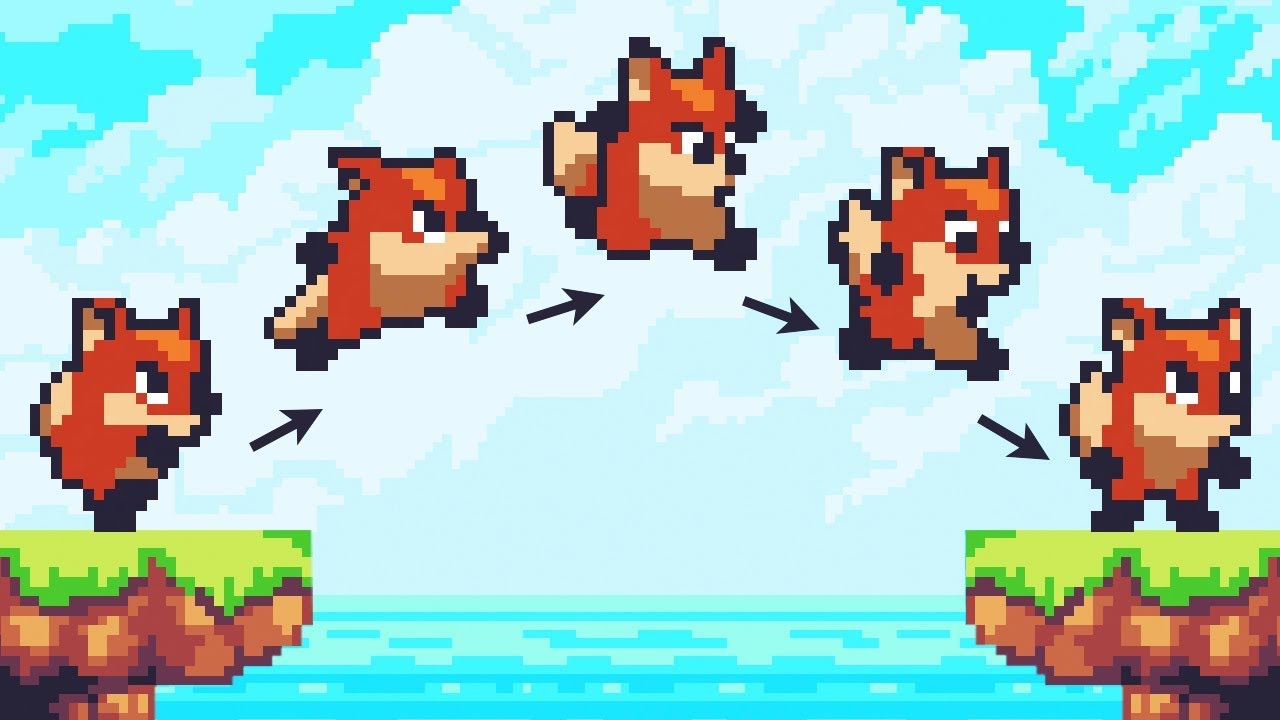
Let’s animate our character!
● Check out Skillshare: https://skl.sh/brackeys8
● Watch Player Movement: https://youtu.be/dwcT-Dch0bA
● Download the Project: https://bit.ly/2KK5AG8
● Character Controller: https://bit.ly/2MQAkmu
● Get the 2D Sprites: https://bit.ly/2KOkwjt
♥ Support Brackeys on Patreon: http://patreon.com/brackeys/
···········...
what could i have missed?
hybrid tinsel
I hate that tutorial so much
You included the flipping code? you assigned the correct sprite renderer to the script?
tawny mirage
flipping code? there is no such thing in the video
hybrid tinsel
One more reason to hate the tutorial
tawny mirage
but how does it work for him
hybrid tinsel
No idea; his tutorials are always incomplete
And I really don't wanna watch the whole thing to debug his tutorial >.>
tawny mirage
i understand
but it still seems like there might be a code-free way to achieve the effect
hybrid tinsel
If you want it to happen in response to your character controller, you'll need at least a little code.
tawny mirage
yeah ik
tawny mirage
i did it in 2 lines of code
if(movement.x > 0) { gameObject.transform.localScale = new Vector3(-1, 1, 1); }
if(movement.x < 0) { gameObject.transform.localScale = new Vector3(1, 1, 1); }
in Update in player controller
safe vault
@hybrid tinsel alright new day new issues
hybrid tinsel
My telepathic powers aren't working well at the moment, so you'll need to be more specific.
safe vault
hybrid tinsel
What happens if you play the animations in edit mode, from the animation window?...
in the animation window it does not let me play it since it states that it in in read only mode
as for conditions, if IsRunning is false then it plays the idle and if IsRunning is true then it plays the running animation
hybrid tinsel
Er, show your animator?


 hybrid tinsel
safe vault
in the animation window it does not let me play it since it states that it in in...
hybrid tinsel
safe vault
in the animation window it does not let me play it since it states that it in in...
Being read only doesn't stop you from playing it
safe vault
yeah the play button is greyed out
hybrid tinsel
safe vault
as for conditions, if IsRunning is false then it plays the idle and if IsRunning...
so what's the current problem