#📲┃ui-ux
1 messages · Page 57 of 1
 pastel root
 warped moss
pastel root
Add open scene on the bottom right corner or dragging the scene in there from th...
warped moss
pastel root
Add open scene on the bottom right corner or dragging the scene in there from th...
bottom right?
It doesn't do anything
Yes but that's not M y scene

This is mine
 warped moss
OHH
Ok
Wait
still not working
I am in
Games Scene
But still get the same
Bet.Unitypackage
or whatever
itscalled
pastel root
yea but you want to add the menu right?
warped moss

I want to add the Game scene
The one scene
when you press "play"
button
The first index has to be 0 which it is
and the second index 1
pastel root
then go into the game scene, add the game scene to that place
warped moss
I press the button in the game scene
Want to come into a screenshare?
And look
?
Would be much easier
 pastel root
yea and 1 menu scene right?
warped moss
Come in a call

 mortal robin
 elder hawk
Why is my canvas so big?
elder hawk
Why is my canvas so big?
that's how it works
Unity displays the canvas in the scene view as 1 pixel == 1 unit
at least, for Screen-Space Overlay canvases
it will look different for the other canvas modes
elder hawk
mortal robin
that's how it works
so... is there a way to make it smaller?
the size of the camera - preferably
mortal robin
elder hawk
so... is there a way to make it smaller?
If you use Screen Space Overlay, this is just how it is
why do you want to make it smaller?
If you use Screen Space Camera it will be a bit different, maybe more of what you expect
but then you're switching to screen space camera, which has a bunch of other differences you may or may not want
 uneven delta
Hi, why i cant change image when i add it to the ui? I have this but i cant upload Source Image. In Raw Image everythng works fine but my photo is so blurry
elder hawk
mortal robin
If you use Screen Space Overlay, this is just how it is
oh, srry, i have it figured out, thx!
 rugged rover
How can I put a Text (TMPro) over my UI Image? Says I can't have both
But I need it for my game
Each mahjong tile will have a symbol on it, and it can't be baked into the image itself
 sterile wedge
rugged rover
How can I put a Text (TMPro) over my UI Image? Says I can't have both
sterile wedge
rugged rover
How can I put a Text (TMPro) over my UI Image? Says I can't have both
What do you mean over? Just make the text a child object?
rugged rover
sterile wedge
What do you mean over? Just make the text a child object?
Brain's fried, thanks
sterile wedge
rugged rover
Brain's fried, thanks
probably a good sign to take a break 😆
rugged rover
How come my game is always in the corner here? No matter what I change on the board transform it always sticks in the bottom left there...

Having it at 0, 0, 0 produces the same results

I can only manually drag it over during runtime 😐
 gilded citrus
 steady yarrow
hey guys can someone help me with some simple ui problems
basically the click of my button is not registering
ive checked for eventsystem raycastble objects blocking it and whatnot but came to no fix 😦 Any help would be appreciated 🙂
 digital kayak
is there a button component on it
steady yarrow
yes ther is a button component
digital kayak
try moving the button around to different areas of the screen and see if it clicks there
steady yarrow
sure
digital kayak
outside of any parents
steady yarrow
yep
nah
completely unclickable
ahh
ill just make a new one
doesn't matter thanks for the help man 🙂

 steady yarrow
I’m just gonna check again. Does anyone have a fix for the buttons not being able to be clicked. Literally tried everything. 😅
 frosty pewter
steady yarrow
I’m just gonna check again. Does anyone have a fix for the buttons not being abl...
steady yarrow
frosty pewter
https://help.vertx.xyz/?page=ui/input-issues
frosty pewter
steady yarrow
I’m just gonna check again. Does anyone have a fix for the buttons not being abl...
steady yarrow
frosty pewter
https://help.vertx.xyz/?page=ui/input-issues
Thanks vertx but all of this has been done tbh
I even tracked the event system and the pointer and what it was facing towards but it wasn’t working
frosty pewter
Well, let me know what the issue is when you do solve it
frosty pewter
Any objects that are over it that receive mouse events will block the button
EventTriggers absorb all events
steady yarrow
Oh that is fine I tracked that with the event system standard input module
It was always registering that button I wanted to be click
Just it would never click
frosty pewter
I'm not sure what you checked exactly. I'm not sure where exactly it is but the event system should be debuggable, looking for where it fires the events and throwing a breakpoint to see what's intercepting them would be what I'd do
steady yarrow
Oh basically test it out but if you have a default event system check out the inspector when you click on it. During play there is a bunch of values down the bottom which highlight what the event system is highlighting and whatnot what it’s ray set is detecting . Constantly it would be detecting the button but would never click
frosty pewter
Surely you can't see that for the one frame the button is being clicked for
steady yarrow
Idk I have an on click event
It is not called
Also if you hold down the button it constitutes as pressed
Or is being pressed
Idk
I’ll find a way and post the solution
Thanks for the help
frosty pewter
I'm on my phone but I'm pretty sure if you slap a breakpoint down here https://github.com/Unity-Technologies/uGUI/blob/5ab4c0fee7cd5b3267672d877ec4051da525913c/UnityEngine.UI/EventSystem/ExecuteEvents.cs#L36 you can see what is being clicked on. It might be failing earlier than that though
steady yarrow
frosty pewter
I'm on my phone but I'm pretty sure if you slap a breakpoint down here <https://...
Ok thanks 🙏
steady yarrow
Hey vertx
it seems to be registering the breakpoint
like on that line
it says that i clicked that button
frosty pewter
Well then, you can step over the code from there and see where it's going wrong
elder hawk
why is my 2d canvas not in front. When I switch to 3D view, it is way back, behind my game on the Z axis
how can I fix this?
uneven delta
How can i make Canvas not visible from game?
sterile wedge
uneven delta
How can i make Canvas not visible from game?
disable the Canvas component?
uneven delta
meh
i mean this

I want healthbar to be visible in ui, but not as image in game
you understnad/
sterile wedge
what's the difference? what do you mean in game?
pastel root
 stiff barn
 stiff barn
pastel root
stiff barn
pastel root
the problem is already solved! still thanks for replying
pastel root
ah aight! No worries!
pastel root
uneven delta
is your UI visible in world space?
stiff barn
@pastel root bro btw any idea how to add borders to buttons in unity?
pastel root
uh, you can make a sliceable texture that is just borders

and use that as your button sprite
stiff barn
Alright
 hollow ruin
Ugh im still struggeling with the UI. Im trying to make a screen space overlay, but the canves is showing everything "in the world" and not on the screen al the time like this

I cant find right answers to this problem, can someone help me out!
uneven delta
pastel root
is your UI visible in world space?
yes
pastel root
Can you click on the canvas for me and show me what the Inspector looks like?
pastel root
hollow ruin
Ugh im still struggeling with the UI. Im trying to make a screen space overlay, ...
what components are in the image on the canvas? (aka show me the inspector of that please)
hollow ruin
pastel root
what components are in the image on the canvas? (aka show me the inspector of th...
Those are the components!
Blue components is SVG files that I just opened and did them to children to the canvas, background are 2d sprite and Amount.. and KR are UI--> text

 pastel root
yes but now of the image itself haha
hollow ruin
O god sorry I dont get you...
pastel root
I want to see this

 pastel root
Okay, so the problem is that you are using a sprite component instead of an image component
which I think is your problem too @uneven delta ^
Image Components are the once you use for UI images
hollow ruin
Ah okey, right. Every component do i need to add from UI
pastel root
yes
hollow ruin
Okey, ill try! thanks
pastel root
npnp
 scarlet perch
hi guys, can someone explain to me how to solve this overlapping issue with my inventory ui
the scroll rect seems to send items inside it above the panel
when i scroll down
hollow ruin
pastel root
npnp
So I made a material of a png applied it on an image! but how do i make it "native size"? i watched a tutorial and then instead of applying a material he applied a sprite and then he god the button "set native size". Do you know how i can do it
scarlet perch
i've tried to use a mask for the issue but it seems to just remove the visibility of everything inside the inventory
pastel root
you keep the sprite but you use an image instead of a sprite renderer
scarlet perch
im not really familiar with how masks work though
hollow ruin
Hmm because i cant get it how I add the png to the image. Should i add like a sprite renderer to the image and then add it there
scarlet perch
ok actually, i got it working i think
 hollow ruin
The problem is, when i add the sprite, it is not visible

I dont really understand why
pastel root
you clicked on set native size right?
hollow ruin
Okey tbh I didnt, but now i tried and it is still the same problem. I think the size is right, its just that tha green is invisible
pastel root
the green is invisible?
hollow ruin
I mean it should be a green outline like this

But instead, the only thing that shows up is this
 pastel root
to me that looks like it is just not rendering
pastel root
just to be sure, you do not have a mask or anything like that right?
hollow ruin
Im sorry that i cant help so much with you helping me, i dont know.
But i havent added any masks on this. Ive only created an image from UI, searched in the sprite bar in the image and applied the png
pastel root
it is fine no worries, I am just like to make sure there is not something I am missing
hollow ruin
Another weird thing is that i couldnt drag and ad the my image, I could only go in to the sprite bar and choose there, if that can be to any help
pastel root
Can you select the thing you couldn't drag and send me the inspector of that?
that is probably related
hollow ruin
So in this way, i couldnt add the sprite
 pastel root
yea because you are trying to drag a prefab into a sprite slot
hollow ruin
But when i pressed there in the corner, i could choose that one
 pastel root
the one all the way on the right is the sprite
hollow ruin
But i couldnt add that ether
 hollow ruin
Okey, and only that, or should I press anything else before apply?
pastel root
that is all you need
then apply
now it is a sprite instead of a material
and now you can drag it in
hollow ruin
Hm okey i guess it worked but this warning came upp when i applied it

Can i just ignore that?
pastel root
Yea, it is has to do with texture formats which is something you normally want to keep an eye on but it will not break anything. It is why textures and sprite sheets are normally like 128x128 to 2048x2048 style. You can divide those by 4
hollow ruin
I guess it has something to do with the settings when i save the works from Illustrator?
Or how do i change it so it gets right
pastel root
I wouldn't be able to tell you, I do not use Illustrator ever
but it is not important for now, 1 problem at a time
so can you see your image now once you dragged the sprite in?
hollow ruin
Yes i see it😍
So that problem is not going to mess up in the future? Or just for now
pastel root
It is something you do to optimize a game, it is something you just kinda do but it will not break anything. For Sprites it shouldn't be a problem ever though
hollow ruin
Aha okey, nice to hear. Thank you so much for the help. Have stuggled with this for so many days now. It is for a school project so I really need to keep working so it can get finnished in time😅
pastel root
no worries dude! It is all good :D

 ionic beacon
It doesn't look transparent
Can you upload the image here?
 white plover
 ionic beacon
Yeah that's not a transparent background
white plover
ionic beacon
Yeah that's not a transparent background
well what is
ionic beacon
Either use Photoshop or something to remove the checkered background or find another picture
white plover
like this?
 pastel root
white plover
pastel root
white plover
fake PNG's make me sad
pastel root
white plover
like this?
That one should work yea
white plover
pastel root
fake PNG's make me sad
true asf
rugged rover
If a parent has a canvas group is there a point for a child to have one as well?
mortal robin
rugged rover
If a parent has a canvas group is there a point for a child to have one as well?
only if you want to independently control that child (and its children) from the parent group
rugged rover
I'm doing a tween fade so I want everything under it to fade
I'll keep the parent only
Thanks
How can I make my entire canvas clickable? I want the user to be able to click and hold (already have a script for that) to make a search box appear.
mortal robin
rugged rover
How can I make my entire canvas clickable? I want the user to be able to click a...
put a big invisible UI element on the whole thing
 digital hearth
UIToolkit: Does anyone know if pseudo classes like :hover are supposed to work with template instantiations? Specifically, this psuedo class
    background-color: var(--yellow-dark);
}```
doesn't seem to work on template instances w/ a `VisualElement` named `station-view`My current kludge of a workaround is
ve.RegisterCallback<MouseOverEvent>(me =>
{
    ve.Q<VisualElement>("StationView").AddToClassList("station-view-hover");
});
(no pseudo class)
 fallen magnet
Hmm I would think there shouldn't be any specific issues but I know I had some issues today because templates don't have any styling applied to their root when added
Also does anyone know if there is a good way to detect hierarchy changes?
rugged rover
Hello. How can I make the zoom in and zoom out (scale change) change with the location of the click? Is there some kind of scaling pivot I need to change?
I want it to zoom in where I click
 sturdy night
Are there any guides of in depth tutorials that go over UI best practices?
even so far as proper ways to script UI and such?
 dusky stream
Good morning. Hi friends... trying to make something like this, I'm close but no cigar.


and finally

what did i do wrong hehe
Wanted a selectable list not just a scroll
 low pike
you will need more than 1 TMP text
 low pike
instantiate a new tmp text game object, set it's text to be the new wrestler
dusky stream
ka prefab?a
er prefab
public class DatabaseManager : MonoBehaviour
{
public TMP_Dropdown WrestlerList;

public TMP_Text WrestlerList2 = new TextMeshPro();
did that, unity did not like the "new" keyword
low pike
you probably have to add the TMP to a gameobejct with someGameObject.AddComponent<T>();
 low pike
you'd be better off having the tmp height at the same size of the font

 dusky stream
make it match the font size?
low pike
you changed the size of the yellow box, not the recttransform.
Undo the change you did, and resize by putting your cursor on the line (not the white box) and drag it to the same size you did for the yellow box
 low pike


 low pike
that is the game object that needs resizing
but you've not resized the correct part of it
low pike
the yellow bit is the tmp, the white box is the rect transform.. you need to resize both.. and you do that the way I show in the gif
this is damn easy
dusky stream
ok hold
low pike
but you can do it via script, just pointless
 low pike
 dusky stream
yes i see THAT

 low pike
dusky stream
low pike
dusky stream
You didn't undo this first, like I said to do
the yellow box and the white box want to be the same size
dusky stream
i think the vertical group is causing a issue...
it wont resize
what object am i selecting in heirarchy?
im a failure tbh
i'll try this later after work, cant do both at same time w/o frustration
ty for help in the mean time @low pike
 balmy harness
Is there a way to update the size of an object (UI Image in this case) to be as big as Text that is parented to it without using code?
 velvet lintel
can someone help me with these ui components... im trying to have a chat, that has a vertical layout group, and the messages have a content size fitter because the text needs to wrap around
 sturdy night
Does anyone here have experience with the Scrollbar component? I'm trying to mimic how a vertical scroll would act on a webpage, but scrollbar acts like a mobile device(It continues to scroll after letting go of the handle). Does anyone know where I can disable 'scroll-momentum' if that's a thing?
mortal robin
sturdy night
Does anyone here have experience with the Scrollbar component? I'm trying to mim...
there's like an inertia setting on it
on the Scroll Rect
sturdy night
Thanks @mortal robin
 merry wing
anyone know what this weird icon is? (using UIToolkit)
 frosty pewter
Something from visual scripting. Look through the gizmos list.
 balmy harness
Is there a way to update the size of an object (UI Image in this case) to be as big as Text that is parented to it without using code? I am trying to make a hover over info, and the text that is shown can be of different length, and I want it to always have a fitting background
frosty pewter
A Content Size Fitter should do it. Though some things are finicky and I forget if text is one of them
 shell ledge
Are there any Japanese game developers in here or people who have had experince localizing unity games into Japanese? I have some questions about Text Mesh Pro and Kanji characters.
sterile wedge
shell ledge
Are there any Japanese game developers in here or people who have had experince ...
you should probably ask the questions you have right away, instead of waiting for someone to get back to you
shell ledge
sterile wedge
you should probably ask the questions you have right away, instead of waiting fo...
Ok, i'll keep that in mind next time.
low pike
balmy harness
Is there a way to update the size of an object (UI Image in this case) to be as ...
if the background is a child then just change the anchor presets to stretch
 low pike
oh, i thought you already had it set that way. It's not how I'd do it.. but yes, that works
 rapid ferry
i need help i cant choose my own png as background of my panel
mortal robin
rapid ferry
i need help i cant choose my own png as background of my panel
did you import your image as a Sprite?
rapid ferry
mortal robin
did you import your image as a Sprite?
i fixed it but i got another problem
when i play my game the menu looks like this how can i fix this?
 mortal robin
That depends on what you'd like it to actually look like
You should familiarize yourself with https://docs.unity3d.com/Packages/com.unity.ugui@1.0/manual/UIBasicLayout.html
to learn how anchors work
 grizzled inlet
HOW to register even leaves here or how to see them?
mortal robin
wat
mortal robin
what's the question?
grizzled inlet
mortal robin
what's the question?
Why do I have different indents on different screens if I use Vertical Layout Group
If you do not use the Vertical Layout Group, then everything is fine when changing the resolution
If I change the size here and adjust the fake screen, then everything is fine, but on the other it will go beyond the canvas
help please guys
 red latch
guys any idea why my fonts have this darkshadows around them? It only appears in iOS
 low pike
red latch
guys any idea why my fonts have this darkshadows around them? It only appears in...
low pike
red latch
guys any idea why my fonts have this darkshadows around them? It only appears in...
if using TMP, scale isn't 1,1,1
low pike
grizzled inlet
Why do I have different indents on different screens if I use Vertical Layout Gr...
because you're not automatically setting the width of that rect
enable "Control Child Size"

also - it looks like you're making something for mobile?
If so, I recommend using the Device Simulator -> https://docs.unity3d.com/Packages/com.unity.device-simulator@3.0/manual/index.html
 brisk steeple
I have some problem with making custom font for text mesh pro. I didn't had this issue earlier. When I am creating new asset the character table is empty, no matter what font I try to make,
 grizzled inlet
low pike
also - it looks like you're making something for mobile?
If so, I recommend usin...
grizzled inlet
low pike
also - it looks like you're making something for mobile?
If so, I recommend usin...
I make it for a mobile phone so that it is vertical, but for some reason, at different resolutions, everything goes for the canvas border
grizzled inlet
low pike
also - it looks like you're making something for mobile?
If so, I recommend usin...
how to install it?

 frank osprey
Okay, so the screen resolution is that white rectangle, it passes just above the "Back" button
 long harbor
yes even that is not correct resolution the white rectangle inside
frank osprey
So your background, and all the UI elements must be inside of that rectangle to be able to see it
 frank osprey
I mean inside the bounds of the rectangle on your scene view
long harbor
Yes inside the rectangle but when i change it and open the game, i had the whole space you saw around
frank osprey
Then your anchoring is not right. The black background, that is probably the "BorderBackground" or the "PanelBackground" object, must be stretched and the anchors in the corners, not in the center
Anchors are those small arrows that point towards the center of the canvas
It makes that "X" when they are anchored center


 frank osprey
That's anchored center
Middle center
You need to stretch on both axes, and hold Alt while you're doing it
It's the bottom right square
If you do it right your background will stretch so it takes the whole canvas area
long harbor
Yup i think it worked

I dont see any issue so far
worked with editing / playing and full screen
frank osprey
All good then!
grizzled inlet
help guys please
grizzled inlet
low pike
you can't just post a screenshot and ask for help
check up man
low pike
this screenshot is nothing to do with the stuff above
rapid ferry
I think he means htat
*that
but then, I have to agree, without context, this would seem absured
low pike
Even those two screenshots look fine to me
rapid ferry
Actually yeah right
grizzled inlet
game mode
low pike
right, because you've not got the widths set to be dynamic
 low pike
put the slider all the way left or right
grizzled inlet
what slider are you talking about?
 grizzled inlet
and which is better to use?
low pike
If the size of things are changing, then you need to work out which one is best for you.. one of the stretches
grizzled inlet
?
 grizzled inlet
😭
 delicate sundial
How the hell I m supposed to make animated UI in Unity...
They don't support Bink format
Old and new Particles doesn't work in UI
Shaders doesn't works in HDRP
Like what the hell... I m not gonna do some element frame by frame 1000 images or tons of texture sets...
I honestly don't know how I m supposed to do some regular animation/juice to UI
grizzled inlet
Help guys
low pike
delicate sundial
How the hell I m supposed to make animated UI in Unity...
They don't support Bin...
what kind of animations do you want to do? show a few examples
grizzled inlet
how to enable on Canvas Safe Area?
 dim surge
is there a way to invert the mask provided by the mask component?
 coral sphinx
is there a way to like move a canvas
dim surge
theres no one answering questions 😂
delicate sundial
low pike
what kind of animations do you want to do? show a few examples
https://www.youtube.com/watch?v=cip3zdlPYiI&t=15s
logo, hovers
or something like it's done in Ori or Hades
sturdy night
Is there a general agreed upon way to make a UI system with multiple windows and menus?
 azure flame
You can have opened "windows" register with closing event to trigger when something else opened. And keep record of open windows if it is something more complex and perhaps have state machine keeping track of their configurations in this case.
sturdy night
Alright, those are things to look into to.
azure flame
First thing you can do with just an Action you can trigger and add closing actions for other windows to, to execute when it triggers.
azure flame
coral sphinx
is there a way to like move a canvas
Look into canvas render modes, World space one you can move.
low pike
delicate sundial
https://www.youtube.com/watch?v=cip3zdlPYiI&t=15s
logo, hovers
or something like...
all of this is extremely easy.. and doesn't require any third-party animation file/type (eg: bink)
I'd do it via code, but it's doable other ways too.. or there are assets on the store (DoozyUI being one)
they're either moving an image around to the selected option OR that image is on all the options and they toggle it on/off as an option is selected/ deselected
when something is selected it does a call that moves the transform position to show more options (eg: colours) and has a canvas group on it to fade the alpha 0->1
 carmine stream
My game isnt displaying pngs after its built but is displaying during editor. The images are children of different canvas's
anything I should know or could someone help?
halp
 silver summit
Hey, I have a problem with transparent UI images. How can I fix the color of the green panel to be like in the preview from adobe

it looks more weathered than the original, because the color from the background messes it up
 mild kernel
With built in components, the easiest way I imagine is to use a solid green square, give it a mask component and child another leaf image into it, maybe?
silver summit
but then the leaf images will missalign if the resolution changes, no?
mild kernel
Maybe. I'm not online to test it.
Alternatively, I suppose you could instead put the leaf image on top of everything? Give that transparency.
silver summit
because the panel will be sliced, so that the left rounded edge remains the same on differnt resolutions
mild kernel
Then just use a solids green square below it.
silver summit
mild kernel
Alternatively, I suppose you could instead put the leaf image on top of everythi...
yeah this sounds more like it, will try that
 mild kernel
 worthy karma
pls explain to me
worthy karma
pls explain to me
You have two options
Option 1 is the easiest which require you to make the canvas a world space canvas, size it down and position it like you would so a sprite ad a child object of the ship.
Option 2 is leaving the canvas in screen space and position the element in code by converting the ships world space position to screen space to get the point.
long harbor

Anyone know how to fix the scene, everything looks offset because i opened a new scene window
dim surge
click the cube in the top right of the scene view to turn it into orthographic mode
then click on the little arms to change the view direction
low pike
when editing UI (screenspace/ overlay) click the '2D' button on the scene view
 dawn rain
long harbor
dawn rain
long harbor
Change the resolution in the game view it fixes it for me most of the time
long harbor
I will try that, thank you!
I also had a problem with right clicking, for some reason the tool changed, on right click i could move the area i was looking into but now when i right click and move it, the panel also moves around (360•)
@dawn rain
grizzled inlet
How to make sure that the screen is not used on the phone here? made a script on Safe Area, it works, but there is no black screen
 grizzled inlet
Help guys
azure flame
grizzled inlet
How to make sure that the screen is not used on the phone here? made a script on...
Attach a black image element covering it?
What exactly do you want to do.
grizzled inlet
So that the scroll menu is not visible, that there is a dark background or that I do not understand how it works in other games
azure flame
Scroll view has a mask, it shouldn't show content outside of it when configured properly
grizzled inlet
azure flame
Scroll view has a mask, it shouldn't show content outside of it when configured ...
?
 azure flame
Yes, only this one is not configured. Goto Create UI menu, create default scroll view object, and look how its mask in the viewport is configured.
grizzled inlet
azure flame
Yes, only this one is not configured. Goto Create UI menu, create default scroll...
I don’t understand where to look at it


 azure flame

Unity Learn
This recorded live training demonstrates a workflow for creating and populating scroll-lists at run time using the Scroll Rect interaction component. We will use this to create a simple two column shop interface where items can be bought and sold between two lists.
grizzled inlet
azure flame
https://learn.unity.com/tutorial/live-training-shop-ui-with-runtime-scroll-lists...
thx
 stray breach
I got this (see below), now I want to make it into a pill kind of shape, but it stretches everything instead of only the middle how do I change that?
 sterile wedge
stray breach
I got this (see below), now I want to make it into a pill kind of shape, but it ...
sterile wedge
stray breach
I got this (see below), now I want to make it into a pill kind of shape, but it ...
have you set the sprite type to sliced?
can you show what's going on now?
stray breach
No it is just a single sprite with the green lines changed
rapid ferry
"Importer(NativeFormatImporter) generated inconsistent result for asset(guid:2e498d1c8094910479dc3e1b768306a4) "Assets/TextMesh Pro/Resources/Fonts & Materials/LiberationSans SDF - Fallback.asset"
UnityEditor.EditorApplication:Internal_CallGlobalEventHandler ()"
anyone who knows what this warning means and what I should do
mortal robin
stray breach
I got this (see below), now I want to make it into a pill kind of shape, but it ...
Honestly there isn't really a good way besides creating a separate "stretched" version of the sprite
Slicing really only works for rectangular borders
stray breach
Aight I already used that but hoped there was a more efficient solution, thanks man.
 coarse heart
how do i make it so i can input a motor torque and that will change a parameter

 glad citrus
how to render mesh on canvas like this ?
 mild kernel
glad citrus
how to render mesh on canvas like this ?
mild kernel
glad citrus
how to render mesh on canvas like this ?
You need to render the model to a render texture, then use the texture on a Raw Image component on the UI.
stiff barn
Hi, is it possible to change the Y position of Rect-transform of an image through input?
i want to change the Y position to 20 on my right click
 stiff barn
I found the solution
 low pike
hmm.. I don't have a titleset. But a normal Image has the thumb on the parent.. and then all the actual sprites have that icon when you expand
 rapid ferry
No but the things is I can see them in the project browser when I want to.

Here too
 somber pivot
So I've only the got the Rect transform box when it's not a parent of Menu but idk why


 slender wigeon
Probably a dumb question but its best to ask rather than stumbling around in the dark. Im trying to put a checkerboard background behind the model so that it can be easily alpha transparency'd, but I dont know how to do that. I tried making my own png checkerboard but it doesnt work. is there a real way to do it?
 mild kernel
somber pivot
mild kernel
somber pivot
Your menu isn't not of type RectTransform. You made a world object and put it as a child of a canvas.
slender wigeon
Whenever I have searched "png checkerboard" nothing comes up
mild kernel
slender wigeon
Probably a dumb question but its best to ask rather than stumbling around in the...
I'm confused, what does a checkerboard image have to do with transparency?
somber pivot
mild kernel
Your `menu` isn't not of type RectTransform. You made a world object and put it ...
ohh
Thanks
slender wigeon
mild kernel
I'm confused, what does a checkerboard image have to do with transparency?
Im trying to allow OBS Transparency in a same way that VSeeFace does it, and thats made in Unity and looks like this

So that a model can be put in front and then use OBS's "allow transparency" to get a clean background
mild kernel
Usually when software has a checkered background like that, it just means there's nothing there (ie transparent). It's not a literal image.
If you make your own checkered background, it's going to show up as an image.
slender wigeon
Well is there a way to make Unity show nothing as a checkered background just so thats its more clarified for users?
mild kernel
Just ... don't have the image?
slender wigeon
But then it just shows the cameras background as black, even with transparency down
mild kernel
You can uninitialize the camera but that's probably also not what you want.
There's no such things as having "nothing". Whatever software you're using probably has some requirements as to what the background needs to be. Like a greenscreen value.
 random ginkgo
How do i put text in more than one line
 somber pivot
I know this isn't code but I don't know where to post this:
I can't build my game, it just breaks off in the middle of building
azure flame
random ginkgo
How do i put text in more than one line
You can do with attributes https://docs.unity3d.com/ScriptReference/TextAreaAttribute.html
random ginkgo
azure flame
You can do with attributes https://docs.unity3d.com/ScriptReference/TextAreaAttr...
So do i change this? im so confused
 azure flame
Yes.
sturdy night
Does anyone here know how to make a dynamic scrollbar? Right now I have a scrollbar that works well enough on a 16:9 screen but change it to 16:10 and the scroll area shrinks. Is there a way to set the scroll area to stretch while keeping the handle to a specific aspect ratio?
 inner dagger
sturdy night
Does anyone here know how to make a dynamic scrollbar? Right now I have a scroll...
inner dagger
sturdy night
Does anyone here know how to make a dynamic scrollbar? Right now I have a scroll...
You will have to change either the Canvas Scaler settings or the UI Element Anchor Presets, probably
Also, is there any reason that this is not a built in function of UI elements?
 rugged rover
Can someone please explain why this image is normal sized in scene but large in game?


I've spent way too much time trying to wrangle with UI
low pike
not without looking at the recttransform values, and canvas setup
rugged rover
Yeah I’m going to have to redo the canvas setup, I must have missed a setting
low pike
shouldn't require anything being set
is that image actually a UI image? Or did you drag it into the hierachy and it's a sprite renderer?
rugged rover
low pike
is that image actually a UI image? Or did you drag it into the hierachy and it's...
It’s a spriterenderer
Isn’t that the same thing?
low pike
nope
Sprite renderer is for 2d, not UI
dont drag things into the scene that you want for UI
rugged rover
How should I add the UI then if not in the hierarchy?
low pike
right mouse click -> UI -> add whatever element you need -> drag assets into the inspector
http://learn.unity.com -> search for UI
rugged rover
I mean that’s what I do I right click the canvas for example and add UI->Text for example
low pike
so how did you end up with a SpriteRenderer?
rapid ferry

so, ive added those little silhouettes and theyre quite light
i want them to be black
they turn black on the "play campaign" part but no where else
NVM
found it
rugged rover
I'm starting my UI from scratch. What could cause these not showing up in game view?


✅ Basics Playlist: https://www.youtube.com/playlist?list=PLzDRvYVwl53vxdAPq8OznBAdjf0eeiipT
Grab the Project files and Utilities at https://unitycodemonkey.com/video.php?v=VHFJgQraVUs
In this video we're going to cover a simple set up for the UI
If you have any questions post them in the comments and I'll do my best to answer them.
🔔 Subscribe...
I followed this tutorial exactly (except for the progress bar and button)
Only the center image shows...
sturdy night
Does anyone know how to make the scrollbar Handle a fixed size? The way it seems to work out the box is the handle source Image will fill out the top and bottom anchor points, but If I put in my own source image for a custom looking handle, the anchor points won't fit the new image.

The anchor points in the unity editor seem to be grayed out, so I was wondering if there is a way, to set your own anchor points within the scroll area.
 raw nest
is there a way to get ALL ui objects currently under the mouse?
 low pike
you've got the alignment set to mid center

 teal scroll
low pike
you've got the alignment set to mid center
teal scroll
low pike
you've got the alignment set to mid center
yeah, i keep messing with that but it does nothing
low pike
then there's something else missing from your setup
low pike
 teal scroll
strange
ahh
it was the content size fitter
it doesn't scroll without it with many items 🤔
yeah, when i add the content size fitter it wraps around the first item and centers it
how could i make that go up 🤔
 ionic drum
Got a few TextMeshPro instances that just display as a bunch of blocks

They're fine in the prefab and work nicely in the editor, but once loaded dynamically at runtime using Addressables, some of the text instances simply break
I disabled and re-enabled the instance in the top of the list to the left to demonstrate that it works if I touch the instance after it's loaded
Any idea why this happens?
 raven herald
How can i do that the UI will fit every screen size
sterile wedge
raven herald
How can i do that the UI will fit every screen size
set it to stretch and anchor properly
This might be handy https://docs.unity3d.com/Packages/com.unity.ugui@1.0/manual/UIBasicLayout.html
Try it out yourself
raven herald
thx
 random spade
Making variable size layout elements according to documentation:
"If you have a Layout Group (horizontal or vertical) and want each of the UI elements in the group to fit their respective content, what do you do?
You can't put a Content Size Fitter on each child. The reason is that the Content Size Fitter wants control over its own Rect Transform, but the parent Layout Group also wants control over the child Rect Transform. This creates a conflict and the result is undefined behavior.
However, it isn't necessary either. The parent Layout Group can already make each child fit the size of the content. What you need to do is to disable the Child Force Expand toggles on the Layout Group. If the children are themselves Layout Groups too, you may need to disable the Child Force Expand toggles on those too."
But this doesn't seem to be doing anything.
random spade
The content size fitter doesnt work with any objects? Only with some? Like text or layouts?
That explains why layout group isn't setting the size either
If I have a ui element with some images inside and a vertical layout, how do I make it's size fit those elements?
I feel like I'm missing something.
coarse heart
hi im trying to be able to set up a basic ui how do i make it so when the i input a number it change a public float
 sturdy night
is there anyway to set the size value of a scrollbar to constant number? really stumped on this simple problem :/

the default behavior seems to be to automatically resize depending on the resolution, which is all well and good, but not what I want atm
rugged rover
Why doesn't GridLayoutGroup work with SpriteRenderers? It only seems to work with Images...
 teal patio
I'm making a collectible card game and I need to design the board of the game, but I wanna do it in pixel art
Which resolution should I use? I can fit everything I need very nicely in 1080p, but I'm afraid that I won't be able to support lower resolutions if I do that
I thought about making it in 640x360 so that I could scale it up to all the resolutions I intend to support, but then I'm afraid I won't be able to fit everything inside
raw nest
I think i found a bug with the unity UI
Heres the script attached to the viewport: https://pastebin.com/Q3PAFY5K
Pastebin
Pastebin.com is the number one paste tool since 2002. Pastebin is a website where you can store text online for a set period of time.
The script detecting the pointer leaving or entering the ui doesnt go off when im dragging something
rapid ferry


How do I make my sprites appear?
someone please explain to me what PointerEventData, what raycast have to do with UI elements... I dont understand how the event system works ... I have been reading but didn't understand how it goes... a video link would do great too ... thank you
mortal robin
rapid ferry
someone please explain to me what PointerEventData, what raycast have to do with...
raycasts are how the event system discovers what objects your pointer is currently hovering over
rapid ferry
mortal robin
raycasts are how the event system discovers what objects your pointer is current...
thank you, I was about to ask you a question when you answered but now i am re reading and trying to understand more and more
thanks
rugged rover
How can I fix this? The SpriteRenderer is drawn on top.

And the UI Image is drawn behind everything...

I need all them to be images, not spriterenderers
rugged rover
Nvm fixed it with canvas component
low pike
If you drag an image asset from the project window into the scene hierarchy, it will create a sprite renderer.. this isn't for UI. The correct way to do it is to create an Image by right mouse clicking -> UI -> Image (if you don't have a canvas it'll auto create one) -> drag the image from project window into the sprite field of the image
rugged rover
low pike
If you drag an image asset from the project window into the scene hierarchy, it ...
This carousel wheel asset I got from the store uses SpriteRenderer not Image, it is not put under the canvas. But I had to make it images so I replaced it and put it under the canvas
long harbor

Hello, is there any tool that i can check if the spaces between backgrounds have the same distance?
 sleek remnant
Hello, i've been having a big issue with my UI when building my game.
In editor the result is perfect :

but when i build ... :

this is messing up everything and i have no clues in the console or anything so i'm a little lost (i already asked in programmation channel but they redirected me here)
and this is the setting of the canvas

 jagged monolith
How are you anchoring those shapes @sleek remnant?
sleek remnant
jagged monolith
How are you anchoring those shapes <@!294448091480850432>?
this is what is inside these shapes, i didn't touch the anchor points i guess

and this is the canvas
 jagged monolith
Are you using sprite renderers inside a canvas @sleek remnant?
 timber elbow
And colliders too. Kind of a bad decision.😅
sleek remnant
jagged monolith
Are you using sprite renderers inside a canvas <@!294448091480850432>?
yes it's sprite renderer
jagged monolith
You should be using UI Images instead
sleek remnant
this is what i did for fix the problem, i replaced all sprite renderers by image and the problem stayed
so i went back to start point
timber elbow
Then share the updated setup
sleek remnant
i didn't keep it, as i say i went back to the spriterenderer setup
jagged monolith
That's not gonna work unfortunately
Canvases are made to work with UI images and works with different screen sizes
There's a reason why rect transforms are so much more complex than regular transforms
sleek remnant
Yes i see, but since i tried to replace all sprite renderers with UI Image and the problem stayed i don't know what to do next to solve this
timber elbow
sleek remnant
Yes i see, but since i tried to replace all sprite renderers with UI Image and t...
Because just replacing them is not enough apparently.
That's why I was asking you to share your setup.
sleek remnant
i see, what do you mean by setup ?
timber elbow
Like what's your rect transform(of the image GOs) config and stuff
coarse heart
Can someone help me with the ui how do i make it so i input affects a parameter of a object
mortal robin
coarse heart
Can someone help me with the ui how do i make it so i input affects a parameter ...
Can you be less vague about your question? What kind of input are you talking about and what is the "parameter" you are trying to change?
coarse heart
@mortal robin i have a car controller script and want to make an input system to change the power of the car on the go
but i dont know how to link the input to the code
sleek remnant
timber elbow
Like what's your rect transform(of the image GOs) config and stuff
So this is what i have, the targets moving is one of these gameobject :

After that i changed with this :

I changed the sprite renderer to Image & transform to rect transform but the issue is still there, i don't know what to do
rugged rover
How come it won't let me click a button? I had to add a canvas component to this panel with "Order in Layer" of 1 to make it appear in the front.

 jagged monolith
Do you have a graphic raycaster on the canvas @rugged rover?
Also, when debugging UI you can select the eventsystem to see whatever is currently selected, clicked etc
rugged rover
jagged monolith
Do you have a graphic raycaster on the canvas <@!230109954835480576>?
I’ll check when I’m back home, should it have one?
jagged monolith
Yes
rugged rover
I’m guessing it has one, because I can push other buttons before I enable this panel
For example I have a button that I press that opens this panel, then that’s when I can’t click anything
rugged rover
If I don't have the canvas component with override sorting on, it lets me interact with the buttons but it's drawn in the back.

 mortal robin
 tiny rune
What's textmeshpro?
tiny rune
What's textmeshpro?
You should pretty much always use TMPro in place of Text and TextMesh
It used to be an asset on the asset store but Unity acquired them and added them for free to Unity. Overall just a better implementation of the Text and TextMesh components
tiny rune
oh ok thanks
timber elbow
sleek remnant
What's the place of the object in the hierarchy? Take a screenshot of the hierarchy.
sleek remnant
timber elbow
What's the place of the object in the hierarchy? Take a screenshot of the hierar...
(there's multiple canvases in the hierarchy because they are 4 displays/screens for this app)
 timber elbow
What's CanvasMiniGame and CanvasJoyaux? Are these canvas in a canvas?
What's CiblesUI? What anchoring does it have?
rugged rover
How can I disable interactable UI from being interacted with when I'm in a pause menu overlay?
 weak dew
What is the goto setting for UI scale mode?
 timber elbow
weak dew
What is the goto setting for UI scale mode?
timber elbow
weak dew
What is the goto setting for UI scale mode?
There's no "goto" setting. It really depends on your needs.
weak dew
timber elbow
There's no "goto" setting. It really depends on your needs.
Hmm, I would like for it to scale well on different resolutions. Is that possible with just adjusting canvas scaler settings or would I need to fix them manually
timber elbow
weak dew
Hmm, I would like for it to scale well on different resolutions. Is that possibl...
You will definitely need to fiddle with the ui to make sure it looks ok on different resolutions. Scaling can help with that to an extent. I generally found that it's better to use 50% width-height if you have a wide variety of screen sizes with different aspect ratios.
weak dew
timber elbow
You will definitely need to fiddle with the ui to make sure it looks ok on diffe...
Like this?
 timber elbow
yes
If you're aiming at mobile, try the device simulator package to test your ui on different devices.
Or just set resolutions manually in the game tab.
weak dew
timber elbow
yes
thank you!
I was working with 800x600 as a reference for some reason and now I have to remake my whole UI lol. I was wondering why there was so little space to work with compared to seeing other games
timber elbow
Yeah, you've gotta choose a target resolution early on. Usually that would be your testing device resolution.
weak dew
timber elbow
Yeah, you've gotta choose a target resolution early on. Usually that would be yo...
Do you know why sometimes image objects dont render sometimes? For example I am creating a border object with 4 lines and the top line sometimes doesn't render depending on the position of the parent. The only way to fix it is to increase the height. It doesnt reflect whats shown in my game preview mode
timber elbow
weak dew
Do you know why sometimes image objects dont render sometimes? For example I am ...
Not sure I understand. Maybe take some screenshots?
weak dew
sure one sec

basically im trying to cheat and make a border so that I can scale it with the parent object "item border"
in theory as long as the lines are the same size they should render but this isnt always the case. I had to set toplines height to 1.8 where as bottomline is only 1 in height
timber elbow
If the line's width is less than 1 pixel of resolution, then there's a chance that it's not gonna render depending on it's position position.
make them thicker and it'll work
weak dew
timber elbow
If the line's width is less than 1 pixel of resolution, then there's a chance th...
i guess its an issue with unity then I'll just use them for now until I get real borders. They are all over 1 pixel but varying in size in order to render
timber elbow
it depends on the output resolution. Since the area of the editor scene/game view is usually smaller than the resolution that your canvas tries to render, something like this would happen. If you try to maximize the window, you'll probably see that it doesn't occur.
weak dew
timber elbow
it depends on the output resolution. Since the area of the editor scene/game vie...
ahhh thanks
sleek remnant
timber elbow
What's CanvasMiniGame and CanvasJoyaux? Are these canvas in a canvas?
What's Ci...
CanvasMiniGame is the main canvas, it is used for managing all mini games, CanvzsJoyaux is used for one of the mini games
timber elbow
sleek remnant
CanvasMiniGame is the main canvas, it is used for managing all mini games, Canvz...
That barely answers my questions.😅
sleek remnant
timber elbow
That barely answers my questions.😅
they are indeed canvas in a canvas. CibleUI just en empty gameObject to store the UI elements that goes off
timber elbow
Canvas in a canvas is definitely a NoNo.@sleek remnant
What about the CibleUI, does it have a rect transform? How is it setup?
low pike
timber elbow
Canvas in a canvas is definitely a NoNo.<@294448091480850432>
You can have subcanvases.. infact it's recommended to have subcanvases to help improve performance
timber elbow
@low pike Hmmm... Never heard about it. Mind pointing me somewhere I can read about it?
azure flame

Unity
Discover quick and easy-to-implement tips on how to create optimized Unity UI elements for your content.
low pike

Mark and Ian from Unity's Enterprise Support team run through performance best practices drawn from real-world problems. Learn the underlying architecture of Unity's core systems to better understand how to push Unity to its absolute limits.
For more information on Unite Europe and future Unite events visit this page. https://unite.unity.com/
...
That entire video is very interesting, but I linked to where he talks about canvases
timber elbow
low pike
https://youtu.be/_wxitgdx-UI?t=1559
I watched that video multiple times in the past, but I never paid attention to the nested canvases part.
Just remembered that it's a good thing to separate ui into several canvases.
Should probably rewatch the whole thing. Might find out something else I missed.😅
 urban locust
hey I want to render my unity character to a 2D texture and display it in the corner of the screen like the Minecraft Bedrock style view. I've placed a camera in my scene and set it to look at my character and made it output to a render texture but idk how to display that render texture on my ui canvas. all should be done in the editor btw
jagged monolith
urban locust
hey I want to render my unity character to a 2D texture and display it in the co...
Add a raw image to the UI and set your render texture as the graphic
urban locust
jagged monolith
Add a raw image to the UI and set your render texture as the graphic
oh. thank you
teal patio
I'm making some card slots for my game, and on top of these slots I need a space to show which modifier they have, but I feel like this is looking super weird.. Do you have any advices?

 dire elm
anyone knows why this is happening with textmeshpro?

my point size is ~10% so its not that
sturdy night
Is there a way to make things in the UI hierarchy "click-through-able"? I want to have a scroll bar underneath an image, and I want to be able to click through the image and grab the scroll bar. Strange request I know but is there a way?
 glad niche
Any who can tell me why my UI Text isn't showing? There should be a text Player(0) above the health slider but I cannot for the life of me get it to render
 glad niche
Fixed it... Damn text color alpha was on 0 by default 🤦♂️
rapid ferry
Hey there, I'm looking to learning how to use the canvas when making something like a title screen, so that is why I ask, what's the purpose of the canvas? what does it make easier and what stuff should I make with it (also, why when I create one it doesn't fit on the camera?)
sterile wedge
rapid ferry
Hey there, I'm looking to learning how to use the canvas when making something l...
see if this answers your questions https://docs.unity3d.com/Packages/com.unity.ugui@1.0/manual/UICanvas.html
rapid ferry
sterile wedge
see if this answers your questions <https://docs.unity3d.com/Packages/com.unity....
Thanks
 limber shoal
How do i use a PNG sequence for unity UI ??
mild kernel
You need to split the sequence into individual sprites:
https://learn.unity.com/tutorial/introduction-to-sprite-animations#5fa66921edbc2a0020bcaadf
Then from there, it's normal animations.
rapid ferry
Hey, I want to ask something
if I want to make my own text in Aseprite but have invisible buttons on top of those for functionality, how do I locate objects in the canvas such that they are on top of the text? and how do I keep the size right?
rapid ferry
sterile wedge
see if this answers your questions <https://docs.unity3d.com/Packages/com.unity....
Btw, forgot to mention that it explained to me what the canvas is, but I'm still kinda dumbfounded on how to use it, and the reason it's very large
I'm not sure what to do really
weak dew
I have a simple crosshair script that makes the crosshair randomly move around. The problem is sometimes it goes off screen. Is there a way to prevent that? I'm using transform.local.position
 true trench
the layout padding on layout groups has a minimum of 1. much too big for my ui elements and they space weird. what do i do?
rapid ferry

so the screen's supposed to look like that
but when i press play, it looks like this

(Game Screen)

@ me if you know
rugged rover
Trying to figure out my issue with my scrollview, it moves the whole thing
There’s more on the right being masked
You can see the small white part of the next tile on the end
Probably a really dumb mistake too
(Also have to find out how to disable background scene input when I’m in this view)
sterile wedge
rapid ferry
Btw, forgot to mention that it explained to me what the canvas is, but I'm still...
Think of it as a blank paper that you draw things on. Just put your ui elements as a child of it like the documentation says. No canvas, no ui gets shown
 bleak nexus
How do i make a working pause menu when i press esc my mouse cursor is still connected to the gun
rugged rover
I'm dumb, it's fixed
raw nest
im working in a prefab, and im trying to make a canvas inside of it world space but

render mod isnt an option. Anyone know a fix for this?
sterile wedge
look into sprite slicing, then you can slice right down the middle vertically
sterile wedge
Hello, I have 2 RectTransforms that are children of different parents and have different anchor settings. I'll call them A and B.
I want to set A's y to B's y, but RectTransform.anchoredPosition would give me different values.
I found this thread https://forum.unity.com/threads/get-real-screen-position-for-a-canvas-ui-element.449455/
and I think RectTransformUtility.PixelAdjustPoint is what I need to use, but I don't understand how to use it. https://docs.unity3d.com/ScriptReference/RectTransformUtility.PixelAdjustPoint.html
EDIT: I found a workaround for now, but would still like to know how to set a RectTransform's position to another RectTransform's position when they have different anchor settings and different parents
 tawdry sable
I have encounter this problem in the past but forgot about the actual method. But the hacky way, probably set A tranform.position to B transform.position.
Maybe you can test it quick to see if it works
sterile wedge
Didn't seem to work 🙂 thanks for the suggestion though
 trail lion
sorry guys really easy question, how do I change the shape of an image? the background of my Minimap should be a circle and not a square
 sterile wedge
trail lion
sorry guys really easy question, how do I change the shape of an image? the back...
sterile wedge
trail lion
sorry guys really easy question, how do I change the shape of an image? the back...
Unity is the ultimate game development platform. Use Unity to build high-quality 3D and 2D games, deploy them across mobile, desktop, VR/AR, consoles or the Web, and connect with loyal and enthusiastic players and customers.
trail lion
thanks
sterile wedge
I need to scale a UI Image to match the distance between 2 other UI RectTransforms.
These 2 RectTransforms have different parents and different anchor settings though.
I have tried using this code to try and get both their screen space positions, but it doesn't seem to give accurate differences when different parents are involved. Please help if you have any ideas.
Code is from this thread https://answers.unity.com/questions/1013011/convert-recttransform-rect-to-screen-space.html
 public static Rect RectTransformToScreenSpace(RectTransform transform)
    {
        Vector2 size = Vector2.Scale(transform.rect.size, transform.lossyScale);
        return new Rect((Vector2)transform.position - (size * transform.pivot), size);
    }

 mild kernel
Because you don't have a light in your scene. Add a directional light.
Also not a UI question. #archived-lighting
 signal pelican
I am getting a nullReferenceException at this part of code:
Do you have any advices? I changed the text component to TMP -Gameobject
ionic beacon
One of those things is null
If you just switched to TMP and it worked before then it's probably tmproUgui
signal pelican
ionic beacon
If you just switched to TMP and it worked before then it's probably tmproUgui
I had private Text textComponent;before and private TextMeshProUGUI tmproUgui; now.
After that I changed everything that had textComponent in it to tmproUgui
Was that even right?
ionic beacon
Did you assign the new elements to that
signal pelican
I guess not. Can you tell me how?
ionic beacon
The same way you assigned the textComponent originally
If it's a serialized field, drag the element into the slot in the inspector
 slate finch
I have a health bar object, and a character object.
If I place the health bar object in a my UI canvas, it renders. However if I put the health bar object as a child object of my player object, it disappears and doesn't render anymore, I believe because its behind something. My hierarchy looks like this https://dl.dropboxusercontent.com/s/heeunhol06ja7es/Unity_2021-10-11_16-09-05.png any thoughts?
 low pike
If you move your health bar as a child of the player.. it still requires a canvas. It sounds like you're just moving the health bar bits and not the canvas
slate finch
I just added a canvas to the slimefoe object, made the canvas as a child of that and it still doesn't seem to show
long harbor
Any idea how to fix move tool?
its not placing correctly, when i move it, the object goes like 1 meter away
mortal robin
long harbor
its not placing correctly, when i move it, the object goes like 1 meter away
Do you have grid snapping enabled by accident?
 fervent pilot
How does one align a screen-space reticle to where the player character is actually aiming in world space?
 mild kernel
Raycast from the character's position in the direction it's looking. Get the hit.point and convert it from world to screenspace via WorldToScreenPoint and position the reticle to that position.
 mild pilot
Hi all. Got a UI design question
U guys know how in Mac, the programs are all on the bottom
And the programs bar only shows up when the mouse is hovered
I wanna do the same here, below the exp bar on the bottom, to save space and it'd look cool too. And practical. So the player would just mouse over to the bottom most screen, and the menu pops up, and choose one. If they're familiar with the placement, then they can really directly move to that section of the bottom bar and click
So i'll have the "Inventory, Skills, Quests, Map, Options" buttons there, along the screen horizontally
The only thing i'm worried is what if the player never figure out that all the menu buttons are all there?
 mild pilot
And btw why is my icons stretched like this even tho the parent already has Horizontal Layout Group?
 fervent pilot
mild kernel
Raycast from the character's position in the direction it's looking. Get the `hi...
fervent pilot
mild kernel
Raycast from the character's position in the direction it's looking. Get the `hi...
Got it. Thanks.


 tender horizon
I have a return button and it disables where it is and enables another UI but it works fine except 1 problem it doesn't hide itself
 jagged monolith
Does it work if you do it in the other order @tender horizon?
tender horizon
jagged monolith
Does it work if you do it in the other order <@!776164004460363816>?
As in menu to settings? Yes
jagged monolith
No I meant enabling menu first, then disabling self
tender horizon
jagged monolith
No I meant enabling menu first, then disabling self
Fixed it thanks!
sterile wedge
 regal schooner
how do i get Recttransform local height?
regal schooner
how do i get Recttransform local height?
I think it's RectTransform.rect.height
fervent pilot
Do Unity Style Sheets work with in-game UI? Or just the Unity editor?
 summer mango
Hi, why is my PauseScreen prefab so freaking small in my scene, while I have it another size in the prefab??https://gyazo.com/00c64b8f8952e9a6774d629e2dc859f7
https://gyazo.com/3c5ed2ff545a24127dd3b02d1c35c6f7


 chilly lynx
HI, i've setup some UI button with animation (Only used normal and highlighted states) for my 2D game. It works great. But if i disable the panel by using Menu.SetActive(false) then when i turn it back on, the highlighted animation won't show when hovering mouse over it anymore. How can i turn it on?
 pseudo apex
summer mango
Hi, why is my PauseScreen prefab so freaking small in my scene, while I have it ...
pseudo apex
summer mango
Hi, why is my PauseScreen prefab so freaking small in my scene, while I have it ...
Depends how you place and stretch the canvas.
chilly lynx
pseudo apex
Depends how you place and stretch the canvas.
Not really sure what that mean tbh. I use an animator for both StartMenu and PauseMenu. Pause menu is disabled, only get active when press Esc key. After i enabled the PauseMenu then the Animator is gone somehow. It doesn't work in StartMenu also.
summer mango
pseudo apex
Depends how you place and stretch the canvas.
I fixed it, had to change all the sizes relative to the canvas
pseudo apex
chilly lynx
Not really sure what that mean tbh. I use an animator for both StartMenu and Pau...
I didn't reply to your problem, so that makes a lot of sense.
pseudo apex
chilly lynx
Not really sure what that mean tbh. I use an animator for both StartMenu and Pau...
When you disable a gameobject, it will completely restart itself, so you will have to have all the animations set on create when you do these kind of things. It depends how you created this hover animation basically.
But the main cause is that memory allocated to the object completely resets. Whatever you did during the start to create that hover effect on the button will have to be done again upon activation.
long harbor
Hey guys, i am not really sure what is the problem or might be the controller script but for some reason, in my area, in some spots, the player was not able to walk, it was like there was a wall / colission issue
 pseudo apex
Activate so you can see the collision boxes and renders in the editor while you walk around, that might help clear some things up @long harbor
Usually when this happens to me is when I made the floor with some weird tiles or some shit, so the collision box get stuck on them or something, but it can also be potential raycasts that detect collision and stops movements
jagged monolith
You can also use the physics debugger to see where there are colliders. Window>Analysis>Physics debugger>Collision geometry
long harbor
Thank you guys, didnt know about this one!
long harbor
Fixed it guys, i found out that some invisible lights i had / lamps, had collision
 nocturne valley
learned for rect tranforms if you want to organize UI elements with emptys, the emptys have to be set to stretch
I feel like that's something that should be pinned, it's caused me so much frustration
long harbor
I think one of the most important tutorials should be lighting to avoid glitched floors / walls and have the correct lighting source
rapid ferry
So I learned to use "sub-canvas" to make less frequent updates if only one part changes. Using unity 2017.4 btw
But then a button that is somewhere inside a subcanvas does not work (cant click/hover) any idea?

 long harbor
Thank you!!
 ripe trout
jagged monolith
ripe trout
jagged monolith
Also @long harbor this channel is for UI questions. You should be in #💻┃unity-talk
sterile wedge
rapid ferry
So I learned to use "sub-canvas" to make less frequent updates if only one part ...
Make sure it has a graphic raycaster component
 old nebula
(I think this is the right place to ask), how do I make Text not appear over 3D Objects?
sterile wedge
old nebula
(I think this is the right place to ask), how do I make Text not appear over 3D ...
is it a UI Text or a TextMesh?]
old nebula
TextMesh
sterile wedge
TextMesh, right? not TextMeshProUGUI?
old nebula
Yeah, I clicked on that and a pop-up appeared saying it would add a lot of things to the project and I don't know Unity enough to know if I should add it or not ^^;;
So I used normal TextMesh
sterile wedge
yeah it's fine. TextMeshPro is just a text package that is better than Unity's built in UnityEngine.UI Text, and they were acquired by Unity a few years ago. Just for context, they have a 3d TextMesh, and a normal UI 2d TextMeshProUGUI
Sadly.. I don't know how to use TextMesh, just wanted some clarification. maybe someone else can help.
Or, with this info, maybe you can start searching around with better context
old nebula
I guess bottom line is: Is TextMeshPro better to use overall?
sterile wedge
mmhm. Use it instead of the regular Unity Text
old nebula
Ok, I'll try, thanks!
I assume it already has the "No text over 3D Objects" thing baked in?
sterile wedge
I honestly don't know 🙂
old nebula
Fair hahah XD
jagged monolith
It does yes. Did you get it sorted @old nebula?
sterile wedge
use TextMeshPro if you're not already
rapid ferry
sterile wedge
Make sure it has a graphic raycaster component
Thanks that was it! 
 analog trail
https://www.youtube.com/watch?v=IjW5okCIX7w here, for anyone looking to make a accordian style UI. I got you, no paying 15$ in asset store. sorry about video quality though. 😭

After seeing a very large demand for people asking how to do this in the forums and on the unity discords I decided to make a video on how to do this, you don't need any content fitters for this(aka ignore what I had) the only important thing is the rect tranform anchors! Also, I know my big fat stupid head was blocking some of the coding so, I'...
old nebula
jagged monolith
It does yes. Did you get it sorted <@!276440366109032449>?
Yes! It works now
I will now try to make the text always face the camera, but since I'm using AR I deleted the camera object and made an AR Camera
Will transform.LookAt(Camera.main.transform) still work?
jagged monolith
Yes
old nebula
LookAt() shows the text flipped, even if I do an 180 on the Prefab

 balmy flicker
yo can someone help me
 desert blade
i have a textbox that changes size, and i want it to have a background image sort of as a "Container".
but i need the image to resize horizontally based on the textbox length. how can i achieve this?
for example something like this
 sterile wedge
desert blade
for example something like this
sterile wedge
desert blade
for example something like this
add a content size fitter to the image. and set horizontal to preferred
make sure image is the parent of the textbox though
i'm not sure if you need to put the content size fitter on the container or the textbox though.. test it out
desert blade
kk thank you! ill check it
sterile wedge
you can google something like "how to make parent ui expand with child unity", but it's 100% got to do with content size fitter, and maybe horizontal group layout
jagged monolith
Canvases don't use sprites they use UI Images @exotic oyster
 obsidian loom
The image is child of a canvas?
Canvas fills entire screen unless it is in world Space I thought
Set it to world space and then change heigth/width
Yes
Only too many canvasses gives worse performance
jagged monolith
You should read up on sprite VS UI @exotic oyster. For card games both are viable options
If you want your text directly on top of your card you'll need to set the canvas to world space mode and give it a scale like 0.001
old nebula
Hi again! I'm trying to make the AR text be detected by raycast hit collision and apparently it's only detecting the ARPlane, I think this is because the text does not have Collision to it? If that's the case, how would one attach collision to text?
jagged monolith
using TextMesh not a canvas @old nebula? Then you should just add regular colliders
digital kayak
@rapid ferry i'm not sure about an image vs raw image, but right click on the hierarchy -> UI -> Image to make an Image
you don't need to mess with the component
rapid ferry
k
digital kayak
@broken shale can you screenshot the inspector of Button
 broken shale

 golden cave
the script just needs to be on a game object in the scene, then you drag that game object to the on click slot of the button . . .
from there, select the method you want to call from the drop-down . . .
digital kayak
broken shale
https://gyazo.com/1347d696ebc43a96207612a74f83817b
when you press play, does the Width change at all
broken shale
nope
digital kayak
can you try setting sizedelta instead
broken shale
vector2 right?
digital kayak
yeah
broken shale
nope no change either
digital kayak
can you send the script again
broken shale
owait
now im getting a unassigned
refernece exception
even though its assigned in the inspector wut
digital kayak
what is unassigned?
digital kayak
cool
signal pelican
I am using the link tag of TMP and want to click on word so that another text can be loaded. Are there any docs for it to write the script?
broken shale
//script instantiating my button prefab
        InstantiatedObject = Instantiate(ButtonPrefab);
        InstantiatedObject.name = "name";
        InstantiatedObject.transform.parent = ScrollContent.transform;
        TimelineButton timelineButton;
        timelineButton = InstantiatedObject.GetComponent<TimelineButton>();
        timelineButton.Init();

//inside button script
        public void Init()
      {
        rect = GetComponent<RectTransform>();
        rect.anchoredPosition = new Vector2(100, 100);
      }
anyone know why my button isnt moving from this script?
 prime nacelle
How do I get the stretch to work properly? when I build it doesn't to it cleanly

 prime nacelle
prime nacelle
prime nacelle
here it is suppose to be anchored
jagged monolith
If you want it to anchor to the top, you also need to change the pivot of the recttransform to 1 on the Y @prime nacelle
BTW you can change your game view resolution to different ratios to see how the UI behaves
prime nacelle
jagged monolith
BTW you can change your game view resolution to different ratios to see how the ...
that could be a time saver 😅 are there suppose to be more than this?
 sterile wedge
prime nacelle
that could be a time saver 😅 are there suppose to be more than this?
sterile wedge
prime nacelle
that could be a time saver 😅 are there suppose to be more than this?
you can add more. but you can always just use free aspect and go crazy to see how your UI behaves
prime nacelle
ooooh and I can take the window out of the console menu! thanks
prime nacelle
jagged monolith
If you want it to anchor to the top, you also need to change the pivot of the re...
how do you know it needs to be 1?
jagged monolith
Play around with the pivot and scale and you see how it behaves
If you have 0.5x0.5 it scales from the center
if you have 0,0 it scales from the bottom left
sterile wedge
an easy shortcut is to hold shift + alt and click on the anchor setting. it'll set both the position and the pivot
prime nacelle
Thanks. What's the protocol if you have empty's as parents do you make the parent stretch out in all directions and then make the children anchor ?
rugged rover
How can I make the edges of my square image rounded? Does this require a mask?
 native aspen
Hello everyone! I have made a great splash screen animation in avi format, and would like to use it in Unity as the splash screen. Problem is, Unity likes to compress it, quite a L O T. How could I keep the quality of the original video?
 obtuse tangle
I've made buttons that work with OnPointerDown and OnPointerUp (I want specific actions when pressed and when released that's why I didn't go for the Button component). OnPointerUp, however, can be executed when the finger (mobile game) is lifted even when it's not over the button image. Is there a way to detect when it's let go over the button and when not?
rugged rover
How can I use a scrollrect with SpriteRenderer?
old nebula
jagged monolith
using TextMesh not a canvas <@!276440366109032449>? Then you should just add reg...
The Colliders worked, thank you!!
Now only thing that's left is not having LookAt() flip the text
rugged rover

This is it: a continuous animation that's triggered by the position of your mouse as you hover over a credit card. In this example, we'll create an animation which makes the card appear to face the current mouse position. We'll cover creating the continuous trigger, animating the rotation, configuring the resting state, and even adding a highlig...
Is this possible to do in Unity?
For a UI Image
low pike
Yes, of course
How.. I guess either a shader, or using worldspace UI maybe? Best way is prob a shader
 torpid yew
I have a sprite sheet and used unity's sprite editor to create a sprite from the sprite sheet.
I kinda messed up and want to delete that sprite but I can't do it.
Seen solutions telling me to press backspace or ctrl backspace but none of those are working (Ubuntu 20.04 LTS)
Here's an illustration of what I would see in the Projects tab where the sprite sheet is
 ______________     _________________________________
| Sprite sheet | > | Sprite (this should be deleted) |
|______________| > |_________________________________|
 buoyant cliff
Any ideas why this overlapping happens during gameplay?
Scene View: https://imgur.com/26obyVh (normal elements)
Game View: https://imgur.com/oicu7NA (overlap)
CommandLineContainer panel has a top-left anchor with vertical layout group.
DisplayLine panel also has a top-left anchor with horizontal layout group. (With the child text elements also anchoring to the top-left)
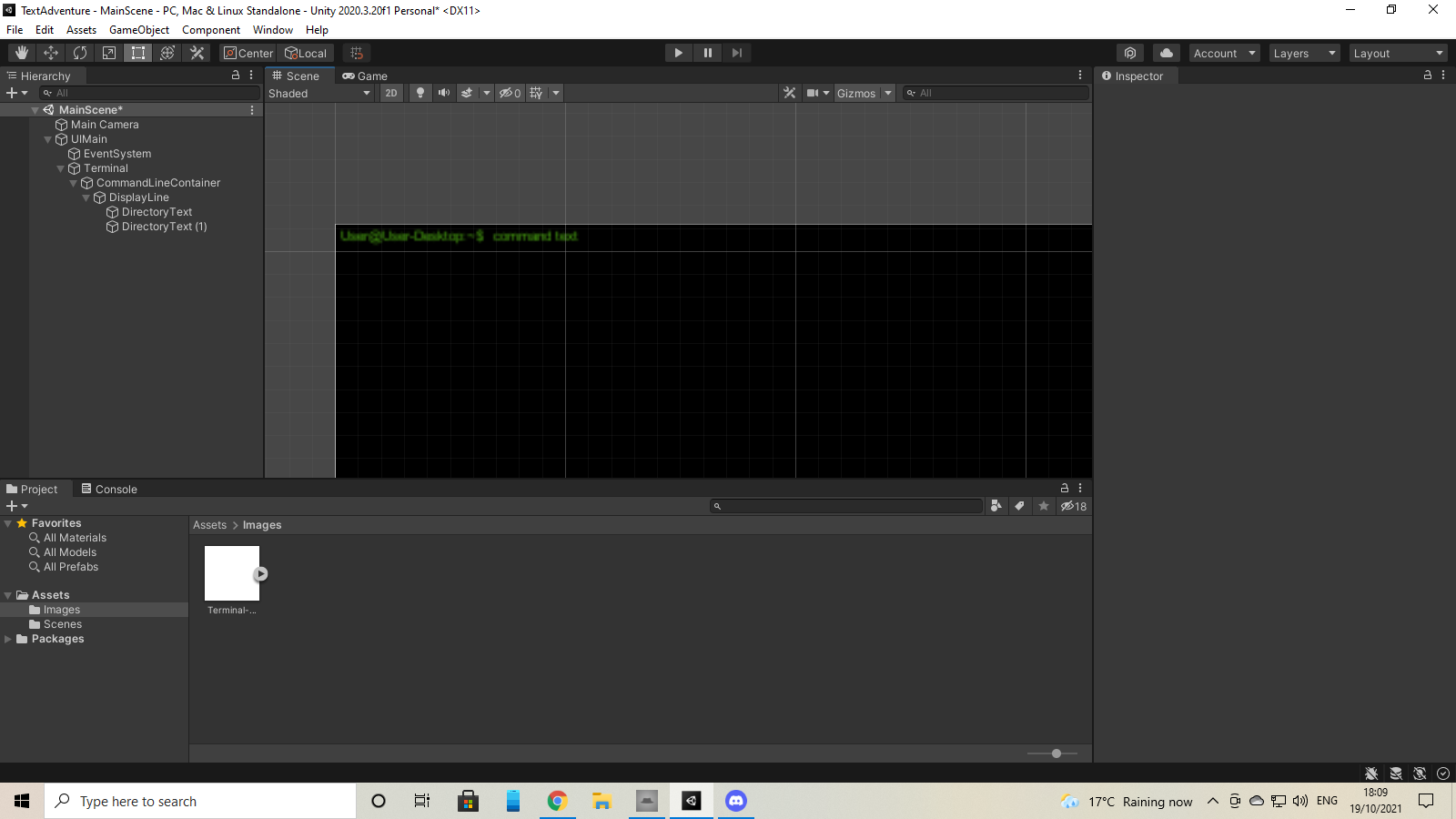
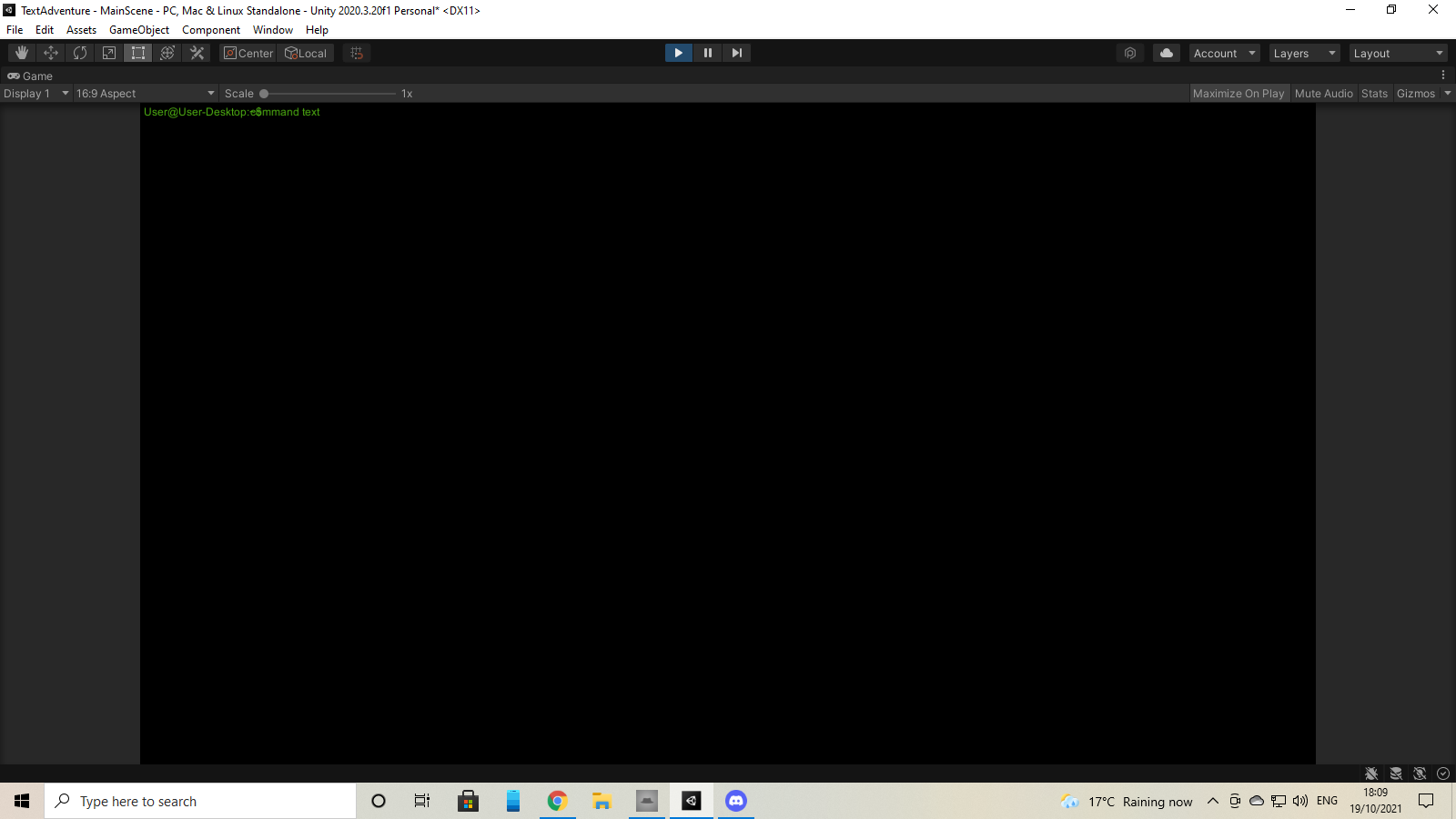 low pike
If, at runtime, you toggle everything (for the terminal) off/on.. it'll probably fix itself
confirm that first
obtuse tangle
obtuse tangle
I've made buttons that work with OnPointerDown and OnPointerUp (I want specific ...
Any ideas?.
 stuck crescent
how can I make a button ignore right mouse input? I'm making a click anywhere to continue button for dialogue and while at it I want the player to be able to reposition the camera while holding RMB + drag, but the button blocks the right mouse button input it seems
stuck crescent
I think, but not sure, that instead of using the button component I would have to create a script with a OnPointerClick(PointerEventData eventData) right? I did this inside it and nothing happens:
if (eventData.button == PointerEventData.InputButton.Left) { continueObj.GetComponent<StandardUIContinueButtonFastForward>().OnFastForward(); }
Guess i'm missing something?
 indigo goblet
how u use ui controllers or what do u use for controlling and managing your ingame ui
mortal robin
stuck crescent
I think, but not sure, that instead of using the button component I would have t...
yep this is about right
debug log some data from the eventData parameter to see what's going wrong
buoyant cliff
When I add a ContentSizeFitter to an element then remove it, the element acts as though the size fitter still applies?
 round badge
Is there any simple solution to world space UI in hdrp yet? Can only find threads from 2019/2020 regarding this issue
 bleak socket
Do monobehaviours inside a gameobject with a canvas renderer get an unity event function called when a camera renders them?
For example, one with a sprite renderer have OnWillRenderObject() called.
I'm looking for something exactly like that.
 idle lichen
im using a render texture to make a map, how can i click the ui buttons through the render texture?
 idle lichen
can anyone help?
idle lichen
i want to interact with the buttons by clicking from a render texture
low pike
show your setup - are the buttons part of the render texture? or on top of it?
golden cave
obtuse tangle
Any ideas?.
When you lift up the finger, check if the position is over the button game object, if not, exit (return) from the OnPointerUp method . . .
 hard raven
just wondering if anyone could help me in figuring out how to lay this UI out? I'm currently trying to get a kind of panel layout, where the size of the panels is consistent regardless of resolution, but whenever i change the size of a child within a panel, the panel itself changes size as well
This is the kind of layout I want to get but I’m not sure what settings I should have to get it

 warm wolf
hard raven
just wondering if anyone could help me in figuring out how to lay this UI out? I...
warm wolf
hard raven
just wondering if anyone could help me in figuring out how to lay this UI out? I...
What do you mean by panel itself changes?
But I do this in 2 ways:
- I use the "better UI" asset and use the snap anchors in that package, to get the anchors equal to the corners of the panels. This makes the panels scale in ratio to the screen width and makes them work at any resolution (though the aspect ratio will differ if the screen does too.
- Use a canvas scaler and have the canvas scale to match the width of a target resolution. Design for that resolution and make sure your UI dynamically resizes depending on vertical width. This can give you some nicer resizing and can be used together with 1.
These two are how I do it but there may be better ways
hard raven
warm wolf
What do you mean by panel itself changes?
But I do this in 2 ways:
1. I use the ...
oo ill look into that asset
and by the panel changes, I mean if i increase the width of a child inside of a panel, the panels width increases with it, for example the first screenshot is of the child by default and when I make it bigger, the panel it is inside of gets bigger as well


and im just trying to find a way of keeping the parent panel a consistent width
warm wolf
hard raven
and im just trying to find a way of keeping the parent panel a consistent width
??? no idea how you are managing to do that... never seen that before
warm wolf
hard raven
and im just trying to find a way of keeping the parent panel a consistent width
Are you manually draging the child thingo wider and are its anchors set for width or something? child will never affect parents size unless you have a script on the parent like a layout group which does this specifically.
Do you have a layout group on that parent?
 warm wolf
hard raven
I have a horizontal layout group yeah
warm wolf
hard raven
I have a horizontal layout group yeah
Ah reply to me if you want me to see this.
That is why your parent is expanding, don't use layout groups if you want the child to change sizes not decided by the layout group.
In your example, you should have a sub-child of that menu which has the layout group (if you want a list of things which can vary in quantity) and resize that sub-child as you want and have that layout group control its children only.
hard raven
warm wolf
In your example, you should have a sub-child of that menu which has the layout g...
I've got that set up now and it's working just how I need it, thank you!
idle lichen
low pike
show your setup - are the buttons part of the render texture? or on top of it?
the buttons are in world space

and then the render texture is showing a camera looking down from above
 twilit wraith
Hey, I'm having a weird issue. I'm working on an app. I create a texture from the phone's camera, then give it to an image to display on the ui. Thing is, the texture displayed is just a transparent white background. When I view it from the inspector, it shows the same, but the moment I modify any properties on it, it suddenly shows the correct photo. I have no idea what's happening
low pike
idle lichen
and then the render texture is showing a camera looking down from above
As I thought. The render texture is just an image, you're not sending any events to the/ getting anything from the buttons.. as far as they are concerned they have not been touched
idle lichen
Ok, would there then be a way to make it so if I click on the map it for example sends a raycast from the top down camera to where I clicked in the world
And then I could detect if there's a button there etc
low pike
yes
 ember geyser
Any way of refreshing automatic UI navigation at runtime?
ember geyser
this is really wrong and i cant find a way to get the automatic navigation right

(p1 and p2 buttons are spawned so i cant manually set the connections)
 hushed phoenix
Hi I am trying to rotate an image in canvas but i am not able to make the perfect script for it.... I want to rotate my image 25 degrees on the A button and -25 degrees on D button on the x axis and if nothing pressed...snap it back to 0.
PLS HELP
jagged monolith
hushed phoenix
Hi I am trying to rotate an image in canvas but i am not able to make the perfec...
What's your script currently?
hushed phoenix
jagged monolith
What's your script currently?
nothing
tried to make one but failed
lemme show you
hushed phoenix
@lunar narwhal
 winged wren
Hello!
So, I am in a situation, in which I can't find a solution. I have a parent with Rect Transform and it has 3 children, all with Rect Transforms. I want them to align one after another vertically (see image). Each of the children have content inside of it and I want to do animation, that scrolls from one to another smoothly in different resolutions (this is the problem). How do I make it fit every resolution? With one panel its easy, you just make it stretched, but how do I do it with 3? And then make it align with each other? I tried Grid Layout Group, Vertical Layout Group, but without luck. Unity's UI has always been a mystery for me.

 ripe condor
Every time I load up my project it gets booted into safe mode because it can't find "UIDocument". If I open the code, change something and save and then change it back and save again, it fixes. But then when I start it up again it errors out again. Hopefully this is a common issue b/c I have no idea how I would fix it?
digital kayak
winged wren
Hello!
So, I am in a situation, in which I can't find a solution. I have a pare...
what mode is your canvas scaler in?
you can set it to scale with screen size
winged wren
digital kayak
what mode is your canvas scaler in?
It is Scale with Screen Size
digital kayak
winged wren
It is Scale with Screen Size
in Match Width or Height?
winged wren
digital kayak
in Match Width or Height?
Expand
I don't really know what it does, but it seems like it fits better to screen
digital kayak
winged wren
I don't really know what it does, but it seems like it fits better to screen
expand-
Expand the canvas area either horizontally or vertically, so the size of the canvas will never be smaller than the reference.
https://docs.unity3d.com/Packages/com.unity.ugui@1.0/manual/script-CanvasScaler.html
if messing around with the canvas scaler doesn't work then you can set the Parent to stretch vertically
then have a vertical layout group
winged wren
I tried adding vertical layout group, and they all disappeared. I mean their height and width became 0
because I thought that vertical layout group was the answer
digital kayak
winged wren
I tried adding vertical layout group, and they all disappeared. I mean their hei...
did you tick 'Control Child Size'
because that can cause them to shrink
is something like this what you want

 pine echo
i'm making a settings menu on my game and this happens
i've already tried to tweak some values
 winged wren
digital kayak
did you tick 'Control Child Size'
winged wren
digital kayak
did you tick 'Control Child Size'
I now ticked control child size width and it seems to be working as I wanted. I ticked control child size height and it shrank vertically, so I unticked that. I also have child force expand ticked on both
Thank you @digital kayak
digital kayak
pine echo
i'm making a settings menu on my game and this happens
i've already tried to twe...
can you show your hierarchy? what are you using to space the words out
pine echo
ok

i'm not doing anything to space the words out
i just use unity's built-in UI dropdown
digital kayak
pine echo
i just use unity's built-in UI dropdown
can you show the inspector for it?


 grim axle
Here's a title menu I designed, feedback is appreciated!
 jagged monolith
<@&502884371011731486>
steady yarrow
jagged monolith
<@&502884371011731486>
Yeah he posted in many 😦
grim axle
Anyone got some feedback for my title menu?
digital kayak
grim axle
Anyone got some feedback for my title menu?
looks clean and simple 👍
grim axle
Thanks!
 quaint hazel
What do you guys use for svg ui in unity .
 rough gull
How could I make a good looking UI for my multiplayer camping game?
that fits the game
quaint hazel
rough gull
How could I make a good looking UI for my multiplayer camping game?
Look at what similarly themed games did and take notes of thnigs you like, then prob sketch on paper the arrangement and then place it
rough gull
ok ty
 coarse rivet
grim axle
Here's a title menu I designed, feedback is appreciated!
coarse rivet
grim axle
Here's a title menu I designed, feedback is appreciated!
Looks great, did you make it by yourself? I'm too these days watching some videos on ui design
grim axle
I did make it by myself, thank you!
coarse rivet
Do you know it already or you too watched some tutorials, if yes pls tell me whom do you watch
grim axle
I watched a menu UI tutorial by Thomas Brush
I'll see if I can find it

Here are the basics for creating an epic start menu in Unity! Thank you Erik Coburn for coding the final version of the menu system!
Join 1,000+ students at Full Time Game Dev for 25% off with the discount code LETSGAMEDEV using this link: https://www.fulltimegamedev.com/
Get my 2D Game Kit Free: https://www.fulltimegamedev.com/free-game-kit
Pin...
coarse rivet
cool
Does it also teach button programming (like switching from one seen to another, like from main menu to game scene)
grim axle
It teaches button animating
grim axle
Don't think so
But it's really easy
Just make a public method, open the button component and call that method
coarse rivet
Cool, I will try it
 stone pollen
Why is the color of my ui button not changed to red, after I changed his "enabled" state to "false" ?
mortal robin
stone pollen
Why is the color of my ui button not changed to red, after I changed his "enable...
confusingly I think enabled color actually refers to the interactable state, not the enabled state of the component
i.e. to fix it - I think you need to just delete line 23