
#📲┃ui-ux
1 messages · Page 51 of 1
 azure flame
yes
azure flame
Create a new scene, put default canvas and a panel under it, see if it works (raycast blocking). If it does start removing elements from your scene to find out what broke it.
 quiet monolith
i shoulved noted, in the scene i have two cavases (an enabled title menu and a disabled start menu). the buttons of the title menu canvas work fine, but clicking the continue button from the title menu to enable the start menu canvas, the buttons of the start menu canvas dont work
so, when i was trying to use the event system earlier to see which ui elements were blocking raycasts, i noticed even with the start menu enabled, the ui elements of the title menu canvas were blocking raycasts (not the ui elements of the start menu canvas)
the title menu and start menu are pretty much identical in components, but the start menu plays an animation once enabled (fades in StartMenuBackGroundImage parent)
 azure flame
So you are just not deactivating the first menu and it is on the way?
quiet monolith
i have since fixed that part, by disabling graphic raycaster of title menu when start menu is enabled
so i dont think the title menu is in the way
azure flame
Use CanvasGroup to fade out and deactivate raycast blocking on entire hierarchy without switching on/off its elements, which is costly.
quiet monolith
ill do that
alright, i still have the same issue as before
the buttons and images of the start menu canvas dont block raycasts xp
 azure flame
Separate them from hierarchy and test what's happening. Don't forget to turn them on.
quiet monolith
ill try that
i should note, when clicking on the start menu buttons in the hierarchy window, the outline of the button isnt highlighted in scene view
though, it does for the title menu buttons
ok ive separated the start menu canvas and its children into a new scene, enabled it, and the issue still persists.
i cant seem to isolate the problem
comparing between the inspector info of title menu canvas and buttons to start menu canvas and buttons, they are identical (besides for the fade in animation of the start menu and button functions)
azure flame
So start recreating it, making sure it works, and note when it stops working.
Basic debugging procedure. Narrow down the problem.
quiet monolith
alright, last resort i gues
 spark stump
im quite new to custom prop drawers, does anyone know why is the weird box happening next to size?
 azure flame
#↕️┃editor-extensions for custom inspectors help.
spark stump
thanks
quiet monolith
azure flame
So start recreating it, making sure it works, and note when it stops working.
im facepalming, for some reason the scale values of rect transforms for the buttons were set to 0
issue fixed.
 neon crest
So is that an static image, or are you rendering to a texture there?
neon crest
Cool! Not using HDRP I assume 🙂
I had to solve this same thing in HDRP recently and I still think the problem/solution are ridiculous
 fleet terrace
Welp actually there was 2 pictures of that cheese dude on google images with the special white background and one worked but the other one didn’t

See that works u can’t see the background

But that one doesn’t work so honestly I’m not sure if I’m gonna run into another problem LMAO but this is just a test to make sure it’ll work once I use it in the image I want
fleet terrace
neon crest
I had to solve this same thing in HDRP recently and I still think the problem/so...
I googled HDRP and holy crap that seems like a process for your fix dang
neon crest
@fleet terrace Yeah, I went with making a "green screen" - camera renders lime green background, then used a shader on my render texture material that replaces that with Alpha. It works, but it's really, really stupid that I have to do that IMO.
I found where it had been reported to Unity as a bug, and they declared it was "Behaving correctly" because they intend to use the alpha channel bits for "something else" in HDRP in the future. Which... seems ridiculous.
 strong ice
Hello fellas ! Has anyone heard of a VR game/application build with 3D elements, but with a 360 video as a background ?
By that I mean with a perfect 360 video skybox integration, where the user won't feel like being "floating", surrounded by a giant screen.
I know you can achieve 360 skybox video quite easily, but despite my efforts, it felt ... "not good" every time.
I am looking for some examples of a seamless integration.
Any help would be very appreciated.
So far, the "only" example I've come across is Supernatural, in which the backgrounds seem to be 360 video. The thing is, there is nothing else but the shapes coming' at the player and the platform the player stands on.
I am looking for something more elaborate, such as a 3D house, with 3D elements you could interact with, but where the background would be a 360 video. Like, you look at the windows, and you see a 360 video of the surroundings, without having the feeling that the house is just floating in the void. These explanations might not be crystal clear tho. (this is more of a UX question than a code one, but if not, pardon me for posting in the wrong section)
azure flame
@waxen coral You can find UI tutorials on Unity Learn site.
 waxen coral
i already checked it but my problem it's : at the begin work with success but after idk for why he stop work but i dont touch anything?!
this is the second time happen it
 red apex
I cant select in the hierarchy for some reason. Anyone else? Linux and unity 2020.2

I also have to close and reopen the editor if i want to save
and a bunch of smaller bugs
red apex
How can i change styles based on light/dark
 peak quarry
Anybody know if there's a method to render a Trail Renderer inside the canvas (outside of using a Rendex Texture)? Or an extension that allows this?
 cyan sluice
Quick question, I’m a graphic designer and I generally use illustrator for a lot of my designing. When creating a UI, should I use the built in UI editor or should I create assets in Illustrator and bring them over to Unity? What’s the general process?
peak quarry
There's almost 0 images to use in Unity for creating the UI, so you need to create those "assets" yourself, import them, and use them. Unity's UI system(s) are mainly for layout (think scaling UI and the order of text/buttons/etc) and functionality (think buttons).
Unity supports Photoshop (project) files [.psd], so you don't have to export the images to use them. Not sure if there's a step that automatically optimizes the images used, etc., when doing that (so you don't include the entire .psd when building the Unity project).
 jagged monolith
We export .PNGs out out Illustrator @cyan sluice
Keeping it modular as far as we can, so no text on buttons etc
cyan sluice
Okay, what resolution do you usually make each element? Do you create separate art boards for each piece? Then do you add text in Unity?
red apex
i dont really do stuff like that but isnt there a way to just import a SVG file?
so it has "infinite" resolution
cyan sluice
Yeah would svg be scalable in the ui?
red apex
yes
im not good at unity but i would think so
im more of a coder
but i like to design a little
 regal coyote
What's UI Toolkit attempting to solve? I ran some basic tests with updating labels and compared it to UGUI, and UI Toolkit doesn't seem to scale better for Runtime.
Updating 10 labels in UI Toolkit seems 2x times slower than updating 10 TextMeshPro UGUI components (every frame). 🤔
jagged monolith
Resolution varies from piece to piece @cyan sluice. Separate art boards for collections of pieces. Text with TextMesh pro in unity
cyan sluice
What about if I want to warp the whole ui? I know games like risk of rain 2 and Destiny do this. The hud is warped inwards. Would this just be done on my art or can this be done in Unity?
jagged monolith
Not sure about that one. Could perhaps be done with a camera space or world space canvas
red apex
regal coyote
What's UI Toolkit attempting to solve? I ran some basic tests with updating labe...
from what i can see its more flexible and its semi-html like(which can be good or bad)
cyan sluice
How about animations in the HUD?
 mortal robin
cyan sluice
What about if I want to warp the whole ui? I know games like risk of rain 2 and ...
mortal robin
cyan sluice
What about if I want to warp the whole ui? I know games like risk of rain 2 and ...
Usually done via PostProcessing effects (full -screen effects) on the camera rendering the UI
It can of course be done directly in the art
If you do postprocessing that changes the onscreen position or size/shape of the UI elements, and they are interactive via a pointer/mouse, you may have some complications with mouse position not lining up to the UI elements
cyan sluice
What about with health bars that move?
And can I have a post process effect only apply to the ui?
regal coyote
red apex
from what i can see its more flexible and its semi-html like(which can be good o...
Yea I can see the appeal I think the GC and frequent updates which usually happen to game ui is a bit slow with UI Toolkit (it's only in preview now but hopefully it gets better down the line)
mortal robin
cyan sluice
And can I have a post process effect only apply to the ui?
Yes. You generally do this by putting the UI on its own camera and applying the PostProcessing volume only to that camera
 tender drum
If we have an UI panel that sometimes is not visible, (we use a tween to move it outside the view... Is it enough disabling the gameobject to save UI drawcalls? or should we do somethingelse?
fleet terrace
neon crest
<@285301345484013568> Yeah, I went with making a "green screen" - camera renders...
Oh holy crap man what a process, glad you found the fix I ended up spending $5 on a website that makes the background of your photo transparent so unity doesn’t render it in, it was either that or adobe photoshop cutting the image
neon crest
Well, the whole problem is that in HDRP, Unity throws away the alpha channel data from the camera that renders to texture, so it didn’t matter that i had the model rendered with the alpha correctly. And since my model was animated I couldn’t cut out a single image
 gilded path
That is so stupid o.O
neon crest
@rapid ferry What did you use to make that UI? I'm awful at it so far 🙂
Oh, interesting! I actually have Affinity Designer, I didn't know you could just like, do that.
I've been trying to use the Unity UI objects, and I end up spending forever beating on the properties to get them to even layout correctly, let alone not look like trash lol
Is there documentation on how to do that somewhere?
Does it really just read designer's files, or do you export in some format?
Ok, I think I see. So most of that screen is an image, and you're just positioning the UI text at that point?
That makes sense
Thanks for the breakdown!
 rapid ferry
who here can make pretty cool Menu Screen buttons?
rapid ferry
does anyone know what happens when Canvas elements are visible in the game, but not in the Scene editor? Only the elements' layouts are visible, but not the actual graphics
azure flame
rapid ferry
does anyone know what happens when Canvas elements are visible in the game, but ...
Check if you toggled off visibility in layers top right
 rapid ferry
who can help me make an UI like this
 mortal robin
rapid ferry
who can help me make an UI like this
mortal robin
rapid ferry
who can help me make an UI like this
Look for a tutorial - that looks like a basic menu
rapid ferry
it's basic but i don't find a normal tutorial about it, the other tutorials like Brackeyes are for other kind of main menus
 heady phoenix
Posted this in the wrong channel, so I'm sending it here. I want to make this little menu ONLY navigable using the keyboard, tried to use the "Navigation" feature, but I don't want to make it so you can unfocus/click buttons with the cursor, is there any better way to do this?

Basically what I'm trying to do is an attack selection menu that is only navigable with the keyboard, NOT with the mouse.
 orchid sage
hi
i have problem with ui
every thing is working perfectly in unity editor
but when i build the game the dimension not working correctly

the photo above is from unity
and this is from y phone
 jagged monolith
@orchid sage make a new game view resolution with the pixel values from you phone
Your phone is not 16:9
orchid sage
unity doesn't support scale with screen size?
 cloud stratus
Hi everyone, I'm wondering how can I make buttons like in the game this war of mine. I'm done with camera controls but couldnt make the buttons. They stay at the same place even though camera movement and scrolling in out etc. Any help appreciated thanks.

 viral pasture
rapid ferry
it's basic but i don't find a normal tutorial about it, the other tutorials like...
viral pasture
rapid ferry
it's basic but i don't find a normal tutorial about it, the other tutorials like...
Are you referring to the layout of it?
viral pasture
orchid sage
unity doesn't support scale with screen size?
It does, but you need to anchor your UI elements to do so. https://docs.unity3d.com/Packages/com.unity.ugui@1.0/manual/HOWTO-UIMultiResolution.html
orchid sage
i did
 iron escarp
hi
is it possible to have multiple canvases next to each other?
multiple root canvases
viral pasture
cloud stratus
Hi everyone, I'm wondering how can I make buttons like in the game this war of m...
Are you using a screen/camera space canvas or world space?
cloud stratus
I'm using world space but I'm not sure thats how Im supposed to do. When I move camera or scroll, buttons move too much idk why
viral pasture
iron escarp
is it possible to have multiple canvases next to each other?
Ya, that’s fine. Unity recommends splitting up your UI into groups on multiple canvases. Especially group up UI elements that change frequently since one element changed causes the whole canvas to dirty.
iron escarp
how do you do that
for multiple root canvases?
I wouldn't know that's why I'm asking
oml
viral pasture
cloud stratus
I'm using world space but I'm not sure thats how Im supposed to do. When I move ...
Are your button canvases attached to the objects they’re supposed to be attached to. Or is it floating in front of your level and you’re using a perspective camera?
iron escarp
i just figured
😄
recttransform and canvases as children
didn't know that would be working
viral pasture
iron escarp
for multiple root canvases?
Ya, just create multiple canvas objects
viral pasture
Not a problem. Happy hunting!
viral pasture
orchid sage
i did
If those buttons are properly anchored, they shouldn’t move like that, so that’s weird. Have you tried changing the resolution of the game window to that of your phone, so you can see if it’s happening in the editor?
cloud stratus
viral pasture
Are your button canvases attached to the objects they’re supposed to be attached...
There is one canvas and its not attached to the objects, it just seperated. I aligned buttons to be in front of the objects
I didnt know what else to do
rapid ferry
viral pasture
Are you referring to the layout of it?
yes
viral pasture
cloud stratus
There is one canvas and its not attached to the objects, it just seperated. I al...
Is your camera perspective or othographic?
cloud stratus
Perspective
iron escarp
cbun
did you have multiple root canvases before?
I want to place them next to each other, not sure if that's possible without using world space
viral pasture
rapid ferry
yes
Just follow any menu tutorial, then move the objects around and customize them to your liking. There’s loads of tutorials on the different UI elements if you’re not sure how to customize each.
iron escarp
@viral pasture ?
viral pasture
iron escarp
<@!399771706039730178> ?
Have one root with multiple children canvases. I’d have to be at my computer to recall if multiple roots are possible. It’s probably easier to just have the one root with children that actually hold all the elements.
viral pasture
cloud stratus
Perspective
If your canvas is floating in world space and your camera is in perspective then the angle at which the camera is viewing your canvas is going to change when you move/zoom the camera.
cloud stratus
Thats the problem. Is there a way to prevent this?
viral pasture
cloud stratus
Thats the problem. Is there a way to prevent this?
Off the top of my head, you could try having unique canvases for each of your buttons and have them as children of the object they’re supposed to buttonize, lol. The closer to the object’s camera-facing side the better, so it won’t slide as much with perspective changes. You’d probably want to make the buttons slightly larger than the area of the object, to make sure when the object is clicked it’s selected.
viral pasture
cloud stratus
Thats the problem. Is there a way to prevent this?
Unless you just want it so the objects themselves are the button then you could add the OnMouseDown method to a script on the object with a collider to trigger whatever you need when the object is clicked on.
viral pasture
cloud stratus
Thats the problem. Is there a way to prevent this?
But ya, from the video you sent, it looks like the buttons are anchored to the objects they’re in front of, so my first suggestion.
cloud stratus
viral pasture
But ya, from the video you sent, it looks like the buttons are anchored to the o...
Thank you so much dude, do you think there will be a performance issue if I add so many canvases as children?
viral pasture
cloud stratus
Thank you so much dude, do you think there will be a performance issue if I add ...
No prob, bob. How many canvases are we talking? Hundreds is probably not a great idea lol. Although, Unity recommends dividing UI into multiple canvases, as they said performance-wise its not that bad. I wouldn't go overboard though. I'd first try and see if you can make them one canvas, but just have them at the exact location of the items not in front and render them in front. Or try and make groups of canvases where a room's buttons are on the same canvas.
cloud stratus
viral pasture
No prob, bob. How many canvases are we talking? Hundreds is probably not a great...
Not more than 25 per scene I'd say. I liked the group of canvases for each room I think I can go with that. Only thing now I need to find how to render canvas in front of everthing. Thanks for helping dude
viral pasture
cloud stratus
Not more than 25 per scene I'd say. I liked the group of canvases for each room ...
You're welcome. Best of luck to ya.
cloud stratus
viral pasture
You're welcome. Best of luck to ya.
It worked 🥳 🥳
 wooden trellis
I have this UI, of course I want it to be a resizeable window cause it's nicer for the user but if someone stretches it out from one end of the moniter to the over then it just looks stupid... What should I do?
viral pasture
wooden trellis
I have this UI, of course I want it to be a resizeable window cause it's nicer f...
Your in game UI is resizable by the end user?
wooden trellis
Well I mean the entire window
viral pasture
Like the application window when a build of your game is playing?
wooden trellis
Aren't unity game windows resizeable?
I haven't actually made it on unity yet but I'm getting the problem in my planning sketches
viral pasture
You can set them to be windowed and resizable. I personally wouldn’t recommend it. Letting them have free reign of the aspect ratio of your game sounds like a headache. You can set it up where they can change the resolution to change the window size, which would help you maintain a logical aspect ratio.
wooden trellis
viral pasture
You can set them to be windowed and resizable. I personally wouldn’t recommend i...
So you recommend simply having a non-resizeable window?
That would make it easier
Now I need to decide on a size 😂 I'm think 800x480
wooden trellis
never mind, not that anyone cares but im going with 840x480
 shrewd socket
Question. I want to create an editor pannel to help list items in my game and some basic details that I could maybe hit a button to refresh using some c# code i share with my game's startup to collect item data from files... what would the best way to go about this be?
 tranquil parrot
Is there a way to create for example a vertical layout group, with a background behind it. And then have a bunch of transparent images as children inside the group and then have spacers between each image, but the spacers must be visible and not transparent? Let me know if this question is not clear enough!
mortal robin
tranquil parrot
Is there a way to create for example a vertical layout group, with a background ...
yes it is possible. use images for the spacers
(without a sprite assigned)
and set the color
(or use actual images, if you want)
tranquil parrot
@mortal robin Oh yeah that's what I'm currently doing, maybe I'm being to nit-picky. But that means I have to manually set the image(spacer) because just anchoring it to the bottom won't be precisely in the middle of the two children images.
I thought maybe there would be an actual way I guess. But I'll go with that method then. Thank you!
mortal robin
tranquil parrot
I thought maybe there would be an actual way I guess. But I'll go with that meth...
There is an actual way. You need to use a Layout Element Component
tranquil parrot
Ohhhhh wait
mortal robin
and deal with stuff like.. flexible height/width etc
tranquil parrot
Yeah that'll work!
tranquil parrot
No no, that will actually work perfectly I think! Thank you
 bright dagger
is there a way to make an input-field "consume" key inputs? so if I type WASD into it for example my character doesnt keep moving?
neon crest
Since other components poll input, no, not really. You have to 'turn off' whatever's moving your character
bright dagger
if I want to do that, how can I check if the user selected the input field?
neon crest
If you don't have an "activate menu" button or something and have input available while playing, I don't actually know. I haven't gotten enough experience with UI yet 🙂
bright dagger
oki ty anyways :) Ill just ignore it for now I guess
seems weird that this functionality doesnt exist already
neon crest
It might well, I just don't know it. I see an event for "change" and "Editing ended", but not "Got focus" which sounds more like what you'd want
bright dagger
bright dagger
is there a way to make an input-field "consume" key inputs? so if I type WASD in...
I was referring to this actually
because why would you want your key presses to still do things while putting inputs into the field
confirmed by devs to be a missing feature two years ago, still no update so far from what I can tell
neon crest
I can think of a gross hack-around, but maybe someone else will know a clean way to do it
If you use the script execution order setting to guarantee your UI code runs before your other input handling, you could use the "Change" event on the input field to signal your other input handling code to ignore a keypress on that frame.
It wouldn't disable on clicking on the field, and it's kinda gross... but it would "consume" the keypresses
bright dagger
is there a way for a button to call a function and automatically fill the parameter that function asks for with itself?
nevermind I got it Im stupid
didnt realise I could just pull components from the inspector into the field
neon crest
That sounds like my daily Unity loop. "How do I..??? Oh. Duh" 🙂
bright dagger
I used Unreal at my previous job so a lot of things that felt really intuitive there are just not intuitive at all to me in Unity
neon crest
I'm just new to game dev in general. There's a HUGE surface area to learn and I haven't gotten much depth in most of it yet
bright dagger
I dont even get to make games rn its all just business crap
:D
getting off topic here sorry
neon crest
I think that the new UI system combined with the new Input system handles your original problem better. But the UI stuff is in Preview still, and I found it pretty limiting because it's not widely supported by other stuff yet.
LIke, for instance, UI Toolkit has events for like, mouse down. https://docs.unity3d.com/Manual/UIE-Events-Handling.html

 finite isle
sup, I've used before UIElements for editor purposes only but now I want use it in Runtime, is any way to attach VisualElement to GameObject without using of UIDocument?
wooden trellis
this is probably a really stupid question but why when i make a UI does the game use that instead of the main camera view?

im trying to add a 3d asset in my 2d ui thing
but you see the camera isnt picking up the ui and when i press play ONLY the ui shows
wooden trellis
edit: i dont know what ive done but it seems to have worked
 radiant hornet
Hey, go ive got this drop down and i want to have one of the fonts different from the rest. i can change the fonts of all of them but not one specifically. any help is appreciated thx in adv


so basically i just want the "potato" option to just be in the BAD font, any way of doing this?
Goal:
 radiant hornet
because there created at runtime when you click on the menu
however i was able to do it through a short script


 uncut belfry
The joystick turned out too small,how do I fix this issue?
 azure flame
@uncut belfry https://docs.unity3d.com/Packages/com.unity.ugui@1.0/manual/script-CanvasScaler.html Scale with screen size
uncut belfry
Ty
uncut belfry
@azure flame im geting the "non-root canvas will not be scaled" error
azure flame
you are trying to scale subcanvas. Canvas scaler already exists on the main one
uncut belfry
so why dosent the joystick scale when on android
this is the current setup on main canvas
 uncut belfry
also,how do I make an npc interact with player
when developing for android
yt dosent have any tutorial for android
uncut belfry
uncut belfry
this is the current setup on main canvas
nvm I fixed the issue
 uneven ridge
what is this? I was dragging the button in the editor but then these lines appeared, idk what this is never seen it before

is it the anchor point of the parent object
bruh it's getting complicated wut

 rare current
uneven ridge
bruh it's getting complicated wut
rare current
uneven ridge
bruh it's getting complicated wut
I believe those are navigation lines https://docs.unity3d.com/Packages/com.unity.ugui@1.0/manual/script-SelectableNavigation.html
uneven ridge
rare current
I believe those are navigation lines https://docs.unity3d.com/Packages/com.unity...
oh thanks, first time seeing this!
is there any way to disable it?
mortal robin
uneven ridge
what is this? I was dragging the button in the editor but then these lines appea...
You have pressed the "Visualize" button on your button
Unpress it?
 carmine siren
For some reason when i touch my end trigger instead of the animation playing the UI just appears can somebody help me @everyone
uneven ridge
mortal robin
You have pressed the "Visualize" button on your button
Thanks so much!
 winter crag
i have a panel that i wanna make it go down overtime? ive been searching for a while and i cant figure out how to do it
rare current
winter crag
i have a panel that i wanna make it go down overtime? ive been searching for a w...
Try lerping
winter crag
ok
rare current
Or maybe animations
mortal robin
winter crag
i have a panel that i wanna make it go down overtime? ive been searching for a w...
Vector3.MoveTowards would be a good start
Animator would probably be the most maintainable way
winter crag
ok thanks
 light coral
Two questions:
-
What's a simple way to make an object clickable to bring up a menu screen -
-
How do you pause the game while the menu is open? (Like a crafting menu or talent tree screen opens, and the game will be paused until you close the menu?)
mortal robin
light coral
Two questions:
1. What's a simple way to make an object clickable to bring up ...
light coral
Thanks!
 analog trail
can someone help me with this? 1. how to get it that it is in foreground of the orange potion. 2. why do i not see it if i slide it the right and how to fix it?
is it wrong to spawn pop ups as a child of the button?
rapid ferry
I'm pretty new to the whole Unity scene and I was wondering how I can change what layer a UI is on?
I'm trying to get a window to pop up, which works wonderfully, except the window is behind the main menu
 polar grove
Hello, I'm making a mobile game, where the players uses a jetpack to fly. I'm having a little trouble with how the player will move the camera. So there is a Joystick for the player movement, and there is a fixed button which upon double tap will start the jetpack and the player will have to hold the botton for the jetpack to work. Not my issue is, if the player's one finger is on the joystick and the other on the fixed button then how will they rotate the camera (done by dragging on the screen). So is there any way that even if when the player is holding the jetpack button they can still move their finger and give input to the Touchfield so they can move the camera?
 worldly marlin
@polar grove with Unity you can access every screen touch. So in theory you could differentiate which one is on the joystick, which is on the button, and which touches are in game-space. However it sounds more like a game design problem
Even though it could be implemented in Unity, I'm not sure how one would physically play the game like you describe. Right thumb is on the joystick, right thumb is on the button
polar grove
Left thumb on JS and Right Thumb on button (also Right Thumb for Moving the camera). And thats the issue, if the player uses the button they cant move the camera simultaneously. So I was hoping there will be a way if the Event System can detect a click and drag on the screen from a single thumb at the same time
worldly marlin
Oh, like with the same jetpack finger? So essentially you want to track presses on the buttons, and then drag movements after that press
polar grove
Yes
worldly marlin
It's very similar to the joystick then
polar grove
I've found some code online that is supposed to "Not Detect" the first UI Element if its already active, seems really complex so I was hoping for something easier
polar grove
worldly marlin
It's very similar to the joystick then
Kinda ya
Tho the Button and the TouchField are different UI Elements
The JS Handle is just a single Element
I guess that is doable
Not sure how to send input to the touchfield while pressing the button
worldly marlin
I would just implement it as a modified joystick that visually appears as a button
polar grove
So basically a joystick but without the handle moving?
worldly marlin
Yeah, replacing the sprites entirely with a button that clicks up/down
polar grove
Ok I'll try making it
 little pulsar
Hello,
I'm trying to create a horizontal gradient with textmeshpro, some how this only works foreach letter in the word.
How can I have this effect for the whole word
 tranquil laurel
Hey I was wondering how I could edit this component in scene view, it only gets instantiated when you're playing it and click on the dropdown

I want to edit the dropdown list component so it looks like this
 wooden trellis
tranquil laurel
I want to edit the dropdown list component so it looks like this
wooden trellis
tranquil laurel
I want to edit the dropdown list component so it looks like this
What’s the difference between these?
mortal robin
tranquil laurel
Hey I was wondering how I could edit this component in scene view, it only gets ...
Edit it in the prefab
 obtuse fractal
Guess this is the right one then, I want to make a "slashed" text animation, like it was cut by sword, to use when you select a button in unity, but have no idea on how to implement that any pointers to what I should be looking into?
obtuse fractal
No one cares about UI :c
 weak burrow
Anyone know the name for these UI elements commonly used on settings screens (And if there are any implementations of this available on the Asset store or anywhere else)
 weak burrow
obtuse fractal
Guess this is the right one then, I want to make a "slashed" text animation, lik...
weak burrow
obtuse fractal
Guess this is the right one then, I want to make a "slashed" text animation, lik...
My first thought to doing this would be to duplicate the text, and use a left and right mask image. Then you can animate the left and right sides splitting apart.
 orchid surge
how would I anchor this camera to the right side of the screen? I have it set to 0.25 of the viewport.
 weak burrow
orchid surge
how would I anchor this camera to the right side of the screen? I have it set to...
weak burrow
orchid surge
how would I anchor this camera to the right side of the screen? I have it set to...
What do you mean by anchor the camera? Are you using a render texture on a canvas from a camera? And you want it on the right side of the screen?
orchid surge
I want it to just stay on the right side of the viewport.
and no, I'm not sure what you mean by render texture. It's just a regular camera.
weak burrow
If you want the camera to actually render in only part of the screen then check the bottom of the camera component for Output, has settings there for Viewport rect.
orchid surge
It's already set there.
I want it on the right side of the screen, though.
Or wait
weak burrow
Sorry, I don't understand what you're asking at all.
orchid surge
Can I have one camera be 0.75 and the other be 0.25 and have one come after the other?
I want the camera that's on the left side of the screen to be on the right side
I got it, nvm
just had to set one it to x 0.75
weak burrow
👍
 crimson sigil
why is my inputfield not working properly
oh nvm
o great now my start button isnt working
quiet monolith
rapid ferry
I'm pretty new to the whole Unity scene and I was wondering how I can change wha...
im currently experiencing a similar issue. i have two UI canvases: canvas0 should in background and canvas1 should in foreground. ive tried testing when the sort order property of the canvas component to 0 and 1, and 1 and 0 respectively but find that nothing has changed. canvas1 (foreground) still appears before canvas0 (background) regardless when canvas1 should be in front.
how do i fix this issue?
quiet monolith
render mode is set to screen space - overlay for both canvases.
 wintry haven
What are your canvas and canvas scaling settings set to?
Well that looks fine, are you sure font size 4 is what you want? That’s really low
Set the text rect anchors to expand, the little crosshair looking thing in the top left
Then increase the font size from 4
Yeah the bottom right blue one
Stretch vertical and horizontal
Then it should take up the whole panel
?
Click the bottom right blue thing in the anchors
Click the little crosshair looking thing again, then bottom right stretch
👍
 muted kiln
how do i make the arrow head follow the direction of my ui line renderer ?
 mortal robin
muted kiln
how do i make the arrow head follow the direction of my ui line renderer ?
mortal robin
muted kiln
how do i make the arrow head follow the direction of my ui line renderer ?
Just place it at the end point and face it in the direction from the start to end point.
muted kiln
mortal robin
Just place it at the end point and face it in the direction from the start to en...
yeah i've been trying to do that for the past 2 hours or so but all these coordination systems are driving me crazy
mortal robin
muted kiln
yeah i've been trying to do that for the past 2 hours or so but all these coordi...
Use debug.drawline to visualize stuff
It'll make it easier
muted kiln
Pastebin
Pastebin.com is the number one paste tool since 2002. Pastebin is a website where you can store text online for a set period of time.
this is what im currently at right now. seems there's 2 kind of 2d coordination and a 3d coordination but nothing is working
 smoky rivet
Hey people, I'm making a pixel art game and I found a nice font but I want to use the point filter on the text but... it's grayed out on the font.
 mortal robin
smoky rivet
Hey people, I'm making a pixel art game and I found a nice font but I want to us...
mortal robin
smoky rivet
Hey people, I'm making a pixel art game and I found a nice font but I want to us...
Are you having issues with blurry text?
smoky rivet
Yea
mortal robin
Have you tried using TextMeshPro instead of Unity's built-in text stuff
it's a lot better
(also free)
smoky rivet
I just loaded that in, but it doesn't like the font file I have.
smoky rivet
It is a ttf
mortal robin
should be fine then
how are you trying to add it
Have you followed this? https://learn.unity.com/tutorial/textmesh-pro-font-asset-creation

Unity Learn
In this tutorial, we’ll learn how to set up Font Assets, the core of all text in TextMesh Pro.
smoky rivet
 mortal robin
hmm ok and what happens with it?
smoky rivet
It just has the 'no' symbol
mortal robin
where?
smoky rivet
When I try to put my font in there. That font isn't the one I want to use
mortal robin
did you create a TMP font asset?
smoky rivet
How do I do that?
mortal robin
Unity Learn
In this tutorial, we’ll learn how to set up Font Assets, the core of all text in TextMesh Pro.
smoky rivet
Ok, got a version of the font.
Thanks
Though I'm having an issue with the text not sizing properly. Like this should be just one pixel.
 mortal robin
smoky rivet
Though I'm having an issue with the text not sizing properly. Like this should b...
mortal robin
smoky rivet
Though I'm having an issue with the text not sizing properly. Like this should b...
ok - is your blurry text issue solved at least?
mortal robin
hmmm
I'm not sure exactly what you need to do to set that up
a lot of factors come into play for the size of the characters
there's your canvas scaler
the "font size" attribute
the size of the UI TextMeshPro rectTransform
then there's all the size options on the font asset itself too
🤔
smoky rivet
I also have no clue. XD
mortal robin
I think to start with - make sure ytour Canvas Scaler is set to "Constant Pixel Size"
then just play with all those other options until it's the right height
you probably also want "Pixel Perfect" enabled on the canvas
quiet monolith
i have two UI canvases: canvas0 should in background and canvas1 should in foreground. ive tried testing when the sort order property of the canvas component to 0 and 1, and 1 and 0 respectively but find that nothing has changed. canvas1 (foreground) still appears before canvas0 (background) regardless when canvas1 should be in front.
how do i fix this issue?
canvas render mode is screen space - overlay
 hazy meteor
muted kiln
how do i make the arrow head follow the direction of my ui line renderer ?
hazy meteor
muted kiln
how do i make the arrow head follow the direction of my ui line renderer ?
Make the arrowhead child of the stick so it inherits all the movements
hazy meteor
quiet monolith
canvas render mode is screen space - overlay
Order of items in hierarchy matters with ui elements, try have the background canvas on top of the foreground one in hierarchy
muted kiln
hazy meteor
Make the arrowhead child of the stick so it inherits all the movements
its a linerenderer so that does nothing
but i did fix it by making the arrowhead face the camera at all times and only having one axis to worry about for rotating
 zinc summit
Heya, so hopefully this is the right channel for this, if not then correct me. So my question is if anyone knows why the highlight/click color suddenly don't show up anymore on my button. If I start the game, when I hover over the button, it doesn't change color. Seemed to happen out of nowhere as it worked just a few moments ago, might have something to do because I made it a child of something it but I'm not sure
jagged monolith
Can you click the button at all?
If not something is probably covering the button
If you have your EventSystem selected you can see which object is currently hovered
zinc summit
jagged monolith
Can you click the button at all?
I can, as it correctly loads the next scene
Also shows correctly in the EventSystem
jagged monolith
Then it might be something with the parenting like you say, I don't know what it would be though
Also make sure the image reference on the button is correct
zinc summit
jagged monolith
Also make sure the image reference on the button is correct
Yeah it is, and yeah probably has got something to do with the parenting, thanks
rapid ferry
how do I make the ui touch the edges of the screem

 shy karma
Hi!
How can I make the list bigger so that there's no need of scrolling down?
 wooden trellis
can i add animations to canvas like fade in/out and moving horizontally offscreen?
weak burrow
Anyone know how to create UI prefabs (Like what you get when you add component UI/Button)?
jagged monolith
A UI prefab is made just like any other prefab, you can just drag a GameObject into the project window @weak burrow
weak burrow
Any idea how to add it the UI menu on right click in the hierarchy?
jagged monolith
weak burrow
Ahh found it finally, looks like it's done totally differently then a prefab: https://github.com/Unity-Technologies/uGUI/blob/2019.1/UnityEditor.UI/UI/MenuOptions.cs

GitHub
Source code for the Unity UI system. Contribute to Unity-Technologies/uGUI development by creating an account on GitHub.
Ole, ya, I understood both of those things but it was how Unity put them together that was the issue, finally found it in the above link
They don't use prefabs, they build the components from script
jagged monolith
Interesting!
 burnt folio
My UI has not been showing these past 3 days, and I'm not really sure why, ver 2020.2
 mortal robin
burnt folio
My UI has not been showing these past 3 days, and I'm not really sure why, ver 2...
mortal robin
burnt folio
My UI has not been showing these past 3 days, and I'm not really sure why, ver 2...
it's cut off in your video but is that scene view or game view
Scene I guess?
What's your camera view in the scene view?
burnt folio
I don't know what "looming" is but a min ago it worked again but now its gone again, tried to undo but it's useless, I think it's a bug from the engine
every UI element looks like this after testing, but when I restart the engine it return normal and the loop continues
 rapid ferry
When making stuff like healthbars for characters do you give each character their own canvas with their own gui?
Or is there a more optimal way of handling this.
mortal robin
rapid ferry
When making stuff like healthbars for characters do you give each character the...
depends on the game and what your needs are
rapid ferry
Its kind of a rts, I need lots of halthbars for lots of enemies
rapid ferry
Hello there I'm trying to make a ui for gaming stats in unity can somone please help me with that
 small marsh
Hey, I've got 2 circular sliders which I managed to create using masks, but when the blue slider overlaps the red one, you can see the 'outside' part of the blue slider. Not sure what to do, haven't been able to find anything on google

Feel free to ping me when answering 🙂
 marble hollow
Hey, I have a quick question about UI. I'm looking to use WebView in Unity for PC Parts Picker. From the website it provides a rough parts list as detailed in the attached picture. Is there a way to import this text into a Unity UI to make it look more presentable (kind of like an excel table)?

I am looking for the table to look similar to the actual website (image attatched), but be affected by the exported text. Any thoughts?

 somber spear
Hi, I've decided to give a try to Unity and switched to it to try to make a mobile game, now I'm trying to implement UI but it's a bit confusing, we don't have an HUD class, we don't have widgets, apparently we have to link scripts to buttons in a weird way and others minor things I've noticed. So don't we have a better way to implement UI in Unity? I'm referring to menus, sub-menus, buttons, text, more menus in a single level... I'm thinking to create a script where I generate the UI and manage it, but it's a bit painful
 remote dove
reloading a scene complete destroys the UI layout?
public void changeScene(string sceneName)
    {
        SceneManager.LoadScene(sceneName, LoadSceneMode.Single);
    }
all i'm doing is going back and forth with two scenes?
one scene works fine but, the other one (which is using AR) completely breaks 😦
 green shoal
Hi does anyone know how to setup vertical layout groups with scrollbars
it seems to stick my layout group in the middle of the content rect
which I want to add items from top to bottom
 untold scarab
Set the Y pivot of the content rect to 1
green shoal
that worked thank you
mortal robin
small marsh
Hey, I've got 2 circular sliders which I managed to create using masks, but when...
masks don't really interact well when there's multiple masks involved. You're probably better off just creating circle textures and using the various "filled" modes to draw it partially empty
 cinder silo
I can't find tutorials with the information i need to make elements render in the correct order. I dont understand how something can render ontop in the editor, but not in preview. I also dont know where to learn how to fix these issues.

If you can ping me with resources I would appreciate it
rapid ferry
how do i make it so that the buttons scale to whatever size the screen is?
small marsh
mortal robin
masks don't really interact well when there's multiple masks involved. You're pr...
Ah didn’t think of that, thanks!
wooden trellis
how do i fade out all the children of a canvas (ui elements) on keypress?
mortal robin
wooden trellis
how do i fade out all the children of a canvas (ui elements) on keypress?
Use a CanvasGroup
wooden trellis
mortal robin
Use a CanvasGroup
AHHH thank you, ive been looping through all the child objects thinking THERE MUST BE A BETTER WAY
oh my god Alpha is a default property, this is so useful for me trying to fade everything out lmao
 mortal robin
mhmm
wooden trellis
 paper solstice
@wooden trellis you need to move the text UI a bit forward and that will fix it
 frank jewel
Hello. Anyone know how I can get the text to stay in the same place, regardless of how I resize the game window????
Oh, I just figured it out.
scale with screen, on canvas scaler, on canvas
Thanks, i guess
 radiant sandal
If i wanted to create a super generic text manager script that just displays the float value of a random variable
is there an easy way to like reference said variable, without writing a custom script for each
like i have the generic player reference and script reference
but instead of making 2 separate scripts for each text box, could I just have a single script that displays just any variable I tell it to
gilded path
You could probably use a UnityEvent for that, @radiant sandal
rapid ferry
im tryna create a navmesh for a plane but it doesnt even let me click on bake, how do i fix that???
 drowsy ingot
Does anybody know how to use the progress bar in UI Toolkit?
cloud stratus
Is there a way I can make this sprite doesn't scale when I zoom in or out (World space canvas)? I've created a new camera for ui and made it depth only but now icon doesn't move when I zoom or move the camera.
rapid ferry
cloud stratus
Is there a way I can make this sprite doesn't scale when I zoom in or out (World...
im trying to do the complete opposite for buttons 👍
cloud stratus
rapid ferry
im trying to do the complete opposite for buttons 👍
Good luck with that 😄
 grizzled junco
Never worked with UI / UX in Unity, how would i make this healthbar work in Unity? I created it in Photoshop. It should be completely fluent in the way the orange bar catches up on the white.

 slate jacinth
If I used 3D WebView for my UI, which enables a browser for HTML & CSS UI, approximately how bad would it be on performance for a small scale mobile game?
shrewd socket
Heya anyone know if there's a type of label or text element this formatting works for?

or what I could do instead to get the bold bit?
Currently just using GUILayout.Label(@event);
 civic hemlock
How can I stop two transparent images overlapping like this. I do not want the transparency to be added, but stay the same in the cross section

 worn knot
anyone know how to make a slider scale with the elements in the content area?
like, if i add more elements to the slider the bar would get smaller as the content area expands
civic hemlock
I was going to do something with animation but I could make that work
mortal robin
shrewd socket
Heya anyone know if there's a type of label or text element this formatting work...
TextMeshPro supports rich text tags
Rich text documentation for TextMesh Pro.
shrewd socket
mortal robin
TextMeshPro supports rich text tags
Thanks! I actually just found the answer somewhere else that it requires the use of a GuiStyle tag on the label haha
Now im trying to find how to make a scrollarea in the Inspector, it can he hard to search for inspector vs game ui stuff
jagged monolith
there's #↕️┃editor-extensions if you need help with editor stuff 👍
shrewd socket
jagged monolith
there's <#533353544846147585> if you need help with editor stuff 👍
Oh im sorry, I didn't notice that one vs this one! I'll ask over there
 wind rock
Ello lads; I am finishing up my short unity game about escaping a sinking ship, but I am about as handy with the UI tools as a chimp is with a shotgun, I am looking for someone interested in creating a main menu etc? Hit me up if it sounds like your jam (:
rapid ferry
Hello, i need help please
 gritty grotto
Hi! I am using a grid layout to format my UI list.
I want it to start at the top of the list, meaning the content section of my scrollview is always starting at the top
Right now, when the scroll view is shown it defaults to the middle
here is my setup
Basically, all entries into the grid layout group start at the bottom of the grid layout group, which is towards the center. I want to make it so its pinned to the top
I also am using a content size filter

I do add to the top padding in this section of code, if that is at all relevant
if(count != 1)
        {
            count = 1;
        }
        foreach (Item item in items)
        {

            if (items.Count > slots.Count)
            {
                //Debug.Log("Creating Slot Object");
                GameObject slot = UnityEngine.Object.Instantiate<GameObject>(inventorySlot, new Vector3(base.transform.position.x, base.transform.position.y, 0f), base.transform.rotation, contentObject.transform);
                //Debug.Log("Grab the values for the slot");
                slot.GetComponent<Slot>().SetItemSlot(item);
                slot.GetComponent<Slot>().SetID((int)count);
                slot.name = item.name + " " + count;
                slots.Add(slot);
                layout.padding.top = layout.padding.top + 10;
}```if you do have an answer, please ping me!
I figured it out.
Lol
rapid ferry
Has anyone managed to get a desktop GUI system such as Qt or even Electron working with Unity?
gilded path
@rapid ferry you mean embedding unity in an electron app, or the other way around?
rapid ferry
Other way around
Really just looking for a UI system suitable for an animation/modeling software built within the engine - that means resizable panels that can be docked to eachother
(i.e. Blender or SFM - the former doesn't use any framework and the latter uses Qt)
 radiant juniper
So basic question here: why can't I move my canvas?

I tried adding a layout component, but I still can't change the canvas transform
jagged monolith
The sizes of screen space canvases are determined by your game view size
radiant juniper
Oh okay, thanks!
muted kiln
why does the layout i generate dynamically looks messed up until i hover on it ?
rapid ferry
How can I make the element "#Viewport" fill everything that isn't taken up by "#Inspector"? It seems to be squashing everything downward instead of to the right.

 pliant sluice
im having trouble scaling the content (UI) using anchors, does anyone have any resources or knowledge on that? pls @ me
 frosty pewter
rapid ferry
How can I make the element "#Viewport" fill everything that *isn't* taken up by ...
frosty pewter
rapid ferry
How can I make the element "#Viewport" fill everything that *isn't* taken up by ...
Flex Grow 1
rapid ferry
Yeah... that's not working because it's still trying to occupy the space to the left (which is taken up by #Inspector)
What I need is some way to align #Viewport to the right instead of the bottom
frosty pewter
Make a parent with a row flex direction
rapid ferry
Thanks
 gaunt yew
hi. I have a world space canvas and a screen space canvas. The world space canvas' buttons do not work as long as the screen space canvas is enabled. Is there a workaround to make the world space canvas buttons always available?
azure flame
gaunt yew
hi. I have a world space canvas and a screen space canvas. The world space canva...
You likely have a UI element blocking the screen. At runtime extend EventSystem inspector area on the bottom and mouse over things to see what blocks raycast.
gaunt yew
azure flame
You likely have a UI element blocking the screen. At runtime extend EventSystem ...
mouse over what exactly?
azure flame
over the UI to see what element is blocking. You have an invisible element blocking raycast to world space
gaunt yew
I'm not sure where

but yes, the main canvas (screen space) is blocking the world space canvas somehow
gaunt yew
azure flame
over the UI to see what element is blocking. You have an invisible element block...
is there a way around without disabling the screen space canvas?
azure flame
azure flame
gaunt yew
is there a way around without disabling the screen space canvas?
Resize elements so they won't cover the empty space
gaunt yew
 gaunt yew
azure flame
gaunt yew
azure flame
it shows no info for me
azure flame
@gaunt yew https://forum.unity.com/threads/buttons-dont-react-with-input-system-ui-input-module-in-scene.748757/ Might be related. Not familiar with new system nuances.
gaunt yew
azure flame
<@!297777621129756672> <https://forum.unity.com/threads/buttons-dont-react-with-...
my screen space buttons work perfectly though
gaunt yew
azure flame
<@!297777621129756672> <https://forum.unity.com/threads/buttons-dont-react-with-...
could it be related to the cursorstate being locked?
azure flame
Not familiar with new system nuances.
I dropped the link only because last post had probable solution. Research it.
 graceful elbow
hi i made a button and for some reason when i click on it nothing happens what should i do?
nevermind the reason it wasnt working was because i didnt have an event system
rapid ferry
How can I add my .uxml (Visual Tree Asset) to the scene in 2021.1? The only tutorials I can find on UI Toolkit don't seem to be applicable to the stable/release version, as there is no "UI Toolkit" category in the GameObject creation menu anymore.
 keen oak


 old cape
You can import whatever sprites you need and do the design mockup of course, but it's very unlikely that these would import directly any more than that.
rapid ferry
anyone know how to exclude certain players from interacting with certain canvases on multiplayer?
I want some ui to be for some players only
and it's invisible to other players
but despite that other players can interact with invisible ui
civic hemlock
Text mesh pro text is looking really broken in game (it is fine in the inspector)

Oh, I was just zoomed in slightly.
 muted brook
So I first made a login which is this everything is fine but when I copied it and added it to my other scene for registering nothing works


Login works but register doesn't in the register scene
It works if I put it in the login scene
mortal robin
rapid ferry
anyone know how to exclude certain players from interacting with certain canvase...
New INput System has support for this
rapid ferry
@mortal robin thank you but I went for a different approach
 thick sundial
Hey so having what is likely a simple problem.
For some reason I can't get a button to work? Completely new project, empty scene, new input system.
Right click create canvas.
Right click create button.
doesn't respond to clicks or hovers
yes I have an eventsystem in the scene
this is the scene

canvas

button

event system

No response to click or hovers what so ever.
wind rock
Ello lads; this is my early UI for my short adventure game. Any advice as to how to make it look better etc by any UI masters? Thanks!

 fervent wren
Centering the text above and the menus below can help to make it more stable looking.
Or at the least making the background image stretch to the whole thing.
wind rock
Oh, its not an image, it is a moving scene.
fervent wren
Moving or not it still counts xD
wind rock
Ye I know (: Ill go ahead and give it a shot, thanks!
fervent wren

Alternatively if you want to keep the center empty you could try it like this.
Maybe have the menu buttons change size as they are hovered over so they are the same size by default. But then large like the play button when hovered over.
wind rock
How bout this (:
 fervent wren
In my opinion having it like that makes it look like it loaded in incorrectly.
Like the scaling wasn't set correctly so I'm not seeing the bottom of it since it was pushed down xD
radiant sandal
quick question
is there a way outside of coding to have a button remain highlighted until you click another one
like if i click a button to select an inventory item
can that button stay its pressed color until another button is pressed
 distant sigil
I'm trying to move a ui button via script. It doesn't work. I've tried moving the transform and the RecTransform but nothing works. How do I move a ui button via script?
wind rock
@distant sigil try an animation
distant sigil
I'm trying to set the position of it. I'm duplicating an existing button then setting the position of the duplicated button
distant sigil
radiant sandal
can that button stay its pressed color until another button is pressed
I'm pretty sure that's what the selected color does
 radiant sandal
i thought so too, but it doesnt work that way
or atleast the way I had it set up, selected color does absolutely nothing
 lilac moat
I have a little bit of a question. If I wanted to display a gameobject in my UI, in this case a Tetris piece that can be grabbed and placed wherever on my grid, how can I make that object appear in my UI and then become a normal drag and drop game element in my game?
 acoustic olive
Hello!
I am running into this issue again, where I create a Canvas, and a button (with an Event system).
But i click on the button (overlay UI) , the click is not even registered. This happened to me before
mortal robin
acoustic olive
Hello!
I am running into this issue again, where I create a Canvas, and a butt...
do you have a GraphicRaycaster on the canvas
acoustic olive
mortal robin
do you have a GraphicRaycaster on the canvas
Yes
mortal robin
acoustic olive
Yes
Either use the EventSystem preview window to debug what the mouse is over
or sometimes I use this little snippet to debug what the event system is seeing each frame:
            var es = EventSystem.current;
            List<RaycastResult> results = new List<RaycastResult>();
            PointerEventData ed = new PointerEventData(es);
            ed.position = Mouse.current.position.ReadValue();
            es.RaycastAll(ed, results);
Debug.Log($"raycast results are {string.Join(", ", results.Select(r => r.gameObject.name))}");```replace mouse.current.position etc with Input.mousePosition if using old input system
oh wtf Idk what happened but that all got lowercased lol
hold on
ok fixed sorry
that could help you diagnose what is blocking your button or if your button is just not getting seen at all or what
acoustic olive
mortal robin
Either use the EventSystem preview window to debug what the mouse is over
Dude you are the best, I figure it out, thank you so much!
mortal robin
acoustic olive
Dude you are the best, I figure it out, thank you so much!
what was the issue?
acoustic olive
mortal robin
that could help you diagnose what is blocking your button or if your button is j...
I had another canvas element, blocking my button.
acoustic olive
I saw it in the EventSystem preview window
mortal robin
gotcha
yeah that used to be my goto way of doing it but if you ever switch to the new Input System, unfortuntately that preview window becomes useless for some reason 😦
acoustic olive
mortal robin
yeah that used to be my goto way of doing it but if you ever switch to the new I...
wait a minute, the new input system? I am running Unity 2020, I should be on the new system, no?
acoustic olive
mortal robin
or sometimes I use this little snippet to debug what the event system is seeing ...
Where do I put this code?
mortal robin
acoustic olive
wait a minute, the new input system? I am running Unity 2020, I should be on th...
Switching to the new input system is a good amount of work and a learning curve. I wouldn't use it unless you have a good reason to switch
mortal robin
acoustic olive
Where do I put this code?
in Update on any script
acoustic olive
mortal robin
in Update on any script
OK
acoustic olive
mortal robin
Switching to the new input system is a good amount of work and a learning curve....
What is a good reason to switch?
mortal robin
acoustic olive
What is a good reason to switch?
it has better support for local multiplayer and for remapping input at runtime
acoustic olive
okkay
 median iris
Hey, I'm trying to build a (ingame) UI window that's resizable and have a small question.
I obviously don't want the window to be resized when dragging it in the center, only when dragging the borders.
My question is, what would be the best way to figure out if my mouse position actually is in a certain range to the borders to allow resizing the window?
Should I just setup some rects for the borders and check if my mouse position is contained in any of them?
When I did a similar UI window in the past, I had the actual resizing functionality as a separate component on another GameObject that had a reference to the transform to resize, as well as a normalized Vector to tell which drag direction is grow/shrink, that worked pretty well, but feeled like a bad approach because of the normal vector, it would also require me to have 4-8 of these nested into ever window without even displaying any graphic, kinda redundant..
 novel dust
median iris
Hey, I'm trying to build a (ingame) UI window that's resizable and have a small ...
novel dust
median iris
Hey, I'm trying to build a (ingame) UI window that's resizable and have a small ...
find the vector.distance between the border and the Input.mouseposition
using vector distance tells you the distance between two things, so you can say if it's within a certain distance that it'll do x
the other way of finding distance is taking the two points and then doing .magnitude
If the point is to just resize it, you could use box colliders to detect the raycast
then you can have the normal scale horizontally, vertically, or diagonally based on if it's touching one box, or two boxes on a corner at the same time
you'd have 4 box colliders in total
 thick fossil


Three more UI concepts for my fighting RPG's turn-based combat.
The bottom half of the UI is for the player to select a move on their turn, from the list of moves in their customized fighting style. A player can have up to 14 moves to choose from (including a few default moves like Block and Maneuver), and each move is divided into one of 6 types. The player can choose whichever move they want without having to follow a specific cycle/combo, with the exception that some moves will have cool-downs lasting a certain number of turns, preventing them from being repeated back to back.
The circular cycle you see with the arrows (concepts D and F) is a Counter Wheel, which organizes the different types of moves, and shows which types "counter" other types. Counters trigger special defensive or offensive abilities when the opponent is using the countered type of move. The wheel would rotate as the player selects different moves/types, so that the type for the selected move would always be at the top of the wheel at that time.
Since there are up to 14 different moves for a player to choose from their fighting style, and the countering of different types is an important game mechanic, I want the UI to present the choices and info to the player in a way where they don't have to hunt through all their choices within nested menus, or within a huge hand of 14 cards - but I also don't want to give them information overload. And, I want the UI to look and feel elegant instead of clunky.
Which of these three selection styles do you like the most? Why?
 onyx prairie
Can I stretch a recttransform to a max width? For example i say max width is 1000,
The canvas stretch would follow the screen width and have a width equal to the width below 1000 (screen width of 500 would give a canvas width of 500)), and if the screen width is more, say 1500, the canvas width would stick to 1000
mortal robin
onyx prairie
Can I stretch a recttransform to a max width? For example i say max width is 100...
onyx prairie
mortal robin
https://docs.unity3d.com/Packages/com.unity.ugui@1.0/manual/script-LayoutElement...
I already tried this :/
it requires a layout elemenet whereas I don't have any
I just use the canvas anchors in the stretch width mode
mortal robin
onyx prairie
it requires a layout elemenet whereas I don't have any
?? The suggestion is to add a layout element.
It's just a component
onyx prairie
sorry
in
If you want to override the minimum, preferred, or flexible size of a layout element,
I udnerstand "layout element" beeing a vertical layout group or other
is it not this?
mortal robin
A layout element is any GameObject with a RectTransform
onyx prairie
okay my bad 😅
onyx prairie
anyway it's the first thing I tried
I put preferred width to 1000 and flexible width to 0
it didn't do anything
mortal robin
you may have to use Content Size Fitter or one of the layout groups then
along with the Layout Element component
 gilded breach
How can I control the padding of my text? I have two elements that are lined up but their padding is different.

I'm using TMP if that's helpful.
 tribal aspen
Dorky beginner question.... what's the definition of a "panel" in the UI menu... and any tips on where to find documentation on it.
you search for Panel in the unity docs and you get 94 answers... none of which are the panel object from unity. LMAO.
worldly marlin
Yeah that's a bit confusing. Panel actually isn't a thing in Unity. The "UI > Panel" create option is just a shortcut to make a:
GameObject, RectTransform, Image
Oh and I think the default settings of those components with "UI > Panel" are slightly different from their regular defaults, in a way that makes more sense for a panel
tribal aspen
worldly marlin
Yeah that's a bit confusing. Panel actually isn't a thing in Unity. The "UI > Pa...
LOL. ok, awesome.
I mean I'm all for data abstraction. Make one button that does it for me...
But heck, at least DOCUMENT it in the documentation.
😆
worldly marlin
lol agreed
tribal aspen
worldly marlin
lol agreed
so I'm new to unity... is it kind of like this? a lot of great tools with some spotty docs? or did I just hit a weird oddity on my first day out?
worldly marlin
It... depends. The more commonly used areas of the docs are actually very good
Some of the newer, or more forgotten features, ...yeah....
tribal aspen
haha... ok... good to know. also good there's a good community here 🙂
worldly marlin
The UI is in a weird place because I believe they're eventually planning on replacing it with a Flexbox based UI solver system?
That's my theory at least, as to why it doesn't have as much love
But yeah, really depends
tribal aspen
interesting! ok... good to know the rest of the docs are better
here's another great newbie quesiton.... when I'm using the rect tool, is there any special way to get the rectangle to scale from the center instead of just pulling a corner or side?
neon crest
I haven't found hte docs to be all that hot. They seem to make an effort, but they don't get into enough detail for me and often could use a lot more usage examples
I almost always find a better/more complete answer to what I'm trying to find out from Google finding people asking about the same thing on their forums
 knotty turret
They had great tutorials but scrapped them when they uglified the tutorial system to monetize it
Now it is just some semi complete out of date giant image blocked mess that looks like a rushed inaccurate blog
 warped lark
Hello! Uh, dunno If I should ask that here, but I try to make a Fade to Black effect on multiple VR camera, I thought about making a canvas, setting it up on ScreenSpace - Camera, but some objects still draws on the top of it, any idea why?
mortal robin
warped lark
Hello! Uh, dunno If I should ask that here, but I try to make a Fade to Black ef...
do you have multiple cameras?
And do you have any Screen Space Overlay UI elements/canvases?
 ember tartan
Anyone know how to use the visualElement.focusController in uitoolkit with 2021.2a? doesnt appear to be working the way it did in 2020.x(primarily with it being null)
 obtuse ferry
Is there a way to force an element in a specific ratio?
I'm trying to put two black bars on the left and right of my UI
basically, i want to achieve a 4:3 effect on a raw image
So whatever the end width is, I want the other elements to stretch to adapt
 mild kernel
You can try using the Aspect Ratio Fitter component.
obtuse ferry
Thanks
 radiant ridge
does anyone know how to achieve something like this?

asuming the UI is in world space
 civic sun
Does anyone know how to fix this error in Rider?

I tried clicking on the link, but all it does is re-open unity, nothing changes
 sonic coral
is there any way to convert a landscape ui to portraitui or i have to reposition everything for making it portrait
frosty pewter
civic sun
Does anyone know how to fix this error in Rider?
Perhaps this
 civic sun
Indeed! THanks!
grizzled junco
Transparency of sprites not working correctly? First image is the Photoshop Image. The transparency of the blue bar is set to 90%. When i export that blue bar with transparency settings as a png into Unity, change it to be a sprite and use Input Texture Alpha i get this result (2nd image):


 small grail
@radiant ridge use the main camera to get the screen point of the cubes position, then either stretch a black box texture between the two points or use the on gui event to draw the line.
 vast crystal
I am trying to follow a tutorial from late 2020 on how to get started with the new UI system in Unity. At the moment, I am able to create stylesheets and XML files and work with both in the built-in WYSIWYG editor (UI Builder). However, I haven't been able to follow the steps that would enable me to utilise designed UI on runtime. The tutorial instructs me to create a Panel Settings Asset file (which, judging by its icon, I assume to be a scriptable object) and then create an empty GO and assign a UI Document component to it. I cannot access either. Have I installed UI Toolkit incorrectly or has something changed over the past 4 months in regards to the general workflow?
I have the following packages installed:
- UI Builder
- Unity UI (which I assume is also referred to as UI Toolkit and UI Elements)
 daring dragon
I know this isnt actually a scripting channel but its the most relevant channel.
If im reading the documentation right, the Component EventSystem is the component to actually read inputs, and then takes those inputs and gives them to the InputModule, which then sends events to the UIElements.
Is there any way for EventSystem to read inputs not through InputManager but a custom Input System I created?
mortal robin
daring dragon
I know this isnt actually a scripting channel but its the most relevant channel....
Yes you have to create a custom InputModule
That's why for example the new Input system has its own Input Module
daring dragon
I thought Input Module was for sending the events? God Im so confused this is breaking my brain
daring dragon
I just dont get where to start
mortal robin
Input module is the interface between the input system (getting button input from the keyboard etc) and the event system
daring dragon
The Actual code for BaseInputModule and BaseInput from the packages folder has a bunch of information that should be easier to find, Im probably gonna make a guide to making EventSystem work with a custom Input System
 frosty pewter
with absolutely zero context, who knows?
 dark cipher
Hello.
 mild night
i can't see the UI option when i right click in the hierarchy. it was definitely there yesterday. any ideas?
 vast crystal
Hello, I am trying to get UI Toolkit to work, but after installing it from git (via com.unity.ui), Unity refuses to load that particular project (I have loading/ recreating it on versions 2020.3.0f1, 2020.3.2f1 - which was supposed to fix a similar issue according to changelogs, 2021.1.1f1). The error I am getting is Failed to load window layout. I cannot recover from it no matter which buttons I press. I once succeeded in loading the project in safe mode which has given me the following error in package's source:
'ProgressBar' is an ambiguous reference between 'UnityEditor.UIElements.ProgressBar' and 'UnityEngine.UIElements.ProgressBar'
Is UI Toolkit/Elements no longer supported? Am I doing something wrong installing it?
I remember once fixing a similar issue by removing/replacing the layout's dwlt in ./Library or its global copy in AppData - none of these seem to work unfortunately.
neon crest
I had that sorta thing happen with UI Toolkit. You can probably work around it for now by finding which line it's complaining about and specifying one ProgressBar or the other
Possible too that your project has an outdated version of the runtime package?
vast crystal
neon crest
I had that sorta thing happen with UI Toolkit. You can probably work around it f...
I have already tried that (with both namespaces) but it didn’t work...
vast crystal
neon crest
Possible too that your project has an outdated version of the runtime package?
Is there a way to check without opening the project? Manifest?
neon crest
Does packagemanager work in safe mode? I don't recall
I think I had this exact same thing happen to me when I updated to 2020 LTS, and for me it was the last straw with UIToolkit so I removed it from my project
vast crystal
I am not sure whether I can even open the Editor in safe mode (is there a parameter to force it?)
neon crest
It's always just offered it to me
vast crystal
I don't see anything relevant listed on https://docs.unity3d.com/Manual/CommandLineArguments.html
It offered it to me once (when I upgraded project from 2020.3.2 to 2021.1.1)
rapid ferry
i need help on adding pause buttons to my screen
distant sigil
rapid ferry
i need help on adding pause buttons to my screen
the UI or the code?
rapid ferry
UI
mild night
mortal robin
Think that has to be a Unity bug
thanks for reply. i think it was a bug yes. it's working after i started a new project. i've managed to create a canvas with a rawimage element, but i need to know how to have the rawimage fit the canvas (screen) pixel-perfectly.
https://docs.unity3d.com/2018.3/Documentation/ScriptReference/UI.RawImage.SetNativeSize.html i think this may be what i need, but i don't understand how to use it.
rapid ferry
@vast crystal I have everything downloaded and the UI Builder elements wont show in the scene or game view. I constantly get errors. I'm not sure if using the UI Toolkit is best right now.
 jolly basin
I've imported a sprite and turn off filter and compression, but it still looks pixelated when its not supposed to
its a button
vast crystal
rapid ferry
<@!528177634731884565> I have everything downloaded and the UI Builder elements...
Thanks for the heads up
obtuse ferry
Question, I've a canvas image as the parent of a dropdown, but for some reason the dropdown doesn't appear if the image is behind it

How do I solve this?
 agile wadi
How do I align the element to bottom instead of top in UI Builder?

 hazy owl
quick question:
Are
UnityEditor.UIElements.DoubleField,
UnityEditor.UIElements.IntField,
UnityEditor.UIElements.EnumField,
and UnityEditor.UIElements.FloatField
unable to exist in a build because I keep getting build errors saying they aren't referenced but work fine in the editor and in play mode .
I assumed because they are in the UnityEditor namespace it shouldn't be but i want to make sure before i go on a crusade replace these manually
worldly marlin
I don't believe UIElements works in a build yet
hazy owl
shoot
worldly marlin
Oh looks like I'm wrong, but you need a preview package
I'm 99% sure UI Toolkit and UIElements are the same thing
hazy owl
they are
worldly marlin
Always get mixed up with the constant renaming
hazy owl
i have the preview package and made a whole UI thing, but when i go to build they say it dosn't exist ;n;
but works great in play mode

Here's a replacment class i made if anyone's interested
and the uss that goes with it. (the file is uss but i set it to cs so you can view it in discord)
 rare oar
EXP for example as a variable could I set up the UI to have a border than have the bars horizontal transform be linked to the EXP variable to “fill” if that makes sense
agile wadi
Is it possible to style the caret in .uss?
 jolly basin
does the width and height of a toggle also change its clickable area?
 random timber
how can i do the hat be over the text? (the text its another photo)

 severe moss
Hello, i'm making an option menu and i have an issue when using in script the " buttonVarName.Select(); " function
Its does'nt change the color of the graphic target as shown on the screen but oc, it work when i navigate to the lower options
 frosty pewter
random timber
how can i do the hat be over the text? (the text its another photo)
frosty pewter
random timber
how can i do the hat be over the text? (the text its another photo)
Do not cross-post, #archived-unitytips is not for questions.
If it's an Image, order it correctly in the canvas
if it's a sprite, change its Sort Order
 midnight spade
Whats the best way to update a Vector3Field?
I've tried using OnSceneGUI but that doesn't seem to get called at all for my editor.
My guess is because the script my object is attached too has a OnSceneGUI already
midnight spade
I figured it out. The proper way to do this is with a binding.
bindings don't play nice with unity mathematics.
rapid ferry
Hi guys!
I just got back to unity been using unity for a long time before. But got back and noticed UI builder is now integrated in unity 2021. Seems bit fuzzy though, seems it more for editor stuff ? Or is it performant / good for in game ui as well as of this date?
Haven't been using the UI builder before, only the older unity ui stuff with canvas etc.
 slow glen
Not really ready for prod, keep using old UI if you doing anything serious
midnight spade
Yeah the toolkit runtime support is still in preview. https://docs.unity3d.com/Manual/UIElements.html
On the topic. Does anyone know if binding paths support arrays?
I think i found it nm. m_MyInt.Array.data[0]
Ill test and confirm
 glossy cosmos
So I'm an absolute noob with an absolute noob problem that im already raging over its been 30 minutes 😅 pls help... anyways I'm making a button and when you hover over the button its supposed to show up but slightly transparent and when I hover over it nothing happens...
pls help anybody...
mild kernel
How are you doing it?
glossy cosmos
ok one sec ill send a screen shot
so basically on the right side I made it so when you highlighted the button its a very light black and when clicked its less transparent but its not changing...

@mild kernel ☝️
mild kernel
Something is blocking the raycasting, try putting your button at the bottom of the canvas hierarchy.
mild kernel
Alternatively, you can turn of Raycast Target on UI elements which don't need to be clicked on.
glossy cosmos
ok ty
 upper wren
Hi. I was hoping someone might be able to help me. I have an issue happening with the gameobject hierarchy of child prefabs.
Here I have a prefab (BaseCardTemplate), which as you see has a Battlefield_Layout object. I have just added the child object Highlight and ordered it how I want it.

But then in my child prefab (CardTemplateUnit) in the same area, the order of the children have changed. For some reason the ArtMask object becomes the last sibling. And ofc I can easily shift those additional Power and Health objects to the bottom, but for some reason the ArtMask and ArtFrame have flipped index's, and due to it being a child of the base prefab, I can't change the hierarchy of it in the child, only the base, but the base is correct...
Not only that, but you'll also notice that the parent object Battlefield_Layout itself is also at a different index with it's other layout siblings, but same again, the base one is right.

If anyone knows the best solution for reordering this or resetting it's positions without unpacking it, that would be most appreciated. I'm quite lost because there's nothing in the overrides of the child that seems to have changed the index.


 lusty quail
 dire atlas
This is how I see my UI in 1080p
dire atlas
This is how I see my UI in 1080p
You change Canvas layout property screen space overlay to screen space camera but i dont know is it ok to use it for your case
dire atlas
mortal robin
https://docs.unity3d.com/Packages/com.unity.ugui@1.0/manual/UIBasicLayout.html
Thanks
 solid gull

 fluid plover
any good courses/tutorials that teach unity UI?
UI makes me want to die
jagged monolith
@rapid ferry nice and minimalistic :) I would consider having a thin outline around the buttons, to more clearly distinguish them from the text. Currently it's a bit hard to tell what is a button and what is not.
 obtuse oyster
Hey guys! I have a training mission in my game where I teach people to play. I was wondering if anyone can way in on what I have so far
Granted it's not done yet but just curious of some thoughts
mild kernel
You can share your project in #archived-works-in-progress for people to try out.
obtuse oyster
Ah that's not a bad idea. I was more curious of the UI / UX though in regards to the training.
I might do that to! Thanks for the heads up @mild kernel
obtuse oyster
I added the animated arrow to give a bit more direction on where the players should be heading but I know it's a bit at odds with the controls
being shown
🤔
mild kernel
I like that it slows down, but maybe slow it down to a stop over time, if there's no input to force the player to actually do the action.
Also, remove the right button when dealign with the left tutorial and vice versa. The UI is just showing the hit area, they're not going to be visible buttons during gameplay.
mild kernel
Sorry, "dealing*.
During your tutorial the ship launches, and when they have to begin turning left, only flash the "Turn Left" hit area on the screen (the right one shouldn't be visible, it's unnecessary to that point in the tutorial). Then when they have to turn right, show and flash the "Turn Right" hit area, hiding the left one.
obtuse oyster
Ah yeah that was my initial thought on the final form of the tutorial
unfortunately technically it would require a bit more time to flash the correct controls up though as even if they turn left, there momentum can lead them in to the meteors if they don't turn left enough. At that point I would really need to flash up the exact controls given there trajectory and that's where the complication comes in. It can be done, just requires a bit more time and effort. But I do agree that at the very least the right should be flashed first.
obtuse oyster
Awesome. So this was my next bit of direction for improving it
mortal robin
Turn Left and Turn Right are very confusing to me because the rockeet appears to be doing exactly the opposite
obtuse oyster
Ah great point, is it the terminology that's confusing?
mortal robin
I guess I'm not really sure what I'm looking at
Are those big squares instructions?
Or are they controls?
obtuse oyster
They are controls
obtuse oyster
all great feedback
this is exactly what i'm after
thanks so much for all the input
mortal robin
Ok you were saying it's a tutorial so I thought maybe it was telling the player to turn left in the first section and turn right in the second section
obtuse oyster
Really needed someone to pick the crap out of this lol. Been staring at it for too long
Yeah so let me see if i can record teh whole thing
mortal robin
Is this the very first tutorial part?
I think you might need to start with somthing even more basic
Like just have the rocket in the center of the screen and demonstrate how the Turn left and Turn Right buttons work
independent of anything else
with just a stationary rocket
Then go into something where the rocket is moving and turning at the same time
obtuse oyster
Yeah so there is a controls screen that kind of does that (poorly admittedly due to time contstraints). But yes this is the first mission in which they utilize the missile
That's a link to the video that shows off the full training mission
I believe it is still processign though
Google Drive
 frail wolf
can i somehow keep a canvas highlited so i can position elements on it?
 fierce oak
Hey all, trying to figure out how to set up masking for TextMeshPro, but the best I can find is a 7 year old tutorial and he's not really explaining it very well...
Does anybody know of a good tutorial for this, or can answer questions directly about it here?
obtuse oyster
Hey guys I've updated my training mission from yesterday and would love some feedback on the UI / UX aspect. I think I have a decent idea of waht is going wrong but the more feedback the better imo.
Google Drive
Essentially there are zones that flash the controls the players should press at that point.
When the player actually presses the control though it highlights to give them feedback they are doing something.
This is the first mission in my game.
fierce oak
Quick update on what exactly I need regarding masking: https://streamable.com/v4qhrd

I have a sprite mask that removes the button sprite, but the text is a TMP object that is a child of the sprite, and I need to find a way to mask the TMP text in the same areas I mask the button's sprite.
neon crest
@fierce oak I haven't tried to do this before, but does anything in here provide a hint? https://forum.unity.com/threads/tmp-mask-shader.673696/
Unity Forum
@Stephan_B I'm using the mobile mask shader for TMP and not having any luck. Is there documentation somewhere on how it works? Does the Mask Texture...
fierce oak
I've seen that post a few times today but it confuses me that they're just getting unexpected masking behavior, whereas I can't get anything to be masked at all
I guess if I really wanted to I could tell each button to set their Clip Rects to the bounds I want, but that would mean every single button is constantly setting/changing their Clip Rect at runtime, which sounds like a lot of overhead for something that should have a simpler implementation
neon crest
Sorry then, you're right that there doesn't seem to be much on the topic
fierce oak
Outside of the canvas, you will need to manually or via some script adjust the ClipRect values. this is all I have that indicates that might be the only option, but I wish there would be more people talking about it and explaining why, at least
neon crest
Have you tried posting there? Not neccesarily in that thread, but the forums in general. Usually when I have a semi-obscure topic I have to cast a pretty wide net to get anything close to an answer
fierce oak
I've never trusted forums very well because literally every time I've ever used a forum I don't get an answer for days, if at all.
And I don't really have that kind of time nor patience
neon crest
Figuring out how to do Programmer sounds with FMOD in Unity required dark rituals and snippets of info from all corners of the web for instance, lol
 crude pier
fierce oak
And I don't really have that kind of time nor patience
crude pier
fierce oak
And I don't really have that kind of time nor patience
and when you do get an answer, its a smirky remark that you should read up in the doc 🙂
neon crest
Yeah, that's what I mean by a wide net. You're hoping to catch a unicorn who knows the specific topic and has the time to explain. So you can't post one place and pin your hopes, you just have to post there and keep looking/finding other places to ask and hope eventually one of them pays off
fierce oak
Most of the time there is documentation to snarkily point to
welp
I feel like a baka
I manually defined my bounds, shoved the tmp out of the bounds, then started finagling with random values until it turned invisible
And yeah it took me an entire day of thinking about this and attempting to figure it out before 2 swift, simple moves made it work
azure flame
@fierce oak Please don't use ableist slurs.
azure flame
You should look it up
Mask component works perfectly well with TMP btw. just have to parent under it and resize the Rect
fierce oak
Yeah that's what I'd assumed too, but applying a mask component to my canvas simply doesn't do anything
I did figure it out though. I don't quite understand what the values mean, but I changed them from 2, 8 to 0, 7, and it suddenly masks out when not in the canvas' rect
azure flame

https://youtu.be/g3gpXmo8zRo For other usages.
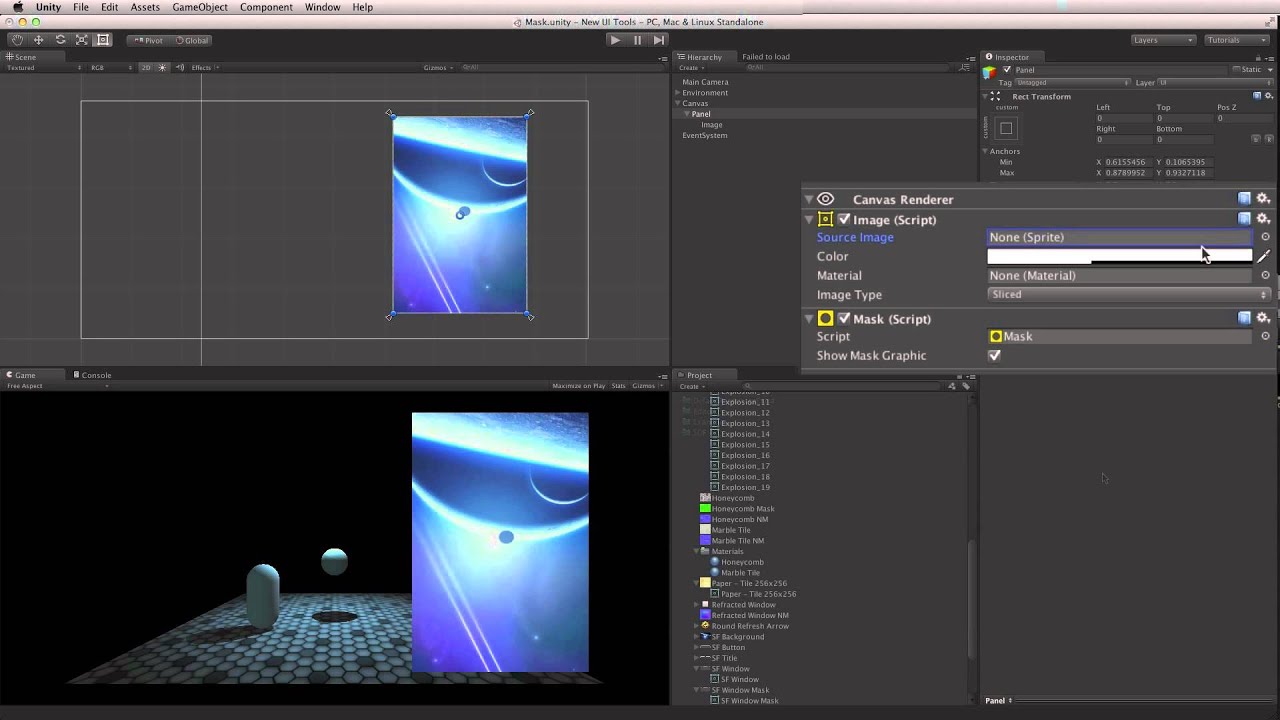
Watch this in context on the Unity Learn pages here -
Masks are used to hide part of a UI Image element. They can be used to define an area to animate images into, or in conjunction with the Scroll Rect component to achieve a scrollable space.
Help us caption & translate this video!
 bleak flower
i have a problem with my ui overlapping between different scenes can someone help?
anyone?
My pause menu is invisible and over top of my main menu stopping me from pressing buttons on the main menu even though the pause menu is on a different scene
 pseudo turret
Additive scenes? So two scenes loaded in at once?
My guess is that even though your pause menu UI may be on a different scene, the physics (box collider) is capturing your input before it can get to the menu buttons. You may need to disable those buttons entirely rather than make them invisible for it to work.
 native siren
Any ideas how I can achieve a sideways text on UIToolkit? Ideally without using images..
I am wanting to create a horizontal collapse menu like this:

 trail spruce
Quick question, does anyone know if it's possible to create traces like those in the shader editor and the VE editor between buttons or panels in-game?
 rapid ferry
So I'm trying to make a text use CrossFadeAlpha to fade in and out on the click of a keyboard key (e). However, it only fades in and out once and never shows back up. The code that I'm using to make it happen:
     void Update()
     {
         if(Input.GetKeyDown(KeyCode.E) && canEnterDoor == true)
         {
             quotes.text = "You have entered a door.";
             quotes.CrossFadeAlpha(0.0f, 2.5f, false);
         }
         else if (Input.GetKeyDown(KeyCode.E) && canEnterDoor == false)
         {
             quotes.text = "You have interacted with nothing.";
             quotes.CrossFadeAlpha(0.0f, 2.5f, false);
         }
     }
```How could I make it so that the CrossFadeAlpha works not just one time?Try using csharp inside of your markup so it highlights syntax.
trail spruce
 rapid ferry
oh
trail spruce
For future reference.
rapid ferry
thanks
trail spruce
There you go.
rapid ferry
but like what about my issue?
cuz the crossfade only happens once and then doesnt happen again
@trail spruce
trail spruce
Look at your arguments in both instances of CrossFadeAlpha
You're fading to 0 in both instances.
trail spruce
Alright, but in one instance you need to fade back to 1.
Alpha isn't part of the "white", it's a fourth channel altogether..
rapid ferry
and that wouldn't make the text reappear?
only one way to find out I guess
okay so now the text never goes away @trail spruce
once I press the button to activate it*
trail spruce
First off, do this..
void Update()
        {
            if (Input.GetKeyDown(KeyCode.E))
            {
                if (canEnterDoor)
                {
                    quotes.text = "You have entered a door.";
                    quotes.CrossFadeAlpha(0.0f, 2.5f, false);
                }
                else
                {
                    quotes.text = "You have interacted with nothing.";
                    quotes.CrossFadeAlpha(0.0f, 2.5f, false);
                }
            }
        }
Are you trying to get the text to fade away after some time?
rapid ferry
trail spruce
Are you trying to get the text to fade away after some time?
yes, it fades in then out when i click the button, then reappears when I click it again.
trail spruce
I would look into either an animation or into an enumerator.
trail spruce
Honestly, just fire off animations. It's easier to control those sorts of small things like that.
rapid ferry
alright
trail spruce
And you can reference the same animation for both quotes.
trail spruce
You can recycle the animation between objects, you just need to tween the alpha.
Tween being an old-ass word.
rapid ferry
lol
@trail spruce So when creating the animation, which property would I add?
Because it doesn't have an alpha property that I can add.
unless I'm blind XD
actually I have an idea
trail spruce
Should be on the color variable of the text.
rapid ferry
trail spruce
Should be on the color variable of the text.
Well there's one for Font Color
trail spruce
Theeeeeeere you go.
rapid ferry
There's also just "Color"
trail spruce
Animate that.
rapid ferry
What would the difference be between "Color" and "Font Color"?
trail spruce
Experiment.
rapid ferry
just that the Font Color only changes the font or somethin
k
I fucking hate keyframes e
@trail spruce For some reason if I add a keyframe and try to change it, it changes all of the keyframes and not just the one I want to select
wait
e
im so confused
@trail spruce so neither of font color or color would work when I tried to change them with animation (figured out how)
 spring karma
Hello everyone. I'm using the new input manager with local split-screen multiplayer and my issue is that I need some UI to be replicated for each player. Consequently, I've made a prefab of the ui canvas and set its render to screen space camera. Whenever a player joins, I instantiate the canvas prefab and hook up the player's camera in it. However, while playing, the UI is jittering while the player is moving. I've tried setting pixel perfect to on/off, messing with the camera clipping planes and the canvas distance but I'm getting nowhere...
native siren
native siren
Any ideas how I can achieve a sideways text on UIToolkit? Ideally without using ...
think i'm SOL here  will have to go the images route.
 viral trout
There is any way to have the same text size in several elements if they have autosize? Make all be the smaller or something like that
jagged monolith
if interactable is false, you can not click the button. Simple as that
Your first question is about setting that value in the OnClick function of a button?
If you do that, then you just set whether a button is interactable or not based on what you set it to, and this happens when you click the button
When you choose Button>Interactable from the dropdown in OnClick, you get a checkbox. This checkbox is what Interactable is set to when the button is clicked
 inner hornet
playing around with some UI options.

 glacial fossil
How to make image buttons in unity?????????
mortal robin
glacial fossil
How to make image buttons in unity?????????
The default button is already an image button
 raven hamlet
how does the text in the new version work if I type something in nothing gets displayed
 olive topaz
I seem to be very confused, I'm trying to change my GameObject's Z axis in a canvas to change its rendering layer but that doesn't seem to be working
The only way I've been able to change the order is if I change the hierarchy
is there any better way to change this order of layers than by hierarchy?
frosty pewter
No, objects in canvases are purely sorted by order in the hierarchy
inner hornet
Just photoshop
inner hornet
It's 100% photoshop, just multiple layers for the panels and buttons etc.
inner hornet
Thanks. Still needs to be polished up but its just a mock up anyway.
 upper scarab
hey, i have a question, i have created a simple UI with ui builder, but i dont know how to get it into my game scene 😦 any help? i added the ui document and event system (input system event system(ui toolkit)) to a game object, but at that point i am lost
did i miss out on something?
 dense dune
hi all! Can I reference UnityEngine.UIElements.Image in my scripts? if I mark it as public object I dont see anything in the inspect
dense dune
dense dune
hi all! Can I reference UnityEngine.UIElements.Image in my scripts? if I mark it...
nvm figured it out. just don't use UIelements 😆
 sage dawn
is there anyone who wants to help me build another social media app? that's for a good cause!
inner hornet
with unity?
 barren heath
olive topaz
is there any better way to change this order of layers than by hierarchy?
barren heath
olive topaz
is there any better way to change this order of layers than by hierarchy?
Yes, there is one more option:
adding a canvas component / working with multiple canvases - they have a sort order field in the inspector.
You can also have nested canvases, just remember that it might be bad for performance, so avoid it wherever possible (especially if you want to move their transforms around)
 lethal moon
Ok question. How does preferred height work with children? For instance, say I have a panel, containing a button as a child. The button's preferred height is 30, according to the inspector, but the containing panel's preferred height is 10. Wut??? Am I misunderstanding the system?
I just want the parent panel to be the same height as the child button.
It goes:
-- Panel (with no special components)
--- Button (with layout element setting preferred height to 30)```
...yet the panel's height is driven to 10 rather than 30 by the container's vertical layout group. I don't understand why.Nevermind I figured out that adding a horizontal layout group to the container fixed it. I think maybe the preferred height is only calculated from the components of the current object, and not from children. Since the layout group calculates preferred height from the children, it then provides a component on the local object from which to pull the correct preferred height.
 bronze otter
Hey guys, I need a UGUI expert. I want to have a lobby with an entry of height 50px for every player and an add player button at the bottom. When the list gets too long, I want a scrollbar to pop up. My current approach is to put the players in a vertical layout group and to put that vertical layout group with the add player button in another vertical layout group.
The problem is that the player list group doesn't resize properly. I kinda fixed this using a content size fitter but now the button doesn't get placed properly (it's always a bit off)

It's hard to see in this picture but there are actually 4 players. The last one is behind the add player button
frail wolf
hi can i somehow keep the canvas highlighted?
 iron cedar
does anyone know much about dialogue editor here?

im using this and trying to figure something out
 mortal robin
rapid ferry
Any tips on making this ui better?
mortal robin
rapid ferry
Any tips on making this ui better?
Maybe a picture of the eponymous John?
 lethal fossil
Hi there, not sure if it's more of a UI thing or a general code thing but :
How do you make your bootscene UI overlap your game scene UI ?
I followed https://learn.unity.com/project/swords-and-shovels-game-managers-loads-and-the-game-loop?uv=2019.3&missionId=5f751af7edbc2a0022cdbbb6 and I made the small "pause menu" thing.
When you're in-game and you press "Escape" the game freezes, and the pause menu shows up.
The issue i'm having with this is that the pause menu goes UNDER my game scene UI.
I tried to fix this with the canvas "Sort Order" attribute but it doesnt seems to be working.
Did I miss something regarding Canvas Sorting Layers (looks like it doesnt exist anymore ? I'm using Unity 2019.4)
Thanks
EDIT : nvm looks like "Sort Order" is working DESC and not ASC...
 digital garden
Any one know a good solution for when you want a layout group with the ability to move things in the group, ignoring the layout group rules?
rapid ferry
mortal robin
Maybe a picture of the eponymous John?
there will be an preview of his conditions, in the center
mortal robin
digital garden
Any one know a good solution for when you want a layout group with the ability t...
Attach a Layout Element to the object and set Ignore Layout
digital garden
Awesome thanks!
Hmm @mortal robin trying that seems to remove it from the group entirely. I'd like to retain it's position and adhere to the group but allow it to be moved horizontally
mortal robin
You can add empty "spacer" elements with their own Layout Elements on them
but otherwise if your object is in a group it must adhere to the group
invisible spacers are probably the way to go
digital garden
You know what I solved it....I just am going to set the horizontal fit to "unconstrained"
I just tried your spacer suggestion, that works really well too




 inner magnet
Hey
Everytime I export my game the some text on one scene becomes big and the other become small
In another scene on text field become very big
how can i fix this
 placid kiln
Need help, the object are not showing in game. nvm I fixed it by making the Clipping Plane to -1.

 old bane
Hey guys is it possible to access the close button in windowed mode? You know when you have a file note saved and you press close and you get would you like to save? Is it possible to do something like that in Unity.
iron escarp
is there a good reason why post processing works on screen space camera but not screen space overlay?
mortal robin
iron escarp
is there a good reason why post processing works on screen space camera but not ...
Because screen space overlay is not drawn on any camera. It is simply overlaid on top of everything after all cameras are done drawing
iron escarp
@mortal robin thanks
that means the camera can't render the post processing effects
I wonder if it's internally really done "after" all other cameras rendered, or whether that's just the abstraction that makes sense here
but since it's unlikely drawn to a buffer it must be done after likely
mortal robin
iron escarp
I wonder if it's internally really done "after" all other cameras rendered, or w...
I think it would make the most sense to be drawn at the end, but it doesn't really matter yeah. The abstraction is that it's just overlaid on top of everything
and not part of any camera
and PostProcessing is tied to a camera
iron escarp
great
 steel bear
Is it possible to use Sprite Atlases for the UI in a 3D game?
mild kernel
UI image components use sprites regardless if you're making a 2D or 3D game.
steel bear
But I am trying to use the Sprite Atlas but it doesn't seem to want to work with either Image or Raw Image
mild kernel
It takes an individual sprite.
An atlas is just a collection of sprites you splice. If you want to animate through it, then you make an animation.
steel bear
Okay, thank you!
 rustic rain
Hi all, what's the state of UI animation in unity atm?
I'm not talking keyframing elements around the screen, more things long the lines of lottie (https://airbnb.io/lottie/#/) ie. animations exported from after effects without requiring bulky image sequences?
Also I can't seem to find a way to setup an animated UI element without using png sequences, I was hoping there'd be a way to use a spritesheet & sprite renderer?
mortal robin
rustic rain
Hi all, what's the state of UI animation in unity atm?
I'm not talking keyframin...
SpriteRenderer is a game world renderer
UI.Image is the UI version
You can keyframe different sprites into the Image on the scrubsheet
as for Lottie, idk
rustic rain
Yeah but with this method you end up with bulky apps that have a load of image files floating around, have there been no advancements here?
I've had a look at U.Movin (https://github.com/leetful/u.movin) but this requires preview unity packages, doesn't seem very stable and also creates animation in world space rather than UI space.
mortal robin
rustic rain
Yeah but with this method you end up with bulky apps that have a load of image f...
You can use spritesheets still
Sprites != Images
unless you're talking about Lottie
rustic rain
So there is a way to use a grid based spritesheet to have an animated UI Image?