
#📲┃ui-ux
1 messages · Page 39 of 1
 calm root
 azure flame
Just drop a default text TMP component on the canvas, it would show up right away.
calm root
azure flame
Just drop a default text TMP component on the canvas, it would show up right awa...
would i be able to code that still to make score go up?
azure flame
You reference it as TMP_Text object, it works the same way in code
Legacy text has atrocious font atlas implementation
calm root
azure flame
You reference it as TMP_Text object, it works the same way in code
it worked! tysm
why does the other text not work though?
oh nvm
calm root
azure flame
Probably illegible default color or transparency
ok well tysm
 rich sparrow
tried using unified-universal-blur by lukakldiashvili. can't find reason, why it doesnt work. Placed material, Camera type is Base, Add universal blur feature in rendering data.
All I get is environmental background color. Tried disabling HDR, switching rendering order.
 low pike
rich sparrow
tried using unified-universal-blur by lukakldiashvili. can't find reason, why it...
low pike
rich sparrow
tried using unified-universal-blur by lukakldiashvili. can't find reason, why it...
After making sure you've followed the instrutions in the documentation correctly, you should contact the publisher of that asset
rich sparrow
low pike
After making sure you've followed the instrutions in the documentation correctly...
He isn't active, maybe, because it's old project
low pike
The community may help, other people have replied to threads on here: https://github.com/lukakldiashvili/Unified-Universal-Blur/issues
You're more likely to get help there (where only people who use it are located) than you are here
rich sparrow
I probably should find different blur tool
@low pike you know good UI blur material
low pike
I do not. Never used one, I'd just get one from the UAS if I needed
 modern owl
rich sparrow
All I get is environmental background color. Tried disabling HDR, switching rend...
modern owl
rich sparrow
All I get is environmental background color. Tried disabling HDR, switching rend...
use the default material, that comes with it
duplicate that material or directly assign it to your ui element
rich sparrow
modern owl
use the default material, that comes with it
It comes with only one material
modern owl
rich sparrow
It comes with only one material
yes
you only need one
assign it to all
 random bluff
Hi guys, I’m still using UGUI and haven’t done much UI. With the new Input System, is there a built-in way to navigate and interact with UI using a gamepad without writing all the navigation logic manually?
For example: up/down to move between menu items, and left/right to browse sub-options when an item is selected.
Is there an API or system that handles this automatically?
 steep warren
im pretty sure there is, but im not familiar with it
modern owl
random bluff
Hi guys, I’m still using UGUI and haven’t done much UI. With the new Input Syste...
yes,
steep warren
you could probably google around for more info
rich sparrow
modern owl
assign it to all
Assign to all elements?
modern owl
random bluff
Hi guys, I’m still using UGUI and haven’t done much UI. With the new Input Syste...
you need the new input system UI module
steep warren
it's not specific to inputsystem afaik? the only link there would be an eventsystem using the inputsystem ui module
steep warren
steep warren
it's not specific to inputsystem afaik? the only link there would be an eventsys...
the configuration around how up/down/left/right/next/prev affect your selection would be just within the ui system, not touching the input system
rich sparrow
modern owl
that you want with blur
I did all that when i imported it. Placed material on UI element and add class in rendering pipeline data.
modern owl
rich sparrow
I did all that when i imported it. Placed material on UI element and add class i...
yes and?
are you sure you added the universal blur feature to the correct renderer data?
rich sparrow
modern owl
are you sure you added the universal blur feature to the correct renderer data?
I have only one and it's default
modern owl
rich sparrow
I have only one and it's default
mhm, so it doesn't blur anything?
rich sparrow
modern owl
mhm, so it doesn't blur anything?
How I stated previously, it renders cameras environmental background
modern owl
rich sparrow
How I stated previously, it renders cameras environmental background
screenshot?
rich sparrow
modern owl
screenshot?
I have it placed black. You'll see black square
rich sparrow

 modern owl
gameview?
why are they so cut out
i have an image, stretched across the whole canvas too
modern owl
rich sparrow
show me the rect transform too
modern owl
rich sparrow
plz share quick
rich sparrow
modern owl
plz share quick
 modern owl
rich sparrow
modern owl
rich sparrow
i will comeback and check
modern owl
rich sparrow
bro, what exactly do you want to achieve?,
 vagrant cape
i need help 😭 my scrollbar is broken for some reason the value keeps increasing to 1
new scene entirely no script is controlling the scrollbar
modern owl
rich sparrow
i also cant see the scene view stacked ui elements,, i think, your panel is behind these 2 elements, or your panel has no alpha
modern owl
vagrant cape
i need help 😭 my scrollbar is broken for some reason the value keeps increasing...
xd
the scrollbar is changed
what did you change other than the sizes?
vagrant cape
modern owl
what did you change other than the sizes?
nothing just size
modern owl
vagrant cape
nothing just size
howd you create the scrollbar
also until you don't click it i can see
vagrant cape
modern owl
howd you create the scrollbar
i used unity's built in scrollbar
modern owl
that there is no problem
modern owl
vagrant cape
i used unity's built in scrollbar
you did create ui scrollbar?
what sizes did you change
i changed the scrollbar itself to have a 500x500
and it works
WAIT
show me your rect transforms
vagrant cape
modern owl
what sizes did you change
just the width and height of the outer rect

i created a new one without changing anything
still broken 💀
vagrant cape
modern owl
also until you don't click it i can see
yeah when i click outside the scrollbar it stops
vagrant cape
windows 10
vagrant cape
old input
modern owl
might be a bug
vagrant cape
might be something related to this specific unity version
it happened in another project
modern owl
what version
vagrant cape
2022.3.44f1
modern owl
vagrant cape
2022.3.44f1
wow soo old
can't repro
i can't seem to get the event system to use the old input system
can you show me your event system setup
vagrant cape
 modern owl
ah
nothing here that relates
also
you should update, there is an issue with that version
modern owl
vagrant cape
still broken 💀
you might want to try restarting unity
modern owl
vagrant cape
im gonna install another version this one has security issue anyway
yeh
tho not sure if that will fix your problem
vagrant cape
thanks for your help anw
modern owl
it's very odd
modern owl
vagrant cape
thanks for your help anw
alr
rich sparrow
modern owl
i also cant see the scene view stacked ui elements,, i think, your panel is behi...
That's the point to have blur, to blur elements behind and give bigger contrast. Maybe culling is issue
modern owl
rich sparrow
That's the point to have blur, to blur elements behind and give bigger contrast....
no
you want to blur the yellow map orsmt?
im confused what you want,
but for sure blur works
rich sparrow
modern owl
you want to blur the yellow map orsmt?
That's transparent panel, which needs blur
vagrant cape
vagrant cape
im gonna install another version this one has security issue anyway
tried 2022.3.62f3 and 6000.3.6f1 slidebar is still broken wth man 💔
modern owl
vagrant cape
tried 2022.3.62f3 and 6000.3.6f1 slidebar is still broken wth man 💔
sadge, something wrong lol
rich sparrow
@vagrant cape Couldn't find rule, but I'm going to send unity forum link about some fixes. https://discussions.unity.com/t/scroll-position-resets-when-using-slider-dragger-in-2022-1/888737/43
 tame shell
vagrant cape
i need help 😭 my scrollbar is broken for some reason the value keeps increasing...
tame shell
vagrant cape
i need help 😭 my scrollbar is broken for some reason the value keeps increasing...
It could be linked to a scroll rect still as they modify scroll bars
rich sparrow
modern owl
you want to blur the yellow map orsmt?
I made panel semi transparent white, but it uses camera background and doesnt blur
 dawn sinew
ello, im using unity 2021, and im having huge lag issues on mobile devices on my game, can anyone help? (i assume the ui is the lag issue; but also not since it lags in the game scene)
aswell, my game is 2d not 3d
 mortal robin
dawn sinew
ello, im using unity 2021, and im having huge lag issues on mobile devices on my...
mortal robin
dawn sinew
ello, im using unity 2021, and im having huge lag issues on mobile devices on my...
Instead of assuming, why don't you use the profiler?
dawn sinew
mortal robin
Instead of assuming, why don't you use the profiler?
oki
apparently, "others" is eating the most

and dis
 mortal robin
dawn sinew
apparently, "others" is eating the most
mortal robin
dawn sinew
apparently, "others" is eating the most
Are you profiling on your mobile device?
dawn sinew
no....
mortal robin
Because this chart looks like your framerate is fine
mortal robin
dawn sinew
no....
You need to profile on the target hardware and especially the hardware you're having trouble with
dawn sinew
k, wwilll get to doing that annoying process now
dawn sinew
mortal robin
You need to profile on the target hardware and especially the hardware you're ha...

game scene oh lord man wtf
 mortal robin
dawn sinew
game scene oh lord man wtf
mortal robin
dawn sinew
game scene oh lord man wtf
So one thing with android - if you don't get 60fps it will lock you to 30fps I believe
dawn sinew
mortal robin
So one thing with android - if you don't get 60fps it will lock you to 30fps I b...
gosh
mortal robin
Actually can you just try adding this and see if it changes anything: Application.targetFrameRate = 60;
just in Start in a script somewhere
modern owl
rich sparrow
I made panel semi transparent white, but it uses camera background and doesnt bl...
is this all 2D?
vagrant cape
tame shell
It could be linked to a scroll rect still as they modify scroll bars
it's not linked to scroll rect and in a new scene with just the scroll bar it's still broken
weirdly only vertical sidebars are broken
dawn sinew
mortal robin
Actually can you just try adding this and see if it changes anything: `Applicati...
thank you so much brooooo omg you literally saved me hours of debugging 😭 (its not the best, but its a huge imporvement in fps)
 rich sparrow
modern owl
is this all 2D?
rich sparrow
modern owl
is this all 2D?
Yes
modern owl
rich sparrow
Yes
might be the reason why its not working
tho it does seem to work with 2d sprites
idk whats wrong
modern owl
rich sparrow
Yes
what is the map itself?
a UI image, or a sprite or smt else?
if its a ui element it won't blur
rich sparrow
modern owl
a UI image, or a sprite or smt else?
Sprite
modern owl
rich sparrow
Sprite
show hierarchy
wait
you have the blur image positioned on the right
but the right side elements are all Ui i think
rich sparrow
 modern owl
rich sparrow
modern owl
rich sparrow
everything is in the canvas so it's all UI?
rich sparrow
Yes
modern owl
and what you want to blur is also UI?
rich sparrow
Yes
modern owl
rich sparrow
Yes
i told ya
that doesn't work
it can't blur ui
but it can blur sprites and 3d objects
from my experience it doesn't blur ui
rich sparrow
That's true. Any way to fix?
modern owl
rich sparrow
That's true. Any way to fix?
wdym
it just can't do that
lol
the package
cant blur ui
it was mean't to make UI blur images
to blur objects in the scene
but can't blur Ui itself
modern owl
rich sparrow
That's true. Any way to fix?
tho you could make some stuff sprites
but that would complicate stuff
like it wouldn't be UI anymore
or find a proper ui blur
that supports this too
rich sparrow
Looks like there isn't UI blur
 quartz whale
I might need some help with my UI - I've been wrestling with it for like the entire day now, and I can't figure it out at all. Here is the video of what is happening (the right panel layout keeps changing, seemingly at random). Let me know if I need to provide anything else
tame shell
quartz whale
I might need some help with my UI - I've been wrestling with it for like the ent...
Is this a layout group in a layout group?

You have probably done something weird to make the layout not rebuild properly. Did you miss use content size fitters?
quartz whale
tame shell
You have probably done something weird to make the layout not rebuild properly. ...
almost definitely
tame shell
Remove them and allow the parent layout groups to control their width/height instead
quartz whale
remove content size fitters?
tame shell
yes, they are only needed when nothing will set that rect transforms size for it (e.g. a layout group)
layout groups with "control content width/height" set their childrens sizes for them
quartz whale
so remove them entirely - both from parents and children? I was aiming for a set up where the parent expands according to the size of their children
tame shell
re read what i said another time then
tame shell
Ill draw a shit diagram indicating where layout groups should be used
This situation just needs two
 quartz whale
what about the locked character text expanding (2 lines)?
 quartz whale
oh wait
tame shell
NONE of these need a content size fitter
quartz whale
I get what you mean now
it's still happening + the description window doesn't scale with text now

I might need to readjust it though since I just ripped out a bunch of components
tame shell
is control child height enabled and is "force expand" height DISABLED ?
Image, tmp text, layout groups all provide sizing that layout groups use to set their child sizes
quartz whale
the panel layout group had force expand height disabled
tame shell
control child height enabled??????????
mosts important setting so plz check that and play around till it works
i dont want to repeat this again
quartz whale
one sec
so just to confirm: control child size height = OFF and child force expand height = ON?
and width probably doesn't matter since its vertical?

 quartz whale
can I not keep child force expand width*?
tame shell
up to you but flexable width/height is better if you want a mix of both (use layout element component to define this)
quartz whale
turns out I missed one 😭 was about to ask a dumb question again
this one is still acting up a little bit - the stat panels heights are 0

is this where I would use the layout element?
nvm I've got it

thank you so much man, you're like a Unity UI genius
tame shell
Yea if its a plain gameobject use layout element to define a preferred width/height
quartz whale
oh I did minimum here - is that bad?
tame shell
both work in this case
But with preferred size it tries to use this but when there isnt enough space it squishes em
vagrant cape
vagrant cape
weirdly only vertical sidebars are broken
so the culprit was old input system

random bluff
How would you approach the following cleanly with UI toolkit.
- Hud (hp, coins, stamina)
- in game ui (like inventory, lootbox, level select...etc)
- menus ui (pause menu, settings menu...etc)
each having its own UIDocument & manager with its own sorting layer?
any other suggestions or code examples?
steep warren
random bluff
How would you approach the following cleanly with UI toolkit.
1. Hud (hp, coins,...
 clever mauve
hey guys, so i have a custom bitmap font that i made and it's working fine, but i'm trying to figure out how to make outlines work on it. how can i do that?
tame shell
clever mauve
hey guys, so i have a custom bitmap font that i made and it's working fine, but ...
Is that not an option on that TMP shader? SDFs certainly make them easy to do, otherwise you have to do edge detection to draw an outline.
clever mauve
tame shell
Is that not an option on that TMP shader? SDFs certainly make them easy to do, o...
you mean this? cause when i use that it like totally breaks
 tame shell
clever mauve
you mean this? cause when i use that it like totally breaks
tame shell
clever mauve
you mean this? cause when i use that it like totally breaks
You may need to rebake the font texture to change to a signed distance field
But in this mode it wont be as crisp vs bitmap mode
Its a poor match for pixelated fonts
clever mauve
tame shell
You may need to rebake the font texture to change to a signed distance field
what does this mean
like using the font asset creator?
tame shell
clever mauve
like using the font asset creator?
click "update atlas texture" on the font and change the render mode to an SDF one
you cant just change the shader without this step
clever mauve
tame shell
SDFAA_HINTED
ok thanks i got it working but now the outline covers the letters completely
like this

 tame shell
May need to make the characters physically bigger in the texture first but tweak the outline value too
You can always test with the default included tmp font
liberation sans i think?
clever mauve
aight i got it working thank you
 warm silo
Is there any way to customize color/etc here in Prefab view?
The option with colors in second image doesn't work here

 steep warren
warm silo
Is there any way to customize color/etc here in Prefab view?
The option with co...
steep warren
warm silo
Is there any way to customize color/etc here in Prefab view?
The option with co...
this channel is for making ui/ux in the project, ask in #💻┃unity-talk
warm silo
Alright
 bronze plume
Hello ! I'm trying to make a layout for a screen in Unity but I can't figure out how to make it ... I'll link a picture of what I want.
I want to have a vertical layout, with the first item being a text that could change depending on data (so I need the height to adapt to the text).
Then two images that keep their aspect ratio while taking the full width of the device.
Then another text box like above.
If the text are too long I'd like the page to be scrollable.
How can I achieve that ?
The many options in vertical layout are a bit confusing and causing weird effects I don't understand (Like if I try to stretch the image the width become 0 or negatives ...)
 mortal robin
bronze plume
Hello ! I'm trying to make a layout for a screen in Unity but I can't figure out...
mortal robin
bronze plume
Hello ! I'm trying to make a layout for a screen in Unity but I can't figure out...
You need to use Layout Element on each child to set up the flexible stuff: https://docs.unity3d.com/Packages/com.unity.ugui@1.0/manual/script-LayoutElement.html
bronze plume
I tried but the text box doesn't seem to expand to fit the text. Should I send a screen of my scene ?
mortal robin
screenshots of course would be helpful
but it's going to be a matter of configuring the layout group and the child elements correctly
bronze plume
I don't know how to show it better but here :
Pages, WelcomePage and TextContainer are vertical layout with the same setup as in the inspector (expect maybe padding but that's whatever)
TextBody is my description, it's suppose to have 5 lines but some are hidden.
The image has an aspect ratio fitter for it to take full width + keep aspect ratio.
But the layout is destroyed somehow. Any idea ?
 steep warren
bronze plume
I don't know how to show it better but here :
Pages, WelcomePage and TextContain...
steep warren
bronze plume
I don't know how to show it better but here :
Pages, WelcomePage and TextContain...
does the text container have a content fitter?
bronze plume
No and adding one doesn't look to change anything (both in unconstrained and preferred size) :/
steep warren
do the title and textbody have content fitters, and is the textcontainer itself a vertical layout element or something?
bronze plume
TextContainer is a vertical layout group (same as the one in the inspector in the picture)
I didn't add any content fitters
Just tried adding it to the textbody, it seems to change the size like I want ! But the picture stays on top of it
Actually no, it changes the size of the textBody accordingly but the textContainer stays smaller
I'm open to completely change how I setup the page btw, I just don't understand how to get the desired effect 🙁
steep warren
i don't exactly remember the rules regarding layout element conflicts, but i think you'd want content fitters on everything that needs to expand, no?
 bronze plume
I don't know, even Unity is giving a warning that the layout should handle the sizes, not the content size fitter.
I also don't see why it's so hard to get an image to be full width with the height auto calculated to keep aspect ratio x-x
steep warren
oh right, have you tried messing with control child height/child force expand on the textcontainer?
bronze plume
Ok so after adding content size fitter to both textContaienr and textbody, the textcontainer looks to be the right size even after adding text
Thank you ! Now my problem is with the images
steep warren
what about them?
bronze plume
Two things :
- I'd like them to be the full width of my container AND keep aspect ratio without blank on the left/right
- Appear right after the previous element in the layout (text here)
But their position is all over the place for some reason and it's hard to have the first point
steep warren
make sure the textcontainer has the bounds you expect from it, i guess?
bronze plume
Yep textcontainer looks good
 sand gull
Does anybody know the reason or a fix to this problem where UI elements on a Canvas using Screen Space - Camera just move when i press play?
I dont want to use overlay as i have physical objects moving with the menu, but i cant figure out why this happens specifically when the play button is pressed

 mortal robin
sand gull
Does anybody know the reason or a fix to this problem where UI elements on a Can...
mortal robin
sand gull
Does anybody know the reason or a fix to this problem where UI elements on a Can...
The Screen Space - Camera canvas always follows the camera around.
my guess is - your camera is moving
sand gull
The camera isnt moving im sure of this, its simply a menu screen the camera doesnt even need to move
is it because the objects have a z value?
both the backboard and the menu squares are a child of the canvas, but only the menu objects that have ui on them seem to move forward
quartz whale
why is top and bottom set to a random number instead of what I set it to? I want to set it to 10 and it spits out 7.xxx instead

is the scrollrect controlling it for some reason?
low pike
we can't tell from the information
quartz whale
its a regular scroll rect layout (at least to my knowledge)
 low pike
scroll rect doesn't control the size of content
by default, nothing changes the size of content
 runic aspen
Can someone tell me how I can remove the label that shows the asset path of a selected asset at the bottom of the project window??
low pike
.. you can't..? (If I've understood what you want correctly.. why you wouldn't post a screenshot is beyond me).
And this channel is for creating game UI with UGUI, not editor UI -> #↕️┃editor-extensions
tame shell
steep warren
You want have layout groups control children and set size
Content size fitters should only be used when there is no layout group on the parent
Misusing content size fitters will fuck layouts and cause many issues
Scroll rect content is a place to use content size fitter to set height/width
 barren moon
Hi, I've been struggling the last few hours trying to achieve something that seems simple... The short version is that I'm trying to have a UI game object height fit it's children content, but it's width stretch it's parent content. So for example in the hierarchy posted below, I would like the following :
- ScrollRect height fit it's content height. (Green block)
- ScrollRect width stretch the whole canvas.
The constrains are that ContentSelection is a layout element and should also take the height of the ScrollRect (So the Green block)
I manage to have the height of the green block be passed up the parent up to the ContentSelection, but the issue is that doing so, it fix the width of the ContentSelection and ScrollRect to the width of the green block when it exceed the canvas width...
All of this in order to be able to set a mask on the ScrollRect that would correctly mask the overflow of the large content on the canvas
I hope the explanation are clear... Any help would be much appreciated, thanks !


 tame shell
barren moon
Hi, I've been struggling the last few hours trying to achieve something that see...
tame shell
barren moon
Hi, I've been struggling the last few hours trying to achieve something that see...
I don't fully understand your layout but when we want something to expand to take up available space you need a horizontal or vertical layout group on the parent with control width and height only on.
Then on the child use a layout element component to enable flexible width or height.
You may also need to override preferred and min sizes on there too.
Flexible size is very useful as objects with it enabled will fill remaining space in the layout group.
Also note that the flexible size value is a ratio compared to other flexible sized stuff
Also I'll make it extra clear. The force expand width and height setting breaks this
 torpid schooner
I've got this basic layout done for my Zombies game however I'm not really the happiest with it.
The background is temporary assets but the UI is the thing that is staying I'd like to spruce it up a bit just not really sure what I can do for it i've stared at this for the last 2 days...


 boreal sparrow
torpid schooner
I've got this basic layout done for my Zombies game however I'm not really the h...
boreal sparrow
torpid schooner
I've got this basic layout done for my Zombies game however I'm not really the h...
lol confirm it for me, ig you did that to not go deep into the steam and get the name of the player.
The UI already looks solid i like it but in this case i can get distracted by the bsckground so you have to add some blur or smth like that to make the text more readable you got me?
Its really good
i am working as well on a new online game so i wont pay much attention into the main menu the main focus im going with is making the game fun and replayable as well.
Goodluck in that
torpid schooner
boreal sparrow
lol confirm it for me, ig you did that to not go deep into the steam and get the...
Not using steam at all yet, mainly just focused on the UI Sprites rather than the function, I plan to integrate with steam if it becomes something my friends want to repeatedly play.
I’ll add a bit more blur the goal was a mix between scrap mechanic and black ops.
boreal sparrow
torpid schooner
Not using steam at all yet, mainly just focused on the UI Sprites rather than th...
yeah thats great
boreal sparrow
torpid schooner
I’ll add a bit more blur the goal was a mix between scrap mechanic and black ops...
I liked it
torpid schooner
Ignore the fps engine pop up but it also has this selected sprite. (This is old it is centered now.)
 torpid schooner
boreal sparrow
I liked it
torpid schooner
boreal sparrow
I liked it
Thank you.
boreal sparrow
torpid schooner
Ignore the fps engine pop up but it also has this selected sprite. (This is old ...
ohh that is solidd
torpid schooner
boreal sparrow
ohh that is solidd
Thank you
 tough sedge
theres some wonky inspector stuff going on with vertical layout groups, and i got more evidence today. I had claude code hooked up to MCP and it could see numbers that were not the same as mine in inspector: MCP reported anchoredPosition.y = 36 and offsetMin.y = 36 but inspector shows 0. When claude changed these to 0, the image aligned to the bottom as it should
 wanton raptor
I was wondering if I could get some help or insight into an issue I am having.
basically I have an inventory system that uses slots. I want the player to have the option to destroy items within the slots when they want to, for now a button is activated when the player selects an item slot that has an item in it. The button is a child of the item slot that it belongs to, that way only that item slot is affected by the button being pressed. Here is a visual:
Image
The only problem is that when I apply these changes to all the other slots the grid layout group has them all side by side and creates offsets from where the button is suppose to be in game when activated. Sandby for visuals.
Image
Image


 mortal robin
wanton raptor
basically I have an inventory system that uses slots. I want the player to have ...
mortal robin
wanton raptor
basically I have an inventory system that uses slots. I want the player to have ...
put a layout element component on it and check the "Ignore Layout" box
wanton raptor
I tried that but it does not seem to be working. The highlighted items have ignore layout applied with a layout element on it, but they still seem to want to stack on each other.

i saw from the earlier ss that the buttons mirror the behavior and pattern of the item slots.
I think I've solved it, the layer element component is on everything and then I was able to stack them all.
 covert fjord
How would I make text hover over my players head as they move
steep warren
make it follow the player with an offset
 round quiver
How to start learning of ui ux need help
 civic jewel
See my cash at the top left is getting overlapped, and the gap at the top of the screen, In simulator tab, in different devices it's messed up and overlapped
 mortal robin
civic jewel
See my cash at the top left is getting overlapped, and the gap at the top of the...
mortal robin
civic jewel
See my cash at the top left is getting overlapped, and the gap at the top of the...
you would have to show how you set up the RectTransforms
civic jewel
I fixed this issue, is it possible to adapt to ipad screens
 wispy rivet
I am trying to add an Image to my UI and select it as type: Fill.
I am not seeing a drop down option for Fill.
I have uGUI in my project, I also made sure it is installed in my project manager.
Not sure what is going on, i have tried both image and raw image, but not seeing an "Image Type" option for the UI component to change to Fill.


nvm
you had to add an image to get the dropdown option.
mortal robin
wispy rivet
I am trying to add an Image to my UI and select it as type: Fill.
I am not seein...
You won't see the options until you assign a Sprite
NVM you figured that out
wispy rivet
I do appreciate you responding praetor, better late than never. 🙂
 solid mirage
I am working on 2022.3 version of Unity. Does this version support SVG??
tame shell
solid mirage
I am working on 2022.3 version of Unity. Does this version support SVG??
You can use a preview version of the svg package: https://docs.unity3d.com/Packages/com.unity.vectorgraphics@2.0/manual/index.html
 slender viper
solid mirage
I am working on 2022.3 version of Unity. Does this version support SVG??
slender viper
solid mirage
I am working on 2022.3 version of Unity. Does this version support SVG??
Do yourself a favor and just convert them to bitmap 😅
This engine isn’t built for vector graphics. You end up with huge filesizes and poor quality
 frosty pewter
6.3 UIToolkit has anti-aliased SVG support. All of the icons in my game are SVG and they look great.
Looking at their size, one I randomly picked out is 41KB, but the same image as a Texture2D at just 128x128px is 64KB.
Before 6.3 I wouldn't recommend it, but after (as long as you use UITK) it's great
Though if your UI was very defined in size, all your icons are single color, you can make large size reductions with crunch compression with no drawbacks other than import time and the set resolution.
 vale moss
Why isnt my raw image object stretching to fit the screen?

 vale moss
steep warren
not having cameras may also be an issue
vale moss
steep warren
not having cameras may also be an issue
maybe i put it under the wrong camera? i just put it under the main but another one is used for player control
nvm
 celest lodge
How do you guys handle complex navigation for controllers? Stuff like sub menus and transferring between panels and such. I'm coming back from a break and I want to make a new UI for my game that only works with controller / arrow keys, so no mouse stuff. as such, I would like to try and consolidate for myself how I can transfer the currently selected object to a new panel / selectable
 errant vessel
Might be looking for help in making a healthbar for my game, but it's uniquely shaped, not just a standard horizontal bar.
 wild pebble
errant vessel
Might be looking for help in making a healthbar for my game, but it's uniquely s...
wild pebble
errant vessel
Might be looking for help in making a healthbar for my game, but it's uniquely s...
Definitely share an image of the shape or at least an idea what it might look like and in what way/direction you want it filled.
errant vessel
wild pebble
Definitely share an image of the shape or at least an idea what it might look li...
This. This is the bar when 'filled', and want it to deplete from right to left.
 wild pebble
errant vessel
This. This is the bar when 'filled', and want it to deplete from right to left.
wild pebble
errant vessel
This. This is the bar when 'filled', and want it to deplete from right to left.
Looks like Filled Image with Horizontal Fill Method should do. You can modify the Fill Amount to control how much is shown.
Any tutorial like this https://youtu.be/6y4_jwZNYMQ?si=cbxNQGySpIpKcPk- should work for you as long as you want the filling to happen in a straight line from left to right.
wild pebble
yes
wild pebble
Then it would be bit harder. If the tilt direction was constant and the cut always straight, it shouldn't probably be too bad to just use masking with another image (which would cut out some of it) that you can move to get different fill amounts. More versatile yet potentially harder solution (unless you are already experienced with shaders) would be to use custom UI shader for that. With shaders you can basically do any kind of cutting edge which can also change in any way along the progress too (like starting more slanted and straightening towards left). With either approach you would likely need some shape specific fine tuning to get the same kind of 0 to 1 Fill Amount mapping (with shaders it is probably less of an problem actually)
If you wanted the cut edge to also have that outline, it might pose some problems. The default Outline component could potentially be used though I have little clue how well it works out of the box with any of the discussed methods
Also thought of a funny solution where you could rotate the texture itself in an image manipulation program so that direct left to right cut would cut from the correct direction and then just rotate the image back in the right orientation in unity. The fill in unity more than likely always cuts in local/uv coordinates so that would make the cut appear slantes too
 cedar vault
Hi, i'm not sure if this is the correct channel for this, but idk where else i would ask this
I'm working on a game, and i have a settings menu, which is a prefab, that i reuse for both the main menu, and the pause menu (please ignore the design, it's all temporary lol)
in this settings menu, i have a TMPro dropdown, that i use for the graphics, and in the menu it works without any issues, but in the pause menu it's broken, and doesn't show the options when clicked
The setup is 1/1 the same, it's a ScreenSpace-Camera canvas (so that the UI is affected by my fullscreen shader passes), and all the settings on both canvases are the same as well
any ideas as to what causes this? cus i'm completely lost
mortal robin
cedar vault
Hi, i'm not sure if this is the correct channel for this, but idk where else i w...
what debugging steps have you taken?
have you checked the scene/hierarchy/inspector to make sure the options you expect are there?
cedar vault
mortal robin
what debugging steps have you taken?
i tried deleting and re-adding the settings menu, and i tried switching to an overlay canvas (this one actually worked, but i need it to be in the worldspace)
also yes, when clicking it, all the options appear correctly, they are just not shown for some reason

*oops, i figured it out
it was an issue with layers ;-;
ty for trying to help :)
 minor zinc
what program do you use to make ui elements? i want to make custom ones with my own art
mortal robin
minor zinc
what program do you use to make ui elements? i want to make custom ones with my ...
any photo or vector art editing software
minor zinc
like im BRAND new to unity just learning it taking a class and i need to add a ui, but idk how to make it, i want to make a menu screen, inventory tool kit (ideally one you can open and close with a click) and cursor but idk how to size these or anything. do i just draw them on a canvas the same size as my game
mortal robin
Well if you use vector art the size doesn't matter you can rescale to any size you want later
but generally it needs to be at list as big as you ever expect it to appear on screen in pixels
if not it will get upscaled and lose quality
minor zinc
mortal robin
any photo or vector art editing software
any is ok? how do u do ui animated stuff like say i add a spot that lights up when you hover over to create that asset do i make both the highlighted vrsion and the unhighlighted as a sprite sheet type thing?
mortal robin
minor zinc
any is ok? how do u do ui animated stuff like say i add a spot that lights up wh...
that's one option - or you put say another image underneath and fade in its opacity.
there's a bunch of ways
minor zinc
ok, thanks i will probably try that since i want to learn how ot make unity spritesheets anyway
 tacit galleon
is there a guide for responsive from mobile to tablet ?
celest lodge
Why does this happen with outline?

fixed it, sampling size ratio was too large
How can I make a box which shows the selection that inverts the colour of the text box behind it?
 tame shell
celest lodge
How can I make a box which shows the selection that inverts the colour of the te...
tame shell
celest lodge
How can I make a box which shows the selection that inverts the colour of the te...
Logic, when a menu option is selected you change the colour of the text and BG
Or in UITK it could be done better with styles and selectors
celest lodge
tame shell
Logic, when a menu option is selected you change the colour of the text and BG
I want to have a smooth transition when the box moves though, for instant stuff that makes sense, but I want to fill it in with a tween
celest lodge
 oblique totem
that support color animation
oblique totem
that support color animation
can I not use a shader of some sort that inverts the colour of the stuff behind it?
oblique totem
yeah an invert shader might help here
though I can't guide you through that as I have no clue about shaders in UI 😄
celest lodge
oblique totem
though I can't guide you through that as I have no clue about shaders in UI 😄
do they exist for just standard object shaders?
is this something I could accomplish with shadergraph for normal shaders?
oblique totem
i mean inverting a color through a shader is as simple as it gets
both through shader scripting and shadergraph
oblique totem
shadergraph should even have an invert node
celest lodge
I don't think UI shaders are that different
oblique totem
like I said, no idea about that part 😄
celest lodge
the only problem is that I'm stuck to the inverse colour lol
which is fine with black and white
I'll just try blocking some stuff out
see what I can get
oblique totem
I mean there is plenty creative ways how to animate this when you also need colors, a bit trickier than just a shader but possible
celest lodge
I could like control that in the shader itself
so black is replaced with a colour and white is replaced with a colour
I'm brainstorming at work and I can't act on it arggh 😅
but I think I know where to go from now
oblique totem
At that point your shader becomes so complicated you might aswell use an animation to swap here 😄
celest lodge
oblique totem
At that point your shader becomes so complicated you might aswell use an animati...
how would you animate this?
I want like a clean sweep
where the box fills from white to black
and the colour of the text follows it
as inverse
tame shell
You can animate colour changes with code (lerp between colours)
low pike
Unity has a set of UI shaders.. I wonder if you're lucky enough for an invert shader to be in there!
tame shell
Shader solution is a no go as you would need to modify tmp shaders
tame shell
wow okay this is way better than i thought it was
low pike
I'd whip it up quickly.. but my mac can't run Unity anymore
celest lodge
tame shell
Shader solution is a no go as you would need to modify tmp shaders
is there no way to like just have an image with a shader that inverts everything underneath it?
celest lodge
low pike
You could set the TMP as a mask, and tween an image behind it
wait I see what you mean, so like one image for the background and one other image that is masked with the opposite colour?
tame shell
celest lodge
is there no way to like just have an image with a shader that inverts everything...
Perhaps by messing with alpha blending but that's it
The alternative is a shader that inverts it's output or do it as I said earlier
 foggy forum
anyone know why there is still a fill area even tho the value is set to 0?
 mortal robin
foggy forum
anyone know why there is still a fill area even tho the value is set to 0?
mortal robin
foggy forum
anyone know why there is still a fill area even tho the value is set to 0?
You mean the green bit?
Thats intentional in the default slider.
If you want to change it you need to go into the sub-objects of the slider and adjust the RectTransforms as desired
However I will say that if you're trying to render a progress bar on the screen and it's not interactible at all, I recommend simply using a filled image instead of a Slider
The Slider is overkill
foggy forum
mortal robin
However I will say that if you're trying to render a progress bar on the screen ...
but can I scale a filled image only to the right?
like a progress bar
mortal robin
foggy forum
but can I scale a filled image only to the right?
You wouldn't scale it
Like I said use a filled image
I.E. Image in filled mode and you can just set the fillAmount
Steps to do this:
- Make an Image component
- Add a pure white sprite in the Sprite field. (you must add a sprite to see the Image Type field)
- Set Image type to "Filled"
- Set Fill Method to Horizontal
- Play with the fill amount to see the effect
- Set the color of the Image component to green or whatever color you want to make it green
foggy forum
mortal robin
Steps to do this:
- Make an Image component
- Add a pure white sprite in the Spr...
would it make a difference to use the slider tho?
like performance wise
mortal robin
Performance is not the problem
it's complexity and ease of use
There's no performance concern either way
Slider is just massively overcomplicated and overkill for this purpose
tame shell
Slider is better if you want a 9 slice sprite. Otherwise yes using the fill modes of Image is easier
celest lodge
tame shell
The alternative is a shader that inverts it's output or do it as I said earlier
Tried this, but it doesnt seem to work for canvas elements unfortunately

 tame shell
celest lodge
Tried this, but it doesnt seem to work for canvas elements unfortunately
tame shell
celest lodge
Tried this, but it doesnt seem to work for canvas elements unfortunately
This wont work because the frame buffer texture only contains opaque rendered stuff and wont include UI
I didnt say to do this anyway
By shader i mean a ugui shader used on a ugui image
celest lodge
tame shell
By shader i mean a ugui shader used on a ugui image
im confused by what you mean here, im using a canvas shader i assumed they were the same thing
these are on UGUI images
 tame shell
UGUI is the name for the ui system with canvases and stuff
you cannot use scene colour it wont work
you can only invert the sampled texture colour (for some Image)
celest lodge
i think maybe the mask idea that carwash suggested might be simpler
Im not sure how I would put the mask in as an input though
tame shell
I think you are chasing some crazy solution for a simple thing
If some ui element is selected id just change colours and bam that fuckin works
celest lodge
thats fine, i just wanted to make my animation look slick
lemme see if i can mockup what im trying to do
like dis
I'm just thinking atp like two texts and a mask
tame shell
Yes a mask to reveal an copy with different colours works
You can setup custom masking with ugui materials as that exposes the stencil properties
but using a mask and animating the element width is probably easier
celest lodge
tame shell
but using a mask and animating the element width is probably easier
yeah this is probably what i'll do 😅 do masks work with like filled images?
celest lodge
tame shell
Yes a mask to reveal an copy with different colours works
You can setup custom m...
its just cus this stuff you're saying here is kinda just going in one ear and out the other 😭 not sure what a stencil is i gotta learn moer
tame shell
celest lodge
its just cus this stuff you're saying here is kinda just going in one ear and ou...
dont worry about that then, just read the doc page above and try using a mask and play around with it
celest lodge
tame shell
dont worry about that then, just read the doc page above and try using a mask an...
mask does work with filled images but it needs a sprite

maybe I just make an empty white sprite
tame shell
yea make a small 16x16 white square
low pike
celest lodge
wait I see what you mean, so like one image for the background and one other ima...
using UnityEngine;
using UnityEngine.UI;

public class ImageTest : MonoBehaviour
{
    [SerializeField] private Image[] images;
    [SerializeField][Range(0f,1f)] private float _fillAmount = 0;

    private void OnValidate() { foreach(Image img in images) { img.fillAmount = _fillAmount; } }
}```It's in OnValidate() because I didn't want to have to go into play mode, put it wherever you need. You'll be able to tween/ learp that np too
tame shell
[ExecuteAlways] ?
low pike
didn't think of that, I'm tired and it's throw away code for me ;p
 hollow sleet
is onvalidate not preferable?
tame shell
its funny unity say its not for modifying anything but everyone uses it for that
celest lodge
this is a bti nitpicky, but it appears that the mask doesnt have like the antialiasing that the normal thing does

is there any way to fix that?
tame shell
Masks are either on or off so its not fixable
Tis the downside of how masks work (stencil)
celest lodge
tame shell
Masks are either on or off so its not fixable
argh, unfortunate. I might just have two texts then and use a mask for that
it wouldnt be that big a deal but the text kinda molds together and it looks quite ugly
yeah i mean this took like 2 seconds to make and no scripts lol
tame shell
celest lodge
yeah i mean this took like 2 seconds to make and no scripts lol
eyy glad to see filled images to work with masking
id do it this way too
celest lodge
tame shell
eyy glad to see filled images to work with masking
id do it this way too
yeah its defo easier, u just have to keep track of two texts but u can just multi click them and it works fine. btw quick question, I want to give text a drop shadow, but it seems to give every single instance of that font a drop shadow too. how can i fix this?
tame shell
celest lodge
yeah its defo easier, u just have to keep track of two texts but u can just mult...
New font material with drop shadow and change the texts to use that instead.
You can CTRL D the default font material to make a new one to modify. make sure to rename it after
celest lodge
tame shell
New font material with drop shadow and change the texts to use that instead.
You...
do u mean the font asset?
 tame shell
expand it to reveal the default font material
TMP components have a dropdown for the font material it should use, your new one will appear in that list automatically
celest lodge
tame shell
TMP components have a dropdown for the font material it should use, your new one...
oh i see it now

cool, thanks!
Thats easy enough
i'll make a preset for different types
i never knew i could do this 😭 I was making new assets for everything before
tame shell
oh shit no no dont do that 😆
celest lodge
it appears to need to keep the font name in it though
so i cant just call it "drop shadow"
it needs to be called Feeding A Moment Drop Shadow
thats fine though
tame shell
Yea that is annoying but okay to do
celest lodge
I plan on using the selectable base class for my custom buttons, is this fine or should I use the button class? I plan on only doing controller / keyboard navigation, so i only really need callbacks for being selected / unselected and clicked
tame shell
if implenting your own buttons that should be fine. IPointerClick can also be used for click support (which should be included on pc)
celest lodge
tame shell
if implenting your own buttons that should be fine. IPointerClick can also be us...
I'm actively avoiding mouse stuff as a design choice
unless you mean using that for pressing enter / select button controller?
tame shell
celest lodge
I'm actively avoiding mouse stuff as a design choice
Nah im just saying on pc mouse is the "default" but yea if WASD/arrow keys is the only way thats functional
celest lodge
Why is automatic navigation not working? It was working earlier, but stopped for some reason
 mortal robin
celest lodge
Why is automatic navigation not working? It was working earlier, but stopped for...
mortal robin
celest lodge
Why is automatic navigation not working? It was working earlier, but stopped for...
Can you be more specific about the way in which it's not working?
celest lodge
mortal robin
Can you be more specific about the way in which it's not working?
when I try to navigate, it just doesnt work lol. trying to visualise it doesnt show the arrows either
idk if i did something weird with the raycast or something? maybe the box got changed idk how that works
mortal robin
celest lodge
when I try to navigate, it just doesnt work lol. trying to visualise it doesnt s...
Are any of them selected at the start?
One needs to be selected before you can navigate
celest lodge
mortal robin
Are any of them selected at the start?
yes, i have a first selected object set up
but the navigation arrows dont seem to work either
lke the preview that shows you everything
 wind osprey
why is there white boxes arouund each letter when i zoom put


 stray river
does it happen in the game view too?
wind osprey
yes
wind osprey


 edgy plaza
wind osprey
edgy plaza
wind osprey
Seems like distance field material causes that
wind osprey
edgy plaza
Seems like distance field material causes that
where is that
wind osprey
edgy plaza
Seems like distance field material causes that
and how do i fix it
edgy plaza
wind osprey
where is that
 edgy plaza
wind osprey
and how do i fix it
edgy plaza
wind osprey
and how do i fix it
try to use different material im not sure if that material causes it btw
wind osprey
well other fonts have the samew ditence field but dont have the boxes
So can any one help
 woven lion
wind osprey
why is there white boxes arouund each letter when i zoom put
woven lion
wind osprey
why is there white boxes arouund each letter when i zoom put
Try increasing the text padding
or maybe its something to do with your atlas settings?
 bitter reef
regarding ui toolkit vs canvas - if i'm making a 3d game and want even something as simple as a HUD (ex. coin counter), does that mean i need to use canvas?
im reading docs and looks like one of the main criteria for going with canvas is "ui in world space"
slender viper
bitter reef
im reading docs and looks like one of the main criteria for going with canvas is...
In world space means it exists in the 3D world
So a HUD doesn't count
bitter reef
ah gotcha, so an example of that would be like a dialog box over an NPC's head?
slender viper
Yep
celest lodge
how can i make this marker detect these boxes?
 mortal robin
celest lodge
how can i make this marker detect these boxes?
mortal robin
celest lodge
how can i make this marker detect these boxes?
what is the marker?
A virtual cursor?
celest lodge
It's just a UI object I don't have it connected to any virtual cursor stuff
my plan was to use raycasts to manually find the object and grab data from it
because there are going to be many cursors
but I don't think that works with multiplayer event systems
celest lodge
mortal robin
https://docs.unity3d.com/Packages/com.unity.inputsystem@1.19/manual/UISupport.ht...
does the virtual cursor API support multiple? I assume not if it's meant to drive the mouse
mortal robin
celest lodge
does the virtual cursor API support multiple? I assume not if it's meant to driv...
Yes it can be set up for multiple
You need each player to have their own:
- PlayerInput
- Virtual Mouse
- Input System UI Input Module
- Multiplayer Event System
celest lodge
mortal robin
You need each player to have their own:
- PlayerInput
- Virtual Mouse
- Input Sy...
yeah, I have 3 of the 4 here
My main confusion though is, if I use a virtual mouse, I assume I have to give the boxes a selectable class, does the virtual mouse have a method to see what you're hovering over?
Or what you click on?
because I know there are interfaces for things being selected and hovered and such, does that data give you the virtual mouse that is hovering over it?
mortal robin
celest lodge
My main confusion though is, if I use a virtual mouse, I assume I have to give t...
so one question here is - does each player get their own separate UI ? Or are they all sharing the same UI elements?
celest lodge
mortal robin
so one question here is - does each player get their own separate UI ? Or are th...
okay so, each player has their own little menu which is what I'm using the individual MP event systems for, but they also share that character selection box between them
it's like smash bros basically
mortal robin
celest lodge
okay so, each player has their own little menu which is what I'm using the indiv...
ok so both (fun).
So basically you can disambiguate based on the currentEventModule property on the PointerEventData/BaseEventData parameter in the callback functions: https://docs.unity3d.com/Packages/com.unity.ugui@2.0/api/UnityEngine.EventSystems.BaseEventData.html#UnityEngine_EventSystems_BaseEventData_currentInputModule
since each player has their own input module
you can look up the player whose input module this is
(you might make a Dictionary<BaseInputModule, Player> or something to make this simple)
So - for the little menus that they own themselves, it's kinda easy, you basically save a reference to the player than owns them when you instantiate the menu. For the shared elements, you do this reverse player lookup thing with the input module
celest lodge
mortal robin
So - for the little menus that they own themselves, it's kinda easy, you basical...
wow that's fun indeed, is this with the multiple virtual pointers approach?
mortal robin
yes
It's funny smash brothers character select is the canonical example I ALWAYS think of for the multiplayer event system & virtual cursors
celest lodge
mortal robin
It's funny smash brothers character select is the canonical example I ALWAYS thi...
that's great, considering I'm making a platform fighter 😉
I was initially just going to use raycasts every frame and look for something that way, but this looks more robust and extendible
will disabling a virtual pointer break anything per se?
like cause errors with the input system or something
celest lodge
@mortal robin sorry for the ping, just messing with the virtual mouse now and im just wondering how im supposed to link this to an individual event system?
 mortal robin
celest lodge
<@179367739574583296> sorry for the ping, just messing with the virtual mouse no...
mortal robin
celest lodge
<@179367739574583296> sorry for the ping, just messing with the virtual mouse no...
The same way a physical hardware mouse gets linked to an individual player in the input system.
You make sure your control scheme includes a mouse, and as players join they'll get assigned to them
But if you want to be explicit about it you can manually bind the Mouse device it creates to a player https://docs.unity3d.com/Packages/com.unity.inputsystem@1.19/api/UnityEngine.InputSystem.UI.VirtualMouseInput.html#UnityEngine_InputSystem_UI_VirtualMouseInput_virtualMouse
celest lodge
mortal robin
But if you want to be explicit about it you can manually bind the Mouse device i...
this is probably what i will do, thanks! I specifically removed the mouse as a supported device, will this be a problem?
i just didnt want you to be able to click around and ruin navigation flow
mortal robin
celest lodge
i just didnt want you to be able to click around and ruin navigation flow
You'lll probably need to write some code to manually handle pairing devices with users to avoid the PlayerInputManager automatically giving the real mouse to one of the players
celest lodge
mortal robin
You'lll probably need to write some code to manually handle pairing devices with...
even if the mouse is not supported?
mortal robin
I'm not sure about the details exactly you're going to have to play around with it or find someone more knowledgeable.
celest lodge
yeah ima mess with it more instaed of asking about it lol
celest lodge
mortal robin
You'lll probably need to write some code to manually handle pairing devices with...
okay i've got manual pairing working:
InputUser.PerformPairingWithDevice(mouse.virtualMouse, player.pi.user);
and that works fine! now my main thing is, im trying to use IPointerEnter and Exit, and it doesnt seem to be responding as I hover over it. i have an empty image which should make it a raycast target right?
 mortal robin
celest lodge
okay i've got manual pairing working:
```cs
InputUser.PerformPairingWithDevice(m...
mortal robin
celest lodge
okay i've got manual pairing working:
```cs
InputUser.PerformPairingWithDevice(m...
do you have the event systems and input modules set up?
celest lodge
mortal robin
do you have the event systems and input modules set up?
yeah, my guess is because the buttons arent in the player root they arent gonna get counted?
 mortal robin
celest lodge
yeah, my guess is because the buttons arent in the player root they arent gonna ...
mortal robin
celest lodge
yeah, my guess is because the buttons arent in the player root they arent gonna ...
oooh maybe... 🤔
i'm not sure how that works exactly
celest lodge
tried the root change, didnt work. also, Im having an issue where player 0 is controlling all the mice, even though each user has their own mouse bound. any idea why this might be?
 mortal robin
one option is sort of... duplicating the character selection stuff for each player (but invisibly)
which is not quite ideal
but should work
celest lodge
honestly at this rate i feel liek it would be easier to just raycast 😅
feels like a lot less hassle
and manually handle positioning and such
I'll mess with it more tomorrow its 2am rn
this is how I used to do it so idk why i forgot how
 tribal lava
why is the quality of the green bar much worse then the white bar

both the same sprites
i am using a slider. the Fill Area has a mask and uses another image component with the same sprite as the background

 ionic beacon
You can see how the fill area makes everything the same color, even the parts of the sprite that act as shading
Make a copy of the white bar on top of it, tint it green so that it keeps the shading, and use clipping/masking to reveal it
tribal lava
ionic beacon
You can see how the fill area makes everything the same color, even the parts of...
do u know why this happens? as in why the shading becomes green too
ionic beacon
If you fill the entire are with green then it becomes green. It doesn't keep any details
mortal robin
tribal lava
i am using a slider. the Fill Area has a mask and uses another image component w...
Don't use a slider. Use a filled image
You could even use the radial fill mode and it will look nicer since the threshold will be at the appropriate angle
celest lodge
How can I render a 3D object within a ui component?
low pike
2nd camera that renders the 3d object to a render texture, assign that render texture to ... a raw image..?
celest lodge
low pike
2nd camera that renders the 3d object to a render texture, assign that render te...
does it cost a lot to have 4 cameras and high quality render textures?
mortal robin
celest lodge
How can I render a 3D object within a ui component?
does the 3D object need to be animated or does the camera watching it need to move?
If not you can render it to a still image and just display that in the UI
celest lodge
mortal robin
does the 3D object need to be animated or does the camera watching it need to mo...
I wanted to make some animated character select preview windows so yeah
The idea is that its just the character getting rendered
nothing else
 past talon
is there a way to prevent a crosshair (rawImage object) from somehow stretching vertically/horizontally? I have its width and height in the canvas set to the same value, yet it always appears stretched by a pixel or two.
tame shell
past talon
is there a way to prevent a crosshair (rawImage object) from somehow stretching ...
Are its anchors all in the same spot? also check if the canvas has pixel perfect enabled
celest lodge
I've somehow managed to break automatic navigation in this set of objects I have. is there a way for me to fix it somehow? its only on this set of objects, idk if they don't meet some sort of requirement to be able to be automatically navigated or something?
low pike
past talon
is there a way to prevent a crosshair (rawImage object) from somehow stretching ...
make sure the 'keep aspect ratio' field is enabled on the image component
 golden stump
I need to style my UGUI and make it flexible. Anyone used a github or asset store system to cover this? Otherwise I may just have to extend the controls I use and make sure they style themselves through an editor script or when enabled!
 woeful kettle
well
tmp doesn't show up. mb i should change it's order in layer but idk how
in scene

in game
 low pike
you cropped the screenshots like I said not to.
woeful kettle
better?

 low pike
yep, I can see the issues now
1- You've postitioned the TMP off the canvas.. That white thin line is the canvas, anything outside of it is off the screen.
2- Do not scale UI elements using the scale fields, they should pretty much always be 1,1,1. Use the height/ width fields to change the size.
woeful kettle
ok
low pike
!learn
 marble pawnBOT
low pike
!learn
marble pawnBOT
low pike
!learn
:teacher: Unity Learn ↗
Over 750 hours of free live and on-demand learning content for all levels of experience!
low pike
☝️ probably a good idea to do the UI tutorials, learn the basics
 cold whale
What I could improve in here? (Optimizations will be implemented later ex baked lightmap, impostors, etc.)
Its simple version but maybe there is something that could be already improved. Im not good at ui design
Something doesnt "feel" right
tame shell
cold whale
What I could improve in here? (Optimizations will be implemented later ex baked ...
The main menu is cool but is this reliable at other screen sizes? The layout is pretty sub par to me.
The title text is also quite hard to read. UI should look nice, fit the theme but above all have good user experience (easy to read, use and navigate)
wild pebble
cold whale
What I could improve in here? (Optimizations will be implemented later ex baked ...
I was about to point out the title too, it's really hard to read. In the character customization menu, there aren't enough separators to tell the selections apart. Towards the middle, it would be hard to tell whether the blue title refers to the element above or the one below. I'm also not the biggest fan of the thick outline on every text. I would only use outlined text where it is required by the background or specifically fits with the style/font. Especially where it isn't required in crowded UI, it can make the UI look bit cluttered, that is my opinion anyways.
"Customize" might be more standard word than "Change". I like the moving metal bar thing as a concept but perhaps the text without the bar doesn't stand out enough from the background. Darkening or blurring the background could maybe help with that and create more depth between the UI and the background.
cold whale
Title is Todo for change, I forgot to add outline in Photoshop, that's something already planned
It 1:1 scales at all screen sizes so it looks the same on every screen. That's not a problem. On top of it I don't think there are many screens under 1080p these day. Didn't tested anything under 720p tho
I was thinking about background blur too. So it might not be a bad idea after all.
For the layout itself I could get some idea on look since Im mid at UI design
Thanks for feedback
celest lodge
is there a way to use a mask without having to make the mask subjects children?
can I just have a mask that covers everything beneath it?
tame shell
celest lodge
is there a way to use a mask without having to make the mask subjects children?
That is the point of masks so you can probably do what you want a different way
celest lodge
tame shell
That is the point of masks so you can probably do what you want a different way
it's just because I want to scale a mask to use it as like a sweep effect, but I don't want to affect the scale of the children
tame shell
You would have to either:
change child transform scales as the parent scale increases
or
Use ugui materials to manually do masking via the stencil controls
celest lodge
tame shell
You would have to either:
change child transform scales as the parent scale incr...
where can I look up documentation on the second option?
tame shell
celest lodge
where can I look up documentation on the second option?
It's not a beginner friendly topic.
If you make a material and use the default unity UI/ugui shader you can configure the stencil parameters to do masking purely based on draw order
https://docs.unity3d.com/6000.1/Documentation//Manual/SL-Stencil.html

Google will have plenty of resources on what the stencil buffer is in 3d rendering
celest lodge
tame shell
Google will have plenty of resources on what the stencil buffer is in 3d renderi...
thanks! always eager to learn so this is good
tame shell
celest lodge
thanks! always eager to learn so this is good
The stencil buffer is a powerful tool in modern rendering so understanding how it works and what it can do is useful!
In the case of ugui masking, the mask writes to some areas and then the maskable graphics drawn after use this data and either draw or not, thus masking stuff!
Afterwards unity secretly clears the stencil buffer too
celest lodge
tame shell
The stencil buffer is a powerful tool in modern rendering so understanding how i...
haven't had a chance to look yet, but that this means it will prevent drawing of everything, including 3d objects? or just the UI layer
tame shell
celest lodge
haven't had a chance to look yet, but that this means it will prevent drawing of...
If a shader chooses to respond to the stencil buffer then it will
by default it does nothing
Any shader can choose to write or read the stencil buffer. The main ugui shader just exposes these settings in the material
celest lodge
tame shell
Any shader can choose to write or read the stencil buffer. The main ugui shader ...
I think I see that in the mask component, it changes the name of the material to like "read write " something
tame shell
celest lodge
I think I see that in the mask component, it changes the name of the material t...
If you want to see what it does then use the frame debugger to see how drawing works for masked stuff
celest lodge
I'm trying to use shader graph with the UI with something as simple as this, and it just shows up as invisible. what am i doing wrong?

 tame shell
celest lodge
I'm trying to use shader graph with the UI with something as simple as this, and...
tame shell
celest lodge
I'm trying to use shader graph with the UI with something as simple as this, and...
Was this created as a ugui shader graph? may be required I forget
celest lodge
 celest lodge
tame shell
Was this created as a ugui shader graph? may be required I forget
celest lodge
tame shell
Was this created as a ugui shader graph? may be required I forget
this what i chose
tame shell
celest lodge
this what i chose
pick "Canvas shader graph" instead
hopefully that works
celest lodge
tame shell
pick "Canvas shader graph" instead
that seems to work
whast the ui shader graph for then lol
tame shell
celest lodge
whast the ui shader graph for then lol
Probably UITK, unitys newer ui system
celest lodge
i want to mess with vertex stuff but its grayed out? can you not mess with vertex stuff in UI?
 tame shell
celest lodge
i want to mess with vertex stuff but its grayed out? can you not mess with verte...
tame shell
celest lodge
i want to mess with vertex stuff but its grayed out? can you not mess with verte...
Ugui graphics often control the verts so could be why. you can try checking their examples: https://docs.unity3d.com/Packages/com.unity.shadergraph@17.5/manual/Shader-Graph-Sample-UGUI-Shaders-Examples.html
 old jackal
How can I make a better UI

Do you want the best selection of FREE UI Effects for Unity? Lets look at Mob-Sakai's selection of UI blurs, greyscale, negatives, dissolves, transitions, soft masks, shines and so much in here! Let me know if you have any awesome suggestions too! :)
➡️Mob-Sakai UI Effects: https://github.com/mob-sakai
➡️Full Masking Tutorial: https://w...
I found this, is there any more good tutorial for me?
wild pebble
old jackal
I found this, is there any more good tutorial for me?
Start by defining "better UI" first. The video link has some cool shader effects you can apply to UI. What makes UI good is very little about cool effects and a lot about following well established UI design principles (visual hierarchy, use of white space, color contrast/theory, typography etc.) which requires a lot of practise to get good at. Those have nothing to do with unity, they are universal principles that apply everywhere. You can just look for "UI Design Principles" online and find a lot of resources.
One way to learn UI design is to learn from examples. Most existing games have at least decent UI, a lot of game UIs can be found from here for example: https://interfaceingame.com/. You can use the examples to analyze them against the design principles and also get ideas to your own design. Compared to other UIs, game UIs can be quite rich and dynamic but that is not what makes them look good and be easy to use. Those effects if used wisely can add to your UI, they won't make it for you.
cold whale
wild pebble
Start by defining "better UI" first. The video link has some cool shader effects...
On top of it, there is an asset for uGUI called Better UI (Little addition to defining "better UI")
wild pebble
cold whale
On top of it, there is an asset for uGUI called Better UI (Little addition to de...
Seems to be a thing yeah though looks to be more like a UI system than anything that makes ones UIs any better by itself. I mean sure "how to make better UI" could be about that too but to me that asset seems to better answer the question "how to better make UI"
 plucky wigeon
how to make it dissapear at 0
 mortal robin
plucky wigeon
how to make it dissapear at 0
mortal robin
plucky wigeon
how to make it dissapear at 0
Do you want a slider/handle at all? You have it not interactible
what's this for?
If it's like a progress indicator or health bar or something, I would not recommend using a slider at all
plucky wigeon
mortal robin
Do you want a slider/handle at all? You have it not interactible
its like the soul bar from hollow knight
mortal robin
plucky wigeon
its like the soul bar from hollow knight
i don't know what that is
but if it's just a visual indicator thing
it shouldn't be a slider
plucky wigeon
it will be controlled by the script
mortal robin
Yeah - shouldn't be a slider
use a filled image
Although looking up soul meter from hollow knight it looks more like a bunch of discrete images rather than a single bar
plucky wigeon
how to get that never heard of it
mortal robin
plucky wigeon
how to get that never heard of it
- Make a UI Image.
- Assign a sprite to the sprite field (it can be a blank white one)
- Set image type/mode to "filled"
- Set fill type to Horizontal
- play with the "fill amount" to see how it looks
you can then set the fill amount in your script
it's much simpler than a slider
much easier to work with
plucky wigeon
mortal robin
1. Make a UI Image.
2. Assign a sprite to the sprite field (it can be a blank wh...
you are a saver man thanks for helping twice
 earnest nebula
I have a technical question about pixel art fonts:
For context, I am using unity's pixel perfect camera, and i imported a custom pixel art font (vaticanus). Most of the text snaps correctly to my pixel grid, but i have a problem where the letters big W and big M are offset one pixel in the up-right direction. The text displays correctly in the scene window, and has the issue only in the game window.
I suspect this is related to them being wider than the other letters, although small w and m are displayed correctly.
what could be the issue here?


 celest lodge
how can I make an item in a grid selection show up in the front?
 mortal robin
celest lodge
how can I make an item in a grid selection show up in the front?
mortal robin
celest lodge
how can I make an item in a grid selection show up in the front?
TBH I would probably just fake it
by having an extra Image there, with layout element set to ignore layout
when you mouse over one of them, teleport the fake one on top of it, with the same image it has, and do the zoom/scale animation
celest lodge
mortal robin
TBH I would probably just fake it
i found i could give each component a canvas and set the override sorting
idk if thats very performant though
low pike
it's ok to use multiple canvases
slender viper
It's usually more performant to use multiple (sub)canvases, because it limits the layout re-computation when things move to the sub-canvas.
I don't know exactly how it works but I have measured the performance improvement
low pike
slender viper
I don't know exactly how it works but I *have* measured the performance improvem...
When a change is made to a UI element, the entire tree above it (until a canvas component is hit) also gets marked dirty. So adding subcanvases stops that sooner and there's less work.
slender viper
Makes sense
hollow sleet
but its a balancing act because things can't batch between canvases afaik
low pike
One optimisation technique recommended is to have a canvas for static UI and another for UI that changes, using sub canvases
barren moon
Hi, I'm struggling to find a simple solution to my issue that I know exist but can't remember. I've a Prefab where the Rect transform is set as shown in the screenshot below to strecth to the entire parent. But when I drag and drop the prefab on a parent object, the rect transform get changed to some weird value as shown in the second screenshot... I know it's an issue of local vs world position, I tried to toggle the Blueprint Mode and / or Raw Edit mode on the rect transform of the Prefab but it didn't solved the issue... Any idea ?

 mortal robin
barren moon
Hi, I'm struggling to find a simple solution to my issue that I know exist but c...
mortal robin
barren moon
Hi, I'm struggling to find a simple solution to my issue that I know exist but c...
 earnest nebula
I have a technical question about pixel art fonts:
For context, I am using unit...
earnest nebula
earnest nebula
I have a technical question about pixel art fonts:
For context, I am using unit...
I'm new here, so not sure which channel fits the question 😅
any recommendations?
 solemn pivot
Can anyone see any obvious reasons why my text mesh pro text just stops and wont display the rest of the text?

Ive tried tweaking every setting but nothing I change makes the rest of the text show up
There is no mask, there is no parent, its a child of the canvas directly

if I copy and paste the text element, the rest of the text shows up
but that doesnt help me get the rest of the text in it because I cant do that at runtime
is the problem that TMP is somehow trying to "help" me in some stupid way?
Im populating this text with code
Im trying to make the text fit the box better but its not behaving like text when the text is there at runtime
 craggy bolt
Hi there
I have this issue with my ui if I change the device the ui sometimes doesn’t appear on my screen
Here’s some of the devices that are not working


 mortal robin
craggy bolt
Hi there
I have this issue with my ui if I change the device the ui sometimes ...
mortal robin
craggy bolt
Hi there
I have this issue with my ui if I change the device the ui sometimes ...
Probably you just haven't anchored the UI elements properly
craggy bolt
mortal robin
Probably you just haven't anchored the UI elements properly
Will how can I do it? (I’m new to gaming development) is there any YouTube video on this topic?
 past skiff
Hi. Would anyone be using Unity Dialogue System by Pixel Crusher here. For some reason when i swap over to WebGL build, none of my On Use works...
mortal robin
craggy bolt
Will how can I do it? (I’m new to gaming development) is there any YouTube video...
craggy bolt
mortal robin
https://docs.unity3d.com/Packages/com.unity.ugui@1.0/manual/UIBasicLayout.html
Thank you so much man 🫡
 hollow heron

Can someone tell me why my toggle is visible in the scene but not in game?
Currently the 'none' button is selected, with the gold 'Checkmark' image enabled, but it doesn't show in game view
There's no special code going on besides just a basic togglegroup
I've used this same setup throughout my game so why is it invisible in game here? even changing it's size/image doesn't work. I didn't even know this was possible in unity.
tame shell
hollow heron
Check if a newly made Image renders correctly. If so double check position, layer and material
hollow heron
tame shell
Check if a newly made Image renders correctly. If so double check position, laye...
Ah the transform Z was set to 250
I thought Z did nothing in UI, does it actually have a function? Doesn't seem to affect sort order at all
tame shell
hollow heron
Ah the transform Z was set to 250
I think it has some range limit for overlay mode but cam space ones would be subject to normal camera clip planes
And the scene view just doesnt reflect either case
hollow heron
Cool thanks!
 hollow goblet
i want to create this atlas into tmp asset so that i can use these icons in my fonts

but when i try to create tmp sprite asset from this atlas
it shows this

i dont konw how to make sprite atlas into sprite
or is my workflow wrong?
my final goal is simple "add icons in my tmp text"
low pike
Find out how to set something as a 'sprite texture' , that's what it wants to be (per the console log you've shared). It's currently a 'sprite atlas' which is the wrong type.

 patent gale
helloo, im new to using unity and i want to ask why there is some sort of greyish layer on my ui, when the text is super big it doesnt show the grey layer, but when it is small it appears

 exotic ermine
 devout badger
patent gale
helloo, im new to using unity and i want to ask why there is some sort of greyis...
devout badger
patent gale
helloo, im new to using unity and i want to ask why there is some sort of greyis...
Is the text using TextMeshProUGUI or the old Text? I would expect this kind of behaviour on the old Text system.
devout badger
exotic ermine
Looks like a render layering issue, have you setup your camera to only render certain layers? First thing I'd check
devout badger
exotic ermine
doesnt look like it
Are you using URP? What layer are the spawned UI items on?
exotic ermine
devout badger
Are you using URP? What layer are the spawned UI items on?
Just on default layer, I haven’t done anything special to it or the canvas, here’s the whole function for spawning the thing

wait i lied its on the UI layer
thats what i meant by default
but the game object is being spawned on the default layer
should i change its layer to UI?
devout badger
So it's just the mouse icon prefab? Pause during runtime and check the GameObject, and yes ensure it's on the UI layer, try that first and 🤞
exotic ermine
devout badger
So it's just the mouse icon prefab? Pause during runtime and check the GameObjec...
yea just the mouse icon - changed so its on the ui layer too
whoops wrong one heres it paused during runtime
devout badger
exotic ermine
yea just the mouse icon - changed so its on the ui layer too
Ok I see, so you're trying to use a Sprite Renderer when ideally you want to use an Image for UI instead
exotic ermine
hm ok
exotic ermine
devout badger
Ok I see, so you're trying to use a Sprite Renderer when ideally you want to use...
worked :) thanks so much!!
 fleet narwhal
hooowww do i switch the spritee it dont show up inthe menu either this stinkss
devout badger
fleet narwhal
hooowww do i switch the spritee it dont show up inthe menu either this stinkss
When you import an image it can default to a non-UI texture. Select it in project settings and change import type to Sprite (2D and UI), and also make sure you select "Single" on Sprite Mode. Then you can drag it into the Sprite Renderer
 fleet narwhal
devout badger
When you import an image it can default to a non-UI texture. Select it in projec...
fleet narwhal
devout badger
When you import an image it can default to a non-UI texture. Select it in projec...
okk
fleet narwhal
devout badger
When you import an image it can default to a non-UI texture. Select it in projec...
it worked thanks!!!
clever mauve
 wraith vapor
Does anyone have any recs for ui asset packs like for animations and stuff
patent gale
devout badger
Is the text using TextMeshProUGUI or the old Text? I would expect this kind of b...
TextMeshProUGUI
and in my UI script has this line of code
[SerializeField] private TextMeshProUGUI healthText;

 vagrant bloom
how should i layout my FPV? i want to have a few elements, and this is what im thinking so far.


 ripe pelican
Ey, guys! What do you think about this arrow in the inventory? Do I have to remove it and just let the player get back with the I button or let it be there as well?

I mean about UI/UX what do you think
It is a back to game item from inventory
Also
What do you think, do I have to add text under each item on my inventory?

I was wondering I will have 5-6 items in total in my game
maybe to increase their size or what exactly?
I really need feedback!!!
tame shell
ripe pelican
Ey, guys! What do you think about this arrow in the inventory? Do I have to remo...
Is that just text? Looks lazy. It's also a bit too small
ripe pelican
tame shell
Is that just text? Looks lazy. It's also a bit too small
its a button
basically
I was wondering maybe its better to remove it
and let player get back only with "I" button
tame shell
ripe pelican
its a button
No the graphic looks like "<-"
It being a button is different
ripe pelican
tame shell
It being a button is different
what?
Its a button bro I just changed the transparency
thats why you can't see the button itself
tame shell
ripe pelican
Its a button bro I just changed the transparency
Yes but how does a user recognize it's a button that can click?
ripe pelican
tame shell
Yes but how does a user recognize it's a button that can click?
Check this out
I have made a hover effect
tame shell
ripe pelican
Well that looks a bit odd but you don't need to prove to me it's a button.
Whoever plays needs to understand this fact visually
ripe pelican
tame shell
Well that looks a bit odd but you don't need to prove to me it's a button.
Whoev...
I don't think its weird
Its a button bro XD
How I am supposed to do it
Its an arrow
I dont think players are idiots
XD
That poitns back
tame shell
Nvm i can't be bothered to explain better on mobile
ripe pelican
How else I am supposed to do it to be more obvious
No, I wanted feedback I need explanation
And what I wanted basically was to remove this button
Maybe its better to just let it be with the I button
not both of them
tame shell
A common design is a "UI window" with a title and close button
Or you do let them use the same input to close. And you can even have that be visible in ui
ripe pelican

Maybe something liek this
but not sure how to make this because I dont use any assets for inventory
I have made a panel basically
and just add some slots which are images basically
I have to find a way to improve later probably in alpha stage my UI/UX and basically customiza everything
Currently, I am making some important features I am in pre-alpha
tame shell
ripe pelican
but not sure how to make this because I dont use any assets for inventory
Plenty of free and paid UI asset packs exist if you can't make any yourself
ripe pelican
tame shell
Plenty of free and paid UI asset packs exist if you can't make any yourself
Are there tools in making UI?
vagrant bloom
vagrant bloom
how should i layout my FPV? i want to have a few elements, and this is what im t...
hey, just throwing this out there again
ripe pelican
It's a good opportunity to learn UI then but with which software or what they use basically?
tame shell
ripe pelican
Are there tools in making UI?
Artists i have worked with use tools like photoshop (krita, photopea are good free alternatives) or even figma.
You make sprites for things like buttons and ui windows/backgrounds and unity can do 9 slicing to make it easy to use em
free reference: https://kenney.nl/assets/ui-pack

Download this package (430 assets) for free, CC0 licensed!
 rapid cargo
Just replaced a font asset of mine with a variant of a different sample point size, but for some reason certain character pairs are too close together. Any ideas? The last one didn't have this problem and was more or less the same source font and settings.

Ah nevermind, I found I can just adjust the advance of problematic glyphs like this

will leave it up in case it helps someone I guess
celest lodge
how can i set these values in code?

 tribal latch
celest lodge
how can i set these values in code?
tribal latch
celest lodge
how can i set these values in code?
anchorMin/anchorMax
- anchoredPosition if you're setting position and pivot if you're setting those using alt/shift, naturally
celest lodge
tribal latch
anchorMin/anchorMax
i see. is this normalised, so like -1 to 1, or is it based off screen size?
basically im trying to tween from a certain position to fullscreen
tribal latch
normalized, 0 to 1
you can set the various anchors and see the effects on anchorMin and anchorMax
rich sparrow
Its maybe common issue, but when player changes game resolution UI Colliders stay at same place and dont follow its sprite
wild pebble
rich sparrow
Its maybe common issue, but when player changes game resolution UI Colliders sta...
Why do you have colliders on UI?
rich sparrow
It's not called collider, but I call it, because it's easier
When changing resolution black borders appear
wild pebble
Please show some example pictures from before and after to better understand what you mean
 polar tinsel
Hello! I'm having an issue with my UI. I'm trying to get the TowerUpgradeBox prefab to fit within the Content GameObject, however when I start the game and the Prefabs are instantiated they show stretched. How can I get my Prefabs to shrink down into the Content GameObject?


 rich sparrow
wild pebble
Please show some example pictures from before and after to better understand wha...
rich sparrow
wild pebble
Please show some example pictures from before and after to better understand wha...
something like this. drew some stuff to show cursor posistion
 wild pebble
rich sparrow
something like this. drew some stuff to show cursor posistion
wild pebble
rich sparrow
something like this. drew some stuff to show cursor posistion
Maybe show the canvas settings too. The "hitboxes" should scale with the elements automatically. I only remember how when the game is on pause, it takes til the next frame before the resizing updates
rich sparrow
i think i have stopped time
wild pebble
rich sparrow
i think i have stopped time
If you play the game, pause it (not stop) and then resize, things might be in wrong places. That should fix itself when you unpause again.
rich sparrow
thankss, ill try when i can. guy above need help with UI
rich sparrow
wild pebble
If you play the game, pause it (not stop) and then resize, things might be in wr...
didnt change annything
 quartz whale
Does anyone have or know of a repo with a bunch of different dynamic UGUI UI set up that I could look at as a guide? I can never remember how to set it up properly, and I think I just need to have a reference to cement the knowledge
By dynamic I mean things like scrollviews with different sized elements populated at runtime
Elements with backgrounds that expand to TMP text size, and the text size expanding/hugging the actual text content
Would really really appreciate it!
 livid ore
quartz whale
Does anyone have or know of a repo with a bunch of different dynamic UGUI UI set...
livid ore
quartz whale
Does anyone have or know of a repo with a bunch of different dynamic UGUI UI set...
This might help in some way, https://github.com/Unity-UI-Extensions/com.unity.uiextensions
GitHub
The Unity UI library of controls, components and other useful features for extending the Unity UI solution for Unity - Unity-UI-Extensions/com.unity.uiextensions
rich sparrow
Haven't fixed canvas elements. visually they change position and scale, but clicking position doesnt change and stay same place. Its older topic, for more 2 texts above
polar tinsel
Hello! How can I get the width and height of my UI objects in the Library GameObject to scale with screen size?
steep warren
set up anchors properly so stuff has relative sizes rather than absolute
not sure how you'd manage the text size, i don't think i've worked with that before, sorry - but it should be possible in a similar way
polar tinsel
steep warren
set up anchors properly so stuff has relative sizes rather than absolute
i've been told anchors before but im not sure how the anchors need to be setup
steep warren
there should be tutorials available online
it basically just boils down to why stuff is sized as such - whether you need it to be some specific size, or if it needs to be some portion of the parent
polar tinsel
i just need it to fit inside the Content GameObject and that it can be scalable with resolution
so far im not really finding anything that would help me get the anchor right
steep warren
then you would stretch it to fill that object
also make sure stuff is anchored properly as you go down the hierarchy
if a parent is positioned wrong then all its children will be wrong too
polar tinsel
this is what the Content parent is atm

i can't set the prefabs because theres a vertical layout group
i'm not really sure which GameObject's anchor to modify, the content? the prefab?
in what way am i supposed to modify it?
steep warren
you might want to set the vertical layout group to control children height/width?
how it should be set up kinda depends on how stuff is laid out and what the overall goal is
polar tinsel
the Content GO already has control children height/width ticked
I just don't really know how im supposed to set this up so that its in relative sizing rather than absolutes
 polar tinsel
steep warren
how it should be set up kinda depends on how stuff is laid out and what the over...
polar tinsel
steep warren
how it should be set up kinda depends on how stuff is laid out and what the over...
What I'm aiming to do is have a menu thats scrollable
tame shell
polar tinsel
I just don't really know how im supposed to set this up so that its in relative ...
What do you want relative sizing for? This "LibraryUpgradeBox" or something else?
If you use child force expand(on a layout group) then preferred size + flexable width/height is not used
polar tinsel
tame shell
What do you want relative sizing for? This "LibraryUpgradeBox" or something else...
The LibraryUpgradeBox, yeah
tame shell
The elements inside it or for many of these upgrade boxes?
Its easy to make a list of things in a scroll rect if settings are correct
polar tinsel
The upgrade boxes
tame shell
polar tinsel
The upgrade boxes
Show your rect transform content then
If you want "Content" to auto resize to fit many elements you need a ContentSizeFitter component
polar tinsel
On the TowerUpgradeBoxes?
 polar tinsel
tame shell
If you want "Content" to auto resize to fit many elements you need a ContentSize...
polar tinsel
tame shell
If you want "Content" to auto resize to fit many elements you need a ContentSize...
thats on the Content parent
 tame shell
Disable child force expand height
and use a LayoutElement component on UpgradeBox to define a custom height (via Preferred Height)
Too many people miss understand force expand child width/height and enable it and fuck up layout

 tame shell
polar tinsel
done both and no difference so far
tame shell
polar tinsel
done both and no difference so far
In this first screenshot can you check the scene view to see what "Content" is doing?
Looks like its too large vs the viewport. You need to set Contents anchors to ONLY control width
polar tinsel
 tame shell
Meaning they should be apart width wise and fully at the top
No i want to see when its wrong
This looks wrong to me
 polar tinsel
 polar tinsel
tame shell
Looks like its too large vs the viewport. You need to set Contents anchors to ON...
polar tinsel
tame shell
Looks like its too large vs the viewport. You need to set Contents anchors to ON...
how can i do that
tame shell
Scale for all elements MUST be 1,1,1

scale is not taken into account by layout groups
Correct this and then check again
tame shell
polar tinsel
how can i do that
Skip this for now and fix scale ⬆️
polar tinsel
The scale on the prefabs when previewing them is 1 but they're closer to 1.9 when the game is played 🤔
 tame shell
your second screenshot doesnt show what you thought 😆
polar tinsel
 tame shell
Are you using a canvas and/or canvas scaler on TowerUpgradeBox?
Or changing scale with code/animation?
polar tinsel
no
tame shell
Nothing should change this unless you spawn these elements in a bad way
How are they Instantiated?
polar tinsel
They are added in via code
tame shell
If you are instantiating them with Content as their parent then the solution will be to just set their local scale to 1,1,1 after spawning
 tame shell
fyi you can use the Component type directly for Prefab references and in Instantiate()
meaning it doesn't have to be GameObject
polar tinsel
ok
 stoic flower
i am working on a game that is to be controlled by a bluetooth controller. i want the menu to be navigable using the joystick and its buttons, it works fine with buttons in the menu, but for dropdown when i select them and press the submit button of the eventsystem, the dropdown opens briefly but then immedietly closes. how can i fix this?
mortal robin
stoic flower
i am working on a game that is to be controlled by a bluetooth controller. i wan...
Hard to say without any details like code etc
rich sparrow
Time 4th. UI hit boxes doesn't scale with visuals after resolution change
wild pebble
rich sparrow
Time 4th. UI hit boxes doesn't scale with visuals after resolution change
I'd record a screen recording video to better see what is going on. It has not been particularly clear before when you have asked
rich sparrow
Can't right now, but to paint image. You have your monitor screen and then there's smaller screen for game with black bars at sides. You interact as if games UI was on all screen, but it displays in smaller view(game screen)
In short there's offset for place in which you have to click on
stoic flower
mortal robin
Hard to say without any details like code etc
I am not using any code for that. I am using the event system for the submit button and navigation in the UI game object inspector
mortal robin
stoic flower
I am not using any code for that. I am using the event system for the submit but...
Doesn't it run code when you press the submit button?
quartz whale
livid ore
This might help in some way, https://github.com/Unity-UI-Extensions/com.unity.ui...
Thank you, but I need examples of vanilla, UGUI hierarchies. This one is custom behaviour which I can't really learn from.
I just had a problem with UGUI layouts, spent a while fixing it, undid all of the fixing changes in version control, and now it works - this system is genuinely unintelligible.
quartz whale
seems I'm not the only one either https://discussions.unity.com/t/randomly-broken-ui-layouts-and-text-mesh-pro-issues/1712490
livid ore
quartz whale
Thank you, but I need examples of vanilla, UGUI hierarchies. This one is custom ...
Got it, and theres very few examples on vanilla. Like in github and asset store, some examples in youtube.
Tho, imma suggest you Antigravity (ai agent soft). It might not help that much in Ui, but it will definitely help coding.🙂👍
quartz whale
livid ore
Got it, and theres very few examples on vanilla. Like in github and asset store,...
Thanks for the recommendation - I've heard it's really good but unfortunately this is for uni so I can't even really use AI
It sucks because the focus is multiplayer which I still have plenty to do on, but the UI just keeps blowing up randomly
livid ore
quartz whale
Thanks for the recommendation - I've heard it's really good but unfortunately th...
Whats a uni tho?
quartz whale
university
livid ore
quartz whale
university
Ohhh, uni! If you tell me a specific problem, ill try to help👍
quartz whale
man where is the text????
 livid ore
quartz whale
man where is the text????
livid ore
quartz whale
man where is the text????
See if its rendered below other layers or not. If then grab the text layer to top or above backround
quartz whale
livid ore
See if its rendered below other layers or not. If then grab the text layer to to...
I figured it out - turns out Unity's default TMP font just gave out
it just stopped rendering
livid ore
quartz whale
I figured it out - turns out Unity's default TMP font just gave out
Ohh, it does sometimes👀
quartz whale
must have gotten tired or something
livid ore
quartz whale
must have gotten tired or something
😅😅, how did you made it render tho?
quartz whale
livid ore
😅😅, how did you made it render tho?
I just changed to a different font that I'm using
I'm sure this one is going to give out on me soon too because TMP corrupts all fonts randomly
 livid ore
quartz whale
I'm sure this one is going to give out on me soon too because TMP corrupts all f...
livid ore
quartz whale
I'm sure this one is going to give out on me soon too because TMP corrupts all f...
Bro,if youre using a Dynamic Font Asset that keeps resetting. This might be culprit
quartz whale
livid ore
Bro,if youre using a Dynamic Font Asset that keeps resetting. This might be cul...
yeah it seems to be
idk of any way to fix it tho
livid ore
quartz whale
idk of any way to fix it tho
use Static Font Asset
Or enable Multi Atlas in the font settings
quartz whale
livid ore
use Static Font Asset
Or enable Multi Atlas in the font settings
that has somehow made it worse
and static font asset breaks the font
livid ore
quartz whale
and static font asset breaks the font
Okay, first we really need to know what causing it
livid ore
quartz whale
that has somehow made it worse
is Atlas Texture getting invalid / lost?
TMP depends on a texture atlas. If:
Unity crashes
You reimport assets
Version control messes with .asset or .png
👉 The atlas reference can break
Or it might be Material / Shader mismatch (VERY common in URP) @quartz whale
quartz whale
livid ore
Or it might be Material / Shader mismatch (VERY common in URP) <@216599096981454...
no idea, there are no errors or anything
livid ore
quartz whale
no idea, there are no errors or anything
Check:
Select your TMP object
Look at Material Preset
If it's empty or weird → reassign it
livid ore
quartz whale
no idea, there are no errors or anything
also, can you tell me when or how it goes away?
quartz whale
it just never really appears
quartz whale
livid ore
Check:
Select your TMP object
Look at Material Preset
If it's empty or weird → r...
that wouldn't be the problem if changing fonts solves it right?
livid ore
quartz whale
that wouldn't be the problem if changing fonts solves it right?
wait other fonts work? Except default?
livid ore
quartz whale
I'm doing a fresh git clone rn to see if that maybe fixes it?
Yea, try
quartz whale
yeah they're just empty
 livid ore
quartz whale
yeah
livid ore
quartz whale
yeah
Yoo, we might have missed a bigger fish. Is your TMP essentials imported?
livid ore
quartz whale
its fine man I'll figure it out
Do this👍, Window → TextMeshPro → Import TMP Essential Resources
quartz whale
I obviously already have the essential resources
livid ore
quartz whale
I obviously already have the essential resources
Hard reset just that font (best fix)
Go to:
Assets/TextMesh Pro/Resources/Fonts & Materials/
Delete ONLY:
LiberationSans SDF.asset
Its .meta file (important)
Then:
Go to Window → TextMeshPro → Import TMP Essential Resources
quartz whale
livid ore
Hard reset just that font (best fix)
Go to:
Assets/TextMesh Pro/Resources/Fonts...
ah okay, my bad - I misunderstood what you were saying
yes that fixed it, thank you!
livid ore
quartz whale
yes that fixed it, thank you!
Friend always helps a friend, no prob
 valid echo
how come the colors are nothing alike in the button?

does anyone know how to fix this?
I need the colors to match to my code, and something is applying a tint
edgy plaza
valid echo
how come the colors are nothing alike in the button?
Can you show your image component as well?
valid echo
ohhh I figured it out, its applying the grey tint of the color 🙏

is there a way I can bypass that?
edgy plaza
valid echo
is there a way I can bypass that?
setting it white color would just fix it
Then your button component colors will be correct
valid echo
edgy plaza
setting it white color would just fix it
that will change the slots color though
and I dont want that
edgy plaza
valid echo
that will change the slots color though
sorry but i didnt get it well(my english is bad trying my best) can you be more specific
valid echo
edgy plaza
sorry but i didnt get it well(my english is bad trying my best) can you be more ...
so my inventory slots are all buttons, each slot is a prefab that I'm changing, it's set to grey in the image component because it's the color I like for the inventory, however, your fix, changes the color to white, making it look not so good for what I want in my project
 valid echo
edgy plaza
setting it white color would just fix it
valid echo
edgy plaza
setting it white color would just fix it
so what I'm essentially asking you, is if theres a way to not set the inventory's color to white in order to fix the button's highlighted colors
and other alternatives to ignore that tint
oh yeah you're right, now its the same pretty much with what I wanted initially
do you happen to know how to reference those in code?
the color fields I mean
so I have my button as "myButton"
so it'd be
myButton.color.highlightedColor?
cant I modify it? is it read only?
I'm trying to make it so that when I have the first slot of my hotbar selected, it turns it to blue
hollow sleet
colors is a struct so you need to do like
ColorBlock newColors = someButton.colors
//changes to newColors
someButton.colors = newColors
 grim ermine
I made this debug ui with command prompt and just want to show it
 grim ermine
And here it is in action
Also i noticed that in unity sometimes i can't press buttons as you can see on the vid. Do any of you know how to fix it?
steep warren
make sure there's nothing blocking potentially blocking it, eg nothing that's overlapping and blocks raycasts
(is the text perhaps the cause?)
grim ermine
The text is the button's child. This button is TMP button so the text was already there when i added it. It shouldn't be broken at default

And it happens only sometimes
celest lodge
How can I make an image blurry? like gaussian blur or something. obvs I can go in photoshop but I'd rather do it in engine
i imagine a shader of some sortt
grim ermine
celest lodge
How can I make an image blurry? like gaussian blur or something. obvs I can go i...
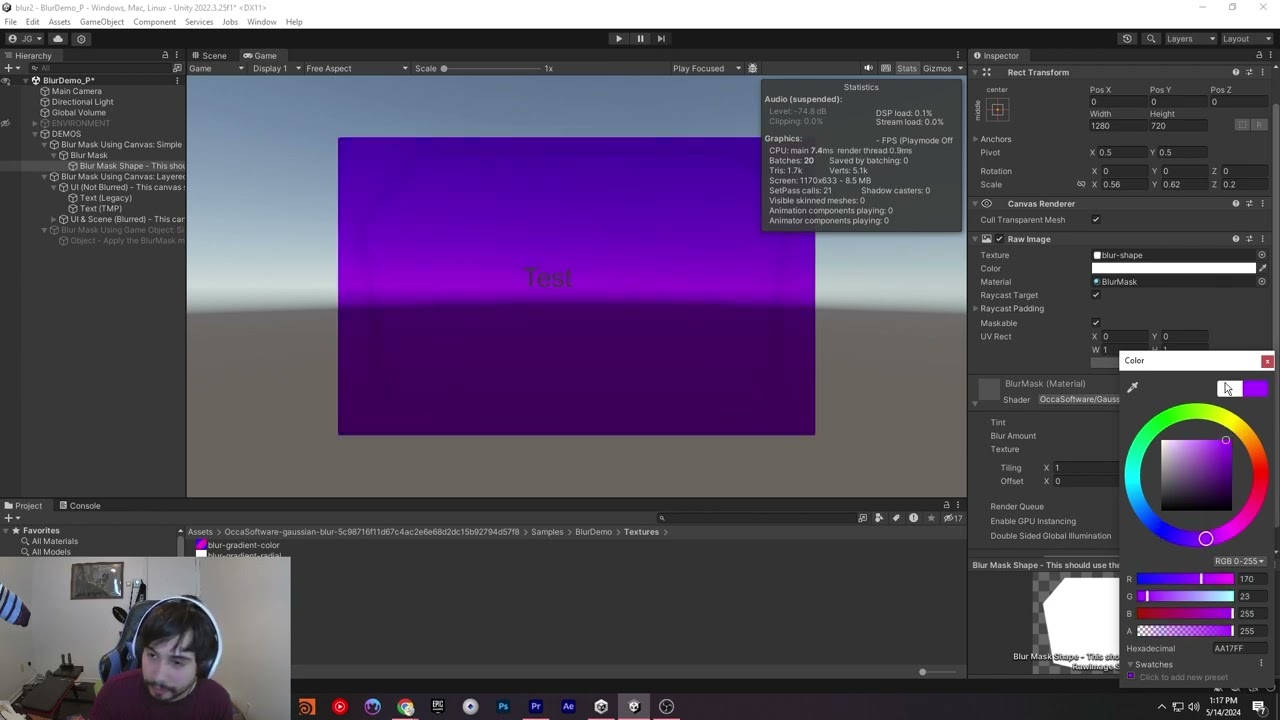
Save $800+ when you buy the OccaSoftware Bundle: https://www.wayline.io/occasoftware-bundle
Our Gaussian Blur asset makes it easy to blur-ify your entire game, or just a small part. In this quick demo, we showcase a few of the features that make it so great.
#unity #gamedevelopment #shaders
💬 Chat with Me on Discord
celest lodge
grim ermine
https://www.youtube.com/watch?v=r08Rl949Ys8
this makes the background blurry though, I want the sprite of the image to be blurred if that makes sense