#📲┃ui-ux
1 messages · Page 12 of 1
 novel stag
 low pike
Sounds like you have a base prefab and varients
novel stag
so i have this for the game

and this for the ui

now when i changed its position in the game one it changed it to this in the ui one
fkin card prefabs 🤬 🤬 🤬
low pike
Prefabs are fine, you just don't understand them 😉
 winter walrus
ok I was at first hesitant to ask this question but after looking at several independent tutorials this issue just doesn't show up
I want to keep track of a PlayerScore but am not able to drag the Text GameObject into the slot?
7:05 on this video https://www.youtube.com/watch?v=r2TB_6zIxvY&ab_channel=Danndx

Hello again! In this video we'll go through how to get access to and change the text of a UI text element in Unity.
Code: https://github.com/danndx/Tutorial-Code/tree/main/Change UI Text
Please support my channel if you'd like. It would mean a lot:
https://ko-fi.com/danndx
I've seen plenty of other videos of people able to do the exact same thing
I've also looked at the pinned user guides and there's nothing on this issue as well
 mortal robin
winter walrus
ok I was at first hesitant to ask this question but after looking at several ind...
mortal robin
winter walrus
ok I was at first hesitant to ask this question but after looking at several ind...
99% chance you're using the wrong variable type
Newer versions of unity default to TextMeshPro
instead of Unity.UI.Text you should be using TMPro.TMP_Text
this is an extremely common mistake, which we see in this discord probably about 5 times a day.
winter walrus
hmm ok let me see how I can implement this fix
I think I have it working now, thanks
how do I troubleshoot things like this on my own in the future?
 sterile wedge
winter walrus
how do I troubleshoot things like this on my own in the future?
sterile wedge
winter walrus
how do I troubleshoot things like this on my own in the future?
If you can't assign stuff to a field, it usually means they're not the same type
winter walrus
ok that makes sense
sterile wedge
You can usually find what type the components are by looking at the documentation for it
Which can be accessed usually by the ? Icon in the top right of the component
Or a Google search
winter walrus
ok cool
novel stag
low pike
Prefabs are fine, you just don't understand them 😉
this asset is not fine
low pike
Keep your UI questions in here @novel stag
NEVER change the scale of UI, it will only lead to problems. Keep it at 1,1,1 always and change the width/ height values to get the size you want
 novel stag
had to change it cus sprite is too small
low pike
No you did not
You did it wrong
You're supposed to do what I literally just said 😄
Leave the scale at 1,1,1 and use width/ height to get the size you want!
novel stag
ok
i will see now
this is still small

this is how it looks rn

and this is the text that is the child of it

 low pike
This is TINY

ALL UI elements all the way up to the canvas should have a scale of 1,1,1
You cannot change 1 thing and expect it to be fine, when all the parents are different scales
This is probably why you've got so many issues
 novel stag
so how do i fix this
how do i add outline to only one text
when iadd to one it adds to all
novel stag
@low pike how do i make the 9 and the other text stuff make scale with the rest when i resize

thats the reason why it wont scale good right?
mortal robin
novel stag
<@257975742820909068> how do i make the 9 and the other text stuff make scale wi...
Familiarize yourself with the anchor and offset concepts in this article
https://docs.unity3d.com/Packages/com.unity.ugui@1.0/manual/UIBasicLayout.html
And never mess with the scale of UI objects as a rule of thumb
 sharp oracle
Having some trouble getting expension working for single elements in a layout group. Here's the current Hierarchy setup:
Content is the content panel of a scroll rect with a Vertical Layout Group and Content Size Fitter on it. It is set to expand and control width of child elements, and it has 5 pixels of padding and spacing.
OneColumnCenteredText and other unnamed disabled components are other layout elements that are correctly sized and positioned, and should not be changed.
OneColumnText is the object I want to expand to fit text. It has a child object Background set to fill on all axes. Text (TMP) is a text element that I want to expand the OneColumnText (and thus, Background) whenever it is too large to fit.
Things I have attempted:
- Content Size Fitter on
Textto increase size,Layout Group Elementwith flexible height onOneColumnText. Does not expandOneColumnText - Making
Texta child element ofBackground, putting a ContentSizeFitter on both. Background height delta is frozen at -30 and does not show up

Ends up looking like this:
 sharp oracle
Closest I've gotten is:
Textchild element ofBackground- Vertical Layout on
Backgroundwith control height and force expand height
This lets the background scale to fit the text, but no matter what I try on the OneColumnText it has a height of 0 and is just ignored by the layout group. If I put a min or preferred height on it, it stays at exactly that, never changing to fit the text
novel stag
When sizing an object, it's children don't change scale, but only position why?
 solar dragon
I have a problem and it is that when I use a text with textmeshpro and I put a filter like a border, it is applied to all the texts that have that font and if I try to change any of them every text with that font change too what can i do to the change is only kept in a single text?

 lusty plaza
What's the best way to close a window when the player clicks outside it? I've tried selecting my window and OnDeselect, but if I select something on my window it closes. A transparent button in the background doesn't work since I have other UI which would either lay on top of it or get blocked. This feels like it should be so much easier than it is.
lusty plaza
novel stag
When sizing an object, it's children don't change scale, but only position why?
It depends on how. If you want to scale everything like normal objects, use the scale property, not size. Alternatively, a better solution is changing the anchors of your children. The blue ones will change their size with their parent in one or both axes.
 lusty plaza
solar dragon
I have a problem and it is that when I use a text with textmeshpro and I put a f...
lusty plaza
solar dragon
I have a problem and it is that when I use a text with textmeshpro and I put a f...
You have to make a new material and assign that one to your text. Currently the material is shared between all of your text.
novel stag
I fixed it already
lusty plaza
sharp oracle
Having some trouble getting expension working for single elements in a layout gr...
Does Background and OneColumnText have to be different gameobjects?
why not put the image on OneColumnText?
I got it to work with them being separate, but it's not pretty
OneColumnText layout group

Background has a layout element set to ignore layout and anchors to fill parent
Content
 solar dragon
lusty plaza
You have to make a new material and assign that one to your text. Currently the ...
solar dragon
lusty plaza
You have to make a new material and assign that one to your text. Currently the ...
it work thx
sharp oracle
lusty plaza
why not put the image on OneColumnText?
I could do that, but I still don't know how to get it to expand to fit the text. Layout element seems to do nothing. This is the closest I've gotten with the text given a content size fitter and the OneColumnText/Background object having a layout element with flexibile height:
 low pike
@sharp oracle like this?
sharp oracle
low pike
<@153950686088921088> like this?
Yes, except I need the expanding background to be part of a vertical layout group and also be the only one that expands
This is supposed to be the use case for layout element but it seems to not change anything. I can set a min or preferred size, but those seem to be identical to just... setting the size
It doesn't change in response to the size of its children
low pike
Have I understood you correctly with this?
sharp oracle
low pike
Have I understood you correctly with this?
Yes, how did you get it to do that?
low pike
magic
sharp oracle
Sometimes layouts feel like that
sharp oracle
Okay, getting there. This is giving me the expansion I want, but I can't seem to set a minimum size for that element now
 sharp oracle
I swear I did that and it didn't work but now it does
That was literally the first thing I tried
What did I do differently...?
low pike
Didn't pay tribute to the demons
sharp oracle
Sometimes it feels like the order you do things in causes entirely different outcomes
low pike
Undo on some of the layout stuff will undo a flag, but not the change doing the flag in the first place made
eg: ticking control child size might make the width 0, doing ctrl+z to remove the flag won't set the width back to its previous value
 primal sierra
Why is there this huge gap despite having 0 spacing?
Vert layout group controls child size width and hight but only child force expand width.
The white image has a LayoutElement with flexible height 1.
 mortal robin
primal sierra
Why is there this huge gap despite having 0 spacing?
Vert layout group controls...
mortal robin
primal sierra
Why is there this huge gap despite having 0 spacing?
Vert layout group controls...
which gap are we talking about?
between what and what?
And what's the hierarchy look like?
etc


 mortal robin
can you show the inspector for the vertical layout group?
primal sierra
 low pike
 primal sierra
What about that part?
low pike
Feels like a high value
Though i now see it won't be that
The big gap is because your VerticalLayout rect is larger than the objects within. If you want them closer/ touching you need to make this smaller
low pike
primal sierra
Change the vertical fit to 'preferred size' on this, then use the spacing to give you the desired gap
primal sierra
Then the image disappreas because the VerticalLayout shrinks.

Well you dont need to bother anymore, ill fix it tomorrow
maybe
low pike
untick control child size both w/h
Well, perhaps just untick height, see if you wanna keep width ticked. You'll have to resize the white image after unticking it
 low pike
Never done it, but putting your exact question in google gives some results for you to read through
 drowsy kestrel
 low pike
You're mixing a sprite and UI. Sprite Renderers aren't for UI
- Elements in UI should always have their scale at 1,1,1 (except the canvas, you can't change this).
- Sprite Renderers are for 2D, not UI. Don't drag and drop sprites from the project window into the scene for UI.
drowsy kestrel
this is the background not the top element
 low pike
UI is drawn in order of the hierarchy, from top (first) to bottom (last)
drowsy kestrel
i fixed it by putting image component into top element thx
low pike
again, your scale isn't 1,1,1
drowsy kestrel
how to scale the ui if scale should be 1,1,1 width and height?
low pike
You change the width/ height values to the size you want
drowsy kestrel
ok i understand thanks for the help
i set the scales to 1,1,1 but why is my UI this much different on different screen sizes

 sterile wedge
drowsy kestrel
i set the scales to 1,1,1 but why is my UI this much different on different scre...
sterile wedge
drowsy kestrel
i set the scales to 1,1,1 but why is my UI this much different on different scre...

This tutorial/guide will show you how to resize your Unity UI canvas, GameObjects, text, button and images. You will learn:
- How to fix Unity UI for every resolution
- How to adapt UI for mobile devices
- How to change Unity UI canvas scaling
💜 Join our Discord: https://discord.gg/hNnZRnqf4s
Timestamps:
0:00 - Intro
0:20 - Fixing main UI
3:23...
low pike
drowsy kestrel
i set the scales to 1,1,1 but why is my UI this much different on different scre...
anchors, depending on how you set things up they will resize with the screen. I haven't seen the vid above, but it probably explains it all
drowsy kestrel
yeah but you cant set different anchors for different screen sizes the thing I showed scales down on the Y
low pike
You don't need to set different anchors for different screen sizes
drowsy kestrel
but how can i keep it scaling to the sides while height remains at a similar height
 low pike
because the anchors are set to be xx pixels away from the sides, but the height is set to be 300 pixels regardless
drowsy kestrel
so should anchor pivots be 0?
low pike
If they should be 0, you wouldn't be able to change them. The pivot value changes depending on the element and your needs for anchoring its position
 quiet hatch
hello
i have added a textmeshpro timer to my ui scene
but it doesnt appear on my game scene
quiet hatch
theres a canvas on therre too
low pike
Put yourself in our shoes, you come to this chan and look at the last few messages. Those messages are the 3 you've just sent. Could you offer help with the information provided?
Or would you have to spend a load of time getting that information and THEN offering suggestions to fix it? Would you help in that case? Or just ignore and carry on doing your own thing?
mortal robin
quiet hatch
theres a canvas on therre too
You would have to show us the details
 obtuse aspen
Is there a way to have multiple world space canvases that will occlude each other properly depending on location? Would all “order in layer” have to be 0?
mortal robin
Have you tried it? Does it not work as expected normally?
 scarlet dawn
can anyone please help how can I keep the game UI looks the same on all mobile screens? In Canves settings I use Scale with screen size, but no idae what should i use for Reference resolution. My game is 9:16 on mobile
 surreal linden
Hi, help i have only 2 buttons that dont work on my game when i export it to android on my phone but on my pc in the editor it works, any idea how to fix :/ i have no idea what could it be
obtuse aspen
mortal robin
Have you tried it? Does it not work as expected normally?
I was hoping to use "order in layer". But it seems like i can't if i want the whole games UI to work right
surreal linden
Nvm it was my bad i had it wrongly configured my ui
mortal robin
scarlet dawn
can anyone please help how can I keep the game UI looks the same on all mobile s...
You need to anchor all the UI elements properly and test it on your target resolution
sterile wedge
scarlet dawn
can anyone please help how can I keep the game UI looks the same on all mobile s...
Just pick one device in the simulator window, search up that resolution and do your initial development on that
 dusty grove
Why does the canvas selection outline scale with scene view aspect ratio? It's really annoying and confusing


I can't see how much of the canvas the buttons are taking up and what position they'll be in
mortal robin
dusty grove
Why does the canvas selection outline scale with scene view aspect ratio? It's r...
The canvas size and shape is based on the game window
The game window determines the game resolution in the editor
You can set the resolution/ aspect ratio to whatever you want though
It doesn't need to be on Free Aspect
dusty grove
Ah right okay. Yes the game window was set to free aspect and it was the bottom half of thatside of the unity editor that I was moving up and down
makes sense now
Thankyou @mortal robin
low pike
dusty grove
Ah right okay. Yes the game window was set to free aspect and it was the bottom ...
When you're doing your UI, make sure the game view is set to an actual aspect ratio.. do not use 'Free Aspect, you're never going to get your UI responsive if you do
 rough trout
how to make it so that in my scene or game view I can actually see what the UI will look like it's literally so off

 dusty grove
@rough trout My first guess is to check the canvas component settings for the resolution. I can't remember which component that is exactly sorry
rough trout
 dusty grove
Canvas scaler
rough trout
scale with screen size?
dusty grove
Yeah
Now it will follow whatever size you set in the game view ratio. I'd also make sure to set the x and y values in the canvas scaler to your target screen. which is probably 1920 x 1080
I think by default it's 800 x 600
dusty grove
That's beyond me. I'd make two different branches on github and set them up differently. If you want the same ui layout then I guess the logic is to make it fit on the small screen and then just have the mobile aspect ratio for the bigger screen. Idk I haven't built for mobile before and haven't build for mobile + windows
sterile wedge
rough trout
what should i set it to if i want it to be playable both on pc and mobile
You can use the device simulator package to see what your game will look like on devices
Then you can switch between game view and simulator view
rough trout
sterile wedge
You can use the device simulator package to see what your game will look like on...
aha
ill try that
dusty grove
I had no idea that existed. Good to know
sterile wedge
rough trout
ill try that
Just remember that Input GetKey stuff won't work in simulator view
rough trout
for mobile controls do you just make buttons that do onclick methods
low pike
Your view is zoomed in

Device Simulator is built in now, you don't need to add the pacakge.. just click this
 sterile wedge
rough trout
for mobile controls do you just make buttons that do onclick methods
sterile wedge
rough trout
for mobile controls do you just make buttons that do onclick methods
Look up tutorials on how to detect taps for mobile. There is a few on YouTube
But GetMouseButton inputs double as first taps as well
 rough trout
low pike
Your view is zoomed in
rough trout
low pike
Your view is zoomed in
its at the lowest amount that it lets me go to
i cant go below 1.3
low pike
Probably the window is too small
For a UI button, you don't have to do anything different between platforms
 trail trail
Is there any way to define the navigation a bit better here? I know I can do it via "Explict" but theres going to be scenarios where I'll want it to just work with all objects under a specific parent.
 mortal robin
trail trail
Is there any way to define the navigation a bit better here? I know I can do it ...
mortal robin
trail trail
Is there any way to define the navigation a bit better here? I know I can do it ...
you can do the explicit navigation and have your code set it up dynamically within those eligible objects
trail trail
mortal robin
you can do the explicit navigation and have your code set it up dynamically with...
Yeah, thats what I'm doing currently, I was just sort of hoping you could "Group them" and then tell Unity to do its thing.
Thanks tho.
trail trail
Sad days.
 dire gust
Hi guys, how I can change the leaderboar canvas, so those 4 buttons and the "TANKS (LAN)" text cant be seen or touch?

there is other canvas that controlls those buttons, but when I activate the leaderboard canvas pressing a UI button the panel just stays under that canvas (here is an image of the scene before pressing the leaderboard button)
 mortal robin
dire gust
Hi guys, how I can change the leaderboar canvas, so those 4 buttons and the "TAN...
mortal robin
dire gust
Hi guys, how I can change the leaderboar canvas, so those 4 buttons and the "TAN...
use canvas groups to disable swathes of UI at once
dire gust
any tutorial or infor that I can read to use it?
dire gust
thanks!
 sterile wedge
 wide bluff
i cant use these
wide bluff
i cant use these
what are these? ttfs?
 sterile wedge
wide bluff
Idk, i downloaded it from Google
sterile wedge
wide bluff
Idk, i downloaded it from Google
okay, can you please go to your file explorer and show me what the type is
the file explorer on your pc, not Unity

Unity Forum
Hey,
how can I use other fonts in TextMesh Pro? I got a font from google fonts, but how can I use it? (file ending is .ttf if its useful)
Thanks!
you need to create a font asset from the .ttf in order to use it
wide bluff
Yes, ttfs
sterile wedge
check out the thread
 nova girder
send screenshots
 sterile wedge
 hallow sigil
these pictures are transparent why this weird box?
they have no filter on...
hallow sigil
these pictures are transparent why this weird box?
they have no filter on...
Are they from a texture atlas
Or are they individual textures
Can you drop one of the textures here for us to see that the white borders really aren't part of them?
hallow sigil
sterile wedge
Or are they individual textures
They are single images yeah
I have other images that are exactly the same imported with no such border.
sterile wedge
Please humor me by dropping that one here
hallow sigil
You can even see in the editor it’s somehow enabled
sterile wedge
The one with the issue
sterile wedge
Maybe one with the problem and one without
Just to rule out the simplest possibility
 sterile wedge
I have to go sorry
But try googling
white borders around image issue unity
I see some results
hallow sigil
okay
hallow sigil
Can’t find any solution
low pike
It won't happen in a build
hallow sigil
low pike
It won't happen in a build
Oh good to know that, but I just wonder why my editor does this.
Some buttons look fine and some has this weird thin box around them
Do you suggest to update to 2021 from 2022 Unity version?
 rose urchin
Any concise tutorials for very basic UI inputs (for coders, don't need it fancy - just functional)#
 teal vessel
Im using the textmesh pro TMP_Dropdown UI element and im adding items to the dropdown menu through code. I then want to add a method in their OnClick() event, how could I do this through code?
teal vessel
@wanton spruce is the same delegate called each time the value of the dropdown is changed? how can i specify which value of th dropdown has now been selected and pass that to the delegate
 wanton spruce
teal vessel
<@218007670412673025> is the same delegate called each time the value of the dr...
wanton spruce
teal vessel
<@218007670412673025> is the same delegate called each time the value of the dr...
I don't think you can. But since onValueChanged returns the index of the option that was selected, you can use that to look it up from your list
teal vessel
wanton spruce
I don't think you can. But since onValueChanged returns the index of the option ...
where do you get the index
wanton spruce
From onValueChanged
.onValueChanged.AddListener(index => DoSomethingWithIndex(index));
 obsidian yarrow
Does anyone know why my button changes color when clicked, but the associated method does not get called?
I placed a breakpoint in the button OnClick code and it's not being called, but the child class 'Selectable' does get the color highlight color called.

I've tried everything and no one else seems to have encountered this issue.
I've tried with multiple different objects and methods
could this be some interplay with the new input system?
but then I don't know why the color would be changing when I press it. with the event system disabled, the button doesn't work at all. with it enabled, it changes color but doesn't call the associated function.
mortal robin
obsidian yarrow
Does anyone know why my button changes color when clicked, but the associated me...
Show your UI input module and also the code that should be running
If you're seeing the tint change that's a good sign there's nothing wrong with the UI or input handling
 sand mantle
Is there a difference between changing the localScale of a transform, that contains a sprite renderer OR changing the .size of a sprite renderer?
obsidian yarrow
mortal robin
Show your UI input module and also the code that should be running
Thank you so much for the help. The code is really simple just to test it, and I've tried a few other functions.

This is the input module

and if needed
 mortal robin
obsidian yarrow
Thank you so much for the help. The code is really simple just to test it, and I...
mortal robin
obsidian yarrow
Thank you so much for the help. The code is really simple just to test it, and I...
Make sure your click action is setup properly
Make sure your console is showing logs
Make sure there's no errors happening
obsidian yarrow
what could be wrong about how the click action is set up?
and yeah, there are no errors unfortunately
mortal robin
Lots of things.. obvious errors would be not having the correct bindings, having incorrect processors or interactions, and more
sand mantle
Is there a difference between changing the localScale of a transform, that contains a sprite renderer OR changing the .size of a sprite renderer?
 soft sail
the local scale would also affect colliders and such if you're using them on the same transform as the sprite renderer
oh, this is UI im dumb, but that can still apply ;)
Should just be using image though instead of spriterenderer, no?
low pike
sand mantle
Is there a difference between changing the **localScale** of a transform, that c...
SpriteRenderers aren't for UI, so it's not clear if you're in the wrong channel or using the wrong component
 stuck pawn
Having an issue with UI, I have 3 GameObjects
Inventory - has Animator, and 2 child objects, no image
• Button - Has Image, Button and Script that plays the show/hide animations of
• Background - Has image
Right now, the animation is triggered when I click anywhere in the background, however I only want the animations to play when the Button is pressed
obsidian yarrow
mortal robin
Lots of things.. obvious errors would be not having the correct bindings, having...
if they were set up incorrectly, wouldn’t that mean the button wouldn’t respond when clicked? in my case, it does change color.
mortal robin
obsidian yarrow
if they were set up incorrectly, wouldn’t that mean the button wouldn’t respond ...
Can you show your console window when clicking the button? Also are you triple sure the button you're clicking is the one with the listener assigned?
mortal robin
stuck pawn
Having an issue with UI, I have 3 GameObjects
Inventory - has Animator, and 2 c...
You'd have to show screenshots of how everything is set up and where the scripts are etc
low pike
stuck pawn
Having an issue with UI, I have 3 GameObjects
Inventory - has Animator, and 2 c...
How is the animation triggered?
stuck pawn
The button has a script that calls transform.parent.GetComponent<Animator>().Play("showAnimation");
WAIT NVM
I had the background image as a child of button which makes the button act on the background image
Fixed it ty everyone 🙇♂️
low pike
stuck pawn
The button has a script that calls `transform.parent.GetComponent<Animator>().Pl...
I know you've fixed it.. but this didn't answer my question
stuck pawn
The Button has a script for the behaviour of the button, and the button component itself
The OnClick event of the button component is linked to a public function in the script called showAnimation. Inside the script, there is a bool inventoryShown and a public void showInventory().
Animator anim;
bool InventoryShow = false;
void Start() {
  anim = transform.parent.GetComponent<Animator>();
}
public void ShowInventory() {
  InventoryShow = !InventoryShow;
  if(InventoryShow)
    anim.Play("showInventory");
  else
    anim.Play("hideInventory");
}
 soft ibex
I have an InputField (TMP) which I gave a Vertical Layout Group so it becomes larger as it's content text is growing.
Why is it doing this (both at runtime as well as in the editor when editing my prefab):
(it's changing height rapidly by itself, constantly fluctuating)
soft ibex
maybe it's easier to see in this clip
 deft mauve
How can I prevent clicking thru panels? Theres any config on the UI?
low pike
Firstly, how is your click for the gameplay done? Raycast?
deft mauve
low pike
Firstly, how is your click for the gameplay done? Raycast?
a ray screen to point
 jagged monolith
This is a very common question, you should try some solutions from google first

 hushed nacelle
is it possible to make an entire 2D game in UI?
sterile wedge
hushed nacelle
is it possible to make an entire 2D game in UI?
Yes
 floral osprey
Heya, any idea why the following code prints to console correctly but doesn't update the tmppro text?
    Debug.Log(text);
    tmpro.text = text;
If I try: tmpro.text = "test";
that does update the text
low pike
hushed nacelle
is it possible to make an entire 2D game in UI?
Yes, but you probably shouldn't.. performance isn't going to be great
sterile wedge
floral osprey
Heya, any idea why the following code prints to console correctly but doesn't up...
Got any errors?
low pike
!code
 onyx flowerBOT

Posting code
📃 Large Code Blocks
Large code blocks should be posted as links to services like:
https://gdl.space/, https://paste.ofcode.org/, https://hatebin.com/
https://paste.myst.rs/, https://hastebin.com/
📃 Inline Code
Surround code with three backquotes. Not quotation marks.
To get C# formatting the first line should only contain cs or csharp.
Add a comment with a line number if there is an error message.
```cs
// Your code here
```
Do not share screenshots of code unless requested.
sterile wedge
Also did you mean it doesn't update the text
floral osprey
no errors. I'm trying to set the text field of a textmeshpro component. If I set a specific thing within "____" it works, however if I supply it a string it does not
low pike
You haven't given enough information for us to say why it's not doing it
floral osprey
sterile wedge
What type is text
public TMP_Text tmpro;
public string text;
void Start()
{
   tmpro = subtitleHook.GetComponent<subtitlesManager>().tmppro.GetComponent<TextMeshProUGUI>();

    block = parser.GetForTime(time);
    if (block != null) text = block.Text;

// this prints subtitles string to console successfully
    Debug.Log(text);

// this does not update the text of the textmesh component
    tmpro.text = text;

// this does set the text of the textmesh component to "testing"
    tmpro.text = "testing";

}
this is very cut down code to the simplest bit
low pike
please format the code properly, !code
onyx flowerBOT
Posting code
📃 Large Code Blocks
Large code blocks should be posted as links to services like:
https://gdl.space/, https://paste.ofcode.org/, https://hatebin.com/
https://paste.myst.rs/, https://hastebin.com/
📃 Inline Code
Surround code with three backquotes. Not quotation marks.
To get C# formatting the first line should only contain cs or csharp.
Add a comment with a line number if there is an error message.
```cs
// Your code here
```
Do not share screenshots of code unless requested.
sterile wedge
If you did "testing" after that, the first one wouldn't update..?
Please don't edit your code to the point where it doesn't make sense
floral osprey
sterile wedge
If you did "testing" after that, the first one wouldn't update..?
yeah I've toggled them on and off I'm just trying to explain the point
low pike
tmpro = subtitleHook.GetComponent<subtitlesManager>().tmppro.GetComponent<TextMeshProUGUI>();
This is just weird. Get rid of it and assign the TMP component in the inspector
floral osprey
https://gdl.space/koqilihepa.cpp
Here is the full unedited code
line 52 is where I am extracting the text
floral osprey
low pike
`tmpro = subtitleHook.GetComponent<subtitlesManager>().tmppro.GetComponent<TextM...
this changes at runtime
low pike
but it's in Start()..
floral osprey
ok I was just trying to cut down for simplicity sorry I have posted the full code above
low pike
It's still in Start() 😛
First thing to check is at run time is the correct TMP component assigned to tmpro
floral osprey
yep, and it updates on each start as each scene is loaded in. The correct TMP component is assigned. As I'm saying, calling:
Debug.Log(text); prints a full line of text to the console
tmpro.text = "testing"
does work. Calling
tmpro.text = text;
does not work
so the reference is correct
low pike
expand on "does not work"
floral osprey
does not change the text of the textmeshpro from anything but empty
there is a string in text which prints directly to console, however it will not update into the text field of the tmppro
low pike
and that string definitely (in the inspector) isn't testing ?

 low pike
I don't think it matters, but you're not closing the color tag
Got no other ideas atm, try throwing the </color> close tag on the end
Also, check if the text field on the TMP actually changes or not.
The OP on this thread has a similar (same?) issue. The text field updates but the visual doesn't
https://forum.unity.com/threads/textmesh-pro-is-not-updating-when-changing-text-programatically.490125/
floral osprey
Thank you. I have tried closing the text tag no cigar, I am checking the text field in the TMPPro component. I'll see if I'm doing some nasty spaghetti elsewhere
lusty plaza
I'm trying to get a window to close on background click, but it's proving harder than expected
OnDeselect() doesn't work since if I select something on the window it closes
Putting an overlay behind the window to detect clicks blocks my other UI, so not ideal
mortal robin
lusty plaza
Putting an overlay behind the window to detect clicks blocks my other UI, so not...
put an underlay behind everything 😉
including your other UI
mortal robin
lusty plaza
I also have physics raycasted stuff which would get blocked
why
put the underlay under everything
put it on a Screen Space - Camera canvas with a plane distance of 1000
it will block nothing
lusty plaza
RIght
that means another graphic raycaster
but if its canvas only contains one object im guessing it wont impact performance at all (?)
mortal robin
everything impacts performance at some level but no it's not going to likely be noticeable
lusty plaza
I really think there should be a more elegant way to do this, but atleast it works
mortal robin
probably - yet here we are
 lucid reef
Is there something about this could that should keep buttons from functioning normally? They don't even seem to be getting raycasted, but if I drag the prefab into the scene, it works fine
Debug.Log($"Spawning: {s.name}");
GameObject newSystem = Instantiate(systemButtonPrefab, s.position, Quaternion.identity);
newSystem.GetComponent<SysButton>().Init(transform);
public void Init(Transform lookTarget)
{
    this.lookTarget = lookTarget;
}

private void Update()
{
    if(lookTarget != null)
    {
        transform.rotation = Quaternion.LookRotation(lookTarget.position - transform.position);
    }
}
I'm pretty sure it has something to do with that Init() method, because if I comment that out, it works fine, it just stops following the camera
obsidian yarrow
I have a scene with a button that does not work in it - the button actually DOES get clicked and changes color, however, it doesn't call the associated function assigned in the OnClick event.
If I make a new scene however, and paste this same button into it, and then assign the OnClick event, it works. What could be different about my original scene?
Even more strangely, if I delete everything UI related in the old scene and make a fresh button - it does NOT work. This does work in the new, empty scene. I'm pretty stumped
So.. it's not the input action map, it's not the button setup... it's not the event system... it's not cinemachine.... perhaps it's some... weird interplay with some other UI element in the scene? it's not being blocked though as the thing changes color so it is being clicked
Found the problem... there's another script that checks for input... and that was eating the touch event!? OK... digging into this...
OK there was basically a script that called Enable on an action map var, which disabled the old one
man I wish that threw a warning...
 unborn vector
Is there any way to overlay an image's hue onto of its parent like this, especially when A) the parent is at 20% opacity and B) the parent has transparent parts?

 mortal robin
unborn vector
Is there any way to overlay an image's hue onto of its parent like this, especia...
mortal robin
unborn vector
Is there any way to overlay an image's hue onto of its parent like this, especia...
The most straightforward way would be to use a custom shader
 sudden pawn
Hello
I've recently been tasked with fixing up some legacy project, and when creating new sliders I can click on them, but they refuse to be dragged.
I checked all the usual suspects like the event system and raycasting on the canvas and other objects, but if they were not working then clicking it would not be possible.
This slider is in a world space canvas (inspector attached)


Oh, and when manipulating the value directly or when using the keyboard, the slider works, so it def is not something setting the value to max
 dusky seal
this is my GUI from this image


When i resize window this image look like this


the border disappears

 vague tinsel
dusky seal
vague tinsel
dusky seal
Honestly it looks good cuz now it's gradient ish
dusky seal
;]
 granite sage
Hello. I have a problem with my ScrollView. It won't scroll to the bottom. I tried the solutions I found on Google but it didn't work. I'm new to Unity. Thank you.
Here's the ScrollView and Inspector of it

It won't show all of the VSync checkbox.
 rapid ferry
how to limit this ui text width? so that when it reach it will start truncating rather than adjusting?

 low pike
granite sage
Here's the ScrollView and Inspector of it
low pike
granite sage
Here's the ScrollView and Inspector of it
Press T so you're using the UI tools.
You probably can't scroll your scrollview because the content rect is probably not the size of your content.. it needs a content size fitter on it - you can resize it manually, but then you'll need to remember to resize it every time
low pike
rapid ferry
how to limit this ui text width? so that when it reach it will start truncating ...
You should be using TMP not legacy Text.. but anyway, these settings

 indigo dew
I have some world space UI, a button. But I don't want to interact them using mouse or touch. Instead I want to have a cursor(A line render from camera to camera forward), if I target the button and then press click or touch anywhere in the screen, then the button should click. I couldn't figure out how to acheive this. Thank you
rapid ferry
low pike
You should be using TMP not legacy Text.. but anyway, these settings
yea, im coding it now, realized there's no auto layout for that
indigo dew
indigo dew
I have some world space UI, a button. But I don't want to interact them using mo...
Fixed.
 shy iris
Hello, I am trying to export the UI Elements I made on Adobe Illustrator to Unity. I am having an issue where the Sprite Sheet I export are of lower quality than what I designed. My canvas has a portrait 4k Resolution (2160 x 3840) and the sprite sheet resolution is 5000 x 5000 yet it lowers quality. PPI used when exporting is 300. How can I ensure that I get the same high quality output on Unity?
indigo dew
shy iris
Hello, I am trying to export the UI Elements I made on Adobe Illustrator to Unit...
Hi, this should help you https://forum.unity.com/threads/low-quality-sprite-from-high-quality-png.957389/
Unity Forum
Hi everyone,
The resolution of my game is 1920x1080.
I am creating the Sprites of my game using Adobe Illustrator and the exported .png image has high...
shy iris
indigo dew
Hi, this should help you https://forum.unity.com/threads/low-quality-sprite-from...
Thank you, will check it out
granite sage
low pike
Press T so you're using the UI tools.
You _probably_ can't scroll your scrollvi...
Thanks! I will try it out.
floral osprey
Hey so how can I tell if a char in a string is a line break?
        foreach (char letter in text)
        {
            if (letter == '\n')
            {
                Debug.Log("break");
            }
         }
this isn't getting it
mortal robin
floral osprey
Hey so how can I tell if a char in a string is a line break?
forea...
line breaks can be any of the following:
\n
\r
\r\n
Depending on the software that created the file
low pike
letter is only ever going to be a single char
floral osprey
Thanks, I've tried the above variations, \n and \r don't error but don't trigger, and \r\n makes a compiler complaint
if I debug.log(text) I get :
 mortal robin
floral osprey
Thanks, I've tried the above variations, \n and \r don't error but don't trigger...
mortal robin
floral osprey
Thanks, I've tried the above variations, \n and \r don't error but don't trigger...
well yes because it's two seperate characters
floral osprey
right, ok, from what carwash is saying
mortal robin
floral osprey
if I debug.log(text) I get :
are you sure that's a newline and not just wrapping?
floral osprey
yes it's a new line definitely
mortal robin
also if you have \r\n you will see both characters
floral osprey
so are there two invisible \ and n characters in that string which are automatically parsed out when debug logging?
mortal robin
floral osprey
Hey so how can I tell if a char in a string is a line break?
forea...
HOw about you do this:
            foreach (char letter in text)
            {
                    Debug.Log($"Saw {letter.ToString()} with charcode {(int)letter}");
}```ooh I don't understand it at all but I will try 😄
mortal robin
so there's no more guessing
mortal robin
floral osprey
ooh I don't understand it at all but I will try 😄
literally just printing out every single character (and its codepoint/character code)
then show us what prints between the comma and the 't' in "they"
floral osprey
so, 1) that was awesome thank you 2) turns out:
            if (letter == '\n')
            {
                Debug.Log("break");
            }
actually does work it's just the beginning of every line was a break too
mortal robin
floral osprey
so, 1) that was awesome thank you 2) turns out:
if (letter == ...
the magic of debugging 😉
 boreal ether
How do I make the Back_Light photoshop layer appear in Screen blending mode in Unity? (Similar like we have blending modes in Photoshop - Normal. Multiply,Overlay, Screen etc, or similar like in CSS blending modes)

In this case, I want the BackLight file only to be in blending mode
low pike
Not sure Unity has a blend mode? Also, that doesn't look like it's UI (there's no RectTransform or Canvas).. in which case ask if there's an option for it in 2d (I assume they're SpriteRenderers) in #🔀┃art-asset-workflow
rose urchin
So longer text is causing the boxes (nested Vertical and Horizontal layouts) to warp about in width. Height is contained perfectly fine. Is tehre some way to eat away at the padding instead of growing the entire rect, causing the horizontal layout to create a disproportion?
Fire and Air for example are in their own horizontal layout, I want them both to occupy 50% of available width. Is this possible with the default tools?

- Mid Row is a Horizontal Layout.
- ImpurityFire is a vertical layout (containing two labels -> Fire and number 2)
- ImpurityAir is another vertical layout.
I'm considering using Grids instead, might make more sense if the sizes are kept static but if I can achieve similar with the vertical / horizontal layouts it would give me greater flexibility

 spark sage
hello, does anyone know how can i set up sorting layers for sprite renderers to achieve this effect?
can't wrap my head around it
 sterile wedge
spark sage
hello, does anyone know how can i set up sorting layers for sprite renderers to ...
sterile wedge
spark sage
hello, does anyone know how can i set up sorting layers for sprite renderers to ...
Sprite Renderers or Images. You're asking in a UI channel
spark sage
...w-where is the dedicated channel for those?
spark sage
Sprite renderers
sterile wedge
Then maybe ask in #💻┃unity-talk
spark sage
Ok, thanks
 pliant crescent
hiya. I need to make a sentence text element where each word is clickable independently. is there a way to anchor a button around each word by getting its bounds, or do I need to join multiple text elements to make a sentence?
sterile wedge
pliant crescent
hiya. I need to make a sentence text element where each word is clickable indepe...
Text mesh pro has this built in
Something about tmp_link?
I forgot the term
pliant crescent
oh perfect, thanks

 sterile wedge
 orchid sage
You need to set them to sliced in the image component
orchid sage
sterile wedge
You need to set them to sliced in the image component
they are sliced already
sterile wedge
But did you set them to sliced
orchid sage
 sterile wedge
orchid sage
sterile wedge
orchid sage
You applied the settings already?
orchid sage
sterile wedge
You applied the settings already?
yes
sterile wedge
orchid sage
Try a border of 20,20,20,20
orchid sage
sterile wedge
Try a border of 20,20,20,20
border 20 20 20 20
 sterile wedge
Hmm
low pike
You need to 9 slice them like this
 low pike
But better then my quickly hand drawn lines 😄
orchid sage
low pike
But better then my quickly hand drawn lines 😄
like this ?

 orchid sage
 low pike
It doesn't look like a very uniformed shape to begin with
orchid sage
low pike
It doesn't look like a very uniformed shape to begin with
i don't understand
low pike
uniformed means the same, the corners don't look like they start/ end at the same distance/length
orchid sage
so i have to change the package of GUI Buttons or what ?
sterile wedge
No
sterile wedge
orchid sage
Try changing the pixel per unit multiplier here
orchid sage
sterile wedge
Try changing the pixel per unit multiplier here
ok it worked , but i think it's not the same as the reference image

 sterile wedge
You can just call the function when you press space. Nothing to do with your button
Look up GetKeyDown
low pike
the button component, or the gameobject that the button is on
Either way.. get a reference to the button/ gameobject.. change it's active state when space is pressed
buttonComponent.enabled = !buttonComponent.enabled;
buttonGameObject.SetActive(yourBool);
 mild dome
hey there
can someone help me please?
i need to match the size of this


to wherever the slots end
mild dome
mild dome
i need to match the size of Inventory to the size of Interface and Slots together

i did it!


 barren totem
Hello everyone !
I have the most basic Game Menu question :
There are multiple menu screens in my game :
Main Menu screen, level selection screen, character selection screen.
The player goes through the three screens before getting into the game scene itself.
What is the "normal" way to handle the multiple screens ?
I started doing the multiple menu screens with a single Canvas and multiple panels inside it, and using characerPanel.SetActive(false) and stuff to activate the correct one.
is it an OK way of doing things ?
soft sail
barren totem
Hello everyone !
I have the most basic Game Menu question :
There are multiple m...
If you want to be optimal, make each major menu its own canvas (under the assumption you've got changing elements on each UI that can dirty it), otherwise that sounds fine.
Probably not that big of a deal if you're disabling everything else. More of a mobile performance issue.
barren totem
I mean, it's my first non -game-jam game, and I'm not an artist, so the game menu will stay simple.
soft sail
Disabling via SetActive is also correct on how to handle inactive stuff as opposed to hiding it.
barren totem
But I have a problem that I think may be linked to that :
the interface on the panel I am working on does not seem to react to anything :
I have a scrollview with scrollbars, and they do nove move (mouse wheel, click and drag on the content, click and drag on the scroll bar, nothing works).
I also added an onclick on a button with a simple
Debug.Log("DEBUG CLICK");
And nothing appears in the console.
But pausing the game and checking out the Hierarchy does not show any other canvas enabled :/
barren totem
soft sail
Disabling via SetActive is also correct on how to handle inactive stuff as oppos...
OK, that was basically what I was asking, but if it is already correct in this, I am not sure what I am missing...
soft sail
Are you disabling elements tied to the scrollview? That could also prevent it from logging to the console perhaps.
Otherwise check if it's raycast related. Not entirely sure of your issue but that's usually a common problem.
low pike
!code
onyx flowerBOT
Posting code
📃 Large Code Blocks
Large code blocks should be posted as links to services like:
https://gdl.space/, https://paste.ofcode.org/, https://hatebin.com/
https://paste.myst.rs/, https://hastebin.com/
📃 Inline Code
Surround code with three backquotes. Not quotation marks.
To get C# formatting the first line should only contain cs or csharp.
Add a comment with a line number if there is an error message.
```cs
// Your code here
```
Do not share screenshots of code unless requested.
low pike
Share the code correctly.
Actually explain what your problem is.
and it's not very readable the way you've shared it

The point is to make it easier for people to actually help you.
¯_(ツ)_/¯
There's a reason the rules say to use the other methods of sharing code..
sterile wedge
it doesnt exist on mobile, and people shouldn't have to download random files just to help
sterile wedge
mild dome
you can try using this in Start
https://docs.unity3d.com/2017.3/Documentation/ScriptReference/UI.LayoutRebuilder.ForceRebuildLayoutImmediate.html
i think you pass in the RectTransform that has the LayoutGroup
mild dome
sterile wedge
you can try using this in Start
https://docs.unity3d.com/2017.3/Documentation/Sc...
in which script?
im not using any scripts for this
low pike
Then make one
barren totem
I am back with my problem of unresponsive interface :
Here is a screenshot of the interface, the hierarchy, and the inspector while the game is paused after launching it.
It is in a temporary scene where there is only this screen, without any other canvas that could be "above" it to prevent the click, I think.
The only thing present in the screen is the whole hierarchy displayed on the left.
 mortal robin
barren totem
I am back with my problem of unresponsive interface :
Here is a screenshot of th...
mortal robin
barren totem
I am back with my problem of unresponsive interface :
Here is a screenshot of th...
Select your event system
and observe its preview window while your mosue is over stuff
barren totem
I do not understand why it does not work :
The "clickable" button has a script that is supposed to write in the console, but nothing happens when I click on the button (not even the default "pressed" color effect).
The scrollbars appear correctly : the horizontal one is not there because of the auto-hide visibility, but the vertical is here, obviously.
the vertical scrollbar does not react either : the mouse scrollwheel does not do anything, click and drag does not do anything either.
mortal robin
It should tell you which objects are under the mouse
which could help you find a blocking object
naturally of course also check your console window for any errors
barren totem
mortal robin
and observe its preview window while your mosue is over stuff
What am I supposed to see in its preview ? I don't see anything about an element being hovered or clicked
nothing in the console : no error, no warning, no debug (and I checked, I didn't not filter it)
mortal robin
barren totem
What am I supposed to see in its preview ? I don't see anything about an element...
it should show the currently hovered element(s)
low pike
Show a screenshot of your event system inspector
barren totem
this part, with the positions and stuff ?
 low pike
Yeah, ok, just making sure you actually had that showing
this bit will change as you move your mouse around
 mortal robin
pointerEnter should show the most recently hovered object
low pike
 barren totem
it stays empty
low pike
click on the game view to make sure it has focus
barren totem
when I move around and click on anything in the game view, only the positions and deltas change, and the first "eligible for click" changes false to true while I click.
PointerEnter stays empty.
low pike
And has the canvas got a Graphic Raycaster component on it ?
barren totem
yes
low pike
Is there any Canvas Group component on any parent with interaction/ raycast disabled
 low pike
barren totem
I don't think so ?
low pike
barren totem
I don't think so ?
then.. check?
Go up the hierarchy and look at each game object, start at the button and go to each parent upwards
barren totem
I am looking for these to checkboxes, right ?
Raycast and interactable ?
(this is on my "clicable" button, which should get something written in the console
 barren totem
low pike
then.. check?
Go up the hierarchy and look at each game object, start at the bu...
barren totem
low pike
then.. check?
Go up the hierarchy and look at each game object, start at the bu...
(sorry, didn't mean to say that I was too lazy to check, but wasn't sure what I was checking)
low pike
There's a component called Canvas Group
Having this on a parent, with everything unticked would stop all children being interactable
 barren totem
I do not have a Canvas Group on anything.
I have the Canvas + Canvas scaler + Graphic Raycaster on the big daddy, and a Cnvas on its first child (not sure why, I think it's a mistake from when I copy/pasted something, will test without it)
some other elements have the Canvas Renderer which appear automatically when I added an Image to them
should I have the Canvas group on a parent ?
low pike
only if you need it
barren totem
apparently, the second Canvas on the child is what broke everything.
I removed this canvas, and now I can click on my buttons and scroll however I like. -_-
low pike
Must have been setup wrong, because you can have multiple canvases as children
 mossy timber
Quick tip: If you're using the default image for buttons, use the "Pixels Per Unit Multiplier" to increase or decrease the roundness of the button!
Higher pixels = less roundness
 hallow cipher
strange question but my UI just straight up disappers when I change scenes in play mode, the menu ui works fine but the game ui doesnt render at all. (and if I start playmode on the game scene the ui renders fine, but if I go from menu to game no UI)
and the really strange thing is it does render if I enable gizmos, even if I go into the gizmo settings a deselect every single check box. any ideas?
hallow cipher
ok finally found it, turns out a render feature after rendering breaks uis for some reason
 steel bluff


I have my item panel below the button, why is the button still appearing in front of the item panel??
mortal robin
steel bluff
I have my item panel below the button, why is the button still appearing in fron...
- what components are on everything?
- you sure it's not just transparent?
barren totem
Hello everyone !
I found some cool assets to use for the buttons in my game :
https://www.kenney.nl/media/pages/assets/ui-pack-rpg-expansion/6e9298f3e7-1677661818/preview.png
I have a little question about something I'm not sure how to do :
With these images, the button images actually have different normal and a pressed images which include a little border. This means that the content of the button should lower itself by a few pixels while the button is pressed/clicked.
How do I move the content of the button (just a TextMeshPro for now) while the button is pressed ?
(I am also looking for changing the pressed button image, but I think I found a tutorial for that online).
 sterile wedge
barren totem
Hello everyone !
I found some cool assets to use for the buttons in my game :
ht...
sterile wedge
barren totem
Hello everyone !
I found some cool assets to use for the buttons in my game :
ht...
you could just move it in the onclick event
barren totem
yeah, currently looking at how to handle the image change, and it looks like I HAVE to use a script.
I could just add something to grab all the children of the button and move their transform a bit.
sterile wedge
That's a start
barren totem
Wait, I was wrong: the image changing does not need a script.
And another thing : There is the onclick directly on the button, but I do not understand how to put something "onRelease".
How should I handle the moving things back to normal positions when hte player releases the button ?
sterile wedge
barren totem
Wait, I was wrong: the image changing does not need a script.
And another thing ...
You can use the Event trigger component or the IPointerHandler interface for onrelease stuff
barren totem
I made a simple script
   /// <summary>
   /// OnMouseDown is called when the user has pressed the mouse button while
   /// over the GUIElement or Collider.
   /// </summary>
   void OnMouseDown() {
       Debug.Log("DEBUG down");
   }
}
and used it instead of "Button" in my button, but nothing appears in the console.
Isn't this supposed to work, since the Button is a "Clickable" (using this doc : https://docs.unity3d.com/ScriptReference/UIElements.Clickable.html ) ?
sterile wedge
Out of all the things, you tried OnMouseDown
That requires a collider
But colliders don't really belong with UI
I'm assuming you're using UnityEngine.UI
Not UIElements
barren totem
using UnityEngine.UI;
sterile wedge
barren totem
I made a simple script
```public class DEBUG : Button {
/// <summary>
...
Clickable is UIElements
Not relevant
sterile wedge
sterile wedge
You can use the Event trigger component or the IPointerHandler interface for onr...
Please look into this thing I mentioned
barren totem
Oh, OK. The included comment seemed to tell me it was all simple :/
I can not find how to work with Event Trigger (I can find 2018 version doc about it but not 2021 version about it)
same for IPointerHandler
sterile wedge
Event Trigger is just a component
put it on your UI object and see for yourself
it's quite straightforward
https://docs.unity3d.com/2017.4/Documentation/ScriptReference/EventSystems.IPointerEnterHandler.html
https://docs.unity3d.com/2019.1/Documentation/ScriptReference/EventSystems.IPointerClickHandler.html

should still be relevant

Check out the Course: https://bit.ly/3i7lLtH
Learn how to use IDragHandler, IBeginDragHandler, IEndDragHandler, IPointerDownHandler, and IPointerEnterHandler to create simple drag and drop systems to use in your Unity3D games or apps.
More Info: https://unity3d.college
Join the FB Group: http://unity3d.group
might also help.
barren totem
Version: 2017.4
Version: 2019.1
how come they didn't simply put the same pages in the 2021 version if it's still relevant ??? -_-
sterile wedge
the docs are being revamped
that's one downside of Unity. but most things still hold up
barren totem
OK, I managed to get it working with the
public void OnPointerDown(PointerEventData eventData)
public void OnPointerUp(PointerEventData eventData)
methods ! 🙂
sterile wedge
nice work
barren totem
Hello again !
I have a new question about another thing :
https://cdn.discordapp.com/attachments/497872424281440267/1121712661093167184/sharing.jpg
Here is a mock-up of my "map selection" screen.
when a map is selected from the list on the left, its image is put as the background of the whole screen, can been seen with transparency through most of the panels, and can clearly been seen without filter through a "window" in the map selection screen.
I think I can do this using a Mask, but I am not sure how to do it exactly right :
The image in the background is set in the parent-most element, but the "window" is put there through multiple layout groups, so its position can be different with different screen resolution.
I managed to create a Mask where the window should be, but the Mask only masks its children. I added another instance of the map image as a child of the Mask, but it's not good either : how can I position it so it is at the same position as the real background ?
Is there a way to configure the mask so it creates a window into something that's elwhere in the hierarchy ?
Can you guys think of another way to do this ?
 rose urchin
Longer text is causing the boxes (nested Vertical and Horizontal layouts) to warp about in width. Height is contained perfectly fine. Is there some way to force same sizes regardless of the contained text within (text would automatically get less space to work with)
Fire and Air for example are in their own horizontal layout, I want them both to occupy 50% of available width. Is this possible with the default tools?
- Mid Row is a Horizontal Layout.
- ImpurityFire is a vertical layout (containing two labels -> Fire and number 2)
- ImpurityAir is another vertical layout.
I'm considering using Grids instead, might make more sense if the sizes are kept static but if I can achieve similar with the vertical / horizontal layouts it would give me greater flexibility


 spiral crypt
can someone tell me why this is happening in my game? i want the thing in the middle to cover the whole screen, instead of the blue border
 spiral crypt
mortal robin
you haven't anchored everything properly
spiral crypt
mortal robin
you haven't anchored everything properly
but how can i anchor a canvas? it does not allow to change the rect transform
mortal robin
spiral crypt
but how can i anchor a canvas? it does not allow to change the rect transform
the canvas itself is irrelevant
you anchor the children of the canvas
mortal robin
spiral crypt
can someone tell me why this is happening in my game? i want the thing in the mi...
if the full extents of your canvas are this - then you did something silly like scaling the canvas
Or a parent object of your canvas is scaled
don't do that
spiral crypt
sorry im confused by what you mean
spiral crypt
mortal robin
Did you scale your canvas or no
how do i know if ive scaled my canvas
where do i check
mortal robin
spiral crypt
how do i know if ive scaled my canvas
you would know
in the Transform
where all scaling in Unity happens
mortal robin
mortal robin
Or a parent object of your canvas is scaled
this too
show your hierarchy
spiral crypt
 spiral crypt
mortal robin
in the Transform
spiral crypt
mortal robin
in the Transform
the only transform isee in my canvas is the rect transform and it says that the canvas has already predetermined that for me
mortal robin
spiral crypt
the only transform isee in my canvas is the rect transform and it says that the ...
every single GameObject has a Transform
but i'm interested in the canvas
show the inspector for it
also show the inspector of the Background

 mortal robin
spiral crypt
mortal robin
spiral crypt
see how your canvas scaler is set to constant pixel size
you need to change that
spiral crypt
scale to screen size right?
hi can someone tell me why this is happening to me inthe build? i am trying to create a series of resolutions, but it does not work in the build. it does work in the game screen in unity however.
 barren totem
Hey guys !
as part of my UI, I would like to have something similar to a spritemask :
With normal masking, I can not find an option to mask something that is outside of the hierarchy of the mask. With the spritemask I apparently can.
Is it possible to use sprites as part of my UI, or to have a similar functionality without using spritemasks ?
 proven path
hey guys, i'm trying to move the scrollbar a little bit on start so that the empty space is filled; anyone know why changing scrollbar.value doesn't work?
using System.Collections;
using System.Collections.Generic;
using UnityEngine;
using UnityEngine.UI;

public class InfiniteScroll : MonoBehaviour
{
    RectTransform card;
    [SerializeField]
    Scrollbar scrollbar;
    float width;
    float height;
    float spacing;

    // Start is called before the first frame update
    void Start()
    {
        card = transform.GetChild(0).GetComponent<RectTransform>();
        card.anchoredPosition = new Vector2(0, 0);
        width = card.rect.width;
        height = card.rect.height;
        spacing = 2f;

        for (int cardIndex = 1; cardIndex < transform.childCount; cardIndex++)
        {
            RectTransform temp_card = transform.GetChild(cardIndex).GetComponent<RectTransform>();
            temp_card.anchoredPosition = new Vector2(cardIndex * (width + spacing), 0f);
        }

        Debug.Log("loaded cards");
        scrollbar.value = 0.5f;
        Debug.Log("set scrollbar value");
    }

    // Update is called once per frame
    void Update()
    {

    }
}

 barren totem
proven path
hey guys, i'm trying to move the scrollbar a little bit on start so that the emp...
barren totem
proven path
hey guys, i'm trying to move the scrollbar a little bit on start so that the emp...
Are you using a scrollview ? wouldn't making the movement-type in the inspector "clamped" instead of "elastic" remove the empty space ?
proven path
barren totem
Are you using a scrollview ? wouldn't making the movement-type in the inspector ...
I have it set to unrestricted right now, sorry forgot to mention
barren totem
I mean, I'm a newbie in all things Unity, but I think the movement type Clamped is what makes it have no empty space, without using any script.
 wooden basin
i have made a button but i cant click him. the On Click() function is to start the game but he can't be pushed
 mortal robin
wooden basin
i have made a button but i cant click him. the On Click() function is to start t...
mortal robin
wooden basin
i have made a button but i cant click him. the On Click() function is to start t...
check your console - any errors at runtime?
rose urchin
So can I make prefabs of canvas elements and instantiate them into like a horizontal layout to add stuff to it like I would with normal gameobjects?
mortal robin
rose urchin
So can I make prefabs of canvas elements and instantiate them into like a horizo...
THere's nothing abnormal about UI GameObjects
except perhaps the fact that they have RectTransform instead of a regular Transform
they are normal GameObjects
rose urchin
Thanks, sounds like this plan is worth a shot
 hearty mulch
is this good ui design for my main menu
 rose urchin
Somehow that looks both clean and confusing, but I suppose that's the intent?
hearty mulch
rose urchin
Somehow that looks both clean and confusing, but I suppose that's the intent?
perhaps
wooden basin
mortal robin
check your console - any errors at runtime?
not one
rapid ferry
hearty mulch
is this good ui design for my main menu
Way too basic
 valid gulch
Why is my content size fitter smushing the panel rather than allowing it to fit the TMP text?
I tried also putting a content size fitter in the TMP_Text, but that just smushed the text as well.

 blazing atlas
can i get help with my inventory ui?
 obsidian dust
Lemme find it rq
blazing atlas
anyone?
obsidian dust
What do u need
blazing atlas
help with making my game's inventory ui
i have no idea how to do it and the tutorials i watch arent working
obsidian dust
valid gulch
Why is my content size fitter smushing the panel rather than allowing it to fit ...
Grid layout group
obsidian dust
blazing atlas
i have no idea how to do it and the tutorials i watch arent working
What so u need i am at your service 🫡
obsidian dust
Ok so u need a slot_ui
A image to hold the item image and a tmpro text to hold the text
valid gulch
obsidian dust
Grid layout group
It’s in a vertical layout group. I am trying to make a chat thing for ChatGPT and it’s a scroll rect with a vertical layout group of the messages. How do I fix it?
 blazing atlas
just a ui image?
obsidian dust
Put those two components on it
obsidian dust
blazing atlas
just a ui image?
Yes, just a blank image
blazing atlas
ok
obsidian dust
So it goes backround image, item image, text
Panel for inventory, that has a content size fitter and a horizontal grid layout
And everything should work from there
blazing atlas
gimmi a min
obsidian dust
Do you also need some reference for code
obsidian dust
Hastebin is a free web-based pastebin service for storing and sharing text and code snippets with anyone. Get started now.
Heres my inventory system
Its a scriptable object based system
obsidian dust
Theres stack splitting, moving, swapping ect
I havnt added dropping items yet
But if you want i can code it rn
blazing atlas
can we call rq?
blazing atlas
damn
obsidian dust
So dm me in dms for stuff
blazing atlas
ok
obsidian dust
Im 6 mountain dews down i will be up for awhile
blazing atlas
ill show u my game and shit so u'll understand what i mean
oh damn
yeah i couldn't sleep last night, i had 2 monsters, stayed up till 8 am then fell alseep till 111
11*
obsidian dust
valid gulch
It’s in a vertical layout group. I am trying to make a chat thing for ChatGPT an...
Let me see what you have
With all of the components
valid gulch
Give Unity like 2 minutes to recompile my 3 scripts
obsidian dust
Ok
Why so long lmao
It takes me 3 seconds
Depending on how long i keep my computer on for


 obsidian dust
So whats the problem?
valid gulch
Uh
The white line?
It's supposed to expand over the text
The text is meant to be inside it
Not flowing out
obsidian dust
Oh like at the top
valid gulch
That's what this was for
 obsidian dust
It’s supposed to be in the bottom
valid gulch
It's supposed to be like this
 obsidian dust
Oh
valid gulch
It's supposed to hold message history
obsidian dust
valid gulch
It's supposed to be like this
Well didnt u just do it right there
valid gulch
I did that manually
By disabling the content size fitter and scaling
I need it to be automatic
So it fits any text
obsidian dust
So u just need to put the content size fitter and the layout group in it?
 blazing atlas
umm blizzard
 obsidian dust
valid gulch
That's what this was for
obsidian dust
valid gulch
That's what this was for
Both need to be on preffered size
In content size fitter
valid gulch
Why?
 obsidian dust
Wair nvm
valid gulch
obsidian dust
In content size fitter
In the text boxes or in the layout group?
blazing atlas
 obsidian dust
blazing atlas
obsidian dust
blazing atlas
Yeah thats how it is
It’s different from the gamr
The lines represents the screen size
blazing atlas
OOHHH
obsidian dust
So if something is in the middle of the canvas
It will be the middle of the screen
🙂
 mild kernel
Screenspace canvas is in completely different space
blazing atlas
umm
mild kernel
The bounding box you see, those white lines, represent the edges of your screen.
obsidian dust
Lemme see what you got
blazing atlas
 obsidian dust
blazing atlas
obsidian dust
blazing atlas
 obsidian dust
blazing atlas
obsidian dust
blazing atlas
Theres no sprite…
Go to the right
Click sprite
And put in the sprite for your slot background
Or just select the blank image one unity defaults when you make a new image
And change color to your liking
obsidian dust
obsidian dust
The quality on that video is god awful
Yes is my most viewed yt short
blazing atlas

umm now what
so i added the immage and now its cube
how do iadd the background, slots, etc
obsidian dust
Well I shouldnt have to baby step you through this cuz u showed you the example and said exactly how to do
obsidian dust
obsidian dust
So it goes backround image, item image, text
^
obsidian dust
Well do u have tmpro installed
blazing atlas
yeah
obsidian dust
But looking up a ui tutorial would probally be helpful
But i mean fr tho its self explanatory
blazing atlas
fro you
obsidian dust
Besides the coding part of ui im self taught
obsidian dust
Bc all u need to do is go to ui -> image
Ui-> panel
Whatever you need
You literally just read what your adding on
obsidian dust
obsidian dust
Panel for inventory, that has a content size fitter and a horizontal grid layout
Up here all you need to know
obsidian dust
👍
valid gulch
I need to get these to scale with the text inside. It uses TMP. Using just a content size fitter seems to scale them down to 0 for some reason though.
 blazing atlas
like this??????
i sorta did it not sure

when i pasted it it like auto arranges
i knew how to do that
im scared im gonna be told i did something terribly wrong lool
lol*
obsidian dust
Not bad
Just now add a image into the middle of a slot
And add a tmpro to it
And then make a prefab of it
And if you dont know how to script
Your not gonna be able to make the system
And take that from me
obsidian dust
The first thing I tried to do when I first started was to try make a inventory system
blazing atlas
C# i wanna learn but physically cant
blazing atlas
y
blazing atlas
well didn't u give me the code?
obsidian dust
My caffine is wearing off
obsidian dust
Alr
obsidian dust
obsidian dust
Wounded up scrapping it
Yk what happened after that
blazing atlas
whaty
obsidian dust
I got grounded for a month and a half. Spent the whole time studying C# & unity. Worked on some other stiff stuff in my game
Fast forward 3 months later
Went from spending 1 1/2 months on the system to 10 hours
 obsidian dust
Well u need the invitemdata script
obsidian dust
obsidian dust
I got grounded for a month and a half. Spent the whole time studying C# & unity....
But yeah, getting grounded was one of the best things that ever happened to me 🙂
mild kernel
Can you two make a thread so you're not flooding this channel with so much back and forth.
obsidian dust
Yeah well go to dms
Alr hedgger dm me
But heres what the system looks like btw
I dont think i have a example of stack splitting tho
 tired stump
getting a crash whenever i try to use textmeshpro
NullReferenceException: Object reference not set to an instance of an object.
TMPro.TextMeshProUGUI.SetArraySizes (TMPro.TMP_Text+TextProcessingElement[] textProcessingArray) ()
TMPro.TextMeshProUGUI.OnPreRenderCanvas () ()
TMPro.TextMeshProUGUI.Rebuild (UnityEngine.UI.CanvasUpdate update) ()
UnityEngine.UI.CanvasUpdateRegistry.PerformUpdate () ()
UnityEngine.UI.CanvasUpdateRegistry:PerformUpdate()
NullReferenceException: Object reference not set to an instance of an object.
  at TMPro.TextMeshProUGUI.SetArraySizes (TMPro.TMP_Text+TextProcessingElement[] textProcessingArray) [0x00000] in <00000000000000000000000000000000>:0
  at TMPro.TextMeshProUGUI.OnPreRenderCanvas () [0x00000] in <00000000000000000000000000000000>:0
  at TMPro.TextMeshProUGUI.Rebuild (UnityEngine.UI.CanvasUpdate update) [0x00000] in <00000000000000000000000000000000>:0
  at UnityEngine.UI.CanvasUpdateRegistry.PerformUpdate () [0x00000] in <00000000000000000000000000000000>:0
UnityEngine.Logger:LogException(Exception, Object)
UnityEngine.Debug:LogException(Exception, Object)
UnityEngine.UI.CanvasUpdateRegistry:PerformUpdate()
the only relevant thing i found on google was disabling rich text and some other option i forget but both of those did nothing

doesn't look like anything there would crash
idfk
unity version is 2021.3.16f1 if that helps
 opaque prawn
does anyone know how to do this so that it doesn't stick out but goes below the first one? I use a horizontal grid layout.
 barren totem
opaque prawn
does anyone know how to do this so that it doesn't stick out but goes below the ...
barren totem
opaque prawn
does anyone know how to do this so that it doesn't stick out but goes below the ...
you need a "Grid Layout Group" instead of "horizontal layout group", if you want multiple rows, I think
opaque prawn
barren totem
you need a "Grid Layout Group" instead of "horizontal layout group", if you want...
thanks

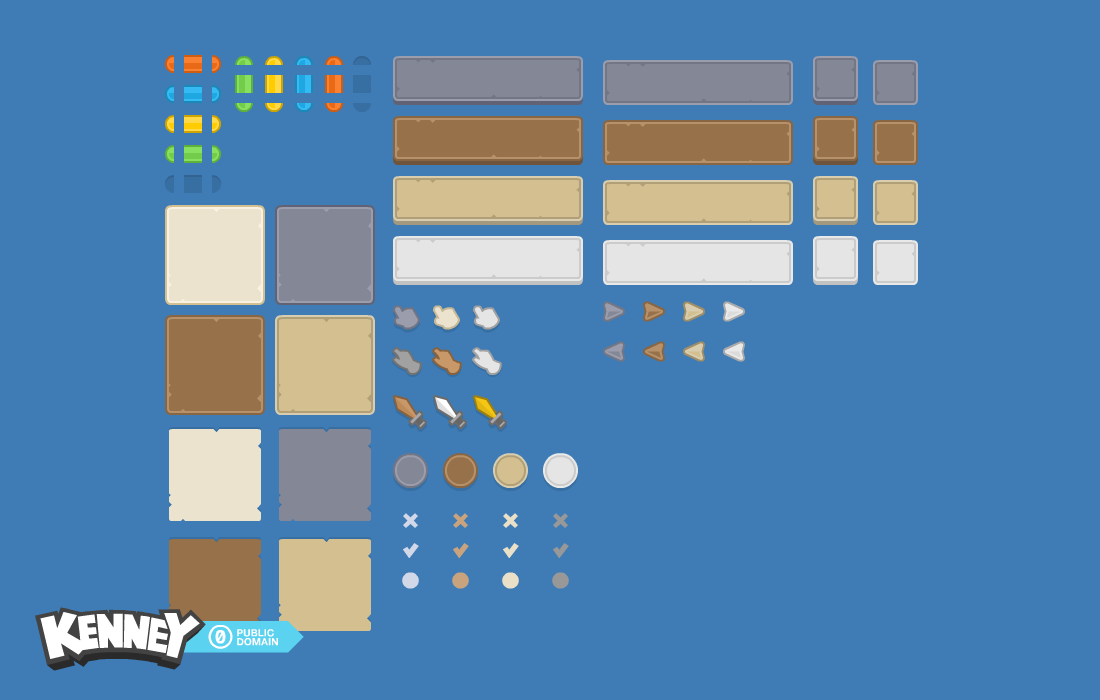

 ionic beacon
Why what?
 limpid rose
the line under visual and driving has different thickness
even though it's supposed to be the same thickness
ionic beacon
Because the scale is not 1
limpid rose
look again
ionic beacon
I'm looking at it
limpid rose
all scale is set to 1
ionic beacon
 limpid rose
same thing
 low pike
barren totem
you need a "Grid Layout Group" instead of "horizontal layout group", if you want...
low pike
barren totem
you need a "Grid Layout Group" instead of "horizontal layout group", if you want...
Grid Layout is pretty useless, it has a fixed cell size. It's best to use a Vertical Layout as the parent, with horizontal on the children for each row
barren totem
@opaque prawn in case you missed this last answer
opaque prawn
barren totem
<@810100254664818718> in case you missed this last answer
thanks
 feral owl
hey my canvas is doing fine on pc and in the phone simulator, but when i run it on my phone it's zoomed in. Everything was fine before and i dont remember changing any values on the canvas
 ashen basin
how can i put an outline around my 2d text while using a textmeshpro? i tried adding a "outline" component but that didnt do anything

i tried increasing the x and y values but i didnt see a single difference
jagged monolith
ashen basin
how can i put an outline around my 2d text while using a textmeshpro? i tried ad...
The textmeshpro material has an outline feature
 ashen basin
i dont see those options in my tmpro - text component
jagged monolith
It's not on the component, on the material
ashen basin
nvm found it but dont see the outline tab

or underlay tab
am i supposed to be using some other shader? atm im using the bitmap one inside tmpro
jagged monolith
I've not used that one so I don't know
ashen basin
it was the default one i didnt change anything there
i changed to the one youre used but outline still doesnt work
it shows up now tho
either way, underlay works and i like that too so ill just go with that
tysm
low pike
@ashen basin you shouldn't have to change the shader, the default material + shared on a TMP component will do outline.
Your inspector looks messed up
Be aware as well, all TMP components share the same material, so if you add an outline to this text.. you're adding it to every single one in your game. If you don't want that, then you have to create a new material
ashen basin
low pike
<@711806967563288667> you shouldn't have to change the shader, the default mater...
oh what should i be doing then
ashen basin
low pike
Be aware as well, all TMP components share the same material, so if you add an o...
yeah that's okay
ashen basin
low pike
<@711806967563288667> you shouldn't have to change the shader, the default mater...
the distance field shader works for the underlay which is now what i want instead of outline
but the default bitmap shader doesnt have either outline or underlay
jagged monolith
low pike
<@711806967563288667> you shouldn't have to change the shader, the default mater...
It's the correct inspector for the TMP Bitmap shader
low pike
I didn't say it wasn't the correct one, I said it looks messed up


This isn't right.. possibly from making the inspector so small.. but that could mean the required bits are hidden/ not being displayed
barren totem
Hello everyone !
Is possible to have some things aligned to the left and some things aligned to the right, in the same Vertical Layout Group ?
I am trying to make a button when an image on the left, an image on the right, and some centered text in the middle.
(since the button does not have a totally fixed size and the image on the left neither, I am currently trying to use an horiz layout group)
lusty plaza
Why is the batch breaking here? The images all have the same color and sprite, with no material assigned.
It is also happening to my other sprites that are all on the same atlas


 lusty plaza
 fiery fable
2D IPointerEnter error
fiery fable
2D IPointerEnter error
Your tooltip is blocking the mouse
Either put the tooltip on a separate canvas without a graphic raycaster, or disable raycast target on all graphics on the tooltip
mortal robin
the latter is my suggestion
although actually separate canvas is probably smart too
lusty plaza
I'd prefer the first, that way you aren't redrawing the main canvas every time you move your mouse
fiery fable
mortal robin
although actually separate canvas is probably smart too
Tried, same thing
mortal robin
fiery fable
Tried, same thing
show what you tried
fiery fable
i tried making a second canvas with the hover ui
mortal robin
did you remember the "without a graphic raycaster" part??
mortal robin
it means you remove the graphic raycaster from it
if you aren't clear on the instructions, ask for clarification
fiery fable
mortal robin
it means you remove the graphic raycaster from it
by it, do you mean the hover information ui?
mortal robin
by it I mean the new/separate canvas
fiery fable
straight up remove it?
mortal robin
the graphic raycaster, yes
fiery fable
hahaha well i'm not releasing it honestly, i'm just doing it for the experience
thanks again
@lusty plaza i'll give you 5 stars on fiverr
k?
lusty plaza
It would be impressive considering my gig is paused xD
 vestal spoke
hey guys, how can i animate a ui image similarly to how i'd animate a regular sprite? i've heard that using the animator for this is a bad idea since it really tanks performance, so should i make a custom script to cycle thtough the spritesheet?
mortal robin
don't prematurely optimize
 steel fog
Vertical Layout Group Headache
 inland hornet
Anyone perhaps know how it would be possible to recreate something like this in unity? (The UI on the pig)
 mortal robin
inland hornet
Anyone perhaps know how it would be possible to recreate something like this in ...
mortal robin
inland hornet
Anyone perhaps know how it would be possible to recreate something like this in ...
- custom mesh
- LineRenderer
- mesh with a vertex shader
 cunning trench
How to make every pixel on a pixel style font to have the same (integer by integer pixel on screen) size?
I'm using GNU unifont here and it looks like this

 uncut bison
Hey
 clear otter
any idea why my TMP ui asset might show up as blocks on a world space canvas, but render fine on a screen space canvas?
mortal robin
clear otter
any idea why my TMP ui asset might show up as blocks on a world space canvas, bu...
Not sure exactly but I know it's a known issue
Something to do with padding or something like that
clear otter
actually managed to solve it. I had very low scaling on the canvas and very large scaling on the text and it was causing issues with the signed distance fields TMPro uses
 clear ice
Hey all,
I have a problem in Unity 2022.3.3f1 LTS which wasn't apparent in the previous version I was running (Unity 2022.2.5f1) - Some elements of my UI are being repositioned when Unity opens up, so that their Pos Y value is set to 0. Worse still, in builds their sizes are different and because it's a build I can't diagnose in what particular way they differ.
More confusing is that on opening Unity, the affected elements of the UI are clearly changed - the values are bold and highlighted blue indicating that they are changed from the prefab. In the undo history there is only 'Scene Open' as an action.
If I unload and reload the scene in question, the UI is unaltered from the prefab and seems to work fine.
Has anyone else encountered this issue? There doesn't seem to be a common factor on what is affected - some have children with layout groups, but not all, and the layout groups should not affect the parent right?
rough trout
how could i make this particle for example rotate as you rotate your player

it is inside the player but for some reason doesn't rotate with him
 real sleet
So I'm looking for a tutorial that goes into more detail on user interface, specifically related to (real time) strategy games. The tutorials I've found so far all have very simplistic UIs.
I'm trying to understand the unity way to handle complex nesting, object-specific interfaces, etc.
For example, a ship is different than a building and different ships may have different features, etc.

 remote turtle
Why do those color look so boring? I made those UI in Photoshop, then added in Unity. I want them be bright like fallguys or other games. These games are colorful and mine so boring. Did I do something wrong, what did I forgot?
 wanton spruce
remote turtle
Why do those color look so boring? I made those UI in Photoshop, then added in U...
wanton spruce
remote turtle
Why do those color look so boring? I made those UI in Photoshop, then added in U...
You forgot to add text and icons to the UI 😛 The colors look fine to me
remote turtle
wanton spruce
You forgot to add text and icons to the UI 😛 The colors look fine to me
ik, ill do it later. it just look boring for me
low pike
the blue background will be affecting how the buttons look, as well as their poor shape
barren totem
Hey guys !
A few days ago, I had a problem with a canvas I forgot somewhere that would prevent me from clicking on my buttons. I removed it back then.
Right now, I'm trying to do something like that :
I have a "confirm" panel when the player clicks on "quit game" (a little box with quit/chancel). While this is displayed, I want to make sure the player can not click on other buttons, and I was thinking about putting an invisible canvas (and I think maybe even a light grey low alpha to hide a bit the background).
I can not find how to do that anymore :
I have made a stretched element, with Canvas, and put my little panel on this.
But I can not use the buttons in this, and the other buttons from the menu stay usable.
How do I make a hiding/blocking thing that would prevent the player from clicking elsewhere ?
(I just put a transaprent Image and it blocks things easily ^^" )
remote turtle
low pike
the blue background will be affecting how the buttons look, as well as their poo...
ill do background too later. what u mean by poor shape? what is bad?
low pike
This looks like a toggle, so it's far too long. The left is also misshapen.
The circle has a flat bottom, this is a problem on a lot of the images.

The coloured bits inside here look out of place because they don't match the shape they're inside of

Everything just looks out of shape
remote turtle
low pike
This looks like a toggle, so it's far too long. The left is also misshapen.
The ...
this is where the "coins" belong to. the green one is the picture of the later coin.
remote turtle
low pike
The coloured bits inside here look out of place because they don't match the sha...
those are level and ranks. red is level and yellow ranks. Above those ill add the text in the black space.
sry forgot to mention this
low pike
Doesn't matter really, they look out of place as is
There's not a lot of space above to add readable text
remote turtle
low pike
There's not a lot of space above to add readable text
when its 16:9 on full monitor it is easy seeable
low pike
Supposedly
remote turtle
@low pike one question. Should I do the symbols and texts in photoshop too or in unity?
low pike
Whichever makes sense for your game
It’s easier and quicker to do the text in Unity, but if your font isn’t custom and arty.. then prob have to do it in PS
Symbols.. dunno what exactly you mean there
remote turtle
low pike
Symbols.. dunno what exactly you mean there
Symbols like „playbutton“ or setting wheel and „exitbutton“
 shell hornet
A design question about UI scaling and multiple resolutions. Should game UI scale with the screen size, or should it just have constant pixel size? Any examples of what different games does?
mortal robin
shell hornet
A design question about UI scaling and multiple resolutions. Should game UI scal...
Different games have different requirements
so it's really up to you and how you want your game to work
I would say most games use scale with screen size
low pike
remote turtle
Symbols like „playbutton“ or setting wheel and „exitbutton“
These would obvs not be done in Unity
 violet sandal
Hello Guys, we are developing a towerdefense game and we have a bunch of enemys running through our maze.
And they have a Healthbar, which we have done with a Canvas, a background Image to get a border and another image for the lifebar itself.
Now my problem is, that i get a BUNCH of healthbars which create create 2 drawcalls each..
This means if i have 25 Enemys i get a minumun of 50 drawcalls. Is it possible to batch UI elements somehow?

 clear ice
Hey all,
I have a problem in **Unity 2022.3.3f1 LTS** which wasn't apparent in t...
clear ice
clear ice
Hey all,
I have a problem in **Unity 2022.3.3f1 LTS** which wasn't apparent in t...
If anyone is interested, I've got a replication case for this and it seems it's a legit bug, so I've submitted it - https://unity3d.atlassian.net/servicedesk/customer/portal/2/IN-45602
barren totem
Hello everyone !
I have a simple question about UI and text :
If I have a text written in a panel somewhere, and I want a specific word in Bold or in a different Color, how should I handle that ?
I mean, the Text Mesh Pro only lets me put all the text in bold/color, or did I miss something ?
clear ice
You can use tags such as <b>BOLD</b> or <color=white>WHITE TEXT</color>
clear ice
barren totem
Hello everyone !
I have a simple question about UI and text :
If I have a text w...
barren totem
Oh, cool ! thank you !
low pike
violet sandal
Hello Guys, we are developing a towerdefense game and we have a bunch of enemys ...
You're probably best off not using UI for this
 crimson estuary
Hi guys, anyone with Unity 2022.3.3 and uGUI for the UI? On editor the UI is ok, but on build (Windows standalone) is broken. We obtain a misalignment of the components on the canvas. If we rollback to 2022.3.0 the misalignment disappears. Thanks
 hybrid goblet
@crimson estuary we have the same issue
Canvas transforms get messed up, and the Y component of prefab based UI elements seem to reset to 0
crimson estuary
hybrid goblet
<@419047834940342273> we have the same issue
thanks Sacryn for your reply. Is more or less the same
hybrid goblet
There is a bug report, but the content of it does not reflect the severity of the issue https://issuetracker.unity3d.com/issues/2022-dot-3-some-canvas-rect-transform-values-are-shown-as-scientific-notation-numbers-when-adding-a-canvas
How to reproduce: 1. Create a new project 2. In the Hierarchy window add a Canvas GameObject 3. Observe the Canvas GameObject positi...
crimson estuary
hybrid goblet
There is a bug report, but the content of it does not reflect the severity of th...
oh, i didn't see it, thanks
hybrid goblet
Vote on it anyways
crimson estuary
hybrid goblet
Vote on it anyways
sure
hybrid goblet
I'm really baffled by the fact that such a basic and central component is completely fucked up on a LTS build
crimson estuary
hybrid goblet
I'm really baffled by the fact that such a basic and central component is comple...
i know your vibe
@hybrid goblet i voted, but have you tried to tag the admin in this channel?
hybrid goblet
crimson estuary
<@323359354499891210> i voted, but have you tried to tag the admin in this chann...
Nope. Just popped in to see if anyone else has the same issue. Found two similar threads on the forum
hybrid goblet
clear ice
If anyone is interested, I've got a replication case for this and it seems it's ...
Any UUM number on that?
rough trout
low pike
Is the selected RectTransform for that line? Or a parent?
the game object with a particle and it's inside the player game object
 vocal holly
Hey guys my canvas set buttons in the middle of the screen, i don't why, do u have an idea what could cause that ?
 silver lava
vocal holly
Hey guys my canvas set buttons in the middle of the screen, i don't why, do u ha...
silver lava
vocal holly
Hey guys my canvas set buttons in the middle of the screen, i don't why, do u ha...
Are you on 2022.3.3f1? There are lots of wierd UI errors on that version.
silver lava
Whats the render mode of the canvas?
remote turtle
I created an Video Background in after effect with perfect loop. when i add it in unity with "loop" marked. it isnt a clean loop. why?
vocal holly
silver lava
Whats the render mode of the canvas?
screen space overlay
clear ice
hybrid goblet
Any UUM number on that?
What's a UUM number? I didn't see anything on the bug report. Glad that this issue isn't just affecting me.
hybrid goblet
If you've reported it, and the issue gets confirmed by the Unity QA peeps, the issue is assigned a UUM case number.. Which is public (unless you choose to not allow for the issue to be public).. Once it has a UUM case, its possible for others to vote on the issue
clear ice
hybrid goblet
If you've reported it, and the issue gets confirmed by the Unity QA peeps, the i...
Oh, it's not been acknowledged yet, I only submitted it during the day.
vocal holly
!code
onyx flowerBOT
Posting code
📃 Large Code Blocks
Large code blocks should be posted as links to services like:
https://gdl.space/, https://paste.ofcode.org/, https://hatebin.com/
https://paste.myst.rs/, https://hastebin.com/
📃 Inline Code
Surround code with three backquotes. Not quotation marks.
To get C# formatting the first line should only contain cs or csharp.
Add a comment with a line number if there is an error message.
```cs
// Your code here
```
Do not share screenshots of code unless requested.
vocal holly
public class CameraFollowPlayer : MonoBehaviour
{
    public GameObject player;

    void Start()
    {
        player = GameObject.Find("Player");
    }

    void Update()
    {
        if (player != null)
        {
            transform.position = new Vector3(player.transform.position.x, player.transform.position.y, player.transform.position.z - 50);
        }
    }
}
maybe my script attached to camera mess up with canvas ?
low pike
it is very unlikely it's your camera
You need to actually show the problem, what you have described isn't clear
mortal robin
vocal holly
Hey guys my canvas set buttons in the middle of the screen, i don't why, do u ha...
The cause could be that you laid out your UI improperly in the editor
vocal holly
low pike
You need to actually show the problem, what you have described isn't clear
Ok when i'm back home i'll take screenshot
vocal holly
mortal robin
The cause could be that you laid out your UI improperly in the editor
I dont understand "laid out your UI"
mortal robin
vocal holly
I dont understand "laid out your UI"
The process of placing your UI elements in the scene and configuring their positions, pivots, anchors, and generally setting up the RectTransforms
remote turtle
Is it better to do the text and symbols (and obviously ui) in photoshop? then later add it in unity?