#📲┃ui-ux
1 messages · Page 3 of 1
 stone oxide
what slider?
 livid reef
for hp and stamina
the pattern u see
is part of a slider

also
everything is fked
in game
livid reef
 stone oxide
pm me
livid reef
livid reef
how its supposed to look
livid reef
can anyone dm me and help me out with a problem i thought i fixed it but i didnt
im losing my fking mind
 olive lintel
livid reef
can anyone dm me and help me out with a problem i thought i fixed it but i didnt
olive lintel
livid reef
can anyone dm me and help me out with a problem i thought i fixed it but i didnt
lol
olive lintel
do you want it to move with the slider?
livid reef
unity in game says ha fk we are gonna change everything and now the red slider is pixelated
olive lintel
because thats the problem
livid reef
??
olive lintel
if you set the sprite of a slider to a picture
that picture gets scaled with it
it does't get filled in like you'd think
livid reef
livid reef
the red slider is how i want it to look
livid reef
livid reef
this is how it looks in game
olive lintel
you want it to look like that?
livid reef
yes
olive lintel
pixel stuff at the bottom?
livid reef
yes?
 lethal falcon
A better question would be: how do i adjust the width and height of the canvas where i have my GUI, i cant edit it for some reason, maybe because im using Cinemachine?

Update: sorted, used UI scale factor
 plain whale
Can you disable UI interactions with Canvas Group without greying everything out?
 mortal robin
plain whale
Can you disable UI interactions with Canvas Group without greying everything out...
mortal robin
plain whale
Can you disable UI interactions with Canvas Group without greying everything out...
greying out is just from the Selectable ui elements switching to their disabled color
you can change the disabled color on each individual selectable
plain whale
thank you!
 hot roost
With the UI navigation is there a way to limit the navigation to only a specific UI canvas?
 tall folio
G'day, just wondering if someone could point me to why this is happening and how to fix it? The drop down and button you can see in the following screenshot are one after the other in a Vertical Layout panel container. This works fine. However, it seems that the button is somehow set to be in front of the dropdown when it should be "behind" the dropdown. I know Unity renders things top-down, so things that are above others in the hierarchy are rendered first. Sorting Layers don't seem to help.
This is the hierarchy:
CONTAINER (Vertical Layout Group attached to this object)
- Dropdown
- Button
I appreciate the help!

(In that screenshot, the green button should be behind the dropdown)
hot roost
Can't you just change the Z position of the dropdown to slightly higher than the button?
tall folio
I tried that, it did not have any helpful effect.
Actually, wait...
nope
had no helpful effect. But, if I use a standard unity dropdown (not this one by Michsky) it works fine.
So I think it's an asset pack issue.
 errant brook
(I think that this is where I should ask this)
I can’t see my main character sprite in the scene view, and it only appears when I start the game. Does anyone know what I can do to fix this?
 light quail

anyone got an idea why they spawn squished? and below the station theyre supposed to be on?
mortal robin
light quail
probably scaling issues
they're children of a scaled object? Then they inherit the scaling
light quail
yeah
the scaled object instantiates them
the scaled object is also a UI
if thats something
mortal robin
basically:
- don't make them children of a scaled object if you don't want them scaled
- don't make them children of UI if they're not UI themselves
livid reef
i need help why does my ui lose its quality in game
 prime rover
hey guys i have a problem, the ui in the editor is perfectly positioned but when i build it i keeps the size of the editor
editor

ingame


its just not right
how can i fix that
mortal robin
prime rover
hey guys i have a problem, the ui in the editor is perfectly positioned but when...
Get familiar with the canvas scaler and
https://docs.unity3d.com/Packages/com.unity.ugui@1.0/manual/UIBasicLayout.html
livid reef
in scene

how i want it to look
in game

how i dont want it to look
how do i fix it
when i scale it it fixes it but it becomes too big for my ui
prime rover
hmmm
i think is because of the resolution
go on canvas
if you have one
and then in properties go on Canvas Scaler
 prime rover
in UI Scale Mode
livid reef
ye
prime rover
put scale with the size of the screen
livid reef
ok
prime rover
"scale with screen size"
livid reef
ye i did
prime rover
and then try
 livid reef
build what
prime rover
or you are playing in editor
livid reef
livid reef
still didnt work
this is in game
prime rover
if you builded you have to re-build
livid reef
im so confused
prime rover
build is to export the game yk
livid reef
??
 livid reef
what????
prime rover
you "export" it
livid reef
restart
what do i do
cus u make no sense rn
exporting it into the game isnt giving me much
livid reef
prime rover
you "export" it
?
livid reef
yes
prime rover
here
 livid reef
build waht tho
prime rover
not in the editor
prime rover
livid reef
build waht tho
the game
File > Build
but you build for tests or when the game is done
prime rover
is my english bad
livid reef
cus no offense u arent very good
prime rover
i think so
livid reef
at explaining
errant brook
(I think that this is where I should ask this)
I can’t see my main character sprite in the scene view, and it only appears when I start the game. Does anyone know what I can do to fix this?
mortal robin
errant brook
(I think that this is where I should ask this)
I can’t see my main character sp...
double click it in the hierarchy
errant brook
mortal robin
double click it in the hierarchy
it comes up as an empty game object
mortal robin
errant brook
it comes up as an empty game object
what does that mean?

 errant brook
mortal robin
what does that mean?
errant brook
mortal robin
what does that mean?
it comes up with the option to move it, but no sprite or anything its just nothing
 low pike
 small imp
hey all just wondering why this happens when i set my button sprite to native si...
small imp
hey all just wondering why this happens when i set my button sprite to native si...
Why what happens? You didn't explain what is wrong
small imp
sorry Its when I click native size the button stretches and doesnt exactly look the same as the native size
i fixed it it now though, it seems to be that the canvas didn't have a a fixed scale
low pike
All UI should have a scale of 1,1,1 - I think thats what you mean?
Also, click the 'Preserve Aspect' flag
 small imp
low pike
All UI should have a scale of 1,1,1 - I think thats what you mean?
small imp
low pike
All UI should have a scale of 1,1,1 - I think thats what you mean?
yup correct
 brave lance
what could cause a sprite to be super small in one canvas but not another
theres 6 sprites set on this panel but you can only see white specks

another panel with 3 sprites with same size

but you can see them normally
Pixels Per units are set to 512

both canvas's have reference pixels per unit at 100
 mild kernel
Are you using a layout component that might be overriding their scale?
low pike
They're not sprite renderers, are they?
 mild kernel
Right, you mentioned it in #💻┃unity-talk
brave lance
thats probably why
mild kernel
You can't use that in the UI. Use Image.
brave lance
-facepalm
low pike
That's deffo why
brave lance
yeah
low pike
You cannot drag sprites from project window into the hierachy for UI
low pike
Tis a common mistake
errant brook
(I think that this is where I should ask this)
I can’t see my main character sprite in the scene view, and it only appears when I start the game. Does anyone know what I can do to fix this?
mortal robin
errant brook
(I think that this is where I should ask this)
I can’t see my main character sp...
Show some screenshots
Show your character's inspector, etc


 mortal robin
errant brook
and heres one with the player inspector
mortal robin
errant brook
and heres one with the player inspector
Show the player inspector before the game is running
low pike
(I think that this is where I should ask this)
'tisn't, as this is the UI channel 😄
errant brook
low pike
> (I think that this is where I should ask this)
'tisn't, as this is the UI cha...
Then where should I ask this?
 amber patio
How can I make the text the opposite color of whats behind it so the text will always be visible?
amber patio
errant brook
and heres one with the player inspector
try changing the sorting layer in the sprite renderer
errant brook
amber patio
try changing the sorting layer in the sprite renderer
But there isn’t any background for it to be behind
 hardy summit
I got a question. So I'm trying to make a UI component of sorts that puts black bars over the screen with a front white component that has an aspect ratio fitter, and I'm wondering, how would I go about masking the black portion based on what's white?
For starters, I'm using a black portion that is set to consume the entire screen behind the white part which I want to be visible through.

Reason I'm doing it this way instead of with two separate UI elements (one for each black bar) is that I'd like to ideally do this without any scripts. That and not wanting to swap between top/bottom and left/right based on the aspect ratio.
 clever comet
hi guys im kind of dim how do I make the vertical line always start from the center and stretch to the top
 clever comet
hardy summit
Reason I'm doing it this way instead of with two separate UI elements (one for e...
clever comet
hardy summit
Reason I'm doing it this way instead of with two separate UI elements (one for e...
1 black full screen behind the white screen?
dunno how to help
 sly dagger
Does anyone know why my UI title screen is so wonky

 wicked patio
sly dagger
Does anyone know why my UI title screen is so wonky
wicked patio
sly dagger
Does anyone know why my UI title screen is so wonky
no. you should show or tell us how it is supposed to look like
sly dagger
thx, Well I want for there to be no blue background and the text to be on the image
clever comet
clever comet
hi guys im kind of dim how do I make the vertical line always start from the cen...
this shouldn't be particularly difficult or do I need to attach a fucking script to this
sly dagger
wicked patio
no. you should show or tell us how it is supposed to look like
like this but while its running

IS it possible to fix?
wicked patio
sly dagger
IS it possible to fix?
try these settings
 sly dagger
Now it is giant
 wicked patio
yeah it is not so easy
sly dagger
wait I messed with a setting and it seemed to have worked thx
wicked patio
i once even adviced to use 3d objects and make the interface with them, as sometimes their settings seem to make more sense,
wicked patio
sly dagger
wait I messed with a setting and it seemed to have worked thx
yeah just try different settings and maybe even peek at the unity manual
clever comet
clever comet
hi guys im kind of dim how do I make the vertical line always start from the cen...
Still suck please advise
low pike
When editing UI, press T to swap to the UI gizmo tools
It looks like your image is setup to resize from the center.. unless you manipulate it manually
 white mist
Does anyone know why my text looks so weird all of the sudden when it worked fine a few minutes ago? TMP also creates this "SubMesh" gameobject all of the sudden and idk why

 hard abyss
someone use tween player? i want make a aniamtion for open and close a ui, i made it, but it only play in the first time i click the button
 clever comet
low pike
It looks like your image is setup to resize from the center.. unless you manipul...
clever comet
low pike
It looks like your image is setup to resize from the center.. unless you manipul...
are u referring to me?
 naive trellis
any idea how to achieve this, displaying text above certain objects

for prototyping
mortal robin
naive trellis
any idea how to achieve this, displaying text above certain objects
Use world space canvases
Or TextMeshPro (the 3D object version, not the UI version)
naive trellis
mortal robin
Use world space canvases
thanks
 wise elk
Is there any third party application for ui and ui effects we can use for exporting?
 haughty drift
I am confused as to why my circle sprite is square, the Game is 2D, i went create->sprite->circle

 sterile wedge
haughty drift
I am confused as to why my circle sprite is square, the Game is 2D, i went creat...
sterile wedge
haughty drift
I am confused as to why my circle sprite is square, the Game is 2D, i went creat...
are you sure there isn't a square mask as its parent?
haughty drift
Sorry found the issue apparently you have to use your own circles in UI
mortal robin
haughty drift
Sorry found the issue apparently you have to use your own circles in UI
The sprite menu creates objects with SpriteRenderers, which are not UI elements at all
clever comet
ok so uh new problem the scrollbar works when I move it out of the way but everything inside the actual Text like sliders and input fields doesn't actually work due to the mask image blocking it
how do I fix it

if I move all of the sliders outside of the TextContainer they work but then they don't scroll
if they are inside the TextContainer they scroll but don't work
 mortal robin
clever comet
ok so uh new problem the scrollbar works when I move it out of the way but every...
mortal robin
clever comet
ok so uh new problem the scrollbar works when I move it out of the way but every...
turn off "raycast target" for the mask image
clever comet
mortal robin
turn off "raycast target" for the mask image
ok
clever comet
mortal robin
turn off "raycast target" for the mask image
it still doesnt work :(
mortal robin
clever comet
it still doesnt work :(
then what you said was the problem, was not the problem
clever comet
mortal robin
then what you said was the problem, was not the problem
im currently trying to implement a vertical layout group
clever comet
mortal robin
then what you said was the problem, was not the problem
problem solved, I got it to work by deleting the canvas
 fast cosmos
is there a way to play the button click animation by script without the user clicking the button
low pike
yup
just call the onclick event
better to not do that though, just call the method that is listening for the button click
 cyan frigate
hello i haave a one problem when i put a material into a image in ui

how can i remove background of this image
fast cosmos
Can anyone tell me, why the height of my gameobject is set to 0 by the content size fitter component, even though it has a child with a height of 25`?


 reef cairn
Anyone got any idea how should I make it so that the cursor only interacts with the UI? Pressing the button just presses the game scene


didn't notice that my cursor isn't visible but the cursor is in the middle square
haughty drift
Hi looking for some one to point me in the correct direction, How do i make ui buttons selectable with the arrow keys?
is that somthing that is already built into unity? or will need to be coded
 vale holly
Hi there! How can I prevent this from happening with particles in UI?
They are inside a scoll box, but visible outside of it.
GIF: https://gyazo.com/d6b7ef6f8b9668eb9d5176d6abe631b3




 sand wagon
Hye why when I use legacy text my text looks like 140p and when I use text-tmp it looks better ?

 wild pebble
cyan frigate
how can i remove background of this image
wild pebble
cyan frigate
how can i remove background of this image
By using proper shader, not all shaders are meant for UI
 ionic beacon
sand wagon
Hye why when I use legacy text my text looks like 140p and when I use text-tmp i...
ionic beacon
sand wagon
Hye why when I use legacy text my text looks like 140p and when I use text-tmp i...
There's a reason why it's called "legacy"
wild pebble
sand wagon
Hye why when I use legacy text my text looks like 140p and when I use text-tmp i...
Does it only look bad on scene view?
sand wagon
wild pebble
Does it only look bad on scene view?
both..scene and also game
wild pebble
Maybe your screen is 140p then 🤷♂️
wild pebble
sand wagon
both..scene and also game
And the game view is really small compared to fullscreen size? It looks very pixelated too meaning the screen is just small resolution / the text is small on the screen
sand wagon
i think the text just too small because when i scale it, it becomes much better
and clearer
wild pebble
When you use fullscreen mode or manually set full hd resolution, it should look better
sand wagon
wild pebble
When you use fullscreen mode or manually set full hd resolution, it should look ...
aight noted
low pike
Legacy text could never look good when changing size. Use TMP.
wild pebble
low pike
Legacy text could _never_ look good when changing size. Use TMP.
What?
low pike
Dunno how to make that any clearer.
low pike
sand wagon
Hye why when I use legacy text my text looks like 140p and when I use text-tmp i...
Legacy text has always had this issue. Use TMP.
 quartz prism
Hi! i've got a problem im trying to do my dropdown but when im putting my sprite in scroll handle and im saving my project handle is changing scale and position it's stretching. Is there any way to fix it?
 atomic oracle
Looping through buttons
 modest mist
What are some ui design tips? I'm really struggling with my main menu looking nice while keeping the theme of my game
low pike
Browse through https://www.behance.net/ for inspiration
 fresh cargo
Is there any way to parent ui elements or such stuff to objects in worldspace. For example, how can I parent something like a health bar or a layout group to a world object?
low pike
Depending on the look you want..
- Use a world space canvas
- Use world to screenspace (I believe) to get the position required for screen space

It's not a UI issue
delete from here and ask in #💻┃unity-talk (don't think there's a better suited channel)
 stable gull
Hi everyone, I was trying to build a basic chat box in unity
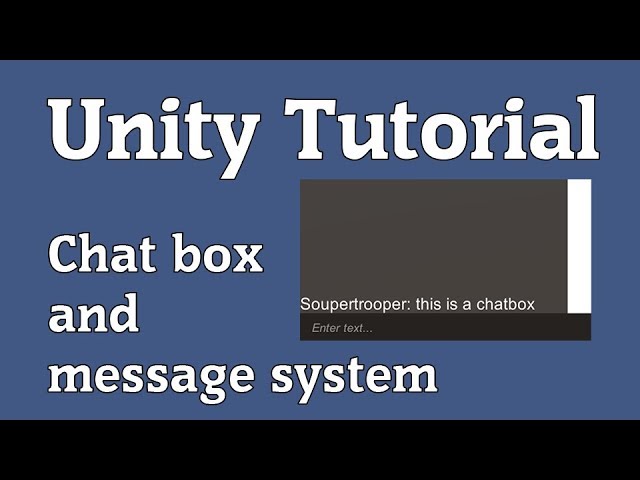
Here's a little tutorial I put together on how to create a text window that displays messages. In this video I show you how to create a script that runs the text window, chat input and messages sent to the text window. This is my first unity tutorial so if there is something that I could clarify or perhaps improve on in the future, feel free to ...
Following this tutorial
but

After setting the Content of scroll view to control child height, and making alignment lowerleft
(doing EXACTLY same as that video)
when I add a Text to the content in scroll view

it gets added on top :(.
instead of getting added on the lower left
sterile wedge
Show the inspectors of the objects involved. Mainly the layout group
@stable gull
 tough wharf
i see
 real arch
tough wharf
i see
real arch
tough wharf
i see
i assume you use the outline option in text mesh pro?
tough wharf
ye
real arch
just to make sure its this option?
 tough wharf
real arch
just to make sure its this option?
tough wharf
real arch
just to make sure its this option?
mine doesnt seem to be that one
 real arch
tough wharf
mine doesnt seem to be that one
real arch
tough wharf
mine doesnt seem to be that one
that outline component is for the old text component
just flip open the material
tough wharf
ah i see ty
real arch
if you only want that to be on some of the text you can right click on the material header and select "Create Materiel Preset"
this will create a new material that you then can use to change what ever you want
you can use "Materials Preset" option in the TextMeshPro Component to select what preset / material you want
 soft leaf
hey I'm really new to unity and having some issues doing a sprite swap button for this mobile project I'm starting. The button animation is supposed to look like the first image but when I put it into unity following the tutorials it adds an extra line of pixels up top. I made a reddit post about how all of my buttons were acting strange in r/unity if anyone cares to see the others too. posted up below is my settings for the bag button


 sterile wedge
soft leaf
hey I'm really new to unity and having some issues doing a sprite swap button fo...
sterile wedge
soft leaf
hey I'm really new to unity and having some issues doing a sprite swap button fo...
show the spritesheet?
soft leaf
 sterile wedge
are you sure there isn't an underlaying Image that has the left sprite underneath your button?
soft leaf
see I thought that might be happening but when I move the button there is nothing underneath. its like the button's unpressed sprite stays underneath the pressed sprite when clicked
sterile wedge
have you checked that it's not in the button hierarchy?
show your button hierarchy please
soft leaf
here?
 low pike
Double check the camera clear flags too -
sterile wedge
okay, are you sure it's not the MAP, ACT buttons that are showing behind it?
soft leaf
the map and act buttons are positioned adjacent but when i move the buttons around I don't see anything under

and they are having similar issues
sterile wedge
could it be some pixel perfect setting? I'm not too familiar
soft leaf
low pike
Double check the camera clear flags too -
where is the camera button? thank you guys really.
low pike
the camera is the camera, not a button
soft leaf
i used pixel perfect in aseprite do you think that's the issue?
sterile wedge
not sure. show us the Camera component on your Main Camera please
low pike
In standard RP, if you set this tooo... err.. don't clear, then the screen isn't refreshed and would leave behind the previous frame
 soft leaf
low pike
In standard RP, if you set this tooo... err.. don't clear, then the screen isn't...
soft leaf
low pike
In standard RP, if you set this tooo... err.. don't clear, then the screen isn't...
that makes sense i just need to find that drop down now thank you
do I need to enable the view of it?
low pike
soft leaf
here?
No, you need a camera. This scene does not have a camera.
soft leaf
how do I add one?
low pike
try right mouse clicking and explore the list
soft leaf
i found it thank you
it works! thank you both so much
I kind of skipped some fundamentals tutorials because I was more excited to make what I wanted to make, thank you, I probably would have known that if I did things in the right order.
 valid summit
 river birch
Using a TMP UI Text component, is it possible to add a background to some text? I would like to alternate shades of gray in the background for better readability
I could use highlighting, but that unfortunately modifies text color
wicked patio
i copied my volume slider prefab from my old project to the new one, and it fails to render on the main menu. but if i push it to the side you can see it?

they also have this strange plus icon on next of them on the hierarchy view. what does it mean?
 wicked patio
i am starting to feel like unitys 2d is not working at all. it seems to be totally random if it renders or not
is this why they cancelled the unity's own game? they could not make it work?
 jagged monolith
Don't assume your issues are someone else's fault
Canvases work like they always have. Content is sorted based on their order in the hierarchy. In your example, menu slider 2 would be above menu slider 1, because it's further down in the hierarchy
low pike
wicked patio
i am starting to feel like unitys 2d is not working at all. it seems to be total...
2D and UI are different things.
The draw order of UI is based on the hierarchy, things at the top are drawn first (behind) the things that are lower, drawn last (in front)
It's not "failing to render" .. it's positioned (by you) to be behind other objects.
wicked patio
my sliders are as bottom as they can be on the hierarchy. still they go behind the settings panel and behind the background image on rendering. the bg image is on one of the most top positions of the hierarchy, so it makes no sense that it is drawn on top of the sliders that are on the bottom of hierarchy.
low pike
is everything UI? Or are you mixing SpriteRenderers and Images/ other UI elements?
wicked patio
low pike
is everything UI? Or are you mixing SpriteRenderers and Images/ other UI element...
yes all ui. no sprite renderers on this one. well i have the camera, light and event system.

is there maybe some kind of total guide somewhere, that would explain everything about the draw order? i am kind of tired of watching tutorials that say it is all about the hierarchy as it is not.
wicked patio
 low pike
how many canvases ?
sterile wedge
Check the canvas sorting order
sterile wedge
wicked patio
they also have this strange plus icon on next of them on the hierarchy view. wha...
Means they aren't part of the Settings prefab
low pike
wicked patio
do i have too many?
Nope, having more than 1 canvas is fine. But a canvases hierarchy position doesn't affect the draw order between cavnases (maybe it does if they're all on layer 0?) ... the hierarchy positioning is only for the children of a canvas
Canvases have a sort order field - as Wytea said
 wicked patio
low pike
wicked patio
low pike
my buttons and sliders each had a canvas. i turned on the override sorting in all of them and it is now rendering it correctly.
it just feels so wrong that this seems to be harder than coding something new like spatial mapping system
low pike
it's not hard, it's fairly easy
You just didn't know what to do
And because most (all?) beginner tutorials don't talk about the sort order on the canvas component, only the hierarchy position, it's understandable that someone wouldn't think to look for a 'sort order' field
 sharp vessel
Hey, I can't seem to get a ScrollView element to work with a text box that has it's content dynamically changed at run-time. I have a scroll view, content object under it with a vertical layout group and content size fitter, and then a text mesh pro object under it with the actual text. The fitter and layout group solve this problem for what the original size of the text box is. But I'm assigning content to the text box at runtime. Is there a way to dynamically change the TMP's rect transform's size whenever the text is changed? I think this would then make the scroll view work properly.
wicked patio
sharp vessel
Hey, I can't seem to get a ScrollView element to work with a text box that has i...
maybe with this?
 sharp vessel
wicked patio
maybe with this?
sharp vessel
wicked patio
maybe with this?
Thanks, I was hoping Unity has a way to do this without me having to write code to resize the rect transform
low pike
It's not fully clear on your setup.. but the layout group can control the child size
use that to resize the tmp rect
 coarse haven
Hello, is there somone here that have time to help me with a UI canvas related problem 🙂
this is the right chat for that right?
low pike
this is the correct channel
coarse haven
nice. So it has to do with my inventory system. My canvas is set to screen space - camera bc I need sprites to be able to show over UI
these videos showcase the problem. The canvas resizes my sprites to be tiny, and I rly dont know why. I have looked everywhere, and I can see that other people have the same problem, but I cant find a solutuion
Well the only solution I can find is to set my canvas to Screen space - overlay, but that makes it impossible to show sprites over UI
low pike
because UI is HUGE, so moving things between them requires you to set the scale. When you move it off of the canvas, I assume the scale of the sprite is no longer 1,1,1 - it's probably 0.0002042140124015185719 or something
I'm assuming you're moving the sprite renderer around, to be a child of the canvas -> un-parented from the camera... from your description
coarse haven
yes
so do I just have to resize it on the go? it used to work, but then it just did this at some point
I read online that it may have somthing to do with being a instaniated child
low pike
yep, that can do it too
coarse haven
but I cant see how that should have somthing to do with it
low pike
I just wouldn't be putting sprite renderers in the UI
coarse haven
yea I know. Im very new to coding so im rly just trying to make somthing
low pike
coarse haven
but I cant see how that should have somthing to do with it
because, like I said, the UI is HUGE.. so something that is a local scale of 1,1,1 in UI is like 50,50,50 when unparented
coarse haven
yea okay, but it have to be a child so the parent can use the code
cuz the canvas dosent effect the other sprites, only the ones that are instaciated
low pike
right.. because of what I explained..
if you instantiate and then set the parent, you're instantiating it with a null parent - so the scale is 1,1,1 in world space. Then setting the parent changes the scale, to keep it the same size
sharp vessel
low pike
It's not fully clear on your setup.. but the layout group can control the child ...
ScrollView has a ScrollRect. This has a child "Viewport". This has a child "Content" which has Content Size Fitter and Vertical Layout Group components. This has a child with the TextMeshPro component. I set this up based on a YouTube tutorial. The ScrollView is the perfect size for the starting size of the TextMeshPro's RectTransform. But the RectTransform does not resize when I change it's text using a script - should the components mentioned above be doing this?.
low pike
it'd be easier if you just showed it..
sharp vessel
low pike
it'd be easier if you just showed it..
I think it's harder to understand with screenshots lol. Here you go. Body is the textmeshpro object. The scrollview works fine for whatever the starting size is. But the textmeshpro object's recttransform doesn't re-size when I change the text content. So the scrollview won't let me scroll all the way to see all of the text.

 low pike
there's such thing as a screenrecording to get a video 😄
sharp vessel
Brb, lol
low pike
like I said originally though... set the Vert layout group to change child size
or just throw a content size fitter on the TMP and ignore the warning
sharp vessel
low pike
like I said originally though... set the Vert layout group to change child size
Thank you! This worked. 😄 Been stuck on this for days while fixing other stuff
 west void
hey guys!
How can I exclude a TMPro Text component from the parent mask?
PS: The Tag object (text parent) has Image component with Maskable ticked OFF
 low pike
On the TMP.. .this?
 west void
low pike
On the TMP.. .this?
west void
low pike
On the TMP.. .this?
im speechless.. how didn't I go check there. thank you so much!
next time I'll dedicate more time trying to fix the issue before asking such "stupid" thing
 light ibex
hello! I don't know what it is called but is there a way to fit the image to the box so I don't have the empty space in unity???
 jagged monolith
light ibex
hello! I don't know what it is called but is there a way to fit the image to the...
jagged monolith
light ibex
hello! I don't know what it is called but is there a way to fit the image to the...
Not when the image itself has the padding
low pike
Remove the transparent area from the png/jpg
 inland cobalt
Hello, guys!
I have an image for message bubble for the chat box. Whenever I send a long message, rectTransform width changes, and it stretches the image component (the message bubble image).
The problem here is that the corners of my image are rounded, and whenever stretching occurs for long messages, those rounded corners make the bubble image look like a sausage.
I want to preserve the roundness of my corners.
What should I do?

 fading fractal
What is the uptodate methode to play particles on canvas ?
low pike
inland cobalt
Hello, guys!
I have an image for message bubble for the chat box. Whenever I se...
You need to setup 9 slicing on the image. Have a google -> unity image 9 slice
 cyan sentinel
Anyone know a good working UI softmask script?
 fiery stag
Hi guys, I'm in VR and would like to make a UI with a switch of page with depth..
But I struggle with the depth.. Using TextMeshProUGUI, it does render the back page in front and mix everything.
I'm currently using the shader TextMeshPro/Mobile/DistanceField
My second page is behind with 10 units 🤔
I don't find any options to change the order in layer or something like that, any idea ?
 fiery stag
I fixed it by putting each page in differents canvas, I guess it's less optimized but for now I didn't found other solutions
 rapid ferry
i used a script for a vhs effect and added it to a canvas, but its elements overlaid on it

how can i set the glitch clip to be over that elements?
(obs: the video background is black, so if i just drag it over the ui, there will be nothing on the background)
 acoustic venture
When ever I add an outline to one text in my scene, all of the text in my scene gets the outline, why is this?
 soft sail
If you're adding outline through a shader, make sure you're not sharing the same material reference with all your other elements.
 lament delta
anyone know why my new hearts are loaded in at a scale of .83 instead of the prefebs 1?
my hearts should be scaled 1 1 1, but when instantiated are .83
 azure flame
probably one of the parents is scaled
lament delta
i checked all the scales
im even instantiate the same prefabs into the same container
the preexisting prefab is 1. rest are .83
azure flame
check all the parents in the chain, in the prefab as well.
lament delta
ive realised it my screen size which is affecting the image size
for some reason when my screen gets smaller, the hearts get bigger, which i dont understand
i had to add a canvas group to the parent 😦
gosh i spent a long time
 sharp kite
I have this TextMeshPro Text which behaves weirdly. In the scene view (left image) everything is fine. But in the game view (right image) all characters have a box around them. Is this normal, and how do I fix it?
 sterile wedge
sharp kite
I have this TextMeshPro Text which behaves weirdly. In the scene view (left imag...
sterile wedge
sharp kite
I have this TextMeshPro Text which behaves weirdly. In the scene view (left imag...

Stack Overflow
I'm getting this bug that when I'm far from the text it starts showing squares all around the each character of the text. This is probably because of the font (I'm using Gidolinya https://www.1001f...
sharp kite
sterile wedge
https://stackoverflow.com/questions/66544914/squares-outside-every-character-in-...
Changing the padding sorta worked. Now some of the letters are a different font it seems tho

When generating I get this. Changing the padding seems to change the number of characters excluded. I can't get it to 0 tho. How?

Maybe it's because of wrong charset
Yup, changing to ASCII made it work

Looks great now
sharp kite
sterile wedge
https://stackoverflow.com/questions/66544914/squares-outside-every-character-in-...
Thank you 🙏 🙏
acoustic venture
soft sail
If you're adding outline through a shader, make sure you're not sharing the same...
The shader is the default textmeshpro one
Also what do you mean by material reference, I don't see material in the properties?
acoustic venture
Every new text I create all have the same outline
soft sail
acoustic venture
Every new text I create all have the same outline

Unity Learn
Much like other GameObjects, text created with TextMesh Pro can have multiple Materials applied to it. These Materials are powered behind the scenes by a Shader and determine the look of your text in ways that ordinary font weights can’t.
 viral trout
Hey! So, I'm going to start building my UI but I don't know what should I use. I have always used Canvas, but it is better the UI Toolkit?
mortal robin
UI Toolkit isn't really production ready yet in some ways, but if you have experience with HTML/CSS you may feel more comfortable with UI Toolkit
 elfin river
Hey would there be a reason why this UIDocument (through UI Builder) doesn't show the gradient background when I go to hit Play?

 stone gulch
Yo..
I have some problems with my UI..
I have both gauges set up in the same way, but for some reason the second gauge appears above everything there is..

Here's the hierarchy layout

HUD,
    Health Bar,
        Health Gauge
    Mana Bar,
        Mana Gauge
All have a canvas component to override the sorting order
They appear alright in the Scene View while playmode, the problem is only visible in the Game View
Also - it fixes itself when I deactivate and activate the HUD in the inspector
inland cobalt
low pike
You need to setup 9 slicing on the image. Have a google -> unity image 9 slice
Thanks, 9 slices solved the issue!
 fringe jay
is it possible to change how the dropboxes work(my first time using them so apologies if I ask many questions)? I'm currenty trying to make an rpg sysyetm where by clicking on an characters portrait a drop box appears, hence is why I'm using those objects, my only problem is how slow it is. my plan is to make it so that if the player clicks on another party members portrait, the one already open will close and the portrait being clicked will open immediately. with how it is by default by clicking on a dropbox while one is already open, you have to wait for the open one to close then click again on an unopened drop box. any suggestions or things to try out to reach my desired goal?
sterile wedge
fringe jay
is it possible to change how the dropboxes work(my first time using them so apol...
Show the inspector of the Dropbox component please
Hm, actually nevermind. I misread your question, sorry
fringe jay
fringe jay
is it possible to change how the dropboxes work(my first time using them so apol...
it's a turn based rpg prototype , where you decide every action of each member on your turn, trying to figure this out for player convenience
 astral viper
How do I center a GUI.Label?
GUI.Label(new Rect(0, 0, Screen.width, Screen.height), "hello world", textStyle);
And this is what my style looks like:
textStyle = new GUIStyle();
textStyle.normal.textColor = Color.black;
textStyle.fontSize = 72;
textStyle.font = textFont;
textStyle.fontStyle = FontStyle.Bold;
textStyle.alignment = TextAnchor.MiddleCenter;```That writes it in the top left cornerFor now I'll resort to doing:
public void OnGUI()
{
var center = new Vector2(Screen.width / 2, Screen.height / 2);
var size = binaryStyle.CalcSize(new GUIContent(binary.GetText()));
GUI.Label(new Rect(center.x - size.x / 2, center.y, size.x, size.y), binary.GetText(), textStyle);
}``` clear estuary
Hello! It seems I messed up something, or don't understand the Canvas.ForceUpdateCanvas(). I added a horizontal layer group and a content size fitter to an image, and called the method right after changing the text. Though when I press play, the image remains the same size.
sterile wedge
clear estuary
Hello! It seems I messed up something, or don't understand the Canvas.ForceUpdat...
Did you set the content size fitter to be preferred horizontally
No idea what text you're talking about also
clear estuary
Sorry this is what I have. The text is
dialogueText.text = "An enemy appeared. Get yourself read" + Environment.NewLine + "What will you do?"
 sterile wedge
What are you trying to do
clear estuary
I am trying to have an image (the gameobject called UI) change size depending on the text
sterile wedge
Content size fitter on the text. Preferred on the direction you want it to expand
 sterile wedge
Ignore that
clear estuary
oh okay let's try
I have tried, yet I'm still getting the same result


(the text changed yes)
sterile wedge
Try force rebuild layout
That's a function. Look it up
It'll require a recttransform as a parameter. Pass in the text or the image
@clear estuary
clear estuary
Will there be a difference if I put the text rather than the image?
I'll try it out though
clear estuary
That would probably try to change something I don't want. Should I put this on the canvas, and change the layer of both my image and text?
 sterile wedge
Again. I don't know which will work. That's up to you to experiment
Usually works on the one with the layout group
Just start below and work your way up
clear estuary
Yup! Last question to make sure, but should I call it in the Update method?
sterile wedge
Call it when you expect the size to change
So it can be when your text changes
But to test, just call in Update first
Then optimize where to call it
clear estuary
I think I did something wrong
I tried changing after calling and Update()
but it seems that when I change the content size fitter, the text's width and height is set to 0
clear estuary
Will do!
wicked patio
is there somewhere explanation that tells what everything is needed for the ui button to actually work?
do i need to override sorting? the manual is telling nothing about the over ride settings....


in inspector the settings look something like this. the value can be 0, negative or positive but there is no explanation what the values would mean
how is it possible that every time i add a button, as default it is not working and not being interactive?
how many canvases should i use? i first tried with one and then i tried to add canvas for all the ui game objects, but nothing works...
 low pike
wicked patio
is there somewhere explanation that tells what everything is needed for the ui b...
low pike
wicked patio
is there somewhere explanation that tells what everything is needed for the ui b...
All that is needed for a button to work is
- canvas with graphics raycaster (on by default)
- button created from right mouse click (has everything on by default required)
- active event system in the scene
When buttons aren't working, it's usually one of:
- somewhere in the hierarchy from the button to the parent has interactions/ raycasts disabled
- there's no image on the button
- the button text is blocking the raycast
- there's something invisible in the way blocking the button
wicked patio
low pike
When buttons aren't working, it's usually one of:
- somewhere in the hierarchy f...
i think my eventsystem was missing one component. i dont know how that happened. but it is working now.
i removed all the canvases and override settings, and it works now with only one canvas
low pike
Just need these two on the event system

 flat violet
Hey, I have a question

I want to make the size of the square equal the size of the text

Like that
My gameObjects:

MessagePanel has a

And my image has

but when i remove "flexible width", the width of my image becomes 0
Please help me ^^
low pike
remove the layout element from the image, it's not needed
The vertical layout group is controlling the size of the children
rapid ferry
Hey Guys... So I was making a Settings Menu in my game
as everyone does, I did Scaling with Screen Size and set the base to be 3840 x 2160
But I added a Dropdown and when I click on it to select a different option... the size of the dropdown box is messed up

Can anyone Help me out?
low pike
Did you use the 'Template' for the options area?
Did you add a vertical layout group to the 'content' game object?
Did you setup that vertical layout group properly?
 soft sail
I'm trying to make a quit button by sliding an element across the screen instead of tapping on something. So, I've been trying the slider component but there's one big problem with it and it's that you can by pass values by simply clicking on the destination. It's probably fixable by comparing values each frame, but was wondering if there's any other component I could be using instead.
soft sail
Actually f it, think I'll just do like a hold down to quit button instead
 grim fog
Does anyone know how to fix the opacity difference between Handle.draw(shape) and Handle.draw(line/wire shape)
wise elk
Who's in charge of the UI system in unity.
Can you guys fix this shit?
Any layout components (grid, vertical, horizontal) are absolute trash. They break everything, you can't use them.
 frosty pewter
They are bad, but you can use them.
Unity is focused on bringing UIToolkit to parity as it's the replacement that will unify UI across the editor and runtime.
wise elk
frosty pewter
They are bad, but you can use them.
Unity is focused on bringing UIToolkit to pa...
Should I use it?
frosty pewter
wise elk
For instance, I can't make a stretched child in a Vertical layout.

I just need a stretched child in a vertical layout.
Controlling child size doesn't work eiter.
wise elk
I fucking hate unity

BuT yOU CaN uSe ThEM Not for anything at all advanced 😄
Why is this saying my perfered width is zero? Can it not grab the parents bounds?

 muted shuttle
Hello guys, TMP dropdown opens up when I was clicking on a button beside it, I want it to be open when only someone clicks it, how can I fix it?
wicked patio
wise elk
Any layout components (grid, vertical, horizontal) are absolute trash. They brea...
i've had 2 close to rage quit moments with unity and it was with the UI stuff... though not with the layouts, but with the buttons and draw order of the elements.
wicked patio
wise elk
For instance, I can't make a stretched child in a Vertical layout.
in addition to those settings i think you can add layout element to the child objects and they will also have effect how the layout is made
mortal robin
wise elk
Why is this saying my perfered width is zero? Can it not grab the parents bounds...
Because you don't have a Layout Element. That data comes from the layout element on your object (if you have one) and is otherwise all 0/default
 clever prairie
With TMP pressing 'Page Up', 'Page Down' (or Enter once auto-sizing kicks in) does weird things to the Rect Transform. Can keep the Rect Transform static?
wise elk
mortal robin
Because you don't have a Layout Element. That data comes from the layout element...
But attaching a Layout Group like a "vertical layout group" implies to me that it has a layout.
I guess I assumed too much from unity.
mortal robin
wise elk
But attaching a Layout Group like a "vertical layout group" implies to me that i...
LayoutElement is a specific component that defines how the object behaves within a layout group (such as vertical layout group)
if you don't have one, it uses defaults
wise elk
But what I'm torn about is having a vertical layout group should imply that it has a layout and that it should be controlling the layout properties.
I'll give it a go, thanks.
low pike
I rarely need layout elements
mortal robin
wise elk
But what I'm torn about is having a vertical layout group should imply that it h...
you can do a lot with layout group without layout elements, but not everything
it depends what you're trying to achieve
wise elk
Thanks mate, appreciate it.
mortal robin
I usually only use layout elements when I have a use case like "I want this element to take up 33% of the space, and the others to fill in the rest"
wise elk
Just going to pay someone to do this. Too much stress.
soft sail
Java gui stuff has created this fear in me that if I don't use grid/box layout to contain every little thing, that my elements will ultimately collapse onto themselves when resizing the window in this one specific way.
mortal robin
soft sail
Java gui stuff has created this fear in me that if I don't use grid/box layout t...
👻 GridBagLayout 💀
 bold raptor
best method to replace these screens?
gimp/photoshop or any online tool? some tutorial would be great

i just need to get this done and go to sleep  😫
😫
 sand rampart
bold raptor
best method to replace these screens?
gimp/photoshop or any online tool? some tu...
sand rampart
bold raptor
best method to replace these screens?
gimp/photoshop or any online tool? some tu...
i like https://www.photopea.com
Photopea Online Photo Editor lets you edit photos, apply effects, filters, add text, crop or resize pictures. Do Online Photo Editing in your browser for free!
 mint otter
bold raptor
best method to replace these screens?
gimp/photoshop or any online tool? some tu...
mint otter
bold raptor
best method to replace these screens?
gimp/photoshop or any online tool? some tu...
I prefer paint.net (app not website). Just select the screen bit you want to delete, then put the new screens in there
You can cut out the black sides and put them in different layers so that a larger screen will be overlapped by the sides
Quick but not perfect

(The background is white bcs I simply copied the image from paint.net and didnt save it as png bcs Im too lazy for that)
rapid ferry
Does anyone know why my UI looks different in the build to the game view? Any help is appreciated.


In the scene view, the y axis seems smaller, and looks expanded in the build.
grim fog
is there some way to make a foldout gradually expand like the "info" one on the rigidbody component does?
 drifting nexus
im trying to make a tutorial level for my game how do i make things like this like a pop up
 fringe jay
I need some help figuring something out. I was able to figure out how to hide a button under a button through layers to make a drop down menu, for some reason though the text on the top button is leaking through and can be still seen in the editor even though the one button is under the bigger button, can anyone help me figure out why?
sterile wedge
rapid ferry
Does anyone know why my UI looks different in the build to the game view? Any he...
I'm guessing that you're using a different aspect ratio from your reference resolution in your canvas scaler, and that it matches the width, so the height will be scaled to compensate
Also I hope you anchored your UI elements properly, and didn't build it using Free Aspect
 carmine shore
I need help designing this pause menu
I'm trying to go off the settings screen on old CRT tvs

 tall oasis
How do i make buttons/toggles clickable on a panel?
drifting nexus
so im making a tutorial level in my game and im trying to make a pop up like this https://www.youtube.com/watch?v=a1RFxtuTVsk&t=348s
In this unity tutorial we will make a simple 'game tutorial' for a 2D platformer !
We'll quickly cover what makes a good game tutorial as well as common pitfalls devs can potentially fall and how to avoid these ! We will then code our own simple game tutorial in C# using pop ups, restraining the player from performing certain actions and more ...
drifting nexus
drifting nexus
so im making a tutorial level in my game and im trying to make a pop up like thi...
can someone please help me please ive been stuck on this for awhile
soft sail
drifting nexus
can someone please help me please ive been stuck on this for awhile
The script there is pretty straight forward, so if you're having errors then you should post them. Basically what you should be doing is creating the popup before hand on the canvas and setting it inactive. When you want it to pop up, set it active and you're done. You can even position it beforehand on the screen so you wouldn't need to reposition it if you want to.
drifting nexus
thanks
drifting nexus
soft sail
The script there is pretty straight forward, so if you're having errors then you...
so i would use the text-textmeshpro right for the popups
low pike
rapid ferry
Does anyone know why my UI looks different in the build to the game view? Any he...
don't use 'Free Aspect' when setting up UI. Set it to a ratio (16:9/ 16:10) or an actual resolution.

 glass cloud
 low pike
that's a sprite renderer, it's not UI - delete and ask in #🔀┃art-asset-workflow
haughty drift
hi i have two ui's but i always want one to be about the other, how do i set orders?
low pike
canvas component has sort order
 coral violet
Hello, I want to have UI appear in front of my 3d model on a canvas so it looks like this (picture 1, the different 3d characters which have price tags over them). How can I achieve this?
 mortal robin
coral violet
Hello, I want to have UI appear in front of my 3d model on a canvas so it looks ...
mortal robin
coral violet
Hello, I want to have UI appear in front of my 3d model on a canvas so it looks ...
those 3d characters are more than likely actually just 2d images
coral violet
Oh ok, do you happen to know if there is a way to achieve this result with actual 3d objects though, as I have tried but no matter what, the 3d object is still infront of my UI, no matter how far I position the UI infront of the 3d object in terms of z coordinates


In the second picture the UI is nearer to the camera than the 3d object
mortal robin
coral violet
Oh ok, do you happen to know if there is a way to achieve this result with actua...
Need to make sure you're using either Screen Space - Camera or World Space on your canvas
if using Screen Space Camera you need to use the Plane Distance property of the canvas to determine how far it is from the camera
coral violet
I am using screen space camera, though what do you mean exactly by "using the Plane Distance property of the canvas to determine how far it is from the camera"?
These are my canvas settings btw:
 mortal robin
coral violet
I am using screen space camera, though what do you mean exactly by "using the Pl...
mortal robin
coral violet
I am using screen space camera, though what do you mean exactly by "using the Pl...
Right there
in your screenshot
Plane Distance - currently set to 100
that's how far away from the camera the UI is.
Renderers closer than 100 units to the camera will be drawn in front of the UI
coral violet
Oh ok, I apologize if I am a bit of a newbie, but how do I use this in order to make UI appear in front of the 3d model?
mortal robin
honestly I think your best bet here is to use a RenderTexture, a separate camera, and RawImage
the RawImage component is a normal UI element which can be composited like any other
You use a camera and RenderTexture to render a separate camera to the texture
but if your objects are not animated or moving it'd be even better to just capture the images beforehand and use a normal UI Image
coral violet
Due to render textures requiring me to create a seperate camera and render texture for every 3d model, if I am not mistaken, I think I'll have to opt for capturing the images beforehand
Though is there any easy way to capture images beforehand, as my way of doing this would be screenshoting the 3d models and then cutting out the relevant area which probably isnt really effective 😄
 versed sluice
coral violet
Due to render textures requiring me to create a seperate camera and render textu...
versed sluice
coral violet
Due to render textures requiring me to create a seperate camera and render textu...
I think the asset store has a free screenshot method
 ebon onyx
Hello,
I want the RealEstate panel object to be adaptive and should start right after the TopBar panel object and should terminate where the parent WeaponPanel panel object terminates (in terms of y axis)
I cannot figure out how to anchor the RealEstate panel to do so, if this is at all possible. I want it to anchor it's top corners to the bottom corners of TopBar panel
What I've observed so far is that I can only anchor to the parent object, here WeaponPanel

Currently, the RealEstate panel is anchored to, only, the bottom corners of the parent panel. It is not anchored to the bottom corners of the TopBar. I want it to anchor to both; the bottom corners of TopBar (the top corners of RealEstate) and the bottom corners of WeaponPanel ( the bottom corners of RealEstate)
mortal robin
ebon onyx
Hello,
I want the ``RealEstate`` panel object to be adaptive and should start ri...
The way to do this is to use VerticalLayoutGroup on the parent and LayoutElement on each of the children (TopBar and RealEstate)
On the TopBar layout element you'd use minimum and preferred size to have it take up the desired vertical space.
On the RealEstate panel you'd use Flexible Size to have it eat up all available remaining space.
ebon onyx
That's a big help. Many thanks. Stay blessed
stone gulch
Yo, I've got some weird issue with my HUD. For some reason some of my images appear above everything else there is, no matter the sorting order.. But after I disable and re-enable the HUD it goes back to how it should behave in the first place. Any ideas why might that be happening?
I'll be replacing this HUD with a better one either way, which might fix the problem by itself, but just in case it happens again I want to know what's going on here
mortal robin
stone gulch
I'll be replacing this HUD with a better one either way, which might fix the pro...
What kind of canvas are you using? (render mode)
What are these objects? Are they UI Images? What order are they in in the hierachy?
stone gulch
mortal robin
What kind of canvas are you using? (render mode)
What are these objects? Are the...
It's Screen Space - Overlay
These objects are all UI Images

Here's the hierarchy
Each Image object has a Canvas component to override the sorting order

like this one for example
both HP gauge and MP gauge are set up in the same way, but only the MP gauge acts differently and fixes itself when activated after disabling
mortal robin
stone gulch
both HP gauge and MP gauge are set up in the same way, but only the MP gauge act...
what is the cursor
is that a hardware cursor?
Or something else
(like a GameObject you move around)
 frail wigeon
You are placing your cursor behind the hud panel on hierarchy. Make sure you have the correct sort orders for "hud"and "always on screen" objects. Or change hierarchy order.
 stone gulch


Still, the weird part is:
- It all looks fine in the scene view
- Everything always works besides this one gauge and lock
- It all fixes itself upon deactivating the HUD and activating it again and the problem doesn't ever occur again after that
frail wigeon
if its not a Unity bug i would check this things because everything else looks fine;
1-Is there any parenting done by code when activating or deactivating
2-How do you move the cursor around? Is there any SetParent() happens while doing that.
3-Check the scene view after starting your game. Comfirm that your mouse is on the correct canvas and correct sorting order.
4-Check the scene view before starting your game and move the cursor manually to confirm that its works correctly.
Check the code that activates/deactivates the window. Try to find anything there can broke the sorting in any way.
Also change this layer to "UI".
 mortal robin
stone gulch
it's a GameObject which moves around
mortal robin
stone gulch
it's a GameObject which moves around
A GameObject rendered how?
Ah yeah it's before the other one in the hierarchy
so it'll be drwn under
I recommend using the hardware cursor though instead, for many reasons.
stone gulch
mortal robin
A GameObject rendered how?
Image on a Canvas

I just set it's position on the Canvas to match the mouse position
stone gulch
frail wigeon
if its not a Unity bug i would check this things because everything else looks f...
- No parenting done here. Just a simple
hud.SetActive(false);, etc - Just setting it's position on it's canvas to match the mouse position
- It's all correct in the scene view
- Also all correct, the problem is only in the playmode screen

Also, the mana gauge Sort Order is set to 3
While in play mode when manually changing the sort order from 3 to 2, and from 2 (or any number really) back to 3 it fixes itself
mortal robin
Is there a good reason you can't just use the hardware cursor?
stone gulch
mortal robin
Is there a good reason you can't just use the hardware cursor?
No, I didn't know in the first place that I can set it up like that so I used an object instead, gonna change it later to a hardware cursor
but still, even with that the real problem remains, the gauge appears above everything else
 snow mortar
@heavy flint
 heavy flint
I had to change plane distance from 100 to 0
is it just a preference thing to choose ScreenSpace Overlay vs Camera?
snow mortar
heavy flint
is it just a preference thing to choose ScreenSpace Overlay vs Camera?
yeah
i believe so
well actually with camera you can use perspective too
mortal robin
heavy flint
is it just a preference thing to choose ScreenSpace Overlay vs Camera?
Overlay draws on top of everything. Camera draws at a certain distance from the camera
things closer than the plane distance will show in front of the UI
heavy flint
Oh I see thank you
soft sail
Does vertical stretch anchor presets take mobile onscreen keyboards into account? I've been experimenting but I can't seem to confirm it with my current UI set up.
jagged monolith
soft sail
Does vertical stretch anchor presets take mobile onscreen keyboards into account...
No, the canvas stays the same when the keyboard is opened
You can test this by just adding a stretched image that fills the screen
soft sail
damn that's a big pain in the butt then
already hard enough to get my gui to look decent with most ratios
jagged monolith
It would be a lot worse if your keyboard squeezed the UI into just the top half. Imagine how many issues that would create
soft sail
It's actually may end up that way considering how some of these smaller phone keyboards do take up 75% of the screen
trying to make an active word game and ive got only so much display room
guess I'm just going to do a wordle and implement my own onscreen keyboard
 lament cliff
i have a quick question, for those who are familiar with unreal engine's UMG interface editor, what is the equivalent in unity? I'm kind of confused about the UI part of unity.
How is UI generally developed? Some kind of markup framework? WYSIWYG editor like UMG? Do you literally define UI objects in code, like setting position and size of boxes in C# or some markup language?
I also have no clue how you hook up the interface to game logic
jagged monolith
It sounds like you should sit down with an introductory tutorial to UI in Unity
mortal robin
lament cliff
i have a quick question, for those who are familiar with unreal engine's UMG int...
Unity has 3 UI systems. One of them is kinda like setting them up in code. One of them is kind of a WYSIWYG with anchors and pivots. One of them is very much like HTML/CSS
lament cliff
mortal robin
Unity has 3 UI systems. One of them is kinda like setting them up in code. One o...
"One of them is kind of a WYSIWYG with anchors and pivots"
What is this one called?
mortal robin
lament cliff
"One of them is kind of a WYSIWYG with anchors and pivots"
What is this one cal...
UGUI
it's the "standard" one
lament cliff
That clears half of my confusion!
Now i need to research how UGUI is connected with the game logic
I'm also hoping that you can programmatically create UGUI objects and put them in parent containers
mortal robin
lament cliff
Now i need to research how UGUI is connected with the game logic
generally you want to keep that connection very modular. Use the observer pattern to update the UI based on the game state wherever possible.
 halcyon sapphire
Hey, I'm struggling to understand how the canvas and UI element scaling works. The canvas elements have a size in x and y which does not appear to correspond in any way to pixel size as it ends up on the screen, and I am unable to alter the size of the canvas object itself as it says "Some values driven by canvas". My canvas scaler has a reference size of 1920-1080, and yet a window of 1300x800 is roughly five times larger.
What is the correct way to set up the canvas and canvas scaler so that UI elements fit the screen correctly?
mortal robin
halcyon sapphire
Hey, I'm struggling to understand how the canvas and UI element scaling works. T...
halcyon sapphire
I'll give them a look. I've got a bunch of menus working, but the scale thing keeps throwing me off and I've been playing it by feeling so to speak.
All the Anchoring, pivot points and such I think I understand, but when I make canvas objects myself their size becomes locked and very small, as opposed to canvas objects made in an example scene I have which is locked as quite large.
It... appears to be based on the current view setting in the "Game" view?
mortal robin
halcyon sapphire
All the Anchoring, pivot points and such I think I understand, but when I make c...
The size of the canvas is based on the game resolution yes
Assuming it's a Screen Space canvas
halcyon sapphire
My canvas ends up as about 300 pixels large
mortal robin
It's whatever your game view is
halcyon sapphire
My game view is 1920x1080
mortal robin
show screenshots

 mortal robin
halcyon sapphire
mortal robin
halcyon sapphire
ok and what are you basing your canvas being 300 px on?>
 mortal robin
halcyon sapphire
This
mortal robin
halcyon sapphire
This
what are we looking at here
halcyon sapphire
mortal robin
what are we looking at here
The canvas rect transform
mortal robin
show more context
halcyon sapphire
halcyon sapphire
From this picture
halcyon sapphire
halcyon sapphire
compared to in an example scene from the UI-kit I bought
And this is the canvas from the UI kit, which, as you can see has a width of 3840
 mortal robin
halcyon sapphire
mortal robin
halcyon sapphire
Your canvas scaler resference resolution is 1920 x 180
so it's using 180 as the height
halcyon sapphire
I know, but it does not change anything. I can set it to 5 and it does not change the canvas resolution.
mortal robin
I doubt that
halcyon sapphire
It was 3840 x 2160 before
mortal robin
set it to 1080
not 180
note that you have it set to "match height"
so it's matching the height you gave
halcyon sapphire
Huh, you are right.. But when this problem started it was 2160
mortal robin
you probably didn't have your game view set to a specific resolution at the time
halcyon sapphire
and it was so tiny my text got blurred
Okay then for future reference, the canvas scaler reference size should be some multiplier of my expected screen, and then UI units should indeed correspond to pixels?
And it makes sense for me to develop on 1920x1080 because that is what my screen is? Or is there a reason to double it?
mortal robin
THere's no reason to double it
it's mostly about the aspect ratio and the numbers you will be working with
halcyon sapphire
Alright. And then I'll treat sizes of UI elements as if the number relates to 1920x1080, yeah? So an element that is 500 pixels wide is roughly 1/4th of whatever screen it is viewed on?
mortal robin
yes
halcyon sapphire
Alright, thanks for helping me make sense of this
halcyon sapphire
Yeah but in my case I've struggled because my canvas was strangely sized
so I've been using the scale of objects to make them fit. It's not been great
mortal robin
you should basically never touch the scale
halcyon sapphire
Also text with 40 font size was as blurry as if it was six pixels tall
Thanks for helping me debug
 tidal yoke
How do i link code to make a start button?
code
using UnityEngine;
using UnityEngine.SceneManagement;

public class LevelComplete : MonoBehaviour {

    public void LoadNextLevel ()
    {
        SceneManager.LoadScene(SceneManager.GetActiveScene().buildIndex + 1);
    }

}
What do i put in the slot?
 mortal robin
tidal yoke
How do i link code to make a start button?
mortal robin
tidal yoke
How do i link code to make a start button?
you have to drag the object that has the script attached to it. Not the script itself.
tidal yoke
What would the object be if im loading a new level?
mortal robin
tidal yoke
What would the object be if im loading a new level?
??
Loading a new level is irrelevant.
mortal robin
tidal yoke
code
```
using UnityEngine;
using UnityEngine.SceneManagement;
public class Le...
Whatever object you attached this script to
that's what you need to drag into the slot
if you haven't attached the script to an object, you need to do so first.
stone gulch
Yo, I've got a question.. how do I stick an UI image to the side of another UI image?
Without making it a child object and messing with the rect transform
since I'll be scaling the object it sticks to without changing the size of the second object
oh, ok, I can just change the width of the object and the child stays the same :)
soft sail
putting a layout group on the parent will make all children organized, so it'll help correct the positioning and sizes for all children alike
stone gulch
This UI problem started to be really annoying now
Does anyone know why does that happen?
Oh, and for anyone always insisting on changing the Layer to UI.. I just did that so now we can focus on this issue instead..
stone gulch
Same thing happens in play mode
Yesterday it was the red gauge, now it fixed itself but the white ones started to freak out
low pike
Got any layoutgroups controlling the width?
stone gulch
no, I'm controlling the width with a script
it's two gauges sticking to each other via the rect transform component
but the width isn't the problem here, it's the fact that the white gauge for some reason ignores the sort order and only fixes itself when re-enabling the GameObject for some reason
low pike
They both have canvas components, with the sort order of 1. So then top to bottom draw order would take over? the white bit being last in the hierarchy, thus being drawn last
maybe not, it's not clear if you show the thinner line inspector
stone gulch
low pike
They both have canvas components, with the sort order of 1. So then top to botto...
well, they both have sort order of 1, but the red gauge (and blue one) are displaying correctly despite also having sort order of 1
The background image has sort order of 0, gauges have 1 and the decoration on top of them has 2
low pike
how come they've all got canvases on anyway?
stone gulch
To override the sort order
low pike
what's stopping you having them in the correct order in the hierarchy?
stone gulch
Because it would look weird having them in the reverse order, it's more natural for me to make an object a child of another objects when it clearly belongs to that object
I could obviously rearrange these objects but it would look dumb and harder to read or move around the UI
I'm just confused why does the sort order sometimes work and sometimes not
especially when I re-enable the object and it suddenly draws it properly, as it should in the first place
after re-enabling it, the problem never comes back, no matter what I do with the UI
It goes back to this after each editor reset and after going to play mode
even not re-enabling it, but also just changing the sort order (or re-enabling override) to any random number and back to original solves the problem
It confuses the hell out of me
It either has to be an Unity bug or I'm doing something wrong somewhere else, but still the way it behaves makes no sense to me
I've also checked it online and someone with version 2021.3.4f1 also noticed that bug (I'm using 2021.3.12f1), so yeah, probably a bug
I'll probably have to find a workaround for it (either by changing the hierarchy as you suggested or via some other way) if this doesn't get fixed
stone gulch
Yeah, deleting the canvases and changing the hierarchy order fixed the problem
Still, it looks dumb and less readable.. but I gotta get over that fact for the sake of it working properly
 brittle ridge
Any ideas/tips on how to do this highlight portion of the screen effect?
 soft sail
Add a darkened panel with transparency, and then bring your other elements to the top
or use canvas groups instead of moving elements
brittle ridge
soft sail
Add a darkened panel with transparency, and then bring your other elements to th...
Yeah good idea, so how could I add highlight in the middle?
With a dynamic shape to highlight any 2-4 tiles
soft sail
Well, if you want to highlight stuff and not affect the image it self, then you'd probably have a parent container with an image (and maybe shader) for an effect
but in that pic there, it doesnt seem to specifically be highlighted, it's just all the elements are being hidden so it gives more focus to those on the higher layer
brittle ridge
soft sail
but in that pic there, it doesnt seem to specifically be highlighted, it's just ...
yeah exactly, so darkened panel with transparency with a hole in the middle? 😅
soft sail
Yeah, technically
brittle ridge
soft sail
Yeah, technically
Should the darkened panel be:
- An image I make in photoshop/Figma overlaying the UI
- A 2d texture with a hole generated dynamically via scripting?
-other? 🙂
soft sail
The 'hole' is just you bringing the elements to the top of the layer, as for the panel itself, you can probably just use what unity gives you for a panel and color/fade it
Nothing too special
ex. base layer = 0, panel at = 1, elements to highlight = 2
after you're done highlighting, either fully fade out the panel, or bring it to -1
brittle ridge
Only concern is that the board map image needs to stay in layer 0
but it appears within the highlight region
soft sail
brittle ridge
Only concern is that the board map image needs to stay in layer 0
Should be fine. Also when I mentioned canvas groups, I meant adding their own canvas component to override layer sorting. Canvas groups are nice for disabling raycasts though and the alpha of a set of elements.
Oh, and disabling the panel works too if you don't want to move it around
brittle ridge
ok gotcha good idea tysm!
 empty juniper
I have a button that has a textmeshpro text ui component attached to it and as a child of this button I have a semi transparent image. For some reason my textmeshpro text renders behind the image. Why is that and how can I fix it?
halcyon sapphire
Hey, I'm trying to overlay a partially transparent UI over my screen that blurs everything behind it. Is that possible with standard unity materials/image functionality, or do I have to cook something up myself?
mortal robin
empty juniper
I have a button that has a textmeshpro text ui component attached to it and as a...
render order for UI elements is based on hierarchy order
mortal robin
halcyon sapphire
Hey, I'm trying to overlay a partially transparent UI over my screen that blurs ...
Typical approach here is to use postprocessing to blur the game camera and render the UI on a separate camera over top.
 rose quest
https://www.youtube.com/watch?v=tdkdRguH_dE
4:07 can any1 explain what is the image and label he used and the script used for the image aka custom button script?

In ths tutorial we make a radial menu. The principles really work for pretty much every type of menu, so you can extrapolate from this.
DoTween Pro
https://assetstore.unity.com/packages/tools/visual-scripting/dotween-pro-32416
Previous Tutorial
https://youtu.be/rVeS7oh3oug
(づ ̄ ³ ̄)づ ~(˘▾˘~)
TWITCH ( ͡° ͜ʖ ͡°)
https://www.twitch.tv/Pab...
soft sail
brittle ridge
ok gotcha good idea tysm!
Hey, Andrew. I forgot to mention that the canvas components do break batching, and having too many could be problematic in a mobile game, so to be more performative you may want to move the elements you want to highlight in the hierarchy, below that of the semi-transparent panel. This means you need to make your layout groups not collapse as you move stuff around. Another idea is to make a second (invisible) canvas and move the elements onto there with similar positional dimensions temporarily.
If it's not mobile, you can get away with it, but might as well do it this way if you did want to build for mobile later.
brittle ridge
is on mobile! so good point tysm for mentioning
 wild pebble
 tropic comet
https://gyazo.com/0c46315e6688ec1037f746156a1526a9
tropic comet
https://gyazo.com/0c46315e6688ec1037f746156a1526a9
It looks odd that the container is rounded and the bar itself is rectangular
 wise river
Hello! I got a World Space UI for the tablet in game. If I look straight ingame with the tablet it works with no issues but when I look a bit to the right its shaking (see in the Video). Is there a Camera setting or Canvas setting to avoid that? Sadly I didnt found anything about that in Google.
 serene spade
how do i order in layer a textmeshpro, do i have to make a custom script for it ? i can't find any option, and if i just try to make it above the rest in the hierarchy it still doesnt show above the others in play
mortal robin
serene spade
how do i **order in layer** a textmeshpro, do i have to make a custom script for...
TextMeshPro is not a sprite renderer object so it has no order in layer
Also please check if you're talking about TextMeshPro (UI), or the 3D text version
the UI version works like any other UI element - using the hierarchy for ordering
 jolly marlin
Hi,
I have a very simple UI layer issue:
Scenario 1 (2D) ✅
- have a background-object holding a png image
- have a sprite imported as PSB from photoshop to be animated in the middle (= a prefab)
- have a foreground-object holding a jpg
- added a sorting-group which allows the PSB sprite-prefab to be between the background and the foreground.
So far so good it works as expected.
But since I don't need any physics and for simplicity I want to use Canvas (RectTransform) instead of Transform-Objects.
=>
Scenario 2 (Canvas/UI) ❌
- add a Canvas and add background and foreground with RectTransform.
Sorting-Group doesn't work anymore. - Even if I use 'Sprite-Prefab' --> Unpack, so I can change Sprite's Transform to RectTransform, I can't apply any order.
It always appears either always fully behind background+foreground or in front of them, never in between.
Resorting objects within the hierarchy doesn't work either so the sprite is in the middle of fore- and background.
What do I do wrong?
How can I use animated psb (the new photoshop file format) prefab sprites on the ui having them inbetween different images on a canvas?
I appreciate any help. Thank you very much.
mortal robin
jolly marlin
Hi,
I have a very simple **UI layer issue**:
**Scenario 1 (2D)** ✅
- have a back...
Even if I use 'Sprite-Prefab' --> Unpack, so I can change Sprite's Transform to RectTransform
You need to also switch from SpriteRenderer to UI Image component.
SpriteRenderers are not UI elements and do not render in the UI
jolly marlin
But doesn't it loose its animations?
Will check it soon, ty!
mortal robin
jolly marlin
But doesn't it loose its animations?
Will check it soon, ty!
I have no idea how your animations work so I can't comment on that
Maybe if you comment on what this object is, maybe we can talk about whether it actually makes sense for it to be a UI element in the first place
since I don't need any physics and for simplicity
I'm not actually convinced these are good reasons to switch to using UI elements. They aren't "simpler" than game world objects in any sense, and physics is only a thing if you add physics components to it (Rigidbody2D/Collider2D0
jolly marlin
mortal robin
Maybe if you comment on what this object is, maybe we can talk about whether it ...
It is a psb file from photoshop where an advanced skeleton/rigging (is it called like that?) animation is applied on.
mortal robin
jolly marlin
It is a psb file from photoshop where an advanced skeleton/rigging (is it called...
yeah that's not gonna work with a UI IMage
 hollow silo
Hey guys. I have a prefab that contains the following hierarchy:
Canvas->Rect Transform(A)->Rect Transform(B)->Button.
Im trying to make the button anchor to the canvas. The canvas is resized based on the resolution/aspect ratio used. I tried to set both of the rect transforms to stretch but it seems the rect transform B does not stretch to the size of its parent, rect transform A. Is there any way I can preserve the hierarchy, or will I have to set the button as a child of the Canvas directly?
jolly marlin
mortal robin
yeah that's not gonna work with a UI IMage
Oh too bad, ty. Then ill stick to the regular 2D transforms.
mortal robin
hollow silo
Hey guys. I have a prefab that contains the following hierarchy:
Canvas->Rect Tr...
If A and B have the correct anchor presets they should stretch as needed to fit the canvas
 mortal robin
 sweet fiber
how do i change the "spacing" ?
sweet fiber
how do i change the "spacing" ?
there's settings in the vertical layout group
I think the one for that is "force child expand" or something
sweet fiber
ty!
 west kelp
how to make ui visible through walls?
 willow ether
currently im trying to use a worldspace canvas for some interaction, but i cant get the buttons to work. there's no other canvas overlapping it, nothing that should be in the way. the button and worldspace canvas are both in the UI layer. and the event camera has been set to the MainCamera that the game uses
 sterile wedge
willow ether
currently im trying to use a worldspace canvas for some interaction, but i cant ...
sterile wedge
willow ether
currently im trying to use a worldspace canvas for some interaction, but i cant ...
does the canvas have a graphics raycaster component on it
willow ether
yep, default settings except i've unchecked the checkbox on it
sterile wedge
what checkbox
sterile wedge
you have an event system in your scene?
willow ether
yep
sterile wedge
you're sure nothing is blocking it? you checked using the event system's inspector?
willow ether
sterile wedge
you're sure nothing is blocking it? you checked using the event system's inspect...
set blocking mask to none, disabled all other cameras in the scene, disabled all other canvases
hovering doesnt work either
ah, no selected object in the event system
sterile wedge
did you check using the event system's inspector to see what you're hovering over?
ah
show the inspector of the button?
willow ether
sterile wedge
show the inspector of the button?

legacy buttons worked fine on worldspace ui in the main menu
sterile wedge
turn off raycast target on the text?
it'll be under extra settings for text mesh pro ugui
willow ether
didnt work
wild pebble
west kelp
how to make ui visible through walls?
You could use shader with ZTest Off in it
 forest sedge
Hey what do you think about my main menu?
maybe some ideas to make it better?
 mild kernel
forest sedge
Hey what do you think about my main menu?
maybe some ideas to make it better?
mild kernel
forest sedge
Hey what do you think about my main menu?
maybe some ideas to make it better?
Fixing spelling mistakes would be step 1.
Next would be to look at inspiration and see what you might be missing or can polish
Game UI Database
The ultimate screen reference Tool for game interface designers. Explore over 500 games and 19,000 individual images, and filter by screen type, material, layout, texture, shapes, patterns, genre and more!
forest sedge
Why my video in main menu don't loop?
 gilded quest
I asked about this before but I've completely forgotten what the solution was - is there a way to snap UGUI objects to the grid?
gilded quest
mild kernel
Fixing spelling mistakes would be step 1.
Next would be to look at inspiration...
Good grief, what an incredible link. Unrelated to my question, but THANK YOU. =D
 halcyon lily
Is there any way to prevent instances of prefabs that contain UI from automatically giving themselves overrides for random recttransform parameters?
mortal robin
not really 😄 . Which parameters are you concerned with?
halcyon lily
Haha I mean anything really. mostly offsets & handle positions
it's Very annoying to edit a UI prefab & then have the change just... not actually propagate in the game because all of the instances decided their old values should override it
mortal robin
Hmm I've not experienced that 🤔 but then again I almost always only use UI prefabs when I'm instantiating them at runtime
halcyon lily
yeah I tend to instantiate them at runtime too, but if you have UI prefabs nested inside of other prefabs the same thing happens
as far as I can tell, it's because recttransforms use ExecuteInEditMode, so they move themselves in-editor, which overrides the positions set in the prefabs. this is fine in theory (because it doesn't actually change the values), except that then if you move their positions within the prefab, it's totally ignored in the instances
it's actually such an insane headache for such a common use-case that i kind of can't believe it shipped. that's unity these days i guess
mortal robin
Hmm I suspect it may jsut be something related to how you do your workflow tbh 🤔
Basically only the root obejct in the prefab should really be interacting with hierarchy above it in terms of layout
and the children should be reactive to the expected range of sizes of the prefab as a whole via anchoring etc
halcyon lily
Yep that's what I do
here's an imaginary scenario. you've got a prefab for a button. the button has a few child objects: text, background, etc. you place a few instances of your button in a canvas to make a menu (either inside a larger prefab, or just in the scene). later, you want to adjust your button prefab -- maybe the text should be in a different place relative to the background. but if you make this change, there's a chance that it doesn't actually get applied to the instances of the buttons, because they have independently cached and overridden their internal recttransform values. so the only way to actually edit your button prefab is to make the change, and then "revert" the desired parameter on every single instance of the prefab in the whole game.
mortal robin
halcyon lily
here's an imaginary scenario. you've got a prefab for a button. the button has a...
What's your hiearchy look like though? Because the children shouldn't get any overrides, only the root
halcyon lily
I'm not creating the overrides intentionally. the editor is doing it on its own
my hierarchy isn't special. just nested recttransforms. it happens without any kind of layout components
I went ahead and made a little gif! what I have here is a random recttransform inside of a prefab instance. For some reason, unity has decided that its Y position needs to be overridden at all times. so if I revert it, the value gets reset correctly, but it stays overridden (you can tell from the bolding & the blue line on the left). bizarre, right? if i changed this value within the prefab, it wouldn't be applied here, since this is continually overriding it.

is there something silly I'm missing here? this just shouldn't happen, right? it happens constantly
mortal robin
halcyon lily
I went ahead and made a little gif! what I have here is a random recttransform i...
can you show the prefab hierarchy?
and which object you're editing here
halcyon lily
sure:
 halcyon lily
mortal robin
and which object you're editing here
halcyon lily
mortal robin
and which object you're editing here
this object is "title"
mortal robin
halcyon lily
sure:
Ah you have a canvas in your prefab?
That's probably why
my ui prefabs don't typically have their own canvases
halcyon lily
oh mine typically don't either. this happens regardless
I have a parent "UI" prefab that has the canvas on it, and then some child prefabs for particular screens, hud elements, etc. I thought it'd be easier to see it happening at the top level, but if we're looking at those child prefabs rather than this one, it happens then too
how do you usually instantiate your canvases? do you just make an empty gameobject and then add the canvas components at runtime?
I'll mess with the canvas a bit and see if that goes anywhere! thanks for the help @mortal robin !
mortal robin
halcyon lily
how do you usually instantiate your canvases? do you just make an empty gameobje...
Nah the canvas is usually in the scene already
and the children instantiated at runtime (where necessary)
 gray badge
How do I scale the parent without having to manually rescale the children everytime
 mortal robin
gray badge
How do I scale the parent without having to manually rescale the children everyt...
mortal robin
gray badge
How do I scale the parent without having to manually rescale the children everyt...
Generally shouldn't scale UI elements, but resize them
gray badge
I have this apply button and I am trying to find the apply function but it wont show up no matter what I do and I am getting frustrated. What could I possible have done wrong? This script is attached to the options screen btw


 mortal robin
gray badge
I have this apply button and I am trying to find the apply function but it wont ...
mortal robin
gray badge
I have this apply button and I am trying to find the apply function but it wont ...
Do you have any compile errors?
kinda seems like the QualitySettings.vSyncCount == 1; lines are compile errors to me
gray badge
it shows a green line here but I am unsure what that means
 mortal robin
gray badge
it shows a green line here but I am unsure what that means
mortal robin
gray badge
it shows a green line here but I am unsure what that means
That means the code is changed vs your version control index
but
if you're not seeing errors underlined in your code editor, you need to configure it
#854851968446365696 has instructions for IDE configuration, you need to follow them
you should also be looking at the Console window in Unity at all times
that will also show compile errors
gray badge
one sec lemme open it in visual studio
gray badge
mortal robin
That means the code is changed vs your version control index
Sorry it took me awhile to get back to you.
This is the shot in visual
 mortal robin
yep
as I mentioned
you have compile errors
The inspector is not going to start showing any new things until the code compiles successfully
gray badge
mortal robin
The inspector is not going to start showing any new things until the code compil...
For some reason I have to manually drag the script into Visual Studio because clicking on it opens the inspector
mortal robin
Do you have visual studio properly set as the external script editor in preferences?
gray badge
mortal robin
Do you have visual studio properly set as the external script editor in preferen...
I have to readd it each time I open for some reason
probably forgot this time
gray badge
gray badge
This is the shot in visual
but anyways, now I'm confused on whats causing the error? I'm a very new beginner to c#
mortal robin
gray badge
but anyways, now I'm confused on whats causing the error? I'm a very new beginne...
= to assign a value
== to compare values
 tender drum
we have been developing a game and we focused just on portrait view. Now we would like to adapt the game to landscape but of course the values of anchors and margins of dozens of objects would need to be changed and we dont know how to manage this*
Should we have 2 separated UI's for landscape and portrait?
maybe adapter scripts foreach ui element that change their values ?
is there any asset that would help in here ?
 sterile narwhal
guys why is the background not scaling properly even though i have set canvas to "scale with screen size" and the background is fully covered in editor.
This scaling problem only appears when I export a build and run it on my phone even though it scales properly inside the editor.
 soft sail
 sterile narwhal
soft sail
try https://i.imgur.com/59ZAVtS.png
sterile narwhal
soft sail
try https://i.imgur.com/59ZAVtS.png
i did, but the image just enlarged by a large amount
oh wait i changed the scale accientally
soft sail
Well, seeing how you've got your name at the bottom, I can only see you stretching the image
oh, unless that's not part of the background
sterile narwhal
soft sail
oh, unless that's not part of the background
yeah its a separate text object
oh damn i changed the image scale and it works now
@soft sailhey are u available for some help
soft sail
waddup
sterile narwhal


the first one is the in editor player, and the second one is build player
what am i doing wrong
@soft sail
i want build to look like editor
soft sail
These different resolutions?
sterile narwhal
yes
soft sail
In the game tab, you got a tab of simulators you can try against different devices
if you got that package installed
just presets for different ratios
sterile narwhal
oh my god
thank you so much
but how can i make it consistent for different devices
soft sail
If you got elements jumping around, then the anchor/pivots/grouping aren't set correctly
sterile narwhal
how can i make sure they are set correctly
soft sail
keep an eye on the game window and screw around with the pivot presets until they stick usually lol
sterile narwhal
oh so if they dont snap into place they arent set properly?
soft sail
yeah, there's that and then there's elements which you want to resize too which is pretty annoying itself
The idea for that seems to be using the width stretching anchor presets, and using layouts/contentsize fitters to limit them
I find keeping the height at a consistent amount works well, and adjusting the width dynamically when it comes to portrait mode
sterile narwhal
@soft sailhey man i cant seem to do this


it doesnt stay there even after i put it there with x snap point
i cant seem to find the y axis snap point

 soft sail
uhhh
the margins on the text are different than that of the gameobject
cant really see the rect so im assuming the pivot is thre in the corner
sterile narwhal
is this what u are talking out

about*
@soft sailwhy cant i drag the anchor outside the box
soft sail
Not too sure, if you're using layout groups then you should just use the presets
sterile narwhal
nvm i am too dumb and asking u dumb questions, imma watch an youtube tutorials on anchors and come back
soft sail
The ui stuff is pretty awful and the only real way to learn is experimenting cause there's a few cases where it just 'works'
sterile narwhal
I got it to work, just needed to set proper anchor points
sterile narwhal
soft sail
The ui stuff is pretty awful and the only real way to learn is experimenting cau...
btw how do i increase font size after setting it to "resize"
is there a shortcut to automatically line up anchor corners to text instead of manually dragging
soft sail
resize works with the grouping/layout constraints usually, but you can maybe force some values using a layout element component
and I've honestly not messed much with custom anchors, using the presets allows you to reposition it all quickly using shift
forest sedge
Hey, what do you think about my main menu?
 fathom roost
the mouse position fires a ray in the view frustum for graphic raycaster collisions correct?
or I guess I should say the ray is fired at the mouse position
 vague gazelle

guys, i want to make something like this, does anyone have any great tutorial recommendations for photoshop?
fathom roost
vague gazelle

In this video I show you how to make a circular segmented health bar in unity's shader graph. This tutorial uses HDRP/URP.
Check out the unity asset this tutorial was inspired by: http://u3d.as/2jpc
Be sure to subscribe to be notified of my future uploads!
Have a request, or you want to make a suggestion? Post it in the comments.
Follow me on...
vague gazelle
fathom roost
https://www.youtube.com/watch?v=V5h2ClMUguQ&ab_channel=DevOrenge
thanks mate, i actually already saw it but it uses the unity's shader graph and i want to do it in photoshop.
 outer oriole
hi,
is there is a way to divide the Canvas-Group space responsively?
for example if I have 2 lists only

but if I had 4 , it should do it like that.

all equal in size and fitting into the space available.
mortal robin
outer oriole
hi,
is there is a way to divide the Canvas-Group space responsively?
for example...
yes HorizontalLayoutGroup
outer oriole
mortal robin
yes HorizontalLayoutGroup
Thanks !!
 narrow bobcat
Is there an in depth guide for scrollboxes ? I'm two days into just throwing arbitrary values at it, it would be nice to understand what is going on.
For instance, modifying the height appears to modify the scale at which local positions are used?
I have considered just using global positioning for the entire UI instead of local, but that's likely more of a headache. Or just giving up and using a series of save slots rather than a scrollable list of save files
narrow bobcat
narrow bobcat
Is there an in depth guide for scrollboxes ? I'm two days into just throwing arb...
Okay the solution has presented itself, don't do anything in code just use a 'content size fitter'.
 fallow tartan
Would menus like this be constructed through a script or through manual UI work?

 soft sail
I think you can manage that fine with the tools given, but could consider looking into the toolkit since it seems you've not invested time in the current system.
The only scripts I've created so far for the UI tools is fixing the gridlayout to work on mobile, and a few scripts to fix how the scroll rect works.
fallow tartan
soft sail
I think you can manage that fine with the tools given, but could consider lookin...
yeah I know almost nothing about UI
soft sail
If you want something quick and without dabbling with scripts, then try the current ui tools. They aren't the greatest, but there's videos out there that can help you make something decent.
I just don't find them that intuitive enough to really recommend them, and I feel like I spend too much time fighting with the tools trying to make it all work together.
fallow tartan
soft sail
I just don't find them that intuitive enough to really recommend them, and I fee...
lol xD
Thanks a lot for always helping
🧀
 agile grove
Hi, I'm have UI elements on my game that look right at regular HD, but they're wrong when I go to full screen

HD

full screen
I set the elements to be anchored in the corners
mortal robin
agile grove
I set the elements to be anchored in the corners
Seems like they might be anchored to the bottom left corner instead of top left/right