#⛰️┃terrain-3d
1 messages · Page 18 of 1
 bold mica
 kind flare
Hey everyone, i am currently starting to make a 3D Game with a small world and some functions just to test many things out, since i am not really experienced with unity. I would like to do everything in a stylized art style(Sea of Thieves has the same artstyle). I want to start with the world to have a playground for testing and basically having visuals on the stuff i learned. Now im not sure what the best way for me to create a terrain. I planned to make some smaller isles, add some vegetation to it and then add a water shader for it.
- Whats a easy / still good looking way to make those isles?
- Whats the best way to add water all around the map, without having water everywhere under the mesh(i saw some games with water under the map itself, and i heard about people trying to go around that for better performance but wouldnt it make the water-texture cut off at some points?) ?
And another core problem i have is that i really struggle with sizes from blender(or other programs) to unity. How do you guys manage the (visual) sizes of objects, the terrain itself and basically everything in your games ?
 crimson snow
I have a bit of a problem with my tilemaps: when I go to my foreground tile map and select one of the tiles, this happens:
https://streamable.com/t8l0e2

 crimson yacht
Hi, I'm trying to do a noise Island but I'm stuck.
Here is what I'm trying to achieve:
https://www.redblobgames.com/maps/terrain-from-noise/#islands
I copied the code and modified some things:
https://hatebin.com/diyvoejcht
The image is the result I get:
Is there a way to make a more unified terrain ? There are a lot of islands on my image with the black background. I would like to achieve the blue background image
Thank you
 fluid ferry
hey can someone explain me how to create a "floor" If i create a plane and add a texture, the texture also grow up if I change the size of my plane. Is there a way to make an static size of texture, so i can grow up my plane until i want and the texture will also expand but not oversize? Did you know what i mean?
Greetings
fluid ferry
Got it, i create new Materials and edit the tiling
 crystal cosmos
Is it possible to add colliders to tree that have been drawn in a terrain in Unity? I enabled tree colliders, but that hasn't seemed to do anything
 pulsar minnow
Hi, I am testing Unity's terrain engine, and after a bit of time, I encountered this error : The combined number of detail object vertices in one single patch is exceeding the limit (65536). Try decreasing detail density or detail resolution per patch.
UnityEngine.GUIUtility:ProcessEvent(Int32, IntPtr)
I tried several things, but nothing allows me to paint more grass meshes.
 glad pine
Hi @pulsar minnow , have you tried lowering the Detail Resolution Per Patch in the terrain settings? Keep in mind, this will also increase the CPU draw call overhead affecting the performance. You might also want to increase the Detail Resolution as well.
pulsar minnow
Hi @glad pine .If I lower the Detail resolution, the grass textures are disappearing.
and trying to paint textures/meshes works a bit and then disappears, like it doesnt have the capacity to show me all the things I paint
I dont know the limits of the Detail resolution
glad pine
@pulsar minnow There are two different settings Detail Resolution and Detail Resolution Per Patch. Start with lowering Detail Resolution Per Patch
Do you mind also sharing a screen shot/video of what's happening.
pulsar minnow
there we can see the grass meshes between the first tree and the flowers at the bottom. If I try to paint more of them, it doesn't paint, or it paints without leaving any trail behind.
After lowering the resolution per patch from 32 to 10, I get some but some areas won't receive any meshes :
and the errors in the console are keep appearing as I try to paint.
 native juniper
Hello,
I tried paint the terrain with 0.1 strength value. But it painted as strength 1. how can i fix that?
glad pine
@native juniper Lowering the Jitter of your Strength will prevent you from getting values larger than .1
glad pine
@pulsar minnow Sorry for the late reply. Did you also try increasing the detail resolution. It's destructive so you will lose all the details sadly. On the other end you might want to look at other alternatives like merging your grass models. It might become difficult to get your game to run smoothly with that much grass. We currently have cap on how much grass you can add.
Hey@vapid heron , do you mind further explaining what you mean by "Use my Splatmaps"?
native juniper
@glad pine It doesn't matter 0.1 or 0.05. No matter what value I use, the strength value paints like 1.
 vapid heron
yea i Using a extern software to build my own Terrain so now i want to add a splatmap to show the entire graphic like texturs normal and and and
i can import the map np
glad pine
@native juniper Try setting your jitter to 0
vapid heron
but do not finde any option to attach it
i was looking in the internet but there is no terrain toolbox and yea i use the terrain tools
painting by hand is not very effective on a world with 100km² / 38,6102 Miles²
or must i attach textur file by file ?
glad pine
Thanks for explaining. You have the right idea with using Terrain Toolbox. Are you having trouble finding it within Unity?
native juniper
glad pine
<@!435160474250903562> Try setting your jitter to 0
This is what I do. jitter 1, brush strength 0.1. Now I'm on a new scene and although the settings are still the same, this is the difference.
vapid heron
yea i have trouble to finde it because its not under window i can make a screen for you if its a bit more easy
just a moment ill make one
native juniper
same texture, same normal map, same mask, i use the same brush.
glad pine
native juniper
This is what I do. jitter 1, brush strength 0.1. Now I'm on a new scene and alth...
Sorry, maybe I misunderstood. Is your Jitter set to 1 or 0?
glad pine
vapid heron
yea i have trouble to finde it because its not under window i can make a screen ...
Lets try and import it by the package Name
Open package manager,
Click the + sign in the top left,
Click Add package by name,
Type "com.unity.terrain-tools",
Lastly Click add.
native juniper
glad pine
Sorry, maybe I misunderstood. Is your Jitter set to 1 or 0?
my problem is not related to jitter. about brush strength. I used 2 textures in the first image. First, I set the brush strength 1 and determined the path. Then I made small touches on the road while the brush strength was 0.1 with a different texture and I got the image I wanted. I moved to a new scene and started to design the second scene. I used the first texture I used by using brush strength 1. Then, with the same texture, I do light touches when the brush setting is 0.1, but it paints as if the brush setting 1 is selected.
glad pine
vapid heron
there is no option Add package by name but 3 other
What unity version are you using?
vapid heron
latest LTS
2019.4.17f1
so there is from disk . URL and one other but its not by name
glad pine
vapid heron
so there is from disk . URL and one other but its not by name
Cool, yeah latest LTS doesn't have support for searching by name. Should have asked you what version earlier, sorry about that.
vapid heron
np
vapid heron
activated
vapid heron
found it but what is the difference between both option
glad pine
native juniper
my problem is not related to jitter. about brush strength. I used 2 textures in...
Do you mind sharing a screen shot of the brush settings where you have the strength set to .1 and it paints as if it's a 1
vapid heron
btw thank you very much for your help
glad pine
vapid heron
found it but what is the difference between both option
Was this the original Pack you imported?
https://assetstore.unity.com/packages/2d/textures-materials/nature/terrain-tools-sample-asset-pack-145808
vapid heron
yep
should be
looks the same
but package manager said there is an normal version of terrain tools and one in Preview
so i use both should be work
glad pine
Yeah, that's actually just a sample pack. You only get textures and brush masks in that pack. What I had you import from unity is all the new tools like different brushes and the toolbox
vapid heron
yea working thanks
glad pine
Yep, it's nice to have both
native juniper
glad pine
Do you mind sharing a screen shot of the brush settings where you have the stren...
vapid heron
and now there should be an splatmap option ill search arround thanks
glad pine
vapid heron
yea working thanks
Yep, it's in Toolbox > Terrrain Utilities > Terrain Splatmap
native juniper
There is the same problem with all texture. I also created a new project for experimentation and set everything up from scratch. it's still the same.
glad pine
native juniper
Do you mind if we start with changing the brush strength Jitter to 0? It'll make our lives easier with fixing the issue you're having
vapid heron
yep i klick on the + button tehre is still doing nothing
glad pine
vapid heron
yep i klick on the + button tehre is still doing nothing
Add your textures (Terrain Layers) to the terrain first if you haven't
native juniper
glad pine
Do you mind if we start with changing the brush strength Jitter to 0? It'll make...
i changed it but still the same problem.
vapid heron
deamn yea how can i forgot that thx
glad pine
vapid heron
deamn yea how can i forgot that thx
It's a bit of a weird workflow tbh
glad pine
native juniper
i changed it but still the same problem.
So we're looking like this right
native juniper
glad pine
So we're looking like this right
yes
glad pine
native juniper
yes
Sweet, do you have the capability of sharing a screen recording of you painting?
native juniper
glad pine
Sweet, do you have the capability of sharing a screen recording of you painting?
I will try, I need to download a program for recording.
glad pine
native juniper
yes
Also if you can, try changing spacing to 15
vapid heron
so if i use Terrain layers . if i have the textur data is world that sync with normalmaps too or is there extra option i see its a bit complicated if we tell the truth
glad pine
vapid heron
so if i use Terrain layers . if i have the textur data is world that sync with n...
Sorry I don't fully understand your question, are you asking where to place normal maps?
native juniper
@glad pine
I guess when I made light touches on the brush, it started to look slightly transparent as before, but I'm not sure ..
glad pine
native juniper
<@!712400959543705643>
Try adding some spacing i think 15 or so should do
native juniper
There was no change. no longer does anything on terrain 🙂
vapid heron
my question is. you said i must add the layers. so but there no just Color texturs . or HBAO spec there normal maps too. so and to set the right data there comes the splatmap
glad pine
native juniper
There was no change. no longer does anything on terrain 🙂
lets dial it down since you're painting on a small area
native juniper
When I made the value 5 or increased it to 30, there was still no change.
glad pine
Weird
glad pine
native juniper
When I made the value 5 or increased it to 30, there was still no change.
Just to make sure, in the video you were trying to paint grass on the stone? You didn't have stone accidentally selected while painting
glad pine
vapid heron
my question is. you said i must add the layers. so but there no just Color textu...
Do you mind sharing the splatmaps. You might have trouble importing them from another software depending on how they're formatted
native juniper
yes I'm sure, now I have done the brush strength 1 and did the painting.
vapid heron
so yea also i have emported and imported the files without problems in my project. The problem is to Attach it on the terrain by using the terrain toolbox
you said i must add the textur layer
glad pine
vapid heron
you said i must add the textur layer
correcto
vapid heron
the thing is there is not one type of textur there a bit more
there diffuse , specular and normal and a few more
will there be sync if i add these different types of textur in the layer
glad pine
vapid heron
the thing is there is not one type of textur there a bit more
Yes, so once you add a Terrain Layer, you can open up the Layer itself and add your normals to that
vapid heron
ok thx because i klick on + to add but there do still nothing
or iam to brain afk idk
native juniper
Thanks for your help. I've done a few tries now and I think these settings will work for me. @glad pine
I wish you a good day. ty ^_^
glad pine
native juniper
Thanks for your help. I've done a few tries now and I think these settings will ...
Good to hear, sorry for the back and forth. Trying to get a good default can be pretty wacky. We're working on it
glad pine
native juniper
I wish you a good day. ty ^_^
You too!😁
glad pine
vapid heron
or iam to brain afk idk
Are you trying to add them from the Toolbox or the Paint tool. I recommend using the paint tool
native juniper
Np,
Thank you ^_^
glad pine
vapid heron
i tried from the toolbox but thanks to recommend me other possibilitys ill check it out
glad pine
You'll most likely have to Create new layers and then add your diffuse texture to them
"Create New Layer"
Once you do that you can open the Layer and add your normals
vapid heron
so thats how it looks like by me
ah found it i had just scrolling down ^^
so i add the texturs what is the best way to use it with the splatmap ^^
glad pine
@vapid heron Once you add the textures you'll need to import the splatmap. After that you'll have to rearrange the layers in the pain tool so they match up with the correct splatmap channel
vapid heron
how that working so. i added the in this one 2 textures with all data , the splatmap is Already importet . so were can i set the channel
i have the layer with my data ok so far so good i understood. my biggest problem is that doesnt know were i finde the right options and work with them
the required data are already imported in unity
it just need the right config
pulsar minnow
@glad pine Thank you for your time.
crystal cosmos
😕
glad pine
vapid heron
how that working so. i added the in this one 2 textures with all data , the spla...
Did you get a chance to figure it out?
glad pine
crystal cosmos
😕
Hey @crystal cosmos , sorry for the late reply. There isn't a way to add a custom collider to Terrain drawn trees as of now. Though, let me double check with my team. There might be a way around it.
vapid heron
i tried to finde it
so The Gras textur was no problem the normalmap attached too
and looks very cool
yea sure i have the splatmap option in the toolbox but i cant use it for any reason
and i was searching arround the whole day
crystal cosmos
@glad pine Thank you, no problem
vapid heron
glad pine
Did you get a chance to figure it out?
So yea i tried some more ways but still not working
glad pine
vapid heron
So yea i tried some more ways but still not working
Is the issue that you're having trouble importing the splatmaps?
vapid heron
nope the map is in my Project files
vapid heron
glad pine
Is the issue that you're having trouble importing the splatmaps?
but cant attach it
so as you said i added the 2 textur layers
and if i want to click the add button in the toolbox so there still doing nothing
what ever why its just wired
and the splatmap has no errors
glad pine
Which add button?
vapid heron
in the Toolbox tehre is The Utlities category
and there a few splatmap options
so , if then i have the choice between import from terrain or add by a small + button on the right side at the bottom from these option
and if i click it
there doing nothing
but can still create new terrain with the tool box and befor creating attaching a highmap thats np
glad pine
This might help
vapid heron
glad pine
This might help
idk why that work by you the thing is i dont need a splatmap from an existing Terrain i just need to attach an existing
so
its a .tga
that is the splatmap IDK why its not showing or do i need a other data
yea ik its a big data. but there have all information
ill check that out btw thanks for your time
glad pine
Sounds good
vapid heron
yea it needs a bit of time i have a big world xD
ok i chose the wrong option sry my Vault but check it out i changed the Data and still not working LOL
vapid heron
glad pine
Sounds good
ok the first was my vault i was trying to pick the option over there but then it said change the data and enable write/read but now there is another problem xD
i have not a lucky day today
xD
glad pine
Whats the other problem?
vapid heron
if i change the data format it still not accepted
btw its showed in the viedo
ok i said nothing
xD
but thanks
just why doest show it its attached i try something
yep its a format conflict
i changed it
but still the same massage
glad pine
Did you try following the video I posted? In your video it looks like you're trying to preview the splatmap. That's different from applying it to the terrain which I show in my video.
vapid heron
oh thanks
yea its the first time i worked with advanced texturs ill just have read about that
xD
glad pine
Did the video help?
pulsar minnow
Hi @glad pine . I fixed the resolution per patch problem by lowering it and the overall detail density. I can now add grass meshes to add a bit of detail to my terrain. I now wonder if I must paint my four assets on the whole terrain, or if I can mass spawn it like trees and adjust the road zones once done ?
vapid heron
glad pine
Did the video help?
yep thank you very much. i think i was a bit to fast xD
native juniper
@glad pine Hello,
Do you have any different suggestions for me? The settings you said last night do not look as good as before. The first photo was the floor I made before I had problems. The second photo is the ground made with the settings you said.
Discord has changed the order of photos, it will be the other way around.
glad pine
pulsar minnow
Hi <@!712400959543705643> . I fixed the resolution per patch problem by lowering...
Currently you'll have paint them manually or possibly find a Asset to procedurally paint it for you. Though we're also looking into procedural solutions for painting details, but these possibly won't land for awhile.
glad pine
native juniper
<@!712400959543705643> Hello,
Do you have any different suggestions for me? The...
Hey there again,
Do you mind reiterating what problem you're having. It's hard to tell from the photos. Is it still an issue where it seems like you're painting with a strength of 1?
native juniper
Yes, I want the image to be a bit more transparent, like in the photo. There are 3 textures used on this photo.
-
Texture grass
Setting: brush strength 1
Target Strength 1 -
Texture sand
Setting: Brush strength 0.3
Target Strength 1 -
Texture litter
Setting: Brush strength 0.1
Target strength 1
That's how I got this beautiful image and started building a new scene. but now whatever I do it looks like this.
and in the first picture it was jitter 1.
My English is a bit weak, I hope that has been revealing.
glad pine
Hmm, I'd recommend lowering the strength and increasing spacing.
The higher the spacing the greater the distance between each brush stamp. So 0 means there is 0 distance between each stamp and you'll get a higher concentration on the area you stamp. While say 30 means you'll press down to paint on the terrain and then have to move the brush 30 units for it to paint again.
Also if you don't mind sharing the
- Unity Version
- Renderpipeline (Builtin, URP, HDRP, or Custom)
- Terrain Tools Version
pulsar minnow
glad pine
Currently you'll have paint them manually or possibly find a Asset to procedural...
Ok, I therefore painted the textures, all of them with the help of the brush, and it worked fine. Thank you.
 swift lava
I am using that grass flowers pack and was wondering how to change the wind speed for the grass
native juniper
glad pine
Also if you don't mind sharing the
- Unity Version
- Renderpipeline (Builtin, UR...
Version: 2019.4.14f1 LTS
I haven't set up a renderpipeal myself, but if it automatically installs itself in every scene it is probably default.
Terrain tools: Version 2.7.0 - Novamber 05, 2018 from package manager.
 ivory ravine
Hey uhm, I made a custom shader for grass (with Amplify) and I have a global value for grass render distance, how can I fetch the DetailDistance value from the Unity terrain in this ?
Any insights ? (may be on the wrong channel)
 raven pond
Im thinking about purchasing a terrain / forest pack. Any recommendations? Preferably to be OK for mobile too.
native juniper
 rose sentinel
please somebody helpp
rose sentinel
please somebody helpp
you must tell your problem.
rose sentinel
WHEN I ADD A ASSET
sorry for caps
then there is 999+ same errors
and sometimes 13
strange
native juniper
Can you share the Console screen? and which asset did you set up
 trim rapids
is 5x5 terrains too much to bake a navmesh for? whenever i try unity just freezes permanently and i have to close it through task manager
trim rapids
okay new question, why is this. and if this isn't the right place to be asking please tell me
 cedar kiln
That's strange
trim rapids
._.
its part of a storebought terrain, so maybe I didn't do something right? if anyone has any experience let me know please lol
 magic briar
anyone know how to increase the terrain quality because the terrain is not smooth and the triangles are visible
 vestal hound
trim rapids
okay new question, why is this. and if this isn't the right place to be asking p...
vestal hound
trim rapids
okay new question, why is this. and if this isn't the right place to be asking p...
clear the bake and bake again, it hasnt updated yet
in the navigation window bake tab
vestal hound
magic briar
anyone know how to increase the terrain quality because the terrain is not smoot...
in the settings of your terrain is an option mesh resolution its 1000x1000 for me and it seems to be fine
trim rapids
@vestal hound so unity just freezes the instant i press bake and i have to force close, i'm not actually even sure how i managed to get what I did. I've waited for several hours for it to unfreeze before and nothing
native juniper
trim rapids
sorry im not 100% sure what i'm looking for haha
detail resulotion is very high. If your system is not good, you can lower it a bit to work more comfortably.
Note: the quality in details will be slightly lower.
step2: edit> procejt settings> quality> default> a desired quality setting.
In addition, if you use grass, flowers, trees very often on the stage, your computer may be having difficulty. Especially grassland causes serious problems without optimization.
 serene spruce
made a lyric video using nature manufacture assets https://kapwi.ng/c/FfpxyF1x
 trim rapids
so im still having problems with baking the navmesh just freezing unity indefinitely and not generating anything (ive waited for 6+ hours before). I don't even know how i managed to get the super messed up navmesh. i'm using terrain off the asset store and it's the only scene giving me problems so its probably me not setting up something correctly ._.
vestal hound
magic briar
thats probebly because they are, the default terrain settings make trees billbords after a certain distance
trim rapids
I've shrunk my terrain from 5x5 to 3x3, removed the storebought, there's like, 100 objects in the scene right now and unity still freezes when baking the navmesh. I've made a 1x1 scene before and that one baked fine, i can't think of anything i did differently, so what's the problem? is 3x3 just too big for my pc? I'd really like some help here
again if this isnt the right place to ask let me know so i can actually get some help..
raven pond
Hey anyone else that cannot paint textures on terrain? Nothing is happening for me
 livid hollow
Bored at school so i decided to make some grass
vapid heron
how can i set a second Splatmap on my terrain 😄
glad pine
@raven pond
Are you using Terrain Tools?
glad pine
vapid heron
how can i set a second Splatmap on my terrain 😄
You'll need to add a 5th layer and a second splatmap will be added to your terraindata.
vapid heron
glad pine
You'll need to add a 5th layer and a second splatmap will be added to your terra...
thx i had just 4 because 4 textures lmao ( ͡° ͜ʖ ͡°)
ok i addet 2 splatmaps but the textures are not in the right possition must the texturs be in the right Arrangement ?
 narrow ravine
Hey, my terrain is too big (2500 x 2500) and might be affecting my fps, which stays in 20 with only the terrain and camera. Is it possible to split the terrain? Would it be helpful? Im looking for suggestions.
 desert sun
narrow ravine
Hey, my terrain is too big (2500 x 2500) and might be affecting my fps, which st...
desert sun
narrow ravine
Hey, my terrain is too big (2500 x 2500) and might be affecting my fps, which st...
you can split terrain by dividing its by 2/4 etc
Use Terrain Tools from Unity Package Manager
narrow ravine
How?
I have the package installed, but idk how to do it
believe me, I searched for about 2 hours and could not find it
glad pine
narrow ravine
How?
Hey there,
Try...
Window > Terrain > Terrain Toolbox > Terrain Utilities > Terrain Edit > Split
Also I'd recommend trying to profile your scene first, 2500x2500 shouldn't impact your performance that drastically depending on your system.
narrow ravine
It doesnt appear Terrain in the Window tab. Should I load my game in an older version
glad pine
No, you most likely don't have the package. It's common for people to import the Asset Pack vs the Terrain Tools package. What version of Unity are you using?
narrow ravine
2019.4.4f1
narrow ravine
glad pine
No, you most likely don't have the package. It's common for people to import the...
I tried importing the asset again, but it said that there was nothing to import
Should I delete the asset and install again?
glad pine
narrow ravine
I tried importing the asset again, but it said that there was nothing to import
No you shouldn't have to, let's make sure you have the package first. I'll just need a minute
narrow ravine
kk
glad pine
Try going to...
- Open Package Manager
- Go to Advanced > Check "Show Preview Packages"
- Search "Terrain Tools"
Import that package.
I'm assuming you most likely imported the Asset Pack which is used in conjunction of Terrain Tools
https://assetstore.unity.com/packages/2d/textures-materials/terrain-tools-sample-asset-pack-145808
narrow ravine
Thank you SO MUCH! I was almost giving up. Apreciatated it
vapid heron
PC:
ME:

I added the 2 Splatmaps but the textures are not at the right spots how can i fix that i tryed to change the splatmap place in the terraintoolbox. and yea i added all textures i used
 high musk
 plucky cove

Learn more about the Terrain Tools package here in this blog post: https://ole.unity.com/TerrainToolsPackage
This is the Asset Pack we used for the sky in this video: https://ole.unity.com/TimeOfDay
The Terrain Tools package contains brand new sculpting tools and a collection of common-use utilities to help automate tedious tasks.
Existing ter...
plucky cove
high musk
https://youtu.be/aExdxF4OKBo
Thanks a lot
but my package manager show nothing, why is that happen?
 barren oak
Seems like a network issue
Unity can't connect to its servers

Unity Forum
This post provides general information about network configuration requirements for the Package Manager (firewall whitelist, proxy settings) in order...
maybe a firewall issue?
or VPN
plucky cove
barren oak
https://forum.unity.com/threads/network-configuration.590470/
Perfect ending.
👍
raven pond
I cannot paint details, im choosing add detail mesh but nothing happens when trying to paint
anyone?
 short fjord
Hi guys, not sure if this is the right place, but every time I try to add a texture to paint, I get this error
I'm running unity as admin
When I click off of the layer, the texture entirely disappears
 half trench
raven pond
I cannot paint details, im choosing add detail mesh but nothing happens when try...
half trench
raven pond
I cannot paint details, im choosing add detail mesh but nothing happens when try...
its possible that you are too far away from the terrain to see your details - they are only rendered if you are less than the distance set in the "detail distance" setting.
raven pond
I was close up, but never made it work. Now i tried with texture insted, and it works
But now I seem to have a little issue, the grass seems to be limited to a certain volume before it starts removing from the stack of grass i added
half trench
its possible that your detail mesh has too many vertexes.
raven pond
Very much possibl
half trench
there is a maximum limit of 65k verts per detail patch, if your mesh has more than that many verts, it won't render at all.
half trench
there are a bunch of detail patches in the terrain, so it shouldn't fill up.
raven pond
Not sure i understand
half trench
er, it shouldn't go past the limit when using the grass texture, which is just billboards.
raven pond
Hmm
But it removes on one area when i put on another
Now i cannot open unity, I get Unity Manager error
half trench
is this the kind of issue you are seeing?
raven pond
Im having problems 😂
half trench
ha
raven pond
No rather, that it removes later when adding new
half trench
if you lower the detail density it should help
raven pond
I will continue to check when I can launch unity
half trench
sure 🙂
raven pond
Thanks for your help
half trench
np! hope you can work it out.
 vivid kettle
Was multiple terrain component editing removed? In 2020.2.1 and it won't let me, but this forum post says it should at the very least be a thing since 2019.2 but even 2019 LTS isn't showing this functionality.
https://forum.unity.com/threads/simple-way-to-edit-multiple-terrain-at-once.635080/
Unity Forum
As you know, Terrain component doesn't allow multi edit on inspector.
So, I'm editing them by a simple script temporarily. Because I have to handle...
vivid kettle
Downloaded the 2019.2 release which was a few months after that post and it doesn't work there either. I'm guessing I either misunderstood the post or it never made it to release.
 spiral onyx
why are the neighbor zones like this?
trying to place a neighbor terrain causes it to not be aligned correctly as-well
raven pond
My terrain material is stealing alot of fps, how can i fix this? Setting the terrain material to 'none' gives me like 25% more fps
half trench
You can try setting it to "instanced" mode, might get you better performance
 warm radish
@spiral onyx what happens if you click one of those neighbor zzones? does it create a new terrain tile correctly still?
 terse bluff
How do i use height maps to generate terrain
warm radish
terse bluff
How do i use height maps to generate terrain
is there a specific part of the process i can provide info for or are you looking for a general overview?
terse bluff
warm radish
is there a specific part of the process i can provide info for or are you lookin...
General Overview pls thanks
spiral onyx
@warm radish as I said, clicking it to place one doesn't place it correctly.
warm radish
that you did. sorry, i skipped that bit. which version of Unity are you using?
warm radish
terse bluff
General Overview pls thanks
you can create a new Terrain GameObject. Then, with the Terrain selected, you should see the Terrain Inspector. There's a gear icon you can click to show the Terrain Settings tab of the Terrain Inspector. From there, if you scroll down, there should be options to import a heightmap
 marble sentinel
hey guys. what is the best way to make navmesh for large terrains? this terrain is a tiled in 5x5 pieces all 1000x1000 units so 5km²
also is that large terrain even a good idea or would you say that i should rethink that and make smaller terrains with levels?
terse bluff
marble sentinel
hey guys. what is the best way to make navmesh for large terrains? this terrain ...
How that hell do you get water
barren oak
Isn't 5x5 1km pieces actually 25 square kilometers?
you're going to run into floating point preceision issues with a map that large.
marble sentinel
Praetor... Not if you are dumb like me >.<
But if you have actual math skills: then yes. 25 would be right
marble sentinel
terse bluff
How that hell do you get water
I haven't. They are separate planes with water shaders
 thin hearth
marble sentinel
hey guys. what is the best way to make navmesh for large terrains? this terrain ...
thin hearth
marble sentinel
hey guys. what is the best way to make navmesh for large terrains? this terrain ...
Navmesh would be fine, even in a scene that large
You'll likely want to use something like world streamer to be able to unload them dynamically if the memory usage gets too much, though the level being large doesn't necessarily mandate that.
marble sentinel
I can't even create the nav mesh.-.
thin hearth
Why? Are the terrains static?
Your world is smaller than mine and it works fine for me 🤔
Doesn't even take too long to generate the navmesh
Oh, it's 5000 * 5000, so 25km²
thin hearth
Less than 10 hours, generally 😄
marble sentinel
i mean it's just a scene where i was fooling around since i lack experience in open world stuff so i have no idea how wide a world should be 😦
thin hearth
25km² is pretty big but it shouldn't take nearly 10 hours to calculate a navmesh.
More like 10 minutes
 stone bolt
hey, I am curious to why when I use billboard my grass texture will work and when I have it ticked off it will all just dissapear. It works if I use the asset demo I got it from but I am wondering if its just because of a certain script, and I had to remove all scripts as the place I will be uploading this too does not allow custom. Is there any better way to go about this?
 open thicket
 meager wigeon
@stone bolt I'm not to familiar with grass but I beleive sincegrass is just a image it places on the floor it uses some type of bill board
marble sentinel
stone bolt
hey, I am curious to why when I use billboard my grass texture will work and whe...
what "grass" do you have? if it's just a texture than the answer is simple: because unity doesn't have any geometry to project your texture on. it's just a 2d texture after all.
marble sentinel
plucky cove
what do you want it to do? make the lightbulb glow, or make a cone of light to the ground? both are individual steps
rose sentinel
if it wouldn't work for me, i would just put a spotlight there. easy fix
 idle warren
Hello!
I am a beginner, trying to do my first mini project while taking a little break from a Unity course.
I am using URP.
I wanted to make a small map to test my movement scirpts in in ProBuilder and I tried to add a grid material onto it from ProGrids to make it look a bit less bland, but it fades away with distance.
Can anyone tell me why this is happening?
idle warren
Nvm, figured it out, I was editing the example URP scene which had some aditional settings for rendering, transfered the objects to a new scene and it looks fine now
 lost wigeon
does anyone here know how to apply a normal map to a tilemap?
 drifting stirrup
Can someone please help me find some info on adding texture and objects on terrain generation? I can't find what I need.
rose sentinel
how come the terrain paint texture is only available on terrain? what is stopping it from being usable on custom meshes?
for example a level model i made in blender and imported to unity. theyre both made from verts and both have UV maps so whats the difference?
marble sentinel
rose sentinel
for example a level model i made in blender and imported to unity. theyre both m...
unity terrain is no standard mesh. it is a plane with a height map that uses a custom shader and probably some other shenanigan
yes they both have some sort of verts to a certain degree and use uv maps. but thats like saying why can't my car fly? it has an engine and wheels like a plane, if i add wings it should fly! thats not how it works. two similarities don't mean they work the same way
 acoustic mauve
can someone please help me figure out why I keep falling through the ground on play even though I have all the colliders set as trigger
rose sentinel
Hi are there any voice chats here. If there are none, can there be some
@marble sentinel that seems an unreasonable comparison. The height map is just a black and white texture into a displacement modifier. but thats not what im interested in. The best part about the terrain is how you can paint many textures onto it with opacity to create an interesting texture that doesnt look repeating
And shaders can be applied to any geometry so why limit it to terrain? The only other way to paint textures in this manner is perhaps substance painter which is expensive to own
marble sentinel
rose sentinel
And shaders can be applied to any geometry so why limit it to terrain? The only ...
I can just guess but the limitation is probably a safety thing from unity to protect you from careless usage. Terrain uses splat maps to make the texturing possible which can blow up your project size if you careless throw it on every object just to paint some graffiti on a wall
Unity made a few decisions to protect unaware users. Like hiding the preview packages etc.
marble sentinel
acoustic mauve
can someone please help me figure out why I keep falling through the ground on p...
Your problem: you have set all collliders to on trigger. Trigger don't have collision they let objects enter them to activate the trigger.
acoustic mauve
I fixed it
marble sentinel
OK :)
rose sentinel
@marble sentinel fair enough
warm radish
 fluid field
some knows why is this happening with shadows?
fluid field
some knows why is this happening with shadows?
heya! those are called "shadow cascades". you can find and tweak the settings under Project Settings > Quality if you are using the Built-in Renderer or on the active RenderPipeline Asset if you are using URP or HDRP
they do look incorrect though. the nearest cascade looks like it's excluding the fronds on the trees
fluid field
ooo this is cascades?
yeah the other day i was changing this value, testing to see what it exactly does
 spice ice
 topaz isle
so I need help with tree painting
I made my own tree and set it up but when I put it into the painter it goes under the terrain and is super small
normal tree and painted tree
ping me if you can help
topaz isle
I really need these trees
rose sentinel
@topaz isle its because of the 'origin' of the tree
if you go into blender you can select the obect in object mode and youll see a small orange dot will be at the top of the tree where in this picture its intersecting the plane
topaz isle
how do I fix the size then?
when I change the import size it goes bigger than the terrain
rose sentinel
i dont know about painting terrain with foliage
which software did you make the tree with?
rose sentinel
also try in blender selecting the whole tree in object mode and applying scale, rotation, and transform
for me its ctrl+A but its probably a different shortcut if youre using default 2.8 keybinds
specifically, applying scale is important for your situation
fluid field
how can now elevate the entire terrain?
time ago this existed
the height value, but now idk where it is
 delicate anchor
Hi i have a problem with unity scales at the left hand it's how the tile map blocks should look like when i draw the map vs at the right how the blocks are. I did nothing other then putting a tile map slicing it then using it.
rose sentinel
@fluid field hieght = x and then press flatten
raven pond
I played around with terrain settings a couple of days ago. Somehow i managed to make my terrain really low resolution and just making it look sharp and flattened. I think it has to do with height resolution of some sort? What do you guys think this comes from. I tried to reverse settings but cannot get it back.
fluid field
@rose sentinel i mean, time ago this Height and Flatten existed, but now it doesnt, or at least idk where it is
rose sentinel
@raven pond how smooth the hieght map interpolation onto the geometry depends on how many vertices the terrain is broken down into
so you need to increase the number of vertices on the terrain
its called height map resolution
@fluid field youre correct. however now its been changed to the Set Height option
then you can set the hieght
fluid field
@rose sentinel ooooh i got it, thanks
and there is any way to draw a straight line texture on the terrain?
like this but totally straight
rose sentinel
that is not possible unfortunately
terrain was designed to make nature like terrain
ivory ravine
Does someone know what these values do shader/code wise ?
What do they do to the model/material ?
I know the Bending parameter darkens the VertexColor alpha, but what about Size and Speed ?
I made a custom grass shader and i'm trying to get those parameters (Size and Speed) working
 brave zephyr
Hey everyone, I am needing some help with terrain persistence for save game feature. I am working on a game that alters much of the terrain data at runtime; tree's, detail layer, height map, textures, etc. The problem I am having is that at runtime I am obviously changing the asset terrain data and after I stop playing, the asset is changed in the editor. Has anyone got some insight into how to properly save terrains for a players game? Right now I am attempting to write my own wrapper around the terrain data the copies data as needed but it just feels wrong. Insight into this is very appreciated.
warm radish
ivory ravine
Does someone know what these values do shader/code wise ?
What do they do to th...
Speed is the speed of the wind ie wind is moving this quickly. It ends up becoming part of a "time" factor for a sine function (in combination with Size) in the grass shader and is accessible via _WaveAndDistance.x. Size is the like the "period" for the sine waves and determines the frequency of the wind gusts. Speed is accessible via _WaveAndDistance.y. The Bend amount is the amount of vertex displacement and is stored in _WaveAndDistance.z
ivory ravine
Thanks @warm radish I'll look into that !
raven pond
rose sentinel
<@!128975692661522432> how smooth the hieght map interpolation onto the geometry...
Yes. I started re sculpting the terrain for a better look again. Im just confused as how i made it so low 'resolution'(?) and couldnt manage to get that back
I did it to try optimize for mobile but it kind of ruined my map.
rose sentinel
Could be worth modelling it in blender
 hearty cedar
If you are targeting mobile, I would stick with unity terrain system. Unless you are going to add some sort of mesh split to your blender terrain.
Detail Resolution might be what you are needing.
rose sentinel
whats a mesh split? @hearty cedar
warm radish
raven pond
I played around with terrain settings a couple of days ago. Somehow i managed to...
can you share a screenshot of your terrain?
hearty cedar
You'll have to split it up on your own because occlusion culling wont work on sections of a model.
 keen plover
Why am i getting this error when using unity to paint my blender tree
When I paint in trees they get spawned as super small and laying down??
hearty cedar
Check your import settings in Unity and apply the transform setting in blender on export. Also you will have to use the Nature/Soft Occlusion shader, if you want billboarding. @keen plover
keen plover
It worked when i clicked on apply transform when exporting from blender, that fixed my problem, thanks!
vapid heron
is there any possibility to use highmaps over 4k
 rigid fractal
https://gyazo.com/a45524bbf3cb0542c105661aab8cf617
Why does this happen
 barren oak
rigid fractal
https://gyazo.com/a45524bbf3cb0542c105661aab8cf617
Why does this happen
barren oak
rigid fractal
https://gyazo.com/a45524bbf3cb0542c105661aab8cf617
Why does this happen
What are we looking at here?
rigid fractal
a tilemap with fucked order and fucked height spacing
 marble granite
Hey guys. Looking for people who who like to help us build community created maps for the VR FPS Alvo. Ping me if you are interested. Thanks!
 cosmic hazel
Hi! I have a question, is there a way to make the terrain shaped like this? This is just a simple mesh made in blender, tried adding terrain colider and terrain component, but didn't achive anything, could really use the help.
barren oak
cosmic hazel
Hi! I have a question, is there a way to make the terrain shaped like this? This...
Terrain in Unity is a special thing. It's not a normal mesh. It's an optimized heightmap structure.
So you can't just slap a terrain component onto any old mesh
you could just use your mesh with a MeshCollider though
But if you want to do terrain painting etc that won't work
cosmic hazel
Yes, but then I want to be able to edit that thingy, add mountains, rivers ect.
Hm. Any ideas of how could I do it then?
barren oak
Ok why not just make a really large brush
set it to "set terrain height"
and make a big circle
in a terrain
cosmic hazel
Because it will have different floors, you will be able to see them from above and down, so i cannot have these "parts" that are not a circle
barren oak
There is a "Paint holes" brush for terrain that you might be able to cut those ends off with
I've never played with it myself
not 100% it would work but worth a shot
barren oak
no i mean
make the big raiseds circle in the middle
then use this brush: https://docs.unity3d.com/Manual/terrain-PaintHoles.html
to remove the end bits that are not part of the circle
cosmic hazel
Oh...
But there is another problem then
The terrain is not visible from the lower lvl, so...
barren oak
OK then Terrain does not really support what you're trying to do it seems
You'll need another approach
Or just put a big cylinder mesh under the terrain
for the bottom
and still do normal terrain painting on top
barren oak
👍
cosmic hazel
I guess this will work... for now
barren oak
nice
 mild inlet
Hi, I'm pretty new to Unity but decided to try to learn how to create procedurally generated environments. So far I've tackled the basics of using 2d noise with a mesh grid, and now I'm experimenting with 3d noise. I got as far as making a script to visualize a density function:
The next step is to implement a marching cubes algorithm to turn it into a mesh. I think I understand the gist of it, but if anyone here is experienced with 3d noise or marching cubes I would appreciate some tips.
One issue that's on my mind is how to make sure the mesh is smoothly lit, since most implementations I've seen generate their triangles discretely.
 shy stone
Can someone help me? I have a Scene with only a terrain and a First person controller , if i start the game Unity is running on 200 fps but everything is very choppy
Sorry for bad English
I tried setting the Detail Distance from 100 down to 10 but nothing changed
rose sentinel
@mild inlet you need to use custom normals
mild inlet
rose sentinel
<@126740218970636288> you need to use custom normals
How would I go about doing that? I assume you have to look at the vertices of the neighboring triangles but just finding the neighboring triangles seems tricky.
rose sentinel
you might be able to do it with the shader graph. im not really sure in unity. also, do you want collision of square block world such as minecraft? or smooth?
mild inlet
Smooth
mild inlet
rose sentinel
you might be able to do it with the shader graph. im not really sure in unity. a...
Would it be a good approach to try and merge overlapping vertices so the tris are connected and unity can just recalculate the normals afterwards? That way it ends up with less vertices, might be better for performance
rose sentinel
yeah 100%
mild inlet
I don't know how easy that would be, just throwing ideas around
Then of course, there's still the problem of the edges of each chunk
rose sentinel
you dont want overlapping verts ever
if the verts are merged the edges should also be joined but tbh i cant help you i only know about modelling in blender not about coding geometry
rose sentinel
i want to make a game that has things like Mounts and other terrain anybody have any good terrain tools i can download
cosmic hazel
Played with it a bit, turned out that making a flat terrain and surrounding it with a custom mesh from blender is much more good looking and now I can have caves ect under the terrain as an addition.
brave zephyr
Does anyone have insight into how to save terrain data for a saved game instance? Since unity loads an asset how are we supposed to replicate and use for saved games?
barren oak
brave zephyr
Does anyone have insight into how to save terrain data for a saved game instance...
Grab the TerrainData: https://docs.unity3d.com/ScriptReference/Terrain-terrainData.html
And serialize what you need to your save file
Most importantly the height map: https://docs.unity3d.com/ScriptReference/TerrainData-heightmapTexture.html
brave zephyr
I understand that much, but the problem is applying it to the terrain. The main problem, in the editor at least, is that when the terrain data is altered, it is persisted after runtime since it's an asset. So am I supposed to always have a copy of the original and apply it to revert?
vapid heron
can i rotate in anyway my splatmaps
because my terrain is in 2 diffrent areas also desert and mountains
so if i attach my splatmap i have the right texturs but the areas are twisted
brave zephyr
Having a another issue with terrains but with trees this time. I created a new array of tree instances and assigned them to the terrain data. When I do this and do Terrain.Flush(), NO TREES RENDER! The terrain/scene is completely blank of trees. Here is a snippet of what I am doing:
Here I get all the tree instances and put them into a struct I made that essentially mirrors the TreeInstance
foreach (var index in Enumerable.Range(0, terrainData.treeInstances.Length - 1))
{
    var instance = terrainData.treeInstances[index];
    tdw.treeInstances[index] = new TreeReference
    {
        prefabName = terrainData.treePrototypes[instance.prototypeIndex].prefab.name,
        color = new Color(instance.color),
        position = instance.position,
        rotation = instance.rotation,
        heightScale = instance.heightScale,
        widthScale = instance.widthScale,
        lightmapColor = new Color(instance.lightmapColor)
    };
}
Later on when the scene actually loads, I create a new array of TreeInstances and assign them to the TerrainData after clearing it (treeInstances in this are the TreeReference structs):
var terrainData = terrain.terrainData;
var terrainTrees = new TreeInstance[treeInstances.Length];
foreach (var treeInstance in treeInstances)
{
    if(string.IsNullOrEmpty(treeInstance.prefabName)) continue;
    var instance = new TreeInstance
    {
        color = treeInstance.color.ToColor32(),
        position = treeInstance.position,
        rotation = treeInstance.rotation,
        heightScale = treeInstance.heightScale,
        widthScale = treeInstance.widthScale,
        prototypeIndex = protoIndexes[treeInstance.prefabName],
        lightmapColor = treeInstance.lightmapColor.ToColor32()
    };
    terrainTrees[index] = instance;
}
terrainData.SetTreeInstances(new TreeInstance[0], false);
terrainData.SetTreeInstances(terrainTrees, true);
terrain.Flush()
 abstract prairie
Hey, I'm having an issue with my terrain trees. I modeled a tree in blender and brought it into unity. Placing the prefab puts the tree with perfect orientation, but using the terrain tree placer puts them slightly rotated.
It isn't 90 degrees, so I don't think it is an orientation issue
brave zephyr
@abstract prairie do you mean they are tilted? Or that they are rotated on the y axis?
abstract prairie
Apologies, I mean that they are tilted
abstract prairie
There is a picture of the issue, the left is one I drug into the scene from the project tab, the right is one painted in with the terrain editor
brave zephyr
It may have to do with the Random Rotation setting in the terrain tools? That's the first thing that comes to mind. Also if you are bringing in the tree via prefab, make sure that the rotation is set y=0. See if that helps
abstract prairie
That is the issue, when the rotation is set to 0 it is tilted. How can this be fixed? Is it an issue with the orientation in blender?
brave zephyr
Hmm if it's off by so little I can't imagine why 🤔
abstract prairie
My first though was an axis issue in blender, but usually in that case the model is rotated by a factor of 90 degrees
brave zephyr
Correct on that, I'm stuck to. What's the random setting in the terrain tools set to? Maybe try it at false so we know for sure it's not that.
abstract prairie
I haven't setup any lod order yet, so it has the random rotation setting grayed out
brave zephyr
Ahh gotcha, ya not sure on that one bud. Might need to ask a unity dev.
Very well could be a bug
abstract prairie
I am thinking it might be an issue with the origin point in blender, will try. Thanks anyway
abstract prairie
I have discovered that when bringing the tree into unity, the transform has random rotations for every axis. Like x: -3, y: -80, z: -68
I tried fixing the axis in blender, but that hasn't helped. Very strange
Actually, I went into blender and did the who x -90 then rotate x 90, and now I have managed to make it worse lol
 dim thistle
Hey, anyone worked with Polybrush before? Once I paint I need to "Apply as Additional Vertex Stream". But at that point it doesn't let me paint any more.
If I don't Apply as Additional Vertex Stream it looks all messed up.
Or is the workflow supposed to be that you bake out a Polybrush Mesh Asset for each stroke?
Should have mentioned, I'm talking specifically about scattering
dim thistle
So i'm gonna be real, after a bit more experimenting, this tool seems janky
 pearl root
Hi, I made my terrain tiles small for performance reasons, but now if I want to create more neighbors, it'll take a million years if I want a large terrain. Is there anything I can do to create a lot of tiles faster?
 dapper flower
Does someone know why I can't paint properly on my terrain? It only paints on random spots. I thought it was the problem of unity 2019 but tried the same with unity 2020 and still the same problem
ivory ravine
Is there a way to re-order Terrain Trees ?
I want to have the OakTree04 prefab next to the others Oaks
ivory ravine
dapper flower
Does someone know why I can't paint properly on my terrain? It only paints on r...
Check your Brush Spacing and Scatter parameters
brave zephyr
I dont think so. The terrain data just holds the prefabs in an array so the information is rather bare. I would suspect you cant reorder because then that would possibly mess up your tree rendering.
If you really wanted to, you could write a script to order the tree prototypes in the terrain data then update the prototype index reference on each of the tree instances @ivory ravine
 scenic stump
I'm trying to create neighbor terrains in Unity 2019.4, clicking the outlines doesn't do anything...
Has anyone else had this problem?
I haven't been able to find anything on Google :/
dapper flower
ivory ravine
Check your Brush Spacing and Scatter parameters
Thank you very much 🙂
rose sentinel
Rly rly stupid beginner question. I want to make this Into a proper room with pro builder but im not sure how to go about it. I've tried just scaling it all big and then doing "flip normals" but then I have all these faces inside each other and its super scuffed. I cant seem to find a way to just extract the edge outline of it all
I'm probably doing it all in a super weird way
abstract prairie
Is there a way to make terrain layers raised? I have a snow layer, I would like to raise the terrain slightly where I paint the snow layer
brave zephyr
Unfortunately no. You are painting onto a mesh so if you want it raised you will have to do it manually via script
And by no I just mean no built in terrain tool feature to do that
 dull badge
Does anyone know why my terrain disappears when I play my game? I can't seem to figure it out.
abstract prairie
Is the terrain higher than the camera?
abstract prairie
Any idea why this is happening with my trees? The big one I placed in the scene by hand
cosmic hazel
Can anyone explain to me why I cannot see fog in my scene, but the person I work with can? We share the same files on Github project, yet fog for me doesn't work at all.
Here's what my partner sees:
Also these are my fog settings.
Also whenver i increase it, this happens.
 whole crag
Is there a way to make a terrain layer emissive (with the URP-terrain-material)? I want my terrain to look more "sci-fi" with emissive lines ontop of it.
ivory ravine
cosmic hazel
Can anyone explain to me why I cannot see fog in my scene, but the person I work...
Maybe this ?
rose sentinel
ivory ravine
Maybe this ?
He has all of those things on
ivory ravine
strange
cosmic hazel
Yea... really no idea how to fix that ;-;
cosmic hazel
Fixed.
abstract prairie
What was the issue?
raven pond
is it possible to extend the detail distance more than 250?
Or rather, why do my camera appear to not render beyond 60 distance?
I put it to 60 cause it wont do any visual difference beyond that!
rose sentinel
does anyone have a free terrain tool download i can use
 red breach
Any update on if Terrain Editor can integrate with NavMesh surface?
abstract prairie
Any idea what is going on with my trees? When I place them by hand, they work fine. But whenever I use the tree prefab this happens.
Close to them they are tiny
But when you back up they are bigger (the ones on the left, the ones on the right I placed by hand)
Those are the tree import settings. The scale factor is so low because I made them huge in blender trying to fix, and convert units made it import at the same size as unity
 viral stone
Anyone know how I can remove terrain grass during run time? basically all grass around a cube removes the grass?
rose sentinel
Do I have a chance to make the case that the texture dimensions are different without changing the scale value of the objects?
 fresh valve
 tribal canyon
My wife is a Sims 4 fanatic who builds amazing houses and said she might like to help me use a purchased asset pack like the ZMod Moba pack's pieces to make me some levels. Anyone know of a video tutorial I could show her, or keywords I could look for, for figuring out how to create a scene using an asset pack with no knowledge of Unity?
I feel like I don't even know where to begin to show her. Do I show all the basics of unity?
Tbh I don't feel Unity controls very well... When I use middle mouse button to move the camera around it sometimes moves too slow and I feel like I'm just fighting the cam all the time
red breach

Unity Learn
Designed for anyone new to Unity, this guided learning journey is your first step toward gaining the background, context, and skills you need to confidently create in the Unity Editor and bring your vision to life. Experience hands-on learning as you discover what’s possible with Unity and unlock free assets to support you in creating your best ...
^ this will teach all the thing
It will take about two weeks tho 🤔
 cinder yacht
If I bump up my terrain height, how do I set the default gameobject creation position so that they're created above the terrain? Currently having to click them in the hierarchy and move them up
red breach
do you have a spawn manager already to leverage?
If not, a spawn manager pattern may help you out here
I typically move everything manually myself
cinder yacht
I do not have a spawn manager
red breach
A typical spawn manager patern I overload some methods, spawn at (x, y ,z); and spawn at (x ,z) and do a raycast from the sky down to find the floor object on the clickable layer, and spawn at that Y offset by .1
tribal canyon
red breach
https://learn.unity.com/pathway/unity-essentials
Thanks
 uncut skiff
Hi so i am trying to use object2terrain but when i use it, it just creates a empty terrain not in the correct shape although i want it to go on to the pre existing terrain and copy the shape of the island i have made.
narrow ravine
How do I interact with Terrain trees? Im not willing to put 1 by 1
 quartz canyon
Hi, does anyone know how you can get that checkered boxy texture on pro builder that you see people use?
 onyx ocean
Is there any workaround of 8 layers maximum?
 faint robin
Does someone know some fancy open sourced texture packs for Minecraft? I need some for my minecraft clone. Just wanna see some cute blocks and don't break copyrights. Not sure if it will be even used for commercial purposes but still
 kindred sand
narrow ravine
How do I interact with Terrain trees? Im not willing to put 1 by 1
kindred sand
narrow ravine
How do I interact with Terrain trees? Im not willing to put 1 by 1
Put your colliders on the tree prototype prefab, and then set the tree's layer. In the terrain settings, check "Preserve Prototype Layers". Have your tree interaction raycast mask to that layer. If you're talking about chopping down those trees, that's a bit more complicated, but this should get you started.
 honest kernel

Learn how you can use the 3D Game Kit to create game levels without writing any code.
This video is sponsored by Unity.
● Download 3D Game Kit: https://bit.ly/2JNDFp2
● Download 2D Game Kit: https://bit.ly/2K3brTe
♥ Support Brackeys on Patreon: http://patreon.com/brackeys/
·····································································...
how does brackeys strech the ground plane and the textures scale so nicely?
is it just a random seamless texture?
kindred sand
Looks like a custom shader
Probuilder can update UVs, but only if you scale it in the mesh edit mode, I believe*.
 lusty turret
quartz canyon
Hi, does anyone know how you can get that checkered boxy texture on pro builder ...
lusty turret
quartz canyon
Hi, does anyone know how you can get that checkered boxy texture on pro builder ...
Just create a material the click on the box left of the albedo, then search "GridBox" if it comes then click on it and apply it to your level or if it doesn't come then after clicking on the box near albedo, just click on a button on the very top-right corner then search for "GridBox".
 undone shale
Not sure if this is the right place to ask
Want to learn the fundamentals for making good looking tiled maps. Maybe someone could throw some keywords to google or link their favorite lessons on the subject ?
kindred sand
undone shale
Not sure if this is the right place to ask
Want to learn the fundamentals for ma...
Not really. You're mostly talking about art assets. This channel is for Unity's 3D terrain tools. Try #archived-art-asset-showcase.
 oblique aspen
nvm, found it
 tawny grove
Without installing anything, does anyone know a good, quick way to convert a PNG heightmap into Terrain?
 cedar remnant
why are my terrain trees spawning through the ground?
the trunk is under the terrain and the leaves are on the ground
rose sentinel
Guys does adding fences to pathways make the game look better?
 fallen drum

 amber tide
@fallen drum buy another cpu
 light turtle
Guys Im a neophyte when it comes to shaders and stuff. I notice in my project that some trees you can sort of see through the trunk to the objects behind. I cant seem to find any explanation of this on the forums. Any idea what I've done wrong herE?
 warm fable
im a bit loss here so if I want to make a good looking map kinda like this (yes dbd) do I make my own textures or are there websites that offer good textures 4 free. I have no experience in world building but modeling and stuff yes.
 rose sentinel
has anyone used map magic splines?
 near mirage
warm fable
im a bit loss here so if I want to make a good looking map kinda like this (yes...
near mirage
warm fable
im a bit loss here so if I want to make a good looking map kinda like this (yes...
Well, I also want to make great textures. But I don't take textures from the internet
I rather make them on my own using Krita
but i do take online Textures for testing and stuff
 primal lance
I just realized that performing the Hamonic series set on Voronoi results in a really good base for mountains.
I wonder if there's someone out there that wrote some paper that describes this
rose sentinel
guys what should I add next to make it look better

because right now it looks like world war 1
rose sentinel
i wanna give it a good look and add more details on it
 solar siren
ok
rose sentinel
but idk what exactly to add
solar siren
first add a new skybox
you can find some free and cool skybox on asset store
then you can change the directional light
to make it kinda cool
rose sentinel
oh ok thanks
rose sentinel
any more details on the terrain?
solar siren
wait do you know how to do this all stuff?
solar siren
rose sentinel
any more details on the terrain?
yes try to add some more vegetation like grass, cause it looks like empty ground
solar siren
👍
 rough belfry
does this channel also belongs to level design?
 hardy nest
Trying to import a heightmap with the Terrain Toolbox, but keep getting this error:
TerrainToolbox: Imported heightmap resolution is not power of two.
no matter what map i use. Resolution of the map is 1024, still, this error occurs.
Map i use:
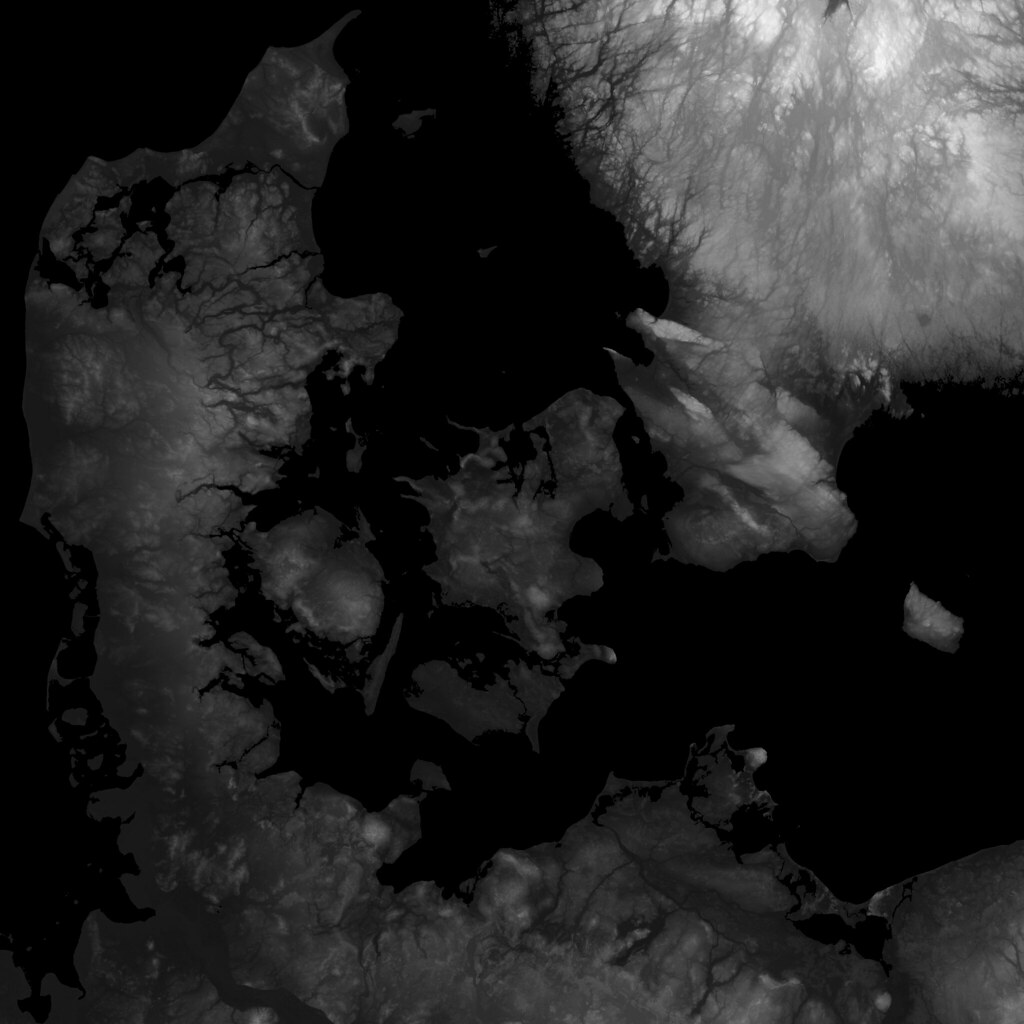
https://live.staticflickr.com/5093/5451447730_ef31a91542_b.jpg
 ember bridge
hi, i already asked it on lighting section but it might be belong here idk sorry but my problem about bake lighting onto terrain but my shadow looks like just blury effect. i can't increase terrains' lightmap scale more than 0.1 and it might cause the problem. should i split my height map into pieces and seperate them ? because 256x256 ones only reach to 0.1 sclae size but 128.128 ones reach like 0.25 or so.
 feral trellis
is there a way to rotate terrain? especially upside-down
 dull flume
how do I add a material for terrain painting? Like texture the terrain?
dull flume
for some reason paint texture has no layers?
 obsidian tree
Do you guys have tips to reproduce a terrain from a picture or drawing
 chrome bison
feral trellis
is there a way to rotate terrain? especially upside-down
chrome bison
feral trellis
is there a way to rotate terrain? especially upside-down
No
You'd need to use a mesh
Terrain can only be flat
feral trellis
It's supposed to be flat, just rotated
@chrome bison 2 terrains parallel to each other
chrome bison
Ohh
I think you can do that? Try setting the rotation
In a MB
I have only moved terrains tho
Ive never tried spinning them
 floral leaf
rose sentinel
guys what should I add next to make it look better
floral leaf
rose sentinel
guys what should I add next to make it look better
more trees
rose sentinel
floral leaf
more trees
it has 10,000 trees around the terrain
 lost wasp
rose sentinel
guys what should I add next to make it look better
lost wasp
rose sentinel
guys what should I add next to make it look better
I think maybe some bushes
 frozen depot
My question might be pretty simple. I'd like to add specific colliders to things in my Tilemap. I got an Asset where trees,stone, etc. have their own colliders each. I created a tree now and if i use it the whole thing got colliders. Since pictures can say more than a 1000 words. Here it is:
The small one is from the asset. the large one is mine.
Solutions will be honored with an epic "Thank you".
 feral trellis
@frozen depot sprite editor, you can set manual collider and pivot there
also bumping my question: is it possible to rotate terrain? to make 2 terrains parallel to each other
 coarse solar
As far as I know, no, you can't rotate terrain. I've heard of people exporting it to obj or something then re-importing it as a mesh which you can rotate.
 rose sentinel
What's best tool for procedural textures based on height and such?
desert sun
 fallow bolt
is there anyway i can paint just the walls?
fallow bolt
is there anyway i can paint just the walls?
why you are use terrain instead of mesh?
fallow bolt
im using the terrain stamp to create my maze from an image, how would you use mesh for this? I think it would be better, but i do not want to hand make a maze
desert sun
fallow bolt
im using the terrain stamp to create my maze from an image, how would you use me...
well you can make tile based maze.
So 1 pixel = 1 block.
And you can make system that will read it
meager wigeon
does anyone know the easiest way to learn to hand paint textures
 strange granite
is there a way to disable the grass limit?
 astral sun
so which is the "goto" asset for terrain and environment? I am aiming for a top-down rpg taking place outdoors and would love a as complete asset pack as possible (excluding building and props). Instanced map (so no open-world). Targeting URP and PC
 feral sphinx
A little stationary action terrain following demo.https://youtu.be/lZUgj8ij-vI

Unity demo of terrain following and rigid-body collision physics under continuous floating origin movement (the camera does not move from the origin, and the ship also stays in same position). All collision-reaction driven directly from Unity's rigid body physics.
For background information see https://www.researchgate.net/profile/Chris_Thorne3/.
astral sun
anyone tried both mapmagic2 and gaia and can compare. With a lot of terrain assets on sale it might be a good time to take the plunge
 paper wharf
how to choose textures in 2019.4
 patent ravine
Hi!
I am building a 3D game in Unity using the built-in Terrain tool. I am wondering if the Unity terrain tool is good enough?
what is the current Industry standard for Terrain building? I am looking to build a fairly realistic Island (mountain, ponds, palm trees, etc).
 wild crown
I tried painting grass on my terrain...but why does it not add it in these some places??

 daring atlas
Hello, im a beginner and Im to retarded to use a Nature/Soft Occlusion Shader on my Blender-made trees
 fringe dawn
My terrain grass is painting on sideways. Anyone know a fix for this?
I just imported an asset from the store
desert sun
wild crown
I tried painting grass on my terrain...but why does it not add it in these some ...
play with grass density
 neon bear
So are sky boxes just textures on the 6sided skybox renderer? Will these look "boxy" everytime? I've been looking at videos and ones like this seem to have trouble when they're stylized, the corners end up being a bit too obvious.
 hasty pulsar
Is anyone here familiar with Voxeland? Or Map Magic? I'm interested in buying tools to produce infinite procedural terrain WITH overhangs, caves, etc. But I also want it to be destructible at runtime. So I was thinking about Digger Pro for that. Any thoughts?
I've heard Voxeland + Map Magic 1 is good for this, but I don't know how to approach the destructible part.
 limber garden
neon bear
So are sky boxes just textures on the 6sided skybox renderer? Will these look "b...
limber garden
neon bear
So are sky boxes just textures on the 6sided skybox renderer? Will these look "b...
It should be hard to distinguish them from a sphere dome. If it looks boxy its just poor craftsman ship.
If anyone here has some awesome tips for creating large realistic cliff pieces for mobile. Im all ears. Im snagged up on them.
warm radish
wild crown
I tried painting grass on my terrain...but why does it not add it in these some ...
as Vilaskis said, messing around with the detail density in the Terrain Settings tab will help. the reason you're seeing this is that there's a max vertex count for each square in the detail grid (this is like our partitioning system for the details) so if that count is exceeded, we dont render the rest of the details in that patch.
 muted harness
When I sculpt in blender and I make a little hole, the character falls through it in unity, how do I fix it, reply to me or @ me
The hole is kind of like an inverted hill
warm radish
@muted harness are you using a mesh collider for the mesh in Unity?
muted harness
warm radish
<@!558181718012461059> are you using a mesh collider for the mesh in Unity?
yes
rose sentinel
hi everyone im making a pirate game and purchased this water asset, i am stuck on 2 things 1. how do i make it so that the ocean is big, whenever i scale it up it just starts acting weird, 2.i want to make the waves more random and blended. for example a game called sea of theives where one part of the water could be calm but then it could be wavy and stormy, i also am not sure how to implement particle systems with the water and ships, for example when the ships hits the water hard there would be a splash i have the paticle but i dont know how to implement this. if anyone could help me the asset is called stylized water 2. idk if this is the right text channel but it would mean alot if someone could help me
 vital apex
I’m using hdrp and am adding grass as trees, but it just runs really bad. Any tips for increasing performance or another way to add grass? I was thinking of bringing the poly count down to maybe 3 planes with a grass texture applied. Currently I think they are three polygons subdivided once for a wind effect
 normal saddle
Anyone knows any good places
to get textures for free that can be used commerically?
barren oak
rose sentinel
hi everyone im making a pirate game and purchased this water asset, i am stuck o...
Probably questions for the asset publisher TBH
 high karma
Anyone can pass me a texture of sand?
i need for a map in 3D
I am searching in Internet but Unity says that is impossible
 runic escarp
high karma
Anyone can pass me a texture of sand?
runic escarp
high karma
Anyone can pass me a texture of sand?
wait a sec
high karma
Thanks
runic escarp
lemme give you link
https://quixel.com/megascans/home?category=surface&search=sand this is a free website to get free assets and textures

Quixel Megascans
Discover a world of unbounded creativity. Explore a massive asset library, and Quixel’s powerful tools, plus free in-depth tutorials and resources.
high karma
Oh thanks
 lime pumice
Guys can pls someone help me. I tried my first time Unity. And I'm looking for YT Videos to learn.
- in every YT they say I have to open the "Window" and then select "terrain" and then select "toolbox" but I even cant select "terrain" (it doesn't show up)
- they Install the "terrain toolbox" from the Package Manager and then they have more brush options to choose from. but if I import "terrain toolbox" I have none of the YT options.
can pls someone help me
like here
 high karma
runic escarp
lemme give you link
high karma
runic escarp
lemme give you link
Is not free
Anyone can pass me a texture of sand?
i need for a map in 3D
I am searching in Internet but Unity says that is impossible
runic escarp
high karma
Is not free
not all
lime pumice
lime pumice
Guys can pls someone help me. I tried my first time Unity. And I'm looking for Y...
.
high karma
Is my first time to
 drifting crown
lime pumice
.
drifting crown
lime pumice
.
Why would you ping the channel when your post is still visible to again get attention of people who already saw it and could not contribute.
You can find official terrain tutorials on Unity Learn site. Links are in #💻┃code-beginner
lime pumice
sry I thought no one saw it
high karma
How i put a new layer?
lime pumice
drifting crown
You can find official terrain tutorials on Unity Learn site. Links are in <#4978...
I was there but this is my problem. Everywhere is the same tutorial but like I said. In the "Window" it doesn´t show up "terrain toolbox"
drifting crown
Haven't used built-in terrain for years. Make sure you've followed all the steps and proper object is selected to edit.
lime pumice
This was the first step on every tutorial ( including Unity´s Tutorial ) 😂 '
therefore Im here to get help 😅
high karma
Yes, but i don't know to put new layer 😦
 lusty quarry
I struggling with that for about 8 hours now and I cant figure out how to do that...
Everywhere I ask, everyone just ignore my question, so maybe there.
I really need create custom Terrain shader, I managed to create working holes, and 4 layers.
But, as everyone knows you can clearly use more than 4 Layers in Terrain, so, maybe you did it before and you know how to do that?
 high karma
no idea
warm radish
lime pumice
Guys can pls someone help me. I tried my first time Unity. And I'm looking for Y...
heya. here are some pretty good instructions for downloading the Terrain Tools package: https://forum.unity.com/threads/cant-find-terrain-tools-package.686488/#post-6317178
the process is pretty bad right now and we're working on fixing it
Unity Forum
Soooo, I'm looking in my package manager and using Unity 2019.1.3f1
- I can't see 'Terrain Tools' package anywhere?
[...
after you do that, then there should be an option to open up the Terrain Toolbox in the Window menu
 torpid rose
Hello, why is this happening to my floor? Anyone knows? the way it works is that i create 20 floor tiles and when they dissapear from the map (It's position is less than -10) i reposition them at the end.

This happens sometimes
barren oak
torpid rose
Hello, why is this happening to my floor? Anyone knows? the way it works is that...
something's not right in your calculations. One of your assumptions...
the floor is not as long as you think
or its pivot is no where you think it is
or the place you're positioning it is not perfectly on the end of the previous one (maybe due to the floor not being the size you think it is) etc..
torpid rose
i think i solved it
making each tile of the floor a little wider
The x normally was 1 and i modified it with 1.2
I'll keep testing if it works well, thank you very much 😄
astral sun
anyone don elike a top-down rpg/rts . I am trying to best figure out how to get a proper sense of scale but still not have it realistic since then trees are huge and blocks too much. Trying to make a 20 year newer version of this:
 lime pumice
warm radish
heya. here are some pretty good instructions for downloading the Terrain Tools p...
lime pumice
warm radish
heya. here are some pretty good instructions for downloading the Terrain Tools p...
Hey. tuvm. but this was ectually not my real problem. I hadn´t problems with downloading the package I had problems with importing. If I import this package and try to use the assets / Brushes / options I can´t do it. And my second question was: Why only on my Unity doesn´t show up the "terrain toolbox" in the "Window". I just don´t have it. I followed all the normal steps in the YT Tutorials. I downloaded the Unity version they have used. Nothing worked. there is a picture and it shows I don´t have the option to choose "terrain" in the "Window".
warm radish
lime pumice
Hey. tuvm. but this was ectually not my real problem. I hadn´t problems with do...
Could you share the YT video so I can check what they are saying you should install? Are there any errors in the console window? Maybe the package isn't compiling
rose sentinel
does anyone know how to make water like this?
 lime pumice
warm radish
Could you share the YT video so I can check what they are saying you should inst...
lime pumice
warm radish
Could you share the YT video so I can check what they are saying you should inst...
https://www.youtube.com/watch?v=smnLYvF40s4&t=189s
this is the YT video and I can´t do even the first step( 1:08 - 1:11 )
And I downloaded all packages from the asset store ( Link was in the description ) except for the "Azure[Sky] Dynamic Skybox" because I had to pay money for that
In this video, we are going to walk you through Unity's Terrain Tools to show you how you can easily create beautiful landscapes in your own projects!
Learn more about Unity's Terrain Tools here!
https://on.unity.com/3qA8mPP
Assets used in this video:
Terrain Tools Sample Assets - https://on.unity.com/2NIGevj
Azure[Sky] Dynamic Skybox - https:...
 blissful sapphire
is there a way to paint terrain based on height?
 wild crown
@raw onyx I think what u need to do is add the normal map in the layer you created to paint the terrain
wild crown
@raw onyx wdym u can't paint? can u be a bit more specific? like is there an error or what happens?
 topaz sleet
hi there..
so, i got some problem on a real device where the case is like this screenshot..

i have a terain, with default lighting, skybox, and fog..
on the editor everything is working fine
but, after build it on real device its become like this..
like the fog is doesnt really blend with the terrain..
it has like some mesh or ground that doesnt get the fog effect..
@everyone if you have the same issue, and know how to fix it, i need some advice about it guys.. thankyou 🙏
 daring cape
Hello. I'm still not sure weather to use the unity terrain add-on or design meshes on blender and then import (color with polybrush?) . And yeah I'm going for a low-poly design , which I achieve way better in blender. Any suggestions?
 short cove
daring cape
Hello. I'm still not sure weather to use the unity terrain add-on or design mesh...
short cove
daring cape
Hello. I'm still not sure weather to use the unity terrain add-on or design mesh...
if you go low poly terrain then definitly blender.
I believe unitys terrain system is mostly build for realistic terrain
building low poly terrain should be way easier in blender.
daring cape
Yeah it is. I was just wondering if it would make any difference performance-wise. But I guess that's just another topic
thank you 🙂
 ornate fern
is it normal that builtin brushes are all read-only?
 cedar harbor
Hey guys, anyone knows why the texture blending creates this weird AO/Inner-shadow like effect when using the "opacity as Density" function?

here's with that option disabled. The AO is gone, but so is the texture blending
 warm radish
cedar harbor
Hey guys, anyone knows why the texture blending creates this weird AO/Inner-shad...
warm radish
cedar harbor
Hey guys, anyone knows why the texture blending creates this weird AO/Inner-shad...
because it's not correct 😅 i am attempting to land some changes to fix that atm. it'll only be for 4 or less terrain layers (similar to height-blending). which version of unity and URP are you using?
cedar harbor
@warm radish So it's not something on my end? 😛

not sure which URP version that is
 warm radish
cedar harbor
<@!157401942656548865> So it's not something on my end? 😛
warm radish
cedar harbor
<@!157401942656548865> So it's not something on my end? 😛
that would be correct
warm radish
lime pumice
https://www.youtube.com/watch?v=smnLYvF40s4&t=189s
this is the YT video and I c...
thanks for sharing the video. did you also download the Terrain Tools package from the Unity Package Manager (0:40 - 1:00 in the video)? based on the image you shared, it doesn't look like preview packages are enabled so Terrain Tools won't show up in Package Manager
lime pumice
warm radish
thanks for sharing the video. did you also download the Terrain Tools package fr...
Yes I installed. And I had it in my Assets Folder but like I said if I want to use the options of the package ( like more Brush options ) I didn´t had it like if nothing has imported or something like that
lime pumice
warm radish
thanks for sharing the video. did you also download the Terrain Tools package fr...
Ok wait I think I figuared it out. I dont know how but I have now the terrain options like in the Video
but I thank you very much for helping me
 odd quarry
Hey, can I have some help with trees?
I'm trying to put a tree on my terrain, but it ain't working, and I'm starting to get frustirated
drifting crown
That's not enough information to help you. And you didn't even answer to questions if you properly imported asset in the first place. Follow any tutorial describing how to work with terrain.
odd quarry
Ok
drifting crown
@rough folio #🔀┃art-asset-workflow for asset import questions. Sometimes you need to recreate the material if it can't find Blender equivalent. Also make sure you did export one.
 rough folio
kk
feral sphinx
Aircraft/spaceship terrain following and collisions with continuous floating origin navigation. Shadows don't show on terrain or dirt base even though they work for building and ships. Any idea why? 2018.4.32 https://youtu.be/a1dAXzBEqoE

Short example of terrain collision and following with continuous floating origin navigation. A high frame rate of over 100fps is shown in the stats window top right and demonstrates that continuous floating origin performs well with collisions and physics simulation.
This video was not captured under ideal performance conditions: it was run whil...
 copper summit
how do i make it so that the grass doesn't do this? already tried looking on google

the shadows are showing through the grass, is there a way to change the material used by the grass?
copper summit
anyone?
 magic willow
 raw onyx
how i can apply correectly the texture?
raw onyx
how i can apply correectly the texture?
you need to apply some higher tiling as well. in the texture itself. it's probably like 1x 1x, make it 5x 5x or even 25x
rose sentinel
Does anyone know a simple tree asset pack that I can use?
 river moth
rose sentinel
Does anyone know a simple tree asset pack that I can use?
river moth
rose sentinel
Does anyone know a simple tree asset pack that I can use?
just search free trees on the asset store theres a ton of stuff
 formal flame
Howdy all. I have a conundrum to tackle. I need to move a camera object from essentially a 3rd person view to a top down view while keeping terrain fidelity rather high seamlessly between transitions. The landscape itself is going to be rather large (100KM). But the stream needs to be seamless with no loading and compatible with webgl. Is there much documentation or other resources that you all can share that can help with me with this?
I have seen similar videos where the camera went from basically ground level to in space with relatively smooth transitions without much loss in detail. I don't need to go into space but it's similar to what I need. So, I imagine there is such a workflow. I will just need to adapt it for webgl.
raw onyx
magic willow
you need to apply some higher tiling as well. in the texture itself. it's probab...
ok thank.
vital apex
How much does terrain resolution effect performance?
Mine is fairly low but I would like to raise it a bit. I have 9 tiles currently
river moth
https://forum.unity.com/threads/figuring-out-get-setdetaillayer.1076426/ anyone got any advice ?

Unity Forum
Hey, guys. I'm trying to figure out how to work with Unity Terrains a bit better.
My current set up is MapMagic 2, Nature Renderer and VSP.
Right now...
 amber ore
Hello, noob here, have a question about how heightmap data is stored:
If I have terrain set to low resolution for fast generation during terrain design, and use something like gaia or map magic to stamp a high resolution stamp while the terrain is set to low resolution, will the full stamp detail be lost or will it show when I later switch the terrain settings to a higher heightmap resolution?
 sharp pier
Hey, I have a question: When I use terrain Toolbox (https://docs.unity3d.com/Packages/com.unity.terrain-tools@2.0/manual/toolbox-terrain-edit.html) to split a terrain into several chunks (doesn't matter how many), I get weird shadowing artifacts on the the terrain. All lighting is realtime w/o any reflection probes, so it's not a bake issue. I can confirm that the shadows are the issue: if I set shadowcasting on terrain to off the artefacts disapear. Did anyone else encounter this? Using Unity 2019.4.24F1 w/ HDRP 7.5.3.

To clarify a bit more: The original terrain doesn't have these issues, and the image you're seeing are four different terrains
glad pine
sharp pier
Hey, I have a question: When I use terrain Toolbox (https://docs.unity3d.com/Pac...
Hey there JureV,
Thanks for bringing this to our attention. We have a fix for the shadow artifact issues you're witnessing and we have an open ticket to have those changes backported to 2019.4
sharp pier
That's fantastic! Thanks for replying, I appreciate it.
 edgy niche
I wanna add some single square textures or text on the terrain. Is there any way to paint them on the terrain?
 hoary briar
edgy niche
I wanna add some single square textures or text on the terrain. Is there any way...
hoary briar
edgy niche
I wanna add some single square textures or text on the terrain. Is there any way...
Look into decals?
 shrewd abyss
My terrain is a square but I want to have ocean around in within the square. Do I have to raise the entire terrain and then lower the edges to make that work?
Is there a way to raise my current terrain without messing up current hills etc?
 earnest shard
shrewd abyss
My terrain is a square but I want to have ocean around in within the square. Do ...
earnest shard
shrewd abyss
My terrain is a square but I want to have ocean around in within the square. Do ...
Raise your terrain so you can then smootly lower it back into the ocean
you can use all the normal terrain tools to make the sea-ground afterwards too
shrewd abyss
earnest shard
Raise your terrain so you can then smootly lower it back into the ocean
would i change the terrain height or just move it up on the axis
shrewd abyss
raising the terrain wont let me lower it with smooth
earnest shard
shrewd abyss
raising the terrain wont let me lower it with smooth
pivot point is as low as it will ever get, need to raise the texture by painting on it
shrewd abyss
Oooh ok thx
 sweet snow
can anyone help? (using HDRP 2020.1.8)
 sweet snow
im using the High Definition Render Pipeline (for the fog effect)
 faint prism

 shrewd verge
Can anyone provide insight to what terrain generator or tools this low poly game uses? Its called POLYGON: Multiplayer Shooter on Steam. I was having a hard time locating something that would match my low poly assets from Synty but this seems to be spot on.
https://store.steampowered.com/app/1241100/POLYGON_Multiplayer_Shooter/

POLYGON is a dynamic multiplayer team 1st and 3rd person shooter. You have to battle on large-scale maps using various weapons with up to 32 players. Properly managing your existing arsenal and skills, you have to lead your team to victory!Players fight on the battlefield in furious PvP matches. Up to 16 players stand on each side. Swift battles...


 dull void
Hey, whenever I run my game in editor mode, it runs fine, but when I build my game, my terrain goes invisible and I'm not sure why. I'm not sure what the problem is, whether it be with URP, mapmagic 2, or something else. Is this a common problem that people might have tips on?

This is in editor mode. Now, I just realized my grass is missing too... lol

 vivid stump
having weird terrain bug, wants me to build in triangle vertz instead of normal building with terrain tool
 timber tulip
What do you guys use for "Detail Texture" when trying to paint grass with Unity's Terrain editor?
I have a regular png texture, normal, opacity, and specular, but it all comes out as a 2d image.
 rose sentinel
I bridged a WC terrain into unity and wanted to add other textures. When I create them and paint on the terrain its just pure white without the textures. Anyone know why this is? I tried resetting the workspace to default. Checked that texture quality is set to full res. Im using HDRP btw and Unity 2019.4.20f1
 rose sentinel
why i can't put a texture to my terrain?


it just doesn't let me put the texture
can anyone help me??
drifting crown
@rose sentinel Please don't ping the channel repeatedly. If someone can help they will. Don't refresh it for people who already seen it.
rose sentinel
i didin't pinged the channel
drifting crown
Meanwhile you can checkout terrain tutorials.
rose sentinel
i did
 night lava
Hey,
I would like to use a toon shader on my terrain, but when I set it up the way I want it and then just assign the material to my terrain (via settings) it gives me a warning that shaders using the tangent-space are not supported, it will only apply shaders from Nature/Terrain. How can I customize these? If I don't need any of the paint tools, can I just safely ignore that warning? It does look like my material is in fact displayed correctly, I'm just a bit worried what a final build might look like with this.
 reef swift
I installed URP and now my terrain is all shiny, does anyone know a fix? I think it's the materials used, but I've set Alpha Source to none and that didnt help (that's what google told me to do) 🥴
 warm radish
rose sentinel
I bridged a WC terrain into unity and wanted to add other textures. When I creat...
warm radish
rose sentinel
I bridged a WC terrain into unity and wanted to add other textures. When I creat...
it looks like there isn't a terrain layer selected. not sure how and why it's letting you paint without a selected terrain layer
oh nvm. there is a selected terrain layer. hmm...
warm radish
rose sentinel
why i can't put a texture to my terrain?
you'll need to add the terrain layer to the terrain using the PaintTexture tool. select the Terrain you want to paint on, then select the brush icon in the Terrain Toolbar in it's Inspector. there should be a dropdown for selecting some painting tools. from that dropdown, select Paint Texture. once you've done that, there should be an option to either "edit terrain layers" or "add terrain layer". from there you can add a Terrain Layer to your Terrain tile. Then just select it once it's been added and start painting on your Terrain
rose sentinel
warm radish
you'll need to add the terrain layer to the terrain using the PaintTexture tool....
i fixed that
warm radish
ok cool
warm radish
reef swift
I installed URP and now my terrain is all shiny, does anyone know a fix? I think...
do your diffuse/color textures for your terrain layers have an alpha channel? iirc URP uses the alpha channel for smoothness so if it's look like the alpha values are all non-zero then your terrain may look like that. im not sure if it behaves according to any import settings you've put on the texture
rose sentinel
@warm radish i figured out the problem. If you want to paint a microsplat texture on the converted terrain you will need to add the texture through the MS Config first.
warm radish
good to know! thanks for following up with that. i'll keep that in mind for future questions involving microsplat and painting textures
formal flame
Hey, how to do I apply a colormap I exported from my landscape software and apply it 1:1 to the terrain in Unity? I am using the Terrain Tools to import tiles, as well.
formal flame
I figured out how. It's buried in the Gear Menu for the Terrain tile. I made a URP Material and set it to Lit. Now I am getting this strange artifacting and a blank tile.
Unity Version 2019.4.13f1.
Any suggestions, workarounds, etc.?

 nova kiln
ive got a question. yk the unity RAW elevation maps
how would i read them outside of unity. like is there any sought of documentation for reading them or an app that turns them into a more readable format.
 tawdry timber
nova kiln
ive got a question. yk the unity RAW elevation maps
how would i read them outsi...
tawdry timber
nova kiln
ive got a question. yk the unity RAW elevation maps
how would i read them outsi...
+1 I would also love to know that. Also is there any simple program or script to run from command line, to convert heighmap in .raw format to .png ?
vital apex
Anyone familiar with Terrain Composer 2? I have an issue I’ve been trying to work out but haven’t had any luck
vital apex
sweet snow
can anyone help? (using HDRP 2020.1.8)
You can get nature renderer on the asset store. It replaces the shaders for grass to work on HDRP
Then it also has a lot of optimizations for foliage so it should run better. It also has a growth type thing it adds to the grass. So when you walk closer, it grows to full size, then shrinks when it is almost out of sight. So there isn’t nearly as much of a pop in.
 robust scarab

 low heron
can anyone recommend me some good terrain ground textures (3D)?
 undone lark
There are plenty of websites that have high quality textures, just google for them. TextureHaven comes to mind.
low heron
Thanks dude
 mellow sapphire
Hey you guys does anyone have any futuristic textures similar to these:
https://www.youtube.com/watch?v=kopoLzvh5jY&t=30s&ab_channel=OpenAI 🙂
barren oak
There's barely any textures there at all as far as I can tell
rough folio
how do i make it so that i dont have to keep pressing jump to go up steeper slopes
like
mountains
(3d)
 ripe thorn
What is it you want it to do?
rough folio
ripe thorn
What is it you want it to do?
im trying to make a map with a mountain but after sculpting it and walking around it i noticed that in order to walk up the mountain i had to keep spamming the jump button
because my character kept getting stuck on something
it's probably because the mountain is a little rough
ripe thorn
3D ?
rough folio
yea
rough folio
nvm i think i fixed it
 twilit marlin
Anyone know why unity crashes 100% of the time when trying to add a grass detail mesh to my terrain?
 rough folio
twilit marlin
Anyone know why unity crashes 100% of the time when trying to add a grass detail...
rough folio
twilit marlin
Anyone know why unity crashes 100% of the time when trying to add a grass detail...
what version
2020.1?
i dont think that's a stable version
idk though
wait nvm
warm radish
formal flame
I figured out how. It's buried in the Gear Menu for the Terrain tile. I made a U...
if you're using a non-terrain shader, you'll need to make sure the shader supports instancing if "draw instanced" is enabled in the terrain settings. otherwise, disable "draw instanced"
coarse solar
LTS is 2020.3 I believe
formal flame
warm radish
if you're using a non-terrain shader, you'll need to make sure the shader suppor...
Thank you Wyatt. I'll give those a try.
 sterile furnace
Hello everyone!
Does anyone know what might cause such sort of artifacts on "game" view?
On "scene" view it looks fine.
That mesh generated in code like:
//loop start
vertices.Add(new Vector3(startX, startY, layer));
vertices.Add(new Vector3(startX, endY + 1f, layer));
vertices.Add(new Vector3(endX + 1f, endY + 1f, layer));
vertices.Add(new Vector3(endX + 1f, startY, layer));
triangles.Add(vertices.Count - 4);
triangles.Add(vertices.Count - 3);
triangles.Add(vertices.Count - 2);
triangles.Add(vertices.Count - 4);
triangles.Add(vertices.Count - 2);
triangles.Add(vertices.Count - 1);
// loop end
 warm radish
sterile furnace
Hello everyone!
Does anyone know what might cause such sort of artifacts on "gam...
warm radish
sterile furnace
Hello everyone!
Does anyone know what might cause such sort of artifacts on "gam...
heya! could you help explain what artifacts you are talking about? im having trouble distinguishing what those may be based on the image
twilit marlin
2020.1.15f1 @rough folio
I’ll try a different version later and see if it changes
sterile furnace
warm radish
heya! could you help explain what artifacts you are talking about? im having tro...
Oh, sorry.
So on top picture (game view) you may see some green and brown lines all over that mesh.
On the second picture (scene view) there is no such lines.
I've fixed it by changing UV from:
(0, 0)
(0, 0.5f)
(0.5f, 0.5f)
(0.5f, 0)
to
(0.01f, 0.01f)
(0.01f, 0.49f)
(0.49f, 0.49f)
(0.49f, 0.01f)
but it does not make sense, because my png texture is 512x512px, and "brown" color is exactly 256x256px
warm radish
Ah gotcha. Sorry I thought the top part was the scene view for some reasons and the artifacts were the scene "grid"
warm radish
sterile furnace
Oh, sorry.
So on top picture (game view) you may see some green and brown lines ...
Are you able to share the texture you're using?
Also what sampling mode are you using for the texture? Is it set to clamp, repeat, mirror? You could try setting it to clamp if it's not already
I think the thing that really fixed it for you is changing the 0 to .1 so you're no longer sampling at the edge of the texture uv-space and have given yourself some padding now. You could try calculating a half texel offset and use that instead of .1 so that you're sampling at the center of the outer border texels of the image
 drifting cove
Hey guys, When I updated to 2020.3 my terrain seemed to go from this

to this

I didnt change anything and im really stuck
i am using URP
I also deleted the trees BTW
please help im a complete beginner
barren oak
You need to update your terrain material
drifting cove
barren oak
You need to update your terrain material
Could elaborate a bit? (sorry im noob)
like upgrade it to URP? cuz i already did that?
dull void
Hey! What are some alternatives or performant solutions to HDRP grass? I just recently found out HDRP doesn't support grass shaders right off the bat with terrain, and I'm not sure how adding grass as "trees" will affect performance.
Was hoping not to buy an $80 dollar asset on the store to do this haha (might be exaggerating)
sterile furnace
warm radish
Also what sampling mode are you using for the texture? Is it set to clamp, repea...
Hey! thx for the reply. Yep, I found that it might be something called "texture bleeding" and, as you've said, applying "half pixel correction" should help. Thanks again!
patent ravine
dull void
Hey! What are some alternatives or performant solutions to HDRP grass? I just re...
What are you trying to achieve exactly? And why do you need HDRP?
 heavy abyss


 twilit marlin
Heya. I'm trying to create a terrain in URP which uses more than 4 textures, however i also want height-based blending, which apparently is disabled when you get over 4 textures. Is there any way to manually change this limit?
dull void
patent ravine
What are you trying to achieve exactly? And why do you need HDRP?
Lol I'm using hdrp because it looks good. The shadows, lighting, for, etc. I can use point lights shadows, meaning campfire shadows! I'm staying with hdrp
I'm detailing my procedural forest atm
Just wanted to add grass as "grass", but might have to add them add trees maybe
dull void
The main point is that HDRP looks better than URP in general. I have more options, but I also need point light shadows, which is not possible with URP (from what I know)
All in all, I know what render pipeline I'm going to use, just wanted to ask some opinions about grass in HDRP lol
vital apex
Would 9 1024x1024 tiles be better or 4 2048x2048 tiles? So either 3x3 at 1024 each or 2x2 at 2048 each.
Both would take up the same amount of space.
warm radish
twilit marlin
Heya. I'm trying to create a terrain in URP which uses more than 4 textures, how...
heya. not currently unless you want to modify the shader to account for the additional pass for the second set of terrain layers
twilit marlin
warm radish
heya. not currently unless you want to modify the shader to account for the addi...
Any plans for letting people change this limit (outside of a custom/edited shader)? 4 textures is sort of a low number.
 south kelp
hi all! does anyone know how to use a custom grass shader for Unity terrains in newer versions of Unity
in old versions you could bring in the built-in shaders and modify them. doesnt seem to work like that anymore.
i have to use built-in renderer btw... theres hacks for copying the URP built-in shaders... but i cant use those since the built-in renderer is not a package...
warm radish
twilit marlin
Any plans for letting people change this limit (outside of a custom/edited shade...
maybe at some point we'd align with HDRP and allow 8 terrain layers for height-based blending and density-based blending. we have a task for this on our backlog. that mostly means we are aware of the need but would still need to actually plan the work
twilit marlin
i understand. Thank you
 novel ridge
I made a grass texture in gimp, but how do i add it to my terrain?
 azure hinge
coarse solar
azure hinge
coarse solar
The first year of LTS gets bi weekly updates, it slows down after that
So 2020.3 will get frequent updates for awhile
dull void
Hey, so I recently switched to HDRP, and now I'm noticing we're visual glitches or sharp patches of dark spots near where my terrains are blending textures. Has anyone seen this before, and might know what's going on? The texture changes with slope btw. The cliff texture is set to place on slopes from 30 to 90, and the other texture is snow, the base texture.

I think it happens where the snow just barely starts to transition to the cliff texture. Even if I reduce the blending range, they will show up still, but not as bad, but this is how I'd like the blending to look, aside from those black marks :/
novel ridge
novel ridge
I made a grass texture in gimp, but how do i add it to my terrain?
Does anyone know the answer to my question?
dull void
@novel ridge Sorry no one has responded to your question, but I'll try. And are you trying to paint it onto a terrain? If so, go to your terrain and select the fourth icon. It's called Paint Details.

The down below, you should see this. Click edit details

I think you can add your texture here

 forest thistle
Hey, ive been working in Blender to create Terrains, but since i reach the Technical limits i need to convert the Terrains into Unity but i have a problem with the Quality loss. Since Blender doesnt have a Terrain Function working with one is ok but as soon i add another one the Performance is insanely bad. Do you have any Idea which method could work. The Heightmap .raw import brings that result:

That result inside Unity the top one is from blend
 novel ridge
dull void
I think you can add your texture here
novel ridge
dull void
I think you can add your texture here
Thnx! Lemme try it out and see if it works
 young arch
Is there a way within Unity to seam two terrain tiles together? I know it has the "Create Neighbor Terrains", is there a way to do that with a pre-existing terrain tile?
desert sun
forest thistle
Hey, ive been working in Blender to create Terrains, but since i reach the Techn...
Install terrain Tools to your project > Make a Unity terrain with 4096x4096 pixels resolution > go to terrain tool and search for option "Stamp mesh to terrain" . ANd you can stamp your hills in Unity by Terrain
forest thistle
Omg, you saved me ❤️
 keen crest
how do you guys go about creating your levels? probuilder? blender? realtimecsg?
forest thistle
From the experience ive collected. Alot of Details can made in Zbrush and Blender. It sounds weird but that more Tools you have for your edits that better Shape the Terrain will get. You just need to take a look how much subdivisions the Terrain plane got in that engine you use and simply replicate that in your Editor mine got an size of 256 so i subdivide a plane like 9x and poke the faces and you get a Terrain Template switching to Sculpting lock the y x axis so you can only edit from the Z axis. But you have to fight with performance inside Blender as soon you add another Terrain part. 😢
limber garden
Ok quick question, made some stones as detail terrain objects. Stones don't fade out of existence like the grass. What is the issue? shader?
 lone horizon
@limber garden could only be an LOD issue i would assume

why are some grass textures having a weird effect on the top of em
rose sentinel
Is there any way to stop the orange outline when select a terrain? This is rather annoying to have even gameobjects not part of the terrain (such as my trees) and grass having an orange outline.

nevermind I got it
Initially my first thing was turning off Gizmo's completely so that's what confused me because turning it off didn't stop it. I had to manually go into Gizmo's and turn off selection outlines
 candid mortar
I am making terrains in my game but far away details are not being rendered. I have set the detail distance to 1000 via code but it didnt change anything. How can I make the details on the other end of the map be rendered?
 silk scroll
Hi everyone,
I am new to unity and have been in the process of making my own map for a game called "blade and sorcery."
That being said I am using Unity 2019.4.21f1.
I am having an issue with paint texture layers. I have multiple layers I want to use however, every time I add a 5th layer, it paints black. If I remove one of the 4 layers I already have down, then that 5th texture I was trying to use works like normal.
This has been happing on several textures so I do not believe it is an issue with the textures themselves.
Please help, thanks!
 smoky gorge
im sure this has been asked but does anyone know why this is all boxy after using the terrain painter. im using unity 2021.1 HDRP and i swear i have fixed this before but i cant seem to find the setting for it.


i have my resolution really high as well
 polar geyser
hey guys, I'm wanting to create environments like you see in octopath traveler
I'm wondering if there's any tools out there to paint environments in a similar manner to 2d Tilemaps with rulesets, but with 3d meshes?
rose sentinel
Yeah seriously, Terrain Tools is completely broken.
Any time I split terrains it entirely breaks brush painting new hills, etc.
This literally only happens when I split terrains with Terrain Tools, heck I even stuck a 4K heightmap on each 1KM tile and this is the exact result I get from a simple brush. (any brush for that matter).

Turns out it's not even split meshes, but anything TT does to create terrains from importing heightmaps, etc it does this same exact type of artifacting.
 sweet summit
Maybe this is wishful thinking, but is there an easy way to change the color/texture of a combined mesh? For example, I like a green area of the mesh and want to keep it the exact same except to make it greener. Any suggestions?
twilit marlin
Heya. I'm using the Paint Details to apply grass to my terrain, but for whatever reason unity really wants to add a shitton of meshes even if i just very lightly click with the mouse. Anyone got any idea what i have to change?
 warm radish
smoky gorge
im sure this has been asked but does anyone know why this is all boxy after usin...
warm radish
smoky gorge
im sure this has been asked but does anyone know why this is all boxy after usin...
how large are your terrains?
warm radish
rose sentinel
Yeah seriously, Terrain Tools is completely broken.
Any time I split terrains it...
heya. what are the steps i can take to reproduce this?
 tribal gazelle
Hey Guys

Could someone tell me why I have this fog effect? it's very hard to paint the terrrain with it. As soon as I zoom out I cannot see the depth anymore

@barren oak
tribal gazelle

I have one that was there
which parameter would give this effect?
even if I am disabling the component this effect remains.
 tribal gazelle
I have another weird stuff with tree and VR
the tree leaves are "moving" when I am moving my head. @barren oak
sweet summit
I'm also having trouble with trees but its that they are white when they are far away from the player (but get colored in normally when the player is closer to them). Any ideas?
 edgy pagoda

 rose sentinel
warm radish
heya. what are the steps i can take to reproduce this?
rose sentinel
warm radish
heya. what are the steps i can take to reproduce this?
This one has more steps but it might help isolate the cause better than the easier one a the bottom
Steps:
1 - I'm on 2021.1.
2 - I had to manually type in com.unity.terrain-tools (I believe i spelled it right) to get terrain tools to import into project (perhaps it's incompatible???) as it's not visible in package manager with quite a few other things.
3 - Open up terrain tools and import a heightmap from there.
4 - Try using the brush to raise the terrain up.
5 - If step 4 didn't show the artifacts, try splitting the terrain with terrain tools window and trying again on the split terrain objects.
The easier way (Below).
(Still do steps 1 and 2 above)
Like wise you could also just create a terrain the standard way and just start painting your height perfectly fine, then split that terrain using Terrain Tools and then you get artifacts painting hills and such on the splitted terrains.
General
Terrain/tile sizes 1,000, to 1250 size.
Terrain Heightmap 512 all the way to 4K = same result.
warm radish
rose sentinel
`This one has more steps but it might help isolate the cause better than the eas...
Thank you! I'll try to reproduce the issue in the morning
rose sentinel
warm radish
Thank you! I'll try to reproduce the issue in the morning
You're welcome. I hope you're able to reproduce this and get it fixed.
Oh one thing - I'm doing 16 by 16 Splits (but as mentioned) - It'll still do this simply importing a heightmap from Terrain tools as a single terrain as well.

Just trying to give you as much info as possible
 simple bloom
hello - I'm having a problem painting terrain
I started by just adding a terrain to my project and trying to paint with a brush - didn't work
then I downloaded the new Terrain asset tools, but this also didn't work
I've looked online and found that some people had to set their texture quality to hi-res, but mine was already set to hi-res. Changed it and then changed it back to no avail
and then I tried creating a new project to test, and this also isn't working
the on;y thing I can think of is that I tried to install a heightmap extension at one point, and it warned me the dependencies were out of date, but I'm sure I told it to ignore the error and use the existing dependencies knowing that it might cause issues later
just restarted, same issue