#⛰️┃terrain-3d
1 messages · Page 11 of 1
 rigid geode
 tardy lark
what format is your terrain
tardy lark
what format is your terrain
mesh

 spiral garden
rigid geode
I mean from the mesh to the terrain unity
spiral garden
rigid geode
I mean from the mesh to the terrain unity
You'll need to write some code. Unity terrain operates on hight maps, so you'll. Need to generate one from your mesh and apply it to the terrain.
 novel trail
guys can someone help me with this my trees are rotated 90 to z axis

 worthy kernel
Why is the “tree height randomness” only working for certain assets?

For some assets the difference is huge and for others its barely noticeable
 thin hearth
worthy kernel
thin hearth
worthy kernel
If you don't have a LOD group (see warning), it'll use the legacy tree renderer
worthy kernel
thin hearth
If you don't have a LOD group (see warning), it'll use the legacy tree renderer
Ahhh ok
 winter minnow
!collab
 light bloomBOT
winter minnow
!collab
light bloomBOT
winter minnow
!collab
:loudspeaker: Collaborating and Job Posting
We do not accept job or collab posts on Discord.
Please, use Discussions to promote yourself as job-seeking, advertise commercial job offers, or look for non-commercial projects to participate in:
• ** Collaboration & Jobs**
 knotty fern
 drifting crown
@knotty fern Don't send unsolicited DMs, read #📖┃code-of-conduct
 livid tide
How?
I am new to terrain and sorry for the late reply I was very busy past 3-4 days due to my internship and stuff
 arctic depot
livid tide
I am new to terrain and sorry for the late reply I was very busy past 3-4 days d...
arctic depot
livid tide
I am new to terrain and sorry for the late reply I was very busy past 3-4 days d...
Do u plan on creating an environment for your game. But actually it depends on your style and what your game about
arctic depot
arctic depot
Do u plan on creating an environment for your game. But actually it depends on y...
Here is a current environment build am working on
 uneven thicket
How do I get the land like that
tardy lark
uneven thicket
How do I get the land like that
what land are you refering to?
uneven thicket
Like Fortnite’s idk with mountains and Hills and stuff
tardy lark
you do that by adding a Terrain
then you can manually use terrain brushes to raise and lower the mesh of the terrain as you wish
there are also advanced methods how you can use real heightmaps and import them on your terrain
arctic depot
uneven thicket
How do I get the land like that
Just make it in blender or which game engine
arctic depot
uneven thicket
Like Fortnite’s idk with mountains and Hills and stuff
Do u want to make an environment for your game
 next marten
hello, how can i achieve a sharp/low poly texture when painting the terrain? ive tried changing everything in the texture settings but nothing lets it be those "sharp" pixels like when applied to a material

 quartz falcon
next marten
hello, how can i achieve a sharp/low poly texture when painting the terrain? ive...
quartz falcon
next marten
hello, how can i achieve a sharp/low poly texture when painting the terrain? ive...
Have you tried changing the Tiling setting in the Terrain settings? Select: Terrain --> Paint terrain --> Paint Texture --> select the terrain layer and change the Tiling setting x and y to a higher number. Hope this helps 😉
next marten
quartz falcon
Have you tried changing the Tiling setting in the Terrain settings? Select: Terr...
yep i tried that too, the texture is still blurry
quartz falcon
Hmm. Ok So you have put the terrain texture on a material and there it looks "sharp"? I'm a bit confused on what you mean with "sharp". . Did you set a normal map of the texture layer, this may look sharp.
winter minnow
next marten
yep i tried that too, the texture is still blurry
You should show a comparison
It definitely shouldn't remain blurry when increasing tiling, unless something else is wrong
next marten
quartz falcon
Hmm. Ok So you have put the terrain texture on a material and there it looks "sh...
ok yeah mb, i explained pretty badly. When i say "sharp", i mean that the pixels are clearly defined as in the image

and here is the texture at 1tile size

it is blurried out
next marten
winter minnow
You should show a comparison
It definitely shouldn't remain blurry when increasi...
and increasing the tiling seems to make it worst...
winter minnow
next marten
and increasing the tiling seems to make it worst...
I see
That happens because Terrain layers call it "size" rather than "tiling", which are inverses of each other
Increasing tiling would make the texture smaller and thus less stretched
Increasing size would make it tile less, thus making it more stretched
More stretch means more blur in that case
winter minnow
next marten
ok yeah mb, i explained pretty badly. When i say "sharp", i mean that the pixels...
We thought the issue was the relative resolution of the texture, but this shows it's the filtering
if the texture you're using as a Terrain layer has Filter Mode set to point / no filter in import settings, it should be pixelated when used on Terrain as well

If this doesn't seem to have an effect, most likely it's not the right texture you're changing
(Technically possible for the Terrain shader to override this filtering setting for the textures but I'm not aware of a situation when it would)
next marten
i created a new one with the same settings and it is normal now.
i think what i did wrong also is, i dowgraded the heighmap resolution before applying the texture, maybe that did something idk

i could not fix even by changing it to point / no filter in the texture settings, just fixed by creating a new terrain... but its fine lol, ty for the help, i will keep this in mind next time
 ruby ridge
Since updating to unity 6.3, anything past the 4th terrain layer is black in builds. Anyone have any ideas what has changed that could be causing this issue?
thin hearth
ruby ridge
Since updating to unity 6.3, anything past the 4th terrain layer is black in bui...
Yeah, they've been messing with terrain shaders.
This is what happens when the terrain isn't uploading the splat maps to the shader anymore. I was never able to figure out why it does this, so I just do it manually.
for (int i = 0; i < terrain.terrainData.alphamapTextures.Length; i++)
{
    var splat = terrain.terrainData.alphamapTextures[i];
    if (splat)
    {
        _terrainPropertyBlock.SetTexture("_ControlTex" + i, splat);
    }
}
You don't have to do this just for the splat maps, but for every layer too.
 desert rock
ruby ridge
Since updating to unity 6.3, anything past the 4th terrain layer is black in bui...
desert rock
ruby ridge
Since updating to unity 6.3, anything past the 4th terrain layer is black in bui...
In URP the max limit of layers that can be rendered per Terrain is 4 if you have the Accurate G-Buffer Normals setting on
ruby ridge
desert rock
In URP the max limit of layers that can be rendered per Terrain is 4 if you have...
We use hdrp, so don’t think it’s that unfortunately, also it works fine in editor
ruby ridge
thin hearth
Yeah, they've been messing with terrain shaders.
This is what happens when the...
Thanks, I will give this a try now
desert rock
ruby ridge
We use hdrp, so don’t think it’s that unfortunately, also it works fine in edito...
In HDRP the max is 8 by default, make sure you don't use some shader where the max is 4
ruby ridge
desert rock
In HDRP the max is 8 by default, make sure you don't use some shader where the m...
Yeah, we have 8 and are using the default hdrp terrain shader currently, it was working fine in build on 6.2, but seemingly stopped working when we updated to 6.3.10
thin hearth
Might be a good time to upgrade to Microsplat
ruby ridge
Think we’ve got it now, unity appears to be stripping the 8 layer shader variant in builds
 earnest lynx
Hey all, I think this is the right place for this question.
Is anyone here using Flora Renderer 6 for their terrain building?
We are using manually imported low-poly level meshes, not the Unity terrain, and we needed a brush tool to paint on plant life and various set decorations.
Several reddit posts and other forums recommended Flora so we picked it up...
Yet now we bought the asset and can't find the asset painting tool? Was it removed?
I reached out to the publisher, but figured I'd ask on here for a possible quicker response.
 rose sentinel
Could I ask about feedback in this chat
winter minnow
rose sentinel
Could I ask about feedback in this chat
That depends on feedback about what
rose sentinel
winter minnow
That depends on feedback about what
some low poly terrain I made with probuilder
winter minnow
These channels are for development and problem solving
#1180170818983051344 is the place if you want your work to be seen for judging or praising
 plush orchid
Hey im new to using gaia but does anyone know why this happen to me? the gaia world gen only used 1/4 of the area.
 thin hearth
plush orchid
Hey im new to using gaia but does anyone know why this happen to me? the gaia wo...
thin hearth
plush orchid
Hey im new to using gaia but does anyone know why this happen to me? the gaia wo...
Might have something to do with the exception? If it throws while working it wouldn't complete the task
 inner charm
anyone know of an efficient way to generate large procedural terrains at runtime using unity terrain? we're trying to create large terrains, big enough to cover the far plane, and only create the 4 of them nearest to the camera. we're rendering directly into the terrain data's heightmap on the gpu to create the heightmap for any new terrains, which is fast enough and optimizable: a fraction of a frame. but calling DirtyHeightmapRegion and SyncHeightmap for even one of these terrains takes a full second, and just calling DirtyHeightmapRegion without SyncHeightmap results in each terrain queueing over 1000 draw calls every single frame, and the frames slowing down to like 400ms.
(i've read a bunch of unresolved threads by @upper charm on the unity forums, and have seen them message about it here too many years ago, in case you happen to have discovered something =))
even calling DirtyHeightmapRegion and SyncHeightmap on a small slice of the heightmap, like a 16x16 chunk, takes ~48ms
inner charm
we decided to instead render many more smaller tiles at lower resolution, and enqueue them to to be created once per frame as needed, to try and ameloriate the performance cost. this seems to be working okay
 radiant mountain
Hi, I’m having a problem with Unity 6. I’d like to create an ocean coastline with a seabed, but I can’t seem to lower the terrain. I’ve tried using ‘Raise’ or ‘Lower Terrain’, but ‘Lower Terrain’ doesn’t work even when I press Ctrl. The same thing happens with ‘Set Height’.
 marble dragon
radiant mountain
Hi, I’m having a problem with Unity 6. I’d like to create an ocean coastline wit...
marble dragon
radiant mountain
Hi, I’m having a problem with Unity 6. I’d like to create an ocean coastline wit...
you need to apply a height value. For example you want the depth to be 50 m. you go to "set Height" choose a value and select "flatten Tile" this will raise your overall height which will be ground level that is 50m higher than your lowest point. this way when you select a brush and use lower terrain it will go to a depth of upto 50m. You can change values as desired.
radiant mountain
marble dragon
you need to apply a height value. For example you want the depth to be 50 m. you...
OK, so you're saying we need to raise the ground level to use 'lower terrain'. Thanks 👍
livid tide
arctic depot
Here is a current environment build am working on
Sorry again for replying late my office was shifting and the pc were down I have decided to use height map of rota and am rn trying to render long view with minimum performance cost I was thinking of using tiles do you recommend any think else
arctic depot
livid tide
Sorry again for replying late my office was shifting and the pc were down I have...
No worry it actually good are u planning on creating an open world
 floral summit
I'm spending a few minutes generate this terrain with the tool Vista. First iteration, feels like it still missing something.
What do you think?

 solar swan
floral summit
I'm spending a few minutes generate this terrain with the tool Vista. First iter...
solar swan
floral summit
I'm spending a few minutes generate this terrain with the tool Vista. First iter...
It’s missing a purpose or story
winter minnow
Always worth a try to add dragons
Pretty much impossible to give feedback or direction without knowing what your goal is or what you want it to be like
Also #1180170818983051344 and #🏆┃daily-win are the only channels for showcasing/feedback
 sonic bone
Guys? In order to import a model from blender to unity, I simply have to export the blender file as fbx, right? Or should I do something else too?
winter minnow
sonic bone
Guys? In order to import a model from blender to unity, I simply have to export ...
"Simply" yes
Though you probably want to export it the right way if you don't want the scales and rotations to change
This article explains how:
https://polynook.com/learn/how-to-export-models-from-blender-to-unity
This script can do the process automatically:
https://github.com/EdyJ/blender-to-unity-fbx-exporter/tree/master
If you have textures also, I'd recommend importing them separately
Materials can be extracted, or made from scratch as the fbx-embedded material format doesn't properly support all PBR material properties
sonic bone
winter minnow
If you have textures also, I'd recommend importing them separately
Materials can...
Alright then, figured out👍
 solar goblet
Hey guys, I was following Terrain Shader Structure - Terrain Shaders from Ben Cloward in the 3rd episode he demonstrated that he can paint multiple layers and when I wanted to do the same it just doesn't work and I don't know why. Am I missing something?


 lost chasm
Hello, brother. When I added the LOD Group component to the object, it automatically switched to the "Culled" state—specifically, when the camera is positioned close to it. For instance, as soon as I move inside the "Shooting Board," it switches to LOD 2. My question is: what could be the underlying issue here? Does the problem lie with the FBX model's mesh, or is it related to the camera?


 thin hearth
lost chasm
Hello, brother. When I added the LOD Group component to the object, it automatic...
thin hearth
lost chasm
Hello, brother. When I added the LOD Group component to the object, it automatic...
Probably bad object size / bounding sphere
That doesn’t break LOD but it does make the percentage value nonsensical
lost chasm
thin hearth
That doesn’t break LOD but it does make the percentage value nonsensical
😐 🤨
thin hearth
Object size

I think the scale of your scene might be entirely off, based on the screenshots
Can you place a box collider on the wooden crate and show the actual dimensions?
lost chasm
Hey brother, it's done! I did it myself—I actually demonstrated it. All that was required was to press a single button—specifically, to perform a "Recalculate Bounds."  👍
👍
 clear glacier
i wanted to ask can i make the terrain invisible yet keep the grass that i scattered or painted over it
solar swan
clear glacier
i wanted to ask can i make the terrain invisible yet keep the grass that i scatt...
by default, grass is instantiated by the terrain renderer from a painted map that part of TerrainData, if you disable the terrain renderer, grass goes away too. you can however use a different mechanism to draw your grass from those same maps, then your grass remains visible with the terrain invisible (your own renderer -> vfx graph, instanced indirect renderer, entites, some GPU instancer asset). Caveat: rendering grass, and GPU instancing is a non-trivial problem to solve that requires significant engineering when scale grows beyond tiny toy scale: culling, occlusion and chunk streaming become hard problems.
 worldly forge
tried searching the channel to see if a question like this has already been answered but I didn't see anything.
anyone know where I would start if I want to take 2 plots of mesh (like prebuilt terrain 'tiles')
and after spawning them next to each other, kind of weld them together.
is that possible with like displacement maps to blend the edges of the tiles or some other means.
if anyone knows what keywords I would search for, or tools and stuff, that would help me look further into this, you would be the real MVP
 lilac gust
Hi, I want to create a large map for a driving game, approximately 10x10km. I'm using Vista Pro to generate something procedurally quickly, and then I plan to add biomes and roads using Microverse Road. What advice can you give me to find a good optimization point and sufficient resolution so that the roads adapt well to the terrain with Microverse Road?
 swift spade
Any idea why my terrain looks like this after i did just some light strokes of terrain painting? It's a new gameobject with added Terrain object

The terrain painting worked smoothly in a demo i tried earlier today, just can't tell the difference
 bleak pulsar
Hello, I am quite still new and I am experiencing issues with the terrain system. So I was making some grass prefabs for the terrain and it was floating I managed to fix it but then I now get this error
Tree prefab at index 0 is missing.
All prefabs are there but idk how to fix this. Would be thankful for help.
 still marten
swift spade
Any idea why my terrain looks like this after i did just some light strokes of t...
still marten
swift spade
Any idea why my terrain looks like this after i did just some light strokes of t...
Looks like you removed tiles instead of painting
swift spade
still marten
Looks like you removed tiles instead of painting
well, it happens while i have a circle like terrain raising tool and hold left-click while dragging. But now that you mention it, i don't even know where to find a tile deletion tool...
still marten
In inspector, the window for terrain editing
What does it say on selected tool (paint details, raise terrain, paint details, smooth terrain)
arctic depot
lilac gust
Hi, I want to create a large map for a driving game, approximately 10x10km. I'm ...
I can help u create the environment though
 grand burrow
Would like to create a PCG generated hexagonal campaign map for a turn based rpg / strategy game, anyone got some good links / tutorials where to start?
(Multiplayer should be incl.)
Coming from UE4/5, here to learn Unity + C#
winter minnow
grand burrow
Would like to create a PCG generated hexagonal campaign map for a turn based rpg...
PCG referring to "procedural content generation"?
If so, what part of the process are you referring to
The art, code and design are totally different facets with their own minutiae
grand burrow
winter minnow
PCG referring to "procedural content generation"?
If so, what part of the proces...
Referring to the code, the other parts i can figure out quite fast. Not sure how generate a procedural generated hexagonal world with multiplayer implemented from the start
winter minnow
grand burrow
Referring to the code, the other parts i can figure out quite fast. Not sure how...
That still seems like a vague question
As far as I understand a hexagonal grid is basically a rectangular grid where every second row is treated as offset by half grid cell width
Or that seems to be the most common method anyway
https://www.redblobgames.com/grids/hexagons/
Whichever the technique, there's a bunch of math functions out there for whatever operations you need, like calculating distances, lines, radii and whatnot
But if you aren't familiar with procedural generation, I'd practice that first, then combining the two concepts will be simple
Neither is directly related to multiplayer though
When syncing the game state between players via networking, you'll have to consider that the world will be generated on the fly
Though if the world is static, there isn't really anything to consider, as every client generating the world will end up with the same version of it
But if players can interact with objects that are generated for them but not for other clients, that needs to be communicated between your network system and level generator
That part will have nothing to do with the hexagonal shape of the world though
And the details of all these will depend entirely on what kind of game you are making
grand burrow
winter minnow
That still seems like a vague question
As far as I understand a hexagonal grid i...
Thanks you, gonna start from there i guess
For the networking i was mainly wondering, if i can start the project by creating the surface / hexagons first and think about multiplayer second
or should i better think about multiplayer implantation before i start adding anything (else) to the scene?
winter minnow
grand burrow
Thanks you, gonna start from there i guess
For the networking i was mainly wonde...
When implementing multiplayer you do always have to think about it and plan around it
But you might not need to actually implement networking functionality into your core features while still working on them, before you need testing with multiple players
But that requires a really good plan
The other approach is to start by implementing the multiplayer functionality and then other features into it
But that will require you to progress slower on them to keep them network compatible
But also you will notice early if you're making a feature that you can't really make work with networking as you expected
And you can test early and often when the multiplayer is functional from the start
@grand burrow I guess it makes sense to make that decision based on how confident you are about the design and your ability to make multiplayer code which can be hard
Testing your game design becomes doubly important when you've got many players in the mix, each doing their own thing
Network syncing has many pitfalls and some systems technically will not work with it well, so encountering those problems early is better than building many game systems and then realising they aren't really compatible with networking
grand burrow
Had kinda the same thought process, creating the multiplayer part first, making sure it works and add the other elements (like the hexagon world) afterwards
Just having a hard time figuring out how difficult / time consuimg it would be creating a game with PCG and multiplayer compared to PCG without mp
Did a bit PCG in UE5 but never worked on a mp game before 🤷🏻♂️ Just read that is a really bad idea to add mp later to a project (rewriting every script / code)
 kindred perch
I think the way it typically works with networked pcg - especially if its something fairly basic like a grid - is you make it deterministic based off a seed so every player can generate the same grid at the start
and from there you sync any changes made to the grid, if it even changes at runtime
i think with something quite data oriented like a tile grid you might have an okay time building it up for singleplayer and then adding a networking layer on top to keep it synced, but you probably want to take this to a #1390346492019212368 thread
 cursive delta
I've been really frustrated with this issue recently:
I'm trying to make some terrain with objects mixed in to break it up but no matter what I've tried the object is always a different colour compared to the terrain despite using the same texture, I was able to fix the colour being wrong by using a different shader "Nature/Terrain/Specular" to be rid of the specular highlights.
TLDR: How can I make the terrain darker in shadows without making a separate texture?


 upper edge
Is there a Unity Like Terrain system that I can draw on using Materials?
Terrain Layers kinda suck
 dense vector
upper edge
Is there a Unity Like Terrain system that I can draw on using Materials?
Terrain...
dense vector
upper edge
Is there a Unity Like Terrain system that I can draw on using Materials?
Terrain...
you can maybe find some decent asset to do it, but most of the time you can just import terrain models from something like blender so you have much more control
 inland jetty
upper edge
Is there a Unity Like Terrain system that I can draw on using Materials?
Terrain...
inland jetty
upper edge
Is there a Unity Like Terrain system that I can draw on using Materials?
Terrain...
what problems are you having with painting terrain right now?
upper edge
inland jetty
what problems are you having with painting terrain right now?
Terrain Layers only give u a few maps (Diffuse, Normal).
I have some really high quality textures with bumps, ao etc. so the way to set that up that I know is using materials. now I could just drop the material on the Unity Terrain and it would look how I want it to. but it would be a large terrain with only one material (boring). I want to add some other materials (paint them the same way you would with Terrain Layers to create variety and some blending)
I understand that its not as straight forward as it sounds which is why im asking if theres a method or asset that makes it simple
 foggy jacinth
there are several free assets to help, one from Unity itself, iirc. there is also the every popular free microsplat (extensions to it are not free) i think it is called.
you can even look in the Shader Graph samples
upper edge
yeah microsplat seemed promising but im just demoing stuff and im not ready to invest in the URP extension
I defo would if I start doing this for a big project
foggy jacinth
what you are talking about is often referred to as splatmapping, but that also started to be used for something else, so it got confusing. but really, just take a look at the shader graph samples. also, the terrain layers use materials. your material can of course have displacement maps, or whatever you want. i am busy with other stuff, so i have not been paying close attention, but any blending, and multiple materials, this is all part of standard workflows. this seems more like you need to grab a couple tutorials, as opposed to something Unity cannot do readily
did you look at the pinned messages here in this room?
inland jetty
upper edge
Terrain Layers only give u a few maps (Diffuse, Normal).
I have some really high...
i'm pretty sure the URP terrain material supports normal and AO data
see https://docs.unity3d.com/Manual/class-TerrainLayer.html, specifically the "Mask map" section
You'll need to pack the relevant textures together into a "mask map"
upper edge
foggy jacinth
what you are talking about is often referred to as splatmapping, but that also s...
ill take a look again
upper edge
inland jetty
You'll need to pack the relevant textures together into a "mask map"

I tried it already, looks way off compared to the material, even after messing around with the sliders
something about the way Terrain Layers work seems so different compared to materials
inland jetty
they're used by the terrain's material (and the URP terrain shader will behave similarly to the URP Lit shader)
upper edge
Terrain with Material assigned

Terrain with Terrain layer

now that im looking at it
it seems identical..
hold on.
inland jetty
same viewing angle?
the normals look reversed
well, the scale is different, which makes it harder to compare
inland jetty
i think that terrain defaults to each 10-by-10 meter patch getting a single tiling of the texture
i wrote my own terrain shader for a VRC world a while back, but i've forgotten some of the intricacies :p
upper edge
what bothers me is it looks so close to the material but no matter what I do I cant figure out how to make it look the exact same
inland jetty
add a Quad that uses the original material
and then adjust its tiling so that they match up
that'll help you to see what's changing
(i had to do this exact process)
i was adapting an existing shader to work with terrain
upper edge
ahhhh
pain
okay no way around it I suppose
gonna try to work with this Unity Terrain path
thank u both very much
inland jetty
show me how it looks now
 inland jetty
add a quad with the original material to compare properly
upper edge
ive never done it before, can u tell me the steps briefly? or I can just search it up
inland jetty
like, GameObject -> 3D Object -> Quad
it's just a square model
like this

having the two materials side-by-side will make it easier to understand what is wrong
upper edge
had to scale the material down for the quad but..
 inland jetty
get the tiling matching exactly
(and disable shadows on the quad, so that it's not messing with the terrain's look)
inland jetty
upper edge
Terrain with Terrain layer
i do think the normals look correct now, as compared to the original image (did you change anything?)
inland jetty
upper edge
Terrain with Material assigned
the shadows are on the near side of the sand ridges in this image, whilst the second one has them on the far side
upper edge
ok silly question how can i disable the shadows on the quad lol
inland jetty
it's a setting on the Mesh Renderer component
inland jetty
Cast Shadows -> Off
 inland jetty
The normals look stronger on the quad
Try increasing the normal scale on the terrain layer a bit
upper edge
upped it by .5
 inland jetty
That's much closer now
I think the fringe is caused by ambient occlusion (the post-processing effect)
inland jetty
inland jetty
Try increasing the normal scale on the terrain layer a bit
blending multiple normal maps together is an exciting topic, and i would not be surprised if the terrain shader wound up weakening them by a bit
upper edge
im honestly satisfied with this level of similarity, I cant figure out for the life of me what was happening before because I practically changed nothing
inland jetty
one big factor was that the tiling was different
upper edge
I also dont understand why Unity Terrain doesnt match up with the material despite having the same tiling and normals
inland jetty
stretching the texture out meant that it looked weaker
upper edge
yeah thats real
inland jetty
upper edge
I also dont understand why Unity Terrain doesnt match up with the material despi...
The tiling itself is arbitrary. I do wish Terrain defaulted to "1 meter = 1 unit in UV space"
upper edge
yeah
but this is good enough for me
thank you very much I benefited a lot from a fresh pair of eyes
 azure veldt
Im having a nightmare of a time trying to get unity grass mesh details working as expected, there are dozzens of conflicting tutorials, multiple shader options, various results. Using 2022.3 with BiRP. I finally got the vertex shading right to get the wind bending and now the texture material has gone black, and Ive lost the random sizing. Can anyone recommend a suitable tutorial? or even a package to install to help this project along? many thanks in advance for advice.
dense vector
hi, i was using terrain toolbox to create a terrain from heightmap. it looks very spiky and irregular, and the depth of the central river just isnt enough (if i try increasing max height it just eventually makes mountains too spiky as in image)


i am also getting this strange warning (the heightmap is a 2048x2048 image i dragged into assets folder. changing res to 2049x2049 still shows this error.)
 dense vector
i am also getting this strange warning (the heightmap is a 2048x2048 image i dra...
dense vector
dense vector
i am also getting this strange warning (the heightmap is a 2048x2048 image i dra...
tried everything to fix this warning but nothing works
 eternal knot
any ideas why one tile of my terrain isnt rendering the holes correctly when i put water under it. Terrain 6 is the working one and Terrain 4 is not. When i turn Draw instanced off it works correctly, but all the other tiles work with it. Ive already tried reassign the terrain data, and redrawing and erasing, but the only thing that works is turning draw instanced off? any better solutions?


 outer barn
okay probably just a big dummy problem on my end. Terrain tools is saying 'select raw file' 'missing heightmap texture' and won't allow me to select or add my raw file, clicking the box does nothing. It is photoshop raw, set to non interleaved and 16 bit depth. I can't import it as a separate asset (it only shows up in the explorer when I search for it, and selecting it and clicking import causes nothing to happen). I know this raw file DOES work because I imported it using the regular terrain settings to test it, and it was fine. I just can't import the raw file through this, and I need it for the settings.... Please tell me what I'm doing wrong T-T


yeah so turns out the '...' selection area was way off screen and i had to stretch unity across two monitors to glimpse it, wth 😭
 cursive delta
I've been really frustrated with this issue recently:
I'm trying to make some te...
cursive delta
cursive delta
I've been really frustrated with this issue recently:
I'm trying to make some te...
Bumping this
desert rock
cursive delta
I've been really frustrated with this issue recently:
I'm trying to make some te...
Are your rocks using the regular lit material?
Also are you using URP or HDRP?
cursive delta
desert rock
Also are you using URP or HDRP?
Neither, this is for VRChat which uses BiRP (iirc)
and yes, it's the Standard shader (except with Specular Highlights turned off)
 left linden
Hi, anyone knows why my camera cuts the terrain whenever I get close? I don't know what I moved in the editor but its failing 😭
 analog silo
maybe disable dynamic clipping. might work

 hazy dawn
Hey guys 👋🏻 i am not a professional... Can someone Guide me bcz i am currently starting an Open world Game and i mostly work on 2D projects ...So i have no idea about Huge open World
So what's the best approach for best optimization like Additive Scene generation where chunk loads when player enters the area or a specific chunk or i create whole world terrain in a single scene without dividing it into different multiple scenes 🤧
drifting crown
left linden
Hi, anyone knows why my camera cuts the terrain whenever I get close? I don't kn...
Press F on selected scene object to reset editor camera near clipping plane.
 cerulean fog
 dense vector
i am also getting this strange warning (the heightmap is a 2048x2048 image i dra...
dense vector
dense vector
i am also getting this strange warning (the heightmap is a 2048x2048 image i dra...
hi anyone can help w/ this
 stray cargo
Looking for help with my current workflow.
I currently model/sculpt a grid tile island in blender. Top half functions as walkable/Bottom just decoration
I export/import this island model into unity
In Unity, I have modular building prefabs that I use to create buildings... (they respect the grid/tile shape)
My Problem: I need to create paths, I don't know where they'll be until the mesh is in Unity. So making paths feels like it would be easier if I could do it inside of unity.
A thought I think fails is creating a modular path parts in blender, my fear is they will be too rigid for my grid that has slops and height. It would have gaps...
I attempted splines, they seems to be okay. They don't look great, but it that's all I have I'll go with it. This is splines.
Anyone have any ideas. Thanks!
 winter minnow
stray cargo
Looking for help with my current workflow.
I currently model/sculpt a grid til...
winter minnow
stray cargo
Looking for help with my current workflow.
I currently model/sculpt a grid til...
I don't know where they'll be until the mesh is in Unity
Why not?
arctic depot
stray cargo
Looking for help with my current workflow.
I currently model/sculpt a grid til...
So.now u just need to make the path in blender that shouldn't be a problem if u are well versed in blender.u did use curve , i.may be can u pm me
arctic depot
stray cargo
Looking for help with my current workflow.
I currently model/sculpt a grid til...
What reference where u following when creating this
 fair viper
Someone can help me?
Why my texture become so blurry at far distance?
I increased the tiling frequency to make the problem more visible.
Disabling mipmap generation fix the blurry, but not a solution.
 stray cargo
arctic depot
So.now u just need to make the path in blender that shouldn't be a problem if ...
stray cargo
arctic depot
So.now u just need to make the path in blender that shouldn't be a problem if ...
So making the path in blender via a curve is what you recommend?
desert rock
fair viper
Someone can help me?
Why my texture become so blurry at far distance?
I increase...
do you have anisotropic filtering enabled?
winter minnow
fair viper
Someone can help me?
Why my texture become so blurry at far distance?
I increase...
Change the tiling axes equally to each other, or at least avoid significant asymmetric scaling
Otherwise mip map calculations won't work right
fair viper
winter minnow
Change the tiling axes equally to each other, or at least avoid significant asym...
1:1
This doesn't feel right
 fair viper
desert rock
do you have anisotropic filtering enabled?
fair viper
desert rock
do you have anisotropic filtering enabled?
Yes, anisio level 16 or 9 help a little. But still blurry
desert rock
what about trilinear filtering?
fair viper
desert rock
what about trilinear filtering?
Is this Trilinear filter mode? Doesn't make noticieable effect
Setting Y tiling to 0.1, fix the blurry for far distance.
But stretch the texture. I can't be fine with this

Looks like I need a 10:1 vertical road texture
desert rock
Then the issue comes from how you map the texture
you need to keep the texture 1:1 ratio
dense vector
im using terrain toolbox and a heightmap of resolution 2049x2049 to make terrain, but the terrain generates in this step-like nature. i want it to be smooth while retaining the rough shape as in heightmap. i can just make the texture it 4097x4097 but i dont think this distinct step behaviour will go. any way to work around this?

this is the heightmap im using, for reference
 winter minnow
dense vector
im using terrain toolbox and a heightmap of resolution 2049x2049 to make terrain...
winter minnow
dense vector
im using terrain toolbox and a heightmap of resolution 2049x2049 to make terrain...
Is manual sculpting of the terrain also limited to those discrete height steps?
If yes, your terrain height is too high
If no, then the bit depth of the texture is too low
If horizontal stepping remains after solving the height stepping, that could be caused by upscaling of the height map
dense vector
winter minnow
Is manual sculpting of the terrain also limited to those discrete height steps?
no, i can use the terrain sculpt tool just fine. i've been trying to use stuff like the smooth tool but it kinda smooths it out a bit too hard even with really low brush strength
dense vector
winter minnow
If no, then the bit depth of the texture is too low
can you explain this part because i'm not sure what the bit depth is and how i change it
 tired vigil
fair viper
Yes, anisio level 16 or 9 help a little. But still blurry
tired vigil
fair viper
Yes, anisio level 16 or 9 help a little. But still blurry
Are mipmaps turned on? Ive had issues with scaling textures and using mipmaps solved it
fair viper
tired vigil
Are mipmaps turned on? Ive had issues with scaling textures and using mipmaps so...
Yes, mipmaps on. Did you just activated it?
winter minnow
tired vigil
Are mipmaps turned on? Ive had issues with scaling textures and using mipmaps so...
The blurring is from mip maps, as we were discussing in the thread
But without mip maps it'd be pixelated and generally worse
tired vigil
winter minnow
The blurring is from mip maps, as we were discussing in the thread
But without m...
Ah sorry didn't realise you'd resolved it!
winter minnow
https://bgolus.medium.com/sharper-mipmapping-using-shader-based-supersampling-ed7aadb47bec
@fair viper @tired vigil Ben Golus happens to have an article about this issue too by the way
 void ferry
Is there a solid terrain tutorial on youtube I could look up? I've been playing with the map tools for a bit, but want to see what I'm missing out on. Also I can't figure out how to make a cave lol.
 tepid bobcat
What does specular do, I've been trying to mess with it and it hasn't done anything, metallic and smoothness directly affect the texture though
 dense vector
tepid bobcat
What does specular do, I've been trying to mess with it and it hasn't done anyth...
dense vector
tepid bobcat
What does specular do, I've been trying to mess with it and it hasn't done anyth...
specular deals with reflections. so something like wood, it would just normally reflect any light onto it even if you polished it really really hard, but for metals, if you shine white light you wont get the same light back by reflection, it will have a small tint of the metals color etc., thats what the specular colour does
normally dont need to use it but you can use it to make your metal reflections a bit better
winter minnow
tepid bobcat
What does specular do, I've been trying to mess with it and it hasn't done anyth...
It doesn't seem to be used here
Normally a material would use "specular workflow" or "metallic workflow" and expose only specular color or the metallic slider
With metallic workflow the specular color comes from the diffuse / base color, and intensity from smoothness
In specular workflow the specular color and intensity are manually controllable, but you don't get the physically correct specular calculated automatically
In 6.0 the HDRP Terrain shader doesn't allow swapping between specular and metallic, but maybe later versions do
 autumn skiff
Any thoughts on spherical planets?(small scale like super mario galaxy)
I started using polybrush then realized it was depreciated
grand burrow
Anyone got some good ideas / input how to break up a procedural hex island to look more varied / interesting?
My problem right now is: No matter what seed i use the hex island looks a lot like every other island (which is somewhat intended).
However i want to have more PoIs just by different landmasses / lakes, rivers anything terrain based really...
grand burrow
autumn skiff
Any thoughts on spherical planets?(small scale like super mario galaxy)
I starte...
If you want planets that the player can visit (like No Man's Sky), it would probably require a lot of different LODs. Can def create a planet by procedural generation just by code or maybe add the planet sphere as 3d mesh for more control over vertices, faces, materials / textures etc..
autumn skiff
grand burrow
If you want planets that the player can visit (like No Man's Sky), it would prob...
Yes and no
Not Procedural.
I'm looking for a way to model them, checking I'd there's a better way before cranking at blender.
I was using poly brush, but it doesn't work great. For adding features like trees
Planets are very small like super Mario galaxy or outerwilds
grand burrow
autumn skiff
Planets are very small like super Mario galaxy or outerwilds
ah okay, i would probably use tool for world generation or search for plugins that let u do this in for ex. blender.
last time i created planets was in cinema 4d over 16 yrs ago
 tired oak
Why this first texture after bake is visible and this second is dark?

 empty remnant
so, anyone here know of any kind of tool that allows you to take a large map/3d model, and slice it up into square tiles, but also merge all the models in those tiles into a single model?
goal is to be able to reduce draw calls and also do LOD'ing of textures on a tile by tile basis of a large map, anyone seen anything like this in their game dev experience?
Im trying to hunt for a good tool that lets me work on building a map using models, and then optimize it afterwards for in game rendering, automating LOD'ing, baking textures together, atlas'ing, etc etc
 scarlet warren
tired oak
Why this first texture after bake is visible and this second is dark?
scarlet warren
tired oak
Why this first texture after bake is visible and this second is dark?
check your terrain layer slot because you probably put that default texture into the normal or mask map slot by mistake which completely breaks the lighting after bake just move it to albedo
tired oak
scarlet warren
check your terrain layer slot because you probably put that default texture into...
I found problem - i set light to low when baking. :)
 spring light
tepid bobcat
What does specular do, I've been trying to mess with it and it hasn't done anyth...
spring light
tepid bobcat
What does specular do, I've been trying to mess with it and it hasn't done anyth...
You give me the texture
 tardy walrus
https://www.youtube.com/watch?v=758hd52A_RE question that maybe somebody from unity can answer, looking at this it seems there is some Hierarchical Level of Detail action going on, I currently work with this type of system in Unreal, where the distance models are replaced with remeshed proxies, so I am wondering if 2019 will come with something like that, or will it require some middleware like Simplygon or InstaLOD?

Learn how we built the Megacity demo in this Unite LA session. Get an introduction to the editing tools developed for streaming worlds and how we utilized ne...
 neon plank
In MegaCity the LOD levels were created externally. Then loaded with a LOD system made on purpose. Vanilla Unity also includes a LOD component by default.
Currently there's no automated way of creating models for LOD from inside Unity.
One cool solution I've seen on the AssetStore though is the Impostor system created by Amplify Creations (the ones who made the famous shader editor): https://assetstore.unity.com/packages/tools/utilities/amplify-impostors-beta-119877
It looks very comprehensive and well made.
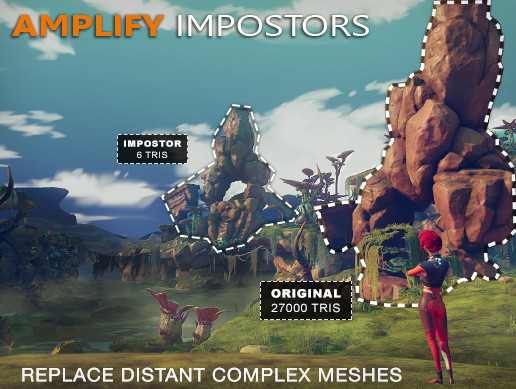
-
- BETA RELEASE * *
1-Click Impostor Creator!
Optimize your projects with ease by using next-generation Billboard Impostors.
What are Impostors?
Impostors are camera facing quads, or simple polygonal shapes, that replace complex geometry by rendering a fake 3D...
 normal fiber
More space to spam our complaints! Is there any way we can get our mapping guys to working as quickly as they were before? They wrote some feedback here: https://forum.unity.com/threads/verdun-and-tannenberg-level-designer-feedback-on-2018-3-terrain-tool.608743/
Especially the dropdown is really hurting their already strained workflow

Unity Forum
Over the past 5 years I have created over 10 massive, detailed terrain maps for first person shooters Verdun and Tannenberg. Here is my most pressing...
tardy walrus
@neon plank thanks for the response, HLOD is a different beast all together than standard per asset LODs, you can see it here in unreal https://docs.unrealengine.com/en-us/Engine/HLOD/Overview, it looks like Megacity did this level of replacement of whole structures composed of several components/actors (hence the H part of HLOD). I hope to see more information on this as it's an integral part of world building and streaming world data in Unreal.
That imposter thing is amazing though, I just wouldn't use it on items larger than some props.
neon plank
@tardy walrus ah, sorry, totally missed the H 🤦🏻 Let me ask the devs and I'll let you know if they used something in this vein.
 wild pewter
Talking about MMO Leveling
Should I make it that you receive less xp if the monster you kill is lower level, until a point (like 2 levels above) you get 0 xp
OR
Should I make it % based, so that even after 4 levels, you still get something ?
i think % based seems the better choice, in every way, if done right, no?
wild pewter
Actually
i think just ignoring that would work too
let them grind 17 million boars
 keen marsh
Hi all, I'm just trying to gauge interest, would anyone here be interested in an asset tool that makes placing large amounts of light probes easier? https://youtu.be/PZPNL8fN7j0

So this evening I tested an idea I had while at the office, a near automated method of adding light probes (which I have a new found respect for since Ludum ...
That's not a great video, but it gives the broad strokes.
 sour totem
I would be interested had I still kept working as a level designer - I saw Laurent Harduin updated theirs the other day, https://twitter.com/lharduin/status/1080480039521669120 have you taken a look at it?

Update time : my light probes placement tool for @unity3d is now a package (so it won't pollute your asset folder anymore), and it comes with several fixes. Example project : https://t.co/BDNrfXQKVK
package alone : https://t.co/6cJ7hZekoD
Likes
251

 Twitter
keen marsh
Twitter
keen marsh
I've not seen that yet, I'll check it out, thanks 😁
 fervent ledge
Is World-Building also okay to talk about a developing game's narrative, lore, universe, etc?
wild pewter
Yes
fervent ledge
Okay!
It seems that games about playing as giant monsters have a few pitfalls. Movement is the main thing, because giant creatures are depicted as being slow and sluggish. But it doesn't have to be that way.
Monsters don't have to be 300 feet tall; a monster can be just as intimidating, if not more efficient, at 100 feet in height or smaller. They can also manoeuvre around their environment better two. There's more playspace, basically.
So this opens up opportunities to destroy and explore locations like dense jungles, canyons, small american towns, and so on.
tardy walrus
@neon plank thanks 😃
 hardy girder
That notion seems related to observation of how elephants and whales move around. But have you seen an elephant running? its terrifying.
fervent ledge
@hardy girder I suppose it's more pseudo-reality logic stuff.
Some kaiju games have slow and sluggish gameplay. Realistic, but not very fun.
hardy girder
Yes, it is assumed that anything much larger than an elephant would probably break their bones while moving around, and certainly couldnt even jump. Any animal bigger, like a whale, would have to live in the water so the weight of their body doesnt collapse the creature.
then, again, we had several of these:
fervent ledge
In the instance of this game, it doesn't adhere to real-world physics, all for the sake of fun gameplay.
It has big stone men and killer apes, lol.
fervent ledge
This is a test level for one of the maps.
And here's a monster in the street. Each street has a double lane.
About the right camera placement during gameplay. The grey block is a car for scale.
 somber rock
Hey... we need opinions, we are making a runner game in the different scenes (e.g: a forest), should we use unity's terrain, start with that and then use a 3D tool, or a 3D tool from the start????
 forest heart
I would say, if you want to make at the end your scenes with a 3D tool. Just do it right from start if you can do it...
Everything you'll make as placeholder will have to be replaced, and that's as many lost time
 flint crow
depends if you find iteration faster in the 2D tool. 'cause that could be saving time, too 😃
But, Unity's terrain tool doesn't seem that hard to use. So, that might not be a concern.
forest heart
Well if they ultimately want to use 2D tool, they should do it. I just tell him to stay on what they aim to do at the end. Prototyping, or doing very bad easy things and models are fine if that's very fast. Because you lose your time doing thoses environments or prototyped scripts if you already know what you are aiming for.
His question was like "I want to make 3D terrain with a 3D tool, should I start with unity terrain" My answer is "You know what you want to have, why would you loose time with something which isn't what you want to do"
flint crow
yeah, I'm just adding that one reason to use a different tool, is if it's faster for iteration. That's all!
 wet ingot
I'm currently working on a game that relies a lot on terrain and that has a built-in level editor (runtime). One of the specificities of the game being that there's only a single texture on each tile (no blending/mixing different ones).
Currently, we have our own brush and paint system (done months ago). Though, with the unity terrain brushes now being accessible in the api and being gpu side, those would be way faster than the homemade ones we have.
So, is it possible to obtain this kind of behaviour using the unity brushes ?
 sweet holly
I don't think so, @@wet ingot . Sort of if you sample each point and paint it as such but I think the new system autoblends textures. Im actually working my terrain height and painting system as well. Lol
 trim idol
Does anyone have any recommendations on 2D tilemap development. I tried Tiled, but found it wasn't any better than Unity's built in editor. My big problem is that every time I update the tile sheet image, I have to either put up with Unity's horrible packed tiles that mess everything up, or I have to redraw all the colliders on the tiles and reimport the pallet. Any advice on a better workflow?
 wind garnet
It depends on if unity's tiles are horrible because you're using them incorrectly, or if they're actually horrible. The latter seems unlikely given how many people I see being happy with it
if you're using it incorrectly then this is something to try and fix
trim idol
@wind garnet Can you recommend an up-to-date tutorial on using Unity's tile system? Every tutorial I've seen is either out of date or too trivial to cover this problem (assumes you never update your tiles).
 sly merlin
I'm.. confused on what your actual issue is. What do you mean? Why do you have to reimport the pallet and "redraw" colliders? What do you mean by redraw? That should happen automatically
 rapid bluff
Any tips to how to avoid this issue when importing .raw heightmaps? (16bit raw osx 2048px)
sweet holly
Try changing the Terrains Size Y value to see if that helps
rapid bluff
"Terrains Size Y value" What do you mean? The Y axis transform?
I believe it might be tied to that extra pixel that gets added to the Heightmap resolution, which changes to 2049. Texture is 2048x2048, made in photoshop.
 torpid mural
hi all! Following my post of yesterday (https://twitter.com/RaphErnaelsten/status/1086718911276638208), I also added shortcuts to select next/previous texture (because the default ones... you know) and a visual (visible) reminder of the current selected texture as well.
rapid bluff
Glad you're having a go at the system @torpid mural The unity 2018 Terrain upgrade was so underwhelming, I can't believe they even dared push it after so many years(!) of nothing (except tease and talk).
torpid mural
honestly I was really surprised how not friendly (idk how to say bad without being hurtful :p ) it was.
and no surprise that it has not come around before from someone out of Unity. This was surprisingly annoying to do
sweet holly
@rapid bluff sorry for taking awhile to get back to you. Y value as in the height. Usually if you're importing heightmaps and the terrain is getting all wonky it's because the width/height/length (or terrainData.size(xy,z) ) are not to-scale with the imported data
And yeah @torpid mural the terrain system documentation is currently lacking a lot, but one of the unity devs has said in the general-unity chat that they are working on it
I'm also currently working on a terrain system hence why I'm so involved here atm lol
torpid mural
@sweet holly yes i know. It's not just about the doc though. It's not having a step back and updating the thing in x years or so. The new terrain tool will only be for 2018.3 up. Think about all the many people that cannot upgrade.
But hey I am not here to argue about that :-)
Just shared some wip that might interest you guys
And that will retrocompatibly work on all unity version ;-)
sweet holly
Eh I enjoy the new system so personally see no reason to ever try to emulate the original lol
torpid mural
It's not an emulation. It's the original. Just for unity before the new system
wind garnet
Unity terrain is way better perf now, but it's definately a WIP, there's a lot of neat tools on github Unity have developed like mesh stamping, bridges, erosion etc.
I'd give it another decade and then it'll be ready for rendering in 2008. (just kidding)
The per-pixel normals do enhance the quality considerably, and you can raise the patch quality quite a lot for the same perf as the old. So baseline wise the terrain is IMHO twice as good, just lacking all the things that people think terrain really is (rocks, grasses, holes etc - things that aren't technically terrain)
 feral pollen
Is there anyway to know the Terrain texture(s) that are being walked on by a character, in real time that is as the game is being played? I'm probably asking this wrong, I know what I'm looking for, just can't vocab it right now.
sweet holly
@feral pollen get the alphamaps under the players feet at runtime
This returns the x.y position on the alphamap. As far sampling the point you just need to access the float array for the alphamap ([,,]float Alphamap = Terrain.terrainData.GetAlphamaps(0,0, Terrain.terainData.alphamapWidth, Terrain.terrainData.alphamapHeight))
trim idol
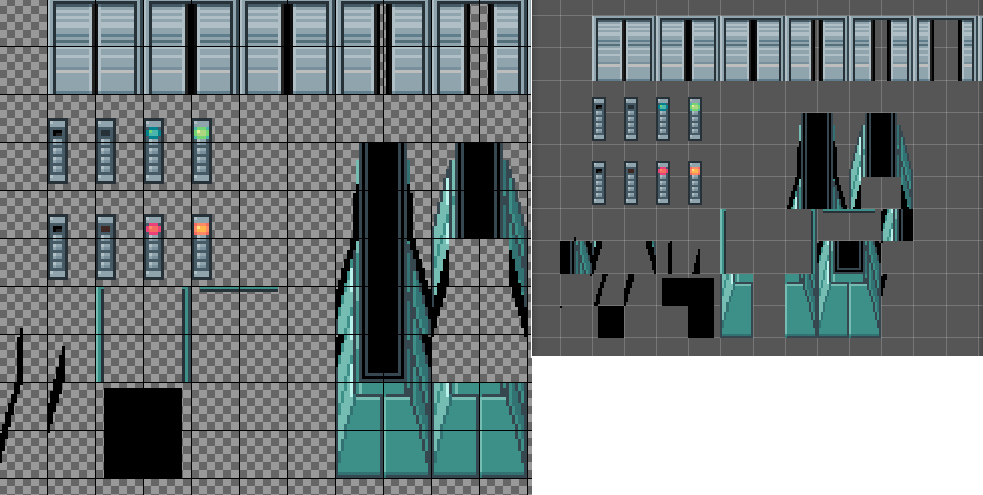
@sly merlin Hi thanks for responding. Here's a link to a side by side comparison. https://imgur.com/DMOlKDS The image on the left is what I have made in photoshop (Gimp actually). The image on the right is what I get after re-slicing the tiles. They new tiles are all jumbled together, which makes them hard to work with. Furthermore, re-slicing the sprites destroys the old colliders, so I have to redraw them in the sprite editor using "Custom Physics Shape". That's a lot of work. And I have to do all of this every time I make a small change to the original tile image. That's a really annoying workflow. How do I do this better? Is there some better way to deal with updating tilesheets?
 warm radish
@rapid bluff this should be fixed in 2018.3.2
https://cdn.discordapp.com/attachments/497875195718271004/536982298185302037/unknown.png
 feral pollen
@sweet holly Thank you, I'll look into it.
 vivid kettle
OpenGameArt has a lot of tilesets, usually under friendly licenses
rapid bluff
@warm radish updated to 2018.3.3f1 and re-imported the heightmap. Same issue.
Changning size to 2049 did sort it out though.
wind garnet
Didn't realise the new UI was with us already.
Also check the docs, you can't have exact size for heightmaps.
rapid bluff
photoshop ui 😉
wet ingot
Heightmaps' size have to be equal to a pow of 2 + 1 (iirc, there's a tooltip telling it in the unity inspector)
warm radish
ya that's not unity haha
@rapid bluff the terrain heightmap needs to be power of 2 + 1 pixels so that would be 2049
the extra pixels are used as a copy of the first row/column of pixels on any neighboring terrain so that the heightmaps match properly. vertices on the terrain patches that border patches on other terrain tiles have to sample the same height values to avoid seams
there was an issue in 2018.3.1 where that last row/column of pixels weren't getting serialized and would cause the same border artifacts
wind garnet
I'm wondering if Unity plan at making a pass over the terrain vegetation system, and if so are there any materials online like a roadmap or something I could read up on please ? 😃
I don't really want to use third party solutions, and wanted to see if there's a possibility to save myself work.
warm radish
Yes we do but no public roadmap that I know of yet
wind garnet
Thats great! really looking forward to your team's work. Seattle team right?
warm radish
yup!
wind garnet
It would really help if we could have a little more information on vegetation optimisation or rendering please using unity's new terrain in a HDRP context. really would like to use all this without 3rd party which tends to be unsupported after a few months
warm radish
What kind of workflows are you interested in for vegetation?
wind garnet
Any
So long as I get fast vegetation that I can use, and open to all and any suggestions here. I need to solve it
I don't mind if it's not perfect, only that we can get on with building a game that looks like it's set in ancient sumerian times with lush foliage, and not mars
We're generating stuff using world creator 2 at the moment, so that spits out pretty much everything as far as I know, map-wise
wind garnet
also we need to import a splatmap from world creator 2, to HDRP terrain - no option available?
warm radish
you should be able to from script. set the pixels of the terrain splatmap to those of the world creator splatmap
first do terrainSplatmap.Resize to the dimensions of the world creator splat and then SetPixels
no out of the box way to do that (yet)
wind garnet
Nice! thank you 😃 now to solve purple grass (sorry If I am being a pest) - very grateful.
Any tips on the grass / trees being all purple or should we wait for your next update?
wind garnet
Latest all, I'm going to stay bleeding edge up until HDRP is officially released in 2019.3
(current 2018.3 with 4.9 HDRP cos waiting for HDRP 5.3.1 before going to 2019.1 beta 2)
That's not really bleeding edge though, it's more like mild graze
...paper cut?
warm radish
haha. paper cuts suck though
so iirc, hdrp tree shaders (speedtree at least) are being worked on now. i believe the grass and detail mesh shaders have been done but i will need to double check
wind garnet
Awesome! Does it run quickly and stuff (instanced unity magic?)
I guess tree creator will still remain a part of Unity then going forward
Hard to believe fredborg's little effort has lasted so long
warm radish
sorry i meant speedtree shaders are in the works, not tree creator
added the correction to that statement
wind garnet
Poor old tree creator. Nobody loves you.
I'd probably be best off using speed tree though 😃
Well count me in if you need a tester for it. I'm in various alpha and slack channels around Unity, happy to feed back!
wind garnet
Quick Q - will the detail meshes for terrain have the same tile cache scheme as the terrain itself? it's not likely is it? so we would probably want to look at optimising that somehow
Perhaps choosing one splat texture only to blend with
warm radish
You mean the virtual texture cache?
warm radish
It's possible that they could have access to it. You're talking about blending detail color with terrain, for example, for grass?
I don't think I'm understanding the context completely. Sorry
wind garnet
I meant meshes that blend with the terrain under it, so you can do overhangs and so on, I guess this is not what is meant by detail meshes.
If detail meshes means only vegetation and not overhangs, rocks etc then I'm mistaken, but that does mean I should try and work out how to blend a mesh with the terrain so I can have overhangs, and would love, love some advice how to do this with a graph (I use HDRP!) 😃
warm radish
ah i get it now. ya i dont see why you wouldn't be able to access the VTC from those shaders. will keep that in mind going forward though
wind garnet
Yeah it's a weird one though isn't it? becaue it's say - a rock...
that's going to work fine with it?
Wondered about all the uv kung fu
warm radish
are you blending the rock into the terrain or the terrain into the rock
(the age old question right there)
wind garnet
hahah
Well it's just for getting those terrain shapes the terrain itself can't deliver I suppose
wind garnet
And anything that needs to sort of grow off terrain that terrain doesn't have the res for, or even something as mindless as old ruins where the terrain moss/grass grows up it
The stuff that microsplat does that's similar, and I guess RTP
it doesn't even need to be more than one terrain layer though but then I thought "what if it's cached" and there we go I retreated to this channel to snuggle up to you hoping for advice/guidence/reassurance 😄
warm radish

Hellblade Development Diary 8: Prototyping Phase. For more information visit www.hellblade.com and follow @ninjatheory Hellblade Senua's Sacrifice is releasi...
warm radish
i'll think about how you could do the blending with a graph (non-vtc since i don't know all the implementation details yet for that)
wind garnet
Love that!
Can imagine worst case would be 4 cached textures trying to blend with said rock so some head scratching would occur
wind garnet
it is probably fine to just match one splat with it
warm radish
in the case of the vtc, it might all be baked down. the tricky thing there would be figuring out where the tiles are that contain said rock which might be completely random
for the current terrain, you could pass the shader any number of the terrain layer textures, align them to the tiling on the terrain and do triplanar projection perhaps
and possibly sample the control texture to get the blending weights
you could do the blending based on height/distance from the terrain's heightfield (probably add some noise there so it's not a flat line) or via vertex colors and vertex color painting
then you'd want to blend normals at the seams too so you'd also need access to the Terrain's normals by either calculating from the heightmap or using instanced terrain's generated normalmap and blend that based on your vertex color weights -OR- just blend towards world up haha
wind garnet
haha it's a rabbit hole. But honestly just picking an existing splat to blend off (a single one such as grass) is absolutely fine if it matches, for I think, probably everyone
So that would simplify pretty much everything and go a long way
And maybe you know, they want to specify this anyway
Perf would be better as well
warm radish
ya that would probably be enough. so, if you were to do this in SG and HDRP, you'd want to expose texture properties for the albedo, normal, mask textures along with the tiling info for the specific layer you want to blend with, let's say grass. (would be nice if we had an align texture to world node...)
you could also raycast against the terrain to determine the most prominent terrain layer and pick based on that, then you're not necessarily limited to one terrain layer
also would want the Terrain position. with that you can calculate the terrain space/world space position of your rock fragment and get the sample uv from that using the layer tiling info
so you go from the rock fragment's world space pos -> terrain space pos -> terrain layer uv. you may have to do some other offsets to get the uvs to match up. if it's a rigid 3d grid, i think the projection will only match up at cell borders
maybe i should i try this first before spewing out ideas haha
ill have a go at it this weekend perhaps
wind garnet
Really? That's pretty exciting, no pressure of course, just eager anticipation with pressure.
hehe
 formal cave
Could somebody please tell me what speed trees are?
I hear about them all the time but have no idea what it is
 heavy jacinth
 formal cave
Is there any reason to use it instead of the already exiting trees though?
 sacred coral
the only difference is Speedtree has advanced visual effects such as smooth LOD transition, fast billboarding and natural wind animation.
it's a more advanced system, but Unity's trees are fine in most cases.
wind garnet
The issue is really one of authoring for SpeedTree, it authors trees that have a full solution for their rendering, something that's a pain otherwise to achieve at similar quality levels
also an impostor system like amplify's is sorely needed for not just trees but everything really, so I guess I'll just have to buy that too.
I strongly doubt Unity will open up their billboard system to be that full featured for any mesh, happy to be corrected though
sacred coral

GitHub
billboard imposter baking for Unity. Contribute to xraxra/IMP development by creating an account on GitHub.
there's an open source version here. but you'd probably have to update it to SRP yourself
I've tried it, it works very well, uses the same techniques Amplify Impostors does (in fact it came out before Amplify's did)
wind garnet
oh nice, thank you!
wind garnet
I'm thinking of importing height stamps and making them persistent in the scene rather than click once and there it is. so they are objects, and the terrain is automatically updated instead of stamping.
so the code would internally clear the terrain then stamp
basically we want to remove the painting side of everything and make it more of a deterministic object based approach as this is far more iterative and gameplay-tweak friendly
plus the current painting tools in unity are basically prototype
the only drawback I can think to this is probably i can't set stamps in code or something, will check it out
if that's the case I'll just generate the heightmap manually and pass it in
R16 is highest precision or RAW?
wind garnet
the hills are alive with the sound of ... well absolutely nothing since vegetation rendering is waiting for secret seattle sauce
warm radish
Unity Forum
Yesterday afternoon I studied the Terrain Tool Samples from Unity. They are really impressive. While I was toying around with them I saw a huge benefit...
 dusty solar
It may still be a while for secret seattle sauce, we're still thawing out of SNOWPOCALYPSE
wind garnet
Actually if terrain doesn't support snow at the end of all this I'm never going to listen to ned stark ever again. Heads will roll, mark my words.
warm radish
and what a snowpocalypse it was
sacred coral
death by snowsnow?
warm radish
there is work being done on details and grass but i dont know when that will be finished
wind garnet

 shut ore
I'm creating a script that automatically creates a terrain. This terrain is huge. Currently 13456x15280x147 and for detail reasons a heightmap resolution of 4097 as you probably already noticed this has quite bad performance if not Draw Instanced. Is there a way to use LODs inside of one terrain or should I split the terrain into multiple chunks to reach the best performance?
sacred coral
i'd definiltey consider cutting it up, you're forcing the engine to draw the whole thing no matter how little is currently visible.
shut ore
Thank you @sacred coral
wind garnet
Why would you not use draw instanced?
shut ore
There was a bug in 2018.3 which prevents you from using a terrain in asset bundles
Unity Forum
Hello,
Im using Unity 2018.2.14f1 When i create a simple scene with a terrain and trees, then save it as an asset bundle, then when i load the asset...
wind garnet
I see, it would be best to remain with the drawinstanced version. It's pretty much the only thing making terrain worth using over meshes.
See if the latest 2018.3.6 has a fix?
shut ore
yeah but splitting is a performance boost as well if I have like ~150km^2
Not yet tested - actually I could do it now 😄
wind garnet
It can be and it can't be. For example, terrains don't stream properly right now, so the tiles you'd be saving processing on would have to be beyond your camera view far clip, right?
shut ore
Yeah I'd have to implement the streaming myself
wind garnet
Basically, it should be higher peformance with less tiles but not really noticably so.
I'm not sure how splitting them is going to improve any perf at all TBH
You want to split for detail, or for material purpose
sacred coral
frustrum culling alone should give a huge boost
because the chunks out of view won't be drawn
wind garnet
It doesn't work like that for new terrain tho
wind garnet
But terrain lods itself and discards the outside of the view regardless
sacred coral
I thought they were supposed to be making it better 😛
wind garnet
it is better
The terrain should be doing this all on gpu so even on the same terrain you are within, it will adapt the detail only where you can see
(you mean the terrain not vegetation, right?)
sacred coral
a terrain that's not in view of the camera shouldn't be drawn at all
there's no reason it should be
wind garnet
Shadows?
sacred coral
well, Unity doesn't care about that and regular meshes
also I don't think any terrain getting culled would be close enough to cast a shadow
wind garnet
Well I doubt you'll get any different perf tiling it and hoping they'll get culled, in fact that was slower in past unity (there was more overhead from having more terrains even if culled, assuming 2 or more still remained visible)
sacred coral
unless you have mt. Everest in yorr scene maybe
wind garnet
this chat tells me there's a lot of different reasons for things to slow down per project then
sacred coral
it's bad enough you have to disable terrain LOD to use things like CTS
sacred coral
no I dont' want to heh
wind garnet
The only point of unity terrain IS because it lods
sacred coral
i reported the bug and that was what i was told "just disable LOD" heh
kinda pissed me off
wind garnet
else you should just dump it to a mesh
with unity terrain working properly, you can have a vast one, for 10 miles no problem and it'll absolutely perform as you would expect if you were hiding bits off screen
not if you disabled lod tho :P
sacred coral
i agree hehe
problem was mainly with their snow
so I just plan to use a 4th party snow 😛
wind garnet
I'm sticking with Unity's own shader and eventually probably microsplat
(I'm on HDRP so there's limitations on choice for now)
sacred coral
yeah I've been keeping an eye on microsplat
wind garnet
microsplat is so much faster it's not even funny
it's done by an AAA gpu guy
no lod issues either
sacred coral
good to know 😃
wind garnet
I mean this same guy rendered an entire city on mobile for walking dead
sacred coral
oh really?
wind garnet
his stuff really isn't slow
thats why its never a choice between CTS and micro for me (but I can't use micro until unity sorts out its node stuff properly on HDRP)
sacred coral
yeah i just grabbed CTS because it was on sale and seems to be pushed a lot
wind garnet
not by me :P
sacred coral
but I'll definitely evaluate other alternatives when it comes time to put it to serious use
wind garnet
its free to try if you don't want features, the features plug in separately
sacred coral
yeah i have it, I've just not sat down with it
it's on my very long list of free things to try heh
wind garnet
well if CTS is forcing you to turn off lod ... :D
sacred coral
yeah i'll bump it up the list heh
wind garnet
microsplat's snow costs 8 bucks on top of the free core module
sacred coral
i actually have a snow solution already, so i'm not too worried on that
wind garnet
nice well no worries :)
but really, you will have to disable lod regardless if your snow is post-effects based I suspect
sacred coral
yeah it's all good. there's a thousand little details to deal with and each in turn
wind garnet
what snow solution do you use?
imho snow should be done at the shader not post effect level so it's immune to lod and other issues
sacred coral
it's Global Snow, by Kronnect. it's a ScreenSpace Camera effect with vegetation shader replacement.
you may be right on that
wind garnet
yeah that'll always break when topology breaks
same for any grass system that relies on geometry shaders
this also will only work on builtin renderer i think, but who cares, if its nice it's nice :D
sacred coral
i also have Lux which has snow at the shader level, but the problem with that is
it's legacy pipeline 😃
so, kind of get stuck if i use it
wind garnet
Global snow is legacy and so is CTS though
sacred coral
yeah i know, though I hope they eventually add HDRP support
wind garnet
have to poke authors
sacred coral
but I know Lux won't, it's pretty much in maintenance mode
wind garnet
I prefer unity native features where possible, the asset store only exists to take money, so I can't blame them all for pushing it like it's the next big thing
sacred coral
hehe true
shut ore
BTW: Draw Instanced Terrains from asset bundles are still not working - I'm going to get into contact with unity again.
sacred coral
i won't deny i get things for their 'gee whiz' features sometimes. I may never use them but they are fun to play with 😛
wind garnet
I've spent far too much money doing that too :P
haha
Now I just beg and gently whine at Unity to fix it and make the pain go away.
Currently Unity needs to solve all my open world lod issues and solve all my lots of trees issues (I can probably roll my own grass)
warm radish
solution: less trees 😛
@shut ore can you make a bug report and send it my way
deep...
 boreal shadow
Hi @warm radish 😃
shut ore
@warm radish there is aready an open case 1122023
But i cannot attach my project shall i send you directly?
warm radish
is there not an option to upload a project?
shut ore
I attached to the email and it got denied by the mail server. I and at https://fogbugz.unity3d.com/default.asp?1122023_eno2b4ck3f9dtb0b there is no option to attach something
warm radish
ah. what's the size of the project?
shut ore
400kb (just to reproduce)
sacred coral
between CTS and Microsplat, how much difference did you see?
sacred coral
nice, thanks for the data points 😃
 round latch
Anyone here use ultimate terrains
round latch
uterrains developer being interviewed today

Twitch
Feb 16 • 9:00 PM - 11:00 PM GMT

sorry I'm done, I just wanted to share this as its about ultimate terrains
wind garnet
I'd prefer a workflow where I can move separate stamps around and current Unity limits the stamp to a % of the terrain size which is a limiting factor. My idea is that we use WC2 just for stamp generation, and make stamps persistent objects on the unity side that can be dragged around, scaled and rotated freely. To do this, a GameObject would have a component that triggers the terrain to be rebuilt (re-stamped) by all the object-based stamps that exist on game objects littered around whenever dirtied by the user.
I think it's more powerful to be able to iterate like this so I'm looking for any pointers with Unity's terrain API. I suspect the limitation on stamp size on unity is going to prove to be a real problem, or maybe the API won't even let me do this... any tips or info to share will be welcome before I get started.
(Why is there even a limit on stamp sizes anyway, it should be engineered so we can use stamps of any size across multiple terrains or stamps are only useful for smaller features)
warm radish
Stamp size as in brush size right? The one thats limited to .967 of the minimum terrain dimension
wind garnet
Yeah I think it just means I have to make the entire world 1 terrain, not tiled, right?
Because if it's tiled and each tile is say 512, that's not very much room to work with in a real case
For me I'm happy to just use one terrain if you think it will be equal performance (I have 8km)
warm radish
tiled is probably better for most cases. im imagining a quadtree intersection of all terrain tiles is what we'd want to move to and then build the necessary rendertargets from that in our tools, whether it's a single RT or multiple
atm it's just an adjacency graph and tiles have to be lined up perfectly on this "grid" in order for painting to look right across tiles
wind garnet
That sounds decent. For my scenario with an 8km terrain, how many tiles would you suggest at what resolution for performance? ballpark is great ... just to get started ?
warm radish
im not quite sure about the perf difference as the patches are culled based on the quadtree renderer built in to terrain. more tiles just makes versioning a little easier
wind garnet
@warm radish thanks for the tip! I've gone with a single 4096 tile for now for 8km range to start, will adjust as we go I guess, if needed.
The far bigger issue right now is that the terrain needs to cast and receive shadows but the 8km view distance is a problem. I only need around 200 or so meters of shadows for most things.
I tried contact shadows for terrain but it fades at the edges of the screen so no dice. What do the big boys do for shadows on terrain at collossal distances with time of day, do you know?
 signal heath
Hii there, can someone help me with the terrain tree painter, i cant use my tree,,, when i open it it says 'Tree couldn't be instacted because the prefab containns no valid mesh renderer'
 solar fox
Sounds like you have a problem with the prefab you want to use. Try to resolve this and it should work
** Q: **Why do terrain Layers look like crap flat when using LWRP? Looks like the Height information does nothing. Even the normal map is weak .
warm radish
In LWRP I think there is an issue with instancing. Doesn't look like it is gathering the normal data from the heightmap and using that in the lighting calcs
wind garnet
weird, doesn't seem something like that would be missed
sacred coral
Bugs: they are the things you didn't mean to do.™
wind garnet
You sure? cos my game is feature packed.

Nothing normal about that. I'll get my coat though?
sacred coral
@wind garnet CTS just updated and said they fixed the LOD related snow problem. Gonna try it and see.
sacred coral
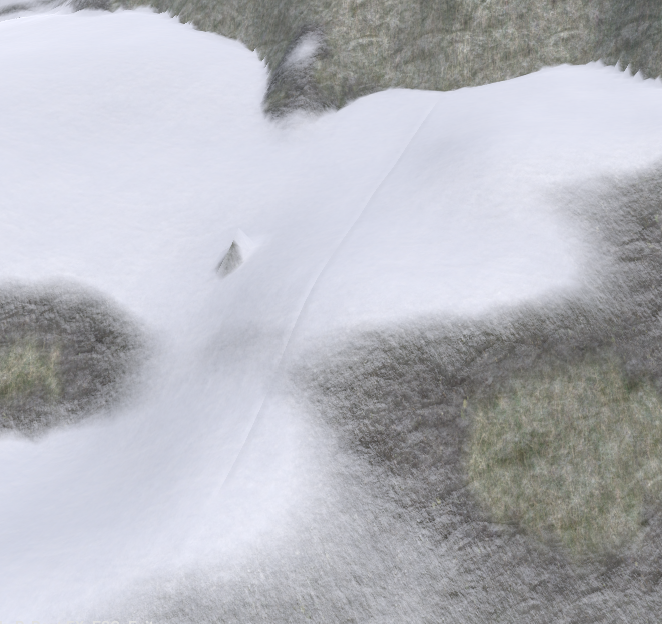
seems they did fix it for the most part, but now there's an ugly seam in the snow between terrains.
i guess i'll change my review
wind garnet
looks a lot better
a padding option for the post effect would be nice now
where it extends over the edge of meshes a little
i mean. do you get that seam with the builtin shaders?
sacred coral
not sure, and then again, this was on 2017.4
it may be better on newer unity
i haven't tried it on 2018.3 with the new terrain yet
they just added support for 2018.3 also
warm radish
check the normals debug view and see if that seam shows up on the terrain
it does look like it's only where the snow is though
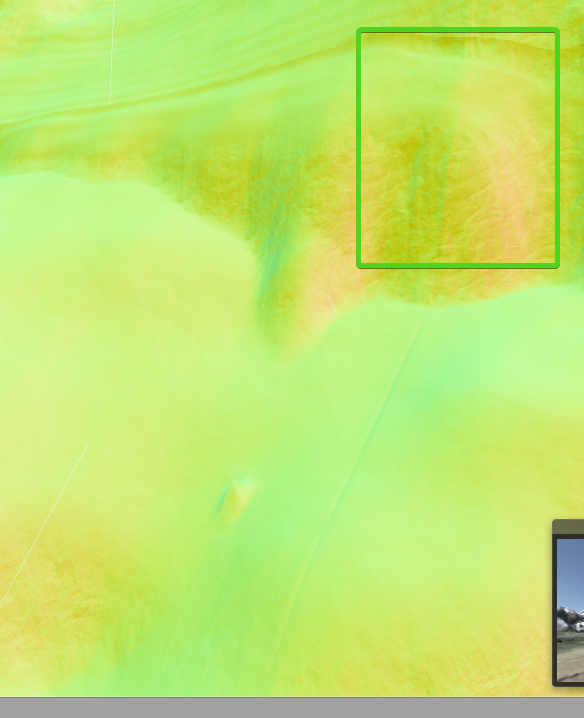 warm radish
ya. that's an issue then. what's the unity version you are on?
sacred coral
it's 2017.4.21f1
warm radish
ah. before we did cross-terrain painting
sacred coral
yeah why i'm not too worried, it's probably just bad stitching on their part
i will try it on 2018.3 later and see how it is
wind garnet
might need to paint that bit again elevation wise or remport that bit
or maybe unity has a method for terrain to re-stitch
speaking of which, I need to grab the heightmap of the terrain for use in my own shaders, could you point me to the API for it or offer a quick snippet? I hunted in manual but I feel trapped between old and new API and google is way outdated...
pref height + normals so I can do my own (extemely dense) near-grass
(about 10 units worth in range so it's just a local thing but needs height + actual terrain normals, that is which way is this bit of surface pointing - unless that's also in the height normals)
thnks in advance for any advice :)
sacred coral
look in Runtime\Material\TerrainLit\TerrainLitDataMeshModifiction.hlsl
float height = UnpackHeightmap(_TerrainHeightmapTexture.Load(int3(sampleCoords, 0)));
sacred coral
"Amongst other things CTS 1.9 was upgraded to support the new 2018.3 terrain apis. It will work just fine on legacy and new terrains however it will also disable instancing on new terrains in order stop render issues. "
… glad i didn't change my review yet.
warm radish
UnpackHeightmap and PackHeightmap for hlsl and then TerrainPaintTool<> and PaintContext APIs for C# side
you can get heightmap, alphamap, normal map data from
PaintContext ctx = TerrainPaintUtility.BeginPaintHeightmap(...)
and
TerrainPaintUtility.EndPaintHeightmap(ctx, undoStringName)
to dispose of the render targets, etc
take a look at these if you havent already: https://github.com/Unity-Technologies/TerrainToolSamples
they are for 2018.3 but the API has only changed slightly going into 2019.1 and 2019.2

GitHub
Contribute to Unity-Technologies/TerrainToolSamples development by creating an account on GitHub.
wind garnet
Will have a look, thanks guys
 final wadi
The new Unity terrains are generated entirely on the GPU right? Is the actual mesh/triangle data generated via a Compute shader from the heightmap texture?
since I assume the mesh is generated once, not every frame
wind garnet
I believe they didn't change as much as they'd have liked.
But so long as performance is there and they manage to get a solid PVT approach going (preferbly with a tessellation layer for a few units around the observer) similar to https://github.com/ACskyline/PVTUT
GitHub
Procedural Virtual Texture with Unity Terrain. Contribute to ACskyline/PVTUT development by creating an account on GitHub.
having 8 "materials" collapsed to 1 so it's basically same cost as standard shader is the moment Unity terrain becomes a solid choice over classic mesh approaches
(btw @warm radish might be worth a poke about in the above github for comparisons)
1.6ms pvt vs 3.5ms unity standard terrain shader
wow I love the fact he took time to write up every problem
sacred coral
is instancing important for Terrain? I just found out CTA disabled instancing on 2018.3 so they could make it a paid upgrade.
I'm not sure why you'd need instancing though, that would imply you'd have the same terrain more than once, and I don't see why you would do that.

Unity Technologies Blog
We now have a team dedicated to terrain, and our initial efforts will soon be publicly available! Unity 2018.3 will ship with an update to the terrain syst...
I've had it with those guy. I guess I wasted my money buying their stupid product.
wind garnet
CTS asking for money for instancing? ROFL
What planet does that make sense on
Given it's actually a built-in feature of Unity terrain.
Anyway, instancing is a huge perf boost on terrain, specially with a low pixel error (can even use a pixel error of 1 now)
sacred coral
yeah well, I didn't even realize they had done that until I started reading the support thread. they released 1.9 without it, and now have a 2.0 that has it. and of course it's a 20 dollar upgrade.
but hell if I give them more money, i'll put that 20 dollars toward microsplat
they said they are going to go on a yearly maintentance schedule just like Unity, so you will have to rebuy CTS every year to continue to get updates....
no way i'm getting in bed with that
and not just CTS, they are moving everything to that model, Gaia, Sectr, you name it
dusty solar
well then, I liked Sectr but that just sounds like a bad idea
wind garnet
yeah cts... surprised actually
i see well I'm wise (tm) and have told people not to rely on asset store. you can get all you want in unity.
sacred coral
😛
wind garnet
use hdrp + builtin terrain. it will be graphed so you can add snow with a few clicks
and as for how it looks right now, that's totally not acceptable where unity's concerned, they will be making it sexy times i'm sure
sacred coral
yes I hope to see more terrain improvement out of unity in the future
wind garnet
20/yr is fine tbh though, for a product that is evolving otherwise of course not
sacred coral
well assuming it stays at that
wind garnet
and assuming it does evolve
sacred coral
but I assume nothing
microsplat sounds better anyway
I was already teetering
this just pushed me over heh
sacred coral
oh well, yeah I'm waiting
wind garnet
$$$
dusty solar
💵
sacred coral
just saying if I spend that 20 dollars I know where it's going
wind garnet
I appreciate Adam Goodrich is building up his business and I can't knock him for that at all.
dusty solar
I mean, I can see why they'd go to that payment model. Market saturation hits and people are probably holding off on buying some assets until the whole ECS / Package Manager / Asset store integration is figured out.
sacred coral
well have to look at it from my perspective. I bought 1.8, it was broken
wind garnet
but in general I do not rely on third party, not when Unity really does sort of do everything now (if on srp)
sacred coral
he was an asshat in our emails back and forth, blaming me for the problem
then finally admitted it was broken
I wait for a fix promised, for 3 months
then find out it's gimped and I have to pay more
wind garnet
can't asshatsume
sacred coral
so yeah from a customer standpoint, I dont' like the experience I've had
wind garnet
it seems pretty normal for a company where the staff is also the boss - expect similarly personal and defensive comms from the little guy (tm)
by little guy I mean any tiny shop on asset store and not 3 bn worth of unity
sacred coral
yeah I known about defensive store owners lol
or really anyone who has to take critiques on their work, ever
it can be hard to hear
vivid kettle
Weaning myself off of the asset store is like my new years resolution. I've spent a lot of money on systems that Unity ended up implementing themselves, or end up too convoluted to customize without spending as much time as it would to learn it myself.
Seeing the "fix is coming for months" then fix comes but is behind an unannounced paywall is helping to reinforce my choice though at least
 fathom token
Was not happy with CTS when I purchased it (was very slow on intel chipsets), and abandoned it for Microsplat. I've heard they improved the speed, but felt no need to go back. Microsplat has been everything that I've needed, and performance is great.
wind garnet
I'll never understand why you don't ask hippo (tm) then avoid the inevitable regret
I have no social life, so the only person more nerdy around here for Unity stuff is Olento, but I plan to defeat him soon enough
with an all singing-dancing attempt at ECS hybrid rendering
I've spotted it in PM and I'll have to give it a go
sacred coral
with a tender kiss by hippo on every object.
wind garnet
more like a tail spinning fan of brown but we'll get there
wind garnet
me too, and so have people who have decided it's an awesome idea to act poorly toward others on forum
I honestly ask for very litte: all just have fun doing games not starting on each other
its amazing how hard it is for people to not beat each other up
sacred coral
yeah i mean, i meant RL hippos but i get what you're saying 😃
sacred coral
I upgraded a terrain project to 2018.3 but I don't get what i'm missing. I can't see the textures or materials on the new terrain
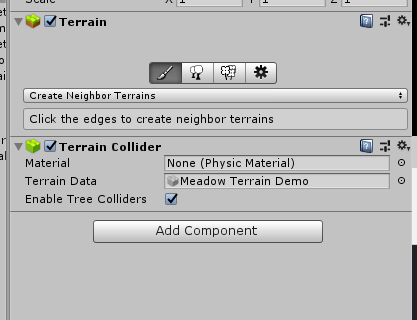
there's literally nothing here
just the brush icon
fathom token
Change the dropdown to paint textures
fathom token
Yeah, threw me for a loop at first too
sacred coral
thanks 😃
fathom token
No problem - have fun!
 lusty kite
Any recommendations for a terrain stitching/blending asset?
 quaint blaze
I thought uscript had been dropped and removed?
sacred coral
hah. I had this saved in a file TerrainStitcher.cs
I thought it was C#
i guess i need to convert it from javascript
(never used it, just saved it for a rainy day)
sacred coral
There, now it really is C#. but now it's too long to paste. so here it is as a file
I think i'll sticky it since it's come up multiple times
 broken dagger
Any reason my shadows are getting culled when I move the camera?
This is on unity terrain, there is no occlusion culling, one directional light
wind garnet
When reporting issues always add the versions of everything you're using
sacred coral
shadows are being culled because the object casting the shadow is being culled.
welcome to realtime rendering 😃
wind garnet
Yeah it shouldn't be culled though since the shadow pass is done separately so it must be some tree addon or something?
Drawmesh indirect
sacred coral
oh do they do something special with terrain trees? I've never tested
i know this is how regular game objects behave
 lavish pawn
With the improved terrain's performance in 2018.3 when you instantiate it, I'm wondering if it's worthy to use a Terrain Mesh when you are far from it, the classic approach till now. What do you think? I think you don't save too much polygons / draw calls, specially if you set a high pixel error.....
 sharp atlas
@wind garnet unity ver 2018.3.2f1, trees are from speedtree 8.3 with the unity export preset
@sacred coral the object (tree) is not being culled
wind garnet
just report a bug
wind garnet
Anyone got recommendations for the right settings for a highly performant terrain using unity's new terrain? I would love a pointer because it'll take a while to test so a start tip would be nice.
if I use 1024x scaled terrains, I need 64 terrains to cover my world with... is that bad or (default setting is 1k scale)
wind garnet
64 would be way slower than 1, right?
🤔
none of them can be culled (we see most of the terrain at a given time)
sacred coral
it's probably something you'll have to benchmark yourself. not many people make worlds that huge without turning to something like WorldStreamer.
wind garnet
its just fitting inside floating point range fine so i don't think its that big is it?
sacred coral
8km x 8km is still a lot of area
it's not just about the terrain but all the stuff living on all that land
wind garnet
frankly
i'm in freefall letting unity ecs-take-care-of-it-all
it's simple, they either aren't talking shit about perf by default... or they are
frankly I think they'll solve all this stuff for me
if that sounds entitled then it must be the sound of me backing a winning horse
sacred coral
lol
i guess in that respect, you are more adventurous than me. 😛
I'm going to keep moving ahead like ECS doesn't exist, until i feel i have no other choice but to use it.
if that ever happens
wind garnet
I am fortunate to be in the dots group for ecs so I can nod and pretend to understand but it seems to be going the right way at least
this subscene lark is going to be quite nice I hope
I like how I put "I hope" on the end
oh dear
But yeah, terry wants love. terry the terrain
sacred coral
subscene lark?
wind garnet
solving general purpose rendering of environments, lods, culling etc but in a high performing manner
streaming
so you convert your regular scene into a subscene
sacred coral
a bunch of subscenes?
wind garnet
Yeah there's examples on github but I'm not sure it's a terrific fit for terrain rendering. Probably great for towns?
sacred coral
it's not a horrible idea.
there's also something unity added quietly I've been meaning to look into but haven't got around to it
wind garnet
oh?
sacred coral
i think for large terrains, it could be an nice alternative as you can custom paint the whole area, but unity will only load the visible parts of the texture
Tech5/Tech6 engine use similar technology
all their textures are 16385x16385
like mega atlases
downside is as they mention not supported on all hardware
and it does mean data is read from disk frequently if you're moving around rapidly
I suspect games like GTA-V also use similar tech
as i know i had to upgrade my PC to play it, my old hard drive couldn't hack the sustained data rates when driving fast.
wind garnet
oh im just going to go with splats cos unity will cache it and it'll be cheap
cost same as a simple basic pbr shader then
of course it'll cost you another 20 bucks for cts 2020
lol
warm radish
going to add terry terrain to unity as a homage to you and clippy
rose sentinel
in what unity version was the terrain update intriduced?
wet ingot
@rose sentinel 2018.3
rose sentinel
@wet ingot i use MapMagic but seems broken with the terrain update. Im going back to 2018.2
 cunning raven
hi everyone, i have a question about a workflow i would like to make.
I have a fine 8K texture in metal workflow done. Now i would like to make a mini 100x100m terrain from it.
but i want to use the unity terrain object because it is so handy and has super tools to sculpt on.
but also because i want to use tools like vegetation studio on it lather.
is there a way or a package you would now of, where i actually can apply one set of texture map to the terrain object; Albedo, metallness, displacement, normal to it and use this?
this is my base work:
wind garnet
Anyone have tips about smoother terrain collisions? I'm finding that it's pretty janky at times for a lower resolution terrain (4096+1 heightmap and 4096 units scale)
sacred coral
@rose sentinel you should just contact the creator of MapMagic and get them to update it.
fathom token
@sacred coral - 2018.3 is supported in the latest version of MapMagic on the Asset Store.
sacred coral
ah he said it was broken, was just suggesting
 grave basalt
would be nice to have the limit lifted up to 8k
sacred coral
sparse textures 😛
wind garnet
it's just weird the terrain can be 4096+1 but the splats and base texture cannot.
solar fox
I understand these limits are to protect some of us from overloading their game and making it slow even unstable, and it is indeed not very common that you will need 4K terrain textures or 8K heightmap but all these should be easy to override right from the UI, perhaps with a warning message to make it clear you may have negative effects, since some of us may need this and may target different hardware setup than the average person.
cunning raven
hi all again, i have some more questions, i did now my own unity terrain shader to aply my pbr textures. But i have problem with the heightmap. I guess it's photoshop screwing up my heightmap. Do you have alternatives to convert my displacement maps into decent heightmap?
P is a plane using tesselation and the heightmap on shader
T is same Textures using unity terrain but i had to convert the displacement map into heightmap and feed to unity
left is how it's suuposed to look right is with heightmap
and its weirdly different
cunning raven
@sacred coral you mean inside unity?
i did not set anything special
i put the png indie photoshop and exported .raw
ah i see inside unity i can't even set a type its showing a blank inspector
sacred coral
i see
i was curious if it might have got an sRGB color adjustment applied
that might alter the values
cunning raven
Unity does not recognize raw in the editor
sacred coral
yeah so probably not that
cunning raven
I wonder if I find a Tool that does save my displacement better photo shop seams to break it
sacred coral
yeah I don't know, i don't have a lot of experience in that area
only thing i have tried is getting heightmaps directly from https://terrain.party/
they seem to import into unity fine, as far as I can tell
cunning raven
Okey, well I took it from there
Bit I used it inside mixer and reexported it
Maybe I try using the original map from the Download
@sacred coral thanks!
cunning raven
@sacred coral it worked now i only have a few small errors with my aplify terrain shader but i used now the original displacement map with terrain importer tool.
photoshop is total wreck and tempers with the colors for whatever reason i can't work with its .raw
lucky that i don't need adobe so much anymore

Terrain Importer is the heightmap/splatmap import tool that makes importing/modifying large quantities of terrain fun again (or at the very least, easy).
Forum | Website
- Import Tile Sets of (theoretically) any size, even those with missing tiles or in reverse order...
it's gold
sacred coral
I see, good to know 😃
broken dagger
How do I batch my details (grass) on terrain?
I see that the shader it's using has "DisableBatching"="True"
I'm getting like 300 batches because of my grass
also changing the value to False in shader did not do anything
wind garnet
The grass shader is responsible for batching, so you will need to be looking at that
Are you using srp etc, all matters.
broken dagger
No, I'm using the default pipeline
broken dagger
Terrain is set to batching static
Am I missing something? It didn't help with the batch count
But when I remove the grass I get 100 less batches
And yes, this is the shader the terrain is using because I've tried editing some values and they do have effect on the scene
wind garnet
why are terrain realtime shadows not matching terrain pixel error? it's leading to shadows that are incorrect for the visual and lower performance
warm radish
kk
wind garnet
actually just set pixel error to max and see that it's actually shadowing from the high res terrain. I'll never get that far but I think the issue is it might be placing a tad more pressure on the shadow rendering
huh its updating now. might well be a bug actually
warm radish
is it that it's not using the lower res geometry?
wind garnet
its noticable when time of day is late so long shadows. the shadows were using low pixel error while the terrain was high pixel error
so they din't match up
I guess it's just HDRP being funny?
warm radish
dunno lol
wind garnet
can't get it to do it now :(
warm radish
is it the silhouettes or the normal maps that are messing up?
wind garnet
just shadows being completely the wrong shape (from a different terrain lod)
ofc it's refusing to reproduce now you've replied here
(ofc)
wind garnet
try 200 pixel error then see if it gets stuck on the low pixel error for shadowing
warm radish
that's with built-in renderer though. i'll load it up in hdrp
wind garnet
I can't reproduce it now, seems to have cleared itself up :(
Any new terrain presents coming soon? of any kind - just curious cos it's the main feature here
final wadi
is it possible to get actual mesh data from the terrain for its various LODs
warm radish
ya. there's a get/set LOD function somewhere. ill find it
nvm looks like it's just terrainData.SetHeightsDelayedLOD
final wadi
yeah
I might be going about it the wrong way anyway tbh. Right now I'm generating a mesh road that conforms to the terrain exactly by basically recreating the ground triangles from the terrain heightmap and cutting them to the road shape. problem is when terrain LODs pop in it messes that up. I'm wondering if rendering the terrain with a stencil mask set to the road so that the terrain is "cut out" where the road is would fix my problems.
otherwise I'd have to generate LOD levels too and handle switching LODs to match the terrain LODs etc
warm radish
ya. that was going to be my suggestion
we build the quadtree at runtime on CPU based on pixel error. so there's no accessing that
wind garnet
There's basemap, you can bake the road into the basemap. I think it would be a charming idea to access that data for user modification, thoughts?
so the road would be baked into the basemap and you'd just fade the mesh one out in a nice way
pref dither/distance based
final wadi
possibly. depending on the resolution of the basemap it might pass for a road at distance
wind garnet
Another concept is actally.... mesh decals.
this isn't expensive done right
HDRP has those, and they don't necessarily have to conform exactly for distance
final wadi
you mean create a volume mesh (basically the road, extruded upwards) and use that for screenspace decals?
cause that's one thought I had but no idea if it'd work
wind garnet
my instinct would be to distance fade the mesh at a vertex level while allowing the distance map texture to have the road (this is a baked combined map of the terrains appearence just to clarify, not splats)
it's already built in so it seems ideal
or just splat something extremely similar under the road + dist/dissolve fade out mesh, see how far you get.
final wadi
problem is terrain LODs kick in pretty early, you don't have to pull the camera very far away before you see the new LOD pop in which will render through the road in places. and it's still close enough where switching to a texture would look bad I think
wind garnet
terrain lods kick in when you want with pixel error so you can predict it
final wadi
I will experiment with adding the road to the basemap, I'd like to see if I can make some nice texturing on the ground at the edges of the road anyway
wind garnet
if you use multi tiles then your terrains can be higher pixel error dynamically further away and the local pixel error can keep your road intact
I'm funnily enough experimenting with this now, to see if multiple terrains will give better perf (I think they will)
even though i can see all my terrains at the same time, manual control over pixel error is giving me substantially lower tri counts
if its all one big terrain, I can't do that
@warm radish is this a good or bad thing to be doing? multiple terrains for better perf, even though they're all on screen?
warm radish
baking into the basemap sounds great
signal heath
Look unity how you should do terrain's

I'm testing the new beta (03 03 2017) of World Creator 2 which have a new and updated height map importer. The height maps I import were created in World Mac...
warm radish
world creator 2 is magnificent 👌
multiple terrains is probably better especially if you have stuff that wont ever be close enough to your camera so you can do the per-pixel settings per tile
i don't know that there would be much more overhead
regardless of tile size, currently the terrain renderer goes through each patch and culls it whether it is one screen or off
maybe if you have 100s of terrain tiles instead of a few, then you start seeing a hit to perf
signal heath
Unity offers stars to painting terrain 😄
warm radish
havent done any tests though
signal heath
Unity should really do more about terrain making
warm radish
we're workin on it
signal heath
You?
warm radish
we
signal heath
@warm radishyou work for unity?
final wadi
The runtime performance of the new terrains is great though
warm radish
yup
final wadi
terraforming and such is buttery smooth
signal heath
@warm radishohh didn't know 😂
warm radish
i don't like people knowing that so i lurk in the dark
@wind garnet there's stuff comin to terrain but i can't say what or when
signal heath
@warm radish why don't unity has anything to make paths? Its almost impossible for a newbie to make paths, i had to get a asset to make it
warm radish
a lot of the functionality you'd expect from a terrain system is being worked on now. most of the work in the last year has been towards performance. now we are working on tooling
sacred coral
Here's a little known secret... everyone with yellow names is a unity employee. 😱
warm radish
paths/splines/etc are on the list of todos
sacred coral
and even some without yellow names are (super sneaky ones)
signal heath
@sacred coral ahaha im new here 😂, I though first this is a fan made discord
warm radish
welcome!
signal heath
@warm radish paths are really important for terrains, i was surprised how hard is it to make paths in unity
sacred coral
yeah NP, i love it when that dawns on people. you're not the first 😃
signal heath
@warm radish but can't really complain much 😄, unity is really impressive and can make magic if people know how to use it, i need just more practice
warm radish
it'll be much easier in the future. we just need some time to get all these features ready
if there's specific stuff about World Creator 2 you really like, or any other tool for that matter, feel free to share
signal heath
@warm radish paths and a way to make low poly terrains, low poly are really popular in games
These 2 are what i needed in my game project 😄
wind garnet
I love world creator
did you know it's made in unity?
the rendering in world creator you so love is just unity 5 terrain
So really, the key component for terrain quality is about performance and what goes on top of it
lusty kite
FYI - https://quadspinner.com/Gaea is worth a look

QuadSpinner creates the industry's most loved terrain design tools for games, films, and virtual experiences.
wind garnet
@warm radish sorry I didnt understand your answer clear enough, that is, will 1 huge terrain still cull it's patches off screen, or do I need to separate them?
(thanks for advice btw)
warm radish
It's made in Unity?!
That's super cool.
1 large terrain will still cull it's patches but using the same pixel error for each patch. Benefit of multiple Terrains would be having separate pixel errors for each
As you suggested earlier
 jolly tulip
Quixel Mixer is also made with unity
sacred coral
yeah all of quixels programs are
wind garnet
heh... it's funny when Unity staff working on terrain welcome insights from a terrain in another app.... that they probably worked on themselves
its swings and roundabouts
jolly tulip
Bridge is made with Electron
 wind garnet
SHHHHHHHHHHH ;)
jolly tulip
they switched to unity now?
sacred coral
 jolly tulip
earlier versions were electron
wind garnet
truth is it does illustrate most people use unity really badly and blame unity when they just are the flaw in the chain
sacred coral
might be hybrid to a degree
wind garnet
its partly because its hard to communicate how best to achieve something when your game is unique
@warm radish be nice if the basemap wasn't so harsh in popping in because using a closer basemap distance would have a nice filtering effect to guard against tiling. The terrain looks great except for the harsh divide between basemap and the splatted terrain mesh. if it could be blended it would dual purpose offer an optimisation and fix for tiling (thanks to our friend mip)
although I read on forums the plan is some kind of caching system
worth bearing in mind though
warm radish
ya the virtual texture cache
final wadi
Microsplat + new unity terrains are a great match
fathom token
I agree - Microsplat is fantastic.
 flint pagoda
hoping that there's new terrain goodies announced on GDC
solar fox
Why is this happening?
This terrain piece is an extension of the other. they are in the same scene they have the same materials on them
(The only difference is the dark one has no reflection probes on it)
Shouldn't the shading and reflections match?
(2018.3)
warm radish
@solar fox not sure. can you show me your scene setup and share any steps to reproduce it so i can check it out?
wind garnet
Last night I did notice terrain light leaking going on even with 2 sided shadows (open world, single dir light). I am going to guess this kind of leaking is due to normals and no AO... in fact AO would be a game changer for the appearence
Although I use realtime AO anyway so probably not :P
warm radish
like baked cavity AO?
wind garnet
looks like setting a terrain to realtime GI is a lost cause, baking wise :( need to set the settings so low that it just isn't worth it, so any suggestions for fakery are welcome!
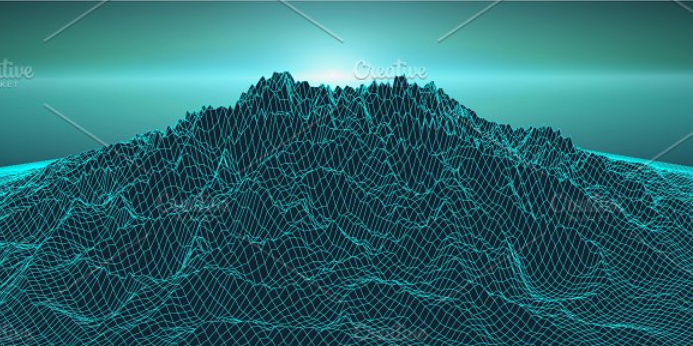


 warm radish
lost cause because it takes a long time or just doesn't work?
sacred coral
he's describing the problem in General right now to someone else
broken sun I guess
wind garnet
yep just takes forever :)
it is not broken, just a tad too long, I guess it's all still CPU behind the scenes for clustering and all that realtime prebake stuff
I'd really like it if some magic was done for the realtime editor bake portion
sacred coral
doesn't realtime mean it doesn't need to bake? 😛
wind garnet
Oh you.
sacred coral
@wind garnet I saw this guy did a breakdown of how he did his HDRP unity outdoor scene. Figure it may be informative.

Djordy Donopawiro did a breakdown of the peaceful harbor scene made in Unity: terrain production, natural assets, lighting, and more.
wind garnet
thanks a lot :) will read now
sacred coral
video looks almost photographic
 manic talon
What exactly is gaia anyway? I tried using it before and all I saw it doing was just letting you apply pre-made terrains to the unity terrain system
sacred coral
it's a tool for sculpting terrains, yes
you can stamp pre-made geological features or do procedural generation
also has some stuff for auto planting plants based on area types, and lately sky and water stuff too
wind garnet
Yeah unity's own stuff can stamp now
so that's why they branched out to a general solution with subscription
wind garnet
quick q: any news on unity's vegetation rendering (even early state) ?
flint pagoda
somehow i got a feeling that it was on the same state as Visual Code Editor, was ready then need to refactor for ECS/DOTS/Hybrid Renderer. i hope i'm wrong
wind garnet
Well I'm struggling just to have something super simple with no options really, that I can take, abuse and run with
You know, something like unity taking care of trees with super high perf. I can handle grass. Otherwise I guess ... amplify impostors? Anyone tried that?
sacred coral
it should work as good as anything else really
wind garnet
Am I really reduced to begging for asset store scraps
It's all your fault, making me believe.. that just maybe I am not an idiot. Your'e wrong though.
:>
my typo is proof
sacred coral
I linked you the free implementation of Amplify Impostors once 😛