#⛰️┃terrain-3d
1 messages · Page 2 of 1
 warm radish
 oak goblet
To paint terrain with the terrain layers, either one will do, I just dont like how it drags the texture across like an old windows xp program crashing
warm radish
hmmm. can you share a video? because that doesn't sound right
oak goblet
warm radish
hmmm. can you share a video? because that doesn't sound right
i can simulate what i want to happen with extremely small movements but id like to be able to sweep and layer different brushes
warm radish
ah ok yes. you can sorta. with noise patterns and features based on height using the "brush mask filters" list that sits under the brush alpha list in the inspector
for the noise, you have the option of keeping it in brush space (which is the just like the behavior you show in your video) or you can have it function in world space which would be more like your fixed stencil
this thing:
 oak goblet
Interesting, which filter would that be? Height makes nothing happens, and "Noise" has things that look correct but neither toggle changes the brush
warm radish
let me start up a project with Terrain Tools rq. been a while for me
i'll share a vid and my settings setup
oak goblet
Thanks! I really appreciate it
warm radish
which Terrain Tools version do you have installed?
oak goblet
warm radish
which Terrain Tools version do you have installed?
4.0.3
Universal Render Pipeline if that matters somewhere
warm radish
oak goblet
Ohhhhh that makes a lot of sense, to avoid the brush shape and instead let the noise filter be the new 'texture'
oak goblet
warm radish
this was really helpful thank you!!
warm radish
another regarding the height-based filters we have
ya. so those are the stencil-like features we have
hopefully that is close enough to what you need/want
you can get some neat combinations by stacking several noises + height filters with the other math filters together
 elfin laurel
I made a terrain in blender and SLAPPED it into unity how can I make it like an actual terrain I can make trees and grass on?
oak goblet
if you cant find a regular solution for the 3d model to terrain, blender can render to a heightmap for a much cleaner pipeline for terrain stuff from blender
atleast, all the stuff ive seen seem to use heightmap
elfin laurel
how abouts could I do that?
oak goblet
the quick tldr is use this to preview, and in composite directly link "Mist" to output

the rest will be setting up an orthographic camera above the terrain with a size that fits your plane
like so, the camera's Z level lets you adjust where you want the values to lie

less jury rigged, and more accurate methods are possible using other stuff, but this is how i typically do it
 hidden carbon
Can anyone help me out with importing a texture for my terrain from poly haven?
 slow violet
Is anyone familiar with this? https://assetstore.unity.com/packages/tools/level-design/intelimap-ai-tilemap-generator-222293#description

Get the InteliMap AI Tilemap Generator package from Tigpan and speed up your game development process. Find this & other Level Design options on the Unity Asset Store.
I purchased this tools, it works amazingly at what I want it to do. You can generate while the gsme is running and I am trying to generate chunks that aren’t generated within a certain radius of the player. Where should I start so I can achieve this?
 lyric elm
Hey, i imported a GMOD map into my unity project but the textures are gone. Is there a fix for that?
 quick kite
Does anyone know how to reduce this edge that's excluded from navmesh?
 oak goblet
quick kite
Does anyone know how to reduce this edge that's excluded from navmesh?
oak goblet
quick kite
Does anyone know how to reduce this edge that's excluded from navmesh?
Your navmesh has agent radius, the edges are inset by that
Just gotta check out the navigation window panel
Or the entity component for beta navmesh package
quick kite
oak goblet
Your navmesh has agent radius, the edges are inset by that
Perfect! Thanks
 potent birch
Hey, I am following a tutorial and I am trying to subtract terrain with a brush. Set height to 15 and I can't manage to make it subtract from terrain. Tried for an hour or so, anyone? 🙂
 naive wren
potent birch
Hey, I am following a tutorial and I am trying to subtract terrain with a brush....
naive wren
potent birch
Hey, I am following a tutorial and I am trying to subtract terrain with a brush....
I was trying to do something similar when I realized my terrain was already set a low elevation. My workaround was to make a neighboring terrain, move it lower then blend both heights with a brush to simulate a beach scene. Now my problem is that there is a value difference between both terrains that's driving me nuts. I'd like to find a solution to keep the terrains a have, but I might just end up scrapping them in favor of a single large terrain.

 hybrid tiger
Should I remove the black border lines from my tiles? I feel like it looks like a bathroom scene right now

 raw onyx

 novel granite
Should be able to move around a scene with wasd right?
 winter minnow
novel granite
Should be able to move around a scene with wasd right?
winter minnow
novel granite
Should be able to move around a scene with wasd right?
When you hold right click in scene window, yes
novel granite
Yeah, strange.. not working anymore
novel granite
figured it out, was zoomed out all the way lol
 verbal nest
Whenever I click the sand texture, it gives me this error

When I paint the sand texture it's black
This terrain is completely glitched out wtf
I don't get it
Why can it be so hard to just use imported terrain data
Every single little thing goes wrong
Stupid Unity terrain
 lofty oyster
Hey can someone help me with this issue? So I have this model in unity, and the first picture is what it looks like default, but when I add the moon texture it doesn't really work it just becomes a very tiny bit darker. Why is this happening?


 shell jolt
verbal nest
When I paint the sand texture it's black
shell jolt
verbal nest
When I paint the sand texture it's black
Unity terrain relies(optionally) on the alpha channel of the texture, if there's no alpha channel in it the texture mostly would be be black WITH THE DEFAULT SETUP..
adjust it in the material property of the texture OR just make a proper texture with an alpha channel in it
I reckon there's an option to force add an alpha channel via import settings in 2022.2b... not sure in any other version
Tips!.. You can see this happening by comparing and dragndrop two textures, one with an alpha channel the other one without, you'll see a different property in the material tab of the terrain texture
verbal nest
👍
 lucid walrus
Does unity have 3D Virtual terrain maker in it? If I want to create a game in virtual terrain like The Long Dark.
warm radish
@verbal nest for those errors, i think you can get around it by adding a brush filter to the BrushFilter stack in the Terrain Inspector. we've seen a few users encounter these exceptions and that seems to have been an okay workaround for most. sorry you're gettin those. i think we fixed it in a later package version
 tiny tide
How would I convert a terrain heightmap height to a world position without using TerrainData.GetHeight()?
verbal nest
warm radish
<@339673690620821504> for those errors, i think you can get around it by adding ...
Ah alright, thanks!
shell jolt
@warm radish While you're here, and sorry for the ping.. is it possible to inject custom passes to instancedterrain?... I'm all ears for any suggestions, and sadly, the instancedterrain is a must for the project
 normal ginkgo
Hi all, is there a way using Unity's terrain system to choose a material for details/grass? I have a custom material for the terrain but I don't see an option for the grass anywhere

 civic pivot
After working on lighting effects for my terrain, the grass and other details are no longer appearing...

It only appears if I turn off "billboard", and then I get this

any ideas what's going on here?
 covert raven
Anyone know how to set a height map in map magic 2?
warm radish
shell jolt
<@157401942656548865> While you're here, and sorry for the ping.. is it possible...
Heya. Can you elaborate on what you mean by custom passes? Ie. what kind of stuff are you wanting to achieve with them
shell jolt
warm radish
Heya. Can you elaborate on what you mean by custom passes? Ie. what kind of stuf...
Lotta things, but two that we sorta stuck at the moment such as:
- Normal blending to blend custom mesh into terrain
- Clouds shadows scrolling on top of the terrain + terrain objects (trees, grasses, etc)
Any direction will be pretty much appreciated on this.. And thanks for replying 🙂
..
Also note, we can do those without InstancedTerrain, ... the blocker here is simply bcos InstancedTerrain won't work with custom passes
civic pivot
civic pivot
It only appears if I turn off "billboard", and then I get this
Still looking to solve this, anyone know?
 ashen pecan
is a way to pain terrain with mud exacly where tank track will go?
 heavy otter

 unreal forum
I have designed a terrain and now I would like to increase its size by adding some clean space around it. When I change the value of terrain width and terrain height, it is resized but everything is stretched and trees are badly placed. Is there a way to simple resize the terrain and preserving the current terrain 'ratio and trees) in center of the new resized terrain ? (I don't want to use terrain neighbours as it introduce additional constraints...)
 idle glacier
Anybody have experience with Nature Renderer? Just put it onto my terrain and now all my trees are stuck to the camera?

 sour grove
is there something in the terrain tools package to reconcile edges of tiles? i could have sworn i found something but maybe was imagining it?
warm radish
shell jolt
..
Also note, we can do those without InstancedTerrain, ... the blocker here is ...
is this because you don't have access to instance ids for the geometry?
warm radish
sour grove
is there something in the terrain tools package to reconcile edges of tiles? i c...
hiya. could you expand on that for me? thanks
shell jolt
warm radish
is this because you don't have access to instance ids for the geometry?
Simply bcos InstancedTerrain won't allow us to inject our own custom passes
it's mentioned somewhere in the docs too
warm radish
hmm ok. i'll see if i can find that
shell jolt
warm radish
hmm ok. i'll see if i can find that

Unity Forum
Hi,
how can I make Custom Passes make affect Unity Terrain?
Thanks. :)
EDIT: The solution is to disable "Draw Instanced" in the Terrain Settings.
the staff also already confirmed it there
warm radish
ahhhh like hdrp volume custom passes
that's interesting
@shell jolt i'll test it out some time today. ping me if you don't hear back from me
my guess is that both those things you listed might be kind of rough to implement in a fullscreen pass (i haven't tried anything like that beyond simple sdf projections onto the heightmaps so im not sure how mesh blending would look). usually this is done using virtual texturing (VT) and, at least for mesh blending, done when the mesh is rendered with lookups into the terrain VT
clouds may work
that's easier to map from worldPosition.xz to a cloudTexture uv
shell jolt
warm radish
<@726512159940411422> i'll test it out some time today. ping me if you don't he...
I will and thanks for responding!
Also, I managed to make it work, but it breaks the instancing, which beats the purpose of IntancedTerrain 😄
warm radish
ha. how'd you make it work?
sour grove
@warm radish oh when you have two edges that dont line up because you've been sculpting etc

 uncut juniper
Hey everyone,
Is this the right place to ask?
I'm wondering how high quality my PBR textures should be for my terrains. is 1k fine? or should i go the 4k pbrs?
warm radish
sour grove
<@157401942656548865> oh when you have two edges that dont line up because you'v...
can you try clicking the reconnect or autoconnect button in the Terrain Settings section in the Inspector window
might also need to make sure the Terrain Tiles line up perfectly on a grid
warm radish
uncut juniper
Hey everyone,
Is this the right place to ask?
I'm wondering how high quality ...
i'd start by figuring out how many pixels you want per meter/unity unit on your terrain. from there you can calculate the texture dimensions when factoring in the tiling rate for the terrain layer textures. it largely depends on your art direction and target platforms
sour grove
I must have messed up my terrains as they arent reconnecting, but must be my fault(messing around with kind of a dots terrain placeholder scene utility), thanks for pointing that out!
warm radish
awesome. glad that worked
 sterile gull
I have a problem, I'm trying to make a terrain but my material do this
 sterile gull
The terrain Is all strached
 brave juniper
Hi I'm a beginner, just want to ask how do I export a terrain from 1 project to another
I tried to export to fbx but it doesn't work
 slim stag
I want to move forward and backward in terrain while clicking shift . How to do it
 reef jetty
has anyone faced the following problem?
while trying to paint objects (with polybrush), the mesh becomes a mess
the terrain is not unity native

 primal condor
Hello everyone. Yesterday I was working on a scene, don't know where to post this issue, but today I opened my unity project and my whole scene is completely missing? My other scenes are in tacked except this one, which also gave me an error? Is there a way to fix this or do I just have to get a working copy of this scene from my GitHub repository?

 eager charm
Can the TreePrototype.prefab be a prefab, or only a mesh?
eager charm
Is it better, generally, to change the size of a single terrain object, or have multiple terrain objects that are the default size?
 weak token
in this screenshot, grass in the left side is manually placed as Objects and on the right side is painted on terrain as detail mesh. left one is interacting to the realtime point light, but that detail mesh is not... is there any work around to make it interact with light..?
 weak token
in this screenshot, grass in the left side is manually placed as Objects and on ...
weak token
weak token
in this screenshot, grass in the left side is manually placed as Objects and on ...
Alright, Painting grass as Tree mesh solved the issue. I don't know if it's the best or performance friendly way...
eager charm
I am trying to bake a NavMesh at runtime. The tutorials and code samples I have found online are outdated, and I can't find it in the Unity docs. Can any of you point me in the right direction?
All the tutorials direct me to create a
public NavMeshSurface surface;
But I can't find NavMeshSurface in the docs and it doesn't come up in the VS.
 violet drift
Anyone know a good tutorial for procedural generation of prefabs on top of a 3D plane?
Probably using perlin noise
 brazen agate

 fringe pebble
Is there any way thaat in "Mass plce trees" it just plces trees in a certain texture?
 inland parcel
I Have a Object name tree and i do prefab for it and I add it to the trrian And I do this Command to see if I can arrive to tree every thing gimme the name But the tree of the trrian no

Any one Help me?
the name of tree it put it terrain
Becouse i Put the tree with bruch in treeain
 pearl aurora
how do i make the texture not strech

 stoic thunder
pearl aurora
how do i make the texture not strech
stoic thunder
pearl aurora
how do i make the texture not strech
Fix your UV maps
stoic thunder
in blender. Unity isnt good for doing texture work, if you want something to look a specific way youre gonna have to make it in blender and import to unity
 mild solar

Why can't I scale the terrain?
It was made from the model beside through object to terrain asset.
 valid oak
Are u online? @mild solar
You can click here

And search for weight and hight
You can change it easily
 raven pond
this is the low poly setting on Gaia terrain. I wonder why it looks so different? i want to achieve the look of the green terrain, it looks smooth.


Both terrains are in my project, but i couldnt find a difference in settings, is it lighting that affects the looks so much`?
one of them sure looks like it has less pixels
Okay, seems to be due to different lighting 🤔
looked alot better when copying the lightning object and settings to my other scene
 shut belfry
Hey, does anybody know how to make/get good heightmaps (as .raw file) for a desert with dunes, like this: (it looks like voronoi algorithm a bit, xd)


 mental bear
you mean with procedual generation?
 glossy crag
when I paint grass with the tree paint tool it's stretched, left grass is painted, right grass is what its supposed to look like (I placed it manually)

 full meadow
Is there a keybind to resize your terrain brush? Cant seem to find one.
shut belfry
mental bear
you mean with procedual generation?
Yeah
shut belfry
mental bear
you mean with procedual generation?
Like, finding a heightmap or creating one, that is tileable and can be used multiple times. That's option 1. Or, we create those dunes through vertex displacement at Start(). But then I need a formula to make those cool looking (like Gerstner waves) desert dunes.
Do you have such a formula, or a way to create procedural heightmaps?
mental bear
glossy crag
when I paint grass with the tree paint tool it's stretched, left grass is painte...
you have missing normals
 dire glacier
hello, i am trying to make a game where there is a hotel that is procedurally generated, with each floor being random. i want each floor to be of some kind of different gameobject that links after the previous gameobject that was instantiated/generated (so i can load in floors based on the players location). would anybody have any tips on how a system like this would work?
shut belfry
Hey, does anyone know why my terrain is invisible after assigning a different material?
Default Material:

New/Different Material:

 grave basalt
shut belfry
Default Material:
grave basalt
shut belfry
Default Material:
are you sure that the new materiel is compatible with the terrain?
not all materials are
shut belfry
grave basalt
are you sure that the new materiel is compatible with the terrain?
It isn't. That is the problem.
shut belfry
grave basalt
are you sure that the new materiel is compatible with the terrain?
How can I make it compatible then?
 worn barn
is there a way to make terrain automatically spawn grass in a 3d game?
 stable lichen
shut belfry
Hey, does anybody know how to make/get good heightmaps (as .raw file) for a dese...
stable lichen
shut belfry
Hey, does anybody know how to make/get good heightmaps (as .raw file) for a dese...
you are saying this looks bad 😭
shut belfry
stable lichen
you are saying this looks bad 😭
Wut?
stable lichen
shut belfry
Wut?
you said it looks more like a voronoi algo
shut belfry
stable lichen
you said it looks more like a voronoi algo
WELL, for me it does
stable lichen
shut belfry
WELL, for me it does
But how did you even make this voronoi texture looking desert? Procedural? or by reading heingmap to set heights of vertex?
 deep cradle
Hi! How can i get sharp edges between 2 different textures? Or at least not so blur.
Maybe with some mask for brush, but i dont know which and how to use.
Can you please advise me?
 wide karma
i wanna make an automaterial, that below is rock, and on top it's grass, and it makes it alone without me having to paint it, is it possible?

 frozen heron
I've tried to look online and couldn't find anything. How do set the terrain color as just a plane color? I want everything to be a rgb green color
 molten bluff
Hey Terrain Folks
i've one question
Is there any way to Seperate Grass mesh as prefabs from a terrain?
cz, Im gonna convert the terrain to mesh... after converting it No trees or grass exist...So I gotta separate those things at beginning.... is there any way?
 fading compass
Maybe someone here can help with my problem. I made a terrain and everything was working but now I have huge fps drops and idk why. As you can see at the Images when I look at the water my fps drops from 150 to something around 30 fps but if I then look at the landscape (which is way bigger) I get like around 150 fps. And this doesnt make any sense to me, maybe someone know a soultion? Left side of the third picture is the landscape and right side is when I look at the water. That makes 0 sense


 molten bluff
check your scripts
it's not problem with terrain rather scripts
try to find out the bottleneck
fading compass
I dont have Scripts, I use visual Scripting
 austere flower
when i duplicate the track and move the red line, it goes off track

how to duplicate and move tracks aligned
 strange linden
Yo I have a repeating texture img but how do I make it actually repeat?
 twilit terrace
Hi, at some angles my terrain doesn't load. How can I fix this?

 heady dove
Hello guys. I just started with Unity and I was handed dwg files to work on. Is there, by any chance any way to import those file into unity without spending a dollars ? Many people suggested me to use Pixyz plugin, which require a license. Thanks
 true anvil
Hi guys, I'm still having somthing to lern in unity,
Why is my Grass texture on terrain looks so weird comparing to the one entered ?
The texture resolution is 1024x512 and returns something like a 128 pixels ?

 twin gulch
Do you guys have any solution for this? As you can see, the spotlight rotates to show the light up on the bush on the right. I also adjusted the Terrain Settings and got no luck.
true anvil
@twin gulchI already got it in one of my projects, If i remember well it's related to the bounding box of the object, like ocluders for camera.. But i don't remember how to solve it
twin gulch
Hmm, I'll try to fiddle around and get it fixed. Lol @true anvil
@true anvil Can you explain more about the bounding box, please? I tried to look it up but couldn't find more info.
true anvil
@twin gulch Bounding boxes are the limits in which an objects is taking place (x min,x max, Y min/max, Z min/max)
if the ray of light detect the edge of the bouding oxe of the object it's start activating it
but in that case, it can also be relative to the shader and the mesh + normals (many way to have bugs)
twin gulch
Thank you for the reply! I believe it has to do with the shader. I'll look into that for sure.
 elder star
How do I import textures and apply them to my terrain?
twilit terrace
Hi, why does this happen?
 elder star
No clue
 potent seal
Hi guys, whenever I create a terrain in the latest version of unity 2021.3, then select the terrain, it uses all the memory in my system trying to display the inspector (I have 64GB...) - Has anyone else experienced this problem? Note that I also experienced this in 2022.2. Could it have to do with the Terrain Tools package?
shut belfry
Can someone help me with a terrain shader, that isn't compatible? (When building, the terrain is simply pink)
I simply done a shader for it and the assigned material under terrain settings is marked as incompatible. (When building, terrain is pink). So how can I fix that?
 faint stag
Heyy
Why trees placed by terrain tool are... You see?
The prefab can be seem on right

 tall marsh
why is it doing this when rotating a cylinder?
winter minnow
tall marsh
why is it doing this when rotating a cylinder?
Parent object is non-uniformly scaled
tall marsh
winter minnow
Parent object is non-uniformly scaled
Oh what the. Thank you i didnt notice that
tall marsh
winter minnow
Parent object is non-uniformly scaled
Wait how do i fix that
winter minnow
tall marsh
Wait how do i fix that
Reset the scale of the parent object's transform
If you must scale it, do it equally in all dimensions and note that transform values will be inherited down the hierarchy
 potent chasm
When working with 2D Tilemaps for terrain where you have many terrain types (water, grass, dirt, desert, etc., etc.), do folks generally construct sprites for every possible transition from one terrain type to another? Or do you use layers of terrains (multiple Tilemaps)? Or?
verbal nest
Why can't I smooth my terrain properly? I have the exact same terrain settings in Unity URP (the one in the pic is in HDRP) and it smooths perfectly. Here you can see lots of jagged edges. I set the terrain smooth tool at the maximum strength, no change at all

Wtf
I also get this at the shore

I didn't get this in URP
which had the exact same settings for the terrain

around 6x6km

 thorny swift
verbal nest
thorny swift
verbal nest
I'd say adjust your terrain height closest to your highest point on the map, as it can create jagged edges as there might not be enough depth in heightmap. Also making one "Big" terrain is not best practice as there is a maximum subdivision one terrain can have, splitting it will ease memory and give you more quality at close distance.
verbal nest
thorny swift
I'd say adjust your terrain height closest to your highest point on the map, as ...
I already split it into 16 parts and 64 seems like overkill. How would I go about adjusting the height of the entire terrain though?
thorny swift
If you sculped the terrain inside Unity I have no idea sorry. If you have Heightmaps you'd want to simply remap them and then change terrain height accordingly.
 wheat remnant
Hey guys, not 100% terrain related, but this was the most accurate channel to ask this in
i am using polybrush with URP, and whenever i modify a model that has a custom material on it, it turns black, i tried using the shader from the examples, but it still does it
also tried flooding the texture, but that does nothing either, how could i fix this issue?

 wheat remnant
Hey guys, not 100% terrain related, but this was the most accurate channel to as...
wheat remnant
wheat remnant
Hey guys, not 100% terrain related, but this was the most accurate channel to as...
- only happens when i use a custom mesh, with the built in ones it works fine
 jade whale
I'm making a small open world game, with the world being an identical copy of my city.
What would be the best & fastest way to achieve this?
 undone lark
Best and fastest way? Make it yourself from scratch.
 wanton harbor
so I was trying to paint and I could not get unity to paint correctly as it forced a square brush, also the terrain assumed weird shapes like the one seen above in the picture, The triangle form even though I am using the smooth tool to smooth the terrain using the circle brush. This just started today and unsure on how to fix.

also there is this weird shadow covering the textures.

 timid ember
No matter how simple the grass texture, it always has this very distracting outline that isn't in the file. Any tips?
 winter minnow
timid ember
No matter how simple the grass texture, it always has this very distracting outl...
winter minnow
timid ember
No matter how simple the grass texture, it always has this very distracting outl...
This usually happens when the transparent area of the texture is filled with a white color, so it bleeds onto the visible area
Checking "alpha is transparency" attempts to spread out the color to eliminate this
But if you have a white fringe on the visible area of the grass, that won't work
timid ember
There is no white color, and that is already checked
winter minnow
timid ember
There is no white color, and that is already checked
Totally sure? It looks like a textbook case of alpha fringing
 delicate karma
im using perlin noise for random terrain generation, how do i generate structures and stuff randomly, my game is top down 2d. I cant find any good tutorials for this specific problem online either
verbal nest
jade whale
I'm making a small open world game, with the world being an identical copy of my...
Best and fastest way would be to ask an expert model and texture artist to make an entire city for you, though it might cost a few thousand $ depending on how detailed and how big your city is.
verbal nest
delicate karma
im using perlin noise for random terrain generation, how do i generate structure...
I'd just make a lot of variants of structures instead of making a program that generates custom structures (which seems pretty hard to do), then just place all of those variants at random positions
jade whale
verbal nest
Best and fastest way would be to ask an expert model and texture artist to make ...
I want to do it myself, especially since most of it are just rectangles with windows that can be copy pasted. Though i need some ideas on making it accurate, the layout and sizing, perhaps taking some google maps view or something idk yet
delicate karma
verbal nest
I'd just make a lot of variants of structures instead of making a program that g...
is there a way to make a prefab or something and place it in the game?
like i make a structure with my sprites and put it into a prefab
and place that in certain biomes
 atomic heath
Anybody know any good programs for making my own 2D pixel art terrain tilesSets?
undone lark
Paint, Gimp, Aesprite. There are plenty of pixel art software out there.
 dull lichen
https://hastebin.com/hafunazara.cpp
this script is meant to make the edges of cliffs a seperate layer but for some reason it is off, in thi image i have 2 huge circular shafts and you can you can see the the 2 shafts in this image
Image

Hastebin is a free web-based pastebin service for storing and sharing text and code snippets with anyone. Get started now.
wanton harbor
I keep getting this error CommandBuffer: temporary render texture not found while executing (SetRenderTarget) UnityEngine.GUIUtility:ProcessEvent (int,intptr,bool&) and when I tried to do a build the whole terrain was hidden except the ocean.
any ideas as of why?
 ancient lynx
Hi, sorry if im interrupting, but i'm getting a strange bug with some of my tree textures where parts of the leaves are fully illuminated even in total darkness, anyone know how to fix this?

 cinder sluice
Hey all, I'm playing around with Terrains and splatmaps (importing) but I'm running into a weird issue. The temporary textures that I'm assigning are appearing semi transparent and I can seem to figure out why. Would anyone have any idea what's happening?
Using HDRP, Imported Splatmap has a solid white Alpha, and textures (solid colours at the moment) have no alpha. Little bit confused as to what's going on. 😕
Screenshot included.

((Texture layer texture settings))
 cinder sluice
Anyone have any ideas? Banging my head on my desk atm. lol.
potent chasm
I have a really dumb question. Will there be a huge difference in performance if the camera is looking at an entire 128x128 TileMap made of 32x32 Tiles compared to 16x16 Tiles? Is it more about the contents of the textures? EG, if the entire TileMap uses one Tile repeated and that Tile has a texture that is one solid color vs every pixel being a different color? Does the number of different textures matter more?
 rose sentinel
anyone know why my grass textures on this terrain are showing a little line on top? I opened the png files and there is nothing on the image up there :/

 indigo rivet
How would one go about authoring a world like this:

I feel like, placing each individual rock by hand, moving it around, etc, gets really annoying/tedious. There must be an easier way?
rose sentinel
indigo rivet
I feel like, placing each individual rock by hand, moving it around, etc, gets r...
you're in the right channel. You can use terrain to paint the rocks/trees/shrubs/details.
just turn brush size up or down, and opacity up or down.
That waterfall and rock wall would need to be done by hand though.
indigo rivet
Thats what I figured in terms of rocks, that still seems like a lot of work no? Painting the ground etc is the easy part I assume, especially with the terrarian.
rose sentinel
indigo rivet
Thats what I figured in terms of rocks, that still seems like a lot of work no? ...
it's definitely a lot of work, and why a game like Skyrim is absolutely Herculean 🙂
indigo rivet
I just feel like, somewhere some how, someones made an easier solution to this lol
rose sentinel
indigo rivet
I just feel like, somewhere some how, someones made an easier solution to this l...
well you could use procedural generation or spawners
indigo rivet
Sort of what I was thinking as well? But not too sure aout going about it.
rose sentinel
would be more of a code approach; not sure how to do it with terrain tools and scripting, I think that would be even more complex. I'd use a script that places prefabs. I actually do this already but it's really specific to my use case
rose sentinel
--
I'm baking my navmesh but there are shapes from old deleted objects. Can't figure out why. EDIT: deleted all the files and fixed it.
 last linden
Hello so i want to start working on the terrain but need some advice/tips
my game will be a third person linear adventure in URP
so how would i go about creating the actual levels keeping in mind optimization for example how big would a single terrain be in width x height so that i don't fall into problems later trying to optimize
Any tips to start on would be greatly appreciated
gonna use Pro builder and poly brush to prototype
 tepid elm
Is it better to use unity's terrain system, or import a terrain model from blender?
undone lark
If you use Unity, then you can edit it, paint textures and things like trees onto it, all from within the editor.
cinder sluice
I have a question about the myriad of Terrain systems available for Unity. Is there one (that works in HDRP) that will let you use a Black and White Mask image to determine where a texture layer goes? I build my terrains in Quadspinner Gaea and can build the whole thing in there including the masks and export them etc.
I've tried 'converting' said exported layers into an RGBA splat map, and using that in Unity (I have a splatmap replacement script that works really well), but the surface texture(s) always come out semi transparent on the terrain.
It seems really weird that this isn't a 'thing' tbh. lol.
 manic saddle
Any idea if it's possible to disable shadow casted by terrain details ? I wish my grass (painted with details brush) wouldn't cast shadow but my other props would
 open yacht
any tips for building open world games in terms of terrain?
i am wondering how to manage terrain chunks, do i activate the terrains manually around the user, or do i just use culling?
for example, let's say i have a quadrant of 3 by 3, then i can activate just the surrounding terrain tiles around the player:

is this the approach to take? or are there others? i have searched everything i could on the internet, there seems to be a lack of information in this area
open yacht
also, can anyone suggest any good terrain tutorials?
tepid elm
open yacht
also, can anyone suggest any good terrain tutorials?
Not related to unity's terrain system, but Sebastian Lauge's channel has some good terrain videos
open yacht
Thank you, I have went over his tutorials. Great resource for those who want to make procedural worlds. I am searching for more artistic craftsmanship of terrain.
 robust vale
[Question]:
Does someone know how to change terrain tree culling when the camera is very close to the tree?
Basically, im walking past some trees and i can see them disappear when walking past them.
Is it a mesh pivot thing? Collider thing?
cinder sluice
@robust vale It might be your Camera near clipping plane?
robust vale
cinder sluice
<@294862871953670146> It might be your Camera near clipping plane?
My near is alreaty at 0,01
also, the whole tree mesh disappears at once. Not just being sliced/ cut off by the near plane
cinder sluice
Aah okay, sorry, misunderstood. Yeah I've had this before a while ago, iirc it's because the pivot point (or maybe the collider?) goes out of view of the camera so it registers the object 'out of view', I'm sorry but I can't remember how I fixed it. 😕
 compact dust
how can I light my indoor scene with ambient light? Currently the walls are blocking the light when baking the GI
ideally i need the light to pass into the room but not out of the room
essentially its just a box
 raw pawn
Hello, I have a terrain that has a lot of steep inclines and the textures get stretched on those areas. I read up on a technique call triplanar mapping but I'm kind of lost on where/how to apply it. https://gamedevelopment.tutsplus.com/articles/use-tri-planar-texture-mapping-for-better-terrain--gamedev-13821 This resource says to put it in a fragment shader but I have no idea which asset i should be accessing the frag shader on. The texture? Or do i have to make materials for all my textures

Game Development Envato Tuts+
You've probably run into terrain where the steep sides of a cliff have their texture stretched so much that it looks unrealistic. Maybe you have a procedurally generated world that you have no way...
 desert pendant
raw pawn
Hello, I have a terrain that has a lot of steep inclines and the textures get st...
desert pendant
raw pawn
Hello, I have a terrain that has a lot of steep inclines and the textures get st...
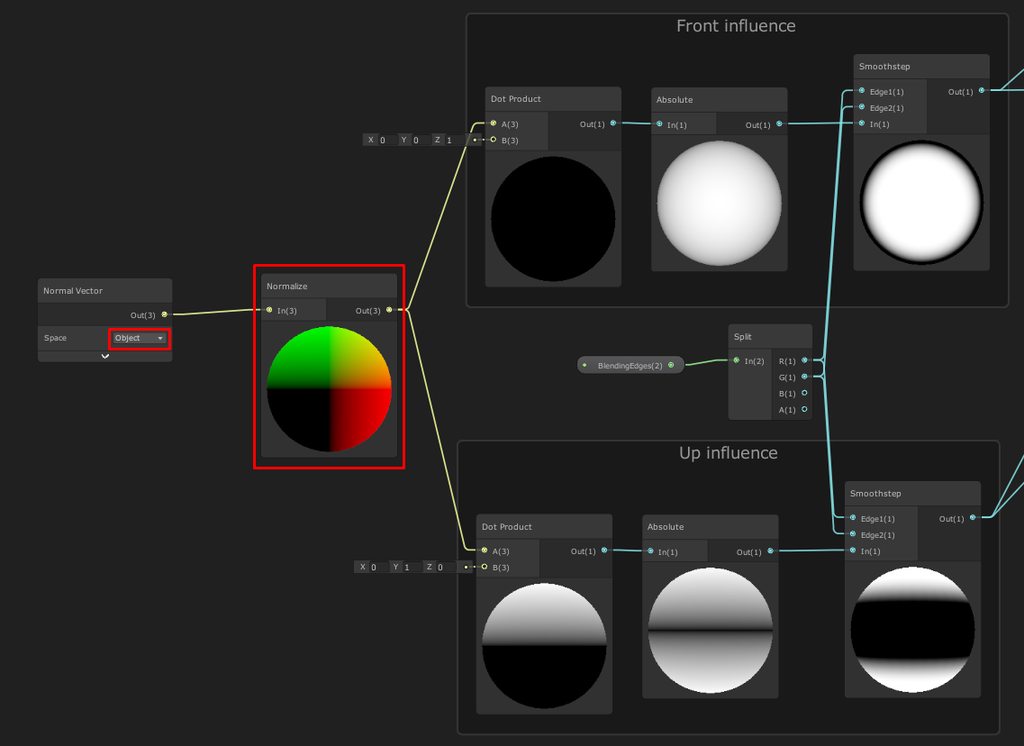
I'm interested in the same thing. As a workaround I use this shader: https://imgur.com/gallery/M2ZkPFE
This one could be interesting too: https://cyangamedev.wordpress.com/2020/01/28/worldspace-uvs-triplanar-mapping/
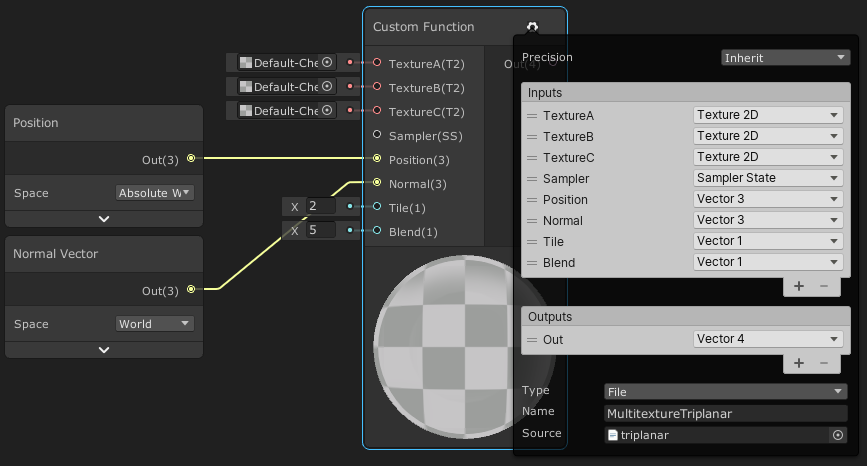
This post includes an introduction to using the Position node to sample textures rather than using mesh UV channels, which is also the basis of Triplanar mapping. It won’t be super in-depth but wil…
raw pawn
Thanks for the resources, i’ll check em out!
 tawdry pumice
Hello unity crashes when painting details, i dont know what those errors mean. I have tried other meshes, some without textures. And other unity versions


 tawdry pumice
How do i fix?
cinder sluice
Is it possible to change the material of a terrain in c# ? Had a poke around but can't seem to find anything (using a custom materal/shader, but generating the terrain at runtime)
Ok, nm, took a shot in the dark and seemed to have worked. lol.
terrain.materialTemplate = [custom material];
desert pendant
Hi dudes.
Is there a way to use materials in textures layers instead of image textures? I have procedural textures made with shader graph, and I want to apply them to a terrain texture layer. Is it possible?
cinder sluice
iirc the only way to do it is with a new Material, you can't plug materials into the texture layers directly.
desert pendant
So I have to write a new shader that takes in account terrain texture painting and apply the material I want depending on the texture painted?
 digital steeple
Anyone worked with SetHeights before? for some reason when I call it from further away from origin (0,0), it gets offset/loses accuracy biased towards the origin point, anyone know why that happens?
Another possible relation regarding that is: if the heightmap is accessed by integers, arnt we losing accuracy for values between it? in unity 0.5 is a huge difference
 plain oracle
anyone knows any good material pack for making a simple 2d game
 sick dagger
Hey, is it possible to cut holes in a terrain but without removing the mesh
last linden
Terrain tools stops working when i delete terrain data

i have multiple terrains so why is it null referencing the terrain i deleted the data for
oh never mind i deleted the terrain data but forgot to delete the terrain itself that's why
 ripe cradle
anyone able to help? My trees aren't placing for some reason so is there an issue with my settings here?

ok turns out I just needed to restart unity some sort of bug. God I hate the terrain tools.
speaking of which, does anyone know WHY despite me having tree height set to 2, regardless of what I do the trees height will not budge. meanwhile the billboard seems to scale just fine?

anyone able to help would be a godsend right now I'm losing my mind over how simple this should be ☮️
ripe cradle
ok well an hour later no resolution found to the above issue but a new one has arose 💀
it seems that I can only actually make the tree work as a prefab if the prefab only contains one meshrenderer component in the prefabs main parents game object. any fixes?
 ripe cradle
Hello. I made the tree into a single mesh in blender and combined the textures to get this weird graphical bug when using it as a tree. Can anyone tell me what is actually happening here? Also, despite "random rotation" being turned on the trees are all facing the exact same direction for no reason. Does anyone have any terrain tool alternatives they could refer me to? The official terrain tools are pretty awful and I'm really ready to move on at this point.
I just want something that is simple and works with the low poly style I'm going for.
 next kayak
ripe cradle
Hello. I made the tree into a single mesh in blender and combined the textures t...
next kayak
ripe cradle
Hello. I made the tree into a single mesh in blender and combined the textures t...
Go to terrain settings, there has to be a setting like 'billboard distance', increase it
 old crest
Hi! Not sure if this is the right place to ask questions about using Houdini with Unity?
Wondering if anyone else has run into licensing issues (i got an indie license). I keep getting this error:
`Loading Asset Library From File : HAPI Error: No Valid Licenses Found
- To install license(s) see https://www.sidefx.com/faq/question/how-do-i-license-houdini/.
- HAPI_LICENSE_MODE unset or is set to 'default' meaning Houdini Engine will first try to acquire a Houdini Engine license and if one is not found it will try to acquire an interactive Houdini license (Houdini Core then Houdini FX).
- No Houdini Engine Indie license found.`
 copper jolt
Why is my terrain texture so fuzzy
Its not sharp
Anyone know what setting to use to fix this?
rose sentinel
Is there a way to include the detail meshes into the terrain heightmap? For example, if I paint a bunch of 1x1x1 cubes onto a flat terrain, there should be a bunch of height=0.5f on the heightmap
If there's a way to do this with trees, that would be great as well
 autumn spire
Very quick quedtion. If I don't put in a Plane, will the player just fall when booting up the game?
winter minnow
@fickle blaze Games that use the voxel style don't do it by duplicating cubes
They start with voxel data generated from a noise algorithm or with a voxel editor that only has data points
Then the engine (whether game engine or voxel editor) interpret that data into gameplay objects / geometry and draw the cube faces for the voxels only where they will be visible
In Blender you can get something similar with the "blocks" type remesh
You'll notice there's no internal geometry generated at all
And if you want to use blender to make voxel-style environments that's the modifier I recommend to use for it
A similar effect with more options can be made using geometry nodes but you need to be adept with that system for it
winter minnow
Even if you're hand crafting one level, I'd still use a voxel modifier for it
You can place the blocks by hand but that seems tremendously inefficient
winter minnow
This happens because the mesh is non-manifold, meaning the back faces are exposed because it's not solid
rose sentinel
Is the Terrain Tree feature only meant to be used for tree vegetation, or can it be used to paint rocks, boulders, and other objects?
 full dust
With a 3D environment built using marching cubes; is it possible to have Unity allow the player to alter (dig / raise) the terrain, in real time?
If not; what are the alternatives aside from voxels?
winter minnow
full dust
With a 3D environment built using marching cubes; is it possible to have Unity a...
Unity has no marching cube system, but if you make or find one then supporting realtime modification is definitely within the realm of possibility
I think the default Terrain's heightmap can be modified at runtime, though there could be performance costs associated with updating the collider
All shapes of meshes can be modified at runtime if you know how
I think there are some modifiable terrain assets on the store which use neither voxels or height maps
full dust
Thanks, that makes things a lot clearer for me.
 turbid haven
How can I make an image behind the button and make it as child of this button?
 tepid elm
turbid haven
How can I make an image behind the button and make it as child of this button?
tepid elm
turbid haven
How can I make an image behind the button and make it as child of this button?
Not terrain related
last linden
Hello any idea how to fix this i tried changing brushes and brush strength but i'm thinking its related to terrain settings any ideas ?


 hushed pendant
Help, I terrain tool acting sussy, it wont paint dik why, it was working fine yesterday but it just wont work
last linden
hushed pendant
Help, I terrain tool acting sussy, it wont paint dik why, it was working fine ye...
is it giving you Null reference exception error ?
hushed pendant
no
like im suippose to click and hold it to paint the stuff in
but its not painting
last linden
have you deleted terrain data ?
happened to me a few days ago i deleted terrain data but left the terrain that the data was for and the painting just stopped working too
hushed pendant
frcking hell im such a dumbass
i had it set to paint texture
not lower or raise terrain
last linden

hushed pendant
that was a huge waste of 2 hours tryna fix it
hushed pendant
thx
 void briar
Is there a way to use Unity Terrain Trees with URP? all my trees lie flat
ive tried rotating the object in blender every different way possible and they still lie flat
do i need to switch from URP to the built in pipeline?
or switch to Unreal
undone lark
Unreal, that's the only logical solution. Clearly all Unity games making use of terrain trees are a lie.
shell jolt
you can't just rotate the object and export, you need to apply the transform in Blender everything you changed something related to Transformation in object-mode
hit ctrl+a select All transform
last linden
void briar
or switch to Unreal
Its not like all your problems are gonna be fixed switching; every engine has their fair share of problems
although i'm not sure what you're saying by they are flat i personally never had this problem
 high oasis
is this some kind of texture, how to i apply it, since my ground is just plain white

 mystic shuttle
Hello, can someone french can tel me how to use unity, i needs some help and information, thank you :) !
 shy anvil
how do i make the circled part not shiny? i don't want shiny terrain

 median sierra
I installed terrain tools and when I clicked import in the package manager and this error popped up. What is this about? The Visual Effect Graph is supported in the High Definition Render Pipeline (HDRP) and the Universal Render Pipeline (URP). Please assign your chosen Render Pipeline Asset in the Graphics Settings to use it.
UnityEditor.VFX.VisualEffectResource:AddResourceDependencies (string)

 jagged lily
hi, is there a way to change the light layer of the terrain grass? (urp)
 polar zodiac
say I have a terrain that has length/width 256, detail resolution 512, and detail resolution per patch of 32. what is the full resolution of the terrain? like if I wanted to use SetHeights with a 2d float array, what should the length and width of that float array be?
void briar
i hate terrain so much, alphamap and heightmap dont match up and it makes no sense and is so poorly documented
i dont think i will ever be succesful at making games, i cant seem to use terrain properly at all
why is the alphamap width 512 but the terrain is 4000
the terrain is 8 times larger than the alphamap because its not Monday
try again on Monday
i use software thats been deprecated for 20 years that has better documentation than Unity
back then documentation was a thing. now its like a game
ill just try every single part of the API and one of them should be the one i need
 buoyant crane
Hey, I am trying to help a friend I work with. He uses Terraland 3 and has built a real world area. his tiles are 10km by 5kmHe has placed assets himself (Buildings Trees etc). He now wants to use the same terrain for mobile where the Hardware is not as powerful. Rather then build the whole terrain (50km+ with assets) again. He is wondering if he can split the terrain tiles up. So they are maybe 5km by 5km so that the tiles needed to be rendered are smaller hence less demanding on the Android devices / hardware.
Any idea or help would be much apricated.
void briar
how does anyone make anything that looks good using this tool
the way the textures blend looks like dogshit ass garbage. nobody would ever pay for this
 jagged cloak
how do i get rid of this yellow line in my terrain chunk , its still show up in already built game

 ionic turret
Hi everyone does anyone have any experience with custom terrain shaders ? i'm trying to write very simple shader for debug purpose that simply renders a single texture on the entire terrain. and i've not been successfull yet.
I've managed to write a tool that write information to a texture,
and i would like to display that texture on the terrain for readability purposes

i must say i tried to use a surface shader but the terrain was full on glitchy
ionic turret
alright i managed to do it if anyone is intrested/have the same issue dm me
 chilly roost
Anyone ever run into artifacts when adding more than one paint details objects? When I only use one detail object such as a grass object everything works fine, if I add a second grass object then I get a white outline artifact on all my 3d grass. Not sure but I have been encountering this issue forever in every new version of unity. Any work arounds or fixes?
 rough dock
Hi guys, I created a terrain with a bunch of tree stamps on it, but how do I click on the individual trees? There are like 100 trees on the terrain but I cannot select an individual tree.
shell jolt
you don't.. why would you want to do that for?
 faint trench
Hi would anyone want to join a game developer and work with him to create the map, I will share more details if u are interested please
The game is called War Of The Worlds
based on the 2005 movie
 thin ibex
an exciting opportunity for anyone interested to take part in a copyright infringement
faint trench
thin ibex
an exciting opportunity for anyone interested to take part in a copyright infrin...
not exactly
we dont want the exact layout of the map
and the idea of the game is inspired by the movie
and he has been developing the game for a year and a half with millions of views
no copyrights from paramount so far
the developer will pay accordingly to the skills and quality u have for maps
I hope im not breaking any rules, admins. wanted to give someone an opportunity to join a game developer
rose sentinel
Hello, do any of you have a model of realistic grass?
ionic turret
rose sentinel
Hello, do any of you have a model of realistic grass?

Learn how to make grass (and everything else) in my UNreal Engine for Beginners course: https://bit.ly/3k5xCNH
Patreon: https://patreon.com/stylizedstation
🎥 What I've created : https://youtube.com/c/stylizedstation
🐣 What I'm working on : https://twitter.com/StylizedStation
📸 What my community is cre...
 grand jacinth
sorry if this is a stupid question im new to unity but when i try and use brushes at all, just nothing happens, id love help if you can
 south epoch
My terrain wont lower, even though the Y is set to 178. I hold shift and left click, and nothing happens?
It raises just fine.
 green glacier
Hey how can I learn making good maps, choosing the best materials? Where can I learn how to do my first game level?
 rustic night
how i can see the environment ?
 last linden
How would you go about fixing stretched terrain UVs i made the hill with "SET HEIGHT" Tool
 last linden

 velvet quiver
how can I make that water look more natural like draw mode better
thorny swift
last linden
How would you go about fixing stretched terrain UVs i made the hill with "SET HE...
smooth it out a bit or use meshes on sides, or make triplanar terrain shader
last linden
thorny swift
smooth it out a bit or use meshes on sides, or make triplanar terrain shader
Making the brush bigger so that it smoothes upper and lower part also makes the uvs unstreched its certainly the easiest to do
 jolly storm
hello, how's that my character always play falling animation over the terrain collider?

it's okay with mesh collider tho
 winter minnow
jolly storm
hello, how's that my character always play falling animation over the terrain co...
winter minnow
jolly storm
hello, how's that my character always play falling animation over the terrain co...
Layers are usually used by character controllers to distinguish walkable terrain
Although I don't think a layerless object is possible, that field of your Terrain is empty so make sure it has a correct layer
jolly storm
winter minnow
Layers are usually used by character controllers to distinguish walkable terrain...
I'm pretty new to this. I'm trying to figure what layers are in terms of my character there. basically it's just a free third person asset
winter minnow
jolly storm
I'm pretty new to this. I'm trying to figure what layers are in terms of my char...

This field
If that's not the problem then it might be that the problem occurs because of the slope


 winter minnow

 rich spade
Hi, Im still kinda new to unity and have used terrainTools to create a basic enviroment, I havent been in my project in a few days and opened it to find part of the terrain missing. Any ideas? thanks in advance
 unreal forum
Hello, I have a terrain with trees. I would like different behaviours when my player collides with the terrain ground, the trees barks or the trees leaves. But currently I only get a notification "OnCollisionEnter" with "terrain". Is there a way to know if its ground, barks or leaves ?
 supple scroll
Hello guys im trying to add tree to my terrain but Unity showing me error

 mossy charm
Hii
good day please what is the BEST free lowpoly nature asset with the whole finished scene?
mossy charm
Thx
 abstract terrace
I have a pre-HDRP terrain that uses billboards for grass. When I upgrade to HDRP, which no longer supports billboards for grass, do I have to repaint the terrain? Or can I replace the billboard texture with a model? (I could not see a way to retain the existing painting - only delete the grass that does not work and do it again with a model.) Just wanted to make sure there was no alternative before I started deleting things. Thanks!
 fading arch
Hey! So I have a terrain texture question. I am texturing this real world location and as you can see, the tilling textures are super visible. Can anyone direct me in the right direction to avoid this and perhaps have it look a little better? I mean, fix the texture tiling on mountains far away . Example witcher 3. A nudge in the right direction would be amazing.


 fading arch
My dumb ass solved it XD
fading arch
Can anyone possibly help me, I can't seem to get these black spots away

 vernal shell
hey guys im trying to use tile map but it shows up like this. and my camera is not shown and even the outer box is not shown

 sterile mango
I am having issues with terrain generation.
Each chunk generates a 16x16 terrain
The parameter heightmapResolution is auto set to 33. Looking it up you can only set it up to a power of 2 + 1, I tried it setting it to 17 or 65 which satisfy the condition but they don't change. I set
I tried setting it before and after I create the size array but it always stays at 33.
chunkSize is 16 so 17 should work even thought it doesnt mention it needs to be power of 2 + 1,
Even looking at the decombiled source code of unity it doesnt show any restrains at power of 2.


 torn olive
You mean the delay?
twin gulch
Not sure, but did you notice how the light and shadow weren't transitioning smoothly in real-time?
 wicked compass
Hello guys, does anyone know some good agorithms for procedurally generating vegetation onto terrain? I've tried to google it but all I get are algorithms for procedural generation of terrain.
 dense dawn
Basic terrain with details added - I updated one of the fbx files... and every detail on the terrain just vanished. How do I recover?
I've even tried reverting (svn) the rock fbx files and the terrain.asset file and restarting Unity.
Please tell me I didn't just lose all of my terrain details...
Okay, I did another revert on the whole dir (removing new files, too) - got my details back. Still not sure what happened, but... at least I didn't just lose all the details.
 full rain
So, I spent all last night trying to get unity's tree editor to work. Turns out, it doesn't work with URP. Is there a free alternative? I was gonna get speedtree until I learned of the price. Or is my only alternative just making them in a separate program entirely?
full rain
Seems that blender was the way to go
 proper ice
Hey peoples, Im running into a bug with Unity terrain, the platform im using for my work in using Unity 2019.4.31f Upon increasing the size of my Unity terrain my brush size also increases to 10 or higher and i cannot change it back to 1. I found a Forum online where B_Campbell from Unity disclosed that the issue was fixed in Terrain 4.0 but in the version im using highest i can go it 3.0.1. Mr Campbell posted a script that supposedly will fix the issue for earlier versions but it doesnt seem to work anymore. Has anyone else experienced this issue and if so what is the remedy
B_Campbell posted a "Fix" on the Forum here but the script given doesnt seem to work https://forum.unity.com/threads/terrain-tools-texture-brush-size-is-stuck.1042396/
Unity Forum
As the title describes I'm using the latest terrain tools package, and the brush size (when attempting to paint textures) is locked. I can't manually...
 drifting crown
Did you try restarting Unity?
proper ice
I have and restarting my pc, the issue persists even in new projects
drifting crown
Try resetting layout. It affects a lot of things like gizmo settings etc.
proper ice
Ive reset layout, deleting libraries, removing the 5x folder but seems to have not fixed it
drifting crown
If this data saved with the terrain it wouldn't help
You could export terrain data, create a new one and import just the terrain mesh
and texture
proper ice
i havent even began scultping the terrain yet because this issue occured. Ive tried adding a new terrain to the scene.
even in a new project with no imports this issue exists
even typing in 1 and hitting enter for both jitter and size just puts it back at these numbers
 drifting crown
Ah, so it saves somewhere in Unity Editor settings?
Might have to dig out those and nuke them
proper ice
I dont even know where id look for that. On the forum a staff posted a script that should reset the values but it doesnt seem to do anything at all
and i know the script is in the right place because its showing up in Tools
drifting crown
Just checking, you did run the script in the editor menu it created?
 drifting crown
Try restarting after this
Command suggests that those settings are kept in the registry and it clears everything there
proper ice
drifting crown
Try restarting after this
will do, ill update you when i do.
After restarting it sets the brush size to 100 and the lowest it can go is 16 still
drifting crown
Try setting specific values then yourself, like this post explains. https://forum.unity.com/threads/terrain-tools-texture-brush-size-is-stuck.1042396/#post-7594771
If that doesn't help forums might be best bet.
proper ice
drifting crown
Try setting specific values then yourself, like this post explains. <https://for...
yeah that was the fix i had already tried. the script B_Campbell posted
thats where i got the Fix Terrain option in tools
 humble mural
How do i use tilemaps?
 rose sentinel
Hi why is my terrain with URP invisible?
open yacht
all of a sudden randomly the smoothing brush stopped smoothing as effectively, and now I'm getting more polygons, does anyone know why?
 rose sentinel
is anyone actually able to use the tree painting tool when having URP or im the only one with so many problems?
 karmic wagon
normal map is too gpu consuming?
 drifting crown
@wooden ember Don't post random dll files
open yacht
rose sentinel
is anyone actually able to use the tree painting tool when having URP or im the ...
i'm still in SRP
i figured out how to get better with terrain:

the basic tools
open yacht

 wooden ember
drifting crown
<@844697333312782366> Don't post random dll files
wooden ember
drifting crown
<@844697333312782366> Don't post random dll files
Oh sorry it's Modded Buttons for gtag
 potent kernel
Is it possible to apply a single large texture to a terrain generated from a heightmap in Unity?


(Instead of the normal "painting" workflow)
full rain
Can someone tell me how many triangle or verts one of their trees has?
I'm not sure what's considered a moderate amount
 pliant bough
potent kernel
Is it possible to apply a single large texture to a terrain generated from a hei...
pliant bough
potent kernel
Is it possible to apply a single large texture to a terrain generated from a hei...
Yes
potent kernel
pliant bough
Yes
How so?
pliant bough
Just set the textures scale to the same size as the terrain.
potent kernel
What do you mean texture's scale?


 potent kernel
Oh I see, you mean the size under tiling settings.
 late jewel
open yacht
late jewel
open yacht
holy moly that looks awesome
 burnt shoal
open yacht
burnt shoal
open yacht
Looks like skyrim
 strong smelt
Uh i'm a big manga fan and i'm planning on making a fan-game about one of my favourite manga, One Piece. I asked for help on Reddit about where i should start this project and someone said that i should start with the environment, currently i'm just planning out my game so i'm asking... How to make realistic but stylized water?
 stone orchid
I'm having an issue with terrainData.SetAlphaMaps(). I generate a terrain from my editor scripts, including splat maps. And in the end I call SetAlphaMaps, it shows correctly, but the moment I press Ctrl+Save the alpha maps are gone from both memory and terrain data
Do splat maps require some special mark dirty or something?
Or when I hit Play. They're working right after I generate, and then when I hit play the splat maps are gone


I'm doing this ```cs
terrainData.SetAlphamaps(0, 0, alphamapData);
AssetDatabase.CreateAsset(terrainData, terrainPath);
GameObject prefab = (GameObject)Terrain.CreateTerrainGameObject(terrainData);
prefab.transform.position = new Vector3(0, minHeight, 0);
PrefabUtility.SaveAsPrefabAssetAndConnect(prefab, prefabPath, InteractionMode.AutomatedAction);
AssetDatabase.SaveAssets();
AssetDatabase.Refresh();```
cinder sluice
Hi all, I'm generating some terrain dynamically and seem to be having an issue with assigning a material.
I'm working in HDRP, would anyone know how to assign a material through code please?
Every search result I've found is just how to paint on an existing terrain. 😕
cinder sluice
nm, sorted it.
 tepid mantle
I'm not understanding why the vegetation tool on the terrain editor requires the removal of LOD groups. Is there much of a performance difference by letting the terrain itself decide when to cull the grass? I feel like I'm missing a ton of options with this tool.
shell jolt
tepid mantle
I'm not understanding why the vegetation tool on the terrain editor requires the...
use the tree tool to spread your grass and.. done
 sleek saffron
I am using the buit-in Terrain and placed some trees. The trees are moving by wind but I can't figure out where that wind is configured. Any hints?
I have not added any windzone
Ok got it. I used Conifers Asset and they had a windzone that got included I had to configure 🫠
rose sentinel
Hey guys, if you would have a tilemap made from dirt tiles that can be dug one at a time changing their aspect from normal tiles to dug tiles, would you replace the normal tile with a dug tile as a game object or as another tilemap?
 grand elk
im trying to use the terrain tree tool to paint cactuses in, but its spawning half of it in the ground. how can i fix this?

 cerulean ocean
I'm trying to convert Prefab Gameobjects within my level to Unity's Terrain Tree system, keeping their locations within the world. Anyone know how to do this?
shell jolt
@cerulean ocean
should be straightforward enough
Note, that this will zeroed your terrainData's treeInstances. So backup your terrainData first. IMPORTANT!
  var terDat = myTerrain.terrainData;
  var newInstances = new List<TreeInstance>();

  foreach (var tree in my placedTrees)
  {
    //World to UV pos conversion
    var worldPos = Vector3.Scale(tree.position, terDat.size) + myTerrain.transform.position;

    //Replace "myGameObject" with your already placed trees (nested loop this)
    var go = Instantiate (tree, worldPos, Quaternion.identity);

    var nuInstance  = new TreeInstance{//Fill the properties here. Make sure the prototype already added before this!}
    newInstance.Add(nuInstance);
  }

  terDat.treeInstances = newInstances.ToArray ();
```\you'd want to add each unique object as a prototype before you're doing the above.
to add new treePrototype you need to create new TreePrototype then assign your prefab/object to it -> https://docs.unity3d.com/ScriptReference/TreePrototype.html
Typed this directly on my browser, not tested, but you should get the idea
cerulean ocean
shell jolt
<@392297037179387904>
should be straightforward enough
Note, that this will ze...
Thanks, I will try this now (I've been trying ChatGPT's attempt and its not working lol)
cerulean ocean
shell jolt
<@392297037179387904>
should be straightforward enough
Note, that this will ze...
Have you used this code before, and can confirm that it works?
shell jolt
remember BACKUP first! as this will destroy all your treeInstance (if any)
shell jolt
cerulean ocean
Have you used this code before, and can confirm that it works?
I did this a lot so yeah, and as said, I typed this on my browser and its sorta pseudo-ish
and it's your job to test it, not me 🙂
cerulean ocean
shell jolt
and it's your job to test it, not me 🙂
what if i paid you $5 bucks via paypal to confirm that this works, and instruct me on how to use it 😂
shell jolt
sorry, I won't do that
cerulean ocean
ok no worries. I'm not exactly a coder so i might not even be able to figure out what to do with the text you posted
shell jolt
aight, goodluck
cerulean ocean
Im converting an Unreal project to unity
 vast moss
Hello, I'm trying to bake my lights, but my terrain isn't displaying the baking as it should. The baking is working well, as you can see on my lightmap, but the terrain is displaying the entire map instead of just the part where it's baked. I don't know why, it's the first time I use terrain tool :/

 proper warren
Sooo
 knotty bramble
@proper warren

first youll have to make a new layer plaette
then you need to add layers
proper warren
Aright
knotty bramble
you can select the texture you want
think of it like the earth, how it has different layers
 proper warren
mhmmmmmmmmmmmmm
knotty bramble
well you want to paint your terrain no?
proper warren
How would I use different layers together?
knotty bramble
for example if you have different biomes
proper warren
Ohh I see
knotty bramble
you wont have to do extra stuff
you can just paint it with a snow texture for example
proper warren
So layers are bassically just textures for terrain?
knotty bramble
yes
proper warren
knotty bramble
you can just paint it with a snow texture for example
Yepp
I understand now
Thank you!
Have a good day
knotty bramble
ur welcome
 rough onyx
I asked this in main but figured I actually should have here since it has to do with terrain, I have a terrain tilemap that works properly when I paint on default layer. I create a background tile map and instead of using the image from my tilemap it just create a black space where the sprite should be, anyone have this issue before?
knotty bramble
rough onyx
I asked this in main but figured I actually should have here since it has to do ...
It sounds like the background tilemap may not be properly configured. Make sure the tilemap has the correct Tile Palette assigned and that the tiles in the palette have a Sprite assigned to them. You may also want to check that the Tilemap Renderer component on the background tilemap GameObject is properly configured with the correct Material and Sorting Layer settings. If the issue persists, try creating a new background tilemap and repeating the process to see if the issue is specific to that tilemap.
rough onyx
knotty bramble
It sounds like the background tilemap may not be properly configured. Make sure ...
sweet thanks I'll mess around with that
 forest granite
alright because it seems like answers.unity.com is entirely dead currently I'll ask here 😅
Got an issue with importing a blender model into unity and then using it in the tree paint option. It's being painted in side-ways. Yes the model has been rotated in such a way that it's stood upright in unity, if I manually drop it into the scene it's perfectly fine. It is just sideways if painted with the terrain tool
it's also not randomising the height/width of the model either
 amber stirrup
How do you set trees/detail meshes to rotate to the normals of the terrain? All my ferns facing upwards on a slope looks weird
 opaque rover
forest granite
alright because it seems like answers.unity.com is entirely dead currently I'll ...
opaque rover
forest granite
alright because it seems like answers.unity.com is entirely dead currently I'll ...
I don't know if it's too late to reply but that's because of blender's shitty system where Z is up instead of Y
you need to open blender and manually turn the model sideways such that Y point above it
then apply rotation (ctrl + a - rotation) to make it the default
 uncut shore
Hi I made a Object in Blender but if I put it into unity its very small. How can I change that in blender that it is instantly big?
torn olive
uncut shore
Hi I made a Object in Blender but if I put it into unity its very small. How can...
By scaling it?
Also why are you asking in terrain
uncut shore
torn olive
Also why are you asking in terrain
dont know were to ask
uncut shore
torn olive
By scaling it?
If I Scale it in blender it doesent work
 lean phoenix
Hello! I am wondering if there is a built in or at least a package that lets you paint terrain with voxels (3D cubes)?
torn olive
uncut shore
If I Scale it in blender it doesent work
Did you apply the scale? And did you re-export and then re-import it
uncut shore
apply the scale? How should I dont apply it
forest granite
opaque rover
I don't know if it's too late to reply but that's because of blender's shitty sy...
I've done that, it still paints rotated in. If I manually drop in the asset into the scene its perfectly upright.
I've tried all kinds of ways of rotating it and nothing is changing anything when I paint it in
opaque rover
forest granite
I've done that, it still paints rotated in. If I manually drop in the asset into...
Are you sure you applied the scale? Because that is exactly something that would happen if you didn't
when you place the asset into the scene, what are the transform rotations?
of the asset
forest granite
opaque rover
Are you sure you applied the scale? Because that is exactly something that would...
When placing it manually its changing with how I change the rotation in blender, so it is setting it.
I've tried all kinds of settings, -90x in blender sets it to be upright when manually placed in unity.
I am not currently at my pc so I can't give screenshots
opaque rover
no
I'm asking
when you drag it into the scene in unity
what does it say about its rotation?
is it 0 for all transforms? Or 90 somewhere?
torn olive
uncut shore
apply the scale? How should I dont apply it
To apply the scale, select the object, hit Ctrl +A and then hit apply scale and rotation
forest granite
opaque rover
is it 0 for all transforms? Or 90 somewhere?
0 for all if I change nothing in blender. If I change it to -90x in blender then it goes to -180x in unity and goes upright
opaque rover
that doesn't make sense
how can it be 0, 0, 0 in both and when you change to -90 in blender, it's -180 in unity
opaque rover
I often use blender to export then import to unity
I've faced the same problem
but I know how to fix it
can you show me a screenshot within unity
of the object placed manually on terrain
with its components
forest granite
I will later once I get back to my pc
forest granite
@opaque rover ok after booting up the PC it's slightly different, still same outcome though of painting being sideways regardless.
Numbers:

 opaque rover
forest granite
<@410525986468265997> ok after booting up the PC it's slightly different, still ...
opaque rover
forest granite
<@410525986468265997> ok after booting up the PC it's slightly different, still ...
Right. Now select the mesh in blender, CTRL + A and do rotation and scale
and then export and import again into unity
forest granite
 opaque rover
That's not possible
forest granite
I only did what you asked
opaque rover
OK but that's rly not possible lol 😄
forest granite
from the screenshots I gave, changed nothing from those, hit ctrl+a, rotation and scale, exported and imported it again
opaque rover
if you did apply scale and rotation, then all should be 0 in unity
unless your export settings are screwed up for some reason
forest granite
it was 0,0,0 in unity before, and then doing it your way put it back to being -180 again
opaque rover
but it would also make the scale 1 as it should be
scale can mess up the positioning too
terrain trees always try to spawn with 1 scale and 0 rotation
forest granite
the issue though is even if the model is importing as 0,0,0, the terrain painter is painting it sideways regardless
opaque rover
read: scale
forest granite
It is seemingly spawning them with 1 scale
opaque rover
so now presumably it shows 0 for all in blender and 1 for scale? It should after applying the scales and rotations
forest granite
forest granite
<@410525986468265997> ok after booting up the PC it's slightly different, still ...
no it shows these?
opaque rover
then you didn't apply scale and rotation
when you do ctrl + a and all that
it resets everything to 0 in blender as well
forest granite
ah now it's all 0's
opaque rover
there you go
NOW you did it
and now it should work
or did you already do it and just didn't check?
 forest granite
?
 opaque rover
when you select the transform tool in blender, does the green arrow point above the tree?
forest granite
also looks like painting is painting it upwards. Just a bit sunken into the ground lol
forest granite
opaque rover
when you select the transform tool in blender, does the green arrow point above ...
uhhhh green arrow?
OH
opaque rover
the Y vector arrow
 forest granite

They're upright, just in the ground
It is ignoring the height and width options though in the painter, but I could also just not be understanding those options? (first time using this tool)
opaque rover
I think I know why that is
because the origin of the tree is at the circle that you screenshotted from blender
that's what the game thinks is the start of the tree
you need to change the origin point to the bottom
forest granite
opaque rover
you need to change the origin point to the bottom
very dumb question, how do you apply that change?
opaque rover
It's not dumb, blender is just unnecessarily complicated
forest granite
yeah I'm a coder/designer, visuals I am learning more and more are really not my forte 😅
opaque rover
so I'm speaking from memory because I'm not in blender rn (in fact, I'm in unity making my game!)
so you need to select the tree, go into edit mode, select a vertex on the bottom of the tree
then something like mesh - snap cursor to selection
then after that go back into object mode and then something like set origin - origin to cursor
speaking from memory but I think it's pretty accurate
forest granite
Well it changed the origin point, but they're still being painted in the same way
forest granite
Yup
opaque rover
and when you place a tree manually and then select it, you can see where the origin point is...where is it?
forest granite
wait, how do you see the origin point?
opaque rover
Where the transform vectors are
the little square in between the arrows
that's where the origin is
is it at the bottom or in the middle
where the vectors cross
forest granite
I mean I've followed what you've said now 5 times
opaque rover
when you look at the picture of the tree that you sent me from blender, you can see two circles actually
one is the one with the red/white stripes
and one is the one in the center of the transforms
both need to be at the base of the tree if you did this correctly
if the transform circle is still in the middle, then you just snapped the cursor (red/white) to the bottom but didn't set origin there
forest granite
This is the option I'm using
 forest granite
Yes I am moving the cursor before choosing that option
the cursor is moving to the location I want it to be
opaque rover
I just clipped a vid for you just in case


 forest granite
 opaque rover
try applying location, rotation and scale again (ctrl+a)
then export and import again
forest granite
opaque rover
try applying location, rotation and scale again (ctrl+a)
that just did this

and then it's still the same in unity
opaque rover
change it back then but it should work
that's the problem 100%
I know cause I've been doing it too
and it works for me
if your origin is at the bottom, that's where you object starts and that's how it should be placed upon terrain
forest granite
opaque rover
change it back then but it should work
then ctrl+a again?
opaque rover
just snap it back again with the same method or undo
or just set origin to cursor again
but that should be that, you shouldn't have problems again
forest granite
opaque rover
but that should be that, you shouldn't have problems again
It's still not showing the changed origin in unity 😅
I even clicked the "set origin to 3d cursor" button multiple times just to really make sure it was set lol
blender

unity

wait
it's working
 opaque rover
what changed?
opaque rover
you didn't delete that tree in the screenshot, right? Is it still the old one
forest granite
nope that's a brand new tree
opaque rover
wtf
that shouldn't happen either but
hey
if you need to place manually, you can just rotate and move it at will
as long as terrain painting works, it's good, right?
forest granite
should these work how I think they should work? randomly change those values?
 forest granite
opaque rover
as long as terrain painting works, it's good, right?
forest granite
opaque rover
as long as terrain painting works, it's good, right?
tbh yeah, I can deal with manual needing some tweaking, I just don't want to manually place a whole forest lmfao
opaque rover
forest granite
should these work how I think they should work? randomly change those values?
They should but I find that they often don't idk why
some terrain tools are weird for me too
btw that grey capsule is a slider
you can slide the left part and right part as range
to, you know, edit the possible variation in height
then try if it works
forest granite
Yeah I gathered that, but default doesn't seem to be doing anything at all for that model at least, everything's the exact same height
though rip tbh if that's just a funky part of the tool for everyone. I can deal with copy-pasted trees at this stage and that'll be a future me problem xD
if I add enough tree variation and some fog and low light that'll cover it up enough, right? lmao
opaque rover
yea it didn't work for me either idk
I mean
at worst, open blender, resize the tree and save it as a different model
then add that one in as well
forest granite
opaque rover
at worst, open blender, resize the tree and save it as a different model
That seems like an incredibly obvious solution and yet I somehow didn't think of that lmao thank you
opaque rover
yeah no prob just keep working
You will have a billion questions during your experience but you will learn, and one by one, you will solve all of the problems
forest granite
Normally I just stick to my code corner, but my partner on this project is also just a coder/designer so neither of us know much about the visual side of things haha
opaque rover
What are you guys building
forest granite
A semi-horror open world puzzle exploration game based around sailing. Travel to different islands, solve puzzles on each island, upgrade the ship with things you find, solve the mystery plaguing the isles :3
opaque rover
Cool
forest granite
(we don't quite have a consise explanation yet lol it's not at the stage of being out to the public atm)
opaque rover
good luck
forest granite
thanks 😄
opaque rover
my next project will be a horror game
forest granite
horror's a fun genre to make for honestly
can have a lot of fun playing with all different kinds of horror
opaque rover
yeah for sure
I will enjoy the level design, graphics and atmosphere there for sure
 thorn hemlock
Hey guys, I have a best-practice question. I am quite new to terrain design. I have experience with blender. Can I use Blender to create the entire terrain (with trees and wind animations and such) and import it as one or is it a better practice to create all trees in seperate assets and place them into Unity?
 shell tangle
Does anybody know why is the texture so blury , its just solid color

and does anybody know how to add colliders to trees???
shell tangle
its kinda bad
 civic trail
I'm really confused by vegetation studio's terrain texture settings, I have added custom textures but the default ones keep showing:


 lyric violet
hey so can i paint actual full textures, color and everything, onto terrain?
example: rocky terrain. i paint a grass texture on it to.. well.. add grass.
 lean mauve
Why my terrain is metalic, but i dont add terrain metalic texture
 torpid scarab
making tilesets is brain damaging
unreal forum
Hello in the Editor the grass of my terrain is not displayed until my camera is very near of the grass. I have tried to increase the Detail Distance, Billboard start, ... no effect, it can just reduce the distance, not increase it. Any idea how to solve this problem ?
unreal forum
It seems that is linked to anisotropic textures
winter minnow
torpid scarab
making tilesets is brain damaging
They're more complex than they look, and Unity's tools aren't really great
torpid scarab
take ages to make one only for it to end up horrible and redo again
and the amount of file naming you have to do... I just start spamming my keyboard kaps lol
 stuck knot
unreal forum
Hello in the Editor the grass of my terrain is not displayed until my camera is ...
stuck knot
unreal forum
Hello in the Editor the grass of my terrain is not displayed until my camera is ...
have you find a solution? i have the same problem with trees
they just dont render above a certain distance
 full rain
is it possible to use a mesh as a terrain thing? Like if I already had a mesh that was just a flat plane or a flat cricle, and I wanted to use that as terrain?
unreal forum
stuck knot
have you find a solution? i have the same problem with trees
As I saied, for me it is a problem about anisotropic texture. In the menu Edit -> Project Settings -> Quality If I set the Anisotropic Texture to "Forced On" then is solve the problem. But that eats too much FPS to me.
stuck knot
unreal forum
As I saied, for me it is a problem about anisotropic texture. In the menu Edit -...
i guess that makes sense since its possibly a render thing
unreal forum
stuck knot
i guess that makes sense since its possibly a render thing
You have another parameters to change the trees distance (in terrain settings). Do you try to change them ?
stuck knot
unreal forum
You have another parameters to change the trees distance (in terrain settings). ...
the trees distance?
do you mean tree density and brush size?
unreal forum
stuck knot
the trees distance?
Tree & Detail Objects: "Tree distance" and "Billboard Start"
unreal forum
stuck knot
thx
 rose sentinel
I'm having some trouble with the terrain tools in Unity. First, The grass I brush with the terrain tools are not using the angle of the terrain they are on
This makes them stick out of the side of a small incline, making me place grass manually on complex terrain
Second, i'm not very satisfied with the default terrain tools, in that the UI and control I have is not as great as third party tools, like Vegetation Studio. The only issue is that the game i'm importing this map into removes C# scripts, so I can't use other tools, are there ways to extend the functionality of the Unity terrain tools?
 heavy matrix
Hello guys, is there any tool (preferably free/cheap) that can be used to pain objects that are not terrains? So like the terrain brush but for a terrain made in let's say blender.
opaque rover
lean mauve
Why my terrain is metalic, but i dont add terrain metalic texture
Common problem. Metallic is in alpha for terrain textures, there's no separate metallic slider. Google for the oslution
unreal forum
Hello, I'm trying to create a golf game. I'm using Unity terrain to design the terrain. Now I need to add the ball "hole". The problem is about the terrain resolution, I cannot create a very small hole. So I have designed something like this. A large plate to cover a big terran hole with a small hole inside. It works pretty well except for the ball physics. The junction between the plate and the terrain is not perfect so, sometime, when the ball rolls on the terrain, there is a collision between the ball rigidbody and a plate edge. Do you have any idea to solve this problem or another way to create a small hole in a Unity terrain ?

 tame river
I'm getting this error with my terrain ```cs
MissingReferenceException: The object of type 'Material' has been destroyed but you are still trying to access it.
Your script should either check if it is null or you should not destroy the object.

 lean sand
Is it possible to make the terrain's polygons shade flat or unsmoothed like make it "low poly style" while still having the option to edit it with the terrain editor? or is the only custom low poly terrain has to be imported from some 3rd party software ?
tame river
also when will this be a thing

 pliant furnace
@next jewel
- Use level of detail (LOD) systems: LOD systems can help reduce the number of polygons and draw calls required to render trees in a scene. You can use Unity's LODGroup component to switch to lower-poly models as the camera moves further away from the trees. This can significantly improve performance while still maintaining the appearance of a densely packed forest.
- Use instancing: Instancing is a technique that allows you to render multiple instances of the same model with a single draw call. You can use Unity's GPU Instancing feature to render large numbers of trees without a significant performance impact. This technique works best if you are using the same model for all of your trees.
- Use billboarding: Billboarding is a technique that involves rendering a 2D sprite that always faces the camera. You can use billboarding to render trees as flat planes with a tree texture on them. This can help reduce the number of polygons required to render trees and can significantly improve performance. However, billboarding may not work well if you need to see trees from different angles.
- Use culling: Culling involves only rendering objects that are visible to the camera. You can use Unity's Occlusion Culling feature to prevent rendering trees that are behind other objects or not visible to the camera. This can help reduce the number of draw calls required to render trees and can improve performance.
- Use a combination of the above techniques: You can use a combination of LOD, instancing, billboarding, and culling to optimize the performance of your forest scene. For example, you can use LOD and instancing for close-up trees and billboarding for trees that are far away. You can also use culling to prevent rendering trees that are behind other objects.
In addition to these techniques, you may also want to experiment with the number and size of trees in your scene. Adding too many trees or using large tree models can significantly impact performance. You can use Unity's profiler to measure the performance impact of your forest scene and make adjustments as needed.\
tame river
How can I make grass like trees where I can just mass generate them instead of using a brush?
torpid scarab
ai generates and terrain don't mix together
 stone flax
hey, I hope I'm in the right place here
I Have a problem, I want to make interactable terrain, so I have a tree prefab, which I can punch and it get's destroyed, if I place it manually everything works fine, but if I use the tree painting tool, so I can work more effecient, nothing works anymore
part of my code : ```csharp
private void OnTriggerEnter(Collider other) {
if(other.gameObject != null) Debug.Log(other.gameObject);
}
if I place the tree manually it logs Tree1, like it should, but if I paint the terrain it Logs jsut Terrain, which doesn't really make sense, since the trees are having their own collidersHope I'm not in the wrong channel for it
not seeing what I'm doing wrong here

 torn olive
stone flax
not seeing what I'm doing wrong here
torn olive
stone flax
not seeing what I'm doing wrong here
Nothing. Afaik, this is expected behaviour
stone flax
torn olive
Nothing. Afaik, this is expected behaviour
What do I have to do different then? I want to interact with every tree, stone or whatever I'm going to add in the future. Doing it manually would be painfull tho
torn olive
Dont do it manually but idk how to automate it sorry
I mean i can think of some ways
But its complicated
stone flax
For the moment I have a script which randomly spawn the trees, it would be nicer to paint them tho, to make a really nice looking scene
torn olive
Try googling for interactable trees with unity terrain or something like that
stone flax
Tried that allready somehow I can't find much, eventho this should be a common issue based on how many survival games exist, they must have faced something similar
The only things you can finde are 8-10years old
I'm losing my mind on this project I will just create an editor script with a small circle which paints for me
stone flax
okay I found a different solution it is really stupid, you have to replace the terrain trees on runtime with the prefab ones
Unity Forum
It's a pretty simple survival game, you go up to trees and it adds to your wood count. But I can't be expected to manually place the 20,000 trees I...
chilly roost
Is it possible to use terrain detail mesh painting tool and have my prefab object keep its original shader material?
 lofty shell
why are all my assets not converting?
 torn olive
oh boy
these assets you are using all have their own custom shaders, meaning that they have to have a specific version of that shader written for the SRP you are trying to upgrade too. If you want those assets to work, they either need to have a shader written also for URP (ideal), or (not recommended if you know nothing about shaders) you need to convert the existing ones to URP compatible
@lofty shell
lofty shell
oh okay thanks
 stark nexus
Anyone know why navmesh doesn’t seem to work with trees?
shell jolt
it should work.. try to keep the layer.. there's a toggle to keep tree instance's layers
 hushed seal
Hi, I want to ask, if is there some way to paint my terrain only with colour and no texture. Thanks for response.
 somber sun
Anyone familiar with procedural tile generation?
lofty shell
i made a terrain then i found out my trees dont have colliders. i added colliders to the tree prefab but they still dont have them. do i have to replant them all?
 lilac coral
lofty shell
i made a terrain then i found out my trees dont have colliders. i added collider...
lilac coral
lofty shell
i made a terrain then i found out my trees dont have colliders. i added collider...
I recently managed to fix that. I opened the file path of the tree and added a capsule collider to the tree and it worked. You have to be in the prefab
lofty shell
lilac coral
I recently managed to fix that. I opened the file path of the tree and added a c...
Yeah I fixed it but why only capsule collider why doesn’t mesh collider work
lilac coral
lofty shell
Yeah I fixed it but why only capsule collider why doesn’t mesh collider work
No idea. It's not like you're gonna pick leaves from the tree? 😂
lofty shell
I mean yeah but my tree is a bit curved so it collides weird
lilac coral
Add more capsules manually. I am not sure why u can't add mesh collider my friend
Btw have you got any grass on your terrain?
lofty shell
Yeah
lofty shell
Stable
lofty shell
No I’m really new to terrain, I don’t even know why it’s swinging since I didn’t add any wind zones
lilac coral
Mine doesn't have any wind. Atleast I don't think so lol.. I just imported the grass texture from the asset store and painted it over the terrain
lofty shell
Same
lofty shell
Thanks I’m going for that anime look
lilac coral
Very nice! Good luck, and sorry for not figuring it out for ya
lofty shell
It’s called stylized assets that look
lilac coral
Nice, ty mate!
lofty shell
So if you want those low Polly stuff then type stylizied before
Polytope studio
That’s the asset creator
So you can find by that
lilac coral
I'm more into realistic terrain, but i'll probably use that grass and modify it hehe
lofty shell
Okay
I find that realistic stuff is hard to make look pretty
Because you need to add more details and stuff
lilac coral
Yeah that's true
 lavish ridge
Is there a way to add multiple trees to your brush in the Terrain paint trees tool?
 harsh jungle
Is it possible to cut a little part of terrain from a pre-made big one?
The current terrain package I have is too big, I want to take just a little part
 torn olive
Terrains work in 1k x 1k meter units
 quartz wyvern
I painted these textures on using a mask and I was wondering on how I would make it look like this in unity
the island is one object and 2 textures are being applied. One for the leaves and the other for the dirt
Its done using a black and white mask
The thing is I dont know how to apply it in unity

 twilit wedge
Hey! Is there a way to make it so when you paint trees onto a terrain they come in a bit lower? They are sitting right on top of the terrain right now so that if there is a hill of any kind the base of the tree just sort of "floats" on air
 prisma obsidian
I want to make a copy of my real life city into my game, however Google Maps doesn't have a 3D satellite view over here so I'm stuck to making the buildings myself.
However, I'd like to make my job easier by somehow importing the road layout from Google Maps to Blender, that way it's at least somehow accurate. Is there any way to do that?
 eager monolith
when i drag the tree from project tap it works but when i use the terrain tool the leafs dosent come with it why

 verbal nest
Hey, I'm wondering what the best way is for making terrain such as this (specifically the shorelines)

I need the terrain to be raised slightly, with a rocky substrate (without stretching the textures)
I already have a solution for the waves and water, though the terrain is my main issue currently, and I don't feel like spending 50+ $ on a tool that can do this for me, seeing as I've already spent more than enough money on things
eager monolith
eager monolith
when i drag the tree from project tap it works but when i use the terrain tool t...
I have made the leafs children. how do I make the children also come with it?
rose sentinel
Hello, I have this problem, do I have like a gloss on my terrain? I don't know what it's called, but here's a screenshot -

 meager radish
rose sentinel
Hello, I have this problem, do I have like a gloss on my terrain? I don't know w...
meager radish
rose sentinel
Hello, I have this problem, do I have like a gloss on my terrain? I don't know w...
i might figure out a solution for this, can u go to the material u use for the terrain

change the shader to Nature>terrain>specular
u can attune the glossiness in this way, it might work, idk
rose sentinel
Thank you very much, you have been a great help 🙂
 tardy valley
Heyo, I have made very simple terrain for a game in blender I want to have water running down the middle (just a simple flat blue colored water that you could walk through) and I am not sure if I should work on the water in unity or blender
hushed seal
Hi, I want to ask, if is there some way to paint my terrain only with colour and no texture. Thanks for response.
tame river
How can I make grass like trees where I can just mass generate them instead of using a brush?
Because with my brush I’m using a grass texture and no matter what strength or values I have there’s way to much grass in the brush and I can’t get it to how I want it
 buoyant bone
Anyone know why my terrain trees are at a 90degree angle? I've tried rotating them in blender + inside the actual tree prefab but it doesn't make a difference?
 buoyant bone
Anyone know why my terrain trees are at a 90degree angle? I've tried rotating th...
buoyant bone
buoyant bone
Anyone know why my terrain trees are at a 90degree angle? I've tried rotating th...
Unity Forum
Hi all!
Lately I've been trying to tackle Blender's python and here are early fruits of my experiments. This addon fixes rotation of objects such as...
 copper bramble
Hi 🙂 I have a probably newbish question. But im using a building that was build in Blender. Now if i dont want the players to be able to go through the walls. do i have to add separate box coliders to each?
Or can i use coding? Maybe through rigidbody? or through tags?
Was wondering how other people usually do that
Dont really know how to phrase a proper question for youtube or google though 😄
 upbeat arch
copper bramble
Hi 🙂 I have a probably newbish question. But im using a building that was build...
upbeat arch
copper bramble
Hi 🙂 I have a probably newbish question. But im using a building that was build...
Usually a building that the player can walk through is made up of multiple game objects representing walls, doors, windows, floors, etc, each object with its own collider. If the building is not meant to be walked through, consider a large collider that encompasses the entire building. If your building is one object, you can try a mesh collider (may not be performant in some cases) or use grayboxing / blockout and then during runtime, either set the mesh renderer to disable on the graybox elements or set them to a layer that doesn't render on the player camera, which will leave the colliders in place.
https://www.blog.radiator.debacle.us/2017/09/how-to-graybox-blockout-3d-video-game.html
https://www.youtube.com/watch?v=SZ2iC6pFbV4
Rigidbody is used mainly for physics and you want to use those only where you need them and sparingly since they're not performant in a lot of situations. Tags are mainly used to identify particular gameobjects in code for certain situations where layers aren't appropriate.
copper bramble
upbeat arch
Usually a building that the player can walk through is made up of multiple game ...
thank you so much! also thanks for the links, will check them out! 🙂
upbeat arch
verbal nest
I need the terrain to be raised slightly, with a rocky substrate (without stretc...
You can try the terrain tools package, it might help define some of the more detailed terrain you're looking for. Unity released a package of new tools back in 2019, that to be fair, is decent. Detailed terrain is something that Unity has struggled with that has often led to better solutions through expensive 3rd party apps like Gaia and CTS. Dynamic detailed 4K design is something that (sadly) Unreal does better than Unity without adding asset store add-ons. If your camera is going to be anywhere near the terrain (< 50f) you want to use 4K stamps for your terrain and 4K materials/textures. Your best bet for doing this yourself is the Unity Terrain tools package. I don't know if they've kept it updated for the many render pipelines or compatibility with other packages, but it's worth a shot. I tried it myself a few years ago and the results were decent. https://www.youtube.com/watch?v=aExdxF4OKBo
 stuck grove
How can I add a coalition to a "terrain" because the capsule or the model is going down
 rapid urchin
Does anyone have a good way to place a bunch of prefabs (trees, bushes, grass) 2D? I wanna do terrain without coding it if possible.
 tepid sand
can anyone explain why im flying through terrain?
winter minnow
tepid sand
can anyone explain why im flying through terrain?
Why wouldn't you be?
This may sound like a silly question but both are what you need to ask yourself
By that I mean verify that you have collisions between the ship and the ground
Just disable everything besides the rigidbody and colliders and let gravity drop the ship down
It should not fall through
If it doesn't, that means that most likely the method you're using for movement is ignoring colliders
 earnest current
is it possible to make different physics materials apply to different floor textures?
all I can work out how to do is apply 1 single physic material to the entire terrain
please ping if you respond because i might forget to check

 zealous gull
Hey guys, I am fairly new to unity and absolutely have no idea where to start with doing my terrain for a 3d isometric game.
I heared that it boils down to unity's terrain system vs "meshes", whatever that might be. And I know that there's a thing such as a nav mesh that can make AI characters navigate through the terrain.
Where do I best start reading?
I can work with blender (I just started, but I finished my first character with animations today), as well
 solar swan
zealous gull
Hey guys, I am fairly new to unity and absolutely have no idea where to start wi...
solar swan
zealous gull
Hey guys, I am fairly new to unity and absolutely have no idea where to start wi...
How many tiles does your game have per map?
 sturdy veldt
What does this entail? and how do i fix it? x)
 solar swan
sturdy veldt
What does this entail? and how do i fix it? x)
solar swan
sturdy veldt
What does this entail? and how do i fix it? x)
Set all textures used in the detail assets to the same format (automatic or rgba) and make them all share the same compression setting (normal, high)
sturdy veldt
solar swan
Set all textures used in the detail assets to the same format (automatic or rgba...
im sad to report that it didnt work
oh hang on, now it did
what
i changed it back to its original settings and now it works o.O
 scarlet pagoda
sturdy veldt
i changed it back to its original settings and now it works o.O
scarlet pagoda
sturdy veldt
i changed it back to its original settings and now it works o.O
magik
sturdy veldt
i did have the inspector locked. maybe that caused the issue
i couldnt use the brush, but now i can. Allthough the warning is still there :>
solar swan
maybe click on the "read more" link
zealous gull
solar swan
How many tiles does your game have per map?
What exactly do you mean by "tiles"? I won't have levels, it's supposed to be a single map (like open world)
solar swan
zealous gull
What exactly do you mean by "tiles"? I won't have levels, it's supposed to be a ...
basically how big is the map and what kind of resolution are you aiming for? usually a map, even in a non-tile-based game is somewhat made up of a base grid to help with placement of objects/alignment and for performance, i'm asking how many such grids points are in your map, AAA games typically have 0.5 to 0.25 meters for for human scale games and less the further away the camera typically is from the player
if your game has elevation changes, in what way are they gameplay relevant and how steep are they?
zealous gull
I'm not sure if I can answer all these questions, since I'm just starting out. It's a game with an isometric perspective, so I'm not aiming for very steep elevation changes
It's not tile based as 2d platformers, for example, often are. So far, I've just tried out the terrain tools and painted some ridges on grass, so I'm not quite far yet 😛
I am aiming for some forrest areas, with some rivers, a few hills, maybe some smaller steep elevations with rocks, think of 10 meters max
solar swan
zealous gull
It's not tile based as 2d platformers, for example, often are. So far, I've just...
based on that its hard to shay what is better for your project.
zealous gull
Ok, sorry for not being able to provide you with more precise info. But I am aiming for low poly graphics and models. So I think there is no method vastly superior for my project over the other, right?
To give you a hint, check out Len's Island on Steam. I am aiming for a similar graphics quality / resolution / camera angle & distance
 wanton ember
for some reason when I use the place trees feature the leaves on the tree aren't there.
(this is a urp project)

 clever mantle
hi, i'm new at working on terrain, is there a way to import faster all the details/trees instead of adding one at the time?
 shy narwhal
clever mantle
hi, i'm new at working on terrain, is there a way to import faster all the detai...
shy narwhal
clever mantle
hi, i'm new at working on terrain, is there a way to import faster all the detai...
Try out different YT tuts. They tell cool tricks while creating. Also google and ChatGPT mate.
 dense vector
can someone tell me what the error means?

this is what the model import (from blender) looks like
 copper bramble
Hey everyone 🙂
I hope you have a good Monday!
I am still struggling to find out how to make these walls not walk through. As of right now i just have box that you can see on the first picture as a playable character. The box however can just walk throuugh the walls etc.
The Building ive imported von blender. How do i make the walls solid? I tried a box collider but as you can see in the secon picture its just big box around the room so the player is standing already within the collider.
what is the best technique to go about this?
I was thinking of working with tags? But i dont know
I tried Mesh Colliders now and it seems to be working. I am just wondering if that is the best option or if it will slow things down a lot?


 rigid junco
dense vector
can someone tell me what the error means?
rigid junco
dense vector
can someone tell me what the error means?
Did you assign an actual prefab and does the prefab have a renderer?
 thorn timber
I made a custom terrain shader but it stopped working when I imported the terrain tools package can anyone ehelp ?
dense vector
rigid junco
Did you assign an actual prefab and does the prefab have a renderer?
ah, seems like there was some strange script messing it up, it's fixed now.
can someone tell me why my trees are rotation 90 so that they are sleeping on the ground? additionally, there are no leaves.

the tree object by default is lying on the ground, so it should be rotation: x = -90. but how can that be done for trees generated using the terrain tools?
shell jolt
dense vector
can someone tell me why my trees are rotation 90 so that they are sleeping on th...
you should look up the origin of your tree
if you're in blender press ctrl+a and select position/rotation/scale whenever you moved or changed something
then check the apply transform when exporting
dense vector
shell jolt
then check the apply transform when exporting
where can i find the apply transform option? i just save the file and then drag it into the unity assets folder
shell jolt
right when you click export to fbx or whatever file you chooose
scroll down and you'll see it
or just google it
dense vector
ok
 agile imp
Hello
I'm about to create a game, where the half of the map is going to be a falt city and the other half hills. Whats better? Create only a terrain, or a terrain for hills and a basic plane for the city?
torn olive
I think terrains are far more performance heavy so probably skip the terrain for the city
buoyant bone
buoyant bone
fixed: https://forum.unity.com/threads/blender-unity-rotation-fix.181870/
@dense vector not sure if you fixed it or not but try this
reef jetty
hi folks,
am I missing something or doesn't the vertex color indeed work with the terrain?
I'm trying to use the vertex color as a way to mask two layers, but I don't even see the brush icon appear upon trying to paint on the terrain
the shader setup is simple

I'm using unity 2020.3.7
winter minnow
reef jetty
hi folks,
am I missing something or doesn't the vertex color indeed work with t...
You mean Terrain terrain? I don't think that uses vertex color at all
Rather splatmap textures
reef jetty
winter minnow
You mean Terrain terrain? I don't think that uses vertex color at all
are there any other terrains I don't know about? 😅
saw this video and wanted to try it out, no success eventually
https://www.youtube.com/watch?v=bA9BXvYfaB0

Hello hello,
In this tutorial we're building our very own 5-Channel vertex painting shader with Unity's new Shader Graph node editor. We also take a look at a built-in (sort of) vertex painter tool to use with our brand new shader. It' all good and simple, I promise.
So whether you want to take a different approach to painting small-scale envi...
reef jetty
winter minnow
Rather splatmap textures
the drawback of the splatmaps is that they are no dynamic, so to say
they need to be redrawn in another software upon changing the terrain
winter minnow
reef jetty
are there any other terrains I don't know about? 😅
saw this video and wanted t...
This is a generic terrain made of a plane, which you can vertex paint on just like any mesh
The Terrain component is a highly specific type of procedural geometry, it probably doesn't even store vertex color
reef jetty
winter minnow
This is a generic terrain made of a plane, which you can vertex paint on just li...
looks like this )
thank you for your help! I've found a workaround if anyone's interested
https://www.youtube.com/watch?v=kmPj2GmoMWo

In this video I will show you how to handle the main features of Unity terrains, such as holes and texture painting, within your own shadergraphs.
Music: https://youtu.be/4yEbXdevEYM
🎤 Discord: https://discord.gg/kYwzdvAt8q
📸 Instagram: https://www.instagram.com/leochaumartin/
🐦 Twitter: https://twitter.com/LeoChaumartin
👨💻 GitHub: https://gi...
 sonic light
does anyone know why my stones arent rendered correctly? I have to walk very close for that

 fierce pilot
Maybe try increasing your detail distance
quartz wyvern
Is it possible to make a mask work for unity?

This is an example of my mask
I want to be able to use this but dont know how to in unity
So far tutorials havent been guiding me the right way at all
Im just trying to make a floating island and i dont know what to do
 coarse axle

 stray rivet
Hello! Does anyone know why my scene canera doesn't render any billboard grass?
It was fine a while ago and I don't know why it became like this
 serene echo
Im trying to use the terrain to generate trees and when I add a prefab of a tree this pops up even tho the prefab has a mesh render
Image
I made the tree using the probuilder idk if that makes a difference
 solar swan
serene echo
I made the tree using the probuilder idk if that makes a difference
solar swan
serene echo
I made the tree using the probuilder idk if that makes a difference
Could be, pro builder by default doesn’t create an asset, which I suppose you need for terrain rendering. You can export your pro builder mesh as asset
sonic light
Is there a way of putting a object far away from the character (for example a plane in the sky) and get it rendered without increasing the far clip plane of the camera? Or do i have to create a custom skybox and add the object into that?
 wooden shoal
Ok so im having a problem, when i do texture painting if i ever paint onto another terrain with the same mats and layers, it creates a new layer then proceeds to paint using one of my other layers. is this a bug?
 serene echo
im placing tree down but they have a short render distance. is there any way to up the distance?
 jagged ferry
Hey guys, i'm trying to bake a navmesh on my terrain. The problem is that it ignores completely the trees on the terrain (left) but the ones i've placed manually are perfect (right)

Anyone know a solution for this?
torn olive
https://answers.unity.com/questions/1876528/navmesh-not-working-with-terrain-trees.html try this @jagged ferry
Unity is the ultimate game development platform. Use Unity to build high-quality 3D and 2D games, deploy them across mobile, desktop, VR/AR, consoles or the Web, and connect with loyal and enthusiastic players and customers.
first reply
 white flume
Hey, I modeled a low poly world in Cinema4d (only flat grass, Mountains etc. without any Trees). So I bake the gamemap and exported it as a .fbx file. I would like to paint my Assets (Prefabs) in Unity so I dont have to place them all by hand. For this i have to shape/convert my "gamemap.fbx" somehow into a Terrain so I could use the terrain brush tool. Is there any way to get this right this way or are there better options? feel free to add & pm me, I really need help to get this 3D map done properly.
jagged ferry
torn olive
https://answers.unity.com/questions/1876528/navmesh-not-working-with-terrain-tre...
Does not work. Ended up finding a script that placed colliders on all the trees then baked
 keen falcon
hello guys
im new using 3d design
and i wanna learn blender can someone recommend me some good curse or video tutorial pls ?
torn olive
Wrong channel and just search blender donut tutorial and use the latest one
 lime oyster
how can I make grass intract with coliders unity 3d? Do someone have a tutorial or something? I use unity terrain system
torn olive
How do you make a good looking tree? there are a lot of assets that seem to have really good trees including relatively well done leaves and insanely good looking bark, is it simple to achieve similar, because all of the tree assets ive seen so far have bugs or messy rendering... not sure how to make such a good tree though
solar swan
torn olive
How do you make a good looking tree? there are a lot of assets that seem to have...
basically,
- use speedtree together with some texture/atlas library like quixel megascans (for leaves/branch/bark/details) to make a tree model and corresponding UV map (check out speedtree's yt tutorials to be amazed at what you can do), speedtree has tools to quickly extrude a few branches, spawn quads for leaves and mask/map atlas textures of leaves/branges into them for a nice looking tree model (this is what they call the realtime-workflow)
- in unity make or use a proper vegetation shader (TVE, Nature Shader, etc.) to get all the fancy features like subsurface scattering, wind sway & flutter, seasons and interactivity like fire/damage/disease etc.
- typically if you have vegetation assets from different sources you need to do a bunch of conforming to make them render right with your chosen shader and style, this often involves modifying stuff like normals and vertex colors on the model, and also with speedtree this takes some experimentation, but its not too difficult
 lime scarab
what is the best way to procedurally generate terrain? So far ive looked at height maps and noise algorithms, as a newbie I don't want to start off by using the worst one.'
 summer oar
lime scarab
what is the best way to procedurally generate terrain? So far ive looked at heig...
summer oar
lime scarab
what is the best way to procedurally generate terrain? So far ive looked at heig...
U could look at brackeys he has some nice video about it
What kind of game do you want to make , like how do you want to use procedural generation
lime scarab
summer oar
What kind of game do you want to make , like how do you want to use procedural g...
im aiming to make a survival game sort of like Lens Island, as Im new to making terrain I want to start out with procedural generation for the landscape and placing other assets like trees and plants, etc.
summer oar
lime scarab
im aiming to make a survival game sort of like Lens Island, as Im new to making ...
Okk 👍
Perlin noise method is the popular one
But I heard something called Wave function collapse method to generate procedural world . Some youtuber showcased it
I feel it's a new way to create it . It's hard tho
solar swan
lime scarab
what is the best way to procedurally generate terrain? So far ive looked at heig...
"the best" way, as in "how does AAA do it?" is called World Machine (app) and World Creator (app), if you mean procedurally at runtime, noise, obviously, but that doesn't help much without tools to give you control, so you would look at some assets like Map Magic or make your own, if you mean procedurally in the Unity Editor, then Microverse (asset) would be your top choice. Typically a real game with a procedural map would still need a lot of control over the world generation, so a typical approach would be to create certain terrain modules manually and blend those together in a semi-random way.
torn olive
solar swan
basically,
- use speedtree together with some texture/atlas library like quixel...
isnt quixel megascans UE-only unless you feed them money
solar swan
torn olive
isnt quixel megascans UE-only unless you feed them money
if you're looking for free stuff you won't get far when it comes to art
 pale canyon
Quick question. So I'm practicing making terrains in unity and i started putting down grass when i noticed how low the draw distance is for foliage. I went into terrain settings and made the detail distance 250. This still seems to be crazy low. Any way of increasing it more or am i missing something? also please talk to me like im 2 please because im new to all this haha
solar swan
torn olive
how do i make my own megascans lol
go to a forest with a hatchet and a black cloth (or blue or green), chop some branches off trees, spread out the cloth, put the branches on the cloth, take photos, tweak them in photoshop to make them seamless tiles (bark) and atlases (for leaves), for 3D: https://www.youtube.com/watch?v=fFy-muKWmQ8

How do you make video game rocks look real? Sometimes, it involves a trip out to the desert.
Subscribe and turn on notifications 🔔 so you don't miss any videos: http://goo.gl/0bsAjO
In this video, Vox’s Phil Edwards interviews Galen Davis of Quixel at Epic Games. His job is as a developer, but sometimes he goes out into the desert to scan roc...
torn olive
alright
lime scarab
solar swan
"the best" way, as in "how does AAA do it?" is called World Machine (app) and Wo...
are u talking about taking very basic assets, and making many assets with those, then randomly placing them to create the terrain? assets would be like small rocks, boulders, different types of rock formations, cliffs, etc.
lime scarab
why is my height map png just a white square? I went to https://heightmap.skydark.pl/ and chose a spot, and downloaded the height map png and put it in my assets. then when I apply it to the terrain object its just a white square, shows the same in the files?
figured it out, I think I was just choosing bad spots xD
twilit wedge
Hey all, I have a (pretty basic) terrain problem that I can't seem to solve with google. I am trying to create a new terrain beside an existing one and have them mesh well into eachother. However, when I create a new terrain right now.... see attached screenshot
 solar swan
twilit wedge
Hey all, I have a (pretty basic) terrain problem that I can't seem to solve with...
solar swan
twilit wedge
Hey all, I have a (pretty basic) terrain problem that I can't seem to solve with...
well, the 2nd one is empty, you need to paint something on it
and make sure they are actually linked (reconnect button) or use the "add neighbours" feature
twilit wedge
solar swan
well, the 2nd one is empty, you need to paint something on it
The second terrain seems to be much lower than teh first terrain (makes sense, the first terrain starts at y=100) and the second terrain doesn't even seem to allow drawimng
twilit wedge
Seems like it's all fixed somehow!

 spiral garden
lime scarab
uhm... anyone seen this one before?
spiral garden
lime scarab
uhm... anyone seen this one before?
Sure. It's incompatible/broken shaders.
 magic cove
do anyone know how to solve this probmel?
 winter minnow
magic cove
do anyone know how to solve this probmel?
winter minnow
magic cove
do anyone know how to solve this probmel?
What problem exactly
I wonder if you intended to ping a hundred thousand people for this question
magic cove
winter minnow
What problem exactly
I wonder if you intended to ping a hundred thousand people ...
I, want to make the lines between the two texture more smooth and not so jaggy