#🥽┃virtual-reality
1 messages · Page 55 of 1
 hard carbon
When applying the finger joint rotation, you want to put it in LateUpdate, so it happens after the animation and IK pass
That should get you started at least
 green widget
hard carbon
When applying the finger joint rotation, you want to put it in LateUpdate, so it...
green widget
hard carbon
When applying the finger joint rotation, you want to put it in LateUpdate, so it...
Hi. Thanks for the reply
Actually I already did this but using a normal Oculus Rift controller before ( and so far it works )
Then as for now i want to change from controller -> Quest hand tracking
(By using the same avatar)
Is it possible to do it ?
hard carbon
yep, so thats where that last step comes into play. You need to map the finger bones of the avatar to the bone transforms returned by OVRSkeleton
green widget
hard carbon
yep, so thats where that last step comes into play. You need to map the finger b...
Okay I will try to find the guide about it
Then after that step done > enable hand tracking support etc2 then it should work i believe ?
hard carbon
Yep, so the OVRSkeleton will be on the OVRHand objects you will need to setup to get hand tracking working
I advise to get the base hand tracking working, then move from there
This is just because once you have their normal handtracking in there, you can legit just switch off their renderer and use this system and it will work from there
 neon meteor
Hello! I think I might have asked this before, but I didn't really get an answer that explained it, so I'm hoping someone here knows. I'm wondering what the Virtual Reality Splash Image is and how it differs from a Logo?
Atm, our splash shows up in our VR game, but when I click Preview, I only see the unity logo in the game window in Unity. I don't really understand what's happening here 🙂
Thanks for any clarification on this!

Do I need to add our logo under "Logos" as well for our VR project? (it's part of the VR splash screen already)
 quick fossil
how would you take input to trigger pause menu in vr?
 pine bison
If you don't get an answer it should be quick enough to just try and see what happens @neon meteor
neon meteor
pine bison
If you don't get an answer it should be quick enough to just try and see what ha...
For sure. I tried, but i'm still a bit confused 🙂 The Unity manual is not helping either.

I will try again more methodically.
quick fossil
can anyone please share a pause menu script in vr?
 rapid pike
quick fossil
can anyone please share a pause menu script in vr?
rapid pike
quick fossil
can anyone please share a pause menu script in vr?
What do you mean?
 tawny knoll
are there any unity VR character controllers that are free?
 lofty tangle
quick fossil
can anyone please share a pause menu script in vr?
lofty tangle
quick fossil
can anyone please share a pause menu script in vr?
It’s not much different than any other game type. But what are you having trouble with? Pausing the gameplay, or enabling a ui game object?
To pause a game in Unity, simply set the time scale to zero to pause it and back to one (the default) to unpause it again.
quick fossil
no thats not the problem
when i use input
xr grab interactable doesnt work for some reason
i dont need to change time scale since there is nothing that will still run in the background
lofty tangle
so then how did you think a pause script would help with your input issue?
quick fossil
idk
i am just trying everything i can
and it really feels like i am making some very stupid mistake
 buoyant jolt
neon meteor
Do I need to add our logo under "Logos" as well for our VR project? (it's part o...
buoyant jolt
neon meteor
Do I need to add our logo under "Logos" as well for our VR project? (it's part o...
You can see one logo in VR, when the game launches, from a build only. You can’t see a splash screen from the editor, so they added a preview button to give you an idea of what it will look like
A logo, by comparison, is only visible in non-VR mode.
So if you use a VR headset, you won’t see those.
 wary junco
Anyone figured out a solution for VR File Browser? (I know you could technically put others on a world space canvas, but no way to interact with it?). Working on one, but kind of hoping something better has come out that I havent found yet?
Edit: "No way to interact with it" - I built my own XR System on top of Unitys new Input system and I dont use Ray Casting... just "physical touch" (trigger coolider on specific layer) unless someone has a suggestion for that too
neon meteor
buoyant jolt
You can see one logo in VR, when the game launches, from a build only. You can’...
Thanks for the explanation!
 tight geode
What do you guys use to know the scale of something in VR? like a room and such, how do you estimate it to be good for everyone short or tall
 obsidian marsh
hello
My Quest2 project runs at 72 FPS, but sometimes it drops for a second to about 10 FPS
how could I find out what cause this FPS drop?
lofty tangle


Let's scroll! 👉
Finally finished my fully dynamic, recyclable, animated, physics-based scrollabe list for satisfying and responsive #handtracking interactions 🙌 https://t.co/fydLLvpV5O
Likes
399
 Twitter
·
Twitter
·
This guys amazing.
 umbral knoll
i just downloaded unity and am very interested in vr games, i have very little experience in coding especially in vr. is it possible for anyone to teach me the basics?
lofty tangle
There are a few good tutorial series. Check out valem and vr with Andrew on YouTube
@umbral knoll
 solar gulch
Is the XR Interaction Toolkit still a thing? I see many references to it, but I can't find it anywhere in package management / asset store.
EDIT: Found it, had to enable preview packages
umbral knoll
lofty tangle
There are a few good tutorial series. Check out valem and vr with Andrew on YouT...
ty
 graceful brook
I've created a video player component with time scrubber but when I change the canvas to World space it doesn't work. Where did I go wrong?
 storm ether
Hello, is it possible to make a VR Game with the camero on? In short, you have to be involved in the camer and see everything in front of you, at some point, coming out like zombies and being able to shoot.. I hope you understand
 dusty pumice
here is 100 keys to my new game im releasing on steam, its not the best game but im releasing in early access and still have some updates i am going to do to it
storm ether
 modest grove
whats the point in the vr then
modest grove
whats the point in the vr then
So I want zombies to appear and they can be destroyed. But I don't know how I can put it in my background to make my camer. I don't know how to explain it better
modest grove
storm ether
So I want zombies to appear and they can be destroyed. But I don't know how I ca...
so like u want the camera to pan to the zombies and back?
modest grove
dusty pumice
here is 100 keys to my new game im releasing on steam, its not the best game but...
what game is it
dusty pumice

You have been running from the people that murdered your family ever since you were a child. Every night you dream you hear the screams of your parents tormenting you. One night as you made camp and fell asleep, you heard a branch crack that wakes you up, you quickly get up to see the light of torches coming your way. As you begin to run, they h...
Release Date
Aug 12, 2021
release date on that isnt correct at the moment
modest grove
says the game is locked i just redeemed it
storm ether
modest grove
so like u want the camera to pan to the zombies and back?
So this way, I want it included in my camer, i guess it's called Direct Camer meaning you can see my nature ( grass, earth, sand, mountains...). And when the game goes on, i'm going to start creating zombies and i'm going to get a gun/rifle. Yes, of course I can kill those zombies
I hope you understand now
modest grove
i still dont get it
storm ether
What's the cut, exactly?
dusty pumice
@modest grove the game isnt released yet, but since you redeemed the key it should let you know when it releases so you can download it
modest grove
dusty pumice
<@!614570887160791050> the game isnt released yet, but since you redeemed the ke...
Okay! When do you think it will be available?

 nova meteor
storm ether
So I want zombies to appear and they can be destroyed. But I don't know how I ca...
nova meteor
storm ether
So I want zombies to appear and they can be destroyed. But I don't know how I ca...
you mean making a virtual screen in vr that shows your actual game?
storm ether
Has anyone integrated bluetooth sensors (heart rate, cadence, etc) into their games/apps for Quest/Quest 2? If so, what asset are you using?
pine bison
Would be interested in an answer to that too :)
nova meteor
storm ether
Yes
- Why the hell would you ever want to do that.
- Render textures are the things you are looking for
 terse verge
hello people! I was thinking about using unity to make VR games and I thought I could come here to ask how well optimized the engine is for this task
 north path
Many VR games are made in Unity and it's pretty optimized/allows for lots of optimisation @terse verge
And not too hard if you have unity experience
terse verge
Thanks for the info, ill get started then
nova meteor
storm ether
2 . But I want it on, i.e. without rendering textures
Render textures are the only way to do what you are trying to do
Not pre rendered textures
Render textures

Assign the render texture to a material and put that material on your virtual screen
nova meteor
storm ether
1 . It's fun
Probably only fun to make bc that just sounds incredibly boring to play even with a good virtual game
Unless you're just trying to make a mini game inside a main game in which case yea sure
 torpid star

We have such an amazing opportunity with our current technologies.
Seeking entry level position in Unity / VR / XR Interaction ,
Please contact me via email or twitter:
Email : zakseeksjobinvr@gmail.com
twitter: @ZakChaos
 arctic wolf
Is Vr the future (for everything including healthcare) or is it just a temporar gimic
north path
It's the future I think, but the format will change over time (smaller devices, different backends, etc)
tight geode
terse verge
hello people! I was thinking about using unity to make VR games and I thought I ...
Boneworks was made with Unity
ive played many unity VR Games
 rose spindle
Does anyone here have any ideas on how I can grab onto this game object and have it rotate on the axis. I want the position to freeze and the rotation on the z to freeze as well. I have a rigidbody set up to do the freezing already, but I don't know how to grab/rotate it without setting it as a child to my hands.
 rapid pike
Do local rotations maybe
 tribal ibex
I‘m having a problem that my UI elements do not show up on my HP reverb 2 but they do in scene and game mode. Anybody knows how to fix it?
lofty tangle
rose spindle
Does anyone here have any ideas on how I can grab onto this game object and have...
when you grab it, calculate the rotation you want. you could do something like imagine a line drawn from hand to hand. and the another line point out forward perpendicular to that line. you could have the gun rotate to face in the same direction as that forward line. you could also use the point in between your hands to position the gun.
you can use vector3.Cross
rose spindle
lofty tangle
when you grab it, calculate the rotation you want. you could do something like i...
Haha, about an hour or two after i posted that I got about the same idea you did. Ill check into the Vector3.Cross method, thanks.
 tiny niche
@rose spindle the new cinematic camera control components could also be used, if you don't want to do the math yourself
 wicked imp
Are you guys using the latest XR stuff, or is it better to use the OpenVR stuff from earlier on?
 balmy comet
Hello guys, any idea how I can go about retrieving a headset's OS version # and firmware Version (also Runtime Version if possible)?
I'm seeing that OVRPlugin.cs has multiple properties/fields denoting version, but not sure what they actually represent, and where I can find out (can't seem to find any solid docs online)
rose spindle
tiny niche
<@!242061220230856715> the new cinematic camera control components could also be...
O I didn't know there was such a thing on the cinematic camera, you are talking about cinemachine right? I think the math should be easy enough, but if I have some troubles I will give the cinematic cameras a look at.
tiny niche
yea, there are lots of targeting modes in cinemachine
i abused one of those components to make bow aiming more natural
rose spindle
Ill have to look into it at some point, sounds super useful
 vague raptor
Having a weird issue running a build in the Quest 2. I built the game, then installed it onto the headset using SideQuest (using the latest version). When I try to run it, this happens, and the tracking slows down a bit too. My last build works fine on it. Any help would be much appreciated.
 shut knot
Hello! I have a shader that was developed by a character artist (more versed w/ Unreal than Unity) who made a shader in ShaderGraph - we are building a VR game and want to make the shader compatible with single pass instancing / multiview, does anyone have any examples or suggestions on how to do this?
storm ether
Yo! waddup, kinda new to this whole vr development thing, and had a few questions. So, i set my right controller of my oculus rift s as a gun model, and the model loads, it tracks movement etc. The model has a script attached although, Im confused how to pull the trigger, I have tried for a couple hours and I am getting tired. I just need some assistance, please HMU in dms!
lofty tangle
storm ether
Yo! waddup, kinda new to this whole vr development thing, and had a few question...
You’ll need to get the input from your xr devices though whatever vr api you are using. If using oculus api I’d suggest switching as it is depreciated in favor of open xr, if using unitys xr, check the docs for getting the input.
 languid bay
how the hell do i get the axis of the right controller of an oculus rift in unity? i've been trying to get left/right turning to work for the entire day now, its frustrating af
buoyant jolt
languid bay
how the hell do i get the axis of the right controller of an oculus rift in unit...
That depends on what version of unity, what input system, and what VR framework you are using. It also depends if you mean axis I.e. direction of movement, or axis I.e. the joystick / controller
languid bay
im new to vr dev in unity so idk, im using whatever comes in unity 2020.3.16f1
i got the left stick moving the character but i just need the right stick to rotate
buoyant jolt
Do whatever you did for the left stick, but change the axis id
languid bay
float movex = Input.GetAxis("Horizontal") * Time.deltaTime;
        float movez = Input.GetAxis("Vertical") * Time.deltaTime;
        Vector3 move = transform.forward * movex + transform.right * movez;
        rb.transform.Translate(move * PlayerSpeed);

        float mousex = Input.GetAxis("Joy X") * Time.deltaTime;
        transform.rotation = Quaternion.Euler(transform.rotation.x, mousex * 5, transform.rotation.z);
this is what i got
buoyant jolt
I literally cannot read minds, so I have no idea what you are using, did do, doing or trying to do
 buoyant jolt
The Unity Manual helps you learn and use the Unity engine. With the Unity engine you can create 2D and 3D games, apps and experiences.
Joy X doesn’t look setup at all
languid bay
https://i.imgur.com/vMN0E20.png if you're suggesting it look like this (axis se tot 4th axis) i tried this
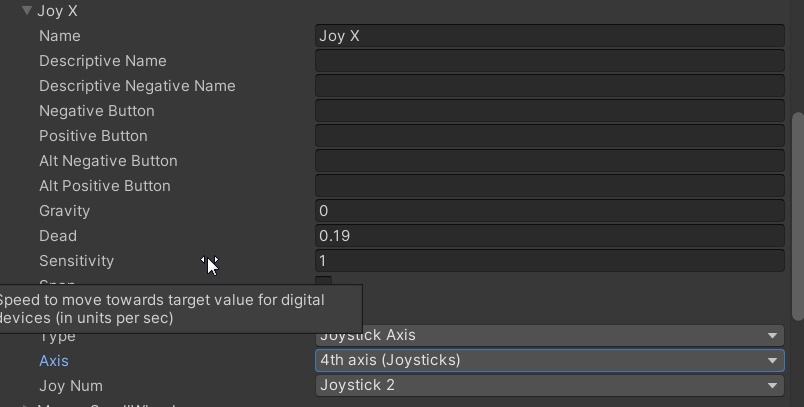 buoyant jolt

Stack Overflow
I have written a small script with the aim of getting my Oculus Go controller to move an object forwards, backwards, left and right. I have attached a screen grab. I've also set up the unity input
It needs to be setup as axis 4 & 5
Don’t override the joy num
That should be set to all
buoyant jolt
Can you share a screenshot of your ‘Vertical’ input please
languid bay
 buoyant jolt
But I am starting to suspect the input system could be set to the new input system
tiny niche
no reason not to use the new input system, so could just fix the code
buoyant jolt
Are you 100% sure it isn’t working? Your code isn’t rotating, it is applying only a rotation of -5 to +5 degrees at most
There are a lot of reasons not to use the new input system 😄
        float mousex = Input.GetAxis("Joy X") * Time.deltaTime;
        transform.rotation = Quaternion.Euler(transform.rotation.x, mousex * 5, transform.rotation.z);
That last line doesn’t do what you think it does
languid bay
figured
buoyant jolt
        float mousex = Input.GetAxis("Joy X") * Time.deltaTime;
        transform.Rotate(new Vector3(transform.rotation.x, mousex * 5f, transform.rotation.z));
That’s probably what you wanted to do
tiny niche
@languid bay this is why you should always use the debugger and step through the code when diagnosing problems
buoyant jolt
What yours was doing is locking the Y axis to (approx) -0.15 and +0.15 degrees. You wouldn’t notice it in the game, it would look unmoving
tiny niche
transform.rotation *= Quaternion.Euler(transform.rotation.x, mousex * 5, transform.rotation.z); should also do the trick
languid bay
buoyant jolt
```csharp
float mousex = Input.GetAxis("Joy X") * Time.deltaTime;
...
this worked, though i can't test fully and tweak right now ( i already wrapped up my link cable for the night) i saw it working via the inspector window watching the rotation increase and decrease in the transform component, thanks for the help, apologies for the apprentice knowledge
buoyant jolt
languid bay
this worked, though i can't test fully and tweak right now ( i already wrapped u...
No prob! Glad it works 🙂
 shell kayak
shut knot
Hello! I have a shader that was developed by a character artist (more versed w/ ...
shell kayak
shut knot
Hello! I have a shader that was developed by a character artist (more versed w/ ...
Shader Graph shaders are supposed to automatically support all stereo rendering modes.
tiny niche
They don't though. The fragment shader parts sometimes need to be adapted to the mode you're using
Sometimes true for the vertex shader too
shut knot
Yeah so just to clarify the shader works, it just draws 2x the tris similar to if it were running in multi pass
I think I need to make some input textures spi compatible but that's not possible today?
@shell kayak @tiny niche
balmy comet
What is the difference between OVRPlugin.version, OVRPlugin.nativeSDKVersion, and OVRPlugin.wrapperVersion?
tiny niche
@balmy comet they're all different pieces of software
balmy comet
@tiny niche mind elaborating?
tiny niche
well the ovr plugin is the unity plugin
the native sdk is made by the headset manufacturer
and the wrapper version likely refers to a specific piece of the ovr plugin
@balmy comet more importantly, why does it matter?
balmy comet
I'm trying to relate information about a headset to a particular device ID that I'm generating for each headset
 frigid wave
I am learning Unity. Right now I have a Canvas with 3 buttons on it. I added UIHelpers to the hierarchy. Under that I changed the Ray Transform to RightHandAnchor under the event system under the UIHelpers. I also added OVR Physics Raycaster to the OVRCameraRig. I am able to see the laser pointer and click on the buttons (Using Oculus Quest) and they change to the selected color, but when I just hover over them they don't change to the highlighted color. I am not sure how to figure out what is going wrong. Seems like the event must not be going to the right place or getting generated to begin with. How do I debug this?
balmy comet
Anyone have any ideas as to how I can retrieve the firmware version of my Quest device through Unity?
languid bay
im having an issue where when i turn with my right joystick on the oculus quest, it moves which way "forward", so when i push forward on the left joystick to move "forward", if i turn, i end up going sideways, heres my code
float movex = Input.GetAxis("Horizontal") * Time.deltaTime;
        float movez = Input.GetAxis("Vertical") * Time.deltaTime;
        Vector3 move = transform.forward * movex + -transform.right * movez;
        transform.Translate(move * PlayerSpeed);

        float mousex = Input.GetAxis("Joy X") * Time.deltaTime;
        transform.Rotate(new Vector3(transform.rotation.x, mousex * TurningSpeed, transform.rotation.z));
not entirely sure whats going on
lofty tangle
languid bay
im having an issue where when i turn with my right joystick on the oculus quest,...
try transform.Translate(transform.rotation * move * PlayerSpeed);
that code looks rough though.
i wouldn't suggest using transform.Translate to move you player, unless you are doing something specific and making a custom collision solution.
languid bay
i am using transform.translate to move the player?
lofty tangle
i know. but that can have issues, move strait through walls. as it doesn't handle collisions
languid bay
oh you said wouldn't
languid bay
what would you suggest?
lofty tangle
most would use the Character Controller component, or use a RigidBody and collider combo.
with a character controller it would be characterController.Move(transform.rotation * move * PlayerSpeed);
instead of the transform.Translate(...
languid bay
well, im trying to test that code and perhaps switch over to charactercontroller but now unity/my game won't grab my headset
lofty tangle
yeah well if you don't want to build around one of those right now just multiplying your transform.rotation by your move vector should solve your rotation issue.
languid bay
if i can get it to work
it was just working wtf
why is unity not grabbing my headset???
fixed
now to test
languid bay
lofty tangle
yeah well if you don't want to build around one of those right now just multiply...
so i got this
float movex = Input.GetAxis("Horizontal") * Time.deltaTime;
        float movez = Input.GetAxis("Vertical") * Time.deltaTime;
        Vector3 move = cc.transform.forward * movex + cc.transform.right * movez;
        cc.Move(transform.rotation * move * PlayerSpeed);

        float mousex = Input.GetAxis("Joy X") * Time.deltaTime;
        cc.transform.Rotate(new Vector3(cc.transform.rotation.x, mousex * TurningSpeed, cc.transform.rotation.z));
and im still getting the same behavior
ontop of the same behavior, im now in the ceilingn :l
nvm i think i fixed the height issue
but still moving which way "forward" is
lofty tangle
languid bay
so i got this
```csharp
float movex = Input.GetAxis("Horizontal") * Time.deltaTi...
why do you have cc. at the beginning of so much?
languid bay
thats the character controller
lofty tangle
you only really need to use cc.Move()
for its movement function. there is no need to have cc. all over the place.
languid bay
ok
so like this
float movex = Input.GetAxis("Horizontal") * Time.deltaTime;
        float movez = Input.GetAxis("Vertical") * Time.deltaTime;
        Vector3 move = transform.forward * movex + transform.right * movez;
        cc.Move(transform.rotation * move * PlayerSpeed);

        float mousex = Input.GetAxis("Joy X") * Time.deltaTime;
        cc.transform.Rotate(new Vector3(transform.rotation.x, mousex * TurningSpeed, transform.rotation.z));
same issue
lofty tangle
~~cc.~~transfrom.Rotate.
lofty tangle
yeah.
probably
so right now you move left right forward back, then if you turn 90 degrees. right is forward ets? correct?
lofty tangle
well yeah basically what is happening is that the input is moving the player forward when you use forward input even if you rotate. but it is moving according to world coordinates. what you need to do is make the move direction relative to your local rotation. let me check somthing real quick
languid bay
isn't there a thing for that?
lofty tangle
well the easiest way is multiplying a rotation to the vector. quanternion * vector3 but if it didnt work i think im missing something so let me check something real quick
languid bay
alright, thanks for helping my stupid ass
lofty tangle
okay i got it. Relative Direction, youll want to use the camera. (reason: so that pressing forward will be forward relative to what the player sees.)
you can isolate the y rotation of your camera like this Quaternion cameraYaw = Quaternion.Euler(0, Camera.main.transform.localEulerAngles.y, 0);
then you want to do the quanternion * vector3 thing i mentioned before.
and your input is what you want to use for the vector3.
something like: Vector3 moveInput = new Vector3(movex, 0, movez) ;
so like Vector3 move = cameraYaw * moveInput;
then you can do the cc.Move(...)
@languid bay
languid bay
ok so
let me see if i got this right
Quaternion cameraYaw = Quaternion.Euler(0, Camera.main.transform.localEulerAngles.y, 0);
        float movex = Input.GetAxis("Horizontal") * Time.deltaTime;
        float movez = Input.GetAxis("Vertical") * Time.deltaTime;
        //Vector3 move = transform.forward * movex + transform.right * movez;
        Vector3 moveInput = new Vector3(movex, 0, movez);
        cc.Move(cameraYaw * moveInput * PlayerSpeed);

        float mousex = Input.GetAxis("Joy X") * Time.deltaTime;
        transform.Rotate(new Vector3(transform.rotation.x, mousex * TurningSpeed, transform.rotation.z));
yea?
lofty tangle
//isolates the main cameras yaw
Quaternion cameraYaw = Quaternion.Euler(0, Camera.main.transform.localEulerAngles.y, 0);

float movex = Input.GetAxis("Horizontal");
float movez = Input.GetAxis("Vertical");
Vector3 moveInput = new Vector3(movex, 0, movez);

//orientate the input vector relative to the camera yaw
Vector3 move = cameraYaw * moveInput;

//moves cc according to reorientated input vector multiplied by speed and is framerate indepentant.
cc.Move(move * PlayerSpeed * Time.deltaTime);

float mousex = Input.GetAxis("Joy X") * Time.deltaTime;
transform.Rotate(new Vector3(transform.rotation.x, mousex * TurningSpeed, transform.rotation.z));
close. id try this. i moved the two Time.deltaTime multiplications from the input definition to one in the cc.Move function.
languid bay
ok let me see
ok srry i took so long @lofty tangle but it does work
it works kind of though
forward stays forward no matter rotation given by right stick but it does move dependant on the players looking position
lofty tangle
languid bay
forward stays forward no matter rotation given by right stick but it does move d...
what do you mean by this? forward stays forward
languid bay
so like lets say im facing north
if i hold forward on the left stick
i go north
but if i rotate so that im facing east, if i hold forward, i still go north
lofty tangle
k one sec
lofty tangle
languid bay
but if i rotate so that im facing east, if i hold forward, i still go north
can you post the code you have atm
languid bay
        Quaternion cameraYaw = Quaternion.Euler(0, Camera.main.transform.localEulerAngles.y, 0);

        float movex = Input.GetAxis("Horizontal");
        float movez = Input.GetAxis("Vertical");
        Vector3 moveInput = new Vector3(movex, 0, movez);

        Vector3 move = cameraYaw * moveInput;
        cc.Move(move * PlayerSpeed * Time.deltaTime);

        float mousex = Input.GetAxis("Joy X") * Time.deltaTime;
        cc.transform.Rotate(new Vector3(transform.rotation.x, mousex * TurningSpeed, transform.rotation.z));
well start by removing cc. on cc.transfrom.Rotate(...) at the bottom. that not the problem but its unnecessary.
i got it working with translate but give me a sec to see what is needed for the cc
lofty tangle
okay lad. i think we've got it!
cc.Move(transform.rotation * move * 5 * Time.deltaTime);
we need to multiply the transform.rotation by the move vector.
similarly to what we did to make the input relative to the direction the camera is looking.
we need to move the cc according to the direction it is facing.
it may seem redundant to do relativity to both the input and the move vector but it becomes necessary if the camera isnt facing the same direction as the cc transform.
languid bay
ok let me try this
HAZAAA
it works!
though i'd like it if it didn't move the character based on where the player is looking (not the feel im going for)
lofty tangle
then, depending on if you mean the player object or the camera, just remove the quaternion that you are multiplying the respective vector3 by.
languid bay
okie dokie, thanks a bunch for helping me out, i REALLY appreciate it, i can stop tearing out my hair.. im gonna work on this more tomorrow thoguh since its late here and im tired
 safe dragon
I wonder how much time does it usually take to unity to pickup a repported issue and treat it ? I repported that shadergraph doesn't work with vr 2 weeks ago, I am wondering when I could expect to be able to start working on my project
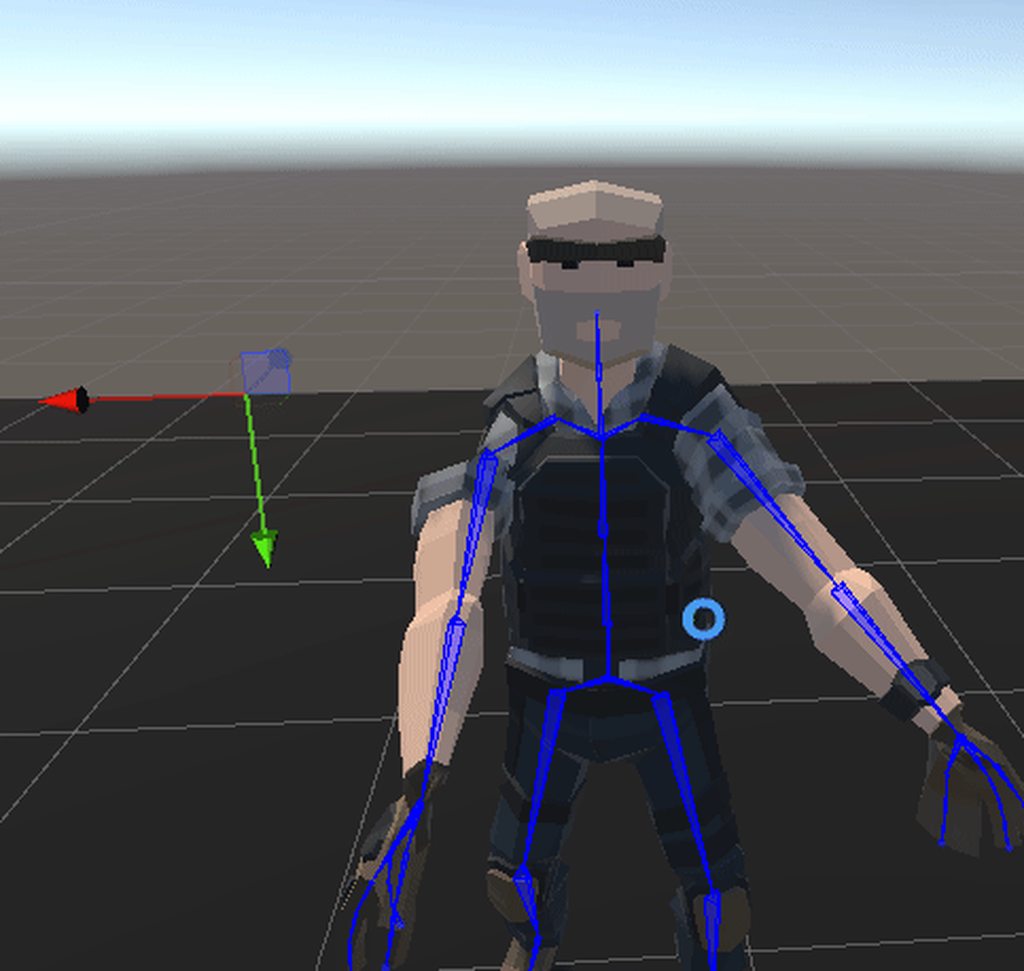
https://issuetracker.unity3d.com/issues/xr-sdk-shadergraph-screenposition-node-does-not-work-when-xr-is-active
Reproduction steps: 1. Open the attached project ("1358229R.zip") 2. Open the "PortalVR" scene 3. Open the XR Plug-in Management set...
 frigid wave
I am learning Unity. Right now I have a Canvas with 3 buttons on it. I added UIHelpers to the hierarchy. Under that I changed the Ray Transform to RightHandAnchor under the event system under the UIHelpers. I also added OVR Physics Raycaster to the OVRCameraRig. I am able to see the laser pointer and click on the buttons (Using Oculus Quest) and they change to the selected color, but when I just hover over them they don't change to the highlighted color. I am not sure how to figure out what is going wrong. Seems like the event must not be going to the right place or getting generated to begin with. How do I debug this?
safe dragon
frigid wave
I am learning Unity. Right now I have a Canvas with 3 buttons on it. I added UIH...
You can put Debug.Log("blabla") everywhere in the code and see what's happening and how the code works
 lone knoll
can't profile in play mode , have anything sees this before ?

first error log :
Missing Profiler.EndSample (BeginSample and EndSample count must match): DepthNormals Prepass
Previous 5 samples:
    DepthNormals Prepass
    DepthNormals Prepass
    RenderLoop.CleanupNodeQueue
    RenderTexture.SetActive
    RenderLoop.CleanupNodeQueue
In the scope:
    DepthNormals Prepass
    DepthNormals Prepass
    Inl_ScriptableRenderContext.Submit
    Inl_RenderCameraStack
    Inl_UniversalRenderTotal
 fallen bough
Hi, someone can help me with my problem? When I try to build my game to android (quest 2) it gives an error, but before I was able to build the application. What I do?
lofty tangle
Dont know, What’s the error?
fallen bough
It says I have compile errors but the thing is I don't have scripts
tight geode
Damn how do i scale things in VR my guns are always oversized or too small
storm ether
Hey waddup, new to this whole vr dev thing. I was curious if any vr dev experts would be down to hop in a vc and help me out with some issues, its very hard to describe them here, so hmu in dms!
 south saddle
yo im 100% new to vr development
i bought a quest 2
started a procedural generation project for testing
and my project got corrupted
so i decided to start again on the newest unity release (2021.1.19f1) (old one was on 2020.3.15f2)
for some reason when i build to the quest i just immediately get booted back to the quest 2 home
does anyone know what could be causing this
south saddle
it seems to be related to DrawMeshInstancedIndirect
north path
storm ether
Hey waddup, new to this whole vr dev thing. I was curious if any vr dev experts ...
Best to post code, screenshots, or a video here I think
south saddle
south saddle
it seems to be related to DrawMeshInstancedIndirect
wondering if anyone else has had similar issues, thanks. im on URP btw
south saddle
i take it back. the issue is related to Ijobparallelfor
frigid wave
I have a canvas that I added some buttons to. When I move the laser pointer over it they don't change to the highlighted color. I have no idea how to debug this.
I searched the internet and can't find any answer there. I did add UIHelpers which has "EventSystem" which I assume would handle the event, but I am not sure how.
fallen bough
My problem is that the "Building native binary with IL2CPP" bar is not progressing, someone know what can I do?
lofty tangle
frigid wave
I searched the internet and can't find any answer there. I did add UIHelpers whi...
Do you have the ‘tracked device graphic raycaster’ on your canvas? And the ‘xrui input module’ on your event system?
That is if you are using the unity xr toolkit.
If not try making sure the buttons are on the top layer. Cause if another is element is above it it can be blocking the raycast
tiny niche
@fallen bough wait
but i would also strongly recommend setting up a ci pipeline, so you're not waiting on builds or relying on your machine's config to get the builds done
 timber urchin
I keep getting these errors, even though I have the latest version of Android SDK

Also, I do have my Headset plugged in
nvm
well, now I'm getting these
 fallen bough
tiny niche
but i would also strongly recommend setting up a ci pipeline, so you're not wait...
fallen bough
tiny niche
but i would also strongly recommend setting up a ci pipeline, so you're not wait...
I've changed the IL2CPP to mono
frigid wave
lofty tangle
If not try making sure the buttons are on the top layer. Cause if another is ele...
Not using XR toolkit, just Oculus Integration. I don't think I have any layers interfering, just the canvas and the buttons on it. I have the graphic raycaster and the OVR raycaster on the Canvas
lofty tangle
frigid wave
Not using XR toolkit, just Oculus Integration. I don't think I have any layers i...
Idk then. I would suggest using unity xr thought. Since oculus is depreciating their api in favor of open xr
frigid wave
lofty tangle
Idk then. I would suggest using unity xr thought. Since oculus is depreciating t...
I'll have to switch at some point, just wish there was some way to figure out what is going on(or not going on). I hate black boxes
tiny niche
oculus is moving their api to openxr. i've never heard anything about them deprecating it
lofty tangle
I could link the article where they use that wording. But I don’t want to take the time
 fierce dawn
is there a way to turn my phone (android) into a vr headset for pc? (for unity development of course)
storm ether

what is this
this error keeps popping up when I try to upload my avatar on the sdk
 high rivet
Upgraded project to universal Render Pipeline and now the video player component does not show up on my game object… I hear it but don’t see it… Any thoughts?
north path
Im working in an external project (I did not set it up) and wondered if anyone knows how to call a function when pressing the grip button with OpenVR Loader.
I just can't seem to find how to do it :/
It uses the old input system and OpenVR 1.1.4
Think I found it
SteamVR_Actions._default.GrabGrip[SteamVR_Input_Sources.RightHand].state
 rare marlin
ok so i have the steam vr player prefab ive got movement and rot but the rot is based on the pos of the player game obj not the cam so it orbits thats bad know any fix?
im 100% new to working with vr based code so i dont know the tricks
rare marlin
😔
 sick willow
Hey guys ! I'm working on a simple rail system in VR. I simply attached the OVRPlayerController to a gameobject named "Parent", and I change its position in a simple animation. Here is what I get in the editor

But when I try it in vr, I get this

I have the same problem if I try to move "Parent" with Cinemachine (using a dolly track)
The problem does not come from the animation, because if I attach a simple object to the Parent, the animation will apply correctly to it, but I'll still get the same result for the OVRPlayerController
Does anyone have an idea on what's actually going on ?
 fast spindle
#🖱️┃input-system message
Hello all! Anyone got some insight on getting Unity XR controls working with the Valve Index using the newer action based input? (more details in linked post in Programming>input-system)
I need to make a simple VR shooter game with homing bullets, manual reload gun, and scoring.
Any instruction or solid tutorial links would be appreciated!
 azure geyser
is there a trick to scaling in vr?
im not working on anything rn but in the past i noticed everythings scale was off and it depended on the scene
sometimes i had to scale down my vr controller
sometimes it was too small
it was a lot of trial and error until it felt right but it felt like taping together wood, not really a good solution
frigid wave
anybody know if it is possible to add per eye cameras in open XR. the only option seems to be both eyes
I know you can do this with the normal Oculus plugin, but don't see how to do per eye culling with Open XR
 spring saddle
any tutorials implementing OpenXR movement with SteamVR.
just not sure about OpenXR calls
 tough jewel
Not sure if this is the right channel to ask for help, but here it goes: I have a world space canvas which I would like to behave similar as a screen space overlay. With my headset on, I don't see the screen space overlay, that's why it needs to be world space. The canvas would be like a headsup display and constantly visible to the headset user.
tough jewel
Put differently, I would like to have a world space canvas to have a fixed position with respect to the headset user. So it will always be displayed and visible.
 tiny kiln
Hey VR Friends! Quick question: FFR with unity standard renderer on Quest. Has anyone made that work reliably ??? I know I saw it working on a test project a long time ago, but now I just can’t make it work, even on a clean project with just oculus integration and ovrcamerarig. Is there any “undocumented” stuff to know about ?
@tough jewel attach it to your camera. If depth is your problem, then have a second camera that renders only your UI layer and starts by clearing depth
Another option that might work would be to use a custom UI material that renders last and has z test always
tough jewel
Tysm @tiny kiln I'm a noob with Unity, sorry in advance 😋 . I am creating a see through effect, for which I have a camera projecting its view on a rawimage. Is it maybe easier to have this rawimage relative to the headset user?
tiny kiln
Yeah the simplest way in this case is to just parent the world space UI root to the camera and position it and scale it so it covers the eye view
 torpid ginkgo
@versed sorrel There's no random ads on the server.
pine bison
If you want the canvas stuck to the users head you can also use the screen space camera mode @tough jewel
tough jewel
pine bison
If you want the canvas stuck to the users head you can also use the screen space...
Yes but this doesn't show when I have the headset on
pine bison
Do you have the VR camera applied as the camera of the canvas? And the distance set to something higher than the near clip of the camera?
 quaint sentinel
Using the Action XR Rig, is there a way of picking up an object?
tiny niche
@quaint sentinel no, you also need to be using the interaction toolkit to get grabbing features
picking up is also a poor term here, since in vr it can mean anything between grabbing stuff, inventory management and using your hands to teleport stuff into an inventory
balmy comet
Is there a way to retrieve the current build number the user's headset is on? By build number I mean Oculus Release Notes (https://support.oculus.com/release-notes/)
tiny niche
@balmy comet why would you care? its not like you or the user has any control over it
balmy comet
@tiny niche It helps with QA. We would be able to get a better idea of what the users are running on and how that might affect their experience with our app. It just gives us more data points for when we're looking at our logs.
quaint sentinel
tiny niche
picking up is also a poor term here, since in vr it can mean anything between ...
Cheers. Knuckles rapped 🙂
Semi working now. Even with "Grab" feature turned off on the controllers, every time an object is grabbed, it moves a little closer to me each time. Surely not 'normal'?
tiny niche
@quaint sentinel that's an offset issue. you're grabbing the object that has the collider, not the object with the rigid body
quaint sentinel
tiny niche
<@!457913589471379477> that's an offset issue. you're grabbing the object that h...
aha, "Loser Error". I'll take a look. Thanks.
storm ether
Can VR be used without a headset?
Like in VRChat? would I have to implement it in script?
tiny niche
@storm ether there's a mock driver, but its not good enough to do what vrchat does. so you have to make the complete system yourself
storm ether
Yo waddup, i need some help on my game, I want to hop in voice call with an experienced unity maker and discuss my plans
 sick fjord
anyone here has experience with TBE audio file? I converted to WAV file now unity keeps complaining about FMOD too many channels
sick fjord
Error: Cannot create FMOD::Sound instance for clip "audio" (FMOD error: The sound created exceeds the allowable input channel count.  This can be increased using the maxinputchannels parameter in System::setSoftwareFormat. )
UnityEngine.GUIUtility:ProcessEvent (int,intptr)
could I make a screen that shows on startup that allows you to switch?
tiny niche
@storm ether have you played a vr game before? you normally control it with a command line argument
 cold crane
i just setup my xr rig and interaction stuff, but my scene doesnt show up ingame
 pine bison
cold crane
i just setup my xr rig and interaction stuff, but my scene doesnt show up ingame
pine bison
cold crane
i just setup my xr rig and interaction stuff, but my scene doesnt show up ingame
Your XR rig has a weird position. Set it back to 0,0,0
 plucky trench
hi
 round jasper
sup
cold crane
pine bison
Your XR rig has a weird position. Set it back to 0,0,0
Ah ic
lofty tangle
plucky trench
can anyone help me fix my jumping code
what seems to be the issue?
plucky trench
lofty tangle
what seems to be the issue?
i was following a tutorial and when i was done coding i got an error
Assets\loco.cs(14,53): error CS1061: 'Transform' does not contain a definition for 'y' and no accessible extension method 'y' accepting a first argument of type 'Transform' could be found (are you missing a using directive or an assembly reference?)
azure geyser
plucky trench
i was following a tutorial and when i was done coding i got an error
Assets\loco...
transform.y isnt a thing
you need transform.position
lofty tangle
azure geyser
you need transform.position
Transform.position.y
azure geyser
you cant directly set that
its read only
i assume hes trying to set it
but yes that will work if ur just getting it
lofty tangle
Yeah true. That’s why you gotta make another vector3 and the transform.position = somevecotr3; or whatever
plucky trench
lofty tangle
Yeah true. That’s why you gotta make another vector3 and the transform.position ...
ok i fixed it but i got an new error Only pass-through actions should be left in performed state by default interaction
storm ether
using System.Collections;
using System.Collections.Generic;
using UnityEngine;
using UnityEngine.UI;
public class GyroManager : MonoBehaviour
{
public Gyroscope gyro;
public Quaternion gyroRotation;
public bool gyroActive;
public void EnableGyro()
{
if(gyroActive)
return;
if(SystemInfo.supportsGyroscope)
{
  gyro = Input.gyro;
  gyro.enabled = true;
}
gyroActive = gyro.enabled;
}
private void Update()
{
gyroRotation = gyro.attitude;
}
}
And my Error: Assets\Game\Controller\GyroManager.cs(19,20): error CS0117: 'Input' does not contain a definition for 'gyro'
please help me, I really dont know what to do...
I really need help pls 👐🏻
 kindred dagger
Hi. I have a question about lightmapping. I baked lights but the lightmaps do not show up in my build on the Oculus Quest 2. I tried lowering the texel resolution but they still don't show up in the build. Anyone run into this? My lightmapping settings:

 zenith roost
Can anyone help me with teleporting the player position? as in unity, I cant change the transform.position of an XR Rig gameobject by code as it I checked its position right after i set it position to the destination, it is correct, but its updated position vector3 show that the transform.position of the rig doesnt teleport to the destination at the end of the frame. Can anyone show me how to teleport a xr Rig by code?(set its transform.position), using the continous movement provider
As I include a simple test function that set the rig position back to vec3.zero every sec, i see that when i am continously moving around, sometime i would go back to zero as expected but just for a split moment and snap back to where i was still walking, maybe a problem is in this script?
tiny niche
@zenith roost you're doing it wrong. you can absolutely change the position of the xr rig transform
zenith roost
Maybe I send a snapshot of the code to see if there are any unnoticed problem?
@tiny niche
tiny niche
you're either not calling the code that's supposed to change the position, or you're changing the position of the wrong thing, or you're changing the position successfully and then changing it back to the original value somewhere else
zenith roost
 zenith roost
Code as simple as this seems to fails from time to time , may I sent the recording on this server or could I post a video link to show my question?This script is attached the gameobject that XR Rig script is also attached to @tiny niche(also I deleted unnessasary image to prevent spamming)
 fast spindle
spring saddle
any tutorials implementing OpenXR movement with SteamVR.
fast spindle
spring saddle
any tutorials implementing OpenXR movement with SteamVR.
https://www.youtube.com/watch?v=1VC3ZOxn2Lo
https://www.youtube.com/watch?v=DQAwRnGAHoU
Good place to get started with OpenXR for Valve Index/Vive.
How to start a Virtual Reality Game in 2021 that actually works! A beginner's guide to Unity's XR Plugin and how to start that VR game in 2021.
Hey guys! So I know many of you are home from work, have lost your jobs, are now doing school online, and are bored with how much time you have at home. I can't be the only one who has started a new hob...
Greetings! Today, we're going to be looking at implementing the OpenXR Beta plugin with Unity 2020.2. This package will enable us to have both Vive and Index input support in our project!
GitHub:
https://github.com/C-Through/XR-OpenXR
Forum Post:
https://forum.unity.com/threads/unity-support-for-openxr-in-preview.1023613/
Action-Based Input:
...
 red sierra
I've been having some difficulties with the joystick locomotion exemplified in this tutorial. (https://youtu.be/5C6zr4Q5AlA?t=868) For some reason there's always some drift on the joystick which I don't experience in other games. Also, snap turns don't work and the SteamVR binding save function is grayed out.
The headset I'm using is a Samsung Odyssey WMR.

▶ Support the channel on Patreon : https://www.patreon.com/ValemVR
▶ Join the discord channel : https://discord.gg/5uhRegs
I’ve condensed into two videos everything you need to know about SteamVR and you are watching the first episode of this new tutorial serie. In today’s video I’ll show you how you can setup a VR scene, add customizable hands...
I'm new to VR development and making games in general, so I can't narrow it down to being the code or a setting in the SteamVR input.
spring saddle
fast spindle
https://www.youtube.com/watch?v=1VC3ZOxn2Lo
https://www.youtube.com/watch?v=DQAw...
thanks
 rugged cipher
hey, does anyone have any idea how to make an artificial jump with the XR interaction toolkit? (i.e. press a face button & the character launches up slightly without losing current momentum)
I tried using a rigidbody, but it just started colliding with literally everything and launched you off the map at extremely high speeds before the player had even moved once.
any suggestions would be really helpful, thanks.
tiny niche
@rugged cipher you could use a rigid body, but you have to position it on the xr root
rugged cipher
I had tried a rigid body but it started freaking out and threw me out of the map.
It was an added component to the "XR rig" itself on the map.
tiny niche
and did you filter the collisions?
rugged cipher
define "filter the collisions" - I'm a little bad with physics bodies/rigid bodies, not massively experienced with them
tiny niche
go to project settings, there's a bunch of checkboxes there defining which layers should collide with each other
rugged cipher
okay, give me a second, I'm opening my project up now.
tiny niche
you don't want the rigid body to collide with anything xr related
rugged cipher
right. I'll give that a shot. Thank you very much.
@tiny niche where under project settings would I find these checkboxes? I found under physics a section called "layer collision matrix" but that didn't mention anything about XR.
tiny niche
well that's normal, since you probably havent made an xr layer and assigned stuff to it
rugged cipher
possible. I did also just notice however I misclicked and opened the wrong project, so I'll check again.
if I haven't, how would I go about making an XR layer?
tiny niche
this is where you should refer to the unity manual
rugged cipher
right, okay. I'll give that a shot then.
think I figured it out, I'll package that to my quest and see what it does
okay I made a discovery. After applying the XR layer, the rigidbody on its own behaves fine, but once I add the code for jumping, it cannot function, starts pushing the player downwards and eventually through the floor.
(however, it at least is no longer colliding with random things out of thin air, so thanks for that @tiny niche that was really helpful)
clearly it's an issue somewhere here in the code then.

I'm gonna try following the tutorial I was originally following again, while applying the XR collision layer information, and see if it changes anything.
lofty tangle
i prefer using the characterController component to handle my movement. but yes if your hands or objects you are holding have colliders on them you will want your body collider to ignore those layers.
 wild cradle
Though I don't know a ton about VR, I would love to suggest creating a VR game similar to pokemon
 gray radish
I've been using the OVR character controller and I've got a very strange issue cropping up in my project. I have a simple teleport arc, which highlights a spot on the ground, then teleports the player to the spot they are pointing at.
When the target to be teleported is the OVR player controller, the player teleports 180 degrees away from where they are pointing. When the target is the OVR camera rig, this issue doesn't occur (but other issues pop up with player collision so this method is not viable)
Any suggestions for how to correct this? I'm totally lost as to the source of the issue
I'd like to be able to teleport the OVR player controller, but directly changing it's .position value results in this issue
disabling the player controller also resolves this issue, but this is similarly undesirable. Any idea why having a player controller would result in the player being pushed backwards like this?
For future reference, my solution was just to disable the player controller, teleport, then renable the player controller right after. This "pushes" the player up back to their height instantly, so it's not noticeable. Feels hacky but it seems to work
 carmine crown
Hi everybody!
I have a weird problem that I cant find any information on. I think it started to happen after I switched from the Oculus SDK to openXR
When I launch my game, via unity or steam. it wont start in the headset unless I click on the game window...
I have no idea why this is happening.. does anyone recognize the problem?
I just tried to launch it from steam and it actually looks like the game stops right after the splashcreen. The game waits for me to click on the game window before continuing
 polar shuttle
storm ether
using System.Collections;
using System.Collections.Generic;
using UnityEngine;
u...
polar shuttle
storm ether
using System.Collections;
using System.Collections.Generic;
using UnityEngine;
u...
make sure when u send code your using codeblocks to send them
Hi all. Finally making the switch to XR Management and looking at optimizing our pipeline. We work with both PCVR and standalone, and if I can, I would love to only have to manage a single .exe file and a single .apk file. Is this doable at the moment? We will be looking at OpenXR down the road but we still use the old input system and also have to work with currently unsupported platforms.
I found this video by SkarredGhost and he builds separate .apk files for wave and oculus. This is what I'd like to avoid, if possible.
https://youtu.be/c165v-gAX1s
 noble tundra
Hi all! I'm looking to hire a few full-time VR devs for Tablecraft (https://twitter.com/playtablecraft). Does anyone know what the best channel is on this Discord to share more info? Thank you!! 🙏
 urban cloak
noble tundra
Hi all! I'm looking to hire a few full-time VR devs for Tablecraft (https://twit...
urban cloak
noble tundra
Hi all! I'm looking to hire a few full-time VR devs for Tablecraft (https://twit...
We don't do job postings here. The forums are where they should go, links are in #854851968446365696.
noble tundra
urban cloak
We don't do job postings here. The forums are where they should go, links are in...
Sounds good, thanks!
 gray estuary
Which vr plugin are you using ?
 whole panther
this is not a coding question but a techincal question on VR could I use the until movie examples to create a VR movie? not a video for a 3d realtime movie
 hoary skiff
how do i set up overlay mode, i know it needs VRApplication_Overlay in the openvr api but idk how to in unity
 fringe fable
hi, im trying to make my first game in unity, imported my map and assigned materials to the meshes, my problem is that i get some weird glitches when i move my head around, which are not present in the editor mode
hoary skiff
looking at the doc i dont think i can use openxr yet. id have to use openvr?
hoary skiff
fringe fable
hi, im trying to make my first game in unity, imported my map and assigned mater...
whats the white bit? a different mesh? might be z fighting?
fringe fable
hoary skiff
whats the white bit? a different mesh? might be z fighting?
its the same mesh, just with two different materials
 fringe fable
using vulkan with mutli pass, or
dx11 with single pass
seem to fix the issue
i was using vulkan with single pass
fringe fable
hoary skiff
im no pro btw in just a rubba ducky
thanks for your help anyway 🙂
 visual idol
hello, does anyone know how i could store a players input in a variable?
lofty tangle
visual idol
hello, does anyone know how i could store a players input in a variable?
Yes.
var name = input.value;
Something like that. It depends on how you are getting your input
hoary skiff
what version of unity do i need to get openvr working. i want to do an overlay app but openxr isnt supporting it
 wraith shale
@hoary skiff get valve's steamvr integration from asset store, it has openvr support
no idea if that will help on your issue though, sounds more like you are trying to do something Unity's XR system isn't designed for
if you want to use the older Unity VR setup, you probably want to use 2018 LTS. It's still present on 2019 LTS but it's hidden and apparently somewhat bugged there
 arctic dew
Hi all, is anybody here familiar with the Oculus SDK? I'm trying to implement gaze-to-click functionality and I can see a bunch of prefabs and scripts but no reliable source of information on how to use them.
lofty tangle
arctic dew
Hi all, is anybody here familiar with the Oculus SDK? I'm trying to implement ga...
I’d suggest not using oculus sdk, cause Facebook depreciated it, see link below.
https://developer.oculus.com/blog/oculus-all-in-on-openxr-deprecates-proprietary-apis/

Starting with v31, new features will be delivered via OpenXR extensions, instead of new Oculus Mobile and PC APIs. OpenXR will enter Full Support and will be the preferred API for all new applications going forward, including those that plan to use Passthrough Experimental API functionality.
But.. you can get a general gaze by just making a raycast shoot forward from camera. And to make it do something if your gaze is held after a length of time just do something like: while raycast hits, increase a timer float. if it reaches a number then have it do the thing you want, if you look away reset the timer.
obsidian marsh
hello!

I'm new to profiler and have this huge spike randomly in a couple of seconds

Could someone help to figure out what causes this?
I'm using Unity and testing on Oculus Quest2
also I could not find a profiler room here in Discord
obsidian marsh
I think it would be a very useful room 🙂
 half pecan
 outer bone
Hello! does anyone know how to get the state of the oculus menu button (left hand) with the OpenVR plugin (we're on Unity 2020.3, OpenXR 1.2.8, XR Plugin Management 4.0.7)
best I can tell you're just not allowed? as in unity doesn't even map it at all?

but that seems completely ridiculous
it shows up fine in the input debugger

but myDevice.TryGetFeatureValue(CommonUsages.menuButton, out myValue) returns false
maybe there's a better way to do it than this way?
 wide zodiac
lofty tangle
I’d suggest not using oculus sdk, cause Facebook depreciated it, see link below....
wide zodiac
lofty tangle
I’d suggest not using oculus sdk, cause Facebook depreciated it, see link below....
Not necessarily. The latest Oculus Integration SDKs support the OpenXR backend
wraith shale
We continue to closely collaborate with Unity on their OpenXR plugin (fully verified on Unity 2020 LTS and beyond), which is currently experimental for Oculus devices. The Unity OpenXR plugin will be fully supported in early 2022 (Unity 2021 LTS) and will become the recommended path for Unity developers. We will continue to provide compatibility support for the Oculus XR Plugin until early 2023, when Unity 2022 LTS is expected to be released. ```their own integration may have some additional goodies but it seems like their plan is still to use Unity's OpenXR plugin from now on
 wintry trout
Hey guys, running into a problem with Unity's XR Interaction toolkit. Basically I need to be able to grab an object and have it along a single axis. However with the standard grabbable interaction it follows the hands which doesn't allow for enough movement without the user moving more than their hands. Anyone have any suggestions for other approaches?
 red pelican
I am running into an issue with my OVRPlayerController spawning in without hands, any idea what would cause this? I am being told hands are added by default? Any help is appreciated! Thanks!
vague raptor
vague raptor
Having a weird issue running a build in the Quest 2. I built the game, then inst...
Bump
 wet vector
vague raptor
Having a weird issue running a build in the Quest 2. I built the game, then inst...
wet vector
vague raptor
Having a weird issue running a build in the Quest 2. I built the game, then inst...
You need to connect this to your PC and use logcat to get the logs to hopefully find out what's going on
 cursive moss
Hi! Does anyone here happen to know what the native audio sample rate of an oculus Quest-1 is?
 terse locust
Either 44100 or 48000
 sage pasture
hey, i have a problem with my htc vive cosmos. I installed the Cosmos with Viveport and the cosmos installer but it doesnt work. In the Vive Console theres an error: 202 HMD not found, i plugged the cables in other ports, reinstalled the drivers of Cosmos and my GPU and didnt found any solution on the internet, does anyone know how to fix that problem?
cold crane
what's the best way to check if the user puts their hands in a certain position, like say each palm is facing the other, or the hands are facing forward etc
tiny niche
@cold crane you'll want to use linear algebra. in the case of palms facing each other, you can use the dot product between them to determine that
sage pasture
I am desperate, my htc vive cosmos dont work, im working on it since friday 2PM, if i plug it in and open Vive Console it shows me error 202: HMD not found, i reinstalled my gpu drivers, i reinstalled 5x the vive drivers, i reinstalled steam, i plugged it into other ports multiple times, i tried to install the vr headset on a friends computer which dont have the hardware to use it only to see if it works, it worked, after that i reinstalled Windows 10 on my pc, then i installed vive cosmos drivers again + steam and it still dont work, now im sightly triggered and desperate, can anyone help me please with this?
sage pasture
my company giftet me this vr controller for vr development, i think i will give it back before i hit it against my wall, the fuck, i never got such a buggy peace of hardware before
pine bison
That about sums up what I've heard about the vive cosmos
You should really be looking up their support options rather than asking here, this isn't a space for hardware troubleshooting
azure geyser
 storm void
i have some errors
storm void
i have some errors
its an issue with the input system, theres really nothing you can do besides downgrade
 muted laurel
When will "OpenXR" finally also support Linux and Mac?

 covert sable
Unity seems to be crashing every second time I try to run the game in the editor - and it seems to be because of the XR interaction toolkit (it only happens after importing it).
This happens even in a fresh new and empty project.
Does anyone have any clue what this might be?
Or if there are any other toolkits to make use of - I'm still trying to get back into unity so I'd like to use presets if possible to make it a smoother experience
covert sable
Here are the stack frames
Pastebin
Pastebin.com is the number one paste tool since 2002. Pastebin is a website where you can store text online for a set period of time.
obsidian marsh
Hello. Could you please clarify in short what kind of things should I change in my vr project to fix the large garbage collection spike in profiler? It comes quite often and while it lasts the screen lags.
Is it the thing with too many stuff on tick, or too many objects or what?
 amber drift
I have an issue with VR / URP and cameras. Little different than how most people handle it ( which is why Im running into this.)
Desktop app runs at the same time in VR and flat mode, which was easy to achieve in the built in pipeline. With URP, I've set priority on the two cams in order to be able to use the camera, but that kills the lower ( desktop view) priority camera. I've tried setting up displayTarget hoping I'd be able to make it work but no go..
Any thoughts, hints would be greatly appreciated!
 hoary dagger
Has anyone run into an issue where in the headset the view goes monoscopic and the perspective is really warped in a weird way? Almost like the camera matrix is off or something
I thought it may be an Oculus Link bug or similar at first, but I saw it happen in the Game View for the first time
covert sable
covert sable
Here are the stack frames
https://pastebin.com/CG63JvFs
In case anyone is wondering - if your editor crashes after loading openXR once - it's because of a bug with viveport
After trying everything, uninstalling viveport was the solution
Unity Forum
I'm not sure where to report this issue, but I figured this would be a good place to start :). I've noticed that both the editor and the player crashes...
 unkempt moon
Hey guys, I’m trying to make a VR Demo and I’ve just started adding animations to the players hands. For some reason though, when I’ve applied the animations, they only work on the left controller and the right doesn’t do anything. Even when I only have the animator on the right hand you can still only control it using the left controller. I am using a quest 2
 pine bison
unkempt moon
pine bison
unkempt moon
First off share your script here instead https://hatebin.com/
unkempt moon
How do I send you it? I’m at work so discord is blocked on the pc
pine bison
You paste your code, get a link, and get that link onto discord somehow
unkempt moon
Idk how to use that but here’s the entire script

 late zinc
Hello, I am currently developing an app in Unity with the Oculus plugin, when I enter OVR Performance Lint Tool, this recommendation appears and I cannot export, does someone have a reference for your solution?

 shrewd cove
Im trying to install the Xr integration toolkit but it only shows Xr plugin management in the package manager, What do i click to get the other package?
 lofty tangle
shrewd cove
Im trying to install the Xr integration toolkit but it only shows Xr plugin mana...
lofty tangle
shrewd cove
Im trying to install the Xr integration toolkit but it only shows Xr plugin mana...
Well you already said it “the xr toolkit”
It’s in the preview packages
 shrewd cove
lofty tangle
Well you already said it “the xr toolkit”
shrewd cove
lofty tangle
Well you already said it “the xr toolkit”
or am i just blind
lofty tangle
shrewd cove
or am i just blind
Show preview packages
zenith roost
HI, how do I do a top down spectator display on desktop while the player is playing the game in their vr headset?
azure geyser
zenith roost
HI, how do I do a top down spectator display on desktop while the player is play...

Unity Blog
torpid ginkgo
@dusty pumice This channel is not for ads. And you've posted it already previously.
 wooden bridge
this is not an ad :), a free event helpful for everyone working on multiplayer networking frameworks https://www.eventbrite.com/e/comparing-networking-frameworks-for-high-end-shared-online-experiences-tickets-180204425287?aff=mm

Eventbrite
Battle Royale of Multi-User Networking Frameworks - Comparing Networking frameworks for high-end shared online experiences
lofty tangle
 median basalt
Any idea why my visual effect would show up when in playmode (on a Quest 2), but not when I build it to the device?
shell kayak
wooden bridge
this is not an ad :), a free event helpful for everyone working on multiplayer n...
I feel like the "winner" of this "battle royale" has already been picked just based on the speakers present
 open steeple
Hi all! My team and I are working on a VR aircraft cockpit. I want to create a script that I can use on multiple buttons where an animation is played onHoverEntered and then returns to its original pose onHoverExited. Could anyone please give me some pointers on how to do this. Thanks. Im using the XR Interaction toolkit if that helps.
lofty tangle
OnHover(){
Animator.setbool(“hovered”, true); }
OnStopHover() {
Animator.setbool(“hovered”, false); }
Use whatever override function is used on hovers for xr toolkit
Also assuming that the animator uses a bool called hovering to blend between states
lofty tangle
open steeple
Hi all! My team and I are working on a VR aircraft cockpit. I want to create a s...
Or maybe Just have a set of public functions that finds the object that your interactor is hovering on and then sets a bool perimeter on the animator to true and another doing the same but sets to false.
Then use those functions on the hover and stop hover events on your interactor.
Not sure what way would work best, I don’t use the xr toolkit. But the first might require making a custom version of the xr interactor script and the 2nd might need an xr interactable on each button
But there could be lots of ways to do it. That’s just what I would try
open steeple
Hey thank you so much! With your help and a bit of reading I got it to work. Thanks a lot!
lofty tangle
cool
 fiery night
I'm using a skybox asset but it behaves weird. In play mode on my quest 2 through oculus link my right lens sort of repeats things it has rendered? Like that old windows bug when the computer was crashing and you moved around boxes and you could see a shadow trail of the boxes.
I don't know what setting to look for
pine bison
fiery night
I'm using a skybox asset but it behaves weird. In play mode on my quest 2 throug...
Might be the shader does not support single pass instanced rendering
fiery night
Sounds logical
I was looking for that because I vaguely remember it being an issue before. So this is probably the answer. Thanks!
fiery night
That was it, thanks.
I am also curious why moving objects same jittery. It's just a rigidbody with force applied. I feel like it has something to do with how often the position gets updated
It's like it fades between two positions. Vibrates? But not in movement, there's just this transparent extension of the object
pine bison
If you're moving it with physics then it could be because of the physics timestep @fiery night. You can try and change that in the physics settings and see if it makes a difference
fiery night
You mean the normal timestep? Under project settings > time
I can't find a "physics timestep" anywhere
fiery night
pine bison
If you're moving it with physics then it could be because of the physics timest...
Forgot to ping, but also: what value should I use? Is 75 still considered ideal? Or should I aim higher? Like 90
fiery night
Ah okay, so you did mean that right?
pine bison
Yes
fiery night
Okay cool. I'll play with it and profile to see what happens
pine bison
As for the value, lower means more CPU calculations, s you should find a middle ground
fiery night
A default vr project with unity just seems to have so many issues
I believe 75hz should be fine, I'll experiment 😄
Anywhere... Is there some sort of guide for visuals? Because everything looks like crap
pine bison
Main focus at this point would be to confirm whether this is in fact the source of your issue
fiery night
Oh, yeah but I'm not working on that particular project right now.
I've put it in a ticket for tomorrow
Right now I'm trying to get a good starter project set up. The timestep is one of the things I can do there. I googled a bit and saw it recommended multiple times (75/1).
Now I'm trying to figure out why stuff looks so ugly. Jagged edges and odd rendering. Like it has a lower resolution or something.
pine bison
Sounds like antialiasing
fiery night
I remember someone here pointing me towards a.. texture scale? I think?
pine bison
Check if you have MSAA enabled in the quality settings
Texture scale is also a parameter in the same menu
fiery night
Lemme check... Because I don't know what that means
Medium and low have it disabled. High has 2x
pine bison
Are you building for quest?
fiery night
Quest 2, yeah.
fiery night
I didn't use the vr template because that uses the built in renderer
So I'm creating my own on top of urp. Is that wrong?
fiery night
Ah, sorry if I explain poorly.
So... 2 follow up questions.
- Why 4x?
- How do I know which settings are used for quest2?
Hm, and maybe 3. got anymore of them tips? 😄
pine bison
4x is standard for mobile VR. Most standalone have hardware boosted chips for 4x MSAA
In the quality settings you choose the quality of your build target platform with the arrow at the bottom of the list, and then it should turn green
fiery night
Ah, found it. Thanks!
pine bison
And I don't have a list of tips and tricks ready unfortunately 😄
fiery night
I'll just uncheck everything except medium
That way I know it's always medium. Even when I use my link cable
pine bison
Actually in editor it's whichever quality level you have selected that's applied
fiery night
Downside of testing with link cable is that I have an rtx3080 and a ryzen 9 5900x. Is there a way to throttle play mode (other than making an actual build)?
fiery night
pine bison
Actually in editor it's whichever quality level you have selected that's applied
That's good to know. "Allow quality setting on platform" sounds like the device it runs on gets to decide which quality runs.
pine bison
No, you'll have to build to check performance. Oculus integration asset has some tools to speed up that process
And you're right, you can toggle between quality settings on a device if you've included them
fiery night
These quality settings are cool
I don't really see a difference between 2x and 4x
I mean... It's clear something is happening to take off the "edge". But it seems to just do it differently. I'm going to read into this msaa stuff
Render scale from 1 to even 1.2 is a huge difference as well
pine bison
Yes, everything has its cost of course
fiery night
I'm aiming for something with very few objects with high quality. I'm just curious what I can actually achieve in unity. I already created it in unreal (5).
pine bison
Cool, well you can get pretty decent results visually in unity but it takes a lot more effort than in UE
 frosty stirrup
Hello, Anybody knows why my game is freezing when starting VR? This only happens on a build and not in the editor, it shows the following error in the logs:
[XR] [OpenVR] [Error] Unsupported application type: 0
I appreciate any help
wet vector
Have you googled it? there's a few results..
 solar needle
fiery night
I'm aiming for something with very few objects with high quality. I'm just curio...
solar needle
fiery night
I'm aiming for something with very few objects with high quality. I'm just curio...
You can also model your assets so that you dont need to use high levels of MSAA. I have mine set to 2 x but thats because I model bevels onto ever sharpe edge of my assets. The cost of the extra Tri's is less than the cost of extra MSAA. Something else for you to ponder 😆
fiery night
solar needle
You can also model your assets so that you dont need to use high levels of MSAA....
How? How do you model assets so you don't need it? Because I don't know how to make a straight line less edgy
solar needle
fiery night
How? How do you model assets so you don't need it? Because I don't know how to m...
normal data for a shape edge versus normal data on a smooth bevelled edge is very different.
left box sharp, right smooth - Try it
 solar needle
oh sorry
fiery night
But maybe it works, I'll try
solar needle
only trying to help
fiery night
I appreciate that
I didn't mean "right, whatever. u dumb"
I meant "aah, right. I see what you mean"
I hate text as a medium
But what I meant is this

It's hard to find examples lol. But it's very... corner-y
Just because it's diagonal, it seems like
Render scale and msaa makes it look smoother. Is it really so heavy on a quest 2? If so, are there other things I can try?
pine bison
In general, you should almost always use MSAA in your apps for Quest devices, however you should not go over 4x MSAA sampling. It is better to spend GPU time on higher resolution render targets than further increase MSAA.
https://developer.oculus.com/documentation/native/android/mobile-msaa-analysis/
 placid nacelle
Anyone got any tips on privacy policy for Oculus Quest app lab publication?
tiny niche
don't store anything
that way you can just take some boilerplate legalese and not worry about it
placid nacelle
I used a generic online free privacy policy generator before, but recently when I updated the app having changed nothing in those regards, Oculus came back and rejected the privacy policy, even though I don't collect any information from the user.
I don't collect anything at all, the app doesn't even have to be online nor does it have anywhere to send any information.
lone knoll
i have updated my project form 2021.2.0a17 to 2022.1.0a10 and open-xr stopped tracking my controllers , turning off open-xr and switching to oculus option in the plug-in management still works tho without changing any input binds or scripts , any ideas what's up ?

is there some new features in open-xr that i need to update for the controllers to receive tracking ?
lone knoll
fringe fable
hi, im trying to make my first game in unity, imported my map and assigned mater...
looks neat , what lightning did you use ?
fringe fable
lone knoll
looks neat , what lightning did you use ?
baked lighting with a baked reflection probe
lone knoll
ah that explains the crisp result
been looking for a dynamic lighting method but none is as good and performant
fringe fable
lone knoll
been looking for a dynamic lighting method but none is as good and performant
i have no experience with dynamic lighting yet, so i cant help you out with that, sorry
fast spindle
Using the UnityEngine XR Interaction Toolkit, if multiple sockets with listeners are created from an array and they call the same method all in the same script, can information be passed to the method indicating which socket in the array called the method?
fiery night
pine bison
> In general, you should almost always use MSAA in your apps for Quest devices, ...
That's a very good resource. Thank you
 split violet
Does anyone have any experience using "real" weapons or Airsoft weapons in VR/MR as a tracked controller?
tight geode
split violet
Does anyone have any experience using "real" weapons or Airsoft weapons in VR/MR...
just tape your controller onto a gun and then offset the position in game
of the gun
split violet
Ok, I'm a bit more interested in whether or not the game projectile would follow the same trajectory as a real world bullet? (Ignoring bullet drop and air resistance)
solar needle
split violet
Ok, I'm a bit more interested in whether or not the game projectile would follow...
How can it follow the same trajectory of a real world bullet if youre ignoring drop and air resistance? Ignoring those your bullet would just fly in a straight line? You can use a raycast to do this. If you want REAL world though you can use a rigid body with mass, forces etc..
placid nacelle
split violet
Does anyone have any experience using "real" weapons or Airsoft weapons in VR/MR...
I made this app that works in conjunction with real / airsoft handguard and stock
As for ballistic, if you want something to follow a real world bullet or closely like it, then my approach (and I think this is probably a common approach), is to create a bullet game object, use raycast to calculate where it needs to be the next frame, then move the object there to cast again, so it's still raycast, but with some simplified ballistic calculation instead of using Unity's physics system which may fall apart even if your bullet goes as fast as a paintball
split violet
Thank you for your replies 🙌
@solar needle I just meant as a starting point before I start incorporating in logic to more closely simulate what a bullet would do
@placid nacelle Nice Demo! (and moves)
Interesting approach and makes quite a bit of sense, thank you! I will look more into this 🙌
 worthy zephyr
split violet
Does anyone have any experience using "real" weapons or Airsoft weapons in VR/MR...
worthy zephyr
split violet
Does anyone have any experience using "real" weapons or Airsoft weapons in VR/MR...
I work at an LBE an we use striker vr guns. https://www.strikervr.com/

strikervr
Striker VR's Arena Infinity is the most immersive virtual reality peripheral ever built for the arena. Arena owner? Contact us now so you can Pre-Order today!
Works with optitrack system that send out infrared signals
but
We also made it work without the optitrack system. 3d printed a controller holder and mounted it on top
But it's quite expensive 🙂
split violet
worthy zephyr
I work at an LBE an we use striker vr guns. https://www.strikervr.com/
Expensive but does look cool! Thank you, I will check it out
 worthy steppe
hey guys, does anyone know a quick way to smooth controller movement/rotation?
 tardy flower
Hello! Anyone know how to get haptics to work on quest using the Oculus XR Plugin ?
gray radish
How do people typically adjust the player hitbox so it tracks with roomscale? I'm using the OVR plugin but I'd imagine it would be similar across headsets
Right now when my player teleports or uses joystick locomotion the hitbox moves as intended, but if they walk 3 feet to the left in roomscale or something, the hitbox doesn't travel with them
 frozen roost
Hi, anyone have experience with custom teleportation in the UnityEngine.XR? I want to be able to stand on walls and ceilings (match the normal of the hit point). Unfortunately, the following doesn't seem to do anything:
public class ArbitraryTeleporationArea : TeleportationArea
{
    protected override bool GenerateTeleportRequest(XRBaseInteractor interactor, RaycastHit raycastHit, ref TeleportRequest teleportRequest)
    {
        bool result = base.GenerateTeleportRequest(interactor, raycastHit, ref teleportRequest);

        teleportRequest.destinationRotation = Quaternion.LookRotation(raycastHit.normal);

        return result;
    }
}
Nvm, it works but I was using Quaternion.LookRotation wrong. There's some math to be done to get up/forward/normal vectors
pine bison
Oh that sounds like an interesting mechanic :)
tiny niche
@gray radish i've seen some examples where people use a character controller on the xr rig root and re-center it below the headset every update
it approximates the feeling of being able to walk around and collide with stuff pretty well
 quartz slate
 lofty tangle
quartz slate
https://i.imgur.com/QK7UWOI.mp4
lofty tangle
quartz slate
https://i.imgur.com/QK7UWOI.mp4
What’s going on here?
 vast thorn
Hey, do these not work when interacting with UI or am I doing something wrong, because I'm not hearing the audio

on XR Ray Interactors
quartz slate
@lofty tangle it's basically a square playspace; the VR rig and gravity directions are rotating when it goes over an edge
lofty tangle
quartz slate
<@!286898042160939008> it's basically a square playspace; the VR rig and gravit...
the jumping is that from actually jumping? it like squishes and jumps looks neat
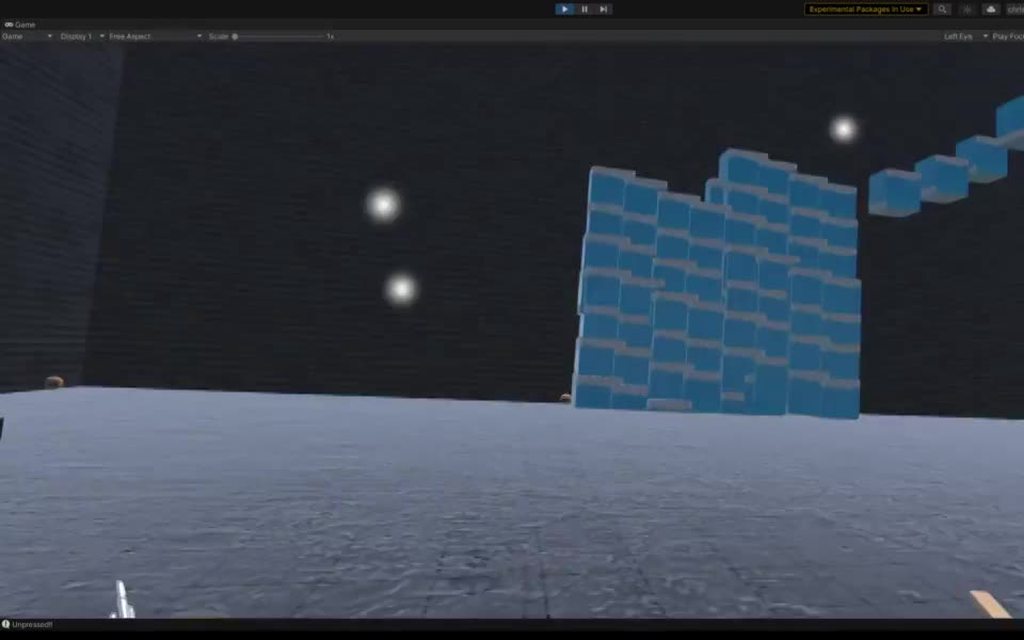 lofty tangle
dope
 glass herald
Hey so im trying to mimic echo vr movement within unity, but my head wont collide with stuff when i grab and move around.

"XR Rig" has the rigidbody with no gravity and not kinematic

my camera has a sphere collider
 urban cloak
@crude escarp There's no job postings on this Discord. #📖┃code-of-conduct for links where they should go.
 queen minnow
Would it even be possible to use 2 video cameras as the input for a VR? I know this is more AR but as I’d be using a VR headset i thought id also post here, so what I’m trying to do is this: I want to know if I can use usb webcams to display a stitched together video for each eye rather then 1 camera for both eyes
I’ve only heard of that being used for AR and even then it’s a phone. Wondering if it’s possible
glass herald
Hey how could i parent an xr rig to a moving object
the xr rig and object both have zero gravity rigidbodies
lofty tangle
glass herald
Hey how could i parent an xr rig to a moving object
xrRig.transform.parent = movingObject.transform;
glass herald
that seems to not work, and my head just stays still
tiny niche
@glass herald parent the rig root, not the headset
 fiery night
quartz slate
https://i.imgur.com/GSuyP7T.mp4
fiery night
quartz slate
https://i.imgur.com/GSuyP7T.mp4
This looks awesome. The jumping and the retractable feet.
I wanted something similar to that, and pull up the feet when climbing so you're not blocked when reaching the top. Then "expand" when a raycast down from the head finds a surface so you can "stand up". How did you implement this, if you don't mind me asking?
quartz slate
the feet (and the hands) are each their own rigidbody with a configurable joint
the head is rotationally constrained, which is why it doesnt fall over
but everything else is mostly pure physics
fiery night
I didn't even know configurable joints were a thing. Something to learn, thanks 🙂
quartz slate
welcome!
fiery night
It looks really cool.
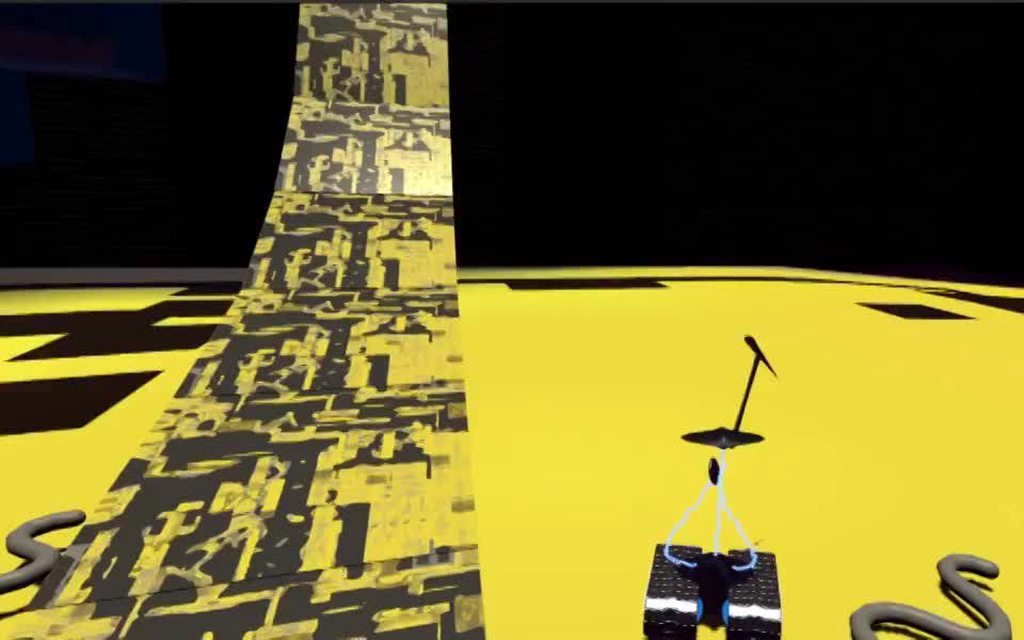 quartz slate
yep
fiery night
Nice, I like that
quartz slate
this one can switch into a 360 flight mode
fiery night
Does it not screw with your head in vr?
quartz slate
surprisingly not
having everything be legitimate physics makes it fairly predictable
fiery night
warplanes messed with mine quite a bit, that's why I was curious
It's the whole rotating in VR but not in real life that my brain doesn't quite like yet
quartz slate
my intended game play is sitting down, so i wonder if that will help
plus the third person really helps you have a sense of what your body is doing
gives you bigger FOV
fiery night
Idk, I think it's just my brain being stupid. I can play it (warplanes), I just feel awful when I'm done
Any other type of movement is fine. It's just rotating x and z
So the joint responds to the position of your head?
As in, to jump you just crouch and get up?
quartz slate
actually the jumping is on the right joystick Y axis
seated play is what its designed for
although its trivial to set it up like that
fiery night
Aaah 😄
quartz slate
I'm more concerned with making VR fun than i am forcing players to do arbitrary crap like crouching
fiery night
Yeah
quartz slate
not that it's a bad thing; players just dont know what they want yet
if VR is gonna be more than an exercise gimmick, seated play is required for the long term gaming sessions
else players will be exhausted
fiery night
I agree. Especially those table top games
Population one for example I love to play standing
quartz slate
being seated also removes your need to constantly stay balanced, which might really help with 360 stuff
fiery night
Also has a different type of climbing that I really dig. It's not really physics based but it feels good
quartz slate
more like feeling seated in a cockpit
for a lot of games i think standing up is fine
fiery night
I think it's the inner ear getting confused. As in, why am I not feeling myself rotate.
quartz slate
expecially where it's not ultra fast paced
one of the things i have come to discover is that it's not necessary how the player is rotated, etc..., but rather how much control they have over it, that matters
fiery night
You mentioned the hands being joints. Is that what allows you to climb the way you do in that video? Because they pull the rest of the body up?
quartz slate
planes that are too sensittive in rotating, too jittery, etc, would feel harder to control and be inherently more stressful
fiery night
I haven't done a ton with joints yet so if it's a dumb question, forgive me :p
quartz slate
yep! the rigidbodies aren't kinematic at all
so it's rigidbodies connected by joints pulling and pushing eachother
fiery night
quartz slate
planes that are too sensittive in rotating, too jittery, etc, would feel harder ...
That makes sense. Warplanes does have very sensitive controls
quartz slate
fiery night
quartz slate
so it's rigidbodies connected by joints pulling and pushing eachother
So, would it be possible to "clamp" the hand somewhere?
quartz slate
iirc this should be instructive
configurable joints are a rather compplicated component (like a precision tool with all the features)
fiery night
In your video it interacts with geometry. But could you fix it at a point in space(for example when pressing the grip button) so it can't slip or move?
quartz slate
they're hard to use at first, but when you get them right they're perfect
quartz slate
fiery night
In your video it interacts with geometry. But could you fix it at a point in spa...
in a number of ways, yes
fiery night
quartz slate
Thanks, I'll play with this 😄
fiery night
quartz slate
in a number of ways, yes
Huh, cool. I tried using the controller velocity and applying it to the body instead, but it's not accurate enough to not feel weird, if that makes sense
It lags slightly
quartz slate
physics in VR takes some time to learn the basics and to hammer out an approach
configurable joints are a cruel but powerful mistress
fiery night
So how would you fix a hand at a certain position?
quartz slate
make it kinematic, or use another joint that locks it to a kinematic RB
the way joints work implies the solution; set that up first
fiery night
But then when I move the controller nothing would happen right?
Ah okay, sorry
I'll go on my joint adventure 😄
quartz slate
good luck lol
fiery night
quartz slate
good luck lol
Configurable joints are awesome
They're all the joints wrapped in one and I'm having a ton of fun making stupid stuff. So in your video, what's the joint hierarchy? The body is hanging off of the head? Or the head is balancing on top of the body?
quartz slate
in this case, the feet are hanging off the head, and the arms (hands) are also hanging off the head
the head uses rotational constraints (a rigidbody setting) to make it not fall over
in order to make the hands work with it's hierarchy as such (with the configurableJoint components on the hand RB's), the swap-bodies option is being used
swap bodies is a bit broken and unintuitive, but it essentially reverses the order of spring resolution order (rotation before linear, and vice versa), while also inverting the outputs
it's meant to make it seem like the joint is on the other body but you need to corect anchor positions to make it work
if you're having fun with them at the outset, then you probably understand the basics of joint drives, and you're off to a great start!
remember to turn off preprocessing too, cause it's awful
fiery night
Good info, I'll play around with that
I can't quite get my hands to move my body yet but I'm sure it's something I'll discover as I keep playing around
fiery night
I started a new VR project like I always do. Only this time my hands aren't being tracked. Before I go crazy trying to figure out what I broke and/or installing other versions of unity I should mention I'm on the beta (2021.2). Any known issues surrounding this?
 timid hawk
Has anyone had any experience writing a game that supports both VR and Keyboard/Mouse on a regular screen? Would I need to create a player controller that swaps between a third person cinemachine rig and an xr rig, or would it be better to have two distinct prefabs/controllers and have scene initialization choose the appropriate one for the player’s config?
azure geyser
fiery night
I started a new VR project like I always do. Only this time my hands aren't bein...
any errors?
azure geyser
timid hawk
Has anyone had any experience writing a game that supports both VR and Keyboard/...
ive done this and yes
just make a generic player controller that checks if vr is enabled
if it is, spawn the xr rig, if not, spawn screen rig
fiery night
azure geyser
any errors?
Unfortunately no. It works in 2021.1
timid hawk
azure geyser
if it is, spawn the xr rig, if not, spawn screen rig
Thank you! Sounds straightforward enough
azure geyser
@timid hawk this is how i did it

i see optimisation opportunity tho
vr = XRSettings.enabled;
if(vr) {
cam = Instantiate(VRCamera, transform);
} else {
cam = Instantiate(PCCamera, transform);
}```the vr variable is there just cuz you will probably want to reference it later in the script depending on what ur doing
its just for shorter lines
timid hawk
Yeah for sure, this is the approach I was picturing when I started on this. Appreciate all the help!
azure geyser
np
you could actually do it in one line
or two
vr = XRSettings.enabled;
cam = vr ? Instantiate(VRCamera, transform) : Instantiate(PCCamera, transform);
just make sure vr and pc cameras are prefabs of their rigs
timid hawk
Got it, seems like it should be pretty easy to work into my design. I’m gonna give it a try later, excited to give it a go 😃
 sinful sable
I'm looking to understand VR development for Oculus Quest in Unity. I see that there are three integration's available:
-
Oculus Quest Integration SDK
-
VRTK
-
XR Interaction Toolkit
Which ones do you use (and prefer)? Why?
For hand tracking, I've seen more tutorials using Oculus Quest Integration SDK & VRTK. Which integration do you use for hand-tracking? Why?
pine bison
What's your use case @sinful sable? That would determine what's best to use
For example if you need hand tracking, you need the oculus integration either way
I'm setting up a personal project for just playing around and I'm gonna use all three of those
wraith shale
I still wonder why Oculus doesn't allow quest handtracking on PC side
tech clearly works through Link and AirLink as you can use it on Unity editor, they just remove it from actual builds
it's super niche thing and they just limit the applications further
sinful sable
pine bison
What's your use case <@!616761043154239508>? That would determine what's best to...
I'm leaning towards using controllers. I'd still appreciate any comparisons you can offer for the three development packages.
sinful sable
wraith shale
it's super niche thing and they just limit the applications further
I dream of the day where we are all using OpenXR that works for all popular headsets and game engines!
wraith shale
openxr still has stupid things
it's not fully device agnostic api, you still need to have your system running it through steamvr or oculus api (but of course openxr is the interfacing layer to unity still in that case)
and to force your openxr game to use specific backend today... is pain
they don't have any nice -oculusvr etc toggle for it, instead you go through registry + file hackery
(if you need to have that kind of functionality that is)
pine bison
Anything more complex than picking up objects quickly gets frustrating with hand tracking. Cubism is the best example I’ve got of it working nicely
wraith shale
openxr is the future for sure, just not loving every aspect of it yet
pine bison
Looking forward to they day were there 😄
sinful sable
wraith shale
openxr is the future for sure, just not loving every aspect of it yet
Yup. Dreaming of the day that it is!
sinful sable
pine bison
Anything more complex than picking up objects quickly gets frustrating with hand...
Yes. That's why I'm leaning against it right now.
wraith shale
@sinful sable worth noting that that oculus integration isn't preventing you from using other toolkits, your main gain from the oculus integration or package is that you get access to oculus API that lets you do device specific things, in past you kinda needed it to be able to set the quest 2 refresh rate higher etc (altho you might be able to set it via manifest too, that I haven't tried)
sinful sable
This is good to know!
wraith shale
I also struggled a lot with getting hand controllers vibrations working on recent unity versions unless I used xr interaction toolkit, that stuff was broken through regular OculusXR api
it's really mixed bag, so you just have to try all things and see what works for you + what feats you need
sinful sable
XR Interaction toolkit is currently my fav. But yeah. I need basic interactions - grabbing cubes/objects through hand and raycasting.
wraith shale
XR toolkit had this really hacky workaround for input system that made the controller vibrations functional, just can't remember if it was broken on quest or pcvr side when using other APIs
main issue with xr interaction toolkit is that it's largely unproven and still at quite early stages
sinful sable
True.
wraith shale
anything like that from Unity is super risky, they may cancel it any day
sinful sable
What about VRTK?
sinful sable
pine bison
VRTK works with XR interaction toolkit
That's good to know. But now I'm confused as to what's the aim of 3 systems that function with each other? Are there specific features that the three toolkits have that make it worth putting in a single project?
pine bison
I’m looking at XRI for an easy rig setup across devices, and VRTK to avoid having to build basic interactions like doors and shelves. As well as climbing, smooth locomotion etc
wraith shale
VRTK and XR interaction toolkits functionality overlaps so it's probably easier to just stick one of them, as for the platform specific integrations, if you can do with the stock OpenXR functionality, you could just go with it alone
pine bison
If I use the Oculus SDK it’s gonna be to play around with the specific stuff in there
sinful sable
pine bison
I’m looking at XRI for an easy rig setup across devices, and VRTK to avoid havin...
Wow. That's good to know. Any specific tutorial that you can point me towards?
wraith shale
or if you target only Quest, you are fine by using OculusXR package today
sinful sable
wraith shale
or if you target only Quest, you are fine by using OculusXR package today
I think I'm going to stick to quest.
wraith shale
they are moving to OpenXR at oculus now but it's still in transitioning
sinful sable
wraith shale
anything like that from Unity is super risky, they may cancel it any day
I believed that XR Integration toolkit is a part of OpenXR?
wraith shale
nah
pine bison
This example scene has been updated to work with 2020 and XRI https://github.com/ExtendRealityLtd/VRTK
And here’s a tutorial https://github.com/ExtendRealityLtd/VRTK.Tutorials.VRBowling
wraith shale
basically only thing you absolutely need is some UnityXR package, be it OpenXR or OculusXR to be able to build vr for quest today, rest is extra.. but these toolkits are there to prevent you from having to build everything from ground up yourself
there's a ton of common functionality on VR games that just doesn't have to be reinvented by you
 tacit jungle
So how can I have my camera be as tall as I am, compared to an object beneath me?
sinful sable
tacit jungle
So how can I have my camera be as tall as I am, compared to an object beneath me...
Not very clear on what you mean by "compared to object beneath me" . But to have the camera as tall as you are, set the camera as "floor".
tacit jungle
sinful sable
Not very clear on what you mean by "compared to object beneath me" . But to have...
will automatically adjust to any players height?
sinful sable
Yes.
tacit jungle
okay, ty
tacit jungle
sinful sable
Yes.
also, for some reason I don't have XR Rig in my components, and I have oculus enabled. How do I get it?
sinful sable
Have you imported the XR interaction toolkit?
tacit jungle
sinful sable
Have you imported the XR interaction toolkit?
How do I do that?
sinful sable
Follow this tutorial: https://youtu.be/BZt74PVb7sM?t=33

I can make a UI system without coding! Don't believe me? Well, with Unity's XR Interaction Toolkit and OpenXR I'll show you.
Hey guys! I challenge you to find any VR game that doesn't use a user interface system.... Drawing a blank? Because it isn't done! Every single game uses a UI system and in this video I'll show you how to take Unity's XR ...
tacit jungle
sinful sable
Follow this tutorial: https://youtu.be/BZt74PVb7sM?t=33
Awesome! Ty!
 vapid perch
Are there any news about this? (when will OpenXR support for Linux/Mac be released?) I'm also interested
#🥽┃virtual-reality message
Even for like developing a multiplayer VR game, I'd like to build my server for Linux but I can't because of this (or I'd have to remove all OpenXR dependencies from the server asmdef and disable it before building it :/ ).
arctic dew
Can anyone help me with triggering a timed gaze-click with the Oculus SDK?
I am making amendments to the supplied OVRGazePointer script to animate the cursor over time, and then "click" on the intersecting gameobject once the time has elapsed. I'm just looking at the OVRInputModule and I don't understand how I initiate a pointer click, or access the gameobject that the ray is intersecting
gray radish
I'm trying to sync the OVR player controller position with the player's headset position. My current approach is to use
``` But I believe this is "double moving" the object because the centerEyeAnchor is a child of the player controller. I'm calling this function on updateWhat's the best practice for getting the position without "double moving" the player?
sinful sable
Any idea why it's not toggling?
I'm following this tutorial and I'm trying to "run" through Unity and see the environment in my Oculus Quest. I've followed all steps to get here. I am able to use Oculus Link and see my desktop. I still get this error:
Unable to start Oculus XR Plugin.
Possible causes include a headset not being attached, or the Oculus runtime is not installed or up to date.
If you've recently installed or updated the Oculus runtime, you may need to reboot or close Unity and the Unity Hub and try again.
UnityEngine.Debug:LogWarning (object)
Unity.XR.Oculus.OculusLoader:Initialize ()
tiny niche
@sinful sable play a different game using oculus link, just to make sure you have the hardware set up correctly
 near nexus
is there a way how to treat with colors in openxr using oculus link? i read through all docs i found, but didn't helped me much. Thank you :).
 full agate
Hello, I have spend some weeks looking for a answer by myself in the Unity and Microsoft documentation, but so far I am stuck, so there is my problem: I work for a company who is building a VR arcade machine, and after testing almost every headset existing on the market for the past 4 years, we are now using the HP G2.
But this Headset have a problem that sometime it will lost is tracking, no in game but before, the only way we have found to fix the problem is to manually go in the Mixed Reality Portal and force the app to recreate the boundary.
Mixed Reality Portal > Set up room boundary > Set me up for seated and standing
And than the headset will work fine for all day long, but the problem will comeback when we restart the machine, is not always the case, so I suspect that it depend a lot of what the headset can see at start.
So, my question is, is there a way to force the recreation of boundary from Unity to MRP ? with any of the API for VR.
storm ether
full agate
Hello, I have spend some weeks looking for a answer by myself in the Unity and M...
Yes.
full agate
storm ether
Yes.
And how ?
 scenic relic
sinful sable
Any idea why it's not toggling?
scenic relic
sinful sable
Any idea why it's not toggling?
Tried launching Oculus software as Administrator?
tight geode
is there anyway to show the VR Controllers while playtesting your game?

could be very handy for poses and such
gray radish
The method in that screenshot is a built in function for steamVR where the controllers are rendered on top of the game
gray radish
Any suggestions for how to make the VR controllers collide with solid objects? My player collides with objects just fine, but even if I give my hands a rigidbody and a sphere collider, they don't collide with solid objects
 vagrant iris
@gray radish If the position of your hands are defined by the controllers and you want them to stay within the volume, then turn off the tracking, while the tracking data is outside the desired volume. Otherwise, the tracking data will overrule the collisions with occasional physics hiccups.
 rustic linden
Hi! Need help: I have to build for Oculus Quest 2. In Unity 2019.4 I used to attach Ctaa V2 to my camera and everything worked fine with single pass rendering, but now I need to update to Unity 2020.3, and that asset seems to work only with multi pass rendering. Any idea on how to reduce the anti aliasing artifacts in VR with this Unity version and single pass instanced rendering? The single pass render is not available anymore. I use the built in render pipeline, the unity anti aliasing 8x multi sampling quality is not enough. Thanks to everyone
tiny niche
@gray radish the real question isn't how you make them collide. It's all about how you make them track the controller
the right solution for that depends on how your hands are represented and/or what you're holding
tight geode
gray radish
The method in that screenshot is a built in function for steamVR where the contr...
How could i enable it?
lofty tangle
gray radish
Any suggestions for how to make the VR controllers collide with solid objects? M...
The tracked vr controller objects in your scene are positioned equal to your irl controllers.
So you can’t divert them, well maybe you can but you shouldn’t.
What you should do instead is create another object that will represent your in-game hands and use physics to move them to where your tracked controllers are. That way if your irl controllers move though where a wall would be, the in-game hand object try’s to move to that position but is stopped by the collision.
 fallen epoch
VR is so cool!
storm ether
hello, I need some help. when using the VR for looking if my game looks nice the right eye glitches very hard and you can see textures of the ground in the sky. This is only with the right eye and also it looks like when I am using this asset. is it possible in any way to fix this ?
pine bison
storm ether
hello, I need some help. when using the VR for looking if my game looks nice the...
Does it work as expected if you change the rendering mode in XR settings to multipass?
storm ether
pine bison
Does it work as expected if you change the rendering mode in XR settings to mult...
Yes! thank you very much
@pine bison btw as you sound you are very experienced with XR, do you have any tips for making a simple VR game(It's my first one)
pine bison
Your issue is then that you were using a shader that does not support single passed instanced rendering. It's more optimized but requires some shader tweaks
I don't think I have much to be honest... I work with training applications so I only get around to more fun stuff in my spare time
glass herald
Hey has anybody been able to figure out a VR Controller with the following.
- Rigidbody
- Can use custom gravity and go upside down on moving objects
- the second one is the one i cant figure out
lofty tangle
Yes I have.
But it works oddly. I set the movement and gravity myself using velocity. And have the gravity direction relict to the players down direction.
Then I just rotation the player and it all works. But I’d probably do it a bit differently
glass herald
lofty tangle
Yes I have.
how in the-
glass herald
lofty tangle
But it works oddly. I set the movement and gravity myself using velocity. And ha...
well dam good job dude
lofty tangle
I just converted my characterController move method to rigidbody as the characterController can’t rotate upside down and sideways.
transform.rotation = Quaternion.FromToRotation(transform.up, -gravityDirection) * transform.rotation;
Something like that to flip me.
storm ether
Can someone help me setting up animations? As I just can't seem to do it
safe dragon
Yop, it's been two months and unity still hasn't worked on it. Please, if you could upvote this, so unity fix shadergraph for VR that would be awesome https://issuetracker.unity3d.com/issues/xr-sdk-shadergraph-screenposition-node-does-not-work-when-xr-is-active
So we can make mirrors, portals and cool stuff 😄
Reproduction steps: 1. Open the attached project ("1358229R.zip") 2. Open the "PortalVR" scene 3. Open the XR Plug-in Management set...
 fresh crane
Hi, when writing fragment shaders for use in URP - specifically on the Oculus Quest - is there something I should be including in my code to make them fully work?
I've written a simple shader that divides up a quad's UVs and draws a randomly sized rectangle in each square - I'm also making the rectangles grow and shrink over time, using a sin function..
However on building my apk file, I'm finding the random part or the growing parts of my code are not working at all - and I just get yellow squares of the same size, instead of like the ones shown in the image.
So far, I've tried building it using GLES3 and Vulkan -both give me this result. Using the Built In Renderer seems to be fine though - I was hoping to use URP in my next project!
 pine bison
@fresh crane writing shader or shadergraph?
Either way I would share your setup in #archived-shaders and see if anyone might know
fresh crane
pine bison
<@258246563237855234> writing shader or shadergraph?
I'm writing the shader - I've posted in that section too 🙂
I'm currently trying to make the same shader in shadergraph - and I'm kinda thinking it might be because my shader is written in GLSL and not HLSL - although in that case I don't understand why it would work fine when compiled for windows, or work in the editor! Another lead someone gave me was that I haven't accounted for stereo rendering... so quite a lot to test and ponder over 😅
pine bison
Sounds good 👍🏼 unfortunately writing shaders manually in the new render pipelines is a Huge mess and there are basically no resources
fresh crane
Yeah, that's starting to dawn on me ! 🙂
Really wanted to get stuck into a URP project, but I'm also wanting to do lots of crazy shader things, which seems to be easier to sort out in Built-In-Renderer..
glass herald
If anybody is free and has time to help me figure out a rigidbody XR rig, dm me.
lofty tangle
glass herald
If anybody is free and has time to help me figure out a rigidbody XR rig, dm me.
What of it?
glass herald
lofty tangle
What of it?
well I haven't even started because I don't know the hierarchy structure should go, regarding rigidbodies & colliders.
also i sent you a friend request i think
lofty tangle
Oh i never check dms. Do you have the xr rig in your hierarchy at least?

 lofty tangle
Did you install the xr toolkit package? It’s a preview package.
glass herald
i actually havent, should i start from that?
lofty tangle
Yes.
glass herald
lofty tangle
Yes.
XR rig done!
 lofty tangle
Just add the rigidbody and the collider on to the root of the xr rig. You named it player
glass herald
lofty tangle
Just add the rigidbody and the collider on to the root of the xr rig. You named ...
can i put rigidbody on "player" and then put colliders below that
like on the hands, head, and maybe a body collider
also would i need to set rotation constraints. cuz i think thats what made me unable to do the sticking to a ship thing with my past controller
lofty tangle
You can try. but the collider on player should be the environmental collider for when you move around the environment. The thing that stops you from moving through walls
Also if you have colliders on the hands as well you should put them on a separate physics layer and disable the interaction between your hands and player collider else if the hands touch them you can go flying, unwantedly.
glass herald
lofty tangle
You can try. but the collider on player should be the environmental collider for...
wouldnt i need to scale the collider with the player height tho
lofty tangle
Yes but we’ll get to that
glass herald
Alright here what ive got. "Player" has rigidbody and capsule collider. "Hand" is just a cube with its default box collider.

o and theres a sphere collider on the camera
lofty tangle
You will want to position the collider according to the mainCamera object (which is tracked to you headset)
You’ll want a new vector3 with the x and z as the mainCameras x and z and the y would be the mainCameras local y.
lofty tangle
glass herald
o and theres a sphere collider on the camera
Why is there a collider on camera?
glass herald
because i plan to have a zero g mode where your bottom half doesnt collide
like echo vr
if theres a better way im all ears
lofty tangle
Okay. Well yeah the set up does depend on the game.
lofty tangle
lofty tangle
You will want to position the collider according to the mainCamera object (which...
This is more for standing on solid ground
glass herald
o and you mean collision matrix when you said dont let the hand collide with body right
hands*
lofty tangle
Probably
glass herald
ok lemme do that real quick
alright done
how should i handle the scaling of the body collider
i know to modify the height of the collider but based off what value
lofty tangle
Depends. If in the game, you are standing on the ground the scale would be from the camera/headset to the base of the rig
lofty tangle
Yes
glass herald
just not sure how to make the height from that value
lofty tangle
Collider.height = camera.localPosition.y
glass herald
its that easy?
lofty tangle
Yes
glass herald
o wait yea that kinda make sense
should i make a script just for this camera and height adjusting stuff?
lofty tangle
That’s will be the tippy top of the collider, and the center on the camera so if you want the collider to be more where the head is then you can add a bit more
lofty tangle
glass herald
should i make a script just for this camera and height adjusting stuff?
Well you can have more than just that in it. Like have a script that handles all the locomotion stuff including the repositioning/scale of the collider
glass herald
lofty tangle
That’s will be the tippy top of the collider, and the center on the camera so if...
well actually i need it to be a litte below so how much do you think i should adjust down? 0.1f? 0.2f?
glass herald
lofty tangle
Well you can have more than just that in it. Like have a script that handles al...
yep yep that works
lofty tangle
glass herald
well actually i need it to be a litte below so how much do you think i should ad...
Idk Sure. I just got food so I’ll be mia for a bit
glass herald
lofty tangle
Idk Sure. I just got food so I’ll be mia for a bit
see ya in a bit
glass herald
lofty tangle
Idk Sure. I just got food so I’ll be mia for a bit
hey if your back how would i go about getting the joystick input on my left hand
so that i can move the rigidbody
lofty tangle
Are you using new or old unity input system
glass herald
new with xr toolkit you mentioned
lofty tangle
Idk. I haven’t bothered to learn the new input system. But valem on YouTube has a tutorial on how to set it up. Or maybe it was Andrew vr
glass herald
lofty tangle
Idk. I haven’t bothered to learn the new input system. But valem on YouTube has ...
ill check theyre channels
 full ore
I've got this issue that only happens in play mode on a VR headset. What looks like the aliasing goes completely bonkers on specific scene objects, not all of them

The video shows the problem. Its quite jarring to look at
I've tried setting the anti-aliasing to both max, and then off
it doesnt change anything
Does anyone have any idea what could be causing this?
If I start up playmode without a VR headset, the issue does not occur
 hidden falcon
hey guys really simple question
every time I pick up an object and put the joystick forward it moves away from the player - this seems intentional, as you can also bring it back, but I would like to remove this because you can't move and grab an object at the same time, its really annoying.
lofty tangle
hidden falcon
hey guys really simple question
every time I pick up an object and put the joyst...
Go to the xr controller component on your tracked controllers turn off the input options for rotating and moving the object you are holding
glass herald
Hey @lofty tangle ive managed to get a moveX & moveY variable hooked up to my left joystick. What method did you use for movement after getting these values?
hidden falcon
lofty tangle
hidden falcon
Yeah I know, that’s what you said. You don’t want it to do that right?
lofty tangle
hidden falcon
just not get it further away
This is where that input is
 hidden falcon
does it matter if i use action based?
 glass herald
For some reason this code wont move the player at all.

even thought the rigidbody info shows it picking up velocity
hidden falcon
Didnt work. This is how its set up for me
 lofty tangle
Well idk I don’t use action based. Device based works perfect for me without having to learn a new input system 🤷♂️
lofty tangle
glass herald
even thought the rigidbody info shows it picking up velocity
Debug it
hidden falcon
do you have to use teleport on device based?
lofty tangle
I don’t do teleporting either.
hidden falcon
wait so just stationary or gamepad movement
lofty tangle
Gamepad movement like most modern games.
lofty tangle
There are too many tutorials on how to do that, I’d rather not explain the whole process
hidden falcon
continuous movement script
lofty tangle
Sure but no I use my own scripts. I don’t rely on the xr toolkit except for device input and tracking
But basically I get the controllers input and apply the values the a vector3 and use that to move my rig. Also drag and momentum etc to make it feel 👌
hidden falcon
well what's default works for me right now, wont hesitate to change it though. anyway what you said worked, ty
 cursive axle
Anyone know what would cause the mountains in background to do this?
 brazen tundra
SteamVR is not opening with my game after I build it, even though Initialize XR on Startup is on

Anyone knows what could be the issue?
 green gull
Hi. I am currently working on one of my first VR project. I am using a HTV Vive and open XR.
Currently I can grab an object with the trigger but now I want to scale the object by pressing a different button.
I have this but it only applies to the primary button:
XRBaseController controllerRight;
controllerRight.activateInteractionState.activatedThisFrame
How do I manage to assign a different button via script?
 real vector
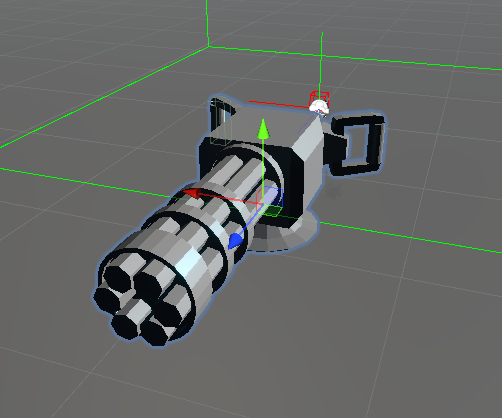

 fallen bough
hidden falcon
fallen bough
hidden falcon
You need to deactivate a function on the controllers If I remember
It happens to me to
with action based
hidden falcon
Fixed it by changing from action based to device and turning off a few things
fallen bough
I just deactivated the function: slope to 0 and rotation to 0
On the controllers
Well I'm not here because of that
I want to know if anyone can help to resolve a problem I have when I play my game
I saw a tutorial of lighting in URP and changed my lighting settings to bake and other few things, now when I exported it and try the game is very very laggy, it takes about more than 10 seconds to representate the movement on the game, I tried to delete reflection probes, bake, postprocessing, lighting settings and everything I change, but that didn't worked, idk what to do and I want to update the game on SideQuest before more people dowload the old one.
someone knows what to do?
 plush viper
How would i save the items in my holsters between different scenes?
tiny niche
@fallen bough did you fix your light setup? and did you set up the lightmap properly?
and did you change this in isolation? so you don't have other edits invalidating your benchmarks
 past valve
plush viper
How would i save the items in my holsters between different scenes?
past valve
plush viper
How would i save the items in my holsters between different scenes?
DontDestroyOnLoad (object)
fallen bough
tiny niche
<@!693849801921527910> did you fix your light setup? and did you set up the ligh...
no I didn't, I'm waiting to someone can tell me what to do cuz I don't want to broke it more
tiny niche
@fallen bough use source control like git. then you can revert your failed experiments and easily compare different ways of fixing a problem
 mild yacht
Hello there! I have an Oculus Quest 2 that I would like to make a game for. I am following a setup tutorial that told me to download and install the oculus app. However... Whenever I try and install it, it gives me this error. How would one go about resolving this issue?

I get the error right after agreeing to the EULA
or terms of service or something
mild yacht
It works fine now
 mossy nacelle
plush viper
How would i save the items in my holsters between different scenes?
mossy nacelle
plush viper
How would i save the items in my holsters between different scenes?
save them to a scriptable object
lone knoll
anyone else having trouble after the latest oculus app update ? can't start quest link on my Q2 - just updated 30 min ago to 34.0.0.53.185
Q2 firmware ver 33.0.0.69.367- gonna try and uninstall updates from beta channel and rollback to 33 on the desktop app
rolled back but still no luck, the Q2 is stuck at loading after selecting the link option , i suspect because 90% of my ram is taken by this thing it doesn't have the resources to start 😐
